#development
1 messages · Page 487 of 1
 west raptor
 proven surge
How would i make a command like suggest and the bot would respond in the #suggestions channel in my server. Talking about discord.py btw.
but people seem like spamming right now so whats going on
 bright spear
btw @queen sentinel hoister no hoisting (- Mas | n3k4a❞#3819) seemed to be trolling too, they said they got some code from a server and they say it doesnt work but they wont say what the issue is, also the pastebin they posted has their yt api key lol
they said something like "all arabs can copy code"
 queen sentinel
wot
 earnest phoenix
Awabs
😂
they also did send a picture of a disgusting server
What is the best bot for advertising
I need members
¯_(ツ)_/¯
bright spear
@earnest phoenix different channel pls
proven surge
yeah
proven surge
or partner bot i think
earnest phoenix
Thats bad
proven surge
🤷 idk
there isnt a bot to advertize, you gotta do it yourself
thats how all large servers become large
earnest phoenix
you can always use dbl's server listing site
proven surge
true
bright spear
@proven surge there are advertising bots
proven surge
well, they usually dont work
earnest phoenix
How does one set up hosting, like I know I have to purchase from the site that’s always what how what I can figure it to actually host of my bot ?
i depends on your hosting site
west raptor
^
earnest phoenix
OVH
earnest phoenix
just finished my intial docs page
uwu
moy happy
@earnest phoenix so grab yourself an ubuntu server (my opinion), setup an ssh account, disable direct root login, setip vsftpd, install node (if u run js), install pm2, start script with pm2
west raptor
wew
 languid sentinel
anyone know any free and good VPS providers
west raptor
free
languid sentinel
free
languid sentinel
n0
earnest phoenix
free vps is just not a thing
languid sentinel
n3ver
earnest phoenix
lol
languid sentinel
is there a tutorial
west raptor
yes
west raptor

Welcome back to another amazing viewer request episode, this time you guys have been asking about how to host your bot on glitch.com. So, watch the video and...
west raptor
yes
languid sentinel
btw thats the 3rd result on yt
i just searched how to host discord bots on glitch
west raptor
its best tutorial though
languid sentinel
ok
earnest phoenix
if you get a vps you can host more then just a bot you can hsot everything!
west raptor
wew
earnest phoenix
wew lad
languid sentinel
idc
west raptor
i cant afford a vps rn
earnest phoenix
@languid sentinel https://anidiotsguide_old.gitbooks.io/discord-js-bot-guide/content/other-guides/hosting-on-glitchcom.html
bah ok
earnest phoenix
ugh
i hate mobile optimization
@earnest phoenix if u need help with what i said btw just slide into my dms
and i can explain
languid sentinel
:/
earnest phoenix
so does glitch just hand out ssh accounts for people?
west raptor
no
 west raptor
ok
earnest phoenix
why are covering the url tho
earnest phoenix
no
west raptor
yes
earnest phoenix
not with the app url
languid sentinel
can i not just upload my bot files
like delete the rest
and just upload all the bot files
earnest phoenix
How can I find a line with certain text then set it as a variable using FS (or another module)?
NodeJS, obviously.
how is the file formatted
and you want line number?
I want the text in that line
so I only have a part of the line
I want the whole line
the file is a .txt
I am willing to install modules if needed.
fs.readFile(DIRECTORY, 'utf8', (err, doc) => {
    let line_to_read = 1;
    let line = doc.toString().split('\n')[line_to_read]
    console.log(line)
})```try that out
or do you want to loop through it
looking for the line
look through the whole doc
for a specific line?
for a specific line that has specific text in it
fs.readFile(DIRECTORY, 'utf8', (err, doc) => {
    let search_string = 'blah'
    let txt = doc.toString().split('\n')
    for(line in txt){
        if(txt[line].includes(search_string)){
            //string is on line
            console.log(`String is on line # ${line}`)
        }
    }
})
give that a try
@earnest phoenix let me know if it works
It creates an error
which is?

hold on
let me run it
see what it is
                                          ^

SyntaxError: Unexpected token {```put another ) after string)
It outputs nothing
wait nvm
hold on
i need to fill in the string lol
yea
also make sure you replace DIRECTORY with your director
'./blah/blah/blah.txt'
etc
kk
it outputted nothing
mk one second
got it nvm
String is on line # 1
I need all text on line one tho
 stark cedar
How do i make bots
stark cedar
...
earnest phoenix
@earnest phoenix
there
@earnest phoenix I got it to work. It just doesnt output the text
do you want it to output the text?
yes
ok here
fs.readFile(DIRECTORY, 'utf8', (err, doc) => {
    let search_string = 'blah'
    let txt = doc.toString().split('\r\n')
    for(line in txt){
        if(txt[line].includes(search_string)){
            //txt[line] is the full line of txt it has
            console.log(txt[line])
        }
    }
})
there
let me test
Thank you so much!
here ill do you one better
?
😄
function findStringLine(directory, string, callback){
    fs.readFile(directory, 'utf8', (err, doc) => {
        let search_string = string
        let txt = doc.toString().split('\r\n')
        for(line in txt){
            if(txt[line].includes(search_string)){
                callback(txt[line])
            }
        }
    })
}

//whenever u need a line out of that file just do this
findStringLine('./test.txt', 'blah', data => {
    console.log(data)
})```or you could turn that into promises
also remember to error handle it
will do
thanks
 cinder stratus
const invites = {};
const wait = require('util').promisify(setTimeout);


client.on("ready", async () => {
  wait(1000);
  console.log(`${client.user.username} is online on ${client.guilds.size} servers!`);
    client.user.setActivity(`TETRA MANAGEMENT`, {type: "WATCHING"});
    client.user.setStatus("idle");
});
client.guilds.forEach(g => {
    g.fetchInvites().then(guildInvites => {
      invites[g.id] = guildInvites;
    });
  });
client.on("guildMemberAdd", (member) => {

  const guild = member.guild;


     let memberavatar = member.avatarURL;
          let join = new Discord.RichEmbed()
          .setColor('#15f153')
          .setThumbnail(memberavatar)
          .addField(':microphone2: | Welcome!', `Welcome To The Server, ${member}`)

          .addField(':family_mwgb: | Your Are The Member', `${member.guild.memberCount}`)
          .addField("Name",`<@${member.id}>`, true)

  welcomechannel.send(join);

  member.guild.fetchInvites().then(guildInvites => {
    // This is the *existing* invites for the guild.
    const ei = invites[member.guild.id];
    // Look through the invites, find the one for which the uses went up.
    const invite = guildInvites.find(i => ei.get(i.code).uses < i.uses);
    // This is just to simplify the message being sent below (inviter doesn't have a tag property)
    const inviter = client.users.get(invite.inviter.id);
    // Get the log channel (change to your liking)
    const logChannel = member.guild.channels.find(n => n.name === "join-invite");

    logChannel.send(`${member.user.tag} Joined Using ${inviter.tag}.`);
  });
});
TypeError: Cannot read property 'get' of undefined

at guildInvites.find.i (/app/server.js:80:46)

    at Map.find (/rbd/pnpm-volume/78146ec4-dcb2-48db-aa49-10e2eda33a1d/node_modules/.registry.npmjs.org/discord.js/11.4.2/node_modules/discord.js/src/util/Collection.js:506:11)

at member.guild.fetchInvites.then.guildInvites (/app/server.js:80:33)

    at <anonymous>

    at process._tickCallback (internal/process/next_tick.js:189:7)TypeError: Cannot read property 'get' of undefined

at guildInvites.find.i (/app/server.js:80:46)

    at Map.find (/rbd/pnpm-volume/78146ec4-dcb2-48db-aa49-10e2eda33a1d/node_modules/.registry.npmjs.org/discord.js/11.4.2/node_modules/discord.js/src/util/Collection.js:506:11)

at member.guild.fetchInvites.then.guildInvites (/app/server.js:80:33)

    at <anonymous>

    at process._tickCallback (internal/process/next_tick.js:189:7
 stone hatch
Is this where people help people who can't make a code right?
cinder stratus
yes
cinder stratus
hmm whats the error
cinder stratus
regenerate the token
stone hatch
Ok.
cinder stratus
your token is leaked
cinder stratus
hmm
stone hatch
But I still can't figure out why it will not come online.
cinder stratus
@stone hatch you forgot to save your file
stone hatch
Huh.
stone hatch
I just saved it.
Let me check now.
YES!
THANK YOU!!!
I GOT IT ONLINE!
Thank you very much for your help. @cinder stratus
cinder stratus
nope
stone hatch
I have another question.
How do you restart this thing in command prompt?
Like, make the c:\Users thing come out again?
Someone help me.
earnest phoenix
hit cntrl c
stone hatch
Ok, lemme try.
earnest phoenix
you also may want to do some reading before you go code bots xF
cinder stratus
const invites = {};
const wait = require('util').promisify(setTimeout);

client.on("ready", async () => {
  wait(1000);
});
client.guilds.forEach(g => {
    g.fetchInvites().then(guildInvites => {
      invites[g.id] = guildInvites;
    });
  });
client.on("guildMemberAdd", (member) => {

  member.guild.fetchInvites().then(guildInvites => {

    const ei = invites[member.guild.id];

    const invite = guildInvites.find(i => ei.get(i.code).uses < i.uses);

    const inviter = client.users.get(invite.inviter.id);

    const logChannel = member.guild.channels.find(n => n.name === "join-invite");

    logChannel.send(`${member.user.tag} Joined Using ${inviter.tag}.`);
  });
});
TypeError: Cannot read property 'get' of undefined

at guildInvites.find.i (/app/server.js:80:46)

    at Map.find (/rbd/pnpm-volume/78146ec4-dcb2-48db-aa49-10e2eda33a1d/node_modules/.registry.npmjs.org/discord.js/11.4.2/node_modules/discord.js/src/util/Collection.js:506:11)

at member.guild.fetchInvites.then.guildInvites (/app/server.js:80:33)

    at <anonymous>

    at process._tickCallback (internal/process/next_tick.js:189:7)TypeError: Cannot read property 'get' of undefined

at guildInvites.find.i (/app/server.js:80:46)

    at Map.find (/rbd/pnpm-volume/78146ec4-dcb2-48db-aa49-10e2eda33a1d/node_modules/.registry.npmjs.org/discord.js/11.4.2/node_modules/discord.js/src/util/Collection.js:506:11)

at member.guild.fetchInvites.then.guildInvites (/app/server.js:80:33)

    at <anonymous>

    at process._tickCallback (internal/process/next_tick.js:189:7
console log guildInvites and see what it outputs
stone hatch
What is all the words mean under like idk what it means.
stone hatch
oh
earnest phoenix
https://discord.js.org/#/docs/main/stable/class/ClientUser?scrollTo=setGame these are the docs for what youre looking for

Discord.js is a powerful node.js module that allows you to interact with the Discord API very easily. It takes a much more object-oriented approach than most other JS Discord libraries, making your bot's code significantly tidier and easier to comprehend.
before that though
google a tutorial on js
on youtube
and watch some stuff
cinder stratus
.setActivity('Hello', {{type: "PLAYING"}})
earnest phoenix
or read some stuff up online
stone hatch
ok
cinder stratus
const invites = {};
const wait = require('util').promisify(setTimeout);

client.on("ready", async () => {
  wait(1000);
});
client.guilds.forEach(g => {
    g.fetchInvites().then(guildInvites => {
      invites[g.id] = guildInvites;
    });
  });
client.on("guildMemberAdd", (member) => {

  member.guild.fetchInvites().then(guildInvites => {

    const ei = invites[member.guild.id];

    const invite = guildInvites.find(i => ei.get(i.code).uses < i.uses);

    const inviter = client.users.get(invite.inviter.id);

    const logChannel = member.guild.channels.find(n => n.name === "join-invite");

    logChannel.send(`${member.user.tag} Joined Using ${inviter.tag}.`);
  });
});
TypeError: Cannot read property 'get' of undefined

at guildInvites.find.i (/app/server.js:80:46)

    at Map.find (/rbd/pnpm-volume/78146ec4-dcb2-48db-aa49-10e2eda33a1d/node_modules/.registry.npmjs.org/discord.js/11.4.2/node_modules/discord.js/src/util/Collection.js:506:11)

at member.guild.fetchInvites.then.guildInvites (/app/server.js:80:33)

    at <anonymous>

    at process._tickCallback (internal/process/next_tick.js:189:7)TypeError: Cannot read property 'get' of undefined

at guildInvites.find.i (/app/server.js:80:46)

    at Map.find (/rbd/pnpm-volume/78146ec4-dcb2-48db-aa49-10e2eda33a1d/node_modules/.registry.npmjs.org/discord.js/11.4.2/node_modules/discord.js/src/util/Collection.js:506:11)

at member.guild.fetchInvites.then.guildInvites (/app/server.js:80:33)

    at <anonymous>

    at process._tickCallback (internal/process/next_tick.js:189:7
help me
pls
stone hatch
Someone help me please.
After I ran this code, my bot went offline and it did not do anything.
This is suppose to be first command.
cinder stratus
you again not saved the file @stone hatch
stone hatch
I did.
earnest phoenix
save and try again
stone hatch
Ok.
Works now.
Thanks guys.
What error am I facing here?
Someone please help me.
bright spear
@stone hatch the token.json file doesnt exist
bright spear
yw
stone hatch
😃
stone hatch
Someone help me here, I am trying to make the bot info come out but it won't come out.
Someone please help me
@cinder stratus Can u help me?
cinder stratus
yes why not
const duration = moment.duration(bot.uptime).format(" D [days], H [hrs], m [mins], s [secs]");
   .addField("• Uptime ", `${duration}`, true)
    .addField("Created On", bot.user.createdAt)
    .addField("• Users", `${bot.users.size.toLocaleString()}`, true)
@stone hatch
cinder stratus
lol wait
const duration = moment.duration(bot.uptime).format(" D [days], H [hrs], m [mins], s [secs]");
      let bicon = bot.user.displayAvatarURL;
      let botembed = new Discord.RichEmbed()
      .setAuthor(bot.user.username)
      .setDescription("Bot Information")
      .setColor("#15f153")
      .setThumbnail(bicon)
      .addField("Bot Name", bot.user.username)
      .addField("Created On", bot.user.createdAt)
      .addField("Guild Bot On", bot.guilds.size)
      .addField("Playing Users", bot.users.size)

   .addField("• Uptime ", `${duration}`, true)
    .addField("Created On", bot.user.createdAt)
    .addField("• Users", `${bot.users.size.toLocaleString()}`, true)


     message.channel.send(botembed);
@stone hatch
stone hatch
i dont understand a thing
lol
i am stupid
someone help me
in a more simpler way
please
or ima just skip bot info
lemme ask my personal advicer
earnest phoenix
I need some help with invite links. How do people make popups like https://pls-m.urder.me/i/0np0g.png and close it once it's verified. How do you know when it's verified?

because you can't get the location change, as it has X-FRAME-DENY
@earnest phoenix for a bot or app
bot
In the url change the client id to ur bots
And boom
.... ik that much... it is my bot
i want it to close window instead of redirecting to authorized page
stone hatch
Can someone give me the code for guild and bot info?
I can't seem to make it.
It keeps on failing.
earnest phoenix
Change the callback maybe?
bright spear
@earnest phoenix I guess you can set the redirect url to one that makes it close
bright spear
@stone hatch no, spoon-feeding isn't allowed here. Read docs/guides/tutorials
stone hatch
oh ok
bright spear
Also explain what the error is
earnest phoenix
@bright spear i tried but it wont work
Script cannot close window that isnt opened by it
stone hatch
i dont really get what spoon feeding is
bright spear
Giving people code
stone hatch
oh
earnest phoenix
Basically not knowing how to program and then asking everyonr how to do everything
stone hatch
thanks for explaining
bright spear
We can help you fix something if you explain what you did and what the issue is
But we'll just tell you how to fix it, we won't make the command
earnest phoenix
so anyone any ideas for this still https://discordapp.com/channels/264445053596991498/272764566411149314/491097024503087127?
I did not know that was a thing
In ur bot settings try chaning the callback url
bright spear
Check how mee6 and other bots that do it do it
earnest phoenix
yeah... ok
mee6 invite link
Redirect uri
yes... but it doesn't close automatically
unless you click on your server and do it
Oj
Im not sure what ur getting at
Like are you using passport and discord for authentication
Or are you just doing a bot
just a bot
go to mee6 dashboard https://pls-m.urder.me/i/r0p1l.png

and click on your server
ull get a popup, which closes once authorized
I think ik howit works nvm
earnest phoenix
how i can make my site like this https://cdn.discordapp.com/attachments/486101393308909568/491117357515931670/unknown.png

 restive silo
Custom CSS
earnest phoenix
how ?
bright spear
You need to learn css
bright spear
earnest phoenix
@earnest phoenix this is from https://discordbots.org

Spice up your Discord experience with our diverse range of Discord bots
@bright spear ❤
Just upload you bot there
@earnest phoenix im doit my bot 65 .169 user
Ah, you want the same design on your website?
@earnest phoenix yas
Oh, I see, sorry for misunderstanding
Where do i put css to work @bright spear ؟
 slender thistle
In long description between <style> and </style>
stone hatch
Excuse me. Anyone know why this command does not work when I do !serverinfo?
 languid dragon
what are you doing with setColor lmao
languid dragon
that's not going to work because setColor is a function
stone hatch
It works like this for another command.
See the blue line?
That is what the code does.
languid dragon
show the code where it does that and works
stone hatch
For this command or the picture one?
stone hatch
stone hatch
It does...
stone hatch
Oh.....
I was stupid.
Lol!
It looks like this now.
Wait.
Elysium.
Can 3 commands be enough to get a bot approved?
Cuz I am still coding it.
Is it enough?
languid dragon
uh, probably not
earnest phoenix
.
stone hatch
.
 full jolt
.
 ruby dust
no
bright spear
#memes-and-media tbh
 somber raven
Regenerate?
ruby dust
now yes
since we all see it
your bot's token is an equivalent of your account's email and password
it's used to log into discord with
ruby dust
what I meant by regenerating is because you leaked it to us 
please read my previous messages
ruby dust
you should learn more about python and how to properly read discord.py docs before you proceed to making bots...
somber raven
I am not making an official one, it's just a test to learn
I wanna know the reason of those errors
ruby dust
yeah, but even in that case you shouldn't learn by making discord bots straight away
somber raven
Alright
ruby dust
get to know python first, a good place for that can be at https://sololearn.com/Play/Python hoping that I typed this link correctly
Sign In | SoloLearn: Learn to code for FREE!
earnest phoenix

how this im sorry im vary bad XDDD
.-.-
What do you want?
@earnest phoenix he is asking how to get server count like dis
0-0
I thought he just didn't want to show something under the blue color -_-
@earnest phoenix yas im mean this sorry im bad in english

.i wont show how many server my bot in
client.guilds.size?
i can't see how many server
ruby dust

Spice up your Discord experience with our diverse range of Discord bots
ruby dust
you must POST your server count to the dbl api
earnest phoenix
how?
ruby dust
either learn how to use an api with your language, or you can look at the example in #312614469819826177
earnest phoenix

GitHub
An official module for interacting with the discordbots.org API - DiscordBotList/dblapi.js
README could help
ok thnx
stone hatch
Can someone help me, if yes, I will tell you my problem.
ruby dust
first tell, then help
ruby dust
I thought you said peace of shit lol
earnest phoenix
you got errors on console?
earnest phoenix
addFielf
ruby dust
Fielf
earnest phoenix
at m
m
 sick cloud
i'm putting this notification here for everyone that needs to show their server count on the website, or for you people helping others.
stop linking to #312614469819826177. they are all outdated. you can find the updated documentation, as well as official libs and examples all at https://discordbots.org/api/docs. while some of the examples in the examples channel might work, they're 99.99% most likely not to. it's best to use the official website libs.
thanks. <3
ruby dust
...that's why I underlined the word example cause they are not worth relying to
earnest phoenix
yes_but_there_is_a_better_example_to_link_to
sick cloud
then why did you even link to them
earnest phoenix
that_has_been_an_obvious_option_from_the_start
you_are_not_helping_in_the_slightest
sick cloud
ok now go to #memes-and-media seriously
ruby dust
cause they don't know what api even is? if they want to post server count at least they can see from examples what it is
sick cloud
the examples are sure to not work, and then, surprise surprise, they'll come back complaining that they don't work.
earnest phoenix
causing more issues
not helping in the slightest
typically it goes
how do i post my server count
<post to API
how
<
 ruby dust
can you fucking shut up with your insults?
earnest phoenix
im not insulting you jesus fuck
earnest phoenix
i am not insulting you Now oh my god
you are being extremely hostile for no reason
earnest phoenix
i am not
doing anything wrong
if i came off as toxic, imma just stop talking now
earnest phoenix
rudeness,
stone hatch
Is someone able to help me, I can't seem to solve this or am I just being dumb, I cannot seem to make the bot come online now since it is a new day and I ran error code. This is for a kick command, but the bot does not come online and I don't know if it is a working command or not. Someone please help me.
Is anyone able to help me?
 rocky vale
can you make voting process more easily that would be really helpful?
 turbid gale
Pretty sure you're just missing a few ; here and there at the end of lines
 fossil pawn
Hello, can anyone please tell me how to check nadeko hex? is there any website or something for it?
fossil pawn
Yes
stone hatch
Ok.
Hold on

HTML Color Codes
Easily find HTML color codes for your website using our color picker, color chart and HTML color names with Hex color codes, RGB and HSL values.
Here you go.
 topaz fjord
Did you even put the {} around the code in the if statement @stone hatch
stone hatch
ok
stone hatch
Np.
@topaz fjord This?
let kUser = message.guild.member(message.mentions.users.first() || message.guild.members.get(args[0]));
topaz fjord
no
like
if (whatever the fuck) {

}
You didn't put the { } for section you highlighted
stone hatch
if(cmd ===${prefix}kick)
let kUser = message.guild.member(message.mentions.users.first() || message.guild.members.get(args[0]));
if(!kUser) return message.channel.send("User not found, please specify a user.");
let kReason = args.join(" ").slice(22);
if(!message.member.hasPermission("MANAGE_SERVER")) return message.channel.send("Sorry pal! You can't run that command!");
if(kUser.hasPermission("MANAGE_SERVER")) return message.channel.send("Sorry dude! You can't kick that person, so yolo!");
let kickEmbed = new Discord.RichEmbed()
.setDescription("Kick")
.setColor("#9EFF00")
.addField("Kicked User", ${kUser} with ID ${kUser.id})
.addField("Kicked By", <@${message.author.id}> With ID ${message.author.id})
.addField("Kicked In", message.channel)
.addField("Time", message.createdAt)
.addField("Reason", kReason);
let kickChannel = message.guild.channels.find(name, "incidents");
if(!kickChannel) return message.channel.send("Could not find your incidents channel, please make one.");
message.guild.member(kUser).kick(kReason);
kickChannel.send(kickEmbed);
Which one?
turbid gale
anyone which includes an if statement
stone hatch
ok
 uneven lava
any way to get some sort of time variable from the api to know when someone voted, as it is I just have to guess when I use the /user/:id/check endpoint that they've voted within 24 hours, what if it was 24 hours ago and now I have them cached as upvoted for 24 hours when it was actually the previous 24 hours

 signal saffron
When I tag a person I want, his name comes out in the title. ```const Discord = require('discord.js');
const ayarlar = require('../ayarlar.json');
var request = require('request');
exports.run = (client, message, params) => {
if (!message.guild) {
const ozelmesajuyari = new Discord.RichEmbed()
.setColor(0xFF0000)
.setTimestamp()
.setAuthor(message.author.username, message.author.avatarURL)
.addField('Eğlence Komutları Özel Mesajlarda Kullanılamaz!')
return message.author.sendEmbed(ozelmesajuyari); }
if (message.channel.type !== 'dm') {
request('x', function (error, response, body) {
if (error) return console.log('Hata:', error);
else if (!error) {
var info = JSON.parse(body);
var thyke = info.url;
const ataturk = new Discord.RichEmbed()
.setColor(0xFFFFFF)
.setAuthor(message.author.username  + '  slapped')
.setTimestamp()
.setDescription('')
.setImage(thyke)
return message.channel.sendEmbed(ataturk);

}
});
}
};``` https://cdn3.imggmi.com/uploads/2018/9/17/50a76be43487fefad51fda4ce5135a9e-full.png

help me pls
 frigid bone
.setTitle(`${message.author.username} slapped ${message.mentions.users.first().username}`)
``` try thissecond part will be undefined if no one's mentioned though, so look out for that
and don't use sendEmbed, it's deprecated
west raptor
Make sure to filter though the mentions to get the first actual mention if you have a mention prefix
signal saffron
Thanks this worked!
stone hatch
Can someone please help me? If yes, please say yes and I will describe my problem.
`if(cmd ===${prefix}kick)
let kUser = message.guild.member(message.mentions.users.first() || message.guild.members.get(args[0]));
if(!kUser) return message.channel.send("User not found, please specify a user.");
let kReason = args.join(" ").slice(22);
if(!message.member.hasPermission("MANAGE_SERVER")) return message.channel.send("Sorry pal! You can't run that command!");
if(kUser.hasPermission("MANAGE_SERVER")) return message.channel.send("Sorry dude! You can't kick that person, so yolo!");
let kickEmbed = new Discord.RichEmbed()
.setDescription("Kick")
.setColor("#9EFF00")
.addField("Kicked User", ${kUser} with ID ${kUser.id})
.addField("Kicked By", <@${message.author.id}> With ID ${message.author.id})
.addField("Kicked In", message.channel)
.addField("Time", message.createdAt)
.addField("Reason", kReason);
let kickChannel = message.guild.channels.find(name, "incidents");
if(!kickChannel) return message.channel.send("Could not find your incidents channel, please make one.");
message.guild.member(kUser).kick(kReason);
kickChannel.send(kickEmbed);`
This is my code. It is a kick command.
But when I try running it.
It will not work.
I tried again and again..
stone hatch
wdym?
 stone hatch
Put it where tho?
stone hatch
I am just a beginner.
 knotty steeple
beginners should know this is basic js
stone hatch
Who started today...
knotty steeple
i started 2 years ago
stone hatch
ok
 quartz kindle
@stone hatch an if needs {} if the code is more than one line (better do it always anyways):
rightjs if(condition) { //code here }wrong```js
if(condition)
//code here
 upper ember
how do I get a user that is not in a mutual guild with my bot? (discord.js)
west raptor
fetchUser iirc
Hold on
Discord.js is a powerful node.js module that allows you to interact with the Discord API very easily. It takes a much more object-oriented approach than most other JS Discord libraries, making your bot's code significantly tidier and easier to comprehend.
west raptor
It's pretty self explanatory
stone hatch
Em....
Idk.
Is it about me?
It says all the things that is me.
So I guess so.
So what is "wew"
I don't understand.
Lol!
upper ember
l(node:19748) UnhandledPromiseRejectionWarning: TypeError: client.fetchUser is not a function
@west raptor
console.log(client.fetchUser('231733082804322304').id)
 marsh lark
you wont be able to get a user if its not in the same guild as your bot
im pretty sure about that
west raptor
You can
Cause like
Discord.js is a powerful node.js module that allows you to interact with the Discord API very easily. It takes a much more object-oriented approach than most other JS Discord libraries, making your bot's code significantly tidier and easier to comprehend.
Says you can
So
Like
quartz kindle
master doesnt have fetchuser
in master its userstore.fetch()
no idea what userstore is tho
marsh lark
🤔
quartz kindle
Discord.js is a powerful node.js module that allows you to interact with the Discord API very easily. It takes a much more object-oriented approach than most other JS Discord libraries, making your bot's code significantly tidier and easier to comprehend.
oh, apparently userstore is just users
from stackoverflow:
bot.users.fetch(theUsersID).then(myUser => {
console.log(myUser.avatarURL()); // My user's avatar is here!
});``` timid pumice
Hello everyone
 topaz fjord
executing commands in development
 split folio
Wrong channel
Ikr lmao
Too tired to function
Dont even remember clicking this channel
earnest phoenix
I don't know if this is relevant to the channel, but I can never seem to get styles to work on the HTML section on a bot page. I'm new to HTML, so I don't know if I'm just doing something wrong, or style doesn't work in that way for dbl?
split folio
@earnest phoenix Images.
earnest phoenix
I tried doing that
Which hopefully should have the same effect as
<h1 style="font-size:120px;text-align:center;padding: 0px 0px 0px">text</h1>
but I can't seem to get that
split folio
Why not use a seperate file.for css
earnest phoenix
How do I do that in the DBL page?
earnest phoenix
So what's the best way to add styles?
split folio
Well, presumably that with what you're using it for
earnest phoenix
Well this is what I want, with the code block I showed
split folio
Hm
earnest phoenix
It's smaller, without the padding when I just leave it up to the <style>
split folio
I got to dig a grave for my cat, I'll be back later
Oh try font-size 60
Might be too big
earnest phoenix
Oh
The point was that I can't seem to make external or internal css work, apparently it HAS to be inline
split folio
Oh yeah
ruby dust
does discord.py have a default way of checking if a member is allowed to do specific actions on other users by hierarchy?
quartz kindle
@earnest phoenix you cant use base css, you have to adapt your css to the dbl page
your <h1> is not inside body, its inside a bunch of other elements in the dbl page
earnest phoenix
ohh
so everything by default is the same as DBL's css? @quartz kindle
and you can't change that?
unless it's inline
quartz kindle
you can
but you have to be specific
the more specific css will always override the less specific one
for example #element h1 overrides h1
earnest phoenix
and how do you define that in a style?
quartz kindle
<style>
#id .class1 .class2 yourclass/element {
    //css here
}
</style>```where the blue ids and classes are the dbls existing ones
which you can find if you use dev tools / inspect element
 fresh kernel
Is there a way to prevent a bot crashing from missing permissions in discordjs? I've already used try/catch but that doesn't work and gives me the missing permissions error
west raptor
if (!msg.guild.me.hasPermission('premission')) return msg.channel.send('I don't have correct perms!')```this should work
iirc
earnest phoenix
try catch wont catch it unless you await the promise
fresh kernel
wow... I'm just an idiot. Thanks
earnest phoenix
.catch or try catch + await messages
 earnest phoenix
if you do that you add an if statement for every message? no thats bad
just await them all and add a try/catch aroudn the run method in your command handler (if you have it setup in a decent way)
 smoky spire
Missing permissions error can be caused by hierarchy problems as well as missing permissions
earnest phoenix
or .catch everything
smoky spire
An if statement like that can't catch hierarchy problems
west raptor
ah
fresh kernel
What I have right now is my commands all split up into different files with a try/catch inside the run method. So I need to put it around the run method and that should work?
earnest phoenix
are all your commands attached to an object so you do like commands['ping'].run()? or something similar
fresh kernel
I'm using discord.js-commando
 heady zinc
don't
earnest phoenix
ahh ok. not familiar with that sorry.
heady zinc
though if all your run methods returns a promise you may be able to just remove the try/catch statements and just catch the promise when you call it
fresh kernel
Okay, I'll try
 neat falcon
hi there, i'm trying to log the model of my cpu, but i keep getting undefined or [object Object] (have looked on google and couldn't find solution cause am weeb)
code:
const os = require('os');

console.log(`CPU: ${JSON.stringify(os.cpus().slice(-1)).model}`);```howthefuckdoicode
heady zinc
wtf
neat falcon
same tbh
neat falcon
log cpu model from the json string
 heady zinc
im not sure why you use .slice() as it returns an array
west raptor
@fresh kernel https://discord.js.org/#/docs/commando/master/class/Command?scrollTo=clientPermissions
Discord.js is a powerful node.js module that allows you to interact with the Discord API very easily. It takes a much more object-oriented approach than most other JS Discord libraries, making your bot's code significantly tidier and easier to comprehend.
wait
no
thats master
one sec
actually nvm
ignore me
that should work
west raptor
np
smoky spire
That's why commando exists
upper ember
how do I get a guild and check if member has a specific role in this specific guild? (discord.js)
smoky spire
you can use find() or get() on client.guilds to get a guild then find the member in guild.members and use member.roles.has() to see if they have the role
west raptor
^
 knotty steeple
map it
west raptor
wait
west raptor
client.guilds.get("id").members.get('id').roles.filter(r => //whatever)
that should work
i think
knotty steeple

west raptor
pls
smoky spire
He's not trying to map roles
smoky spire
No
knotty steeple
what
smoky spire
client.guilds.get("guildid").members.get("memberid").roles.has("roleid")
smoky spire
How are you expecting to get the roles of a member if you don't want a specific member
upper ember
client.guilds.get("439866052684283905").members.get('231733082804322304').roles.filter(r => r.id== "491331748378968085")
help here 
knotty steeple
ur certified 
smoky spire
If you are trying to check for a specific role just use has instead of filter
knotty steeple
===
upper ember
I am trying to get true/false
knotty steeple
not ==
smoky spire
has will give you true/false not filter
upper ember
client.guilds.get("339085367770611713").members.get("231733082804322304").roles.has("231733082804322304")
it doesn't work
I mean.. it return false
and I have the role
smoky spire
Are those the right ids?
upper ember
yes
smoky spire
How'd you get the role id
upper ember
right click on a role
smoky spire
Did you mention it in a message and right click that?
upper ember
yes
smoky spire
That's a message id
upper ember
oof
smoky spire
To get role id add a \ before a mention
smoky spire
👍
 ruby talon
Hey.
west raptor
hi
ruby talon
I'm having problems with this code:
import discord
from discord.ext import commands
from discord.ext.commands import Bot
from discord.utils import get
import aiohttp
import asyncio
import traceback
import dbl
import time
TOKEN = "XXXXMYTOKENHEREXXXX"
BOT_PREFIX = (".")
bot = commands.Bot(command_prefix=BOT_PREFIX, description='OwO')
owner = ["381742268052144131"]
@bot.command(pass_context=True, hidden=True)
async def setgame(ctx, *, game):
embed = discord.Embed(title=None, description=" Processing request!", color=0xffc22b)
loading_message = await bot.say(embed=embed)
if ctx.message.author.id not in owner:
return
game = game.strip()
if game != "":
try:
await bot.change_presence(game=discord.Game(name=game))
except:
embed = discord.Embed(title=None, description="Failed to change game", color=0xffc22b)
edit_message(loading_message, new_content=None, embed=embed)
else:
embed = discord.Embed(title=None, description="Successfuly changed game to {}".format(game), color=0xffc22b)
edit_message(loading_message, new_content=None, embed=embed)
else:
await bot.send_cmd_help(ctx)
bot.run(TOKEN)
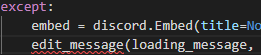
It doesn't recognize the edit_message(message, new_content=None, embed=None)
Lib. : Discord.py (not rewrite sorry guys xP)
ruby talon
xD
ruby talon
It only gives the error of the edit
I know
I would just do
TOKEN = "XXXXMYTOKENHEREXXXX"
IDK, did I forgot to import somthing?
ruby talon
°-°

 wide ruin
On discord.js is there a way to check how many categories, humans, bots, voice channels, text channels and roles there are?
knotty steeple
well that isnt a function
west raptor
yes
earnest phoenix
uh
ruby talon
Found it in the docs
ruby talon

ruby talon
OOPS
Here are the dcs
and I'm pretty new to this
so sorry if it don't know things I'm trying my best.
knotty steeple
ok so
west raptor
<Client>.edit_message?
knotty steeple
yes
west raptor
It says it in the docs



 west raptor
np
earnest phoenix
Should I learn C# for my second language?
 frail terrace
does anyone know c# and newtonsoft.json
because i can't serialize a list of objects for some reason (unless i'm doing it wrong)
wide ruin
const Discord = require("discord.js");

module.exports.run = async (bot, message, args) => {
    let servericon = message.guild.iconURL;
    let serverembed = new Discord.RichEmbed()
    .setDescription("Server Information")
    .setColor("#00ff00")
    .setThumbnail(servericon)
    .addField("Server Name", message.guild.name)
    .addField("Owner", message.guild.owner, true)
    .addField("Created On", message.guild.createdAt)
    .addField("You Joined On", message.member.joinedAt)
    .addfield("AFK Channel", message.guild.afkChannel, true)
    .addfield("Timeout", message.guild.afkTimeout, true)
    .addField("AFK ID", message.guild.afkChannelID, true)
    .addField("Channels", message.guild.channels, true)
    .addField("Emojis:", message.guild.emojis, true)
    .addField("Roles:", message.guild.roles, true)
    .addField("# of Members", message.guild.memberCount);

    return message.channel.send(serverembed);
}

module.exports.help = {
    name: "server"
}``` the bot just doesn't respondwhy are you returning msg.channel.send()?
west raptor
what fields did you add
west raptor
    .addfield("Timeout", message.guild.afkTimeout, true)
    .addField("AFK ID", message.guild.afkChannelID, true)
    .addField("Channels", message.guild.channels, true)
    .addField("Emojis:", message.guild.emojis, true)
    .addField("Roles:", message.guild.roles, true)
    .addField("# of Members", message.guild.memberCount);
``` just copy and pasting so i can see it betterNp
ruby talon
@west raptor for some reason I get no errors but it doesn't edit its message.
west raptor
.addfield("Timeout", message.guild.afkTimeout, true)
.addField("AFK ID", message.guild.afkChannelID, true)
.addField("Channels", message.guild.channels.size, true)
.addField("Emojis:", message.guild.emojis.size, true)
.addField("Roles:", message.guild.roles.size, true)
.addField("# of Members", message.guild.memberCount);``` @wide ruin vernal rivet
What up?
wide ruin
Thanks
wide ruin
.addfield("Timeout", message.guild.afkTimeout, true)
.addField("AFK ID", message.guild.afkChannelID, true)
.addField("Channels", message.guild.channels.size, true)
.addField("Emojis:", message.guild.emojis.size, true)
.addField("Roles:", message.guild.roles.size, true)
.addField("# of Members", message.guild.memberCount);
west raptor
that adding .size to something like roles or something like that will get
west raptor
the role count, etc
ruby talon
Dream, u remember me?
That guy who forgot to add his bot.x.
@west raptor for some reason I get no errors but it doesn't edit its message.
west raptor
idk then, i dont do python, but it looks to me it doesnt know what to edit
vernal rivet
@ruby talon make sure it's not a logical error
ruby talon
I already looked in to that Dream.
vernal rivet
What does your code look like?
ruby talon
@bot.command(pass_context=True, hidden=True)
async def setgame(ctx, *, game):
embed = discord.Embed(title=None, description=" Processing request!", color=0xffc22b)
loading_message = await bot.say(embed=embed)
if ctx.message.author.id not in owner:
return
game = game.strip()
if game != "":
try:
await bot.change_presence(game=discord.Game(name=game))
except:
embed = discord.Embed(title=None, description="Failed to change game", color=0xffc22b)
bot.edit_message(loading_message, new_content=None, embed=embed)
else:
embed = discord.Embed(title=None, description="Successfuly changed game to {}".format(game), color=0xffc22b)
bot.edit_message(loading_message, new_content=None, embed=embed)
else:
await bot.send_cmd_help(ctx)
What does it print?
 prime cliff
@earnest phoenix its under JsonConverter.SerielizeObject()
ruby talon
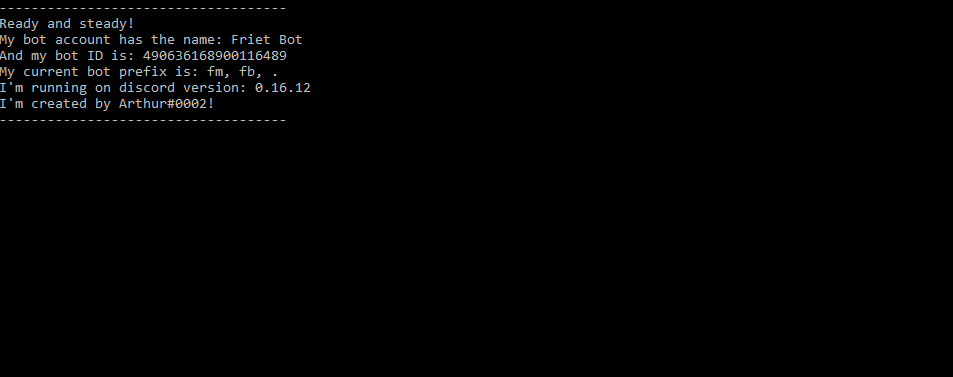
It prints nothing in console:
https://i.gyazo.com/d79aaa9fad8c900c1546f811f3272268.png
If you mean in discord chat it prints this:
https://i.gyazo.com/aa76e61b104756e5f1a742815f14adb4.png
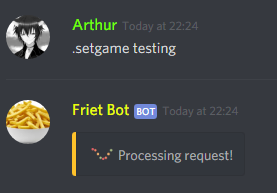
But it does that fine, everything works exept that it doesn't wanna edit its message.

 vernal rivet
Try this, idk if this is how it works for py, I do js, but try having it print in the console to see if its the wrong style of code, or it's a logical error
ruby talon
Usually it prints it if an error occurs (I have code for that 2 implemented) and it will say it in the chat 2.
But now it keeps everything clean.
vernal rivet
I mean have it print what it should change the message to, in the console
ruby talon
Ok, but I'll work further on it tommorow, I'm going to get some sleep rn.
vernal rivet
Ok, but If you get the messages in the console, then your doing the edit message wrong, if you don't get them, then it's either a run-time error, or logical error
vernal rivet
Np
vernal rivet
Is a syntax error
knotty steeple
same
somber raven
Something wrong in the code ?
vernal rivet
Two things it can mean, you don't have the proper lib, or your didn't add the right syntax's to it
somber raven
3.7
vernal rivet
From the console it's saying that you need to add some snytaxs to it
somber raven
How to ?
vernal rivet
Well look at the discord.py lib documentation and look for Asyncio.async and look at the syntax's for it
Like I said to Arthur I do js more, py isn't my strong suit, but I can understand it's errors
 frozen drum
anyone got the code to detect any mentions to other players and keep a log in a text channel (discord.js)
somber raven
@knotty steeple Come private for sec
wide ruin
Do all bots have nitro when it comes to emojis?
west raptor
yes
 night imp
@frozen drum message.mentions or something (assuming d.js)
earnest phoenix
To send a error to a channel, I would have to do .catch(console.error), right?
night imp
 in some scenarios yeah
if it is a promise
No
You would have to do channel.send(error.message)
 slim heart
How do I get 0 width space in regex, im trying /\u200b/g but it doesnt seem to do anything
ruby talon
@somber raven version 3.7 Python doesn't support discord.Python as far as I know.
I had the same issue when I just started, uninstall python 3.7 and install 3.6.x.
Should work then.
knotty steeple
wdym @frozen drum
ruby talon
@somber raven if you look at your error you see that it says that it has problems finding /opening /... the discord.py library.
wide ruin
In d.js
How do you get the amount of categories
I tried message.guild.categories.size but it didn't work
Any idea?
 visual zenith
what to do if it shows this 👇
visual zenith
idk how to fix it
knotty steeple
does it keep on happening
knotty steeple
what api
 wicked summit
Dblapi
knotty steeple
visual zenith
#topgg-api @wicked summit
knotty steeple
go there
visual zenith
xD
wicked summit
K
visual zenith
i fixed it xD
-_-
- Open the Console (Logs button -> Console button)
- In the console, run enable-pnpm
- Go back to the editor and wait for the install step to finish
- The problem should now be solved!
visual zenith
wrong channel
west raptor
How would I be able to execute something from a command (ie. npm i discord.js)
sick cloud
@west raptor child_process exec
require('child_process').exec("console command here").then((out1, out2) => { ... }).catch((err) => { ... });```ah alright, thanks
bright spear
looks like it isnt a promise
knotty steeple
how do i do github webhooks?
west raptor
for discord?
west raptor
if you don't want to make your own: https://gist.github.com/jagrosh/5b1761213e33fc5b54ec7f6379034a22

Gist
Simple Github -> Discord webhook. GitHub Gist: instantly share code, notes, and snippets.
knotty steeple
ill look at it ty
west raptor
np
knotty steeple

 west raptor
alright
bright spear
🤔 why use that when there's an official article thats more in-depth

Discord
Discord's built in Webhooks function as an easy way to get automated messages and data updates sent to a text channel in your server. Think of them as one of those fancy pneumatic tube things you u...
earnest phoenix
```const verifymsg = I agree to abide by all rules. My token is: ${token}
^
ReferenceError: token is not defined```
how would i defined it?
bright spear
@earnest phoenix well you don't have any code saying what token should be
prime cliff
Why are you trying to verify your bot with a token wait what
west raptor
What's token anyways
bright spear
i guess its like a member verification thing when someone joins the server @prime cliff
earnest phoenix
yeah ^
west raptor
So like
bright spear
well you need to include code to say what token should be
west raptor
Where's token defined at
prime cliff
Thonk that should be easy to add text though
earnest phoenix
when i post I agree to abide by all rules. My token is 5fReGQyP3., its spilt the token is not defined
how do I define something 
prime cliff
Why do you need a token though you could just get users to say I agree to the rules
:/
You would be supprised at how many people dont even read any information when joining a server
And just randomly say WHAT IS THIS SERVER WHY AM I HERE
earnest phoenix
DM on server join 
and it doesnt even work 
should probably make "verification" an option for servers
and send "i agree" messages to a specific channel
and not dm people
yeah @bright spear
bright spear
well, you would have to store the token with the user id in a database
to make sure they're using the right token
earnest phoenix
okay
 quasi forge
Guys, My bot uses discord.js library, I want to change the library I'm using, which one should I use to reduce the lag? Answer in DMs I gtg to school rn. And thanks.
 inner jewel
performance depends 99% on your code and hardware
quasi forge
Library matters too, like discord.py gives better performance than discord.js
inner jewel
library only matters when you have thousands of guilds
topaz fjord
seems more like the lang
inner jewel
until a couple thousand the biggest factor is your code
then some libs struggle a bit
topaz fjord
d.js
inner jewel
and then there's jda handling 160 shards in one process perfectly fine :^)