#development
1 messages · Page 443 of 1
 left gazelle
 zealous hazel
javascript
zealous hazel
loook in pv please
const getDefaultChannel = async (guild) => {
if(guild.channels.has(guild.id))
return guild.channels.get(guild.id)
if(guild.channels.exists("name", "general"))
return guild.channels.find("name", "general");
return guild.channels
.filter(c => c.type === "text" &&
c.permissionsFor(guild.client.user).has("SEND_MESSAGES"))
.sort((a, b) => a.position - b.position ||
Long.fromString(a.id).sub(Long.fromString(b.id)).toNumber())
.first();
}
bot.on('guildCreate', guild => {
guild.channels.get(getDefaultChannel).createInvite().then(invite =>
console.log(invite.url)
);
})
help me plee
please
 orchid horizon
uh wouldn't it be getDefaultChannel(guild).createInvite()
anyways you're returning a bunch of different types for some reason that would probably error more often than not
zealous hazel
know possible to correct me please thank you and return the code thank you
please thx
orchid horizon
I'm not going to spoonfeed
zealous hazel
😟
orchid horizon
plus I don't know enough about d.js to rewrite it
 inner jewel
you should learn the language and library
not expect others to give you code
and copy paste it
zealous hazel
okay thx 😟 😭
 sick iron
so... I feel kinda stupid right now...
I am trying to get the url.... and how the crap do I do it.. I feel like I should know but again.. I feel stupid..
[ { url: 'https://cdn.discordapp.com/attachments/464791231994789898/464840585568714753/level-card.png',
  proxy_url: 'https://media.discordapp.net/attachments/464791231994789898/464840585568714753/level-card.png',
   filename: 'level-card.png',
  width: 500,
  height: 10,
  id: '464840585568714753',
  size: 147 } ]
 earnest phoenix
Mee6 got an update i think
earnest phoenix
it went offline for a while mm
and yes im using mee6 for level system until i made mine
left gazelle
@client.event
async def on_message(message):
# we do not want the bot to reply to itself
if message.author == client.user:
return
if message.content.startswith('!hello'):
    msg = 'Hello {0.author.mention}'.format(message)
    await client.send_message(message.channel, msg)
i tried to guess by myself but the format what is for?
 slender thistle
 slim heart
How would I change the name of a bot
earnest phoenix
does anyone have vote webhooks implemented in java
JPBBerry in d.js you could try client.user.setUsername("NewUsername")
be aware there is a rate limit of 2 changes per hour and the change might not reflect immediately
 abstract crystal
basically sends data to your http server (which you need to create)

Spice up your Discord experience with our diverse range of Discord bots
earnest phoenix
oh alright
time to make a http server then i guess
dont i need to open a port for that
😮
inner jewel
{
    "bot": "1",
    "user": "2",
    "type": "upvote",
    "query": "?a=1&b=2"
}```are those post args or parameters
inner jewel
that's the post body
inner jewel
you'd need postman/any other program that can do an http post anyway
inner jewel
you define the path
earnest phoenix
i specify the server no?
if i put in dinhware.com for example
where would a vote be posted to?
inner jewel
inner jewel
use a path for the webhook
earnest phoenix
.. yes but
    "bot": "1",
    "user": "2",
    "type": "upvote",
    "query": "?a=1&b=2"
}```if thats the post data
how do i know thats a vote
and not something else
abstract crystal
it sends only the votes + you can set up a secret
earnest phoenix
ohhh
abstract crystal
so you know it's dbl
abstract crystal
indeed
 tribal hazel
How do people make their own like status
it says
Coding what bot*
with the bot's profile picture
instead of visual studio code
inner jewel

GitHub
Contribute to discord-rpc development by creating an account on GitHub.
 tribal hazel
lol
earnest phoenix
C++
 swift bramble
Magic
 sick cloud
✨
 sullen path
with a can opener
earnest phoenix
Hi
sick cloud
i made a vote skip thing for my music feature:
        const queue = musicQueue[msg.guild.id];
        const voted = new Set();

            let required = msg.guild.me.voiceChannel.members.size - 1;
            let soFar = musicQueue[msg.guild.id].voteSkips;

            if (musicQueue[msg.guild.id].voteSkips === required) {
                queue.connection.dispatcher.end();

                msg.react('⏩');
                musicQueue[msg.guild.id].voteSkips = 0;
            } else {
                if (voted.has(msg.author.id)) return msg.channel.send(`You have already voted to skip!`);

                voted.add(msg.author.id);
                soFar++
                musicQueue[msg.guild.id].voteSkips = soFar;

                if (musicQueue[msg.guild.id].voteSkips === required) {
                    queue.connection.dispatcher.end();

                    msg.react('⏩');
                    musicQueue[msg.guild.id].voteSkips = 0;
                } else {
                    msg.channel.send(`You have voted to skip (\`${musicQueue[msg.guild.id].voteSkips}/${required}\`), ${required - musicQueue[msg.guild.id].voteSkips} vote(s) are required to skip the song.`);
                }
            }
one issue though: i can vote to skip 2 times and it'll skip, and its not blocking me.. what have i done wrong?
first time making something like this lol
 fluid basin
LOL
you are recreating voted every time the command is ran
so basically it will be an empty set when you run the command again
Thats why it will not block you
sick cloud
oh
 tranquil tree
    if (message.content.startsWith(`${PREFIX}serverinfo`)){

        let sicon = message.guild.iconURL;
        let serverembed = new Discord.RichEmbed()
        .setDescription("Server Information")
        .setColor("#9400ff")
        .setThumbnail(sicon)
        .addField("Sever Name", message.guild.name)
        .addField("Created On", message.guild.createdAt)
        .addField("You Joined", message.member.joinedAt)
        .addField("Total Members", message.guild.memberCount)
        .addField("Total Bots", message.guild.botCount);

        return message.channel.send(serverembed);
    }
So i wanted to make a !serverinfo and thought that message.guild.botCount would count how many bots are in the server, however when i ran the command everything was fine Except bot count which said undefined on the info xD could someone help me know how to get bot count please ❤
xD
and using js^
 stray wasp
You can check a guilds users and map them out and check every user if they are a bot.
doesn't sound optimal tho
fluid basin
guild.botCount is not defined in the docs, either you will have to implement it yourself or don't use it
tranquil tree
o
fluid basin
The correct way of getting the number of bots is to check every user whether they are a bot or not
stray wasp
mapping it
tranquil tree
Ill google it later
stray wasp
@earnest phoenix
earnest phoenix
@stray wasp ?
stray wasp
Using pm2 will allow it to auto restart if the server restarts
earnest phoenix
@stray wasp yea but if the bot has nothing to play it will crash and go to offline i have test it
we(nikellas.gr Staff Team) need to re-create the code to fix that....
tranquil tree
Just make it so if it has nothing to play it returns to the start where it keeps testing for something to play
Anyone know how to get a word "defined" in js?
i cant figure this out
bot.on("ready", function () {
    console.log(`${bot.user.username} Is online and ready to fail!`);
    bot.user.setActivity(`Servers`, + client.guilds.size), { type: "Listening" };
What am i doing wrong.....
sick cloud
learn js
 coral lichen
lol
 abstract mango
that's not the correct answer tony 
anyways the type is not "Listening"
you have to use numbers in d.js
coral lichen
Someone helped him in d.js
abstract mango
oh ok
tranquil tree
Listening does work like that
tranquil tree
if you dont have that extra code i added
sick cloud
0 is playing
slender thistle
Oh
sick cloud
1 is streaming
slender thistle
My bad then
sick cloud
<client>.user.setActivity(`activity here`, { type: 2 });
// produces => Listening to *activity here*
3 is watching
sick cloud
Made a bet command (code https://hastebin.com/lolawiyivo.js) but it does this every time:
I know that its defined, why isn't it working though?
tranquil tree
It does a random thing
let randomNumber = Math.floor(Math.random() * 101);
sick cloud
const random_ = (min, max) => {
    return Math.floor(Math.random() * (max - min)) + min;
}
gets a random number
sick cloud
its in there
fluid basin
ok
sick cloud
just outside of the shown code
fluid basin
Just either use a if statement or do this
switch (randomNumber) {
  case 1:
  case 2:
  case 3:
  case 4: //won
    ...
    break;

  case 5:
  case 6:
  case 7:
  case 8:
  case 9: //lose
     ...
     break;

  case 10: //even
    ...
    break;

  default: //stuff
}```But a if statement is much better
¯_(ツ)_/¯
 night elk
Can someone help me xD
sick cloud
If you have questions, ask the questions and wait for someone who can answer to help you. Do not ask to ask.
stray wasp
wat shall I help you with
 night elk
;-;
stray wasp

stray wasp
"SPEAK YOUR MIND"
fluid basin
That means you don't own any servers or have the "Manage Server" perm on the server
night elk
I do
stray wasp
^^
 stray wasp
ok what bot are you trying to invite?
fluid basin
Well then, can you check if you are on the correct account
stray wasp
^^
fluid basin
Like you might be using an alt
night elk
This one is me
fluid basin
No in the browser

Discord
Step up your game with a modern voice & text chat app. Crystal clear voice, multiple server and channel support, mobile apps, and more. Get your free server now!
stray wasp
open a incognito tab and go to the link and sign in and then invite it
if you are unsure how to log out.
fluid basin
yeah thats one solution
stray wasp
ok
fluid basin
xD
night elk
Now trying to explain this to someone is difficult
earnest phoenix
I need help, What if someone makes a NSFW custom command and use it outside of NSFW channels?
I'll clarify that in our privacy and rules that we don't have control over custom commands
https://equalizerbot.xyz/screenshot/pbj9t6hb.png

Still it'll be a problem?
Since it's user abuse, It's like one of the server staff use the bot to ban everyone, It's still user abuse
sick cloud
Just make a policy like We aren't responsible for what content custom commands have.. 👀
earnest phoenix
Yes
sick cloud
This is mine:
earnest phoenix
That's what I was thinking
sick cloud
And it won't be a problem as far as I see it then.
earnest phoenix
👌
abstract crystal
Well NSFW commands are not required to be in NSFW channels (you should always do that) @earnest phoenix BUT it's up to the guild owner to manage that.
Source:
 native narwhal
🤔
 earnest phoenix
Api
stray wasp
ok thanks
earnest phoenix
But he said he checked it
abstract mango
thonk
 meager flower
Hevvo
tribal hazel
How do you make a custom prefix command?
meager flower
Library?
earnest phoenix
you need a database
meager flower
^^
meager flower
If you use something like the klasa framework, I think it can also store things
(Not certain tho)
tribal hazel
How do you make it so when the bot kicked someone and it comes up with a message it says in the message who was kicked by who.
tribal hazel
.
 runic cloud
slender thistle
runic cloud
slender thistle
Instead of sendMessage, use send?
earnest phoenix
it tells you what to do lol
meager flower
^^
tribal hazel
How do you make it so if a user has put in a command that isnt a command it comes up with a message?
 sour perch
hey, so im making a remind command where my bot sends a message to the user, at a chosen date, reminding them of whatever they choose, and i have made my bot save theese dates, because i want it to do it so that the bot when shut down and rebooted again still remembers that it has to send that message. but how do i do that?, i assume it has to be on a client.on('ready', () => event, but i cant make it work as i want it to. any clues on how to solve it? im using discord.js as my library, and here is my message event: ```js
client.on('message', async message => {
let msg = message.content.toUpperCase();
let sender = message.author;

let args = message.content.slice(prefix.length).trim().split(" ");
let cmd = args.shift().toLowerCase();

if (!msg.startsWith(prefix)) return;
if (message.author.bot) return;

try {

    let commandFile = require(`./commands/${cmd}.js`);
    commandFile.run(client, message, args)

} catch (e) {

}
});
im also using fs and save dates in json
 quartz kindle
if you're saving them in a json file, just open the json file when your bot starts
client on ready -> open json file, check dates, run a settimeout
sour perch
Thanks.
 gilded thunder
Error
  File "/home/joshek/.local/lib/python3.5/site-packages/discord/ext/commands/bot.py", line 846, in process_commands
    yield from command.invoke(ctx)
  File "/home/joshek/.local/lib/python3.5/site-packages/discord/ext/commands/core.py", line 367, in invoke
    yield from self.prepare(ctx)
  File "/home/joshek/.local/lib/python3.5/site-packages/discord/ext/commands/core.py", line 345, in prepare
    yield from self._parse_arguments(ctx)
  File "/home/joshek/.local/lib/python3.5/site-packages/discord/ext/commands/core.py", line 304, in _parse_arguments
    transformed = yield from self.transform(ctx, param)
  File "/home/joshek/.local/lib/python3.5/site-packages/discord/ext/commands/core.py", line 225, in transform
    raise BadArgument('Converting to "{0.__name__}" failed.'.format(converter)) from e
discord.ext.commands.errors.BadArgument: Converting to "Message" failed.
Code
@bot.command(pass_context=True)
async def quote(ctx, message_id : discord.Message):
    message = message_id.content
    bot.get_message(channel, id)
    embed=discord.Embed(title="Quoted message", description=str(content))
await bot.say(embed=embed)```Not sure what seems to be wrong
Following what the docs are saying with calling message content from the ID
 compact haven
@tidal parrot can you dm me the battle scene background picture from pokecord
 tidal parrot
 compact haven
oof
earnest phoenix
anyone experienced with electron + webpack
I'm trying to enable HMR with electron + webpack dev server
it does automatically recompile but no changes are shown in the electron window
 raw wharf
:o
 uncut slate
@earnest phoenix can't say I have a solution to your problem, but I've had horrible experiences with the webpack dev server
I just made my own replacement
which is kinda shitty but at least it fucking works 
earnest phoenix
umm is this where I can ask for help?
uncut slate
with?
earnest phoenix
The library eris
uncut slate
sure
earnest phoenix
welp thanks
I am trying to get a list of roles by name for a user
But I only seem to find how to get the by id
uncut slate
use the ID to get the name
earnest phoenix
how tho?
uncut slate
<Guild>.roles is a collection of the roles in that Guild, mapped by ID
earnest phoenix
yea so far web pack dev server has been a nightmare for me in every project
I've spent more time trying to get it work then in actual projects

slender thistle
@gilded thunder Don't you have to await get_message()?
And what is content in that case?
gilded thunder
The message contents.
slender thistle
Either way, id is not defined there, either
And you could just do async def quote(ctx, message_id): and then, still be able to use await get_message()
So, what I am getting in the code below:
    @commands.command()
    async def quote(self, ctx, msg: discord.Message):
        print(msg.content)

 ruby dust
you have to get the message object first, and just by providing the id of it will not do it
you have to look for it manually
await get_message() is a good option, but you won't go far with it
cause it will only go up to like 100 messages
if you want to get further messages, you have to force it go further with custom message limit with async-for history()
tranquil tree
How do you get the bot to send an image without a link? Like this here
ruby dust
ever heard of embeds?
tranquil tree
Yesh
ruby dust
embeds can consist of more than just fields
 frail harness
maybe that's what you should have done in the first place before asking here @tranquil tree
tranquil tree
yeah xD
quartz kindle
    font-family: Whitney,Helvetica Neue,Helvetica,Arial,sans-serif;
}```yep
earnest phoenix
how to use databases to set per-server prefixes
im using discord.py
and the database im using is tinydb
uncut slate
make a bot, apply
 fast mica
I did 😛
earnest phoenix
it has to get approved
fast mica
Sad
earnest phoenix
no u
fast mica
Hecc
 jovial sigil
Hello, I was wondering if you guys can help me with UnhandledRejection:
DiscordAPIError: Missing Permissions
Im currently getting that error whenever some tries to send commands to a channel that the bot is restricted access from sending a message. (its only allowed in certain channels by the discord server owner)
How do i catch that error and make it print to console.log instead of trying to send that message?
I've tried to do
try{
}
catch(e){
}
but it doesn't work. I haven't tried to do .then().catch() tho because idk how that would work with message.channel.send()
sorry for the long paragraph XD
jovial sigil
yes im asking how
 knotty steeple
just make a new Promise
knotty steeple

MDN Web Docs
The Promise object represents the eventual completion (or failure) of an asynchronous operation, and its resulting value.
sick cloud
Been making my own progress bar thing (still actually), but my own version. Code is https://hastebin.com/qicoricado.js, but even through the song, it shows all the way as this: https://i.imgur.com/OFsyt6S.png - oh, I have length set to 35, and all times are in milliseconds.
Any help would be appreciated. ❤
 quartz kindle
log all those variables and see how they change or not change
 cinder stratus
Hey Anyone Can Give Me Source Code Of Welcoming Bot
fluid basin
^^^
cinder stratus
Can Anyone Help
 shy verge
well, that's not counting the few more lines of bot boilerplate but yeah that's all you need
we will not spoonfeed you
cinder stratus
oK
 frigid sierra
uni sans I think
 lime falcon
Love me some optimization. 28x faster running of the most expensive function
I managed that in one swoop because this is a new thing and thus the first/only optimization I've done on it
 wild tide
Anyone know how to put the Discord Bots widget into a discord embed message?
sick cloud
change .svg on the end to .png
and use .setImage or the related function for your lib
wild tide
oh thanks
 thorny fractal
how do i get codes running in the bot?
thorny fractal
.... fr WHERE
earnest phoenix
thats not what hes asking
sick cloud
also guys I was looking into a tutorial on emojis - it says in discord.js v12/master emojis are key'd by id, not name:id. so the tutorial code (const emojiKey = (data.emoji.id) ? '${data.emoji.name}:${data.emoji.id}' : data.emoji.name;) won't work, is there a replacement for this?
earnest phoenix
i dont use v12 so no idea
wild tide
const emoji = client.emojis.find('id');
sick cloud
okay, cheers
thorny fractal
i am not good at scripting or anything lmao
sick cloud
learn a language
wild tide
What language of coding are you using?
wild tide
oh
earnest phoenix
creating a bot for the first time
thorny fractal
yes i need help
wild tide
Well, first you need to make a folder
then, in that folder make 2 files
app.js and config.js
thorny fractal
may u call me and show me how?
wild tide
^^
earnest phoenix
not js
wild tide
just realised that
sick cloud
config.js works fine
wild tide
lol
sick cloud
i use config.js
wild tide
I use json
thorny fractal
OOF
earnest phoenix
i use js-on
thorny fractal
how do i do it? i need alot of help
wild tide
@thorny fractal https://anidiotsguide_old.gitbooks.io/discord-js-bot-guide/content/getting-started/your-basic-bot.html
read this
thorny fractal
l
wild tide
ThatTonybo, there is an article for you too https://anidiotsguide_old.gitbooks.io/discord-js-bot-guide/content/coding-guides/using-emojis.html
sick cloud
use the new one
wild tide
lmao
wild tide
the old one still works
earnest phoenix
works better
wild tide
copy's code
 sick cloud
smh
wild tide
jk
sick cloud
its out of a tutorial anyways
inner jewel
does anyone have css/whatever to generate the default guild icons? those that change with the name ofthe guild
since they don't have ids so nothing in the cdn to display
sick cloud
uhh @inner jewel i don't but you can replace it with the default discord avatar
actually wait
i do know a way
hold on
guildName.replace(/\w+/g, n => n[0]).replace(/\s/g, "")
thats the code my friend gave me that actually works
and then you can just make an image with placeholder.com
const guildName = msg.guild.name;
const name = guildName.replace(/\w+/g, n => n[0]).replace(/\s/g, "");

const url = `http://via.placeholder.com/512/202225/ffffff.png?text=${name}`;
that should work
works for me also ^^
sick cloud
what language?
earnest phoenix
@thorny fractal Just by uploading your code, when you create the bot, it is just an userbot and you make it online by sending it you code that you can connect by a client.login("You bot token")
sick cloud
How do you get a node-canvas stream thing into a picture you can use?
like, a image.png that you can upload
earnest phoenix
Sorry i'm not good in english but you are asking for how to use canvas in node js ?
thorny fractal
i got node.js
sick cloud
Well, I'm making an image, I just need to know how to make it into an image file I can upload to Imgur or something.
 austere meadow
canvas.toBuffer() will convert the canvas to a buffer
then you can use
message.channel.send({ files: [{
        attachment: canvas.toBuffer(),
        name: "thing.png"
})
oh you want to upload to imgur
sick cloud
or
austere meadow
i've never tried uploading it to a host or something but it should be the same process
sick cloud
add to an embed image
austere meadow
you can do that too
sick cloud
.setImage(canvas.toBuffer()) maybe?
sick cloud
oh
thorny fractal
idk how to do dis
sick cloud
imgur has an api.. will look into it
 sick cloud
i could i guess
imgur's api is at https://apidocs.imgur.com/ so maybe it has some kind of way of uploading a buffer? 👀

Imgur API
API Status
Status for the API can be found at status.imgur.com!
Getting Started
Imgur's API exposes the entire Imgur infrastructure via a standardized programmatic interface. Using Imgur's API, you can do just about anything you can do on imgur.com, while using your programmi...
austere meadow
one sec
thorny fractal
IDK HOW TO GET MY BOT ONLINE
sick cloud
don't use caps
earnest phoenix
You hosted your bot ?
sick cloud
we've asked you questions to help you and you haven't answered
we can't help you therefore
@earnest phoenix the user has no idea what they're even doing
austere meadow
@sick cloud https://please.zbot.me/yeeXPfhW.png
it looks useless but the imgur API says that you can use base64 to upload
you could also try feeding that into .setImage() however i dont know how well that'd work
 inner jewel
now i need to make it actually do something
 solid cliff
upload it as a file and for the embed image url use "attachment://filename" 
austere meadow
i used canvas.toDataURL() for that
@solid cliff oh true
i haven't done that in ages lmao
thorny fractal
what do i do i got node.js now what?
sick cloud
use a normal console
thorny fractal
like what?
thorny fractal
mmmm
earnest phoenix
Is that the good folder where your bot.js is ?
And it's file.js name is "Rares bot.js" ?
earnest phoenix
your are fr ?
thorny fractal
yes...
earnest phoenix
came pv with me if you are french
earnest phoenix
remove the ""
thorny fractal
how
earnest phoenix
What is your Bot folder path ? And your main file.js name
thorny fractal
i aint good with any of it main is Rare and i dont have the file.js i need help makeing it
earnest phoenix
Uh so you can't start you bot if you don't have coded it
thorny fractal
how to make the code
earnest phoenix
Uh...
earnest phoenix
You know a little coding in node js ?
sick cloud
@austere meadow i tried making a post request to the api but i don't know how to work it right i think, it sent me a 400 Bad Request from snekfetch
fluid basin
lul
thorny fractal
kinda
fluid basin
@sick cloud wut do you need with js
sick cloud
@fluid basin nothing?
fluid basin
hmmhmhmhm
austere meadow
i recommend doing what ReKT said, uploading the file to discord then using attachment://file to do it
https://please.zbot.me/LycBLeci.png

 sick cloud
won't uploading it to discord mean it'll be attached as an image?
austere meadow
it takes a MessageAttachment which can take buffers
fluid basin
no
austere meadow
you're basically setting files to be uploaded alongside the embed
they won't be actually posted separately
fluid basin
it'll be part of the embed
sick cloud
ohh ok
so if i do
const attac = new MessageAttachment(canvas.toBuffer(), 'icon.png');
then this will work?
embed.setImage(attac)
or am i not understanding this at all
inner jewel
setImage("attachment://icon.png")
sick cloud
ah ok
fluid basin
uhh
thorny fractal
fluid basin
const embed = ... //stuff
embed.attachFiles([attac])
embed.setImage("attachment://icon.png")
@sick cloud
sick cloud
this was the result i got
earnest phoenix
Ok rare so:
thorny fractal
now what?
sick cloud
@fluid basin attachFile doesn't exist apparently
sick cloud
ok
thorny fractal
sick cloud
and it has to be an array right?
thorny fractal
fluid basin
yes
earnest phoenix
In you console, specify your folder path:
cd C:\User\Rare\desktop\Rares
And then, start your index.js :
node index.js
fluid basin
I edited it
thorny fractal
earnest phoenix
Just
sick cloud
ok
@thorny fractal you need to save your code as .js files, not .txt files
get a code editor
thorny fractal
mmmmm
fluid basin
honestly I would really suggest that you either look through discord tutorials(google "how to make a discord bot tutorial nodejs") if you want to get right into it or learn some basic nodeJS and then try to take on making a bot
thorny fractal
thorny fractal
oh yea is Pa Cyber\Rares i forgot on my school pc rn
sick cloud
don't run it as a program either
fluid basin
First off why are you even trying to run that file
sick cloud
@fluid basin the code you gave returns (node:22028) UnhandledPromiseRejectionWarning: TypeError: Cannot read property 'pipe' of undefined
thorny fractal
ima downloading this code editor btw https://code.visualstudio.com/docs/?dv=win

Find out how to set-up and get the most from Visual Studio Code. Optimized for building and debugging modern web and cloud applications. Visual Studio Code is free and available on your favorite platform - Linux, macOS, and Windows.
earnest phoenix
Yup but you will have to learn nodejs too
thorny fractal
ik good bit of it now...
fluid basin
@sick cloud try this then
message.channel.send("", {
  embed: embed,
   files: [{
      attachment: canvas.toBuffer(),
      name: 'icon.png'
   }]
})
and use "attachment://icon.png" for the .setImage
thorny fractal
BUT i aint good with code editors
sick cloud
alright
thorny fractal
it downloaded
earnest phoenix
You are no obliged to use a code editor but it's just recommanded, you just need nodejs and on windows, you can use notepad as code editor I think
thorny fractal
can u help me with it? like i aint good with code editors
sick cloud
code editors are basically notepad with a few more things
earnest phoenix
Yep but the code will be the same but not necessary
earnest phoenix
A text editor work, the code just need to be in the file
I just use my mobile default text editor when i'm not on my pc
sick cloud
ok seriously @earnest phoenix no.
earnest phoenix
Yep download git
sick cloud
notepad will NOT work
thorny fractal
sick cloud
and you don't need git
thorny fractal
i aint geting git..
earnest phoenix
Just save your "new text document.txt" as a .js file
sick cloud
even though that isn't real code
earnest phoenix
notepad might not be the most efficient way to do it, but you most certainly can use it
sick cloud
notepad formats weird af
earnest phoenix
yep
I nevez said that you have to use notepad formats
it's just a text editor
your code will be the same and it will work fine if your file is a .js
the editor can visually help you and make a speed gain but a code is a code
thorny fractal
earnest phoenix
Uh
thorny fractal
earnest phoenix
this code will do nothing
a javascript tutorial would be a good first step
just close these tags and open the index.js file i give you above
earnest phoenix
Hum so change your antivirus
thorny fractal
no id like to keep it...
earnest phoenix
because if it say that a .js file is a virus...
slender thistle
Chrome tells me that .py files might be viruses
thorny fractal
can somebody make me a js script then....
earnest phoenix
It's what I've done by giving your this js file
 grizzled isle
Oooooor upload code into hastebin.
thorny fractal
i forgot how do i find out my bot token?
earnest phoenix
In your bot application page
thorny fractal
k brb
grizzled isle
earnest phoenix
Hum
you have created your bot ?
If not, go on the page he give you , My apps, "+" , set it an app name (name of your bot), click on "create app" , click on "Create a bot user" dans you will find "Token : click to reveal", so ... click to reveal and that's your bot token
earnest phoenix
and your click on "generate Oauth2 url" , check "administrator " (or the perms you want to give to your bot) and copy the given link and open it to add your bot on your server
earnest phoenix
And i use an other type of console but i think it will be the same with git so, on your console (in visual studio), type npm install discord.js
thorny fractal
earnest phoenix
If it work you will normally just have to write node . or node index.js to make it run, if it write "Bot started" in the console, then your bot is normally on
thorny fractal
not done puting it all in yet
earnest phoenix
Uuuh...
ok you don't know coding at all
You can"t write things like your "Hi ready clear mmm" and thing it will write it to you, this will make your code crash
earnest phoenix
kms ?
thorny fractal
"kill my self"
earnest phoenix
sorry i'm not english so I don't undersands the abrevisations
oh yeah x)
just go to look a tutorial, node js is very simple (start with a javascript tuto and then a node js tuto)
so i have to go, ++
sick cloud
how do you delete reactions from a message?
thorny fractal
reclick it
thorny fractal
oh idk
 fluid basin
hi blake the sick lad
earnest phoenix
hum tried it but it don't seem to work with a reaction.remove()
fluid basin
unless there are no reactions?
and reaction.remove() only removes current bot user's reactions to that message
 uncut rose
What's happening here?
earnest phoenix
Nothing, it's good
uncut rose
Okay mate
slender thistle
What is your coding language
uncut rose
Google it "purge command discord js" or "discord py"
earnest phoenix
how to make a command to change the logo of the server
 terse path
@earnest phoenix
- Get the server you want to edit
- Call setIcon on the server (https://discord.js.org/#/docs/main/stable/class/Guild?scrollTo=setIcon)
- ...
- Enjoy 🙃

Discord.js is a powerful node.js module that allows you to interact with the Discord API very easily. It takes a much more object-oriented approach than most other JS Discord libraries, making your bot's code significantly tidier and easier to comprehend.
earnest phoenix
.setChannelPositions(channelPositions)
Batch-updates the guild's channels' positions.
PARAMETER TYPE DESCRIPTION
channelPositions Array<ChannelPosition>
Channel positions to update
Returns: Promise<Guild>
Examples:
guild.updateChannels([{ channel: channelID, position: newChannelIndex }])
  .then(g => console.log(`Updated channel positions for ${g}`))
  .catch(console.error);
?
terse path
that's what I've got ^^'
 quiet bobcat
Ok, so I'm trying to set up lavalink for my bot and I'm getting this error js events.js:193 throw er; // Unhandled 'error' event ^ Error: connect EADDRNOTAVAIL 127.0.0.1 - Local (0.0.0.0:61986) at Object._errnoException (util.js:1031:13) at _exceptionWithHostPort (util.js:1052:20) at internalConnect (net.js:977:16) at GetAddrInfoReqWrap.emitLookup [as callback] (net.js:1119:7) at GetAddrInfoReqWrap.onlookup [as oncomplete] (dns.js:102:10) I've tried to look up events.js and util.js but events.js doesn't exist and none of my util.js files have 1031 or 1052 lines.
earnest phoenix
ok thx
terse path
@quiet bobcat you're using an used post
quiet bobcat
Ah, ok. Cheers
terse path
I mean, you're trying to bing to a used port ^^
quiet bobcat
yeah
gilded thunder
@commands.check(ownercheck)
@bot.command(pass_context=True, hidden=True)
async def status(ctx, p_type, *, status):
        await bot.change_presence(game=discord.Game(name=status, type=p_type))
        embed=discord.Embed(title="Updated status.", description="Status has been modified.", color=0x176cd5)
        embed.add_field(name="Current setting", value=status)
        await bot.say(embed=embed)```
Doesn't modify status. Should pass the first number as the playing type and the text as the actual status. frozen spade
this
 neat falcon
ok
frozen spade
    at Function.selectFfmpegCommand (C:\Users\George Ellinides\Desktop\DerpBot\node_modules\prism-media\src\transcoders\ffmpeg\Ffmpeg.js:46:13)
    at new FfmpegTranscoder (C:\Users\George Ellinides\Desktop\DerpBot\node_modules\prism-media\src\transcoders\ffmpeg\Ffmpeg.js:7:37)
    at new MediaTranscoder (C:\Users\George Ellinides\Desktop\DerpBot\node_modules\prism-media\src\transcoders\MediaTranscoder.js:10:19)
    at new Prism (C:\Users\George Ellinides\Desktop\DerpBot\node_modules\prism-media\src\Prism.js:5:23)
    at new VoiceConnection (C:\Users\George Ellinides\Desktop\DerpBot\node_modules\discord.js\src\client\voice\VoiceConnection.js:46:18)
    at Promise (C:\Users\George Ellinides\Desktop\DerpBot\node_modules\discord.js\src\client\voice\ClientVoiceManager.js:63:22)
    at new Promise (<anonymous>)
    at ClientVoiceManager.joinChannel (C:\Users\George Ellinides\Desktop\DerpBot\node_modules\discord.js\src\client\voice\ClientVoiceManager.js:45:12)
    at VoiceChannel.join (C:\Users\George Ellinides\Desktop\DerpBot\node_modules\discord.js\src\structures\VoiceChannel.js:120:30)
at Client.client.on.message (C:\Users\George Ellinides\Desktop\DerpBot\testbot.js:14:35)```;-;
neat falcon
ok so
coral lichen
Uh
frozen spade
i did
coral lichen
npm install ffmpeg-binaries
 inland verge
@gilded thunder try
frozen spade
i have to download a specific ffmpeg?
coral lichen
@frozen spade github or on your own pc
inland verge
@bot.command(pass_context=True, hidden=True)
@commands.is_owner()
async def status(ctx, p_type, *, status):
        await bot.change_presence(game=discord.Game(name=status, type=p_type))
        embed = discord.Embed(title="Updated status.", description="Status has been modified.", color=0x176cd5)
        embed.add_field(name="Current setting", value=status)
await bot.say(embed=embed)```on my pc
neat falcon
npm install ffmpeg-binaries
earnest phoenix
@terse path
ReferenceError: guild is not defined
main.js:130
    at Client.bot.on.message (c:\Users\laurent\Downloads\Dev EvilBrainAlpha\main.js:130:9)
    at Client.emit (events.js:182:13)
    at MessageCreateHandler.handle (c:\Users\laurent\Downloads\Dev EvilBrainAlpha\node_modules\discord.js\src\client\websocket\packets\handlers\MessageCreate.js:9:34)
    at WebSocketPacketManager.handle (c:\Users\laurent\Downloads\Dev EvilBrainAlpha\node_modules\discord.js\src\client\websocket\packets\WebSocketPacketManager.js:103:65)
    at WebSocketConnection.onPacket (c:\Users\laurent\Downloads\Dev EvilBrainAlpha\node_modules\discord.js\src\client\websocket\WebSocketConnection.js:333:35)
    at WebSocketConnection.onMessage (c:\Users\laurent\Downloads\Dev EvilBrainAlpha\node_modules\discord.js\src\client\websocket\WebSocketConnection.js:296:17)
    at WebSocket.onMessage (c:\Users\laurent\Downloads\Dev EvilBrainAlpha\node_modules\ws\lib\event-target.js:120:16)
    at WebSocket.emit (events.js:182:13)
    at Receiver._receiver.onmessage (c:\Users\laurent\Downloads\Dev EvilBrainAlpha\node_modules\ws\lib\websocket.js:137:47)
    at Receiver.dataMessage (c:\Users\laurent\Downloads\Dev EvilBrainAlpha\node_modules\ws\lib\receiver.js:409:14)
will automagically do it
coral lichen
@earnest phoenix define guild
neat falcon
we need #development-2 lmao
coral lichen
Error is in English
frozen spade
can i have a link :F
terse path
@gilded thunder according to some reading, you should do *status or something like that ?
neat falcon
you run it in ur node.js cmd
earnest phoenix
I have to define the guild?
terse path
nah
inland verge
duh
coral lichen
@earnest phoenix where did you copy code son.
frozen spade
holy flip k now wat
terse path
but it's already defined in the message parameter, right ?
frozen spade
k
earnest phoenix
@coral lichen yess
 inland verge
people who want a music bot?
neat falcon
i use lavalink 
 verbal ravine
i use ffmpeg
inland verge

earnest phoenix
guild.setIcon('./icon.png')
 .then(console.log)
 .catch(console.error);
can we check yesterday's message by derpy: "I don't know how to use lavalink so I use ffmpeg"
neat falcon
what i never said that
coral lichen
smh
earnest phoenix
@neat falcon ok yhx
neat falcon
and if i did it was a while ago
coral lichen
You did and deleted it like 1s later
earnest phoenix
thx
earnest phoenix
******** Unhandled error in debug adapter: TypeError: Cannot read property 'url' of undefined
    at isLogpointMessage (c:\Program Files\Microsoft VS Code\resources\app\extensions\ms-vscode.node-debug2\node_modules\vscode-chrome-debug-core\out\src\chrome\internalSourceBreakpoint.js:25:54)
    at Object.stackTraceWithoutLogpointFrame (c:\Program Files\Microsoft VS Code\resources\app\extensions\ms-vscode.node-debug2\node_modules\vscode-chrome-debug-core\out\src\chrome\internalSourceBreakpoint.js:28:9)
    at NodeDebugAdapter.onConsoleAPICalled (c:\Program Files\Microsoft VS Code\resources\app\extensions\ms-vscode.node-debug2\node_modules\vscode-chrome-debug-core\out\src\chrome\chromeDebugAdapter.js:954:50)
    at NodeDebugAdapter.onConsoleAPICalled (c:\Program Files\Microsoft VS Code\resources\app\extensions\ms-vscode.node-debug2\out\src\nodeDebugAdapter.js:382:19)
    at Client.chrome.Runtime.onConsoleAPICalled.params (c:\Program Files\Microsoft VS Code\resources\app\extensions\ms-vscode.node-debug2\node_modules\vscode-chrome-debug-core\out\src\chrome\chromeDebugAdapter.js:316:63)
    at emitOne (events.js:96:13)
    at Client.emit (events.js:191:7)
    at Client.processMessage (c:\Program Files\Microsoft VS Code\resources\app\extensions\ms-vscode.node-debug2\node_modules\noice-json-rpc\lib\noice-json-rpc.js:78:18)
    at LoggingSocket.Client.socket.on (c:\Program Files\Microsoft VS Code\resources\app\extensions\ms-vscode.node-debug2\node_modules\noice-json-rpc\lib\noice-json-[...]


 1
Li 130, Col 17Espaces : 4UTF-8CRLFJavaScript00Attachement automatique : Désactivé
ha okay
read url
frozen spade
i have the same error
frozen spade
@neat falcon it has the same error
earnest phoenix
are you trying vscode debugger or what?
 gilded thunder
@terse path Having the ctx laid out like that always works for me.
frozen spade
yea i hope so
terse path
then i'd take the status from ctx.message and remove the command name
terse path
i'll move my bot to rewrite at some point
inland verge
-
- at some point * *
neat falcon
i did it manually
frozen spade
wdym
neat falcon
downloaded ffmpeg zip
put binaries in a folder
put it in my path
(for local dev)
coral lichen
^^^^
earnest phoenix
message.guild.setIcon('URL')
            .then(console.log)
            .catch(console.error);
i have to put the file here ?
C:\Users\George Ellinides\Desktop\DerpBot\node_modules\prism-media\src\transcoders\ffmpeg
 nimble pewter
i need help i suck at java script
neat falcon
ok what with
inland verge
its easier
nimble pewter
I got this error
SyntaxError: Invalid or unexpected token
at new Script (vm.js:74:7)
at createScript (vm.js:246:10)
at Object.runInThisContext (vm.js:298:10)
at Module._compile (internal/modules/cjs/loader.js:657:28)
at Object.Module._extensions..js (internal/modules/cjs/loader.js:700:10)
at Module.load (internal/modules/cjs/loader.js:599:32)
at tryModuleLoad (internal/modules/cjs/loader.js:538:12)
at Function.Module._load (internal/modules/cjs/loader.js:530:3)
at Function.Module.runMain (internal/modules/cjs/loader.js:742:12)
at startup (internal/bootstrap/node.js:236:19)
frozen spade
wear shoulf i put it
frozen spade
i did that 2
nimble pewter
Ok
nimble pewter
None i only have node.js
coral lichen
wat
nimble pewter
and notepad
coral lichen
WTF
neat falcon
ok this is why
coral lichen
download atom or vs code
neat falcon
frozen spade
C:\FFmpeg i have it 2 thear
nimble pewter
So that will pick up errors?
coral lichen
atom > vs code if you have a trash pc
coral lichen
vs code > atom if you have a good pc
neat falcon

coral lichen
@neat falcon not like vs code
neat falcon
oof

 frozen spade
oh frack this is why
neat falcon
oof
wild tide
^^ Thats the reason why I don't have windows lmao
nimble pewter
i put in {
“token”: “Bot token”
} and it said propert keys must be double quoted (2, 1) and value expected (2, 10)
but my actual bot token
coral lichen
wat
neat falcon
wat
wild tide
is this in a config.json?
nimble pewter
i had to call the file auth.json and im using VS studio also how do i make it a config.json
neat falcon
vs studio for js 
coral lichen
{
"token": "nou",
"prefix": "kya, "
}```^^
nimble pewter
if thats for me its just the token for this one
wild tide
Except, use 'token' and 'prefix' instead
coral lichen
I don't recommend using token only
just add prefix and don't use it
I had the same problen found out that it breaks if you made it only one
blame json files™
wild tide
Example:
'token': "your-token",
'prefix': "prefix"
}```wait i fixed it but now a problem is that for my token it has 2 expected values (2, 10)
nimble pewter
i just changed it from curved " to normal " and it fixed
nimble pewter
okay so its saying brackets are invalid for a .js file now
frozen spade
@neat falcon THX SO MUCH 😄
nimble pewter
Please help
frozen spade
language?
nimble pewter
.js
coral lichen
js
frozen spade
lol
neat falcon
np
frozen spade
did you do the code?
nimble pewter
Hey dude can you help me?
tribal hazel
Sure, what with?
nimble pewter
So im trying to make a .js file but it says brackets are invalid
nimble pewter
ok line 1
tribal hazel
Whats the commands name
nimble pewter
var Discord = require((‘discord.io’);
thats line 1
but the command as in bot command is info
frozen spade
anyone know how i can make music bot leave the voice chanel?
ping me if someone see this and know how 😄
 restive silo
you should maybe give us more information as example, language and library
 restive silo
you dont need to mention me every time
frozen spade
sry
anyone know how i can make music bot leave the voice chanel?
ping me if someone see this and know how 😄
tribal hazel
If you change your bots name app name does it change his name on servers?
and his tag?
ruby dust
bot application and bot account are different things
if you remember, there was also a warning during bot account's creation that your settings will be permanent
once bot account is created it acts like a normal user account, which means it has to change it's profile settings on it's own
tribal hazel
Oh
my bot's name is set to what I want it
but Im able to change it?
Does that change his name?
ruby dust
just like you change your own user account's name and avatar, you must code these commands yourself so the bot account can do the same
ruby dust
what is your library?
tribal hazel
does it change his name in other servers?
JS
I just want to know if it changes his name.
bc Ive changed his name
Does it change it
and show it on discord
ruby dust
make a command that changes it's discord account name
tribal hazel
I just want to know..
ruby dust
because the changes you do on bot application page will only affect the application, and the same with bot account
tribal hazel
Ok good.
thorny fractal
hu
tribal hazel
?
knotty steeple
didnt you want to change the bot's username
earnest phoenix
uhm
someone here knows html?
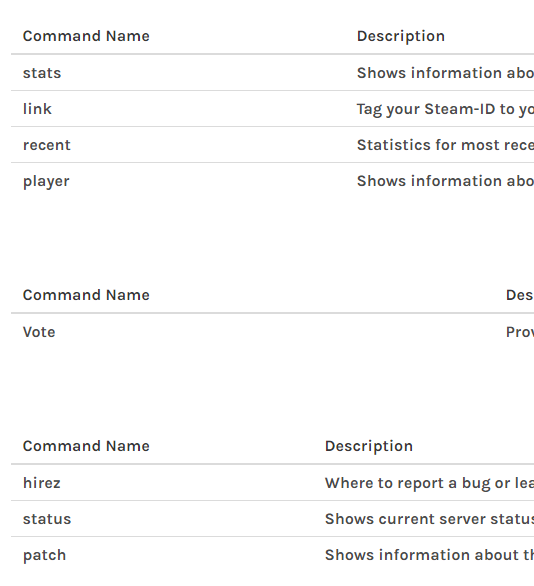
https://i.imgur.com/yHjcUKD.png how do i make it align properly


 tribal hazel
How do I make it so a bot replies to a certain emoji without using it's prefix?
knotty steeple
ytdl-core
 gleaming glen
My bot gives this error in the commands that requires DBL vote, they were working but today they are giving this error: Error: 401 Unauthorized.
I'd appreciate if someone helps.
austere meadow
@gleaming glen do you make the requests using snekfetch?
gleaming glen
Yes
austere meadow
first of all, are you certain that your token is valid and everything?
have you tried regenerating it
austere meadow
it could be a snekfetch error but are you 100% positive that your token is valid?
gleaming glen
Yes
austere meadow
can you run npm ls snekfetch?
austere meadow
no worries