#bug-discussion
1 messages · Page 88 of 1
 pulsar parrot
 sour wolf
Who summoned a ping?
 next pine
@olive burrow if you experience crashes when particular sound plays and error stack has something to do with activesound.cpp, join me at https://ghostshipgames.atlassian.net/browse/DRG-374 with your specs and ue4minidump
 slim viper
just spawned into a game on top of a dead player, but he was standing up for me and wasnt revivable
then 3 of us got stuck inside that new bot enemy
employee wardrobe is broken for me, cant see any changes on my characters
slim viper
turrets sometimes show full 100/100 ammo when youre fully out of ammo (be out of turret ammo, have both turrets be out ammo, recall them, then rebuild them)
 wispy escarp
Hi everyone ~ i was wondering if the Engineers Grenade-launcher (or its updates) work as intended ?
Let me show you what i mean ... i was working on a Deep Rock Music Video , here is some short Footage : https://drive.google.com/file/d/1FZi3m1WHDmKnAjLvbhHNbSR-6VFPp6SD/view

Google Drive
Ans since Update 21 the Grenade Launcher seems to have lost its "Boom" ... the explosions feel weak and do not have this shockwave animation anymore. Tried all sorts of upgrade combinations to get it back but it just feels weak
also the Bug Ragdoll effect seems to be much weaker after blowing em up ... the whole weapon just feels weak now
Is this just me ?
 white fiber
Hmm, the only stuff we tweaked was the incendiary and pressure wave mod...
Can anyone else confirm the GL feeling weak?
 subtle delta
A lot of people have said it feels weaker, @slim solar reported it doing less damage than intended to Veteran Warriors
white fiber
👍
wispy escarp
Thank you @white fiber and @subtle delta + @slim solar
subtle delta
👍
 slim solar
Could also be a 20% fire resistance tbf... I can't remember which mod I was using when I did that
 median field
Decided to promote a Gunner, did all 4 missions aaaand... Nothing. Though I can't promote Gunner again (which means promotion happened?) but nothing changed (new perk clot didn't unlock). Can it be because I did Gunner promotion playing on a Driller?
 hot raven
did you check the change class terminal @median field its supposed to give you the option to promote there for gold and ressorces
 oblique sandal
Hi all, I'm hoping this is the right place for this. My buddy, less savvy with computers, has been having serious issues with the Scout's grenade causing strobing flashing blue lights, and effectively blinding him. He tried to play through it for about 30 minutes until he had to get off due to headaches. We've updated his graphics card, did a verify integrity of files through steam, and a full reinstall, but I wanted to see if anyone else had suggestions before we try again so he doesnt unnecessarily blind himself. I read alot of comments from mid 2018 about it getting fixed in a hotpatch and all the convo on it died out
hot raven
my best advice is to use #420195388675588096 to make a full bug report for the devs, or contact them directly using the @ Developer
 mossy breach
Noticed the mission control said "Expect heavy resistence" instead of 'resistance', thought I'd better point it out

So the context is that the first drop didnt fall, when i ordered the second it fell instantly
1-1 sandblasted morkite Haz 4
pulsar parrot
"When I ordered the second it fell instantly" meaning youre saying the second resupply drop fell instantly? If you click on around 20 seconds into the video, on the right you see the blinking orange light signifying the resupply is on its way, so that one came normally while you were mining the hollomite. Though, I'm not sure about the first resupply. If you could get a part of that you were calling the first resupply to see the problem
mossy breach
it fell 10X faster still
if you hear it, the noise went off only about 4 times, then fell
pulsar parrot
Ah, was gonna go to your twitch to see the full content vod, but cannot find it. My thought right off the bat is the elevation you are from the surface. Other than that, a glitch haha
 sweet grove
i just loaded in and for some reason my steam name in the top right was replaced with my PC user account name. that anything to worry about?
 sonic plinth
It means your steam connection is a bit faulty
Restart your STEAM, fully exit it or use task manager to end it
When it displays your steam name the bug should be resolved.
median field
@hot raven Thank you! I'm dumb 😅
 frail tundra
Seems like leaf-lover take off only screen shaking, but not beer-drunking
frail tundra
Also it seems like praetoriants don't have critical weakness at all.
sonic plinth
They do on the head, not the abdomen
frail tundra
Nope. Not the head, not the ass.
sonic plinth
Welp, then it just seems broken
frail tundra
Not even under theirs armor
 shell vale
very new to the game so sorry if anything sounds dumb. I'm on a egg hunt and we found 7/8 eggs and one isn't on the map. how can i fix this?
 heavy delta
There is a bug with the cave leech warning perk where it stays in the screen until you get downed

Steam Community: Deep Rock Galactic.
mossy breach
Day 2 and my DRG game is still crashing
Devs im counting on you
I wanna shoot some mf rolly pollys
 winter aspen
I'm getting graphics corruption. There are flickering horizontal bars across the screen, and the color turns greenish and magenta.
I would screen clip but I can't get the screen snipper to coordinate with the game.
The corruption can go away in a certain condition but I don't know the details.
 finite cove
PRINT SCREEN
winter aspen
Oh.
Well, would you believe me if I told you I was an engineer? :/
I'll do that next time I'm in the game.
 swift dove
Hi guys, i got the game the other day and its been unplayable for me. After about 10 minutes of gameplay my game will begin to get FPS lag spikes and audio crackling/popping every time i move my mouse. The weirdest part of all this is that the issue will persist on my computer even after i exit the game with the same symptoms affecting my whole OS, i have to reboot to resolve the issue. I did notice a slight increase in cpu usage by the "systems interupt" process in windows when this issue kicks in.
my specs
intel i5 6600k
16gb DDR4
Nvidea 980ti
any one else having this issue or anyone know the solution? if a dev wants to talk to me feel free to PM me and i can reproduce it for you
slim viper
ammo count appeared wrong on grenade launcher
unbuild turret hitbox has hitbox of a full turret and blocks bullets
next pine
@swift dove if you use nvidia 4** drivers, I recommend to rollback to 399.24
 pine drum
I don't know if this counts as a bug but there appears to be a typo with the "pick up" indicator
I noticed it in Point Extraction
Jadiz is "Pickup" while Aquarq is "Pick up"
I am not sure if that is intentional though
 glossy basin
Guys it is only me who cant change the armor? Edit: after a game restart,it is working correctly.
pine drum
Is it set to like seperate if theres more than one carryable object next to another
 shell vine
yes you re right
pine drum
I noticed the difference because I had the Jadiz beside the other and I wondered how you could tell what item you were picking up
and that was the difference I noticed
shell vine
 vernal gale
Has anyone else gotten stuck on BET-C? played a solo mission and she just placed her self on top of me and i could not move.
tried to dig down but i guess i just hit her hitbox instead
 summer raven
yes, this happened to me. thankfully i was playing as engie. i used the grenade launcher and the throwable grenades to destroy the terrain beneath BET-C's legs on one side, which caused her to "fall" off of me enough where i could mine the floor beneath me to escape.
 stiff pendant
Not with bet-c but i have encountered isdues as digger if enemies are right up against where I'm digging too where the enemy hit box blobs through the wall and stops me digging until unshootable enemy dies
 grave fossil
So I've noticed that the breach cutter doesn't seem to work on Naedocyte Shockers. Is this intentional?
 kind marlin
I’ve been having some issues with Molly, she’ll be called back to the pod and if it happens to be within 20m, of my location she’ll sometimes pass through solid terrain instead of the found path. I’ve had this happen to me quite a few times now. Solo run.
 dapper lion
Hi, With the latest update (21) I am seeing video white bars occuring at a scary level, its almost a seizure warning. The card is a GTX 980 and drivers for the desktop (Acer Predator) and software (Win 10) are all up to date. While the settings were maxed I reduced them with no change and reduced the frame rate. Is there anything you might be able to point me too?
I have a video of it as well, it does render the game unplayable now because after a few minutes your head will be pounding...
mossy breach
Day three without the update to stop my game from crashing every time it opens
God plz devs im counting on you
 zealous kestrel
I'm struggling to use my mic for deep rock, idk why but it won't detect my blue yeti and I can't see to find an actual way to fix it in the forums, it's set to default in my settings I don't know how to fix this
 dense hull
Yes Fizzle I have had Bet-c sit on top of me to. Very disconcerting.
sweet grove
does the game drop a log file or anything if it stops responding? it froze and i had to quit it myself and ill upload a log or something if it'll help
 rocky skiff
Anyone else have their computer crash during mission loading? Happens to my wife once every day or two she plays.
Steam
win10
32gb ram
gtx 1060
8700k overclocked to 5ghz```
It is random, so not sure how to track down the issue. No other games ever crash the entire system. mellow kelp
slim viper
mellow kelp
slim viper
half my sounds got broken/muted after repairing that new possessed robot, then fixed themselves when we called for the drop pod
 rose crypt
"- Fixed several bugs related to players dying from Iron Will after the droppod leaves, entering and beginning to leave in the droppod with Iron Will active will now block the player from dying." - That doesnt seem to work
Also triggers double loss 😄
 placid plover
I noticed a bug with mining mini-mule legs out of the ground, if you pick the leg up within half a second of breaking it out of the ground, it creates a duplicate leg that works just like a regular leg, I specifically noticed this in the salt pits while using drillers pickaxe upgrade, don't know if it can happen elsewhere
 foggy coral
Update 21 Levitating evacuation capsule (Escape drop pod in air)
https://steamcommunity.com/sharedfiles/filedetails/?id=1654289829
https://steamcommunity.com/sharedfiles/filedetails/?id=1654289874

Steam Community: Deep Rock Galactic. Update 21 Levitating evacuation capsule

Steam Community: Deep Rock Galactic. Update 21 Levitating evacuation capsule
 bleak belfry
The following bugs just played and happened: the gunner had endless shields, and at the end of the mission the amount of resources received was 4k
sonic plinth
Sounds like you played with a hacker
bleak belfry
maybe, but I only joined the game at the very end, so I don't know if it was for the whole level
next pine
@dapper lion if you are willing to experiment, there are many problems pointed out with latest nvidia bugs. In my case rolling back to 399.24 helped a lot of crashes I had with recent drivers on my 1060
 pseudo fjord
same as Valorian said
 balmy jasper
This picture has me confused
 unreal spear
mossy breach
unreal spear
mossy breach
i currently can't get into deep rock galactic
it just crashes after clicking the continue button
 west helm
Anyone else experiencing spawn bugs in Elimination? I almost always see the swarm spawn only AFTER killing a Dreadnought. Makes it unbearably easy to survive even on Hazard 4 & 5. Never occurred in the experimental or normal branch until update 21.
Asking since I didn't see any notes in the hotfixes or update 21 log.
 tawdry coyote
Time for an irritating bug:
You can be downed whilst you are downed.
Already downed - will occasionally get hit by a bug and shout “I’m down!” & it adds to your downed tally.
I got downed twice in a mission, it said I was downed 4x.....
stiff pendant
just had bet-c crawl over a thing, then just stand ontop of me, trap me and unload into me while I couldn't move or damage the parasites...
tawdry coyote
"Stand on top of me, trap me and unload into me" That's a bit PG for this server >.<
stiff pendant
-_-
Seriously dude gotta turn something completely pg into something with innuendo because you can't pay attention to context?
tawdry coyote
#JokeNotTaken
 reef belfry
One of the perk missions is "complete 8 weapon qualifications" it says I have 2 but I have every single weapon unlocked on every class.
sonic plinth
@reef belfry The first one (weapon unlocks) sounds like a misunderstanding:
This is not glitched (at least not in the way you think it is), the weapon unlock milestones progress in tiers similar to every other milestone.
Total 8 weapon unlocks
Tier 1: 2/2 => claim perk points => 0/4
Tier 2: 4/4 => claim perk points => 0/8
Tier 3: 2/8 => current max state.
The milestones for everything are not cumulative, you have to start back from 0 for the repeatable mission types.
You can have glitched values for this milestone if you played for a brief period of time just as the weapon unlock update first happened.
reef belfry
So it is unlocked its just still showing up there?
Sorry I am not fully sure i understood.
sonic plinth
It's cumulative like every other milestone
Perhaps check the wiki page if you don't understand, or unlock another milestone and see how it progresses
 potent nymph
@mossy breach what is the issue?
Sorry gang, been out with the flu since saturday! back to work, but its slow
@mossy breach Do you have anymore info?
@rocky skiff your overclock as very likely the issue of the crash. You can try clocking it to factory defaults and if it still doesnt work let me know, but 5ghz is a lot!
 fallow girder
Hi.
i just bought the game and all i get is "waiting for steam to load"
i've check the forums, tried their solutions - restart PC, verify files, firewall allow DRG; i cant even play for the past 30 minutes, it's just "waiting for steam to load".
i've no problems with any other games before. Please help.
OS: Windows 10
Processor: Intel(R) Core(TM) i5-4460 CPU @ 3.20GHz
Display adapters: NVIDA GeForce GTX 1050 Ti
RAM: 16 GB
fallow girder
i disabled all of them and still same problem :\
potent nymph
disabling might not work, since it has still "locked" the files. So you need to go into the antivirus and "release" the files
i know my terminology isnt correct, but do you understand what i mean?
mossy breach
Oh thank god the gods have answered me
fallow girder
i closed all the firewall + anti virus/malware program, still same problem.
potent nymph
ceylon, you need to open your antivirus program, go into it, and locate the files it has locked/quanranteed
mossy breach
Hey @potent nymph, im experiencing this bug where every time i open the game it just crashes. I can hear the intro music playing but the whole screen is just black. After a few seconds it either freezes or just crashes again. The bug is preventing me from actually playing the game so i sincerely hope you can fix it.
Ive tried restarting my computer, uninstalling the game TWICE
Nothing works
fallow girder
i've closed all the antivirus/firewall programs. my window defender firewall now has a 'red x" on it.
mossy breach
This is the error code i think
potent nymph
ah okay, dukem, can you try removing the intro movie and see if that helps? it should be here C:\Program Files (x86)\Steam\steamapps\common\Deep Rock Galactic\FSD\Content\Movies and just try temporarely deleting the non-characterselection videos
mossy breach
You think that'll work?
potent nymph
ceylon, you should NOT close them. Open them and release the game files from the antivirus program
mossy breach
Has it worked for others?
potent nymph
it has yes dukem
mossy breach
Alright ill give it a shot
potent nymph
although i cant garantee it will for you, but worth a shot
fallow girder
how do i 'release the game files' ?
potent nymph
you can google your antivirus + how to release files
fallow girder
ok i'll try it
potent nymph
let me know how it goes!
fallow girder
thanks got it, it was comodo antivirus (set it to silent mode, so didnt knew about it)
potent nymph
ah okay 😃 good that it worked, i assume your also the one that made the jira report on it
fallow girder
yes
potent nymph
its tricky, since one would assume it's fine if you close the program, but apparantly its not
fallow girder
and it has never happened before....
potent nymph
ya, not sure why it does sometimes
fallow girder
thanks, i finally get to play the game. Now im lost in a cave. 😃
potent nymph
hehe have fun!
rocky skiff
@potent nymph Turned it down and it hasn't crashed yet (only tried a couple missions), thanks! I've been OCing computers since 2005 or so, never had an issue like this (where only one game is unstable). I'll have to revamp my stability testing.
potent nymph
alright, good to hear. I dont know if it will help, but having max fps might also help if you plan on keeping the OC, but i am not sure.
 zenith brook
i completed all weapon assignments but i got 0/8 and no perk points ? bug listed ?
mossy breach
@potent nymph I tried doing what you said, but the game still crashed for me. Should i just wait till the next hotfix?
zealous kestrel
Yeah just got that ERR://23 sun Y%/ material, I got no clue what it is
unless this is an actual resource
zealous kestrel
thank you
 gray garnet
has anyone noticed that your spectator cam when you're downed weirds out when the person reviving you gets grabbed by a flier?
 weary vigil
The fog pre-sandstorm sometimes gets stuck permanently. Don't know what provokes this nor how to reproduce it. It's visible to all players.
 left socket
Okay so...2nd time this has happened
I get into a lobby
and the second I turn push to talk on, i get disconnected
this is only on some lobbies
and other players in the lobby had the same issue
dapper lion
The update yesterday to the Nvidia drivers fixed my issue...
balmy jasper
Someone joined a game and I immediately "lost connection to the server"
 candid tide
Has anyone else had the freezing/crashing problem since update 21?
 solemn leaf
you got a crash log? nvidia seems to have some driver updates lately
slim viper
static sound from death cam got stuck on my end after being revived.
 edgy scroll
hello,
yesterday with a friend we had a black screen during the awards screen (exp, gold, etc.). We think this black screen comes from the fact that I entered the basket with the iron will. My character died while the pod climbing. Note that my friend was already dead, so I was the only one to enter the pod.
To continue playing, we have alt + F4 and when we return to the game, we have the reward of the game.
i hope i do a good description of our bug.
 sudden trout
2 days ago I started up a mission with 2 others during the loading screen one of them left the loading froze we waited 10 mins nothing changed closed the game tried to open it steam said it was still running wouldn't open. So I had to completely restart steam just to get back on.
candid tide
@solemn leaf I've sent the logs when I can. Sometimes it just freezes and doesn't fully crash so I cannot see what caused it.
stiff pendant
yeah, that happened to me the other night, and she can still shoot you while doing that
 ripe iris
Dang, hope it gets fixed soon.
stiff pendant
yeah, she seems to like to do that when your the last dwarf standing
next pine
@candid tide I experience that. Does the error stack has activesound.cpp for you? If yes, join me at https://ghostshipgames.atlassian.net/browse/DRG-374
 graceful yarrow
Player names remain above spawn rooms after the player has left
 cerulean knoll
One message removed from a suspended account.
 bleak plank
So I'm currently trapped inbetween a resupply pod and BET-C
I'd really like to not have to forfeit the round on account of how rare BET-C is to spawn
BET-C will not move, even to chase glyphid swarmers
I tried going down and letting Bosco revive me to no avail
 obtuse terrace
when someone joins they sometimes join directly inside you and both players get stuck
bleak plank
the game really needs an unstuck/respawn button on the pause menu or a proper console with a noclip command for situations like these
as far as I can tell the game has neither
awfully overconfident in their object collision
 wheat marlin
Now overconfident may be the wrong term. I could see the console being abused for resource gain, and an unstuck/respawn button may be abused if it isn't done perfectly
 magic tide
Really it just needs to ignore ally collision for a while after joining
bleak plank
I agree the resource persistence does make things difficult in regards to a console but a fixed location perhaps right above where the dropship deforms the ground in the spawn area would work for a respawn button
although it'd probably have to be limited to out-of-combat use to prevent bailing from fights
wheat marlin
And it should also respawn you with the same health amount
 empty terrace
I've completed all of the weapon assignments but the milestones say i only got 2.
sonic plinth
@empty terrace
This is not glitched (at least not in the way you think it is), the weapon unlock milestones progress in tiers similar to every other milestone.
Total 8 weapon unlocks
• Tier 1: 2/2 => claim perk points => 0/4
• Tier 2: 4/4 => claim perk points => 0/8
• Tier 3: 2/8 => current state.
The milestones for everything are not cumulative, you have to start back from 0 for the repeatable mission types.
 grim valley
So ugh how to not get stuck inside Bet-C?
finite cove
grapple out
mossy breach
@cerulean knoll Im in the exact same situation as you are. Ive tried everything but nothing really works. This bug is on high priority to fix so we'll just have to wait for the next hotfix
 delicate raptor
last game i was in either had a bug or a cheat. i didn't notice it until towards the end and bailed, but we were doing a salvage in the ice biome, nobody could take any damage, and we somehow had like 170+ each magnite and umanite in the mule, which is... hilariously high even for a mineral mania. i don't think the nitra was getting consumed either
pulsar parrot

So once I fired my flamethrower, an explosion out of nowhere downs me?? As if it was a detpack, but there was no detpack set or any one else that was also Driller. Really, really, weird.
 vivid hamlet
cool plug :)
cerulean knoll
One message removed from a suspended account.
sonic plinth
@pulsar parrot praetorian gas explodes when ignited
You literally acknowledged me saying this 1/21 🤔
pine drum
Bet-C can pin you against walls and make it unable to escape because she clips into you and blocks your swings. I get the feeling her pathfinding is all WIP but still, it would be nice to be able to order her to move or stand still.
 frail sequoia
 swift current
Hey yeah that happened to me in game a couple minutes ago
 weak escarp
"Hey can you make it so sandblasts can't blow you out of the drop pod on sandblasted corridor's?
Literally failed a misson as the drop pod departed cause it blew us out....." I'm quoting my buddie here but this is probably something that should be looking into kind of sucked hard core when this happened :/
 short glacier
when i first started the game, my laptop was extremely laggy because of the grapics settings being set to ultra at default, and when the tutorial started, I had no mission at all
There was no dropship, no M.U.L.E., no Bosco, no objective at all
still very confused as to how this happened
 exotic hound
saluting right after leaving the drop pod replaces the pickaxe with your gun. Making you raise your minigun into the sky.
really funny to watch
 vague trail
LowLevelFatalError [File:Unknown] [Line: 921]
FMallocBinned2 Attempt to free an unrecognized block 3F2C865900000000
don't know if this is any help to anyone, but my DRG crashed and this got copied to my clipboard
mossy breach
So when is the next hotfix gonna come out?
And are they gonna fix the error with the code "c0000005"?
The one that's been preventing me from actually playing the game?
Leave a ping when ur able, devs
 upper idol
 winter current
sonic plinth
winter current
sonic plinth
Both of you should try disbanding team, it possibly could be a common issue related to hosting a game after a promotion
If that doesn't work I suggest having one player host a public game and attempt to join their server from the browser
Failing that I'd expect it to likely be a firewall/permissions issue
Although if you haven't already, I think restarting the game or steam fully and validating your files couldn't hurt.
 fleet hare
So I'm still having insane audio issues, and they're getting worse every day. Before, the ingame sounds like guns, footsteps, and monsters were only coming out of my left earphone, while everything else including music and dwarf calls were coming out of both like normal. Now, I've messed with my settings a bit and everything's muted EXCEPT the ingame sound effect audio, which is only coming out my left ear
It's so frustrating because this is the ONLY game where this is happening
frail tundra
@pulsar parrot did you install module "blow enemies, killed by direct flame" on your flamethrower?
pulsar parrot
Ive tested it many times as well. It's quite a nice touch. It'll apply a lot of damage anything in that gas area, but I had teammates go through the gas while I lit it and nothing. And it also clears the gas quick.
 hexed wraith
what is go-to advice to solve c00005 crashes?
sonic plinth
Little more context might help
mossy breach
what a hell?
next pine
@hexed wraith there are more to crashes other than error code, a lot of thing could have gone wrong to crash with c0000005
Look at the error stack
mossy breach
How to solve that?
next pine
There are some like @mossy breach that happens when loading game and there are some that are caused by audio
@mossy breach trying going to folder like C:\Program Files (x86)\Steam\steamapps\common\Deep Rock Galactic\FSD\Content\Movies and delete the non-characterselection videos
mossy breach
Ok, thx, ill try that out
next pine
@mossy breach you can also try to add -NOSPLASH in steam launch options
mossy breach
last 3 vids, eh?
next pine
I just retranslate general suggestion ¯_(ツ)_/¯
mossy breach
inserted -NOSPLASH and it even showed me intro, what didn`t happen before, but still
 native rock
Try "-nosound" and see if that solves it. There's two bug reports on Jira with the same issue (DRG-274 + DRG-396) and that's a "fix" that might start pointing you in the right direction.
native rock
:(
No other suggestions then, sorry. Just make sure you're sending those crash reports and know the devs are aware of it, and hopefully we'll see a hotfix soon.
mossy breach
yeah. i hope too, in fact, such problem only appears on my laptop. Regular PC doesn`t have such issue
hexed wraith
@sonic plinth context: crashes with c00005 roughly every second mission absolutely randomly. ingame voice is disabled, playing without sound at all isnt feasible
pulsar parrot
@mossy breach Access violation: code c0000005. Couldnt that be an error if your driver software is not up to date? Or that's already been checked? Or am i offtopic 🤔
mossy breach
I did update drivers tho
pulsar parrot
And if you know your firewall is not preventing this issue?
hexed wraith
tried disabling firewall too
 stoic crown
I've unlocked all the weapons, but am only 2/8 on weapon assignments. Please adivse?
advise*
sonic plinth
I advise you scroll up 30 messages
This is not glitched (at least not in the way you think it is), the weapon unlock milestones progress in tiers similar to every other milestone.
Total 8 weapon unlocks
• Tier 1: 2/2 => claim perk points => 0/4
• Tier 2: 4/4 => claim perk points => 0/8
• Tier 3: 2/8 => current state.
The milestones for everything are not cumulative, you have to start back from 0 for the repeatable mission types.
 austere heart
Does anyone have any fixes for micro stutters?
Ryzen 5 1600 16Gb RAM and an 8Gb RX 580, changing settings does nothing
it appears to happen a couple games in as well, maybe a memory leak?
stoic crown
@sonic plinth Okay, so you can't go any further than 2/8 right now?
sonic plinth
yes
 crude marten
anybody notice this
 viscid osprey
i hear my character moving and looking around but cant actually see them doing so as if the game is frozen. anyone know a fix for this
 cold jasper
Not sure if it, but sometimes the gunners shield won't work when deployed,why?
 earnest falcon
Hol up, somethin' aint right
 pallid sphinx
Hmmmm looks like the scouts having an identity crisis
graceful yarrow
Even scout knows any other class would be better than being a scout
pallid sphinx
Maybe he needs hypnotherapy just to convince him not to steal the gunners stuff
potent nymph
@mossy breach ill look more into it, i was hoping that deleting the movie might work, but it is a crash that is happening more than just you. Can you try updating your GFX drivers and see if that helps?
mossy breach
@potent nymph I UPDATED MY DRIVERS AND NOW ITS WORKING AGAIN! THANK YOUUUUUUU!!!!!!!!
potent nymph
for real??!?
potent nymph
lol
mossy breach
Well thanks for your help, i really appreciate it
potent nymph
np, sorry it took so long, but lost a whole week to flu. Let me know if it stops working again
mossy breach
Alright, feel better
potent nymph
@mossy breach can you also try updating your gfx drivers to the newest version, and let me know if that works for you? Oh, i see you did... when did you update your drivers?
potent nymph
it worked for doctor to update, but it might not work the same for everyone
 sonic pumice
Both me and my friend with GTX 970's are experiencing the lighting bug that makes the screen flash. It is almost unbearable when playing scout and throwing the grenade. The bug is already reported on Jira. Does anyone know a temporary fix to this?
potent nymph
i dont sorry, but we are working on it
1 person have had succes with updating their drivers
 supple orbit
Hello, I had a discussion with one of the mods last night about my save files missing, Ive already been through the ringer of checking my cloud saves, and the back up saves in the DRG directory. And mostly it being due to me reinstalling windows in the last week or so. Would it be possible to bark up some one's leg for assistance?
potent nymph
<--- dm me
 upbeat galleon
Here's my situation: I have bound my Sprint key to "9", this works just fine in the main lobby area, but when I get into a mission the only button that works is Shift, has this been reported before? If so is there a fix?
mossy breach
When i try to start my game on a my desktop it instantly crashes the whole thing. When i try to start it on my laptop i get a black screen and hear the logo sounds but it doesn’t start up after that.
 whole knot
people i have been rerunning DRG and it keeps having some steam loading issues
any ideas on a fix
sonic plinth
Fully Restart steam
sonic plinth
Exit it via the bar or task manager generally fixes it
whole knot
thats what i did first time
sonic plinth
Sometimes after restarting multiple times its worked for some people
I'm not aware of another solution
whole knot
ill try again then
sonic plinth
Perhaps verify no firewall issues, check steam region is appropriate,
 shadow cradle
@potent nymph Hey Just to let you know I was having the same problem as Doctor did and I just updated my GFX card, I got in! I started the game as normal hoping it wasn't going to crash but I got it to work!
 stoic spear
hey is there a dev online right now
solemn leaf
no, its late
stoic spear
damn, well can you help me
I still haven't received refunded resources or in game currencies yet
stoic spear
and i still haven't receive anything and i've been trying to make contact with the devs for a while now, but have gotten nothing
sonic plinth
Well the mods for the utility weapons also had a refund.
Are you sure you didn't get Anything? The refund obviously isn't enough to purchase everything as all the new mods are much more expensive
solemn leaf
^
sonic plinth
It sounds like you probably got the refund but you didn't have much to be refunded
stoic spear
that was at the beginning of the game
sonic plinth
?
stoic spear
when you collect the 5k for joining the game
sonic plinth
The steam group?
stoic spear
i think so either that or it was joining discord
but that's besides the point
i've had ton of credits and an abundant amount of resources
i had 2 characters maxed out and the 3rd on close to being completed
sonic plinth
Don't take this the wrong way, but you can get tons of credits and a large amount of resources fairly easily, I'd be upset if I lost my data, but at this point I think the only thing the devs could do for you is just give you a file with stuff already done and a bunch of minerals
If you would be satisfied that I'd message bjorn during work hours (Denmark time, so not right now in the middle of the night)
stoic spear
yeah that would be fine, thanks for the help
sonic plinth
@stoic spear actually if you played a VERY long time ago there is a good chance your data is archived on your local machine
After a certain point the save file structure was changed to use SteamID, if you were on the same computer as you played a long time ago you may have this non-steamID file with all your minerals in your save folder
If you convert the data from that file by just changing the names you could get your old files minerals / progress back
 median frost
Is the bug that prevents you from reviving teammates when you join a game on the fix list? Gets kind of old when you join a game with 2 people down, but you cant revive them because they were down before you joined
 graceful vault
When viewing a weapon - try rotating the weapon while putting your mouse over one of the gear modifcations, the description will not be loaded.
once you put your mouse over a gear modifcation, the description will then be loaded and show up while you are rotating the gun at the same time.
 upbeat mauve
1 question , What do you suggest i could do, because my game crashed as I open it, I hear the Coffe shop theme song in the backgrund, but the screen is completely black, then it crashes my game.
I tried ununstalling the game and re-installing it, didnt work
native rock
I'd start with updating your GPU drivers to the latest version, that's seemed to fix it for a number of people. They updated the engine version this last patch, and it seems to not be liking older drivers.
 bold carbon
So asked in DRG-chat, but felt it'd be more applicable here. I can't seem to get any progress for the "Do Haz3+ missions" milestone when I do a Haz3 mission (not doing 4 yet since I'm a babby.)
Just did a mining mission and made sure it was at Haz3, but after completion it didn't count toward the milestone.
This was a solo mission too.
sonic plinth
bold carbon
Fair enough that I didn't look on the bug tracker for my issue. I assume it's just a waiting game now? Says resolved in status but it still persists.
swift current
@bold carbon Resolved does not mean released, it will probably be included in the next update.
bold carbon
Thanks. I don't mind waiting since I'll do them eventually. Just got to slowly work my way up to Haz5.
 fiery apex
The Following ScreenShots is of a bug where BET-C walks to you and stay on top of you
You can't shoot/ move or dig your way out as the game thinks your hitting BET-C
This has happend to me in SOLO MODE. BET-C will not shoot or walk during this bug. REVIVES dont work as well as your still stuck inside BET-C
Enemies can kill you though
potent nymph
@whole knot People who have that issue consistently typically have their game files locked by an antivirus - dont close the antivirus, you need to open it, go into it and release the game files, since they might have gotten locked
@shadow cradle nice! thanks for letting me know
 clever stag
Is it just me thats having trouble shooting missiles with bosco? Seriously, most of the time they just target right in front of me, somewhere completely random, or shoot at something in the way. Total crapshoot in general.
 deep blaze
Hey guys. It's me again.
My Girlfriend have a "bug" or something.
Well, if she plays on her PC the game got crashes, or freezes which kick her out.
On her Notebook this problem doesn't exist, and before a few days / weeks this problem wasn't there.
Do u know, what she can do?
 rich tusk
Im on xbox one and when my controller disconnected the game kicks me out saying signin was changed
solemn leaf
ooof battleborn ;_;
 quaint geode
anyone getting abnormal frame stuttering or white flashes?
 rare sandal
Its the Flare bug popping up again with excessive bloom/glare
i've had the flashes of light filling the screen ever since this last patch again.
mossy breach
I just rode a breech cutter beam to my death
we were in a big cave on a high point, engi shot a beam at a bug near me
I stood on it, and rode it into the middle of the air while it was cutting me. when it disappeared I dropped and got down
potent nymph
@quaint geode The flashes is something we are very much working on fixing,
@rich tusk Ill take a look at the xbox controller disconnect
@deep blaze in terms of freezes, does she get an error message?
deep blaze
Sometimes but not ever. And she did 5 times an error-log
potent nymph
thats good, it goes to our crash log system, so we can get a better overview of what is happening. If you want me to comment on it here, feel free to post the crash log details
solemn leaf
another new nvidia driver update today so hopefully no new problems
potent nymph
hm, i looked at the changelist and it should fix random crashes, but i have no idea if it fixes the crash that some people are reported for DRG. If anyone with the problem wants to try the hotfix drivers and report back, that would be cool, since we dont have those issues inhouse
median frost
Btw, found a bug where you can't see the drop pod outline when it gets called in if the host starts lagging a lot (i.e. about double your normal ping). Happened only twice, and the only thing that was consistent aside from that bug was super laggy hosts
 runic barn
just experienced DRG-393 myself. (push to talk causing disconnect) This has been reported by other users, but i've not seen any mention of a potential fix. PTT was working fine for me last night, and i'm not sure if it was just on the one host(I was able to replicate it by rejoining the same host and pressing ptt again, causing an instant disconnect once more) or if it's specific to some hosts/games
potent nymph
i have set it as a duplicate of 426, which is fixed, and will come out whenever we do the next update
iam fairly confident that it didnt have to do with PTT but instead, the overall issue described in 426
runic barn
cheers
 spiral viper
Every Time I start the game it opens straight to a crash report. Any fix?
sonic plinth
try updating your drivers
pine drum
Kill a praetorian, whip out that mf terrain scanner
click at that dead praetorian body and you can ping the hitbox for the poison gas around the corpse
I tested this on the fungus bogs poison mushrooms and it didn't do it and it also doesn't do it for the cryogenic praetorian hitbox
solemn leaf
those arnt flammabe ^ praetorian gas is, so its an object. May not be intentional though
 amber cloak
a little late, but has anyone encountered this?
I'm sure someone has, but I came upon it recently and have been unable to reproduce the conditions to spawn another chunk of it
wheat marlin
potent nymph
i like that we have never needed to increase the number on that image 😃
 normal star
Thats awesome
wheat marlin
Legends speak of the day that the number will increase on the counter
All Leaf Lover Specials will be removed from the Bar
Gold and bittergem will be plentiful
Karl shall come back on that day
 round pivot
slim viper
round pivot
slim viper
weird graphic bug when someone left
 strong jasper
obviously the 5th class
 deep sapphire
I open the bug-discussion chat and the first image I see is the exact same issue
 fast estuary
Not progression... complete 10+ times, hazard 3-5 missions
bold carbon
The issue is known. I have the same issue and was directed to one of the bug reports already made when I asked. Hopefully it's fixed in 21.5.
upbeat mauve
error, this has been happening for the last couple of weeks, and yes, i did read this and updated my driver but it doesnt work, this is on a laptop
mossy breach
turret ammo starts at 575, but when you place turrets it goes down to 300
 versed pewter
Ok, so I can't reliably repeat this but: has anyone experienced using voice chat push-to-talk causing you to immediately disconnect from games?
native rock
https://ghostshipgames.atlassian.net/browse/DRG-426
Know issue and will be fixed in U21.5 next week. Check that report for the cause/workaround.
versed pewter
awesome!
upbeat mauve
awesome
mossy breach
I had 2 bugs recently, thought I would share. Sometimes when I hit Z to use the mic it disconnects me from the game. I would rejoin and try hitting Z again and it would drop me. Then the other bug was sometimes when I use a flare as the scout or the throwable ones, sometimes there will be this flickering flashing light, sometimes its so bright, I have to look away. if I pan back to it the flashes continue. But once the flare dies its fine, its only seems to happen in certain situations. like maybe its stuck in the wall or shadow bugging out or something.
 severe depot
Dunno where to post this "bug" but my shadowplay wasn't on so i sadly can't share much, was on Glacial Strata Lvl 3 hazard with max complexity and Length. Got to the pod way before the M.U.L.E did on Solo and while waiting got downed. Still had like...2 minutes until the pod took off but as i press and held control to check both the M.U.L.E. and bosco were stuck, Bosco had left to stay next to the M.U.L.E. as they both paced back and forth infinitely for the two minutes. Around 5 seconds command said the M.U.L.E. docked but it actually hadn't as his timing on how much time was left was off and the Pod left early, leaving me and the glitched M.U.L.E and Bosco behind. Lost about an hour and 15 min of gameplay on that mission because they glitched up. Pretty annoyed.
graceful yarrow
@severe depot the pod door opens up with 15 seconds left on the clock as a precaution for this very eventuality
severe depot
Why did Bosco stay with the Glitched Mule? I had gotten downed holding out at the Pod and Bosco wouldn't come even if i called him while down
graceful yarrow
no clue on that one :(
severe depot
sigh i wish i had shadowplay working
They both were 80m awayish and kept pacing back and forth
Surprised bosco can't just go through walls once you're downed
graceful yarrow
@potent nymph got any clues?
severe depot
I think he's away
potent nymph
there is always the theoretical posibility that several things went wrong at once, but there are fail safes for the droppod and mule, so iam not really sure what to say
severe depot
It's alright i suppose, i didn't mind the mule and what not i'm just baffled why bosco stuck with the glitched mule, he's never done that before
potent nymph
there are rare cases where bosco is focusing on something that makes him behave strange, but normally you can overwrite it by using the marker
severe depot
Does pressing x while downed count as something that overrides it?
Oh well, thanks for the responses at the least. Nice that even at this hour stuff is looked at
graceful yarrow
it's 12am for the devs :)
severe depot
True
potent nymph
ya, right at lunch time 😃
graceful yarrow
where's our discord exclusive lunch vlog?
potent nymph
i eat lunch in 10min so not really worth it 😃
graceful yarrow
we demand live streaming of your lunch to the steam store page
wheat marlin
quality trailer for the game


 last vector
 dire imp
somone is using vc in a game im in but i cant hear them
i only found out via another person using text to them
i have vc enabled (i think?) in the options so i dunno
i havent heard anyone us vc since the update now that i think about it, so is there anything i should try?
 desert bane
Anyone else had strange issues with their screen after one of the more recent updates?
I don't have a picture, which I'm working on, and it's really hard to describe, but I'll try. It's sort of like a big white square that flashes on and off completely random, and only visible for a split second at a time. It covers roughly half the screen.
My buddy is also having some problems that are similar from what I understand, but he is also finding it hard to describe. We have completely different setups when it comes to GPU and monitor/resolution.
I'll try to capture a session some time in the upcoming week and hopefully I can share a video of the bug.
Does a list exist somewhere with the official known bugs, so as to not clutter with unnecessary reports?
sonic plinth
Yes, the jira Board pinned in channel and the big #420195388675588096 channel
potent nymph
desert bane
@rare sandal I noticed you had a similar issue to me, and one other person too with the same gen graphic card. What graphic card do you have?
I've got a Nvidia GTX970
Other person in the channel with same graphic bug has exact same card. My friend with the issue has a GTX980.
Thank you Bjorn, looks like you're aware of the issue being connected to these graphic cards.
Would it be helpful at all if I get a video?
potent nymph
nop, we have fixed it 😃
desert bane
Oh, great!
Just to be sure, I had the issue last perhaps 2-3 days ago.
 rocky anchor
i have wierd bug
audio in game comes from completely opposite direction
also, i stuck because i jumped on barrel
 rugged trench
Hello Devs since update 21 my game has been randomly freezing and then crashes for no clear reason this seems to happen almost every game, i have tried many things to fix this like validating game files, updating to the latest video drivers, updating windows, lowering in-game settings, the game seems to crash most often when there is a a lot of action on screen like in the middle of a swarm . my pc has a gtx 750 ti gpu and a pentium g3258 cpu. with windows 10 64bit. here is a picture of the crash report. i found a thread on steam that said disabling in-game voice chat fixed the problem so i will be trying that, but here is a picture of the crash report
the game seems to crash not every time but most when reloading sentry's
rare sandal
@desert bane you got it right on the money, a Gtx980
next pine
@rugged trench welcome to the club, buddy https://ghostshipgames.atlassian.net/browse/DRG-374
mossy breach
peopel hewp
same problem as above
game crashes with "c-lotsof0s-5" error code
probably because I did not give it additional network permissions when it asked for em
and now it does not show the request window anymore
 cloud tinsel
BET-C is counted as an enemy when repaired...the outline is green,but the dwarves always say something like "bug alert!"
Should be something like "Look at this"
next pine
@mossy breach you can still do it, google 'windows firewall allow a program' for your version of windows, should take seconds
mossy breach
@next pine thx will try
ahh
"access violation" is not about restricted write operations but about RAM sectors
so the problem's not on me
🤔
next pine
If your error stack looks like this https://cdn.discordapp.com/attachments/258990272967475200/548360042295066624/unknown.png

You might be able to succesfully resolve it with gpu driver update
 ionic valve
a friend of mine's account seems to be bugged on the mineral trade mission
he's not on this discord so i'm asking for him
but is there a known issue with this? He believes he's done the expected missions, but it won't allow him to use the mineral trade machine.
pulsar parrot
Cheese and rice, man. This issue is becoming way too common currently
pulsar parrot
Since update 21 came out, its only been about this crash. There's multiple ways that could fix it. Like upgrade your drives, make sure firewall is not preventing it, delete the movie films that you see in the beginning of launching the game, and more others.
 white edge
I am that friend. I had actually completed the assignment once before and had access to trading at one point. Help would be great! 😃
pulsar parrot
Yes, weird you should have access to it after completing the mission. Check if restarting the game would fresh the progress, or reinstalling it for last resort.
white edge
I've tried cancelling/resigning the assignment and re-trying several times now with no luck
native rock
Is the assignment still displayed on the assignment terminal?
native rock
Is it active, or is another assignment active?
white edge
it is currently active
native rock
And you're doing the correct missions that have the little icon next to them?
next pine
Icon like this <*>
pulsar parrot
The white square with a smaller square inside of it icon
graceful yarrow
◇
native rock
 pseudo fjord
beard
graceful yarrow
First time witnessing the annual beard migration, huh? It's a majestic sight
white edge
yes i have. I will try and take a screenshot on my next mission. Unfortunately i have to get back to work atm.
pulsar parrot
The oldest bug, if it is, is hearing scout everytime when leaving the droppod no matter what class you are.
Never gets old.
native rock
Apparently another thing to check is to make sure you've finished the "Probationary Period" assignment before attempting the mineral trade one.
pseudo fjord
go to the class selection terminal and punch the promote button
 mortal leaf
спасиб
severe depot
Dunno if it's been reported before, found a glitch with the projectiles of the Plasma caster and being able to jump on them and have them carry you, have an mp3 i can share
graceful yarrow
It's known, but you can still share the video if you like
severe depot
It goes hand in hand with another glitch with the point extraction pod
standing on the grips of the rocket after it launches make bugs not target you and just wander aimlessly
Where my friend is standing in the video is the spot to stand to be basically out of harm's way from most melee creatures
pulsar parrot
Bet-C's bombs go through walls. Be careful miners! https://clips.twitch.tv/WonderfulOddOpossumPJSalt

 crude nova
Just ran into a bug. Can't get video of it, but I was depositing in the stationary deposit platform as the driller and I was in the Iron Will state, waiting to die. I died while depositing, and now I'm stuck pouring out my loot after being revived. I can move around and equip weapons, but they're equipped on top of the loot pour animation, and cannot be used.
Rejoining fixes it.
 tawny karma
just failed a solo mining expedition where molly clipped straight into a solid wall and rose upward into the tunnel directly above us, leaving me unable to find the drop pod in time
upper idol
every time engineer relode his turret and my game crashes
 hidden turtle
in your part you could upgrade/uninstall audio drivers, have you do that yet?

 tulip yacht
hello, i just joined the server to see if anyone else is having the same problem as me, I am using deep rock galactic from the Microsoft store on PC and my friend is playing on XBOX, we've played together before, however recently when we try to join each other's games, it says multiplayer session ended for him, and when I try to join him I get a never ending joining screen. (I can still click cancel) is there an easy fix for this or is it a known error? Thanks!
sonic plinth
After spending many many days on this, we believe we finally found the bug! At least, it works in our test-environment, so we very much expect cross-play to work again, when Update 22 goes live on Monday. Fingers crossed!

Reply
-Soren GSG
hidden turtle
We repaired BET-C, killed swarm and then I noticed that the only sound hear is BET-C steps (even mission control wasn't speaking, but the text was on the screen), after some time I could hear shots and music - very silent though. It's like BET-C yoinked all my audio scene :)
Also I had a bug with scaling terrain scanner - it was switching weapon instead of zooming.
next pine
@upper idol you can help by adding your specs and crash minidump here https://ghostshipgames.atlassian.net/browse/DRG-374
rocky anchor
wtf is this?
 tiny belfry

Deep Rock Galactic Wiki
Ores are a type of minable resource in Deep Rock Galactic. There are numerous different Ores scattered across the caverns of Hoxxes IV, some of which are required to unlock upgrades, while others are mission-related.
rocky anchor
found in pinned already
 forest hound
Was the driller pickaxe perk nerfed or is it not working for me anymore? I used to be able to one pick most blocks, now I don't feel much of a difference to other classes
magic tide
Only works on rock, no other surfaces. IE the sand in sand biome, the "dirt" in fungal, the rock in radioactive etc. is what it affects. Compact dirt, fossilized bones, hot rock, slag etc. it doesnt
 random smelt
A while back my level jumped from 28 to 640 when I retired the engineer and then up to 7958 when I retired the gunner. Can my actual level be restored?
slim viper
when someone cancels a revive the revive text gets stuck on the screen and you also cant cycle thru the alive players 3rd person cameras
 void apex
game breaking bug, got stuck in a BET C that i fixed and it was on my side, was stuck in an endless loop of getting downed and BOSCO reviving me. I was by myself and failed the mission because of this, please fix! Thank you, loving your game though! PS. for a bit more clarification i had just launched the mine head on a extraction mission and was on top of the platform in the middle, idk if that will help but i just don't want this to happen again.
 shy fern
I don't even know if it is a bug that the Microsoft Store version doesn't have an option for Windowed Fullscreen.
I somewhat feel like it is as the Steam counterpart does.
 river canopy
deep sapphire
river canopy
deep sapphire

Anybody ever had this issue before
This is the second time it's happened, the first being an hourish ago
sonic plinth
probably need more details than a black screen
void apex
hey Bob Ross whats up! Have you tried updating your graphics drivers? Or reinstalling the game perhaps?
pulsar parrot
Screen is frozen to black screen when loading, but can still move the mouse around the screen if im correct about of his situation. Happened to me twice, like two updates ago. Never again.
deep sapphire
I had to turn off my entire computer the first time
Mind you I had a bunch of very expensive stuff running in the background
But yes Zamboni explained it perfectly
 coarse sparrow
First time post, but having bug DRG-406 happen pretty repeatedly on PC. Done a reinstall and game file verification - also tried swapping between characters. A game restart will fix it until I complete a mission or two. Any thoughts? Super love the game and all the work and responsiveness. 👍
 median frost
The clouds from preatorians block the lines/grappling gun also
potent nymph
@coarse sparrow should be fixed in the upudate we just put out
mossy breach
I don't like Glyphids. That's all I have for bug discussion.
 formal prawn
native rock
formal prawn
native rock
Upper left, "Rich Atmosphere" makes you run faster, which also allows you to sprint while carrying; it's a feature of that mission mutator.
 loud jungle
 tiny belfry
Guys I have a strange question. My game shiny so green, but why?
sonic plinth
^ I can verify this above issue with praetorians, I am unable to burn gas clouds after the most recent update, may have to do with them resolving the "ping unknown material" from praetorian gas bug
actually, shouldnt being killed by fire "vaporize" the corpse preventing the gas effect
 placid totem
I wanted to report a bug about "Bet-C" robot, once you rescue him and he's no longer an enemy, all the game sounds will bug for me and they will sound on the background until the end of the mission, like when Mission Control speaks at the beginning of every missionand everything else sounds on the background.
pulsar parrot
If youre saying killing the praetorian with fire prevents gas fumes from the corpse, im pretty sure it does. But thats before the new update. Idk about after.
rose crypt
Font size, as usual
 surreal nexus
sometimes when im about to be licked by the ceiling barnacle, it glitches and the "YOU ARE ABOUT TO GET LEACHED" thing with the white boarder pops up, but doesnt disappear for the rest of the game. i think there should be a timer set so it vanishes anyways after 6 seconds, as its very annopying to not be able to see the top third of my screen for twenty minutes
 gloomy otter
Hey, somebody noticed that when you dig up on arm for the mule it spawns two?
 calm nova
I have reinstalled DRG on a new hard drive. Now my account has been rolled back to a point where i have no promotion, weapons or hats that i have already purchased and unlocked. Anything i can do about this?
pulsar parrot
Do you still have the saved files in the previous hard drive? You can transfer the most up to date to the new hard drive. Unless you did do that...
tiny belfry
Sorry for asking again, but I do not understand why is my game so green. Does somebody has any idea?
calm nova
@pulsar parrot i did try, but that saved files got rewritten when i closed the game after i noticed what went wrong
 latent linden
yeah thats weird
green and yellow
tiny belfry
All blue colors are green
calm nova
Is this normal to happen for a reinstall, unless the player physically backs up there own saved files?
tiny belfry
e.g
strong jasper
looks like some sort of color blind mode
wheat marlin
Wouldn't the hud elements be changed as well though?
strong jasper
true, they would
tiny belfry
I thought first, but there is no option too. I have already uninstalled the game, but no effect. :/
Switched all options, but no effect.
mossy breach
is it just me or is there a chance of repeating voice lines when you break a worthless mineral
 crisp fossil
I've also experienced that, leaf
 fast radish
Might not count as a bug but you can hammer stuff with your weapon by swapping to it mid-hammer. Thought it was funny
finite cove
eh
seems like two settings have been mixed up
choose traditional and it shows simplified, vice versa
 drowsy flicker
so if you reload in the middle of your cheering "Rock & Stone" the rest of the reload animation gets wonky looking lol
 queen mason
Server list only has 2 game in it
upbeat mauve
still have problem 😦
Whenever i start the game, the screen is completely black and nothing happends, i tried to update my driver and it was oldready update as you recommended, please if you have other methods to decease this problem , it would be helpful thanks and good night.
 jovial bronze
I just kicked this sign through the glass behind the bar 👌
not big but i thought it was funny
deep sapphire
Nice
jovial bronze
i just kicked a barrel over there and it just phased through the glass as well
yup
deep sapphire
 jovial bronze
XD

 warm forge
Is anyone else having the issue where the Reclamator helmet isnt showing up in the list of cosmetics to purchase?
deep sapphire
Post that screenshot in here
warm forge
 upper idol
boolo caps
warm forge
The beanies and Berets DO show up https://cdn.discordapp.com/attachments/222854084313481227/549812782652981259/20190225233918_1.jpg

https://cdn.discordapp.com/attachments/222854084313481227/549812755637600256/20190225233906_1.jpg as do the field repair ones
 deep sapphire
Change to a different class please?
warm forge
Yea alright one second.
deep sapphire
Check to see that it's not in your accessory menu
warm forge
 deep sapphire
Do you mind hovering your mouse over the helmet Icon so we can see how many helmets are available for you
warm forge
np
deep sapphire
 warm forge
warm forge
warm forge
You mean the list of things I already own?
deep sapphire
Would you be willing to quickly share screens so I can record it?
Mind you, you don't have to, I would recommend recording yourself. But I feel that it is necessary to record this issue to confirm.
warm forge
ill make a recording when im basically done playing, ima do the weeklys first.
deep sapphire
Go for it
I think the fact that you have only 40 headwear instead of the 41 is proof enough
But It would be better to have a video just to see
warm forge
I thought 41 was just for the donator bundle thing
deep sapphire
Nope
sonic plinth
There is a good chance that the cosmetic may not appear for you because it is rank restricted. In a recent update I believe they elected to hide cosmetics if you are not a high enough level (Not really sure if this was intended, several people have protested the change)
deep sapphire
Supporter skull is already in our inventories
sonic plinth
I recommend increasing your player rank and seeing if that resolves the issue, but a simpler answer may be to just wait for a dev response
deep sapphire
I wasn't sure if that was the case, the wiki doesn't say it's rank restricted
sonic plinth
sorry the wiki doesnt have the level unlock for the new cosmetics (If they exist)
blame @gaunt sage
warm forge
would it still lock it if you have prestiged as the class?
sonic plinth
it's not a matter of the class rank (red level) but blue level (player rank)
warm forge
But im level 18 what is the requirement for the helmet?
sonic plinth
as implied, I'm not sure myself.
 sonic plinth
thats good info to have, wish the unlock critera were communicated with us beforehand so more people don't have the same issue as you did
upper idol
deep sapphire
Did you find your way Wrath?
potent nymph
@upbeat mauve Try removing Intel Integrated Graphics drivers, as that is known to cause a bunch of issues with many games
potent nymph
@tiny belfry are you running the new update?
potent nymph
hm, that doesnt make sense, as your supporter icon is the design from update 21, so something has gone wrong in your update it think
tiny belfry
Hm. Idk. I
potent nymph
press esc, and take a screenshot
tiny belfry
U can see the party
tiny belfry
Okay i'm not at home at the moment. And yes @latent zephyr I did
potent nymph
feel free to DM when you get around to it, since it can be hard for me to keep up with everything
tiny belfry
I can uninstall again at home. Pardon what is DM?
finite cove
direct message
tiny belfry
Thx
potent nymph
iam very young and hip, so i only use abbreviations. It's lit fam'!
solemn leaf
banned
 barren mural
I can confirm I still get white screen flashes on GTX 980 on update 22. I have newest Nvidia drivers.
pulsar parrot
I used to play on my laptop, gtx 980 aswell, and have experienced that issue many times. Now have a pc 1050 TI, never seen it since. And many people ive seen who has complained about this issue had similar graphic specs. So, my guess is it has to be the type of gpu the person has or a bug the game has with those particular gpu's
barren mural
The dev's listed in the patch they fixed the white screen flashing issue with GTX 970/980. It's a known problem with these 2 GPU's. I had hope but the fix didn't work for me.
Here is the patch note: Fixed an issue the screen would flash white throughout gameplay, on GTX 970/980 graphics cards
 distant pewter
it is case by case for every single light in the game so if you still see it please report it and what caused it
barren mural
Where should I report it and I don't know what caused it beyond playing the game.
distant pewter
barren mural
I thought reporting it here was correct.
barren mural
OK, I went here and registered. https://ghostshipgames.atlassian.net/secure/Dashboard.jspa
How do I start a ticket?
OK, I may have it. Confusing there.
 visual lintel
@barren mural there hasn't been a new entry on jira? are you sure you did it right?
barren mural
I just posted it as you were typing. Check again.
 nocturne pine
My game is currently crashing on each startup after it downloaded some hotfix, I'm guessing
anyone else having the same problem by any chance?
nvm, must have been steam's fault
validated and it redownloaded almost 800 mb
shy fern
When you enter the jaws of the deep, you will find out.
 deft oak
I found a bit of a visual bug with the engineer
if you swap weapons while hammering a sentry, the weapon you swapped to will become the head of the hammer
pulsar parrot
That's a secret tactic you can use shooting enemies while hammering a sentry. Engineer has many tricks that many people dont know, and talk trash how he's the weakest of all. Those people dont know the greatest strategies as Engineer.
Jk. That's a glitch.
 fierce sable
We fought two Dreadnoughts, but one of them teleported away. Here's proof that we only killed 1 out of 2.
As I said, the first one teleported away as we fought it.
deft oak
I meant to say it was a visual glitch but was in the middle of a mission and forgot to edit
 sweet arch
has anyone else had this problem when youre playing hazard 5 point extraction alone and enemies just keep spawning all the time, giving literally 0 time to breath. this has happened twice to me already. is this somekind of a bug? seems to occur when someone joins and leaves
I literally survived 40 min of nonstop horde just to end up losing all the ammunation
deep sapphire
Has anyone reported the fact that Rolly Pollies are insta-killed after touching bottom of drop pod
 slim portal
coarse sparrow
slim portal
coarse sparrow
Not sure if it's a bug or just bad luck, but doing Hazard 4 Point Extraction on Crystal Caverns... got a Dreadnaught warning, and TWO of them hefty bastards showed up in tandem!
deep sapphire
Did they show up at the exact same time
I've had that happen to me b4
it might just be a rare event
coarse sparrow
Yessiree bob they did
If the warning had said DreadnaughtS, maybe? Definitely wasn't expecting Tweedledee to come with Tweedleohgod
normal star
haha looks like fun times. i've never had 2 at once 😦
potent nymph
iam really at my wits end at figuring out that light flash bug on gtx cards. Ive had the game running with a 970 and shooting flares, scout flares and grenades for an hour, and besides my eyes burning, i havent encoutered any issues
solemn leaf
speaking of which i see ANOTHER update for the driver>>
potent nymph
link?
solemn leaf
i get them through my gforce experience desktop thing
version 419.17 though, released 02/22
i feel like i've already downloaded this..
potent nymph
maybe you already did when it was a beta version
weary vigil
I had my game set to prevent character dupes on latejoin, but I still got 2 Drillers join me midgame.
 shadow palm
I noticed the flashing screen in zones that have glowing crystals, not sure if that was coincidental though since I usually play scout.
Haven’t noticed it at all from scout grenades after the fix, which is great because that was really annoying
 blissful hollow
why why why why do people spawn below you
ive gotten stuck like 10 times
aaaaaa
 stiff idol
anyone know why my push to talk button wont work?
ive tried setting it to several different keys
normal star
does your mic work?
stiff idol
lol yes
normal star
and it works without push to talk option enabled ?
stiff idol
i mean it works for all my other programs (discord etc)
 molten mural
I'm noticing the GTX 980 flashing bug still happening in Dense Biozone. Playing solo as digger, salvage operation, boolo cap as secondary objective. Not really sure what is causing the flashes as they seem almost random in when they appear
normal star
yeh but does it work without pushtotalk option?
 fair hinge
After this most recent update all of my progress has been deleted. What can I do to retrieve it?
stiff idol
for some reason i got it to work... 100 hrs into the game lol
molten mural
@fair hinge If you go into Options > Gameplay > Restore Save are there any save files there?
fair hinge
@molten mural
it's grayed out for me
molten mural
are you in a mission?
@potent nymph I have been playing Driller and noticed that I would get the GTX 980 flashes ONLY when holding the Cryo gun. When I was holding the pistol or anything else, I never got a single flash.
fair hinge
I was not in a mission when I checked
fair hinge
I had loaded into a game with a friend of mine, and my stats had been preserved fine, but then in the middle of the mission my computer crashed and then my progress was reset
 harsh pine
I just played a mission in the sand blasted corridors, I entered the drop pod to finish the mission; but apparently there was a sand geyser behind the pod; it pushed me out of the pod and the pod left without me, causing the mission to be failed.
shy fern
Yeah, I've had that happen numerous times.
Luckily I was Scout and managed to stay inside with the grappling hook.
vague trail
I don’t know if it’s a bug, but if you grapple hook into the drop pod to finish the mission, Scouts don’t become immobile. IE, you can grapple into the pod, finish the mission so the drop pod begins taking off, and then leap back out before the door closes.
I’ve only done it in a multiplayer session so that there’s still people in the drop pod, but I’ve never counted as MIA while doing it.
earnest falcon
got a problem here, I have done all of the license assignments, so I cant even complete this milestone
fair hinge
thankfully, the saves have shown up and my issue is resolved; thank you for your help!
 wet turret
In the home base you can fall behind the globe and become stuck, with the only option of becoming unstuck is to relog.
 tired scaffold
can anyone confirm if the recent hotfix broke igniting praetorian gas with the flamethrower?
 lapis dust
yes its broken, it will be fixed for next update.
normal star
wait what, you are allowed to ignite pret gas?
weary vigil
Before the latest update, yes.
next pine
It was a feature added in update 21 and reverted in 22
shy fern
Seems to work fine on Windows 10, albeit I haven't tried seeing if it does any damage though.
Last time I saw, it didn't, it just detonated the gas.
tired scaffold
hey cool, so the devs already know about it
pulsar parrot
Has it been reported that the audio sound four the warriors or veterans are bugged? Or maybe it was intentional? You used to hear them roar far in the background, but have not heard since update 22 came out. When they roar, no audio is given out, but still hear them when they hit you or try to hit you or when you kill them. Another side note, sometimes the grenades dont make sound either. I threw one, it exploded but no sound from anything. Hope this video helps explain about the warriors
 bleak anvil
Not really a bug, but more nuisance:
Can't apply option changes unless you return to title screen.
No main menu option to return to title screen.
Can't scroll custom presents right after loading a mission (tutorial for myself here), UNTILL you scroll it once left.
Edit 1: turns out i never noticed this till now, the options auto-apply once you leave menu. Please ignore this report in the option sense.
finite cove
Launching Ansel in loadout terminals freezes the game.
dire imp
this game supports ansel?
unreal spear
Do not grapple inside the escape pod (because that allows you to move when the doors start closing) and then step out of it, when playing solo 😂
sonic pumice
I too get flashes (even after the update) when playing driller with the cryo gun at least. Will report back if I experience flashes otherwise. GTX 970
 viral knot
deep sapphire
viral knot
deep sapphire
I gave up trying to warn people that when they glitch out of the drop pod they get counted as dead
 glad peak
I need to ask, I might sound stupid but correct me if This is a feature, but Macteras grabbers aren't screeching anymore when they spawn, intended or a bug? 🤔
deep sapphire
I find theres a lot of bugs going on rn
I had a teamate go down in a drillers tunnel and teleport to the nearest tunnel above
I believe its a bug
shy fern
I've had that same thing happen (teleport to nearby cave) but with things like Bittergem.
I know that if you have a narrow and very steep hole you can be teleported back up to the top either dead or unharmed.
Wonder if it is something to do with that.
 rich sigil
spelt bearings wrong
 pure gull
just discovered that if you change to any weapon as the engineer while building a turret that it spawns the model on that weapon with the hammer
 latent zephyr
This works on every class, not just engie
latent zephyr
Also works in Salvage missions when preparing the uplink and fuel cells
 real crag
Heya all. Hopefully, someone might be able to help me here since searching through the discussion and reporter as well as several Google searches didn't pan out.
I downloaded the game as part of the free weekend, wanting to try it out since it's been on my wishlist for ages. However, upon starting, there is an insane dip in FPS that skips through like a slideshow only showing two slides before coming up to the title screen. I'm not seeming to have any audio issues though, that goes along just fine it would seem. Upon clicking any key to start, the screen goes black. Alt-tabbing changes this to whatever the current screen might be but otherwise, it's 0 FPS. After some random clicking I managed to start the game by hitting 'Continue' ( as well as opening about 20 pages to the discord, feedback and upgrade ) but this was still an issue as audio began but the screen was just a picture and nothing more. More Alt-tabbing would once more bring up the current screen but leave it at that. Reading the bugs and crashes on Steam, I tried the Engine.ini modification but that too did nothing to help. Currently I'm running an AMD FX-8350 CPU and an R9 390 GPU so I would suspect something to do with those and so many others reporting issues regarding the AMD family of hardware but as it currently stands, I'm at a loss at what to do.
Thanks to whoever takes the time to help out and I hope to try this cool looking game out shortly.
potent nymph

Hi all Some users are experiencing stuttering/low fps/freezes and Alt+Tab issues when using a combination of AMD FX Series CPU's and Realtek Audio sound, it has also been observed on other combinations, f.eks Intel and Realtek Audio. If you are having issues as described abov...
real crag
Yeah, that was the one I tried and nothing happened.
potent nymph
what did you do?
real crag
Opened the Engine.ini and added [/script/engine.audiosettings] bDisableMasterEQ=True to the file, saved it and restartedthe game.
potent nymph
sorry, i didnt read your post good enough, since i was doing a couple things at once. hm try wrigin 1 instead of True
real crag
No worries. I'll try that now.
I tried modifying it with a 1 instead of True and there's sadly no change.
real crag
It's running and there's audio, but there's no actual video. The mouse doesn't move on the screen but I can hear it going over the clickable options. When I can actually click Continue, it starts the game but it's just a picture with sound of the very first frame and nothing else. If I alt-tab, it'll update to a new frame whenever i go back into the game, but no change otherwise.
potent nymph
thats super weird
when did you last update your drivers? or is there something unusual about your setup?
real crag
I updated them the day before yesterday and nothing unusual that I can think of.
I'll try and see if there's an update now as well though.
potent nymph
i gotta get lunch, but lets see if others have suggestions in the meantime
real crag
Alright, I need to head to work shortly myself but I'll be home in about 8 hours.
potent nymph
so my other suggestion would be that maybe your antivirus is blocking the game files
in that case, go in and check that has hasnt quaranteened any files or is blocking access
real crag
Added it as an exception already as well. I rolled back the drivers from 19.1.2 to 19.1.1 and I'll try again.
No changes.
I have to head to work. I'll continue trying later on, but thanks for the assistance so far. Hopefully we'll figure this out and it'll help someone else in the future as well.
potent nymph
ya hoepfully we can!
graceful yarrow
one of the level titles, jealous moon or something was spelled jelous, so we can add that to the list of typos
 sinful idol
hey guys
i was on a mission
after finichind we go to ship
but i get gold and wanna "sell" it before evacuation
but boxes was to high to get it X)
so it should be?
pulsar parrot
@sinful idol So, you can either make a jump for it to get on top of that small depository, ask the Engineer to place some platforms, or check the other deposits if theyre easier to access. Droppods are pretty random, but mostly land on odd or off places. It shouldnt high, but the Droppods spawn 100m away and land randomly (unless theres a specific code of where it should land) in the map
sinful idol
@pulsar parrot well, i know about ingeneer, but if i play solo, it will be sad if i find some resources in the end of a mission and cant hand over..
mossy breach
Alright this isn't so much for me as it is for my friend, he's having an issue starting up the game, every time he tried to play the game it didn't work, at first it wanted a .dll file and after that it didn't work saying the game didn't start correctly and it had something to do with the shipping or something like that
 bleak sigil
I really can't figure out if I'm finding bugs like crazy or my keyboard is wigging out. If I just press W i walk 2 steps and then get "stuck" but if I jump before I walk everything is fine. Anything that requires me to hold a key (like E to relarm, or M to map) it just flickers a bunch and doesn't work
 sick dune
If I played the game before the equipment revamp, I am supposed to get refunded for everything I invested right?
hexed wraith
is that normal to have rolling bugs spawning every 2 mins on hazard2 point extraction?
 celest merlin
guys i am in need of some help can play the game perfectly by myself or with friends where either of us can host but as soon if i try to use quick join to connect to an open mission hosted by a third party i always get "multiplayer session ended" what can I do?
shadow palm
noticed a few times today when turning in the 9th out of 10 fossils that it would complete the secondary objective
thought I was losing my mind but repeated it a few times and it did happen again.
to be clear, it would round up to 10/10. I definitely did not deposit 10 fossils though, only 9.
 potent geyser
I've had this problem where the game is locked at 75fps when selected as the main window. However if I alt tab the fps goes up to the 200+ range. Any idea what might cause it to lock 75 fps when selected as the main full screen window?
Vsync is off
graceful yarrow
Did you limit fps in your options in game? Iirc there's a choice for that somewhere in the esc menu
@potent geyser
potent geyser
NO
no*
sorry
It's most likely a windows thing and not DRG. I switched to windowed fullscreen
shot up to 200
graceful yarrow
Weird
potent geyser
ye
similar problems with MHW i'm glad they added borderless window
thanks for the response @graceful yarrow
graceful yarrow
No prob, glad it sorted itself out
 merry river
you hold an invisible gun when jump https://i.imgur.com/DjZtubd.jpg
 opaque frost
Hmmm
Also has it always been this way for some upgrades to just show a green number instead of a + next to it?
shy fern
If they removed than, then it would be fine. Yes, the vast majority of upgrades give the actual statistics.
The weird ones are just ```diff
+
Although some of them should display the actual statistic, like the damage reduction % for the Thunderhead or the bonus damage to enemies in a static field for the Zhukovs.
Which they do not.
 slim marlin
In the Russian version
severe depot
I posted some stuff about buggy spawns in #269191611496398851
dunno if i should keep it there or put it here
weary vigil
You can post images here too, so long as they are related to the bug in question. it would be the preferable action to take.
severe depot
Oh nvm, i guess its already well known
we just got lucky and were able to leave the pod
nice pfp btw
weary vigil
Thanks 👍 yours is pretty nice, too.
severe depot
Arigatoni
mossy breach
no one seems to be able to join me
when my friend wants to join my game
it says always
connection failed
 normal dagger
server browser ded
 carmine vessel
does somebody know how to fix this ?
my friend can't launch his game
but he played 33 hours before the update
 proper furnace
Game keeps giving me a bluescreen and I have to reinstall it when I boot it up. Didn't happen before but the progress I made is still saved once I reinstall it
Game also doesn't close itself when I Quit playing. It stays active in programs and have to force end it
native rock
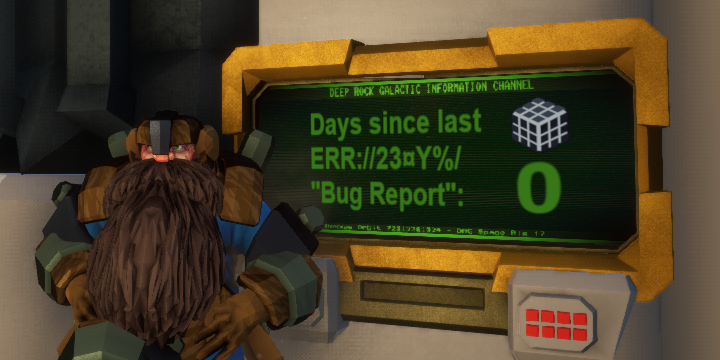
 willow moss
or wrong encoding
native rock
The other issues are fairly new, and likely caused by them switching around what fonts they're using. 
hexed wraith
it seemslike im loosing credits after every game, even if winning, is that bug?
shy fern
Buy anything?
hexed wraith
nope
 cyan trellis
Been having a lot of load time on the server list lately. Taking up to 30 seconds to show any games. Just now, I lost connection to a match I was in and now the list is showing one or two games total, with no filters. Something just crash?
 muted furnace
Game doesn't have any sound for me, don't see anywhere to select the audio playback device so I've been stuck with no sound, reinstall/verifying integrity does nothing
 hexed nexus
Playing with a friend with high ping. My inputs (especially interactions and mouse) seemed to not always trigger
 harsh venture
hey I'm having a issue im not sure if you can tell me why its happing
merry river
found some flying mushrooms https://i.imgur.com/uxzGT9t.jpg

 clear valley
thanks's clyde I just want to report a bug
if you freeze when reloading the replaced magazine will perpetually float on your hud
 umbral stirrup
i would like to report a bug were enemys are currently able to attack you from below the platform when you are in the defending mission excuse my english i am not native
 blazing crest
A friend of mine seems to be having a shift tab issue not coping with him in some sort of way
I can't go into detail, since he works around it ._. my best hope is a similar issue presently happening to be noted
mossy breach
Can i get some help? My savr gets whiped every time i leave the gamr on xbox
deep sapphire
What kind of Xbox @mossy breach
Your save gets wiped when you quit the game? or when you shut off your Xbox?


If you don't already have Cloud saving on turn it on
If you do ignore the first image and continue to the second.
 warm pumice
Kinnda annoying that in fullscreen mode I have to press alt+tab two times to properly switch window. I have win 10 and nvidia 760gtx. Is it Windows bug or unreal engine? I have same problem in some other unreal engine games.
deep sapphire
@blazing crest Shift + tab like steam overly issues?
blazing crest
Yip
deep sapphire
is it sticking or is he not able to open the steam overlay in game
and is it just specifically this game
@warm pumice Multiple monitors?
warm pumice
No, just one
blazing crest
Judging by what little I can read, I'd say in-game
He's also trying to run two monitors, but I think switched to one while running this
I guess I have both of your problems :p
deep sapphire
I'm just Oogaling this stuff
So it may take a minute for me to respond
I have a steam issue in general where I cant use in game steam overlay and when I do I am brought directly to the steam store page
But thats for every game
So I am focusing on Aethetos problem rn
warm pumice
Hm, also if I press and hold alt+tab and wait a second then it works properly
deep sapphire
Cause I may need to talk to your friend Directly to fix it Von
blazing crest
I'll connect you with him in a bit, if he's unable to fix it. He's gone mute
deep sapphire
Thank you
@warm pumice What resolution do you use? I'm just trying to replicate the issue.
warm pumice
1920X1080 same as desktop resolution. Try to press alt+tab very fast
deep sapphire
I'm having the exact same issue
I'm technically in fullscreen rn
But its treating me as if I'm in fullscreen windowed
I would just turn your game to fullscreen windowed for now
But now we know
warm pumice
I think game trying to switch to windowed fullscreen when alt-tabing, and Windows think that its new window and switch to it. I had similar issue in fortnite.
mossy breach
@deep sapphire xbox one
And i dont see cloud storage as an option in either of those photos
Its worth noting that my main account saves fine. But this fresh account doesnt at all.
And my save is whiped when i quit the game
merry river
 mossy breach
Force quit the game and retsart?
merry river
disband team and crate a game again
deep sapphire
@mossy breach I don't own an Xbox so I'd recommend googling this issue as it sounds like an Xbox rather than actual game issue.
And sorry for the delay I just got back from designating driving
I'll keep looking into it though, but all I can do is google it
 mossy breach
Googling doesnt yeild anything
deep sapphire
I could think only think of a few things such as
- Your saves being saved somewhere where the game cannot access them
- something to do with the accounts which I don't know how they work
- Your game being tied to one account
 silk barn
so idk if this is anything but since its the free weekend i decided to boot drg on another acc to play with some mates from a fresh start, that are new. but it seems to have used game data from my other account for some reason on top of that im not sure if it backtracked some data or if that was because of the last couple of updates
deep sapphire
That's a steam thing, if you want to play a fresh account copy and save all your save data somewhere safe
then Delete it and verify your game
I take no responsibility for lost data
But that should do the trick
When you're done just slap it back in where it belongs
Obviously save the data you were playing with if you wanted to keep it
 astral lance
Hey guys. Havin followin issue. I just started playin the game a week ago on a LAN Party with friends on my Laptop. Now i wanted to play at Home via my PC with them and my progress isn´t shared. I use the same steam account but my progress on PC is just zero while on my laptop i am far ahead.What is that mess and how to fix it? Thanks
 graceful lark
So ive been having an issue where my game keeps freezing for a few seconds (about 5-10 seconds) almost every minute has this been happening to anyone else or is it just me?
silk barn
cheers @deep sapphire
deep sapphire
Prost
You said it yourself @astral lance, send yourself the files and slap those bad boys in your PCs game files
Check to see if your cpu/GPU isnt spiking due to a background program @graceful lark
Also sorry I'm going to bed rn so good luck guys
graceful lark
@deep sapphire Its all good i fixed it

 craggy veldt
I've been having trouble opening the game, I've verified the integrity of the game files and uninstalled and re installed it a couple of times, my drivers are up to date and I am part of the free weekend thing.
If I can get it working I'm going to buy it
solemn leaf
can you get a crash log or screenshot of the problem ?
craggy veldt
It just won't open
watching task manager it opens 2 things in the details and then closes them both a couple of seconds later
FDS and FDS win64 shipping
 blazing falcon
linux support?
craggy veldt
I'm on windows
solemn leaf
hm
any other files that might be the game lingering in the backround? did you close steam
craggy veldt
I don't close steam when I open games with it and I don't think they will be any files that are the game lingering because steam says it isn't running
It seems to not want to work on my pc, it works fine on my laptop but not on my pc
you can stew the problem over if you want but since the free weekedn thing ends in about an hour I'm not going to bother anymore
 zenith raft
Those flying enemies can go trough drop pod, while in rescue missions. They can shoot me, but I can't shoot back
shy fern
That effect comes from the Rich Atmosphere mission modifier, which is indicated via the stream (3 tilde) looking yellow icon.
clear valley
OH
craggy veldt
Neat
clear valley
Feels like quake lol
 ruby perch
Hey guys, dunno if it has been reported or not, but I still have some intense white flickering with " electric grenades " from the scout (GTX 970)
solemn leaf
You host or joined? what biome/mission type? You're the scout?
ruby perch
I have a screen of the mission setup, hang on
I was the scout yes

Steam Community: Deep Rock Galactic. Flickering bug
Here is the setup of the mission
So Joined / Crystalline Caverns - Elimination (Hazard 2) / Yes
shy fern
I have a video of an old version of the game with that issue.
Not sure if it is still relevant.
ruby perch
I'm on the last version / no experimental
 void oyster
Is it a bug for characters to be carried through the walls of the drop pod by a mactera grabber?
 tardy pilot
I can only assume this is a bug
 lofty ingot


 last kiln
Unsure if this was mentioned, but my FOV changes when i switch from the m1000 to the Zhukov pistols.
 hoary slate
When i go to launch drg, I’m met with a black screen. I can hear the audio, but after 10 seconds it crashes. My game files are not corrupted and restarting my computer does nothing.
deep sapphire
Uninstall reinstall? @hoary slate