#bug-discussion
1 messages · Page 82 of 1
 earnest harbor
 potent nymph
@earnest harbor thank you 😃
 merry field
The last mission for the retirement should be solo, am i right?
 delicate mirage
it is
 graceful yarrow
It's supposed to be, but it's bugged so others can join
merry field
Yea because we were two ppl, i ritred, accepted the warning that all team members will be kicked and we actually went together in..
 final delta
I have another pretty similar thing but sadly no screen. Once the return pod landed exactly in such a sand blower thing - blowing outwards. I somehow managed to get in but then got blown out before the door closed. Drop pod left early without me and mission failed.
Pretty similar to the screen above I meant...
 rose crypt
Bug where other people cant join you and stuck on loading screen is still present
Maaybe this related to many people joining and leaving. Maybe by this way you can reproduce it
 knotty venture
in Point Extraction we have been having large swarms of bugs spawn directly inside/on the minehead (the part that launches away, not under it) and dig out of it
 rain pivot
Yesterday in a point extraction I loaded in a game, and a driller was down but on my screen he was standing up and I couldn't revive him
Also the engineers sentries appeared with the build icon while they were in fact built
 hidden turtle
That's a common thing
rose crypt
Very fast screen fade when retiring still present
Though it seems slower but still fast
potent nymph
ya, it wont be fixed for this small update 😃
 eternal dawn
does this 18.5 UPDATE fix the game crashing at salvage missions?
 sonic plinth
Read the patch notes, it should
eternal dawn
I did, I must be blind
that was the first thing I did
yes
I am blind
thank you
it is official, there is a blind dwarf among us!
eternal dawn
so now we are left with the VOIP issue being on although the setting says off
 strong jasper
yo you bois forgot to mark pumpkin king as "LIMITED"
 fluid solar
There is a bug when you are reviving a teammate and they somehow die again while you are reviving them.
 hard inlet
no fire effect
sonic plinth
Can someone confirm: Can you buy the Oktoberfest fedora during this Halloween event?
delicate mirage
anyone get a bug that turns on voice comms immediately and leaves it on for no reason even though i have it switched off and set to push to talk?
every time i launch the game
sonic plinth
Yes, devs are aware of the issue and are in the midst of trying to reproduce/fix it
delicate mirage
dope
 stray mango
New griefing method discovered : macros can allow players to make M.U.L.E. calls every 0.0001 seconds or so because there is no delay between inputs. This action results in extreme lag, freezes, crashes, due to generation of insane amounts of particles (the ones that appear when the mule mark is placed on the ground).
Fix : introduce a small delay (0.01s) between each M.U.L.E. call input
 pulsar musk
So uh idk if I'm the only one
But with the latest update I'm missing my loadout upgrades
My perks are all there
But my weapon upgrades, armour upgrades, etc
They're all missing
Oh and my vanity stuff
It's all back in the store as purchasable
Okay, more to the bug, I was looking through my classes and I've got a level 16 driller. (I'm an engineer main who only ever played engineer)
My brother and I play DRG and we've got steam family sharing on but both individually own the game, is it possible our information has got mixed together somehow? I made sure I was on my account so it's not a case of I was on the wrong one
 brisk plaza
I cannot join games. Does anyone else have this issue?
pulsar musk
I was able to
brisk plaza
I think most people must be able to
 full wigeon
A shit tonne of monsters if not all within the area spawned on this independent floating T shaped mass of land =] Just what happened, doubt it's something intended lol. Spawn distribution issue maybe?
potent nymph
Re: the VOIP issue - please feel free to add as much info about your setup and ways to reproduce here, since we cannot reproduce it in the office :S https://trello.com/c/hwP8rjX3/1044-018193840-voice-chat-settings-in-audio-reset-to-default-upon-exiting-mission
In Audio settings, I have Voice Chat box unchecked and the Push To Talk box checked, and when i exit a mission my party says they can hear me through voice chat without me pressing a button to talk. it seems the settings revert to default (voice chat = ON, PTT = OFF) when you...
Comments
2
eternal dawn
Don't have an account on Trello, so let me put it here. It always happens when I start the game, not upon exiting missions, I can play many missions and the setting stays. But when I start the game I have to go to the audio settings and check and uncheck VOIP. The setting is correct (VOIP off) when I start the game but it behaves like it is turned on, so I have to turn on and off again. And I am always the host, others don't have the issue. Only when they connect to me, they tell me it is on again. I have Logitech G430 headphones, using the provided Logitech USB adapter.
rain pivot
I have (had) the same headset but without the adapter and I've used it for DRG too. Didn't have the issue
Adapter was weird and my PC didn't like it so I plugged them directly into my PC
earnest harbor
 unreal dirge
has anyone had this before? where you just don't have a weapon? happened to me after depositing. not a huge deal cause as soon as you switch weapons you get a weapon but still kinda weird
graceful yarrow
It's a well known bug
knotty venture
If a dreadnaught downs you then you will hold aggro on it no matter how much other people hit it
we were able to melee it to death from full health while it kept just hitting the downed gunner
4 player game if that matters
sonic plinth
Holding a beer and using a terminal can/will cause the beer to float in place out of your hands (undrinkable), switching classes with a beer in hand will cause floating beers or the beer to simply vanish
sonic plinth
pinging the music composer to tell them there is a bug at about 3am in the morning for them
 mellow frost
mood
 distant pier
 uncut dagger
@eternal dawn does your issue persist if you restart steam entirely, and do you have steam in home streaming enabled?
eternal dawn
@uncut dagger you mean the VOIP issue? yes, the whole computer is restarted every day and home streaming is not running when I play DRG. But I do have steamlink and use it to stream from my PC but not when I play DRG.
merry field
So, we found a "bug"
Obviously you guys should already know that you can start a "solo" retirement mission together in a team.
But now i just realized that you can pause you game and the game will freeze for me. Anyway.. other players can move around and even kill enemys without any threat.
The moment i press play again, all enemys around me die without standing a chance
 blazing basalt
poor buggers
 empty jay
ZA WARUDO
rain pivot
Why does Quick Join disregard my selected mission type? If I put in "Point Extraction", what makes you think I'd be down with playing Elimination instead
If it's about the fact that there are no available missions matching the criteria, I'd rather have it take me back to the selection screen than randomly dropping me in any mission
sonic plinth
Likely server list isnt updating, and it was point extract before (switched mission or previous mission)
rain pivot
 sonic plinth
whats the issue here?
sonic plinth
check pinned messages to access your backup saves
make sure your username isnt just your computer name, if it is you can fix your problem simply by restarting steam
 random bear
ty changing my save game worked
pulsar musk
@sonic plinth Which of these files do you switch to Player.sav? I've tried setting Backup.sav to Player.sav and deleting the old Player.sav but that's not done anything. (I'm having a similar problem)
random bear
i changed my most recent one to my player.sav and changed the one it was currently to a backup.sav
pulsar musk
I'll give that a try
random bear
hope it works for ya thats about the only tip i can offer lol
pulsar musk
Nope, every time I launch the game it resets my SaveGames folder to how it was
It's really irritating too as I've lost a bunch of stuff
random bear
have you tried relaunching steam
pulsar musk
Doing that now
sonic plinth
all the save files without the numbres in front are old files, they arn't used in the updated version of the game
(post update 16)
you need to replace one of the numbers_Backup_(0-2).sav into player.sav
pulsar musk
Oh
random bear
ah
pulsar musk
So for example in the screenshot I sent, do I just delete everything but the top two?
Or do I do that and rename the top two to just "player.sav" and "backup.sav"
sonic plinth
I wouldn't delete anything, but you should rename one of the backups to one of the playrs
ok so the numbers in front are your steamID
find which files are appropriate to you, since you seem to have multiple on your computer
you can find your steam id from using a steamid finder tool
sonic plinth
- Identify your steam ID
- Backup files that you don't need (Just make a temp folder and move them there)
- Replace [SteamID]_Player.sav with [SteamID]_Backup_[0-2].sav (Ensure that there isnt a remaining (1)
- Load game and see if backup is appropriate
pulsar musk
Okay trying that now
I deleted the stuff that wasnt my ID, deleted my old Player.sav and renamed Backup_0 to Player
(Keeping all the ID stuff)
sonic plinth
Try loading your game and seeing if your files are restored
pulsar musk
Nope, I opened the game after doing it and the other ID's files are back there now
I'll do it all again and close steam
sonic plinth
are you sure you're doing the appropriate files, YOUR steam ID and not your friends?
pulsar musk
Yeah
sonic plinth
well it sounds like you're opening your friends file, so yeah try restarting steam
pulsar musk
Okay, so I'm deleting the top two (My friends)
That's alright, right?
I don't need to rename anything, that should work as is?
sonic plinth
should be fine, but as mentioned I would backup everything
pulsar musk
Yeah I already did
sonic plinth
could i see the size of your files?
pulsar musk
I made a backup file on my desktop
This is what the old file sizes were too (Taken from the backup file I made)
Right, starting Steam and the game now
Okay so I had the file opened on my second monitor. I opened steam, nothing changed. I launched the game, nothing changed. As soon as the game opened and the title screen came up, the files returned
sonic plinth
well, Since it seems to want to try to use your friends steam ID
try replacing that player.sav with your backupfiles
pulsar musk
So you mean I should try deleting them, but just rename my Player.Sav and Backup_1 to his?
sonic plinth
Only the player.sav should be necessary
I'd try that, it'd likely be a temporary fix, but I really would of thought that restarting steam would of fixed your steamID issues
pulsar musk
Closed steam, renamed the player.sav, opening steam now and I'll try launching the game
sonic plinth
are you fully restarting steam?
pulsar musk
Yeah
sonic plinth
well, tell me if replacing his files does anything
pulsar musk
Interesting
My old player.sav (which I renamed) reappeared, however the one I renamed stayed the same. The date modified is the same as the un-renamed version, which is different from the original date modified of the file
Unfortunately however
Some how
It still functions as my friends file
Highlighted, both are my file, the top one is my file renamed to my friends
Taken from my backup file, you can see the original file of my friends has a different date modified
It's as if the game and the files aren't interacting or as if the files are being overwritten by the game
 bronze lion
so I was um in the galactic strata biome and I was in this ice fissure with some compressed gold and when I tried to throw it out it clipped into the ice and no matter how much I mined away at the surrounding area I couldn't find it. It just disappeared
 neon compass
so has anyone else gotten this bug where their sound is "backwards"?
like, not actually backwards, but it sounds like your head is facing the opposite way you're looking
like, if a sound comes from your left, it actually sounds like it's coming from the right
if something is in front of you, it sounds like it's behind you
etc
 sudden rain
*** Pumpkins can be broken twice with Driller class, if you pull out the drill and hold it looking at the very center most spot at the ground of the pumpkin you can break it twice. ***
 cursive pawn
When I launch the game, I can hear the company logo intro sound, but after that is over, I can't hear any sound at all. And these are my current settings.
graceful yarrow
We've had this problem before
sonic plinth
Alright so standard debugging and questions for audio problems what are you using for audio, have you tried using a different audio device.
sonic plinth
Server history seems to indicate potential fixes are updating sound drivers and simply restarting the game.
Check for third party softwares that might be interfering, and what hardware you have might help
graceful yarrow
@cursive pawn this guy had the same exact problem, and this is what we tried for him
graceful yarrow
Sorry for the picture resolution, you'll need to open the original to read it
Had to scroll capture it on mobile
sonic plinth
Tl;dr set it as default
cursive pawn
It looks like it was already set as default
Hhhmmmm I didn't mess with this and it was already set up as default device...
Maybe I can try relaunching the game again
After making sure my drivers are up to date?
graceful yarrow

I do not hear any sound in the game. The Ubisoft logo video plays sound, but the game itself has no sound. How can I fix this?
was the link I had given him to try out
if you don't feel like clicking a link
cursive pawn
I did click on it
And it seems like my default format was already on uh...
16-bit 48000 Hz
And I don't have 24-bit
I understand though that you acknowledged that there were possible solutions, but no guarantees
So I guess I still am seeking a solution. Thanks for the leads and help though. I appreciate it
graceful yarrow
Sorry it didn't work for you, hopefully one of the devs may have a solution for you
cursive pawn
It's ok. At least you tried 😃
graceful yarrow
You should update your drivers just for the hell of it anyways though
cursive pawn
My audio drivers?
graceful yarrow
Yeah
Honestly all drivers if you're going to be updating things
Never really hurts to do it
cursive pawn
I have a Nvidia card and it shows I have the latest update
So I guess I'll check on audio driver now
Audio drivers already updated x~x
Shoot, I'll relaunch the game
Actually, the audio works now. Weird
But huzzah
Thanks for all the help @graceful yarrow
Really appreciated.
graceful yarrow
no prob, I'm glad it's working for you now
 shell vector
Whenever I or my friends join a game, the host's voice chat is on, even if they previously turned it off. The voice chat will be marked off, but it will still go. Turning on then off again is a workaround.
shell vector
6th egg missing
sonic plinth
spin around more, it might be in a wall
 amber cloak
on my case, the egg fell into the steam vent in Glacial strata. it was a nightmare to recover it because of the steam kept repusing me off and we didn't have Driller
 frail tundra
For me once the last egg didn't show on scanner cos nitra spawns in egg's biomass.
 scarlet bough
do ideas go here?
sonic plinth
NO
 gaunt sage
@shell vector where you the host during that egg hunt mission? Theres a bug where some of the eggs are invisible to anyone who isnt hosting.
 mossy breach
been running into some bad drop pod placements when calling a mine head in some Point Extraction games. Anyone else have the same experience?
meaning by "bad" - the drop pod entrance would be in the wall (enviroment) meaning we had to drill/pickaxe our way to the entrance. and like some drop pods drop in unfair/hard to reach spots above ground
pulsar musk
Does anyone think they could help with my save game problem?
sonic plinth
What do you need?
sonic plinth
have you restarted your computer since then?
pulsar musk
Yeah
 hidden pebble
Hey friends. Servers don't show up (instead with a long loading screen) in game. I hosted a public game, inviting one friend and two others joining publicly. Is there a reason for this that is known? I am on somewhat secure college wifi so that might be it. I love the game so far.
pulsar musk
yeah my problem is still going
I just tried the fix we did yesterday @sonic plinth and it's still re-adding my friend's files
What's worse is that the date modified for what's meant to be my file is that of my friend's files
So I'm worried it might have overwritten my save
rose crypt
Funny bug
https://youtu.be/vBqPU_5SCkI
 unreal dirge
wait was that two bugs in one? looked like the grabber dropped you at the end of your iron will and you were alive and also there were a bunch of warriors just hanging out near your feet not attacking
rose crypt
If effect of iron will ends while grabber hold you, you remain alive but cannot move. In my situation i stuck in air so bugs couldn't reach me
 clever stirrup
Hi, there was a bug that was fixed in Update 18 that was reintroduced for me in this newest Halloween patch. I have a 4K monitor but prefer to play DRG in 1920x1080 fullscreen, and whenever I boot up the game, it starts up in the top-left corner of my screen instead of filling the whole screen.
rose crypt
Try Alt-Enter to make it windowed then go to settings and switch to windowed fullscreen
mossy breach
Is anyone getting voices of other dwarves/classes in the drop pod on entry
Ones that aren't even there
I keep hearing the scout's voice even when soloing as driller
 scarlet warren
One time, I got out of the drop pod late and by then it was already rocketing itself upwards. I phased through the blast door and fell through its 100+ meter hole to the bottom where my team was. Does this usually happen? What happens if you wait in the drop pod for longer?
sonic plinth
You always fall, after the drop pod gets high enough it despawns
mossy breach
graceful yarrow
@mossy breach what's the problem?
sonic plinth
Occurs when opening the missions terminal before hitting continue
 proud rain
I want hugs 😅
 wanton stump
Hai. I can't seem to post new bugs on the Trello board. Looks like a permissions issue. Can't seem to find any instructions on how to self-fix. Halp?
sonic plinth
I believe there are multiple bug boards, and the old board is locked, ensure you're on the updated one? Alternatively you could always post a bug here, devs are pretty active about checking and responding to relevant non-repeated bugs.
wanton stump
just looked at the newest post in #420195388675588096
okay, I'll post it here.
From a friend, latest release (as of last night US Pacific time):
Salvage Mission:
- I finished the first “stay in the circle” part
- called in an ammo drop
- it landed
- I was resupplying when the fuel cells spawned in right on top of my ammo drop making 2 of the remaining things inaccessible
sonic plinth
I wouldn't think the fuel cells would be large enough to fully obstruct you from accessing the ammo, did you try fulling building the cells and then trying to take ammo?
wanton stump
asking, one moment.
"I was still able to activate the fuel cells and win the mission. I didn't go back to test it again afterward though."
obvs not a game breaker.
sonic plinth
Thanks for the report anyway, it is a notable issue.
wanton stump
it also didn’t land DIRECTLY on the ammo, it landed off to the side overlapping some of it
hence why 2 of the slots were still accessible
sure. She said she also ran into a situation while playing single player with Bosco fighting a Dreadnaught. She said:
- killed its armor and then it seemed to stop taking damage
- like, got health bar all the way down, armor breaking animation never happened
- health bar stopped showing up when I shot it, even though “chunks flying off of its butt” animations still happened
- so it was registering the bullets hitting the weak spot but not taking damage
- so it was literally unkillable
She eventually gave up, gave it a hug of death, and tried the mission over again. The problem never recurred for her.
sonic plinth
Hm, I recall one other report of someone getting an invincible dreadnaught, but I'm not sure what causes it. I had intially thought it was a desync issue as the "walking headless corpse" that seems to be happening only shows to one player at a time while the other players don't see it at all.
thanks for the report, I'll try to keep an eye out/reproduce it
Would you happen to know what class was being played/what caused the first phase armor to break (or rather, not break)
wanton stump
asking
scout. started with the rifle, but I think when it “broke” I was wailing on it up close with the shotgun
bosco was also shooting at it
I failed the mission and re-started as gunner and had no problems
sonic plinth
alright, that info should be very helpful, thanks again.
wanton stump
np. thanks for tracking it!
just in case it matters, this was a probie mission.
she said to say, "ROCK AND STONE! ⛏"
graceful yarrow
It seems like discord's looking for group integration may not be working
Haven't got time to test it myself at the moment, but I tried using it a short bit ago, and couldn't post a link either through the overlay or desktop app with deep rock running
idk if it's me or if the patch broke it
 reef bobcat
It's near impossible to test
but it seems like if a grabber picks up an iron willed dwarf, and they die while being carried, they're not fully dead
You're dropped like you're dead, but if a grabber picks you up again, you're reset to being alive'
rose crypt
I have a video about it some messages above
hidden turtle
Joined to the mission right at results screen according to sounds..., got stuck at that screen
 median osprey
soo uh i logged onto the game this morning and was greeted with the tutorial mission, i though oh maybe because it updated its making me do this again> Come to find out after i finished it my name and progress had been reset and instead of it showing my steam name im getting my computers name. Really confused and totally have no idea how to fix it
now noticing its not acting like i have bought the supporter edition either, wot in the world happened D:
sonic plinth
It's a known bug when it shows your computer name, it should fix itself upon restarting the game/ steam @median osprey
It's got something to do with steams connection being spotty, you shouldn't lose any progress
If it doesn't resolve itself after the first restart try again, it might take a few times
median osprey
ah that worked
thanks
though might i note i think it might have something to do with another steam game running behind DRG, i thought i had shut tf2 down but it was still running in the background even after my first restart, the second time i restarted steam it closed tf2 and everything was fine then
sonic plinth
Hmm, thanks for the additional info, it's certainly worth looking into
rain pivot
As a scout you can grapple the minehead as it leaves and it will keep you in midair as long as you hold it down
Effectively keeping you safe from ground enemies as well
 median plover
You can also throw a large gem and grapple to that to effectively float as the gem will just continue falling.
shell vector
@gaunt sage I was not the host. The host could not see it either. He told me that a similar thing happened later when an egg fell down a vent. The game I screenshotted was dense biozone, so I don't think there were any vents.
 unkempt dew
UHHHHHHHHHHH
 fathom abyss
As his fellow dwarf, this was a hectic and scary moment. 
(Context: He was snatched up by a Grabber that led him to the drop pod and basically threw him in it.)
graceful yarrow
So @solemn whale @nova pewter and I did some cave leech testing, and found out just about the maximum reach for targeting from a cave leech, and then proceeded to break another one entirely
views from within a friendly cave leech
Razor got grabbed by the leech first, and managed to grab a zipline before he got downed while being eaten
we think the leech thought it still had someone in its mouth because of this, and it didn't attack anyone afterwards
I went and got close to it, and on touching its tongue got grappled, and then downed
but after I was revived, the leech no longer responded to anyone in proximity
allowing me to grapple up into it and take a few screenshots
@potent nymph idk what you can do with this info
but we did manage to break it and hang out with the leech for a bit
also I should note that you can be prompted to grab the zipline while grappling, but once you let go of the grappling hold, you drop regardless of grabbing the zipline
potent nymph
at the moment, prolly not alot since we have some more severe issues we are fixing. It seems like its not a super severe issue right or?
graceful yarrow
no, because you have to do some pretty specific things to break it
but I thought you might find it interesting
we had a lot of laughs with it
potent nymph
hehe 😃 alright, feel free to put it on the public trello, might get time for it later
 solemn whale
We were setting out to break the game, and it's pretty cool to do XD
potent nymph
hehe 😃 lemme just say that a lot of stuff can happen
 spice pewter
Greetings guys, I do apologize if this is already been mentioned or covered somewhere but please could you help me for the longest dang time now, I have been having same repeating issue trying to live stream DRG v.i.a mixer.com while trying to enable the games inbuilt viewer mixer interactions feature resulting with viewers unable to summon the Creatures e.t.c .
The main issue atm we are experiencing is that if of my friends or any viewers watching the stream while mixer interactions are enabled in-game try participating by click on my channels panel they are able to spend "sparks" to heal and provide Nitra with no issues while receiving the correct notification in game round saying (person name) has performed (heal/ammo) and appropriately the correct transaction for amount of sparks detected from their mixer accounts for that event .
Sadly if they try clicking any of the creatures in the panel are we do receive the notification in-game that a person has spawn said creature but nothing appears in the vicinity of the map / cave. Worse still the allotted amount to Spawn said creature is deducted from their account sparks wise.
I have performed several tests resulting from fresh installs of game and among other things such as relogging accounts but to no prevail so for the time being I have disable this feature when livestreaming 😞
Any help or assistance would be appreciated thank you and once again a huge thanks for the amazing work you do making this game.. 🍻
Time stamp (3:00) https://mixer.com/Daybreaker?vod=63259239
 simple anchor
Definitely done by somebody else but i clogged the minigame a few weeks ago and forgot to post it here
https://www.youtube.com/watch?v=z9eGtgevXHw

 proud tree
"Message from Management : credits will be removed from your pay for breaking the aiming game."
 arctic ibex
I've been noticing the mission requirement for secondary objectives and the actual count isn't being consistent with each other, I've seen this happen with Fossils and Apoca Bloom as well in all regions.
frail tundra
👆 Sometimes this bug is the only way to complete fossils mission... 😦
rain pivot
When you use your grapling hook and get cave-leech'd and then freed, you continue traveling towards wherever you grappled
Maybe not that much of a bug but it seems odd nonetheless
 native rock
[0.18.19728.0] "Red Rock Blaster" +30% Max Health buff not working.
Haz4 exploder to the face with and without the Red Rock Blaster health buff:
https://giant.gfycat.com/WeightyFatalHeterodontosaurus.webm

 last lily
management wouldn't lie to us for credits... would they?
rose crypt
The pain is in your mind!
solemn whale
Can confirm that Red Rock is not working (Tested by going down, entering Iron Will and then counting the amount of red sugar needed for full health).
Skull crusher also does not seem to do anything. (Tested on a Driller, and a Gunner with upgraded pickaxe by hitting a glyphid warrior in none crit spot).
Dark Morkite does not work either. (Tested by seeing the max morkite mined in single swing. Without DM the max is 10ish so theorectically with DM it shoud be 12ish, but it's not).
 dreamy quiver
i uhhh.. seem to be a little stuck :'^)
rose crypt
Gravity recalibration
dreamy quiver
👌
 scarlet canopy
@solemn whale from the testing iv done with morkite it adds more to the cave, you may see more early on rather than long strips of empty.
solemn whale
@scarlet canopy Well it says 20% extra mined, not 20% extra spawned, that would be very misleading wording if that's true.
scarlet canopy
having run low-low map settings and running full team on the stuff 8 times an expedtion can be done as fast as a egg hunt; most certainly if you have a keen eye for the stuff. but i suppose we'll hear from it soon enough officaily im sure
solemn whale
 halcyon solar
@sonic plinth why have you written on the reddit than Dark Morkite is fine?
Is that specific brewery paying you?
Is it the CIA?
Is it the pointy-eared leaf lovers?
sonic plinth
There can only be one
gotta clear the stage for mactera Brew
Some regulars did a statistic based testing based of a max hit with and without and it seemed to work
halcyon solar
As far as I recall it was the opposite...they did it and found out that the results were too similar for the DM to be working
In my rounds I never managed to get past 10-something with a single hit, wether I had DM or not. If it worked, I should've at least reached 12-something
sonic plinth
My bad I read everything wrong
I'll edit it now
This is why you don't make midnight posts
sonic plinth
Is it intentional that the pumpkin appears very green when freezing in the glacial biome (likely byproduct of lighting)
 slim solar
potent nymph
slim solar
potent nymph
it counting down because its from Australia
graceful yarrow
_>
potent nymph
just like toilets running the opposite direction
potent nymph
but to answer - we dont know why it sometimes counts in the negatives like that
 round dove
now I understand why Australia have that kind of wild life, because of the flow in the toilets!
 neat crater
Is the number a misrepresentation, or had the session ended? Perhaps the UI is reporting a tracking of time since the session timed out, or was terminated.
 proper furnace
The fuel cells spawned on the place where the drop pod spawned
 twin geyser
 lethal zephyr
It happens very commonly.
 deep vortex
hey guys, I bought the game and played 2 times... After that it keeps crashing when loading x.x
any ideas of whats happening ?
twin geyser
did you tried the steam repair function?
deep vortex
yep
twin geyser
does it crash on exactly same state ?
or after a specific time ?
i would try to set it on low graphic settings
then check your drivers
i would try to set it on low graphic settings
then check your drivers
twin geyser
tempertures ok too ?
deep vortex
yepz
twin geyser
do you have the crash report ?
deep vortex
that one
twin geyser
maybe try installing latest dx, try updating your graphic driver and try installing...
Steam\SteamApps\common\Deep Rock Galactic\Engine\Extras\Redist\en-us\UE4PrereqSetup_x64.exe
if its not working send bugreport
 hardy obsidian
This has now happened three times in a row, when I try to load into the game (spawning into the rig) my computer just shuts down (well, it looks like it enters sleep mode), and pressing the power button does nothing . I had to manually cut the power and restart the whole thing from the power supply. Since my computer immediately shut down, there's no crash report. Has anyone else had this problem?
 keen karma
Uhh, to me that sounds like something in your PC (CPU/GPU/PSU/etc) can't handle the game and it starts an emergency shutdown?
I'm not certain on this, so take what I think it is with a grain of salt.
hardy obsidian
That would make sense, I suppose
I've never had this problem before though, even with much more graphically intense games
although, I actually don't really know how demanding this game is in comparison to others
potent nymph
@hardy obsidian It looks like a directx 11 related crash, try installing an older gfx driver. We have seen a lot of people with this issue, but its a problem with the gfx drivers, not the game. more info here https://steamcommunity.com/app/548430/discussions/2/3145094199291669229/
 unreal dirge
anyone else have an issue where whenever you finish a mission you get back to mission control as a different class? Like say i finish a game as scout I'll respawn as engineer. Happens every time and it'l kinda weird
potent nymph
I have never heard of that issue before
unreal dirge
huh really? I was imagining it would be really common cause it's a really noticeable effect
i guess it's not a huge deal though so maybe a lot of people just don't mention it
potent nymph
i dunno how big a deal it is, but i just havent heard about it before 😃
 small nova
hey, i've had a bug recently. i came back after a while of missing updates and completed the first mission of probationary period. Back in the drop pod bay i get a screen saying something like completed, unlocked: egg hunt and it won't go away and prevented me from upgrading gear or selecting another missions, forcing me to restart.
potent nymph
Did you do anything specific? we have had various issues with that screen getting stuck and we have fixed several cases, but any info might help us
empty jay
@unreal dirge Yeah that happens to me, you need to use the character computer not the others (vanity, upgrades ...), to change to the class you want to play with. The bug didn't happen to me when I changed that way.
unreal dirge
oh interesting, yeah i always use the other screens
rain pivot
apparently we can build sentries on the surface of the planet http://puu.sh/BV2n8.jpg
 sonic plinth
@potent nymph the switching classes after loading (upon mission completion) into lobby or choosing a class and then being put into the game as a different class (same bug showing different class name and portraits at mission end screen) is a somewhat well documented bug by the regulars, almost everyone has experienced it.
We believe the bug to be caused by switching classes via the class terminals in the main lobby (vanity terminals, NOT the class terminal in room).
I thought you were already aware of this issue, if you weren't then sorry for not reporting it sooner.
While I'm at it just to confirm are you aware of
- scout flares having a throw limit (he cannot throw out flares rapidly like other classes)
- scout saying his grenade is the last one he has for EVERY grenade he throws
- voice activity auto activating even for people who have push to talk or even voice activity off in options (happens very frequently)
- beer buffs not working (I know you saw the Reddit post)
- collected secondary objectives being inconsistent between mule storage and objective counter. (Likely float vs integer error? Can become more than 1 number different)
potent nymph
i didnt join until 4 months ago, so some issues before that have not been on my radar. I am also going through the public trello and can see it has been mentioned a few times. I am aware of 2 to 5, not 1. But thanks for the write up 😃 3/4 will very likely be fixed in update 19, i am not sure about the rest
sonic plinth
Alright, thank you for the update
potent nymph
np, thanks for spreading the info
frail tundra
Respawn in different class really common. It happens with clients, when they connect to host as one class and switch their classes to another in upgrade/store/vanity terminal. So after the mission they will appear in the first connected class.
And what the reason for a scout flares throw limit?
 honest roost
Hello, I had a bug wher I joined a game midgame. I arrived when a dwarfwas down. He was asking for a resurection but I couldn't see him as "down" so I couldn't give him some beer to make him stand again.
 obtuse granite
Well I Just Got On And Idk If I Lost My Progress But I Am On A Different Users Game Account With Their Ranks But I'm On My Steam I Don't Know If This Is A Bug Or Not, Please Help
solemn whale
@obtuse granite Restart steam and relaunch the game
If it doesn't work I'll guide you through the backups
solemn whale
Ok, there's backups then.
Steam\steamapps\common\Deep Rock Galactic\FSD\Saved\SaveGames
Go there, and look for [steamID]_player.sav and the [steamID]_backup.sav
Steam ID is just a bunch of numbers.
There should be mutiple backups.
Simply rename the backups to [steamID]_player.sav and overwrite.
obtuse granite
So Is It Just The Numbers Then Player.sav
Or Is It The Numbers And Then One Of The Backups?
graceful yarrow
Each save has a set of numbers that identifies the corresponding steam account
I believe it's the same as your steamid
solemn whale
Just rename one of the bakcups to whatever the [numbers]_player.sav was before.
obtuse granite
Thank You very Much
 vast sigil
Ok, weird thing. I closed out of Deep Rock Galactic, but I'm closed out of it...how do I get it to close?
Ok, closed Steam, and it seemed to work
rain pivot
You can always task kill it
vast sigil
That's the weird thing, it didn't show up
 shy heart
Tried doing the retirement mission only to fail, however after it said I failed, I have just a black screen and a cursor.
deep vortex
@twin geyser man, my program that is supposed to make the drivers on date, wasn't doing it right, seems to be working now
Thanks
 frozen gyro
Hi, i've just launched the game adn my account has been reset
can i get some help? 😦
<@&257786783666929665>
 lapis dust
Look at your name in top right corner
Is it correct or just shows computer name and some random numbers?
frozen gyro
yes
lapis dust
yes which part? 😃
frozen gyro
just said home-pc or something
lapis dust
ok shut down game and open it again
lapis dust
it still happens?
frozen gyro
ok done that
lapis dust
ok then launch from steam again
lapis dust
Np, we will improve handling of this case next patch
frozen gyro
nice
lapis dust
So that you will get a message on game start if the game cannot talk to steam correctly
lapis dust
Well glad you got your save back
solemn whale
Just clarifying, there’s two issues with saves right now. One where you have to restart steam and close the game properly and one where the save just gets lost?
Just making sure so I can give good advice
 uncut hazel
@vast sigil
Sometimes processes can hide inside of steams process
If this happens again in the future you can clip the drop down arrow on steam and DRG process should show up.
vast sigil
I mean that as a positive thing. Thanks for the tip, my dude
 crude marten
Anyone notice boomies not booming lately?
solemn whale
@crude marten Not a bug, they are disarmed with headshots now.
crude marten
ahhh that explains that, how neat. thanks
 agile fox
imagine an ice exploder
agile fox
stabs the walls
rain pivot
i realized this is bug discussion, ill not meme too loudly here 😈
agile fox
yea
agile fox
the heck
frail tundra
@final delta look at your mutation: rich atmosphere - there's helium in air 😉
agile fox
never heard of that one
rain pivot
I found, uhh, nothing http://puu.sh/BVJbD.jpg
 agile fox
hmmm
agile fox
oof
agile fox
i think the exploder is the most annoying bug in my opinion
rain pivot
Whole bunch of bugs here https://www.youtube.com/watch?v=snrItJMqMEE
 twin geyser
voice chat and push to talk does not work properly
e.g. if you start the game the voice will be recorded even if voicechat is set to off
or they mixed up the icons what means false and what true
empty jay
Dreadnought didn't spawn, first time I encounter this bug
sonic plinth
That is a popped egg, it certainly spawned
It probably got popped and started wandering around
empty jay
through the ground? because we didn't see it
sonic plinth
It can get popped by external things, notably the ejector cacti needles can go quite far.
Ofc it's also possible that it really did not spawn, the new egg spawning is fairly new and untested, but given that space is clearly carved out for the egg I'm inclined to believe the former.
empty jay
I mean we popped it ourselves
and exploded the c4 right after
so we didnt see shit
c4 too powerful vanishing glyphids from reality, nerf incoming?
sonic plinth
Oh you popped the egg and the dreadnaught didn't spawn?
It should spawn where the egg is, provided there wasn't enough room it may of clipped into the wall, ah sorry I misunderstood
empty jay
Yeah weird bug, didn't happen to me in any elimination before, I guess it went thru the ground but we would have seen fireball explosions or the aoe attack particles of him trying to kill us so I guess he vanished
hidden turtle
I saw dread spawning in near cave after popping the egg, so...
 half rampart
I've had a dreadnought spawn after opening all eggs and then that one wondered off into oblivion, spent an hour looking for it, heard it roar a couple times in a specific spot but we couldn't find it so had to abort :/
rain pivot
my mohawk can shoot lasers http://puu.sh/BW8aa.jpg
 agile fox
that's some epic mohawk
hidden turtle
all jadiz was spawned in usual walls without special texture on the map
agile fox
h m m m
final delta
I had a disappeared dreadnaught too. Popped the egg, sent Bosco right after him and ran away a bit into a wide space. That‘s where a cave leech caught me, so I called for Bosco, from which I heared shooting sounds after the dreadnaught. Bosco came too late and I was dead. Alife again I went right back to where the dreadnauht should be. Searched for nearly an hour but couldn‘t find it and had to abort.
rain pivot
Can something be done about throwing flares in the escape pod? It rapes my FPS hard despite decent specs
 lethal lichen
Good day, I have a problem and could need help with that. The problem is eventually a bug, but I'm not sure about that. Okay now to the topic: I lost all my progess and cant connect on my profile Havarren. This happend after I tried to start a solo mission but as the game started loading it stopped progress and after I tried leaving the game and log in again I now have this problem. If someone of the devs or someone from the game support could help me or give me an advise what to do.
sonic plinth
Does your profile name match your steam name in game or does it have some computer name there?
Have you tried accessing your backup (read pinned messages to check how)
lethal lichen
computer name
lethal lichen
I'll try
still the same problem ... I found the backup what do I need to do to now with it?
sonic plinth
If your computer name is showing it's an issue with steam not your save
Restart steam again, open task manager and end "FSD.exe"
lethal lichen
okay, I did, what do I do now? and thx for your help 😃
sonic plinth
If you ended FSD.exe try launching the game from steam again
That should fix your issue, it's worked for people in the past
lethal lichen
Yes It worked thx 😄
sonic plinth
👍 that bug should be fixed in the next update (or at least a warning should exist)
lethal lichen
thats good ... now I'll try to find some guys who want to play with a newbie like me. Thanks again for the help 

 placid totem
okay..
sonic plinth
If you get to the pod the doors open in the last 15 seconds even if molly doesn't make it back.
If you want to update mollys pathing mine around/near/under her
placid totem
Oh I didnt know that
ty
and by the way, some days ago, me and my friends found a weird "mineral" it looked like a dice, and when we secured it on molly it's an error.
sonic plinth
Check pinned messages, it's not a bug
 deep blaze
hey I've a new bug for u.
My girlfriend bought Deep Rock today.
Ahe played 26mins as she uses my shared bibliothek.
But now she have a lvl 16 gunner, lvl 15 scout, lvl 10 engineer and lvl 6 Driller.
Also she is lvl 15 with the acc.
Can u fix it?
Cause she want to reach it self.
We already deleted her savegame, restarted it and the same bug appears.
mossy breach
turn off cloud saves?
solemn whale
DRG shares the same folder for saves.
There’s not a system in place, not to my knowledge
 elder gull
Saves are unique to Steam accounts
solemn whale
Steam saves don’t work correctly
They don’t help right now.
Best I can suggest is swapping out the DRG saves file.
elder gull
Last time I tried deleting some saves they got re-downloaded from the Steam cloud, might have changed since then
If she wants to start over from 0% progress, you could use the 'Reset Progress' button
solemn whale
@elder gull It’s good it’s working for you but I keep hearing reports about it breaking everything from saves getting lost and everything. I know somebody had the same issue before. It could be either one until this guy tells us.
@deep blaze Do you know how to swap the DRG save folder
deep blaze
Guys you're awesome =)
We dont now that an "reset progress" button exist
Thank u very much
solemn whale
Hang on it might delete your save if it there’s the bug.
mossy breach
big benis
elder gull
is what
solemn whale
@deep blaze maybe I’m just worrying too much but could I just ask a few questions before you reset.
sonic plinth
Just tell him to backup his save
deep blaze
I dont will reset. But she did
solemn whale
I was
deep blaze
She boufht it herself.today
solemn whale
Just worried this bug will occur multiple times.
@sonic plinth I’m on my phone I can’t properly deal with this.
Somebody before had the exact same issue a while back saying the saves for her and her sons account were being mixed up
I think the only solution was swapping save files because it kept overwriting
I think the same thing might still keep happening.
Even tho steamsaves are implemented they don’t always work hence the constant “my file was deleted”
Eh let’s just report this as steam saves not working again.
 indigo tendon
Hello, i think its not problem with DRG, but when i playing game my PC turn off. I dont know why, others games doesnt make this. Any ideas where is problem? If you answer me pls tag me 😃
sonic plinth
Turns off? As in CRASHES?
rain pivot
checked the wires?
rain pivot
does your entire pc shut off (monitor, mouse, keyboard) or only the actual pc
rain pivot
that sounds more like an issue with the power rather than the actual pc... could be wrong of course
i assume your monitor is hooked up with its own adapter?
rain pivot
have you checked if it's about the plug box or socket?
 indigo tendon
i use, but my second pc working when my first turn off
rain pivot
it sounds strange. your entire pc including peripherals shut down, but it's not an issue with the wires, power strip or the power itself
does it only happen with DRG? are your specs good enough for the game? how long does the power go off or does it just shut down and that's it?
and what about basic troubleshooting? It seems like a lot of people have had this problem https://www.google.com/search?safe=off&source=hp&ei=7C3fW7HENs_FwQKF7o2wAQ&q=pc+randomly+shuts+down+while+gaming&oq=pc&gs_l=psy-ab.3.0.35i39k1l2j0i67k1l4j0l4.40586.40718.0.41439.5.3.0.0.0.0.71.133.2.3.0....0...1c.1.64.psy-ab..2.3.180.6...48.Izhtp0n3JJg
indigo tendon
@rain pivot maybe more games, i dont know, but crasing only in DRG and furmark
actually
I5 3470, gtx970
solemn whale
Is it overheating while playing DRG
solemn whale
RAM wouldn’t cause a shutdown I don’t think. I think it’s probably the computer overheating.
If he has the fans blocked or whatever.
rain pivot
yep
halcyon solar
Ok then
halcyon solar
Every in-game indicator (such as outlines, or the "press the button on the mule" icon) appear in Nvidia Ansel too. It ruins muh artsy photos.
At least make them removable by turning off the HUD.
solemn whale
@indigo tendon 60 Celsius is the maximum recommended. I would highly recommended reducing the settings if you can do.
Also try an FPS limit
You can find it in options
solemn whale
Well generally speaking
I’m not an expert but that seems to be what google is saying lol.
potent nymph
you can also do 120. What your describing is usually because your PC is overheating for some reason
solemn whale
@potent nymph Cloud saves are supposed to be implemented aren't they?
potent nymph
they are
solemn whale
O.K, because we still get people asking about saves and saves not transferring across or getting lost etc.
potent nymph
there are some situations. If the game crashes while its saving, the nature of code is that it will very likely corrupt the save. That is a general thing that cant really be fixed. Other, more common causes is that steam hasnt made a connection while lauching the game, which will also cause your name to be displayed as your PC's name. Most times, the issue can be fixed by restarting Steam.
 potent nymph
i havent seen it no
hidden turtle
I guess it's problem with video drivers
I'm more afraid of hightened senses which getting stuck multiple times during the mission
And I have to look for another cave leech to toggle it off
sonic plinth
@potent nymph sorry to bother, do you know about the reload lag time that currently exists for both of engie's weapons?
potent nymph
yep
sonic plinth
Ah alright, thanks for the answer
Could you comment if there will be a fix for that next patch?
sonic plinth
Alright, thanks
round dove
@umbral granite
Do you have a GTX 970 ?
rain pivot
saw some guys carrying invisible aquarqs
sonic plinth
Known issue when joining midgame, also similar issue caused by host/client dysync
rain pivot
another one that's probably mentioned but often when mining things like nitra, the game targets the rock behind it rather than the piece of nitra floating in front of it
 umbral granite
@round dove i do, yes
sonic plinth
Bug with Elimination missions:
Sometimes when the egg is popped the music will play but no dreadnaught will spawn, this is likely due to there not being an appropriate surface for the dreadnaught to spawn.
Note: This makes the missions IMPOSSIBLE to complete, at the dreadnaught doesn't spawn anywhere.
I'd say this bug is a pretty high priority issue, and it'd be nice to have it fixed by the next patch
solemn whale
Loading times seemingly have increased by large amounts since the last patch.
Upwards of 5 minutes (hasn't stopped just taking forever)
sonic plinth
Bug:
Possible to buy all "limited" cosmetics during limited events
- Possible to buy the Octoberfest fedora during the Halloween event. If intentional nevermind.
umbral granite
so the other thing I didn't even notice in the gif I posted, I have a golden pickaxe but I should not
my pickaxe is normal in the lobby but in games it is gold
sonic plinth
I believe driller has a gold/yellow pickaxe
umbral granite
oh so is the lobby pickaxe the same for everyone?
sonic plinth
I'll check now
Well, the body of the pickaxe isn't yellow in lobby, but is in game, thats a little odd
umbral granite
it appears every characters lobby pickaxe is different to in mission
umbral granite
oh also I forgot to say the pickaxe is different when you salute to when you mine
round dove
@umbral granite
Yeah we are still experience the bug on that particular card. I also have it
umbral granite
Seems about right for the 970, good work on that one Nvidia
sonic plinth
@true flicker can you reiterate what your issue is? You have someone trying to join you but
- their game doesn't launch?
- their game launches but they can't join you?
 true flicker
oh hey sorry for posting in the wrong section
their game launches but upon pressing invite friends (C) key
nothing happens
I tried inviting him on my end
sonic plinth
Have you tried inviting through steam friends?
true flicker
through steam friends yes
he joins the game
but not my room
it just launches his game
sonic plinth
Have you relaunched your game?
true flicker
and i cant invite him if his game is already on as it gives him an error saying app already running
yah
sonic plinth
Make sure both of you have your steam username as your name in the upper right instead of some desktop-ID
true flicker
how to do that
sonic plinth
Also make sure there are no background games running as well
true flicker
he has his desktop name
sonic plinth
He needs to restart his steam then
That's a known bug when steam is having trouble connecting
true flicker
he already did
true flicker
yup. told him to exit it in tray too
and fully log back out and in just to be sure lol
why does it happen to him only lol
my pc is fine
sonic plinth
It's a connection with steam issue
true flicker
yup still same problem
sonic plinth
Hard to say what causes it, possibly a spotty internet connection or an imbalanced hardware issue
sonic plinth
As I said it takes several restarts sometimes :/ when his name is his steam username the issue should have resolved
true flicker
racking my brain lol
rain pivot
I already knew you could free yourself from a cave leech as gunner and scout, but apparently engie too (since his shotgun can be held down)
Driller confirmed able to do it too if you hold your flamethrower upright
rain pivot
perhaps not a bug but it does look... off http://puu.sh/BXlOX.jpg
 pulsar parrot
They are probably going out together. Nothing wrong with that

 crimson galleon
So I noticed on some things like apoca blooms its spelt "pick up" but on things like aquarq its called "pickup"
https://steamcommunity.com/sharedfiles/filedetails/?id=1558572809
https://steamcommunity.com/sharedfiles/filedetails/?id=1558572340
Steam Community: Deep Rock Galactic.
Steam Community: Deep Rock Galactic.
solemn whale
When the droppod is landing, it can destroy dreadnought eggs and stop the mission from being completed
(Music is playing and heard egg pop as I landed)
solemn whale
@earnest harbor Sometimes you are displayed as having health, and yet are in Iron Will state with no icon to match.

(Taken from giraffe's stream at 12 minute mark onwards to 13 mintues)
Intrestingly it seems to be during the supposed 45s cooldown.
As she goes down before.
"Le Gastronomo" said he formatted his computer and lost all save data. He tried the backup method but it didn't work, I believe he still needs help.
rain pivot
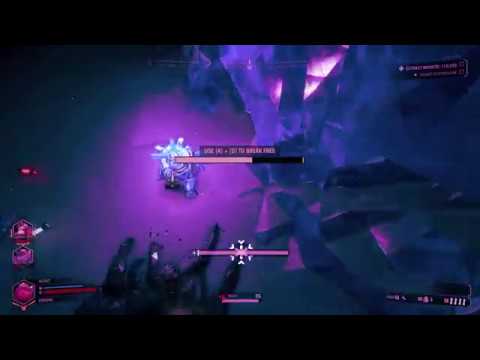
 zenith eagle
anyone else encountered this kind of mineral? "Err://23¤y%/"
solemn whale
@zenith eagle Not a bug check pinned messages
zenith eagle
yea just found out
solemn whale
Why didn't you find out before?
zenith eagle
i asked friends, searched abit on google, found nothing, uploaded it. then serched the "Err://23¤y%/" on this server
and found out
solemn whale
Nothing comes up on google?
solemn whale
Mhm, sorry just wanted to check.
 dapper flax
Jelous? 👀
solemn whale
rain pivot
I kinda stopped collecting spelling errors a while ago
There's a few dozen of them still
 weary vigil
There's at least one in the downed lines too, thought it would've been corrected by now
rain pivot
Reescue me
Another one is a drunk line: I have definantly(<) not, had enough
Preserve your bullet!
slim solar
I wonder what sludge they're serving at the canteen today
mossy breach
spoiler alert: it's us
 mossy sinew
solemn whale
mossy sinew
solemn whale
Just got revived and then entered iron will state immediately upon revive. presume this is part of the iron will double down bug. I then went down after a few seconds, despite no enemies andd having standard revive HP.
(Iron will for some reason lets enemies attack your body and kill you for a second time, if you are down for long enough, the cooldown, it lets enemies attack your body again)
I presume this time this bug happened due to me being revived just after cooldown.
true flicker
discord
sonic plinth
?
 ruby dagger
 muted wave
imhearing double of my friend whenever he joins the server. how the fuck do i fix it
please help
solemn whale
@muted wave Are you in a call or using in game voice?
If you are using another voice service, the ingame voice can turn itself on randomly. If you can hear your teammate twice, try pressing escape and clicking mute next to his name (left of the menu). You can also ask him to retoggle the audio settings to fix it. Devs are aware of this issue.
muted wave
there is no mute button next to him and im in xbox party as well but he also unbound his push to talk entirely for in game. if i mute the master volume in game it doesnt fix it and if i mute him in the xbox app it gets rid of both of them
solemn whale
Just some questions, just so I can make a better guess at whats going on.
- Ok, so you are in an xbox party? 2) When in the party you hear double? 3) And when you mute him it gets rid of both? 4) Is there a blue circle next to his name as he talks when in the escape menu? 5) If you aren't in the party can you hear him?
muted wave
imin an xbox party because my other friend is on xbox, i dont hear 2 when just in party but when he joins the game theres 2. no blue sircle in game, if i mute hime in the party i cannot hear. sorry for the delay im also in the round with him
solemn whale
Ok to me it sounds like the ingame voice is turning on. However if the ingame voice is turning on there should be a blue circle when he talks (but maybe that's a pc thing)
The best I can suggest is getting your friend to retoggle the ingame voice and set it to something that he wouldn't press.
I don't know why muting him in the party would cancel out both of them however.
muted wave
maybe its an xbox issue, thanks for trying
rain pivot
http://puu.sh/BZ1jX.jpg well that shouldn't be

 steep crane
yesterday I was playing solo mission for retirement as engineer, and me and Molly didn't make it to the droppod. Shouldn't droppod landing zone be closer, if path so long?
final delta
i guess not being able to reload shotgun of engineer is known too, or not? last happend to me after pushing mule-butten some ms before finishing reload in solo mode. afterwards pressing R acted like if shotgun is reloaded but only had 5 shots instead of 6...
rain pivot
ive had reload bugs too, where with a non-full gun he would just flip it around
happened with all guns that can do that
final delta
yes, like that - flips it around, but not full
rain pivot
then if you do it again it'll reload like normal
native rock
The idle animation for a number of weapons playing when not at full ammo is a known bug from a while back, but it's good to bring attention to it again.
https://www.youtube.com/watch?v=K_Kbpab6w0w

Same disease with the Gunner's Pistol, and this one seems easier to reproduce; maybe just because of the visual cues.
rain pivot
you picked up Athame from Binding of Isaac
twin geyser
dont try to cross this border
 mental linden
still can't figure out this issue with my gunner not being able to retire after going through all of the retirement... still stuck at 300,000/0xp as well
graceful yarrow
@mental linden did you click retire from the character select console in your spawn room
mental linden
no option
graceful yarrow
And you did the last solo mission
mental linden
yes
graceful yarrow
Hmmm
and you're absolutely sure you used this console when you went to retire
if that's the case, we're gonna need some screenshots to help the devs figure out what's going on
mental linden
there's a pic in the gallery
graceful yarrow
 native rock
I'd be curious to see what their mission terminal screen looked like.
solemn whale
Damn, I was hoping someone in general was about to retire with excess XP so I could figure out if this was a patch thing or some other glitch.
Everything seems correct.
native rock
I would screenshot all your classes XP, and then try to retire a different class (if you can) and see if that changes/fixes anything. Otherwise, the devs might be able to get you a new save file that very closely matches what you had using all those numbers. (get material and credit screenshots too)
solemn whale
^^ I believe me and flip said all this before. There should be the rest (of the screenshots) in offtopic
mental linden
ok I'll try retiring another class tomorrow night and see if that changes anything.
solemn whale
If you wait a few hours hopefully one of the devs comes on if it doesn't work
Good luck! Bjorn usually handles QA.
 vapid solstice
I've noticed others have had something similar reading through the thread. Heightened Senses left the logo in the bottom centre all game once it triggered for the first time at the start
solemn whale
All status effects seem to stay at the bottom if you get two of them at the same time.
Did you get targeted by two leeches at the same time.
?*
vapid solstice
Possibly
rain pivot
so right after i went down after iron will, i went back up but the iron will symbol was still going
then 9 seconds later i went down again
solemn whale
@rain pivot Was it approximately 45 seconds after going down
rain pivot
reviving, kind of yes
but i didnt take any damage after i got revived
it instantly put me on iron will again
 topaz socket
hello everyone
me and my brother
found a bug that broke the retirement system
for him in that case
we are looking for help
he has send a invite to join the match on steam
while was loading for me, he entered the solo mission to finish the retirement of the character
while was loading the mission, i could enter the mission, even was solo
when we completed the mission, showed a popup that the retirement was completed for him
but nothing was changed
the upgrades didn't reset, and the dont got a extra slot for perks
now in the retirement station dont has the option to retire his character anymore
😭
sorry for my english
solemn whale
@topaz socket Get him to check the class selection terminal, tell me what your friends sees when he opens it up. Once there the retirement option should show up.
solemn whale
Are you his brother? Cool.
 stiff zodiac
yep
rain pivot
 echo flower
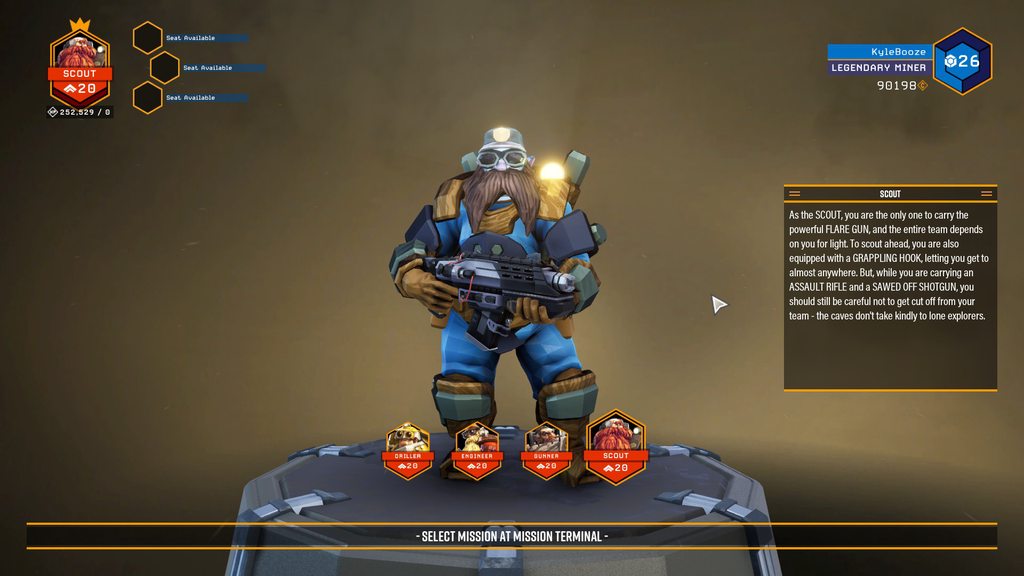
I joined my brother (Kswords) for the "solo mission", as it didn't kick me out of the group like it said it would, and it bugged out both of our retirement options. We're both not seeing the retirement icon on the character select screen. I had to do the solo mission myself on my Engineer and the option didn't come up afterwards. I solo'd the entire retirement missions on my Scout and still not retirement option on the character select.
here's the screenshots of each console/character https://imgur.com/a/W7jDcPY
 solemn whale
@echo flower scroll up a bit and you can see where we talked to your brother.
TLDR it’s the fact that you have weird xp numbers that we think is the issue.
It’s not that you did the retirement solo missions together, as that doesn’t affect it (plenty of us have done the same(
Basically you and Ks need to wait for Bjorn ( one of the devs)
rain pivot
green crystal has no name when you ping it
it comes up as blank
also bismor has no callout but that one is probably known
 zealous vapor
Hi just booted up Deep Rock Galatic today and found out that all of my progress such as levels, rank and credits have all been removed from my account. If anyone could help me that would be great.
sonic plinth
Does your name say your steam name or a series of numbers and your computer name
If your name in game doesn't match your steam name it is likely an issue with steam connecting with your account, it SHOULD fix upon FULLY RESTARTING steam, this means you should verify fsd.exe has been ended via task manager and that you fully exit steam.
It has been known to take multiple restarts in rare cases.
If this isn't your issue check your save files backup pinned in this channel. You should see files with similar set of numbers in front, backup all files and use appropriate steps to replace your save
zealous vapor
Fixed the problem, thanks you're a legend 😄
rain pivot
Now keep the message as an instant copy paste because there's a queue outside the door of people whose progress is lost
graceful yarrow
on today's episode of bs drop pod spawn locations, we visit a secluded floating island in the sky
 lusty osprey
Yeah, the drop pod seems to stop going down after it reaches the ceiling of the target cavern, which iw rather bull in some situations
rain pivot
While I personally love doing this, it's probably better if we get rid of it https://www.youtube.com/watch?v=pqnHKZVIl98
 sonic plinth
never
rain pivot
before mission control demands we just throw all minerals to the spacerig
dapper flax
Do you just throw it at the ground?
uncut dagger
There's a lot of spelling errors in the dev/weapon previews on twitter.
Happy to help go over content if there isn't someone on the team doing that in the final pass.
graceful yarrow
It's well known and plenty of people have offered
potent nymph
we havent gone through it yet ourselves 😃
uncut dagger
Fair enough. I figured, as the production stuff's all g.
crude marten
@rain pivot Is it a bug though, or is it more like a shotput, equal to camera movement speed? My team will throw molly parts at one another to get them across gaps and whatnot.
I can see a distance cap, but I still think throwing things to one another is an awesome mechanic
rain pivot
well it seems like a bug to me
why would anyone be able to hurl a supposedly heavy mineral that high and that fast
sonic plinth
Dwarves strength.
frail tundra
I think it's a feature, like rapid digging with weapon switch.
 topaz ether
just had an Elimination mission where only 2/3 dreads spawned
sonic plinth
Did only two eggs spawn or did the third dreadnaught not show up when the egg was prone @topaz ether
topaz ether
There were only 2 eggs spawned in
sonic plinth
And you're sure the objective was to kill three eggs? Asking since shorter elimination missions were added that only require two dreadnaughts be killed
topaz ether
Certain, we had killed 2 dreads and we could not call the pod then realised we had to kill another so we searched for an hour or so before realising we had mined everything and explored everything, 3 eggs just did not spawn
 fierce tendon
pulsar parrot
fierce tendon
pulsar parrot
So he is visible, but cannot be hit or scanned?
pulsar parrot
Did it attack?
fierce tendon
Oh sandstorm now, be right back I'ma bout to get rushed
Wait.. underground sandstorm? Physics...
pulsar parrot
And underground snowstorms. tell me about it
fierce tendon
Wind travels through... But...
Hmm
But hey, game details are game details
And the ghost is gone, wonder if the mule passing through it did that
pulsar parrot
Nothing harmful, though at least
 midnight fossil
So today Dreadnought random spawned on us but it was in a tunnel with a dirt wall on one side. So all we did was walk out the tunnel and it just stood there waiting for us so we were able to shoot it without it attacking us.
Should that be fixed?
 edgy gate
cant find a game
help :p
it keeps aying "searching...."
just bought this game
i liked the tutorial
 naive hull
Have you tried changing the search to world, and using the other terminal? (one in personal pod, one next to drop pod) The second one usually works for me
edgy gate
going to try em
ya
siwtching to world worked
looking forward to discovering what this game offers
 gritty plank
Well, since I can't report it in bugreporting, there is a bug where after the last standing member of a group goes down while in Iron Will, AFTER succeeding in a mission, the screen goes completely black, and you can only alt tab and shut it down from the outside.
I've done this three times now. The mission still goes through, and you get all the resources, it just makes it so you have to close the game down and restart.
proper furnace
can't revive them since i just joined
 vagrant sphinx
<@&257786783666929665> my game crashes immediately after hitting the play button.
that is what the log looks like,
also just bought the game two days ago and hadn't played it till this morning.
sonic plinth
Please Refrain from pinging all the devs, not only is it late in their time zone (Denmark) but that results in things like pinging the music director for a game crash.
I can't directly help analyze your crash, but You'll get a faster response if you post more data. Given that it says GPU has crashed Id consider posting your system specs and other relevant hardware you're using.
If you're on steam restart steam, making sure fsd.exe is closed, try verifying the integrity of your game and additionally running it on a separate computer or account if possible.
 solemn leaf
If you send the log in, they'll get the log
vagrant sphinx
@solemn leaf yes, i sent it in each time i had to start the game to get it to the 5 min mark so i could also post a review to see if it got noticed there too.
Processor Intel Core i7-471MQCPU @ 2.50GHz 2.50 GHz
Installed RAM 8.00GB
System Type 64-bit operating system, x64-based processor
Windows 8.1
also
ive got a
NIVIDIA GTX970
if any other info i can try to find out let me know.
@sonic plinth
 vast axle
I got my scout to 20 and did the retirement missions but there isn't a retire option in the character select
native rock
Did you do the final solo retirement mission listed at the top of the mission terminal?
vast axle
no, i already did the mission
graceful yarrow
And you're using the character select screen that's located in the room you spawn into
If it's still not there, try resetting the game once or twice and checking that terminal again
vast axle
i restarted once and nothing happened, i haven't checked in a while tho i'll check it in a bit
vast axle
i just got back on the game and the option still isn't there
i think it might be bugged cause my friends joined me for the last mission, it said it would kick them but it ended up not
 white fiber
@vast axle the friend coming along for the ride should not break it, can you post a screenshot of your character select screen?
white fiber
thanks
potent nymph
@vagrant sphinx its a bug with directx11 and the nvidia drivers, try installing older versions until it works, thats how most fix it. there is also some info here https://steamcommunity.com/app/548430/discussions/2/3145094199291669229/

 tame ingot
My progress was lost, what can i do?
graceful yarrow
You should have backup files in the same area as your save file
D:\Steam\steamapps\common\Deep Rock Galactic\FSD\Saved\SaveGames check there, look for player.sav look for a backup
Your backup will have the same name as your steam id
sonic plinth
First check if your steam name is the same as your in game name, if it says desktop with some numbers the issue is unrealted to your save
graceful yarrow
Delete your current save, and rename the backup to the same name
sonic plinth
* Does your name say your steam name or a series of numbers and your computer name?
* If your name in game doesn't match your steam name it is likely an issue with steam connecting with your account, it SHOULD fix upon FULLY RESTARTING steam, this means you should verify fsd.exe has been ended via task manager and that you fully exit steam.
* It has been known to take multiple restarts in rare cases.
* If this isn't your issue check your save files backup pinned in this channel. You should see files with similar set of numbers in front, backup all files and use appropriate steps to replace your save
 still briar
So the solo mission doesn't actually kick your party members out
vagrant sphinx
@potent nymph I'll check it out and let you know if i can fix it.
pulsar parrot

So I was in Iron will when I went in the droppod. It showed the mission complete screen but then the mission failed screen. It just made my screen black and cant does anything but to force close as shown in the clip
vagrant sphinx
@potent nymph
*Updated my NVIDIA Driver and instead of giving me a crash send report, the game just doesn't respond.
**|-> ^^^^ Went back to Directx 10 after trying to load the game with only changing the NVIDIA Driver and no change
 atomic star
Mouse support for Xbox is still not working? I have tried to unplug it, Made sure my mouse still worked on my laptop and other xbox games like fortnite and minecraft. Is it just not supported yet?
 final bolt
can u please fuckin fix this. your game turns my steam into korean every time i open up steam overlay. And no im not from korea. please fix that
lusty osprey
how do you know it's an issue with this game
final bolt
cause it started after i installed it
graceful yarrow
It does seem strange that the game would cause steam to act up
potent nymph
@vagrant sphinx Can you run it in dx12 instead? we are also trying outside partners and looking at possible solutions inhouse, to the driver issue
@atomic star We have a plan to release a patch middle of next week, which will make the game support mouse/keyboard. I cant promise since its still WIP but that is our plan
@final bolt try reading this, its a steam issue, not related to our game https://steamcommunity.com/discussions/forum/1/358415206086355708/#c358415206086510894
 potent nymph
@vagrant sphinx This is the driver we use inhouse here, that we know works for the machines we had with the issue
vagrant sphinx
@potent nymph good will check both dx12 and that driver version out, then will let ya know.
 cursive hearth
the first look you get to the name of the fallens is... a bit confusing
vagrant sphinx
From what I've read I'm not able to go past dx11.2 because of not having w10.
Unless this is some trick to get people to upgrade.
And then with th NVIDIA download of that version says it's incompatible with the installed version of windows.
potent nymph
oh dear
vagrant sphinx
Anyways now when I hit play I get,
Instead of it just crashing or immediately showing the crash report send.
potent nymph
Verifying game files has failed to rectify.
When installed on a different drive, launching the game gets me a crash without error just after the launch splash.
Comments
6
 dry thistle
Hi, new player here. Couple of questions. When i join to any other player i have a huuuge delay while hud loads and appears. And sometimes when i jopin any player like i didi now. I have 11ms ping but my weapon never appears and i cannot do anything. Is this a known issue?
vagrant sphinx
I have tried solutions from above, but sill no change stuff from the deal above and got no changes.
 lusty storm
Got the same issue as Mindozeris. I can see loads of servers but cannot connect to my friends
dry thistle
Constant desync issues
 next quarry
When playing as gunner, normally if i place a satchel charge the next activation triggers it, but if i resupply with a satchel charge down, when i go to trigger the one i put out, it instead places a new one. Is this supossed to happen or is it a glitch?
naive hull
pretty sure its a bug
rain pivot
you can also press R when you place a satchel
that way you can place more satchels and tie them to a single detonation
lusty osprey
oooo
rain pivot
do this with a fellow gunner/driller for really fast dreadnaught kills
 quick bear


 next quarry
@rain pivot so if I hold "r" while placing satchels I can place multiple? or is it like a toggle?
solemn whale
Once you have thrown a satchel, you have the detonator out.
Press r when holding it, and you pull out another satchel
Which you can then throw
Pressing r with a satchel after once is placed will cause you to switch to detonator
rain pivot
I wonder if it's possible to barricade the entrance to the pod with resupply pods, thereby softlocking the mission
graceful yarrow
Yes
rain pivot
👀
 small galleon
IIRC you gotta use platform gun to have ground for the pod to land on
But yeah, it makes the mission impossible
vapid solstice
The bottom drill part of the escape pod has no collission with the carriable resources. If you drop something mnext to the pod you have to dig underneath the drill to make it fall further so you can grab it.
 delicate raptor
seems easily fixable by just making a certain radius around where the drop pod will land an invalid placement for supply drops
 tawdry coyote
I had to force-shutdown my PC due to my game freezing up on me and I've come back with all of my progress gone?
graceful yarrow
D:\Steam\steamapps\common\Deep Rock Galactic\FSD\Saved\SaveGames check there, look for player.sav look for a backup
the backup file will have a number the same as your steam id
rename the backup to the same name as the player save, and delete the old player save
you may want to make a copy of the player save file just in case before doing all this
although with it being empty, you may not care to
tawdry coyote
@graceful yarrow Mind if I PM you please? I'm still new with stuff like this >.< I'm a noob with Steam lol
graceful yarrow
we can do it here
tawdry coyote
Okay well I've got 4diff playersaves - 1 from last night, 1 from just-before force-shutdown and 2 idk about
1 is invalid_player
graceful yarrow
you'll want to be making backup copies of the one from last night and the one from before the shutdown
just in case you need to swap one for the other
tawdry coyote
Okay copied
graceful yarrow
ok, so do you have one with a string of numbers followed by player.sav
tawdry coyote
Yep, that was 1-min before the force-shutdown one
graceful yarrow
hmmmm, if that's from before shutdown, try restarting the game real quick and check to see if everything is good and it was maybe a loading error or something
tawdry coyote
Yep done that, still showing as fresh player
I've also got INVALID_Player.sav dated 7mins ago
the 1min-before is 15:50, whilst INVALID is 16:19
graceful yarrow
delete that one
tawdry coyote
D E L E T O S 'd it
graceful yarrow
try starting up the game real quick now
see if that changed anything
if not, rename the copy of the one last night to be the same as your player.sav from 1 min before shutdown, and delete the one from before the shutdown
tawdry coyote
Watches the little loading Dwarf
graceful yarrow
any luck?
weird thing is it showed this on discord not long after you started loading, idk if you started a mission or not
tawdry coyote
No luck - it insta-loaded me into the Shallow Grotto for work instructions
Providing a screenie of saves so you can tell me which one to do XD I'm sorry I'm a noob
graceful yarrow
ok, then let's replace the player save from just before shutdown with the one from last night and hope that works
tawdry coyote
3 is 1-min before, 4 is the new INVALID it created
graceful yarrow
ok, so you tried renaming 3 to the normal player save before and that didn't work right?
and deleted both the invalid and the player.sav?
tawdry coyote
Nope not done that yet - so copy the name of 2 and paste it into 3, then delete 2 and 4?
graceful yarrow
yep
tawdry coyote
Fire it up and see?
tawdry coyote
Nope no luck >.< Nope no luck :/ I've also noticed in-game that it's not showing my Steam nickname anymore