#bug-discussion
1 messages · Page 79 of 1
 magic tide
They sometimes say that if you also hit some crystal in the same "chunk" you're mining
But the sound may not play
 lost dagger
@restive ridge If you're nearby to crystals that are flagged to say that voiceline, then your character will say that no matter what you are really mining.
EX if you're standing next to radiation crystals, but you're actually mining gold or something, your character will say "This is fun!" or one of those things
The game doesn't check what you're mining specifically, it just checks if you're within mining range of a useless crystal
 restive ridge
oh rip
 finite minnow
Yeah, that has happened to me too
I was mining morkite and my character says "I really can't use this for anything"
Yeah, well... Then why the fuck did they send you down here to mine it?
 sonic plinth
better when it's gold
 warped cave
so i am absolutely seeing no servers in the server join screen. I only see the loading symbol. but no active games or games awaiting players
is anyone else having this same issue?
or is it jsut that absolutely no one is playing which would be a huge bummer for me
lost dagger
it's possible that just nobody is playingh
 earnest harbor
"343 playing now" according to steam
 molten cosmos
Yeah, the server browser is apparently not working correctly. Steam claims all sorts of people playing, but unless it's mostly a bunch of loners playing solo only or idling in the menu or something like that, then something is wrong.
On occasion, I'll see a game or two pop up briefly and then go away, then pop up and then go away again.
Might be something to prioritize, since it makes the game look dead.
 west grove
@lucid badge This has been happening to me for the last few updates! Really frustrating when it happens right in the middle of a swarm
 potent nymph
Server List issues
Hi all
As it has already been mentioned by some members of the community, we have discovered some quite severe issues with the server list. The effect of this, is that the server list can appear almost empty, with maybe 2-3 games open, even though there are many more games open to join.
This is our absolute top priority to fix at the moment, but since it is hard to debug and potentially involves many other systems outside our core game, we have not found a solution yet.
We are working on this right now, and we are doing everything we can to have this fixed as soon as possible, so all you miners can continue your work exploring the deepest caves and Biomes of Hoxxens IV
If you have concrete scenarios that you believe can help us narrow down the issue, please join our Discord and message Bjorn - QA with your findings.
earnest harbor
 mystic bobcat
The Rich Atmosphere mutator has an effect on the character's voice.
Did the effect last until after the mission (into the Lobby)?
finite minnow
Rich Atmosphere makes your voice change to a high pitch voice
 spice trail
It's not a bug.
 keen loom
A specific map refuses to load. Restarting the game and joining the same server again results in a similar issue. Played on the server before, issue appeared after new mission start.
sonic plinth
There's an issue where either st around 25% or 75% players will freeze, the background noise will cut out and players will infinitely load
I don't know if that's tied to a map, perhaps with a bad seed generation, I'm more inclined to believe it has to do with a glitch in the peer to peer connections
magic tide
The scout grapple hook still kills you if you try to pull through a gap or over an edge...or sometimes just cuz
 graceful yarrow
Sounds like a feature to me ;)
magic tide
Quickswap still gets broken if you use your pick
 winged sparrow
Noticed that deep pockets tier 2 says it goes up to 7 but it really goes up to 6
 vast vale
 hidden turtle
I got that Mactera Grabber curse again, but this time I was able to fix it by stepping into steam source on the ground
sonic plinth
Is that on experimental? I think the mactera screen tilt was mentioned in one of the experimental patch notes
hidden turtle
No it happened to me twice already in stable release.
hidden turtle
once again my heavy piece of gold disappeared when I dropped it on the ground (~2m height)
 mossy breach
I have a question: Do Mactera Spawns have a dodge pattern or is their dodging intuitively? Because occasionally it feels a little like they dodge the moment I click(not when I aim), which means they can dodge bullets!?
sonic plinth
Erm, they seem to curl up and fly away after taking a certain amount of damage
I think their attack pattern is just flying in a line to a target
 ivory hinge
you´re talking about the grabbers. He´s talking about the spitters i think
spice trail
I think same.
sonic plinth
Oops, my bad
mystic bobcat
I would assume their attack / defense pattern is sequential in a way.
(i.e. Attack Player X amount of times, then start dodging this many times and repeat.)
Its behaviour could also be influenced by its current health points, but that is just speculation, since I don't know the details.
sonic plinth
I'm almost OF the opposite opinion, I think they dodge several times before "rooting" in a fixed position and shooting continuously until they either lose line of Sight or get shot. Getting shot triggers hitstun which allows combo kills
Also speculation though, I'd like to test it later
mystic bobcat
Did some testing and the most common pattern I observed was:
(while LoS to Player is given)
Shoot 1 projectile > dodge > repeat.
The amount of position changes while dodging varied from time to time.
Sometimes more than one (1) attack followed a dodge, but that seemed rare.
mossy breach
That is exactly my observation. But still: Is the position change triggered before the hit registration(of MY shot) or after? It just feels a little too fast(It could be my 38 years old reflexes as well! XD).
mossy breach
In some matches my Scout is calling out:" This is my last grenade!", even though it is not true. Or is it my hearing...
 hidden pollen
Hello, I have a really annoying crashing issue and it has prevented me from playing the actual game. The crash happens whenever I try and launch into a mission or launch into the tutorial (my friends went straight into a tutorial but it didnt do that for me which was weird). The hub area where you choose missions and load into runs and works fine. Everytime it crashes I get this error message "LowLevelFatalError [File:C:\P4\closed-alpha\FSD\Source\FSD\DeepCSG\FSDVirtualMem.cpp] [Line: 13] FSDVirtualMem::Reserve failed with error: 1455."
Specs
Processor: AMD FX 8120 8 core processor
GPU: AMD Radeon R9 200 series
Ram: 8GB
OS: Windows 7
I have tried everything i have found on forums that i could find, verified game integrity, ran as admin, turned off that audio master setting (i also have realtek audio). I have also updated all my graphics drivers and nothing.
Plz help i want to play your game 😦
hidden pollen
yes
mystic bobcat
Are you running any resource- / RAM-intensive software in the background?
The game might be running out of RAM.
Just an idea...
hidden pollen
Not really, other more intensive games run fine
hidden turtle
my game just froze and after few seconds crashed, crash report window didn't appear
potent nymph
@hidden pollen did you also try editing the engine.ini or just the ingame option?
 lapis dust
@hidden pollen have you tried running : ...SteamLibrary\steamapps\common\Deep Rock Galactic\Engine\Extras\Redist\en-us\UE4PrereqSetup_x64.exe ?
hidden pollen
I tried both @potent nymph
And no I haven't I will let you know how that goes @lapis dust
hidden pollen
Hey @lapis dust, I ran that and launched the game after it had finished and still crashing
lapis dust
Do you get a crash report window?
hidden pollen
yeah i do, should i c+p it into here?
hidden turtle
Too bright
restive ridge
when you use light theme in a dark room
hidden turtle
I hope that Mactera Grabber Curse is fixed in the next update... It keeps slowly rotating to 90 degrees and then getting normal. Nice challenge though.
lost dagger
@hidden pollen
Just by looking at the error labeling, maybe you should try installing CleanMem
maybe you're having some kind of memory leak
With CleanMem, you can force clean your file cache and memory on a dime - it also passively tells you the status of your memory usage
Since the System Requirements posted on the steam store show 6GB of RAM required, and 8GB preferred, it could very well be your memory usage is spiking and causing your game to halt.
Memory usage is definitely the highest while loading into a level for the first time, and that appears to be when you are crashing, so it seems very likely there is some kind of correlation there.
might be worth checking in to 👀
if push comes to shove you can always buy another 8GB RAM stick, but of course that costs money and it might work - not guaranteed
molten cosmos
The perk milestones for vanity items don't include previous purchases. So if you already bought a lot of stuff, you could be unable to get those perk points.
 viral dome
 ripe basin
hmm, i joined a server and blocked on loading screen :/ , its only me guys or if i open variety shop, i cant see much things as before on game? i mean armor dosnt appear anymore, some skins aswell D:
 grizzled lintel
 hidden pollen
thanks @lost dagger i will try that 😃
 strong jasper
I cant claim equipment milestones since I already have all of the upgrades
I also believe the flamethrower does nothing to the temperature right now


 fluid solar
you broke the video game >:(
hidden turtle
@normal fog I've seen it a lot of times, it's normal for now
You're lucky that there is no spitball infector on these flying islands
 normal fog
it would be impossible to reach xD
 gaunt raven

 half rampart
sometimes warriors will stay standing after you get rid of their face
ripe basin
guys after this patch, when you open vanity shop do you see the armor? cuz i dont see it anymore D:
@mystic bobcat i did not , if you watch the mouse is 1/2
 latent gazelle
the equipment/vanity milestones don't track your already bought upgrades/vanity items
hidden pollen
@lost dagger @lapis dust I got this cleanmem program and it is showing that I am only using 75% of my ram when the game is running (in the hub area) and when i try and launch the tutorial it just keeps saying 75% so i dont think its a ram issue, even if it was i've never had problems on other games that usually need more ram, just lags a bit not outright crashes. Any other suggestions?
ripe basin
as you can see i didnt got them. but on shop there isnt anymore after this one patch :/
hmm i think every part of shop got bugged D: i cant see all helmets aswell D: if is just me let me know then i do repair .
 prisma charm
How we can claim our perks pojnts if we already upgrade all of our stuff for the "Purchase 2 Equipment Upgrades" ?
sonic plinth
The bugs already been reported, there will likely be a retroactive hotfix
prisma charm
Okay thanks !
mossy breach
https://steamuserimages-a.akamaihd.net/ugc/951837284907466796/BF33EBC48C24C286B19B230BEAF53F066CFED2BE/ Weird Mustache physics. It is bouncing from one side to the other. Is this supposed to look like he is moving his mouth under the beard? I like the new animation though. He's like: "Huh, where does this beard come from?" XD

 cunning jacinth
This happend when joining mid game from lfg chat, one of those join things. Dont believe its related to Discord but nonetheless i spawned inside of the Mining rig but could move out of it but from time to time when i was near it i would get sucked back into it
Also it appeared that it was completely fine for the other 2 in the squad and i would occasionaly bump into the invisible frame of the Rig
 haughty anchor
i wouldnt call it a bug, but it kinda annoys me that i literally cannot get this equipment upgrade milestone because i have my equipment maxed out
sonic plinth
Has already been reported and noted, it's very likely to be fixed in a retroactive hotfix
mossy breach
https://steamcommunity.com/sharedfiles/filedetails/?id=1499126777 Ghost minerals! I couldn't pick up these chunks of Nitra.

Steam Community: Deep Rock Galactic.
Nope I started together with 3 peeps
not hosting
winged sparrow
Whoa footsteps in sandblasted corridors? Cool
normal fog
you're talking about the redsugar at your feet or the nitra on the floor ?
half rampart
those are chunks of red sugar XD
winged sparrow
Nitras more triangular
restive ridge
And it doesn't glow 😛
mossy breach
lol you kidding me? There was much more around. I mean way more. I was 100% sure... This is embarrassing...
sonic plinth
It's alright, if anyone asks you played before red sugar could be dropped and picked up
They'll have to give you veteran player respect
mossy breach
XD
restive ridge
Sweet, do I qualify for veteran discounts?
mossy breach
https://steamcommunity.com/sharedfiles/filedetails/?id=1499375127 The server browser is up again. It showed a game with 3 players being in Fungus Bogs for 29 minutes. I quick joined the match and this happened. I had to restart the game.

Steam Community: Deep Rock Galactic.
lost dagger
@hidden pollen the only other thing that comes to mind is that the error labeling seems to say something about reserving memory fails
It could be that the game is trying to allocate more memory, but since there is no more memory that can be allocated, it halts. I don't know how true that is, but it's just a possible suggestion.
have you tried uninstalling the game, deleting the DRG folder, and reinstalling from scratch?
lost dagger
I mean you could drop money and buy another ram stick - but again that only might work
hidden pollen
i aint doing that to play one game lol
lost dagger
Sorry, but I have no additional help I can provide then ¯_(ツ)_/¯
mossy breach
Got killed by a Cave leech in Dense Biozone and landed on a Jelly floating by
Mates werent able to revive me cause it was directly after the drop
It looked pretty nice from up there tho
sonic plinth
Ah yes, floating while being downed is a pretty serious issue
lost dagger
The fact that it was never coded to make players have gravity while being downed astonishes me
I mean I understand that it was almost definitely an oversight on the devs' part, but the fact that it still hasn't been implemented yet and it seems like a simple fix is what gets me.
I mean if you jump and get downed mid-air while fighting glyphids, your corpse still falls to the ground like it should.
magic tide
Its probably not THAT simple, I imagine its more like when you're dead, you count as any other "terrain" so you don't fall. But yeah, it really should be a thing by now, that you fall.Better still would be if you could (very) slowly crawl
lost dagger
but if that was the case, you wouldn't fall mid-jump
unless your momentum freezes once your death animation fully plays out - which is highly possible
sonic plinth
Dwarves arnt known for their ability to roll
 solemn whale
Jukebox has some banging tunes tbh
strong jasper
is it me or is the hollomite milestone gone?
 gritty forge
heres a glitch in the new updat, both me and my friend has it its nothing major but ill report it anyway
here it is neither of us can access the armour section its just blank
skin colours glitched aswell
normal fog
If you already bought the armors, you have access to it in the vanity terminal (the one near the mission terminal)
strong jasper
vanity items disappear from the shop once purchased now
 dapper flicker
not really a bug, but: what are you doing to get the "buy equipment" perk if you have already maxed everything?
normal fog
That's an issue reported so many times
west grove
so...i see there are perks for buying upgrades...what if i'm already maxed out?
that's a lot of perk points right?! 😄
hahaha, i literally just read the two comments before mine
molten cosmos
It's scheduled to be looked into by August.
 dry oyster
Sticky Flames do not harm the player nor do they warm them
lost dagger
50% of the time I join a Glacial Strata server, the game softlocks on the loading screen
Also, using Alt+F4 does not actually terminate the game.
 steady sigil
friend has an issue where he got knocked off a zipline twice by a vent
now he cant interact with anything
lost dagger
Sprinting input gets dropped consistently if you perform a couple other inputs in quick succession while holding the sprint key down.
 spare harness
Earlier I was playing solo on glacial strata with driller and I was only getting scout's voice lines when interacting with things. I know it isn't a big deal but it got annoying
 somber surge

 sonic plinth
I find it very likely it was a rich atmosphere modifier mission @spare harness where the pitch of voicelines is increased
All the voicelines are the same but pitch shifted, so it's reasonable to make that kind of mistake
 arctic ibex
Has anyone else noticed Bosco's weird behavior after latest update? He keeps on starting to do a salute and then cancelling it repeatedly.
Has happened across multiple games.
restive ridge
Terrain gen, you feelin okay?
 brave dragon
with gunner I cant jump forward in the zipline, is this a bug?
lost dagger
No it's a new feature - ziplines now lock your movement controls the second you jump off of them
They patched being able to shift side-to-side on ziplines - this in turn made it so all movement is blocked
magic tide
Its aweful
lost dagger
It's absolute garbage
magic tide
...I thought that was intended to let you move past eachother
lost dagger
Originally that's what people did - but it was a bug
magic tide
Normally you fix bugs people DONT like
lost dagger
You weren't supposed to move slightly side-to-side on ziplines, and now you can't move at all
magic tide
Great
solemn whale
So
Ziplines are messed up right now
Basically
The ablity to jump then move it abit only works for the host
The clients end up just falling down and can barely move
lost dagger
^[paraphrased](Zipline air strafing only works for hosts - all clients get locked controls during freefall)
spice trail
Crystals. Gold.
???
Another flying apoca
Ummm??
Stuck in sending drop pod. This time it is a bit strange.
Stealth lessons by master Boolo
Snow above hotsprings. Looks natural.
A part of tirangulation bubble disappeared. Is it a bug?
 cerulean knoll
One message removed from a suspended account.
spice trail
That's what you get while jumping in seats.
 ashen prairie
i played in experimentel over 100h and now i would in normal no beta i have level 6 and all classes level 1 and engeneer level 16 thats bad i have 184h playtime(bearbeitet)
i dont will play on normal no beta same time
sonic plinth
@ashen prairie you could try swapping your save files but you should of been aware that the files are saved separately, there's several disclaimers saying as much. You're two save files isn't really a "bug"
spice trail
After goo bomber attack I got TWO same icon effects. Then one disappeared and I got one for remain of mission.
No effects were applied, only icon.
ashen prairie
@sonic plinth okay i dont know that thx
 vernal mountain
is the Drop Pod glitch fixed?
vernal mountain
aw, i liked that one
 fickle night
This happened because my buddy went down on the purple floater things and then it blew up but he stayed in the air. Was pretty funny
hidden turtle
Another day - another Cave Jelly secures bug's kill
 harsh marsh
how do i move the game to another monitor
 fallen sky
hey does the temperature system only pertain to glacier biome?
i was quick joining and set the biome to glacial strata but it ended up being sandblasted corridors. the bar would appear every now and then when i was by the mine head
restive ridge
Is it able to overheat you?
@fallen sky Temp system is across every map, I think
just a matter of whether or not something changes your temperature by a significant amount
Don't quote me on it though
hidden turtle
@harsh marsh Win+Shift+Arrow Right/Arrow Left
lost dagger
@restive ridge yes temperature is across every map - but in reality it shouldn't
harsh marsh
@hidden turtle thank you so much
fallen sky
thanks! @mystic bobcat @restive ridge - and no it doesnt overheat! i would say that is a good thing heh
restive ridge
Yeah, just making sure lol
Was playing a game and I had really low health
accidentally grappled too close to the drill and saw the temp rise
thought I was gonna overheat so scrambled tf outta there 😰
harsh marsh
while kicking around barrels, @digital latch got stuck into a wall lol
 spice pewter
Hey guys has anyone else had issues with the mixer.com in-game interaction feature which allows viewers on your channel to spawn mobs or aid you with health / nitra e.t.c . Mostly concerning viewer glyphid praetorians being spawned in and stop attacking you after a while or even freezing in place passively..
apologies for my overreacting ingame in these bug videos but I was tired while also little tipsy from my birthday party that evening when playing and having fun with mixer viewers afterwards.
Bug 1 https://www.twitch.tv/videos/305273404
Bug 2 https://www.twitch.tv/videos/305274693
 solid plaza
has anyone else had an issue with purchasable skin colors vanishing from the shop's inventory?
strong jasper
they are supposed to vanish from the store when you purchase them now
solid plaza
alright, but the issue is my friend did not purchase the color, and it's not in the shop
solemn whale
Yeah
I had someone else complain of the same thing
And it had gone from the shop but he had not bought it
strong jasper
I just booted up a 0% save on my laptop
it appears that all locked vanity items also vanish from the store now
you can use this page until they fix that: https://deeprockgalactic.gamepedia.com/Vanity_Shop

Deep Rock Galactic Wiki
Vanity shop is where you can purchase various cosmetic items for your dwarves, it's located in the Space Rig. They are usually more expensive when compared to the upgrade prices. Each dwarf already has a number of items unlocked by default, each purchase of a beard, armor, he...
solemn whale
ah
So if they are not the right rank they need to level up some more for it to be available?
strong jasper
yup
prisma charm
Need to fix the bug about the perk points for "buy upgrade equipement"
 tropic valve
praetorian's can acid spray through walls
magic tide
The goo bomber's goo leaves the "sticky" icon on even after I'v eleft, so far I have two permanent ones
 inner hawk
i just tried sending a screenshot but the server blocked it?
anyway everything went black except for UI
graceful yarrow
Sometimes discord blocks things that have no reason to be blocked
inner hawk
glacial strata, stepping over spit baller bubbles
not sure if its random or because of the bubbles
also, do the IFGs not work?
spice trail
@inner hawk, i got two screenshots that are blocked for exclipt content :D
finite minnow
I don't know if this has been reported
but everytime I join a game
I get stuck with other players
and cannot move unless one of us gets killed
 weary vigil
I had that happen to me when spawning on players that are in closed spaces, like when they are mining inside an ore vein.
Usually mining around solves the problem, too.
lost dagger
Loving the new zipline physics - just fell down a 50m ravine because of them
mossy breach
@weary vigil https://steamcommunity.com/sharedfiles/filedetails/?id=1503607754 A Dwarf from the inside...

Steam Community: Deep Rock Galactic.
 normal kraken
so this happened today. anyone else found this before?
aka is the error item supposed to be there
weary vigil
@mossy breach I expected dwarves to be more filled with entrails and bones. huh.
mossy breach
More emptiness means more space for Morkite Ale.
weary vigil
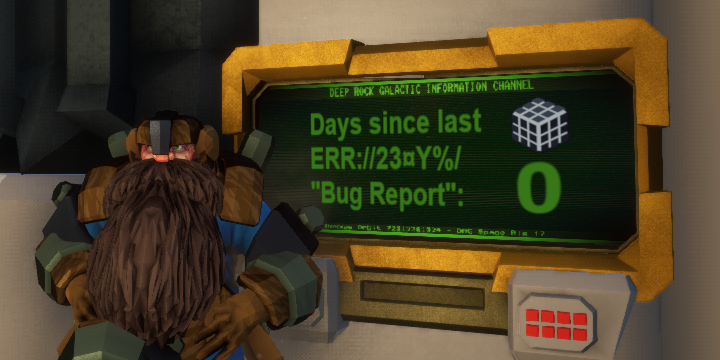
Also, @normal kraken The cube isn't a bug, it's an easteregg. It may or may not play part in the lore in the future.
 storm owl

normal kraken
ooooooooooooooooohhhhhhhhhhh ok thanks
 last warren
restive ridge
last warren
restive ridge
You ever read pins to flex on people who find error cubes for the first time
 bitter brook
has anyone reported the design bug that some milestones are impossible for veteran players - for example, buying upgrades - because the completed achievements were done before achievements were introduced?
 trail hedge
i think it was already reported
dont know when who or if it was even see by the devs
potent nymph
we have seen it
bitter brook
okay sweet, just checking and making sure
spice trail
Will it be fixed?
I hope.
 gleaming pier
when you get revived after being smashed by the supply drop you get stuck
well in solo mode at least
 elder gull
Discord Rich Presence displays class name in the selected language of the player instead of the Discord client's language, intentional/technical limitation?
To clarify, if my Discord is set to English, and I check the Rich Presence info of another member playing DRG set to a different language, I'll see the class name in their set language.
mossy breach
https://steamcommunity.com/sharedfiles/filedetails/?id=1504272283 I find the hitboxes of these sockets (the plant that lifts you) extremely large.

Steam Community: Deep Rock Galactic.
restive ridge
@elder gull Technical limitation
DRP info is set through the user's account
The client tells Discord some text to display and whatever image to display with it
There's no support for localization or translations
It's not like the client connects to a server, tells that server what text should be displayed, and the server handles what's being displayed on your screen
Not sure if I'm making sense
Basically:
- Game tells Discord what to put in your Rich Presence info through your Discord client
- Discord client puts it up without any regard for what the content actually is
There's no way for everyone else's clients to be able to localize or translate what's being shown since Discord only knows to show what it's being given without doing anything else with it
sonic plinth
describe the steps that you did prior?
mossy breach
we got dc to the host then came bk in
spice trail
What?
I used quick join, set:
any
any
sandblasted
and joined fungus bogs match.
This screenshot after joining.
hidden turtle
This screenshot is useless tbh
 rain lily
,hey team, any update on the crashing on loading bug? i just purchased and installed and are unable to play even the tutorial or solo.
ive disabled that audio setting, verified steam library 3 times, all good. rebooted a few times. tested RAM. checked win7 service pack1 c++ 2015 runtime is updated.
the bug where you can load HUB just fine and run around, but no mmissions
im getting "LowLevelFatalError [File:C:\P4\closed-alpha\FSD\Source\FSD\DeepCSG\FSDVirtualMem.cpp" as an error, does this game REQUIRE virtual windows memory?
mossy breach
Haven't had this one before. They turned blue after a Scout grenade went off in between them. And it didn't wear off. Poor guys, it looks almost as if they were affected by magic. https://steamcommunity.com/sharedfiles/filedetails/?id=1504838431

Steam Community: Deep Rock Galactic.
spice trail
Got freezing every 1.5 second for 0.5 second.
 zinc basin
Blue dwarf syndrome
earnest harbor
in short, the ERR://23¤Y%/ (error or rubik's cube) is not a bug, can be considered an easter egg, no one really knows what it is or if it will have a purpose, not even the devs know... but it may play into the lore
spice trail
That won't stop bugreports...
normal fog
Peoples really think that thing is a bug
But why would developpers let a thing like that in their game if they don't want it?
spice trail
That's why they call it bug.
restive ridge
Who said the devs don't want it?
 uneven sphinx
inb4 FBI
restive ridge
o h n o
lost dagger
I would paste the obligatory shitpost about the cube here, but the mods will remove it for "spamming" :c
 mossy sinew
rain lily
mossy sinew
rain lily
hey team, i enquired earlier about
,hey team, any update on the crashing on loading bug? i just purchased and installed and are unable to play even the tutorial or solo.
ive disabled that audio setting, verified steam library 3 times, all good. rebooted a few times. tested RAM. checked win7 service pack1 c++ 2015 runtime is updated.
[11:53 PM] Cjless1991: the bug where you can load HUB just fine and run around, but no mmissions
[11:57 PM] Cjless1991: im getting "LowLevelFatalError [File:C:\P4\closed-alpha\FSD\Source\FSD\DeepCSG\FSDVirtualMem.cpp" as an error, does this game REQUIRE virtual windows memory?
I changed my graqphics settings from epic to medium and the game seemed to have worked fine and loaded no problem. was able to play with friends for hours online. however this morning the issue has arose yet again. i can load hub and run around hub and nothing more. is there an issue with AMD hardware at all?
finite minnow
I think instead of making a jump, the character just falls off the zipline
lost dagger
@mystic bobcat @finite minnow Ziplines work perfectly fine for the server host as they did before the big update. However, all clients get locked controls when they detatch from ziplines, resulting in non-jumping, falling straight down, not ledge grabbing due to not moving forwards, etc.
Oh and air strafing is also disabled - it's clearly a bug because server hosts can still do everything that we could do before the update, it's only a client bug.
finite minnow
Well that happened to me while playing solo
lost dagger
I think originally it effected everyone, and maybe a hotfix was put out - because I too had the same problem when I was hosting, but now it only effects clients - me and mushu tested
host has absolutely no problems as of now
magic tide
Nnnope, still glitched for me
spice trail
Mini mule stuck in ice.
Ice-exploding.
Supply pod going through mine head.
Another boolo stuck in rock formation.
A small flare doesn't make splitter awakened.
Stuck splitballer.
He is down but at the same time he is still standing.
Apoca stuck in ice.
Apoca stuck in snow.
Hot source close to ice btw.
This hot trail warms us as much as usual mine head. I think I could be down in two seconds, but...
restive ridge
Hoxxes wildlife doesn't like the cold very much, it seems 🤔
spice trail
As close to head as possible doesn't make me hotter :(
spice trail
Guess what's wrong with this screenshot?
restive ridge
Well if it was hot enough to set you on fire, I don't think the mine head would be passing industry safety standards 😛
spice trail
Molody spawned under drop pod and fell down. Then he disappeared from GUI and said he couldn't use weapon or do something, only watch. He watched us from about 1 meter near DP hole but we haven't found him.
On this screenshot he is 833 meters down.
He said he was somewhere here.
And as you can see no player icon at all.
X ray freezing.
Resupplying pickaxe!

Gunner.
I wanted to take aquark with me but something went wrong.
That's all bugs for now.
ripe basin
is not there a fix for the bug that I said @mystic bobcat some days ago? D: i stil cant see some items on the shop 😦
restive ridge
"Items you bought will disappear so you know you already bought them" x199128
Not sure if they're fixing like
the armor stuff though
ripe basin
thats the point i didnt buy them
 next pine
Look at the line below highlighted
 lethal surge
hi i found a bug
i forgot to take a pic but it was like this: The Mule walked through a wall
at the end of a round
i almost died bc i couldn't find the drop pod bc of that bug
funny ,right?
earnest harbor
if a wall is really thin, then sometimes she will go through it
spice trail
@mystic bobcat
-
Okay, but that can be count as bug, right?
-
I was hosting...
spice trail
Okay. Maybe I wasn't hosting, but I was playing the whole mission. At least I was at server before gunner died.
magic tide
Audio is reversed for me sometimes, again
Callouts and sounds from the left come from the right, etc.
spice trail
Also!
Voice effects aren't always distorted. Sometimes they are normal like after reviving and in some other cases.
 wintry brook
hi is there any one in here to report a possible bug
lost dagger
@earnest harbor Molly has been reported to phase through walls again according to flip I think
happens a lot more
magic tide
Also up supply pod holes
lost dagger
^that's just regular pathfinding originally, but they changed the AI to not do that
*oversight
wintry brook
err I guess I will just say it, As i was in the cinematic of a successful operation I was waiting for my displayed rewards, however I may have accidently joined another group through Discord which automactically switched me over and as well canceled any possible gains from my last mission.
I am sure I was at fault here in this situation, but I guess it should be noted that you can just suddenly switch to another game through discord forcefully
earnest harbor
@lost dagger my comment was in reply to the person above it. I should have pinged them
lost dagger
☠
solemn whale
Yeah, I was the one reporting molly going through walls
It when molly cannot go through legitimately
E.g
You clipped outta bounds
wintry brook
@mystic bobcat I did indeed verify that I had not gain any resources prior to the dungeon/level i was currently completing. If I had accumlated additional resources upon exiting the dungeon/ level after completion of the current one I was forced into, I would have seen the intended material I was harvesting ( green one with spikes) go up by a fair amount( I think by atleast 50), however there has been no change to the value of the resource.
wintry brook
Well i am going back to farming again, I'll be here if yeah need me
magic tide
Exploders may still pop when killed via headshot/pick
rain lily
FYI guys, ive posted twice regarding:
hey team, i enquired earlier about
,hey team, any update on the crashing on loading bug? i just purchased and installed and are unable to play even the tutorial or solo.
ive disabled that audio setting, verified steam library 3 times, all good. rebooted a few times. tested RAM. checked win7 service pack1 c++ 2015 runtime is updated.
[11:53 PM] Cjless1991: the bug where you can load HUB just fine and run around, but no mmissions
[11:57 PM] Cjless1991: im getting "LowLevelFatalError [File:C:\P4\closed-alpha\FSD\Source\FSD\DeepCSG\FSDVirtualMem.cpp" as an error, does this game REQUIRE virtual windows memory?
I changed my graqphics settings from epic to medium and the game seemed to have worked fine and loaded no problem. was able to play with friends for hours online. however this morning the issue has arose yet again. i can load hub and run around hub and nothing more. is there an issue with AMD hardware at all?
I just wanted to let everyone k now i seem to have resolved the issue by adding windows PAGE FILE VIRTUAL MEMORY. I never knew this game REQUIRED virtual memory, i turned mine off intentially for performance read/write issues, but not once its turned on the game works fine.
lost dagger
Oh yeah - turning off windows' virtual memory is an absolutely terrible idea and you should never do that.
Ever.
spice trail
Btw freezes still happens in hub. Even after turning off/on PC. I even replaced some RAM - nothing changes.
As I see nobody else has this problem so the problem is in my hardware.
2*xeon E5620
MSI 1060 (3G)
20 gb RAM.
Happens only in hub.
Also, distant attack of praetorian keep working even after it die. And that's not its poison.
Closing DRG with windows panel (Not dispenser) causes steam thinking I am still playing.
spice trail
Waiting for some bugs? No? Well, you better mute this channel.
I was frozen by glyphid pra... remains but still could move.
If you wait long enough I ll upload video of it in YT.
Died using laser pointer.
Floating enor pearl.
hidden turtle
Isn't normal = rare, it's not a bug
Floating? No it's just stuck between textures
And again, it's not a bug
 hidden turtle
No, it's 2 texture objects which are close to each other
spice trail
Sure.
hidden turtle
Half of your reported "bugs" are not bugs actually
spice trail
Shall I delete them?
hidden turtle
Or it's often reported like 10th or 100th time
weary vigil
Consider using the search function at the top right corner to investigate if the bug you noticed has been already reported.
hidden turtle
Oh look, it's another apoca bloom in the air!!! It's a bug!
spice trail
Isn't it?
hidden turtle
week after: "see!!! another apoca bloom in the air!"
and week after..
and after..
hidden turtle
It's like daily reminder of all game imperfections
That are actually can be explained if you think about it
But let's just report everything we see wrong
 native rock
 fallen narwhal
Bois I got some trouble
started the game for the first time after last update
and when I look to left or right after a while it just snaps the camera a bit to one of the direction I am turning
what the hell is this feature/bug?
it's unplayable it snaps about 4 degrees
strong jasper

Steam Community: Deep Rock Galactic. IS THIS A BUG? XD
 spice abyss
normal fog
spice abyss
normal fog
Why would developpers makes a texture for a bug ?
 naive hull
Because with a texture it can stop other issues like game crashing because it is trying to load something that doesn't exist. Similar to missingno in the early pokemon games. More of a failsafe than anything
technically I spawned in the drop pod...
lost dagger
@strong jasper plz no ;-;
solemn whale
The Err isnt a bug
 lilac sorrel
no?
solemn whale
No
Just something the devs havent done anything with
Sorry about the direct response, we get this alot
😛
lilac sorrel
Well, it's a bug in this context then. It should just be called TBD resource or something. Then it won't get brought up as much.
solemn whale
Well
It has voicelines
Can be desposited properly
Has all the physics
It's in the game to gain hype
For whatever they do with it
 slim solar
The missingno. texture is a result of a memory pointer bug or something akin, the image loader looking in the wrong place for an image
That's not the same as a case of developers creating a texture or model specifically designed to be loaded when a null or erronous value is asked for
graceful yarrow
Aaaaaaaanyways
Error cube isn't a bug. Please don't report it
If you guys wish to continue discussing other games, take it over to #non-drg-chat
normal fog
on the discord you should have a windows "rules" and in first rule " is not a bug"
inner hawk
no dreadnaughts spawned
 frozen quiver
Im perfectly happy with the random bug that makes you sometimes spawn below the drop pod
it amuses my squad to watch me just be standing there confused as the pod flies away from sitting on me
mossy breach
 minor thicket
mactera goo bomber slow effect icon wouldn't go away. persisted throughout the entire mission
mossy breach
Phantom mineral patch right after I spawned into a game. https://steamcommunity.com/sharedfiles/filedetails/?id=1507996569

Steam Community: Deep Rock Galactic.
sonic plinth
Did you join after the game had started?
mossy breach
yup
about 50 seconds in or so
my laserpointer went right through it also
Altitude 0,00. Another one from today. Minor and someone stated that a year ago, so maybe it got forgotten. https://steamcommunity.com/sharedfiles/filedetails/?id=1507996518

Steam Community: Deep Rock Galactic.
ivory hinge
maybe sea level? 🤔
 zenith pebble
Hey, anyone can help me with a technical issue?
Im having trouble getting the game to launch at 1920x1080
When it launches in it, the game does this wierd issue that I will post
And if I set it to 1920x1080 ingame, my screen goes black and the game is set to 1360x720 resolution
editing the CFG has held no results. GPU is an NVIDIA 960
sonic plinth
have you tried editing the steam properties launch settings, properties => set launch options
zenith pebble
Yeah it doesnt work
sonic plinth
does alt+enter work fine for making it fullscreen?
zenith pebble
Lemme try that
Alt enter changed it to windowed fullscreen
Which I cant play in due to severe input lag delay
And when it switches back to exclusive, the game sets itself to 1360x768 again
mossy breach
I have a similar issue with my 4k monitor(Samsung UE590_U28E590D). I've set my Windows(7) zoom to 150%. When I start the game it starts in the top left corner windowed. Then I go to options and switch it to: Windowed fullscreen, apply changes. Then I switch to Fullscreen, apply changes. Then it works. (Graphics card AMD Radeon R9 200)
zenith pebble
@mossy breach
Where do I access windows zoom?
oh windows 7
im running windows 10
Hmmmm
mossy breach
Systemsteuerung (I'm german)
zenith pebble
system settings?
mossy breach
yup
zenith pebble
so this?
mossy breach
XD no maybe ask google about it
settings system display. It is called scaling not zooming. My bad.
zenith pebble
so you start the game windowed
ohhhhh
how do you scale it
since I just did your instructions with magnifier and it didnt work
elder gull
What does your GameUserSettings.ini config look like?
zenith pebble
[/Script/FSD.FSDGameUserSettings]
FrameRateLimit=244.000000
volumeMaster=100.000000
volumeSFX=100.000000
volumeMusic=100.000000
volumeVoice=100.000000
bUseVoiceChat=True
bUsePushToTalk=True
LocalGameServerName=
MouseXSensitivity=997.896667
MouseYSensitivity=600.000000
UseSeperateSensetivity=False
InvertMouse=False
InvertScroolWheel=False
UseHoldToRun=False
FOV=110.000000
HeadbobbingScale=100.000000
HUDElements=(EnemyHealth=True,Radar=True,Depth=True,PlayerNameClass=True)
UIDPIScale=100.000000
EnableOnScreenButtonHints=False
CurrentInputSource=MouseAndKeyboard
bTutorialHintsEnabled=True
bShowSubtitles=True
bShowFPS=False
bCanShowBlood=True
ControllerSettings=(AimInnerDeadZone=25.000000,AimSensitivity=100.000000,AimOuterAcceleration=400.000000)
bUseDynamicResolution=False
ResolutionSizeX=1920
ResolutionSizeY=1080
LastUserConfirmedResolutionSizeX=1920
LastUserConfirmedResolutionSizeY=1080
PreferredFullscreenMode=0
AudioQualityLevel=0
DesiredScreenWidth=1920
DesiredScreenHeight=1080
LastRecommendedScreenWidth=-1.000000
LastRecommendedScreenHeight=-1.000000
LastCPUBenchmarkResult=-1.000000
LastGPUBenchmarkResult=-1.000000
LastGPUBenchmarkMultiplier=1.000000
bUseHDRDisplayOutput=False
HDRDisplayOutputNits=1000
FullscreenMode=0
[/Script/Engine.GameUserSettings]
bUseDesiredScreenHeight=False
[ScalabilityGroups]
sg.ViewDistanceQuality=2
sg.AntiAliasingQuality=2
sg.TextureQuality=2
sg.EffectsQuality=2
zenith pebble
@elder gull
elder gull
Sorry, other than trying bUseDesiredScreenHeight=True, I got nothing.
Could be a drivers issue, are yours updated?
zenith pebble
set it to true and will update drivers
testing
not true
will update drivers now
zenith pebble
Update: Drivers havea ll been updated but the problem persists
 lucid plover
 hidden turtle
true hosts live in drop pod
 echo cliff
A mission appeared in salt pits which may have caused my computer to freeze when trying to run it.
The mission was an elimination with the weak spot modifier. My guess is the game couldn't load it because of dreadnaughts not reacting well to the modifier.
If someone who knows where this type of report would go on the trello could put it there it would be appreciated
To add some more info, this was not on the experimental build, and sadly I don't know if I can get a crash report as I had to restart my PC
 fast pilot
I'm having the same issue as @zenith pebble as well
fast pilot
I've read up on here and in the Steam discussion pages about this issue and so far nothing has fixed this issue.
This all started right after the most recent update
Also to note, whenever I close out of DRG, Steam shows that the game is still running.
zenith pebble
highlighting this so people can see it. I am still experiencing this problem
if anyone can provide insight that would be appreciated
oops

No, not at all
I have killing floor in my library and that game runs like a dream, no resolution erros at all
elder gull
Killing Floor is UE2.5 though, not UE4.
native rock
Assuming they mean KF2, which is 3.5... ish.
elder gull
Even so, it's still not UE4
native rock
Still useful to know regardless of version differences. Lots of similarities.
zenith pebble
What games are also UE4?
Maybe I can isolate the problem if I compare other games
and i have both killing floors
zenith pebble
Didnt need two seconds to see Ark Survival Evolved
That game runs at 1920x1080 perfectly fine
Its not fast
But the game atleast sets to that resolution
native rock
Can you try and paste your system specs image here; the one you linked in the Steam Discussion doesn't work due to permissions. Also, can you show what your in-game display options looks like when it's running?
Also for anyone else following this, here's a pastebin of their "GameUserSettings.ini" from higher up; nothing obviously wrong that I've seen there.
https://pastebin.com/MsDmA7fz
zenith pebble

GPU is a nvidia 960
Allow me to try that now
Nope
didnt work
As soon as it cycles back to fullscreen the game sets itself to a 1360x768
Despite it being set to 1920x1080
native rock
Since this isn't a very widespread issue, my best guess is it's some setting in the Nvidia control panel that's causing things to go haywire, but I have no experience with that to be able to help pin point it.
One option would be to do a clean reinstall of your drivers and any Nvidia utilities, but that's the nuclear option, and while it could hopefully fix it, it doesn't actually help figure out what's causing it.
¯_(ツ)_/¯
zenith pebble
ahhhh damnit
zenith pebble
could bUseHDRDisplayOutput=True be affecting it?
@native rock
it was false before
NM it didnt work
native rock
I wouldn't think so, that's the HDR setting for HDR TVs/monitors; I don't see it altering resolution.
zenith pebble
bUseDynamicResolution=True?
native rock
You could try, but like I said I didn't find anything in that file different from mine other than unrelated settings, and mine works fine.
zenith pebble
IT seems like the game is just refusing to increase its resolution
and changing settings with NVIDIA has proved unhelpful
native rock
What does the in-game setting show as? 1920x1080 or something else?
zenith pebble
1920x1080
ingame
But my monitor is saying the game is being displayed as 1360x768
native rock
If the game and it's files are telling you that, it seems like that points to the GPU control panel doing something weird. Or Windows I guess. Tried looking into the Windows display settings?
Also: more than one monitor by chance?
native rock
Honestly not sure, I'd just wander through the "Display Settings" and the "Advanced Display Settings" and see if anything jumps out at you as being set weird.
¯_(ツ)_/¯
zenith pebble
Ahhhhhhhhhhhh
zenith pebble
Dragon Ball Fighterz is unreal enginge 4 and runs at 1920x1080 perfectly
@mystic bobcat
So it has to be something with deep rock itself
fast pilot
It does have to do with the game itself, as I had stated earlier - it all began with the most recent update.
 loud jungle
fast pilot
loud jungle
fast pilot
I had already discussed this in a topic on Steam but no, I have not yet bumped this to any mods or devs.
fast pilot
bug somehow fixed itself
zenith pebble
I FOUND OUT HOW TO FIX IT
oh
@fast pilot
PLEASE INFORM THE PEOPLE
Unreal Engine 4 Has severe hiccups to certain monitors
I have fixed the issue I have been having by disabling my Generic PnP Driver in the Device Manager
Spread the word
@native rock

Custom PC Guide .net
I came across this problem from a customer who brought his computer to my attention. He has a dual monitor setup, one HDMI to the TV and the other to the LG 23" monitor. All of a sudden the computer loses the correct files for the monitor and it falls back on the Generic non ...
fast pilot
First, to be perfectly clear: I did NOT listen to @solemn leaf in regards to restarting my PC to fix this issue. And I did NOT restart my PC upon finding this information in the Steam forum discussion. Then I did NOT boot up the game to find the issue gone. Nope. Clearly, I found it all on my own.
@zenith pebble Yea, I can see how this can be an issue for people like me who have more than two monitors 😛
 solemn leaf
spill his elven blood^
potent nymph
@zenith pebble good to hear you found a solution 😃
 tranquil vapor
accidentally a word
mossy breach
It is impossible to be the best dwarf, as Karl exist(ed)s
restive ridge
But are you the best you can be
normal fog
who is karl ?
restive ridge
🤔 🤔 🤔 🤔 🤔
 sour ledge
@normal fog a hero, that's who.
spice trail
 lilac nebula
I'm not sure if it's a bug or not, but i was playing before the update with the perk, and i saw today some mission like "purchase 5 equipment upgrades", and i was asking myself because i already have the Scout with all the equipment upgrade and now the mission is purchase 10 equipment upgrades (because i did the first one whit 5)
So can i be block with a mission who want me to purchase equipment upgrades while i already have all the equipment upgrade?
And if that can happen, how can I fix it without resetting all my progress?
P.S: sorry for my very bad english, I'm french, who did not listen carefully in english class. 🙃
sour ledge
@lilac nebula If I remember correctly on their roadmap they plan to release a sort of "prestige" system that allows you to reset your character's upgrades for some (as-of-yet undetermined) reward
lilac nebula
ok, I see they intend to change the weapon and upgrade system in October, but I'm just wondering in case it was a bug. Thank you for your answer
magic tide
Having drills equipped makes your camera "bob" despite your headbob setting
 whole knot

Steam Community: Deep Rock Galactic. im dead
start of the game, im already on the ground and i see this above me
solemn whale
Yeahp, this is a classic one
 dense osprey
My friend (The Driller) cant see eggs that he drills of the terrain, anybody else?
magic tide
Slag/hotrock in Magma is taking 3 hits instead of 2, as is all of salt pit's...salt
 velvet smelt
Anyone else having things not appear in the vanity shop?
graceful yarrow
They're reworking the shop
mossy breach
Having problems with game closing after mission complete or before mission start on Windows 10, an solutions?
 chilly kiln
Hey, this is not really a bug, just a typo. In the loading screen, one of the tips says 'exoskeltons' instead of 'exoskeletons'. 😄
slim solar
I think HQ sometimes says "droppod" in the subtitles but I can't remember when
slim solar
I'm almost certain "droppod" isn't a thing
elder gull
Could just make a {{droppod}} template that prints a different one every pageload.
sonic plinth
Make droppod a page header than changes as well
Erm, anyway it might be an issue to report to the translators channel
winged sparrow
Acrualy tho only bugs i found were about glyphid nav mesh
They cant get through small tunnels and such
mossy breach
Hope they fix these constant game crashes at least this time i didn't get set back to 0
winged sparrow
It doesnt crash a lot for me but i still agree
 sacred goblet
not a bug but its missing
every otehr item in the game will show in green all upgrades
the flamethrower doesnt show the flame duration even though I bought the upgrade , I have to click on the upgrade to see it
slim solar
I was just about to say that...
 latent linden
um... this seems a lil off
 worn igloo
well, just collect 5 eggs. you've won
hidden turtle
I probably found a way how to bypass 4 players in one room restriction: I joined to the room with 3 mates, but I was not able to see their classes. I was waiting them to show up, but when I gave up and chose gunner, there was already 4 players and I became 5th.
Also I got spawned in the closed drop pod when we finished the mission xD
sonic plinth
@hidden turtle what happened when you were back at the hub area
hidden turtle
Told you I was in closed drop pod
sonic plinth
yes, and did you all load back into the hub area with 5 people?
hidden turtle
yes
The game logic is correct - there was no place for me (5th player) except drop pod
4 players and 1 left (see chat)
took screenshot btw
hidden turtle
it was made after a while
and the moment after one more guy left the game
2 guys left the game one by one
sonic plinth
do you have a screenshot of actually having 5 people?
hidden turtle
no
sonic plinth
darn
hidden turtle
even this screenshot was made accidentally
idk that it needs to be screenshotted
though the last message in chat is CouchPotato left the game with 4 players remained in hub on the screenshot
otherwise I would be spawned in one of 4 capsules
btw I saw 5 players on load screen and on the screen that appears by pressing escape button
worn igloo
for anybody reading this convo who is to stupid to figure it out, escape on PC brings up the screen the we get with the back button
hidden turtle
I think the key is that classes of mates were not loaded, I can't find such server now
elder gull
You have 4 perks at T1, which is where the extra arrow is coming from
 crisp summit
hello, I was solo and i have experienced my minigun was not firing and it was full ammo
only me experience this problem?
and by was not firing, it fires but no bullets were launch from the cannon
and consumes ammo
 iron moon
My friend suffered disciplinary action while kicking barrels. He was sentenced to time out in the floor.
uneven sphinx
A punishment required of all filthy Scouts.
mossy breach
only scouts who are first to the pod should suffer fates like that
 twin geyser
game crashed in "FAILURE"-Screen didnt even got some of the materials because of that.
Then the Crash Reporter from unrealengine crashed too. 👌
 frail quarry
Does the pointer not show up for you at all?
 fallen phoenix
yeah no marker, we explored the whole cave, didn't find anything, had to exit
 crimson galleon
anyone else get the bug where if there is a crystal (the useless ones like green, white ,purple etc) nearby an important resource like morkite then the dwarves when mining the morkite they will shout out line like "Die worthless crystal!" and "useless but fun to destroy"
sonic plinth
If there is 3 required dreadnaught kills and there is no egg that can only mean the egg has been popped and the dreadnaught is just stuck somewhere
fallen phoenix
none of us remember popping the third egg, and we spent an hour exploring the whole cave.
hidden turtle
29.05.18 Cybermetic reported that "If you start a game with the steam overlay on it shows your mouse on screen and you cant look around", it still takes place in current version.
fallen phoenix
2/3 cocoons destroyed
we had to exit
yeah seems like something weird happened
rip our minerals
mossy breach
quick question, is this a bug or is it just a resource that haven't been fully implanted into the game yet ?
sonic plinth
check pinned mssages
native rock
mossy breach
then no reason to make a bug report on Trello hehe
molten cosmos
I may have also been the fifth person in a game at one point. I'm not sure, because I tabbed out and closed the game since I hadn't intended to click on that server to begin with, but it looked like there were already 4 people in the game.
frozen quiver
Err is the best mineral
worn igloo
how do you find
worn igloo
i told bosco to mine some dirt and he floated though it
 gleaming iris
same thing to bosco lmao
 glacial zealot
This qualifying as a bug might be a debate but I saw people somehow "cancelling" their pickaxe animations to mine faster. Like ludicrous speed fast.
 devout moss
I understand how when an exploder has already reached you, it will detonate even when its head is blown off. However, the resulting explosion always happens at the exact place where it has reached you even if its headless body flies off of a cliff due to ragdoll knockback.
 idle rose
my game just reseted, any ideas why or how to reverse it?
graceful yarrow
@idle rose you have a backup save file you can rename to your player.sav to fix reset progress
there should be a backup save in SteamLibrary\steamapps\common\Deep Rock Galactic\FSD\Saved\SaveGames
idle rose
Thanks a lot
graceful yarrow
No prob
worn igloo
this might just have been my internet, but i went down, and when i was revived, there was no minigun on my screen. i could still get hurt and die but i could not shoot, mine, spot, or switch weapons.
 summer lynx
@worn igloo are you on experimental?
worn igloo
nyte, i play on xbox, and have no clue how to get in to experamental
summer lynx
oh ok, i was wondering because theres a bug thats similar to what you described on the experimental builds
lost dagger
^Caused by having to load in a bunch of entities/having to change lots of terrain at once.
Happens a lot more frequently to clients than it does to the host (probably due to latency+host computer pooling resources into the CPU instead of the data packets sent to clients) causing a lack of frames to draw for clients, thus causing the visual aspect of the lock-up.
However I will admit that there are times that there is no lock-up, and other times there is, meaning there might be an inefficient part of the game code causing excessive CPU usage for a second.
 whole tiger
anyone experienced the load screen UI not going away after the mission starts?
solemn whale
yeahp
whole tiger
tried to upload example but the bot won't let me (is it reacting to the "Extreme" difficulty lol?)
hidden turtle
I joined and after 1-2 seconds game started loading
Game decided that I will be playing engi
lost dagger
This also happens if you join a mission and it ends while you're loading in.
Or, if you haven't selected a character yet, that UI menu gets stuck instead.


 harsh prism
Couldnt dig anymore with the digger after 20 minutes of digging straight I resupplied I was checking the fuel but I might be wrong
I could hear the sound of digging but nothing happening
worn igloo
were you digging straight down?
worn igloo
once you reach bedrock the drills dont work
harsh prism
So people had to come get me
worn igloo
only pick works on bedrock and compressed granite
 merry river
http://prntscr.com/kvfbep What is wrong with this time?
 molten cosmos
molten cosmos
molten cosmos
I have to say, I agree.
spice trail
What planetary region?
worn igloo
for some reason i can only move up and down in vanity items by clicking on the scroll bar. the right stick and d pad do nothing. i can still look around
 burnt phoenix
So I was in a game on xbox. Said I lost connection went back into game and the terrain is pitch black. Not able to see anyone
worn igloo
that is normal. give it a bit
worn igloo
restarting the game fixed my problem
burnt phoenix
But now we all got kicked out and lost all loot
harsh prism
Whats the err thing
sonic plinth
Check pinned messages
native rock
 ionic imp
Has anyone had the issue of their game resetting and it deleting all past saved data on characters?
uneven sphinx
I think many have, there should be a backup file in your Deep Rock game files, rename it to Player.sav
normal fog
It's a bug that bosco receive damages from radiation ?
normal fog
i know bosco can't takes damage ^^
restive ridge
its just a flesh wound
 cloud tinsel
error mineral exists for no reason...and probably STILL exists
we just found 3 of those in one mission
sonic plinth
You know its not a real bug right?
normal fog
I think it's a bug. A reaaaaal bug. A bugged mineral. That have a bugged spawn. Which have a bugged icon. And a bugged name.
cloud tinsel
still can't understand it...
why is it a thing?
like seriously...if it's intended to make no sense but to be rare...why?if it's a bug...i don't think it's that recent...
yeah...i am new to this discord server..and somewhat new to the game...i used to play a pirate version alone...bot i deleted it at one point...and i just recently bought the game...as i often do...
don't sue me please
normal fog
You tried the game then choose to support the game. That's a good point.
and about that don't ask why it's on the game, it's better like this ^^
otherwise you can check the game wiki
cloud tinsel
K.
solid plaza
it's simply an easter egg that might be expanded upon in the future
cloud tinsel
may be
solid plaza
no like, the devs have stated this
solid plaza
it's become a meme with how many times people have reported it
sonic plinth
native rock
Beat me by two seconds...
sonic plinth
With your own meme
native rock
I had to go look it back up!
normal fog
Shame on you :>
normal fog
Don't apology, you're just a newbie on the game ^^
cloud tinsel
i'm just new to this place...and the game
normal fog
a newbie that doesn't know how to search on google xD
cloud tinsel
i...do know...
normal fog
:p
cloud tinsel
i just didn't think that it's a joke...
normal fog
Don't take it wrong, i'm not insulting you
cloud tinsel
thank you...
solid plaza
that's a lot of elipses
cloud tinsel
...i remember how once our engineer somehow got stuck in the drop pod that we arrived in...
and we had to hurt him so the drop pod left...
that was weird
sonic plinth
Known reoccurring bug
cloud tinsel
okay
normal fog
If you're lucky enought you can clip into the floor
Waaaaaaait
575 turret mun
Isn't 500 the maximum ammo for an engineer ?
solemn whale
Pfft luck, I can do it a will
I mean it's going to happen with a randomly generated world and physics. I don't think there's a way to 100% gurantee not falling through the floor, more minimising how often it happens.
normal fog
Clip into the floor happened only once to me
worn igloo
a cave leech grabbed and pulled me though a rock. thats not normal, right?
normal fog
Oh sorry
 knotty venture
I've noticed bugs can sometimes come up through floors, and since I've seen it happen on the drill head grating for point extraction, and inside the drop pod, I think it happens when a bug tries to transition from the underside of a ramp where it meets a flat surface but thats mostly just speculation
that led to a second bug where we had dwarves down inside the drop pod (from an exploder coming through the floor) but couldnt revive them because being in the pod caused it to take off, and they clipped through the floor/got left behind
worn igloo
A friend died in the drop pod and counted as being in it, yet he went through the floor and we lost him
winged sparrow
Rip
molten cosmos
Happens
If you look at the final screen, sometimes you'll see it list 4 survivors, but the multiplier only shows 3.
I've done it a number of times using satchels at the last second before the pod takes off.
 stoic shore
I'm not sure if this happens to anyone else, but playing DRG sometimes causes my computer to overheat. Is there a way to lower it's CPU usage?
spice trail
Reduce fps?
gleaming iris
important question, is your pc a root vegetable?
 obtuse root
more ERR://23 whatever in the new ice levels
worn igloo
they are everywhere. and you misspelled
obtuse root
thanks mister stalin
sonic plinth
It's not a bug, please check pinned messages
obtuse root
ah my bad, been in here a long time but never really used the discord
worn igloo
obtuse root
back into hiding i go
 hearty cobalt
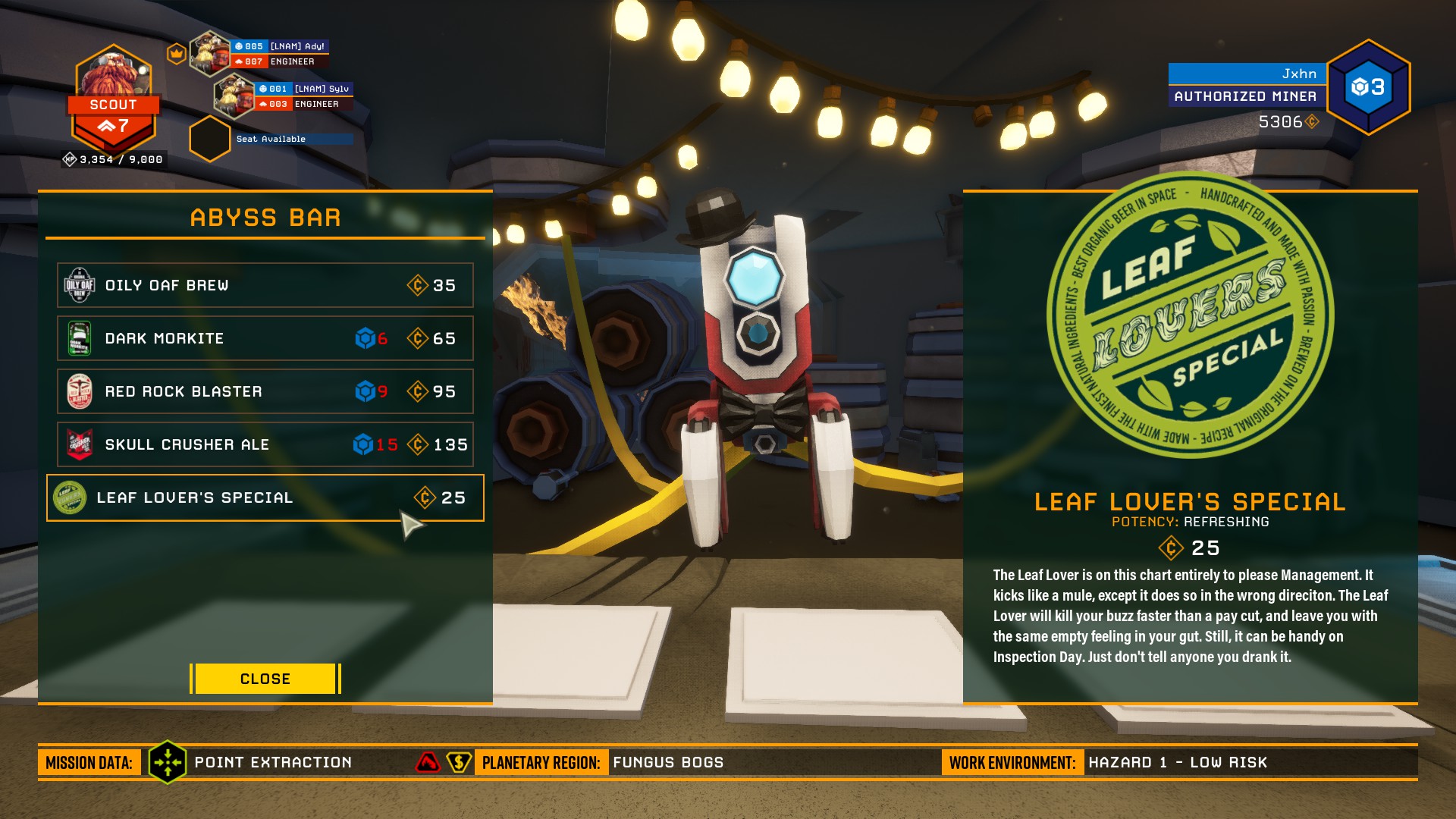
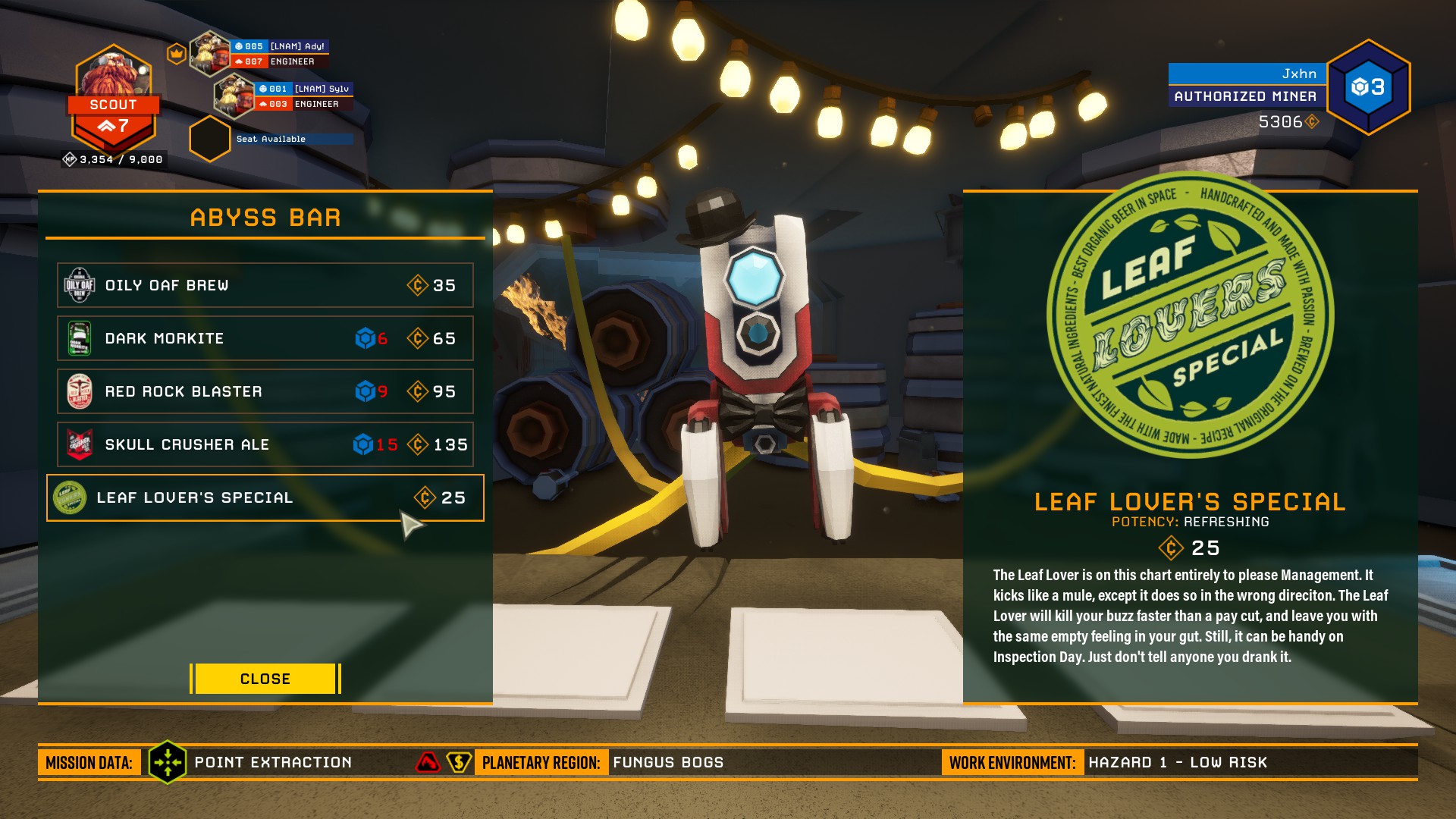
If you drink Skull Crusher right before the drop and then pass out, the Drop Pod will end up clipping through you and you'll end up on top of it. When you get back up, you fall to your death. In solo mode, Bosco will revive you, but then the drop pod will go back up -- with you on top of it -- causing you to again fall to your death.
graceful yarrow
It's a known bug @hearty cobalt
cloud tinsel
some text doesn't work in other languages...for example,the jukebox...i'm playing on russian and it shows rectangles instead of letters,i think it's a knows issue...but if it is...why is it still a thing
sonic plinth
Because the translators haven't caught up with the new lines?
cloud tinsel
it was an issue before the update,too
sonic plinth
It might still be because the translators haven't caught up with the lines, the game isn't fully translated and is still getting new lines added frequently
graceful yarrow
Usually squares for text means you don't have the proper characters to display
They're placeholders
zinc basin
The DRG font might not be able to display russian characters?
cloud tinsel
why didn't they just leave the English there then?it's actually readable...
well,the nicknames on the rooms do show
and all the terminals work
and the abyss bar is translated
it's weird
but the memorial...it shows squares,too
the shooting range and other rooms do...
odd
zinc basin
It's probably just the specific font
ripe basin
guys im the only one with the bug that i cant buy armor or some items cuz they dont appear? ( i didnt buy them) with every character .. now are 2 patch and i still got this problem D: ( i've made game repair but everything is ok)
sonic plinth
Could you provide screenshots of your purchase and equip terminal to show what you mean?
ripe basin
ofc , give me a sec and i send you everything
as you can see my "inventory" there arent much things, but if you see the market they dosnt appear
(i've dont send you every part of market cuz will be lot of screenshot but on every sector of market some items dosnt appear, i dont know why 😦 )
sonic plinth
I think that's enough, it's very notable how you don't have the armor set despite it not being in the store, seems like a bug to me
ripe basin
ye it is, and i got this from like 2-3 patch now :/ (not first time i send screen about this) but still didnt fixed 😦
graceful yarrow
They've been removing armor sets with each update as they rework everything
ripe basin
@graceful yarrow what about skin, and other items? i didnt buy no one of them and still not inside market
graceful yarrow
Not sure about skins, but I know for a fact they've been removing armors
ripe basin
with which dev should i speak about this huge problem ?
graceful yarrow
None of them, you should have been refunded for any purchases made. They're working on a vanity overhaul, so there will be all new stuff coming.
ripe basin
:/
sonic plinth
It looks like your save might be messed up, if you don't want to restart you could obtain a file of a working save
If that'd be alright with you
ripe basin
isnt it saved on cloud?
sonic plinth
You should still be able to overwrite it
ripe basin
how?
 azure olive
in this new update, when i jump on top of a barrel, and jump again, the barrel launches me to the roof
graceful yarrow
Not a bug
azure olive
nice
cerulean knoll
One message removed from a suspended account.
elder gull
Don't you need to reach certain player ranks to unlock several cosmetics?
graceful yarrow
What language is that
cerulean knoll
One message removed from a suspended account.
graceful yarrow
Oh cool, so what's the bug?
cerulean knoll
One message removed from a suspended account.
sonic plinth
If you fail the mission you don't get credit for completing objectives
elder gull
@ripe basin You need to be player rank 8 to unlock the ability to purchase the MK2 Armors.
Though I'm pretty sure it's still supposed to show up in the shop, just greyed out with the rank requirement, so still a bug.
ripe basin
@elder gull oh yea flip told me after on private, hope they fix it cuz if will be ingame this "feature" isnt that good :/
 neon schooner
I was playing deep rock galactic for a while and i had no problems. The problem arose when i changed the video setting from full screen to borderless window mode . the game froze then crashed and now it crashes when ever i start it and I've tried everything verifying the game files uninstalling and reinstalling the game i cant seem to fix it.
sonic plinth
try changing your launch options to fullscreen
if you're on steam right click => properties => set launch options
neon schooner
That didn't do it either.
sonic plinth
sorry, to clarify does it crash on trying to launch the game or when joining a game
neon schooner
when trying to launch the game .
sonic plinth
have you tried -autoconfig in the launch options box
neon schooner
Yes i have
sonic plinth
try running as administrator, try forcing it to launch in windowed
neon schooner
both did not work
ok
i got it to work i set it to windowed then uninstalled it and reinstalled it Thanks for all your suggestions @sonic plinth
sonic plinth
ah, glad to hear you fixed it :thumbs\
 summer saffron
you can't pass out while dancing, so you are just stuck in normal pose until you respawn or someone revives you
solemn whale
Ok, so when you shoot an exploder in the head after they begin to explode, can sometimes lead to the exploder seemingly being disarmed, but will exploder afterwards. This can sometime look super unfair, especially if you don't know about the bug. Replicated twice in the space of a few minutes.
sonic plinth
In magma core the fire icon from geysers shows twice and stays permanently for the mission
cloud tinsel
just like it used to do with the sticky goo
crimson galleon
Alt+f2 for NVidia picture mode not working even though I have a NVidia GeForce gtx 1050 and NVidia experience installed, please use @ so if I do not catch a normal response I wont know
 proper furnace
couldn't revive this player when i joined
uneven sphinx
Just got disconnected from 2 games while joining them back to back, something's not right
magic tide
Zipline movement bug when disconnecting, still isnt fixed
 ornate summit
found a spelling error https://i.gyazo.com/4638cdae7f46d21d7a9b59bab4d7378f.jpg
 mossy breach
Hey, my game keeps crashing everytime does anyone wanna help me?
 rose crypt
Screenshot of error would be nice
rose crypt
verify cache blablabla i dunno 😄
mossy breach
I'm perfectly fine in the main hub thing, but when i try to do missions or the tutorial, it crashes.
I just bought the game yesterday.
rose crypt
Have you played befor fine or this started to happen since your first launch?
mossy breach
since my first launch
It doesn't instantly crash like I said, it just does it when I do missions or the tutorial
I can acess the vanity shop and everything
rose crypt
Well. I can only advice to verify game cache through steam. But information you provided could be helpful for others
 unreal spear
Me and my friends had a few drinks before we boarded the drop pod and then drank the Skullcrushers inside the pod when it took off
 slate wave
ok, so if you drink a skull crusher right before leaving, you pass out as soon as you enter the cave and this happens
slate wave
oh wait thats posted above
 fading rose
Hi try to run the game and i have this error :
Version: 0
LowLevelFatalError [File:C:\P4\UnrealEngine\Main4-19\Engine\Source\Runtime\Windows\D3D11RHI\Private\D3D11Util.cpp] [Line: 182] Unreal Engine is exiting due to D3D device being lost. (Error: 0x887A0020 - 'INTERNAL_ERROR')
FSD_Win64_Shipping!FDebug::AssertFailed() [c:\p4\unrealengine\main4-19\engine\source\runtime\core\private\misc\assertionmacros.cpp:419]
FSD_Win64_Shipping!TerminateOnDeviceRemoved() [c:\p4\unrealengine\main4-19\engine\source\runtime\windows\d3d11rhi\private\d3d11util.cpp:195]
FSD_Win64_Shipping!VerifyD3D11Result() [c:\p4\unrealengine\main4-19\engine\source\runtime\windows\d3d11rhi\private\d3d11util.cpp:231]
FSD_Win64_Shipping!FD3D11EventQuery::WaitForCompletion() [c:\p4\unrealengine\main4-19\engine\source\runtime\windows\d3d11rhi\private\d3d11query.cpp:154]
FSD_Win64_Shipping!FD3D11DynamicRHI::RHIEndDrawingViewport() [c:\p4\unrealengine\main4-19\engine\source\runtime\windows\d3d11rhi\private\d3d11viewport.cpp:624]
FSD_Win64_Shipping!FRHICommandListExecutor::ExecuteInner() [c:\p4\unrealengine\main4-19\engine\source\runtime\rhi\private\rhicommandlist.cpp:525]
FSD_Win64_Shipping!FRHICommandList::EndDrawingViewport() [c:\p4\unrealengine\main4-19\engine\source\runtime\rhi\private\rhicommandlist.cpp:1654]
FSD_Win64_Shipping!FSlateRHIRenderer::DrawWindow_RenderThread() [c:\p4\unrealengine\main4-19\engine\source\runtime\slaterhirenderer\private\slaterhirenderer.cpp:989]
FSD_Win64_Shipping!TGraphTask<TEnqueueUniqueRenderCommandType<FSlateRHIRenderer::DrawWindows_Private'::29'::SlateDrawWin
sonic plinth
verify integrity if on steam ,restart steam, restart computer
fading rose
I've done a Fresh Windows 10 install
worn igloo
this is why i use xbox
sonic plinth
run as adminstrator, clear launch options
fading rose
ok will try
sonic plinth
use -autoconfig, try windowed and fullscreen
fading rose
With -autoconfig (no change) it's just after the logo it's crashed.
After reboot, the game crash more far, but i think it's windows streaming plugin open on the side made the game crash. How does we disable that?
Crash after that Windows notification on Game
I Disable the GameDVR and does the same
I just dicover that my Nvidia Driver was 399.11 and new update are 411.63. I will try out !
Still not working
LowLevelFatalError [File:C:\P4\UnrealEngine\Main4-19\Engine\Source\Runtime\RenderCore\Private\RenderingThread.cpp] [Line: 819]
Rendering thread exception:
LowLevelFatalError [File:C:\P4\UnrealEngine\Main4-19\Engine\Source\Runtime\Windows\D3D11RHI\Private\D3D11Query.cpp] [Line: 111]
GPU has crashed
mossy breach
8ternity
i have the same error
@fading rose is it only when you try to do missions or the tutorial??
summer lynx
How much ram do you have?