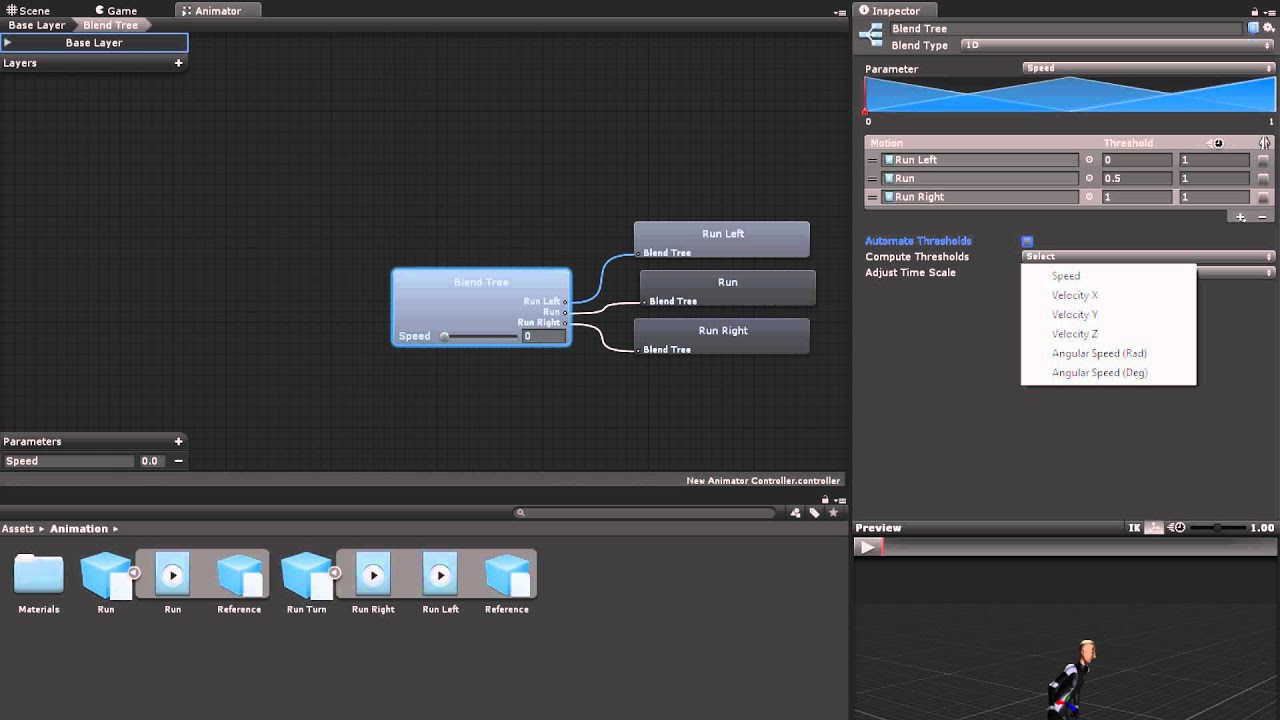
#How do I blend animations?
1 messages · Page 1 of 1 (latest)
 sturdy heart
Hope this 8 years old tutorial still works 
You’re… doing something wrong if you have that many 
Yeah. You definitely don’t need all of them.
Though, if you really really really want to use all of them, you can check this out I guess
https://youtu.be/nBkiSJ5z-hE

► Easily make Platformers using my Unity Asset - http://u3d.as/2eYe
➤ Ultimate 2D CarGame Kit [ON SALE] - http://u3d.as/1HFX
➤ Wishlist my game - https://store.steampowered.com/app/1081830/Blood_And_Mead/
➤ Join the community - https://discord.gg/yeTuU53
➤ Support on Patreon - https://www.patreon.com/lostrelicgames
0:00 Escape Unity Animator ...
 charred cosmos
if you do stuff entirely from script, you can use animator.CrossFade
to manually interpolate between animation states
but check out the blend tree video. maybe also check out avatar masks and animation layers
while I would recommend people that begin with 3d unity animation to just stick with the regular animator and controling animation parameters in code,
you can make all your transitions in code
https://www.youtube.com/watch?v=ZwLekxsSY3Y
or if you even want to go deeper, purely code focused, you can look into playables
for?
sturdy heart
You need to ask yourself lol
charred cosmos
yep
sturdy heart
How many do you actually need?
Idle. Walking 4 directions. A few attack combo. A dodge. A block?
That’s like 10 only 🤷♂️
charred cosmos
i mean like, for example, if you have a locomotion blend tree,
I'd have an animation for walking forward, one for running, then maybe one for moving sideways to each side and one for moving back
you can also make multiple animation states with the same animation clip but adjust the playspeed
also, in case that is not in your habits yet, one of the best resources is always the official documentation
https://docs.unity3d.com/Manual/AnimatorControllers.html

if you do multiple attacks and a combo system, there is also a good talk for it
https://www.youtube.com/watch?v=Is9C4i4XyXk

Ever tried to build an actual animation state machine? This talk will guide you into the next level of state machine design and show you powerful features of Unity's Mecanim animation system state machine. We'll explore an actual character's animation state machine along with its event based combat system, how and why it was set up a particular...
in my fighting game from a couple of years ago, i handle basically everything inside monobehaviour c# states,
so i have a single state machine for logic and animation behaviour
and the animation controller only has the states without transitions, (with only using animator.Play and animator.CrossFade)
however, I have specific requirements and I don't need finetuned transitions
charred cosmos
first argument is your animation state name, or id generated through Animator.StringToHash
normalized time is the progress of the animation at the start with 0 being 0% and 1 being 100%
layer, you can just keep using -1, unless you have a layer based workflow and want to operate on a specific layer
also, you can search on github for something like unity animator.CrossFade and probably find some code bases and can check how they use it
yeah, the animation state names (not the clip names)
https://docs.unity3d.com/Manual/class-State.html
that's a bad example because both state and animation clip are named the same
but yes
it would be the title, so the first line
not the "Motion" line
yeah, I can imagine
I'm always a fan of following a course that covers all or most of the basics
maybe even if you have prior 2d experience?
because when doing everything on your own, you might miss some basic concepts or have a hard time finding some stuff because you don#t know the tools or terms.
although the animation system between 2d and 3d is basically the same (in how you use it)
working in 3d space with movement, camera movement, and physics is a bit different