#support-2
1 messages · Page 63 of 1
 proven cove
proven cove
proven cove
my vip with my other ranks issue
 prisma hinge
Yeah
proven cove
do you think it's just not possible the way i want it designed, like is there anyway to just add on permissions based on what rank they are currently
prisma hinge
Mind dropping the idea in here again?
proven cove
yea np
So I've made a survival server with a rank progression system, so like for example you get $5000 and 2 hours of playtime to rankup to the next rank and you get a couple of rewards for it making it easier to progress
with this i've gotten a jobs plugin which will probably be the main source of income, and as you rankup you can have more jobs(highest rank being able to get 4 jobs). What I wanted was to create a VIP rank which gave multiple benefits, one being getting an extra job no matter what rank you are.
So if you're the first rank with 1 job you'll have 2 with VIP, or if you're the highest rank you'll have 5 instead of 4
i have no idea how to implement this
 high raven
Make a parallel track for vips with jobs
proven cove
i'm a bit new to all this, could you explain a bit more?
i dont really know how to use a track in that sense
high raven
Well you have a set of groups from 1-4 yeah
Make a set of vip groups from 2-5
If they get vip, take them off the regular player progression and put them on the vip progression with the only difference being the added job
Make each vip group inherit the respective regular groups perms just weigh it higher
And you're done
proven cove
oh okay so if they buy vip, they move onto the vip track with all the same thing just the vip perks
high raven
Yep
proven cove
would i make each vip group weigh higher than its regular group, but not higher than the next group up
high raven
Yeah basically
prisma hinge
So I’m trying to make it so that an arena of my server is a kitpvp area and only in that area can you access certain kits. I have the region setup with worldgaurd and I installed extracontexts and set world guard to true
So you want people to access certain kits when in certain regions? @slim terrace
 slim terrace
So I want people to be able to access my pvp kits in my pvp spawn region and pvp region
prisma hinge
Okay so uuh taking for granted that everyone is inheriting from default in some way or another here
You would give default the permission you want for the context worldguard:region=<whatever region name>
(without the <>)
(also taking for granted you enabled wg region contexts in LP-EC config)
(and restarted)
slim terrace
Yes I restarted ok thanks that should help
prisma hinge
you know how to give perms just in one world and i use in multiverse
 foggy flax
 austere frigate
hi, I have such a problem, I don't know how to make every player lose the rank player
 tidal blade
!context @prisma hinge
 wintry cloudBOT
You can set a permission or group on a per-world/per-server basis, through what we call "contexts".
 LuckPerms wiki
tidal blade
LuckPerms wiki
tidal blade
!bulkupdate @austere frigate
wintry cloudBOT
Quickly update a large amount of user and group permissions by using the bulkupdate command.
LuckPerms wiki
 daring stirrup
He posted in 4 channels already helped in gen 1
austere frigate
ok
 pale pond
!inheritance
wintry cloudBOT
Learn about inheritance.
LuckPerms wiki
prisma hinge
Speaking on pins in general 2.. @tame hollow mind unpinning my message in here? Larry pinned it to not forget about it but I took care of it later on lol
 tame hollow
prisma hinge
Speaking on pins in general 2.. <@!139665464547606528> mind unpinning my message...
tame hollow
prisma hinge
I said UNPIN
prisma hinge
tame hollow
prisma hinge
Speaking on pins in general 2.. <@!139665464547606528> mind unpinning my message...
tame hollow
prisma hinge
I said UNPIN
prisma hinge
oh well lmao

 limpid burrow
!editorsafety
wintry cloudBOT
It is safe to send an editor link in public.
Any changes made in the editor have to be applied using the /lp applyedits command - impossible unless the person with the link is also connected to the server and with the required in-game permissions to use LuckPerms commands. It's effectively just as safe to share an editor link as it would be to share a screenshot of your permissions or a pastebin of a configuration file. The editor doesn't contain any sensitive data (except perhaps player names).
More Information:
Concerns about the proprietary nature of your permissions setup?
Please, don't be. We're here to help, not steal your permissions setup. Additionally, permissions can be tested by players simply joining your server and seeing what they can do.
limpid burrow
!help
wintry cloudBOT
Available commands:
!advanced
!api
!argumentbased
!ask
!bulkupdate
!bungee
!cauldron
!colours
!commandequivalents
!commands
!config
!context
!cookbook
!default
!downloads
!editor
!editorsafety
!errors
!essentials
!extensions
!extracontexts
!faq
!formatting
!helpchat
!inheritance
!install
!libsdir
!locale
!meta
!migration
!notworking
!nowildcard
!pasteit
!permissions
!placeholders
!selfhosting
!stacking
!storage
!suggestions
!switchstorage
!sync
!tracks
!translations
!upgrade
!usage
!userinfo
!verbose
!weight
!whyluckperms
!wiki
limpid burrow
!bungee
wintry cloudBOT
If you run a Bungeecord network, learn how to correctly setup LuckPerms on all server instances (including Bungee).
Also read:
Syncing data between servers
https://github.com/lucko/LuckPerms/wiki/Syncing-data-between-servers
LuckPerms wiki
daring stirrup
Is /lp debug a thing?
prisma hinge
well it's there in the suggestions, command specs, messages and wiki
but there is no actual command for it lmao
 quaint idol
wait srs? Lol
prisma hinge
mhm
 rich monolith
I just did the command /lp group default permission set essentials.kits.noob true world=pvp but the default player cant use that command also when im typing the permission name, the noob kit name wont show up as a auto complete.
high raven
you likely need to add more perms
like essentials.kit etc
!verbose can help you find them all
wintry cloudBOT
LuckPerms provides a verbose command to help you find out what permissions a command/plugin is checking.
Read more
LuckPerms wiki
prisma hinge
!issue
wintry cloudBOT
Suggestions and Bug Reports
If you would like to request a feature for LuckPerms, or report a bug, feel free to open an issue on GitHub!
Issue Tracker:
tame hollow
bruh who removed the pins >:(
quaint idol
!help
wintry cloudBOT
Available commands:
!advanced
!api
!argumentbased
!ask
!bulkupdate
!bungee
!cauldron
!colours
!commandequivalents
!commands
!config
!context
!cookbook
!default
!downloads
!editor
!editorsafety
!errors
!essentials
!extensions
!extracontexts
!faq
!formatting
!helpchat
!inheritance
!install
!libsdir
!locale
!meta
!migration
!notworking
!nowildcard
!pasteit
!permissions
!placeholders
!selfhosting
!stacking
!storage
!suggestions
!switchstorage
!sync
!tracks
!translations
!upgrade
!usage
!userinfo
!verbose
!weight
!whyluckperms
!wiki
daring stirrup
Which pins?
high raven
The ones that are gone
daring stirrup
And what ones are those like the pinned messages or?
daring stirrup
I can still see 1 pinned message here
high raven
Yeah there were like 4 yesterday
daring stirrup
Oh ok
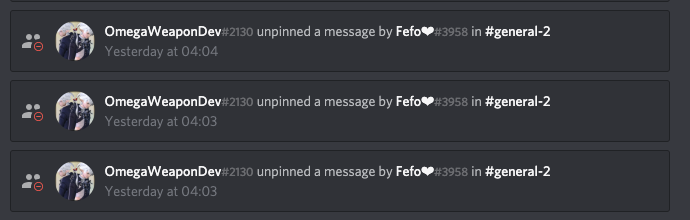 tame hollow

tidal blade
Love how you were instantly blamed luck 😛 😉
 dusky vector
Is there a way to edit a permission node for everyone who has it? For example changing something like echopet.owl to simplepets.owl without having to manually list every player with the node and changing it all manually one by one?
tidal blade
!bulkupdate
wintry cloudBOT
Quickly update a large amount of user and group permissions by using the bulkupdate command.
Read more
LuckPerms wiki
dusky vector
Thank you!
high raven
Luck might have fabricated that audit log tbh still can't be sure
Never know what's possible 👀
daring stirrup
Photoshop :d
quaint idol
Inspect element 😄
 ionic elk
!help
wintry cloudBOT
Available commands:
!advanced
!api
!argumentbased
!ask
!bulkupdate
!bungee
!cauldron
!colours
!commandequivalents
!commands
!config
!context
!cookbook
!default
!downloads
!editor
!editorsafety
!errors
!essentials
!extensions
!extracontexts
!faq
!formatting
!helpchat
!inheritance
!install
!libsdir
!locale
!meta
!migration
!notworking
!nowildcard
!pasteit
!permissions
!placeholders
!selfhosting
!stacking
!storage
!suggestions
!switchstorage
!sync
!tracks
!translations
!upgrade
!usage
!userinfo
!verbose
!weight
!whyluckperms
!wiki
 latent aspen
!formatting
wintry cloudBOT
LuckPerms does not perform any chat/tablist formatting of its own!
LuckPerms only acts as the source for prefixes / suffixes, it doesn't actually apply them. You need an appropriately configured chat/tablist formatting plugin for them to be displayed. If the values appear correctly when you run /lp user <user> info, LuckPerms is doing its job!
FAQ answer: Prefix isn't showing?
List of chat/tablist formatting plugins that work with LuckPerms
latent aspen
!cookbook
wintry cloudBOT
The cookbook is a working example plugin which shows how to get/change data for users and groups, listen to LuckPerms events, and more.
prisma hinge
I mean... off topic is used more often than general 2 lmao
daring stirrup
eh thats true
prisma hinge
Hello I would like to ask how to create a ranks system so that another player can move up to higher ranks
@mighty spear
wintry cloudBOT
Hey Zigmas! Please don't tag helpful/staff members directly.
pale pond
please dont ping random mods or admins
prisma hinge
!tracks @prisma hinge this and you'll also need a rank up plugin (like Rankup)
wintry cloudBOT
Tracks provide a method for you to promote/demote players along a track (or ladder) of groups.
Read more
LuckPerms wiki
quaint idol
!nw
wintry cloudBOT
Please tell us what's going on!
We really would absolutely love to help you out! However, telling us that it isn't working wastes everyone's time. Please, just describe the issue you're having clearly and with as much detail as possible, and send any relevant screenshots of whatever problems you're having.
For Console Errors:
 oblique cave
***** ***
quaint idol

oblique cave
:lenny:
 tranquil sundial
I have a question
how do I disable certain commands like /plugins
or /info
prisma hinge
posting on several channels won't bring support any faster
 smoky forge
algien me puede ayudar porfaborr
high raven
please do not ask in several channels. When someone has a moment to help you in Espanol they will
 pine agate
Can I pay someone to help me setup my permissions on my server?
 quick lagoon
not the place to ask for services
pine agate
Kk
tame hollow
just do it yourself
prisma hinge
DIY permissions setup
10 DIY BUKKIT perms LIFE HACKS you CANNOT MISS
*5 minute crafts intro rolls in*
tame hollow
DIY*
tame hollow
it's 3:46pm
 pallid rampart
is anyone having issues with /lp editor ?
Pastebin.pl is a website where you can store code/text online for a set period of time and share to anybody on earth
getting this error.
tidal blade
https://bytebin.lucko.me/ Can you access this?
pallid rampart
i can yes
could anyone else confirm if this issue is happening with them
by trying /lp editor
high raven
do you selfhost
because if you don't, you accessing it doesn't matter
the server needs to access it
tidal blade
Works fine for me, so no issues with the editor itself
pallid rampart
so weird
tidal blade
Restart the server and try accessing it again
pallid rampart
i did
it does the same on my test server & live server
did you try /lp editor @tidal blade ?
wintry cloudBOT
Hey sachino! Please don't tag helpful/staff members directly.
tidal blade
5.1.93
pallid rampart
Hm
This is so strange it’s happening on both my instances
Pastebin.pl is a website where you can store code/text online for a set period of time and share to anybody on earth
Here’s the error again
nvm its fixed itself idk how or why
daring stirrup
Why?
 frank garden
i would like it to only be accessed through the console
daring stirrup
Dont give permissions for it
daring stirrup
Negate luckperms.editor or whatever the perm is
 maiden raptor
i don't want to give it to op players
Why give them op then?
frank garden
nah it's not about giving people op
it's just a security measure if someone somehow manages to hack into an op players account
maiden raptor
Well non ops shouldn’t be able to use the editor
frank garden
i co own a server
daring stirrup
Then they could still add perms ingame?
frank garden
so there's op for my partner and i
maiden raptor
If they hack into an op account they can do worse things than accessing the editor lol
maiden raptor
Alrighty
frank garden
adding ranks is annoying if someone comes and decides to clear all the perms
maiden raptor
I would disable all luckperms commands as a whole in that case
daring stirrup
Not really ig
frank garden
it'll just be very annoying if someone managed to hack into my partner's account
pallid rampart
@frank garden use 2fa
All staff on my server have to use it
If you’re looking for a good plugin minesecure is decent
frank garden
ooo
maiden raptor
Or wait for Microsoft’s 2FA :)
frank garden
o-o
pallid rampart
Sorry mr hacker i was waiting for Microsoft’s 2fa I hope you can understand
maiden raptor
Lmao
frank garden
okay moving to #general
If you’re looking for a good plugin minesecure is decent
@pallid rampart rip its 60$ my currency
 frank garden
ye fr
 primal nexus
Pro tip: never use op. Block op in general
prisma hinge
why
primal nexus
Op bad
 full flume
OP means nothing in sponge, quality stuff 
 fleet raptor
Hi Guys, having trouble with some worldedit commands showing up in the list for the default group upwards. They seem pretty harmless but i would feel safer if i knew why they were there at all.
prisma hinge
From what I know, those don't have registered perms "attached" to them, so they will just show even if you don't have Perms to run them
fleet raptor
So if im reading between the lines i should hit up the worldedit devs? and these commands should be fairly innocuous?
fleet raptor
Its just untidy
prisma hinge
¯\_(ツ)_/¯
high raven
Yep
prisma hinge
They'll tell you it's nothing of importance
And that it's no priority to them
Because, to be fair, it isn't
fleet raptor
yeah understood, just making sure there aren't any overshadowing perms makings things weird
prisma hinge
Nah
fleet raptor
Thanks for the help fam
 manic void
Hello, I am using Geysermc on my server, so people who connect from bedrock have names that start with *. And when I use LuckPerms command, it says that it isn't a valid UID/playername. Although I can change player permissions on the Web editor. Is it possible to allow running commands in-game even though UID isn't exactly valid? Thanks ^^
tidal blade
There is a setting in the config.yml to allow it.
manic void
Thank you ^^
 pastel jay
hello can someone help me with a problem we use luck perms and have not got a problem in 2 month now we are using cloudnet and luckperms and when we join the citybuild server the default group does not get their permissions for some reason
 stuck coyote
Did you disable the cloudnet internal permission system?
Cloudnet comes with its own permission system which is cross-server compatible, but if you want to use LuckPerms you will have to disable that permission system, as two permission systems always cause troubles
pastel jay
ok thx i try it
 humble notch
 high raven
Yes off topic for sure
pine agate
@fleet raptor I use essentialsX and have it hide commands that people don't have access to. There are probably other plugins you can use to also hide them.
wintry cloudBOT
Hey Lunize! Please don't tag helpful/staff members directly.
 grand geyser
The UUID the player is connecting with now is NOT Mojang-assigned (type 3). This implies that THIS server is not authenticating correctly, but one (or more) of the other servers/proxies in the network are.
01.11 16:20:32 [Server] WARN [LuckPerms] If you're using BungeeCord/Velocity, please ensure that IP-Forwarding is setup correctly on all of your backend servers!
hows this possible if i dont use bungee or velocity
prisma hinge
Ghost ping REEEEEEE
prisma hinge
Are you running a bungee network?
pale pond
hows this possible if i dont use bungee or velocity
prisma hinge
🕥
grand geyser
difficult situation last dev got fired and im hired to pick up the pieces so im trying to figure what hes done here looks like hes using via version revision & backwards waterfall
prisma hinge
Waterfall it is, so it's a network indeed
Please do double check that:
- BungeeCord (proxy/waterfall)
config.ymlhasip_forwardandonline_modeset totrue - All backend servers'
spigot.ymlhasbungeecordset totrue - All backend servers'
server.propertieshaveonline-modeset tofalse
grand geyser
Also other issue if and when i set it to true, it doesnt allow me to join due to reason: Online mode enabled
daring stirrup
piracy bad
grand geyser
^
 frank ember
- All backend servers'
server.propertieshaveonline-modeset tofalse
grand geyser
ok lmt
prisma hinge
That's how bungee networks run
Proxy is the one authenticating for the server, so it needs to be false in the server
grand geyser
BungeeCord (proxy/waterfall) config.yml <--- whats the master folder?
grand geyser
Ah well that explains so much
turns out he had the hub FTP site's mislabeled so no wonder i couldnt find that config
 kindred rampart
Hopefully someone can help with this. I'm having issues with groups/tracks. My server has in-game ranks and donator ranks, which each have their own track, so players have multiple groups, but for some reason the donator rank permissions are getting overridden by the in-game rank permissions. The permissions for donators work fine until that player ranks up in-game, then their donator rank permissions don't work anymore unless I put the permissions in their account directly, which is a lot. It seems to just disregard the group.mvp permission for some reason. I've tried switching the primary group to MVP, but then it says that their primary group is "already MVP" when it isn't. I'll show a screenshot of that. If anyone can help, please @ me, thanks!
wintry cloudBOT
LuckPerms allows you to set weights in order to determine the priority of certain nodes, like permissions and even prefixes. A higher weight number is a higher priority.
Read more
LuckPerms wiki
pale pond
@high raven
wintry cloudBOT
Hey Unix! Please don't tag helpful/staff members directly.
kindred rampart
Yes, I have weights set up. Though, do I maybe have them set up backwards? I have 1 as low priority and 100 as high priority. Do I have that right, or is it the other way around?
pale pond
Thats right
kindred rampart
Ok, then yes, I have weights set up 😛
prisma hinge
Mind sharing a new /lp editor link so we can have a look?
kindred rampart
Sure! Thank you 🙂 https://luckperms.net/editor/GDCKKpsdhG

LuckPerms - A permissions plugin for Minecraft servers.
LuckPerms is a permissions plugin for Minecraft servers.
wintry cloudBOT
Latest version
5.2.20
prisma hinge
!update
wintry cloudBOT
You can download LuckPerms for Bukkit/Spigot, BungeeCord, Sponge, Nukkit and Velocity.
Additional downloads
kindred rampart
Thank you!
prisma hinge
hopefully it got fixed in between version
only one way to find out 🤷
If updating doesn't solve it, send your LP config file over (paste it in https://bytebin.lucko.me/ and send the link (remove passwords if you have any in there))
kindred rampart
Thank you so much, it seems to be working now 😄
prisma hinge
neato
 simple crest
what is the command for per-world permissions? but not per permission but for the group.
So one has the group permissions in that world but not the other?
prisma hinge
... parent set <group> world=..?
simple crest
I don't think so, I just tried that!
simple crest
it brings up the commands of luck perms
simple crest
/lp parent set default world=mainworld
prisma hinge
🤦
you need to specify to what will you set the parent group
will it be a user? if yes, who?
will it be a group? if yes, which?
simple crest
that's what default is..
prisma hinge
nono
to WHOM will you give the group
you aren't specifying who will get the group
simple crest
okay, can you write out the command example by a chance?
tidal blade
/lp user|group <Players name> parent set|add <group name to add> [context]
tidal blade
You're welcome.
tame hollow
!commands
wintry cloudBOT
Find all of the available LuckPerms commands on the wiki.
Read more
General commands
User commands
Group commands
Permission commands
Parent commands
Meta commands
Track commands
Log commands
LuckPerms wiki
tame hollow
you really should check the documentation for command usage
prisma hinge
wow, 2 PRs in a matter of a few hours :^)
I'm proud of myself
actually useful shit lmao
tidal blade
next minute luck rejects both of them
prisma hinge
and one of them fixes my own mess lol
the stupid constraints bug >.>
WAIT FUCK NO
tidal blade
Lol?
prisma hinge
Oh nevermind
Why does one get the worst delusions right when turning off the computer
Ghee
full flume
Clarified butter
 mighty yarrow
laryyyyyyryyy
maiden raptor
@Iuck
tame hollow
absolute mad man
 soft cosmos
🕵️
daring stirrup
!advanced
wintry cloudBOT
Discover some of the more advanced concepts of LuckPerms, such as permission calculation, shorthand permissions and more.
LuckPerms wiki
daring stirrup
!formatting
wintry cloudBOT
LuckPerms does not perform any chat/tablist formatting of its own!
LuckPerms only acts as the source for prefixes / suffixes, it doesn't actually apply them. You need an appropriately configured chat/tablist formatting plugin for them to be displayed. If the values appear correctly when you run /lp user <user> info, LuckPerms is doing its job!
FAQ answer: Prefix isn't showing?
List of chat/tablist formatting plugins that work with LuckPerms
daring stirrup
!tracks
wintry cloudBOT
Tracks provide a method for you to promote/demote players along a track (or ladder) of groups.
Read more
LuckPerms wiki
 balmy kayak
Hi! I Just startet using luckperms for my first time after using Pex a long time. I found the command i could use to export everything to luckperms, but i couldn't write ingame commands because it kicket me for: The server you were previously on went down, you have been connected to a fallback server. So i did it from console and everything was exported fine. I removed pex from my server as it said I should do, but I still got kicket when running in-game commands. Anyone who can help me out?
pale pond
can you send console logs?
quick lagoon
!paste
wintry cloudBOT
Please use pastebin!
Seeing a paste of the problem makes everything so much easier! Use https://bytebin.lucko.me/ for easy pasting!
For console errors:
Pastebin any relevant segments of the console log. If it's a startup error, this includes the entire startup log!
Other errors:
Pastebin the entire LuckPerms config file (passwords removed) as well as any other relevant files!
balmy kayak
prisma hinge
!update
wintry cloudBOT
You can download LuckPerms for Bukkit/Spigot, BungeeCord, Sponge, Nukkit and Velocity.
Additional downloads
balmy kayak
Do i need to update luckperms? I downloadet it 10minutes ago.
wintry cloudBOT
Latest version
5.2.23
balmy kayak
ahh, thank you
prisma hinge
Might want to try a dev build of protocollib, I have had issues with LP and PL before
balmy kayak
Kk, i try to just update Luckperms first.
Did not work. I also updated protocollib to the newest dev build, but it is not working. Any special dev build i should try?
prisma hinge
hmm don't think so, you can try setting register-command-list-data to false in LP config. You'll need to restart for that one, /lp reloadconfig won't do for it
I have a suspicion on what it might be. If it keeps failing, send proxy logs please
balmy kayak
Ehm, just one question. Do you need to have luckperms on your proxy server if it is connected to a mysql ?
If i need that could be why.
prisma hinge
It isn't mandatory, bungee LP is literally no different than bukkit LP, it doesn't provide any actual extra functionalities. The only thing it does different is it checks proxy perms instead of server perms
pale pond
you dont need it
balmy kayak
Like this?
prisma hinge
yeah, make sure there is no indentation tho, aaaaall the way to the left
balmy kayak
If you ment config.yml in the luckperms folder it was not working.
prisma hinge
send proxy logs I guess
what client version are you using btw?
I gtg now so yeah either someone else will take a look or I will after
balmy kayak
The bungeecord is on the newest version and my spigot server on 1.16.3 with 1.16.4 support.
daring stirrup
send proxy logs I guess
balmy kayak
daring stirrup
!paste
wintry cloudBOT
Please use pastebin!
Seeing a paste of the problem makes everything so much easier! Use https://bytebin.lucko.me/ for easy pasting!
For console errors:
Pastebin any relevant segments of the console log. If it's a startup error, this includes the entire startup log!
Other errors:
Pastebin the entire LuckPerms config file (passwords removed) as well as any other relevant files!
daring stirrup
Use that paste url
daring stirrup
so you can't connect to survival-test-server right?
balmy kayak
I can. But when i type a Luckperms command i get kicked from "survival-test-server"
I do not get kicket if I run any other command.
daring stirrup
did you do what fedo said above?
balmy kayak
Yes.
daring stirrup
did you restart your server?
balmy kayak
Yes.
daring stirrup
Could you send the log of when you get kicked (spigot server)?
balmy kayak
daring stirrup
hmm this probably won't fix it but could you delete the libs folder in the LuckPerms folder?
!libsfolder
wintry cloudBOT
Sorry! I do not understand the command !libsfolder
Type !help for a list of commands.
daring stirrup
!libsdir
wintry cloudBOT
LuckPerms dependencies
LuckPerms requires several libraries in order to operate. If you're getting a startup error such as NoClassDefFoundError, ClassNotFoundException or "Unable to load dependency...", stop your server, delete the /plugins/LuckPerms/libs/ directory and start it up again.
balmy kayak
Did not work.
 slow plank
!help
wintry cloudBOT
Available commands:
!advanced
!api
!argumentbased
!ask
!bulkupdate
!bungee
!cauldron
!colours
!commandequivalents
!commands
!config
!context
!cookbook
!default
!downloads
!editor
!editorsafety
!errors
!essentials
!extensions
!extracontexts
!faq
!formatting
!helpchat
!inheritance
!install
!libsdir
!locale
!meta
!migration
!notworking
!nowildcard
!pasteit
!permissions
!placeholders
!selfhosting
!stacking
!storage
!suggestions
!switchstorage
!sync
!tracks
!translations
!upgrade
!usage
!userinfo
!verbose
!weight
!whyluckperms
!wiki
slow plank
!api
wintry cloudBOT
Learn how to use the LuckPerms API in your project.
Read more
Example usages
Read the Javadoc
LuckPerms wiki
balmy kayak
I am using 1.16.3 optifine.
I only have Luckperms set up on 1 server right now. I am fixing everything there before i move it to my main server.
But i can try to set it up on one more server and check if its work there.
balmy kayak
I did not have the problem on my 1.8 spigot server 🤔 I do not have any other 1.16.x servers I can test it on. So i Wonder what the problem is.
prisma hinge
Mind sending LP config from that server specifically? Remove any passwords
balmy kayak
From my 1.16.3 spigot server?
prisma hinge
Mhm
balmy kayak
prisma hinge
I guess I'll try to repro
balmy kayak
But i can try to update all plugins on my 1.16.3 server. I haven't updated a lot of them because i just use it for testing. So maybe that helps.
 meager hearth
I need halp
luckperms bungeecord is not registering commands on mc
I am on my server
 main otter
halp
main otter
!help
wintry cloudBOT
Available commands:
!advanced
!api
!argumentbased
!ask
!bulkupdate
!bungee
!cauldron
!colours
!commandequivalents
!commands
!config
!context
!cookbook
!default
!downloads
!editor
!editorsafety
!errors
!essentials
!extensions
!extracontexts
!faq
!formatting
!helpchat
!inheritance
!install
!libsdir
!locale
!meta
!migration
!notworking
!nowildcard
!pasteit
!permissions
!placeholders
!selfhosting
!stacking
!storage
!suggestions
!switchstorage
!sync
!tracks
!translations
!upgrade
!usage
!userinfo
!verbose
!weight
!whyluckperms
!wiki
meager hearth
!install
wintry cloudBOT
You can install LuckPerms on Spigot/Paper, Sponge, BungeeCord/Waterfall, Velocity and others. Check the installation guide for more info on setting up LuckPerms.
Read more
LuckPerms wiki
meager hearth
me ranks deleted!
they just gone D:
I have one last idea
that I will try.
Nope
It aint work
quaint idol
@meager hearth Check console for errors. Is this a bungee network?
quaint idol
/lp info, /lpb info, screenshot, send
prisma hinge
🤦
meager hearth
and it still registers.....
quaint idol
!bungee
wintry cloudBOT
If you run a Bungeecord network, learn how to correctly setup LuckPerms on all server instances (including Bungee).
Also read:
Syncing data between servers
LuckPerms wiki
meager hearth
when I run /lp
quaint idol
that's why.
You're using h2 not a remote DB
see above-linked bungee installation instructions
prisma hinge
and hella outdated
pale pond
thats split storage, you probably dont want to use that
pale pond
go to the part thats closer to the top, it will tell you
pale pond
in lps config
prisma hinge
meager hearth
sory it take a while to respond
but
do I change it do DB, h2 or something else. Plz say full name for DB also
MongoBD
DB*
pale pond
which storage method do you want/have? its pretty well explained in the config
meager hearth
Lemme see.
I have saved config fi;e
file
in five minutes, I will check if work.
pale pond
huh? ok?
meager hearth
Sorry
I have stuff to do within these 5 minutes.
I did /lpb in console
"Command not found"
I did it in proxy console btw
tidal blade
Do you have the Bungee version of luckperms installed on the proxy?
pale pond
any errors on startup console?
wintry cloudBOT
Please use pastebin!
Seeing a paste of the problem makes everything so much easier! Use https://bytebin.lucko.me/ for easy pasting!
For console errors:
Pastebin any relevant segments of the console log. If it's a startup error, this includes the entire startup log!
Other errors:
Pastebin the entire LuckPerms config file (passwords removed) as well as any other relevant files!
meager hearth
alr
pale pond
if it stays as text, use a pastebin
pale pond
yeah
meager hearth
wintry cloudBOT
Please use https://bytebin.lucko.me to send files in the future. I have automatically uploaded undefined for you: https://bytebin.lucko.me/pdLIxnCxhC
pale pond
thats a minisclue, useless part of the logs lol
meager hearth
;-;
prisma hinge
no worries
pale pond
yeah
meager hearth
ok
 molten cairn
can i make my owner rank to have all the perms or do i have to put every perm on
meager hearth
you can do essentials.* as a permission node for essentials. It will then give owner rank all of the essnetials perms
prisma hinge
you can make it easy and give it *
wintry cloudBOT
Wildcard issues
Some plugins are created in a way which results in odd behaviour when the root '*' wildcard is used.
More information:
pale pond
wtf is this console spam
prisma hinge
something is wrong with your config file
meager hearth
oop-
pale pond
somethings wrong with your config file, try putting it into a yaml parser like http://yaml-online-parser.appspot.com/
prisma hinge
didn't we go over this already?
meager hearth
No
molten cairn
if anyone can help me with my nickname system for essentialsx
meager hearth
wat wrong
tidal blade
!moss These people can. @molten cairn
wintry cloudBOT
Essentials
Make sure you are using EssentialsX and Vault for prefixes. For any other issues with Essentials, you should seek support in either #general or the official EssentialsX support Discord.
EssentialsX Discord
meager hearth
didn't we go over this already?
@prisma hinge maybe yes, but you said to change from h2 to DB, so I did, and there still issue....
wintry cloudBOT
Hey GameChord! Please don't tag helpful/staff members directly.
meager hearth
but-
Ik I have said this like 8937459823 times, but my ranks got delted, I can't use bungee plugins, I can't do /lpb, and I am sad ;-;
tidal blade
Do you have Luckperms-BUngee on the bungee server and LP-Bukkit on all the other servers
pale pond
the lp bungee fix is really easy, just follow what i already said
somethings wrong with your config file, try putting it into a yaml parser like http://yaml-online-parser.appspot.com/
prisma hinge
Ik I have said this like 8937459823 times, but my ranks got delted, I can't use bungee plugins, I can't do /lpb, and I am sad ;-;
- Once everything is in sync and properly set up, you shouldn't have any issues unless you have problems with the database itself
- All I can suggest for that is check for errors in console more often
- Unix already mentioned what to do with the config
- ;(
maiden raptor
;(
pale pond
🥲
high raven
You either need to wrap 'bungee' in quotes like I just did or you've messed up the indentations
meager hearth
ok
tidal blade
It would be the indentation
prisma hinge
None
meager hearth
wat do I do for indentation
high raven
Easiest way is to delete and regenerate the config
wintry cloudBOT
Learn what each of the config options are for.
Read more
LuckPerms wiki
meager hearth
I can't do that without deleting whole plugin then reinstalling
should I do that?
wait
nvm
prisma hinge
Just regenerate config and change the values, don't touch anything else lmao
tidal blade
lol
high raven
Yeah...
meager hearth
omg I am so stupid
meager hearth
;-;
either way
server restarting rn
do I have to do the databse thing in the config again tho?
high raven
Yes
prisma hinge
No unless it errors out again
meager hearth
ok.
I will try to do /lpb
HOLLY FRIG
OMG
IT WORKS!
THANK DA LUCKPERMSKAFJSGDHJGSF
well
it works in console
does it work in game????
IT WORKS
TYSMMMMMM
I CAN DO STUF NOW!
 steady river
THANK DA LUCKPERMSKAFJSGDHJGSF
@meager hearth how's your keyboard?
 lucid copper
question
lucid copper
when editing a name with /nick it shows a wave, how can i remove that
daring stirrup
Wdym a wave
quick lagoon
that is not luckperms
lucid copper
ooooof
quick lagoon
porbably ~
daring stirrup
Essentials config
lucid copper
cant find it in the keyboard lol
quick lagoon
!moss
wintry cloudBOT
Essentials
Make sure you are using EssentialsX and Vault for prefixes. For any other issues with Essentials, you should seek support in either #general or the official EssentialsX support Discord.
EssentialsX Discord
lucid copper
k, thanks
prisma hinge
top left of keyboard with a standard US layout
lucid copper
spain layout
prisma hinge
!chat
wintry cloudBOT
LuckPerms does not perform any chat/tablist formatting of its own!
LuckPerms only acts as the source for prefixes / suffixes, it doesn't actually apply them. You need an appropriately configured chat/tablist formatting plugin for them to be displayed. If the values appear correctly when you run /lp user <user> info, LuckPerms is doing its job!
FAQ answer: Prefix isn't showing?
List of chat/tablist formatting plugins that work with LuckPerms
lucid copper
fuk
need help again
it seems i cant use the lava bucket
or tnt
is it because of permissions or essentials?
tidal blade
!verbose this will tell you
wintry cloudBOT
LuckPerms provides a verbose command to help you find out what permissions a command/plugin is checking.
Read more
LuckPerms wiki
lucid copper
i dont really know how that works
cause only none op players can not use tnt
Welp, didnt said anything
mighty yarrow
Start the verbose. Try and place bucket. Stop verbose
You can even send a verbose link here if you're having trouble reading the perms
daring stirrup
Delete essentials antibuild if u have it
 mellow karma
Is it possible to make ranks for different worlds?
prisma hinge
!contexts @mellow karma
wintry cloudBOT
You can set a permission or group on a per-world/per-server basis, through what we call "contexts".
Read more
LuckPerms wiki
mellow karma
and for several worlds, for example just to write in context world:world, world_nether ?
quick lagoon
no, set multi context with like world=world world=world_nether
mellow karma
thx
mellow karma
I did that but still have survival world rank in every world
mellow karma
idk what screenshot to send, if I put world=world to rank: Newbie, that means this rank should only exist in world:world and not other worlds?
daring stirrup
can you send your editor link and send a screenshot of /lp user <user> parent info
prisma hinge
Yes
mellow karma
LuckPerms - A permissions plugin for Minecraft servers.
LuckPerms is a permissions plugin for Minecraft servers.
prisma hinge
No which one do you want
daring stirrup
send a screenshot of /lp user <user> parent info
mellow karma
I want survival track ranks only to be on worlds: world, world_nether, world_the_end
prisma hinge
Then make them all
mellow karma
i did?
quick lagoon
you added context to only the prefix
prisma hinge
Ye
quick lagoon
not the perrmission nodes itself
quick lagoon
!weights
wintry cloudBOT
LuckPerms allows you to set weights in order to determine the priority of certain nodes, like permissions and even prefixes. A higher weight number is a higher priority.
Read more
LuckPerms wiki
prisma hinge
Do you know in tablist
How can I make a group be above another
Like hypixel were mvp+ are above vip+
In mine it's name order :(
quick lagoon
that is up to your tablist plugin
prisma hinge
How do I make it to that tough?

SpigotMC - High Performance Minecraft
That's what I use
prisma hinge
I don't see anything there
mellow karma
but adding to group.default is not goin to do that? I need to literally add world=world to all rank permissions?
quick lagoon
no
mellow karma
no to both questions or the first one?
Idk if I explained good enough what I want, because english is not my native so sorry. I have lobby server with different modes, for example here survival and skyblock, and in each mode I want players to have different ranks
quick lagoon
first one
bcu a goup cant inherit itself
want you can do is to create a new group with all the perms in it like member, then add group.member to default group with context


 blazing lily
lol
prisma hinge
Correct
blazing lily
when i first started mine i spent like 3 months making it then realizing that i needed to use bungeecord not multivers
lmao
quick lagoon
wait if you are using bungeecord, then did you sync your perms to a common sql database?
mellow karma
I know, I already spent month on server, but never had experience in this type of thing with multiworld
 gray nimbus
anyone that has a pre setup bgungee cord setup for me? i can pay
prisma hinge
@gray nimbus I already told you nobody can help without accessing the console
daring stirrup
dont double post
prisma hinge
yep
manic void
Hello, can i connect LuckPermsBungee and LuckPerms to the same database? And do i have to reconfig lpb if i do?
daring stirrup
!sync
wintry cloudBOT
To sync data between servers, you need to connect each LuckPerms plugin to the same database (for example MySQL) and set up a messaging service.
LuckPerms wiki
 rocky sierra
Is ther any command to pause the time, like for the ranks?? Bcs i want to put my server in maintenance but i dont wanna players loose days of rank
Srru my inglish is not that good
pale pond
not sure if thats possible yet, but if it isnt thats a good feature request
meager hearth
yo!
So
Luckperms = epic
I can do da cmd!
but
my ranks prefix's dont show up...
sooooooo
ya
daring stirrup
!chat
wintry cloudBOT
LuckPerms does not perform any chat/tablist formatting of its own!
LuckPerms only acts as the source for prefixes / suffixes, it doesn't actually apply them. You need an appropriately configured chat/tablist formatting plugin for them to be displayed. If the values appear correctly when you run /lp user <user> info, LuckPerms is doing its job!
FAQ answer: Prefix isn't showing?
List of chat/tablist formatting plugins that work with LuckPerms
meager hearth
lemme see.
wait
would I need vault on the proxy server as well???
and essentials chat?
on the proxy????????
daring stirrup
No
daring stirrup
Screenshot lp user <User> info
meager hearth
I did /lpb user gamechord
I also have luckperms spigot version on the game server
should I make it so I only have luckperms proxy?
wintry cloudBOT
If you run a Bungeecord network, learn how to correctly setup LuckPerms on all server instances (including Bungee).
Also read:
Syncing data between servers
LuckPerms wiki
meager hearth
alr
quaint idol
yup that's bungee, it's correct
meager hearth
wintry cloudBOT
Latest version
5.2.23
meager hearth
oop-
quaint idol
!update
wintry cloudBOT
You can download LuckPerms for Bukkit/Spigot, BungeeCord, Sponge, Nukkit and Velocity.
Additional downloads
quaint idol
Second, the backend is using H2 storage, not MySQL.
quaint idol
once it's connected to the remote DB, everything should work
quaint idol
Depends on what DB server you have
Most server hosts provide a MySQL server
(and your bungee is using MySQL)
meager hearth
I set the lpb one to Maria
quaint idol
ok yeah do that
meager hearth
because it said if not MySQL, do this..
so
😐
ya
I will do this latewr
thank you for help
Ima go play on hypixlr
quaint idol
tl;dr all the servers need to be connected to the same DB
daring stirrup
!paste latest.log
wintry cloudBOT
Please use pastebin!
Seeing a paste of the problem makes everything so much easier! Use https://bytebin.lucko.me/ for easy pasting!
For console errors:
Pastebin any relevant segments of the console log. If it's a startup error, this includes the entire startup log!
Other errors:
Pastebin the entire LuckPerms config file (passwords removed) as well as any other relevant files!
daring stirrup
Event server logs
wintry cloudBOT
Please use https://bytebin.lucko.me to send files in the future. I have automatically uploaded undefined for you: https://bytebin.lucko.me/0H12OSkmrz
daring stirrup
!errors
wintry cloudBOT
Here's a page with some common storage system errors.
LuckPerms wiki
wintry cloudBOT
You can download LuckPerms for Bukkit/Spigot, BungeeCord, Sponge, Nukkit and Velocity.
Additional downloads
 karmic vessel
https://bytebin.lucko.me/yZxJz5nYAZ what the problem? The same time i use the ?useSSL=false and fix it. Is it true way?
wintry cloudBOT
MySQL SSL Error
Caused By
Establishing SSL connection without server's identity verification is not recommended.
https://bytebin.lucko.me/yZxJz5nYAZ | Sent by DeizZe
prisma hinge
share a screenshot of that section of LP config please
> BungeeCord - BotFilter
sounds like snake oil ngl
karmic vessel
me?
prisma hinge
yes, you
karmic vessel
what the section need? BotFilter?
karmic vessel
karmic vessel
Yeah
prisma hinge
is that log from after a full proxy restart?
karmic vessel
Yes, it`s log after full restart of all 2 servers + proxy
prisma hinge
yeah I'm clueless, I could suggest regenerating config and making sure to only change the values and the indentations are correct but that paste looks good to me
karmic vessel
I fix it with this - useSSL: false
But now get problems with /lp networksync
prisma hinge
what kind of problems?
karmic vessel
All OK. Solved by server restart
Thank you guys very much! @daring stirrup and @prisma hinge
wintry cloudBOT
Hey DeizZe! Please don't tag helpful/staff members directly.
prisma hinge
karmic vessel
Everything is fine! Servers successfully sync!
 bronze basalt
Any idea on whats going here? I tried connecting to a brand new DB and it worked fine but if I use my current one or try to import on a new DB, it runs the same error basically. Even tried a brand new config and re-do the settings.
tame hollow
i suggested a fix in #support-1 ...
bronze basalt
This message correct? apparently choosing mariadb as your storage method might fix this
tame hollow
yes
tame hollow
good to know, that's a new error
 peak apex
How can I remove the uuid from luckperms?
quaint idol
Please don't ask in multiple channels.
quaint idol
I do
but you aren't answering me
I don't understand what you mean by "remove the uuid"
What is your goal
peak apex
or delete luckperms users
quaint idol
/lp user <who> clear will clear everything saved on the user, resetting them to default
meager hearth
Hello. I have a question.
Are there any good /grant plugins for luckperms bungee???
high raven
You can always alias commands using commands.yml
meager hearth
hm
high raven
Please be aware that LP bungee still requires LP bukkit on each backend
meager hearth
yes
high raven
!bungee
wintry cloudBOT
If you run a Bungeecord network, learn how to correctly setup LuckPerms on all server instances (including Bungee).
Also read:
Syncing data between servers
LuckPerms wiki
high raven
And a database sync, if done correctly, means you can run commands on any of the servers and they'll affect luckperms the same way
prisma hinge
You can always alias commands using commands.yml
there is no such thing on bungee lmao
high raven
So you can use backend/bukkit functions, plugins, and such to modify lp bungee and the like
@prisma hinge I was getting there smfh
prisma hinge
!libs
wintry cloudBOT
LuckPerms dependencies
LuckPerms requires several libraries in order to operate. If you're getting a startup error such as NoClassDefFoundError, ClassNotFoundException or "Unable to load dependency...", stop your server, delete the /plugins/LuckPerms/libs/ directory and start it up again.
 ornate grove
hey. i've been thinking about this for a while. maybe it's a simple matter.
should i be concerned about giving individual players permissions compared to adding players to groups? there are certain permissions i'd like to give to players directly but i'm worried about potential risks.
for example in the case where something happens to the database and the data isn't fully backed up, it will be much more difficult to track permissions that players had rather than simply adding players to groups.
is this something that i shouldn't be worried about as long as i make regular backups?
 upbeat briar
are you worried about your staff members messing something up?
ornate grove
no. like rare cases where the database doesn't store information, or crashes, etc.
prisma hinge
I mean if the data doesn't load, it's way more probable that ALL data doesn't, including groups, rather than individual users
ornate grove
i see. i guess the risk is essentially the same for both groups and users.
upbeat briar
correct
 hearty sundial
Hello a question how can I assign and use bungee permissions
upbeat briar
connect your LuckPerm to the same database and sync them
So -> luckperms on all servers including Bungee
hearty sundial
but if I give a bungee permission, this group cannot use the permission
prisma hinge
do you even have LuckPerms installed on bungeecord?
hearty sundial
no on spigot
prisma hinge
well that's the problem
hearty sundial
ahh
prisma hinge
!bungee Read these two pages
wintry cloudBOT
If you run a Bungeecord network, learn how to correctly setup LuckPerms on all server instances (including Bungee).
Also read:
Syncing data between servers
LuckPerms wiki
hearty sundial
sec
if I now install luckperms for bunge and delete the one for spigot, do I have to reset the ranks?
prisma hinge
You didn't read the wiki pages...
prisma hinge
?
hearty sundial
so I've now entered mysql let's see if it works
do I have to add the bungeecord permission via lp or lpb
thank you you really helped me
pale pond
if theyre both synced either one will work iirc
upbeat briar
You can just use lp
 proud pecan
Hi there! I want to sync my servers into same MySQL. So luckperms is connected to everyone. But last try gave me "too many connections". So I am wondering if anyone have any idea on how many connections luckperms take? Or atleast how many connections I would need. I have 8 servers + proxy (bungee)
upbeat briar
!bungee
wintry cloudBOT
If you run a Bungeecord network, learn how to correctly setup LuckPerms on all server instances (including Bungee).
Also read:
Syncing data between servers
LuckPerms wiki
upbeat briar
You need LP on all servers
and set them up to the same database.
Read the 2 links :)
proud pecan
yes I know how to sync, that is not my issue 🙂
the "too many connections" is my issue
upbeat briar
When a client tries to log into MySQL it may sometimes be rejected and receive an error message saying that there are "too many connections". This means that the maximum number of clients that may be connected to the server has been reached. Either the client will have to wait...
should be able to help you :)
proud pecan
I have a company that is hosting my server, and he is the one who has to increase the max connections. He said he increased it to unlimited, but it says 192 on the website. Therefore I am wondering if I need to ask for more, or if 192 is enough 🙂 I think nothing from the link you gave me helps me... I use phpmyadmin if that helps 🙂
upbeat briar
You would have to contact your database provider to up the limit - seeing as it's still complaining about too many connections
proud pecan
I havent tested after it got increased to 192, but it was a lot of work resetting after I got the "too many connections" when it was on default before, so I am trying to figure out without having to spend alot of time syncing when it doesnt work 😄
upbeat briar
what was the limit before?
proud pecan
150
upbeat briar
depending on how his system it setup that could be for everyone using his MySQL system
upbeat briar
no problem 👍
prisma hinge
LuckPerms by default uses 10 connections per server, so anything above 100 will suffice your case assuming there are no other plugins connected to the database and that you didn't increase the connections pool size in LP config
proud pecan
hmm ok weird that it had too many connections then... Might be some other plugin connecting to then yeah
wintry cloudBOT
Learn what each of the config options are for.
Read more
LuckPerms wiki
prisma hinge
something about pool size uuh
maximum-pool-size: 10 is default
Alternatively, you can try halving the max number of conns LP works with
if that doesn't do anything.. yeah good luck with the db manager lol
upbeat briar
^^
I always recommend setting up your own DB's 
proud pecan
Yeah it has been a consideration lol, thanks Fefo
daring stirrup
Did you do what the pinned message says
prisma hinge
which message, pardon?
daring stirrup
The pinned one here
upbeat briar
Here is a basic checklist for pterodactyl users:
1. Make sure your database server is set to listen to connections from 0.0.0.0 ( bind-address option in one of the config files in /etc/mysql

2. Make sure there is no firewall blocking the connection from 172.18.0.0/16 to 172.18.0.1

3. Use 172.18.0.1 or 172.17.0.1 instead of localhost as database host address ( only if the database is on the same machine )
quick lagoon
there is literally only one pin lol
upbeat briar
^^
proud pecan
Hi. In a bungeecord network, is the context "world" for both bungee and backend permissions? so if I need to add a permission from a bungee plugin, and a permission from a spigot plugin, they both are referred to "world" as context?
prisma hinge
"world" on bukkit LP refers to the single world you are in, and "server" to the specific server you are playing on
whereas "world" on bungee LP refers to the server the player is in, and "server" is the proxy you are connected to
proud pecan
Ah gotcha, so I will be using server in bukkit LP, and world in bungee LP? (if I want to give the permission in a certain bukkit server)
prisma hinge
yeah p much, for bungee perms you want to apply only on certain servers, you'd use the world context
and for bukkit perms you want to apply on that server only, server context
proud pecan
Great thanks!
 turbid swallow
Hello I have a question regarding multiple servers and having different ranks show only in the specific server. Is there a way I can stop one rank from showing in another server? I have a network setup 1 bungee network and 4 servers. Globally there is two ranks Player & Member. When a player joins survival they have the iron rank and it to shows in Survival only. The player gets another rank for skyblock server, Angel and have it show only in the skyblock server? I tried adding contexts [Server:Survival] in the prefix.0.[&7Iron&r] but still shows regardless of what server the player is in. The only way I mange to hide the rank's prefix was by adding the contexts to the players current ranks
prisma hinge
You would have to use contexts for that. The groups and perms data will exist everywhere (same storage), but contexts tell LP where and when a parent group or a perm should apply
!contexts
wintry cloudBOT
You can set a permission or group on a per-world/per-server basis, through what we call "contexts".
Read more
LuckPerms wiki
turbid swallow
Ahh I see, so there is no way I can hide the prefix from one rank in another server? Currently me the player, I have two ranks: Iron & Angel. When I join survival the rank iron the angel rank shows up. no permission nodes work since each server has different plugins but what continues to show is the Prefix. I guess what I want is for the rank's prefixes not to show in TAB or Chat if the rank is not meant for that server.
prisma hinge
so there is no way I can hide the prefix from one rank in another server?
yes
use contexts
🙂
contexts tell LP where and when a parent group or a perm should apply
(same goes for a group display name, prefix, suffix and other meta)
turbid swallow
okiii :3 I'll continue trying, thanks for the help 🙂
prisma hinge
Basically: if I have a prefix for context world=world_the_end, I will only have the prefix when I'm in that world
turbid swallow
ah okay, let me try doing that right now.
owe xD okay it worked. Thank you so much!!!!! 😅 💙
 radiant inlet
hello does anyone know how to make it only change the colour of the rank and noth the player name?
nvm i got it
 crimson citrus
Hi, I'm getting this error when I join my server: https://hastebin.com/ocetulinop.apache
(Started happening after I upgraded to version 5.2.25 from 5.1.107)
upbeat briar
can you send the entire error log?
crimson citrus
That's it...
upbeat briar
cant load the user "Chappy202"
daring stirrup
whole startup log
upbeat briar
^^
daring stirrup
!paste
wintry cloudBOT
Please use pastebin!
Seeing a paste of the problem makes everything so much easier! Use https://bytebin.lucko.me/ for easy pasting!
For console errors:
Pastebin any relevant segments of the console log. If it's a startup error, this includes the entire startup log!
Other errors:
Pastebin the entire LuckPerms config file (passwords removed) as well as any other relevant files!
crimson citrus
Assuming you are referring to my latest.log/console: https://bytebin.lucko.me/xwbFmyowxr
The errors at the bottom happen when I join the server
upbeat briar
try to delete your player data
[14:32:27] [Server thread/WARN]: [LuckPerms] An exception was thrown by me.lucko.luckperms.bukkit.context.BukkitPlayerCalculator whilst calculating the context of subject CraftPlayer{name=Chappy202} java.lang.NullPointerException: null
crimson citrus
Playerdata from the world file or luckperms?
prisma hinge
!download the very latest build @crimson citrus you got the very single one that had that lol
wintry cloudBOT
You can download LuckPerms for Bukkit/Spigot, BungeeCord, Sponge, Nukkit and Velocity.
Additional downloads
prisma hinge
!copy
wintry cloudBOT
Sorry! I do not understand the command !copy
Type !help for a list of commands.
prisma hinge
!help
wintry cloudBOT
Available commands:
!advanced
!api
!argumentbased
!ask
!bulkupdate
!bungee
!cauldron
!colours
!commandequivalents
!commands
!config
!context
!cookbook
!default
!downloads
!editor
!editorsafety
!errors
!essentials
!extensions
!extracontexts
!faq
!formatting
!helpchat
!inheritance
!install
!libsdir
!locale
!meta
!migration
!notworking
!nowildcard
!pasteit
!permissions
!placeholders
!selfhosting
!stacking
!storage
!suggestions
!switchstorage
!sync
!tracks
!translations
!upgrade
!usage
!userinfo
!verbose
!weight
!whyluckperms
!wiki
prisma hinge
!usage
wintry cloudBOT
Here's a guide to help users understand and use LuckPerms for the first time.
Read more
LuckPerms wiki
slim terrace
So I’m trying to make it so and item gives a suffix with essentials so would the command be /lp user @p meta addprefix (prefix)
 barren fable
!commands should have the command ussge. Also note that LP doesn't resolve selectors (like @p) on its on, you'd need a special plugin for that
wintry cloudBOT
Find all of the available LuckPerms commands on the wiki.
Read more
General commands
User commands
Group commands
Permission commands
Parent commands
Meta commands
Track commands
Log commands
LuckPerms wiki
prisma hinge
it does resolve selectors
but you need to enable them in config
and it's bukkit only lol
and it's one player at a time...
prisma hinge
what?
idk how command hook works
I personally suggest using the one LP provides instead of using another plugin that intercepts and injects weird things...
slim terrace
Ok what what is the name of it
wintry cloudBOT
Learn what each of the config options are for.
Read more
LuckPerms wiki
prisma hinge
resolve* command-selectors