#support-2
1 messages · Page 59 of 1
 primal nexus
 prisma hinge
I love luckperms ❤️
 quick lagoon
❤️
 elder perch
Hey does anyone know a free MySQL Database website that runs 24/7 or where i can get one for cheap?
 lilac hazel
You can run one y ourself if you have the ability.
 pale pond
no need to ask on multiple channels
elder perch
You can run one y ourself if you have the ability.
@lilac hazel but not 24/7
 wintry cloudBOT
Hey RainzZ! Please don't tag helpful/staff members directly.
lilac hazel
Does your host not provide one.
pale pond
if your server is 24/7 so would your database
elder perch
Does your host not provide one.
@lilac hazel thats the funny part...They are a new host and first it was like yeah it automatically sets one up for you and now it does not like???
wintry cloudBOT
Hey RainzZ! Please don't tag helpful/staff members directly.
lilac hazel
Change hosts then.
elder perch
cant
lilac hazel
Or pester them to get one set up for you
elder perch
I dont know how to get a database ;c
 maiden raptor
Ask them
 ionic kayak
Is there a way to filter by context when looking at the permission info from user/groups?
ionic kayak
I thought there was a way to filter the list. If there wasn't, was just going to make a multiple groups for each server id's just for sanity's sake. Can't look at 500+ permissions in 1 group that has multiple server context.
prisma hinge
Something like lp user|group <user|group> permission info [filter...] sounds great, not just with contexts but any filter including contexts
!suggest it (if you want to lol)
wintry cloudBOT
Suggestions and Bug Reports
If you would like to request a feature for LuckPerms, or report a bug, feel free to open an issue on GitHub!
Issue Tracker:
ionic kayak
Yeah, was going to open an issue because it wouldn't be a bad addition and I would imagine it being easy to implement.
prisma hinge
Yeah do lol
 bleak iris
Hi so i was wondering, is their a way that you can edit all player permmissions in a server
bleak iris
What im wanting to do is edit every person on the servers permmission but to do that id have to manually add all of them and id rather not add 150 people myself, so i was wondering if their is a way to edit all their permmisions or something like that
prisma hinge
uuh I think you can do that in the editor?
not sure
if they all have a group in common, you can just add them to the group instead
which is advisable
 crisp pendant
Hello! I am having an Luck perms emergency! Luck perm commands stopped working and prefix's and suffixes as well. Here is a paste bin of my log! Hopefully you guys can help me fix this ASAP! Thank you!!! https://pastebin.com/8Zfb1WcY
Pastebin
Pastebin.com is the number one paste tool since 2002. Pastebin is a website where you can store text online for a set period of time.
wintry cloudBOT
Hey Worstedsphere! Please don't tag helpful/staff members directly.
prisma hinge
[18:23:18] [Server thread/INFO]: worstedsphere issued server command: /reload

The reload command in Bukkit is fundamentally broken and flawed, here's why, and what you should be doing instead.
NEVER use reload
Fully restart your server
crisp pendant
Okay!
Great! Everything is working! Thank you Fefo!
Should I not use /reload in the future?
Did /reload cause this problem?
prisma hinge
NEVER use reload
Most plugins are not meant to work with it and will break eventually
prisma hinge
Yes, although do take into account not all settings will reload
crisp pendant
Okay! Thank you again for helping me! 😄
prisma hinge
No problem
crisp pendant
epic profile picture btw!
prisma hinge
Thx❤️
 stray nymph
Any way to disable ranks on certain servers? Im using sql database to hook spigot servers but I dont want certain ranks to exist on one server.
 high raven
no, but you can simply not use them in that server and it'll be the same as them not being there
stray nymph
Yeah but I need some ranks to update across all servers and some that don't
high raven
they'll all update everywhere, but when you give them to people, use contexts
!context
wintry cloudBOT
You can set a permission or group on a per-world/per-server basis, through what we call "contexts".
 LuckPerms wiki
high raven
LuckPerms wiki
high raven
then people won't have them everywhere
stray nymph
hmm ok
Doesnt seem to be working. Contexts have been super unreliable for me lately, it says the parent was added in "server=[name]" but it didn't do anything
 glad glacier
yw
stray nymph
That actually solves so many of my problems wow xD
glad glacier
nice
 crisp harbor
Hey Guys im having trouble trying to set up luckperms to work with essentialsx with setting permissions and ranks etc can anyone help. A step by step would be helpful
What im trying to achieve is a way of having a basic economy on a minecraft server where people who join dont have acess to OP commands could someone help
quick lagoon
dont need to double post...
maiden raptor
@crisp harbor well, players shouldn’t have access to OP commands either way. Problem solved
primal nexus
Why tf would u give everyone op. Thats asking for trouble
 mighty yarrow
!verbose
wintry cloudBOT
LuckPerms provides a verbose command to help you find out what permissions a command/plugin is checking.
LuckPerms wiki
 royal thicket
prisma hinge
royal thicket
prisma hinge
?
mighty yarrow
fefo not being psychic, smhhh
high raven
Those are valid context keys not sure what's happening either lol
prisma hinge
what's the question even?
high raven
Maybe they were just sharing how cool it is that essentials registers contexts
mighty yarrow
!help
wintry cloudBOT
Available commands:
!advanced
!api
!argumentbased
!ask
!bulkupdate
!bungee
!cauldron
!chat
!colours
!commandequivalents
!commands
!config
!context
!default
!downloads
!editor
!errors
!essentials
!extensions
!extracontexts
!faq
!helpchat
!inheritance
!install
!locale
!meta
!migration
!notworking
!nowildcard
!pasteit
!permissions
!placeholders
!selfhosting
!stacking
!storage
!suggestions
!switchstorage
!sync
!tracks
!upgrade
!usage
!userinfo
!verbose
!weight
!whyluckperms
!wiki
mighty yarrow
!permissions
wintry cloudBOT
A list of permissions used by LuckPerms commands.
LuckPerms wiki
 vernal quarry
Why is my paper 1.12.2 server crashing with the Luckpemrs plugin?
wintry cloudBOT
Please use https://bytebin.lucko.me to send files in the future. I have automatically uploaded latest.log for you: https://bytebin.lucko.me/IYB4uv9Jo3
prisma hinge
!faq last question in here @vernal quarry
wintry cloudBOT
Check out some of our frequently asked questions.
LuckPerms wiki
 quaint idol
No advertising.
 edgy tusk
Pastebin
Pastebin.com is the number one paste tool since 2002. Pastebin is a website where you can store text online for a set period of time.
wintry cloudBOT
MySQL SSL Error
Caused By
Establishing SSL connection without server's identity verification is not recommended.
https://pastebin.com/z8iffQCF | Sent by Mike
prisma hinge
Lmao
quaint idol
observe the rare sight of that actually working for once
 pine ore
colored tags walking with Luck perm ?
wintry cloudBOT
Invalid Paste!
The paste link you sent in is invalid or expired, please check the link or paste a new one.
https://pastebin.com/z8iffQCF | Sent by ~Tootie
prisma hinge
colored tags walking with Luck perm ?
@pine ore ???
mighty yarrow
!default
wintry cloudBOT
LuckPerms provides a group that every player is added to upon joining the server, called default. You can use multiple methods to change the default group or change the name of it.
LuckPerms wiki
 fair prairie
@royal thicket Same thing happened to me.
Back up your mysql db, and reinstall it again.
Than export the db, and it will be gone.
 cedar bear
!api
wintry cloudBOT
Learn how to use the LuckPerms API in your project.
Example usages
LuckPerms wiki
high raven
wut
prisma hinge
didn't you see that lol
high raven
i see in the logs
prisma hinge
ye
 humble notch
what
high raven
Any more spam will be more harshly punished @humble notch
humble notch
with WHAT
high raven
i wouldn't want to find out if I were you
No, you received a kick for that stunt. Next time a ban
maiden raptor
What happened?
high raven
I do believe one can puzzle out that it was spam xD
prisma hinge
🤦♂️
maiden raptor
OwO
 surreal turtle
When a player joins my server they get the group called Default, however it creates a user for them in the database. How do i stop it creating a user and just give them the permissions for the group default?
high raven
When they leave the server, and the server stops, it should remove them from the databaae
That is the purpose of default; it does not store their data
surreal turtle
Oh i see. Thank you. Does the group just have to be called 'default'? or does it need a meta tag or something inside?
high raven
Luckperms is hardcoded to use the group it creates (called default) and you can neither change the name of default nor the functionality
Basically, if your group is called default, it's the one LP made, and it's doing what you need already, automatically
!default
wintry cloudBOT
LuckPerms provides a group that every player is added to upon joining the server, called default. You can use multiple methods to change the default group or change the name of it.
LuckPerms wiki
surreal turtle
i literally just deleted it before. I then remade it
Thank you, and I have read that a dozen times. to figure out why when I was doing /lp editor, every player that had ever been on the server was listed.
high raven
What version number of lp?
prisma hinge
The "useless" users cache should clean on shutdown...
surreal turtle
5.1.107
high raven
Yeah if you don't assign a player a group when they join, they should be removed on shutdown
surreal turtle
Okay, no problems 🙂 thanks for the help
prisma hinge
It also removes them if they are only default
only if you give them at some point permissions or add them to any group beside default they get stored
 faint tapir
the perfix not showing with the plugins
quick lagoon
!chat
wintry cloudBOT
LuckPerms does not display things in chat!
LuckPerms is only able to send information to formatting plugins so that they display them properly. LuckPerms does not put the prefix in front of your name, you need a chat formatting plugin to do it, and you need Vault. Same goes for the tablist! If the information appears correctly when you run /lp user <user> info, LuckPerms is doing its job!
Prefix isn't showing?
What plugins can I use to format chat?
prisma hinge
?
?
I speak english
what language do you speak
We
Well most of us, do not speak spanish (id assume)
La mayoría de nosotros no habla español, no creo
 jaunty solar
yo hablo español
prisma hinge
whats a weno mate
jaunty solar
ok
prisma hinge
sorry not you
 cedar belfry
Hola
jaunty solar
you're welcome
prisma hinge
Woah hold up they speak English
jaunty solar
not
jaunty solar
google tradurtor
prisma hinge
Estoy usando el traductor de Google
jaunty solar
I use the Google translator
prisma hinge
Agradable. ¿Hay algo en lo que pueda ayudarte?
jaunty solar
Where are you from
prisma hinge
Australia
prisma hinge
Bonita
jaunty solar
yes
cedar belfry
No hablo Español amigo
prisma hinge
Cualquiera puede hablar español si usa Google Translate 🙂
 dusty forge
Don't you need to be 13 to have discord
prisma hinge
Report time
dusty forge
🤔
prisma hinge
jk
jaunty solar
yes but this discord gave it to me my cousin is 16
dusty forge
Still
quaint idol
Friendly reminder that as a verified server, staff have an obligation to report TOS violations
prisma hinge
^^^
Recordatorio amistoso de que, como servidor verificado, el personal tiene la obligación de informar las violaciones de los TOS
jaunty solar
ok I'm leaving the server bye
quaint idol

edgy tusk
With LP bungee, how can I make it so it only is used on certain servers:
Example:
survival1
survival2
BUT NOT factions1 or factions2?
prisma hinge
Um you mean the whole plugin or certain permissions
quaint idol
!context
wintry cloudBOT
You can set a permission or group on a per-world/per-server basis, through what we call "contexts".
LuckPerms wiki
 twilit rivet
Hi I can not start my server with AutMe I had the same problem before but i don't remember what was the problem
quaint idol
!faq
wintry cloudBOT
Check out some of our frequently asked questions.
LuckPerms wiki
prisma hinge
So is that possible?
Not to run the plugin on certain servers?
@edgy tusk yes, don't install it lmao
I mean
¯_(ツ)_/¯
twilit rivet
Can you guys help me with the AuthMe issue?
quaint idol
I just did...?
prisma hinge
Read the faq
edgy tusk
When setting up MongoDB
getting this error on startup when using lp command
Pastebin
Pastebin.com is the number one paste tool since 2002. Pastebin is a website where you can store text online for a set period of time.
edgy tusk
that is the only error
edgy tusk
Wait, here is an error
Pastebin
Pastebin.com is the number one paste tool since 2002. Pastebin is a website where you can store text online for a set period of time.
quaint idol
null username for your mongo connection
dusty forge
The auth failed double check your username and password for the db
quaint idol
^
edgy tusk
Trying with Postgres now and getting this error
[13:19:33] [Server thread/WARN]: java.lang.RuntimeException: Property useSSL does not exist on target class me.lucko.luckperms.lib.postgresql.ds.PGSimpleDataSource
quaint idol
/lp info, screenshot, send here
 quaint idol
obligitory why are you using spigot and 1.16.1, use paper and 1.16.3
could I get the full log?
edgy tusk
quaint idol
have you touched the useSSL option in the config at all?
edgy tusk
properties:
useUnicode: true
characterEncoding: utf8
useSSL: false
verifyServerCertificate: false
quaint idol
have you intentionally disabled ssl?
edgy tusk
No?
quaint idol
is there a # in front of the ssl option?
edgy tusk
No
quaint idol
put a # in front of it and see if that fixes it
edgy tusk
It does not 😦
quaint idol
what do you get now?
edgy tusk
quaint idol
!errors that one is covered here
wintry cloudBOT
Here's a page with some common storage system errors.
LuckPerms wiki
edgy tusk
Those only list mysql?
quaint idol
that error would have the same causes as MySQL thoigh
(most of the databases are communicated with via the same connection system, so the error/cause/solutions are identical)
faint tapir
i see the chat perfix and i dont see in the tab perfix
pale pond
you need a plugin like TAB to handle that
dusty forge

SpigotMC - High Performance Minecraft
prisma hinge
Does anyone know why this is spamming my console? https://pastebin.com/cgYajzPV
Pastebin
Pastebin.com is the number one paste tool since 2002. Pastebin is a website where you can store text online for a set period of time.

 gritty furnace
Hey, i set up my sql with my new survival server and the groups imported but when I change to a group it doesn’t change in my other servers?
prisma hinge
Lol
kashten do lp info in one of your servers and share a screenshot
@prisma hinge Could ya help me with my issue?
wintry cloudBOT
Hey Looneyy! Please don't tag helpful/staff members directly.
gritty furnace
Could it be something in my bungee file?
prisma hinge
kashten do
lp infoin one of your servers and share a screenshot
Looneyy I have no idea what that is
gritty furnace
prisma hinge
Okay.... Now from another server?
gritty furnace
prisma hinge
!paste your LP config file (from any server)
wintry cloudBOT
Please use pastebin!
Seeing a paste of the problem makes everything so much easier! Use https://bytebin.lucko.me/ for easy pasting!
For console errors:
Pastebin any relevant segments of the console log. If it's a startup error, this includes the entire startup log!
Other errors:
Pastebin the entire LuckPerms config file (passwords removed) as well as any other relevant files!
gritty furnace
The whole config file?
Like I said, I installed, put in my mysql info, set survival context, and restarted.
Joined and my groups were in
They just don’t transfer and it’s only when in survival
 pallid elk
I explain before I ask:
I have a bungeecord server, I have the default range and the range [A].
I want you to give the default range when you enter the Authme server, but when you enter the Prison server I want you to give it the range of [A].
Now the question is, how do I get it to receive the range [A] instead of the Default range?
And if you tell me the "Context", will you explain the steps
prisma hinge
You add a server context to group a so it only applies in prison server
server=prison
gritty furnace
Okay, I’m going to dinner. I will be in contact!
pallid elk
And to the "Default" range I add server=Authme ?
prisma hinge
mhmmmmmm
pallid elk
!prefix
wintry cloudBOT
You can set prefixes, suffixes and other meta data in LuckPerms for players and groups. Note that LuckPerms does not manage chat. You need to use another plugin to show prefixes/suffixes in chat.
LuckPerms wiki
pallid elk
!group
wintry cloudBOT
Sorry! I do not understand the command !group
Type !help for a list of commands.
pallid elk
!groups
wintry cloudBOT
Sorry! I do not understand the command !groups
Type !help for a list of commands.
pallid elk
!help
wintry cloudBOT
Available commands:
!advanced
!api
!argumentbased
!ask
!bulkupdate
!bungee
!cauldron
!chat
!colours
!commandequivalents
!commands
!config
!context
!default
!downloads
!editor
!errors
!essentials
!extensions
!extracontexts
!faq
!helpchat
!inheritance
!install
!locale
!meta
!migration
!notworking
!nowildcard
!pasteit
!permissions
!placeholders
!selfhosting
!stacking
!storage
!suggestions
!switchstorage
!sync
!tracks
!upgrade
!usage
!userinfo
!verbose
!weight
!whyluckperms
!wiki
pallid elk
!default
wintry cloudBOT
LuckPerms provides a group that every player is added to upon joining the server, called default. You can use multiple methods to change the default group or change the name of it.
LuckPerms wiki
pallid elk
!weight
wintry cloudBOT
LuckPerms allows you to set weights in order to determine the priority of certain nodes, like permissions and even prefixes. A higher weight number is a higher priority.
LuckPerms wiki
pallid elk
!tracks
wintry cloudBOT
Tracks provide a method for you to promote/demote players along a track (or ladder) of groups.
LuckPerms wiki
prisma hinge
??
 heavy sparrow
hi?
high raven
Maybe
 long briar
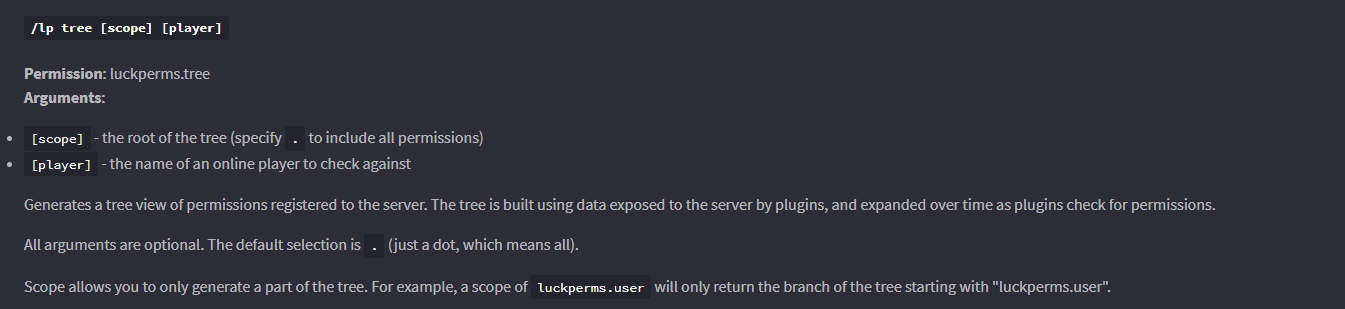
If I use /lp tree and the tree it generates doesn't list some of the permission nodes for a plugin, is that an issue with that plugin, or with LP? Is there anything I can do to fix it on my end, or do I have to bug plugin developers to fix it?
For example, in the latest EssentialsX build, my tree doesn't list essentials.ban.offline, which I know exists because verbose tells me it's being checked.
quick lagoon
just use verbose to check for permission node
long briar
That's what I'm ending up doing, but I'd much rather be able to look through a tree to figure out what permissions I need to grant my moderator group in advance, rather than have to manually wade through verbose to find all the individual permissions needed for every possible action a moderator might conceivably take.
Because that's how I end up receiving panicked messages at work because my moderators are unable to ban a problem user because this specific set of circumstances requires an extra node that I had no way to know existed.
quick lagoon
the best waqy to know permission is:
- Read that plugin's documentation
- use verbose
/lp tree was never used for checking perms of command
 mighty spear
Tree only shows permissions the plugin has checked, so if you run /co i and the plugin checks the coreprotect.inspect permission, LP adds that to the tree. Other than that there's no real way for any perms plugin to know
long briar
...Are you saying that if a permission has ever been checked, it should appear in the tree from that point on?
quick lagoon
depends, idk how the perm caching works tbh
anyways, /lp tree isnt used for checking what permissions is check when a give command is run
verbose is used for that
long briar
I wasn't trying to use it to see what permissions a specific command's execution would check, just as a quick reference for what nodes exist in the first place. If a node looks relevant, I can then dis/allow as appropriate.
I then (in theory) wouldn't need to worry about using verbose to manually test dozens of different commands in multiple circumstances each, nor would I need to hunt down and decipher individual documentation for the better part of a dozen different plugins, because the tree should contain the full list.
But, as mentioned, sometimes they're not listed.
And I'd like to know if I should bug that plugin's developers about it.
quick lagoon
you shouldnt be doing "If a node looks relevant, I can then dis/allow as appropriate" you are just asking for trouble, to check correctly what permissions is check when a give command is run you caan:
- Read that plugin's documentation, they will have a list with explaination
- use verbose to debug when unsure
/lp tree cant be use to see what permissions is check when a give command, with a very simple reason, it dont have any way of matching the permission node to the action done for the permission node to be check
for looking at full permission node list, Read that plugin's documentation.
if you want to ask how /lp tree works you can create a issue, yes.
but in your use case of lookup up permission nodes list for plugins, /lp tree isnt the right tool to use
prisma hinge
Never seen so many meaningful paragraphs in the LuckPerms general chat in my life.
quick lagoon
also, verbose is use as a debugger tool, you should already be able to know the correct permission node just by simply reading the plugin's documentation.
long briar
...If I shouldn't be using tree to see what permissions nodes exist, what, exactly, should I be using it for? What use case is it the right tool for?
I'm honestly baffled.
quick lagoon
reading the plugin's documentation
lp wont know aa perm node exist unless that plugin tells LP it exist
usually only after the permission is check
so to know what perm exist for the plugin, reading the plugin's documentation is the way to go
honestly, i havent use /lp tree for anything before
long briar
...So, your belief is that tree doesn't actually have a meaningful use case, and the LP devs...added it for giggles or something?
quick lagoon
its probably for looking at the perms cached by LP
not for full list of perm
which is what you are asking for
and thats not what lp tree does
and as i said at the start, for full list of perm node, read each plugin's documentation for it
if you really cant find it, then use verbose to debug.
long briar
So, why might one node be cached by LP, and another not? What's the difference?
quick lagoon
its just how the caching code work then
i didnt code it, so open a gitthub issue if you want to know how it works
it may be just the node hasnt been check recently
as stated it just "remembers" what has been check/registered before and show itt in a tree structure, it doesnt state that it can or will show the full list of permission
from the code:
        We enforce a limit of the size of the node tree to ensure memory
        usage remains sane. some plugins check for "dynamic" permissions (cc: griefprevention)
        which means this tree can grow to very large sizes and use tons of memory
        the rules for limiting the tree size are designed to ensure the system is
        still useful, but that unnecessarily large amounts of data aren't stored
        the rules are:
        1. there can be an unlimited number of root nodes e.g. (luckperms, minecraft)
        2. each root node can then have up to 500 child nodes
        3. *but*, each root node can have an unlimited number of 2nd level nodes (e.g. luckperms.user)
this takes priority over #2```so it does have some limit
long briar
...If I'm interpreting that bit of the code correctly, it's saying, in a very convoluted way, that there can be an unlimited number of top-level nodes, each with an unlimited number of second-level nodes, but once you get to third-and-up level, they can be cut off if there's already 500 child nodes for that top-level node?
prisma hinge
code ahhaa
quick lagoon
basically anything after plugin.stuff, eg. this -> plugin.stuff.something1 have a max of 500
i think, but even so, the node will only be present of the perm node is actually checked
as for essentials.ban.offline, I looked into essentials code, and its not in their plugins.yml
means that node is not properly registered
which may also be why you are nott seeing that permission node in /lp tree
long briar
Looking at my tree, it definitely can't be purely dynamically-generated, because there is no way anyone has tried to /hat that many different items on my server yet. :P
All right, so I guess I'll go bug the Essentials folks to properly register their nodes.
quick lagoon
i mean @long briar just see this website for essentials perm node lol https://essinfo.xeya.me/permissions.html
plus it gives proper explaination of what each perm nodes does
long briar
I'm aware of that page, yes--I was already using it. However, when confronted with differences between the list of nodes that page said existed and the list of nodes LP said were registered, I assumed LP was correct because it was entirely possible my google-fu had failed and led me to the wrong page somehow.
long briar
If you believe that using verbose is a more efficient way to check for all nodes that exist than looking at a tool that is explicitly a list of existing nodes, you do you, I guess.
 tidal blade
The tree command will only list permissions that have been checked by the server since the last restart. Verbose will show you the exact commands for an action/command whether or not it has been checked before.
Not all permissions will show in the tree. Verbose will always be quicker if you're looking for specific permissions or don't want to sift through the tree.
quick lagoon
@long briar full list of perms: read plugin docs
in rare case of doubt: use verbose to check
I think I have been quite clear /lp tree is not used for seeign full list of permission node
and no one is asking you to you verbose for ever perm node, in mostt cases, looking at the plugin offical docs will be sufficient already
tidal blade
If the server has not been restarted for a long period the tree command may be useful, but if the server was restarted recently it will not be as accurate.
quick lagoon
if you sttill insist that /lp tree should all nodes that exist for all plugin, when it clearly stated its not design for it, then i really not nothing to say.
prisma hinge
lp tree wont show permission nodes unless theyre registered in the plugin.yml right?
Youd just refer to the plugn docs
prisma hinge
Its not that hard
It lists permissions that have been cached over time
That's all it does
Really
quick lagoon
yea, but never a full list
prisma hinge
So then why is this conversation still ongoing?
Just #ReadTheDocs
Well it has that 500 whatever limit but that's all it does
Reading the docs fixes all your issues 🤔
quick lagoon
which is why I said /lp tree is not used for seeing full list of permissions
tidal blade
 prisma hinge
Nice
quick lagoon
and that full list of permission a plugin is written in detail at their respective docs
But I do understand sometime, the docs is not clear, so in these cases, you use verbose to help you find the correct permission node
prisma hinge
Why are they still typing
The tree is useful when you want to see a specific subset of permissions of a user, say I wanted to see what the LuckPerms perms on admins evaluates to without me having to go through the inheritance tree I would lp tree luckperms <user on admin group> but after that... there isn't much to it
long briar
Ben, I am not insisting that tree should work a specific way. I was explaining my thought process, how and why I believed that checking an automatically-generated list of nodes was more efficient than generating a list of nodes myself to then sift through and check.
Believe me, this conversation has been just as frustrating for me as for you.
(Tim, I'm still typing because I like to type out my full thought before submitting. I prefer message board discussions over chatrooms.)
prisma hinge
tree
quick lagoon
@long briar automatically-generated full list of nodes is just not possible
really its not
tidal blade
If the server has not been restarted for a long period the tree command may be useful, but if the server was restarted recently it will not be as accurate.
prisma hinge
Regardless why not just look at the docs?
long briar
You have made that abundantly clear, ben. However, me knowing that now doesn't change the fact that at the time I was making the decisions I was describing I was not aware of it.
Past tense. In the past.
prisma hinge
So then why is this conversation still a thing
The tree is useful when you want to see a specific subset of permissions of a user, say I wanted to see what the LuckPerms perms on admins evaluates to without me having to go through the inheritance tree I would
lp tree luckperms <user on admin group>but after that... there isn't much to it
That's The only real use I found on it. Pretty cool, like a snapshot of verbose tbh
quick lagoon
well, anyways you should know whatt /lp tree is for by now @long briar so what more to say lol
its neither a bug nor usage issue, its just how /lp tree works
long briar
Tim--Because I kept trying to explain to ben what I was actually saying, and it kept not working. >_<
prisma hinge
Wrong Tim lmao
quick lagoon
lol
long briar
Ugh, it didn't tell me that Tim existed; I thought that would fail. Sorry, other Tim!
prisma hinge
hehe
long briar
 quick lagoon
you just cant talk logic to some ppl
faint tapir
I need help, how I do meta weight in the new version?
quick lagoon
!weight
wintry cloudBOT
LuckPerms allows you to set weights in order to determine the priority of certain nodes, like permissions and even prefixes. A higher weight number is a higher priority.
LuckPerms wiki
tidal blade
It work but it don't work???
prisma hinge
quick lagoon
that is up to your tab plugin
 raven quest
anyone know how to make the track with "rankup" (not rankupper) actually work ? i can't rank up at all despite being in the lowest rank in the group / track.
raven quest
my path for timerank
raven quest
turned on debug mode for rankup and it's showing itt's updating times ok, just not picking up LP track
[20:57:26] [Server thread/INFO] [rankup]: Times updated for 2 player(s)
[20:58:26] [Server thread/INFO] [rankup]: Times updated for 2 player(s)
Find all of the available LuckPerms commands on the wiki.
General commands
User commands
Group commands
Permission commands
Parent commands
Meta commands
Track commands
Log commands
LuckPerms wiki
prisma hinge
Fun fact, if you don't specify any track when promoting/demoting a user, LP tries to use a track named default
raven quest
saying he wasn't in any, but was in the default group.
promoting works okay
just rank plugin nothing picking up the track
raven quest
don't worry about above now i've given up and removed that now.
gritty furnace
Hey!
So you wanted me to copy and paste my config?
I’m the one where mysql isn’t transferring any rank to other servers in my network, just for survival
prisma hinge
Yeah
gritty furnace
It is, when I set up my mysql and set to survival server for contexts, they got imported
But when I change a rank it doesn’t change network wide only for survival server
prisma hinge
so.....
gritty furnace
Doing now, testing 1 thing first. Rookie mistake my spigot yml bungeecord was false, as I haven’t released yet
Will get back if it works after doing this, because in my phpadmin Luckperms is in there for sure and it’s connected because they imported
prisma hinge
mm yeah make sure that's set to true in every spigot.yml, and ip_forward to true as well in bungee's config.yml
gritty furnace
They are for my other servers, I just connected to my network as I’m almost done, so I didn’t have bungeecord to true. My pc is slow I’ll get back if it worked in second, thanks!
It works...sorry for the bother. Thanks for the support as always!
prisma hinge
all good
 lean shore
yes
pale pond
@lean shore
lean shore
nothing pops up when i search note
wintry cloudBOT
LuckPerms provides a verbose command to help you find out what permissions a command/plugin is checking.
LuckPerms wiki
lean shore
idk how
pale pond
then read that
pale pond
primal nexus
@tame hollow adds
wintry cloudBOT
Hey Thrasilias! Please don't tag helpful/staff members directly.
primal nexus
srry for the ping
 stuck coyote
Turbo in #support-1 is also one
 tame hollow
@prisma hinge no advertising
stuck coyote
Thanks Turbo ❤️
long briar
If I'm using verbose command, the permissions being checked should show up in chat, correct?
pale pond
yeah?
long briar
Okay--wanted to check that that was how it's supposed to work. They're not showing up for me, and I don't know why.
long briar
I don't have console at the moment, but the command I'm running is /lp verbose command GrifterMage lp user @s parent add test
long briar
...Oh for Pete's sake. >_<
prisma hinge
You'll have to just run verbose for luckperms & <yourself> as filter
pale pond
if you need the perms for lp theyre in https://github.com/lucko/LuckPerms/wiki/Permissions
long briar
I'm looking at the documentation, but I still can't seem to get the right permissions.
prisma hinge
What exactly are you looking for?
long briar
Trying to give players permission to add or remove themselves from a specific group, but no others.
prisma hinge
!argumentbased
wintry cloudBOT
Fine tune exactly what users with permission to use LuckPerms can do.
LuckPerms wiki
prisma hinge
That's a wild territory right there 👀
long briar
I'm looking at that page right now.
prisma hinge
You'll need the base command perm (the one Unix showed and then deleted lol) and then.... others lol
pale pond
prisma hinge
But yeah verbose is definitely the way to go with that
long briar
I've given them:
luckperms.user.parent.add
luckperms.user.parent.modify.self
luckperms.user.parent.add.test
...but no luck; my testers are being told they don't have permission.
I'm trying to use verbose, but the page is filled with luckperms checks and I don't know which ones are relevant.
prisma hinge
Mind sending the verbose link?
okay for starters
add filters
You'll have to just run verbose for
luckperms & <yourself>as filter
Once you do that, send another verbose link and I'll help ya lol
long briar
I managed to figure it out. Turns out I also needed to add a node for using the global context.
long briar
Additional question now. I want my test group to negate permissions from other groups, but I don't want it to ever be anybody's primary group.
Is there a way to do that?
long briar
The intent of the group is that people who are streaming from the server can use it to turn off certain chat things--we have a staff member who streams, for example, but we don't want ban notifications or admin chat showing up on-stream, so the group negates their permissions for ban notifications and admin chat.
But because the group's weight is higher, it then becomes their primary group, which results in them being kicked to the end of the tab list because the tab plugin doesn't consider them staff any more.
We'd like their tab position to remain unaffected.
prisma hinge
Just mke it their primary group
without a prefix
simples
Then put it up in your tab plugin thingy?
long briar
If we put it in a specific place in the tab plugin, then either regular users who are streaming get moved up when they shouldn't, or the staff members who are streaming get moved down when they shouldn't.
prisma hinge
Why would regular players need to hide those things
Who cares
If youre streaming without an active chat the server looks dead anyways
You basically want it to have higher weight but not be the primary group
I don't think that's possible
Well it can, but you'll eventually run into unexpected issues
Pretty sure higher weight means itll be the primary group
just make it inherit default permissions
and dont add a prefix to the streamer group or whatever it is
I'm assuming you add the group to the player's parent list, right?
long briar
Yes.
prisma hinge
So your tab plugin takes the player's primary group, it doesn't go through all their parents list
sux
If its higher weight id assume it would become the primary group
Is that not how it works?
depends on a config
but for 2 out of 3 possible values of a setting, yea it's like that
Regardless
higher weight
no prefix
tada
the prefix isn't the problem
the problem is the position on the list
Ohh
Just add tab sort by permissions if youre using TAB
which most people do
long briar
Is that different than the group-sorting-priority-list?
prisma hinge
🤔
long briar
Because that's what we're using.
prisma hinge
!config
wintry cloudBOT
Learn what each of the config options are for.
LuckPerms wiki
long briar
Yes.
prisma hinge
Turn on group sort by permissions
then you can add the nodes tab.sort.<groupname> to the groups
and set the order in the config
advanced config i believe
long briar
Did you mean assign-groups-by-permissions?
 azure pilot
I have a question: Is there a way to make a user be able to view the remaining time of the range they belong to? (for example, a message that says: 'You have 10 days of rank left')
prisma hinge
@long briar I was right. Here you go
I have a question: Is there a way to make a user be able to view the remaining time of the range they belong to? (for example, a message that says: 'You have 10 days of rank left')
@azure pilot Im pretty sure assigning groups for a certain amount of time isnt a LuckPerms feature.
azure pilot
@azure pilot Im pretty sure assigning groups for a certain amount of time isnt a LuckPerms feature.
@prisma hinge What? And what about the command '' / lp user USER parent addtemp ''?
azure pilot
Srry, traductor xD
prisma hinge
um
parent addtemp is a thing ok point taken
anyway
Regardless I don't think there is a way
or is there
Necesitarías usar otro plugin que use placeholders o algo
woah
prisma hinge
LP como tal no tiene esa característica
O sea
En general se usan placeholders en el scoreboard o en tab
No es algo que LP le dice al usuario "te quedan x días..." etc
long briar
Thanks, Tim; that's definitely progress. I'll take further questions on this to the TAB discord.
azure pilot
Caro, pero supongo que habría una variable del PAPI que pueda mostrar de cierta forma la información en cuestión
mmm revisaré
prisma hinge
!placeholders
wintry cloudBOT
Display data such as user prefixes and groups from LuckPerms in other plugins.
LuckPerms wiki
prisma hinge
^^^^^^^^^^^^^^^^
prisma hinge
Asegurate de usar una dev build de PAPI
La release actual tiene un bug que muestra mal el tiempo
azure pilot
@prisma hinge 😄
wintry cloudBOT
Hey Alexis.! Please don't tag helpful/staff members directly.
prisma hinge
REEEEEEE
How dare you tag fefo
Asegurate de usar una dev build de PAPI
La release actual tiene un bug que muestra mal el tiempo
Y esos tiempos están mucho más que mal
prisma hinge
Te digo como por tercera vez
Actualiza PAPI a una dev build
Solo porque está medio en desarrollo no quiere decir que te va a romper el server o que no va a andar nada
azure pilot
Voy a revisarla, ty
 alpine bramble
Hi, I have a small server for a group of trusted friends, and I would like to give everyone permission to use command blocks. I have given the default group the minecraft.commandblock permission, however they are unable to place or edit command blocks. Is there something else I need to do to get it working?
tidal blade
You need to be OP and in creative mode to use Command blocks if you're on spigot
alpine bramble
I'm using Paper, and I would prefer to not give everyone level 4 op, since this gives access to commands like op, ban and whitelist
is there no other way to use command blocks?
with the vanilla server you can give players level 2 op, but Paper seems to give all ops level 4 access
prisma hinge
With command blocks they could use those commands anyway so whats the difference
alpine bramble
command blocks only have level 2 access
prisma hinge
If theyre trusted friends does it matter whether or not you give them op?
alpine bramble
prisma hinge
as far as I know I've used a command block to ban someone lol
alpine bramble
I guess I could give everyone op, I was just hoping there was a better and more secure way
anyway, thanks
prisma hinge
I'm not sure honestly
quick lagoon
You can set the perm nodes to false with luckperms
Also you are in a very unusual case Bcu rarely does anyone let all players have command block access
prisma hinge
whats the diffrent between groups and tracks?
tame hollow
groups hold permissions, tracks hold groups
tracks are like a ladder for group promotion
groups just define which permissions a user will inherit from them
tidal blade
!tracks For a more in-depth explanation of tracks and how they work and how to use them, read this page:
wintry cloudBOT
Tracks provide a method for you to promote/demote players along a track (or ladder) of groups.
LuckPerms wiki
prisma hinge
ah okey thanks 👍
maiden raptor
Let’s say a user inherits the default rank with his current rank. And there would also be a track for moderator ranks which start at default. Would I still be able to promote that user in the moderator track (even though he doesn’t directly have default rank)?
I’m confused now
prisma hinge
what?
When promoting a user on a track, it will only promote them on it if only one of their direct parents is on that track
What happens if they don't inherit any group on a track directly? You can specify that behavior in config
But by default, it will add to their parents list the first group on that track, making them be on that track on the first position
What happens if more than one of their direct parents is on one same track? Nothing, since LP can't pinpoint their position on the track they can't be promoted from one group to the next one
maiden raptor
OwO
maiden raptor
Ty btw
 dark grove
Can we use regex on server contexts?
dark grove
Any documentation about it?
prisma hinge
!contexts I think it's covered here 🤔
wintry cloudBOT
You can set a permission or group on a per-world/per-server basis, through what we call "contexts".
LuckPerms wiki
prisma hinge
Under "define your contexts" or something
But basically, say I run hypixel and have a bizillion lobbies, while I may want all of them to have a different value for the server setting in LP config, I may also want all of them to be categorized like server-type=lobby, so I add that in the static contexts
prisma hinge
np
prisma hinge
hey guys can anyone elp me to set perms to ranks with LuckPerms cuz its not working at all
quick lagoon
dont double post
prisma hinge
oklay sorry
 manic void
Hello, i'm moving from a local file hosting to a mongodb, will all my data be moved, or do i have to do someting manually?
wintry cloudBOT
If you wish to change your storage type (e.g. to YAML or MySQL) you may need to follow these instructions to ensure your groups and permissions are migrated to the new storage type.
Read more about the Storage types
LuckPerms wiki
pale pond
it will show you the commands to run to make sure your data is moved over
manic void
I'll check it, thanks ^^
pale pond
np
mighty yarrow
!contexts
wintry cloudBOT
You can set a permission or group on a per-world/per-server basis, through what we call "contexts".
LuckPerms wiki
 kindred rampart
Hello, I'm trying to figure out how to have the set home limit of a certain group stack on to another group. For example, an in-game rank has 15 set homes, but a donator rank has 20 set homes, so players that have both should have access to 35, but they're only able to use 20 right now even though they have the permissions for both. Thanks in advance, please ping me if you're able to offer any help or advise 🙂
prisma hinge
Put 35 instead? 🤷♂️
kindred rampart
But we have 10 different in-game ranks and 3 different donator ranks, so every MVP that gets 20 Homes isn't also going to be the in-game rank that has 15
prisma hinge
I presume this is EssX?
kindred rampart
Yes
prisma hinge
!moss ask them, they'll know better than we do
wintry cloudBOT
Essentials
Make sure you are using EssentialsX and Vault for prefixes. For any other issues with Essentials, you should seek support in either #general or the official EssentialsX support Discord.
EssentialsX Discord
kindred rampart
Thanks!
prisma hinge
np
wintry cloudBOT
Essentials
Make sure you are using EssentialsX and Vault for prefixes. For any other issues with Essentials, you should seek support in either #general or the official EssentialsX support Discord.
EssentialsX Discord
tame hollow
clippy is fine :)
tame hollow
i don't see why that needs to happen at all
 lean dome
prisma hinge
lean dome
prisma hinge
@high raven in here too 👀
maiden raptor
Fefo for mod
prisma hinge
lol mebe mebe not
pale pond
Fefo for mod
Yeah I don't know how it hasnt happened yet lol
 hazy jungle
(putting this here as to not interrupt the conversation in #support-1 )
ok so im trying to assign essentialx nickname color perms but the editor doesnt have the perm for it? if that makes sense
hazy jungle
ohh okay sorry
pale pond
Np
hazy jungle
im a little slow with this
ok so i added essentials.nick.<color> to the default perms but its not working? i saved it and applied it to the server
pale pond
You have essx chat as well as essx right?
hazy jungle
im sorry for being so stupid but where do i find that
pale pond
Look up essentialsx. It's in their website
hazy jungle
okay
high raven
@pale pond being mod isn't a reward for being active or recognition or anything it's just being in the right time zone and being needed
pale pond
I wasn't serious 
 sleek laurel
Hello, was wondering if its possible to change a player's name back to the default color? As it has changed to the player's prefix color?
quaint idol
We don't manage player names.
although if it's just because the prefix is leaking into the playername, stick an &r between the prefix and the displayname in your chat plugin config
sleek laurel
That worked, much appreciated.
 hollow light
whenever i do literally anything on the server, there's a bunch of exceptions in the console
could there be some mod issues? i even tried using the default (empty) perms
especially when executing the /help command
even just punching the air makes exceptions happen
seems like this chat is dead ¯_(ツ)_/¯
hollow light
but it is
 daring stirrup
How is it?
hollow light
me.lucko.luckperms.common.context.ContextManager throws all of them
daring stirrup
LuckPerms doesnt interact with worlds
wintry cloudBOT
Please use pastebin!
Seeing a paste of the problem makes everything so much easier! Use https://bytebin.lucko.me/ for easy pasting!
For console errors:
Pastebin any relevant segments of the console log. If it's a startup error, this includes the entire startup log!
Other errors:
Pastebin the entire LuckPerms config file (passwords removed) as well as any other relevant files!
daring stirrup
!paste probably another plugin breaking stuff
wintry cloudBOT
Please use pastebin!
Seeing a paste of the problem makes everything so much easier! Use https://bytebin.lucko.me/ for easy pasting!
For console errors:
Pastebin any relevant segments of the console log. If it's a startup error, this includes the entire startup log!
Other errors:
Pastebin the entire LuckPerms config file (passwords removed) as well as any other relevant files!
prisma hinge
lel
hollow light
i can't paste them
prisma hinge
... use bytebin
hollow light
there's too many of them
prisma hinge
grab the latest.log
located in logs/latest.log in your server folder
all of it, not just portions of the file
hollow light
it's 12 damn megabytes
daring stirrup
restart server then do the thing that is giving errors then paste them on bytebin
prisma hinge
use goddamn pastebin
hollow light
good luck loading it lol
prisma hinge
okay?
hollow light
aaand the website froze
ae2stuff-0.7.0.4-mc1.12.2.jar
AE2WTLib-1.12.2-1.0.34.jar
AppleSkin-mc1.12-1.0.9.jar
appliedenergistics2-rv6-stable-7.jar
autooredictconv-1.12-1.0.1.jar
Baubles-1.12-1.5.2.jar
bdlib-1.14.3.12-mc1.12.2.jar
BiomesOPlenty-1.12.2-7.0.1.2439-universal.jar
Botania+r1.10-363.jar
buildcraft-all-7.99.24.6.jar
Chameleon-1.12-4.1.3.jar
Chisel-MC1.12.2-1.0.2.45.jar
CodeChickenLib-1.12.2-3.2.3.358-universal.jar
CoFHCore-1.12.2-4.6.6.1-universal.jar
CoFHWorld-1.12.2-1.4.0.1-universal.jar
CTM-MC1.12.2-1.0.2.31.jar
DurabilityViewer-1.12-forge14.21.1.2387-1.4.jar
EnderCore-1.12.2-0.5.76.jar
EnderIO-1.12.2-5.2.59.jar
EnderStorage-1.12.2-2.4.6.137-universal.jar
energyconverters_1.12.2-1.3.7.30.jar
FastWorkbench-1.12.2-1.7.3.jar
foamfix-0.10.10-1.12.2.jar
ForgeMultipart-1.12.2-2.6.2.83-universal.jar
Galacticraft-Planets-1.12.2-4.0.2.262.jar
GalacticraftCore-1.12.2-4.0.2.262.jar
griefprevention-1.12.2-4.3.0.692.jar
ImmersiveEngineering-0.12-92.jar
immersivepetroleum-1.12.2-1.1.9.jar
industrialcraft-2-2.8.170-ex112.jar
ironchest-1.12.2-7.0.72.847.jar
jei_1.12.2-4.15.0.291.jar
journeymap-1.12.2-5.7.1.jar
JustEnoughResources-1.12.2-0.9.2.60.jar
LuckPerms-Sponge-5.1.17.jar
Mantle-1.12-1.3.3.55.jar
MCMultiPart-2.5.3.jar
mdecore-1.12-1.1.jar
Mekanism-1.12.2-9.8.3.390.jar
MekanismGenerators-1.12.2-9.8.3.390.jar
MekanismTools-1.12.2-9.8.3.390.jar```MrTJPCore-1.12.2-2.1.4.43-universal.jar
Nucleus-2.1.3-MC1.12.2-SpongeAPI7.3-plugin.jar
OpenBlocks-1.12.2-1.8.1.jar
OpenModsLib-1.12.2-0.12.2.jar
p455w0rdslib-1.12.2-2.3.161.jar
ProjectRed-Base-1.12.2.jar
ProjectRed-Integration-1.12.2.jar
ProjectRed-Lighting-1.12.2.jar
ProjectRed-World-1.12.2.jar
RedstoneFlux-1.12-2.1.1.1-universal.jar
spongeforge-1.12.2-2838-7.3.1-RC4079.jar
StorageDrawers-1.12.2-5.4.2.jar
TConstruct-1.12.2-2.13.0.183.jar
Thaumcraft-1.12.2-6.1.BETA26.jar
thaumicenergistics-2.2.4.jar
ThaumicJEI-1.12.2-1.6.0-27.jar
ThermalDynamics-1.12.2-2.5.6.1-universal.jar
ThermalExpansion-1.12.2-5.5.7.1-universal.jar
ThermalFoundation-1.12.2-2.6.7.1-universal.jar
TotalEconomy-1.8.1.jar
WirelessCraftingTerminal-1.12.2-3.12.97.jar```mod list, if neccesary
pastebin still doing it's thing
prisma hinge
hastebin is nicer
hollow light
https://streamable.com/w8jsi8 video explaining the issue


notice the increase in errors when i do /help
daring stirrup
can you screenshot /lp info
hollow light
yeah, turning on the server
prisma hinge
Are you using sponge?
daring stirrup
and can you follow these steps:
-
Restart Server
-
Do whatever was giving the errors
-
copy the latest.log over to a hastebin so it isn't so big
hollow light
yeah seems like the ContextManager class
the log itself is 12 megabytes
which is a tremendous size for a text file
hollow light
yeah as i said, it's starting up now
wintry cloudBOT
You can download LuckPerms for Bukkit/Spigot, BungeeCord, Sponge, Nukkit and Velocity.
Additional downloads
prisma hinge
I feel like theres a diff version for grief prevention for sponge
Make sure you got the right one if thats the case
hollow light
i downloaded latest stable spongeforge yesterday too
i'm gonna wait for the server to start back up
to see if the issue persists or was it just bad luck
which would be ironic
prisma hinge
Who knows, sometimes things just magically fix themselves after a restart
is there not a single line in tho 12 MB worth of logs that tells me the GP version?
really?
hollow light
it wouldnt bother me if the exceptions were silent
hollow light
but no no, it has to print out the whole stack trace, and pause the whole loop while it's doing so
lagging the server massively
 ivory lichen
HELP
daring stirrup
!ask
wintry cloudBOT
Please ask your question!
Please ask the question you have. Don't ask to ask, or ask to DM someone. There are people here to help you, but we need to know what to help you with, so please just ask the question you want to in as much detail as possible!
Or, try here first:
Why shouldn't I ask to ask?
prisma hinge
Ado you got GP from ore, right?
hollow light
i think so yeah
ivory lichen
!ask ok so,why does it delete my perms whenever i deop myself?
wintry cloudBOT
Please ask your question!
Please ask the question you have. Don't ask to ask, or ask to DM someone. There are people here to help you, but we need to know what to help you with, so please just ask the question you want to in as much detail as possible!
Or, try here first:
Why shouldn't I ask to ask?
daring stirrup
what
When you're opped you most of the time get all permissions, if you're not opped you lose that
prisma hinge
Ado what's the version of GP? In the file name bc it's not in the logs 🙄
hollow light
griefprevention-1.12.2-4.3.0.692.jar
ivory lichen
apparently my server owner doesnt trust me with perms so i dont know what to do
prisma hinge
When youre opped
do /lp user <yourusername> permission set *
and be done with it
but just be careful because
!nowildcard
wintry cloudBOT
Wildcard issues
Some plugins are created in a way which results in odd behaviour when the root '*' wildcard is used.
More information:
hollow light
oh, i think that could be a potential error of mine
because in the first place, i used the * wildcard
prisma hinge
Yeah it can cause issues
hollow light
at the default perm
prisma hinge
particularly with sponge too
particularly with sponge too
??????????????????????
Nucleus hates it as far as I know
ivory lichen
do /lp user <yourusername> permission set *
@prisma hinge and i get the perms all the time right?
prisma hinge
So does Bukkit
Ive never had issues with it
And yeah you will
but it can cause issues so use at your own risk
hollow light
man forge load times suck
prisma hinge
Anyway, your issue is not caused by a wildcard
It's caused by GP not being made with care lol
prisma hinge
Remove GP and see what happens
Might as well try griefdefender
as far as I know its better supported for sponge?
Could be wrong but
cedar belfry
Isn't it premium
prisma hinge
it's open source
lol yeah just compile it
To this day I still don't understand the point of OS premium plugins
like yeah kinda but not really
cedar belfry
If plugin gud i=pay
maiden raptor
Ppl are too dumb to compile it
prisma hinge
It's just downloading one or two things and run a single 2 words command
gradlew build
prisma hinge
quick lagoon
but like how is it getting deleted?
and how are you determining what exactly is deleted?
prisma hinge
¯_(ツ)_/¯
mighty yarrow
Who what where
quick lagoon
mhmm ^
mighty yarrow
Actually it's 4 w. Who what where when 
ivory lichen
whenever i deop my perms vanish
quick lagoon
what was the output of the command
quick lagoon
ok...
prisma hinge
We are no psychics
 next cove
what is the best app for coding c language?
 full flume
To this day I still don't understand the point of OS premium plugins
@prisma hinge
Official support is what you're paying for.
He wanted it to still be available to a wide variety of people still
hollow light
i took a deeper look into the errors
and this warning seems to happen before the null pointer
[18:46:23] [Server thread/WARN] [luckperms]: An exception was thrown by me.ryanhamshire.griefprevention.claim.ClaimContextCalculator whilst calculating the context of subject luckperms.api7.SubjectProxy(ref=luckperms.SubjectReference(collection=user, subject=05cb7f14-0c90-4c47-b2ae-8d1805138832))
prisma hinge
Literally a GP issue
hollow light
yeah i will remove gp
prisma hinge
Open an issue on their github page
hollow light
however it's weird none of this happened before i installed nucleus
prisma hinge
well they don't like something about each other
quaint idol
Maybe let them know about the error as well, because given that this reeks of a conflict lol
quaint idol
try redownloading both plugins as well, small chance you just got a corrupted jar and that's all it is
hollow light
soo yeah...
all plugins load perfectly without nucleus
no exceptions at all
nucleus with griefprevention makes luckperms throw errors
i'll keep that in mind
prisma hinge
:|
prisma hinge
O
hollow light
gd is paid
prisma hinge
It's open source
high raven
Please don't post in several channels
 hidden helm
Okay Larry, I'll just wait for some other staff to answer :)
 grave orchid
If mojang want to avoid cracked server, it can do it but this is marketing technique.
¯_(ツ)_/¯
tame hollow
lol what
tidal blade
lol
quick lagoon
ofc they will, cracked accounts is basically theft lol
 untold gate
im not connected
https://pastebin.com/AwWu10ys
Pastebin
Pastebin.com is the number one paste tool since 2002. Pastebin is a website where you can store text online for a set period of time.
tidal blade
@untold gate Have you got 2 instances of the same server running?
untold gate
nope
tidal blade
Hmm fully stop the the server, make sure the server isn't started else where and start it up again
tidal blade
The error basically means something else is connecting to the luckperms h2 database file. Can you please screenshot all the .jar files you have installed for the server
untold gate
what .jar file?
quick lagoon
plugins
tidal blade
Your plugins
untold gate
AdvancedMonthlyCrates, ArmorStandTools, AuctionMaster, AuctionMasterItemDisplay, BattleTraining, CitizenHat*, Citizens, CitizensCMD, Clans, ClansChatAddon, ClansChestAddon, ClansCreateAddon, ClansKillAddon, ClansRenameAddon, ClansShowAddon, CoreProtect, CraftEnhance, CustomCrafting, DiceFurniture, DiscordSRV, DualWield*, dynmap*, EliteMobs, Essentials, F3Name, FastAsyncWorldEdit, FurnitureLib, GMusic, goBrush, goPaint, GPack, Gringotts, GSigns, GSit, HolographicDisplays, JumpPads, LaggRemover, LightAPI, LuckPerms, MPHealthPower, Multiverse-Core, Multiverse-Portals, MVdWPlaceholderAPI*, MyPet, PlaceholderAPI, PlayerParticles, PlotSquared, PluginHider*, PlugMan, ProtectionLib*, ProtocolLib, Scoreboard-revision*, ServerlistMOTD*, ServerTutorialPlus*, SkillsPro, SkQuery, skRayFall, Skript, skUtilities*, TAB, TigerReports*, Vault, VaultChatFormatter*, ViaBackwards, ViaVersion, VoidGenerator, Votifier, VoxelSniper, WitherAC, WolfyUtilities, WorldEdit, WorldGuard
tame hollow
great wall of plugins
quick lagoon
oh wow
tidal blade
That is not what I said. Please screenshot all the .jar files for those plugins
untold gate
uhhhhhhhhhhhh
tidal blade
/reload will break things
That is exactly the reason for the error
/reload is breaking it
tidal blade
So never use /reload. Just restart your server properly. Otherwise you will continue to face issues.
untold gate
Will it break even with the autorestart plugin?
tidal blade
If it properly restarts the server it should be fine
but if it uses /reload then it will break stuff
untold gate
okay okay
 proud stratus
Just remove Skript, a pathetic excuse of a plugin and all your wishes will come true
😀
tame hollow
spoken like a true angel
 simple holly
why isn't my rank showing?
and i'am in the group default ;-;
why doesn't it work
):
quick lagoon
!chat
wintry cloudBOT
LuckPerms does not display things in chat!
LuckPerms is only able to send information to formatting plugins so that they display them properly. LuckPerms does not put the prefix in front of your name, you need a chat formatting plugin to do it, and you need Vault. Same goes for the tablist! If the information appears correctly when you run /lp user <user> info, LuckPerms is doing its job!
Prefix isn't showing?
What plugins can I use to format chat?
quick lagoon
mhmm
simple holly
so that means if i install VAULT would the prefix appear in my name?
@quick lagoon 🤓
wintry cloudBOT
Hey CloudDude! Please don't tag helpful/staff members directly.
simple holly
sorreh
quick lagoon
Vault and a chat plugin
simple holly
ok..
wintry cloudBOT
LuckPerms does not display things in chat!
LuckPerms is only able to send information to formatting plugins so that they display them properly. LuckPerms does not put the prefix in front of your name, you need a chat formatting plugin to do it, and you need Vault. Same goes for the tablist! If the information appears correctly when you run /lp user <user> info, LuckPerms is doing its job!
Prefix isn't showing?
What plugins can I use to format chat?
simple holly
"i think i didn't have to delete essentials chat"
;-;
ok ben
THANKS YOU SO MUCH @quick lagoon it worked :)))))
wintry cloudBOT
Hey CloudDude! Please don't tag helpful/staff members directly.
prisma hinge
!tab
wintry cloudBOT
Sorry! I do not understand the command !tab
Type !help for a list of commands.
mighty yarrow
Wtf are those reactions
quaint idol
agreed
mighty spear
Ya like jaaaaazzzz?
maiden raptor
@ Luck, thoughts?
quaint idol
...
quaint idol
https://github.com/LuckPerms/clippy/blob/master/modules/commands/list.json feel free to make a pr

GitHub
A (very) helpful office assistant for the LuckPerms Discord. - LuckPerms/clippy
maiden raptor
kk
prisma hinge
But not in js