#support-2
1 messages · Page 37 of 1
 covert star
covert star
covert star
so herees my issue now
i need to find a way to promote a default to user when they accept the rules using mmcrules
any ideas yall
 shut oyster
https://prnt.sc/saznug
Any help?

 tame hollow
You need vault and a chat plugin to display prefixes
shut oyster
I have nucleus and totaleconomy from ore.sponge
i havent edited my chat settings from nucleus at all
covert star
can a person be given a group after the do a command in the default group
@high raven
 wintry cloudBOT
Hey Joseph! Please don't tag helpful/staff people directly.
 tidal blade
You'd need a plugin that listens for that command and run the command to give them a new group.
covert star
right ok
 high raven
Also this is the last time I ask you not to ping me Joseph, the #rules are fairly explicit
shut oyster
Any more advice above?
covert star
my bad sorry
high raven
!chat @shut oyster this is about all I can say, without more info:
wintry cloudBOT
LuckPerms does not display things in chat!
LuckPerms is only able to send information to formatting plugins so that they display them properly. LuckPerms does not put the prefix in front of your name, you need a chat formatting plugin to do it, and you need Vault. Same goes for the tablist! If the information appears correctly when you run /lp user <user> info, LuckPerms is doing its job!
Prefix isn't showing?
What plugins can I use to format chat?
 earnest gulch
My players can use the creative flag on their worldgaurd regions to change their game mode but i cant find the docs on worldgaurd permissions to find out how to disable that!
wintry cloudBOT
LuckPerms provides a verbose command to help you find out what permissions a command/plugin is checking.
 LuckPerms wiki
 quick lagoon
I’m sure WG have a discord server where you can there to ask for help as wel
earnest gulch
Can i filter one player with verbose?
quick lagoon
do /lp verbose upload
earnest gulch
Im trying to deny players access to a flag allowing them to be in creative mode in their regions
I tried /lp verbose upload but nothing
quick lagoon
if you do /lp verbose record <filter> then/lp verbose upload
earnest gulch
Ok, thanks, let me try that
Ok. cool uploading
Thanks i seem to have found the issue 🙂
quick lagoon
np!
quick lagoon
!commands
wintry cloudBOT
Find all of the available LuckPerms commands on the wiki.
General commands
User commands
Group commands
Permission commands
Parent commands
Meta commands
Track commands
Log commands
LuckPerms wiki
quick lagoon
are you using tracks, or just adding a group to player?
 pulsar inlet
whats the best thing to do I honestly dont know
quick lagoon
!tracks maybe read on tracks first
wintry cloudBOT
Tracks provide a method for you to promote/demote players along a track (or ladder) of groups.
LuckPerms wiki
 agile pike
quick lagoon
agile pike
quick lagoon
!ask
wintry cloudBOT
Please ask your question!
Please ask the question you have. Don't ask to ask, or ask to DM someone. There are people here to help you, but we need to know what to help you with, so please just ask the question you want to in as much detail as possible!
Or, try here first:
Why shouldn't I ask to ask?
 worthy depot
how do i make it so that a group has access to a certain amount of essentials homes
quick lagoon
quick lagoon
!moss you can ask in essentialX support
wintry cloudBOT
Essentials
Make sure you are using EssentialsX and Vault for prefixes. For any other issues with Essentials, you should seek support in either #general or the official EssentialsX support Discord.
EssentialsX Discord
 soft pond
Hello, my nickname is not appearing right
it is not appearing in chat and on the tablist
quick lagoon
show me a screenshot of /lp user USER info
soft pond
wintry cloudBOT
LuckPerms does not display things in chat!
LuckPerms is only able to send information to formatting plugins so that they display them properly. LuckPerms does not put the prefix in front of your name, you need a chat formatting plugin to do it, and you need Vault. Same goes for the tablist! If the information appears correctly when you run /lp user <user> info, LuckPerms is doing its job!
Prefix isn't showing?
What plugins can I use to format chat?
quick lagoon
rmb to install vault if you are using spigot/paper, as well as a chat plugin
soft pond
Ok
soft pond
I am having trouble understanding how to add 2 prefixes
wintry cloudBOT
Tracks provide a method for you to promote/demote players along a track (or ladder) of groups.
LuckPerms wiki
quick lagoon
!stacking
wintry cloudBOT
Display multiple prefixes/suffixes alongside a player's name.
LuckPerms wiki
soft pond
I have read up on this, but I still am confused as to how I can do that
I know how tracks work, but how does the prefix stacking work?
Perhaps in a more layman explanation 😅
quick lagoon
look at the examples?
bcu i will prob just end up repeating the wiki when explaining myself 😅
soft pond
I see
So if I want a "VIP" rank player to have "Donor" prefix,
[Donor] VIP Playername
I would need to create a seperate track?
quick lagoon
yep
soft pond
A new track and the prefix format to be
prefix:
format:
- "highest_on_track_donor"
- "highest_on_track_player
start-spacer: ""
middle-spacer: " "
end-spacer: ""
something like this?
soft pond
How can I set it so that a VIP player is automatically in the Donor Rank of the track?
quick lagoon
you can set group inheritance, so VIP inherit the perms of Donor
so like lp group vip parent add donor
quick lagoon
np!
soft pond
I have a Donor Track [Default -> Donor]
a Player Track [Default -> VIP]
a staff Track [Helper -> Builder -> ...]
If i set it as
  - "highest_on_track_Donor"
  - "highest_on_track_Player"
  - "highest_on_track_Staff"
A staff member might have
[Donor] VIP Admin
But I do not want the VIP rank to appear. Instead, I want
[Donor] Admin
and VIP to only appear for normal players
quick lagoon
put the Admin rank in Player track as well
soft pond
Ok
I have set it so VIP is parent of Donor, and
- "highest_on_track_Donor
- "highest_on_track_Player"
under meta-formatting.
It is still only showing the player track and not the donor prefix
quick lagoon
Donor ranks are not in player tracks right?
soft pond
Yes, it is a seperate track
quick lagoon
uh its - "highest_on_track_Donor" and not - "highest_on_track_Donor
if you typed that in your config
soft pond
Yep, I have typed it in correctly
quick lagoon
send me your /lp editor
soft pond
meta-formatting:
prefix:
format:
- "highest_on_track_Donor"
- "highest_on_track_Player"
duplicates: first-only
start-spacer: ""
middle-spacer: " | "
end-spacer: ""
suffix:
format:
- "highest"
duplicates: first-only
start-spacer: ""
middle-spacer: " "
end-spacer: ""
Sure
soft pond
I have sent it to you
quick lagoon
prefix.0.&d[Donor] and prefix.1.[Newbie]
wrong prefix weight
higher rank weight number should be larger
!weights to learn more
wintry cloudBOT
LuckPerms allows you to set weights in order to determine the priority of certain nodes, like permissions and even prefixes. A higher weight number is a higher priority.
LuckPerms wiki
soft pond
I see
soft pond
I have set the weights, with Newbie to be 1 & Donor to be 2 [Donor Track]
Similarly, I have done so for the Player Track
However, it is only still showing [Donor] instead of
[Donor] VIP Playername
soft pond
Sent
quick lagoon
hmm
soft pond
I am also using VentureChat, which displays names like so:
{vault_prefix} {nickname}{vault_suffix}'
quick lagoon
oh, try set vip prefix weight to be higher than donor's
so prefix.1.&d[Donor] and prefix.2.&d&kw&5&l[VIP]&d&kw&f
and donor should not inherit from VIP
so remove group.vip from donor rank
soft pond
Ok
 violet phoenix
spam bomb comming
A SONG ABOUT LP (LY LP :))
F it's COOL
She filled my mind up with -----> ideas <-----
I'm in the highest of the ranks (it's lit)
Hope I get higher from here (let's go)
She saw my eyes, she know she is gone
i have some thing that you might fear (my balls)
i am doing ranks i ll be back soon (so soon)
ama gonna promo me for real
Now i got her in my hands
it ur mama or your ranks?
got the fastest build in years (skrr skrr)
hope i get higher from here (okay)
When i build a rank i feel alive
you say i made it dont you lie
wont del my ranks or u will die
keep the lp on my side (Yeah)c
cases few
i havent seen her for some years (look up)
im in the highest of the ranks (it's lit)
Hope I get higher from here (let's go yeah)
Baby dont stress about the ranks
You touch my babies and ur done! (Fully)
THIS IS LP AND NOT A GAME
you wont come back my dude from there (THE END)
I live the life of head-dev yea
its so much code that i cant see ya( I CANT)
Write more code-bebe we cant hear
(?idea) --- Coding Coding nice is here! -----(?idea) -i mean the lucky perms editor site :)-
quick lagoon
uuh
violet phoenix
lol
wintry cloudBOT
Please tell us what's going on!
We really would absolutely love to help you out! However, telling us that it isn't working wastes everyone's time. Please, just describe the issue you're having clearly and with as much detail as possible, and send any relevant screenshots of whatever problems you're having.
For Console Errors:
 quaint idol
😛
violet phoenix
:}
soft pond
Goodnight
violet phoenix
goodnight uncle ben
quaint idol
allright catch me up georgak
violet phoenix
bb uncle
soft pond
Can anyone help? 😄
violet phoenix
ye
quaint idol
I think ben is tired, looks like it's thaddeaus who needs help, not gerorgak if I'm not mistaken lol
yup
soft pond
Yes please XD
violet phoenix
lol no but someone has already helped me
violet phoenix
hm
quaint idol
⭐ for effort, now get some sleep lol
quick lagoon
Haha thanks
violet phoenix
btw if u use minehut it might be essentials
i can help u with that
i had the same prob
soft pond
My goal is trying to stack prefixes, something like
[Donor] VIP Name
I have set up 2 tracks: Donor [Default -> Donor] to get [Donor Prefix] and
Player [Default -> VIP -> Helper.. etc]
I have set config to be
format:
- "highest_on_track_Donor"
- "highest_on_track_Player"
but for VIP players, it is only showing [VIP] Playername
quaint idol
what's the track name for the Default -> VIP... track?
quaint idol
no cause that's his first track
violet phoenix
wait
soft pond
It is Donor
quaint idol
uh sure
soft pond
quaint idol
who's someone affected by this?
soft pond
As in a player affected by this now?
quaint idol
correct
soft pond
ProfessionalLoL
violet phoenix
btw u can rename player track to staff
quaint idol
Well he's not showing as in the donor group
violet phoenix
why vip is in player track?
soft pond
He is in VIP Group, which is parent ofDonor Group
quaint idol
ah ok
soft pond
I was told to merge Staff Track into PLayer Track
quaint idol
could you quickly send your meta-formating section of config?
soft pond
No problem
meta-formatting:
prefix:
format:
- "highest_on_track_Donor"
- "highest_on_track_Player"
duplicates: first-only
start-spacer: ""
middle-spacer: " | "
end-spacer: ""
suffix:
format:
- "highest"
duplicates: first-only
start-spacer: ""
middle-spacer: " "
end-spacer: ""
quaint idol
hmm try making Donor and Player lowercase, I think it might be case sensitive
soft pond
Ok
quaint idol
also make sure you /lp reload or restart the server after doing so
violet phoenix
restart to be more sure it worked cause reload doesnt work always
quaint idol
(although I'm not sure /lp reload affects the formatting so restart)
soft pond
Ok
Great news! It works perfectly!
Thank you so much
@quaint idol @violet phoenix @quick lagoon
wintry cloudBOT
Hey Thaddeaus! Please don't tag helpful/staff people directly.
soft pond
Oh, sorry
quaint idol
you too!
 feral pebble
Im using a MySql database
And on one of my servers
My rank is this
and on the other
my rank is this
Nvm
I didnt have vault on the other server
im dumb
 karmic flower
!chat
wintry cloudBOT
LuckPerms does not display things in chat!
LuckPerms is only able to send information to formatting plugins so that they display them properly. LuckPerms does not put the prefix in front of your name, you need a chat formatting plugin to do it, and you need Vault. Same goes for the tablist! If the information appears correctly when you run /lp user <user> info, LuckPerms is doing its job!
Prefix isn't showing?
What plugins can I use to format chat?
 mighty matrix
does LP allow for the console or OP to promote a player across a bungeecord server? like for example if a player buys a rank and they purchased a server wide rank is there a command for them to receive the rank server wide?
karmic flower
Anyway you need to sync all your servers.
wintry cloudBOT
If you run a Bungeecord network, learn how to correctly setup LuckPerms on all server instances (including Bungee).
Also read:
Syncing data between servers
https://github.com/lucko/LuckPerms/wiki/Syncing-data-between-servers
LuckPerms wiki
mighty matrix
ahh ok makes sense now. ill have to set that up when i migrate over to a actual hosting site thanks
another question. How does LP sync up. like what server would take priority when they sync to a database? or does it automatically take all the information and permissions and put then where they belong if that makes sense
worthy depot
how do i make it so that a group hasd access to only a certain amount of homes in essentials?
tame hollow
it is explained in the essentials config
 shy plover
hello
i have a question
sorry for the inconvenience
[01:20:41 WARN]: [HikariPool-1 housekeeper] WARN com.zaxxer.hikari.pool.HikariPool - HikariPool-1 - Thread starvation or clock leap detected (housekeeper delta=48s810ms732µs338ns).
[01:20:41 WARN]: [luckperms-hikari housekeeper] WARN me.lucko.luckperms.lib.hikari.pool.HikariPool - luckperms-hikari - Thread starvation or clock leap detected (housekeeper delta=52s179ms535µs185ns).
what does this mean?
high raven
Your laptop went to sleep, usually
high raven
It might mean thread starvation too, then, severe cpu overwhelmed
shy plover
I have a fairly powerful server, the host is very very powerful.
Could you tell me a little more about this problem? It's giving me trouble.
high raven
It's not a luckperms issue per se, but rather hikari
If you Google the error you'll see several possible causes and solutions
shy plover
This error gives problems of connections to the database with lucksperms.
high raven
Yes, I know this, but it's a hikari error. Google is your friend here
shy plover
Is there a way to switch from mysql to sql in luckperms? Disconnect it from the database without losing the imported data?
tame hollow
mysql is sql lol
shy plover
sqlite
tame hollow
!switch
wintry cloudBOT
If you wish to change your storage type (e.g. to YAML or MySQL) you may need to follow these instructions to ensure your groups and permissions are migrated to the new storage type.
Read more about the Storage types
LuckPerms wiki
quick lagoon
using sqlite, perms will be per server, and bungeecord perms will also not work
shy plover
The problem is that I have databases, but I always get problems only luckperms with the database. I don't know why he throws that error at me and then he takes out all the players, I don't understand why.
quick lagoon
is your server and LP database by a hosting site?
tame hollow
how separate are we talking
quick lagoon
yea, bcu if it’s too separate, it may cause issues
tame hollow
I always get problems only luckperms with the database
does this mean you are using other plugins just fine with the same database?
the main problem here is that Luck isn't the developer of the driver used to access mysql databases, so there isn't really much we can do about it
aside from making sure that your credentials are setup correctly
also the error you posted doesn't necessarily mean that it's LuckPerms or the Hikari library that is causing the issue, it's likely just a result of something else going wrong with your server
maybe consider running a timings report
shy plover
all my plugins save data in database, they do not save files locally for security, none has given me problems, the only one that has brought me problems and I am sure it is luckperms has been this, I have not put or changed anything else on my server Do not use luckperms for bungee, each server has its separate luckperms each in its database, all perfect, on the other servers I use previous versions and none gave me problems.
tame hollow
so what "problems" are you having, specifically?
shy plover
kicks all the users then "time out" and just throws that error where it says "luckperms"
I do not know where else to look if I only got luckperms, check all my other accessories, but none gives me problems.
wintry cloudBOT
Please use pastebin!
Seeing a paste of the problem makes everything so much easier! Use https://bytebin.lucko.me/ for easy pasting!
For console errors:
Pastebin any relevant segments of the console log. If it's a startup error, this includes the entire startup log!
Other errors:
Pastebin the entire LuckPerms config file (passwords removed) as well as any other relevant files!
tame hollow
as i said before
the error you posted doesn't necessarily mean that it's LuckPerms or the Hikari library that is causing the issue, it's likely just a result of something else going wrong with your server
but i'm not an expert on the subject
quick lagoon
it’s possible due to a sudden lost of network connection as well
tame hollow
Jay he posted a screenshot further up
LP doesn't just kick players if a database connection fails
 mighty spear
Yeah no that's not an LP issue, your server hung for 48 seconds
Like, everything stopped dead. The only reason there was an lp error was because the error was caused by the server stopping dead
And most likely LP happened to be contacting the database at the time since, it's basically contacting the database 24/7
tame hollow
run a timings report, you'll get more info from that.
covert star
how do i check for permissions conflicts after i disable ftbutil to see if theirs still an issue with comands like are current issue with people not seeing the warps i made as an admin
users can see them when the run warp list or use nether portals or even run the warp command
were using nucleus and they should have access to the command according to the permissions table
quick lagoon
!verbose will tell you if perms nodes is true to false when you run a given command
wintry cloudBOT
LuckPerms provides a verbose command to help you find out what permissions a command/plugin is checking.
LuckPerms wiki
covert star
ok let me try that downgrade myself to user

LuckPerms - An advanced permissions plugin for Bukkit/Spigot, BungeeCord, Sponge, Nukkit and Velocity
A web based viewer for LuckPerms verbose recording logs.
do i needto give them exempt cost permission
or list cost
high raven
Whichever one you want them to have? We can't know your situation unfortunately
covert star
not accodring to nucleus i shouldent need to do anything except what they have
we have projectred but not projectworld which is sais to effect it
larry do you see what it might be
 lime wagon
Do I install luckperms bungeecord to all my servers or just hub?
covert star
just hub it should be able to give permissions across to the other worlds if they all running on the same main server box
if you set it that way on the permissions

GitHub
An advanced permissions plugin for Bukkit/Spigot, BungeeCord, Sponge, Nukkit and Velocity. - lucko/LuckPerms
lime wagon
So I dont need to have luckperms on my other servers?
covert star
the docs should explain that when in doubt load it on other servers if its not needed you can remove it later
quick lagoon
@lime wagon all servers
normal LP for all mv servers and LP-bungee version for your bungeecord proxy
high raven
@covert star you need it on all servers, not just the proxy.
Also, no idea what it might be
Perhaps ask in nucleus support? It's pinned in #general
 stuck furnace
Hi i have question is there a way to give a person two rank for chat simultaneously?
tidal blade
!stacking
wintry cloudBOT
Display multiple prefixes/suffixes alongside a player's name.
LuckPerms wiki
 frail scarab
User sql7338195 already has more than 'max_user_connections' active connections
Anyone know how I can fix this?
@stuck furnace set the start & end spacer to "" and only have the middle spacer like " " (1 space)
and make sure the prefix itself doesn't include and spaces at the end
stuck furnace
ty
 digital trench
@frail scarab make a new user
frail scarab
How?
digital trench
Whereever you set up the mySQL database there should be options to add users
frail scarab
Mine's free so very basic
digital trench
I am setting up an account to help you better 1 sec
@frail scarab Are you using the database logins for anything else?
covert star
👍
high raven
@frail scarab you need a database that allows you to set more active connections than it's currently allowing you to. Probably best to either see if you can, and if you cant switch to selfhosted database or find another host that allows you to
frail scarab
alright thx
 analog vault
Is there anyone that can setup a global permission system. So staff ranks and media rank will be used globally and Factions ranks will be used for just the facs server
@ me plz
 lyric furnace
I don't think that's possible
are you using bungeecord?
( @analog vault )
actually wait
context
use contexty
high raven
!context @analog vault
wintry cloudBOT
You can set a permission or group on a per-world/per-server basis, through what we call "contexts".
LuckPerms wiki
high raven
Every permission you set is global by default. If you add a context, it only applies where the context is fulfilled
lyric furnace
are you using multiverse or bungeecord @analog vault ?
analog vault
Bungee ofc
lyric furnace
ok phew
analog vault
...
lyric furnace
you can use server=
high raven
Either way, contexts work
analog vault
I just have no clue how to set it up
high raven
@analog vault in the factions server config, set server: factions
analog vault
The scope?
high raven
Then add server=factions to the end of all commands to add permissions to groups
lyric furnace
^
analog vault
oh
high raven
Wdym the scope?
high raven
Just follow the wiki. Name the server and restart it, then add contexts
high raven
You either add contexts (using webeditor is easiest) to every permission in that rank, OR you add the group to players with the context
lyric furnace
so like for example
high raven
@analog vault
lyric furnace
/lp group stonerank setprefix 0 "prefix name" server=factions
should work iirc
and then
/lp group stonerank setprefix 0 "prefix name2" server=survival
high raven
No need for examples like that, Delected, the weight should not be 0 and while that command will work, with most setups it will not do very well and will confused more than aid
analog vault
i'm not stupid 🤣 😭
high raven
I know, but if someone else reads this and thinks it's a genuinely great way to do things, they're in for a surprise when things stop working
high raven
You can add to existing perms too
lyric furnace
true larry I just like examples myself to help comprehend things
just thought it may work for him
without context though(no pun intended), it will confuse others
I agree
high raven
<3
analog vault
good pun lol
wintry cloudBOT
Hey Looney! Please don't tag helpful/staff people directly.
high raven
@prisma hinge if you have the h2 database from the old server, just stop the server and replace the one that was generated with the old one
 prisma hinge
Where the new database is generated?
I got this
And with that command gives me this error
high raven
That's not an importable file
That's just where the groups are stored, no need to import it
if you have the information in that database, you should have all the groups within
prisma hinge
Well after I setup the same mysql database I lost all of my groups
There's only the default now :/
high raven
you need to set the server back to h2 storage, restart, and then export using the export command
your groups are still in that file, but since you're on mysql right now, it's not reading the groups from within
prisma hinge
O thanks god..
Then after that I switch back to mysql right?
high raven
yes, you switch back and run the import command on the file that the export command generates
you need to name the file, btw, anything you want
and do NOT unzip it unless you know how to rezip it
prisma hinge
Ok now on I can manage to make it
One question tho
I have different groups in kitpvp with ranks such as god/pro etc..
high raven
You'll need to either add context to each node in the group, or add the group to players with context
!context
wintry cloudBOT
You can set a permission or group on a per-world/per-server basis, through what we call "contexts".
LuckPerms wiki
prisma hinge
That way a player can be for example owner and pro at the same time
Right?
I think that's the basics of LP tho..
high raven
do you want it to show in chat?
like, two prefixes?
Things like prefixes and permissions only apply where their context allows them to - all context on a node must be fulfilled in order to have that node apply
prisma hinge
Ok great one more question, if I add new groups I need to run the export command again?
Deleting the old database?
high raven
no, if you add new groups, once connected to the database, they'll be added fresh to the new database
wintry cloudBOT
Hey Enarmonix! Please don't tag helpful/staff people directly.
prisma hinge
Ops sorry
high raven
np!
high raven
wdym?
once you're connected to the mysql, you just connect the other servers to the same mysql and the groups and stuff will be on all of them
prisma hinge
Yes it's working, I finally set it up!
Thank you again cya! 😄
high raven
np! cya!
 dim dock
hello, I set up a default role with very limited perms like I wanted it
how do I stop op from inheriting these perms
high raven
What do you mean? OP has all permissions, that's just how it works
deop and give them default group
or deop and give them another group with whatever perms you want them to have
dim dock
I mean the only group I have in luckperms is default, and when I give someone op they seem to inherit those perms
dim dock
hmmmmm
tame hollow
kinda the point of Op my dude
which is why you should not use it if you are debugging permissions.
dim dock
I mean it definitely inherited the default role I set in luckperms
so may be a glitch in 1.12.2
high raven
It gets all permissions
tidal blade
No. It's not a gtlich
high raven
By. Definition.
tidal blade
OP = GET ALL PERMISSIONS
high raven
Don't use OP if you dont want them having all perms
dim dock
I have op and I don't have all perms
high raven
Which perms as OP do you not have
dim dock
same as default role
high raven
?
tidal blade
?
high raven
Do you have the perms that default has, or do you not have the perms that default has
dim dock
those sound like the same thing
quick lagoon
lol
high raven
"do you have" ||| OR ||| "do you not have"
tame hollow
yes
high raven
Rex, what
tame hollow
i can hear larry's teeth grinding from here
high raven
it's challenging indeed
quick lagoon
if you want all perms just give yourself * perms lol
high raven
Rex I'm not sure how to help if you're not willing to cooperate here lol
soft pond
hello..
so i accidentally pasted the wrong config into luckperms config file
i havent restarted the server
quick lagoon
you can either revert to the old one
or stop your server then delete it.
then let the config regen
soft pond
revert to the old one = using the last saved config?
quick lagoon
yes
soft pond
wait what
tame hollow
did you save the new file?
soft pond
yes, unfortunately...
tame hollow
oops
tame hollow
unless you keep backups then you're probably SOL
soft pond
I can't...
quick lagoon
how do i do that?
@soft pond you can only do that if you backup your server
if you didn’t... as turbo said.. SOL
soft pond
what is sol
so if i restart... all my ranks are gone?
i have my editor here it's still good
quick lagoon
it’s just the config right?
soft pond
yes
soft pond
config
tame hollow
just delete the config and let LP regen it
high raven
your ranks are not saved in the config
soft pond
thank god
 wind pilot
Hi, I think somebody is crashing my server with an exploit, the mysql connection timeouts many times with no reasons, anyone can help me?
This is the crash reports, this crash is global and it turns my whole Vds off for about 2 minutes, all servers will crash manytimes at that moment
 main fern
is there a placeholder for the groups prefix?
quick lagoon
!placeholders
wintry cloudBOT
Display data such as user prefixes and groups from LuckPerms in other plugins.
LuckPerms wiki
main fern
i checked the wiki but i didnt see anything for a groups prefix
quick lagoon
its just %luckperms_prefix%
main fern
@quick lagoon oh alright thank you
wintry cloudBOT
Hey PJKDiscord! Please don't tag helpful/staff people directly.
quaint idol
!chat
wintry cloudBOT
LuckPerms does not display things in chat!
LuckPerms is only able to send information to formatting plugins so that they display them properly. LuckPerms does not put the prefix in front of your name, you need a chat formatting plugin to do it, and you need Vault. Same goes for the tablist! If the information appears correctly when you run /lp user <user> info, LuckPerms is doing its job!
Prefix isn't showing?
What plugins can I use to format chat?
quaint idol
likely your chat format plugin isn't set up correctly
 primal pelican
Currently using the inbuild chat formating of CMI
Is there any you would recommend instead?
quaint idol
it's just a config issue likely
primal pelican
Guess i should head to the CMI discord then 😄
main fern
so i put the placeholder for a prefix but on the scoreboard it says the prefix and r6 after it, i checked the config an r6 isnt even in the scoreboard settings. How do i fix this?
 solar sonnet
Hi! I'll put someone in a group temporarily (/lp user PLAYER parent addtemp GROUP 10d). Can the player find out how long he will be in that group? When will his membership in this group expire?
covert star
so i fixed my issue i was having with warps turns out then when adding permissions from nucleus you need to do nucleus.warps not nucleus.warp.baseone of them allows you to see the warps while the other allows you to warp to them they key difference is the warps not warp
figured yall would want it in case someone else has the same issue
main fern
so i put the placeholder for a prefix but on the scoreboard it says the prefix and r6 after it, i checked the config an r6 isnt even in the scoreboard settings. How do i fix this?
high raven
!placeholders @solar sonnet there is a PAPI placeholder for expiry time, I believe. Check the placeholder wiki here:
wintry cloudBOT
Display data such as user prefixes and groups from LuckPerms in other plugins.
LuckPerms wiki
solar sonnet
@high raven Thanks a lot, I check it.
wintry cloudBOT
Hey Lemafor! Please don't tag helpful/staff people directly.
prisma hinge
Hello again! My prefixes aren’t showing but we have the EssentialsXChat plugin
Please @ me in ur response
 proper pulsar
!chat @prisma hinge
wintry cloudBOT
LuckPerms does not display things in chat!
LuckPerms is only able to send information to formatting plugins so that they display them properly. LuckPerms does not put the prefix in front of your name, you need a chat formatting plugin to do it, and you need Vault. Same goes for the tablist! If the information appears correctly when you run /lp user <user> info, LuckPerms is doing its job!
Prefix isn't showing?
What plugins can I use to format chat?
prisma hinge
Brain I told u I have everything listed
proper pulsar
Does the prefix show when you run the command it shows?
wintry cloudBOT
Hey FireRubies! Please don't tag helpful/staff people directly.
prisma hinge
Brain?
proper pulsar
Ok. Then LP is working.
For further help please ask in #general
Also make sure you have Vault installed
prisma hinge
I do
 hollow torrent
Can I make a default rank per server?
high raven
You can use context to make permissions in default rank only apply on certain servers
!context
wintry cloudBOT
You can set a permission or group on a per-world/per-server basis, through what we call "contexts".
LuckPerms wiki
tame hollow
you can also create groups and add them as parents to the default group with the server context, also
high raven
That's big brain
tame hollow
my preferred method of handling contexts, i almost never add contexts to permissions
group all the things!
hollow torrent
my brain is too small to understand a word you just said
tame hollow
create a group you want for a server
add permissions to that group
then add the group to the default group, with a server context
/lp group default parent add <group> server=<server>
it's not very "big brain" at all
hollow torrent
so that command is pretty much the group.<group> perm thing?
tame hollow
yes it is the same as adding group.<group> in the editor
analog vault
Larry
How do I make a group that's already global onto one server again i forgot?!>..
tame hollow
literally what i just said above lol
/lp group default parent add <group> server=<server>
tame hollow
yes
analog vault
Oh lol
Thank you 😄
hold on
ffs
/lp group default
i doen that for everything and it's messed up
no no how do i undo that @tame hollow
wintry cloudBOT
Hey aidanohart! Please don't tag helpful/staff people directly.
analog vault
sorry @wintry cloud
 analog vault
Have that group only work in that server
tame hollow
that means nothing to me
analog vault
It does to me..
So that command that you said makes it so teh default rank is not using VIP rank And elite rank's perms. But they have a high priority soo
wtf has happened to my perms
So after doing those command the group below the prioritised group can access everything
Ohh so I could just do /lp user aidanohartt parent add overlord server=factions
tame hollow
yes, if you want to add the group to a single user only
this wasn't entirely clear from your previous message
analog vault
hehe it's 1:20 am not built for this okay
ty anyways
you basically gave me the answe
 supple quiver
In regards to what I sent before (the pastebin) what paperspigot does anyone recommend?
supple quiver
If I get a more recent paperspigot will it still work with older plugins?
that are 1.8.8
supple quiver
ty
tame hollow
we can't really answer that i'm afraid, up to you to do some research and see if they work or not
 sacred pebble
Hi, I am on a bungeecord server, I would like to totally reset all the config of Luckperms. So I deleted the luckperms folder from the plugin folder of the bungee and the luckperms folders from all the servers. And nothing ! the configurations are still there! can you help me?
proper pulsar
Make sure the server is off when deleting the configs and data @sacred pebble
primal pelican
Is there a way to temporarly assign permission?
Not a new group but just a single permission?
 unique parcel
primal pelican
unique parcel
primal pelican
Thanks!
 wild hedge
 hollow gorge
How about reading the error?
dim dock
is this a no no?
default = regular player with almost no commands
want to build moderator out from there
hollow gorge
?
dim dock
nice ty
primal pelican
Do ranks automaticly inherit permissions of the other ranks on the track?
 barren fable
No, they don't
 raven thorn
Hi. I imagine this is a pretty common ask, but is there a template anywhere for setting default group permissions?
high raven
Unfortunately there isn't, @raven thorn it's pretty well impossible to even try, since every server not only has incredibly varying plugins, but the plugins that every server uses have so many different intended purposes that's it's just not feasable to make a default list of perms
dim dock
is it possible to do the following:
example.* = true
example.command = false
to give all but that command
high raven
yes
and that's exactly how that works too
!advanced describes perms calc in full @dim dock
wintry cloudBOT
Discover some of the more advanced concepts of LuckPerms, such as permission calculation, shorthand permissions and more.
LuckPerms wiki
dim dock
hmm, guess I just got the command perm wrong then
high raven
Rex you're one of my favourites you know that
Absolutely legendary calm and reason
good luck figuring it all out!
dim dock
thanks man I appreciate that
 latent pond
hello, can i ask if i can add all permission at once to on web editor?
 lilac hazel
- is usually the permission for that
Can lead to errors/issues with perms not working or not working as desired however.
latent pond
ye i know but i mean if i can put all commands, its easier then clicking them all and always i missclick some so i have problem with that then..
wintry cloudBOT
Wildcard issues
Some plugins are created in a way which results in odd behaviour when the root '*' wildcard is used.
More information:
 open mauve
If I want to have per-server groups and permissions, do I install LuckPerms on the proxy and then assign the groups and perms through there, or do I install LuckPerms on each individual server?
What would be the best way at going at this
quick lagoon
!bungee
wintry cloudBOT
If you run a Bungeecord network, learn how to correctly setup LuckPerms on all server instances (including Bungee).
Also read:
Syncing data between servers
https://github.com/lucko/LuckPerms/wiki/Syncing-data-between-servers
LuckPerms wiki
quick lagoon
setup luckperms for bungeecord first, and yes you need LP on ALL servers
open mauve
👍
open mauve
So all my perms and everything I would setup using /lpb editor, not /lp editor?
high raven
Once you sync, either. They're the same
wintry cloudBOT
If you wish to change your storage type (e.g. to YAML or MySQL) you may need to follow these instructions to ensure your groups and permissions are migrated to the new storage type.
Read more about the Storage types
LuckPerms wiki
tame hollow
ignore the part about switching the storage type
but same concept
export -> move exported file to new server -> import
lp folder
 safe ocean
Hello :),
i have written a new webeditor, now i am working on the function that default players are added to the luckperms_user_permissions table as soon as they enter the server. Are there possibilities how?
 soft cosmos
they're only added to that table once they have at least one permission which isn't group.default
GitHub
An advanced permissions plugin for Bukkit/Spigot, BungeeCord, Sponge, Nukkit and Velocity. - lucko/LuckPerms
safe ocean
Huhu, wanted to ask what is in the database, column procedure for a conversion? I found in the code node.experiy.getTime() /1000. or 24H equals 1589120640 How can I convert what zb equals 1 min?
 junior lintel
New web editor? 
solar sonnet
It is not clear to me how the default group works in combination with migration from PEX. I read the benefits of the default group in the LP and I probably understand them.
I migrated from PEX to LP on my home server, everything was fine. My group is correctly displayed for my nick in chat. Then I log in as a new player and I see the "default" group in the chat. This means that the old players are in the old group and the new players are in the default group. Do I understand it well?
soft cosmos
@safe ocean it's epoch time in seconds

Unix time (also known as Epoch time, POSIX time, seconds since the Epoch, or UNIX Epoch time) is a system for describing a point in time. It is the number of seconds that have elapsed since the Unix epoch, that is the time 00:00:00 UTC on 1 January 1970, minus leap seconds. Le...
safe ocean
Oh, perfect! Thanks 🙂
 sudden basalt
hello can you help me
what happens is that I have a server and when I want to make the ranges I don't know how to put the permissions like: gamemode, tpa, kick, ban, etc please could you help me by telling me how I put the permissions
 dry wraith
rly dude?
sudden basalt
hmm
 mental falcon
!usage
wintry cloudBOT
Here's a guide to help users understand and use LuckPerms for the first time.
LuckPerms wiki
mental falcon
@sudden basalt ^^ have a good read of the wiki
 pliant forge
Can you set perms for one specific rank? So the next rank doesn't have that permission?
proper pulsar
Give it the rank and deny it in the next one
pliant forge
So if I'm correct I have to add it to the next rank and then set the value to false?
Do I have to set that for every rank for that single perm or just for the next rank?
proper pulsar
Yes and just the next one
 valid sail
already did self host the editor
when I try to generate the link ingame it makes it then i click on it and then it redirects to the home page
what do i do?
valid sail
`The URL needs to be configured in the following places:
editor/assets/app.js
verbose/assets/app.js
treeview/assets/app.js`
But those directories dont exist
ok sec
proper pulsar
See this: https://github.com/lucko/LuckPermsWeb/pull/187
-> git clone --branch installer_script https://github.com/BrainStone/LuckPermsWeb; LuckPermsWeb/installer/install.sh
GitHub
Started working on a nice little installer script that will do all the work.
TODO List
Install missing prerequisites
Normal packages
NodeJS
Ask user for data (like domain) and what they wan...
proper pulsar
Well it looks like your webserver isn't configured correctly
Yup
It clearly redirects even https://www.minenite.net/perms/editor to your homepage
valid sail
The thing is it was configured correctly?
I get this error when npm starting your script you made:
`ERROR Failed to compile with 1 errors 11:08:27 PM
Module build failed (from ./node_modules/eslint-loader/index.js):
Error: No ESLint configuration found.
at Config.getLocalConfigHierarchy (/var/www/html/perms/node_modules/eslint/lib/config.js:268:39)
at Config.getConfigHierarchy (/var/www/html/perms/node_modules/eslint/lib/config.js:192:43)
at Config.getConfigVector (/var/www/html/perms/node_modules/eslint/lib/config.js:299:21)
at Config.getConfig (/var/www/html/perms/node_modules/eslint/lib/config.js:342:29)
at processText (/var/www/html/perms/node_modules/eslint/lib/cli-engine.js:181:33)
at CLIEngine.executeOnText (/var/www/html/perms/node_modules/eslint/lib/cli-engine.js:690:40)
at lint (/var/www/html/perms/node_modules/eslint-loader/index.js:278:17)
at transform (/var/www/html/perms/node_modules/eslint-loader/index.js:252:18)
at /var/www/html/perms/node_modules/loader-fs-cache/index.js:127:18
at ReadFileContext.callback (/var/www/html/perms/node_modules/loader-fs-cache/index.js:31:14)
at FSReqWrap.readFileAfterOpen [as oncomplete] (fs.js:237:13)
You may use special comments to disable some warnings.
Use // eslint-disable-next-line to ignore the next line.
Use /* eslint-disable */ to ignore all warnings in a file.`
valid sail
the repo is the newest?
proper pulsar
The master branch of https://github.com/lucko/LuckPermsWeb is what you want
GitHub
Website & online apps for the LuckPerms plugin. Contribute to lucko/LuckPermsWeb development by creating an account on GitHub.
proper pulsar
Will change again the future but let's not worry about taht
barren fable
Change the bytebin url in config.json
valid sail
already was
barren fable
If you want to self-host bytebin. The default one (hosted by luck) should work too
valid sail
barren fable
I mean in the config.json file of the LuckPermsWeb cloned repo
barren fable
Then npm run build in that directory. The files for the web server should be in the dist directory
valid sail
` ERROR Failed to compile with 1 errors 11:23:06 PM
Module build failed (from ./node_modules/thread-loader/dist/cjs.js):
Thread Loader (Worker 0)
No ESLint configuration found.
at PoolWorker.fromErrorObj (/var/www/html/perms/node_modules/thread-loader/dist/WorkerPool.js:262:12)
at Config.getLocalConfigHierarchy (/var/www/html/perms/node_modules/eslint/lib/config.js:268:39)
at Config.getConfigHierarchy (/var/www/html/perms/node_modules/eslint/lib/config.js:192:43)
at Config.getConfigVector (/var/www/html/perms/node_modules/eslint/lib/config.js:299:21)
at Config.getConfig (/var/www/html/perms/node_modules/eslint/lib/config.js:342:29)
at processText (/var/www/html/perms/node_modules/eslint/lib/cli-engine.js:181:33)
at CLIEngine.executeOnText (/var/www/html/perms/node_modules/eslint/lib/cli-engine.js:690:40)
at lint (/var/www/html/perms/node_modules/eslint-loader/index.js:278:17)
at transform (/var/www/html/perms/node_modules/eslint-loader/index.js:252:18)
at /var/www/html/perms/node_modules/loader-fs-cache/index.js:127:18
at ReadFileContext.callback (/var/www/html/perms/node_modules/loader-fs-cache/index.js:31:14)
You may use special comments to disable some warnings.
Use // eslint-disable-next-line to ignore the next line.
Use /* eslint-disable */ to ignore all warnings in a file.
ERROR Build failed with errors.
npm ERR! code ELIFECYCLE
npm ERR! errno 1
npm ERR! luckperms-web@2.0.1 build: vue-cli-service build
npm ERR! Exit status 1
npm ERR!
npm ERR! Failed at the luckperms-web@2.0.1 build script.
npm ERR! This is probably not a problem with npm. There is likely additional logging output above.
npm ERR! A complete log of this run can be found in:
npm ERR! /root/.npm/_logs/2020-05-09T23_23_06_174Z-debug.log`
barren fable
Can you run npm install and then npm run build again?
barren fable
You do have the .eslintrc.js file?
valid sail
no @barren fable
wintry cloudBOT
Hey icedmoca! Please don't tag helpful/staff people directly.
barren fable
Then sure you're on the newest commit?
Try cloning the LuckPermsWeb repo again, the file should be there then.
Or just git pull if you do have the right origin
valid sail
is the .eslintrc.js located in the root directory?
barren fable
Yes
GitHub
Website & online apps for the LuckPerms plugin. Contribute to lucko/LuckPermsWeb development by creating an account on GitHub.
valid sail
I cloned the recent one and didnt get it
root@minenite:/var/www/html/perms/LuckPermsWeb# dir
LICENSE.txt babel.config.js package-lock.json postcss.config.js src
README.md config.json package.json public vue.config.js
ill try again
wtf
dude
I dont get the file
also root@minenite:/var/www/html/perms# git pull https://github.com/lucko/LuckPermsWeb.git fatal: not a git repository (or any of the parent directories): .git
wtf
I did git clone https://github.com/lucko/LuckPermsWeb.git too
GitHub
Website & online apps for the LuckPerms plugin. Contribute to lucko/LuckPermsWeb development by creating an account on GitHub.
didnt get it
barren fable
Just add it manually maybe?
valid sail
just the one file?
barren fable
Try it out.
covert star
is their a known bug that can result in no being able to pickup items
quaint idol
@rancid tusk Gonna move over here to keep the other channel clear
 rancid tusk
ok
quaint idol
How did Professor originally get perms?
rancid tusk
This i really not sure
i saw in logs he give like 6accs *
and rollback my server world
😦
quaint idol
Can you look back through your logs to see if you can find how he did it?
quaint idol
@rancid tusk try /lp log userhistory Professor & /lp log search Professor
quaint idol
I'm not super familliar with those commands, but those should display all actions he has done (first one is commands targeting him, second one is commands he's done I think)
high raven
https://github.com/lucko/LuckPerms/issues/2219 this is a similar discussion where users report the same thing. It's basically die to your server setup at it's core, feel free to take a read through
GitHub
I've a good feature request for this kind of situations where some people joins the server with a hackclient that can run commands as the console (It's exist, i've dealth wi...
quaint idol
 that would have been good information to share
high raven
Is it a cracked or non premium server
tame hollow
obviously, lol
high raven
That's why
rancid tusk
are here allowed to share link?
high raven
Make it online
Non premium means anyone can login as anyone- it's not a vulnerability with LP it's your own choice to allow that
 high raven
And it's one of a million reasons why it's a bad idea
It's not a hack
Not even close
rancid tusk
ye
quick lagoon
unfortunately it is the result of allowing piracy of software. Not much we can help you with.
quaint idol
You had a video of him doing it? IT SHOWS HOW HE DID IT.
high raven
Why are you asking for help here if your server is set up for that
rancid tusk
i come here for ask
can i disable staff typing *
lp user {player} permission set *
high raven
It's just how you made the server, not much to do exactly except the samrt thing and make it premium
rancid tusk
becuz my admin have opped
quick lagoon
dont op them
rancid tusk
in config.yml
quick lagoon
dont give luckperms.* perms
rancid tusk
high raven
Deop everyone
Only run commands through console
Have no staff that can do anything luckperms related at all
Other than using mojang auth, that's about the only real way
quick lagoon
just a note: even so, there is many other possible issues/"hacking" that you may face with using offline mode apart from LP.
 restive swallow
yoo
i have spongeforge installed and luckyperms but why is it that luckperms only works on a forge server and not a spongeforge server ?
restive swallow
thats weird bc at this hosting company
they have spongeforge servers -.- and it actually works
quick lagoon
its just forge servers with spongeforge mod included already for you then
restive swallow
yeah but why its not taking the luckperms mod
tame hollow
who knows, you haven't provided any logs or anything
quick lagoon
yea
restive swallow
but it was installed <
quick lagoon
and what do you mean by not working?
restive swallow
not making any file
quick lagoon
!paste full startup log from start to done!
wintry cloudBOT
Please use pastebin!
Seeing a paste of the problem makes everything so much easier! Use https://bytebin.lucko.me/ for easy pasting!
For console errors:
Pastebin any relevant segments of the console log. If it's a startup error, this includes the entire startup log!
Other errors:
Pastebin the entire LuckPerms config file (passwords removed) as well as any other relevant files!
hollow gorge
Are you actually running Sponge?
I didn't see the entire chat so idk if you answered this before
quick lagoon
yea he is running LP-sponge with forge server
safe ocean
Finally 2 days of work but it works
proper pulsar
You do know we have a webeditor already, right?
tidal blade
Meh. Turbos web editor looks better.
safe ocean
I know, it just wasn't really my thing. So I wrote my own.
tidal blade
That's why you suggest changes.
proper pulsar
In all honesty what's wrong with the current one that yours fixes?
safe ocean
With my editor this is saved immediately without entering a command. A change and is also effective in Game.
And that look 😛
tidal blade
Without having the command. What happens if you accidently delete stuff then it saves to the server. A load of issues.
proper pulsar
It just sounds bad overall
quick lagoon
ah, its for security reason tbh
proper pulsar
And looks are looks
quick lagoon
like if someone gets hold for your editor means they can edit the perms
proper pulsar
Everyone has their taste
tidal blade
Yeah if someone gets the link and makes changes. They can destroy a server.
proper pulsar
Though I already dislike that you have to click a button to edit
tidal blade
I dislike that as well.
proper pulsar
Is it interfacing with the database or is it a plugin that interacts with the API?
tidal blade
I think it's database. I remember messages from him before about it when he started.
tame hollow
really not big on live updates unless there is some sort of authorisation available
quick lagoon
it will also mean ppl cant send editor link when we help them for support if live updates is a thing
 stuck coyote
mhmm, AdminLTE~
valid sail
Can someone help me? keep getting the error vue-cli-service not found
even though ive literally installed vue-cli
the dependency
 north urchin
does luckperms have something like permissions.build? i can't seem to build in my lobby
quaint idol
!verbose
wintry cloudBOT
LuckPerms provides a verbose command to help you find out what permissions a command/plugin is checking.
LuckPerms wiki
quaint idol
do you have the vanilla spawn protection enabled?
quaint idol
dw I've spent like 20 minutes trying to figure that out as well lol
north urchin
i realized right before you said, thanks anyways, lol
north urchin
it's at 16, and i can't build within 16 blocks of spawn 
valid sail
GitHub
Website & online apps for the LuckPerms plugin. Contribute to lucko/LuckPermsWeb development by creating an account on GitHub.
ill npm run build and show you the error
quaint idol
you would also find you could build if you are opped, but not if you aren't, despite you likely having the * perm as well lol...it's stupid
valid sail
?
quaint idol
(responding to 0/0)
valid sail
oh ok
so why wouldnt the vue client be installing
If you dont know I'm installing the web editor
quaint idol
through my limited knowledge of vue & npm, I'm pretty sure vue-cli is something that needs to be globally installed, since it runs commands
- not runs commands, has a command of it's own
north urchin
turned on the luckperms.forceop node, or whatever it's called
so minecraft didn't recognize me as a OP
even with that node
right?
violet phoenix
hello guys nice to meet you
my name is
Uvuvwevwevwe Onyetenyevwe Ugwemuhwem Osas.
quaint idol
Not the place for that
 ruby estuary
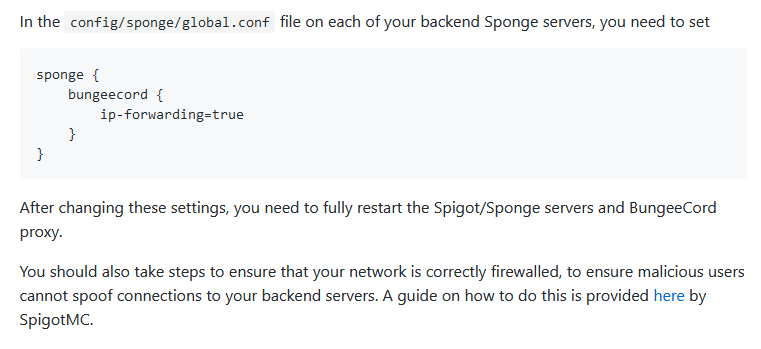
Hey, where can I find this file where I can set this? This is the website: https://github.com/lucko/LuckPerms/wiki/Network-Installation#pre-setup and that's what I need: https://uc.chatra.io/e47e471f-3ff1-4404-baed-ef41f79f3757/Unbenannt.PNG where do I tie this?
 high raven
The file directory that's mentioned in the screenshot
barren fable
You only need to do that if you have a Sponge based server
ruby estuary
but where can I find that?
ruby estuary
I have a spigot server
barren fable
Then you don't need it... as I told in my last message....
barren fable
Ja
 latent coyote
Not sure what's up, but I suddenly have OP on my server (aka it feels like I have the * permission when I don't). Essentials says I'm not opped, but I somehow activate all plugin bypasses. There is a luckperms.autoop role that I toggle on and off occasionally, and my config has OP disabled. What's up with this? (I am also able to activate LuckPerms commands when that's disabled in the config too!)
This isn't normal, I've seen this issue once in the past and it was fixed with a server reboot. This time, server reboot didn't help though. I might not be making sense - @ me and I can clarify if you point out places that need expanding on.
hollow gorge
@latent coyote I suggest checking your groups. You might have the one with the autoop perm? Or you might have given yourself * once?
We can't tell what the cause could be as there are WAY too many factors for this.
latent coyote
It's odd - commands-allow-op is false, yet I'm able to access LuckPerms commands from in-game.
And it isn't just on one server, both servers connected via Bungeecord are affected. And on top of that, I can access all Bungee commands, except those explicitly denied
Checked verbose - LuckPerms is returning true on literally everything that comes out of my player
EDIT: I have a very fat finger. Looked through lp log and it ends up I added the * permission to my user group. Thanks for being patient Andre
hollow gorge
Like I said: There are too many possible causes so we can't say what it is.
From a simple missconfiguration of permissions to forgetting to setup ip-forwarding properly is pretty much everything possible
quaint idol
!chat
wintry cloudBOT
LuckPerms does not display things in chat!
LuckPerms is only able to send information to formatting plugins so that they display them properly. LuckPerms does not put the prefix in front of your name, you need a chat formatting plugin to do it, and you need Vault. Same goes for the tablist! If the information appears correctly when you run /lp user <user> info, LuckPerms is doing its job!
Prefix isn't showing?
What plugins can I use to format chat?
 solar knoll
What is the default permission for allowing teleportation? Because I'm allowing minecraft.command.tp, minecraft.command.teleport, bukkit.command.tp, and bukkit.command.teleport, yet they still don't have permission to teleport somehow
quaint idol
!verbose
wintry cloudBOT
LuckPerms provides a verbose command to help you find out what permissions a command/plugin is checking.
LuckPerms wiki
solar knoll
that didn't really help, but I figured out I assigned them the wrong group, so thanks anyways
high raven
Verbose tells you the node checked, it's the only way he could've helped without more info firecontroller
Livestream does lp user <user> info show the right prefix
prisma hinge
i know it says i have it but in chat it does not show
high raven
That's up to your chat formatting plugin+vault to do
Do you have vault
And a chat formatting plugin
 night kelp
I keep getting this error https://hastebin.com/ahoqujewad.sql
quaint idol
!errors
wintry cloudBOT
Here's a page with some common storage system errors.
LuckPerms wiki
night kelp
Thanks
soft cosmos
@quick nimbus hey are you around? I'm looking into the bungee sql issue
proper pulsar
@open mauve
open mauve
Yes?
open mauve
Oh haha
Also I got my issue solved @proper pulsar
Had 2 plugins that were loading a different version of something. Made no sense to me but its all in the ticket I made on github
wintry cloudBOT
Hey Saymoan! Please don't tag helpful/staff people directly.
open mauve
oop
open mauve
No problem. Do you have any idea what plugins use this plugin?
https://www.spigotmc.org/resources/commons.15290/

SpigotMC - High Performance Minecraft
It came with the Skyblock predone server we got and I have no idea why its there
high raven
Me neither haha, never heard of it lol
open mauve
Alright then, guess I'll just remove it and hope for the best 😂
high raven
Hm, might not want to, if the Skyblock relies on it
proper pulsar
Yeah. Looks like mostly a library for other plugins
open mauve
I've got no clue what is relying on it so I'm going to remove it and see what breaks
Here's my plugin list if you want to maybe point one or two out that you're aware of
open mauve
Yeah it's very messy 😂
I'm just a configurator working for the server and I've been given a few random projects and suggested switching to LP from PEX, and well here we are lol
tame hollow
that usually never goes down well