#issues
1 messages · Page 10 of 1
 lilac dewBOT


Just try installing the extension and see if it works. Some plugins that make use of the LuckpermsAPI have not updated to use the v5 API. If installing it does not fix the issue, then it's an issue with the Luckperms V5 API.
I'm testing the new API, it's loading directly in from maven, using the net.luckperms:api:5.0 but sure I'll try it I guess.

java.lang.NoSuchMethodError: net.luckperms.api.context.Context.isValidValue
This error is caused by a plugin shading the LuckPerms API into its jar.
It seems the API for LuckPerms on maven central hasn't been updated
It only gets updated periodically - this isn't problematic so long as plugins don't shade it, and just allow the LP jar to provide it at runtime.
Thank you @lucko with that information I noticed I'd missed the <scope> in my pom file, thank you for a useful answer. 😄 👍
Don't rely on it being present though ^^ :wink:
lilac dewBOT

Hi there,
I'm having the issue that the prefix & suffix show up twice. Once from EssentialsX, once from luckperms (as can be seen in the prinscreen below).

Is there any way to remove the ones that luckperms attaches so that I can use this essentialsx format:
format: '{SUFFIX}&r {PREFIX}&r {DISPLAYNAME}&r: {MESSAGE}'
lilac dewBOT

This is not an LP issue.
You're using the {DISPLAYNAME} placeholder, which contains the (nick)name of the player aswell as the prefix and suffix they might have (See how the A suffix shows at the start and after your name)
You can disable add-prefix-suffix (Uncomment it. Can be found near the top of essentials' config.yml) to fix this.
But again: Not an LP issue, so refer to the M.O.S.S. Discord for help with EssentialsX: https://discord.gg/casfFyh
lilac dewBOT

I am trying to create a plugin that can give a rank through a command and I need luckperms api for it but I cant make it work. I've downloaded the jar and used it in the project structure but it doesn't recognize it in the IDE I am using IntelliJ 2020 community edition. I am very new to programming so if someone can help me please do it as detailed as you can. Thank you for any help.
Either use Maven or Gradle for plugin development, because using Jars isn't really good to do.
lilac dewBOT
Do i need to put <dependencies> <dependency> <groupId>net.luckperms</groupId> <artifactId>api</artifactId> <version>5.0</version> <scope>provided</scope> </dependency> </dependencies>} In the pom.xml because when I do put it there it shows invalid element found starting with element....
lilac dewBOT
- Please use code blocks. Inline code is ugly for this.
- https://github.com/lucko/LuckPerms/wiki/Developer-API#maven
lilac dewBOT
it is what i typed exactly but it does not work
lilac dewBOT
Then you made something wrong.
We can't read minds, nor see your PC, so actually provide information
lilac dewBOT

Yeah, not sure why this is closed. We have had this for at least a year and it has not been fixed yet.
lilac dewBOT
Can you tell me what I did wrong?


lilac dewBOT

When I write /lp editor there is some warnings in console, editor not working.
[LP] Preparing a new editor session. Please wait...
[13:20:03 WARN]: java.lang.RuntimeException: Request was unsuccessful: 403 -
[13:20:03 WARN]: at me.lucko.luckperms.common.web.AbstractHttpClient.makeHttpRequest(AbstractHttpClient.java
:50)
[13:20:03 WARN]: at me.lucko.luckperms.common.web.BytebinClient.makeHttpRequest(BytebinClient.java:69)
[13:20:03 WARN]: at me.lucko.luckperms.com...
lilac dewBOT

HTTP code 403 means access is forbidden which likely means your connection to the bytebin service has been blocked by Cloudflare for some reason. Have you been able to access the web editor from this server before?
I just installed luckperms today

Hi
For some reason my server has started spamming an error related to async loads which is caused whenever plugins are checking perms, it seems.
ex: https://pastebin.com/raw/KMfMNDac
more examples showing it's not just worldguard failing: https://pastebin.com/raw/6ESHtsk9
I've been running my server fine and then suddenly yesterday it started happening.
I tried regenerating the config file as well as deleting the l...
lilac dewBOT

I would like to ask if a Floodgate implementation is possible.
What is Floodgate?
Floodgate is a login variant for the GeyserMC project which allows Bedrock users to join a Java server. The Floodgate variant is a hybrid between the online and offline authentication on server join. Floodgate allows Bedrock users to play on a Java server without a valid Java account.
The problem
The users who joined with a Bedrock client on a Java server don`t have a valid Mojang UUID/Name ...
lilac dewBOT
    <dependency>
        <groupId>net.luckperms</groupId>
        <artifactId>api</artifactId>
        <version>5.0</version>
        <scope>provided</scope>
    </dependency>
</dependencies>
Sure you don't already have another
<dependencies>
...
</dependencies>
```?Can you paste your whole pom.xml in https://hasteb.in, but be sure to strike out any passwords (if you have some in there)
<project xmlns="http://maven.apache.org/POM/4.0.0"
         xmlns:xsi="http://www.w3.org/2001/XMLSchema-instance"
         xsi:schemaLocation="http://maven.apache.org/POM/4.0.0 http://maven.apache.org/xsd/maven-4.0.0.xsd">
    <modelVersion>4.0.0</modelVersion>

    <groupId>me.hamelech2007</groupId>
    <artifactId>Signs</artifactId>
    <version>1.0-SNAPSHOT</version>
    <packaging>jar</packaging>

    <name>Signs</name>

<descript...is there any thing wrong here?
<project xmlns="http://maven.apache.org/POM/4.0.0"
         xmlns:xsi="http://www.w3.org/2001/XMLSchema-instance"
         xsi:schemaLocation="http://maven.apache.org/POM/4.0.0 http://maven.apache.org/xsd/maven-4.0.0.xsd">
    <modelVersion>4.0.0</modelVersion>

    <groupId>me.hamelech2007</groupId>
    <artifactId>Signs</artifactId>
    <version>1.0-SNAPSHOT</version>
    <packaging>jar</packaging>

    <name>Signs</name>

    <description>signs</description>
<properti...it shows a problem with .luckperms

@lucko any chance to get a fix for this?
when I uploaded the .jar of the api it wont show it in the external libraries as a .jar it shows it as a folder and inside it instead of .java there is .html

Maybe I am doing everything wrong. Can someone make a step-by-step guide on how to do it in maven
lilac dewBOT

Can someone make a step-by-step guide on how to do it in maven
Learn to use maven. This has nothing to do with LuckPerms. Nothing about the LP API is special in terms of usage with Maven (or Gradle for that matter)
lilac dewBOT
It would be a nice addition if other server platforms could optionally turn on Sponge sytle wildcards. That is useful if you want the permissions to be consistent on networks that use Sponge with other server platforms (like BungeeCord).
lilac dewBOT
Ok ok, I get it.. :wink: (duplicate of #1625)
xD Totally forgot I had it open already.
I mean the code is in place already. Wouldn't it be either a move to Common, or a copy paste to the other projects?
lilac dewBOT
each plugin blame eachother, who do I believe ?

[LuckPerms]: A permission check was made for player kik1nho - 94b4ced2-8a3c-4e76-97c6-afd9da37ca8c, but LuckPerms does not have any permissions data loaded for them. Perhaps their UUID has been altered since login?
This error says that a player is not authenticating properly. Since Luckperms does not handle authentication, I'm inclined to say it's whatever service you use to authenticate. However, you can test this by removing FastLogin and seeing if it works. If it doesn't you should co...
lilac dewBOT
FastLogin is known to alter the UUID of a player, causing LP major issues, since the same name now belongs to a different UUID.
lilac dewBOT

So I've been looking into the permissions API a bit more. After some discussion with a few people (including zml), I've decided to use a pseudo Subject system to represent the subject of a permissions check.
The main justification behind this is the modded context the game occurs in.
More detail of the rationale of the design:
For this example, we will use a quarry. Some servers may want to have quarries obey the world protections, the same way that their owner (player) has to. T...
lilac dewBOT
I use another API in my project and all I had to do is just put the .jar in the project structure and everything worked fine.
lilac dewBOT

[09:50:35] [Netty Worker IO Thread #9/WARN] [LuckPerms]: A permission check was made for player MiniRexx523 - 0c750d53-3b16-4bef-bccd-4516bcceab97, but LuckPerms does not have any permissions data loaded for them. Perhaps their UUID has been altered since login?
[09:50:35] [Netty Worker IO Thread #9/ERROR]: java.lang.Exception
[09:50:35] [Netty Worker IO Thread #9/ERROR]: at me.lucko.luckperms.bungee.listeners.BungeePermissionCheckListener.onPlayerPermissionCheck(BungeePermissionCheckListe...
lilac dewBOT
What amazes me to this day is that they to this date still haven’t acknowledged the issue. It’s 100% on their side and I’m amazed that other plugins don’t break either. Also this probably can easily be fixed by them by running their code earlier.
LP should work the same way. I am not sure what you are doing wrong.
lilac dewBOT
 lilac dewBOT
This was closed because as far as I know the issue was fixed, but seems we're back to the start.
I need details reproduction steps to be able to do anything to fix the problem. (in a similar style/detail to this)
Because nobody has made the change?
My todo list is never ending, and this doesn't sit very high on it at the moment - sorry.
Sorry, this is out of scope for inclusion in the main plugin.
Perhaps you could achieve a similar effect with a plugin which lets you inject placeholders into commands (this would be trivial for PlaceholderAPI to add, if it doesn't exist already)
Sounds like a tweak of the Hikari config could fix this.
I'll try to look into it as some point, would appreciate it if anyone else could have a look into it too.
This isn't a FastLogin issue
Probably related to #2107
Listing the permissions of each and every group individually to know what permissions are being inherited in total is a very tedious work
Use /lp tree
https://github.com/lucko/LuckPerms/wiki/Command-Usage:-General#lp-tree-scope-player
e.g. /lp tree . lucko
lilac dewBOT
Not something I plan to work on anytime soon, but I'll happily accept a PR implementing support for this.
lilac dewBOT
I've made some commits to hopefully fix this.
Please test and let me know :)
Duplicate of #2107 - please see my comment there & let me know if the fix worked. :)
Duplicate of #2107 - please see my comment there & let me know if the fix worked. :)
It's being caused by one of your plugins doing something silly when registering their permissions. I've added a workaround for it in LP tho :)
lilac dewBOT

I've made some commits to hopefully fix this.
Please test and let me know :)
Thanks, however; we just removed BungeeChat and that seemed to do the trick.
lilac dewBOT

Hello! I've coded a Restful API Integration for Minecraft which hooks into Luckperms, however whenever a player joins, one of the ranks aren't displayed until ./lp sync is done, or some sort of query is sent.
I use the following code to set the group:
`for(String group : groups) {
if(checkIfRole(group, config)) {
Node temp = Node.builder("group." + group)
.withContext(DefaultContextKeys.SERVER_KEY, "global")
...
lilac dewBOT
Hi, thanks! It ended up being the latest Jobs Reborn update causing it, we downgraded and it stopped happening. Thanks for fixing this!
lilac dewBOT
Duplicate of #2107 - please see my comment there & let me know if the fix worked. :)
I have the same error with latest version of the plugin.
lilac dewBOT

Hi! I have a small 1 GB RAM server which runs the plugins:
Citizens // CompromiseMOTD // EpicRename // EssentialsX set // GUIPlus // HolographicDisplays // LuckPerms // MyCommand // PlaceholderAPI // Vault // WorldEdit
Every few hours or so, the server will crash with the same console log: https://pastebin.com/QTesyDcs
It repeats luckperms-scheduler-worker-(random number)
I'm running PaperSpigot 1.15.2
Any help to solve the issue would be greatly appreciated!
Thank you!
Have a ni...
lilac dewBOT
While it says luckperms in the thread dump, the first section that says (look for plugins here) is the important part. It's probably a lack of RAM, and definitely not luckperms causing it.
lilac dewBOT
While it says luckperms in the thread dump, the first section that says (look for plugins here) is the important part. It's probably a lack of RAM, and definitely not luckperms causing it.
Oh alright, I'll be sure to upgrade soon! Thank you!!
lilac dewBOT
Fixed with latest update, thanks :)
29.04 13:30:46 [Server] WARN [LuckPerms]: A permission check was made for player Elguerrero - 9c9dae1f-e116-3398-9ce1-205f5cb6c31d, but LuckPerms does not have any permissions data loaded for them. Perhaps their UUID has been altered since login?
29.04 13:30:46 [Server] ERROR java.lang.Exception
29.04 13:30:46 [Server] ERROR at me.lucko.luckperms.bungee.listeners.BungeePermissionCheckListener.onPlayerPermissionCheck(BungeePermissionCheckListener.java:67)
29.04 13:30:46 [Server] ERROR at su...
lilac dewBOT
Which version of LuckPerms are you using?
Which version of LuckPerms are you using?
5.0.146
lilac dewBOT
Please set this option to true
Then run /lpb reloadconfig - and wait for the issue to occur again.
Then send the log file from when the player connected to when the issue occurred.
Make sure you're definitely calling saveUser after making your modifications.
lilac dewBOT
I have do.
[14:35:38] [Netty Worker IO Thread #8/INFO] [LuckPerms]: Processing pre-login for 92193716-bcc2-4491-aaea-fa201391bfce - Elguerrero
[14:35:38] [LuckPerms Pool Thread #8/WARN] [LuckPerms]: LuckPerms already has data for player 'Elguerrero' - but this data is stored under a different UUID.
[14:35:38] [LuckPerms Pool Thread #8/WARN] [LuckPerms]: 'Elguerrero' has previously used the unique ids [9c9dae1f-e116-3398-9ce1-205f5cb6c31d] but is now connecting with '92193716-bcc2-4491-aa...
lilac dewBOT

@Elguerrero11 The first two lines of the error:
[14:35:38] [Netty Worker IO Thread #8/INFO] [LuckPerms]: Processing pre-login for 92193716-bcc2-4491-aaea-fa201391bfce - Elguerrero
[14:35:38] [LuckPerms Pool Thread #8/WARN] [LuckPerms]: LuckPerms already has data for player 'Elguerrero' - but this data is stored under a different UUID.
This implies your BungeeCord configuration is not set up properly. Make sure your Spigot servers have bungeecord: true and ip-forwarding is set t...
lilac dewBOT

LuckPerms 5.0.72
Paper 227 (also occurs with Spigot 1.15.2-R0.1-SNAPSHOT)
The following happens when starting a fresh new server using Spigot or Paper. I've never seen this in previous servers I've done, so this encounter is very new:
WARNING: An illegal reflective access operation has occurred
WARNING: Illegal reflective access by me.lucko.luckperms.common.dependencies.classloader.ReflectionClassLoader (file:/home/roracle/Spigot/paper/plugins/LuckPerms-Bukkit-5.0.72.jar) to method jav...
lilac dewBOT
I am stupid... I've put the wrong .jar. Thank you for anyone who tried helping me. I'm sorry for wasting your time.
lilac dewBOT

Hello, i was adding perms for the bungeecord plugins to my groups and when i was trying to use the command it says i still dont have permission. There is a picture to show what happenned using AdvancedBan. Im linking spigot luckperms with the bungeecord one on every servers using local mysql database.

 parent set (group) and /lpb user (user) parent set (group) for spigot and bungee

Hi, I have a server with Luckperms and Nucleus; I´m already op but I can´t put a command block; what should I do?
I know im not supposed to respond but maybe that in your server config commablocks are not allowed
This issue has been resolved in the LP discord. It was the fact that OP doesn't do much when a permissions system is used on sponge. The node * allowed for command block placement
lilac dewBOT
I've double checked and the save methods I posted above are being run
Additionally I have updated to the newest version and nothing has changed
lilac dewBOT

Thanks for entertaining this change, I'm going to go with the route of fixing this in SportPaper.
lilac dewBOT

Whenever I install LuckPerms onto my server, I am missing a file compared to a friends server who has the same plugin. In missing this file, it makes it so whenever I make a new group it doesn't seem to actually make it or store the data anywhere. Whenever I do it on the /lp editor website it still doesn't seem to connect with the server. I tried to create the folders and files myself but it didn't seem to read them.
lilac dewBOT
By default, the file where groups and permissions are stored is an h2 file. Hop on to the discord at https://discord.gg/luckperms and we can sort it out real quick :)
lilac dewBOT
lilac dewBOT
@Elguerrero11 The first two lines of the error:
[14:35:38] [Netty Worker IO Thread #8/INFO] [LuckPerms]: Processing pre-login for 92193716-bcc2-4491-aaea-fa201391bfce - Elguerrero [14:35:38] [LuckPerms Pool Thread #8/WARN] [LuckPerms]: LuckPerms already has data for player 'Elguerrero' - but this data is stored under a different UUID.This implies your BungeeCord configuration is not set up properly. Make sure your Spigot servers have
bungeecord: trueand ip...
I have deleted the database and is the same error, maybe i need to have the plugin updated in each server?
I have not updated in all servers.
Ok, i have updated the plugin in all servers and the error still...
lilac dewBOT
Ok, i have updated the plugin in all servers and the error still...
What can i do?I dont know what do.
What version of Minecraft is your server running on? Please share the result of /version, and do you know what version of BungeeCord you are running?
lilac dewBOT
Ok, i have updated the plugin in all servers and the error still...
What can i do?
I dont know what do.What version of Minecraft is your server running on? Please share the result of
/version, and do you know what version of BungeeCord you are running?
I am using Flamecord like proxy, is in mcmarket, is of a dev, that fix invulnerabilities and more, but i think that the error is a incompatibility with latest dynamicbungeeauth plugin because i updated that, put the o...
lilac dewBOT

Every player from Builder upwards should be able to use tp commands. But they aren't. I have set the tp permissions and the players are in the correct groups.

- Don't use *.
In cases like essentials would this give access to all TP-related commands including but not limited to: Teleporting others, forcefully teleporting, bypassing any TPA requests. - Players need
essentials.tpto be set to access the TP commands. - If the issue persists with higher groups, make sure they inherit from the builder group.
lilac dewBOT

Hello, i recently read about how to use the api but i still get an error.
Error:
**
java.lang.ExceptionInInitializerError
at sun.reflect.NativeConstructorAccessorImpl.newInstance0(Native Method)
at sun.reflect.NativeConstructorAccessorImpl.newInstance(Unknown Source)
at sun.reflect.DelegatingConstructorAccessorImpl.newInstance(Unknown Source)
at java.lang.reflect.Constructor.newInstance(Unknown Source)
at net.md_5.bungee.api.plugin.PluginManager.enablePlugin(Pl...

Another thing to note is:
- essentials overrides default minecraft teleport commands.
- Check that you have set up your group weights as well: https://github.com/lucko/LuckPerms/wiki/Weight
lilac dewBOT
Apparently it's fixed soooo, gonna close.
Did you actually make sure that the right version of LP (BungeeCord version) is on BungeeCord and actually loaded?
If the plugin doesn't exist/isn't loaded then obviously will there be errors.
The issue is one of your plugins is altering player UUIDs between the time when LuckPerms loads data and when permission checks are made.
[14:35:38] [Netty Worker IO Thread #8/INFO] [LuckPerms]: Processing pre-login for 92193716-bcc2-4491-aaea-fa201391bfce - Elguerrero
[14:35:38] [Netty Worker IO Thread #8/WARN] [LuckPerms]: A permission check was made for player Elguerrero - 9c9dae1f-e116-3398-9ce1-205f5cb6c31d, but LuckPerms does not have any permissions data loaded for them. Perh...
lilac dewBOT
I am aware, that the essentials.tp.* gives access to all tp commands. It is only for my builders and upwards. So thats ok.
I have set the weights. And I double checked for conflicting permissions.
I didn't know, that minecradt perms are overwritten. But that shoudn't be the issue here i think.
lilac dewBOT
I have solved, i had just put my initiator on the onLoad, but we must put initiator in onEnable if we put a depends on the bungee.yml
My fault, i close the thread
lilac dewBOT

Currently Floodgate seems to use the ID of the XBox account to generate the UUID.
Is this no good?
used Google Translate
As long as a player has a UUID it'll work.
lilac dewBOT

I wanted to set permission for track promotion only for certain groups just like here:
https://github.com/lucko/LuckPerms/wiki/Argument-based-command-permissions#for-sponge-and-spigot
i have track "administracja" with groups:
default -> mod -> admin -> owner
luckperms.user.promote - true
luckperms.user.promote.administracja.(admin|owner) - false
(same for demote)
Unfortunately it doesn't work, with those permissions I can still promote past admin and owner. I also tried s...
Did you enable argument-based-permissions in the LP config?
OMG ! I missed it. Yes it works now, i had to include all permissions from example.
Thank you!
I mean it says so on the page (for both things). But I'm glad it's working now.
lilac dewBOT
You can ignore that error. It won't cause any issues.
You're able to use Verbose which should give you an idea of what is happening. https://github.com/lucko/LuckPerms/wiki/Verbose
lilac dewBOT

Hi,
I would like to suggest a command that allow user to check the remaining time for a temporary permission.
Currently the only way to know the remaining time for a permission is by:
lp user ... info
lp user ... editor
When we use the commande lp user ... check permission, it's just give the status of permission if it's enabled, unset or disabled.
I would like to inform my user the number of day, that they still have access to a command. The only way I know from today is to use...
lilac dewBOT
While I do agree it would be good to have a specific command to check the remaining time. You can also use the %luckperms_expiry_time_<permission>% placeholder which will return the time remaining.
lilac dewBOT

We are making an amusement park style server, and we would love to use LuckPerms. However, when it is installed in the server, even without any permissions added, anyone who is not /op on the server receives 2 items instead of 1. Here is the command for giving the item:
/minecraft:give @a[level=1,x=-36,y=65,z=439,distance=..2] minecraft:nether_brick
(we use levels to make sure the ride is actually ridden, and the levels are removed at the same time as the item is recieved)
Any help w...
lilac dewBOT

Command blocks w/ LP work fine on my server (Tuinity 1.15.2 but also worked when I used Paper)
The only thing I have that could maybe be making it work is the fact that I have CommandHook installed
lilac dewBOT
LP is not responsible for these commands
So LP, a minecraft plugin, isn't responsible for LP not working with a minecraft command?
Sounds pretty stupid to me.
The command you mentioned is not a LP command at all, so yes it is not in LP responsability to handle it.
See my updated comment.
LP is not a minecraft plugin.
Vanilla Minecraft does not run plugins. You use a modded Server like Spigot for this.
And LP handles permissions. Period.
Everything outside of this (chat, handling commands, etc.) is not the job of LP.
Please learn the basics about plugins and modded servers before assuming that a Permission plugin would handle everything.
See my updated comment. This is a LP issue, as it is only an issue when LP is installed.
It doesn't matter if LP is installed or not. If a command worked before LP (and especially a vanilla command) then having a perm plugin wouldn't affect it in such a way.
Except it does? Adding LP makes the command not work as intended. Thus it is a problem with LP.
And LP making a vanilla minecraft command function incorrectly is a big problem! You can say all you want that "having a perm plugin wouldn't affect a vanilla command", except it does!. This was the ONLY plugin on the SPIGOT SERVER, and it caused this issue. Thus is it a problem with this plugin.
I came here for help, and all I'm getting is some idiot saying that "adding LP wouldn't change an...

This is just nonsense. The vanilla give command works fine on our 1.15 paper server regardless if LP is installed or not.
So instead of giving help, people just come to insult and say "this isn't an issue with LP". Nice community you got here. Almost makes me glad we are unable to use LP.

You incorrectly said that LuckPerms is causing your issue. When others (who know far more about the plugin than you do) told you it wasn't, you still insisted that LuckPerms was the issue, instead of asking for other possible causes. I think it's quite unreasonable to be upset with the maintainers of this plugin.
Since the vanilla give command works perfectly on my paper 1.15.2 LuckPerms server, it's clearly not the fault of the plugin, rather than your specific server setup.
We provide the information we have.
You use a vanilla command with a command block that can easly be triggered twice.
A perm plugin would not trigger a command twice. It would only deny access to it, when the player lacks permissions. If the player hss the perm, then the command is executable.
LP won't trigger twice.
From the 2,200+ issues is yours the first one reporting this, which is a clear indicator that it isn't LPs fault.
Also, we try to help and be nice here. You're the person calli...
The command block isn't being triggered twice. If you had actually read the OP, you would have seen that anyone who isn't opped on the server gets 2 items. Meanwhile anyone who is opped gets 1 item, as intended.
Now is a great time to "provide any usable information like your Server type and version, version of LP and what steps you did to reproduce."
lilac dewBOT
Paper Spigot 1.15.2
LP 5.0.72
Uninstalled all plugins. Did /deop Elrze. Rode a ride. Received 1 item. Did /op Elrze. Rode the same ride. Also Received 1 item.
Installed LP 5.0.72. Did /deop Elrze. Rode a ride. Received 2 items. Did /op Elrze. Rode the same ride. Received 1 item.
lilac dewBOT
lilac dewBOT
I will test with the dev, thanks :)
lilac dewBOT

I have a bungeecord server and i want to create a group for only one of the backend servers instead of having to make it for every server, how do i do it?
I have luckperms bungee setup and running btw
You can't.
Groups are global. You can however assign it to players per server, or set permissions for it per server
lilac dewBOT

Sometimes, when players join the server, there kicked for this reason "doesn't have data pre-loaded, they have never been processed during pre-login in this session. - denying login." §7§l[§b§lL§3§lP§7§l] §cPermissions data for your user was not loaded during the pre-login stage - unable to continue. Please try again later. If you are a server admin, please check the console for any errors.
version lp : 5.0.72
tacospigot

Hi, I have a problem with the luckperms plugin installed on the bungeecord server.
When a player tries to enter into the server he is kicked with an error message: ReadTimeoutException: null
And an error message is sent to the console: https://pastebin.com/k9x8ntq8
how can I solve this problem?
Thanks in advance
That's caused by running a cracked server, usually. Either use a better authentication plugin, or make it online-mode: true
lilac dewBOT
 lilac dewBOT

This part of the thread dump is what tells you what caused the crash. The rest just says what was also going on. The cause of your crash was a skript/inventory click event error that definitely had nothing to do with LP. I'd take a look at your skript for inventory guis or something like that as the cause of the crash.

Hello, i have a error of LuckPerms in my network.
When I open the skywars console, the LP leaves me in big error.
` Notes:
- I use PaperSpigot 1.8.8
Try updating to the latest version from https://luckperms.net
oh it just said luckperms in the top so though it was that sry :)
That's caused by running a cracked server, usually. Either use a better authentication plugin, or make it online-mode: true.
If you don't run a cracked server, update to the latest version of LP from https://luckperms.net
If you don't run a cracked server, try updating to the latest version of LP from https://luckperms.net
@Laarryy Ok, I use the latest version at luckperms.net [5.0.146], but I have a new error, I don't know if it is the same.
hastebin.com/wizodoralu.shell
Try deleting LP's config and the libs folder, and restart the server. Might help.
lilac dewBOT
Well, i did but i have a new error.
https://hastebin.com/oduyavofak.shell
lilac dewBOT
Sooo? Did you manage to find the source of the problem?
I'm assuming that you've closed this issue because it wasn't being caused by LP, but please correct me if that's wrong.
Sounds like filesystem permission errors on your host if the files aren't being created automatically.
You can check in console - there should be some more descriptive error messages there if that's the case.
The placeholder is your best bet :)
Most likely ^ - need to see your full bungee log file with the debug-logins config option enabled to know for sure.
I closed it because I received no help. We moved onto another permissions plugin.
lilac dewBOT
Sorry, this isn't a 24/7 helpdesk. At least give me a chance to reply... it hadn't even been 24 hours.
I'd like to see the bug resolved so it doesn't affect other users, so would appreciate your cooperation. However if you've given up that's fine too I guess.

I believe that the average user will mostly want to see the permissions that are inherited directly and the ones inherited from a group
For example:
Bob
  Directly inheriting:
    permission-a
  Indirectly:
    group-a
      Permissions:
        permission-b
      Inheriting from:
        group-b: permission-c , permission-d
If there's an issue of high CPU usage on the server-side, it's also possible to use the webpage-based tree structure that the tree command generates
lilac dewBOT
Of course.
Doing some more research with the plugins on the server, the issue is caused by both EssentialsXAntibuild and LuckPerms (I thought essentialsX would be fine, as that is what is recommended on the webpage for LuckPerms.. Only when both plugins are on the server does this issue happen. Once I figured this out, I attempted to allow default rank to use command blocks, as well as to use powered rails (setting essentials.build.interact.command_blocks and .powered_rails to true), and th...
lilac dewBOT

I have two plugins that uses Bukkit.broadcastMessage() (for example CrazyChates and DonatorJoinPlus) but when they run Bukkit.broadcastMessage() only players with * or OP mode can read that message. For example, OP players or players with * permission can read the message of CrazyChest " has opened ...", the others can't. I tested it, when I delete LuckPerms from the plugin folder and then I restart the server it works.
lilac dewBOT
I resolved with put user permission bukkit.broadcast.user
lilac dewBOT
If you allow them all antibuild permissions (the * wildcard) does it work properly?
lilac dewBOT
One more thing to try is turning verbose on, and noting exactly which permissions are checked when an OP does the thing and exactly which permissions are checked when a non-OP does the thing. If the op is getting true for a node that comes back as false or undefined for the non-OP, try giving that node to the non-OP group
We don't want them to have access to all antibuild permissions. Only wooden (oak) pressure plates, buttons, trapped chests, and ender chests. All permissions are turned off for non-opped people (except the 4 items set to true), and when someone is Opped they have all permissions true.
I completely understand, but this is likely an issue with a missing permission or something like it, so testing with the user having a wildcard node would be valuable, as it will let us know if it's an op vs non op thing or a missing permission thing
lilac dewBOT
Its a missing permission. Having all the permissions permitted gives the single item as expected. I wouldn't know which permission it could be.
One more thing to try is turning verbose on, and noting exactly which permissions are checked when an OP does the thing and exactly which permissions are checked when a non-OP does the thing. If the op is getting true for a node that comes back as false or undefined for the non-OP, try giving that node to the non-OP group
This is the next logical step. Compare the permissions checked for an op player to those of a non-OP player
lilac dewBOT
Thank you. The issue was that essentials.build.drop.* had to be given. Otherwise the /give command from a command block gives 2 items instead of 1.
lilac dewBOT
That might be worth reporting to EssentialsX btw!
lilac dewBOT

There doesn't seem to be any kind of option to actually add people to groups. I'm sure there is, but where is it? There's no command for it on the wiki page. I know, it's not really an issue, more a question, I just didn't know how else to contact you.
The group add commands are synonymous with the parent add/set commands. And parent mention refers to group. Also, feel free to join the discord at https://discord.gg/luckperms
lilac dewBOT

I suggest to add possibility to add time for timed permissions and group. For example, I gave someone permissions for an hour and I want to add one more hour to them in total. I didn't find a command that would allow this thing.

I've been having problems with my server crashing recently and I found this in the Log after one:
[14:03:11] [Spigot Watchdog Thread/ERROR]: Current Thread: luckperms-scheduler-worker-8
[14:03:11] [Spigot Watchdog Thread/ERROR]: PID: 175 | Suspended: false | Native: false | State: TIMED_WAITING
[14:03:11] [Spigot Watchdog Thread/ERROR]: Stack:
[14:03:11] [Spigot Watchdog Thread/ERROR]: sun.misc.Unsafe.park(Native Method)
[14:03:11] [Spigot Watchdog Thread/ERROR]: java.util.concur...
Already a thing.
For example:
/lp user Andre_601 permission settemp essentials.fly true 1d accumulate
This will add the provided time to the permission, when it is already set. So f.e. a perm with 1 hour becomes 1 day and 1 hour.
This is explained in detail on the above linked section and applies to any other command for temp...
- https://hasteb.in next time as this is horrible to read.
- This sure isn't the entire log, so it isn't clear if that is the very first entry and therefore can't be 100% pinned down to be an issue with LP. So please provide your full log of this.
lilac dewBOT

Hello, as knowing already you can:
- 'lp user %Player% permission settemp essentials.fly true 1m'
to another plugin let's say "vouchers" so if they click an item, they will recieve the command /fly for 1min.
After 1min, the player can fly without any problem and also he can't /fly again to disable.
Is there any option to disable the command /fly after the time ?
Is there any luckperms thing to do that or do i need another thing to solve this ?
Thank you in advance.
lilac dewBOT

When using Vault API's Permission#getGroups() method, LuckPerms will return a list of rank display names when the method is clearly getGroups (it should return group names instead). This issue is causing several functions in my plugin to malfunction. It simply doesn't make sense to return display names.
Example Code:
for(String group : i.getPermissions().getGroups()) {
  System.out.println(group);
}

 lilac dewBOT

The title pretty much speaks for itself.
A suggested implementation could be subscribing to NodeMutateEvent, and submitting Player#updateCommands for each online player to rebuild the available completions.
lilac dewBOT
I'd like to note that I am not speaking on behalf of Luck, and with way too little knowledge of the specifics of this, but to the best of my understanding, Luckperms is designed to return displaynames rather than group names to vault. This is so that any other plugin that uses vault to get/use group names is able to display the group's displayname. This is important especially when a player wants their group names to be capitalized through another plugin. As Luckperms stores all groups as low...
lilac dewBOT
Luckperms only handles the permission side of things. If you want the fly to be disabled after the permission is removed you'll need another plugin that handles that side of things.
lilac dewBOT
This is not a bug but a intentional behaviour.
LuckPerms has a setdisplaynam command to set a displayname.
This displayname is used for Vault, to f.e. display Member instead of default.
So it's an intentional behaviour and not a bug.
If you want the actual name of the group, use the LuckPerms API.
I’d also like to know where the issues are.
And keep in mind that the displayname is not intended to contain formatting. That’s what prefixes are for.
lilac dewBOT

When we place the order:
/lp user Extazii parent addtemp vip zddz20d accumulate
The plugin will not take into account the "-" and will add +5 minutes, I tested by putting any letter, for example:
/lp user Extazii parent addtemp vip zddz20d accumulate
he's still gonna add another 20 days.
if that helps.
lilac dewBOT
Thank you sir, can you give me a path to a plugin who does that ?
I'm not sure of one sorry.
lilac dewBOT

Redis 6 adds support for TLS, but LuckPerms fails to load with it, I had to switch to plugin messaging temporarily. This will also require updating jedis dependency to 3.3.0
lilac dewBOT
Like I said, the method is getGroups so it should return groups. We should have to use the LuckPerms API for display names, not groups.
Like I said, the method is getGroups so it should return groups. We should have to use the LuckPerms API for display names, not groups.
And Like I said is this intended behaviour.
You're retrieving the group through the Vault API, which retrieves it from LP. And LP gives Vault the display name, rather than the group (internal) name.
This is because there are many people who f.e. want to just display the group name in a scoreboard, but don't want the default group to show as default, ...
I realize it’s intended however it doesn’t make any sense, because, again, the method is getGROUPS, not getDISPLAYNAMES or something. Yes there are some plugins that may want display names but there are also plugins that want group names. And I can’t see why somebody would use getGroups for a scoreboard?
lilac dewBOT
People often want to display the group name (not the prefix/suffix) somewhere like on a tab list or the scoreboard.
But displaying default or mod isn't that appealing to many, which is why the display name command exists.
The command description on the wiki descripes it a bit:
Sets the groups display name. This can effectively be used as an "alias" for the group.
Displaying "Member" instead of default or "Mod" instead of mod is something many want.
You three are the only one ...
Apologies for the mistyped titles :D
I’ve changed this to a suggestion for a configuration option as @Andre601 mentioned.
Keep in mind Vault only has the concepts of groups. Not displaynames. So are argument regarding “it’s called getGROUPS and not getDISPLAYNAMES” is null and void.
Display names were introduced to for the exact same you complain about. Essentially their only purpose is to change the group name for external APIs.
You asked for plugins having to use the LP API to get the display name but again that defeats the entire purpose of display names. As they are the only way for plugins not wanting...
I own the plugin GrantX which contains an import command that allows you to automatically import your permissions plugins ranks into the GUI.
The import command works for all permissions plugins except for LuckPerms because the /lp user <player> parent set <group> will try to set the parent to the display name which doesn’t exist
Then use the API. I don’t understand your issue.
Alternatively use Vault to modify the groups. Then you don’t need to run any commands.
Because it’s much easier using Vault than using a whole new API because 1 method I not returning what I am wanting? I don’t understand how you don’t understand the issue.
I switched from using the API to set groups long time ago for several reasons.
Keep in mind that my plugin supports all Vault-compatible permissions plugin and not only LuckPerms.
lilac dewBOT
The import command works for all permissions plugins except for LuckPerms because the /lp user parent set will try to set the parent to the display name which doesn’t exist

Working fine for me...
Because it’s much easier using Vault than using a whole new API because 1 method I not returning what I am wanting? I don’t understand how you don’t understand the issue.
Let me answer your question with your own answer:
Like I said, the method is getGroups so it should return groups. We should have to use the LuckPerms API for display names, not groups.
So you're saying if you want X, use the API.
I'm just doing the same. The only difference being you want the internal ...
lilac dewBOT
My bad- the command works just fine with the display name, however my validation checks are getting thrown off because users input the rank's group names, and I match them up against display names.
This isn't a major issue and I'll just disable this check for LP.
Thanks all!

You'll need to add the ssl property to your config:
redis:
  enabled: true
  address: localhost
  password: 'example'
  ssl: true
Two things here:
- Why are you using commands in the first place? If you do that you don't need to bother finding the right commands for the permissions plugins.
- Just make clear that for LP they need to put the display names in the config
I quite frankly don't see the issue.
You're having issues that don't exist and worst of all you had been playing the blame game with them.
Four things here:
- Because I want to also be able to run other commands, such as a broadcast command or a pay command, when they get granted a rank. Additionally, I have placeholders such as %next-best-group% which returns the name of the next best group they have been granted, etc. etc.. Plugins like PermissionsEX do weird things with per-world permissions when I use Vault to give them a rank, GroupManager sometimes just completely breaks, some plugins don't have group setting and only g...
lilac dewBOT

Hello may someone please help me with prefix stacking for my server! I've tried using the 2 GitHub links that explain how to do it but for some reason it wont work! Thank you!
Like i go into the config and set the higest/lowest thing and it still wont give me 2 prefixes only 1
they spawn as the default group, then they get to choose between 3 classes, (so 3 classes are all the same just different names) and then im trying to add the donor group so it just shows their prefix and them inh...
lilac dewBOT

I worked with the /lp editor and followed a direct guide that told me how to set up the group and the permission and members still can't access the perm I gave them. The group "member" should have access to essentials.rules but they can't do /rules when in game. I ran the update command it gives you once you hit save in the editor and I've tried restarting the server to see if the changes took effect but nothing happens. The command is marked 'true' in the editor.
lilac dewBOT

So, I created
default (It was already there) - vip - god - legend - hyplex - etc.
and when I move the player to vip or god, it stays in chat the same default, but when you use commands it shows you the group, any ideas why does it happen also the default group doesn't want to change its name. I have already read the text document about default and also I couldn't find the selection about the default settings in the yml. file. Or is it from the chat control or something?
and when I move the player to vip or god, it stays in chat the same default,
This is most likely a chat issue and not a LP issue. LP doesn't handle the chat
also the default group doesn't want to change its name. I have already read the text document about default and also I couldn't find the selection about the default settings in the yml. file. Or is it from the chat control or something?
The de...
lilac dewBOT

Hello! I was looking on the wiki and i don't know if i missed it, but i don't see any documentation on moving from 1 storage type to another. What is the process for this?
There is a wiki page literally called Switching Storage Types & Backups
lilac dewBOT
Fixed in the above commit.
I haven't added schema migrations for this - but can do so in the future if it becomes a problem.
I've tested using the above setup and it seems to work fine. Closing for now.
lilac dewBOT

Note: This is a follow up to: https://github.com/lucko/LuckPerms/pull/2091 I apologize for making this another issue, please close it if you feel it is not worth your time.
Recently, I noticed the issue of SportPaper not being able to support LuckPerms. I was really hoping to see if there is any news of an upcoming solution? Many servers like mine like to utilize "custom forked spigots" and some use SportPaper as the base making it really frustrating when you find out LuckPerms isn't s...
lilac dewBOT
As you can see from the replies in #2091, the issue is going to be resolved at the SportPaper end. You'd need to talk to the maintainers there for a status update.
lilac dewBOT

Condition: player without Xbox account tries to join server and gets kicked due to "not authenticated"
Plugin compiled from https://github.com/lucko/LuckPerms/commit/fe32aa2d33e0f18559d8e6e792cfd65aaf103d37
Logs:
[FATAL] Could not pass event "cn.nukkit.event.player.PlayerQuitEvent" to "LuckPerms v5.0.151": null on me.lucko.luckperms.nukkit.listeners.NukkitConnectionListener
[ERROR] Throwing
cn.nukkit.utils.EventException: null
at cn.nukkit.plugin.MethodEventExecutor.execute(Me...So, i added a group and added permissions and a prefix to it, this is using bungeecord btw, but when i do /lpb user {user} parent set {group} server={server} it doesn't add the group in the specified server and the prefix doesnt show up. Is there a fix?
lilac dewBOT

Hi, could you remove this message when using CMI Vault? I would like to have clear log without warns.
[LuckPerms] Loaded class net.milkbowl.vault.permission.Permission from Vault v1.7.3-b${env.TRAVIS_BUILD_NUMBER} which is not a depend, softdepend or loadbefore of this plugin
lilac dewBOT
Also, this is not only groups, but this also happens with permissions
NEVERMIND, figured it out
I didn't set the server in config!
lilac dewBOT

Hey guys!
Firstly I must thank you for this realy nice permisson plugin!
So let's get back to my question: Can Ldap sync be implementet in near future?
I have a global ldap server for my staff to login to our systems.
This makes the administration effort extremely easy for me and my admins.
Could you please clarify what you mean by ldap sync? What would you like it to do, (and what is ldap, for the me who doesn't know) and how would you like to have it done?
lilac dewBOT
I mean with ldap sync to set permisson based on ldap groups
lilac dewBOT

Hi, I want to make my server with Sponge-Forge mods and I have a problem with LuckPerms, it crashes the console, tries to connect to some website or something like that, but it doesn’t work out and it crashes the console. Even if nothing happens to remove LuckPerms, even Anvil-Sponge didn’t delete, it didn’t help, another plug-in started complaining. Help, here is a crashlog
[lucko/LuckPerms] New comment on issue #2274: Crash when i use LuckPerms in server \(Sponge\-Forge\)
The log you provide isn't available.
Please use a proper site to share errors (e.g. https://hasteb.in) and not google drive.
lilac dewBOT
[lucko/LuckPerms] New comment on issue #2274: Crash when i use LuckPerms in server \(Sponge\-Forge\)
I read Crash Log carefully and understand what the problem was, I already fixed it
lilac dewBOT

Hello, I have noticed that the plugin takes a very long time to shutdown on Velocity (I tested with versions 1.0.5 and 1.0.8 of velocity, and build 151 of LuckPerms).
MariaDB storage, Redis messaging, everything else is default settings
lilac dewBOT
How long is very long?
lilac dewBOT
 lilac dewBOT
How long is very long?
"It can take up to 1 minute to shutdown"
lilac dewBOT
I should stop responding to issues when I’m half asleep. My apologies.
lilac dewBOT
Title asks it all, i need to run /lpb on the console, is there a way?
Yes, if you're in the proxy console, just dont use a /
It should actually be in the backend server
So is there a way from the backend to run it?
/lpb is a bungeecord command, so you have to use it on the bungee console or in game.
It sounds like you may have mistaken the bungee version of LuckPerms as a solution for your whole network when you actually need to install LuckPerms on every server.
Read this for more info about installing on a network:
https://github.com/lucko/LuckPerms/wiki/Network-Installation
I have luckperms on everyserver, and i want to give players a rank using the console so i can do "lpb user {user} parent set {group} in the console instead of doing lp because i dont think lp syncs ranks
I have read that already and have setup luckperms bungeecord properly
Then you need to figure out why it's not syncing. It shouldn't matter whether you use /lp or /lpb to modify the database if it's all connected properly.
Feel free to jump in the discord to get quicker help.
lilac dewBOT
It is common curtesy to explain your solution if you found one yourself.
So other people stumbling upon this can have their issue solved too. Also so support people know what’s going on so they can help others better.
lilac dewBOT

I have a few hundred permisisons, and when trying to edit context in the webeditor on one of my permissions, its covered up by the Add Permission UI, maybe push the Context Element to the top Layer so it shows up ontop of the Add Permissions UI when using context's on existing permissions.

lilac dewBOT

i downloaded luckperms and when i run /plugins on my minecraft server it shows luckperms there. it says to do /luckperms but when i do that it says nothing at all. it doesnt say unknown command or anything it just does nothing
Then you might do something wrong?
Double-check you installed the right version of LuckPerms. If it shows red in /plugins (On spigot) then there was an issue enabling LP and you should check the console for any errors.
Other than that is the information you provide really not useful and since we can't see your Server-setup can we also not help.
lilac dewBOT
it was red when i did /plugins and i checked the console and it didnt say anything at all about luckperms except when i did /luckperms. i put it in a google doc and did ctrl+h to search it and i searched for the word error and the word luckperms i dont know how to fix it.
lilac dewBOT
Use https://hasteb.in - paste the entire console into it, upload it, and send the link it generates.
lilac dewBOT

https://gyazo.com/0525d9f13af045dfd797ad1e0855a43d
https://gyazo.com/bda74e7ee6b267a29cd7fffa96728acd
https://gyazo.com/a33a74d570ef75cd7df6aac2d2440890
https://gyazo.com/7afa9105cc7e376cd08eddb91cb2c993
https://gyazo.com/faefa9eb7db50d60cc2797062f52f1e7
https://gyazo.com/fb98cb634e30074e7c15e21e7639dec4
https://gyazo.com/6b9725666cf97137760f5e173220c112
The problem is everything below builder isn't showing it's prefix, I just updated LuckPerms to and I still have the same issue.
It's the prefix :P
Also, the prefix is showing in lp user <user> meta info as well as lp group vip++ meta info but not lp user <user> info - I'm at a loss, any help would be appreciated
Fuck I always get suffix and prefix mixed up lol.
lilac dewBOT
 lilac dewBOT

Hello,
I use LuckPerms since a long time but since yesterday, I'm having some issues using it.
In fact, LuckPerms makes every connection attempt goes into timeout and it throw this error.
Nevertheless, the problem does not occur on the sub-servers using Spigot, only on Bungeecord.
I already tried to completly re-install the plugin, but I'm still facing the same errors.
Relevant logs
14:58:01 [WARNING] [LuckPerms] A permission check was made for player Fyroeo - fdc72cd2-bc4a...13:07:12 [GRAVE] Task BungeeTask(sched=net.md_5.bungee.scheduler.BungeeScheduler@5aa0dbf4, id=34269, owner=fr.unicraft.unicoins.UniCoins@24c22fe, task=fr.unicraft.unicoins.task.AsyncRunnableTask$1@4ec459f2, delay=0, period=1000, running=true) encountered an exception
java.lang.NullPointerException: user
at java.util.Objects.requireNonNull(Objects.java:228)
at me.lucko.luckperms.common.api.implementation.ApiContextManager.getContext(ApiContextManager.java:69)
at fr.unic...7ae532f082f322e69cfffafa6b625581bd33b41f
lilac dewBOT
lilac dewBOT
Did some research, seems it's likely because a socket timeout wasn't being set.
https://github.com/brettwooldridge/HikariCP/wiki/Rapid-Recovery
I've applied the fixes detailed above to hopefully resolve the problem. If someone could test I'd be grateful :)
(it may take ~30 seconds after the DB comes back online for the plugin to start connecting again)
Please see my comment here: https://github.com/lucko/LuckPerms/issues/2223#issuecomment-626208773
Hopefully that ^ will also resolve this problem :)
lilac dewBOT
This is awaiting a fabric api permissions api ehich is still in a design phase. Using the player itself for permissions checks does not suffice due to the modded context LP will be running in
 lilac dewBOT
That doesn't show anything about LuckPerms.
We need a log from when you had LP installed.
 lilac dewBOT
I believe all of the suggestions posted here have now been implemented in some form.
Thanks for the feedback! 😃
lilac dewBOT

> [20:38:16 WARN]: Exception in thread "Thread-16"
> [20:38:16 WARN]: java.lang.NoClassDefFoundError: me/lucko/luckperms/LuckPerms
> [20:38:16 WARN]: at net.fatehub.plugin.handlers.permissions.implement.LuckPermsPermissionSystem.getName(LuckPermsPermissionSystem.java:20)
> [20:38:16 WARN]: at net.fatehub.plugin.scoreboard.ScorebardAdapter.lambda$getLines$0(ScorebardAdapter.java:32)
> [20:38:16 WARN]: at java.util.ArrayList.forEach(ArrayList.java:1257)
> [20:38:16 WARN]: at net.fateh...One of your plugins doesn't supports the v5 version of the API.
Best is to contact the author of FateHub that their plugin doesn't work with the new LP API anymore.
As a temporary solution see api compatility on the wiki!
lilac dewBOT
i still do have luckperms installed. https://imgur.com/a/O0cT2iS i dont know why its doing nothing
- send the full server startup from start to done!
- show us a screenshot of
lp inforan from console
lilac dewBOT
https://hasteb.in/fipowino.md
is the startup.
https://drive.google.com/file/d/1dq619BdGELNE4fAEWlixmJsoJVSzWGRr/view?usp=sharing
and here is a link showing a video of what happens when i do lp info in console. i do have luckperms in the plugins and it shows up in red when i do /plugins.
That doesn't look like a full startup log.
lilac dewBOT
That doesn't look like a full startup log.
Unfortunately, as Turbo said, its not the full server log.
- Restart your server fully.
- Go into your server files and get
./yourserver/logs/latest.logand send us the full contents in it via https://hasteb.in/
lilac dewBOT

Anyone who might have a clue what the issue could be? Tried removing other plugins to check for any compatibility issues and didn't seem to make a difference. Tried putting legacy API in the LuckPerms extensions folder also. Had no issues when on 1.14 but upgraded to 1.15 recently and problems have arisen since.
Server works just fine, console just gets spammed with the following messages as soon as someone joins, and whenever a person types in chat.
[21:08:06] [Server thread/WARN]: [Lu...
lilac dewBOT
It's the same error. One of your other plugins is improperly shading SLF4J.
I suggest removing plugins methodically to determine which one it is.
Try with LP + half of the rest of your plugins, if issue is fixed, you on the problematic plugin is in the other half, and so on.
Nothing here to suggest an LP issue.
lilac dewBOT

Got this errors on bungee start
`22:46:10 [WARNING] Exception encountered when loading plugin: LuckPerms
java.lang.LinkageError: loader constraint violation: when resolving method "org.slf4j.impl.StaticLoggerBinder.getLoggerFactory()Lorg/slf4j/ILoggerFactory;" the class loader (instance of net/md_5/bungee/api/plugin/PluginClassloader) of the current class, org/slf4j/LoggerFactory, and the class loader (instance of net/md_5/bungee/api/plugin/PluginClassloader) for the method's defining class...
lilac dewBOT
ik the plugin who make this error, it's premiumvanish.. But Premium work and Luck nop so the problem is from LuckPerm..
No it's not.
Like if you smash a window with a stone, is it the stone's fault for smashing the window or is it the windows's fault for breaking?
(stone = PremiumVanish, window = LuckPerms)
Hm.. Same error for someone else this day ? Strange..
Thanks for the suggestion :)
Reach out to the author if PremiumVanish. They should be able to fix this easily.
Maybe you got the permission node wrong.
The verbose command will help to see where things are going wrong.
https://github.com/lucko/LuckPerms/wiki/Verbose
Thanks, should be fixed by the above commit.
Sorry, this is out of scope for LuckPerms.
Could you try generating a thread dump while it's hanging?
If you're on unix, you can use jps to get a list of the Java process pids. Identify which process is your Velocity instance, then run jstack <pid>.
I'm gonna take a wild guess that you probably want the legacy Bukkit version.
But the console message will tell you that anyway if you read it :)
Can you pastebin your LP config please.
All I can think of is you've changed the meta stacking settings or something like that by mistake.
What version of LuckPerms are you using on BungeeCord?
I've made some changes recently which addressed these errors, perhaps you just need to update?
The User object you're passing is null.
It tells you that 😛
java.lang.NullPointerException: user
I believe this is fixed already in the latest version.
Oh, seems like it could be PremiumVanish? ^^
Try removing that if you have it.
The one big question that remains is how to you link player accounts to LDAP accounts?
lilac dewBOT
lilac dewBOT

When attempting to connect my LuckPerms on a 1.8.8 Spigot server to a MySQL database so that I can have shared permissions throughout my network, I am getting this error https://hastebin.com/owekogoziy.apache
I've got LuckPerms running on a Bungee server and a 1.12.2 Spigot server and I've been having no problems whatsoever.
Solutions I've tired:
Using PaperSpigot 1.8.8
Deleting the libs folder
Using the latest version from SpigotMC
Using the latest version from luckperms.net
Using...
I'm using the last actual version: v5.1.3 so I can't update to any newer version.
Great ok, can you please set debug-logins to true, run /lp reloadconfig, and then send your full log file next time the error happens.
Are you using PremiumVanish by any chance?
Nope. No PremiumVanish. Would you like a plugin list?
https://cdn.discordapp.com/attachments/706513958370279474/709187082547101727/Screen_Shot_2020-05-10_at_5.35.39_PM.png
Sorry for the non-alphabetical list and it being a screenshot. Console wont let me run /pl for some reason
lilac dewBOT
Doesn't seem to have made any changes. Here is my latest.log also https://hastebin.com/goxabuqoyu.makefile
Nope that's perfect.
I added some extra logging:
[19:59:50] [Server thread/INFO]: org.slf4j.LoggerFactory is provided by BCommons
[19:59:50] [Server thread/INFO]: org.apache.logging.slf4j.Log4jLoggerFactory is provided by StaffPlus
[19:59:50] [Server thread/INFO]: org.apache.logging.log4j.spi.AbstractLoggerAdapter is provided by StaffPlus
You have different plugins trying to load different versions of SLF4J and Log4J (these are logging libraries).
Seems like either `St...
So in theory removing one or both of these plugins should fix the issue? I'll give it a try and let you know if it helps at all!
It's now working! Guess I'll have to just live without those plugins. I've got no idea why Commons is even installed either. Thanks so much for the help!

Hi,
Anyway to optimize the load of the LP database?
It take more than 1 minute to load for 800 differents players and 2050 groups
I store everything on a MYSQL database and it take a lot of time to start/restart the server cause of that.
Mysql server was another server.
This my ./lp info results:
https://gist.github.com/maxlehot1234/ffe1e6c1780dfb496d6ced254050dcec
If I setup a server on my computer with LP with the same MYSQL server, it take maximum 1 second to load with a...
lilac dewBOT
ok so it says the problem in there sorry i didnt know. im bad at this :/
https://hasteb.in/icegasej.md
I'm sure it can be optimised, yes.
Question though... 2050 groups??
Question though... 2050 groups??
I had the same reaction lol. It's a prison server.
lilac dewBOT

I have a MariaDB on Debian 8 and have an issue with luckpems. In config Id chosen MariaDB.
Using bungee, but error not even on proxy
[06:22:09 WARN]: com.mysql.jdbc.exceptions.jdbc4.CommunicationsException: The last packet successfully received from the server was 700,986 milliseconds ago. The last packet sent successfully to the server was 700,986 milliseconds ago. is longer than the server configured value of 'wait_timeout'. You should consider either expiring and/or testing connecti...
lilac dewBOT
Best optimisation is to not have 2.5k Groups.
If you have so many groups is it no surprise that it loads that long.
lilac dewBOT
Yeah but using the same MYSQL server on another server on my computer take 1 second to load. So LP was not able to load a lot of groups I think.
But decrease it to 1k group will end up to the same results when more and more players will joined the server
<sub>Sent with <a href="http://githawk.com">GitHawk</a></sub>
lilac dewBOT
Should be improved by the above commit, try using v5.1.5.
lilac dewBOT
Version 5.1.7 indeed fixed the problem! I thought I had the most recent one as I downloaded it from spigotmc, turns out it was outdated indeed.
Thank you very much for the assistance!
lilac dewBOT
lilac dewBOT

Noticed this error on shutdown with LuckPerms dev 1082.
[12:38:30] [Server thread/INFO]: [LuckPerms] Disabling LuckPerms v5.1.3
[12:38:30] [Server thread/INFO]: [LuckPerms] Starting shutdown process...
[12:38:30] [ForkJoinPool-2-worker-7/WARN]: [LuckPerms] Unable to pass event UserDataRecalculateEvent to handler me.lucko.luckperms.bukkit.LPBukkitPlugin$$Lambda$3018/0x0000000801803040
[12:38:30] [ForkJoinPool-2-worker-7/WARN]: java.util.concurrent.RejectedExecutionException: Task ja...Is VIP++ on any of the three tracks you have set in your meta formatting section? If it's not, try adding it to one of the three. I noticed that you have three tracks in the meta formatting section but only two in the editor. Make sure you add it to a track that is the same name as one in your config.
If that doesn't convince it to show up, let us know.
lilac dewBOT
Hello, I found the issue. My track had another name then the config, thanks for helping out the problem!
lilac dewBOT
It went back to the same thing now, same problem.
Then I'm sorry to say it but there's a really good chance it's the same solution
When I change to it it says test before the name of the player.
https://editor.luckperms.net/GbacUMAN0R the same solution isn't working anymore for some reason.
It says test because that is a prefix that is set.
This is not a Luckperms issue, you just need to go through everything and ensure that it's set up properly. If something isn't showing correctly, it because it isn't set correctly
lilac dewBOT
The LP plugin load in less than 2 seconds instead of 1 minute. INSANE improvement :)
Server took 47 seconds to start instead of 110 seconds+.
Thanks a LOT @lucko
lilac dewBOT

getting this error
https://bytebin.lucko.me/BlyhSiVwcx
running 2:29:05 [INFO ] Starting Minecraft: BE server version v1.14.60
lilac dewBOT

Hello. Over the past few days I've been experiencing this error in my waterfall proxy console only and sometimes even proxy crashes. It's the exact same error for each player.
https://bytebin.lucko.me/aI3QP4LtOv
The odd thing is all the players that are coming up in the error are not online at the time of the error, and in some cases the player has not been online for days. I've spoken to both Turbo and Larry in the discord, and they did not know what could be causing it. It is an onli...
lilac dewBOT

I just installed the latest https://ci.nukkitx.com/job/NukkitX/job/Nukkit/job/master/686/ of nukkit and tried the latest of luckperms 5.1.15 and got the following error:
2020-05-13 06:36:14.694 [main] INFO - Loading §anukkit.yml§f ...
2020-05-13 06:36:14.798 [main] INFO - Loading §aserver.properties§f ...
2020-05-13 06:36:14.811 [main] INFO - Selected English (eng) as the base language
2020-05-13 06:36:14.812 [main] INFO - Starting Minecraft: BE server version §bv1.14.60§r
2020-0...
lilac dewBOT

Hi, I can't seem to find a primary group prefix placeholder, I can see this %primarygroup% placeholder but I need a placeholder that shows the prefix of the group not the group name.
I looked all over for it and can't seem to find it, any help is appreciated.
https://github.com/lucko/LuckPerms/wiki/Placeholders
I believe what you are looking for is %luckperms_primary_group_name%

I am denying certain permissions of a plugin x that by default are allowed for everyone. The problem is that setting them to "false" affects all groups (even administrators).
I use the command /lp group permission set false.
Just set it to true for the groups that you want it to work for, make sure to set group weights properly as well.
lilac dewBOT

Any reason i am getting this error i have ever tryed resetting the configs
lilac dewBOT

Once I updated to the last version, I receive this error when a player joins into the Server: https://pastebin.com/vgrbeN2w
lilac dewBOT
This shows the group name, i'm wondering if there is a placeholder to show the primary group prefix that you enter in the group file.
This: https://i.gyazo.com/9119e18a72d79ad55c1362a5e9ac0c7c.png
lilac dewBOT

I have a BungeeCord and a spigot server, LuckPerms is connected to MongoDB, the messagin is üb he redis. If I change the rank of a player in the BungeeCord, the event will not be executed on the spigot server, but only on the BungeeCord. The same is also the other way around. v5.1.16
lilac dewBOT

The world column in the luckperms_user_permissions is only VARCHAR(36) but that is too small for my use case.
A plugin I am using (World System Plugin) uses the players' uuid plus an id for the world name which ends up longer than 36 letters.
I wanted to use the context system in luckperms to give players perms in only their world but I can't because of...
lilac dewBOT

I have multiple servers and as i understood from a Mod on Discord (Larry) i would have to add each node to each server either by duplicating data or adding in specific groups.
This can get pretty messy and complicated , i am working on a 9 server setup to add to the 4 i have already. Even the group would mean i can only add the exact same list of perms OR i need to make a ton of groups again.
What i would like is that i can add multiple server: server 1 , server 2
The editor allows this ...

In a way it makes sense if it's the same context.
You are right that a user can't be on two servers/worlds at the same time, a User can always only be on one world, making "OR" the better choice here, but when its different contexts (e.g. Server and World ) they should be AND connected
So as a not working example:
(World 1 OR World2) AND (Server1 OR Server2)
lilac dewBOT

This is something I've thought a bit. While I'm not in favour of any particular solution just yet, some of the ways I've debated solving this are:
- Allow the value side of a context to specify a pattern (say, a permission could be set in
world={overworld,nether}. This would make context parsing more complicated, but opens the door for more extensive patterns. I've done something like this in PEX to support ip range type contexts with CIDR notation. - Perform that same parsing/expansion...
lilac dewBOT
If I was to write things again from the ground up, #1 is what I'd favour.
However, representing #1 in a nice way programatically & in storage isn't super straightforward. I've followed your recent PEX dev stuff a bit, and the solution of requiring "context types" to be registered makes sense, as this registration can then provide the behaviour for parsing command args, saving to/from storage, matching other contexts, etc - however, this is quite a big change and I don't think at this p...
lilac dewBOT
Are there any known cases where the AND matching is actually used for duplicate context keys? I know LP does support it currently and would be interesting to know if anyone has found a context that works in this way. This would probably need to be considered as well (config option best solution in that case IMO).
lilac dewBOT
Every time I shutdown LuckPerms I get this error
lilac dewBOT

apply-wildcards: true
- Wildcards don't apply from within bukkits permissions.yml
Example: if you gave a group the user.worldguard permission below, they would get the claim and wand permission, but not the info permissions.
user.worldguard:
  default: false
  children:
    worldguard.region.claim: true
    worldguard.region.wand: true
    worldguard.region.info.*: true
apply-bukkit-default-permissions: false
- This setting in LuckPerms config seems to be ...
Shorthand permission commands don't expand automatically, or override existing permissions of the same weight even when set to false.
Since they don't expand into individual permissions upon command completion, you also can't check the individual permissions.
- Both permissions are individually set to true
> lp group donor0 permission checkinherits worldedit.navigation.jumpto.tool survival world
[15:12:47 INFO]: [LP] donor0 has permission worldedit.navigation.jumpto.tool set to t...Luckperms does not, to the best of my knowledge, have any power in the realm of bukkit's permissions.yml. As such, Luckperms options will not apply there.
Ya know, the whole point of Luckperms is a replacement / more configurable and powerful alternative to that permissions.yml file, which is incredibly limited in capability, as you point out in the issue.
Luck will be able to tell you why what is happening is happening (probably) but regardless, the permissions yml file is not under t...
lilac dewBOT
Shorthand is (xxx|yyy), not {xxx,yyy}. And individual permissions have precedence over shorthand permissions. That is intentional.
lilac dewBOT

I am using Luck Perms with essentials chat and towny chat, when ever I say anything it goes [g] [world] OwnerOwner {playername}. the [g][world]Owner is correct (the first part is the towny chat the other part is the correct prefix) but it gives the second prefix. The other issue is my admin is stuck with Admin|[playername] and wont show their /nick unless they die or go /afk. Please help.
Its not an LuckPerms issue but rather a config issue with your essentials chat and/or towny chat. You can try setting add-prefix-suffix: false in essentials config.yml
As for /nick and /afk as long as you have the permissions, the behaviour is not handled by LP.
for essentials support: https://discord.gg/casfFyh
just added add-prefix-suffix: false to both chat configs and still is giving 2 prefixes (even tried with it only being in the essentials chat config.)
Not sure how you are modifying the config, but can you show the screenshot of /lp user USER info?
If it shows the correct prefix, i suggest contacting essentials support and possibility towny chat support as well to ask in how to format your chat properly.

this means you have not given yourself luckperms permission to run luckperms command, either give yourself luckperms.* permission nodes or run the command in console then send the screenshot again.

the weird thing is my group (owner) has that exact perm set in it so yea
lilac dewBOT
prefix set by LP looks good, with duplicates. This means its your chat plugin's issue. for some troubleshooting on chat plugin: https://github.com/lucko/LuckPerms/wiki/FAQ#why-are-prefixessuffixes-not-working
I suggest relaying this issue to essentials support: https://discord.gg/casfFyh
thanx for the info, now to go do that and then figure out why my commands are showing up red (as if they are not commands)
assuming the issue is with your permissions set (or the lack of setting them), you can use verbose while running those commands to find out the permission nodes needed.
On how to use lp verbose: https://github.com/lucko/LuckPerms/wiki/Verbose
lilac dewBOT
It's just an idea/suggestion. But having the option to be able to disable shorthand permissions as such, and expand upon command completion into the individual permissions could be incredibly useful and remove a layer of complexity.
lilac dewBOT

Hello,
when someone connects to my server it is displayed twice on luckperms editor.

Best regards.
lilac dewBOT
You can add only one permission at a time with commands anyways.
lilac dewBOT

My parent group has the permission "*" true, that is fine.
I hava all permissions from plugins, all from bungee, but no permission to access spigot/bukkit/minecraft commands
lilac dewBOT
A user brought to my attention that not all players that had joined the game since LP was installed were appearing in the editor - these users being those that were only in the default group. As we investigated, a new editor session was run, and the new one included one less user than the previous, again someone only in default group.
lp user info for the players not appearing in the editor shows them as having logged in before and being only in default group, with mojang-assigned UUI...
Is there perhaps a higher weighted (or non-weighted) group the player inherits that has those perms all set to false?
[lucko/LuckPerms] New comment on issue #2305: People are duplicated when they connect to my server\.
This was very recently fixed in an update. Try downloading the latest version from https://luckperms.net
Have you changed the contexts file in the Luckperms folder?
%luckperms_prefix% will show the highest priority prefix, unless you've changed stacking settings in meta-formatting
Hi!
One thing I'd try doing is putting the groups on tracks, even individual tracks, and using the "highest_on_track_<track>" formatting key. This may solve your problem quite easily.
If that does not work, the editor session is outdated - would you mind sending a new one?
Finally, the way that you should check a user's prefix is not through chat, but using lp user <user> info because that will tell you what LP sees as the prefix, and sometimes the chat plugin is at fault. Thanks!
lilac dewBOT
lilac dewBOT
There is a user group, but this group hasn't got defined any parent groups and it is the group with the heighest weight
lilac dewBOT

Limited time permissions seem to be unrecognized
lilac dewBOT

Full startup log:
Startup log
[Pterodactyl Daemon] Server marked as STARTING
[Pterodactyl Daemon] Checking size of server data directory...
[Pterodactyl Daemon] Disk Usage: 35M / 0M
[Pterodactyl Daemon] Ensuring correct ownership of files.
[Pterodactyl Daemon] Running server preflight.
[Pterodactyl Daemon] Starting server container.
openjdk version "1.8.0_242"
OpenJDK Runtime Environment (build 1.8.0_242-b08)
OpenJDK 64-Bit Server VM (build 25.242-b08, mixed mode)
:/home/co...
Sorry, did not notice a similar issue. Duplicate #2290
lilac dewBOT
In what way?
What does it display?
If it just displays the placeholder then you might've forgotton to download the expansion with PlaceholderAPI (/papi ecloud download LuckPerms)
用什么方式?
它显示什么?
如果仅显示占位符,则您可能已经忘记了使用PlaceholderAPI(/papi ecloud download LuckPerms)下载扩展
The extension has been installed correctly, but it does not display any numbers. I have set the duration of the permissions, but nothing is displayed
In what way?
What does it display?
If it just displays the placeholder then you might've forgotton to download the expansion with PlaceholderAPI (/papi ecloud download LuckPerms)
The extension has been installed correctly, but it does not display any numbers. I have set the duration of the permissions, but nothing is displayed
- AK47.use:
value: true
expiry: 1589566939
&7Time_left: %luckperms_expiry_time_AK47.use%
The result is:&7Time_left:
No display
lilac dewBOT
I added the permission bukkit.* and minecraft.* but it do not solves the problem, I have no access
lilac dewBOT
Do you by any chance have any other permission plugins installed like PermissionsEx/PEX, GroupManager, UltraPermissions?
If so you need to remove them.
lilac dewBOT
User (without GH account, that's why I'm here haha) reports same problem today
Full startup log:
https://bytebin.lucko.me/eSPT6C1Qay
lilac dewBOT
lilac dewBOT
There's some useful info for you here: https://github.com/lucko/LuckPerms/wiki/Storage-system-errors
:)
If the player definitely is not online, then this is a BungeeChat issue. :)
Duplicate of #2290 - this is fixed now in the latest builds :)
One of the plugins on your server is incorrectly shading the LuckPerms API.
Try removing any plugins you have which depend or hook with LuckPerms and see if that resolves the issue.
Could you send your full startup log please :)
Make sure you have IP Forwarding setup correctly.
https://github.com/lucko/LuckPerms/wiki/Network-Installation
apply-wildcards: true - Wildcards don't apply from within bukkits permissions.yml
This is intended.
Example: Having these parent nodes in permissions.yml, with the above setting on true or false, would prevent the console being able to use the version command, with lp verbose returning:
[LP] VB > internal/console - bukkit.command.version - false
LuckPerms doesn't touch the console's permissions - it only manages permissions for players.
I could potentially add a configurable ...
lilac dewBOT
i have setup all for my bungeecord
lilac dewBOT
Are they both connected to a MySQL database?
What does /lp info and /lpb info show?
Make sure BungeeChat is up to date
20:42:51 [INFO] [LP] Running LuckPerms v5.1.16 by Luck.
20:42:51 [INFO] [LP] - Platform: BungeeCord
20:42:51 [INFO] [LP] - Server Brand: Aegis
20:42:51 [INFO] [LP] - Server Version:
20:42:51 [INFO] [LP] Aegis fork
20:42:51 [INFO] [LP] - Storage:
20:42:51 [INFO] [LP] Type: MongoDB
20:42:51 [INFO] [LP] Ping: 7ms
20:42:51 [INFO] [LP] Connected: true
20:42:51 [INFO] [LP] - Messaging: Redis
20:42:51 [INFO] [LP] - Instance:
20:42:51 [INFO] [LP] Static conte...
lilac dewBOT
Bungeechat is up to date. I went to the plugin's support discord and they told me it wasn't a bungeechat issue, which is why I went to the luckperms support discord. They never said anything about it being a bungeechat issue.
This seems like normal behaviour.
The editor user list will always include online players. It is then "topped up" (to a limit of 1000) with other offline players with permissions already set.
Therefore, offline players, with no permissions/parents defined beyond the default group will not be shown.
If you think this ^ could be useful, then I'm happy to consider adding it - but it's not a bug. :)
lilac dewBOT
You didn't mention that the players it was checking for were offline. Please reach out to me on my Discord again.
lilac dewBOT
Oh, interesting! Figured it might be like the default group members not all listing if offline etc. Perhaps add it so that if there are less than 1000 players in the editor, start to list default players? Up to you, but seems it could help small servers and their owners configure individual players.
lilac dewBOT

If you leave a server in offline mode on your bungee network, and another user spoofs your accounts UUID it will then cause problems and conflict with things such as the Editor along with blocking the original account that had its IGN spoofed from logging in.
This is what shows in the panel: https://prnt.sc/sila9t
Basically, the place where my account in the panel now has the username of the spoofers IGN which blocks me from logging in or using the /lp user clear command.
lilac dewBOT
along with blocking the original account that had its IGN spoofed from logging in.
Can you show an example of that?
LuckPerms just stores data using whatever UUID the server has registered for the player. There's not much LP can do to cleanup if you've allowed people to connect without authentication.
LuckPerms is the thing blocking the connection only for that account when I try to login with the account.
here is the error: https://prnt.sc/sila9t
lilac dewBOT

When I use "/ lp group x meta add suffix 1" suffix "" it works, but when I use "/ lp user x meta addsuffix 1" suffix "" it does not show the added suffix
lilac dewBOT
A (good?) reason not to switch to being able to define many of the same context type in one node- for extracontexts, if you have to be in a region within another region, you'd be unable to set a context to only work in that region. (could be worked around by naming the inner region something unique that other inner regions aren't, but still a concern if people use that function)
I like the option to have it 'locked' behind a config toggle that defaults to false, so people that update or re...
lilac dewBOT

Hello, can someone update this information? I think it's outdated.
lilac dewBOT
 lilac dewBOT
A (good?) reason not to switch to being able to define many of the same context type in one node- for extracontexts, if you have to be in a region within another region, you'd be unable to set a context to only work in that region. (could be worked around by naming the inner region something unique that other inner regions aren't, but still a concern if people use that function)
Basically yeah, this would prevent you from trying to set something only where regions overlap. So so niche th...
This will get merged shortly after lucko/LuckPermsWeb#238 is resolved. Code is written, just a case of deploying. (hopefully sometime tomorrow!)
lilac dewBOT

If I pass contexts gd_claim=basic and gd_claim=admin, does LP check in a specific order? If so, I could potentially use this as a way to prioritize contexts.
lilac dewBOT
If I pass contexts gd_claim=basic and gd_claim=admin, would LP check in a specific order? If so, I could potentially use this as a way to prioritize contexts.
This PR doesn't change that behaviour, no. Fundamentally context sets are still unordered.
Now one question...
Pretty much, yes! With this change, you could set a permission with
server=survival
gd_claim_default=basic
source=minecraft:player
target=minecraft:creeper
target=minecraft:zombie
and the permis...
lilac dewBOT
Sounds great.
It's not currently doing the cleanup automatically, although this could be added. :)
GD servers would greatly appreciate it if added =) Without having to reapply all permissions.
lilac dewBOT
The checkinherits command looks for an exact match, it's not a "real" permission check.
For that, use the /lp check command.
https://github.com/lucko/LuckPerms/wiki/Command-Usage:-General#lp-check-user-permission
lilac dewBOT
Testing with latest LP 5.1.20
When I initially set any meta such as
griefdefender.pvp with value false
LP will always store it properly in JSON data like so
  "meta": [
    {
      "key": "griefdefender.pvp",
      "value": "true",
      "context": {
        "server": "global",
        "gd_claim_default": "global"
      }
    },
However, sometimes it will automatically get moved to the permissions section and be saved like below
  "permissions": [
...
When I give players donor roles from a Buycraft/Enjin site I currently just set there parent to the donor role that they purchase but this removes their staff rank.
I can think of some workarounds for this but all of them are pretty bad.
Could we have a way to set a users parent without removing their parents which are on different tracks?
lp u parent set (but without removing their staff rank?)
Or is there already some easy way to accomplish this that I'm not aware of?
lp user <user> parent add <donor rank>?
The problem with that is that then the user potentially builds up like 10 different parents where 9 of them are redundant and if I want to remove them manually
It also makes it more difficult when there's a lot of groups to figure out which one is the highest/important one.
That's why I always like to remove their old parent but this is not possible with Enjin/Buycraft because you don't know what their old rank was
Added in ed85ab1bfd1673e10a313179936ad211c313910f :)
lilac dewBOT
 lilac dewBOT
Testing with LP 5.1.28
Using JSON perform the following command
/lp user meta set griefdefender.pvp false server=global gd_claim_default=global
LP will store this as
    {
      "key": "griefdefender.pvp",
      "value": "false",
      "context": {
        "server": "global",
        "gd_claim_default": "global"
      }
    },
- Run ``/lp user meta set griefdefender.pvp true server=global gd_claim_default=global`
LP will update the existing meta value ...
lilac dewBOT

Inputing "lp user permission set luckperms.* true" like it says in the usage page, onto the server console prompts no response letting me know it worked. how do i fix this
You need to put a username after "user".
Although something should have been output to the console when you wrote it. Care to share a screenshot?
lilac dewBOT
Sure, I tried every variable I thought I could think of

Run lp user USERNAME permission set luckperms.* true without the / and <>.
I did that as well, but there isn't
a response, nothing shows up after.
lilac dewBOT
send your full server startup log via https://bytebin.lucko.me/
- restart your server fully
- copy contents of
./yourserver/logs/lastest.logand upload to https://bytebin.lucko.me/ - send the bytebin link here.
It's possible the plugin just didn't load, so you need to provide a full console log from start up as Ben said so we can see if there were any errors.
You may also be using an old version of LP, as a recent version introduced the ability to run /lp on a console.
Hmm, so LP didn't enable.
Can you try removing the lib or libs folder from the LuckPerms plugin folder? Then restart the server.
Okay, then I try again?
oh okay nevermind, yeah that fixed it, i put in the command it now its working.
Sweet :)
Feel free to close the issue if you're happy with the solution.
lilac dewBOT

Console warn :
21.05 11:12:55 [Server] WARN Thu May 21 11:12:55 CEST 2020 WARN: Establishing SSL connection without server's identity verification is not recommended. According to MySQL 5.5.45+, 5.6.26+ and 5.7.6+ requirements SSL connection must be established by default if explicit option isn't set. For compliance with existing applications not using SSL the verifyServerCertificate property is set to 'false'. You need either to explicitly disable SSL by setting useSSL=false, or set u...
lilac dewBOT
Looks like you configured LP correctly. My guess is that there’s another plugin that also uses MySQL, that’s the issue here.
lilac dewBOT
Using JSON perform the following command
/lp user <playername> meta set griefdefender.pvp false server=global gd_claim_default=globalLP will store this as
    {
      "key": "griefdefender.pvp",
      "value": "false",
      "context": {
        "server": "global",
        "gd_claim_default": "global"
      }
    },
I can't reproduce this, running that exact command results in the following JSON:
    {
"key"...Is the only place that needs to be updated these files?
lilac dewBOT


Pleease reopen this bug.
This isn't a LuckPerms bug - so theres no reason to have this open. It's on Spigot to fix, not Lucko.
lilac dewBOT

Everytime i try and save the properties on the editor, I press the save and it gives me a command. I copy that command and paste it in to minecraft. It says nothing changed on the editor
lilac dewBOT
lilac dewBOT
Edit: i tested with this for a little bit and this only occurs when adding a wrong meta to the user/group
lilac dewBOT

Error Log: https://bytebin.lucko.me/F8fay7baoE
I'm using the latest LuckPerms BungeeCord, (from this post).
Specifications:
- FlameCord 0.2.3.
Other Proxy/BungeeCord Plugins:
- CleanMotD
- DeluxeQueues
- ExploitFixer
- LiteBans
- LuckPerms-Bungee-5.1.29
- MultiLobby
- QuietCord
- TCPShield
A user today came in with a track problem after zPerms migration - while groups are converted from rank.rankname.continuation to rank-rankname-continuation the group listings in tracks remain like the first while the the group names get changed, leaving promote commands to see no valid group in the track.

lilac dewBOT
Fixed the issue. This issue was due to my outdated FlameCord fork. The new update fixed it. Disregard this report.
lilac dewBOT

Hi,
Long story short, LP check command deems that players have permissions, but when they attempt to run commands or features through other plugins - its as if they don't actually have this permission.
For example, the permission nte.moderator is set to the group default, when running a check on a player I get the following:
[10:46:36 INFO]: [LP] Permission check result on user Gang for permission nte.moderator: true
Yet when this player joins, they aren't provided the...
lilac dewBOT

I've also had a similar problem to this. My default group had essentials.fly, but Admin couldn't do /fly even though they inherited it from mod which inherits from helper which inherits from default. Important to note here that I am using a cross server setup. Since I was using a cross server setup, I had to specify for the parent to be context server=serverNameHere or they would not inherit the permissions from default group on that server.
I don't know if this is intentional or not in Lu...
@ProSl3nderMan there is a good chance you changed include-global in your LP config - if that's changed, contexts must be set for perms to apply
@ProSl3nderMan there is a good chance you changed
include-globalin your LP config - if that's changed, contexts must be set for perms to apply
Assuming the default value is suppose to be true, I have not changed it, yet it stills requires me to apply the context.
Could you pastebin that config here, or even confirm for certains that it's not? Also, if you've changed the contexts file to add default contexts, then global will not be default, and you'd have to explicitly set another to apply
Could you pastebin that config here, or even confirm for certains that it's not? Also, if you've changed the contexts file to add default contexts, then global will not be default, and you'd have to explicitly set another to apply
After further investigation, it was because of a group named member not inheriting default since another admin deleted it.. I apologize for the misinformation, everything said by me should be disregarded, other then the fact that if you are using cross-...
lilac dewBOT

When I generate an editor link the webpage spits out the the code was copied wrong or expired. This happens over and over again. I have found that in some instances, you must wait several minutes for the link to generate server side on your webpage. The was never an issue with your old webhost, and has only come about now that you have the new host.
lilac dewBOT

I have luckperms across my network using MYSQL, it was working perfectly fine yesterday no issues, but now my Survival server is not linking up to the rest of the network, all permission nodes go through across to all servers but the rank don't.
lilac dewBOT

While attempting to merge some user data into another database I have found that importing user groups now overwrites data which the user already had. For example:
User had groups: Group1, Group2, Group3
I attempted using /lp import to give the user Group5
User now has groups: Group5
This also applies to groups in terms of permission nodes. However, this only happens if the user already exists/has groups/permissions added to them.
lilac dewBOT

I am trying to set up a Minecraft server network. So I am using LPB and LP when I added a MySQL database with noting on it yet. But now all I get is kicked.
LPB(Bungeecord server):
15:07:23 [SEVERE] [LuckPerms] Exception occurred whilst loading data for b7bd9991-acdf-4547-bb29-24faa1f8aa5f - blueGecko921
15:07:23 [SEVERE] java.util.concurrent.CompletionException: java.sql.SQLTransientConnectionException: luckperms-hikari - Connection is not available, request timed out after 5000ms.
...
lilac dewBOT

Hello. There is a problem. We have suspicion that when connected to a HikariCP, leaks accumulate and crash occurs. At first, we thought that the location of the database was to blame, but after replacing the location, nothing changed.

lilac dewBOT

This could also be avoided if LuckPerms gave the option for database connection flags. If the database is local, you can set useSSL=false in the connection flags and the warning will no longer display.
Could this feature be perhaps added? I get this warning spammed a lot but can't disable it. Thanks.
The options are already present in LP config.yml
And it seems like JackOUT04 has already set those options. Therefore, the warm shown is most likely from another plugin and not luckperms @StrangeOne101
@benwoo1110 It appears my config was out of date. I looked over all configuration documentation but couldn't see it anywhere when checking every page related to storage. Thanks for making me check the latest version of the config.
Ignore my comments above. Thanks.
lilac dewBOT

Due to the randomness of the issue it is not likely to give any reproductive steps without knowing how to search for them. The only help I can offer is direct access to our live server and notifications when the issue happens. But it happens about one in five times anyone logs in without the wildcard permission. And because they cannot sync anything they have to log off and on.

One of my users sent me this error: https://paste.helpch.at/ekubokacow.pl
It is generated when using %luckperms_prefix_element_highest% placeholder.
He claims to be using LP 5.1.26 with legacy api extension (his original words http://prntscr.com/smys99).
That's about all i know. If the info is not sufficient you can close this. Just wanted to inform you about the error.
lilac dewBOT

Is there a way to add a rank to a player after they have played on a server? (example: they get a rank after 1 week playtime/ logging on for the 7th day)
That's not something LP can do, you'd need another plugin for that.
[lucko/LuckPerms] New comment on issue #2327: Error when using %luckperms\_prefix\_element\_highest%
Thank you for reporting :)
lilac dewBOT
 lilac dewBOT
What?! You should check out this, https://github.com/lucko/LuckPerms/wiki/Developer-API
If that doesn't help you'll need to be more clear. An issue that's says a thing that's this ambiguous is painfully difficult to decipher
lilac dewBOT
@Tobi406 Do you have a recommended plugin?
lilac dewBOT
Yes, that's the only place.
Sorry I haven't replied, I'm not really sure the best way to resolve this, the 32 character limit seemed reasonable to me at the time, I could bump it but but where do you set the bar? 🙃
lilac dewBOT

Issue: theres no space between the prefix and actuall name and adding a spoace to the prefix command doesnt work
looking at it now
paste here pls where you have set the format for chat
GamingProToday at 12:42 PM
ok
ItzZaexYTToday at 12:42 PM
like where you set it to say owner
GamingProToday at 12:43 PM
/lp group owner meta addprefix 11 &cOwner>
ItzZaexYTToday at 12:43 PM
ohh
no what you want to do
is
go into the files
and edit the config
but i dont know that
im no exp...
lilac dewBOT

I'm trying LuckPerms for the first time in quite a while, and I'm trying to add an Admin group.
From the editor, I add all the needed permissions and click save to generate this
/luckperms applyedits 40WWY9fBNh
Which is great and all, until you actually run it.
https://pastebin.com/9gKQL7zv
I can't seem to get it working, no matter what I do.
lilac dewBOT

when im going to put permissions to teleport to a warp named A, i cant find it, just warp, setwarp, delwarp and warplist.
lilac dewBOT
I personally think a 64 limit would be good but I am not sure if there would be a better way to go about it.
lilac dewBOT

When I use Luckperms and FuturePlots in Nukkit, it will make this error.
2020-05-25 21:51:54.213 [main] FATAL - plot에서 "plot claim" 명령어 실행 중 처리되지 않은 예외가 발생했습니다: java.lang.NullPointerException: permission
at java.util.Objects.requireNonNull(Objects.java:228)
at me.lucko.luckperms.nukkit.inject.permissible.LuckPermsPermissible.addAttachment(LuckPermsPermissible.java:247)
at cn.nukkit.Player.addAttachment(Player.java:535)
at cn.nukkit.Player.addAttachment(Player.java:530)
at cn.nukkit.Pl...
lilac dewBOT

Hi,
I wanted to get player's highest group from database (I can't use the API, I'm not writing plugin). I thought about using player's "primary group", but it doesn't update if group have been added by "parent add".
If this behaviour was intended, consider it as suggestion / question.
lilac dewBOT

Imgur: https://imgur.com/a/agKCi66
Here's my question:
ShockChargeToday at 5:05 PM
have anyone answered my question?
about seperating a server=bungee to be only used in a specfic server context like server=survival but can't be used on server=faction
or i need to use this instead?
ShockChargeToday at 5:11 PM
i'm asking about perms
since the permission requires ...
lilac dewBOT
try just setting world=survival. Also, a brief first-person description of your problem would be appreciated - snippets of the conversation in the discord aren't really as useful
lilac dewBOT

After following the install instructions everything seems to work just fine. When I use the /lp user info command, it shows assignment into the correct group. When I check the permission info, it shows the correct luckperms.* (wildcarded) permission.
Now when I launch the web editor, the same user is listed twice with double the permissions. So it looks like everything is configured correctly but the web interface is querying and outputting a duplicate row.

Is there difference (or exsistence) between the jar file that is used for spigot servers (the plugins folder in the spigot server) and the jar file that is used to be put in the bungee cord server (the bungee cord plugins folder).
If there is a Luckperms for Bungeecord can someone link it?
Thanks,
Shreyas
As Bungee and Spigot are different, plugins are also different, altough LuckPerms' functions are the same in almost all veresions of it (some may change depending on the platform)
The different versions are available from https://luckperms.net/download
Thanks! That’s the answer I was looking for thank you. So the download that says Bukkit on thr website that you provided, I should put that in every backend server, and the one that’s says bungee cord I should put that in the bungee cord plugins folder correct?
Thanks,
Shreyas
Yes, that's correct :+1:
Ahhh! Thank you Tobi! Best support ever
And just to add on, I need to set up MySQL on every configuration file related to luckperms right?
Yes, all servers (BungeeCord and your Spigot servers) need to use the same database if you want permissions shared accross them.
Ahh okay. Could you give me a link to a video or a wiki on how to set up a mysql account for Mac?
Thanks my guy! Absolutely great plugin by the way. Couldn’t be better
lilac dewBOT
I’ve set up mySQL thing but I can’t find my database which I am supposed to put in the config. I know the username is root, I have set my own password, I believe I can keep the host as localhost but I don’t know that my database is or how to find it on Mac. Can you help?
lilac dewBOT

hello I have a problem with luckperms because my players can't connect to the server if they want to connect I write something like this:
[LuckPerms] Another plugin has cancelled the connection for fa042274-c242-3df8-85f6-9dad62ab7ed1 - szlafroczek690. No permissions data will be loaded.
lilac dewBOT

As the title states:
For my staff track I don't want to see random player ranks & even donation ranks - just staff ranks.
lilac dewBOT
Use per-group chat formatting and PlaceholderAPI and you can use the Luckperms expansion provided prefix element placeholder for highest on track staff for all staff groups.
lilac dewBOT
Hi,
I have been trying to figure out this problem for a while now. I contacted the AdvancedBan support but they couldn't pin the problem down and asked me to ask the LuckPerms support.
I have a plugin called AdvancedBan (which is a custom ban plugin) which has it's own permission for player and stuff. I have installed LuckPermsBungee & AdvancedBan on my BungeeCord Plugins folder, and 3 LuckPermsSpigot files on my backend spigot servers.
Usually with LuckPerms if I open the editor,...

I used this plugin - (https://nukkitx.com/resources/futureplots.457/)
and This developer of this plugin sees it as an error in luckperm - (https://github.com/tim03we/FuturePlots/issues/11)
This is When I start server with LuckPerms and FuturePlots and use FuturePlots command.
07:47:39 [FATAL] 땅에서 "땅 자동" 명령어 실행 중 처리되지 않은 예외가 발생했습니다: java.lang.NullPointerException: permission
at java.util.Objects.requireNonNull(Objects.java:228)
at me.lucko.luckperms.nukkit.inje...
lilac dewBOT

Every time I try to click the link generated by the /lp editor commands, it gives me this message.

Should be resolved by 46fcebb9d76c5ae4bb1ebff75c26efe5ff1e955d
That error has already been fixed, you just need to update.
The systems work in the same way.
Perhaps the plugin you're viewing the suffix from is pulling it directly from the group?
lilac dewBOT
I think this is due to a user configuration error.
Seems like the migration just copies exactly what ZPermissions provides via it's API.
Nothing has changed recently with the hosting of the site, I've been using the same setup for around 1 year.
If you open the developer tools console in your browser after opening the page, the actual error encountered when loading will be displayed there. :)
- Check console for errors.
- Ensure you've definitely got it connected to the same database.
- Make sure you've followed these steps: https://github.com/lucko/LuckPerms/wiki/Network-Installation
Added in the above commit:
/lp import example --merge
me.lucko.luckperms.lib.mysql.jdbc.exceptions.jdbc4.MySQLSyntaxErrorException: Unknown database 's2172_Perms'
Your database doesn't exist
Huh weird, do you have the full error?
It shouldn't be leaking connections, the connection pool takes care of that.
Add quotes
/lp group owner meta addprefix 11 "&cOwner> "
Check with the author of the plugin which provides your /warp command.
Or use the verbose command.
https://github.com/lucko/LuckPerms/wiki/Verbose
Report to the author of tim03we.futureplots.FuturePlots, this isn't a LP error.
Duplicate of #2333 - it's not a LuckPerms error.
The permission autocompletions don't sync between servers (or between Spigot / Bungee).
So, if you run /lp editor, it won't show completions for plugins installed on your proxy, and if you run /lpb editor, it won't show completions for plugins installed on your backend Spigot servers.
There's also no way for permissions to be registered as such on BungeeCord, so LuckPerms will just pick them up over time as plugins check for them.
Hope that helps :)
Or can also probably be achieved by tweaking the metastacking options in the LP config.
Another plugin has cancelled the connection for fa042274-c242-3df8-85f6-9dad62ab7ed1
It tells you what the issue is.
Another plugin on your server is blocking their connection before LP handles it.
You probably need to create a database.
If you've got a MySQL shell running, you can use CREATE DATABASE luckperms; - then your database name will be luckperms.
It does, in all of your examples you were using server=bungee server=survival, the backend server is considered a "world" in /lpb land.
By default the plugin doesn't actually use the stored field in the database.
https://github.com/lucko/LuckPerms/wiki/Configuration#primary-group-calculation
It's set to parents-by-weight usually. :)
lilac dewBOT
So recent changes in the snapshots make the concept of using submodules to support multiple versions impossible due to incompatible changes. When 1.16 pre-releases come out, I will move to that. Unless before then we can get these events on fabric's api that LP uses:
- [ ] Entity Change Dimension (Player only needed, but would like a generic one)
- [ ] Player respawn (PR is open)
- [ ] Player Login, Join and Disconnect (PR open, but is part of larger networking api changes, unlikely to b...
lilac dewBOT
Sure!
Re: versions, I'm happy to target whatever you think is best. My preference would be to follow what the majority of other mods are doing - I imagine that will probably end up being 1.16 though!
More than happy to discuss API things too! I'm in the Fabric discord, feel free to tag me whenever. I've also spoken a bit with zml about Fabric things too, we're both keen to see something implemented!
I think the biggest blocker on the list at the moment is a player login/connection event which we can block for database queries etc without jamming up the main thread.
My goal is to support the last major version here (1.15.2 currently), And I'll have an experimental branch on my own fork (maybe a branch here if you wish, [I'll be happy to maintain it]) (i.e. the old, you can use this but good luck lol).
I'll tag you on fabriccord or comment here on any further things I see
lilac dewBOT
应该由46fcebb9d76c5ae4bb1ebff75c26efe5ff1e955d解决
What does it mean?
lilac dewBOT
Sorry, but we have only this screenshot of the error.
lilac dewBOT
Has the issue not happened since then?
lilac dewBOT
Hm... From LP there are only these messages.
The [luckperms-scheduler-worker-x] log prefix in your screenshot does not line up with what I'd expect to see from the latest version - this was changed a while ago. Are you sure you're definitely using the version you say you are?
I'd also expect to at least see some other messages from LuckPerms, but if you say so....
Unless you're willing to cooperate there's very little I can do to actually help.
lilac dewBOT
Feel free to join the server on mc.doktorfroid.de
Please contact me via Discord, dor_sax#8882 (I am on your DC Server, too), when you need anything like granting rights or forwarding notifications to you incl. logs, configs, etc.
lilac dewBOT
lilac dewBOT
Try these builds of the expansion.
Check that the UUIDs match when you run the info command for the user, and that they both show as being online.
lilac dewBOT

Hello.
I have a problem connecting to the database via SSL. I have created the user "luckperms" and a database with the same name.
Without SSL encryption the connection occurs, but whenever I turn it on in config.yml, and using ALTER I give REGUIRE SSL to the user, I get the errors.
No plugin connects to SSL, not just luckperms, so it's not the plugin's fault... I think so. However, when I connect using HeidiSQL or other software, there are no problems.
Thanks if you help me with the ...
lilac dewBOT

So i have this problem where it says [world] and then the prefix... anyone that can help??
Does it also display the [world] when you do /lp user <user> info?
If it does: Then just change the prefix.
If it doesn't: Then it's an issue with another plugin, I suspect MultiverseCore.
Maybe it is the prefixchat setting? https://github.com/Multiverse/Multiverse-Core/wiki/config.yml#multiverse-2-core-sample-config
lilac dewBOT

So basically i wanted to format chat messages for every group separatly, but it seems like lp is not returning groups to essentialsX Chat as well as TAB List. i used proper weight system and followed your wiki on how to create groups since i am old school PEX user.
Make sure you put the group names lowercased in the essentials config


These are the screens of config in essentials, LP, and how chat is showing it
If you set a displayname, the name you use in other plugin configs has to match the displayname. This is because the displayname is the group's name as far as vault and PAPI are concerned and so they will see the displayname only.
So i downloaded papi, I completely forgot about it, swapped {DISPLAYNAME} with %player_name%, still same response in chat i guess essentials cant find that group and is using some default format
EssX doesn't play nice with PAPI by default like it does with vault. You'll need another plug-in for it. If the EssentialsX config, when using either {DISPLAYNAME} or {USERNAME} and the displayname of the group rather than its actual name, (for mod, use Mod instead, for example) then it's an EssX problem. If the prefix for a user shows up properly in lp user <username> info then Luckperms is doing its job
I do not have issues with names or papi, my problem is that i have a group named mod in LP and EssX do not detect this group so it's not using group formating. That's the reason for that default format in chat.
I understand, this is because the name of the group in the Essentials config needs to case match the displayname of that group if one is set. Please try it
group name is "mod" and displayname of group is "Mod" i tried both and still default format, nvm i'll just use default format and format colors in prefixes and suffixes.
lilac dewBOT

in the Context page for the LuckPerms wiki is the following statement:
"Crucially, for a permission/parent/meta value to apply, the player must satisfy all of the contexts required by the value. (when I say satisfy, I mean their current context set must contain all of the contexts required by the value - or mathematically, the players context set must be a subset of the value's context set)"
Should this not say that the player's context must be a superset of the value's context (or ...
I think you have a good point but that's been recently changed - you no longer have to fulfill all the values, just one of each type. A rewrite is in progress.
lilac dewBOT
21:07:46 [SEVERE] at me.lucko.luckperms.common.storage.Storage.lambda$makeFuture$0(Storage.java:86)
21:07:46 [SEVERE] ... 5 more
21:07:46 [SEVERE] java.util.concurrent.CompletionException: java.sql.SQLTransientConnectionException: luckperms-hikari - Connection is not available, request timed out after 5000ms.
21:07:46 [SEVERE] at me.lucko.luckperms.common.storage.Storage.lambda$makeFuture$0(Storage.java:91)
21:07:46 [SEVERE] at java.util.concurrent.CompletableFuture$AsyncSupply.run(Co...

 lilac dewBOT
There will be errors in console, look again :)
There will be errors in console, look again :)
I restarted and earned
lilac dewBOT

your 2 years late lmao
lilac dewBOT

idk what plugin/mod this is but whenever my server restart's or is starting and i join it say's
Debug logging enabled and i wanted it off here ill send picture.
https://i.imgur.com/DbgLtst.png
 lilac dewBOT

Hello, little quality of life suggestion! :)
When using MongoDB, you are able to authenticate against a different database than the one the account actually stores data in (traditionally, you authenticate with mongo's "admin" database where all accounts are stored, as users in this database can have special over-arching permissions, and then store the data elsewhere.)
Currently, Luckperms by default will try to authenticate with the database it wants to store the data in, which is a bit...
lilac dewBOT

Heyyo! Recently, I've been using luckperms to deal with my permissions and have started to notice some console spam. I've been using luckperms for a long while now and never seen this before. This is also only happening on my hub, and not my bungeecord, (We have other servers, but they aren't setup / don't have plugins yet)
The spam lines I'm noticing are:
`02.06 11:22:10 [Server] Startup 15:22:10.000 [luckperms-hikari housekeeper] DEBUG me.lucko.luckperms.lib.hikari.pool.HikariPool -...
Erm, you need to tweak your Log4j config to exclude the DEBUG entries.
This should be done for you though - are you using a custom server? Or custom log4j config?
lilac dewBOT
To my knowledge, I dropped in the LP.jar, and the same on my bungeecord, hooked them both up to the mysql database and made my groups :/
@lucko
lilac dewBOT

Forge: forge-1.12.2-14.23.5.2838-universal
Sponge: spongeforge-1.12.2-2838-7.2.1
LuckPerms: LuckPerms-Sponge-5.1.17
LuckPerms config: https://gist.github.com/pinkpig3777/96ab67db14d3e2dbbb3822e84fdb3495
latest.log: https://gist.github.com/pinkpig3777/62fb57dff93e24f845b1d3e0e30e1d52 (Server crashed shortly after but that is unrelated to the problem)
debug.log: https://gist.github.com/pinkpig3777/21c450fdd1b713f4bf445f852b1708c6
Issue:
- The prefix the user...
lilac dewBOT

what does this error mean?
[17:02:13 WARN]: [me.lucko.luckperms.lib.hikari.pool.PoolBase] luckperms-hikari - Could not validate connection me.lucko.luckperms.lib.mysql.jdbc.JDBC4Connection@2e943928 ( No operations allowed after connection closed). You might consider using a shorter maxLifetime value.

My server run in offline mode.
Full error in pastebin.
https://pastebin.com/VDpx7QQW
text 10.81 KB
09:22:48 [WARNING] [LuckPerms] A permission check was made for player pedrosz - b716883e-290b-3185-b23a-e4f1ecd2a0da, but LuckPerms does not have any permissions data loaded for them. Perhaps their UUID has been altered since login?
09:22:48 [SEVERE] java.lang.Exception
09:22:48 [SEVERE] at me.lucko.luckperms.bungee.listeners.BungeePermissionCheckListener.onPlayerPermissionCheck(Bungee...
lilac dewBOT

If it runs in offline mode, it shouldn't have changed, did you accidentally try load something in online mode?
Typically your maxLifetime value needs to be shorter than your MySQL server's wait_timeout. You can read up more on the error here: https://github.com/lucko/LuckPerms/wiki/Storage-system-errors#mysql-no-operations-allowed-after-connection-closed-error
lilac dewBOT
lilac dewBOT
It doesn't happen on a clean install, so it's definitely something you've changed or done differently.
Sorry I don't really know much more than that
lilac dewBOT

Trying to apply a parent with any context (tested server=foo, world=world, discordsrv:linked=true) does not work as expected. I properly inherit the prefix of the target group, but none of it's permissions. It's weird, as if it only half works.
I've attached a screenshot of my user info and a checkinherits result for a permission I should have access to. Weights are properly set; default=1 & vip=2.

an inherited permission from a higher weighted context-set parent that the user doesn't have directly, but inherits through a lower weighted global parent, will not override though the group it's in has higher weight. Is this a rule perhaps? Seems counter intuitive - weight of a parent, whether directly added to the user or inherited through a lower weight group, should cause the perms in that parent to take precedence.
lilac dewBOT
Ben found the problem - default is inheriting the weight.2 node from vip, making them the same weight and therefore default applies. Potential fix is probably to set weight.2 to false in group default? Not sure if that would result in intended effect or not, though.
lilac dewBOT
Do you think I should remove LuckPerms from my Hub and put it back? Might that solve it?
lilac dewBOT

Hi,
I tried to update luckperms on the last version and when I start my server it seems to be no problems but when I wait a couple of minutes, I got this message https://onyxworld.fr/upload/notepad%2B%2B_52arOxSTFE.png and permissions are not set correctly anymore.
lilac dewBOT

I'm in my server, type lp editor, do my stuff..
Then when I want to applied my changes it says: No change applied from the web editor even if I add changes
thank you
lilac dewBOT

WARNING: An illegal reflective access operation has occurred
WARNING: Illegal reflective access by me.lucko.luckperms.common.dependencies.classloader.ReflectionClassLoader (file:/C:/Users/KendallCraft/Desktop/1.15.2%20Server/plugins/LuckPerms-Bukkit-5.1.26.jar) to method java.net.URLClassLoader.addURL(java.net.URL)
WARNING: Please consider reporting this to the maintainers of me.lucko.luckperms.common.dependencies.classloader.ReflectionClassLoader
WARNING: Use --illegal-access=warn to ena...
lilac dewBOT
Try to reproduce it on a clean server I guess is probably where I'd start.
Anyway, sorry either way, this isn't an LP issue. The server controls the logging for the most part.
Alright thanks, I've had a quick look, seems that your database is just not responding to connections - there's nothing else in the log which would indicate it's a problem caused by LP.
There are some more details about these sort of problems here:
https://github.com/lucko/LuckPerms/wiki/Storage-system-errors
The important part of the error is:
Access denied for user 'luckperms'@'x.x.x.x'
There are some tips here:
https://github.com/lucko/LuckPerms/wiki/Storage-system-errors
[lucko/LuckPerms] New comment on issue #2351: MongoDB Authentication Database Setting \(Suggestion\)
Hey, thanks for the suggestion.
Unfortunately (unless I've overlooked it) it seems the Mongo driver doesn't have an easy option for setting this.
Might just be a case of having to stick to specifying the URI if you want to do this. :)
That's a weird error - have you manually edited the database at all? Seems like something has corrupted there.
Easiest way to fix is probably to export all of your data (/lp export), wipe the DB tables and then re-import
Make sure you click the save button and then copy the command it gives you exactly.
I mean it literally tells you...
It is safe to ignore any warning printed following this message
This is intended, and will not have any impact on the operation of LuckPerms
Weight nodes are not inherited.
A given permission is false in the default group. The default group has the vip group as a parent. The vip has the given permission true. The end result of a player who's parent is set to the default group is that they don't have the permission, even though the vip group has a higher weight.
This is normal - if a group is inherited through another group, the closer group (in this case default) is considered first, even if its weight is lower.
You ca...
lilac dewBOT
We can agree that the DB server does not accept connections. But clearly the crash connection - the fault of LuckPerms.
P.S. our build has a plugin that works with the same DB on the same server using HikariCP. So there this problem is not noticed, which means that LuckPerms is to blame.
"Crash connection"? Sorry, I don't know what you're referring to.
If you can point to a specific Hikari configuration option that you think is causing the problem then I'm happy to try changing things.
However, the current configuration is working perfectly fine for thousands of other servers - if there was such an egregious error in the way that LP was handling connections, you would not be the only person experiencing them.
lilac dewBOT
It also said to consider reporting it, so I did.
lilac dewBOT

Contexts appear to be broken on 5.1.43
I am using the web editor to apply contexts. It should be noted that "server" is not selectable despite it being a listed autocomplete. I am using the names of my servers as I would type them in /server in bungee.
It should be noted that "server" is not selectable as a key despite it being a listed autocomplete.
Can you elaborate more on this?

I am using the names of my servers as I would type them in /server in bungee.
Have you set server names in your config.ymls on all your servers?
I am using the names of my servers as I would type them in /server in bungee.
Have you set server names in your
config.ymls on all your servers?
My god. I am an idiot. I thought that was for server TYPE. e.g. global perms vs bungee perms. It all makes sense.
lilac dewBOT
Hi i noticed that if a lower level deny gets put as an allow higher up it work (as intended and correct)
BUT ... When on the SAME level i have a ALLOW all and add a DENY 1 world it will still ALLOW ALL
Expected behaviour is to load all ALLOW first per level, overwriting lower ones then layering it with the DENIES for that level.
aka i have someone added to a group for all worlds with the perms belonging to that but want to DENY the perms for only one (anarchy) world.
i could lis...
lilac dewBOT

Currently the documentation states that bulk editing can only update or remove values. This means that you get to dive into SQL commands to execute it yourself instead of using the simplified bulk editing commands that make updating/removing values simple.
lilac dewBOT
Global contexts should be overridden by specific ones, so if you set it to allow a permission everywhere and then set the same permission to false in a world, the false one should be taking precedence. If you're sure it isn't, would you mind sending your editor link and describing which group's perms are not applying. The Advanced Setup section of the wiki explicitly covers this as something that should already be happening, so any more info would be appreciated! Thanks!
lilac dewBOT
basically my head builder wanted his perms taken off on the anarchy server
so he had:
group.headbuilder TRUE NEVER NONE
to take his perms on anarchy i added:
group.headbuilder FALSE NEVER SERVER ANARCHY
this did not take away his permissions.
I ended up just setting the global one false so now he has no perms till he asks me to reinstate them
Make sure that server: anarchy matches the name of the actual anarchy server as defined in the LP config
just checked (i know i made that error before when copying to a new server...)
it is: server: anarchy so correctly put, when he is on again (tomorrow most likely since it is now almost 5.30 AM here) i will try once more
lilac dewBOT
Ok 2nd test same result, i pasted his permission set (the one where the FALSE doesnt overwrite the TRUE below
lilac dewBOT

Getting this error on startup - plugin is not enabling at all on the BungeeCord server
Bungeecord version: BungeeCord-Bootstrap:1.15-SNAPSHOT:2f54c94:1500
LP version: latest - 5.1.47
21:24:29 [WARNING] Error enabling plugin LuckPerms
java.lang.NoClassDefFoundError: me/lucko/luckperms/lib/text/Component
at me.lucko.luckperms.bungee.LPBungeePlugin.setupSenderFactory(LPBungeePlugin.java:89)
at me.lucko.luckperms.common.plugin.AbstractLuckPermsPlugin.load(AbstractLuckPermsPlug...
lilac dewBOT
lilac dewBOT

Hi,
i'm starting a server and i want to make an execute command to command block that will remove your permissions if you are on certain location. It didn't work but that's lowkey usual with plugins so I tried it with /setblock redstone_block to activate a command block with the command that removes the permission but I figured out that luckperms isn't working with @p,@a,@s,@e,@r so my question is if it is fixable or I have to find another way to remove permission.
Try turning on the resolve-command-selectors option in the config
Try turning on the
resolve-command-selectorsoption in the config
Yeah I've tried that too, but it still is not working
lilac dewBOT
Steps to Reproduce the problem
- Download LuckPerms and AdvancedBan
- Put AdvancedBan in your BungeeCord
- Plugins folder (not the individual spigot servers) just the Bungeecord Plugins folder
- Put the LuckPerms plugin in any server plugin folder you like.
- Put LuckPermsBungee in your bungee cord plugin folder
Lauch MC
Go into your BungeeCord server and do /server (Server you put luck perms in)
Enter the console command /lp user permission set luckperms.* true
Do /lp editor...
Have you synced all your LuckPerms on all server (including bungeecord) to a common sql database?
Ensure your bungee network has been properly synced as per this guide: https://luckperms.net/wiki/Network-Installation.
lilac dewBOT
https://paste.helpch.at/tovefahigi.md
i get this error when i import
What version did you export from? If it was v4, you need to first update that to v5 and then export.
Was export on v5 and I’ll try .json.gz later to day
lilac dewBOT

When I set a specific prefix for a group, I se a color for the username it’s self as well “[&4&lAdmin&r] &4” for the admin group in this case it should set the username only to be red. Whenever the person in the admin group types In chat it shows the same color as the name. Is there any way I can disable that
LuckPerms is not responsible for chat. We only can send info such as prefixes and suffixes to other plugins, and they do what they want with it. Consult your chat plugin's configuration.
lilac dewBOT
Oh ok thank you so much for your help. Have a good day
lilac dewBOT
so i did some testing i exported exported it on v5.1.47 and then switched MySQL and then try to import on v5.1.47 just on a new database and i get the below error
lilac dewBOT
@lucko would be able to tell you exactly what the error points to but I imagine it means you have an invalid context key/value somewhere- what contexts do you use? It would be beneficial if you ran lp editor and sent that link here
lilac dewBOT

A quick fix for this would to be include a &r formatter after your chat message.
For example:
%displayname%&r: %message%
lilac dewBOT
Yeah that makes sense. Thank you for your help :)
lilac dewBOT
i get this when i do lp editor
- can you send you full startup log?
- did you use storage method such as yaml before and edit the file directly?
- did you unzip / edit the backuptest.json.gz file directly?
lilac dewBOT
- https://paste.helpch.at/ujuqufuvud.md
- no been On mysql the hole time
- no didnt even move it out of the folder it backed up to
lilac dewBOT
I've added a workaround until a proper solution can be implemented for service provider plugins in Spigot itself.
lilac dewBOT
You have another plugin which is shading the LuckPerms API into its jar.
lilac dewBOT

I am running the plugin on a CraftBukkit Server (latest) and i am trying to set up seperate teams and i don't seem to get any response. I am using the Bukkit Legacy install of the plugin, Any ideas? :/
lilac dewBOT
Hi there,
This is a fairly complex issue so I don't expect any solid answers.
I have a report plugin where it manages reports and I can do what I want with an individual report. After a report is handled, if it is confirmed, it has it's own banning commands where it bans players if I click a button to confirm the report. In the config file, you can change the command when it is executed. So instead of banning them, you could say something in chat with the /msg command or something like ...
lilac dewBOT
lilac dewBOT
- Whats is your server version and type?
- Is it on online-mode=false server?
- Do you get any errors in console?
lilac dewBOT

I tried to have a permission with 2 contexts of the same type (server=skyblock server=arcade).
I think that should work to have the permission on those two servers ( https://github.com/lucko/LuckPerms/wiki/Context#setting-contexts )
But after setting that, I do not have the permission on any of those servers.
In my original configuration I use MariaDB storage, but for testing I generated a fresh config.yml, the only modified value is the server (set to arcade)
lp info
[06:49:09 I...
lilac dewBOT
1.15.2, CraftBukkit
??
I don't seem to get any errors in console.
Why Bukkit Legacy for 1.15.2?
Use the latest from https://luckperms.net (Bukkit, not Legacy)
I updated the file and now it won't show as installed anymore.
can you use https://bytebin.lucko.me to copy/paste your entire startup log into and send the link it makes
looks like the file you're using is corrupted somehow - if you're using a host, upload it to the server with filezilla.
If you aren't, try redownloading and use the latest one, from https://luckperms.net this time.
If that still doesn't work, try using Paper (https://papermc.io) or spigot as server software.
If Paper doesn't work, and you are also doing all the previous steps, let me know.

is there any way to take away the duration of a permission that was granted via settemp?
Example: lp user {player} permission settemp node 90d accumulate
What if I wanted to take 30 days?
Currently it is not possible because settemp takes negatives as positives and it is not possible to subtract the duration of an already placed permission.
It would be ideal for people who manage online stores as it would protect us in case of refunds/cashbacks
Perfect Thank you. i changed to paper. :)
lilac dewBOT

/lp user <username> permission unsettemp <node>
The request is to be able to remove a variable amount of time from an existing temp node, not simply remove it.
lilac dewBOT
When you solve something before someone answered, don't just delete the post. Leave it and state that you solved (ideally how you solved it too).
I think the checkinherits command is not working properly with multiple contexts yet (so leave it open if the rest of my comment fixes your issue because that would be an actual bug).
See if the permission actually applies in game.

Just checked and it seems that SporPaper patched the PermissibleBase attachments from a List to a Set. You can check it here.
lilac dewBOT
The incompatibility is known and attempts to fix it have been undertaken. But it’s not looking good as the changes are problematic.
Oh. Sorry, I didn't know. Should I close this issue then?
Just read the other issues. I'll just close this one. And thanks.
lilac dewBOT
My understanding was that SportPaper were going to patch this at their end :)
Yup, read that. Just submitted an issue there to know how's it going on.
lilac dewBOT
Yes, you are right. I really have the permission, only the command output is incorrect
lilac dewBOT
Sorry, I just posted my issue to the wrong support page,my problem has noting todo with luckoerms.
When you solve something before someone answered, don't just delete the post. Leave it and state that you solved (ideally how you solved it too).
lilac dewBOT

Hello, I am using GeyserMC to allow for cross-compatibility between Bedrock and Java. Bedrock users are all given usernames beginning with a "*" in order to ensure that nobody with an identical Java username will have their account taken over.
Each of these players are assigned a unique UUID and have their permissions handled properly in the LuckPerms editor. However, when trying to change one of these user's permissions via LuckPerms command, it does not work. There is the error * is not ...
lilac dewBOT

So I want to check all of the permissions I have set up for a group and when I execute
/lp group default permissions info
It shows me the first of four pages, I have no idea how to view page 2, 3 and 4 though.
lilac dewBOT
I’m using bungee cord luckperms with MYSQL and I was wondering how to change the actual message color and formatting depending on the rank. Like for example, I have an owner prefix setup as “&4&l[OWNER] “ I want the chat to show up as bold if a person has an owner rank. The same thing goes to my other groups and ranks. The same thing also with the username. So if someone is a mod they will have a yellow tag. This information would be really helpful. I also have EssentialsX and EssentialsChat ...
You need to either
- Use group formats for EssentialsXChat
- Remove every color code after the prefix in normal chat format
You need to either
- Use group formats for EssentialsXChat
- Remove every color code after the prefix in normal chat format
Could you explain that a little more?
Thanks
You need to either
- Use group formats for EssentialsXChat
- Remove every color code after the prefix in normal chat format
Could you explain that a little more?
Thanks
You need to change config.yml in "CHAT" section
I can help with that
Okay, if you want, I can send you my config file or you could just tell me how to edit it
It's how you prefer :). It would be better if you send it tho
Okay, how do I send it on here?
Ohhhhhhhhh, I'm so dumb - It's 4 entries, so 4 commands, not 4 pages :P
We need to talk thru something else. Discord?
Sure, but can we do it tomorrow, (it’s late where I am right now)
If you can discord tomorrow please let me know the time in your time zone
While this isn't LuckPerms related, we can help you in #off-topic to set up per group chat formatting.
lilac dewBOT

Dear Developers of Luckperms,
I would like to ask if there is an Event when a Group of a User Change
lilac dewBOT

.... [22:50:22 ERROR]: java.lang.Exception
.... [22:50:22 ERROR]: at me.lucko.luckperms.bungee.listeners.BungeePermissionCheckListener.onPlayerPermissionCheck(BungeePermissionCheckListener.java:67)
.... [22:50:22 ERROR]: at sun.reflect.GeneratedMethodAccessor15.invoke(Unknown Source)
.... [22:50:22 ERROR]: at sun.reflect.DelegatingMethodAccessorImpl.invoke(DelegatingMethodAccessorImpl.java:43)
.... [22:50:22 ERROR]: at java.lang.reflect.Method.invoke(Method.java:498)
.... [22:50:22...
lilac dewBOT
What version of LuckPerms are you on?
lilac dewBOT
5.1.5.3, bungee and spigot
Can you use pastebin or https://bytebin.lucko.me to send your entire startup log, start to finish, not just the LP error?
lilac dewBOT
Make sure you've followed everything here: https://github.com/lucko/LuckPerms/wiki/Network-Installation#pre-setup
It looks like you have authentication/ip-forward or something not enabled correctly because their UUIDs are changing. Make sure the bungee has online-mode set to true and each backend has bungeecord set to true in the spigot.yml. Also ensure ip_forward is enabled in the bungee config and each spigot server.properties has online-mode set to false. Lastly, make sure the p...
lilac dewBOT

Hello, I was wondering if a feature that lets you group what you want by context. Because if I'm on bungee then I got tons of permissions in one group. Especially default.
Add the groups to the user with context, or add the groups as parent of other groups with context, and give the users the other groups
Hello is there a way then to make it a separate folder type thing so Staff are in one folder followed by Prisons and ect
What are those and how do i use them?
You should just organise your groups better by creating separating the permissions into groups then add those groups to default with the contexts.
Is there ever going to be a better way of grouping it?
You've just been told a better way to group it :P
lilac dewBOT

Hello, I was trying to use the username/password combo to connect to MongoDB with LuckPerms and it was failing with "Authentication Failed". I used the connection URI with the same data and it worked to connect, I was also looking at the MongoStorage driver for LuckPerms I believe the issue of not being able to use the username/password combo stems from never specifying the authentication database(which iirc the default auth database being set to admin was removed in a recent MongoDB update)
...
lilac dewBOT

Hey! I noticed this error when using the /lp editor command with luckperms 5.1.26+ (I also tried with 5.1.55) and DiscordLink 1.8.6
I don't think luckperms is the cause and if you can fix this, but now, you are aware of this issue :)
lilac dewBOT

Hey, I have a bungeecord network. Luckperms Bungee on my bungee, rest are Luckperms spigot.
lp info

lpb info

All the permissions are synced, doing lbp editor and lp editor will show the same permission nodes.
I have advancedBan running on my bungee, a...
lilac dewBOT

I've tried several methods to get the proxy server to connect to the hub, it worked shortly. I switched from my laptop to my desktop, and it no longer works for it. I have up-to-date luck perms, and luckperms bungee. I have all my messaging set to the correct: sql and my storage type is set to MariaDB. I tried restarting the servers: all four (proxy, hub, survival, and skyblock) and it still hasn't corrected itself.
I am getting the same issue on both accounts that I have.
https://byt...
lilac dewBOT
Make sure the UUIDs match, when you run lp(b) user <user> info.
If they don't be sure to follow this: https://github.com/lucko/LuckPerms/wiki/Network-Installation#pre-setup
Check the console for errors.
Check the console for errors.
I already posted the error from the console in the link provided.
My bad.
It looks like either the database got corrupted somehow or the database server isn't running.
My bad.
It looks like either the database got corrupted somehow or the database server isn't running.
I'm not sure how to check either of those. I looked in the MySQL and I cannot create a new database there, but there is already one on it.
But I'm not sure if I should delete the old one and create a new one?
That guide is how I installed LPB and LP. I'm pretty sure all UUIDs match cz it's happening to all of my mods.
So you can connect to the MySQL server and access the database there?
So you can connect to the MySQL server and access the database there?
Yes, I can.
Alright. This is all sorts of weird. Try deleting the database and making a new one. Make sure the user in the LP config has access to the database btw.
lilac dewBOT
We went through the items and checked everything. Even shortened the pool's "life" time. But this is a "crutch", so at least please tell me what else might be the problem. LP crashes every 2-3 days.
lilac dewBOT

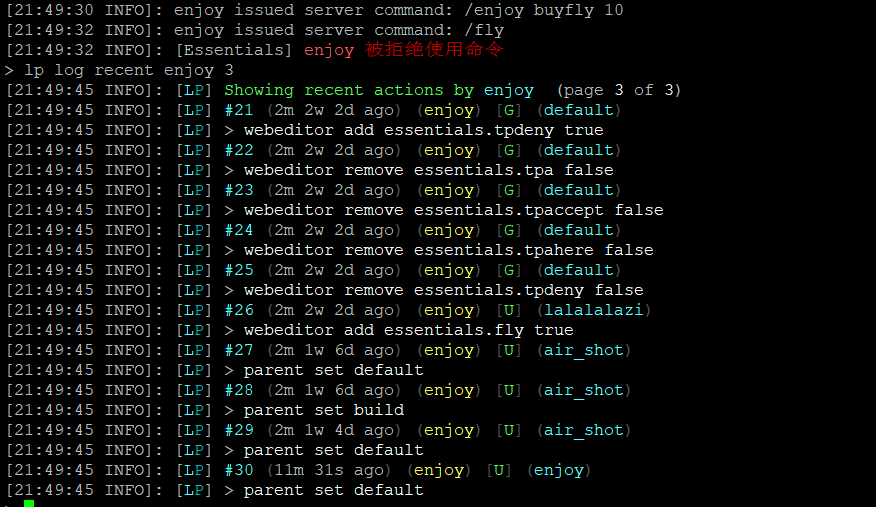

 lilac dewBOT

This: https://github.com/lucko/LuckPerms/blob/master/api/src/main/java/net/luckperms/api/event/user/UserDataRecalculateEvent.java (I use this one to change my scoreboard prefix for example and it works great)
Or this: https://github.com/lucko/LuckPerms/blob/master/api/src/main/java/net/luckperms/api/event/user/track/UserTrackEvent.java
lilac dewBOT
Now targets 1.16-pre6 since these version have stabilized a bit. I expect the permissions api will be ready during 1.16 release.
lilac dewBOT
Now targets 1.16-pre6 since these version have stabilized a bit. I expect the permissions api will be ready during 1.16 release.
Awesome!
lilac dewBOT
Hey,
I would like to ask if there is a way to become a Bukkit/Spigot User by a net.luckperms.api.model.user.User
You might be able to use this method to get an UUID using this method and then get a player from that
Thanks I have forgotten it 😄
lilac dewBOT
lilac dewBOT

Occurs on start: https://pastebin.com/BPp1U9yd
Occurs when logging in: https://pastebin.com/YURH2Ajx
Am trying to run LP with https://github.com/Electroid/SportPaper/tree/ver/1.8.8
Understand this is not spigot, however would REALLY appreciate if LP would work with this fork, it's reputable and from Overcast Network.
lilac dewBOT
lilac dewBOT

This isn't really an Issue. But, more of a Suggestion or somethin'.

And,

He's saying that there's an api for the Ultra Permissions Plugin made by TechCode, you could contact him he says. Like, i want Migra...
We've been over this many times See #1871 and #1643.
It boils down to the API not being publically available and the storage format being an anreadable mess which is nothing short of a miracle that it even works and doesn't take minutes to load per user.
lilac dewBOT

About: A few of the players on my server have complained about not having permission to do certain actions defined in the 'nomad' permission section of Towny. I've been able to workaround this by applying nomad perms to default in LP but now it's not registering the 'default' either. This is the output for the /t here command.
Potentially Helpful: When I was initially creating the server I noticed that this issue didn't appear until I negated the towny.command.town.new permissi...
lilac dewBOT

Hi, recently I started a new server on Shockbyte and I used the Sponge version (ore) of LuckPerms.
Before installing it my MOTD was working right, but now it has dissapeared.
Any help?
lilac dewBOT
You are most likely missing a permission node. Depending on the plugin you use to show MOTD, you need to set the perm node accordingly.
LuckPerms provides a verbose command to help you find out what permissions a command/plugin is checking: https://github.com/lucko/LuckPerms/wiki/Verbose
Nuleus perm node list: https://nucleuspowered.org/docs/permissions.html
Also note that OP will be disabled when a permission plugin like luckperm is installed on a forge server, its just how a forge...
lilac dewBOT
Fixed ! Thank you very much.
lilac dewBOT
I started a Bungee-Paper Server on the 1.15.2. I really have problems setting everything up.
I just installed a few plugins like EssentialsX, Bungeechat, and LuckPerms.
Since I installed LuckPerms, I am not allowed to chat anymore. Via the proxy-console I managed to give me the permission to change servers because that didn't work either.
My knowledge so far:
everything is set on MySQL and connected to the correct database.
The configs are configured so every server can have his own...
lilac dewBOT
Looks like you have plugin, perhaps BungeeChat, which requires permission to chat. You can try verbose to find it, or look through the plugin docs for BungeeChat to find the required permission. If your perms are synced, just add the required permission to your user/group with no context, and it will apply everywhere.
lilac dewBOT
Okay, do I just go in and state my concern?
lilac dewBOT

Hi I am the owner of a server and I use luck perms I have been running this server for about a month using luck perms and I have not had any problems. Starting today everytime I join the server it crashes but when other people join it works fine. It only seems to happen when I try connecting when I have given myself op or the owner rank in luckperms.
crash-2020-06-18_00.15.16-server.txt
lilac dewBOT
Your Luckperms is a tad bit out of date, can you see if the latest version fixes it?
I just updated it and it does not fix it, but I have narrowed it down a bit further the owner rank had the minecraft.* permission and after I removed it it allowed me to join again. Also it seems to have the same problem if I am opped.
Also it seems to have the same problem if I am opped.
OPs always have minecraft.*, so it must be something about that. Could you send your plugin list?
TitleManager, SimpleRename, SignEditor, ProtocolLib, PlotSquaredV5, NoPhysics, MyCommand, MultiversePortals, Multiverse Inventories, Multiverse Core, Luckperms, KixsAutoAnnouncer, Holograms, HeadDatabase, FAWE, ExtraContexts, EssentialsXSpawn, EssentialsXChat, EssentialsX, Dynmap, DiscordSRV, AmorStandTools, WorldGuardFlags, WorldGuard, Vault
Not seeing any obvious red flags...Could you see if you can still reproduce the issue with no plugins other then LP installed?
I ran the server with only LP installed and then opped myself via console then tried to connect but it still crashed the server.
lilac dewBOT
Just in case something changed, could you send the crash log from when there was no other plugins installed?
lilac dewBOT
lilac dewBOT
- Try with only luckperms plugin installed on your server.
- Send your full startup log.
lilac dewBOT
Try with only luckperms plugin installed on your server.
@benwoo1110 Already had him do so, scroll up lol
Yea its weird I have not changed anything on the server in about a month and this just started happening today
lilac dewBOT

Im having a issue with LuckPerms 5.1.26 not being able to start and throwing a error while booting server
`[21:21:05 INFO]: [LuckPerms] Loading configuration...
[21:21:06 ERROR]: Error occurred while enabling LuckPerms v5.1.26 (Is it up to date?)
java.lang.NoSuchMethodError: guava10.com.google.common.collect.Multimaps.asMap(Lguava10/com/google/common/collect/SetMultimap;)Ljava/util/Map;
at me.lucko.luckperms.common.context.contextset.ImmutableContextSetImpl.toMap(ImmutableContex...
lilac dewBOT
Bukkit-Forge hack may have bugs with cause lp to not work, you can try a workaround: https://github.com/lucko/LuckPerms/wiki/Installation#cauldron-thermos-etc
lilac dewBOT

I am using velocity 1.1.0
With the following mods and versions and console log copy
https://hastebin.com/otosebofok.sql
Anvil-Velocity-0.1.3.jar
bungeequack-1.0-SNAPSHOT.jar
Catalyst-Velocity-0.1.3.jar
LuckPerms-Velocity-5.1.55.jar
RememberMe-1.1.jar
Happens when:
Starting up velocity
lilac dewBOT
In Issue #2324 --merge was implemented into Spigot
It is not in the Spigot version of LuckPerms 5.0.72 but is present in Sponge 5.0.72
lilac dewBOT

when i turn storage type to mysql i am taking this error
https://hastebin.com/corerawode.sql
lilac dewBOT
Think I found it, according to one of the Paper devs, this is an issue with Spigot. See if a older build fixes it.
lilac dewBOT

@lucko Is there anything we can actually do to help with this issue?
I'm willing to sacrifice some of my time if it's actually something we can fix. As you can see a lot of people have had this issue for a very long time and it is quite frustrating requires a lot of attention to explain to players what is going on.
If it encourages you, I'm willing to spend a decent amount on a proper fix.
lilac dewBOT
Yep I'm keen to see a fix too: in an ideal world, a set of steps required to reproduce the issue would be good - but the nature of the issue makes this tricky. (I've been unable to reproduce the issue on a test server, which makes it very hard to identify what the problem is)
If you can get the bug reliably occurring on your server, I can create some debug jars which you can use to try to pinpoint the problem.
The first fix for this issue was a result of jakkuh kindly doing just that - ...
lilac dewBOT
From personal testing experience, it seems to trigger quite often when players change worlds. so I think that would be a good starting point.
I've currently updated towny to its current latest version (0.96.1.12) as well as using current latest Luckperms (5.1.26).
lilac dewBOT

I'am using paper#353 on CentOS and LuckPerms seems to create an unhealthy amount of threads which results in the whole server crashing. I have plenty of RAM left. If I remove all my other plugins the problem still persists. Any idea why this keeps happening?
lilac dewBOT
How do you know the number of threads is causing the crash? Could you send any logs / debugging output you have?
lilac dewBOT
[17:01:10] [Server thread/INFO]: [LuckPerms] Enabling LuckPerms v5.1.55
[17:01:10] [Server thread/INFO]:         __
[17:01:10] [Server thread/INFO]:   |    |__)   LuckPerms v5.1.55
[17:01:10] [Server thread/INFO]:   |___ |      Running on Bukkit - Paper
[17:01:10] [Server thread/INFO]:
[17:01:10] [Server thread/INFO]: [LuckPerms] Loading configuration...
[17:01:10] [Server thread/INFO]: [LuckPerms] Loading storage provider... [MYSQL]
[17:01:11] [Server thread/INFO]: [me.lucko...Yes it would happen to all players. Please verify they match.
lilac dewBOT
Yes, that match! The player has the same groups in lpb and lp. And the same uuid!
lilac dewBOT

Regards!
I've been using this plugin since 2017 and always worked like a charm for me, you can do everything on mind because of its variety of features.
Today I wanted to share my suggestion. So some weeks ago I asked on the Discord Support, if there was some way to change the time-format for expiration placeholders such as:
%luckperms_expiry_time_%
%luckperms_inherited_expiry_time_%
%luckperms_group_expiry_time_%
Saddly there wasn't any way, so the only way to change it was using Ja...
lilac dewBOT
LuckPerms seems to use (atleast for the PAPI side of things, mvdw is self-calculated) a PlaceholderAPI method. Not sure if this should be changed at the placeholders expansion or in PAPI directly.
Don't take my reply as anything final, I'm not a developer of LuckPerms!
lilac dewBOT

Hello Tobi406, thanks for answering
Didn't know about that one! Anyways I still see it very confusing for people that will have to deal with this in the future, I think that a place for that should be on the config file of LuckPerms, it will be way very helpful and would save a lot of time to everyone who deals with that inconvenient.
lilac dewBOT

I can not connect to my server due to an error. I'm an admin so I do have the console which say me that : Player connection was re-allowed for "series of numbers and letters".
Someone said to me that I had to fix it in the config file, but i've seen nothing in it (I don't know what to search exactily).
For a bit of context I've already done the permissions on a previous server and i want them on a new one, so I just copy the file on the new one. I can not write "/lp editor" in the console ...
Look for errors on server startup
There is no errors with luckperms when the server starts
lilac dewBOT
For those coming from Google search, this is now fixed: https://github.com/Electroid/SportPaper/commit/3d0a5ccef48dee073c3fdbd960eefc54149eb002
lilac dewBOT
Are you using SportSpigot?
This has been fixed already afaik (13ebc87b29db80b097dbe3ca785811db4666c7e7) - please update LP.
Overriding group inheritances with false nodes is not supported at the moment - and probably not something I plan to support in the future either, sorry.
lilac dewBOT
Hey thanks for the suggestion - I've made a note of this on the overall bulk update improvements issue.
What server type / version?
checkinherits looks for an exact match - this is intended :)
Duplicate of #1384 - I'll try work on adding this soon. :)
Seems like you may have a plugin which is altering player UUIDs on your Bungee proxy? That's likely the issue here.
I don't believe I'm using the driver incorrectly - if you need to specify an auth database which is different to the database used for LP data, then I think the connection URI is your only option.
Will happily accept a PR tho if anyone wants to implement a better way of doing it :)
Nope, ya you need to report this to DiscordLink. :)
If you're able to login to Phpmyadmin or something similar for your database, try "dropping" all entries from the luckperms_players table.
Try updating com.actualplayer.rememberme to a newer version, or if that doesn't work, install the legacy API extension.
https://github.com/lucko/LuckPerms/wiki/Upgrading-from-v4-to-v5#api-compatibility
Nothing there necessarily suggests the problem is being caused by LP - gonna need to do some more digging to work out why it's happening.
If you have memory free then it is more likely "process/resource limits reached" - is your server running in a container with limits set perhaps?
Either way - not a huge amount I can do, as there's nothing here suggesting a LP issue.
The time is rendered by PlaceholderAPI - you need to speak to them if you want the format changed!
Can you show screenshots of that - and show what the issue is?
lilac dewBOT
Is it this that you need ?
<img width="676" alt="Capture d’écran 2020-06-20 à 20 31 21" src="https://user-images.githubusercontent.com/67198332/85209066-3f02ad00-b335-11ea-92ec-1aa24c1e704c.png">
Your full console log.
And that looks like either LP can't connect to the database or you didn't select the proper storage type. Most likely the former.
So double check your credentials.
I'm really new in all this, how can i give you the full console log ?
You go in the logs folder and then it's the latest.log
lilac dewBOT
I'm unable to reproduce this now on the latest version. :)
Almost exactly 1 year later (sorry!!) but this is now added. :)
I believe this has been fixed now - sorry I forgot to reply here / close the issue!
lilac dewBOT


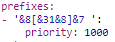


unsettemp is kind counter intuitive. removetemp would be better I think. Maybe even just allow negative time values for addtemp
[lucko/LuckPerms] New comment on issue #1359: Track command that automates inheritance across groups
I think it's probably not worth adding this convenience in the form of a command now the web editor has it built in!