#issues
1 messages · Page 9 of 1
 lilac dewBOT

Neither do I. Though this isn't the right place because LP clearly still works as intended.

I have only one chat plugin "EssentialsXChat"
And i don't have a map for this plugin
Do i have to uninstall EssentialsXChat?
What map are you talking about?
You are supposed to reach out to their support.
But how do I supposed to reach their support?
I have never asked for support for my server
P.S.: The javadocs should clarify wether or not that method considers inheritance or not (I'm assuming it doesn't but it's certainly not clear)
lilac dewBOT

What does /ess version show you?
lilac dewBOT

I'm using essentialsX on my spigot minecraft server, I'm currently working on a kitpvp server but I can't figure out the node for each individual kit.
lilac dewBOT


This problem happened to me yesterday when I was testing a new login plugin, synce now I've been using Authme but I decided to change it because problems with fastlogin and mojang api.
Now it works perfect except for this issue. It happens every time a player enter for a second time to a server, her offline uuid change, luckperms detects this and remove all his data, permission...
lilac dewBOT

I personally don't see how, or why LuckPerms would cater to the demands of this plugin. LuckPerms must use the player's UUID, there is no way around that, nor is their a viable alternative. If the plugin is consistently changing the player's UUID, the plugin is incompatible with a vast amount of plugins, really any which use the player's UUID for storage.
lilac dewBOT

This is a common issue you will face with offline servers. LuckPerms uses UUIDs for identifying players because unlike names are UUIDs unique per player. This however is getting lost when you run the server in cracked/offline mode as the server itself now creates the UUID based on the player's name.
Spigot even gives a hug warning when running in offline mode:
**** SERVER IS RUNNING IN OFFLINE/INSECURE MODE!
The server will make no attempt to authenticate usernames. Beware.
While thi...
How Do I Remove The <> From The User's Name And Rank?
This is the default chat format of various chat plugins. You need to change this in your chat plugin config.
The EssentialsX documentation states the permission node is essentials.kits.<kit name>
lilac dewBOT

I get some warning on 1.15.2
WARNING: An illegal reflective access operation has occurred
WARNING: Illegal reflective access by me.lucko.luckperms.common.dependencies.classloader.ReflectionClassLoader (file:/opt/minecraft/mineqc/plugins/LuckPerms-Bukkit-5.0.94.jar) to method java.net.URLClassLoader.addURL(java.net.URL)
WARNING: Please consider reporting this to the maintainers of me.lucko.luckperms.common.dependencies.classloader.ReflectionClassLoader
WARNING: Use --illegal-access=warn ...
lilac dewBOT

Please add back: "lp user group add/remove "
It was randomly removed from the newer version of luck perms. I need it because I have a ton of purchases using that command for my global ranks and there is no way I can change it now.
lilac dewBOT
It wasn't randomly removed, it was one of many legacy aliases that shouldn't really have been added in the first place.
Why can't you just change them?
Essentially, if a player has already purchased a global rank and has not joined the server then the command won't process, so those who haven't joined all the servers have commands pending and I don't think I can change pending commands with buycraft
I'd consider contacting their support
An alternative is to downgrade to version 4
lilac dewBOT
#952
Please check for existing issues in the future.
There was a reason this alias was undocumented btw. And yes downgrading temporarily to a v4 and then changing the commands and upgrading back should work.
 lilac dewBOT
lilac dewBOT
lilac dewBOT

For example
"INSERT INTO luckperms_groups_permissions(group, permissions) VALUES (admin, {"permission.node": true, "another.permission.node", false})"

That breaks database design and usage and is a whole lot more inefficient for working with
lilac dewBOT
Out of interest, why do you want this to be changed, and what would be the benefit of using this over the current system?
lilac dewBOT
I myself can also not see any benefit from this.
If you want to store it as JSON, just use JSON storage I guess?
There is no real benefit for having the information stored as JSON on a remote database.
lilac dewBOT

@Inysal Hello, have you found a fix? I'm having the same problem.
After new players joined my server, they didn't get assigned to default group, I've checked with listmembers and they weren't there. I had to manually add each one of them to the group. Am I missing something?
I'm using the 5.0.72 version for my Spigot 14.4.4 server.
Yes. Players added automatically to the default group that are not online don't show with listmembers.
You can use /lp user <user> info to verify that they are in the default group.
No need for necromancing.
lilac dewBOT
@BrainStone "Online players" mean players that are connected with a Mojang account right?
I tried your method and it works. Thank you.
I mean players that are on the server.
There might be a chance that they then still don't show there.
lilac dewBOT
@BrainStone Well the player was on my server and listmembers doesn't do it, but if I manually add them to another group, listmembers would show their name.
I see. Then listmembers does exclude all players that are automatically assigned to default. There's a technical reason for that.

Basically everyone who doesn't have a group is in the group default.
No database entry is created to be more flexible and use less space in the database, etc.
Therefore there is no way to know who is in the group as there could be million members, but they aren't saved anywhere.
lilac dewBOT

Spigot has a JIRA bug tracker available from their website under "Hub".
What error messages do you get?
Will probably be fixed by making sure allow-invalid-usernames is set to true in your config file.
Sorry but it really does just come down to what's said here: https://github.com/lucko/LuckPerms/wiki/Storage-system-errors
The full extent of my suggestions regarding these sort of issues is detailed in that wiki article. Sorry there's nothing else I've got for ya.
My suggestion would be to create a backup of your data (you can use /lp export for this), then re-create the database from scratch. Sounds like something has been corrupted.
Use the verbose command to debug.
Check your plugins. It could be one like an anti-ad plugin, that prevents links from being shown in chat (And handles this extremely poorly)
This sound like the most likely cause - alternatively are you using a chat mod client side? Maybe that's affecting it?
The noteworthy bit is here:
[12:36:05] [Server thread/INFO]: [LuckPerms] Enabling LuckPerms v5.0.94
[12:36:05] [Server thread/INFO]: __
[12:36:05] [Server thread/INFO]: | |__) LuckPerms v5.0.94
[12:36:05] [Server thread/INFO]: |___ | Running on Bukkit - CraftBukkit
[12:36:05] [Server thread/INFO]:
[12:36:05] [Server thread/INFO]: [LuckPerms] Loading configuration...
[12:36:05] [Server thread/ERROR]: Error occurred while enabling LuckPerms v5.0.94 (Is it up to date?)
java.lang.U...Not quite. That means that the Java installation is missing some native bindings.
Purely a java installation issue. Disable auto-updates or report it to your hoster.
Can you show your full server log?
Seems like something is shutting down your server as soon as it enables - but it's not LP doing it.
Could you not just add the spacers in when you use the placeholders?
Sorry I think expanding the meta formatting function any further is out of scope at this point.
lilac dewBOT
That breaks database design and usage and is a whole lot more inefficient for working with
This

Can you show your full server log?
Seems like something is shutting down your server as soon as it enables - but it's not LP doing it.
Hello.
I have the same problem when I installed this plugin.
My full server log.
[CSRV] Changing working dir...
[CSRV] Scanning for network conflicts... ['127.0.0.1:41807', '176.9.2.107:41807', '127.0.0.1:0']
[CSRV] Setting kernel resource limits
[CSRV] Switching to unprivileged server user
[CSRV] Executing Java...
Loading libraries,...
Something is shutting your server down shortly after it starts.
[13:16:11 INFO]: Done (6.527s)! For help, type "help" or "?"
[13:16:11 INFO]: Starting GS4 status listener
[13:16:11 INFO]: Query running on 127.0.0.1:41807
[13:16:12 INFO]: Stopping server
This isn't a LuckPerms issue.
try adding your plugins one by one until this behaviour starts occuring, then you will most likely find the faulty plugin
If I'm wrong, the worst thing this PR would do is a maybe lose a few milliseconds on performance.
Not quite, there are other issues with the behaviour of the code. permissionsUnmodifiable is a view of the permissions map - copying in the constructor means this is a copy, not a view, and therefore will not update automatically.
I glossed over that because the fix is unnecessary anyway.
I've slightly improved the performance of getEffectivePermissions in this commit 05b82cdbabd...
LP works fine! The problem was authme. Thanks for the help.
Ps. great plugin 'LuckPerms'.
lilac dewBOT

Yes, it's a copy, but as far as I can tell the method is provided for external use; not internal, so it makes little to no difference in practice, unless you're expecting someone to call the method ad infinitum, in which case we'd run into a parallel issue.
I appreciate the commit, as it seems Guava will ultimately create a copy of the entry set, likely to avoid this very problem:
https://github.com/google/guava/blob/559e1ac1359e8d5dc0941aa72691698185d65407/guava/src/com/google/common/col...
lilac dewBOT

Line 113 sends you to a 404, probably an outdated link.
### `storage-method`
Which storage method the plugin should use.

See [here](https://github.com/lucko/LuckPerms/wiki/Choosing-a-Storage-type) for a full list of supported types.
should be...
### `storage-method`
Which storage method the plugin should use.

See [here](https://github.com/lucko/LuckPerms/wiki/Storage-types) for a full list of supported types.
You can suggest changes to the wiki directly via the repo here: https://github.com/LuckPerms/wiki
 lilac dewBOT

Upon joining the server at one particular point, luckperms gave this warning, and subsequently I was unable to type any commands presumably due to a lack of permissions. Relogging fixed this.
What LuckPerms version and Spigot version are you using?
 lilac dewBOT

As the title suggests, whenever I attempt to use this command on the console, the server doesn't recognize the command. Any help is appreciated.
version is: 5.0.72 on a spigot server hosted on Shock Byte on version 1.15.2
context: Used the Web Permissions Editor and used the command generated by the website when I saved the page.
A couple of things to try would be:
- make sure that you ditch the
/in console - it should belp applyedits <code> - Update to newest LP
You can ask on the discord if it continues - you'll probably be helped faster that way! https://discord.gg/luckperms
lilac dewBOT

In Bedrock Edition, it is possible to add spaces in the nickname. However, Luckperm commands don't support nicknames have space so I can't use Luckperm commands like lp user player 123 permission info. So can you support it like using quotes. For example, /lp user "player 123" permission info. I think it would be useful than writing UUID instead.
Also, allow-invalid-usernames: true doesn't work that nicknames have space.
lilac dewBOT

So everything is ready.
Just one more bug needs to be fixed but it is a client only bug (this does not affect servers):
Basically the AbstractJavaScheduler dislikes it when you switch worlds on a client and throws a RejectedExecutionException when you try to schedule an async repeating task
lilac dewBOT
My bad, here's a timings report that shows all that:
https://timings.aikar.co/?id=6afc95b40df84587bd8e8cf21ac82d5f
lilac dewBOT
lilac dewBOT

Add an option to make the server exit with a status code of 1 (basically just crash) if the connection to the external database can't be established on startup.
I run my servers in a Kubernetes cluster, and sometimes the MariaDB server will take a bit longer to start up than the Minecraft servers. As Kubernetes has a self-heal function, if the server exits, the scheduler will restart the server for me with an exponential backoff.
Currently all that happens is that the plugin gets disabl...
For reference for anyone having a similar problem, here's a solution that works outside of the plugin: https://medium.com/@xcoulon/initializing-containers-in-order-with-kubernetes-18173b9cc222
Basically create an initContainer that runs before the Minecraft server pod that checks to see if it can connect successfully to the database. If the initContainer fails to connect, exit 1 and the cluster will keep trying to run the initContainer until it succeeds.
Only after this will the Minecraft...
lilac dewBOT
This wouldn't be a good thing at all.
At no point should a plugin intentionally crash or shutdown a server because it can't establish a Database connection or similar.
It's already enough that AuthMe does disable the server on a bad configuration and LP shouldn't follow such a trend either.
Fair enough - I find this to be desirable behaviour in a microservices envirionment however, as I prefer to give the scheduler more freedom on placement. Either why, I'm suggesting a config option, not a default.
Maybe another option is a retry w/ backoff within Luckperms? From my experience I see that the plugin disables itself after the connection times out, instead of retrying. Correct me if I'm wrong.
The plugin doesn't disable itself when it can't connect to the database, but rather denies the login of players, due to it being unable to connect to said database.
I can't see the point of this retry option here either as 99% of the time the database is already running before the server and not vice-versa.
You should have the database setup and running before you start the server, or other plugins using the remote database too might face the same issue.
Strange, I'll attempt to reproduce the issue I'm seeing of the plugin getting disabled - most likely a bug causing it to crash.
@Andre601 I can definitely agree on the fact that 99% of the time the database will be running. From what I see, the vast majority of Minecraft servers run on a more traditional operating model of discrete, stateful machines.
This is proving difficult to translate into a newer containerised model as the plugin is making assumptions that services will always be ...
lilac dewBOT
I mean having a config option would be fine tbh.
lilac dewBOT
I can imagine that some people could accidentally enable this setting without knowing what it means - the option could be available to add to the config file but not put into the file by default.


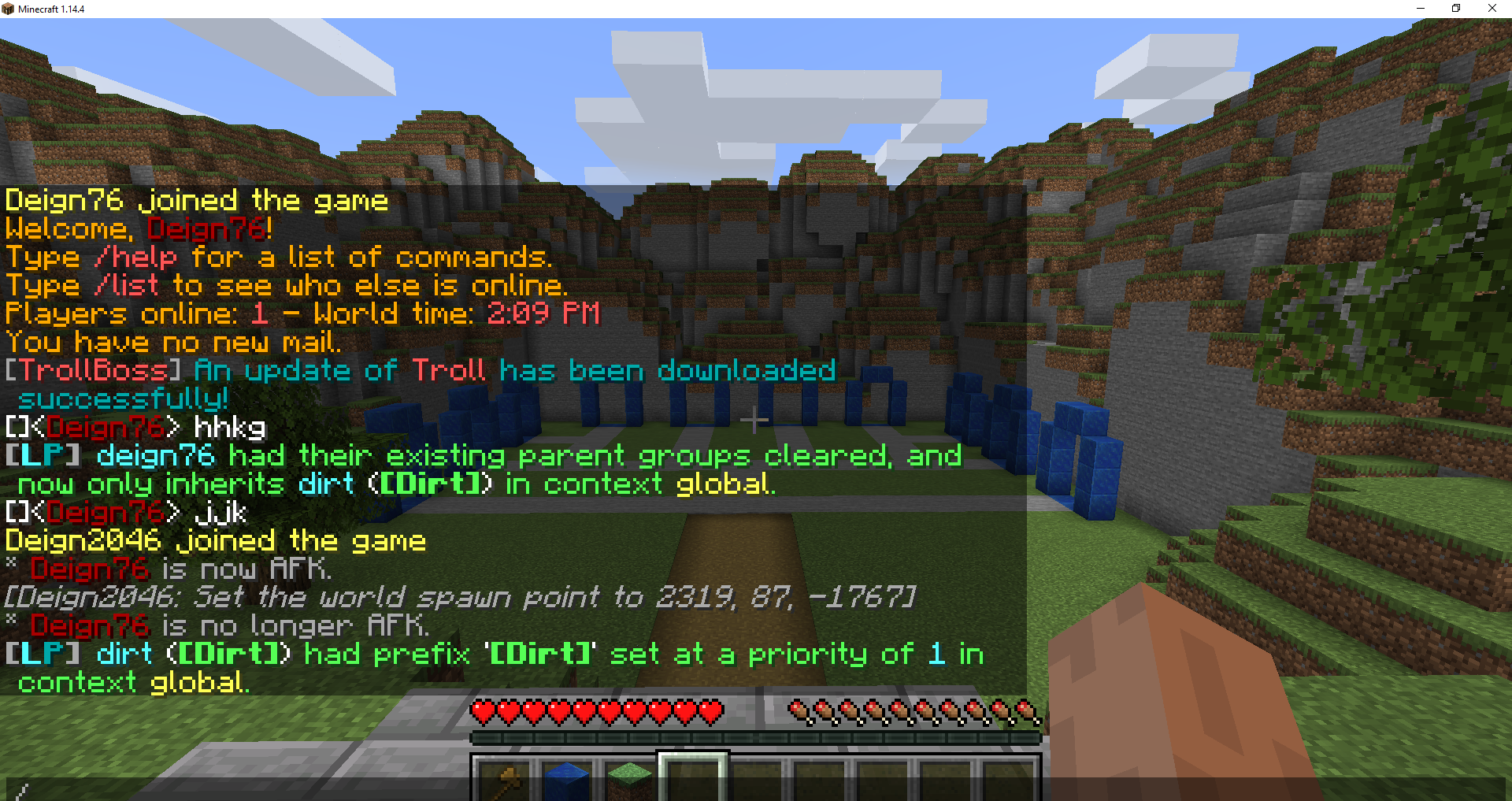 lilac dewBOT

Hi everybody, my name is Manu, i am typing from Switzerland and I'm a dad setting up a server for the children of our neighborhood to help them stay healthy and entertained while we are collectively fighting the coronavirus with self-isolation.
I am using LuckPerms (v5) and I am puzzled because it appears nobody by default is in the default group. Is this the expected behaviour? If not, how can I debug what is going on?
Thanks for your help!
It should be noticed I did read the page https://github.com/lucko/LuckPerms/wiki/Default-Groups but I see nothing to suggest this is the normal behaviour.
The group default should be assigned on join.
Could you provide us with the output of /version and the exact version of LuckPerms?
(Also hello from a fellow person in switzerland 👋)
Hmmm... interesting, I just found something.
If I try to add people to the default group I get:
[user] already inherits from default () in context global
However, if I use /lp groups default listmembers
There is only one user listed in the group out of 4 connected to the server, and I never assigned them to any group.
Listmembers won't work reliably on the default group. This is iirc an intentional behaviour due to its programming
Ah. That would explain it. =)
It still makes sense to assign permissions to it though right? So that normal users have a set of permissions?
lilac dewBOT

When i try to use /lp editor or lp editor in console i recieve this message
Unable to upload permission data to the editor.
I tried latest spigot and https://luckperms.net, but problem is still here, What can i do?
Additional info:
[20:59:04 INFO]: [LP] Running LuckPerms v5.0.72 by Luck.
 [LP] -  Platform: Bukkit
 [LP] -  Server Brand: Paper
 [LP] -  Server Version:
 [LP] -  git-Paper-1618 (MC: 1.12.2) - 1.12.2-R0.1-SNAPSHOT
 [LP] -  Storage:
 [LP] -     Type: H2
...Please provide the message and any possible errors associated with it.
But the fact that LP can't upload permission data could mean, that your server might not allow connections to other sites, which LP needs for the editor to work.
lilac dewBOT
If you want to check if a user is actually in the default group or not, just run /lp user <user> info and it should tell you ;)
lilac dewBOT
When I remember correctly does /lp group default listmembers not show all members in that group (Because of code or whatever).
If that's still true should there be a note/message about this when using this exact command, to inform tha player about this fact and reduce confusion about why some players aren't displayed within that group's listed members.
And I think that is should show at least online players (that are in default).
lilac dewBOT
Please provide the message and any possible errors associated with it.
But the fact that LP can't upload permission data could mean, that your server might not allow connections to other sites, which LP needs for the editor to work.
No error message. I don't use any VDS or dedicated at the moment. It happened on my PC with disabled antivirus.
lilac dewBOT

Hey,
is there a way to execute a command like /lp user ... parent add player with a command block?
Yes, exactly this question was here several months ago and it was closed with: "Command blocks are - to my knowledge - not supported by plugins or spigot in general." (https://github.com/lucko/LuckPerms/issues/1721)
I have the same problem but I performed some tests and here is my results.
I have command block with this command:
`/pex user ...
lilac dewBOT
Yeah this confuses so many people.

In the comment above meta-formatting there are only some of the allowed elements listed.
Should the others be added? Or should we include a link to the wiki page? https://github.com/lucko/LuckPerms/wiki/Prefix-&-Suffix-Stacking#how-do-i-add-other-elements
lilac dewBOT

Hello, we have a little issue with the command /luckperm parent remove in the global context.
If we define a rank, for example the rank adept, on our survival with the command /luckperm parent add adept survival, the player has the rank. If we remove him with the command /luckperm parent remove adept survival everything works.
So there's my player : https://i.imgur.com/Dv9b0Ro.png
Setting him the rank adept : https://i.imgur.com/bm5cdo2.png
Removing him the rank adept : http...
lilac dewBOT

Java 13 returns code '13-ea' (13 early acccess) on java 13 docker image.
globally is not a context. It would be global
Nvm. But maybe try removing without any context?
This is probably related to the illegal access warning you get in Java 11+
If I remove the context from the command, it will take the context that I defined in the context.yml file of each server
lilac dewBOT
This looks ok, but my understanding is that a little more work is required to properly support SportBukkit.
These extra methods would need to be implemented too - I'm not sure how keen I am to do this in LuckPerms.
lilac dewBOT
The question I myself have now is, how does this patch improve the Permissible interface?
And considering that a majority of people use Spigot and PaperMC (which LP supports) and I myself never heard of SportPaper, is the question if it is really worth it to support a fork, that literally breaks plugin compatibility in a way.
lilac dewBOT

In editor, you can add two the same permissions, i hate it.
lilac dewBOT
We appreciate your feedback, although issues related to the Web editor are supposed to go to lucko/LuckPermsWeb and not here.
Besides can you at the same permission multiple times, because how else would you apply a perm with multiple contexts?
lilac dewBOT

Heyo,
I'm using Tab to display ranks and prefixes in the tablist.
Accordingly to the author, the lp api ignores per-server context.

Would it be possible to implement something like that?
I'm on lp v5.0.56 btw
I'm pretty sure that LuckPerms doesn't ignore a feature that it actually uses itself.
This makes absolutely no sense whatsoever.
lilac dewBOT
Smells like they're just not using the API correctly.
lilac dewBOT

So I get this error spammed in the console:
WARN: Establishing SSL connection without server's identity verification is not recommended. ect ect
However, my pool settings seem to be correct?
pool-settings:
# This setting allows you to define extra properties for connections.
properties:
useUnicode: true
characterEncoding: utf8
useSSL: false
verifyServerCertificate: false
I was told to redirect to github and make an issue thingy here!
lilac dewBOT

hi, it's been 1 month since I have a problem with another plugin, which is nametagedit, it throws me an error that I can't fix by updating the same plugin, since the updates higher than 4.4.1, they close the server, and check that it is not the plugin nametagedit, even so when I use 4.4.1 of luckperms I get an error with the other plugin and that does not let me use the commands within the game, create the error problem that both plugins have.
[19:04:23 INFO]: [NametagEdit] Found LuckPerms...
Please only open one issue (#2097) and consider editing it instead of opening a second one
That version of NameTagEdit requires at least LuckPerms 5.0.0. You either need to downgrade NameTagEdit to a version which uses LuckPerms 4.4.1, or you upgrade your LuckPerms to the latest.
If you have plugins that only allow LuckPerms 4.4.1, you can upgrade and try use the legacy expansion. https://github.com/lucko/LuckPerms/wiki/Extensions#extension-legacy-api
lilac dewBOT

Well, if you run /lp user <user> info does the primary group respect the context there?
muchas gracias se me resolvio el problema
Please only open one issue (#2097) and consider editing it instead of opening a second one.
About your issue:
Use the lates LuckPerms version and make sure to read this page
lilac dewBOT

Getting this issue when using a 1.7.10 bungeecord. Is it possible to get a version of luckperms-bungee that will work with 1.7.10?
15:32:18 [WARNING] Exception encountered when loading plugin: LuckPerms
java.lang.NoClassDefFoundError: com/google/gson/internal/bind/TreeTypeAdapter
at me.lucko.luckperms.lib.text.adapter.bungeecord.TextAdapter0.bind(TextAdapter.java:104)
at me.lucko.luckperms.lib.text.adapter.bungeecord.TextAdapter0.(TextAdapter.java:76)
at me.lucko.luckperms....
lilac dewBOT
Thanks for reporting, should be fixed in the latest version.
Maybe another option is a retry w/ backoff within Luckperms?
Seems like the best solution to me. I'll happily accept any good PR adding this behaviour. Ideally it would be optional, behind a configuration setting.
Can you put the config section inside a code block like this:
```
Test
```
->
Test
This is so as to keep the leading spaces (as they are critical for the YAML format)
There should be an error in the console if the upload failed.
That would be a decent idea. I recently had a case in the Discord where a member complained that after restarting the database LP would not automatically recover the SQL connection state.
Assuming your tests are accurate, it does indeed seem to be a LP issue.
Hopefully I'll get some time to look into it soon - if anyone else wants to have a try in the meantime that would of course be appreciated.
I personally checked the logs, there are no errors there.
An automatic retry for database connections would be an idea.
Maybe a setting like retryAttempts which is 0 by default?
Should be fixed in the above commit.
If you don't trust me, here's a video. Check it.
https://youtu.be/Cm7fUgD0TJI

Here's a screenshot from logs. You can check time on video and log time to understand that it's valid logs.
Just use latest Travertine version.
It's a Bungee fork with 1.7 support.
Other than that is there no 1.7 version of LuckPerms
Thanks for reporting, should be fixed in the above commit.
I'm not really sure what the issue is here - could you give an example of what you're currently seeing and how that differs from what you expect?
Looks ok to me, have you restarted your server since updating the config?
Ah my bad, the error should be printed on the latest version.
Try 5.0.104 or newer. https://luckperms.net/
Seems like the connection is being blocked - most likely your host is doing this.
Then possibly your ISP? The editor upload facility is behind Cloudflare, fyi.
If not, possibly some sort of antivirus or content filter on your internet connection.
It's definitely not a LP issue, sorry!
lilac dewBOT
I'm not really sure what the issue is here - could you give an example of what you're currently seeing and how that differs from what you expect?
The problem is that Tab displays prefixes regardless the server context set in LP. So if a user is in a group and has a prefix on server1 it will display the prefix on server2 as well, if you are using the same setup, ranks, etc. But Neznamy believes it's an issue with the LP api not supporting server contexts not allowing his plugin to work pr...
The server has been restarted a lot
Ah i fixed it. There were 2 properties titles in the config
lilac dewBOT
I assume you have the plugin on your BungeeCord proxy (the tab plugin)?
In addition do I personally recommend BungeeTabListPlus, as it allows you to have separate YAML-files for tab lists, which can be per-server (plus, it also has cool features like custom player slots)
lilac dewBOT
I assume you have the plugin on your BungeeCord proxy (the tab plugin)?
No
lilac dewBOT
Well... Then it kinda doesn't make sense that the tab shows the prefix from other servers because afaik would tabs be separated per server when you're not using a bungee plugin for it.
I recommend using a tab plugin for BungeeCord for easier configuration and management.
I recommend using a tab plugin for BungeeCord for easier configuration and management.
You don't seem to understand what I mean. If a user is in groupA with the server context server1 it will show the prefix fine, like intended. But if a user is in groupA with the server context server2 on a different server it will show the group prefix still, yet it's a different server. The only thing in common are the rank names and the same lp db. Given that, Tab does not respect per-server context,...
You don't seem to understand what I mean.
Considering that I asked you if you use the tab plugin on the proxy and you answer with "No" is this for sure a misunderstanding due to not giving clear information.
lilac dewBOT

The fix is only intended to support basic functionality. Yes, there is some more logic that would have to be added for full support, but I would agree you don't want to diverge your project for a fork. I also think this change is focused enough so that it shouldn't have any harm on the future maintainability of your code.
lilac dewBOT

Hi there,
I wondered if it's possible to give a group a one-time permission. With this I don't mean a temporary permission so they can use the command unlimited over a period of time. With this I mean that the group can only use the command once.
Thanks in advance!
This isn't the job of a permission plugin, but rather of whatever plugin handles the command.
LP doesn't check if command xyz was run, because it wouldn't make sense to do so and is also out of scope for it.
lilac dewBOT
Wow, thanks for the fast reaction! I'll look for options in the plugin itself then.
Thanks for your help!
lilac dewBOT
I also think this change is focused enough so that it shouldn't have any harm on the future maintainability of your code.
I agree!
The fix is only intended to support basic functionality. Yes, there is some more logic that would have to be added for full support, but I would agree you don't want to diverge your project for a fork.
Sure, it might make it load correctly, but methods such as PermissionAttachmentInfo getEffectivePermission(String name) are going to cause a runtime ...
lilac dewBOT

Hello everyone ! So, i started to create a mimecraft server and I decided to use luck perms instead of Groupmanager, until now Luckperms for me is better and I have some question about using it with Tebex/Buycraft. I learned the plugin a bit but I don't know how I can sell ranks. I know about the tracks and that there is a comand wich upgrade your ranks depending to the track. I can use that as rank upgrade in my store but I don't know this things:
- How can I sell ranks directly without ne...
/lp user <user> parent add <group> [context...]- This is more or less the job of Tebex and not LuckPerms. But you can setup LuckPerms for BungeeCord to have permissions synchronized across servers.
- Just setup Tebex in a way to directly give the ranks the player purchases and not use tracks. Those really are mostly for easy promotion/demotion and not real...
/lp user <user> parent add <group> [context...]- This is more or less the job of Tebex and not LuckPerms. But you can setup LuckPerms for BungeeCord to have permissions synchronized across servers.
- Just setup Tebex in a way to directly give the ranks the player purchases and not use tracks. Those really are mostly for easy promotion/demotion and no...
/lp user <user> parent add <group> [context...]- This is more or less the job of Tebex and not LuckPerms. But you can setup LuckPerms for BungeeCord to have permissions synchronized across servers.
- Just setup Tebex in a way to directly give the ranks the player purchases and not use tracks. Those really are mostly for easy promotion/demotion ...
lilac dewBOT

[11:46:13 INFO]: iLemon issued server command: /lp migration permissionsex
[11:46:13 INFO]: [LP] MIGRATION [PermissionsEx] > Starting.
[11:46:13 INFO]: [LP] MIGRATION [PermissionsEx] > Calculating group weightings.
[11:46:13 INFO]: [LP] MIGRATION [PermissionsEx] > Starting group migration.
[11:46:13 INFO]: [LP] MIGRATION [PermissionsEx] > Migrated 1 groups so far.
[11:46:13 INFO]: [LP] MIGRATION [PermissionsEx] > Migrated 2 groups so far.
[11:46:13 INFO]: [LP] MIGRATION [Permission...What LuckPerms version?
@lucko So I've been discussing with the fabric people and I'll get back in the future about an api, I'll fix up the requested changes for now and continue maintaining this until I have a definite answer.
Latest on spigot, 5.0.72
lilac dewBOT
Try the latest from here, no idea if it will work but maybe: https://luckperms.net/
lilac dewBOT
Tried the latest dev build, 5.0.104. The same error happens.
lilac dewBOT
lilac dewBOT

I have an issue with LuckPerms overriding a different plugin i use to configure the tab.
The plugin i use for this is [https://www.spigotmc.org/resources/tab-1-5-x-1-15-x-free-version.57806/]
I have configured this plugin to order online players in the tab list (with higher ranked players nearer the top) and to format player names and their prefixes (They are formatted slightly differently to the prefixes they have in LuckPerms). However with LuckPerms, this config is totally ignored and li...
lilac dewBOT
What can it be caused by?
https://pastebin.com/VKVsWBth
it was printed on server disable.
Could you try to log off the server? And run the migration from the console?
lilac dewBOT
LuckPerms does not "override" another plugin.
It doesn't manage the tab list at all. This is all handled by the tab plugin and not LP. If you have issues with the tab list, then the plugin might conflict with another one, or it just sucks tbh.
Anyway, this is not an LP issue at all and entirely caused by the tab plugin itself.
I suggest requesting support from the dev of Tab here: https://discord.gg/EaSvdk6
lilac dewBOT
Should be fixed in the above commit.
lilac dewBOT
Tried the latest commit (ver 5.0.106). This time there was no error but LuckPerms stopped responding to any commands and doesn't complete the migration.
https://gist.github.com/iLemon/81e8a2ed501c3a63ad24e09eec5a9d00
lilac dewBOT

[20:35:35] [Shutdown Thread/INFO] [LuckPerms]: Starting shutdown process...
[20:35:35] [Shutdown Thread/INFO] [LuckPerms]: Closing messaging service...
[20:35:35] [Shutdown Thread/INFO] [LuckPerms]: Closing storage...
[20:35:35] [Shutdown Thread/INFO] [me.lucko.luckperms.lib.hikari.HikariDataSource]: luckperms-hikari - Shutdown initiated...
[20:35:35] [Shutdown Thread/INFO] [me.lucko.luckperms.lib.hikari.HikariDataSource]: luckperms-hikari - Shutdown completed.
[20:35:35] [Shutdown Threa...
lilac dewBOT
How big is your PEX file?
lilac dewBOT
Hey @lucko do you think you might could come up why User#getPrimaryGroup() does not respect server contexts like I described above does not work?
Would be a charm.
Cheers
lilac dewBOT

Config option to leave comments in flatfile groups without the plugin removing them.
Example:

It helps when organizing permissions for each plugin when directly editing the files. Keeps the permission nodes for a group nice and tidy.
lilac dewBOT
It's not recommendet to set permissions directly through files, since there are better alternatives like the web editor.
In addition do file storages artificially increase storage space used.
lilac dewBOT
The files only get reorganized when you change the permissions of what the file referrs to. So if you don't want it overriden, don't change the data through any means but the files.
Though I'd highly urge you not to do that. I mean to what plugin a permission belongs should be clear from the get go, as they start with the plugin name.
lilac dewBOT

My server runs fine for a few hours, however; after those few hours we start to get some errors. Eventually after a while it crashes.
Here's the errors: https://pastebin.com/yMShTZXn
lilac dewBOT

Hello Today I switched from Permissionsex to LuckPerms and I must say I love it, but I crossed by to a problem.
I used this method to allow cerian groups to enter a specific area protected with world guard:
_
/region flag Stuff entry deny
/region addmember Stuff g:CoolPeople
/region flag Stuff entry -g nonmembersThen I'd add the permission node "group.CoolPeople" to the CoolPeople group in your permissions plugin's config.
full thread [click here](https://bukkit.org/thre...
Groups are lowercase and not uppercase.
lilac dewBOT

Is there a version of the luckperms bungeecord that supports LuckpermsLegacy
lilac dewBOT

Originally had an entire bungee mock network running, started randomly running into "Failed to connect to server" with no errors in my bungee,hub, or server console whenever LPB was enabled so I got rid of the bungee / hub system and turned my main server into an indiv server, online-mode:true and bungeecord:false and am now getting this error in console.
Tried updating to latest LP spigot, but it did not help. Could there be some sort of confliction or something in the DB?

So let's say I wanna allow x group access to /gamemode spectator and /gamemode survival, but not /gamemode creative, is that something I can configure using the editor?
lilac dewBOT
If the plugin (and if you don't have a plugin for that it is probably vanilla and that does not provide such functionality) that manages the /gamemode command allows for seperate permission nodes for each gamemode, you can add these nodes using the web editor.
No. It's an implementation issue related to the MongoDB implementation (which you should put in the title).
lilac dewBOT
Could you specify how I could use Verbose, and yes this is the default minecraft command I'm talking about, does that mean I need to find a plugin that is more specific for gamemodes?
lilac dewBOT

When I run the / lp command editor I get this error: https://pastebin.com/dVXgvktW, any ideas why this happens?
Caused by: java.net.UnknownHostException: bytebin.lucko.me: Temporary failure in name resolution
You server can't properly resolve the server name. Make sure your server's DNS is working properly. It's working on my side
Update: I found this one but it's not for 1.15.2 do you happen to know one that is compatible?
lilac dewBOT

Is this issue still being worked on? is a very annoying bug,
LuckPerms-5.0.108
paper 1.15.2
lilac dewBOT
UPDATE:
After disabling LPB 4.4.22 I no longer received the "Failed to connect to server" error that sent no error to any console.
I now am seeing my player attempt to get connected to the default fallback server, but was then greeted by the same UUID error denying their join. http://prntscr.com/ro6je1
lilac dewBOT

As you know, Im very new to this database thing, i experienced an error whenever i join the game
https://pastebin.com/MF2QaFiZ
That error is detailed on the wiki page here:
If you have any more troubleshooting problems, feel free to ask on the discord! You'll probably be helped faster! (https://discord.gg/luckperms)
lilac dewBOT
Use EssentialsX, as default mc commands don't have those selective perms.
Also, verbose can have filters to only show specific perms.
When LuckPermsBungee is the cause, then the errors should be in the bungee console.
lilac dewBOT
The User#getPrimaryGroup() API method will output exactly the same value as the one in the /lp user <user> info command.
lilac dewBOT

I work with luck perms.
If i set a prefix /lp group owner meta addprefix 100 &4[&c&lOwner&4]
I get this if i chat [Owner] [Owner] BrownciosB
i get 2 prefixes. but i want onliy one time like this [Owner] BrownciosB
How do i fix that pleas help me as soon you guys can !!
LuckPerms will send what can be seen in /lp user <user> info to other plugins, if it shows only one time there it is something with your chat format and so not LP related.
lilac dewBOT

It is like this i dont know how to fix this
I work with luck perms.
If i set a prefix /lp group owner meta addprefix 100 &4[&c&lOwner&4]
I get this if i chat [Owner] [Owner] BrownciosB
i get 2 prefixes. but i want onliy one time like this [Owner] BrownciosB
How do i fix that pleas help me as soon you guys can !!

It is an issue with whatever chat plugin you use.
Vault itself does not format the chat.
And have essentialschat to
Then it has to do with that. Look in your EssentialsX config, in your chat format if you have like {PREFIX} {DISPLAYNAME} remove the {PREFIX} part
Its work thanks man :) but how do i split the rank from my name

You can either add it in the command (/lp group owner meta setprefix 100 "&4[&c&lOwner&4] "), change your EssentialsX chat format to something like {PREFIX} {USERNAME} {SUFFIX} or do it in the LP config using the end-spacer
lilac dewBOT
@Andre601 The reason I made the ticket was that I was receiving "Failed to connect to server" without any errors on the console while LuckpermsBungee was enabled.
The actual UUID error in console (screenshot) only happened when Luckperms Spigot was enabled.
lilac dewBOT
Yes, I understand that commenting artificially increases the file of the file.
Regards to the permissions starting with the name of the plugin, yeah I get it. It sounds like a personal problem. But, it does make it looks nicer :D
lilac dewBOT

Hello, i've connected my luckperms into my MySQL DB, everything works perfectly except if i run /lpb networksync it does not sync a single thing. I've bunch of groups in my Sponge server, i'm trying to add those groups into bungeecord as well by running this command and i had no luck so far.
My messaging service setup is correct, MySQL DB works perfectly, the only command does not work properly is the sync commands.
LuckPerms Version: 5.0.108
Also if i set messaging-service: sql in both Sponge and Bungee servers the lp networksync works without any error but lpb networksync gives me Error whilst pushing changes to other servers. (a messaging service has not been configured) error.
lilac dewBOT
 lilac dewBOT
I talk about the files themself and not if the comments increase storage used.
Compared to H2 or MySQL are file-based storages much heavier in terms of storage used.
I don't think this will ever be added, as you're so far the only one suggesting it and we also recommend using alternatives, rather than editing the files directly.
lilac dewBOT
The main issue with this request boils down to:
- The currently used YAML library doesn’t allow for persistent comments. As it’s the library shipped by Bukkit, it would require shipping a custom one, which comes within many problems.
- It’s a personal problem, as you mentioned. And due to the previous point the effort required to implement this minute feature is several hours. Which is just not proportional to the benefit that feature would provide.
lilac dewBOT

I looked up help on my issue and saw many others had this issue but couldn't find a working solution. I have LuckPermsBungee Version 5.0.108 and PlaceHolderAPI Version 2.10.5. Everytime I try to load in PAPI placeholders I get this error.
I have tried using the extension-legacy-api extension and still getting error.
[14:17:11 WARN]: [PlaceholderAPI] Task #15 for PlaceholderAPI v2.10.5 generated an exception
java.lang.NoClassDefFoundError: net/luckperms/api/LuckPerms
at me.lucko....
lilac dewBOT
For those wanting the same result as me:
So EssentialsX worked after some tinkering, how it works is you gotta give the intended group the permissions essentials.gamemode and essentials.gamemode.others. After this you gotta save those unless you do it all in the .yml, if you use the editor as myself, save those first and "update" editor by getting a new link ingame (/lp editor) go back in and search for essentials.gamemode.spectator and essentials.gamemode.survival now it should work...
You don't need to create a new session for the permissions to work. Just because they don't appear in the editor doesn't mean they don't exist.
lilac dewBOT
I mean the error is a cleary bug in the MongoDB implementation. And that's what I asked them to create this issue for.
Btw it's 5.0.57 ;)
lilac dewBOT
What LP version do you have on your backend servers?
PAPI and Bungee don't care for eachother.
lilac dewBOT

I have all prefixes in both essentials and luckperms so my name in chat is "[Owner][Owner] Splendidtank. I tried setting change-displayname to false in the essentials config, but then /nickname did not work anymore (it did fix the double prefix)
lilac dewBOT
 lilac dewBOT
lilac dewBOT
lilac dewBOT

LuckPerms dev 1025
[06:47:00] [ForkJoinPool-2-worker-37/WARN]: [LuckPerms] Unable to pass event NodeAddEvent to handler github.scarsz.discordsrv.hooks.permissions.LuckPermsHook$$Lambda$5036/0x00007fd5467950b0
[06:47:00] [ForkJoinPool-2-worker-37/WARN]: java.lang.ExceptionInInitializerError
[06:47:00] [ForkJoinPool-2-worker-37/WARN]: 	at me.lucko.luckperms.common.util.PrivateMethodHandles.(PrivateMethodHandles.java:41)
[06:47:00] [ForkJoinPool-2-worker-37/WARN]: 	at me.lucko.luckper...
I put the LuckPerms.jar file in my plugins folder, I Started the server and stopped it, but the file is still not there.
It's also not showing up in game whenever I type /plugins
So I have a feeling it's not activating or something
Does anyone know what I should do?
What server platform/software, MC version and LP file are you using?
I'm using the hosting service "ggservers.com"
Minecraft version is "1.15.2"
and the file I'm using is called "LuckPerms-Bukkit-5.0.72.jar"
I am completely new to all of this so sorry if I'm unclear anywhere, if I am, please correct me.
I'm also running Paperspigot
Check for any errors during startup.
I found only this
[Server] ERROR Could not load 'plugins/LuckPerms-Bukkit-5.0.72.jar' in folder 'plugins'
lilac dewBOT
What are the messages before and after?
lilac dewBOT
Do you want me to post everything that I see in the console?
Or just a few lines above and under the error message?
lilac dewBOT
If you're not sure, upload your log. The part until it says Done (...) (the ... being the time it took to start) is the one that matters. We don't need anything after that for now
lilac dewBOT
Should be fixed by c3128dec0d3cb955ffbe8b8bed7eae66d4b7fd33 - however, this commit introduces a completely different approach to events which may itself have bugs.
I've done some initial testing and it all seems to work ok though!
Thank you for reporting.
lilac dewBOT

Used Java 13, just to be ready for future releases:
30.03 21:56:33 [Server] INFO WARNING: An illegal reflective access operation has occurred
30.03 21:56:33 [Server] INFO WARNING: Illegal reflective access by me.lucko.luckperms.common.dependencies.classloader.ReflectionClassLoader (file:/plugins/LuckPerms-5.0.72.jar) to method java.net.URLClassLoader.addURL(java.net.URL)
30.03 21:56:33 [Server] INFO WARNING: Please consider reporting this to the maintainers of me.lucko.luckperms.commo...Okay, here you go!
30.03 22:33:02 [Multicraft] Received start command
30.03 22:33:02 [Multicraft] Loading server properties
30.03 22:33:02 [Multicraft] Starting server!
30.03 22:33:02 [Multicraft] Loaded config for "PaperSpigot (latest stable)"
30.03 22:33:02 [Multicraft] Updating eula.txt file
30.03 22:33:03 [Server] INFO System Info: Java 1.8 (OpenJDK 64-Bit Server VM 25.242-b08) Host: Linux 4.19-ovh-xxxx-std-ipv6-64 (amd64)
30.03 22:33:03 [Server] INFO Loading libraries, please wa...
lilac dewBOT

Hi Luck. I raised an issue with Nucleus about an issue I'm having with my RLCraft server. Upon speaking to dualspiral, he informed me that it's more of a LuckPerms issue. https://gist.github.com/Voxdnb/0952f96bee5a5d78d43988444afb694c -- This is the logs from the server. dualspiral mentioned it could be something deep in LP code causing the issue.
Description of the problem: LuckPerms works fine until I add Nucleus. Then, when I try to send a message, my name completely disappears.
lilac dewBOT
Could you link me to the issue or chat log you had with dualspiral? I trust his judgement, but what you've said so far doesn't lead me to believe the bug you're experiencing is caused by LuckPerms.
Could you also clarify: when you say your name disappears, I assume you mean your username in the chat?
LuckPerms doesn't do any chat formatting itself, it merely provides "option" data (prefixes, suffixes, etc) when other plugins request it.
Hi Luck, it was actually in the LuckPerms discord in #General-2. An image of chat log and more discussion is there.
Nevermind, I went to the Nucleus discord and found your conversation myself - would've been helpful if you'd included the error you got here too! (https://pastebin.com/RZgawj1P)
Should be fixed in the above commit.
Hi, wanted to know - what do I do with the comment above?
Apologies, I hadn't seen your conversation in the LP discord before responding to this ticket.
All you need to do is update to LuckPerms 5.0.114 or newer.
lilac dewBOT
Frankly it looks like the jar you downloaded got corrupted. Try downloading it again.
lilac dewBOT

public void addPermission(Player player, String permission,int timer) {
        // assert that the player is online
        if (!player.isOnline()) {
            throw new IllegalStateException("Player is offline");
        }
        User user =  LuckPermsProvider.get().getUserManager().getUser(player.getUniqueId());
        long time1 = new Date().getTime();
        time1 +=timer * 3600;
user.getNodes().add(Node.builder(permission).value(true).expiry(time1).build());...But I have LuckPermsProvider.get().getUserManager().saveUser(user); It's can't work?
And in game,I get the Permission, but it's nothing in Web Permissions Editor.
Sorry. I missed that.
Make sure to open a new editor session after you added the node.
lilac dewBOT
I have downloaded the latest version from luckperms.net
"LuckPerms-Bukkit-5.0.114.jar"
And it's still giving me the same error message.
I am sure I open a new editor session after the node.


public void addPermission(Player player, String permis...What LP version are you using?
Hm. Then I don't know. Luck will need to help.
I see.
Thank you for your good work and look forward to early solving
lilac dewBOT

I'm trying to make a skyblock in which the improvements of the island are unlocked with money, but when I enter the command that through npc it will go to console ie "/ lpb user %player% permission set askyblock.island.range.150" or something like that instead of% player% I tried with "@p" etc but it turns out that the command doesn't exist, is there any way to do it?
Citizens is a Spigot plugin, therefore handling commands on the Spigot server/Console.
/lpb is the command of LuckPerms Bungee, a BungeeCord plugin.
BungeeCord and Spigot are two completely separate things and won't interact with each other, except for some really specific cases.
Just use the Spigot version of LP and use /lp instead of /lpb
In addition is it not LPs job to translate placeholders in commands, that would be Citizens job.
lilac dewBOT
Alright and how do I do that?
I just drag and drop the files into the FTP and it automatically puts it into the folder
Check the (connection) settings.
Thanks for the quick fix! I'll let you know if I come across any further issues with the new approach.
lilac dewBOT

https://en.wikipedia.org/wiki/Year_2038_problem
I think the data type should be long because of the Year 2038 problem

Used Google Translate
Hah interesting - what error did you get in the console?

[19:35:43 INFO]: ozraru issued server command: /lp user ozraru parent addtemp owner 2147483648 replace
[19:35:43 INFO]: [LP] LOG > (ozraru) [U] (ozraru)
[19:35:43 INFO]: [LP] LOG > parent addtemp owner PT156064H38M25S
[19:35:43 WARN]: java.util.concurrent.ExecutionException: org.h2.jdbc.JdbcBatchUpdateException: Numeric value out of range: "2147483648" in column "EXPIRY"; SQL statement:
INSERT INTO luckperms_user_permissions (uuid, permission, value, server, world, expiry, contexts) VAL...
Thanks, will look into fixing this :)
lilac dewBOT
I'm in auto mode.
Is that ok? Do in need to change that? If I do, how?
Should be fine. You can try binary mode.
lilac dewBOT

Hello,
there is a problem with the nukkit version of LuckPerms. It doesn't support names with spaces.
When you execute for example /lp user "My Cool Name" parent add Test it returns command not recognized. It's also a problem when you try setting a prefix or suffix. "" support is missing.
Best regards,
Proxma
You can use UUID in the case a username has spaces, since it's really rare and not really a problem for most haha
lilac dewBOT
You can use UUID in the case a username has spaces, since it's really rare and not really a problem for most haha
Nukkit (Minecraft: Bedrock Edition) doesn't really have UUIDs for players to my knowledge.
@ProxmaDev You need to enable this setting here:
https://github.com/lucko/LuckPerms/blob/2ed45c92a6a55ada6d9c1e50a0082b1b15fa5d66/nukkit/src/main/resources/config.yml#L515-L519
lilac dewBOT

Placeholder says it loads the extension, the in red text says "an internal error occurred while attempting to perform this command"

lilac dewBOT
Please give us the actual error which is located in the console.
If the error contains something like net.java.ClassDefNotFoundException (or something like that) then try updating to lates version of LuckPerms as you're most likely using an outdated version.
lilac dewBOT
You can use UUID in the case a username has spaces, since it's really rare and not really a problem for most haha
Using UUID is not really a way.
lilac dewBOT
Sorry, (btw idk how to understand logs)
this is what i got
[23:46:01] [Server thread/INFO]: LeEpicCheese issued server command: /papi ecloud download luckperms
[23:46:01] [Server thread/INFO]: [PlaceholderAPI] Attempting download of expansion: LuckPerms by user: LeEpicCheese from url: http://api.extendedclip.com/media/Expansion-LuckPerms_IaULsEO.jar
[23:46:01] [Server thread/INFO]: [PlaceholderAPI] Fetching available expansion information...
[23:46:01] [Craft Scheduler Thread - 251/INFO...
If the error contains something like net.java.ClassDefNotFoundException (or something like that) then try updating to lates version of LuckPerms as you're most likely using an outdated version.
Caused by: java.lang.NoClassDefFoundError: net/luckperms/api/LuckPerms
lilac dewBOT

 lilac dewBOT
MC : 1.15.2
LP : build 116
User data is not cached.
https://pastebin.com/raw/TNQfjDSH
lilac dewBOT
Please read the warning next time:
The operation to load user data for 'cee3152c-3879-39c0-b8ee-8b2f7eb5fafc' was cancelled by LuckPerms. This is NOT a bug.
The lookup request was made on the main server thread. It is not safe to execute a request to
load data for offline players from the database in this context.
If you are a plugin author, please consider making your request asynchronously.
Alternatively, server admins can disable this catch by setting 'vault-unsafe-lookups' to t...
lilac dewBOT
change-displayname will not affect /nick. It will solve the double prefix issue, though. Check out the prefix part of the FAQ on the LP wiki.
Also duplicate of #2114 look at it for some info
Yea i read it so what? I should enable vault-unsafe-lookups and enjoy the lag is that what you are saying?
It's your choice. LP does this for a reason.
Kinda yes.
There is nothing on LPs end other than this, to "fix" this, as it isn't a bug, nor a issue on our end.
Also the "lag" should be fairly minimal or even non-existant.
The warning is not saying, that lag will for sure be the result.
I recall that the dev of WorldGuard has been already made aware of this but refused(?) to change how WorldGuard is handling stuff.
Yeah Wiz told me it's your guys fault, i won't lie the whole thing with developers just throwing the ball to others is getting hilarious and annoying.

Like mentioned in the linked issue is there not much that LP can do about it.
It already does everything it can and this is just a warning that a different plugin (and not LP) attempts to check permissions of a player (or the player itself I assume) on the main synchronous server-thread which depending on how much it is, can cause a lot of lag, so LP denies this request by default by throwing a "fake" exception.
Since Wiz still doesn't get it (it seems) is the enabling of unsafe lookups t...
I have been made aware of this by others and it seems to be true.
The solution I suggested should in theory work. If not, then perhaps the name is too long, or something else is causing trouble?
And just to be clear: From what I understand can you not set a user's permission if they didn't join at least once and therefore got cached/saved (Unless Nukkit has a different save-policy in that regard) and I don't think the UUID would work, as it looks like to be a Nukkit thing and not a general ...
Stacktrace
https://pastebin.com/raw/j5rbesN6
Description
Just a simple permissions check, originating from the TAB plugin (which, I might add, is a terrific plugin).
The calling stacktrace is off by a couple of lines due to other commits, but the calling code hasn't changed. It's just a bungeecord-specific player.hasPermission("tab.staff") check:
https://github.com/NEZNAMY/TAB/blob/master/src/me/neznamy/tab/shared/ITabPlayer.java#L125
lilac dewBOT
Lets add this one too, same thing.
https://pastebin.com/raw/hCunLrQr

I didn't say it's anyone's fault. I also "get it". Seems luck did too last time, despite the rest of you guys telling me I'm doing things wrong.
WG can't just let people bypass protection by e.g. setting off tnt and then immediately logging out while it blows up. That'd be a bit dumb don't you think? Short of a proper log that can tell us what's going on here, looks to me like WG is acting just fine.
lilac dewBOT
It doesn't seem that I can. I contact their support team and they just said, that I have to ask the community, which leads me to nowhere since the community is not active at all.
Anyway I gave up, I just found away to fix the problem that I had without using LuckPerms.
Thank you so much for helping me even if the issue didn't get resolved the way I hoped it would, the time it took to respond was incredibly short on your end and I really appreciated that, since I have little to no clue w...
lilac dewBOT


I think I have kind of the same issue, is this normal ? (I'm on server1 and I have fly on global and master on server1, master have a higher weight so he should be assigned to me right ?)
lilac dewBOT

This is really a bummer. I suppose the fix hasn't landed yet still.
I'd like to issue lp commands over RCON to initialize groups and memberships from a web UI. The commands itself execute, so that's technically fine there's no feedback and I can't verify the existing settings.
Are there any suggestions how to achieve that instead? I could directly access the database, but I figured letting LuckPerms handle that would avoid interference and potential consistency issues. But looks like this...
lilac dewBOT

Minecraft 1.12.2 with forge
Sponge Forge 1.12.2-2838-7.2.0
LuckPerms-Sponge-5.0.113
Config: default
Other plugins: Nucleus-1.14.3-S7.1-MC1.12.2-plugin, Pieconomy-0.6.2, worldedit-sponge-api7.1.0-6.1.10-SNAPSHOT-dist
Exception: (send when player connect to server and with interval)
me.lucko.luckperms.lib.caffeine.cache.LocalAsyncCache lambda$handleCompletion$7
WARNING: Exception thrown during asynchronous load
java.util.concurrent.CompletionException: java.lang.IllegalStateExcept...
lilac dewBOT
https://pastebin.com/1qa7gB9V
Here's another one. Could someone please help?

why does not it have "/lp user %user% permission addtemp %time%"?
I really need to this.. Please add addtemp for permission to lp into commands. i will not use code blocks like.
A few questions:
Are you running a cracked server?
Are you running a server network with Bungee?
If so, what database and messaging service have you set up?
Feel free to respond on the discord, just let us know who you are and be ready to link this page!
Someone hasn't read the wiki...
Read the wiki next time.
I already know settemp but i said addtemp. so we give the ability to fly 30 minutes when the player scores the first vote, but I want to add 30 minutes on top of the second vote. So "settemp" is not what I want. "Addtemp" I need.
Even when I try it, it warns "There is already."
https://i.imgur.com/ZIKr6Le.png
On the wiki, in that section, the one you were linked to twice, there is a section where modifier keys are explained. The temporary modifier [accumulate] can be added onto the end of the command to make it add up instead of reset. Additionally you can also set the default for settemp commands in the LP config to always accumulate without the specification in the temporary modifier.
Again, this is in the same section th...
A few questions:
Are you running a cracked server?
Are you running a server network with Bungee?
If so, what database and messaging service have you set up?Feel free to respond on the discord, just let us know who you are and be ready to link this page!
Are you running a cracked server? No
Are you running a server network with Bungee? Yes those are from the Bungee
If so, what database and messaging service have you set up? MySQL/phpMyAdm...
Yes, I missed it. The reason for this is that my English is weak. I want amnesty from you. If possible, can you delete the topic I opened?
I can't, don't have the ability to. It's all fine by me, though, just don't be so aggressive in a request for a feature, especially one LP already has.
lilac dewBOT

Hey :)
I've fresh installed LuckPerm jenkins build on spigot 1.15.2 and after basic setup and /stop and a start, I've run migrate from groupmanager which went successful. I was able to restart the server without groupmanager and run the lp editor to get the web editor to show me everything's there.
When I clicked save and copy paste the applyedits command in console i noticed this
Hostname bytebin.lucko.me not verified
in
>lp applyedits (string-redacted)
[15:28:55] [...bytebin.lucko.me uses CloudFlare for SSL, so it should be valid. Might be something on your (hosts) end
lilac dewBOT

Hello, we run MariaDB with latest build of Luckperms.
When we start the server, everything is okay, but around 18 hours, it started being very very very strange. Luckperms disconnected from our database and didn't connect again... It tells things about maxLifetime or timeout things. We already tried to change values multiple times, we already multiple times asked on your discord server, but nobody couldn't really help us....
The error: https://pastebin.com/YfnkU6re
Thanks, Larkyy.
And...
Could you also provide us with additional information like your server version and type (Latest won't be a valid version), what plugins you use and your LP config (Please remove username and password for security reasons)
Oh sure, and also sorry.
Server version: Paperspigot 1.12.2
Luckperms version: Bungee-5.0.116, Bukkit-5.0.116
I use around 92 plugins and it is a network, so...
LP config without logins into database (Spigot server): https://pastebin.com/WjLx40jb
MariaDB my.cnf: https://pastebin.com/YZyiHtXy
I have the same exact problem as the poster, we read the wiki and tried many different values for the configs on lp and mysql and nothing works, everything is fine at fist and then after 10 hours of less it errors start happening.
Waterfall : build 327
MC Servers: Paper 161 and Tuinity 39
Luckperms : 116
lilac dewBOT

Can you try setting the maximum-lifetime to a lower value? Cut it in half, if that doesnt work, cut it in half again. Also you might want to set the messaging-service to sql instead of pluginmsg
Can you try setting the
maximum-lifetimeto a lower value? Cut it in half, if that doesnt work, cut it in half again. Also you might want to set themessaging-servicetosqlinstead ofpluginmsg
I already tried to change the value of maximum-lifetime and also some values in the config of MariaDB. But thanks for the information about messaging, I will try it.
Maybe you can try to set the maximum-pool-size back to 10? or try increasing the minimum-idle to the same value as maximum-pool-size
Maybe you can try to set the
maximum-pool-sizeback to 10? or try increasing theminimum-idleto the same value asmaximum-pool-size
We had this value only at Skyblock server which didn't even drop. (Only Hub and Bungee dropped now)
That maybe is your problem, every one of that server opens multibke connections to the database, and somewhen the limit is exceeded and the Database wont accept more connections. You could try to increase the maximum simultanious connections to your database server.
you need to add these variables to your mysql config to do that:
max_connections = 2000
max_user_connections=1000
That allows the database to accept 2k simultanious connections, but limiting the maximum connections...
lilac dewBOT
That maybe is your problem, every one of that server opens multible connections to the database, and somewhen the limit is exceeded and the Database wont accept more connections. You could try to increase the maximum simultanious connections of your database server.
you need to add these variables to your mysql config to do that:
max_connections = 3000
max_user_connections=1000
That allows the database to accept 3k simultanious connections, but limiting...
That maybe is your problem, every one of that server opens multible connections to the database, and somewhen the limit is exceeded and the Database wont accept more connections. You could try to increase the maximum simultanious connections of your database server.
you need to add these variables to your mysql config to do that:
max_connections = 3000
max_user_connections=1000
That allows the database to accept 3k simultanious connections, but limiting...
That isnt relevant here, LuckPerms still opens multible connections at startup, opening them when users join would slow down the process
That isnt relevant here, LuckPerms still opens multible connections at startup, opening them when users join would slow down the process
Also would I change the messaging system from pluginmsg to SQL? And what would it change?
The messaging system is basically what informs the other servers about changes so that they re-sync the permissions. Setting it to SQL is the best option to avoid possible sync errors
The messaging system is basically what informs the other servers about changes so that they re-sync the permissions. Setting it to SQL is the best option to avoid possible sync errors
In addition does pluginmsg require the Bungee version of LP to be installed too, which not everyone wants. This is also limited to servers that contain players, due to the nature of plugin messaging requiring this.
sql isn't affected by either of those things.
This is btw explained in the comments abo...
Would it be possible, that you could also update the information about the sql messaging type?
It still mentions that LP will default to it when you use none while using a MySQL-like database... This has changed to my knowledge as none was changed to auto
@lucko please correct me here if I'm wrong.
lilac dewBOT
That maybe is your problem, every one of that server opens multible connections to the database, and somewhen the limit is exceeded and the Database wont accept more connections. You could try to increase the maximum simultanious connections of your database server.
you need to add these variables to your mysql config to do that:
max_connections = 3000
max_user_connections=1000
That allows the database to accept 3k simultanious connections, but limiting...
lilac dewBOT
Is this problem I'm running into related to LuckPerms or is it being caused on our side? Our servers core depends on LP, once LP was removed players were able to connect (core was not loaded since LP was not active)
I’m 95% sure this is a bug in LP.
lilac dewBOT
lilac dewBOT
Ok, well I'm using the UUID of players now. Thank you for helping me out :)
lilac dewBOT

LuckPerms-Bungee v5.0.117

FlameCord 0.2.0
lilac dewBOT
Issue was BungeePluginManager, have no clue when I installed it, probably an accidental installation.
lilac dewBOT

[lucko/LuckPerms] New comment on issue #2138: How do you disable plugins on certain worlds in 1\.15?
You can't disable plugins themself in specific worlds... At least not with LP.
You can only deny permissions in specific worlds using Context
[lucko/LuckPerms] New comment on issue #2138: How do you disable plugins on certain worlds in 1\.15?
Not with luckperms.
You need another plugin for that.
You can disable permission nodes from working on certain world's using contexts, which you can find on the wiki.
lilac dewBOT

So, for my Staff Manager, I need it to have spaces. I can’t use the /lp group meta addprefix command because it doesn’t work for me and gives no prefix. Because of this I give my prefixes and suffixes on the online /lp editor and use prefix.. but quotes doesn’t work the same through that. What would I do?
Did you double-check that the command actually doesn't work?
You can always check if you (or the group) has a prefix by running /lp user|group <user|group> info
If the prefix shows there and has the space, then LP did everything it needed to do.
There should be no reason for ingame commands to not work, and if the issue persists, please join us on the discord and we'll try and troubleshoot it. If the editor also doesn't work, also join us on discord and we'll troubleshoot. An easy solution is to just add the space in your chat format line, for whatever plugin you use.
As Andre said, LP might actually be doing what it needs to do. Make sure you don't have more than 1 permissions plugin.
Did you double-check that the command actually doesn't work?
You can always check if you (or the group) has a prefix by running/lp user|group <user|group> infoIf the prefix shows there and has space at the end, then LP did everything it needed to do.
I also think this would be better suited for the LuckPermsWeb repository as it has to do with it.
Uhh, yeah. I’m so stupid. I forgot that it wouldn’t give it if it had a space a...
lilac dewBOT

I don't know why but LuckPerms is not working very well...
15:45:05 INFO: [LuckPerms] Enabling LuckPerms v5.0.117
15:45:05 INFO: | |) LuckPerms v5.0.117
15:45:05 INFO: |_ | Running on Bukkit - CraftBukkit
15:45:05 INFO:
15:45:05 INFO: [LuckPerms] Loading configuration...
[15:45:06 INFO]: [LuckPerms] Loading storage provider... [MARIADB]
[15:45:06 WARN]: [Server thread] INFO me.lucko.luckperms.lib.hikari.HikariDataSource - luckperms-hik...
lilac dewBOT
Thanks @caramat!
@Andre601, fe139f8420091bba479421ed66788dd2fd468e79
@Tanguygab That looks normal to me - seems like your tab plugin is just pulling the prefix value and using that?
Regarding the main issue brought up here:
The
User#getPrimaryGroup()API method will output exactly the same value as the one in the/lp user <user> infocommand.
So unless you're seeing a disparity in what shows in the info command and what is being exposed via the API, then I don't believe there is any bug here.
Closing for now, but please feel free to re-open i...
I agree, out of scope for now.
LP doesn't touch the tab list :)
If you're only seeing it on disable, then it's probably safe to ignore. :)
Seems like another plugin is checking for a permission after the proxy has started to shutdown.
The stack traces don't show which plugin it is for some reason, but either way there's not much I can do about it. The errors are safe to ignore for now.
The exception messages posted above are triggered when a plugin checks for a permission on a player which LuckPerms doesn't have any loaded data for.
This can occur:
- When other plugins alter UUIDs during or sometime after the login process
- When other plugins check for permissions after a player disconnects from the proxy
- If due to some bug, LuckPerms unloads data for a user prematurely, or doesn't load any data in the first place.
However, the errors above don't give much ...
I've also made the logging a little less verbose: c71742a996473d11582256133d935448f417099f
LuckPerms internally uses the group.<group name> permission to denote group membership.
So for example, it's not possible to give user x the group.admin permission, without automatically making them a member of the admin group.
My suggestion for solving your issue is to just add all of the LP groups you want to access a region to the definition in WorldGuard.
e.g.
/region addmember Stuff g:vip
/region addmember Stuff g:mvp
... etc
No, instead I suggest you use a modern version of BungeeCord that supports 1.7.10.
e.g. Travertine
https://papermc.io/downloads#Travertine
@Tanguygab That looks normal to me - seems like your tab plugin is just pulling the prefix value and using that?
Regarding the main issue brought up here:
The
User#getPrimaryGroup()API method will output exactly the same value as the one in the/lp user <user> infocommand.So unless you're seeing a disparity in what shows in the info command and what is being exposed via the API, then I don't believe there is any bug here.
Closing for now, but please feel...
Thanks for reporting, this will hopefully be fixed by the above commit.
Update LuckPerms on your Spigot server to the latest.
Likely - just that your jar was being corrupted somewhere along the line.
I'm guessing your duration calculation is wrong - so the the node is expiring straight away.
Assuming timer is how long you want the permission to last in hours (I assume that due to your * 3600 call), then this will work.
Node.builder(permission).value(true).expiry(Duration.ofHours(timer)).build()
Check your server error log?
Sorry, this issue tracker isn't really the place to ask for help with setting up a webserver.
Since the change made as a result of #1651, LP now clears user data after a delay of 1 minute, so checks made via Vault in that time should proceed as normal.
Using wiz's TNT example: players should be able to set off TNT & then log out - assuming it explodes within 1 minute, WorldGuard should still be able to run permission checks on the player that detonated it without a problem.
Following along in the stack trace above, seems like:
- a connected (online) player has hit an entity
...
lilac dewBOT
I think this may be okhttp being picky about the SSL certificate, but can't work out a good workaround.
I thought the commit above might work but it just resulted in this error.
>lp editor
[17:45:37 INFO]: [LP] Preparing a new editor session. Please wait...
[17:45:37 WARN]: java.lang.RuntimeException: Error uploading data to bytebin
[17:45:37 WARN]: 	at me.lucko.luckperms.common.web.WebEditor.post(WebEditor.java:140)
[17:45:37 WARN]: at me.lucko.luckperms.common.commands.misc....Also for what it's worth: the vast vast majority of users don't have this issue - only a couple of reports of it in the last few months.
Leads me to believe even more it's caused by out of date certificate stores - which would likely be solved by the steps outlined above.
Not helpful at all, but maybe relevant: https://github.com/lucko/LuckPerms/wiki/Storage-system-errors
There's a very limited amount of things I can practically do to help (sorry!) - it's just a case of tweaking your configurations - although I can see you're trying that already. :)
Could not connect to address=(host=164.68.100.192)(port=3306)(type=master) : Socket fail to connect to host:164.68.100.192, port:3306. Connection refused (Connection refused)
Sure your database address is correct? Check your firewall?
https://github.com/lucko/LuckPerms/wiki/Storage-system-errors
Not helpful at all, but maybe relevant: https://github.com/lucko/LuckPerms/wiki/Storage-system-errors
There's a very limited amount of things I can practically do to help (sorry!) - it's just a case of tweaking your configurations - although I can see you're trying that already. :)
Hello lucko, thanks for you reply. I think we maybe fixed it, but I don't know that 100%. We changed our database host and it works good now ^^. So let's see how would it go next X hours/days.
- Thanks...
Ok cool! I'll close for now then, feel free to re-open if you've got any more info to give. :)
lilac dewBOT
Essentially what's happening on the WG side is Player(Connection) attacks and kills entity, entitydeathevent (bukkit) fires, WG fires internal SpawnEntityEvent on an XP orb, which triggers a check for the xp-drops flag. that flag check checks if the cause of the event (includes player -> entity dying) have perms. perms are only checked for players, so either the attacking entity of the dying entity corresponds to that uuid (as we mentioned, would need more of a log to see which - especially s...
lilac dewBOT
Makes sense, thanks for the explaination.
There's a special case in LP for NPCs:
Which works for Citizens NPCs at least (see https://github.com/lucko/LuckPerms/issues/1470#issuecomment-475403162) - but might not cover everything - so definitely a possibility.
lilac dewBOT
I just noticed after giving it a couple of days, that typing this in-game it seems to work.
lilac dewBOT
Hmm that'd weird, I guess I'll close this for now then.
Good to know that BungeeChat is not the only plugin "causing" these errors. So @FisherGee I think it should be absolutely clear that it's not a BungeeChat issue.
Good to know that BungeeChat is not the only plugin "causing" these errors. So @FisherGee I think it should be absolutely clear that it's not a BungeeChat issue.
I removed BungeeChat though and I haven’t seen any of those errors yet. I’ll keep you updated.
lilac dewBOT

Hill, i have an error, that doesn't allow me to enter to the server .
It tested different versions of the plugin and it says the same error.
I tested to host on my pc (Windows) but i also created a VM of Ubuntu server and the problem remains.
I just read (https://github.com/lucko/LuckPerms/issues/674) but my server its in online-mode=true (i also tested to make from 0 the server.propierties) But nothing.
I don't know where is the problem.
I am using SportPaper for 1.8.8.
https:...
lilac dewBOT

It can't work,so I use it to replace:
user.getNodes().add(Node.builder(permission).value(true).expiry(Duration.ofHours(timer).getSeconds()).build());
But, it is same. Can't save.
lilac dewBOT
When I use the api to add Permission, I get the Permission in game, but when I reload my plugin I lost the Permission. I am sure when I can use the Permission, I can't see it in Web Permissions Editor. So...I can't save it, and I think duration calculation is ok because I can use the Permission in game. What's more, is the expiry a time stamp?
lilac dewBOT
Hello, I would like to reopen the issue, bcs luckperms sent the error again... We tried to change all values typed at https://github.com/lucko/LuckPerms/wiki/Storage-system-errors.
And it still doesn't work :/
lilac dewBOT
Not helpful at all, but maybe relevant: https://github.com/lucko/LuckPerms/wiki/Storage-system-errors
There's a very limited amount of things I can practically do to help (sorry!) - it's just a case of tweaking your configurations - although I can see you're trying that already. :)
I already saw this website multiple times... I tried everything from there and it still doesn't work. We changed few Hostings and it is still dropping from any reason. The server runs for example for 18...
lilac dewBOT

As soon as I give someone a rank on my server (play.galaxyservers.org) it says 'You are muted!'
is there anything I can do to prevent this.
lilac dewBOT

Hello,
Could you rewrite LuckPermsBungee using PostLoginEvent instead of LoginEvent? I have BungeeCord with anti-bot protection (captcha).
When someone launches an attack on my server, a lot of bots join it at one moment, and LuckPerms does not allow other players to log in to the server.
I understand that there may be incompatibility with some plugins because of this. But how else can you deal with a bot attack? Pay the one who attacks?
If your anti-bot plugin cancels the connection at a low priority on the LoginEvent, LP will not attempt to handle the connection.
It's not possible for LP to use the PostLoginEvent because it is not async.
It is not LPs job to look for other plugins that cancel a connection.
Your anti-bot should cancel the connection before LP handles it, as luck said, which is done by having a higher priority set.
From what I understand can (and should) such plugins cancel connections on the PreLoginEvent which (obviously) happens before the LoginEvent.
Again: Not LPs job here. Tell the dev of the other plugin to increase the priority, or to switch to the PreLoginEvent if possible.
I do not use any plugins, captcha is built into the BungeeCord. It is impossible to do strong anti-bot protection using PreLoginEvent.
Captcha is entered after entering the server, not before
Plugins expect permissions data to be loaded by the time the player is entering the server - it's too late to only be loading it then, and besides, it's not an async event so cannot be done then anyway.
The LoginEvent is absolutely the correct event for LuckPerms to be listening to.
It is impossible to do strong anti-bot protection using PreLoginEvent
I disagree - there's plenty of information available during the PreLoginEvent to decide whether a connection should be allowed.
...
- have a track with groups [default, mod, admin, owner]
- run
/lp editor - JSON looks like this:

- use the web editor to re-order the staff track, owner and admin now before default
- click save
- JSON looks like this:

- run
/lp applyedits - plugin reports no c...
@lucko It is impossible to call PreLoginEvent after passing the captcha, because the player enters the captcha when he is already on the server. Again, this is the only way to protect yourself from smart bots.

Get a better anti-bot then
A Anti-bot plugin should deny the login before it even happens. The system you have right now doesn't, as it requires the player/bot to be actually on the server, which is already too late.
Again: This has nothing to do with LP, as LP does its job as expected and it is that anti-bot plugin being bad.
Is this in fact the cause of the web editor, or perhaps not LP not recognizing the new order in the groups section?
It is impossible to block bots on PreLoginEvent.
All Russian servers use captcha to protect server from bots. There is no other way to block them.
For example, https://github.com/Leymooo/BungeeCord
You can block them at the connection setup, but this option is only suitable for dumb bots.
If you are an administrator of a server with 20 players online, you don't need to be afraid of bot attacks, but in my case, when there are more than 1500 players playing on my server, I need goo...
Web editor is sending back correct info, as far as I'm aware.
Also, adding a group to the track will update the order as well as add the new group.
Do me a favour and stop claiming stuff that isn't true.
I in fact know a dev of a anti-bot plugin which can block bots on Pre-Login.
Your claim about this being "impossible" is as wrong as the Pin-system you use, as this doesn't block bots at all from joining. The damage is already done when they joined as plugins like Essentials will create files for the user on first join.
There aren't any "smart" bots. Only Bots, which - again - can be blocked using a suffisticated anti-bot plugin...
Wow. I'm so blind that I didn't notice this to be the LuckPerms issue tracker. I thought it was the one of LuckPermsWeb....
If you excuse me now, I go and hide in shame.
The captcha is built into BungeeCord, it does not require a backend (ex. Spigot) server.
Where did you find the Essentials for BungeeCord? о_О
Most servers use a captcha (see for yourself: http://monitoringminecraft.ru/), so I think it's important to redo your plugin to make it compatible with this.
The only information that is available in PreLoginEvent is client version, username, hostname, ip address and maybe some other handshake data that i can't remember now but that doesn't matter. How you are supposed to know from this very limited and easily spoofable information is this a bot connection or not? We are not talking about simple rate limiters that are easily bypassed by cheap proxies, right? There's no damage from just logging in to special captcha server that is running inside bu...

I get this error when a player joins by Bungeecord proxy.
`11:50:13 [SEVERE] [LuckPerms] Exception occurred whilst loading data for 7bd8b230-680e-45e2-acff-5215f7f69688 - EnderTweaks
11:50:13 [SEVERE] [LuckPerms] Exception occurred whilst loading data for 8a9dacdf-8d99-4ad9-9b07-55728d547a17 - rupertrmstr
11:50:13 [SEVERE] java.lang.NullPointerException
11:50:13 [SEVERE] at me.lucko.luckperms.common.plugin.util.AbstractConnectionListener.loadUser(AbstractConnectionListener.java:67)
...
It isn't.
It's not LPs job to listen for other plugins. The plugin you use does need to change its Listener Priority to fix this.
And the player stull joins, no matter what as they need a way to get the map displayed, as you've shown before. This won't work for the player without joining to the server first, which at the end will cause issues.
And I in fact never experienced this, as I use one of the best Anti-Bot systems out there: Mojangs Auth-System,
From what I can tell are you runn...
Could you please use a site like https://hasteb.in for sharing errors?
It is not single case, all servers use captcha, see for yourself: http://monitoringminecraft.ru/
AGAIN: It is not plugin for Bungee.
Should we consider adding a config.yml too for customisation of the template-picker?
Alright I see what you mean about the captcha.
Unfortunately this breaks the design of BungeeCord somewhat - my suggestion would be that your fork of BungeeCord should hold off from calling the LoginEvent until after the captcha has been completed, and then call the event for normal BungeeCord plugins afterwards.
I don't think this is really LuckPerms (or plugins similar to LuckPerms) should be expected to work around.
Looks like the information for the users is null (not existant) somehow.
What LP version are you running and what server/proxy type and version are you using?
In worst case would the player data be corrupted.
It is version 5.0.125 of luckperms.
The server was made only hours ago so it would have been the latest version.
Try the latest release from https://luckperms.net and also delete the lib/libs folder to let LP re-download the required dependencies.
How do I configure it? Do I put the bungeecord version on the bungee server and then the spigot version on the spigot servers? Or do I just need the BC version?
lilac dewBOT
Is there anywhere I can download an older version of luckperms?
lilac dewBOT

Hey, i created the track "Helper" and appended the group "Helper" and "Default" to it so the person gets the perms from both and prefix from helper, but when I try and promote myself to the track it just gives me this error "[LP] The end of track helper was reached. Unable to promote FazzyPlayzMc."
Could anyone give me why this happens and how to fix it?
lilac dewBOT
I've now stopped the errors, but it is not syncing between servers.
lilac dewBOT

Hello.
I recentely reset my server completely (1.12.2 Sponge Server), I used LP without issues on there before.
I wanted to reuse LP, but after trying to install it again the config file does not create itself.
Not sure what to do here as there are no console logs or anything the like to indicate what is wrong, it's just not there, like I haven't installed it on the server.
Help is much appreciated as this is for an ongoing server project that had to be reset unexpectedly, hen...
Also keep in mind that moving the data load to the PostLoginEvent would not only lag servers it would also break plugins that expect permissions to be loaded during the LoginEvent. The only somewhat reasonable way to handle things would be by not storing new player data until for example the PostLoginEvent. Though I doubt the effort would be worth the niche use, especially considering security vulnerabilities like the one you describe are easily fixed by using the Mojang authentification serv...
lilac dewBOT
(https://github.com/lucko/LuckPerms/issues/2141) This branch solved my issue.
Ty @Electroid
This problem is solved thanks to the branch of @Electroid
https://github.com/lucko/LuckPerms/pull/2091
lilac dewBOT
Yes, sounds like a misconfiguration of your permissions.
Check with the verbose command to see what the issue is.
https://github.com/lucko/LuckPerms/wiki/Verbose
Follow the instructions here: https://github.com/lucko/LuckPerms/wiki/Network-Installation
Note that tracks do not imply inheritance automatically.
See: https://github.com/lucko/LuckPerms/wiki/Tracks
Commands for editing parent groups are described here: https://github.com/lucko/LuckPerms/wiki/Command-Usage:-Parent#lp-usergroup-usergroup-parent-set-group-context
lilac dewBOT
I've already followed that, it doesn't work..
I opened a issue request, it was closed even though it still doesn't work.
Please use the same issue and don't open new ones.
Also saying "doesn't work" is not a very good way to explain what the problem is.
The group's don't sync between servers
lilac dewBOT

How did you manage to set permissions for towny ?
lilac dewBOT
Did you try this @math3x3 ?
lilac dewBOT

i use a rank mod called rankgrant+, to use its ranking system i have have to use luckperms and the ranks arent showing up in chat. I went to the rankgrant support discord and they said to come to your discord and make a ticket. Please help.
https://github.com/lucko/LuckPerms/wiki/FAQ#why-are-prefixessuffixes-not-working
This link contains common questions and answers about prefixes. Please note that LP does not handle the displaying of prefixes, but your chat formatting plugin must. Feel free to come on over to the discord for further questions!
lilac dewBOT

[05:48:23] [Server thread/INFO]: [LuckPerms] Enabling LuckPerms v5.0.72
[05:48:23] [Server thread/INFO]: __
[05:48:23] [Server thread/INFO]: | |) LuckPerms v5.0.72
[05:48:23] [Server thread/INFO]: |_ | Running on Bukkit - Paper
[05:48:23] [Server thread/INFO]:
[05:48:23] [Server thread/INFO]: [LuckPerms] Loading configuration...
[05:48:23] [Server thread/INFO]: [LuckPerms] Loading storage provider... [MYSQL]
[05:48:23] [Server thread/INFO]: [me.lucko.luck...
lilac dewBOT
Ok, it seems to has been fixed somehow when I've updated.
lilac dewBOT


I have a question about the WebGUI
You can see it shown an amount of 500 Users

The real value of Playerfiles is 2130. is it possible to list them all in the GUI?
and if not is it still possible to give/take perms to the playersfiles that are needed, even if they...
You can give groups or permissions to users that are not on the list with the usual commands in game.
You can give groups or permissions to users that are not on the list with the usual commands in game.
u saved my day g
lilac dewBOT
hm i tried the name of a not listet player /lp user Blueeyestar editor
image
i need to use the UUID...
image
then it works... is there any chance to search for the playnername when the player is not online too?
looking inside the players folder showed me the yaml i use are stored as .yml
i wanne use yml because its the format i more conformal with
lilac dewBOT

Hello
I tried some things and went through the config but couldn't find the problem.
here is a picture to elaborate:
https://pasteboard.co/J2ReiTA.png
Regards
Philip

Is it possible to add on timed perks,
Not like the settemp, but addtemp
So the timer can increase the perk or node applied to the user/group to extend the timer available
lilac dewBOT
Could you say what else should I change in LuckPermsBungee if I want to replace the LoginEvent with PostLoginAsync?
lilac dewBOT

So, I searched for previous issues prior to creating this and found issue #2120. This is a duplicate of my issue, and I'm currently using LuckPerms 5.0.72, which I believe is older than the c3128de commit you mentioned in that issue.
My question is this - how do I go about using this commit? I've never learned how to compile a jarfile from GitHub, and before digging into that, I want to be certain of what...
https://luckperms.net/ for downloads.
Huh. Well, today I learned LuckPerms has a dedicated website. I've only ever been aware of the GitHub and Spigot page. Thank you, @BrainStone.
lilac dewBOT
Okay, updating from 5.0.72 to 5.0.128 resolved this issue. Thank you again, @BrainStone.
lilac dewBOT
Thanks, heaps! Must have missed this.
@BrainStone
IS it possible to display say this node:
"cmi.command.fly" in a API/Placeholder to say this is active, but not show if it is not active?
Eg Timed perks that could be active on the server for 24 hours for those receiving the free perks.
I do use MyCommand yet to play around with it but thought to ask
lilac dewBOT

In the online editor there should be a feature where you can make groups/sections of permissons. like if your using bungee you should be able to section off the groups like a prisons tab, survival,etc
I personally don't see a benefit here as things like context exists to easly distinguish the different permissions/groups/...
Also, I think this issue would be better suited towards the lucko/LuckPermsWeb repository
lilac dewBOT

Server hangs occasionally and gives this thread dump- I'm not exactly sure whats going on here but any help would be much appreciated.
Cheers
[16:13:22] [Paper Watchdog Thread/ERROR]: Stack:
[16:13:22] [Paper Watchdog Thread/ERROR]: java.base@11.0.6/java.util.concurrent.ForkJoinPool.registerWorker(ForkJoinPool.java:1376)
[16:13:22] [Paper Watchdog Thread/ERROR]: java.base@11.0.6/java.util.concurrent.ForkJoinWorkerThread.(ForkJoinWorkerThread.java:103)
[16:13:22] [Paper...
Please use https://hasteb.in to share errors as this is horrible to read.
lilac dewBOT

Basically I use a fork of bungeecord, aegis to be more specific(It worked perfectly), today I updated the fork and I started getting this error message spammed in my console. I thought it was an error from the fork but after I searched a lot and tried many thing I reached to the conclusion that is an luckperms error, because the error disapears when I remove that plugin. I tried putting the plugin in a clean server, but I got the same thing again, I dont know what does it implies or what shou...
I suggest to use either the original BungeeCord or Waterfall, as there is no need to use yet another (rather unknown) fork of BungeeCord, that might change stuff in bad ways.
I actually use it because I need it, my server is a cracked one(No premium server), Aegis fork allow us to make a auth in a virtual server created in the bungeecord, so we dont need to buy other server just for an auth, also gives an antiBot and a AntiVPN/Proxy, so is very useful for my network.
Might be a similar issue as #2143

Hi there,
I have the permission nodes set up from the bottom FAQ of https://github.com/lucko/LuckPerms/wiki/Argument-based-command-permissions.
I have enabled Argument based permissions in the config, but my user in this rank cannot promote other users at all.

Please could you help?
Thanks,
Silicon
Use verbose to find all required permissions as those you've set won't be enough to actually use the promote command properly.
Does this mean I need to set every single node in this list to be true?
https://luckperms.net/verbose/#LrNO8w5KTi
lilac dewBOT
I checked more deeper and it was a problem with the configuration of the fork. It didnt allow that much packets, already fixed, not a LuckPerms issue.
lilac dewBOT

Hi,
I tripped over this too at first but lucko has correctly provided mongodb_connection_URI which gets passed directly into the MongoDB driver.
However, I only discovered that after seeing this open issue and going through the code to see if I could create a PR for it 😅
@lucko I'd recommend adding a section to the documentation, or maybe even just improve the readme description above connection to clarify the uri option is there. As it is very easy to scroll past as surrounding...
lilac dewBOT
@Andre601 Sorry to pester you with this, it's just that there are over a thousand nodes in that list and some of them would grant the user access to things I don't want them to be able to do.
It seems that importing v4-style exports broke between above mentioned versions.
I had to update the plugin in our 1.14 server while migrating as URI-based MongoDB connections were broken on 4.4.1 (what was installed at the time).
5.0.150 (latest on website) seems to try unzipping the file, even after specifically renaming it to a .txt (it was just an extensionless file before)
Luckily, yesterday I downloaded 5.0.72 somewhere (via spigot directly?) instead of the latest 5.0.150; wh...
I can't really help with this as I don't use it myself, but just activating verbose and running the specific command to grant access to should display the required permissions
Could you check the link as there are many nodes in that list, with some such as luckperms.group.permission.set which I don't want the user to be able to do.
If there is an alternative place I can go for assistance with this please could you point me in the right direction?
lilac dewBOT

How would I give certain permissions to everyone, whether they be OP, ranked or nothing?
lilac dewBOT
An option is to give it to the default group as every player has this group.
lilac dewBOT
I thought that, thanks. It's just, when I gave a permission to default last time, it didn't work when I de-opped myself. Eh, probably a fault on my end. Thanks
lilac dewBOT

Hello,
I want to have self hosted web interface, I followed all instructions!
When I execute the command: /lp editor I have this:

When I click, I have this:

I looked in the app.js in order to find what could be wrong, and I have found and replaced the '/' by '?':

When attempting to utilize the documentation in: https://github.com/lucko/LuckPerms/wiki/Argument-based-command-permissions#promote-other-players-but-not-to-or-past-their-own-level-on-a-track
If the permissions listed are given in a server context to a group (G1), the functionality is backwards of what is listed in the documentation. Instead of having to specify the groups G1 cannot promote to or beyond, I have to add permissions for the groups that G1 can promote with the context.
Rel...


if no use SSL , will happen
LuckPerms Force use SSL (This is the problem)
Please add option SSL: true / false
Verbose log, with example of promoting within limits and trying to promote past: https://luckperms.net/verbose/#aOR4qcVkjx
there is an option within the config look for:
properties:
useUnicode: true
characterEncoding: utf8
useSSL: false
add the "useSSL: false" part
lilac dewBOT

Hello, I am new to using Databases with LuckPerms.
I have read the setup for databases with LuckPerms but when I try to set the storage-method to mariadb (mariadb is the database application I am using) it says connection refused.
I have when through the troubleshoot to find out but I cant find anything, I even installed phpmyadmin to see what is going on. If anyone can tell me why this is happening and a solution to fix this.
lilac dewBOT

Honestly, I don't know if this is even possible, and it may just need to be implemented within plugins themselves, but if there was a %luckperms_rank_with_permission% placeholder so I could create messages when someone tries to do something like
You must be MOD rank or higher to use this.
That would be kinda cool. It probably isn't possible, but if it is it would be a cool feature.
What exactly should the placeholder do now?
Basically when a player doesn't have permission to execute a command, look through the groups on the server and find the first one in terms of priority that has permission to do the command. Then set the placeholder to that group displayname.
Again though, maybe not possible.
Sounds really weird and like a rare edge case to be supported.
And yes, this would probably require to go through the entire list of groups, checking which one has the required permission.
lilac dewBOT

SO i use the legacy jar with a custom spigot:
https://mega.nz/#!gmRG1aAL!E-fz0oYWaVAl-mKd3yuPJm450FAXp15RCT0dhifG2Dc
(I need this because of the Lazurus core)
https://www.mc-market.org/resources/11362/field?field=dependencies
This plugin supports LuckPerms but if i try to connect LP to database it chrashes
I get This LOG:
[12:17:04] [INFO]: [LuckPerms] Enabling LuckPerms v5.0.130
[12:17:04] [INFO]: __
[12:17:04] [INFO]: | |__) LuckPerms v5.0.130
[12:17:04] ...
lilac dewBOT
This pull, solves the problem that user can't loggin with SportPaper versions...
lilac dewBOT

So let's say there's 2 groups
helper & officer
default, has an option set of "home-count 5", and a group weight of 0
helper inherits from default, and the group has a weight of 30
officer has an option set of "home-count 10", and the group has a weight of 15
User dino has both helper and officer, but the player gets 5 homes because helper's weight is higher, despite inheriting the option from default, a lower weighted group.
I don't particularly want officer to...
lilac dewBOT

Hi there.
I have 1 BungeeCord VM and 2 Spigot VMs, currently running the latest PowerfulPerms, version 4.5.2 (not developed any more) alongside the latest versions of ProtocoLib and Placeholder API.
I have setup LuckPerms 5.0.72 on all 3 VMs, with MySQL and Redis on the BungeeCord VM.
On 1 of the 2 Spigot VMs, I have ran the following command in the server console to try and migrate from PowerfulPerms to LuckPerms:
_luckperms migration powerfulperms BUNGEEIP:3306 mysql_db mysql_u...
lilac dewBOT
Set the officer group as the primary group of a user using the switchprimarygroup command.
This should - to my knowledge - fix your problem.
https://github.com/lucko/LuckPerms/wiki/Command-Usage:-Parent#lp-user-user-parent-switchprimarygroup-group
Alternatively should it be possible to just make default the parent of officer too, and since it has a own permission + higher priority than default should it override the permission... Don't quote me on this one tho.
Seems like PowerfulPerms didn't even had the db connection active?
Anyway, about the errors:
[15:15:51] [pool-11-thread-1/WARN]: Thu Apr 02 15:15:51 UTC 2020 WARN: Establishing SSL connection without server's identity verification is not recommended. According to MySQL 5.5.45+, 5.6.26+ and 5.7.6+ requirements SSL connection must be established by default if explicit option isn't set. For compliance with existing applications not using SSL the verifyServerCertificate property is set t...Hi Andre.
Ah interesting, I shall check PP's remote DB connection now and let you know ASAP.
Regarding SSL, I've set useSSL=false already in the LP config :) That's fixed, it's just throwing that message for PP rather than LP.
I attempted to set it as my primary group, but I believe with the current setting "parents-by-weight" that actually doesn't matter, suffice to say, it didn't work.
I then tried adding my default group to officer as it's parent, and that also did not work.
home-count of 1 from default (inherited by helper)
home-count of 5 from officer
Still resulting in home count of 1.
lilac dewBOT
Hello,
This is more a question then a bug report, because I don't think it actually is a LP issue but I can't figure out what it is.
So basically I set a prefix to a group but /lp group [grp] info shows no prefix, and it also doesnt show up in the user info. I looked with verbose but I don't see what the issue is, I think something might overwrite the LuckPerms prefix provider.
Here is the verbose session:
https://luckperms.net/verbose/#WUyv46pC7b
and here a editor session to...
lilac dewBOT

Prefixes are stored in the group's meta. Check /lp <group> meta info
Huh, well there the prefixes show up, but the verbose log still shows them as nil, as well as in the user info ( which does show the users Prefixes ), so this still doesnt explain why they don't show up
lilac dewBOT


Image of the issue for those who are better grasping things visually than textually
In this issue case I think parents-by-weight may be acting like all-parents-by-weight.
Try deleting the group and creating the prefix again with this command
/lp <group> meta setprefix 0 <prefix>
Already tried that, and also tried setting a prefix to the user directly. I am 100% convinced that one of the addons causes that, LuckPerms is fine and doing what it should do, but one of the plugins tries to overwrite the Prefix Provider
lilac dewBOT
lilac dewBOT

Hello,
I have a auto restart system setup, every time when the server restarts all the ranks and permissions have been removed from every player. Every time when that happens we need to manually restart it again to restore it. It's been happening for a while now. I believe it's a luckperm bug.
Check for startup errors. If data isn't being saved it's because LP can't properly initialize the data storage.
lilac dewBOT

there is no owner lable before my name

lilac dewBOT

Check that you have the appropriate chat plugins install: https://github.com/lucko/LuckPerms/wiki/Prefixes,-Suffixes-&-Meta#displaying-prefixes-and-suffixes
for more support, you can go to luckperm's discord at https://discord.gg/luckperms. Thanks!
lilac dewBOT

Not sure is this error caused by spigot or luckperms.
But seems like it has something to do with luckperms. Check this error log.
[ERROR] ------------------------------
[ERROR] The server has stopped responding! This is (probably) not a Spigot bug.
[ERROR] If you see a plugin in the Server thread dump below, then please report it to that author
[ERROR] Especially if it looks like HTTP or MySQL operations are occurring
[ERROR] If you see a world save or edit, then it means yo...
It's not LP, it's an unrelated server crash. The first part of your thread dump tell me this, as there's no LP, but only mythicmobs and such. This is the section to look at:
[ERROR] Server thread dump (Look for plugins here before reporting to Spigot!):
[ERROR] ------------------------------
[ERROR] Current Thread: Server thread
[ERROR] PID: 29 | Suspended: false | Native: true | State: WAITING
[ERROR] Stack:
[ERROR] sun.misc.Unsafe.park(Native Method)
[ERROR] java.util.c...
lilac dewBOT

For some background, I have LuckPerms installed on my Spigot and Bungee servers.
The issue is that I have a plugin known as 'GrantX' and everything works fine. Although, it does not seem to be able to execute this - "lpb user %target% parent set %group%". Although, "lp user %target% parent set %group%" works fine. I contacted the GrantX plugin developer. However, he stated that it doesn't have anything to do with the GrantX plugin as it simply executes the command and that I should come ...
Bungee and Spigot are separate things.
A spigot plugin can't run bungee commands.
That is basic knowledge.
lilac dewBOT

My server is based on the fact that, as you progress, you can buy better ranks that guarantee better permissions, but I couldn't find how I define a user without saying his nickname to LuckPerms.
I know my explanation was bad but what I tried to do was:
/ svs add lp user parent add admin
to add the player that interacts with the card (from the ServerSigns plugin) to a certain group but I don't know what to put in "" so that LuckPerms recognizes that it is the player that is interacting.
...
lilac dewBOT

I set the worldedit permission to true for the WildHearts rank and its not working. Also tp/eco isnt working for any rank for Mod+


lilac dewBOT

I am having the same issue on my server as well!
lilac dewBOT

Hey, I would really like to see my users' avatars in the web editor (/lp editor).
However, my server is non-premium and every player head on the list appear as Steve.
I suggest retrieving the Minotar skull not using an UUID, but the username instead.
This requires changing the URL from for example
https://minotar.net/helm/17257402-4aa4-36f4-adf4-c0fff91b8b7a/100.png
to https://minotar.net/helm/nickname/100.png.

I was trying to set up permissions with the default group (the group LP already makes) and did this command
/lp group default permissions set essentials.kit.newplayer true
It said it worked so when I tested it I couldn't use /kit newplayer so I tried it again but with this
/lp group default permissions set essentials.kit true and /lp group default permissions set essentials.kit.* true
Both of those still didn't work. I have the latest version of LP and essentiallX
https://github.com/lucko/LuckPerms/wiki/Verbose
Try using verbose to find what nodes are being denied you, super easy and tells you exactly what you need!
lilac dewBOT
https://github.com/lucko/LuckPerms/wiki/Verbose
Try using verbose to find what nodes are being denied you, super easy and tells you exactly what you need!
I did verbose for myself and noticed something strange. Even though I did
/lp group &l&4owner permission set essentials.* true
I cannot do /kit and verbose tells me that essentials.kit = false.
Owner inherits default and it still tells me that I cannot use /kit even when op'ed. As far as I know LP is the only plugin on my s...
I believe this is a feature in the editor (I don't use the editor), but it could be nice to search by context in game.
Example: View all permissions within a server=name
/lp context "server=name" permission info
Example: View all of a group/user's permissions within a server/world
/lp user/group permission info "server/world=name"
I think this would be a very handy feature, especially when preparing for a /lp bulkupdate where you are changing a certain context. The results could b...
How strange! Make sure you're using the owner group's name and not displayname, and maybe send a screencap of your plugins list?
For some speedy response, feel free to join the discord, and I'd be happy to help out a bit quicker there.
Yes I checked and did it again
/lp user jameslinimk parent add &l&4owner
and
/lp group &l&4owner parent add default
and tried everything again and still I cant use /kit and says infussient permissions
Here are my plugins:
https://imgur.com/a/xlskzjq
Some basic questions, then:
What version of MC?
What type and version of server software?
What version of LP?
Additionally, in the LP config file, ensure you haven't changed any settings regarding global context permission application.
Its a 1.14.4 paper server
the version is LuckPerms-Bukkit-5.0.130
I haven't touched the config at all.
lilac dewBOT

Retrieving avatars by username is deprecated, due to a) the Mojang ratelimits, and b) the fact that UUIDs are the recommended way to refer to specific accounts.
Offline mode players do not have real skins - that skin you posted is not in fact the skin off the offline player buty935, it is the skin of the real online mode premium player in question - therefore it would not make sense to display skins for them.
It is possible to fork & self host the editor if you wish to change this beh...
I'd recommend checking the wiki of ServerSigns. They have a placeholder for getting the player's username: https://i.jay.network/C5PqMQ.png
From the looks of that wiki, it would be /svs add lp user <player> parent admin then svs will automatically replace <player> with, for example bryanrmelo if it was you who clicked it.
I would note however that this is out of scope of the LuckPerms project and definitely would be better answered by the makers of the ServerSigns plugin.
Hello,
Could you please send the errors you get in console via an https://pastebin.com, along with your LuckPerms config.yml, you can replace the database host with example.com and the password with password.

I am trying to find the root cause for extreme lag spikes when executing the Residence subcommand to create a subzone.
After sampling 5 executions of subzone creation (each taking about 4 seconds in which the server main loop gets frozen), I get the following info from VisualVM:

Any other plugin permissions works as expected, permission calculation never lags.
Any idea what...
lilac dewBOT
 lilac dewBOT
As mentioned by @codingJWilliams are username-lookups deprecated and most APIs to retrieve a players avatar/skin have removed such a support (with some exceptions).
The fact that your server is in cracked (offline) mode comes with such disadvantages, as the server itself wouldn't lookup the skin of a player either. You can simply check your tab list to see this effect in action.
On offline servers do tab lists not show the face of a player, while they do on online mode servers.
Your su...
lilac dewBOT

Hello. Today I present issue with LuckPerms and if I can get help.
I own SpongeForge server, and decided to add Luckperms as well as tabmanager from spongeforge. Unfortunately when I do /tabmanager reload it pops out issue with LuckPerms saying: Error executing this command me/lucko/luckperms/luckpermsAPI.
Thanks. Just sucks because sponge website doesnt have the plugin I want updated :c
lilac dewBOT

I am making a PHP script, in which I query the primary group that a specified user has, to do some stuff.
The problem here, is that said user has the default group in my SQL Database, and in the server shows me that he has the vip rank.
/lp user info:

(VIP Rank is 'magnate')
SQL Query:

Yeah.
The way LuckPerms stores groups applied to users hasn't changed. They are still stored as permissions in the form of group.<groupname>
Thanks. I had no idea this would be such a problem.
lilac dewBOT
lilac dewBOT

Hi, what I'm trying to do is have a player enter a portal (Advanced Portal) and when they enter that portal they'll be assigned a LuckPerms group. However I can't figure out a way to assign this based on anything but their username, which I'd have to do manually.
Is there a way to have LuckPerms assign this automatically? I tried using @p to mimic command blocks but had no success there. Ideally I'd like to be able to tie LuckPerms groups to the Towny nation a player belongs to, but I've n...
lilac dewBOT

Hey Guys,
So I was just about to set up my Server with LP, everything works fine, the only Problem I have is that I don't have a Console for my Server, is there another way to give me rights on my Server?
Thanks and good Day.
lilac dewBOT
A server without any console is quite impossible.
lilac dewBOT
Is it possible to write it directly into the File(s)?
Like I said: A server without console is impossible. Every server has one, or else it wouldn't make sense at all.
You could write permissions to a file, but we don't recommend nor support it.
https://github.com/lucko/LuckPerms/wiki/Switching-storage-types

I can't use /lpb command on my Bukkit-server

I have permission luckperms.* (checked)
Both bungeecord and bukkit plugins are connected to the same database
Help please :)
lilac dewBOT
It is possible when you have the Server on a Qnap and when you've got a maybe to secure Network (no RCon).
But nvm, I just set up a little Server on my PC and made the "starting command" to give me Access and copied my user File to the Server, worked perfectly.
But thanks for your help^^
Reason is cracked server (online-mode: false)
Thanks to Larry.
lilac dewBOT

i am trying to allow users who have just joined the server to be able to do basic things, /kits , use jumpads and teleport, I am able to do all of this in OP and when i create a permission in luckperms and deop myself it does not let do the command that i just allowed users to do. For example i want my jumpads to work so in lucky perms in the default group i have put the code
jumppads.use and set it to true, then when i join the server i am unable to use the jumpads. I am wondering if it c...
- The plugin is called LuckPerms 😉
- What exactly is powerrank? If it is a permission plugin, then it might interfere with LuckPerms and cause unwanted side-effects.
- How did you give the permissions? And did you double-check that it is the right permission?
You can use Verbose to find the right perms: https://github.com/lucko/LuckPerms/wiki/Verbose - EssentialsProtect, EssentialsGeoIP and EssentialsXMPP are pretty much useless (especially XMPP which nobody uses) so you should rem...
I'm going to say it's probably PowerRanks overriding the permission checks.
Also forget about OP when it comes to debugging permissions. OP gives you every permission so of course things are going to work when you try them while opped.
lilac dewBOT

Hi Luck,
My name is Ben, and I work with Sparked Host LLC, and we would be interested in discussing a partnership with you!
If you are interested, I have sent you a friend request via Discord (Ben G#0001) and we can start talking.
Kind Regards,
Ben G.
Sparked Host LLC Marketing Team
lilac dewBOT
Re: lucko/LuckPermsWeb#190
Their potentialContexts array looks like this:
  "potentialContexts": {
    "server": "survival",
    "world": [
      "world",
      "world_nether",
      "world_the_end"
    ]
  }
It would be great if the single value for server was an array instead of a string :)
lilac dewBOT
- The plugin is called LuckPerms 😉
- What exactly is powerrank? If it is a permission plugin, then it might interfere with LuckPerms and cause unwanted side-effects.
- How did you give the permissions? And did you double-check that it is the right permission?
You can use Verbose to find the right perms: https://github.com/lucko/LuckPerms/wiki/Verbose- EssentialsProtect, EssentialsGeoIP and EssentialsXMPP are pretty much useless (especially XMPP which nobody uses) so you ...
Either you aren't using the correct permission or there is something else wrong with the plugin.
Verbose mode will likely tell you the correct permission that's being checked.
Either you aren't using the correct permission or there is something else wrong with the plugin.
Verbose mode will likely tell you the correct permission that's being checked.
Thanks again for the quick reply, i am going to get in touch with the plugin developer as it is definitely just that plugin that seems to be failing. I will keep you updated with how it goes. Thanks
No problem, feel free to close the issue if you feel it is resolved, helps save Luck some time later on :)
lilac dewBOT

@BenG271 I'd recommend trying to contact them for this on their discord :) LuckPerms Discord
Hi,
I'm trying to get the permissions of a UUID that is currently offline. I wrote the following code but it always returns false. Can you please advise whether I'm doing something wrong with the code? or whether it is a genuine bug
    public CompletableFuture hasPermission(String permission) {
        return Main.getLuckPermsAPI().getUserManager().loadUser(uuid)
                .thenApplyAsync(user -> {
ContextManager contextManager = Main.getLuckPermsA...Does it work if the same player is online?
No, still returns false
Important bit is here:
Connection setting too low for 'maxAllowedPacket'. When 'useServerPrepStmts=true', 'maxAllowedPacket' must be higher than 8203. Check also 'max_allowed_packet' in MySQL configuration files
Instead of getting the Contexts, try the query options:
contextManager.getQueryOptions(user).orElseGet(contextManager::getStaticQueryOptions);
I'm going to close this suggestion on the basis that it's unlikely to make it into the main plugin in the near future. A quality PR implementing this functionality would likely still be accepted, but it's not something I'm going to work on. :)
Not sure about this one - do you have any other logs? Are you sure the output is exactly the same each time, not just a coincidence that it paused on LP this time?
Yes, legacy importing was removed from the plugin.
If you have old files in this format, you'll need to revert to an earlier version, run the import, and then switch back to the new version.
The new editor is on the v2 branch - https://github.com/lucko/LuckPermsWeb/tree/v2
We're still working on getting a self hosting guide made for this.
I'm currently working on an automated installer script for the web editor.
It currently installs the webeditor and bytebin. Designed for Debian based systems (expects apt-get for missing packages. Should however work on different systems if have all required packages installed). Also you need nginx preinstalled.
If you fulfil these criteria, run this command as a user with sudo permissions or as root:
``git clone --branch installer_script https://github.com/BrainStone/LuckPermsWeb; L...
I believe the documentation has now been corrected - you need to get the permissions to false for the groups you don't want them to promote past.
Likely to be one of the issues covered here: https://github.com/lucko/LuckPerms/wiki/Storage-system-errors
This now works.
Thank you so much :)
Thanks for the clarification, for later reference (in case someone else stumbles upon it, as I couldn't find a changelog indicating this removal).
The following should download the v4-import compatible version: https://www.spigotmc.org/resources/luckperms-an-advanced-permissions-plugin.28140/download?version=312826
lilac dewBOT
Use the verbose command to debug further.
I suspect essentials.kit is being overridden somewhere. Try setting that permission to true on owner directly.
lilac dewBOT
I'm going to close this suggestion on the basis that it's unlikely to make it into the main plugin in the near future. A quality PR implementing this functionality would likely still be accepted, but it's not something I'm going to work on. :)
The cause of the lag you're seeing is due to creating new Permission instances for each permission call.
These should probably just be player.isPermissionSet calls.
lilac dewBOT
Just as an update, the reason this hasn't been merged is because it doesn't actually add full support for SportBukkit - as noted above more work is necessary.
Two ways this can move forward:
-
More changes made to LuckPerms to support SportBukkit - would probably mean LuckPerms would need to depend on SportBukkit's API instead of Spigot and implement the extra methods it adds.
-
SportBukkit removes the patches which modify the permissions API to make itself compatible with permissi...
lilac dewBOT

Hey. I currently have the spigot version of LuckPerms on a backend server and I have the bungee version on the bungee. I have went through how to set it up and made sure that it was working on the backend server before putting it into the bungee server. It works fine alone in the spigot/paper server, and it is even connected to the database correctly. However, when I put it into the bungee server, it shows a message in chat after connecting saying "Permissions data for your user was not loade...
lilac dewBOT

As you can see http://prntscr.com/s13l5u, the commands are green and where it says Running v"version", it's the default colors, these are unchangeable...
Yeah these messages aren't configurable - the name of the plugin & the version aren't locale dependant.
lilac dewBOT

Hello,
Why not adding a simple way to access prefix from offline players in the API ?
It may be useful in many case where, for example, when you want to show the prefix of a player talking via discord with an account linked to a minecraft server, or when you make a "disguise" plugin and want to copy even the prefix.

When I type /lp networksync, I get this error: "error while pushing changes to other servers a messaging service has not been configured". But it's been configured.
lilac dewBOT
Can you pastebin the startup log for your server? As well as a pastebin of your config, if possible (with seensitive info removed of course)
Uhh I use screen command on linux. Do you know how can I see the logs?
I'm not too familiar with linux honestly, but basically whatever window you type stop into to stop the server is your log, and I'm pretty sure you've got that set up. I know on windows it's just a cmd window. Here's a spigot page with some simple instructions and a link to a few more.. Literally just your console from startup is all that's needed.
I got it, I am copying to pastebin
@Laarryy
Server log:https://pastebin.com/bmeP6FHB
nevermind the other plugins errors.
config file:https://pastebin.com/D3KPJyci
if it matters, I use clever cloud
[21:40:40] [Server thread/ERROR]: Cannot load plugins/LuckPerms/config.yml
org.bukkit.configuration.InvalidConfigurationException: while parsing a block mapping
 in 'string', line 98, column 3:
      address: blmsk65e5b1c6qdpjukl-my ...
      ^
expected <block end>, but found BlockMappingStart
 in 'string', line 145, column 5:
        properties:
        ^

at org.bukkit.configuration.file.YamlConfiguration.loadFromString(YamlConfiguration.java:55) ~[patched_1.12.2.jar:git...But I do not see anything wrong. Can you check the config too?
There's a syntax error either before or at exactly where the little arrow in the error is pointing. You've likely either removed the ' ' where it needed to be or added an extra character (or space) where it shouldn't be. Easiest fix is to regenerate the config and fill everything in again, being careful not to add or remove anything except for adding your info.
 address: "censored"

  # The name of the database to store LuckPerms data in.
  # - This must be created already. Don't worry about this setting if you're using MongoDB.
  database: "censored"

  # Credentials for the database.
  username: "censored"
  password: "censored"
This section is what looks like has been done wrong, remember not to add " " or remove ' ' anywhere.
I will try, but looks like I did not make any mistake. I will try nevertheless.
@Laarryy I am new to this, can you tell me exactly what I need to modify? Now I get [LP] A database error occurred whilist loading permission data. Please try again later. If you are a server admin, please check the console for any errors.
Please send the console error that occurs when that happens or see this page for how to fix whatever is showing in console.
I got new config file, and just modified the entries. Same error as before. I am lost.
latest.txt
Here is the new log.
Same thing, misconfiguration. Run the config through http://yaml-online-parser.appspot.com/ and try to find the error (the error will go away when you've removed the syntax error)
How can I use that site?
you paste the config in there and go where it points you, then you try and remove whatever syntax error you've included. Without your full and actual config ( which you definitely shouldn't post here ) that's the best I can do. If you delete and regen the config, there will be no syntax errors, and if you just paste values where they belong, the thing'll work. It says there's a syntax error, so there's a syntax error, for sure.
I do not understand. What do you mean where the site points me. It does not point me anywhere. I just regened the config, and replaced mysql values with mine.
When you paste your config into the box on the left side of that website, it will tell you where the syntax errors are and you can either try and fix them or try to redo the config without creating a syntax error, again. There's nothing more I can say because there's definitely a syntax error in the config, if that's the error you're getting.
Can you try and put my config there? It does not show any errors.
I don't have your config, at least not one with the data. can you send a pastebin of your config but replace some of the characters in the address and password? don't remove or reformat anything though
That one looks good, try starting the server with it and if there are any different errors, pastebin them here please
Add your suggestion here please: #1926
OK, I know it's weird, now it works. Just restarted my pc and it works now.
Awesome. Feel free to hop on to the discord for further support if ya need it
lilac dewBOT

I was remaking a pixelmon server with the same mods i used before just updated. So my old server i was able to see any permission node (worldedit. whatever and something like pixelmon,* and pixelextras.* but now all i can see is nucleus, grief protection and luckperms nodes. i will add screenshot of both new and old for reference im just stumped why before i could look to see what nodes i wanted and now i have to manually type them so its like why use the web editor and just use the ingame co...
The pixelmod nodes have been checked atleast once since the last server restart? You can confirm that by running a Verbose check and then start another editor session

Hello,
I am extremely new with how plugins with minecraft servers work. I have a server that has multiple worlds (factions and creative plots), and I want to have certain permissions for each rank for each world. I use luckperms for my permissions and I am trying to put permissions for the plugin, plotsquared. I have a few ranks and I want to know how permissions is responsible on figuring out how many plots a certain rank can claim, and how I can set it up. (Example: member - 2 plots, VIP -...
LuckPerms itself won't manage plots or anything like that, it's on PlotSquared to provide permission nodes for that.
Try looking at the documentation of the plugin, or, if that doesn't solve your issue, try using Verbose which can show you what permissions are checked in real time.
If you have found a permission to limit that, you can use Context to only have these set in a specific world.
lilac dewBOT
it isnt showing default minecraft permission nodes either in the suggestion bar, verbose went nuts when moving due to grief protection and saw pixelmon command /pixelgive when i used this command. im stumped.

Is the pixelmon.command.pokegive permission now showing up in your 2nd editor session?
yes, before when i used this and this works on my vanilla server i set up yesterday shows all the permissions, but yes it is there now. im just confused why even default minecraft permissions do not show
Because they probably weren't checked. Something like /help might show some of them. But directly doing the command like /trigger too
lilac dewBOT
well this is embarrassing /help doesnt work i did enable minecraft.command.help and nucleus.help
ok i combated this with setting * as a permission to allow all. a few more showed up like AGP and FAWE but not all, i cycled all help pages
i think if i keep this and ask my friends who are helping me setup this server run all commands they need it will update as time goes on. sorry if i sounded angry and rude, im just confused why it wouldnt load all the perms
lilac dewBOT
The issue is still pending have issued an email to the host to see if I can find further information maybe about there end.
lilac dewBOT
Funny. Verbose didn’t help me. My server host helped me better on this. They said to do /lp user instead of group which it worked. and do permissions individually on each player. I don’t fully get or understand verbose on how it’s supposed to help me and my server
lilac dewBOT
OK, now I have the same problem again. I just disabled SSL because there was a warning and I get the same syntax error. Now the site tells me the exact same thing that the console told me.
ERROR:
while parsing a block mapping
in "<unicode string>", line 98, column 3:
address: blmsk65e5b1c6qdpjukl-my ...
^
expected <block end>, but found '<block mapping start>'
in "<unicode string>", line 145, column 5:
properties:
^
lilac dewBOT
Hey, i just moved on to using luckperms bungeecord instead of having to manage perms on each server, so I have luckperms on my main proxy server and on each backend server, and also I have linked all of them to one MySQL database as to control all permissions from the bungeecord server, now I want to control every group, track and permission so should I just use /lpb or /lp? I'm a little confused on it, also if I want players to only have a certain group on a certain server and not on all ser...

Please use /lpb on the Bungee server, and LuckPerms will message all attached servers.
What about controlling perms from a text editor instead of using the inbuild editor or the database?
Why do you not want to use the web editor?
You can switch your storage type to a text based database but we don't recommend that for a variety of reasons which can be found on the wiki under "storage types"
Its a lot easier to use a text editor and I can't change the storage type to Yaml since I'm using bungeecord so I'm limited to mysql
Sorry misread the part about bungeecord.
The commands you use to control your database should not matter, /lp or /lpb will be fine to use if everything is connected to the same database.
For adding groups and permissions to users on certain servers then you need to read about Contexts on the wiki.
The web editor is the only method of editing this, unless you use the in-game commands.
lilac dewBOT
Well, alright it does suck that I cant use any other form of editor but alright, imma close this now
lilac dewBOT


Please let me change this message or if a player with no perms type /lp the bukkit no permssion messsage comes
lilac dewBOT
Luck already answered this in #2190
Yeah these messages aren't configurable - the name of the plugin & the version aren't locale dependant.
lilac dewBOT
I've also yet to see the issue with that message being non changable
lilac dewBOT

Currently for every group there's a node, however, imo it'd be way better if you could directly use User#getGroups or something, for a straight up list of groups, that way you don't have to loop through all groups and nodes to get a list of a users groups.
I'd suggest PermissionHolder#getGroups instead, but same idea. Also the QueryOptions thing I mentioned would be relevant here again.
lilac dewBOT

Problem
Crash report in console when starting up and loading papi (PlaceholderAPI)
Details
Plugin version: Bungee-5.0.136
Software version: Latest Bungeecord (installed LuckPerms on)
Server Spigot: 1.8.8
Relevant plugins: Bungeecord: Luckperms
Spigot: Vault, Placeholderapi, essentials, essentialschat, advancedchattorch, tab
Console error
`[02:26:53 WARN]: [PlaceholderAPI] Task #4 for PlaceholderAPI v2.10.5 generated an exception
java.lang.NoClassDefFoundError: ne...
lilac dewBOT

Everything about parent seems a little buggy. I have a prefix on each group set, but when I set default as a parent so I can have the same permission + some, the default overwrites the prefix and I cannot seem to change it to operate more like a child, or to have the prefix have a higher weight then the default one. doing /lp user (username) meta info, I can see that default is taking full priority when I do not want that and there does not seem to be any way to change it. Please correct me i...
https://github.com/lucko/LuckPerms/wiki/Prefixes,-Suffixes-&-Meta
make sure you are setting weight for your groups and prefix correctly, weight.WEIGHT and prefix.WEIGHT.PREFIX
the higher the weight the perms and prefix will take priority.
prefix.WEIGHT.PREFIX
thank you, I did not notice and I could not find a guide for it anywhere.
lilac dewBOT

I actually have no Idea why this is happening. And it does not sync with my other server.
It drops this error while trying to open web editor.

Here is my config, I dont know if its a problem with my configuration or what is happening.
https://pastebin.com/i0BDSQY9
Serv...
Fixed issue, was caused because different luckperms version as the other servers. Closing issue.
lilac dewBOT
This is clearly on the Spigot.
Why are you providing Bungee versions?
lilac dewBOT

Add connection URI option for mariadb/mysql would be awesome, the console spams like crazy because luckperms is not using ssl or whatever
The SSL problem could be solved following This here
lilac dewBOT
Why not adding a simple way to access prefix from offline players in the API ?
It may be useful in many case where, for example, when you want to show the prefix of a player talking via discord with an account linked to a minecraft server, or when you make a "disguise" plugin and want to copy even the prefix.
lilac dewBOT
Getting them is about as complicated as getting them for online players. So I'm not sure why you're mentioning offline players in particular.

Hello, I have an error with the plugin, related to the database, basically it doesn't connect, check the plugin's github and it said it would change some things in mysql, but everything is default and I don't know what else to do. do, so here I leave the console log, if you can help me it would be great (I use MariaDB) with pterodactyl panel
https://pastebin.com/NVXw6NiQ
lilac dewBOT
127.0.0.1 targets the docker container, not the host computer. Use 172.18.0.1 instead. If that doesn't work reach out to the Ptero Discord. LP not being able to reach the database is not a LP issue.

Got this in my console reported it here as the output wanted me to do :-)
....WARNING: An illegal reflective access operation has occurred
WARNING: Illegal reflective access by me.lucko.luckperms.common.dependencies.classloader.ReflectionClassLoader (file:/home/container/plugins/LuckPerms-Bukkit-5.0.23.jar) to method java.net.URLClassLoader.addURL(java.net.URL)
WARNING: Please consider reporting this to the maintainers of me.lucko.luckperms.common.dependencies.classloader.ReflectionClas...
It did not work thank you very much for the help anyway, I will try to contact the ptero support, a pleasure
lilac dewBOT

When i put bungeecord luckperms in my bungeecord plugins folder it only makes a lib folder nothing else not a config file or anything else. I also downloaded luckperms on my other server connected to bungeecord. Please help
We can't help without some actual information to begin with.
You should provide
- The version and type of Proxy you use ("Latest" does not count)
- The version of LuckPerms Bungee ("Latest does not count)
- Any possible errors in the BungeeCord console (Use https://hasteb.in for sharing those)
lilac dewBOT
I was going to suggest that :P
Means that it will work with people still using older versions of LP. :)
lilac dewBOT

Hello,
I'm trying to set up LP with a locally hosted MySQL db.
Everything works -- the permissions data is correctly stored in the database.
I seem to be running into a persistent/spammy (and somewhat annoying) console warning. This warning is flashed ~10 consecutive times at boot, and every 10-20 minutes:
[18:15:51 WARN]: Mon Apr 20 18:15:51 UTC 2020 WARN: Establishing SSL connection without server's identity verification is not recommended. According to MySQL 5.5.45+, 5.6.26+...
Hey,
When i launch my SpongeForge server my LuckPerms doesn't make a config file, i tried making one myself but that didn't work either. Here i a screen shot of my luckperms folder

Check the console for errors.
I'm not getting any error's

Where are you checking for the config?
lilac dewBOT

So today i have started my bungeecord server and i added it some plugins (LuckPerms for BungeeCord)
i started my servers and luckperms did not made folders and did not started on my server so i wasn't able to use it.
BugeeCord version :1.7.10 - 1.8
LuckPerms Version : LuckPerms-Bungee-5.0.136
The BungeeCord version you mention is not a valid one.
If you want to use BungeeCord, that supports 1.7.10, use Travertine
[23:41:42] [Server thread/INFO] [FML]: Identifying ItemStackHolder annotations
[23:41:42] [Server thread/INFO] [FML]: Found 0 ItemStackHolder annotations
[23:41:42] [Server thread/INFO] [FML]: Configured a dormant chunk cache size of 0
[23:41:42] [Forge Version Check/INFO] [forge.VersionCheck]: [spongeforge] Starting version check at https://files.minecraftforge.net/maven/org/spongepowered/spongeforge/promotions_slim.json
[23:41:43] [Forge Version Check/INFO] [forge.VersionCheck]: [sponge...
Oeps i now see that my sponge is outdated
That's not the full log. That's the end of the startup log. Full startup log is fine.
[23:40:48] [main/INFO] [LaunchWrapper]: Loading tweak class name net.minecraftforge.fml.common.launcher.FMLServerTweaker
[23:40:48] [main/INFO] [LaunchWrapper]: Using primary tweak class name net.minecraftforge.fml.common.launcher.FMLServerTweaker
[23:40:48] [main/INFO] [LaunchWrapper]: Calling tweak class net.minecraftforge.fml.common.launcher.FMLServerTweaker
[23:40:48] [main/INFO] [FML]: Forge Mod Loader version 14.23.5.2768 for Minecraft 1.12.2 loading
[23:40:48] [main/INFO] [FML]: Ja...
lilac dewBOT
Hi, i have changed my BungeeCord version to the latest (1.8 - 1.15) but it still does the same error
lilac dewBOT
You still don't provide a valid BungeeCord version.
Also... What error? We can't read minds nor see your server console, so you have to actually provide some information to us.
lilac dewBOT


That's not a bug. You add &r after the prefix to reset formatting, or it carries over
After the prefix. I can't tell you if adm is your prefix but it sure looks like it. Try it before asking, maybe?
Thks a Lot , 2hours on this i feel dumb ^^'

Agree with this. Not having a single letter alias is annoying (Ex: lp u kmecpp g set test)
lilac dewBOT

Hello. My Minecraft version is 1.15.2, I'm using Paper v184. I tried to delete all plugins except LuckPerms to make sure there is no conflicts. There's a group "admin", I tried to add prefix like so:
/lp group admin meta addprefix 100 "Admin"
I checked prefix:
/lp group admin meta info
It shows that prefix is there. Then I checked myself:
/lp user eXorcisTv parent info
It shows that I'm in the group "admin" and it's my only group. But there is no prefix in chat.
You need a chat formatting plugin + vault if you want to display the prefixes in chat.
lilac dewBOT
lilac dewBOT
 lilac dewBOT

Hey, I was just wondering if there was a way to add capitals (such as the first letter) to group names so they dont show up all lowercase in scoreboards etc. Its not a problem it just looks untidy so was wondering if there was a fix =D
lilac dewBOT
Try setting the displayname for that group, you can use uppercase there.
lilac dewBOT
I don't see anything that would indicate that the config is not being created. Can you look for it in other places?
lilac dewBOT

This could be me being a n00b, but here goes.
I want to give keepInventory to only certain players using the essentials plugin. If I apply the permissions to a user with "/lp user $username permission set essentials.keepinv true" it works fine. But it's a pain to manually apply this to all the users I want individually, so I created a group as follows:
/lp creategroup keepinv
/lp group keepinv permission set essentials.keepinv true
/lp user $username parent add group
And then smi...
lilac dewBOT
Ahh i found it it is in /config/luckperms
Sorry for al this trouble, but thanks for your help
lilac dewBOT
the commands should be /lp user $username parent add keepinv
it should be:
    properties:
      useUnicode: true
      characterEncoding: utf8
      useSSL: false
      verifyServerCertificate: false```

as stated in the wiki here: https://github.com/lucko/LuckPerms/wiki/Storage-system-errors#mysql-ssl-errorsthe commands should be
/lp user $username parent add keepinv
Apologies, that's what I meant to write. Edited.
Just to make sure I didn't do it wrong initially, I tried that exact command again and the issue still persists.
Hold on a second, I figured out what I was doing. When I tested this on myself and my alts I was setting user perms to false instead of unsetting them. There's my problem.
lilac dewBOT
lilac dewBOT
Update: now I need to use the feature and this is what is happening to me, no more text on the server's console, no anything. I am very new to servers and plugins so I ask you a little patience with me. I don't know if it's Server Signs that are not doing its job or is Luck Perms that are.
YT link bc GitHub doesn't support video.
lilac dewBOT
I already know that LuckPerms uses HikariCP for connection pooling, and there is some ideal connection pool size. The default setting is 10, but I realised that this could not possibly be the ideal setting for servers of all sizes – servers with more players would undoubtedly require more connections. That said, it is possible that the default value of 10 encompasses a scope of optimisation such that even large deviations in player count would not be cause for a substantially different pool...
lilac dewBOT

Hy, I have a Magma server that allows plugins and mods, the problem is that when I install it, it "blocks" all the mods and I don't know if there is a way to allow to use mods. Please help me
lilac dewBOT

In previous issues it says that putting the server into offline mode caused this error however you can't do this for a bunge network since setup requires offline mode.
lilac dewBOT
You put the spigot/paper servers into offline mode and set ip-forwarding as well as bungee-online-mode to true in the bungee config. Additionally, you set bungeecord to true in the spigot.yml files of all non-bungee servers and if you're running paper also turn on the bungee settings in the paper.yml files.
lilac dewBOT
If they are tied to permissions, you can debug that with verbose.
So first of all LP is continually conntected to the database. The existing connections are held open while the plugin runs (and reopened should one close).
Also a joining player needs more than one connection. In order to load data as fast as possible database queries are executed in parallel. Meaning that each query uses one of the connections in the pool. To load a player roughly 4 queries are needed and that data is cached in memory for performance.
Now LP saves the data to the datab...
lilac dewBOT

Hi yesterday luckperms showed prefix. but today it`s no prefix
Can anyone help?
Not enough details to pin point your issue. But you can take a look at the faq: https://github.com/lucko/LuckPerms/wiki/FAQ#why-are-prefixessuffixes-not-working
lilac dewBOT
Thank you, this is exactly what I was looking for. My CPU is 4 cores, so that's perfect.
Thanks, I've included a similar change in 07b2df7c7e2ee141bdc30ceb96e505abba3a98a2
Alright. Just wanted to mention that I saw your commit xD
What's the status of this @i509VCB ? :)
Looks like this needs rebasing ;)
Looks like this needs rebasing ;)
Should be resolved. Double check for safety.
Should this PR maybe also include a config.yml for the template selection?
lilac dewBOT
The problem is LP, because as Iam OP I should have all the permissions even the mods, but even I can't use them.
If magma follows Sponge, then OP is completely disabled when a permissions plugin is installed.
Also if you have permissions explicitly denied in LP, they then override OP.
OP works, don't know why I can't use mods. Magma is different from sponge, don't know how it works so I leave you the link: https://magmafoundation.org/
lilac dewBOT
I don't think this really is a bug.
It mentions to be like a Cauldron for 1.12, but nothing more.
If it has an OP system based on Sponge does what you experience happen on purpose.
Other than that is there not much we can do here, as this is a fork/separate jar we barely heard from and it would most likely require an additional implementation of LP specifically for Magma. But seeing how this is currently only for 1.12 is this in my opinion not worth it...
In any case I don't even know LP could be doing wrong.
I already suggested you have a look at verbose and see if any permissions are being checked. If not, it's not LP. If there are, you need to give them.
In any case all this not covered by LP support (specific permissions are nothing we can help you with, as they are defined by the plugins (and mods) themselves). I'd suggest you reach out to Magma support.
Been a bit busy but I've started ironing out the issues you mentioned.
I've been discussing with others and we decided the integrated server support is too much hassle due to threading not liking the client and thereby crashing when you enter a different game. (so dedicated server only)
The permissions api side has been in the works, I'm going to try to get it into Player's view (one of the maintainers) so he can comment on it. Maybe a week at most if we have to go through a last call p...
That is not an option in my paper.yml it works in my proxy but not any of my lobby servers I am running 1.8.8 this is the error I get (proxy) https://pastebin.com/BaLyTZH3 and this is my paper config https://pastebin.com/eG6eABkw (Lobby)
The bungeecord option is in the spigot.yml and not the paper.yml
lilac dewBOT

https://pastebin.com/raw/en7vQzNJ
[12:27:05 INFO]: [LP] Running LuckPerms v5.0.72 by Luck.
[12:27:05 INFO]: [LP] -  Platform: Bukkit
[12:27:05 INFO]: [LP] -  Server Brand: Paper
[12:27:05 INFO]: [LP] -  Server Version:
[12:27:05 INFO]: [LP] -  git-Paper-1595 (MC: 1.12.2) - 1.12.2-R0.1-SNAPSHOT
[12:27:05 INFO]: [LP] -  Storage:
[12:27:05 INFO]: [LP] -     Type: MariaDB
[12:27:05 INFO]: [LP] -     Ping: 0ms
[12:27:05 INFO]: [LP] -     Connected: true
[12:27:05 INFO]: [LP] [LP] ...I noticed all the other tables except the messenger table were utf8mb_general_ci
lilac dewBOT
The bungeecord option is enabled if anyone has discord I'll screenshare my config files I need to get this fixed asap
lilac dewBOT
lilac dewBOT

Allow placeholders to be parsed inside /lp commands, for example:
/lp u %player% perm set (etc)
Also possibly, add a placeholder similar to %luckperms_expiry_time_% but that can actually be used in these /lp commands (rn it parses the date with spaces, like 1d 5h 50m), but the command needs it without spaces
Thank you!
Handling placeholders is not LPs job but whatever plugin might wanna use the command itself.
So you better request it from the dev of the plugin, where you want to use it.
There is no reason for LP to actually handle placeholders, especially when it serves multiple platforms from which some do not use the same plugin (i.e. PlaceholderAPI)
There is one space where it could use placeholder support, and that is in player-run commands for dates that use an unknown (pre-set) specific date. That way, you don't have to be checking and counting the seconds to apply another permission with the same end time. I do agree that the easiest way is to do the command through a plugin which parses and runs them, but even in that case the date to expiry placeholder needs to have an alternative with the spaces removed so LP can read the whole ...
I feel like this is a classic case of the XY Problem.
What's your use case? What do you want to use this for?
We had a chat about it on discord, I need to check for a date & time of a permission, and give the same duration to another permission (the 2 perms don't get set at the same time, so the 1st could've been set 1 month ago)
So in short you don't want placeholders, you just want to be able to give a second permission that copies the expiry time another permission has?
A little tip for the future: When making feature proposals make cleary why you want something. Or better even just ask for something to satisfy your use case and if you have a proposal on how to achieve that, explain that too ;)
lilac dewBOT

Have also started having this issue happen using Paper 1.15.2 #208, LuckPerms 5.0.72 and Towny 0.96.1.6.
No errors from either plugin, "/lp sync" fixes it for a while but then it randomly starts again after a while for no reason.
lilac dewBOT
Hello, can you guys add a config option for accepting command only from the console? In Modded Minecraft area we've been (myself and few more networks) getting hacked some how we can not understand so far, we need this feature to feel safe.
lilac dewBOT
Just don't give any player luckperms.* permissions? Or if they're an operator setting luckperms.* should also work.
lilac dewBOT
I've been checking my LuckPerms logs and this is what i saw;
`[11:01:47] [pool-10-thread-1/INFO] [minecraft/DedicatedServer]: [LP] #35 (10h 55m 20s ago) (Console) [G] (default)
[11:01:47] [pool-10-thread-1/INFO] [minecraft/DedicatedServer]: [LP] > permission set * true
[11:01:47] [pool-10-thread-1/INFO] [minecraft/DedicatedServer]: [LP] #36 (10h 53m 52s ago) (11cab11) [G] (default)
[11:01:47] [pool-10-thread-1/INFO] [minecraft/DedicatedServer]: [LP] > webeditor remove * true
[11:01:47]...
lilac dewBOT
We're thinking they use a client that bypasses mojang packets to spawn items with nbt data that run commands as console. I wonder if there is any way to fix it.
lilac dewBOT
I've a good feature request for this kind of situations where some people joins the server with a hackclient that can run commands as the console (It's exist, i've dealth with it)
Add a password protection for LP commands, we set a password in configs (if we want to) and everytime we want to use any kind of LP command no matter what permission we have (including the console itself) has to confirm the password before running a LP command. (I'd be even more awesome if we can add passwords in...

I am one of the server owner who have been dealing this issues. It will be perfect if you add this.
lilac dewBOT
Way out of scope for LP.
If your server is protected in the right way (i.e. disable OP, don't have remote access to console through like DiscordSRV's console channel, etc.) is this kind of issue non-existant.
Your problem comes from a poorly setup server and nothing more.
This feature would barely bring any benefit to any users other than yourself.
Way out of scope for LP.
If your server is protected in the right way (i.e. disable OP, don't have remote access to console through like DiscordSRV's console channel, etc.) is this kind of issue non-existant.
Your problem comes from a poorly setup server and nothing more.
This feature would barely bring any benefit to any users other than yourself.
I've disabled VPNs, I've blocked all the ports except 25565 (which my Bungee's default port) I'm running modded servers and the `O...
Those clents would just abuse bad plugins/mods.
The fact that they gain access to the console tells me that a plugin/mod gives them acces and LP does NOT do that, so having this wouldn't help at all...
lilac dewBOT
Those clents would just abuse bad plugins/mods.
The fact that they gain access to the console tells me that a plugin/mod gives them acces and LP does NOT do that, so having this wouldn't help at all...
It's a modded server like i said, i can not just go and ban a random mod or whatever mod does it because it will literally kill the whole progress.
lilac dewBOT

I have instaled this plugins


Those clents would just abuse bad plugins/mods.
The fact that they gain access to the console tells me that a plugin/mod gives them acces and LP does NOT do that, so having this wouldn't help at all...
Also one another thing, they do not gain access to console, they literally do it with a modded/ hacked client.
Luckperm is a permissions plugin, not an anti cheat plugin. If you have players with hacked client luckperm isn’t the place to solve it.
Are you in owner's rank? What is the ourput of /lp user USER info ?
do read this as well: https://github.com/lucko/LuckPerms/wiki/FAQ#why-are-prefixessuffixes-not-working
Luckperm is a permissions plugin, not an anti cheat plugin. If you have players with hacked client luckperm isn’t the place to solve it.
Jesus dude, i'm not asking for a anticheat plugin this feature doesn't make anything anti cheat related, it just makes anyone who got access to anything somehow can't ruin anything, LP is some kind of a protection plugin so it can have this feature, it will not give harm to anyone, it's really useful feature literally for everyone. I'm asking this to be...

LP is not some kind of a protection plugin, it is a permission plugin to set permissions for players on a MC server. Luckperm does not deal will hacked client, its completely out of scope of luckperms. If hacked clients can gain console access, no matter the permissions is set by luckperm, console will always have all permissions and can run all commands regardless of luckperm's permission or setting as luckperm doesnt do not and will not do any console locking. Sure, having password protecti...
Correct the setting on esentials
Hey i want to promote a person to a specific group on a track but don't want to do /lpb user {user} promote staff over and over again until the rank comes, how do i do it? is there a command like /lpb user {user} promote staff owner?
LP is some kind of a protection plugin so it can have this feature, it will not give harm to anyone, it's really useful feature literally for everyone.
Wrong. LP was and always will be a permission plugin. Protection is not LPs job, but the job of other plugins like WorldGuard or CoreProtect, so this feature wouldn't make much sense in that context.
Additionally is there no proof that it will be useful for anyone. People will wonder "Uhm, what is that", set it and then get confused as...
You can just /lpb user {user} parent add {group} if you want to promote directly to a higher rank
@benwoo1110 Thanks for the wiki
but then the previous rank perms wont be added to the person would it?
you should set group inheritance.

LP is some kind of a protection plugin so it can have this feature, it will not give harm to anyone, it's really useful feature literally for everyone.
Wrong. LP was and always will be a permission plugin. Protection is not LPs job, but the job of other plugins like WorldGuard or CoreProtect, so this feature wouldn't make much sense in that context.
Additionally is there no proof that it will be useful for anyone. People will wonder "Uhm, what is that", set it and then get c...
If i set "Default" as the parent of "Owner" owner rank will get perms from the default rank am i right?
It's a waste of time to tell you this, because you won't listen, but here we go again:
99% of such issues can be boiled down to at least one of these errors:
- You messed up the permission system, being it making groups inherit the wrong permissions or setting permissions to the wrong groups.
- You didn't setup your server properly. This can be a server running in offline mode and not having a proper Auth system in place or a server on a network not being protected against joins from out...
Yes.
Making default the parent of Owner will give Owner all permissions of default (And if default has any parents themself, also the perms of those)
It's a waste of time to tell you this, because you won't listen, but here we go again:
99% of such issues can be boiled down to at least one of these errors:
- You messed up the permission system, being it making groups inherit the wrong permissions or setting permissions to the wrong groups.
- You didn't setup your server properly. This can be a server running in offline mode and not having a proper Auth system in place or a server on a network not being protected against ...
- My servers arent cracked, i'm blocking all connections from the the ports except the 25565 port, and i also block proxy, VPN connections.
Pretty sure that is not guaranteed to protect your server properly.
How should a server know what IP is from a VPN and which aren't? That's not a proper protection imo.
- It'd be seen in the logs if they done such thing with a mod or plugin, a person can not have magically all the perms out of nowhere except they're using a hack client.
You ...
And I shall reiterate again that luckperm is a permissions plugin, not an anti hacking/cheating plugin or a hack client blocker. To be honest, you should really just ban those players that are hacking, its part of being a server admin.

@Andre601 I feel that you’re being very naive and oblivious to the situation that is actually at hand. I’m not sure if you run any dedicated modded servers, but you clearly aren’t grasping the issue.
Regardless of whether or not this is to prevent hackers, LuckPerms is a permission plugin that controls access to every plugin in the game, whether it allows for changing game modes, the destruction of hub servers, or the ban of every player across a network.
Due to the importance and powe...
Ahh thank you :D i will close this now!
I am as respectful as you can be in this situation.
What you guys are asking for is nothing more than damage control and nothing else.
When a player suddenly has access to LP commands is my first question "How did he get access to them?" and not "How can I prevent him from running LP commands?"
The main issue here is not that the player can execute LP commands without any authentication in place, but that he somehow gained permission to access those commands in the first place.
As a...
lilac dewBOT

@Andre601 I agree that the root causes of issues should be fixed, however, you have the sole power to create a one size fits all solution to literally every one of these issues that allow exploiters to gain access to permissions, and it's just as simple as adding a new argument that cross-checks a configured value.
Even if this isn't within the scope of LuckPerms, it'd massively improve the plugin's usefulness and it would be a hugely attractive feature for those looking for permissions ...
lilac dewBOT
Currently the root of the issue is the hacked client. If the player with hacked client can have console access, I am very sure there are hacks that will allow things like command spy. This will result in the hack client able to see commands like /lp confirm <password> even if there is such a feature, allowing the hacked client to have access to the password.
Sure adding a password will always be more secured, its the same for every plugin. If a hacked client also used WorldGuard commands...
@benwoo1110 I think it's important to make the distinction that these hacked clients are doing when they "gain access to console". They are able to spawn in items with NBT data that run commands. Such as signs that run /lp permission set * commands, they aren't actually gaining access to console as they cannot see the output of the commands they run as console.
Commands run by console don't show in commandspy, so it wouldn't be a problem to have a password as long as the password isn't run...
lilac dewBOT
Draft API looks good - only two comments:
-
Why limit scope of permissions to
Identifier- all other modding platforms acceptString, I don't see the harm in supporting that too. -
Can sometimes be useful to differentiate between a
falseresult and just "not set". (see: LP'sTristateclass)
I wrote a very basic permissions API for Velocity, might be a useful reference. As far as I know it's working well there.
https://github.com/VelocityPowered/Velocity/tree/master/api/src/m...
Try resetting your LP config file, sounds like you've tweaked a setting there which is causing it to return nil.
Make sure the database setting is correct in your config.yml.
Try wrapping it in quotes " "
This was fixed in dc5c6b013826695ce842ac1ce418ae335765cb53 - but existing tables won't be updated.
You can either update the encoding yourself, or delete the table and have LP recreate it.
The bottom line is this: if you have an exploit that is letting malicious players execute whatever commands they like from the console - you have bigger problems than just permissions on your hands.
Hypothetically, I add the password system you suggest to LP - then they're just going to move onto other commands, /stop, /ban, /give, /kill, access to WorldEdit, etc etc, all of which are arguably able to cause more damage to a server than editing permissions.
I understand where you...
Yes there is. Protect your backend servers and don’t use 1.8
but i dont want that a player see that so pls add a perm
Why?
What are you getting out of hiding your permissions plugin?
You kind of insult every developer by hiding the plugin name (and version) from others.
Some if not most devs do work on those plugins in their free time, which often also costs money for them (Hosting own CI servers, licenses and such stuff)
Not everyone donates to the dev to support them and this kind of exposure is the most they often get.
So hiding what plugin you use and who made really takes away the small expose some devs often have.
It also isn't that big of a deal. What would s...
I want a professional Server
And there a server hoster to support luckperms
Hiding plugins achieves 0% of that.
I know plenty of professional servers that don't even block /plugins.
Plugins and how you configure/hide them is not how you make your server professional. It's the time and effort you put into the server itself. The concept, the game play, the worlds/maps, etc. etc. etc.
Mhh it is professional lock if no one know any plugin that is a ideal server
Answer me one question then:
What about hiding a popular plugin's name makes your server more professional?
Your point makes no valid sense and I refer to my previous post: Hiding what plugin is used and who made it is basically insulting the dev.
LP isn't that small I know. But some plugins are and this kind of exposure is often the only method a developer has to share his plugin.
And wow.... a host.... You are aware that hosts not always give money or similar in return, right? The...
I'd quickly like to chime in and point out a few things.
- Keep in mind that Andre is not an authority of any kind of this plugin. And neither am I!
- I whoelheartedly agree that preventing hackers from using LP is at best just a band aid on a flesh wound. With console access in malicious hands you have bigger things to worry about. All this would do is slightly inconviniece the hackers.
- Instead of asking random plugins to implement security band aids you should instead focus your e...
I've written a post on that exact topic a while back: https://mcserverrant.weebly.com/rants/why-you-shouldnt-hide-your-plugins
Your full log file might prove more useful in finding the issue.
That's why Luck closed the issue btw.
lilac dewBOT
The decision to use identifiers was decided by discussion on fabriccord. Implementations can choose however they want to parse the identifier (my impl for LP would just toString and replace the : with a ., so examplemod:test.perm -> examplemod.test.perm
I'll bring up the Tristate thing again, (fabric's api thankfully has a Tristate class already)
lilac dewBOT

[lucko/LuckPerms] Issue opened: #2223 LuckPerms is unable to recover from a MariaDB backend downtime
LP is unable to reconnect to my MariaDB server if the connection gets lost, the only way is to restart the server instance.
The console starts spamming this exception (https://paste.lucko.me/WXyKKPvvkC) and players are unable to join the server.
If i try to connect to the remote database via bash it works as expected, so I'm sure this isn't an issue with my database software or firewall rules.
lilac dewBOT
The error tells me otherwise.
It clearly tells you that it couldn't establish a connection within 5000 milliseconds (5 seconds) which can mean one of these things
- Your database cridentials are wrong (unlikely)
- Your database timed out/went offline (likely)
- The connection between LP and the database was cut (likely)
I myself can't see a cause on LPs end as this is an error from Hikari which LP uses for database connections.
I would make sure to double-check that your database does...
lilac dewBOT
Any other plugin using that database is able to recover from the connection loss, LP is the only one that just fails to reconnect.
Tbh, having a auto-reconnect option wouldn't be a bad idea (if LP doesn't have this already)
But you should also try to prevent the downtime of the database...
When a database goes down unintended is that not good and should be prevented somehow.
lilac dewBOT
It really could be a good idea for the few that want to protect LP commands, however the users are only giving themselves all perms through LP in order to be able to do things in-game easily... They'll still be able to run any other plugin or mod command through console, including sudo commands on opped/players with permission, thereby even allowing in-game commands to still be done, though not as easily.
lilac dewBOT
Bungeecord + Fastlogin
Sometimes when someone logs in, you get this error very frequently with several players.
That's a problem with FastLogin not processing UUIDs correctly, looks like. Is it a cracked server?
lilac dewBOT
Currently verbose reports only show the start time and end time, the nodes themselves don't have a timestamp. I think it would be useful to show timestamps on nodes in the web viewer.
lilac dewBOT

When I want to list the permissions of a user/group, I'm only getting the permissions they're inheriting directly, but not via inheritance of other groups.
E.g.
/lp user permission info // Will list the permissions the user is directly inheriting
If I do:
/lp user  parent add
/lp user  permission info // Will still list the permissions the user is directly inheriting,
but not the ones that are inherited from the group

Hey permissionsex importation don’t work correctly.. all players don’t have their permissions
lilac dewBOT
We can't help with such few info.
But my guess is, that you need to set the groups the player has as default in PEX as parent for default.
LuckPerms has a different handling of default groups
lilac dewBOT
But you should also try to prevent the downtime of the database...
When a database goes down unintended is that not good and should be prevented somehow.
Hello Captain Obvious nice to see you. But if you don’t mind let’s focus on the issue at hand instead of throwing around pointless advise that does nothing to solve the issue. I mean it’s like saying “Oh your car seat belt broke? Just don’t get into any accidents. Then you don’t need it in the first place.”

Hey permissionsex importation don’t work correctly.. all players don’t have their permissions
Hi, without some more information there is little we are able to really do to help. So with the information given, all I can suggest is that you check out this page: https://github.com/lucko/LuckPerms/wiki/Migration
It should help resolve any issues.
That is how the command is suppose to work. If you're wanting to check if a user/group is inheriting a certain permission you can use the command: https://github.com/lucko/LuckPerms/wiki/Command-Usage:-Permission#lp-usergroup-usergroup-permission-checkinherits-node-context
lilac dewBOT
I don't want to check the "if", but the "what"
Listing the permissions of each and every group individually to know what permissions are being inherited in total is a very tedious work
lilac dewBOT
On second thought the Identifier thing actually makes a lot of sense. :)
lilac dewBOT

Have also started having this issue happen using Paper 1.15.2 #208, LuckPerms 5.0.72 and Towny 0.96.1.6.
No errors from either plugin, "/lp sync" fixes it for a while but then it randomly starts again after a while for no reason.
Check your LP config. See if 'include-global-world:' is set to false. If it is, set it to true, restart your server, and see if that works.
lilac dewBOT
Have also started having this issue happen using Paper 1.15.2 #208, LuckPerms 5.0.72 and Towny 0.96.1.6.
No errors from either plugin, "/lp sync" fixes it for a while but then it randomly starts again after a while for no reason.Check your LP config. See if 'include-global-world:' is set to false. If it is, set it to true, restart your server, and see if that works.
Was already set to true when the issue was happening
Have you tried updating your plugins? I know that's not the latest paper, I think they released build #213
Have you tried updating your plugins? I know that's not the latest paper, I think they released build #213
At the time of my post that was the latest issue - the server is updated regularly, is now on the latest build (#214) and still has the same issue that is only fixed by using "/lp sync" which is only temporary and it starts again randomly after a while.
Have you tried disabling plugins one by one to see if any are conflicting each other?

Typing /lp or any other non-LP command prefixed with a / in the console produces some java error output, but luckily no crash, the server keeps running.
Probably introduced by 642d14d003fc9295f4b7ecfb55a79348ab234a46 if I have to guess.
Output is as follows:
>/lp
[16:28:32] [Server thread/ERROR]: Could not pass event ServerCommandEvent to LuckPerms v5.0.139
org.bukkit.event.EventException: null
        at org.bukkit.plugin.java.JavaPluginLoader$1.execute(JavaPluginLoader.ja...
I saw that someone made an issue about WorldCalculator (#2119) before but that issue was closed like a month ago but it's still throwing warnings in the newest 5.0.139 version, at least it does for me. The problem is I didn't use to throw any warning before, but my console is filled with:
[LuckPerms] An exception was thrown by me.lucko.luckperms.bukkit.context.WorldCalculator whilst calculating the context of subject CraftPlayer{name=Thinkverse}
java.lang.NoSuchMethodError: net.lu...Any permissions I set don't seem to get persisted either, and this is using a newly generated config, default h2, on a fresh and latest build of Spigot 1.15.2 running the newest LuckPerms 5.0.139
lilac dewBOT

This is an ongoing bug on Towny servers. Still have this too. See lots of background above. I use lp sync every 3-5 mins on an auto schedule to help.
lilac dewBOT
I've now tested previous versions of LuckPerms through 5.0.130 -> 5.0.139 and the issue is persistent on all those versions, all of them throw the same exception.
java.lang.NoSuchMethodError: net.luckperms.api.context.Context.isValidValue
It seems the API for LuckPerms on maven central hasn't been updated. 👍
lilac dewBOT


Password to my mongodb is nothing, and username is root. The port is not exposed outside of localhost
the error is:
https://pastebin.com/K31v8PA5
I can see multiple issues here
- Not having a password is bad practice and should be avoided. Always set a password, so that you have some protection agains people accessing the database.
- This is also the main cause of the issue, as it seems that the password can't be null/empty
- Don't use root. This user is only meant for you (the administrator) and shouldn't be used by plugins at all. Reason behind this is, that root can access all databases, so a malicious plugin could abus...
Fixed this by changing the user, thanks.
lilac dewBOT
Most plugins don't allow for a / but luckperms should. Have you updated to the latest version from luckperms.net?
lilac dewBOT
Are the developers working to fix this?
Not currently no. You have to wait until you get a rely from Luck about it.
Try installing the legacy api extension and see if it resolves the issue. https://github.com/lucko/LuckPerms/wiki/Upgrading-from-v4-to-v5#installing-the-extension
Just use the commands in console without the / and they will work as normal.