#battery ripping out from joycon rail
37 messages · Page 1 of 1 (latest)
 rapid pecan
 old ice
Can you be more specific about the issue here? Did the rail come off on its own?
old ice
Check all the screw holes of it. That's actually one of the most rigid part of the Switch. If that things pop out, it has to have a really big force pulling it out.
old ice
You need to be more specific. What's "work"? Why do you think it doesn't work? any visible problem?
old ice
Let me check a few info, brb
Did the rail got pulled out before you open the Switch? @native meadow
The ribbon cable may have been damaged
old ice
The controllers are fine. It's the rail on the Switch that was affected. Their ribbon cable is fragile, they can crack and broke without any visual indicator for you to find. The connector on the mainboard can also be affected if the rail was pulled out violently.
If it's just the rail being broken then replacing them is fairly simple. But if it's the connector then oh boy, that's a much harder thing to fix.
old ice
the one near the battery, right?
Ah the folding ribbon cable...
I'm kinda surprise you open it all up and ask about it lol
You should read up about its construction and how to do things beforehanded
Anyway, here's a guide: https://www.ifixit.com/Guide/Nintendo+Switch+Right+Joy+Con+Sensor+Rail+Replacement/113167
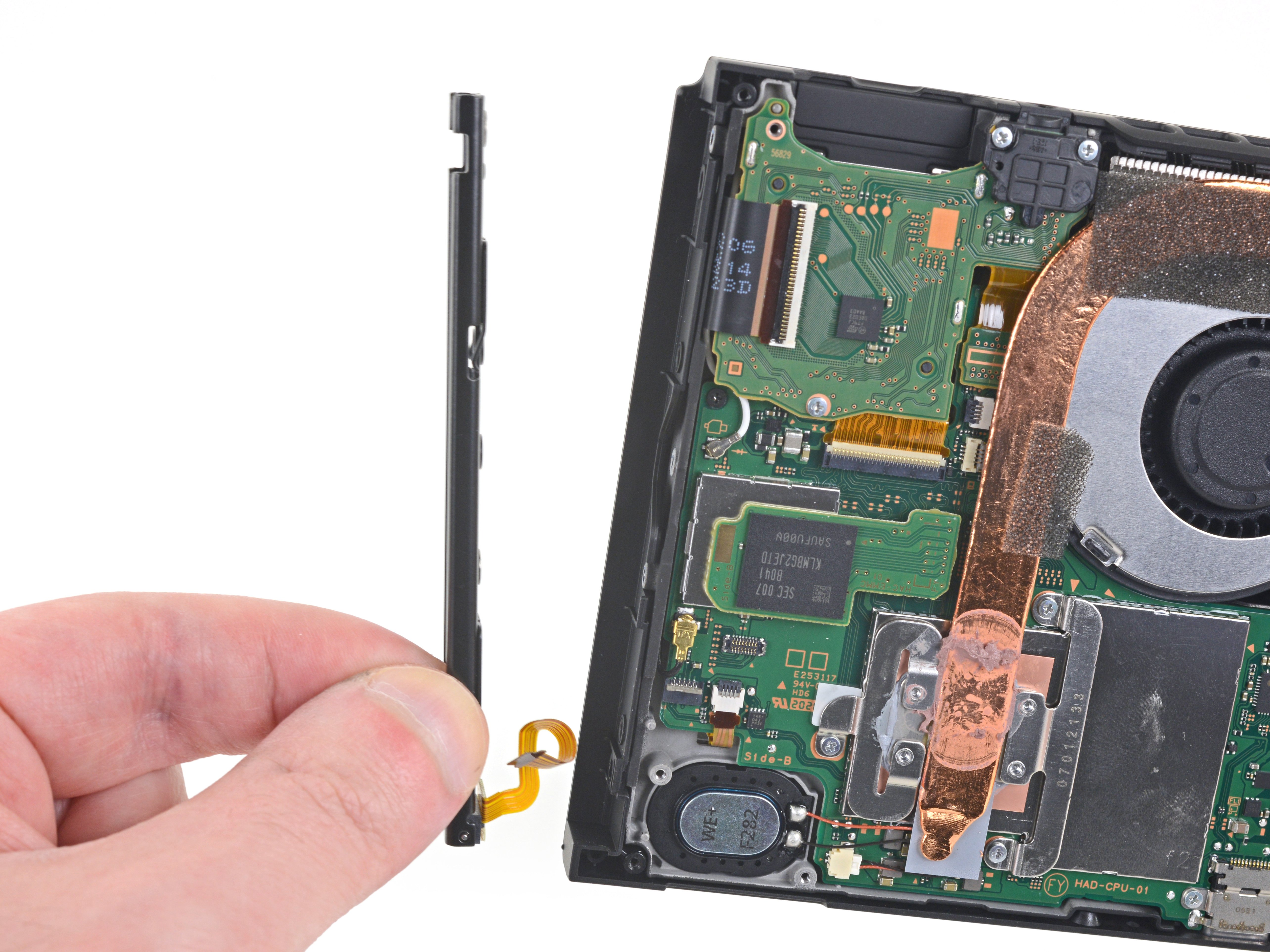
iFixit
Replace a broken or faulty right Joy Con sensor rail on the Nintendo Switch game console.
and in the case you meant the other rail instead: https://www.ifixit.com/Guide/Nintendo+Switch+Left+Joy+Con+Sensor+Rail+Replacement/113429
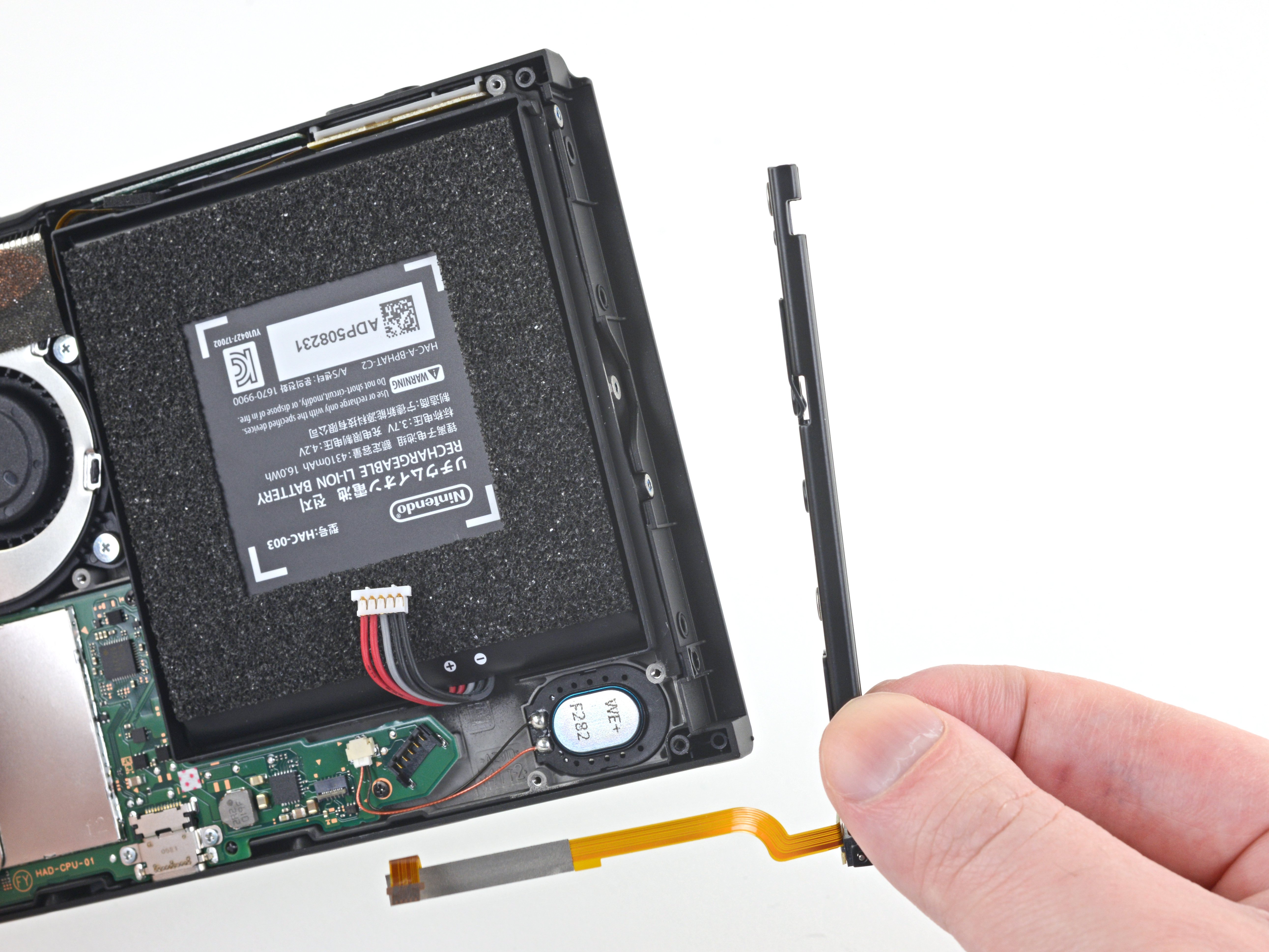
iFixit
Replace a broken or faulty left Joy Con sensor rail on the Nintendo Switch game console.
old ice
Hmm you know why did that happen?
And can you take a pic of it for me?
You gonna need more focus for me to see anything on that
Stripped screw is a very common issue when someone try to do a repair on the Switch without prior experience. The screws are often very fragile.
Although tbh the screws on the rail are the more durable ones, and bigger, too.
You just used the wrong screwdriver type
I can tell you if it's possible to fix when I see the head of the screw
hmm
Clean the debris out of it and try using a larger size Phillip screwdriver
Hopefully you are lucky
Darn...
Then you will have to face the reality: To fix this, you need to destroy some materials.
Drilling the screw out, or destroying the parts around it
There's another method that I believe to be the least destructive but require some tools
 boreal moonBOT
strip
HOW TO REMOVE A STRIPPED SCREW
So you have a stripped screw eh? Try one of these tricks:
- The reverse drill method (require a drill and left handed drill bits).
- Using a small drill or mini hand drill (Dremel) to drill into the screw, destroying the screw entirely (May damage the hole as well).
- Rip the plastic around the screw open. You will need a replacement shell for this.
 Requested by BladeSpringSun#4133
old ice
Requested by BladeSpringSun#4133
old ice
See if this can help you
In the end you will have to replace the screw entirely
In the event you can't find a different screw like that, you can buy a set of replacement screws
but they also have every other screws
Nice. Now it's just replacing it
You need a source to buy parts?
You in UK or US?
boreal moonBOT
rail
FIX HANDHELD JOY-CON DISCONNECTING ISSUE
• Basic Troubleshooting
・ Make sure the Joy-Con is on by observing the LED lights on the rail.
・ After that, slide it into the Switch.
・ If there is a response on the screen, or a click sound, it means the rail is still working.
・ Go through Nintendo's trouble-shooting guide.
・ Remove all controllers pairing using this procedure.
・ Process to the cleaning instructions below if your Joy-con still have issue.
👉 Click here for cleaning instructions
§ If cleaning didn't work, you may need to repair the rail.
• DIY guides:
・ Tablet's right rail
・ Tablet's left rail (Very hard)
・ Joy-con's left rail
・ Joy-con's right rail is similar to the above.
・ Rail's button flex board: Left & Right
• Parts:
・ Console's slider rails
・ Joycon's slider rail
・ Joycon's rail's buttons flex board
Requested by BladeSpringSun#4133