#USB-C to USB-C extesnsion cable for docking
205 messages · Page 1 of 1 (latest)
 toxic smelt
Although just a simple USB-C male to female adapter like the one you posted will work just fine, there are also dedicated adapter for it
Mostly they add a bit of a pressure to push down the spring mechanism
But there's always a length limit to these

tomtoc Extension Cable for Nintendo Switch Dock, 3.28 Feet USB 3.0 Type-C Extender Nintendo Switch Accessories
toxic smelt
It does help a bit, although there are better solutions. Most of the time, people ask for this because they don't want to dock the Switch but prefer a cable connection.
That's a valid point, I actually brought that up at another discussion in #accessory-recommendations .
The Switch doesn't need much data nor power transmission though, it maxed out at 39W and 1080p HDMI bandwidth is 5Mbps.
As for the spring, it is indeed not that tight, but I'm not sure if it's strong enough to push the cable up and disconnect the thing. It's not something I have tested yet so I can't say for sure.
IMO, this kind of setup is quite cumbersome, you basically connect a bulky USB-C to HDMI adapter (the dock) and extend it with a cable, it doesn't really reduce footprint and create more cable mess. But that's just my opinion, you can try it if you want. Report back though, I want to know if the USB-C female cable can hold down the spring.
Also, there are some 3rd party dock alternative that can create this exact setup with less hassle. But I have not tested it yet, so I cannot recommend due to the risk of bricking.
I'll find that thing again later. I gotta finish this garlic bread I just made 😛
toxic smelt
Back
Gotta admit, this garlic bread is a bit too much to eat all by myself ._.'
Anyway, here's the thing I found a while before

Eliminate the bulky Nintendo Switch dock (or 3rd party docks) and avoid bricking or damaging your Nintendo Switch with the EhYoo USB C to HDMI converter cable. The product works with the official Nintendo Switch AC adapter. -HDMI output interface: up to 3840*2160, 4K@30HZ or 1080P@60Hz. -USB-c ch...

aliexpress.com
Smarter Shopping, Better Living! Aliexpress.com
It's essentially the HDMI to USB-C cable
You will still need a power source
You can use the original AC adapter, or if you want, you can find a smaller charger/power bank for it
yeah, test to see if it works, and please update me about it ^^;
I need more data about it
Since so far, at least 4 persons have asked about this kind of setup, I may think about putting it into some recommendation tags
Not sure where to put it though, hmm
Yeah but they do have their own issue
From what I have seen so far, they do have quality problem
Of course not
The original PCB is like square shape
There are tons of 3rd party docks on the market. All of these are made by reverse engineering the original dock. Most of them are actually safe, since manufacturer has figured out the standard the Switch uses. So bricking issue has become less and less.
However, it depends on how they do quality check, they might break and bring your Switch with it
Also, a while back, an extreme rare firmware update to the dock (OLED reelase) actually render some very trusted 3rd party dock unable to work with the OLED
The extension type like this, not much
I meant not the same issue
You still have to be careful with the quality, of course
This is something I talked about previously
Basically, you can buy specialize extension cable that has the spring pushing down thingy
but you cannot control the quality of the cable
It's a rather niche product
but if you buy a normal USB-C female to male adapter like the one you posted, then you can control the quality
You read what I said wrong, I was comparing the specialize adapter and normal cable
Like the Tomtoc one I posted
Although that one would be higher quality since Tomtoc is a known brand
Here's a random brand: https://www.amazon.com/FYOUNG-Extender-Nintendo-Support-Transfer/dp/B072LWBYDV

FYOUNG Extender Cable Replacement for Nintendo Switch/Switch OLED Dock, Support 10 Gbps Data Transfer Rate - 3.28 feet
Sure it fits the spring mechanism inside the dock
but you don't know how good is the cable
Ugreen, the one you chose, is a good brand though, I have tested a tons of their product
Eh if you put it in, it'll look the same as the cable you bought
Yeah, Ugreen is a brand that sits in the middle of the market, balance quality and price very well
not too high-end like Anker, but quality is great
They compete with some brands like Aukey and Baseus
If you want really really good one, then you go with Anker, but it's often too overkilled
Well if you want
Anker > Aukey/Baseus/Ugreen > Hocco
For cable and adapters
Hocco is improving quickly though
They are already well-known brands, but they don't make everything
You would have trouble finding very small stuffs made by them
like a USB-C cable, you would have better luck with those brands I mentioned
Because those brands are in the peripheral market
Not that Samsung don't make them, they do make almost everything, it's just not a market they sell in often
Hmm I don't think I have heard of Hama
but I'm in a market different than yours, I'm sure
I'm in SEA, South East Asia
Just checked, that HAMA brand is EU centric
Then at the very least, they would follow EU qualitifactions
Unfortunately, there are also a lot of those brands that basically rebrand ready-made products from China.
Haha I see
Ugreen will feel a bit more premium
Normally their products have good packaging
kinda a trend with these brands
Anyway, I hope the USB-C cable you bought can fit into the dock without issue. Let me know if it works well or not.
I'm quite curious haha
I can test on my end, actually, but I don't want to mess up my setup
my USB-C cable is hidden under the table ._.'
Hmm you want to know more about that?
Ventilation issue and dock
I know a bunch of details
But let me get some water, lol
Garlic bread is heavy, man
read this thing first
 austere sundialBOT
fan
VENTILATION & FAN
§ The Switch vents its internal heat by sucking air in from the intake vent on the back, and then blow out by the fan on the top vent. While the console is on the dock, air intake go through a channel under the cable cover. Airflow chart.

■ Good practices for ventilation
• The ambient temperature around the console should be kept at 5 to 35C.
• Keep the vents clear for better airflow.
• Do regular cleaning on the vents with a squeeze blower or compressed air can.
• Turn off the Switch when you have to store in enclosed space for a while.
■ Signs of concern
• The fan is making abnormal, grinding noises. It may be broken or has worn out and need to be replaced.
※ Note: The Switch fan can be surprisingly loud. It can get around 30-35 dB, but that is normal.
• The Switch showed an overheat error and shutdown (SoC reached 67°C). This is a safety feature to protect the components from reaching dangerous temperature threshold. Your Switch may have issue venting the heat.

■ Solution
You can open up the Switch to clean the fan internally, but putting in a new fan is the best solution. It is something you need to do eventually, and it's one way to "refresh" the life-cycle of the console.
[👉 Click here for Repair Service Guide](#986637761916317707 message)
■ DIY Repair
• iFixit guide: Replacing Switch's Cooling Fan.
• eBay listing for OEM fan and tools.
• You should also consider replacing thermal paste, or use 1mm thermal pads for easier application.
 Requested by BladeSpringSun#4133
toxic smelt
Requested by BladeSpringSun#4133
toxic smelt
Well, tell me when you are ready
Some of these info can be quite useful in how to make sure your Switch won't overheat
Check the airflow chart pic

not entirely but that's exactly what I'm about to bring up
This is the Switch with the backplate removed:

Switch Lite:


Now, as you have noticed
The airflow into the fan is actually more open on one side and semi-blocked on the other
If you used your Switch for a long time, you can open it and look at the dust gathering on the 2 grills, you gonna see the left side (looking from the back), gather more dust
It means the left vent take more air in compare to the right
Even so, the right vent is still needed
Now look at the dock of the original Switch


You see problems here?
The left vent has that open slid, obviously
But the darn thing is sitting behind all the cables AND then flap cover
While the right vent is angled upward
And if you open the backplate cover of the dock, which cover the PCB, and then lift up the PCB, this is what you gonna see

My point is the dock has a lot of issue helping the Switch taking air in
it can't, the bottom vents are for taking air in
the top vent of the Switch is the place where the fan sit at
air pressure is stronger up there
But it does have open air, so it does help a bit for the dock's PCB
however, the hotspot is on the Switch itself, the processor
yeah but they didn't put it in there
I know a few people who modded their dock to include a fan
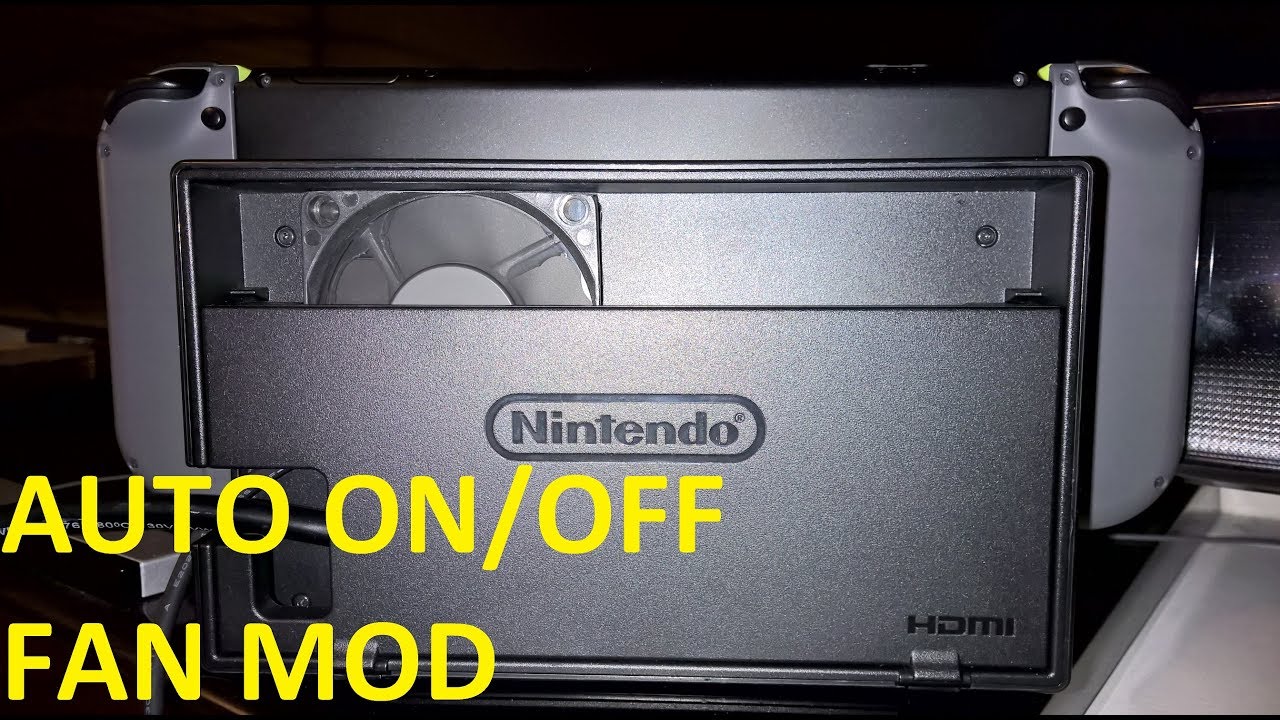
This mod adds a fan to the dock to cool down the switch. the fan turns on only when the switch is running, making it a seamless experience. this is by far the best way to add a fan to the Switch Dock!
These things only help a bit though, not that much, but it does help
There are also cooling accessories
example:


Funny enough this is the one that worked the best from my test

looks hideous though x)
It gives the top vent more air pressure
it connects directly to the top vent
And it does help much better than the other dock fan
Yep, it's ugly haha
Anyway, the dock has a lot of problem with ventilation
yeah
So I know a guy who made a 3d printed jig that create this airflow channel:

basically it directs the airflow on the right vent a bit better
I tried his adapter, too. It did work lol
I was very surprised coz it's a big oversight, ya know?
so... guess what the OLED dock looks like?

The fucking correct the issue
They knew about it haha
They enlarge the vent on the left
let me find this pic
It's actually nearly double the size
Mostly to let more air in while being blocked by the cable
Yeah, it's actually smaller on the OLED >.>'
but I'm talking about the changes on the dock
They didn't admit the original dock has issue, ya know?
But they changed it on the OLED
it's just simply to counteract the cables blocking the vents
Yep, it's an issue
And don't let me go there about their toothpaste thermal paste >.>
I suggest using thermal pads, if you want to open the Switch often
As for your question about the radiator, here take a look: https://www.aliexpress.com/item/33047088042.html
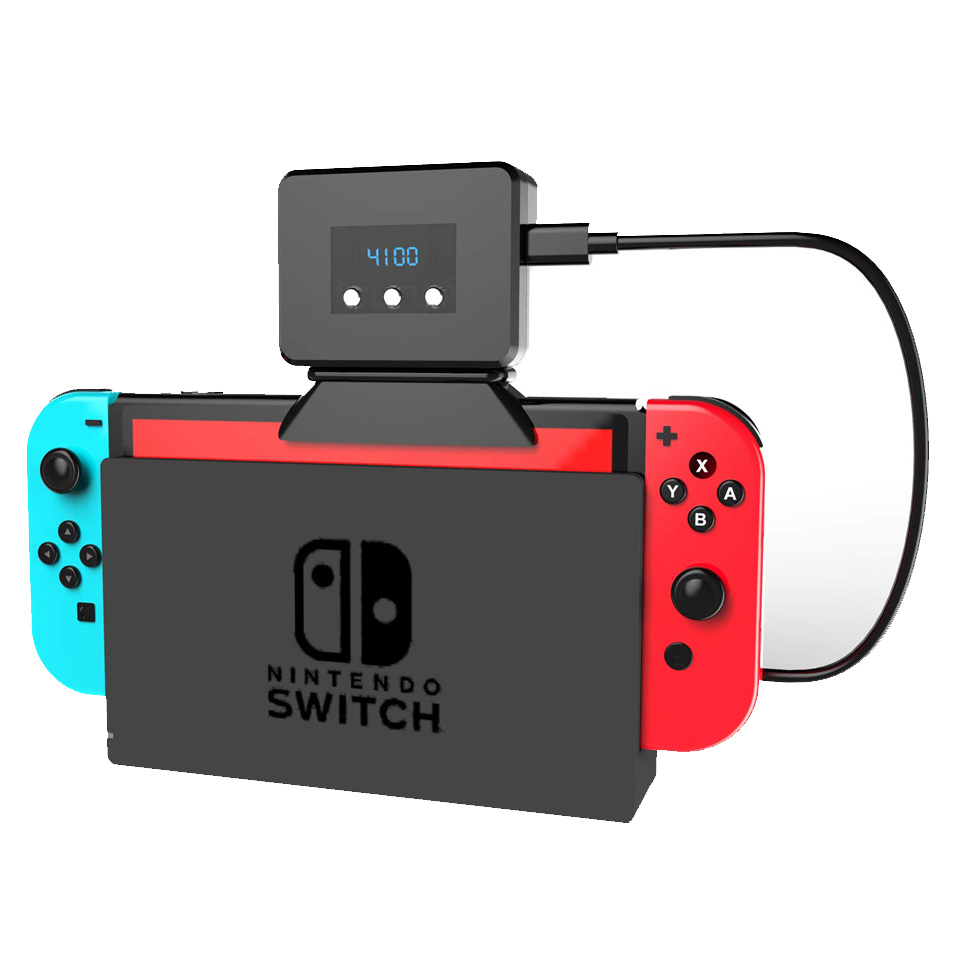
aliexpress.com
Smarter Shopping, Better Living! Aliexpress.com
I'll leave you with this video: https://www.youtube.com/watch?v=ic-FNfNZzpk
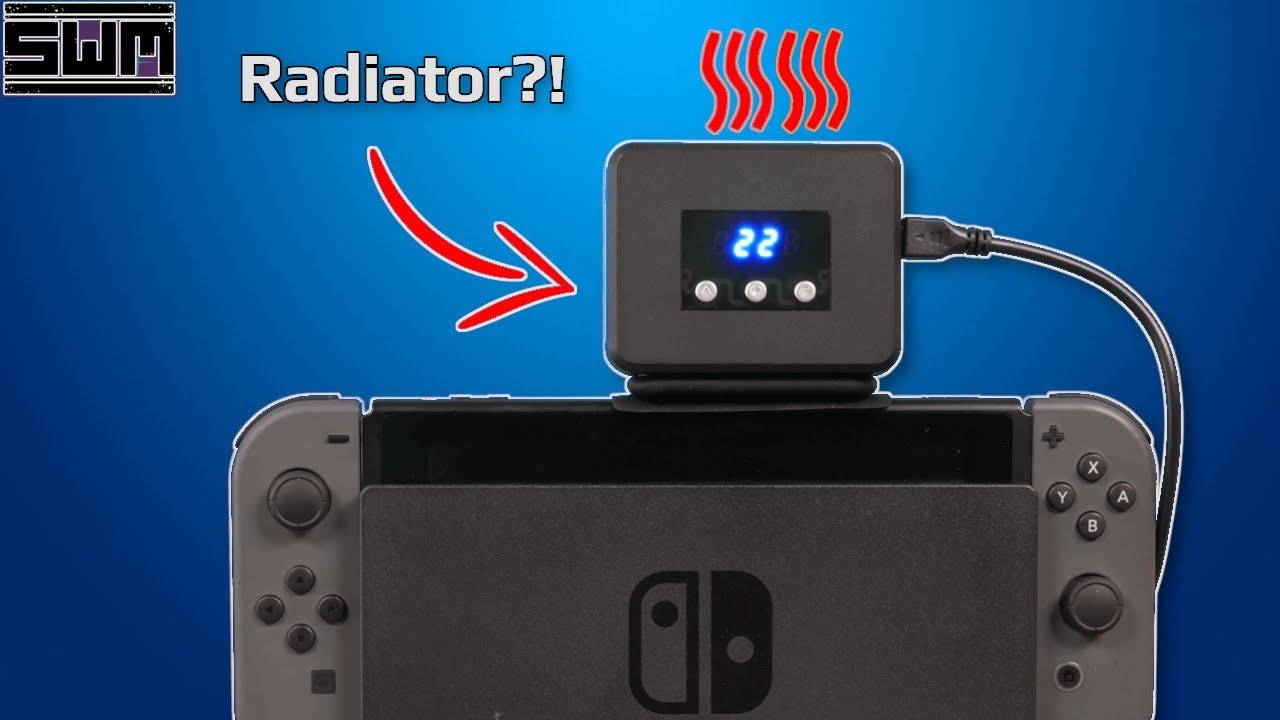
The Nintendo Switch has been out for over two years and since it's release tons of accessories have come out for it including ways to cool your Switch. Now most of these are just fans that blow air onto the back of the system towards the intake, but this one is apparently a radiator that works to exhaust air from the top. So let's take a look at...
Wait eh wrong vid I think ><
From what I measure, at maximum speed it made the temp went down 5-10C
Sure, but is your Switch modded?
Oh that's nice then
I asked coz otherwise measuring wouldn't be correct
Sure sure
If you want to run something extreme
Go download the Dragon Quest Builders 2's demo
run it on dock mode
And listen to your fan go jet engine
I'm not sure it's comparable
Oh btw, if you want to change your thermal paste
And you are daring enough
lift up the cover for processor then replace the thermal paste there, too
Be careful about it though, very risky
it's not that necessary, don't worry about it
2-3 degree difference
You ain't overclocing for a record lol
I haven't found anything that force the Switch as much as Dragon Quest Builders 2, but I think I also play mostly 2D games x)
I haven't played that so can't say
30C or so isn't that big of a deal though
Since the Switch would shut off around 60-70C
OC?
overclock, I meant
nearly reached the limit, although I'd suggest you change the fan speed profile
Haha I'd love to tell you but this server doesn't allow discussion about that, but you can easily google about it
it's because the temp is nearly the limit but the fan is only at 30% or so
It's depend on how you want it to do
I'd rather sacrifice the fan's age to cool the components
the fan can be replaced relative easily
But other component degrade much faster working on high temp
Also there's noise concern, but that's up to you
System on Chip, the processor
Yep
I'd adjust to make the fan kick up higher though
actually this thing is 40% not ~30%
That's decent but it's up to you
the advantage of being able to adjust fan speed so you can adjust temp
You can go higher fan speed to make the Switch last longer
Eh they are necessary sacrifice 😔
You will have to replace them eventually anyway haha
Yes, but like I said, it's not about reaching max, it's about preventing the Switch's component degrade
They will degrade, no matter what, but lower temp, they will degrade slower
Also, if you ever think about overclocking it, then it's a must
It's a trade off, but the cool thing is you have a choice
make sure the vents are clear though
Placing it on a flat surface with both joycon attached can prop it up
with the dock?
It's ok-ish, would be enough most of the time
but if you wan it to do better, use a stand
a mobile phone stand can do, or you can buy one that build for the Switch
They are super cheap nowadays
Cooler ambient temp helps a lot
I actually revised the fan's tag I posted earlier due to Nintendo also warn about playing the console in the recent heatwave
I should make an airflow chart for the dock, too.
Too much effort >.<
Anyway, I gotta go
Let me know about the cable, yeah? Really appreciate it 🙂

 toxic smelt
Try wiggling it a bit to see if it can come out. Simulate movement you would normally do when you try to work with the Switch
Hey damn, I'm not getting paid here =3=
toxic smelt
There is in no app, you have to edit some files