#Tech Lab forum - General Discussions!
1 messages · Page 34 of 1
 surreal moss
 sacred seal
I don't trust bit locker period. Pcs are not relyable enough, if something goes funky I want to be able to recover my files
Had to turn bit locker off on my laptop less than a week after I bought it because it kept freaking out and asking for the key
I think the airport scanner might have screwed something up
surreal moss
Something sounds screwy with how yours was set up. I’ve got it in play on many of the devices I manage at work and haven’t had any problems with it.
sacred seal
It was a factory install. But my point is not that mine broke and therefore the tech as a whole is bad, it's that the tech can break and if it does you are up shit creek
surreal moss
That’s the case with anything. Encryption or other software/hardware
Modern computers are just so insanely overly complex
sacred seal
No, without encryption getting the data off a drive is typically possible.
It might be expensive, but most of the time you can pull most of it
Even if the drive is dead
With bit locker, if something goes even a little bit wrong, your data is gone for good
surreal moss
Right, if you don’t want to use encryption then that’s your choice
But the risks with bitlocker exist with other encryption systems
Generally I think people should encrypt their drives and have a bare bones knowledge about how it works and how to use it
sacred seal
Yep, don't disagree. That's why I favor file level encryption over drive level
surreal moss
Ehhhh depends on the needs
I figure if you’re going to encrypt stuff might as well cover it all by default
sacred seal
The only attack vector drive level encryption solves is hardware theft
Which is pretty rare by and large.
surreal moss
surreal moss
Ehhhh depends on the needs

sacred seal
There may be some use case, but I would think that it is completely useless in 99 percent of cases
The risk of hardware or software fault is far greater than hardware theft.
I would argue that drive level encryption is only useful where the value of the data to someone else is greater than the value of the data to you.
surreal moss
Hardware level encryption is generally more secure than software level. It’s also more performant.
If you don’t want to use it, that’s fine and your choice. However hardware level encryption is the minimum standard by every security audit I’ve ever conducted and I don’t see that changing any time soon
sacred seal
If you need a security audit you are probably dealing with something more sophisticated then a personal computer
And it is likely a redundant system
surreal moss
If we’re just talking about personal windows machines then I’d argue you’re at a greater risk of hardware theft
sacred seal
I have had tonnes of pc hardware failures, but I have yet to have a pc stolen
I have pulled data off some pretty messed up machines
I have seen more then a few drives where I needed to switch to Linux to get the files off
Well actually just a few. I think 3 or 4
surreal moss
I’ve never had my own hardware stolen but I’ve had roommate’s laptops were stolen out of our apartment at night. I know several other people that had their personal laptops stolen as well. Just because we haven’t had it happen doesn’t mean it’s less likely
But again, if you don’t want to encrypt your drives, that’s find and your choice. I still think it’s a recommended security step to take even with personal devices
sacred seal
Not only does it need to be stolen, but the thief needs to have the know how and desire to pull the data. Most thefts are only after the hardware
surreal moss
which includes the encrypted or unencrypted data on the drive
sacred seal
No, they wipe the drive so they can resell it
surreal moss
Yeah, I’m not going to trust my local thief to abide by scouts honor and not look at the contents of my drive
You can
And again, back to it’s your choice. I think people should do so. You don’t.
We can leave it at that
 mossy gull
I only encrypt my drives on laptops, on my desktop it's pretty useless
sacred seal
Here is a thought experiment to better express my argument.
Would you rather clone your drive and give it to a stranger, or would you rather destroy the drive and all the data on it?
I think most people would choose the former over the latter.
The data most people keep on their devices is only valuable to the original owner.
I have close to 20tb worth of files on my machine, but only a few mbs of that is worth protecting
mossy gull
sacred seal
Here is a thought experiment to better express my argument.
Would you rather clo...
What about I have it back-upped just in case, but encrypted so idiots have a harder time getting my data.
surreal moss
Yeah, I think we’d be better off getting people more comfortable with backups and encryption instead of discouraging either or both of them.
And to answer the question I am absolutely not comfortable handing my unencrypted device to an individual of unknown intent or capability
And I don’t think most people should be comfortable with that idea either
 cinder lagoon
sacred seal
I don't trust bit locker period. Pcs are not relyable enough, if something goes ...
cinder lagoon
sacred seal
I don't trust bit locker period. Pcs are not relyable enough, if something goes ...
that is true - tho given that bitlocker has the ability to upload the key to the cloud, has saved my ass (and that of our customers) multiple times.
up until now I've found that keeping it in the cloud (far away from the device it affects) seems reasonable (if you know which account it is being saved to lmao)
i think windows / desktop PCs need some kind of optional boot loader lockdown like android has.
It's pretty much unbreakable except of that one government unlocking software
ahh yea Cellebrite
cinder lagoon
cinder lagoon
i think windows / desktop PCs need some kind of optional boot loader lockdown li...
This actually seems to prevent phone theft since the device is still paired to the last google account.
Can't flash any software without the bootloader unlocked
can't unlock the boot loader without credentials.
mossy gull
surreal moss
Yeah, I think we’d be better off getting people more comfortable with backups an...
At 1st I was very hesitant, because encrypted drives also meant they're slower.
But the difference is barely noticeable.
And back-ups are kinda annoying to do, but you will be less stressed if something does happen to your drive.
 cerulean helm
Well, the home automation journey via Home Assistant has been a learning experience so far. Currently trying out a different local hosted LLM for the conversation agent for voice. Hoping that a 7B model does better than a 3B model for reasoning speech.
sacred seal
Should be a fairly large step up, but ideally you would go for something like a 14b

 cinder lagoon
lmao the aliexpress listing
 sonic meadow
Lemme guess, it's got a DVI and two hdmi?
cinder lagoon
I've seen some people put up pre-sale listings for printed photos of the 5080/5090 at market value and put in the description "no refunds, YOU WILL GET A PHOTO, IF YOU ARE HUMAN DON'T BUY"
mossy gull
 tidal birch
Maximum level sketch
tidal birch
Maximum level sketch
"Founder Edition" and shows a Zotac card.
mossy gull
cinder lagoon
I've seen some people put up pre-sale listings for printed photos of the 5080/50...
And people still fall for it.
cinder lagoon
the $7000 listing is actually reasonable because thats currently the market value on ebay and people actually auction at that price...
cinder lagoon
mossy gull
And people still fall for it.
it's meant against scalper bots and I'm actually so here for it.
if you can't understand "if you are human, don't buy" I'm sorry lol
mossy gull
cinder lagoon
it's meant against scalper bots and I'm actually so here for it.
if you can't un...
People see "5090" and buy it without reading.
cinder lagoon
like I said "so sorry for you" (them)
if you have enough money to spend to not inspect the listing, you can afford it or should not have access to that money lol
sacred seal
Most of these sites have policies where if the title or picture is misleading you can get a full refund regaurdless of what the description says.
So you are not going to get any scalpers with that
cinder lagoon
maybe not long term but at least it eats up their capital temporarily
sacred seal
 mossy gull
sacred seal
mossy gull
sacred seal
Ah, my favourite pop-up
sacred seal
Think I may need to reinstall windows soon
mossy gull
I once had that with a broken windows, was pressing enter a lot because of another program so I made half of Windows disappear 😅
 jade scaffold
cinder lagoon
it's meant against scalper bots and I'm actually so here for it.
if you can't un...
jade scaffold
cinder lagoon
it's meant against scalper bots and I'm actually so here for it.
if you can't un...
It doesn't work tho
 balmy flicker
how do I tell if a SSD is good or not?
I am looking at getting a 2T M.2 drive (to replace my current boot drive) and an 4T Sata drive to replace my current hard drive.
but I don't know how to tell what drives are good last time I looked into it Intel was still making reliable SSDs and was consided one of the better buys
mossy gull
balmy flicker
I am looking at getting a 2T M.2 drive (to replace my current boot drive) and an...
Solidigm and Crucial are very good brands these days
balmy flicker
thank you
cinder lagoon
never heard of solidigm wth
samsung very expensive and not as great anymore imo
sabrent rockets are great value and quality I've heard
mossy gull
cinder lagoon
never heard of solidigm wth
Formerly Intel SSD devision
cinder lagoon
OHHH makes sense then
balmy flicker
the specks on this make no sense

looks like Crutical has the best price but they are only 5000MB/s
cinder lagoon
well, the bus maxes out at about 8GB/s

given that drive manufacturers like to be funky around Gibi and Giga etc, I think I can kinda see where it comes from
mossy gull
balmy flicker
looks like Crutical has the best price but they are only 5000MB/s
What they don't say is stuff like IOPS, which for games is much more important '
cinder lagoon
Feel that
Data sheet should have it tho
Solidigm doesn't do hybrid SSDs like Intel did, do they?
mossy gull
They should have indeed.
Because an SSD with 500k IOPS but 4gbps is in games faster than a 400K IOPS and 5gbps SSD.
How odd it may sound.
IOPS indicate how fast an SSD is with smaller files
mossy gull
cinder lagoon
Solidigm doesn't do hybrid SSDs like Intel did, do they?
You mean like their Optane?
cinder lagoon
Yea
mossy gull
cinder lagoon
Yea
They still do, mostly for businesses though.
Not for te average joe, because the average joe thinks "that's a slow SSD" while of you look at their latency and IOPS they're incredibly fast.
But the average joe only looks at raw data output
cinder lagoon
Sadge, most consumer optane is gone by now
But thats actually a drive I would recommend for embedded solutions or caching because the system will be much more snappy
mossy gull
cinder lagoon
But thats actually a drive I would recommend for embedded solutions or caching b...
I know, I would get them if they still existed for consumers, because I don't want to pay 500 just for 2TB
balmy flicker
how hard is it to clone a boot drive?
or should I just move all non boot stuff to the new drive even if it is not in the good M.2 port
cinder lagoon
balmy flicker
how hard is it to clone a boot drive?
Not hard.
HOWEVER:
if you're switching hardware, it is advisable to reinstall windows anyways.
At least if you're switching mobos
I recommend using linux to clone the drive
jade scaffold
mossy gull
What they don't say is stuff like IOPS, which for games is much more important '
solidigm have the best iop peformance out of any drive manufacturer asside from intel them selfs
jade scaffold
cinder lagoon
Not hard.
HOWEVER:
if you're switching hardware, it is advisable to reinstall wi...
its not hard but its certainly less effort to just reinstall windows entirely imo
cerulean helm
sacred seal
Should be a fairly large step up, but ideally you would go for something like a ...
Can't. My hardware can't run that big of a model without swapping to the cpu.
cinder lagoon
anyone know how to speed up onedrive first sync?
can't live with that eating up my aging laptop for ages lol
 balmy flicker
cinder lagoon
Not hard.
HOWEVER:
if you're switching hardware, it is advisable to reinstall wi...
balmy flicker
cinder lagoon
Not hard.
HOWEVER:
if you're switching hardware, it is advisable to reinstall wi...
no mobo switch just upgrading the boot drive first but that is where most of my used storage is
cinder lagoon
in that case I'd recommend creating a ubuntu install stick, booting that and following a tutorial on "how to clone drive with DD" and "extend partition" with gparted
DD is a commandline tool (but really easy, just double check source and target),
gparted is a GUI disk manager.
at the last "(gnome) Disks" app to identify your drives beforehand
surreal moss
cinder lagoon
anyone know how to speed up onedrive first sync?
can't live with that eating up...
Not really. Even if you manually copy everything over it seems to just make its own copy of each thing. I just turn it in for my users and let it do its thing
cinder lagoon
surreal moss
Not really. Even if you manually copy everything over it seems to just make its ...
ehh crap, thanks... will have to do lol. Just got TONS of small files on OD because I keep some programs binaries stored on there
surreal moss
Yeah, it’s unfortunately one of those M$ things where if you use it you’re better off just letting it do its thing
My next job is going to be living alone in a cabin in the woods on a mountain where tech can’t find me
cinder lagoon
balmy flicker
no mobo switch just upgrading the boot drive first but that is where most of my ...
quickly wrote up this quick tutorial, fairly fool proof very reliable but if you're unsure about something feel free to ask:
Clone a Drive and Extend a Partition on Ubuntu
Step 1: Create an Ubuntu Install USB
- Download Ubuntu ISO from ubuntu.com.
- Use Rufus (Windows) or balenaEtcher (Mac/Linux) to flash it to a USB stick.
- Boot from the USB:
- Enter BIOS (
F2,F12,DEL,ESC).- Select the USB drive.
- Choose Try Ubuntu Without Installing.
Step 2: Identify Your Drives
- Open GNOME Disks (
Super(Windows) key → search Disks).- Identify the source (old drive) and target (new drive) by size.
- Note their device names (e.g.,
/dev/sda,/dev/nvme0n1).Step 3: Clone the Drive with
ddRun the following command in Terminal (
Ctrl+Alt+T):
sudo dd if=/dev/source of=/dev/target bs=64M status=progress conv=sync,noerror oflag=direct
- Replace
/dev/sourceand/dev/targetwith the correct drive names.bs=64Moptimizes speed for SSDs.status=progressshows progress.conv=sync,noerrorprevents errors from stopping the process.oflag=directbypasses OS caching for better performance.Step 4: Extend Partition with GParted
- Open GParted (
Superkey → search GParted).- Select the target drive.
- Expect a warning about unused partition or drive space, confirm extension if asked.
- Right-click the main partition → Resize/Move.
- Drag the slider to use all available space → Apply.
Step 5: Verify
- Open GNOME Disks to check the new partition size.
- Run:
lsblkto confirm partition changes
sonic meadow
for another fun bit of 50 series bashing... nvidia have dropped support for 32-bit cuda, which also breaks PHYSX in older titles
not helped by nvidias cpu implementation of physx having been deliberately gimped from day 1
mossy gull
sonic meadow
for another fun bit of 50 series bashing... nvidia have dropped support for 32-b...
This is a kick in the ballsack, I still play many old games.
sonic meadow
There's less than I thought, but some were pretty notable. Borderlands 2, mirror's edge, assassin's Creed 4 piracy sim, and some of the batman games
jade scaffold
Yea Arkham city and Arkham asylum
Mind you both Arkham games are hilariously easy to run cpu wise ordinarily so for those specifically I don't see the cpu implementation causing toomany issues but for some games I could certainly see it being an issue
Can you still use a separate force card as a physx card might grab a itty bitty quadro and do some performance testing
mossy gull
I wonder how AMD will step in with this🤔
sonic meadow
The cpu physx still tanks in those games
But that's what happens when your cpu implementation was optimized for a 486
jade scaffold
mossy gull
I wonder how AMD will step in with this🤔
They won't
Lmao
AMD have no Physx alternative
And they likely never will
mossy gull
I so far have no issue with PhysX games on my AMD GPUs, or my CPU is fast enough to do it😅
jade scaffold
And if they did it'd be competing with modern Physx not old Physx
Which they just wouldnt be able to do
sonic meadow
This is primarily about games between 04 and 08
jade scaffold
mossy gull
I so far have no issue with PhysX games on my AMD GPUs, or my CPU is fast enough...
Yea most games aren't hyper physics intensive
So you can get away with running Physx CPU side
Not sure how well parallelized Physxs CPU implementation is tbh
sonic meadow
The 32bit implemention of the time? Not at all
As I said before, optimized for a 486
jade scaffold
Gonna get a quadro a400 as my "Physx accelerator"
sonic meadow
So not even simd vector maths like MMX, let alone SSE/SSE2
Nvidia deliberately gimped the cpu physx implementation, likely to make AMD systems look bad
jade scaffold
Yea that's not a surprise
sonic meadow
In mirror's edge in current systems it will tank down to 20fps in places using cpu physx
jade scaffold
Physx was kinda mostly a flop anyway and CPUs for the most part are fast enough
sonic meadow
Nvidia expanded it to an entire product suite, but it's mostly in the back and very few of the features require the use of the physx logo splash screen
mossy gull
jade scaffold
Not sure how well parallelized Physxs CPU implementation is tbh
It's good enough on the 245K
sonic meadow
Remember that this is only for 32bit games between 04 and 08. 64 bit games, and ones after 08 aren't effected
mossy gull
Unless it's a Bethesda game, they have 64-bit games that aren't true 64-bit games😅
Although they usually use Havoc physics and not PhysX.
sonic meadow
sonic meadow
Remember that this is only for 32bit games between 04 and 08. 64 bit games, and ...
Specifically ones in this period that use physx
jade scaffold
Yea it's old games that ran on cous not even half as fast per core were fine with
mossy gull
Fun fact: Skyrim will run better on an 8GHz dual core than a 5GHz octa core.
mossy gull

This has the most powerful iGPU we have ever tested! In this video, we get a first look at the all-new ASUS ROG FLOW Z13, powered by the powerful AMD Ryzen Ai Max + 395 Strix Point APU.
It features the AMD Ryzen Ai Max + 395 with 16 cores and 32 threads, paired with the all-new Radeon 8060S iGPU, which boasts 40 compute units. and it’s also the ...
jade scaffold
mossy gull
Fun fact: Skyrim will run better on an 8GHz dual core than a 5GHz octa core.
So will any old game
sonic meadow
old 386 era games would like to have words with you.
then again those have as much trouble on 5ghz as 8ghz
jade scaffold
mossy gull
https://youtu.be/v20kLX76_GU?si=zhPhVc2jy74-3LzW
I am very excited to mess with strix halo
Is it totally unlocked for tuning?
mossy gull
jade scaffold
Is it totally unlocked for tuning?
That I do not know but looks like it
jade scaffold
I hope the power limit isn't locked at 120w for "desktop" use
That poor GPU choking
mossy gull
jade scaffold
That poor GPU choking
80w max in the Z13, the thing is, in balanced that would be 40w for the CPU and GPU each, but I know from GHelper, you can adjust that balance, like 20w CPU and 60w GPU
sonic meadow
I have discovered that my laptop can just play 4k HDR content (at native resolution). A few stutters here and there but otherwise completely watchable. Was a pleasant surprise.
Did pull around 30w at one point to do so, but it can
jade scaffold
mossy gull
80w max in the Z13, the thing is, in balanced that would be 40w for the CPU and ...
Yea which just isn't enough
It's a 9950x glued to a really big memory controller and a Rx 7700 glued to it
Like I would love to see how it runs at 250-300w which is really where it's power limit should be
mossy gull
jade scaffold
Yea which just isn't enough
For a thin and light tablet it is😅
jade scaffold
mossy gull
For a thin and light tablet it is😅
Yea but then they should use a CPU GPU combo that makes sense
mossy gull
jade scaffold
Yea but then they should use a CPU GPU combo that makes sense
And do what?
Use an RTX 4050?
Which already uses 50w without turbo by itself, leaving even less for the CPU.
I think they chose the Ryzen Ultra because it has 16 cores while also having a much simpler board design.
Not to mention with the display resolution 6GB VRAM ain't enough for people who need more.
And the 4070 variant of the Z13 was sold in very limited quantities.
Which had a TDP of 65w
jade scaffold
mossy gull
And do what?
Use an RTX 4050?
Which already uses 50w without turbo by itself, le...
Didn't mean that meant AMD make a chip that made sense
Like they have no in-between chips really between the Ryzen AI and Ryzen AI Max
Need like a single ccd chip with like a 20 core GPU or something
mossy gull
jade scaffold
Like they have no in-between chips really between the Ryzen AI and Ryzen AI Max
Maybe they start with a powerful chips 1st and then get the weaker chips.
jade scaffold
Maybe they shouldnt cram a 300w part into an 80w frame
Like that's just silly I bet it kicks off he chip soooo fat off it's efficiency curve
120w is probably the lowest power amd could go without loosing efficiency on the thing
mossy gull
jade scaffold
Maybe they shouldnt cram a 300w part into an 80w frame
I think it's much better than a 80w 5070 Laptop and an 115w 285H😅
I don't know, maybe they have some weird plans, it's Asus and AMD anyways
They now say this, and then we find out it has a limit to 120w😅
And maybe we get a desktop chip capable of doing 200+w
jade scaffold
mossy gull
I think it's much better than a 80w 5070 Laptop and an 115w 285H😅
It wouldn't be though benchmarks are showing it's sat at around the 4060ti mobile mark
Which for an apu great
But it COULD do 4060ti desktop performance with more power
If not even greater performance than the desktop 4060ti
mossy gull
jade scaffold
It wouldn't be though benchmarks are showing it's sat at around the 4060ti mobil...
To be honest, I am happy with those results, for me VRAM is far more important as the games I play and the stuff I do need tons of VRAM.
And no way Asus is gonna cram a 5090 24GB in the Z13 without some huge compromise
jade scaffold
There isn't gonna be an actual laptop 5090 anyway it's just gonna be a 5080 with more ram
The 5090 is just too big and needs too much power it's already ran at lower power than it should be
mossy gull
jade scaffold
There isn't gonna be an actual laptop 5090 anyway it's just gonna be a 5080 with...
I meant the 5090 Laptop 😂
Not the desktop chip
I heard it's gonna have 24GB, that actually would be amazing in the next Titan
mossy gull

Tom's Hardware
RTX 5080 users beware, too.
🤔
Reddit
Explore this post and more from the ASUS community
sacred seal
The 12pin connector is garbage. Even if it does not cause issues right away, another outlet (I forget which one) reported taking apart thier 4090 system a year after it was built only to find that the connector had begun melting.
So even if it's not an issue immediately, it may be so later.
mossy gull
I have said since the beginning this connector is garbage, but nobody listened, we're like 5 years further and the melting still happens.
And always the same excuses "stop using 3rd party cables" or "you didn't correctly plug it in"
cinder lagoon
well i mean why would nVidia listen to a random discord user, when they don't listen to their own experts lol
mossy gull
cinder lagoon
well i mean why would nVidia listen to a random discord user, when they don't li...
And people rather have the best gaming GPU than their house apparently
cinder lagoon
mossy gull
https://www.tomshardware.com/pc-components/gpus/rtx-5080-power-cable-allegedly-m...
yes, der8auer already confirmed that.
it happens because the entire cable strands are overloaded, not only the contact points (presumably some just don't make contact for some reason
mossy gull
cinder lagoon
yes, der8auer already confirmed that.
it happens because the entire cable strand...
I also been saying for years, people keep forgiving Nvidia for this issue, but if AMD or Intel had the same issue, they would go almost bankrupt as people would claim they're the worst company in the world and people would stop buying them.
cinder lagoon
(ignoring the fact that 95% of their income comes from business customers)
mossy gull
And customers that play favouritism
cinder lagoon
nah, thats like 2% of their income
mossy gull
cinder lagoon
nah, thats like 2% of their income
Few years ago I was reading about MS preferring AMD for AI tasks because they're cheaper when it comes down to price per GB VRAM
I don't know if it was the truth '😅
jade scaffold
mossy gull
Few years ago I was reading about MS preferring AMD for AI tasks because they're...
I went over this when you were touting it before
They don't prefer amd they looked into and for the better vram per cost
Ultimately chose against it because AMDs ai accelerators suck balls
In raw performance they are allright still vastly inferior to to nvidias in that regard
But their main actual issue is no support and no ecosystem. Pluss AMDs comedic efficiency Vs nvidias in ai
cinder lagoon
mossy gull
Few years ago I was reading about MS preferring AMD for AI tasks because they're...
AMD always had more VRAM / $ and they (afaik) practically developed HBM2 specifically for business compute customers
just think about a 1060 3GB vs 480 8GB
didn't have more performance but way more mem
jade scaffold
cinder lagoon
AMD always had more VRAM / $ and they (afaik) practically developed HBM2 specifi...
Hbm for business mostly came about though due to the need to process enormous data sets pascal had hbm on the Tesla's and one of the high end quadros
But hbm1 wasn't even that high bandwidth and hbm2 if not implemented correctly was slower than gddr5x was
mossy gull
I love how my CPU cooler still has 0 fans
Before you ask, the fans included were 1 mm too tall to fit🤣
mossy gull
jade scaffold
But hbm1 wasn't even that high bandwidth and hbm2 if not implemented correctly w...
Vega🙃
jade scaffold
mossy gull
Vega🙃
Yea Vega which did a shit implementation
Beaten by the gddr5x used by Nvidia


AMD only used 2 hbm2 chips
When using 4 as on GP100 core gpus that's where you see hbms performance shine
 mossy gull
jade scaffold
mossy gull
jade scaffold
The only advantage AMD had at the time was with the Vega FE and VRAM heavy games, which were few and far in between.
sacred seal
An example as to why you cannot trust GPU vram usage numbers. I have 16gb of vram total, windows is not using 26gb by itself

And if I end the process, it drops down to 2gb

That is the difference between what is requested vs what is actually needed
mossy gull
And yet, more and more games use more and more VRAM
mossy gull
@jade scaffold do you know good GPU waterblock manufacturers where the 1st few letters don't start with E K W or B?
cinder lagoon
Alphacool
wait not sure if they have GPU blocks
Thermal Grizzly might also have blocks (they're thinkin about making one for the 5090 at least)
mossy gull
cinder lagoon
Alphacool
Which is my number 1😅
But I need a waterblock for a MSI Ventus 5090 that I can buy from my brother over half a year for 1200.-😅
And Alphacool doesn't make 1 for the Ventus
And EKWB ain't a very trusted manufacturer
jade scaffold
mossy gull
<@365943390984208394> do you know good GPU waterblock manufacturers where the 1s...
Alphacool
Thermal Grizly
inno3d
will be your best bets for a 5090
mossy gull
jade scaffold
Alphacool
Thermal Grizly
inno3d
Yeah, I think I am just gonna get an Inno3D
And tell my brother to keep his Ventus
jade scaffold

TechPowerUp discovered that some RTX 5090s are missing ROPs... OOF
Check out the TechPowerUp Article at - https://www.techpowerup.com/332884/nvidia-geforce-rtx-5090-spotted-with-missing-rops-performance-loss-confirmed-multiple-vendors-affected
○ Get your JayzTwoCents Merch Here! - https://www.jayztwocents.com
○ Join this channel to get access ...
what the hell
cerulean helm
Yup, the most expensive gpu is missing hardware.
https://www.techpowerup.com/332884/nvidia-geforce-rtx-5090-spotted-with-missing-rops-performance-loss-confirmed-multiple-vendors-affected
balmy flicker
slow clap and yet some how AMD will still shoot them selves in the foot harder
 sharp girder
I have an nvidia RTX 3060 laptop gpu and I am suffering from low frame rates on most games I play any fixes?
balmy flicker
what games
sharp girder
elden ring squad etc.
i run my elden ring at like 20 frames on max settings and like 20 on squad
sacred seal
Check that the IGPU is not bieng used
mossy gull
sharp girder
I have an nvidia RTX 3060 laptop gpu and I am suffering from low frame rates on ...
Have you considered cleaning the cooling of the laptop?
sharp girder
it is not very dusty should i get a air canister and try to clean it anyways?
mossy gull
sharp girder
i run my elden ring at like 20 frames on max settings and like 20 on squad
The RTX 4070 Desktop, on highest settings can achieve 50fps.
This is because of raytracing which is very heavy, especially for a 3060 laptop, which is weaker than the 3060 8GB Desktop
mossy gull
sharp girder
it is not very dusty should i get a air canister and try to clean it anyways?
Do not use air dusters, you have to remove the fans from the cooling assembly if possible.
If that's impossible then you need a somewhat powerful air duster, not Canned air, they use gas that can cause condensation which can kill your fan.
sharp girder
Alright I will try to get it cleaned 👍
mossy gull
sharp girder
Alright I will try to get it cleaned 👍
Still, the 3060 Laptop is not powerful enough to run Elden Ring on max settings
sharp girder
Would it be better to run on low?
mossy gull
sharp girder
Would it be better to run on low?
Turn off raytracing and don't play higher than 1080p
mossy gull
jade scaffold
https://www.youtube.com/watch?v=uDlcgILBAXQ
Finally watched the vid, that's bad.
No only catch they flame, they are missing performance.
cinder lagoon
sharp girder
I have an nvidia RTX 3060 laptop gpu and I am suffering from low frame rates on ...
given that my work laptop has the same gpu spec (there's a high tdp and low-tdp one tho) I can confirm your findings, that thing slow as fck
RX 7800 plays War thunder like a champ, could even do ray tracing theoretically.
RTX 3060 LAPTOP however.... Medium settings at best.
the 3060 desktop would crush my 7800 tho.
or at least be about the same
cinder lagoon
mossy gull
Turn off raytracing and don't play higher than 1080p
i.E. use the AI upscaling or just play at lower res
jade scaffold
mossy gull
Turn off raytracing and don't play higher than 1080p
yea even on a 1080ti eldenring struggles at 4k
jade scaffold
cinder lagoon
i.E. use the AI upscaling or just play at lower res
theres no upscaling
cinder lagoon
no FSR or ..??
jade scaffold
no
its a fromsoft game
it cant even do ultrawide
fromsoft dont know what modern technology is
their shit is at best on 2015 GTA levels of advanced
all their games have shit graphics quality too and all run terribly depite that
Their art direction is just really good is all so it doesnt matter that the fidelity is practically 2013 levels
mossy gull
jade scaffold
all their games have shit graphics quality too and all run terribly depite that ...
Their graphics sucks for the hardware you need to run it at higher settings
jade scaffold
even at lower settings their games arent nessesarilly hard to run they are just really really badly made lmao
super unstable frame rates
mossy gull
@jade scaffold many people are already complaining about the lack of proper PhysX support on 50 series cards, like people who still play lets say Skyrim and Fallout 4, you know, modders, have less fps with the 5090 than a previous gen GPU
Compared to 30 series GPUs pulling ahead when a game needs PhysX
jade scaffold
yep
mossy gull
So lets see, in less than a month time we have:
- Burning cables and connectors
- Less performance than advertised due to hardware issues
- Lower performance in older games
Nvidia is killing it🤣
jade scaffold
dont forget the total lack of any stock atall
mossy gull
jade scaffold
dont forget the total lack of any stock atall
Oh yeah, lack of stock and having to replace GPUs
Damn, Nvidia is on a roll
@jade scaffold I think I need 3 GPUs🤣
2 5090 and 1 3050
https://www.reddit.com/r/nvidia/comments/1iv2a4c/i_bought_a_3050_to_pair_with_my_5090_to_uncripple/?utm_source=share&utm_medium=mweb3x&utm_name=mweb3xcss&utm_term=1&utm_content=share_button

Reddit
Explore this post and more from the nvidia community
jade scaffold
I was just gonna use a quadro a400
mossy gull
Eh, I just need a low power PhysX accelerator
It's sad why Nvidia does this to be honest, how much does it cost them to have PhysX support
jade scaffold
Yee the a400 you can get really cheap
mossy gull
jade scaffold
Yee the a400 you can get really cheap
Is it efficient enough you can passive cool it?
 balmy flicker
32bit physx is active for what a 6-8 year time span its just some of the most replayed games came out in that time span
mossy gull
@jade scaffold even the 5080 seem to be missing ROPS.
Damn, entire 50 series launch is gonna be a huge mess
Reddit
Explore this post and more from the pcmasterrace community
jade scaffold
jeesus christ
what is happening
gonna check mine now
okay good mines got all its rops
jade scaffold
probably Thee messiest
so we have:
Lack Luster performance
Melting Connectors 2 electric boogaloo
Missing ROPs
Abysmal Stock
AIB cards being unaffordable
thats great
mossy gull
jade scaffold
so we have:
Lack Luster performance
Melting Connectors 2 electric boogaloo
Missi...
The last 1 is amazing, 5K for the MSI 5090 GPUs in the Netherlands, what's Asus gonna cost, 7K?
jade scaffold
the 5090 astral from Nvidia is like 2.7-3.5k in most places thats insane
the MSRP is 2k
there is not a single msrp 5090 that isnt an FE card
there isnt a single MSRP 5070ti either
amd are going to release their new cards at a stupid price sadly too
mossy gull
I am sorry, but for this, I rather get an 2nd hand 4090.
jade scaffold
yea honestly a better shout
BUT NOT EVEN THOES ARE CHEAP
thoes are still going for like 2.2-2.5k you are still better trying your luck with the fucking aib 5090s
what the hell is this
mossy gull
jade scaffold
amd are going to release their new cards at a stupid price sadly too
To be honest, now AMD should launch a card that's between the 4090 and 5090 in performance for the price of like 1800.-
But they ain't gonna do that.......
jade scaffold
they cant do it atm
but a $550 9070xt would be cool
but they arent doing that either
they are aparently going for like 900us
mossy gull
jade scaffold
but a $550 9070xt would be cool
That's what they should do, but not gonna do
jade scaffold
only 100 cheaper than the 5080
mossy gull
 jade scaffold
while being rather vastly inferior
mossy gull
Ever wanted to buy an almost 1500.- costing 5070 Ti?
mossy gull
jade scaffold
while being rather vastly inferior
Eh, I mean the 5080 here costs the price of the 5090

And the Ventus cards are known to be cheaply build with bad coolers
jade scaffold
thats cos they dont fucking exist
the manufacturers raise the prices when they arent actually buyable
probably why the 5090 is showing as 7k for you
mossy gull
jade scaffold
the manufacturers raise the prices when they arent actually buyable
This should be illegal to be honest
mossy gull
jade scaffold
probably why the 5090 is showing as 7k for you
Cheapest I can find the 5090 for
 jade scaffold
 cerulean helm
Well in the U.S expect even higher prices come April. If the semiconductor tariffs actually happen its a whopping 25%. So, good luck even buying Intel gpus after that.
jade scaffold
cerulean helm
Well in the U.S expect even higher prices come April. If the semiconductor tarif...
anyones gpus
mossy gull
I hope the EU won't be affected much
mossy gull

💵 Save money on your next gaming laptop with our daily deals: https://gaminglaptop.deals
Prices of laptops tested:
ASUS Flow Z13: https://geni.us/flow-z13
Lenovo Legion Slim 5: https://geni.us/slim5
AMD claim their Ryzen AI Max+ 395 with Radeon 8060S graphics can beat Nvidia’s RTX 4060 in games - so I’ve put that to the test in 25 games at 108...
100w 4060 vs 40w 8060S
jade scaffold
How tf you running a laptop 4060 at 100w it's ad107
That's nearly ad106 tdp
The better question really is why would youyhe 4060 desktop can be ran at that power and is nearly 30% faster
I mean regardless tho that's gtx 1080 performance from the 8060s at 40w which is pretty impressive
mossy gull
jade scaffold
How tf you running a laptop 4060 at 100w it's ad107
Lenovo does magic with their laptops, most of their laptops are cooled betten than the Asus alternatives
jade scaffold
Entry level Xeon 6s incoming
16 cores 136 pcie gen 5 lanes 8 channel memory controller with support for ddr5 6400 for 815 usd
mossy gull
jade scaffold
Entry level Xeon 6s incoming
Entry level, how expensive?
jade scaffold
jade scaffold
16 cores 136 pcie gen 5 lanes 8 channel memory controller with support for ddr5 ...
@mossy gull
There's also a 12 core too I think maybe even an 8 core though don't know for sure
mossy gull
Oh, I full speed read over it🤣
mossy gull
jade scaffold
There's also a 12 core too I think maybe even an 8 core though don't know for su...
24 core?
jade scaffold
There's a 24 core yes
A tad more expensive than the 24 core HEDT threadripper
But with like 4x the pcie lane count
And 2x the memory throughput
mossy gull
jade scaffold
A tad more expensive than the 24 core HEDT threadripper
I hope it's not like 6 times more expensive
mossy gull
Oh good
jade scaffold
Though really it's more comparable to the TR pro which is 2600iirc
So if you look at it for it's pcie lanes it's actually better value
mossy gull
jade scaffold
Though really it's more comparable to the TR pro which is 2600iirc
2300 for the non-pro, which I currently have
mossy gull
jade scaffold
So if you look at it for it's pcie lanes it's actually better value
Is it a big little like the Ultra CPUs?
Or full fat cores like the TR?
jade scaffold
mossy gull
Is it a big little like the Ultra CPUs?
No all p cores
mossy gull
jade scaffold
No all p cores
Even better
All HT or no HT?
Would be even more fun if they're the P cores from the U9
jade scaffold
With hyper threading too

Intel
Intel® Xeon® 6511P Processor (72M Cache, 2.30 GHz) quick reference with specifications, features, and technologies.
mossy gull
jade scaffold
With hyper threading too
God fucking damnit, I finally got rid of it🤣
jade scaffold
mossy gull
God fucking damnit, I finally got rid of it🤣
Yea this is where I properly approve of hyper threading hyper threading only increases efficiency in all core near full load work loads
Which server CPUs are always meant to be doing anyway
Excited so see if it increases the per core performance over arrow lake
mossy gull
jade scaffold
Yea this is where I properly approve of hyper threading hyper threading only inc...
I am curious how it'll perform against lets say the U9
In games that is
jade scaffold
Probably not great though depends on how boostable intel made it
Also with how much Intel's arrow lake benefits from memory bandwidth if the server chips are the same that chips got uh kinda silly bandwidth
mossy gull
jade scaffold
Probably not great though depends on how boostable intel made it
So th U9 still would be better for me
jade scaffold
Maybe
I don't really know how it boosts
It's a different node to arrow lake too
It's not a tsmc node it's Intel's new node
Looks shockingly efficient too 150w for 136 pcie lanes a octo-channel memory controller and 16 cores at 4.2ghz my epyc needed 250 to do all that
I am planning on getting a new Xeon I'll let you know when I do
jade scaffold
But I don't want the 6500p series I want the 6900p series one 12 channels of ddr5 8800mhz
jade scaffold


1700 for the max config
for the board alone
aaaaand Preordered
got the 64GB version 128GB is neat but is malicious overkill for anything i'd do with it

 mossy gull

Introducing the All New Nvidia Flame Generation Technology, available on all of the 7 50 series RTX cards we have sold so far.
  The more you buy, the more you save
  - Daddy Jensen
3090 burning render from:
https://www.youtube.com/watch?v=VbV7xWplOSI
mossy gull
jade scaffold
Tiny boy
mossy gull

Find the perfect partner for your February adventures. Explore Vessi's waterproof shoes at https://vessi.com/ltt for the ultimate versatile footwear and get 15% off your first purchase at checkout!
Check out the UGREEN NASync DXP2800 at https://lmg.gg/ugreendxp200
Framework just announced a bunch of new devices and we got to check them out ea...
cinder lagoon
mossy gull
https://youtu.be/-lErGZZgUbY
just watched it. Here are my issues:
- "affordable" laptop being an i3 in a plastic chassis (environment, dude!!) for "sub-$1000" while there are options that can literally game great, be convertible touch, oled display with AMD APUs for like 800...
- the mini-desktop ain't much of an innovation either imo... mentioning EMI compliance as a feature does not boast trust in the product.
- felt like a school presentation where the talking points are not actually that detailed.
- also felt like a presentation made from a website giving an overview about improvements like you see from apple ("now with an exciting new button to open your camera")
thoughts?
jade scaffold
cinder lagoon
just watched it. Here are my issues:
- "affordable" laptop being an i3 in a plas...
sub 1000 is very clearly a joke
also i3 in a plastic chassis is exactly what all budget laptops are
usually its a Celeron or god forbid a pentium or atom
the mini PC itself is about the Value of it
128GB of RAM a 7600XT a 9950 with 5gb networking with multiple USB 4 ports for 2k
1.7k if you only want the main board and want to provide your own case
most of this stuff is 6 months out so NDAs apply he cant say much other than give an overview of they keynote basically and some lite opinions
mossy gull
cinder lagoon
just watched it. Here are my issues:
- "affordable" laptop being an i3 in a plas...
Can you upgrade a laptop, that has a touchscreen with a U3 or U5 from otjer vendors?
Depending on the price, I might get the tiny desktop to replace a Raspberry Pi.
Sounds insane?
Well, for the size there's not much of an alternative really, especially not with RTX 4060 levels of performance.
I haven't been able to access the Framework website
But a small PC, with similar specs to the Framework Desktop, will cost me 2K, except it has slower RAM, only 8GB VRAM, is at least twice the size, worse cooling, and only 2.5 Gbps internet
jade scaffold
I'm very excited to get mine
mossy gull
jade scaffold
I'm very excited to get mine
For 2K vs a similarly priced desktop, very doable
jade scaffold
Wonder how the connections to the CCD are done
mossy gull
jade scaffold
Wonder how the connections to the CCD are done
Well, if the Z13 with its 80w can reach very good performance, I think pretty well
jade scaffold
mossy gull
Well, if the Z13 with its 80w can reach very good performance, I think pretty we...
I mean do they use the Ryzen style one or epyc style one
Epycs use GMI Wide which uses 2 lanes to each chiplet atleast on chips that don't have all the CCDs
Ryzen uses only 1 of such lanes to each chiplet
mossy gull
jade scaffold
I mean do they use the Ryzen style one or epyc style one
That's a very good question
jade scaffold
Looking like it might be gmi wide
mossy gull
jade scaffold
Looking like it might be gmi wide
What does "GMI Wide" mean?
jade scaffold
So zen 5 CCDs have 2x GMI links on them
Normal Ryzen chips only use 1 link per CCD even though each CCD has 2 physically this is called GMI Narrow
Some epycs use 2 links per CCD this is GMI wide
mossy gull
jade scaffold
So zen 5 CCDs have 2x GMI links on them
Normal Ryzen chips only use 1 link per...
So Ryzen Ultra uses GMI Wide?
jade scaffold
I think it might
mossy gull
Interesting
https://youtu.be/RYLUBvISa7I
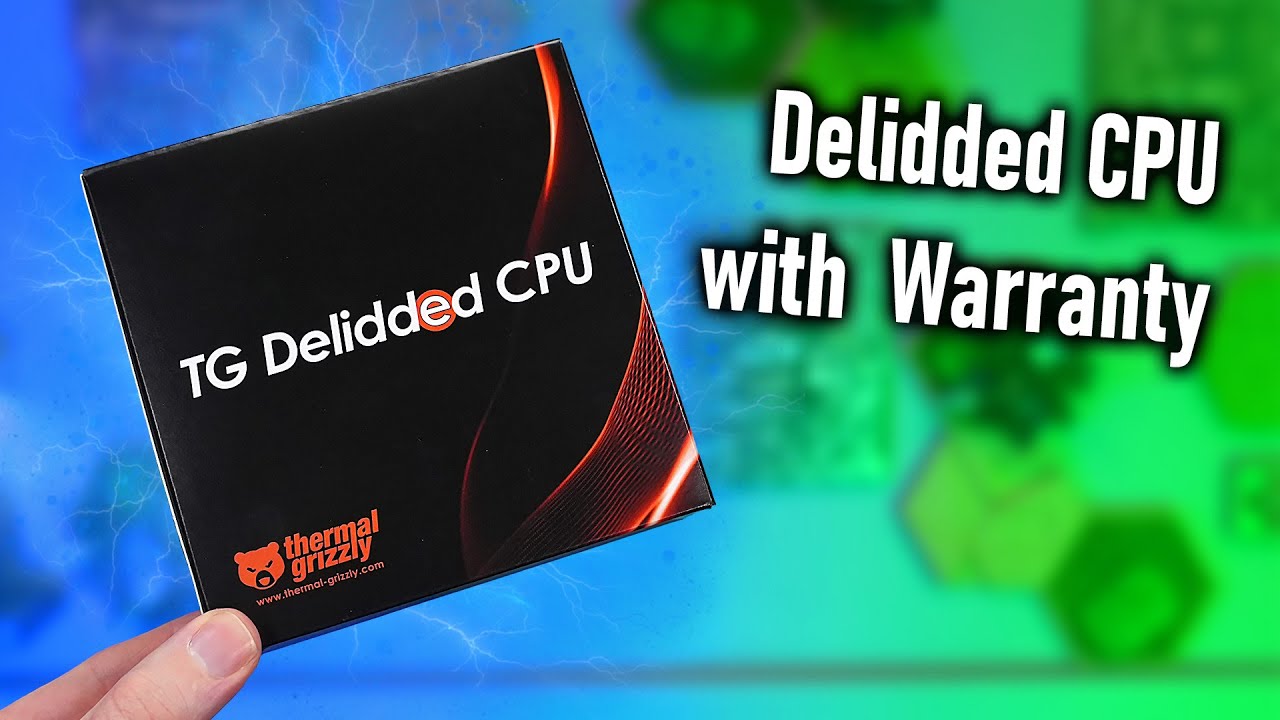
Find the delidded 9800X3D with 2 years Warranty here:
https://www.thermal-grizzly.com/en/amd-tg-delidded-cpu/s-tg-del-cpu-001
Important: VAT in the cart is changed in the 2nd step after you confirmed the country. So the price could be higher in the first moment.
Music / Credits:
Outro:...


 mossy gull
@jade scaffold I do wonder the performance of the Framework Desktop board, like they recommend an 500w PSU, does that mean the chip has a power limit well above 200w?
jade scaffold
no the chips still 120w
but you have a bunch of RAM a whole bunch of USB 4 support and all your drives and stuff
the chip does have PBO though so it may be possible to set a higher power limit than is normally available via CTDP
mossy gull
jade scaffold
the chip does have PBO though so it may be possible to set a higher power limit ...
But then why not recommended like 330w, why 500w?
jade scaffold
transient spikes silence idk
why the fuck does anyone recomend power supplys for anything
mossy gull
But 500w?
Even the MSI Titan 18HX barely goes over 400w, and that thing has a 4090 or 5090😐
jade scaffold
Any reason why a GPU would totally green screen under load?
mossy gull
jade scaffold
Any reason why a GPU would totally green screen under load?
Lack of power which causes them to be unstable, something the 7900XTX is known for if you connect a single 8-pin from PSU side.
Driver crash, Windows stupidity, GPU crash, GPU sag.
You name it, it's mostly GPU related.
jade scaffold
It's the 3080ti connected via 2 8 pins
mossy gull
jade scaffold
It's the 3080ti connected via 2 8 pins
Through a 12-pin to 2x8-pin?
Or just 2x8-pin?
mossy gull
jade scaffold
But it's only like 300w anyway
Transient spikes, or else I would look at GPU sag
On my 7900XTX it's only when I connect 2 8-pin from the PSU side that I get the green screen crash, it disappears as soon I connect the 3rd 8-pin from the PSU side.
jade scaffold
mossy gull
Transient spikes, or else I would look at GPU sag
Can't be sagging
A it's tiny
B it's on a riser anyway
The riser is fine btw works with the 1080ti
mossy gull
jade scaffold
B it's on a riser anyway
Maybe the Riser?
jade scaffold
mossy gull
Maybe the Riser?
Worked fine with the 1080ti
Set the pcie speed of the mobo slot to gen 3 to prevent any kind of riser weirdness
mossy gull
jade scaffold
Worked fine with the 1080ti
The 1080Ti has the power of a 3060 these days😐, the 3080Ti is like 40+% more powerful.
Also some GPUs are more sensitive to ricers I have noticed.
jade scaffold
mossy gull
The 1080Ti has the power of a 3060 these days😐, the 3080Ti is like 40+% more po...
The 3080ti is 2x
mossy gull
jade scaffold
The 3080ti is 2x
Maybe the 3080Ti, or the 1 you have is more sensitive to risers
mossy gull
Always fun when Windows fucks up
jade scaffold
I think it was because we installed the Nvidia app to replace GeForce experience then installed drivers through that it got confused
tidal birch
mossy gull
<@365943390984208394> I do wonder the performance of the Framework Desktop board...
If I remember correctly Linus was informed that they used a 500 watt power supply but limited it to about 300 so that it runs with higher efficiency and quieter.
mossy gull
jade scaffold
I think it was because we installed the Nvidia app to replace GeForce experience...
I usually install the driver before the app😅
But then I am weird.
mossy gull
tidal birch
If I remember correctly Linus was informed that they used a 500 watt power suppl...
But if you don't use their PSU, they still recommend 500w😐

 mossy gull
tidal birch
Could just be your point above to guarentee stability during transcient spikes
mossy gull
tidal birch
Could just be your point above to guarentee stability during transcient spikes
Even then, 300w is a lot for a 120w APU, unless they have made it overclockable.
jade scaffold
It may just be over recommending
tidal birch
Knowing framework that's very likely. It also could be just to make future upgrades easier. Spend the extra cash now then buying a second one later.
jade scaffold
For the frame work desktop they wanted the PSU to be super quiet so they gave it a mega overkill PSU
mossy gull
jade scaffold
For the frame work desktop they wanted the PSU to be super quiet so they gave it...
I can get behind that, even my living room PC has a 1200w PSU while only having the 245K and 7600XT
Before you ask, the 7600XT can use 250w, I have measured this on several occasions.
tidal birch
I like to go overkill on my PC parts so that I don't need to change out even more components later.
My current PC has an estimated power draw of 600 watts but I got a 1000 watt power supply, that affords me several upgrades and overclock potential for a real long while.
mossy gull
tidal birch
I like to go overkill on my PC parts so that I don't need to change out even mor...
The living room PC started with an i7-8700, 1060, 16GB RAM and 450w PSU, then it was upgraded with an R7-5800X and 32GB RAM but kept the 1060.
Then that was upgraded with the 7600XT, but kept the RAM and CPU.
Then it was upgraded with the U5-245K, 64GB RAM and the PSU with the Be Quiet Pure Power 12 M.
tidal birch
My current PC is 8 years worth of upgrading. I have a whole list on PCPP of my integral upgrades however that is going to be too long to analyze and type. However, one thing is true. Every part in my current PC is different from how it started except for three things.
- The Case
- The SSD
- The HDD
The case has undergone quite a bit of repair and lost parts but still works fine. The SSD is still running but a little worse for wear but is still kicking.
mossy gull
I have had SSDs for the past 15 years😅
Only got some 2nd hand 20TB drives not to long ago in a back-up server.
tidal birch
Is there any privacy risk for showing the Crystal Disk Info of my SSD? I don't believe so but just wanna make sure.
mossy gull
@jade scaffold curiosity.
Is the BeQuiet Pure Power 12 M a good PSU😅
mossy gull
tidal birch
Is there any privacy risk for showing the Crystal Disk Info of my SSD? I don't b...
Nope
tidal birch
tidal birch
The case has undergone quite a bit of repair and lost parts but still works fine...

Looked up online and they are shared freely so there ya go
mossy gull
tidal birch
50%, make sure to replace it at roughly 20%.
But I am gonna nap, need to wake up really early tomorrow, so nightnight '
tidal birch
Got it. Honestly. I might replace it sooner. Its been serving as my boot drive this entire time however its always having storage issues because of save data and crap. I just don't feel like going through the effort of transfering my OS between drives.
Night
cinder lagoon
jade scaffold
sub 1000 is very clearly a joke
Compared to their regular models against other machines with similar performance, easily a 40% price hike... So imo not so clear.
Will be staying sceptical but curious, hope framework does well ❤️🩹
jade scaffold
mossy gull
<@365943390984208394> curiosity.
Is the BeQuiet Pure Power 12 M a good PSU😅
probably
i use the bequiet dark power 13 i think
jade scaffold
cinder lagoon
Compared to their regular models against other machines with similar performance...
It's extremely clear
The joke is very clearly "I can't tell you the price but it'll be less than insert absurd figure here"
The things are meant to be fucking chrome book alternatives
Keep in mind a frame work with BRAND NEW mid end hardware costs 1000 with the aluminium frame and it's it's pretty much gonna last for as long as framework is around
I'm probs gonna get the low end version for myself wonder if they'll do a more expensive aluminium one
mossy gull
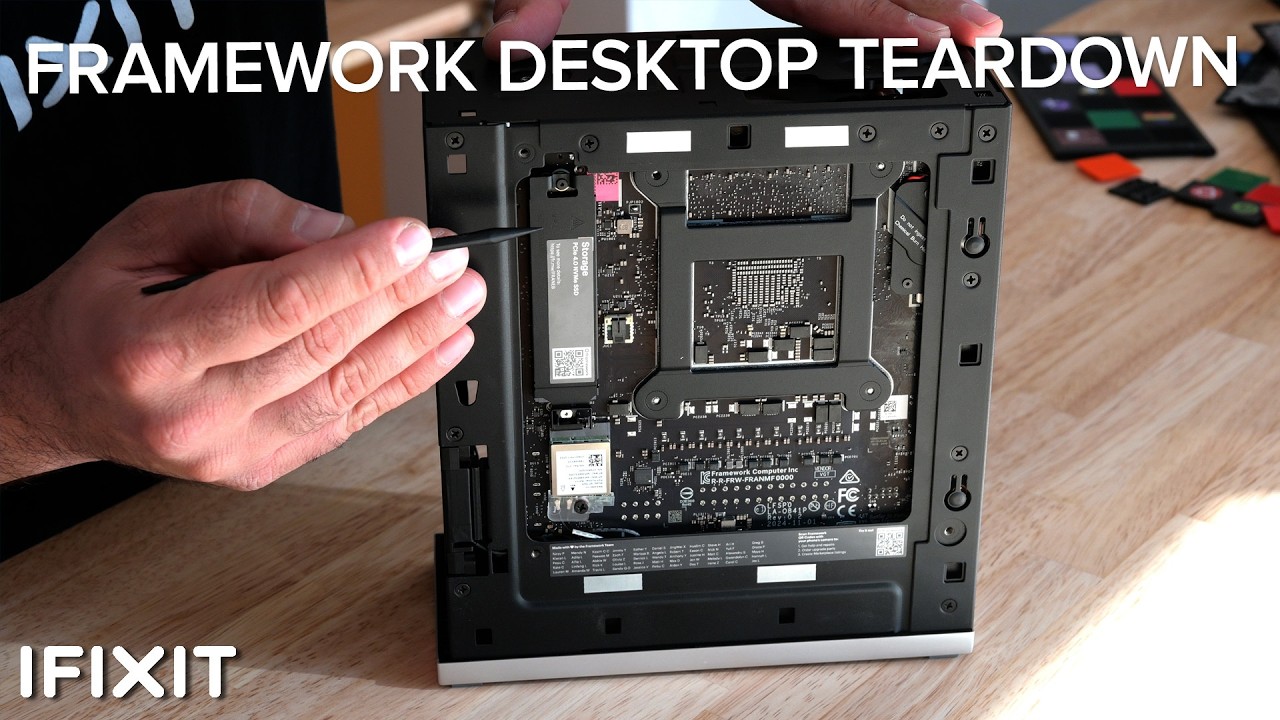
We traveled to San Francisco to get an exclusive first look at Framework’s exciting new products unveiled at their Framework 2nd Gen event! While they had plenty of big announcements, we were among the first to go hands-on with the all-new Framework Desktop. As Framework’s first entry into the desktop category, this device promises to deliver th...
cinder lagoon
jade scaffold
It's extremely clear
The joke is very clearly "I can't tell you the price but ...
to me it sadly wasn't. could be because of the huge cultural differences tbhin other news:
in other news:
this is EXCITING

 balmy flicker
that seems to be the case it wined at me when I pulled it up
sacred seal
You might want to take out your usb stick before formatting the ssd, I am guessing you will want to give it the drive letter e
balmy flicker
I think I want to clone my old SSD to it and then make it my boot drive
sacred seal
Ah, in that case drive letter won't matter
balmy flicker
I not sure yet though my boot drive is 5 years old and full
but the d drive is an old 3in 5400 rpm spinner out of a lap top
sacred seal
Personally I run a 1tb is drive and a 2nd 4tb ssd for games and other large programs
balmy flicker
new one is a 2tb drive
sacred seal
Basically why replace when you can add
balmy flicker
I am planning on keeping the old drive but the 2 M.2 slots are not equal the new drive should be faster
sacred seal
Ssd speed is more myth then practically, outside some specific tasks. But cloning is easy and a viable solution
balmy flicker
the slot it is in atm is under the GPU while the boot drive is butting against the CPU
fair
 cinder lagoon
balmy flicker
I think I want to clone my old SSD to it and then make it my boot drive
cinder lagoon
balmy flicker
I think I want to clone my old SSD to it and then make it my boot drive
Still have my cloning guide?
balmy flicker
Yep just about to sart cloning
mossy gull
jade scaffold
Have you tried running the GPU without riser?
And see if same thing still happens?
jade scaffold
mossy gull
Have you tried running the GPU without riser?
And see if same thing still happen...
its almost certainly not the riser
mossy gull
jade scaffold
its almost certainly not the riser
I would say, still try it
balmy flicker
cinder lagoon
Still have my cloning guide?
this correct?
 jade scaffold
it still happens with pretty much no data running through the PCIE lane just having it ran in ram causes the green screen
and for the drivers to reset
i think the cards physcially just dead
cinder lagoon
balmy flicker
this correct?
Looks right. Photo of gnome disks?

 cinder lagoon
Yup. Spimds good
balmy flicker
terminal is case sensitve isn't it
balmy flicker
figures use lower case m
cinder lagoon
Just wanted to confirm in/out files, looks good to go.
No wait
You need to NOT specify the partitions
So leave away the p1 at both locations
My bad
balmy flicker
how do I tell if it stoped
 balmy flicker
fixed
 cinder lagoon
Yes, hit it jeff
balmy flicker
and it is running
cinder lagoon
Speed reading?
balmy flicker
after it is done and I have confirmed that it work I will want to remove the old SSD to test that evey thing works as it should before formatting the old drive
cinder lagoon
Ohh, for sure
Might also need to switch the boot option in uefi
Windows does not support having two drives (one cloned like this) attached at the same time. It will disable one and complain about duplicate Partition / drive IDs
balmy flicker
makes sense
cinder lagoon
So if done, shut down the system and disconnect the old one.
cinder lagoon
It clones the entire drive bit by bit, does not care if "used" or "unused"
Before you shut it down tho, remember to adjust partition size with gparted!
balmy flicker
well now to let it work and pray it is not like the time I payed some one to do this (it took them 2 weeks to do it thanks to the old SSD failing and corrupting the save) in the end they barely got windows off of it (it was a 125g drive with basically just windows on it and one of the ones that uses drive space as psudo ram to boot)
cinder lagoon
Not bad
balmy flicker
old drive is an intel one they were not as fast as samsung but were still one of the better options and the new drive is faster than some of the samsung options
well now to go do some cooking
cinder lagoon
700 is plenty fast for such a long continuous read
balmy flicker
oh I am happy about it
cinder lagoon
Probably getting a bit warm too
If you want you can view drive status in gnome disks in the 3 dot menu in top right
 cinder lagoon
^^
balmy flicker
hmm it is not letting me resize my data partition
cinder lagoon
what's it saying?
maybe need to check for file system error first for it to recognize 🤔
balmy flicker

 cinder lagoon
wait no u should use gparted to resize
it is also preinstalled
with gparted you can move all the support/recovery partitions to the end of the disk, then extend the data partition
balmy flicker
it looks like I only need to move partition 4
cinder lagoon
no, you should move all so they stay in order
balmy flicker
 balmy flicker
I am a dumby
cinder lagoon
forgot to mention, should add to instructions
balmy flicker
start at the back and drag to the very back
cinder lagoon
yee
tbf I found those OEM partitions never really that useful... except of the microsoft recovery, I mostly just delete them / do a fresh install
balmy flicker
odd it is not letting me reize it with a key
 cinder lagoon
maybe first need to apply?
resize greyed out in right click menu?
some operations it can completely queue, some need to apply first for some reason
balmy flicker
still not letting me
 cinder lagoon
ahh wait I noticed something... do you have bitlocker active perchance?
no doesn't seem like it
balmy flicker
not that I know of
cinder lagoon
wait bruh it is mounted
balmy flicker
cause the og drive is not lock
cinder lagoon
right click, unmount, apply, extend
balmy flicker
IDK why it was mounted and the other one was not
cinder lagoon
the key means it's "in use" / mounted
cinder lagoon
balmy flicker
IDK why it was mounted and the other one was not
ubuntu auto discovers usually
balmy flicker
ahh it was being" helpfull"
balmy flicker
welp it all checks out now to power down pull the old drive and test the new one
cinder lagoon
yup
cinder lagoon
balmy flicker
for that you'll want to use the format drive option from here, then choose "nothing" and not overwrite.
That way you could still potentially recover stuff if shit goes sidewys
balmy flicker
well the new boot drive works
jade scaffold
It was the PSU itself
cinder lagoon
balmy flicker
well the new boot drive works
nice, glad to hear that.
balmy flicker
now to preload wilds
cinder lagoon
Anyone rock linux on the main?
How is it even possible, that the linux kernel refuses system hibernation if you're using secure boot lol
I seem to have found 2 partly accompanying guides on how to make it happen anyways but like it's the year 2025, and this is one of the reasons why linux isn't taking off...

Unix & Linux Stack Exchange
(The question was originally asking about all distributions, however I have achieved a result for one distribution, only)
When running under UEFI Secure Boot with a current Linux distribution, "

Super User
My company is working on implementing some Ubuntu Systems in a few of their new testing efforts and I have been tasked with an encryption solution for them. Having been a primarily Windows user wit...
Gonna try that this weekend
surreal moss
I have one user that uses Linux full time for his desktop. I think that’s a Debian install but I don’t remember which franework he uses
cinder lagoon
cinder lagoon
Gonna try that this weekend
God, backing up to HDD via USB Adapter is taking ages....

So glad SSDs, let alone M.2 is standard now
Don't mind the duct tape ingenuity fixing a self-Made problem caused by Microsoft engineers
 cinder lagoon
...so the 1000GB SSD now took 2 hours to backup, at an average of 138MB/s....
This was horrible to endure, especially cause it was an offline backup...
jade scaffold
Fuuun
mossy gull
cinder lagoon
...so the 1000GB SSD now took 2 hours to backup, at an average of 138MB/s....
Th...
Gigabit connection?
sonic meadow
mossy gull
Gigabit connection?
thats faster than gigabit. likely a USB bottleneck in some way
oh, HDD... speeds are a tad slow for modern spinning rust, but within bounds
jade scaffold
Nah that speed is about what id expect from a harddrive
sonic meadow
as I said, within bounds
jade scaffold
They can in theory so more they never do in practice frankly thats pretty fast for a harddrive
Though I honestly doubt the speed would be much faster on an SSD coppy operations are just never multi threaded by default sometimes better to use a 3rd party coppy tool for multi threaded support
mossy gull
Copying small files is rarely fast unless you have insanely high IOPS and good cooling
sonic meadow
they looked to be using a block rather than file based copy, so file sizes are irrelevant
cinder lagoon
mossy gull
Gigabit connection?
Nah - Direct USB Dock. No server involved. 🥲
The dock wasn't very expensive so I'd guess it's not that fast but the platter is brand new
mossy gull
cinder lagoon
The dock wasn't very expensive so I'd guess it's not that fast but the platter i...
Cheap USB hubs have mediocre speeds😅
cinder lagoon
Seems the in-place-encryption is working splendidly
 mossy gull
Just saw this picture on Reddit, like damn, Nvidia needs cards where the connector is like this.
https://www.reddit.com/r/radeon/s/3jAYGn78zF

Reddit
Explore this post and more from the radeon community
mossy gull
Now I am curious, are Nvidia AIBs fucking stupid for not doing this or are AMD AIB actually smart?
Or does Nvidia forbid their AIBs from doing this and AMD doesn't?
cinder lagoon
mossy gull
Just saw this picture on Reddit, like damn, Nvidia needs cards where the connect...
Absolutely!
No idea why nobody has the connector facing the back
mossy gull
cinder lagoon
Absolutely!
No idea why nobody has the connector facing the back
I have the feeling Nvidia forbids their AIBs from doing this
cinder lagoon
Nvidia has the connector specifically facing the front.
Like they're showing off
AMD is like pretty chill regarding aib designs afaik
The AIBs had much more time to design aswell
mossy gull
cinder lagoon
AMD is like pretty chill regarding aib designs afaik
AMD allows AIBs to choose if they want to keep the 8-pin or go for the 12-pin from what I know.
cinder lagoon
Some say that's Nvidia had like barely a week or similar
mossy gull
cinder lagoon
Some say that's Nvidia had like barely a week or similar
Nvidia likes to do everything on the edge, 1 of the reasons EVGA got enough of Nvidia.
(to be honest EVGA should've gone to AMD just like XFX, but they didn't want to betray Nvidia even Nvidia did it 1st to them)
Even then, AIBs have enough time to design a mock-up of the card before they get the GPU itself.
If EVGA was able to do it, Asus, MSI, Gigabyte and Inno3D are also able to do it.
cerulean helm
That Sapphire card uses the dumb 12 pin though... Like, wtf were they thinking?
mossy gull
cerulean helm
That Sapphire card uses the dumb 12 pin though... Like, wtf were they thinking?
At least they put it in a sensible location, not against the side panel, but above the cooler🤣
All Nvidia cards suffer from lack of space for the 12-pin, this Sapphire card won't.
This is a card I actually want, just for the design.
cerulean helm
Well, Ive been hitting my Vram limit in the handful of games I play a lot. Skyrim, Fallout 4, and Starfield. With Starfield texture pop in being by far the worst, My 3080 LHR is hitting its limit. I will not by a 50 series due to all the major issues as well as they killed support for physics in older games. So my upgrade paths are quite limited. I see 3090s on ebay for $750-$800, usually Zotac cards. Not sure if a 3090 is worth it though. And 4080s go for a insane $1200 or more.
I'm really kicking myself for not buying a 4080 AIB card instead of waiting for the FE card to come back in stock in my area, that never happened.
mossy gull
cerulean helm
Well, Ive been hitting my Vram limit in the handful of games I play a lot. Skyri...
I seen people pair the 5090 with a 3060 or lower just for the PhysX support.
Also I play modded Fallout 4 on my 7900XTX, even though it doesn't natively support PhysX, it still runs pretty well.
cerulean helm
Yeah, I have no available PCIE slots left. And my monitors are Gsync. As for Fallout (and Skyrim) both utilize ENB mods that use DLSS, so kinda have to have an Nvidia GPU. I also do use RT on other games. I am curious to see what AMD is doing with their new cards but more so to hopefully disrupt the gpu pricing market.
mossy gull
cerulean helm
Yeah, I have no available PCIE slots left. And my monitors are Gsync. As for Fa...
Do you have an ITX board?
cerulean helm
mossy gull
Do you have an ITX board?
ATX board, Asus Z790 Gaming Wifi E if I recall. And it only has 3 PCIE slots total. The other 2 have pcie nvme cards in them.
mossy gull
cerulean helm
ATX board, Asus Z790 Gaming Wifi E if I recall. And it only has 3 PCIE slots to...
Then make sure to free up some PCIe slots this generation 😅
cerulean helm
Yeah, I'd need a motherboard that actually supports bifurcation in more than just the primary pcie slot. Well, at that point I would just spend the money and get a cpu that has more than 20 pcie lanes, as I don't have enough with my current setup.
Currently have 7 drives in my rig, lol.
mossy gull
cerulean helm
Currently have 7 drives in my rig, lol.
What do you need 7 drives for?
cerulean helm
I keep, a lot of mods on hand for many games. Nearly have 4TB in just mods alone. Plus 2 Steam drives, a 3rd non Steam drive. A Backup drive and then a spinning disk as I had one lying around when I was building the rig. Its like 14tb of storage total, lol.
mossy gull
cerulean helm
I keep, a lot of mods on hand for many games. Nearly have 4TB in just mods alone...
You can delete a lot of mods as they either won't work anymore, you don't need them anymore or if you're like my dad and keep all old files, throw them away.
I personally have a little NAS with 5 20TB HDDs for storage and 2 high speed 2TB SSDs for caching, stuff we don't use 24/7.
Like some files haven't been accessed for quite some time.
sonic meadow
cerulean helm
Yeah, I'd need a motherboard that actually supports bifurcation in more than jus...
You could also get a PEX pcie switch card, and use that to get more lanes out of one of your slots (great for storage)
They do get kinda spendy though
Some of the 4x nvme boards have one, you can usually tell because they have a fan for a small heatsink on one end
cerulean helm
A lot of the mods yopu cannot get anymore as the authors have deleted them and/or disappeared. So especially for Skyrim and Fallout I keep all my mods backed up. Also because I like to modify them and often break them and need the original copy, lol.
I have custom ported Skyrim LE mods I use to this day for example.
But I also have custom files for older Civ games, that have long since vanished online.
I have looked into PCIE cards that have the chips with Bifurcations and yeah, last time I looked they were stupid expensive.
mossy gull
cerulean helm
A lot of the mods yopu cannot get anymore as the authors have deleted them and/o...
But you don't need old versions of a mod
sonic meadow
You do if you are mod modding
Or dealing with game or other mod version compatibility
cerulean helm
These are not old versions. These are mods that have long since been deleted off the internet, textures, meshes. Stuff that no longer exists. Also have game overhauls that again no longer are available online for games I still play from time to time. An example is Civ 4.
mossy gull
sonic meadow
Or dealing with game or other mod version compatibility
I am dealing with that, but some old mods need older versions of script extenders or alike that won't work with latest game version(or 2nd latest in case of Fallout 4)
cerulean helm
I cannot tell you how many times I have modded a mod and utterly broke it and only was able to recover as I had the original copy on hand still.
mossy gull
cerulean helm
These are not old versions. These are mods that have long since been deleted off...
Get a NAS, at least 1 that can mirror data, then your mods are even safer than in your main machine.
cerulean helm
Ah yeah for Fallout 4, I never "upgraded" it. Still running the 10.163 version.
cerulean helm
mossy gull
Get a NAS, at least 1 that can mirror data, then your mods are even safer than i...
Have one. Currently have used 7.2TB of space on it.
mossy gull
I personally mod Skyrim, Fallout 4, Monster Hunter World, Monster Hunter Wilds, Cyberpunk, Dragon's Dogma 2 and Dragon's Age Inquisition.
mossy gull
cerulean helm
Have one. Currently have used 7.2TB of space on it.
Get bigger drives🤣
cerulean helm
Its a 24TB RaidZ1 setup. I still have just under 16TB left to fill it with. Plus another 7TB mirror pool I use. I keep multiple backup copies of everything after several instances od massive drive failures in the past.
mossy gull
And in Cyberpunk 2077, Monster Hunter, Dragon's Dogma 2 and Dragon's Age Inquisition, I recently threw away dozens of mods because they simply don't work anymore, either because the mod author disappeared or hasn't been updated in years.
mossy gull
cerulean helm
Ah yeah for Fallout 4, I never "upgraded" it. Still running the 10.163 version.
I use the GoG version, because my Fallout 4 disappeared with my broken laptop and I can set GoG to never update or download older updates 😅
cerulean helm
Between all my storage I have something like 53TB of space between everything.
14TB on main rig, 8TB on USB backup drive, 24TB NAS, 7TB mirror on NAS, and I think thats it.
I'll eventually be getting the GOG version of Fallout 4 to use that as the install for Fallout London as to not mess with my Steam version. I think I can do that.
mossy gull
cerulean helm
Between all my storage I have something like 53TB of space between everything.
1...
You can use the Steam version with Fallout London, just copy it.
cerulean helm
mossy gull
You can use the Steam version with Fallout London, just copy it.
I don't want my mods nor the mod manager to even try and touch it though.
mossy gull
cerulean helm
I don't want my mods nor the mod manager to even try and touch it though.
Are you modding with Nexus/Vortex Mod Manager or MO2?
cerulean helm
Vortex for Fallout.
mossy gull
cerulean helm
Vortex for Fallout.
Why not MO2 😐
That 1 saves a ton of space and can make backups as easy as a push of a button.
Not to mention it doesn't conteminate yiur Fallout 4 folder, keeping it as original as possible (besides the ENB and Scrip extender ofcoarse)
cerulean helm
As I have explained before, I am not going to fuck up my setup by switching to a completely different manager after I got it running as smoothly as it is now. Fallout 4 alone has 455 plugins and many I have modded myself. Skyrim has 855. The amount of work that has gone into building just those 2 load orders, just no. Not touching that.
mossy gull
cerulean helm
As I have explained before, I am not going to fuck up my setup by switching to a...
455 plug-ins in Fallout 4?
Rookie numbers.
Vortex just creates a mod back-up of a mod back-up because it doesn't use virtualisation to make it work.
This means Vortex does break even the mod itself while MO2 doesn't
cinder lagoon
cerulean helm
Well, Ive been hitting my Vram limit in the handful of games I play a lot. Skyri...
Other than Star field, how are you determining the VRAM usage? Because task manager is gloriously under qualified for doing so, even if it pretends to be
cinder lagoon
sonic meadow
You could also get a PEX pcie switch card, and use that to get more lanes out of...
I know a pcie 1 X1 Switch Card for like 12 bucks, comes with an ASRock switching chip
jade scaffold
cerulean helm
Well, Ive been hitting my Vram limit in the handful of games I play a lot. Skyri...
Yea eBay is in a real state these days GPU wise atleast
The 3090 isn't an upgrade from the 3080 in any regard other than vram really it's like 10% faster
The 7900xtx is 24gb and 1.5x faster or so than the 3080 if you can find one cheap and don't value nvidias features
mossy gull
cinder lagoon
Other than Star field, how are you determining the VRAM usage? Because task mana...
I personally determine it by VRAM usage by program in Task Manager or AMD overlay and shared memory usage.
Although Starfield is a lightweight in terms of VRAM usage because the areas are for Bethesda games pretty small.
Fallout 4 and Skyrim with modded 4K textures uses a lot of VRAM and RAM.
But it also depends on how you mod the game
cinder lagoon
The driver itself obviously know likely the best but there's other programs like Afterburner with the Aida64 plugin that are also very precise.
Task manager never has any idea what it's talking about with VRAM usage
mossy gull
cinder lagoon
Task manager never has any idea what it's talking about with VRAM usage
Taskmanager has an idea when shared memory is being used though
cinder lagoon
🥴
Not really...
.... 🤔
🤔
...something has changed... 🤔

I specifically remember task manager pretty much always showing maximum vram usage while the game didn't even have the textures that could allow that...
This is on DX12, lemme try some other stuff...
jade scaffold
Task manager never showed max VRAM useage
it showed Reserved VRAM
and as all games reserve like 80-90% of VRAM it just ends up looking like to task manager that all the GPU video memory is in Use which if its reserved by a game nothing else can use it
cerulean helm
cinder lagoon
Other than Star field, how are you determining the VRAM usage? Because task mana...
Aida64 sensor panel.
cerulean helm
I'm so tempted right now.
 mossy gull
cerulean helm
I'm so tempted right now.
mossy gull
cerulean helm
I'm so tempted right now.
For that price, you better can get the XTX,
cerulean helm
The XTX doesn't exist at all. And when it does its 1k or higher. Hell, just a quick look at pcpartpicker shows any 7900XTX $1400-$2k.
mossy gull
cerulean helm
The XTX doesn't exist at all. And when it does its 1k or higher. Hell, just a qu...
People are scalping XTX now?
Maybe try to get the 9070XT, which soon will be released.
jade scaffold
mossy gull
People are scalping XTX now?
Maybe try to get the 9070XT, which soon will be re...
No amd just aren't making any
They stopped building them in large numbers like 6 months ago and now their stock is nonexistent
mossy gull
Maybe in the US, but we still have well over 500 of them in the Netherlands
mossy gull

Learn more about about how ThreatLocker can help protect your business at https://www.threatlocker.com/ltt
Welp, It's here!.... That's all we have to really say about the RTX 5070. It's the newest graphics card by NVIDIA, and it renders frames, and traces rays! Unfortunately, not to our recommendation or hopes, but if you still want one. We won...

Whokeys 25% off code:RGT
Windows 11 Pro $23:https://biitt.ly/581eD
Windows 10 Pro $17,6: https://biitt.ly/9f0ie
Windows 10 Home $15:https://biitt.ly/XYm9o
Office 2016 $28,8:https://biitt.ly/cy7Vb
Office 2019 $53.6:https://biitt.ly/YInvw
Buy MS Win 11 Pro OEM KEY GLOBAL at whokeys: https://www.whokeys.com/
#Windows11cdkey#techtips#whokeyswindows...
sacred seal
 jade scaffold
mossy gull
Maybe in the US, but we still have well over 500 of them in the Netherlands
jade scaffold
mossy gull
Maybe in the US, but we still have well over 500 of them in the Netherlands
Or no ones buying them in the netherlands
It's the only rx7000 gpu that sold well and it still sold terribly
sacred seal
And now it seems like it's stuck... Ideas?
Edit: NVM it fixed itself
 mossy gull
jade scaffold
Or no ones buying them in the netherlands
mossy gull
jade scaffold
Or no ones buying them in the netherlands
Or we're too small😅
cinder lagoon
sacred seal
what the hell are you recovering!? xD
that 13TB hard drive from recently?
cinder lagoon
cinder lagoon
# Anyone rock linux on the main?
fyi. this did work.
what is not working is the boot partition auto-unlocking on boot which could stem from the surface's TPM or other factors. did not yet try on standard hardware.
surreal moss
It’s been a bit since I set mine up. How are you trying to unlock your partition?
cinder lagoon
systemd-cryptenroll
I set it up to store the key in tpm which i specifically set to release the key while secureboot is enabled (it is set to microsoft + 3rd party)
i know there's also clevis but systemd encrypt is the preferred option for ubuntu it seems
cinder lagoon
...this was concerning for a second, for some reason writing the backup to the disk went from 150MB/s to like 25

WHAT IS HAPPENING
 cinder lagoon
...still fluctuating
cerulean helm
mossy gull
People are scalping XTX now?
Maybe try to get the 9070XT, which soon will be re...
Yes and no, just checked Best Buy and a XTX came into stock. This is retail non scalped pricing.

So they have a MERC310 in XTX and XT.
mossy gull
cerulean helm
So they have a MERC310 in XTX and XT.
Odd, we have the same card for 900 something with VAT included
cerulean helm
Watching the 9070 XT reviews and the XTX is actually slightly worse performance. Just has more Vram. So, hmm. That may be an option moving forward. Problem is, Ive seen prices for some of the higher end partner cards $200 plus above MSRP.
mossy gull
cerulean helm
Watching the 9070 XT reviews and the XTX is actually slightly worse performance....
9070XT better than the 7900XTX?
Maybe in Raytracing, but the 7900XTX is better overall.
The 9070XT is placed between the 7900GRE and 7900XT
cerulean helm
mossy gull
9070XT better than the 7900XTX?
Maybe in Raytracing, but the 7900XTX is better o...
Depends. Cyberpunk with RT on is almost 10% better. Starfield at 1440p the 9070 XT is 6 fps less than the 7900xtx. Thats impressive.
mossy gull
cerulean helm
Depends. Cyberpunk with RT on is almost 10% better. Starfield at 1440p the 9070...
Once again, Raytracing, then yeah, it's better.
cerulean helm
Black Myth at 4k the 9070 XT is 5 fps less than the 7900 XTX. So now its a pricing thing. a $1100 card when in stock in the U.S vs a sub $1000 card. Hopefully sub $750 even with the high end aib cards.
mossy gull
Also Starfield is more a CPU thing than a GPU thing.
Bethesda games have very very poor CPU utilisation.
cerulean helm
Yeah. its roasts my 13700k even with it set to the Intel default performance setting. Like usually a single P core or 2 always hit 100c for a split second. Never actually throttled yet but with cpu has me looking at changing it to a different platform well before I had planned. I doubt i'll get the same amount of time on this cpu as I did on my 8700k.
And I'm water cooled... I'd hate to see the temps on air.
Well. U.S price for the 9070 XT is $849 from XFX. That sucks.
mossy gull
cerulean helm
Yeah. its roasts my 13700k even with it set to the Intel default performance set...
It actually doesn't, the game just uses 2 CPU cores, the rest are at idle.
On my 245K Starfield only uses the last 2 cores.
cerulean helm
mossy gull
It actually doesn't, the game just uses 2 CPU cores, the rest are at idle.
On m...
Mine are far from idle. Ive seen the E cores in the 70s and the P cores in New Atlantis is the 80s and 90s, with 1 or 2 spiking at 100.
mossy gull
cerulean helm
Mine are far from idle. Ive seen the E cores in the 70s and the P cores in New ...
Temps say nothing about idle or not.
cerulean helm
There is no way a cpu pulling 180w or higher with over 50% utilization is only using 2 cores.
mossy gull
cerulean helm
There is no way a cpu pulling 180w or higher with over 50% utilization is only u...
You would be surprised 😅
It's Intel afterall
cerulean helm
Okay, really happy I backed this project. And I should be getting 2 of these IP KVMs in a week or so.
https://www.youtube.com/watch?v=jaQAfVP0Yq8

I received my JetKVM from backing it on Kickstarter and I wanted to find out if it delivers on all of its many promises it made during their campaign.
Other Products I used (affiliate links below)
- EZCOO Switch (hotkey model): https://amzn.to/3QKNGU4
- EZCOO KVM Switch: https://amzn.to/41GuWvb
- PoE Splitter: https://amzn...
cinder lagoon
What about the PiKVM project?
surreal moss
cerulean helm
Okay, really happy I backed this project. And I should be getting 2 of these IP ...
Please post updates
cerulean helm
surreal moss
Please post updates
Absolutely. Iv'e been waiting for this to use with my ancient HP DL380 Gen 7 as remote desktop via the HP ipmi took me nearly a week of troubleshooting because of old software. And isn't great. Also can finally get rid of the monitor I have balanced on my server rack that I switch between the TrueNas NAS, LLM PC, and the HP server.
Though I also recently discovered RustDesk for remote desktop. And I love it. Use it for the AI PC.
In the video I posted the guy hooked up the JetKVM to a KVM switch and use 4 mini PCs off of the JetKVM.
Oh, also worth noting the guy has a forked api hosted on Github that allows you to locally host cloud service for the JetKVM.
surreal moss
I have a piKVM at work that I really like. The integrated display on the Jet along with the size of it have me leaning that way if it turns out ti be solid after release. I’m waiting to see what kind of out of band management options the Project Digits will come with. If they don’t have anything then I’ll opt for a Jetkvm to manage them
cerulean helm
surreal moss
I have a piKVM at work that I really like. The integrated display on the Jet alo...
Found the github for the locally hosted cloud for the JetKVM. Posting here for reference.
https://github.com/timothystewart6/cloud-api

GitHub
JetKVM Cloud API. Contribute to timothystewart6/cloud-api development by creating an account on GitHub.
mossy gull
For the price, AMD does it really well this launch, especially because they delayed the cards on purpose so everyone has enough stock unlike Nvidia who has been running out of stock.

Join us and over 70 million players in one of the most comprehensive vehicle combat games EVER MADE! Check out War Thunder for free today on PC, Console, and Mobile using our links!
PC/Console: https://wtplay.link/linustechtips
Mobile: https://wtm.game/linustechtips
It's finally here. After the terrible launch of the 5090, followed by the terri...
mossy gull
Check the new Endorfy PSUs with a great pricetag:
https://www.alternate.de/listing.xhtml?q=supremo+fm6
Music / Credits:
Outro:
1998 Beats - Strange Things
Paid content in this video:
- Endorfy Spot
Samples used in this video:
...
jade scaffold
mossy gull
For the price, AMD does it really well this launch, especially because they dela...
Yea the 9070xt is great
The normal 9070 though is kinda uncompetitive
Like the 9070xt is not much more and is way faster
Actuall passable raytracing performance too thankyou AMD
jade scaffold
My brother got a new CPU a 5600x the person he bought it off put it in the lil am4 box the wrong way round bending 6 of the pins luckily I was able to fix it

 mossy gull
jade scaffold
Actuall passable raytracing performance too thankyou AMD
mossy gull
jade scaffold
Actuall passable raytracing performance too thankyou AMD
Raytracing better than the 7900XTX, I am actually impressed so to say.
cinder lagoon
cinder lagoon
What about the PiKVM project?
Ohh, I think I was talking about this
https://github.com/sipeed/NanoKVM
didn't realize that there were that many (semi-) open-source kvm solutions!

GitHub
Affordable, Multifunctional, Nano RISC-V IP-KVM. Contribute to sipeed/NanoKVM development by creating an account on GitHub.
cinder lagoon
jade scaffold
My brother got a new CPU a 5600x the person he bought it off put it in the lil a...
Is this the before or after? Cuz they look not aligned enough
jade scaffold
cinder lagoon
Is this the before or after? Cuz they look not aligned enough
Before
That's how it came I took pictures incase I couldn't fix it so I could do an eBay return and refund
 grizzled oracle
Obligatory

Here’s to hoping the myriad of issues I’ve had previously with AMD was a fluke
cinder lagoon
Hell yea
cinder lagoon
grizzled oracle
Here’s to hoping the myriad of issues I’ve had previously with AMD was a fluke
Their drivers have improved VASTLY over the last years
cinder lagoon
cinder lagoon
This is on DX12, lemme try some other stuff...
Found a case where they completely disagree: CS2
 cerulean helm
This is at a Microcenter 2 hours from me. MSRP, HA.
 grizzled oracle
cerulean helm
This is at a Microcenter 2 hours from me. MSRP, HA.
grizzled oracle
cerulean helm
This is at a Microcenter 2 hours from me. MSRP, HA.
Partner tax 😩
 runic thorn
I'm really tempted to order the XT. It's almost 400 € cheaper than the 5070 Ti here.
 hasty rose

The Protoclone is a faceless, anatomically accurate, synthetic human with over 200 degrees of freedom, over 1,000 Myofibers, and over 200 sensors.

Clone's Torso 2 is the most advanced android ever created with an actuated lumbar spine and all the corresponding abdominal muscles. Torso 2 dons a white transparent skin that encloses 910 muscle fibers animating its 164 degrees of freedom and includes 182 sensors for feedback control.
These Torsos use pneumatic actuation with off-the-shelf va...
cerulean helm
runic thorn
I'm really tempted to order the XT. It's almost 400 € cheaper than the 5070 Ti h...
I'm pretty set on getting a 9070 XT. Have a way better chance getting one at msrp than finding a 5080 at msrp. Not that the 50 series is a good purchase with all the issues.
runic thorn
Yeah, the price will probably be the deciding factor for me.
I won't even need a new PSU with the cheapest 9070 XT I'm looking at.
mossy gull
runic thorn
I'm really tempted to order the XT. It's almost 400 € cheaper than the 5070 Ti h...
In the Netherlands it's almost 1K cheaper than the 5070Ti
runic thorn
oO
The 5070 Ti is about 1200 € here. Your prices are quite wild. Hope it gets better.
mossy gull
runic thorn
oO
The 5070 Ti is about 1200 € here. Your prices are quite wild. Hope it gets be...
They won't, in less than 1 day the 9070XT went from 600.- to 1000.-
The 7900XTX is 900.-
And in raster still better
This is insanity, WTF is going on with GPU prices
And now I have the feeling Nvidia came into play with this behind the scenes and forced companies to hike the prices for the 9070XT, because the 5070Ti is 1000.- here.....
This is insanity
That's more than 300.- over MSRP
We really go into a new era where mid rangers will be more expensive than the high end of the previous generation.
Retailers "Demand is quite high and we don't have enough cards", I took a look at stock availability and see there's more than 4000 available in the Netherlands and more than 500 in Norway and Sweden, not enough my ass.
They just want to cash in.
I am sorry, rant over
runic thorn
Oh hey, they adjusted the price of the card I was looking at up by 60 €.
Still 180 € cheaper than the XTX.
mossy gull
Here XTX is cheaper
runic thorn
I can't add the XT to the cart yet, so they still have time to fix the situation here. 😛
mossy gull
I wanted the 9070XT for my 2nd system, but with a price of 1100.- it's way too much, a year ago you got the 4080 Super for that, which is more powerful.
 deep zenith
Soooo anyway, tech savvy folks, it's Tiber here after a long while: new PC has worked well but with one caveat: I get massive GPU throttling.
In your opinion, what Mobi and CPU should I pair my RX7900 XT with?
When I built the unit I made the mistake of buying a cheaper pair of both and not being able to use the 5.0 ram
mossy gull
deep zenith
Soooo anyway, tech savvy folks, it's Tiber here after a long while: new PC has w...
Curiosity, did you connect the 7900XT with a Daisy-chain cable or 2 separate cables?
Also, you never can go wrong with a 7800X3D or 9800X3D and a B650 board from known manufacturers
deep zenith
w> in terms of the daisy chain are you referring to the data lines or the power: I'm only middlingly computer literate. I know enough to put it together but have issues with descriptions and memory
cinder lagoon
"why does nobody use linux"
because everyone is fighting against you...

Netflix support page
surreal moss
Naw, the real reason is that nix suffers from too many cooks in the kitchen
Too many “unifying standards”
cinder lagoon
Of course
But not even 1080p lmao
A browser is a browser
And I know the browser is built for a specific distro, which in turn provides some APIs to the browser to use the hardware
BUT WHYYY
mossy gull
cinder lagoon
BUT WHYYY
Just as EA says "We won't support Linux because of cheaters".
Basically what they say "It's a lesser used platform not many people use that doesn't support our kernel level bullshit that makes us able to control your PC so we won't support it"
cinder lagoon
ITS A VIDEO STREAM IN A BROWSER
*screams in "tony stark was able to build this in a cave"
mossy gull
cinder lagoon
*ITS A VIDEO STREAM IN A BROWSER*
*screams in "tony stark was able to build this...
Exactly
But they always have excuses
And I got the Sapphire Nitro+ 9070XT for my birthday
cinder lagoon
mossy gull
And I got the Sapphire Nitro+ 9070XT for my birthday
Congratulations 🎉
mossy gull
cinder lagoon
Congratulations 🎉
Thanks, the card is massive
runic thorn
The XTs still aren't available to order here. I'll probably get one on the way as soon as I can. I guess next week at some point.
How's it performing? Have you had time to try it out yet?
mossy gull
So the 9070XT has a cool function, it can force FSR4 onto FSR3.1 supported titles.
So it doesn't even need native support.
runic thorn
That's handy. I saw someone use the lack of games supporting FSR4 as a point against the card, but seems like that's not something to worry about after all.
jade scaffold
I'm sad the strix halo isn't using rdna4 tbh
mossy gull
jade scaffold
I'm sad the strix halo isn't using rdna4 tbh
It might be able to still do it with the help of the NPU in the APU 🤔
FSR4 needs AI cores to work properly, an NPU should be somewhat efficient enough to do it🤔
jade scaffold
mossy gull
It might be able to still do it with the help of the NPU in the APU 🤔
Yea that's a good point
mossy gull
@jade scaffold not an official tester, but this is pretty interesting.
https://www.reddit.com/r/radeon/s/t3lQwD3FIo

Reddit
Explore this post and more from the radeon community
jade scaffold
I'm really excited to get to play with that 395+ apu
mossy gull
jade scaffold
I'm really excited to get to play with that 395+ apu
Same, and because I got the 9070XT as a gift, I have more money to get the Z13 with the 395+
jade scaffold
I'm getting the framework mobo so I can do some overclocking
mossy gull
jade scaffold
I'm getting the framework mobo so I can do some overclocking
I need an Surface Book replacement, and I went from 3 laptops, to just 1, and I want something more portable than a Titan😅
grizzled oracle
The driver \Driver\WUDFRd failed to load.
Device: ROOT\WINDOWSHELLOFACESOFTWAREDRIVER\0000
Status: 0xC0000365
same issue on the 9070xt as the 6800 lmfao
im not a scientist but i wasnt able to replicate this at all with a 3080, only happens under load most often in SC
mossy gull
grizzled oracle
The driver \Driver\WUDFRd failed to load.
Device: ROOT\WINDOWSHELLOFACESOFTWARED...
Have you tried to DDU?
grizzled oracle
yes every hardware swap
mossy gull
grizzled oracle
yes every hardware swap
Havd you tried to reinstall Windows?
grizzled oracle
yeah, ran through all of the usual suspects and tons of unhinged steps
mossy gull
grizzled oracle
yeah, ran through all of the usual suspects and tons of unhinged steps
Is the GPU connected with the amount of cables it has connectors for?
So no cable that terminates into 2?
grizzled oracle
correct, 2x8 no daisy chain
interestingly, this occurred with the 6800 on 2 totally different systems and with the 9070xt on the same system, which would indicate its likely AMD software/drivers related
mossy gull
grizzled oracle
correct, 2x8 no daisy chain
When you installed the driver, did you installed it without active network?
Windows sometimes will install the wrong drivers.
cinder lagoon
grizzled oracle
The driver \Driver\WUDFRd failed to load.
Device: ROOT\WINDOWSHELLOFACESOFTWARED...
Can yall read lol?
It says "Windows Hello Face Software Driver"
Nothing to do with any GPU what so ever haha
Given that you're on a desktop (and almost no webcam supports windows hello) I'd recommend you uninstall that device via device manager, then run the following commands to re-acquire / fix system files:
DISM.exe /online /cleanup-image /restorehealth
DISM.exe /online /cleanup-image /startcomponentcleanup
sfc /scannow
Would be very surprised if running those three multiple times (with admin priv) wouldn't fix it
Press Win+X, select "Device manager"
Then find this device and uninstall it:
 grizzled oracle
cinder lagoon
Nothing to do with any GPU what so ever haha
grizzled oracle
cinder lagoon
Nothing to do with any GPU what so ever haha
it only procs after a hard crash while in a graphically demanding game 🤷 maybe im pulling the wrong error from event viewer
grizzled oracle
no, total shut down
grizzled oracle
correct, straight to black
cinder lagoon
cinder lagoon
Shutdown like the power went out?
This indicates a Power supply overload (over current protection kicking in)
grizzled oracle
psu is 1000w titanium though i think thats very unlikely
cinder lagoon
If it only happens with specific GPU installed that probably stems from the fact that different GPUs will have different power consumption characteristics (some have very high very short spikes)
cinder lagoon
grizzled oracle
psu is 1000w titanium though i think thats very unlikely
Might be faulty or degraded. How old is it?
What brand?
1000W titanium is not made by many brands
grizzled oracle
whoops rm1000x gold
cinder lagoon
Hmm corsair..
Difficult to say, the RMx line-up uses internals from many different manufacturers...
Do you have access to a testing PSU?
What is the approximate configuration of the PC? Many lights / fans?
grizzled oracle
🤯 many, let me check max draw rly quick
cinder lagoon
Absolutely, check the fan specifications how much wattage they pull
With those transient spikes of the GPU it could actually be "too much" for the power supply
Some PSUs have very short "fuses" in that regard, usually a sign of quality
grizzled oracle
now that you mention it, previously this crash cut display and and required a manual hard restart, this time was unique in that we went straight to black
cinder lagoon
grizzled oracle
now that you mention it, previously this crash cut display and and required a ma...
Could also be a (slightly smaller) transient spike triggering that 🤔
Do you possibly have a device akin to a "killawatt" at hand?
mossy gull
grizzled oracle
🤯 many, let me check max draw rly quick
What do you have connected to the PSU?
Even USB devices
cinder lagoon
Thats why I'd use a power socket watt meter
grizzled oracle
700w roughly system after some math before AIO, 5rgb fans, and 2 non rgb fans
cinder lagoon
That might just be enough that the power spikes trip the OCP methinks 🤔
grizzled oracle
So I guess freak spikes is well within the realm of possibility
mossy gull
grizzled oracle
700w roughly system after some math before AIO, 5rgb fans, and 2 non rgb fans
That's more than my system in idle🤣
sonic meadow
Yes, idle is typically substantially lower than load
runic thorn
Hm. Now I'm wondering if I should get a new PSU with the 9070 XT after all. Mine's a 750 W, but that's the recommended PSU size in the store for the card I'm looking at.
The current PSU is approaching 7 years at this point, so I wouldn't mind a new one anyway. It's not a component that I want to run until it breaks.
sacred seal
Well you can always try with the old PSU and see if it works. I was running my 6900xt off of a 650 watt psu and it worked 99% of the time
There were a handful of games that would cause my computer to hard shut down in certain circumstances.
But that was about it
runic thorn
I don't really want any hard shutdowns though.
sonic meadow
If you have a good PSU, it's not something I would worry too much about beforehand. If it does seem to be an issue then you can look in to a replacement/upgrade I guess
Fwiw I ran my old PSU for... I want to say 18 years or so 😆
runic thorn
It's a Seasonic FOCUS so should be pretty good. The currently sold ones apparently get a 10 year warranty.
Balls, I think PSUs have gotten more expensive too, just like everything else. Maybe I should try the old one first after all. 😬
A new FOCUS with an extra 100 W compared to the old one is about 50 % more expensive than what I paid for the old one. 121.90 € vs 186.90 €.
sonic meadow
Oof
cerulean helm
Literally can see a PowerColor 9070XT in stock, but Neweggs website is so overloaded and broken I can't add to cart...
runic thorn
Ouch. 😬
cerulean helm
I'm going to guess its actually not in stock but still showing it is.
mossy gull
sonic meadow
Yes, idle is typically substantially lower than load
Not if you have a Threadripper and 2 GPUs where 1 is shunt modded.
mossy gull
runic thorn
Hm. Now I'm wondering if I should get a new PSU with the 9070 XT after all. Mine...
Get the recommended at least 850w.
sonic meadow
mossy gull
Not if you have a Threadripper and 2 GPUs where 1 is shunt modded.
Remember that your brag was that your idle was lower than their load. It's just.. a weird thing to brag about. "Yes my computer uses less power when it's not doing anything than yours when it is doing something"
runic thorn
The recommendation depends on which model you're looking at. The overclock versions have higher requirements. The recommendation for the Reaper I'm probably getting is 750 W.
But I'm still undecided. I guess we'll see what I ended up ordering when I open up the package next week or whenever they can get some cards in stock. 😛
Also, I noticed that I've had my 2080 on a daisy chain cable. Should be fine for that card, but a new PSU would remove any theoretical concerns that the daisy chain added extra wear over time.
mossy gull
Look at the max power draw of all the components and add 50% onto that for transient spikes
runic thorn
50 % sounds like a lot. PCPartPicker put the total at 598 W which probably still lacks all the USB devices. Not sure if that's counted into motherboard power draw.
mossy gull
runic thorn
50 % sounds like a lot. PCPartPicker put the total at 598 W which probably still...
AMD spikes a lot.
And PC Partpicker only looks at TDP, not turbo power and transient spikes.
A nice example I have witnessed.
When I was monitoring my 7600XT for the 1st time, like that's a 175w card I believe, I seen it reach 250w for a few seconds.
runic thorn
But also, I assume that's a theoretical maximum that PCPartPicker gives. It's unlikely that I'll ever max out my whole setup in a way that it reaches ~600 W.
175w card I believe, I seen it reach 250w
That's a heavy spike, dang.
mossy gull
runic thorn
> 175w card I believe, I seen it reach 250w
That's a heavy spike, dang.
It held it for roughly 10 minutes till it dropped down to 175w again.
So it wasn't an transient spike, and more of a boost as long the thermals allowed for it.
It's an AsRock Steel Legend 7600XT, it has 2 8-pin connectors.
But yeah, the fact they never account for anything other than TDP, that's why I calculate 50% on top of max usage, you'll never know when it'll try to do it again
runic thorn
I think the highest UPS output I've seen with my current setup is a bit over 500 W. Not 100 % certain but I believe that includes monitors and audio setup.
mossy gull
runic thorn
I think the highest UPS output I've seen with my current setup is a bit over 500...
I use the EcoFlow Delta Pro 3 as my UPS.
I have 2 of them.
Mainly to reduce overall power usage from the grid so I use my system almost "free of charge".
Like these things cost as much as a brand new high powered UPS here, but have the ability to be charged with solar panels
mossy gull
They're not really a UPS, and more like off-grid batteries
runic thorn
Yeah, sounds like it.
mossy gull
I always felt UPS for PCs being way too expensive, these are 4KW each with a power capacity of 4000w.
My system ain't using 4000w so that's nice, usually around 1KW to 1.2KW
runic thorn
The Eaton certainly wasn't cheap. I think the local grid was suffering from some annoying power cuts at the time I bought it. It's gotten better since then.
mossy gull
runic thorn
The Eaton certainly wasn't cheap. I think the local grid was suffering from some...
Power grid issues are never fun
I was just sick and tired to always have to pay a huge amount, so I decided to play for free.
I am using my system like once in 2 days most of the time, so enough time for them to charge
runic thorn
Understandable. That's quite a wild power draw.
mossy gull
runic thorn
Understandable. That's quite a wild power draw.
Funny enough I have the most power hungry PC, but I don't have the highest power usage.
That goes to my brother.
mossy gull
My brother has a PC with a 9800X3D and a 4090, but uses it almost the entire day, I use my system for 4 hours max and have 2 7900XTX and a TR-7970X
runic thorn
Ah, right. I was wondering if he's got a hemp farm or something.
mossy gull
runic thorn
Ah, right. I was wondering if he's got a hemp farm or something.
Noh🤣
He's considered "disabled" and does fuck all
grizzled oracle
runic thorn
Hm. Now I'm wondering if I should get a new PSU with the 9070 XT after all. Mine...
In defense of Corsair I had the gpu overclock setting on in the AMD app on a factory OC card, and I’ve tried to replicate it since with that setting off without issue
cerulean helm
So, Newegg's "combo" deals they are using have 9070XTs paired with 450w PSUs... Cause you know, thats fine.
And I can snag one of those combo deals. Kinda tempted kinda not. Its a PowerColor Reaper 9070 XT, MSRP $699, so $100 above base price. Plus a shit 750W psu for $60 some.
Oh hell no. With shipping and tax its $825. Nope, not worth that at all.
mossy gull
cerulean helm
So, Newegg's "combo" deals they are using have 9070XTs paired with 450w PSUs... ...
Lol, that PSU ain't even enough for the 7600XT
Minimum recommended is 650w for that GPU
mossy gull
UserBenchmark at it again.
 mossy gull
jade scaffold
When aren't they at it
mossy gull
jade scaffold
When aren't they at it
I guess my black screens are invisible, my excessive noise is being inaudible, my crashes being resolved so quick I don't see them happen and stutters happen so quick they're invisible.
I also didn't know my room is a "closed predictable environment"
 vestal stirrup
Hello all, I know it is a bit vague but can anyone identify what the 3U servers might be?

I am being gifted them but not for another month, and will have to wait until then for the specs
surreal moss
I can tell you they old
surreal moss
The cd drives make me think they’re at least that old
I bet it’s an HP
And I think those are 4U
jade scaffold
they also seemingly arent actually servers
they are rack mounted PCs by the looks of things
surreal moss
Ehhhh I haven’t seen too many rack mount pcs with that many drive bays
mossy gull
surreal moss
And I think those are 4U
Those are 4U
cinder lagoon
vestal stirrup
Hello all, I know it is a bit vague but can anyone identify what the 3U servers ...
Not quite enough information to go off of.
The image quality is pretty bad and there's no actually identifying features other than the uncommon cyan drive bay buttons and the CD drive bays containing an Asus CD drive and an IO plate consisting of a VGA port, 2 USB 3 and some green LED.
mossy gull
The style isn't familiar either me.
cinder lagoon
Well, I found this image using google lense...


Thats pretty much exactly it.
Problem is: it's probably from an old ebay listing and ebay doesn't tell me what it belonged to exactly
Just wants to sell me old servers lmao
AHA!!!
(yes I found some japanese website which actually has the model name alongside an image)
 surreal moss
Nice job
cinder lagoon
..damn how is it this difficult to find some non-japanese information about this server system from 2013!?
this is a real challange!
That would explain it...

 surreal moss
I know it’s potato
 cinder lagoon
Hey, that looks official... where u got that from? Haha
surreal moss
I found the press release from 2013
cinder lagoon
Ahh makes sense
surreal moss
That’s all I can really find though
cinder lagoon
First time trying openAI's "deep search" - came up with much information about it's storage capabilities (but nothing exciting about the cpu or architecture)
ran a whole 9 minutes...
https://chatgpt.com/share/67d1f771-6084-8000-8016-75459077e8b1
 surreal moss
Claude isn’t giving me anything on it
Welp, I guess ChatGPT compromised Chaos’ account
How appropriate
surreal moss
Quick! Save humanity before ChaosGPT conquers us all!
surreal moss
cinder lagoon
Gaht damnit I just want som easily sharable text xF
We have full access in the link
cinder lagoon
Ohh, good, wasn't sure, haven't used that feature before
cinder lagoon
surreal moss
Quick! Save humanity before ChaosGPT conquers us all!
As we say in germany "The Name is part of the program" ^^'
surreal moss
That’s only because you’re trying to make even longer words
cinder lagoon
Wordkontraktionsgebrauch is an important part of this language!