#Tech Lab forum - General Discussions!
1 messages · Page 20 of 1
 jade scaffold
there only part thats labeled like that in the Bios allows me to set if a slot can use EFI or not
 cinder lagoon
if it's done CPU side there might be information about that in the epyc genoa data sheet
jade scaffold
perhaps
 cerulean helm
Dammit, I have run out of pcie lanes on the server.
jade scaffold
Shoulda went epyc
cerulean helm
lo1, the entire point was the reuse existing hardware. Not buy new hardware.
Also, the server cannot run a VM of windows 11. I'm betting cause the z370 bios is legacy. Win 10 should be fine though for a vm.
cinder lagoon
cerulean helm
lo1, the entire point was the reuse existing hardware. Not buy new hardware.
Als...
Not being able to run W11 VMs is because your hypervisor does not support all the "secure" bullshit W11 deems "required"
cerulean helm
No you can bypass the tpm, and I did via command promt thinking that was the issue.
cinder lagoon
I think there's more
cerulean helm
That didn't fix the issue. What I believe the problem is, is the z370 board is on legacy bios. That is not compatible with windows 11 at all.
I remember this being an issue because in order to migrate my OS to my new pc I had to convert to UEFI from MBR.
cinder lagoon
The entire point of VMs is to not interact with the Host in any unwanted way - I bet your VM program is unable to do W11 or its setup incorrectly.
For example:
cerulean helm
Its Truenas Core.
cinder lagoon
The Linux software Qemu is able to emulate or pass through both a TPM and an EFI image with key storage. It requires extensive command line arguments and setup to get it running reliably tho
If you enable the option to pass you Processor information (like clock speed, and name) it wont work either because W11 has a whitelist of processor models it's allowed to be installed on
TrueNAS apparently uses bhyve (pronounced "bee hive") as a VM "manager". It seems to support UEFI installations
If you do a test install of W10 on it and use the standalone W11 upgrade exe from Microsoft you'll also get a reason for why it might fail
cerulean helm
Hmm, Windows keeps looping during install on the VM. Goes to do its standard reboot and when VNC reconnects its back to the windows install screen like it never started.
That was my next idea, get 10 upgrade to 11. Having trouble atm.
cinder lagoon
So bHyve doesn't auto-eject the boot medium - have you tried that?
cerulean helm
Okay, 3rd time install and first reboot its now proceeded. I swear.... Windows.
cinder lagoon
Ohh I thought you already tried like 5 times 😂
cerulean helm
Also, whoops, my cpu fan on the server was unplugged from installing more ram earlier. No issues as the cooler is overkill though.
cinder lagoon
Alright good luck from now on ^^
cerulean helm
And back to the install screen pick language like windows never installed before. wtf
cinder lagoon
Make bHyve remove the installation medium 😭
https://wiki.freebsd.org/bhyve/Windows
and be sure to follow this guide
cerulean helm
I will try that, gotta leave the house for a hockey game however.
cinder lagoon
Have fun ^^
cerulean helm
Well, hockey game was good. Home team won, huge fight near end of game. Good times.
But while at the game I believe I figuired out why the Windows install on the vm was stuck in a loop. I had the ISO image loading from the same folder where the vm lives.
cerulean helm
Well, that idea didn't work either.
I think I'm going to try Trunas Scale as that seems a better fit for what I am trying to do. Its also Linex based.
Okay, the update from Core to Scale was, easy. Super easy, and all my pools migrated.
 pearl moon
cerulean helm
I think I'm going to try Trunas Scale as that seems a better fit for what I am t...
pearl moon
cerulean helm
I think I'm going to try Trunas Scale as that seems a better fit for what I am t...
You gotta be like me and run your nas with a PC that is below the minspec of truenas, requiring the usage of OpenMediaVault.
jade scaffold
so you know that one drive that was showing up yesterday?
gone
i am supremely confused
cinder lagoon
cerulean helm
Well, hockey game was good. Home team won, huge fight near end of game. Good tim...
I'm unsure if you keep overreading that you might wanna manually eject the installer ISO from the VM or if you just don't answer on it but please tell me if that works
cinder lagoon
jade scaffold
so you know that one drive that was showing up yesterday?
ubuntu live boot pls i can't take this mystery anymore
cerulean helm
pearl moon
You gotta be like me and run your nas with a PC that is below the minspec of tru...
Specs of server are 8700k, 64gb of memory, os boot drive is 250gb. Core was running fine, just didn't want to play nice with a windows vm.
cerulean helm
cinder lagoon
I'm unsure if you keep overreading that you might wanna manually eject the insta...
Switched to Scale, and was able to get a vm started of windows 10. Spent last night on the Trusnas forum and basically read that scale was better for vms anyways.
cinder lagoon
aight
cerulean helm
Well, my idea of using a vm as a stream rig has hit s snag. Truenas Scale requires a gpu and I cannot passthrough that gpu to the vm at the same time. Not sure if I can force Scale to use the igpu or not leavinf the 2080 ti for the vm.
cinder lagoon
What does scale need a GPU for?
cerulean helm
Creating a VM to use as a 2nd stream rig.
I had to change some BIOS setting to enable VT-d to enable virtulization and force the Igpu enables so Truenas would use that.
Ive also isolated the 2080 ti in TrueNas scale. But I'm still getting an error when selecting the gpu in creating the VM.

Added the pcie device to the vm and selected the gpu as well.
 surreal moss
You're wanting to render the video on the truenas system?
cerulean helm
Basically. Ive got a capture card in the server. I had assumed you could run a vm using a descrete gpu and use it as a streaming rig.
I'll come back to it later though.
cinder lagoon
Uhh remember that the video data also needs to enter the VM
cerulean helm
Would that not be via the capture card?
cerulean helm
AHA, Win 10 install with the 2080 ti in a vm successful. Nvidia drivers installed.
cerulean helm
Hmm, OBS is not detecting the capture card. Meaning its not being passed through to the vm.
And its not listed in devices to add in the vm software.
cinder lagoon
cerulean helm
Would that not be via the capture card?
You did not mention you had a capture card.
You CAN use your 2080 for encoding, it just needs video data to encode! A capture card is a separate piece of hardware (which often includes an encoder iirc)
cerulean helm
Don't I need a capture card to capture what the gaming pc is doing to to the stream rig (VM)?
cinder lagoon
Yes

Elgato
With HD60 X, capture PS5 or Xbox gameplay like a pro. Play high-fidelity games as intended with VRR support and up to 4K60 HDR10 passthrough. Use your favorite broadcast app and create high resolution 4K30 or 1080p60 HDR10 content for audiences on any vid
cinder lagoon
okay then you'll get somewhere
cerulean helm
Currently have a display port to hdmi adaptor on the main rig connected to the server capture card in the server.
Yeah, Truenas VM doesn't even see the capture card in devices for pcie passthrough to add to the vm.
cinder lagoon
It should display, maybe it has a different name
Research the PCI device ID and look for that
 cinder lagoon
Hmm yea thats not it
With ESXi I needed to first go into the entire device list and enable a device for PCI passthrough, have you tried that?
cerulean helm
PCIE passthrough is turned on in the motherboard BIOS. Thats what I missed earilier when trying to get the 2080 ti working in the vm.
The screenshot I posted is on truenas scale in the virtulization tab and the devices to pass through to it.
cinder lagoon
Yes but I bet TrueNAS has some sort of device tree just like ESXi has, its more or less in the system settings
cerulean helm
Just isolating gpus as far as I can see for settings. Only thing listed there is the Igpu and the 2080 ti.
cerulean helm
Well, everything I am finding says pcie passthrough to a vm with an elgato capture card is not possible to a vm.
cinder lagoon
Thats stupid, its a PCI device like every other one
cerulean helm
I would have thought so as well. But I can't find much on it honestly. Just a handful of reddit posts from 3+ years ago.
cerulean helm
I wonder if a usb powered capture card could be added as a usb device on the vm. It picks up the keyboard and mouse under usb passthrough devices.
cinder lagoon
USB MUST work because well - universal serial bus
But I recall USB capture cards basically being glorified webcams - let me know if you find how well and how they work
 sonic meadow
thats not what the "Universal" in USB is about
cinder lagoon
Well yes but given how USB and USB passthrough is implemented it's so simple it basically cannot fail
cerulean helm
Not sure what I'm going to do. The VM as a stream rig thing was an after thought. The main thing was moving system backups to a dedicated server to free up space on my Synology nas. And that part of working great.
Heck. Am4 cpus can still be found new and are fairly cheap now. So could just build an actual stream rig. And as I have a 12u rack coming (looks like Amazon destroyed it in shipping so thats fun) I could get another rack case.
cinder lagoon
Hey fellas - for a 5800X3D an NH-U12A or an NH-D15? U12A costs 10€ more
jade scaffold
It won't matter really
NHD15 is better at cooling and in theory quieter
Either way the 5800x3D is gonna be nice and chill
cinder lagoon
jade scaffold
NHD15 is better at cooling and in theory quieter
thought so but maybe there was a reason I missed why I should choose the U12A
cinder lagoon
was getting black ones anyway
sonic meadow
cinder lagoon
thought so but maybe there was a reason I missed why I should choose the U12A
The d15 may have compatibility issues with some ram
Where the u12 wont
cinder lagoon
ehhhh D15 it is
jade scaffold
Yea that too
Just get low profile ram the D15 is so big you won't be able to see the ram anyway
cinder lagoon
well I already have ram but I wanna change from stock cooler
cerulean helm
Well, looks like a usb capture card will passthrough to a vm. OBS studio is picking it up in the Winsows 10 VM.
cerulean helm
And I can project my monitor I'm using (my tv) into obs on the vm, but not my gaming pc. So halfway to getting it working.
jade scaffold
cinder lagoon
aaaaahhhh I can't decide
it wouldnt really matter either way
you might actually get better performance from the U12
the NH D15 is designed for really really high heat loads so isnt really gonna be that efficient with a low power chip
the U12 can also do really high power chips but it does lean slightly towards the more standard types of chips people might try to use
sonic meadow
Pretty sure they perform about the same until you start hitting higher power/heat levels. When running well below their limits most "good" coolers perform about the same
cerulean helm
Speaking of coolers, I went overkill on the cooler for the server and glad that I did. I knocked the fan connector off its fan header adding in more ram. Ran the server for 6+ hours and cpu never indicated it wasn't being cooled.
jade scaffold
i wish i could have gone over kill on the cooler for my pc but theres literally all of 3 cooling options
and one of thems a £150 EK Cooling block anothers a £450 AIO and the others the tiny lil thing i have on it atm
which mind you tbf ive yet to see 70C on it but still
cerulean helm
The shade being thrown.
1-3% improvement for the super.

Sponsor: DeepCool AK620 Digital on Amazon https://geni.us/Nwc7
This video ends up more as a discussion of the GPU market right now, and in particular, the NVIDIA Super series lineup for RTX 40. The NVIDIA GeForce RTX 4080 Super gets reviewed here and benchmarked vs the AMD RX 7900 XTX, NVIDIA RTX 4080, and we also compare the entire NVIDIA lineu...
cinder lagoon
I'll take cheaper
cerulean helm
"cheaper" 1k as quoted by Steve:
"We've gone from complete insanity to moderately deranged."
 mossy gull
Reddit
Explore this post and more from the onejob community
jade scaffold
XD
mossy gull
cerulean helm
"cheaper" 1k as quoted by Steve:
"We've gone from complete insanity to moderate...
It would be cheaper they said..........
It would be faster they said.........

Dude, that ain't cheaper, the 4080 Super is more expensive
mossy gull
jade scaffold
That's board partner fuckery
Still, that's the lowest we can get it for as Nvidia always decides, even though our market here is big for these fuckers, to skip the Founders Edition from the Belenux if it exists.
 mossy gull
jade scaffold
Reeeal easy to cherry pick
mossy gull
jade scaffold
Reeeal easy to cherry pick
For me I chose the 2 cheapest ones
mossy gull
jade scaffold
Reeeal easy to cherry pick
This is cherry picking
 jade scaffold
But yea the 4080 super is about the same price as the 7900xtx
mossy gull
Not overhere, in the Netherlands they have Nvidia and Intel tax, making them always more expensive than AMD😅
jade scaffold
That's cos you live in a place where tech doesn't seem to reach
mossy gull
jade scaffold
That's cos you live in a place where tech doesn't seem to reach
Correction, the tech lands at the airport, or ports, then being shipped further.
Never reaching our shelves.
We can't even buy something that's made in the Netherlands.
jade scaffold
Yea
In the UK I have access to most things
But some fairly niche things don't make it here
NVidias Jetsons are rather hard to get a hold of
Still annoyed amd won't release a proper hedt chip
mossy gull
jade scaffold
Still annoyed amd won't release a proper hedt chip
Maybe soon, so far they've been pretty secretive.
We don't even know if we get a RX8xxx or RX9xxxx
jade scaffold
Nah
There's not a chance we are getting half decent hedt out of AMD
AMD hate their hedt customers
Everything past Threadripper 2000 is evidence of this
Intel's most recent hedt platform is more reasonable than AMDs
It's nicely priced performance is allright not amazing but it's a tonne of pcie and more memory channel support for really cheap
The really really annoying part about the new hedt threadrippers
I'd they are like a diet diet epyc
They are based on the diet version of epyc and are just cut down from that
I would really like a 4ccd hedt affordable design from amd
mossy gull
jade scaffold
It's nicely priced performance is allright not amazing but it's a tonne of pcie ...
Intel is like 5000.- for the cheapest 😅
I hope this year's Threadripper would feed my system correctly
jade scaffold
mossy gull
Intel is like 5000.- for the cheapest 😅
It's not

Like this is good pricing
The high end isn't but the low end is
I'd really like an AMD equivalent to this
mossy gull
jade scaffold
The only interesting 1 is past 2K
jade scaffold
mossy gull
The only interesting 1 is past 2K
What
mossy gull
jade scaffold
What
I am not getting a 6 core😅
jade scaffold
64 pcie lanes and quad channel memory support for 400 is balling
Yea no I'm saying amd dint have an equivalent
Because amds HEDT platforms are borderline unsupported and aren't made actually for hedt more aimed at pros
mossy gull
I have the feeling AMD wants the Threadripper to be a continuation from the Ryzens.
So no 6-core HEDT😅
jade scaffold
Which is stupid
mossy gull
I just want a Threadripper so I can feed 2 GPUs simultaneously without it slowing down any PCIe lane.
mossy gull
jade scaffold
Because 1.5k for the beginner of hedt is trash
I would take that😅
As long I can 3D render and play Star Citizen at the exact same time I am happy
jade scaffold
mossy gull
I would take that😅
As long I can 3D render and play Star Citizen at the exact s...
I wouldn't cos I can get a better epyc and a mobo for less
Low-key can get a 8424 which is a 32 core with 6 channel memory support and 96 full pcie gen 5 lanes for like 850ish
mossy gull
jade scaffold
Low-key can get a 8424 which is a 32 core with 6 channel memory support and 96 f...
The question is, can I get it here without paying hefty import fees😅
jade scaffold
It's also zen 4C
So it is a bit slower per core
I can get a whole ass server with like a tb of ram with a 8434 which is the 48 core for 2.3k total which isn't bad for 2 psus a bunch of ram and a server mobo tbh
mossy gull
jade scaffold
So it is a bit slower per core
I use to rock a 2nd gen Xeon and 2 Vega FE, not to mention I usually disable Turbo so I always am slower than the rest.
As long I can keep doing both without intrusion
mossy gull
jade scaffold
Should probs move away from the Vegas
They're on my shelve, I am rocking now the 6700XT.
But I miss having 2 GPUs
jade scaffold
Here's the entire Siena lineup if you're interested in looking at them
 mossy gull
jade scaffold
Here's the entire Siena lineup if you're interested in looking at them
mossy gull
jade scaffold
Here's the entire Siena lineup if you're interested in looking at them
All I need is a 24 cores that aren't like wIntel.
I need equal cores
mossy gull
I have been thinking going at least 24-core and 2 7900XTX
jade scaffold
mossy gull
I have been thinking going at least 24-core and 2 7900XTX
The 8224p is 850 USD at its retail price
Which is insane
mossy gull
jade scaffold
The 8224p is 850 USD at its retail price
Wait what?
I thought it would be like 3000.-
jade scaffold
Nope
This is why I don't like the new trs
Mind you these are again zen 4 C cores not full fat zen 4
But they still perform similar to zen 3
Just way more efficiently
96 pcie gen 5 lanes Vs 88 on tr
6 channel memory Vs 4 channel
Not as absolutely insane as Bergamo or Genoa with their 128 gen 5 lanes + their additional lanes
And their 12 channel memory controller
But none the less 8004 Siena is real nifty
jade scaffold
Wait if the 24 core is only 150 more than a 7950x
Is the 16 core cheaper

You see this
This is what amds HEDT should have been
Not super fast by base but you can give it more power and it will go faster
But like it's "cheap" it's got tonnes of memory bandwidth and pcie
It's actually really cool
mossy gull
jade scaffold
Mind you these are again zen 4 C cores not full fat zen 4
The 4C is already more powerful than Intel's P-core from what I heard, which is pretty damn fast.
mossy gull
Still fast enough, I am happy with the PCIe lanes the most
jade scaffold
Well it's a fair bit slower
mossy gull
What about this gen Epyc?
jade scaffold
8000 is this gen
mossy gull
Oh😅
jade scaffold
8004 Siena SP6 Zen 4C
9004 Genoa SP5 Zen 4
9004 Bergamo SP5 Zen 4C
9004x 3D V Cache
All the same generation
mossy gull
How much do the 9 cost?
jade scaffold
Uhhh alot
My 9174F 16 cores 256mb Cache which is a high frequency optimised epyc retails at like 3.8k
That's why I'm so surprised by the price of 8004 it's like flat out reasonable
The cheapest 9000 chip is the 9124 16 cores 32 threads all core boost of 3.6 GHz 64MB of cache
And that's 1k

They sell a Epyc for 400 USD
That's actually crazy
mossy gull
jade scaffold
The cheapest 9000 chip is the 9124 16 cores 32 threads all core boost of 3.6 GHz...
Good, I don't mind to pay 1K for that
Actually I do, but hey, I seen worse, like 8K for a 18-core Xeon
jade scaffold
mossy gull
Actually I do, but hey, I seen worse, like 8K for a 18-core Xeon
Honestly go for the 24 core 8000 series chip
It's more power efficient and cheaper
And power efficiency is really important for you iirc
mossy gull
jade scaffold
Honestly go for the 24 core 8000 series chip
Don't worry, I am going for the 8000.
Not the 9000
jade scaffold
Kinda can't get over how low that price is
24 core zen 4c CPU with a minimum 230 GB/s memory bandwidth potentially upto 270 if you can get 5600mhz working
Mobos still gonna set you back like 500-700 but that's 200-500 less than threadripper alternatives

Is that gpio I see
sonic meadow
unlikely
 jade scaffold

GIGABYTE
AMD EPYC™ 8004 Series processorsSingle processor, 5nm technology6-Channel RDIMM DDR5, 12 x DIMMs2 x 1Gb/s BASE-T LAN ports (Broadcom® BCM5720)1 x Dedicated ...
That's a crazy front panel connector
Mind you so is the one on my super micro board
But yea that looks like a good board tbh
Can be got allegedly for 700 euro
sonic meadow
jade scaffold
That's a crazy front panel connector
yeah, its got some data lines 🤔
amongst other things
 jade scaffold
That's 1.5k for a 24 core CPU and a mobo
Whole lot cheaper than a 24 core TR and with better connectivity
There will likely be cheaper boards too (gigabytes server boards are typically more expensive than their competitions)
meaning I bet you could do a sub 1k mobo CPU pairing if someone for example just wanted insane amounts of pcie but not needing the CPU cores
Here's one from good ol' Asus

Thoes are 25gb ports on the back that's 50gb total
mossy gull
jade scaffold
https://www.gigabyte.com/Enterprise/Server-Motherboard/ME03-CE1-rev-10
Does Asus have them as well?
I had bad, very bad experiences in the past with Gigabyte so I rather avoid them.
I also need more ports than that😅
jade scaffold
jade scaffold
Here's one from good ol' Asus
yes Asus has boards like this one
Asrock has them too
id recomend Asrock
ASrock have the easiest to use server bios
and their server boards are crazy reliable
mossy gull
The amount of ports on the board tends to well, push me away though.
Need more than just 2 USB-A ports
jade scaffold
you will NEVER Get any kind of IO on a server board
just get a USB PCIE card you have 96 PCIE Lanes to work with
you can genuinely cram like 50 USB A ports on the back if you really want
mossy gull
So I am back to Threadripper?
Keep in mind I want 2 7900XTX on the board, that board has 3 PCIe slots, already making it very tough if 2 slots are already consumed by GPUs and 1 left for whatever.
jade scaffold
my board only has 4 usb ports i have an aditional 6 type As on a PCIE Card and 2 Type Cs on an adin card
jade scaffold
mossy gull
So I am back to Threadripper?
Keep in mind I want 2 7900XTX on the board, that b...
you then go with an Asrock board
they'll have one with full slots all down the side
mossy gull
It's a Threadripper with 7 PCIe slots vs 3 to 4?
mossy gull
jade scaffold
also no TR will do 7 PCIE slots
As long the GPUs get full speed I am happy, as long I have 5 other slots that can be beneficial.
jade scaffold
then get the gigabyte board
Gigabytes Server and Consumer devisions arent run by the same people
mossy gull
GPUs will be waterlooped before you ask how it'll fit.
jade scaffold
To be successful in the Server space you need uncompromising reliability which is why despite ASrocks consumer boards never being particularly reliable their Server ones are some of the most reliable boards on the plannet

ASrocks board
mossy gull
The thing I have with Gigabyte is I had 2 motherboards, both business boards, they died on a BIOS level, and Gigabyte didn't want to help me, it was either RMA and pay repair costs or buy a 'new board.
The broken BIOS didn't fall under warranty, and because I had no business they didn't want to help me further.
jade scaffold
Supports CXL on most slots too
and as far as asuses board goes
you can fit like a 7 USB card on it 2 GPUs and 12 NVME Pcie Gen 5 SSDs
and its already got 100 Gigabit ethernet built in
mossy gull
jade scaffold
and as far as asuses board goes
you can fit like a 7 USB card on it 2 GPUs and ...
I mean, that sounds way better than 2 GPUs and 3 expansion cards
jade scaffold

heres an offering from Tyan
Bit of a lesser known company because they only do Server stuff pretty much
but thats 4 gen 5 x 16 slots
mossy gull
jade scaffold
but thats 4 gen 5 x 16 slots
Thats not much
jade scaffold
what are you doing
you need GPUs the board has storage options built in
you can put more USB in that than will ever be needed
it also has 2 8x MCIO Connectors and 2 4x MCIO Connectors and 2 M.2 Connectors
mossy gull
jade scaffold
what are you doing
I am currently already using 12 USB ports, which 4 are USB-C.
I want 2 GPUs so I can render and game at the same time.
I currently have 2 MP600 Pro 4TB and I can fill 64GB RAM easily.
jade scaffold
if you are using 12 USB Ports you are doing somthing wrong
that mobo supports like 1.2 TB of ram
it has 2 M.2s so your M.2s will fit
then it has an aditional 24 Lanes that can be dedicated to storage via the MCIO connectors
thats another 6 full fat gen 5 SSDs
then 2 whole spare gen 5 PCIE Slots which a single one of could easilly field 16 USB 3 10gbps ports
mossy gull
jade scaffold
if you are using 12 USB Ports you are doing somthing wrong
"HOTAS" uses 3, 2 Streamdecks, 2 mice(1 normal and 1 trackball), Keyboard, Avermedia AX310, Tobii 5, Xbox controller and 2nd 8BitDo controller
jade scaffold
any USB perifferal thats an input method will work fine being ran off a single port through a USB Hub
mossy gull
I have yet to find a USB hub that has more than 4 USB-C.
My "HOTAS" is on USB-C and so is my keyboard.
jade scaffold


then just like get one of these
and you easilly have 2-4 ports left over
because you also have your front pannel headers
mossy gull
Front panel headers are like 2 ports,
I like to keep like 4 USB-A ports for my mice dongles, the rest can go to USB-C
jade scaffold
yea 2 front + 2 Mobo + 8 Card + the 4 on the lil usb C Hub - 1 because the USB C hub is using 1
gets you 15
leaves you with 5 Useable Type C ports and 10 USB A ports
- on alot of these board the literal USB A port that sits on the mobo thats really meant for a boot drive but theres no rules saying you cant stick a mouse/ keyboard dongle in there
alternativly
get a USB 4 PCIE Card
then run a really big USB 4 Hub
mossy gull
So it's either 2 GPUs, 1 NVMe card and 1 USB card on an Epyc board.
Or 2 GPUs, and having tons of expansion on a Threadripper.
While Epyc sounds nice for the price.
If I have to buy 4 other hubs that aren't USB3, then they're pretty much around the same price.
On the Threadripper boards I even get build in Thunderbolt 4.
For what I want and may need in the future.
I rather have as much as possible extension over starting cheaper.
Unless there's a Epyc with more IO, it just feels unappealing to me.
The versatility of a Threadripper, sadly at a higher price from the start feels better
jade scaffold
you wouldnt need a NVME Card on a EPYC board
you have the Dedicated NVME Connectors
the Tyan board can do 8 gen 5 x4 NVME SSDs
the asus board can do 12
mossy gull
jade scaffold
you wouldnt need a NVME Card on a EPYC board
The add-in cards I have been looking at have this "hot swap" ability, then I dont have to open the case.
And U.2, I dont want to mess with a million adapters or 2nd hand gear
jade scaffold
bruh just commit to the bit and put it in a rack case
good god
you can then use actual proper hotswap bays
and thoes NVME Connecters are just one wire into a back plane
and then the entire front of you case is hot swap NVME
besides No NVME SSD form factor other than the one really new one can just slot into a PCIE Slot m.2 doesnt support proper hot swap
mossy gull
I want to hang the rack vertical.
But I am pretty much certain I have the back topside in my set-up.
I know it sounds weird, but I dont have much more space and the cooler will be near the window
jade scaffold
E1 is the only form factor that will fit in a standard PCIE slot and have actual safe hot swap support

which is one of these
mossy gull
I mean it doesnt have to be hot swap per say, as long I can pull them out withouth having to pull out the rack and disconnect everything
jade scaffold
then use U.2
and use a proper front bay
rather than jumping through the 700 hoops you are going through to try and get removable drives
mossy gull
I have been looking at something like this
https://www.amazon.nl/-/en/gp/product/B0C2THMWWK/ref=ox_sc_saved_title_3?smid=&th=1

ICY DOCK ToughArmor MB842MP-B - PCIe 4.0 Bifurcation Exchange Frame Adapter Card Passively Cooled for 2X M.2 NVMe SSDs in PCIe x8/x16 Slot
 mossy gull
jade scaffold
and use a proper front bay
mossy gull
jade scaffold
and use a proper front bay
But if I am gonna watercool, tubes through the front feels like a chore of drilling through multiple layers
jade scaffold
get a server case that
ya know
has water cooling support
theres loads of them lots of data centres use them
mossy gull
jade scaffold
has water cooling support
But they're usually at the back no?
Or well thats what I know of.
 mossy gull
All I can get decently easy are Inter-Tech, Chenbro and Silverstone
mossy gull
jade scaffold
That looks pretty cool, just, well, the case still will be hanging, either back or front topside.
I dont know what's better though.
As storage I am not gonna mess with HDDs anymore, consumer SSDs are cheap and easy to get, so if they break no biggy, as I have no business, getting server hardware is generally a lot more complicated.
Like I said, I rather have new over 2nd hand.
I will be using watercooling from Alphacool, as they have the coolest stuff at non EKWB price
mossy gull
jade scaffold
just rapidly corroded for like no reason
That's............ weird
jade scaffold
not all the boards for the new epycs are out yet anyway More should come out ones specialised in just having as many PCIE Slots as possible
not as many are made any more though because their intent is for GPU servers
and PCIEs standard slot type is kinda dead in the server space when it comes to GPU servers because everyone uses SMX type form factors
mossy gull
jade scaffold
not all the boards for the new epycs are out yet anyway More should come out one...
Lets say I rather have less RAM slots, I really dont need 8 or 12, all I need is 128GB or 256GB, and more PCIe slots
mossy gull
jade scaffold
and PCIEs standard slot type is kinda dead in the server space when it comes to ...
Well, if consumer market goes to that then I will move to SMX
jade scaffold
i doubt it tbh
SMX has some really big advantages
but its a bit less consumer friendly

heres a ASrock board for SP5 they'll likely make somthing similar for SP6
mossy gull
jade scaffold
i doubt it tbh
I mean, most consumers hang onto the old.
Just like how USB-B still hasnt died
mossy gull
jade scaffold
USB B is mostly dead
Printers still use it, even 800,- printers
jade scaffold
but yea SMX Has the advantage Of it doesnt need any wires to power it it just powers through the mobo
but the disadvantage is its like a CPU socket kinda deal you have to put your own cooler on the socket could change depending on needed features
mossy gull
USB-A also can die to be honest, you can fit twice the amount of USB-C on the space of USB-A
jade scaffold
honestly USB A is fine id rather C but A is fine enough

Advantage of SMX Is the ability to slap enormous tower coolers onto it
mossy gull
jade scaffold
but yea SMX Has the advantage Of it doesnt need any wires to power it it just po...
That shouldn't be an issue for the real PC builders.
I mean I seen enough PCs where the GPU cooler is replaced by 1 from EKWB or Alphacool
jade scaffold
downside you have to slap an enormous cooler on a peice of bare silicon
mossy gull
jade scaffold
Advantage of SMX Is the ability to slap enormous tower coolers onto it
That should have been possible from the start
mossy gull
jade scaffold
downside you have to slap an enormous cooler on a peice of bare silicon
Been there, done that.
jade scaffold
SMX in its current iteration can do 700W of Power delivery
Tbps Transfer speed between multiple modules fun stuff like that
however it would take up alot of flat area on a Mobo
SMX has been through like 4 or 5 iterations now so its not a consistent standard that they just make faster each gen atleast not at the moment
mossy gull
jade scaffold
SMX in its current iteration can do 700W of Power delivery
Tbps Transfer speed ...
Flat area that's now being consumed by NVMe ports
jade scaffold
and pasting a GPU correctly is somthing that many people might not do resulting in the GPU dying because part of it burnt out
jade scaffold
mossy gull
Flat area that's now being consumed by NVMe ports
yea like where are your NVME Ports going now
you can do what asus used to do and have them stick out upwards from the board
 mossy gull
jade scaffold
yea like where are your NVME Ports going now
mossy gull
jade scaffold
yea like where are your NVME Ports going now
I seen it on many MSI boards lately, I prefer them between the PCIe slots
mossy gull
jade scaffold
you can do what asus used to do and have them stick out upwards from the board
Asus is wack, but it is a possibility
jade scaffold
like SMX Modules are tiny but thats alot of flat space to take up on a mobo
kinda Kills ITX
mossy gull
jade scaffold
These SMX cards look a bit like MXM cards
jade scaffold
kinda
mossy gull
jade scaffold
kinda Kills ITX
Not if you make an ITX in an L form🙃
jade scaffold
MXM connected from the side and was literally just small PCIE pretty much

you could do this i guess if you wanted a SXM to just go in a PCIE Slot
mossy gull
jade scaffold
you could do this i guess if you wanted a SXM to just go in a PCIE Slot
Or hear me out, many ITX cases and build have the GPU behind the motherboard, what if you put the SMX on the back of the motherboard, behind the CPU?
jade scaffold
if you look at this one this ones using a different connector this is the newest one

thats the issue ATM SXM keeps changing
because they want to do more with the data centre gpus they have to change it up fairly often
mossy gull
jade scaffold
thats the issue ATM SXM keeps changing
They need to come up with a connector, like those weird laptop display "lego" connectors
But still, SMX would fit very well in an ITX
Just redesign it a bit
jade scaffold
it would need a pretty big redesign
SXM is designed arround turning many GPUs into 1 GPU
kinda a waste of design effort to throw that on a mobo
not to mention then SXM might completely change the form factor of mobos
mossy gull
jade scaffold
kinda a waste of design effort to throw that on a mobo
Dual GPU ITX PC?
I am up for it
jade scaffold
youd have a CPU then a GPU under it then maybe a PCIE Slot for PCIE devices
you can buy a V100 SXM2 GPU off of Ebay for like £200
thats kinda cool
mossy gull
jade scaffold
youd have a CPU then a GPU under it then maybe a PCIE Slot for PCIE devices
You can place the GPU behind the CPU though, leaving the PCIe slot free
jade scaffold
getting the main boards for them though is the real challence
jade scaffold
mossy gull
You can place the GPU behind the CPU though, leaving the PCIe slot free
that might be hard
mossy gull
jade scaffold
that might be hard
When is anything ever easy
jade scaffold
true but then all ITX Cases are out of luck pretty much
its kinda a hastle
PCIE Has its issues
but we've got CXL creeping onto the PCIE Spec which fixes like most of the issues
 mossy gull
jade scaffold
true but then all ITX Cases are out of luck pretty much
mossy gull
jade scaffold
true but then all ITX Cases are out of luck pretty much
To be honest, GPUs these days are oversized, dont get me wrong but there should be a better way to cool something down instead of copper
jade scaffold
there isnt really past liquid cooling
mossy gull
jade scaffold
there isnt really past liquid cooling
Peltier
jade scaffold
Vapor chambers and heat pipes kinda will remain king
mossy gull
I know
jade scaffold
GPUs are far too power dense for Peltier to cool
mossy gull
Peltier is cool though
jade scaffold
you also guess what
end up needing to cool more than what you origionally had to anyway
mossy gull
jade scaffold
end up needing to cool more than what you origionally had to anyway
And sometimes Peltier is the only solution
jade scaffold
because you now have to somehow get rid of the Heat from the GPU the Peltier device has transfered in adition to the heat from powering the device
a Peltier device the size of a GPU die literally isnt capable of cooling the GPU and will instead Heat it up as when overwhelmed they become very good insulators
mossy gull
You know the biggest problem.
We still use thermal paste, which kinda suck at transferring heat.
Phase Change pads and Liquid Metal cools like 10 times more efficient unless you HP and Asus using the cheapest liquid metal.
jade scaffold
a frankly huge peltier device like a 40mm x 40mm one could only just cool my EPYC at IDLE
mossy gull
jade scaffold
a frankly huge peltier device like a 40mm x 40mm one could only just cool my EPY...
They need to build better Peltier devices.
Peltier is like EVs, They exist for a long tie without innovation till it's too late and making the change is the hardest thing of mankind.
jade scaffold
its just not posible to make better ones
thats the issue
the peltier effect has its limits
its a bad way to cool any high power electronic component period
mossy gull
Then also use better thermal interface material.
If they keep using thermal paste then you need bigger and bigger coolers.
jade scaffold
because all you end up doing is yes you cool down the chip More but then you need an EVEN BIGGER heat sink
the Peliter effect doesnt magically banish heat to the shadow realm all it does is very quickly move it from one side of a plate to another
mossy gull
jade scaffold
the Peliter effect doesnt magically banish heat to the shadow realm all it does ...
Maybe we need to work with dark matter😅
jade scaffold
which means you have to cool the other side of the plate anyway which requires a Bigger heatsink than just direct cooling
to make the GPUs them selfs smaller we need to actually spread out their heat load alot more then wick that heat away as fast as possible
mossy gull
jade scaffold
to make the GPUs them selfs smaller we need to actually spread out their heat lo...
Or use multiple smaller GPUs and make them work like 1
jade scaffold
i recon it might be possible with thoes weird Air Jet fans the flat ones because they move air at like 200kmph and scale directly with surface area
mossy gull
Also, phase change pads are cool, they keep my laptop at 45c in idle with fans at low speed, something even, Conductonaut cant do
mossy gull
jade scaffold
i recon it might be possible with thoes weird Air Jet fans the flat ones because...
Nah, lets do a step up and have an EDF with 20KG of thrust
 mossy gull
jade scaffold
Frore systems Air Jet is actually really cool
mossy gull
jade scaffold
Frore systems Air Jet is actually really cool
They are, but are they also incompatible with certain electricity standards?
jade scaffold
no?
 iron rock
So the battery in my UPS started reading as bad. I replaced it and went from 10mins of run time down to 4 despite the battery saying it was the same Amphours. shit battery but as far as I can tell ALL the replacement batteries are shit. now the damn thing is down to less then 1 mins of run time and turns off the computer with any line noise or momentary brownout. I need a replacement, any recommendations?
and why the hell are all of these stupid things still using lead acid batteries?
jade scaffold
probably because a Lithium battery of the physical size thoes things are are Very very expensive and potentially Highly exploosive
you can Get lithium Ones tho
mossy gull
jade scaffold
no?
I thought Linus did a video about it where they said it wouldnt work with 110v or something, or was that something else XD
jade scaffold
mossy gull
I thought Linus did a video about it where they said it wouldnt work with 110v o...
thats somthing else
it'd never run on 110V anyway thats wall power nothing in computers runs at that high voltage
iron rock
jade scaffold
probably because a Lithium battery of the physical size thoes things are are Ver...
nonsense, LiFePO batteries are plenty safe and not very exspensive, they are infact now much cheaper then lead batteries. there is no reason to still be using lead acid
they are just worse in every way
jade scaffold
there has to be a reason
and its probably 90% down to price
also theoretically capable of Higher discharge rates aparently
iron rock
its down to the makers of them being idiots. I just looked up lithium UPSs and they cost more then the "silent generator" things that are just lithium ion battery packs
you can get a 1kw portable power station for around 300 bucks!
jade scaffold
from what im reading it comes down to Lead Acid being easier to Manufacture
though they die if fully discharged and left that way for a little while and have a more limited ammount of discharge cycles
meaning you'd have to replace them more often
iron rock
does anyone at least know of a reputable seller of UPS replacement batteries that dosnt cost more then just fucking replacing the UPS?
because buying the replacement battery from APC is literally the same damn price as replacing the entire thing
and its not even a new battery, its a refurb
I swear I am going to go buy a damn car battery instead
jade scaffold
maybe at that point its worth considering selling the thing and buying a brand that maybe has cheaper first party lithium batteries that wont die rapidly
iron rock
I cant buy a lithium one, they all cost over a thousand bucks
I cant even afford the $60-80 replacement for this thing
jade scaffold
ah
iron rock
I need an RBC17 at least 7amp but I would like 9. the OEM was 7
jade scaffold
wow yea almost none of them are Lithium
iron rock
and for anyone else NEVER buy a MightyMax battery
jade scaffold
Duracell apparently sell then
really?
i mean it makes sense
atleast duracell is gonna be good quality i think do you have duracell in the US?
iron rock
where are you seeing those?
jade scaffold
they poped up in the google shopping tab on amazon aparently
mossy gull
Duracell so far are much better than other I had lately
jade scaffold
7Ah 12V RBC17 lead acid too
they have a 9Ah too but i'm not sure its the same form factor though they do look near enough idential
seriously why are most UPS Batteries Lead Acid thats weird
iron rock
they are the same
jade scaffold
Ultra Max
Sell a RBC17 12V lithium battery but it looks sketchy and theres a little bit of conflicting info on the page
iron rock
well apperently they dont sell them in the US, infact the only ones for sell here are brands no one has heard of
jade scaffold
honestly if you can get duracell
in the battery space they are super reputable so they are probs best
oh damn
iron rock
can you give me a link?
jade scaffold
Amazon.Com doesnt seem to have them only .Co.uk has the duracell ones
maybe it'll let you import it?
ill try get link for you
iron rock
I want to be able to look at it, see what the model number is and see if the price is sane
jade scaffold

This Duracell VRLA 12V 7Ah sealed lead acid battery provides the best quality power for your SLA-powered devices – just what you’d expect from a brand like Duracell. With its low self-discharge and float and cyclical applications, the battery is guaranteed to be there to empower you even when mai...
heres the 7Ah one
lost the 9Ah one
DR9-12B - UPS Lead acid - Duracell Direct co uk
not sure if thats the same thing but 9Ah or what
but thats direct from their website
mossy gull
jade scaffold
not sure if thats the same thing but 9Ah or what
It is, it's a metric measurment
iron rock
after pulling the lable off the OEM battery that died. its not actually APC brand, its a CSB. so they are reselling CSB batteries at a full 2x markup. nice... well I will just order a CSB battery for 32 bucks instead of 70 and call it good
and hope I dont get another bad one.
 balmy flicker
there are a lot of car parts that work that way
jade scaffold
Wait you actually can just buy them from scan
Tempted for the purposes of tinkering but might get one of the Ryzen apus thoes will have overclockable zen 4C cores the epycs unlikely to be unlocked

 cinder lagoon
Thats a really interesting format - what do you mean with slim Nas connector?
 sacred seal
What the fudge is with the power delivery on that? 8pin + a four pin eps, and its on the back of the board?
 sonic meadow
almost all the IO is on the back
sacred seal
Is there a single case in existance with motherboard standoffs large enough for wire routing on this thing?
Also 6 USB 2.0 ports for some reason?
And there is even space for the power connectors to be on the front of the board?
 sonic meadow
seeing as all the other IO was also on the back it is clearly a deliberate choice rather than a necessity
sacred seal
Yea, but why? Neat idea in priciple, having no wires come through the front of the board, but I have never seen a case with cutouts that would allow for actual cable routing
Not to mention having enough space behind the motherboard tray to actually plug in a 24 pin
sonic meadow
I imagine there will be a few coming out, a motherboard did get demoed at one of the tech expos... last year?
sacred seal
The cpu fan headers are on the back side of the board...
sonic meadow
sacred seal
Yea, but why? Neat idea in priciple, having no wires come through the front of t...
 sacred seal
Well now I have seen a case that supports that
sonic meadow

This pc case comes with a 270-degree tempered glass panel paired with a Back-connect motherboard compatible, adding to the aesthetically pleasing and cleanliness of your PC build while enhancing its overall aesthetics and organization. M
cinder lagoon
sacred seal
Yea, but why? Neat idea in priciple, having no wires come through the front of t...
You must not have heard of Project Stealth, Project Zero and similar.
Motherboard and case manufacturers are working together to create standarts for mobo tray cutouts that make it possible to have ALL cables on the back
Including GPU wiring (it's done via a big pad on the edge like a PCI connector but the motherboard is a passthrough
jade scaffold
Yea honestly pcs with no wires look naked
Right angled connectors with some nice sleeved cables are the best
sacred seal
It will be interesting to see what ends up happening, and how they handle the whole matx, mitx, atx situation
jade scaffold
I think it would be kinda cool to one day be able to ditch the big connectors we currently have and replace everything with small connectors and wires for a bit more modularity on how a case is able to be layed out
Like just a single power cable into the mobo pcie for gpus done over the little 8x slots
Gives some easy options for real goofy case layouts which I always appreciate also makes itx builds easier the standard pcie 16x risers are a pain
sacred seal
Just looking at it it seem like this board may not fully work with the M100R
Looking at this the 24 pin is right at the edge of the cutout, whereas the ports exceed that by a fair margin


If it fits its going to be awful tight
So clearly there are some growing pains that will still need to be sorted out with this standard
sonic meadow
The board is apparently a slightly different size from the one that I think is showing in those shots
jade scaffold
Yea everyone needs to agree on how to standardise this
sacred seal
Those are two different boards. The one on the left is project zero, the one on the right is the hyte one
I was just pointing out that like the one case that is comercially avaliable that the hyte board can fit in seems like it wont actually fit it properly
Unless of course you dont want to plug in your front panel headers
sonic meadow
sacred seal
Just looking at it it seem like this board may not fully work with the M100R
Loo...
Have a look at the screw holes rather than some line you pulled out of thin air.
jade scaffold
Who needs plugged in front pannel connectors anyway
Just poke power with a screw driver or a spork or some shit
sacred seal
Here, I will use a proper line. Its pretty clear that the second row of connectors are to the left of the 24 pin power. Does it look like the cutout on the project zero is wide enough that you could fit an entire sata cable between the 24 pin and the case?
 sonic meadow
Yes
sacred seal
To me it seems that in the m100r the 24 pin is fairly centered in its cutout
To me its looking way to close
sonic meadow
That motherboard will have the 24 pin towards the left edge of the cutout (look at the screw holes, it's basically centered on them), leaving plenty of space to the right in the fuckoff large cutout they show
sacred seal
The 24 pin on the project zero is in the same postion on the board as on the hyte
Infact, reltive to the screw holes it may be even further over

Thats the project zero
sonic meadow
sonic meadow
And this is a shot of something with stuff plugged in, and the plenty of space being visible. Admittedly a different case
sacred seal
I'm not saying its impossible. The m100r is an actually released product though, and to my knowledge the only one that is you can buy right now
If the first publicly available motherboard and the first publicly available case in this form factor dont work together, we may have some issues with this standard
sonic meadow
Yeah, agreed
mossy gull
jade scaffold
Looks like an ITX got fat
jade scaffold
its weird i dont get it
it wont fit in many itx cases
it'll fit in ATX and M ATX cases
but
why wouldnt i just get an MATX board at that point
sacred seal
Well even if the it cases were wide enough it is almost certain that they would not have the right cutouts
Mabey they are hoping that wide itx will become a thing?
At least as it stands this should be compatible with any atx case with back cables. No one seems to be discussing a standard that would work with it proper yet
Zero is matx and stealth is atx
mossy gull
jade scaffold
it wont fit in many itx cases
DTX, that is a brilliant form factor as it'll fit in majority ITX cases
mossy gull

Reddit
Explore this post and more from the pcmasterrace community
cinder lagoon
That is not entirely true, the left edge is vertical while the one in the image is not
mossy gull
cinder lagoon
That is not entirely true, the left edge is vertical while the one in the image ...
I don't use a standard cursor
cerulean helm
Dammit, managed to bump the clear CMOS button on the back on the motherboard IO plugging a USB cable in. So, now I get to slowly figuire out what all my old settings were. Lost the bios profile that was saved.
Looks like I managed to get the same OC settings dialed in. Asus saved the cooler specs for its "AI" Overclocking so it reapplied the same MHz and voltage.
cinder lagoon
cerulean helm
Dammit, managed to bump the clear CMOS button on the back on the motherboard IO ...
Hah same. My server mobo has 3 buttons in the top right corner (which I can't really see), two are black, one is blue.
One is a regular power button, one a reset button and the third clears out the BIOS...
I feel like these sorta buttons should only activate when holding or whatever 🤔
jade scaffold
forza horrizon 5 has decided that it no longer wants to run at playable FPS
GPU idling at 210 mhz while in the game
and the graphics just randomly look like crap
cinder lagoon
jade scaffold
forza horrizon 5 has decided that it no longer wants to run at playable FPS
I've been having issues since the last couple days with war thunder 🤔
FPS randomly goes to crap (in menus) and game sometimes hangs in game until I alt-tab quickly.
coincidentally radeon software refuses to launch after I made the update because Qt6.dll is missing
maybe those two are related?
mossy gull
jade scaffold
forza horrizon 5 has decided that it no longer wants to run at playable FPS
If you play on the Hot Wheels DLC, well, it has issues with ReBar and anything like it.
mossy gull
ReBar, it's the bane of Horizon 5
 hasty rose
intel core i7-7700 vs intel core i5-13400 which is better? I know the i7 is faster and the i5 has more cores?
jade scaffold
the i7 7700 isnt even close to being as fast as a i5 13400
in any way
the 7700 caps out at 4.2Ghz
the 13400 does 4.6Ghz and its Ghz are worth more than the 7700s
cerulean helm
When your home server goes "brrr"
 jade scaffold
Noice
jade scaffold
still no MI300A benchmarks or really much info on the state of if the drivers of kernel for it will be open source
ROCm is open source which is like amds equivalent to cuda but other than that info on the mi300s is relatively sparse
jade scaffold
Huh
thats uh not bad

who ever the guy getting a P40 for that price must me maulding about that shit
mind you getting the SMX NVLink Board for thoes things is a pain in the ass especially for a reasonable price
sacred seal
Yea, if I recall correctly the boards started at like 600 cad, which is more then I spent on the entire system
Also need 24 GBs of vram, so I would have needed two of those
jade scaffold
the boards for them are some what ramdomly priced
ive seen them for as little as £60 and as much as £1200
no one seems to know how to price them
mossy gull
@jade scaffold
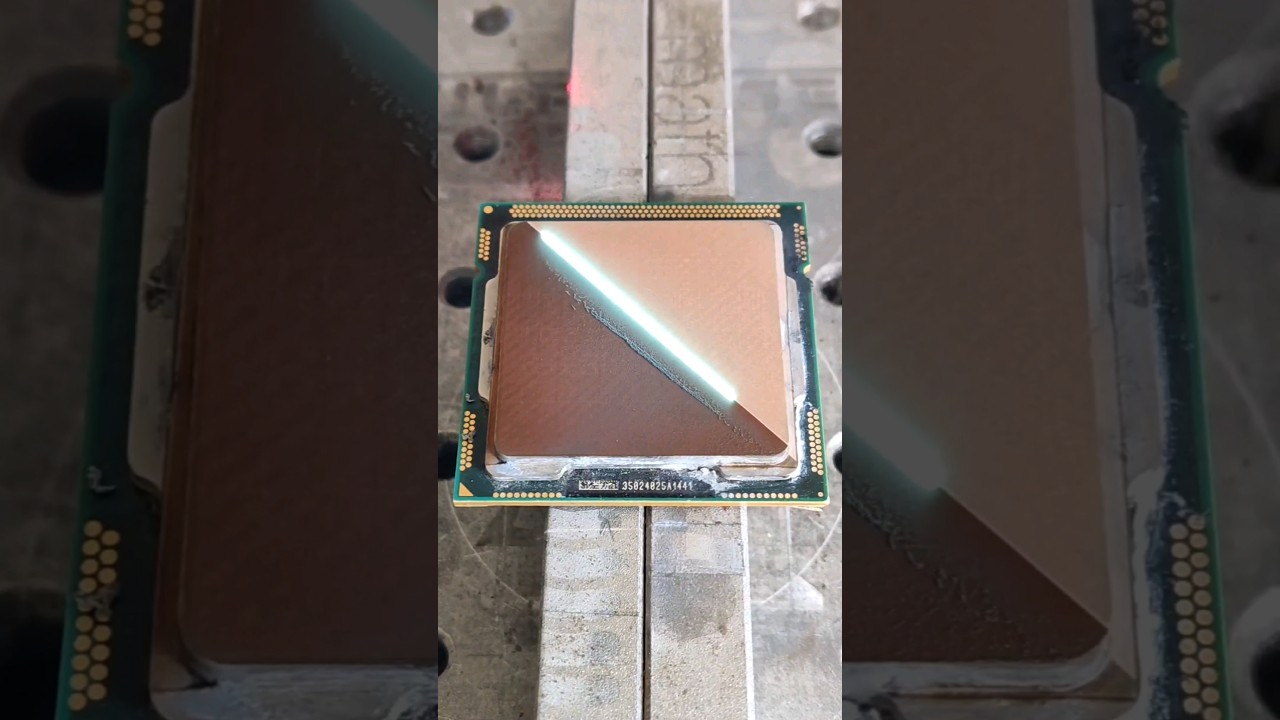
https://youtube.com/shorts/PlcIjlHlEr4
 deft star
https://www.youtube.com/watch?v=Pi0_wzdz7aY
"ACEMAGIC Mini PC" are sold with malware

I love bringing you great new tech every week and sharing my love of savings and deals where I can. This is the video I didn’t want to make. This mini PC was one of the nicest value Mini PCs I’ve come across, though the review took a turn for the worse when Windows Defender found Redline Stealer and Bladabind in the C:\Windows\OsVer folder. I...
mossy gull

It's no secret I'm a fan of Beelink's Mini PC's having made multiple videos of their products I’ve purchased. I now own an SER5 and sold dozens of their models at my computer repair shop. Today I'm reviewing a Beelink SEi12 packed with some impressive technology like a 12th Gen Intel i7-12650h, 32GB DDR4 RAM, 512GB PCIe 4 NVMe, and Windows 11 Pr...
jade scaffold
The new Ryzen 8000 APUs are using normal thermal paste between the ihs and die so if you get one it's worth deliding it
mossy gull
jade scaffold
The new Ryzen 8000 APUs are using normal thermal paste between the ihs and die s...
Lets put PTM7950 between the IHS and the CPU😃
jade scaffold
Nah bare die liquid metal between it and a NHD 15
Mind you you could probs with a deluded one put one of noctuas small cookers on it and it's be fine even overclocked
mossy gull
But the contact frames aren't low enough for it
mossy gull
The adapters are too high, DerBauer said so
jade scaffold
Because am5s ihs is well and truly trash
mossy gull

More Information about Hetzners AX52 Servers:
https://htznr.li/der8auer/AX52_en
Support me on Patreon:
https://www.patreon.com/der8auer
Music / Credits:
Outro:
Dylan Sitts feat. HDBeenDope - For The Record (Dylan Sitts Remix)
...
jade scaffold
Then shave like a mm off them
mossy gull
jade scaffold
Then shave like a mm off them
0.4 mm to be exact
jade scaffold
Yea that's like a good 2 seconds of rubbing on sand paper
You're already voiding your warrantee
mossy gull
What about the screws then?
You also sand them down?
jade scaffold
You could
Though I don't think there's a screw stop on the back plate so the screws don't really need to be sanded
Also it's only the silicone that's shorter the PCB is about the same so you are only sanding off the top a lil
mossy gull
I am very bad with sanding something like this down, nor do I have equipment at hom that can measure this
jade scaffold
just buy a Vernier caliper
good ones arent even that expensive
only super calibrated ones are and you dont need one of thoes for .4mm
cinder lagoon
mossy gull
I am very bad with sanding something like this down, nor do I have equipment at ...
there's this die sanding kit which is basically an acrylic block with specific height steps that get sanded down evenly with the die so you see how far you are and wether you are level or not
Fairly inexpensive, just requires to choose the right one for your CPU's height and socket iirc
mossy gull
cinder lagoon
there's this die sanding kit which is basically an acrylic block with specific h...
Yooohhhh, can you send a link?
cinder lagoon
https://www.thermal-grizzly.com/en/cpu-lapping-tool/s-tg-ilt-12-g
it was this but not sure who / if they make one for epyc or anything

Thermal Grizzly
The 12th Gen Lapping-Tool is specially designed for the Intel 12th Gen Contact Frame and simplifies the process of lapping the processor. Using the enclosed screws, the CPU is simply mounted on the Lapping-Tool with the Contact Frame. This simulates the…
Gaht dangit my Start menu is broken :/
 mossy gull
cinder lagoon
https://www.thermal-grizzly.com/en/cpu-lapping-tool/s-tg-ilt-12-g
it was this bu...
mossy gull
cinder lagoon
https://www.thermal-grizzly.com/en/cpu-lapping-tool/s-tg-ilt-12-g
it was this bu...
Just need it for the R7 8700G, need something to shave nanometers off 1 contact bracket
cinder lagoon
With "contact bracket" do you mean those legs of the IHS?
Also: nanometers are the wrong meters - I believe you mean micrometers, unless you try to remove about a handful layers of atoms
mossy gull
cinder lagoon
With "contact bracket" do you mean those legs of the IHS?
I meant contact frame🤣
I want to make a small system I can take with me when I get a camper, and the 8700G is perfect with a 7600XT.
But well, contact frames are 0.4mm too thick.
Apparently the temps on the 8700G are atrocious
cinder lagoon
The ones from thermal grizzly are too thick? Did they change the die height from the 7000 series to 8000?
I think you would be better off giving the contact frame to a machine shop (its made of metal anyways, aint it?) and giving them your measurements
cinder lagoon
cinder lagoon
Gaht dangit my Start menu is broken :/
My radeon software installers are also broken (anybody else got Qt6<something>.dll errors during installation?)
jade scaffold
8000s die height is slightly smaller
so the contact frames are a tad too thick
nothing some sand paper cant fix
cinder lagoon
In that case use calipers
jade scaffold
its only .4mm shorter its a very small ammount to sand down
also a Epyc Delid would be awesome
mossy gull
I still need to make a frame for my mouse as well
cinder lagoon
Well kinda but since its metal and kind of a big surface its still gonna take like half an hour#
jade scaffold
i would really wanna do an Epyc Delid
but also i wonder if direct liquid to Die cooling is possible
Like no interface material atall just fluid streight onto the dies with obviously a fancy seal to prevent the liquid spilling everywhere
mossy gull
I want to make my mouse bigger, there just haven't been a mouse design I really liked other than the 1st gen Microsoft Explorer Bluetrack mouse.
mossy gull
jade scaffold
i would really wanna do an Epyc Delid
but also i wonder if direct liquid to Die...
Would it even be beneficial?
cinder lagoon
Epyc has different die heights, doesn't it?
jade scaffold
mossy gull
Would it even be beneficial?
if you wanted to do some Overclocking on ES Samples yea
jade scaffold
cinder lagoon
Epyc has different die heights, doesn't it?
Epyc uses the same dies as standard Zen 4 for Genoa
literally uses the same Zen 4 Chiplets
cinder lagoon
I mean multiple die heights on the same package
jade scaffold
i dont think so i think the IO Die is the same height as the 12 Zen 4 dies are
cinder lagoon
Hmm aight
jade scaffold
Bargamo might have different die heights unsure tho

they are also soldered on like with the standard AM5 and AM4 CPUs
Which makes deliding them a bit more iffy
cinder lagoon
All the capacitors around the dies also don't add to simplicity
jade scaffold
yea they are all actually under the IHS
so not too bad of a chance of knocking them off while deliding they are also covered in like hot glue or somthing normally
it looks like hot glue is it actually hot glue god knows
similar sorta thing to am4
 jade scaffold
Man I'm so disappointed in arm soc makers
-apple proves arm socs are totally viable for desktops. Microsoft makes windows compatible with arm
-Arm soc makers don't even budge
-nvidia and ampere prove it works in the data centre arm soc makers don't budge
-light weight handhelds that need highly efficient processors become popular arm soc makers don't budge
The best you ass hats can come up with for makers to use is the RK3588. Perish you boring mfs like where's my snapdragon XR2 Gen2 on a tiny lil SBC
mossy gull
The thing is programming for ARM is what's stopping people.
If X86 is still widely more popular in the PC market, why try for SoCs.
Not to mention, the translation layer for SoCs to support X86 is still in its baby steps.
jade scaffold
mossy gull
Not to mention, the translation layer for SoCs to support X86 is still in its ba...
The translation layer really isn't in its baby steps Unless you'd also consider gaming on Linux as in baby steps
And yea x86 is more popular because no one makes worth using arm systems
I'm also annoyed at the lack of any good x86 SBCs they pretty much all run celleron level trash from 6 years ago
Even though you can fit a whole ass computer on something with a smaller top down profile than current gen epyc
mossy gull
jade scaffold
The translation layer really isn't in its baby steps Unless you'd also consider ...
It's in baby steps on windows desktops programs.
I have tried the Surface Pro X I think it's called, and it still doesn't work with 64-bit X86 programs, only 32-bit ones.
So I think it's partially also on MS's side.
Apple does it well, but sadly not well enough.
While I would like an SoC, AMD's APUs are still crushing it for games.
25w and having almost the performance of 1060.
Probably has the performance of the 1060 but benchmarks are weirdly in favour of Nvidia.
And Apple struggles to make games feel stable because of their cooling, seriously Apple, put in some beefy cooling into the MBP and let it ramp up in games.
jade scaffold
The thing is I'd be happy running android
I can play every Nintendo game every ps3 game and down on an android device
But no company wants to release an arm mini pc or SBC that even comes close to comparing to phones and it's just sad
Like can we have 1 SBC that even manages to scrape apples M series chips that isn't NVidias Jetsons
Sadly Jetsons only run some cursed version of Ubuntu if they could run android that would be great
also the new APUs dont actually have the same performance as a 1060
they get close in some games but it turns out when you test a much wider variety of games theres quite a few instances of them falling well below 20% short
mossy gull
jade scaffold
also the new APUs dont actually have the same performance as a 1060
they get clo...
Which can be solved mostly by direct die cooling and faster RAM.
jade scaffold
it cant
the issue is latency
GPUs need really really really low latency placing the ram 2 PCBs away from it cripples performance
even with 8000Mhz DDR5 If you can even get it to work they only win in edge cases against the 1060 and still loose by a massive margin against it
also love the look of this thing
would be nice to ya know have an SBC with that processor in


This things gonna be an emulation king
Founded in 2020, AYANEO is a revolutionary brand for portable gaming consoles. Our team consists of passionate gamers and tech-savvy experts who want to provide gamers with the most advanced and up-to-date gaming experiences. We’ve developed a line of powerful and portable gaming handhelds, with the latest Windows operating system and the latest...
Actually awesome bet it wont be cheap tho
mossy gull
jade scaffold
even with 8000Mhz DDR5 If you can even get it to work they only win in edge case...
The advantages the APU has are that the "VRAM" is scalable though.
The fact it comes very close is really important.
jade scaffold
it comes very close on very rare ocasions
not indicitive of general performance
infact laptop varients of the 8700g might actually be way faster
because they will be able to have 7600mhz ram soldered right next to them without the Enormous performance crippling latency that dimm based DDR5 will give
mossy gull
jade scaffold
because they will be able to have 7600mhz ram soldered right next to them withou...
Tell that to the PC Enthusiasts that say "Soldered RAM is bad"
The advantages the 8700G has is that it can OC way past the laptop variants
jade scaffold
not if you want good performance out of a GPU its not
jade scaffold
mossy gull
The advantages the 8700G has is that it can OC way past the laptop variants
ehhhhh
ehhhhhhhhhhhhhhh
not really
its not even got that in its favor
Some laptops will have it super locked down but some of the mini PC Boards just dont
mossy gull
I guess you forget, laptops like the overheat😃
jade scaffold
Asrocks 4x4 lets you do what ever the hell you want with the thing it doesnt care
mossy gull
jade scaffold
not if you want good performance out of a GPU its not
I personally don't mind it as long it isn't some cheap slow RAM
jade scaffold
honestly its a confusing chip overall
On the one hand super budget gamers rejoice cheap playable games
On the other hand its stability is crippled by Ram latency its kinda stupidly designed power budget wise like why does it have 8 cores
why does it have 8 cores? Why full fat Zen 4 cores why not Zen 4C cores? then you can shift more power budget to the GPU of it I kinda get it from the stand point of "oh we want people to be able to just slap a gpu in later" which sure is valid but the poor gpu you are already chocking out could do with a little extra help no?
also not a Chiplet APU which made me sad
mossy gull
jade scaffold
honestly its a confusing chip overall
On the one hand super budget gamers rejoi...
I think it has to do with that the 8700G kinda already exists, just more lower clocked for laptops and that they just took that and basically super clocked it.
jade scaffold
yea they gave it that intel treatment of Heres socket power enjoy
one day i hope to be blessed by the true form of the chiplet APU
Zen C-3D Chiplet + IO Chiplet + or / GPU Chiplet + HBM Chiplet
mossy gull
I would prefer a full fat Zen core and just unlocked power
jade scaffold
a Zen chiplet would be nicer yea
but also physically bigger
makes cramming HBM on with it a bit more challenging
unless you can stack HBM ontop of all the other chiplets
can you stack hbm
mossy gull
jade scaffold
can you stack hbm
You can stack HBM yes.
It's actually meant to be stacked.
Take a look at the Vega 64 and Vega FE.
Same GPU, but the FE had double the HBM.
jade scaffold
you can stack HBM on itself
can you stack HBM ontop of a processor i would asume its possible but is HBM Thinn enough for that
mossy gull
I don't think it's possible heat wise, however most CPU sockets have space enough for 16 laptop cores and a GPU with an HBM right next to it.
The problem is the heat it'll generate.
Something that was very well known with Vega.
The cooler needs to cool multiple very hot chips under 1 hood.
jade scaffold
you wouldnt be able to cram 16 cores into a AM5 socket that was chiplet design
not full fat zen 4 cores
zen 4c yes
mossy gull
Like I said, laptop cores 😃
jade scaffold
C arent laptop cores
they are for density primarilly
meant to be used in cloud aplications
just so happens that being turbo compacted makes them pull less power
though it guts their clock speeds by over 40%
less L2 cache too but being so much slower that actually doesnt end up mattering too much
mossy gull
I think laptops should have the option to disable Turbo, just like on Desktops
I think Turboless CPUs need to exist again, Turbo is meh, it's a few percentage extra performance for quadruple the power usage.
jade scaffold
thats not how turbo works
but sure
all turbo is is an aimed for clock speed under high stress
PBO is what you are refering to and laptops almost never have it anyway
and you usually can turn it off in the laptops bios if they do have it
mossy gull
Turbo rarely can be disabled in laptops.
I see more often where hyperthreads can be disabled, but not turbo.
In my laptop disabling turbo increased its performance by like 50% because then it doesn't thermal throttle.
jade scaffold
thats because your laptop is a glitchy pile of garbo
Do you need more clock speed then Turbo till hit max turbo speed
Do you want maximum performance enable PBO it'll boost till it hits thermal limits or stability limits
2 entierly seperate systems
mossy gull
jade scaffold
thats because your laptop is a glitchy pile of garbo
No, it's because Asus decides to freaking over-volt and move the power limit from 90w to 120w.
Unlike Lenovo that under-volted.
jade scaffold
thats an even more seperate thing
that has nothing todo with turbo or PBO
thats Asus failing to configure a board which they do consistantly and constantly all the time
also if you do get a 7000 serise TR Make sure you arent getting an early revision board. AMD Fucked up on making the chipset making all boards of the first revision in actual practicallity completely unuseable
go AMD
mossy gull
jade scaffold
thats an even more seperate thing
I still think laptop users should be able to disable Turbo if they want to.
I never ever see an option to disable it.
Only to overclock, many manufacturers also disable under-volting.
mossy gull
jade scaffold
also if you do get a 7000 serise TR Make sure you arent getting an early revisio...
I am not planning getting an early revision board
jade scaffold
yea be carefull its hard to tell online
alot of sellers sell the new revision and old revision boards under the same listing so its a toss up as to what you get
i dont know how they managed to goof up the chipset so bad tbh i dont know why they even needed the chipset they use the same IO Die as epyc siena which can do everything a desktop chipset can internally pretty much
mossy gull
jade scaffold
yea be carefull its hard to tell online
I usually send a mail to Asus and they don't mind to test it for me
balmy flicker
I was wondering what recharable batteries you would recomend to replace a stack of 3 AA's in an LED flash light
mossy gull
balmy flicker
I was wondering what recharable batteries you would recomend to replace a stack ...
Duracel rechargeable batteries.
Preferably their Ni-Mh or Li-Ion batteries.
Their capacity and quality is much higher than their competitors
cinder lagoon
...I'm sure this is fine 🤔
 balmy flicker
mossy gull
Duracel rechargeable batteries.
Preferably their Ni-Mh or Li-Ion batteries.
balmy flicker
mossy gull
Duracel rechargeable batteries.
Preferably their Ni-Mh or Li-Ion batteries.
thanks
 tender plank
So, I hadn't noticed until just now, but this cursor is so cursed. I just realized how wrong it felt looking at it.
 jade scaffold
oh god eww
jade scaffold
cinder lagoon
...I'm sure this is fine 🤔
entierly functional
cinder lagoon
gaht dammit I'm not getting a video signal out of my GPU...
sacred seal
New build?
cinder lagoon
nope
sacred seal
Just up and died then?
cinder lagoon
installed the noctua cooler I ordered two days ago and it ran fine
now I'm sitting in front of a black screen (its not the drivers, I just DDU'd them, no POST screen either)
HUH IT JUST CAME BACK!?
sacred seal
Sounds about right
At this point its my instinct to just ask whenever I have a tech problem because most times it just fixes itself as soon as I do
Still would reseat the GPU just in case its a loose connection
cinder lagoon
already had tried replugging DP cables and now I was typing on my laptop as it just came back
device manager events say "Problem while starting PCI device" with multiple drivers (BasicDisplay, amdwddmg, amduw23)... that can't be good 🤔
sacred seal
How long has it been borked for?
sacred seal
Could just be a one off then
cinder lagoon
defo no loose connection, just wiggled every connection in the chain while running and no display outage
cinder lagoon
sacred seal
Could just be a one off then
hope so, will absolutely be keeping an eye on that tho
sacred seal
Given you installed a cooler I would be most concerned about the PCIE connection.
cinder lagoon
yea - I took the CPU out of the socket for cleaning the old goop off, first step would be a reseat then ig
sacred seal
Ah, yea CPU with funky contacts could cause all sorts of fun
 opaque anchor
so I am trying to extract some pictures from a 7zip file and running into an interesting problem... the file name is 225 characters long for some god forsaken reason and when I try to extract it using winrar, it can't do it cause its using a temp location which makes it too long. how the hell can I bypass this
opaque anchor
used 7zip and its good now. that is such a dumb situation though lol
cinder lagoon
step one: purge winrar
step two: use 7zip
step three (optional): enable long file names on your system
jade scaffold
https://youtu.be/au5KcmMBWpI?si=mLA9snTtDqX6GEG6
Actually a proper look into the pocket S I showed the other day yuzu is a tad buggy on it but I'm sure that'll be fixed with time performance certainly looks good enough to run switch games though which is nice would love a teardown of it can see then how big the battery is and make predictions in how long it might last when gaming

In This video er take a first look at and test out the upcoming AYANEO Pocket S! This new android powered handheld is amazing! With a 6” 1440P Screen, Up to 16Gb of ram and powered by the Snapdragon G3X Gen 2 it is an emulation powerhouse! Gamecube, PS2 and even Switch on an android handheld is now possible! We also test out some android games ...
mossy gull
I hate most handhelds don't have OLED displays
jade scaffold
Yea it's sad
Oooo I had a fun idea too
Maybe I could replace by quest pro screens with OLED ones that is if there's any off the shelf OLED screens the right size that are high refresh rate and bright enough
https://ifan-display.com/product/1-03-inch-micro-oled-2560x2560/
Ayo these things are kinda insane 2560x2560 with lenses that small not sure on refresh rate tho
Maybe will try grab some when I get paid always been interested in making my own rudimentary vr headset

1.03 inch Micro Si OLED high resolution 2560x2560, the brightness is 1800nits and 3000nits optional, 1 inch small OLEDoS display screen is used in VR HMD.
mossy gull
I want to build something like a holo display
jade scaffold
I just want a headset with really nice screens the quest pro screens are really nice but having even nicer would be cool especially for the new metro vr game comming out
tender plank
jade scaffold
https://ifan-display.com/product/1-03-inch-micro-oled-2560x2560/
Ayo these thin...
Frequency
90Hz
jade scaffold
Perfectly useable then
jade scaffold
Ima starting to realise a custom case might do me some good
tender plank
Why? There are so many different cases out there that a custom one is excessive outside of when you want extremely specific aesthetics.
jade scaffold
I need my pcie slots clear
I can't have a 4 slot GPU eating all my slots
mossy gull
jade scaffold
I need my pcie slots clear
I can't have a 4 slot GPU eating all my slots
That's why I watercool my GPUs.
I hate they're freaking almost 5 slots for no reason other than wasting space.
jade scaffold
yea im not paying +400 for every gpu i ever buy it would actually be cheaper to custom make a case
mossy gull
I use AlphaCool's quick disconnects so I can reuse most of it
jade scaffold
the last alpha cool block i had was disintergreated by the will of god
 timber barn
guess this is the hardware equivalent to a truck 😂 https://www.youtube.com/watch?v=tRhUHnsZ1GU

We already took a look at the 240mm Waterbox from Singularity Computers but now we take a look at the QUAd 560 Radiator Waterbox!!! THIS THING IS HUGE!
Learn more about CableMods new Stealthsense Technology at https://store.cablemod.com/stealthsense-technology/
Get your JayzTwoCents Merch Here! - https://www.jayztwocents.com
○○○○○○ Items feat...
tender plank
jade scaffold
I need my pcie slots clear
I can't have a 4 slot GPU eating all my slots
Get a GPU that isn't gargantuan? Also, unfortunately, you're kind of screwed if you try and use a GPU in any slot but the top x16 slot because the lower ones generally don't actually have 16 lanes available to them. There are some 4080s that aren't massive because they use a better cooler design, they'll probably spread out a bit more in other directions but it means that you're not limiting your other slots. If you mean a vertical GPU mount then that can work too but make sure the case is actually properly built for it with slots to allow the GPU to breathe rather than shoving it up against a sheet of tempered glass like too many cases do.
jade scaffold
tender plank
Get a GPU that isn't gargantuan? Also, unfortunately, you're kind of screwed if ...
All my slots are full speed gen 5 slots for starters secondly x8 gen 5 is fast enough for any GPU in existence ATM.
And yea lemme find a cooler that's 1 slot and can cool 450-500w
That's not happening
cerulean helm
The Asus pro art I think is the "thinnest" 4080 I can think of and its still 2.5 slots.
tender plank
cerulean helm
The Asus pro art I think is the "thinnest" 4080 I can think of and its still 2.5...
Yeah, my ProArt is pretty decent for heat though.
mossy gull
tender plank
Get a GPU that isn't gargantuan? Also, unfortunately, you're kind of screwed if ...
Majority of Threadripper and Epyc motherboards have full X16 lanes on all PCIe slot.
The slots usually have the amount of lanes determined but the slot length.
jade scaffold
Slots are usually open slots on epyc boards too
So you can put a 16x card in a slot that's only physically 8x if you really want
But I've got 3 16x slots and like 5 8x slots all at gen 5 speed so I'm good for pcie I just need my GPU not to consume 4 of my slots
And there isn't going to be a sub 3 slot 5090 it's just gonna draw too much power
I'm expecting to see the FE version of the 5090 ship with this abomination attached to it


My 3090 currently sits in the vertical mount slot of my case which is fine it's a 3 slot mount and there's a 2.5cm gap between it and the side glass and the fans in the bottom of my case blow right up into it pretty much so it sits at 65c when doing stuff
mossy gull
I want to do something stupid, I want to get a Threadripper system, 2 7900XTX, put the 7900XTX on risers and and build some wacky forest portal style PC.
jade scaffold
B100 looking to colossally outpace H100 and H200
H200 isn't even out yet gonna be releasing that in the same year as B100 at that point Nvidia why even bother
mossy gull
jade scaffold
H200 isn't even out yet gonna be releasing that in the same year as B100 at that...
It's Nvidia, they do anything even for 1% performance improvement.
jade scaffold
H200 is substantially faster than H100
It's not 1% more like 50% with 141GB of hbm3e
In the ai tasks it's made for anyway I'm just wondering what's the point when you are gonna release a much faster more expensive GPU later in the same year anyway
cinder lagoon
https://youtu.be/MucGkPUMjNo
what yall think about this?

WD Red Drives: https://www.westerndigital.com/en-us/products/network-attached-storage.internal
Follow me:
Mastodon https://mastodon.technology/web/@notthebee
GitHub https://github.com/notthebee
Twitch https://twitch.com/notthebeee
Support the channel:
Patreon https://patreon.com/WolfgangsChannel
PayPal (one time donation) https://www.paypal.co...
that i7-9700 looks interesting to me (my overclocked 4790k system pulls about 60W during idle)
(my wallet is crying)
jade scaffold
hey atleast its not pulling 220W at idle ;-;
though honestly its a pretty nifty little server
its worth looking into the Zen 4C APU for super high efficiency imo undervolt that a bit and you have somthing both functional as a little sata storeage server and that is probably only pulling like 10w idle
cinder lagoon
okay well I should specify, my server is a (paused) game server, alongside a little storage and full-time HomeAssistant
jade scaffold
the Zen 4 C cores should perform about the same as any 9th gen CPU as they are faster than the Zen 2 line of cpus
though that little ryzen 3 doesnt have many cores only 4 cores one full Zen 4 core then 3 Zen4 C cores though compared to a 4790k it should outperform it
though unsure of how low the power draw of the 8300g is no one is interested in doing proper reviews of it
Save me

im doing nothing rn
ive just got discord steam and a browser open
133w H E L P
Can Nvidia fix their drivers please
 cinder lagoon
jade scaffold
the Zen 4 C cores should perform about the same as any 9th gen CPU as they are f...
cinder lagoon
jade scaffold
the Zen 4 C cores should perform about the same as any 9th gen CPU as they are f...
you able to do a cinebench run rq?
wait you have a different CPU u were just thinking of building one with 8400G
jade scaffold
yea i was just considering the new APUs
just for tinkering mainly
my actual CPUs a full fat epyc which is why itd Idle power draw is 130W+
cinder lagoon
anybody have a relatively recent quad-core system available real quick?
jade scaffold
i mean if you wanna do a cinebench run cinebench lets you limit the threads it uses no?
i could just set it to run on 8 threads/4 cores
cinder lagoon
jade scaffold
i mean if you wanna do a cinebench run cinebench lets you limit the threads it u...
It does (if you're using windows anyway, look into bitsum process lasso)
jade scaffold
yep it does
just checked
atleast R20 lets me set it to 8 threads
out performed a 7700k by nearly double
cinder lagoon
Might not take the multi-core score for full performance as I hit 100°C during the run (damn you, crappy 15€ cooler!!) but it should be pretty close
 jade scaffold
ah you're running r23 i ran R20 cos it was a little quicker
cinder lagoon
jade scaffold
atleast R20 lets me set it to 8 threads
Hmmm probably lower power consumption than mine too 🤔
ran at nearly 100W the whole time
jade scaffold
my power useage did not change
wait no thats a lie i was looking at the wrong number running by slaming 8 threads i add an aditional 50W of useage ontop of my idle draw
ill download R23
cinder lagoon
Again - damn you crappy 15€ cooler thats performing way too well for what it cost!!
 jade scaffold
xD
cinder lagoon
jade scaffold
ah you're running r23 i ran R20 cos it was a little quicker
It do be quicker but it probably does not resemble the actual performance since its so old
jade scaffold
yea the 7700k is gonna loose even harder in 23 because 23 takes so much longer to run and the epyc stays at boost clock forever
cinder lagoon
7700k didn't have the time limits yet tho, did it?
jade scaffold
it did
thoes limits didnt leave untill either 8th gen or 9th gen
everything before it had thoes time limits
and turbo turned off when overclocked anyway so an overclocked cpu could bypass them
cinder lagoon
Just looked it up - yep, it existed for quite some time (but mine for some reason has it at least disabled)
jade scaffold
if its OCed the CPU doesnt have turbo anymore anyway so is in a way bypassing it even if it does have it
cinder lagoon
I think I'm running some in-between
I do have speedstep and power-down stuff still enabled iirc but I set 1-4 core usage all to 46x multiplier
So - results?
jade scaffold
11475
havent run single core but thats 8 threads
wow the single thread is gonna take a hot second isnt it
cinder lagoon
Yeah like 5 mins
jade scaffold
you got 4591 on multi core thats a bit over 3rd the speed thats kinda crazy considering how low the clocks on this Epyc are
cinder lagoon
jade scaffold
havent run single core but thats 8 threads
I had cinebench results without any background shit in some text file somewhere on my desktop, lemme find that real quick but its gonna be a stomp none the less
jade scaffold
yea i was watching YT and stuff while doing this so im not running a particularly perfect bench mark but none the less
cinder lagoon
The scheduler will put the cinebench on its own couple cores pretty sure
jade scaffold
maybe? only 2 or 3 of my CPU cores according to HW Info are even in an active state atm
cinder lagoon
Well I found the file, funny enough its about my 3700X I believe 🤔
4x3,4GHz      1001 Cinebench Punkte
4x4,0GHz      1404 Cinebench Punkte 75°C Max
4x4,0GHz +XMP ____ Cinebench Punkte
No wait that doesnt make sense, thats probably a i5-4400 or somethin
jade scaffold
having 1 core going full speed has not made a difference to my power useage odd
cinder lagoon
Does epyc handle clock speeds per CCD maybe?
jade scaffold
also this CPU core isnt running full speed its only at a 42.25x multiplyer
it should be at 44x hmmmmmmmm
clock speeds are per core
single core score was 1528 though i wasnt seeing full speed on the core which is unusual
¯_(ツ)_/¯
cinder lagoon
Yay - I'm at least close in single core (which leads me to believe that my system is still totally fine as a game server)
belieeevveee

jade scaffold
well "close" 66% of an uncooperative epyc core
cinder lagoon
I mean not bad for its age, right?
jade scaffold
no not terrible
just realised single thread wouldnt be including the 2 hyper threads of a core
that would explain why the core itself wasnt hitting full speed
:I HW Info pls i beg

im assuming any core thats showing as at 44x is a powered off core
cinder lagoon
jade scaffold
just realised single thread wouldnt be including the 2 hyper threads of a core
TWO hyper threads???
cinder lagoon
jade scaffold
im assuming any core thats showing as at 44x is a powered off core
Yes, ryzen leaves unpowered cores at a pretty high frequency
Thats the result from the 5800X3D with a proper cooler
 jade scaffold
hey it is faster in just raw clock and IPC performance than the 5800x 3D good
i honestly had no idea if it was
cinder lagoon
jade scaffold
cores have 2 threads
Well saying it has two hyper threads is a little misleading imo - its rather a normal thread + 1 "hyper" thread (which does computing during more or less off-time
jade scaffold
i know in multi core in R20 it beats a 5950x thats conventionally cooled
well the Threads dont actually do any computing
they just Vomit more data into the CPU
which lets a Core do 2 seperate things at once
Mind you even with only 1 thread per core if the CPU is executing a super super small group of tasks it can do multiple in one clock
cinder lagoon
Afaik HT and SMT work by utilizing unused areas of a core by keeping another thread queue (stack)
jade scaffold
pretty much
Basically a core has Execution units
some times 1 thread cant fill all these execution units
sollution add a second thread
Wanna fill bucket faster add a second hose
cinder lagoon
Yea it sometimes can actually do two things at once but only that main stack has priority over the units and the second stack is only allowed to interrupt the main one like X% of the time (just so it doesn't get stuck waiting for some result if the main one is utilizing a particular unit fully)
jade scaffold
yea
cinder lagoon
So its not entirely a second core, just more efficient, right?
jade scaffold
at its most basic its just a data lane
cinder lagoon
jade scaffold
single core score was 1528 though i wasnt seeing full speed on the core which is...
I think I can get single core higher actually, when I tested it I just chose 1C-4C x46 for stability.
System seemed stable with something something x48 on single and dual core iirc
jade scaffold
each thread can only deliver 1 thing at a time
so if you have 2 threads you have 2 things going into the CPU at once this means between clocks before the CPU actually executes anything while its fetching data you can put 2 entierly different programs in at once and then the CPU will compute all that thus acting like 2 cores doing 2 different things at the same time
thats why when you have a cpu with hyper threading it shows up as having double the cores it actually has because from the OSs persepctive there are double the data lanes to feed data into
cinder lagoon
Hmmm does anybody know where to access the cinebench databank?
I hate how the client always displays seemingly random CPU choices and how I don't know if those values are averages of many user runs or what
jade scaffold
the HWBot website shows them
cinder lagoon
jade scaffold
thats why when you have a cpu with hyper threading it shows up as having double ...
Ahhh that actually makes quite alot of sense, never thought of it like that until that conversation
jade scaffold
though thats mostly overclocked thigns
just checked HW bot the top result is a threadripper at 6.25ghz
thats scary
cinder lagoon
Thats gotta be like at 0.1K xD
jade scaffold

Cinebench R23 is the newest instalment of the most popular CPU-Rendering Benchmark Cinebench. We have the Score Results for all modern Processors.
this one seems pretty good
cinder lagoon
jade scaffold
though thats mostly overclocked thigns
Hate how Userbenchmark data is so skewed, they actually had the best service for comparing EVERYTHING now its just garbage data
jade scaffold
yep
only 400 points behind ryzen 7000 Threadripper in single core performance which aint bad
especially considering cinebench doesnt take advantage of having lots of cache
i got cache for days
cinder lagoon
Ohh it doesn't?
jade scaffold
i dont belive so
cinder lagoon
I got cache for minutes ^^
jade scaffold
xD
how much cache does your cpu have it cant be more than like 8 mb right?
oh wow my CPUs on par with a 5950x in single core near enough
Monumentally faster in multi core
cinder lagoon
L1 Cache
512KB
L2 Cache
4MB
L3 Cache
96MB
cinder lagoon
jade scaffold
oh wow my CPUs on par with a 5950x in single core near enough
Monumentally fast...
Well, obviously, you got like triple the amount xD
jade scaffold
i dont actually
only 16 cores
ive got 8 CCDs with 2 cores each
Epyc can Share cache between CCDs unlike Ryzen so i have 256MB Of Unified L3 cache
cinder lagoon
THERE'S OCTA SOCKET FOR HASWELL CONSUMER??
jade scaffold
there is?
cinder lagoon
cinder lagoon
Might not take the multi-core score for full performance as I hit 100°C during t...
Huh world record for this baby is 1404 single and 6822 multi apparently
cinder lagoon
jade scaffold
there is?
Apparently? There's some records listed on HWbot...
jade scaffold
interesting
i knew there was some intel 8 socket things for xeon
its sad AMD dont have quad or Octo Socket epycs
could have had 768 Zen 4 cores 1536 threads in 1 PC or 1025 Zen 4C cores and 2048 Threads but no gotta lock us to only 2 sockets :(
cinder lagoon
jade scaffold
its sad AMD dont have quad or Octo Socket epycs
Its probably not possible without architecture changes by how many cores these things are able to have
jade scaffold
tbf intels old platforms had like nothing linking the 2 CPUs
cinder lagoon
Like the address registers would be probably too short xD
jade scaffold
they could not share ram
cinder lagoon
Thats true but they somehow where able to have tasks dispatched to either of them
And like share the results at least
jade scaffold
yea they would share the OS but they couldnt both work on the same task if you will atleast not without a huge latency penalty that would make sharing a task between the 2 pointless anyway
tbf you can link multiple CPUs in a cluster these days and have them share the same Memory space All Praise CXL
cinder lagoon
Haha true
mossy gull

PCWorld
SPEC says Intel's Xeon processors were using a compiler that artificially inflated the results of its industrial benchmark by as much as 9%.
cinder lagoon
"compiler that artificially inflated the results" - tf does that mean??
Does it compile source code to binaries?
Does it work?
Did you communicate what that compiler is?
cinder lagoon
cinder lagoon
...I'm sure this is fine 🤔
Hmmm... now I'm baffled.
I just reinstalled the browser because of this and made sure to delete everything of the old one beforehand and I'm still getting this weird glitch. Its everywhere, even in chrome's settings menus and developer tools
edge (dev) does not have this issue 🤔
 jade scaffold
was it like compileing a web browser type thing?
where they used a compiler that works better on their Processors, thats literally just called optimising your work flow?
cinder lagoon
Okay, we really need to teach data speeds/sizes in school.
This is the latest Logitech G hub installer, the download speed is around 500kbps
seeing MB/s confused with Mb/s or Mbps is frustrating, but understandable.
This is just disappointing.
 sonic meadow
cinder lagoon
"compiler that artificially inflated the results" - tf does *that* mean??
Does i...
sonic meadow
cinder lagoon
"compiler that artificially inflated the results" - tf does *that* mean??
Does i...
It possibly compiled in a way that sacrificed correctness for speed. There are all kinds of slowdowns in software to ensure that things happen in the correct order, so that you get a consistent result. If you remove or play around with those guarantees however you can get a task completed quicker, it may end up being wrong however
cinder lagoon
I appreciate not wasting system ressources.
What I do not appreciate is saving at the wrong places.
Ye can't just hardcode that text to say MB if that number might change during progress
Ohh you meant my previous message nvm
sonic meadow
A very simple change that the compiler could make to make things faster would be to use singles (floats) or halfs instead of doubles. It doesn't violate any ordering, but it does reduce the precision of any floating point maths, while not coming to the "wrong" answer in the majority of cases
jade scaffold
lord you are fucking tempting me rn 90 quid for a p100... w h a t if i can dig up a 4 way link board for reasonably cheap 64gb AI rig for not all that much honestly

i might buy one as like a display piece
cinder lagoon
Given that SLI is now only used in workstation/servers the 4-ways are gonna be really expensive
sonic meadow
SLI was never used in workstation/server applications, they just used multiple cards independently
jade scaffold
cinder lagoon
Given that SLI is now only used in workstation/servers the 4-ways are gonna be r...
These gpus are only for servers
jade scaffold
sonic meadow
*SLI* was never used in workstation/server applications, they just used multiple...
That's wrong
SXM uses a high bandwidth version of NVlink to allow all gpus in the array to function as one big GPU
Technically right on sli never being used because sli stopped existing at all after pascal and was replaced by NVlink
sonic meadow
SLI was an almost exclusively gaming/real time rendering technology, NVLink expands on the underlying tech, letting it actually be useful for other applications
jade scaffold
No?
SLI was originally the name of the protocol Tesla k80s used sli
NVlink was a newer better protocol that allowed for much higher bandwidths to be acheived and thus shared memory
It was used by the GP100 and GV100 which were quadros but they used a lower bandwidth version than the SXM cards did
And you can still run graphics on Nvidia Tesla GPUs ya not supposed to but you can
mossy gull
sonic meadow
SLI was an almost exclusively gaming/real time rendering technology, NVLink expa...
SLI, now called NV-Link actually 1st started on servers.
jade scaffold
been looking into the teslas and making them work for rendering for the fun of it
and Im seeing people use the P4 as a budget gaming GPU and it turns our its actually kinda insanely fast for a card as old as it is and for a card thats one and only actual purpose is video encoding
like its beating the RX 6400 by like 15-20% in games like lowkey performing just under a 1650 which is kinda crazy
like its got a fair bit of driver overhead meaning using an older CPU can actually drag it down below the rx6400 even in games where cpu utillisation isnt high
but with a modern cpu for example a ryzen 5 from 7000 or 8000 its actually a totally valid option if you can find them cheap
cinder lagoon
Uggghh my display output problem is back
Now it mysteriously started working again
jade scaffold
cinder lagoon
Uggghh my display output problem is back
PCs haunted
cinder lagoon
Ahh crap my PC caught an anti christ
mossy gull
I absolutely hate when people dunk on AMD for having "bad cards" and that Nvidia apparently never does anything wrong.
Yet the problem lays by the user themselves 9/10 times.
cinder lagoon
?
jade scaffold
i wouldnt say 9/10 times but yea People rag on AMD for bad drivers when they aren't that bad anymore
But their drivers are still bad especially on anything older than 6000 where they dont maintain them properly the 5700xt is still janky the vegas are relativly stable now mind you even 6000 isnt perfect because AMD Refused to update the drivers for 6 months and have yet to actually impliment some game specific stuff that they should have implimented
mossy gull
jade scaffold
i wouldnt say 9/10 times but yea People rag on AMD for bad drivers when they are...
And Nvidia is being forgiven way too easily.
cinder lagoon
I absolutely don't think they have bad drivers. Been on an RX480 since it launched and had minimal problems that didn't stem from me fucking something up specifically. Granted, they lacked optimization, especially in OpenGL apps
jade scaffold
Nvidias drivers aren't consistently shagged tho
jade scaffold
cinder lagoon
I absolutely don't think they have bad drivers. Been on an RX480 since it launch...
the 480 is like 10 years old
its still just a modified 380 and the 580 is just a modified 480
they probably use identical drivers near enough
cinder lagoon
Exactly ( i've had a 6800 for about a year now)
mossy gull
jade scaffold
Nvidias drivers aren't consistently shagged tho
I have a laptop with an Nvidia GPU, I had 2 actually.
Both have problems with both my monitors on HDMI
jade scaffold
6000 is relativly stable but theres still a bunch of performance optimisations for certain games AMD has yet to impliment because they didnt update 6000s drivers for 6 months because they had to put so much work into making sure 7000 drivers weren't shagged
NVidia get forgiven because its rare NVidias drivers cause utter catastrophic fuckery on the level AMDs do and when NVidias Drivers do fuck up if you post on their fourms with good data it'll be fixed by the end of the week
jade scaffold
mossy gull
I have a laptop with an Nvidia GPU, I had 2 actually.
Both have problems with bo...
thats laptop HDMIs being Laptop HDMIs
every laptop ive had has hated driving displays regardless of whos gpu it has in it
weirly enough i think intels IGPUs have caused me the least issues as far as laptop display outputs go
mossy gull
jade scaffold
thats laptop HDMIs being Laptop HDMIs
every laptop ive had has hated driving di...
Was also the same effect with an 3070 that we gave away to someone who didnt have much where the GPU died
jade scaffold
also the 5700XT is still shagged
its useable now unlike it was at launch but its still very much a glitchy mess
sonic meadow
laptops tend to be screwy when it comes to discrete graphics, as they use a way of internal switching to allow to gpus to run over the same set of outputs
mossy gull
sonic meadow
laptops tend to be screwy when it comes to discrete graphics, as they use a way ...
Maybe it was the iGPU, all I know is they have problems
surreal moss
It’s almost like constantly changing the use of display outputs can introduce unknown variables
mossy gull
I only use the DP for my main system and HDMI for the rest
jade scaffold
DP literally does not work properly on my monitor because DP1.4 is crap
mossy gull
jade scaffold
DP literally does not work properly on my monitor because DP1.4 is crap
I wish 2.0 was already on monitors, but even 1500 costing monitors dont have it
jade scaffold
because 2.0 was also crap
2.1 is the actual good version of 2.0
HDMI 2.1 can do 10bpc 240hz at nearly 4k resolutions somthing DP1.4 just cant do so i dont get why its even inlcuded on this monitor
mossy gull
jade scaffold
HDMI 2.1 can do 10bpc 240hz at nearly 4k resolutions somthing DP1.4 just cant do...
Tell that to people who say you won't see a difference because 1.4 has DSC to have same performance as HDMI
jade scaffold
you do know that HDMI has DSC right
mossy gull
I know
jade scaffold
even with DSC display port 1.4 cant drive my monitor
i have to down my colour to 8bpc for it to drive at 240hz
mossy gull
I have DSC turned off on my display, and I can only do 3440x1440 10bit on 100hz
jade scaffold
why do you have DSC turned off
cinder lagoon
i should really finally invest in a Monitor that doesn't suck...
mossy gull
jade scaffold
why do you have DSC turned off
Because its possible😃
jade scaffold
DSC is a lossless compression
theres no artifacting or anything just extra monitor performance
mossy gull
I know, but I do colour accurate work, so I rather have as much accurate colours as possible on this stupid 45GR
jade scaffold
you will still get the same colour accuracy
mossy gull
It's just the feeling okay
jade scaffold
its lossless
there is no loss in any quality