#Tech Lab forum - General Discussions!
1 messages · Page 18 of 1
 jade scaffold
 cinder lagoon
all torque screwdrivers I know need a kidney ^^
 pearl moon
technically you could use a torque wrench as a very bad torque screwdriver.
jade scaffold
I guess
I could also just eyeball it lmao
Who needs memory channel 11 anyway no one likes that guy
 mossy gull
Intel
https://browser.geekbench.com/v6/cpu/3885705
Vs
AMD
https://browser.geekbench.com/v6/cpu/2567583
Benchmark results for an Intel Corporation BeechnutCity with an Intel Xeon processor.
Benchmark results for a Supermicro Super Server with an AMD EPYC 9754 processor.
AMD crushes Intel.
Where Intel has 288 e-cores in total, and AMD has their 128 core with 256 hyper threads e-cores Epyc.
 sonic meadow
Any idea what the difference was in power consumption/use?
The AMD also had twice the ram
It's possible they were running the same amount per channel, I'm not familiar with Intel server stuff
mossy gull
sonic meadow
It's possible they were running the same amount per channel, I'm not familiar wi...
All I know is both were E-core only
I wouldn't be surprised if AMD was also more efficient because it was only 1 CPU again 2 from Intel
 amber fable
jade scaffold
Preferably ones that won't require me to sell a kidney for them
amber fable
jade scaffold
Preferably ones that won't require me to sell a kidney for them
A cheap torque driver is a shitty, inaccurate, and not fit for purpose torque driver. Sadly. They are a specialist tool, and they are priced like it.
I would like to have one for printer nozzles, but I just can't justify it.
amber fable
If the LTT stubby took normal bits I would buy one instantly.
I carry a small driver with me everywhere I go, and a ratcheting stubby would be a nice upgrade.
But not with their shitty proprietary bits.
mossy gull
amber fable
If the LTT stubby took normal bits I would buy one instantly.
It does support normal bits, just the ones that come with it are shorter
amber fable
And you can't fit normal bits into the storage for the stubby model.
cinder lagoon
amber fable
And you can't fit normal bits into the storage for the stubby model.
thought you just couldnt fit as many??
amber fable
That is for the full size model.
The stubby has half the bit storage that the normal model has.
cinder lagoon
ahhhh oops
did not hear anything about a torque driver yet but there are probable cheaper sets of fixed-torque ones.
mossy gull
cinder lagoon
did not hear anything about a torque driver yet but there are probable cheaper s...
Cheap torque drivers tend to break easily or aren't accurate
cinder lagoon
I guess they do if they are variable torque but dont see why they would without
amber fable
Fixed torque just means that when it needs calibration you can't.
cinder lagoon
hmmm I see
amber fable
So you better hope it was well made and won't start to wander out of spec. But hey, guess what cheap torque drivers do?
jade scaffold
amber fable
A cheap torque driver is a shitty, inaccurate, and not fit for purpose torque dr...
Yea my new CPU is simply so large that it needs a torque driver
i mean i eyballed the Xeon and all its memory channels work
atleast all the ones my mobo has
cinder lagoon
Threadripper came with ones the last generations
jade scaffold
yea
Epyc doesnt
and even if they did if they were the same design as TR you wouldnt be able to use them
EPYCs aren torqued on the socket they are held down by the cooler itselkf
sonic meadow
Epyc can be generally assumed to be being installed by system integrators/etc rather than end users, so not coming with it makes some sense
jade scaffold
yea the CPU new is also a 4000 USD part
sonic meadow
Doesn't make it any less of a pain for people like yourself though
jade scaffold
so like who the fuck at spending 4000 usd per cpu multiple times cant afford a 500 usd torque driver
sonic meadow
What cooling solution are you going with?
jade scaffold
meanwhile i only spent as much as a launch 7950x 3D on this thing
jade scaffold
sonic meadow
What cooling solution are you going with?
a tower cooler
there are only 2 liquid coolers for it
one costs £400 the other is an EK waterblock which i dint even bother to check the price off because its EK
and i checked alpha cool they dont have anything for SP5 sadly
£150 for just the block itself
i spend that much on the little tower cooler and noctua fan
 sonic meadow
Cute
jade scaffold
its legit not even wider than the socket
but its aparently rated for 400w so you know
im not going to be hitting it all core hardly ever anyway
might upgrade the cooler when SP5 hits EOL and i buy the highest clocking low core count CPU i can
sonic meadow
jade scaffold
its legit not even wider than the socket
but its aparently rated for 400w so yo...
Not surprising, the sockets get stacked pretty densely in multi socket systems
jade scaffold
also also EPYC is less power dense chip wise
sonic meadow
Giant socket and chiplet design helps with that
jade scaffold
like a 7950x will pull 200w under full load and is unironically a quarter of the size with a less efficient IHS Design
jade scaffold
looking at torque drivers just saw one for £5,500
i am in fear
im looking for ones that have preset torque but cant find any that are in the specific range my CPU wants
 rotund siren
Any of you smart people/audiophiles have any half-decent suggestions for a pair of headphones?
Necessary features:
- Price range $50-$180, variable
- Over ear style (Earbuds and on-ears are plain uncomfortable)
- decent adjustable fit
Cool but not required: - Microphone (I already got a decent desk-mounted one)
- Wireless/Bluetooth
- High quality audio
 sacred seal
M40x is a really good option, but the hinges have durability issues
My current daily drivers are a pair of k553 MKIIs which are currently on sale for 150usd
I have had these for 3 years now and while there is a crack in the hinge, its mild enough to be self repairable (I just have a zap strap wrapped around it
A good budget option would be the k240
Though that is semi open back
@rotund siren
rotund siren
Much obliged
cinder lagoon
jade scaffold
looking at torque drivers just saw one for £5,500
would you be just better off if you use a torque wrench, connected to a screwdriver and winging the the force required to click it on your CPU? 🤔
I mean you cant break it by not having it in the exact specs, it might just take several tries until everything works :P
jade scaffold
I'm just gonna eyeball it tightening it too tight can damage the socket so I gotta be carefull
jade scaffold
rotund siren
Any of you smart people/audiophiles have any half-decent suggestions for a pair ...
DT 770 pros or DT990s if you want open backs are also good options
jade scaffold
Also any 1500+ PSU recommendations
My new CPU will be capable of pulling over 3x and very nearly 4x the power of my current one
cinder lagoon
Silverstone 💯
jade scaffold
Yea or seasonic
cinder lagoon
oops meant seasonic 🤦🏽
jade scaffold
As long as it won't burn my house down all is good
Shoulda really bought it on black Friday or whatever
I'm not convinced my current PSU would survive having this epyc xD
sonic meadow
whats your current brick?
jade scaffold
1000w phanteks revolt x
Gonna give that to my server alone when I switch
And I'm able in some games to trip that things OCP
Like the revolt x is a ballin PSU very reliable it is actually just a seasonic PSU but there is no way it can handle a 350w GPU a 320-400w CPU and a second 255w CPU while powering 1 pump and 10 fans and 8 drives
Would be nice too if Nvidia could fix their memory clocks too
I need to work on the idle efficiency of my pc
You guys think second hand psus are a safe buy?
cinder lagoon
jade scaffold
I need to work on the idle efficiency of my pc
somewhat same
jade scaffold
Yee
If I can get some real time control over my CPU when doing my shenanigans with it might write a program that says if I'm not playing a game to streight up turn off 10 of my cores and drop the power profile
Honestly I might turn off 8 cores and just have 1 core per ccd
cinder lagoon
look into bitsum Process lasso - it can do things like that
jade scaffold
Thanks for that recommendation
Do you think I can shut my GPU down when not gaming or atleast put it in very low power?
The mobo has a GPU built in thatll work for basic shit
cinder lagoon
desktop mode already is very low power.
you can also disable more of the windows beautification but if you really want deep control you'll need linux
also remember to disable all background windows bs
jade scaffold
Yea I'm going to be running a fresh Install of windows
Specifically one of the modified stripped down versions
My GPU idles at 120w because Nvidia keep breaking what ever is responsible for downclocking memory it idle
Bearing in mind the things meant to pull like 35w at idle not 120
cinder lagoon
jade scaffold
Specifically one of the modified stripped down versions
would not recommend that, rather do the modifications yourself or use a script on an official one.
the problem with those is that there's no way to get some component back on if you need it later (or sooner!)
jade scaffold
I'm only getting one that nukes bloat
Not a total stripped down one
I don't need to be able to fit it in the cache of my cpu
jade scaffold
Not decided on who's I wanna use yet still looking at options
Actually will W11 server even have much bloat
cinder lagoon
no, actually its bare except of edge
and it has everything installable as components
jade scaffold
cinder lagoon
?
W11s scheduler is natoriously funky with amd cpus
Just worrying especially with my CPU having 8 CCDs
cinder lagoon
never heard of any of that in recent times. there were problems at the beginning with the core favorization
mossy gull
jade scaffold
W11s scheduler is natoriously funky with amd cpus
1 of the reasons I am stuck on W10
jade scaffold
According to amd on their website the issues have been fixed now so I'm allgood
Epyc Genoa apparently either never suffered from the issues or came out after the issues were resolved
cinder lagoon
mossy gull
1 of the reasons I am stuck on W10
complete BS tbh... if you have a new CPU you can expect new software for it on the new software.
i.E. the W11 scheduler is made for dealing with the newer CPUs
jade scaffold
Wonder how Genoa will behave with it's cache it handles cache differently to Ryzen 7000
mossy gull
cinder lagoon
complete BS tbh... if you have a new CPU you can expect new software for it on t...
Yeah, that's what they say, it's not what's happening
Either way I don't like W11's interface.
jade scaffold
Amd have literally said all is fixed
The issue with w11 not using the best core TM was an AMD issue as well not windows itself windows was having a stroke over cache causing a large latency increase which was also fixed
mossy gull
I just don't like how W11 does everything.
The interface is also shite
jade scaffold
In like 2021 apparently
I don't mind the interface better than having everything yeeted at the edge of my screen
mossy gull
I have full screen start and task bar on the left
 cinder lagoon
jade scaffold
https://seasonic.com/atx3-prime-tx
cinder lagoon
jade scaffold
https://seasonic.com/atx3-prime-tx
this one seems great, its also a little more efficient in the high end (at least at 240)
jade scaffold
There's also the PX variant which is a whole 2% less efficient
For that 2% you pay £1000 extra
Seasonics PSU calculator seems to think I could get away with a 1300w PSU though ima doubt that especially when I upgrade my GPU late next year
cinder lagoon
well at 1600W 2% is 32W thats a whole other computer in idle
jade scaffold
That is true
But I don't think I'll hit 1600w consistent ever
In theory I can hit 1300w with everything maxed with the new cpu
cinder lagoon
beQuiet lists a 1700W peak wattage, cant find anything bout the Seasonic one 🤔
jade scaffold
If a 5090 is 550w then I'll be hitting 1500 under full load sustained
cinder lagoon
jade scaffold
In theory I can hit 1300w with everything maxed with the new cpu
what about other system components? are you using a server rack?
jade scaffold
Which I again never will be
jade scaffold
cinder lagoon
what about other system components? are you using a server rack?
No
I just have silly amounts of stuff in my pc
cinder lagoon
yea I mean fans and hard drives and stuff
jade scaffold
2xm.2, 1xsata, 4xu.2
cinder lagoon
you should look into beQuiets "Overclocking key" feature
jade scaffold
Yes I know my system is an abomination
What does that do
Just increase fan speed and power output in the PSU
cinder lagoon
the beQuiet also as an extra 25W over the Seasonic regarding non-12V
cinder lagoon
jade scaffold
Just increase fan speed and power output in the PSU
no it lets you pull the entirety of the PSU thru one cable apparently
so it disables the multi-rail conversion
jade scaffold
Oh so just a big 12v rail in effect then
Bequiets PSU is also really expensive £400
Can't get over how nice it looks though not that it can be seen in my case
And saying that even if you could see it my motherboard is fucking bright green
sonic meadow
black rattle can time
cinder lagoon
3D print some nice cover plates like what is installed on most shit nowadays
jade scaffold
cinder lagoon
3D print some nice cover plates like what is installed on most shit nowadays
this is true
Get some one to make a huge fuck off monno block for the entire board
amber fable
rotund siren
Any of you smart people/audiophiles have any half-decent suggestions for a pair ...
People already suggested the m40x and the DT990, I have used both and liked both.
(Do note, I do not use stock pads! Pads make a big difference to the sound, because different pads will absorb frequencies differently, so my experience is not stock!)
The m40x is a very nice pair of headphones. Get ZMF oval cowhide pads and you will have a very flat sounding and wonderfully comfy pair of headphones. HOWEVER the hinges are horrible and will break. I wish audio technica would get their shit together on hinges. The ZMF pads are expensive, but they make a immense difference to how good these headphones feel and sound.
The DT990 is much more robust. I put some dekoni "earpadz" jersey knit pads on mine and they are quite comfortable, although they needed some minor EQ to be properly flat. Sound is still great though.
Both are pretty cheap for how good they are.
I use the 990s while streaming, and the sound leakage from their open backs is not enough to interfere with my mic.
jade scaffold
I'm using dekoni valour pads on my lcd2s love them to bits
pearl moon
rotund siren
Any of you smart people/audiophiles have any half-decent suggestions for a pair ...
Sennheiser PC38x is my suggestion if you're open to open back headphones. literally the most comfortable thing i've ever worn, i've been side sleeping wheile wearing them for the past 3 years and i love them. Not wireless, but the audio quality is very high (use the velour pads if you want a little more full sound, but both sound great), and the mic quality is pretty good imo. if you really want good bluetooth headphones, the only ones i've seen that i would consider buying are the Audeze Maxwells, but they are well past your budget.
jade scaffold
Just now realising that I shoulda bought faster ram
Epyc officially supports 4800mhz
This mobo supports 5600mhz
That is a goofy ammount of extra bandwidth probably not gonna make a huge difference but ya never know faster ram wasn't that much more expensive anyway
I can also disable half the CCDs and get much higher interconnect speeds between the remaining 4 CCDs however I am then loosing 128mb of cache
 spiral hedge
Not a massive upgrade but i merged my spare pc build into this
 jade scaffold
It's a nice little CPU upgrade
spiral hedge
i can see the difference on star ciitzen went up by a good 10fps and its stable fps which is better than the former (running through area18)
and i finally dedicated to going full SSD build
mossy gull
spiral hedge
and i finally dedicated to going full SSD build
Always good
jade scaffold
Kill the hardrives
mossy gull
How much HDDs are good for long term storage, I hate how slow they are
jade scaffold
Yea if you are just throwing stuff on them for long term storage like jotos or videos they are fine
But loading stuff off them is hell
And SSDs are cheap now old gen 3 drives are as cheap as hardrives used to be 5 or 6 years ago
sacred seal
Depends what you are loading. I keep a suprising amount of stuff on spinning rust (mainly because I have an absurd amount of files on my PC)
mossy gull
jade scaffold
But loading stuff off them is hell
I had an 12TB HDD, it took like what felt 5 minutes to open a single picture and 10 years to load all of them in the folder.
My SSD does it in a snap
jade scaffold
I have an absurd amount of files loading the thumb pics for all my videos and pics takes nearly 2 minutes
sonic meadow
12TB is probably shingled, which doesnt do single file reads all that well
jade scaffold
jade scaffold
I have an absurd amount of files loading the thumb pics for all my videos and pi...
This is in my 1 remaining hardrive btw
sacred seal
I have 19TBs total, 5 in SSDs and 14 in mech. Use the mech for media and large project files, and while it is slower, its not that much slower
mossy gull
I have 22TB just in SSD storage
jade scaffold
I have 13tb 12 in SSD 1 in hardrive just can't use 8tb if it yet cos no pcie lanes
Soon tm
Might ditch 2 tb though run the ssds in a raid array and use 1 drive as parity
sacred seal
And I thought my 4TB SSD was luxury. Granted SSDs are a lot cheaper then they used to be, but that seems like an expensive way to store that much data.
That's what, a minimum of like 800$s in drives alone?
jade scaffold
I spent £20 per tb on my 8tb of u.2 nvme
sacred seal
Ah, yes, I recall now. Got a absolute steal on used server hardware
That makes more sense then
mossy gull
sacred seal
And I thought my 4TB SSD was luxury. Granted SSDs are a lot cheaper then they us...
Lets say, we had many HDDs die in a short amount of time, and SSDs from the same era are still alive.
So we decided to go full on SSD even if it costs more
jade scaffold
Second hand intel server drives let's fucking goooooooo
I have a 256gb SSD I've had since I was like 10 that's still working
sacred seal
What on earth are you doing to your harddrives? I can count the number of dead hard drives I have had to deal with in my life on my fingers
sonic meadow
all of my dead hard drives have been doa 🤔
sacred seal
And concidering just how many PCs I have been inside, that is not a lot
sonic meadow
heck my three 4TB spinning rusts are at 30k hours each (3.5 years continuous)
jade scaffold
sacred seal
What on earth are you doing to your harddrives? I can count the number of dead h...
Same but I've been using ssds and had 1 little 2.5 in hdd since I was 10 thoes 2 drives have now lived nearly 10 years
sacred seal
I think the oldest chunk of spinning rust I still have in service is going on 6 years of active deployment. I have always just upgraded before they have died
mossy gull
jade scaffold
I have a 256gb SSD I've had since I was like 10 that's still working
I have an 96GB Kingston SSD that's still working
mossy gull
My old 96GB I once bought for 150.-.
And people now complain that 100.- is too much for 1TB
sacred seal
Actually, no my dad has a drive from my first laptop that he is using for storage. That thing must be like 12 years old by now...
And its a 2.5" mech drive
sonic meadow
sonic meadow
heck my three 4TB spinning rusts are at 30k hours each (3.5 years continuous)
and my NAS disks (4x8TB) are at 40k hours (4.5 years) and still going strong.
sacred seal
Well I would expect nas drives to be a bit more durable then your consumer fare, but yea, hard drives are more resiliant then most people give them credit for
sonic meadow
oh, they are disks in a NAS, not NAS disks
sacred seal
Ah, I stand corrected
Computers in general don't really die. I suspect the vast, vast majority of them are retired well before they break
sonic meadow
okay maybe they were NAS drives 😆 smartctl says they are seagate ironwolf drives
jade scaffold
they propper drop test thoes Nas and enterprise drives
sacred seal
Still, at 4 years are they even out of warrenty yet?
sonic meadow
oops, the power on hours was only 38k hours not 40k. 40k was the boot ssd I got second hand 😆
jade scaffold
My intel drives still aren't out of warranty didn't even buy them new
sonic meadow
local provider says 3 year warranty. so probably not 🤔
sacred seal
Ah, I thought those had 5
jade scaffold
I still really want one of Intel's gen 4 optane drives but ima need to wait for some data centre to go bankrupt to get one of thoes
Make great boot drives borderline unkillable
sonic meadow
though the store website also says this 🤷

and so does seagates website (the 3 years I mean)
jade scaffold
Iron wolf's are their like enthusiast and pro aimed line
Their enterprise drives might have a 5 year warranty
sonic meadow
the ironwolf pro are 5 years
mossy gull
jade scaffold
I hate DHL with a passion
I love them, they always deliver in time and right at my door🥲
jade scaffold
Of 3 big mail carriers in the UK they are the worst
DPD is the best by a land slide royal mail are good DHL dont give precise delivery times no kinda active tracking very hard to access options for having them put mail elsewhere other than handing It to someone at your door
mossy gull
jade scaffold
DPD is the best by a land slide royal mail are good DHL dont give precise delive...
The chance DHL delivers in time is like 20% for me, usually we have to pick up our home delivery on the other side of Dordrecht, which is just 10 KM² smaller than Paris
sacred seal
Last thing I ordered from DHL ended up lost for 2 months, and they only bothered to start looking for it once I asked them to. Then it took them another month to find it, and they did not give me any rebates
Anyways, got my dell r720. Added 16gbs more ram and it boots fine (I can get into the config menu), but if I add in my GPU (p40) the power supplies start flashing orange (both of them), and the system refuses to turn on at all (Power button does nothing). People are running p40s in these things successfully with comprable configurations, so it should work.
Anyone have any idea's?
 cerulean helm
So, Ubiquiti now makes a modem for U.S customers. $279 for a rack mount 2.5 Gbe modem.
https://store.ui.com/us/en/pro/products/uci

Ubiquiti Store United States
Multi-gigabit, rack-mountable cable modem with integrated connection monitoring.
I am very tempted.
cinder lagoon
sacred seal
Anyways, got my dell r720. Added 16gbs more ram and it boots fine (I can get int...
does it not have diagram stickers inside the chassis somewhere?
be sure to check the pinout of the PSU connectors align with the ATX PCI plug. sounds like a short-protection to me
sacred seal
Thier is an 8 pin power connector on the riser card which provides the power. To get the power to the GPU you need a special cable that adapts the 8 pin to a 8pin+ 6pin pcie

I plugged the 8 pin PCIe power into the card
cinder lagoon
do you have a multi-meter on hand?
sacred seal
 cinder lagoon
and did you check with just the cables connected plugged into the mobo but not the GPU?
sacred seal
It boots fine in the above configuration
And unfortunately I don't have a multi meter on hand
Wait a second...
cinder lagoon
can you confirm the cable colors with the shapes?
 sacred seal
Wtf kind of pinout is this?

Better question, who the fuck put a EPS connector on a graphics card?
sonic meadow
looks like eps12v to me

just remember that they have complementary keying in one direction 🤦, but the voltages are swapped. more importantly two of the pins that are 12v/gnd on eps are gnd/sense (aka both ground) on the pcie one
luckily most psus just go in to OCP and shut down immediately with no damage to anything
sacred seal
Bleh, time to see if you can adapt PCIE power to EPS. That is not something I ever thought I would need to do
Again, why would nvidia put a EPS connector on a graphics card?
sonic meadow
whats the card?
sonic meadow
that might be why. the EPS connector has a higher power limit (350w or something, compared to 150w for 8pin pcie).

MODDIY
Buy Premium 8 Pin PCIE to 8 Pin CPU EPS Power Adapter Cable 10cm All Black for $9.99 with Free Shipping Worldwide (In Stock)
cinder lagoon
sonic meadow
looks like eps12v to me
the worst of PCI 8 Pin vs EPS-12V is that the PCI connector fits into the EPS connector, just the inverse is prevented...
sonic meadow
I said that just below my image, though in different words
sacred seal
Ah, that makes some sense, but this is like a 250 watt gpu.
Well thanks for the advice, I probably would not have noticed the different pinnings otherwise
sonic meadow
yeah you would probably want a 2x 8pin to eps adaptor
sacred seal
Still though, do servers just regularly have an excess of EPS cables?
Or is everyone just using adapters
sonic meadow
dunno, not a space I am really familiar with. iirc EPS came more from that space in the first place, with the PCIe connector being a more consumer space thing
sacred seal
I have never seen EPS on anything but CPU
And its fairly rare to see a PSU with more then one of those
sonic meadow
there were all kinds of peripheral plugs on things before the pcie came about
get above about 700w and you start to see two eps plugs
sacred seal
Well now I have to wait several more days to get my server set up. So annoying
sonic meadow
the corsair RMx850 for example has two EPS connectors (and 6 pcie connectors, doesnt say what size)
probably will in the manual, but im just looking at hte product page
the rm1000x has 3 EPS, and 6 PCIe again
sacred seal
Yea, with some of the r9s and i9s I have seen a handful of consumer boards that take 2 eps. But that is a very recent edition, p40s what, like 7 years old now
sonic meadow
while the AX1600i has 2 EPS, but 10 PCIe
oh a lot of boards have two EPS, or one EPS and one P4, even though you only need one EPS for every consumer cpu
the P40 even says EPS connector on the TPU listing

still a massive pain if you werent expecting it.
sacred seal
Well its not something I have ever encountered before, that's for sure
sonic meadow
"oh, it has an 8 pin on it. I need to make sure I have a spare 8pin pcie"
jade scaffold
sacred seal
Anyways, got my dell r720. Added 16gbs more ram and it boots fine (I can get int...
You are using CPU EPS on the p40s right?
Oh already awnserd
Yea Tesla's use CPU EPS because it can provide more power
Good thing dells psus are good otherwise that could have quite literally caught fire on you
sacred seal
Yea, real glad that the PSUs seem to be quite intelligent. The fact that you can just stick a standard 8pin GPU cable into it though is scary
Other then the clip not bieng in quite the right location I had no issues plugging it in
jade scaffold
Yea it's really dumb that you can plug a 8 pin pcie into a eps connector
Personally I don't much see the point in pcie when EPS exsists there's probably some form of good reason for it but all I'm saying is that a 4090 would only need 2 8 pin EPS which solve the whole not enough room for connectors shit they were going on about
sonic meadow
it is one of those things I have wondered about myself
jade scaffold
New mobo arrives today too 🥳
sonic meadow
heck, apparently the old p4 atx connector good for 140W, aka basically an 8pin pcie...
jade scaffold
Eps can do 250w I think on one cable
On the 8 pin I mean
So if you had a GPU with 2 of them you have 575w of power available
sonic meadow
EPS is the 8 pin 😛
sacred seal
I'm thinking it may have just been poor planning for a future standard. We started out with p4 and upgraded it to EPS. When GPUs started to take more power then molex could handle, they wanted a connector that would be very distinct from the 4 and 8 pin, so they went with a 6pin pci. But then that was not enough, so as a stop gap they upgraded it to a 8pin pcie and made a mess out of everything
cinder lagoon
sounds about right since all of them use the same plastic housing
jade scaffold
But the Tesla's already used EPS
They have done since at least Kepler
You start going much further back and you end up with stuff just pulling power from the slot
sacred seal
kepler was like 700 series, right?
sonic meadow
jade scaffold
You start going much further back and you end up with stuff just pulling power f...
only back to gen... 2? pcie I think, it didnt start out with 75w available through the slot
before then you tended to either have a 6pin pcie, or a molex on cards that needed more than whatever the slot provided
sacred seal
I'm fairly sure the 9800gt had a 6 pin pcie
That was what, at least 4 years before kepler?
sonic meadow
my 9800GT (actually I had two of them) had no power connector
or am I thinking of a different card?
sacred seal
 sonic meadow
lets see if I still have one stowed away
sonic meadow
I see that, but as I said im pretty sure mine didnt take any external power
sacred seal
I have one kicking around somewhere but I would be darned if I know where it is
Got it well after it was relevant
jade scaffold
It must have had external power of some form I don't think the pcie slot has ever done more than 75w
sonic meadow
it hasnt. except for weird ones like in the... mac pros? that had an extra connector next to the slot
jade scaffold
It has pretty high memory bandwidth if you compare it to ddr atleast
sacred seal
Well there were motherboards that had GPU power connectors on them for awhile. Don't know if that allowed the slot to carry more power
Or if it was just real wierd PCIE design
jade scaffold
Surprised we only caught upto gddr3 CPU wise so recently
sonic meadow
sacred seal
Well there were motherboards that had GPU power connectors on them for awhile. D...
likely just a way to get the 150/225w needed for sli/crossfire
sacred seal
I present to you this cursed page out of the 2016 edition of the A+ textbook
 sacred seal
So yea, multi gpu
sonic meadow
ive got some old boards that have that. not ones I ever used (bought a job lot of dead boards for.. some bad reason im sure)
jade scaffold
XD
sacred seal
I have only ever seen molex on a board once.
sonic meadow
doesnt look like either of my old 9800gt cards are here. probably in "storage" at my dads
jade scaffold
You guys talking about 9800gts my first GPU was a 1050
sacred seal
My first proper gpu was a refurbed 380x. Prior to that I was just running games on the IGPU
Still have the old dell tower I stuck it in in service. Its my dads PC now, a q9400 with 8gbs of ddr2
Not the most sensible of pairings, but it worked
sonic meadow
so I think the solution for an 8pin pcie being able to fit in to an EPS12v connector was this notch. both the PCIE 6+2 cables I have feature a sticky-out bit on the +2. plus the top bit is a square rather than round, both of which would stop it from going in to an EPS12v (and I tested it on the rando motherboard I have in a box). it doesnt stop the 6pin from going in mind you
 jade scaffold
First pc was a gtx 1050 8gb of ram and a 7600k
sonic meadow
my first gpu was a... i dunno, riva tnt2 or geforce 2 or something. was in the family pc
might have had something older in one of the older pcs we had. dunno what though
but that was the first I eventually ran in something "mine"
sacred seal
AGP, dont see a lot of that
sonic meadow
ran a motley assortment of second hand crap for quite a while after that. until I eventually got the pair of 9800gt I mentioned above
jade scaffold
Then I went to a 1080ti and 2700 and 32gb if ram
I got the 2700 originally as part of a little games server which then just became my gaming pc
Upgraded the GPU to what I have now the 2700 wasn't fast enough for that so upgraded to the 5800x
sonic meadow
new, but they werent quite current. I think the gtx 200 stuff had been out for a bit at that point
sacred seal
I used to be able to go to the recycling station and take thier old PCs. Would strip them for parts and build out the best systems I could
Which were not very good
sonic meadow
I got a copy of World At War out of a machine like that 😆
was a... lian li(?) media pc case, and had a q6600 and a I want to say 560ti in it.
sacred seal
Q6600 with a 560? Man that is an odd pairing
sonic meadow
its been a while. I remember it having a q6600, but cant remember much else
cant think of where else I might have got the 560ti from though
sacred seal
Fair, we are talking like 10 years back at least probably
sonic meadow
I got this PC from an ewaste facility (my uncle worked at one, so I acuired a few pc bits from there)
he mostly seemed to try building up old dos pcs from that stuff 😆
sacred seal
Nice. I really wish we were still able to get old PCs from the dump, so much waste. But there are issues with people leaving data on thier old drives
I have accrued quite the music library
sonic meadow
I (currently) care mostly about old PCs for their cases. I want to make a sleeper in an old case. preferably something like an old IBM PC-AT, but you work with what you can get
mossy gull
People simply think a quick format removes Data, but you have to do a full format at least 3 times to destroy all data
sonic meadow
DBAN
sacred seal
Heck, they did not even bother doing it once
sacred seal
I have almost 10k files in my music folder
jade scaffold
Jeez
jade scaffold
sonic meadow
I (currently) care mostly about old PCs for their cases. I want to make a sleepe...
I really wanna make my own case
There are like no high quality cases in exsistance
sonic meadow
just build in an O11 /s
sacred seal
I think doing one up in one of those old dell clamshells would be hilarious.
jade scaffold
I'm fed up of steel on pcs it doesn't look good and doesn't feel good I want aluminium
sonic meadow
I also want to do a silly watercooled build in a lenovo sff desktop
jade scaffold
sacred seal
I think doing one up in one of those old dell clamshells would be hilarious.
Oh god
sacred seal
New enough that someone could feasably still be using one, but old enough that you would get double takes

And the way they opened
 jade scaffold
sacred seal
New enough that someone could feasably still be using one, but old enough that y...
jade scaffold
sacred seal
New enough that someone could feasably still be using one, but old enough that y...
No I've got a better idea

I beg you
sonic meadow
oh yeah, would love to do a luggable too
sacred seal
As beautiful as that thing is, no one is going to believe you are still using it
sonic meadow
put a few hundred Wh of batteries in, and use it on the train/bus/etc as a laptop
jade scaffold
I will do a luggable sleeper next year if it's not too much of a nightmare to get one
sonic meadow
I imagine luggables with the case in decent condition arent going to be cheap to get a hold of
jade scaffold
sonic meadow
put a few hundred Wh of batteries in, and use it on the train/bus/etc as a lapto...
If you replace the front with a ultrawide OLED you'd have enough room for batteries to power like a 3090 for 12 hours
sonic meadow
better to go with a 40 series card. more efficient
jade scaffold
I can get a dead luggable for £400
sacred seal
I wounder how difficult it would be to put a flash chip inside a floppy
jade scaffold
Case looks in good condition
sonic meadow
jade scaffold
I can get a dead luggable for £400
exactly what I was meaning with "not cheap to get a hold of"
sonic meadow
sacred seal
I wounder how difficult it would be to put a flash chip inside a floppy
yes https://hackaday.com/2016/02/28/floppy-drive-hides-sd-card-reader/
(about 2/3 down says hackaday): https://imgur.com/gallery/A9Ekr

[gilmour509] posted a thorough gallery of a new custom-built computer and case made to look like a 1995 IBM Aptiva. While the whole build is impressive, the most clever part involves a 3 1/2″…
 jade scaffold
Luggable with a 5090 and 16 core epyc anyone?
But seriously though I do want to design and have made a custom case
Make it mostly out of aluminium
Get some uber chonky and quiet fans for it design it with the sole urpose of being really quiet and good looking
sacred seal
What I would like to see someone do is just make a super thin (2") water-cooled PC where the rad is external from the case
 jade scaffold
I mean you could also do a super flat pack one where the radiator and fans are flat down same as the mobo and GPU
Use noctua thin fans and a thin rad
Do you think you could use the mac pro fans on a normal desktop mobo?

Because these are balling fans
Genuinely some noctua level shit
sacred seal
Yea, that is what I am thinking with this one. But given how thick a mobo+wb+ pipes is, I don't know if thin rads and fans would be nessasarry
jade scaffold
Probs not
sacred seal
Are those ducted fans, or are they just real tight clearance
jade scaffold
5cm is how thick a normal fan and rad would be combined
jade scaffold
sacred seal
Are those ducted fans, or are they just real tight clearance
Ducted
From apples last intel mac pro apparently produce insane static pressure and airflow while being practically inaudable
Look at the back of them they got stator blades lmao
 sacred seal
I may think apples generally kinda shit, but man do they know how to make stuff look good
Well thier internals look good
Not a fan of the cheese grater
jade scaffold
Look at how big they are though the reason they are so quiet I'd probably because they are like 7cm thick

I do like how apples stuff looks I hate them as a company
That's why I took such a shining to the nothing phone
It's like an iPhone but cooler and android
Do you recon anyone else makes ducted fans like that for pcs? Would be really nice to have if they perform as well as apples
sacred seal
I know there is a youtube channel that is dedicated to testing 3d printed fans
sonic meadow
I would suggest looked at who made those fans, and seeing what their off the shelf offerings are
sacred seal

YouTube
Well what is up, my name is James and this is my channel Major Hardware. By day I'm a Mechanical Engineer, by night I'm a PC/Tech enthusiast. I love checking out new or interesting products doing my best to make them look as good as possible on camera. I also love thinking outside the box, trying to come up with new or interesting ideas on how t...
jade scaffold
Yea I've seen that channel it's really cool
All the testings done on the a12x25
Which will struggle to spin a 7cm tall fan probably the reason the fan hub on aples fans is so massive that and it helping with noise of the motor
On a scale of 1-10 how hard using a resin 3D printer and some basic micro controllers do you think it would be to make my own pwm fan
Would I be able to use a off the shelf motor
sacred seal
I would emagine it would be fairly straight forward
Like people build drones, I cant emagine a case fan bieng more difficult
Or more demanding
sonic meadow
essentially trivial?
jade scaffold
In the end it's 2 prices if plastic a controller and a motor
So yea it's worth a try
sonic meadow
might just be able to get a 1w dc speed controller for cheaper
jade scaffold
Maybe but I would like it to be pwm compatible
sacred seal

Something like this may work if you want something beefier then what a mobo will provide
jade scaffold
A mobo will provide enough power for 1 fan on 1 header I think
sacred seal
A more modern incarnation
 jade scaffold
A single 4 pin pwm can do 12v 1A I think
sonic meadow
depends on the motherboard
jade scaffold
Yea
My server board should be fine probably their whole thing is running silly fans
I can double check that
Noctuas a 12x25 is 1.7w ish
sonic meadow
which is what, 150ma?
jade scaffold
And I have like 4 of them on one header on my gigabyte board
Yea
0.14a according to noctua
sonic meadow
1A is a lot of fan.
jade scaffold
Yea
sonic meadow
I have a pair of full thickness 120mm fans that are like.. 10w or something. and they are insane
jade scaffold
It's not recommended to run more than 4 normal fans off 1 pwm header
So if I stay under 3 a12x25s worth of power that should be well within pwms spec
Just looking at motors and realised how powerful a 3w motor would be
jade scaffold
Looking around the internet realising that fan motors are clearly highly specialised motors and most motors are either for moving really heavy shit or drones
sonic meadow
Most fan motors will be bldc, driven by an internal brushless driver
sonic meadow
For what specifically sorry?
sonic meadow
Oh, your "add pwm to fan with no pwm" thing?
jade scaffold
No just like make a pwm fan
sonic meadow
if you have a two wire fan, then putting one of these between will allow it to be PWM controlled: https://www.pololu.com/category/11/brushed-dc-motor-drivers

Single and dual motor driver carriers get your brushed DC motor projects up and running quickly using modern H-bridges with high-performance MOSFETs that deliver hundreds of watts in a compact package. Give these boards a PWM signal and make your motors go!
jade scaffold
This is a really nice little motor though worried about if it'd be able to spin a fan as heavy as what I plan to use cos like it's only 20mm wide

God damn it's an expensive little goober
84 euro nah
Macon apparently have some 3w and below internal motors. Their website has 0 functionality on phones tho so will have to wait till home
From the maxon data sheet which does actually work on phones this motor can do 12v but Its 0.34A continuous going full tilt at 10k rpm at 3.28mNm of torque
So honestly that could work not sure if that's enough torque that needs some math doing
sonic meadow
4w or so. Not a bad little donk
jade scaffold
So I'm gonna have to model my fan calculate it's volume and thus get a weight prediction to see if that little motor could spin it
jade scaffold

R7 2700 For scale LMAO
this things crazy
got 8 sata ports too so i can throw cheap ass sata SSDs in there if i ever some how manage to use up 11 NVME Slots worth of PCIE Gen 5, if i down it to gen 3 and get decent Adaptors i could have 44 drives at Gen 3 speed so to say i think im set for storeage for like forever
wait no im stoopid
thoes 3 NVME SLots on the side are x8
or atleast they say their designed to support 2 lots of gen 5 ssd
cinder lagoon
sonic meadow
so I think the solution for an 8pin pcie being able to fit in to an EPS12v conne...
Absolutely not. This notch exists to allow for splittable 6+2 pin plugs. The problem is the diagonals that aren't on the female side


 cinder lagoon
Haha glad it's in.. already running?
jade scaffold
cinder lagoon
Haha glad it's in.. already running?
not yet no
not gonna put it in till tomorrow having a friend round to basically help me totally rearrange the internals of my PC
Hes getting my old CPU and Mobo and the CPU AIO i have
though my CPU AIO isnt staying on the CPU we are putting it on his GPU to keep that nice and cool
Also been looking at the bios settings super micro provides
this bios has Core Performance Boost, Which incase you dont know what it is: It tells the CPU to keep boosting higher and higher untill it either runs out of Power or thermal Headroom and i Assure you Power will not be my limiting factor
all Cache between CCDs is shared too Though i can speed up the communication rate by disabling 4 of the CCDs and giving the remaining 4 more bandwidth essentially removing any memory bottleknecks between CCDs i will loose 128mb of cache doing that but that still gives me more cache than a 7800x 3D with quadroople the TDP and a much more spread out heat load
cinder lagoon
Ohh remember to also cool the VRMs of the AIO GPU!
I would recommend against entirely disabling the CCDs, just allocating specific tasks to each CCD. It will also cut down on interconnect-traffic.
jade scaffold
cinder lagoon
Ohh remember to also cool the VRMs of the AIO GPU!
I would recommend against e...
cutting down on trafic doesnt allow for the controler in the IO Die to activate the extra lanes needed
jade scaffold
cinder lagoon
Ohh remember to also cool the VRMs of the AIO GPU!
I would recommend against e...
the VRMs will be fine
theres going to be a fan directly blasting them last time i did this on a 1080ti which is a much more powerfull GPU one i had overclocked to pull 300W my VRAM and VRM Temps went down because theres no real path for heat to transfer from the GPU Core to the VRMs and VRAM
jade scaffold
I got a question about server boards both this one and my other one from asrock have these Weird looking VRMs
why are these VRMs build different to typical PC ones
like they look totally different
like what are these
 cinder lagoon
goood question... is the outside plastic or metal?
sonic meadow
those just look like chokes to me. unpotted (ie not a black cube like on most enthusiast motherboards)
jade scaffold
sonic meadow
those just look like chokes to me. unpotted (ie not a black cube like on most en...
Are the enthusiast board ones the same but with a cover?
Because these seem beefier than thoes in terms of their size
sonic meadow
ones on enthusiast boards tend to just look like a grey or black box
cinder lagoon
yea but metal - like for better heat conductivity
cinder lagoon
...since when is DDU considered unwanted?? 😒
 jade scaffold
Standard windows fuckery
jade scaffold


Booted it with my OG drive
This installation of windows is exceedingly unhappy
or maybe its my instalation of the CPU
Like my GPU displays Duh
but the Sound card doesnt play audio
infact the sound card isnt detected by its own software
but Windows can See it and so can the MB so maybe bad CPU Install or driver fuckery
Usb card works fine
Only the sound card werird gonna reinstall drivers and restart
Causes yt vids to freeze when they try use it
jade scaffold
What evs will be doing a fresh install of W Server 2022 tomorrow
im not toooo fussed about this thing being broke af ATM
Sound service doesnt run by defualt when the PC Starts
the task bar is buggy af
Typical W10 is certainly not built for this kinda CPU
also Super Micro have 0 In bios Fan control settings because who the fuck needs thoes
just use ipmi dummy
 hasty rose
Thoughts on this Prebuilt Pc?
https://nzxt.com/product/player-two-prime

NZXT
Powered by AMD 5000 series processor and RTX 40 Graphics, Player: Two Prime PC is designed to run demanding games while multi-tasking, and video rendering.
 surreal moss
huh... that might actually only be about a $500 markup from building it yourself
hasty rose
Elaborate...
surreal moss
I was mostly just tossing stuff together to get a ballpark idea of what it would cost to diy
https://pcpartpicker.com/list/yDMMMV
Part List - AMD Ryzen 7 5800X, GeForce RTX 4070, NZXT H5 Flow ATX Mid Tower
There are issues it so don't run with that list
For example you can definitely get a better m.2
and the mobo should be swapped out
mossy gull
surreal moss
I was mostly just tossing stuff together to get a ballpark idea of what it would...
That SSD is overpriced.
Similar sized SSD is around 100.-, not around 150.-
Cheaper and a newer motherboard and faster and cheaper SSD
https://pcpartpicker.com/list/dMqrqR
Part List - AMD Ryzen 7 5800X, GeForce RTX 4070, NZXT H5 Flow ATX Mid Tower
mossy gull
hasty rose
Elaborate...
Boutique pre-builds like these have a mark-up, they always do.
If you really want to save money buy a pre-build from example Lenovo Legion or build 1 yourself
For 2K I threw in 1 of the fastests gaming CPUs
https://pcpartpicker.com/list/FBNYRK
Part List - AMD Ryzen 7 7800X3D, GeForce RTX 4070, NZXT H9 Flow ATX Mid Tower
surreal moss
mossy gull
That SSD is overpriced.
Similar sized SSD is around 100.-, not around 150.-
It's like you didn't read my disclaimer
mossy gull
surreal moss
It's like you didn't read my disclaimer
I did, I was just saying that the SSD you choose was very expensive
jade scaffold
Super micro mobos are a pain
They have next to no Bios options
Everything has to be done through ipmi
They have this anti stall fan feature which can only be configured through ipmi which unless you have 3000rpm fans will think your fans are stalling so ram fan speed to max
This can't just be turned off you have to configure the lowest none recoverable rpm per fan through ipmi which is pain ontop of that there is no configurable fan curve atleast not one that wouldn't make your average person suicidal
I get it's a server board but asrock and gigabyte let you do all this through ipmi and the bios why doesn't super micro
sonic meadow
does fancontrol work on the board?
jade scaffold
How do you mean
sonic meadow

Fan Control is a free software that allows the user to control his CPU, GPU and case fans using temperatures.
though how well that plays with the IPMI monitored stuff I have no idea
jade scaffold
I can try it but the entire fan control system is apparently a part of the BMC ipmi system
Which is also known to fight for control of the fans too
So easy solution
Corsair fan controller
Using usb to control the fans
sonic meadow
hmm, I believe I may be powering the switch/wireless in my room using one of my Vive psus 🤔
I wonder if it (the switch) takes the same plug as one of my old random laptop psus 😆
since I appear to be irritatingly short on 12v bricks
hmmm, the psu I use for my sim wheel matches, but I dont want to take that out of usage /pulls hair
ah hah!, random 12V3A brick found
jade scaffold
sonic meadow
https://getfancontrol.com/
this kinda works
uhhh i have to set fan rpm above this stupid things stall speed
jade scaffold
This mobo Is killing me
Trying to install a fresh coppy of windows
All goes as you would expect in the beginning coppys files installs them
System needs to restart as usual for a windows install
Boots back into the installation media what the fuck. No drive with windows on in sight in bios
jade scaffold
My Sound card is super angy and causing all sorts of fun audio issues so that comes out tomorrow when i get the fan controler hub
have gotten into CS2 and this thing is goofy fast
jade scaffold
my GPU Block has randomly and rapidly corroded
still in warentee tho so should be able to get my money back
sacred seal
This is why I don't deal with water cooling. Any chance of mixed metals?
jade scaffold
yes there are mixed metals which is usually fine with the right solution
and this was fine untill the past month and a half or so where it has gone from very shiny to green and brown not sure what would cause that to happen as rapidly as it did
sacred seal
Ah, probably the mixed metals then if it was that fast. Anything possibly contaminated the solution you were using such that it would no longer be effective?
jade scaffold
air?
theres definatly some air in it now
when there wasnt when i got it
i havent opened the thing up though so thats not on me
sacred seal
Just as clarification, you didn't do the loop yourself?
jade scaffold
nope it was an alpha cool aio which ive previously had very good experiences with
sacred seal
Ah. You would have thought they would have known better then to risk mixed metals
jade scaffold
you would think
ive got my GPU in "sports mode" vertically mounted so that it doesnt obstuct all my lovely new PCIE Slots
so i dont really wanna go back to my air cooler
sacred seal
Do a full custom loop?
jade scaffold
how cheap you think i can get away with a full custom loop for
if i get refunded for this alpha cool one ill get like £250 or somthing along thoes lines
sacred seal
Well you will need GPU and CPU block, those are like 100-150 each, then 2 360 rads, so another 200?
jade scaffold
i dont NEED a cpu block GPU only would be fine
besides the only CPU block for my CPU is EKs
and that alone is like 150
sacred seal
Well if you are going through the effort to do a loop, you may as well do your CPU as well
jade scaffold
would you belive nearly no one makes SP5 Water blocks
sacred seal
But if you don't need it, then the price drops a fair bit
jade scaffold

EKWB - Premium Liquid Cooling solutions
This is a workstation-grade water block specifically developed for AMD socket SP5.
this is the only one
fuck it going with the air cooler im going to be replacing the 3090 anyway in a years time or so
cerulean helm
What alphacool gpu block? The expandable "aio"? Its not mixed metal. The rad is one of their Nex full copper rads, and the block is their standard gpu block just with the pump attached to the side. And thats chrome/nickel plated copper.
I should add thats if its one of the newer ones like I am using. The Eiswolf 2.
jade scaffold
cerulean helm
What alphacool gpu block? The expandable "aio"? Its not mixed metal. The rad is ...
just looked at their product page and yea it is copper
in that case theres no reason it should have rapidly corroded to the point of being dangerous to use under load

Because like THATS BAD thats real bad
it did have some air in it so maybe its worth filling back up
cant tell from this pic but the fins do look pretty clogged up
sacred seal
That's knarly
cerulean helm
Yeah, thats really bad. Ive had mine for over a year and its perfectly fine. I'd definately contact Alphacool.
jade scaffold
ive had mine for just under a year
mossy gull
Who likes some dumb Nvidia "rumours".
From what I have heard Nvidia wants to release:
- 4060 Super
- 4060 Ti Super
- 4070 Super
- 4070 Ti Super
- 4080 Super.
The 4070 Ti Super is also rumoured to be $850.-
cinder lagoon
And as all Ti super models completely superflous
I hate apple for making their products pro max ultra hyper. Everone follows their example and its stupid
mossy gull
cinder lagoon
I hate apple for making their products pro max ultra hyper. Everone follows thei...
I'll just wait for the Nvidia GayForce RTX 5090 Ti Super Duper GTX
cinder lagoon
checks out
mossy gull
jade scaffold
I don't mind the use of pro or Max
You forgot the Ultra 😃

 jade scaffold
Now that im all up and gaming again im noticing something
even though im now on a much higher res monitor making games harder to run and my avrg fps is down its only down by a very little bit
whats more is games are clearly benifiting from this CPUs absurd 256mb of L3 Cache im getting 1% lows within 10fps of my avrg
cinder lagoon
Geeee
 spice arrow
I should get to put together my new rig tomorrow night. it's complete overkill but I figure it'll last me enough to justify in the long run
jade scaffold
Awesome what specs you got
spice arrow
14700K and a 3080 i bought some time last year. going for an icue link fan and cpu cooling setup just to try it out
jade scaffold
sounds like its gonna be a very nice build
spice arrow
hope so. think I might be getting several amazon shipments tomorrow
mossy gull
spice arrow
14700K and a 3080 i bought some time last year. going for an icue link fan and c...
I see you go for a furnace
cerulean helm
The 14700k has the same or near same power draw as the 13700k though. A simple 360mm aio or large air cooler will work fine. Especially if not overclocking.
Can't say much about the 3080 FE, but it can't run hotter than my MSI 3080 when that was still on its air cooler. Never went over 65* while gaming.
mossy gull
cerulean helm
The 14700k has the same or near same power draw as the 13700k though. A simple 3...
It's still a furnace
sacred seal
Bleh, just found out that my clean install of windows somehow put the bcd on my old SSD...
sonic meadow
did the other disk have a copy of windows on it?
and yeah, windows sometimes likes putting the bootloader on a different disk to the windows install. not entirely sure why, but a pain in the butt
sonic meadow
your new install probably killed that one
windows doesnt like coexisting with itself
sacred seal
Actually I can still use both installs fine. I get a prompt asking which windows I want to use when I boot. Probably should have tipped me off that something was screwy
But I wanted to use the SSD for my server, so now I need to wait until I can get my laptop back from my parents so I can rebuild the bcd so I can take the SSD out of my computer and wipe it
sonic meadow
its definitely doable, ive had to do it myself before... because windows put it on the wrong disk 😆
sacred seal
I have done it a few times, but there is no way that I am doing it without having a second computer avaliable
sonic meadow
that was not a fun few days.
I did several different generational upgrades at once:
gen4 intel to ryzen
sata ssd to nvme ssd
win7 to win10
I tried to leave the windows upgrade until after, but win7 doesnt have nvme support, and win7 support for ryzen was... iffy.
I think I reflashed my SSD from my backup 5 or 6 times
sonic meadow
sacred seal
I have done it a few times, but there is no way that I am doing it without havin...
Oh yeah, totally agree. Luckily I had my laptop available for... stuff while I was flailing about with my arms cut off
sacred seal
That sounds like it would be a lot of fun
sonic meadow
It was the reason I didnt bother trying to keep peoples win7 installs when doing upgrades. I couldnt be arsed trying to go through that again
spice arrow
cerulean helm
The 14700k has the same or near same power draw as the 13700k though. A simple 3...
H115i for cpu cooling and the 14700k was 40 dollars cheaper at time of purchase than the 13700k
cerulean helm
Interesting, my Asus boards "ai" overclocking has decided that 3 cores can run up to 6Ghz while the other 5 P cores run at 5.8ghz.
mossy gull
 sonic meadow
 surreal moss
Well I’m screwed
jade scaffold
sonic meadow
https://cdn.discordapp.com/attachments/725919828795457567/1186922417436758096/im...
Lmao
mossy gull
sonic meadow
https://cdn.discordapp.com/attachments/725919828795457567/1186922417436758096/im...
I am surprised I am not schizophrenic after using at least 4 monitors at the same time.
mossy gull
Also I must be alien for being able to multi-focus and speaking telepathically with my family.
cerulean helm
Okay totally expected this to be a Corsair product and not Lian Li. But screens on fans? Just why?
https://www.youtube.com/watch?v=FgW2v4qMiF8
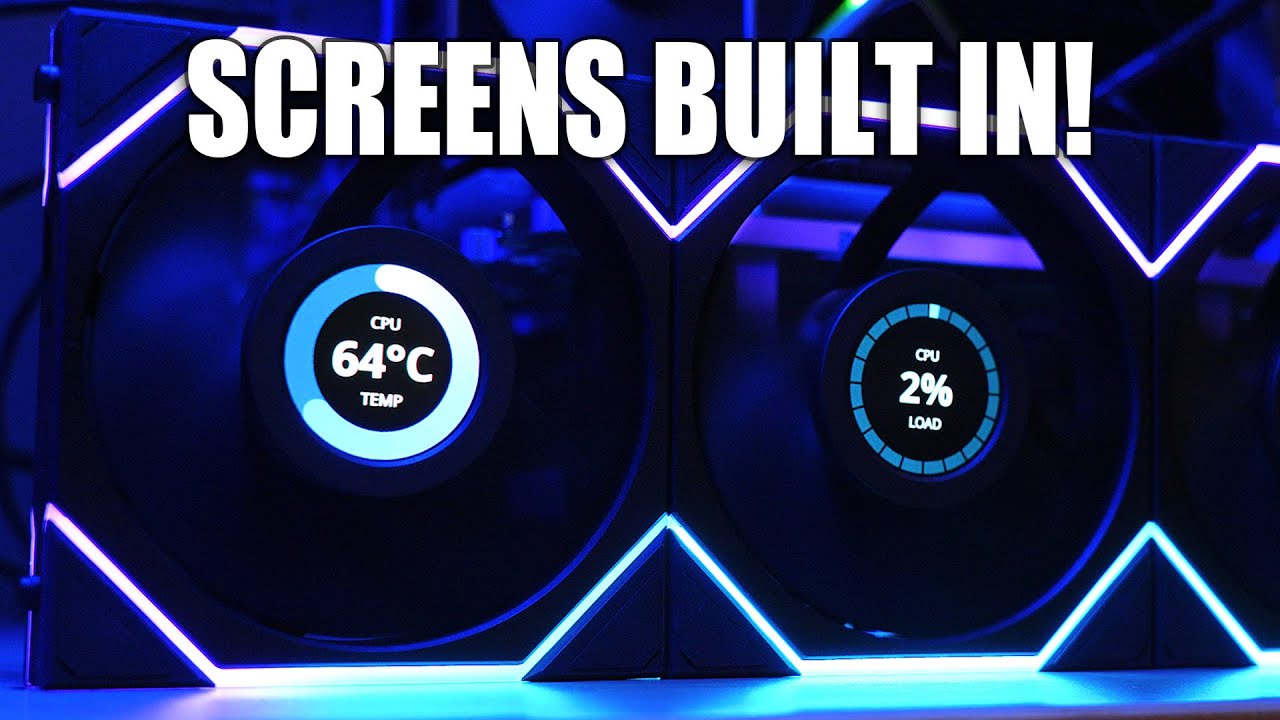
Those crazy SOBs at Lian-Li put LCD screens in their fans!
Learn more and see pricing for the Phanteks NV9 at https://amzn.to/4axsIRe
Get your JayzTwoCents Merch Here! - https://www.jayztwocents.com
○○○○○○ Items featured in this video available at Amazon ○○○○○○
► Amazon US - http://bit.ly/1meybOF
► Amazon UK - http://amzn.to/Zx813L
► Amazon C...
amber fable
Take one look at that and tell me it doesn't look cool as hell.
that's why.
Useless? Oh yes.
Looks awesome? Hell yes
cerulean helm
I do not think it looks awesome, I think it looks pointless.
surreal moss
It doesn’t have to be your thing. I’ll take two though
sonic meadow
I think it's cute.
Do I want it? Nah, I use a solid side panel.
Does it have use/utility? Sure, the thumbnail is even showing it showing temperature+something.
Is it frivolous? Or course
Does that matter? No
spice arrow
the rig is built. now I must sleep, for tomorrow I fly... hopefully... after some desk arrangement.
And some dishwashing, and packing for a road trip on Friday. I’m almost tempted to take the rig on the road trip to my parents’.
sonic meadow
I know that feeling, kinda want to use my mum's lounge for VR stuff
cinder lagoon
hmmm ideas that dont involve reinstalling windows?
already DDU'd the graphics driver and there is a known loose connection between GPU and motherboard but it doesnt affect anything until you push the GPU a certain direction.

the black appears by selecting stuff
jade scaffold
cinder lagoon
hmmm ideas that dont involve reinstalling windows?
already DDU'd the graphics dr...
i would at that point just reinstall windows
Windows pisses me off to the point im going to buy a low capacity optane drive and use that as a boot drive i can just reinstall the OS in 5 min on and just use software to shift everything else onto other drives
i know reinstalling windows isnt the most fun thing in the world but honest to god its like the best sollution when drivers turn fucky
cinder lagoon
yea true tho...
jade scaffold
sometimes just updating windows can fix it
perhaps roll back a version and update again
also Watercooling UK are refusing to Refund my water block but they'll replace it
so does any one want a Brand new Alphacool eiswolf 2 aio for the 3090 Founders Edition?
cinder lagoon
hmmm thats stupid...
cerulean helm
Okay, this is more my thing for performance monitoring than an lcd screen on a fan.
https://www.gskill.com/product/412/415/1702982997/WigiDash

G.SKILL International Enterprise Co., Ltd.
Experience improved productivity and multitasking with WigiDash, the ultimate PC command panel for gamers, content creators, and power users alike. The 7” touch panel display allows a multitude of actions, display monitor system performance, and customize your workflow to suit your needs.

GSkill WigiDash on Amazon*:
https://amzn.to/488ncmv
*this is an affiliate Link!
Support me on Patreon:
https://www.patreon.com/der8auer
Music / Credits:
Outro:
Dylan Sitts feat. HDBeenDope - For The Record (Dylan Sitts Remix)
...
cinder lagoon
looks great if you actually want to keep an eye on everything, the GPU fan LCDs are more or less just for a quick summary but I like both!
jade scaffold
I wonder if that would work with my mobo
My msi after burner can't pic up some things about my CPU maybe it just needs an update or smthn
surreal moss
cinder lagoon
looks great if you actually want to keep an eye on everything, the GPU fan LCDs ...
Completely agree
cerulean helm
cinder lagoon
looks great if you actually want to keep an eye on everything, the GPU fan LCDs ...
Keep track of as much or as little, Aida64 and HWinfo support, spotify, and even twitch.
jade scaffold

Why is my Tctl So high
but nothing else on the CPU is high atall
the offset cant be 50 degrees
jade scaffold
nvm EPYC is just offset by 50C
mossy gull
cerulean helm
https://www.youtube.com/watch?v=4w1qPS1DPiw
I have something like this build into my AverMedia AX310
jade scaffold
Been Running some benchmarks here and there and noticed somthing interesting about this chip
despite having a 400W TDP the most ive seen it pull is 195w
 tender plank
So, I just had a... moment. I needed to change a cable in my computer, I grabbed my headlamp and was using it as a flashlight to see something on the back panel, then I went to work on the other side and tried for about 10 seconds to balance it just right to get good lighting into the case before realizing that it's a headlamp and I can just put it on.
tender plank
On a related note, I'm really curious how bad the impact on CableMod is going to be now that they are putting out a recall for their V1.1 of the 12 volt adapters that were supposed to have been fixed but are now melting just like the V1.0.
mossy gull
tender plank
On a related note, I'm really curious how bad the impact on CableMod is going to...
I am going to be honest, as long this new 12-pin exist I probably won't get a GPU that has 1, so far it's been nothing but trouble.
cinder lagoon
jade scaffold
nvm EPYC is just offset by 50C
Why would that be!?😂
jade scaffold
cinder lagoon
Why would that be!?😂
Not a clue
Something something cooling
Threadrippers have a 30c offset
Maybe it's something to do with how big they are physically
mossy gull
jade scaffold
Threadrippers have a 30c offset
Edge temperature and core temperature, not to mention junction temperature.
jade scaffold
All the CCDs are under 60 degree so I'm happy enough ipmi isn't using the Tctl to control fans
The fact epyc can share it's cache really helps CPU performance none of that 7900/7950x3D shittery
mossy gull
I found my next PSU
https://youtu.be/JjWsYeTlyXk
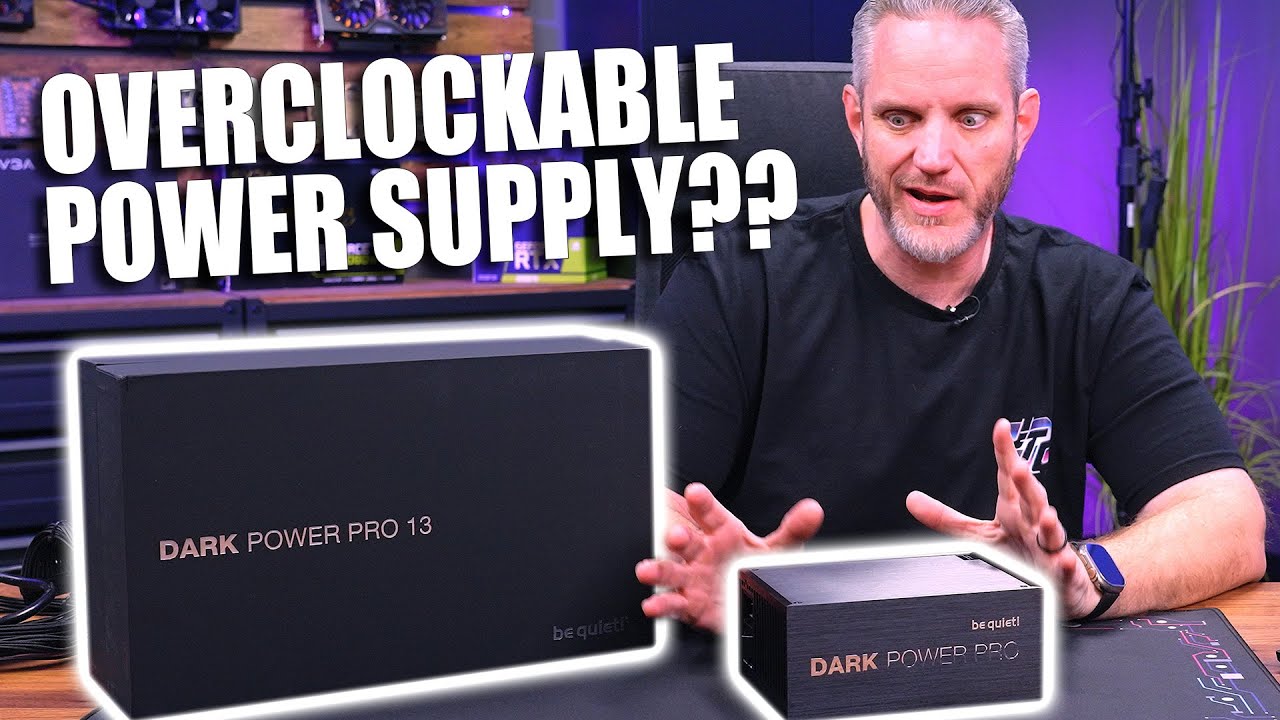
This PSU can be OVERCLOCKED! But what does that actually mean?! Today we check out the BeQuiet Dark Power 13PSUs!
850w - https://amzn.to/3T8eGzs
1000w - https://amzn.to/47ZkAXO
1300w - https://amzn.to/46Aqxtb
1600w - https://amzn.to/3Rq0G2L
Check out the Lian-Li 011 Dynamic Evo XL at - https://amzn.to/401o216
Get your JayzTwoCents Merch Here...
jade scaffold
yea its a very interesting looking PSU ive been considering it for my Crazy setup
jade scaffold
confirmed that VR is working through the USB Card i have
cerulean helm
damn windows defender keeps false flagging a file in firefox cache folder and a trojan and my backup keeps failing.
jade scaffold
cerulean helm
damn windows defender keeps false flagging a file in firefox cache folder and a ...
sounds exactly like good ol windows xD
mossy gull
jade scaffold
sounds exactly like good ol windows xD
Be happy it isn't AVG
cerulean helm
Deleted the file and still caused a flag resulting in my backup failing. Ended up just deleting the entire cache folder and that worked.
jade scaffold
been looking round the internets not alot of these Genoa CPUs are floating arround at good prices yet not enough for the Overclocking community to go wild
 balmy flicker
I need to fix my PFP so that insted of an HO229 I have a YB 35 and 49 traing my B2
what would be the best free tool to do that
cinder lagoon
so you want to image edit other planes in there?
gimp. not the easiest but certainly the best free tool!
jade scaffold

Check out the EPIC MSI Holiday Deals and save big on laptops at: https://msi.gm/S77D26FD
System76 is known for their Linux-based laptops and desktops, but today we're checking out their new Nebula49 case! Featuring a sleek, black design with a space-themed front accent, built-in ducting, and a great power button, will Plouffe be impressed or sh...
I do really like this case
But A Spensive and B no vertical mount for my GPU which i kinda need
also now realising im gonna need a case that can mount a 4 slot GPU Vertically
because i expect Next gen GPUs to be hella beefy
jade scaffold
My brother got a quest 3 for Christmas and from me briefly using it I have 3 observations
A pass through on it is insanity
B the image clarity as a result of the lenses and display is crazy
C the controllers tracked way better than I expected they would
surreal moss
I’ve bumped into several Quest users in VTOL VR. Seems like a solid set up
jade scaffold
Addition observation valve charging as much as a quest 3 costs for the headset bit of the index alone is daft because it doesn't hold a candle to the headset part of the quest 3
jade scaffold
I like the index for the most part but the entire index set shouldn't be priced at £900. £650 should at this point where the index should be priced at 900 at launch was fine because when the index launched it was genuinely new and impressive. Where as now it's decidedly last gen and still priced as if it was new
It also has had substantial reliability issues and the stupid proprietary cable it uses is expensive and the most common part to break
surreal moss
I’ve owned two and haven’t had reliability issues with either one. And I don’t exactly have it resting on a felt pillow
Would be nice if the pricing came down though
jade scaffold
The controllers are known to just die valve are typically pretty good for replacing them though which is nice
The cable breaking is not a reliability issue more of a matter of time as with any headset but £120 for a wire? Fuck you valve coulda just used a usb c cable
And on a headset as low Res as the index it was not for visual clarity reasons
I hope with their additional experience gained in designing the steam deck their next gen headset is both more repairable and uses a wire that's not proprietary or stupid spensive
surreal moss
Just don’t be stupid with stuff and it tends to last
jade scaffold
With cables on vr headsets it's unavoidable for the most part. That poor wire is gonna get wiggled around and eventually die
This can be mitigated somewhat with the cable hangy things
But the least valve could have done is make the wire easy to replace
cinder lagoon
jade scaffold
But the least valve could have done is make the wire easy to replace
as far as I can tell its relatively easy but I've never opened up the headset.
This is coming from a user that has caught a joystick in a pocket and ripped it clean out
jade scaffold
It's easy to swap
You just pop the foam off and pull the wire out
It's a pricey little bastard is the issue
cinder lagoon
ahhh hmm to be fair its a combo DisplayPort 120Hz 4k and USB cable
jade scaffold
Or they coulda used usb c
The resolution of the index is also nowhere near 4k
It's actually less than a 21:9 screen 1440p
cinder lagoon
wasnt sure about it tbh havent used in a long time
jade scaffold
1440x1440 per screen I believe the index was
cinder lagoon
jade scaffold
Or they coulda used usb c
would not recommend as it unplugs and bends off too easily imo but there are rugged locking connectors
jade scaffold
1800×1920 per screen at 90hz on my quest pro
2064 × 2208 per screen at 120hz for the quest 3
jade scaffold
cinder lagoon
would not recommend as it unplugs and bends off too easily imo but there are rug...
That's not true
I've never had my quest pros link cable unplug on me
And I've pulled on that accidentally many a time
sacred seal
My brother has owned 2 index's he has had so many issues with them
The headset itself has never died, but he has had to replace the cables 3 times, both the controlers at least 5 times each, and one of the base stations once
When his first one ran out of warranty he sold it and bought another because it would be cheaper then having to replace everything out of warranty
jade scaffold
sacred seal
My brother has owned 2 index's he has had so many issues with them
Reviews that said stuff like this along with the generally last gen tech in the headset part itself as well as ease of set up again when I have to move house is what caused me to go for the quest pro
sacred seal
The tech is still pretty good. My brother has a quest 3 but he still prefers the index
jade scaffold
The tracking and controllers are sick
But the lenses are very meh and the resolution is surprisingly low I feel like the headset part of the Q3 with index like controllers would make a fantastic vr setup
Honestly a headset for just pc vr with similar specs to the q3 should be really reasonably priced
The reason the pro is so expensive is because it has 3 whole ass SOCs
cinder lagoon
my biggest problem with the index was the screen temperature and non-true blacks
jade scaffold
My biggest issue with the q pro is refresh rate
cinder lagoon
cinder lagoon
my biggest problem with the index was the screen temperature and non-true blacks
...pondering wether an OLED display upgrade exists for it
jade scaffold
the Indexes screens IIRC are hard to replace
its not uber repairable/modular like the steam deck
cinder lagoon
apparently some company claimed to be developing a kit but nothing came from it seemingly
sonic meadow
jade scaffold
The controllers are known to just die valve are typically pretty good for replac...
The index/vive cable is much longer than the maximum spec for unpowered usbc cables, and getting close to the limit for powered ones.
Considering the issues Quest users have with incompatible cables I am glad valve didn't go with USB-C.
That not even considering the sturdiness requirements (people are going to be stepping on it, having it twist around, yanked at both ends).
Plus of course it's not just picture, but sound and USB as well. That would (as I understand the USB c spec) require a second cable, I don't think you can do both USB and alt-mode video at the same time. Though if you just use it as a bunch of differential pairs then stuff like that is less of an issue. But then you possibly get extra latency at each end, which is no bueno
sacred seal
The index cable costs something like 100usd. You can get a lot of replacement cables for that price
sonic meadow
I wouldnt know 😢
 sacred seal
 sonic meadow
the price is apparently comparable to the cables for other tethered headsets (htc, pimax)
mossy gull
sonic meadow
The index/vive cable is much longer than the maximum spec for unpowered usbc cab...
Valve not going with USB-C is because they try to control their market.
If they just made it Thunderbolt compliant or say it needs a USB-C that supports for example 100w and Quick Charge 2 then you can have very long USB-C cables.
sacred seal
I don't think thunderbolt would work. Least of the issue is actually getting a thunderbolt port on a device
mossy gull
I don't think it'll be an issue, if they can put it on a phone they can put it on a headset.
sacred seal
Given the quests run quite happily on usb 3, and they also have to handle controller tracking, I don't see why you would need a more robust standard
As far as I am aware, no phones have thunderbolt.
mossy gull
sacred seal
Given the quests run quite happily on usb 3, and they also have to handle contro...
For the length
mossy gull
sacred seal
As far as I am aware, no phones have thunderbolt.
iPhone 15 Pro apparently has it
sacred seal
But more to the point, not a lot of devices have thunderbolt, meaning you would need to buy a new PC to get it to work
Thunderbolt 3 has a shorter max length to my knowedge
Unless you do fiber optic, which does not work for vr
mossy gull
Still, I seen very long USB-C cables that work without problems as long the devices that are connected support it.
sacred seal
Looked it up, thunderbolt 3 and 4 max length is 2m per the spec
sonic meadow
Cable length should not exceed 2 metres (6 ft 7 in) for Gen 1, and 1 metre (3 ft 3 in) for Gen 2.
the index having a usb3 connection along with power and dp1.2
it looks like DP alt mode would allow for all the everything needed... up to 2m at most
so still well short of the 6m that the offical cable is (1m pigtail, then 5m for the cable itself)
mossy gull
The thing I don't understand, how can 1 cable have much more range than the other while they're fundamentally the same except different connector.
sacred seal
USB 3 active cables have a max range of 18m
sonic meadow
shielding
sacred seal
Fairly sure thunderbolt uses far more of the pins then type c
sonic meadow
plus maximum latencies
mossy gull
sacred seal
Fairly sure thunderbolt uses far more of the pins then type c
It does and a different controller inside the cable heads
sacred seal
Hence more wires inside the cable and therefore more interference
sonic meadow
USB 3.2 uses all four differential pairs in a type-c connector/cable
mossy gull
Still, you can make very long USB-C cables, the longest I personally own are 5m and they work without a problem.
sonic meadow
DP alt mode allows the DP connection to use 1,2 or 4 of those pairs, leaving enough for a usb 3.0 (or maybe 3.1) signal over 2 pairs, and the usb2 lines/etc can be used for PD and the DP sideband stuff
but you still have the cable length issues. just because yours "work without a problem" doesnt mean that is going to be the case for everyone. Quest users using theirs tethered already have enough issues with cables, and thats without even considering the absolute fucking mess that is type-c cabling
mossy gull
sonic meadow
but you still have the cable length issues. just because yours "work without a p...
The problem is people trying to use $2.- USB-C cables instead of proper certified cables.
sonic meadow
and the solution is to not use type-c
its the wrong thing to use for this application
mossy gull
sonic meadow
and the solution is to not use type-c
Everything can be a mess if it comes down to cables as long people don't learn about them.
Like 100m HDMI 2.0 4K120 cables that are sold on Amazon that aren't even fibre optic ones.
sacred seal
You can buy PCIe 4x to hdmi adapters
Fairly sure that is not what hdmi is intended for
mossy gull
sacred seal
You can buy PCIe 4x to hdmi adapters
What about PCIe cards with 8 NVMe slots?
sonic meadow
mossy gull
Everything can be a mess if it comes down to cables as long people don't learn a...
"I need a replacement cable for my <insert device here>, lets jump in to the fucking rats nest that is USB type-C. oh god my eyes"
mossy gull
sacred seal
Fairly sure that is not what hdmi is intended for
A cable is a cable as long the host and the slave understand what's happening.
sonic meadow
USB type-c is a horrific lack of standardised standard
sacred seal
I would rather deal with the mess then have to spend 160cad on a wear item
mossy gull
sonic meadow
USB type-c is a horrific lack of standardised standard
You can say the same about HDMI and cheap UHD TVs
sacred seal
The solution is fairly simple, release a branded cable, and offer no guarantee that other cables will work
sonic meadow
sacred seal
The solution is fairly simple, release a branded cable, and offer no guarantee t...
sooo, what they are curently doing?
mossy gull
@sacred seal HDMI 2.0 also doesn't support 4K120 I believe, I believe that's 2.1 but I seen them passing by when searching for cables.
sacred seal
They sell an entirely propritary cable that costs a mint
And as far as I am aware thier are no third party options
 sacred seal
That is a fiber optic cable, that at least justifies the price
sonic meadow
the vive one is around 70usd, so still expensive. not as much. but within ballpark

oh, and none of these tethered headsets use type-c cables
mossy gull
The problem with proprietary cables is when you need a longer 1 it's much harder to do so, and sometimes impossible.
If you just give minimum specs of what a cable needs to support then in the end it's the user's own fault for not following them.
As long everything is so vague people keep on being dumb and buy 100m long HDMI cables that aren't up to spec.
sonic meadow
oh, and the vive pro 2 is even more expensive
 sonic meadow
mossy gull
The problem with proprietary cables is when you need a longer 1 it's much harder...
sonic meadow
mossy gull
The problem with proprietary cables is when you need a longer 1 it's much harder...
the minimum spec for the type-c cable that would be needed is out of spec for a type-c cable
mossy gull
sonic meadow
the minimum spec for the type-c cable that would be needed is out of spec for a ...
Then make it so it's only a certain brand of USB-C cable or a few certified ones that can do the job.
sonic meadow
that doesnt suddenly or magically make it in-spec
mossy gull
sonic meadow
that doesnt suddenly or magically make it in-spec
If 1 cable can do the job, so can another.
Or did we forget that PoE++ can reach 100m without it being an active cable?
You just need a good ethernet cable.
So why can't USB-C?
mossy gull
sonic meadow
because the spec says it cant
I mean I had things go past the recommended spec.
Like max RAM on a motherboard.
The spec is just the max they tested, not max that it will reach.
sonic meadow
you dont need to fucking ping for every reply, especially not when it was the last thing said
mossy gull
Just make sure you have a few cables that'll work, and certify them.
Instead of making everything proprietary and annoying when you need a longer length.
Or do people forget that people use USB hubs or docking stations to extend their cable length?
sonic meadow
the specs for max cable length are determined by a collection of factors:
- round trip time. USB has a maximum round trip time in the specification, this varies based on the exact version of the standard
- signal integrity. This one has multiple aspects to it: shielding, twist, secondary shielding, crosstalk, interference. These are based on the physical construction and design of the cable and the values are based on a combination of mathematics and simulation (for stuff like the different twist rates, crosstalk, etc), and real world testing (for all the previous, as well as external interference and shielding)
The higher your bandwidth (per pair), or more signals you are sending (all pairs), the more important all of the above becomes.
Power has nothing to do with any of the above, those are all about signal strength/integrity/noise ratio.
Power is almost purely about cable length, conductor diameter, and allowable voltage drop (which ties back in to length).
POE for example has a voltage drop allowed of 15-20v, and under 1A per pair used. with POE++ using all four data pairs for power.
Type-c has to do all of that over... one power line, with much lower drop at the consuming device end
mossy gull
That's because of how they build it in their vision on how things should work.
Which is all theory based.
If we look at real world applications my USB-C to DP(yes, using 1 of those because my laptop doesn't have a DP) shouldn't reach past 2m I believe.
Yet I have a 5m 1 that works without problems.
As long you have a good cable you should be able to reach it.
Just because the spec says this, doesn't mean it's final, signals don't instantly drop unless they're made that way.
sonic meadow
while correct, it is all that the spec guarantees (for cables that meet the spec, which is a massive issue for type-c in general. )
mossy gull
Specs more often than not are because that's what a company tested, or what they think is what people want/need.
sonic meadow
a spec will be designed around the intended use case, and then the engineering done to meet that
mossy gull
sonic meadow
while correct, it is all that the spec guarantees (for cables that meet the spec...
Then everything past it should be per device and user responsibilities.
sonic meadow
and USB (and thus type-c) is a peripheral interface connection
sonic meadow
mossy gull
Then everything past it should be per device and user responsibilities.
when going out of spec the host device (ie your pc) plays a massive part too. not all USB hosts (or even different devices using the same USB chipset) are equal
mossy gull
A good solution would be to give the VR headsets a hub, a list of supported and certified USB-C cables, or more if needed, and if people don't use certified cables it's their own responsibility.
Just like people using Chinese chargers while being warned a million times.
The reason I absolutely hate proprietary cables is because when said company stops producing them you're fucked.
While if you have said company having said other companies making certified cables, it's up to the 3rd party when to stop.
USB-C can easily reach 10m I think, but only if companies make them that way.
How else do we have lovely HDMI cables that go past their spec just to feed a projector and still work fine.
sonic meadow
needs to be a "powered" cable for USB/Type-c, but iirc they introduce latency.
HDMI has no maximum length defined in the spec, just a bunch of requirements around shielding/twist and signal integrity. Requirements which make it harder to make a cable longer than around 10-15m iirc
mossy gull
sonic meadow
needs to be a "powered" cable for USB/Type-c, but iirc they introduce latency.
...
Like I said, certify a few, or tell a 3rd party to make a cable with at least certain specs.
There's always a 3rd party that will go above and beyond the minimum required specs.
Besides, the longer tha cable, the higher the latency, doesn't matter if they're proprietary or USB-C.
Just because it's proprietary doesn't instantly make the latency go away.
It's an explanation I give at least once a half year why I prefer to use my WiFi6 over the 100m long ethernet cable my brother bought me.
sonic meadow
active/powered cables have repeaters. this adds latency.
latency is bad in a VR context, these devices do all kinds of things that arent necessary or even found outside of VR to reduce latency. iirc even a single millisecond of extra latency is noticeable. Many of the earlier VR devices simply wouldn't work unless connected directly to a computer (ie not through a hub or via power cables).
The latency in this context is not a function of cable length, but of the repeater.
mossy gull
Then make a better repeater
sonic meadow
mossy gull
Like I said, certify a few, or tell a 3rd party to make a cable with at least ce...
but based on everything you have been saying so far, your 100m ethernet cable (which is the length limit for all copper based ethernet specs), should be more than enough and you should be using that instead of wireless.
mossy gull
sonic meadow
but based on everything you have been saying so far, your 100m ethernet cable (w...
I have roughly 8ms ping over the cable and 3ms over WiFi6.
And the WiFi is more stable.
The WiFi Access Point is connected to a 10Gbps cable and is PoE powered and like 2m away from the device
The 100m long cable is a 1Gbps cable
sonic meadow
cat5e is rated for 1-2.5Gb/s, and cat6 is rated for 5Gb/s. though networking hardware support for 2.5/5 is still iffy
mossy gull
sonic meadow
cat5e is rated for 1-2.5Gb/s, and cat6 is rated for 5Gb/s. though networking har...
Both modem and access point support Cat7 10Gbps.
I have 1Gbps Internet from the ISP.
The Cat5E cable gets 800Mbps while the WiFi gets max 1Gbps.
sonic meadow
tbh if you would need to run 100m of cable to connect up your device, then wireless is likely a better solution for that
consumer ethernet hasnt really got any faster in the last 10-15 years. 10gig never hit the consumer space, and 2.5/5 is niche.
mossy gull
sonic meadow
tbh if you would need to run 100m of cable to connect up your device, then wirel...
If I had to run 100m I would use a WiFi Bridge and a more direct link.
mossy gull
sonic meadow
consumer ethernet hasnt really got any faster in the last 10-15 years. 10gig nev...
It has when you live in Europe, where they now are busy getting those dual fibre optic cables to homes.
Or well, here in the Netherlands and Norway at least
sonic meadow
ethernet, not internet
even 2.5gig switches are silly expensive compared to 1gig switches
mossy gull
sonic meadow
ethernet, not internet
My household belongs to the niche market, we have switches that are rated of 16Gbps max throughput.
Yes the company aka Ubiquiti gives a max throughput instead of what each port is able to do.
sonic meadow
its not uncommon with more business focused devices.
switches have a maximum switching capacity
mossy gull
Yeah, and I was tired with the cheap switches that keep breaking, had 3 of the cheap ones break in less than 2 years.
So I decided to go more expensive.
sonic meadow
heh. my small mikrotik board was the first time I actually saw file transfers saturating a gigabit link
which was great when I was moving something like 3TB off my PC and on to my newly commisioned NAS
surreal moss
mossy gull
Valve not going with USB-C is because they try to control their market.
If they ...
Controlling their market doesn’t really line up with a modular system that’s compatible with another brand and has access port for modifications or expanded uses
mossy gull
surreal moss
Controlling their market doesn’t really line up with a modular system that’s com...
I see it as controlling it because if they all decide to adopt a new port and cancel the other then the older headsets are dead in the water as soon the cable dies.
mossy gull
sonic meadow
heh. my small mikrotik board was the first time I actually saw file transfers sa...
I wanted to get Mikrotik, but decided to go to Ubiquiti for the more streamlined experience.
Between PC and server I sometimes do see speeds of 4Gbps, apparently max my CPU supports.
sonic meadow
yeah the mikrotiks configuration is very... unfriendly
and I can never remeber what the application to connect to it is called 😆
mossy gull
sonic meadow
and I can never remeber what the application to connect to it is called 😆
They should make a line-up like UniFi to make it easy to remember.
UniFi is easy to remember, and not like RouterOS or RouterBOARD
sonic meadow
The issue is that the software name is completely unrelated to the product name
mossy gull
sonic meadow
The issue is that the software name is completely unrelated to the product name
Like SwitchOS........... Okay how many different software does Mikrotik have?
sonic meadow
As far as I know, only one for connecting to and configuring their products
sacred seal
Been ages since I set up my routerboard, I thought you just went to it's IP?
sonic meadow
You probably can, but there is a much more in depth tool you can use. I also have no idea what mines IP address is
sacred seal
Fair. I use mine as the backbone of my wisp, it's been crazy reliable. I don't think its been restarted once in the 4 years its been deployed
mossy gull
This is why I like Ubiquiti, you access 1, you access them all.
sacred seal
Its web ui is fairly rich, it even has a terminal
sonic meadow
I think thats basically the same interface actually
sacred seal
 sonic meadow
I finally found out what it was called: winbox
I could remember "box", but windows wasnt giving me the rest of it when I searched for that
mossy gull
 sonic meadow
I finally found out what it was called: winbox
I could remember "box", but windo...
sonic meadow
sonic meadow
I finally found out what it was called: winbox
I could remember "box", but windo...
which looks basically the same
 mossy gull
Those looks so 2001
sacred seal
I like ubiquiti's stuff, I have a like 6 dishes on my network, but it costs so much more
sonic meadow
mossy gull
Those looks so 2001
its purely functional, so very easy to shoot yourself and your neighbours dog in the foot
mossy gull
sacred seal
I like ubiquiti's stuff, I have a like 6 dishes on my network, but it costs so m...
They do cost a lot, but they work 99/100 times
sacred seal
And given that I needed to set this up once and never touch it again i'm very happy with the microtek
Expecially since I don't own the property where its installed
sonic meadow
I needed something that would let me bridge to a commodity wireless router and then let me connect multiple devices to it. with a bit of finagling I got it to work. likely could have done the same with a ubiquiti baord
sacred seal
Almost certainly, but thier routers start at like what, 250?
sonic meadow
couldnt feasibly run a cable, and my devices were getting shit reception in my room
sonic meadow
sacred seal
Almost certainly, but thier routers start at like what, 250?
dont remember, but the mikrotik board was relatively inexpensive
mossy gull
sacred seal
Almost certainly, but thier routers start at like what, 250?
Ubiquiti is expensive, but at least most their devices support PoE
sonic meadow
I think mine supports PoE, but I never had any upstream switches that did so it was an unimportant feature for me
sacred seal
Given how cheap a dedicated POE switch (or just individual POE injectors like I currently run) its not that useful of a feature
Unless you have a butt tone of security camera's I cant think of a place where POE is actually useful
POE on a switch*
Or you need to run a really really long cable for some reason
But then it's only a single device
sonic meadow
POE is provided by infrastructure, and used by downstream devices. having a small switch able to be located in a space that has no available power is handy. but not a dealbreaker
sacred seal
I have two poe injectors for my relay point on my wisp (one to power the receiver and one to power the transmitter) so a POE switch would be nice to clean up cables some of the excess cables, but i cant justify the 122cad it would cost
sonic meadow
I would love to be able to free up a power outlet in my room 😆. the board by my PC is full, has seven devices on a six outlet board
HTC for whatever lunatic reason thought it would be a good idea for the Vive PSUs (it needs three in total) would stick out sideways... in to the next two outlets
sacred seal
You need one of these
https://www.amazon.ca/gp/product/B074MZ89XF/ref=ppx_yo_dt_b_search_asin_title?ie=UTF8&psc=1

BESTTEN 15-Foot 20-Outlet Heavy Duty Aluminum Alloy Metal Power Strip with Ultra Long Extension Cord, Mounting Brackets Included, ETL/cETL Certified, Black
Did I mention my house is too old to have ground wires?
sonic meadow
wrong outlet type 😛
tbh its not usually a problem. I have one dangling figure 8 plug for when I bring my xbox in to my room. but otherwise it is all stuff in use. I dont strictly need the extra plug for the vive there (its for one of the lighthouses).. but I have two monitors, speakers, a computer. thats four of the six oll on its own. then two for the vive (the other lighthouse is powered elsewhere), and the one dangling cable. wouldnt mind having a cloverleaf there too for my laptop. but eh
sacred seal
Ah, yes your running 240
mossy gull
sacred seal
Unless you have a butt tone of security camera's I cant think of a place where P...
Aka doorbell, 3 security cameras and 3 door access panels, not to mention the 2 smart switches that get their power from the UDM
I have 1 PoE switch(soon to be replaced) getting power from the server.
If needed each switch can be hooked up to USB-C power
sacred seal
POE doorbell is not super useful, odds are you will already have power run to that general area. Don't know what a door access panel is supposed to be.
mossy gull
sacred seal
POE doorbell is not super useful, odds are you will already have power run to th...
I don't have enough space for yet another powerbrick, so I got my doorbell through PoE.
Door access panels are like the G2 Reader Pro
sacred seal
Ah, nfc keys
sacred seal
Ah, that would explain why it needs networking
mossy gull
Yep
sacred seal
Personally I don't bother with any of that, locks are laughably insecure
mossy gull
sacred seal
Personally I don't bother with any of that, locks are laughably insecure
I mean, all locks are if you know how to unlock them.
I don't want to lock pick the door everytime someone loses the keys again.
It's just I have them so I can unlock them during the day, at night the doors are locked with deadbolts.
jade scaffold
sonic meadow
The index/vive cable is much longer than the maximum spec for unpowered usbc cab...
You see if everyone used usb c none of thoes compatibility issues would exist because there would be a market for usb c vr cables also fiop usb c cables exist
Valves use of a proprietary cable is nothing but predatory knowing that cables that are stept on and twisted will fail and that they don't honour warranty on the cable of the index
That cable does not cost them that much to produce the least they could do is make it cost like 30 or something instead of 120
jade scaffold
jade scaffold
You see if everyone used usb c none of thoes compatibility issues would exist be...
Also this is vrs biggest issue nothing is streamlined there's no vr spec like there's a pcie spec and it's a problem because everything is woefully unstable because everything's going through compatibility layer hell to actually work
Either companies should use Type C For their VR headsets or they should just make a actual standard cable thats a unlicenced standard everyone can use
the Cable of a VR headset is the most common failure point by a land slide
having a unlicensed Common cable for VR is a must if VR is to advance at any reasonable rate
and still the fact that VR headsets arent really getting cheaper for no apparent reason isn't helping the VR Space either
it is possible for these companies to build basic VR Headsets that are sub £200 easily which would help massivly advance the space
cinder lagoon
jade scaffold
Also this is vrs biggest issue nothing is streamlined there's no vr spec like th...
there is OpenVR which actually is used by many things and its really quite stable
jade scaffold
yea theres Open XR which is a good step in the right direction
cinder lagoon
ohh oops wrong name ^^
jade scaffold
issue at the moment is nothing supports it fully just using it half hazardly to get random feautres in
if Open XR was fully supported in Say Pavlov you could use Quest Hand tracking to track hand gestures which can now actually be done at the same time as holding your controller
but Pavlov only partially supports Open XR and does so in a way that is extreemly buggy
 glacial canyon
Hm, my yeti mic is no longer being recognised, for some reason...
No, the computer recognises it, but I don't get the dingaling when I plug it in.
sacred seal
Windows is wierd sometimes. Does the mic work?
glacial canyon
Just a sec, gonna try it on audacity...
"Error opening recording device. Error code: -9996 Invalid device."
glacial canyon
Done
Best drivers already installed, apparently.
They didn't stop working for W10, did they?
{
"timestamp": 1703888080,
"event_id": "17310e87b8c48d48837bdff997b4cb11",
"platform": "native",
"release": "[email protected]",
"contexts": {
"os": {
"type": "os",
"name": "Windows",
"version": "10.0.19045"
}
},
"exception": {
"values": [
{
"type": "Error",
"value": "Error opening recording device.\nError code: -9996 Invalid device.",
"mechanism": {
"type": "runtime_error",
"handled": false
}
}
]
}
}
sacred seal
Most likely not. In device manager is it showing up correctly? (as in not a yellow triangle)
glacial canyon
Nope.


 glacial canyon
Configured and started...
Device SWD\MMDEVAPI{0.0.1.00000000}.{fb797646-aef4-4f39-ad2a-03e922c2bdf6} was configured.
Driver Name: audioendpoint.inf
Class Guid: {c166523c-fe0c-4a94-a586-f1a80cfbbf3e}
Driver Date: 12/06/2019
Driver Version: 10.0.19041.1
Driver Provider: Microsoft
Driver Section: NO_DRV
Driver Rank: 0xFF0000
Matching Device Id: MMDEVAPI\AudioEndpoints
Outranked Drivers: c_swdevice.inf:SWD\GenericRaw:00FF3001
Device Updated: false
Parent Device: USB\VID_B58E&PID_9E84&MI_00\7&32488f49&7&0000
sacred seal
Not sure what it is supposed to look like, but that seems wrong
glacial canyon
I have no idea what changed, either.
Maybe it's time to pull a w4sted and get something that doesn't work via usb.
sacred seal
Well everything works via USB
I would try uninstalling the device via device manager
I'm trying to find the driver page for it, but I cant seem to
glacial canyon
Looks like a spider was hanging around on the mic. Took an aircan to the socket and that end of the cable, plugged it back in at both ends, got the dingaling... and windows said it didn't recognise it.
Unplugged, replugged, no dingaling again.
I'll get a new cable, see what happens.
glacial canyon
The local shop only had micro usb, not mini, heh. Scan has it dirt cheap, I'll order it after new year.
mossy gull

Check out Hetzners Range of Services and Products:
https://htznr.li/der8auer/Hetzner/en
How Many Cables does a GPU Really need?
Support me on Patreon:
https://www.patreon.com/der8auer
-----------------------------------------...
jade scaffold
yep watching it now
We really need a new connector standard
like actually a good one
mossy gull
This connector, is the entire reason for me to avoid Nvidia all together this generation.
It's been nothing but problems.
jade scaffold
the HPWR connector is trash and so is the PCIE Cable
mossy gull
jade scaffold
like actually a good one
1 with less leads but same power specs.
I doubt you actually need 12 fucking pins.
jade scaffold
It might be worth for future ATX Revisions replacing CPU EPS and PCIE with a unified 12V cable
jade scaffold
mossy gull
1 with less leads but same power specs.
I doubt you actually need 12 fucking pin...
you kinda do
CPU EPS Is really quite high power and with 2 of them you can get 500w or so and thats 16 pins
8 power 8 ground
mossy gull
Or let the card deal with different power voltages.
I mean the cards are humongous anyways, so why not put the regulators on the card itself
jade scaffold
they do
they take 12V in as primary power then step that down to 0.5-1.5 depentand on load and gpu design and whats not
theres not really a reason why there isnt 1 cable to rule them all at this point
some mobos are moving over to 12 VO
GPUs already take 12V anthing that needs anything else can be done on the board
mossy gull
jade scaffold
some mobos are moving over to 12 VO
GPUs already take 12V anthing that needs an...
What we also can do is just something like PCIe power, or power through motherboard, I have no idea how to call it, but that connector some motherboards have to pass-through the ATX power.
jade scaffold
cant do power over mobo
not easilly anyway
the issue with power over mobo is it makes alot of "noise" which can fuck with pcie signaling as is nevermind Gen 5 or Gen 6 signaling aditionally mobos are already expensive enough as is with how thick they are
mossy gull
jade scaffold
cant do power over mobo
I mean through the motherboard, you know, like a pass-through
jade scaffold
thats just complex
you have a mobo with like 5-15 layers you want to put a giant holes though
yea lemme just rout 20 odd PCIE lanes that have to be of similar length around that
also then that mobo side connector has to be future proofed af
because we dont know how much power GPUs are going to end up consuming having the connectors on the gpu you can just plug a cable into prevents that issue by giving you the ability to just add another connector onto your card
mossy gull
jade scaffold
you have a mobo with like 5-15 layers you want to put a giant holes though
Currently not 1 card uses 600w unless heavily overclocked
jade scaffold
and next gen will be 500-550w
the gen after maybe 600
Some data centre GPUs can Pull 700w at current but they have their own special connector