#Tech Lab forum - General Discussions!
1 messages · Page 15 of 1
 sacred seal
 jade scaffold
the chip in this is a light weight version of the one in the AGX Orin Developer kit
i struggle to really call it light weight version
because its just a GPU its actually pretty much identical
sacred seal
With GDDR6 bolted on?
jade scaffold
pretty much
the AGX has 64gb of LPDDR5
and a 12 core ARM CPU
the AGX tho has a maximum TDP of 75W
but it has a shit tonne of RAM and a whole ass CPU on it so like
sacred seal
And a completely different ram setup (64GBs)
Yea, it seems very similar to the orin. But back to my point about point of comparison, you want to use this as a point of comparison its ither going to be way faster then the part you are comparing it to, or have way less vram
Though at 1/4th the price (not sure how they managed that) of the orin, it might be a valid trade off
Still the use case seems way too niche to be practical IMO
But we will have to agree to disagree
jade scaffold
a orin NX system which is what would end up in practical implimentation would cost like £1000 for somthing thats actually able to be taken on the go and you still then need a screen to plug it into
the advantage i see with this little porta gpu is well its just a GPU
it just plugs into a thunderbolt port i dont need a separate sceen or anything though that as an option would be nice
and compared to other portable GPU sollutions for taking for example a RTX A2000 SFF with me its actually alot cheaper
sacred seal
I don't know about you, but the number of times I have though "I could really use a portable GPU with middling performance and only 4GBs of vram right about now" is zero. Its the 4Gbs of vram that makes me question how often something like that would be useful over just a heavier gaming laptop
You already are spending some decent cash on a highish end laptop with thunderbolt 3
jade scaffold
Some gaming laptops can't run certain things and aditionally providing someone with a lil gou is cheaper than a whole laptop that can do the same
sacred seal
If you have already bought the laptop, yes. While a gaming laptop may not be as fast in certain aplications, its extra vram is going to mean it can run so many more things
Laptops with thunderbolt tend to be rather rare
 mossy gull
sacred seal
Laptops with thunderbolt tend to be rather rare
mossy gull
sacred seal
Laptops with thunderbolt tend to be rather rare
Laptops with Thunderbolt are rather common these days.
Just not AMD laptops
sacred seal
Even intel. Searching amazon, not finding a lot of hits
And the ones I am getting I am fairly sure are not correct
Don't think thunderbolt 3 was even out when the i5 6300 dropped
mossy gull
sacred seal
Even intel. Searching amazon, not finding a lot of hits
At a nearby shop I found 265 Windows laptops with Thunderbolt
Going as cheap as 650.-
sacred seal
ANd how many without?
mossy gull
I don't know, I can't really take that option away, I only cab deselect, by my calculations it should be around 500.
sacred seal
At best buy its 400 out of 19000
For windows laptops
2% is fairly rare, and I question if this thing would work with a macbook
mossy gull
jade scaffold
They don't support any kind of external GPU
They do work if you get an older model
jade scaffold
do the Intel Macs support it?
maybe AMD GPUs but i cant see there being drivers for the NVidia ones
mossy gull
jade scaffold
do the Intel Macs support it?
Yes, yes they do, I have an old MacBook with an Intel CPU, and it has Thunderbolt 3
jade scaffold
yes but do they actually support plugging in a GPU
mossy gull
jade scaffold
yes but do they actually support plugging in a GPU
They just do, just no driver support
jade scaffold
they also arent windows based so theres a decent chance they have exactly 0 Hotswap support
mossy gull
jade scaffold
they also arent windows based so theres a decent chance they have exactly 0 Hots...
They actually were the 1st to have hotswappability
 limpid snow
Anyone in the Manchester area in the UK looking for a LGA1200 MSI motherboard, 4x 8gb Corsair vengeance ram sticks, a i5 10600k cpu and a cooler master cpu cooler?
 tender plank
Just finished a transplant into a new case. Turned out pretty nice. POSTed just fine, the only issue I ran into was that one of the SSDs had the power cable pulled slightly loose so I needed to fix that.


 iron rock
dont know if this is the place to ask or not but figured it might be. just got my first airbrush and having a hard time figuring it out. do you have to prime the airbrush to get paint or in this case water as a test, to flow threw it? instructions that came with this thing are useless, guides I have seen say nothing about this. I couldnt get it to work until I held me finger over the nozzle and pressed the trigger for a few secs until bubbles started coming up out of the cup. after that it worked, is that normal?
 cinder lagoon
any reasonable air brush also works as an air blaster - does it do that? otherwise there might be issues with the air supply.
It might be that you have to open some adjustement ring or similar
iron rock
yeah it works for air. I think its a fairly standard brush, push down for air, pull back for paint.
mossy gull

 ionic tusk

 cinder lagoon
ionic tusk
cinder lagoon
ionic tusk
be sure to update the firmware!
ionic tusk
cinder lagoon
be sure to update the firmware!
lol I already know I have a 2tb 990 pro in the system already
mossy gull
ionic tusk
They finally released the 4TB?
mossy gull
ionic tusk
It took so long
So long I gave up🤣
ionic tusk
mossy gull
So long I gave up🤣
Lol the 870 evo 4TB I have tied me over lol
I cloned it onto the 4 tb 990 pro lol then wiped it


Now Idk what I should do with the 870 evo lol
mossy gull
I got the MP600 over the 990 Pro because I really needed a new SSD
ionic tusk
I've just been using samsung for a while and been realiable like my baracuda HDD before all this
so went from a 1tb baracuda to a 250gb 960 and a 1 tb
then upgrade the HDD to 2tb
then once 960 I hated filling it went to a 2tb 970 evo plus said no more Hard drives so went to the 870
then got to 12thgen intel from a 6 or 7th gen platform
intially was an i5 6th gen or something i later changed to an unlocked 7700k from memory
then big upgrade was the 12900k i currently have
I would hate to have to buy my computer gain all at once to expensive I bought the parts bit by bit
One of the biggest laughs I have is my computer is better then any PC or laptop at work lol
HP shop for laptops mainly so we get Z book powers as the highest end laptop
When i started there last year and saw some alienware desktop I hated it lol when I found out cto bought some for high end compute lol
I'm happy I've successfully got them not to buy alienwares again lol for desktops
Got them to Buy an intel NUC extreme system from an SI
Made sure they all had I9 Processor 64gb ram 2tb NVME and a RTX4070ti pro art
If i could of pushed it some more I would have gotten them to buy the proart 4080 however budget lol bought like 1 then 7 more intially then found out we needed like 13 Nuc Extremes lol
mossy gull
I had laptops most part of my life, been always on the move.
From Fujitsu SA3650, Alienware 13 OLED 3rd gen & Surface Book 2 15" at the same time, the SB2 just doesn't wanna break so it's still in use today, had a desktop system mostly for work with an Xeon, can't remember which 1 other than it having 20-cores, 64GB RAM, 2 Vega FE and only 4TB SSD storage, sold most of the system except the Vegas because I barely used it, 1 ended on the Alienware with the graphics dock till the laptop broke so the Vegas are on the GPU wall, now I mostly use a ROG Strix G15 AE upgraded with 64GB RAM and some junk system that barely works so that's gonna be replaced soon
ionic tusk
lol before my desktop I had like stupid handy down laptop Toshiba and Lenovos
jade scaffold
mossy gull
I got the MP600 over the 990 Pro because I really needed a new SSD
The mp600 is also just a more reliable SSD regardless of the 990s early firmware issues
cinder lagoon
Ahhhh crap something in my sennheiser headphones is loose in the ear cup and I gotta send them back..
I forgot how absolutely dog crap my last ones were and that they were literally broken on one side
mossy gull
jade scaffold
The mp600 is also just a more reliable SSD regardless of the 990s early firmware...
It was either a WD SSD or the MP600.
And the 990 was as pre-order but I really needed 1, and my lack of trust in WD made me go with Corsair
jade scaffold
i dont like samsung SSDs generally speaking
They are far too expensive and their life times are far too short
 cerulean helm
Interesting, AMD actually listened to consumners and is bringing back the Threadripper lineup.
https://www.youtube.com/watch?v=oUqWE9HJ83I
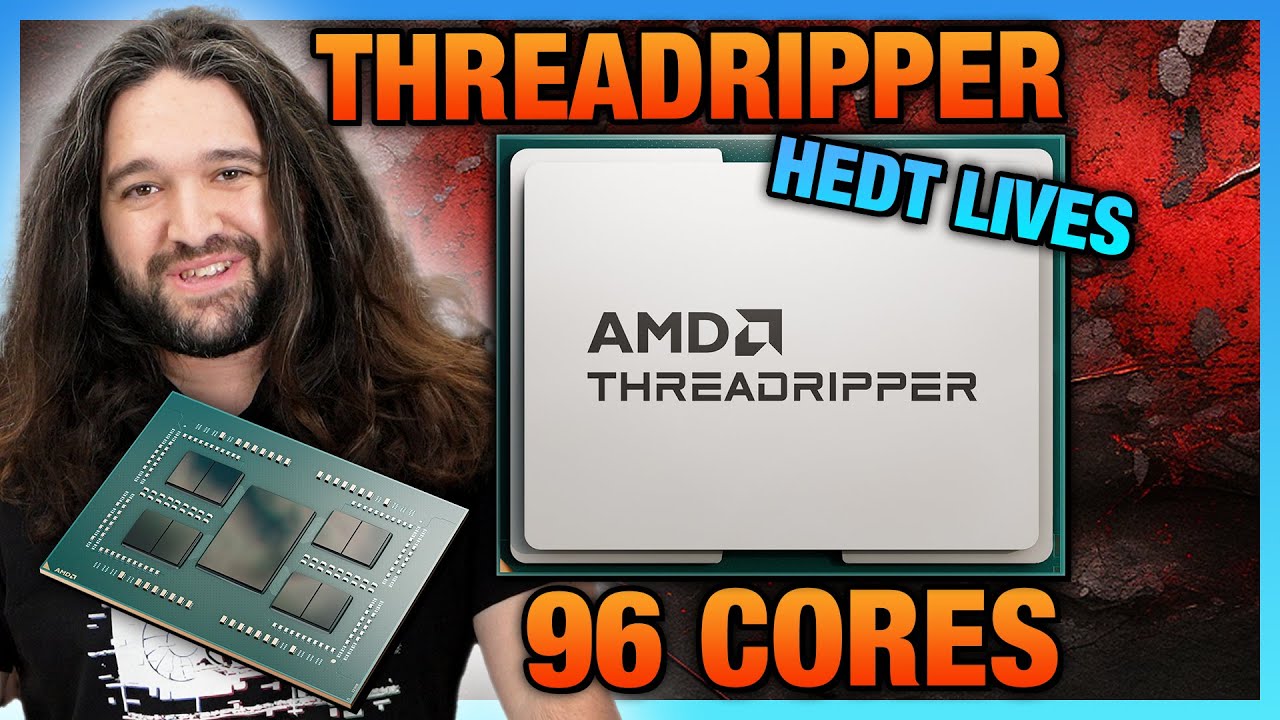
Sponsor: Lian Li O11 Dynamic Evo XL on Newegg https://geni.us/FAIw
AMD announced its new Threadripper CPUs today, including CPUs in the non-Pro lineup and the Pro lineup alike. This marks the first time in years that AMD has launched non-Pro class Threadripper CPUs, debuting with the 7980X, 7970X, and 7960X on November 21, 2023. The MSRP will ra...
jade scaffold
cerulean helm
Interesting, AMD actually listened to consumners and is bringing back the Thread...
We've known they have been for a while
jade scaffold
Just finished watching the vid
And 12core threadripper my beloved
128 gen 5 lanes right off the CPU and 16 off the chipset
I can finally run all the drives I have
Sad that the hedt threadripper tho is so expensive would have loved to see a 1k 24 core
iron rock
so I have a very old AIWA stereo (from the 90s) that I use as my main sound system for my computer. over the years its buttons and nobs have become very unreliable and after a power outage a few mins ago its buttons now seem to do random things instead of what is listed on them, pressing the Rock EQ button changes it from video input to CD input some times, pressing the video input button changes it to AM and what each button does seems to be fairly random and changing... how?
is some chip in it fried or is this something I might be able to fix?
I cant really aford to replace it and I dont want to replace it because it still sounds very good
jade scaffold
It's hard to diagnose such a thing without being there in person
It's possible to replace what ever does the logic inside though I would presume
iron rock
its probably modern enough that it would be an IC going bad and I dont think I have a chance in hell if fixing that. I have seen inside these things and its a nightmare
jade scaffold
Do you know what the device is actually called
iron rock
what stereo it is or what random 1 of 800 chips inside it that might have gone bad it is?
the stereo is an Aiwa CX-NA10
maybe the remote will still work. I dont stand a chance of replacing this thing with something of similar quality.
and I love my stereo.
 sonic meadow
The control panel potentially uses shift registers as a.. one ended mux essentially. I've seen them used as input interfaces in audio equipment before
iron rock
I dont know what that means
cinder lagoon
iron rock
I dont know what that means
imagine you want to transmit an 8 bit value via a single wire.
In this case you store your 8 bit value in an >=8 bit shift register.
The most significant bit (MSB) is connected to said wire.
Now when you supply a single clock pulse to all bits of the 8 bit shift register the MSB of the shift register writes its stored binary value to the single wire, while simultaneously buffering a value from the next bit of the shift register.
same for all the other bits of the SR, if 8 pulses have been received, the entire byte has been transmitted via a single wire.
Also think of another shift register on the other end of that line, receiving the same clock signal as the first one.
If you now don't need too fast of a transmission speed and block the second shift registers outputs until the clock has pulsed 8 times, you can transmit an 8 bit value via only two wires. And if you only need to know which of 8 switches on the input is flicked this is more than enough
The compression in terms of "wires saved" grows with the size of the shift registers while the "time compression" ( <=1.0 ) gets smaller, the more bits you transmit
Fast shift registers is basically how everything gets transmitted outside of the computer
sonic meadow
The important bit is that it's a small and cheap chip that takes many input (buttons) and turns it in to a single input for your devices brain to read
cinder lagoon
basically - just wanted to use my failed Studium 😬
iron rock
I am sure its just a small cheap chip... but have you seen inside a 90s Japanese component stereo before? 1 chip in a forest of thousands.
cinder lagoon
true
iron rock
I tried to do the fix for the problem with the volume knob these stereos always develop, have to clean the contacts in the rotary encoder. I took one look in there and sealed that bastard back up
sonic meadow
You spray contact cleaner in the gaps and actuate it a bunch
Some of the stereos i have taken apart have the buttons on their own circuit board with the mux/shift register.
jade scaffold
Anyone got any decent recomendations for a 2000W PSU?
was looking at EVGAs Supernova line up which should be good
sacred seal
What are you trying to drive with that much power?
Might want to look at server grade stuff if you need that much
sonic meadow
might be trying to run a two pc system off one psu 🤔
or running multiple gpus/accelerators on one pc, its pretty easy to go over 1kw continuous with that
sacred seal
Yea, hence why I was thinking server grade hardware might be better suited
sonic meadow
quad-sli 4090
sacred seal
Think you might need more then 2k for that
mossy gull
The 4090 has a max TDP of 650w I believe.
That's like 1950w I believe.
Of course it'll rarely use that.
jade scaffold
sacred seal
What are you trying to drive with that much power?
3090 and a 350w threadripper with just the Ryzen 7 i have at the moment im at this 1000w PSUs limits accounting for all the drives and fans i have
in adition to that i will have more drives actually active in my pc when i get that threadripper adding another 100w of power consumption
jade scaffold
mossy gull
The 4090 has a max TDP of 650w I believe.
That's like 1950w I believe.
Of course...
no it does not
the 4090s TDP is 450W by default
with overclocking you can get it a bit over 500W
by modding you can get it as high as physics will allow you before killing it
mossy gull
jade scaffold
no it does not
Okay, it's what the connector can provide
mossy gull
I thought its maxwas 650w
iron rock
lol, hope you live in 240 land because in the 120 you would need a dedicated 20a breaker for a computer using a 2k watt PSU 😛
things might be getting out of hand when its starting to look like personal computers might need there own 240 line installed.
 surreal moss
We're coming full circle
iron rock
really does look like it
back to giant cabinet units that need there own dedicated breaker and double as a space heater.
mossy gull
iron rock
lol, hope you live in 240 land because in the 120 you would need a dedicated 20a...
I live in 240v area
cinder lagoon
I would recommend using multiple power supplies anyways - it allows for splitting the load over two circuits
jade scaffold
iron rock
lol, hope you live in 240 land because in the 120 you would need a dedicated 20a...
Live in the UK so we got 230 volt
jade scaffold
cinder lagoon
I would recommend using multiple power supplies anyways - it allows for splittin...
concerned about the noise is my only issue
and it needs to fit into an ATX mount which i know can be done with some server type PSUs where you can put 2 of them into a box that'll mount in an ATX case but again tiny fans
i wont ever be pulling 2000w but ill likely with the new threadripper hiting 1300w then if the next gen 5090 follows the same trend as the 3090-4090 ill be pulling 1400w adn expanding my storage yet again as i intend to would bring me up to 1450w
 signal star
Ok guys. Looking to sell my PC. I can include Lightspeed keyboard, mouse, and headphones as well as an LG 3440x1440 monitor as well for some more money
mossy gull
Ubiquity has something cool these days, like I have an 2 AP set-up and this is what it looks like so far.
It's cool to see that it can do multiple channels at the same time.

 jade scaffold
I love ubiquity's software
It's so much easier to use than literally anyone else's
I need to get a full ubiquity setup for routers and waps
jade scaffold
Been looking at the new threadrippers again
Seen something interesting about the supported chipset
One is the pro chipset one is the "consumer" chipset and there's a 3rd chipset wonder why they have 3 chipsets and what the difference between all of them are

Wonder what pro 695 is
mossy gull
jade scaffold
It's so much easier to use than literally anyone else's
1 of the reasons I use Ubiquiti's gear.
And everything works near flawless together.
mossy gull
jade scaffold
Wonder what pro 695 is
Probably server
jade scaffold
Maybe yea tho there wouldn't really be a huge amount in terms of features different probs just some management shit and a mobo GPU
Or maybe it's the OEM chipset
As amd say the OEM boards won't support overclocking but the ones people can just buy all will
Which would suggest a different chipset
cinder lagoon
mossy gull
Ubiquity has something cool these days, like I have an 2 AP set-up and this is w...
hmmm not sure if this makes much sense...?
wouldn't nearby channels with about the same signal cause huge interference because of the wavelength??
mossy gull
cinder lagoon
hmmm not sure if this makes much sense...?
wouldn't nearby channels with about t...
Not really
jade scaffold
Does anyone know some good DDR5 RDIMMs? Preferably ones that don't look like they were pulled out of shreks ass
Preferably 5600mhz too
mossy gull
jade scaffold
Does anyone know some good DDR5 RDIMMs? Preferably ones that don't look like the...
Corsair and G-skill are my go-to
jade scaffold
Corsair don't have any RDIMMs and the gskill RDIMMs I can see are fuck you ammounts if expensive
Like I can get fugly green ddr5 RDIMMs for a completely reasonable price
sacred seal
Probably going to need to look at Dell or hp, and if you don't want to spend a mint they are probably be green pcbs
You can buy aftermarket heat spreaders though
jade scaffold
The issue is as well alot of the green ones are 4800mhz because the server cpus don't support any faster
jade scaffold
sacred seal
You can buy aftermarket heat spreaders though
Yea I might do that
sacred seal
There is currently no platform (that I'm aware of) which uses registered ram that's not server
For ddr5
jade scaffold
Threadripper is releasing and Intel's weird xeons they released a while ago
New threadripper is registered ddr5 only
Because now in ddr5 registered and unregister DIMMs use totally different pinnouts
sacred seal
Yea, releasing, it takes time for chipmakers to produce compatible products
jade scaffold
I really wish I could've used just standard ddr5
sacred seal
Historically I would guess about 6 months
Given that this is a niche product though, it could be longer
They need to know if threadripper will sell first
Given just how high consumer core counts have gotten
jade scaffold
Considering there hasn't been a hedt threadripper in like 3 years now it'll probably sell really well
jade scaffold
sacred seal
Given just how high consumer core counts have gotten
Oh yea for sure alot if people don't need these hedt cpus anymore because the consumer ones have quite frankly gotten rediculous
sacred seal
Threadripper never sold very well to begin with, and that was when it was not directly competing with the consumer parts
My understanding is thats why they retired it
jade scaffold
It's actually not
They retired it because it had 0 competition
Ryzen 3000 with 64 cores is not something anyone has yet to compete with
sacred seal
It competes with server
If you need that kind of horsepower, you probably need the other server advantages
jade scaffold
Not really that you need the server things
It was just that threadripper was cheaper if you were only like rendering things on it
Which is possibly threadrippers biggest use in industry
Movie rendering
And if you are ready nnung a large game server company why use an epyc that's 3x as expensive when the threadripper will manage fine by itself
sacred seal
All the large studios have in house server farms
And if you are hosting servers you need the density
Threadripper run hotter then there epyc counterparts
jade scaffold
Temps isn't an issue for servers
The ammount if air you blast over them you can cram 2kw into a 1u case and not see temps over 60c
sacred seal
I have never seen 2kw in a 1u
sacred seal
Were those pcie a100s?
sacred seal
Different a100s have different power limits
sacred seal
Hgx has a max of 400
jade scaffold
That's still like 1800-1900w in something half the width of a 1U server
sacred seal
Yea, it's a decent amount of power, but it's spread over a larger area
Last Gen threadripper could run 400 watts
jade scaffold
If you over it yea
It's base power was nowhere near that
280w for 5000 series tr Pros
sacred seal
Sorry, 300, I hate phone typing
jade scaffold
350w for the new ones with full of support so I feel like we might see some silly numbers come out if them
jade scaffold
sacred seal
Sorry, 300, I hate phone typing
Same
So shit at typing on phones not helped that this phone is still relatively new
jade scaffold
Yea there's a 96 core
That's overclockable
By base that 96 core scored over 100k points in cinebench I think it was
sacred seal
Yea, that kind of hardware is not going to be easily cooled in a 1u
jade scaffold
Yea remote testing it it managed 100291 points in cinebench r23
sacred seal
Then there is the entire power draw to performance ratio to concider
If you want to deploy at any sort of scale
jade scaffold
Epycs do have quite a high idle power draw tbf
They have the voltages set by default at a smaller range for stability purposes
Though if you have a deployment that big you should be making sure it's always doing something
sacred seal
Idle yes, but if you are running at scale it's probably not at idle often
Threadrippers are great machines for thier niche, but that is a fairly small one
jade scaffold
And threadrippers are good the workstations used by production still need alot of CPU power for that
Architects ai startups too would all benefit for cheaper than epyc high core counts
sacred seal
And it keeps getting smaller
Workstations where you can't offload to a gpu and there are not enough users to justify a local server cluster
jade scaffold
Except for threadrippers have consistently outcompeted epyc in alot of scenarios which is why and only had a pro line for 5000 and not a consumer one and why the 3000 threadrippers only supported a small amount of ram
sacred seal
"small amount of ram"
jade scaffold
Yea 256gb isn't really alot for like 64 cores
Depends what your doing something won't need that ram but alot do
sacred seal
For that kind of power it's not a lot, but that is still a lot of ram
jade scaffold
Not sure what AMD are doing this time round other than crippling memory bandwidth if the hedt ones
sonic meadow
its a small amount relative to what epyc supports
which was the context for their "small amount of ram" comment
jade scaffold
Yea the pros this time support 2tb
And the hedt ones still support 1tb
Which is actually slot
Tho the hedt ones are only 4 channel now
The pros are 8 channel
And epyc is 12
sonic meadow
and previously.. TR didnt support buffered modules, which massively limited dimm capacity
jade scaffold
Yea
Now all of them have to be registered dimms
Because fuck my wallet apparently
I get why to be clear they went with registered ecc
Desktop ddr5 is known to be a lil jank at the moment
Looking at ddr5 heat spreaders and thoes will bankrupt me too
25 quid for 2?
I need 8 of the things that's 100 quid
sonic meadow
I doubt it needs ddr5 specific heatspreaders
likely has the exact same form factor as ddr1,2,3, and 4. so literally any old heatspreaders you can find 😆
jade scaffold
There are no registered ecc ddr5 with in built heat spreader
Well that aren't absurdly spensive for what they are anyway
There's like 1 from gskill which is 580 for 64gb and they can fuck right off
Literally can get 128gb and thoes heat spreaders I was looking at for that much
These heat spreaders are cheaper 4 for 40

 sacred seal
sonic meadow
sacred seal
sonic meadow
that kind of thing brings me back 😆
had a ddr2 corsair dominator ram cooler
jade scaffold
sacred seal
Something like this might work https://www.walmart.ca/en/ip/Brand-New-Corsair-Ve...
Yea but A ugly B tiny fan go reee if I really have issues cooling them I'll just tape a 40mm noctua to them
Mostly doing it because green ram should be illigal but it's the only ram even from micron available
sacred seal
Less ugly then green pcbs
And the dominator version doesn't look that bad (but it costs too much to be economical)
jade scaffold
I'll wait till a few days after launch to buy ram and the new PSU I'll need
Black Friday and cyber Monday and all that
Maybe some more fancy ram will have released by then in anticipation for the launch
sacred seal
 jade scaffold
Cooler clearance what's that?
sacred seal
With the threadripper boards that may not be an issue
sonic meadow
if you already have tall ram then cooler clearance is not an issue 😛
sacred seal
Depends on how much e in eatx there is
 sacred seal
Wth is with those pcie slots?
jade scaffold
Sine of these boards have a chance of haveing like 16 ram slots too I think lmao
jade scaffold
sacred seal
Wth is with those pcie slots?
What 128 lanes of pcie right off the CPU gets you
sacred seal
Or the io?
No, like the board goes too far back
You would not be able to install a gpu with those slots
Would need a riser
jade scaffold
Oh it doesn't extend back that far
sonic meadow
and thats assuming its a 2-slot or greater card anyway
sacred seal
I'm talking the distance between the slots and the left side of the board
jade scaffold
That bit that goes way back is another image of the board but it's underside
sonic meadow
 sacred seal
Ah, that makes way more sense
jade scaffold
Yea there's a image without the stupid mirror image on the underside
sacred seal
Curse you tiny phone screen
jade scaffold
New threadrippers have 32 sata lanes right off the CPU as well
So be ready to see a mobo with goofy ammounts of sata crammed along the side
How much sata could you actually cram on one of these trs
sacred seal
Where would they even put that much? That would cover the majority of the "right" side
A Sata is like 1cm, so that is a good 16cm of just ports
jade scaffold
sacred seal
A Sata is like 1cm, so that is a good 16cm of just ports
Yup
sacred seal
Quarter? But those are not stackable (I think?) so it would only take up 8cms
sonic meadow
quarter sounds more right. so you have most of them be those, and a few sata ports too (for your non-bulk, non-pcie/m.2 storage)
jade scaffold
Ok so doing some funny math if you used every available pcie lanes + all the sata lanes you could have 117 sata drives running simultaneously at full speed
sonic meadow
your math sounds an order of magnitude off
jade scaffold
More if you consider HDDs only really run at a little over GB speeds as apposed to 6gb
sonic meadow
that would be less than a drive per pcie lane
sacred seal
How many drives does a storinator fit?
jade scaffold
sonic meadow
your math sounds an order of magnitude off
6gbps per sata port
Pcie gen 5 is 4gbps per lane apparently
Which yea sounds really off
jade scaffold
Right yes thatd be it
sacred seal
So like 1k drives
jade scaffold
Thanks pcie website for making that not atall clear and for not using the same measurement as everything else
sacred seal
1.5k?
 sonic meadow
sata is half-duplex, so the 6Gb/s is really more like 3 in each direction
jade scaffold
Well it can do 6 in either direction just not at the same time
sonic meadow
plus encoding brings it down to 4.8 anyway
jade scaffold
Yea
Ok so at gen 5 speeds
4GB/s which is 32gbps
Right
Math is mathing so far right
sacred seal
Ii was thinking this would be the kind of projectfor ltt and I decided to take a look at there social blade, man gn did a number on them. Monthly viewership is down like 40%
jade scaffold
X that by 128 for number of pcie lanes 4096gbps
Divide that by the 6 sata asks for gets you 682+ the 32 off the CPU gets you 714 sata ports theoretically if you fuck off anything else that wants itself pcie lanes
If you then occupy all those with 22tb hardrives that's 15708tb of space
Or if you put a 100tb sata SSD on each 71400tb of space theoretically possible
That is immensely stupid
sacred seal
Not quite enough for a heptabyte project
jade scaffold
Isn't it exabyte after pb
2 epycs could theoretically do 1.5 exabyte
Ish
It could get over 1 exabyte atleast
Imagine running 700 sata drives in raid zero
sacred seal
Your right, it is exa
jade scaffold
Me thinks you might need 8 H100s to manage that much data
Though you wouldn't be able to feed them the data fast enough to get full speed on an array that stupid big
sacred seal
You would need to put like half your array on each cpu, and dedicate the other half to gpu compute
jade scaffold
jade scaffold
2 epycs could theoretically do 1.5 exabyte
Also disregard that my being shit at math again
2 epycs would only™️ get you 148 PetaBytes
So you'd need 7 lots of that absurd set up
And then you can finally download all the games in your steam library
Might shift the global average temperature leaving such an atrocity running but oh well what we do for more games storage
sacred seal
Could probably fit all the games on steam
jade scaffold
fukin probably
Estimates range from 10 to 50 PetaBytes for every game on steam which is totally doable in 1 threadripper that's the funniest shit ever
What did you buy a threadripper for?
To download steam
Just all of it
£600 for R-DIMM ecc ddr5 😢
Only 4800mhz
Really hope someone releases something in the run up or on launch that's gonna be useable with them and not evict my wallet from existence
cinder lagoon
jade scaffold
Like I can get fugly green ddr5 RDIMMs for a completely reasonable price
aren't RDIMMs specifically meant to be some server grade stuff?
Maybe you're able to find at least black PCB ones...
jade scaffold
cinder lagoon
aren't RDIMMs specifically meant to be some server grade stuff?
Maybe you're abl...
Yes
The threadrippers only support R-DIMM
New ones I mean
And the black PCB RDIMMs are more expensive than buying green ones and putting heat spreaders on them
cinder lagoon
ahhh sucks
jade scaffold
cinder lagoon
ahhh sucks
Yup
Hoping someone closer to launch drops some 8gb RDIMMs then life will be good
mossy gull
Reddit
Explore this post and more from the computers community
mossy gull
jade scaffold
Hoping someone closer to launch drops some 8gb RDIMMs then life will be good
We'll find a way
jade scaffold
I hope I don't wanna be spending over 250 on ram ideally
mossy gull
jade scaffold
I hope I don't wanna be spending over 250 on ram ideally
Being a prosumer is expensive
jade scaffold
The issue is it's not like the ram itself is overly expensive
It's only slightly more expensive than normal ddr5
Per GB atleast
But it only comes in 16gb sticks
And I want to fill all my memory channels so I need 8 sticks
sacred seal
Very few tasks make use of the extra bandwidth provided by dual channel+
jade scaffold
With how much Ryzen 7000 benefits from extra ram speed as well as how terrible memory management in some of the games I play is along with already buying a £1000+ CPU I may as well get the most out if it I can

 mossy gull
Only reason I would use Threadripper is the amount of PCIe lanes and the amount of cores to do more than 2 things
jade scaffold
Also Asus also have active cooling in that board
Piss off with your little screamy fans
mossy gull
jade scaffold
Also Asus also have active cooling in that board
Sometimes active cooling is the only solution
jade scaffold
LIES
sonic meadow
its got one, just not integrated
jade scaffold
cinder lagoon
ughhh thats not even medium ugly
yea asrock droppin the ball on that shit
only really seen TRX50 boards sofar
though Asus have said they are dropping a WRX90 board
i dont understand why they need active cooling
these ass holes are gonna charge a minimum of 500 for one of these boards so why not do what they've allways done for CPUs and just Add more phases to the VRM till the heat is so spread out it doesnt need active cooling
like asuss intel boards can easilly sustain 350w without any active cooling atall
and your telling me that with over 40 vrm phases you couldnt just stick a big passive heatsink to them and it be fine?
sonic meadow
Space around the socket is a constraint on those boards compared to desktop cpu offerings, so they can necessarily get the vrm count or size of heatsink needed for pure passive cooling. especially with the HEDT cpus typically having higher power draw. the ryzen 5000 threadrippers for instance had TDPs somewhere around 2.5 to 3x the desktop parts, with expected draws being similarly as high.
The fans on the Asrock board do look abnoxious though, and it would have been nice if they had found a less-active solution. It is always possible that they only come under high load (or when the vrm temps report sufficiently high) and that the heatsinks are sufficient for passive cooling under "normal" operation.
Also consider that a larger proportion of modern HEDT (or threadripper at least) get an AIO cooler instead of an air cooler, which means you get less secondary cooling from the cpu cooler on the nearby components.
jade scaffold
the power draw of them when not overclocked isnt even gonna be that high again
With far far less phases they are powering intel CPUs that come within 50w Power draw with passivly cooled VRMs
i get that they want to be able to say look you can OC your threadripper as far as you physically can
but in that case give me the option not to use your wimpy ass fans that'll break then be near impossible to replace at the slightest ammount of shock
sonic meadow
7000 series threadrippers have a TDP of 350w. exactly what that means is a question all on its own however 😆
jade scaffold
mobos typically never have the option to dissable the built in fans and that Asus boards sorry excuse of a heatsink on its vrms make it seem like it'll need thoes dipshit fans
but with how small said vrm heatsink and fan is it looks like if they used a copper heatsink it'd probably run fine passivly if you can get away with such a tiny one with a fan
really hoping Gigabyte make a WRX90 board that has the same kinda VRM design as their TRX50 board
sonic meadow
I seem to recall reading (quite a few years ago now, so quite fuzzy and absolute no source to back it up) that copper tends to work worse for passive heatsinks in a PC application than aluminium.
jade scaffold
because they have managed passive cooling in a standard ATX formfactor and everything with a smaller VRM
jade scaffold
sonic meadow
I seem to recall reading (quite a few years ago now, so quite fuzzy and absolute...
maybe so
regardless
they have plenty of vertical room to stick big heatsinks on them
atleast the Asrock fans look easy to replace with like noctua ones so you dont have to listen to "REEEEEEEEEEEEEEEEE" all the time
sonic meadow
one of these days I should do some logging and check if my x570 chipset fan ever comes on, I have it set so that it comes on at... 55C I think
mossy gull
I am thinking on selling an Ryzen 9 5900X, I think 32GB RAM, and ROG Strix B550
jade scaffold
lots o people sellin parts recently
cerulean helm
Gotta say this 13700k seems to be a golden chip for overclocking.

Forgot to add ignore the max core voltage as thats before I apply my core offset manually using Intel Extreme. Usially its a -0.25 to -0.35 offset depending on the game.
 spiral hedge
god why does this keep happening
 jade scaffold
It hates you
jade scaffold
Just found out I can just straight up but an ampere Dev kit
cinder lagoon
spiral hedge
god why does this keep happening
Because it's windows :p
I recommend: clean install windows (not "reset this PC"!)
Also make sure all drivers (like chips er driver) are installed correctly!
spiral hedge
cinder lagoon
Because it's windows :p
I recommend: clean install windows (not "reset this PC"!...
i tried that D:
mossy gull
spiral hedge
i tried that D:
Have you tried a Virtual Machine
spiral hedge
mossy gull
Have you tried a Virtual Machine
to be fair no
mossy gull
I would try that
jade scaffold

I-Pi SMARC
COM-HPC-ALT Server Type Size E Module with Ampere® Altra® SoC (Arm Neoverse N1-based architecture),32/64/96/128 Arm v8.2 64-bit cores up to 1.7/2.2/2.8/2.6 GHz, with support for up to 768GB DDR4 memory. COM-HPC Server base supporting up to 3 x16,2x4 PCIe slots, 2x M.2 storage connector, VGA, 1x GbE LAN, 4x USB 3.0/2.0[rear I/O], GPIOs, and other...
32 core arm CPU
And mobo for 2k
Really not bad tbf
spiral hedge
mossy gull
I would try that
i dont get why i would try it on a VM
mossy gull
spiral hedge
i dont get why i would try it on a VM
To avoid all the other shit that can be in the way
surreal moss
I don’t see how a VM prevents that crash
cinder lagoon
spiral hedge
i tried that D:
I'm not sure you did - did you create a windows install media and clean the disk with diskpart?
KMode_Exception_Not_Handled
spiral hedge
cinder lagoon
I'm not sure you did - did you create a windows install media and clean the disk...
yes
cinder lagoon
*KMode... leads me to believe maybe there is loose RAM or improper CPU seating too
cinder lagoon
spiral hedge
yes
huh dang, first one that came here after doing that :D
spiral hedge
i do tech support for a living i just dont have any more ideas to fix the problem without reinstalling windows but it somehow always comes back when i did
 cinder lagoon
so you also took care of all chipset drivers? whats your hardware looking like?
spiral hedge
cinder lagoon
so you also took care of all chipset drivers? whats your hardware looking like?
two secs only just asw the messages
dont get me wrong this pc was built when ifirstgot int ocomputers and ahs slowly bene getting updated since but i ahve wiped it like 5 times
 cinder lagoon
your motherboard is a x470 chipset?
(btw your Processor is really holding back your performance)
cinder lagoon
cinder lagoon
your motherboard is a x470 chipset?
and from what manufacturer?
also: when did those problems start?
jade scaffold
the CPU is not holding back performance
not atall
i mean i guess at that res it would
but an oced 1600af was keeping a 3070 at arround 70% utilisation in 1080p
cinder lagoon
a 2700X?? its practically ancient compared to the GPU and if its an x470 board there's cheap(ish) upgrades
sacred seal
I have a 2700x with a 6900xt
cinder lagoon
yes
jade scaffold
the 1080ti i had was fed with 0 isssue by the 2700
jade scaffold
even in GTA a game i now have issues with bottlenecking in the 1080ti wasnt bottleknecked
jade scaffold
then you broke somthing
because unless you are in 1080p low settings a 3700x should have 0 issue with somthing like a 6800
especially at any reasonable resolution above 1080 like 1440
cinder lagoon
I had 1080p 120Hz and even disregarding the horrible stuttering my 3700X had, I mostly barely got to 90 FPS afair
sacred seal
Of course, its somewhat game dependent, there are some real CPU bound games, but a 3060 is like what, a 2070? For the era that would be awell balanced to CPU heavy pairing
Cyberpunk 2077 2.0 I was doing 70fps average, but I was definitely GPU limited
cinder lagoon
well, games like cyberpunk went at like 40 FPS with somewhat medium graphics
sacred seal
RT on or off? I had to run with it off, AMD GPUs don't seem to handle RT well. But every thing else was ultra
cinder lagoon
no RT obv
sacred seal
Yea, I would say something wierd with your system then. 2.0 is a fair bit more demanding then launch too my knowedge
My 2700x should not be beating your 3700x by that much
Even factoring in the different GPUs
cinder lagoon
I don't have any records of the performance but BFV always had horrible hangs, minecraft was walking (tho pre driver update)
and everything just felt kinda shite - I DO have a good system now but before the CPU upgrade it kinda sucked
jade scaffold
cinder lagoon
I don't have any records of the performance but BFV always had horrible hangs, m...
Yea that's not a CPU bottleneck issue that's something else being bottlenecked would under no circumstances cause a hang
In addition to that Ryzen 3000 should easily manage a 3070
And a 3060 is only as fast as a 1080 which is a GPU older than the 2700x there should be zero issues running something as slow as a 3060 on Ryzen 2000
spiral hedge
cinder lagoon
your motherboard is a x470 chipset?

to be fair the motherboard and cpu are the oldest things in their now
jade scaffold
Hey atleast it's an Asus b450 not an asrock one
cinder lagoon
spiral hedge
Did you or did you not install the correct Chipsets driver from the Asus website then?
spiral hedge
cinder lagoon
Did you or did you not install the correct Chipsets driver from the Asus website...
I did
I doubt I would install the wrong one when it was fine when it was originally built it's just started having problems about 2 years ago and it's been getting worse and worse
mossy gull
jade scaffold
Hey atleast it's an Asus b450 not an asrock one
AssRock
jade scaffold
Yes
They are better now tbf and their industry and server stuff has always been on point
But their b450s were well and truly ass
In other news Intel's all e core processors the N100 N200 N300 and N305 are actually pretty sick
I recon with the n100 or n200 you could make a super tiny hand held console like ps vita kinda thing
Give it a lil low Res screen and I recon it'd actually be really good
sonic meadow
heh, my server is running an asrock b450 board 😆
and its been up for a while now

the exact same uptime as my nas. must have had a power issue 115 days ago... was that when I replaced the ups batteries?
 jade scaffold
My b450 never crashed
But it was pure wank
They used the cheapest pile of shit io controllers they could find
Causing just general connectivity issues when alot of high bandwidth stuff is plugged in and with alot of Bluetooth connected
An issue I have at no point had with any of the other boards I had
This mainly effected their fatality line of boards
 frozen igloo
Is this prebuilt https://nzxt.com/product/player-three with a 3070 instead of a 4070ti a good deal for $800? I found a used one for sale

NZXT
Player: Three PC is the ultimate machine for performance, multitasking, and power. Play games at peak performance, stream in 4k, and run professional programs.
mossy gull
frozen igloo
Is this prebuilt https://nzxt.com/product/player-three with a 3070 instead of a ...
Just know that the 3070 can be troublesome in some games on 1440p.
Other than that it's a very good build.
frozen igloo
surreal moss
Though I’d question why it was $800
I’m going to text the guy some more to figure stuff out though it seems like he doesn’t know a lot and doesn’t know the value of a 3070 compared to a 4070ti
frozen igloo
It seems like it's a scam still weighting on some replies however.
Seeing that deal got me looking at other PC's to replace my dying computer, does this https://www.ebay.com/itm/166202025254?amdata=enc%3AAQAIAAAA4DHsQsy4hDulyC70xm6cfil8oRMtKG91DoYNmtLunK9UBnSWkuhVOKGqRGjA252ucsBX%2BKolubFApEzkdkcm2gdnjHFKDspUuh%2BeM9PmMFYe84Rj6VBOfOfhyzBNgUIbrlFwvuZ5nSCCzq5E2%2BNwMo3W48rNxZ%2FyU%2BY%2FM1ReNCczdR1YPcjbp3x17hm4Fr5dDBx6qHVUJlqfJYvQshTSsbztz5QCP7QMa%2BJ%2B72bCOfzyzh7g4WPnbAirFdZ9C1ATs7Z0o0RN5BAGTZnWgJgWnt15yTe%2Bv5CP1LkHSHbN6XZf|tkp%3ABk9SR4Dp2bfxYg&LH_BIN=1 seem like a decent deal? Anything that would need to change changed ie cooler, ram psu?

eBay
1TB HDD + 512GB SSD. NVIDIA GeForce RTX 3070 8GB GDDR6. GPUNVIDIA GeForce RTX 3070. Storage TypeHDD + SSD. SSD Capacity512 GB. Included in the box Desktop PC, KB and mouse, power cable. Power & Battery.
surreal moss
Might want more Ram depending on what you’re going to be playing
frozen igloo
Luckily ram is cheap and easy to install so if that's the only issue that's not that bad
surreal moss
Tbf I haven’t looked at the rest of the build either
frozen igloo
It appears to have a intel stock cooler so that would likely need to be replaced
Is a 11700f and a 3070 still a good deal for 600?
jade scaffold
Yea
frozen igloo
Is a 5800x and 3070 for 650 a better deal? Same seller has that available as well
jade scaffold
Performance wouldn't really be different in most cases
And neither option has much of anything in the way of upgrading the CPU
frozen igloo
The 5800x could do x3d but that's it
jade scaffold
Yea it's a dead platform
frozen igloo
Would it still be a good computer to buy for the price? I know it's dead end, though if it has the potential last a few years before it has performance issues that's not the end of the world
I'd probably replace the cooler with a peerless assasian and look into upgrading to 32gb of ram
 pearl moon
jade scaffold
i mean i guess at that res it would
pearl moon
jade scaffold
i mean i guess at that res it would
Not at 75fps it shouldn't be
frozen igloo
I ordered the 5800x and 3070 pc, once I can confirm the specs I will see if there is anything that needs to get upgraded, I'm thinking about updgrading the case, psu, ram and cooler do you have any recommendations for those while still being moderately inexpensive?
cinder lagoon
what did you pay for that thing again? 600?
imma say everything that all in all stays within 1000
frozen igloo
After tax 675 for a 5800x and 3070

eBay
AMD Ryzen™ 7 5800X Desktop Processor (8-core/16-thread, 36MB cache, up to 4.7 GHz max boost). Processor ModelRyzen 7 5800X. NVIDIA® GeForce RTX™RTX3070 8GB GDDR6 with LHR : 3x DP, 2x HDMI. GPUNVIDIA® GeForce RTX 3070.
I already have good storage so that's not a concern not to mention it comes with a good bit
cinder lagoon
well its a non-proprietary mobo, only two ram slots tho...
its an OEM GPU... hmmm
actually I would kind of recommend against this PC - after you've "upograded" it you will have rebuilt the entire thing anyway so you could also start from scratch and know what you got
sonic meadow
The OEM GPU variants can be surprisingly good.
Can.
frozen igloo
Could you get something for a similar price? I can still cancel the order, I can build a pc myself fairly easily
sacred seal
That looks like a blower style card in there, assuming the picture is accurate
cinder lagoon
sonic meadow
The OEM GPU variants can be surprisingly good.
*Can*.
its an "asus" blower style card
at least looks like one
and I assume its only the rear fan, the case got no USB C or similar, the mobo is a bottom tier one... hmmm
sonic meadow
cinder lagoon
its an "asus" blower style card
My point still stands. Not that I know anything about this specific card or even suggested I did
sacred seal
I don't really see any reason to upgrade the system other then mabey the ram
cinder lagoon
imma pull up a pcpartpicker real quick and see what can be done in about 800 bucks
frozen igloo
cinder lagoon
imma pull up a pcpartpicker real quick and see what can be done in about 800 buc...
I have a microcenter 2 hours away that I may be able to get a ride to
Part List - AMD Ryzen 7 7700X, GeForce RTX 4060 Ti, NZXT H5 Flow ATX Mid Tower
If I go up to 1k I could do this
frozen igloo
cinder lagoon
imma pull up a pcpartpicker real quick and see what can be done in about 800 buc...
Storage can be excluded if need be
I have 2 2tb 970 evo plus that I can use, I would just need to do some stuff to get a windows install onto a seperate ssd
sacred seal
With a board like that, that is probably not a option
Well you can swap out the 1TB for the one of the 2 TB
frozen igloo
If I forgo the prebuilt I wouldn't have the 1tb
frozen igloo
Ah, I can fit most of my games if not all on one of my 2tb drives, it wouldn't be a major issue regardless
cinder lagoon
dangs stuff has been gotten expensive.... I'm trying to do an "upgradeable" system regarding the core components but not sure
sacred seal
Yea, the refurb is very good value for the performance, but its going to be loud and you are not going to get much upgradability out of it
cinder lagoon
dang why is it all so expensieve
frozen igloo
I don't forsee their being much upgradability at that budget regardless, I was thinking about moving it a lancool 216 and chaning the cooler to a peerless assasian to solve temps if they are bad
Regardless it probably won't be louder than my current laptop (fans at nearly 7k rpm to be at a cool 100c)
sacred seal
It's the GPU that kills it in terms of value. That card is about half the budget right there, doesn't leave much for the rest of the parts
Even if it is crappier then even the most basic AM part
cinder lagoon
hmm kinda embarrased now but this is the best "upgradable" thing I could put together under 1khttps://pcpartpicker.com/list/kM9GkJ
Part List - AMD Ryzen 5 7600X, GeForce RTX 3060 12GB, Corsair 4000D Airflow ATX Mid Tower
frozen igloo
https://pcpartpicker.com/list/bmtph3 how does that compare to this?
Part List - AMD Ryzen 7 7700X, GeForce RTX 4060 Ti, NZXT H5 Flow ATX Mid Tower
cinder lagoon
sacred seal
It's the GPU that kills it in terms of value. That card is about half the budget...
absolutely - maybe a used card would make more sense?
frozen igloo
frozen igloo
https://pcpartpicker.com/list/bmtph3 how does that compare to this?
Contingent I'm able to get to microcenter 2 hours away
cinder lagoon
frozen igloo
https://pcpartpicker.com/list/bmtph3 how does that compare to this?
whats with the mobo and memory price? why is it 0?
sacred seal
Bundle I think
cinder lagoon
but yes it would be slightly better
sacred seal
400 for mobo, cpu and ram
frozen igloo
cinder lagoon
whats with the mobo and memory price? why is it 0?
7700x mobo and ram are bundle
cinder lagoon
ohh okay great
and if you have access to a Samsung SSD
frozen igloo
I have 2 2tb 970 evo plus and a semi functional laptop to clone if that's what you are getting at
sacred seal
Which is really good. Easily 550$ worth of hardware there
cinder lagoon
I would recommend against a Seasonic PSU at 750W only. rather an 850RMx from corsair at that wattage
cinder lagoon
frozen igloo
I have 2 2tb 970 evo plus and a semi functional laptop to clone if that's what y...
yea kinda
frozen igloo
sacred seal
Which is really good. Easily 550$ worth of hardware there
They have a $600 7900x b650e-f and 64gb of ddr5 as well
Although that is pushing what I want to pay a bit but a really good deal
cinder lagoon
frozen igloo
They have a $600 7900x b650e-f and 64gb of ddr5 as well
too expensive
sacred seal
That's better value strictly speaking, but a bad pairing
sacred seal
Lets put one of the highest end cpu and 64gbs of ram on what is one of the lowest end motherboards
cinder lagoon
yea pretty much
frozen igloo
Yeah.... it used to be 32gb but it wouldn't move off the shelves
cinder lagoon
frozen igloo
https://pcpartpicker.com/list/bmtph3 how does that compare to this?
this list is fairly optimal, being that its expanded by a Samsung SSD
sacred seal
NVM, that is a really high end B650 board, I thought it was one of the lower end boards asus offered
Still a b550 though
cinder lagoon
no thrills, no frills but expandable down the line
frozen igloo
https://pcpartpicker.com/list/9HXvRK if I go open box and these don't sell this seems to be the best I can get at microcenter
Part List - AMD Ryzen 7 7700X, GeForce RTX 4060 Ti, NZXT H5 Flow ATX Mid Tower
Missing a psu I'll fix that real quick
Part List - AMD Ryzen 7 7700X, GeForce RTX 4060 Ti, NZXT H5 Flow ATX Mid Tower
sacred seal
I'd go with a 3070 instead of a 4060ti
frozen igloo
I may be able to find cheaper, non open box coolers etc
sacred seal
Cheaper and more performance (generally)
cinder lagoon
frozen igloo
https://pcpartpicker.com/list/vBMckJ
if this price is right for you I would recommend it but also recommend a 3070 if its just as expensive
frozen igloo
sacred seal
Cheaper and more performance (generally)
I don't see one is stock on the website sadly
cinder lagoon
sacred seal
NVM, I thought they cost 300, I was wrong...
yea you would think... something's off about the hardware market again.. 🤔
frozen igloo
Is it bad enough where I should return the prebuilt and hold off buying if I can go without for a little while?
frozen igloo
Would it be worth upgrading to 32gb of 3200 MT/S ram and a better cooler?
sacred seal
Personally I would say no, at least not initially
frozen igloo
Cooling should be fine? Power supply not a hazard?
sacred seal
PSUs are rarely a hazzard.
And if you notice the system getting hot its easy enough to add in a better cooler later
Its not like there has been a major PSA about that model of computer dying prematurely
frozen igloo
So the pre-built isn't a bad buy just not a ton of upgrade paths without a whole new system
sacred seal
And the GPU is a blower
frozen igloo
sacred seal
Its not like there has been a major PSA about that model of computer dying prema...
It's also 2 years old and it comes with a 2 year warranty from the refurb
sacred seal
But yea, basically
cinder lagoon
sacred seal
From a strictly performance standpoint
i would not buy it even if its like 5% faster to begin with
sacred seal
Its more like 25-30% faster per dollar
cinder lagoon
just for having an upgrade path - the ebay built is like end of line already but not quite there
frozen igloo
cinder lagoon
i would not buy it even if its like 5% faster to begin with
Because it's a pre-built or becasue of poor value? My current issue is my laptop can barely run a game like elite dangerous at 1080p medium above 30fps even with undervolting and making my fan rpm
cinder lagoon
prebuilt but I have a strong opinion on those
frozen igloo
I'd rather not get a prebuilt but it seemed like a pretty solid deal
If I had the capital right now I'd build a more expensive pc because ideally I'll start getting more work editing video from weddings and reality
cinder lagoon
it kinda is but its still a prebuilt
sacred seal
Its a prebuilt, but other then the GPU which I don't think asus sells, its all AM componentry as far as I can tell
cinder lagoon
so something of a sour pill to swallow - if you would take the prebuilt as is or arent tightily budgeted you could take it but if you were gonna change stuff anyways - start from scratch
sacred seal
Don't know about the PSU, but everything else I think you can buy all those parts individually on the market
Its basically a bundle of asus components
frozen igloo
From what I could gather it has SK hyinx ram, a variety of psu oem and a assortment of asus parts
Gpu not being on their website, same thing with the case
sacred seal
I know asus makes cases, I thought that was one of the options they sold?
frozen igloo
sacred seal
I know asus makes cases, I thought that was one of the options they sold?
Not from what I saw however I may be mistaken
cinder lagoon
sacred seal
I know asus makes cases, I thought that was one of the options they sold?
to me it screams proprietary OEM
frozen igloo
Would it be better for me to build a 1k system with a 4060ti rather than that with a 3070?
cinder lagoon
ASUS branded OEM but still OEM
sacred seal
Looking at PCer I can't find that particular asus case, so it seems like I am likely wrong
Think I may have gotten it mixed up with the z11
frozen igloo
How is AMD compared to intel right now FSR a competitor to DLSS?
sacred seal
It comes down to a game by game thing still.
DLSS is better, but not enough games support it yet
frozen igloo
Since you can get a 6700xt for ~300 right now
frozen igloo
sacred seal
It comes down to a game by game thing still.
What about for creative work (Davinci Resolve primarily)
cinder lagoon
frozen igloo
How is AMD compared to intel right now FSR a competitor to DLSS?
imo uncomparable -
Professional work often requires CUDA computing - NVidea technology
frozen igloo
Do we think there will be decent black friday deals online? If so I will cancel the prebuilt and see if there are decent deals if not I can live without a pc for a little while
cinder lagoon
really can't say - as you could probably tell we're all a bit surprised about the current state of the market
frozen igloo
Yeah.... overall would you say it's worth getting the prebuilt, or would you expect if I can weight a few months I can build a better pc (potentially with a higher budget as well)
cinder lagoon
the prebuilt is a really good option for the RIGHT NOW
BUT:
anything but the GPU and storage would require a completely new system if warranted for an upgrade and you wanted to change the appearance anyway as far as I could tell
frozen igloo
I don't care about appearance, I would be switching the case because of thermals
Would it be a system that would be worth getting then fully replacing in say around 3-5 years?
cinder lagoon
ahhhh
cinder lagoon
frozen igloo
Would it be a system that would be worth getting then fully replacing in say aro...
I'd say 3 years sounds about right - but the other one would be like a full replacement in 5+ years imo - maybe with partial upgrades along the way and after 6 years a "platform upgrade" (CPU, RAM, MOBO)
frozen igloo
Ideally If I can get between 3-5 years with a system like the prebuilt then build a 1800-2500 high end system for creative work and gaming
cinder lagoon
that would sound about right but after 3 years its probably already gonna be really chuggin - the 3060 really isn't great, just good value
if you want a PC now I'd say go for it but its not an investment
frozen igloo
Well it's to late for me to return the pc without contacting the seller, they have a 30 day return policy where they pay for shipping so I will check it out once it arrives then go for there
cinder lagoon
alrighty
frozen igloo
Once I get it do you want me to send pictures of the pc or anything such as benchmarks to see what your thoughts are on it?
cinder lagoon
nah, just be sure to turn on XMP
frozen igloo
From the videos I saw it should be on by default and can be user adjusted, I won't leave it at JDEC however it takes 2 seconds to check
cinder lagoon
and wipe everything / reflash the BIOS after securing the windows key by linking it to a microsoft account
frozen igloo
Where would I go to get the proper BIOS? If I already have a key linked to my account should I use another email or will it not matter
I got a cheap laptop earlier this year for school that is linked to my microsoft account
No issues come up from having multiple license's on my account?
cinder lagoon
frozen igloo
Where would I go to get the proper BIOS? If I already have a key linked to my ac...
use the same microsoft account, it will register as another device etc
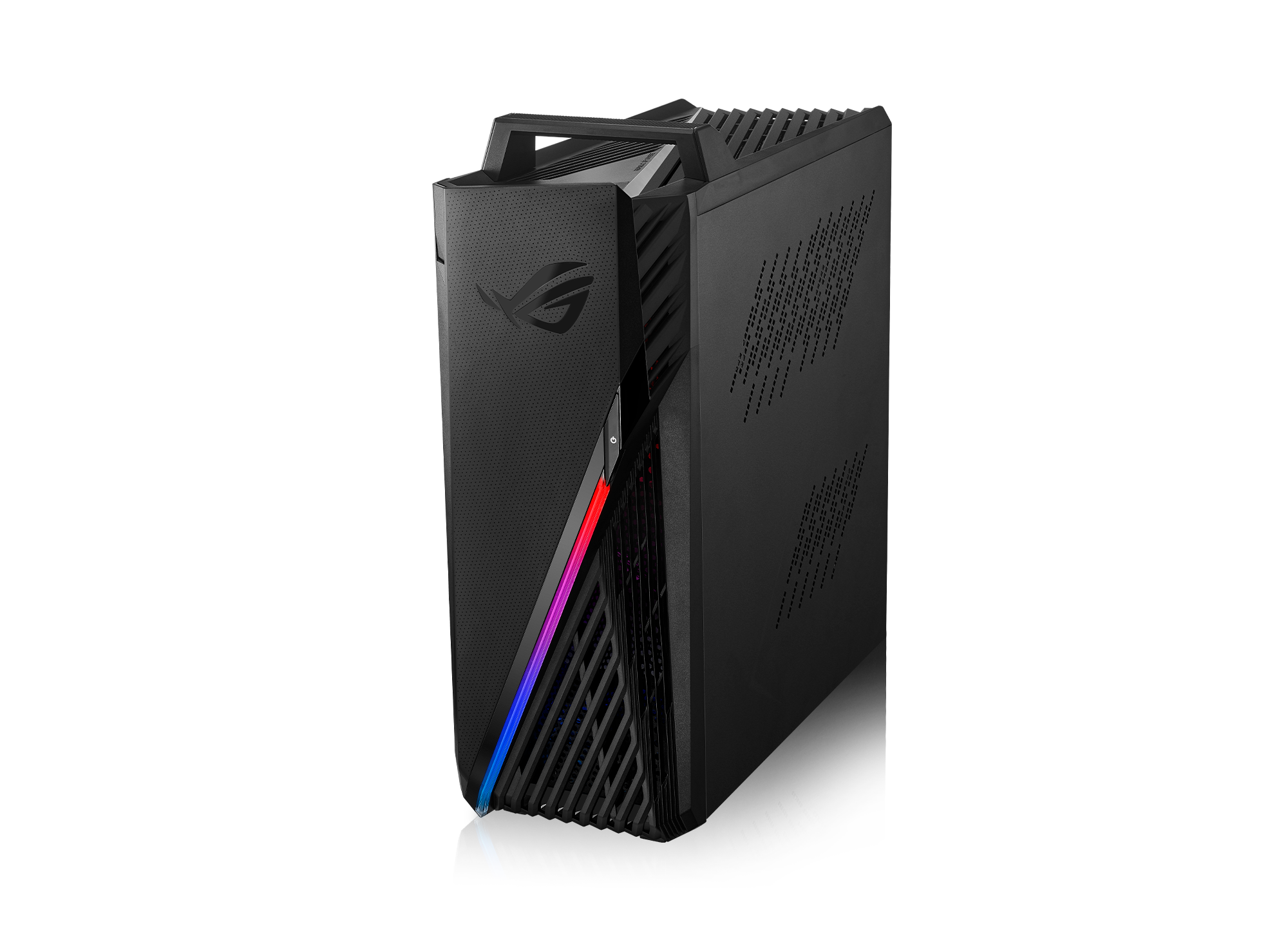
regarding the BIOS:
https://rog.asus.com/desktops/mid-tower/rog-strix-ga15-g15-series/helpdesk_bios/
 frozen igloo
👍
cinder lagoon
hmmm looks pretty much just like some more or less proprietary industrial compute module
jade scaffold
It's not proprietary
COMe has been around for ages and times if companies produce them
There's like a million types of COMe tho
its a spec in the same way PCIE or USB is
cinder lagoon
thats not what I meant I meant some industry standart that nobody outside has any use for
like - gimme an enthusiast use case for it :P
jade scaffold
tiny hand held windows gaming console
or even just a lil nano PC
Khandas use the same Processor in one of their upcomign ones
but khandas overprice everything massivly
cinder lagoon
huh
cinder lagoon
ohh dang
sacred seal
Man Corsair's customer service has really fallen off of a cliff. Takes them more then two days to respond to my warrenty updates, often by asking for information I have already provided them.
sacred seal
My left click is messed up. Sometimes it wont register, and others it will double click
cinder lagoon
ahh dang very annoying
 olive fiber
Hey guys; was looking at maybe upgrading my display, but I have some.. odd requirements and desires.. so wanted to get your thoughts if anyone has a lot of knowledge in these things.
I use it with a mac for work stuff, and I'm pretty picky about image quality, color, HDR, contrast, etc. So I need USB-C/Thunderbolt support with 90W of power delivery for the macbook. Since I'm also picky about sharpness, 2160 pixels tall is a minimum. For gaming, I generally play sims or MMOs and the like, so high refresh rate isn't a huge deal.. I generally don't get that much improvement out of more than 60Hz, but it would certainly be nice.The main performance game would be Star Citizen. The biggest thing I want is HDR support, better color gamut, contrast, and brightness. Right now I have a Dell U4021QW.. so ultrawide 5k x 2k. But it's got kinda low contrast, isn't very bright, and doesn't support HDR.
I'd be fine replacing it with two 27" or 32" displays as well. GSync would be a bonus, not not required. I've got a 48" LG OLED, but the RGBW subpixel and auto dimming issues were kind of a deal breaker for me, so it gets largely unused these days
cinder lagoon
whats your budget? sounds expensive...
olive fiber
Well, the one I was looking at is about $1800. If they're great displays, I'd spend $1000 each on two.
But I'm betting I could get a big improvement on two $700 displays
LG makes one that sounds perfect.. but I have a hunch it's the same panel, just with newer input electronics, since it supports Thunderbolt 4, and HDR.. but I don't know if it's actually brighter, more contrast, etc.
I'm also going to see if I can sort out the autodimming thing on my OLED, but it has other issues like not turning off when you turn the PC off.
Pretty sure it costs them nothing to add that to every display, whether or not it's marketed as a 'TV' or 'computer display'. Can't imagine it brakes something when used as a TV
But if I could find a bright 40" ish OLED that doesn't have the autodimming stuff, I'd grab that in a heartbeat
Biggest problem is finding one at 4K. Supposedly Alienware's OLED doesn't do the autodimming, but it's only 1440p
cinder lagoon
well if you value good image quality I'd recommend an >=HDR-700 display, probably going for OLED at this point.
I don't usually shop around this pricepoint but I'm sure I can find something great along with the sources to back it up ^^
olive fiber
I seem to either run into OLEDs (which either are low resolution, or have screen dimming issues), or they're gaming displays so don't have USB-C/power delivery/thunderbolt.. OR they're business displays, so just aren't very pretty (like image quality wise).
And all the OLEDs I've seen so far fall into the gaming category, so still don't have power delivery. I could probably make it work with a docking station to plug the displays into or something, but that's another big cost.
Daisy chaining Thunderbolt 4 displays would be ideal.. but those are rare, and usually expensive.
Like.. REAL expensive
I'm eyeing this one: LG 40WP95C-W, but I'm worried it's just the same panel as what I have, and so won't be a huge improvement, even if it does claim HDR and mine doesn't.
The data on rtings makes me feel like they're identical panels. So many of the numbers are within measurement error of each other.
cinder lagoon
hmm seems like my ressources are pretty limited actually - I don't have a good comparison service but I would skim through some LTT monitor reviews or even short circuits (they have accuracy data in them now)
olive fiber
Is this the right forum for people doing 3D modeling and printing?
olive fiber
cinder lagoon
hmm seems like my ressources are pretty limited actually - I don't have a good c...
rtings has a nice database.. just realized I can filter it better, so got a smaller list. And.. it's a small list
cinder lagoon
olive fiber
Is this the right forum for people doing 3D modeling and printing?
nah its in #1058874733610946581
cinder lagoon
olive fiber
rtings has a nice database.. just realized I can filter it better, so got a smal...
yeah the criteria are kinda slim - my first idea was an Apple Monitor tbh but there are other ones with USB-C that are better on windows
sacred seal
Anyone know how to manage steam workshop content? I'm cleaning up my files and apparently I have 403GBs of stuff there
However I rarely (Never?) actually use the workshop, so I have no clue what is actually in there, and I don't just want to delete all of it
 timber barn
@olive fiber I got the LG 38WN95C-W for the high resolution
but only use it for work atm
else I used to track upcoming monitors here https://www.displayninja.com/new-monitors/
olive fiber
timber barn
<@252242027289378816> I got the LG 38WN95C-W for the high resolution
Yeah, was looking at that one too. But the one I was looking at is the 40WP95C: https://www.rtings.com/monitor/reviews/lg/40wp95c-w

RTINGS.com
The LG 40WP95C-W is an ultrawide monitor with an uncommon 5K2K resolution, which has the same height as a 4k display, but 33% more horizontal screen space, so yo...
A bit higher resolution.. but not sure on the colors and such. The Dell I have that seems to be the same panel isn't amazing. It's good, but I'm a bit picky and it's not up to what I expected.
timber barn
refresh rate is a bit low on this one
this one looks interesting too https://www.lg.com/de/monitore/ultrawide/40wp95xp-w/
but guess is a older one...
ja scrap the last one
olive fiber
I like the idea of the thunderbolt 4 daisy chain capability of the one I linked
timber barn
so for my choice at the end it was high refresh rate + high power rate + high resolution which led me to my current one
so it felt a bit like a jack of all trades for me
(the LG 38WN95C-W)
only downer is that it doesn't have a KVM, the usb ports are a joke
olive fiber
I had this one which was pretty nice: U2720QM
Still have it in the closet. Maybe I need to just dust it off ;p
Or get a second one
timber barn
yeah but finding the right monitor is hard
olive fiber
timber barn
only downer is that it doesn't have a KVM, the usb ports are a joke
Not sure if the 40" one I linked has KVM. The dell 40" one I have does. I really like the larger display, but sometimes I think the 2x 27" might be better, since their color, contrast and everything else is so much better
timber barn
or the G95NC
olive fiber
timber barn
or the G95NC
I looked at that.. but I don't know if I trust Samsung. Always had weird driver issues and whatever from them
olive fiber
I really want at least 2160 pixels tall
At that size, 1440 is just too low for me. I can see the pixels
4K displays at that height as just enough where I can't.
I mean, I could use heavy AA and whatnot, but for text and graphics, it kinda sucks. And I do a lot of that with my time
timber barn
IMHO WQHD on 27 is fine
so those 49 are basically 2x27
but yeah on my LG I went for the higher rez too
olive fiber
Like, I want to be around the 150ppi
The 40" I have is like, 142 ppi.. the 27" 4k is around 164ppi..but the G95MC is 109ppi
So, 32" 4K is about the largest I'd want before bumping up to 6K.
Or just sitting further back ;p
Buuut.. then my nearsightedness kicks in and I want to sit closer.
Buuuut then my old age kicks in and I need to sit back
It's rough being in your 40s/
I guess one benefit also, is I have a large line of credit with Dell. >.>
timber barn
haha, yeah you start to feel the age
olive fiber
timber barn
haha, yeah you start to feel the age
Yeah, young enough you have all the energy and drive.. but old enough you start to feel it.
And I ended up starting to get chronic pain issues in my 30s.. which.. hasn't aged well, if you'll pardon the humor.
Really, I'd like to see an OLED that's overcom the autodimming problems.
OLEd is amazing to play Star Citizen on
I have one here, but it was so annoying for text and graphics editing kinda stuff or modeling, that I quit using it
Hm, Dell's coming out with a 6K 32" Thunderbolt 4 display. Bet that's expensive.. but.. should be nice.
Yeah, $3k
Ooo.. this looks interesting: https://www.displayninja.com/new-monitors/#G95NC
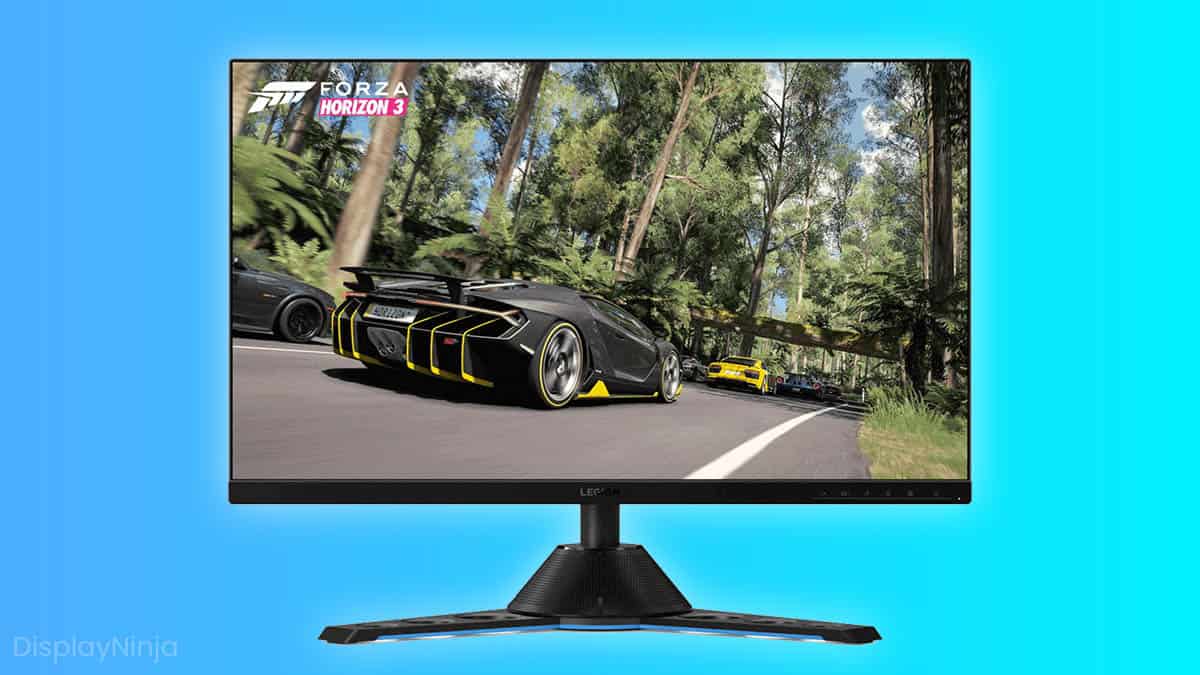
DisplayNinja
Find out what LG, Samsung, and AU Optronics panel manufacturers have in store for us in 2023. There are some exciting models coming up!

7680x2160 pixels.
So, two 4K displays, side by side
Nice. Includes KVM and USB 3.. but no USB 4.
Any bets on how well SC will work on that? ;p
Man.. sooooo tempting...
A bit over the budget I had planned.
But.. it is almost perfect
mossy gull
olive fiber
Any bets on how well SC will work on that? ;p
You want your PC to burst into flames?
jade scaffold
olive fiber
Any bets on how well SC will work on that? ;p
knowing how it runs at any normal resolution extremely poorly
i also some how doubt it has proper ultrawide support
mossy gull
jade scaffold
i also some how doubt it has proper ultrawide support
There currently isn't any support for it, I have a UW and some HUD elements decide to disappear
jade scaffold
oh jeez thats super bad support
even games that dont support ultrawides usually atleast dont throw the hud off screen
olive fiber
SC works fine at.. 21:9, I think it is? that I'm using now
olive fiber
Seems so. Only a couple things don't expand to fill the screen.
jade scaffold
because most games are stretch image kinda support
sacred seal
And that is ultra ultrawide
mossy gull
HUD elements, or well most, are still in 16:9
mossy gull
olive fiber
This samsung is the UUW
SUW actually
jade scaffold
okay so looking at SCs ultrawide support
it appears to just get a 16:9 frame and fukin cut the tops off them
thats vile
olive fiber
Yeah, hud elements are all good. Just sometimes like when you wake up in the hospital, only the 4K zone in the middle is black and fades in.. the left and right areas outside of that are rendered fully, so you see hospital room around it while the center is black
mossy gull
2 16:9 is super-ultra-wide, 2 4:3 is ultra-wide
olive fiber
But pretty small issue
olive fiber
jade scaffold
okay so looking at SCs ultrawide support
it appears to just get a 16:9 frame and...
Mine does not do that
Least, doesn't seem to
 olive fiber
It just puts all HUD/UI elements in the middle of the display and just more rendered area on the left and right. Some UI elements do get bumped to the full side
jade scaffold
makes things more zoomed in than they should look
olive fiber
jade scaffold
yea it does you just dont know what to look for
you sure I don't know what to look for?
jade scaffold
rather than extending the side frames
this way it does avoid the stretching issue
but it is not proper use of 21:9
and would look totally vile at 32:9
mossy gull
SC is cropping the frame, as long we don't get the new render engine it will stay stuck on this
jade scaffold
yea
mossy gull
There's certain texts that are still cut-off
jade scaffold
alot of games also just stretch the screen
olive fiber
I've not seen anything cut off yet, so you'll have to show me.
jade scaffold
which is fine ish if done right at most of the screen is in periferal vision so it being correctly visulised isnt much of an issue
but this kinda Cropping is a kinda crappy way to fix the stretching issue
they aparently mostly sorted the UI
so none of it is supposed to appear off screen
but it does still crop a 16:9 image down to be a 21:9 one and one could assume a game built in the way SC is would probably not have anything close to resembling 32:9 image support
olive fiber
You guys got me all excited about monitors again. Got to keep looking now.
cinder lagoon
sacred seal
Anyone know how to manage steam workshop content? I'm cleaning up my files and a...
yeah look in your steam library workshop folder, sort the game IDs by size and find the biggest things. most games have the name of the mod somewhere in the files, go ahead and unsub it in the steam app
sacred seal
It just looks like this
 cinder lagoon
ya got a disktree or similar installed?
run it in this dir
I'd suspect SE (244850) takes a good chunk of it but probably not the most
sacred seal
Yea, its just directories inside directories
 sacred seal
Most of its in 555160, is that the game id?
cinder lagoon
https://steamcommunity.com/sharedfiles/filedetails/?id=2557677090
now open your steam ingame browser, paste this URL and replace the ID at the end by the biggest culprits


its most likely maps
sacred seal
In this case I don't think they are my mods. Pavlov is a game that I have through family share
cinder lagoon
also: if steam downloads stuff from servers that you one-time played it wont delete them and probably subbed you to the items
sacred seal
Yea, that's most likely the case here. My brother probably signed into my PC once and I got his mod list
cinder lagoon
thats also pretty likely
sonic meadow
stuff that it downloads when you connect to a server it will eventually clean out
cinder lagoon
in this case - just delete the entire folder. if they are needed again, steam will redownload
sacred seal
Man Thrawns revenge is massive (relative)
cinder lagoon
sonic meadow
stuff that it downloads when you connect to a server it will *eventually* clean ...
ahh good - its always on a per-game-basis
sonic meadow
or at least thats been my experience with SE
sacred seal
Yea, thats what I ended up doing. That's a good chunk of hard drive space freed
Thanks all for the help
sonic meadow
cinder lagoon
in this case - just delete the entire folder. if they are needed again, steam wi...
but yeah, this is the best way honestly. steam might spend a while redownload workshop content though
cinder lagoon
games will manage the server mod stuff on their own - if they aren't launched tho and not with this account...? probably not
sacred seal
Pavlov thrives on modded content, bsically every server is its own mod
I think my brother has like 800GBs worth of pavlov content
sonic meadow
daaaaamn
higher vram graphics cards were a mistake. should have just stuck with 512MB.
cinder lagoon
I think pavlov could use a little compression and some sort of Garrys mod source common mod resource pack
sacred seal
I'm not sure how much that would help, the stuff people do with it is insane. There is a battlefront 2 mod that basically recreates the origional battlefront 2 in VR
cinder lagoon
ok that IS insane but like many maps share some form of content
like - nobody needs yet another sort of slightly different crate
sonic meadow
images (ie textures) dont compress worth a damn. they are typically already compressed (even if its one of the less-dense gpu texture formats) and double compressing is basically worthless
same with sounds
cinder lagoon
sonic meadow
images (ie textures) dont compress worth a damn. they are typically already comp...
yea but its VR and there's not too much headroom for 16K textures :P
sacred seal
From my limited experince playing around with the mod tools, it basically supports most of UE4, so while you can use stuff from the base game, you can also just pull in any random asset pack from the marketplace
sonic meadow
In other news, the NIC in my server is annoying me. I get around 900-1000Gb/s (around 100MB/s) pulling stuff off my NAS, but only about 600-700Gb/s (80MB/s) when pushing stuff to said NAS
sacred seal
Write limitation of the array?
cinder lagoon
are you sure its the NIC limitation? try with a RAM disk
sonic meadow
back when I initially populated the NAS (with my personal pc not the server) I was getting around 110MB/s
ie actually bouncing off the gigabit limit
cinder lagoon
us it HDDs?
sonic meadow
four of them in zraid5
cinder lagoon
if they are more full the outer radius makes them less responsive
sonic meadow
when I said 80MB/s i mean its basically perfectly flat, and has been for the last several TB written to the array
cinder lagoon
yes I would say that makes sense in this context - if you suspect problems with networking try a RAM disk or SSD at least
or add a write cache for test purposes
also keep in mind that calculating parity data can also easily limit your throughput
sonic meadow
from some generic reading it could just be realtek nic thing
cinder lagoon
I assume its not a windows NAS?
Many drivers have some options for limited transfer rate or whatever in Windows device "settings"
cinder lagoon
something like this panel but probably in /etc/...
 sonic meadow
and the server is running WinServer 2019
cinder lagoon
wait huh? ohh you're transferring between server and NAS
sonic meadow
yeah
the realtek driver is... barebones compared to the intel in my personal pc 🤔


I might update it next time I am on site
not trusting a network driver update over rdp 😆
cinder lagoon
ohhh yeah for sure
cinder lagoon
sonic meadow
the realtek driver is... barebones compared to the intel in my personal pc 🤔
only time I would try doing that is if I would initiate the install but set a planned restart before so windows could just fix it next reboot
iron rock
so my computer has started randomly restarting, done it twice now and when it does this it dosnt seam to boot up or it dosnt show anything on the montior at least until I cycle power on the PSU.
its done this twice now in the last week
iron rock
nothing but a 41
cinder lagoon
iron rock
so my computer has started randomly restarting, done it twice now and when it d...
and please describe the symptom more - have you seen it happening?
iron rock
I just described the symptoms, it shuts off and wont start back up. its a desktop and yes I was there both times it happened. audio freaks out for half a sec then it power cycles
it might be a BSOD, I apperently still had the autorestart bs on.
and windows crashlogger dosnt work on my computer for some fucking reasons. not that it has ever helped with things like this
cinder lagoon
off like shutdown or pull the plug?
iron rock
restarts but dosnt start up. dosnt even go to bios.
cinder lagoon
so its stuck in some black screen nothing happening thing
iron rock
unless it actually is starting up but the display driver never works. monitor stays black
I dont think its doing that because the HDD light isnt blinking
cinder lagoon
what do you mean by 41?
cinder lagoon
ohh I see in my log yeah
iron rock
also no overclock other then the basic xmp profile my ram came with and I have been using without problems for 4 years
cinder lagoon
thing is - when windows starts up it already writes stuff into the log before it updates the time so look for the last messages before you see anything like "Kernel driver" or file system shit
iron rock
was also not in a high load situation, was just watching some vids on youtube
I know that, I looked. there are no errors or warnings
other then the crashlogger error
cinder lagoon
code 12 is the system start
 iron rock
so I am sure it tried to write a crash log but couldnt
cinder lagoon
ya mean a heapdump?
iron rock
no
cinder lagoon
do you have a virtual memory file on your boot disk?
cinder lagoon
cinder lagoon
ya mean a heapdump?
i.E. a bluescreen dump
iron rock
 cinder lagoon
ohh huh
iron rock
I have had that problem for years.
cinder lagoon
have you tried the dism stuff yet?
for ($i = 1; $i -le 5; $i++) {
    Write-Host "$i of 5"
    dism /online /cleanup-image /restorehealth
    sfc /scannow
}
so the crash dump and system restor shit is all broken on my computer and I am in no mood to reinstall windows to fix it
I dont know what that is
cinder lagoon
ok dang let me educate
sfc stands for system file checker - its an old Windows utility that checks some (don't actually know which) system files for corruption or other shit
iron rock
checked the event 12 thing, it never made it to windows so its not started with the display disabled (something I saw someone mention happened with graphics card problems recently)
cinder lagoon
dism is somewhat the same thing but it validates checksums for pretty much everything with online databases and refreshes broken files
both will almost always "find something" but for me it was always best to run both (online checker first) a couple times consecutively
many times it has actually fixed BSOD stuff or driver issues for me
cinder lagoon
cinder lagoon
have you tried the dism stuff yet?
```ps
for ($i = 1; $i -le 5; $i++) {
Wri...
the snippet I sent is a convenient powershell loop. both commands need admin rights and can be run from cmd
iron rock
its never software its always hardware for me. I am sure something has gone bad and need to be replaced because if it didnt cost me money I dont have it wouldnt be a problem I would face
cinder lagoon
iron rock
checked the event 12 thing, it never made it to windows so its not started with ...
you may try reflashing your GPU BIOS
iron rock
yeah no
cinder lagoon
cinder lagoon
the snippet I sent is a convenient powershell loop. both commands need admin rig...
this does not hurt to try - google it if you must
iron rock
I had been woried I might run into power problems with my GPU, my PSU is slightly under sized for it. (550w) but this isnt happening in a game.
or any other graphically demanding task
cinder lagoon
yes but the no-start no-video leads me to believe that there is some form of intermittent issue during BIOS initialization and if the vBIOS is somewhat corrupt the BIOS might fail to continue a boot process in some specific scenarios
iron rock
that is why I think it cant be the OS, has to be hardware or bios. because after restarting its not even making it too bios. but there is no warning light on the MB, it has those LEDs that let you know if something failed. they look the same as always
I updated my bios about 2 months ago when I upgraded my CPU
it feels like a PSU problem to me but could also be the MB or bios, I have no idea how to narrow it down
cinder lagoon
hmmm
try DISM anyways, it might fix the crash dump issue
also: if it fails to load the crash dump driver it might be a disk issue?
iron rock
it wont, I tried it when it fist started happening. know that I know what you were talking about with that I remember doing that.
iron rock
that problem is a minor system corruption that happened like 4 years ago and ever sense the stupid OS wont even update. those checks also fail because it cant reach the update servers
I know I should just reinstall but fuck that shit. microshaft has made it a fucking nightmare to get your computer back the way you want it
cinder lagoon
yeah that systems severely fucked I might even believe compromised by some malware
iron rock
its not
cinder lagoon
you say that while also telling about how core "functions" (well thats up to personal taste) of the OS are shot beyond self-repair
iron rock
when the core function is the thing that lets it talk to microshaft's servers is what is broken of course self repair isnt an option. because those fuckwits removed the ability to repair your OS off the install image
because the CLOUD!!!@
I hate windows, that whole thing should have been a 5 mins fix, it would have been in windows 7 or earlier
this problem isnt releated
I even know when and how the corruption happened, it was just a power outage. kind of thing that can break windows anytime
cinder lagoon
it would really not have I've been doing stuff like that for ages and win7 was a mess regarding that
iron rock
I repaired my windows 7 install that way a number of times, and my windows xp install before that. I hate reinstalling my OS so I fix it even if its a pain in the ass.
all the hardcore PC nerds are into reinstalling there os, its seems to be fun for them. they reinstall at the first sign of anything being odd and rinstall once a year or more just to be sure. I cant do that, I cant deal with the change, it takes me months to get everything back the way I like it and its SO much worse with windows 10 because they hid or removed access to everything and added a mountain of spyware and adware that you have to fight to turn off
and its clearly not the OS right now so I dont care. I just want to figure out why this is happening before my OS ends up so corrupted that I have to reinstall because that is what happens when your computer has BSOD or random shutdowns
EVGA or SeaSonic. who is making the most reliable PSUs this year?
cinder lagoon
pffftt EVGA and reliable
Seasonic all the way for reliabilty
they make their own components, everything in their lineup is the same super great quality
scratch great, SUPERIOR
iron rock
yeah... my current PSU is a seasonic gold.
if they are so amazing then it cant possible be my PSU that is going bad I guess
cinder lagoon
they have a ten year warranty on the entire thing
if it IS going bad you'll get a free replacement
sonic meadow
good products have a lower mortality and failure rate, not no failure rate
iron rock
yeah right, warrenty. like those do me anygood. let me sit around without a computer for weeks while I send them my PSU, wait for them to test it, then maybe send me back a new one.
cinder lagoon
tbh ya don't seem very cooperative right now and I'm also out of ideas so idk good luck
sonic meadow
yeah, doesnt sound like they want solutions or help, just to fume
iron rock
my computer is litterally my only link to ANYONE. its all I have in my shity fucking life. so yeah it freaks me the fuck out when something go's wrong
I cant just do like everyone else and wait for warenty shit, I cant take it to a repair shop. I cant do anything but try to solve it my self
cinder lagoon
well ya wont be fixin the PSU yourself soooo...
Last idea: order a replacement after filing warranty claim and "rent" the replacement for free by returning it after you got the replacement
afaik Seasonic has fast times
but you'll need to have reliable failures
iron rock
exactly, not going to play the warenty when they might just say "dont see anything wrong with it" it might be my fucking MB. I dont know or it might be a problem that is intermitant enough that they cant pick it up. so I waste 1/4 the cost of just replacing the PSU on shipping for potentially nothing not to mention having to deal with shipping it and that is hard for me.
so I want to narrow down where the problem is before I start throwing money at it
it restarts and wont start up, wont even get to post. just sits there with the lights on. that means some safety messure tripped right?
either a safety on the PSU or on the MB. it dosnt reset until the power is cycled at the PSU.
so is that more likelly to be the PSU or the MB. and is there anyway to narrow it down?
cerulean helm
Been having ISP issues lately. Download speeds are fine but upload isn't. Was upgraded to 1200 mbps down and 200 up, but only get 35 upload. Reset the modem and no change. Login into the modem and see a massive amount of errors listed in the individual channels.
So looks like I get to call my ISP and see whats going on.
iron rock
check the cable for damage and connectors for corrosion. I had something like that only to have the ISP guy come out, unplug it from the wall and find a bit of corrosion on the connectors, new cable and everything was fine. so damn annoying
(this was with DLS however and over phone line. if its coax that is probably less likely to be the thing)
I dont actually know how the fiber setups are actually connected because no one will bring fiber to my area
cerulean helm
Cable outside is brand new, only a couple years old. Had the ISP replace it the line from the house to the pole because of ripple issues.
I think the issue is, is my service was upgraded but my modem (my own not the ISP) hasn't been properly re provitioned if that makes sense.
mossy gull
PS5 slim cooler has 4 different size screws
 cerulean helm
Ive had this modem for almost 2 years I think, and the ISP "online assistant" is now telling me its not been added to the billing system somehow. This is getting weird.
Its telling me my service is 1200 down and 35 up, but my billing says 1200 down and 200 up.
mossy gull
cerulean helm
Ive had this modem for almost 2 years I think, and the ISP "online assistant" is...
Make sure the modem you have are for the rated speeds, or else you get wacky shit
cerulean helm
Its rated for it. Its a CM2050V
Rated for up to 455mbps upload if I recall correctly.
ofc, the ISP website is down for maintenance....
mossy gull
cerulean helm
Rated for up to 455mbps upload if I recall correctly.
That's a slow upload, but what's its max download?
cerulean helm
mossy gull
That's a slow upload, but what's its max download?
2.5 gbps
Or rather the 455 upload is all the ISP will push through this modem at this time. Its rated for up to 1.7gbps upload.
Browsing reddit it looks like anyone with Xfinity in the past 2 months who got the free upgrade in upload speed is having the same issue I am. Most people got the problem solved by having the ISP re provision the modem. But ofc thats not possible as they are doing system maintenance and cannot access records.
mossy gull
Maybe their underground cables aren't fast enough?
cerulean helm
They offer 2 gig speeds here via my current ISP.
mossy gull
cerulean helm
They offer 2 gig speeds here via my current ISP.
The question is, are they trying it over a single fibre cable or over a duplex connection?
cerulean helm
mossy gull
The question is, are they trying it over a single fibre cable or over a duplex c...
If I recall when I had a tech out here awhile ago replacing the cable to the house the way he described it it, its dedicated fiber lines to what he called nodes, then split to cable from there to the homes. And they were splitting the nodes to only have like a dozen homes on each.
cerulean helm
And back to the joys of dealing with "tech support" from the ISP....
cerulean helm
40 minutes of talking with their tech support just to get them to re provision the modem with the updated files for the new speeds...
And now, I get 1200 Mbps download and 200 Mbps upload. Its almost like I knew what I was asking for.
 dull garnet
I want upgrade 1440p monitor but can 1440p with 1080p monitor
cinder lagoon
dull garnet
I want upgrade 1440p monitor but can 1440p with 1080p monitor
???
come again please?
cinder lagoon
uhhhh... "potentially unwanted app"
but the history is empty??

..found something here?
 mossy gull
I don't speak East neighbour language 🙃
cinder lagoon
btw: good to know that WinDef also keeps a text file of found "threats" - its all old Adware like IOBit Uninstaller... sooo phew
frozen igloo
If you’re keyboard has extra keys such as G keys on some Corsair and Logitech keyboards what do you normally use them for or what would you use them for?
iron rock
I use them for rage inducing keys, where I constantly hit G6 when trying to hit ctrl and it instantly pisses me off
jade scaffold
Just bind g6 to ctrl
iron rock
lol, I have been tempted to do that. jsut not done it because I would have to dig out the manual to figure out how
jade scaffold
frozen igloo
If you’re keyboard has extra keys such as G keys on some Corsair and Logitech ke...
Alot of people use them for sound boards, buying loadouts in games like csgo or valorant, or even fit shortcut in things like Photoshop and blender
jade scaffold
iron rock
lol, I have been tempted to do that. jsut not done it because I would have to di...
It's just a matter of funding out which of logitechs 300 keyboard programs your keyboard uses