#Tech Lab forum - General Discussions!
1 messages · Page 3 of 1
 dull garnet
 mossy gull
A stand type stands on your desk, just like a normal monitor
 sacred seal
Except it supports two displays instead of one
dull garnet
There's just one problem with this little argument I said I do not have the room to go bigger especially since I prefer having 2 monitors
mossy gull
See, it has a foot instead of a clamp

Actually this takes less space than 2 monitor feet
dull garnet
Saying I don't want to I can't have bigger monitors I don't have the room
mossy gull
Neither did I, I simply stacked my displays😅
dull garnet
I have a very small room
 surreal moss
Otaku has said no. Probably leave it at that
dull garnet

Like I said I have a hallway for a room
Is trust me I've tried
And I did not fully intend to go corsair theme it just happened
mossy gull
Corsair good😅
dull garnet
My ram

Oh I'm the fans that came with the case are useless cause the motherboard I get only has 4 pen
 sonic meadow
dull garnet
And I did not fully intend to go corsair theme it just happened
sonic meadow
dull garnet
And I did not fully intend to go corsair theme it just happened
I know that feeling, one day i realised that all my peripheral (other than displays) were logitech. keyboard. mouse. speakers. microphone.
dull garnet
My motherboard's tuf z690-plus d4
It has yet to arrive
This pc is going to eat just about everything for breakfast
Thermaltake peerless assassin 120 se for cooler
That should keep the i7 cool
5 fan with 3 be intake and 2 Exhaust all them corsair ql 120 rgb fan
Let the unicorn puke commence
And 3060ti This computer pushed. way past my Budget. I would go 3080 but I don't feel like spending the grand for a GPU
What a good 3060ti go for
mossy gull
I personally prefer the 3060 over the Ti mainly because it's VRAM
dull garnet
But ti is faster by 30%
mossy gull
But I have not 1, but 2 3440x1440 panels stacked.
Each already taking around 1 GB VRAM
mossy gull
And I use like 10GB VRAM in SC alone, in CoD MW2 and CP2077 I run out of VRAM, in MW2 I am 2GB short, in CP2077 almost 5GB short.
mossy gull
dull garnet
Than i should get 4090ti that do not have the money for
I would consider that card if the drivers looked more modern and didn't need log-in😅
dull garnet
My 1660 s run cp2077 not Max sitting
mossy gull
I can't run max settings 😃
dull garnet
No one can
mossy gull
You bet I can if I get a top of the line workstation card😃
Or game on my job's servers🙃
dull garnet
 mossy gull
dull garnet
mossy gull
dull garnet
Oh damn, those were amazing
dull garnet
Do not think run most Modern games
mossy gull
Almost no workstation card from back in the day
It's 1 of the reasons I rock the 6700XT over a stacked Vega FE
dull garnet
Think 400 or older some where to
mossy gull
GTX400 series, those were toasty
dull garnet
Back in the g-force days
mossy gull
I never rocked the GTX series till the 1060😅
mossy gull
And before you wonder, it's not because of distrust in NVidia, but more like Damn AMD, you don't have a good competitor
mossy gull
dull garnet
The RX is like 40% better
I wouldn't say better, but I work a lot with Linux because I am getting tired of Windows
And NVidia just doesn't want to properly support Linux
dull garnet
Well I plan running on the windows
Okay the ti variant of the 3060 has more cores yet it has less memory but did run faster it refined version
So should I go team green or red then I've always been Team Green
Plus Nvidia been more advancing in the tech aspect
sacred seal
Personally if you don't use cuda and don't plan on playing mostly games that support RTX, I would go AMD right now
mossy gull
Fun fact: if you run NVidia cards with open-source drivers you actually gain 10% performance
On AMD that's only 2%
A friend told me that once
And she's a hacker
mossy gull
sacred seal
Personally if you don't use cuda and don't plan on playing mostly games that sup...
I personally dont care that much about Raytracing
sacred seal
Nither do I which is why I ended up picking up a 6900xt even though I do use cuda
mossy gull
I don't see the benefit of Cuda, but then I am a very patient person
sacred seal
When you are trying to bake materials having something faster deffinately makes life easier
And while AMD is a heck of a lot better then it used to be, its still gets its rear end handed to it in those tasks
mossy gull
sacred seal
When you are trying to bake materials having something faster deffinately makes ...
That's why I want to run a dual GPU system, so I can render something and game at the same time😃
sacred seal
When you need to see the bake to then make adjustments that does not help very much
mossy gull
When I am gonna build my server I will put in the 7900XTX and an old 3070 that I got for free
The 3070 I will use primarily for rendering if the GPU will survive that
dull garnet
Think with 3060ti Because my monitors have gsync
mossy gull
dull garnet
Think with 3060ti Because my monitors have gsync
Or FreeSync 😃
dull garnet
I tuf monitors
sacred seal
Gsync/freesync is not the game changer they once were
And I believe the tufs are gsync compaitible, not actually gsync
dull garnet
It help depending on the game
dull garnet
I don't know though considering i play star citizen and with latest patch my 1660 super has been hitting stable 60
sacred seal
The 1440 that you linked is freesync compatable at least. Not sure about the 1080p displays
dull garnet
But I haven't played on the test servers lately
sacred seal
Gsync/ freesync has nothing to do with framerates
mossy gull
Majority of high refresh rate use FreeSync
sacred seal
Its a lower latency solution to screentearing
Gsync compatible is just a fancy term for "freesync that meets nvidias quality standards"
dull garnet
This is primary one building for star citizen and to have a computer that's is league's better than my xp8930 that I currently have. Plus have fun do it
sacred seal
So it will work fine with AMD
mossy gull
I have FreeSync on on my monitors, works like a charm.
And I only have my poor 6700XT
 jade scaffold
Yea you can use freesync with nvidia gpus
Gsync is a little better in some ways but like the difference isn't that big Gsync is just more expensive
mossy gull
jade scaffold
Gsync is a little better in some ways but like the difference isn't that big Gsy...
G-sync needs dedicated hardware
FreeSync doesn't
mossy gull
I never had problems with FreeSync on the Odyssey G5 34
jade scaffold
Yea it's an issue mainly with older monitors or ones that haven't had their firmware updated
Which is still alot of monitors
mossy gull
Any tech can be buggy in the beginning, even G-sync
jade scaffold
Not an in the beginning thing atall
It's been an issue since nvidia allowed their gpus to use freesync which was only a couple years ago
mossy gull
Then the problem can be NVidia related, I have been rocking AMD for years
jade scaffold
Ips panels didn't have the issue its just VA for some reason
jade scaffold
mossy gull
Then the problem can be NVidia related, I have been rocking AMD for years
It's not
It's a freesync issue
mossy gull
Then I don't know 😅
jade scaffold
It requires a fix on the monitor firmware side
mossy gull
I rarely turn it on anyways
jade scaffold
Not all monitors have the issue as some monitors have a newer version of the freesync software on them which solvs the issue
I don't turn it on because it causes flickering on the monitor and updating monitor software usually isn't easy
dull garnet
Recommendation for lga 1700 ddr4 motherboard
GIGABYTE Z690 AORUS Elite AX DDR4 (LGA 1700/ Intel Z690/ ATX/ DDR4/ Quad M.2/ PCIe 5.0/ USB 3.2 Gen2X2 Type-C/WiFi 6/2.5GbE LAN/Gaming Motherboard) https://a.co/d/6OmihV3

Intel LGA 1700 Socket: Supports 12th Gen Intel Core Series Processors DDR4 Compatible: Dual Channel Non-ECC Unbuffered DDR4 Commanding Power Design: 16+1+2 Digital VRM Design with 70A Power Stage with Tantalum Polymer Capacitors Cutting-Edge Thermal Design: Fully Covered Thermal Design and High C...
This one Seems to be the best
Just want some input
jade scaffold
Yea that's good
dull garnet
And has USB c for my my webcam I have logitech stream cam
That kind of deal breaker for me if it doesn't have USB C
Batter than tuf board
mossy gull
dull garnet
GIGABYTE Z690 AORUS Elite AX DDR4 (LGA 1700/ Intel Z690/ ATX/ DDR4/ Quad M.2/ PC...
I only suggest using Signal RGB or OpenRGB for the RGB stuff as Gigabyte is known to have the most buggy RGB software
dull garnet
Good thing I already have a Corsair controller
The RAM sticks might be an issue though but I'm pretty sure I can probably control that through the Corsair software
mossy gull
dull garnet
The RAM sticks might be an issue though but I'm pretty sure I can probably contr...
If they're Corsair stick you can use them through iCue
mossy gull
Nice speeds
dull garnet
It's the high-end right before you go into overclocking
Which I'm probably just going to use the factory overclock for everything
I do not want to accidentally melt down my first build
mossy gull
dull garnet
It's the high-end right before you go into overclocking
Your RAM is already overclocked 😃
dull garnet
Ture
mossy gull
Anything about 21 something MT/s is already overclocked for DDR4
dull garnet
But this go be good build for star citizen
Let me be more accurate I'm not going to manually do it myself
mossy gull
Anything as good as long it's at least Rx-5xxx series or Intel ix-12xxx😃
dull garnet
If 3.18 doesn't make everything a dumpster fire
mossy gull
dull garnet
If 3.18 doesn't make everything a dumpster fire
It's CIG, what do you expect
dull garnet
In my Current pc i7 9700 with ddr4 3200 and 1660 s
dull garnet
mossy gull
It's CIG, what do you expect
Indeed
mossy gull
I sadly have to go Threadripper for my build
dull garnet
dull garnet
In my Current pc i7 9700 with ddr4 3200 and 1660 s
And it is xp8930
mossy gull
So I am stuck on last gen gear anyways
dull garnet
That sucks
I just heat my dell pc
No room for upgrades. Because Dell just wants you to buy a new computer
I'm to mention it's horrible cooling
One exhaustion that's all
jade scaffold
mossy gull
I only suggest using Signal RGB or OpenRGB for the RGB stuff as Gigabyte is know...
not even just that its buggy its limited af
mossy gull
jade scaffold
not even just that its buggy its limited af
Shows you where Gigabyte's money goes to, to marketing and buying Maybachs🙃
 balmy flicker
so weird hardware issue
when powering my PC goes into a power up loop where the power supply will click on and off untill I fiddle with some of the USB devices behind the PC
sacred seal
That is wierd, seems like there is a short somewhere
mossy gull
balmy flicker
so weird hardware issue
when powering my PC goes into a power up loop where the ...
Does it do the same if you unplug everything.
Also what's your specs and your PSU?
sacred seal
Yea, I would unplug everything and add them back one by one
balmy flicker
no it starts working when I unplug the USB stuff (specify my headset dongle)
one sec on the specks
sacred seal
Does it matter what port you plug the dongle into?
mossy gull
balmy flicker
no it starts working when I unplug the USB stuff (specify my headset dongle)
one...
By any chance, do USB thumb drives have priority boot?
balmy flicker
IDK I have not gotten that far so far I have had the issue twice and the touching the dongle is what let it start
balmy flicker
mossy gull
By any chance, do USB thumb drives have priority boot?
does not get that far
sacred seal
Psu clicking seems like a fuse
balmy flicker
https://pcpartpicker.com/list/qD4d78
tldr 450 estimated 850 on the supply
Part List - Intel Core i5-12600K, GeForce RTX 3060 12GB, Corsair 4000D Airflow ATX Mid Tower
sacred seal
If it does not matter which port you plug your dongle into I would replace it. Far cheaper to do that then replace a component if the psu ocp fails
balmy flicker
will have to test later (which will be sad as the dongle is brand new after RMAing the headset for other issues)
mossy gull
Sometimes dongles can confuse motherboards where USB thumb drive have priority boot.
But if it trips OCP then something's wrong with the dongle.
balmy flicker
dongle is Bluetooth and prepaired with the head set
mossy gull
balmy flicker
dongle is Bluetooth and prepaired with the head set
If you have another Bluetooth dongle I would try that
sacred seal
I doubt it's Bluetooth,
mossy gull
sacred seal
I doubt it's Bluetooth,
I think it's RF wireless like many headsets
balmy flicker
sacred seal
I doubt it's Bluetooth,
it is the Logitech light wave weird ness
mossy gull
balmy flicker
it is the Logitech light wave weird ness
Fancy name for 5GHz RF wireless
sacred seal
Nope, it's its own thing
balmy flicker
where does bluetooth operate at
balmy flicker
so old wifi ranges
mossy gull
@balmy flicker RF wireless is usually its own thing, like Wi-Fi it can operate in 2.4GHz, 5GHz and 60GHz but isn't meant for Wi-Fi.
It doesn't have the same protocols nor bandwidth.
Bluetooth is only in the range of 2.48GHz.
balmy flicker
thanks for the info that might explain how they can stack 5G on top of normal WiFi given that they opperate in the same range (that and a lot of industry sensors can be configured to use the same bandwith)
mossy gull
balmy flicker
thanks for the info that might explain how they can stack 5G on top of normal Wi...
You don't want to know how many stuff is on 2.4GHz
balmy flicker
I know I don't especily with all the smart home crap I do know that microwaves (appliance) can completely saturate that bandwidth when running from personal experience
mossy gull
Welcome to the world of tech companies that try to save money on wireless technologies
balmy flicker
sacred seal
If it does not matter which port you plug your dongle into I would replace it. F...
so I moved the dongle to the usb port on the front of the case and it started right up
sacred seal
OK, I would then try plugging something else into the bad port to see if you still have issues. Ideally something you don't care that much about
balmy flicker
will try that
sacred seal
If you do have issues, buy a port cover or put a piece of tape over it so you know not to use it in the future. If you don't, I would personally still avoid using it, but you likely can
balmy flicker
I suspect part of the issue is interference between all of the USB devices in that area
sacred seal
While theretically possible, this would be the first time I have ever heard of that bieng an issue
balmy flicker
I mean physical
the dongal is rather thick and most of the USB ports are in one column
sacred seal
Oh, you think its not seated correctly?
balmy flicker
something to that efect
mossy gull
balmy flicker
the dongal is rather thick and most of the USB ports are in one column
There are very short USB extension cables for thos exact reason
sacred seal
Possibly more likely then, but would still be a wierd problem assuming I am correct that OCP is bieng triggered
balmy flicker
that or it just has to much draw right at start up
I dont have one ATM or more accurately all of mine are way to short
it did similar when I was first building it but only once or twice while it was out of the case
sacred seal
I have overdrawn on a port before, but that was using a unpowered hub and it did not trigger OCP
Everything was just constantly disconnecting
balmy flicker
odd
on a side note do all the fans start spinning right out of the gate
sacred seal
Assuming that is a qestion and not a statement, normally they do, but it depends on the config of the system
Some PSU and GPU fans won't start spinning until they reach a certain temperature
balmy flicker
nah talking about case fans and the CPU fan
mossy gull
@balmy flicker have you tried putting the Dongel on a powered USB-hub?
balmy flicker
only have unpowered ones the front of the PC will work and be better for range
sacred seal
Again, theoretically possible, but I have never heard of a instance where that was the case
It would depend on how the bios is set to respond to temperature (or some external device if the fan is not plugged into the mobo)
balmy flicker
likely just that port or again issues with physical interferance between all of my USB crap
mossy gull
balmy flicker
only have unpowered ones the front of the PC will work and be better for range
I suggest trying a powered USB-hub and see if it still happens
balmy flicker
could try just plugin in a unpowered USB hub to that port and see if it is space or power draw
sacred seal
Well if the issue does not happen on a different port odds are it is the port
mossy gull
Very true, but if the Dongle uses more power the USB ports can deliver you need a Powered USB-hub
balmy flicker
it is not an issue outside of powering on the issue is prestart up
most of the fans are still stalled out when this happens
sacred seal
Might try reseting/ updating/ reinstalling your bios
balmy flicker
only the rear most case fan is turning
mossy gull
Hm, then something draws too much power, which could indicate the PSU isn't powerful enough or dying
balmy flicker
mossy gull
Hm, then something draws too much power, which could indicate the PSU isn't powe...
brand new and 50watts short of 2x estimated load
mossy gull
Also resetting the BIOS can be an option, resetting as pulling out the CMOS battery
mossy gull
balmy flicker
brand new and 50watts short of 2x estimated load
On ever TDP put 50% on top of it at least
balmy flicker
and again issue ended when I stopped useing that port
mossy gull
Pull out the CMOS, wait a minute or so and put it back in
sacred seal
Unplug PC first and press the power button to discharge power
Bios can live off of wall power
balmy flicker
mossy gull
On ever TDP put 50% on top of it at least
https://pcpartpicker.com/list/qD4d78
tldr 450 estimated 850 on the supply
Part List - Intel Core i5-12600K, GeForce RTX 3060 12GB, Corsair 4000D Airflow ATX Mid Tower
sacred seal
And PSUs can store a shocking amount of power. I once had a PC post while unplugged
mossy gull
balmy flicker
https://pcpartpicker.com/list/qD4d78
tldr 450 estimated 850 on the supply
Once again, TDP of the component +50%.
A 125w CPU can easily draw 200w.
balmy flicker
again the issue did not persist after moving the dongle
mossy gull
Reset your BIOS I would say and see if it still happens, easiest way is to pull out the CMOS
Your BIOS can store corrupted settings, pulling out the CMOS puts the BIOS to default state.
balmy flicker
how would the bios on a brand new bord be goofed up
sacred seal
Its not as uncommon as you may think
balmy flicker
also total TDP*2 is 590 I have 850
sacred seal
Bios's are finniky things at the best of times
balmy flicker
joy will do if the issue persists but my bet is a bad USB port or other odd interaction with the dongaI will stick a small USB stick in the port to test it
sacred seal
Also as a sanity check make sure that the port is free of debries. Super unlikely to be a problem, but easy enough to check
balmy flicker
more than you might expect getting the Mbord to sit in with the IO shield was a bit of a pain trying to install it the first time so there could be part of the issue that and the rear fan is facing a wall so it could have blown crap in prior to instaling all of the USB shit
mossy gull
balmy flicker
how would the bios on a brand new bord be goofed up
I once build a PC where the BIOS literally fucked up and ended in a no-post in the beginning, and Windows wasn't even installed.
balmy flicker
fun in my case I posted strait to windows boot (did not spam the right key and was using my laptops old drives)
on a side not how would one fix that issue
sacred seal
Resetting would clear any odd settings and can be done by unplugging the PC, discharging the PSU and removing the bios battery for a few minutes
Updating/reinstalling the bios depends on the motherboard. Most feature a windows utility you can use, but some allow/require you to load the bios onto a USB and update it from within the bios/special button(flashback)
balmy flicker
yay
mossy gull
I once had a BIOS so fucked up I had to remove the BIOS battery, then reinstall it 🧐
Anyways I am gonna nap so nighnight
 deft star
those screens are so freaking cool
https://www.youtube.com/watch?v=dhxvXiwE8rY

Thanks to Samsung Display for sponsoring today's video! Learn more about Samsung Display's newest tech through the below links:
Samsung Display website: https://www.samsungdisplay.com/
OLED microsite: https://oledera.samsungdisplay.com/eng/
Newsroom: https://global.samsungdisplay.com/
YouTube: https://www.youtube.com/c/samsungdisplay
Discuss ...
balmy flicker
so I pugged a battery into the suspect USB port and the power cycling returned but when I unplugged the battery from its cable it immediately started
 signal star
Got hit omw to work today. Ok to post an ad for my pc to sell?
 cinder lagoon
signal star
Got hit omw to work today. Ok to post an ad for my pc to sell?
cinder lagoon
signal star
Got hit omw to work today. Ok to post an ad for my pc to sell?
Ugghh, sucks. Get well soon!
I'd guess it's fine but since this is a really international place you probs won't find an buyers here
balmy flicker
have flight stick now to make it work in ac7
mossy gull
balmy flicker
have flight stick now to make it work in ac7
If I am correct AC7 is Ace Combat 7.
The game only supports a few flightsticks, not all.
balmy flicker
mossy gull
If I am correct AC7 is Ace Combat 7.
The game only supports a few flightsticks, ...
there is support but it is a pita
https://steamcommunity.com/sharedfiles/filedetails/?id=2210570616

Configure almost any flightstick or HOTAS without extra software, using undocumented tools built into the game
Ace Combat 7 is a great game, but its roots as a console game that was ported to PC
literally manual
mossy gull
Aka you need 3rd party software.
If you want to you can use a steering wheel in any game, doesn't mean it's officially supported.
And I was talking about native support.
balmy flicker
dude read the guide it is native but you have to config it your self

it had timed exclucivity for logitech after that was up they just unlocked the config and let you do it your self
mossy gull
I never got the X56 working, nor my current set-up
But then I played in the early beginning when my X56 still worked.
balmy flicker
x56 is an extra PITA and there is a link for configuring it
that and a github profile https://github.com/tux-box/x56_numericProfile

GitHub
This is a profile of the numberic number of each of the buttons in the X56 hotas. - GitHub - tux-box/x56_numericProfile: This is a profile of the numberic number of each of the buttons in the X56 h...
mossy gull
My X56 ain't working anymore, died a while back.
balmy flicker
shame same happend to my phantom X but that that flight stick is a game pad
mossy gull
Okay only the X56 throttle still works, but not that well anymore 😅
Gonna replace it soon.
AC7 does natively support the TB VelocityOne Stick though, but that stick is also made for Xbox.
But it feels weird using the VelocityOne Stick over my SpaceMouse.
balmy flicker
space mouce?
mossy gull
And AC7 doesn't recognise my SpaceMouse.
mossy gull
balmy flicker
space mouce?
3Dconexxion SpaceMouse, a 6DOF mini stick meant for 3D programs.

These things
balmy flicker
wanted to get the logitech one for CAD but it was discontinued
mossy gull
balmy flicker
wanted to get the logitech one for CAD but it was discontinued
I never knew Logitech made a 6DOF mouse/stick.
To my knowledge only 3Dconexxion currently makes them.
balmy flicker
it was less that and more a left hand key pad with stick mouse for used in GD and CAD
mossy gull
Oh, no this is basically a 6DOF stick
balmy flicker
how does it work I know to get 6dof it normally takes 2 sticks
mossy gull
balmy flicker
how does it work I know to get 6dof it normally takes 2 sticks
Besides tilting it forward/backwards, left/right, twist left/right.
You also can move the whole stick forward/backwards, left/right, up/down.
So if you would play SC, you can Strafe forward by pushing the stick forward horizontally while tile the stick left to roll left.
So you make a double motion with 1 stick.
balmy flicker
nice
mossy gull
Sadly only SC supports it
balmy flicker
IDK if I would still want twin sticks but I know I would like more of a stick to hold that thing looks uncomfortable. but I would love to see a version with a full stick
I mean there is what 2 games that could even use it SC and ED
mossy gull
balmy flicker
IDK if I would still want twin sticks but I know I would like more of a stick to...
Sublight Dynamics is ahead of you with their prototype
mossy gull
balmy flicker
looks abit over complex but my stick as 16 butons for just my thumb and 4 for my index (three are triggers)
other wise nice
mossy gull
balmy flicker
looks abit over complex but my stick as 16 butons for just my thumb and 4 for my...
It's called a prototype for a reason 😅
And its ambidextrous
balmy flicker
that my stick is not but my stick is super modular
mossy gull
I prefer 6DOF, then I still can have a throttle
balmy flicker
I have a throtle built in to the stick and the way the nxt is built you can turn the sticks into throttles
but you need 2
mossy gull
I currently have my dual throttle set-up like the left is the Acceleration Limiter and the other the throttle.
That way when in a hangar or in atmosphere I can simply "drop" my ship to the ground
That way I don't have to strafe down
surreal moss
balmy flicker
how does it work I know to get 6dof it normally takes 2 sticks
Pretend the puck is your ship and move or twist it in the way you want the ship to move
cinder lagoon
But then you have two of them, right?
At least I've seen Setups like this but I can't get behind why there are two ^^'
mossy gull
cinder lagoon
But then you have two of them, right?
At least I've seen Setups like this but I ...
You only have 1 6DOF stick though, not 2
surreal moss
cinder lagoon
But then you have two of them, right?
At least I've seen Setups like this but I ...
I only have the one 3dmouse. But I do use some software to tie it in with the rest of my hotas and pedals.
cinder lagoon
But like how does that work out with controlling a ship?
There's only so many actions you can do
mossy gull
cinder lagoon
But like how does that work out with controlling a ship?
There's only so many ac...
Same as 2 sticks.
You move the stick forward/backwards, left/right, up/down.
But you also can tilt it forward/backwards, left/right, twist it left/right.
surreal moss
cinder lagoon
But like how does that work out with controlling a ship?
There's only so many ac...
In Star Citizen I duplicate some axis between the 3dmouse and my hotas. For me it’s a nice transition to have one hand free while flying with the other. Don’t get me wrong. It’s complete overkill but I had the stuff so figured why not.
cinder lagoon
Ahh now I see
 west mirage
My computers
Blue screen of deathing on boot
Outa nowhere
Its always had boot issues this is new tho
It wont let me reset, uninstall recent windows updates
Safemode doesn’t even work
It blue screens even on booting into safemode
 mossy gull
west mirage
It wont let me reset, uninstall recent windows updates
mossy gull
west mirage
It wont let me reset, uninstall recent windows updates
Do you have another PC and a USB thumb drive with at least 8GB
sacred seal
What you can try is booting from the USB stick, and that should let you access the command prompt
From there you can try running some repair comands
west mirage
I can access the command prompt
From windows repair
I just tried system restoring through the command prompt
And it didn’t work
I did just install windows 11
sacred seal
Try sfc /scannow
west mirage
A week ago

It says it found corrupt files and repaired them
What else should I do
Before attempting to boot again
It didn’t work still happened
mossy gull
west mirage
It didn’t work still happened
You can keep all files while reinstalling Windows
west mirage
Alright how do i go about this
mossy gull
west mirage
Alright how do i go about this
Install windows on a empty spot on the drive
sacred seal
https://www.thewindowsclub.com/boot-or-repair-windows-10-using-the-installation-media This might give you some things you can try
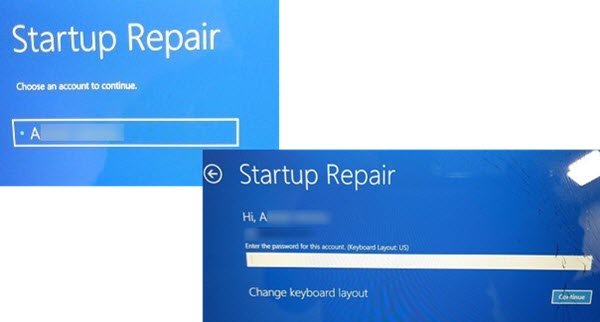
Guide to repair Windows 11/10 installation in-place using the bootable Installation USB or DVD without losing data. Repair UEFI or BIOS bootloader.
 queen grove
Is there someone who is experienced with Autodesk Programs? If so, what version of Autodesk AutoCAD would be best for a returning user, using a Windows 10 platform? Apologies ahead of time if I asked in the incorrect place.
sacred seal
My understanding is there is only one version of autocad
Unless you are refering to yearly releases?
queen grove
sacred seal
Unless you are refering to yearly releases?
Yes and I apologize for not clarifying that in my previous inquiry.
sacred seal
As far as I am aware you just run whatever version is newest. They are more incremental changes then anything sinificant
queen grove
Gotcha, I asked more so because I wanted to "refresh" myself on the program. Since I am planning to return to a profession that requires it.
Thanks for the help!
2018 was my favorite, but I had to assume much has changed over the years.
balmy flicker
sacred seal
As far as I am aware you just run whatever version is newest. They are more incr...
from what is know all of the major cad programs are subscription not but in the least helpful way possible as they change the file system so older versions can't read new files
west mirage
@sacred seal so even with an iso file on a usb
Startup repair wont fix it
I still get critical process died everytime i try and boot
Its fucked fucked
I don’t know why ive always been blue screening on boot
mossy gull
west mirage
<@221476957936812033> so even with an iso file on a usb
Just reinstall Windows, you can keep your files but you have to reinstall apps and shit.
west mirage
@mossy gull ive been bluescreening on boot with this pc since i built it
Switched mobos, gpus, everything
I was always just able to used the advanced recovery mode to continue into windows 11 and i’d be able to use it
Its now fucked fucked
mossy gull
west mirage
<@290608448637239296> ive been bluescreening on boot with this pc since i built ...
Can be a corrupt Windows install, or a broken boot drive.
mossy gull
@west mirage how old is the boot drive?
mossy gull
west mirage
My pcs ssd
The SSD
west mirage
Its an nvme sabrent rocket 2TB ssd
I ran multiple scans and shit and they said the drive was healthy
What the fuck
 mossy gull
west mirage
I ran multiple scans and shit and they said the drive was healthy
mossy gull
west mirage
I ran multiple scans and shit and they said the drive was healthy
They don't scan for bad sectors, or not well enough.
mossy gull
west mirage
What the fuck
Just reboot and try again
west mirage
Did still not working
mossy gull
Uh that's odd.
This falls outside of my experience sadly enough and I never dealt with W11 stuff.
west mirage
I should’ve never upgraded to windows 11
😭
Windows kept bugging me about it
This didn’t happen till i did
mossy gull
west mirage
Windows kept bugging me about it
Then keep denying it😃
west mirage
I always had blue screens on boot but there was always workarounds
mossy gull
Having always blue screens isn't good, eventually they can turn to RSOD or OSOD.
west mirage
What the fuck now it wont let me wipe my thumbdrive
 mossy gull
Broken thumb drive?
mossy gull
Modern thumb drives and SSDs make themselves read-only before they die
mossy gull
west mirage
How the fuck did i kill my thumb drige
Depends on how often they're used.
Their durability is rather low.
mossy gull
Get another thumbdrive😃
deft star
balmy flicker
so I pugged a battery into the suspect USB port and the power cycling returned ...
what type of battery do u mean?
cinder lagoon
west mirage
What the fuck
WAIT ive had this happen - this means that the install media is faulty!
You could try writing the windows image via something like rufus.
Also make sure not to bump the USb or anything while it's writing.
First exit the drive before unplugging (Remove drive button). Maybe Make sure the light does not blink anymore.
Also - macOS refusing to do something is normal. It's macOS and apple thinks they know better.
mossy gull
west mirage
Is there anything in the bios i can do
What do you mean?
west mirage
I cant use rufus if I don’t have another windows device
@cinder lagoon do i need to wipe the computer or anything before reinstalling windows
Cause it would exactly let me do that
cinder lagoon
Yeah, wiping is the thing, you wanna do. But only after you backed up everything important.
Actually Wiping is a little more difficult tho, I could guide you with a discord call soon
west mirage
Aye
I did it
I just deleted all my driver partitions from the windows installation screen
I did a wipe refresh and windows was able to recover my files n shit
from my last restore 5 days ago
fresh install of windows 11 pro
everything worked out
I reinstalled the adrenalin drivers for the 7900XT
Do I need any drivers for my Ryzen 5900X?
or are there any other drivers im forgetting
cinder lagoon
west mirage
I did a wipe refresh and windows was able to recover my files n shit
???
It's not a wipe if it can recover anything 😭
west mirage
Some cloud shit
the entire PC was wiped
but my files and shit were stored in the cloud
my files as in
my pictures n shit
west mirage
but yes all is working now my windows had been corrupted for a year
and I managed to make it work for that long by using a shitty as workaround which made booting my computer take 3 minutes
seems like updating to windows 11 was the final straw that broke the camels back
cinder lagoon
Haha same - if my PC idles for like 5 mins it crashes. It seems to be a hardware fault tho :/
I've been circumventing that by constantly running FoldingAtHome :D
balmy flicker
deft star
what type of battery do u mean?
one of the portable battery phone chargers
 ember hazel
Best video on how important RAM speeds is in Star Citizen: https://youtu.be/CrSMcOC7vAo

Does ram speed matter in star citizen and if so how much? Every major memory speed tested (2666 MHz 3200 MHz 3600 MHz 4100Mhz) for star citizen to see how it scales. Star Citizen Alpha 3.17.4
System Specs
CPU: 13900KF
RAM: Viper 32GB 4000MHZ CL16 @ 4100MHZ CL16 [Tuned]
GPU: Nvidia RTX 4090
OS M.2 NVMe: Crucial P2 1TB M.2
Game M.2 NVMe: WD_BL...
signal star
Trying to have:
LIGHTSPEED keyboard
LIGHTSPEED mouse
bluetooth connected headphones
all at the same time. Lightspeed works great, but audio and vocals not being picked up by headphones connected to bluetooth. So i tried using the headphones wired. Bluetooth headphones work properly when PC and LIGHTSPEED is turned off on my Macbook and iPhones
need to do the following for 1 minute of bluetooth connectivity:
Remove Dongles for both LIGHTSPEED mouse+ keyboard
completely reboot the system
re plugin LIGHTSPEED mouse dongle
connect headphones via bluetooth
re plugin LIGHTSPEED keyboard
within 15 seconds of last step being completed, audio starts to crackle. 45 seconds after last step audio begins to stop. 60-75 seconds after last step bluetooth headphones no longer produce audio, crackling continues
sacred seal
Bluetooth is a fairly finniky standard at the best if times, but having to restart the pc is wierd
deft star
ember hazel
Best video on how important RAM speeds is in Star Citizen: https://youtu.be/CrSM...
running a 24core CPU, RTX 4090 and 32GB 4000MHz RAM in 1080p is pretty dumb. of course you get better performance when you run the RAM at the speed (or slightly above it) that you paid for.
mossy gull
signal star
need to do the following for 1 minute of bluetooth connectivity:
Remove Dongles ...
Check if your audio drivers are properly installed
If that doesn't work it's your headset or Logitech software
jade scaffold
deft star
running a 24core CPU, RTX 4090 and 32GB 4000MHz RAM in 1080p is pretty dumb. of ...
the thing is as well in no circumstances should you have to overclock your ram speed for a game and it absolutely shouldn't be making 10-20% performance increases that the video shows. if you do its because of abysmal memory handling within a game. Star Citizen at the moment at least unless they have changed the engine recently is using CryEngine, which is easily one of the worst mainstream engines out there at the moment it has serious issues especially with frame rate minimums.
Also relating to the video itself a bit more at 1080p was he really only getting 100FPS, like im not gonna say star citizen looks bad because its a gorgeous game but 100fps with overclocked memory with a 4090(one thats apparently OCed at that) thats insane I don't understand how they make it run so bad its been out for so long they've had so much time to make it a smooth experience to play
Better be running ddr5 with star citizen jeez
Also good video too very streight to the point very good production quality
sacred seal
Man I am glad that my desktop is not compatible with windows 11 because it really wants me to upgrade my laptop. Just installed a update and was greeted with the following
Hey, do you want windows 11?
Are you sure you don't want windows 11?
Here is all the reasons why you want windows 11, do you want windows 11
jade scaffold
XD
mossy gull
Long live manual updates
jade scaffold
im just waiting for W11 to mature a bit
the main issue is that its windows
and windows is so buggy
mossy gull
Microsoft is already busy with W12, not many people like W11 mainly because of its looks.
surreal moss
I know. I’m also supposed they’re going in numerical order
mossy gull
 inland dove
They're making Windows 12?
inland dove
They're making Windows 12?
Yes, amazing isn't it?
inland dove
Let me guess with more ads?
jade scaffold
chances are Win 11 was more of a feature test for certain features they want to push to the mainstream such as baked in direct storage and their admittedly very impressive new core scheduler
i also dont personally mind W11s looks too much
its more optimised for ultrawides and tbh i like that push
like more ultrawides in none gaming settups
they are so usefull and take up way less space than dual monitors or a super ultrawide and with all the utility pretty much
like this is so nice and makes doing things like making mods for games or avatars for VRChat much easier or writing essays like i can read my reference material write and watch youtube or a tv show all at once its great
 sacred seal
I find the support for them still too lacking and the position of the task bar not exactly ideal
jade scaffold
multiple monitors will allways for obvious reasons be better for such things but small ultrawides are like super compact
sacred seal
Also zone snapping is not as clean
jade scaffold
yea
W11 does that way better
one of its big things is making work at home much easier and by supporting ultrawides and making the snaping way easier working at home is easier too bad they messed up so much other stuff
mossy gull

Go to https://nordpass.com/linus and use code LINUS to get 74% off a 2 year NordPass Premium plan plus 4 free months!
Get your Arozzi Occhio True Privacy webcam today at: https://lmg.gg/ArozziLTT
There is a lot more to IPC than just clock speed, so we took two AMD CPUs with the same core count and similar speeds and pitted them against each ...
 cerulean helm
3rd motherboard arrived. This one the socket cover is secured so hopefully this weekend I will have my new rig up and running. Also picked up 2 4tb WD blue HDD drives for extra storage for $70 each, and a 2tb 980 pro for $175. Which is $10 cheaper than it was during the holidays.
cinder lagoon
4TB for $70?? Damn I paid double just less than 2 years ago
mossy gull
cerulean helm
3rd motherboard arrived. This one the socket cover is secured so hopefully this ...
Prices during holidays are usually raised, and then shops say it's on sale.
This is an illegal practice but nobody cares because it works.
I have 5G speeds in a lot of areas in my country, so that's 1Gb/s from my strong system and 200Mb/s on the go, still latency is too big to game on.
surreal moss
mossy gull
Prices during holidays are usually raised, and then shops say it's on sale.
This...
Scummy? Yes, but price gouging is typically legal except for emergencies and rare generalized laws.
cinder lagoon
mossy gull
I have 5G speeds in a lot of areas in my country, so that's 1Gb/s from my strong...
Thats a mobile connection. I mean a fixed access point or similar, of course.
Also I think you wrote in the wrong channel ^^'
mossy gull
cinder lagoon
Thats a mobile connection. I mean a fixed access point or similar, of course.
Al...
Oops🤣
mossy gull
surreal moss
Scummy? Yes, but price gouging is typically legal except for emergencies and rar...
Isn't it false advertising if the product was originally 200.-, but during sale it's 220.- and say the price dropped from 250.-?
cinder lagoon
I think it might
surreal moss
Would depend on the specific details
mossy gull
So far I am aware false advertising is illegal in many countries
cinder lagoon
As long as the price has been the higher one for some amount of time its probably legal...
west mirage
Whats a fool proof way to figure out if my ram or SSD is faulty
sacred seal
Nothing is fool proof, but memtest is a fairly good place to start
west mirage
same with driver incompatibles
Whatever could be causing my BSOD’s
I already did the windows memory test
Nothing came up
sacred seal

MemTest86 is the original self booting memory testing software for x86 and ARM computers. Supporting both BIOS and UEFI, with options to boot from USB.
For SSD you can check the drives smart status
west mirage
How do i go about that
sacred seal

Crystal Dew World [en]
About CrystalDiskInfo A HDD/SSD utility software which supports a part of USB, Intel RAID and NVMe. Standard Edition Shizuku Edition Kurei Kei Edition Download System Requirements OS Windows XP/Vista/7/8/8.1/10/11Windows Server 2003/2008/2012/2016/2019/2022 Architecture x86/x64/ARM64 IE 8.0~ .NET 4....
Most reliable way to check is to start replacing hardware, but that requires extra hardware
west mirage
I already replaced my graphics card, CPU and motherboard
none of those were the culprit
the only culprits could possibly be RAM, SSD, or software
sacred seal
You can try running a linux install for a bit, see if there are any issues with that
west mirage
there were none
linux loaded fine while windows kept getting corrupted
I've wiped my computer more then once and reinstalled windows more then once
theres never issues at first, but blue screens start popping up more and more till it becomes an every boot sorta thing
linux never had an issue
windows repair doesn't work either
mossy gull
west mirage
Whatever could be causing my BSOD’s
Motherboards also have their own tool, but you have to look up for yourself how to get there as every motherboard is different.
sacred seal
So you have one of those rare issues where your OS is incompatible with your hardware... Not the first time I have encountered something like that, but in my case it was the reverse. Replaced everything but the motherboard and CPU, would not run windows 10. Would run windows 7 and 8 and linux without issue though
mossy gull
sacred seal
So you have one of those rare issues where your OS is incompatible with your har...
Thats like 1 of those rare cases nearly no-one knows how to solve
mossy gull
west mirage
I have a Ryzen 9 5900X
Whats your board?
mossy gull
west mirage
no cheaping out here
Whats your RAM?
sacred seal
Components are components, honestly mid tier parts often have fewer issues then there higher end counterparts
west mirage

G.Skill Trident Z Neo 32 GB (2 x 16 GB) DDR4-3600 CL16 Memory (F4-3600C16D-32GTZNC)
G.Skill Trident Z Neo 32GB 2x16
DDR4-3600mhz CL16
balmy flicker
signal star
Trying to have:
LIGHTSPEED keyboard
LIGHTSPEED mouse
bluetooth connected headpho...
wait Bluetooth head set? I have one of the older models and it is light speed (and has good range too boot)
signal star
yeah LIGHTSPEED keyboard + mouse. using Bose NC700s that are having significant issues
balmy flicker
ahh I started the G series with a head set then mouse and finally a keyboard
mossy gull
signal star
yeah LIGHTSPEED keyboard + mouse. using Bose NC700s that are having significant ...
You smash too many 2.4GHz radios close to each other
signal star
How do i get around this issue?
balmy flicker
only issue is the digital signal is routed through power switch which causes the far ear piece to "fail" it still works fine on 3.5mm
the issues is the super fine 20+ gauge wires that connect to the switch
mossy gull
signal star
How do i get around this issue?
Dont use Bluetooth
signal star
its having trouble when being wired too
balmy flicker
that bluetooth is kina jank as a protocall
mossy gull
signal star
its having trouble when being wired too
Are you trying to use it as a headset, or headphones?
balmy flicker
signal star
its having trouble when being wired too
then it might be the head set does it have 3.5 pass through
mossy gull
signal star
I'm using it as headphones. Got a Logitech webcam as my audio in
Make sure to disable any audio input to the PC if you're not gonna use it
signal star
90% sure ive done that
mossy gull
signal star
90% sure ive done that
Like fully disabled so its undetectable by other programs?
signal star
ya
signal star
ngl I'm very tempted to just sell this PC and start over and make choices I wish I had (SFFPC, AM5, XTX, etc)
mossy gull
Won't make a difference though as it's most likely a software related issue
balmy flicker
speaking of soft ware I hear about non stop issues with the G hub software but other than the update look I have not had any so I was wondering if any one knows what they are
mossy gull
balmy flicker
speaking of soft ware I hear about non stop issues with the G hub software but o...
No clue, my Ghub is also without problems 80% of the time, GHub does not like iCue though
balmy flicker
have you ever had 2 anti virus programs on your PC at one time?
they activly try to get you to uninstall the other and fight it is a pain
surreal moss
balmy flicker
speaking of soft ware I hear about non stop issues with the G hub software but o...
This latest version seems pretty stable. I haven’t noticed any issues yet
mossy gull
balmy flicker
have you ever had 2 anti virus programs on your PC at one time?
Ever had BitDefender + MalwareBytes?
Most fun combo ever.
Most fun combo I had was McAfee(I forgot to uninstall it) + MalwareBytes.
McAfee casually turns off your Internet and says MalwareBytes is a virus.
balmy flicker
bytes is the MS one right? had one of the free ones and web root at one time and Webroot and MacAfee (also fun) tried to do the free bit defender and I think bytes before doing a system restor when my PC caught a bug some time back
balmy flicker
mossy gull
Most fun combo I had was McAfee(I forgot to uninstall it) + MalwareBytes.
McAfee...
tried to do the same to web root but I was activly uninstalling it so it was not as much of an issue
mossy gull
balmy flicker
bytes is the MS one right? had one of the free ones and web root at one time an...
MalwareBytes is not from MS, Defender is from MS.
mossy gull
balmy flicker
tried to do the same to web root but I was activly uninstalling it so it was not...
McAfee is an asshat, like when it discovers a "high risk" thread it turns off your Internet.
balmy flicker
ahh its been almost 5+years since I had to do that
by high risk you mean things that ensure it is getting uninstalled as it should
mossy gull
balmy flicker
by high risk you mean things that ensure it is getting uninstalled as it should
Funny enough, I compared Norton and McAfee, and Norton doesn't have to go offline to remove it😃
mossy gull
Also "High risk" as in "I don't recognise it so lets remove it entirely of your system"
mossy gull
balmy flicker
making norton some how the better option
Norton is bad, but funny enough better than a lot of cheap and free anti-virus, even better than AVG.
balmy flicker
this is why I like web root it small and unobtrusive
I mean yes it is in the top 10 or so but that does not say much sadly
mossy gull
My modem luckily stops most of the bad stuff
balmy flicker
when I last looked it up root was good at new stuff but does not have the bingo book used by the other systems
not being dumb honestly stops 90% of it
mossy gull
balmy flicker
when I last looked it up root was good at new stuff but does not have the bingo ...
Then give it a crossword puzzle😃
balmy flicker
sigh Naruto reference
mossy gull
 signal star
mossy gull
https://tenor.com/view/discolando-star-citizen-space-dad-gamedev-questions-gif-2...
signal star
mossy gull
https://tenor.com/view/discolando-star-citizen-space-dad-gamedev-questions-gif-2...
I miss the old studio
mossy gull
signal star
I miss the old studio
It was a more personal studio 😃
signal star
that makes it even more cool
mossy gull
balmy flicker
sigh Naruto reference
I have no idea what that means, I never watched it
mossy gull
signal star
that makes it even more cool
Although, 300% over budget are rookie numbers
I once reached 936% over entity budget only to hear my colleagues complain to not use the server for stress testing😃
Although I couldn't do much as my PC was rocking a 1 frame per 6 seconds.
@signal star did you have problems in W10?
Or only in W11?
signal star
mossy gull
<@644020018568495135> did you have problems in W10?
Or only in W11?
never had the chance to
mossy gull
If you keep having problems I recommend going back to W10.
signal star
how do i go back from W11 to W10?
mossy gull
signal star
how do i go back from W11 to W10?
You sadly have to reinstall Windows but there's a MediaCreationTool for Windows 10.
So you can make the thumbdrive before you reinstall everything
cerulean helm
Switched to an m.2 drive for the pc preparing for the new build. I forgot the older Z370 platform the m.2 was a pain to open with an expansion slot card being used.
signal star
how is the G733 LIGHTSPEED? Would adding that fix my problems?
sacred seal
I would avoid wireless audio period if at all possible. Even if the headphones sound decent the mic is going to sound garbage, and given the nature of your problem its not guaranteed to solve it (though it should be a fair bit better)
jade scaffold
Just gonna add wireless audio is fine providing you aren't using the headset mic which you shouldn't be anyway tbh because I've yet to find a headset that has a good mic
mossy gull
signal star
sadly I had to buy a W11 key to get this PC up and running cuz.... issues
You can get Windows keys for cheap, but keep in mind you cannuse Windows without activation.
surreal moss
Razor Man’O’War had a good mic on it
mossy gull
If you want a mic on your headset, best is to get a Modmic
surreal moss
Or find a headset with a good mic on it. They do exist 🤷♂️
mossy gull
They do, but they're hard to find.
Some Bluetooth headsets have good mics, but they don't have a simultaneous channel to do both stereo audio and hands-free calling.
jade scaffold
surreal moss
Razor Man’O’War had a good mic on it
it was useable I couldn't call it good
jade scaffold
surreal moss
Or find a headset with a good mic on it. They do exist 🤷♂️
not that I've seen not for a price less than getting a dedicated Mic and Headphones
The best I've heard so far is the Hyper X Cloud 2s I wanna say it was called. And they still have a worse mic than an Index which i've always found odd because its very easy to make small microphones that sound good and no headset maker does
sacred seal
Don't quote me on this, but I think the difference is in powered vs unpowered mics.
The best mics tend to have some form of power delivery, something 3.5 can't do
mossy gull
sacred seal
Don't quote me on this, but I think the difference is in powered vs unpowered mi...
You mean passive and active mics?
sacred seal
Yes, that is the proper termonology
mossy gull
Through a 3.5mm mic there's very very little power going through it, these are passive mics.
Active mics you could think of XLR mics, which can be 48v mics and sometimes higher.
sacred seal
XLR is not a active standard, but often is paired with phantom power
mossy gull
It's usually known as active because it uses a lot of power
sacred seal
Dynamic mics tend to be passive, condenser mics are active. The mic I have on my setup does not use phantom power.
Though it is xlr
That said the audio processing circutry in my acd is far more powerful then you would find on a PC
mossy gull
My XLR mic uses 48v Phantom power😃
sacred seal
Most likely because it is a condenser
mossy gull
Yeah, actually a short range shotgun
sacred seal
Condensers have a more limited range then dynamics, but are far more acurate in that range
I use my mic for more then just vocals so I use dynamic
Also dynamic was cheaper
mossy gull
I use my mic for nothing, I just like the looks😃
sacred seal
I guess I should better specify my earlier comment. Its hard to make a passive mic that is both small and sounds good
And active mics are not compatible with 3.5mm
Hence why wired headset mics tend to be not as good as they could be
Why USB only headsets still suck, IDK
mossy gull
Mine isn't compatible with 3.5mm, it actually does have an on/off switch😃
mossy gull
sacred seal
Why USB only headsets still suck, IDK
Because they spend so much money on the rest that they only can put in cheap ass mics
surreal moss
sacred seal
Don't quote me on this, but I think the difference is in powered vs unpowered mi...
Mics that require some form of phantom power tend be more sensitive and have a better response profile
surreal moss
Oh, y’all covered that. Yeah, basically a powered mic is going to sound better. Most usb mics don’t have the power to run a condenser and don’t sound to great. I’m pretty sure my Man’O’War had a condenser and according to other people I played with did sound quite good to them.
sacred seal
Fairly sure the man of war has a dynamic, though I can't find any sources on that
Yea, it seems like you can use them in 3.5mm mode, which means its a dynamic mic
Also USB is powerful enough to do phantom power for at least 2 mics. All the 2 port interfaces I have seen are USB only
mossy gull
sacred seal
Also USB is powerful enough to do phantom power for at least 2 mics. All the 2 p...
Not entirely true, many DACs still need 230v from the wall to feed proper phantom power.
sacred seal
Not sure where you are getting your information from,

Buy CAMVATE 48V Phantom Power Supply with USB Cable Adapter and XLR Cable featuring Convert USB Power to 48V Phantom for Mic, Supplies One Channel of Phantom Power, XLR Cable and USB Cable Included, Reliable Operation, XLR Output for Microphone Signal, Use to Transfer Audio to Soundcard, Easy Power On/Off Button + LED Indicator, Requires 5V USB ...
Also note that 120v is more common in the US
The most popular dac is propbably the scarlet solo, and that is a USB only device
mossy gull
Outside the US 230v is more common 🧐
My audio console can't work without external power.
sacred seal
I'm not saying there are not a few that do require external power, but the vast majority of dual input interfaces only have USB
M-audio, berringer, forcusrite, presonus
If it requires external wall power it probably has the ability to perform some function without a PC
If you go beyond 2 ports though they all seem to need wall power
jade scaffold
sacred seal
The best mics tend to have some form of power delivery, something 3.5 can't do
which is why im so disapointed in VR Headset Mics they should be able to be powered mics they should be able to have really good quality but not one sounds actually good i use my Actual mic over the headset mic 100% of the time
sacred seal
The index has a very good mic
jade scaffold
its better than the Hyper X cloud 2s
but it still sounds like a headset mic
its still very easily overwhelmed
sacred seal
I should specify, it has a very good mic for bieng something you put on your head
jade scaffold
cerdit where credits due it sounds allright compared to older VR headsets
but for a grand
you know thoes lil clip on mics all news stations use you know how they sound amazing and yea thoes are super expensive but there are cheaper versions of them which really would be at home on a VR Headset especially for Social VR
sacred seal
Remember it needs to be light enough to fit on your head, and the positioning is not exactly optimal
jade scaffold
thoes mics arent heavy
jade scaffold
yea thoes
mossy gull
1 of the best mics is the ModMic😃
sacred seal
Those tend to be very expensive
jade scaffold
they are
but there are cheaper versions
which will sound better than whats in a VR headset
for somthing the price of the Index or the Quest Pro i would hope for a Mic Better than a Blue snow ball tbh
sacred seal
I don't deal in that kind of audio as much anymore, but I would say most of the lavs I have encountered would be price prohivitive or sound worse then what is on a index
Again remember that a snowball is a big bulky mic
jade scaffold
yes it is
sacred seal
Even the actual microphone on it is quite large
I think its about the size of a penny
In radius
jade scaffold
my issue is that for £990 for a VR headset I would like a better mic than just slightly better than a Hyper X and tbh its only really debatably better it sounded a bit more tinny but more clear at the same time
sacred seal
Another thing to concider is that this only applies to purely tethered headsets. You don't want to have your mic depleting power when you have to wear a power supply on your head
jade scaffold
they dont pull THAT much power on a quest 2 i'd accept not too good mic quality tbh because quest 2 is comparitivly cheap
but on the Pro
or on a teathered headset like the Index
sacred seal
A hyper x II is what, 100$? and it has the advantage of better mic placement. That is about 10% of the cost of the total system. Now I know its a lot cheaper to manufacture, but how much of the total cost of the headset should be dedicated to a better mic
jade scaffold
and yea the placement isnt entierly ideal and VR headsets have to have fairly compact components especially ones with inbuilt computers
jade scaffold
sacred seal
A hyper x II is what, 100$? and it has the advantage of better mic placement. Th...
the Hyper x IIs also are made of mostly metal too which is also more expensive
for reference pick an actual stand alone mic a Blue snowball is £35 where i live the snowball isnt an ideal example because it has a big chunky mic
mossy gull
I have an AverMedia AX310 I think it's called
jade scaffold
VR headsets have the same issue laptops do the Mics are mounted just under the surface however they have a tiny ass pin hole to them so audio that comes in sounds like shit
if you make that hole bigger countersink it a lil put some good foam over it that would likely improve audio quality quite a bit by itself
as thoes tiny mics arent actually inherently that bad
sacred seal
AX310 has a display on it, its not suprising it draws more then what USB can provide
jade scaffold
one of the main advantages of USB C over type A type A can only do like 2.5W of power
mossy gull
sacred seal
AX310 has a display on it, its not suprising it draws more then what USB can pro...
My little brother has the Audient ID4 I think and it needs wall power so his mic works.
sacred seal
Best I can tell that runs over USB, but recomends c for higher power headphones
jade scaffold
USB C does like 4x the power output of Type A i do believe
mossy gull
sacred seal
Best I can tell that runs over USB, but recomends c for higher power headphones
It needs wall power for 48v Phantom power.
It can only do max 24v over USB.
 amber fable
I run my interface on USB C... Because I don't have a USB C to A cable long enough (the one that came with it is like 2 feet long)
Phantom power can 100% be done over USB A
sacred seal
Are you sure you got the right model, there is no where to plug in wall power
 jade scaffold
i think USB Type C can do 10W and Type A can do 2.5W
amber fable
Phantom power is highish voltage, but low amperage.
jade scaffold
ya
mossy gull
sacred seal
Are you sure you got the right model, there is no where to plug in wall power
I think it's the ID4, I am not sure, he bought it like 6 years ago
sacred seal
For some reason most interfaces (that I have seen) run on printer cables
mossy gull
I think that's the new ID4, not the old 1, his doesn't have USB-C
sacred seal
I can't find any reference to any alterntive versions of the ID4
NVM, found one
Still no wall power
 mossy gull
Then I don't know, his is in wall power so far I know
amber fable
I'm having a bit of trouble figuring out the exact current specs for phantom power in my interface, but wiki has it in the miliamp range for even high draw mics.
sacred seal
Yea, fairly sure I have seen one running off of 12v batteries, though I might be mixing that up with a DI
amber fable
So way less than a single watt
1.5ma at 48v is 0.072w
Plus loss from the voltage step up circuit of course.
Honestly, the loss from step up could be almost as much as the actual mic draw.
sacred seal
With that little draw I would not be surprised
signal star
so i got the g733 and its not playing audio when connected. Discord is recognizing it and testing shows that it is receiving and sending audio. weird cuz GHub shows its connected via LIGHTSPEED and there's a solid yellow/gold light on the dongle
and yes volume is up
sacred seal
Is it set as the output device?
signal star
yes
sacred seal
Do you have a seperate device you can test the headphones on?
signal star
 sacred seal
Ah, windows 11... I wonder if they have the old system still
I have found the new stuff does not always work 100%
signal star
sacred seal
Do you have a seperate device you can test the headphones on?
yes, but discord is showing that it is receiving and sending audio when testing voice & audio
sacred seal
More likely then not that is probably correct, but routing audio in windows is wierd
sacred seal
I have had issues where a device is detected and set, but due to some other program grabbing it, its non functional
surreal moss
It’s because Shadow was thinking about how to make it work
sacred seal
Its the old curse. As soon as you ask a a question the problem solves itself
signal star
yup
 barren juniper
what version of ddr is 2400MHz? thats ddr3 right?
my laptop is dying and it just happens to be that my mom found her old one which i might use it if i can updgrade the ram and storage
sonic meadow
ddr3/4 high end/late ddr3, or low end/early ddr4
mossy gull
barren juniper
my laptop is dying and it just happens to be that my mom found her old one which...
DDR4
sonic meadow
though for a laptop that would be 100% ddr4
mossy gull
@barren juniper you can check in Taskmanager which DDR it is I believe
sonic meadow
win10 task manager does not say what type, only speed
sacred seal
With a program like speccy you can get the exact model
barren juniper
when i open it up to see if it has an m.2 slot and remove the hard drive ill look
sacred seal
Just be careful when installing it
barren juniper
if it doesnt have a m.2 slot im just yanking the harddrive and ram and scrapping it
1600 by 900 tn panel with the worst trackpad ive seen in 10 years
mossy gull
barren juniper
1600 by 900 tn panel with the worst trackpad ive seen in 10 years
It could be LPDDR3
Those are very very hard to come by
sonic meadow
mossy gull
It could be LPDDR3
lpddr3e only went up to 2133
sacred seal
Sodimms just means that it's laptop ram
sonic meadow
cpuz, speccy, and a few other tools will tell you exactly what you have
barren juniper
all i know is it has the same 8th gen i5 that my current secondary laptop has that i might replace it with, it has the same amount of ram at 8 but its sodim instead of soddered, so i can put a second one in, however it currently has a harddrive so im going to see if it has a m.2 slot first before i do anything else with it, the one my mom replaced it with does
sacred seal
8th Gen would be ddr4
sonic meadow
yup
mossy gull
barren juniper
all i know is it has the same 8th gen i5 that my current secondary laptop has th...
SO-DIMM just means it's laptop RAM, no matter if it's soddered.
barren juniper
is that a guranteed or a most likely
its a bottom of the barrel hp laptop made for boomers (my mom) so you never know
sonic meadow
or lpddr3, (from ARK for the 8300h), but again that doesnt go up to 2400
 sacred seal
Most likely, depends on how it is reported
mossy gull
barren juniper
is that a guranteed or a most likely
8th gen laptop CPUs supported LPDDR3, DDR3 2133MT/s and DDR4 2400MT/s
mossy gull
sonic meadow
or lpddr3, (from ARK for the 8300h), but again that doesnt go up to 2400
Must be a U processor I think
sonic meadow
I just pulled a random laptop chip from 8th gen
barren juniper
its either an 8265u or 8250u, one is one and the second computer is the other
sacred seal
Those are i3s I think?
barren juniper
i5s
sonic meadow
both i5s
barren juniper
and funnily enough my dad has the 8625u i think or something like that
sonic meadow
and exactly the same memory type compatibility. so its going to be running ddr4 sodimms
sacred seal
Bla, why does Intel not keep there naming scheme consistent
mossy gull
sacred seal
Bla, why does Intel not keep there naming scheme consistent
It's Intel, what do you expect
barren juniper
but yeah all i need it to do is web browsing and streaming, i have this computer (flow x13) for gaming but moving it around a lot can be kinda a hassle
well i guess if i pull the stick it should say on it which it is
but if 8th gen can support ddr4 i might as well just get a matched set of that since i doubt the one in it is any good
i have one stick of 8 ddr3l 1600 and another 8 stick that doesnt say
guess that one isnt worth keeping around, like the random bunch of 2gig and 512m sticks that i still have for some reason
sonic meadow
if you run a tool like cpuz(shown) it will tell you exactly what you have. no need to guess or take it apart to find out
 barren juniper
CMSX16GX3M2B1600C9 on the sticker
150800223243498 is the other one but i dont think that matters
corsair vengeance
sonic meadow
barren juniper
CMSX16GX3M2B1600C9 on the sticker
sacred seal
Do you have a use for it?
barren juniper
if this computer that was given to me doesnt have an m.2 slot then that would be my next best option
sacred seal
That is about 20 dollars worth of hardware
barren juniper
since i already have one
as not only does it have a hard drive, im pretty sure its on its way out, as it sat in a closet for about 3 years or so
cinder lagoon
sacred seal
Bla, why does Intel not keep there naming scheme consistent
Looking at AMD and their official naming scheme wheel 👀
mossy gull
cinder lagoon
Looking at AMD and their official naming scheme wheel 👀
Well, though complicated it does sort of makes sense.
But Intel well, that's even more confusing
sacred seal
While there are a few issues with generations AMD for the most part is fairly consistent with there naming scheme.
Intel on the other hand seems to do something new every single generation. It used to be that i3 x1xx,x2xx and x3xx, i5s were x4xx, x5xx and x6xx and i7s were x7xx and x8xx, but they now always decided to make a few chips not fit that naming scheme
And they were fairly good about this until I think 7th gen
cinder lagoon
Yo have you heard of Sata express?
 mossy gull
cinder lagoon
Yo have you heard of Sata express?
mossy gull
cinder lagoon
Yo have you heard of Sata express?
Yes
cinder lagoon
PCIe over SATA ports - how does that even happen like it should top out at 1 GB/s 😂
mossy gull
cinder lagoon
PCIe over SATA ports - how does that even happen like it should top out at 1 GB/...
Well, it's not really PCIe, just an extra channel on top of the normal SATA
cinder lagoon
Thank god we got m.2 instead of this
mossy gull
cinder lagoon
Thank god we got m.2 instead of this
I remember the time of eSATA
cinder lagoon
There was no real time of it - only like 3 devices actually hit the market xD
One being 2 motherboard families, the second being cables for it and the third a single model of an Asrock USB 3.1 Card
mossy gull
I miss Express cards😃
 amber fable

The DPC_WATCHDOG_VIOLATION bug check has a value of 0x00000133.
Unless it happens a lot, don't worry about it.
west mirage
I get blue screens constantly on boot
This is a new one
Usually its memory management
amber fable
This probably has the same root cause.
west mirage
which i still have yet to determined
ive been through 4 wipes
and reinstall of windows
amber fable
Hardware issue then.
west mirage
every single time it gets progressively worse, sometimes it just stays how it is
or a software issue
as every single time I reinstall the same software
armoury crate, adrenalin
and Scarlett Solo 3rd gen drivers
west mirage
amber fable
Hardware issue then.
if it is a hardware issue I haven't been able to detect it yet
amber fable
The scarlett drivers aren't useful TBH. You "need" them to get out of limp mode when you first buy it (although there is a way to override that)
west mirage
the BSOD's happened even without them installed
so they haven't made a difference
its either an issue with the RAM or the an issue with my sabrent rocket NVME SSD
all other things have been replaced / ruled out
mossy gull
@west mirage ever checked if your CPU cooler isn't attached too tightly?
balmy flicker
west mirage
its either an issue with the RAM or the an issue with my sabrent rocket NVME SSD
I have had similar hard crash on boot and then it would boot on recovery after a bit the boot drive was totally corrupted
note the way it booted more closely resembled an xp or 2000 boot screen not the modern boot screens
issue cleard up with fresh SSD and Fresh windows instal
cerulean helm
9 hours for the new build. That includes disassembling the old one as well. 13700k gets a bit toasty during stress tests in R23, a couple cores hit 91c. Thats with a contact frame installed as well.
mossy gull
cerulean helm
9 hours for the new build. That includes disassembling the old one as well. 1370...
The Intel 13 series is just a hot boy
west mirage
mossy gull
<@147891701376090112> ever checked if your CPU cooler isn't attached too tightly...
No
But in runs fine infenitely
When its on already
mossy gull
west mirage
No
If the cooler is attached a bit too tightly it can cause crashes
cinder lagoon
13th gen?
Yeah the socket sucks. It bends the CPU in the middle
cerulean helm
jade scaffold
What cooler do you have on it?
Alphacool Aurora 360mm "aio", its expandable and refillable. The cooler bracket is a giant pain in the ass. And yeah 9ish hours. I had to tear down my old rig first. Run 2x corsair commander pros, 3x lightings nodes for 13 fans.
cerulean helm
mossy gull
The Intel 13 series is just a hot boy
I should mention thats with Asus bios oc enabled. So under load its pushing the P cores to 5.3 and the E cores to 4.2.
jade scaffold
cerulean helm
Alphacool Aurora 360mm "aio", its expandable and refillable. The cooler bracket ...
still though 9 hrs is a very long time to take building a PC also yea that coolers pretty good gonna be using a similar one also from alpha cool on my server when i can be bothered
cerulean helm
Anyone familiar with ICUE? My fan profiles reset after every reboot of the pc. I was using 2x original commander pros and wasn't getting anywhere. I installed 2x commander core xts and while the rgb settings save and load correctly the fan profiles for cooling do not. My custom curve keeps disappearing.
mossy gull
cerulean helm
Anyone familiar with ICUE? My fan profiles reset after every reboot of the pc. I...
Can you save the profiles?
cerulean helm
There is no actual save button for the commander core xts or pro. It supposedly auto saves to ICUE itself.
Oh, I may have found the issue. Aparently I had Aida64 installed and according to Corsair ICUE doesn't work in tandem.
I'll reboot and check now that I have uninstalled Aida64.
mossy gull
cerulean helm
There is no actual save button for the commander core xts or pro. It supposedly ...
I mean a profile, for example changing the default profile to something you like
cerulean helm
Nope, that doesn't work either, and the reboot erased my fan curves again.
sacred seal
I have always found corsair software to have issues if you have more then one product installed. I had a kit of RGB ram and a kit of LED ram, both same specs and both from corsair, but I could not control the RGB stuff if my LED stuff was installed. They claimed that because the ram was not on my motherboards QVL list they could not guarantee compatibility
I also had similar issues with a fan and my keyboard
cerulean helm
RBG is fine. Thats remembered. My fan profiles are whats selected as my main profile is not.
sacred seal
What I am trying to say is there is a good chance that you have too much hardware in your system and Icue the piece of crap that it is is not able to manage it all properly
cerulean helm
That shouldnt be a problem. Its 12 fans on ICUE, thats 2 commander core xts that are designed to work together, They both show up in ICUE.
sacred seal
As did my ram
The reality is Icue struggles when you have multiple things plugged in
And corsair know this and has no plans to fix it
cerulean helm
Never had this issue with my last build. And that had 9 corsair fans on Icue.
sacred seal
You had 9 fans, but only one controller, yes?
cerulean helm
Yes
sacred seal
Exacty. Icue was only interfacing with a single device then
You may be able to set each key on a keyboard, but there is only one keyboard
I'm not saying that this is 100% the case, but what i am saying is it is not a improbable cause
cerulean helm
Only thing I can think of is maybe its a bandwidth issue using the usb2 internal headers.
sacred seal
Doubtful, a USB 2 header is rated for at least 2 USB ports
You should be able to run both of them off of one header with a splitter
cerulean helm
I am. They Xts come with a daisy chain usb header on them to connect 2.
sacred seal
Ah. If you have a spare header on your board I might try not dasie chaining them then. Limit the odds of something funky happening inside the units themselves
cerulean helm
Currently using both internal usb headers. I have a lighting core node for the 13th fan for the lighting. I do have a usb hub, that I could connect and run both the lighting core node and the 2nd commander core xt from. But not sure thats going to make a difference.
As a backup I have a fan controller coming tomorrow, and add the 3 fan headers I am not using on the board I should have enough and just leave Icue for the rgb.
cerulean helm
On a side note, looks like the argb is dead on my alphacool eisbear aurora. Pump block doesn't even light up.
signal star
this is the kind of build I'm looking for, except I'd go full Team Red and AM5
https://pcpartpicker.com/list/vX68Bj
Part List - Intel Core i5-12400, Radeon RX 7900 XTX, Lian Li A4-H20 X4 Mini ITX Desktop
cerulean helm
And I feel dumb. I forgot you can't just uninstall ICUE and reinstall to fix any issues. You have to delete registrys and appdata as well. Found files dating back to 2020 and even the old Corsair Link.
And that was it, good grief.
mossy gull
signal star
this is the kind of build I'm looking for, except I'd go full Team Red and AM5
h...
I wouldn't pair a mid range CPU with a high end GPU.
signal star
I'd pair like a 7700x or something like it with the XTX
mossy gull
cerulean helm
And I feel dumb. I forgot you can't just uninstall ICUE and reinstall to fix any...
Delete iCue and then delete the Corsair folder, it's good enough
mossy gull
signal star
I'd pair like a 7700x or something like it with the XTX
I would pair at least the 7800X(3D) with the 7900XTX
mossy gull
signal star
7950X3D
Thats the CPU I want to get
signal star
I want that pairing in a SFFPC
mossy gull
signal star
I want that pairing in a SFFPC
Why though?
signal star
gonna be living in my truck pretty soon, space at a premium while trucking
mossy gull
signal star
gonna be living in my truck pretty soon, space at a premium while trucking
I would take a server case and would put it in a place of a drawer
signal star
would that even fit in a truck cab lol?
also you're gonna be dealing with hella vibrations
mossy gull
signal star
also you're gonna be dealing with hella vibrations
Wait, US trucks have problems with vibrations?
mossy gull
signal star
would that even fit in a truck cab lol?
They fit in current modern trucks
signal star
mossy gull
Wait, US trucks have problems with vibrations?
nah I'm saying that the server rack would be rattling around like crazy
sacred seal
Server chassis (2u) are surprisingly easy to fit places, but proving adaquite cooling would be a issue
signal star
SFFPC would be the one case where I'd consider water cooling
mossy gull
signal star
nah I'm saying that the server rack would be rattling around like crazy
Depends how you make it, I want to use a server chassis and use a lot of anti vibration foam and then place it in a hidden place
signal star
hmm ok
inland dove
Why do you need a server out on the road?
sacred seal
I would never consider watercooling on something that is regularly moving
inland dove
If you don't mind me asking.
signal star
inland dove
Why do you need a server out on the road?
not a server, server rack
mossy gull
inland dove
Why do you need a server out on the road?
Server case, because they fit in a lot of places
signal star
for PC
mossy gull
inland dove
A PC inside a server case?
Yes, why not?
For me a normal case is too fat.
sacred seal
A case is just a box, you can make it any shape you want. 27 format factors is nisekoi as you can fit it almost anywhere, but cooling at a reasonable noise level would be an issue
Probably really silly, but I wonder if you could cool the pc as a extention of the engine cooling system
signal star
sacred seal
Probably really silly, but I wonder if you could cool the pc as a extention of t...
NO
No way in hell that's gonna happen.
mossy gull
sacred seal
Probably really silly, but I wonder if you could cool the pc as a extention of t...
You can, its what I want to do
inland dove
Get one of those Window Air Conditioners to put in your window when you're gaming.
Just make the whole truck cold.
mossy gull
inland dove
Get one of those Window Air Conditioners to put in your window when you're gamin...
ACs aren't good for PCs
signal star
you could technically, but there's a TON of issues that you are exposing yourself to by doing that
sacred seal
I'm taking theoretically here, there is no way that would be practical
inland dove
mossy gull
ACs aren't good for PCs
Yeea moisture and all that
mossy gull
inland dove
Yeea moisture and all that
Condense, it kills PCs
But a PC does make a good space heater
mossy gull
I would just wear a coat while driving when it's cold
inland dove
And have the PC heat the truck.
mossy gull
I just want a powerful PC to heat the room in the winter and cool it down in the summer
inland dove
good luck with your computer build
mossy gull
Thanks
signal star
Someone buy my PC 🤣
mossy gull
It's just the parts I need are currently non existing 😃
@signal star I am curious, why not get a laptop of a powerful NUC if you are going to be on the road a lot?
inland dove
signal star
Someone buy my PC 🤣
 signal star
mossy gull
<@644020018568495135> I am curious, why not get a laptop of a powerful NUC if yo...
signal star
mossy gull
<@644020018568495135> I am curious, why not get a laptop of a powerful NUC if yo...
because laptop cost-performance is much better with a PC and NUCs are Intel only. I'm fully AMD
mossy gull
Fair enough
I wish I was somewhat rich, then I could build my own camper vehicle and make it very modern.
signal star
I wanna build my SUV out into a camper and live out of it when I'm not trucking
signal star
inland dove
https://tenor.com/view/pawn-pawn-star-20bucks-the-best-i-can-do-the-best-i-can-d...
multiply than by 100 and you gotta deal
cerulean helm
Well, that was interesting. Decided to give Asus "ai" overclocking a run. And boy did it pump some serious voltage to the cpu. It wanted to push 1.45v to run the P cores at 5.7 and the E cores at 4.7.
mossy gull
signal star
I wanna build my SUV out into a camper and live out of it when I'm not trucking
For me it would be around a 12m long camper, 8x8 with 4 axle steering.
signal star
I gotta lil 4Runner. I want a setup like this but with a PC
https://www.reddit.com/r/CherokeeXJ/comments/yhimlk/playing_star_citizen_on_solar_power_30_a_month_5g/
reddit
22 votes and 7 comments so far on Reddit
mossy gull
I want to build my own camper so I can have more space than all the other normal ish sized campers on the road.
But it probably would be illegal to be build in many countries 🤣
signal star
Europe?
cinder lagoon
Tell me, would it need 2 lanes? Or 2 stories? :D
Cause there are travel bus-conversions to like pretty proper living accomodations
 signal star
cinder lagoon
Tell me, would it need 2 lanes? Or 2 stories? :D
signal star
cinder lagoon
Tell me, would it need 2 lanes? Or 2 stories? :D
2 stories. DEFINITELY
mossy gull
signal star
Europe?
If a vehicle misses the entire steering column(that thing that binds the steering wheel with the wheels) then my idea would be illegal in many countries.
cinder lagoon
So how would you steer it then? :D
signal star
cinder lagoon
So how would you steer it then? :D
sails and a rudder
signal star
Eventually I wanna sailboat linked to Starlink
cinder lagoon
Hmm Equinox didn't specify what kind of vehicle - that could also mean a tank 🤔
mossy gull
cinder lagoon
So how would you steer it then? :D
Like a lot of very modern vehicles actually do, digitally.
So you actually make it lighter by missing the entire steering column.
cinder lagoon
Ouhhh steer by wire
mossy gull
Yes that
cinder lagoon
Would it save you anything except weight?
mossy gull
cinder lagoon
Tell me, would it need 2 lanes? Or 2 stories? :D

We got the chance to drive a real life photoshop!
Follow us!
IG: @wheelsboy_auto
FB: https://www.facebook.com/WheelsboyGlobal
Website: http://www.wheelsboy.net/
cinder lagoon
Btw not sure how much weight that actually saves, it just reduces mechanical components that can fail
mossy gull
cinder lagoon
Would it save you anything except weight?
Gives you more options than a steering wheel alone, so if you want you can use a stick or let a computer drive the vehicle for you without the steering wheel moving.
cinder lagoon
I see - If it were a hologram 6DOF control I think it would be unsuited tho because all of the other traffic :P
All the flippin of n stuff
mossy gull
cinder lagoon
I see - If it were a hologram 6DOF control I think it would be unsuited tho beca...
If you would want hologram controls than even that would be possible, and you know a land vehicle only needs 2DOF 🤣
cerulean helm
Well, I managed to briefly hit 6Ghz on one of the P-cores on my 13700k. Kinda crazy. All 8 P cores sit at 5.7Ghz and 3 bounce up to 5.9 and one of the 3 hitting 6Ghz.
jade scaffold
inland dove
A PC inside a server case?
thats all a server is
i did the opposite with my server Server in a PC case
mossy gull
A server case is just a rack mountable case that's mostly space efficient.
jade scaffold
depends on where you have your server
mossy gull
jade scaffold
depends on where you have your server
My own room, under the floorboards
jade scaffold
Data center or super computer servers will have at minimum 100w+ of fan
seen some servers with like 400w worth of Fan
sacred seal
Because of there design, unless it has external water cooling you really need crazy powerful (and therefore loud) fans to keep these things cool
jade scaffold
you dont need it actually
jade scaffold
but the performance gained from efficiency of cooling out weigh pouring 400w of electricity into fans
servers will usually also have heat exchangers behind them to cool down the air that comes out back
mossy gull
Most of the cooling for me will be in the window opening of my room.
I just need some slow air cooling for other components.
jade scaffold
small servers like 1U and 2U are super dense so you need high pressure to push air through them well
my Server runs off a 2U heatsink all be it its in a case that currently has 8 fans in it
still really need to get that water block on it but i really do not like taking the cooler of the monstrosity
mossy gull
jade scaffold
still really need to get that water block on it but i really do not like taking ...
But that's the fun part😃
jade scaffold
no thats the part where the cpu falls off the cooler and into the socket
jade scaffold
still want some SMX GPUs tbh
jade scaffold
mossy gull
I like that kinda mounting
i hate it because it relies solely on the torque of the cooler to keep the processor level
also makes taking apart computers in their standing position very hard
mossy gull
jade scaffold
i hate it because it relies solely on the torque of the cooler to keep the proce...
That's why I like for example torque wrenches like the 1 for Epyc and Threadripper
jade scaffold
mind you when i eventually decide to do a full system upgrade im gonna swap to a full ATX EPYC CPU and put my gaming PC in the ITX slot then maybe turn my server into a holiday PC or somthing silly like that because i do really like the motherboard
the only thing i dont like about the New EPYC CPUs is they are just too big to cram on an ITX Board
like maybe you could if you only had 2 ram slots on the top of the PCB and put 2 or maybe 4 on the bottom but like i doubt anyones gonna do that
https://cdn.discordapp.com/attachments/593040008928296979/945746648158580787/IMG_20220222_181910.jpg


this thing is crammed enough as is
mossy gull
Yeah I am just going E-ATX😅
Although I would love a DTX I think they're called but with 2 slots on it.
jade scaffold
yea
If i wanted it to fit in the ITX slot it actually has to be ITX on this PC and i dont quite see how you'd fit this atrocity onto an ITX Board like i say its probably possible and like you could cram one edge of the board with mini PCIE 8x slots but WHYYYYY
 mossy gull
jade scaffold
If i wanted it to fit in the ITX slot it actually has to be ITX on this PC and i...
mossy gull
jade scaffold
If i wanted it to fit in the ITX slot it actually has to be ITX on this PC and i...
Magic
Also I love the size of that Epyc 🤣
jade scaffold
i mean maybe i guess

hold up much better image

i could see a bigger CPU fitting that kinda form factor
Cram more mini X8 slots on the side maybe go sodim ram put some slots on the back too for extra channels of ram
ayo whats this thing i want one

they are actually fairly low power too
mossy gull
I would love like at least 2 PCIe X16, but with splitted cables.
signal star
Im gonna watercool my 5800X3D and 6900XT. Could that fit in a SFFPC?
surreal moss
This for the truck build?
mossy gull
@signal star you have to put in a rack for your GPU though
signal star
surreal moss
This for the truck build?
No, just in general. Specifically looking at a SFFPC
signal star
Thinking I need to try adjusting the fan curves before buying a water block and AIO, but idk anything about doing that
sonic meadow
signal star
Im gonna watercool my 5800X3D and 6900XT. Could that fit in a SFFPC?
All depends on the case. Usually sff diy system cases support water cooling, since it let's you move the chunky components around. But the best bet would be to look at other people builds if you have a case picked out already
sonic meadow
then you would want to pick a case that supports the kind of watercooling you plan on doing. just beware that most of the truly small ones only support AIOs, theres not usually space for a pump and res in those
sacred seal
There is also the consideration of watercooling and movement don't go that well together. Things shaking around is a good way to have fittings loosen or air bubbles introduced
signal star
I want to try messing with the fan curves. Reason why Im looking at watercooling is my rig gets WAYYY too loud running the simplest of games it should handle EZ No problem.
If messing with the curve will quiet it down then I’ll leave the system as-is
signal star
Is this fan curve normal/good for my 6900XT for 4k ultrawide gaming?
 sonic meadow
does it keep your system at reasonable temperatures while being at a noise thats comfortable for you?
signal star
sonic meadow
does it keep your system at reasonable temperatures while being at a noise thats...
The noise from the fans is the main issue
sonic meadow
yes, is it still an issue after changing your curves?
we arent the ones with your computer making changes for you. you are the one who has to decide if what youve done is having the effect you wanted it to
signal star
well I tried using the default GPU curve and that wasn't making the sound I am sick of hearing. Went into BIOS to check CPU/case fan settings. I never turned them from DC to PWM. Doing a test of some games now
jade scaffold
sonic meadow
then you would want to pick a case that supports the kind of watercooling you pl...
There's pump res combo blocks if you need them for sff
jade scaffold
signal star
Is this fan curve normal/good for my 6900XT for 4k ultrawide gaming?
Because my pc is water cooled my fan curves are mostly just flat they have a very slight incline and a big ol spike at the end
mossy gull
jade scaffold
Because my pc is water cooled my fan curves are mostly just flat they have a ver...
Sounds like how Asus does it
jade scaffold
Not really