#Tech Lab forum - General Discussions!
1 messages · Page 2 of 1
 mossy gull
 jade scaffold
was an amazing win of the silicone lottery unfortunately had a crappy VRM
jade scaffold
mossy gull
Still, try to find a CPU cooler that can cool 350w+.
loads exsist
mossy gull
jade scaffold
loads exsist
Which the 3090 is known for blowing up PSUs🙃
 sonic meadow
mossy gull
Still, try to find a CPU cooler that can cool 350w+.
sonic meadow
mossy gull
Still, try to find a CPU cooler that can cool 350w+.
you dont need to, since cpu coolers tend to work more efficiently on gpus.
jade scaffold
theoretically on a standard width rad every 120mm rad should be able to dissipate 200W of heat however due inefficiency especially on modern CPUs they cant cool as efficiently as they'd like
jade scaffold
sonic meadow
you dont need to, since cpu coolers tend to work more efficiently on gpus.
vastly so
300W 1080ti 45C
same AIO on a 5800x
70C
sonic meadow
admittedly the 5800x runs hot 😦
jade scaffold
one of these pulls nearly 3x the power of the other
yea the 5800x is spicy though cant fault the performance
anyway back to the topic
sonic meadow
mines "idling" at 56c on air. (my idle involves haaving chrome with too many tabs open, and youtube playing music 😆 )
sonic meadow
sonic meadow
mines "idling" at 56c on air. (my idle involves haaving chrome with too many tab...
about 40w load
jade scaffold
do any 480MM AIOs Exsist or am i gonna have to just build a custom loop cos i cooled my 1080ti for a grand total of £75 and i wouldnt mind spending more but dont want to spend £500 just to cool a GPU i'd rather sell the thing and use said extra money otherwise spent on cooling on a 4090
sonic meadow
jade scaffold
do any 480MM AIOs Exsist or am i gonna have to just build a custom loop cos i co...
I had a quick look earlier, and didnt see signs of any. even 420 seems to be rare
jade scaffold
yea
Right what the fuck its a machine piece of metal the profit they make on these things must be mental
 sonic meadow
low volume part with multiple fixtures
jade scaffold
i almost wonder if i could buy my self a tiny CNC Machine and just bloody make my own
mossy gull
jade scaffold
Right what the fuck its a machine piece of metal the profit they make on these t...
That's why I go Alphacool
jade scaffold
i would go alpha cool but it just looks mega cheap like i like alpha cool they make some good stuff but their block for the 3090FE is VILE
sonic meadow
sonic meadow
low volume part with multiple fixtures
yeah. multiple parts, each with front and back machining. multiple feature sizes. I could feasibly see this costing them a substantial portion of the sale price just on the machining, let alone any other parts of the production
jade scaffold
awww they have an equally ugly water-cooled backplate
mossy gull
jade scaffold
i would go alpha cool but it just looks mega cheap like i like alpha cool they m...
Or others make it look overly complex which makes it looks more expensive that while Alphacool cares more about cooling performance over aesthetics 🙃
sonic meadow
though I do agree it is stupidly expensive
jade scaffold
mossy gull
Or others make it look overly complex which makes it looks more expensive that w...
like i said they make good stuff their CPU blocks like im getting for my Server look pretty good but they make a GPU block and its just really ugly looking if they make a solid one with no acrylic or lighting on it i'd get that but i cant see one
and EK Blatantly overprice everything they make
They do solid ones for Reference Cards why are you like this why make super ugly ones for the FE ones and nice ones for the Reference
mossy gull
jade scaffold
like i said they make good stuff their CPU blocks like im getting for my Server ...

Alphacool
Found a few of each
Yes ish in Deutsch, you have to put the website probably in English
jade scaffold
literally not seeing any non acrylic 3090FE blocks
this is all they offer for the 3090FE
 mossy gull
 mossy gull
They aren't the same?
jade scaffold
no
sonic meadow
nope
sonic meadow
for one, the reference board is rectangular, while the FE has the triangular cutout
component layout is different too
jade scaffold
Reference
 mossy gull
Seriously, NVidia does my head in sometimes
 mossy gull
jade scaffold
FE Used to use reference
mossy gull
jade scaffold
FE Used to use reference
Which is still is for both Intel and AMD🙃
jade scaffold
but then NVidia wanted to make their GPUs still relativly compact and really well cooled and made T H A T for the flow through
WHAT THE FUCK

that just poped up
sonic meadow
hahahahaha
mossy gull
So a reference cooler won't fit on a Founder Edition?
sonic meadow
unlikely
jade scaffold
no
mossy gull
That's dumb
jade scaffold
WHYYYYYYY
 mossy gull
jade scaffold
WHYYYYYYY
mossy gull
jade scaffold
WHYYYYYYY
MCA
jade scaffold
mossy gull
That's dumb
even more anoying not all Board partner boards are Reference
only a few of them are
sonic meadow
used to be even less of them were reference
jade scaffold
which means if you buy a gpu you have to do so with the foresight that you might wanna water cool it
mossy gull
jade scaffold
even more anoying not all Board partner boards are Reference
Nvidia likes to give people headaches I see
jade scaffold
that not on NVidia
thats the fault of board partners
AMD have the same isue there
the board partners just do what ever they want
mossy gull
Nvidia can say "Everyone Reference board"
jade scaffold
no they cant
sonic meadow
the reference boards arent always good designs
jade scaffold
because then their partners drop them and go to AMD
sonic meadow
jade scaffold
no they cant
yes, they can. pretty sure its happened a few times.
jade scaffold
they can get away with you need to have some reference boards
mossy gull
I thought all 4090s were reference cards🧐
jade scaffold
but most partners wont stand for here strap a cooler onto this board
for all the products you sell
the issue is reference boards kill any OC version of a product pretty much
you couldnt have you for example 3090 Kingpin if they were limited to reference
sonic meadow
heh, kingpin would have just stuck an external vrm on anyway 😆
jade scaffold
and voltage control
mossy gull
I mean, there was a time, if you wanted your GPU to be the right side up you needed a BTX motherboard 😃
jade scaffold
and a comically high power allowance which is the advantage of the Kingpin
wish i coulda desodered my 1080ti Chip and put it on one of the kingpin boards cos that cards VRMs were not happy with what i did to them
mossy gull
You know, just use a Vega FE cooler on an NVidia card and you surely will kill your VRAM 😃
mossy gull
jade scaffold
and a comically high power allowance which is the advantage of the Kingpin
K!ngpin cards were meant to go balls to the walls
jade scaffold
yea they were overclockers cards
mossy gull
Sad that NVidia pushed EVGA away
jade scaffold
yea
jade scaffold
NVidia arent though they would sell the same number of GPUs regardeless
mossy gull
jade scaffold
NVidia arent though they would sell the same number of GPUs regardeless
To note that, last time I heard Lenovo wants to become an NVidia partner.
sonic meadow
lenovo... of all companies. wow
mossy gull
sonic meadow
lenovo... of all companies. wow
Yes, it's what I heard.
I have nothing against Lenovo though, they make good systems, but a GPU manufacturer, that's something new.
sonic meadow
precisely
though I am a tad prejudiced against them. I helped out with IT at a school during the mid '00s. aka in the middle of the capacitor plague. so many motherboard/pc swaps...
I know that they couldnt have known
oh, also a weirdly large number of pcs that nuked their boot tables somehow
all lenovos
mossy gull
I never had a Lenovo break on me 😅
sonic meadow
The mid aughts were a bad time to be dealing with oem systems
The capacitor plague cost dell(?) millions
mossy gull
I skipped tha capacitor plague
 dull garnet
How many fan should go with my build and I go with CPU air cooler
mossy gull
dull garnet
How many fan should go with my build and I go with CPU air cooler
Depends, what's the specs and the case
mossy gull
Medium specs wouldn't be so bad with 2 to 4 case fans, but are you going top of the line then be aware of getting serious cooling
 balmy flicker
Would it be possible to mount a laptop hard drive into a new case without some sort of adapter setup
It should be a standard Sata cable hhd Drive
But I think it's two and a half inch not 3 in Drive
sonic meadow
if you have 2.5" ssd mounts, then sure
 sacred seal
Electrically you should be fine, physically mounting it can be interesting
sonic meadow
modern cases with 3.5" drive sleds usually also take 2.5" ssd/hdd as well
balmy flicker
I've got a case with dedicated two and a half inch Drive Bays on it but they're designed for ssds not for hdds
sacred seal
Most modern cases should have 2.5" bays
sonic meadow
connector wise its exactly the same as a 3.5" hdd or 2.5" ssd
balmy flicker
Yeah try to save myself a couple hundred bucks in the storage space by cannibalizing my laptop
sacred seal
There is no difference between a 2.5" ssd and a 2.5" hard drive other then the internals
balmy flicker
one just has the potential of vibrating itself to death
sacred seal
Thats something that can happen, yes
balmy flicker
Granted I'm half tempted to figure out a way to clone that drive onto an SSD via a Linux boot flash drive
That's for half of my current laptops information is stored though
sonic meadow
balmy flicker
Granted I'm half tempted to figure out a way to clone that drive onto an SSD via...
clonezilla. does exactly that
sacred seal
Gparted ships with umbuntu, works well enough and is fairly painless to use
balmy flicker
But to do that I need to go get myself an SSD that's either SATA or m.2
sonic meadow
well yeah, to clone on to something you need to have said something
balmy flicker
Last time I tried to use Ubuntu I lost a hard drive
How hard would a hard drive be to add after the fact to a already built up system
sacred seal
Probably not going to save much by using a old drive given how cheap mech storage is, but money is money
Depends on the size of the SSD
sonic meadow
balmy flicker
How hard would a hard drive be to add after the fact to a already built up syste...
trivial, as long as you have a sata+power free
sacred seal
If its bigger then your hard drive you are golden
balmy flicker
It was about 50 bucks closer to $100 for the SSD
sacred seal
If its smaller, its going to be fun if you want to keep your OS intact
balmy flicker
OS is on the SSD so everything boots just fine it's just that I'm missing about half of my programs
In theory I have enough spare capacity on my current SSD to hold everything on the HDD but that's only in theory I think I've just got slightly half a terabyte on both drives and they're both 1 TB drives
sacred seal
Oh, so you have a OS ssd, and you want extra storage with the option to upgrade that extra storage in the future
Or more accurately replace that storage with faster storage
That should be fine
balmy flicker
Yeah well kind of I want to keep the laptop because components-wise it's still pretty good it just needs an OS reset because Microsoft. At the same time I have a little bit of extra spending money with the holidays to buy myself a new SSD equivalent to what I currently have or a new SATA SSD that way I can keep the hard spinner Drive in the laptop and use that as an auxiliary or backup machine
Bigger issue is unless I want to factory reset my current Drive I might run into weird issues due to about half of my stuff having been installed only to my D drive which is the hard drive and having to do an OS refresh after I started installing everything only to the D drive
mossy gull
balmy flicker
Yeah well kind of I want to keep the laptop because components-wise it's still p...
🙃
balmy flicker
Well when I get home from work I'll be figuring out how to mount my hard drive into my case and get it all hooked up. After that all I need to do is sadly download Windows 11 so I can make use of my Intel CPU
mossy gull
balmy flicker
Well when I get home from work I'll be figuring out how to mount my hard drive i...
You have an 12th or 13th gen🧐?
balmy flicker
mossy gull
You have an 12th or 13th gen🧐?
12th got a combo deal that saved my a nice bit of change on an i5 12600k and my mother board
balmy flicker
new computer works
balmy flicker
now to test it with a very intense game factory Minecraft
signs are good it took less than a decade to load
balmy flicker
test went well and the game ran smoothly
mossy gull
balmy flicker
12th got a combo deal that saved my a nice bit of change on an i5 12600k and my ...
Oh nice, some combo deals are really nice money savers.

 mossy gull
 west mirage
I thought "Why's the CPU Cooler blowing downwards", but then I saw the picture is sideways, nicely done though.
I hope it'll run nicely
west mirage
it does
mossy gull
Nice Q-code though 😅
mossy gull

Support me on Patreon:
https://www.patreon.com/der8auer
Save 10% on your iFixit purchase: DER8AUER10
https://eustore.ifixit.com/der8auer
Pro Tech Toolkit: http://bit.ly/2JOFD8f
Find my products at Caseking:
Delid Die Mate 2: htt...
Worst RGB software awards🤣
 west mirage
mossy gull
Nice Q-code though 😅
west mirage
mossy gull
Nice Q-code though 😅
whats that Q code mean
my PC has some start up issues - always has
mossy gull
west mirage
whats that Q code mean
Somewhere in the line of Driver incompatible with BIOS
mossy gull
west mirage
how tf do I fix that
I don't know, you can try updating both the BIOS and the driver.
west mirage
which driver tho >_<
mossy gull
west mirage
which driver tho >_<
AMD drivers, I don't know if you have any installed?
 cerulean helm
Well, bit the bullet and have started a new pc build.
Case is the Phanteks Enthoo Lux 2. I purchased the case in 2019 before it was renamed to the 719. Cpu is 13700k, and I am reusing my 3080. Motherboard is an Asus Z790 ROG Strix E. CPU and GPU cooled by Alphacools Esibaer expandable and servicable aios. Currently the gpu is waterblocked. Will be using 2x 360mm HPE rads from alphacool.
Hopefully the build will be done by the end of the month.
sonic meadow
Oooh
dull garnet
Part List - Intel Core i7-12700KF, GeForce RTX 3060 Ti, Corsair 4000D Airflow ATX Mid Tower
Am buy the part. get the motherboard and the Case.so far
Mind you I'm trying to be a budget Warrior here
I'm trying for best bang for your buck without going oh my God my wallet
sacred seal
Personally I would go AMD with a 5800x3d on a tuf instead of the intel CPU.
Disregarding that the CPU cooler is underpowered, would get something beefier.
Ram is about 2x more then it needs to be
Hard drive way overpriced
dull garnet
Actually it's like 70 bucks but they see part Pickers doesn't update all the time
And what more beef or should I go for air cold cuz I'm not getting an aio want this last a while
Plus it's my first build
And the one I am buying is a two-stick set
I want to go with 32 but I couldn't find the compatible set
sacred seal
Ram is ram, with few exceptions any kit will work. https://pcpartpicker.com/product/vPLwrH/patriot-viper-steel-64-gb-2-x-32-gb-ddr4-3200-cl16-memory-pvs464g320c6k

Patriot Viper Steel 64 GB (2 x 32 GB) DDR4-3200 CL16 Memory (PVS464G320C6K)
dull garnet
And I'm not overclocking
sacred seal
I would only get 64 GBs of ram if you main SC
sonic meadow
sacred seal
Ram is ram, with few exceptions any kit will work. https://pcpartpicker.com/prod...
especially now that we are out of the zen1/2 chips... dark times
sacred seal
Well with a difference of 100$s I think sacraficing on the ram is worth it
dull garnet
G.Skill Trident Z RGB Series 64GB (2 x 32GB) 288-Pin SDRAM (PC4-28800) DDR4 3600 CL18-22-22-42 1.35V Dual Channel Desktop Memory Model F4-3600C18D-64GTZR https://a.co/d/0M2Fkug

Featuring a completely exposed light bar with vibrant RGB LEDs, merged with the award-winning Trident Z heatspreader designed, and constructed with the highest quality components, the Trident Z RGB DDR4 memory kit combines the most vivid RGB lighting with uncompromised performance.
sacred seal
If you want RGB and are willing to do 32gbs https://pcpartpicker.com/product/FPYLrH/gskill-trident-z-rgb-32gb-2-x-16gb-ddr4-3200-memory-f4-3200c16d-32gtzr

G.Skill Trident Z RGB 32 GB (2 x 16 GB) DDR4-3200 CL16 Memory (F4-3200C16D-32GTZR)
Got to love PCer, never gives the right prices...
dull garnet
So what about my air cooler the thing's Rated up to 200
sacred seal
My go to would be a dark rock pro 4, but that is on the pricer side

Scythe Mugen 5 Rev.C 67.62 CFM CPU Cooler (SCMG-5200)
dull garnet
Should I go with 2 fans or just one
For the CPU cooler
Cause I'm run of 5 fan configuration in the case
sacred seal
Its less the number of fans that matter and more how you use them
More fans does not always equal better
dull garnet
I was thinking about running intakes 3 out takes 2
from what i read that's the best configuration
sacred seal
With the case you chose you are probably better off running 4 intakes one exaust, but you can try shoving your 5th fan way back on the top
dull garnet
I was going to put one in top in the very back and 1 in the rear exhaust
sacred seal
Honestly you will probably get best performance with 2 140s in the front instead of 3 120s
dull garnet
Well we can talk about the fans all night so be the be quit best get without Breaking the bank
Cooler
Funny thing is I was just using part pickers to make sure I didn't have compatibility issues
sacred seal
There is a big difference between a computer that works, and a computer that is optimal
mossy gull
sacred seal
I would only get 64 GBs of ram if you main SC
32GB is already enough for SC😅
sacred seal
There is supposedly some small advantage to 64gbs of ram in SC
mossy gull
Small advantage on medium tier is next to nothing though.
You better can get faster RAM and have the same results.
cerulean helm
I sacrificed an old Corsair Lighting Node and was able to connect my 3 pin Alphacool waterblock rgb header to it and have ICUE control the waterblock rgb.
mossy gull
dull garnet
i do stream little and play star citizen so go the i5 or i7
If you want to stream go i7 or Ryzen 7.
If you stream you want something with extra cores
dull garnet
mossy gull
If you want to stream go i7 or Ryzen 7.
I've already bought the motherboard
mossy gull
dull garnet
I've already bought the motherboard
I just put 2 CPUs of identical performance on the table😅
I can't remember what everything has sadly enough 😅
dull garnet
mossy gull
I just put 2 CPUs of identical performance on the table😅
I can't remember what ...
This is the board am get

I could get i9 but that's like almost a 100 more
mossy gull
dull garnet
I could get i9 but that's like almost a 100 more
The question is, will it really benefit over the i7
I would currently stick with the i7 and then get 32GB RAM
dull garnet
real sad I cannot find a 32 stick kit that's 3600
That was compatible
So I'm going to 64 kit
Which I know is complete Overkill
mossy gull
dull garnet
real sad I cannot find a 32 stick kit that's 3600
Why isn't it compatible?
Any DDR4 RAM will fit in a DDR4 slot
dull garnet
Oh I thought you have to make sure it was compatible with the board
dull garnet
Good to know I probably just saved myself 50 bucks then
So far I've only gotten the board and case
mossy gull
@dull garnet
Some manufacturers have a list with "validated tested" RAM, but they can't test all millions of RAM sticks out there, so the list usually is pretty small.
mossy gull
My laptop was tested till 32GB RAM, I texted with Asus about it because I wanted 64GB, and they said 32GB is just what they validated, it'll probably support more.
dull garnet
Good to now
Is the 3060 TI the best option for 1080p gaming at basically high-endish
I really don't want to spend more than I want to say $700 on the graphics card
mossy gull
dull garnet
Is the 3060 TI the best option for 1080p gaming at basically high-endish
It's enough for 1080p higher settings, but at 1440p it may lack a bit because of its 8GB VRAM
mossy gull
All I can say with more modern titles 1440p can use around 10GB VRAM
dull garnet
I only have 1080p monitors anyways I don't see the point going past 1080 right now considering most games just upscale technology the resolution
mossy gull
dull garnet
I only have 1080p monitors anyways I don't see the point going past 1080 right n...
Get the 3060Ti, and if you upgrade the monitors get the next gen with more VRAM is I would do
dull garnet
Maybe by tax return the 3080 will go down but that's probably overkill for what I'm doing
This has been very helpful thank you I've been getting different information from different people with different opinions what should go in a computer
mossy gull
dull garnet
Maybe by tax return the 3080 will go down but that's probably overkill for what ...
Nothing is overkill with GPUs only if you use less than 20% of the GPU😅
dull garnet
True that
I'm planning on running a five fan configuration with a air cooler is that good or is that complete Overkill
I'm trying to make this computer last 10 years
Hopefully by then I have a better job
mossy gull
dull garnet
I'm planning on running a five fan configuration with a air cooler is that good ...
Better too much cooling than not enough
dull garnet
Three intakes to exhaust is what I've read is the best. in dimension return
mossy gull
As long you have intake and exhaust its good
mossy gull
Nice case
dull garnet
Much better than the computer I currently have with is xps 8930
Dell makes pieces of crap
No intakes one exhaust fan
mossy gull
dull garnet
Much better than the computer I currently have with is xps 8930
I am so sad the XPS only became uglier
dull garnet
Plus it really doesn't lend itself concern it's a compressed case to upgrades
When I finish this build I'm just going to give it to my sister
But she just has an HP Notebook that's on its last legs and she's an artist
dull garnet
And a real Tech question which 3080 is good cuz I don't plan on overclocking
mossy gull
dull garnet
And a real Tech question which 3080 is good cuz I don't plan on overclocking
The founder edition🧐
dull garnet
With is most expensive
mossy gull
I don't know, I am not really following prices currently
In the Netherlands the 3080 costs the same as the 7900XTX
dull garnet
For ram 3200mhz or 3600mhz
mossy gull
dull garnet
For ram 3200mhz or 3600mhz
I personally would go with 3600MT/s
dull garnet
K with cl should From what read low the better
mossy gull
dull garnet
K with cl should From what read low the better
Indeed, lower is better
dull garnet
So the 1st number and the rest doesn't matter
mossy gull
Well, the question is, will you notice
Keep in mind you have to turn on XMP or whatever it's called these days in the BIOS to get the RAM to 3600MT/s
Sometimes it's like 1 fps difference
 mossy gull
I have everything Corsair because it just works easy for me with the RGB shinanigans 😅
dull garnet
G.Skill Trident Z Neo Series 32GB (2 x 16GB) 288-Pin SDRAM PC4-28800 DDR4 3600 CL16-19-19-39 1.35V Dual Channel Desktop Memory Model F4-3600C16D-32GTZNC https://a.co/d/hDAE7Wp

Engineered and optimized for full compatibility on the latest AMD Ryzen 3000 series processors on AMD X570 chipset motherboards, Trident Z Neo brings unparalleled memory performance and vibrant RGB lighting to any gaming PC or workstation with AMD Ryzen 3000 CPUs and AMD X570 motherboards.
everything but my CPU cooler is corsair
And my bored
Thermalright Peerless Assassin 120 SE CPU Air Cooler, Dual Tower 6 Heat Pipe, Dual 120mm TL-C12C PWM CPU Fan, for AMD AM4/AM5/Intel LGA 1700/1150/1151/1200, AGHP Technology, Aluminium Heatsink Cover https://a.co/d/dJCAItj

Thermalright Peerless Assassin 120 SE CPU Air Cooler, Dual Tower 6 Heat Pipe, Dual 120mm TL-C12C PWM CPU Fan, for AMD AM4/AM5/Intel LGA 1700/1150/1151/1200, AGHP Technology, Aluminium Heatsink Cover
That the cooler go with
Should get hub or use splitter
mossy gull
dull garnet
Should get hub or use splitter
I don't know, some cases come with 1, others don't
 cinder lagoon
Splitter for any fan amount per header below 4 - should be OK

 ripe pike
My First fully Independent Build - AMD Ryzen 5 5600X, GeForce RTX 2060 SUPER, Fractal Design Define S2 ATX Mid Tower
is my pc good enough for star citizen
im about to pull trig on it
mossy gull
ripe pike
https://pcpartpicker.com/user/rossaaron460/saved/DFJYdC
Those SSDs are way way overpriced
I also would go for a cheaper motherboard
You don't need a Crosshair motherboard unless you go serious overclocking
You'll be fine with a Strix B550
And get an Crucial P3 as SSD, they're like 100.- per terabyte
Or a 970 Evo is also good enough
Part List - AMD Ryzen 7 5800X3D, GeForce RTX 3070 Ti, NZXT H510 Flow ATX Mid Tower
mossy gull
ripe pike
https://pcpartpicker.com/user/rossaaron460/saved/DFJYdC
Around the same price and at least twice the performance.
Unless you mean that's your current PC then it should be decent enough, but I wouldn't build it with the specs you showed us.
ripe pike
mossy gull
Those SSDs are way way overpriced
oh i forgot this is built
already
and it cost like 1200
some of these parts i took out of corporate rendering rigs that were being thrown out
mossy gull
ripe pike
oh i forgot this is built
Ah, fair enough, it is enough for SC, but I recommend you install SC on 1 of your SSDs
ripe pike
gotcha i JUST got a samsung evo 512 gb JUST for star citizen and arma
hopefully that will be enough
mossy gull
ripe pike
gotcha i JUST got a samsung evo 512 gb JUST for star citizen and arma
Which Evo?
cerulean helm
I have an 850 and 860 Samsung SSDs. My first 850 died at 4 months old. That was fun. New build I'm going with NVME. Can get a 1TB 980 for $90. I want to get a 2TB version for my spare drive but those are still $200.
ripe pike
i think 850 pro
mossy gull
ripe pike
i think 850 pro
Ah, fair enough
ripe pike
i also have a 2 gb barracuda hdd that i need to slap in there
mossy gull
cerulean helm
I have an 850 and 860 Samsung SSDs. My first 850 died at 4 months old. That was ...
I would go with the 970 Evo Plus, this SSD has a DRAM cache while the 980 doesn't
mossy gull
ripe pike
the m.2 slot?
Yes
cerulean helm
Wait even the 980 pro doesn't have DRAM cache? I wasn't aware of that.
mossy gull
cerulean helm
Wait even the 980 pro doesn't have DRAM cache? I wasn't aware of that.
I mean the 980 doesn't have it, the 980 Pro does, but it isn't worth the extra price unless you are a very heavy user.
ripe pike
If I didn’t get a MacBook I would have had a better budget
mossy gull
ripe pike
Do I have fast enough ram
DRAM is a chip with volatile storage on the SSD to increase the durability of the SSD.
ripe pike
mossy gull
DRAM is a chip with volatile storage on the SSD to increase the durability of th...
Gotchu I was talking about ordinary random access memory
Like the big ol sticks
I haven’t been into building for years. My last gpu was a gtx 460
And @mossy gull my ssd has some dram
Both of them do
mossy gull
ripe pike
Both of them do
Back in the day all branded SSDs had them, currently not anymore
ripe pike
So I gotta check when mine were made?
ripe pike
mossy gull
Back in the day all branded SSDs had them, currently not anymore
Can I check in the bois menu or in my pc?
cerulean helm
I should have all my pc parts by the end of next week. Now I just need to research what case to use as a media server for my 8700k that I am replacing,
mossy gull
ripe pike
Can I check in the bois menu or in my pc?
You have to look the specs up online if they have it listed at all.
mossy gull
cerulean helm
I should have all my pc parts by the end of next week. Now I just need to resear...
ITX or ATX board
mossy gull
cerulean helm
Was looking at Silverstone GD09B HTPC
I was looking at the SilverStone SST-GD10B 🤣
mossy gull
ripe pike
I have a sun microsystems atx workstation
Do those still exist
I have an old Dell laptop rebuild into a media machine in self build case
cerulean helm
Ohh, I can fit my old 1080 thats been sitting in that Silverstone HTPC case. The 2080 ti won't fit. But I kinda figured that, lol.
But that build is for way later.
mossy gull
I want to build my room to make it look like the 400i
 mossy gull
That's a lot of old junk🙃
ripe pike
History
Lol
Also I don’t think anyone here is into amateur radio
So I won’t bother showing it
mossy gull
Don't worry, I think it's awesome if someone has those old consoles.
And no, I am not into amateur radio, but I like the looks of it at times.
cerulean helm
I only have my N64 left, my Sega Genesis was sold when I left for college many years ago. That irritated me to no end.
ripe pike
not the genesis
cerulean helm
Still have my OG Game Boy and Game Boy Color. And somehow all the games still work and the batteries in the cartridges haven't died.
ripe pike
damn
ripe pike
cerulean helm
Still have my OG Game Boy and Game Boy Color. And somehow all the games still wo...
my first game was blue sapphire
mossy gull
My oldest "game" console is a defunct satellite prototype 🙃
Just joking, my X360s is my oldest.
cerulean helm
I haven't used a console since the PS3 days. I think the last time I turned that on was to pull off images and music from it 10 years ago, lol.
mossy gull
I want to rebuild my X1 into a small PC
sacred seal
ripe pike
https://pcpartpicker.com/user/rossaaron460/saved/DFJYdC
I would agree with Littles recomendations, but I would also suggest dropping the AIO, way to expensive and you will get better value by putting it towards a better CPU
cerulean helm
Honestly the LCD versions of Corsairs AIO have a bad rap. Ive seen dozens of reprts of the LCD screen just dying or causing the pump to heat up raising the cpu temp.
I have an older H115i Pro and thats worked fine for years. But I am switching to Alphacools Eisbear Aurora 360. And somehow that is less money than the H100i .
ripe pike
sacred seal
I would agree with Littles recomendations, but I would also suggest dropping the...
oof i already have the aio and the 5600x is super hot
so it makes sense for me until i upgrade to the next generation
i like the lcd one because i can see the temps at all times and i only have a single monitor
sacred seal
5600x is one of the cooler parts on the market. Can easily cool it for less
sacred seal
Parts in general have gotten a lot hotter, but if you are seeing abnormally high temps with it something is probably off

 sacred seal
My brothers rig has a 5900x which is basically two 5600xs glued together and it stays under 90 when fully loaded
sacred seal
As I said, parts in general have gotten a lot hotter
They are rated for operation over 100 degrees, so if you are keeping them under 90 stuff should be fine
ripe pike
okay great
sacred seal
For the price of the AIO you could get a pretty cooler and a cheap monitor, not that that is a partuclarly good option
Given that that is a 240, there is actually a decent chance it will even be a better cooler
ripe pike
Yeah but I already bought this 😭
I might just keep this and save for the monitor
I have better thermal paste I haven’t added yet
cinder lagoon
Anybody got any experience with debugging C (The basic basic one) in VSCode on windows?
Can't seem to be getting it to work...
sacred seal
Why are you using VS code for C?
cinder lagoon
I like VSCode and Uni forcibly advises me to use C
sacred seal
I would personally look at VS studio for C, I don't believe code has full intergration which could be why you are having some issues with debugging
What are you doing that your uni is requiring you to use C? C++ I can get because of pointers and memory management, but C?
cinder lagoon
Nah we have a C course and I procrastinated long enough that I have 2.5h left before it's overdue sooo...
I will try VS Studio
jade scaffold
Got wired hand pass through for VR Chat
for standard avatars with no setup I can emulate index controllers but for custom avatars i have full on quest finger tracking
still need to wait till a reasonable time of day for my friend to get on so she can sort what needs to be sorted for the avatar for full on finger tracking
jade scaffold
yep SSD Tech has been some of the fastest progressing tech in the industry
i mean people though SSDs wouldn't be replacing HDDs in data centres anytime soon
but they are just that much more power efficient and storeage dense that they pretty much have done in all the super large companys
 surreal moss
Tbf the ssd san my employer installed a few years ago wasn’t cheap. The rest of our physical stuff is still using the cheaper hdds
jade scaffold
dater centre SSDs arent cheap
but to big companys it literally does not matter if that upfront cost is 5x what a hardrive would be
the extra density saves money in the space needed for your servers as well as the efficiency of the servers reducing power costs long term
surreal moss
In my experience a big company will take reliability and performance over saving space
jade scaffold
its a balance
Saving space saves lots and lots of money especially if a company is renting space in a data centre Being more data dense regardless saves you shit tonnes of money because you need less computers for the same amount of storage which means savings in electricity
not to mention the absurd reliability of data centre SSDs makes them far more reliable than a hardrive and being NVME SSD in some form of Raid Array much much faster
cinder lagoon
I just fried the fan controller on my rPi CM4 IOBoard ;-;
Shorted the PWM tach pin with 12V 90W while trying to get the fan off...
I hope it didnt affect the CM4 itself, even the IO board now costs 44€... I bought it for 35€ ;-;
The i2c bus the rtc and fan controller were on is fried ;_;
Do you think I should ask for RMA?
This is the second board with these symptoms but I know that I actually caused this one...
I've even seen the fan controller emit a yellow glow, where now is a little black dot... even if I buy a new board, the problem might have gotten to the rPi itself tho it seems to be working fine...
mossy gull
I guess I need some advice, how do you make a powerful PC component energy efficient 🧐
jade scaffold
Depends on the component and who it's made by
If you got a gpu that allows you to change voltage turn voltage down slightly stress test if it's stable repete till you can't go any lower CPUs are the same
Can actually reduce thermals without loosing performance this way or if you are good at tuning you can get a tiny bit more performance due to the increased efficiency gained by lower temperatures
mossy gull
jade scaffold
Depends on the component and who it's made by
Ah okay, I will try, I have a R7-5800X and 6700XT, sadly my 6700XT is sadly voltage locked
jade scaffold
Yea you can reduce power usage by turning the power limit down but your unlikely to maintain performance
Cpu you can undervolt though
mossy gull
I will try soon.
Last time I couldn't make it work other than limiting the wattage.
jade scaffold
Some cpus don't undervolt as well as others scilicone lottery still applies
mossy gull
I know, which sucks ass😅
mossy gull
cinder lagoon
cap the framerate
I do at 100fps because my monitor is 100fps
cinder lagoon
Also just try some things and graph it with afterburners OSD
turning down Game settings like shaders and mesh quality will also help you but textures and post processing wont
cinder lagoon
mossy gull
I do at 100fps because my monitor is 100fps
Try 85, feels pretty much the same
Orient yourself at this graph from the 4090

Powerdraw goes up exponentially above 100% but FPS rises logarithmically until 80% soooo...
I'd say try to graph your GPU kinda the same and then go for (here) 60%, because there, FPS gains are reminiscing returns compared to power draw
mossy gull
cinder lagoon
Try 85, feels pretty much the same
I will try that, I hope it feels good enough though 😅
cinder lagoon
If you go for the power target test you can probably keep it at 100
mossy gull
cinder lagoon
If you go for the power target test you can probably keep it at 100
I just hope I can stay under my power target😅
jade scaffold
Why you trying to keep power down?
mossy gull
jade scaffold
Why you trying to keep power down?
Well, in my country they raised electricity prices from last year 0.21 per KW to 0.96 per KW to now 1.11 per KW.
So now I pay a lot for electricity alone
jade scaffold
Ahh
Make sure you have Widows set to prioritise power draw over performance too otherwise you gpu will idel at 30%power
mossy gull
jade scaffold
Make sure you have Widows set to prioritise power draw over performance too othe...
I didn't know it did that much so I left it on balanced😅
jade scaffold
Yea my 3090 I found was running hot at idle thought my cooling was dying turns out it was pulling 120w
Literally at idle for like no reason
Tbh I don't think setting it to power efficiency actually effects performance there's days just stops silly idle power draw
I might test that actually
sonic meadow
there are several situations that can prevent an nvidia gpu from going into their lower power modes. (or at least was, havent really looked in to it lately). the big one that I noticed ages ago was having more than two monitors, wouldnt surprise me if there was other stuff that could do it too
jade scaffold
Yea
mossy gull
sonic meadow
there are several situations that can prevent an nvidia gpu from going into thei...
Well shit, I have AMD 😅
sonic meadow
no clue about amd, havent seriously run an amd card in... i dunno, sixty years? 😆
okay. scratch that, my last laptop had amd discrete graphics
but it was a weird system. this was before they had figured out switchable graphics properly
mossy gull
sonic meadow
no clue about amd, havent seriously run an amd card in... i dunno, sixty years? ...
Only amazing thing is if you rock a hybrid GPU set-up then even if it runs on the lower GPU it uses the dGPU as a graphics booster
sonic meadow
needed a custom driver release, honestly a massive pita
HP didnt release updated drivers for very long, and neither intel or amd did the weird driver pack. I eventually found some people that were doing the magic to merge the two with the switching software/etc
mossy gull
I rarely use drivers from manufacturers like Dell and HP, I prefer to download drivers directly from the CPU, GPU and motherboard manufacturer.
sonic meadow
as I said, they werent available
the AMD drivers would fail to find the card, and I cant remember what the intel ones did... probably just stopped the switching from working
mossy gull
sonic meadow
the AMD drivers would fail to find the card, and I cant remember what the intel ...
I also rarely use auto detect feature, seems to always break on me
sonic meadow
when I gave it to my mum years ago, I told her to never try to update the graphics drivers, it would likely result in a much less functional laptop. though at this point its running an 11 year old laptop cpu
mossy gull
sonic meadow
when I gave it to my mum years ago, I told her to never try to update the graphi...
I wish I could say the same.
I once had a Fujisu Amilo SA3650 I think it's called.
It ran Vista like a charm.
It had an ePCI eGPU like people have now through Thunderbolt.
But as soon I upgraded to W7 I wish I never did because the eGPU stopped working.
Now it's just in a display stand.
jade scaffold
I fucking hate Nvidia
Why use a screw type nearly no one has then why make it so tiny then why make them so weak the right sized screw driver destroys them
mossy gull
jade scaffold
Why use a screw type nearly no one has then why make it so tiny then why make th...
Cost savings measures.
NVidia clearly wants to be the best while also having the most profit.
jade scaffold
Using a tiny Philips would have saved them money as they are more common
Nvidia are just cunts
mossy gull
How much I want the best performance in my rigs.
I am tired of logging in to make a driver work, tired of old looking drivers with options that barely make any sense in this day and age.
jade scaffold
On another note how to get out tiny toques screw without out literal magic
mossy gull
jade scaffold
Using a tiny Philips would have saved them money as they are more common
But the Phillips head is under John P. Thompson patent.
jade scaffold
Yea and its still so widely available and produced that is Costa nothing
Ya know why it's so produced because its the 2nd hardest to strip the head off
And nvidia went for the shitty toques made out of what I can only assume is aluminium
mossy gull
I would like companies use a Security Torx screws, they're 9/10 times more sturdy and you can't use the wrong screwdriver 😃
Too small an the pin in the middle won't fit and too big and it won't fit in the screw.
mossy gull
jade scaffold
And nvidia went for the shitty toques made out of what I can only assume is alum...
Aluminium is cheap, it actually happens way too much.
So far on every machine I have worked on I have replaced the screws with good quality Security Torx.
And if people want I give them a Security Torx screwdriver that properly fits.
jade scaffold
Aha ultra tiny carbon steel flathead to the rescue
mossy gull
jade scaffold
And nvidia went for the shitty toques made out of what I can only assume is alum...
Anything is better than a Pentalobe screw😃
@jade scaffold every 3090 I can find has a Phillips head screw, not a Torx.
jade scaffold
Founders edition 3090
Every screw on it is a torx
And there's like 3 different sizes
There's literally no reason to use them on a gpu as literally everyone else has shown
cinder lagoon
Torx is great tho, never strips...
jade scaffold
Oh yea sure it doesn't I just watched a perfectly fitting torx bit obliterate one
Use fucking Philips or flat heads. Don't use torx on a screw the size of an m.2 screw then certainly don't make the screw out if aluminium
mossy gull
@jade scaffold I just watched GMs vid, and there's Torx and Phillips, just why🤣
jade scaffold
Nvidia are fucking cunts that's why
mossy gull
I still prefer security torx, gives a lower chance of people destroying the screw
jade scaffold
It's a nightmare enough to get the god forbidden magnets off them
Yea bigger torx are fine
Like they are really good
mossy gull
jade scaffold
Yea bigger torx are fine
Security Torx are Torx with a security pin in the middle
jade scaffold
But m.2 sized ones are the pinicle of bad fucking design
I've only sofar got one of them out and that was the obliterated one
mossy gull
This is a security torx
 jade scaffold
Yea
mossy gull
I love them as nobody I know destroyed 1
jade scaffold
That's the one on the 3090 tiny flathead and pcie for comparison

I can't get any of the other 3 screws out ffs
Don't wanna use my torx bit as it may have well have melted the other screw
Nvidia your cooler looks cool and performs well but can you fuck off with the anti repair shit you massive cunts
mossy gull
jade scaffold
Nvidia your cooler looks cool and performs well but can you fuck off with the an...
They're also Anti-MakesOurGPUsCompatibleWithOlderPSUs
balmy flicker
I mean they are in cahoots with big power supply and energy look at how much power their cards pull
mossy gull
balmy flicker
I mean they are in cahoots with big power supply and energy look at how much pow...
But your old 2KW PSU is obsolete just because NVidia wants people to have a new connector🧐
 amber fable
It isn't that simple.
cinder lagoon
Well, you can adapt ,improvise, overcome
mossy gull
Nothing is simple, yet everything is.
It's just the matter how you look at it.
We can send Internet data over just 2 copper wires.
Yet we can't seem to figure out how to do the same with an 8-pin cable on a GPU?
amber fable
The cable isn't for data. It is for low voltage power.
mossy gull
All I see is an 12-pin with extra pins on to for data🧐
amber fable
And only three pins in an 8 pin pcie connector carry 12 volt power.
mossy gull
So why not just keep using the 8-pin😃
It works and doesn't melt😃
amber fable
Because the 12 pin carries a lot more power.
amber fable
Except, once again, it isn't that simple.
mossy gull
To me more logical would be more like in the Mac Pro, where the GPU power goes through the mainboard and uses pogo pins to connect to the GPU
amber fable
The 12 pin connector can carry 500 watts. The 8 pin can carry 150.
So at what point do you want to stop "just adding more 8 pins"?
The same reason why you won't find 6 pin pcie power connectors is the reason why the 12 pin is a thing.
The 6 pin carried 75 watts BTW.
mossy gull
If 12-pins can send 500w, why can't 8-pin send 350w🧐.
Unless my logic is just weird......
amber fable
Because each pin is speced to a higher limit.
mossy gull
I still prefer Mac Pro's approach, GPU power goes through the painboard and then to the GPU, it removes cables all together
amber fable
That only works if you control both sides of the equation and know the limits of your power needs from the start.
There is no upgrade path with that solution.
sonic meadow
Because the ATX spec says that the 6 pin is 75w and the 8pin is 150w. That's why.
Their actual theoretical current load is the same (I want to say around 400w) since they are actually the same thing.
mossy gull
amber fable
That only works if you control both sides of the equation and know the limits of...
People just don't want change, that's why PCs still look the same as in 1990.
sonic meadow
A twelve pin has twice the power pairs of an eight pin, and each pair has been rated to a higher current
amber fable
Ok, so you spec your new slot to 500 watts. Along comes a 600 watt add-in card. Oops.
And I, for one, do not want to return to the days of boards having PCI, PCIe 1.0, and AGP slots.
sonic meadow
The nice thing about those days was that you didn't need to worry about lane availability, if the slot was there it would work
amber fable
:/
mossy gull
amber fable
Ok, so you spec your new slot to 500 watts. Along comes a 600 watt add-in card. ...
Not what I mean, I mean that there's just traces in the mainboard carrying power from the PSU to the GPU, so you connect your fancy dandy 12-pin in the back of the motherboard, and near the PCIe slot there's another connector just for power for your GPU.
So basically the PCIe connector and the "12-pin" would be on the same side of the card.
You know the Mac Pro actually has like 3 8-pin connectors for people who wanted to connect a normal GPU into the Mac Pro?
sonic meadow
mossy gull
Not what I mean, I mean that there's just traces in the mainboard carrying power...
That's a thought/idea ive had a few times now
mossy gull
sonic meadow
That's a thought/idea ive had a few times now
If it was up to me I would make every component into a module so it's easy to slide in and out, kinda like Razer Project Christine.
amber fable
It is a terrible idea though. For starters: Small mother boards won't be able to fit the slot, and then what do you do to support cards that use it?
sonic meadow
You have a cable that can also connect to it
amber fable
Yeahhhh. How about no.
sonic meadow
I'd it's placed such that it's overhanging on a miniitx board but not a micro ATX, then you could have a cable that slots/plugs in to it
amber fable
Motherboard surface area is at a premium though.
mossy gull
amber fable
It is a terrible idea though. For starters: Small mother boards won't be able to...
Take the Mac Pro approach.
Mac Pro. Specific component get power through pogo pins near the PCIe ports.
While if you want to use a general GPU you can have cables that go from 8-pin connectors on the mainboard to the GPU.
We have 2k costing motherboards, more expensive than the Mac Pro mainboard and they're still in the same style as made in 1990.
amber fable
And for damn good reason.
That layout is supported by everything, it works really well, and it has pretty much every issue long exterminated.
mossy gull
Even car engines evolve faster than PC designs.
sacred seal
In what way has the car engine evolved in the last 30 years exactly?
mossy gull
sacred seal
In what way has the car engine evolved in the last 30 years exactly?
In complexity for sure🤣
amber fable
Yeah, complexity has gone down a lot from early mechanical fuel injection.
But that is all peripherals and control systems.
mossy gull
All I am trying to say is a Mac Pro is a very modular system, just very closed source.
The average joe can replace a component like its replacing a battery in the Nokia 3310.
A normal PC it's too easy to fuck things up for inexperienced users.
cinder lagoon
Internal combustion engines have been getting way more complex tho. Just in terms of fuel efficiency. Almost all vehicles nowadays ship with some form of forced induction system and those are really complex
Variable cam shafts; micromanaging, improved exhaust systems; the list goes on
mossy gull
For me the PC design just walks behind the facts, yes it works, for experienced people, not for the average joe.
amber fable
Yes, it is very hard to plug in a cable.
sacred seal
Simplicity limits expandability.
amber fable
Also, before you say that people plug in cables wrong, allow me to point out that somehow people plug RAM in wrong all the damn time.
cinder lagoon
I also must admit the PC design hasn't changed much, for the better (cross compatibility) or the worse (size, complexity).
But I also do not see any ways it could actually be improved upon
Many ways come with significant downsides that must not be overlooked
mossy gull
This is the Mac Pro design, CPU on top and a bunch of expansion slots, the slot that looks like a double PCIe slot is actually meant for the GPU and does have a pogo pin style power in the middle.


 amber fable
Ok, now build a mini-ITX system with a card designed for that system. Oh, wait.
mossy gull
cinder lagoon
Higher res image
Thanks 😅
mossy gull
amber fable
Ok, now build a mini-ITX system with a card designed for that system. Oh, wait.
You know in a mITX the biggest problem are the cables?
If you let the motherboard carry power traces then you need less cables
sacred seal
If you want to evolve that system you have to do everything at once
amber fable
A mini ITX board doesn't have room for that.
cinder lagoon
sacred seal
If you want to evolve that system you have to do everything at once
That sounds realistic - there is no versioning/step by step approach
sacred seal
Need cables capable of delivering more power? New slot standard which means new motherboard
mossy gull
sacred seal
If you want to evolve that system you have to do everything at once
All I am saying is to move the power of the GPU to the other side beside the PCIe, which in turn can make the cooler wider because you don't have to account for cables coming out of the side😅
cinder lagoon
amber fable
A mini ITX board doesn't have *room* for that.
There are many layers in modern PCBs, where there is place for a connector this size there is place for traces below the surface at least. Just the Power conversion would not fit
mossy gull
cinder lagoon
There are many layers in modern PCBs, where there is place for a connector this ...
The motherboard only has to carry the power traces though, like a bypass for the PSU to the GPU.
sacred seal
I'm fairly sure 8 and 12 pins were not part of the original atx spec
cinder lagoon
I didn't know about the power pins in the pci connector lock. It seems sensible and really do-able tbh. Even if you would plug the GPU power into the motherboard and this just relays it.
mossy gull
sacred seal
Need cables capable of delivering more power? New slot standard which means new ...
Also, give the options for both, like the Mac Pro
Fun fact: the Mac Pro has a 12-pin bypass for normal GPUs😃
sacred seal
They were added after the fact when gpus started to take more power than molex could provide
mossy gull
sacred seal
They were added after the fact when gpus started to take more power than molex c...
On the Mac Pro, the power between the PCIe slots is a 12-pin pogo pin style connector, on top there's another ATX 12-pin if needed in case you want to connect a 4090.
Just as a temporary in-between step have both.
Kinda like Plug-In Hybrid cars.
A nice in between EV and ICE.
sacred seal
In that case you have redundant system that drive up the cost
mossy gull
sacred seal
In that case you have redundant system that drive up the cost
We have motherboards that cost 1500.- and people still buy them.
sacred seal
Yes, but we also have a motherboards that cost 50ish
mossy gull
A Mac Pro motherboard is in the neighbourhood of like 450.-, cheaper than a 1500.- motherboard.
Everything has to start somewhere, usually it starts expensive and as soon as it becomes mainstream it becomes cheaper.
sacred seal
Creating a standard that drives up the price floor is not a good idea
How many people buy 1500 motherboards?
mossy gull
sacred seal
How many people buy 1500 motherboards?
Enough that they still exist.
sacred seal
Actually not necessarily
mossy gull
If nobody bought them then manufacturers would stop building them.
sacred seal
There are a number of boards that have lost money on development
mossy gull
Like why do people buy 2500.- iPhones, the group is small but enough that they keep continue building and selling them.
sacred seal
They don't exist to be profitable
mossy gull
Same goes if you have something new, it starts with a small group, eventually it'll grow to be a new standard or option.
sacred seal
They exist to drive up the presived value of a brand
mossy gull
I remember the time people thought a navigation device was just a gimmick and were only on very luxery cars, now we find it on 20K costing cars.
If you don't give it as an option, you will never know if it'll work
cinder lagoon
You both are right
sacred seal
You are conflating new tech with new standards
cinder lagoon
Just think about type c/thunderbolt connectors on Motherboards
mossy gull
In Dutch we have a saying.
If you don't shoot you always miss.
And computer manufacturers don't shoot so they always miss.
I had a laptop in 2013 with an external GPU, people told me that will never happen, these days, people connect GPUs to their laptops.
cinder lagoon
They all were exclusive to >$200 MoBos and certainly >$800 Laptops. Now nearly everything has them, even if just for charging.
sacred seal
The current pc bears little resemblance to the early atx based systems. With the exception of the form factor everything has been replaced. But it was done so gradually as tech evolved
We need more bandwidth we went from agp to pci to pcie
cinder lagoon
So if GPU & MOBO Manufacturers (like Asus/Gigabyte) would come to the idea to try implement such a Connector, with the fallback option of a regular 2x8 plug that gets a well-designed Plug-cover if unused....
Even if they did it for really top-end Motherboards that would be game changing
sonic meadow
Theres what, two parts of the original spec still in use? The form factor, and part of the main motherboard power connector
mossy gull
So we also can move GPU power beside the PCIe port as a bypass from the PSU, which would help small form factor PCs.
sonic meadow
The issue with feeding power through the mainboard isn't getting into the card, it's the fact that you also need to get it into the motherboard
cinder lagoon
I kinda wish, there was a way to ask for such a thing
cinder lagoon
sonic meadow
The issue with feeding power through the mainboard isn't getting into the card, ...
Plug at the bottom, near the PSU
mossy gull
sonic meadow
The issue with feeding power through the mainboard isn't getting into the card, ...
That's why it's called a bypass, you plug it in for example near the 24?-pin and let it bypass to beside the PCIe so a GPU can feed from it.
Apple does it, so why can't Asus for example
sonic meadow
Well of course it needs a plug, that's issue. Especially on the already space constrained mini itx boards mentioned above
cinder lagoon
I really do think this thing would have potential but off the top of my head I don't see many other improvements...
I do however also think that passing 400W through a PCB is difficult... tho it does happen on the GPU already, why not on the MoBo aswell?
sacred seal
To have the motherboard provide power you need gpus that can get power that way, and psus that can plug into the new motherboards. 3 new parts, each that require redundant systems so they can work with legacy hardware
mossy gull
sonic meadow
Well of course it needs a plug, that's issue. Especially on the already space co...
You also can do it behind the board at a 90° angle.
Wouldn't take much more space than tied cables.
cinder lagoon
sonic meadow
Well of course it needs a plug, that's issue. Especially on the already space co...
It provides an entry point for such tech tho. Not meant for all cases but as said, on some of the Formula XII or whatever boards I could really see this, but it must come with like 4 GPU models to choose from
mossy gull
sacred seal
To have the motherboard provide power you need gpus that can get power that way,...
Rome wasn't build in a day.
cinder lagoon
sacred seal
To have the motherboard provide power you need gpus that can get power that way,...
NONO, 2 parts and many manufactureres do actually make both
Or it may be specified as a standart first, like the 12VHPwr connector
sacred seal
And in the case of the motherboard, how much power can this new standard handle? The more power the more expensive the board is to engineer, but as soon as you have something that takes more power you are back to square one
mossy gull
sacred seal
And in the case of the motherboard, how much power can this new standard handle?...
That's why you start at the premium segment, then when it becomes more developed go to the cheaper segment.
sonic meadow
If a board can handle CPU power, it can handle GPU power
mossy gull
OLED TVs also use to start at 20K, now we get them sometimes below 1K.
sacred seal
You would need custom psu hardware as well unless you want to put expensive power balancing components on the mobo itself
cinder lagoon
No balancing, just replace cables with traces!
mossy gull
sacred seal
You would need custom psu hardware as well unless you want to put expensive powe...
PSU can be a standard PSU, the motherboard only needs a bypass.
sacred seal
To which slot? Two gpus on one board is not a 1 to one mapping
Or any other card for that matter
cinder lagoon
Only provide it for the top slot! Nobody uses the bottom for a GPU anyways
mossy gull
cinder lagoon
Only provide it for the top slot! Nobody uses the bottom for a GPU anyways
Hey😕
cinder lagoon
Well, SLI/Crossfire I mean
mossy gull
cinder lagoon
Well, SLI/Crossfire I mean
Or 2 virtual machines😃
cinder lagoon
It's like only the top slot is "reinforced" on earlier MoBos
sacred seal
But you can plug a gpu into other slots and have it work
cinder lagoon
Yes but you can also still have the covered fallback connector on the side on adoption generations
sacred seal
Without extra hardware on the mobo you are electrically limited to one card
mossy gull
sacred seal
But you can plug a gpu into other slots and have it work
Then make sure the motherboard has more than 1 GPU Power connector😃
If we go 12-pin and put each GPU connecter at the height of the corresponding slot😃
sonic meadow
Being limited to only one GPU on consumer boards is not an issue
cinder lagoon
The "replacement" part would come in the long term only. During feature adoption it's always an added feature, not a replacement!
sacred seal
One add in card that takes external power
cinder lagoon
mossy gull
Then make sure the motherboard has more than 1 GPU Power connector😃
If we go 12...
Who needs those damn SATA ports anyways xD
mossy gull
cinder lagoon
~~Who needs those damn SATA ports anyways~~ xD
I literally haven't used them in years, just got a PCIe to M.2 for extra M.2 SSDs😃
sacred seal
And every card is now more expensive because it needs power delivery traces from two different sides of the card for power delivery
cinder lagoon
mossy gull
I literally haven't used them in years, just got a PCIe to M.2 for extra M.2 SSD...
Exactly - 60% of new builds probably don't use SATA, or 1-2 at max
cinder lagoon
sacred seal
And every card is now more expensive because it needs power delivery traces from...
GPU PCBs literally have a giant empty spot where the power would come from and it's actually not really complex to lay some traces beneath the surface.
mossy gull
sacred seal
And every card is now more expensive because it needs power delivery traces from...
We have GPUs that cost extra just because they have a watercooler, so instead of a watercooler have an extra connector😃
sonic meadow
sacred seal
And every card is now more expensive because it needs power delivery traces from...
Pretty sure slot power delivery is already on both sides of the board
cinder lagoon
sonic meadow
Pretty sure slot power delivery is already on both sides of the board
<45W through pcie
sonic meadow
And even then, it just gets dumped into internal ground/power planes
sonic meadow
cinder lagoon
<45W through pcie
75 I think
mossy gull
PCIe 3.0 carries 75w
sacred seal
There is a big difference in cost delivering 75 watts vs 500 watts
sonic meadow
If you were trying to do it over one pin, sure
sacred seal
Do it over traces
cinder lagoon
sonic meadow
And even then, it just gets dumped into internal ground/power planes
Not exactly, the GPU does need high performance voltage regulators and those usually go to power and ground planes. (But I might be wrong, there could be huge interference and fluctuations!)
mossy gull
sacred seal
There is a big difference in cost delivering 75 watts vs 500 watts
We have CPUs that draw 375w😃, actually 4 of them on 1 board😃
cinder lagoon
sacred seal
Do it over traces
Traces are not just exclusively limited to the PCB surface!
mossy gull
If Apple can do it so can Asus
sacred seal
Yes, we do. I'm not saying that it can't be done, I'm saying that it's cost prohibitive for main stream
cinder lagoon
...which is why we all say to start with high-end boards
mossy gull
sacred seal
Yes, we do. I'm not saying that it can't be done, I'm saying that it's cost proh...
And Teslas are only for rich people right?
sacred seal
Apple can do it because there is a enclosed system
sonic meadow
mossy gull
If Apple can do it so can Asus
Asus could do it for their OEM systems like apple does, sure. But doing it for the general non-oem market would require more than just Asus
cinder lagoon
sacred seal
Yes, we do. I'm not saying that it can't be done, I'm saying that it's cost proh...
There are even watercooled VRMs soo that is not an excuse
sonic meadow
It's not like OEMs haven't done stupid non standard shit before
mossy gull
sacred seal
Apple can do it because there is a enclosed system
Asus has 2 displays on 1 laptop, Acer did it in the past as well.
Why can't a destop PC change?
cinder lagoon
sonic meadow
Asus could do it for their OEM systems like apple does, sure. But doing it for t...
They could port the technology over to the high end. Could save costs in RMAs and stuff like that before hand
mossy gull
sonic meadow
It's not like OEMs haven't done stupid non standard shit before
What were you saying?
 sonic meadow
It's not about the high/low end, it's about standards. Apple sets their own standards, but anything diy-able follows external standards
sacred seal
It's a question of natural evelution vs forced
sonic meadow
OEM system builders have been known to do non-standard stuff before though, apple is a great example of that 😆
cinder lagoon
Theoretically speaking, someone in their design department must've alreaddy thought about something like that... 🤔
sacred seal
There is no technical or cost reason to do it that way, therefore adding cost when existing systems still work makes no sense
sonic meadow
sonic meadow
It's not like OEMs haven't done stupid non standard shit before
Non standard power connectors, non standard motherboard layouts, non standard cooler mounts. I could go on, and I'm not talking historical either, but current
sacred seal
Apple does it so that there systems can't be as easily upgraded
cinder lagoon
RGB VRM Waterblocks
mossy gull
I think it's time desktops change a little, not with flashy disco lights(thank you Alienware for that idea), but with brand new connectors that make a PC with less visible cables possible.
sonic meadow
Cool, get the enthusiast/DIY space to adopt atx12v then
mossy gull
sacred seal
Apple does it so that there systems can't be as easily upgraded
Yet Apple includes a standard ATX 12-pin
cinder lagoon
mossy gull
I think it's time desktops change a little, not with flashy disco lights(thank y...
The trend has started already - this would just be an addition actually
mossy gull
The Mac Pro has both the 12-pin pogo and a ATX 12-pin for consumer cards.
Apple knows people keep their systems for a long time, so they prepared it so you can use a normal GPU.
cinder lagoon
mossy gull
The Mac Pro has both the 12-pin pogo and a ATX 12-pin for consumer cards.
Apple ...
Except they literally software-lock the hardware to itself
mossy gull
cinder lagoon
Except they literally software-lock the hardware to itself
People made the 3090 work in a Mac Pro🙃
sacred seal
But the psu is non standard so as soon as you need more then 600 watts you are screwed
cinder lagoon
mossy gull
People made the 3090 work in a Mac Pro🙃
By bypassing said software-locks tho xD people always did and always will do that
cinder lagoon
sacred seal
But the psu is non standard so as soon as you need more then 600 watts you are s...
Rising power consumption is not the future tho
mossy gull
sacred seal
But the psu is non standard so as soon as you need more then 600 watts you are s...
Mac Pro has more than 600w, I think it's a 1500w PSU
cinder lagoon
cinder lagoon
Rising power consumption is not the future tho
Gotta tell you that
sacred seal
Yes but the 12 pin can only do 500
mossy gull
Rising power consumption is just a stop gap because people want faster PCs in short notice.
mossy gull
sacred seal
Yes but the 12 pin can only do 500
Yet, you have 2 of them, so 1KW GPU is possible in a Mac Pro.
cinder lagoon
sacred seal
I wouldn't say 2 years is short notice
Things like semi-conductors are in planning and development for well over 2 years!
mossy gull
2 years is short, very short even.
If we had new products each 4 to 5 years then we would probably have a 4090 that only needed 200w.
Not to mention back in the day the 980 used I think 250w?
A 1660 Super which is around the same power uses 150w.
sonic meadow
The 4090 needs as much power as it does because Nvidia set it up so that it would use that much. Aka they pre over overclocked it
They wanted to "win", so made sure they did
sacred seal
So how do you explain the launch window for the 5000 series through to the 900 series?
mossy gull
900 series were like together with Vega no?
sacred seal
No, before
cinder lagoon
mossy gull
2 years is short, very short even.
If we had new products each 4 to 5 years then...
Tadaaa, your 200W 4090
 mossy gull
cinder lagoon
Tadaaa, your 200W 4090
mossy gull
cinder lagoon
Tadaaa, your 200W 4090
If I could I would buy a 4090 and limit it on 200w max🤣
sacred seal
Multi year development of gpus is a new phenomenon which loosely corisponds to higher power requirements
cinder lagoon
mossy gull
900 series were like together with Vega no?
2013Q3
mossy gull
cinder lagoon
2013Q3
I have been too long with AMD🧐
cinder lagoon
mossy gull
I have been too long with AMD🧐
Actually, you started too early xD
Polaris was kinda sucky the whole way through and up until 6000 series I don't think I would've touched AMD again xD
Don't wanna imagine what came before Polaris...
mossy gull
But in the end, I am willing to pay for a GPU with a power connector near the PCIe that bypasses through the motherboard to the PSU.
Then I can finally build small again.
cinder lagoon
I would too, just not in the Ultra-High-End
mossy gull
cinder lagoon
Actually, you started too early xD
Polaris was kinda sucky the whole way through...
I had 2 Vega FE WC, in Crossfire with studio drivers so I could stack the VRAM.
And NVidia only had that option on the Quadros, at 15 times the price.
mossy gull
cinder lagoon
I would too, just not in the Ultra-High-End
I already would be happy if it's the 7900XTX or 4080.
I don't need to go 4090Tie specs.
I have to build on efficiency as long electricity prices keep rising.
cinder lagoon
Kinda same. Don't know 4090@70% power performance tho
mossy gull
cinder lagoon
Kinda same. Don't know 4090@70% power performance tho
I am staying with AMD or Intel if they get better for now till NVidia modernises their software.
The NVidia software is what pushes me away the most currently.
cinder lagoon
Agreed
mossy gull
Like we're in 2023, and NVidia still has software from Windows 3.1
cinder lagoon
Radeon settings actually is a great program
As long as it DOESNT KEEP GETTING OVERRIDEN BY WINDOWS' DRIVER GODDAMNIT NOT AGAIN
mossy gull
cinder lagoon
As long as it DOESNT KEEP GETTING OVERRIDEN BY WINDOWS' DRIVER **GODDAMNIT NOT A...
LONG LIVE THE K..........I mean manual updates.
Nvidia laptop with Maya.
Lets run it on the iGPU😃
AMD laptop with Maya.
You need power, you get power.
sacred seal
Only problem I have had with the AMD drivers lately is vendors keep installing there own custom version which never gets updated and is often horribly broken. On my brothers laptop he had to disable the IGPU any time he wanted to play a VR game, and another friend had an issue where the netflix website would cause the monitors to disconnect
mossy gull
sacred seal
Only problem I have had with the AMD drivers lately is vendors keep installing t...
I always uninstall the manufacturer's GPU driver and just download 1 from AMD.
Works like a charm.
I always had problems with manufacter's drivers not working properly, even on NVidia.
That's why I always DDU them and install the GPU manufacturer's version
mossy gull
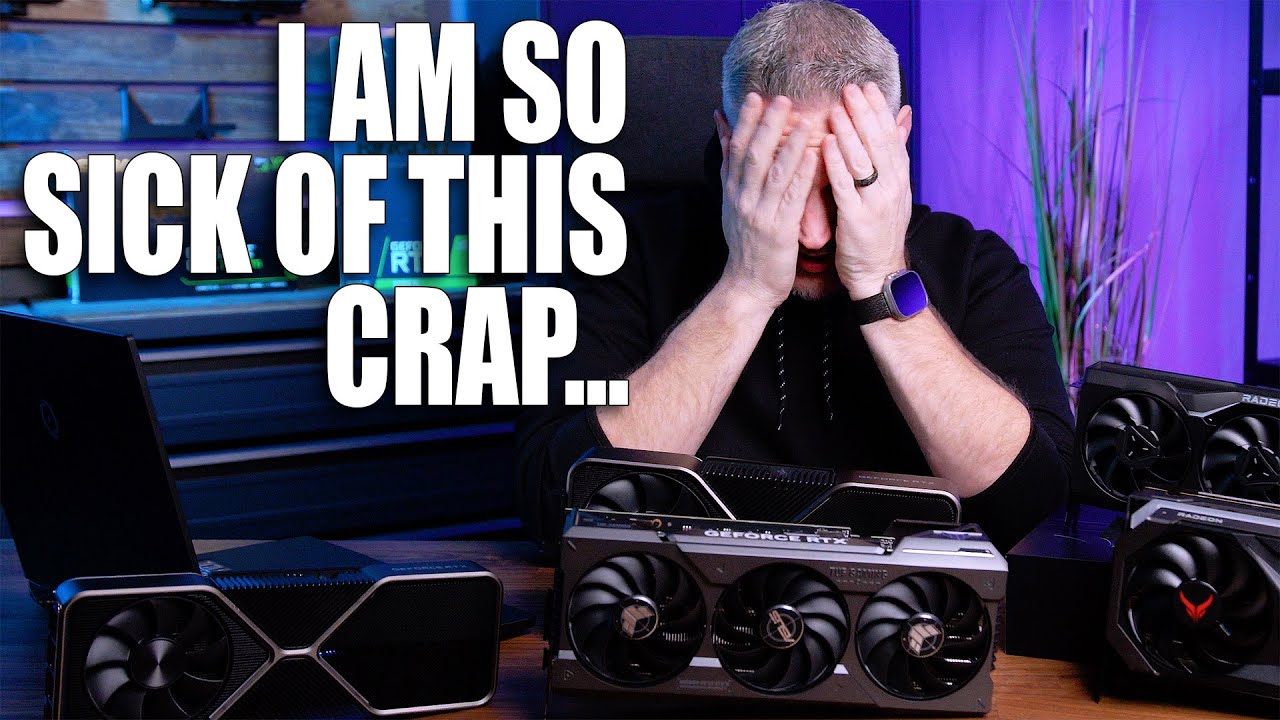
Get your JayzTwoCents Merch Here! - https://www.jayztwocents.com
○○○○○○ Items featured in this video available at Amazon ○○○○○○
► Amazon US - http://bit.ly/1meybOF
► Amazon UK - http://amzn.to/Zx813L
► Amazon Canada - http://amzn.to/1tl6vc6
••• Follow me on your favorite Social Media! •••
Facebook: http://www.facebook.com/jayztwocents
Twitter...
Review of the 4080 12GB
jade scaffold
Yea the 4070ti is dogshit
mossy gull
jade scaffold
Yea the 4070ti is dogshit
I love how good the 4080 12GB is🤣
jade scaffold
It costs more than what my 3090 cost me and is slower 90% of the time and is only faster when dlss3 is used
mossy gull
jade scaffold
It costs more than what my 3090 cost me and is slower 90% of the time and is onl...
For me it costs as much as the 7900XTX.
And you know the rest of the story 😅
jade scaffold
Though 3D v-cache versions of ryzen 7000 have been announced which is exciting as well as much cheaper none x versions putting the new ryzen 5 at a rather reasonable 230 usd
mossy gull
I found the perfect PC for Australians

 frozen igloo
I found a 12 pack of arctic p12 pwn pst for $60 though the seller says they have some rub in certain orientation though that is typical of the product, would that be a good deal if I am in the market for computer fans?
sacred seal
If you are in the market for 12 fans, then its decent
Concidering that you can only mount a few fans in a case though, and that those are likely not the highest quality, 3 higher quality fans at aroudn 45$s is likely a better value
frozen igloo
Might hold off awhile then, i’ve heard good things about those fans (good price to performance without being terribly loud) especially if you use them for a radiator as they are designed for static pressure
sacred seal
Given how cheap fans are (for PC components) buying less then the best does not make a whole lot of sense in my opinion. With rare exception a system is going to ship with enough fans that you don't need to buy any, so if you are you likely are doing so to improve performance (cooling or noise)
And concidering you are limited to how many you can put in, you are looking at a price difference of like 60$s at most between a cheap and top of the line part
frozen igloo
sacred seal
And concidering you are limited to how many you can put in, you are looking at a...
Yeah, I was looking at a open box o11d evo near me though will likely hold off and get a entire system at the same time, as to why so many fans I would have likely made a laptop cooling pad with the left over fans
sacred seal
Even then how many fans are you using? 7 total?
frozen igloo
sacred seal
Even then how many fans are you using? 7 total?
Max of 10
sacred seal
If you can make use of 10 fans thats a better value then
frozen igloo
There are a few cases I’ve been looking at and if I go with a alternative cheaper case it would likely be 5 fans 3 intake 2 exhaust
sonic meadow
some cases can use (but in no way need) a prodigious amount of fans
frozen igloo
sonic meadow
some cases can use (but in no way need) a prodigious amount of fans
Like the one I have mentioned above……
sonic meadow
the o11d is a silly case (not in a bad way or anything) 😆
frozen igloo
What are options on the purebase 500dx that would be a case I would be potentially interested in getting and grabbing a few more purewings to fill it
frozen igloo
sonic meadow
the o11d is a silly case (not in a bad way or anything) 😆
I’m tempted only because I can reverse the layout and have the pc on the other side of my desk and see inside
sacred seal
I would buy fans for a case only after building a PC in it. Often times adding fans ends up doing little to nothing
frozen igloo
Still similar aesthetically with fewer fans?
Don’t put a ton on it though still care a little
sacred seal
If your fans are not RGB odds are you won't even notice them visually
Expecially with something like the 500dx
frozen igloo
Due to light sensitivity it would almost certainly be static or off
 ionic tusk
Well this free graphics card bracket I finally got since asus shipping took awhile isn’t gonna work

To tall lol
mossy gull
How can they be too tall if they're usually adjustable 🧐
ionic tusk
Even the smallest adjustment
At its smallest compared to the included one

lol a free paperweight now
Not gonna be held by anything lol so no point of using this
 ionic tusk
mossy gull
How can they be too tall if they're usually adjustable 🧐
ionic tusk
mossy gull
How can they be too tall if they're usually adjustable 🧐
It’s a good thing I didn’t purchase the anti sag bracket cost 79 dollars where I live
mossy gull
I wouldn't know, I always vertical mount the GPU since BTX moards went out of fashion
 inland dove
It finally arrived

The components are a lot smaller than I thought they'd be.
All of this was 120 dollars.
jade scaffold
Nvidias screws have eaten my torx bit
So I'm not risking using that on the retention mechanism
Fuck you nvidia for using the most easily damaged screw type for small screws
I wouldn't mind if they were bigger torx screws like t8s
But they aren't they are 5s and 6s with not even a mm of depth so one slip fucks the screw up
T8 screws they do use on the io plate and they have like 3mm of depth to them they are really solid but the back plate and the retention mechanism are certainly sub mm in depth and super easy to fuck moral of the story don't buy nvidia FE cards ever because they make them as hard as is legally possible to take appart
cinder lagoon
jade scaffold
Nvidias screws have eaten my torx bit
I already had a doubt your torx bit might be a great one xD
If your torx bit slips and gets damaged by the screws while the screws are also being damaged - that's just a really soft bit and probably the wrong material :P
frozen igloo
I use torx for robots in my high school club and we have no issues with any of them stripping out, wonder if it is because we use slightly larger sizes than you have there

 sonic meadow
Nice
jade scaffold
Yea Ive never had issues with larger bits but mechanically speaking torx bits that are smaller do slip much easier and are much more fragile than Philips
But again on Nvidias part there isn't a reason for them to have used torx than to screw with the consumer
Nvidias thermal pads are also crumbly af
inland dove
I'm very happy with my upgrade.
My 4 gigs of ram was reallllly bottlenecking my CPU and now my laptop runs much better.
jade scaffold
nice yea its always nice to have more ram
sonic meadow
Yeah. My tablet runs like ass with 4gig ram... And an atom, but the ram sure doesn't help
jade scaffold

ignore how dirty the CPU RAD is
that things like 10 years old and has been passed through like 3 people that dust is just baked into it
looking like at my current settings temps are setteling at 60C when under load
and the computer is silent
The goal is to keep under 65c when having a maxed out powerlimit so that I get the most clock speed out if the gpu Nvidia Gpus begin to slowly drop clock after 65C
mossy gull
Nvidia and their dumb heat levels
jade scaffold
not really an NVidia thing
all CPUs and GPUs do it the difference is most GPUs cant be forced to run at a clock speed
where as most CPUs can be forced to run at a clock speed
makes GPU overclocking very different to CPU Overclocking
mossy gull
But AMD thermal target is 100c😃
jade scaffold
Yea for Junction Temps
Core temps are the same as NVidia 85
well actually sub 85
because physics is a bitch and going over that tempurature will lessen the life span of a GPU or CPU core
frozen igloo
Anyone know of a good way to reduce laptop thermals? Mine currently idles at 63 with turbo off, the fans are clean though it may not hurt for a repaste, are then any other methods I can use, I already have it undervolted slightly though not to the maximum potential as I was having it crash and didn't spend a long time tuning it
jade scaffold
a repaste using high quality thermal past like thermal grizzly cryonought could really help with thermals
frozen igloo
I already own MX-4 which is what I would be using
jade scaffold
MSI Afterburner can be used to turn down the power limit of the GPU if its a NVidia one
frozen igloo
jade scaffold
MSI Afterburner can be used to turn down the power limit of the GPU if its a NVi...
It is
jade scaffold
yea that'd work fine too
Unfortunatly CPUs in laptops tend to have their overclocking settings locked down making undervolting them very hard
frozen igloo
jade scaffold
Unfortunatly CPUs in laptops tend to have their overclocking settings locked dow...
I had to use throttlestop, my laptop also has a really annoying method of tuning fan curves where it is just a colored bar and not actual temperatures
jade scaffold
yea
check the bios of your laptop just incase maybe youll find some voltage controls for the CPU and you can learn to undervolt
which would help with thermals too
but i doubt there will be options to do so
frozen igloo
jade scaffold
check the bios of your laptop just incase maybe youll find some voltage controls...
I don't remember anything with voltage in there
I don't think I can access BIOS on my laptop as my LVDS connector is fried
Unless there is a hotkey to switch to external monitor
jade scaffold
dont need a connector
you should be able to just load the bios some laptops are a bit weird about it and you have to disconnect the drive to do so but there shouldnt be any need for a connector to enter bios
frozen igloo
The issue that I have had is that it boots onto the laptop screen which has no display out
I can enter BIOS just not see it
jade scaffold
FUCKING Hell
frozen igloo
Yeah.....
jade scaffold
the Soldering for it is high level if its like Trace Repairs or Bypass's
but i wouldnt charge $600 for it
thats like $120 an hour
frozen igloo
The store that quoted can't do that soldering and would replace the mainboard
I don't have a microscope otherwise I would potentially attempt to fix it since I can solder
jade scaffold
yea the soldering is really high level but its possible by someone whos skilled
whats actually broken
is it like the traces in the main board
or just the connector for the display
frozen igloo
jade scaffold
is it like the traces in the main board
The actual cable socket I believe
jade scaffold
that'll just be a ribbon cable socket
frozen igloo
The cable wasn't seated in there properly and one day the cable shifted and shorted a few pins
jade scaffold
that really shouldnt be THAT hard
i would be more worried about pin shorting damaging the display itself as well
frozen igloo
jade scaffold
i would be more worried about pin shorting damaging the display itself as well
After I repasted and the cable shifted shortly the screen turned on then died, the shop figured that the LVDS connector (ribbon cable socket) itself fried and is the issue
We tried with a new cable because that was busted as well
jade scaffold
i guess it depends on the size of the connector too as to how hard it would be to solder but if its bigger than the one for my 3090s Fan ribbon cables really there should be a repair shop that can do that for you
frozen igloo
Not my mainboard though same laptop so you can see the size of the connector
 frozen igloo

 jade scaffold
yea there should definatly be a repair shop you could take that to to get that sorted
frozen igloo
I don't think there are any local that could do it, as it is the nearest shop is a 30 minute drive next closest is about a hour and a half
mossy gull
@frozen igloo laptop at 63°C is actually pretty cool for a laptop.
You may not be able to lower it
jade scaffold
yea thats less good
mossy gull
I would not lock CPU speed
jade scaffold
Because Intel do have a Desktop overclocking tool that might actually let you undervolt it
i just cant remember what its called
frozen igloo
XTU?
jade scaffold
maybe yea
mossy gull
Locking CPU speed on a laptop is something I don't recommend at all.
If it gets too hot or it is in a less CPU intensive environment it won't be able to cool down.
jade scaffold
it will
you cant lock CPUs to a clock so much that Thermal Throtteling wont take effect
frozen igloo
It's still adaptative speed, just with turbo disabled, I have turbo on right now, I just disabled it to see if the extra voltage was the issue
mossy gull
Thermal throttling is there to save your CPU if it does get too hot.
jade scaffold
yes
and its also adapting
theres teirs to thermal throttling not just oop hit 90C time to drop 3GHZ worth of clock speed
mossy gull
My CPU on my laptop is like 90°C
4.2GHz in SC, sometimes dropping to 3.2GHz if it gets 100°C
frozen igloo
I know, my problem is the fan’s ramp up to incredibly high rpm and the temperature doesn’t drop
90c at idle seems excessive
mossy gull
What manufacturer is your laptop?
frozen igloo
MSI
jade scaffold
this is why i dont recomend gaming laptops except in very very specific circumstances
bad thermals bad upgradability poor portability
frozen igloo
I got it a few years ago because I was traveling several hundred miles a week to stay with family because I was a minor
mossy gull
I personally never put a laptop on Turbo
frozen igloo
On XTU my turbo max power is 200w could that be the issue
jade scaffold
but my usual recommendation is buy a desktop and a shitty laptop run pascal to remote onto your desktop and as long as you have internet you have ultra low latency connection to a computer and about 2x the performance you otherwise normally would have
jade scaffold
frozen igloo
On XTU my turbo max power is 200w could that be the issue
yea try turning that down to 45
dpending on the laptop 30 might be a better bet
frozen igloo
MSI GF65 Thin 9sd-004
jade scaffold
but for big thicc high end laptops they usually have a CPU power draw of 45W max
then try 30 or 25 if its a thin one
frozen igloo
I’ll let it run for a while and see if anything changes
mossy gull
My CPU is locked at 45w.
I have better performance than having it unlocked.
jade scaffold
yea because attempting to go beyond that will overheat the CPU and it'll throttle
frozen igloo
Should I fully disable throttle stop and dragon center and just run xtu and after burner, the only reason I have dragon center is for fan control, speed fan doesn’t work, I don’t see anything in bios and can’t find silent option to control the fans
jade scaffold
i thinkso yea
do some tests with different power limits on the CPU see what gets you a reasonable tempurature
frozen igloo
Alright, I’ll rebuild my undervolt on xtu as well I think, I used to hit 109c before I undervolted
Dropping the power drop reduced the temperature by 20, I’m moving to the tdp to see if it doesn’t cause overheating, if so I think we have a winner
It is power limited throttling though only about 100mhz slower and it’s not thermal throttling at idle
Would removing my ribbon cable force bios to my external screen, I think the shop that inspected the computer may have left it plugged in, if so I may tear the laptop apart, repaste and unplug that cable
 copper pond
Anyone know how to do a Cold Reset in a Lenovo?
mossy gull
copper pond
Anyone know how to do a Cold Reset in a Lenovo?
Cold reset?
What do you mean
Also there are like 2000+ different Lenovo machines, without knowing the model it's hard to say
copper pond
I figured, i really don't know the model and i currently can't use it, it's going to the workshop soon.
Sorry for bothering
surreal moss
frozen igloo
Would removing my ribbon cable force bios to my external screen, I think the sho...
Possibly? To me it sounds more like something is up with your graphics
surreal moss
copper pond
I figured, i really don't know the model and i currently can't use it, it's goin...
You’re good. Are there any like numbers on it?
mossy gull
copper pond
I figured, i really don't know the model and i currently can't use it, it's goin...
That's okay, usually holding down the power button works, on tablet like devices it's usually like hold Volume down + power.
frozen igloo
I haven't had much issue with them, I haven't had any driver issues however I am not able to adjust many of the setting for my dGPU or any for my iGPU on afterburner
surreal moss
Model numbers, that kind of thing
mossy gull
frozen igloo
I haven't had much issue with them, I haven't had any driver issues however I am...
Depending on the laptop, laptops without a Mux switch you cannot have full dGPU settings
mossy gull
Yes
@frozen igloo 1 thing that can help is connecting another display.
On most laptops it bypasses the iGPU using the dGPU
frozen igloo
I only have my external display connected as my internal one is broken
The ribbon cable inside may be plugged in from the shop though I have not opened my laptop since I got it back from them
balmy flicker
is this still one of the better three axis stick options
https://vkbcontrollers.com/?product=gladiator-evo-space-combat-edition
mossy gull
balmy flicker
is this still one of the better three axis stick options
https://vkbcontrollers....
Yes
balmy flicker
finally going to bite the bullet and get a new stick
frozen igloo
Came back to the pc a few hours after the adjustments no stability issues and seems to have significantly improved thermals at what seems to be no loss in perfromance
For some reason it was trying to draw 200w
cinder lagoon
frozen igloo
Yeah, thats toast... sucks...
repairing contacts on ribbon cables is nearly impossible but since the front seems to be intact and a bit in the mid is missing, it might be.
Disconnecting it probably won't help to boot to an external display, the "connection logic" is probably on the board.
Shit like this happens easily because manufacturers (like apple aswell) for some reason tend to put display data lines directly next to 50V high current display backlight power.
You're lucky if it didn't fry your GPU...
Source: Louis Rossman
mossy gull
cinder lagoon
Yeah, thats toast... sucks...
repairing contacts on ribbon cables is nearly impo...
He's not entirely correct, more modern laptop these days just have the display on an "Internal HDMI/Display Port" with some cables to power the backlights and stuff.
But if the cable is broken I wouldn't replug it unless you get a new cable for your display if that's even possible.
cinder lagoon
Yeah there's like these devices that can like switch your internal and external Video output between the iGPU and eGPU, without going through the iGPU but I have no clue how they work physically ^^'
mossy gull
cinder lagoon
Yeah there's like these devices that can like switch your internal and external ...
You mean a Mux?
I mean with most laptops if you disconnect the internal display connector the device won't use it.
frozen igloo
The repair shop replaced the cable in a attempt to fix it, that cable isn’t the one inside the laptop
cinder lagoon
mossy gull
You mean a Mux?
Yuh I think
dull garnet
Should do 1440p with 3060 ti
surreal moss
Uh yes?
dull garnet
K
mossy gull
dull garnet
Should do 1440p with 3060 ti
You can do, just don't expect every game to run as fine though
With some newer titles you can be VRAM limited and you may have to play on 1080p
sonic meadow
oh, a 3060ti will do 2k easy, it will also do 1440p fine
mossy gull
Jimm, I said newer titles.
You can run 4K even on an 980Ti, but when it comes to newer games with much more complex textures you need more than 12GB.
dull garnet
think get tuf 2k monitor
have 2 1080p monitor
build a pc
it with i7 12700kf with 3060ti and 3600mz cl 16 ram
surreal moss
That should be a pretty decent build
dull garnet
i would do 3080 but that out my reach
Still some parts and have the money get cpu and gpu

What a good 3060ti go for
Is there any reason to get a curve monitor
ASUS TUF Gaming 27" 2K HDR Gaming Monitor (VG27AQ) - QHD (2560 x 1440), 165Hz (Supports 144Hz), 1ms, Extreme Low Motion Blur, Speaker, G-SYNC Compatible, VESA Mountable, DisplayPort, HDMI https://a.co/d/90EJXHj

Designed for intense fast-paced games. The Asus TUF Gaming VG27AQ is a 27” WQHD gaming IPS display with 1ms (MPRT) response time and blazing 165Hz refresh rate to give you super-smooth game play. The VG27AQ features G-SYNC compatibility and ELMB Sync technology to eliminate screen tearing and gho...
This one think get for 2k and keep one of 1080p
sacred seal
My brother runs two of those, pretty nice displays
Note that when dual screening you likely will want to keep both your monitors the same resolution, or if you go with a lower res also get a smaller display
The way windows handles dual screening means that the mouse position across screens is based on the number of pixels
surreal moss
Could probably upscale the 1080ps just fine
dull garnet
Indeed
sacred seal
You mean send a 1440p signal to the 1080p display?
surreal moss
My EU rig I upscaled the curved 1080p and downscaled the 4K to 2k
dull garnet
I'm getting my sister one of my old pc cause she's getting my old PC
And I have the same brand monitors 2 them 1080p
Same size too
surreal moss
sacred seal
You mean send a 1440p signal to the 1080p display?
I’m not sure exactly how Nvidia does it. All I know is I had the same sized desktop on two different resolution displays
dull garnet
I'm not going bigger mainly because I don't have the room
27" almost pushing a limit
mossy gull
surreal moss
I’m not sure exactly how Nvidia does it. All I know is I had the same sized desk...
On AMD we have something called Super Resolution, maybe NVidia has the same?
sonic meadow
27" is a good size for 1440p
sacred seal
When I tried it with my gtx1080 and a 1080p display and a 4k display I could never get it to work properly
mossy gull
dull garnet
I'm not going bigger mainly because I don't have the room
Get a monitor with thinner bezels, then you can go bigger display 🙃
surreal moss
sacred seal
When I tried it with my gtx1080 and a 1080p display and a 4k display I could nev...
I was running 2080
sacred seal
I could get it to work, but full screen content was always effing itself up
 surreal moss
I see you too partake in the nectar of the good Doctor
dull garnet
Indeed. Should see the rest of my room
mossy gull
dull garnet
Vesa stands is how you do it😃
dull garnet
My table won't do it they both have to be on single mounds
And it was all bending that
mossy gull
Who says you need 1😏
sonic meadow
mossy gull
Vesa stands is how you do it😃
im staring at a double vesa mount in a box by my desk 😆
mossy gull
You have Vesa stands for 1 monitors that only have 1 desk foot
dull garnet
I know. prefer having this table pushed all the way back because my room is almost a hallway
That's how what I mean when I say my room small
 sonic meadow
there are also stands (like the one in my box) that clamp to the edge of the desk, and thereforce take up essentially no table space
mossy gull
dull garnet
My table won't do it they both have to be on single mounds
I was talking about these Vesa stands
 dull garnet
I got one of those it bend my table
mossy gull
Wait how😐
sacred seal
How? Just the weight bieng too much at one point?
sonic meadow
I would be guessing too much weight in the center of the tabletop

 mossy gull
dull garnet
mossy gull
dull garnet
That's a different mount you used there it looks like
sonic meadow
probably a hollow chipboard kinda thing
mossy gull
That looks like a clamp type, not a stand type
dull garnet
It was a clamp type
dull garnet
One problem was that I have no room to under my table