#🤝│community-troubleshooting
1 messages · Page 70 of 1
 north iron
@rancid verge You currently occupied? 😃
 cinder portal
Thank you for your help Ten
north iron
You're much welcome, @cinder portal Happy Fragging! 😄
north iron
Locate the tslgame.exe, rightclick on it, run as Administrator
C:\STEAM\steamapps\common\PUBG\TslGame\Binaries\Win64
 gleaming vector
C:\Program Files (x86)\Steam*
north iron
Sorry, I was taking care of something, I was about to type the proper directory, lol. Mine is different as I use an SSD and I choose my file locations differently 😄
Thank you, Cease! 😃
north iron
You say it freezes?
north iron
Try right clicking on it, go to properties.
Under the tab Compatibility check the box that says " Override high dip scaling behavor "
Then try running it without running it as administrator.
gleaming vector
Well... YOu can ask.... .-P
north iron
Would it be a bother to request the removal of these bots in General Help? 😃
gleaming vector
Ohhh
north iron
I had already reported, but it's been about an hour, and it's making it a little difficult to find the proper threads, lol.
gleaming vector
I avoid the Forums like a plague... (Though I should probably be more responsible and do something over there) but I abhor forums... always have...
I'll run it up the flagpole and see if someone is available. to feex.
north iron
The forums can be over whelming.. I just 'advanced' into the Bug Report Section from doing just General Help, and it's abit running back and forth, constat refreshing, and of course the " You must wait before you make a new post "
Thank you, Cease! 😃
cinder portal
Tbh Ten should have a role in this discord probably only person who actually helps ppl
not sure why he isnt assign one yet
north iron
Lol.. Thanks Samee, but it's quite alright..
 valid ruin
is there a way 2 change nickname ?
valid ruin
ingame
gleaming vector
Check Pinned messages about Ingame names. XD
valid ruin
xD
north iron
@cinder portal Besides, others such as Cease, Hawkinz, XuluniX I have seen help quite abit 😃
gleaming vector
I'm just a 
north iron
And Robo especially.
Well, watch out where you put your peels.. I dont feel like slipping, Cease..
gleaming vector
<Insert evil cackling>
north iron
walks away slowly
 weak grove
!invite
 regal vaporBOT
Invite URL for Discord: https://discord.gg/battlegrounds
 north iron
Good luck!
 fair reef
help! for some reason i cant get invites (and i have it on revcieve invites) and it says all my friends are offline and they arnt any 1 know why?
north iron
@fair reef Have you tried restarting your client?
fair reef
yah
north iron
Is your STEAM friends list online?
north iron
Have you tried Refreshing your UI?
fair reef
this been a issure for 2 days
and hte family setting not really sure what u mean
like on steam
?
north iron
Yeah, it's a current bug. Have they tried inviting you by typing in your name at the top, rather than using the list of friends?
fair reef
let me check
cinder portal
to log in
north iron
Okay, give me a second to do some research.
Is your Friends list Settings set to public?
fair reef
yah it is
north iron
Have you tried setting your STEAM list offline, waiting about a minute then turn it back online?
fair reef
let me try it
fair reef
offsetx
north iron
You already in a game?
fair reef
same
 manic charm
getting that currupt data found bug ive always got it
north iron
@manic charm Which one is that?
manic charm
download that game a million times
i load in and it kicks me out saying currupt data found mid game
manic charm
"Currupt data found, Please Verify your installation"
north iron
Have you tried Verifying Integrity of the game?
manic charm
no i dont use reshade because I think its cheating and yes I have 12 times and nothing is wrong
north iron
Okay, try this format exactly..
manic charm
i do a clean wipe of the game and battleeye and it still happens
north iron
I understand you're reinstalled a bunch of times, but try this.. Humor me..
Closing STEAM > Uninstall PUBG > Go into STEAM Folder > DELETE The entire PUBG Folder > Restart computer > Run STEAM as Administrator > Reinstall PUBG
Once it's installed. Go into your STEAM Folder. Locate 'Tslgame.exe' > Right-Click > Run as Administrator
I reaally should edit that, lol..
Uninstall PUBG > Close STEAM > Go into STEAM Folder > DELETE The entire PUBG Folder > Restart computer > Run STEAM as Administrator > Reinstall PUBG
Once it's installed. Go into your STEAM Folder. Locate 'Tslgame.exe' > Right-Click > Run as Administrator
manic charm
ill try that
north iron
Okay, let me know!
manic charm
but i have a joke to tell
north iron
OKay, taking a smal break. Going to finally play a game. @ me when you're done and tell me if its fixed or not.
north iron
Got a Chicken Dinner.. I am going to assume it fixed your issue due to the lack of a response.
cinder portal
Just won a FFP Duo
But was unable to talk on the mic
to add eachother
It cuts off
whats the fix for it?
It happens time from time in game as well my mic just wont work anymore till i restart the game
changing binds wont work too
north iron
There is real no fix for this its a bug. However, if you have your mic enabled and set to default for your system. CTRL+T is pressed and made sure the game is unmuted, and it happens. It's just a bug.
PUBG uses Vivox for voice communication.
north iron
If you know their name, you can look them up on the ingame feature for adding people to a group, try to add if he doesnt accept. Look at his Display picture, and search the same name on STEAM and hope you can find it.
 dawn epoch
Any tricks i can do to imrpove my fps? Since they forced certain settings this past patch i went from 120 to 70 during lobby times and went from 90 to 40 during gameplay. Drivers are up to date. Most basic tinkering has been done. Any extra would be great.
 pine quail
whenever i get solo it sets my reigon to as whem im actually in Na help?
north iron
@pine quail It's a current bug in the engine code. It's being fixed accordingly. As of right now, you'll need to select your desired region manually.
pine quail
ty thanks for telling me
north iron
You're welcome!
@cinder portal Yes, the same wway you would invite someone to your party to play with you.
@dawn epoch Whats your computer specs?
 sleek sedge
is there age limit to server?
north iron
No.
sleek sedge
ok
cause ive ran into about five people who just left and 1 guy called me retarted
all because i have young voice
north iron
Don't take it to heart. Nearly every male at a young age had a "young voice" as you put it.
So, don't worry about them just find someone else to play with.
sleek sedge
ok
sleek sedge
so what would i say looking for a player
dawn epoch
@north iron 16gigs ram I7 , Gtx 970
north iron
Try closing any unneeded programs on Task Manager.
 amber patrol
yo
Can someone help me?
Razer Cortex gamebooster doesn't launch pubg
it crashes it instead
north iron
Have you checked to see if your drivers are up to date? Have you tried reinstalling Razer Cortex?
You can try it. Although, from wwhat I have been reading. It's not proper supported.
@amber patrol
 halcyon epoch
That feel when you get a win but then realize it was uselss because you were playing in the as server because the servers are broken
 viral monolith
what is that blonde colour that everyone uses 1 2 3 4 5 or 6?
 burnt gale
@acoustic nexus @gleaming vector @lofty briar @coarse junco wondering if a mod can change my nickname for this server to my in-game-name, it is: IHaveDonuts
north iron
You mean Color Blind mode?
viral monolith
no the hair colour @north iron
north iron
Oh.
 coarse junco
Please don't tag multiple people
viral monolith
everyone uses it on their girl do you know it?
burnt gale
@coarse junco can my username be changed just for this server?
north iron
I'm researching it, Metalmac9. However, you can click the option to change your character for 3,000, if you don't end up changing anything. It won't cost you.
@viral monolith
viral monolith
ok
north iron
However, just an FYI..
viral monolith
what hair colour do you use
north iron
If you do choose to change anything. There is a current bug where you BP will go negative. However, don't worry about it. It's a known bug and will be fixed accordingly.
I set mine up the day the game came out. So, I picked brown.
viral monolith
ohh
im changing my character to a girl i want to know what is the best blonde colour
north iron
Just go through them, and see which you like the best 😃
viral monolith
but they look different in game
north iron
I've looked at a bunch of links and I cannot find anything for it.
I'm aware they do look different in game.
I do apologize, but it appears like you're going to have to just go with what you think.
viral monolith
when im in pre game i see the colour but i dont know what one it is
north iron
I would do it with you, but in all honesty... I don't want to go negative and be neglected purchase of crates 6 a week just incase 😛
viral monolith
ok
north iron
Glad we got it figured out, @viral monolith You're much welcome! Happy Fragging!
viral monolith
Noice
burnt gale
is there anyone who can change my nick just for this server
 wild valve
who elses server is lagging right now????
north iron
Oliver, you would have to ask ONE moderator if they would but it is of their choosing
 polar surge
regal vaporBOT
polar surge
regal vaporBOT
Invite URL for Discord: https://discord.gg/battlegrounds
 slim heart
help, i need somebody
help, not just anybody
help, you know i need someone
HEEEEEELP
 glad grail
is there some kind of fix for the mushy buildings ?
viral monolith
yes @slim heart ?
north iron
Wwhatcha guys need?
PLAYERUNKNOWN'S BATTLEGROUNDS Forums
Hi Players,
Please take a moment to read through this post and attempt all troubleshooting method so we can attempt to help solve your issues with the...
 minor haven
Maybe this doesn't belong in Help. But hell. It's irritating. I wanna say about half of my gun fights are plegued by lag. Everything will be a smooth 50'ish fps riiiiight until the lead flies and I need those frames most of all. Where about it tanks to lag town. I've head the game is poorly optimized, and I don't lag so bad in other games. Is there anything I can do about this? Short of upgrading hardware, of course.
 feral jolt
@minor haven you can try to toy with your game settings until you find the most confortable ones for you
Try not to put everything on very low since your GPU won't be used at its full potential
 final meadow
!invite
regal vaporBOT
Invite URL for Discord: https://discord.gg/battlegrounds
 hexed ledge
north iron
hexed ledge
north iron
Then you won't be able to reconnect to the game.
 signal trail
 cloud finch
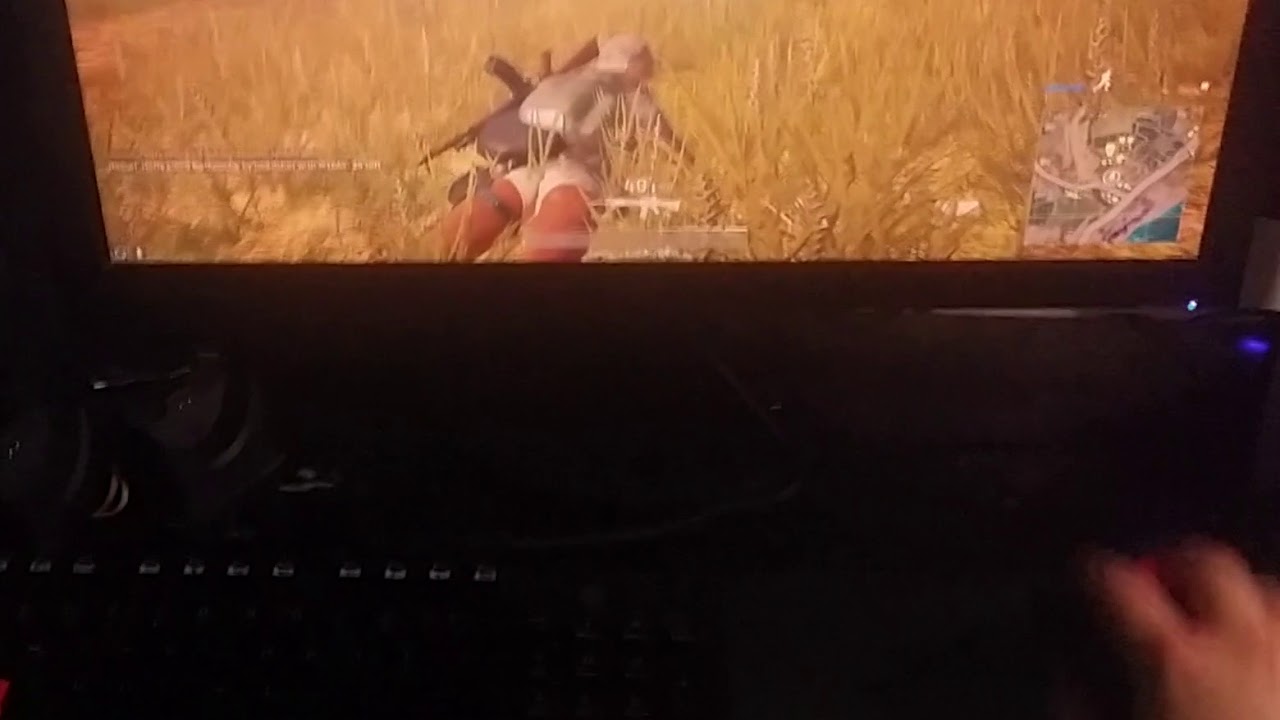
Has anyone had any problems with their wireless mouse sensor not responding for a few seconds at a time while playing PUBG? My Razer Naga Epic Chroma's sensor randomly cuts out very consistently while playing PUBG (but the clicks and side buttoms work still). https://www.youtube.com/watch?v=pkmWO1aGXxY
 acoustic nexus
@cloud finch are you sure that issue only occurs while playing PUBG?
north iron
I've personally not seen anything about it. Does it only happen whilst playing PUBG?
Anat, beat me!
acoustic nexus
😉
cloud finch
@acoustic nexus It happens randomly while outside of PUBG, but very rarely and only for less than a second. While playing PUBG it's almost every minute, for anywhere from 1 to 6 seconds. It doesn't matter if it's 1 inch pick up, or a 1 foot pick up (like in the video). Drivers are up to date, Changed Polling rate from 125 to 500 to 1000. Sensor still disconnects.
north iron
Have you tried reinstalling the drivers?
It might be a sync issue if it happens outside of PUBG as-well.
I would also recommend the Pulling Rate 500.
acoustic nexus
It's most likely a hardware issue then. The fact that it happens in PUBG more than outside is that you are using the mouse more, so the sensor is more likely to run into the failure than on the desktop where you don't have to do perform that many consecutive flicks.
cloud finch
I can try and re-install. I have it set at 500 right now. It happens regardless of it being wired or wireless, that's the weird thing. I can plug it in and it still disconnects.
Doesn't respond would probably be a better word to describe it.
acoustic nexus
Even though I don't expect the mouse driver is the failing component here, a fresh installation is always worth a try. I reckon that there's some sort of loose contact inside the mouse.
But that's just an assumption. Likely though.
cloud finch
I'll give it a shot in a bit
north iron
Well, let us knoww..
 main ore
Who can I talk to about my Custom Game server? 😄 Please ping me whenever a response is given.
north iron
@main ore Hello.
As of right now you need to be a Content Creator or a Partner with PUBG.
If you're curious how to become one, follow the link provided below;
https://www.playbattlegrounds.com/partners.pu
cloud finch
I haven't done a fresh install or anything, but restarting my PC has helped. It hasn't bugged out in the past 5 games.
north iron
Oh.
I would just contact someone directly on the forums then.
I was under the impression. You guys wwere automatically given a Custom Server for use once you became parttners/creator if you needed one.
However, I would just contact someone directly. Maybe @weary warren Might have the ability to assist.
coarse junco
No, you need to be a content creator to apply for a partnership.
Once your partnership got accepted, you get access to host a custom game
north iron
Oh.
coarse junco
I could try answering it
north iron
I read this differently
" Currently custom games are only available for creation by PUBG partners who are community content creators "
My bad.
 cerulean shore
Guys, is there any crouch jump fix possible after the latest patch...? So annoying to not be able to jump windows and some walls 😦
 solar flint
You dont need the keybind to be able to crouch jump
cerulean shore
It's really hard to press c+space at the same time.. Just doesn't get right with the fingers.
cerulean shore
And even if I try I have to go for 20 tries to make the same jump that worked in 1 try earlier
solar flint
You could use a macro keybind, but you may risk getting banned
coarse junco
i would suggest reading the pinned post in #207019048607678464
 prisma lantern
Is reshade being blocked again? It seems so
 desert grail
Yea I guess it is
north iron
@solar flint You will not risk being banned. You WILL be. It's against the rules. Therefore, I wouldn't advise suggesting it even/
ReShade is having issues loading with the game.
solar flint
I was unaware, sorry
north iron
It's quite alright. I'll link you the RoC.
solar flint
I know RoC, but I was unsure about stuff like that
north iron
#9 - Do not cheat: do not use third party programs, macros, client-side hacks, edited game files
solar flint
'Do not cheat: do not use third party programs' kind of confuses me, why is reshade allowed then?
north iron
ReShade wwas announced to be used by Bluehole. Therefore, it is an exception.
acoustic nexus
What Tengauge12 said basically.
desert grail
acoustic nexus
#censored - removed the link to the clip as it might encourage people to use the macro.
north iron
^ I actually tried to do that thinking I wwas on PUBG Exp. Discord,... Face-Palm
acoustic nexus
As a rule of thumb: what you can achieve by only utilizing in-game settings is fine. If you need another program for it or have to edit config files in order to get it working it's likely to be against the RoC.
 lapis ridge
my fried just bought the game and cant click anything in the lobby
cant go to the settings or refresh the ui
 thorn ferry
Has anyone elses game been crashing a lot since the latest patch due to running out of memory?
 tropic dome
How do i make it so the game doesn't reset my keybinds each time i launch the game ?
 scarlet sky
door seems non existent - yes, it´s closed!
north iron
@tropic dome When you set a new bind for a key. Set the same key as the Secondary as-well as the Primary for it not to reset.
@thorn ferry Try remvoing Pagefiling...
@scarlet sky Just a small bug. Doesn't affect anything other than visiaul.
 eternal finch
Do the Duo rooms require push to talk?
I can't utilize the rooms with voice activation
north iron
@lapis ridge Have your friend uninstall the game, delete the PUBG folder within the STEAM folder > Restart Computer > Run STEAM as Administrator > Reinstall Game > Run the game from STEAM Library.
coarse junco
there are some with push to talk and some without @eternal finch
eternal finch
Could you change the rooms? or do I need to find one?
north iron
It's to prevent those who wish to not play with people using Always, and just those using PTT.
I'm sure their in order?
north iron
Then Free talk should be allowed.
eternal finch
I wonder if I need to restart my Discord
north iron
I would try that 😃
north iron
Maybe the first 10 or PTT?
eternal finch
It was Just Duo Room 10
north iron
I honestly cannot tell you, as I cannot see the settings. However, I am glad you were able to sort your issue! 😃
Maybe they just accidentally missed it 😃
From Experience.. Setting up channels, and adding permissions from roles to each channel.. It's a huge pain...
 shadow isle
If you add a suggestion but u don't get a response should you keep trying? Cause like you won't know if it just wasn't seen or it was ignored. Do you even get a response?
north iron
Don't "Keep Trying".. It will be reviewed. I assure you.
 distant bramble
i cant play solo, is this a current issue ? Can't select solo in the play section, only duo, squad etc
coarse junco
i guess you are in a team
distant bramble
no, as far as i can tell
there is no leave button so i guess im not
Any other way to quit a team ?
coarse junco
try reloading the menu or restart the game
 crystal wave
Does anyone know how to fix the voip ?
I can see the mic icon when i speak but can't hear anything
north iron
You've made sure that CTRL+T (unmuted)
Have you tried CTRL+Y to ensure you're in the right channel?
@crystal wave
 mortal gyro
I just installed the game, do you guys have any beginner tips or tricks for me that would be handy knowing (besides graphical stuff)
solar flint

reddit
Similarly to /r/dota2 having a bot displaying the basics of the game to any beginner, I think, given the popularity of pubg, it would be nice to...
Most useful guide you'll find for beginners
mortal gyro
Thanks dude
solar flint
Though some info in it is outdated, such as the east spawning vehicles bit
mortal gyro
Yeah I heard about that
solar flint
Vehicles will spawn facing any direction now
mortal gyro
Thanks again, I'll take a look
solar flint
Also, I recommend a Youtuber named WackyJacky101, he does really useful tutorials and mythbusting
I cannot recommend him enough
 hasty beacon
whats the discord link to this ?
coarse junco
!invite
regal vaporBOT
Invite URL for Discord: https://discord.gg/battlegrounds
solar flint
Nice one 😛
feral jolt
Can anyone recommend a good audio tweak guide for PUBG ? I'm having trouble with Realtek HD Audio Manager, trying to find the most confortable settings for the game
 vestal loom
Processeur graphique : GeForce GTX 1080 Ti Processeur : Intel(R) Core(TM) i7-2700K CPU @ 3.50GHz Mémoire : 16 GB RAM (15.98 GB RAM disponibles) Résolution ac...
 night belfry

I just died to bluezone
Becuase at half heatlh I hit a small ridge
and it stopped my veichle
Those needs fixing for sure
 native spindle
can I run this game:
amd radeon 6900
16 gb ram
my processor is some aMd 8150 8 core thing
idk if i should buy it
coarse junco
i guess your GPU is too slow, the minimum is a HD 7850, which is a bit faster than yout card
the CPU and RAM would be fine
 golden flare
how can i make my teams voice louder, i can barely hear them, but i do hear something
my voice input/output all 100 and sounds all at 100 except bgm
 pastel anvil
Is there any word about EU players being in AS ?
coarse junco
it's a big, they are working on it
 pseudo torrent
Question: when I log into the lobby my BP is listed as N/A no matter how many games I've played, and my clothing isn't there at all.
Is there a way to fix it, or is it already a known issue?
coarse junco
does reloading the menu fixthe issue?
pseudo torrent
Nope
Been like that since I bought the game, rebooting, reinstalling, reloading, nothing seems to help
 tame knoll
@coarse junco who can I talk with about custum server applications?
 ashen goblet
How did they get emojis in the category titles
tame knoll
@coarse junco do you have an approx date that they will be reopened or do you know of someone i could ask about, my org is looking to start up a league on top of the ones we are running for other games and we wanted to get our hands on a server
pseudo torrent
There doesn't seem to be a fix for my issue, should I just refund the game?
coarse junco
for applications from orgs see https://forums.playbattlegrounds.com/topic/36976-custom-games-access-application-for-communities-esports-orgs-and-tournament-organizers/
PLAYERUNKNOWN'S BATTLEGROUNDS Forums
This program application process is designed for growing communities, Esports organizations with PUBG/Battle Royale Teams, and Tournament Organi...
@pseudo torrent that looks like an account related issue. please file a bugreport on the forums or contact the supportteam on https://twitter.com/PUBG_help

Official support account for @PUBATTLEGROUNDS
Tweets
2314
Followers
11834
 Twitter
pseudo torrent
Twitter
pseudo torrent
I have, they didn't respond
pseudo torrent
About a week
Looking through the forums it seems I'm not the only one with this issue, or being ignored
north iron
It's a known issue. Although, I am certain it is just a bug with a few people. It could be something similiar each person has. Although there is no way for them to determine that.
You could try turning off your Firewall/Anti-Virus just to see if it helps. You could also try uninstalling the game, deleting the pubg folder, restart computer, restart steam in administration mode, reinstall the game, and open the game directly from the STEAM Library.
@pseudo torrent
pseudo torrent
I've done all of that, no dice.
north iron
You've done the running steam as admin? after uninstalling making sure to have deleted all pubg files in relation?
pseudo torrent
Yeap
It's pretty standard stuff. Also checked the integrity of the install, tried different connection, different computer.
It's something on their end
north iron
Possibly, but not everyone has the issue. Therefore, it's something more than it just being on their end.
pseudo torrent
A lot of people have had the issue, but never say anything because it "fixes itself"
north iron
It could be program conflicting, etc..
Yes quite of few people have the issue, but not everyone. If it's a standard bug. It would effect everyone. Typically bugs are caused by something that those with the bug have similiar.
Whether it be a program, or the installation process, or the country they live in, the ISP they use, etc.
pseudo torrent
Well it certainly can't be ISP related
north iron
I've seen some stuff...
pseudo torrent
I don't use a commercial ISP. I don't have that in common with anyone but probably 12 other people in the world
north iron
OKay, that be it may. Then it is something you have in common with the others.
You still there, @pseudo torrent
pseudo torrent
Yep
north iron
Can you humor me?
pseudo torrent
Sure
north iron
Okay..
Uninstall PUBG again... Then Uninstall STEAM Completely.
Other than your games files (For other games) delete STEAM completely (The folder), and copy the other games folder elsewhere. (That way you dont have to reinstall all your other games.)
Once you've done that, restart your computer. Run a Disk Cleanup. (Not a Defrag)
This shouldn't take long at all.
Once you've done that.. Go through Task Manager, and end the task on any all programs that dont need to eb running.
This iincludes stuff like Razer Snaps, Cortex, Game Booster, GeForce Experience, etc..
(As they dont need to be running for your peripherals to actually work..
Once everything is basically not running, other than the basic essentials..
Re-Download Steam completely.
Once it downloaded, don't run it automatically. Launch it As Administrator.
Dont replace your game folders yet..
 modest stratus
Main menu runs at 2-3 fps and crashes when going into settings, been like this for months. Any help?
north iron
Simply reinstall PUBG, locate TSLGame.exe, run it as administrator. Once it fully loaded (Despite any errors you may get) close the game. Then launch it directly from the STEAm Library (Not by right clicking on the steam tray Icon.. Physically open up your Steam Library and double click onit from in there)
Once you've done all that @pseudo torrent let me know.
modest stratus
;-;
north iron
Dont skip a step though.
pseudo torrent
Tengauge, that will take me hours to do
north iron
Not really, most of all of it should be fairly quickly The only one to be time consuming is the re-installation of the game.
pseudo torrent
Yeah that's what I mean, the game would probably take 3-4 hours to download
north iron
Depending on your download speed of course.
Ouch.. Typically only takes me 12mins to download the game.
north iron
However, I am offering to try and fix the issue so I can pinpoint the problematic cause for this for future reference in assisting others.
Yeah, my connection for download is 300mpbs
modest stratus
Anyone got any solutions for my problem? The game is unplayable .3.
north iron
Give me a second Jeff.
modest stratus
Cool cool. thanks in advance
north iron
@modest stratus Have you tried
https://forums.playbattlegrounds.com/topic/35858-read-first-common-fixes-template-for-client-crashing-bug-report/
PLAYERUNKNOWN'S BATTLEGROUNDS Forums
Hi Players,
Please take a moment to read through this post and attempt all troubleshooting method so we can attempt to help solve your issues with you...
my pc can run it, had it running smoothly before I had to reset my pc. Ever since the game has been broken
im validating my game files rn
north iron
What do you mean by 'Reset my PC'?
modest stratus
Oh, had some issues with my motherboard and had to wipe it
Files validated with no issues
Windows updates might be an issue
I had to reset my pc and only have the earliest version of windows installed because my motherboard doesnt support anything later
north iron
That can certainly be an issue.
Typically not having OS fully updated and or drivers can cause games not to run at all.
modest stratus
Its just odd that this only happens with pubg
everything else runs just like before
I guess I'll reinstall
north iron
Resintall the game?
@modest stratus
If so follow this format;
Uninstall PUBG > Close STEAM > Go into STEAM Folder > DELETE The entire PUBG Folder > Restart computer > Run STEAM as Administrator > Reinstall PUBG > Launch it directly from STEAM Library.
@pseudo torrent If you choose to do it. Let me know, and when you're finished whether it be hours or not. Please, @ me. I'll be on the forums helping there.
north iron
Okay, let me know how it goes! 😃
Remember not to forget a step. Especially when it comes to closing all programs, background programs, etc from Task Manager prior to installing, and launching...
pseudo torrent
Yep did all that and going to launch the exe first
 high crypt
Is it weird that my mouse is off by a few inches when I place marks or when I am in the lobby ?
north iron
Have you tried switching it from Windowed [Fullscreen] to Fullscreen and back?
@high crypt
Or visvera, depending on which you use.
north iron
Iys preference but doas i sdaid and see if it fixes it
high crypt
Sweet I'll give it a shot
tame knoll
@coarse junco we already have that filled out but it said apps were closed, i was just wondering about a date when they will open up again
north iron
There has not been a released date when the application process will be open again
@tame knoll
tame knoll
@north iron alright, thats too bad
north iron
I do apologize!
tame knoll
nah its cool, thanks tho
north iron
Have you checked your Settings and made sure your Mic is selected and it;s not on 'Mute'?
Have you tried Holding down the letter 'T'?
golden flare
is that a ingame setting
i changed my push to talk to v or mouse button, both didnt work
north iron
You would have to hold it down, and if it's not your team you're talking too. Expecting a response for the randies in the lobby is doubtful
golden flare
just tried duos for the first time, yah im holding it
i dont even see the little speaker thing light up
next to my name but i can hear my team and see his speaker light up
high crypt
Haven't got on the desktop yet
 junior mortar
I cannot see my steam friends when I refresh my list it is kinda bugged. Can anyone help me? <@&270458501778636820>
Do they have to be in lobby to be able to receive invites?
north iron
You have to be on the main menu to be invited. You have to not have invites blocked nor already on a team.
It's just a small bug with the friends list not showing up. Just type their names in manually above that in the search bar.
@junior mortar
viral monolith
The instruction at 0x00007FFDFE6ABBDF referenced memory at 0x0000000000000024. The memory could not be written.
Game has also started to crash minutes into it.
Haaaaaalp pls
pseudo torrent
@north iron I launched the exe in administrator mode but nothing happens on the main menu, just seems frozen at "loading"
north iron
Yeah, that's why I said to launch it from STEAM Library. (Make sure STEAM is ran as administrator) @pseudo torrent
@viral monolith Have you tried Verifying Integrity of the game?
pseudo torrent
Yes
north iron
Okay, dont run the game as administrator, just STEAM then launch it through the library directly.
north iron
I seen you accidentally messaged me on reddit lol.
north iron
Okay.. Let me test something for you. Let me find the link though.
You aware of what a VPN is?
pseudo torrent
Yes
north iron
Run a VPN, and see if the game will load..
pseudo torrent
Well I know what it is, I don't know how to set one up
north iron
Okay, let me find this link again. I cannot remember what it was called.
Give me a moment.. I have tons of tabs open, and I am on my laptop not my desktop, so it takes me abit longer lol.
See the tabs at the top, Lol.
@pseudo torrent Not the one I was looking for, but try this; https://www.cyberghostvpn.com/en_US/
north iron
There is a free one, but I am still looking for it
@pseudo torrent CyberGhost is free?
pseudo torrent
It says it costs 11$ a month
viral monolith
ran out of video memory what the fuck
suddenly computer is 12mo old and shit is going downhill
north iron
Well, I just downloaded it and everything for free.
@viral monolith Have you tried disabling pagefiling?
viral monolith
no
pseudo torrent
Doesn't give me a download link, just a bunch of options to pay money
viral monolith
i did the whole change filesize but then the game started crashing
north iron
Cyberghost VPN is used and trusted by millions of users which want to protect their online privacy, surf anonymously and access blocked content. Download Now!
It says Download Windows Client button right there 😄
@viral monolith computer specs?
viral monolith
heh
pretty sad
hang on
i3-6100 8gb ram rx460
the game ran perfectly for almost 3 months until the other day when this started happening
north iron
That odd..
Because other than your RAM. Your computer specs does not meet requirements AT ALL..
viral monolith
lmao
north iron
When you say perfectly.. Is that like 30fps?
viral monolith
everything is on very low and distance is at high/ultra
30-40 fps yeah. it does the job
north iron
If you say so, lol...
However, with each update the game is getting better, which means although you was luckily enough to run it before. You're not anymore, and it wont get better for those specs going to each update in the future.
viral monolith
yeah i'll be looking at working around the 7700 or 1800 build
viral monolith
so i reset the page file setup and no error message this time. im guessing the game will just crash anyway haha
north iron
It's a start! XD
pseudo torrent
Connecting to the VPN, I think
north iron
Okay, once you're connected to a server. Try to load the game and see if the issue happens again.
If it doesn't We'll need to have you port forwarding ports to exemption for PUBG ports being 80, 81 and 443.
pseudo torrent
Yeah VPN does nothing
north iron
The VPN does nothing, or whilst its running the game still has the same issue?
pseudo torrent
The latter
north iron
Humph..
I guess jutr disabling your Firewall/Anti-Virus, see if that works..
If not, locate your routers model numbers (Since your using that special internet), and go into your routers setrtings for port forwarding, and add the ports 80, 81 and 443 to be allowed..
pseudo torrent
This is way more effort than I've ever put into a game before lol
north iron
Agreed, but it is Early Access..
I've also been doing my best to help you for the past 5hrs, and I am still at it! 😃
pseudo torrent
Yeah I know, but after a fashion I think that there's a point where there's nothing to be done except wait for them to fix the game
north iron
Well, you did mention you're using a different ISP than like ANYONE.. So, my literally last solution was adding the ports to be allowed within your router.
If you supply my with the model number. I can provide you with a guide that will walk you through it. It's pretty simple.
@pseudo torrent
pseudo torrent
I'll try to tomorrow, it's bed time lol
I'm too tired and I may blow up the router or something
 warped crane
Excuse me I have a huge issue with starting the game. Everytime i start the game it doesnt open and says DX11 feature level 10.0 is required to run the engine and I've done everything as far as updating my drivers and everything
warped crane
Do you maybe have a link for that? @north iron
north iron
Well, technically.. It's not allowed to provide DL links and such...
However, you can google " Direct X Level 10 download " and find it.,
warped crane
Apparently I have direct X 12 so I have no idea what the problem is
north iron
Yes, but DX 10 comes before 11 or 12.
So, you probably dont have the KB files for 10 on your system.
You can also make sure that your Windows is up to date.
warped crane
So dx11 feature level 10 means direct x 10?
north iron
It just means the files from 10 is needed to run higher versions properly.
I would start with Checking your windows updates.
warped crane
How do I make sure of all that
north iron
you running windows 10?
warped crane
Yes
north iron
Cortana > Search; Windows update > Click on it, check for updates, download ALL even the optional ones.
As for your devices..
Press Windows key + X and select Device Manager.
Expand Display Adapters.
Right click on the driver and select Update Driver Software.
Follow the on-screen prompts to update the driver.
warped crane
I have 2 drivers
north iron
You want to expand all the important tabs and check for updates.
warped crane
Windows update says its up to date but I still get the same message
north iron
did you update your graphics card, and checked ALLLLLL the devices on the Device Manager and manually check every one for updating?
warped crane
Yes
north iron
Download DX 10.
 hushed wagon
Why when i finish a game does it try to put me back on an AS server...
north iron
@hushed wagon It's a current bug in the engine code. You'll need to manually keep reselecting your desired region until its fixed.
warped crane
It says direct x setup has determined that a newer or equivalent version of direct x has been installed already
hushed wagon
It stoped doing it for a while last patch
north iron
It's off and on currently. Until it's completely fixed. I assure you that bluehole apologizes for any inconveniences.
warped crane
Direct x 10 wont install because it sensed a newer version
north iron
Okay.
That's what I wanted to hear, lol.
Go back to Windows update, and click on the 'link' that says Optional downloads.
warped crane
I dont see where it says that
north iron
Okay..
Since this is directly from Microsoft, I hope I wont get into trouble for this, lol.
Download this;
https://www.microsoft.com/en-us/download/details.aspx?id=35

Microsoft Download Center
The Microsoft DirectX® End-User Runtime provides updates to 9.0c and previous versions of DirectX — the core Windows® technology that drives high-speed multimedia and games on the PC.
warped crane
still same result as the other dx
warped crane
yes
north iron
Try uninstalling Direct X, and reinstalling it.
Before you do thaty actually.. Try this
Open your Set Launch Options for PUBg, and add this command line; -d3d10
 minor pagoda
https://www.youtube.com/watch?v=iX0IXKmxbFc
have banned ? fix house Plasticine?

วิธีนี้เป็นวิธีแก้แบบเบื้องต้น ไม่แน่ใจว่าจะสามารถแก้ได้ทุกคน หากมีปัญหาข้อสงสัย สอบถามได้ใต้คลิป -USEALLAVAILABLECORES -malloc=system Open GameUserSettings....
north iron
Have banned? Can you explain @minor pagoda
warped crane
that command didnt work
north iron
If you're needing to report someone;
https://forums.playbattlegrounds.com/forum/35-report-a-player/
PLAYERUNKNOWN'S BATTLEGROUNDS Forums
If you wish to report a player or appeal a ban please read the instructions inside.
minor pagoda
I need to know if me doing be like this video i will has banned?
north iron
Let me watch it...
Does it go against anything found here;
https://www.playbattlegrounds.com/rulesOfConduct.pu
 neat frigate
the server down? battle eye blocked my reshade...
north iron
@warped crane Uninstall DX and restart computer, and reinstall it.
warped crane
how do I uninstall dx
north iron
ReShade is being blocked byBe currently.
You'll need to uninstall it, or rename/delete file dxgi.dll until its not blocked anymore.
@warped crane
Open Settings app and go to Update & Security.
Go to Windows Update section and click on Advanced options.
Click View your update history.
Click on Uninstall updates.
Microsoft Download Center
The Microsoft DirectX® End-User Runtime provides updates to 9.0c and previous versions of DirectX — the core Windows® technology that drives high-speed multimedia and games on the PC.
warped crane
im not seeing anything about uninstalling dx
north iron
You cannot uninstall it directly..
Thats why you uninstall updates (all), then reinstall.
You can also try the link provided.
warped crane
alright well ima uninstall all these. its gonna take a lil bit probably so ill get back here later
north iron
Okay, @ me when you're done or say something...
warped crane
I dont think i uninstalled direct x
@north iron I think I just give up for now. It's so hopeless. But thank you for trying to help me as much as you could.
north iron
I do apologize, never give up! That's my motto! 😃
viral monolith
i cant hear people like my team mates random people i can only hear sound effects like bullets etc
north iron
CTRL+T @viral monolith
north iron
What country do you live in?
viral monolith
australia
want me to show u a picture of my ingame settings

Steam Community: PLAYERUNKNOWN'S BATTLEGROUNDS.
north iron
PLAYERUNKNOWN'S BATTLEGROUNDS Forums
For some reason I can talk to others players, I've confirmed this by asking a squad member to jump and they do, but I can not hear their voices, I know th...
PLAYERUNKNOWN'S BATTLEGROUNDS Forums
Hi Players,
Please take a moment to read through this post and attempt all troubleshooting method so we can attempt to help solve your issues with the...
PLAYERUNKNOWN'S BATTLEGROUNDS Forums
Please only use this thread to discuss current bugs and known issues from the lists below.For any new bugs, please create a thread following the bug repor...
@viral monolith
 bronze basin
Uh I have a quick question, is there a chance that i'd get banned if i've ever just team killed someone once by mistake?
When does one reach the point where it does come to a ban*
I'm aware that players can get banned through reports, but is there some counter (for team kills) during a certain time that also affects whether u get banned or not?
 grand saddle
@bronze basin its pretty obvious if it's by mistake or intentional
if they reported you using video, but you're clearly amidst a big gun battle then it'd probably be let slide
but if you're in a house and there's no one else and you just walk up and double tap the back of their head then 😛
bronze basin
Teammate in a building and i shot through the window, not seeing it was them
But ye, i see
grand saddle
Are you new to the game? lol
bronze basin
Nope, just woke up and apparently blind LOL
north iron
It's not 100% that you will get banned. It will be investigated accordingly.
grand saddle
Aye
north iron
However, if anything it would be something small like 48hrs.
grand saddle
i wouldn't worry too much, its not like you're connecting to servers intentionally to TK
north iron
Although if it was clearly an accident. It will probably just be over looked, as there is much more important reports to take care of.
grand saddle
Like @north iron says, a one off panic shot through a window is just bad luck
Question though, if he was your team mate, did you not just down him?
and then go apologise and pick him up lol
north iron
Bad timing, lol.
solar flint
10:08:24: [INFO] Blocked loading of file: "C:\Program Files (x86)\Steam\steamclient64.dll".
ummmmm
north iron
Uninstall STEAM and reinstall it.
solar flint
Theres gotta be a simpler fix
solar flint
I cant sign in to steam again, for complicated reasons
north iron
Then reinstall STEAM. All your downloaded/installed games will still be there.
What complicated reason? I might be able to assist.
solar flint
Dont know if u know steam desktop authenticator, but i deleted it by accident and i never saved my recovery code, so i gotta contact steam support and that takes weeks to get a response
Oh wait never mind, appears I missed a steam update or something
I think its fixed
north iron
I hope so!
solar flint
Yep, fixed, thanks anyway
north iron
You're welcome! I would contact steam while you have the luxury and get that taken care of..
solar flint
My experience with steam support isnt great... they banned my first account for 'fraud'
Takes ages to get a response, ill just stick with what i got for now
north iron
Well, I had a similar issue. I had changed my number and deleted my STEAM App, and lost my R code. I contacted them and they responded within 2hrs.
solar flint
Only fast responses like that that I get from them is refunds, i normally get a full paypal refund within 30 minutes of request
north iron
They have different people for different categories of your support.
 serene creek
i posted a topic in the „banappeals“ section and got no answer
north iron
You need to be patient. They will get to it. I assure you.
It will be dealt with accordingly.
serene creek
ok thank you for your answer
north iron
You're much welcome! 😃
north iron
PLAYERUNKNOWN'S BATTLEGROUNDS Forums
Suggestions & feedback related to gameplay, animations, gunplay, weapons, vehicles, physics.
Get to it! 😃
 honest hatch
Does anybody know if reshade works? or still not works?
 mild sierra
just start again
honest hatch
if it not works i can just install the program right?
mild sierra
yea
honest hatch
It works for me 😃
 round dock
It's bad enough that the game doesn't recognise the settings if you want to play in EU solo on FPP. Even worse: pressing the cancel button, the moment you realise you are going to play in AS solo 3rd person, doesn't do a thing... I really hope they are going to fix this in a next update, actually expected this to be fixed last update though
round dock
I think it happens to almost every EU player who wants to play FPP 😉
viral monolith
Lol.
I keep playing squad with shit people.
All the people I get picked with kill me.
or leave me to die.
round dock
record it and post it somewhere on the pubg forums? That's against the rules
Not the posting but the teamkilling is
viral monolith
Ok.
round dock
PLAYERUNKNOWN'S BATTLEGROUNDS Forums
If you wish to report a player or appeal a ban please read the instructions inside.
viral monolith
How do I know my room number?
round dock
What do you mean?
viral monolith
I need people to play with.
The room numbers for Duos and Squads.
So people can join.
round dock
In the lobby you mean?
viral monolith
Mhm.
I need friends.
I have PUBG on a account I havn't played since like 2 years ago.
So it has 0 friends and 2 games my brother downloaded, so I never get to play with friends.
I sad.
round dock
There is a section here which is called looking-for-players
viral monolith
Ik, how do I know my room number though?
round dock
You don't need to know your " roomnumber"
viral monolith
Ok.
round dock
You can search for players on there nicknames and invite them, there are probably a few in l#ooking-for-players
viral monolith
?
round dock
if you scroll down on the left where all the sections are. You can see the roomnames as well (this is help, but further down you will see the rooms you are referring to)
viral monolith
Also how do I change my Nickname in PUBG my brother made my name the name of some army group on a game he is in.
Ok Ty.
Wait where?
reshade is blocked again?
or just me?
round dock
@viral monolith if you scroll down on the left where all the discord rooms are, there you will find the rooms which you can enter for duo's or squads.
viral monolith
OOOOH
 bitter rampart
If you try it half a dozen times, sometimes it lets you through
 small briar
does anyone know what this means it happens when i try and open pubg
08:28:12: Starting BattlEye Service...
08:28:13: Launching game...
08:28:24: Note: File blocks can be ignored if they don't cause problems with the game.
08:28:24: [INFO] Blocked loading of file: "C:\Program Files (x86)\Steam\steamapps\common\PUBG\TslGame\Binaries\Win64\dxgi.dll".
 ebon ermine
why the servers dont work
 topaz rain
Help me please
mhm
wtf is that bs
how+
=
well
i think its a bug
or something
 river plume
how do I invite friend to this server ?
 oak smelt
i cant run the game always put this on screen before launch
14:41:09: Starting BattlEye Service...
14:41:11: Launching game...
14:41:23: Note: File blocks can be ignored if they don't cause problems with the game.
14:41:23: [INFO] Blocked loading of file: "E:\Hry\SteamLibrary\steamapps\common\PUBG\TslGame\Binaries\Win64\dxgi.dll".
 dense dawn
For all of you taht face the BattleEye problem
put all 3 dxgi files else where
untill they solve the problem
oak smelt
ah ty a lot
now its working
follow that path as i post and on the end you will have three files in folder
ebon ermine
@topaz rain u use reshade?
oak smelt
so i copy them and moce on deskop for now and delete original one
topaz rain
@ebon ermine What do u mean?
ebon ermine
u know what is reshade?
topaz rain
No
viral monolith
wtf IS UP WITH THE GAME I keep getting a disconnected, unable to connect, I paid good money for this and I cannot even play, I am furious as bar two one, GIMMIE HELP NOWWWWWWW
coarse junco
!invite
regal vaporBOT
Invite URL for Discord: https://discord.gg/battlegrounds
coarse junco
@river plume
 modern brook
@maiden nebula ^^^ can u help with this^^^^^
 maiden nebula
hey guys. please leave your message here and wait for response. or tweet at PUBG_Help.
coarse junco
@viral monolith can you screenshot the error you get?
maiden nebula
Official support account for @PUBATTLEGROUNDS
Tweets
2319
Followers
11894
Twitter
modern brook
everyone is getting this
well most ppl
i do not have reshaders installed currently either
which is usually the problem
coarse junco
@viral monolith try rebooting your pc
modern brook
wow u must have a fast net
coarse junco
@modern brook that looks like a reshade problem, either reshade updated recently or BattlEye is having issues. As a workaround you can try renaming the dxgi.dll to dxgi.dll.bak
modern brook
okay thanks @coarse junco i did remove reshade but i shall try that
coarse junco
@viral monolith i'm searching for a solution
river plume
How do I invite friends to this server
coarse junco
!invite
regal vaporBOT
Invite URL for Discord: https://discord.gg/battlegrounds
river plume
thanks
Usually waiting a couple minutes resolved the issue but today I waited 30mins and still had that problem so I just deleted reshade
coarse junco
@viral monolith it looks like something is wrong with that files on your pc. Did you try installing the lates graphics driver update and windows updates?
river plume
try
properties - local files - browse local files
TslGame\Binaries\Win64
inside the folder
delete everything execpt
coarse junco
as i said, i''m looking for a solution for your problem. that doesn't men that you can spam in the meantime
coarse junco
@river plume his problem is not related to reshade
coarse junco
@viral monolith did you try the steps from the battleye faq?
what windows are you using?
did you try running TlsGame_BE as administrator. other than that i fear that somehow your directX files got damaged
 long hedge
@fiery hornet - Obviously, check layer 1 first, your Mic is plugged in?
 fiery hornet
Yup
Steam is picking up my sounds
This is a regular thing --- the mic is on, connected and receiving
Last game it worked fine...
Sometimes it just decides to throw me out of voice chat servers.. basically when I press the PTT a button on my mouse I don't see the little speaker icon
Tried muting / un muting voice comm.
solar flint
15:25:36: [INFO] Blocked loading of file: "C:\Program Files (x86)\Steam\steamapps\common\PUBG\TslGame\Binaries\Win64\d3d9.dll".
Here we go again...
Every-single-fucking-day
long hedge
Does it the mic work if you restart the game?
fiery hornet
Yup
The mic works.. it's just that it doesn't transmit in certain games
The speaker icon doesn't show when I'm pressing ptt
long hedge
what happens if you rebind PTT?
fiery hornet
Nothing
Tried it
Tried moving it to always open
Muted / unmuted
The only fix I've seen so far is a full game reboot
Which is a bit annoying to do every other game
long hedge
Indeed
you don't have any 3rd party sound stuff going on do you?
Oh, looks like another dude had this issue

Make sure that box is unchecked
in your microphone properties
long hedge
There should be no checkmark in that box
if there is, that may be the root of your toot
fiery hornet
Ok I've done that for now. Let's just wait and see if it occurs again
It is a very random occurrence
Thanks though, @long hedge
Will let you know how this works out
long hedge
np
 lost pasture
not sure if this has been answered yet, but has anyone else in NA been defaulted to AS servers after every game/at startup?
pseudo torrent
Yes, but that's the least of my problems lol
 wintry glade
what is even going on there?
fiery hornet
What are your specs dude?
wintry glade
what settings you running?>
 clever osprey
high aa everything but view and tex very low
 wintry tendon
When was the last time you checked your thermals, cleaned fans?
clever osprey
view + tex high
fiery hornet
Got an 8GB ram too, gotta up that
clever osprey
yeah but a single stick
fiery hornet
Yea get CPU Z and check the temperature
clever osprey
of corsair dominator retard
wintry glade
ive everything on low, except textures on high with a GTX 970 and I hit 60fps everywhere
wintry tendon
Is your mobo single-stick?
wintry glade
you have 4 2gb?
clever osprey
mate my pc is just special
wintry glade
haha
clever osprey
no 1 x 8
wintry glade
so you have single stick
clever osprey
ye
wintry tendon
Then if your mobo supports ecc, you can get 32gb for like $80
clever osprey
yee
wintry glade
i'd upgrade your ram
fiery hornet
Where o.o
wintry glade
get another 8gb
fiery hornet
I was thinking of -- yea what moo said
wintry glade
PUBG runs around 9GB usage for me
clever osprey
they dont sell single sticks
fiery hornet
Just gonna double on it
wintry tendon
Used ECC memory is cheap, and super stable.
clever osprey
of dom plat
wintry glade
you can buy single sticks
 austere gazelle
pubg only uses 3gb ram for me
austere gazelle
but i have 2x 4gb
wintry glade
I prob use more cause I have 16gb
if PUBg is using 4.5-5gb, how much is rest of PC using?
clever osprey
ram is 7.6 gb used
wintry glade
you are right on your limit then
clever osprey
indeed
wintry tendon
Past it.
Way past in fact
You're 99% already paging to disk, which will kill performance.
Because windows will keep a bit of free space, to respond to a ram demand surge
honest hatch
lol sometimes reshade will work and sometimes not xD
wintry tendon
But seriously, check your thermals. I'm 150% sure that you'd benefit greatly from fixing that. If you're hitting t-junction, you're already rather screwed.
A fx8150 is not the most efficient, but shouldn't hit t-junction with even a remotely ok heatsink
austere gazelle
tbh looking at that picture to think my friend actully has same issue textures take ages to load
fiery hornet
^ ram
wintry tendon
Nope, looks like a geometry issue.
wintry tendon
Effectively rendering failing. Likely heat.
clever osprey
why is this game so fucking poor
why
take it out of early access and fucking scrap it
wintry tendon
Low LOD textures should already be loaded. It wouldn't render like that, it'd just render with low LOD.
fiery hornet
But my thermals seem fine
austere gazelle
yeah my friends temps are fine to. people say ssd fixes it
wintry tendon
Are we talking about the picture that Serenity posted?
wintry glade
try putting view distance higher
to give game more time to laod things
ram or ssd will help with it
thats been proven multiple times in here
wintry tendon
A machine with 8gb ram is barely a machine these days. RAM is cheap. Anything less than 16gb in a rig is pointless.
clever osprey
RAM IS CHEAP?
wintry tendon
Fuck yes.
wintry glade
i'd say 16gb should be the norm now yeah
austere gazelle
i mean my pc runs over 60fps never drops ultra settings etc im good
clever osprey
check amazon fam nah
wintry glade
ram has gone up in price
austere gazelle
i dont think its settings in game
wintry glade
but its still the cheaper parts to buy for PC's
wintry tendon
I kitted out a server of mine a few months ago with 128gb of RAM for pocket change.
wintry glade
8gb ram is around £50 now :S
pseudo torrent
You guys seem knowledgeable, do you know what could be causing my main screen not to display any clothing or crates and list my BP as 'N/A'?
wintry tendon
Does your mobo support ECC?
wintry glade
what is ECC 😛
wintry tendon
Error-correcting code
wintry glade
My PC works, I dont ask anything else of it 😄
pseudo torrent
So is that a no then?
wintry tendon
@pseudo torrent could be a network issue
First instinct would be you're dropping mad packets
pseudo torrent
Dropping mad packets?
 orchid imp
Is it just me or i sometimes still listen people's voice when the settings not at all voice chat?
feral jolt
@orchid imp not just you, it's a known issue, probably a bug
austere gazelle

"Network Lag Detected" Error in PUBG SOLVED!.
 river lynx
if i am auto running in the water, holding ALT doesnt work
feral jolt
@river lynx do you mean when you're swimming while holding shift you can't use freelook ?
river lynx
no, if you hit = to autorun you can no longer freelook in the water
it just moves your character lilke normal
river lynx
it is very broken
 neat tinsel
Bug Report: Clipping through the bottoms of boats (Destroyed and not, it worked both ways)
coarse junco
@neat tinsel can you file your bugreport on the forums?
Would help us much
https://forums.playbattlegrounds.com/forum/61-map-graphics-issues/
PLAYERUNKNOWN'S BATTLEGROUNDS Forums
Issues related to the map including stuck, item bugs, etc.
orchid imp
Ok, thx @feral jolt for that info.
feral jolt
Np 👍
 wet tundra
MY SOUND DOESNT WORK FFS
I RESTARTED GAME, PC, EVEN UNPLUGGED MIC AND MAIN POWER CORD
Can i get some help pls
viral monolith
!invite
regal vaporBOT
Invite URL for Discord: https://discord.gg/battlegrounds
 willow pecan
Hello hello, just wondering where to report a place where you can get stuck at
 static drift
why is pubg so dark inside buildings for me? my brightness is on 100. I just watched a few streamers and inside the houses is veru bright
feral jolt
@willow pecan you might want to hit the official forums here : https://forums.playbattlegrounds.com/
PLAYERUNKNOWN'S BATTLEGROUNDS Forums
neat tinsel
PLAYERUNKNOWN'S BATTLEGROUNDS Forums
So, if you are in the water you can clip your head into the bow (front) of the boat. The guys on shore were trying to shoot at me but they couldn't hit me....
willow pecan
Ahhhh thanks
 forest basin
i get an error saying Failed to install BattlEye Service. what can i do? i tried installing it
 oblique roost
Can anyone help me with this? https://gyazo.com/6c8dca3fd853545bc4eee95c4763cbd6
I've tried checking all my drivers, verifying game files, clearing caches, etc. The only thing that worked yesterday was uninstalling the program and reinstalling it. I don't want to have to do that every time, so is there a fix to this?
 feral jolt
@oblique roost never saw this error before, did you check the official forums for a solution ?
oblique roost
@feral jolt I've tried searching a lot, looking at r/pubattlegrounds right now and have the forum in another tab. Was hoping someone here could give me a quick fix perhaps
feral jolt
@oblique roost so after a few research, it seems to be quite a complex issue to deal with. I found this link that could be useful, sry for not being of any help beyond that : https://forums.playbattlegrounds.com/topic/72366-memory-could-not-be-written/
oblique roost
@feral jolt Thank you, I'm checking that out right now
feral jolt
Let me know if you managed to fix the issue, could benefit other players as well 👍
viral monolith
why doesnt my mic work? worked fine yesterday
warped crane
Does anyone know how to fix the "DX11 feature level 10 is required to run the engine" problem. I've been going at it for days now
 tulip thorn
can we edit our own Nicknames here to change them to our in-game names?
 frank moon
No, but you can ask me nicely @tulip thorn
tulip thorn
Would you please add a nickname for me in this server to Nathaniel-Fox
Thanks,
@frank moon
frank moon
Done 😉
 naive ocean

