#technical-chat
4 messages · Page 21 of 1
 sly mortar
 blissful sequoia
its like ... optical audio - its like 25 years old and doesnt do better than crappy 5.1 audio haha
or is there another digital audio
sly mortar
Don't even remember at this point
blissful sequoia
the real digital audio is via HDMI now
thats where you get that sweet dolby whatnot
yea a voicemeeter test might be interesting
loop it back on itself and see if that works? is that your plan?
sly mortar
My plan is just to force the audio
This will test whether it's something PC side fucking up
Just want to see if it even gets to the Virtual Input, and if it can be forced to the output then
blissful sequoia
sure seems like directsound or UE4 issues to me
blissful sequoia
yea its a good idea
 lucid rapids
so what do you want me to do in voicemeter?
sly mortar
Input foxhole's audio into VB-Audio Voicemeeter VAIO (the input one) and then set your headphones as A1 hardware out
blissful sequoia
might as well set your default sound device to VB-audio voicemeter too
and then test youtube in a browser or whatever to make sure you can still hear regular OS sounds
err ... volume ding sound good enough, maybe better than browser test. browser probably uses directx lol
not sure if browser uses WSAPI
you only need to test that actually if you hear no sound at all.
it would be super unlikely for ue4 to have a problem with both of his sound devices though ... hmm
wonder if discord is causing him grief, or any other audio application
lucid rapids
i dont recive any audio from foxhole other than voice
gotta go now, thanks for trying guys
blissful sequoia
come on back when you get more time, might chip away at it...
wonder if there is any system-wide setting that would affect UE4 to not produce sound
i believe he said other games work, regular sound works, voice audio works ...
he said he tried other sample rates but i wonder if he tried 16 bit instead of 24, probably...
lucid rapids
Yeah i tried 16 bit
lucid rapids
getting real tired of this right now, i have tried so many different fixes, but nothing works. unreal engine support won't anwser me at all.
blissful sequoia
how long has it been?
i cant imagine they respond quickly...
youve tried running steam in admin mode?
lucid rapids
been 2 days, and yeah
lucid rapids
I fixed it, i did a reset windows, i kept all my files but windows was reinstalled. now all sound works in foxhole, i have not tried squad yet. I believe corrupted .dll files was the root of my problem. I really didnt see any other solution to my problem so i reset it, I'm sure there are other fixes for this but i could not think of them. thanks for atleast trying guys @blissful sequoia @sly mortar
blissful sequoia
nice!
actually i think that is one of the pinned messages
i had no idea that ever fixed anything, im surprised, but well done
lucid rapids
yeah was kind of a last ditch try, glad it worked. maybe some1 pinn the solution if its not pinned already
that was the most soul crushing 22 hours of my life! of my life!
 true bone
Hi I have a problem with this game.
The game sound works fine
but I can't hear anyone's voice chat.
sly mortar
@true bone Try the second pinned message
blissful sequoia
@lucid rapids, it must feel good to solve it though, and solve it for all your games...
lucid rapids
yeah, i can finally play all the great games again @blissful sequoia
 lilac flame
Hi there! I have a little bit troubles with foxhole: when I join to WC my computer freezes. I tried to chek cash, reinstall foxhole and drivers, but it cant help me.
The problem appeared when i was kicked from server when it restarts.
 terse flume
A quick update to my last night probmel
problem*
I found out how to unfreez the game. You need to go Fullscreen and then the lowest res posible, after that game updates as usual the image. go into a game and then put at your normal res.
blissful sequoia
nice!
so it was a resolution problem...
@lilac flame is it a hard freeze? you cannot alt + tab? mouse doesnt move?
 misty finch
I'm having massive troubles with travelling between locations
The game is running smoothly most of the time, but when it comes down to travelling - I'm getting connection time-outs every second attempt
And just ten minutes ago I've gotten six connection time-outs in a row
It's not just frustrating at this point, it's ruining the game completely
Can I get any help with at least REDUCING the numbers of connection time-outs?
Because I'm simply at despair at this point
I've started playing this game yesterday, and it's been hitting me with these connection problems while travelling ever since
 hollow narwhal
I have just bought the game but am having the same issues several other have previously reported. No shard info, no news, no persistent war available and no events. Have tried all recommended fixes on TS page and still no good. Has there been any further fixes for this as I a dying to try this game
 forest tangle
restarting the game randomly fixed it for me
 rotund pike
Why does my squad truck say " unable to unlock "
My buddy built it and we cant use it anymore
 next mango
Same Problem as Munger getting the "Can't find home region" tried everything, only thing I can't do is restart my modem as I'm using shared military Wifi (Its really fast though so its not that problem) other multiplayer gamers work too so I can't see it being a problem that way, its allowed through my own firewalls as well, tried uninstalling and reinstalling the game and other stuff. <@&521124241395941396>
 barren hamlet
Did it happen to you that some day you were driving a tank the game is working fine, and then wene you stop to repair your tank at that exact moment the game lags, you cannot get inside the tank nor move, and at that exact time enemy runs with a sticky destroys the tank, and as soon as the tank is destroyed the game works fine again without a hitch, because this is bs.
my internet is not the blame as the game works fine before and afterwards
I don't know if that person is cheating or its just bad timing.
sly mortar
@next mango @hollow narwhal
Please try
Troubleshooting Network-Related Issues
If you're receiving errors such as "No Home Region" or being disconnected, this usually points to a network-related issue. Due to the nature of network issues, there is never a one-size-fits-all approach to correcting them, however through standard troubleshooting steps, we can typically eliminate most issues. However, before you try these networking steps, make sure you are clicking Join the War not Browse Events
Steps to Try
- Restart your PC
- Verify the game files >> Open Steam >> Right Click Foxhole >> Properties >> Local Files >> Verify Integrity of Game Files
- Close any and all programs on your computer >> Open Steam >> Open Foxhole >> Attempt to get in game
- Disable all antivirus and firewall solutions; Follow #3
- Restart computer completely >> Close any programs that started automatically; Follow #1
- Restart internet Modem and/or Router; May be a good idea to perform #3 after
- Verify all ports used by Steam are open on modem/mouter firewall as well as any 3rd party firewall hardware: https://support.steampowered.com/kb_article.php?ref=8571-GLVN-8711 ; Follow #4
- On Wi-Fi? Try using a physical (ethernet) connection instead
- On Wi-Fi? Try moving physically closer to the modem/router providing the wireless internet
- On Ethernet? Reseat the ethernet cable on both sides; perform #4 as well as #3
- Verify all drivers are up to date. This includes graphics drivers; Perform #10
- Verify Windows is up to date
- Laptop? Make sure the laptop's power/battery setting is set to High Performance.
- Set Max Pings settings in the Steam client: Go to Steam -> Settings -> In Game. Go to the dropdown box labelled In-Game Server browser: Max pings/minute and set to 500. Perform #1
Note: This isn't a conclusive list. With the nature of troubleshooting, there could be any number of things going on.
Article "Required Ports for Steam"
terse flume
@blissful sequoia yeah some really funky stuff, the stranger thing is that is dosen't repeat, oh well at least it works finally . Thank you for your help
 noble inlet
I am trying to chat with typing but whatever i type does not appear for other players i have no loue why
sly mortar
@noble inlet Make sure you aren't typing in squad chat or something. Otherwise, it may be a bug that we can't fix.
noble inlet
no i am typing in local i can see it but others can't
sly mortar
They might have you muted, or they just aren't paying attention. Otherwise, there is an intermittent bug where text chat just doesn't show messages from some people to other people, completely randomly. That could be causing it.
noble inlet
nope i am talking with clanmates in typed chat but it does not appear
they dont have me muted or are not ignoring me
sly mortar
Then it's the bug.
noble inlet
i thought so but it has not been fixed
sly mortar
They don't know what causes it
noble inlet
i have had this for weeks
noble inlet
i am starting to think that maybe i was server muted or something but i have said nothing toxic atall
lilac flame
@blissful sequoia Nothing works except the mouse
Alt+Tab, Ctrl+Alt+Del, Ctrl+Shift+Esc
sly mortar
Alt + F4?
 barren thorn
help
i deleted and reinstalled the game but i still cant hear the public voice chat
sly mortar
@barren thorn Please try pinned message #2
lucid rapids
@barren thorn Settings-Voice- enable voice in background and enable voice chat
barren hamlet
@barren thorn Why did you do that public voice chat has nothing to do with reinstalling the whole game, you have 2 option either go to options voice then keep refreshing and reconnecting the voice controls, or you have to exit the game 4 to 5 times for it to work.
 craggy estuary
hey guys, can you estimate how much of a bandwith foxhole uses per ~1hour of playing? dozens of MBs? hundred? 0,5gb? I'd like to buy the game but have limited connection atm (usb tethering)
 lofty dust
guy @turbid anchor spam everyone massage on the all servers from #clan-recruitment...
please ban him
70 messege on the discord server with everyone callout?
how old are you if you use such methods?
one message to discord server owner is enough. Unless <@&483475487809732618> <@&521124241395941396> and @minor thunderhunter use such of this methods? Beautiful opinion about Foxholes guys...
 grand silo

 shut anvil
Are you serious.
 grand silo
This is why we can't have nice things
 halcyon mulch
What does that message even mean?
 compact escarp
hmpf
terse flume
<@&521124241395941396> daily reminder that no one loves you
 gloomy marsh
may have pinged a random with the bug hunter ping
shut anvil

grand silo
Let's not
 late mulch
True
shut anvil

 plucky bluff
very cool
terse flume
🦀
 frank zealot

 tropic crest
<@&521124241395941396> everyone is doing this so if i do it no one should get mad, right?
grand silo
Stop now
 celest willow
So when banhammer is gonna happen?
terse flume
🏳️🌈 ^
grand silo
Next unnecessary mention results in mute
lofty dust
70 pings on the discord clan servers is sick
 small tartan
frank zealot
small tartan
frank zealot
@coarse trail
plucky bluff
yall like little babies
shut anvil
O shit
 valid kernel
yeah this guy has been doing this on other servers outside of foxhole related ones, just ignore him i guess
 primal wigeon
:/
valid kernel
idk, if you didnt even bothered to remember the names than why should i give you it
valid kernel
sure, but technically we cant ban him from fod
tho, reporting him to discord staffs for technically raiding can do the trick
who knows
terse flume
it isnt hard to make another account u know
lofty dust
why this guy have technical role on the foxhole disc
valid kernel
let there be retards
terse flume
We didn't even have to tell them, they already did.
terse flume
He either left or get kicked.
terse flume
And the world grew to be a better place that day.
terse flume
And FOD was safe yet again to complain about Jade Cove.
lofty dust
👌
 proud schooner
@lofty dust Next time, send your issue to @coarse trail in a direct message. Please never spam mention multiple roles. It's rude, unnecessary, and none of those mentions were moderators.
lucid rapids
@craggy estuary maybe ask a dev
lofty dust
sorry guys, but as I noticed that this guy has important roles like tech wizards and others and explained that he pings 70 timse and say that he checks the server's protection I got triggered myself
Sorry and thank you for help
craggy estuary
@lucid rapids how? Is there any more dedicated to technical questions chat? 😮
lucid rapids
@craggy estuary i just dont know if any1 would be able to tell u that
 slim girder
why
 gritty token
Alright, i am so confused about why my role was pinged a bunch .-. but what is the question @craggy estuary
slim girder
i got pinged
so many times
infact
pry 1000 times
@gritty token im gonna have to ask you to cease thy pings
gritty token
Yes sir
sly mortar
Because someone pinged us, then nobody was online and answered, so people bandwagon pinged
 shut grove
I have been waiting in que to enter deadlands for close to 2 hrs. I know I could do like other and spawn somewhere else and travel over.
but I have never had this long of a wait time. There are 9 others waiting after me. Figured maybe there was an issue with the "slot" system or something
is this because people are "sleeping" and taking up a slot? or that people that travel keep a slot for 15 minutes... I dont know why the issue would get this bad.
shut grove
still waiting in que
shut grove
it is 8:50 pm now. I was in que for over 3 hrs... make a note 😠
sly mortar
@shut grove That just means that other people entered the region from across the border... there is no queue bug that has been reported, ever
People entering from another region have priority over those in the home region
lucid rapids
try joining another conquest dude, the game is doing exactly what it is suposed to, keeping the conquest at a certain player count. people can travel from one conquest to another and that will make for longer waiting time. the game is not broken, your patience is, simply change to another conquest. if you cant get into a single conquest, then there might be a problem, but from the info you provided you have only tried joining deadlands. @shut grove
and for the love of foxhole, please dont ping if you dont have a problem
 coral ether
just get into callhan's or heartlands, what ever side you are on and catch a ride to the front
travel and circumvent the queues
blissful sequoia
@lilac flame Do you have any other video card to test with? It sounds like your video card is having trouble, would be my guess. Is Foxhole the only game freezing your computer? Are you able to monitor your graphics card temperature and/or fan speed?
lilac flame
@blissful sequoia Only foxhole. Other games work without problems. Temperature does not rise above 55-60 degrees. Game freezing when I join to WC (When already connected), in main menu all working good.
blissful sequoia
oh interesting...
maybe its a network problem instead then
did you already read through the pinned messages?
no maybe it's not; I'm not sure now...
@sly mortar any clues on a freezing problem - mouse works but keyboard strokes dont, but the menu works?
lilac flame
The problem appeared when i was kicked from server when it restarts. (Not sure)
blissful sequoia
were you in the starting island when you were kicked?
or a different region?
i wonder if it was restarted for a patch and the patch caused you a problem ... hmm
when did the server restart happen that caused the problem?
lilac flame
16 or 17 january
or 15...
15 or 16)
Not on a home island. Endless Shore or something else
blissful sequoia
hmmm a while ago then
have you uninstalled + deleted settings files and stray game files and reinstalled already?
lilac flame
Where are located settings files?
blissful sequoia
There's going to be some setting files stored in %AppData%\..\Local\Foxhole and maybe also in the steam common directory in the program files
so like c:\program files (x86)\Steam\steamapps\common\foxhole and also that %AppData%\..\Local\Foxhole directory
better yet, move them, dont delete them
in case you want to move them back
lilac flame
Hmm, crash report file!
blissful sequoia
so uninstall in steam, move those directories, reinstall in steam
and then if it starts working you delete the directories and shoot some collies
Also another question: did you restart the game after you were ejected from server?
blissful sequoia
awesome!
err why are your flags green? your game must still be broken.
i think theyre supposed to be blue... ahem
tfw when you helped a collie fix his game >_<
terse flume
How do I fix that bug when i am unable to hear other peoples voice chat same problem with discord too
?
 haughty jasper
Refresh and reconnect and also make sure your playback and recording windows input outputs are set as default
terse flume
hmmm
 sleek barn
is it something on my side or are the servers having issues? when i try to join it says: "Lost connection to Server. Please try again."
terse flume
its the servers
ive been kicked out of endless shore during intense battles along with other teammates
2 times
gritty token
depends
it could be a mix of the servers and you
if EVERYONE has the same issue it is the servers
if only a few people or not ALL people have the issue, then it is local
Generally speaking
 inner basin
@tall pendant how'd you find it?
 tall pendant
sleek barn
tall pendant
sleek barn
Reinstalled the game, still wont let me join the war. it was working fine this morning.
Nvm, restarting steam for the 3rd time fixed the issue
 lament dagger
I just logged in. Last time I played was last night. When I logged in, I was in the water at the end of the basic training section of the lobby map.
lament dagger
Weird, at least I was not in 1st person mode.
gritty token
Yeah that is a weird bug lol
I have spawned in the lake in umbral a few times
i died
sly mortar
@grand copper Please direct message @coarse trail with all the details of what happened.
sly mortar
@kindred summit Please try verifying your files through steam, and restarting steam
 kindred summit
k
 rocky cape
I have a weird bug with the voice chat, foxhole sends the audio of people talking around me to Discord as input. So I hear people talking in my headset, and everyone on discord also hears everyone talking. Anyone have experience with fixing this?
sly mortar
@rocky cape Go to your sound settings, and make sure that your input is not set to repeat the output
rocky cape
@sly mortar what setting would that be? Echo cancellation is already on, but it isn't an issue of the mic picking up the sound from the headset - even if I mute the microphone, it still sends the foxhole voice to discord
rocky cape
I have every audio device disabled except my speakers, my headphones, and the microphone. Discord's input is the microphone, output is headphones. Foxhole game sounds come through speakers, voice comes through headphones, microphone as input.
rocky cape
I do not
rocky cape
As far as I can tell, Foxhole is the only game this happens with, so it seems to be connected to Vivox
sly mortar
Do you play other games with Vivox?
rocky cape
from a quick scan of the list of games that use it, I don't think so
rocky cape
@sly mortar It did not work
sly mortar
Alright, then you may want to look into voicemeeter. I use it for everything, and it's really good
rocky cape
alright, I'll give it a try. Thank you for your help.
sly mortar
I can also help set it up, as it's a bit confusing
I recommend specifically Voicemeeter Banana, which is the more in depth version
blissful sequoia
oh woaw i had a lot of scrollback i didnt see
your windows ... control panel for audio
under the microphone tab, properties on the mic you want theres a tab called Listen
have you selected the listen to this device box on there? that will redirect mic into speakers
with ... some delay
sly mortar
@rocky cape ^
blissful sequoia
nobody expects the banana...
sly mortar
insert sexual innuendo here
blissful sequoia
more of a league of legends or monty python reference if anything
sly mortar
Still works
blissful sequoia
true
rocky cape
@blissful sequoia 'Listen to this device' is unchecked for the microphone
blissful sequoia
And you already set the voice devices in the foxhole audio setting to the right one?
rocky cape
Yes, input is microphone, output is headphones
sly mortar
Make sure foxhole is using your windows default audio devices
rocky cape
The dropdown menu does not provide the option for default devices.
blissful sequoia
there must be ... a second program listening to the microphone and echoing it
ok ok wait
rocky cape
The issue occurs even if the microphone is physically muted, so it seems to be an issue with the audio being redirected
blissful sequoia
in your sound control panel, right click the headphones and mask them as default output device and do it again for default communication device
i think speakers are your default audio, so thats why game sounds are coming out of those instead of headphones like you expect
would have to restart foxhole after i think
rocky cape
The issue isn't with the foxhole audio, I have it purposefully set for game sounds to come through speakers and voice through the headphones - so it is easier to hear both of them
blissful sequoia
oh...
rocky cape
The issue is that when others are talking in voice chat, Discord picks that up and transmits it to others in my voice room
blissful sequoia
ok gonna read scroll back one more time just to get clear...
rocky cape
even if my mic is off
blissful sequoia
oh well ...
hmm
how clear does it pick it up? like 100%? or like the mic is too close to the headphones?
rocky cape
100%
blissful sequoia
and do you use push to talk on discord?
rocky cape
yes
rocky cape
yes
blissful sequoia
so your mic is definitely not the problem ...
rocky cape
Unless it creates it's own electricity
blissful sequoia
god thats such a weird problem ...
its only foxhole voice that gets into your discord, right?
rocky cape
Yes, but foxhole is the only game I play that uses Vivox voice
blissful sequoia
i mean the other foxhole sounds dont make it in, right?
rocky cape
yes
blissful sequoia
do you get the same problem with no headphones being used at all?
like if all sound output comes throuhg speakers?
 odd locust
Hi, im here bc modmail told me to post here. I cannot use my hammer or weapon slot (#1 Key) Ive relogged, altf-4'd, exited, verified, reinstalled, no fix.
blissful sequoia
im so desperate for a theory im actually thinking headset has a crossed wire with mic lol
sly mortar
@odd locust WELL, does your 1 key work normally?
odd locust
1
sly mortar
Alright
blissful sequoia
touche...
sly mortar
Did you make sure that you didn't rebind the key?
blissful sequoia
even if he reinstalled, possibly settings (including key binding) still there
blissful sequoia
meh crossed headset wire would be like ... way too loud on the mic input, that doesnt make sense as a theory either
i can only imagine he has some other weird sound device!
odd locust
you just solved my problem
blissful sequoia
post pics of your sound control panel tabs, can you please @rocky cape
blissful sequoia
we are master troubleshooters
odd locust
thank you @sly mortar
sly mortar
Lol
odd locust
i seriously havent been in my rebinds for a long time
 odd locust
never thought of that, bc why would it happen?
blissful sequoia
i watch this room pretty carefully
sly mortar
Well, get pings
blissful sequoia
does anyone ever use that??
sly mortar
Yes
rocky cape
Oddly enough, having the voice routed through the speakers stops discord treating it as input... which just confuses me more
rocky cape
it is 2 separate 3.5 jacks, one for the mic, one for the headphones
blissful sequoia
interesting ... so its all the same sound device
im guessing if you plugged a separate mic and/or headset in you would get the discord echo effect again
perhaps there is a setting in your advanced sound control panel - is it a realtek? maybe there is a control panel with more specific realtek settings
rocky cape
yeah, realtek, I've exhausted most of those settings though
sly mortar
Realtek settings don't help much
blissful sequoia
are you plugged into the back of the computer with the motherboard? or in the front? possible you plugged mic into an output
perhaps turn echo cancelation off, wonder if that could be ... related
can you ... try plugging in just the mic, and just teh headphones independently to see which one causes the problem?
and i still want to know where you plug them in - back or front - because realtek treats those differently...
rocky cape
front panel
sly mortar
Try putting it in the back of the PC if you can
blissful sequoia
wonder if bios is configured for ac97 instead of HDA...
using the back would bypass that issue
or any special treatment of front headphones jack...
rocky cape
using a separate mic and different headphones in the front panel still shows the issue. Trying the back now.
blissful sequoia
is it the mic or the headphones causing it though?
my bet is on the headphones plug being the trigger
sly mortar
^
Normally when something like this happens it is because of the headphones
Also, did you try Voicemeeter like I suggested? It might fix this
blissful sequoia
icanari... voice meter adds audio delay and burns cpu you know, right?
that low latency audio stuff can really eat some cpu up, find if youre on a desktop
the latency drives me nuts tho
sly mortar
No latency for me
blissful sequoia
hmm its there...
rocky cape
Having only a mic plugged in to the front panel did not cause the issue. Plugging in the headphones again and the problem seems to be fixed... not sure how robust the solution will be.
sly mortar
Nope
blissful sequoia
it must not bother you
sly mortar
I've tested it
blissful sequoia
but like the minimum buffer sizes where its not choppy its often like ... 50ms
or 200ms
blissful sequoia
hmm thats not terrible
sly mortar
Maybe even below that, that's the lowest I could test to
Like, it only uses 27mb of memory with multiple input sources
I'd say it's fine
rocky cape
@sly mortar and @blissful sequoia thank you for your help. As a summary for anyone else with the issue, change literally every audio setting you can, then do a dance of plugging and unplugging all your devices from the front and back. If the gods are pleased, they may grant you favor.
blissful sequoia
yea its good for what it does, im just thinkin if you dont need sound mixing/injection its another layer
sly mortar
I do it so I can play music through my mic
And so I can separate audio streams easier
blissful sequoia
@rocky cape its still broken, right?
rocky cape
It seems fixed for the moment. I don't know if it will persist across restart or changing devices, however.
rocky cape
yeah, still front panel. Moved them briefly to the back, which didn't change anything, then plugged them into the front to check whether it was the mic or speakers.. and it was neither
blissful sequoia
it was still broken when you plugged it in back?
i really would have expected the back to work perfectly.
blissful sequoia
this is a very unsatisfying fix
sly mortar
Because I've had soundcards which sometimes fucked that stuff up
rocky cape
Yeah, the rear panel is directly mobo I/O
sly mortar
Of course, as I say that I'm plugging one into my PC, but whatever
blissful sequoia
yea ... more likely drivers
theres like 3 to pick from when it comes to realtek...
 crimson fossil
Check inputs in windows control panels. Mute evrything except your mic input.
 somber socket
hey can anyone help with this voice chat error (8) 6-0
 dim salmon
@somber socket check pinned damnt
somber socket
?
dim salmon
Check pinned messages there might be a solution of your problem
somber socket
cool thanks got it just hope it works
somber socket
it doesn't work
gritty token
@somber socket , still having issues?
gritty token
A Challenger approaches
barren hamlet
There is a glitch in Unreal Engine 4 which gives people with more frame rate more advantage than those with lower I am not talking about the ability to rotate faster or interact I am talking about Guns have less recoil and more fire rate than the ones with lower frame rates, is this going on in here, because sometimes I feel like some people have more accurate weapons despite the fact that I do the same thing the only different is that they spray their guns way faster and still not lose a single point of stability, just asking since it was discovered to be a major issue in PUBG which is also made with Unreal engine.
 wind viper
i think that's a completely unrelated thing
gritty token
I can't attest to any knowledge of this, I have a very high framte rate (GTX 970 and i7-4790k) and from what I can tell it is more network related than anything. When the server is maxxed with population, you begin to notice double shots (when 1 was actually fired), laggy player movement and less accurate shooting. This is something on the games end not being completely capable to handle the large player base on the map.
wind viper
it wouldn't make sense as I imagine the two systems are absolutely unrelated
gritty token
what UE4 and shooting?
wind viper
No, PUBG's recoil and Foxhole's recoil
gritty token
Oh lol
Yeah PUBG is a different beast
Now, if it is an issue with UE4 in general, yes it can carry over BUT that issue comes down to server optimization rather than UE4 in general
barren hamlet
Yet they might be using the same mechanics
its an issue in UE4
which effects games made by it
barren hamlet
I read it on google news or something let me see if its still there
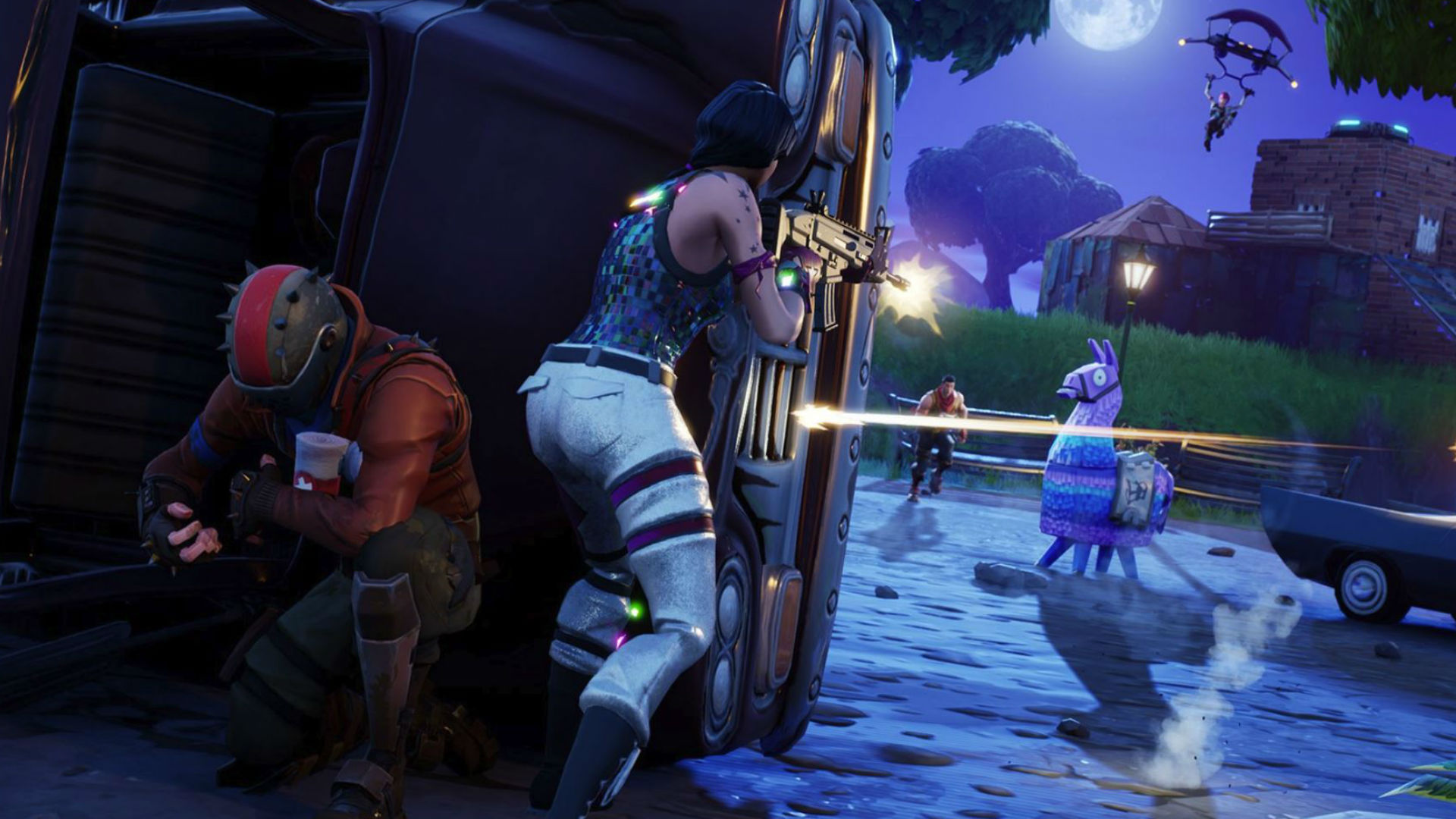
PCGamesN
Low fps in Fortnite or PUBG? You might be at a serious disadvantage
gritty token
Yeah, I dont think this is a UE4 issue specifically, also pretty sure this article is about consoles
barren hamlet
it states that anyone with lower FPS cannot fire faster than a person with more FPS
gritty token
"Assuming the nature of the problem is indeed common to the Unreal Engine"
barren hamlet
it took consoles as an example since consoles are locked
barren hamlet
Both fortnite and PUBG have this Problem and both are made with unreal engine
gritty token
Yes but just b/c fortnite and pubg use UE4 =/= foxhole having the same issue
barren hamlet
Just want to make sure if its the case in here
barren hamlet
Because sometimes I feel some players in foxhole have a lot of accuracy while not removing their hand from the trigger of an automatic gun
gritty token
If i could recreate, which i might be able to, i will see what i find
Well shooting is RNG related as well as some criteria
So if he is standing vs prone and such
barren hamlet
thats the problem standing running and not losing accuracy
is the problem I am facing
gritty token
Well, if you do it right, you can prone, get the accuracy of prone, then stand and have the accuracy of prone for a second
barren hamlet
what if the person runs but still not lose accuracy
gritty token
It comes down to RNG at that point
barren hamlet
alright then
gritty token
I just do not think because 2 large UE4 games are having accuracy issues that it translates to foxhole having the same. The correlation is there but there are SOOO many variables between how each developer uses UE4 for accuracy. Also, the article never actually states that UE4 has a confirmed bug. In the article, they even state that they assume that UE4 is having an overall issue but never sited fact or proof.
Like i said, test it and submit it to bug report if it becomes the case, i will try to do the same if i can get to it today.
I wont be able to for the next 9 hours
gritty token
@barren hamlet, if you find any more information or article about this issue, please tell me, i will watch this and advise devs to check.
blissful sequoia
low FPS has historically been a disadvantage for precise input
especially in the single threaded days, where the keyboard polling event had to wait for frame render .. oh the awfulness
 wicked rampart
<@&521124241395941396>
My Geforce Exp Drivers are in a constant loop of "Preparing to install", has this happened before to anyone here?
wicked rampart
Well no shit 
wicked rampart
When I try uninstallin it, it goes in a constant loop of trying to uninstall
gritty token
I would uninstall your drivers then go to Nvidias website and redownload
hmmm
Well
Shit
Have you tried turning your computer off?
 light mesa
@wicked rampart Run the installer as an administrator
wicked rampart
Restarting it yeah, and i've tried admin too
gritty token
What operating system?
light mesa

wicked rampart
Windows 10
light mesa
This is all I can find: ```
Go to your \NVIDIA Corporation\NVIDIA GeForce Experience folder. Right click GFExperience.exe go to properties, compatibility tab and check run this program as administrator, hit apply. You'll have to terminate gfexperience.exe in task manager and reopen it if it's running. That should solve it for future updates.
 sly quiver
Guru3D.com
Here you can Download Display Driver Uninstaller, this Display Driver Uninstaller is a driver removal utility that can help you completely uninstall AMD/NVIDIA graphics card drivers and packages from your system, with...
Boot into safe mode
Then run that application
Restart and install your Nvidia driver
 nimble mauve
I've fixed that issue before
Uninstall the the nivida updater aka driver store but keep your graphics drivers
And reinstall a new updates from nivida website
wicked rampart
Will try ddu
gritty token
Now if you do uninstall the Nividia drivers, you need to connect your display to motherboard
wicked rampart
What do here?
nimble mauve
Don't uninstall your graphics drivers nivida take cares of old previously installed graphics drivers
Wait fo you have the nivida software installed?
Do*
wicked rampart
GeForce experience?
nimble mauve
Yea
wicked rampart
Yeah that’s where I got it a while back, my problem is I’m trying to uninstall and reinstall lol
But it won’t unsuitable
Uninstall*
wicked rampart
That was my objective at first, but the software (GeForce Experience) would give me a looped msg “preparing to install”
nimble mauve
You wait 10 minutes
wicked rampart
I waited an hour 
nimble mauve
Oh
wicked rampart
Yeah it’s pretty rip
nimble mauve
I believe it is the updater like the nivida geforce experience
Reinstall that and see what happens
nimble mauve
The software has past issues of the updater breaking not allowing it to update
wicked rampart
Yeah installing GeForce exp now
nimble mauve
Btw
wicked rampart
What’s up
nimble mauve
Never uninstall your graphics driver
It's not needed unless you need to do it manually and have another driver ready
wicked rampart
Isn’t that what ddu does?
nimble mauve
For the most part geforce does it for you
Geforce deals with uninstalling old drivers
 blissful sequoia
stopped using geforce experience when they started requiring an account with their website
nimble mauve
Not really a big deal
The benefits from the software out weighs the time of just making an account
blissful sequoia
i havent seen much benefit
and its not about the time. why do they want me to make an account?
nimble mauve
For the most part the account is their to save your settings and optimize your game better
blissful sequoia
they dont need an online account to save my settings
ive got a whole big hard drive
nimble mauve
They do it so they can see what works better from data from consumers
sly quiver
@nimble mauve what? there is no problem with uninstalling graphics drivers
nimble mauve
Their is
blissful sequoia
so they can spy on us all with their analytics
nimble mauve
Some motherboards don't have the video input
blissful sequoia
if it really was to make our lives better as consumers, why is it required and not optional?
its already made my life with their product worse lol
anyway its not a necessary piece of software
and its kind of junk...
blissful sequoia
i know why - so they can collect all your info and some employee can steal it and sell it online lol
like always happens when you pool data you dont need
nimble mauve
They features it gives is worth the time
blissful sequoia
you really wont miss it
nimble mauve
You know they don't need you to make an account to do that
They can do it via software you install from them
nimble mauve
Still you do that when you install their software
In the terms before you install it
blissful sequoia
no the drivers have no agreement about sharing info/data with them
theres no personal information exchanged in that either
sly quiver
@wicked rampart did you make it work?
wicked rampart
Yes using ddu worked
sly quiver
good
wicked rampart
Didn't have to switch from gpu to motherboard concering monitors though
Why is that?
sly quiver
because windows has some generic display drivers it will apply
wicked rampart
Ah
sly quiver
plus i believe ddu actually install some very basic free drivers
sly quiver
np
wicked rampart
Love you long time ❤
blissful sequoia
the windows drivers arent like generic, they just are a minimal set of software, but the drivers should have the same performance
wicked rampart
@sly quiver 
@nimble mauve
@light mesa
@gritty token
light mesa
❤
blissful sequoia
and they probably ... dont include the geforce experience?
gritty token
Derp you should add tech wizard role, you have been a great help in this and the past 😄
blissful sequoia
ive solved like 1 person's problems start to finish
maybe when i get to 5
thanks tho
gritty token
Can't solve all of them, but trying is all that matters !
blissful sequoia
actually given enough time (and money) they can all be solved
blissful sequoia
i do when im not playing foxhole lol
 potent granite
I can't hear the in game voice chat. All other sound seems to work but I can't hear my teammates.
lucid rapids
@potent granite settings-voice- enable voice in background and voice chat
potent granite
@lucid rapids That is already done.
lucid rapids
@potent granite have you tried altering the output volume?
potent granite
@lucid rapids All of the volume settings are turned up most of the way.
lucid rapids
@potent granite what else have you tried?
potent granite
Resetting the game. I'll try rebooting my computer I guess.
lucid rapids
try this. steam-friends tab- go to the settings gear in top right corner - voice, then set the output and input to the correct device. the game uses steam voice if I'm not mistaken
@potent granite
this might work: 1. Close Steam and Foxhole
2. Go to C:\Program Files (x86)\Steam\steamapps\common\Foxhole\War\Plugins\VivoxCoreUE4Plugin\Source\ThirdParty
3. Delete VivoxCoreLibrary
4. Reopen Steam, and verify the game files.
5. Restart your computer.
blissful sequoia
@lucid rapids, you already set the voice devices in the foxhole sound settings? do you have a separate headset?
lucid rapids
no, why you asking? btw why you asking me, ak47 is the one who needs help @blissful sequoia
blissful sequoia
oh im sorry. derp.
@potent granite same question to you then - did you assign voice devices in the foxhole audio settings?
potent granite
@lucid rapids Tried your suggestion but it didn't fix the problem.
@blissful sequoia There is only one setting possible for for my output and input devices.
blissful sequoia
@potent granite mic works in other applications like discord? in foxhole - do you see a vivox error and is there a number?
potent granite
@blissful sequoia Yes, mic works on discord. There was a voice chat error followed by a set of numbers before I did your suggestion but now that error seems to be gone but the problem of not being able to hear anybody remains.
blissful sequoia
the pinned messages has solutions for different vivox errors
you can try all the solutions or you can note the number and try the specific one if its listed
lots of people have had issues with voice chat from the last patch and it seems like different reasons
potent granite
I've tried everything suggested. No luck. Kinda sux because it worked fine before today. I didn't change anything.
sly mortar
@potent granite Did you make sure that your mic is the default audio device in windows?
 icy valve
sly mortar
icy valve
sly mortar
Have you tried restarting the game?
sly mortar
Have you tried verifying the files?
sly mortar
Hmm, alright
Could you tell me what settings you want?
I might be able to do something then
 near kernel
Can't you edit the user options text?
icy valve
borderless window mode, with ultra setting i thing ..
sly mortar
@near kernel The one for graphics settings is encoded
I'm looking for a decoder right now
icy valve
but the problem is not only that ... it seem i can't click the chat windows on the game too
sly mortar
Alright.. did you try a full reinstall?
icy valve
yea already tried it .. the problem still exist
but only in setting menu and ingame for windows chat
sly mortar
Hmm
sly mortar
Could you go to C:\Users\[USERNAME]\AppData\Local\Foxhole\Saved\SaveGames and Delete everything there
sly mortar
And then go to C:\Users\[USERNAME]\AppData\Local\Foxhole\Saved\Config\WindowsNoEditor and delete GameUserSettings
Then verify the game files, and restart steam
icy valve
thanks mate i just fixed the problem
i just realized that my Xbox controller plugged in, and it is that what was caused the problem..
sly mortar
Oh
Eh well, deleting that wasn't an issue either way, probably wouldn't have worked though
¯_(ツ)_/¯
 dense glen
Is there a fix for the graphics resetting themselves to the high preset every time I start the game?
dense glen
Also I am able to choose a faction each time I play despite it saying you can only choose once
 wide orbit
@dense glen It gives you the option but it won't let you if you have spent the time on one team
inner basin
@dense glen hm that's strange
dense glen
I managed to make a fix by editing the ini and setting it to read only
lucid rapids
@dense glen was just about to suggest that
 spiral marten
i need help with a problem in game, are there any mods here, or should i go somewhere else
sly mortar
@spiral marten Please send all the details in a direct message to @coarse trail
blissful sequoia
has anyone tried deleting the settings directories and letting them be recreated?
maybe its just a permissions issue and that would reset them
 cerulean spindle
Hy, I can't seem to connect to foxhole. every time I try, it says "Lost Connection to the Server"
sly mortar
@cerulean spindle Please try restarting steam, if that doesn't work, ping me
cerulean spindle
it worked, thanks!
 marsh elm
I am unable to do anything save for lock and unlock my truck and open the menu
dense glen
It looks like setting the ini to read only somehow didn't stop it being edited
and it's back to resetting my graphical options every time
 potent copper
so my uncle needs a laptop for photoshop and css, im thinking a thinkpad would do the trick. https://www.lenovo.com/us/en/laptops/thinkpad/thinkpad-x/ThinkPad-X1-Extreme/p/20MFCTO1WWENUS0/customize? what do yall think?
 vocal cipher
terse flume
vocal cipher
terse flume
Im having connection issues with foxhole that only happen with foxhole
discord is fine, arma 3 is fine,
but foxhole just disconnects even when I just open the game
when I am connected I am rubber banding a ton
sly mortar
@terse flume Try the 'troubleshooting network-related issues' pin
@potent copper Get a higher amount of RAM and he'll be better off, but otherwise that should do the trick
You also might want to get a bigger storage device
 ornate torrent
Help I cannot enter or exit vehicles/building , aim is disabled i cannot change stance and interact is disabled. I do see a spinning x where the cursor is. I grabbed the gear from the base then entered a pillbox then got out and then it started.
ornate torrent
is that the only fix?
sly mortar
Well, you're bugged. Die or restart, your choice
ornate torrent
😦
yes this fixed it and luckily i did not die but this is bug has been around for at least 2 years
ornate torrent
it's not trust me i remember
sly mortar
It's not new
ornate torrent
it keeps coming back
sly mortar
However, it's only been around for about 6 months reliably
blissful sequoia
i havent seen it before this patch
sly mortar
Mate, I've been doing tech support here for about a year now, so uh, good for you if you think you know everything
Not my job to argue with idiots, just to help them
ornate torrent
fuck off
blissful sequoia
im surprised its 6 months old tho - i havent seen it until like 3 weeks ago
ornate torrent
if you been doing it for almost a year then you did not know the bug from a year back
sly mortar
Kind of
blissful sequoia
people referring to it as the new reload bug
ornate torrent
rather just block assholes
sly mortar
It used to be related to having the game believe you were "dead" when you weren't
Now though, I don't know, because they fixed that one
blissful sequoia
i had it happen to me while getting out of a truck maybe
or cv, i cant remember clearly
sly mortar
Anything which you get in / out of can cause it
It happens when you are inside the vehicle, and then when you get out you are unable to do anything
inner basin
gives advice
reports person because he hurt your feelings

 tardy maple
my friend is having this issue https://cdn.discordapp.com/attachments/86973724389031936/539206375033536513/unknown.png

is it a known thing or like
 wooden basalt
Yeah sometimes the lighting goes a bit iffy. It should go back to normal after a restart or map change. @tardy maple
tardy maple
he's been having it for a few days now
sly mortar
@tardy maple Is it happening in other games / stuff?
tardy maple
not to my knowledge
he just complains about it often so i know it's a regular thing for him
he's offline right now but i'll ask him to check his gamma setting when he's back online
thanks for the answers
sly mortar
@tardy maple Tell him to do this
https://ptb.discordapp.com/channels/203512636556574720/374272127953666048/497281479135461387
tardy maple
many thanks
 junior pivot
(Sorry if this isn't a good place to put this. I'll delete if it isn't.)
I've been getting an error since the world war ended whenever I try and play, after about 10-20 minutes of playing, the game goes gray and then I get this error.
I could happily play for hours during the world war, so I'm assuming this bug has been introduced with the latest update.
Has anybody else had this error or knows how to fix it?
I found this thread from more than a year ago but it doesn't really help much: https://steamcommunity.com/app/505460/discussions/1/1483232961042134815/

 sly mortar
junior pivot
sly mortar
junior pivot
@sly mortar okay thanks I'll try those steps
junior pivot
@sly mortar looks like that worked thanks! not sure which step, there verify passed without having to redownload but then I did the redist steps and UE4 steps together and now it seems to be working again!
 ripe raven
anyone else having a problem, when in game, not being able to use their "Discord push-to-chat button"?
I've tried running Discord in Admin mode, but it doesn't make a difference. And Foxhole is the only game I have this issue with
ornate torrent
@inner basin A user tries to get help he gets help but also gets insulted. Not a great deal.
 abstract valve
where i can find foxhole API docs?
terse flume
@abstract valve https://github.com/clapfoot/warapi
This is what you mean?

GitHub
The War API allows developers to query information about the state of the current Foxhole war. - clapfoot/warapi
lucid rapids
@ripe raven I had a similar problem, if i launched discord before i launched a game my push to talk would not work. try launching foxhole first, then run discord as admin.
abstract valve
@terse flume thanks awesome
 mighty wraith
if i try to join the qeue i disconnect is that normal ?
lucid rapids
@mighty wraith make sure foxhole has a firewall exception
in other words, allow foxhole through your firewall
 hard mauve
I cannot connect to the server
gritty token
Change DNS settings maybe.
blissful sequoia
i was trying to load a skirmish yesterday and couldnt get it to work
if i got in, 1/5 tries, some huge piece of the game was broken like text or reloading or w/e for me
had to do a full delete and reinstall
i havent tried playing a skirmish in several wars...
lucid rapids
@hard mauve allow foxhole through your firewall
blissful sequoia
my assumption was bad game assets or stored setting giving me problems...
gritty token
had to be something with communicating wtih the servers
blissful sequoia
it really felt like it was on my side... or maybe related to server lag i dunno
fixing it on my end cleaned it up tho, so...
derp flakey computer confirmed
time to switch to linux, eh?
ripe raven
@lucid rapids thanks for the suggestions, but that didn't work either.
sly mortar
Make sure steam isn't running on Administrator mode @ripe raven when you do that
ripe raven
@sly mortar how do I tell?
sly mortar
Go to your desktop link to steam, click properties, and make sure that "Run as Administrator" is unchcked
ripe raven
@sly mortar nope it's not....I'm going to try restarting my com
blissful sequoia
have you had the game installed a while, @ripe raven?
ripe raven
@sly mortar @blissful sequoia i worked it out....for some reason it doesn't like my MOUSE 4 button, but every other keybinding like MOUSE 3 is fine. My mouse is an old Logitec G5
ripe raven
every other game I play is fine...how bizarre
sly mortar
@inner basin @gritty token I have a new banner for us
blissful sequoia
lol
 green blaze
.-.
 bright quail
The Dyno bot bugged again, it hasn't put an upvote on my latest post
 fast plaza
Hey> I currently have 2 issues in Foxhole rn:
- Server Connectivity: I started Foxhole around Christmas. When i first started, I hadf 0 problems connecting to the server. However as this new year progressed, When i try travelling to a region, I have constantly been told that my connection has timed out. I have tried going to the main menu and retrying but most of the time it doesnt work. However I have seen some people saying that around Christmas, the servers had been lighter than usual. I suspect high population but I want to hear what you think the issue is because in the middle of last war, I have been forced to stay on Fisherman's Row or Tempest (And you guys know how that goes) which are very low pop and a continuous tug-of -war. I use the North American server because im fron the Caribbean. This is also pre- 0.21 update and i tried this morning to join a skirmish because at that time WC was starting in like 40 mins.
- Framerate and Aiming Issues: To start off, no I dont have a beast PC but cmon i can beat this requirement Dual-Core 64-bit Intel or AMD processor, 2.0 GHZ CPU easily. Its a little fuzzy in Fullscreen mode mode because I use Low Settings (Im used to it) in Windowed Fullscreen Mode. As with the previous problem, it was fine until the new year; no lag; no frame drops, nothing. I first encountered this issue on Tempest. I was going through Iris (Which is basically the center of the map) andf my frames dropped drastically like rock bottom. It went back to normal when we moved to Surges. It couldnt have been server pop because Tempest always have a low pop count and the Collies basically had 1 guy defending. I returned later in Iris to build up some defenses and reconstruct the houses we blown down earlier. However I was unable to do that because when i tried to construct, the icon goes berserk as if im shaking the mouse and to top it off, it keeps focusing in the direction away from the building. I had also build defenses at Surges with no problem. The same occurs when I am aiming a weapon in Iris. The only thing that didnt bug out was the CV reticule which works normal. The following day, I managed to make it into Deadlands and i had the same frame rate drop and aiming reticule crap. It was there I found out that the HMG works fine however due to the frame rate drops, it is harder to aim and defend certain choke points. I tried a mortar and it kept doing the same problem. However I found the Mortar House in the center works fine (Weird right?). So ofc I have to rejoin Fishers or Tempest because no one cared about those maps. You guys have any idea whats going on? Rn I cant play the game and its happening on the Home Island too.
I will be waiting but I really wanna play some Foxhole :((
lucid rapids
AppData\Local\Foxhole\Saved - delete config folder, this has worked for many people, as it reverts back to default settings. @fast plaza
then you verify game files through steam
 gusty laurel
Hey I’m bumping into a problem, when ever I die in mooring county I legit just lose connection to server and have to log back in
blissful sequoia
in warden home region as a colonial? are we being trolled?
gusty laurel
I’ve since logged off, but I died 3 times in mooring county and lost connection 3 times, then later I would cross the border in a motorboat and lose connection again D:
No not home region silly mb I meant like mooring county
 rich glen
I've just recently been getting a UE4 wargame has crashed/fatal error message that crashes the game upon start-up as of a couple of days ago after the game having worked fine for the past 1 and a half years that i have had it. Any insight would be appreciated.
sly mortar
@rich glen Could you send a picture / SS of the error message? Can't really do anything without one
rich glen
rich glen
I’ve verified game files, uninstalled/reinstalled, checked view compatibility, and ran as administrator. It began when I tried to start it up what I believe to be the day after war 20 ended. I know it was before .21 came out.
rich glen
@sly mortar what are you directing to? It just brings me to the Foxhole discord.
terse flume
I’ve verified game files, uninstalled/reinstalled, checked view compatibility, and ran as administrator. and game is not worrking with the new patch. need help urgency.
after 10 min. waiting black screen im in.
fyi.
sly mortar
@terse flume Try the message below the one I just linked (so click the link, and it's the message with the bold headers about a black screen)
 hushed tinsel
start by verifyig integrity of game cache @glad basin
in steam
it just looks like something got a little fucky and that should fix it
 glad basin
Okay, i'll verify the integrity
 supple zenith
everytime I try to log on I get this
hushed tinsel
either : your internet isn’t liking steam right now, your internet isn’t liking foxhole right now, or steam is being a fuck right now
in any case first course of action should be to try to reset internet and see if it helps @supple zenith
supple zenith
yeah I think its this https://www.reddit.com/r/Steam/comments/alez5u/steam_down/
gritty token
You guys get it figured out?
blissful sequoia
I saw an article that xbox servers were down today too
maybe russia has had enough of us...
gritty token
What
 modern musk
?
rich glen
I'm still incurring the same problem after trying all of the listed possible solutions that @sly mortar suggested
sly mortar
Which problem?
rich glen
this one
blissful sequoia
@rich glen when you uninstalled, did you delete the files in the steam directory and also the setting files in the %appdata% dir?
consider newer or older video drivers, too... maybe you got an update on one that caused a problem
sly mortar
Maybe think about reverting your video drivers to the previous version
That could be doing something to cause it
 slow nimbus
hello - i've noticed since this new war im getting craazy rubber banding, basically unplayable even on low pop maps. it's run silky smooth up till now, did something 'splode with latest version?
any tips on config etc would be aprpeciated!
slow nimbus
hmmm okay, afaik my gpu didn't get swapped ot but ill try 😛
sly mortar
No, but it streams a lot of stuff, so less load on your internet
sly mortar
¯_(ツ)_/¯
sly mortar
How much foxhole have you played this week?
sly mortar
Alright, on top of the lowering graphics settings I'm going to recommend you for a week of Foxhole rehab
slow nimbus
impossibru
also graphics lowering, while pimping the framerate, didn't help 😦 <@&521124241395941396> ?
current issues with rubberbanding since last patch
 celest folio
wai ping
slow nimbus
everything else seems fine
celest folio
oh
sly mortar
No, you poked about 50 people
slow nimbus
...
sly mortar
Most of whom won't respond
celest folio
yea
slow nimbus
ruh roh
celest folio
im quite angry
sly mortar
And shouldn't even have the role
celest folio
i do not like being poked
slow nimbus
creeps slowly out of room
celest folio
but i can answer to the best of my ability
 wary tundra
@sly mortar we can't remove CH 2.0
celest folio
try lowering the heck out of graphics, do the foxhole rehab like Icnari suggested, and pray
wary tundra
how do we make people feel entitled by becoming a literal 'wizard'?
sly mortar
@celest folio You literally just copied exactly what I said..
sly mortar
slow nimbus
guess i gotta pray, gfx settings didn't help :/
crimson fossil
Do you have any utility like Killer networks which can set priority to packets being sent through internet ?
slow nimbus
no idea what that is so, nope
i have a new vpn but it's off, and speed test etc seem to be fine
im guessing there are no ingame console commands to test pl and stuff?
crimson fossil
Speed test does not reflect ping in real time. It is just avarage value. You can have lag spikes.
Try use https://www.pingplotter.com/ Use it on google or some of your favorite sites. so you are sure your connection is good. I don't know foxhole servers IP. You could try ping them as well if you know it.
slow nimbus
hmm okay will do, thanks!
blissful sequoia
yea lots of people complaining about rubberbanding lately, i wonder if theyre from a common region
@rich glen you've probably got to submit a bug report with your dxdiags and all that jazz, it's the worst kind of bug is something like that with no description that happened suddenly
perhaps devs/support can fix it and maybe you're not the only one with the problem...
terse flume
guys, is this the exe of the game?
i need to know because nvidia isn't recognizing it and then it uses the integrated graphics card
 vivid pulsar
Yes, that's the .exe
terse flume
hello update 21 is live but it doesnt show on the steam beta' i cant update :(
gritty token

terse flume
is anyone else having a problem with joining conquest or just me ive been trying to get on conquest for a week now and the game just crashes or disconnects i bought the game 2 years ago and ive never had this problem
blissful sequoia
yes you are not alone. there are fixes available for some
gritty token
^
blissful sequoia
e.g. a reinstall where you also delete the steam files for the game and also your hidden settings folder
gritty token
Also, is the game crashing or is it losing connection
blissful sequoia
although we dont know a solution for Jelly&IceCream's UE4 engine error and black screen (i dont think)
so if its the same error as his (scrollback to yesterday)... that might be an issue, and it would be good to know whos having that problem in common
blissful sequoia
he had problem starting the game, @terse flume sounds like a problem with connecting after its started
so much easier to solve i would think
its probably DNS...
terse flume
alright ill try it
blissful sequoia
yea try the reinstall fix, and then the DNS fix second
gritty token
Check the pins for assitance with DNS if needed
terse flume
me uninstalling it by file didnt work so ill try the dns
blissful sequoia
you deleted the files in the steam commonapps folder and also the hidden settings directory in %appdata%\..\Local\Foxhole?
im not sure how much detail that pinned message goes into on that...
also one time i left my office VPN on and i could not connect either
so if youve got any VPNs or unusual network ...
blissful sequoia
well the success ive had is uninstalling, deleting that settings folder, also in the steam directory the foxhole folder in the steamapps/common folder, and then reinstalling
i give 90% chance of fixing it between those 2 solutions
that and the DNS thing...
gritty token
@terse flume are you in a dorm?
gritty token
What is your internet service provider?
Also do you have a firewall on your network?
I asked the dorm question because a lot of schools block stuff
terse flume
it might lemme see and i have xfinity
 sterile hornet
So either no one is talking to me or something is up with voice chat
And I can’t tell if my mic is working becase I can’t hear voice chat it’s not muted
I looked
It’s unlikely no one is talking
gritty token
Try restarting, if not, check the pins
I actually have had that issue and fixed it by restarting
blissful sequoia
vivox error?
terse flume
im back and i thought i could google what to do to dnr but nothing came up
blissful sequoia
you already tried the dns fix?
gritty token
dnr?
noble inlet
So my local chat does not work i believe it is for team all world too
i tried reinstalling the game i trued verifying game files but nothing
blissful sequoia
i had a similar issue, probably same one, and im not sure if it was cleared out by deleting my settings and foxhole install and reinstalling - or if it was caused by my vpn
but yea i couldnt see my own text or reload my gun or use anything
noble inlet
others can tho
noble inlet
it is very annoying because i have no mic and i rely off of typing
blissful sequoia
when you reinstalled did you delete the settings directory?
blissful sequoia
%appdata%\..\local\foxhole
i just delete the whole foxhole directory in there
and also its worth cleaning out your foxhole directory in the \Program Files (x86)\Steam\steamapps?\common\foxhole <- something like that, that might not be exact
after you uninstall, you mgiht find files still left in there
noble inlet
it seems to not have worked
blissful sequoia
that ... could also explain why default settings adjusted that for me before
wonder if its like a missing font asset or something, jeez i ... cant imagine
 north pivot
<@&521124241395941396> so if anyone remembers me, i got around to running through like every possible solution for Mic errors, and turned up nothing that worked
Tried every pinned solution, PLUS tried turning off every fire wall and web filter, plus meddling with like anything SIP ALG
inner basin
@north pivot Can you provide us with the error codes again?
From: [ANZAC] Blacklight:
@Tech Wizards I have an issue with voice chat, i can neither hear or speak invoice chat, Whenever i do, i get the "Voice Chat Error [8] 6-0" and if i try to reconnect through the settings i get "Voice Chat Error [2] 2-5031"
Or is it still these same codes? ^
north pivot
Still [8] 6-0 when i press t
and i get [2] 2-5031 when i reconnect
occaiosnally ive been getting some other funky ones tho
gimme a sec ill copy any i can see in the chat history for u
[2] 2-5003
looks like it alternates between that and 5031 when i try reconnect the voice
my main assumption is its a failure to connect, the reason, i have no clue
@inner basin
inner basin
Yeah because I "figured" my way into the error code documentation