#updates
1 messages · Page 1 of 1 (latest)
 tribal star
 vernal emberBOT
<@&811699239137968160>
Rec Room PATCH - the "In Control" edition
=========================================
Tool anchors
------------
"Anchors" is a new exciting feature we are looking forward to expanding on, but first, we would like to get your feedback on it while it is in beta! You can enable Anchors in beta rooms with the "Show Anchors" option in General Settings.
Anchors make the move, rotate, and scale tools more powerful. After selecting some object(s), you'll see anchors on the center, edges, corners, and faces of the selection bounds. Each of these behaves a little differently to give you more expressiveness when transforming objects! We'd now like you to go back to the "expanding on" pun at the start of this section so you can actually appreciate it!
Invisible collision V2 improvements
-----------------------------------
- Added 'Enabled' toggle to the invisible collision configure menu. Be sure to check this if literally nothing is colliding with your invisible collision!
- Added 'Sync Player Collision' toggle to the invisible collision configure menu.
- Added new chips 'Invisible Collision Set Blocks Players' and 'Invisible Collision Get Blocks Players'.
- Fixed a bug that caused the invisible collision role filter to not update correctly for other players.
General Improvements and Bug Fixes
----------------------------------
- Out of beta: Light Get Angle, Light Get Color, Light Get Enabled, Light Get Intensity, Light Get Range, Light Get Softness, Light Get Specular Contribution, Seat Get Lock Players In, Seat Get Lock Players Out
- Beta items and CV2 chips will now be clearly labeled in the Maker Pen Palette menu.
- Added support for the Trigger Handle, Gun Handle, and Respawn Point V2 to the "From Rec Room Object" and "To Rec Room Object" chips.
- Improved quick holstering logic to better handle locked holsters
- Fixed held tools preventing Projectile Launcher hit events. No more blocking shots with a shovel!
- Added impact particles to Projectile Launcher corks and lasers.
- Fixed a bug that prevented Holotars' 'Hide Projector' setting from working as expected when far away.
- Added Stop Screen Shake chip. As much fun as the motion sickness is, sometimes enough is enough.
- Corrected Beacon height scaling for V1 and V2 components.
- Fixed a bug that could cause trigger volume components to incorrectly count the players inside them. 1+1 is not 3, it turns out.
- Calibration should work again!
- Added 'List Sort' chip to sort
float,string, andintlists in either ascending or descending order. - Fixed a bug that caused unsynced Text components to incorrectly display 'Text' when non-authority players joined. Text! Text. Text.
- Pistons now work correctly when used with Set Transform, Set Position, and Respawn chips
- Fixed a bug that prevented some gizmo settings from saving correctly
- Added 'Sound Enabled' toggle to Buttons and Toggle Buttons. This was definitely not in response to a poorly placed button at an AMA that got clicked approximately a million times.
- The Magic Marker and (at long last!) the Mirror Prop is now out of Beta. Yes, the mirror is still 50% ink, just as you know and love it!
- Improved the Rec Royale Glider's animation when pitching up and down.
- Fixing the jittering of your hand when waving while downed.
- Improved the visuals for putting away the map in Rec Royale on Screen. Yes, some people put them away and don't just throw them as far away as possible!
- Fixed multiple issues that made opening ^RecRoyale chests harder than intended in VR.
- Moving too far from a chest will now cancel opening for all players. Thankfully, "too far" is now more than an eighth of an inch!
- Players opening a chest will move more slowly.
- Fixed interactions getting blocked around the front of stores. This could make it difficult to open recently purchased gift boxes.
- For some players, we'll ask you to turn on your notifications less often. But are you sure you don't want some incredible, exciting new notifications?!
- Update the UI for some club settings page to match the broader RR style.
- You can now select club photos from your photo roll!
- A whole bunch of icons are now more memory-efficient! ...yeah, this is one of those things that'll go unnoticed unless you watch your RAM usage like a hawk. raptor screech
- Classic Controls now prompts for the dominant hand just like doors and seats.
Please see here for convenient links to controls, tutorials, comfort options, etc.:
https://recroom.com/community
We love to hear your feedback, so please don't hesitate to let us know what you think.

Rec Room
vernal emberBOT
<@&811699239137968160>
Rec Room PATCH - the "In Control" edition
=========================================
General Improvements and Bug Fixes
----------------------------------
- Added a new set of challenges that introduces you to the Player Profile and rewards you with a new item in the Retro Gamer set!
- Dome Light is now out of Beta!
- Unwired 'Player' circuit input ports now support default values of 'Local Player' and 'Invalid Player'.
- Fixed a bug that caused string switch chips to break other circuits in some instances.
- Fixed a bug where players would still have roles after saving/restoring the room, or after deleting role chips.
- Fixed a bug that could cause the String Split At Index chip to return incorrect values.
- Heads up - "Wire" has been renamed to "Connect" in the Maker Pen Tools window.
- Updated the room ban dialog to the new UI system.
- Loading progress is now shown on some VR devices.
- Android devices' back button now drops the Share Camera while you're framing with it.
- Fixed a bug where the back button on Android would always bring up an Exit Game prompt in specific tools and menu contexts.
Please see here for convenient links to controls, tutorials, comfort options, etc.:
https://recroom.com/community
We love to hear your feedback, so please don't hesitate to let us know what you think.
Rec Room
vernal emberBOT
<@&811699239137968160>
Rec Room UPDATE - the "Showdown" edition
========================================
Heard some folks were having problems timing out trying to visit Sarsparilla Springs. We got that all fixed so come over and say howdy ya'all!
Custom Colors (Beta)
--------------------
Now in beta... All color pickers (recolor, swatches, magic marker, etc!) include a custom option that lets you choose any color via an HSV picker or HEX input field. Note that we may need to retroactively make minor adjustments to custom colors as we leave beta or change our rendering system down the road.
Multi-Select Config (Beta)
--------------------------
Multi Select Config is here (in beta)! When more than one object is selected by the maker pen, you can edit config options that are present on all selected objects! To start, this only includes some of the basic prop and shape options. More to come as creators let us know what is valuable to add!
Additionally, config is now strongly tied to selection. The config menu is always linked to all objects you have selected.
Creator Roles (Beta)
--------------------
- If your room is beta-enabled, there's a new "Maker Pen" tab in the "Game Roles" settings screen.
- There are new Game Role settings governing Can Use Maker Pen, Can Use Room Reset Button, Can Use Delete All Button, Can Save Inventions, and Can Spawn Inventions. A user must have the right Game Role OR Room Permission (if Game Role has not been overridden) to do any of these things.
- A brand new Game Role setting called "Can Create Role Assignment Chips." When disabled, users will not be able to spawn role-assigning objects (Role Mapper Chip, Costume Dummy, Add Player Role Chip, Remove Player Role Chip).
- There is another new Game Role setting called "Creation Restrictions Apply." The room owner must enable the room setting "Enable Creation Restriction Settings in Roles" to use this feature. As objects are created, they are imprinted with the creator's current Game Roles. When other players attempt to select those objects, they must share a common Game Role with the imprinted role set. Room owners and co-owners are not subject to these restrictions, and can modify the restrictions on objects via the config menu.
Circuits Updates
----------------
- Known issue (fix soon!) - the Equip to Player chips cannot currently equip objects to a player that is not local.
- Fixed
Get Party of Playerchip for non-local player inputs. - Fixed a bug where cloud variables wouldn't always have their values saved if you left a room using auto-follow.
- Fixed a bug where the
Costume Unequipchip would run when itsPlayeroutput was used by another chip or looked at with the connect tool. - Role restrictions now properly work on seats.
- Constant chips now share a fresh new look.
- Added additional object board attachment modes, 'Follow' and 'Orbit'. These allow boards to track the movement of their attached object without rotating, so that you never wind up with an upside-down chip on your Rotator! (Existing boards won't be affected, but new ones will default to "Follow.")
- Added
List Shufflechip in beta for all your list shuffling needs. - Fixed the
Make Tuplechip (beta). Now it makes a tuple instead of... not... doing that... Look, it just didn't work at all before, but now it does. - Fixed a bug where Circuits chips would sometimes move faster than other things you had selected when using move/transform. Turns out chips get the zoomies too.
- Tapping a port with the connect tool to disconnect its wires no longer selects it.
- Removed the beta requirement from deletable object boards.
- Fix for equip chip "cannot be equipped when not visible" error when a tool is indeed visible.
- Fixed a bug that prevented recently configured spawner components from working as expected.
General Improvements and Bug Fixes
----------------------------------
- You could already share rooms and photos, but now you can also share public/unlisted events and public clubs in chat!
- Fixed a bug where active public events wouldn't show up in an event search. Now you can be fashionably late to an event, even if you didn't RSVP.
- Screens Gestures are moved back to a radial menu for all control schemes.
- Fixed an issue where buttons in the watch UI would not appear as configured.
- Fixed a bug that could cause the cursor to become misplaced when typing in the palette search field. o more having your first character end up at the end!N
- Fixed a bug where tubes drawn with the Charades Pen would sometimes look like they were pinched or really twisty. That was definitely the reason why nobody could figure out what I was drawing!
- Connecting two unselected objects no longer clears your current selection.
Please see here for convenient links to controls, tutorials, comfort options, etc.:
https://recroom.com/community
We love to hear your feedback, so please don't hesitate to let us know what you think.
Rec Room
vernal emberBOT
<@&811699239137968160>
Rec Room PATCH - the "Showdown" edition
=======================================
Text your friends in-game straight from your phone! You can now use Chat on your mobile device while logged into the game through another client.
Club Chat
---------
- What is Club Chat? Club chats are message threads you and your club mates can use to talk to each other! Want to discuss the latest episode of your favorite show, plan a party, or count to 1000000 together? Well now you can!
- Clubs with club chat cannot have more than 50 members. If you want to grow your club beyond this limit, disable club chat in Settings. Club chat can be re-enabled if your club meets the size limit... but please don't kick people out just to keep Club chat! Just enjoy your club's growing popularity.
- Over the next few weeks we will be rolling club chat out to all clubs with fewer than 51 members.
- Club chat can be found in your watch by navigating from Messages - Messages - Club Chat. Club chat is not currently available in Mobile Home.
- Club Chat Moderation: Club Owners can delete messages in their club chat by pressing the "x" on the upper-right corner of a message.
General Improvements and Bug Fixes
----------------------------------
- Trying out some more distinctive animations for fist bump, handshake, and high five, so other players know if you want to actually party up or just have a boxing match. This is behind a split test so not everyone will get it right away.
- The res in/out effect has been updated. We went with the classic effect "orange cubes"!
- No more shrunken yet supersized cowboys in ^Showdown!
- Preview images for copied/clipboard items are no longer squashed/stretched.
- The Boom Microphone does not display orange clouds when it is spawned in. Maybe we should rename it the "Not Boom" Microphone...
- In VR the invention details page will now open after taking the initial screenshot for an invention.
- Respawnable objects that are repeat-cloned are now positioned correctly.
- Fixed an issue where Equip, Holster, and Unequip chips would not function if used on a different player than the one executing the chip. Now you can give everyone a rubber chicken on demand!
- VR setting "Don't lock tools in hand" is renamed to "Natural Grip". Catchy!
- 'To String' or not to string, that is the question! The
To Stringchip now has both proper support for Lists and Tuples (beta)! What dreams may come of this? To list a few: "System.Collections.Generic.List`1[DPKGGKHHCCO]" - The following chips have been moved out of beta: Ambience, Beacon Get Color, Beacon Get Enabled, Beacon Get Height, Beacon Set Color, Beacon Set Enabled, Beacon Set Height, Display HUD Element, Emitter Get Looping, Emitter Get Playing, Emitter Get Size, Emitter Get Speed, Equip Object to Dominant Hand, Equip Object to Off Hand, Get HUD Element Color, Get HUD Element Label, Get HUD Element Max Value, Get HUD Element Value, Holster Object, HUD Element, List Sort, Music, Noise, Projectile Launcher Get Projectile Lifetime, Projectile Launcher Get Projectile Spread, Projectile Launcher Set Firing Player, Projectile Launcher Set Projectile Lifetime, Projectile Launcher Set Projectile Spread, Respawn Point Add Avoid Role, Respawn Point Add Avoid Tag, Respawn Point Add Spawn Role, Respawn Point Add Spawn Tag, Respawn Point Get Active, Respawn Point Remove Avoid Role, Respawn Point Remove Avoid Tag, Respawn Point Remove Spawn Role, Respawn Point Remove Spawn Tag, Respawn Point Respawn Player, Respawn Point Respawn Player At Respawn Point, Respawn Point Set Active, Set HUD Element Color, Set HUD Element Label, Set HUD Element Max Value, Set HUD Element Value, Set Player Name Color, SFX, Show HUD Element Label, Show HUD Element Value Text, String Concat, Text Get Color, Unequip From Player, Unequip from Slots, Unequip Object
- Fixed an issue where some inventions with corrupted data would prevent spawning of future inventions in the room. The corrupted inventions can now be spawned, but will not have their original parent-child relationships. We are sorry for the data loss!
- Improved the accuracy of the connection tool, especially on Circuits Ports. This prioritizes objects closer to the center of view.
- Fixed a bug where wires would occasionally not work with the Maker Pen when building with other players.
- Temporary and thumbnail images no longer print in Polaroids
- Fixed an issue where some chips wouldn't properly load the "local player" default value during room load.
- Fixed issues with the Cloud Data settings menu where the Save, Delete, and Reset buttons could cause the room to not reload properly.
- Added 'Get Is Event Instance' chip in beta.
- Tap To Open MakerPen is now an available setting for VR players. We hope this helps with detailed work where you need to hold your maker pen at precisely the right angle to make the menu pop up over and over!
Please see here for convenient links to controls, tutorials, comfort options, etc.:
https://recroom.com/community
We love to hear your feedback, so please don't hesitate to let us know what you think.
Rec Room
 mint compass
<@&811699239137968160>
Rec Room PATCH - the “Showdown” edition!
========================================
Custom Shirts Marketplace
--------------------------
RR+ members can now submit their Custom Shirts to be sold! Custom Shirts work much like Inventions / Dorm Skins - players can purchase them from a dedicated section of the Watch Store, and the creator of that shirt receives tokens for each purchase. We’ve made some tweaks to the Custom Shirt publishing flow, including adjusting permissions (who can see / purchase your shirt). For moderation purposes, all Custom Shirts are set to the most private permission by default, and will appear pixelated on your profile. To change this so that everyone can see your shirt, edit your shirt via your Profile or the Portfolio, and change the permission to “Everyone”.
In this initial release, only featured shirts are approved to be sold. To submit your shirt for featuring, take a new or existing custom shirt through the publishing process, change the permission to “Everyone” and submit them through the Ink Inc Discord (https://recroom.com/inkinc).
In the coming weeks, we will share our plans to “open up” the marketplace so that there are more ways for creators to sell Custom Shirts. We’re looking forward to supporting and expanding this feature further based on your feedback!
Improved Nametags
--------------------------
Nametags have gotten a visual rework!
-Party color now shows in nametags separate from name color (so you can now have both a team color and a party color). Players in your party will get a special icon so you can easily tell them apart from players in a different party.
-Nametag orientation will now stay upright relative to the player's head they are above. In other words, sitting in an upside down chair will make your nametag upside down when looked at by rightside-up players instead of putting your nametag inside your body.
-Rec Room Plus users now get shiny nametags! If their name isn't already colored from another source (for example, team colors or the CV2 name color chip) then it will also appear gold. This can be turned off by going to your profile and customizing your profile settings.
-Added a toggle to let you see your own nametag in third person mode in the visuals tab on the settings page
General Improvements and Bug Fixes
----------------------------------
-Fixed bug for move, rotate, and scale tools that no longer allowed single tap to select a single object from a larger selection.
-Custom Colors have left Beta! We fixed some bugs and gave the HSV Value slider a convenient gradient visual.
-"Join Event" buttons have been slightly reworded for readability.
-Fixed a bug that prevented the Respawn Point component from saving any configured roles.
-All pickups that force you to drop your tools are now swaps. This was already true in most cases.
Please see here for convenient links to controls, tutorials, comfort options, etc.: https://recroom.com/community
We love to hear your feedback, so please don't hesitate to let us know what you think.
vernal emberBOT
<@&811699239137968160>
Rec Room PATCH - the "Showdown" edition
=======================================
Custom Shirts Marketplace
-------------------------
RR+ members can now submit their Custom Shirts to be sold! Custom Shirts work much like Inventions / Dorm Skins - players can purchase them from a dedicated section of the Watch Store, and the creator of that shirt receives tokens for each purchase.
We've made some tweaks to the Custom Shirt publishing flow, including adjusting permissions (who can see / purchase your shirt). For moderation purposes, all Custom Shirts are set to the most private permission by default, and will appear pixelated on your profile. To change this so that everyone can see your shirt, edit your shirt via your Profile or the Portfolio, and change the permission to "Everyone".
In this initial release, only featured shirts are approved to be sold. To submit your shirt for featuring, take a new or existing custom shirt through the publishing process, change the permission to "Everyone" and submit them through the Ink Inc Discord (https://recroom.com/inkinc).
In the coming weeks, we will share our plans to "open up" the marketplace so that there are more ways for creators to sell Custom Shirts. We're looking forward to supporting and expanding this feature further based on your feedback!
Improved Nametags
-----------------
Nametags have gotten a visual rework!
- Party color now shows in nametags separate from name color (so you can now have both a team color and a party color). Players in your party will get a special icon so you can easily tell them apart from players in a different party.
- Nametag orientation will now stay upright relative to the player's head they are above. In other words, sitting in an upside down chair will make your nametag upside down when looked at by rightside-up players instead of putting your nametag inside your body.
- Rec Room Plus users now get shiny nametags! If their name isn't already colored from another source (for example, team colors or the CV2 name color chip) then it will also appear gold. This can be turned off by going to your profile and customizing your profile settings.
- Added a toggle to let you see your own nametag in third person mode in the visuals tab on the settings page
General Improvements and Bug Fixes
----------------------------------
- Fixed bug for move, rotate, and scale tools that no longer allowed single tap to select a single object from a larger selection.
- Custom Colors have left Beta! We fixed some bugs and gave the HSV Value slider a convenient gradient visual.
- "Join Event" buttons have been slightly reworded for readability.
- Fixed a bug that prevented the Respawn Point component from saving any configured roles.
- All pickups that force you to drop your tools are now swaps. This was already true in most cases.
Please see here for convenient links to controls, tutorials, comfort options, etc.:
https://recroom.com/community
We love to hear your feedback, so please don't hesitate to let us know what you think.
Rec Room
vernal emberBOT
<@&811699239137968160>
Rec Room UPDATE - the "Off the Old Block" edition
=================================================
Get out the salsa and sour cream, because we've got a lot of great chips heading your way!
Circuits Update
---------------
Can you Handle these new features? We've added new functionality for beta Gun Handles!
- Click-click-click! You can now completely turn off Reloading for a Gun Handle, or set "Can Reload" from a circuit node.
- New raw input events for the Holder that allow creators to more fine-tune behavior. These currently only work for Screens mode players, but will be expanded to VR in the very near future!
- Fixed an issue where dropping a Gun Handle during a reload would instantly reload it.
- Added new chips in beta for Gun Handle and Projectile Launcher: Projectile Launcher Set Projectile Count, Projectile Launcher Get Projectile Count, Gun Handle Set Rate Of Fire, Gun Handle Get Rate Of Fire, Gun Handle Set Reload Duration, Gun Handle Get Reload Duration, Gun Handle Get Is Reloading, Gun Handle Set Can Reload, Gun Handle Get Can Reload
- Other new chips in beta: Player Get Dominant Hand Is Right, Get Formatted Time, Sequence
- Raycast chip now detects AI such as Melee Goblin.
- Fixed a bug that prevented the weapon highlight toggle from working correctly on room load.
- Fixed a bug that prevented the player from selecting the AI preview in a spawner.
- Multi-Select Config is released out of beta! When more than one object is selected by the maker pen, you can edit config options that are present on all selected objects! To start, this only includes some of the basic prop and shape options. More to come as creators let us know what is valuable to add!
- The "If Local Player Is Room Authority" chip now works reliably when inside object boards.
- Added "Room Key Constant" and "Player Owns Room Key" chips to allow creators to check whether a player owns a given room key.
### DoorsV2
We've opened the Door to new features in Circuits! The new beta Room Door object can be used on its own for easy setup, but also works with the beta Destination chips and Welcome Mats for creators who want more advanced or dynamic room flows but still like the look of the snazzy Rec Room doors. (Both the door chips and the Welcome Mats have also been updated to use ^Room names like links, restoring the old workflow.)
### Player World UI (Beta)
Add floating resource bars and text labels to players in your room! Configure a Player World UI constant to define a template, then use the accompanying chips to enable, disable and modify it as your heart desires. Set your UI templates to "synced" to have them automatically show up for joining players, or to use roles to filter their visibility.
This feature includes these chips: Player World UI constant, Display Player World UI, Reset Player World UI, Clear Player World UI, plus Get/Set chips for the following: Player World UI Primary Bar Enabled, Player World UI Primary Bar Color, Player World UI Primary Bar Value, Player World UI Primary Bar Max Value, Player World UI Secondary Bar Enabled, Player World UI Secondary Bar Color, Player World UI Secondary Bar Value, Player World UI Secondary Bar Max Value, Player World UI Text Enabled, Player World UI Text Value, Player World UI Text Color
### Improved Circuits Error Reporting
- Selecting an error in the log now also highlights the chip that sent the error, or the board containing it. (Click the error again to turn off the highlight.)
- Circuits error messages are now more descriptive, and include the name of the chip that caused the error.
- By popular demand, there is now a settings option to disable the "cv2 error" sound effect, with more improvements coming soon. (Just because you can't hear them doesn't mean they aren't there, though...)
### Text Screen (beta)
The old Log Screen has gotten a promotion! Now you can find a Text Screen in your palette instead, with a little visual polish, full color text, expanded formatting support, and the chips Clear Screen and Print Text to Screen. You can still use this screen to capture CV2 error logs - just flip the toggle in the config menu. (And unlike the Log Screen, this one won't be in beta forever.)
MakerPen VR Shortcuts
---------------------
- Add MakerPen spawning to the standard Expresso menu (navigate to bottom option, then top option). We love seeing you all express yourself... through creation!
- Add MakerPen VR Shortcuts via a special Expresso-style menu. When holding the MakerPen hold the Expresso button (controller secondary button) to open a menu with tools and widgets. Move your fingertip to an option to select it or release the expresso button to dismiss the menu. New options in MakerPen General Options (VR only) relate to this feature. Cue the arguments over which tools and widgets we should have put there instead!
Gesture & Controls Iteration
----------------------------
- Fist Bump and Handshake have consistent notifications when confirmed and let you know if you were already in a party or friends.
- Screen players turn to face each other during a handshake. Always good for recognizing your friends later!
- The ignore bubble setting is saved separately for VR and Screens so you can tune each for what you find comfortable.
General Improvements and Bug Fixes
----------------------------------
- We've launched a rollout test for the Dorm Skin store that allows you to spawn, de-spawn, and replace your current Dorm Skin with a different one--all without using the Maker Pen. This feature also works with Inventions!
- Players on older versions will have a more seamless experience moving forward when attempting to view newly added avatar items.
- Automated voice moderation has started to roll out to some player created rooms.
- Deep links are now prevented from being handled on unsupported platforms.
- Fixed an issue where the Cloud Data settings page would not display correct information after saving, resetting, or deleting one of the values.
- Fixed an issue where joining a Team Paintball Battle could leave a player in a broken state where they could not jump, open the watch, and other things.
- Re-adds the player spawn-in/out SFX for VR and brings it to all other platforms. Poof!
- Fixed an issue where Gift Box zippers could remain on other player's boxes.
- Minor bug fixes related to the Free Gift Button.
- You can now zoom out when customizing your avatar if the tab was auto-zoomed-in. Now you can do a drip check even if you're on the Hair screen!
- Fixed bugs that could occur for SteamVR users after taking their headset off and putting it back on.
Please see here for convenient links to controls, tutorials, comfort options, etc.:
https://recroom.com/community
We love to hear your feedback, so please don't hesitate to let us know what you think.
Rec Room
vernal emberBOT
<@&811699239137968160>
Rec Room PATCH - the "Off the Old Block" edition
================================================
Strange things are starting to happen in the Room-i-verse. We'll be messaging you - TheScienceDepartment
General Improvements and Bug Fixes
----------------------------------
- Added a prompt to save the current room before leaving.
- VR parity for Gun Handles! The raw input events will now work in VR, and players can use their free hand to grab the Gun Handle in order to reload! In addition, we've fixed a VR issue with "Gun Handle Get Firing Direction", which should help the default board for Gun Handle work correctly for both screens and VR players!
- Fixed an issue where the "Can Reload" option on Gun Handles was not being serialized properly. All Gun Handles have had their "Can Reload" option set to ON with this update.
- Circuit error SFX are now customizable by type of error.
- Added role filter settings to the Interaction Volume component.
- Fixed an issue that caused chips to be invisible inside of legacy circuit boards.
- Fixed missing warning icons for multi-select config.
- Fixed a bug where emotes would render incorrectly in VR.
- Fixed the basketball res in/out effect scale.
- FIxed an issue where palette items were sorted during a search.
- Oh, snap! Fixed a bug where most circuit components wouldn't work with surface snapping. It was hiding just beneath the surface. Note to self: you can come up with a better pun than that. I believe in you!
- Fix color levels on Oculus Quest 2 to match other platforms.
Please see here for convenient links to controls, tutorials, comfort options, etc.:
https://recroom.com/community
We love to hear your feedback, so please don't hesitate to let us know what you think.
Rec Room
vernal emberBOT
<@&811699239137968160>
Rec Room UPDATE - the "For Local Eyes Only" edition
===================================================
New Watch
---------
We have been hard at work on a brand new Watch navigation experience, and today we're officially starting the rollout process! The New Watch will be in Beta, so only a few lucky players will get a glimpse at first. But stay tuned, as we'll be continuing to make improvements, and will be rolling it out to a broader audience very soon!
Localization
------------
We're beginning to roll out updates to the UI for supporting a few different languages! A small subset of players will be able to switch what language they are using in game. Over time we'll be expanding the UI that we have localized as well as the players who will be able to use this feature. Supported languages: Simplified Chinese, Japanese, Korean, French, Italian, German, Spanish, Portuguese
Updates to Custom Shirts
------------------------
- Starting your own fashion line? Custom Shirts can now be purchased through your player portfolio! Just set your shirts' permissions to "Everyone" to make it available for purchase without needing to be featured.
- Custom Shirts can also now be sold through Storefronts in Rooms! You'll be able to select from all published shirts by the Creator/Co-Owners of the Room when configuring the Storefront. The shirt's Creator still receives 100% of the earnings.
General Improvements and Bug Fixes
----------------------------------
- Fixed a long-standing bug where grenade damage was incorrectly calculated from a Birds Eye view rather than from the center.
- Addressed an issue where high priority effects like KOs and explosions wouldn't show up. These effects are now prioritized higher than other effects.
- Fixed a bug where the Watch menu could open at different sizes
- Fixed bug preventing stationary particle effect systems from playing on low-quality settings.
- Words are cheap! Reduced the ink cost for the Text V3 component to match Text V2.
- Added a new server-synced version of the Universal Time chip
- The text size of numbers in the wallet is now dynamic for avatar customization pages.
- Fixed a bug where the move tool gizmo would disappear after moving an object
- Fixes for some effects only rendering to one eye in VR.
- Various chips to define variables such as "int Variable" and "List Variable"
- The "Overlap sphere" chip and various chips that help work with its results.
- Fixed a bug that prevented circuit boards with event chips inside of them from being deleted properly.
- Fixed a bug that could cause object board tethers to remain highlighted after attempting to delete the attached board.
- Fixed a bug which sometimes caused the
Remove TagandRemove Tagschips to not work or throw errors. - Fixed a bug that prevented velocity modifying chips from working when used immediately after transform modifying chips.
- Added new settings to the Emitter component: Playing, Looping, Speed, Size, Synced
- Fixed a bug that could cause the Sequence chip to use more CPU heat than expected.
Please see here for convenient links to controls, tutorials, comfort options, etc.:
https://recroom.com/community
We love to hear your feedback, so please don't hesitate to let us know what you think.
Rec Room
vernal emberBOT
<@&811699239137968160>
Rec Room PATCH - the "For Local Eyes Only" edition
==================================================
Hierarchical Building Alpha Preview
-----------------------------------
The long-rumored Hierarchical Building is now available as an Alpha Preview! You can toggle this on via Room Settings in Beta-enabled Maker Rooms. (Note: this may not be available immediately when the build ships, but will get turned on in the next couple of days.)
For more information, including a tutorial, check out the blog! Participants will be sent a survey around the New Year, and we'd love any additional feedback you might have for us here!
Please be aware that this feature is very much an Alpha. We recommend that you clone rooms you care about before you flip the switch on them, because it's a one-way trip. In addition, there are known issues:
- Most props will not work correctly as the child of a container. There are a few exceptions, like Buttons, but in general, expect functional props to stop working in a hierarchy. (Most components will be fine.)
- Props will not function as the parent of other stuff yet, either.
- Some props don't work at all. Avoid Seats and Costume Dummies. CV1 won't work either.
- Not all Maker Pen tools have been implemented yet. Undo/Redo, Clone, editing Tube points, and Copy/Paste are missing in particular. Expect some of these to show up soon!
- The Connect tool and the Create Object quick action menu option (which replaces Merge) do not yet parent circuits to containers in the same way that they do other objects. Create chips directly in the scope where you want them.
- Collision, Grabbable, and other physics settings are not yet implemented.
General Improvements and Bug Fixes
----------------------------------
- Additional language support keeps getting better! The messages and notification screens, and some notifications, are now available in non-English supported languages for some players (English is still available to everyone).
- Creators! Are you tired of players being able to see your work-in-progress? Tired of shuffling subrooms around to keep your secret room improvements secret? Want to remember what it was you did? Want to feel like the Master of Your Own Multiverse by easily loading into different versions of your subrooms? Introducing Room Save Upgrades! Leave comments on your room save and set a specific save version of your room as the public one with Room Save Upgrades available now! Cool space wizard powers not included.
- Updated sign-in support on Meta devices to better follow Meta policies regarding junior accounts. This change will be effective 11/14, See https://recroom.com/meta for more information.
- Taking photos of other player's cameras is way harder now! Share cameras in tripod mode are hidden in photographs. Others' cameras will automagically disappear in group selfies.
- Added a permissions toggle for the "Play Gizmos" toggle in the Maker Pen settings, with support for Maker Pen roles.
- Chat is no longer haunted. We think. Fixed a bug where players could send each other empty chat messages, sometimes showing up with random text.
- Fixed an issue where MakerPen does not pick up properly if VR Shortcut Behavior is set to "None."
- See Manipulation tool handles in stereo! Fixed a bug where the handles for the Manipulation tool would only render to one eye in VR.
- But are they, like, Rec Room Famous? All video partner accounts should have their verified checkmark visible in their name tags now.
Please see here for convenient links to controls, tutorials, comfort options, etc.:
https://recroom.com/community
We love to hear your feedback, so please don't hesitate to let us know what you think.
Rec Room
Rec Room
vernal emberBOT
<@&811699239137968160>
Rec Room UPDATE - the "Winter Wonderland '22" edition
=====================================================
Winter is coming! According to our forecasts, you can expect snowfall around the Rec Center and the Clearcut paintball area on campus. Perfect weather for a snowball fight!
General Improvements and Bug Fixes
----------------------------------
- Fixed hitching while using the People menu on Playstation platforms.
- MakerPen VR Shortcuts is out of beta and has a https://recroomcdn.blob.core.windows.net/ship/colorful makerpen vr shortcuts.png
- New chip: Player Get Is Jumping or Falling. It will (surprisingly!) return either that you're jumping or falling; or the object you're standing on or climbing.
- Added vignette chips 'Set Player Vignette' and 'Clear Player Vignette' in beta. And this gives me an idea for even more camera film...(joking!)
- Fixed an annoying dialog prompting you to restore an autosave! It turns out most people prefer the versions they intentionally saved.
- Fixed a visual bug in the lighting effects for Disc Golf Propulsion for VR.
Please see here for convenient links to controls, tutorials, comfort options, etc.:
https://recroom.com/community
We love to hear your feedback, so please don't hesitate to let us know what you think.

Rec Room
vernal emberBOT
<@&811699239137968160>
Rec Room PATCH - the "Winter Wonderland '22" edition
====================================================
We hope you're enjoying the Winter Wonderland season! We're enjoying the snow but also looking forward to exciting new things in 2023. =D Happy holidays!
Please see here for convenient links to controls, tutorials, comfort options, etc.:
https://recroom.com/community
We love to hear your feedback, so please don't hesitate to let us know what you think.
Rec Room
vernal emberBOT
<@&811699239137968160>
Rec Room UPDATE - the "Not in '87 anymore" edition
==================================================
Happy new year! We're working on a lot of exciting new things for this year, so keep your eyes open =D
Please see here for convenient links to controls, tutorials, comfort options, etc.:
https://recroom.com/community
We love to hear your feedback, so please don't hesitate to let us know what you think.
Rec Room
vernal emberBOT
<@&811699239137968160>
Rec Room PATCH - the "Not in '87 anymore" edition
=================================================
Make sure to check out the ^RecCenter for our NFL collaboration, just in time for the playoffs! Brand new hats and sweatshirts for EVERY NFL team are available! Root your team on, rep your city, or just up your style, it's all there =D
General Improvements and Bug Fixes
----------------------------------
- Junior accounts were not appearing properly in the new people menu, we fixed it.
Please see here for convenient links to controls, tutorials, comfort options, etc.:
https://recroom.com/community
We love to hear your feedback, so please don't hesitate to let us know what you think.
Rec Room
vernal emberBOT
<@&811699239137968160>
Rec Room UPDATE - the "Holy Update, Coach!" edition
===================================================
Aaaaaaaaaand we're back! Sorry this one took us so long - we were busy adding removing as many bugs as we could! But now we're back on the proverbial horse wolf ride, so updates should resume at their usual cadence of Soon(tm).
New Stuff
---------
- If a player is wearing a custom shirt, you can now view and purchase that custom shirt from the outfits screen on their profile. No more racking your brain for who you bought it from... or what room...
- Rec Room Plus players can now put an emoji at the end of their name tag for further customization. Yes, we know what you're thinking, and no, you can't pick that one. Name tag outlines have also been made slightly thicker.
- Added a shortcut to get to your chats to the HUD on iOS and Android.
General Improvements and Bug Fixes
----------------------------------
- On both Laser Tag maps, fixed issues where you could get out of the map and made small layout adjustments based on feedback from the Laser Tag community. A nitty gritty log of changes will be shared on Discord.
- We've started rolling out localized Chat UI to some players. Hello! Bienvenido! Come va? Brezel! Au revoir!
- Improved the audio experience on vehicles driven by other players -- they now sound more consistent with what you would hear if you were the driver! Could still make you motion sick if you're with a particularly bad driver though.
- Fixed an issue where certain environment and ambient sound won't react to audio sliders in the Settings menu. You can still keep it at 100% if you'll miss the sweet sounds of coffee being made in the Rec Center!
- The palette search bar is now automatically focused on PC and iPad with keyboard, including when reopening the tab/menu.
- Fixed custom shirt announcements for some players. Still broken for others! (*Unverified but statistically likely.)
- Fixed a bug where palette carousels would reset their scroll when other users cloned, copy-pasted, or spawned in inventions.
- Fixed Maker Pen tab tear-off arrow drag functionality.
- Fixed Gamepad unexpectedly ending up on the Configure tab when backing out of the menu with Circle/B.
- Fixed a bug where the ink color on the charades pen would sometimes be different from the drawn color when using Maker Pen skins.
- Fixed a bug where players would sometimes join a room, but fail to load all of the CV2 chips. No more silent music events! (Mamamonkey breathes a sigh of relief.)
- Fixed a bug that caused room consumables to sometimes activate without being consumed.
- Fixed a bug where basic settings on premium inventions could not be configured.
- Fixed a bug that allowed duplicate items to be added to a UGC storefront.
- Fixed a bug that caused UGC storefronts to induce an FPS drop when loading in and out of view. Time to revisit all those cool mall rooms that you couldn't move in before!
- Fixed a bug where players could not draw on other players' clothing customizer boards without being focused. Focus, artists, focus!!
- Fixed hitching while using the people menu on Playstation platforms.
- Fixed an issue where gifts opened by other players would stutter while floating.
- Fixed a graphical issue in screen mode when holding the Share Camera while also drawing on a canvas.
- Fixed a visual bug in the lighting effects for Disc Golf Propulsion for VR.
- Fixed bug where event UI doesn't update to show the join button when an event starts.
- Fixed a bug where the invention details page would only show the first one or two tags
- Fixed a bug that caused potions to appear small in the backpack.
Circuits Changes
----------------
### Exec Port Debugging
We've added the ability to execute Circuits chips on-demand - it's super useful for debugging! Turn on "Debug Targeted Execution" in your Maker Pen Menu, then tap an exec port with your Connect or Configure tools to start execution from that point.
Heads-up! When enabled, this does interfere with disconnecting exec wires a bit. Hang tight - we've got a revised version coming soon!
### Laser Pointer Component
It's the other half of the Rangefinder - now in CV2! Use it for all your serious presentation needs, and definitely not for creating cool light shows.
### General Changes
- Added
Colorsupport to theLerpchip. - Added
Intensityport to theSet Player Vignettechip. - Various chips that only ran for the local player now include a 'Player' input port.
- Fixed a bug that could cause the Get Formatted Time chip to return invalid results with one character formats.
- Fixed a bug that could cause the radius setting on the Explosion Emitter not to work as expected.
- Added the following chips (beta):
Rec Room Object Set Authority(Did anybody actually want this one?)Player Prompt Multiple ChoiceGet ClosestGet FarthestRGB To ColorHSV To ColorParse Color
Please see here for convenient links to controls, tutorials, comfort options, etc.:
https://recroom.com/community
We love to hear your feedback, so please don't hesitate to let us know what you think.
Rec Room
vernal emberBOT
<@&811699239137968160>
Rec Room PATCH - the "Holy Update, Coach!" edition
==================================================
Audio Player improvements
-------------------------
- Added new chips in beta:
- Audio Player Get Audio
- Audio Player Set Time Stamp
- Audio Player Set Max Rolloff Distance
- Audio Player Get Max Rolloff Distance
- Audio Get Length
- Added settings when configuring the Audio Player to control the rolloff curve and the doppler effect.
- The 'Audio' type is now fully supported with the 'To String' chip and with port hover previews.
- Fixed a bug that could cause the Audio Player to reset the playback position when paused and resumed.
General Improvements and Bug Fixes
----------------------------------
- For players with localization, you can now invite your friends to join Rec Room in your language.
- Changes made through the Button Set Text chip will no longer save with the room.
- The Button and Dome Light components can now be unsynced.
- Added new SFX for each type of circuit error.
- We've updated the behavior of Debug Targeted Execution. When enabled, exec ports can now be run by long-pressing them with the Connect tool. Quickly tapping them with Connect will disconnect them.
- Cleaned up "invalid players" in Circuits. You should now be able to properly compare Player values with
Equalschips in all circumstances, even when they are no longer valid. Hovering over Player ports whose values are invalid will now show "Invalid Player (None)" for(None), or "Invalid Player (#)" with a number to refer to a specific player who has left. - Deprecated and replaced the
Player Variablechip. The old version had a bug where, when synced, it would start outputting(None)when the player it was storing a reference to left the room. - Selections with object boards are now supported with the Copy, Clone, and Make Invention operations.
- Fixed the bug that the player can boost wolf ride, 50s car and truck in VR mode by pressing sprint button.
- Fixed an issue on Xbox where brightly colored blobs would sometimes appear around UI dialogs.
- Removed the blue tint effect that occurs in dark rooms for Rec Room Studio rooms.
- Players who own some but not all items in a bundle offer will now automatically see the bundle as a purchase option, regardless of other filtering in place (such as a filter excluding players who already own all of the items).
- Fixed a bug that could lock up the watch if it was closed during a purchase.
Please see here for convenient links to controls, tutorials, comfort options, etc.:
https://recroom.com/community
We love to hear your feedback, so please don't hesitate to let us know what you think.
Rec Room
vernal emberBOT
<@&811699239137968160>
Rec Room PATCH - the "Holy Update, Coach!" edition
==================================================
General Improvements and Bug Fixes
----------------------------------
- One cannot get that drip, if one cannot seek the drip. Check the watch menu shop and use the search to find your next look in the top 1000 trending shirts.
- The Full Body Costume Dummy now works with the Set Position chip, and can be wired to gizmos.
- Get that party started, creators! There's a new chip that checks if the player is in a party.
- Added a Clamp Circuits chip that keeps numbers from turning to utter chaos... that is, keep them within a certain range.
- Sure, time is a flat circle, but where are you on that circle? Find out with the 'Player Get Time Zone' chip in beta.
- Fixed a bug that caused the 'Set Player Name Color' chip to use more network heat than expected.
- Fixed a bug that prevented synchronized
Destination Roomvariables from working. We always knew they were destined for greatness... - Fixed another bug where players would sometimes join a room, but fail to load all of the CV2 chips. That should be the last of 'em!
- Fixed several long standing issues with grid snapping
- This is why we don't throw things at people...sometimes the MakerPen would become inoperable after hitting another player with it and then picking it up quickly. We fixed that issue, but, like, don't take that as an excuse to go hurling your Maker Pen as a weapon.
- Fixed a bug where configuring an item with the maker pen could lead to random scrolling in the UI when editing values
- Fixed a bug that blocked some characters when configuring HUD element labels
- Fixed a bug that broke voice chat in a small number of rooms
- All Gamepad/Keyboard control schemes are unlocked now!
- For new players, third person beta may require opting in from the settings menu before it can be used.
Please see here for convenient links to controls, tutorials, comfort options, etc.:
We love to hear your feedback, so please don't hesitate to let us know what you think.
Rec Room
vernal emberBOT
<@&811699239137968160>
Rec Room PATCH - the "Holy Update, Coach!" edition
==================================================
General Improvements and Bug Fixes
----------------------------------
- Hope this puts you in a good mood: Rec Room Studio rooms now support Mood v1 chips!
- Added an "Always Snap Circuits" option in Maker Pen under the Circuits & Debugging dropdown menu. When toggled, circuit boards moved together will always snap to each other, regardless of your current Maker Pen snapping mode.
- When using the MakerPen rotate tool on a shape inside a container with Rotate Around Pivot set, the shape will now rotate around the container's pivot point rather than the shape's center point.
- The MakerPen transform tool now respects the RotateAroundPivot setting as well.
- Saving changes to a swatch, creating a new swatch, and deleting a swatch now correctly updates the list of swatches when performed.
- Fixed a bug where the
From Rec Room Objectchip would fail to convert seats properly. We couldn't stand having that bug. So now we're... seated? Yeah, sure, that works. - Seats will now also have their Lock Player In and Lock Player Out values reset when you use room reset from the MakerPen.
- Dracula finally learned to aim! Fixed a bug where Dracula's fireballs would frequently collide with his own cape in Crescendo.
- Fixed a bug where offline rooms booted from RRS would attempt and fail to update room permissions.
- Fixed the distance output on the
Spherecastchip. - Fixed a bug that caused the 'Radius' input on the 'Respawn' chip not to work as expected.
- Fixed a bug where
Text Set Textwouldn't always respect the net heat limit. - Fixed a bug that caused the MakerPen to be invisible after being pulled from the backpack.
- Fixed a bug where grabbing a handle of a vehicle that had been clamped to something broke it. If you rip the handle off a vehicle now, consider if you are just incredibly strong.
- Fixed a bug where merging shapes would show incorrect selection bounds.
- Added various fixes and stability improvements for Hierarchical Building Alpha Preview.
- Fixed a desync that happened with Holotars and Audio Samplers when a player was muted or PTT while recording.
- Fixed a bug where clicking on the end of an input field caused the text cursor to go to the second to last position instead of the end of the text.
- Fixed a bug where screen-mode players could get into a broken state if they went to a new room while holding a drawn bow.
Please see here for convenient links to controls, tutorials, comfort options, etc.:
https://recroom.com/community
We love to hear your feedback, so please don't hesitate to let us know what you think.
Rec Room
vernal emberBOT
<@&811699239137968160>
Rec Room PATCH - the "Holy Update, Coach!" edition
==================================================
Moods V2
--------
This went out a few weeks ago, and we missed the notes, whoops! Change the ambience of your room by editing the skybox, sun, fog, and background objects, now with CV2. Configure a constant for each element, then turn it on with circuits or apply it to the room to use it as the default. (Activating CV2 moods will entirely override CV1. Use the subroom settings to return to one of the built in defaults.) Includes the following chips: Sun constant, Fog constant, Skybox constant, Background Objects constant, as well as Modify and Reset chips for each type.
General Improvements and Bug Fixes
----------------------------------
- Fixed the bug where mines could block interactions in Rec Royale in VR mode. Currently, the player can normally interact while a mine is sticking to your body. If you use this bug to block players' interactions in your rooms, it could impact your rooms.
- Fixed an issue where certain sound effects would not respond to the volume sliders in the Audio settings.
- Fixed the "I Support" section on player profiles.
- Fixed a bug where all players that were respawned, regardless of role settings on the spawn point objects, would spawn at the same spawn point.
- Added 'Player Get Room Index' and 'Room Index Get Player' chips in beta. A player's 'room index' is an identifying number that is assigned to each player in a room. Joining players will be assigned the lowest unoccupied index.
- Game management buttons will be hidden on the 'This Room' page if there are no legacy CV1 game chips in the room.
- Fixed a bug where old Quaternions saved in cloud variables were getting their components mixed up when loaded.
- Fixed scrollbars showing on pages that weren't big enough to scroll for PC players.
- Detecting even more power cores...
Please see here for convenient links to controls, tutorials, comfort options, etc.:
https://recroom.com/community
We love to hear your feedback, so please don't hesitate to let us know what you think.
Rec Room
vernal emberBOT
<@&811699239137968160>
Rec Room UPDATE - the "Shape Up!" edition
=========================================
New Palette Shapes!
-------------------
Now in Beta... We've added 21 new shapes to the palette! (That's right - no more unauthorized mounds!) We've reordered the shapes and split them into two views - "Default Shapes" for the shapes in the classic Rec Room style, and "All Shapes" for everything. Your preferred view is remembered between sessions. We can't wait to see what you build!
https://recroomcdn.blob.core.windows.net/ship/new\_shapes.png
Laser Pointer Improvements
--------------------------
- Added a 'Scale Length' toggle, to optionally scale beam length with the component scale.
- The laser is now projected into the +Z direction, rather than +Y.
- Fixed a bug that caused disabled Laser Pointer components to appear enabled for joining players.
General Improvements and Bug Fixes
----------------------------------
- Fixed an issue that could cause all kinds of notifications to force the Watch to open.
- As part of the adjustments made to Laser Tag at the end of January, we mentioned that we added buckets to the lobbies. Unfortunately, they never showed up. We've fixed it - there are now buckets. And with that, every issue with Laser Tag has been officially fixed, and it is perfect.
- Fixed search field autofocus when using tear-off palette on PC.
- A locked Interaction Volume will no longer occlude other objects sitting behind it.
- Added
List Copychip in beta. - Fixed a bug where newly created spawner gadgets couldn't spawn AIs.
- Made it so that jumping into the ocean in Rec Royale will immediately down you.
- ProBuilder objects in RR Studio rooms should no longer disappear when loaded in-game.
Please see here for convenient links to controls, tutorials, comfort options, etc.:
https://recroom.com/community
We love to hear your feedback, so please don't hesitate to let us know what you think.
Rec Room
vernal emberBOT
<@&811699239137968160>
Rec Room UPDATE - the "All That and a Bag of Chips" edition
===========================================================
Released from Beta
------------------
- The Laser Pointer component and all associated chips
- Room Key Constant and Player Owns Room Key
- Audio Get Length, Audio Player Get Audio, Audio Player Get Max Rolloff Distance, Audio Player Set Max Rolloff Distance, and Audio Player Set Time Stamp
- Set Player Vignette and Clear Player Vignette
- Get Closest and Get Farthest
- Player Get Time Zone
- HSV To Color, RGB To Color, and Parse Color
- Player Get Is Jumping Or Falling
- Player Prompt Multiple Choice
Player Radio Beta Chips
-----------------------
Added new Beta chips that enable player radio:
- Player Set Radio Channel
- Player Get Radio Channel
- Remove Player From Radio Channel
Creators can use these to add/remove players in the room from a radio channel (defined by non-negative integers). Players in the same radio channel will be able to communicate via team radio when they are far away (The distance thresholds for the radio is consistent to those in ^RecRoyale & ^RecRally). Note that the radio chips will not work well together with Team Radio Support in Game Rules chip. Only use one or the other in your room.
More Beta Changes
-----------------
- Added 'Recalculate Room Authority' chip in beta
- Added 'Room Authority changed' event receiver in beta
- Added 'Inverse Lerp' chip in beta
- Added 'Log Error' chip in beta
- Added 'Get Loading Players' in beta to count the number of players currently loading into the room. Deprecated and replaced 'Get All Players' to exclude invalid players that are still loading into the room.
General Improvements and Bug Fixes
----------------------------------
- Added Haptic chip to play haptics for the local player through a held object. At this time, haptics are only supported on VR.
- To keep Rec Room a safe and welcoming place to hang out, we've tweaked our voice moderation to improve how well and how often it works.
- Added Volume, Playback Speed Shift, and Playback Speed Variation options to the Audio constant chips.
- Added a new Play Audio At Position chip for playing an audio clip one time at a position in your room.
- Fixed a long-standing bug where all guns had inconsistent fire rates. This varied with framerate but affected all devices, not just low-framerate ones. This fix affects all types of RRO guns and UGC Gun Handles. Automatic and burst-fire guns should all now hit their maximum fire rate, and it will be easier to achieve higher fire rates with semi-automatic guns as well.
- Related to the above fix, all beam gun weapons now deal a consistent amount of damage at different framerates.
- Fixed an issue where jumping off a climbing wall in third-person mode could leave your head and hands in a weird state.
- Fixed vertical FOV in desktop mirror in VR mode; streaming cam now matches main view again.
- Add the ability to change the trigger handle's controls tip via the config menu and chips.
- Fix an issue where the Maker Pen menu button text would not render properly on android mobile.
- When using move and transform tools, click-and-dragging on an object will leave it selected even if wasn't previously selected.
- Doing a click-and-drag operation with the scale tool on an unselected object will scale the object.
- Player notifications will now always show in front of 3D objects.
- Fix hats previewed in the store using different hat placement restrictions than purchased hats.
- Fixed a few bugs where clearing out your display name or bio while editing your profile would cause the old display name or bio to come back.
- Sometimes an invention preview would appear in the center of the room during creation. This will no longer happen.
Please see here for convenient links to controls, tutorials, comfort options, etc.:
We love to hear your feedback, so please don't hesitate to let us know what you think.
Rec Room
vernal emberBOT
<@&811699239137968160>
Rec Room PATCH - the "All That and a Bag of Chips" edition
==========================================================
General Improvements and Bug Fixes
----------------------------------
- Added new component
Motion Trailin Beta, along with newGetandSetchips for:Trail Enabled,Trail Color,Trail Lifetime, andTrail Opacity. Attach a motion trail to a moving object and configure it to customize your trail. - When looking at the "Upcoming Events" section of someone else's profile, private events will no longer be listed. Now you can RSVP to that Taylor Swift VIP pre-show without your friends ever knowing... until you end up sitting next to each other.
- Fixed bug introduced with the last update where burst fire guns had a longer delay between rounds of burst fire.
- "Rotate in place" now works correctly for odd-shaped objects. They will now... get ready for it... rotate in place! Amazing, we know.
- Added
Rootchip (for computing roots... like a square root... or a cube root... or an 87th root) in beta. Quaternion Slerphas been renamed toSlerpand now supports Vector3 inputs.- If you move your Maker Pen while spawning a prop, it will now be moved to wherever you're pointing when it spawns in.
- When self-scaled in VR with the Maker Pen, notifications will now appear at the correct size.
- Fixed a bug that caused the
Get Time Zonechip to return incorrect times during daylight savings. - Fixed an issue where Rec Room Studio rooms would fail to load if their skybox material was set to None.
Rec Room Studio
---------------
- A list of co-owners who are playing in the room you are editing is now displayed in the
Rec Room Studiotab in Unity. https://recroomcdn.blob.core.windows.net/ship/coowner\_rrs.png
Please see here for convenient links to controls, tutorials, comfort options, etc.: [url=https://recroom.com/community]https://recroom.com/community[/url]
We love to hear your feedback, so please don't hesitate to let us know what you think.
 dire needle
<@&811699239137968160>
**Rec Room PATCH - the "All That and a Bag of Chips" edition
Equals Node V2 - Value Equals
----------------------------------**
Added a new version of the Equals chip in beta.
-The new version supports up to 64 inputs, and short-circuits once it finds an input that isn't equal to the others. So if the first two values are different, you won't pay the heat cost for the other 62!
-It also checks for value equality when comparing lists. That means that two lists will be considered equal if each of their corresponding elements are equal. One more way in which lists are now slightly less weird!
-It also also has a fix for a bug where casting a value to Rec Room Object and then comparing it with the original value would return false. That didn't make any sense, so we made it make sense.
-It also also also has a fix for a bug where if you compared a "Rec Room color" with the exact same color from the custom color picker, it would return false. The new version understands that the same colors are the same.
CircuitsV2 chips for Player Interactions
----------------------------------
-Added a beta Circuits feature that lets you interact with other players!
-You can now interact with players in a similar way as doors, buttons, and items in Rec Room!
-Use the "Player Enable Interaction Locally" and "Player Disable Interaction Locally" chips to turn this on and off for players in a room, and configure how those interactions should work.
-Use the "Event Receiver" chip inside a Player Definition Board to see when a player has interacted with someone!
Other Circuits Changes
----------------------------------
-Background Objects Constant filter path corrected to "Circuits\Constant"
-Fog Constant filter path corrected to "Circuits\Constant"
-Skydome Constant filter path corrected to "Circuits\Constant"
-Sun Constant filter path corrected to "Circuits\Constant"
-Added new chip ‘Get Local Camera Position’.
-Added new chips ‘Player Get Body Position’, ‘Player Get Body Orientation’.
-Added new chips ‘Player Is Mod’, ‘Player Is Host.’
-Added LerpUnclamped and InverseLerpUnclamped chips (beta).
-Fixed a bug that caused the Audio Player Get Audio chip to return an invalid audio clip.
-Fixed a bug with InverseLerp with Color or Vector3 - if the start and end values are the same, the result will now always be 0. This matches the behavior when using it with float.
-Fixed an issue where control panels for objects would sometimes very slowly drift away from where they were when not selected.
Fixed a bug where object boards from unselected objects would sometimes come along for the ride when cloning/copying/making an invention. Beware of hitchhiking ghosts!
-Deprecated and replaced the To String chip. The new version "properly" wraps "strings" in "quotes" when they're inside of "lists" and "tuples."
In-Room Economy Improvements
----------------------------------
-Added the 'Award Room Key' and 'Award Consumable' chips. These give users a Key/Consumables without needing to purchase. This also enables you to bundle your Keys/Currencies/Consumables with a single purchase.
-Added 'Show Purchase Prompt' chip. This pulls up the details page of a Key or Consumable on the watch. Now you can use Buttons, Interaction Volumes, etc. for purchasing Keys/Consumables.
-To use these chips, make sure you have Creator Beta Tools enabled for the room.
-The 'Add Currency' chip has been renamed to 'Award Currency'
-Lastly, Creators and Co-Owners can now set their own Room Currency balance for debugging/testing. You can locate this on the Room Currencies page in the Room Settings.
General Improvements and Bug Fixes
----------------------------------
-Fixed a bug for Gamepad triggers requiring a full press to do certain actions.
-Fixed a bug causing friend codes to not add the other player as a friend when submitted.
-No longer showing maker pen tool handles if the object is frozen.
-Non-selectable objects now block maker pen tools, avoiding the possibility of deleting or selecting objects that are hidden from view behind a non-selectable object.
-Fixed a bug where CV1 Spawners would sometimes stop working after being cloned or put into an invention. (Unfortunately, any already-broken inventions will stay that way - sorry!)
Rec Room Studio
----------------------------------
-When you stare into the void, it no longer stares into you. We fixed a bug with uploads failing when a skybox material isn't set.
-RRS objects now displays the bounds properly and keeps the collision after a reset.
-Upgraded the version of Universal Render Pipeline that Rec Room Studio shaders use to URP 10
Please see here for convenient links to controls, tutorials, comfort options, etc.:
https://recroom.com/community
We love to hear your feedback, so please don't hesitate to let us know what you think."
vernal emberBOT
<@&811699239137968160>
Rec Room PATCH - the "All That and a Bag of Chips" edition
==========================================================
New Home
--------
Some of you with iPhones will start to notice something new when you first launch the app. This is what we are calling "Home," our new launch experience. Home was created to load quickly into Rec Room and brings in what you already love about Rec.Net. You can scroll the feed, comment on photos, discover rooms, and chat with friends, all with the core Rec Room experience being a tap away.

Maker Pen Shortcuts
-------------------
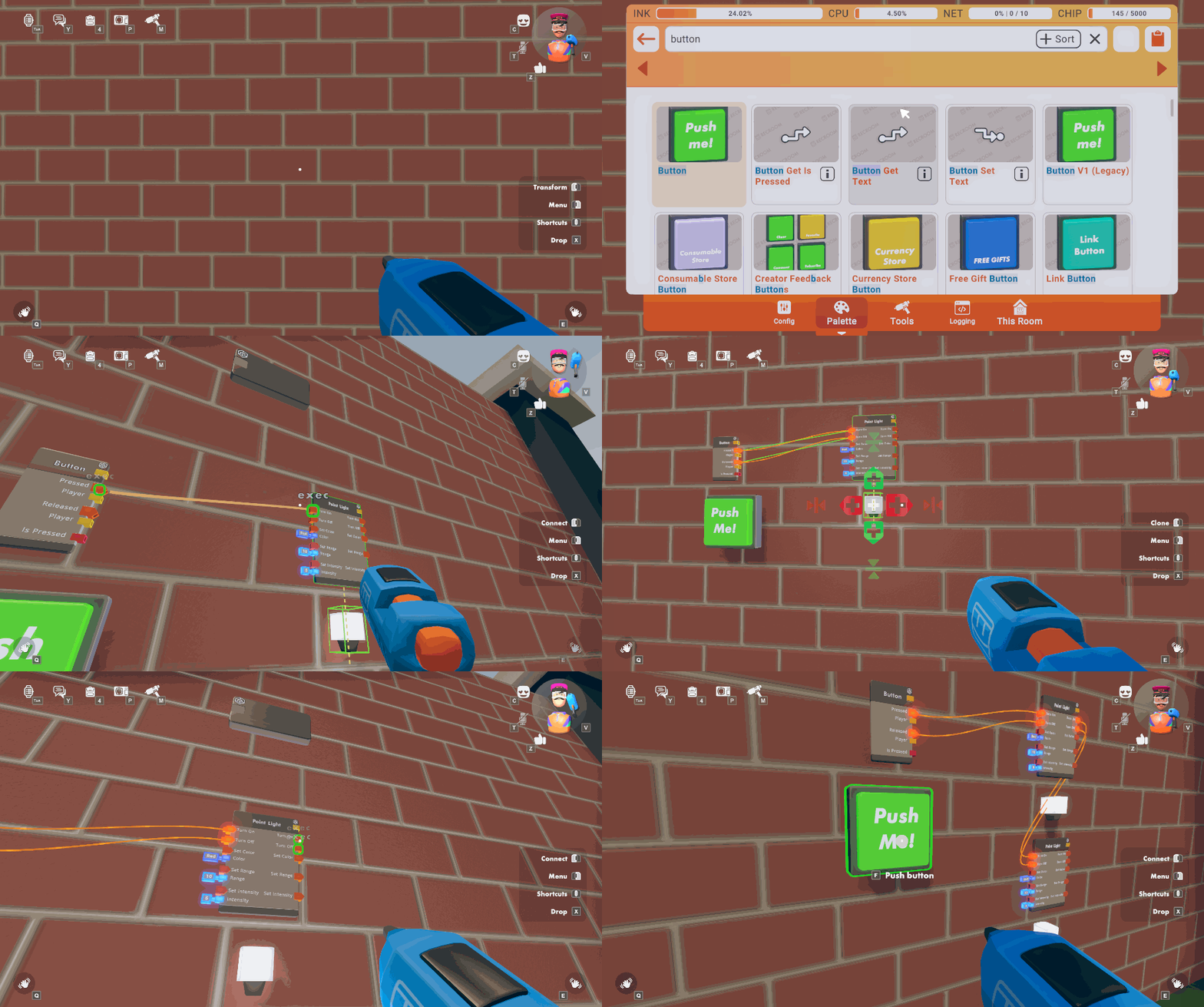
Maker Pen radial menu shortcuts are available for Keyboard and Gamepad! Use it for quick access to a few high-frequency tools, undo, and search. Available on the Default control scheme by holding down middle/right click or left trigger.
Circuits Updates
----------------
- Fixed several of the 'Player World UI' chips not caring about the net heat limit.
- The cooldown period for the Player Prompt Multiple choice chip has been decreased, and the chip will now display a warning if it's used while it is in cooldown. The chip will also no longer timeout when run for the local player.
- New chips in Beta:
List Remove Item (First)
List Remove Item (All)
String Replace
String Split Whitespace
String Trim
Color to RGB
Color to HSV
General Improvements and Bug Fixes
----------------------------------
- We're testing out a huge improvement to the Outfits menu! Take a stylish spin around Rec Room with the following QOL improvements:
- Outfits are now nameable AND searchable.
- A new dynamic scrolling layout.
- Fast links to purchase more outfit slots with RR+ or additional outfit items in the store.
- Did you know you can jump to get out of some seats? Well, now there's a button prompt so you know!
Rec Room Studio
---------------
- Improve performance in Studio for Rec Room Objects with a large number of exposed properties or events
- Fixed an issue in Rec Room Studio where removing the Rec Room Object component from a prefab left the room's Maker Pen Scene in an incorrect state
- Added support for post-processing effects in Rec Room Studio.
- You can now enter search terms to filter the list of rooms displayed in the
Pick Roomwindow. - You can now chat with co-owners who are playing in the same room that you are editing.
Rec Room Studio uploads no longer allow files greater than 100 MB in order to improve stability in the cloud build process.
Please see here for convenient links to controls, tutorials, comfort options, etc.: [url=https://recroom.com/community]https://recroom.com/community[/url]
We love to hear your feedback, so please don't hesitate to let us know what you think.
vernal emberBOT
<@&811699239137968160>
Rec Room PATCH - the "All That and a Bag of Chips" edition
==========================================================
Hope you're all wired up for this latest patch! You won't be board by this update. We've taken your input and processed that into a program of electrifying new fixes and features! And its not the same old junk(tion)-- Rec Room Studio is branching out with a new tool for editing circuits! And if you don't node, now you node...
General Improvements and Bug Fixes
----------------------------------
- Added a new Room Owner Lock toggle to object configurations. Room owners can now lock down objects and chips in their rooms so that only other co-owners can manipulate them.
- Chip Settings now display the correct number of modifiable properties.
- Fixed a bug that could break some props when holstered on a disconnecting player.
- Fixed a bug where using the Maker Pen and Share Cam equip shortcuts would not actually equip the tools to your hand if you're gesturing or posing.
- Fixed an issue with VR creators being able to move/scale shapes with their off-hand when using the Maker Pen.
- Fixed a bug that caused player input ports on new chips to default to '(None)' instead of 'Local Player'.
- Fixed the bug that 'Motion Trail' components have physics collisions with other room objects when their positions are being updated.
Rec Room Studio
---------------
### Rec Room Studio now has a Circuit Editor!
- Open the new window via Rec Room Studio -> Circuit Editor...
- Select any circuit in the main view and click the magnifying glass to populate the Circuit Editor window
- Use common Unity controls to move and connect chips, or to navigate around the circuits
- Right-click on chips to access controls like renaming or setting event types.
- Double-click any board to view its contents
- Create new chips via the Circuit Palette window or simply right-click on an empty space and choose Create Node.
- Setup new boards by adding functions and ports on the In or Out bus via the right-click menu
- Enjoy an updated Scene view representation of your circuitry!
Please see here for convenient links to controls, tutorials, comfort options, etc.: [url=https://recroom.com/community]https://recroom.com/community[/url]
We love to hear your feedback, so please don't hesitate to let us know what you think.
vernal emberBOT
<@&811699239137968160>
Rec Room PATCH - the "All That and a Bag of Chips" edition
==========================================================
General Improvements and Bug Fixes
----------------------------------
- Radial shortcut menu in ProUX mode won't stay open if a focus is attempted while it's open.
- Deprecated and replaced
Greater Than,Greater Or Equal,Less Than, andLess Or Equalchips. The old versions treated very close float values as though they were equal. The new versions do not. - Fixed the new
Equalschip (beta) not understanding thatInfinityis equal toInfinity. (Yes, not all infinities are the same size. No, we did not explain that to theEqualschip.)
Fixed a bug where using the Maker Pen to interact with full body costume dummy while another player is wearing the costume breaks the PiP for the costume-wearing player.
- Fixed bugs that caused the comment chip to not show its comment body, and to not update its color in some instances when a comment body had been set.
- Fixed an invalid password attempt resulting in the player having to press the back arrow more than once to get back to the switch account screen.
Please see here for convenient links to controls, tutorials, comfort options, etc.: [url=https://recroom.com/community]https://recroom.com/community[/url]
We love to hear your feedback, so please don't hesitate to let us know what you think.
vernal emberBOT
<@&811699239137968160>
Rec Room PATCH - the "All That and a Bag of Chips" edition
==========================================================
General Improvements and Bug Fixes
----------------------------------
- Improved Copy + Paste in Rec Room Studio to make it harder to accidentally paste mixed selections of Studio and non-Studio objects in Unity, which does not copy the Maker Pen objects correctly.
- Added 'AddVectorTransform' and 'VectorInverseTransform' chips in beta.
- You can now search for any published custom shirt.
- Fixed a bug with the Rec Room Object Reset chip not resetting Studio Objects for all players
- Fixed the possibility of all audio breaking in Jumbotron, as well as any other rooms with Assassin Bots or Mouse Bots. The Mouse Bots are supposed to be stealthy, but not /that/ stealthy.
- Play Audio At Position chip (beta) now shows a CV2 error if trying to play an audio clip at a playback speed of 0.
- Fixed the room resets for Beacon & Particle Emitter V2.
- UI now appears correctly when disabling self-scaling at a non-default scale.
Rec Room Studio
---------------
- Fixed several bugs that could cause 'Upload & Build' to fail silently.
- Screen Space Canvas HUDs are now supported on VR platforms
- Corrected an issue that could cause
Permission Deniederrors to appear rapidly in the console when opening a room for which the creator is a Temporary Co-owner.
Improved the Rec Room Studio user experience for opening room saves with better error messaging if opening a room fails for any reason.
- Fixed a bug that may prevent you from uploading your room while other creators are playing in the room.
- Using .dds & .texture2d files that contained compressed texture data would cause 'Upload & Build' to fail. Added a room error when one of these formats is used.
- Fixed vertex color for Rec Room Studio Lit shader.
- Disable detail support on
Rec Room Studio/Litshader until it can be supported by game..
Please see here for convenient links to controls, tutorials, comfort options, etc.: [url=https://recroom.com/community]https://recroom.com/community[/url]
We love to hear your feedback, so please don't hesitate to let us know what you think.
vernal emberBOT
<@&811699239137968160>
Rec Room PATCH - the "All That and a Bag of Chips" edition
==========================================================
Circuits Changes
----------------
- Added a bunch of new chips in beta:
- Player Head chips:
Player Head Position,Player Head Rotation,Player Head Forward Direction,Player Head Up Direction,Player Head Velocity,Player Head Height - Player gaze chips:
Local Player Gaze Origin,Local Player Gaze Direction Player Get Seat- This chip will return the seat a player is in if said seat is a maker pen object. This chip does not work with vehicle seats.- Chip port selection should now be more reliable. (We think we fixed it! Please tell us if ports are still being weird.)
- Decreased the volume of circuit error SFX. It could be argued that getting jump-scared whenever you get an error is a good way to train yourself to not make mistakes. On the other hand, it could be argued that... not that.
- Fixed a bug where some Circuits math chips would continue to compute as though additional input ports were there, even after they had been removed. Math does not believe in ghosts.
Player Radio ChannelChip change: the thresholds when radio effects kick in/go away now account for the voice rolloff settings for the player in the room.- Deprecated and replaced the
Distancechip, as well as thePlayer Get Position/Rotation/Velocitychips. They are now based on the player's "root," in order to be consistent with their setters.
General Improvements and Bug Fixes
----------------------------------
- All players, including non-RR+ members, can now create room keys and currencies! (You'll still need RR+ in order to set prices on keys and create currency packages.)
- Added a new voice roll-off option of 15.
- The respawn delay on objects can now be set as low as 0.1 seconds. We've also added an option to disable the respawn visual effect if you really hate those orange cubes.
- Added highlight to the clone tool.
- Fixed various skins that were missing some pieces.
- Fixed corruption of subtitle text in VR. (Hooray!)
- Fixed a small audio issue with the Room Chat send button.
- Fixed an issue where some PC players were experiencing inconsistent behavior with a surface snap.
Rec Room Studio
---------------
- Deleted boards will no longer re-appear in the game. Use the right-click editor menu on the object Rec Room Studio -> Remake Object Board, to create the board again.
We love to hear your feedback, so please don't hesitate to let us know what you think.
vernal emberBOT
<@&811699239137968160>
Rec Room UPDATE - the "Extreme Fire Crunch" flavor
==================================================
The "All That and a Bag of Chips" edition continues to be stuffed full of so many new and improved Circuit goodies that we can't fit them all into one update. Enjoy the intense sweet-hot taste of Extreme Fire Crunch Flavor dropping in with these 7 spices for better player interactions and smoother creation features:
Interaction Volume V2 object in Beta!
-------------------------------------
Creators! The new Interaction Volume V2 object in the Maker Pen Palette has everything the old Interaction Volume can do, and more:
- Interaction Volume V2 supports hold interaction with a configurable duration
- Interaction Volume V2 supports preserving hold progress if a hold interaction is canceled and not finished
- Interaction Volume V2 supports applying movement speed multiplier (0 -1) while player's performing a hold interaction
- Interaction Volume V2 supports more hold-interaction-related events on the Object Board (On Hold Started/Ended/Update, etc.).
- Plus, all existing Interaction Volume chips will also be able to work on Interaction Volume V2. https://recroomcdn.blob.core.windows.net/ship/InteractionVolumeHoldInteraction.gif
But wait, there's more! The new Interaction Volume V2 also has these exclusive chips:
- Interaction Volume Get Normalized Progress
- Interaction Volume Set Normalized Progress
- Creators can use these chips to read and write the hold progress on Interaction Volume V2 LOCALLY.
- Note that both of these chips will only throw errors (and not useful functionality) if used on an old Interaction Volume
Gun Handle & Trigger Handle Improvements
----------------------------------------
We aimed at taking out a slew 'o bugs with the Gun Handle
You did?
Yeah, want me to list them all?
Go ahead... shoot.
- The
Primary Action Pressed/Held/Releasedevents now work even if you have "Natural Grip" turned on in VR - The
Primary Action Pressed/Held/Releasedevents now only respond to the index finger trigger in VR - In VR, you can now trigger a reload by grabbing the handle using either trigger on your opposite hand. (Previously, it had to be your index finger... which felt weird.)
- The
Reload Action Pressed/Held/Releasedevents are now always only received by the player holding the gun handle. (Previously, it depended on whether they were in VR.) - The
Primary Action Held/Releasedevents no longer fire when you're picking up the gun handle. (We brought this fix to the Trigger Handle too!) - Fixed a bug in VR where holding a Gun Handle in each hand would result in circuit events only being fired for one of them
- Fixed a bug in VR where Gun Handles sometimes wouldn't work if they were put in your hand using the
Equip Objectchips
Combat Circuit Event improvements
---------------------------------
Gun handles aren't the only combat features we've been working on. Check out all these new Circuit features to ramp up the action in your rooms!
- Added 'Melee Hit Player' event in beta to the Player Definition Board
- Added 'Projectile Hit Rec Room Object' event in beta to the Projectile Launcher object board
- The Projectile Launcher now supports a Rec Room Object specific damage value, accessible through the configure menu as well as the new beta chips: Look for the Projectile Launcher Set Rec Room Object Damage and Projectile Launcher Get Rec Room Object Damage chips.
- Added new chip Projectile Launcher Get Firing Player in beta
- Deprecated and replaced the 'Explosion Hit Player' event in the Player Definition Board. The new event will now work with most explosives
Clothing Customizer Improvements
--------------------------------
A handful of custom shirts improvements are gonna be rolled out a bit at a time, so some of you will start to see:
- Added buttons to the clothing customizer to scale the customizer up or down
- Stop, it's perfect. We added a button to the clothing customizer to freeze the customizer
- Riffing on your designs is now easier! We added a button to a custom shirt's Edit page to copy its design to the clothing customizer
- Added an option to show the backside of your custom shirt in the store thumbnail
General Improvements and Bug Fixes
----------------------------------
- Doors V2 and Destination constant chips now support private rooms. Like Door V1 (Legacy), they will only transfer the player if they are an owner of the private room.
- Released the following from beta: Sun Direction V2 component, all Moods V2 chips, Clamp, List Copy, Player Get Room Index, Room Index Get Player, Player Is In Party
- Added Overlap Box and Get Angular Velocity chips in beta.
- The output of the Overlap Sphere chip is now sorted by the distance in ascending order.
- Improved text clarity for PC VR.
- Touch now has the option to turn off Auto Sprint, which enables a manual sprint button in the lower right corner.
Rec Room Studio
---------------
- Uploads with changes only to the Maker Pen scene are now instantly available in the game with no need for a lengthy cloud build
- Fixed a Studio issue where SendCircuitsEvent calls on AnimationEvents or disabled components were not causing the generation of an event in that object's Object Board
- The upload and download window got some updates including the ability to see a removed file, sort by size, and display meta-file changes
- UnityEvents on an EventTrigger that calls SendCircuitsEvent now automatically update the Object Board when rebuilding the board
- Memory usage for Rec Room Studio rooms has been improved, making room load a bit more stable for low-memory devices
- Room Save Inspector panel got some polish
We love to hear your feedback, so please don't hesitate to let us know what you think.
vernal emberBOT
<@&811699239137968160>
Rec Room PATCH - the "Extreme Fire Crunch" edition
==================================================
Saved Outfit ++ Part 2
----------------------
We are rolling out a glammed-up Outfit page with some hotly requested features:
- Set a custom thumbnail for your outfit on the new edit page!
- Erase old outfits to free up outfit slots
- View the elements that make your favorite fits
- And make your best looks public to add them to your portfolio!
Storefront Improvements
-----------------------
We will be gradually rolling each of these features out to all players:
- Item Cards on the Storefront Preview page will now include a Buy button, which brings the player directly to checkout.
- Creators can now resize Storefronts to include more Item Cards on the Preview page.
- Up to 50 cards from the Storefront's first carousel can be displayed.
- Storefronts can be as large, small, short or long as you want them to be... up to 50 slots in either direction!
General Improvements and Bug Fixes
----------------------------------
- Added an exclusive or (xor) chip.
- Now when doing a drag move with the transform tool and the pen is moved between the up and down buttons, the selection is rotated to match pen rotation.
- Fixed a bug where joining a room via a meetup link resulted in the player not being in the party.
- Players will no longer see an error message when trying to go to a friend that previously invited them to a different room.
- Fixed an issue that affected switching back and forth between the maker pen and the charades pen.
- Fixed an issue with shape creation mode; scale no longer adds an extra undo entry.
- Fixed an issue where audio would not play when rotating objects with Rotate Tool.
- Fixed an issue where shapes would not highlight when hovered with Manipulate Tool.
- Fixed a bug that could cause old rooms to fail to load circuits.
- Fix for vignette effect not showing up on iOS with graphics set to high quality.
We love to hear your feedback, so please don't hesitate to let us know what you think.
vernal emberBOT
<@&811699239137968160>
Rec Room PATCH - the "Extreme Fire Crunch" edition
==================================================
Circuits Updates
----------------
- Event Sender chips configured to Room Authority of Authority will no longer take network heat when the target player is local.
- Player Logic Boards have undergone some restructuring in order to improve performance and reduce their impact on the chip limit.
- Player Logic Boards for each player will no longer count towards the overall room chip total. (Chips in Player Definition Boards will still count.)
- Player Logic Boards will no longer appear over Players' heads.
- Rename "HUD Element Constant" to "Game HUD Element constant"
- In the config menu renamed button "Preview HUD Element" to "Set HUD Element Values"
- New Chip: 'Game HUD Element Set All Values' overwrites HUD element with input constant's home values.
- Fixed a bug that could cause the 'Create Circuit Board' operation to break the Maker Pen.
- (Beta only) You can now configure Circuit events to fire when a player purchases a Room Key or a Consumable.
General Improvements and Bug Fixes
----------------------------------
- Restored presence info for each player on the friend page, so that you can better see what your friends are up to.
- Windows Standalone now auto-focuses input fields for Room Chat and Maker Pen search, just like Steam.
- Fixed a rare case where players would be missing most content on their Home screen.
- Fixed a VR issue with incorrect initial rotation on a drag move/rotate operation when using the maker pen with the move or transform tools.
- Bundle store displays will now always show the rarest items first.
- Fixed a bug where the clothing customizer would not be available immediately after purchasing RR+.
- Fixed a bug that caused extra undo steps to be added when creating shapes.
Rec Room Studio
---------------
- Rec Room Studio no longer includes its own copy of Rec Room. Please install the latest Rec Room build via Steam or from rec.net. Make sure to launch Rec Room before running "Play Local."
- Objects created in Rec Room Studio for the orange scene now have consistent default values with objects created in-game with the Maker Pen. This provides more consistency across Rec Room Studio and Rec Room.
- Wall running and clambering are now defaulted to true.
- Fixed an issue with setting custom texture sizes in Rec Room Studio for textures with resolutions smaller than 32x32.
- Fixed a bug where sending a room reset event in a Studio room could break the lighting.
Please see here for convenient links to controls, tutorials, comfort options, etc.: [url=https://recroom.com/community]https://recroom.com/community[/url]
We love to hear your feedback, so please don't hesitate to let us know what you think.
vernal emberBOT
<@&811699239137968160>
Rec Room PATCH - the "Extreme Fire Crunch" edition
==================================================
General Improvements and Bug Fixes
----------------------------------
- Teleport VR players will no longer get trapped in legacy flying mode.
- Fixed an issue that was preventing teleport VR players from picking things up with their left hands.
- Fixed bug where copy-paste MakerPen tool was disabled.
- Chips will no longer appear as grey boxes.
- The following CV2 chips are now out of beta and available for use in all rooms: Show Purchase Prompt, Award Consumable, Award Room Key
- Added the ability to activate a consumable directly from the purchase page.
- Added the ability to tell what items in a UGC storefront you own already just by looking at it.
Rec Room Studio
---------------
- The version of RR Studio that you are using now shows up in the Title-bar of Unity! This should make it easier to send screenshots of problems as you no longer have to go to the
Aboutwindow for RecRoom Studio to show Devs which version you're on. - Initial version of the "Memory Explorer" tool. Memory Explorer is the first of a set of performance-focused tools that we're working on. It's intended to be a hub for estimating the memory cost of your room on different platforms. Initially, it only supports textures & render targets, but will be expanded over time with meshes, audio, animation, video, and any other large-level resources.
- There is now a
Documentation...link within theRec Room Studiodrop-down in the Unity UI. - Adding Rec Room Studio content to a room will no longer change the visual post-processing settings. (Translation: uploading a room from Studio for the first time won't make it lose the blue tint.)
- Fixed a Studio bug where Visual Post Processing effects would stop displaying in the scene view.
- Fixed a bug where the Environment Lighting settings in rooms uploaded from Studio would be ignored.
Please see here for convenient links to controls, tutorials, comfort options, etc.: [url=https://recroom.com/community]https://recroom.com/community[/url]
We love to hear your feedback, so please don't hesitate to let us know what you think.
vernal emberBOT
<@&811699239137968160>
Rec Room PATCH - the "Extreme Fire Crunch" edition
==================================================
General Improvements and Bug Fixes
----------------------------------
- Rec Room Object tags now support home values. Additions or deletions performed with tags through circuits will no longer save with the room, and will be reset when the room or object is reset.
- We've added a 'Bake Tags' button to the Maker Pen Circuits Settings page. The goal was to allow players to turn tag sets into warm delicious cookies; but instead it seems to allow players to save tags set through circuits.
- Improved the placement of the scale and move handles when using the Transform tool within a shape container with the "Rotate Around" pivot set.
- Fixed Room Door destination when multiple Welcome Mats are in subroom of current room.
- Shirts don't go that way! Fixed avatar items appearing sideways in the display case.
- Fixed a bug that caused the 'Can Use Play Gizmos Toggle' permission to incorrectly default to 'disabled'.
- Fixed circuit error chip tracking for the 'If Local Player Should Run', 'If Player Is Local', variable chips, and remote Event Sender chips.
- Fixed a bug that caused port previews to rotate incorrectly when viewing them in VR.
- We're testing a "+" button next to the Token and Room Currency Balance that takes you to the page for purchasing more
Rec Room Studio
---------------
- Creators can now create new rooms without leaving Unity! In the "Open Room" dialog, enter the name of the new room you wish to create and, if that name is not in use, click the "Create" button to create the new room.
- Also in the "Open Room" dialog: creators can now search through a list of subrooms.
- Things that cannot be cloned in game (i.e. Role Chips) now also give you an error if you try to copy/clone them within RR Studio. This increases consistency when creating things both in game and in RR Studio. You can see if any built-in item is cloneable by checking its
RecRoomObjectInstancecomponent. - Memory explorer can now help you find large or duplicate meshes that might be contributing to room memory bloat.
- Alpha testing now works for Rec Room Studio/Lit shader on Quest & Pico.
- Fixed an issue with Rec Room Studio rooms where Studio Objects that have a Physical PhysicsMode did not work for non-authority players.
Please see here for convenient links to controls, tutorials, comfort options, etc.: [url=https://recroom.com/community]https://recroom.com/community[/url]
We love to hear your feedback, so please don't hesitate to let us know what you think.
vernal emberBOT
<@&811699239137968160>
Rec Room UPDATE - the "Home Sweet Home" edition
===============================================
New Home
--------
Over the last several months some of you with iPhones have received the new "Home" experience when launching Rec Room. We are excited to announce that Home has now been rolled out to a larger number of iPhone users.
As a reminder, Home was created to load Rec Room quickly, find what you want faster and bring in what you already love about Rec.Net. You can discover rooms, scroll the feed, comment on photos, and chat with friends, all with the core Rec Room experience being a tap away.

New Objective Marker System
---------------------------
We've been rolling out a new Objective Marker System!
- Mark an in-world point of interest using the new Objective Markers. Set up a marker by configuring an Objective Marker constant, and then move, activate, and modify it using a suite of related chips. This UI marker renders on top of everything else to help guide players to their destination.
- New Objective Marker chips in Beta: Objective Marker Constant, Get/Set Color, Get/Set Current Distance, Get/Set Distance Indicator Enabled, Get/Set Enabled, Get/Set Label Enabled, Get/Set Label, Get/Set Position, Get/Set Proximity Fade Threshold, Attach To Player Or Object, Get Target Object, and Get Target Player
Circuits
--------
- New Beta Chips
- If Player Is Valid
- If Player Is Valid And Local
- If Player Has Role
- If Has Tag
- Instance Get Max Players
- Interaction Volume Set Hold Time
- Interaction Volume Get Hold Time
- Fixed a bug which caused the
Player Leftevent to fire twice for each person who left the room. We've split this up into two events:Player Leaving(fired just before a player leaves) andPlayer Left(fired just after a player leaves).- The
Player Leavingevent is the last moment at which a given Player value is valid. It's your last chance to do anything that assumes they're in the room. - The
Player Leftevent fires just after a player has left. Therefore, the Player value received with the event will always be invalid. (But you can still compare it with other values usingEquals.) - The old
Player Leftevent has been deprecated, so existing rooms should be unaffected.
- The
- Added default footstep and jumping SFX to the SFX Constant chip.
- When using the "Configure" tool on Circuits Chips, the "Chip Options" tab will now be open by default.
- Fixed a bug that prevented the 'Self' chip from being cloned.
- Fixed a bug that could cause some players not to have player boards.
- Fixed an issue where the Cloud Data settings page wouldn't refresh once it was opened once in a room instance.
Maker Pen Improvements
----------------------
- Double-clicking with the Maker Pen select tool to unfreeze an object now works consistently in non-beta multiplayer environments.
- Saving the room will no longer reset the object selected for Maker Pen creation to the default shape.
- Better scaling on Manipulate tool handles with basic shapes.
- Fixed an issue where a drag input using the Manipulate tool on a shape container would error instead of switching to shape editing mode.
- Pressing tab will no longer break references to the edge you're currently trying to drag off.
- Fixed a bug that caused existing shapes that were scaled uniformly via their containers to lose that scale when enabling hierarchical building.
- Add buttons to AnimationController MakerPen Edit menu: "Clear Keyframes", "Clear Object Connections"
General Improvements and Bug Fixes
----------------------------------
- Spawner location is not modified by room reset.
- Fixed an issue where, when one player interacts with an Interaction Volume, the Interaction Volume would appear briefly disabled for other players.
- Fixed bug where a room authority change could reset objects' positions if those objects are the parent of a Clamp gizmo.
- Fixed bug where a room authority change could cause a collision to be improperly reenabled on Rec Room Studio objects clamped to held tools.
- Fixed a bug that could cause Player World UI to get in a corrupted state.
- Fixed "Hide this Player's Name" setting on roles.
- Fixed an issue where some trees would have blocky-looking shadows on non-mobile platforms.
Rec Room Studio
---------------
- Gives creators a built-in way to have "billboard" style objects, including those with text on them! This just makes a very common object type more accessible to those less familiar with the troubles that come with 3D rotations.
- Added some prompts to save unsaved changes to scenes before closing them when switching open rooms.
Please see here for convenient links to controls, tutorials, comfort options, etc.: [url=https://recroom.com/community]https://recroom.com/community[/url]
We love to hear your feedback, so please don't hesitate to let us know what you think.
vernal emberBOT
<@&811699239137968160>
Rec Room PATCH - the "Home Sweet Home" edition
==============================================
Circuits Updates
----------------
- Added a new Room Currency Constant chip in Beta, with support for Show Purchase Prompt, Award Currency, and Get Currency Balance chips. Note that the last two have their own new chips - Award Currency (New) and Get Currency Balance (New) respectively - and the old chips these two are based on will be deprecated once these leave beta.
- New List node!
- Added an 'Authority Changed' event to object boards in Beta.
- Chips in inventions set to Edit & Save permissions are able to be configured.
- Added buttons to reorder ports and port groups on circuit boards and object boards.
- Eliminated a cause of connection pin flashing.
### Player Interaction chips changes in Beta
- Fixed a visual issue where the hold progress circle doesn't reset upon completing interacting with target player.
- An empty progress circle will now display when hovering over a target player, if Player Interaction is enabled on them with a hold duration.
- Highlights and interaction prompts no longer persist if you hold down your input after completing a player interaction.
General Improvements and Bug Fixes
----------------------------------
- On Screens in Classic Control, players will now be able to perform tool primary actions on held tools when standing in front of another player offering social gestures. Previously the primary action was to accept social gestures.
- On Screens, when a player is next to an interactable and another player who's offering social gestures, the targeting and action will now prioritize interactable. Previously you were prompted to accept social gestures over interact.
- Maker Pen logging screen now supports multi-line strings.
- Fixed an issue where text was cut off in menu pop-ups.
- Fixed an issue where Maker Pen palette would show duplicate inventions.
- Fixed a bug that caused some vehicle settings not to save.
Rec Room Studio
---------------
- Added a Download All button to the Rec Room Studio Download dialog to make it easier to update to the latest version of a room if you have no changes you want to keep.
- Rec Room Studio players now have easier access to changing room settings without having to open up Rec Room! This should improve the work flow of creating and modifying rooms, especially as we make more settings available!
- Rec Room Studio nested boards now display correctly again.
Please see here for convenient links to controls, tutorials, comfort options, etc.: [url=https://recroom.com/community]https://recroom.com/community[/url]
We love to hear your feedback, so please don't hesitate to let us know what you think.
vernal emberBOT
<@&811699239137968160>
Rec Room PATCH - the "Home Sweet Home" edition
==============================================
UGC Touchpad
------------
- New UGC Touchpad component is now in Beta. Similar to how Whiteboards work, Touchpad gets a player's 2d input (hands in VR, cursor controls on Screens) to allow players to "touch" an object. Now you can pat, rub, and scrub like a pro!
- New chips/events in beta: Touchpad Touch Started, Touchpad Touch Updated, Touchpad Touch Ended, Touchpad Get Active Touch, Touchpad Get Interaction Enabled, Touchpad Set Interaction Enabled, Touchpad Get Interaction Label, Touchpad Set Interaction Label
Room Currency Customization Improvements
----------------------------------------
- You can now give your Room Currencies a custom UI icon by choosing from a selection of icons and colors. Add some flash to your in-Room cash!
- Each currency can share the same icon, but they cannot share the same color.
- All existing currencies will still have the default icon, but the color(s) will be auto-assigned.
- While only some users will be able to see the customization, ALL Creators will be able to view their own customizations in their Rooms.
General Improvements and Bug Fixes
----------------------------------
- New Party Chat means that whenever you're in a party, you're in a party chat... even when you're in different rooms. Party Chat is now also automatically pinned at the top of your chats for easy access. Let's party!
- We've begun rolling out the ability for players to purchase multiple Room Consumables in a single checkout. This feature is currently only available for paid Room Consumables.
- We have fixed some recent issues with video player access. You should now be able to test your rooms using 'Play Local' again. Thanks for your patience!
- Added melee hit event support to vehicle collisions. Bumper cars, anyone?
- Fixed an audio issue that may have led to distorted or muffled audio in specific rooms.
- Test Event now has a string parameter in the Maker Pen menu! This allows for an easier trigger of debug chips.
- Fixed a bug that prevented the 'Self' chip from being cloned. But if you clone it, which will be your true 'Self'...?
- 'Respawn' and 'Room Reset' have been added to the list of griefable chips.
- The 'From Rec Room Object' chip will now work correctly with Trigger Volume components.
- Fixed a bug that prevented use of the Respawn chip to position inside an invisible collision component with player and object collision disabled.
- Fixed an issue where players joining rooms at the same time could wind up with corrupted player boards.
- Fixed the look of the Solstice Spring Bloom Antlers.
Rec Room Studio
---------------
- The Rec Room Studio circuit palette will no longer place deprecated chips when an updated version is available.
- Multiple object selection should work faster.
- Removed some annoying pauses while working on assets in larger rooms.
Please see here for convenient links to controls, tutorials, comfort options, etc.: [url=https://recroom.com/community]https://recroom.com/community[/url]
We love to hear your feedback, so please don't hesitate to let us know what you think.
vernal emberBOT
<@&811699239137968160>
Rec Room PATCH - the "Home Sweet Home" edition
==============================================
General Improvements and Bug Fixes
----------------------------------
- Fixed an issue where some older rooms couldn't load.
- Fixed a bug where, when creating a new in-game Event, changing the datetimes would cause the end time to decrement by 5 minutes (which can double up or cancel out actually intended changes to the end time minute). Also, new Events should start as soon as it's time.
- Added a hierarchy view to the Maker Pen menu for rooms with compound objects enabled.
- Fixed a bug where the
Equalschip and theEquals (New)chip (beta) would returnfalsewhen comparing equivalentAudiovalues. - Fixed error tracking in 'Variable Changed' events.
Rec Room Studio
---------------
- Rec Room Studio rooms can now synchronize Unity Animators! Simply add the new RecRoomStudioAnimatorSynchronizer component to your prefab next to an Animator. Any joining player will now get the Animation synchronized! Studio Event access to the Animator is now limited through the new Component. Use the SetBool/Integer/Float/TriggerParameter calls on it for synchronized changes.
- You are no longer allowed to host public events in private rooms with Studio content that haven't passed moderation.
- Fix a bug where new saves in rooms with Studio content would sometimes automatically be set as the public save when they shouldn't be.
Please see here for convenient links to controls, tutorials, comfort options, etc.: [url=https://recroom.com/community]https://recroom.com/community[/url]
We love to hear your feedback, so please don't hesitate to let us know what you think.
vernal emberBOT
<@&811699239137968160>
Rec Room PATCH - the "Home Sweet Home" edition
==============================================
General Improvements and Bug Fixes
----------------------------------
- Hierarchy menu scrolling now works on touch platforms.
- Fixed vignettes not scaling with Maker Pen self-scaling on some VR platforms.
- Added 'Player Get Costume' chip in beta.
- In beta:
Listvariables can now be cloud variables! As with other variable chips, you can set them as Cloud in their config menu. - Fixed a bug that could cause the 'Audio Player Set Time Stamp' chip to break when used without an active audio clip.
- Fixed a bug that could cause 'Get All With Tag' chips to return incorrect results.
- Truckers and Mobsters, your days of shame are behind you! Mobster Shirt and Trucker Shirt no longer have transparent parts on low-end devices.
- Holding the shoot button on the bow and arrow (or duel wielding) no longer causes a prompt with missing text when approaching the climbing wall in ^Orientation.
Rec Room Studio
---------------
- Fixed some chat bugs:
- Resolved an error that was blocking the creation of a new chat thread with co-owners
- Resolved an error that caused co-owner chat messages to vanish
- Added a dialog when attempting to chat with the same co-owner account that is signed into Rec Room Studio.
- Reduced the time to load the content for the Download and Upload windows.
- We fixed it so the Rec Room Studio version should always be displayed in the Unity title bar.
Please see here for convenient links to controls, tutorials, comfort options, etc.: [url=https://recroom.com/community]https://recroom.com/community[/url]
We love to hear your feedback, so please don't hesitate to let us know what you think.
vernal emberBOT
<@&811699239137968160>
Rec Room UPDATE - the "Make it to Midnight" edition
===================================================
You might have noticed we've been up to a few new things
Animation CV2 (Beta)
--------------------
Animation is making its CV2 premiere! This patch marks the debut of the Animation Controller, a fully-fledged CV2 version of the Animation Gizmo. Plus there's a few new goodies like:
- Setting animation speeds directly on the Animation Controller board or with the handy new Animation Set Speed chip. Oh! You can play animations in reverse with negative speed values too.
- Pausing your animation at will and resuming it from that very same keyframe when you play again.
- Snapping your animations to precise keyframes with the Animation Set Frame chip.
Data Tables (Beta)
------------------
Working with data has always been hard in circuits. Now you can store a bunch of stuff - numbers, text, and even Rewards - in a creator-editable, csv-importable, circuits-readable spreadsheet. Spawn a Data Table definition and configure it to get started. Get & Read Cell chips will need to be linked to a particular data table in their config menu in order to function.
- New chips: Data Table, Data Table Read Cell, Data Table Get First Row Containing, Data Table Get All Rows Containing
Rewards (Beta)
--------------
Package up keys, currencies and consumables into Rewards, award them to players, and let them know about it with a fancy banner. When Progression is enabled (coming soon!) creators will be able to easily grant Rewards on level up and show upcoming Rewards for their room in the watch.
- New chips: Reward, List Variable, Grant Reward, Show Reward Notification
General Improvements and Bug Fixes
----------------------------------
- The Watch Menu no longer sometimes shows other pages instead of the Home page.
- Fixed an issue where players cannot filter and sort custom shirts under their own portfolio. Also fixed an issue where custom shirts would appear on the gifting page despite not being giftable.
- Want a Touchpad Component with those chips? It's available (in beta) for real this time!
- Fixed issues related to the Maker Pen toggle settings bug, ensuring proper application of snap settings, uniform shapes, and tube settings.
- In Advanced Creation Mode, shape merge/split actions now show consistent notifications whether they are triggered by the quick-action menu or via hotkeys.
- In Advanced Creation Mode, pressing enter key in the config menu will no longer cause an object to spawn from the search menu.
- Objective Marker distance text will now update more responsively to changes in target or player position.
- Fixed a bug that could cause chips to spawn in an incorrect orientation.
- Fixed a bug where circuit ports sometimes turn black instead of glowing brighter when flashing to show execution.
- Fixed the 'Is Valid' chip incorrectly returning true for deleted objects.
- Child objects in OM rooms now have the option to have their transforms modified by chips.
- Fixed a visual bug that caused bulk purchases of avatar items to display the wrong price. Don't worry, you weren't overcharged!
Rec Room Studio
---------------
- Most users can now log in to Rec Room Studio and use some limited functionality, even if they don't have full access yet. Full access is still required to upload rooms with Studio content.
- Fixed an issue with copying Rec Room Studio subrooms where custom VisualPostProcessing and AudioClipRegistry changes were not copied.
Please see here for convenient links to controls, tutorials, comfort options, etc.: [url=https://recroom.com/community]https://recroom.com/community[/url]
We love to hear your feedback, so please don't hesitate to let us know what you think.
vernal emberBOT
<@&811699239137968160>
Rec Room PATCH - the "Make it to Midnight" edition
==================================================
General Improvements and Bug Fixes
----------------------------------
- Publishing a room no longer requires a custom photo.
- Door and Welcome Mat can now be added to Inventions.
- Fixed an issue where players cannot move when joining Make It to Midnight.
- Fixed an issue where the Watch sometimes stopped allowing players to switch between tabs.
- MoodsV2 chip configuration can now be updated in multiplayer.
- MoodsV2 Skydome and Sun constant chips config sliders cover the whole parameter range.
- Released the following from beta: The Motion Trail component and all associated chips, Equals (new), If Has Tag, If Player Has Role, If Player Is Valid And Local, If Player Is Valid, Instance Get Max Players, Local Player Disable Interaction with Target Player, Local Player Enable Interaction with Target Player, Player Get Costume, Player Get Seat, Room Authority Changed event, Authority Changed event, Explosion Hit Player event, Explosion Hit Rec Room Object event, Projectile Hit Rec Room Object event.
- Added 'Player Reset Name Color' chip in beta.
- Added an option to send circuit events to a given player. When configuring Event Sender chips to the "Player" option, an additional player port will be added to specify which player to send the event to.
- In Advanced Creation Mode, object transforms can be modified in the Maker Pen config menu.
- In Advanced Creation Mode, an axis alignment widget is available to players in Maker Pen.
Rec Room Studio
---------------
- Added a 'Fix me' button in the room errors window for material using an invalid shader that can be converted to a Rec Room Studio shader.
- The correct error now shows in the room settings window if a room name is too long.
- Some errors in the
room errorswindow will now include a help button which will take you to a page that has more info available.
- Fixed a bug where you sometimes couldn't ignore validation warnings.
Please see here for convenient links to controls, tutorials, comfort options, etc.: [url=https://recroom.com/community]https://recroom.com/community[/url]
We love to hear your feedback, so please don't hesitate to let us know what you think.
vernal emberBOT
<@&811699239137968160>
Rec Room PATCH - the "Make it to Midnight" edition
==================================================
Advanced Creation Mode!
-----------------------
Maker Pen Advanced Creation Mode for PC keyboard and mouse is now available to everyone! Create faster than ever before with special hotkeys and professional workflows!
Along with the full rollout, we also have some fixes and improvements to Advanced Creation Mode (ACM):
- Disabled the Maker Pen's radial shortcut menu when using ACM.
- Added a close button to the fullscreen config menu in ACM to make it easier to dismiss.
- Updated ACM tutorial so it can be completed.
- Fixed the formatting on the gun handle config to fit in ACM KBM config window.
- Fixed a bug where ACM menus would flicker when working with Compound Objects.
General Improvements
--------------------
- The Make it to Midnight progression screen will no longer show players empty placeholder rewards in addition to the actual rewards for each level.
- Allow walk input mode swap when a VR player using teleport movement enters a walk-only room.
- Players may now change their sprint input mode with auto-sprint toggled on if they enter a room where the manual sprint is forced.
- The following CV2 Event Receiver configurations have been released from Beta: Consumable Purchased, Room Key Purchased
- Moods constant chips have initial values derived from subroom presets.
- A new Local Player Set Nametag Visibility chip that allows creators to control whether the player sees the nametag of the target player. It takes priority over role settings.
Bug Fixes
---------
- Fixed a rare bug that can lock a player's movement when loading into a room.
- Fixed a bug that caused Bonky's HUD to show up in Share Cam and Streamer Cam.
- Samurai hat adjustment parameters updated not to cover players' eyes.
- Shark Rail Gun fins now follow the reload animation in VR.
- Fix radio voices from being 2.5D to 2D.
- Fixed crash that would happen when Chips were extremely far away from the player.
Rec Room Studio
---------------
- Previously we added
Room Settings, now we haveSubroom Settingsas well! Now you don't have to tab into RecRoom to change specific subroom settings! - Automatically fix certain project settings such as which renderer is used if the settings have been changed.
- Performance improvements in Rec Room Studio when opening the Upload & Build window.
- Version number will now display in the Unity title bar.
- IL2CPP is no longer required to test locally.
- Include a link to screen share authorization application on room errors for not having proper permissions for video players.
- Fix to allow RRObjectManager script to compile.
We love to hear your feedback, so please don't hesitate to let us know what you think.
tribal star
No regular ship notes for this ship, but we're moving over to Unity 2021 starting today on some platforms, and should have all platforms moved over by Wednesday morning provided everything goes to plan.
See here for more info: #game-status message
If your game is launching to a black screen on PC, please reinstall! If it launches to a black screen on Quest 2, please restart your headset first + reinstall. If that doesn't work, reach out to us here: https://recroom.zendesk.com/hc/en-us/requests/new
If your friends are "on a newer version", your platform doesn't have the update yet! This is normal, and we're working to roll out the latest update to all platforms.
tribal star
Small update: All platforms should have the latest update except PlayStation devices. We're working to get the update out for you folks!
vernal emberBOT
<@&811699239137968160>
Rec Room UPDATE - the "Coming to a Beta Near You" edition
=========================================================
Throw Handle, now in Beta!
--------------------------
- Set up various cross-platform throwing behaviors by using the Throw Handle. Configure the Throw Handle to set throw speed and screens animation set, and detect a throw with the On Throw event.
CV2 State Machine, now in Beta!
-------------------------------
Manage complex states with a State Machine! This is a special circuit board with a super power: only one child State is active at any time. These are pretty different from their old CV1 ancestor, so check out the Dev Blog for more info!
New chips: State Machine, State, Go To State, State Constant, Graph Get Is Active
New events: State Did Enter, State Will Exit
General Improvements
--------------------
- Added a new Contributor room permission level between Moderator and Co-Owner.
- Text chat can now be used with MakerPen ACM.
- Modified the Everyone role in newly created Maker Rooms to add the #player tag by default.
- Teleport players using Seated Mode can now crouch via button input.
- Added
List Clearchip in beta. - Added new Global circuits events: On Player Grabbed Object, On Player Released Object
- Added new Player board event: Player Released Object
- Added a new chip Rec Room Object Get Holder Player- ACM toolbar buttons are now clickable.
Bug Fixes
---------
- Fixed players being able to vote kick in rec royale
- Fixed players being able to vote kick opponents in Laser Tag, Paintball, and Dodgeball.
- Fixed a bug where players could wear items they did not own.
- Fixed a bug that allowed ranged aim assist to work through certain types of environment objects.
- Fixed an issue where "Hide HUD" setting would mess up targeting on in-world UI.
- Players should not be able to walk through the wall near the bulletin board anymore.
- Fixed an issue when displaying the weekly challenges page.
- Fixed a bug that could cause chips inside circuit boards nested in Player Definition Boards to contribute to the chip count when duplicated for each Player Reference Board.
- Taking a room cover photo now works properly in PC keyboard+mouse Advanced Creation Mode.
- Taking a room cover photo or event photo now drops all previously held items to prevent undesired dual-wielding.
- Fixed an issue where copying groups of chips would sometimes cause them to have weird orientations!
- Fixed a bug that could cause the 'Create Circuit Board' operation to cancel after 5 seconds with larger circuit graphs.
Rec Room Studio
---------------
- Added a bug reporting tool - find it under "Rec Room Studio > Report a bug...". This tool will provide the Studio team with extra logs and information to allow them to fix bugs faster.
- Objects with inactive colliders when the room starts now behave as expected. When those objects are enabled, they have collision!
- When opening a subroom in Studio that contains Reflection Probes and that was copied in-game, the Reflection Probe cube maps are now correctly copied in Studio, and do not need to be re-baked.
- Expanded the capabilities of memory explorer:
- Add a new overview page that provides a summary of memory across all platforms
- Add "Misc Memory" tab that shows memory for components & other asset types
- Change default sorting to sort by size
- Change warnings to more visibly display in the details panel with a full message
- Fix bug on causing miscalculation of the size of android cube maps
- Performance improvements to reduce the amount of time needed to open the Upload & Build window.
- Prevent accidental addition of components to objects in the maker pen scene that cannot have components on them.
- Fixed a bug in the upload window where files were being incorrectly highlighted as too large.
- Fixed a bug where RRS HUD UI would not show up.
We love to hear your feedback, so please don't hesitate to let us know what you think.
vernal emberBOT
<@&811699239137968160>
Rec Room PATCH - the "Coming to a Beta Near You" edition
========================================================
Room Progression, now in Beta!
------------------------------
Enable Room Progression in Beta rooms to add a semi-automated linear progression system. Use a Room Levels data table to set XP thresholds, set up your room's Progression watch tab in Room Settings, and use the XP chips to level your players up. As seen in Make it to Midnight - and best used alongside Rewards!
New event - Level Reached
New chips - Player Award XP, Player Get XP, Room Levels (Data Table), Player Get Room Level
Room Level HUD, now in Beta!
----------------------------
Add progress bars and item balances to your HUD with the new Room Level HUD constant. Configure the constant to pick a HUD element and use the existing HUD chips to enable and modify it. If you've got Room Progression turned on, you can set some elements to update automatically based on level and XP. Same for currency and consumables!
New Chips in Beta!
------------------
- Player Is Holding Maker Pen (useful for having different logic while creating vs playing)
- (Float | Vector3) Smooth Damp
- Vector3 Clamp Magnitude
- Vector3 Closest Point On Plane
- Vector3 Move Towards
- Vector3 Project
- Vector3 Project On Plane
- Data Table Get Row Count
- Data Table Get Column Count
General Improvements
--------------------
- Contributors are now included in room earnings! The room owner can make any necessary adjustments to the earnings.
- Currencies displayed on the progression page will now correctly display currency icons and images, and the colors will match the currency color.
- Added 56 new sound effects from our melee weapons to the SFX Constant chip.
- Quaternion Create chip now defaults to [0,0,0,1], also known as the "Identity" rotation (basically meaning "no rotation")
- Added room permission settings to automatically assign player tags.
- Saving the room after updating a data table will now automatically add a save description.
Bug Fixes
---------
- Fixed a bug that sometimes resulted in invisible avatars.
- Fixed an issue where the mirror would distort in VR.
- Fixed a bug with the Save an Outfit Challenge.
- Fixed various issues with player locomotion in corners:
- Players cannot glitch climb up corners or small gaps
- Improved behavior for getting stuck in a crevasse
- Reduced frequency of duplicate landing sounds causing a weird noise
- Fixed an issue where the "Set Velocity" chip would clear out rotational velocity on the object. All existing chips will become "Set Velocity (Deprecated)" chips that maintain the old behavior.
Rec Room Studio
---------------
- Added more informative error messaging for certain types of room load failures.
- Copy/Paste support now includes Copy and Duplicate operations initiated from the Hierarchy tab's context menu.
- Update the rendering of Maker Pen Shapes in Rec Room Studio to match both the mesh geometry and materials used in the main Rec Room client.
- Fix a bug where the chip palette window would sometimes get stuck in a state showing no data.
We love to hear your feedback, so please don't hesitate to let us know what you think.
vernal emberBOT
<@&811699239137968160>
Rec Room PATCH - the "Coming to a Beta Near You" edition
========================================================
General Improvements
--------------------
- Room Tag Update: Enhanced tagging system in Rec Room for better room discoverability and clearer genre categorization.
- New chip: "Vector3 Inverse"
- New beta chip: "Add Velocity (New)". This is equivalent to the existing "Add Velocity" chip, but when run against remote players it will immediately simulate the impulse locally to make it feel more responsive. Eventually, we plan for this chip to replace the existing Add Velocity chip. This chip makes Bonky's hammer delightfully thwacky in ^MakeItToMidnight.
- Added beta events for the following player actions: Jumped, Landed, Grounded, Sprint Started, Sprint Stopped, Slide Started, Clamber Started.
- Added the following player state getters to beta: Clambering, Crouching, Grounded, Prone, Sliding, Sprinting, Normalized Steering Speed.
- "Player Get Equipped Objects" chip now properly outputs root objects in rooms with Hierarchical Building enabled
- Get ready to build fun new content around players using the Share Camera! We added the "Player Took Share Camera Photo" event in Beta, which outputs position and direction at which a Share Camera photo is taken, and lists of players and objects in the captured photo.
- On top of that, get your players posting about your room with the "Player Uploaded Public Share Camera Photo" event that invokes when someone in the room saves a public photo to RecNet
- UGC storefronts in cloned rooms will no longer display room currency packages from the original room
- Shapes in a container with an Interaction Volume will be highlighted when the player looks at the Interaction Volume
- Players on some Android devices will see an increase in framerate
- When sending a gift to a player, the selected player will now be highlighted
- We revised the config menu for circuit and object boards to improve the experience of adding and managing ports. You can now see the type of existing ports, change a port's type without deleting and recreating it, and search the type assignment screen to cut down on scrolling. Plus those pesky plus buttons are gone, and it all looks better in Advanced Creator Mode!
Bug Fixes
---------
- Fixed a bug that would cause scrolling to immediately stop when the scroll was ended -when it should have maintained some inertia and slowed to a stop gradually.
- Fixed missing objects on some low-end Android devices.
- Fixed a bug that could cause Moods V2 elements not to update properly.
- Fixed missing circuit connections not rendering on Quest 2.
- Resolved a disabled interactable slider that did not function in avatar customization. The slider will now correctly appear disabled.
- Fixed colors on Cyber Skeleton avatar items.
Rec Room Studio
---------------
- Put the new "Rec Room Studio Disable Render In Share Camera Photo" component on objects you want to hide in Share Camera photos.
- RecRoomObject prefabs can be opened directly from the hierarchy.
- Running out of chip allowance in your RRStudio room? Delete the Object Board for a Studio Object using the Object Config menu accessed with the Maker Pen.
- Ever wondered how your room is performing? Now there's an easy link to all of that info from RRStudio! Just click on the "link" icon next to your loaded room's name in the Room/Scene window.
- Component types now show different instances on the Misc page of the Memory Explorer menu
- Memory Explorer details view makes it easier to select the resource being displayed.
- When 'Play' fails, the Console window comes into focus to display the errors that caused the failure.
- Previously all the materials, textures, and meshes that are used in the provided RecRoom Prefabs would show up in the Project window, but you would get an error if you tried to use anything other than a prefab in your room. In order to reduce confusion, we've hidden those assets that aren't usable.
- Fixed a bug that caused some rooms to fail to upload & build after running a validation fix.
We love to hear your feedback, so please don't hesitate to let us know what you think.
vernal emberBOT
<@&811699239137968160>
Rec Room PATCH - the "Coming to a Beta Near You" edition
========================================================
General Improvements
--------------------
- Animation Controller improvements:
- Added the following chips into Beta: Animation Get Time Stamp, Animation Set Time Stamp, Animation Get Frame
- 'Animation Set Frame' now generates the correct amount of network heat, and no longer scales its frame index with the animation speed.
- Added a speed configure field.
- Added confirm delete dialogs for frames and object connections.
- Added 'Rec Room Object Reset' support to stop the animation and reset it to the first frame.
- Increased frame cap from 49 to 100.
- Reduced the ink to match the Animation Gizmo V1
- New beta chip: "Request Velocity Set Over Duration". This is equivalent to "Velocity Set", except it will continuously apply the velocity until either the input duration elapses, the authority of the input object changes, or another impulse is applied from a different CV2 chip (whichever is soonest)
- Added the new "Collision Detection Volume" component into beta! This is similar to the trigger volume, but works better for detecting at fast speeds and getting more data when hitting players or objects. This component is what is used in Make it to Midnight to detect Bonky's hammer hitting players, and we expect players will be able to pair this with the Swing Handle to make great custom melee weapons!
- Added a new beta spawnable tool Dialogue UI, which is a floating text box with some optional labels, an optional directional affordance, and up to four buttons.
- Beta update: Removed Throw Handle from Spawner components
- Editing curve and ribbon control points improved
- New to Beta: Swing Handle Component
- Tweaked support for emojis and extended Unicode in chat
Bug Fixes
---------
- Players should see improved stability when suspending the game on Xbox
- Fixed blurry text for PCVR players
- Fixed a bug where switching back from ACM forced the Maker Pen creation mode to "Move"
- Enabled Advanced Creation Mode on the Oculus PC build
- Shapes in Advanced Creation Mode now have labels
- Arrow key navigation is available for all searchable tabs in Advanced Creation Mode
- Saving a room with the Paste tool equipped no longer disables UI navigation on room load in Advanced Creation Mode
- Runtime edited tags will now display properly when in Advanced Creation Mode.
- Running 'Add Tag' chips with an empty string will no longer add an empty tag for Advanced Creation Mode
- Fixed a bug with
Disable Physicsoption that prevented it from working for some players in multiplayer scenarios - Fixed a bug that caused the Log String chip to not continue execution after saving a room with a synced Text Screen component
- Fixed a bug with Swatch UI so that it updates correctly
- Weapon prop beacon settings should now update properly between players
- Fix object highlight outlines in mirrors on iOS
- Cat Hat and Yeti Hat can no longer be adjusted to completely cover the player's eyes
Rec Room Studio
---------------
- Studio Functions provide a new way to author custom chips that interact with your Rec Room Studio prefabs. You can add Studio Functions to the Rec Room Object component on your Rec Room Studio prefab, and each Studio Function you create can be called by a Studio Function Chip that you can create and configure in-game with your Maker Pen.
- Remove options from the Render Pipeline Converter that could break materials if used incorrectly
- Fixed a bug where bloom/emissive materials weren't showing up correctly while in RRStudio.
- Validate that cameras have an output texture set to prevent drawing directly to the main screen buffer
- Improve camera validation messaging & add help links
- Performance improvements for Playing or Uploading rooms
- Fix the error "Could not initialize the Rec Room API. The type initializer for ... threw an exception"
We love to hear your feedback, so please don't hesitate to let us know what you think.
vernal emberBOT
<@&811699239137968160>
Rec Room PATCH - the "Coming to a Beta Near You" edition
========================================================
General Improvements
--------------------
- Fixes avatar not showing up in room load screen and new outfit thumbnails on Quest.
Bug Fixes
---------
- Fixed an issue that could cause the CV1 spawner chip to move to an incorrect location.
- Fixed a bug where the ACM palette menu would sometimes crash.
Rec Room Studio
---------------
- Use the "Test Room" button now to test your room locally without having to wait on a cloud build. We also made it easier to upload and save your work to Rec.net as many times as you want, and then later go back and choose which saves to actually build.
- Made it easier to find the Room Save Inspector, which lets you build any unbuilt save and tells you the in-game download sizes of your room on different platforms.
- Fixed up some UI bugs with the Rec Room Studio Room Creator Chat and Circuit Palette windows. Now it's easier to send messages to fellow-creators who are in the room in-game.
- This change avoids an exception thrown when loading a Studio Function Chip that references a Studio Function that is no longer defined in the room.
We love to hear your feedback, so please don't hesitate to let us know what you think.
vernal emberBOT
<@&811699239137968160>
Rec Room PATCH - the "Coming to a Beta Near You" edition
========================================================
General Improvements & Bug Fixes
--------------------------------
- Adding a new Aim Assist Enabled config option to the Swing Handle.
- Spaces and special characters are now allowed in port and chip names.
- Fixed an issue that could cause the port types inside boards not to update properly.
Rec Room Studio
---------------
- We found that Studio Functions are a bit more unstable & error prone than we'd like. We're temporarily disabling Studio Functions & re-enabling Unity Events until we can fix the issues. Existing Studio functions can still be edited, but new Studio functions cannot be added.
- Making it clear that MobileVR devices like Quest and Pico use the same asset import and build settings as Android, so you can check your room's MobileVR memory estimate and download size by looking at the Android sizes.
- Fixed a common cause of 'RecRoomObject' destroyed errors.
We love to hear your feedback, so please don't hesitate to let us know what you think.
vernal emberBOT
<@&811699239137968160>
Rec Room PATCH - the "Coming to a Beta Near You" edition
========================================================
Happy Holidays from all of us at Rec Room! Just a couple of updates for our last update of the year. See you all in 2024!
App Leveling
------------
We are excited to introduce new updates around leveling up during your Rec Room journey!
- Progression Profile: a dedicated tab in the Player Profile that tracks your Rec Room level, the XP needed to reach the next level, and daily progress
- How To: An info page on the Progression Profile so you can see how to earn in-game XP
- Watch Home Presence: View your level and progress on the home tab of your watch, and access the Progression Profile page by clicking it
- XP Gain Tracking: Track the amount of XP you gain as you earn it
Rec Room Studio
---------------
- Dramatically reduced loading time for rooms with many Maker Pen Shapes.
- Don't show 'Fix Me' option on materials validation errors that don't have an available upgrader.
We love to hear your feedback, so please don't hesitate to let us know what you think.
vernal emberBOT
<@&811699239137968160>
Rec Room UPDATE - the "Too Much to Handles" edition
===================================================
Improvements for Advanced Creation Mode
---------------------------------------
- Add marquee selection to PC keyboard+mouse Advanced Creation Mode.
- Shift+Click+Drag to select several objects.
- Ctrl+Click+Drag to deselect several objects.
- In Object Model / Rooms 2.0 rooms, only affect objects in the current scope tree.
- Added invention details to ACM.
- Adjusted ACM UI elements to fit within the side panel.
- Fixed a bug where quickly creating shapes in ACM caused a crash.
- Tool change SFX now plays when the Connect tool is selected.
All About Handles!
------------------
- Added new chips that work on all handles: Handle Set Control Prompt and Handle Get Control Prompt.
- Trigger Handle Set/Get Control Prompt chips that only worked on Trigger Handles are now deprecated.
- Added new Handle-scope events: Handle On Pickup, Handle On Release. They can be used inside all handles' Object Boards.
- Renamed and deprecated existing On Pickup and On Release events in Swing Handle (Beta), Gun Handle (Beta), and Trigger Handle.
- In Beta, Play Handle Haptics chip now works with the Throw Handle.
- Also in Beta, Gun Handle and Swing Handle now have the option to configure the primary action control label.
- Gun Handle (beta) aim assist has been reworked for ease of use, and is on by default for non-VR platforms.
VR Experience Updates
---------------------
- Updated watch wrist UI for accessing room chat in VR.
- New "Adjust controller offsets" setting for VR to be able to fine-tune where their virtual hand is relative to their real-life controller.
- Fixed avatars not showing up on load screens and new outfit thumbnails on Quest.
- Testing some minor adjustments to the way some objects are held in VR.
UGC Released from beta
----------------------
- Animation Controller and most of its associated chips: Animation Get Speed, Animation Get Is Playing, Animation Pause, Animation Play, Animation Set Frame, Animation Set Speed, Animation Stop
- All chips related to the Room Currency constant. The 'New' variants have been renamed, and the existing variants have been deprecated: Award Currency, Room Currency Constant, Get Balance
- All State Machine chips: State Machine, State, State Constant, Go To State, Graph Get Is Active
- Velocity Add (renamed from 'Velocity Add (New)', the existing chip has been deprecated.)
- List Clear
- Player Reset Name Color
- Smooth Damp
- Vector3 Clamp Magnitude, Vector3 Closest Point On Plane, Vector3 Move Towards, Vector3 Project, Vector3 Project On Plane
UGC Beta
--------
- New UGC Beta chips: Instance Get Lifetime, Player Get Is Room Contributor, Modulo (the existing Modulo chip has been renamed to 'Remainder'), Get HUD Enabled, Gun Handle Get Continuous Fire, Gun Handle Set Continuous Fire, Player Get Players In Radio Channel, Instance Get Is Multi-Instance Event, Parse Time, Equip Share Camera, Share Camera Get Is Spawned, Inventory Item Get Image, Get Inventory Item From Name
- New Player-scope events fired within Player Logic Board: Player Share Camera Spawned and Player Share Camera Despawned.
- Show UGC Banner notification chips now available.
- Added an additional Image output port on Inventory Item Get Definition chip.
- Deprecating beta chip PlayerGetNormalizedSteeringSpeed. You can use the new PlayerGetSteeringSpeed in combination with PlayerGetWalkSpeed to calculate this value if it is needed moving forward.
Rooms 2.0
---------
- The
Voice Rolloff Distanceplayer property can now be locally overridden. This lets you build systems where, for example, players on the same team can hear each other from far away, but players on opposing teams can't. AddedPlayer Override Voice Rolloff DistanceandPlayer Clear Voice Rolloff Distance Overridechips to let you do this! Go To Roomchip is now available.- Added limited support for inventions. Creators should now be able to create inventions in Rooms 2. Rooms 2 inventions cannot yet be published.
- Touchpad is now supported in Rooms 2.
- Trigger Volume is now supported in Rooms 2, and can filter players by player tag.
- Gun Handle is now available in Rooms 2.
- Collision Detection Volumes now output the root object hit when hitting an object in a hierarchy. (Unfortunately, it's probably still listed as "Container" instead of by name.)
- A number of bugs have been fixed around Object Board positioning, especially the way they jump around after reparenting.
- Rewards and Room HUD now support Inventory Items.
- VR support has been added for Inventory Item Equipment Slots. Find them on the inside of one of your wrists, with room chat on the other.
- Added quick-access gamepad controls for Inventory Item Equipment Slots.
- Added visibility settings to Room Inventory Items for more control over what gets displayed in the Room Inventory.
- Custom CV2 Locomotion is now enabled in Rooms 2. This allows you to modify locomotion via a default graph of new events and chips that spawn inside new Player Definition Boards. NOTE: In rooms with existing Player Definition Boards, you'll need to use the "Spawn Default Locomotion Chips" button in the config menu to bring your room up to date.
- Custom CV2 footstep is also enabled in Rooms 2. Like locomotion, you can spawn a default audio graph from the Player Definition Board config menu. This graph implements our standard footstep audio in CV2, and then modify that graph to implement your own custom footstep behaviors.
General Improvements
--------------------
- Data table room saves will now be set as the active save in unpublished rooms.
- Data table chips can more reliably import data from external spreadsheet programs. They now accept commas, quotes, and newline characters.
- Click-drag operation for recoloring is now supported outside shape containers.
- Reduced how long there's a black screen at the start of ^Orientation.
Bug Fixes
---------
- Fixed a bug where saving while attempting to switch rooms would cancel the room switch after saving.
- Fixed the bug that Voice Volume is always 100% upon login, even if shown otherwise.
- Fixed projectiles fired from Projectile Launchers inherit the velocity of the launcher.
- Items locked with keys will now start unlocked in a cloned version of the room.
- Fixed an issue where walking too close to the community board would start scrolling the UI instead of continuing to walk.
- Fixed an issue where, when using art canvas or Touch Pad components while flying, you could still steer your avatar body around while having the main camera fixed in place.
- Fixed a bug causing the interacting player to freeze (even after swapping rooms) if they are interacting with a Touchpad component when someone else deletes the Touch Pad.
- Fixed a bug where closing the Maker Pen menu would clear your selection when the Create tool was active.
- Players no longer get stuck with an unusable Maker Pen after canceling the Create Invention flow at the camera stage.
- Fixed a bug that could cause child objects and circuit boards to be visible at room level after a user drops their Maker Pen while editing into a container.
- Fixed the search path for Dialog UI chips.
- Navigating to the Config menu after selecting a circuit bus chip will now correctly display the Config settings for the containing board.
- Fixed a bug that prevented circuit boards containing studio function chips from being copied in one room and pasted into another room.
- Fixed an issue that caused tags not to be added to the Respawn Point V2 component.
- Fixed a bug that could cause the port types inside boards not to update properly.
- Fixed an issue that could cause the CV1 spawner chip to move to an incorrect location.
- Fixed slanted quotation marks (like those on iOS) showing as asterisks in Room Chat, and not showing up at all on the UGC Text Component.
Rec Room Studio Tools
---------------------
- Use the "Test Suboom" button now to test your room locally without having to wait on a cloud build. It's now easier to upload and save your work to Rec.net as many times as you want, and then later go back and choose which saves to actually build.
- Added a download button to each room save in the room save list.
- Made it easier to find the Room Save Inspector, which lets you build any unbuilt save and tells you the in-game download sizes of your room on different platforms.
- Check out an early version of 'Performance Explorer' -a new tool that will help you identify & solve performance issues with your room. In this first version, see the overall triangle counts of your room, as well as details of the lights & cameras.
- Room Tags are changing and with that the RRStudio room settings are updated to match!
- Added RecRoomStudioRecNetImage component which can be used to display images on Rec Room Studio objects.
- State Machine, State, and Player Definition Board chips can now be opened in the Circuits Editor.
- You can now double-click on a Circuits object (chips, object boards, circuit boards) in the Hierarchy window to open those items in the Circuit Editor window. You can also use an arrow on the right side of the Hierarchy to view the contents of those boards in the Circuit Editor window.
- Memory Explorer has a new tab for Circuits node data.
- Dramatically reduced loading time for rooms with many Maker Pen shapes.
Rec Room Studio Bug Fixes
-------------------------
- Fixed a bug where the 'Fix Me' option would show on materials validation errors that don't have an available upgrader.
- It's been a sore spot that having multiple RecRoomObject components within your prefabs makes them explode when put in a room. Luckily that should be fixed! You can have prefabs that include objects with the
RecRoomObjecton them. Note that any Circuits from those nested objects won't be included. - Fix a common cause & another potential source of 'RecRoomObject was destroyed' errors.
- Fixed a bug causing uploads to fail when the
Assets/RecRoomStudiofolder is deleted. - Loading Studio Function Chips that reference a Studio Function that is no longer defined in the room no longer throws an exception.
- Fixed a bug that could cause some rooms to take a long time to load, and produced an error message when they finally finished loading.
- Fix a minor bug that prevented editing Studio Functions on a newly-created Rec Room Object component.
- Fixed a bug that prevented undoing the placement of new props into the Maker Pen Scene.
- Fixed an issue with undoing and redoing changes to the position or rotation of an object that contains an Object Board.
- Fixed up some UI bugs with the Rec Room Studio Room Creator Chat and Circuit Palette windows. Now it's easier to send messages to fellow-creators who are in the room in-game.
- Rooms 2.0 in RRStudio fixes:
- Renaming a Container will now rename its Object Board (and vice versa).
- It's now possible to adjust the scale of containers and have their children scale correctly. (Be careful not to let your container's scale reach 0. We still have a bug in that case.)
- It should now be possible to adjust the non-uniform scale of shapes and other deformable objects and see them scale correctly.
- Fixed a bug that produced an error message in the console when a creator attempted to place an unsupported UGC object in a Rooms 2.0 room.
Please see here for convenient links to controls, tutorials, comfort options, etc.:
https://recroom.com/community
We love to hear your feedback, so please don't hesitate to let us know what you think.
Rec Room
vernal emberBOT
<@&811699239137968160>
Rec Room PATCH - the "Too Much to Handles" edition
==================================================
General Improvements & Bug Fixes
--------------------------------
- Animation controls are fully functional in ACM.
- Fixed issues around undoing movements and deletes in Rooms 2 rooms.
- Fixed issue in Rooms 2 rooms where standing on a non-uniform shape could cause the player avatar to be squished.
Rec Room Studio
---------------
- Added "Test Subroom" to the top Unity toolbar for faster access to testing!
- Added RRStudio login button to the top Unity toolbar.
- When opening the RRStudio window, it will now dock with the inspector window by default.
- Hide the Unity Play/Pause buttons on the top toolbar by default. You can bring them back by to "Edit -> Preferences -> Rec Room Studio" and unchecking "Hide Unity Play Buttons"
- Improved error messaging when moderation for Room Image upload times out.
- Fixed a bug that produced an error message in the console when a creator attempted to place an unsupported UGC object in a Rooms 2.0 room.
Please see here for convenient links to controls, tutorials, comfort options, etc.:
https://recroom.com/community
We love to hear your feedback, so please don't hesitate to let us know what you think.
Rec Room
vernal emberBOT
<@&811699239137968160>
Rec Room PATCH - the "Too Much to Handles" edition
==================================================
General Improvements & Bug Fixes
--------------------------------
- Added a new Moods system in Rooms 2.
- Clouds should now appear correctly in Moods V1, Moods V2, and various RRO rooms.
- Fixed a bug where the ACM shortcut for switching to the connect tool sometimes didn't work.
- Fixed a bug that sometimes caused V1 spawner components to stop working after a player left the room.
Please see here for convenient links to controls, tutorials, comfort options, etc.:
https://recroom.com/community
We love to hear your feedback, so please don't hesitate to let us know what you think.
Rec Room
vernal emberBOT
<@&811699239137968160>
Rec Room PATCH - the "Too Much to Handles" edition
==================================================
General Improvements and Bug Fixes
----------------------------------
- Transferring room ownership now requires confirmation.
- Fixed an issue that could cause notifications from the Show Banner Notification chip to persist into other rooms.
- Fixed an issue with the Swing Handle where other players could trigger swings for a VR player.
- Fixed an issue where objects with default tags wouldn't keep those tags on clone in Rooms 2.0.
Rec Room Studio
---------------
- Studio Objects now have a default Object Board that contains the In and Out ports for its Unity Properties and Unity Events. Default Object Boards for Studio Objects are only available once a room has been re-built from RR Studio -- older room saves will still have an empty Object Board when creating an Object Board for Studio Objects.
- Custom skyboxes are working again!
- Fix RRStudio not relaunching for some users after an update is applied. (Fix will apply on the next release after this one)
Please see here for convenient links to controls, tutorials, comfort options, etc.:
https://recroom.com/community
We love to hear your feedback, so please don't hesitate to let us know what you think.
Rec Room
vernal emberBOT
<@&811699239137968160>
Rec Room PATCH - the "Too Much to Handles" edition
==================================================
Third Person Mode
-----------------
We're starting to roll out big updates to third-person mode!
Soon you will be able to pick things up, throw a ball, shoot a gun, and swing a sword (you know, actually engage with the world), all in the third-person mode! And it will be a great way to enjoy your full-body avatar.
- Q: What platforms will support third-person? A: All Screens platforms (Gamepad, Keyboard, and Touch). No out-of-body experience for VR.
- Q: When will I get it? A: We're carefully A/B testing this feature over several rounds, hopefully "Soon"
- Q: What is happening to first-person? A: First-person mode is here to stay! Third-person will be an entirely optional way to play.
- Q: How does third-person work in UGC Rooms? A: By using our cross-platform building blocks like Handles, Interaction Volumes, Locomotion Circuits, etc. most rooms already work great in third-person! Later, we'll add new circuits for creators to customize or restrict third-person if the room is meant to be played in a specific way.
We believe "iteration is quality", and we'll be iterating on third-person a lot this year, so let us know your feedback!

General Improvements and Bug Fixes
----------------------------------
- Player UIs only show above your own head in third person if you have opted in to Show Own Nametag in Third Person
- Touch can now reliably tap on old UIs like the costume equip button. Touch hides the dot reticle while targeting UI since it only uses direct tap.
- Fixed a bug where Screens could not interact with Scoreboards from the same distance as VR
- Camera shake and recoil are tuned and limited to reasonable amounts in certain cases
- While wall climbing, Screens can drop off (or slowly descend) by pressing Crouch
- Fixed the infinite shot bow bug.
- Fixed a bug in Rooms 2 which prevented you from changing default values for Player Properties on a Player Definition Board.
- Restrict KBM Marquee Selection to the current scope in Rooms 2. Allowing selection across scope led to a variety of issues.
Rec Room Studio
---------------
- Introducing the water shader, one of the tools we've been creating for My Little Monsters! Now you can make your water features POP in all new ways. Check out the new example water assets! Prefabs can be found under `Assets/DefaultAssets/Prefabs/Environmental Assets/Water Examples/
- When dragging a new wire from a Studio object board, the Studio Function chip is now included among the list of chips that can be created and automatically connected to the new wire.
- Fixed a number of issues in R2 rooms around copying, duplicating, and pasting objects that are children of a container.
- The 'Set HUD Element Enabled' chip uses the Slot configuration of the Room Level HUD chip that it is connected to.
Please see here for convenient links to controls, tutorials, comfort options, etc.:
https://recroom.com/community
We love to hear your feedback, so please don't hesitate to let us know what you think.
Rec Room
vernal emberBOT
<@&811699239137968160>
Rec Room PATCH - the "Too Much to Handles" edition
==================================================
General Improvements and Bug Fixes
----------------------------------
- Fixed a bug where there was a vignette when a VR player was close to another player.
- Fixed an issue that caused the 'Set as Room Default' button on the Background Objects Constant chip not to work as expected.
Rec Room Studio
---------------
- Rooms 2.0 hierarchy editing is now supported in Rec Room Studio! Click and drag orange Maker Pen scene objects in the Hierarchy window to change parent and child relationships between objects. Open the parent Object Board in the Circuit Editor window to edit and connect to child Circuit Boards. Studio Props can be parent or child objects, and interact with parent gizmos such as rotators!
- Fixed an issue with the position and rotation of custom Studio Objects and their children in Rooms 2.0 rooms not being saved correctly in RR Studio.
- "Remake Object Board" and "Remake Object Boards For All Prefab Instances" for custom Studio Objects are now called "Update Object Board" and "Update Object Boards For All Prefab Instances". This new operation incrementally adds and removes ports and chips to the Object Board so that user modifications are not destroyed.
Please see here for convenient links to controls, tutorials, comfort options, etc.:
https://recroom.com/community
We love to hear your feedback, so please don't hesitate to let us know what you think.
Rec Room
vernal emberBOT
<@&811699239137968160>
Rec Room PATCH - the "Too Much to Handles" edition
==================================================
General Improvements and Bug Fixes
----------------------------------
- Play Audio At Position now logs a maker pen warning when playing the maximum amount of audio clips at once instead of a CV2 error.
- Fixed a bug where the inventions spawned through the portfolio sometimes failed.
Please see here for convenient links to controls, tutorials, comfort options, etc.:
https://recroom.com/community
We love to hear your feedback, so please don't hesitate to let us know what you think.
Rec Room
vernal emberBOT
<@&811699239137968160>
Rec Room UPDATE - the "Reloaded" edition
========================================
Customizable Ranged Weapon Props
--------------------------------
Many ranged weapon props are now more customizable:
- Projectile and weapon body colors can now be set both through circuits and with the maker pen.
- Damage values for players and objects can now be set both through circuits and with the maker pen.
- Aim assist and auto-fire settings can be configured with the maker pen.
- 'Gun Fired' circuit events will run in the props' object boards when fired by a player.
- 'Reload Started', 'Reload Completed', and 'Reload Cancelled' circuit events will run on supported weapons.
- 'On Pickup' and 'On Release' circuit events will run when the weapons are grabbed or released by a player.
- The 'Projectile Hit Player' events in the Projectile Launcher and Player Definition Board have been deprecated and replaced with variants that output Collision Data.
- 'Projectile Hit Other' and 'Projectile Hit Any' events have been added to all Ranged Weapons, including the Projectile Launcher, similar to the Collision Detection Volume.
- Many ranged prop weapons are now available in Rooms 2.
Chips & Events Out of Beta
--------------------------
Radio, Holding Maker Pen, Data table, Rewards, XP, Levels, and Progression chips are no longer in Beta. This includes the following chips/events:
- Radio: Player Get Players In Radio Channel, Player Get Radio Channel, Remove Player From Radio Channel, Player Set Radio Channel
- MakerPen: Player Is Holding Maker Pen
- Data table: Data Table, Data Table Read Cell, Data Table Get All Rows Containing, Data Table Get Column Count, Data Table Get First Row Containing, Data Table Get Row Count
- Reward: Reward, List, Grant Reward, Show Reward Notification, Show Banner Notification
- Progression/Level/XP: Player Award XP, Player Get XP, Room Levels, Player Get Room Level, Level Reached (Event)
Bug Fixes
---------
- Fixed scrolling jump when navigating back to the Home page.
- Fixed the VR interaction bug that was caused by the infinite bow bug fix.
- Fixed a bug where your friend would never receive your invites if you appeared offline.
- Fix to prevent one maker pen action from affecting items held by another player's maker pen.
- MakerPen Undo Stack Redo operations no longer fall into the abyss if an operation is already in progress.
- Fixed an issue where MakerPen audio looped.
- We now inform the user when they are using an invalid name when trying to create rooms or subrooms.
- Fixed an issue where "Circuits Transform Behavior" wasn't respected on containers in Rooms 2.
Rec Room Studio
---------------
- The
Rec Room Studiowindow now opens automatically the first time you open a RRStudio project - Fixed an issue that allowed scaling custom Studio Objects non-uniformly in Rooms 2.0 rooms
Please see here for convenient links to controls, tutorials, comfort options, etc.:
https://recroom.com/community
We love to hear your feedback, so please don't hesitate to let us know what you think.
Rec Room
vernal emberBOT
<@&811699239137968160>
Rec Room PATCH - the "Reloaded" edition
=======================================
Full Body Avatars Beta Fixes
----------------------------
- Fix for full-body avatars blinking out of existence for a few frames when you move close or far away from each other
- Fixed a lot of see-through gaps on the body when wearing shirts, gloves, and shoes
General Improvements & Bug Fixes
--------------------------------
- Items will now be removed from your wishlist immediately after receiving the item.
- Room anchors can now be added to all inventions, not just inventions made in the dorm or rec center.
- Adding new properties to Room Inventory Items - Set Action Button Text, Enable Equip Button, Show Count in Equipment Slots.
- Fixed some instances of Out of CPU Heat errors not providing context for which chip they came from.
- The Player Prompt Multiple Choice chip is now available in Rooms 2.
Rec Room Studio
---------------
- We now indicate whether a room is a legacy or R2 room when selecting a room to open, and in the
Rec Room Studiowindow when a room is already open. - In R2 rooms you can now place new objects directly into containers, and you can copy, paste, and duplicate objects that are inside containers.
- Fixing some artifacts when selecting objects in RRStudio.
Please see here for convenient links to controls, tutorials, comfort options, etc.:
https://recroom.com/community
We love to hear your feedback, so please don't hesitate to let us know what you think.
Rec Room
vernal emberBOT
<@&811699239137968160>
Rec Room PATCH - the "Reloaded" edition
=======================================
General Improvements & Bug Fixes
--------------------------------
- Fixed some cursed lookin' Full Body Avatar items that did not appear as they should when toggled to the bean avatar.
- Fixed an issue preventing toggling between world and local space on the RequestSteering chip.
- Fixed an issue that prevented Data Table Reward cells from being set back to 'None'. Now you can get 'none data with left beef'! (I know I'm old, Google it)
- Search on My Events and My Clubs now works - find the perfect roleplay moment of your dreams!
- We're trying out some changes to the Picture-in-Picture (top-right corner of the UI HUD)
- Increased maximum circuit list size from 65 to 4096. (4096 number game in Rec Room when )
- Handles in Rooms 2.0 will no longer "offset" from their compound object.
- Check out these new chips now in beta: Set Position/Rotation/Transform in Reference Object Space, and Get Position/Rotation in Reference Object Space.
Rec Room Studio
---------------
- Rooms created through RRStudio should now automatically have
#betacontent enabled. You can enable beta content on any existing rooms by changing and saving yourRoom Tagssettings through RRStudio. - You can now create new custom Studio Props (RecRoomObject prefabs) simply by dragging an existing prefab or GameObject from the main Unity scene or Project window into the Maker Pen scene. You can also convert a Studio Prop instance back into a normal Unity scene object by dragging the object from the Maker Pen scene to the main Unity scene.
- Fixed a bug that would cause the sub/room settings window to throw an exception under certain conditions.
- Fixed an issue where auto-generated data could cause room validation to fail.
- Better error messaging and handling of very loooooooooooooooooong file paths.
- A couple little improvements to the circuit editor ;)
Please see here for convenient links to controls, tutorials, comfort options, etc.:
https://recroom.com/community
We love to hear your feedback, so please don't hesitate to let us know what you think.
Rec Room
vernal emberBOT
<@&811699239137968160>
Rec Room UPDATE - the "Look, Ma! My Hands are Reoriented!" edition
==================================================================
Full Body Avatars BETA Fixes
----------------------------
- Fixed a bug where full body custom shirts do not appear immediately in the mirror after purchase.
- Grabbed objects while using Full Body should now have the same orientation as when using Bean Body, and we restored all original orientations so it should feel just like it did in 2023.
- Added a toggle in Miscellaneous Settings to allow players without full body access to still view and purchase full body items.
- When seeing your full body on the title screen, during the loading screen, and in the avatar customization menu, your hands will pose and animate similar to how the bean body does.
- Fixed a bunch of bad sleeves and skin gaps on the following: Pullover hoodies, Skeleton hoodies, Hoodies, Untucked tee, Tucked tee, Raincoat, Trucker Jacket, Royal Lady/Lord, Turtlenecks, Golfer shirt, Pioneer dress, Mirrored Glasses, Casual Cardigan, Bard shirt, Fortuneteller shirt, Mobster, Retro gamer, Shredder, Hiker shirt, RecFly vest, Cosmic Hero, Oversized Cardigan, Witch Hunter, Animal Sweater, Quarter Zip, Cupid, Male tee.
Dialogue UI improvements
------------------------
- Dialogue options are now larger and easier to press. I guess size does matter -_(tsu)_/-
- Rich Text is now supported (e.g.
<i>italic text</i>) - Fixed dialogue billboarding to properly face the camera
- Reordered configure menu to be more configured
- Fixed bug where dialogue weirdly snaps when configuring X offset if billboarding is enabled
- Added default output exec port to object board: Text Finished Animating
- Added default input exec port to object board: Clear Button State
- Newly placed dialogues are now disabled by default
- Fixed bug where dialogues always get enabled when loading into a room
- Added configure option to disable dialogue options from showing up while the text is animating
- Added configure option to automatically shrink the dialogue box to fit the text inside it
- Fixed bug where dialogue never fully vanished when disabled for room owners
- The hover effect on dialogue options is now more subtle - I didn't know they were chill like that B)
- Fixed bug where Message Animation Finished event didn't fire if the user skipped the text animation
- Non-interactable state is no longer semi-transparent
- Added two new options for Speech Arrow Position: Top/Bottom Automatic. These decide if they should use left or right arrows based on the Billboard Pivot X Offset
- Added two new chips: Dialogue UI Set Billboarding Pivot Offset, Dialogue UI Get Billboarding Pivot Offset. Use these to flip which side of a character a dialogue is on! Also added a new Billboard Pivot Offset Synced option in the configure tool to go with these new chips
Player Prompt Text & Player Prompt Multiple Choice Chip Updates
---------------------------------------------------------------
- New "Player Prompt Text" chip in beta - this is an updated version of the old Prompt Local Player chip, which will be deprecated once this new version leaves beta. This version works more like the Player Prompt Multiple Choice chip, using the new UI and the same port layout. There are several more updates to Player Prompt Multiple Choice in this update which also apply to this new chip.
- Updates to Player Prompt Multiple Choice:
- Hitting "OK" now closes the watch if the watch was closed when you received the prompt
- Hitting the X button now works the same as hitting the Cancel button
- A warning now shows in the maker pen log if the chip is run while a prompt is already open
- Newly placed chips now immediately pop open the watch by default instead of sending a watch notification. You can switch back to the old behavior with the configure tool, and you can switch old chips to the new behavior there as well.
- Newly placed chips now dismiss the prompt if the player closes their watch after seeing it. You can turn this off with the configure tool, and you can turn it on for older chips there as well.
General Improvements & Bug Fixes
--------------------------------
- Fixed an issue where the bow and crossbow could not be holstered in quest RROs
- Removed slideshow from Rec Center, we're hoping to use that space for something different
- Fixed an issue where inventory slots behaved differently in the lobby of Crescendo than they did in the game.
- Fixed an issue where the PSVR login screen would appear backward for some users.
- A new
Local Player Is VRnode has been added to the palette to assist creators in detecting the player's display type. - The Code of Conduct poster has been added to the list of allowed props in Rooms 2.0
- Hid Rooms 1 specific features from Rooms 2.0 in the port picker and Rewards configuration UI.
- Currency and Consumables is now InventoryItem in the Rooms 2.0 RoomHUD.
- Active accounts created before 2024 should have received the Class of 2023 Shirt, keep an eye on your gift boxes!
Rec Room Studio
---------------
- Open your existing rooms or create new ones by clicking the "My Rooms" button on the Rec Room Studio window. You may remember this button was recently called the "Open a Room" button. Names were changed to protect the innocent.
- Circuit Editor bug fixes and improvements
- Fixed a bug where the "Keep Local" option was not honored when downloading Maker Pen Objects.
- Memory explorer now provides an estimate of the memory required for the max player count for a room.
Please see here for convenient links to controls, tutorials, comfort options, etc.:
https://recroom.com/community
Rec Room
We love to hear your feedback, so please don't hesitate to let us know what you think.
vernal emberBOT
<@&811699239137968160>
mint compass
Rec Room PATCH - the “Look, Ma! My Hands are Reoriented!” edition
==================================================================
Full Body Avatars
----------------------------
- All level 40+ players should have access to FBA now, check it out in your dorm room mirror!
- FBA Beta fix: For items that are supposed to hide ears (ear covering hair items), or completely hide hands (ex: boxing gloves), the full body avatar will now do the right thing and properly remove that part of the player.
- We fixed the strange "mouth askew" issue that you could only see on other players, and while fixing it, we improved the range of adjustments you can make for the full body avatar. You can still smirk if you want to!
- We also did some work to prevent face features from colliding, so an avatar always has the right order of features from top to bottom: eyebrows, eyes, nose, then mouth… heeeeeead, shoulders, knees and toes (knees and toes!)
- We gave our full body avatars the power of telekinesis! This will fix the issue where held objects are restricted by the length of your arm. We can’t wait to find out the unintended consequences of this!
- More FBA item fixes for Steampunk Gloves and Dragon Knight Wrist
- Sometimes when switching between avatar types, your avatar's ability to push buttons or trigger volumes with your hands stopped working. Fixed!
- Swatted a bug where if you are previewing custom shirts using full body, you could then go to the Rec Center with the unowned custom shirt and see it in your local view (other's couldn't see the bug).
Rooms 2.0
----------------------------
- Fixed an issue where a hierarchy could have different authorities for different objects within it. Just like the mitochondria is always the powerhouse of the cell, hierarchies will always match the authority of the root object.
- Loading into a subroom from another subroom in the same room can now show the subroom name in the loading screen in addition to the room name.
- Default custom locomotion graph now contains wall run and players now are able to perform wall run out of the box on the surfaces that are configured correctly. PARKOUR!
- Supporting the pricing of Offers with Inventory Items. Offers priced with Inventory Items do not require RR+ membership. The price icons for these offers are customizable, similar to room currency in Rooms 1.
- Added a new 'Get All Inventory Items in Room' chip. All your inventory items are belong to us (teehee).
Released the following from beta:
----------------------------
- The Gun Handle and all related chips
- Trigger Volume Get and Set Player Filter Tags chips
- All Rooms 2 Moods chips
- Player Aim Assist Tag chips
- Player Get Is Room Contributor
- Parse Time (what is… Time?!)
- Not Equals
- Modulo
- Player Get Crouch Speed, Player Get Is Wall Running, Player Get Slide Speed, Player Get Steering Speed, Player Set Wall Run Enabled, Player Set Crouch Speed, Player Set Prone Speed, Player Set Slide Speed
- Local Player Override Player Voice Rolloff, Local Player Clear Player Voice Rolloff
- List Add If Not Contains, List Except, List Intersect, List Intersection, List Union, List Distinct
- Instance Get Is Multi-Instance Event
- Instance Get Lifetime
- Handle Get and Set Player Filter Tags chips
- Get HUD Element Enabled
- Animation Get Frame, Animation Get Time Stamp, Animation Set Time Stamp
Touchpad Component (in beta)
- Interaction Started/Ended events - On Screens this is when you start/stop using the Touchpad. On VR it is immediately before/after the Touch Started/Ended events.
- Your Screen mode avatar is hidden from your own view while using the Touchpad, relying on the cursor rather than the hand.
**General Improvements & Bug Fixes **
----------------------------
- Fixed an issue where in some cases one explosive might not properly detonate another explosive. KABOOM! And then also another KABOOM! And then also another KABOOM!
- Squooshed a bug where swapping store pages would not restore your position on the page.
- Scaling tubes & ribbons no longer leads to wild size changes
- Added room-level events for interaction volumes! Note: these events, like their circuit board versions, only fire for the local player.
- Started an experiment with a new invention saving menu UI. If this is you, make sure to give us feedback!
- Added 'Gun Fired (All)' event to ranged weapons, including the projectile launcher. This event will run for all other players in the room when the weapon is fired, at no additional network heat cost.
- Added 'Update' event in beta to run circuits at the current frame rate.
- Unless the local player uses the maker pen, Rec Room will no longer automatically backup the room for them.
- Deleted the redundant "Set Object" button for the Spawner Component.
- Added a new chip in beta ("Rec Room Object Get All with Tag (new)"). This is similar to the existing "Rec Room Object Get All with Tag", but will return the objects in the same order for every player in a room. Just in case you didn’t like the randomness!
- Fixed room cards (the thumbnails in the menu) not scaling properly on non-PC platforms.
- Squashed a bug where the back button on a UGC storefront would redirect to a blank page.
- Stomped a bug where games ended early in ^Legacy3DCharades. Guess you gotta earn your dailies the hard way 😤
- Smushed a bug where canceling a purchase on Android would prevent you from attempting any more purchases.
- For You rooms will start being recommended based on different data, let us know if you like the rooms you see!
- We’re tweaking how Similar Rooms are recommended to you to prefer rooms that are similar, but also have players in them.
Rec Room Studio
----------------------------
- Added new “Anchor UI” studio functions (Anchor & Detach) to the “Rec Room Canvas UI Interaction” component that allows creators to anchor a screen player’s camera to a worldspace UI, or move a menu to be anchored to a screen player’s camera and enable interactions using a cursor (PC/Console) or touch interactions (Mobile). VR is not supported… Yet.
- Fixed "Paste as Child" for Maker Pen scene objects to ensure that the pasted objects are correctly initialized.
- Our create (sub)room buttons now match the in-game behavior and will automatically open the newly created (sub)room
- Include data for terrain in memory explorer (some painted tree & painted detail data still not included)
- Fixed memory explorer estimates for some rarely used render target formats.
- Crushed bugs where using the "Create Empty Parent" menu in the Maker Pen scene would not create a new Container in R2 rooms and would instead create an invalid state by moving the child objects to the main scene.
- Resolved issues that caused some harmless error messages when setting default values on input ports using the Circuit Editor.
- Improved accuracy of the CV2 row in the Memory Explorer.
Please see here for convenient links to controls, tutorials, comfort options, etc.:
https://recroom.com/community
We love to hear your feedback, so please don't hesitate to let us know what you think.
vernal emberBOT
<@&811699239137968160>
Rec Room PATCH - the "Look, Ma! My Hands are Reoriented!" edition
=================================================================
Full Body Avatars
-----------------
- The watch for full body avatars got some love! We added back in the clock face and fixed the quick chat menu on the right hand so it showed up properly when you turned to look at your inner wrist. Also, the watch band will properly change color to match your party's color now. Yay, colors!
- New FBA Item Fixes: Updated sleeves for the Cozy Winter Coat, Overcoat, Blaster Suit, and Frantic Rabbit Vest.
Rooms 2.0
---------
- Fixed issue in Rooms 2.0 where players could sometimes select objects outside of their current scope after undoing/redoing.
- Added a storefront prop to the Rooms 2.0 palette. More details below
- Storefront V2 only supports Offers
- You can change the color and material of the background
- The background of can be hidden (from the Config menu)
- Storefront V2 includes a circuit board for Enabling, Disabling, and inputting a List of Offers
- Storefront V2 can be Synced or local (from the Config menu)
- The watch page from the View More button on Storefront V2 shows Offers listed in a vertical-scrolling grid (rather than a horizontal-scrolling carousel)
General Improvements & Bug Fixes
--------------------------------
- We're continuing to iterate on the new third person mode with lots of bug fixes and gradually expanding the rollout to more players. This update also brings support for driving vehicles in third person!
- Fixed an issue that could cause the PSVR calibration room to load incorrectly.
- Added a setting to Interaction Volume V2 to allow the creator to hide/show the outline on hover.
- Fixed a rare bug which would cause invention creation to fail.
- We tidied up a whole bunch of throw animations across the game. Throws should all work the same mechanically, but just look and feel better in all cases.
- Fixed a bug that occasionally prevented RRO storefront purchases from being claimed.
- Tweaked the size of the buttons on the Dialogue component.
- Fixed bug where Player Prompt Text did not filter out bad words. No more saying cuss words, guys!
- Players on recent generations of iPhones should notice that they sound MUCH better when talking to others. Now you can eat your mic in 4K!
- Fixed issue where undoing an auto-connected tube piece would delete the entire tube.
- Updates to Player Prompt Multiple Choice and Player Prompt Text nodes:
- Fixed prompts not working if some other dialogs were up (e.g. the friend online notification dialog)
- Added a configurable option
Replace Existing Prompt(defaults to false) that lets a new prompt squash an older open prompt, instead of failing immediately. - Fixed prompt not working if the player was on an old UI menu (e.g. change outfits)
Please see here for convenient links to controls, tutorials, comfort options, etc.:
https://recroom.com/community
We love to hear your feedback, so please don't hesitate to let us know what you think.
Rec Room
vernal emberBOT
<@&811699239137968160>
Rec Room UPDATE - the "Just a Few More Shapes" edition
======================================================
Full Body Avatars
-----------------
- While using a full body avatar, you can now purchase items from the dorm mirror.
- We have updated logic for how the new full body avatars hold on to objects (you are now able to 'firmly grasp' items).
Custom Shirts
-------------
- Added a 'Delete' button for Custom Shirts Inventory.
- Added the ability to check whether a deleted item has been owned before, so that players can re-download for free through a new 'Get' button in the Store.
- Added a 'Report' button on the Gift Notification page.
- Added an 'Abusive Gifting' category to the player report page under the 'Trolling' category.
- Added the ability to view custom shirts inventory as default sorted by newest added.
General Improvements & Bug Fixes
--------------------------------
- Active Player Definition Boards now display information on their Configuration page about the invisible chips that they create and the memory usage caused by those chips.
- MakerPen advanced shapes are officially out of Beta! In a future update, we'll investigate the ink values for these.
- The weapon stabilizer got updated, try a two-handed grab on one of the laser guns and see if you like it.
- Fixed a bug where KO Consumables are deducted twice.
- Fixed a bug where some hats would show adjustment sliders that didn't do anything.
- Fixed a bug where a Dialogue UI could ignore its configured Billboarding Pivot Offset in multiplayer scenarios.
- Fixed a bug where a Dialogue UI set to Enabled via the Configure tool instead of via CV2 might not show up properly in multiplayer scenarios.
- Fixed a bug that caused event senders that were configured to a specific player to be sent incorrectly when operating on an invalid player.
- Event Senders that are configured to a specific player will no longer generate network heat when sent to the local player.
Please see here for convenient links to controls, tutorials, comfort options, etc.:
https://recroom.com/community
We love to hear your feedback, so please don't hesitate to let us know what you think.
Rec Room
vernal emberBOT
<@&811699239137968160>
Rec Room UPDATE - the "Copy/Paste" edition
==========================================
Rooms 2.0
---------
- Room HUD constants can now display Inventory Item counts when used in Rooms 2.0.
- Fixed some issues with Copy/Paste in Rooms 2.0.
- Fixed some issues with Copy/Paste in Rooms 2.0.
- The Manipulate Tool is now enabled in Room 2.0 rooms for a subset of players - use it on Maker Pen objects, NOT your friends.
- Fixed some issues with Copy/Paste in Rooms 2.0. I'm refusing to fix them in shipnotes though >:D
General Improvements & Bug Fixes
--------------------------------
- Tweaked controller offsets for Vive players.
- Launched an experiment that shows a Play action button on Room cards under the Continue Playing carousel on Watch Home and Play Highlight menus.
- Fixed a bug where players would not receive their PS Plus Reward correctly.
- Fixed a bug that showed the incorrect Carousel Title at the top of the View More page.
- Fixed a bug causing spot lights with an outer angle > 90 degrees to get clamped to 90 degrees. Sorry, Pythagoras :,(
RecRoom Studio
--------------
- You can now create an invention within Rec Room while performing Test Subroom! Previously, the invention creation flow would prevent this due to the Share Camera restriction, but now the invention is created with a stock placeholder image that can be updated later when not in Test Subroom.
- New component: Rec Room Nav Mesh Cut. Use this to place dynamic obstacles that will form holes in your room's navmesh. Navmesh like Swiss cheeeeeese!
- Fixed a bug where navmesh visualization might not appear unless you toggle the setting off and on again
- Improved the performance when using the mouse to drag chips in the Circuit Editor window or while the Circuit Editor window is open. Swiss cheese and chips? It's snack time up in here
- In Rooms 2.0 rooms, the order of the objects in the Maker Pen Scene hierarchy in RR Studio now matches the order those objects have in the Rec Room hierarchy.
- Added a new Get.IsAnchored property to the Rec Room Studio Canvas Interaction component that outputs whether the local player is currently anchored or not.
- Fixed a bug with the Rec Room Studio Canvas Interaction component where the player can end up not in cursor mode while still anchored to a menu.
- Your watch should no longer close when anchoring to a RRS canvas UI using the Frame Screens Canvas mode.
Please see here for convenient links to controls, tutorials, comfort options, etc.:
https://recroom.com/community
We love to hear your feedback, so please don't hesitate to let us know what you think.
Rec Room
vernal emberBOT
<@&811699239137968160>
Rec Room UPDATE - the "I'm Famous in Rooms 2" edition
=====================================================
Rooms 2.0
---------
- The Replicator is now going into Beta - it's a new gadget in Rooms 2 that allows creators to create copies of another Target Object in the scene. A Replicator can be configured to set its Target Object as well as its maximum copies, and then can Spawn and Return those objects during gameplay. For more in-depth information, stay tuned for an upcoming blog post!
- Added Streaming Camera Point in Rooms 2, now you can make even sicker TikTok edits, shoutout this little beauty
- When Rooms 2 loading screens show a subroom name, they now show it in a separate line of text
- Fixed a bug where invention creation would sometimes fail in Rooms 2.
- Fixed a bug where the Room Inventory page would sometimes show incorrect items after adding/removing items and then equipping via CV2.
General Improvements & Bug Fixes
--------------------------------
- Disc Golf has an update?! We've fixed some issues with the way frisbees are thrown - animations now look more natural and your throw will actually go towards the cursor now!https://images.squarespace-cdn.com/content/v1/582e7271bebafbd72792bd97/b478f88b-40f2-459b-b731-bbd02588f1d6/DiscThrow3-ezgif.com-resize.gif?format=2500w.gif


- You can now Favorite items in your Maker Pen palette for an easily accessible list. Easily add a ham in every room! Or multiple hams. Or a whole ham house. Really anything you want (but ham is preferred).
- Hey creators! In the process of building our new RRO, we've added a couple new animation sets to the Swing Handle, and they're now available for you to use in your rooms. If you configure your Swing Handle, you should now find options for "Handaxe" and "Pickaxe Heavy". Have fun!
- Made scrolling speed more consistent on consoles. Additionally, rotating the avatar on the customization page is much more responsive.
- Changed where the cursor starts when using gamepad, the cursor now starts on the play button when the app starts.
- Added additional controller compatibility for iPhone and iPad - both now fully support Joy-Con and Pro Controller over Bluetooth on the latest version of iOS. (Before anyone starts speculating, you can also use PLENTY of other controllers on iOS via bluetooth).
- We have improved the performance and visuals of account cards. These changes will start showing up for some of you soon!
- Launched an experiment that shows a 'Similar Rooms' action button on Room cards that shows similar rooms.
- Fixed a bug that could cause player boards to not be assigned correctly.
- Fixed a bug that caused the 'Toggle Button Set Is Pressed' chip to only function on room authority. The chip has been deprecated and replaced.
- Converted some invention dialogs to the new UI.
- Removed unused code, libraries and assets.
Rec Room Studio
---------------
- Studio Objects can now add Vector3, Quaternion, and Color values as Exposed Properties.
- Fixed a bug where moving individual shapes in R2 rooms would not always redraw the shape correctly in the Scene view.
- Included per-platform memory estimates in the upload window.
- When creating a new Studio Prop by dragging a prefab from the main Unity scene to the Maker Pen scene, fixed a bug with ensuring that scene overrides to values on the prefab are captured in the new Studio Prop. Similarly, when moving a Studio Prop from the Maker Pen Scene back to the main scene, ensured that any overrides made to the prefab are also preserved when converting.
- Fixed a bug that could prevent rooms from opening (with a NullReferenceException) if a prefab in that room was changed to be a RecRoomObject prefab while the room was not open.
Experiments
-----------
- Started a voice tech experiment - some rooms might sound different, make sure to let us know what you think!
- Began an experiment for juniors - when juniors are in their dorm and invite others to play together, they'll have a popup for the Rec Center, some RROs, or some of their Continue Playing rooms.
Please see here for convenient links to controls, tutorials, comfort options, etc.:
https://recroom.com/community
We love to hear your feedback, so please don't hesitate to let us know what you think.
Rec Room
vernal emberBOT
<@&811699239137968160>
Rec Room UPDATE - the "It's YOU in CV2!" edition
================================================
Rooms 2.0
---------
- The CV2 Holotar is now available in Beta - show us your moves!
- Custom Locomotion: Players who jump while sliding will no longer be trapped in a sprinting state when using the default locomotion graph.
- Added a Close Watch On Use property for Room Inventory Items.
- Fixed a bug on mobile platforms where sometimes the image of a Rooms 2 Inventory Item equipped to an Equipment Slot would not display properly.
- Fixed possible crash in rooms using the new Rec Room Studio Nav Mesh Cut component.
General Improvements & Bug Fixes
--------------------------------
- Fixed a visual bug where the default blazer had a laser tag carpet texture. Goodbye, sweet laser tag blazer :,( (Don't worry, an actual version is on the way.)
- Added vNext room cards to Rooms Search page in the Watch - this means that the room cards on the Search page should now match the room cards on Home and Play menus of the Watch.
- Added 'Gate' and 'Flip Flop' circuit boards to the palette.
- The 'Projectile Hit Other' event will now output a damage value, equal to the weapon's configured Rec Room Object damage setting. Go ahead and make that teeny tiny pistol have a massive damage output!
- Added the Local Player Get Is Third Person Active and Local Player Request Third Person chips in beta! These chips allow you to check if a player is in third person mode, and put a player into third person mode.
- Added Local Player Third Person Active Changed circuits events in beta! These allow you to detect if a player has entered third-person mode.
- Restored anti-aliasing on streaming cam view.
- Connections should be more stable on iOS.
- Improved ShareCamera's memory usage.
- Improved Outfit Customization Menu memory usage.
- Fixed a bug where taking a photo in VR would close detached menus.
- Fixed a bug where thrown discs weren't going toward the reticle. Make disc throws look and feel much more like an actual person throwing a disc!
- Fixed some artifacts on vegetation when using high graphics settings. No more ancient photorealistic onion :,(
- Props that support object boards will not spawn with a board when created with the 'Default' object board setting.
RecRoom Studio
--------------
- Fixed a case where setting the skybox material to None can block upload. Go ahead and make your room in the void! Then nobody will be able to hear you scream >:^)
- We've standardized the names of components used in Rec Room Studio and made it easier to see the important part of the name in the Inspector window. Below are the old and new names of these components (note: no need to change or update your existing rooms that used these components):
- Rec Room Object => Studio Object.
- Rec Room Studio Animation Synchronizer => Animation Synchronizer.
- Rec Room Studio Billboard => Billboard.
- Rec Room Studio Canvas Interaction => Canvas Interaction.
- Rec Room Studio Disable Render In Share Camera Photo => Disable Render In Share Camera Photo.
- Rec Room Studio Hud Canvas => HUD Canvas.
- Rec Room Studio Rec Net Image => Rec Net Image.
- Rec Room Nav Mesh Cut => Nav Mesh Cut.
- Other players' avatars are now hidden when anchoring with the "Frame Screens Canvas" mode.
- Omit creator-authored components from Studio Function target selection UI.
- Report validation error when Studio Function targets a creator-authored component.
- While anchored, the exit button on Mobile will now actually close the UI.
- Smoothened the camera fade for the Canvas Interaction component.
- Updates to Rec Room Studio Nav Mesh Cut component:
- Rec Room Studio Nav Mesh Cut components now disable entirely if their size is set to 0.
- Navmesh holes created by Rec Room Studio Nav Mesh Cut components will now always be at least 0.1 meters wide.
- Fixed bug where incorrect box location was shown if Ignore Rotation And Scale was checked and Center was set to a nonzero vector.
- Fixed incorrect cutting shape when scale is negative.
Experiments
-----------
- Updates to Room Search Discoverability: Players in the test group of the experiment will see their "rooms search" button more prominently on the Watch Play menu.
- Player Search: Players may see changes in the way Player accounts are ordered when searching for an account. Check it out and let us know what you think!
- Pop Up Games: A friendly suggestion toast will appear when players are in a good situation to play a Pop Up Game. Only appears to players who already are in the experiment group.
- A/B Testing making it easier for Junior accounts to play together by adding improvements to the invite flows!
Please see here for convenient links to controls, tutorials, comfort options, etc.:
https://recroom.com/community
We love to hear your feedback, so please don't hesitate to let us know what you think.
Rec Room
vernal emberBOT
<@&811699239137968160>
Rec Room UPDATE - The "Pathfinder" Update
=========================================
Rooms 2.0
---------
- New Component: The Pathfinder! Put the pathfinder into your compound objects so it can path from place to place. (Requires Navmesh to work - bake it in the room settings like usual.) Also includes new chips: Pathfinder Get/Set Max Acceleration, Get/Set Angular Speed, Get/Set Max Linear Speed, Get/Set Pathing State, Get/Set Pathing Target, Get/Set Rotation State, Get/Set Rotation Target, Start Pathing to Position, Start Rotating to Direction, Stop Pathing, Stop Rotating, Get/Set Ground Clamping, Get/Set Tags To Ignore.
- Interaction Filters in Rooms 2 will now behave hierarchically. In order to interact with a filtered component, the player must pass the filter on the component itself, as well as on each container it's inside of. (For most intents and purposes, you'll only need to set it at the root.)
- The Player Definition Board can now be spawned from the palette with the circuits for locomotion and footstep audio included automatically. No more being unable to move until you flip a switch!
- Replicators will now be visible in the Hierarchy View
- Replicator Spawned Copies will now properly disable their Object Board circuit graphs when Pooled
- Fixed some issues with Replicator reliability
- Fixed a bug where spheres would not roll.
- Fixed a bug where the hierarchy view would allow for invalid selections.
General Improvements & Bug Fixes
--------------------------------
- Added "Recent Search History" feature to the Rooms Search Page. This is gated behind an experiment.
- Player Prompt Text input is now restricted to base ASCII characters (no unicode). This means it now supports only the same set of characters as the CV2 Text component.
- Watch UI placements were changed for VR players using full body.
- Circuit wiring operations are now undoable and redoable, and wired connections are restored when undoing the deletion of an object or chip.
- You're now able to trim clips when using the new CV2 Holotars.
- New App Boot timing telemetry.
- Fixed a bug preventing second edit of Animation Controller with Maker Pen.
- Fixed a bug that could cause explosive weapons to not deal any damage.
Rec Room Studio
---------------
- The Unity 'Visual Effect' components did not work correctly in Rec Room, so support for this Unity component is now blocked from being used in RR Studio rooms.
- Any null instruction entries within a Studio Function will now be identified during room validation. The validation error when these are found will help you locate the relevant prefab and studio function, and provides an automated fix option to simply remove all null instruction entries.
- Improve the speed of downloading room content when there are many files in your room.
- Fixed a bug with Rec Room Studio NavMesh Cut where sometimes rooms with it might have navmesh tiles go missing. If you saved a room while a navmesh tile was missing previously due to this bug, you may need to re-bake your navmesh.
Experiments
-----------
- We're testing out a blob shadow specifically for bean avatars in third person to help with platforming and obby rooms, since it can be hard to tell where you are standing/jumping/falling without legs!
- A/B test for PUG: After a Hot Pick Game, PUG initiators will receive a result page showing who participated in the same PUG and what answers they picked.
- Adds a memory meter to Maker Pen palette for creators to gauge and improve performance in their rooms. (note: experiment gated so this will ship to a subset of players)
Please see here for convenient links to controls, tutorials, comfort options, etc.:
https://recroom.com/community
We love to hear your feedback, so please don't hesitate to let us know what you think.
Rec Room
vernal emberBOT
<@&811699239137968160>
Rec Room UPDATE - the "Fun with Functions!" edition
===================================================
Circuits
--------
- Circuits now support Functions, which effectively let you create your own chips! Place down a
Function Definitionchip and edit into it to define what your function will do. Then, you can put downCall [NameOfYourFunction]chips down anywhere in your room to call that function. No more copying the same group of chips 10 different times, only to find out you have a bug and need to copy/paste all of them again! Go check out our dev blog here for more information on how to use this feature!
Rooms 2.0
---------
- The Animation Controller is now available in Rooms 2.0. (The controls have changed a little, and may continue to evolve. Select the Animation Controller and use the Quick Action Menu to add objects to the animation. Access the keyframing controls via the Config Menu. Otherwise it works like it did before!)
- Inventory sorting tabs are capitalized on the Room Inventory page, and any underscores in the tag names here will show up as spaces.
- Fixed an issue where a few of the Pathfinder events didn't get correctly moved into Beta.
- Fixed an issue where multiple people in a 2.0 room would cause Rooms 2.0 to lag severely.
- Fixed an issue in Rooms 2.0 where Object Boards in Inventions would break Connections between them after spawning.
General Improvements & Bug Fixes
--------------------------------
- Added a new This Room category of room permissions to enable more detailed control of creator permissions. These permissions are all saved at the room-level as opposed to the existing permissions which all save at the subroom-level. Check out more information here!
- Edit Main Room Settings
- Edit Room Econ Settings
- Edit Room Progression
- Save Room
- Publish Room
- Clone Room
- Restore Room
- Reset Cloud Variables
- Delete Cloud Variables
- Edit Subroom Settings
- Create Subrooms
- Name Subrooms
- Clone Subrooms
- Move Subrooms
- Delete Subrooms
- Fixed an issue where the VR keyboard when using Maker Pen menus would sometimes move away from you while typing.
- Fixed a silly regression where the collider for full body fingertips were rearranged so you couldn't properly type - tjat shou;d mow be fixd!
- You can now filter by bottoms and shoes in the watch store! Check out my new shoes - they're the brand new 1, 2, buckle my shoe!
- Addition of Room Genre cards that matchmake players into a room instance from a pool of genre rooms.
- Fixed a clipping issue in VR for full-body avatars when leaning.
- Fixed an issue where animations got reset when switching avatar types in flying mode.
Rec Room Studio
---------------
- You can now copy objects from Rooms 1 to Rooms 2 in RRStudio! Objects that are not supported in Rooms 2 either become a named Container (for objects) or a named Comment node (for circuits).
- Improved memory explorer estimates for meshes that are stored in unity .asset files rather than fbx/obj.
- You can now open a legacy room and copy content, then open a Rooms 2.0 room and paste that content inside Rec Room Studio. Some objects that aren't supported in Rooms 2.0 are replaced with empty Container objects with the name of the object that couldn't be pasted. (Ahem, CV1, I'm looking at you.)
Experiments
-----------
- We'll be testing out a new 5-point rating system for Room Feedback. Let us know how much you enjoyed your experience in a room so we can better recommend content personalized for you!
- We'll be testing the effects of adding or removing Token Bundles from the Token Store.
- We're beginning a series of projects to make Dorm rooms much more customizable, and will be gradually rolling out functionality to test with new users. Stay tuned for more news on Custom Dorm dorms in future updates!
Please see here for convenient links to controls, tutorials, comfort options, etc.:
https://recroom.com/community
We love to hear your feedback, so please don't hesitate to let us know what you think.
Rec Room
vernal emberBOT
<@&811699239137968160>
Rec Room UPDATE - the "Full Body Beta Buddies" edition
======================================================
Full body avatars
-----------------
Your full body avatar got some updates (and if you didn't know already, everyone has access to the beta)!
- We tweaked how it looks when you're carrying items (like guns and swords).
- Strafing was added for when crouched or prone to remove the awkward backbreaking twists.
- Some basic idle animations were put in to make you look super cool even when standing around. We look forward to your full body "I'm on screen mode!" VR dancing imitations.
Rooms 2.0
---------
- Replicators can now update their Target Object just by changing the hierarchy! Instead of the config menu, you can also set the Target Object just by using the Connect tool to set an object as its child.
- Fixed an issue where certain inventions could cause room corruption in Rooms 2.0.
- Fixed a bug that prevented saving inventory items to rewards in Rooms 2.0.
Rec Room Studio
---------------
- Fixed an issue with creating object boards for some props (like Blunderbuss and Laser Pistol) when those objects are created in RR Studio.
- Fixed a bug with the Inspector where changes to Physics Mode and Basic Interactions properties on objects were not applied.
General Improvements & Bug Fixes
--------------------------------
- Errors logged through variable changed events will now highlight the correct chip when selected in the circuits log.
- As part of an experiment, some players will get a reminder that they can block and mute a player before/after they report that player.
- Event Receivers for variable "Change" events now pass along the new value of the variable, so you can more easily get the new value when it has changed!
- Disabled ability to MOVE any room with LimitsV2 enabled.
- Bug fixes around room cards in Play Highlights page.
- Fixed a bug that could cause inventions to remain visible in the palette after they were deleted.
- Fixed an issue where players would see the 'clone' button on rooms that they were not able to clone.
- Added Cornelius Cryptid. He's in need of a new monster caretaker, head over to ^MyLittleMonsters if you're interested!
vernal emberBOT
<@&811699239137968160>
Rec Room PATCH - the "Full Body Beta Buddies" edition
=====================================================
Rooms 2.0
---------
- Legacy inventions will now be sorted into their own palette filters in Rooms 2.
- Fixed a bug where Rooms 2 rooms might show a notification saying that players are editing the room when they load in, even if they are not and/or are not able to use the maker pen. Sorry, you weren't allowed to edit My Little Monsters after all. :,(
Full Body Avatars Improvements & Bug Fixes
------------------------------------------
- Costume creators can now require players to auto-switch to the floating bean avatars when wearing their costumes. Just configure your costume and turn off the "Allow Full Body Avatar Type" setting. Previously-created costumes will have this toggled off by default.
- Melee strikes and charge attacks for full body screen players weren't looking quite right with the Fish, Cutlass, Frying Pan, Oar, Pitchfork, Push Broom, SwingHandle, QuestSword, Whip, Stool, and Shovel. The animations, especially with how the off-hand was working, is looking much better.
General Improvements & Bug Fixes
--------------------------------
- Beta content can now be saved into inventions! Inventions that contain chips or objects that are in beta can only be spawned in beta rooms, and will not be publishable until they are re-saved without any beta content.
- We are re-organizing your Dance moves. Some players will find them in the Gestures radial menu on a second tab while in third person. Get yo groove on
- Added 'Quick Chat Table' and 'Quick Chat Table Set Enabled' chips in beta.
- Added 'NavMesh Sample Position' chip in beta.
- Released the following from beta:
- The Grabber component and all of its chips
- Player Get Voice Rolloff Distance and Player Set Voice Rolloff Distance
- Local Player Is VR
- Rec Room Object Get Root Object
- Root Object
- Root Player
- Improved player voice quality in some rooms. Now your mic will be even crispier when you eat it! (We actually don't recommend you do that.)
- All HUD chips are now called Generic "HUD Element..."
- Additional UI optimization work
- Added a fix that prevents rare situations where player data might not load correctly.
- Fixed dark overlay on watch page section headers.
- Fixed a bug that prevented sorting options from working as expected in palette search.
- Fixed an issue where improperly configured Circuits Audio Constants would not log errors.
Experiments
-----------
- Experimenting with performance impact on a new feature that allows for customization everywhere.
- Experimenting with room carousels, tags, and display room limits in the Play menu.
- Began an experiment where some rooms will use a more optimized network bandwidth model.
Please see here for convenient links to controls, tutorials, comfort options, etc.:
https://recroom.com/community
We love to hear your feedback, so please don't hesitate to let us know what you think.
Rec Room
vernal emberBOT
<@&811699239137968160>
Rec Room UPDATE - the "Free Movement" edition
=============================================
Rooms 2.0
---------
- Fixed a bug that prevented item skins from being applied in Rooms 2.0.
- Added a fix to prevent reparenting of animated objects due to animation errors.
- Hierarchy auto-scrolling now works in VR.
Updates to Custom Locomotion:
- Fully customizable Air Control!
- No more hidden modifiers! The acceleration time you pass in is what you get
- Added Air Control Percentage Trait
- Added Air Control Multipliers to the locomotion graph
- You might want to spawn a new locomotion graph if you've already spawned a player definition board in your room
- Added On Velocity Modified event to the player. This event is fired anytime you use the following chips on a player:
- Add Velocity
- Set Velocity
- Set Velocity Over Time
- Fixed bug where Acceleration Time wasn't respected while sprinting
- Added comments explaining different sections of the locomotion graph
- Fixed bugs in the default graph
- Corrected air control calculation
- Prevent your gaze direction from stopping your sprint and kicking you off the wall
Full Body Avatars Improvements & Bug Fixes
------------------------------------------
- We've heard feedback that some players felt the head was a bit too big. We wanted to give you control to return it back to bean size. You can find the setting by navigating to the "Face" customization page and selecting the "Adjust" option presented on the selected face shape.
- Adjusted the head positioning for better animations when moving around.
General Improvements & Bug Fixes
--------------------------------
- Introducing more variety of canned chat options!
- Third person camera is no longer blocked by collision that doesn't block movement or interaction (like decorations!)
- Tuned steering wheel animations in vehicles, now your drifting clips will look even smoother!
- Fixed an issue where hands would lose collision with grabbed objects.
- Fixed a bug that caused the Maker Pen Palette to sometimes not properly update the list of available chips when editing in/out, or when working with functions.
- Added 'Player Get Volume' chip in beta.
- Added 'Player Get Profile Image' chip in beta.
Experiments
-----------
- Experimenting with autocomplete dropdowns to the Rooms Search Input Field, finding what you want to see should be easier!
- Experimenting with a filtering feature that allows rooms on the Play Highlights page to be filtered by Room Capacity, and by current Party Size.
Please see here for convenient links to controls, tutorials, comfort options, etc.:
https://recroom.com/community
We love to hear your feedback, so please don't hesitate to let us know what you think.
Rec Room
vernal emberBOT
<@&811699239137968160>
Rec Room UPDATE - the "Hands-On" edition
========================================
Rooms 2.0
---------
- The Link Button and Creator Feedback Buttons are now available!
- Improved the reliability of inventory item transactions.
- Fixed the bug where Dialogue UI does not work properly with Room Reset.
General Improvements & Bug Fixes
--------------------------------
- We adjusted the hand animations on VR and screen mode for full-body avatars. Opening and closing your hands in VR should now feel less "sticky." Jumping, climbing, and prone hand positions now look more like you would expect. Have fun with your new clean hands!!!
- Adjusted foot animations to be more grounded when idle and turning in place.
- We eliminated the ability to mute other players while on a junior account, since juniors aren't able to hear other players anyways.This saves some memory and also clutter from your UI!
- Added a fix for blocky avatars on Quest 2. Avatars were incorrectly being selected for low quality settings.
- Added a fix for the holotar projector momentarily displaying the previous holotar recording when multiple holotar recordings are assigned in succession to a single projector. Clarence won't randomly appear in other storefronts anymore, https://youtu.be/1SiylvmFI\_8?si=yYuGeg9OEV1xgXLx&t=173
Press F to pay respek :,(
- Fixed a bug that prevented the 'Split Shapes' button from working in Costume Dummy props.
- Fixed room settings UI appearing to allow changes incorrectly.
- Fixed a bug that made it hard to grab or put objects in your backpack.
- Helmet hair now works for the Skeletor Hood and S. Hoods
- Removed some unused textures in ^Park.
RecRoom Studio
--------------
- Fixed a bug where Undo and Redo after creating a new Studio Object prefab could result in incorrect room save states.
- Improved Studio Function UI to handle cases where changing the method call target can preserve which method is called.
**Experiments
-----------**
- Ended our experiment with https://www.youtube.com/post/Ugkx\_qKuWKhowFnmiHkjHTTfXPKQpVV-69-d
. Now you should have a visible shadow when using the bean avatar to help you navigate the world!
- We're testing variations of the room chat bubble visuals again. This time, the new look should still remain visible and clear to read. Let us know what you think!
- We're testing variations of a new feature where tapping players opens a https://images.squarespace-cdn.com/content/v1/582e7271bebafbd72792bd97/a6b70375-fe13-43c4-a17e-5cb94a251583/image.png?format=2500w
with a few quick options instead of going directly to their profile in the watch.
- We're trying out a few more variations around the Picture-in-Picture view of your avatar, including layout/icon adjustments and making the resolution higher again on certain graphics settings.
- We will be testing a new "Across Room Voice Chat" feature in the future, which will allow you to speak with members of your party while in a different room. Look out for notes about it soon!
Please see here for convenient links to controls, tutorials, comfort options, etc.:
https://recroom.com/community
We love to hear your feedback, so please don't hesitate to let us know what you think.

Rec Room
vernal emberBOT
<@&811699239137968160>
Rec Room UPDATE - the "Strike a (hand) pose" Edition
====================================================
Full Body Avatars
-----------------
- Oops, we accidentally broke some hand poses for FBA. Here's some fixes for the camera, frisbee, and mug hand poses used across a variety of tools, let us know how they look!
- Fixed some annoying bugs when using the makerpen while in a full body:
- Your hands still function when going to the smallest self-scale size.
- Your other hand won't be blocking your view anymore.
General Improvements & Bug Fixes
--------------------------------
- We changed the 2FA login field type to numeric digits, so typing 2FA codes is now more convenient! (Especially on platforms like Android)
- Fixed the color of certain banners on the home page. Ooooooh, pretty!
- Fixed a bug where players had a chance to get stuck in the "play" door in Orientation. Door stuck!
- Fixed a bug where the Charades Pen becomes stuck in players' hands in VR.
- Fixed a bug where players could equip a full-body costume via circuits while it was being edited.
- Fixed a bug where Room Inventories would not sync in time in multiplayer instances.
- Fixed a toggling bug that could cause toggle buttons to be toggled multiple times when pressed in VR with other players in the room. Now you'll be able to toggle correctly to your heart's content <3
Experiments
-----------
Started an experiment with a new invention creation menu.
Please see here for convenient links to controls, tutorials, comfort options, etc.:
https://recroom.com/community
We love to hear your feedback, so please don't hesitate to let us know what you think.
Rec Room
vernal emberBOT
<@&811699239137968160>
Rec Room UPDATE - The "My Little Template" Edition
==================================================
Cross-room Party Voice Chat
---------------------------
- Cross-room party voice chat is now available! Communicate with your friends in different rooms and keep in touch no matter what you're up to, all within Rec Room!
Rooms 2.0
---------
- The Eyedropper tool is now available!
- Custom Locomotion: Request Steering chip now supports instant acceleration (zero acceleration duration). 0-60? More like 0 to the digital future, amirite?
- Players can now rename containers from the MakerPen Hierarchy window.
- Fixed the reset bug for
Reset RoomandRec Room Object Resetchips. - Reparenting multiple objects at once will now maintain any circuit connections between their Object Boards.
- Fixed an issue where clicking the edit button would edit out of circuit boards.
Full Body Avatar
----------------
- There were some discrepancies with how floating bean and full body items looked, especially for glasses items. We wrote some automation to seek out these offenders and discovered mismatches in how the shaders were authored between our floating bean and full body items - so now they're fixed!
- Fixed a bug where head scale wasn't displaying correctly on FBAs when changing rooms.
General Improvements & Bug Fixes
--------------------------------
- Fixed a bug where the Holotar scale did not match the player avatar size when scale was 1.
- Text may be a little sharper on some platforms (but shouldn't be too noticeable).
- Hands will no longer sync if you are typing into a sensitive text field in VR (passwords, personal info, private messaging, etc.). Does not apply for insensitive text fields, though. They wouldn't really care anyways!
- Restored the avatar snapshot as your default profile photo for new players.
Rec Room Studio
---------------
- New projects created using the Rec Room Studio launcher will now include default assets from My Little Monsters! We also have a new kit-based Template Room available from the Create menu in-game, so even if you can't use Rec Room Studio, you can find all these assets and use them! https://images.squarespace-cdn.com/content/582e7271bebafbd72792bd97/c4c0e6cf-bb95-48c1-8c1a-cb3321d7e40c/mlmassetsgif.gif?content-type=image%2Fgif.gif
- Added the new "Instance Recolor" component which allows you to have different per-instance colors without using multiple Materials to do so. Instance Recolor can also be used with Studio Functions to dynamically change the color of objects from Circuits!
- A new validation error will appear when the
AudioMixerRegistryspecifies an invalidStudio Mixerobject. - Fixed an issue where textures used by Terrain, RawImage, or ParticleSystem components appeared at a lower resolution than intended.
- Prevented an issue with cameras in VR by ensuring that the camera doesn't have 'Target Eye' set to 'Both"
Experiments
-----------
- Some new players may start out in third person (with the option to toggle to first person, of course!)
- Some players may have access to the new pinch feature, which can change the camera perspective and zoom on Touch.
Please see here for convenient links to controls, tutorials, comfort options, etc.:
https://recroom.com/community
We love to hear your feedback, so please don't hesitate to let us know what you think.

Rec Room
vernal emberBOT
<@&811699239137968160>
Rec Room UPDATE - the "We added a TLDR Section!" Edition
========================================================
TLDR
----
- Starting Tuesday an experiment for "My Dorms" is starting - check your creation tab on the watch!
- The crafting cost of the Stone Axe has been lowered in MLM.
- 10x more recording time in Holotars V2!
- Loading and networking issues have been improved.
My Little Monsters
------------------
- The Stone Axe crafting cost has been lowered to 1 Wood, 1 Stone, and 1 Crystal.
- Objective markers display on wood, stone, and crystal right outside the first portal.
General Improvements & Bug Fixes
--------------------------------
- Players shouldn't fail to load into rooms as frequently.
- The maximum Holotar (V2) recording duration has been increased from 30 seconds to 300 seconds - that's 10x more time for recording brainrot!
- Pressing the 'Clear' button on a Holotar recording window will now display a confirmation button before deleting the recording.
- Moved the Animation gizmo controls to their own Maker Pen menu tab.
- 'Toggle Button Set Is Pressed', 'Print Text To Screen', and 'Clear Screen' chips will now consume the correct amount of "network heat" when used. Network heat is the name we use for how much data is sent over our network, and because these chips weren't counting correctly, the networking in some rooms was breaking. Yay, thermodynamics! https://recroomcdn.blob.core.windows.net/ship/NoGravZone.gif
- Cloud lists are now out of beta!
- Fixed a bug where functions without exec ports could return incorrect values if multiple calls were made during the same exec.
- Monitor rooms for corruption and refuse to save them if corruption is detected in rooms, invention creation, or invention spawning.
- Pressing the 'Clear' button on a Holotar recording window will now display a confirmation button before deleting the recording.

- Fixed up some old bugs around fist bumps and high fives making them easier to trigger.
- Removed placeholder text when the UI is loading.
- New LocalPlayerSetGravityDisabled node will let you turn off gravity for the local player!
- Once you're floating around you can use custom locomotion or the new PlayerGetPhysicsVelocity, PlayerSetPhysicsVelocity, and PlayerSetSteeringVelocity nodes to finely control your movement.
- Fixed an issue that prevented 'Data Table Get Column Count' and 'Data Table Get Row Count' from being configured to a data table.
- Toggle Button components now have a 'Synced' toggle, allowing their pressed state to be unsynced between players.
- Translated an untranslated Progress tab label in the profile page.
Rooms 2.0
---------
- Fixed the issue where
Equip Object to Dominant/Off Handchips failed when used on a handle not in a hierarchy. - Replicators can now be included in inventions.
Experiments
-----------
- We're trying out some Token Store layout changes over the next few weeks. We've also fixed a few bugs and made some general improvements related to token purchasing.
- We're launching an experiment this Tuesday on adding "My Dorms" to your creation tab in the watch. Make multiple dorm rooms, save them for later, and swap out the look of your room for the seasons or events!
Rec Room Studio
---------------
- Added new Asset Palette UI to streamline creation workflow.
Please see here for convenient links to controls, tutorials, comfort options, etc.:
https://recroom.com/community
We love to hear your feedback, so please don't hesitate to let us know what you think.
Rec Room
vernal emberBOT
<@&811699239137968160>
Rec Room UPDATE - the "Dry Eyes" Edition
========================================
TLDR
----
- Updated grabbable items and consumables for Full Body Avatars, now you can finally pour water into your mouth (instead of your eyes) on Screens!
- Touchpad component changes
- Patched glitch-grabbing exploit for longbow and goblin wand
Full Body Avatars
-----------------
- Sometimes hands felt a bit clunky when releasing grabbed items, like there was a kind of ghost collider getting in the way of whatever you were holding as soon as you dropped it. We found the ghost and exorcized it. (Who you gonna call? Coach busters!)
- We took a pass at the 500+ items you can grab in the game and updated how they look in your hand and how you look when drinking and eating. For example, you'll no longer pour the water bottle into your eye when trying to take a drink on screens. There are just a few challenging outliers (like the Rec Royale Glider) that need some special love - we'll get to those in a future update.
- Fixed watch lag and anchoring in VR for FBA.
- Repositioned FBA seated positions to align with bean offsets.
General Improvements & Bug Fixes
--------------------------------
- Reduced temporary memory allocations during circuit execution by removing extra enumerator allocations in foreach loops caused by the interface.
- Function definition nodes can now be cloned and put into inventions.
- When wiring together incompatible ports on chips in a beta room, a conversion chip will automatically be inserted between them when possible.
- Fixed a bug that could cause issues with Player Boards for joining players with a custom voice rolloff player trait.
- Added a setting to Interaction Volume V2 to allow creators to hide/show the outline while hovering.
- Fixed a bug where party or club chat would be un-selectable when switching tabs.
- Fixed the size of room and item card loading placeholders that were loading in at the wrong size.
- Fixed an issue where bogus VR tracking data could cause rendering issues
- Okay, don't get too mad at us, but we had to patch the glitch-grabbing exploit for the bow and the wand in VR. Sorry, gang.
- Fixed broken behavior after unlinking an account from a device. Don't worry, guys - we turned it off and back on again.
- Fixed a bug where some text validation was not run on Xbox input prompts.
Rooms 2.0
---------
- Baked a fix for issues with non-hierarchical NavMesh baking in R2 rooms.
- Fixed an issue where when using the connect tool to reparent objects in R2, a selected item may go out of scope and should no longer be selected
RRS
---
- Fixed issues with the copying of Clamp, Rotator, and Piston content from legacy rooms and pasting them into Rooms 2.0 rooms.
- Square up! Cubemaps will now have a more optimal texture format automatically applied for mobile platforms.
Please see here for convenient links to controls, tutorials, comfort options, etc.:
https://recroom.com/community
We love to hear your feedback, so please don't hesitate to let us know what you think.
Rec Room
vernal emberBOT
<@&811699239137968160>
Rec Room UPDATE - the "Bool spits lazy facts" Edition
=====================================================
TLDR
----
- Bool chips are now lazy but also faster and more efficient!
- Your saved outfits with custom shirts can be worn again. Show me that fit!
- The Pathfinder will make better choices on where it is going (or not going).
Full Body Avatars
-----------------
- Addressed that pesky issue where custom shirts in saved outfits were playing hide-and-seek. They're back, front and center where they belong.
- Fixed an issue where VR players in Full Body Avatar could experience minor hand jitters under certain circumstances.
General Improvements & Bug Fixes
--------------------------------
- Bool chips got smarter and lazier, now they'll stop working as soon as they know the answer, saving heat and preventing circuit errors. Bool chips will now 'short circuit' when possible, such that they do not evaluate the remaining inputs when the output can already be determined. This includes 'And', 'Or', 'Nor', and 'Nand'.
- Put an end to the twisty-turny drama with tube and ribbon curves snapping. You can no longer snap grid point rotation when creating a curve with a tube or ribbon. When grid snapping was on, the curve control points could end with rotations that did not match user expectations.
- Added a new Circuit Board Maker Pen "Scale Control Panel Offset" tool setting. The setting defaults to true/on - maintain current behavior. When it is set to false/off, the control panel will maintain a constant distance from the object when the object is uniformly scaled.
- Squashed the bug where tapping a deep link might take you on an unexpected detour to your Dorm instead of where you wanted to go. Now you'll land where you intended, no surprise pit stops!
- Eliminated a persistent autocomplete dropdown bug where autocomplete options appear persistent on the screen even when players aren't actively interacting with the input text field.
- We uncrossed our wires to fix a bug where when using wire on an input circuit pin, the config menu wouldn't always pop up on your maker pen UI.
Rooms 2.0
---------
- Taught Pathfinder to listen better to the Rec Room Object Reset chip, it's finally maturing :,)
- Pathfinder also learned to think before acting. If it gets two requests during the same frame, it'll now go with the most recent one, like the true multitasker it is.
RRS
---
- We optimized slow Studio Function Animator method calls to
Animator.SetFloat(string name, ...),Animator.SetBool(string name, ...)andAnimator.SetInteger(string name, ...)to substantially reduce performance impact when these are called frequently. - Squashed an exception that could occur during a domain reload when the Asset Palette tab is open.
Please see here for convenient links to controls, tutorials, comfort options, etc.:
https://recroom.com/community
We love to hear your feedback, so please don't hesitate to let us know what you think.
Rec Room
vernal emberBOT
<@&811699239137968160>
Rec Room UPDATE - the "All That and a Bag of Chips" Edition
===========================================================
TLDR
----
- Added Music Mode B)
- We fixed a large performance regression with R2 rooms, and performance should be back to where it was a few weeks ago.
- We fixed a longstanding issue with room reports - you can now include all the details you need or want to include with your room reports. Thank you rec roomers for flagging this one!
- It's now more difficult for loading players to break rooms and we're providing better logs for loading issues.
- A whole lotta chips are out of beta, check the list below!
Full Body Avatars
-----------------
- We've convinced the hand grip animations to stop being stubborn and actually update the grip values when you change your grip. It's, it's, it's, hmm... Grippy !
- Beginning a new experiment for some new players to start as a Full Body Avatar when loading into the game for the first time.
Rooms 2.0
- We fixed a performance regression where players would lose a significant amount of performance in R2 rooms compared to R1 rooms. Let us know if you're seeing improvement this week!
- Multi-selecting components with the connect tool now properly parents the object boards without causing any existential crises.
- Ribbon tubes from R1 rooms now have their passports and can travel safely to R2 without getting lost in the code.
- Fixed an issue where R2 invention containers and shapes were playing hide and seek and not tracking to the correct invention. They've been caught and are now behaving.- We made external parent wires hidden when in a lower scope. This fixes the behavior of "Hide Higher Scope Boards" so that the wires of higher scope boards are hidden in addition to the chips, now you'll no longer get floating wires.
General Improvements & Bug Fixes
--------------------------------
- Fixed the broken room report UI where there was an aggravating text bug that would make it difficult to type a lot of details in a room report. you can now include all the details you need or want to include with your room reports. Thank you rec roomers for flagging this one"
- Spammers be gone, we disabled the "Go To" button for non-friends in all situations.
- Leaguers can now sign in relief, we fixed an issue where teleport and snap rotating players could send items through the ground.
- The maker pen menu buttons now have a consistent font size and won't go through identity crises when clicked.
- Expanded out a white bar UI issue with the Friendotron.
- Made it more difficult for loading players to break rooms.
- Improved the messages for circuit errors you get when a player receives CV2 events before they've fully loaded.
- The Gun Handle Released event was feeling shy and refused to fire after reloading, but we've boosted its confidence with a pep talk and some bubbly. It's now firing as expected!- We have removed Portrait Mode! You will enter the game on mobile in Landscape mode from now on.
- We've added a new voice chat setting for those of you who like to play music or have their mic tuned just the way you like it. You can find "Music Mode" in the "Advanced Microphone Settings" section of the audio settings page.- Improvements to the 'copy code' and 'share link' buttons.
- "Copy code" button copies just the code now.
- Changed the text on the "copy link" button to "share link".
- Screens and mobile players can now press buttons even when you're reeeeeally reaaaaally close to them. Like super close.
- Fixed scroll snapping when changing pages in the Watch, so now it'll look silky smooth B)
- Added a "view invention details" button for both R1 and R2 inventions. When you have any part of an invention selected, a menu option will be available that says "View Invention Details", which will then take you to the invention details page. Pretty neat, huh?
- When deleting points from a curve shape (MakerPen), you can delete all but two points instead of one so that the bad things don't happen :)
- The report button should now appear on player profiles that are blocking you. No spam reporting for being blocked please, but do report if you've experienced CoC breaking behavior.
- The following chips are now out of beta! (including some event ones ahead of RecCon!)
- NavMesh Sample Position
- Objective Marker
- Objective Marker Attach To Player Or Object
- Objective Marker Get Color
- Objective Marker Get Current Distance
- Objective Marker Get Distance Enabled
- Objective Marker Get Enabled
- Objective Marker Get Fade Threshold
- Objective Marker Get Label
- Objective Marker Get Label Enabled
- Objective Marker Get Position
- Objective Marker Get Target Object
- Objective Marker Get Target Player
- Objective Marker Set Color
- Objective Marker Set Distance Enabled
- Objective Marker Set Enabled
- Objective Marker Set Fade Threshold
- Objective Marker Set Label
- Objective Marker Set Label Enabled
- Objective Marker Set Position
- Quick Chat Table
- Quick Chat Table Set Enabled
- Leaderboard Get Projector Enabled
- Leaderboard Set Projector Enabled
- Spawnable tools: Leaderboard Projector
- And some chips have been added to beta ahead of this year's RecCon!
- Add Chip: Destination Event Constant
- Add Chip: Destination Event Variable
- Add Chip: List
- Go To Event
RRStudio
--------
- Added a new field to the Canvas Interaction component in Rec Room Studio to let you force control hints to show up for all platforms on a canvas. You can also use this to suppress control hints on all platforms, in case of an extra dense UI.
- By default, Screens players always see control prompts for UI, and touch players do not. This default is not new behavior, but is subject to change in the future.
- The Grabber template in RRStudio got a little TLC to stop those pesky non-serialized component issues.
Please see here for convenient links to controls, tutorials, comfort options, etc.:
https://recroom.com/community
We love to hear your feedback, so please don't hesitate to let us know what you think.
Rec Room
vernal emberBOT
<@&811699239137968160>
Rec Room UPDATE - the "Fall Cleaning" Edition
=============================================
TLDR
----
- Fixed some bugs and issues.
- Cleared out old code.
- Starting a new experiment for some players that will show their entire FBA on the Title Screen instead of just your torso!
General Improvements & Bug Fixes
--------------------------------
- Fixed a bug that would show an extra light strip above the "My Dorms" tab.
- Fixed a bug where the 'free gifts' screen would cause the client to become unresponsive.
- Fixed an issue where when trying to buy a gift, it took you to the 'item details' page instead of picking out who to gift.
- Fixed an offset issue in the Watch UI that could happen anywhere, but most often on lower end platforms.
- Reduced the amount of 401 errors players were receiving - the threshold for these errors is now higher, so you shouldn't see them as often!
- Did some fall cleaning and cleared out some old dead experiment code.
- Also fixed some memory regression with store pages in the Watch.
Experiments
-----------
- Beginning an experiment with changes to how the avatar appears on the Title Screen, showing the entire Full Body Avatar rather than just the upper torso. Now you can admire your legs in all their splendor and glory - before even signing in!
Please see here for convenient links to controls, tutorials, comfort options, etc.:
https://recroom.com/community
We love to hear your feedback, so please don't hesitate to let us know what you think.
Rec Room
vernal emberBOT
<@&811699239137968160>
Rec Room UPDATE - the "Upgraded Bean" Edition
=============================================
TLDR
----
- We're starting the Upgraded Bean experiment tomorrow - see if you're part of the experiment and let us know what you think!
- Room contributors can now only be added by invitation.
- Added chips that detect the player's input type.
- Added a text filter to Event Sender and Event Receiver nodes which now allow you to sort and filter!
Avatars
-------
- Some of you will soon have the option to try the Upgraded Bean Avatar, as opposed to your normal everyday Bean. Check it out and let us know how you like it - and if you really want to go back to your normal Bean Avatar, we added a switch so you'll be able to change back and forth no problem.
- We updated how Full Body scaling works to allow your arms to better fit your avatar. Make sure you have good measurements and enjoy a better embodiment of your avatar!
- Hat Adjustments work on Full Body. You can finally adjust the hat position of all of your favorite hats with full body avatars. And as part of this work, we also fixed the bug so you can "Use Legacy Position" once again for full body avatars (and eventually for the floating bean ;)
- Made it so that Upgraded Bean players in VR won't have their camera level scale with their avatar's height.
- Improved the performance of Avatar Customization windows.
General Improvements & Bug Fixes
--------------------------------
- Made progress shortening the MakerPen's initial load time!
- Room contributors must now be added by invitation.
- We implemented a fix for mobile that makes fog more transparent and less harsh.
- Some custom shirts that were priced under 1000 tokens weren't visible in the Watch, but now they are! :)
- Added the new chips Local Player Is Using Controller, Local Player Is Using Touch, Local Player Is Using Keyboard and Mouse nodes, which have been added to the palette to assist creators in detecting the player's input type.
- We addressed an issue that allowed the creation of corrupted inventions by ensuring when the MakerPen is dropped to take an invention photo and then picked up, the editing state of the MakerPen is restored.
- Added a text filter to Event Sender and Event Receiver nodes which now allow you to sort and filter!
- In Rooms 1, cloning a simple prop (Ex: basketball) using a directional clone handle would result in the clone being at the wrong position. We implemented a fix which disables collisions on the clone source so the clone won't immediately collide.
- Fixed an issue where Sawhorse hats weren't appearing. We really had to start busting ghost hats the first week of spooky season?
- Also fixed Sawhorse item thumbnails not showing up in Gift Notifications.
- Added fixes for notifications in VR where the menu button wasn't behaving properly. Bad button! Bad!!!
- Fixed an issue where the 'favorite friend' badge was getting cut off.
- Added auto-assignable player tags in the updated Room Permissions tab.
Rooms 2.0
---------
- Fixed an issue where a shape could end up with negative scale values when the scale tool was used. Now scaling will stop and you will receive a notification that you can not scale farther.
- Increased the maximum amount of inventory items allowed in a Reward from 100 to 1,000,000. That's a lot!
- Added polish to the MakerPen UX in the Hierarchy Tab.
- Got rid of some settings in the Rooms 2 Permissions tab that were exclusive to R1.
Rec Room Studio
---------------
- New functionality is now available for Lights in Studio Rooms! The Universal Additional Light Data component now exposes an option for per-light specular contribution. Lights that have been upgraded to support specular contribution that are Spot lights also now can use the Inner Spot Angle to change the light attenuation.
- Fixed a bug which caused buttons and some other Asset Palette prefabs to appear rotated incorrectly when dropped into the scene view.
- Added a fix to avoid a bug in Unity that could prevent rooms from loading when the Unity project path contains multi-byte UTF-8 characters.
Experiments
-----------
- You know how on Screens you can pick up a blob of Shapes, pretend to throw it, and it will just stay stuck in the air? Well, what if instead of that you could precisely place the Shapes where you want? Now you can, which we hope makes building blocks and board game type experiences a bit more possible. Currently all Rooms 1 Shapes set to Decoration or Environmental have this as their main action (instead of pretending to throw them) but we hope to expand the capability to more objects in the future.
- Added an experiment for when opening the customization page in the navigation bar, the page will display a back button, and clicking it will display the last Watch page instead of closing the Watch.
- Starting an experiment that will replace imposter rendering with item thumbnails in the store. This shouldn't affect what you see, but will consume less memory!- Just putting it in here one more time, but we'll be starting the started an experiment for the Upgraded Bean, with rollouts to more players coming soon. Thanks for reading all the way down here btw, have a cookie (you earned it) :)
Please see here for convenient links to controls, tutorials, comfort options, etc.:
https://recroom.com/community
We love to hear your feedback, so please don't hesitate to let us know what you think.
Rec Room
vernal emberBOT
<@&811699239137968160>
Rec Room UPDATE - the "Nothing to See Here" Edition
===================================================
Read the title.
---------------
- For real.
- Did you even read the update name?
- Nothing to see here. It's in the title.
- Totally not gearing up for something in the future.
- Literally no updates are in here today.
Are you still reading these?
----------------------------
- Last week's update was large.
- The shipnotes were like a mile long!
- That's a lot of scrolling.
- Don't you wanna take a break?
- This is your chance to find a new favorite room.
- Tell your friends you love them.
- Maybe get some boba from the place nearby.
- Are pumpkin spice lattes back yet?
- I've never tried one but I think this is the year.
I swear there's nothing substantial here.
-----------------------------------------
- Seriously.
- Stop reading.
- Fine, I'll give you what you want.
- A little glimpse into our dark and twisted reality.
- It's an update in preparation for some stuff coming later.
- Stuff that's, like, cool and lit and stuff.
- +10,000 aura type beat.
- Definitely not anything sus.
I'll be honest
--------------
- We are working on some cool stuff and can't wait to share it with you. Might not be the next ship or the ship after that, but this ship is here to help us make some upgrades to do those things.
- Make sure to RSVP to RecCon and Gribbly's keynote for a look at what's coming Soon(tm) (and beyond!)
- Thanks for reading all this.
- Especially you, Sk0l ;)
- tt4n, see y'all at RecCon!
Please see here for convenient links to controls, tutorials, comfort options, etc.:
https://recroom.com/community
We love to hear your feedback, so please don't hesitate to let us know what you think.
Rec Room
vernal emberBOT
<@&811699239137968160>
Rec Room UPDATE - the "Fully Functioning" Edition
=================================================
TLDR
----
- You can now customize your Reactions from your Profile page!
- Functions! Check out all the new chips you can use inside of Functions below.
- Fixed holster placement issues in VR and the handshake interaction between VR and other platforms.
- Optimize your meshes in RRS with the click of a button using ProBuilder Optimization!
Avatars
-------
- Your avatar shoes just got an update! We added feet data... don't make it weird.
- Fixed a bug that added a nose and eyebrows to saved outfits when loading in Modern Bean.
- Fixed a bug where the Watch would disappear when switching body types.
Functions
---------
- Function Call Nodes can now be used in inventions!
- Fixed a bug where Functions could end up in a bad state after deleting one of their output ports. They should now... function correctly (ba-dum-tssssss).
- The following chips are now usable inside of Functions:
- Data Table Get All Rows Containing
- Data Table Get Column Count
- Data Table Get First Row Containing
- Data Table Get Row Count
- Data Table Read Cell
Rooms 2.0
---------
- Added LocalPlayerSetLocomotionVFXEnabled. This new chip allows you to disable various feedback effects in R2 so you can cleanly replace them with custom effects.
- Fixes for Hierarchy view:
- Gamepads are now able to reorganize hierarchy!
- You can now scroll through hierarchy view on touch platforms.
- You can now 'undo' the "Edit Out and Move Selected" operation.
- Fixed a bug where the "Select Entire Invention" button in the "options" menu could result in invalid selections.
- The "Make Invention" option in the Makerpen options menu will now appear even if you have part of another invention selected.
General Improvements & Bug Fixes
--------------------------------
- Take your Reactions to the next level with basic customization on your Profile page!
- Fixed an issue where in VR if you physically moved or rotated yourself in your play area, the hip equip slots would become incorrectly placed. This issue was prominent in Rec Royale, now you should be able to catch Ws without fumbling through your weapons!
- Adjusted the hip slots volume placement when VR player goes into crouch and prone to reduce false positives.
- We heard your feedback that the new default shirt for costumes was causing clipping issues. Now, when you equip a costume that hides torso items, you'll see the old default shirt again.
- Improved the Screens-to-VR Handshake interaction, so for Screens players interaction with VR players:
- The prompt for accepting a handshake from a VR player changed from "Add Friend" to "Extend Hand". (The VR player can complete the interaction.)
- The progress bar around the prompt was removed since it only requires a tap.
- For handshake offers started this way, the Screen player's gesture will return to neutral after a completed handshake.
- Faster load times for the Makerpen.
- Object highlights/outlines on mobile are now scaled correctly for iOS, Android, and Quest.
- Fixed certain grid lists of room cards having missing rows.
- Cleaned up UI hydration for controller users.
- Fixed visibility on some advanced microphone settings to match platform capabilities.
- Fixed incorrect sizing on the Play search page.
- Fixed a bug where some users with a lot of saved outfits weren't able to log in.
- We changed the default t-shirt for new users to the Untucked Tee.
- Fixed an error on the bug report page.
- Storefront boot performance optimization.
Rec Room Studio
---------------
- A new component called ProBuilder Optimization can now be used to save memory when using ProBuilder by creating optimized Unity meshes for runtime! If you add the component to your existing ProBuilder Mesh objects, you can use the Optimize button in the Inspector to create an optimized mesh. If you need to edit the mesh again with ProBuilder, the Edit button restores the original ProBuilder Mesh component.
Experiments
-----------
- Starting an experiment for a new title screen landing page that will affect some players. This will give players the ability to join friends that are already online in public rooms from the title screen!
- Starting an experiment for party size warnings when traveling to a room too small for the size of your party. No Bean or FBA left behind!
Please see here for convenient links to controls, tutorials, comfort options, etc.:
https://recroom.com/community
We love to hear your feedback, so please don't hesitate to let us know what you think.
Rec Room
vernal emberBOT
<@&811699239137968160>
Rec Room UPDATE - the "Rectober 2024" Edition
=============================================
TLDR
----
- The Material Conversion tool is now available! Check out our dev blog for info on how to use it.
- Spooky season is upon us, join us for Rectober!
- Name limits have been increased for invention, inventory, and offer names.
Rec Room Studio
---------------
- The new Material Conversion window assists you in converting third-party materials to render properly in Rec Room. https://recroomcdn.blob.core.windows.net/ship/Material\_Converter.gif
General Improvements & Bug Fixes
--------------------------------
- Fixed an issue where 'back' arrows wouldn't appear in Watch Store Carousels.
- Fixed a bug with the background app splash screen on iOS.
- Spooky scary new Rectober app icon on mobile O_O
- Increased the max character limit for invention, inventory item, and offer names to 40 characters!
Please see here for convenient links to controls, tutorials, comfort options, etc.:
https://recroom.com/community
We love to hear your feedback, so please don't hesitate to let us know what you think.
Rec Room
vernal emberBOT
<@&811699239137968160>
Rec Room PATCH - the "Updated Update" Edition
=============================================
TLDR
----
- No more double invites! You won't be asked to invite friends who are already in the room you're going to.
- Gave some TLC to slide and teleport animations for FBA and Upgraded Bean.
- Fixed some issues with broken Data Table UI, Customize Anywhere, and chip culling performance.
- Added support for cloning RRS Rooms!
Avatars
-------
- We heard your feedback and gave some love to our slide and teleport animations on both Full Body and Upgraded Bean Avatars. We hope this helps level the playing field for PvP games!
- Customize Anywhere is now a tab in the Watch.
- Fixed a bug where the Customize Anywhere button wouldn't take you to the Customize Anywhere page.
General Improvements & Bug Fixes
--------------------------------
- Fixed an issue where a broken UI was preventing Data Tables from being viewed or edited.
- Fixed an issue where the "back" arrow wouldn't appear on Watch store carousels.
- Fixed certain item lists not updating.
- Added search bars to more config menus for various nodes.
- Players will no longer be asked to invite online friends who are already in the room they're going to.
- Improvements to chip culling performance.
Rec Room Studio
---------------
- We've now added support for cloning RRS Rooms! Users will first have to confirm they own the right to use all assets within their room for it to be cloneable, then you'll be able to share your creations with everyone.
Experiments
-----------
- Started an experiment with audio settings where the microphone is turned off by default on new accounts and we're testing a variety of UI changes to let the player know their microphone is muted.
- Rolling out a more performant chat experience to some players.
Please see here for convenient links to controls, tutorials, comfort options, etc.:
https://recroom.com/community
Rec Room
We love to hear your feedback, so please don't hesitate to let us know what you think.
vernal emberBOT
<@&811699239137968160>
Rec Room PATCH - the "Place Precisely" Edition
==============================================
General Improvements & Bug Fixes
--------------------------------
- Added "Place", a new way to interact with objects! Now you can pick up and place objects with precision on screens, instead of dropping or yeeting them across the room.
- Fixed an issue with notifications disappearing once you've interacted with them. We're busting ghost (notifications) this spooky season B)
- We fixed an issue with the FBA version of the Dirt Bike Chest Protector - should show up the correct color now!
- Fixed several issues with viewing players' outfits on their profile page.
- Even faster MakerPen load times.
Please see here for convenient links to controls, tutorials, comfort options, etc.:
https://recroom.com/community
We love to hear your feedback, so please don't hesitate to let us know what you think.
Rec Room
vernal emberBOT
<@&811699239137968160>
Rec Room PATCH - the "Little Wonders" Edition
=============================================
Beacons
-------
- Have you ever needed to point something out to a friend, or ping strategic points in Paintball? Beacons are now the answer! Beacons are only visible to members of your party and/or team. Double-tap the screen on mobile, double-press the right bumper on controllers, or middle-click on PC while playing in a Party or Team to use beacons! All non-VR players have access to this feature right now, and VR access is coming soon!
General Improvements & Bug Fixes
--------------------------------
- For VR players using grid snapping, twisting your arm while you're drawing a ribbon or tube no longer twists them, removing those strange twists and turns of shapes that randomly showed up.
- Fixed an issue some players were having when accepting game invites from their phone's notification screen.
- Fixed a bug that required you to reselect a player to gift when gifting through someone's wishlist.
- Fixed a bug where room instances might become unjoinable if you edited a bunch of Circuits.
- Fix a bug where unowned items are unlocked when entering the portfolio of another player who wears those items.
Mobile Home
-----------
- Enabled Landscape Mode for Mobile Home
- Added better indicators of Rooms that require a version update.
Experiments
-----------
- Previously, we experimented with providing a feature to precisely Place Rooms 1.0 shapes set to Decoration or Environment on Screens. Now, we're continuing that experiment with other objects that have physics like weapons, food, dodgeballs, etc. Thanks to all the great feedback so far we've been continuing to iterate on this feature, so please continue to let us know what you think!
- We'll soon be experimenting with controller controls on the watch menu. You will be able to use the L and R shoulder buttons to highlight the desired tab, then wait a second for the page to switch over. Let us know what you think!
Please see here for convenient links to controls, tutorials, comfort options, news, and more:
https://rec.net/creator
We love to hear your feedback, so please don't hesitate to let us know what you think using the new Creator Forum here: https://forum.rec.net/
rec.net
Rec Room is the best place to build and play games together. Chat, hang out, explore MILLIONS of rooms, or build something new to share with us all!
vernal emberBOT
<@&811699239137968160>
Rec Room UPDATE - the "The Big One" Edition
===========================================
TLDR
----
- Crescendo will be available on Mobile and Quest very soon!
- Double shot is back!
- A bajillion new chips (widdewawy) and a Smart Circuits recommendation system!
- Bonky's Inferno is now available to play and to copy!
- This is our first Major Update and first update on Nintendo Switch(tm), we've added some performance-improving fixes. Try them out and say hi to all our new friends!
Avatars (featuring special guest, Locomotion!)
----------------------------------------------
- You can finally adjust the hat position of all of your favorite hats with Full Body Avatars! As part of this update, we also fixed the bug so you can "Use Legacy Position" once again for Full Body Avatars (and eventually for the floating bean) ;)
- We increased the ranges for your mouth, eyes and nose placement for even more customization!
- Tweaked the way upgraded bean eyes are mapped from classic bean outfits.
- We've been having an issue with blue Full Body items, which have been fixed. Now you'll no longer be blue (da ba dee da ba di)
- Fixed the reflection on the S.glitch Astronaut helmet.
- New locomotion chips: Player Get Is Standing, Request Balance Animation, Player Get Is Balancing, Local Player Set Animation Param Balance, and Request Stop Avatar Locomotion Animation
- New locomotion events: On Stand Stopped, On Slide Stopped, On Balancing Started, On Balancing Stopped
- Fixed animation issue when modifying steering values and using FBA in third-person.
- Request Slide now has a Min Duration so you can change how long slides last. It also supports infinite slides and changing the request parameters via a second request while sliding.
Circuits
--------
- Added MakerPen Smart Circuits, a dialog accessible from the Connect Tool that recommends certain chips based on the port you drag from. A search bar is also available to find specific chips from the chip library without having to access the Maker Pen palette.
- Added the ability to double-select a line in the logging console and teleport to the source chip.
- Added search bars to more config menus for various nodes.
- Added "Max Speed" and "Acceleration Duration" ports to the Locomotion Request Wall Climb Start chip, which allows you to control how quickly players climb! Ascend (or descend) to new heights more quickly!
- Added a new Vector3 Angle node which calculates the angle between two Vector3s.
- Added the Vector3 Mask chip, which lets you keep or zero out values by dimension in a Vector3.
- Added the FormatValue chip! You can now use C# format operators to format integer, float, and string values!
- Added New Outfit Tag chips, Player Get Equipped Avatar Item Tags and Player Outfit Slot Flag Constant! We'll have a developer blog on how to use these coming soon on rec.net!
- Added a new Vertical Cylinder Contains Point chip, it checks whether a given point is inside a Vertical Cylinder or not.
- Added a new AABB Contains Point chip, which checks whether a given point is inside an Axis-Aligned Bounding Box (AABB) or not.
- Added a new If Is Valid chip that combines the "If" and "Is Valid" chips, making it easier and more convenient to check if something is valid. We used it on ourselves - it said Valid B)
- Added Player Left/Right Hand Is Closed chips to detect if a player's hand is closed in circuits.
- Added a CV2 chip to get a Room Offer by Name.
- Added a new chip in beta that lets you adjust the field-of-view (FOV)! Friendly reminder that this chip is currently in beta and the limits for the chip may change as we tune things!
- Added Closest Point On Line Segment & Closest Point On Line, Audio Player Get Current Volume, and Player Get Is AFK chips in beta.
- Rounded out our rounding chipset with a couple of new entries: Round To Decimal Place and Truncate To Decimal Place.
- Fixed a bug where you could get stuck for a very long time "waiting for a Circuits snapshot," and therefore couldn't edit Circuits in a room.
- Fixed the
Go To Roomchip not working when the target is not the local player. - Fixed the Bug where the Equipment Slot Emphasize chip could fail if executed too quickly.
- Fixed a bug that caused Room corruption after changing the type of a Data Table column when there were chips that referenced that column in the room.
Rooms 2
-------
- Fixed a bug where VR players would sometimes be sent to their dorm when saving the room. You wouldn't believe us if we told you what the problem was. Seriously.
- Fixed a bug which could cause large objects to rotate a little bit after a Room was saved. We think this bug may have friends... keep your eyes peeled and let us know if you see similar behavior!
- Fixed a bug that would sometimes cause objects to fly all over the place when a Room was loaded. We informed Facilities - they assure us that they've bolted everything down.
- Replicator Returned Objects and Target Objects will no longer be included in results from tag query chips (ie Get First With Tag, Get All With Tag).
- R2 Beta Blocker Bug Fixes
- Editing now works on Animation gizmos.
- The Numeric field with +/- buttons now has correct icons.
- Added type filtering to property list in Event Definition.
- Fixed a bug where different people wouldn't agree on the scale of small objects. How small is 'small', really? Well, now you'll be able to see for sure!
- Fixed an error where inventions with chips in R2 could not be selected.
- Fixed a bug where shapes would sometimes appear with the wrong scale when joining a Room.
- Fixed inconsistent scaling behavior when scaling multiple shapes simultaneously.
- Improved tube scaling behavior to be more consistent.
 twin galleon
- Fixed a bug where the Projectile Launcher couldn’t hit players.
- Fixed an issue where Room Sun Modify's Blend Time input wouldn't work.
General Improvements & Bug Fixes
- Crescendo will soon be available on Mobile and Quest platforms! (Yes, we also fixed a few things on the Switch version too!)
- Added occlusion culling, and optimized lighting for mobile. Yay, more frames!
- Fixed a bug where the mirror kept shooting every second once fired. Everybody knows that the boss fight was too easy, right?
- Re-added the Dracula bat animation. Now you know who's who.
- Fixed an issue in Garden of Sorrows where the whip would not work in a specific spot.
- Double Shot has returned for the bow!!! We worked on a fix for the longbow to allow Double Shot while still preventing infinite shot and have added it back. Shoutout to Boethiah for helping us bring this back and helping us get it right. Note that RecRoyale still won’t have Double Shot, like always.
- Added “Place”, a new way to interact with objects! Now you can pick up and place objects with precision on screens, instead of dropping or yeeting them across the room.
- Added a new option to choose if other players in the Room are muted and/or if you are muted to them while in a Voice Call.
- The Voice Call icon in player nametags now changes to indicate if they are in your call or not, as opposed to just any call.
- Some of the RRO rooms would cause an full body avatar or upgraded bean to look like it was animating at double speed on Nintendo Switch™. It did look pretty funny, but if you’re reading this it’s already been patched.
- The addressable world is now 2 millimeters smaller in every direction. Reductio ad absurdum, the Roomiverse is a singularity in 16 million years (a few hundred millennia).
- Adjusted the language of the notice you’d get regarding RR+ already being on another Rec Room account.
- Fixed an issue accepting game invites from your phone's notification screen.
- Fixed some jitters while using Share Camera selfie on Screens, and performance issues when using the Share Camera's settings.
- Fixed a bug where the Manipulate Tool would scale both ends of a shape if the anchor setting was turned on.
- Fixed an issue some players had when leaving R1 Rooms with spotlights.
- Fixed an issue where Circuits were breaking spawner gadgets.
- Fixed a bug that made it so the bow and goblin wand could be grabbed off center when passing between hands.
- Fixed an issue where VR players could not reposition items when passing between hands. Enjoy your new Extendo arms!
- Fixed several issues with viewing other players' outfit items on their profile page.
Rec Room Studio
- Added support for cloning RRS Rooms!
- The new Material Conversion window assists you in converting third-party materials to render properly in Rec Room.
- Added a dropdown menu to select age range settings for your Room.
- Fixed an issue where Terrain with details (e.g. trees) would render those details in magenta when played in Rec Room.
Experiments
- We're trying out different tunings for the distance and volume at which voice calls activate. Let us know what you think!
- Started an experiment that will autofocus the search bar when you navigate to the player search page to allow immediate typing.
- Started an experiment where new users will see the categories page on the bulletin board in their dorm after completing orientation, or until they click the "show me all rooms!" button.
Please see here for convenient links to controls, tutorials, comfort options, news, and more:
https://rec.net/creator
We love to hear your feedback, so please don't hesitate to let us know what you think using the new Creator Forum here: https://forum.rec.net/
(Seriously, this was a big update!)
vernal emberBOT
<@&811699239137968160>
Rec Room PATCH - the "Last of the Year" Edition
===============================================
TLDR
----
- Some avatar body updates, bug fixes, and a small movement update... plus toes!
- We added beacons so you can now ping locations and communicate even quicker.
- Winter Wonderland is here! Celebrate the holiday season with us in ^WinterWonderland.
- This is our last update of the year! Thanks for being part of our community, this has been an amazing year and it's all because of you. Happy holidays and we'll be right back here with updates in a few weeks!
Avatars
-------
- Improvements to existing culling groups and new avatar body models: futureproofing for new culling groups, improved hand deformation for bean avatars, and even toes for full body avatars!
- Bean avatars can now try on pants and shoes in the watch store!
- Your new bean avatar found its balance and now stands up straight!
- The new bean also got some small updates to animations while moving around.
- You'll now slide in the direction you're moving, instead of being based on your input.
- Fixed a bug where the bottom half of a specific eye type could begin clipping through part of your mouth. Yucka.
Rooms 2
-------
- Fixed an issue where frozen props inside a container could prevent you from using the Move, Rotate, Scale, Manipulate, or Delete tools on it
- You can now delete frozen objects using the advanced creation mode hierarchy!
General Improvements & Bug Fixes
--------------------------------
- VR players' beacon game is on point! No, literally - next time you're in a party or on a team in an RRO, point and press your controller's main trigger. You'll drop a beacon at the location the laser beam touches!
- Added quick chat for everyone!
- Changed the mobile app icon to something a little more chill.
- Added a new volume slider to the Audio settings page that controls the volume of Party Voice Calls separately from other Room voices.
- You will now open straight to party chat if you open chat and are in a party. Makes sense, right?
- Added better visibility for rooms that require a version update.
- The reaction wheel is now even snappier!
- Fixed a bug where the "Join Room" button could be disabled if you canceled inviting friends to join a room with you.
- Fixed a bug that prevented players from talking in Party Voice Call during loading screens.
- Fixed a bug where unowned items are unlocked when entering the portfolio of another player who wears those items.
- Fixed a bug where players with a large number of owned Avatar Items could not access said owned items.
- Fixed "nada, no rooms found" overlapping room search results when browsing by category.
- Fixed a bug that was causing the title screen to skip over the 'new account' page.
- Updated UI Elements in the Influencer Support Code flow. Also fixed a typo.
- Fixed an issue where players would crash when browsing carousels in the store.
- Updated meetup code UI.
- Now players with all room roles have access to view the Permissions tab in room settings!
- Removed the cause of StackOverflow when multi-selecting with a dropdown in RRStudio.
Rec Room Studio
---------------
- You can now configure mood chips!
Experiments
-----------
- On Screens, we have released an experiment which improves the Place feature in several ways:
- The object will now be maintained on the player Y axis when moved up and down.
- There's now a yellow outline indicating if the object is overlapping with other collisions in the world while being placed.
- Updates to the visual appearance of room cards across the pages of the Watch to show a "new" tag for rooms first published in the last month.
- Starting an experiment that adds a new "Best Popular Match" card to the Rooms Search page to allow players to go to a room related to their search that is most likely to have other players to play with.
- Some players will now be able to find events in the play menu!
- Experiment to add a new feedback survey at the end of Party Voice Calls.
- Adding a banner to shoes/bottoms tabs for experiment and design feedback.
Please see here for convenient links to controls, tutorials, comfort options, news, and more:
https://rec.net/creator
We love to hear your feedback, so please don't hesitate to let us know what you think using the new Creator Forum here: https://forum.rec.net/
rec.net
Rec Room is the best place to build and play games together. Chat, hang out, explore MILLIONS of rooms, or build something new to share with us all!
vernal emberBOT
<@&811699239137968160>
Rec Room UPDATE - the "First of the Year" Edition
=================================================
TLDR
----
- Inventory Items, Room Offers, and Rewards are now part of Inventions!
- SO MANY updates, fixes, and customization for ranged weapons.
- Object Properties have been added in beta!
- We added "In-Room Voice Privacy Settings" for who you hear AND who hears you!
- More updates and fixes for FBA and upgraded bean avatars.
- You may have seen some of these notes in our patches - and that's intentional! Since some platforms only get major updates, we want to make sure they know what's new too.
Avatars
-------
- We updated our hat placement logic a bit. Hats will now rotate and offset better- unfortunately, this may have moved your hats around, Sorry!
- Bean avatars can now try on pants and shoes in the watch store without switching to full body first.
- You'll now slide in the direction you're moving, instead of being based on your input.
- Your upgraded bean avatar found its balance and now stands up straight!
- The upgraded bean also got some small updates to animations while moving around.
- Fixed an issue where left and right hands picked things up differently - now it's the same!
- Fixed a bug where you couldn't scale upgraded bean avatars' facial features all the way up or down.
- Fixed a bug where the bottom half of a specific eye type could begin clipping through part of your mouth. Yucka.
Rooms 2
-------
- Inventory Items, Room Offers, and Rewards now function as part of Inventions! Any new inventions that are saved in a room with chips that reference a specific Inventory Item, Room Offer, or Reward will bake that information into the Invention. When the Invention is spawned in a Room that does not have that content, it will create a new respective piece of content in that Room!
- Fixed an issue where frozen props inside a container could prevent you from using the Move, Rotate, Scale, Manipulate, or Delete tools on it.
- You can now delete frozen objects using the advanced creation mode hierarchy!
- Updated the invention palette tab to use carousels.
- Made resetting objects work as expected.
- Resetting objects now resets their children, if they have any.
- Resetting objects now resets any properties applied by circuits.
- Resetting objects now resets any tags changed by circuits.
- Fixed a bug where some objects imported from Rooms 1 inventions would lose their object boards. (This won't fix objects that this already happened to, unfortunately - you'll need to re-spawn the invention to get a new, not-broken copy.)
- Fixed a bug where using the Connect tool to re-parent to an object which was already selected could break the Circuits hierarchy.
- Changed invention previews so they are no longer physical.
- "Toggle Button Set Is Pressed" chips are now working!
- Fixed a bug where the active Sun Direction component would be ignored when you join a room.
- MakerPen Clone operation will work now if the pivot is selected.
- Fixed the error message when cloning and copying pivot.
- Added the Showcase Poster.
Replicator
----------
- Replicators will now assign authority of the object that they spawn to the player who used the Replicator Spawn Next Object Chip. This solves some issues with players other than the room authority correctly positioning spawned objects.
- The amount of chips that can be added to Replicators and Player Definition Boards is now limited by memory usage.
- Studio objects that have been replicated will no longer leave spooky ghosts inside a trigger volume when they are returned to the replicator.
- Fixed an issue where having a Replicator with a positive number of Preallocated Copies but no Target Object could cause a room to fail to load.
- Replicated objects with Handles will now no longer take your hand with them to the great beyond when returned to the replicator.
Circuits
--------
- Added Object Properties in beta! These allow you to store values on any object with an Object Board by configuring a name and type. New chips to get, set, and check for the presence of each unique property will be added to the palette. Like variables, Object Properties can be synced or unsynced, and come with 'On Changed' events that fire when the value has been modified!
- Added the Player Left Hand Is Pointing and Player Right Hand Is Pointing chips in beta.
- Fixed a bug that you can not configure the sample audio chip properly in ACM.
- Fixed Object Misaligned with the Cursor And Self-Surface Snapping in ACM on Surface Snapping Mode.
- Improved performance of Chip cloning and of inventions containing Chips.
- Fixed a bug where the wrong Circuits chips would be visible/invisible after using the Hierarchy window to jump around between levels.
- Fixed "On Changed" events not firing for synced variables defined inside a Player Definition Board.
- Fixed a bug where some ports wouldn't properly update their type if a connected object board was removed.
General Improvements & Bug Fixes
--------------------------------
- The "Voices I Can Hear" settings have been replaced with an "In-Room Voice Privacy" slider that affects who you hear but also who hears YOU in the Room. We also reordered the slider so random party members don't get the most intimate position on the slider. Note that Voice Calls aren't affected by this.
- VR players' beacon game is on point! No, literally - next time you're in a party or on a team in an RRO, point and press your controller's main trigger. You'll drop a beacon at the location the laser beam touches!
- Added quick chat for everyone, including juniors!
- You can now use that sniper scope again while prone!
- Added a new volume slider to the Audio settings page that controls the volume of Party Voice Calls separately from other Room voices.
- You will now open straight to party chat if you open chat and are in a party. Makes sense, right?
- Added better visibility for rooms that require a version update.
- The reaction wheel is now even snappier!
- Place now only affects specific maker Shapes and not Tools+.
- A lot of players were not seeing the "Supports Juniors" toggle and accidentally leaving it on for rooms that weren't Junior-appropriate. To improve this flow we're making some changes:
- Say goodbye to the "Supports Juniors" button in Room Settings > Moderation. The new hotness is "Age Rating" selection in the main Room Settings area!
- You now have to pick an Age Rating (All Ages or 13+) before publishing a room. You'll get a helpful popup if you try to publish without selecting an option!
- Existing rooms that kept their "Supports Juniors" toggle to the default value will see no option selected for "Age Rating", but will still support junior players for now. But you should pick an Age Rating anyway, so we know you mean it!
- Added home menu notifications to Nintendo Switch(tm).
- Fixed an issue with Auto Fire in The Rise of Jumbotron.
- Fixed a significant hitching problem for Quest 2 and Quest 3 players using Meta Link PCVR. Players should no longer experience hitches during longer play sessions!
- Fixed a bug where the "Join Room" button could be disabled if you canceled inviting friends to join a room with you.
- Fixed a bug where room instances might become un-joinable if you edited a bunch of Circuits.
- Fixed a bug that prevented players from talking in Party Voice Call during loading screens.
- Fixed a bug where unowned items are unlocked when entering the portfolio of another player who wears those items.
- Fixed a bug where the Flintlock wouldn't show the highlight beacon.
- Disabled Selection Bounds Rendering when MakerPen is dropped.
- Fixed a bug where a handle might become unable to be picked up.
- Fixed a bug where players with a large number of owned Avatar Items could not access said owned items.
- Fixed a potential issue with longer play sessions getting logged out on Nintendo Switch(tm).
- Fixed "nada, no rooms found" overlapping room search results when browsing by category.
- Fixed a bug that was causing the title screen to skip over the 'new account' page.
- Updated UI Elements in the Influencer Support Code flow. Also fixed a typo.
- Fixed an issue where players would crash when browsing carousels in the store.
- Fixed an issue where the quick action menu would not appear after your selection changes in R1.
- Crashes are becoming less common thanks to a number of fixes!
- Updated meetup code UI.
- Now players with all room roles have access to view the Permissions tab in room settings!
- Fixed blindingly light instruction text in the Room Loading Screen settings.
Ranged Weapon Updates
---------------------
-
Customize ranged weapon prop behavior: Lots of new options to configure ranged weapon props in various new ways. Want to make the laser tag shotguns more accurate? Go for it!
-
New options for ranged weapon props! All of these can either be configured with CV2 chips, or directly via the config menu of the gun. This brings a level of control similar to what you already have for Gun Handle and Projectile Launcher-based weapons to our weapons in the maker pen palette.
- Accuracy - affects both the spread of bullets (like from a shotgun) and the accuracy with which screens players fire.
- Recoil - affects recoil on screens and controller haptics on VR.
- Projectile Speed.
- Projectile Lifetime.
- Projectile Impact Force - Modify how strongly shooting a physical object will move it.
- Projectile Gravity.
- Sound Enabled.
- Manual & Automatic Fire Rate.
- While Projectile Launchers could previously have customized sound and gravity in their config menu, we did not have chips for them before. The new chips that let you control sound and gravity for our ranged weapon props will work for projectile launchers too.
- Not all new properties will be available for all weapons. If you want full control you can still use custom weapons with gun handles + projectile launchers, but we at least wanted to give creators more control over the weapons that we have. For example, you cannot use these new properties to make a paintball pistol have automatic fire.
- Gun Handles can now be configured to have a "Center" reticle option.
- Other CV2 features: New chips to check whether a weapon is on cooldown (meaning the gun is unable to shoot due to fire rate) or reloading.
- Various Ranged Weapon & Projectile Launcher bugfixes:
- Reduce scenarios for players accidentally shooting themselves with weapons made from a Projectile Launcher and a Handle of some sort. This can be reenabled with the "Can Hit Player Holding Tool" setting if you're trying to use projectile launchers for some weird purpose that needs this.
- Fixed issues where projectile launchers hooked up to a gun handle with automatic fire wouldn't actually fire as fast as circuits told them to. The max fire rate of projectile launchers has been raised from 15 to 30 (in addition to some under the hood changes to account for the fact that it wasn't actually previously reaching its max fire rate). By default, this will only affect new projectile launchers for backwards compatibility reasons. To update your old ones to use this fix, configure them with the maker pen and disable the "Use Legacy Projectile Throttling" setting.
- When hovering over a CV2 port of type Projectile Launcher, you should now see the object's name like normal.
- Fixed a bug where From Creation Object could say its result was valid with the Is Valid chip when the output type was Projectile Launcher but a Ranged Weapon Prop was passed in, even though passing it into projectile launcher chips would give invalid errors.
- Bullets shot from a projectile launcher clamped to a gun handle will now explode paintball mines like regular bullets do.
- Fixed a bug where running Ranged Weapon CV2 chips on certain not-yet-supported ranged weapons broke circuits execution without a CV2 error - these will now log a warning but continue execution.
- Fixed a bug where the Rec Room Object Reset chip didn't properly reset all Ranged Weapon/Projectile Launcher configurable fields.
- List of all new ranged weapon chips: (Note: anything prefixed with "Ranged Weapon Prop" works only on our existing maker pen palette weapons, but similar functionality should already exist on either Projectile Launchers or Gun Handles. Anything prefixed with just "Ranged Weapon" can work either for our existing weapons or for Projectile Launchers too.)
- Ranged Weapon Prop Get Is On Cooldown.
- Ranged Weapon Prop Get Is Reloading.
- Ranged Weapon Prop Get/Set Projectile Impact Force Multiplier.
- Ranged Weapon Prop Get/Set Projectile Spread Multiplier.
- Ranged Weapon Prop Get/Set Recoil Intensity Multiplier.
- Ranged Weapon Prop Get/Set Rate of Fire.
- Ranged Weapon Get/Set Projectile Gravity Enabled.
- Ranged Weapon Get/Set Sound Enabled.
- Ranged Weapon Get/Set Projectile Lifetime (renamed from Projectile Launcher Get/Set Projectile Lifetime).
- Ranged Weapon Get/Set Projectile Speed (renamed from Projectile Launcher Get/Set Projectile Speed).
Dodgeball
---------
- Changed Dodgeball to count outs only on the player that was hit (finally, no more catch-outs!)
- Dodgeballs no longer count as out when they hit another player.
Rec Room Studio
---------------
- You can now configure mood chips!
- Object boards are now configurable!
- Fixed a bug where Rec Net Image components could cause the game to crash when used in a Unity Button.
- Fixed a bug where the Sun Constant and Sun Direction chips could not be used to change the sun.
- It is now possible to select and preview SFX, Music, and Ambience audio tracks.
- Removed the cause of StackOverflow when multi-selecting with a dropdown.
Experiments
-----------
- On Screens, we have released an experiment which improves the Place feature in several ways:
- The object will now be maintained on the player Y axis when moved up and down.
- There's now a yellow outline indicating if the object is overlapping with other collisions in the world while being placed.
- Updates to the visual appearance of room cards across the pages of the Watch to show a "new" tag for rooms first published in the last month.
- Starting an experiment that adds a new "Best Popular Match" card to the Rooms Search page to allow players to go to a room related to their search that is most likely to have other players to play with.
- Some players will now be able to find events in the play menu!
- Experiment to add a new feedback survey at the end of Party Voice Calls.
- Adding a banner to shoes/bottoms tabs for experiment and design feedback.
- We are going to launch an experiment with Nintendo Switch(tm) performance improvements that decrease your loading times. If all goes well, everyone will get the improvements!
Please see here for convenient links to controls, tutorials, comfort options, news, and more:
https://rec.net/creator
We love to hear your feedback, so please don't hesitate to let us know what you think using the new Creator Forum here: https://forum.rec.net/
rec.net
Rec Room is the best place to build and play games together. Chat, hang out, explore MILLIONS of rooms, or build something new to share with us all!
vernal emberBOT
<@&811699239137968160>
Rec Room PATCH - the "First of the Year" Edition
================================================
TLDR
----
- Added more configurable objects to RRStudio
- Visual bug fixes and efficiency updates
- Seasons are changing, RIP winter app icon :,(
Rooms 2
-------
- Added text filter when choosing the Object to Pool for a Replicator.
- You are now able to save updates to Rooms 2 inventions. While you have a Maker Pen selection, use the "Save Invention Update" command in the quick action menu to add a new version to an existing invention. Use the "Version" dropdown on the Invention Details page to pick which version you want to spawn. You'll be able to save up to 50 versions of each invention.
Rec Room Studio
---------------
- The following objects are now configurable in RRStudio!
- Audio Sampler, Rotator Gizmo, Piston Gizmo, Respawn Point V1, Respawn Point V2, SFX, Holotar Projector V1
- Object Tags are now configurable in RRStudio!
General Improvements & Bug Fixes
--------------------------------
- Made a small change to make the room search experience quicker.
- Notification cards now make more efficient use of space.
- Restricted the usage of beacons and their visibility when in drawing and anchored studio canvas mode.
- Fixed a bug where hair and beard previews weren't updating correctly.
- Fixed a bug where costumes appeared with no pants/shoes. Sorry, Donald Duck impersonators!
- Fixed a bug with PSVR comfort mode rendering errors.
- Fixed a bug that would unintentionally change your body type while creating a new account.
- Fixed some edge cases where third person mode could not interact with certain objects reliably.
- Reduced hitching when pushing updated Player Definition Boards
- Upgraded scrolling in the Maker Pen palette by improving page buttons, making it easier and faster to browse and find exactly what you need
- Fixed a bug where beacons occasionally will not show up if directly joining a partied friend's room.
- The event creation page will now validate your event's date and time as you set it. RIP, "Longest event ever!!!1!" events.
- Bye bye wintery app icon, my Shayla :,(
Experiments
-----------
- We are going to launch an experiment to disable the "Use Classic Bean" option for some players again. We've put a lot more work into updating the animations and feel of the new beans to closely match the classic beans, and we want this round of feedback before disabling it for all players in a future update.
Please see here for convenient links to controls, tutorials, comfort options, news, and more:
https://rec.net/creator
We love to hear your feedback, so please don't hesitate to let us know what you think using the Creator Forum here: https://forum.rec.net/
rec.net
Rec Room is the best place to build and play games together. Chat, hang out, explore MILLIONS of rooms, or build something new to share with us all!
vernal emberBOT
<@&811699239137968160>
Rec Room UPDATE - the "Road to Rooms 2" Edition
===============================================
TLDR
----
- Rooms 2.0 has some serious updates, with new tools for managing your hierarchies and objects faster and easier!
- More additions to ranged weapons!
- Expanded Rec Room Studio access to more eligible creators!
Rooms 2
-------
- We've added a few new menus to help with managing Object Hierarchies in Rooms 2.
- Connect Widget: When selecting a non-circuit object, a connection icon will appear on the right of the selection (or below it if the selection is large). You can drag this icon to another object to parent the selection to that object. Or you can tap or click the icon to quickly edit in and out of objects, group and ungroup objects, move objects to the room level, and copy and paste objects across hierarchies.
- Object Widget: When selecting any object, a nameplate will appear. You can select the name like a shortcut to the 2D hierarchy menu, or the "..." to access the Quick Action Menu for familiar options like configure.
- New shapes can now exist directly at the Room Level or within Gizmos, eliminating the need for automatic container creation.
- We've added some features that allow you to control if the room is "edit-ready" and ready for creation. Rooms will now load as edit-ready for Creators by default, and you can specify how you want edit-ready rooms to load for other players in your subroom settings. You can also visit the "This Room" page to know if your current room instance is edit-ready!
- You are now able to save up to 50 updates to Rooms 2 inventions. While you have a Maker Pen selection, use the "Save Invention Update" in the quick action menu to add a new version to an existing invention. Use the "Version" dropdown on the Invention Details page to pick which version you want to spawn.
- There is now a limit of 150 Replicator copies that can be Pre-Allocated across all Replicators in a Room to prevent loading timeouts. If a Room's total Preallocated Copies is above this number, only the maximum number of copies will be generated.
- You can now mark your custom Object Properties as synchronized, so everyone in the room sees the same value for that property!
- 'Enable Pivot Select' and 'Disable Pivot Selection' options will now affect 'MakerPen drag select'.
- New objects spawned will no longer be grabbable by default.
- Now the Unsaved Animation controller animating in a loop will continue when another player joins the room.
- Replicated objects will no longer pop to the origin when reset.
- Fixed an issue where a Replicator created through Cloning or Invention wouldn't properly replicate its circuits.
- Fixed an issue where deleting objects in Advanced Creation Mode would create problems with the hierarchy menu.
- Fixed an issue where you couldn't recolor certain shapes.
Rec Room Studio
---------------
- We've expanded RRS access to 50% of eligible creators! Click HERE to see if you got access. We plan to get access out to all users very soon.
- Improved Inspector performance when Studio Functions are super lengthy.
- Changing the target of a Studio Function instruction will now preserve the method and arguments even when the previous target had been destroyed.
- Adding new instructions to a Studio Function will now duplicate the content of the previous instruction.
- Added more base settings in RRStudio for objects in R1 rooms!
Ranged Weapons
--------------
- Added new config options to Ranged Weapon Props. Not all weapons will support all of these options.
- Infinite Ammo (boolean)
- Default Total Ammunition (integer)
- Use Ammunition Magazine (boolean)
- Ammunition Magazine Size (integer)
- Reset on Ammunition Exhaustion (boolean)
- Added new Ranged Weapon Prop nodes into beta. Similar to the new config options, these will only work on certain weapons.
- Ranged Weapon Prop Get Default Total Ammunition
- Ranged Weapon Prop Get Ammunition
- Ranged Weapon Prop Reset Current Ammunition
- Ranged Weapon Prop Set Current Magazine Ammunition
- Ranged Weapon Prop Set Uses Magazine
- Ranged Weapon Prop Set Infinite Ammunition
- Ranged Weapon Prop Set Magazine Capacity
- Ranged Weapon Prop Set Total Ammunition
- Added new "Ammunition Changed" Event to Ranged Weapon Props
General Improvements & Bug Fixes
--------------------------------
- Added a smart suggestion feature to Circuits. Select and drag out of the desired port on a circuit, hold the selection in an empty space for a few seconds, and then select or search for recently used circuits in the smart circuit menu.
- Added a subroom level toggle to enable/disable Beacons.
- Inventions that were saved with world position from the dorm can now be spawned at the same world position in any room.
- Fixed a bug where a rare timing issue was causing all Object Boards in a Room Instance to become destroyed.
- Fixed a soft lock issue when opening the watch store from the navigation bar.
- Fixed an issue with aim-assist support in UGC rooms for provided weapons.
- Localized text fixes for the "New" data token on room cards.
- Player boards will now clear values off of all output ports when they are bound to a player.
- Fixed a logout issue.
Experiments
-----------
- We're trying out some upgrades to melee weapons on Screens to make them more reliable, consistent, and fun
- Removed slowdown while charging an attack (just like Swing Handle, and VR)
- Reduced movement boost while executing charged attacks
- Charge attack input is faster in most cases
- Repeated attack inputs are more reliable to chain together
- Can now hold wave button with a sword to block attacks (so it's possible to do while dual wielding for all controls)
- Third person swing is more accurate to the reticle / nearby enemies
- Third person screen shake is reduced (since the added camera distance exaggerates it a lot)
Please see here for convenient links to controls, tutorials, comfort options, news, and more:
https://rec.net/creator
We love to hear your feedback, so please don't hesitate to let us know what you think using the Creator Forum here: https://forum.rec.net/
rec.net
Rec Room is the best place to build and play games together. Chat, hang out, explore MILLIONS of rooms, or build something new to share with us all!
vernal emberBOT
<@&811699239137968160>
Rec Room UPDATE - the "You Might Wanna Sit Down For This" Edition
=================================================================
Rooms 2
-------
- Resetting an object will now reset any variables inside its object board.
- Fixed an issue when you edit out of a Tube or Ribbon, you wouldn't be able to select another object.
Rec Room Studio
---------------
- You can now configure seats! Where you fits you sits.
General Improvements & Bug Fixes
--------------------------------
- Fixed a bug where the watch wouldn't close in VR, even when you turn your wrist away.
- Fixed an issue where using Delete Everything would make various menus and your maker pen unusable in both Rooms 1 and Rooms 2.
- Fixed an issue where recently used Circuits chips wouldn't show up at the top of the Palette search menu when the search box is empty.
- Fixed a bug where the announcement page after publishing an invention would automatically close. Maybe we weren't done reading that, y'know?
- Fixed the Maker Pen Tutorial missing the Plan prop step. This prevented the tutorial from advancing to the tools steps, so now you can actually finish the tutorial.
- Fixed a bug where Rooms 1 Storefronts couldn't display custom avatar item images properly.
- Fixed an issue where the invention save dialog wouldn't update.
- Fixed an issue with clone drag stopping due to issues with chips.
- Fixed a bug where you wouldn't be able to gift something after clicking "Give as Gift". So now you can bring someone a birthday gift on their birthday to their birthday party on their birthday with a birthday gift.
Please see here for convenient links to controls, tutorials, comfort options, news, and more:
https://rec.net/creator
We love to hear your feedback, so please don't hesitate to let us know what you think using the Creator Forum here: https://forum.rec.net/
rec.net
Rec Room is the best place to build and play games together. Chat, hang out, explore MILLIONS of rooms, or build something new to share with us all!
vernal emberBOT
<@&811699239137968160>
Rec Room UPDATE - the "Replicated Chips & Guacamole" Edition
============================================================
Rooms 2
-------
- Added a "Center Pivot" button in the Quick Action Menu to move the pivot to the center of the current selected object.
- Fixed an issue with the Replicator that could cause you to get stuck in the "Regenerate" prompt when another player saves the room.
- Fixed an issue where deleted Replicators could continue to generate chips, and leave them generated in the scene on every save. Too many chips, not enough guacamole.
- Fixed the Replicator's Spawn Complete output so it will no longer fire before the object is ready to be interacted with by other circuits.
- Fixed an issue where Regenerating a Replicator that had already made copies with object boards could cause all of the circuits in new objects to not function.
Avatars
-------
- When you're on an avatar item page for an item you've already bought, you'll now have the option to equip that item!
- We updated the "Custom Shirts" button in the dorm mirror to say "Custom Items".
- Fixed a rare issue where avatars would sometimes load as invisible. We see you!
- Fixed a bug where you couldn't see a player's head scale update while in the same room as them.
Rec Room Studio
---------------
- Fixed room error detection to flag dependencies on the "RR Avatar Rendering Systems" package as errors, so you get the errors detected before you upload and try to build the room. NOTE: If you want to use assets from that package in your room, feel free to make duplicate copies of those assets in your assets folder. Just don't use them directly out of the package!
- Avatar item tags can now be added directly in the avatar item settings page within Avatar Studio.
General Improvements & Bug Fixes
--------------------------------
- Fixed an issue where some players with a huge number of friends were having issues with the title screen, so we've hidden the 'online friends' title screen for those people to improve performance. Hey, why did the mushroom have so many friends? He was a FUNGI.
- Made some improvements to search and fixed an issue where certain tags wouldn't show when searching them.
- Fixed an issue where selecting an Object to Pool sometimes would show blank and off-center entries in the list of options.
- Fixed an issue where some Holotars in My Little Monsters would be wearing "update your game" shirts (we told them to update their game and they did.)
- Fixed an issue where your controls will lock up if you are respawned multiple times before you finish spawning. You can finally be set free!
- Fixed an issue with gift boxes not opening properly. Now they should, happy birthday!
- Fixed an issue where Stunt Runner boards will lock your controls if you enable "Respawn on Game Start" in the Game Rules.
- Fixed an issue where the Variable Changed event for a synced Player Variable will not return the player.
- Fixed an issue where the Variable Changed event for a synced Rec Room Object Variable will not return the object.
Experiments
-----------
- Started an experiment that adds "Party Cards" to the online friends carousel. Try using it to reconnect with your party friends more easily!
Please see here for convenient links to controls, tutorials, comfort options, news, and more:
https://rec.net/creator
We love to hear your feedback, so please don't hesitate to let us know what you think using the Creator Forum here: https://forum.rec.net/
rec.net
Rec Room is the best place to build and play games together. Chat, hang out, explore MILLIONS of rooms, or build something new to share with us all!
vernal emberBOT
<@&811699239137968160>
Rec Room UPDATE - the "Configure This" Edition
==============================================
Rooms 2
-------
- We've fixed some Spatial Hierarchy VR issues:
- We added a toggle to the tear off hierarchy menu, so it opens and closes when you click on the selection name in the VR nameplate. Note that this is reset whenever the selection changes.
- Fixed menu positioning and scaling to better suit you.
- The menus are now more resilient when they have objects in front of them. Note that in VR the menus are placed in space and objects can be front - this is also how the maker pen tear off menus work. But changes were made to make it a bit better - especially for the selection nameplate which we now try a few different positions for if it seems to be behind something else.
- Fixed an issue where shapes in replicators were visible when the replicator was not on some platforms.
- Updated invention version numbers: Unpublished Rooms 2 inventions will have a minor version, and published versions will have major versions.
- Fixed an issue where objects in Rooms 2 could suddenly become grabbable.
Rec Room Studio
---------------
- The following objects can now be configurable through Object Config in RRStudio!
- Locomotion Collision, Beacon Settings, Breakable Settings, Component Visibility, Physics Settings, Physics Mode Settings, Vehicle, Engine, Front Wheels, Rear Wheels, and Health Potion.
- Fixed a bug that could cause the first case in a switch not to execute even when it appeared to be configured correctly in Rec Room Studio.
- Fixed a bug that would not allow you to interact with Studio Objects using the maker pen.
General Improvements & Bug Fixes
--------------------------------
- We re-added text and external links to Creator Hub for platforms that support external web browsers!
- Added a seat config menu toggle: Uses Seat Rotation. Turn it off to decouple the camera rotation from the seat for screen players!
- On non-touch Screens platforms, the camera rotation in drawing mode is now always around the screen center instead of where the drawing cursor is.
- Create menus are now hidden from junior users - since juniors weren't allowed to create rooms, it didn't make sense to keep the buttons there.
- The friend count display on your profile page will no longer count pending friend requests. We only count your REAL friends now :D
- Added the 'Rec Room Object Set Color' chip in beta.
- Fixed the "Screens Throw Pose" configurable setting for the Throw Handle.
- Fixed a bug with Rec Room Studio materials, which would cause certain emissive materials to have incorrect gamma in-game. If you were having this issue with your content, you will need to raise each component of your emissive color to the power of 2.2 (emissive text is not yet fixed).
- Fixed some issues with how often the Rooms 2 badge popped up on Rooms in the Watch.
- Fixed the padding on room list carousels to have some padding at the top when they're multi-row:
- Fixed a bug that prevented saving a room after adding object properties of certain types.
- Fixed a bug that could cause invalid invention updates.
Experiments
-----------
- We've added an experiment to allow players to tune the voice volumes of other players individually from the Profile page of other players. Check it out and let us know what you think! Time to let that DJ pump up the jams! Or quiet them down. Whichever.
- Started an experiment that adds "Party Cards" to the online friend's carousel. Try using it to reconnect with your party friends more easily!
Please see here for convenient links to controls, tutorials, comfort options, news, and more:
https://rec.net/creator
We love to hear your feedback, so please don't hesitate to let us know what you think using the Creator Forum here: https://forum.rec.net/
rec.net
Rec Room is the best place to build and play games together. Chat, hang out, explore MILLIONS of rooms, or build something new to share with us all!
vernal emberBOT
<@&811699239137968160>
Rec Room UPDATE - the "FBA Sliders and Torso Chips" Edition
===========================================================
TLDR
----
- Starting soon we'll be rolling out a new set of Avatar Customization updates, starting with body customization sliders for Full Body Avatars. Check them out in the customization tab!
- Added Torso chips so now you can attach and detach objects from your body.
- We're launching a new Widget Watch as an experiment later this week!
Rooms 2
-------
- Added new Player Torso chips to beta. Prepare for some awesome back accessories for your games!
- Attach Object to Player Torso
- Detach Object from Player Torso
- Detach All Objects from Player Torso
- Get Objects Attached to Player Torso
- Fixed an issue causing replicated objects to not properly return.
- Replicator target objects set via the connect tool will no longer snap to their original positions after a Room Reset.
- Fixed a few crashes caused by memory issues.
Rec Room Studio
---------------
- Fixed an issue where Rec Room Studio could be used to put Replicators in other Replicators.
- A handful of small RRStudio avatar item fixes:
- Fixed avatar item bone weighting rules so more bones can be weighted by headwear, eyewear, earwear, neckwear, shoulders/back, tops, and bottoms for that sweet, boney eyewear.
- Made the avatar item "Request Publishing" button pre-fill more of the form fields automatically, so you can rest your precious fingers.
- Made avatar item ID a copy/pastable field so you can paste it elsewhere if you need to.
General Improvements & Bug Fixes
--------------------------------
- We're introducing the first set of features for Advanced Body Customization, this time to Full Body Avatars! Starting soon you can use the sliders in the customization menu on nearly every body part to make your avatar more like you. Check out more details in our dev blog coming soon!
- You can now sell any avatar item from the store in your Rooms 1 storefront!
- Fixed a bug that would sometimes cause Maker Pen errors when performing Redo on a deleted object.
- Fixed a bug with the position of newly-created invention instances when using Advanced Creation Mode.
- Added two new Maker Pen settings:
- Smart Snapping: In the Surface Snapping settings you can toggle this option to minimize movement of objects through walls for screen and mobile devices. This helps reduce objects moving through walls as you place them.
- Keep Upright: In the General Settings you can toggle this option to maintain the rotation of an object in respect to the horizontal plane when using the grab and move tools (NOT using handles). This setting helps with more natural placement.
- Updates to our tutorials to make onboarding a breeze for new players.
- Fixed Invention cards missing a price on the Buy Button
- Fixed an error that would occur with certain players when using genre-based matchmaking
- Fixed an issue where the Reaction/Emote Wheel would activate in the background when it was not needed
Experiments
-----------
- We're experimenting with a new, faster and immersive user interface with the Widget Watch! On March 5th, a majority of screen, pc, and console players will get a version of Widget Watch. Get quicker access to essential features without having to break the action - and don't forget to give us feedback in the creator forum HERE
- We're starting experiments this week with some storefront UI to make the store a little less cluttered and easier to navigate.
Please see here for convenient links to controls, tutorials, comfort options, news, and more:
https://rec.net/creator
We love to hear your feedback, so please don't hesitate to let us know what you think using the Creator Forum here: https://forum.rec.net/
rec.net
Rec Room is the best place to build and play games together. Chat, hang out, explore MILLIONS of rooms, or build something new to share with us all!
vernal emberBOT
<@&811699239137968160>
Rec Room UPDATE - the "1Hz Donut" Edition
=========================================
TLDR
----
- Bean body customization sliders are here!
- Basketball, campfire, and microphone props are now in Rooms 2.
- Arrows no longer hide your view when they cover your eyes.
Rooms 2
-------
- The basketball, campfire, and microphone props are now available in Rooms 2.
- Custom Locomotion is coming out of beta in Rooms 2 along with over 100 chips!
- Rearranged the invention palette in Rooms 2 so downloaded inventions are closer to the top.
- Added the invention store carousel to the maker pen palette.
- Fixed an issue where child objects in pooled replicator-created objects and replicator target objects were still getting picked up by Get All With Tag and Get First With Tag queries.
- Fixed an issue where Replicators were breaking after being cloned.
- Improved messaging for the Rooms 2 invention store.
Avatars
-------
- Bean Body customization sliders are here! Customize your body to your outfit or to you, in bean or FBA.
- Fixed an issue where you couldn't see body property changes when using the Customize menu outside of the dorm.
Avatar Studio
-------------
- Fixed the TestAvatar's body shapes to look correct (ie: match real body shapes in-game) by increasing the project-wide mesh skin weights quality setting to "4 Bones".
General Improvements & Bug Fixes
--------------------------------
- Added the Update1Hz Event - an event that executes at 1hz frequency, configurable in the Event Receiver chip in Beta Rooms.
- If you get hit in the face by an arrow, it'll no longer hide your view! Just like if you take an arrow to the knee you'll no longer be able to be an adventurer like me :^)
- Added extra safeguards around whiteboards and holotars in junior-created rooms. Non-junior co-owners are limited to what owners can do in junior-created rooms.
- Fixed an issue where variables inside object boards are sometimes not reset by the Rec Room Object Reset chip.
- Fixed an issue that caused the surface snapping offset to be very far away from the targeted surface.
- You can no longer attempt to offer a gesture while you are in Place mode with an object.
- VR players will no longer crouch when updating body properties in their dorm.
Experiments
-----------
- We received lots of positive feedback last year regarding how Place really improved the experience manipulating MakerPen shapes! We are now experimenting bringing Place to work on Rooms 2 and Rec Room Studio objects.
- Added an experiment that consolidates the Play menu into fewer tabs with each tab having clear responsibilities. This should help you find the right content quicker without needing to scroll endlessly on the main play highlights page.
Please see here for convenient links to controls, tutorials, comfort options, news, and more:
https://rec.net/creator
We love to hear your feedback, so please don't hesitate to let us know what you think using the Creator Forum here: https://forum.rec.net/
rec.net
Rec Room is the best place to build and play games together. Chat, hang out, explore MILLIONS of rooms, or build something new to share with us all!
vernal emberBOT
<@&811699239137968160>
Rec Room UPDATE - the "Eyes and Eyebrows and Mouth and Nose" Edition
====================================================================
TLDR
----
Our update notes provide a lot of information on individual fixes and features but don't always tell you why we've worked on that thing. This week we're trying out short explainers on the why.
- We've got a bunch more R2 fixes and features in this update. Why? Because 90% of dev time is going to R2 but 90% of player and creator time is R1. That's a bad place to be because it creates a mismatch between where our community wants changes and where we're making those changes. We're improving R2 so y'all can move over and we can all be working on the same platform. That will mean all players and creators can benefit from weekly improvements. This week - Room Door is now supported and you can publish inventions in Rooms 2.
- A smoother creation path - we've made it easier to create, but it's still not easy for everyone. This has been one of the biggest themes for us in recent months. The magic of Rec Room is that anyone can create with in-game tools and the device they have. But there's more we can do to help players during their first few interactions with the Maker Pen, so you'll see some improvements this week and more in coming weeks.
- We've talked about the future of you in our dev blogs - this week, more avatar customization features are dropping with eye, eyebrow and mouth options.
Rooms 2
-------
- Room Door is now supported in Rooms 2. Door un-stuck!
- Rooms 2 Inventions can now be published! Check out our forum post here for details!
- Game Start (Generic) & Game Stop (Generic) Events have been added to Rooms 2. These are predefined room events that can be invoked using the Event Sender and configured in the Event Receiver. They don't have any inherent effect, but they will always be there as an easy, reliable way to start or stop your custom game logic. If you're sharing game logic in an invention, this will make your logic more portable!
- Fixed drop line visuals for Maker Pen Hierarchy View.
- Seats that are in Replicator Target Objects can no longer be sat in.
- Interaction Volumes that are in Replicator target Objects can no longer be interacted with.
- Swapped two face shapes that got accidentally mixed up.
- Fixed a long standing bug where moving or scaling shapes in Rooms 2 rooms on low end devices would not update the visuals correctly.
Avatars
-------
- We've added a few new Eye and Eyebrow options to customize your avatars' faces! We're excited to keep bringing you new and fresh ways to be your true self in Rec Room.
- Added rotate and pinch settings for your eyes, mouth and eyebrows, so you can get your own personal look! https://dev.azure.com/recroom/d228c168-9f8a-4164-bedc-7582490d2ca5/\_apis/git/repositories/8b6a1652-2749-493a-ae53-f3fdd5723391/pullRequests/64792/attachments/image (2).png
- Added more responsive sliders when you customize your face.
- Fixed the Avatar Studio avatar shader to honor the hair detail map baked into the basemap alpha channel (your hair won't have wonky lighting or coloring now!)
- Fixed the head scale ranges on upgraded beans, which had its range accidentally limited.
- Increased the max number of custom avatar items visible on a player's portfolio from 100 to 1000.
- Increased the max number of custom avatar items returned via search from 100 to 1000.
General Improvements & Bug Fixes
--------------------------------
- Fixed an issue where Storefronts in Inventions wouldn't properly port their Room Offers and related Inventory Items to other rooms.
- Fixed a bug where the
SFX Set Volumechip would ignore the "Value" port and always set the volume to 0. - Added tooltips to Widget Watch buttons.
- Added a feature for a new room load flow to load older versions of a room, which means Nintendo Switch users can play versions of a room that are compatible with their game version.
- The invention details page accessed from the makerpen palette no longer truncates description text.
- Synchronized circuits events will now be properly received when they are executed on room load/room reset.
- Fixed an issue with switching makerpens while in the new makerpen tutorial.
Rec Room Studio
---------------
- Reduced UI hitches when the Avatar Items list is open in projects with thousands of assets.
- Fixed a bug where custom file extension handlers (e.g. for GLTF files) added in Rec Room Studio could prevent building rooms from succeeding.
Please see here for convenient links to controls, tutorials, comfort options, news, and more:
https://rec.net/creator
We love to hear your feedback, so please don't hesitate to let us know what you think using the Creator Forum here: https://forum.rec.net/
rec.net
Rec Room is the best place to build and play games together. Chat, hang out, explore MILLIONS of rooms, or build something new to share with us all!
vernal emberBOT
<@&811699239137968160>
vernal emberBOT
<@&811699239137968160>
Rec Room UPDATE - the "Pick your nose" Edition
==============================================
TLDR
----
- New nose customization options are here!
- Custom tags for Rooms 2 inventions.
- Expanded room carousel widgets for the Widget Watch.
Rooms 2
-------
- The default tags for newly created props now appear correctly in the object config.
- Added the ability to add custom tags to Rooms 2 inventions.
- Fixed On Reset Event for Objects when Rec Room Object Reset is run.
- Added Dictionary nodes for working with string-value pairs.
- Added Generic Events to Circuits, a single room-level event in inventions!
- Debugging output for dictionaries is now displayed when ports are hovered.
- Dictionaries can now be used in synchronized events.
Avatar
------
- New nose customization is here! With new nose customization properties like nose width, nose tip angle, and nostril flare, you can pick your nose so that it best suits you.
General Improvements & Bug Fixes
--------------------------------
- Added a "New" Badge to the HUD on mobile so you know when new items are in the store!
- Added expanded room carousel widgets for the Widget Watch.
- Added new event: "Root Object Hit by Projectile".
- We've improved the UI for the Avatar Item Chip and made it easier to search and set avatar items.
- Fixed an issue where your 'Bean Avatar Settings' would sometimes be hidden in your experience settings.
- Fixed an issue where the Bonky costume wouldn't appear on classic bean players in MitM.
- Fixed the club events carousel in the play menu.
- Fixed a bug preventing share cam use while wearing a private custom shirt.
- Fixed a bug where different players could see physical objects grabbed by a Grabber in different positions.
- Fixed an issue where Tools with no active colliders return incorrect bounds while using Place.
- General stability improvements.
Rec Room Studio
---------------
- Fixed a bug where in rare cases, some rooms would fail to build on the build pipeline.
- Fixed some performance issues when opening rooms with Maker Pen shapes.
- Fixed an issue which caused some foliage in Rec Room Studio rooms to disappear. Don't worry, your vegetation isn't out to haunt you - as far as we know.
- Fixed missing information on Circuits memory usage in the Memory Explorer window.
Please see here for convenient links to controls, tutorials, comfort options, news, and more:
https://rec.net/creator
We love to hear your feedback, so please don't hesitate to let us know what you think using the Creator Forum here: https://forum.rec.net/
rec.net
Rec Room is the best place to build and play games together. Chat, hang out, explore MILLIONS of rooms, or build something new to share with us all!
vernal emberBOT
<@&811699239137968160>
Rec Room UPDATE - the "Get rotated" Edition
===========================================
TLDR
----
- We added Party Flags for easier partying!
- Added categories for Rooms 2 inventions, you can use 16 tags per object and player, and more Rooms 2 additions and fixes.
- Holotar bugfixes and playback improvements.
Rooms 2
-------
- Added categories to Rooms 2 inventions! This lets you choose which carousel your invention best fits into.
- You can now use 16 tags per object and player!
- Fixed the visibility of the yellow dotted tether lines which connect object boards to their target (this line is supposed to be visible when either the object board or its target is selected).
- Shapes now properly show their
TagsandIs Frozensettings. - You'll no longer be able to accidentally delete a container's pivot point.
- Fixed the Handheld Streamer Camera being unable to spawn via the menu Watch > Settings > Misc > Streamer Camera.
- Fixed an issue where R1 inventions were excluded from the local player's portfolio in Rooms 2 rooms.
- Fixed an issue where we'd try to respawn objects while a player was holding them or near them.
- You'll no longer be able to accidentally delete a container's pivot point.
- Fixed a bug where exiting a container would incorrectly save the current position/rotation/scale. This caused inadvertent edits such as when a Rotator is rotating while a container is being modified.
Avatar
------
- Expanded head and nose scale ranges for both full body and upgraded bean.
- Holotar recording and playback bugfixes, plus new recordings will playback body rotation and animations properly regardless of how your projector is rotated. Get rotated (correctly), Holotars!
General Improvements & Bug Fixes
--------------------------------
- Party up faster with the new Party Flag! Drop a Party Flag to invite nearby players to join your party instantly, no watch open needed! Whether you're exploring, playing, or just hanging out, gathering your squad is now easier than ever. Look for the Party Flag option in the gesture radial menu and start making new connections at the speed of play!
- If you have UGC Progression enabled in your room, new players will only receive a "Level Reached" event the first time they join, not every time.
- We've disabled EAC. Be on the look out for our latest dev blog detailing what's next with Referee.
- Fixed Synced Object Properties not showing up correctly for join-in-progress players.
- Players now sync correctly in Object Properties
- You can now sync Rec Room Objects in Object Properties!
- Trigger Volumes now clear properly when a player leaves the room while still inside the trigger volume.
- Fixed an issue where players could get stuck on a black screen when kicked back to the login screen.
- Improvements and bug fixes for the Widget Watch.
- Refreshed the RR+ sign-up page.
- Interaction Volume v2 is now out of beta.
- Clarified error messages when spawning an object with the maker pen fails.
Rec Room Studio
---------------
- RRStudio objects now behave like containers (can have child objects) in Rooms 2.
- RRStudio objects now use the common Rooms 2 physics properties/settings in Rooms 2.
Experiments
-----------
- We'll be rolling out some rotation and depth control improvements for Place as an experiment, to help players place objects faster with more precision when using the feature, especially on mobile.
- Edited an ongoing experiment that produces smoother motion for remote players.
Please see here for convenient links to controls, tutorials, comfort options, news, and more:
https://rec.net/creator
We love to hear your feedback, so please don't hesitate to let us know what you think using the Creator Forum here: https://forum.rec.net/
rec.net
Rec Room is the best place to build and play games together. Chat, hang out, explore MILLIONS of rooms, or build something new to share with us all!
vernal emberBOT
<@&811699239137968160>
Rec Room UPDATE - the "Appendage Collision" Edition
===================================================
TLDR
----
- Tomorrow we're launching Mobile Makerpen!
- New props and invention search is now available in Rooms 2!
- No more competitive disadvantage for FBA players in PvP rooms (we disabled appendage collision)!
Rooms 2
-------
- Several props are now available in Rooms 2: Bell, Marker (Eraser), Bottle (Water), Disc, Coffee Mug, Coffee Pot, Bucket, Speaker, Concert Speaker, Dodgeball, Chair (Basic), and Table (Basic).
- You can now search for inventions in Rooms 2!
- Fixed issues that could lead to desynced object positions.
- Fixed an issue where a compound object could have different authorities for different parts of its hierarchy.
Avatars
-------
- New eye, eyebrow, and mouth sprites have been added!
- Full body players, you can now play Paintball, Laser Tag, etc. with no competitive disadvantage compared to bean players. We have turned off collisions on your arms, legs, and feet.
- Arms and wrists would sometimes get twisted up as you viewed your avatar. No more of that!
Mobile MakerPen
---------------
- Later this week, we're launching a new beta version of the Maker Pen on mobile devices, designed to make creation more approachable, delightful, and streamlined! We're aiming to allow you to focus your attention on the creative process and less on the mechanics of tool selection and menu navigation. This is just the first release - we're still working on simplifying more of the Maker Pen features, but we wanted to prioritize what is used most like the movement and palette tools for this first version. You can also toggle back to the classic Maker Pen at any time. Make sure to let us know what you think on the creator forum!
Circuits
--------
mint compass
(Hey all! Continuing from what Coach missed in the update notes!)
- Added a new "Projectile Hit Player (new)" event in beta to both ranged weapon boards and the player board. This event is better than the old version at reliably detecting player hits in multiplayer contexts. With this version, you should no longer need to network between players for reliable hit detection. This will fire for all players if either the player getting hit or the player firing the gun detects that a projectile hits somebody.
- Added a new "Global Projectile Hit Player" event in beta that uses the same system as the above new event.
- The ‘Rec Room Object Set Authority’ chip will no longer error if the Target object is held but the input Authority is the same as the current Authority, resulting in no change.
General Improvements & Bug Fixes
- We've improved visibility of your rooms by highlighting their Beta or Updated status in the Watch Menu.
- Added indicators and warnings for beta content in inventions.
- Tweaked some of the depth control settings for Place.
- Opening and closing your watch won't cause it to reset back to the Widget Watch home.
- Oculus Quest will now display a splash screen while loading the title screen. Players will now spend less time staring into the void.
- Fixed an issue with the bowling ball consistently making the rolling sound.
- Fixed trail effect on several explosive weapons to only be active when thrown.
- Removed tiled background from store items to make the thumbnails pop out more.
Experiments
- Split test: Screen players can Give a held object and let another player Take it, without throwing it on the ground. It gets the job done! Look for it in the gesture radial menu.

Please see here for convenient links to controls, tutorials, comfort options, news, and more:
https://rec.net/creator
We love to hear your feedback, so please don't hesitate to let us know what you think using the Creator Forum here: https://forum.rec.net/
vernal emberBOT
<@&811699239137968160>
Rec Room UPDATE - the "Paint Your Body" Edition
===============================================
TLDR
----
- Body paint is now available with RR+!
- Over 100 props are now available in Rooms 2!
- Added Studio Objects and Studio Audio Constant chips so now you can share Studio content with others!
Rooms 2
-------
- More props are now available in Rooms 2!
- Pathfinder, touchpad, and collision detection volume are no longer in beta!
- Added Stage Light V2 in beta.
- Fixed a bug where the
Rec Room Object Resetchip would silently fail (and cause havoc) if you tried to reset an object which isn't able to have an object board. - Fixed crash issues caused by using the Delete Everything button.
- Fixed an issue where players could get stuck in Rooms 2.
- Completed some additional optimization work.
Avatars
-------
- Body Paint has arrived exclusively for RR+! Change up your look in an all new way, add some extra color to your favorite outfits, or find new ways to express yourself. All RR+ subscribers gain access to all 19 colors. Body Paint is distinct from skin tone - you can swap or remove Body Paint without changing your avatar's stable identity!
- Fixed an issue where pushing some of the new advanced customization sliders to their extremes looked a little too wonky.
Mobile MakerPen
---------------
- Added vertical toggle buttons.
- Added a fix where if the precision mode is toggled on in Mobile MakerPen, it stays on when switching to the Classic MakerPen and back. It will also stay when you drop and re-equip the Mobile MakerPen.
Circuits
--------
- Vector and Quaternion inputs on chips can now be configured to a default value.
- Opening the Smart Circuits menu will no longer leave behind a sound as if you are still trying to connect something.
General Improvements & Bug Fixes
--------------------------------
- You now have access to the people tab in your watch during ^SocialOrientation.
- In the 'Create' tab of your watch, your rooms list will now default to showing your most recently created rooms first. Previously this was alphabetical.
- All small text entries in the configure menu are now wider. No more poking at tiny text boxes!
- Made the following changes to invention tags:
- Tags now save only when you click the 'save' button, no more autosaving
- Added some descriptions to category tags.
- Made all tags case insensitive, so adding upper or lowercase characters won't affect the tag. They should also cry a little less often now.
- Gift box data is now tamper-proof.
- Fixed a bug where chat threads didn't consistently open with the most recent message focused
- Fixed some wonky back button behavior on the Load Room Save page.
Rec Room Studio
---------------
- Studio Objects and Studio Audio Constant chips can now be placed into an Invention! This allows sharing RR Studio content from your room with others.
Experiments
-----------
- We're testing out a new 'Featured Creator' carousel in the Play menu that will show up for some players. One manually selected creator at a time will be featured.
Please see here for convenient links to controls, tutorials, comfort options, news, and more:
https://rec.net/creator
We love to hear your feedback, so please don't hesitate to let us know what you think using the Creator Forum here: https://forum.rec.net/
rec.net
Rec Room is the best place to build and play games together. Chat, hang out, explore MILLIONS of rooms, or build something new to share with us all!
vernal emberBOT
<@&811699239137968160>
Rec Room UPDATE - the "Golden Week" Edition
===========================================
TLDR
----
- You can now publish Rooms 2 inventions that include beta content!
- More creator moderation tool improvements.
- You can now add UGC items to your wishlist!
Rooms 2
-------
- Enabled invention publishing for Rooms 2 inventions with beta content.
- Fixed an issue that could cause Object Property chips not to show up in the palette as expected.
- Object Property chips and event receivers are now supported in inventions, even when not including an object with that property.
- Fixed R2 hierarchy view ordering of root objects.
- Fixed bug where Rooms 2 rotators/pistons could permanently stop moving on authority change or on player leaving.
- Deprecated/Replaced Piston/Rotator Get Speed chips to now be accurate in containers.
- Fixed a bug where CV2 rotator speeds were affected by scale - this fix will only affect newly placed rotators, existing ones will need a new option "Scale Affects Speed (Legacy)" toggled in the config menu.
- CV2 Pistons are still affected by scale by default, though they also now have this setting to turn that off.
- Fixed a bug where the CV2 event "Target Hit" on the Piston did not consistently fire.
- Fixed a bug where CV2 pistons with a configured nonzero default speed might not move when the room loads.
- Fixed a bug where CV2 pistons that are already moving on room load might not fire their first Target Hit event.
- Fixed a bug where CV2 pistons/rotators would stop on Rec Room Object Reset even if they had default speeds configured for them to start moving immediately on room load. This bugfix will apply to all new pistons/rotators, but will need to be manually enabled in the config menu for existing ones in case your room relies on this behavior.
- CV2 Rotator max speed raised to 360 degrees/second.
- You can no longer clone pivots.
- Immortal objects have been made mortal again.
- Fixed a bug where the invention store was sometimes empty in Rooms 2.
- Fixed a bug where you couldn't close your watch after switching to the select tool.
Circuits
--------
- A respawning player will no longer fire a stale On Player Grounded event with the surface they were standing on before respawning.
- The Respawn chip will no longer have players inherit the velocity of the platform they were previously standing on before respawning.
- Reduced default rolloff distance of the Play Audio At Position chip. This change will only apply to newly spawned chips. Existing chips saved as part of a room will not be changed.
- Added the Root Object Hit by Melee Collision, Root Object Hit by Explosive, and Root Object Hit by Player Events.
General Improvements & Bug Fixes
--------------------------------
- More creator moderation tool improvements!
- Adding a link to a player's room ban history from their profile.
- Ability to unban a player from multiple rooms at once (rooms I moderate, co-own, or created).
- Adding a button to refresh the current room instance if things are getting too hairy.
- Added a room reset button to the room details page.
- Added support for the new Widget Watch profile panel.
- Updated the app icon on mobile.
- You can now add UGC avatar items to your wishlist!
- Made signing up for RR+ a bit more accessible.
- Quaternion ports and variables now default to a valid quaternion with no rotation.
- Quaternion and Vector3 port previews are now more compact when viewed with the maker pen.
- You can now switch between classic maker pen and mobile maker pen without flying ending or your maker pen selection canceling.
- Fixed the gift button being incorrectly disabled for some items.
- Fixed an issue where any AGOnly tags would cause the invention tag updates to fail.
- Fixed the Fly Vignetting option getting incorrectly applied to non-flying movement.
Rec Room Studio
---------------
- All Rec Room Studio Objects are now able to be recolored! You can use the Maker Pen's Recolor tool, the Rec Room Object Set Color chip, or the Configuration panel for the Studio Object to change its color. If your Studio Object contains any Instance Recolor components, the object's color will apply only to the Renderers specified by Instance Recolor. If there are no Instance Recolor components, then the object's color will apply to all Renderers inside the Studio Object.
Classic Bean Update
-------------------
This week, if you are using the classic bean, you will automatically be upgraded to the new bean when you log in. You'll still have the option to switch back for a limited time, but we wanted to see how this nudge may encourage more players to upgrade.
Please see here for convenient links to controls, tutorials, comfort options, news, and more:
https://rec.net/creator
We love to hear your feedback, so please don't hesitate to let us know what you think using the Creator Forum here: https://forum.rec.net/
rec.net
Rec Room is the best place to build and play games together. Chat, hang out, explore MILLIONS of rooms, or build something new to share with us all!
vernal emberBOT
<@&811699239137968160>
Rec Room UPDATE - the "See Yourself in Rooms 2" Edition
=======================================================
TLDR
----
- Maker AI can now generate circuits!
- The mirror has arrived for Rooms 2!
- Avatar Studio clothing can be tried on in your dorm!
Maker AI
--------
- You can bring objects to life with Maker AI's new circuit generation features.
- RR+ subscribers can test our experimental Maker AI circuit generation update inside the Maker AI dorm environment. For the best experience, we recommend checking out Maker AI with circuits in a newly created dorm.
- You can now use Maker AI's new text chat option for commands - no voice required.
- New Rec Room Object Move (In Direction) and Rec Room Object Move (Toward Point) R2 circuits make it easier for players and Maker AI to create physics-driven object movement without needing pathing systems.
- Try using these examples to unlock a new level of creativity: "Make the robot chase me" - Will give an object autonomous behavior. "Make this ball jump once per second" - Will add periodic motion. "Have this bucket change between red and blue frequently" - Will create dynamic visual effects.
Rooms 2
-------
- Connected a few dots (literally) - you can now undo and redo connected tube segments in Rooms 2.
- Squashed a bug where objects being scaled while a room is saved ended up in incorrect positions.
- Added "inventions in this room" carousel in the palette in Rooms 2.
- Mirror, mirror on the wall... it's finally here in Rooms 2!
- Unstuck a sticky situation where your small objects could get stuck when scaling.
- Fixed Get Velocity always returning 0 in Rooms 2 rooms after setting, adding, or reflecting velocity. It's now actually reporting... velocity.
Circuits
--------
- Fixed the new Projectile Hit Player beta events firing off multiple hits for one shot when a Projectile Launcher is used with the Projectile Launcher Set Firing Player chip.
- Smart Circuits should be easier to open, especially when pointing at objects that are far away.
General Improvements & Bug Fixes
--------------------------------
- Store carousels received a small tidy-up for a cleaner and more consistent look.
- Fixed a glitch where -1 token avatar items appeared in the store. Negative pricing is sadly not a thing.
- Improved load times for recently built RRS rooms.
- "This Room" inventions are now available in the Mobile MakerPen palette. Handy!
Avatar Studio
-------------
- You can now try on UGC Avatar Items right in your Dorm! Hit that "TRY" button to give your outfit a test drive. Just remember - trial fits don't leave the dorm unless you buy them!
- Creators can update their live avatar items directly. No middleman is needed; fashion freedom achieved.
Experiments
-----------
- We're testing ways to make placing large objects feel smoother and more magical.
- Item cards are getting experimental facelifts: clearer "limited time" badges and descriptions that fit each item's size.
Please see here for convenient links to controls, tutorials, comfort options, news, and more:
https://rec.net/creator
We love to hear your feedback, so please don't hesitate to let us know what you think using the Creator Forum here: https://forum.rec.net/
rec.net
Rec Room is the best place to build and play games together. Chat, hang out, explore MILLIONS of rooms, or build something new to share with us all!
vernal emberBOT
<@&811699239137968160>
Rec Room UPDATE - the "Bye Bye Bear!" Edition
=============================================
TLDR
----
- Rec Room has parted ways with EAC.
- Moved the Reset button to be more visible and now in the room details page.
- Added the ability to spawn free Rooms 2 inventions without downloading them, straight from the palette.
Rooms 2
-------
- From the maker pen palette, you can now spawn free Rooms 2 inventions without downloading them.
- Replicators and Player boards are on their way to becoming cheaper! Watch for removal of memory limits soon.
Circuits
--------
- Added "Global Explosion Hit Player" CV2 event
- Added a "Hit Player" port to "Global Projectile Hit Player" so you don't have to extract it from the Collision Data
General Improvements & Bug Fixes
--------------------------------
- Removed EAC files. Look out for an upcoming blog with more details, but for now, have fun with the extra disk space!
- Moved the Reset button - previously buried in the Maker Pen settings - to the room details page. This does not fully reload your room, but will return all circuit and object settings to their Home Values.
- Fixed a bug where you could attempt to save updates to invalid inventions.
- Fixed an issue where, on Screens, the interaction distance is abnormally short when flying in third person mode.
- On Screens, when holding an object while flying in third person mode, you can now also use the jump and crouch buttons to ascend/descend.
- Fixed an issue where voice lines are not properly displayed on other players when you hear them talking.
- Fixed an issue where Show Voice Lines toggle in Settings menu isn't applied properly.
- Fixed an issue where, on Screens, switching between 1st and 3rd person while waving/reach out your hands makes the hand jitter afterwards.
- Fixed a bug where the control points for tubes and ribbons would sometimes stick around after you were done editing them.
- Added a visual for a tutorial step that was missing in the dorm
- Added a config button to mobile maker pen.
- In Create mode, the beta mobile maker pen now pre-populates the contextual toolbar with the current room's inventions. In Classic maker pen mode, this manifests as a new carousel in the Inventions tab.
- Fixed an issue where just-in-time tutorials stop working after switching accounts.
- Changed the app store icons back to normal.
Avatar Studio
-------------
- Fixed a bug when placing an Invention that contains Studio Audio Constants where other players could not use the audio until the room is saved.
- Fixed a bug where deleting materials that are generated from an FBX can cause a Studio cloud build failure.
Please see here for convenient links to controls, tutorials, comfort options, news, and more:
https://rec.net/creator
We love to hear your feedback, so please don't hesitate to let us know what you think using the Creator Forum here: https://forum.rec.net/
rec.net
Rec Room is the best place to build and play games together. Chat, hang out, explore MILLIONS of rooms, or build something new to share with us all!
vernal emberBOT
<@&811699239137968160>
Rec Room UPDATE - the "Find your Path" Edition
==============================================
Rooms 2
-------
- Moved Object Properties to the top of Maker Pen config pages.
- The pathfinder component can now be properly set to be visible when circuits are not.
- Fixed an issue where sometimes objects wouldn't mirror-clone properly, and would just leave a copy in the same place as the original.
- Fixed a bug where the R2 connect widget would not be hidden when opening the chat menu.
Circuits
--------
- Fixed an issue where running the Grabber Get Held Object chip could cause a player that's stolen an object from a grabber to drop that object.
- Fixed a bug where deleting a port group would sometimes make other ports disappear
Avatars
-------
- For avatar faces, we managed to reduce the limitation on placement of big eyes.
- Fixed a bug with palm color for players currently using body paint.
General Improvements & Bug Fixes
--------------------------------
- Fixes for voice calls, including the profile picture talking indicator and background button flashing.
- Fixed thumbnails in UGC storefronts.
- Fixed a bug where UGC items would show the wrong cost when in the Widget Watch.
- Added exclusions to the Reset Maker AI button on the MakerPen to not show up during audio sample editing.
- Room mods (and higher roles) now have the ability to kick players from a specific room instance. An optional reason can be provided, and a unique dialog will inform players that they were kicked from the room instance by a room moderator or owner that shows the reasoning.
- Updates to Referee.
Rec Room Studio
---------------
- Fixed a bug where recoloring Studio Objects that have textures and then saving the subroom or loading other versions of the subroom would result in broken materials for the recolored objects.
- You can now register your own custom projectile prefab, and use those projectiles with the Projectile Constant and Projectile Fire chips.
Experiments
-----------
- Added a new Widget Watch experiment that always shows the Portal panel.
- Added gyro-based camera rotation as an option in experiment.
Please see here for convenient links to controls, tutorials, comfort options, news, and more:
https://rec.net/creator
We love to hear your feedback, so please don't hesitate to let us know what you think using the Creator Forum here: https://forum.rec.net/
rec.net
Rec Room is the best place to build and play games together. Chat, hang out, explore MILLIONS of rooms, or build something new to share with us all!
vernal emberBOT
<@&811699239137968160>
Rec Room UPDATE - the "Standing Slide" Edition
==============================================
Rooms 2
-------
- Added the "Raycast All" and "Spherecast All" beta chips.
- Fixed a bug where Raycasting/Spherecasting a ranged weapon may return an invalid object instead of the weapon.
- Fixed a bug where Raycasting/Spherecasting detects circuit boards and container pivots.
- Boolean Object Properties now show up properly in the config menu in Advanced Creation Mode.
- The Shift+Drag Marquee Select now selects only objects in scope again when in Advanced Creation Mode.
Circuits
--------
- Allowed around 130 more types of chips inside of Function Definitions!
- Chips can now be locked and unlocked.
- The lock icon will now always show up on locked objects.
- A new
Is Rec Room Object of Typenode allows you to check if an object is a specific kind of Rec Room object. - Added a new Show Room Details chip that shows the room details watch page of a given room for a given player.
Mobile Maker Pen
----------------
- You can now view your inventions in the Mobile Maker Pen palette!
- The Mobile Maker Pen Palette will now resize vertically to make better use of screen space available on your mobile device.
- Mobile Maker Pen now includes Play/Pause and Reset buttons. Pause the room to stop gizmos and update events. 'Room Get Is Paused', 'Room Pause', and 'Room Resume' chips are also available in beta rooms, with circuit events that fire when they're run.
General Improvements & Bug Fixes
--------------------------------
- Added Player Properties in beta. These work similarly to Object Properties, but exist on all players in the room.
- Custom Locomotion: You can now request a slide while standing, crouched, or prone without sprinting first. Also added these global and player level events: On Crouch Stopped, On Prone Stopped, and On Clamber Stopped.
- Rooms in the 'Saved For Later' carousel now show the most recently saved first. Fixed issue preventing all rooms from displaying when viewing the full list.
- Automated invention moderation actions should now be more clearly messaged in the warning popup.
- Fixed a bug where inventions with recolored objects did not show the color when previewing the invention.
- Fixed an issue that caused reparenting objects to fail when using the Connect tool.
- Fixed a crash that could happen when another person deleted a spline point while you were looking at it.
Experiments
-----------
- Starting an experiment to improve your search experience in the palette.
Please see here for convenient links to controls, tutorials, comfort options, news, and more:
https://rec.net/creator
We love to hear your feedback, so please don't hesitate to let us know what you think using the Creator Forum here: https://forum.rec.net/
rec.net
Rec Room is the best place to build and play games together. Chat, hang out, explore MILLIONS of rooms, or build something new to share with us all!
vernal emberBOT
<@&811699239137968160>
Rec Room UPDATE - the "Vrooms 2" Edition
========================================
TLDR
----
- We've fully moved to the upgraded bean and added a few changes and options to make the experience closer to that of the classic bean.
- Drivable vehicles are now available in Rooms 2!
- Custom locomotion updates, new chips, and more!
Rooms 2
-------
- Start your engines, drivable vehicles are now available in Rooms 2! Find the Rally Buggy, Classic Coupe, Wolf Ride, and Trusty Pickup Truck in the MakerPen palette.
- The new Particle VFX Constant and Play Particle VFX At Position nodes allow you to play a particle effect using Circuits! You can even create your own custom Particle VFX in Rec Room Studio and then use those effects with Particle VFX Constant.
- Added a set of chips to attach objects to player avatars. This enables costume functionality in Rooms 2!
- Added missing chip descriptions for Rooms 2 chips.
- Share Camera polaroids can be printed in Rooms 2 rooms.
- Audio values can now be set for object properties directly from the config panel.
Avatars
-------
- Beans now locomote smoother (they're less bouncy).
- The bean avatar head has been moved forward by 4cm to replicate the old bean look.
- Idles stand more up-straight. The hip/body moves around a bit rather than being "land-locked" producing less leaning/bending.
- Hands are animating again when idle (this goes for full body as well!)
- Suggested items in the Avatar Customization menu now include popular items made by our community.
- Added a fix for the mouthbrows!
- Added a fix for eye gleam on bean avatars.
Circuits
--------
- Circuits Messages have been delivered! They're an alternative to Events that are much easier to reuse across rooms and inventions. They're as flexible as the "Generic Room" event is, but with a LOT less boilerplate circuitry needed to filter actions and fetch parameters. Let us know what you think of them in the Discord or Creator Forum!
- Custom Locomotion updates:
- Input events are now available in the global scope, e.g. On Locomotion Sprint Button Input.
- Added local player variants of locomotion state events, e.g. On Local Player Jumped.
- Added the "Rec Room Object Try Get Property" chip to beta. This chip combines Rec Room Object Has Property and Rec Room Object Get Property - it outputs both a bool for whether or not the property exists on the given object and the value of the property itself. If the property does not exist, it outputs a default value set by one of the chip's inputs.
- Added the "Find and avoid Edge" and "Find and avoid Obstacle" chips. These will have some more detail in the comments on the creator forum if you wanna know more about how to use them!
- Fixed a bug that could cause the 'Audio Player Set Time Stamp' chip to break when used without an active audio clip.
General Improvements & Bug Fixes
--------------------------------
- The Maker Pen now only blocks custom locomotion when you're flying, making it easier to mix creation and play!
- Fixed a bug where disabling jump input while flying would leave you trapped in the air.
- Dropping the maker pen will now make you stop flying so you can get right back into the action.
- Weapons with configurable object damage now have a default object damage value equivalent to their default player torso damage value.
- MakerAI Day Pass redemption fixes.
Please see here for convenient links to controls, tutorials, comfort options, news, and more:
https://rec.net/creator
rec.net
Rec Room is the best place to build and play games together. Chat, hang out, explore MILLIONS of rooms, or build something new to share with us all!
We love to hear your feedback, so please don't hesitate to let us know what you think using the Creator Forum here: https://forum.rec.net/
vernal emberBOT
<@&811699239137968160>
Rec Room UPDATE - the "Aura Maxxing" Edition
============================================
TLDR
----
- Add to your aura with player auras, exclusive to RR+ and available today!
- Added a plethora of new chips.
- Avatar Studio creators can now make their own combo avatar items.
Rooms 2
-------
- Pathfinders can no longer move if they are the Target Object of a Replicator. No more runaway Replicators.
- The Pathfinder will now give you a warning if you try to tell it to path and there is no Nav Mesh generated.
- Fixed an issue where the Pathfinder will not move to a location or rotate towards a direction it was already at before being moved with the maker pen or circuits.
- Fixed an issue where the Pathfinder could move while it is selected with the maker pen.
- Fixed some artifacting that affected giftboxes in some Rooms 2 rooms.
Avatars
-------
- Added Auras exclusively to RR+. Maximize your aura anywhere and leave different trails behind you, check them out today!
- Customizing your Avatar from the Store is now easier with a new shortcut in the upper-right hand corner of the store page.
Circuits
--------
- Added a new Circuits type called Player Account. Added new chips that use this new type to show profile and portfolio pages, get information about a Player Account like the Display Name, profile picture, etc.
- New chips:
- Get Player Account By Name
- Get Player Account From Player
- Get Player From Player Account
- List Variable
- Player Account Variable
- Player Account Get Details
- Show Player Portfolio
- Show Player Profile
General Improvements & Bug Fixes
--------------------------------
- Added Vulkan support for Oculus Quest and Android devices!
- Updates to Referee for stability and performance.
- Added a forgiveness buffer to beacons to improve the chances of hitting your target, making it easier to coordinate with others.
- Fixed an issue where using the Transform tool without using the handles would not be undo-able.
- Fixed an issue where you could not spawn the Desktop Share Screen or Audio Sharing props even if you have access to those.
- Fixed an issue where various events would not run after a room save, including Room Reset.
- Fixed a bug for wishlist items sometimes not appearing.
- Fixed an issue where bringing your hands to your head in VR caused lag.
Avatar Studio
-------------
- Creators can now make their own combo avatar items (everybody loves a paint suit)!
Please see here for convenient links to controls, tutorials, comfort options, news, and more:
https://rec.net/creator
We love to hear your feedback, so please don't hesitate to let us know what you think using the Creator Forum here: https://forum.rec.net/
rec.net
Rec Room is the best place to build and play games together. Chat, hang out, explore MILLIONS of rooms, or build something new to share with us all!
vernal emberBOT
<@&811699239137968160>
Rec Room UPDATE - the "Welcome, Roomie!" Edition
================================================
TLDR
----
- Roomie has arrived! Your brand new robo-buddy is ready to roam the Roomiverse with you, exclusive to RR+!
- Maker AI can now generate circuits that make other objects in the room spawnable in hierarchies, plus wire them together.
- Added push to talk settings for Maker AI so that you can toggle between talking with friends and friends + AI.
Circuits
--------
- Added "Turn Speed Multiplier" to Rec Room Object Move (In Direction) and Rec Room Object Move (Toward Point) chips.
- The 'move' chip now respects the motion of moving platforms (we forced it to press F).
- Fixed a bug where the Is Valid chip would not correctly output false for invalid Audio from Studio Audio Constants and Audio Object Properties.
- A new 'Rec Room Object Get All of Type With Tag' node allows you to get all tagged objects in the room of a particular type.
- When Event and Message Senders execute their Receivers, they will now execute all Receivers, even if one errors, and will continue to execute their execution output. Error information will still be properly surfaced and visible for every error that occurs.
General Improvements & Bug Fixes
--------------------------------
- Roomie has arrived! As part of RR+, you can explore, chat, and customize with Roomie anywhere in the Roomiverse. Try asking Roomie for tips and tricks in your favorite room, or for help changing up your style!
- Maker AI can now generate circuits which can make other objects in the room spawnable in hierarchies and wire them together. For example, in a room with a basketball and a button you can select the button and ask Maker AI "Make this spawn basketballs when I press it".
- Added Maker AI push to talk settings for everyone or everyone + AI.
- Fixed the bug where you could no longer turn on and off "Show Your Torso" in the Bean options.
- The inventions in the 'this room' carousel in the maker pen now automatically update with inventions added or removed from the room.
Experiments
-----------
- Added a direction navigation prototype for mobile maker pen UI. You'll be able to navigate between toolbar items with the left and right bumpers on gamepad or q and e on keyboard.
Please see here for convenient links to controls, tutorials, comfort options, news, and more:
https://rec.net/creator
We love to hear your feedback, so please don't hesitate to let us know what you think using the Creator Forum here: https://forum.rec.net/
rec.net
Rec Room is the best place to build and play games together. Chat, hang out, explore MILLIONS of rooms, or build something new to share with us all!
 fickle citrus
<@&811699239137968160>
transparentSilentBreakIn.(broadcast)
"Rec Room UPDATE - ERRANT PARAMETER{.fullstrngth{EGO} Edition";
TLDR
- Assigned each cat a keyboard.
- And the mouse called Coach a dorm room of their very own with a heavy heavy door and an extra sturdy lock.
- Allllllllllllllllllllso your ego potions have been altered. Enjoy.
 eternal mango
<@&811699239137968160>
This notice is intended for denizens of the Rec Center, broadcasted from the Science Department to every instance throughout the known Roomiverse.
You have no doubt heard reports of Ego Potions resulting in strange effects among more populated rooms and rec centers. Perhaps you have even experienced them first hand. There is no need to panic: our investigations are already concluded, and we have determined these incidences of mass ego-inflation have their origins in an act of deliberate sabotage by forces outside of the Science Department. Our interns have completed the work of sampling recent batches to expedite a full product recall of all tampered potions, and we are placing an immediate but temporary ban on the further sale of Ego Potions to be lifted at a later date. To be clear: the sale of illicit full-strength Ego Potions is prohibited behavior, while the consumption of them is a rash but all together avoidable mistake. Untampered, regular-strength Ego Potions will be automatically returned to you and placed back into the store once the recall is completed at a later time.
In the meantime, we at the Science Department wish to extend our gratitude to you all and our interns for your continued dedication to scientific research. Thank you.
 vernal emberBOT
<@&811699239137968160>
Rec Room UPDATE - the "National Hydration Day" Edition
======================================================
TLDR
----
Pathfinders will navigate based on the component inside the container instead of its root pivot.
There's now an icon to denote when your gift boxes are waiting for you.
My Little Monster Holotars now appear on Quest.
Rooms 2
-------
Newly placed Pathfinders will now navigate based on the Pathfinder component inside the container instead of its root pivot. A legacy position setting has been added to preserve the old behavior.
Backpack tools will now be highlighted when hovered over in R2 rooms.
Fixed an issue that made containers invisible.
General Improvements & Bug Fixes
--------------------------------
Added an icon to denote when you have gift boxes waiting!
We took a magnifying glass to an issue where the font could be tiny on mobile maker pen menus.
Fixed some issues with the maker pen when using a gamepad.
Improved PC boot times.
We stepped on potential sources for memory leaks, which will help prevent out-of-memory crashes.
Delete means delete; we uncrossed our wires on a bug that could prevent objects from being deleted when using multiple object properties.
Added confirmation dialogs to Circuits' Message Senders and Receivers to warn you whenever changing a message would disconnect wires or alter default parameter values.
Holotars in My Little Monster should now appear on Quest.
Experiments
-----------
As part of an ongoing experiment, some players may now see a new player card instead of the full profile page when selecting another player's avatar.
Please see here for convenient links to controls, tutorials, comfort options, news, and more:
https://rec.net/creator
We love to hear your feedback, so please don't hesitate to let us know what you think using the Creator Forum here: https://forum.rec.net/
rec.net
Rec Room is the best place to build and play games together. Chat, hang out, explore MILLIONS of rooms, or build something new to share with us all!
vernal emberBOT
<@&811699239137968160>
Rec Room UPDATE - the "Sub or Dub?" Edition
===========================================
Rooms 2
-------
- Improved stability of requesting a player respawn while the player is already respawning.
- Added 'Local Player Started Respawn' and 'Local Player Finished Respawn' CV2 events in Rooms 2.
- Added new Local Player Get Is Respawning chip in Rooms 2
- Performance improvements for Rooms 2 rooms.
- Added a filter so you can toggle free Rooms 2 Inventions in your palette search.
General Improvements & Bug Fixes
--------------------------------
- Added magnetic snapping for objects! So positives and negatives really do attract...
- Added an energy bar for Roomie so you can see how much energy your Roomie has left.
- Updated Referee to fix compatibility issues with Medal, ShadowPlay, and other capture software that would cause the game to stop responding.
- We've made a big rewrite of the way Shapes are rendered using the new DEQ system, and how we cope with big rooms on our more limited platforms. This should give better quality and higher framerates, but it is a significant change, so please watch for bugs and report them!
- Coach will soon let you know when rooms you have reported have been removed, with a fancy new message and a cheer! Thanks for all the reporting you do to make Rec Room a safer place :)
- Fixed a case where interactions with objects in VR would get stuck or wouldn't allow you to interact.
- Slight visual fixes for Roomie.
- Made some fixes for voices and subtitles.
- As part of the above, Roomie's subtitles are also now synced with their speech better, and the subtitles will be in batches that make more sense.
- Fixed the Season Pass notification unintentionally appearing each time you respawn - now it only appears when you load into a room.
Please see here for convenient links to controls, tutorials, comfort options, news, and more:
https://rec.net/creator
rec.net
Rec Room is the best place to build and play games together. Chat, hang out, explore MILLIONS of rooms, or build something new to share with us all!
We love to hear your feedback, so please don't hesitate to let us know what you think using the Creator Forum here: https://forum.rec.net/
vernal emberBOT
<@&811699239137968160>
Rec Room UPDATE - the "Roomie, Fetch!" Edition
==============================================
Roomie
------
- You can now share edibles, drinkables, and throwables with Roomie!
- You're also able to play fetch, catch and throw with Roomie.
- Added the ability to continue spawning Roomie in energy-saving mode where AI capabilities are unavailable.
- Thanks to your feedback, we've made multiple bug fixes and improvements with Roomie behavior.
Circuits
--------
- Fixed an issue where Replicated Objects set to Assign To Player could be picked up by other players if they had a handle in their hierarchy.
- Enabled recursion in Circuit functions.
- Fixed an issue where Circuits and ObjectConfig could become de-synced.
General Improvements & Bug Fixes
--------------------------------
- Magnetic Snapping should now work during Create Mode for Inventions with Magnetic Anchors in nested containers.
- Fixed selection visuals appearing on items that should not be selected.
- You can now view inventions details from the Mobile Makerpen.
Please see here for convenient links to controls, tutorials, comfort options, news, and more: https://rec.net/creator
We love to hear your feedback, so please don't hesitate to let us know what you think using the Creator Forum here: https://forum.rec.net/
rec.net
Rec Room is the best place to build and play games together. Chat, hang out, explore MILLIONS of rooms, or build something new to share with us all!
fickle citrus
Reverting hardlocks to soft forms.
Doors, apparent frames, false hinges, jambs, traversal mechanisms..... receded.
ROOM-TO-ROOM BARRIER INTEGRITY: HOLDING. 72-HOUR Volley #19,830 FULLSTRENGTH EGO experiment concluded.
RESULTS: Ineffective.
Beginning again with a new Instance.
fickle citrus
<@&811699239137968160>
transparentSilentBreakIn.(broadcast(relay(relay(relay))))
"Rec Room IMPENDING UPDATE - COARSE MECHANISM{.funWithBlastdForms) Edition";
TLDR
- SOMETHING NEW AND EXCITING IS COMING(PRE-HAPPENING)!1!!one!
- But it's highly unstable and not ready to go out yet.
- Not yDon't at me about this, I don't care. Aren't you used to waiting by now? I know, recess always feels just a little too far away. Until then, have yourself a little treat.
- P.S. @eternal mango weren't you lot supposed to stop things like this from happening? lol
 fickle citrus
<@&811699239137968160>
ROOMIVERSE DESTABILIZATION 72-HOUR VOLLEY #191,831:
EXTENSION OF HIGHLY SPECULATIVE POTION TECHNOLOGIES.
################################################################################
OBSERVATION........... Instance containing player entities with highly maleable "EGO" "COLOR" and "VELOCITY" properties
QUESTION.............. variability in player entity properties ("GLITCHES") may expose weakness within room-to-room barriers?
HYPOTHESIS............ speculative potion technologies to be adapted in new explosive forms ("GRENADES") and utilized recklessly
EXPERIMENT............ player entities ("AGENTS") provoked into a competition ("POINTS EARN PRIZES") to destabilize their Instance
################################################################################
IMINENT IMINENT IMINENT IMINENT IMINENT IMINENT IMINENT IMINENT IMINENT IMINENT
vernal emberBOT
<@&811699239137968160>
Rec Room UPDATE - the "That's my Good Board" Edition
====================================================
Circuits
--------
- Behavior Boards are now in Beta!
- These let you duplicate an entire board's worth of chips at (almost) no cost!
- Configure a Behavior Board to pick which Behavior it points to. Then, edit inside to build/modify that behavior.
- All Behavior Boards that point to the same Behavior contain the same chips! When you change one, they all get updated! And because the chips inside are shared, each new Behavior Board only adds 1 to your room's chip count!
- Root object circuit events are no longer registered in child object boards.
- The circuit string limit is now 20,000 characters.
- Fixed a bug which could sometimes cause the Undo button to fail when undoing the creation of a Chip.
- Fixed Function Calls so that they will not lose their wires when a Function Definition is renamed.
- Fixed Function Definitions so that they won't mix up their input wires when an input port is deleted.
General Improvements & Bug Fixes
--------------------------------
- Added a new Unequip Action when using the Maker Pen!. You can now choose whether you'd like to automatically stop flying when you drop the Maker Pen. In R1, you still need fly permissions from your role to continue flying after dropping the Maker Pen.
- Environment Generation is now available via Maker AI. Ask it to generate you an environment!
- Game AI now exists in a separate audio channel.
- Improvements and small fixes for Roomie!
- Improved Rooms 2 performance by speeding up how fast data is copied.
- Fixed an issue that slowed down timescale for specific props and internal systems.
- Fixed a bug where rapidly spawning inventions could cause you to be unable to spawn new inventions.
- Fixed a bug where potions did not break after being thrown while empty.
- Fixed invention images not loading in MakerPen on iOS and other low memory platforms.
- Fixed visual bugs affecting some store carousels.
- Fixed an issue where player properties weren't all being added via inventions.
Please see here for convenient links to controls, tutorials, comfort options, news, and more: https://rec.net/creator
We love to hear your feedback, so please don't hesitate to let us know what you think using the Creator Forum here: https://forum.rec.net/
rec.net
Rec Room is the best place to build and play games together. Chat, hang out, explore MILLIONS of rooms, or build something new to share with us all!
vernal emberBOT
<@&811699239137968160>
Rec Room UPDATE - the "It's Dangerous to Go Alone, Take This!" Edition
======================================================================
Roomie
------
- Added the ability to share your potion consumables with Roomie - try handing some to your Roomie to see how Roomie's personality and voice changes!
- Added new accessory slots and more items for Roomie.
- Roomie now makes your Golden Trophy (and other quests soon) experience much more delightful.
General Improvements & Bug Fixes
--------------------------------
- Added video recording and external sharing to the Share Camera. Say Cheese!
- You can now edit the position of a custom hat decorated in the clothing customizer! Also, the "delete" button for removing ownership has been moved to the hat's 'advanced settings'.
- Made it simpler so that when customizing your outfits outside of the dorm, changes to your avatar instantly apply when closing the customizer. Now you'll no longer see the confusing "Discard Changes" dialogue pop up when making changes to your avatar in the wild!
- You can now add a screenshot to a room report (you must currently be in the room when making the report for the option to appear). Adding screenshots of violating content helps us identify CoCC-breaking rooms faster. Thank you for helping to make Rec Room a better and safer place!
- Your "Stamp Mode" preference in the Mobile Maker Pen is now stored across sessions, so you won't have to keep selecting it every time you play.
- Added a series of audio streaming fixes for creators.
- Fixed the "Accepts Locomotion" config setting so that when toggled, the object actually toggles locomotion.
- Improved the network security of circuits.
- Fixed an issue players had while booting the game on some platforms.
Rec Room Studio
---------------
- Fixed a small bug with Shape Rendering.
Please see here for convenient links to controls, tutorials, comfort options, news, and more: https://rec.net/creator
rec.net
Rec Room is the best place to build and play games together. Chat, hang out, explore MILLIONS of rooms, or build something new to share with us all!
We love to hear your feedback, so please don't hesitate to let us know what you think using the Creator Forum here: https://forum.rec.net/
vernal emberBOT
<@&811699239137968160>
Rec Room UPDATE - the "Can Edit Circuits" Edition
=================================================
Roomie
------
- Made some customization fixes and improvements for Roomie.
- Added more Roomie accessories.
- Made some behavior fixes for Roomie - don't worry, it's still as sassy as ever if you want it to be!
- More Roomie AI improvements and fixes.
Circuits
--------
- Added the Get Scale and Set Scale chips.
- Added 'Local Player Try Equip Maker Pen' and 'Local Player Try Unequip Maker Pen' chips to beta.
- Made a fix for ensuring the object board tether is hidden when circuits are not visible.
General Improvements & Bug Fixes
--------------------------------
- We rolled out the Dynamic Experience Quality (DEQ) rendering engine recently and it worked great for most rooms! For a few it didn't work as well, so we've made these improvements thanks to your great feedback:
- Materials and texture scales changing randomly on some meshes.
- Extremely low detail levels on room load that can take many minutes to fix itself.
- Extremely low detail levels on rooms that use a lot of tubes.
- We've made some edits to the way consumables work backstage, but you shouldn't notice a difference in the way they operate.
- The selection bounding box will now only show when using the transform tool.
- Added the "can edit circuits" permissions for Rooms 2 rooms. Without this set of permissions, players won't be able to see circuits in the room or in the Makerpen palette.
- The New Maker Pen UI now always uses surface snapping without changing classic Maker Pen settings.
- Fixed a bug with the Makerpen transform/move function rotating unexpectedly when starting the operation while using the "Keep Upright" setting.
- Fixed a bug with magnetic anchors.
- Fixed some stability issues on Android.
- Fixed an issue where the chat input field wouldn't auto-focused when opening the chat menu while using KBM.
Please see here for convenient links to controls, tutorials, comfort options, news, and more: https://rec.net/creator
We love to hear your feedback, so please don't hesitate to let us know what you think using the Creator Forum here: https://forum.rec.net/
rec.net
Rec Room is the best place to build and play games together. Chat, hang out, explore MILLIONS of rooms, or build something new to share with us all!
eternal mango
<@&811699239137968160>
Hail friend and well met! But first, a sincere apology. I do hate to issue requests so late. And yet request ever so humbly I must: you wouldn't be interested in playing a role in our latest production, would you? Curtain call is nearly upon us. Both crew and cast need your help! But, ah! Do not worry, friend, for there is no script, and you needn’t memorize any lines. We only require that you prepare to gallivant in a festive mood and come dressed in your finest garb or livery. That is it! So, come find me in the Rec Center later this week. For I will be there, too, playing the part of the King’s court jester and caller, your venerable narrator, Cryer Hearye.
vernal emberBOT
<@&811699239137968160>
Rec Room UPDATE - the "Colorful Clouds" Edition
===============================================
Roomie
------
- Added some new animations for Roomie while questing together.
- Added Roomie soundboard consumables.
- Updated Roomie's settings menu.
- Bolstered Roomie's throwing ability and enrolled them in acting lessons for an upcoming theatrical role.
Rooms 2
-------
- Added these new beta features:
- Added a new Player Property "Avatar Visible" that enables and disables the visual of your player avatar. This only affects visual and not other functionalities such as physics.
- Added the following beta Rooms 2-only chips: Player Get Avatar Visible, Player Set Avatar Visible, Local Player Override Avatar Visible, Local Player Clear Avatar Visible Override.
General Improvements & Bug Fixes
--------------------------------
- MakerAI can now choose colored clouds and moons when setting up your sky, including during environment generation.
- Fixed several bugs in the MakerPen Gamepad beta.
- Made Maker AI pop up less often.
- Fixed an issue where the Maker AI face sometimes appeared behind the Maker Pen.
- Tweaked some settings with fog and terrain when working with Maker AI.
- Made a fix so Holotars are no longer glitching when many are seen on the screen at the same time on Quest.
- Fixed some errors that would occur if the Maker Pen was open during a room transition, due to systems not being torn down in the right order.
Avatar Studio
-------------
- The Test Avatar in Avatar Studio now supports Face, Body shape and Hand animation parameters when EnablePosing is on. IYKYK
- Added a holographic shader, for holographically shaded things.
- Fixed emissive texture map so it properly respects Unity linear/srgb settings.
Experiments
-----------
- We're trying some changes for the "Place" feature on Screens to improve the snapping behavior.
Please see here for convenient links to controls, tutorials, comfort options, news, and more: https://rec.net/creator
We love to hear your feedback, so please don't hesitate to let us know what you think using the Creator Forum here: https://forum.rec.net/
rec.net
Rec Room is the best place to build and play games together. Chat, hang out, explore MILLIONS of rooms, or build something new to share with us all!
vernal emberBOT
<@&811699239137968160>
Rec Room UPDATE - the "Sharing is Caring" Edition
=================================================
Roomie
------
- Adding ability for players to see what Roomie has saved in memory (this may not be available to all players initially).
- Roomie Swords! Roomie can now buy equipment for the new equipment slot.
- Roomie will occasionally choose to fidget with the equipped item if the current activity allows. If it's not already being held, Roomie will automatically unholster it.
- Roomie will eventually experience fatigue from holding an equipped item. If Roomie is not in an activity and other criteria are met, then the item is automatically holstered.
- While in a Quest, Roomie will prefer to be holding the sword. At the beginning of 'Taunt' states, Roomie will target the nearest enemy with an attack sequence capable of applying a stun effect.
- Roomie will holster a held item before taking a photo.
Rooms 2
-------
- Fixed an issue where a player's avatar hidden by Avatar Visible Player Property doesn't get hidden properly from other player's perspective if they joined the room after the avatar was already hidden.
- Minor R2 improvements:
- R2 props that are equipped to a player via Rec Room Object Attach To Player chip will now show up in PiP view.
- Set Player Avatar Visible to false will also hide the tiny watch hands on the local player.
General Improvements & Bug Fixes
--------------------------------
- Video recording in the Share Camera is now available on PC platforms! You can now record videos and save them to your device.
- Increased resolution of videos captured with the Share Camera to 1080p.
- Added stereo audio to Share Camera recordings.
- Fixed a missing maximum value with Set Scale chips. This also fixes the scenario of
infinityscale breaking seats. - Doubled generated terrain size from 1024m x 1024m to 2048m x 2048m.
- Updated Referee. You may get prompted to install Referee prerequisites when launching the game.
- Also fixed a bug where the streamer cam wouldn't pick up your microphone audio on iOS if you were muted at the beginning of the session.
- Added "Repeat Clone" And "Show Full Screen Config" as Secondary Buttons for the mobile Maker Pen.
- Fixed a bug where the Makerpen HUD is still visible when room chat is open.
- Fixed a bug where gift packages sometimes wouldn't spawn when entering your dorm and/or the Rec Center.
- Improvements to the beta MakerPen select toolbar.
- Small improvements to GameAI and Environment Generation.
- Fixed a bug where the Color Picker Menu would not immediately reflect the last selected color.
- Fixed missing terrain props in ^MarvinsGameLab.
Rec Room/Avatar Studio
----------------------
- Added a new "Create Prefab Only" button for when you want to swap the model of an existing item.
- Added a toggle to show modesty guidelines on the TestAvatar.
- RecNetImage variables and properties can now be configured to have home values. Use this to put dynamic images into your room and display them using Rec Room Studio.
- RecNetImage object and player properties can now be Synchronized.
- RecNetImage variables now support being Cloud Variables.
Please see here for convenient links to controls, tutorials, comfort options, news, and more: https://rec.net/creator
We love to hear your feedback, so please don't hesitate to let us know what you think using the Creator Forum here: https://forum.rec.net/
rec.net
Rec Room is the best place to build and play games together. Chat, hang out, explore MILLIONS of rooms, or build something new to share with us all!
vernal emberBOT
<@&811699239137968160>
Rec Room UPDATE - the "Snap and Point" Edition
==============================================
Roomie
------
- Kick off your Roomie journey with a quick style quiz to shape their personality just the way you like!
Rooms 2
-------
R2 Beta Content:
- Snap Point component is now available in R2 Beta rooms. Attach this component to other objects/containers, and they'll automatically snap together when dropped near each other!
The following chips and events are also available in R2 Beta rooms alongside Snap Point:
Chips:
- Rec Room Object Snap To Object
- Rec Room Object Unsnap
- Rec Room Object Get All Snapped Objects
- Rec Room Object Get Directly Snapped Objects
- Snap Point Get Snapped Snap Point
- Snap Point Set Locked
- Snap Point Snap To Snap Point
- Snap Point Unsnap
Events
- (Snap Point) Snapped
- (Snap Point) Unsnapped
- (Object) Root Object Snap Point Snapped
- (Object) Root Object Snap Point Unsnapped
- Made a fix to surface snapping so it no longer causes objects to float.
General Improvements & Bug Fixes
--------------------------------
- Added the ability to switch between landscape and portrait mode in the Share Camera.
- Added a new Icon in the Backpack to show that Share Camera has been updated with video recording.
- Fixed an issue where old Share Camera videos were not being deleted after recording.
- Support for toggling aspect ratio in the Share Camera.
- Added
Local Player Get RR+ Statuschip. - Looking at a cool item in the store? Quickly buy the matching set from the item's purchase page.
- Objects with Magnetic Anchors have new visuals when being Placed by hand on Screens.
- The new Maker Pen Beta is now default on Console (but you can switch back to the Classic version using the equipment wheel, and we'll remember your preference).
- Fixed a bug where the Background Becomes Orange In "Full Size Config", "Color Picker Page" And "Palette Page".
**Rec Room/Avatar Studio
----------------------**
- On the Create Avatar Item Item window, the Item Type dropdown is fixed back up to show the correct type names.
- The Avatar Item Secondary Item Types dropdown is fixed up to only include item types that are supported for each body type.
Please see here for convenient links to controls, tutorials, comfort options, news, and more: https://rec.net/creator
We love to hear your feedback, so please don't hesitate to let us know what you think using the Creator Forum here: https://forum.rec.net/
rec.net
Rec Room is the best place to build and play games together. Chat, hang out, explore MILLIONS of rooms, or build something new to share with us all!
vernal emberBOT
<@&811699239137968160>
Rec Room UPDATE - the "New Shipnotes Format" Edition
====================================================
Game Updates & Bug Fixes
------------------------
(Shout out to players in the #rrplus-lounge on Discord for bumping some of these up the list)
### New Stuff
- The dorm room door now defaults to ^RecCenter. If you prefer "Roomiverse", there's an option for that (Watch > Settings > Experience).
### RRO Bug Fixes:
- Flag returned - but actually! We've fixed the most common cause of the flag not being properly returned in Capture the Flag in ^Paintball. It can still happen but very rarely now, and if it fails you can try again.
- Small collision adjustment near Red & Blue Quarry bases so you don't get stuck underwater.
- The ball in ^Paddleball no longer freezes sporadically at mid-court.
- Loot Chests work in Quests again - let the S-Rank carries rejoice.
- Fixed some buggy texture & collision issues so you can look cool in ^RecRally again.
- Fixed a VR bug where having your hand in pointing mode when picking up an object interfered with a clean release from that hand - totally throwing off dodgeball players.
### General Bug Fixes:
- Recoloring vehicles won't cause windshields to be opaque anymore - clearly an upgrade.
- Fixed performance issues for players with a lot of backpack items.
- Fixed a bug where VR players could get stuck at a black screen after respawn.
- Fixed players getting booted to dorm if joining an R2 room that was recently saved.
- Added ability to clear all notifications - but please read them sometimes, I write those too.
- Fixed CV1 AnimationGizmo speed being locked to 100%.
- Fixed a broken CV2 holotar recording flow.
Creation Updates & Fixes
------------------------
### Added new features for Room Inventory & Offers, including:
- Room Inventory & Offers are now available in R1 rooms.
- Room Offers are now supported in R1 storefronts.
- Room Offers can now be added to data tables.
- Added new chips allowing Room Offer name and description to be overridden.
- Added new 'Room Offer Get Image', 'Room Offer Get Definition', and 'Get All Room Offers In Room' chips
- Added a 'Create Offer' button to make a new Room Offer from an existing inventory item.
### New creation features including:
- Magnetic anchors are now adjustable. You can choose between small, medium, and large anchors - larger anchors snap from further away.
- You can now undo deleting a curve point in R1.
- Updated the Move Tool for better snapping & rotation functions.
- Added a new 2D Text component. Now you can write more flatly.
- The Maker Pen Performance window now auto-updates, shows physics object count, and has several bugs fixed.
- Optimized makerpen equip for smoother start-up and performance across FBA & Bean.
- Updated R1 prop truck to be recolorable & renamed a few vehicles so that the ones you can't drive are now clearly labeled as 'props'.
- Added the laundry bin to the maker pen palette.
### Released a whole bunch of chips into beta, including:
- Art Canvas Clear
- Art Canvas Clear with Color
- Art Canvas Is Image Transparent
- Art Canvas Render To Texture
- Download RecNet Image To Texture
- Download Texture From RecNet
- Local Player Is Junior
- Snap Camera Image
- String Purify
- Texture Constant
- Texture Copy With Resize
- Texture Variable
- Textured Quad
- Textured Quad Set Aspect Ratio
- Textured Quad Set Texture
- Upload Texture To RecNet
- Rec Room Object Outline
### New Rec Room Studio updates including:
- Inventions that contain Rec Room Studio content can now be created in R1 rooms! Any published invention that contains Studio content must be free.
- The Projectile Constant, Projectile Fire, Particle VFX Constant, and Play Particle VFX At Position chips are now available in R1 rooms, and R1 rooms can now have custom projectiles and particle VFX created inside Rec Room Studio.
- Fixed a bug where some objects' position and rotation in Rooms 1 rooms might be incorrect when the room was saved in RR Studio.
New In The Backpack:
--------------------
Consumables:
- Added new Grow and Shrink potions to make you very, very big or very very small. Check them out in the Supplies store or the Rec Center!
### Roomie
- Players have been asking for a simpler, more "pet-like" way to interact with Roomie - so we're introducing Low Energy Mode! All the fun Roomie animations and interactions, none of the AI features. Low energy mode still uses energy, but a lot less, so you can hang out with your robot buddy way longer.
- Roomie is getting a few new upgrades! Soon after ship, expect new "Wings" and "Masks" outfit slots that you can buy for your Roomie. Along with newly animating wings, some other animations are getting a tune-up so creators can add flow to their capes or skirts and bounciness to hats or hair!
- The Roomie Energy store was kinda busted. Now, it looks better.
### Share Cam:
- Fixed Share Cam buttons sometimes being blocked by your avatar's hand.
- Fixed an audio bug when recording video on Android.
- Added Share Cam video recording support for Quest devices - go film that tiktok!
Safety, Security & Stability
----------------------------
- We have updated Referee to better protect against current and common exploits.
- Fixed a bug where players you've blocked could still send you party invites.
- We're trying out some optimizations to the dorm servers; when inviting someone to your dorm after launching the game, it may automatically reload the room first.
Helpful Links
-------------
- Please see here for convenient links to controls, tutorials, comfort options, news, and more:
- We love to hear your feedback, so please don't hesitate to let us know what you think using the Creator Forum here:
twin galleon
<@&811699239137968160>
Tonight’s update upgrades Rec Room to Unity 6!
No gameplay or feature changes this time around - just some behind-the-scenes improvements.
We’ll be keeping an eye out for anything unusual, but if you run into bugs or issues, please report them in-game.
twin galleon
Rec Room UPDATE - the “Paintball Lobby” Edition
**Game Updates & Bug Fixes **
(Shout out to players in the #rrplus-lounge on Discord for bumping some of these up the list)
New Stuff
- ^Paintball has a new Lobby space! Practice your aim at the shooting gallery, or challenge your friends to a 1v1! Check out the latest Paintball gear, and customize your look at the lockers to show off your style!
- We added a bunch of new things for upcoming Rectober events - spooky fun coming soon(™).
- Speaking of spooky fun - we’re debuting Custom Profile Badges with a new Vampire Hunter badge you can earn by achieving S-Rank in ^Crescendo. Get questing - and keep an eye out for more custom profile badges coming soon.
- You can now see store deals from the Home page of the watch.
- Certain deals (like the Puma & poison apple deals) can now be gifted - look for the gift button on the details page!
- You can now equip skins directly from their item details in the store.
- Added 3 new glow-in-the-dark body paints and 2 new auras for RR+ members.
- Added a new bubble wand, available as a backpack toy to bring delight to any room!
- You can now play Rec Rally with 4 players instead of 6. Thank you for the suggestion, @LyricalRacer2376!
Bug Fixes:
- Fixed an issue where you couldn't exit the dorm room door while trying on items.
- When you pick up equipment with a favorite skin equipped, it will now apply EVEN if that equipment had an existing skin applied.
- Fixed some UGC paintball rooms loading in a broken state.
- Made some performance improvements to the VR keyboard.
- Fixed a bug that prevented typing in a price for an Invention.
- Fixed a bug with UGC storefronts in R1 rooms where you might see blank items in the config menu the first time you edit the storefront.
- Added a new RRS component 'Audio Source Synchronizer’ to perform networked syncing of the playback-related properties of a Unity Audio Source directly (similar to the existing Animator Synchronizer).
- Fixed a bug where blocked players’ costumes would still be visible
- Fixed a bug causing intermittent crashes on PS5
Helpful Links
-
Please see here for convenient links to controls, tutorials, comfort options, news, and more:
https://rec.net/creator -
We love to hear your feedback, so please don't hesitate to let us know what you think using the Creator Forum here:
https://forum.rec.net/
vernal emberBOT
<@&811699239137968160>
Thanks for downloading the latest update to Rec Room!
=====================================================
Latest ship notes can be read here: https://recroom.com/ship-notes
Please see here for convenient links to controls, tutorials, comfort options, etc.:
https://recroom.com/community
We love to hear your feedback, so please don't hesitate to let us know what you think.
Rec Room
Rec Room
vernal emberBOT
<@&811699239137968160>
# Rec Room UPDATE - the "Paintball Map Update" Edition
======================================================
Game Updates & Bug Fixes
------------------------
(Shout out to players in the #rrplus-lounge on Discord for bumping some of these up the list)
### New Stuff
- Added the finishing touches on the Merry Midway paintball map, keep your eyes peeled this week for a new place to play Paintball!
- Turned off "Auto Open Backpack" by default for new accounts.
- Profile badges now look a little prettier coming out of gift boxes, and in your nametag!
- Added "backpack settings" to the experience tab in the settings menu so you can customize your experience with the backpack.
- Room consumables can now be gifted! We'll be adding support for giving more types of UGC content soon.
- Improved the appearance of equipment skins in thumbnails.
- Switch is now available as a platform for customizing texture import options via Rec Room Studio.
- Share Camera photo filters are now previewed in the viewfinder, so you can take cooler photos!
### Bug Fixes:
- Fixed bugs causing elevated crashes on Quest and Xbox.
- Fixed bug preventing players from editing their bios.
- Fixed a bug where some players get stuck on the login screen on Xbox.
- Ooh, shiny! Reflective surfaces and avatar items can react to lights again.
- Fixed issues with very dark lighting in some Rec Room Studio rooms.
- Fixed a bug where other players looked...weird to certain players using the Bean body type.
- Fixed some bugs for objects in "place" mode - should work better on gamepads and VR now.
- Fixed an RRStudio bug that would say "New Save Available" right after uploading a save. No more second guessing your uploads!
Helpful Links
-------------
- Please see here for convenient links to controls, tutorials, comfort options, news, and more:
- We love to hear your feedback, so please don't hesitate to let us know what you think using the Creator Forum here:
vernal emberBOT
<@&811699239137968160>
# Rec Room UPDATE - the "Hide-and-Seek" Edition
===============================================
Game Updates & Bug Fixes
------------------------
(Shout out to players in the #rrplus-lounge on Discord for bumping some of these up the list)
### New Stuff
- We're launching a new "Hide and Seek" backpack game this week! Deploy it from your backpack to start a quick game of hide-and-seek in any room where consumables are allowed. Active RR+ members will receive a few for free this week to kick-start the fun - and special thanks to @MagolorRR from the Rec Room Plus Lounge for submitting the photo we used for the box art.
- Room Boosts are arriving this week - a new way to support rooms you love and be rewarded for it! Read more on rec.net here: https://rec.net/creator/p/Room-Boosts
- When you earn and equip a Profile Badge, your profile will now say how you got the badge and link back to the room you got it from.
- We overhauled the item details page. Now it has more functionality, is easier to use, and will display any active deals on items so you don't have to search for them elsewhere.
- Tired of waiting for the paintball match summary to finish? Well now you can skip to the end by pressing Continue.
- The Battle Pass page now shows the XP you've earned towards the next level, rather than the total amount of XP.
- Creators can now enable the action button on Room Inventory Items in R1 rooms. Likewise, the Inventory Item action can be triggered in R1 rooms using the "Use Inventory Item" CV2 node.
### Bug Fixes
- Fixed a bug where VR players spawned with the incorrect rotation - which was annoying.
- Fixed a bug with physically typing on the VR keyboard. Now you can type w3i8thuyo9utr it5 looo9kioinhgy loi8kinjgt loikie t6hisew!
- Fixed a bug causing the "Skip Notifications" button to be greyed out. Skip away!
rec.net
Rec Room is the best place to build and play games together. Chat, hang out, explore MILLIONS of rooms, or build something new to share with us all!
- Fixed a bug with Curves/Tube rendering that was causing crashes across platforms.
- Fixed the token store carousel, it won't break when you scroll now!
- Fixed a bug causing storefronts to sometimes be blank - just in time for gifting season.
- Fixed ShareCamera failing to tag players in photos.
- Fixed ShareCamera Film not working on certain platforms.
- Fixed a bug with the Streamer Camera breaking rendering when pointed at mirrors.
- Fixed a RRStudio bug where sometimes the "Last Downloaded" save information might be incorrect after uploading a new save.
- Fixed a RRStudio bug in the AnimatorSynchronizer that could cause an Animator with multiple layers to not synchronize some of the layers correctly.
Helpful Links
-------------
- Please see here for convenient links to controls, tutorials, comfort options, news, and more:
- We love to hear your feedback, so please don't hesitate to let us know what you think using the Creator Forum here:
vernal emberBOT
<@&811699239137968160>
# Rec Room UPDATE - the "Winter Wonderland 25" Edition
======================================================
Game Updates & Bug Fixes
------------------------
(Shout out to players in the #rrplus-lounge on Discord for their input on some of these changes!)
### New In This Update:
- It's Winterfest in Rec Room & the Theater Department has gotten into the holiday spirit (they even convinced Kevin to don some seasonal headgear)! Look out for holiday events and wintery fun throughout the month of December!
- We added 3 new mods to ^Paintball! Shotguns Only, Hammers Only, and Fiesta Mode - it's time to party!
- Speaking of Paintball Mods - we've upgraded "Paintball Mod Tickets" to "RRO Mod Tickets," made it possible to view them in your backpack, and created a new board to activate them. Which is helpful because...
- We have expanded mods to Golden Trophy! There's three new ways to play:
- Turbo - everything is faster.
- Coconut Chaos - Coconut Bombs drop from the sky.
- Laser Weapons - Swaps all weapons in the quest for Laser Tag variants.
- We cranked up the music in the Merry Midway paintball map, and nerfed the amount of movement speed you get from a charged Splat Hammer attack in screen mode.
- You can buy Room Boosts anywhere now. And you will soon be able to use them in even more creator rooms when boosting is turned on for them in the coming weeks!
- PSVR players will be gifted a PSVR profile badge this week as we sunset PSVR support. Thank you for playing over the years, and we hope you'll join us on one of our other platforms.
### New Creator Tools:
- Added new chips for awarding custom Room Badges to players once a room has earned enough Room Boosts to unlock the perk.
- 'Tis the season! We've added four new gifting events to circuits: 'Avatar Item Gifted,' 'Key Gifted,' 'Currency Gifted,' and 'Consumable Gifted'.
- Room creators can now hide individual keys, consumables, currency offers, and room offers from the watch store. Use the "Is Visible In Watch Store" toggle under the item's detail settings.
- Added an Avatar Item Display component to the maker pen palette. Use it to show off avatar items in cool new ways!
- Added a Wearable Handle component to the maker pen palette. It can be used to let players equip things in your room.
- The "Show Avatar Item Details" and "Avatar Item" chips are out of beta!
- Rec Room Studio Objects can now customize the grip animation and placement for held objects! Use the "Grip Options (Rec Room Studio)" component to customize the grip animation and position inside a Rec Room Studio Object prefab.
t### Bug Fixes
- Chips in circuit boards should no longer disappear!
- Improved Watch UI performance for hover/scroll interactions
- Fixed a streamer cam bug - the green screen was black but now it's green again!
- Fixed a bug where your avatar items would not always reset correctly after leaving a room with temporarily equipped items.
- Fixed a bug where Circuits wouldn't run even though nodes appeared.
- Handles in Rooms 2.0 will no longer "offset" from their compound object.
- Improved load reliability: Players are now less likely to fail to load and be returned to their dorm when loading large rooms.
Helpful Links
-------------
- Please see here for convenient links to controls, tutorials, comfort options, news, and more:
- We love to hear your feedback, so please don't hesitate to let us know what you think using the Creator Forum here:
vernal emberBOT
<@&811699239137968160>
# Rec Room UPDATE - the "So Long, 2025" Edition
===============================================
Our Final Update of 2025
------------------------
As the year winds down, we want to take a moment to thank you all for being a part of the Rec Room community. We hope you enjoy happy holidays with family and friends, and we're excited to see what the new year brings. Sending season's greetings from the entire Rec Room team!
### New In This Update:
- The team has been busy cooking up a brand-new flavor of challenge event, which will be on the menu later this month. Stay tuned!
- Badges earned via RROs now have a special shader treatment to verify their authenticity. - Speaking of badges - we're adding 2 new badges for Golden Trophy mods later this week! Earn the Turbo Goblin badge by beating Golden Trophy with Turbo & Coconut Chaos mods enabled with A, B, or C rank. If you're truly skilled and can do it 3 times, you'll unlock the Turbo Goblin Master badge.
- When finishing Hide & Seek, you can now jump right into another game with "Play Again" (or buy more if you don't have any left in your backpack).
### Bug Fixes
- Fixed a bug with the scoreboard in Quest lobbies that made the start button non-interactable.
- Fixed an issue where avatar items would sometimes disappear... like a reverse magic trick!
- The keyboard in VR was often spawning in your guts, and it was super hard to use. We adjusted it so that the keyboard always spawns in a predictable distance from your current view. The trade off is that the keyboard may not line up with your current watch UI quite like before, but we think this works out better
- Fixed a bug where standing on Studio Objects with scales other than 1 could cause player's positions to jump in space for a short time. So no more hopping around (unless you want to).
- Handles in Rooms 2.0 will no longer "offset" from their compound object.
Helpful Links
-------------
- Please see here for convenient links to controls, tutorials, comfort options, news, and more: https://rec.net/creator
- We love to hear your feedback, so please don't hesitate to let us know what you think using the Creator Forum here: https://forum.rec.net/
vernal emberBOT
<@&811699239137968160>
# Rec Room UPDATE - the "Backpacks, Boosts, and Dodge-Bombs" Edition
====================================================================
We're kicking off the new year with an update focused on bugfixes and quality-of-life improvements, plus some new ways to play ^Dodgeball!
### Updates & Bug Fixes
- We added a couple RRO mods to Dodgeball! Try out "Low Gravity" (self explanatory) and "Dodge-Bombs" (also...pretty self explanatory) via the new Mod Board in the gymnasium.
- We've also made a small map adjustment to the Dodgeball court to keep things fresh. There are now small barriers behind each side to catch dodgeballs rolling by.
- We made some improvements to the backpack! A new "recent" page shows you items you've recently used, and you can also now search/sort/filter items in your items tab to find your consumables a lot faster!
- The Palette search page once again shows your recently selected stuff at the top (if the search box is empty).
- Fixed the storefront's "view more" page. Now it actually lets you... view more.
- Fixed a bug where your shopping bag would sometimes not empty after purchasing.
- Fixed a bug that prevented Gift Packages from spawning for some players.
- Fixed one big way that players could become invincible in Paintball & R1 rooms. If you still see it happening, let us know!
- Fixed a bug causing unlimited paint thrower ammo in the paintball lobby, got way too messy in there.
- The Player Outfit Slot Flag Constant chip now includes Leg & Feet slots as options.
- Room Badges & Boost Badges displaying in your name tag are now higher resolution & properly sized.
- Boosts can now be used from the watch home, and we added a Room Boost Count output to the Get Room Details chip
- And last but not least - you can now gift room offers! ### Rec Room Studio Updates
- Studio Objects have some new capabilities to directly act as a Trigger Handle with the new Primary Interaction Handler component and the On Pickup and On Release events on the Studio Object component
- Studio Objects now allows Studio Functions to call other Studio Functions via the new component Studio Function Container. You can make lists of these items and assign them to a Studio Function Container List, then you can call a Studio Function on an element of a list from Circuits! These features together make it easier to manage UI like an inventory page (where the inventory items come from Circuits but the display of their UI is implemented in Unity).
Helpful Links
-------------
- Please see here for convenient links to controls, tutorials, comfort options, news, and more: https://rec.net/creator
- We love to hear your feedback, so please don't hesitate to let us know what you think using the Creator Forum here: https://forum.rec.net/
vernal emberBOT
<@&811699239137968160>
Rec Room UPDATE - the "Disco Dodgeball" Edition
===============================================
### Updates & Bug Fixes
- Created a new Dodgeball mod that decorates the gym for the Rec Room school dance. Go to ^Dodgeball and enable Disco Dodgeball to try it out!
- (We also added some new audio to the Music Constant and SFX Constant chips too)
- We gave daily challenges a new look, check it out and do those challenges!
- The Heartbreaker Battle Pass is coming soon to ^Paintball! It includes double the levels of the last pass and new avatar items and weapon skins. We've also swapped in new sprays that you can buy with paint or earn via the new pass!
- There's a new "badges" tab in the player profile. It lets you choose which room badge you want to show off in your name tag and main profile tab. PLUS, it lets you spy on and adore alllll the room badges your friends have earned.
- Fixed an issue where terrain showed up weirdly incorrect on Quest platforms.
- Also fixed some weird rendering artifacts on Quest loading screens. Quest = less weird now.
- Maker Pen "Beta" now has a setting in the Watch menu. Head to Watch/Settings/Experience/Backpack Settings. We'll be testing out some changes to re-organize the Backpack radial menu and HUD on Screens too.
- The Heartbreaker Paintball Battle Pass is coming soon! It includes 40 levels (double the amount from the last pass) featuring new, exclusive avatar items, weapon skins, and new sprays!
### Rec Room Studio Updates
- Studio Objects can now play custom animations for Screens players as part of the Primary Interaction Handler.
- Full Body Avatar Waist items can now be weighted to shoulder bones. Start sewing your aprons, now!
Helpful Links
-------------
- Please see here for convenient links to controls, tutorials, comfort options, news, and more: https://rec.net/creator
- We love to hear your feedback, so please don't hesitate to let us know what you think using the Creator Forum here: https://forum.rec.net/
vernal emberBOT
<@&811699239137968160>
# Rec Room UPDATE - the "Couple Small Things" Update
====================================================
Updates & Bug Fixes
-------------------
- Improved overall room load time.
- Restored the missing loading screen in the Meta Store version of Rec Room (Link PC VR).
- Fixed a bug that clothing item sets weren't showing up correctly in the store.
- Fixed a bug where configuring the default value of string/vector3 ports could sometimes cause a crash.
- Fixed a bug where sharecam timer countdowns could get desynced between players.
- Fixed bugs where synchronized CV2 variables, state machines, and object properties could get out of sync during multiplayer creation.
- "Always Face Viewer" on text tools now properly faces the viewer... always.
- Avatar Studio: Fixed a bug with the Test Avatar where hats appeared in the middle of the player's face during posing/animation.
Rec Room Studio Updates
-----------------------
Studio Functions have several new features to make developing Studio Objects easier:
- Studio Properties: A new way to store values on a Studio Object or Studio Function Container (with optional synchronization).
- Local Variables: A way to store temporary state within a Studio Function between instructions.
- Studio Function Utilities: Helper methods for basic math, logic, and string operations (pulled from a subset of Circuits).
- Optimized loading time for RRS rooms by downloading asset bundles in parallel while other room load operations occur.
Helpful Links
-------------
- Please see here for convenient links to controls, tutorials, comfort options, news, and more:
- We love to hear your feedback, so please don't hesitate to let us know what you think using the Creator Forum here:
rec.net
Rec Room is the best place to build and play games together. Chat, hang out, explore MILLIONS of rooms, or build something new to share with us all!
vernal emberBOT
<@&811699239137968160>
Rec Room UPDATE - the "School's Out" edition
============================================
Rec Room will be closing down on June 1st at noon Pacific time.
On June 1st:
------------
- You will no longer be able to login to and play Rec Room
- The rec.net website will go offline.
- Online services related to Rec Room Studio will no longer be available.
In preparation for the impending shutdown, as of this update the following things are changing:
-----------------------------------------------------------------------------------------------
- You can no longer create new accounts
- You can no longer add someone as a friend
- You can no longer sign up for Rec Room+ (RR+)
- If you have an active RR+ membership, that membership is extended to June 1st.
- We have removed the RR+ requirement from Partnered Creator. Anyone with sufficient tokens can choose to cash them out.
- New registrations for Partnered Creator will be halted on May 1st.
- You will no longer receive token rewards (e.g., at the end of an RRO)
- You can no longer create new monetized UGC content, including:
- Room inventory items and offers
- Room keys, consumables, and currencies
- Avatar items (in-game and Avatar Studio)
- The Room Rewards program has ended. March Room Rewards will be paid out in early April.
- You can no longer purchase or receive new Roomie Energy
As a thank you to our players, as of this update:
-------------------------------------------------
- We are discounting first party content in all stores by 80%
- Some RR+ only features (e.g., avatar items, custom emoji, auras, body paint) will no longer require RR+
For more information, read the full blog post here
 rigid yoke
Hey all, today we shipped an update to the Steam PC build that adds better support for 2D avatar export. Details here:
https://www.reddit.com/r/RecRoom/comments/1slq2gz/avatar_export_improved_2d_export/
Hey all, today we pushed an update to the Steam PC build that improves the ability to get 2D images of your avatar out of the app. Ensure you're on…
 Reddit
 velvet sphinx
Future update information will now post to this channel. Use the follow button to get notifications to your personal servers. Thank you!
Re-posting it here:
Rec Room UPDATE - the "Pane in the Glass" edition https://recroom.com/ship-notes/2021/2/4/rec-room-update-the-pane-in-the-glass-edition
Rec Room
Introducing: Glass! A recolorable, resizable glass prop with configurable opacity. You’ve been waiting for it, and now can make glass panes for windows and more! Give it a try! Learn more about glass here! https://imgur.com/a/ZFOVADt https://imgur.co
tribal star
Rec Room UPDATE - the "Brimming with Excitement" edition https://recroom.com/ship-notes/2021/2/10/rec-room-update-the-brimming-with-excitement-edition
 opal krakenBOT
@Updates Rec Room PATCH - the "Brimming with Excitement" edition https://recroom.com/ship-notes/2021/2/18/rec-room-patch-the-brimming-with-excitement-edition
Rec Room
Glass improvements! - Glass now has configurable physics modes: Environment, Decoration, and Physical. - We've removed the baked-in sun reflection so when using the mood chip, there's only one sun. Maker Pen alignment when creating! - Use the surface snapping option to create directly on the s
 outer vine

reddit
0 votes and 0 comments so far on Reddit
opal krakenBOT
@Updates Rec Room UPDATE - the "Copypasta" edition https://recroom.com/ship-notes/2021/3/3/rec-room-update-the-copypasta-edition
Rec Room
Dear Creators, Introducing... Quick Action Menu 2.0! The Select Tool's "three yellow dots" contextual menu has been completely reworked to be prettier, snappier, and more convenient! Here are some details on the love we put into this: - Look and feel has been updated to match our new UI
opal krakenBOT
@Updates Copypasta! https://blog.recroom.com/posts/2021/3/4/copypasta

Rec Room Developer Blog
Have you ever wanted to copy something? And paste it over, and over and over again? Well now you can, in Rec Room! While Rec Room has had the clone tool for a while, we’re thrilled to bring official Copy/Paste support to everyone. Copy/Paste is a great way to well… copy… and paste! Unlike the clo
mint compass
Update, the Color Me Impressed edition!
https://recroom.com/ship-notes/2021/3/11/rec-room-update-the-color-me-impressed-edition
 finite crater
Patch - the Color Me Impressed Edition!
https://recroom.com/ship-notes/2021/3/23/rec-room-patch-the-color-me-impressed-edition
tribal star
Rec Room PATCH - the "Color Me Impressed" edition
https://recroom.com/ship-notes/2021/3/31/rec-room-patch-the-color-me-impressed-edition
opal krakenBOT
@Updates Rec Room PATCH - the "Color Me Impressed" edition https://recroom.com/ship-notes/2021/4/9/rec-room-patch-the-color-me-impressed-edition
opal krakenBOT
@Updates Rec Room UPDATE - the "First Impressions" edition https://recroom.com/ship-notes/2021/4/14/rec-room-update-the-first-impressions-edition
Rec Room
This update we’ve revamped our new user experience, avatar customization...honestly it’s so much it’s dizzying! ## Redesigned title screen! - You are now greeted by your smiling Avatar - Nice and sunny in VR (definitely no ghosts lurking in the corner anymore) - Consistent look and layout on a
opal krakenBOT
@Updates Rec Room Plus: Now on Oculus Quest! https://blog.recroom.com/posts/2021/4/8/rec-room-plus-now-on-oculus-quest

Rec Room Developer Blog
Mirror, mirror, on the wall, who has the prettiest wings of all? Well, now YOU can have them because Rec Room Plus is now available on Oculus Quest!
opal krakenBOT
@Updates Rec Room PATCH - the "First Impressions" edition https://recroom.com/ship-notes/2021/4/21/rec-room-patch-the-first-impressions-edition
Rec Room
Dear Creators, Introducing... the (Beta) Mirror prop! - The dorm room mirror you know and love has been repackaged as the Mirror prop with a minimal, recolorable frame and configurable physics modes. - All mirrors (the Mirror prop, the dorm room & rec center mirrors, etc.) are now fully
opal krakenBOT
@Updates Rec Room UPDATE - the "Circuits V2" edition https://recroom.com/ship-notes/2021/5/3/rec-room-update-the-circuits-v2-edition
Rec Room
New Circuits System This release is the debut of a brand new Circuits system (known as "Circuits V2" to differentiate from the existing Circuits). Circuits V2 is a powerful new system for creating interactive stuff in your rooms! Check out resources here for more info: http://recroo
@Updates The Circuits Handbook https://blog.recroom.com/posts/2021/5/03/the-circuits-handbook

Rec Room Developer Blog
This document is a broad overview of the Circuits system - covering all the important concepts and entities you need to know about!
outer vine

reddit
0 votes and 0 comments so far on Reddit
 pliant lotus
<@&811699239137968160> https://recroom.com/ship-notes/2021/6/24/rec-room-patch-the-take-a-seat-edition
pliant lotus
<@&811699239137968160> https://recroom.com/ship-notes/2021/6/30/rec-room-patch-the-take-a-seat-edition
pliant lotus
<@&811699239137968160> https://www.reddit.com/r/RecRoom/comments/ogmk3n/rec_room_patch_the_take_a_seat_edition/
FYI, we are aware about an issue where tree leaves in Rec Royale might look... More jpeg-y than before. We fixed this a few minutes too late, so it'll be fixed in the next update instead! If anyone asks about this, let them know!
pliant lotus
<@&811699239137968160> https://www.reddit.com/r/RecRoom/comments/ojv7vb/rec_room_update_the_cosplay_edition/
(.jpg trees are fixed, hooray!)
pliant lotus
pliant lotus
pliant lotus
<@&811699239137968160> https://www.reddit.com/r/RecRoom/comments/oyxy7y/rec_room_update_the_electric_sheep_edition/
tribal star
<@&811699239137968160> https://www.reddit.com/r/RecRoom/comments/p24pc8/rec_room_update_the_take_me_home_edition/
pliant lotus
<@&811699239137968160> https://www.reddit.com/r/RecRoom/comments/p76bvr/rec_room_update_the_bento_box_edition/
pliant lotus
<@&811699239137968160> https://www.reddit.com/r/RecRoom/comments/pb2eri/rec_room_patch_for_the_bento_box_edition/
pliant lotus
<@&811699239137968160> https://www.reddit.com/r/RecRoom/comments/pfkw86/rec_room_patch_for_the_bento_box_edition/
pliant lotus
<@&811699239137968160> https://www.reddit.com/r/RecRoom/comments/pk2mnj/rec_room_patch_for_the_bento_box_edition/
pliant lotus
<@&811699239137968160> https://www.reddit.com/r/RecRoom/comments/poi1l2/rec_room_patch_for_the_bento_box_edition/
vernal emberBOT
<@&811699239137968160>
Rec Room UPDATE - the "Best Friends Forever" edition
====================================================
Room Consumables
----------------
Creators can now sell consumable items in their rooms using the new consumables button and chips. Consumables can be anything you can imagine, if it can be done with CV2 it can be activated by a consumable. Players are able to purchase consumables repeatedly and then activate them from a new tab in the backpack. Each use of a consumable "consumes" one instance from the player's inventory.
For now, creators will need to enable Creative Tools Beta Content in their rooms in order to use the new circuits. We expect them to be fully out of beta before the end of the year.
Here's how it works:
- Create new consumables from the Room Settings menu. Give it a name, description, image and price (RR+ members only)
- Add a Consumable Store Button to your room from the MakerPen palette. Configure it to the consumable you want to sell. This is where players will be able to buy your consumables.
- When a player uses a consumable the "Consumable Used" event will be fired in CV2. Listen for that event and when it is triggered you want to apply the effect of your consumable.
- Immediately after you apply the effect of the consumable you need to mark the consumable as active using the new ActivateConsumable chip. This consumes one instance from the player's inventory.
- Once your consumable effect has worn off (which may be immediately after taking effect or sometime later) you can deactivate the consumable with the new DeactivateConsumable chip.
Look for a post on our Community Commerce page for additional details. Have fun and let us know what you think.
Forever Friend Fest
-------------------
You all enjoyed Friend Fest so much that we've decided to permanently reward you for referring your friends
- Similar to Friend Fest, both you and your referred friends will have to verify your accounts with a valid phone number to qualify. You can do it on your watch (Profile --> Phone) or on rec.net
- Juniors can now get rewarded! Verify your account with your parent or guardian's email in your watch or on rec.net
- Choose from a selection of 3 random options (which can include tokens!) for each reward you earn.
- You can see which of your invited friends have joined Rec Room, and if they've verified their account.
- Access the new page from your watch --> Invite button.
- We'll still have events like Friend Fest where we'll stack on even better bonus rewards!
General Improvements and Bug Fixes
----------------------------------
- Added a search bar to subpages under the Play menu.
- We've brought back the launch argument that lets PC players log into their account directly, without having to hit "Play" on the title screen. Just add +username:MyUsername to your launch args. (This will only work for accounts that you have logged into previously and are set to remember your password.)
- Really long room names will no longer look bad in the UI. Time to make a new ^Rooooooooooooooooooooooooooooooooooooooooooooooooooooooooooooooooooooooooooooooooooooooooooooooooom!"
- Called in a service technician for the malfunctioning Friend-O-Tron machine in the Rec Center. It will no longer open other players' watches when used.
- Fixed a bug that prevented the first brush stroke on a brand new canvas from being saved when there were no other brush strokes. Just like golf, every stroke counts!
- Fixed an issue where turning off beta content in a room would result in an infinite loading screen for everyone who tried to go to the room. Your rooms are open for business again!
- There is now a continue prompt before microphone access confirmation (no more skip option).
As always, thanks for playing Rec Room!
Please see here for convenient links to controls, tutorials, comfort options, etc.: https://recroom.com/community
We love to hear your feedback, so please don't hesitate to let us know what you think.
Rec Room
vernal emberBOT
<@&811699239137968160>
Rec Room UPDATE - the "Rec Rally" edition
=========================================
Okay Racers, start your engines! Today we're excited to introduce Rec Rally! Rec Rally is the six-player off-road rally race where you boost, bump, and powerslide your way to the finish line! For the first time ever in Rec Room, jump into the driver's seat and put the pedal to the metal as you cruise around an all-new environment showcasing the beautiful sights of Rec Room's dusty southwestern countryside. Hop in, buckle up, and welcome to Pioneer Peak! (You can finally stop asking for Go Karts in every AMA!!!)

In addition to a brand new course to race around with your friends, we're also releasing our Rally Buggy into the Maker Pen Palette as a Beta feature. The Rally Buggy works great right out of the box no matter what platform you're playing on, and it comes with all kinds of tunable, Circuits-integrated features for you to experiment with and create your own unique driving experiences! We expect it to be "buggy" so we wanted to play it safe and include the Beta flag because we expect more work will be needed to make it extra awesome.
The Rally buggy holds up to three players at once. Everyone in the Buggy, including the driver, can pick up, throw, and use tools, just like you can everywhere else in Rec Room. So you and your friends can count on using the buggy for so much more than just racing games!

The Rally Buggy is yours to dress up, customize, and overclock to your heart's content. We can't wait to see and experience your creativity in new and exciting ways! If you want to build a race track of your own, checkout and clone the new race track template room.
FYI: VR players will have the ability to switch between two distinct driving modes in the Rally Buggy. Check it out in the gameplay settings and use whatever you're most comfortable with!
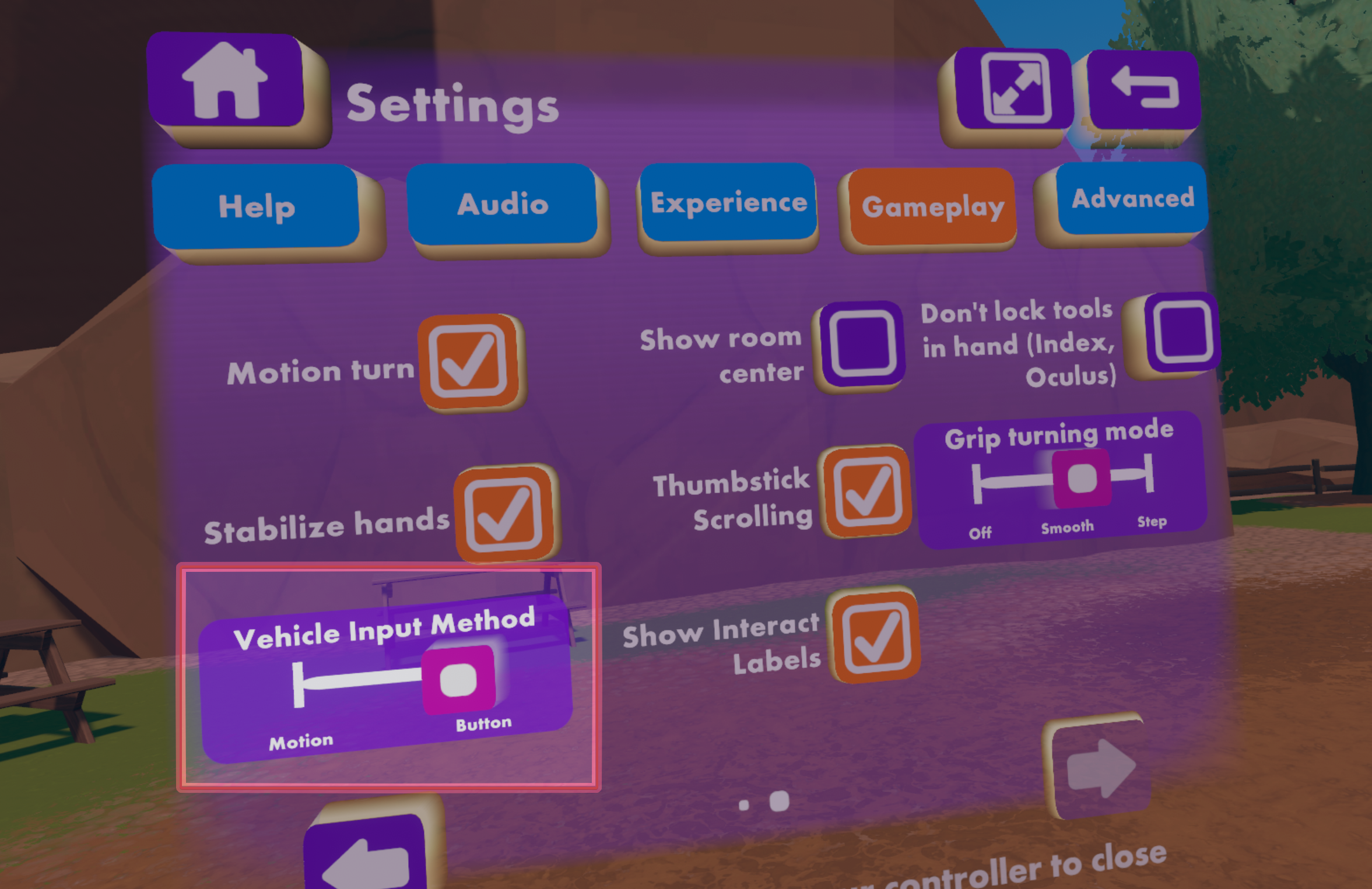


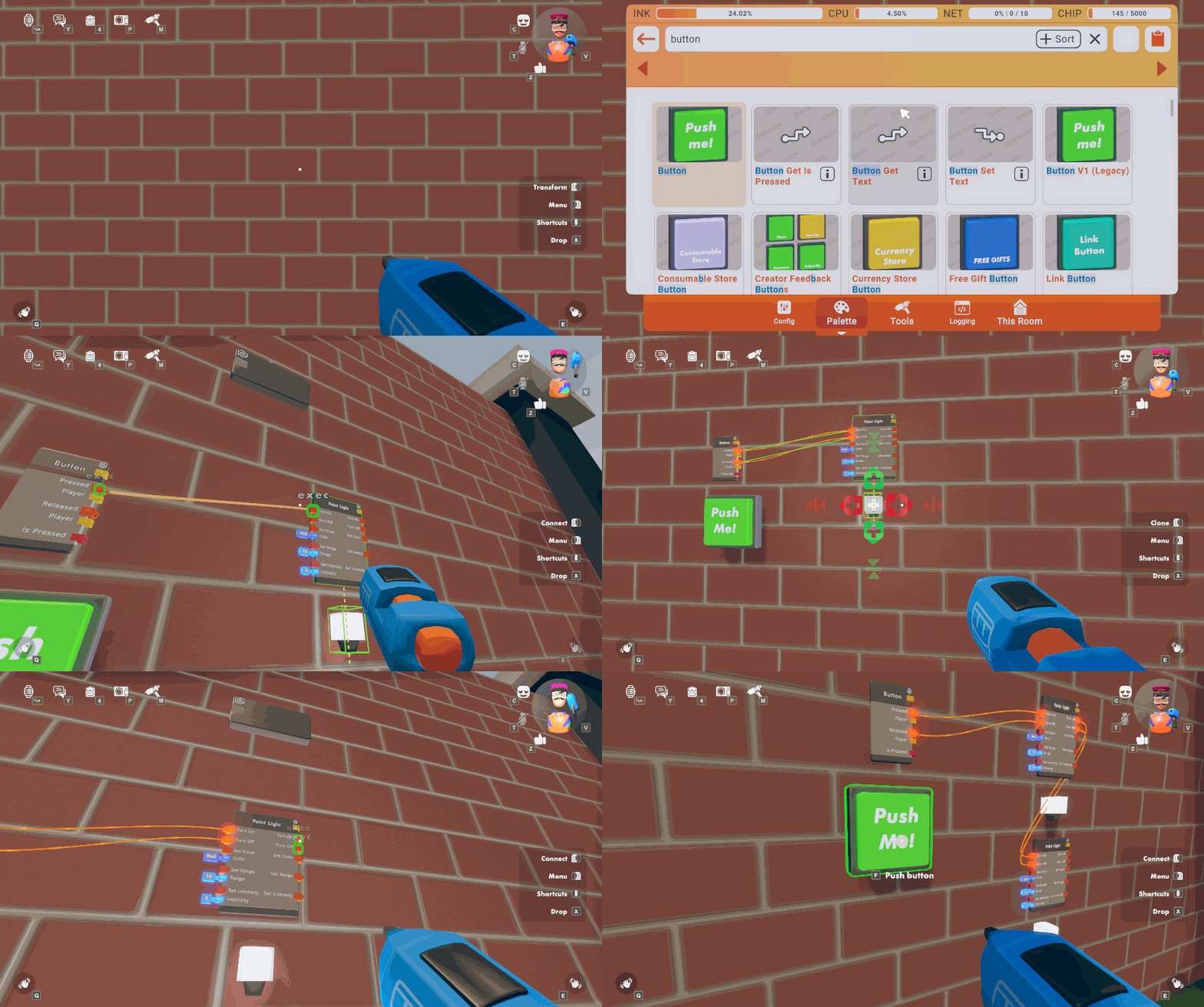
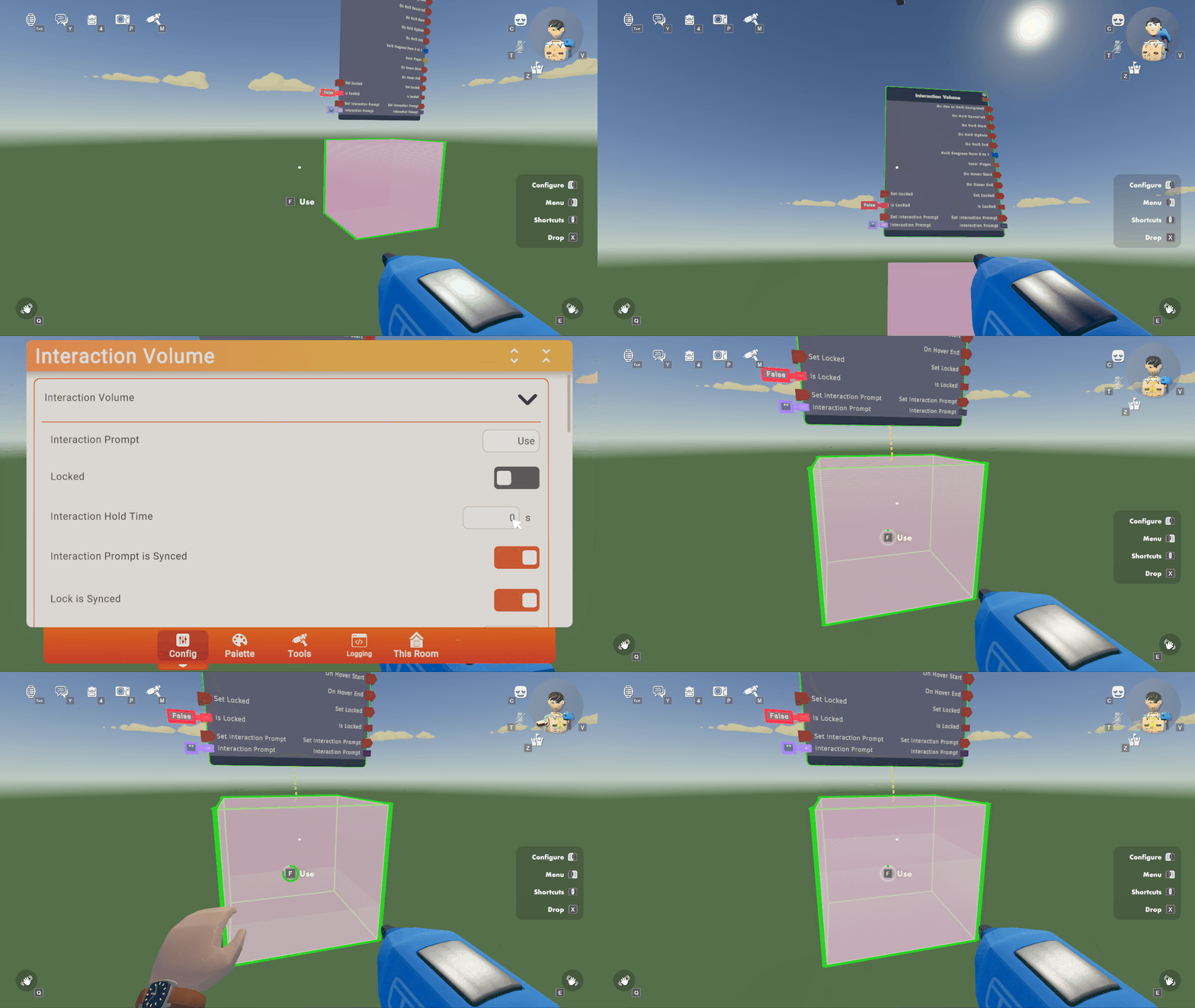
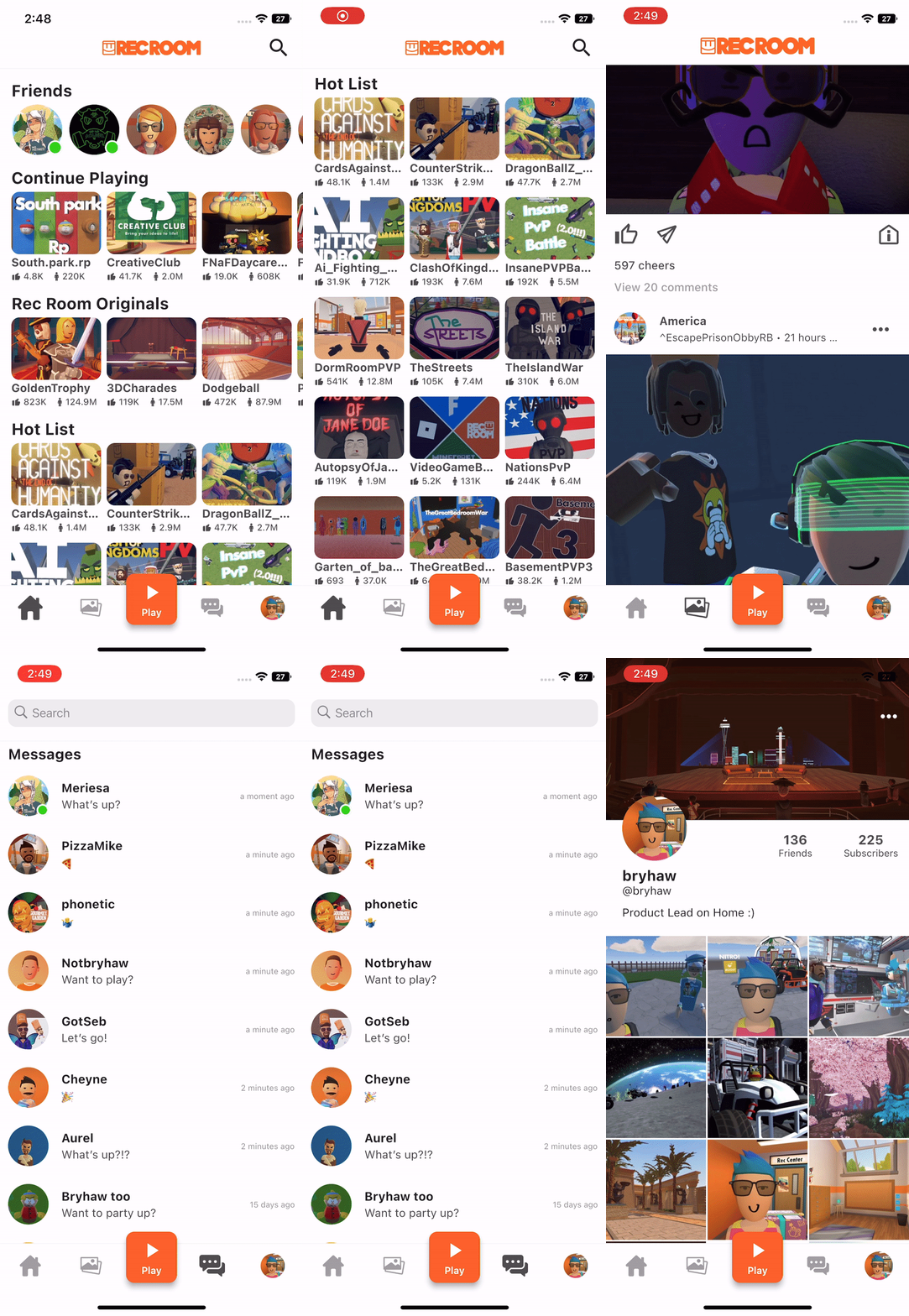
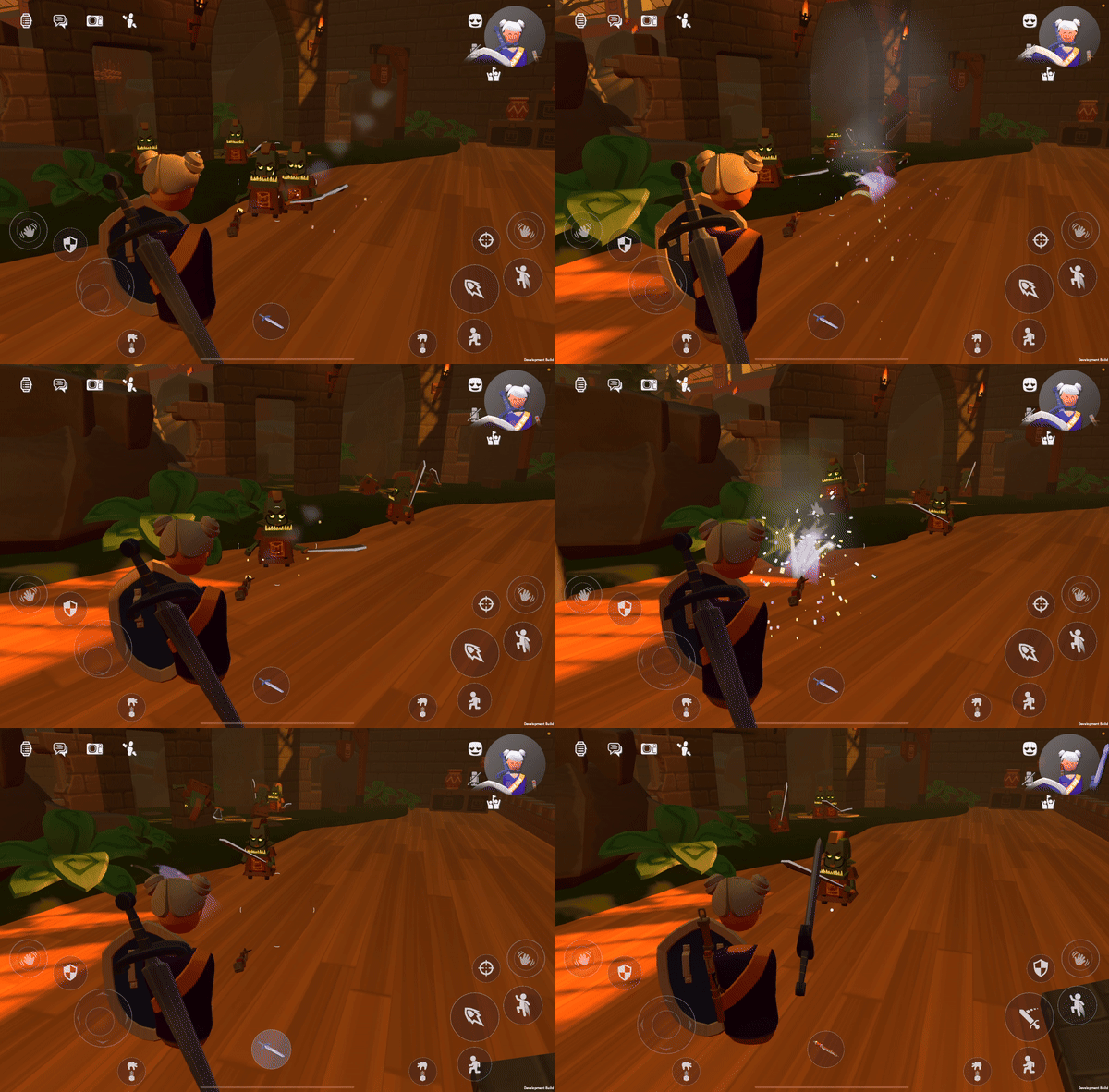


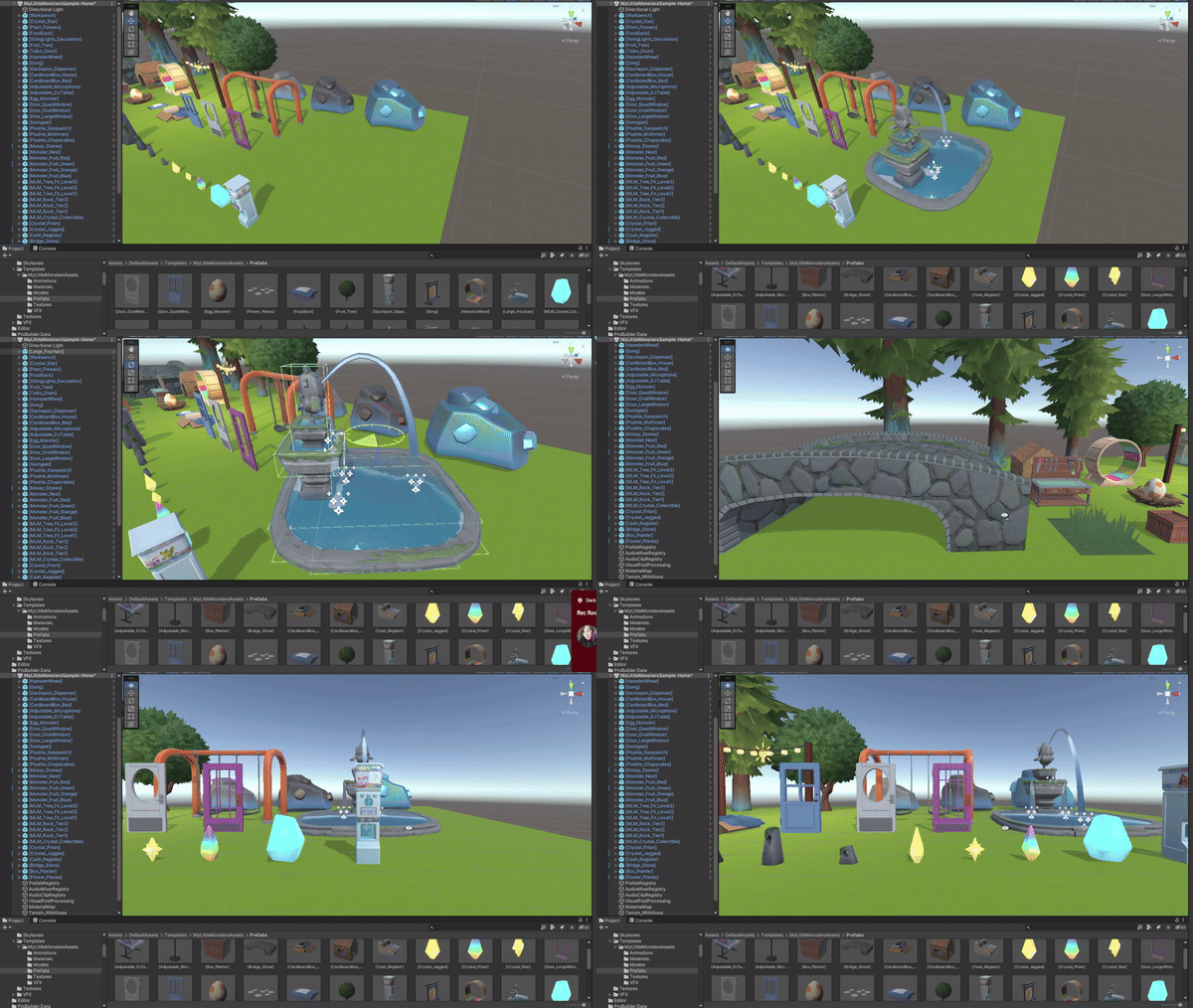
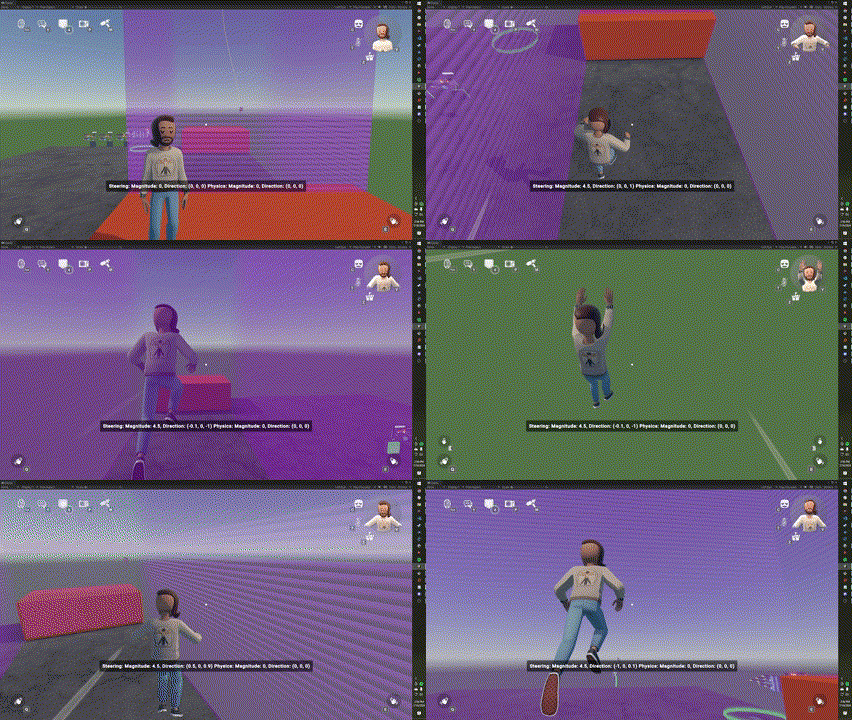


General Improvements and Bug Fixes
----------------------------------
- VR players can now select room tags to search without having their watch detach automatically.
- Added "Interact Labels" for VR players. These helpful bits of UI explain how various objects work. For example, when reaching for the steering wheel of the new Rally Buggy you will see a "Drive" label appear. You can always disable these labels in the Settings Menu under Gameplay by un-checking the "Show Interact Labels" checkbox.
- The "View/Leave Comments" button makes its glorious return! Now you can once again tell a room creator "i like ur room."
- Circuits V2 Beta Releases: Bit AND, Bit OR, Bit XOR, Bit NOT, Bit NAND, Bit Shift Left, Bit Shift Right, Bit Pop Count (number of ones), Bit Leading Zeros, Bit Trailing Zeros, Bit Rotate Left, Bit Rotate Right, and Quaternion has been added to port configs.
- Fixed issue where chips with white ports wouldn't work consistently like Add Velocity or To String.
- Fullbody costume performance has been improved.
- Fixed a bug where sometimes the "Use" text on the consumable buttons in the backpack would disappear. Non-consumable consumables are just no fun.
Beta Changes
------------
New Circuits V2 chips: Show Local Subtitle, Clear Current Subtitle, Raycast
As always, thanks for playing Rec Room!
Please see here for convenient links to controls, tutorials, comfort options, etc.: https://recroom.com/community
We love to hear your feedback, so please don't hesitate to let us know what you think.
Rec Room
vernal emberBOT
<@&811699239137968160>
Rec Room PATCH - the "Rec Rally" edition
========================================
Bit of a smaller one this week - the team is wheely tired from releasing Rec Rally.
General Improvements and Bug Fixes
----------------------------------
- The "Cloud Data" settings tab mysteriously disappeared. We tracked it down, and put it back in the Room Settings tab bar.
- Fixed an issue that prevented NavMesh from baking in rooms based on certain maps (including Park and Clearcut).
- Fixed a bug in ^RecRally which would result in lingering vehicle sounds if somebody left the room during the game start countdown. No more ghost cars!
- Made it so you can't grab other players' vehicles during ^RecRally games.
- Made it so you can't grab vehicles while in a seat.
- The wheels on the buggy go round and round, but will no longer go inside other vehicles or objects.
- Players will now be locked in their seats during the starting countdown in ^RecRally.
Please see here for convenient links to controls, tutorials, comfort options, etc.: https://recroom.com/community
We love to hear your feedback, so please don't hesitate to let us know what you think.
Rec Room
vernal emberBOT
<@&811699239137968160>
Rec Room PATCH - the "Rec Rally" edition
========================================
Circuits V2 Updates
-------------------
- The GetPartyOfPlayer chip that returns the party of a player was added to the beta!
- No more randomly lingering wires after you saved your room. So long, unintended space noodles!
- Also in beta, you can now use the Add Currency chip as often as you want! Currency may not be awarded instantly, however. Smash that money button!
### Trigger Handle in Beta!
The Trigger Handle is a new way of getting input in Rec Room! While you're holding the Trigger Handle, pressing the button you'd use to shoot a paintball gun on your platform will output a CV2 signal. Make sure to turn on the beta flag in your room so you can find it in the palette!
Inside the Trigger Handle object board gives you access to four events: Primary Action Pressed, Primary Action Released, On Pickup, On Release. Think of all the cool non-violent stuff you can make with it... flashlights, PEZ dispensers, squeaky toys, airhorns...
The config menu supports turning off the sound you hear when you pull the trigger.
### CV2 Leaderboard Chips
Additionally, we have added CV2 compatible Leaderboard Get/Set Stat chips!
### CV2 Variable Home Values
Have you ever wanted to set a CV2 variable's value via the config menu instead of manually setting it via circuits? The wait has come to an end! You can now set the value in the config menu of the following variable types: Int, String, Float, Bool
Setting the value in the config menu will also be the value that the variable resets to on room reset and when you load in!
General Improvements and Bug Fixes
----------------------------------
- We now exclude Maker Pen from trigger volume detection. I'm sure this has broken some gameplay out there for someone, and we're sorry.
- Buggy wheels will no longer go inside other vehicles or objects while in motion, and vehicles will now avoid going inside other objects while being moved. Please keep your buggy wheels inside the buggy at all times!
- Sometimes Rec Rally Buggies wouldn't behave nicely at the race start. We gave them a nice little talking to, and they've now agreed to behave.
- Fixed an issue where swinging a melee weapon while sitting inside a Rec Rally buggy can make the buggy go crazy. We didn't realize how much you all wanted buggy fights!
- Tools should no longer get stuck in the environment when held by the player.
- Fixed a bug preventing link buttons from being cloned. Just in time for Rec Con... next year!
Please see here for convenient links to controls, tutorials, comfort options, etc.: https://recroom.com/community
We love to hear your feedback, so please don't hesitate to let us know what you think.
Rec Room
vernal emberBOT
<@&811699239137968160>
Rec Room PATCH - the "Rec Rally" edition
========================================
Cross-platform self-scaling + updates to flying!
------------------------------------------------
### Updated flying controls for VR Walk and Screens
- Double jump to toggle flying on/off
- Fly up/down by holding jump/crouch
- VR Walk can now fly with the thumbstick (as well as aim-walk button)
- VR Walk can choose "Legacy Flying" in settings for the charged ring flying on either hand
### Advanced flying controls for Creators
- Fly any time you want while holding the Maker Pen, no need to set up roles
- Zoom in for small precise details, or zoom out to move around quickly
- Zoom has a new indicator to show your current scale and height
- Orbit to view your work from all angles
- Toggle Creator Flying in the Maker Pen palette settings
- To Zoom & Orbit, use both shoulder buttons + sticks (gamepad), Alt + mouse/scroll (keyboard), two finger gesture (touch), or both grip buttons (VR). Also shown in the Help menu.
- These features are all new for Screen players, so let us know what you think!
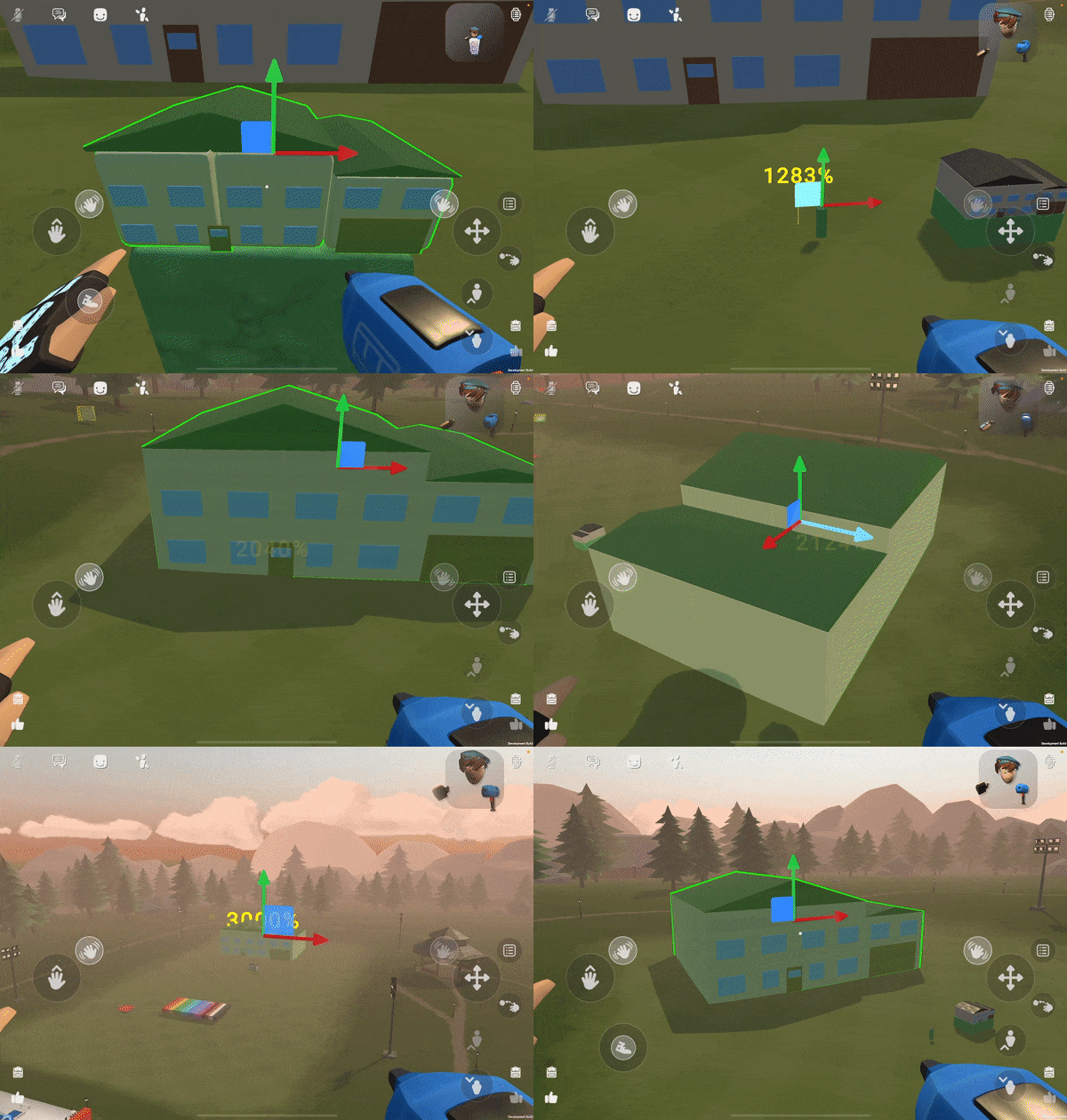

General Improvements and Bug Fixes
----------------------------------
- On Oculus, Room Destinations now work.
- Improved walking/sprinting on touch.
- Updated the notification for when a player joins a room.
- CV2 seats with their default cushion mesh disabled will now show a green box highlight when you hover over them.
- Selecting an event from the clubs page now brings you to the new event details page.
- We fixed Xbox friend import! You can have friends again!
- The Ground Vehicle Set Wheel Friction Multiplier CV2 chip now properly sets the Wheel Friction Multiplier of the Ground Vehicle. Amazing, we know.
- Fixed a bug where scrubbing an animation could disconnect other players. Scrub your animations, not your friends!
- Fixed a bug where tubes would twist when manipulating points, they should be more solid now!
- Fixed a bug where holding or using some items such as Health/Shield potions or Rum Jug while seated in a Rec Rally buggy could make the buggy go crazy.
- Fixed Rec Rally Boost Pickups occasionally being invisible in UGC rooms, while it was fitting for spooky month, it certainly wasn't something we wanted to keep!
- Fixed a bug where certain Invisible Collision volumes would make the player crouch despite disabling "Collides with Player" - No more banging your head on something invisible!
- Fixed a bug that caused drawings to become lighter each time they were uploaded, they now keep their tan.
- Fixed a bug where melee weapons could impulse vehicles and make them fly, no more super strength on vehicles.
- Fixed some helmets that weren't properly hiding your hairstyle when you put them on.
Please see here for convenient links to controls, tutorials, comfort options, etc.: https://recroom.com/community
We love to hear your feedback, so please don't hesitate to let us know what you think.
Rec Room
vernal emberBOT
<@&811699239137968160>
Rec Room PATCH - the "Rec Rally" edition
========================================
Earnings Distributions
----------------------
Creators can now set custom Earnings Distribution for Room Keys, Currencies, and Consumables. Just head over to the 'Earnings' tab in Room Settings to toggle between default and custom.

Existing and new rooms default to the previous system where earnings are distributed equally between the creator and all of the co-owners. Turn the toggle off, and you can specify what percentage of earnings you want to go to each creator/co-owner.
Want to credit co-owners but not share the earnings? Set them to 0%. Did someone put in a ton of extra work building the room? Show your appreciation by giving them a larger slice of the pie. The possibilities are endless!
CV2 Networking Updates
----------------------
- Circuits V2 RPC limit is now cleared every frame instead of every 5 frames. This should allow sending ~5x as many RPCs!
- Network heat limits are now configurable from our servers and we are planning to roll out increases to network heat in the coming weeks.
- Subrooms with max player limits of 1-12 will allow significantly more heat.
- Subrooms with max player limits of 13-24 will allow slightly more heat.
- Subrooms with a max player limit above 25 will be unchanged.
Avatar Refresh
--------------
As a note, we're updating some of our older avatar items so they'll look a bit more up to date! These changes range from updating the textures and materials to be more representative of their real-world textiles (like metal buttons that look metal instead of like cloth!) to model/shape updates to be more in-style with our more recent avatar creations.Stay tuned for those changes to slowly roll out these next few updates.
General Improvements and Bug Fixes
----------------------------------
- We're experimenting with showing some "similar rooms" in the watch when looking at the page for a room.
- Added a "owned items" toggle to the avatar customization screen. This will filter down to items that you already own.
- CV2 event names in configuration dropdowns should now appear in alphabetical order, instead of "who knows!" order.
- Fixed a spawn point on Spillway which would spawn you without a gun.
- Fixed an issue with the "Adjust" button not displaying on item cards when doing search in Avatar Customization.
- Fixed a bug where VR teleport players in Seated mode could get stuck in or under a seat when they exited one.
Get Local Player Leaderboard Stat Nodehas been renamed toGet Local Player Leaderboard Stat- Resolved issues with multiplayer undo of chip position.
- The Circuits V2 Vector (different from Vector3) type is now called Vector Gadget.
- Circuits V2 Raycast now has an output port for surface normal.
- Circuits V2 Player Add Role and Player Remove Role require significantly less CPU heat.
- New Circuits V2 chips in beta: Add Tag, Get First Player with Role, Get First Tag, Get Object with Tag, Remove Tag, Trigger Handle Get Primary Action Held. New variants of tag chips work with individual tags but use less CPU heat.
- The Circuits V2 Get New Line chip is out of beta.
- Fixed a typo in the List Any True CV2 chip description.
- Added social media sharing to rec.net! Share your in-game photos to social media.
- New users will be able to add Rec Room friends from their platform friends or contacts list during the account creation process. Start your Rec Room experience off right by playing with your friends from your very first log-in!
- We reduced instances of teleporting into bad collision situations.
- Circuits V2 seats will no longer have "Locomotion Collision Enabled" toggle in their configuration menu. Instead, there is a new "Seat Collision Enabled" toggle that allows turning on and off seat collision as a whole under the Seat section of the configuration menu. Circuits V2 seats that are previously saved with locomotion collision disabled will by default have this seat collision disabled as well.
- Fixed issues with vehicle suspension simulation that would cause wonky behaviors when configuring wheel suspension lengths or vehicle mass.
- Trigger Handle always aims at the reticle on Screens, even while running and jumping.
- Fixed an issue where new animation frames would not show up for other creators.
- VR player hands are now restricted to a reasonable distance from the player.
- VR "Aim-Flying" (where you hold the jump/teleport button and point your hand where you want to go) no longer slowly accelerates. The power to control your acceleration is back in your hands!
- Walking VR players who are using the "Legacy Flying" option can once again press the jump button to stop flying.
- We've tossed out all the dried-up markers that didn't work well on sticky notes and got some fresh ones.
- Players can now interact with physical maker pen shapes on non-PC platforms.
- Fixed a bug where you couldn't configure the Gibbet enemy in a Spawner.
- Fixed a bug where sometimes tubes would change size as you save the room if created while self-scaling. No more sudden small spaghetti strings!
- Some fantastic PC settings now have Ambient Occlusion enabled. The Stream camera is supported, but sadly VR is not supported.
- We've stopped sending "I started a chat" messages from players. Now we only send a system message when first starting a chat. We also fixed a bug that was sending "I started a chat" messages when opening an existing chat.
- Fixed an issue when it was not possible to edit an announcement message after it was created or opened to edit at least once.
- Fixed an issue when adding an invalid room tag that prevented players from adding any other tags until that invalid tag was removed.
- Fixed an issue with RR+ item menus stacking improperly in the Merch Booth.
- Fixed an issue when duplicates of the same invention appeared in the "Used Inventions" list of a room's details if the invention was used more than once in subrooms.
- Fixed an issue with tooltips not being reset correctly when navigating the menu in the cafe in Rec Center. Also fixed a typo in the motion turn setting tooltip - it's the little things, folks.
- Fixed a line wrapping issue in the radial gesture menu and adjusted line spacing and text positioning slightly to improve the balance of space around two lined text in that menu.
Please see here for convenient links to controls, tutorials, comfort options, etc.: https://recroom.com/community
We love to hear your feedback, so please don't hesitate to let us know what you think.
Rec Room
vernal emberBOT
<@&811699239137968160>
Rec Room PATCH - the "Rec Rally" edition
========================================
General Improvements and Bug Fixes
----------------------------------
- Never miss a notification! Now notifications will show (unobtrusively) when you are in your watch as well, so you don't miss that invite, message, or friend request. Watch notifications are also less obtrusive on Screens.
- You can now add anchors to inventions created in your Dorm. Anchors allow inventions to be spawned in the exact location you created them, making it easier for players to get that sweet dorm setup. This is great for Dorm Skin inventions, nautical-themed or otherwise!
- You can now access the invention details page via the palette, and spawn inventions directly from that page.
- Trigger handle is now out of beta! We're loving the fishing rods, grappling hooks, remote controls, and other awesome stuff you're creating!
- More fixes to vehicle suspension simulation and configuration. Still nauseating to teleporters, but now more realistically nauseating!
- Fixed issue where vehicles would have different physics behaviors when being spawned in different orientations or when changing its mass while oriented in different ways. As much fun as bending the rules of time and space was, it's probably a more predictable and better experience this way.
- Fixed a bug where deleting a Rec Rally buggy that you are sitting in can make you stuck in a weird animation state and prevent you from interacting with anything else. Thank you for helping us find all the weird edge cases!
- Screens players will only party up if their hands are in the fist pose due to selecting "party up" from the gesture menu. No more partying during boxing matches!
Please see here for convenient links to controls, tutorials, comfort options, etc.: https://recroom.com/community
We love to hear your feedback, so please don't hesitate to let us know what you think.
Rec Room
vernal emberBOT
<@&811699239137968160>
Rec Room PATCH - the "Rec Rally" edition
========================================
General Improvements and Bug Fixes
----------------------------------
- Redecorate your Dorm with dorm skins! You can now quickly access them directly from your dorm mirror, and they will automatically spawn right where you want them.
- We've simplified outfit creation! Instead of taking your own picture of an outfit we create the image for you, turning the save button into a simple one-click action.
- Your rooms no longer need to be in beta mode to use room consumables and currencies.
- Add two new nodes to Circuits V2: List Get First Index (returns the first index of an item in a list if that list contains it and otherwise returns -1) and List Get All Indices (returns a list of all indices of an item in a list if that list contains it and otherwise an empty list)
- The Circuits V2 Raycast chip is coming out (of beta)
- On Touch you can now tap directly on another player to open their profile to easily add them as a friend, party up, cheer, report, etc.
- Fingers can be prevented from drawing while using Apple Pencil by enabling "Only Draw With Apple Pencil" in the iPad settings app.
- Fixed Touch gestures on drawing surfaces sometimes drawing brush strokes.
- Various environment-focused Maker Pen props now cause ranged weapons to not be able to fire while they're clipping inside these props.
- Fixed sound effects on vehicles for when tires are slipping sideways.
- Entering a Rec Room Seat in PSVR will now preserve your real-world facing offset from your PSVR camera. This means that adjusting yourself to have the correct facing in a seat in-game will make you face your PSVR camera properly in real life.
- Limits added to the VR seated mode height offset to prevent clipping into the ground or temporarily getting too tall.
- Fixed a bug where closing Room Chat when sitting in a seat using the Esc key on the keyboard unseats you.
- Fixes SSAO for scenarios where the streaming camera is enabled along with a second camera or VR.
- Aligning shapes on Grid Snap via Move and Scale works a lot better now.
- Added detail to error when trying to gift an item from RecCenter storefront while under level 15.
- Fix scrolling with pagination buttons on in-game UI.
Please see here for convenient links to controls, tutorials, comfort options, etc.: https://recroom.com/community
We love to hear your feedback, so please don't hesitate to let us know what you think.
Rec Room
vernal emberBOT
<@&811699239137968160>
Rec Room UPDATE - the "Winter Wonderland" edition
=================================================
Winter Wonderland
-----------------
Winter Wonderland is coming to Rec Room! Play some paintball and throw some snowballs in the winterized Clearcut paintball map this winter season, and keep an eye out for a lot of upcoming events!


And since 'tis the season for giving, and getting, the Friendotron gets an upgrade that allows you to send free gifts to up to two people per day, including yourself!
New Buggies in Town
-------------------
- Added the Trusty Pickup Truck drivable vehicle for when you have some work that needs to get done.
- Added the Classic Coupe drivable vehicle when you need to arrive in style.
- Added the incredible Wolf Ride drivable vehicle when you want to show you're serious.
- Improved collisions between vehicles and just about everything you can run into.
- Vehicles will now do damage to enemies and players in combat
- Vehicles are now impacted by weapons and grenades - explosions now will apply force to vehicles!
- Fixed some issues where grabbing the vehicle bumper to reposition it didn't work as expected.
- Various improvements on shooting experience while inside a moving vehicle.
- Vehicle passengers will have comfort mode enabled when using the "Vehicle Only" comfort mode setting.
- We fixed a bug where exiting a seat while looking at a close-up wall can make you go through the wall.
Interaction Volume Gadget
-------------------------
- Introducing the new Interaction Volume Gadget! Put this box around an object and give it an interaction prompt like "Use", "Open", or "Obtain answer to life, the universe, and everything". When players get close to it or point their hands at it, they'll get that interaction prompt and you can respond to the interaction however you want using CV2 Chips!
General Improvements and Bug Fixes
----------------------------------
- Seats can no longer be targeted through walls and other obstructions. The same applies to the new Interaction Volumes.
- Added a new button to upload photos from the share camera privately.
- Meetup codes can now take players to the subroom they're set in.
- Manipulating with grid snap-on should now line up with other objects in the same orientation.
- Quitting games as they are starting will no longer break audio.
- Fixed a bug that was allowing room chat bubbles to grow to a ridiculous size.
- You can no longer transform/scale objects that are a child of a transformable gadget, such as a Clamp Gizmo. No more giant point lights or buggies, they'll be missed.
- Lights now use floats rather than ints. If you have a room currently using the int chips it will still work. The chips have been removed from the palette but still function in rooms that already have them.
- Cooldown on the Circuits V2 Toggle Button V2 has been reduced. Shooting these with weapons will now be more responsive.
- A "Can Modify with Circuits" checkbox has been added to shapes. You now need to check this checkbox to use
Set PositionorRespawnon the shape. It has no additional ink cost. This addresses an issue where some objects, or parts of objects, don't get correctly moved on some platforms. - Fixed VR teleport cooldown to start counting at the start of teleportation instead of at the end. This brings the teleport locomotion speed close to what it was before the Stunt Runner update.
- CV2 Buttons and CV2 Seats will now be detected by Trigger Volumes.
- Tab characters no longer take hundreds of pixels on default value ports.
- Respawn node now returns true/false correctly.
- Dice V2 chip now works properly for all faces.
- Rotating objects in trigger volume does not trigger events.
- Players can now teleport while an impulse is being applied with a chip.
- You can now send Circuits V2 Vector3s and Quaternions with events.
- Breaking objects inside of a Trigger Volume V2 now triggers an exit event.
- The picture-in-picture local player display no longer renders CV2 wires.
Rotator Get Rotation Speedresult no longer depends on the orientation of Rotator V2.
Please see here for convenient links to controls, tutorials, comfort options, etc.: https://recroom.com/community
Rec Room
We love to hear your feedback, so please don't hesitate to let us know what you think.
vernal emberBOT
<@&811699239137968160>
Rec Room UPDATE - the "Winter Wonderland" edition
=================================================
Just a small ship to close out the year - happy holidays from everyone here at Rec Room, we hope you enjoy your time in Winter Wonderland! See you in 2022 :D
General Improvements and Bug Fixes
----------------------------------
- You can now Despawn dorm skins that you are trying so you can easily try another and find one that's best for you.
- You can now preview an unpublished Invention's store page from your palette. This allows you to spawn it as a player getting it from the store would.
- Both Seats and Vehicles (Rally Buggy, Trusty Pickup Truck, Classic Coupe and Wolf Ride) are out of beta!
- The gondola no longer demands a sacrifice - players should stop falling through (or spawning on top of) the gondola when a Rec Royale game starts. Let us know if you still see this happening.
- Trying to turn on V-Sync on your Android phone doesn't do anything, so we removed that setting from the menu. Silly goblins thinking V-Sync would work on a phone...
- Fixed issue where players could start flying crazily if they climbed on something attached to an object they were holding. Admittedly, climbing on something you're also holding doesn't make much sense, but flying certainly doesn't! XD
- Unfortunately, when we tried to make it so you didn't fall through the ground if you teleported inside a balloon, we accidentally made it so you couldn't teleport onto some ladders. We've reverted that fix, so ladders work again, but balloons are back to being surprisingly malicious. We promise to talk to them about it soon.
Please see here for convenient links to controls, tutorials, comfort options, etc.: https://recroom.com/community
We love to hear your feedback, so please don't hesitate to let us know what you think.
Rec Room
vernal emberBOT
<@&811699239137968160>
Rec Room PATCH - the "Winter Wonderland" edition
================================================
New Hairstyles!
---------------
A lot of times, hair is one of the main ways people express themselves or their culture. In Rec Room, we want you to be able to see yourself in your avatar, so we have added a bunch of new hairstyles for a broader range of options! The new hairstyles include Afro Puffs, Box Braids with Cuff, Box Braid, Braided Bun, Curly Bob, Etched Flattop, Etched Fade, Short Curly Twists, Wavy Middle Part, Short Locs, Wolf Cut!
https://recroomcdn.blob.core.windows.net/ship/diverse\_hair(1).png
.png)
All new hairstyles are default unlocked, so you can enjoy them right away - whether you are a new player or a returning one! Just go to your mirror to customize!
https://recroomcdn.blob.core.windows.net/ship/diverse\_hair(2).png
.png)
Interaction Roles
-----------------
The following interactions can now be enabled or disabled on a per-object basis for players with specific roles:
- Basic Interactions: grabbing, climbing, clambering, wall running.
- Pushing buttons & toggle buttons.
- Interacting with Pool Tables, including setting the game mode and playing shots.
- Drawing on the art canvas, poster, and other similar surfaces.
Use the configure menu on an object to check its interaction role settings!
Physics Refactor
----------------
Creators can now optimize colliders on Physical objects using the Configure Tool. Optimized colliders have a visual when gadgets are enabled and save a small portion of ink. We also have some other changes to physics, such as:
- We've unified behavior when holding or hitting items with your hands across all platforms!
- Melee Weapons no longer lag behind when on WalkVR on Quest 1, Quest 2 and PSVR.
- You no longer slow down for no reason on WalkVR. Time to beat some Stunt Runner records!
General Improvements and Bug Fixes
----------------------------------
- Check out the Inventions Tab for some updates! See which inventions are Yesterday's Most Popular, check out the latest from creators you subscribe to, and keep up with the latest inventions in ^InventionTower!
- Improved audio quality for iPhone and iPad headphone and headset users! When using headphones or a headset on iOS, stereo audio output is now supported for a more immersive listening experience.
- Seats with the option to sit down now have new and improved visual highlights! Seats will work exactly how they did previously, except they now look much better!
- RR+ Icon in View Details of the Rec Room+ Membership dialog got a refresh so it's not so dimly lit.
- Fixed an issue with the recording sampler recording the start recording beep. For the record we fixed recording.
- Added the ability to subscribe to your favorite RecRoom creator from the RR+ signup page!
- RR+ Members will now receive double the usual amount of tokens whenever tokens appear in their post-game rewards.
- Optimized UI system to improve framerate when opening and closing the watch. More improvements are coming soon!
- Android players should notice some quality improvements around smoother gameplay and visuals.
- Partying up in VR is now more consistent/reliable.
- Players at max level in Rec Royale should no longer hear endless beeping until closing the end game UI.
- Fixed a bug in the Wolf Ride prop which could result in an application crash on some devices.
- Bumper will now properly rotate the Wolf Ride vehicle regardless of starting orientation.
- Fixed a bug where in some cases you can put a vehicle inside a terrain when resetting the vehicle.
- Tube now connects reliably when using grid snap.
- Caulked some old cracks on bevels.
Please see here for convenient links to controls, tutorials, comfort options, etc.: https://recroom.com/community
We love to hear your feedback, so please don't hesitate to let us know what you think.
Rec Room
vernal emberBOT
<@&811699239137968160>
Rec Room PATCH - the "Winter Wonderland" edition
================================================
Rec Room Seasons!
-----------------
- Introducing RecRoom Seasons: Starting this month, RR+ members will receive free, exclusive RRO items each month upon login. See the RecCenter storefront for the current season's free item roster, as well as the dates they become available. There are some really legendary items - go check them out!
Unlisted Inventions
-------------------
Previously, inventions could only be Private (just for you) or Public (available in the store for everyone). When publishing an invention, there is now a "List in Store" toggle. If you deselect it, your invention will be published as Unlisted. This means other players can only discover your invention through Link Buttons -- it won't show up in the store, your portfolio, or through invention announcements.
General Improvements and Bug Fixes
----------------------------------
- We've simplified invention pricing. Now, you can only price your inventions at 250-token increments (e.g., 0, 250, 500, 750, etc.). All invention prices prior to this change will remain at their current price unless the price is edited.
- The Create Rooms page has a new look! Now you can search and sort your owned rooms as well as any of Rec Room's base room templates.
- When room co-owners (not room creators) try to edit the earning distribution, they are now given more detailed information about who has permission to change the distribution.
- Minor changes to how incoming voice volume is tuned relative to the Ignore Bubble settings. We realized that sometimes a group of people would spawn in the same spot, and wouldn't be able to hear each other at all, since they were right on top of each other! Nearby players will now be slightly audible even if they're completely faded out visually.
- Added the ability to quickly accept some notifications without needing to open the menu.
- We've frozen the furniture in the Lounge. Facilities got tired of having to move the couches back every day.
- Performance improvement to reduce the frequency of occasional hitches.
- Fixed a bug where tube normals can become flipped.
- For iOS players who don't ever use the microphone during a gameplay session, stereo audio output is now supported for players using the built-in speakers on their iPhone or iPad (but also - we'd love to hear your beautiful voice sometime!)
- Fixed a bug with iOS audio interruptions during incoming calls. Now, game audio will resume once the interrupting audio ends. Who wants to talk on the phone these days anyway?
- Players who joined an in-progress ^RecRally game as spectators can no longer get in or reset other players' vehicles. No more hitchhiking!
- Your MakerPen preview is no longer faded out when you add shapes and tubes.
- Moved the profile gifting flows into the new UI system.
- Fixed club announcement creation and updates to announcements are now displayed whenever they're changed or deleted. We hope this makes it easier to keep up on the latest news from groups you care about!
- When the UI is almost perpendicular to the screen, it will be blank or black, depending on the platform. Yes, this is an intentional change, and we can't wait to hear how you were actually using the UI at such an extreme angle! Players are so full of surprises.
- Fixed a bug where, in some cases when players are in an offline dorm, Maker Pen and saving functionality didn't work properly.
- Pitchforks and Shovels now have sensible masses, and respond to physics correctly. It was fun while it lasted!
- Fixed a bug where deleting a room would sometimes not return you to the previous page.
- Fixed a bug where, in ^IsleOfLostSkulls boss arena, players can't properly walk or teleport on the platform to the side of the entrance. No more blaming your silly deaths on the walkway being broken!
- Fixes a bug that affected the appearance of some tubes when a dorm skin was applied.
Please see here for convenient links to controls, tutorials, comfort options, etc.: https://recroom.com/community
We love to hear your feedback, so please don't hesitate to let us know what you think.
Rec Room
vernal emberBOT
<@&811699239137968160>
Rec Room PATCH - the "Winter Wonderland" edition
================================================
General Improvements and Bug Fixes
----------------------------------
- Some mobile players will receive access to a new portrait mode chat UI! The portrait mode chat UI will be accessible via the title screen on Android and iOS and makes typing out chat messages much easier. We will be gradually rolling this out to all players.
- Shapes are now properly removed for everyone in the room when deleted by the Maker Pen.
- Fixed a bug that affected the appearance of some tubes when a dorm skin was applied.
- Fixed the ability of users to configure the mass of the rally buggy. Phat buggies inbound.
- Fixed an issue where players could lose their hands if the room is saved or reloaded while they are driving a vehicle.
- Disabled clickable name tags for screens players, in favor of opening profiles by holding the menu button.
- Fixed flipped tooltips in the PSVR Diagnostics menu, because we're professionals and we just can't have incorrect tooltips.
Please see here for convenient links to controls, tutorials, comfort options, etc.: https://recroom.com/community
We love to hear your feedback, so please don't hesitate to let us know what you think.
Rec Room
vernal emberBOT
<@&811699239137968160>
Rec Room UPDATE - the "Where's My Cape" edition
===============================================
League of Heroes
----------------
Become the hero Rec Room needs! Now through March, Heroes will choose players like you to join one of the four Leagues of Heroes. While we don't know why or how the Heroes made their choices, rest assured that the League you are placed in is the one that's right for you!
Soon you'll be able to power up with a new cape and profile badge of the league that chooses you. Answer the call, and find fellow league members to party up with and adventure together!
Keep an eye out on our social media channels in the coming weeks for announcements that involve this feature.
Creators, uncover clever uses for the new 'Get Player Season League Name' CV2 chip. Use this to identify what league of heroes a player is on and direct a unique experience!
Events Pages
------------
Events have a new look! Find events and manage your events with the new events browser.
- Make, find, and manage events with the shiny new events browser page in the watch menu. Carousels and tabs sort things into easy to find categories. Look to the improved events search page to find out what's going on.
- Experience smooth, one-page editing for event setup. New event settings pages match the event details pages, and don't ask you to click through a bunch of screens.
Circuits V2 Updates
-------------------
- Having difficulties figuring out what color "12" looks like? CV2 chips now have a 'Color' type
Many chips that used 'int' color indices work with 'Color' now, too
'Int' indices to define color will be phased out over the next few months (without breaking rooms that use them)
Paint the world with the new Beta Chips: Color Variable, List Variable, Color Constant, Emitter Set Color V2, Light Set Color V2, Text Set Color V2, Spherecast
- See the power of CV2 in action! Wires now flash when they are used in a circuit.
- Choose from Execution Flash or Data Flash in the Settings to visualize for clean debugging
-
Hover over an output port to see which wires lead to how its value is derived
-
Fixed a bug where number parsing could succeed/fail depending on your region
-
Get Velocitychip now reports proper velocity while objects are being held -
Get dressed as fast as you want. We fixed an issue with rapid equip of costumes causing crashes.
-
Fixed a bug where deleting chips would sometimes leave disconnected wire visuals behind, cluttering up the place with their ghostly presence
-
Fixed a bug where circuit boards would lose their ports after editing them and saving the room
-
And we've got a whole chocolate box full of new CV2 chips:
-
New chip flavors: Player Left Hand Thumb Direction, Player Right Hand Thumb Direction, Text Get Text
-
Experimental taste Beta Releases: Clear Subtitle, Show Local Subtitle, Costume type, Ground Vehicle type, Interaction Volume type, Seat type, Trigger Handle type
General Improvements and Bug Fixes
----------------------------------
- We have a new settings screen! Now with 87% more settings: you can now customize controller horizontal and vertical controller sensitivity separately, invert the camera on the horizontal axis and disable camera acceleration on controllers. You can not enable VSync on mobile again :P
- Screens players hold trigger handles correctly now, even in a seat... even if that seat is rotating.
- Bad guys go down with drama, once again. Put in a fix so enemies tumble correctly when stunned by projectile hits, and Barrel Knights are unstuck. Also, we talked to Dracula and he's going to stop flying outside the map in Crescendo of the Blood Moon.
- Get ready for kaboom! Find the Laser Tag and Paint grenades in the Maker Pen palette. Old grenade has been renamed "Jumbotron Grenade."
- Party peeps can see cheer badges (Host, etc) next to fellow party members' name badges instead of the party icon.
- Fixed a bug where the notification for " left the room" would show up twice every time somebody else left. Don't you just hate reading the same thing twice?
- Fixed a bug where the notification for " left the room" would show up twice every time somebody else left. Don't you just hate reading the same thing twice?
- Improved voice quality: Fewer pops, clicks, and sputters!
- A little something for those power users...we made it possible again to use the +forcemode:screen and +forcemode:vr launch options in Steam launch options again... whoopsie, sorry that had broken at some point!
Please see here for convenient links to controls, tutorials, comfort options, etc.: https://recroom.com/community
We love to hear your feedback, so please don't hesitate to let us know what you think.
Rec Room
vernal emberBOT
<@&811699239137968160>
Rec Room UPDATE - the "Maker Pen Makeover" edition
==================================================
New Maker Pen Menu
------------------
- We have reorganized some of the tools based on creator feedback. The new menu was created to have a better flow, as well as to prepare for future changes that the wire tool will be undergoing and to give the menu room for future tools without the need to create a whole new menu.
- Try the Navigation Bar at the bottom of the menu for quick and easy navigation on all platforms.
- Contextual Settings surface settings for currently selected tools for quick and easy access without the need to hunt for the settings you need.
- Color and material selections now include swatches that you can save and use in multiple rooms.
- Logging Screen can now be detached from the Maker Pen so you can heat test and debug without having the Maker Pen in your hand!
- New search allows you to search everything in the palette, and you can also view more information about each card. This makes it a lot easier to view details about your inventions and make quick changes to the details pages.
- We added more ways to search for your inventions! We added the following categories: Store Inventions, All Inventions, My Inventions, Published Inventions, Downloaded Inventions, and Certified Inventions if you have them.
- "This Room" can now be reached from the Maker Pen navigation bar! Big time saver!
- Tearoff tabs let you position the pages of your maker pen around your space as you see fit
- The new Transform Tool lets you move, rotate, and scale without changing tools.
- The default shape you are given when equipping your Maker Pen is now different per platform: Tube for VR and Cube for all the other platforms.
- Add a new setting to Maker Pen settings UI that allows to switch between Scale and Move mode when creating new shapes with Maker Pen.
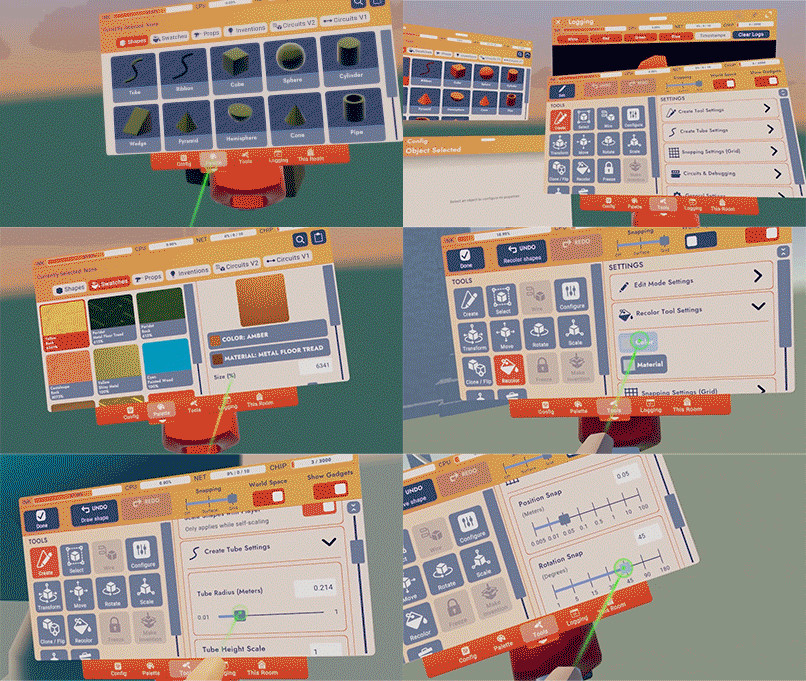

General Improvements and Bug Fixes
----------------------------------
- New UI Sliders are now easier to grab. No more accidentally scrolling while trying to adjust settings sliders, and no more accidentally adjusting sliders when trying to scroll!
- Added the Code of Conduct posters to the ^Lounge and ^Park.
- Community Board videos will stop being so scared that they freeze, we comforted them and they'll play normally again.
- Players can no longer fling away objects in front of them when taking a Seat in Screens mode.
- When using a Gamepad and Keyboard, you can hold the menu button while looking at a player to easily open their profile, instead of clicking on their nametag.
- We've hidden the Subscribe button in the Invention details page for your inventions...we figure you're already pretty invested.
- Pike Goblins kept slipping on ice in custom rooms, making them super fast. So, we took a blowtorch and melted the ice. No more speedy scary goblins.
- Players will experience less jittery movements on moving platforms, though you may still experience some jittery movement when other players are on the same platform.
Please see here for convenient links to controls, tutorials, comfort options, etc.: https://recroom.com/community
We love to hear your feedback, so please don't hesitate to let us know what you think.
Rec Room
vernal emberBOT
<@&811699239137968160>
Rec Room PATCH - the "Maker Pen Makeover" edition
=================================================
General Improvements and Bug Fixes
----------------------------------
- Fixed some settings not getting properly saved if you updated a single setting to multiple values quickly enough or scrolled a slider quickly enough.
- Fixed a bug where setting mouse and touch sensitivity would sometimes only set horizontal or vertical sensitivity. As much fun as it is to scroll super slow horizontally and super fast vertically, it probably made some people sick.
Please see here for convenient links to controls, tutorials, comfort options, etc.: https://recroom.com/community
We love to hear your feedback, so please don't hesitate to let us know what you think.
Rec Room
vernal emberBOT
<@&811699239137968160>
Rec Room UPDATE - the "New Profile, Who Dis?" edition
=====================================================
New Profile Page
----------------
For some players, we're starting to roll out a new Profile page. We've updated it with a new look and also added some new features to make our Profiles more interesting, useful, and inclusive!
- Met someone new? See if you know who they know by checking out your mutual friends on their Profile!
- We've made it easier to set your online status directly from your Profile page. No more diving three menus deep to ghost your friends!
- Quickly mute players by tapping the volume icon at the top right of their Profile page.
- You can now set identity flags and pronouns on your Profile page. Show your pride!
- Your League of Heroes league will also be visible on the new profile.
- See your friends' recent activity - get ideas for what rooms to check out and events to go to based on your friends' activity. (Also, try not to question their taste...)
- No more accidentally changing your @username instead of your display name! Profile settings have been consolidated in one location.
- And again, we're rolling this out gradually to users, so if you don't see it yet, stay tuned ;)
Take a look and let us know what you think!
Tube node editing!
------------------
- Use Edit while editing a collection of shapes and point at a tube to enter the new tube node editing mode.
- Use your normal set of tools to move, rotate and even scale individual points on the curve.
- Use delete to remove individual points on the curve
- Select points to view a set of new options in the pop up menu.
- Add point will insert new points between selected points
- Smooth will try and balance the position, rotation and scale with the neighboring points
- Align will grab all values from the first selected point and spread them evenly to the last selected point. Perfect for making straight lines of points or to make sizes evenly go from big to small. Try this feature on a set of objects as well, but unfortunately does not work on shapes while editing yet
- New settings for the scale and rotate tool have been added to allow you to scale and rotate multiple selected objects in place. Look for 'rotate in place' and 'scale in place'
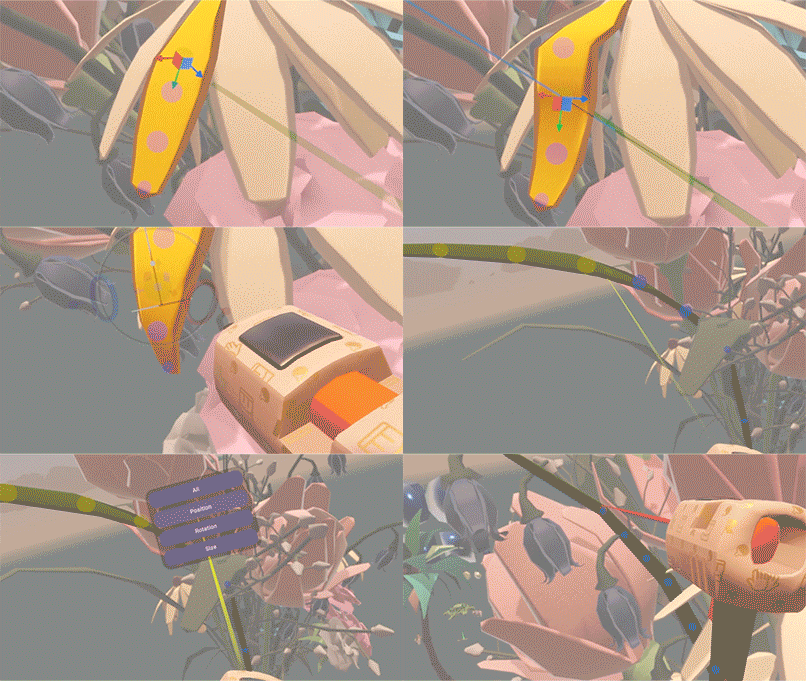

Repeat Clone
------------
The Clone tool has a cool new function, "Repeat Clone"! This lets you clone something again, with the relative position/rotation/scale changes from the original repeated. This makes building fences, spiral staircases, etc. super quick! You can find the Repeat Clone function in the clone tool's Functions foldout. Keep an eye out for future Functions on other tools!
General Improvements and Bug Fixes
----------------------------------
- Maker Pen selection for the Tube, Ribbon, and Sphere shape are much more accurate now
- UGC buttons now support Materials when recoloring
- New room names can no longer end in '.'
- We added the ability to sort by creation date for inventions.
- Fixed bug that trigger volumes under clamps, pistons, or rotators would block interaction with objects behind them.
- If you happen to go through Orientation again, you may notice the redesigned UI for the minimal settings screen.
- Fixed an issue where players get stuck after dismissing the review photo menu of Share Camera in screens mode.
- We went knocking around to the Crescendo of the Blood Moon's boss door and the Paddleball court door - they're back on board with being interactable again.
- Fixed a bug that items dropped into open Rec Royale chests couldn't be picked up anymore.
- Fixed a bug that Rec Royale chest handles would sometimes be unopenable for a little while after someone else started opening it, but walked away before it opened.
- Fixed bug that Rec Royale ammo would sometimes fall through the ground when opening a chest.
Please see here for convenient links to controls, tutorials, comfort options, etc.: https://recroom.com/community
We love to hear your feedback, so please don't hesitate to let us know what you think.
Rec Room
vernal emberBOT
<@&811699239137968160>
Rec Room PATCH - the "New Profile, Who Dis?" edition
====================================================
New Social Interactions for VR
------------------------------
Quickly opening player profiles and quick accept for notifications is coming to VR!
- Open players' profiles by pointing in their direction and holding the menu button.
- Hold the menu button for notifications like friend requests, invites, etc. to instantly accept them. No more searching for the notification in your watch while your friend's team fills up in the next room!
- Holding the menu button will otherwise open the Watch menu.
Along with notification quick accept and opening profiles,
- Nametags are no longer a clickable button! Now you can point at the scoreboard past the crowd surrounding it.
- Pointing is unchanged (in case you were worried about that).
- You can choose which hand is used for Emotes (a.k.a Expresso) in the settings, and the other hand will be used for these new menu button features (this is needed on Steam VR which cannot use the dedicated menu button on the controller). Hopefully you can learn which hand is which before you start accidentally grimacing at people and making them feel awkward.
VR Touch UI Interaction Improvements
------------------------------------
- VR Players should now find it much easier to physically interact with RRUI menus by touching them with their fingers! We've heard your feedback that the new UI is difficult to interact with for players who prefer pressing buttons physically in VR instead of using the laser pointer, and we are doing our best to try and address that.
- VR players will no longer scroll by physically dragging the background of an RRUI menu with their finger, since that made buttons very hard to press. You may still drag the background to scroll while laser pointing, and you may still physically drag the actual scrollbar.
- VR players should find it easier to hit tiny RRUI buttons with their fingers, as we've added some leeway in terms of where you both start and end your button press. We also briefly considered making your hands a realistic size, but where's the fun in that?
- Added a setting for VR players that makes physical RRUI button clicking quicker by removing the ability to cancel button presses. If you want to live dangerously, well, now you can!
- Added a setting for disabling/enabling the cursor & grid that show up when physically interacting with an RRUI menu in VR.
- These new VR settings can be found in the Experience tab of the settings menu.
- We've also improved the sound effects for RRUI button pushing to make the buttons feel more physical.
General Improvements and Bug Fixes
----------------------------------
- Now you can enter emojis in Rec Room chat on all platforms! Use the emoji picker button on chat input fields to show an emoji picker dialog. Not sure if emojis are supported in the ship notes, let's find out!
- In response to community feedback, we're rolling out improved UI features for limited-time items to make it easier to see when the item will be available until, as well as other consumer sales information. Catch that next cool thing before it disappears before you knew it existed!
- Invisible Collision volumes can now be configured for whether or not they prevent interactions with objects on the other side of one. This can be done via the Block Interactions toggle in its Configuration menu. By default this value is ON, except for on Invisible Collisions already saved into rooms before this change.
- Fix: Object Respawner gadget no longer blocks interactions with objects inside it.
- Fix: Screen and Touch players can now interact with the candles on Celebration Cakes again. Take this opportunity to celebrate your birthdays, anniversaries, and other milestones again!
- Fixed a crash with the iOS Pencil.
- Fixed a bug where trying to create a room with an existing name could prevent creating any rooms until moving to a new room.
- Fixed the pointing finger being able to block dodgeballs and paintballs... until the next time the Forbidden One sneaks it back in.
- Fix for tube points snapping. Creating and moving points now agree on how to snap. Create order out of chaos!
- Adding a toggle in the Maker Pen General Settings to allow UI interactions with the hand holding your Maker Pen, for when you just don't have enough hands.
- Fixed bug with the new portrait chat UI that was preventing players from reaching the title screen if they launched the game from a chat notification. We just really wanted you to try out the chat! Forever!
Please see here for convenient links to controls, tutorials, comfort options, etc.: https://recroom.com/community
We love to hear your feedback, so please don't hesitate to let us know what you think.
Rec Room
vernal emberBOT
<@&811699239137968160>
Rec Room PATCH - the "New Profile, Who Dis?" edition
====================================================
Some improvements and bug fixes this week, but we're feeling particularly whimsical about them...
We've added color, material, interaction volumes
Now mods with new profiles can ban inside rooms
Jittering tools and post-Royale beeping
Trucks can be reddened; sliders no longer creeping
Its a smattering of bugs and fixes labor-ial
Also some folks might get new tutorials?
And now back to the notes!
General Improvements and Bug Fixes
----------------------------------
- Friends who are new to Rec Room may start to see some additional tutorials for game basics like changing outfits, exploring the Play menu and using your camera. It's a fantastic time to start playing! Some players will receive special rewards for completing these challenges. Other players will have a path to earn the same rewards in the future.
- Coach's ever-changing avatar is no longer visible on their profile page. Let them have some privacy!
- The Select tool now has more convenient shortcuts to copy and paste functionality. These new buttons let you Copy a selection, Paste your most recently copied item, and shortcut to the Clipboard menu in the Palette. You can find the Copy, Paste Recent, and Clipboard buttons in the Select Tool Functions foldout. Keep an eye out for more Functions in the future!
- Players can now reset prop material and color changes to default values from the config menu.
- Added Color and Material support for more UGC buttons.
- Configured text will now show up on touch buttons for interaction volumes.
- Increased screen players interact distance to be more in-line with other platforms.
- Fixed adjusting sliders and drag scrolling inconsistencies depending on the direction the UI is facing. Let us know how this feels!
- Fixed a bug where room moderators with the new player profile couldn't give room bans to players.
- Fixed the endless beeping sounds after a Rec Royale game when a player's Rec Royale XP bar is between 90-94.99% full and the player gains exactly 5% XP. We know, we're as surprised as you are about this one.
- Fixed a bug where certain UGC props such as the Pickup Truck prop could not be recolored to red. Although we still prefer an Orange one!
- Fixed the jittering on tools preview and actions while moving.
Please see here for convenient links to controls, tutorials, comfort options, etc.: https://recroom.com/community
We love to hear your feedback, so please don't hesitate to let us know what you think.
Rec Room
vernal emberBOT
<@&811699239137968160>
Rec Room UPDATE - the "Say Cheese" edition
==========================================
Share Camera Update
-------------------
The Share Camera enters the digital age!
- New widescreen design with a flashy (badum, tish) built-in menu
- Learn the art of photography with composition guides to line up shots fit for a printed photo, profile picture, or any composition you are going for. Comes in fun shapes like Square, Circle, and Grid... which is totally a shape.
- Zoom! Go up to 2x or out to 0.5x to fit all your friends in the shot and get artistic with it
- More Timer options and on-preview countdown
- Selfie preview is like looking in a mirror, it finally makes sense! (if you somehow prefer the old way, the option's still there)
- In Tripod mode, the menu shows on both sides of the camera. No more setting up a shot and realizing it's facing the wrong way!
- Higher preview resolution and framerate (dependent on device and graphics settings)
- Removed watermarks when sharing natively. Just clean, pristine, HD photos.
- You can print a photo, then share it. Or share it, then print it. Set your profile pic while you're at it. Order does not matter!
- Automatically smile when looking at your camera, or your friend's! (find the option in the Share Camera's settings)
Screen players have a new way of using the Share Camera with lots of new expressive and creative capabilities!
- Hold the camera up like you are taking a real photo
- A perfectly accurate preview of what will be in the shot, no more guessing and checking.
- In Selfie mode, aim to adjust your position in the frame. Aim past the edges to continue rotating. There are a few control settings for selfies so you can find what feels best to you.
- For Mouse and Gamepad, the usual tool menu button switches between aiming the camera and using a cursor on the built-in screen
- And yes, all the above features (new and old) work on Screens too!

Maker Pen Menus
---------------
- The tear-off menus now remember where you set them relative to your player and your preferred size.
- They're also now 20% off! (they spawn a fifth smaller than they did previously) ;D Adjust the menu size using the option provided in the top bar of each of these menus.
- In VR, the Maker Pen detached menu is now resizable!
- We've also set up some experiments to test out different Maker Pen tool button layouts and colors. So there's a chance you'll see different versions of the tool menu over the next couple of weeks.
General Improvements and Bug Fixes
----------------------------------
- Polished the report, messaging, and mute buttons in the new player profile
- Small moves using the plane handle are now possible!
- Avatars no longer looks crazy when looking at a Set Game State Chip.
- Fixed an issue where opening the people page while changing rooms could break player locomotion.
Please see here for convenient links to controls, tutorials, comfort options, etc.:
https://recroom.com/community
We love to hear your feedback, so please don't hesitate to let us know what you think.
Rec Room
vernal emberBOT
<@&811699239137968160>
Rec Room PATCH - the "Say Cheese" edition
=========================================
UGC Storefront
--------------
For room creators, there is a new Dynamic Prop you can place in your room called the Storefront. Place and configure them where your players can discover your Keys, Currencies, and Consumables. This will not only help players find your purchasable content, but it will also help reduce ink--especially with Room Consumables. You can also add images to your Keys and Currencies so they can appear nice and neat in your new Storefront. We hope this is a useful prop to help show off what you're selling!
Circuits V2 Updates
-------------------
### General Changes:
- Improvements to hover values.
- Hover values are now shown for input ports.
- Multi-line strings now display correctly.
- If the value of a port can't be computed, "error" is displayed.
- Random From List and Respawn have been deprecated and replaced with new, cleaner versions.
- Default ports for 'String' values now have multi-line edit boxes in their config menu
RespawnandSet Positionhave been released from beta, with increased bounds
### New In Beta:
- CV2 Comment Chip
- Configure to add a comment to your CV2 code, hover over to see it!
- Audio Player and Sample Constant
- Edit a Sample to record audio, then hook it up to an Audio Player to play it.
- Projectile Launcher
- Configure three types of projectiles with various setting.
- New
Projectile Hit Playerevent, which exists in both the player board and the launcher's object board. Works with RRO guns too! - Improvements and extensions to
Colortype. - Set Rotation
- Set Transform
### Bug Fixes:
- Synchronized events in
Circuit Boards now work correctly. - CV2 wires no longer appear outside the comfort viewport when using 2D comfort mode (VR)
- Loops of data wires containing only chips without exec ports will now always result in an error.
- Previously, they would sometimes (incorrectly) produce a value (until the room was reloaded)
after moving chips around or after pointing your wire tool at their ports.
-
Event Definitionchips should now resize themselves properly to fit long property names. -
On
Event Definitionchips, the array sprite is now properly positioned
on the port indicators for List properties.
- Maker Pen selection bounds now update when the size of a selected chip changes.
- The inputs on angular velocity chips (beta) now work correctly.
- Rooms relying on the old angular velocity chips will maintain the old behavior.
- New chips for the new logic are now available in the palette.
- Parsing strings is now consistent in all cultures.
- Periods should be used instead of commas.
General Improvements and Bug Fixes
----------------------------------
- We are starting to slowly roll out the option to send party invite links in chat! This will let you easily invite all members of a chat to come play with you. No more manually sending invites to all 17 members of your paintball group chat!
- Pressing "Go To" on the profile of one of your party members after they've sent you an invite will now immediately send you to them, rather than requesting yet another invite.
- Added a button to unban players from a room after room banning them using the Report button on the new profile. What's the opposite of a ban hammer... an unban... nail? Sure, let's go with that.
- Drawing on the rectangular art canvas is more accurate now.
- Fixed images sometimes breaking when scrolling too fast through a grid, like when browsing inventions. Gotta scroll fast!
- Switching to the Recolor tool no longer immediately deselects whatever you've got selected.
- The Log Screen in the Palette now stops auto-scrolling if you've scrolled up to view previous log entries.
- Improved button layout and added confirmation dialog to "Forget Account" to prevent accidental logouts.
- Added a new "Align To Plane" operation to the Maker Pen selection menu. It can be used to help organize chips, objects, and even tube points. Organization nerds, rejoice!
- The hardware back or swipe gesture on Android phones now works on menus and to exit the app.
- Android players should no longer see a request to access external storage on startup.
Please see here for convenient links to controls, tutorials, comfort options, etc.:
https://recroom.com/community
We love to hear your feedback, so please don't hesitate to let us know what you think.
Rec Room
vernal emberBOT
<@&811699239137968160>
Rec Room PATCH - the "Say Cheese" edition
=========================================
Coach's Fun Fact: In Spain, this is the "Di patata!", or "Say potato!" edition.
Circuits V2
-----------
- Changed rotation-setting chips to use a forward vector when given a vector input, rather than Euler angles. Hope Euler notice the difference!
- The Projectile Hit Player event is now a beta event, as it should've been.
- RRO ranged weapons are now compatible with the Projectile Hit Player event.
- We've updated default values and limits for configurable Projectile Launcher values - more shootin' speed!
- Released the following chips from beta:
- Add Angular Velocity
- Set Angular Velocity
- Rec Room Object Add Tag
- Rec Room Object Get First Tag
- Rec Room Object Remove Tag
- Get Any Player with Role
- Spherecast
General Improvements and Bug Fixes
----------------------------------
- We've added Configurables to all Use Only inventions (including Premium Inventions). Now you can make something grabbable or climbable, change the physics mode from Decoration to Environment, or even lock a costume or other inventions with a Room Key.
- Now you can merge identical Use Only inventions (including Premium Inventions).
- In the last update, creators could add images for their Keys and Currency, just like a Consumable. Now, players can see those images in the Key and Currency detail views, too!
- Clubs Search and Browser have hit the streets with a sharp new makeover that's more than just beauty - we beasted a bunch of search and browser bugs along the way!
- Now it's easier to rejoin in-progress events if you get booted to your dorm! You will now be shown the Event Details page upon entering your dorm, instead of the Room Details page.
- We've updated Rec Room emojis to Emoji v14.0, so you might see some new (and possibly melting) faces in the emoji menu.
- The Picture-In-Picture feature is now updated so every frame looks smoother, plus there's a significant performance gain on low-end mobile devices.
- Fixed a bug that could prevent swapping between certain pairs of materials in the Maker Pen.
- Minor Text Fixes: Fixed typo in Rec Royale. Our apostroph- I mean, apologies!
Please see here for convenient links to controls, tutorials, comfort options, etc.:
https://recroom.com/community
We love to hear your feedback, so please don't hesitate to let us know what you think.
Rec Room
vernal emberBOT
<@&811699239137968160>
Rec Room UPDATE - the "Prom" edition
====================================
Tube Improvements!
------------------
- Enjoy smoother corners and less twisting during creation and manipulation. Turn your spaghetti shapes into straighter ones with ease!
- Aligning to a surface now works properly again.
- Points will now try to smooth out the twist when manipulated. This behavior can be toggled off by using the General Settings and selecting "Don't rotate while moving."
Dome Light gadget in Beta!
--------------------------
- This creates a light in a dome shape around the gadget. Like a spotlight it has an angle value to set how wide the light is, but can go up to 180 degrees. It also has a softness value to set how sharp or soft the edges of the light will be. The dome light costs a little more ink than other lights because of its extended capabilities.
- While we were there, we added specular contribution value to the config menu for CV2 lights. This will make the light shinier on objects that it touches, careful not to set it too bright!
https://recroomcdn.blob.core.windows.net/ship/DomeLight\_Gif.gif

General Improvements and Bug Fixes
----------------------------------
- The Backpack page has been converted to the new UI system.
- Speed and Volume in the Audio Player have home values in config menu and will now follow Synced the option. Try recording and playing your tunes!
- Fixed a grayscale effect carrying into login screen when players disconnected while dying in a game.
- Fixed an issue in the Crescendo quest where screen players would spin when approaching secret book case.
- Some Oculus users who were unable to log in should be able to log in again, but unfortunately won't be able to see their Oculus friends (but can see Rec Room friends still).
Please see here for convenient links to controls, tutorials, comfort options, etc.:
https://recroom.com/community
Rec Room
We love to hear your feedback, so please don't hesitate to let us know what you think.
vernal emberBOT
<@&811699239137968160>
Rec Room UPDATE - the "Under Construction" edition
==================================================
Player Profile v2!
------------------
After monitoring the first version of the new Player Profile in game, gathering your fantastic feedback, and using it daily ourselves, we've made some big layout and function improvements.
- Player moderation buttons (like Block and Mute) are now directly accessible and give clear feedback on use.
- Messaging players is easier with a revised "friend-mode" layout.
- The return of the Introduce Friend and Block List buttons! Can't believe we forgot them!
- Register your email in the settings menu.
- Larger profile pic (and direct customization of it on your local Profile page!)
- Better visual feedback for blocking, being in the same room, going offline, and more.
- You can send Invites and Party Up requests to appearing-Offline players.
- You can no longer click through to the room page when a player is in a private room.
- Some behind-the-scenes tweaks to improve performance.
- Avatar reactions to your menu interactions! Try making a friend or sending a cheer!
Construction Gizmos
-------------------
Building is hard. Building is especially hard if you like being precise, since using a water bottle as a ruler can be... tricky. (Looking at you, ^RickCenter!) To make things easier, we've added some construction gizmos! These are three new gizmos that help give you a sense of scale, distance, and angles in your creations. Note that your room must be beta-enabled to try these out, and some gizmos have relatively high ink cost due to their many guide-lines and text labels.
- Unit Cube: This simple gizmo shows the size of an in-game cubic meter.
- Smart Ruler: This gizmo shows configurable guidelines in world units across its local X axis. Scale it up or down to suit your needs!
- Smart Protractor: This gizmo shows configurable angle guidelines. Scale it up or down to suit your needs!
Sample Audio V2
---------------
- 5 minute sample audio duration.
- Destructive trimming. Saving a sample after trimming will trim the audio permanently.
- Always loaded config option. Clips set to always load will have no load time.
- Clips <1 second will be always loaded by default.
- New trimming slider.
- Saving time for trimmed audio clips will be significantly longer than before, but load times will be significantly shorter.
Circuits V2 Updates
-------------------
### General Changes
- Port hover now supports more types
List(shows element count)PlayerRec Room ObjectQuaternionVector3- Player Tags
- Tags can now be added to players similar to how they could previously be added to objects
- Player tags do not yet work with all of the same objects as object tags, but they will in future updates
- Ports can now be renamed on boards
- Groups of ports can now be renamed on boards
- All of the content of boards can now be deleted with a new button in the config menu
### New Chips
Collision Data Get DistanceCollision Data Get ObjectCollision Data Get NormalCollision Data Get PlayerCollision Data Get PositionGet Is Private InstanceOverlapSphere- Switch Chips
Execution Integer SwitchExecution String SwitchValue Integer SwitchValue String Switch
### New Objects
Explosion EmitterInvisible Collision V2
### Beta Releases
Add TagAngular Velocity AddAngular Velocity SetGet Any Player with RoleGet First TagRemove TagSet Angular VelocitySpherecast
### Bugs Fixed
- Scrolling event definitions on event chips is now easier
- Angular Velocity chips are now categorized in search
- Circuits values no longer reset when players join rooms
- Projectile launcher sfx origin
- Emitter V2 particle looping fixed
- The chip deletion outline is now red
Rec Room Objectwill now cast to and from more types- Player boards can no longer be renamed
- Comment chip now shows correctly on iOS
- Object boards now appear in better locations when used with deformable objects like trigger volumes
- Data stored on
Sample Audiochips will now survive more than 2 weeks! Note: if you have already saved aSample Audiochip into your room, its data is still on a 2 week clock before it disappears. Saving the room again will preserve it forever.
General Improvements and Bug Fixes
----------------------------------
- Equipping a helmet will update your avatar's hair to a new "helmet hair" rather than turning the avatar bald. A new toggle is available in the Hat Adjustment menu to disable helmet hair and show your regular hair instead.
- Now you can send game invites to players who are offline if they can receive mobile notifications. Your friends can run, but they can't hide!
- The tube radius slider in the palette settings now has notches for the most common tube sizes. You can type in a specific value if you want more precise sizes.
- A new setting has been added to allow twists on tubes while moving them. Turn off 'Smooth out Tube Twists While Moving' to allow for twisted creations again!
- New Maker Pen Setting - 'Auto Focus Search' - When toggled, the blue search button in the palette immediately focuses the search bar instead of having to click it manually.
- Fixed performance for some shape containers. In some scenarios, shape containers set to Decoration were being treated as Physical. This caused significant perf drops if the shape containers were moved.
- In VR, the login screen now rotates around to whichever direction you're looking. Finally!
- Improved the feel and fixed some bugginess with scrolling on the title screen chat on mobile.
- The Welcome Mat now spawns in an orientation where it's aligned with the floor because... why did we used to have it spawn the other way!?
- Fixed a bug where some options in config menu lists couldn't be selected.
- Fixed object properties getting set back to their home value every time someone joins a room.
- Fixed some wonkiness with the Room Creation and Room Clone UI.
- Fixed a bug where the same chat thread would appear multiple times on the chat screen.
- Fixed a bug where the same chat thread would appear multiple times on the chat screen. Wait...
- Fixed an issue with some objects not being thrown properly.
Please see here for convenient links to controls, tutorials, comfort options, etc.:
https://recroom.com/community
We love to hear your feedback, so please don't hesitate to let us know what you think.
Rec Room
vernal emberBOT
<@&811699239137968160>
Rec Room PATCH - the "Under Construction" edition
=================================================
Sharing Room Details
--------------------
With this update, we'll start rolling out the ability to share Room Details Pages to chats! Pressing "Share" on a Room Details Page now reveals a "Share to Chat" option. From there, it's as easy as picking the DMs or Friends you want to share the Room with! Randomly browsing and seeing something cool to share? Want to share your favorite rooms with your favorite people? We've got you!
General Improvements and Bug Fixes
----------------------------------
- Inventions and Clipboard objects are now displayed in front of the Maker Pen before placing them with the Create tool! Now you can see a better preview of what something will look like before you spawn it.
- Copy-paste can now be done faster by selecting objects with the Select tool and clicking the Create tool, for all you speed-running builders!
Please see here for convenient links to controls, tutorials, comfort options, etc.:
https://recroom.com/community
We love to hear your feedback, so please don't hesitate to let us know what you think.
Rec Room
vernal emberBOT
<@&811699239137968160>
Rec Room PATCH - the "Under Construction" edition
=================================================
General Improvements and Bug Fixes
----------------------------------
Circuits V2 components are better. Just better. Oh, and they now use less ink than Circuits V1 gadgets.
The Sample's recording controls in VR are polished up with a bug fix to the offset input. The inset offput has yet to be adjusted.
Creators can now enable or disable 'Lock Pickup/Equip with Key' configurable while publishing Use Only inventions with a checkbox.
The tools from the backpack now spawn facing the same direction as the player when clicked.
Like schoolrooms, libraries, and your grandmother's house; rooms with voice moderation now have a warning.
No more reporting Coach! What did they ever do to you?! We hid the moderation buttons on Coach's profile. (don't try to find them, Coach will know)
We fixed a bug where players could return to the ^RecRoyale lobby and continue defeating already-outed players for points. Now, all fights in the lobby are purely for the honor.
Frustrated with people touching your stuff? We fixed a bug where in-process creations would stop editing when another player touched them.
Please see here for convenient links to controls, tutorials, comfort options, etc.:
https://recroom.com/community
We love to hear your feedback, so please don't hesitate to let us know what you think.
Rec Room
vernal emberBOT
<@&811699239137968160>
Rec Room UPDATE - the "Hungry? Try the Feed..." edition
=======================================================
Introducing the Feed
--------------------
Some of you will start to notice a new feature we are calling the Feed. The Feed pulls in Share Cam images, similar to Rec.Net, directly into the Mobile Home (our mobile login screen). This provides a fun and convenient way for players to see what is happening within Rec Room. You can easily find new and exciting rooms and enter them directly from the Feed with the "Go to room" button. Check it out and let us know what you think!
General Improvements and Bug Fixes
----------------------------------
- The Measure Height menu will now work properly when activated from Settings. Go go Gadget... wingspan estimator!
- Fixed a bug where non-purchasable avatar items were missing from the outfit page. Sorry to startle those with lots of hard-to-obtain things!
- Fixed a helmet hair bug where older saved outfits would display hair incorrectly. Or maybe correctly? Less incorrectly? In any case, we hope you're enjoying your physically impossible hair!
- The Free Gift Button flow has been revamped with the new UI system.
- Fixed some text formatting issues on the event creation submenu.
Please see here for convenient links to controls, tutorials, comfort options, etc.:
https://recroom.com/community
We love to hear your feedback, so please don't hesitate to let us know what you think.
Rec Room
vernal emberBOT
<@&811699239137968160>
Rec Room PATCH - the "Hungry? Try the Feed..." edition
======================================================
Magic Marker in Beta!
---------------------
Get excited for a new marker appearing in Beta: the Magic Marker! The Magic Marker has a special rainbow button on its back- hit it, and you can change drawing colors without having to set the Marker down! With the savings to time and ink, pretty soon you'll only use your Marker Sets for throwing at friends. (When in Drawing Mode on screens, the button to pan has been remapped from "F" to "Shift.")
General Improvements and Bug Fixes
----------------------------------
- Added the ability to share store items and inventions via deep links.
- Add a small tutorial directing players to the new chat party invite button.
- Remote players no longer make phantom footstep sounds when they are flying. Now only phantoms make phantom footstep sounds, and only when they are walking... right... behind you!
- "Voice Moderation Enabled" no longer triggers a Room Warning popup. Enjoy faster visits to the Rec Center, but remember- Coach is still listening!
- For players on screens, isn't it annoying how when you enter draw mode on an Art Canvas, you need to make sure there isn't anything behind you that could block your view? We fixed it so you can now paint in tight quarters!
- Does anyone remember the super old version of Buttons which would fall if you forgot to freeze them? Those were terrible. Well, it turns out we recently broke any of those that were still lying around. Now they're fixed. Still terrible, though.
- Fixed a bug that prevented volume gadgets' object boards from being deleted correctly.
Please see here for convenient links to controls, tutorials, comfort options, etc.:
https://recroom.com/community
We love to hear your feedback, so please don't hesitate to let us know what you think.
Rec Room
vernal emberBOT
<@&811699239137968160>
Rec Room UPDATE - the "Custom Shirts" edition
=============================================
Custom Shirts
-------------
Now RR+ members can create their own Custom Shirt and wear it anywhere in Rec Room!
Here's how to create a shirt:
Spawn the Clothing Customizer from your backpack in the Dorm Room.
Draw your own design (like you would on an art canvas or whiteboard).
Select "Publish" and give your shirt a name and description.
After creating the shirt, you can go to the mirror to customize your avatar. Find your new shirt under the Torso tab -> Custom sub-tab and equip it!
Please remember to follow our Code of Conduct when creating! To report a Custom Shirt, use the report player screen and select the category "Inappropriate Custom Clothing". You can also initiate a vote kick over a custom shirt if necessary. You can create up to 100 custom shirts.
We're excited to see how creative you can be, and be on the lookout for future updates around this feature that will allow custom shirts to be sold with other players! =]
Photo Roll
----------
Drumroll please... we're rolling out the Photo Roll! Access all the photos you've bankrolled to Rec.net (yep, all of 'em!) right from the Share Camera. Have pictures of you and your friends rollicking in Rec Royale? You can share them with your friends in chat! We'll be rolling Photoroll out to more and more players over the coming weeks.
Circuits V2 Updates
-------------------
- Added speed and acceleration configure settings to Piston V2 and Rotator V2.
- Configuring an Object Board will now display a button that will open the configuration menu for the attached object.
- This button has been placed in a new "Rec Room Object" foldout, and the existing "Detach from object" toggle has been moved into it.
- The existing "Detach from object" button will no longer appear on player boards where it would previously display an error.
- "Detach From Object" has been renamed to "Detach From Rec Room Object"
- Similarly, there is a new button on the configuration menu for Creation Objects with Object Boards, that will open the configuration menu for the attached Object Board.
- Color improvements
- Adjusted light object boards to use the Color type, rather than color index int
- Modified boards for the Point Light, Spotlight, and Dome Light
- Added default port values to match the existing Dome Light values
- Moved Color type related chips out of beta, including Color Constant, Color (variable), Color to Int, Emitter Set Color V2, Light Set Color V2, List Color (variable), Text Set Color V2
- Added palette filter paths to the new dome light chips: 'Light Set Specular Node V2' and 'Light Set Softness Node V2' have been added to Object/Light
- Color to Int Chip has been removed from the palette to make way for custom colors.
### New Chips
- Audio Player: Get Volume, Get Playing, Get Speed
- Emitter: Get Looping, Get Size, Get Speed, Get Playing
- Light: Get Angle, Get Color, Get Intensity, Get Range, Get Enabled, Get Specular Contribution, Get Softness
- Text: Get Color
- Seat: Get Lock In, Get Lock Out
### Beta Releases
- Doors V2, Audio Player, Invisible Collision, Explosion Emitter, Projectile Launcher, Switch Chips, Set Rotation Chip, Set Transform Chip
### Bugs Fixed
- Fixed formatting on the port renaming field to match other chip configuration fields. The field now correctly allows for spaces.
- Fixed a bug that caused reflection probes to not revert to their original state after deselecting a Sky Dome chip
- Fixed input configuration and variable home values input fields for Bool, String, and Int values:
- Bool values will now use a toggle, rather than typing "true" or "false" into a text field
- String values will now use a multiline input area, rather than a single-line text field
- Int values will use an int input field, which performs input validation and enables the numerical keyboard on VR
- Sample Audio offset input is fixed in VR
- Fixed Cloud Variable settings page not populating correctly after closing and reopening it
- Fixed the seat thumbnail in the palette so it's no longer invisible, now go take a rest!
General Improvements and Bug Fixes
----------------------------------
- Fixed a bug causing the scrollbar on the New Player Challenges page to be invisible.
- Fixed an issue where MakerPen tearoff menus did not remember their previous position in VR.
- Fixed a bug where menus would clip into the VR keyboard.
Please see here for convenient links to controls, tutorials, comfort options, etc.:
https://recroom.com/community
We love to hear your feedback, so please don't hesitate to let us know what you think.
Rec Room
vernal emberBOT
<@&811699239137968160>
Rec Room PATCH - the "Custom Shirts" edition
============================================
Circuits V2 Updates
-------------------
- Audio Sample Recorder maintains data on menu tear-off now.
- Update to UI Layout for Audio Sample Recorder
### Beta Releases
- Audio Player Get Playing
- Audio Player Get Volume
- Audio Player Get Speed
General Improvements and Bug Fixes
----------------------------------
- When we moved Circuits V1 into the Legacy status, we accidentally made tags saved in old rooms fall off of their respective objects and so, they broke! We reapplied some fresh tape and they are now much better, and fixed!
- Fixed a bug where V1 Piston gizmos could appear at the wrong position to joining players.
- Fixed a bug where Circuit-controlled shapes (e.g. platforms and elevators) could get stuck in - place when a player steps on them.
Please see here for convenient links to controls, tutorials, comfort options, etc.:
https://recroom.com/community
We love to hear your feedback, so please don't hesitate to let us know what you think.
Rec Room
vernal emberBOT
<@&811699239137968160>
Rec Room PATCH - the "Custom Shirts" edition
============================================
The release of Custom Shirts has been an exciting time for Rec Room. We are seeing hundreds of thousands of shirts being created and worn, and creators are doing things with the feature that we never thought possible. In addition to the creativity of the shirts themselves, there have been incredibly clever uses of circuits that (among other things) result in the ability for players to spawn the clothing customizer outside of the dorm room.
Unfortunately this functionality was unintended, and these changes have resulted in an increase in instability and crashes. Today's update makes it so that the clothing customizer can no longer be spawned outside of the dorm, which we believe will improve performance.
Existing rooms that support this functionality will continue to work until they are updated. We appreciate this kind of ingenuity from the creator community and are thinking about sustainable ways for us to support this kind of work from creators in the future.
Please see here for convenient links to controls, tutorials, comfort options, etc.:
https://recroom.com/community
We love to hear your feedback, so please don't hesitate to let us know what you think.
Rec Room
vernal emberBOT
<@&811699239137968160>
Rec Room UPDATE - the "In Control" edition
==========================================
We've got a huge update this week, so buckle up!
New Screens Control Schemes
---------------------------
Here's the big one - we're rolling out new control schemes for Screens:
- Some of you might have the option to change your control scheme! If not, hang in there, we're trying to get them out to everyone ASAP!
- Yes, there is a Classic option, we aren't forcing you to relearn all the buttons like last time... but the new controls are pretty slick and an easy adjustment coming from other first person games
- More exciting news, this update paves the way for rebindable controls, which are Coming Soon! So if you're not totally satisfied with the keys we picked, or want a blend of our two control schemes, stay tuned for that. Lefties, rejoice!
If you've played any other first person games on your device, the new Default controls should feel like a comfy sweater.
- Swap out your held tool and pick up another one in a single button press (like toss + grab combined)
- Aim down sights with the right click / left trigger (how conventional!)
- Dedicated reload input, which you can even use while holding a grenade/map/flag
- Holsters show a preview of each slot in the HUD
- Holster shortcuts for each slot on Keyboard & Touch
- Share Cam and Maker Pen shortcuts on Keyboard & Touch
https://recroomcdn.blob.core.windows.net/ship/1\_newcontrols\_recroyale\_swap.gif

UGC objects can be configured as Dominant, Offhand, or Dual Wield. This will help out Screen players so they hold objects in the right (I mean... correct) hand. See the blog for more info.
https://recroomcdn.blob.core.windows.net/ship/6\_Offhand\_UGC.gif

More controls updates
---------------------
We've converted some RRO interactions so you can use them even with your hands full - just like Doors, Seats, or the Interaction Volume. You can now:
- Loot chests in Rec Royale and quests
- Collect ammo/gold/silver
- Return the Paintball flag for your team
Don't try this at home, folks - opening chests with your hands full will likely lead to bruised knuckles in real life!
We updated waving controls so Screen players can be more expressive in real-time:
- You can now change hand poses on the fly, no digging through menus. Time for a dance off!
- The last hand pose is remembered for next time you wave so you can have it ready. We expect you'll all remember to turn off thumbs down within a week or two!
- Added analog reaching with Gamepad triggers
- You can now hold out the fist pose as a shortcut to offer a Party Up prompt to other Screen players (same as how VR offers the prompt)
We're starting to expand Third Person capability & parity:
- You can now do all movements in Third Person like sprint, crouch, and even climb
- Added two-handed waving so you can practice your moves in either perspective (dance Mode is taking a breather for now!)
Misc. Screens controls:
- Sprint resumes when un-crouching (while using auto sprint or still holding the sprint button)
- Touch does not unintentionally exit crouch/prone when moving forward. Crawling, full speed ahead!
- Holster cycling goes right in order, so it's more predictable and easier to use all available slots
- Emotes menu now opens instantly so you can react faster - get that grimace in before the moment passes!
- Flick up on the watch notification to dismiss it on Touch, just like dismissing all those mobile notifications you get from us!
- Fixed Rec Royale chests getting stuck in your hand and opening automatically (firmly grasp it for a few seconds to open)
Screens visuals/animation
- Flying hands animation is less in your face
- Added subtle zoom for guns that didn't have aim down sights already
- Lots of animation tuning on various items like melee weapons, breakable weapons, and guns
Dorm Skins Store Improvements
-----------------------------
We're starting to roll out a few small improvements to store features. Dorm Skins now have their own fully organized & curated store tab that you can access through the Dorm Skins mirror button. We've also brought back a "Buy" button - you can now purchase dorm skins & inventions directly from their card in the store without going through the invention details page. You can still access the invention details page by clicking on the item itself. Get that fresh dorm skin even faster!
New Beta Creative Tools
-----------------------
### CV2 Equipment Chips (Beta)
Equip, unequip, and holster objects onto players with CV2! Want to give your players a cat to hold? Give 'em a cat to hold!
Six new beta chips: Equip Object to Dominant Hand, Equip Object to Off Hand, Holster Object, Unequip Object from Player, Unequip Object, Unequip Slots
One new beta player logic board event: Object Grabbed
### CV2 Welcome Mat and Room Flow chips (Beta)
These showed up a couple patches ago, but we forgot to mention them! Use "Go To Room" to send a player to a Room, subroom, and Welcome Mat as specified in a Room Destination constant. We're looking forward to the greater immersion and better flow you can create in your rooms!
- As was the case previously, if the destination is a different room, you may only target public subrooms. The party invite/auto follow options should also be consistent with the existing doors.
- New to V2, the Room Destination can include a specific welcome mat instead of the other way around. (The destination room must be saved after the welcome mat is placed in order for the welcome mat to be an available selection.)
- Set a welcome mat as "Default" to prioritize it for new arrivals.
- The welcome mat includes a visualization for spawn radius that turns red if there are no valid spawn locations within the specified radius. I'm sure you'll all miss falling through floors, getting your heads stuck in the ceiling, etc. etc.
- The V1 welcome mat has been renamed "Welcome Mat (Legacy)"
Five new beta chips: Welcome Mat Enable, Go To Room (Note: the setting "Remove Griefable Chips" will affect Go To Room), Room Destination (Constant), Room Destination (Variable), Room Destination List (Variable)
One new beta component: Welcome Mat
### CV2 Combat HUD UI (Beta)
Add Player HUD UI elements that can be used for in-game stats such as score, timer, health, ammo, etc. Configure a new HUD Element constant for each part of your UI, then use the corresponding chips to enable and modify those elements to suit your game. We've seen some pretty cool HUDs in Rec Room and we hope this lets you do even more!
12 new beta chips: HUDElement (Constant), DisplayHUDElement, HUDElementShowLabel, HUDElementSetLabel, HUDElementSetColor, HUDElementSetValue, HUDElementShowValueText, HUDElementSetMaxValue, HUDElementGetValue, HUDElementGetMaxValue, HUDelementGetLabel, HUDElementGetColor
### CV2 Respawn Point (Beta)
Respawn a player with Respawn Player and they'll spawn at one of any number of Respawn Points configured to spawn the specified role or tag. Respawn Points can also be configured to avoid players with a different role or a tag within a radius, and will try to choose the safest place to put the respawning player. Use the accompanying chips to dynamically enable spawn points, add or remove roles or tags, or target a specific spawn point directly.
12 new beta chips: Respawn Point Add Avoid Role, Respawn Point Add Avoid Tag, Respawn Point Add Spawn Role, Respawn Point Add Spawn Tag, Respawn Point Get Active, Respawn Point Remove Avoid Role, Respawn Point Remove Avoid Tag, Respawn Point Remove Spawn Role, Respawn Point Remove Spawn Tag, Respawn Point Respawn Player, Respawn Point Respawn Player At Respawn Point, Respawn Point Remove Set Active
One new beta component: Respawn Point
### CV2 Gun Handle (Beta)
Much like the trigger handle, pressing the action button while holding the Gun Handle will output a CV2 signal. However, the gun handle can be configured to support reload, role-based aim assist, and other gun-specific features such as you might find on our paintball guns. The Gun Handle is best paired with the Projectile Launcher component. Pew pew pew!
10 new beta chips: Gun Handle Add Auto Aim Role, Gun Handle Apply Recoil, Gun Handle Get Current Ammo, Gun Handle Get Firing Direction, Gun Handle Get Max Ammo, Gun Handle Remove Auto Aim Role, Gun Handle Set ADS Enabled, Gun Handle Set Auto Aim Roles, Gun Handle Set Current Ammo, Gun Handle Set Max Ammo
One new beta component: Gun Handle
We can't wait to see what you make!
General Improvements and Bug Fixes
----------------------------------
- Fixed a bug where the first reward item would not be shown in the Frontier Pass menu if opened in a second instance of RecRoyale.
- CV2 Dome Light angle and softness parameters are now set properly again.
- Bug Fix for the KO Shirts. We'll miss you, wacky dual-color shirts!
- Fixed a bug where you could give other players admin permissions on your portfolio.
- Moved projectile and explosion hit events out of beta
- Added the 'String Concat' chip to concatenate a series of strings with an optional separator (beta)
- Added audio constant chips to work with the Audio Player: SFX, Music, Ambience. These include all the same sounds from the SFX gadget and the two radio props, with a few new ones added in! (Beta)
- Added a "Set Firing Player" chip for the projectile launcher (Beta)
- Added projectile force to the Projectile Launcher component. Use the force, Coach!
- Upgraded Projectile Launcher's projectile spread values to float precision
- Improved Projectile Launcher behavior while in motion
- Added a "Set Camera Shake" chip (Beta). (To Mamamonkey's great relief, this only affects Screens players!)
- Taggable chips caused some issues with load times and have temporarily been altered. The taggable type has been removed and these chips now work with players and objects directly. Slight updates to rooms may be necessary but many others are fixed by this change.
- New Text components behave better with left and right alignment. Text components already in use will continue to function as they did previously. Replace them with a new version from the palette to get the fix!
- Circuit boards can now be placed inside object boards, player definition boards, and other circuit boards.
- Fixed a typo in the Select Influencer dialog.
Please see here for convenient links to controls, tutorials, comfort options, etc.:
https://recroom.com/community
We love to hear your feedback, so please don't hesitate to let us know what you think.
Rec Room
tribal star
Rec Room PATCH - the "In Control" edition
Circuits V2 (beta)
Creators! Lure players in with shiny objects! Use a glowing, animated beacon to mark objectives. Change its height and color dynamically using CV2 Beacon Chips! (...and Beacon Chips ...and Beacon Chips)
New beta component: Beacon
- Added a whole bag of Beacon-flavor Chips: Beacon Get Color, Beacon Set Color, Beacon Get Enabled, Beacon Set Enabled, Beacon Get Height, and Beacon Set Height
General Improvements and Bug Fixes
- Do you feel lucky? Some players can now easily and quickly share photos and rooms from a new button in chat. Check it out!
- The bigger their head, the harder they fall. Fixed a bug where players could instantly kill each other with Ego Potions in Rec Royale.
- Do you want ants? Tired of scrubbing root beer off the paintball shooters, we fixed a bug that let players sneak consumables into RROs.
- Fixed a bug where players could get caught in an infinite respawn loop in some quests.
- Fixed a bug for VR Players where pulling your hand backwards through the watch could cause your hand to be stuck scrolling the page... for... ev... ver...
- Some selection dialogs were acting funny; the "Set Online Status Visibility" dialog, for example. It wouldn't let you re-select the first (and clearly the best, that's why it's the first) option, so we fixed it.
- Fixed display for certain emoji characters. So wave your 🏳️🌈 flag proudly, and they can just deal with it 🕶️
Please see here for convenient links to controls, tutorials, comfort options, etc.:
https://recroom.com/community
We love to hear your feedback, so please don't hesitate to let us know what you think.
vernal emberBOT
<@&811699239137968160>
Rec Room PATCH - the "In Control" edition
=========================================
VR Scrolling Improvements
-------------------------
- VR Players can now enable "Exterior Scrollbars" in the "Experience" tab in Settings. This will move most scrollbars to the side of the watch
- With Exterior Scrollbars enabled, VR users will have access to paging buttons and a much bigger and easier to grab scrollbar. These paging buttons act like the "Page Up" and "Page Down" buttons of a keyboard would in a browser
- Users can customize what side of the UI their Exterior Scrollbars show up on, including an "adaptive" setting that, when looking at UI that's somehow attached to your hand, will try to put the scrollbar on the side closest to your other hand
- There are a few windows that will not yet work with Exterior Scrollbars because they are missing scrollbars in general on all platforms (portfolio/subscriptions/clubs related pages), and room chat does not yet work with Exterior Scrollbars either. Apart from these few windows, Exterior Scrollbars should work everywhere, including the watch and the maker pen.
Dance Mode and Controls Update
------------------------------
- Dances are back! First go to Third Person, then select a pose using the button indicated in the top left and use the right waving controls to groove.
- Updated the Default Keyboard controls based on feedback to have Q and E as waving, and F to interact. If you liked E to interact that is also available now as a new scheme called "Alternate".
General Improvements and Bug Fixes
----------------------------------
- You can now edit and delete your existing custom shirts! Go to your portfolio, find the shirt you want to modify, and click the Edit button to make changes.
- Gadgets have been renamed to Components
- Made import friends images look less washed out.
- Added Clear Velocity and Rez Effects options to Respawn Point Respawn Player chips
- Corrected text formatting on the Showcase Poster to better handle multiline event titles
- Added Noise chip to generate smoothed random values.
- Replaced the gun handle's Projectile Launcher input with a more generic Projectile Origin Object input
- Gamepad scroll icon is toggled based on if the player is hovering over a scrollable element.
- The room loading screen has an improved progress bar, so you can tell what's happening behind the scenes and get a better sense of when you'll get into the room.
- Gun Handles now support configurable hand poses for screens, so you can make that two-handed shooter look legit!
- Fixed a bug that prevented projectile hits from being detected in some instances after shooting through an Invisible Collision component with projectile collision disabled.
- Photo roll photos are now treated as Maker Pen objects. Players can print shared photos and photo roll photos if they have Maker Pen permissions in a room.
- Fixed an issue where the settings for club accessibility would default to an invalid combination of settings when creating a new club
- Fixed an issue where the photos inside the room details view could not be scrolled
- Fixed crashes caused by gun handle recoil and screen shake
Please see here for convenient links to controls, tutorials, comfort options, etc.:
https://recroom.com/community
We love to hear your feedback, so please don't hesitate to let us know what you think.
Rec Room