#udon-general
59 messages · Page 96 of 1
 indigo wagon
Are people really laging the game by converting to vector3 then back?
I've swaped it out but I still don't understand why I can only convert to quaternian and not from.
 grand temple
toeulerangles on a regular quaternion is definitely exposed, what are you trying to do? that doesn't look like a regular quaternion
grand temple
I feel like you're just getting syntax wrong or something. what's the larger context?
 grand temple
that's not how quaternions work, you can't just subtract them
you should multiply with the inverse instead
points[0].rotation * Quaternion.Inverse(MovingObj.rotation)
indigo wagon
Im trying to get the change in positions tho
so I was subtracting the x,y,z,w values.
grand temple
yes, but that's not a valid quaternion
indigo wagon
DeltaX = NewX-OldX
indigo wagon
grand temple
yes, but that's not a valid quaternion
how, its passing in 4 floats
Swaped it over to a quaternion and its working now anyways,

x= change in x, y = change in y, z = change in z.
grand temple
because quaternions are not a simple vector. For one, they require adding up all 4 values to equal 1. you increase one, it decreases the others. if you just jam in whatever random values, it's not going to give you anything remotely that you want
indigo wagon
thats why I needed that vector3 convert that errored then,
I don't see how multiplying by the inverce gives you a vector of the change.
grand temple
where with a vector you would do a - b to get the difference, with quaternions you do a * inverse(b). it's effectively the same thing but for quaternions
indigo wagon
at least position was simple.
grand temple
quaternions are not simple 😅
grand temple
yes, you need to know how to play by their rules. they are not just a vector
indigo wagon
Its not giving me the exposed function error anymore

But my fixed update needs fixing.
This should work, fingers crossed

welp that didn't
I can work arround that
eluer is 3 floats not a vector3
bruh


Right, time to see if I can work arround it.
@grand temple are you 100% sure its exposed to udon#?

Becase this is giving me the error that it isn't exposed,
grand temple
yes, I use it all the time
idk, maybe update your sdk and udonsharp? doesn't seem like an old version issue because it's always been exposed, but maybe your version is messed up
grand temple
oh that must be an old deprecated thing
indigo wagon
Bruh I'm dumb AF https://docs.unity3d.com/ScriptReference/Vector3.Lerp.html
 indigo wagon
WAY cleaner
 grand temple
you can also do MovingObj.eulerAngles = so you don't have to convert back to quaternion
or you can do Quaternion.Slerp to avoid the vector-based rotation altogether
indigo wagon
grand temple
you can also do `MovingObj.eulerAngles =` so you don't have to convert back to q...
nope

That Quaternion.Slerp seems smart tho.
indigo wagon
grand temple
just obj.eulerangles =
ah, ok.
IG transform just has its own definition for that then.
cus that worked.
grand temple
it's because quaternion.eulerangles is only an output, while transform.euleranges is both output and input
indigo wagon
welp, turns out that rotation vector was useless anyways as thats not how my refrence material does it apprently.
bruhs really coded it to look at the next node.
You know what, nah, Im adding rotations to those points lol.
lets me do things like make a goomba front flip.
indigo wagon
I have 0 Idea how this is making an OOB error

I am litraly modulusing it by its lenth, it should never go negative
bruh, C# messed up modulus.

That should be remander 1 for all of them, anoying.
horray for google
int mod(int x, int m) {
    return (x%m + m)%m;
}```

 arctic scarab
how to work with synced variables
 acoustic vale
Hey all, is Unity's standard assets loaded into VRChat? I'm making an Udon script using NavMesh to control an AI in the world but I want to animate it.
^ if not, i might try convert the script into U#
 brazen epoch
My editor still isn't giving me typings for some things. I imported VRC.SDKBase and Utilities and Networking are showing that they're invalid references. This started to happen after moving to VCC
 arctic scarab
how i repeat function every second
brazen epoch
SendCustomEventDelayedSeconds(eventName, timeout)
arctic scarab
sounds very vrchat specific
 jaunty schooner
I'm trying to make a pickup which has a trigger collider on it which triggers an event when a player enters the trigger collider, but I'm not having any luck.
The pickup is on the pickup layer, and has the pickup and object sync components, a rigidbody, and a mesh collider.
I have a box collider set to trigger which I want to be the thing that triggers the event.
I thought perhaps having this on the Pickup layer was the issue, so I created a child object, set that to the Default layer, and put the script on it instead, but when I create a remote player in the emulator and touch the object to them no collision is detected.
I can't set the main object to the Default layer because if a player picks it up, it then collides with their body and messes with their movement.
I'm not sure if the child object needs its own rigidbody for the trigger to work, but I'm trying to read its velocity, so I added one to it. I have not added an Object Sync component to it because the parent already has one and presumably the children will follow it remotely.
arctic scarab
brazen epoch
SendCustomEventDelayedSeconds(eventName, timeout)
    void Start()
    {
    SendCustomEventDelayedSeconds("test", 1);
    }
    void test()
    {
        Debug.Log("e");
    }```
seem to not work is anything wrongStart not start
you can also use nameof(test) instead of "test" so that it will highlight the error if you change the name

 granite grove
brazen epoch
My editor still isn't giving me typings for some things. I imported VRC.SDKBase ...
granite grove
brazen epoch
My editor still isn't giving me typings for some things. I imported VRC.SDKBase ...
Use something like rider or resharper, it should tell you the namespace needed for that class
arctic scarab
arctic scarab
```
void Start()
{
SendCustomEventDelayedSeconds("test", 1);
}
...
so what else wrong here
granite grove
the spacing
brazen epoch
granite grove
Use something like rider or resharper, it should tell you the namespace needed f...
Can I get a link? Also, the scripts compile okay, just my editor freaking out
granite grove
Ah, in that case just close and open vsc
granite grove
Are you on Linux?
brazen epoch
Windows
brazen epoch
I think I'd rather stick with my vscode for everything, but I can give it a try I suppose
granite grove
Trust me, I thought that too
Then I switched to vs
then I switched to rider (it's paid but I have an open source license) and can never go back
arctic scarab
arctic scarab
i seem always have this error
brazen epoch
@granite grove lmao
 brazen epoch
I really think it has to do with the VRC Creator Companion install
granite grove
Possibly
brazen epoch
yeah it builds fine in U#
granite grove
Weird
brazen epoch
Yeah I'll still need some help with this
jaunty schooner
I've just figured out why my trigger volume wasn't detecting collisions with the remote player I spawned in the emulator....
For some reason, in the ClientSim beta, when you spawn a remote player, instead of having the usual capsule collider, they have a small sphere collider down at their feet.
 gloomy fog
how to make a toggle for a object that change the material
 mighty fjord
arctic scarab
so what else wrong here
mighty fjord
arctic scarab
so what else wrong here
the method test needs to be public, not sure about the error you're getting though
 vast blade
Is it just me or is local test very bugged with throwing you in seperate instances
Like it sometimes takes me 10 attempts to get 2 clients in the same instance
jaunty schooner
Do remote players in ClientSim execute their scripts? I'm trying to get a remote player to play a sound and fling themselves when they detect a trigger collider held by another player touching them, but nothing happens. Or rather, I get debug messages telling me what the local player is executing, but I get no debug messages for the remote player, and if I change the code slightly so the local player can hit themselves, the code seems to be working. The sounds play at least.
brazen epoch
"remote" is a little weird in client sim because it's all in editor. Another editor isn't spawned so the only way to test remote players executing their own logic is to actually test in client
 sharp torrent
is it okay to hide an object with udon scripts in it on only one platform of a cross compatible world? or will that still result in ofsetting all of the udon things
ex: hiding the video player instead of deleting it on the quest version
 topaz jetty
brazen epoch
<@280835732728184843> lmao
topaz jetty
brazen epoch
<@280835732728184843> lmao
happened to me too, in unity go to edit > preferences > external tools, then under "generate .csproj files for:" check "git packages" and then click regenerate project files
then restart visual studio
that fixed it for me
brazen epoch
topaz jetty
happened to me too, in unity go to edit > preferences > external tools, then und...
I don't have a "generate .csproj files" field anywhere
Is it required to have one of the version control things installed?
topaz jetty
 topaz jetty
brazen epoch
Is it required to have one of the version control things installed?
topaz jetty
brazen epoch
Is it required to have one of the version control things installed?
I don't
brazen epoch
Oh. I still had it set to vscode not vs
 worthy falcon
Hello everyone, i'm new here. Like, super new to creating a world. I've downloaded Unity, done all the steps, but I can't access the vrc world prefab page on the documents, it gives me a 404 error. Any ideas?
topaz jetty
worthy falcon
Hello everyone, i'm new here. Like, super new to creating a world. I've download...
are you looking for this?
 worthy falcon
topaz jetty
are you looking for this?
worthy falcon
topaz jetty
are you looking for this?
Ah.
Thank you, yes, that's exactly what i was looking for!
brazen epoch
@topaz jetty That ended up working. Thank you very much
jaunty schooner
Does anyone know how I'm supposed to build and test with multiple clients? I have an Index. I said I want two clients and clicked the button, but two windows hung. I shut down SteamVR and it reloaded it and launched the game, but there's only one client, and I can't move with the sticks.
topaz jetty
jaunty schooner
Does anyone know how I'm supposed to build and test with multiple clients? I hav...
check "force non-vr" so it doesn't launch steamvr with it
jaunty schooner
topaz jetty
check "force non-vr" so it doesn't launch steamvr with it
Hmm, yea, that works, though I was really hoping to be able to test offline in VR with multiple clients. But at least the remote players now execute their scripts so I can test that.
topaz jetty
jaunty schooner
Hmm, yea, that works, though I was really hoping to be able to test offline in V...
I don't think you can test offline with multiple clients in VR, but if you have friends or multiple headsets you can upload your world privately and test it there
 coarse raft
How do i instantiate a global object?
like
have it instantiate for all clients
I have a button that is supposed to spawn a flashlight GameObject when you interact with it, but it only spawns for that 1 client
 lavish meteor
Trying to make a HQ/LQ Mirror toggle and i'm getting this when i make an Udon Behaviour. How do i fix this? Thanks!
 arctic scarab
is there any way of instantiating object and making it synced for everyone
coarse raft
^^^
 wind atlas
coarse raft
I have a button that is supposed to spawn a flashlight GameObject when you inter...
wind atlas
coarse raft
I have a button that is supposed to spawn a flashlight GameObject when you inter...
You need to create a pool of flashlights and the take out one instead of instantiating them.
arctic scarab
im supposed to create 100 bullet objects to ensure they will stay synced?
cant i just spawn them in some way?
wind atlas
coarse raft
wdym pool
Pooling is the name of the technique people use so they don't have to instantiate a lot of objects. The same applies to bullets, if you have that many, it's usually more efficient to pre-create them and reuse instead of constantly doing something costly like an instantiate.
wind atlas
coarse raft
wdym pool
I think there is a VRCObjectPool component in the SDK you could use.
 autumn forge
You know how some worlds have movies and shows, how do you make one?
coarse raft
wind atlas
Pooling is the name of the technique people use so they don't have to instantiat...
is this global?
wind atlas
coarse raft
is this global?
The VRCObjectPool component is. It will enable/disable objects the same for every client.
And since you upload the networked objects inside the pool with the scene, everyone can see the same ones.
 pastel gyro
is there a way to add subtitles for sdk 3.0 ?
wind atlas
pastel gyro
is there a way to add subtitles for sdk 3.0 ?
Not automatically. You can use a canvas, set it to world space and put it infront of people's faces.
wind atlas
pastel gyro
how about pictures ? but like in your face
That depends on what type of effect you want. The concept is more or less the same though, yes.
Canvas can display text and image too, if that's what you want.
pastel gyro
I see, thanks
 stable nebula
Does anyone know if it's possible to Sync an animation?
For example, I have a world that playes a big animation, with sounds, but if you lag in vrchat thanks to someone switching avatars, the animation gets desynced, and Lags behind the sound(Depending on how much you lagged).
So my question is, is there a way to force the Animation back to where it should be with the sound, so that it doesn't desync?
 noble void
how do I download an avatar onto vrchat? I'm trying to figure it out and I've been sitting here for an hour
coarse raft
stable nebula
Does anyone know if it's possible to Sync an animation?
> For example, I have a ...

This video assumes you know the basics of how to build an action controller and audio sources.
A good prerequisite would be: https://www.youtube.com/watch?v=whv3WOKeBsc
something like this?
You could have the animator control the audio source
stable nebula
oh neat, thank you!
coarse raft
np
stable nebula
Oh, sadly no, that is for Avatars, and the process there wont translate to worlds. :c
My hope, is there is a way to force an animation to skip forward to the correct time, in the timeline, to keep in sync with the audio.
coarse raft
stable nebula
My hope, is there is a way to force an animation to skip forward to the correct ...
if you have the animator control the audio will it not be automatically synced?
stable nebula
all the animator would do, is turn ON the sound, not regulate it. to my knowledge at least.
that video was showing you how to toggle the sound on, and off. not skipping the sound to match with the animation/animator.
coarse raft
stable nebula
all the animator would do, is turn ON the sound, not regulate it. to my knowledg...
O
stable nebula
many videos show things like that, but i can't find anyone who takes it a step further, and manages the audio/animation sync. :c
coarse raft
interesting
 magic mica
Anyone know how to resolve this problem? Migrated and all udon sharp programs show this now
 brazen epoch
for ik followers, will I need to loop setting object transform through scripting or can I use something else
coarse raft
magic mica
Anyone know how to resolve this problem? Migrated and all udon sharp programs sh...
did u create a C# script of a UdonSharp script?
magic mica
Ive always used create U# Script. Even does it with new ones.

Just spits out Compile validation failed, check console output for details.
I am debating whether my unity install is corrupted, the project itself is broken, or its just an issue with udonsharp when it comes to 0.23 udon sharp scripts being ran on 1.0.1
Ill give a new project a whack and see if the same or something else happens
coarse raft
weird. If the .cs file has a U# counterpart then idk why it would do that
magic mica
tried with a new project with no issues soo far. it just seems it doesnt like legacy projects
coarse raft
damn
magic mica
Been through 5.6.3p1 til now. guess it was to bust eventually
coarse raft
have you tried selecting the U# file and recompiling?
and does it have the correct source script?
magic mica
yes with nothing happening
plus i rather just go ahead and start a new project and slowly import everything to see what causes it to bust
coarse raft
yea ig
magic mica
probably will do it tomorrow since ive been at this for 12 hours haha
coarse raft
fs, good luck bro
 native dagger
Hi, I bought a ship that I really like and trying to modify it into my home world.
After fixing the collider toggle. I found out the collider will spin me around when I touch them.
This is a recording of what happened.
Searched around and didn't find similar mention of this problem. Does anyone know what causes this?
grand temple
probably has a rigidbody, don't do that
native dagger
grand temple
probably has a rigidbody, don't do that
Thanks, let me check
Fixed, thank you very much.
wind atlas
stable nebula
Does anyone know if it's possible to Sync an animation?
> For example, I have a ...
Do you want to sync both, animation to animation between players and animation to audio locally?
Animation to animation can be synced by sending the start time in a manually synced object and then fast forward the animation according to that. If you use an animator, you'd use animator.Play, it takes a value from 0 to 1 to jump forward in the animation.
Animation to audio I'm not 100% sure, but you if you use Timeline, I think you have to select DSP clock. This way lag won't have an effect for the animation.
arctic scarab
is there way to sync instantiated object
 indigo finch
Quick question, trying to convert my graph script to a udon# script; but how would I get the gameObject from the last object the pool spawned?
 wind atlas
arctic scarab
is there way to sync instantiated object
wind atlas
arctic scarab
is there way to sync instantiated object
No, there is not.
wind atlas
indigo finch
Quick question, trying to convert my graph script to a udon# script; but how wou...
The method returns a value, so you just have to do:
Gameobject spawnedGO = pool.TryToSpawn();
wind atlas
arctic scarab
how can i play audios
Make a reference for an AudioSource, then call "Play" on it.
indigo finch
wind atlas
The method returns a value, so you just have to do:
Gameobject spawnedGO = pool....
ah, thanks ^^
arctic scarab
codeee?
wind atlas
arctic scarab
codeee?
myAudioSource.Play()
arctic scarab
is there way to play randomly one of many audios
or i have to generate random number and pick audio based on that
wind atlas
arctic scarab
is there way to play randomly one of many audios
Yeah, you can use Random.Range to get a random value and then just use that as an index for an array of AudioClips.
So: myAudioClipArray[Random.Range(0, myAudioClipArray.Length)]
Then assign the clip to your audio source before you play it:
myAudioSource.clip = myNewClip;
arctic scarab
okay i dont know how path to this should look like
 wind atlas
arctic scarab
okay i dont know how path to this should look like
wind atlas
arctic scarab
okay i dont know how path to this should look like
What do you mean by "path"?
arctic scarab
i need to specify audio path to make script play it isnt it
wind atlas
arctic scarab
i need to specify audio path to make script play it isnt it
Again, what do you mean by path? You usually just make an AudioClip reference in your script.
arctic scarab
nono i mostly use find
wind atlas
arctic scarab
nono i mostly use find
Find is to find stuff in the hierarchy. AudioClips can't be found there. You have to drag and drop them into your script in the inspector.
At least in Udon it's not possible to read assets directly from your folders. (afaik at least)
arctic scarab
ok then how i reference
wind atlas
Do you use udonsharp?
arctic scarab
yes
wind atlas
Just create a field variable.
arctic scarab
how
wind atlas
arctic scarab
***how***
Have you never created field variables before?
Like:
public int MyValue;
wind atlas
arctic scarab
but pretty sure thats not int

💯 FREE Courses (100+ hours) - https://calcur.tech/all-in-ones
🐍 Python Course - https://calcur.tech/python-courses
✅ Data Structures & Algorithms - https://calcur.tech/dsa-youtube
✉️ Newsletter - https://calcur.tech/newsletter
📸 Instagram - https://www.instagram.com/CalebCurry
🐦 Twitter - https://twitte...Just do this but with AudioClip[]
arctic scarab
    public AudioClip bounce1;
    void OnCollisionEnter(Collision collision)
    {
        bounce1.Play();
}```whats wrong
wind atlas
arctic scarab
whats wrong
AudioClip != AudioSource
 wind atlas
arctic scarab
wind atlas
arctic scarab
It tells you that the object you are using has no reference to any instance.
So you are trying to call Play on a missing object => you don't have any audio source.
Go to the inspector and assign one to use.
arctic scarab
i placed it it reset itself
actually i cant even put it in now
probably because its audio source now
why cant i insert it
mp3
wind atlas
arctic scarab
mp3
Again, AudioSource != AudioClip
arctic scarab
so i wanted play audio source directly
wind atlas
arctic scarab
so i wanted play audio source directly
AudioSource is like your head phones and the clip is the actual audio you want to play. Try creating an audio source in the scene and you will see it has a clip that you can assign to it.

Learn how to add sound to your game!
● Download Audio Manager: http://brackeys.com/wp-content/FilesForDownload/AudioManager.zip
● Audio Import Settings: https://docs.unity3d.com/Manual/class-AudioClip.html
♥ Support my videos on Patreon: http://patreon.com/brackeys/
············································································...
wind atlas
arctic scarab
if i want to play one randomly
You can assign clips in the code too. Look at the code I wrote before:
arctic scarab
im having pain with ;
    void OnCollisionEnter(Collision collision)
    {
        c = Random.Range(1, 2);
        if (c == 1)
        {
            a.Clip = bounce1;
        }

        if (c == 2)
        {
            a.Clip = bounce2;
        }
        a.Play();

}```how i fix
wind atlas
arctic scarab
how i fix
Use Visual Studio or something and set it up so it shows you intellisense.
wind atlas
arctic scarab
it doesnt
Set it up so it does.
If you do, it will underline "Clip" with red. And it you type in "a" and then a dot, it will show you all possible things you can use.
It will show you "clip" is the right spelling.
arctic scarab
hate unity
how i make sound from object direction
currently it plays like global
arctic scarab
i turned mono to stereo just in case
arctic scarab
can i change position of held object
 lilac hatch
Eyop, i'm having an interesting issue with the videoplayer at the moment.
Sometimes everything work fine and I have nothing to say, sometimes people come to me with a veryw very specific issue
As is:
2022.05.23 21:14:57 Error - [Video Playback] ERROR: [generic] Unable to download webpage: <urlopen error [SSL: CERTIFICATE_VERIFY_FAILED] certificate verify failed: unable to get local issuer certificate (_ssl.c:997)> (caused by URLError(SSLCertVerificationError(1, '[SSL: CERTIFICATE_VERIFY_FAILED] certificate verify failed: unable to get local issuer certificate (_ssl.c:997)')))
I understand that this is apparently an ssl error which is not surprising me since I use zerossl for it, but the way to fix it is very dumb and I honestly don't get it
If I have the person having the issue visit the website on a web browser, it simply suddently start working
I'm unsure if it's an issue with youtube-dl, avpro or my setup at this point tbh, or even windows cache system
lilac hatch
well, w/e, I just ended up re-doing my entire ssl setup and it's fine now
was on my end 👁️
 cursive cipher
lilac hatch
2022.05.23 21:14:57 Error - [Video Playback] ERROR: [generic] Unable to download...
cursive cipher
lilac hatch
2022.05.23 21:14:57 Error - [Video Playback] ERROR: [generic] Unable to download...
Shot in the dark, letsencrypt?
lilac hatch
I forgot to merge the CA and the certificate together for nginx so it was missing parts of the chain
5am drunk SSL mistakes
cursive cipher
yep
was just about to say it sounded like a CA cert chain issue
I just did an overhaul of the ssl setup at work and ran into SO much of this kinda thing on systems other coworkers setup
mixture of our proper ssl, out of date letsencrypt setups...
out of date cert root stores
arctic scarab
can i change object shader with code
 inner sorrel
What are the Axis names for movement and looking? I can't use the Input Events since I need something to happen every frame, but have little idea on how to get the values without the Input Events. I know there's a GetAxis method, but requires a string.
Well, I figured out the movement Axis ("Vertical" for forwards and backwards, "Horizontal" for side to side) but I still haven't figured out the names of the right stick.
Figured out a workaround. Just have the Input Events write to a float, then use that float for the other things.
brazen epoch
do ik followers in worlds require event loop scripting
 pallid roost
arctic scarab
can i change object shader with code
pallid roost
arctic scarab
can i change object shader with code
You can swap the material, which could have a different shader on it
arctic scarab
actually i wanted just to change material
 rotund agate
Anything that can help me learn udon
indigo finch
arctic scarab
use udonsharp
udon# is nasty for beginners, with heaps of things that are unintuitive (Literally took me a year to learn how to do the equivalent of the 'on variable change' event node), but in return you get a more powerful and faster coding structure to use.
I would recommend learning udon graph, and then learning how to do the equivalent in udon#. Then you at least know what you should be able to do, and are able to ask questions about converting that are less convoluted and much easier to answer
 valid wraith
How would y'all going about making a hand menu for your world? I have seen instances of this where when you hold your hand palm up it blinks in, and I have found a package that lets you attach things to various player bones... but I still really don't know how to go about it.
I found this unity tutorial, about making worldspace VR menus, and I have messed around with some of the followPlayer scripts.... here.
 undone moon
Is it possible to change player's scale in udon? I was looking through the Player API and it doesn't seem to be a thing, but I wanted to double check
coarse raft
arctic scarab
```
void OnCollisionEnter(Collision collision)
{
c = Random.Rang...
Random.Range does not include the max value
so you wanna do Random.Range(1, 3);
also, make sure c is defined as an int
 dawn forge
undone moon
Is it possible to change player's scale in udon? I was looking through the Playe...
dawn forge
undone moon
Is it possible to change player's scale in udon? I was looking through the Playe...
Second this, also looking to temporarily force or require a specific avatar in order to participate in a "session" of the game I am wanting to create. Hoping to know soon so my motivation can skyrocket to make a gamemode system for a very run VR arena experience.
If anything, I can sort of invoke a VRC Avatar pedestal equivalent to a player interacting with it, so I can get them into that avatar and then read for key data periodically to ensure the user is in the preferred avatar for the map and boot them out of the arena until they use the avatar to ensure no large/tiny or invisible avatars are there to ruin the experience
undone moon
We need a Udon Unleashed that lets dev's go crazy
I keep trying to do extreme locomotion stuff and udon really hates it
dawn forge
The reason they made Udon unfortunately rather than expose the whole MonoBehavior which I can understand security risks, but also I know they're still trying to whiteliest and expose more methods and API's they deem safe... I started Unity with modding Empyrion and there is a lot of impressive features devs can crank out when you're not restricted.
 worldly tapir
Not an udon question.
#user-support-old
Also please don't use voice changers.
 plain oasis
How do I get Horse Animset Pro hooked up in Udon, I wanted my first VRCHAT world to have rideable horses ever since I saw videos of Primal Valley (Skyrim like world)

Elevate your workflow with the Horse Animset Pro (Riding System) asset from MalberS Animations. Find this & other Animals options on the Unity Asset Store.
wind atlas
plain oasis
How do I get Horse Animset Pro hooked up in Udon, I wanted my first VRCHAT world...
That asset itself will not work in udon. You need to convert the logic from C# to Udon. Udon is very limited though, so it might not even be as straight forward and may require you to change many things.
plain oasis
Alright, it’s no wonder why I have trouble setting it up on VRChat, thanks for the advice.
 vapid thunder
Hello everyone,
I need some help with a Udon project I want to create
💵 I'd be happy to pay anyone who wants to help me 💵
Please write me a message and I'll explain you the project in detail.
Thank you so much!
arctic scarab
can i control position of held object
dawn forge
arctic scarab
can i control position of held object
You could manipulate the child object position of the object being held.
arctic scarab
i mean if not possible to manipualte directly then i just insert second invisible object and change position of this
 trail hazel
is there a way to prevent a pickup being dropped
arctic scarab
doubt
player controls what he holds
but you can make item position near player all the time
trail hazel
sad
i want to try and override the right click action and make dropping pickups a separate thing
arctic scarab
you can always make world vr only
trail hazel
don't really want to do that lol
 rough beacon
been some time working with ui. how make ui clickable again?
plain oasis
wind atlas
That asset itself will not work in udon. You need to convert the logic from C# t...
I’ll try UdonSharp out
 broken bear
I'm trying to get the tracking data of a random player in an instance, it works solo, but with 2 test clients it only grabs the instance owner, 3 test clients it only grabs the first 2 players (random works). Shouldn't it get # players (3), reduce by 1 for the array (2), then get #s [0, 1, 2].

 coarse parrot
broken bear
I'm trying to get the tracking data of a random player in an instance, it works ...
coarse parrot
broken bear
I'm trying to get the tracking data of a random player in an instance, it works ...
Nevermind I was wrong.
coarse parrot
broken bear
I'm trying to get the tracking data of a random player in an instance, it works ...
Nope. actually I was right.
Random.Range with int argument is [inclusivemin, exclusivemax], you don't need to subtract 1.
broken bear
hmm wouldn't it output 0-3 though? if I feed 3 into the vrcplayerapi[] with 3 players, that would be 0,1,2? I'll try without the subtraction
coarse parrot
broken bear
hmm wouldn't it output 0-3 though? if I feed 3 into the vrcplayerapi[] with 3 p...
Exclusive max is it doesn't include the max number into the random.
 sharp laurel
Guys, is it possible to set HP to all players in instance? I saw CombatManager is depricated and now I am kinda confused how should I do it
 hollow folio
I have an odd issue with the USharpVideo player. It all works fine and I can interact with all the buttons, but I don't seem to be able to click into the URL entry box. It's not locked but almost acts like it is.
 scarlet lake
Has anyone been able to implement runtime navmesh baking in udon?
 lucid geyser
https://gyazo.com/cbd69d49850e7785f77c61e868ee5232 Can anyone tell me why my video player is giving this error? Im not sure how to fix it.
 pallid roost
lucid geyser
https://gyazo.com/cbd69d49850e7785f77c61e868ee5232 Can anyone tell me why my vid...
pallid roost
lucid geyser
https://gyazo.com/cbd69d49850e7785f77c61e868ee5232 Can anyone tell me why my vid...
Video player don't generally work in the editor as they don't have access to the url resolution portion of vrc
lucid geyser
pallid roost
Video player don't generally work in the editor as they don't have access to the...
Ohh okay. So the only way to actually test it is in game/ test mode?
pallid roost
lucid geyser
Ohh okay. So the only way to actually test it is in game/ test mode?
Generally yes. What video player are you using?
I found that, at least with the UdonSharp player you can use the quest url resolver to put videos in to test on editor.
Very handy for testing out audiolink stuff
lucid geyser
pallid roost
Generally yes. What video player are you using?
Im using the Udon Sharp Video Player. I was watching a tutorial on how to set it up but he didnt tell us how to edit it.
pallid roost
lucid geyser
Im using the Udon Sharp Video Player. I was watching a tutorial on how to set it...
I'd you put this url Infront of a YouTube url it'll work in the video player in the editor
https://t-ne.x0.to/?url=

Deadcrow - Xenon Blaster [Pilot Release] 🔊↳ Download/Stream → https://pilot.ffm.to/deadcrow-mainframe-ep 🎵↳ More from Pilot → https://pilot.lnk.to/Discogra...
lucid geyser
pallid roost
I'd you put this url Infront of a YouTube url it'll work in the video player in ...
Ill try that out :3
Thank you so much ❤️
pallid roost
Np. Glad to help
grand temple
you need a collider to use interact
coarse raft
Is it possible to access/assign custom data to players?
So I could make something like a inventory system or stat tracker
grand temple
you can use playertags, but that's not synced. Typically if you need it synced you should use or create a playerpool that assigns a unique synced object to each player, then you can put whatever variables and behavior you want on it
grand temple
an object with an udonbehaviour
grand temple
just somewhere in the scene
coarse raft
How would i access the object
grand temple
you would typically have a central udonbehaviour that manages the pool, and you could have helper functions that take a playerapi and return a reference to the corresponding behavior
cyan player object pool is one prefab that does all this https://github.com/CyanLaser/CyanPlayerObjectPool
GitHub
A VRChat system that will assign a unique object to every player in the world. - GitHub - CyanLaser/CyanPlayerObjectPool: A VRChat system that will assign a unique object to every player in the world.
lucid geyser
https://gyazo.com/605742d8fd658e39a19556957a577ba2 So the video thats on the player is infinitely retrying

Im not sure why.
can anyone help?
topaz jetty
USharpVideo actually has a built-in script that uses VRC's youtube-dl exe to resolve youtube URLs (https://github.com/MerlinVR/USharpVideo/blob/master/Assets/USharpVideo/Scripts/Editor/EditorURLResolverShim.cs), but the youtube-dl's exe name downloaded by vrchat changed from youtube-dl.exe to yt-dlp.exe about half a year ago, so older versions of usharpvideo don't really work with that, so you need an updated version (or just replace the old script with the new one, or just change the path inside the old script by replacing youtube-dl.exe with yt-dlp.exe)
For other video players you can just copy that script anywhere in your assets and it should work
 true pumice
Hey all, very new to Udon and world building, 2 quick questions, if I want an audio source to play when a player enters a trigger collider, should I place that audio source on the trigger? and I want to set it up to where the audio only plays when the player enters the trigger for the first time, not a second time, how does one go about doing that?
topaz jetty
true pumice
Hey all, very new to Udon and world building, 2 quick questions, if I want an au...
in udon create an audio source variable and a bool variable and set the default value to false, then add the event on trigger enter and use the branch node to check if the bool variable is false, if it is play the audio source and set the bool variable to true
Now when the audio has played the variable will be true so it won't play next time because it only plays when it's false
true pumice
topaz jetty
in udon create an audio source variable and a bool variable and set the default ...
Again very new sorry lol im assuming if the bool variable checkbox is off its false or is that true?
topaz jetty
true pumice
Again very new sorry lol im assuming if the bool variable checkbox is off its fa...
Checkbox off is false
true pumice
Last thing im confused about, have everything set up as described, now what node do I need to connect to the block node to switch the Played variable to true?
 true pumice
Nevermind, I forgot youre able to hold ctrl while dropping variables lol
 strong kernel
Heya! How do I change the Pixels of a Texture via Udonsharp?
I already found SetPixel and texture.apply, but when I run my code to fill the texture with Color.White, it just does nothing.
Oop. Wait a sec. It appears my texture isn't readable.
Okay, yeah. Still nothing.
Just gives me
UnityEngine.Texture2D:SetPixel (int,int,UnityEngine.Color)```The relevant code snippet
      for (int y = 0; y < texture.height; y++)
        {
            for (int x = 0; x < texture.width; x++)
            {
                Color newColor = new Color(1.0f, 1.0f, 1.0f, 1.0f);
                texture.SetPixel(x, y, newColor);
            }
        }
texture.Apply();```wait is udonsharp avaiable for avatars
coarse parrot
arctic scarab
wait is udonsharp avaiable for avatars
No. What made you think that way?
coarse parrot
strong kernel
Just gives me
```Unsupported GraphicsFormat(%d) for SetPixel operations.
UnityEn...
How did you create the texture object? The texture format should be RGBA32 if you want to use SetPixel method
strong kernel
I just have a PNG I use as a texture, then put that in via a public texture2d.
coarse parrot
strong kernel
I just have a PNG I use as a texture, then put that in via a public texture2d.
Can you show the settings for the png?
strong kernel
coarse parrot
Can you show the settings for the png?

 wintry parcel
arctic scarab
coarse parrot
No. What made you think that way?
wintry parcel
arctic scarab
coarse parrot
No. What made you think that way?
because avatars use udon graphs too
coarse parrot
arctic scarab
because avatars use udon graphs too
I think you confused with the Animator Controller
scarlet lake
https://prnt.sc/O3WuJsW0TAOS I get these error messages when trying to build test or publish a world, I'm not familiar with publishing worlds but the package is an upload ready yet I don't know what to do after getting these errors! please help
 coarse parrot
scarlet lake
https://prnt.sc/O3WuJsW0TAOS I get these error messages when trying to build tes...
coarse parrot
scarlet lake
https://prnt.sc/O3WuJsW0TAOS I get these error messages when trying to build tes...
If you can upload, that error doesn't matter
scarlet lake
coarse parrot
If you can upload, that error doesn't matter
Gotcha somehow I think the publishing is working (maybe haven't tried) but the build test is asking me to use an application to open it with using microsoft app store owo?
coarse parrot
scarlet lake
Gotcha somehow I think the publishing is working (maybe haven't tried) but the b...
It shouldn't be. Take a look in sdk panel Settings, and see if VRChat client path is correctly set.
scarlet lake
coarse parrot
It shouldn't be. Take a look in sdk panel Settings, and see if VRChat client pat...
I'll take a look, i'm a visual learner so it's a bit difficult to understand without seeing what exactly to do step by step
coarse parrot
 coarse parrot
scarlet lake
I'll take a look, i'm a visual learner so it's a bit difficult to understand wit...
coarse parrot
scarlet lake
I'll take a look, i'm a visual learner so it's a bit difficult to understand wit...
As in the screenshot
scarlet lake
coarse parrot
As in the screenshot
yes everything is the same
not sure exactly what it is
coarse parrot
scarlet lake
not sure exactly what it is
How is the Installed client path?
scarlet lake
coarse parrot
How is the Installed client path?
I've uploaded it, it looks fine also how do you mean sorry client path?
coarse parrot
scarlet lake
I've uploaded it, it looks fine also how do you mean sorry client path?

 coarse parrot
You need to set to your game exe
scarlet lake
shall do!
coarse parrot
The build and test will launch the game with this path. If empty, it just doesn't know what to do
Build and publish is still fine though
scarlet lake
yea I'm familiar with it with avatars, usually with worlds I just turned into a 2 bit block-head when I try new things, update it works now!
thank you < 3
 unborn hornet
scarlet lake
yea I'm familiar with it with avatars, usually with worlds I just turned into a ...
unborn hornet
scarlet lake
yea I'm familiar with it with avatars, usually with worlds I just turned into a ...
Also, make sure in the console tab, that you have "Error Pause" turned off.
coarse raft
Am I not able to set a rigidbody's velocity in U#?
Or do I have to do it differently than in a normal Unity project
Or do I have to network it somehow? I cant really find any documentation on this
coarse parrot
coarse raft
Am I not able to set a rigidbody's velocity in U#?
How did you do?
coarse raft
private Rigidbody rb;

    void Start()
    {
        rb = GetComponent<Rigidbody>();

        rb.velocity = Vector3.forward * 10f;
    }
it has a Rigidbody component on it
coarse parrot
coarse raft
```
private Rigidbody rb;
void Start()
{
rb = GetComponent<Rigi...
It didn't move?
coarse raft
not at all
I also have a VRC Sync component and a VRC Station script, but removing both of those didn't change anything
 bright canyon
can some one help me ? i dont have any errors and idk what to do anymore
 coarse raft
bright canyon
can some one help me ? i dont have any errors and idk what to do anymore
coarse raft
bright canyon
can some one help me ? i dont have any errors and idk what to do anymore
are you on the right unity version?
bright canyon
2019.4.31f1
coarse parrot
coarse raft
I also have a VRC Sync component and a VRC Station script, but removing both of ...
Those shouldn't be an issue. Try FixUpdate and see if the velocity is constant
coarse parrot
coarse raft
still dont work
Does the console report any error?
 coarse parrot
coarse raft
coarse parrot
coarse raft
Are there only those?
 coarse parrot
coarse raft
coarse parrot
coarse raft
Probably those. Click on it and see the detail below
coarse raft

Object reference not set to an instance of an object
Can the script not access its own Gameobject
?
coarse parrot
coarse raft
That one is from a different script, it's calling VRCPlayerAPI which doesn't exist in play mode.
btw how did you test?
coarse raft
wait thats for a different gameobject
Unity debug mode AND the SDK's build and test
is there a different way i should test
this is the error for the correct object

same thing basicaly
coarse parrot
coarse raft
is there a different way i should test
There's also cyanlayer's emulator you could try
coarse parrot
coarse raft
this is the error for the correct object
So if that's the error from the correct object, that'd prevent the script from continuing to the rigidbody part
coarse parrot
coarse raft
whats producing the error
When using VRCPlayerAPI, player doesn't exist in unity test play, so it can't call any method related to player
You need to either test in game or using cyanemu
coarse raft
I do test in game
and it doesn't do anything different
Im not even accessing the player tho
coarse parrot
It's probably having different issue too.
coarse parrot
coarse raft
Im not even accessing the player tho
So you said Player.SetVelocity wasn't what you did?
coarse parrot
coarse raft
it's attached to a gameobject
Can you show the game object inspector panel?
coarse raft
 coarse parrot
coarse raft
coarse parrot
coarse raft
And the script content?
hollow folio
bright canyon
can some one help me ? i dont have any errors and idk what to do anymore
Try "Reload SDK" from the SDK menu, I keep having the same issue for some reason and that fixes it (until it happens again...)
coarse raft

the Gameobject and Rigidbody are just referencing the object that the script is attached to
coarse parrot
coarse raft
Try without private modifier
coarse parrot
coarse raft
for the FixedUpdate(), right?
Yes. Just void FixedUpdate()
coarse raft
but doesnt that just imply that it's a private function
coarse parrot
coarse raft
but doesnt that just imply that it's a private function
Empty access modifier has different access level from private
coarse raft
unless U# changed it, it should be the same
either way, no difference when I removed it
coarse parrot
Let me test a bit
coarse raft
ok
coarse parrot
coarse raft
ok
Could you take a look in compiled assembly code?
coarse raft
.data_start

    .export self
    .export rb

    __refl_const_intnl_udonTypeID: %SystemInt64, null
    __refl_const_intnl_udonTypeName: %SystemString, null
    self: %UnityEngineGameObject, null
    rb: %UnityEngineRigidbody, null
    __0_const_intnl_SystemSingle: %SystemSingle, null
    __0_const_intnl_SystemUInt32: %SystemUInt32, null
    __0_intnl_returnTarget_UInt32: %SystemUInt32, null
    __1_intnl_UnityEngineVector3: %UnityEngineVector3, null
    __0_intnl_UnityEngineVector3: %UnityEngineVector3, null

.data_end


         #  using UdonSharp;

         #  using UnityEngine;

         #  using VRC.SDKBase;

         #  using VRC.Udon;

         #  public class FlightTest : UdonSharpBehaviour
.code_start

         #  public GameObject self;

         #  public Rigidbody rb;

         #  void FixedUpdate()
    .export _fixedUpdate

    _fixedUpdate:

        PUSH, __0_const_intnl_SystemUInt32

         #  {

         #  rb.velocity = Vector3.forward * 10f;
        PUSH, __0_intnl_UnityEngineVector3
        EXTERN, "UnityEngineVector3.__get_forward__UnityEngineVector3"
        PUSH, __0_intnl_UnityEngineVector3
        PUSH, __0_const_intnl_SystemSingle
        PUSH, __1_intnl_UnityEngineVector3
        EXTERN, "UnityEngineVector3.__op_Multiply__UnityEngineVector3_SystemSingle__UnityEngineVector3"
        PUSH, rb
        PUSH, __1_intnl_UnityEngineVector3
        EXTERN, "UnityEngineRigidbody.__set_velocity__UnityEngineVector3__SystemVoid"
        PUSH, __0_intnl_returnTarget_UInt32 # Function epilogue
        COPY
        JUMP_INDIRECT, __0_intnl_returnTarget_UInt32

.code_end
tbh i dont really know how to read this
coarse parrot
coarse raft
```
.data_start
.export self
.export rb
__refl_const_intnl_udonTyp...
Seems no problem but doesn't match with the error we saw before
coarse raft
wdym it doesnt match..?
coarse parrot
coarse raft
wdym it doesnt match..?
Another one has a part that seat player onto the station, so that's probably from a different script
coarse raft
yea
coarse parrot
coarse raft
yea
Ok I see. IsKinematic stopped it from changing velocity
The kinematic rigidbody has to be moved with MovePosition
coarse raft
how is that possible. If it's kinematic it should be able to change its own velocity...?
is it just different in udon?
coarse parrot
coarse raft
is it just different in udon?
No. I read in unity documents
Kinematic doesn't go into any physic calculation. Velocity also not included.
 slate orchid
Hi i saw Vowgan video on Object Spawning and i was wondering how i would go bout having it so when someone picks up a gun a new one spawns in right away
coarse raft
What would this look like in U#?

nvm got it
public override void Interact()
    {
        Networking.LocalPlayer.UseAttachedStation();
    }
i didn't realize that UseAttachedStation was a method
bright canyon
hollow folio
Try "Reload SDK" from the SDK menu, I keep having the same issue for some reason...
i try it but its not working at all 😦
scarlet lake
https://prnt.sc/pB5r3eTyeh5_ I was just about to upload the world, but the publish and the little green community lab thingy doesn't show and I can't click anything on the upload "game" bar, please help v.v
 grand temple
scarlet lake
https://prnt.sc/pB5r3eTyeh5_ I was just about to upload the world, but the publi...
grand temple
scarlet lake
https://prnt.sc/pB5r3eTyeh5_ I was just about to upload the world, but the publi...
you have an option called error pause enabled. You should disable that, as you're bound to get some udon errors when there aren't any players and udon tries accessing players. You can safely ignore those errors
scarlet lake
grand temple
you have an option called error pause enabled. You should disable that, as you'r...
Where is that?
grand temple
in the console tab
scarlet lake
grand temple
in the console tab
sorry i'm a visual learner can you show me?
grand temple
 scarlet lake
Right thank you attempting it
scarlet lake
grand temple
That seemed to work!
 junior vine
I am trying to get the capsules in an object pool to follow players but I was only able to get it working locally, I tried this setup but it doesn't seem to work so I'm a bit lost. Anyone know how to go about this?

Here is a screenshot of what I'm going for.

 west dagger
Is it possible to take manual control of avatar hand positions/IK targets through udon? Like if I have a world with a weapon system and hold a two handed gun with both hands, and I pull my front hand away from the gun model, I'd like to see my virtual hand remain connected to the gun (assuming I am still holding the grab button). Anyone know if there are examples of this or if this can be achieved? Basically I want to get between the player's tracking data and avatar rig somehow and override it. I know a Station can override tracking data so I imagine that's the key somehow, however I don't want to use an animation I just want to override the IK. Hope this makes sense
hollow folio
My project seems to be getting stuck on an import in SerializedUdonPrograms and then goes into an infinite import loop. Any ideas how/why that happens?
indigo finch
junior vine
I am trying to get the capsules in an object pool to follow players but I was on...
you need to say when you want the transform, set position node to be called. In your case, create an event, update node, and plug it into the arrow slot of the transform, set position node.
junior vine
Ohhh, that makes sense lol. Thank you! Now I just gotta get the tag part working.
slate orchid
Hi i saw Vowgan video on Object Spawning and i was wondering how i would go bout having it so when someone picks up a gun a new one spawns in right away
worldly tapir
Many ways of doing this.
Do you want this to be networked? Optimized and limited? As simple as possible?
I think the easiest way, non-networked, would be to just have a script fire on pickup, reference a public gameobject (that weapon) and Vrc.Instantiate it.
The safest way, also easy for networking, would be spawning the max amount of weapons somewhere and just teleporting a gun that isn't being held to the spawn position when one at that position gets picked up (e.g. leaves a collider or, again, you check for the event)
 paper plinth
Yee
Put all the guns somewhere
When someone picks up a gun, check if there's a gun in the space and if there isn't one there, put one there, the next one in the array.
worldly tapir
Extra points if you instantiate them on demand if none are free and there's gun "slots" left, and keep track of their transforms in a single object somewhere that manages networking for them, but i think that's a little out of scope from what you wanted xd

 gaunt swift
I was playing vr chat and i didnt know if people could see me
hollow folio
Does anyone know anything about infinite Udon import loop issues?
I cannot find anything about this anywhere and cannot use my project anywhere.
hollow folio
More specifically...
 mystic trail
i am getting this error and after about 3 hours of work, will i need to redo everything. System.IO.FileNotFoundException: C:/Users/NICHOL~1/AppData/Local/Temp/DefaultCompany/avatarworld/scene-StandaloneWindows64-SampleScene.vrcw does not exist
File name: 'C:/Users/NICHOL~1/AppData/Local/Temp/DefaultCompany/avatarworld/scene-StandaloneWindows64-SampleScene.vrcw
i am using 3.0 world build
scarlet lake
So I am using this graph here to start an event when a player enters an area
The event it starts is a door opening when the player gets near it, then it closes when they are away from it (controlled by a box collider set as is trigger) now, while it does work there is an issue, if two players enter the zone at once, it completely messes it up, for example if i walk to the door and it opens then someone walks up to the door before i leave, it will close it and mess up the cycle
Is there a way I can make it so the Door will remain open until the player leaves the zone even if another player enters the zone?

for reference, this is the event this graph above starts ^

 fiery yoke
scarlet lake
So I am using this graph here to start an event when a player enters an area
Th...
fiery yoke
scarlet lake
So I am using this graph here to start an event when a player enters an area
Th...
You need a counter (int variable) that gets incremented when a player enters the trigger, and decrements when a player leaves the trigger.
When that counter is 0 it means there is no player currently in the trigger. If its > 0 then there is.
scarlet lake
do you have an example of how I can do that? or where do i plug that in?
fiery yoke
I wont give the solution away more than I have. Ask more detailed questions of what is unclear to you.
scarlet lake
I am not really sure how to set up a int variable counter to be exact
 dreamy talon
Hi hi! I have a quick question Im having this error and I cant seem to find a fix for it


its there in the vrc sdk udon script but its saying its missing in unity
any ideas?
coarse parrot
dreamy talon
Hi hi! I have a quick question Im having this error and I cant seem to find a fi...
For what reason your Udon is in the "Old" folder?
dreamy talon
coarse parrot
For what reason your Udon is in the "Old" folder?
This is my 3rd iteration of my world, so to keep everything tidy I set all of the old assets and scripts in the old folder
would that create issues?
coarse parrot
dreamy talon
would that create issues?
Very likely if you updated the sdk or changed unity version.
dreamy talon
I did update the sdk, I'll move it to the main asset folder and check back with results
found out that doing the old folder and not deleting the Udon or sdk in the old folder created a new udon folder in the newer folders so it looks like it created a redundancy
deleted all the udon folders and the related sdk folders
re-importing the sdk back in now
coarse parrot
Should never move imported folder, for updatability, and in case of some asset has scripts that expects some specific path.
 dreamy talon
coarse parrot
Should never move imported folder, for updatability, and in case of some asset h...
dreamy talon
coarse parrot
Should never move imported folder, for updatability, and in case of some asset h...
I will keep this in mind for future updates ty
scarlet lake
scarlet lake
I am not really sure how to set up a int variable counter to be exact
Iv been following a tutorial for making a door that opens and closes, I just changed it so instead of a button, its a zone. i dont really have much idea on how to do things like a counter or how to set that up. My knowledge is basically just limited to things iv learned from tutorials. If there is a tutorial out there somewhere, I'd happily take the time to learn it but I dont really know where to start
coarse parrot
scarlet lake
Iv been following a tutorial for making a door that opens and closes, I just cha...
How was your attempt at making a counter?
scarlet lake
coarse parrot
How was your attempt at making a counter?
Failed. I have no idea how to do it
I got as far as making an int variable but I have no idea what to do with it
coarse parrot
scarlet lake
I got as far as making an int variable but I have no idea what to do with it
That's the start at least.
scarlet lake
I hardly understand udon. I only understand somethings because of tutorials
So if someone tells me what needs to change to make something work but not how to change it then I'm pretty much screwed xD
I have only been able to learn through people showing me
coarse parrot
You can do trial-and-error learning. Do some experiment with things and observe its behavior
The overlay is "when something happens, do some action". So for now, reduce your scope to just making the counter work: increasing and decreasing the counter when player enters and exits the area.
scarlet lake
Yeah that seems to be my route for now
Just wish there was more tutorials out there for the little things you know what I mean?
All the little things is what makes the whole system work so each one is important to learn
coarse parrot
scarlet lake
Just wish there was more tutorials out there for the little things you know what...
Have you take a look in the sdk example. There could be something useful
hollow folio
hollow folio
More specifically...
Anyone know about this?
 lean herald
How dose one create tank control boat. meaning how dose one find input, then tell object to move/turn.
also is there a nicly organized thing so that i can see what each udon function dose
scarlet lake
Is there a simple way to sync video players to all rooms? so they all play the same video, i'm struggling to figure out what it is :<
scarlet lake
Living room, upstairs room, main room there are video players, main room syncs to a "Youtube Playlist" on the jukebox, and syncs up fine. The rest of the video players in the other rooms don't sync to the youtube playlist from the juke box as the one in the main does if that makes sense
 frozen juniper

making a door that toggles and syncs with late joiners
can someone review please
junior vine
How can I get the tag of a player that enters a trigger?
junior vine

I tried this but it doesn't seen to work. Every player has a bubble and I want it to turn red when the person who is "it" enters the bubble.
 rich coral
what's the grid spacing of the udon graph?
 trail shard
Does anyone know if it's possible to get someone's ping and use it as a variable with udon?
scarlet lake
Does anyone know how to dynamically bake nav meshes with Udon?
I’ve tried using these nav mesh components, but NavMeshSurface isn’t whitelisted by Udon https://github.com/Unity-Technologies/NavMeshComponents
GitHub
High Level API Components for Runtime NavMesh Building - GitHub - Unity-Technologies/NavMeshComponents: High Level API Components for Runtime NavMesh Building
 signal yarrow
How to get player camera ? or how to set visual layers on camera ?
hollow folio
How do I set a gameobject's transform? I can't find a relevant Udon node for it. I can get the transform, but not set it.
hollow folio
... that would imply you can't move objects...
 floral dove
hollow folio
How do I set a gameobject's transform? I can't find a relevant Udon node for it....
floral dove
hollow folio
How do I set a gameobject's transform? I can't find a relevant Udon node for it....
Set the position, rotation or scale of the Transform rather than the Transform itself. Get the transform, then set the property on it. If the target GameObject is affected by Physics, then get its Rigidbody and set the position, scale, rotation, velocity, etc on that instead.
hollow folio
Huh, I always thought of the transform as a component on the object and not what you'd control. I'll try that, thanks.
fiery yoke
hollow folio
Huh, I always thought of the transform as a component on the object and not what...
A "Transform" is a component. Every GameObject in Unity is forced to have one. The GameObject itself is more or less just a container for components.
However you dont change the component itself, but the data it contains, like its position.
hollow folio
Right, it's just in my head you'd reposition the gameobject, as opposed to pushing new data into the transform component, which does make sense now that I think about it.
signal yarrow
is there any open source udon sharp game projects we can learn? Just read the documentation is not enough. and tutorial videos are usually quite simple, just something like "switching mirrors"🤣 .
 steel remnant
signal yarrow
is there any open source udon sharp game projects we can learn? Just read the do...
steel remnant
signal yarrow
is there any open source udon sharp game projects we can learn? Just read the do...
There's prefabs you can try to learn from I guess.
https://vrcprefabs.com/
this page also has some nice guides.
https://vrclibrary.com/wiki/
(mainly Unity general stuff)

Learn how to make better worlds and avatars. Guides for beginners or experts, written by fellow creators.
signal yarrow
vrcprefabs is great! but i can't find any udonsharp reference on vrclibrary?
hollow folio
Is there a way to delay an udon script's execution process, or should you exclusively use sendcustomeventdelayed for that sort of thing?
 flat anchor
Hello there, real quick question, I am spawning gameobjects (simple cubes) unsing instantiate and want to despawn them after a delay, but cant find the nodes for despawning or how to set a delay.
hollow folio
Hah, we both have delay questions it seems.
flat anchor
Yup, I have seen the delay on custom events, but I dont even know how I would need to set custom events for individually spawning objects.
wind atlas
flat anchor
Hello there, real quick question, I am spawning gameobjects (simple cubes) unsin...
You use Destroy to get rid of GameObjects. The second argument is a float for the amount of seconds to wait, which is what you seem to want.
wind atlas
hollow folio
Is there a way to delay an udon script's execution process, or should you exclus...
You could also create your own timer and decrease it each frame and check if it's done. That gives you a bit more control than SendCustomeEventDelayed. I don't know if there are other ways. I guess you could use the animator, but probably not what you want.
flat anchor
wind atlas
You use Destroy to get rid of GameObjects. The second argument is a float for th...
I see, but I only seem to find the Event OnDestroy, can you elaborate ?
wind atlas
flat anchor
I see, but I only seem to find the Event OnDestroy, can you elaborate ?
I assume you use udon graph? I'm not sure how to search for that on there.
wind atlas
flat anchor
I see, but I only seem to find the Event OnDestroy, can you elaborate ?
This is what you are looking for: https://docs.unity3d.com/ScriptReference/Object.Destroy.html
Maybe try searching for Object and then Destroy?
I think you can press Tab to get a more indepth search for udon graph. I don't remember the actual hotkey though.
wind atlas
signal yarrow
vrcprefabs is great! but i can't find any udonsharp reference on vrclibrary?
I'd definitely recommend checking out any examples in the SDK and any example projects in the documentation.
wind atlas
signal yarrow
vrcprefabs is great! but i can't find any udonsharp reference on vrclibrary?
They had this one: https://docs.vrchat.com/docs/obstacle-course
VRChat
Overview This project was created for our second World Jam, and serves as a fun starter kit for a Time Trial game world! Visit the example world here: VRChat Obstacle Course Jam World.Download a ready-to-use project here: VRChat Obstacle Course Project.For advanced users, you can fork the GitHub pro...
And this one more recently with the new udon sharp version: https://github.com/vrchat-community/VRChat-Joke-Jam
GitHub
a VRChat World Jam. Contribute to vrchat-community/VRChat-Joke-Jam development by creating an account on GitHub.
flat anchor
wind atlas
This is what you are looking for: https://docs.unity3d.com/ScriptReference/Objec...
Hmm .. I dont seem to have access to Destroy in the node system, have you ever tried using it in C#?
wind atlas
flat anchor
Hmm .. I dont seem to have access to Destroy in the node system, have you ever t...
Yeah, it works in U#.
wind atlas
flat anchor
Hmm .. I dont seem to have access to Destroy in the node system, have you ever t...
You have to use Tab for the bigger search
I just tested it and it appears there
Alternatively it's located under this:
 flat anchor
Oh! I see it too. Didn't know there was different types of searches (for performance I guess).
@wind atlas One suggestion form your side please (as you seem experienced). I know how to code, but I am just starting to learn about all the methods available and thought by starting with the Udon graph it would be easier learning everything or should I stick to U# from the start?
wind atlas
flat anchor
<@106513983044898816> One suggestion form your side please (as you seem experien...
Honestly, I have no idea what's better. It's probably fine to just start with U# if you know how to code. The actual calls are pretty much the same, as you can see from the Destroy example.
hollow folio
SendCustomEvent doesn't work here so I assume I'm doing it wrong... as this was my original attempt at a delay.
 wind atlas
I think using U# is probably also more interesting because you can go through the code a bit easier and see what's available. For example, which methods can be overwritten etc.
wind atlas
hollow folio
SendCustomEvent doesn't work here so I assume I'm doing it wrong... as this was ...
Can you describe what is not working?
Are you getting any errors?
hollow folio
No errors, the Custom Event part doesn't fire.
wind atlas
hollow folio
No errors, the Custom Event part doesn't fire.
Check that the string is exactly the same. Also, I think the send event node should show you the event strings in a drop down.
So you don't have to assign it manually.
hollow folio
Oh, I think I see the issue. I've named the variable with the correct string and not actually given that variable a string. I'll correct and try again.
Ayyy, that was it.
pallid roost
flat anchor
<@106513983044898816> One suggestion form your side please (as you seem experien...
Imo it's easier to just use U# if you know basic coding.
Once you have it in visual studio you have code completion which makes it easy to figure out what sort of methods everything has.
hollow folio
I'm on like day 1 of using Udon so it's all a bit magic still at this point, despite being familiar with code outside of this.
flat anchor
hollow folio
Oh, I think I see the issue. I've named the variable with the correct string and...
You can also skip the assigning a value part by using a Const string input. (I think)
wind atlas
hollow folio
Oh, I think I see the issue. I've named the variable with the correct string and...
Oh... Yeah that's why that part looked a bit sus to me. Stuff like that is also an argument to just jump into U# if you know coding. Some things are not as convenient and you have to learn how to do it in graph. I know for loops look super weird in graph but are very easy in code.
hollow folio
Yeah, loops are always a pain in visual blueprint systems.
flat anchor
pallid roost
Imo it's easier to just use U# if you know basic coding.
Once you have it in vis...
Good point, is there a documentation on how to properly setup your VSCode?
pallid roost
flat anchor
Good point, is there a documentation on how to properly setup your VSCode?
I'm not sure about for with vscode, I use Visual studio.
 unreal comet
Idk if this is an udon question if not pls tell me where to ask this question but is audio link gonna be able to work with quest soon?
pallid roost
flat anchor
Good point, is there a documentation on how to properly setup your VSCode?
For visual studio there is a project project created in the root of the project directory you can open that had all your scripts in it
coarse parrot
flat anchor
Good point, is there a documentation on how to properly setup your VSCode?
Pretty much you need C# extension by Microsoft and it's good to go
coarse parrot
unreal comet
Idk if this is an udon question if not pls tell me where to ask this question bu...
Audio link is quiet a heavy system, I doubt that's going to work well in quest
unreal comet
I heard from a friend that audio on avis is gonna be available for quest users but Idk if that's true or not
coarse parrot
unreal comet
I heard from a friend that audio on avis is gonna be available for quest users b...
There isn't any official statement about this. So probably not true
unreal comet
Damn I been wanting that to come to quest
pallid roost
unreal comet
I heard from a friend that audio on avis is gonna be available for quest users b...
There is no way audiolink would work for quest Avis, as it requires a shader that supports audiolink and you only get the vrc mobile shaders on quest Avis.
 valid sapphire
So, I'm setting up an event for an RP server, and Im trying to add guns you can pick up and fire. Has anyone done this before and can that same anyone send me a screenshot of what your udon graph looks like?
Edit: NVM figured it out im just dumb
hollow folio
Is there a way to tween object positions with Udon rather than having to use animations? e.g. being able to lerp between <currentposition> and <newposition> etc.
 tawdry minnow
Hello is there any tutorials show me how to make projector effect like this in vrchat?

It look so cool
cursive cipher
tawdry minnow
Hello is there any tutorials show me how to make projector effect like this in v...
I've not found any tutorials, but i have found this asset that folks have been using, may be able to look at its code to figure out how its done
https://booth.pm/en/items/3244355

VRChatのワールド作成で利用することを想定したプロジェクターです。 v1.0.5にて、LightShaftの描画品質を向上しました。 v1.0.2にて投影角度補正機能を追加しました! 設置の自由度が大きく向上します。 サンプルワールド(v1.0.5): https://vrchat.com/home/world/wrld_845135e5-3e62-4f81-a9cb-4786cc5e3dfd Unity2019対応。 iwaSync3のスクリーンとしても用いることができます。 https://hoshinolabs.booth.pm/items/2666275 内容物:
tawdry minnow
cursive cipher
I've not found any tutorials, but i have found this asset that folks have been u...
tysm💖
slate orchid
whats the bit of code that will bring objects a player is holding through the tp
or how would i do it
 plush patio
This may be confusing to ask, but is it possible to make a automatic timed toggle?
An example of what i mean is like this
Imagine 3 game objects in 3 different locations, Object A is the only one active while the other 2 are inactive, After a set amount of time (say 30 seconds) Object A Becomes Inactive But Object B becomes active, and then 30 seconds after that Object B goes inactive while Object C becomes active, This cycle keeps going in 30 second intervals
plush patio
I know it might have something to do with timer delays, but is there a way to have them trigger automatically
indigo finch
plush patio
This may be confusing to ask, but is it possible to make a automatic timed toggl...
 plush patio
Thank you so much! This is currently for a makeshift subway system for my next map, where if the subway car is at a station, you can hop in and when time is up it "Moves" to the next station
However what really happens is when the subway "moves", it actually just dissapears having a collision teleport replacing it, teleporting the players to the next subways location
I already had the collision teleports figured out, it was all about how to get it to function automatically at a fixed amount of time
signal yarrow
does owner can be set to null ? owner is automatically set to the first player, but i want the object has null owner at initialling.
fiery yoke
signal yarrow
does owner can be set to null ? owner is automatically set to the first player, ...
Every networked object must have an owner at all times. And this is by design. I dont know what youre trying to do, but you should probably reconsider how youre approaching it.
slate orchid
@fiery yoke could u help me? in #world-development did vrchat change the VRCPlayerApi
fiery yoke
slate orchid
<@140227611589607424> could u help me? in <#361741445352259584> did vrchat chan...
No I cant, I have never used CyanEmu. Usually this just means that something is on the wrong version, either Unity itself, the SDK or any other external things you have in the project.
slate orchid
this has nothing to do with cyanemu i'm on the right sdk and unity idk what it would be
plush patio
indigo finch
I have 2 questions about this,
-
Is there extra steps to make this synced for everyone in the world? Or do you just need to press that sync button on the left?
-
Is it possible to do this type of function in reverse? (When the game starts, Object A is the only one inactive and the other 2 are active)
signal yarrow
is there any way to debug breakpoint in udonsharp?
hollow folio
Odd. I have everything loaded in VS2022 and most of the audiocomplete and lookup works, but random things like PlayOneShot seem to be missing. Any ideas why?
I get PlayClipAtPoint, but not PlayOneShot?

 pale drift
Is this the correct way of changing an objects position with udon? i dont have any compiler errors. when i build and test and try clicking the button i have linked with it, nothing happens
 signal yarrow
why not use an array 😅
pale drift
idk, this is just the way i thought of. im still beginner coder. ive used arrays before but its been a while
ive been finding prefabs for most the stuff i need for my world, but not for horse racing, so im trying to code my own'
signal yarrow
it's a single frame loop, glad you didn't cause a dead loop, you need to separate each loop into different time,like Update() . not in the same function .
pale drift
but if i put it in update, wouldnt they just start moving without me pressing the button to start the game
signal yarrow
set a variable like "pressed", set true when event trigger. if(pressed) do things . set false at last of Update()
hollow folio
signal yarrow
C# basic knowledge
Well as I don't normally code in C#...
It only gives me classes and not any objects though?
 hollow folio
Ahh, ok.
signal yarrow
it's still painful to code even as a unity programmer like me.. Because I cannot coding freely, limitation is very painful.
hollow folio
How would I reference "this" as in the gameobject this is running on?
signal yarrow
I don't understand what you're saying
hollow folio
This script is going to be attached to a gameobject. How do I get/reference that gameobject?
hollow folio
Oh, so that will be this gameobject by default?
signal yarrow
yes, as well as "transform"
sometimes I do think Udon system is above most of people's knowledge level. and they even never mentioned about to learning C#+Unity game coding
hollow folio
I do full stack dev work, but not in C/# so it's still mostly alien in how it's supposed to work, even if the basic principals of coding are still the same.
flat anchor
Hey, I am trying to reset a Pickup Gameobject to reset to its original position OnDrop, how would I do that (would I use VRCObjectSync's Respawn, if so how)?
 strong arch
whats the problem

 sleek sorrel
You're missing a semicolon
 sleek sorrel
flat anchor
Hey, I am trying to reset a Pickup Gameobject to reset to its original position ...
sleek sorrel
flat anchor
Hey, I am trying to reset a Pickup Gameobject to reset to its original position ...
You could just store the initial transform in start and move it back when you're done, but checking the docs respawn does just move it back the original location
sleek sorrel
strong arch
im a bit stupid
Line 9 no semicolon
flat anchor
sleek sorrel
You could just store the initial transform in start and move it back when you're...
I think I ll make it more adjustable and add another public transform for the reset location (Start/OnDrop), thanks for the help

 sleek sorrel
strong arch
this is the code
sleek sorrel
strong arch
this is the code
You misspelled player in trigger enter
strong arch
sleek sorrel
You misspelled player in trigger enter
i saw it but thanks anyways!!
strong arch
it want work
 junior vine
Can anyone explain this behavior? The bubbles don't work properly in the beginning, but fix themselves after a few attempts. The colors don't always sync up for other players as well.

The red and green buttons just set the player's tag to "it" and "not it."
pale drift
im not sure if its different for udon, but can parent objects handle collisions of the children in the parent script?

 autumn topaz
dont know that language
indigo finch
junior vine
Can anyone explain this behavior? The bubbles don't work properly in the beginni...
normally, when it only works after a while, it's usually because something isn't getting setup right on start but redundancies in your code correct the mistake after a few interactions. I would look into how your defining who is 'it'.
Another thing to watch out for, is that onPlayerTriggerEnter gets called whenever a player enters a collider, regardless of if it's the local player or not. I would grab it's playerApi, and put it through a playerApi, get islocal check, otherwise everyone will be playing the event and sending networked events
indigo finch
plush patio
I have 2 questions about this,
1. Is there extra steps to make this synced for ...
that might work for the first, but it's better to check if they are the owner
1:

2:
 junior vine
indigo finch
normally, when it only works after a while, it's usually because something isn't...
junior vine
indigo finch
normally, when it only works after a while, it's usually because something isn't...
You were totally right, I managed to get it working thanks to your suggestion. Thank you!!
pale drift
is there anything specific i need to do to be able to use objects from other class files? I am trying to make horse racing and i tried just having one script and i couldnt, so its going to have to be multiple scripts. When i tried earlier to access a external script using namespace, i couldnt
signal yarrow
pale drift
is there anything specific i need to do to be able to use objects from other cla...
public OtherType variable . or get target gameobject and gameobject.GetComponent<OtherType>()
 gilded jay
So I'm not much of a computer guy I know how to retexture and upload avatars but the scripts for the sdk have completely have errors and I idk how to fix it
On unity
signal yarrow
Is there any Type that similar to List<>? because List<> or ArrayList are not available in Udon
gilded jay
I'll see
 bright elk
What’s udon
gilded jay
Assembly assets/VRCSDK/Plug-ins dynamics.PHYSBones.dil will not load unity mathematics
Dynamics. Contact
Unity burst
Vrc collections unity burst
dynamics.PHYSBones.editor.dil
Dynamic Contact editor will not load
Oh and c sharp. Editor
That was after
strong arch
i don't understand whats wrong


 wind atlas
signal yarrow
Is there any Type that similar to List<>? because List<> or ArrayList are not av...
wind atlas
signal yarrow
Is there any Type that similar to List<>? because List<> or ArrayList are not av...
You'd use a regular array, custom data types like that are not available.
wind atlas
gilded jay
Try reimporting the correct SDK.
wind atlas
signal yarrow
Is there any Type that similar to List<>? because List<> or ArrayList are not av...
I've seen some people implement them into an udon behavior, but not sure how efficient they are.
signal yarrow
that makes me struggled with dynamic length array. see if there is any way to do that
wind atlas
signal yarrow
that makes me struggled with dynamic length array. see if there is any way to do...
You can create a new array with one more space and then Array.Copy or whatever the method was from one to the other.
gilded jay
wind atlas
Try reimporting the correct SDK.
i did and it still errors and this started happening after may 31 update
signal yarrow
of course I can make custom array functions , but that not efficient
wind atlas
signal yarrow
of course I can make custom array functions , but that not efficient
Well yeah, you pretty much always trade off convenience for performance. I'd honestly just use Array.Copy into a new array and not think about it as much unless I really have to.
wind atlas
gilded jay
i did and it still errors and this started happening after may 31 update
I have not tried the new update then
wind atlas
gilded jay
i did and it still errors and this started happening after may 31 update
Your path is also weird. Usually there is no "SDK3A" folder when you import the world SDK.
Might be the new update, but I'd really make sure you are importing the right one.
signal yarrow
i have that problem too when i imported both world and avatar. turns out to fully delete avatar sdk
can we launch 2 test client with different player name ? because I can't tell players who is master or client
gilded jay
wind atlas
Your path is also weird. Usually there is no "SDK3A" folder when you import the ...
let me see because i downlaoded the new sdk from the vrchat website on downloads from the profile stuff
and its not the world sdk its the avatar sdk
im trying to upload avatars
and thats what i downloaded was the 6/03/2022 avatar sdk
this is the right sdk right?

its the one im using
wind atlas
gilded jay
let me see because i downlaoded the new sdk from the vrchat website on download...
This is the udon channel, which is based on the world sdk. You could try the avatar channels, maybe someone will recognize what's happening instantly.
Either way, to me it looks like there are either missing files or some kind of issue when compiling.
I'd recommend creation a new project entirely and doing everything step by step according to the documentation. Make sure you have the right unity version and stuff like that.
slate orchid
how do i do an udon behavior it slows the player till they get off the collider of the object
gilded jay
um where do i go for avatar sdks
wind atlas
slate orchid
how do i do an udon behavior it slows the player till they get off the collider ...
It would help if you could post what you are expecting to happen vs what happens.
wind atlas
gilded jay
um where do i go for avatar sdks
Like the avatars-3-help channel?
gilded jay
thank u
slate orchid
so when a player mesh collides with the ground i want it to slow them down
wind atlas
slate orchid
so when a player mesh collides with the ground i want it to slow them down
Do you want to just decrease the movement speed? Then you can use one of these:
 slate orchid
wym sorry
wind atlas
slate orchid
wym sorry
Those methods allow you to control the player speed. Is that not what you want?
slate orchid
yeah just when i am on a certain mesh
like if a player runs in mud it slows them down
wind atlas
slate orchid
yeah just when i am on a certain mesh
Well, that depends on how your "mud" looks like. For example, if you want to define trigger zones on the floor, then you could use OnPlayerTriggerEnter to set the speed and OnPlayerTriggerExit to reset it back. Maybe this will be helpful: https://docs.vrchat.com/docs/player-collisions
VRChat
Udon has three ways to detect when a Player and an Object Collide - Triggers, Physics, and Particles. Triggers If you want to detect when a player has entered or exited an area, your best bet will be to use the OnPlayerTrigger events. There are three of these: OnPlayerTriggerEnter is called when a p...
slate orchid
@wind atlas so something like this?
 wind atlas
slate orchid
<@106513983044898816> so something like this?
wind atlas
slate orchid
<@106513983044898816> so something like this?
Close but not quiet. The left part with the trigger is wrong. What this does is: it only trigger when your "Quad" enters the object this script is on.
You need the specific player trigger events I posted in the link before.
You could also go to the VRChat Examples and open the scene there. It has some examples, including some scripts to detect when a player enters an area.
slate orchid
wind atlas
You could also go to the VRChat Examples and open the scene there. It has some e...
I got it working thanks
 lament valve
Is there a way to grab a player's account creation date through Udon?
 neat quail
Now I'm having a really strange issue, has anyone else had a bug where a pickup spins in the player's hand when it's held by someone that isn't the instance owner?
edit: of course i just restarted all the instances of vrchat i had running and the issue went away
coarse parrot
lament valve
Is there a way to grab a player's account creation date through Udon?
There isn't a way to identify player data from udon other than player display name.
 viral fjord
When I change my skybox ingame, the reflections don't update with it (the night screenshot on the left still has the reflection colors from the day screenshot on the right). Is there a RenderSettings node that can update this?

 dull mountain
hello! I'm new to using Udon, and I found something called UdonSharp. I made an AI script designed for a horror game I'm working on for VRChat. I'm not all that familiar with the way Udon does things, and I have this compile error that I don't quite understand. I'm hoping someone here could help me out. Udon doesn't seem to like this specific line of code

 dull mountain
ookay, well the error slightly changed after using the official version of UdonSharp. It's more specific, but doesn't tell me what I should use instead "Method is not exposed to Udon: 'GameObject.FindGameObjectWithTag("Player")'"
grand temple
dull mountain
hello! I'm new to using Udon, and I found something called UdonSharp. I made an ...
Tags in general are not exposed to udon because tags cannot be uploaded with worlds. if you really need to find an arbitrary gameobject you can use Gameobject.Find, to find by name.
However, that's not really the answer that you need. The real answer is that
A) if you want some arbitrary gameobject, you should keep a reference to it from the beginning and store it as a variable somewhere. Maybe use Gameobject.Find once on start if you really need to. It's a huge waste of time to go searching for objects every frame
B) You probably don't want a reference to a gameobject at all anyway, since you're looking for a player. Players in VRChat are not referenced as gameobjects, they are referenced as a VRCPlayerAPI. If all you need is the local player you can simply do Networking.LocalPlayer and then once you have that you can do various things like GetPosition or GetTrackingData.
dull mountain
that just gave me more errors :/
I should probably mention that I'm not that smart when it comes to C#, but unfortunately it's the only way I can think of that'll give me what I need for the AI


I tried deleting the entire code for the AI to chase the player upon spotting them, and that got rid of the errors. But I kinda need the AI to chase the player, since it's supposed to be a horror game heh

I know I'm definitely doing something very wrong, since C# is extremely picky on where certain lines should go. But like I said, I'm not smart when it comes to C# scripting
I learned how to make this AI script from youtube, and doing some testing it's exactly what I'm looking for. The AI will wander between set nodes, and will only chase the player if it spots them in plain sight. if the player is behind walls it will not chase, but only if it sees the player will it start chasing
I've tried searching for similar Udon scripts, and even tried seeing if anyone else has some kind of tutorial for this kind of AI. But it seems like not many people makes this kind of advanced AI for vrchat
scarlet lake
Particularly the EnemyController and state scripts (i.e. ChaseState)
scarlet lake
dull mountain
thanks
Np, please save the links though cause I’m gonna delete them
dull mountain
alright, done it
grand temple
dull mountain
I tried deleting the entire code for the AI to chase the player upon spotting th...
I think the biggest thing that you're doing wrong is not using Visual Studio code. C# is one of the best languages for autocomplete and code assistance, so it's very important for the learning process to make sure that your editor is properly connected to unity so that it can point out errors visually before you ever get to compiling

Visual Studio Code can replace MonoDevelop as the editor for Unity
there are other ones like jetbrains rider or visual studio community and they have minor differences, but code is the "most free" and easiest to get your hands on. It's important to at least get something
once you get that set up, you should be able to see much more clear errors, like the fact that playerapi's don't have a transform, should just be highlighted red the moment you try to type it. And instead when you start typing position it will present you with the correct thing instead of having to just hope that you've typed it correctly
 torn nest
are destroy and instantiate calls bad for vrchat? im working on a world that requires dynamic spawning and destroying
unborn hornet
Use VRCInstantiate
junior vine
Is there a way to send an event to all udon behaviors that are using the same udon graph?
pale drift
is there something similar to "goto Label" cuz i need to jump to a different spot in code and labels arent supported
grand temple
pale drift
is there something similar to "goto Label" cuz i need to jump to a different spo...
technically JUMP exists in assembly but I really hope you're not writing raw assembly. If you're using udongraph then you can make a custom event and sendcustomevent, and if you're using udonsharp then you can make a function and call that function like any regular C#
pale drift
no im using UdonSharp
grand temple
that kind of question does confuse me though because it could either be coming from someone who has no idea what they're talking about or someone who really really knows what they're talking about, so apologies if that's not helpful. Would appreciate some context of where you're at
pale drift
        {

                mover = Random.Range(1, 4);
                distance = Random.Range(-0.1f, -0.4f);

                if(horseYCollide == true && horseRCollide && true && horseGCollide == true && horseBCollide == true){
                    end = true;
                }else {
                    if (mover == 1)
                    {
                        if(horseYCollide == false){
                            targetY = new Vector3(horseY.transform.localPosition.x + distance, horseY.transform.localPosition.y, horseY.transform.localPosition.z);
                        } else if(horseYCollide == true && end == false){
                            goto Finished;
                        }else{

                        }

                    }
                    else{

                    }
so for context, i have a working horse racing game. 4 horses (so code continues in similar fashion for results 2,3,4) right now im trying to make it so that when 1 horse crosses the line, it jumps back to beginning of MoveHorse
reason i cant just let it finish is because this is at the end of MoveHorse SendCustomEventDelayedSeconds(nameof(MoveHorses), 4f);
grand temple
if you're just looking for more control over flow in C#, then I would recommend learning about things like return, continue, and break. They're generally designed to be safer than a raw goto. In that situation you'd probably want to do
return;``` if you want nothing else to happen tepid salmon
@scarlet lake you forgot to add the mirror it say self so the button.btw i dont mean on the udon graph i mean on the button where the script is the field where the mirror should be is empty
tawdry minnow
Why when I download USharpvideo player and use it. It show me that the script is missing
 grand temple
tawdry minnow
Why when I download USharpvideo player and use it. It show me that the script is...
grand temple
tawdry minnow
Why when I download USharpvideo player and use it. It show me that the script is...
do you have udonsharp and the vrcsdk installed?
tawdry minnow
grand temple
do you have udonsharp and the vrcsdk installed?
I use it another project and yes I already install both
tawdry minnow
tawdry minnow
Why when I download USharpvideo player and use it. It show me that the script is...
I forgot in this project
but nvm I just doing the videoplayer by myself and it work now
tawdry minnow
grand temple
each one is independent
I will try to tysm
indigo finch
Just need to drag and drop:
 signal yarrow
what is "sendChange" compares in Udon Sharp? how to do it?
 grand temple
signal yarrow
what is "sendChange" compares in Udon Sharp? how to do it?
grand temple
signal yarrow
what is "sendChange" compares in Udon Sharp? how to do it?
The equivalent in udonsharp is to always work with the property, not the backing variable
signal yarrow
do you mean the property and variable combo that used for FieldChangeCallback?
grand temple
yeah
signal yarrow
local multiple clients that launched by Unity can be synced properly. But online world with real players sync is different. I'm getting huge struggled with it. 😭
signal yarrow
grand temple
The equivalent in udonsharp is to always work with the property, not the backing...
it seems solved ! thanks
 iron vault
Heyo, I'm trying to get a change_material_on_event scritpt to change the material on multiple objects, how would I go about that? i've figured out the whole material index, but how would I go about making it change the material on multiple?
it's just the default example script, but it works for what I need, I think
 indigo finch
iron vault
Heyo, I'm trying to get a change_material_on_event scritpt to change the materia...
indigo finch
iron vault
Heyo, I'm trying to get a change_material_on_event scritpt to change the materia...
you would want to make an array of all your meshrenderer's and whenever you go to change the material, you just need to cycle through each object in the array: https://youtu.be/s3mZ7SLfmzI
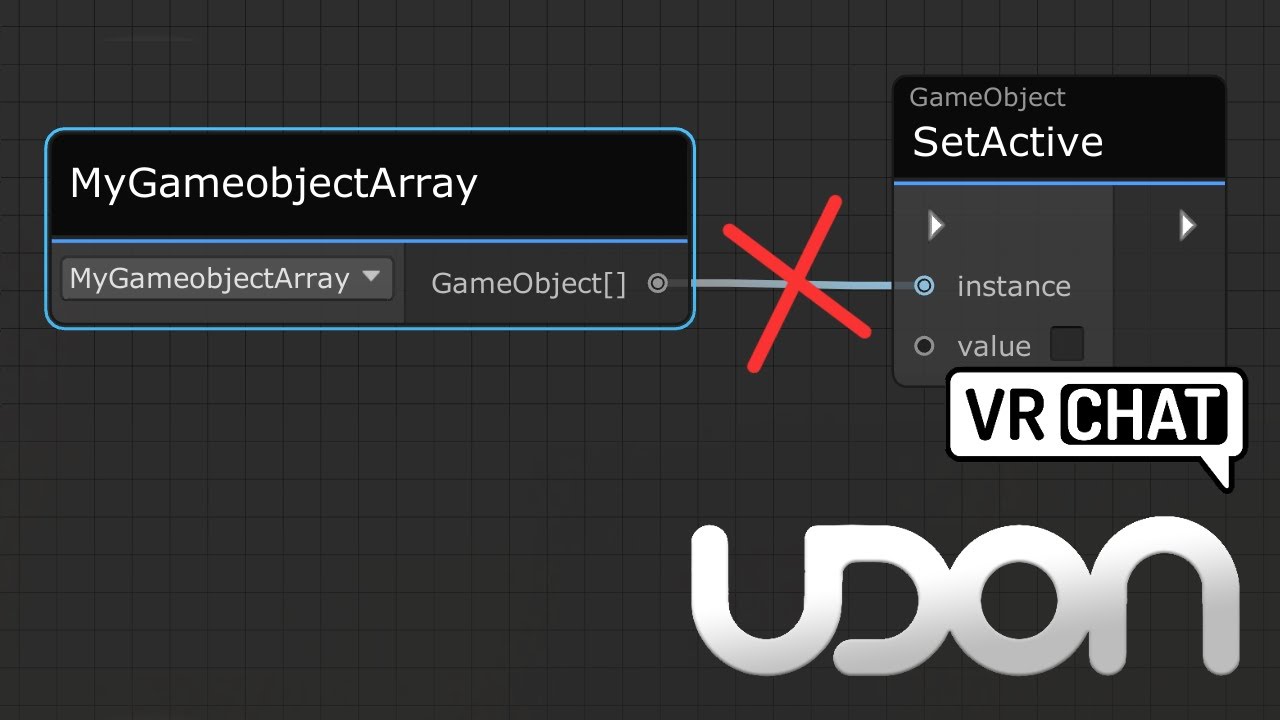
Here's a tutorial that goes over calling all game objects inside a game object array. This same method would work for any arrays, be it colliders, pickups or audio sources arrays.
I made this tutorial, as it's a little confusing not being able to directly plug a game object array into a set active node, and going from a simple toggle script, to ...
.
Quick question, is there a way to cancel delayed events? turning on and off the object doesn't seem to do it...
 oak marten
Hey guys, does anyone know if it is possible to allow players to adjust the far clipping plane locally with a Udon setup? I can see there are nodes for it, but I can't quite figure out how to get it to reference the camera of the player.
 vapid bough
Has anyone used the Feature AttachToMe ? Its causing me errors but was working earlier so idk whats going on
dull mountain
grand temple
I think the biggest thing that you're doing wrong is not using Visual Studio cod...
well that helped! But not completely. I managed to get the compile errors to stop, but now I'm facing a new issue


happens every time I get near the AI
signal yarrow
can I invoke any method with out knowing target class? just like reflection. Because usharp could do that any way. but how?
with params and return value
scarlet lake
is there an ingame debug tool
indigo finch
scarlet lake
is there an ingame debug tool
RShift + ` + 3
scarlet lake
tjanks
 verbal tendon
guys, i need people that can help me with a youtube video im making in VR, what would be the correct channel to use to find them?
mighty fjord
dull mountain
well that helped! But not completely. I managed to get the compile errors to sto...
Seems like you're trying to get the actual player Transform, is that right?
dull mountain
yes, thats right
mighty fjord
dull mountain
yes, thats right
It's not supposed to be possible to get behaviours which are not part of your world, so udon will return null if you're trying to meddle with something outside of its scope, e.g. player objects
dull mountain
thats gonna be a problem. the script needs to detect if the player is nearby
mighty fjord
PhysicsOverlaps will populate an areay, but the elements in it will be null if they're protected
What you want to get instead is probably VRCPlayerApis, which have the location of the player exposed
You could probably have a trigger collider on the same object and use the OnPlayerTriggerEnter event to get all VRCPlayerApis at a given location
dull mountain
I'd have to re-write things that I don't quite understand. I swear this would be way more simple if I could just commission someone to write me the script I'm looking for...
only problem is, I have no clue who I could even pay. So I'm just having to figure it out myself
stressful stuff
 indigo finch
vapid bough
indigo finch
vapid bough
it appears you have an error with 4 or more udon scripts
pale drift
im a little confused. Getting error NullReferenceException: Object reference not set to an instance of an object HorseSpace.horseRace.Reset () on line resultsArray[0] = "";
and then this has just had a few different issues so im thinking im not even going about this the right way
    {


        GameObject firstPlace;
        GameObject secondPlace;
        GameObject thirdPlace;
        GameObject fourthPlace;

        public horseRace race;

        void Start(){
            firstPlace = GameObject.Find("FirstPlace");
            secondPlace = GameObject.Find("SecondPlace");
            thirdPlace = GameObject.Find("ThirdPlace");
            fourthPlace = GameObject.Find("FourthPlace");


        }

        void Update(){
            firstPlace.GetComponent<TextMeshPro>().text = race.resultsArray[0].ToString();
            secondPlace.GetComponent<TextMeshPro>().text = race.resultsArray[1].ToString();
            thirdPlace.GetComponent<TextMeshPro>().text = race.resultsArray[2].ToString();
            fourthPlace.GetComponent<TextMeshPro>().text = race.resultsArray[3].ToString();
        }
}```basically my goal is to update a canvas with TMPro's on it for 1st, 2nd, 3rd, and 4th as they cross the finish line
i get this error on the resultsHorse class ```VRChat client runtime Udon exception detected!
An exception occurred during EXTERN to 'SystemStringArray.__Get__SystemInt32__SystemString'.
 flint oriole
Hey good rule of thumb may be to null check some of these references to narrow it down
wind atlas
pale drift
```public class resultsHorse : UdonSharpBehaviour
{
GameObj...
First of all, don't use GetComponent in the Update loop if you care about FPS.
The first error is a bit confusing. If I take it at face value, then you haven't set "horseRace", which doesn't have much to do with the line you posted.
For the second error, I'd be curious what type "resultsArray" even is.
wind atlas
pale drift
i get this error on the resultsHorse class ```VRChat client runtime Udon excepti...
Posting the full error log would be helpful.
Also, the second error could also be, because you don't initialize the array at all, but I'd need to see more about the error and your code.
wind atlas
pale drift
```public class resultsHorse : UdonSharpBehaviour
{
GameObj...
And since you are asking about what kind of approach to take: I'd create a method "FinishRace(result)" and do something like this:
index += 1;
resultTextArray[index].text = result.ToString();
"resultTextArray" basically holds all of your TMPro references and you just go from the first to the last one and assign whatever result you want to them with each "FinishRace" call.
This way, you also avoid the Update loop.
vapid bough
Anyone use the attachtome system? In USharp 1.0 beta, its not wanting to work for me. It keeps breaking when I hit play.
signal yarrow
can we start 2 Unity Editor to join together? or one VRChat client + 1 Unity Editor.
pale drift
wind atlas
This way, you also avoid the Update loop.
Well so i have to do an update loop anyway for the MoveForwards i have to move the horses because that was the only way to get smooth movement that i could get working. I did get the TMPs working through the update, so will it really be that much of an fps killer?
If so then ill try to make a method for it then. Last time i tried though i couldnt get the tmps to update at the right time, they were always late to updating the text
topaz jetty
signal yarrow
can we start 2 Unity Editor to join together? or one VRChat client + 1 Unity Edi...
nope
wind atlas
pale drift
Well so i have to do an update loop anyway for the MoveForwards i have to move t...
The issue is mainly the get component calls inside the update loop. You should at the very least cache it at Start. So instead of just saving the gamaobject, save it as a TMPro object directly.
pale drift
Oh ok i think i get what you mean. Im not home so i cant look and im a very beginner coder (only have taken a beginner java and beginner C++ class so far). Thank you for explaining it all though. So just to make sure i understand, i should create a TMPro object, cache it in the start, then in update, just update the text?
wind atlas
pale drift
Oh ok i think i get what you mean. Im not home so i cant look and im a very begi...
Yep, you got that right. This is more of a unity than a language thing. GetComponent calls are not free, especially since udon is slow. Your script by itself is probably fine, but if you keep doing things like that, it will become noticeable.
pale drift
wind atlas
Yep, you got that right. This is more of a unity than a language thing. GetCompo...
Ok ill try it out later then, again thank you for your help
 brittle torrent
currently having an issue with a null reference exception, and i have no idea how to solve it this time

based on the log, i believe the issue is coming from the eventName being passed to sendCustomEvent
      Parameter Addresses: 0x00000026, 0x00000027

Object reference not set to an instance of an object```what i've done is named this game object's name, custom event and UdonBehavior all the same, that way my code can just pull the game object out of an array, get its attached udon behavior, and then look at its name to know what customEvent it should call
but, for whatever reason, Udon is not liking that Get name node
i already set up some logs to spit out what Get name "gets," and it isn't null
any and all ideas would be appreciated
wind atlas
brittle torrent
That error means that whatever object you are calling "SendCustomEvent" on is null. So whatever you are getting with GetComponent returns nothing.
brittle torrent
i see
wind atlas
GetComponent always confuses me in udon graph so I'm not sure what's wrong with it.
But it seems like using whatever string you are using doesn't get the correct udon behavior.
brittle torrent
well this was part of a workaround due to UdonBehavior[] being broken
nothing better than having to workaround your workaround
thank you though
holy shit
found out why it was pulling null (probably)
it's because i spelled the type as "UdonBehavior" and not "UdonBehaviour"
all because i don't adhere to the STUPID British spelling conventions
that fixed it
 shut ermine
 humble bolt
I tried importing the OSC prefab into my world and I got this any ideas on fixes?

 storm kettle
i’m getting this error. can anybody help me fix?
 indigo finch
storm kettle
i’m getting this error. can anybody help me fix?
indigo finch
storm kettle
i’m getting this error. can anybody help me fix?
open up the console and have a look at what error messages there are (btw, windows key + shift + s is an easy way to screenshot only part of a screen)
 ebon dragon
any idea how to have an instance directly face the player? this doesn't seem to be working just right, it does move though ~

it's like it takes the center of the world instead of the head pivot position
 pallid roost
Anyone know what would cause this error?
Everything was working fine and then it just randomly started when i changed scene and back.
Ive tried everything from deleting the vrcsdk and reimporting, all the other dependant packages, reimport all.
Everything short of just recreating the project.
 brazen epoch
there is nothing like this
scarlet lake
how to do conditions in udon behavior script?
scarlet lake
yes
okay and how do i check if an Animation is toggled or not? for example if i want to make an door that can only be opened manually but it closes automatically
brittle torrent
that sounds like something animation conditions would handle
(Sorry, accidentally recorded this one in 1080p, whoops)
Two of my oldest videos, Contextual Buttons and and Door Animations, have both grown rather outdated, so I've combined the two into a brand new video to go over them!
Full Tutorial Playlist:
https://youtube.com/playlist?list=PLwEtUGCdQX7HMkFCVxiNvO4DS2CmHWbe6
00:00 - Intro
00:42 - Animat...
signal yarrow
can I Instantiate unlimited amount of pickupable+synced gameobject? rather than using pool because that's limited amount
brazen epoch
Pretty sure you cannot instantiate synced objects
If you need more, just create a larger pool. If you need close to Infinity, then you might be doing something wrong
signal yarrow
ok
brazen epoch
VRC_Pickup.currentlyHeldBy is defined as a component, but what is it actually?
signal yarrow
just try to Log that 
brazen epoch
💀 Since it's defined as a generic value by which a lot is extended from, one can assume that it can be multiple things, so knowing the possibilities is helpful and can eliminate unexpected behavior during runtime
most developers are lazy and don't test everything
wind atlas
brazen epoch
💀 Since it's defined as a generic value by which a lot is extended from, one ca...
Oh yeah, that one field is weird. I don't feel like it should be a component, as the only thing we actually get from a player is VRCPlayerAPI, everything else is blocked.
So what even is that? Can you try printing the name of it or something?
hollow folio
Is it possible for scripts to share variables? e.g. for there to be "global" variables within your scene that any script can just access at any time?
brazen epoch
hollow folio
Is it possible for scripts to share variables? e.g. for there to be "global" var...
yes. If you're using the udon graph, there's a method on UdonBehaviour that allows you to get public variables. I forget the name. If you're using Udon#, then it's just like any regular script
hollow folio
Ah cool, thanks.
brazen epoch
nvm. currentlyHeldBy is not exposed to Udon
hollow folio
Hmm, setting default values is easy for UdonSharp scripts, but how do you do it on the node graph?
strong arch
is it posible to make a "wait for seconds" with udon (no code)
grand temple
strong arch
is it posible to make a "wait for seconds" with udon (no code)
yes, sendcustomeventdelayed
strong arch
grand temple
yes, sendcustomeventdelayed
thanks
 grave lantern
Do anyone know if it's possible to change the camera lense type in udon?
dull mountain
anyone got a foostep script I can use?
 slim jacinth
Is there a way to stop a player from pushing a rigidbody? But still able to stand on it?
is it a matter of making it kinematic?
Ideally I'd avoid that
ebon dragon
this is exactly what the kinematic checkmark is for afaik
 fathom furnace
Strangely I can't seem to find any information on how to simply check if a player is currently pulling their controller's trigger or pushing a button on it 😆, does anyone know how to do this?
fathom furnace
Found it, see message being replied to for an example. For anyone trying to check if the player is currently pulling their controller's trigger (or left clicking their mouse), here is how you do it:
    public override void InputUse(bool on, VRC.Udon.Common.UdonInputEventArgs args)
    {
        if (args.eventType == VRC.Udon.Common.UdonInputEventType.AXIS)
        {
            return;
        }
        if (on)
        {
            // Do the thing
        }
        else
        {
            // Stop the thing
        }
    }
You can have an area trigger and have a list of pickups that should stay in that trigger and OnTriggerExit if a gameObject is in that list, then Drop it and teleport it back
unborn hornet
Or be even cheekier: if the player is holding the pickup, force teleport them back into the area relative to the position of the object such that the object is retained within the area. Result is that it feels like the object cannot be physically taken out of the area. I've seen a couple worlds do this. (This is a bit more complex though)
indigo finch
or have an invisible pickup, that tells the visual (non interactable) pickup to move to the same location, but checks to make sure it's still in the collider. Then you can stop it from leaving, while also the player can keep walking around outside the barrier, and you don't drop the object (also a bit more complex)
 tacit harness
Hey , im using udon graph
Im trying to convert a float value to a "mm : ss" format
Does anyone know how to do this ?
Please ping or dm me if you know
 upbeat rose
FindObjectOfType does not work and I don't want to use a name-based function or parent base function. Any alternatives to this function?
 pale drift
what would be the best way to keep a player from rapidly interacting with a button? I have a button for a game with the normal Interact() method, but i want to avoid accidental double clicks, so what is the best way to have like a small delay after the button is pressed before they can press it again
vapid bough
Wonder if anyone can help me? I have a gun system in place but when people use the second grip (Like a forward grip), it isn't synced on the other players end. Meaning on your end, you are aiming at them, but visually on the other person end, they are not. It doesn't effect damage or anything, just makes the visuals look wonky.
wind atlas
tacit harness
Hey , im using udon graph
Im trying to convert a float value to a "mm : ss" for...
You can use basic math to get that format. For seconds, you can divide it by 60 to get the minutes etc
wind atlas
upbeat rose
FindObjectOfType does not work and I don't want to use a name-based function or ...
Can't you just use getcomponent or create a reference that you can assign in the inspector?
wind atlas
pale drift
what would be the best way to keep a player from rapidly interacting with a butt...
A delay between one player spamming or a delay between multiple players spamming it? If it's just one player, then create a bool isBlocked and set it to true on Interact. Also do a SendCustomEventDelayed to a method that sets isBlocked to false.
upbeat rose
pale drift
what would be the best way to keep a player from rapidly interacting with a butt...
Here is a 1 second cool down script
float TimerTemp = 0;
float TimerMax = 1;

void Update()
{
  if(TimerTemp >= 0)TimerTemp -= Time.deltaTime;
}
void Interact()
{
if(TimerTemp < 0)
{
 DoThing();
TimerTemp = TimerMax ;
}

}
public void DoThing()
{
Debug.Log("Boop");
}
I want it to not need a ref to a gameobject or use an inspector drag n drop. That is the easy way, I want to know the actual way without needing to do everything manually
wind atlas
upbeat rose
I want it to not need a ref to a gameobject or use an inspector drag n drop. Tha...
You can reference your MusicBox type directly in the editor though, not just the game object. Otherwise the only solution I know of is to use GameObject.Find.
tacit harness
wind atlas
You can use basic math to get that format. For seconds, you can divide it by 60 ...
The problem beeing is that , lets say i have a float of 100
and then divide by 60 , it would display 1,6
Which is obviously not 1 minute 40 seconds
upbeat rose
use modular oporator? % and then floor the output?
Thats what I did for my library world with time stamps
wind atlas
tacit harness
The problem beeing is that , lets say i have a float of 100
and then divide by 6...
Yeah, you only get the minute from that, which you can use to calculate the seconds.
Yeah, there are different ways to do it. For example, you can do:
var timeText = (time / 60) + ":" + (time % 60).ToString("00");
time is an int btw, that's why it works. So you could cast it yourself if it's a float: (int)(time / 60f)
wind atlas
vapid bough
Wonder if anyone can help me? I have a gun system in place but when people use t...
That heavily depends on the gun system that you are using btw I'm guessing it just doesn't support that?
vapid bough
wind atlas
time is an int btw, that's why it works. So you could cast it yourself if it's a...
I guess so? Its just acting wack with the for grip
trying to make the for grip also synced, if I put vrc Sync on it, it makes the gun jitter
wind atlas
vapid bough
trying to make the for grip also synced, if I put vrc Sync on it, it makes the g...
Try setting the owner of the grip on picking up the gun.
It really depends on the actual code of the gun though.
 flat musk
slim jacinth
Is there a way to stop a player from pushing a rigidbody? But still able to stan...
flat musk
slim jacinth
Is there a way to stop a player from pushing a rigidbody? But still able to stan...
It needs to first the on the default layer
 silver atlas
Are there existing implementations of coherent noise? (Simplex, Perlin, etc)
 lapis rampart
Does anybody know how I might go about toggling colliders with an interact script instead of a UI script?
 rugged sphinx
Does OnPlayerTriggerEnter not trigger for child colliders like OnTriggerEnter normally would?
 whole rain
lapis rampart
Does anybody know how I might go about toggling colliders with an interact scrip...
whole rain
lapis rampart
Does anybody know how I might go about toggling colliders with an interact scrip...
It'd depend on how you're specifically using it, but realistically you should be able to just change the input from a btn press to on interact, assuming you'd be putting the script on the object you want to interact with.
grand temple
rugged sphinx
Does OnPlayerTriggerEnter not trigger for child colliders like OnTriggerEnter no...
I'm pretty sure onplayertriggerenter should trigger in all the same conditions. Are you sure you have a rigidbody on the parent object, and is on the same object as the udonbehaviour?
rugged sphinx
Currently have a rbody on each collider. Think that may be the issue now that you mention it. 🤦♂️
hmm. nope, that didnt fix it
grand temple
that was extremely fast.... how are you testing?
rugged sphinx
I'm running this in editor right now too. Is that maybe it? I know its finicky
Client Sim
grand temple
did you go out of and back into play mode?
rugged sphinx
yup yup
grand temple
Well it is possible for clientsim to differ, you should try in client at least once
grand temple
do you still have a rigidbody on the child objects?
rugged sphinx
i moved the rigidbody to the parent thats supposed to recieve the events
grand temple
and just to rule out the obvious stuff, these colliders are set to trigger?
rugged sphinx
np, correct
grand temple
and they're on a layer that collides with playerlocal?
rugged sphinx
I tried both Default and MirrorReflection layers yup
grand temple
idk, could you share some pics of how it's set up?
rugged sphinx
Sure thing
parent


child ^
I've got debug logs in the scripts OnPlayerTriggerEnter overrides
I am using U# if that matters, not graph
grand temple
try adding ontriggerenter debug log and throw something at it, see if it detects that
rugged sphinx
it triggered the log for OnTriggerEnter. Object didnt have a name though
grand temple
whaaat

 grand temple
onplayertriggerenter literally comes from ontriggerenter
rugged sphinx
That's what I figured
grand temple
are you sure that the script isn't crashing or something?
rugged sphinx
no errors in the console. no errors on the script
the debug log for OnPlayerTriggerEnter is the very first thing
and all I'm doing is incrementing and decrementing an int if the player is valid and is local
I'm currently on U# 1.0.1
grand temple
ok what happens if you put a collider on the same object as the udonbehaviour
lapis rampart
wait was there not a concrete answer and now y'all are doing testing?
rugged sphinx
lol, the OnTriggerEnter still fires, but no dice with the OnPlayerTriggerEntered
ill try building
😔 nope
grand temple
do you have another rigidbody that is a parent of this?