#udon-general
59 messages · Page 29 of 1
 warm goblet
 inner steeple
So what was the reasoning behind removing cloudfront from the whitelist?
 floral dove
@warm goblet @inner steeple - we pared down the whitelist to remove services that could send user data to world creators via logs, redirects, etc. We're working on a system that will allow per-world, per-domain whitelisting. But yes - that's right, you'll need every person to allow their data to be sent to your server if you want them to connect to your server.
inner steeple
Understood.. Any ETA on when such a system might be ready for us to use? Hosting over 750 separate video files on YouTube isn't exactly appealing and I'm sure a lot of users are worried about allowing untrusted URLs 😆
floral dove
@pulsar cove - RTMP is not supported by either Unity Video Player or AVPro, so we don't have a path for adding support.
@inner steeple - my hope is that we'll see it within one or two releases.
 pulsar cove
@floral dove it's an allowed URL and youtube-dl does support it and the announcement said it was supported....so how are we suppose to use it?
floral dove
@pulsar cove We may have had some internal miscommunication over this protocol. We whitelisted the URL type as a response to a feature request but I don't believe it's possible for us to make use of the stream in the players.
pulsar cove
Damn, RTMP is a much easier to work with in terms of self hosted servers instead of RTSP, I've had TONS of AAC decoding issues from opensource RTSP servers and was really looking forward to RTMP support.
The decoding isuses only happen in AVPro's player, not in VLC or other external clients
floral dove
Yeah, I have yet to have an RTSP stream that AVPro will consume successfully
pulsar cove
I have two that works. Wowza's RTSP server works great.. but that server is expensive. There is also this opensource project that works great with VRC, but the code it's self isn't stable, link here: https://github.com/iizukanao/node-rtsp-rtmp-server @floral dove

GitHub
RTSP/RTMP/HTTP hybrid server. Contribute to iizukanao/node-rtsp-rtmp-server development by creating an account on GitHub.
If you have trouble let me know, I've been looking into this for a while
Oh and one more thing! use "RTSPT://" instead of "RTSP://" as that forces TCP which works for AVPro, UDP doesn't work @floral dove
floral dove
ah! very helpful, thanks @pulsar cove!
pulsar cove
No worries!
pulsar cove
If you still can't get it working let me know and I'll help where I can, my dms are open
 daring copper
hm...so anyone know why colliders moving into the player sometimes push them, but their viewport stays still?
like this
they just have box colliders attached to them and only collide with the player
 limber jackal
When an udon script has the Start function, is this called locally for each player as they join the world? or is it called once when the world is initialized?
 wise charm
Can someone explain how to make some form of combat
floral dove
@limber jackal Start is called locally on each UdonBehaviour for each Player, once the scene is ready and the network stuff is settled.
limber jackal
Gotchya. so I've got a music player with an array of youtube links. And when the world begins I want it to call a shuffle function to change the order of the music. but does this mean it will shuffle differently for every person that enters and the songs won't sync up?
floral dove
If you want to sync a shuffled array, use a synced VRCUrl. The owner sets the new value, everyone else can read that data and match it.
 dark tiger
Why the colliders for the OnPlayerTrigger Events are a capsule for the player, but a feet-level sphere for all other players?  (from local perspective)
I suppose it has to do with performance. But, isn't it possible to have the same colliders?
I was going crazy getting into why something I was making didn't work as expected, until I found out that 😅
 vagrant coral
Hey! Im getting a lot of messages about the scoreboard in laserdome stopped working. Was there some changes in the latest patch that are not in the announcement? Particle collisions or network events?
pulsar cove
Is live FLV over HTTP not supported? logs say it's playing but nothings happening in-game
 chilly crown
pulsar cove
chilly crown
pulsar cove
Actually, I can't even get HLS to play over the new Udon player examples
 last briar
@pulsar cove I tried to get RTSP urls working some days ago, but I wasn't successfull, how did you accomplish that?
pulsar cove
Use rtspt:// instead of rtsp:// I'm at work at the moment but slide into my dms and I'll get back to you asap @last briar
 vale current
Is there a way to turn a player invisible ?
 sage atlas
I had a question for any map veterans who may know if this is possible. I would like to have cameras in the scene that output video, I am attempting to build a TV Recording Studio of sorts. Is there something in Udon that may enable me to do this?
 severe tree
Render Textures @sage atlas . Can't do Audio recording as far as I'm aware but give that a google search and that's your video output. If you're talking about actually overriding the user's monitor then it's doable but not sure how
sage atlas
I guess I may have to override a monitor for the look I am going for
floral dove
@dark tiger - they use the actual player collider, which takes the shape you describe. Best to resolve player collisions locally and propagate the results to the network.
@vagrant coral - hm, is it just the scoreboard not updating, or is the data not updating as well?
@sage atlas - as Auxiar said, using a camera that targets a RenderTexture will get the effect you want. Some worlds will then use a shader that projects that RenderTexture into screenspace, and encourage the users to put their Stream Camera into a mesh with that shader in order to render it to the desktop window.
vagrant coral
@floral dove The scoreboard is, as i have been told, not counting anything. but the counter for doublekills and that works fine, both using the same ints. the scoreboard is just not pulling the data out from the guns it seems. I just came home to look into it further. but since both maps has the same issue it worries me 😄
floral dove
I can't think of anything in the last patch that should have affected that
vagrant coral
coolio! ill see what i can find here ^^
sage atlas
Thanks Momo!~
dark tiger
Thanks Momo
severe tree
Does anyone know a better/more efficient way to get the local player when there could be more than one than to get all the players and then check if the player is local? Can't seem to find anything along the lines of GetLocalPlayer
floral dove
Networking.GetLocalPlayer
severe tree
Ah was looking in the wrong spot. Thanks Momo
 steel nova
Question; how does vket do the browser opening buttons? Is that a special thing they were allowed because its, well, vket? Have some advertisers looking into a project of mine and having links to their merchandise be one click away would be great.
floral dove
@steel nova - that ability is reserved for partners that have a commercial agreement with VRChat.
steel nova
Would love to arrange something, can I get an email to reach out to when vendors are lined up?
We can move to DMs if need be
 lapis ridge
I've seen that Portal-style portals are possible, but is it possible to make a copy of a user's avatar to make a more convincing portal? (basically, so you can have part of the avatar sticking through each side of the portal)
(would this be an Udon question or would it go in some other channel?)
floral dove
@lapis ridge I've seen @fiery yoke pull this off. I think they use a bunch of camera shenanigans
 grave jungle
What is VRChat's desktop FOV?
lapis ridge
@floral dove So can you copy the model? I don't know the limitations of the SDK as opposed to normal Unity
floral dove
No, you don't have access to the models unless you have players put on Avatars for which you have the model in your world.
lapis ridge
Oh ok
Is there any way to make a portal seamless like that then?
without copying a model?
I don't think there would be
I want to make a world that's like those "non-euclidian" games where they use portals to make it seem like the geometry doesn't work right, but I need to make the portals as seamless as I can for that to work
severe tree
There's probably a way you could pull if taking advantage of the Camera's near plane and some weird positional calculations, but I dont' think you could get that looking at yourself from an angle look that way. Head on sure, but dunno about looking through a portal right beside you.
lapis ridge
The main thing I'm worried about is how other players see it
 obtuse agate
@serene moat made a portal like this
 agile oasis
does anyone know of an easy way to trigger an animation for an object pick up? ive been trying for about 2 months already trying to find the best way that actually works, but i havent been able to get the item working at all
 granite hatch
 scarlet lake
What's gonna change in the new sync system?
 cunning mist
There's a few things, but primarily it will be the inclusion of a new "manual sync." That essentially means you can determine when synced variables actually get synced across players, rather than however many times a frame it constantly happens right now.
 hoary echo
Could someone give me a nudge in the right direction on this graph? I'm trying to make it so a specific gameobject is needed to trigger this (Bringing the correct key to a door), just not 100% how to get it rigged up correctly. Without the branch, ANY gameobject will trigger it, and with the branch it doesn't work, but I know I'm missing something in there.
 fiery yoke
In VRChat there is protected GameObjects such as the player GameObject. When the Player now collides with that trigger OnTriggerEnter will return NULL as the Collider. It will then attempt to access the GameObject from NULL which will throw a NullReferenceException
To avoid that you have to use the Object.ReferenceEquals(object) method (which in programming is symbolized by == ) and compare if the collider thats returned by OnTriggerEnter equals Null and only if it does not, then continue with the rest of your program.
hoary echo
Perfect, thank you for the tip, I'll see what I can do
hoary echo
After some fiddling, I got it working with this snippit.
fiery yoke
Ahh yeah for one specific object that works.
floral dove
Also @fiery yoke @hoary echo now they we have OnPlayerTriggerEnter, OnTriggerEnter will not fire for Players so you don't have to worry about that any more.
fiery yoke
Ohh thats great. But what about other protected objects
Not sure if there even are other objects you would need to worry about
floral dove
Yeah, what other objects?
fiery yoke
So there is no other object that could collide with something that is protected?
floral dove
Not that I can think of.
 broken bear
sounds like my dating life
hoary echo
lol
agile oasis
You might have to save the project , exit unity and open it up again. Something similar happened to me a while back where it just wasn’t letting me drag in a reference object at all and that seemed to fix it. If not idk what to do
agile oasis
Hm, try unchecking allow ownership, and then drag it in
Idk why, but I’ve noticed sometimes it won’t do the thing when it’s checked off
 stark adder
nope
agile oasis
So it works on others?
stark adder
Managed to fix it by putting it on different object and then copy component
agile oasis
Oh damn yeah that is really weird af
stark adder
ye
agile oasis
im trying to get my object toggle working properly on a specific buytton cube, but no matter what i try its not working. im using the basic udon toggle script, and have a toggle on the button, but im not sure whats going wrong
anyone have advice?
agile oasis
nvm, i got it done
 valid oar
Is there any way to have a trigger effect the whole instance? I have a trigger that adjust the lights in my scene but apparently only the people that pass through it can see it and then I have a button to reset them back at the end of the show which works in returning the lights to normal but when I pass over the trigger to change the lights back, nothing happens.
steel nova
how does get spectrum data work exactly? IE How do i get it to print data to a canvas?
lapis ridge
Is there any limit to the size of a world?
fiery yoke
Yesnt. You should keep it under 500mb
 oak trail
I thought 200MB was the recommended limit?
fiery yoke
Well yeah 200 MB is a more appropiate limit. But 500 is more like the "actual" limit
If your world is any bigger than 200MB you should probably reconsider your optimization tho...and maybe not use those 8K Textures and 1h Audio Clips
lapis ridge
So it's a file size limit?
So maybe if you went super low poly you could recreate a whole city ^-^
fiery yoke
File size is usually dominated by textures and models yes. But there is already big worlds that arent super big in file size.
 bleak widget
Technically you could go "infinite" size if you created a procedural generation system in your world I beleive
pulsar cove
Looking more into AVPro they have said many times that they do not officially support RTSP streaming and any issues with it they won't look into......is there plans to move to something that has better livestream support (RTMP, RTSP, etc)
There's currently no UDP support for RTSP, weird AAC support that barely works and the whole thing is rarely stable with livestreams
stark adder
Hmm are Udon Behaviors active when object is disabled ? They are not right ?
Active as if stuff like OnPlayerCollisionStay are triggered
fiery yoke
Well disabling a GameObject basically disables all of its components. And disabling a Component just removes it from the Game-Loop logic. So things like Start, Update, FixedUpdate etc wont fire. It will still receive and process events (like OnTriggerEnter)
I think at least
Maybe OnTriggerEnter wont be received
Not too sure on how Physics events work in Unity. Afaik the Collider component will talk to the Physics Engine and if something has entered it send a message to all other MonoBehaviours on the GameObject.
But disabling a component definitely doesnt mean that it is suddenly completely unresponsive. Its just wont be updated by Unity.
 spring brook
How do I setup one shot audio on player enter trigger?
steel nova
@spring brook not the best solution im sure but i have a game object that plays on awake get disabled and re enabled
steel nova
would you look at that
steel nova
how would you average a float array?
for( var i = 0; i < arr.length; i++) {
sum += arr[i];
}
average = sum / arr.length;
 unique hawk
Hello, I'm an architecture school student. I'm trying to find a deformable Voxel based world, like the one John Lin is developing, but much more primitive. is that even possible with Udon? The only thing I found was a Minecraft clone.
 hazy thorn
s/o John Lin's demo 👍 good luck with ur project
obtuse agate
@unique hawk is there a link? i'm not familiar with john lin
hazy thorn
@obtuse agate https://youtu.be/BObFTsNeeGc
scroll through that channel, Mind blowing stuff
Follow me on Twitter for updates: https://twitter.com/ProgrammerLin
This a showcase of an experimental enhancement to the engine that finally enables trees to blow in the wind. It's part of a larger video that will come in the near future, showcasing other new improvements an...
obtuse agate
Wow it looks amazing. I have no idea on how to do it (efficiently) in VRC.
I'm one of the creator of the minecraft clone world (fully editable), which is already difficult enough for me.
I checked their codes in github. It's a custom voxel engine written in C.
I think porting to VRChat is impossible
unique hawk
Thanks for the confirmation! 👍
Even a Sims like building platform would be welcome. Because of COVID arch school is being all digital, they are exploring new ways of teaching architecture. My team is betting on VR gaming as the next step to this.
floral dove
@rough beacon there is no node to get the Master, you can only check if the Local Player is Master. What are you trying to do with the master? Also, you don't need to teleport objects, just move their Rigidbody if they have one or their Transform if they don't.
 rough beacon
well. i try to teleport obj to master or owner head so this way. player have easier time finding out who have power in the world.
i seen udon world that have done that
floral dove
'Master' will only tell you who created the instance or inherited it when the original Master left. If you want to know who is the Owner of a particular object, you can use Networking.GetOwner.
if you really want to know who the 'Master' of a world is, you can have each player check if they are Master, and then for the one who is, have them take ownership of the 'indicator' object and move it to their own head position. But Master is not a great way to control a world.
 sick dawn
i need help in making one object turn on local to player and another that when that player turns on object it is global to all and can see what it turns on.
rough beacon
caps.
but video player is only work with master. so that why. but i see wwhat i can do with info you give me
floral dove
no, Video Player works with Owner
rough beacon
oh
floral dove
example says 'Master' where it should say 'Owner', sorry
rough beacon
so url thing that say master. should that say owner?
floral dove
yes!
rough beacon
neat. found a typo with in example
fiery yoke
@floral dove You can also check remote PlayerAPIs iirc with the VRCPlayApi.isMaster property
So its even simpler, get all players, iterate through the array and check them for isMaster and break out when found.
floral dove
Ok - but why iterate through the player array locally on every machine when you can just have the Master claim a given object and update it themselves?
fiery yoke
Well in this specific case it doesnt make much sense
But there is an even easier conventional method
just get the owner of an object that does not change owner by other means
That will always be the master
Also I disagree that the Master isnt a great way to control a world.
The master is the closest entity to a central authority you have in a world
floral dove
you can't transfer or change Master, though.
fiery yoke
Usually you dont need to.
Its just that the master is by default the owner. So if you just need to keep track of some value then its usually the masters responsibility to do so. Because its just easier.
Besides that a lot of people use the master as a sort of "Admin".
And to know who is control some people use a "Master Plumbob" and for that it would be quite useful to know who is master from just a simple Network call.
dark tiger
Hi, I've been trying to find out why I can't change Ownership of an object using this node. But doesn't seem to work, even if manually triggered
My only conclusion is that maybe that node doesn't work while testing in Build & Test clients
Is that correct?
floral dove
@dark tiger - it should work, with two caveats:
- You need at least two clients open for ownership changes to fire (sounds like you're doing this)
- In the current Udon Sync system, this does not happen immediately, but shouldn't take more than a few frames under normal circumstances.
dark tiger
Well, it still doesn't work, even if I wait for some time
(This is what I used to check if the ownership changed)
It didn't change for almost a minute (The "Current Owner: {0}" checks were done manually from a key down. So I tried 70 times :p)
(The variable "ludant" came from here:)
floral dove
FYI - if you're checking with two clients logged in on the same machine, network transmission seems to happen much slower as one app is always 'in the background' and seems to respond to updates with low priority. When testing network stuff like this, I typically bounce between the two windows and move the avatars around a little to prompt for updates.
dark tiger
Well, even now it doesn't update, I haven't closed the clients...
I'll try to publish the world and try there
 dark blade
is video player working to where i can start using udon
dark tiger
Still doesn't work 🥺
I tried with my account and with my brother's. From his computer and from mine
Let me try with a blank project. If that doesn't solve it, I really don't know what happens xp
rough beacon
so is set variable and get variable been remove?
fiery yoke
No? They just changed the way you access the nodes...however that was like weeks ago
rough beacon
you know where i can find it now?
fiery yoke
Should be written somewhere in there:
https://docs.vrchat.com/docs/udon-node-graph-upgrade#drag-and-drop-for-variables
VRChat
Interface The Udon Node Graph is the default interface for creation of Udon programs. This section goes over how to use it. If you want to dive right into examples, take a look at the Readme file in the VRChat Examples folder that comes with the SDK. You can open up the Udon G...
if its not...too bad
rough beacon
lol. ya, well, i can temp open up old project and try copy and paste 😛 thank
floral dove
@rough beacon just drag and drop them from your Variables window
fiery yoke
You just drag'n'drop the variable into the graph from the variable window
floral dove
jinx!
fiery yoke
Holding ctrl will give you the setter
floral dove
@rough beacon - I do highly recommend you read through the docs and watching the getting started video tutorials, though. It sounds like you may be missing out on some key ideas that would help you as you build out your world.
rough beacon
well, before update. i use to find it. with this new udon. thing got move around
lapis ridge
can the VRC_Station component be programmed to move along a specific path?
fiery yoke
You can just translate the Transform of the GameObject the station is on.
So you can program it yourself in Udon.
rough beacon
i think i found it
lapis ridge
Can you use it to make a rollercoaster then? @fiery yoke
fiery yoke
Yes
lapis ridge
cool :D
fiery yoke
However that would usually be done in an animation, and not in Udon
lapis ridge
I'm not sure how to animate things :/
fiery yoke
Someone has already made a Rollcoaster Creation World I recommend checking out
rough beacon
not even listed.
fiery yoke
@lapis ridge You can make just about anything with some creative thinking and good programming skills :P
lapis ridge
nice :D
Although apparently you can't duplicate a person's avatar, so you can't make seamless portals
fiery yoke


Portals that work with Avatars ^^
Not perfect. But close enough😅
#VRChat #madewithudon https://t.co/oa2qJwTfDb
Likes
101
 Twitter
Thats why I said creative thinking
You cant copy the avatar. But you can "copy" what you would see of the avatar.
lapis ridge
"The media could not be played"
fiery yoke
Just click on the twitter link then
Discord Embeds are sometimes a little finicky
And yes I do realize I shouldnt have used a bright Avatar on a bright background :P But oh well
lapis ridge
But neat :D
The world I eventually want to make would be themed as a "world between worlds" and would hopefully use a lot of the stuff you see in "non-euclidean" games to make it seem a lot more alien, and for that you need seamless portals
fiery yoke
Well you remember how I said "just about anything"...yeah thats one of those things that isnt very well suited to make in VRChat
VRChat pretty heavily limits you in what you can do with rendering
fiery yoke
"just" portals.
You have absolutely no idea how complicated Portals are...especially in VR :P
lapis ridge
well yea
but clearly they can be done
Can you change the direction gravity comes from tho?
fiery yoke
you cant. And even if you could it wouldnt behave like Mario Galaxy where it just rotates you according to the direction of gravity.
You would just be pressed against the object upright.
lapis ridge
ok
fiery yoke
With the exception of being in a Station you cant rotate the player (on the X or Z axis), because of how the VR SDK doesnt expect you to ever get rotated like that.
lapis ridge
Can you have a variable set to the direction a player is walking, so walking down a hallway one direction and going through a portal takes you one place, but walking down it the other way and going through that same portal takes you somewhere else? @fiery yoke
floral dove
@rough beacon you can learn the basics here: https://www.youtube.com/watch?v=IVjEx_H5BZc
VRChat Client Engineer MomoTheMonster walks us through all the brand new stuff in the latest Udon Node Graph!
As of 26 June 2020, this Preview version of the Node Graph is available on our Discord! Join us with the link below and check out our latest Announcements for the lin...
fiery yoke
You can get the players velocity of the player and deduce in which direction theyre heading from that.
But usually that would be done with using Triggers.
lapis ridge
Can a trigger tell the direction though?
Well, I guess you could have the portal ask what the last trigger the player touched would be
fiery yoke
From what I can tell youre asking for mechanics similar to those in the game Antichamber.
But those mechanics are usually a lot more complicated than they might sound on paper. And as soon as it comes to non-euclidean geometry/mechanics VRChat is way out that zone. You cant do custom locomotion (easily) and you cant define your own rendering process (easily). So I would advise against trying that without extensive knowledge on the VRChat SDK and Rendering in Unity. Which both you can definitely learn in the process of trying it. But Im just saying that it might be a lot more complicated and learn intensive than anticipated.
lapis ridge
Well, I'm sure it can be done. What are some simpler ways to make a place feel slightly alien though, without being obvious?
rough beacon
thank you. that video help. like i say before. it not like old udon but this will do 🙂
hmm. something have happen. i seem to be floating. o.O i think that obj is pushing me. lol
i think it working with 1 little error 🙂 it pushing me. LOL! easy fix
Thank you TheHelpfulHelper and Momo the Monster. it is working! box is not following owner.
rough beacon
i see i got some work still need to be done. like if host(owner) of world quit. should go to next new host(owner)
how can i make this go to neww owner if owner of world quit?
floral dove
In Update, you could check if the LocalPlayer is the Owner of the object and only update it if they are, then it will always follow the owner.
rough beacon
i replace start with update but that limited to 1 update.
i think i add block for update to link to set player. will that work?
nope. 😦
i got a work around. thank for your help.
floral dove
sure thing - here's the method I was talking about, where you check on update. But I think yours will work just as well!
rough beacon
ya 🙂 thank for your help
floral dove
btw - you can simplify your graph if you make your 'OBJ' variable a Transform instead of a GameObject, then you don't have to get its transform each time
you'll probably want to get the actual tracking data of the target player as well if you want to target their head.
floral dove
more like this
TrackingData will be more consistent between Avatars than Bone Positions
rough beacon
i look that up see feet to obj may be a problem see how all avatar is not the same high
oh
that can work too
dark tiger
In your use case, it would be better to use Late Update, instead of Update. (I think...)
rough beacon
lot good idea. that 1 thing that bug me. what is difference from Update and Late Update?
fiery yoke
LateUpdate happens after Update. Important for certain things that need to happen in a specific order.
rough beacon
oh, i see
obtuse agate
@unique hawk It depends on what you need. It's not possible to replicate exactly what john lin did, but it's possible to make something simpler. There is a voxel drawing world in VRC but I forget what it's called😅 .
dark blade
Whats the website to get notified about the video player
floral dove
@dark blade - no need to track the Canny anymore, Video Players are supported in SDK3 as of our last major release.
 willow dove
Anyone know how can I make a pickup stay in place before getting picked up?
 dawn gull
Anyone know why when one person moves an object it doesn't move for anyone else?
dark tiger
@dawn gull , just add a Udon Behaviour component to your object and check the "Synchronize Position" box
dawn gull
Thank you :)
dark tiger
@willow dove, could you elaborate on that? I don't understand what you want to do
dawn gull
@dark tiger Thank you for the sync advice. One more thing with that. How do I get a freshly instantiated object to show up for all players rather than just the on triggering the instantiation?
willow dove
@dark tiger So I have a world where there's are random pickups but when I load in the world they just start moving on their own
I want them to stay in place untill someone decided to pick them up
Also another question, I'm using gameobject.SetActive() in Udon and it cause some performance issue in VRC but not editor, is that normal?
dark tiger
@dawn gull, for that you have to call the event on everyone. You could do that with this: (you can choose the name of the event as you see fit)
dawn gull
I'll try that. Thank you
dark tiger
@willow dove, it may be what Azii said. Just disable the gravity on the Rigid Body component
willow dove
I do wanna keep gravity on after interact. is it doable?
dark tiger
And the other question, I don't know what to say :p
willow dove
I guess with udon prob yes but I think I have experience issue with too much amount of udon scripts
dark tiger
You can reactivate the Use Gravity anytime with Udon:
 dark raft
https://docs.vrchat.com/docs/vrchat-202033p1
Added RTSP, RTMP, RTSPT to the allowed schemes for video player URLs
Are these protocols meant to actually work? I tried out all 3 on the AVPro video player, but I get[Video Playback] ERROR: Unable to download webpage: <urlopen error unknown url type: rtsp> (caused by URLError('unknown url type: rtsp'))for rtsp and rtspt, andError: Loading failed. File not found, codec not supported, video resolution too high or insufficient system resources.from an h264 rtmp stream that otherwise works fine in vlc
Oh, searching for 'rtsp', it looks like it's a known issue that neither works right now. bummer, would have been nice for low latency streaming
grave jungle
Are you allowed to use royalty free grass textures and speed trees in spookality?
I feel like you should be allowed to.
floral dove
@dark raft - RTSP and RTSPT are currently caught by Youtube-DL. The fix for that is in an upcoming patch, though AVPro only seems to play nice with RTSPT, fwiw.
willow dove
You can reactivate the Use Gravity anytime with Udon:
@dark tiger I tried it but the object got shoot up to the sky upon launching😅
F
OK Ik how to solve it now
 trail hazel
what video services for the udon video players work on quest without enabling external/unsafe sources
floral dove
@trail hazel Google Drive may work, and Vimeo Pro if you pay for access to direct mp4 links.
trail hazel
does 'may work' mean 'will work' or is there some point of uncertainty with google drive
stark adder
Is there a way with google drive to have the same link somehow when you change the file ? Like I would like to use the video player for some kind of leaderboard and it would be good only if I wouldn't have to change the link every time I change the video on gdrive .. or any other service that is whitelisted without needing of untrusted sources
 grand temple
As long as you keep the same file name, dropping the updated file in Google drive should keep the same link. You'll know it worked if it gives you a dialog about it on the bottom right
 south compass
Question iv place a chair from the pack down with the old sdk I could hide it over my model and the seat would work but seem with this one when I hide the chair it does not work as be for wont let me sit down.
pulsar cove
@dark raft You can direct load the AVPro trial package into a VRC project and play RTSPT streams that way. I still havn't got one stable though. @floral dove have you managed to get a stable RTSP stream yet?
Video works fine but decoding AAC seems to be super broken (AVPro issue)
scarlet lake
can somebody help me with 3.0 worlds? how do i sync items
@ me
nvm i think i got it
pulsar cove
https://docs.microsoft.com/en-us/windows/win32/medfound/supported-protocols so this is what AVPro is using for RTSP decoding. Might be a step in the right direction for getting a working RTSP server
floral dove
@pulsar cove yes, I found an rtspt stream that works. Will be bypassing youtube-dl for RTSP and RTSPT in a patch.
pulsar cove
Which stream have you found that works? I'm still struggling to get it working
floral dove
rtspt://freja.hiof.no:1935/rtplive/definst/hessdalen03.stream
pulsar cove
Not a bad view, thanks!
willow dove
For some reason, gameObject.setActive(False) cause huge time out
Is this normal or is it a bug of udon
willow dove
fiery yoke
Well you have to give it a reference to a Rigidbody.
And there is a problem with setting isKinematic and UseGravity on (synced) pickups.
willow dove
I thought instance should refence self component
fiery yoke
Only variables of type GameObject, UdonBehaviour and Transform
willow dove
OK thanks
fiery yoke
since a GameObject is required to have all of those (in this case)
willow dove
But this won't work because the synced picked up issue?
fiery yoke
I mean you can try, but Im 99% sure that it wont work
willow dove
It works local but not synced?
fiery yoke
Havent quite investigated this issue, but last time I tried it it didnt work local either
Pickups do something weird to the Rigidbody
Just my guess
willow dove
Is this how I refence the instance?
fiery yoke
Now youre asking a Rigidbody component to get a component :P
willow dove
rip
fiery yoke
Yes
fiery yoke
Try it on a non-pickup rigidbody
fiery yoke
No thats taken from the node inspector
A rigidbody is just a rigidbody. It makes things move.
Pickups use Rigidbodys, but you can just have a GameObject with a Rigidbody that isnt a pickup.
willow dove
If I understand this correctly, my node graph only run when it got interacted
fiery yoke
Yeah.
willow dove
Btw is videoplayer currently working in SDK3?
fiery yoke
Yes
willow dove
For some reason I was not able to get it to work
If I use on start my node graph works
I guess just pickup doesn't trigger interact?
fiery yoke
No it doesnt
willow dove
Oh
fiery yoke
You would use OnPickup for that
willow dove
That's prob y
haha
Thx
For videoplayer it works in editor
But not in game for some reason
rough beacon
how do i make a button or toggle that work local and only owner can click on it?
rough beacon
i think i may have idea but if it don't work. i am open to idea...
rough beacon
well. that was easier than it look like. i add that group setup
rough beacon
1 month ago. i was not getting any where. now i starting get idea how udon work 🙂
willow dove
That udon script for Rigidbody toggle works like a glove but it
Havent quite investigated this issue, but last time I tried it it didnt work local either
@fiery yoke It works if sync position is off in Udon behavior
Is there's any other way that make the pickup static before getting picked up?
fiery yoke
There is janky workarounds, but I would just wait till that bug gets fixed
 jaunty schooner
How come when people sit in my chair, their hips aren't on the seat as expected but are instead halfway down inside of it?
The chair in this case is embedded in the ground because the chair in game is a bit short, but if VRChat is doing what I think they're doing, the reason for this behavior is that they're simply enabling a sit animation and pegging the feet to the base of the chair instead of trying to align the hips with the seat of the chair, which would work better for short avatars, and I'd argue having the feet on taller avatars sticking into the floor would look better than having their hips float a foot above the seat. Also aligning the feet instead of the hips to the seat is unintuitive, and generally from a visual standpoint you care more about where the hips end up than where the feet do.
willow dove
Is there's a reason that VRCSDK3 all ship with the incorrect version string file?
This is confusing af
Idk if I have the up to date SDK and I upgrade all the time then realize oh it was just bugged
 native estuary
It hasn't been updated in ages now for sdk2 as well
floral dove
patching that in next release 🙂
willow dove
Also I was not able to get video player to work with raw mp4 link
cunning mist
Have you gotten the video player to work with base Youtube links already?
floral dove
@willow dove - check the UdonExampleScene, it's got an example of a working direct link. What service are you using?
willow dove
Yea youtube works with unity one, not the AVPro one
I used discord CDN for testing
floral dove
@willow dove - are you testing in-client, and have you turned on "Untrusted URLs"?
 glad hare
anyone know if midi / osc input is working in SDK3 at all? we’ve been using just fine in 2. been trying but can’t see any udon nodes that look likely..
willow dove
I'm testing in client, idk if there's an option of "Untrusted URLs"
But if it's defaultly off then I would rather use Youtube instead
Yea I don't have that turned on, that's prob y
floral dove
@glad hare not yet - MIDI is coming in the next few months, OSC a little later
glad hare
ah good to know.. thanks
willow dove
@floral dove I remember seeing udon having performance issue iterate long list, is that fixed now?
I'm currently having performance issue with gameObject.SetActive()
glad hare
was also wondering if udon was extensible at all? for creating custom nodes etc
willow dove
if I tried to disable a gameobject with a lot of children it freeze for up to few seconds
glad hare
not that I’m suggesting it’s a good idea.. just curious as to whether it’s a fixed node set or not
or perhaps there’s another way to get signals into sdk3 from the outside world apart from midi / osc?
floral dove
@glad hare not yet. We'll release a system for making nodes from other systems like UdonSharp, but you still have to work within the Udon whitelist and Sandbox. OSC will be the best way to get external signals into the world. That will be integrated after we introduce Custom Event Parameters, which are needed for all sorts of systems that want to send a variety of data within Udon.
@willow dove - we did introduce some improvements to Udon's array handling some months ago, yes. I haven't seen an issue with GameObject.SetActive - you could try triggering it from a UI event to compare performance if you'd like.
glad hare
cool thanks for the info @floral dove
jaunty schooner
I added some vrc_pickup scripts to objects in my world, but they're all local for some reason and others can't see the objects move when you grab them. What do I have to change to fix this? I don't see a global option on the script.
willow dove
Also for some reason the onCollision throws an error of " Object reference not set to an instance of an object" idk if that is caused because I left the output "other" empty in the node
@jaunty schooner Udon behavior - Sync position
I was looking for it like a hr ago too
This
floral dove
@willow dove are you sure your Rigidbody is a valid object? You can create a public variable and set it in the inspector to make sure, instead of using GetComponent.
 serene moat
are you iterating gameobjects to disable them or are you just disabling the parent object?
serene moat
and just disabling the parent object takes 300ms for 9000 objects?
willow dove
But I don't think this is the issue with U# but rather udon
That was average
Sometimes it can get up to 5000ms
serene moat
and it doesn't happen if you disable it through a normal C# script?
willow dove
Nope
it even works fine as udon in Unity editor
In editor play mode usually max out at 15ms
in the worst case
serene moat
what are on the child objects, are they just mesh renderers?
willow dove
Mesh renderers
There's point lights but they are disabled defaultly already
and some with lod group components but that's about it
serene moat
weird yeah as momo said you could try using a UI button event to toggle the object instead and see if it still happens
I don't think Udon does anything that'd cause that poor performance
willow dove
The code is for a HLOD implentmentation so idk if using a button would work
serene moat
I mean you don't need to port your entire code base to use UI buttons, it's just to verify if it's Udon or something else
you just need to add a button for one of the toggles and see if it lags
willow dove
I see. I will give it a try
For the node graph I showed above
This works
but if I connect both it break when pickup is called
serene moat
you can try just copying the 3 nodes for the set constraints and calling them separately for OnPickup. If that works fine it's probably just an issue with the graph not sharing nodes across events correctly which you would report on the canny
willow dove
This works
serene moat
that's probably a bug with the graph then, make a canny with your examples of it working and breaking
willow dove
Yep
floral dove
@willow dove does it break if you use a public variable of the Rigidbody?
willow dove
idk, let me test it I guess
I don't want use the public variable is because this udon behavior is on all pickup in my world and manually assign them in prefab is kind time consuming
But let me try if it works first
I think setting it as public variable works
floral dove
if it's in a prefab, can't you just update there and save the change?
floral dove
oh, I see - they're all different prefabs?
floral dove
ah, that makes sense then
willow dove
So is that a bug or intentional?
floral dove
it looks like a bug - the one where you call GetComponent twice in the graph should produce the effect you're looking for
willow dove
If I remember correctly GetComponent is kind expansive so I'm just gonna stick with this solution then
Thanks
floral dove
it is, but it's also not a huge deal if it's just when something happens. Mostly it's recommended not to do it every frame, is all.
willow dove
I tried to turn off 8096 cubes and it seems to be fine
idk what's wrong with my HLOD
serene moat
are there UdonBehaviours on any of the children?
willow dove
There used to be
for the PointLightLOD we had
but we disabled them
Also my teammate sent me this. I'm just gonna forward it
@serene moat I think he says there's 4096 cubes but the compiled code stops at 970
Not sure if this is with U# or Udon
serene moat
Wait so you are iterating the renderers?
serene moat
Yeah if you can avoid any iteration at all
It's going to start taking more than a frame worth of time at a few hundred iterations
If you're iterating a large array of anything that inherits from UnityEngine.Object, Udon will scan the entire array on any access of the array
willow dove
The version we have rn use gameObject.setActive
serene moat
Do the child objects have UdonBehaviours on them?
willow dove
No rn
Btw the udon script works great in Unity Player
Performance are decent
but it cause time out in VRC
serene moat
The editor is not a good metric for Udon or unity performance
willow dove
ik but it's the same udon script so i think something is wrong with VRC client
serene moat
The game runs in il2cpp which completely changes the performance characteristics of Udon and other things
willow dove
@green loom was the one who wrote all the test etc
serene moat
Do you have anything other than meah renderers on the child objects?
willow dove
LOD Group
serene moat
Is that all that makes your HLOD different from the 4000 cubes?
serene moat
So you have anything in that hierarchy marked as static? Does anything have colliders in it?
willow dove
Everything are static batched
I don't think there's are collider because we use LOD3 as scene collider
serene moat
You're static batching objects that get toggled?
willow dove
Yea
serene moat
That doesn't sound like a good idea tbh
Unity wouldn't have any context on what meshes to merge
willow dove
Does Unity merge meshes in runtime or in build time?
serene moat
Build time
 green loom
hi
willow dove
Hey
serene moat
Hi
green loom
the batching works fine with the unity player
willow dove
He had 10min cooldown before able to talk
serene moat
The performance works fine with the unity player
green loom
yes
serene moat
Yes
Because it works fine in the player doesn't immediately mean it works fine in game
Try disabling the static flags on anything you're toggling
green loom
"Because it works fine in the player doesn't immediately mean it works fine in game"
what do you mean by that, should I expect a worse performance of VRC compared to when I let unity build and run the scene?
serene moat
Yes you should expect worse performance in game, but I mean that saying "batching works fine in the editor" doesn't mean anything when you're only having issues in game
green loom
sorry, I think you misunderstood. I let unity build the project and run it without the editor
and the performance was way better then with VRC
no lags with static batching and SetActive()
willow dove
Are you refencing with 4096 cube build?
serene moat
I'm just trying to remove suspect differences
If toggling 4000 cubes works fine it's not likely to be udon
green loom
I can provide you the cube scene
serene moat
So strip away things until it works okay
A game build is also not exactly the same as a VRC world load
willow dove
Do you think something might cause the time out?
Since from my data, more object != longer time out
I wonder if some component/prefab is causing issues
serene moat
Yeah iterating 8000 unity engine objects means Udon is doing 8000x8000=64,000,000 iterations to scan the array internally
Because it will scan the entire array for every single element access
There is a fixed 10 second timeout in Udon
It doesn't matter what you're doing, if it takes more than 10 seconds it will stop there
 brittle python
is there any... particular reason for it doing all that on each access? it sounds pretty terrible
is it something that's there deliberately or something yet to be addressed?
serene moat
It's deliberate because they're worried about methods that take arrays potentially modifying a protected object
They could just add the scanning on those few specific methods but they haven't gotten around to it
brittle python
ouch, that's going to murder anything with significant complexity
sounds like they need some kind of read-only array view to pass or something
willow dove
Rip that sucks
serene moat
You can work around it by treating the array as a System.Object array and casting each element to the correct type. Since System.Object arrays are exempt from the scanning. But I wouldn't reccomend it for an 8000 element array in this case since it'd still cause a very noticeable hitch
willow dove
That sounds promising
green loom
we could build some workarounds with LODGroups but they are not exposed to udon
rough beacon
how i make this global? not local!
willow dove
What if I breakdown the array, make a recursive function
That might be better in performance?
serene moat
Recursion is not supported and recursion usually has worse performance than iterative solutions anyways
 lilac hatch
Is there anywhere I could... do a commision on a udon script ? I got a spare $20 on paypal and cba to learn myself :( Farming on BDO is addicting
willow dove
But 80 * 100^2 would prob do better than 8000^2
brittle python
so are you splitting the array into 80 smaller slices?
because otherwise it'd be 80 * 100 * 8000
which... is the same
it's only squaring because to iterate you're accessing n things n times
serene moat
That's not really recursion, if you want to iterate the array just iterate it as a System.Object array to avoid the scanning overhead as I said. It won't time out but it's going to still hitch like mad so I don't reccomend it
brittle python
it's a shame that it's that slow, because that many array accesses should be lightning fast in most situations
I guess it depends what's happening during the iteration
willow dove
I see
brittle python
(by "in most situations" here I mean like, in other languages and such)
willow dove
For resursion I mean get all level 1 child of givin gameobject
and disable all their child
Not breaking down the long array
But I guess System.Object is more elegent so I will give that a try first
We are actually using gameObject.SetActive()
Is that affected by the array scaning?
serene moat
No
rough beacon
any help?
serene moat
Only array accesses are scanned
willow dove
Then we are having performance issue gameObject.SetActive() in current build for some reason
serene moat
That's why I was saying to try turning off static batching since it's not intended to be used for hlod and might be causing your issues
willow dove
I see. I will try make a build with static off
rough beacon
dont need help no more.
i got it!
lilac hatch
gj
willow dove
Do anyone know where Unity's last build is stored in?
rough beacon
thank
willow dove
@serene moat If udonBehaviour is under the HLOD does it cause performence issue?
I do have few station Udon behavior under them
serene moat
UdonBehaviours have a ton of events that they need to register and unregister so if you have any of them under something that's getting toggled there's probably a decent overhead for that
try removing them from the hierarchy and see if you get your performance back
willow dove
I think the gameObject.SetActive is fine
but when I move my view to fast it freeze up
Could this has something to do with VRC's backend can't handle such high mesh loading io?
serene moat
the meshes are already in memory the moment you're in the world, moving the resources to the GPU can cause hitches if they haven't been seen before and that's just Unity being Unity
lilac hatch
Yo if anyone good with udon wanna trade a simple script for some $ hit my dms pls, ima head to bed but i'll answer when waking up  can't archieve what I want and cba to use my brain anymore
willow dove
@lilac hatch What do you want?
valid oar
Would it be possible to get a pickup to cycle through textures/materials on use?
willow dove
Yes > Would it be possible to get a pickup to cycle through textures/materials on use?
@valid oar
glad hare
hi guys another quick question about osc in sdk2. am I right in thinking that any osc signals from my machine will only propagate to users in the same world instance?
or to put it another way is it at all possible to propagate my osc signals to all instances of my world? for example say putting on a little vj act to hundreds of users simultaneously
sorry just realised that this isn’t exactly udon related 🙄
floral dove
@glad hare sorry, neither SDK2 nor 3 provide cross-instance data. The only way I know of to broadcast in this way is via video streaming.
@valid oar the UdonExampleScene provides a demo for swapping through an array of Materials on Interact, probably a good starting point.
glad hare
ok good to know thanks again
willow dove
@floral dove Is it possible to debug performance using built in VRC debug tool?
Also I'm having issue with my build. It opens in VRC like this then it start to reload the world. This happens if I build another scene for VRC under the same project before building this I think
floral dove
@willow dove there's not a ton of performance info available in the client. This page has the shortcuts to all the panels you can open:
https://docs.vrchat.com/docs/keyboard-and-mouse
Your best tools for performance inspection are the tools provided by Unity: https://docs.unity3d.com/2018.4/Documentation/Manual/Profiler.html
willow dove
I'm mainly want to see performance within VRC Client since that's kind giving me issue rn
Wonder if I can connect a profiler to VRC Client
valid oar
@floral dove Excellent, thank you
dark blade
Video player is still not working
floral dove
@dark blade - make sure you read through the Udon Video Player docs: https://docs.vrchat.com/docs/video-players
dark blade
Oh ok thx
Also i saw your door animation video. I managed to do two separate doors going to the left and the right. That video helped me so much. Thx @floral dove
lapis ridge
So I saw a world with a ferris wheel, but unless you sit in the seat, you clip through it- is it possible to make a ferris wheel where you don't clip through?
Because that makes getting off awfully inconvenient
dark tiger
Do synchronized variables refresh on every Update event? Or only when there is a change? (or is it a very different system?)
floral dove
@dark tiger - refreshes are controlled by Photon - you can use the OnDeserialization event to fire logic when variables are refreshed, check the Sync examples in the UdonExampleScene for some references. You'll need to check for changes if you want to react to them.
dark tiger
Yeah, those are really helpful examples. Thank you. I'm just trying to understand better how synchronization uses the network.
If OnDeserialization doesn't fire, does it mean that there is no information being transferred through the network? (concerning the object)
In example: If I change the position of a position-synchronized object, I can see that OnDeserialization fires 2 times and no more. But does it mean that the object owner sends no more updates about the position?
fiery yoke
Position Sync is a little special because I think it uses the ReliableDeltaCompressed mode. Synced Variables are different, they constantly send data.
Not too sure on that tho
floral dove
hm - TBH, I'm not sure if position variables cause OnDeserialization to fire regularly if you're using the checkbox since they're handled internally and prioritized.
fiery yoke
My guess would be that the OnDeserialization event is just triggered by the PhotonView which will treat any data the same, no matter if its a synced var, or a position sync.
dark tiger
Ok, thanks
grand temple
If the rigidbody is sleeping and position sync is used, then the photonview wont send any data, yes. It's a bit annoying when you have synced variables that can update while it is sleeping because they won't be sent until it moves
dark tiger
And what happens if the object doesn't have a Rigidbody component?
 brave fulcrum
every time i join the avatar world i made i can't move, i can only move the camera up and down, How do i fix it?
dawn gull
Anyone know how to make it so only the world's master is able to pick up a particular object?
brave fulcrum
no answers?
dawn gull
Does Debug Log post messages to the Unity project Console?
floral dove
@dawn gull yep: https://docs.vrchat.com/docs/debugging-udon-projects
dawn gull
I hadn't spotted that. Thank you for the link
brave fulcrum
every time i join the avatar world i made i can't move, i can only move the camera up and down, How do i fix it?
@brave fulcrum
rough beacon
if i remove this in togglesync. will that make work for every as click?
brave fulcrum
Somebody please help
rough beacon
do this happen in your world? is it udon world?
they in avatar world may have a udon that broke their world.
 gloomy sluice
I'm just starting with Udon here, and I had a question. I basically want to import a FBX with an animation I made in Blender, but I'm unsure about how things work in terms of making the animation play. Are there any tutorials on something like this this?
rough beacon
i never learn that part. but i am sure someone know.
gloomy sluice
I hope so 🙂 Thank you
gloomy sluice
Oh, I figured it out. LOL. I didn't have it looping.
 patent lynx
how to use same VRC_panorama and VRC_data storage to udon?
 light fjord
does anyone know if its possible to attach scripts to the player when they join? or is that not possible due to the fact that the returned object is null?
fiery yoke
You cant "attach" a script to a player. What do you intend to do?
spring brook
Is there controller input in the documents?
 dry tulip
question, is there anyone who could assist me in figuring out how to do my own portal gun mechanic for a world? (i know theres already a portal gun world, but like, i wanna make it more more portal.)
fiery yoke
Very difficult since VRChat strips away most of the control you have over certain stuff thats required to really make good portals which includes mostly the Rendering process and the Physics aspect.
dry tulip
but ive seen it done
fiery yoke
Yeah. But poorly.
dry tulip
uh, no, the world is absolutely amazing
fiery yoke
You mean this one?
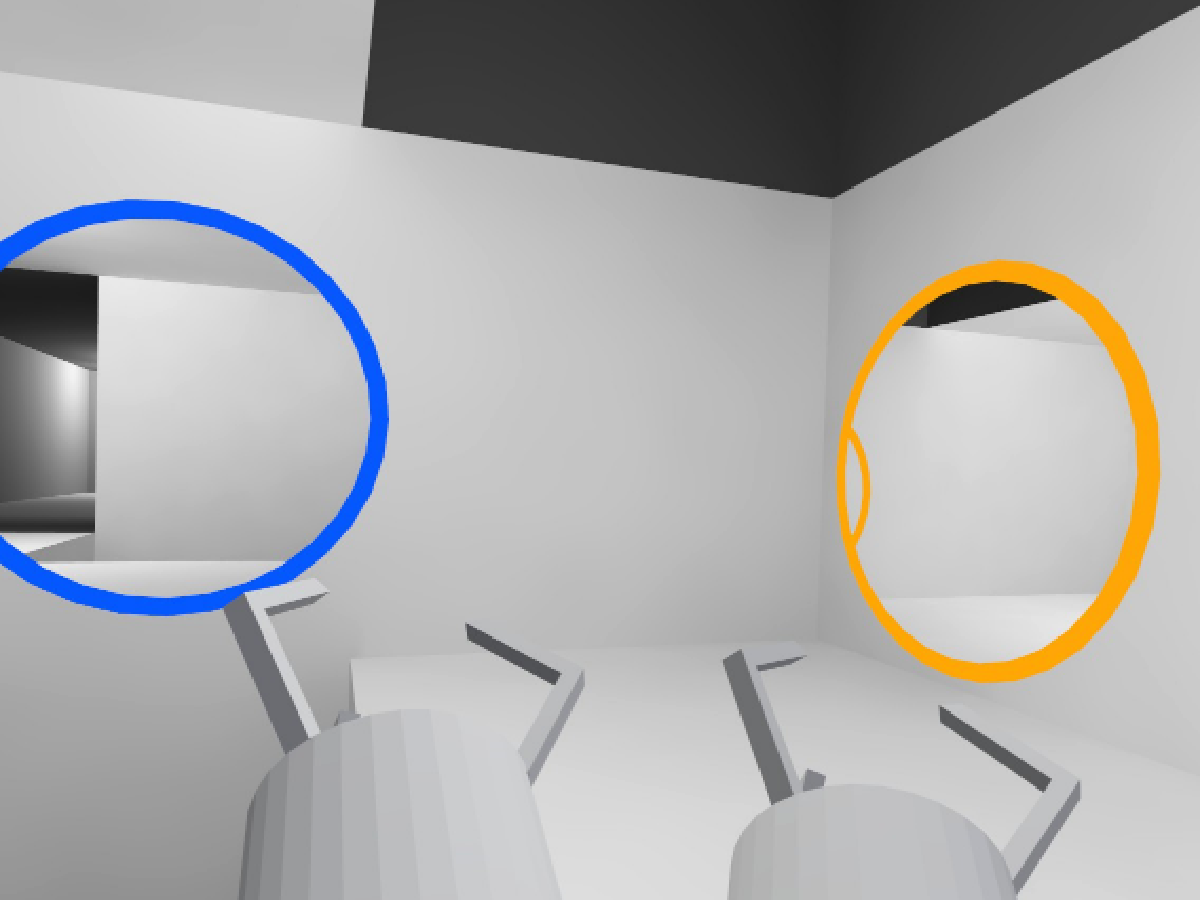
https://vrchat.com/home/world/wrld_b0396e28-6d1c-4b8a-86b6-31b8389154e5
 dry tulip
yeah,
fiery yoke
If I remember correctly then those are simply Render Textures and do not actually show objects that pass through them let alone avatars
dry tulip
im pretty sure they show avatars, hold on, lemme try and slap something together that might be exactly how they work.
fiery yoke
Another thing is that portals would actually rotate your body in the process of transferring through them, which is bad for VR
Thats why you do some really weird twisty maneuvers in the original Portal games. It would be very disorienting
And making Portals that work with Avatars is hella tricky. I only just barely managed to jank it together myself. The reason is that in normal games you just have some player model that you can replicate and cut at a plane with a shader. But in VRChat you cant do that.
@dry tulip
And to be clear: I dont mean that you see the avatar in the other portal. I meant that if you stick your arm through the portal, it comes out of the other one.
dry tulip
right, but none of this had to do with my question, i asked how to do it, not if i should do it.
fiery yoke
You said you want to make it "make it more more portal".
And I said that its really difficult to make it any more portal than in that world, because VRChat doesnt give you enough control over things like Rendering and Physics.
Unless you meant on an aesthetic aspect
dry tulip
yeah, like actual turrets.
like, its portal gun, but not portal in its entirety.
i wanna make portal
fiery yoke
If you want to learn how to do Portal mechanics in general in Unity then this is a pretty good video on it:
https://www.youtube.com/watch?v=cWpFZbjtSQg

Experimenting with portals, for science.
The project is available here: https://github.com/SebLague/Portals/tree/master
If you'd like to get early access to new projects, or simply want to support me in creating more videos, please visit https://www.patreon.com/SebastianLague...
dry tulip
thank you,
fiery yoke
But again portals are quite an advanced subject. Especially in VR since rendering is a little more complicated there. So consider yourself warned.
I still encourage you to try it however.
cunning mist
I recommend not trying to make portals. At least, don't try to make portals if you want to keep your sanity.
dark blade
do i have to have the networking node for the door animation to work. i added the animation clip and followed the instructions correctly step by step
also how do i make an fbx avatar be the thing people click on for people to change into that avatar
cunning mist
@dark blade You're basically wanting to tell every person in the scene to play the animation of the door opening. The way you set this up is by calling a networked event that you made. So instead of doing everything after Interact, you make a custom event like "PlayAnim" and put everything after that. Then on Interact, you do SendCustomNetworkEvent to All players.
Note, this does not sync for late joiners.
 terse palm
How do I make a 2D mirror?
dark blade
go to the mirror prefab. just type mirror and it will be right there
so just make it look like the picture then
terse palm
Ah okay thankyou
cunning mist
Yeah
dark blade
np and thx vow
terse palm
:O vowgan
cunning mist
@dark blade For having an actual avatar as your pedestal, you'll need a graph that looks like this, with a public Vrcavatar Pedestal variable. Put this script onto an object as well as a collider (box, capsule, whatever) and make your avatar a child of it. Have an empty object childed to the object that has the graph on it and put a VRC Avatar Pedestal script on it, then scale it to 0 on x,y, and z. Select this child object as the target for the Public Pedestal variable on your graph and it should be good to go.
Note your avatar will not have correct outlines with the highlight, as the highlight will only work on Mesh Renderers and not Skinned Mesh Renderers. You'll want another version of your model file where the Import settings for Rig are set to None. You wont be able to pose them in this matter, so you'll probably want to pose a custom version of the model and export that from blender before hand.
terse palm
Randon question for a chair can u change the siting pose for another pose file?
cunning mist
Not in Udon at the moment. Chairs can override the player's animations which is how it is typically done, but animation overrides have not been added to Udon yet, presumably in wait for Udon and AV3 to be the same unity package.
terse palm
Awee :( I wanted to make it so desktop players can lay down on the couch and stuff :(
cunning mist
A future feature, but not one we have at the moment unfortunately.
terse palm
That sucks, awe well, just gotta wait till they add it :(.
pulsar cove
Is it possible to have a text input send a web request with the input as a variable?
I want to do a sort of player feedback thing
fiery yoke
There was a way to do it with Video Players, but that has been explicitly removed with the new Video Players, due to the risk of exploitation.
Or at least it was made harder
pulsar cove
Ah fair enough
dark blade
can i just change it through the pedestal prefab itself
rough beacon
@dark blade You're basically wanting to tell every person in the scene to play the animation of the door opening. The way you set this up is by calling a networked event that you made. So instead of doing everything after Interact, you make a custom event like "PlayAnim" and put everything after that. Then on Interact, you do SendCustomNetworkEvent to All players.
@cunning mist cool trick. i didnt think you can do that.
cunning mist
I'm trying to hold off on doing any proper networking tutorials at the moment until the networking update comes out, but that's dependent on when Dan thinks it's ready.
rough beacon
i may have to play around with this
dark blade
vow can i do the avatar through the prefab itself
cunning mist
What do you mean?
rough beacon
@cunning mist you seem to be very good at this. how do you transfer owner
cunning mist
rough beacon
lol. i almost had it right. thank
cunning mist
Quick thing on that though, this happens late in the frame, meaning that anything that requires you being the owner of something has to be buffered to the next frame.
dark blade
there is an avatar pedestal already. cant i just use the avatar and put it through the prefab itself
cunning mist
The problem with that is you can't hide the visual of the avatar pedestal screen thing without scaling it to 0, and then you're unable to click on it.
rough beacon
ya. i just want make a system for my theater so people dont have to reload world to move owner from 1 play to other
if this work. i going have to tweak 1 udon so it update who new owner
dark blade
how do i add a pause button for the video player
cunning mist
Working on that tutorial right now lol
fiery yoke
The VideoPlayer has a Pause function. The rest is up to you.
cunning mist
That's because you haven't made a button
dark blade
oh ok then
well hopefully you cvan get it becasue i need a pause button and a resync button
floral dove
@dark blade they're telling you that YOU can add the pause button and make it fire the function
rough beacon
Working on that tutorial right now lol
@cunning mist i keep eye for your video. not sure if i am sub to you
found you on youtube
cunning mist
👍
dark blade
is there any pens that work out there with the latest udon
floral dove
You could use Udon to call SetPosition on points in a LineRenderer to make your own pens
dark blade
that might be a little tricky for me
cunning mist
I have some pens but they're basically unusable until the networking update
dark blade
how do i do the line renderer to get cleared
floral dove
hoary echo
Trying to upload my first world, got this beauty string of errors:
Tried my google fu, can't find much info. World size isn't too crazy, about 340Mb in local test
hoary echo
It seems to loop once it hits here:
What is the world size limit based on? When I test my world locally, in-client it loads about 340Mb. Looking in the file path that the error shows I see a .vrcw file that is 450Mb, but then the .unitypackage is a chonky 2.5 Gb
floral dove
oof - I don't have exact details on the file size limits but that's got to be beyond it. I generally recommend people try to keep their worlds under 200MB
floral dove
what's in your world that's so big?
hoary echo
It's a big world, it's my test bed to learn unity and udon, so it's just a mishmash of stuff. There's a cabin, a maze, a haunted house (as haunted as you can get with 100% free assets)
More triggers than you can shake a stick at
severe tree
You can get a good idea of what's taking up the most space if you use 1's world debugger, it shows a build report with what is taking up the biggest percentage of the build and such. Not sure if it's pinned anywhere but if you can't find it I can send you the one I downloaded pretty recently
hoary echo
Thanks, I'll google around and see if I can find it
serene moat
the unitypackage would contain the source assets for everything so it'll usually be much larger than the actual thing you upload to the game. 450MB is large but I don't think it's large enough for VRC to block you from uploading it
hoary echo
I've heard that 500Mb was the hard limit
serene moat
it's where VRC will yell at you if it goes public, but unless it has changed recently you can still upload it as a private world
hoary echo
All I've done is run an automatic crunch compression on all of them, but now that I'm looking into them, there's some that didn't actually shrink in size
terse palm
Ah yeah so your going to have to manually compress them
hoary echo
The downside of free assets, haha, luckily there's only a handful that are really bad
 sudden saffron
i've got a world where there's a bunch of rigid body objects to toss around but the locations don't sync between players. each rigidbody object has an Udon behaviour on it that returns the object to its starting position if it gets too far from 0,0,0
any help for how to get the object locations/velocities to sync between players so they can play catch with rigid body objects in this instance would be appreciated, including whether that's even feasible with VRC in its current state
 mighty fjord
There should be a toggle on the Udon Behaviour component which syncs the position and rotation of the object it's on, have you tried that?
sudden saffron
can see Synchronize Position and that's ticked for all the throwable objects
would it have something to do with them being pickup objects?
dark tiger
How many synchronized objects do you have?
dark tiger
If there are too many, you may be oversaturating the network. If that's the case, try with a lot less, maybe a couple.
sudden saffron
sounds reasonable, will try! any tips on profiling?
 prisma abyss
I have strange problem with Udon Mirror. When i setup like this at max x1024, i still get blurry image, like it's stuck in auto resolution mode. In VR it's blurry, but in Desktop it's sharp. What is going on here, did i miss something?
I checked other udon worlds, but they're sharp. How do they make it sharp?
Looks some mirror prefabs have it on Auto. I go check it now.
prisma abyss
Yes, Auto is higher. But why is x1024 very blurry? In SDK2, you can also set x1024, which will give sharp image. Have we here some bug?
dark tiger
What do these nodes do? Or what does it mean that the object is "ready", and the network "settled"?
fiery yoke
Those things should always happen, before any Udon code runs, so they are inherently pointless from what I know
dark tiger
Oh, ok
 glossy hornet
i wonder if there is a way to call the VRCSDK3VideoComponentsBaseBaseVRCVideoPlayer component inside udonsharp? i can control that component from the graph editor / udonsharp says BaseVRCVideoPlayer should be exposed, but i cant figure out how to access the variables. is there something im missing?
fiery yoke
using VRC.SDK3.Video.Components.Base;
You need to tell it where to look for the type.
glossy hornet
ew thank you 😄
does that url had to be inserted within a input field or is there a way to convert it manually to vrcurl?
fiery yoke
The whole point of VRCUrl is so you cant generate them at runtime
So no, a User HAS to input them. You can however have as many pre-set URLs in your UdonBehaviour as you want
glossy hornet
how to pre set more than one url? i cant see any option to use more than one / have a playlist(index)
fiery yoke
You just have an array of them
you can edit them in the inspector
and then just access them from the array
glossy hornet
but that array has to be on the editor, i cannot feed it through the script, right?
fiery yoke
What?
glossy hornet
i would like to make that array inside udonsharp so its easier to edit it later
fiery yoke
No you cant construct VRCUrls. Thats the point.
glossy hornet
oh ok got it thank you
rough beacon
how do i link obj to teleport loc
stark adder
youll need to get the position and rotation from it somehow i think.. Idk never worked with the Graph editor 😄
rough beacon
ya. i got way around it. but, my work around put me in spot where i got to clone udon and set number by hand
severe tree
From the object you use Get Transform and from there you have to get both World Position and World Rotation
If you don't need them to face a particular way you can just leave out the world rotation bit
stark adder
Can you SS what you got now
rough beacon
SS?
stark adder
Screenshot
rough beacon
stark adder
You still didnt get Transform from the Object
severe tree
you have to make sure you type GameObject, select that in the node list and then use the Get Transform from there. You then use that Get Transform to get the world location (which is your vector 3), and then the world rotation which is your Quaternion
fiery yoke
GameObject.Get Transform > Transform.Get Position > Teleport.teleportPos
stark adder
@rough beacon
rough beacon
ok. i got it
stark adder
Same for rotation
rough beacon
now i got test
i made this work with UI. custom event is great 🙂
it work great.
 hazy canopy
Would love to see any working udon pens, is the networking update out now?
fiery yoke
- There are. QvPens for example has been ported to Udon. Not sure if theyre free tho.
- No not yet.
The problem with pens is that there is no "ultimate" solution. There is different solutions that all have pros and cons
The easiest way is to just sent bulks of position data, but that would be a hell of a lot of bandwidth under VRChat conditions.
rough beacon
thank you for your help. i made 4 set warp. 2 is ui. 2 is block. set only owner can use. other 2 is for anyone.
 stable bridge
- There are. QvPens for example has been ported to Udon. Not sure if theyre free tho.
- No not yet.
The problem with pens is that there is no "ultimate" solution. There is different solutions that all have pros and cons
@fiery yoke Do you know where to find the udon ported qv pens?
nvm I found it, just didnt see the button for UDON on their booth page
floral dove
fyi @stable bridge - I've seen a few people coming here for support for pens they purchased online that aren't functioning as expected.
stable bridge
:c yea I just tried it out - there seems to be a missing assembly reference for UdonSharp when I import the qvPen unityPackage to my project
which is strange..
hoary echo
Kill me, trying to get this world to upload is the biggest pain in my ass.
Always fails on creating file version record, loops every second and generates a new, identical, error message
gloomy sluice
Does anyone know of a good current video for teleportation via interact?
floral dove
I haven't seen one, but you just need three nodes:
- Interact
- Networking.GetLocalPlayer
3.TeleportPlayer
Just hook them up!
Also, people have definitely posted their graphs to do that in this channel if you search.
I'm on mobile so node names might not be 100%
gloomy sluice
tysm! I'll check!
steel nova
i have a retrofitted shader that works off getSpectrumData that works in the editor but not in game
does gain change when in game? i cant find why it stopped working
does vrchat change audio sample rates in game?
 onyx chasm
I'm making a button that'll interact with a hand press but at the moment it only interacts with the whole player walking into the collider
 hollow juniper
what's this node called and how do i find it?
doc says special nodes but cant find it in that and everything i have tried so far when searching has come back with nothing x.x
worked it out but its not intuitive at all and docs did not help
you need to hold ctrl while you drag it out instead of making a node
steel nova
okay this is a dev level question i think; i'm seeing getSpectrumData is controlled by player audio levels, not the source of the audio itself? is there any way to do the latter?
hollow juniper
could someone explain why this does not sync up between players please, Little lost
steel nova
does getSpectrumData not work with AVPro player?
steel nova
my visualizer works with audio clips in the AudioSource but not when AVP speaker script is pumping audio
is there a way to have AudioListener.GetSpectrumData type functionality with udon?
hollow juniper
Guessing my thing is not working because its making the owner trigger it but they are not the one changing the value, but unsure atm how to get the value to transfer
rough beacon
could someone explain why this does not sync up between players please, Little lost
@hollow juniper you have network custom on on false but true is not set up to network. so it only local.
try something like this
hollow juniper
Will give it a shot
@rough beacon Sadly this only seems to allow world owner to update it
hollow juniper
like this?
rough beacon
you can try. not sure if this going let it play out.
hollow juniper
if i make my world single player life would become more simple xD
rough beacon
caps -.- ya, i feel you. i miss the old system
hollow juniper
for what ever reason it's the same, only host can update it
well guess that kinds makes sence
other way was making it trigger for host, but just missed a value to update with
rough beacon
if you do find away. let me know
hollow juniper
the button just has a value++ so it does not care what the other user did
Ty for trying tho ^^
and will do
rough beacon
my goal is make useful pack for user who don't know how build thing. that what udon pack lack of. vrchat team cant stop me. they may as well take it 🙂
i will call it Tiger Udon starter pack 🙂
hollow juniper
i have kinda the same idea :p
fed up not being able to find super basic things that should not be complicated
rough beacon
agree
 inner tundra
I have trouble with an interact trigger that works for everyone, when I need it local. I have it doing some instancing, so players are getting wildly different results when interacting with it. Any pointers as to how I can make it function only for the player that triggers it?
I can't really find any pointers or documentations anywhere 
I'm doing a "Networking Get Local Player" which could be the culprit, I could separate the scripts potentially, so the instancing is done by a separate script.
steel nova
just have it send custom event; that for sure only fires locally
hoary echo
Any tips and tricks for using a held item? I've got a flashlight that I'd like the player to be able to turn on/off while holding it. I've got it set up with on interact, which works, but replacing On Interact with On Pickup Use Up or Down doesn't do anything
dark tiger
@hoary echo, can you show the graph?
@inner tundra, if you mean a UI button, you can look in the Udon example prefabs
inner tundra
Nah, it's a Game Object being used as a button, but I'll look into that, thanks.
dark tiger
Does someone know what this error means?
hoary echo
@dark tiger Here is the fanciest graph you ever did see
dark tiger
I suppose the object already has a PickUp script added
dark tiger
Also note that there is currently a bug with two flow connectors being connected to the same node
Try connecting only the On Pickup Use Down
hoary echo
I'm like 99% sure I already did, but, I will 100% give it a go just in case
dark tiger
You could also make the toggle without the need of a branch
hoary echo
Ohh, fantastic, good to know
steel nova
are sliders synced?
IE if i run this, will late joiners/ anyone who hasnt tweaked the slider be kinda screwed? needs to be a master control
_intensityclamp is a synced variable
hoary echo
@dark tiger Thanks for the tip, but... No luck.
hoary echo
Nvm, got it
 sleek jacinth
Does someone know what this error means?
FileNotFoundException: C:/Users/Name/AppData/Local/Temp/DefaultCompany/New Unity Project (7)/prefab-id-v1_avtr_f85bf661-beb3-411c-9f19-fff0fe9a681d_8346635578.prefab.unity3d does not exist
System.IO.File.Move (System.String sourceFileName, System.String destFileName) (at <e1319b7195c343e79b385cd3aa43f5dc>:0)
dark tiger
@steel nova, the variable will be synchronized, yes, and only the owner will be able to change it
However, the slider may or may not be synced for everyone, depending on how you are managing it.
 maiden pond
Hey guys how do i make it so everyone can jump i have sdk3 and unity 2018
hollow juniper
Does anyone know how to make a slider update globally for anyone that uses it.
so far only worked out how to make it
host only and local only
sudden saffron
There should be a toggle on the Udon Behaviour component which syncs the position and rotation of the object it's on, have you tried that?
following up on this - turns out having the Udon Behaviour was enough, leaving the script blank worked to sync the objects
hollow juniper
Anyway at all to send data todo something like this? x,,,,,,x
only way i see is using an extra physical object and recording it's position and sending it back as some kind of slider data.
but thats silly.
another way is to code in a custom event system but that's really intensive
If anyone can help me unlock this simple slider thing or tell me how to send sync information to everyone or send data back to host for syncing.
would be massive help
sudden saffron
@hollow juniper have you found JetDog's prefabs? there's an Udon toggle implementation in there which has setup and sync https://github.com/jetdog8808/Jetdogs-Prefabs-Udon

GitHub
A compilation of prefabs and other useful items for vrchat users. - jetdog8808/Jetdogs-Prefabs-Udon
sorry i am only starting out with udon myself so i don't have much more to offer :/
hollow juniper
Toggles are not to hard they work kind of the same as the example button.
where it gets the world owner to trigger a ping rather then a value, and that toggles a synced value on or off
T-T
will have a look in the pack tho ty
 golden pawn
how would i go about animating post processing with a slider thru udon? ive been fiddling with stuff for the past few hours and i just cant figure out what to do
hollow juniper
Can a synced value only originate from the worlds owner?
And can you transfer that power to another user in the world
 dawn storm
I have a question.
I want to teleport all players in a specific space to a specific location at the same time.
1.It seems to be using the Vrcplayer Api Teleport To node, but it seems that only one player can move at a time.
2. I don't know how to get instances of all players in one collider.
Any ideas?
hollow juniper
Wont update transform position in game but works fully in unity
hollow juniper
seems to sometimes work but super rare in game
Cleaned it but but still no work ingame sadly
does picking it but change the parent
going to test if thats why now
rip thats not the reason
Using custom event to run on drop instead is no good to
steel nova
is there any way to use 2 audio sources for the unity video player? also idk if u know this devs but AVPro player doesn't work with GetSpectrumData; is there any way to change that? ;_;
its making my stream setup a bit of a nightmare
cunning mist
@steel nova No, the only way to have multiple outputs is to use the AV Pro player, which I highly recommend.
pulsar cove
Is there an ETA for when the RTSP fix will be released?
steel nova
@cunning mist AVPro player speakers don't output GetSpectrumData ;_;
cunning mist
The speakers are just components for an audio source. You get the spectrum data from the audio source instead of the AVPro Video Speaker component.
hollow juniper
o god x,,,,,x seem to have done something to make it not even work in unity let alone in game and running the same code
Going to rewrite it in U# and hope i get a better outcome
cunning mist
👍
hollow juniper
Nope no good does not work still, want to scream at this point >~<
Tested this also in a normal c# just to make sure and that works fine
cunning mist
@hollow juniper
pos = new Vector3(0.3f, 0, 0);
hollow juniper
will give it a go
cunning mist
{
    private Vector3 pos;
    public Transform handle;

    private void FixedUpdate()
    {
        pos = handle.localPosition;

        if (pos.x > 0.3f)
        {
            pos = new Vector3(0.3f, 0, 0);
        }
        else if (pos.x < -0.3f)
        {
            pos = new Vector3(-0.3f, 0, 0);
        }
        else
        {
            pos = new Vector3(pos.x, 0, 0);
        }

        handle.localPosition = pos;
    }
}
works in unity again, now fingers crossed it now works ingame
<3<3<3<3<3 that worked ty @cunning mist
on my way to beating the shitting thing of no global slider :p
steel nova
@cunning mist I know, if you can pull spectrumData off them let me know; i spent all day on it today before giving up and using unity player
its like it bypasses the audio source itself idk
cunning mist
Worked on my side when I tested it here
{

    public AudioSource target;
    private float[] spectrumData = new float[64];

    private void Update()
    {
        target.GetSpectrumData(spectrumData, 0, FFTWindow.Rectangular);

        transform.localScale = new Vector3(1, 50 * spectrumData[2], 1);
    }
}
As a note though, GetSpectrumData only works if the player's view can actually hear the audio. The quieter it gets (like if the player walks further away), the smaller the values will be.
steel nova
interesting, AVP must be register quieter to getspectrum? i was going insane trying to make it work today
cunning mist
shrug
steel nova
cheers though, used your tutorials when learning about the players initally lol
cunning mist
Glad you enjoyed haha
 sinful slate
I have a vrc pickup script with orientation set to grip, and the object itself assigned to exact grip. but no matter how i change the rotation of that object, the orientation in the hand does not change, any ideas?
(also, AutoHold = yes is apparently not workign on Index controllers?)
hollow juniper
using UnityEngine;
using VRC.SDKBase;
using VRC.Udon;
using UnityEngine.UI;

public class SlideConstraint : UdonSharpBehaviour
{
    public Transform Handle;
    private Vector3 pos;

    public float min = -0.3f;
    public float max = 0.3f;

    private float scaledValue =0;
    public Text Value;
    private void FixedUpdate()
    {
        pos = Handle.localPosition;
        if (pos.x > max)
        {
            pos = new Vector3(max, 0, 0);
        }
        else if (pos.x < min)
        {
            pos = new Vector3(min, 0, 0);
        }
        else
        {
            pos = new Vector3(pos.x, 0, 0);
        }
        Handle.localPosition = pos;
        scaledValue = (pos.x - min) / (max - min);
        Value.text = scaledValue.ToString();
    }
}```
@cunning mist  can have this ❤️ ty for helping
player synced slider that anyone allowed to pick object up can use.
can replace ui slider if cleaned upNice 👍
hollow juniper
now to make it overly complicated T-T since 1 axis works they all should.
should be able to build my control panel now \o/
 latent swallow
simple question, how do i add more audio tracks to vrcvideoplayer? adding them below target audio sources has no effect. (not added to the actual video player)
 hasty iris
Newbie question here! There is an embedded browser in Unity which I once used to build an experience. I'll like to recreate that sort of experience in VR Chat, such that you can load urls on surfaces, navigate through webpages, etc. Any pointers on this please?
latent swallow
not possible, use unity ui
fiery yoke
@hasty iris You cant access the web. Other wise that would be a security nightmare.
hasty iris
@hasty iris You cant access the web. Other wise that would be a security nightmare.
@fiery yoke This asset manages that in Unity, I think by wrapping Chromium, though only for PC builds.
fiery yoke
@hasty iris Custom assets are not allowed. Only certain whitelisted ones. You cant access the web. If you can than thats a huge security hole that would be closed immediately.
hasty iris
Okay.
hasty iris
Can PDFs be viewed in VRChat?
golden pawn
so currently im trying to get the weight of a post processing stack animated through udon by slider, theres absolutely no documentation on how to do this specifically, and i assume its hard to do in general, this is the script i have right now that to the best of my knowledge, should at least just be starting the animation halfway through, but it's not even doing that, any idea where i went wrong?
it starts the anim and sets it to a speed of 0, but it doesnt change other than that
welp, nevermind
it works
golden pawn
so ive got all my sliders controlling the weights of my post processing through volumes, but if lets say, the tint, is changed at all, and you change another slider, it resets the animation of the first one changed, any way to fix that?
ahha figured it out again nvm im actually dumb
rough beacon
i dont think i call you dumb. if you can do udon. that is very skillful. 🙂
Can PDFs be viewed in VRChat?
@DADA_universe#9406 maybe not as PDF but you can upload photo as a page or input as text. you can make button to change pages. i hope that help you...
golden pawn
so i just cannot get my slider to control the volume of my video source, seems like i cant adjust the volume at all, not even if i just change the volume from the source itself?
golden pawn
do i have to use a script to control volume? or can i just set the onvaluechanged to control the volume?
 frank lily
just built this world today and pretty sure it's all done properly but trying to publish i get this
clicking ok lags my computer so i think it's trying to do something but i'm not sure what since it doesnt work later
play mode works fine though, nothing weird there
build and test doesnt work it sends me to home ;-;
i havw a bunch of script errors from an asset package from the store i think it might be those, but its for things im not using
it looks like getting rid of the package fixed it
hasty iris
i dont think i call you dumb. if you can do udon. that is very skillful. 🙂
@rough beacon
steel nova
The AVP player still isnt outputting anything to GetSpectrumData. is there any debugging steps i should try? My visualizer shader works with audio files in the audio source and the Unity player
or any ways i can view data live in the editor? or do i need to build every time for tweaking
hasty iris
i dont think i call you dumb. if you can do udon. that is very skillful. 🙂
@rough beacon
Hey, thanks for responding. So yes, I know I can map each PDF page to a texture, except that I'm working with loads of pdfs (and other media) and it would be a pain to have to do that for absolutely each one. The way I've done this before in Unity is to either use an asset to load the PDFs in Unity or to put the PDFs, videos and other media on a webpage and then map the URls to surfaces in Unity using another asset. Being I can't do either with Udon, I'm shopping for a workaround, any hacks that someone might have used for similar stuff. Hope my question is now clearer?
steel nova
The AVP player still isnt outputting anything to GetSpectrumData. is there any debugging steps i should try? My visualizer shader works with audio files in the audio source and the Unity player
or any ways i can view data live in the editor? or do i need to build every time for tweaking
i will gift nitro to anyone that can get solve this problem
works with every setup besides AVP player
it seems like either a simple fix or I found an incompatibility; the same video run through Unity's player or an audio file in the source itself works great.
agile oasis
anyone else having issues uploading their world? like, the sdk lets me go thing the whole thing, but when i go to type in the info for the world its not allowing me to type anything in it.
steel nova
@cunning mist sorry for the ping but just trying to continue last convo, do you see anything wrong with this?
will deadasd venmo you if you find the solution
cunning mist
@steel nova Just so I get what you're doing, what do you have set as a public variable in the inspector? And I assume the Rce variable is actually an Audiosource variable just cut off?
scarlet lake
How do i make a good chair?
The button on my chair is in a weird position, and when I click on it, I may or may not be seated correctly according to the avatar I am using.
steel nova
I have public Gameobject and Audio source variable, gameobject i made just for debugging
@cunning mist
and Channel0, Channel1 are my materials with the custom shaders
like i said this script/shader works great with Unity video player or clips put into the audio source directly; i feel like ive tried everything to make it work
cunning mist
And you're getting audio to play from the AV Pro speaker, just not show up here?
steel nova
yep
cunning mist
@steel nova I tested this with both Unity and AVPro, and in both cases it scaled the gameobject the same. I'm uncertain what issue you may be running into in your experience.
 copper mortar
Does anyone have a good way to make a sliding door that will play an animation of the door sliding away via a button?
cunning mist
I have a tutorial on animating a door with a button, but you'd have to make the animation itself.
If you want one that activates when you get close, Momo put one out on the official VRChat YouTube channel.
rough beacon
Work great. thank Vowgan
cunning mist
👍