#udon-general
59 messages · Page 16 of 1
 shadow tundra
 cunning mist
Because the fewer times you establish a variable that never changes, the fewer times Udon has to do unnecessary thinking.
 flint urchin
It costs more
 paper hemlock
I may have the reason it does it, I will try confirm it and let you know
shadow tundra
Also, there is not instance linked to your vector and position
flint urchin
If you reference it, it doesn’t have to look it up again because it already know
Instance is self
shadow tundra
Okay, I don't use graph, this is why
paper hemlock
@cunning mist II hope you dont mind the tag, but here it is doing it again. It did it without me making the change I thought it was.. (I had an idea that it broke when I rotated the teleport location)
shadow tundra
Ah,
cunning mist
Can you move?
paper hemlock
Yea I can move / constrained to where the model is
so in this case I can move forward to the model and to the right down the hall
cunning mist
I couldn't find one that references this exactly, so you should make a bug report on this and have an uploaded version of your world as a reference that they can visit.
shadow tundra
VRChat teleport system is weird, sometimes I see other players between their place and where they should teleport during 1 frame
paper hemlock
would the world need to be public?
cunning mist
No, you just need to give them the link to the "Launch" page on the website.
shadow tundra
I think, your camera is teleported in this temporary position where your avatar was instead of being teleported at end
it is a bug from the devs
It may be due to player position interpolation
When player gets teleported or move, his avatar moves in temp positions between their destination and where they were.
This is used to make people moving with fluidity in a multiplayer game.
The bug is that instead of moving to the destination, the local script will teleport camera position to these interpolations instead of destination.
 plush wadi
when working with UI butttons, is it easier to just give them a collider and do Interact() ? Or is there some weird way you're supposed to hook them up?
current setup doesn't seem to work too too well
Welp, udon just decided to delete ALL behaviors on this item betweeen builds
 fiery yoke
Multiple Behaviours on a single GameObject is not recommended anyway
plush wadi
By whom?
fiery yoke
It can lead to Networking issues...which currently literally doesnt matter, but yeah it should be avoided unless you know exactly what youre doing.
plush wadi
Networking issues? Howso? If I shouldn't be doing it i'd like to know why
multiple monobehaviors is a common unity design method, so i'm not sure why udonbehaviors should be different
The only issue I've found is in Unity's UI you can only pick one udon behavior from a linked object, which only matters if you're liking objects like that. But any other caveats i'd love to know!
fiery yoke
PhotonViews are attached to GameObjects. If you tell it to send some message to a UdonBehaviour it wont know which. Which in return means that it will just target the first one it finds, meaning that all CustomNetworEvents and variable syncs might get forwarded to the wrong behaviour. Thats from what I know about Networking, might be wrong.
plush wadi
Doesn't look related at all to my issue though, and as long as you properly source your scripts and don't just seek udonbehaviors it shouldn't be an issue then
plus it also happened to this one with just one behavior
flint urchin
Reimport script and restart unity
paper hemlock
So regarding the teleporting issue I have, it seems to be solved or atleast the issue is greatly reduced through being in VR.
plush wadi
@flint urchin reimport all scripts?
plush wadi
Giving it a shot
flint urchin
Just don’t edit anything
plush wadi
Yea, it only fixed a few of them 😦
but whenever I create a program again and re-add the script at least the values are all still there
Oh... sometimes I guess... well this sucks
 leaden frost
HI all, I just got a occuls rift today, but i cant find a way to test my world in vr. Im still a new user so i cant publish for testing anyone know what i might be missing
paper hemlock
When hitting Build and Test, make sure you dont tick Force Non-VR. If you have Steam VR and Oculus App on your PC those should automatically open which should push the game to your rift
plush wadi
why does this keep going back from 4 to like 30 items?
 vale forum
Does anyone have definitions of what the colors on the Udon nodes represent? (Green = event, blue = action to take, etc?)
cunning mist
Right now, green is event, blue is everything else. Major color update coming soon though!
vale forum
Thanks!
cunning mist
👍
vale forum
@cunning mist One other question (I'm making a set of flash cards for myself). Do we have a word for the types of nodes that stand alone? That is, they aren't connected by noodles to anything?
cunning mist
Hmm? You mean the variables?
Outside of variables I don't believe there are any nodes that don't connect to anything. Those are just used to establish a variable that can be accessed with Get Variable. With the upcoming UI update, those nodes won't exist anymore, and will instead be variables within a UI box you can move around and rescale
vale forum
Okay, thank you! Yep, the variables-- I didn't know those were the only ones that stood alone.
cunning mist
No problem!
leaden frost
@paper hemlock thanks i will check the path i use on the app for builds cause it just stays on the loading screen in a desktop window when i used a path to my oculus directory
fiery yoke
@cunning mist Not sure, but I think Comment Nodes also dont connect to anything
cunning mist
Ah, true. They're not great, so I kinda forgot they exist XD
cunning mist
How do you do these things
plush wadi
Idk lol, unity just borks for me a lot XD
Though... reiterating an earlier question:
cunning mist
Presently working on that video lol
As a base though, set navigation to None.
I haven't tried using the Interact button send, perhaps see if it works in game? I typically use SendCustomEvent and just do my button code through there.
plush wadi
how do you send a custom event? Is that in the list somewhere or am I blind
cunning mist
@plush wadi Yep, it's pretty close to the bottom, you may have to scroll.
 pallid mango
plush wadi
pallid mango
plush wadi
WHYYYYYY do sync'd vars just never update sometimes???
this is just a log in update() after the owner of an item (who never changes ownership) sets their own sync'd var to 1
it never updates on the other client
plush wadi
Like am I doing something drastically wrong or is there some secret I don't understand? 😦 I can't seem to get any of these things to work but they seem like they should
plush wadi
 dark raft
the one case i've had where synced vars stop updating is if you have too many of them on the UdonBehaviour or too many in the scene, though in either case you should get the obvious serialization errors or "death run detected"
plush wadi
I've seen some death run stuff... let me see if it's in here between when i change the vars
dark raft
oh, if you have, you probably have too many udonbehaviours in your scene. the "death run detected" stuff will just drop the packets with your synced variables
I tested a max of ~10 udonbehaviours before death runs occured and all variable syncing stopped, in https://ask.vrchat.com/t/how-to-sync-with-udon/449/6 . Though that was with a slightly pathological case of the max 185-byte-per-behaviour synced variables changing every 200ms. Practically you can fit a few more less-frequently-updated objects in the world, though I still think the limit before you hit 'death run detected' is in the low 10s of behaviours

VRChat Ask Forum
I did some probing into the throughput limits of synced variables in Udon. tl;dr Udon is roughly as fast as a 56K modem in terms of throughput, if you pack your data into 8 UdonBehaviors each with 2 synced strings and update them every 200ms. I set up a simple loop on an Udon...
like, 32
plush wadi
10 in a scene? that's it
dark raft
yes
plush wadi
omg udon is useless
dark raft
networking is not great for sure
plush wadi
so it's pointless to even try to create a hud system or anything like that
because after 10 players it will break?
dark raft
it's worth testing for the data updates you expect; I think my 10 behaviour limit is really pathological, but still, 16, maybe 24 players max
plush wadi
that's unbelievably useless
like I'm honestly having trouble fathoming that they put this out even in alpha
dark raft
my lightly-battle-tested hack around the limitations is to instead treat synced variables as a dumb broadcast medium of 185-byte packets and pack any information I want synced into those
the strategy is lightly documented in https://github.com/hiinaspace/just-mahjong/blob/master/Assets/UdonMultipleAccessBroadcast/Bus.cs

GitHub
dumb Riichi mahjong experiment for vrchat udon. Contribute to hiinaspace/just-mahjong development by creating an account on GitHub.
it works considerably more reliably than udon's "sync position" , but costs a lot of effort to do all the byte packing
plush wadi
I barely understand networking at all, i honestly think i should give up with vrchat at this point
i don't know what else to do really.
rewriting their own game for them sounds too frustrating when they're focusing all their effort on making a dumb GUI system to replace c#
dark raft
You may be best off just trying to reduce the scope of whatever you're building to <8 udonbehaviours, at which the prescribed way of syncing data at least mostly works
plush wadi
I honestly can't believe we're expected to make our own sync busses for a documentation less content creation platform with what the VRChat's team's ticket log looks like rn
I honestly may be best off trying NeosVR
dark raft
but until then, yeah, we're waiting warmly on the vrchat devs to give us better primitives
on the bright side, if you do get into game networking, you're pretty far down the road to just implementing your game on vanilla unity
plush wadi
yea that's an option at this point too
I mean from everything i've learned about VRchat... It sounds like they don't write documentation on purpose because it would show that their platform is useless.
and they're hoping to draw people in with "pretty easy looking programming gui"
would just be nice to have people be able to interact in a game that's sole purpose is... people interacting...
I'm just upset at how much time I wasted of my life because the Devs refuse to document anything.
Like one line of documentation would've saved me about 3 weeks of work on this. It's lunacy imho.
 quartz epoch
Can someone send me the code for UdonBehavior. For some reason it deleted and messed everything up.
nvm
 snow ibex
is there an parkour in vrchat?
 short nexus
Does anyone know where to get the demogorgen skin on quest
 sturdy ibex
Hello.
I am now thinking of creating a shopping system for my world.
However, I don't know how to connect to the network or open a web browser.
Can anyone tell me?
 sly grotto
Okay, I feel completely lost. I havent made a world in over a year, come back, and we have udon. cool, i'll just try using that for a world now. i throw a cylinder on the ground, add a chair and skybox, then hit build and test. spawn in, and im like 100ft tall. Im so lost.
plush wadi
is there a way to set the player gravity actually to zero? I set it to 0 and it seems players still fall downwards and get pulled down
 dreamy sentinel
Udon doesn't support lists at the moment right?
 teal shale
maybe you can use a gameobject array instaid?
dreamy sentinel
Indeed I just wanted to check to make sure
teal shale
i am not sure. but i did read that behavior array was not working and that gameobject array was a fallback
but uhm. i dont even know how i can read out a property of an object in udon 😦
if anyone knows feel free to tell me
 valid basin
This udon behavior turns the object it's applied to into a button that toggles "target1" as enabled/disabled. My question is, how can i input multiple game objects? I can't connect multiple noodles to a single node
 calm yoke
from my understanding the graph doesnt interpret multiple flow noodles to the same node so you would have to either chain multiple set active nodes or use block to separate ones
an alternative is to use an array then loop through it
valid basin
hmm.. thanks for the suggestions, i think i know how to do those writing code but not so much with udon blocks 😄
turns out the 'Interact' node does let you connect noodles to multiple nodes
it just seems "ugly" to me to duplicate all the rest of the code, looping thru array would be much prettier
is there any example of how to do this in udon?
calm yoke
if you look for what object variable you want and pick the one with [] for array
so "game object[]"
valid basin
Is that all there is to it? I don't need to set the other nodes up to repeat the behavior on each object in the array?
calm yoke
well you'll have to setup the proper for loop for it
i dont have one on hand, just a while loop
valid basin
https://ask.vrchat.com/t/how-to-loop-over-an-array-and-access-array-elements/192/2 think i found one here

VRChat Ask Forum
First you need to make an array, which is any variable followed by [], such as float[]. Then define the size of the array, let’s go with 8. Next we need to make a for loop, which will loop through the body multiple times until it reaches the end. Let’s put it after a start ...
calm yoke
yeah i was about to link it
 rapid frigate
can any one tell me how to use unity hub to add characters in vrchat
valid basin
@rapid frigate do you want to create a custom avatar?
rapid frigate
@valid basin no i already downloaded an avatar from internet i want to add that avatar to vr chat
valid basin
that's not really a Udon question, you also need to use SDK2 for that and not SDK3
but in short the things i would do now if i were you:
- make sure the model is properly rigged and bone hierarchy is good
- look up official VRchat documentation on how to prepare a project (once prepped you can create worlds & avatars with it)
- look up one of the many YT tuts that explains the steps to set your character up in unity and publish it to VRC
those sources will explain better than anyone can summarize it in text
 scarlet lake
hello, hope u are well, I am looking to do a custom seat animation
has teh approach changed for uDon?
i made a Sit controller with a sit animation in there... but I dont see the old file with the OverRide, please guide me on how to change the sitting animation, im jus trying to get them to sit in a simple cross legged pose on the floor
valid basin
Is it possible to replace the "use" text when hovering over an interaction with something else?

So I got asked this about three times a week since my first video either on Twitter, discord, or what have you, so I made a "Tips" video instead of a "Tutorial" since it's hardly over a minute long.
If you have any questions or requests, don't hesitate to ask them! If you see ...
valid basin
tfw try to google udon stuff but results are just full of soup recipes?
cunning mist
You can do a lot just with Brackey's tutorials for normal Unity stuff, I've been trying to make a few tutorials but it's far from fully comprehensive. I need to do a music one soon...
scarlet lake
i have 40$ for whoever can make me the chair prefab and a little more ($100) for to help with an animation the user triggers, so a state machine for the player to trigger, when he is in the seat
uSharp
lmk
cunning mist
@scarlet lake Don't see why not.
Though if you mean a state machine for the player's avatar, unfortunately Avatar Animation Overrides aren't a feature of SDK3 yet.
scarlet lake
you know what, I am going to have to use SDK2, this is for client work, and udon is jus too unstable, im deciding this because all of my references were cleared for the 10th time... after configuration... this is no good. 3 days or work lost... i understand its still early dev, thanks for the help! back to SDK2.. the projects im working on are paid work, and need to work reliably.
valid basin
is there anything like hangout video player for SDK3/udon ?
dark raft
No video players are allowed in sdk3 currently unfortunately
cunning mist
They're remaking them from scratch to better integrate with Udon, but that unfortunately takes a bit of time.
 worthy beacon
does anyone know if the way vrchat determines if you're grounded can cause it to behave weirdly with colliders on a layer that's not meant to interact with them?
fiery yoke
Probably, but not certainly.
worthy beacon
ive still been trying to figure out that issue. I have a hit box on a custom layer set to only interact with itself, and have it fallow the player (its basically the hit box). It interferes with flying and makes small avatars spin outta control XD
fiery yoke
I guess it depends on their ground detection method. In case its a simple CapsuleCast it should still use the right LayerMasks
And @scarlet lake whatever youre doing, something is going horribly wrong. What exactly are you trying to network there?
scarlet lake
I have no clue all im networking is strings floats and events
shadow tundra
@scarlet lake You might be trying to complete an array with a negative index
worthy beacon
hmmm.... theres somthing checked called Queries Hit Triggers which lets raycasts, sphere casts, spheretest, etc. to interact with triggers, and that individual raycasts can override it
wonder if this might indicate somthing....
fiery yoke
That would only make it interact with triggers, that doesnt overrule the layer mask
worthy beacon
ah right, its not saying the override is for the layer mask, just for that behavior
maybe its because im using a capsule collider?
fiery yoke
@shadow tundra Hes not trying to access an array.
That exception is caused by the Networking layer. And its something out of our hands, that is an exception caused by VRChats native code.
I have no idea whats going wrong tho. Some offset is negative. No idea what offset, or how you managed to get it to be negative tho. Maybe the string youre trying to sync is too long?
scarlet lake
I have a string that is 59 characters long?
fiery yoke
That might be too long
scarlet lake
what is the max length/
fiery yoke
Well there is no definite answer to that
It probably depends on how much each packet can handle
scarlet lake
its getting sync correctly
fiery yoke
Thats super weird.
scarlet lake
do my synced variables need to be initialized/
fiery yoke
If youre using UdonSharp then yes
otherwise they will be initialized to null which will break Networking
at least for reference types that is
scarlet lake
ok that might be the issue then
fiery yoke
However that should also give you a ArgumentNullException and not ArgumentOutOfRange
scarlet lake
hmmm
fiery yoke
It might have something to do with it, but its definitely still weird
scarlet lake
also im syncing a float for a timer is it better to just sync an int?
leaden frost
I hear you guys talking about UdonSharp do you know if it supports scriptable obj
dark raft
from my testing, you can sync a string up to 126 ascii chars long, or 42 arbitrary 16-bit codepoints. it'll depend on the other synced variables on the same behavior however: https://ask.vrchat.com/t/how-to-sync-with-udon/449/6

VRChat Ask Forum
I did some probing into the throughput limits of synced variables in Udon. tl;dr Udon is roughly as fast as a 56K modem in terms of throughput, if you pack your data into 8 UdonBehaviors each with 2 synced strings and update them every 200ms. I set up a simple loop on an Udon...
 shadow geyser
how would i make it to when a player collides with an object that object is destroyed and a sound plays? i have it to where you can interact with it and it would dissapear and play the sound
vale forum
Does Udon eliminate the ability to create toggles that give labels like "Mirror" or "Sit Now!"? if not how would I? (How would I create these labels, not the toggles themselves)
fiery yoke
@vale forum https://www.youtube.com/watch?v=okt50lEBbtw
So I got asked this about three times a week since my first video either on Twitter, discord, or what have you, so I made a "Tips" video instead of a "Tutorial" since it's hardly over a minute long.
If you have any questions or requests, don't hesitate to ask them! If you see ...
vale forum
Thanks!
 lusty glade
How do I interact with Text Mesh/Text Mesh Pro in Udon?
shadow tundra
@lusty glade You can't, use UI Text and Canvas instead
Text Mesh Pro is an extra package from Unity
 weak sapphire
Hello everyone! I hope you all are doing well! 😄
Does anyone know of a good starting point to make a variation of the grapple/item system seen in Hook Junkers? I'm not looking for the actual grapple mechanics, rather the system that enables the grapples upon gripping the colliders behind players' heads.
My apologies if this is a duplicate question, I just haven't seen anything that's on par with the climbing prefab in Udon.
shadow tundra
@weak sapphire You can get position of player shoulder with Networking.LocalPlayer.GetBonePosition(HumanBodyBones.LeftShoulder) (for the right replace left by right)
Create a pickup and put a script on it to make it change its position on this place when it is not picked up
weak sapphire
🤔 Ah! So the pickup is attached to the shoulders when not in use, right?
weak sapphire
I see - figured update was a necessity. Thanks for your help! 😃
weak sapphire
No worries, I'll do some digging
plush wadi
Riddle me this.
I have a minimap. The minimap is a single client side object that is set to follow the client player. The item set to follow the player is the parent item of the minimap.
The minimap properly follows each client player, but a child item of the minimap only follows the owner it seems, despite no custom scripts or anything on it 😕
shadow tundra
did you synchronize its position?
plush wadi
ah... yup!
that's probably it
the torch ignition's flamability script has it enabled, so that explains why it only follows one player, thanks!
plush wadi
yea, no instantiation is happening. just activating/deactivating.
leaden frost
@shadow tundra hey thanks for the code snippet i have been playing around with picks up and i have been struggling since im use to having the player game object in the editor, I hope once i really get going i can help out in here
 chilly aspen
I have a game object Udon Behaviour with Synchronize Position set to false. How can I set this variable to True through C#? I tried the following code but got errors: this.gameObject.GetComponent<UdonBehaviour>().SynchronizePosition = true;
leaden frost
are you using UdonSharp by merlin?
chilly aspen
Yes
leaden frost
you have to use the typof way to get component
(UdonBehaviour)GetComponent(typeof(UdonBehaviour))
like that

GitHub
An experimental compiler for compiling C# to Udon assembly - Merlin-san/UdonSharp
i dont know if you had there link to the github but has some info about things that converted from c#
 proven vessel
Question. i want to add a audio track as world audio. Now with adding the .mp3 file to the world in Unity. will that add to the world file size? Not sure how Udon works with it now.
chilly aspen
I got something like this, but still got errors.
UdonBehaviour tempVar =
(UdonBehaviour)this.GetComponent(typeof(UdonBehaviour));
tempVar.SynchronizePosition = true;
fiery yoke
@proven vessel Ofcourse it will add to your world file size. The audio has to be included in the download. And making the track synchronized is not an easy task, unless you dont care about that.
@chilly aspen What youre doing is redundant. Just do (UdonBehaviour)this
That wont fix the error tho.
proven vessel
gotcha. normally it would be a URL but that is not in SDK3 + Udon yet.
fiery yoke
Ye
leaden frost
@chilly aspen https://github.com/Merlin-san/UdonSharp/wiki/examples
GitHub
An experimental compiler for compiling C# to Udon assembly - Merlin-san/UdonSharp
i use the bottom example when interacting with scripts
tempVar.SetProgramVariable("SynchronizePosition", true);
have you tried it like that
fiery yoke
Ahh I actually see what hes doing now
leaden frost
i think he is trying to get udonSharp scripts to interact with each other
fiery yoke
No. Hes trying to modiify the Synchronize Position field on an UdonBehaviour
That doesnt work
you cant change that at runtime
chilly aspen
Hmm, so once the instance is launched, that field is permanent?
fiery yoke
Yeah
plush wadi
Another question about sycn position.
If a parent has it on, and a child has it on, does anyone notice a bit of lag between the parent and child's movements?
I have sticks with sync position on, and "ignition areas" with sync position on that you can use to light them on fire, but I notice if you aren't the owner, the "ignition area" lags behind the stick location. I'm wondering if turning off the ignition area's sync will fix it.
plush wadi
so just make the parent sync and the children should too? Or do you mean something else?
Sorry I can be thick when it comes to context lol
fiery yoke
A child moves with the parent
if the parent is synced, the child will be "synced" as well
scarlet lake
@dark raft so will creating another udon behaivour and splitting my string into 2 variables solve my issue?
 agile gazelle
If anyone is interested you should watch Genie boy on twitch and YouTube
dark raft
yeah, you might try a separate udonbehavior with just your strings on it
just watch the console for the weird serialization errors, on both the sender and the receiver
since it's possible to not get any errors on the sending/setting side for some values, but the receiver chokes on it
 flat musk
are there any udon compatible pens?
scarlet lake
@dark raft yeah I noticed it only shows up on the reciever and also can 2 udon behaviours be on the same gameobject?
flat musk
yes 2 can
I made a global gameobject and put 3 behaviors on it
Worked untill the sdk made it easier to set
scarlet lake
ok thx
flat musk
Still dont want to make my own pens if I can afford not to X3
 mild stone
Can you reference non udon scripts in udon?
flint urchin
Nope, well, non VRChat components
But you can only use what is provided
Any third party script isn't allowed
mild stone
there are some third party scripts allowed, you can't reference the white listed ones?
flint urchin
If it’s not in Udon then no, you’ll have to use other methods to interact with it.
teal shale
i want to take a texture from a camera and print it on a pawn that get spawned. is that possible with udon?
dark raft
you have the pawn use the render texture from the camera in its material. however, you can't access the raw pixel data in udon if you wanted to do any additional manipulation outside the shader.
vale forum
Hi, how can I reorder my public variables so they show up in number order?
fiery yoke
I think they are ordered by the time of creation right?
vale forum
Ah yep you are right. Thanks!
fiery yoke
I think they are not actively ordered. Its just a side effect of adding them one after another. It would make more sense if they were alphanumerically ordered. but thats such a minor detail, that it probably wont happen anytime soon
¯_(ツ)_/¯
vale forum
One more question for now... Here, the variable BoxColliders is an array. This current setup doesn't work because Box Collider Set Enabled and Box Collider Get Enabled are only meant for single variables, not array variables. But there isn't a Box Collider[].Set Enabled or Box Collider[].Get Enabled option... how would turn multiple colliders on and off at once this way?
fiery yoke
You have to loop through them using a For loop
look up C# For Loops. That might help you out
vale forum
Thanks!!
teal shale
can anyone look at my noodles?
i think something should instantiate when i start the world or when an event is fired?
 glossy sky
Quick question; is it normal for a custom event to be able to fire off on a disabled object? Basically, I have a button that sends a custom event to like say, cube B. Cube B controls whether or not a sphere will appear or not. But, the problem is that regardless if Cube B is enabled or disabled, pressing this button somehow still fires off the custom event on Cube B regardless if it's enabled or not.
fiery yoke
Im still not sure on this, but afaik disabling a GameObject/Component will just tell Unity not to run the normal Update loop on it. Meaning that its still functional, it just wont do anything on its own.
glossy sky
That's unfortunate then. x_x Guess I'll have to do what I wanted to do, differently.
fiery yoke
@glossy sky If you dont want to completely restructure it you can just have an if (gameObject.activeSelf == true) check
glossy sky
Worked like a charm with what I was trying to accomplish! Thank you very much~
fiery yoke
Just be aware that activeSelf and activeInHierarchy can be different, depending on whether it has been disabled directly, or it is "disabled" by some parent. So choose whichever one you need
glossy sky
Understood. Thank you thank you!
 sick dawn
Does anyone know how to setup udon to show on the wall a list of people that's in the world? I just want to make it easy for people that join my world to see if there friend is in the world.
 oblique sand
use the OnPlayerJoined(VRCPlayerApi player) event with VRCPlayerApi.displayName to get the name of whoever joined the world, then you can append it to a UIText.text or an array and somehow remove them when they leave.
sick dawn
@oblique sand how do i put them together to the ui text? do i just add them and leave them unconnected?
sick dawn
i don't know what I'm doing wrong i can't get to show names on the wall using ui text. i sized it to the wall.
 hushed gazelle
What do I need to do to set up playing an audio source for On Pickup Use Down? I would've thought I need to designate a specific audio source, but I can't find a means to do so.
fiery yoke
You plug in the Audio Source on that Audio Source instance slot?
hushed gazelle
There's no tether point on the audio source though.
fiery yoke
That is a variable. You have to use the node "Get Variable"
hushed gazelle
Ahh, duh. Thanks
Followup question; What do I need to do so only the local player hears the sound?
fiery yoke
That should be the default...
hushed gazelle
Ahh, okay.
Do I need to designate anything else aside from this to play an audio clip on a held object when it's used?
fiery yoke
Theoretically no. But you might want to consider using other means of playing audio. Depending on what you need/want you might want to look into AudioSource.PlayOneShot
hushed gazelle
What's the difference?
fiery yoke
If thats what you want, then yes
hushed gazelle
Sorry to hassle you again, but I've designated values as public but they don't want to appear in the Udon Behaviour.
hushed gazelle
Ahh, thanks
 glossy trout
How would I go about making an on/off button for world material emissions? I'm attempting to replicate a blacklight effect as much as possible using a light trigger and a possible emission trigger
hushed gazelle
How do I interact with an animator using Udon? (eg; sending a trigger to it on interact)
 covert ingot
Ive just been enabling/disabling bools that trigger transferrals
hushed gazelle
Gonna need it dumbed down a step or two. No idea how to point it to say to an animator "set transition bool == true"
Nevermind, found what I was missing!
 zinc thicket
Just a dumb question, but OnTriggerEnter() is supposed to to trigger when another trigger or colliders enters it, right? For some odd reason on my side, OnTriggerEnter() works like a OnTriggerExit().
Also, teleporting while moving isn't supposed to fling you in whatever direction you're walking, right?
flint urchin
You sure you got the correct trigger then?
Also, when you teleport, you retain the same momentum as you had before the teleport.
zinc thicket
Yeah
zinc thicket
Yup
It's layer 23 (or any unused, really) for all colliders that only detect local players
And then set the physics matrix to ignore everything but PlayerLocal
I think that's it?
flint urchin
Yeah, so double check that the graph is actually compiling with the proper info (or even so, make a new one)
zinc thicket
Hm, that seems to be it.
Udon's compiling nonsense even though the program's right.
 midnight mirage
Greetings! I've just gotten into messing with udon and already hit a snag. I created an elevator script that uses an 'int' variable for the floors. then a script attached to an object that changes the variable onDisable...testing in vrc, the object disables but doesn't trigger the elevator. works in unty though
 cedar cairn
Can i adjust bloom with a slider? If so, would someone have a script for it? 🙂
 smoky rune
Anyone know if it's possible to create websocket connections to random ip addresses in VRC?
flint urchin
Nope
smoky rune
dang. I kept on hearing people talking about websokets over the past few months though. I wonder what that was about then :/
I'm not a vrc world creator atm, but I occasionally tinker with websockets so I thought it'd be cool if I could hook up data from inside vrc into a website. I guess that won't be possible then. rip
thanks for the info though @flint urchin 🙂
flint urchin
There are websockets yes, but not that we can access in game via Udon
smoky rune
oh, so that must of been it. Thanks!
chilly aspen
Hypothetical question. Is there a way to communicate the following logic statement to all players? Only the local player has tempVector3 and tempQuaternion defined.
cubeGameObject.transform.SetPositionAndRotation(tempVector3, tempQuaternion)
fiery yoke
You can sync a Vector3 afaik. Not sure about Quats.
Alternatively maybe there is a way to deduce the information independant of the client
vale forum
Morning/afternoon everyone 🙂 So, I've gotten Udon toggles figured out for the most part. I can toggle gameobjects, arrays, colliders, music without a problem. So now I'm interested in toggling....a Post Processing Volume profile. I'd like to swap profiles between "default" and "night mode". I don't see an easy way to do this. Is there something I'm missing?
fiery yoke
@vale forum There currently is no interface for PostProcessing in Udon. I heard that is planned tho. You can still do it, using animators. Have two profiles that blend. Then set the blend value using an animator, and normalized time. Then you can just use Udon to set the float on the Animator. The setup is relatively advanced and requires quite some knowledge of Animators/PP Profiles. Maybe someone makes a prefab, I dont have time* for it right now sorry 😅
vale forum
Thank you for letting me know!!! I wouldn't be at all surprised if there's a prefab for this. I'll talk to the folks in the prefab discord. Thanks for letting me know it's not in udon yet so I didn't go on a wild goose chase! EDIT: For anyone else who had this problem, I ended up doing an Udon GameObject toggle between Post Processing Volume (with night mode) active and inactive. It's not ideal, but it worked for me since my 'default' profile just had a little bloom I was willing to sacrifice.
weak sapphire
@fiery yoke I'm attempting to implement your Player Handling system in my world. Ownership of objects seems to be working, but each object's owner is being set to a single player.
[Some Context] - I have a cube that continuously teleports to the owner's position, and all of the cubes are teleporting to the one player.
Is this just an effect of there only being one player in an instance, or have I missed something in properly setting up the items?
fiery yoke
By default the master owns all objects
meaning that they will all be teleported to the master
My system can distinguish wheter a handler is actually used or not.
Make an if (isActive) around the teleportation
fiery yoke
Thanks. There is still a few things that I havent quite figured out about the system.
Its not 100% tested yet.
weak sapphire
Fair enough - it's nearly black magic for comparatively inexperienced users like myself 😂
fiery yoke
Yeah...I have to work with the black box that is Networking...so black magic describes it quite well xD
 dusty kite
anyone know if it required to set a camera reference in the vrc scene descriptor before uploading a world to vrchat?
 raven peak
no. that is only if you want to change the values of the default camera.
 devout thunder
My rank is visitor how can play? I cant join any world!? If i need help where should i go?
devout thunder
There is problem with vrchat but idk how to fix it
hushed gazelle
Is there a way to set custom interact dialogue like you could with Triggers?
hushed gazelle
Also how do you manage Udon scripts that deal with the same object? I have a mirror frame with two mirrors in it (an HD and "SD" one), and a button for each. Each button should toggle their respective mirror and force the other off, but it seems like the OTHER udon script is trying to force their mirror to stay enabled.
zinc thicket
Are they different names? Maybe you've accidentally set a reference variable to the same mirror?
Most likely it's the latter, because I have two scripts able to deal with the same object.
glossy trout
What would be the node setup for an on and off trigger for material emissions in a world?
 silk marsh
question: when syncing variables, does Udon only sync variables which have changed? or does it....like....try and constantly sync all of them even if there's nothing to sync.... 🤢
because it seems like it may be doing the latter and syncing a bunch of useless data that remains the same most of the time, given that adding a bunch of objects which hardly EVER change seems to have added SIGNIFICANT latency to my world
chilly aspen
Also curious about that question.
hushed gazelle
Is there a way to sync an animator-controlled object with Udon?
shadow tundra
@hushed gazelle Animation sync is comming soon, but if you have access to each bone in unity, there may be a workaround
hushed gazelle
What's the workaround?
Also is there a way to add custom interaction text to a button like you could with Triggers? (Eg; replacing the generic "Use" with something more relevant like "Mirror".
shadow tundra
I don't know if this is possible to a synchronize position to each bone
@hushed gazelle
 pseudo echo
hi, is there any way to convert assembly back to udon graph? *fixed the question for clarification
new to this and would like to learn on examples except not many people share graphs with what i want to learn about
silk marsh
I'm not aware of any disassemblers; compiling to assembly is usually a one-way trip because it's hard to tell what a graph (or U# script) would have looked like before being assembled
dark raft
Re synced variables, there's an OnDeserialize() event that fires when udon has new values, for some definition of "new". I'm pretty sure it doesn't fire constantly, if you have expensive logic in Update() that acts on synced variables, you could move potentially that to OnDeserialize() for better performance
flat musk
Is anyone else getting a bug in udon where when someone changes their avatar the entire world lags?
flat musk
ok so it's not just me
 craggy oyster
Is anybody having problems with a friend list not loading and server lag?
 tropic canyon
probably the master is lagging possibly
flat musk
Oh I didn't know the master of the world had anything to do with it o3o
tropic canyon
he keeps track of all objects
afaik
don't know
could just be the game hitching on certain avatars loading
flat musk
hmmm odd, I will keep working on optimizations and hope it is something on vrchats side, though it is annoying when I invite like 12 people to the world
 silver mountain
Question about big worlds and distances.
I noticed in the world I am working on, and big worlds in vrchat (distance wise)
The further I get from spawn or 0,0 the more I see myself and other people vibrate a ton.
Is there a way to reduce this? Or is there a way to "hide" open area's from each other so you can place them close together without seeing them
Not sure if this "bug" is udon related or just a general thing but that's what I use
silver mountain
I did bake in the zones, didn't use occlusion yet
flat musk
well there are design ways around having too much rendered at once
I only noticed the shaking with physics objects when they are using vrcpickup
 sonic ermine
So, does Udon not support Unity video player component at all?
I see VRC_SyncVideoPlayer is there in the API, but i can't add it.
And the VideoPlayer addon doesn't seem to do anything when I test.
Someone on a forum thread said you can add videos with direct links to mp4 files, say, on your server or whatever, but I can't get it to work. Is it just not possible in SDKV3 yet?
sonic ermine
Ah, my apologies.
silver mountain
Thanks Jade, I'll look into having too much rendered stuff
flat musk
thats fine, they will release an update on when they support it
@silver mountain Do look into occlusion culling and open world zone design.
sonic ermine
Gosh, guess that means for now I gotta choose between SDK2 and SDK3 for this world... or wait a while. X3
pseudo echo
kinda udon related but not directly - now that there is much more networking involved are there any plans to spread the servers around the world? am i just unlucky being in 250ms lobbies?
flat musk
yaaa
silver mountain
I will, thanks!
worthy beacon
is there a way to detect if a child collider was hit without adding a script to that child object?
flat musk
sounds like a dubug thing with scripting tbh
worthy beacon
debug thing?
 brazen pecan
@silver mountain In continuation to the (0,0), it has been noted many times when building large worlds. I believe it was either CyanLaser or phasedragon -- I may be wrong on this-- who built a world to show off this situation. The further you are away from the center, the world will vibrate and it goes to hell :D.
worthy beacon
ya i think the limit is 5000 from the center isnt it?
brazen pecan
Before things starts vibrating horribly to the point of unplayable? I am unsure as I forgot the increment amount. However, I am curious as to how large a world he is building.
Because currently, my udon world size is (-100,100), (-10, 30), (-90, 100). It is not vibrating at all.
Not sure if its on a small size either.
flat musk
ya this sounds like a distance from origin issue
silver mountain
I was about 1000 units from center when I noticed it
flat musk
I am giving him information on how to occlude other rooms without having to move so far away
brazen pecan
Also, just to make sure. Instantiated objects are "all local" currently and there isn't a way to sync them to "all"?
flat musk
I haven't gotten to instantiated objects though it might require you to sync the new object spawned in the script itself to make sure it is set to public and synced its position
in the udon graph I have sync position checked to allow for public syncing
not sure how you would do that to a temporary instance tho
brazen pecan
I made a fruits ninja styled world in udon, but it works only on Master and is locally only seen by the master. It has a major problem. Sync is off everywhere even though I have those two check marks on the udon behavior. The world is using only instantiating spawners (no Object Pooling). So, I gave up on it.
Object pooling seems to be the way to go currently.
flat musk
did you try the force recompile method?
sonic ermine
I got a question... how would I create a teleporter that works with ontriggerenter?
Maybe some kind of layer check to see if the object is on PlayerLocal, then get local player api and teleport?
Like, what's the proper way to do that in Udon?
shadow tundra
@sonic ermine I would use a gameObject, like an hitbox which always get the position of your player, and then when this hitbox hit something, you can use the layer of the box
fiery yoke
@sonic ermine I found two solutions to that problem, the "easier" way I documented here: https://ask.vrchat.com/t/player-collision-in-udon/428

VRChat Ask Forum
If you want to make something happen when the player collides with a trigger, e.g. runs into an area or touches some object, you will have to detect that collision. This is the setup that I use: DISCLAIMER: This system has one big advantage: Every Layer that is not “MirrorRef...
 spark tide
I get this error when trying to upload my first sdk3 world (sdk2 worked fine): "the signed in account does not have access" "please sign in with the correct account" https://cdn.discordapp.com/attachments/700884915566149635/714618556586786846/error.PNG

 next mesa
Is there a app for people who play on mobile to vr chat?
silk marsh
I'm assuming this has been reported already, but if I change too many variables in a short amount of time, my Master starts lagging mega hardcore while spamming this in the logs:
2020.05.25 20:46:02 Error - [FlatBufferNetworkSerializer] Caught ArgumentException: Value does not fall within the expected range.
The peers do not receive any further syncs
silk marsh
I've now tried slowing this down to 5 objects syncing every 3 seconds, and by the time I've synced about 20 of them, the console spam I mentioned above is so bad the game looks like a powerpoint presentation
this isn't data that changes very often. it changes once, syncing 6 strings on 30 objects
this is 7.5 kb of data being set ONCE. like, it's really not that much.
 twin mirage
 worn kestrel
@silk marsh from some quick math, you have 256 synced bytes per object, that is larger than the current per object limit for udon.
Additionally, I think there is a bug with strings that start more that 128 bytes into the resulting synced data, which is something to be aware of
silk marsh
Yeah, that's an absolutely useless amount of data...
vale forum
How would I create an udon event that is set to occur every 30 minutes (or every 10 mins, or every hour, etc?)
fiery yoke
That depends on how important it is that it is always 30 minutes after the instance has been created
vale forum
Not at all important
fiery yoke
Well if you do it locally from the master then something that might happen is that two events happen right after each other
like a few seconds after each other
When the old master leaves and the new master joined 29 minutes after the first master joined
vale forum
I was thinking just locally per player, it's very unimportant/cosmetic
silk marsh
just keep track of a timer variable and add Time.deltaTime in Update
vale forum
Literally just an air conditioning sound haha
fiery yoke
Ohh yeah should that happen for all players at the same ttime
silk marsh
then perform action once the variable exceeds your time threshold in seconds and reset it
fiery yoke
or does it not matter if its synced?
vale forum
doesn't matter at all, it's suuuuuper subtle
silk marsh
you could sync the variable to keep all players in sync, or just let all players handle it on their own. up to you
fiery yoke
Alright so instead of adding anything
vale forum
just a quiet vrrrrrr for ten minutes every thirty minutes or so
silk marsh
literally just a matter of the sync flag and, if synced, not updating locally if you're not the owner. but sounds like you don't need it synced in the first place
fiery yoke
Its easier to set a float (endTime) to Time.timeSinceLevelLoad + delay and then check in Update if Time.timeSinceLevelLoad > endTime
vale forum
thank you!!!!!
silk marsh
I usually have a timeToWhatever variable and decrease it by Time.deltaTime every Update, then perform an action when <= 0
but that's personal preference
vale forum
I'll play around with btoh. I'm not experienced at using the time class so it will take some finagling
fiery yoke
Time.timeSinceLevelLoad is the time that has passed since you loaded the scene/instance in seconds
its literally just a clock that ticks up
silk marsh
deltaTime is the time that passed since the last tick
vale forum
and then id set endTime to like 30 mins?
silk marsh
30 * 60 because time is in seconds
vale forum
ahh ok
fiery yoke
float endTime;
float delay = 30f;

void Update() {
  if (Time.timeSinceLevelLoad > endTime) {
    endTime = Time.timeSinceLevelLoad + delay;
  }
}
thats what I would do
vale forum
30f = 30 seconds there correct?
vale forum
this looks great, thank you both
silk marsh
(can also make "delay" a const; not sure if that really matters in the context of Udon or not)
vale forum
lol np more important that i get the concept!!
fiery yoke
And no Arcanox it doesnt really matter since Udon has to keep all values as variables even constants
vale forum
have gone from knowing 0 udon and C# to being able to make my own simple triggers in a week thanks to this discord ❤️
 errant pilot
So wait, how come its a float not an integer? Is it calculating milliseconds as well as a decimal?
fiery yoke
Time.timeSinceLevelLoad is not calculating anything, but rather just counting up. But yeah it also gives fractions of seconds
errant pilot
Ah ok figured as much. So i got a couple of questions as well. Where in U# can i add it to where once a spawned item is collided with a collider, it will be removed? Couldnt find it anywhere
fiery yoke
OnEnterCollision() > Destroy(gameObject)
errant pilot
Perfect. Thank you. And then my next question is setting a delay. So that the collider is removed after a second or half a second.
fiery yoke
refer to what I wrote chailatte before
silk marsh
how does Udon serialize strings to be synced? is it UTF-8 or UTF-16?
errant pilot
Ok so it is similar. Nice
silk marsh
it seems like it's using UTF-16....all my strings are well under 256 characters long but some are over 128 characters. if it's 256 bytes per object, all these strings would be short enough with UTF-8
but some are failing
(meaning my workaround for the 256-byte limit won't even work....this is utter garbage)
vale forum
I feel like I set this up right, but it's not working. Where'd I go wrong? 🤔 (set at 5 seconds, to check)
fiery yoke
The thing you do in Start needs to be after the branch in Update
vale forum
OH okay
fiery yoke
And you dont really need it in Start since it will just do it in Update. So unless you care about it happening in the first frame as well you can remove that.
But you can ofcourse just leave it in, if you dont want the audio source to play at start
vale forum
yeah, i want it to wait (delay) at first and not play at start
fiery yoke
Then just copy paste it to also do it in Update
vale forum
that time load + delay math was confusing me, thank you
silk marsh
also I think you want the lower operator in the Greater Than block to be endTime, not delay
fiery yoke
Ohh yeah didnt spot that @vale forum
vale forum
ty LOL ive been sitting here the last 30 seconds like "then what do i use endtime for"
silk marsh
(still unsure why the devs at VRC decided a visual graph was appropriate for a programming language...it's so hard to read)
fiery yoke
Because its "beginner friendlier" Kappa
silk marsh
Lua.
Tabletop Simulator uses Lua and it's so much nicer
granted I love C#, but it's such a bastardized version of C# that it's almost frustrating
vale forum
Got it working!!!
For anyone who is looking for a "do X after X seconds/minutes/hours and repeat every x seconds/minutes/hours" Udon program. Here is your graph
errant pilot
The graph is easier to understand for most people who have never done programming before but for people who have done programming before, its harder to understand compared to actually writing it out
silk marsh
yeah, I find myself severely struggling to read Udon graphs. I end up reading from right-to-left trying to figure out where stuff comes from
we have 1600 lines of U# code in our world and it's not even a quarter of the way done, it would be LITERALLY impossible to do this with a graph lol
vale forum
^ agree , as someone who has no programming experience it made it easier for me to understand programming concepts/ be able to read C# easier
errant pilot
Lol thats the beauty of using U#. And thanks to the devs for expanding it
silk marsh
yeah, I'm so happy U# is possible, and that someone already went to the effort of creating it. my world project would not exist if U# didn't exist
errant pilot
I would still be using vrcsdk2 if U# didnt exist. The upside of the graph is its user friendly but it is, unfortunately, limited
silk marsh
I wish they had provided a high-level language instead of a graph. I feel something like Lua would be pretty easy for beginners to pick up, much moreso than C#
but it is what it is
and I have my U# so I'm happy 😂
vale forum
so many possibilities with udon and here i am using it to create working vents and blinking smoke detectors LMAO
fiery yoke
Blinking smoke detectors? Why not use an Animator for that?
vale forum
Mostly for the sake of getting practice. But that idea is actually better ^
errant pilot
Currently just using udon to update a world i already had so i can get used to it. Afterwards, ill be working on a bigger project that will work a lot better using udon.
silk marsh
I wish I could talk more about my project because it's REALLY cool and exciting, but we're keeping it very quiet until it's ready to be released
silk marsh
Hm, about to run an experiment. I'm already predicting that I won't get the outcome I want...
trying to experiment around with disabling GameObjects or UdonBehaviors to stop strings from syncing all the time in order to reduce the latency of other sync'd objects
fiery yoke
Disabling networked GameObjects/UdonBehaviour is...dangerous
silk marsh
well, it worked!!!
it legitimately got me exactly what I wanted
I ended up needing a separate object for each string synced, so I have 30 objects to sync, and 120 "sync delegates" that actually have the variable. The syncing works; all 120 strings sync up to 128 characters as expected
the problem was that having them syncing MASSIVELY increased the latency of other synced variables to the point of the world being unplayable
if I toggle off the root object all the sync delegates are under, they stop syncing and the latency drops to barely a second. Re-activating the root object resumes syncing correctly.
Once all players in the world have the initial text sync, the variables don't need to be synced. It's a once-off sync. Unless a player drops out or a new one joins, it's pointless to keep syncing those strings....so this solution will be my best course of action until the Udon sync throughput issues are resolved
 thick hill
Hello everyone. Has anyone tried changing id avatar pedestal using code? I can’t do anything
 verbal lance
I am trying to make a seamless portal effect but i cannot figure it out, has anyone done this and willing to share some tips?
fiery yoke
Are you willing to learn about VR Stereoscopic Rendering in Unity and Vector/Matrix math?
verbal lance
well my main issue is my lack of shader knowledge
I have no clue how to make a cutout shader that works with vr
I'm more than willing to learn anything
weak sapphire
[Unrelated question, sorry]
What would be the most efficient way to only allow an object's owner to pick up said object? My brain's a bit fried and I can't think of the solution 😂
dark raft
the problem was that having them syncing MASSIVELY increased the latency of other synced variables to the point of the world being unplayable
@silk marsh huh, latency as in time before the variable would actually show up as updated on another client?
worthy beacon
is the combat system still not ready? I can get everything to work, but it seems the damaged graphic wont go away
dark raft
Interesting that it worked though, that's potentially a good strategy, only having a few udon behaviors with synced variables active at a time
silk marsh
@silk marsh huh, latency as in time before the variable would actually show up as updated on another client?
@dark raft exactly. Takes several seconds (sometimes close to 10) with those string sync objects enabled, and sometimes under a second when they're disabled
my laptop's wifi is very spotty, so two peers who are hardwired would probably be under a second consistently
dark raft
Did you look at the logs? I remember getting the "death run detected" whenever I had too many behaviors
silk marsh
didn't see any errors or anything once I started trimming the strings down to 128 chars or below
only my own personal Debug.Log calls
dark raft
Even when you had a bunch of udonbehaviors with synced variables active?
silk marsh
I've actually never seen the "Death Run Detected" message. it's usually the ArrayIndexOutOfBoundsException or ArgumentException bugs due to strings that are too long
and yeah, even with those 120 behaviors with one synced string each, never got that message
only got latency on my test peer (my laptop)
dark raft
That's good to know, thanks
silk marsh
also, CustomNetworkEvents are very low latency. I use that to play a sound on peers, which corresponds with a variable changing. usually the sound plays on the peer ~200ms later but it can take over a second for the variable to change on the peer
so I'm hoping that once we get parameterized events, I can use those to sync the one-time data and then I don't need those 120 sync objects at all
dark raft
I guess they have the synced behaviors on a queue now, so each network update syncs some subset of the behaviors. I think before when I was testing, every single behavior tried to sync, and the death run detector just dropped all the updates all the time
silk marsh
honestly a lot of my code will probably change with those because I don't need stuff in "sync" really if I can just broadcast an event when something changes. I don't have a lot of realtime updates; just triggered events
I guess they have the synced behaviors on a queue now, so each network update syncs some subset of the behaviors. I think before when I was testing, every single behavior tried to sync, and the death run detector just dropped all the updates all the time
@dark raft yeah that seems to be exactly the case
worthy beacon
ive actually been getting death runs when people load in, due to having way too many udon behaviors going on
silk marsh
On the latest SDK from two weeks ago?
worthy beacon
i had 2 per rock in my map with a ton of rocks, it seems when an object has an udon behavior it transfers ownership for each behavior for each person who loads in
dark raft
[Unrelated question, sorry]
What would be the most efficient way to only allow an object's owner to pick up said object? My brain's a bit fried and I can't think of the solution 😂
@weak sapphire in Start() VRC_Pickup.pickuppable to false, then OnOwnershipChange, set pickuppable = Networking.isOwner(gameObject)
silk marsh
that doesn't seem right. all my objects retain their ownership until I explicitly transfer it using SetOwner
worthy beacon
if this happens too much too fast, it can start causing a chain reaction. I still dont understand it yet, but i had instances where the death runs dont stop
silk marsh
I'm using the 2020.05.12.10.33 version of SDK3 and have never seen the death run message on either the master or a peer
just tons of latency and the thrown exceptions due to string length
thick hill
Hello everyone. Has anyone tried changing id avatar pedestal using code? I can’t do anything
up. Help please
weak sapphire
I'll give that a go - thanks @dark raft ^-^
 dreamy tangle
Hello, I've got what is probably a very simple question that I haven't found the answer to by googling. I'm using Udon with the graph functionality. I have an object, and I want to check if it has entered a specific trigger (There are multiple different triggers on the scene which do different things). My default idea coming from a unity background was to check for a tag, but I couldn't find and get-tag methods inside my udon searches. So, my workaround has been the below code. Is there a...better way to do this inside of Udon graphs? Or is this about as good as it gets when it comes to branching based on trigger enters?
errant pilot
Wait before I ask my question, is using VRCInstantiate() synced globally or is it local only?
tropic canyon
there's no get tag in udon
which is super annoying
Maybe try a "string.StartsWith("ObjectsName")
So you can have the objects called
Bucket 1, 2, 3 etc
fiery yoke
@errant pilot Instantiation is not networked in Udon currently. It is planned. So right now its just local
errant pilot
Ok well I just spent 2 hours of coding for something that didnt need to be done. Thank you for that!
dreamy tangle
Thanks Emma. It just feels a little wrong to add so many levels just to check which thing got entered, but that would work fine enough.
tropic canyon
I tried using layers but somehow it changed the layers in game compared to what it is in the editor
fiery yoke
Layers are integers
however they are interpreted as bit-masks
meaning that if you say "if (someLayer == 10)"
then thats 0000_1010 in binary
would would be layer 2 and 4
So thats not how that works.
tropic canyon
it worked in editor somehow
used layer 19
pretty sure gameObject.layer gets you the layerIndex
silk marsh
Wait before I ask my question, is using VRCInstantiate() synced globally or is it local only?
@errant pilot only locally as far as I'm aware
 wary steeple
Hi, I'm having an issue with object pickups not respawning when they fall off world
I have respawn height set and everything
Is this a known Udon issue?
I'm using SDK3 2020.04.17.11.34
 floral dove
@silk marsh VRCInstantiate is not yet networked.
dreamy tangle
Do the Udon Unity gameobject component connections actually work when in the client? This code works inside of Editor, but fails when I test inside the client. Rigidbody is inside of whitelisted components, so I would think this type of component parameter alteration would work fine in the client - https://docs.vrchat.com/docs/whitelisted-world-components
VRChat
The following is the complete list of scripts usable within worlds. Components that are not in this list will not work. Unity Components WindZoneVideoPlayerTilemapTilemapRendererTerrainTreeSpriteMaskParticleEmitterEllipsoidParticleEmitterMeshParticleEmitterParticleAnimatorPar...
fiery yoke
Yeah that should work. There is other problems surrounding the graph that can lead to it not working.
dreamy tangle
Thanks, I'll try some more testing around the issue then
dreamy tangle
This code works inside of Editor, but fails when I test inside the client. Rigidbody is inside of whitelisted components
Not sure if this qualifies as a bug or if it's the intended behavior: When there's a VRC_pickup component on the object, the iskinematic property cannot be altered inside of my udon code, but the starting state inside the editor determines its permanent state, kinematic or not. Taking the VRC_Pickup off the object works to get control back to update that inside of the script. Don't know if there's a workaround to that.
fiery yoke
Ohh yeah that is known. Its just how Pickups work
 fast horizon
Probably a stupid question, but does the position/rotation sync of an object also sync scale?
 lapis sable
How to use Button UI with UdonBehaviour(UdonSharp)
When you press that button, Function not called
hushed gazelle
I'm trying to make a bottle that pops the cap on use. I think I have the right elements, but it's not working. It should play a one-time particle of the cap coming off, an audio source, and disable the mesh for the bottlecap.
 slim hound
@hushed gazelle If its a pickup you would probably want to use the OnPickupUseDown event instead of interact
hushed gazelle
Oh duh, that'd certainly help. It's not like I haven't done half a dozen other scripts like that in the past few days either.. 😑
teal shale
is it possible to make those masks like the vrchat lobby near the mirror. when you let go of them they are attached to your head
fiery yoke
Yes that is possible.
teal shale
can i attach it to any standart bone? i asume it attaches to a headbone if dropped in certain range
so on drop
i need to know who dropped it.
then find the correct bone on that person and set that as parent.
and when dropped outside of a range it should set the transform back to the world?
is that correct
fiery yoke
Not quite. Its a little more complicated than that
teal shale
ok what parts did i miss
fiery yoke
Knowing who dropped an object isnt very easy.
Then you cant parent something to a bone
you have to make it track the bone
teal shale
i can't parent it to the bone because of scripting restrictions?
fiery yoke
Kind of, yes.
teal shale
so after i know who dropped it. and it should attach. then i need to find the transform of the bone in an updatefunction and copy the local transform to a globaltronsform and apply on the objectg
fiery yoke
There is multiple ways to make an "equipable". But I guess that is one way
floral dove
@lapis sable - you need to put the name of the custom event you want to send where you have '--'. Right now, when the Button is Clicked, it sends a custom event called '--'. If you take a look at the 'SyncUI' scene in the VRChat Examples folder, you can see this pattern implemented in a few scripts. Take a look at the script on ButtonSyncMaster, for example - that sends a Custom Event called 'OnClick'. The graph then listens for a Custom Event 'OnClick'.
teal shale
what would you see is the best performant aproach
fiery yoke
@floral dove the - on that inspector just means that they have multiple Buttons selected, that have different "strings" as the input.
lapis sable
yes i selected multiple buttons
i solved this problem
OnClick() -> Interect() -> EventInterface -> customEvemt
floral dove
oh haha! I forgot about that. Sounds like you went the long way around @lapis sable but I'm glad you figured it out.
teal shale
I hate when I look for udon tutorials many are about the actual food
leaden frost
lol
teal shale
can i write stuff in the console when debugging?
floral dove
@teal shale - yes, Debug.Log messages should show up in the console when using Build & Test.
 tiny spire
I'm quite new to both world creation and UDON as a whole and I have a few questions as to how I'd implement certain things such as a mirror toggle or a video player, any help is greatly appreciated!
covert ingot
There's a lot of examples and guides on: https://ask.vrchat.com/c/udon/5
However I'm pretty sure that video players are not available in SDK3 yet
 tiny spire
Alright, thanks Scionzenos!
floral dove
@tiny spire - there's a Mirror Toggle example included in the "VRChat Examples" folder. I recommend you read through the Readme in that folder and try out the examples to learn more!
tiny spire
Thanks for the help! I’ll go check that out.
 opal plank
how do you make friends in this thing? everyone ignores me because I'm "the wrong color", what does that mean?!?
 dusky gorge
So I saw in the udon tag world and the laserdome that the tagger/shooter has the advantage. What they see and tag/shoot on their screen will be touched/shot on their side. The other players will be tagged/shot even if for them the tagger/shooter is further away. Is this a script of some sort that can only be done in udon's script language or is it easier than that? Im just starting Udon, but this has been bouncing in my head for 12 hours at work and thought id ask as im very interested in it.
cunning mist
Surely you'd rather just kick them
This sounds like GMod moderation which was never a good thing lol
 rotund willow
as a side note, we can only compare names iirc so if someone did make this system and put a player on the list, the player only needs to change their name and the system fails additionally someone might use the now free name of the 'banned' player and they they're banned
but at the end of the day, you have to add each name to a big list individually and update it with changed name that you'll have to find, ect
it'd be annoying on the world dev's end and just bad for users of the world
no one should ever be banned from an instance of a world they created
 digital orbit
Why is my teleport script not working? It looks correct.
I have the target object set properly in the inspect panel.
I can interact with it (I see the interact text). But nothing happens when I click the object
@cunning mist I followed your teleportation video on Youtube, and for some reason it's not working :/ Then again, the variant above isn't working either, so maybe something's up with the SDK?
 obsidian pawn
Does anyone know if putting a vrc oninteract trigger inside another vrc trigger volume is fixed in SDK3? I'm about to report a bug regarding why OnInteract no longer works in vr when it is inside another vrc trigger volume and want to know if this is an issue with sdk3 or not. This bug is also one of the reasons why the photo/stream camera becomes impossible to interact with the buttons while you are inside a vrc trigger volume
hushed gazelle
Is there anything I can do for an if/else clause? More specifically; If value A matches value B do something, else do another thing.
Nevermind, found branches!
hushed gazelle
I'm trying to make a button that toggles between two skyboxes. Best I can understand (and may well be overthinking), I've set it up with two cubes that have the materials as references (the game objects). Essentially if the material of the cube with the initial skybox matches the current active skybox material, apply the other one.
digital orbit
@hushed gazelle Can't you just see which game object is active and decide from there? That should be easier
This is a simple toggle of mine (for music, but you should get the idea)
hushed gazelle
I've cleaned it up into something better using a boolean. But for some reason it'll toggle true->false fine but never toggle false->true.
 eternal sedge
please help me please friends, but I couldn't do pretty How can I do the character please help me write from dm
hushed gazelle
Is it possible to rotate a skybox with udon?
fiery yoke
@hushed gazelle if the skybox shader supports rotation then yes.
hushed gazelle
It can indeed.
 noble olive
When i go into vrchat hub or any world the screen being black for some time then it back me to the lobby ( im reduced the graphics to the lowest thing EVER and still not working )
chilly aspen
I have a cube GameObject with the following inspector components. The cube is set to layer "Nothing" which shares no collisions in the layer collision matrix. When I create this cube in my scene, my VRChat avatar is still able to collide with this cube. What could be causing this collision?
errant pilot
Do you need a collider for a trigger? If not id just remove the collider component all together and set the layer back to default
chilly aspen
The cube won't have a trigger, but it will be colliding with other game objects. I believe the box collider component is required, only that collision with the player should be disabled.
errant pilot
Ah ok then it will be required. Try setting it to a layer that will collide with the game objects, but not the player. I think PickupNoEnviroment is one
chilly aspen
That worked, thanks. Seems custom layers aren't rendered correctly.
digital orbit
Is there any way to get a kind of "long term" storage of data?
I don't need long term storage when leaving the map. Just a kind of short term storage when you're there
errant pilot
What exactly are you trying to do @digital orbit
digital orbit
I'm making a keypad. I figure I can make each button send a custom event to an object with a "central" script, once the code matches a certain code, it can execute a certain steps (code was right)
This is pretty easy to do, the only thing I don't know how to do is figure out all the numbers pressed before
So if I could save the data somewhere, I could easily check against it
(A custom event would keep running the script from scratch, in a fresh state, so I can only get 1 number at most currently)
 acoustic delta
Are you doing it in Udon graphs or UdonSharp?
digital orbit
Udon Graphs
@acoustic delta I came across your prefab actually, I'm looking at the code right now
acoustic delta
Hope it helps. There seems to be a mysterious bug right now where you need to press CLR before entering the code or the door will not open, even though it prints GRANTED, and this did not happen back in April...

errant pilot
Lol U# is a bit more reliable atm compared to the Graph since the Graph can do some funky stuff sometimes
digital orbit
Yeah..
@acoustic delta The reason that dataBuffer keeps its data is because it's attached to a perpetual game object?
acoustic delta
Yes
digital orbit
Man, that's convenient
digital orbit
I'm going to try to convert your graph into UdonSharp
 oak marten
Does UDON break animators? I have been trying to toggle one all day and it seems to just not want to work
digital orbit
What's the Branch node mean? Is that an if statement?
oak marten
yes
pseudo echo
wrong channel ,sry
flint urchin
nope
Strict rules for content on their hardware. Doesn't allow for content outside of the game/service to be used
oak marten
Console companies aren't big fans of games with user generated content
flint urchin
User generated content is fine, as long as it's made within the app.
errant pilot
So weird thing just happened to me. I am using VRCInstantiate() on a pickup prefab I made. It works fine but when spawning in but for some reason, the object wont pickup. Works fine when I Test it using "Build & Test" but once I publish the world, it breaks for some reason. Anyone have any thoughts?
flint urchin
But this isn't Udon, so #vrchat-general-2
Instantiate is a bit buggy atm. You need to have the object in the scene or in the scene_descriptor
errant pilot
Damn Instantiate. Will throw it in the Scene Descriptor and see if it helps
Thank you
errant pilot
So I dont think Instantiate works with pickup objects for some strange reason, unless I am missing something
Both objects are both in the scene descriptor and also in the scene itself but it just want to be picked up
fiery yoke
@errant pilot I have definitely instantiated pickups before. You must be doing something wrong.
errant pilot
Yeah its strange. Ill show you my code and my pickup object
So I have it setup as a "Button" for the script and the bottom one is the prefab.
As before, if I test the world, it works fine, but as soon as the world is published, the object will spawn, but will not be able to be picked up
 cold tiger
am trying my first hand at udon and with importing the sdk3+Udon i get this
the sdk build panel doesnt show up either so i imported the sdk2 as well to see what happens. the build panel shows up but then i get that "can only be one vrc_scenedescriptor error
and yes before this i completely wiped the project of all the vrchat files and the metas
digital orbit
@acoustic delta I rewrote your whole Udon Graph code into UdonSharp
@cold tiger Are you trying to make an avatar with SDK 3?
cold tiger
Nope
World
Stripped my old test world down to basically just a mirror and button with a few object. Cleaned all the missing scripts from old sdk stuff off, imported the sdk3 udon. Replaced the mirror prefab with the one that came in sdk3 and replaced the vrcworld prefab with the sdk3 one. Have done multiple reimports and unity restarts.
I think the thing its missing is from the sdk package
digital orbit
Are you on the right Unity version?
cold tiger
Yes
digital orbit
What happens if you import VRC SDK3 into a bare project?
cold tiger
Ima try that next since wanted that to be last resort
digital orbit
Was your world originally SDK2?
digital orbit
SDK3 stated that it's not compatible with SDK2 worlds, so if your world previously SDK2, it'd be no surprise
 native estuary
Here's instructions
cold tiger
Will try that troubleshoot once i get back to my laptop
cold tiger
ty, clearing the scripting defines got it working again
zinc thicket
Is there a list of SDK2 components that are not compatible and (if exists) their SDK3 counterparts?
I have a scene with conflicting components, but can't seem to find them..
errant pilot
@zinc thicket I know station, world and avatar descriptor, ui shape, and video sync are all still in but most of them have been removed like playermods, trigger, ect.
zinc thicket
Looks like I missed the World Descriptor and Audio Sources from V2 to V3. I already found all of those, so I was confused when there were still quite a few incompatible things left..
 maiden sundial
Is adding force to a rigidbody not supported by Udon yet or am I missing something? Trying to use AddForce with Forcemode on Impulse but it doesn't seem to be doing anything
 eager monolith
any here who got oculus full body ?
tropic canyon
AddForce worked for me in editor. Didn't check in game
@errant pilot to sync position with the pickup script you need to add an udonbehaviour with the empty udonAsset and turn on object sync
errant pilot
So object sync is now a udon script. Good to know
teal shale
I woul expect a teleport when i interact with this door.
but it seems its not triggered.
any ideas?
covert ingot
You have a gameobject, but you don't extract the transform as a vector3 for the teleport. You can either extract the transform from the door variable or just replace the game object variable with a transform variable
flint urchin
You need to get the transform position and rotation, then plug those into the node instead
covert ingot
Yeah, transform is location, rotation, scale
digital orbit
Is there a way to disable an object from being interactable EVEN after interaction was already setup on it?
From what I saw, once you set it as interactable, you can't set it as not interactable
fiery yoke
Disable the collider
digital orbit
it still don't teleport
@teal shale I couldn't get teleporting to work when I used the graph. The moment I used UdonSharp, it worked wonderfully. The graph is buggy basically. You can have it be right in the graph, and at times it won't work, something that will be ironed out in future releases no doubt. But if something doesn't work, it should work in UdonSharp
fiery yoke
The graph is currently being reworked and should probably have most of the major bugs get fixed
covert ingot
Yeah those new images look really nice
digital orbit
Disable the collider
That worked, but it seems I have other issues. I need OnMouseDown() to work, but it doesn't work after I set Interactable(), even if I disable the collider
I guess, presumably OnMouseDown() probably uses the collider too 😮
errant pilot
If you have an Interact() you have to have a collider. Recommended to do a collider and check "is trigger".
If your doing a mesh collider you have to make it convex as well
digital orbit
My goal is to only use Interact() when in VR. When on desktop, use OnMouseDown()
But Interact() overshadows OnMouseDown() even if you disable the collider
fiery yoke
But why?
digital orbit
I have a keypad, and it doesn't look very good with the interact tooltip showing up on every button, so I want to get rid of the tooltip if possible. I don't think that's possible except if it's not interactable
fiery yoke
Hmm welp you could have two sets, one for VR one for Desktop
digital orbit
Hmm
Then that means you could enable or disable each object based on whether the user was in VR
Right?
You're right, that would seem to be the best option here
wary steeple
I'm trying to do a fix for object respawn using Udon
Something like "On update, if [GameObject] is below [Respawn Height], move it to [Start Position]"
Do you think this would work? And how could I do it
It has to check only for Y postion and ignore X and Z to work
flint urchin
You'd be much better off just doing OnTriggerEnter and get any pickups and then move them back to their position
Have a huge trigger collider where the respawn is
chilly aspen
This will work, but doesn't exactly scale if there's hundreds of objects. Also preserves velocity, so respawn kinda shoots the object around.
wary steeple
Thanks, I'll test and see what works best
chilly aspen
I have a question. There are two GameObjects called cubeA and cubeB in my scene. cubeA has an UdonBehaviour called udonCubeA, while cubeB has an UdonBehaviour called udonCubeB. Both scripts have a function called "CustomEvent".
In another udon script, I have a GameObject variable called cubeUnknown, which may be either set to cubeA or cubeB. The question is how do I call "CustomEvent" on the cubeUnknown variable without hitting an error?
cubeUnknown.GetComponent<udonCubeA>().SendCustomEvent("CustomEvent"); gives an error if it is cubeB.
cubeUnknown.GetComponent<udonCubeB>().SendCustomEvent("CustomEvent"); gives an error if it is cubeA.
fiery yoke
Because the player doesnt exist in the editor
digital orbit
So basically it'll be fine when I enter the game?
fiery yoke
Should be
digital orbit
@chilly aspen You said your cubeUnknown is a GameObject which can be cubeA or cubeB. Then tell me why you are using GetComponent on it when it is already the GameObject?
Would it not rather be , cubeUnknown.SendCustomEvent("CustomEvent"); ?
But actually, what you should be doing is getting the UdonBehavior of it
Then use SendCustomEvent on the UdonBehaviour
Then it'll work
So rather, maybe something like..
cubeUnknown.GetComponent<UdonBehaviour>().SendCustomEvent("CustomEvent");
Note : Due to an implementation detail, GetComponent<UdonBehaviour>() needs to be (UdonBehaviour)GetComponent(typeof(UdonBehaviour))
fiery yoke
You are misunderstanding how classes work. Especially since hes writing that in U#
cubeA can be a type of UdonSharpBehaviour
public class cubeA : UdonSharpBehaviour, would be its own type that inherits from UdonSharpBehaviour
wary steeple
I'm trying to do a collider trigger for pickups like @flint urchin said
this is the collider
this is the pickup
flint urchin
Make sure you check with "Collider Equals" and Null
or else it will break if a player hits it
flint urchin
yeah
wary steeple
like this?
flint urchin
No, instance on Collider Equals has to be the other on the On Trigger Enter
 urban cape
Hey, y'all! I'm currently looking to have a chair with an animation to it when the player both sits and exits. How would I go about achieving this rather than making a button that will enclose the player inside of the chair animation?
This is what I'm working with. I've watched @cunning mist's door video to try and re-apply it to this chair but I'm struggling because everything is set up exactly the same with just 4 other petal animations added so it should work but doesn't. I've spent the last 3 hours on this lol
tropic canyon
chair broke somehow..
urban cape
the chair works fine
its the pistil in the middle, i can sit and exit but i'm wanting to add the animations i made already to the petals to close on sit and open on exit
cunning mist
@urban cape One possible issue is that animators like to think "Oh there's a script on me, that's gonna do all the movement controls instead." Try having the script on a different gameobject with the animator being a public variable instead.
urban cape
I will try that, the main controller is the triggerButton with the master script on it.
cunning mist
On the pedal object you have a disabled UdonBehaviour, but if you look at the animator Apply Root Motion says Handled By Script. It seems that UdonBehaviour and likely thinks "welp time to do nothing"
urban cape
Correct, I removed that now and it's still just saying in the idle position. I tried making the triggerButton separately to act as the controller to toggle it on and off and it's still stuck
Ideally, I'd like to have when the 'station entered/exit' it'll trigger close/open respectively
cunning mist
And changing the bool manually during play mode still works?
urban cape
It does work, but just doesn't switch back, or the idle will go directly to the open state
Or change bool state for the variable, rather
urban cape
I think I'm going to scrap the button idea for the petals closing. What would I need in order for an event to trigger and animation from the station for the chair to be used?
This is currently how I have it routed, I am still able to sit, just no animation happening
chilly aspen
@digital orbit @fiery yoke Found a solution that works.
UdonBehaviour temp = (UdonBehaviour)cubeUnknown.GetComponent("UdonBehaviour");
temp.SendCustomEvent("CustomEvent");
wary steeple
@flint urchin this is what it looks like now, still doesn't work
I can see the object hit the collider but nothing happens
The object script is the same but I changed "GameObject" to a "Transform" variable
flint urchin
You need to get the UdonBehaviour component from the other field and pass that into the instance field on the Send Custom Event
flint urchin
No, you need to look for a Collider Get GameObject
urban cape
Yes, after the fact I realized I didn't have one but I feel like it may be the sloppiest workaround that I came up with
Oh wait, my bad! Lol @cunning mist & @tropic canyon What I ended up doing was on the VRChair, adding a block that fires both the 'use station' along with a custom event that plays the closing animation. Then on the Seat, using a box collider that was in part with the playerCollider layer I added way earlier in this project the used an 'onExit' to play the opening animation
Again, if there is a more efficient/cleaner way of achieving the same thing, I am so down to use that! Thank you guys for your help! 🙂
 fair bough
i want to make climbing system with Udon.
how to make it? Any idea?
 mighty fjord
Hey, so I'm trying to make a script that switches out the Animator Controller in a station, but whenever I try it out ingame it seems to be crashing the script. I've got a public RuntimeAnimatorController Variable and a VRCStation Variable aswell, I could potentially send pictures if necessary but it seems to work just fine in Unity.
Anyone know if there's a way to set it up some other way or maybe help me figure out if I'm doing something wrong?
wary steeple
Are Pickup Objects synced by default?
fiery yoke
No
you have to add an UdonBehaviour with an empty graph, then check "Syncrhonize Position"
wary steeple
thanks
digital orbit
How do you put your own Unity UI along with the in-game UI menu (the one you get with pressing Esc)?
chilly aspen
How would one get player inputs from the VR device? Something like "Input.GetMouseButtonDown(0)" for VR.
plush wadi
What event is called by a player using a vrcpickup item
is it interact?
or is it OnPickupUseDown?
plush wadi
hmm that doesn't seem to work
  /// <summary>
  /// When the player uses it, also add it to their inventory.
  /// </summary>
  public override void OnPickupUseDown() {
    if (getLocalPlayerInventory() != null) {
      playerLocalInventory.addToInventory(type, ammount);
      pickUp();
    }
}```I don't get the put away text either
 dusk lance
OnPickup -> when the user picks up an object
OnPickupUseDown -> When the user is holding a pickup and presses the trigger/mouse button
OnPickupUseUp -> When the user is holding a pickup and releases the trigger/mouse button
OnDrop -> when a user drops a pickup
plush wadi
yea i'm trying to use OnPickupUseDown but I think someone said I need to have AutoHold set to yes
plush wadi
yea, then that was my oops hehe
chilly aspen
@dusk lance Is there something like OnPickupUseDown for non-pickup cases? Like just UseDown.
fiery yoke
You mean Interact?!
chilly aspen
I'd like it so that when a user presses the trigger in VR, an event fires.
Without interact or pickup, just general case.
fiery yoke
Ohh I see. Well no, not afaik
Would be neat tho, you could make a canny for that if you want
chilly aspen
Hmm, I'll probably have to search around for a solution. If not, I might just need to bind a pick-up object to the player just to get those trigger events.
fiery yoke
You can detect the Inputs with GetAxis and using "Oculus_CrossPlatfom_PrimaryIndexTrigger" or something like that:
https://docs.google.com/spreadsheets/d/1_iF0NjJniTnQn-knCjb5nLh6rlLfW_QKM19wtSW_S9w/edit#gid=1150012376
plush wadi
I'm getting a bug where VRCPlayerAPI.Immobilize(bool) is throwing an error:
2020.05.31 00:54:42 Log        -  MEEPLOG:: MeepTest


2020.05.31 00:54:42 Log        -  MEEPLOG:: is imobilizing player:


2020.05.31 00:54:42 Log        -  MEEPLOG:: PileOfMeeps


2020.05.31 00:54:42 Log        -  MEEPLOG:: in their hand:


2020.05.31 00:54:42 Log        -  MEEPLOG:: RightHand


2020.05.31 00:54:42 Error      -  [UdonBehaviour] An exception occurred during Udon execution, this UdonBehaviour will be halted.
VRC.Udon.VM.UdonVMException: An exception occurred in an UdonVM, execution will be halted. ---> VRC.Udon.VM.UdonVMException: An exception occurred during EXTERN to 'VRCSDKBaseVRCPlayerApi.__Immobilize__SystemBoolean__SystemVoid'. ---> System.NullReferenceException: Object reference not set to an instance of an object.
  at VrcSdk2Interface.DžDžDŽDŽDŽDžDŽDžDžDžDŽDžDŽDžDŽDŽDŽDžDžDŽDŽDžDŽDŽDŽDžDŽDžDžDžDŽDžDžDŽDžDžDŽDŽDžDžDŽDŽDŽDžDŽDžDž (VRC.SDKBase.VRCPlayerApi DžDŽDžDžDžDŽDžDžDŽDŽDžDŽDžDŽDžDžDžDžDžDŽDŽDžDžDžDžDžDžDžDžDžDŽDŽDžDŽDžDŽDžDžDŽDŽDžDŽDžDŽDŽDžDž, System.Boolean DŽDžDžDŽDŽDžDžDžDžDžDŽDŽDžDžDŽDŽDžDŽDžDžDžDŽDžDŽDŽDžDžDžDžDŽDŽDžDŽDžDŽDžDžDžDžDžDŽDžDŽDžDžDŽDž) [0x00000] in <00000000000000000000000000000000>:0
    debug(getEquippedPlayer().displayName);
    debug($"is imobilizing player:");
    debug(playerToPickup.displayName);
    debug($"in their hand:");
    debug(handDoingTheLifting.ToString());
    playerToPickup.Immobilize(true);```

I know it's U# but im not seein what i'd be missing if it was in the graph eitherplayerToPickup.displayName shows the right value, then two lines later it claims playerToPickup is a null and throws an exception, this seems like it may be an SDK Bug
plush wadi
Even the assembly seems fine, this looks like an Udon assembly bug
 tall hawk
What the fuck even is udon?
fiery yoke
@tall hawk
tall hawk
I don't even know what half those things mean or even are but ok 😄
fiery yoke
In short:
People can do cool stuff with it in Worlds.
zinc thicket
Basically programming
 ocean beacon
Hello everyone! I'm slowly getting to grips with Udon, I was wondering if anyone could advise how I might do this - I'm looking to make a kind of walkthrough world, and I'd like to have some sounds that someone can trigger, it plays, but then there's a cooldown for when you can trigger the sound and have it play again
Just not quite sure how to set up that "cooldown timer" in Udon!
verbal lance
Is there a DateTime.Now alternative for udonsharp/udon
fiery yoke
Why need an alternative?
verbal lance
Method SystemTimeSpan.__get_TotalHours__SystemDouble is not exposed in Udon
oh
actually I meant TimeSpan
TimeOfDay
TimeSpan time = DateTime.Now.TimeOfDay;
actually i can just use DateTime.Now directly nevermind
not sure why i was working in such a roundabout way
fiery yoke
Yeah xD
verbal lance
hmm
this actually gives me a problem, with DateTime.Now.TimeOfDay.TotalMinutes I could do
minutesHand.transform.localRotation = Quaternion.Euler(0f, 0f, (float)DateTime.Now.TimeOfDay.TotalMinutes * 6f);```
to get a smooth rotating arm.
with ``DateTime.Now.Minute`` I would have to do something like
minutesHand.transform.localRotation = Quaternion.Euler(0f, 0f, (DateTime.Now.Minute / 60f) * 360);
but that would snap every minute rather than rotating smoothlyI guess i don't understand the difference between Now.Minute and Now.TimeOfDay.TotalMinutes
i mean they are obviously different setups aswell buts thats because i used both to have the seconds arm snap and the rest rotate smoothly
 mint abyss
I dont know if this is the channel I ask this in but what do i need to do to get to sit in a chair
I guess this is a udon question
mint abyss
Ok thank
plush wadi
do inactive objects not get netIDs either?
I thought it was only instantiated objects, but i'm having bugs where chairs that were inactive throw missing netID errors
plush wadi
VRC.Udon.VM.UdonVMException: An exception occurred in an UdonVM, execution will be halted. ---> VRC.Udon.VM.UdonVMException: An exception occurred during EXTERN to 'VRCSDK3ComponentsVRCStation.__UseStation__VRCSDKBaseVRCPlayerApi__SystemVoid'. ---> System.ApplicationException: Cannot create a path for an invalid NetID on Left Hand Chair
at DžDŽDŽDŽDžDžDŽDŽDžDŽDžDžDžDžDŽDŽDžDŽDžDŽDŽDžDŽDŽDŽDžDŽDŽDŽDžDŽDŽDžDžDŽDŽDŽDžDŽDžDžDžDžDŽDžDŽDŽ.DžDŽDŽDŽDžDŽDŽDžDŽDŽDžDŽDŽDžDžDžDŽDžDžDŽDžDžDŽDžDŽDžDŽDžDžDŽDžDŽDžDŽDžDžDžDžDžDŽDžDŽDžDžDžDžDŽ ``` wind raven
Wut
fiery yoke
@plush wadi if the GameObject is disabled at scene load, it wont get a netID until it is enabled
 frozen plover
Hello. I was wondering if anyone knew how to make buttons world. I just made a toggle button for mirrors locally and i was working on making a contextual button to work for private rooms for a map im helping make. The only contextual button ive done is through a tutorial and it seems to be local only. Is there a easy way to make it a world button?
PS: im very new to this so i dont quite know all the terminology.
cunning mist
@frozen plover Instead of using "SendCustomEvent" you would use "SendCustomNetworkEvent" with a target set to All.
fiery yoke
That will potentially lead to desync for late joiners tho. There is a way to synchronize bools efficiently and correctly, without it being a synced var.
cunning mist
I don't try to get too fancy with syncing with Udon's present state when it comes to networked things, so until that's fixed I just do "what works" and worry about anything else later.
frozen plover
@cunning mist Thank you so very much!
cunning mist
👍
plush wadi
does a vrc pick up work with a collider with isTrigger set?
fiery yoke
Yeah iirc
cunning mist
Yep! Just make sure it has children with actual colliders, or you set it to kinematic.
Don't need your pickups falling infinitely
plush wadi
im trying ot make an attachment that makes players able to be picked up in my world.


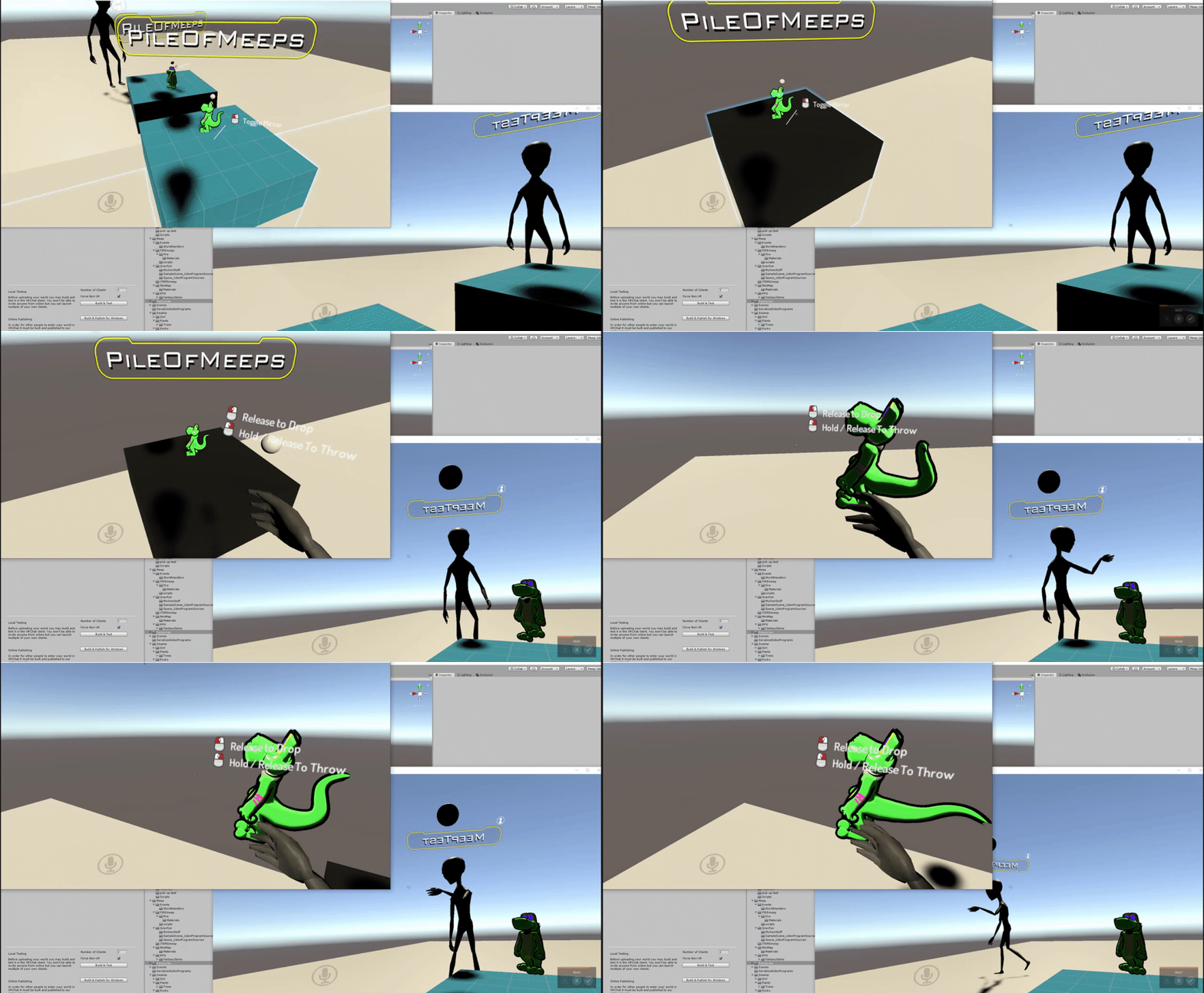
 edgy idol
can you get muted for morse code?
fiery yoke
I dont think thats how that works buddy
edgy idol
.... .. / -- -.-- / -. .- -- . / .. ... / . ...- . .-. / .- -. -.. / .. -- / .---- --...
read thet
that
not thet4
fiery yoke
You can get banned for any kind of harassment. In any language. Including morse code.
edgy idol
.... .. / -- -.-- / -. .- -- . / .. ... / . ...- . .-. / .- -. -.. / .. -- / .---- --...
then read
it
fiery yoke
Just stop.
edgy idol
read it its not harassment
fiery yoke
I know, but it can be seen as spam and this is definitely not the right channel for that...
scarlet lake
There's a rule not to post the same thing across channels
fiery yoke
There. Happy?
edgy idol
ok
 sturdy quiver
this isnt a specific udon question but im curious about what would happen if i put copyrighted music in my vrchat world
not sure on the rules if its allowed or not
fiery yoke
https://vrchat.com/legal
Read carefully.
scarlet lake
I assumed it was ok if it was a custom world that wasnt published
fiery yoke
"For clarity, VRChat does not permit copyright-infringing activities on the Service."
As well as:
" 9. Prohibited Conduct. BY USING THE SERVICE YOU AGREE NOT TO:
violate, or encourage others to violate, any right of a third party, including by infringing or misappropriating any third party intellectual property right;"
scarlet lake
Ah, okay
sturdy quiver
thank you
oblique sand
if two players join the instance at the exact same time is the OnPlayerJoined event consistent between everyone?
fiery yoke
Im not sure, but I think that the time at which the OnPlayerJoined event arrives, is depening on the player that is joining you.
At least for some reason the order of players joining was not always consistent
 south badger
I’m a panda. Hi! Can layered cameras be used? I’m not certain if the culling mask of player’s cameras can be modified. This would be very helpful in creating a world where the players are on a starship with the illusion that it can be steered by remote controlling background cameras for each player. Thanks! Edit: I searched the chat and found a suggestion to use the world reference camera. This appears to work, but are scripts carried over to the player’s cameras from it and does depth work?
 wide gyro
I am trying to make a door that rotates but clamps to 90 and perhaps swings back to original position after a bit.. is RotateCubeMaster the right program source or should I just attempt to make something on my own?
 grizzled thistle
Hey guys, i just started to make a huge beach world and i made animated fishes...in unity everything works fine but ingame they just stuck on one position....does anyone have a clue whats going on?
grizzled thistle
wide gyro
@shrewd mural I am slowly, painfully navigating my way through to what I need lol
Westworld mini
 shrewd mural
looking good :)
wide gyro
it's coming... i feel like I am dragging a corpse across the finish line
south badger
Feeling pretty defeated here trying to get a camera to render under another with the depth value. Any thoughts?
Regular play vs VRC
fiery yoke
VRChat is a bit "special" when it comes to rendering
I have a pretty solid understanding of overriding VRChats rendering
however that comes with costly workarounds
and difficulties
south badger
Helpful! This would be the main point of the world so anything that could work would be an amazing help
fiery yoke
Well you need a really solid understanding of how Rendering works in VR in Unity, what things effect the Camera Rendering Order and how to deal with things such as IPD
If it isnt absolutely necessary, I would advise against it. Especially since it could break at any point
south badger
There wouldn’t be any other reason to try this world other than that, so it’s an experiment anyways. What classes would I use to do this with Udon?
fiery yoke
None
This is all Unity trickery
The problem with it is that youre rendering the entire scene, and then rendering it all again. So the GPU cost there is roughly doubled
And the Handheld Camera/Stream Camera will not view it correctly
and/or break the entire system
south badger
I see. I figured since it runs well with SteamVR there might be a way that isn’t completely out of the ordinary. Better than physics wonkery and jitteriness
fiery yoke
What exactly are you even attempting to do?
south badger
You can walk around the spaceship, sit down and pilot it, with multiple people.
Because the ship is stationary and the background is just coming from a miniature camera at a lower depth
fiery yoke
Using depths does not work in VRChat
you have to use another trick to force them to render in the order you want
But why do you want this kind of setup specifically?
south badger
Interesting, is it alright to link a YouTube clip of it in action?
fiery yoke
Yeah I think so
south badger
I can remove it after too.
fiery yoke
So that spaceship is not moving in a "phyiscal" space or what?
Like what is the problem
south badger
Yeah the ship is stationary, a set.
So multiple people can walk around in VRChat and still jump, chat etc even as it “moves”
south badger
Yes
fiery yoke
Well first of all transferring the data there would be difficult
Like making everyone see the same
south badger
Yeah even if depth worked there would need to be an independent camera on their instance rotated on the direction of their head
fiery yoke
Well no what I mean is
south badger
On the miniature ship with physics
fiery yoke
if one person controlls the ship
they have to send the data to the other people somehow
south badger
Yeah, but with a large slow moving ship, even if it isn’t perfectly synced i think it’s worth the effect
fiery yoke
Well in this special case you can achieve that relatively easy I think
south badger
Ooh, any helpful links/references in Unity’s documentation?