#avatar-quest
1 messages · Page 33 of 1
 dry zealot
 timber ferry
You try making one.
 subtle burrow
what's the max polycount at right now?
timber ferry
for quest is something around 7k
 pastel storm
I'm no artist
And if I tried it wouldn't look good and that's a lot of work anyways
dry zealot
You can go up to 10k but people need to change their ranking to poor. And over that they beed to click on you and select show avatar
7.5k is pretty resonnable if most of the tris are on moving part
 haughty topaz
My Keanu Reeves has like 300k polys
pastel storm
I'm sad I don't know how to make a skin and put it on quest I'm not smart enough to make a skin
haughty topaz
Same
 robust delta
we should be able to upload avatars bigger than 10 mb on quest
can anyone answer why they wont let quest users upload avatars bigger than 10mb
 jagged sequoia
The Limited storage space on the quest
as at its smallest it only has 32 gigabytes it has to share with the rest of your games
so it can't allocate a super huge storage area for the VR chat content
 proper sparrow
@pastel storm what model are you wanting?
@robust delta The Quest has a 50MB file download limit (currently) so if it was higher then 10 say 30 then quest loading 2 people would be 60MB and get disconnected or crash
pastel storm
the quest has 4gb of memory, of which probably around 2gb are left for loading in avatars and worlds when vrchat is running
the internal storage space is 64GB or 128GB, the memory is 4gb
 random badge
that and a quest avatar should never hit 10gb
most of my worlds only just go over 10mb
pastel storm
How come pc user can't see my quest avatar?
It says only for quest how can I make it so pc can see it too?
proper sparrow
@pastel storm the avatar was only uploaded using the Android build thus quest only avatar
the avatar would have to be uploaded with both Android and PC Build to make it crossplayable so both can see it
 tawdry jasper
Since it's fall...
haughty topaz

 kindred chasm
Anyone have the files for the neko loli avatar
tawdry jasper
OH ok
tawdry jasper
bye
haughty topaz
good
tawdry jasper
Maximum Ride
 shadow olive
just a generic blender 2.8 question
is there a way for me to check all the bones a vertex is weighted to?
there's a stray bone or something i cant find
unless there's a different reason this is happening
doesnt show up in blender
shadow olive
nvm just decided to stop happening
tawdry jasper
bye
haughty topaz
Of
pastel storm
Ok so I set up the Android but then after uploading I couldn't use the avatar because it's only set for quest. After having someone else look at the same video, I was given the advice to upload it as PC and then reupload as a quest over the same project. I tried to switch and then was told to switch back and now it won't let me. The only warning I am getting in the switch tab is to check the player settings but I don't understand what to do from there. So now I have a quest avatar uploaded into my account that I can't use. I just want to upload it and use it when around my quest using friends. :/
pastel storm
hello good who lets me clone some good-looking avatars with effects
 spice schooner
Question, if my avatar bound size is pushing me into Very Poor but everything else is excellent is it gonna block my avatar for Quest users? It seems it will let me upload it still even though it's considered Very Poor.
pastel storm
Ppl can still see it they just have to switcxh it to very poor or click show avatar
spice schooner
Ah, dang.
 oblique river
Must say that nearly every Character should be Quest compatible. Especially Cel Shading type styles. Since most of the People are Playing like Anime Style Characters, this Style fits the most, looks great and runs great on PC and Quest.
 delicate basalt
but most anime assets that people use are not properly prepared for mobile. high tri counts, many materials or meshes, and things that are straight up incompatible but hard to deal with, like transparench
i have no idea how the VRC team plans on getting around those things
 vagrant escarp
@pastel storm you can use different projects for android and pc builds, just use same avatar id in pipeline manager, bout whats wrong: idk :p
tawdry jasper
Sailor Moon, anyone?
random badge
@spice schooner So change the bounds size
oblique river
@tawdry jasper Great! I really like your avatar designs. Keep going.
 shut orchid
99% sure these are generated from parts
 next pond
I have been "banned" from creating and posting avatars and maps, how long does this ban last?
next pond
It said something about "offensive"
I think i was reported yesterday when me and some buddies were talking about political stuff
 weary shoal
I don't think they ban avatars and maps over communication. You should message moderation@vrchat.com with your username, from the e-mail you registered from.
next pond
Will do
"Due to behavior or content that violates our community guidelines" was the reason
pastel storm
Who’s trying to make me a avatar because I suck at making them 😭
random badge
I count exactly 0 people
haughty topaz
.1
spice schooner
@random badge Too late, the damage has been done. Was mostly that I had a medium performance avatar then an update came out that made them very poor.
random badge
If its just the bounds that knock it over, change the bounds.
spice schooner
The bounds are because of a wide animation, unless you know something I don't I'd be happy to change it
Not a fan of being very poor
shadow olive
think it is at all possible to get a digital clock on an avatar?
there aren't any custom shaders allowed, but is there some other way to get the script working?
random badge
you cant have a working clock, vrchat has no way to access time
only world time
aka how long youve been in a world
pastel storm
someoe make nanachi quets world reee
 reef kindle

vrchat-time-shaders Demo
 abstract ether
Woah
pastel storm
hello all uwu i have a question can make one me a avatar for full body with physiks and more i can pay if he want just pn me for more detail
 fast cipher
Dont want an avatar but i'm curious whats the prices for a custom one. Are 50$ viable or are they cheaper / more expensive?
haughty topaz
Depends on if you want animations, FBT, and if the avatar is built from scratch
fast cipher
:0 ... okay. Just a curious question. Whats the rough range if its a normal human body? Maybe with catears but not a complete different anatomy?
haughty topaz
Uh I’ll estimate that if it’s original about $50 if it’s just s simple avatar
fast cipher
maybe i should learn how 3D works and make some money with that 
haughty topaz
Lol
 vestal lantern
@next pond Don't expect them to reply, ever.
next pond
I got this email from VRChat "This email address is registered to a VRChat account, but has no active moderations." I guess i'm free from my "sins"
vestal lantern
Well then, I guess they just don't like me.
next pond
Do you have any moderations Enverex?
vestal lantern
Not quite sure what you mean by that, but I'm banned and they're ignoring me asking why.
next pond
I meant bans... but i don't understand why they don't answer you
Did you contact moderation@vrchat.com ?
vestal lantern
Yup
next pond
Because i got my answer from them, but not long after they told me there were no moderations (bans) on my account
vestal lantern
My mail server log shows that my email to them was successfully handed off to their (GMail) mail servers, so I know it reached them.
 fierce schooner
What are the requirements for an avatar to be compatible for the quest? I just got mine only to find that I have to tell setup all if my avatars.
jagged sequoia
PolyCount: 7500 triangles or less
Material Count: 1
Draw calls: 3 or less
Bone Count: 66 (Standard Humanoid) Dynamic bone, cloth, lights, and audio sources are not supported at all on Quest.
abstract ether
Quality avatars from scratch can get expensive. I wouldn't be surprised if some cost 1000€. A decent one maybe 300€? Modified avatars can easily cost several hundreds depending on quality. It ain't easy job 3d modelling avatars, texturing, visemes, setting up the model, dynamic bones and more so it works in unity and vrchat, etc.
jagged sequoia
yeah that's like totally 3-5 different jobs in the AAA game industry
vestal lantern
And trying to decimate your typical MMD down to Poor or above is somewhere between difficult and impossible depending on the model.
I've managed to do a few of mine, but some of them I just couldn't get anything passable with.
jagged sequoia
yeah that's probably going to require proper retopology or at the very least Edge Loop deleting instead of the using the decimate button to get down to Quest numbers
vestal lantern
Oh the decimate buttons always been a mess for me, I split into parts and manually decimate using the other Blender features.
But even then I sometimes hit a wall and can't find anything else to reduce.
jagged sequoia
surprise folks don't utilize more just replacing the face and hands with pre-existing Quest compatible parts as those are the areas that are going to suffer the worst from decimating and most anime characters pretty much have the same face
vestal lantern
The CATS decimate functionality just turns the avatar into a mess normally, heh.
Heh, that's actually not a terrible idea.
Lack of availability though? Also colour matching and such maybe
jagged sequoia
they could just rebake the texture onto the new one

■■オキュラスクエストを想定した2A-7の軽量化版です■■ ――――――――――――――――――――――――――― 3Dのキャラ素材としてご使用ください。 ワールドで使ったり、シェーダーで使ったり...
this one has an open license and really efficient topology so feel free to mod it for parts
vestal lantern
Hmm, login required to download
jagged sequoia
it's free to make an account might as well to have access to some of the Japanese users stuff
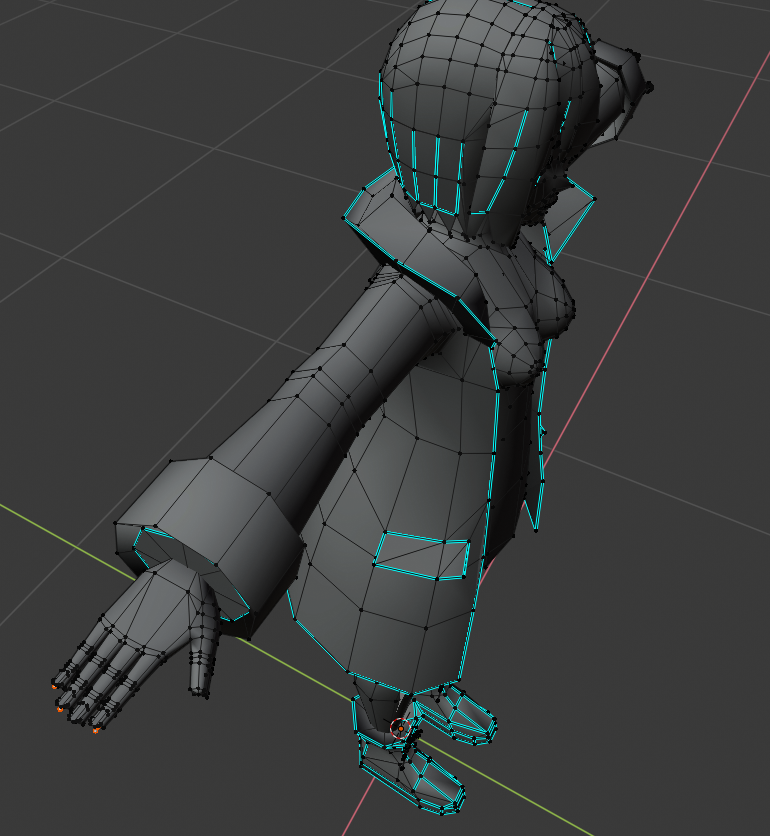

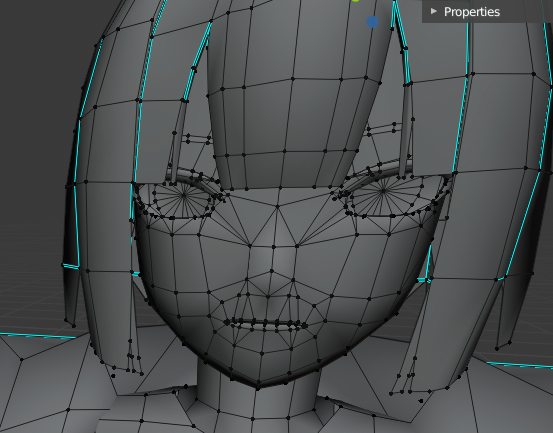 delicate basalt
glorious topology ❤
haughty topaz
vestal lantern
Ironically it's nearly 13000 in the one linked before, so it's not Quest compatible...
jagged sequoia
that's because it has everything turned on
like 10 different hair options and a bunch of accessories that you wouldn't have all on normally
vestal lantern
Ah
 vestal lantern
Weird, it doesn't import anything like that for me. Let me see if I'm importing this wrong.
haughty topaz
Ah yes enslaved confusion
jagged sequoia
that's because i move some parts to different collections for ease of figuring out where all the stuff is
vestal lantern
OH, there's actually a blender file, I was importing the FBX.
vestal lantern
Unless it's a quick import of an existing (working) MMD then you're unlikely to find someone. It's a very time consuming process.
@jagged sequoia Are you folder names also garbage? As I assume that's responsible for the textures not loading for me.
jagged sequoia
I think that has more to do with the fact that the textures are not in the same folder as the blend project
so it's lost how to get to them
tex_2a7lc is the texture Atlas
vestal lantern
Ah. Also it's PSD, does Blender even support PSD files natively?
jagged sequoia
yup
vestal lantern
Weird. Rexported to TGA and that worked.
Hmm, when you export with CATS, it tries to make all meshes visible. Is there some way of telling it to export only visible meshes?
 sinful steppe
 brazen hearth
@vestal lantern https://gyazo.com/ae3c6d6a52258cbbf2ad618aa7a1e0bd
 pastel storm
Does anybody have an fbx quest do a wolf boy in a hoodie with tail and no necklace with blue hair?
brazen hearth
with selected objects enabled
pastel storm
Aka blue wolf boy
vestal lantern
@brazen hearth It enables them all as soon as I hit the export button though (then complains that they aren't merged)
Basically it's fine till I hit export, then the button force shows them all resulting in this...
brazen hearth
Can you tell what exacly you try to achieve? You may save another copy of your file and delete the parts you don't need if that doesn't work
vestal lantern
Deleting them before hand would work, but it seems odd that it doesn't let you export the model with only the shown/enabled parts (infact it explicitly enables them when you click export which seems like a weird choice).
brazen hearth
Idk, I just export fbx the standard way, without CAT
If you do that it won't have any complains
vestal lantern
Good idea, I forgot that's even an option.
reef kindle
@jagged sequoia
why yes, 2a-7s is beautiful
my wife made that texture. Highly recommend.
@jagged sequoia @vestal lantern the LC version is quest ready
under 5k
you have to strip the stuff you don't need
it's a beautiful model. https://www.youtube.com/watch?v=p4o-sgp8PSU
 dry zealot
if I start to upload color/hair variation for the avatar in my world. My personal list going to go to the sky. I think what s I should do Is make a second account specifically for avatar world.
they are 6,762 tris if some one want to know
 sullen crane
I wish I knew how to make these and it had a friend who made models xD
pastel storm
woow that so pretty
jagged sequoia
@reef kindle very nice texture your wife did
reef kindle
The creator of 2a-7 was impressed too!
Found that out last night, I tweeted them from one of their booths

ズボン何処から持ってきたかなと思ったら
色変えただけでそれっぽく見えていたのか
テクスチャマジック https://t.co/pEh4EjznVO
 Twitter
This whole event is such a wonderful celebration of the artist community over there
vestal lantern
The stock hair texture is a bit weird, it has yellow bits in it like a bad cutout, but I assume that's because none of the Quest shaders support transparency OR cutout which makes things like hair a lot more complicated than they should be.
Although the use of a one-sided texture for hair has it's own issues I guess.
 raw heath
I need some help trying to upload a quest avatar i followed a tutorial and trying to the model then it doesn't bring me to the build
 gray blade
 raw heath
Lul I got it had the wrong sdk for some reason
 worn isle
Sorry
proper sparrow
Looking for an Avatar?
I got Johnny Gat Completed
Excellent Status on both PC and Quest
Fullbody rigged, lip sync, 6ft tall
Find him in My Volume 2 avatar world when it is done
^ this fits the channel right? or not right? idk
vestal lantern
Yes, although I'd recommend posting an actual picture of it in here
proper sparrow
oh thats the thumbnail image of the model you know, the "profile image" of the model
vestal lantern
Sure, but it doesn't show people what the avatar will actually look like in game, especially on Quest.
haughty topaz
Scrinnod will probably show it
proper sparrow
heh the world will have the 3d model of it infornt of the pedestal showing the PC and Quest versions like how it was in 2017 ❤
haughty topaz
Cool
dry zealot
With shape key you can morph the face as you want. https://gyazo.com/d2268461eb17e7afa8d822838abae1e5 really neat affect

and emotions https://gyazo.com/5603e7df6b635f9d85fa1521ea21d438
 random badge
No
 weary wyvern
Could someone please make me a 3D version of this for me. My vrchat username is Clumsy25
 sterile lotus
I don't think yer gonna get someone to do that, Clumsy :p
weary wyvern
Why not?
jagged sequoia
because folks don't like to work for free
 distant epoch
there's a hidden rigidbody and i can't find it
pesky body
got a big clue from a friend: download latest SDK 😄
but now i can't find the two blockers
one rigid body gone. now to find a "standard shader" that's buried somewhere
distant epoch
wow. found it.
distant epoch
annnnnd it works - most excellent!
shadow olive
so i just posted this in regular avatars
but i have an... interesting issue
i have a shape key that changes my character's model
i just shrink the old model into a new one
however, i get these odd artifacts whenever i do it

MEGA provides free cloud storage with convenient and powerful always-on privacy. Claim your free 50GB now
Does anybody have an idea of how i could make this work?
vestal lantern
If anyone's looking for motivation to make their avatar's Quest compatible; I had 3 Quest users randomly come up to me last night just to tell me how awesome my avatar is.
brazen hearth
That is nice. I thought you were banned in VRChat btw.
shut orchid
Wb to vrc, enjoy your painful stay
vestal lantern
Ban expired, Dragoning resumed.
But yeah, Quest users really seem to appreciate the effort of making your avatar(s) compatible, especially if they're unique or elaborate.
haughty topaz
There’s this user named Aspect V2 who made these really awesome avatars, everyone kept coming up to him and praising the avatars he made and it reminded me how nice the community can be sometimes
vestal lantern
What were the avatars? The world pic doesn't really show anything.
haughty topaz
You have a Demoman with a Grenade launcher, Scout with a scattergun, Spy with a knife and disguise kit, medic with a saw and Medigun, Soldier with the rocket launcher, a model of the drone from destiny, a model of some halo looking figure, a Jotaro avatar that has a ray gun, and a star platinum model
They used to be his own avatars but he recently made them public
vestal lantern
Ahh. Yeah, I've seen those.
haughty topaz
👍
vestal lantern
I guess TF2 models are a good target for Quest as they're pretty basic and won't have been too high poly given the age at this point.
haughty topaz
Yeah but it still is cool, plus the stsr platinum looks really good too
reef kindle
most models for games are really low poly. The king's raid ones are sub 5k
which of course is also great for vrchat generally. Gives you way more room to add things if you want a more elaborate pc one too
 vestal lantern
Kings Raid is a mobile game though isn't it?
"King's Raid (Korean: 킹스레이드) is a free-to-play side-scrolling RPG mobile game" yeah
reef kindle
the models still look great, though. Vrchat is a mobile game.
so, like, food for thought
vestal lantern
Well, not really. VRChat has a very cut down mobile version available, I wouldn't say outright that it is a mobile game.
reef kindle
I mean in terms of the capibilities. The quest uses an actively cooled snapdragon 835, which is the same as in a samsung galaxy 8+
vestal lantern
Yeah. It's a PC game with a sort of weird crossplay mobile version available.
reef kindle
and it's capable of a TON. Like, the LOD'd models for fortnite are fine on it. It essentially runs something very close to the nintendo switch version. I use an app called "vpocket" on my phone to load VRM models with cloth physics, and they're great in there too, so the quest still has room to grow. I think the latency that some users on quest experience is more nuanced and might be due to incoming audio streams and some other things, not so much poly count.
realtime lights, most of all.
dry zealot
its using 2.79 but its not that different in 2.8 if you want to use king's raid model

I show how to work on a king's raid model to work in VRChat but it apply for a lots of game models. 14:31 - Full Body Leg Fix 16:15 - Eye Tracking 22:52 - Vi...
dry zealot
better start early to upload Halloween stuff
 main acorn
''the following component types are found on the avatar and will be removed by the client: dynamicbonecollider'' -how do i remove this in unity?
vestal lantern
Find the bone it's on and remove it from the component list on the right.
main acorn
thanks
distant epoch
i found a really cute black cat in a pumpkin shell 😄
 long talon
vestal lantern
long talon
vestal lantern
Anyone know what causes this on textures with transparency? https://cdn.discordapp.com/attachments/361742235525709825/605920076775948319/unknown.png

You can see the texture is fine, but on the model it becomes that line-filled mess.
 neat talon
Hmm.. I thought I heard quest didn't do alpha's at all? Only vaguely recall being told that, not sure
vestal lantern
Possibly, which in itself is a bit weird. I don't want to have to cut around it as that would obviously be a pain in the ass (and add a lot of tris).
 heavy wharf
Yes, sadly there is no other way to fix this, than to cut the eyes out, quest doesn't allow for transparent/cutout textures. (Unless it's for a world)
vestal lantern
That seems... very strange.
So people normally just poly/tris around it? That seems counterproductive.
jagged sequoia
cell phone Hardware Works different than PC
which is pretty much what the quest is
apparently transparencies shaders are a lot more expensive for them
heavy wharf
Yep, that's basically it. Transparency is expensive even on computers, so you can imagine having it on quest too.
jagged sequoia
computers are just able to brute-force it as they have like 40 times the power
heavy wharf
👌
pastel storm
the cost of transparency is that it has to read a pixel before it can write that pixel
that's even costlier on mobile chips and has nothing to do with raw power but with GPU architecture of framebuffers
jagged sequoia
thanks for the clarification I'm not super knowledgeable about GPU architecture
pastel storm
it has to write the same pixel at least twice, depending on how many layers of transparent objects there are and it has to read the current pixel before it can add the next layer
vestal lantern
Does anyone know if there exists an "auto-cutout" in Blender in some form?
long talon

Blender Stack Exchange
I wanna create 2D image with Blender. I have an identical image as a template. Can I project my template somehow on a plane mesh to cut it and get specific and save some time instead of outlining it
the first answer is kinda jank, but works
dry zealot
I want to make an thumbnail with information if there emotion, weapon,etc for the avatar in my world. For now I have only put the ranking
 torn ravine
I need some help with my avatar
dry zealot
really
torn ravine
can someone help?
dry zealot
who knows
 signal needle
.h
vestal lantern
@dry zealot Why though? Doesn't a clearer shot of the avatar itself make sense? (maybe with the rating in the corner if you want to keep it).
heavy wharf
Yeah, that just seems a bit messy, and white background doesn't look very good imo.
 granite vine
I'd really like to start making an avatar world, but I don't think I can get into community labs with it sadly :/ Under 7k polygons, my stuff starts looking super scuffed.
granite vine
Oh question, if I update the shader of a cross-compatible avatar for the PC version of it, will that erase the Quest version?
vestal lantern
No, they're two completely different avatars attached to the same ID.
 empty fiber
Duno why when I use VRC Mobile shaders they look like I'm about to weight paint.
Maybe it's the way I atlased it. Can't use Standard shader cuz It wont let me upload.
vestal lantern
Select Mobile / Toon Lite and see how it looks
vestal lantern
What resolution did you set the texture file to?
empty fiber
vestal lantern
Drag the texture back into the Texture field on the toon one, it doesn't look like it's there properly
empty fiber
vestal lantern
Ok, last thing then, click the light icon in the top left
Just to see if it changes
empty fiber
vestal lantern
Very weird.
dry zealot
you know
delete the vertex color in blender when you see that kind of color
@empty fiber the kemono have that (issue) I know
I already upload that one for example
empty fiber
I see.. Well back to making an avatar world.
dry zealot
mmh?
empty fiber
I've already made one. And a batch of fennec avatars are good to go. Been wanting to make a Quest variant since Mobile games are usually low poly.
vestal lantern
Luckily I was able to get myself into Quest without too much of a decimation mess.... decimesstion.
That reminds me, I need to port the Nanachi.
 hardy tangle
how do i get rid of the yellow robot when im uploading??
did i miss something to do???
random badge
You likely only uploaded for PC and not Android
vestal lantern
Yellow Robot = Error. Robot with picture = Not on this platform.
Something seems to be broken at the moment as I'm seeing a bunch of error avatar Quest users lately too.
random badge
ah, i was half asleep when reading, you're right
shadow olive
Is there a good way to get my avatar to hover?
like just standing but just a few inches off of the ground
vestal lantern
You could just design it like that in the first place in Blender. Keep in mind that the foot bones will always be attached to the floor.
shadow olive
How would I make the foot bones look not fucked though?
vestal lantern
The mesh doesn't technically need to directly align with the bones, or rather share the same space.
shadow olive
So if I separate and put the foot bones on the floor, it won't completely be borked?
vestal lantern
I'd do a good bit of testing to see how it looks because how you think it should work, vs how it looks like it works in Unity vs how it actually works in VRChat appear to be 3 very different things. But yeah, things don't always need to line up or even exist, take the puppet avatars for example (the hand dragon, the wasp, etc).
shadow olive
I'll do some test, but I don't know how I'll get the foot to pivot naturally if the center of the bone is far down
vestal lantern
Move the other connected bones as well so that they're relative
 cunning imp
Best way to do it imo is have invisible legs act as your floor attached IK and then have another pair of legs that do the hovering
dry zealot
I there a way to bake texture/atlas in 2.8. Cant find documentation online
reef kindle
@vestal lantern I would need developer confirmation (and I forgot to ask) but I think all the error robots are due to the 10k hard limits being enforced on quest
@dry zealot of course
there a bake button at the top, materialcombiner works in 2.8 as well
you need to change from evee to cycles to do a diffuse bake though
that's the main difference, there isn't a raycast model for eevee yet.
vestal lantern
That would result in the "Performance Blocked" robot, not an error robot.
reef kindle
humm, I dunno. Maybe when a quest user had them formerly unblocked
not 100% sure but that's what I heard the other night, mass nerfing of detected overspec avatars? I dunno.
 tall elm
Hey just wondering, can you edit an avatar on like a 4gb ram computer? I have a really bad computer, but I also want to make / edit an avatar
abstract ether
Should be doable as long as you dont have anything extra hogging ram in background.
dry zealot
So with the matcombiner I get this. so much lost space. Quest user are going to deal with it I guess
vestal lantern
They have to be square, not sure those textures could fit into a smaller square than that.
dry zealot
If I could bake stuff around to make it scare in 2.8 that would be nice. but I cant soo or cant find a good documentation online.
vestal lantern
You can always manually atlas but it's a slow process to some extent, but I'm not sure you could get it any smaller.
dry zealot
there part i dont need that a draw blue on them
dry zealot
It should look like that. but I dont find a way to do all in blender. So do I really need to move the texture in gimp and after realign the uv in blender.
in 2.79 there a easy way but I find. nothing. Nothing for 2.8
vestal lantern
Much better
dry zealot
its not hard or long to do since I just have move stuff with the grid in gimp and enable snap to increment in blender.
dry zealot
decide to scale the eyes up so the 1k linear texture for the quest will look the same. Idk how much more this can be opti. 4,755 tris
dry zealot
Putting black on the area not use save so weight. Magic
abstract ether
Fyi you dont need to downscale your textures before importing to unity. As long as the atlas made of the textures is arranged well like you do, you can just go to unity importer settings for downscaling.
Change texture size to whatever you want and unity will have it compressed and permamently downscaled in the final uploaded avatar. The compression is as good as if you manually downscaled and compressed it.
vestal lantern
Yes, but then you lose quality if it has to downscale it to make it fit within allowances.
abstract ether
It is same with manual compression, especially with small details.
Of course you can get better quality if you decide to use higher quality when manually exporting the downscaled texture in your editing program for tradeoff of bigger file size.
Also I want to note the quality of textures is overall lower on quest. You can see the drop in quality even by turning your head when you are a meter or two away from someone. I wonder if it is forced on lower resolution so you cant even go past 1k?
vestal lantern
The Quest uses Fixed Foveated Rendering in native applications.
Anything outside the relatively small circle in the middle is rendered at a lower resolution. I think there are 2 or 3 rings where it gets progressively worse.
dry zealot
Ah that why there that pixel rander around the edge in video caption
But irl when your move your eyes around the edge it get blurry anyway.
I change the scale to 1k linear so I still have dark seam and in unity crunch it again. The file get to 100kb and the quality look the same
vestal lantern
Yeah, you can't "look around" with your eyes on Quest because of it unfortunately
dry zealot
On destop vr it the same effect of blur
vestal lantern
It doesn't for me.
Well, not to that extent anyway, and not badly pixelated.
But if you use streaming (e.g. VirtualDesktop) then you get both higher resolution (actual panel res, rather than the lower res that VRChat runs at normally on the Quest) and you don't have any foveated rendering, so it looks a lot better all-round.
dry zealot
The image get distorb and blur a bit. So why rander that part
vestal lantern
Because I can see it. Not sure how bad your eyesight is, lol
@abstract ether The max texture res is 4096 I think, the textures disappear if you try and use 8192.
dry zealot
Anyways. What can I do more for the optimization god
vestal lantern
Unrelated point, the legs look too long, may make the avatar feel weird.
abstract ether
Hm okay.
I dont mean fixed fovested rendering, you can legit see the change in texture quality but I guess I could have just said you can see it just by moving closer or further away from someone.
vestal lantern
Hmm, odd. I don't remember seeing that personally.
abstract ether
On related note I've had bad experience with gimp compression so I had to use more painful programs for fixing the bad quality one time. Idk whats wrong with the png compressor of theirs.
vestal lantern
Bad in what way?
dry zealot
maybe 1 increment shorter. what you think
vestal lantern
Aren't your legs roughly the same length as your torso? If so, that's probably a good guide.
dry zealot
that never really the case with anime proportion
vestal lantern
Oh sure, but the closer you can get it in-game, the better it will work.
reef kindle
@abstract ether use Krita. level 9 lossless png compression. I also don't allow material combiner to compress my textures (anymore) that was something it was doing pretty badly for a lot of people and we didn't notice at first
vestal lantern
Yeah, never allow CATS or MatComb to compress, it always just mangles it to 256 colours
That cost me some time fixing as I didn't notice at first.
Luckily they don't default to doing it anymore.
reef kindle
I manually use mat-combiner's tab now, because atlasing by hand is way too time consuming. I need to win the lottery so I can unleash my inner vrchat addict more lol
it feels weird to know how to do absolutely everything from scratch but not having the time or drive to do it all when you have a 9-5, as fun as this job is sometimes
vestal lantern
I mean normally it does a good job, I'm not sure how you'd improve it most of the time.
@abstract ether What issues did you have with GIMP's PNG compression?
reef kindle
@vestal lantern you certainly can- manual atlasing is best since you can pack the islands in a much more efficient way - mat combiner just literally stitches the images together.
vestal lantern
What would be really cool, is if the atlassing software worked based on islands, NOT images, that way it could just tetris everything as compact as possible. I'm really surprised that it's not already a thing.
abstract ether
Gimp literally did what material combiner used to do.
Well, not 100% same looking as matcombiner but definitelly rough color transistions.
vestal lantern
GIMP should save PNGs exactly as they appear unless you're doing something weird.
dry zealot
sometime I have to accept the fact that it can't be more pack :/
I could probably but I could end up with seam
I still have 500 tris to spare. maybe a weapon
 shrewd kettle
Your avatars always look amazing. I’m always full impress
shadow olive
Is there any tutorial for using the snail pens on quest?
i can't seem to make it work
not sure if it's because i'm bad or the shader isn't compatible so i just use standard
pastel storm
Hello
I have a question
Dose anyone here have an anime ( female) avatar that I can use for free (obvs gotta be quest compatible) thank you in advance
Dm me if you can
It doesn’t have to be impressive
 valid umbra
Quick little question.. afther i have finished a upload of an avatar to the game.. how long does it take for it to be added onto my account? I just recently added in 2 models. 1 i uploaded 3 days ago and another just a few mins ago, the model from the other day.. well the site say its uploaded, but in game it is not. Unity says its uploaded, but again in the game it is not
vestal lantern
It's immediate.
valid umbra
then i wonder why it is not showing for me in the game
vestal lantern
Do you normally play via Steam? It's either that or you have the wrong version of Unity/the SDK.
vestal lantern
That's your problem, it's not supposed to be the newest version.
valid umbra
ohh?
vestal lantern
Requirements We're going to need a couple things before we can get started. - Unity 2017.4.28f1 - Scroll down to find LTS Release 2017.4.28f1 If you have Unity Hub installed, you...
valid umbra
so.. i need to reinstall on an older version and reuplaod it?
vestal lantern
-> Unity 2017.4.28f1
valid umbra
Will i have to remove the models and reupload them or just log in on the odler version of unity then it will update itself when i click upload build?
vestal lantern
It'll update itself when you upload with the same blueprint ID
valid umbra
ok.. iwll try it.. jus tneed a few mins to reinstall unity 😛
vestal lantern
It should have told you on the audit/report page prior to upload that Unity was the wrong version though.
valid umbra
well..are a bit new to uploading models and stuff and have not played a lot of VRchat, but will soon get my first VR headset and are prepearing some modles and stuff
valid umbra
well.. .looks like it is not as simple as just updating the modles.. i logged into unity and everything is messed up like the example model is not showing up and when i am going to set up where the view is to be it is just not in there
vestal lantern
Yeah, going from a newer version to an older version rarely works well.
May be worth creating a new project/scene.
valid umbra
i did 😛 thanks for the info erlier ^w^
vestal lantern
No problem
valid umbra
chould you send me a link of a guide to how to set the models correctly? i just logged in to check if the avatar was in there.. it was but i chould not see it.. the picture in the avatar list was there, but when i changed avatar i saw nothing in the mirror
vestal lantern
That normally means you've used a shader that doesn't work properly, but that seems unlikely given that the Quest SDK only lets you upload a super limited set in the first place. What shader are you using on the model in Unity?
(as I assume you have only one material)
valid umbra
ohhh.. that chould be 😛 just a sec
unilt texture i think... when i was working on the models erlier i had to make a material to add in the texture, but now when i opened the same model and just now noticed the skin orb thingy was visable with its texture.. erlier it was all gray.. will try to update it and see if it changed and update you of it
vestal lantern
It needs to be set to one of the VRChat > Mobile > (blah) shaders. Although it shouldn't have let you upload it in the first place if it wasn't set to one of those.
valid umbra
okey will try it out
vestal lantern
Let me know what it was set to as I'm curious
valid umbra
hmm.. i did change it in 1 way, but had no result from it.. i when as you said.. mobile, but in mobile there is no continue there with the name shaders... 9 different options but shaders is not one of them
this is what i have here
valid umbra
well actually the one i have selected did not work
it had the same result in where the model was not visable
vestal lantern
Was it visible in Unity?
valid umbra
in unity yes, in the avatar gallery yes, when i change into the avatar No
vestal lantern
Interesting.
valid umbra
well.. need to look more into this a bit later.. got some stuff to do now.. so will be back later on today
vestal lantern
Ok, good luck.
valid umbra
will write here later if i manage to figure it out or still need help
 empty zephyr
is there any way to make a part of my avatar invisible?
I tried the skybox shader but that didn't work at all.
vestal lantern
You can hide the mesh, that could work
empty zephyr
Alright
I've been wondering how people make the seats on their avatars invisible
lol
vestal lantern
The seat itself just doesn't need a texture in the first place.
empty zephyr
that's good to know!
vestal lantern
In fact most don't, that's why you have to wave your arm around to find them in the first place normally.
 pale stream

Polygonal Mind
Learn to adapt your VRChat avatar for Quest by reducing textures and polycount, along other tricks like rigging, materials and face expressions.
vestal lantern
That's the 7/11 from the VMK isn't it?
heavy wharf
Yup
jagged sequoia
just read that that was a good and sensible tutorial
proper sparrow
Just a reminder and or fact
Avatars have a 10Mb file limit for quest at this moment in time so make sure the file of your avatar is less then 10 mbs if you want to upload it to quest ❤
dry zealot
how can it be more then 10mb . how
cunning imp
Large textures probably
proper sparrow
Textures like you can click on images/textures and view them in the inspector tab in unity and change their resolution and quality settings to be Low Quality 32x OR High Quality 8Kx so i'd say if you had like 20 textures with 8k res on them,
empty zephyr
Hello, I have a question
I've been trying to make my avatar fly using the box animation technique
However, I need to remove the boxcollider when I am trying to upload my avatar
is there any way to resolve this?
This is only for Quest btw, the PC is fine
dry zealot
no collider on quest
empty zephyr
damb
dry zealot
I not sure why I chose that outfit but whatever. Its cute
pastel storm
that's not just on quest
empty zephyr
Yikes
pastel storm
😄 what on earth did you need them for?
vagrant escarp
@empty zephyr you can't use box colliders, but you can use sphere colliders (not sure about quest version)
 hollow orbit
Avitar ideas
Scary rabbit man
Headless horsemen
Sam from trick or treat
Classic horror movie villiane
Lewd human cat avatar
Girl from the ring
vestal lantern
Any original avatar ideas?
shadow olive
so just confirming
there is now way to fix small avatars clipping through seats right?
random badge
@shadow olive tinyurl.com/vrcprefabs Look for splinks fixed chair prefab
shadow olive
does this fix the avatar or the chair?
dry zealot
The one i use fix the position but overight all the gesture/emote
shadow olive
figured
maybe they'll get their shit together and go by hip bone eventually
it's a glaring issue when half the community is running around as little chibi girls
empty zephyr
I needed the box colliders for a flying avatar
vestal lantern
What bone does it currently use? Chest?
empty zephyr
?
vestal lantern
For seating
 sharp spear
Haven't given this a look yet; what's the means of having a variant of avatar seperate for Quest versus PC? Higher quality on PC, heavy optimized on Quest.
vestal lantern
They're two completely different avatars, uploaded separately
sharp spear
How do you bridge one to load when on PC, the other Quest?
Seen it done. Know it's possible.
sharp spear
Heh. - Then it'll allow upload of a Quest avatar of the same ID without overwriting the PC upload of that same ID?
vestal lantern
Correct, it's like 2 different "slots" basically
They share the same name, image and description though.

 stoic solstice
Its glorious
dry zealot
Pretty like how it turn out.
 chrome fox
@shadow olive srs business 🙂 Got a modded Shaggy of my own, hippie glasses, mullet, differently colored pants/shirt and a vest
havnt re-jiggered it for quest tho since i dont have the device
shadow olive
godddamit zid you're here too?
chrome fox
sure
been messing with a rig for robot legs the last couple of hours
it works in blender but the inverse kinematics i set up there are just ignored by vrchat, need to figure out how to do the same in unity
shadow olive
Oh true, I've had some issues there when shrinking my avatar
chrome fox
how so?
shadow olive
The IK makes it fly off in every direction when I do the shrink gesture
My hands are stretched and squashed into space
I have a gesture that turns my avatar into a squid
chrome fox
why am i not surprised 😛
shadow olive
I'm the splatoon guy what can I say?
chrome fox
well, gotta watch out for "clamamities" such as those i guess
shadow olive
On that note I'm gonna go to sleep, I don't think I can top that
chrome fox
nite
shadow olive
by the way, does anybody here know how to create custom standing and walking animations?
Or like a tutorial for it?
i'm trying to make scooby hover behind shaggy with a small hover up and down animation
cunning imp
You wouldnt want to edit the idle/walking animation. Just have scooby as a game object under your avatar and put an animator on him that edits his position on loop. He'll follow you around and play the animation regardless of what you are doing
shadow olive
Oh i see, when something animates on an avatar, it's a separate object. Would i still be able to have him talk whenever shaggy talks? I merged their mouth animations too so they talk in synch.
also, would it be able to move in an emote?
@cunning imp
cunning imp
No, for vrchat to use both their mouths they must be the same mesh, which therefore cant be a separate object. You can edit the idle pose (by going into Assets>VRCSDK>Examples>Sample Assets>Animation and grabbing the Idle-Sample animation from the Idle Prefab)
In this situation you would keep the idle the same and then adding a floating bit for scooby
Keep in mind I'm pretty sure that non humanoid transformations are local only ever since networked IK
vestal lantern
Is the idle pose used at all in full body?
cunning imp
Yes
For example, if you open your steam vr menu your arms will drop to your idle pose
From what I'm aware, the idle pose is applied first, then the IK takes over if you have VR
shadow olive
I can live without them having separate mouths, but can I emote a game object?
vestal lantern
Ahhh, so that's why it does that pose
shadow olive
And that makes sense
vestal lantern
So if I replace my idle pose with a silly dance, it'll look crazy every time I bring up the SteamVR menu? lol
cunning imp
Actually yeah it should I guess. I've only edited the idle pose once to make the idle more proper rather than arms by sides
@shadow olive An emote can influence anything under your avatar so having scooby as a seperate object from your main mesh/armature should be fine
shadow olive
awesome, that should do nicely!
cunning imp
I dont keep up to date on what works in quest and what not so I'm talking from a purely PC standpoint. But im pretty sure all animation stuff is supported
shadow olive
as long as it uses supported shaders i know it's fine
is there any good tutorial out there for actually making an animation?
i'm assuming i have to do it in blender, there's not gonna be anything online for what i'm doing
cunning imp
No, all animation stuff is done in unity
Dont have any specific tutorials on hand and I just started a dota game so gl
shadow olive
thanks!
shadow olive
ok so i might've gotten some more input and i'm just gonna edit the idle and walk animations, it'll let me do more with both models
that being said...
is there any way i can edit the default standing.fbx to include my floating animation?
 tight remnant
is that a stand user ?!
pastel storm
 haughty topaz
Yes
 worthy shell
anyone know of anyone who can make custom avatars? 🙂
chrome fox
i dont know you but with a bit of time spent learning im sure you could 😉
brazen hearth
Never heard of anyone making custom avatars here
dry zealot
Same
shut orchid
Me neither
shadow olive
 elfin loom
anyone her gooa at making quest avatars please pm me i need a avatar converted into unity and then into quest to have etc etc
vestal lantern
Provide more info here and we'll see.
elfin loom
ok
so i need this skin to get used in unity
and i need it to have
both the dots
the pc blue dot and the green quest dot
it says youll need a phone
with unity on it
and download the skin to the quest
so i can have the skin on there to use
cunning imp
You don't need a phone with unity on it. You need to download the Android package and export your avatar to your Android project and upload normally from there. That upload will count as the "quest version" of the avatar
elfin loom
oh then yeah but i cant upload the avatar for some reason so i need someone to help me do it
cunning imp
The builder should give you the reasons why the upload isn't allowed. Keep in mind you cannot use custom shaders, rigid bodies, dynamic lights, dynamic bones and a bunch of other things. Again it should tell you the exact part that's preventing upload
elfin loom
let me go look to see
dosent tell me why when i click on the thing it only says utillties thats it
cunning imp
I'm not sure then sorry
elfin loom
its ok thats why im asking if someone could help me with it
i would've done it my self trust me no fan of asking for help
chrome fox
So ive gathered that for avatars to show up on Quest they need to have a low spec version, if an avatar is low spec to begin with and uploaded in quest mode, will it show up on PC without a double upload?
vestal lantern
No
Quest avatars are entirely separate and have to be uploaded separately in an Android configured version of Unity
chrome fox
alright, while ive got you here, should i install the unity update that just popped up? im running the LTS version already, its asking about 17.4.33f1?
vestal lantern
No, you have to use the EXACT version of Unity that the SDK page says
elfin loom
well if anyone could help me get this skin to my quest and stuff pm me ill be on all day
vestal lantern
Do you have the actual model in Blender, or have you just downloaded a Unity package from somewhere?
elfin loom
me?
vestal lantern
Yes
elfin loom
i had everything needed t odo it and nothing changed
vestal lantern
Well that sentence makes no sense so lets stick to the specific questions...
vestal lantern
When you say you can't upload it, where are you getting stuck?
chrome fox
Does your account have uploading enabled to begin with? Its says just below my name that its enabled for me
elfin loom
ill show you one sec
nvm but
when i use that
vrchat
sdk
it shows only one option utillites
thats it
vestal lantern
That means your project is broken and you've got something in there causing everything to fail
Scripts, shaders, etc.
elfin loom
how do i fix the problem?
vestal lantern
Figure out what's broken. Check the console and delete anything that isn't needed.
elfin loom
ok let me do that
chrome fox
begin with checking that you have the right version of unity, does it say 2017.4.28f1 up at the top?
elfin loom
yes
and btw enverex i deleted the stuff that its telling it is having problems with and it still dosent have anything but utillites
cunning imp
Delete the entire vrcsdk and reimport the newest version
elfin loom
I tried everything but nothing I need help just please pm me if you could help get this skin on my account thank you have a great day yall
 dry zealot
people have mix reaction of this one
pastel storm
Use Normal Maps
dry zealot
Excellent rating hehe
I still have 150 tris to spare before the 5k. I could make the shoulder muscle more round probably
 rocky matrix
I'm making an updated version of the possum with baked normals, so it'll look higher poly while staying the same amount of polys!
jagged sequoia
yeah that is definitely an improvement
rocky matrix
and at no cost!
rocky matrix
and its uploaded, everyone should have it now
jagged sequoia
cool
reef kindle
yay baked normals
great to see more people doing this
step 1: take highpoly model or sculpt
step 2: make lowpoly retoplogy as a seperate mesh
step 3: bake in cycles a normal map from the highpoly and apply it as a texture to the lowpoly
profit!
if only step 2 wasn't such a nightmare 99% of the time
reef kindle
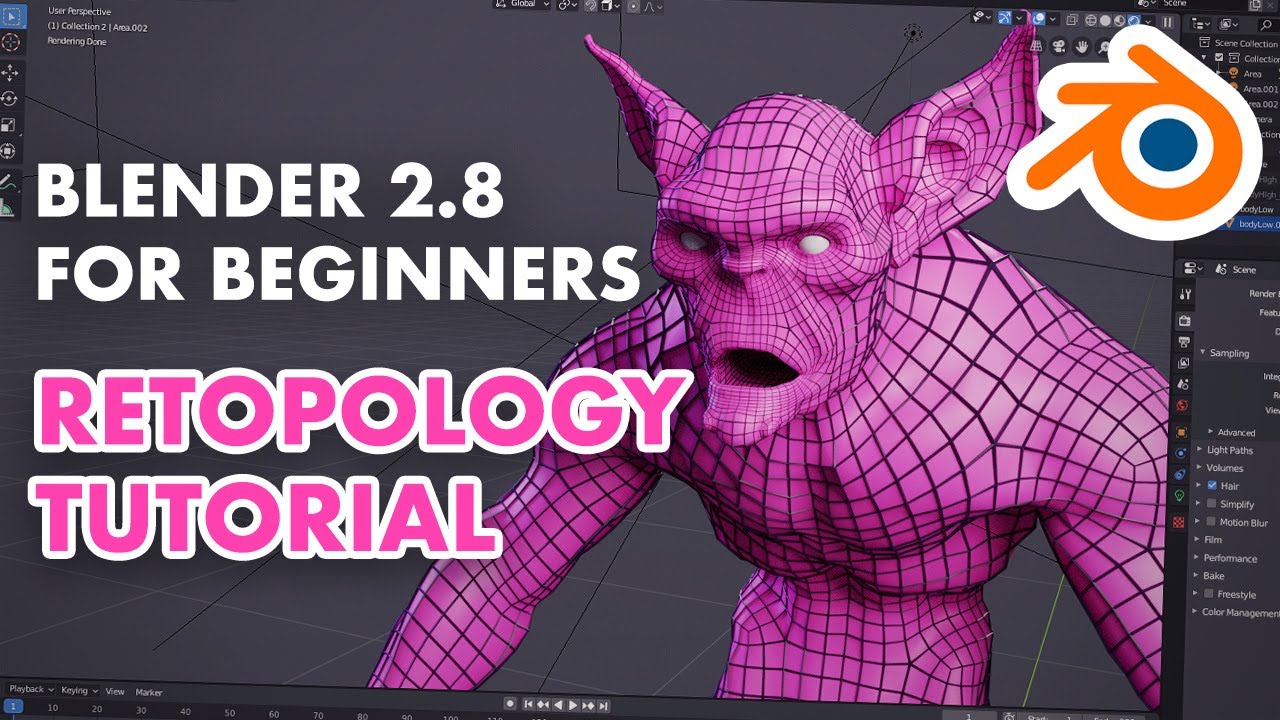
In this Blender 2.8 tutorial, we'll teach you how to retopo using vanilla Blender 2.80 without addons. The techniques taught can be used to make topology for...
vestal lantern
Retopology looks insanely time-consuming. So you basically just draw over the original model at a lower resolution?
rocky matrix
That's not what I did, all I did was subdivide the low poly model I made then baked the normal maps in substance painter
jagged sequoia
but yes in general Retopology is just making a new lower-resolution model on top of the high resolution sculpt because when you're sculpting you're concerned with getting detail not making something that would animate properly
vestal lantern
Hmm... Blender's own decimation it is then...
jagged sequoia
yes but you don't have to necessarily do extensive Retopology if you're already doing an animation ready model you just might need to delete some loops
cunning imp
Somone recommended retopoflow to me a while back but I never checked it out

 cunning imp
They forgot the mouth seam! How's a man to talk?
jagged sequoia
because the mouth is entirely painted on
cunning imp
Could always get a seam inbetween the lips and cut. I understand why they didn't since this was a part of their 100 avatar fiasco
jagged sequoia
yep out of curiosity what about it is a fiasco
chrome fox
you can just add faces to where the mouth should open, paint it black and move the lips, its give a good low poly option to modeling a mouthbag
vestal lantern
Yeah, it's never as easy as deleting loops. Especially when you're trying to decimate down from 40K+ to <10000.
chrome fox
done to some low poly models ive found, just use the knife tool
cunning imp
I've just learned I didn't know what fiasco meant thanks rain
jagged sequoia
yes but it's better to start with the edge loops and then try to hack your way there
cunning imp
Was using it for "general event" I didn't know it meant "catastrophic failure"
chrome fox
sure, thats the better way if the model is higher poly to start with, really low poly that just have the mouth painted on dont have the option
jagged sequoia
well now you know something new Scionzenos
cunning imp
"Knowing is half the battle"
jagged sequoia
yup
 jolly belfry
Why cant i upload this avatar? it says future proofing your avatar, but nothing happens
vestal lantern
Disable Future Proofing under settings
Also fix the leg parenting issue that it mentions, just in case.
jolly belfry
i got this avatar from youtooz, i dont know anything about 3D-modelling.
but when i disable future proofing under settings, nothing happens at all...
vestal lantern
Check the console.
jolly belfry
where do i see the console?
vestal lantern
The tab is hidden under the SDK in your screenshot
vestal lantern
The SDK looks broken to me. Did you just download the latest version of it from the website? The Unity version looks fine.
jolly belfry
yeah i just downloaded it
total new
i just uninstalled everything and redownloaded it
vestal lantern
May be worth right clicking the top level VRCSDK folder and selecting Reimport
vestal lantern
That's up to you, varies from PC to PC.
jolly belfry
reimporting gave me more red in the console
vestal lantern
Where did you get this avatar? Was it a Unity package?
jolly belfry
Yes it was a unity package, got it from youtooz
vestal lantern
Did it include an SDK folder?
jolly belfry
nope i downloaded that from the VRchat website
vestal lantern
Also wow, those avatars are a lot of money for what they are...
jolly belfry
the kid i take care of, got it for free with a IRL figure 😄
vestal lantern
Oh, that's not bad then
 cyan lodge
hi i am the kid
vestal lantern
OH, those are actual figures. I thought they were just avatars.
Makes more sense now.
jolly belfry
it still dosnt work, is it possible, that you can take a look at it, if i send you the file?
vestal lantern
Can you switch to the project tab and just post a screenshot of that here with the top level folders expanded?
I can do. I'll be home in about an hour if you can wait that long.
jolly belfry
yes ofc, that would be very nice of you
vestal lantern
@jolly belfry Checking now
jolly belfry
thanks man
vestal lantern
Ok, so that Unity package contains a LOAD of stuff, including an entire copy of the old VRChat SDK. When you imported it, did you just let it import everything?
long talon
isnt it actually illegal to redistribute the sdk?
vestal lantern
Probably against the ToS but not really a big issue assuming it's not modified. But yeah, not the best idea for them to package the SDK with it, especially as it'll likely be out of date.
The layout is also a complete mess, most of it's just strewn about in the top level.
vestal lantern
It's like trash tier VRCM packaging, but this was part of a paid product, so shame on them for putting their customers through this, lol.
vestal lantern
@jolly belfry I'll tidy this up and put a working prefab together for you then pass it back.
vestal lantern
Yeah, that's the plan
vestal lantern
@jolly belfry So, realistically this avatar needs to be below 7500 tris for Quest by default, or below 10,000 if you're happy for people that have set Poor avatars to be shown by default. It's currently 37,000. Was this definitely for Quest rather than PC?
6 materials too, which means that's over the allowed limit for Quest as well.
jagged sequoia
yeah that that sound like too many materials
vestal lantern
@jolly belfry So is this definitely for Quest, or was it for PC?
vestal lantern
@cyan lodge Are you actually the kid?
jolly belfry
Yeah, matthew is the kid, and i am his young adult friend, that takes care of him from time to time.
vestal lantern
Ah, you're back
I was going to quiz him as you weren't here but you're back now anyway
vestal lantern
It's not so much a problem, rather than entirely not designed for this (Quest) at all. It's basically a PC avatar and you've only got the final product. If you had the working materials then you can try manually downgrading it to work, but that's hit and miss. I'll see if I can brute-force it into Blender and get the materials working.
dry zealot
A friend say that he like like long sleeves so. Here you go
shut orchid
that fits the character really well, nice 
vestal lantern
But it's Quest so there's no dynamic bones, so it'll look like you're wielding around solid boards, lol. Unfortunate.
dry zealot
The tip of the sleeves are parent to the hand so they deform all the time.
vestal lantern
Ahh, clever.
dry zealot
On pc I put force so they point down
long talon
couldnt you like, remove all weight from the wrist bone and weight the arm all the way to the end of the sleeve?
or would that fuck it up?
vestal lantern
That would make it even more static.
long talon
but it wouldnt weirdly break
 craggy glacier
not sure why but the vrchat mobile shaders make the area around my avatars mouth black, cant figure out a fix
dry zealot
Delete the vertex color in blender
dry zealot
some shader use it do have specific affect but in this case the mobile shader turn it simply black or other color
elfin loom
how do u turn on android mode to download custom avatars to quest
if someone could give me the link that be great
anyone have a video of it
dry zealot
Have you search on yt
 timid fable
hello guys. How can i upload avatars in vrchat so i can use them?
jagged sequoia
Before getting started ensure you have a Unity project with the SDK setup ## Step 1 - Find a model Arguably the most important part, you must find a 3D model to be used as your avatar. As this is your first avatar we recommend getting one from the ...
 topaz plume
@wild aurora new sdk
distant epoch
alas, always having to keep up to date 🙂
 crude socket
im looking foe two avatars , im new to the game play on pc and im looking for
- Dobby from harry potter
- Herbert the pervert from family guy
could someone please help me find them
 wild aurora
@topaz plume thx
vestal lantern
Rigidbodies arnt allowed are they?
chrome fox
"Rigidbodies, colliders, and joints are disabled completely on avatars in VRChat Quest."
https://docs.vrchat.com/docs/quest-content-limitations
This page will describe various limits in place for the Oculus Quest version of VRChat. These limitations are in place in the interest of performance, user safety, and discouraging malicious behavior. Find more information about limited components on our [Quest Content Optim...
vestal lantern
Thought so. Guess Quest users will get a somewhat static version of this avatar then.
 gray moat
Looking for a furret avatar? I only learned last night that he exists. And i want him
 crimson spire
Oof those quest model limitations. I was thinking of porting my Zer0 model to quest but eh at this point idk if its worth
vestal lantern
Furret's shape makes him a little difficult to rig properly.
chrome fox
im not sure what a zer0 is but if its that borderlands character that comes up as the first hit on google you could port just the body with a single atlased texture/material and be done with it, at least quest people would be able to see you
if the "worth at this point" is about it not being able to have the features you put into it
vestal lantern
I don't think Borderlands characters are especially high poly. They have high detailed textures so they should decimate pretty easily.
@gray moat This one https://www.models-resource.com/resources/big_icons/30/29510.png

 gray moat
The second one
gray moat
How do i get it on vrchat? I just got my quest a few days ago and as such have no idea how
vestal lantern
You'd need to get someone to model, rig, import and upload it for you. That said, I'm fairly certain someone's already made one. Just spend a while looking around avatar worlds.
gray moat
Idk what avatar world it is but im wondering cause i know thatd be faster
I know its been done before. And i dont have the knowledge to upload it myself. So i gotta find it if i can
abstract ether
Can confirm rigging furret is pain in the ass. The proportions are not like normal human.
There is a generic pokemon avatar world but it is probably not ported to quest. It has massive amount of pokemons.
jagged sequoia
yep because most of the Pokemon are above the quest limit
abstract ether
I don't think many of them are. The model in lower image is way below 10k. Maybe newer ones tend to be much higher poly.
jagged sequoia
yes but above 7K is still quite annoying
abstract ether
Yeah. I might upload furret with nothing else on it if I don't get distracted, just like with making a world where I would dump some other avatars too.
jagged sequoia
and you would still need to texture Atlas everything is Pokemon commonly used like 3 materials as the eye animations and mouth animations are in a separate sheet from the main body
abstract ether
Oh wow now that I actually checked the polycount it is only 1,5k
vestal lantern
Yeah, anything that uses transparent textures is also an issue (on Quest) so I'm not sure how the face would work.
abstract ether
That's a problem I am not going to have with this avatar. It'll be one face only, no other eyes or mouths. If you go shadeless, you can copy the faces containing the face textures, move the uvs of the new faces to another parto of face textures on the texture and on model move the faces to be barely inside of the head. Now you use blend shapes to move them forward for expressions. It wouldn't look good with shading though unless you spend a lot of time fine tuning.
And also the face textures are not transparent in the model's textures.
chrome fox
You can mitigate that a bit by making the moving parts only contain the features and not a square with the features on
eats up some extra tris tho but since its pretty low tri it shouldnt be an issue in this case
abstract ether
Yes. That's obviously gonna take time too.
I did smooth out the model so it has more tris now.
It wouldn't matter smoothing if it had just a little more tris.
crimson spire
Oh wait, you can't do transparent textures on quest?
random badge
No you cannot
crimson spire
Well that makes porting my Zer0 avatar with even a simple feature 10x harder lol
jagged sequoia
apparently transparent is a lot more expensive on mobile
 mellow plank
I Can Confirm.
rocky matrix

I've updated my @VRChat Possum avatar with a better normal map and expressions! It's still free: https://t.co/zfb6R4iPmT
 Twitter
Possum avatar is updated!
Here's the unity package if anyone wants it
random badge
Great work!! 👍
 hardy cairn
I suddenly wanna make my own Furret puppet. I think I'll do that.
vestal lantern
lack of dynamic bones and rigid bodies will bake it a little flat unfortunately
*make
shadow olive
Man I've been trying to make a puppet and have no clue what I'm doing
long talon
make basic human rig, only weight paint stuff on the hand. done.
abstract ether
Ugh why is the polygon count much higher in unity? Not double but about 20% higher. Does unity subdivide parts of the mesh regardless of whetever or not you keep quads in import settings? It's more than enough to yeet the ranking to poor. I already optimized in blender but it is already well optimized. Any more getting rid of quads and the model just wouldn't look good because the hair is quite long. It's either poor ranking or delete hair. And of course I had to get the bug of 2 materials on this model, too.
Looks like unity just doesn't like mixing quads and tris together. It generates a seperate material for each type. That means I'd have to mess around with tris. The few tris that are left if I use mostly quads can't be gotten rid of without a lot of effort.
 shell jewel
When exporting your model, it should be triangulated as is. Keep quads in the working file, but the kicked out FBX should be triangulated to ensure the normals read how you want.
 crimson storm
I have problems with avatars, i have 15/16 faved avatars, and now i cant fav a avatar or unfav a avatar, can anyone help me
shadow olive
What do you mean you can't favorite or unfavorite?
crimson storm
Amma gonna try that
crimson storm
Omg Thank you @long talon !
long talon
mfw that actually fixed it
shadow olive
I'm trying to make my avatar have floating particles around them
Mainly different numbers
how would i go about doing that?
mainly, trying to do this
but with the particle system other avatars use
if i need to use a custom shader i can use the pc shader trick, i don't think my avatar will be lagging games any time soon
 jaunty badger
I have a question how can I do to make inside skirt Avatar not to be seen
dry zealot
Select all the vertex at the base if the skirt and press f
 clever flicker
Hey everyone AiSeko is a heart break she broke my friends heart thru text and they been together for like four weeks and she said I never loved you from the beginning(For fuck sakes, I never loved you to begin with to be honest with you because you kept forcing it on me, so I had no choice BUT TO SAY I LOVE YOU. You kept rushing things and I can't do it anymore okay! I am not dealing with this same situation again, I can't..) so to everyone be careful
dry zealot
shadow olive
It's adorable
abstract ether
Noice. Is it going to be shaded with toon lit, so just the texture simulating lighting?
shadow olive
also is there a way i can slightly edit the peace gesture without muscle editor?
i want his fingers to be a bit closer together, so he can hold something
cunning imp
Need to make your own animation file that edits the muscles of the fingers, would be best to find a prefab online and then edit it to the peace sign
shadow olive
ngl just ended up fiddling with the values until it worked
cunning imp
Yeah those were the values I was talking about. Wasn't aware you already had an anim with the correct path so was going from 0 to 100.
shadow olive
should've mentioned i have the hand poses, that's probably why i didn't understand what you said
 mossy sail
Do one of you have particle texture I could use for quest
I dont want like square particle all over you know...
But transparent (im lazy to download photoshop to make one)
 gilded marlin
shut orchid
gilded marlin
shut orchid
_qb is that mouth a texture or normal model 
dry zealot
3D but I in general I don't use gesture that change the mouth on my model. But for the preview its a funny touch
@shut orchid

 shut orchid
Internet too crappy to open 
dry zealot
dry zealot
its was not intentional at first but yeah why not
empty zephyr
Is there any way I can fix a hip that is leaning to the side?
It makes my character look too sassy
spice schooner
There is a way, and I think it's simply moving the bone or changing the roll on the bone causing the issue. It has been a while but do know there is a way to fix it, just sucks redoing stuff in Blender or whatever you use because you have to set up the avatar again in Unity.
empty zephyr
indeed
 raw glade
peter giffin
weary wyvern
Why do so many avatars have their knees go way inward when you squat in vrchat?
dry zealot
So I went a little crazy today and update that avatar and add more costume. why not https://gyazo.com/3c0fdb18e77f74ceaa15eb38fcc9faaa
 granite vine
@dry zealot I love your worlds. Thank you so much.
pastel storm
@_qb your neko girl is so cute you should add more of her!
pastel storm
@dry zealot when will you add it? o:
dry zealot
Idk
pastel storm
Oh! Well when will the costumes for that avatar up top be available?
dry zealot
soon i guess
pastel storm
Alright.
 zenith sequoia
@dry zealot do you have an avatar world?
random badge
He made Kings Raid avatars yeah
 calm moth
Would anyone be able to make, or have, an avatar that would fit into a skyrim style world?
craggy glacier
i asked a while ago why this part of my quest avatars mouth was all black when using vrchat mobile shaders. someone said something along the lines of deleting the vertex color but im not sure how to do that
dry zealot
its under uv map
craggy glacier
cant find where that is
craggy glacier
ah i got it, thank you
 pastel storm
@dry zealot when will you put them available? i miss using them
dry zealot
@pastel storm its live
the project with the map is kind of large so switching between build is slow
 lapis ember
is this the place to ask for help?
long talon
with making avatars for quest yeah
lapis ember
aight so like I've been trying to upload an avatar for a while now but every time I hit "build and publish" it sits on the future proofing and then it closes with these errors
dry zealot
untick future proof in the sdk option
lapis ember
still nothing
 silk tapir
Hi, so I haven't checked updates for a long time but how limited are quest avatars right now in terms of animations? Were there any changes at all from the initial poly limit and such?
vestal lantern
7500 or less to be visible by default, 10k or less to be visible if they set you to poor. Limited to 1 animator still (I think it's 1 anyway)
dry zealot
you can have 2 animator and be rank poor
vestal lantern
@pastel storm I'm assuming they meant sane, delimited limits.
calm moth
What programs do I need to make my first avatar?
delicate basalt
@calm moth everything goes through unity, check the VRC docs for the appropriate unity version and VRC SDK
for modeling, blender is free
for simple texture editing, pick anything that isnt ms paint
calm moth
OK, curveball maybe, I'm a Linux user. I have unity installed, but it's about a year old
delicate basalt
eeek
calm moth
Haha, yeah I use Gimp normally, the poor.mans Photoshop
delicate basalt
there is a very specific unity version
rn were on LTS 2017 4.28f1 but the game will be moving to unity 2018 within the next month (or week...)
you may want to install unity hub
calm moth
I'll have a look into it. So I build my avatar on say blender or similar, but I rig it up in unity?
delicate basalt
rig it up? If youre talking about armatures and animation rigging, thats all modeling software; you configure the rig in unity and thats about it
you need unity in any case because the game is on unity
but blender will take care of meshes, texturing, rigging, and shape keys
calm moth
I get the vibe this is a sharp learning curve at first but easy once you know what you're doing
delicate basalt
mhm, the pain sets in when you try modeling from scratch
everything else is pain for an hour and then really easy after
 solar hazel
I would like an avatar 😫
pastel storm
Custom?
pastel storm
How so?
solar hazel
my avatar is a fursona
pastel storm
Ooohhh~
solar hazel
yup
jagged sequoia
I would recommend be darn hyena hyenas as a base as some of them are in the quest limits


 frail salmon
hey, could you give me an animation of crawling on my knees like many avatars in the game?
dry zealot
https://gyazo.com/c1e7fe2f76acbd6b19981c1011ce2019 here some diversity
 pastel storm
Lol jesus
pastel storm
Im using atlAS and trying to make my quest avatars for christmas but i cant fix this problem sadly sigh.
vestal lantern
Is that the new model to go with the atlas? They have to be paired else the mapping will be wrong (i.e. how it looks in that picture)
Also out of curiosity, how many tris is that? It looks quite high.
vestal lantern
Most quest avatars aren't, they're below 7500 for the most part else they're hidden by default.
Did you atlas in Blender or with a Unity plugin?
pastel storm
You can show the avatar though and most quest avatars are 50k poly and more.
And I atlas in blender
vestal lantern
Most Quest avatars are not 50k poly and more, haha.
People that have incredibly lazily just copied over a PC avatar will have monstrosities like that, but they are not the majority. Thank god otherwise the headset would just die.
Anyway, after atlasing in Blender, did you export the FBX again? Because your image looks like what happens when either you're using the new material with the old model, or the new model with the old materials.
dry zealot
Its simply the fact that blush use fade shader and if everything if opaque in one materia so then this happen
abstract ether
Eh my message fits better in optimization channel so I'll move it there.
vestal lantern
@dry zealot I didn't think the Quest supported the fade shader? (as it doesn't support cutout either, or transparency)
dry zealot
it do not support those
people in general that only use mmd model with lazy material cunt get stop when they try to upload on the quest
empty zephyr
Hello, I was wondering if anyone could help me find a rigged version of this specific avatar?
I'm aware of it's existence, and the obj file of the unrigged version isn't working in mixamo
 empty zephyr
I need customize the specific avatar for a friend
tight remnant
 left totem
UwU
 fresh elm
I know you can have tiny avatars like toilet paper but can you have super tall avatars?
vestal lantern
Based on shoulder height, it's 20cm for smallest and I think 5m for tallest.
 feral ravine

 hushed mulch


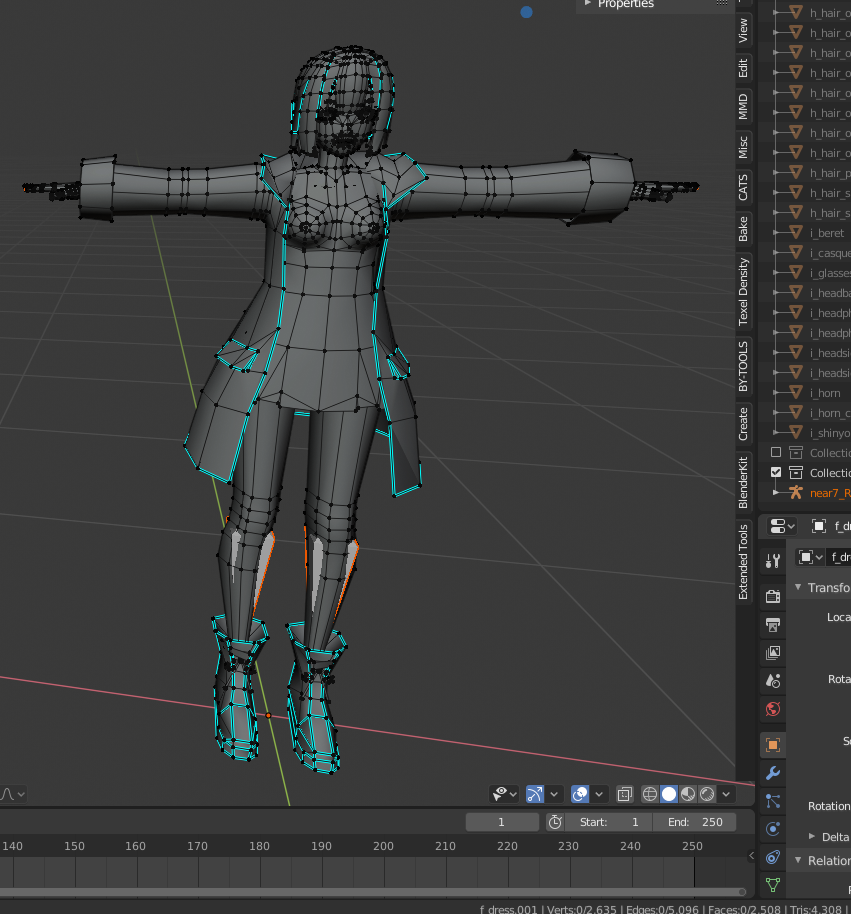
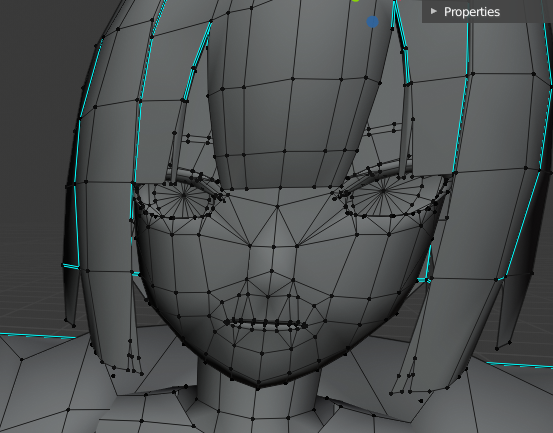


 astral topaz
how do you check an avatars size i can't seem to find it.
long talon
filesize? when uploading it, check for the appdata temp folder the sdk creates, it puts the generated .vrca avatar package for upload there, so you can catch it and check filesize
afaik there isn't any other good way to check filesize
astral topaz
sigh it said uncompressed needs to be 10mb under right? so i'm guessing this is probably too big which is why it's not quest ready..
abstract ether
And you can always check the size of individual assets. I wouldn't be surprised if you had an overly large uncompressed texture.
astral topaz
image is only 512x512 too i don't really know. my friend got a quest and i want to have my own avatar to play with him but damn trying to find where it's too big is killing me lol
vestal lantern
@astral topaz Keep compression at high quality, that doesn't affect filesize, just initial compression time.