#avatar-quest
1 messages · Page 27 of 1
 delicate basalt
oh... it finished
yeah im making a new project after this lol
solely for crossplay projects
 blazing willow
question
 arctic heart
Has anyone figured out why some quest versions of avatars appear halfway in the ground for quest users? I thought there was probably something I missed in my armature at first but the armature is identical except for some end bones that aren't involved with the rig at all
 craggy glacier
@arctic heart i asked about it on the canny and got this response from tupper, still don't understand, but it's a start i suppose
arctic heart
mm mine is exactly the same aside from some end bones that aren't important for the rig, guess I'll mess with it a bit more later
 winter frigate
do vrchat's mobile shaders work on desktop?
 pastel storm
yes
you can upload the avatar with mobile shaders and it will work on pc
(as long as the build target is pc)
 chrome girder
Hmm. Language filter didn’t like something. It wasn’t offensive. Let’s try again. How are people sharing Quest avatars?
 normal sierra
@still tusk Did you take those screenshots on a Quest or from the PC version? Even if a Quest user is using the avatar, if you're on PC, you'll still see (and get stats for) the PC version of that avatar, when the Quest version is actually much lighter.
Also, the 5k limit is just a recommendation right now-- if I remember, the actual hard cutoff is much, much higher and will be lowered closer to 5k in the near future.
 still tusk
@normal sierra No, he uploaded both the PC and Quest versions of the avatars he had.
He said, that if it was a true PC version. He would've added dynamic bones
normal sierra
In that case, yeah, that avatar unfortunately won't perform very well at all on Quest, and will most likely stop working pretty soon when the hard cutoff for tris is lowered. I hope people are taking the time to optimize their avatars properly for Quest and not just re-uploading the PC mesh, or there'll be a lot of avatars that will suddenly stop working.
 foggy garnet
been working on lowpoly guns recently
 mint anvil
i think 5k is quite unreasonable as a hard cutoff
also is it a common bug that if you upload a quest version of your avatar on the same id that the pc version gets really dark? Like as if the shadow setting is maxed
ever since i uploaded the quest version from that 5k poly avatar my pc version of it got quite darker.
winter frigate
huh i havent noticed that at all on my models
i did notice on a model that i used vrc's mobile toon lit for the pc build it seemed dark though but on my other model i used a diff shader for pc
mint anvil
yea. could be a bug
we need a toon lit without that broken shadow lol
toon lit would be fine without the shadow
 hushed wedge
You can probably turn off either cast shadows or receive shadows on the mesh, but I agree that it's not ideal
hushed wedge
It's an unfortunate side effect of having your shader cast and receive shadows at the same time
I don't think it really belongs on a shader like Toon/Lit tbh
Then the tradeoff becomes either not casting shadows or not receiving them. Receiving them can at least make you look not overly bright indoors
I feel the only way around that would be a duplicate mesh solely for the shadows that renders just a bit later (is that even possible?), obviously not ideal and especially not quest-ready
Actually nvm that wouldn't even help
 twin pebble
@mint anvil 5k is not unreasonable. You haveta get good at optimizing.
Like...learn and understand what your doing.
 wispy crater
A free avatar making kit with a bunch of base models that look good under 5k tris that could easily be modified would really help newbie creators.
hushed wedge
Not gonna lie, 5k is really really strict @twin pebble
There's a reason a lot of Quest avatars have a certain "style" to them. They all have shorter hair for example. Not every model will be able to look good on Quest
twin pebble
@hushed wedge. Your talking to someone who's worked in the early mobile gaming market. 5,000 tris is plenty when your used to 800.
mint anvil
@twin pebble i know what i am doing. and i am good at optimizing. but good luck making a 30k avatar look good at 5k.
it is much much easier getting a extremely high poly avatar to 70k
but it's near impossible getting an already low poly avatar down to 5k without making it look like shit
hushed wedge
Yeah it's a lot more work, you have to properly retopo it and be extremely careful
mint anvil
like. i tried it. manually decimating it
and being careful
i only got my 30k model down to 10k without making it look bad
another 5k would make severe visual changes
i get 300k+ down to 70k no problem
but already low poly avatars are a different story imo
cause there isn't really much to decimate
i don't even really need to do this. but i think it's good if quest ppl can see you instead of some default avatar
got some positive reactions today with that avatar from quest people
hushed wedge
Decimation is unfortunately not enough for these things
Although manually dissolving might work
twin pebble
@hushed wedge yes I'm doing a retop and REEALY paying attention to my edge loops and triangles. Looks really good so far.
I personally view it as a buiness market. "Hey nice avatar you have there...it's a shame no quest users can see it. Wanna commission?"
 gusty patio
30 k to 5k is tough. My only lack of motivation is for someone else to see (Quest users). Since there are mostly PC users, that motivation is low.
 dry zealot
I took a model that was very low poly. But only a a thumb index. The other was one shape. I duplicate the index so i have 5 fonctionnal fingers. I cut the mouth etc.
Its fun to do
Overal 5k is hard if you have a lots of mesh that would use backfaceculling but insted you duplicate and filp the normal
So 7.5k max 10k for me is enough overall
 ashen oracle
just do this, easy https://twitter.com/IgbarVonSquid/status/1132665795975237632


Want to make your avatar Quest compatible but don't want to atlas your materials, decimate, and/or retopologize? Then I have the solution for you! Trim off those polys in 43 easy steps, thanks to this new miracle product! #VRChat https://t.co/vWniBu8QMp
 Twitter
 modest obsidian
Does anyone know how to make quest avatars? I need help from someone who knows what to do.
 random badge
wat up
modest obsidian
I can't get mine to work
I have the model and put it through miximo after getting it from models-recorces.com and once I put it in unity I couldn't get it to work right
The face mask and hands were kinda mixed up
And then someone told me in VRchat that you needed to take specific steps that get it working on Quest.
@random badge
random badge
There are a couple of steps yea.
its been covered a million and one times but here https://youtu.be/fXuipYzapNA?t=660

Players in VRChat seem distraught on how difficult this may be so here's a short video demonstation not a GUIDE for impatient people like me. (updated info...
the video is timestamped
first one i could find.
modest obsidian
Thanks
random badge
Assuming this is the issue you are running into..
random badge
You do need unity.
 upbeat mauve
I managed to figure out what's causing the quest users' avatars to sink into the ground from waist down
it happens when the pc and quest versions' rigging/override animations don't match up
for my quest avatar, I removed the tail bones and some misc accessory bones, and that caused some errors in the rigging and override animation causing the desktop version of the avatar to go into the half curled up state
Basically to fix it make sure your override animations will play properly on both the quest and desktop versions of the avatar
just a heads up for anyone having the same problem
 iron raptor
Which shaders should work with quest? Cause quest users are saying my avatar is pitch black
I have the VRC moblie toonlit shader applied atm
 long talon
is it only in a specific world? Ive had lots of avatars show up completely black in a few worlds with different shaders lately.
iron raptor
It was on the box
long talon
dunno then, not been to the box in a good while
iron raptor
Is there a toonlit without shadows?
long talon
doesnt toonlit already not have shadows?
iron raptor
It's like really low res shadows
long talon
I thought it was just flat shading that reacts to surrounding lights/probes
iron raptor
long talon
ah yep, thats how things show in the editor on toonlit, people have told me I look fine on Quest, and I'm using Toonlit, let me boot up Unity real quick
iron raptor
what do you have the render queue set as?
 iron raptor
kay same for me, so people were saying that you looked black on some worlds?
long talon
nobody told ME that I looked black
iron raptor
okay
long talon
Ive seen people have their avatars turn black
iron raptor
ahhh
long talon
mind you I'm on PC
iron raptor
mhmm
long talon
so I really don't think it's an issue with your avatar
iron raptor
kay thanks for the help c:
long talon
finally retopo'd the mouth right https://bocchi.is-pretty.cool/8Gpz7jS.png

I also realized I left in the hidden expression meshes, which gave me a free 600 tris to work with
absolute gift from the heavens
 foggy quail
😱
long talon
I decided to go full ham on getting the quest version looking really really good
foggy quail
🤢
long talon
Imma wait for him to get sorted out by dyno
modest obsidian
can someone please help me. I cant get my account connected to Unity
long talon
wdym?
you opened the vrchat settings panel, entered your username and password and clicked Sign In?

I clicked sign in, and it works fine, logged in
modest obsidian
hmmmm
ok thats enough effort I have basically tired moving heaven and earth to get this working with a 2017 versiom of unity because thats all a mac can handle and its just not working
Ugh
modest obsidian
the version of unity is 2017
modest obsidian
let me see the exact version
long talon
That's the Mac download
modest obsidian
2017.1.5f1
long talon
yeah, nah
as stated like 25 times, you need 2017.4.15f1
it will NOT work without it
modest obsidian
why cant it be easyier
everything that works is expensive
I need a good COMPUTER
too bad im poor and am paying off a VR
long talon
Unity really doesn't need a beast to run
any computer made in the last 10 years will run the Unity editor fine.
modest obsidian
you dont know my 2008 Mac. this thing is a stuborn old goat that crashes if you play minecraft and blow up 5 tnt blocks and needs to be rebooted
I pray this works
long talon
like the old 21" imac or the white plastic macbook?
not that theres any real compute difference between the two
 unborn cedar
Quick question: is it possible to have custom avatars on the quest? Im new to the vr scene and ive seen people making them on twitch and stuff
 hidden cedar
What is the limit to quest avatars?
long talon
Yes, this whole channel is dedicated to making Quest avatars.
also, @hidden cedar the current soft limits are mentionned in the google slides document linked at the bottom of #quest-info
unborn cedar
Could i commission someone to make me some avatars? Or could someone teach me how to do them myself?
long talon
this discord and google are your best friends
there's also some people who already have quest avatar commissions open in the VRC Traders Discord
unborn cedar
Ooohhhh fancy
How do i get to the traders discord? Im not sure ill be able to make an avatar myself cuz i dont have a computer. Thats why i have the quest
hidden cedar
I mean I'm asking because I heard a rumour that an enforcement of 5k polygons was in fact will be enforced, and I was checking out avatars, and quite a few are massively over that, dispite working within excellent performance, so I was double checking
long talon
ok so get this
we did a test earlier, a friend put an avatar on quest with 20k poly, him alone, or him within a sea of other 5k poly avatars didnt make a dent in performance
but we all got into an empty world, and like 10+ users on 20k poly avatars DID kill the framerate
This is what NOBODY ever keeps in mind, because your world or avatar works fine when you're alone, doesn't mean it's performant.
Tupper said the final limit would be between 5k and 20k, I'm expecting probably 8k
hidden cedar
Ok, that's gives me a better idea when selecting and making avatars. Thank you.
pastel storm
can a dev give some more info on the upcoming hard poly limit? since it's going to be higher than 5k, but "less than 20k" i'm assuming 10 or 15k would really like some clarification so i know what to aim for
long talon
Seeing how 20k hit performance, I'm betting closer to 10k, but wouldnt be surprised if less
also hi
pastel storm
i have a feeling it was my 10 materials per avatar that was doing most of those drops today
 pastel storm
not an excuse, i just think shaving off 90% of my materials will do more than 1/3 of my polys
long talon
I guess
long talon
Mission accomplished https://bocchi.is-pretty.cool/52qXCyK.gif

 pale stream
@pastel storm you can definitely do both 😃
pastel storm
it took you like a week to get one avatar that low
the limit won't be 5k so you didn't have to go that hard on it
long talon
if youre not a lazy fuck like me, itll take a day
pastel storm
it took me a week to get one down from 61k to 12k
i was aiming for 5k the entire tile
i have serious doubts if i can save that last 2k if the limit is 10
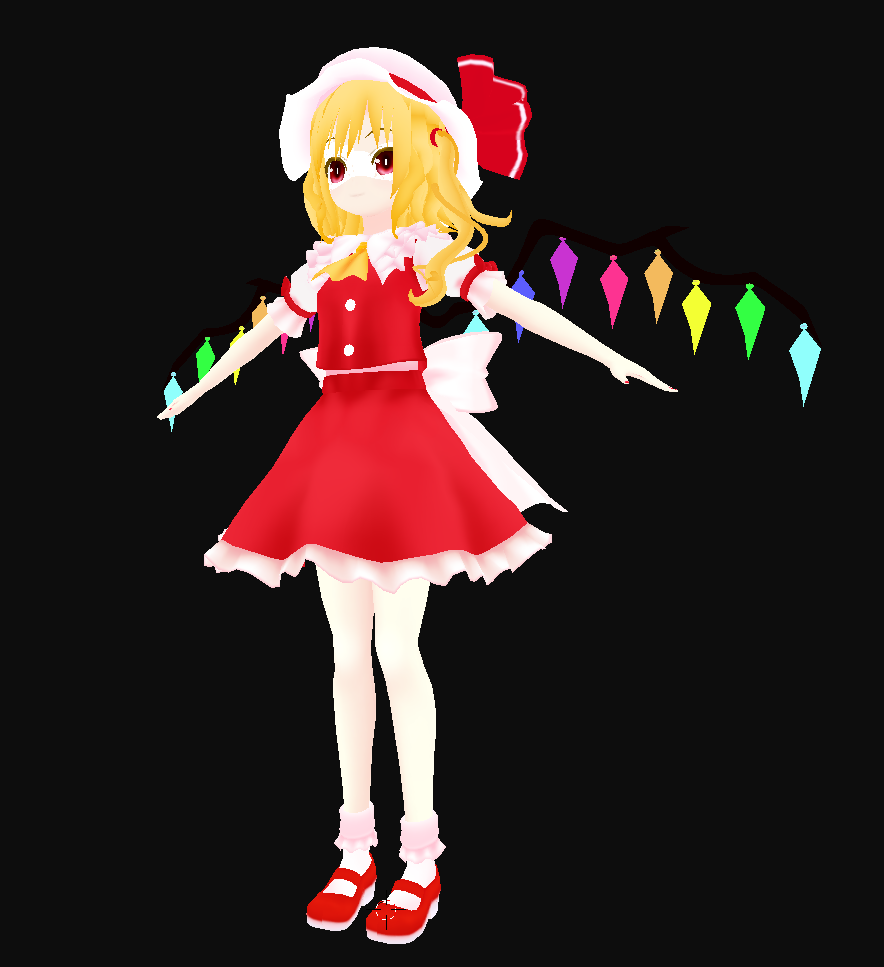

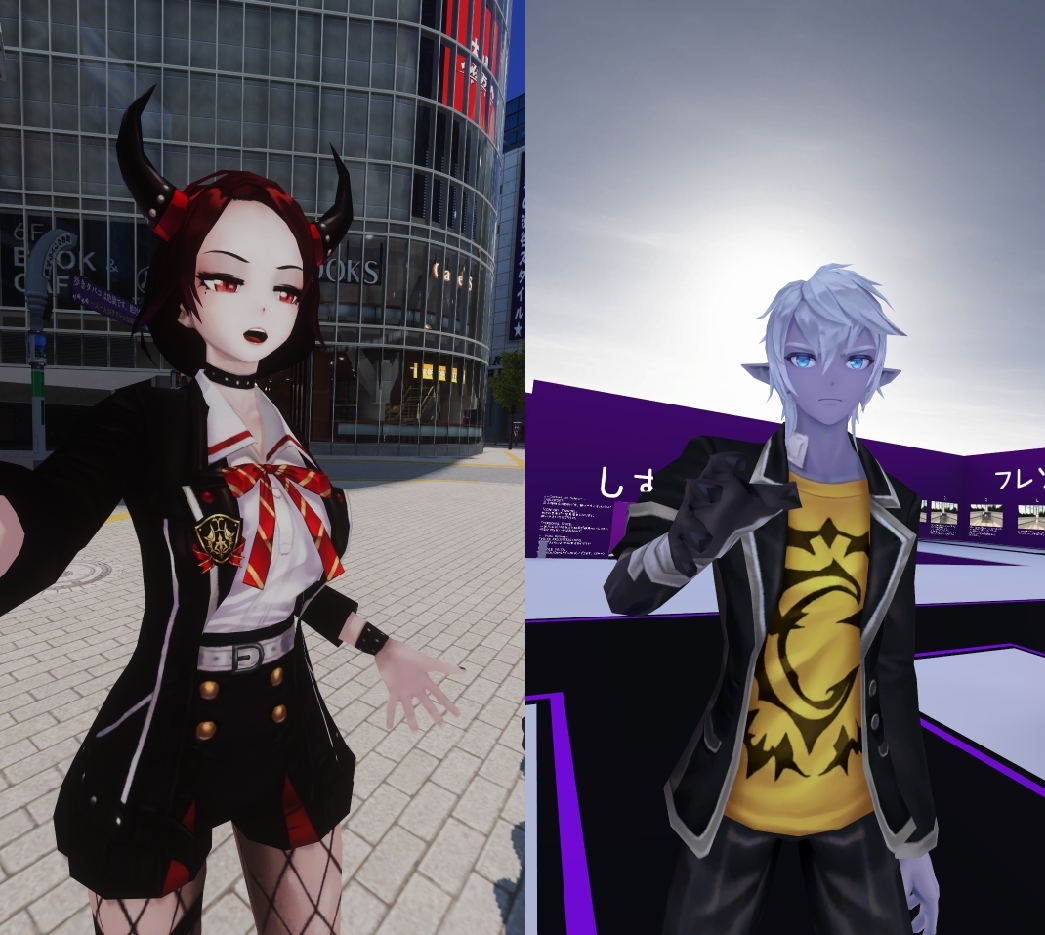 long talon
5k poly?
dry zealot
Yea
long talon
sick bruv
dry zealot
They are around 7k orginally but of what I know back then when they annonce the 5k limit. I opty them to that. :/ but if the limit is like 10k they are going to look there best
long talon
I adore the fact I finally got all the features of my PC version, yet even less tris. Also, I decided to give up on the VRAM chase, after seeing how much better the model looked with a 2048x atlas instead of 1024
dry zealot
They look fine with 1024 on my side
long talon
I saved a lot of tris by recreating model details in texture instead
and they looked a bit blurry
pastel storm
https://i.gyazo.com/5453553ee9265a787f34e85ff7d1fdc2.png has anyone else ran into this before with the atlas generator for CATS?

i've restarted many times of course
pale stream
better to reinstall the addon
pastel storm
i've tried that a few times as well
long talon
is there an easy way to just swap out the fbx used in an avatar in Unity without having to reset everything up
pale stream
nope
that's why it's the last step
But if you reimport on top of the existing file in your unity folder, it should update
But that depends on which kind of changes you made
If you edit bones, i think it doesn't work
long talon
what about weight paints?
pale stream
I honestly forgot, but you can try
foggy quail
Those should work. Pretty sure I've updated my weights that way
 clear yoke
You can overwrite if you change the bones, but you'll need to unassign it from being humanoid, and then reassign it as humanoid.
long talon
one thing tho, I always save before atlas
and CATS'/Shotariya's MatCombiner creates a new material that looks for a new texture every time.
will that screw it up?
"why is my mouth not working? WHY IS MY MOUTH NOT WORKING!?!? WHY I--"
https://bocchi.is-pretty.cool/2oAJU8Q.png


always enable this garbo while doing mobile avatars, thanks https://bocchi.is-pretty.cool/6161NNu.png
 dry zealot
so if I can have the confirmation that the limit is like 10k I would publish a world full of those
 topaz plume
They recommend 5k polys... I don’t think they have said the limit yet @dry zealot
 cyan spoke
I'd still aim for 8k max...
 waxen torrent
What's the name of the unlit shader on quest?
waxen torrent
(...)
waxen torrent
VRChat/Mobile/Standard Lite
cyan spoke
Standard Lite? Is that new? I don't remember that from the last devkit update
Maybe I have to update it
Probably in the Standard Lite you can set the emission but I'm not sure
 timber junco
Jome
dry zealot
the texture of rez 1024 or 2048
 shrewd fog
No unlit shaders for avatars on Avatars on Quest no
cyan spoke
@dry zealot 1024 is recommended
 proven monolith
So I've made an avatar using the android build, but for some reason the publish button on the build control panel just isn't there. any ideas?
 lone current
Gonna make a vr model, Afterwards, need help publishing to vrchat
dry zealot
a fbt rig on a quest avatar full create issues ?
long talon
My Quest avatar has the FBT rig and it's fine
you're sending the same IK data to PC and Quest users. it's all the same. it's actually better if the rig is the exact same.
pastel storm
is there a way to tell if your avatar is error'd out on quest without actually testing on one
once in a while an avatar upload ends up as an avatar - on pc i catch this easily and can re-upload without making any changes and fix it
but i can't test the quest uploads!
long talon
find quest friend, or bribe me with treats so I login on Go.
pastel storm
i have quest friends but i dont wanna be a bother! you know that
 exotic matrix
Well, sometimes it is okay to ask a friend for help, maybe one day if he like you can make a character for him
long talon
you just take 5 minutes of their time to ask them if they can load an avatar, its not that bothering
craggy glacier
@pastel storm usually i just go to a public hub and see ask quest users about the avatar, if there are any
its not too hard to find them
long talon
as in see-through or completely invisible?
see-through is a shader issue, that shouldnt even happen on quest.
invisible meshes with the vrchat mobile shaders is caused by backface culling. as in, the underside of a face wont be rendered by the game. I believe CATS' has a fix normals button. https://bocchi.is-pretty.cool/3JHJbcU.png
 twin pebble
currently resting on 3170 tris
modest obsidian
see through
and I will try that
see its like that, you can see things like the hair and fox clip from the other side
 nimble schooner
im looking for an avatar that I have not found its Asriel Dreemurr
from undertale - goat son
the unity asset store currently does not have the model
the other thing for VRchat is you can't search for models - search button is grayed out and there is not a lot of models to choose from
im guessing when it leaves early access there might be more things added a lot of stuff right now is experimentation (unstable content)
long talon
- You find other avatars in avatar worlds.
- There aren't that many quest avatar worlds yet.
- would be surprised if there are any Undertale avatars on Quest.
nimble schooner
any website that I could find the avatar
Deviantart does not have actual 3d models yet or you can't download them
MMD is also a type of 3D art
sizebox is a game where you can have some fun
long talon
got an Asriel MMD in Blender, but damn thats 65k tris
pastel storm
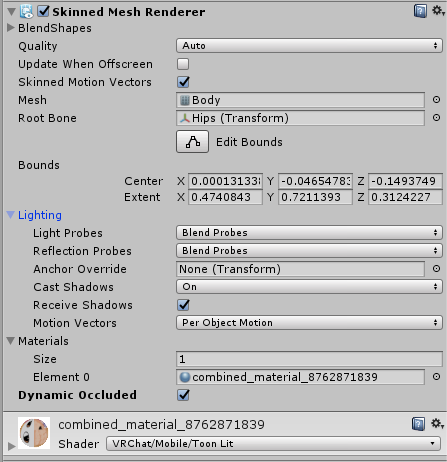
question about the toon lit shader - i can see in the preview on upload that the lighting works, but then i can't seem to see myself get lit up ingame
i feel like i -used to- see it working but now i've lost it
https://i.gyazo.com/937bf0c3a69fad06014789c7a4b1a7a0.png this is what i've got in unity
 long talon
@nimble schooner the model decimates fine with decent weight paints to 4800 tris, but you'd need to redo shapekeys yourself for blinking and mouth movement.
pastel storm
granted i've only been to a few worlds recently, but i feel like i should have run into one that cast shadows on me
nimble schooner
i won't be modifying anything all im needing is finding models that I can choose from. right now I got other things to do rather then hunting for 3D avatar models which I may or may not find.
im was looking at VRChat Avatar Tutorials and https://docs.vrchat.com/docs/creating-your-first-avatar
Before getting started ensure you have a Unity project with the SDK setup ## Step 1 - Find a model Arguably the most important part, you must find a 3D model to be used as your avatar. As this is your first avatar we recommend getting one from the ...
long talon
if you have "other things to do" you wont get far.
nimble schooner
I won't lie but the models available on Vchat I don't really like and my taste is completely non-releveant to them that's the whole reason for finding the right model/avatar
pastel storm
you can find avatars in avatar worlds
the public list is just some defaults to choose from
there is no way to search through the avatars except for going through avatar worlds ingame and looking at them physically - unfortunately
 hollow raven
can anyone create this character in vr chat for me i cant seem to make it work for some reason
she has raccoon ears and a bushy tail her names raphtalia from rising of the shield hero is it possible that someone could creat this for me ive tried for hours but i cant get it to work
pastel storm
do you have the model
pale stream
@hollow raven You can join the VRC Traders discord server to commission someone to do it in #community-servers-old
hollow raven
see thats the thing i keep losing the model like i get so far in ans in cra
crashes
pale stream
In Blender ?
cyan spoke
Yesterday I spent some time browsing cross-platform avatar worlds, it's nice to see Quest avatars are slowly popping out.
Some are good and ready with animation overrides, some are a bit cheap, but they are starting to appear indeed
Some of them are really close to the PC counterpart, it's just a pity they can't have sounds
dry zealot
sound is annoying anyway
cyan spoke
It depends on the case, if they are not the "ear-rape" kind it's mostly ok. I'm just thinking about cases where everyone in a world has a cross-platform avatar, maybe half of them are on Quest and the other half on PC
One of the PC users triggers a sound... Half of them will get it (maybe it's a joke, they laugh), half of them will just wonder what's going on
dry zealot
I mostly only have an sound when I spawn
cyan spoke
Makehuman has a lowpoly model you can use
pastel storm
where do i download the model @cyan spoke
cyan spoke
http://www.makehumancommunity.org/ for the base software
http://www.makehumancommunity.org/proxy/uni1228_unisex_game_model.html for the lowpoly proxy
The software is open source, you can use that to easily build a customized human body
twin pebble
@pale stream or anyone here, Is there limitations with emote overrides on characters on the quest? A lot of my emote overides spawn aditional content. (Deleon, props, other things) Does that count for the tri-count? how far should i go optimizing that?
 real dew
Hey all. I just got the email that I can upload my own stuff to VRChat. I have never done anything in Blender, will it be feasible to make a VRChat avatar as my first project or is that way too hard? I don't mind tutorials and working off of another model as a base
 midnight marlin
so i have an issue with transparency
like that 01 decal has a transparent border around it
i tried increasing the amount of skin color around the 01 decal using my image editor
but then i realized it's impossible to mitigate since there is bound to be some screen space pixels that interpolate to an "intermediate" transparency value
i guess it can't be fixed if i'm using cutout mask transparency
is that correct?
am I screwed?
like I know the best course of action is to put the 01 on the skin instead of adding a transparent decal but that's how the model came so 😦
ok my guess at whhy this might be happening is like the colored in areas are 100% opaque and the transparent areas are 0% opaque
and there's a threshold value where the cutout mask renderer says it must be transparent
argh im not sure what the heck is happening
cyan spoke
Aah there’s a solution for that, basically the alpha is fading from pink to black; ideally you want to keep the area around the “01” of the same skin color a bit further than that
And use the alpha only on the Alpha Channel in Photoshop
cyan spoke
Good!
midnight marlin
like you mean instead of the color values going from lets say (123, 12, 3, 0) -> (123, 12, 3, 255)
it's going from (123, 12, 3, 0) -> (255, 255, 255, 255)
is that correct?
like i guess the alpha polarity is back to front but yeah
@iron tendon
oof how do i do that in gimp
cyan spoke
Now it’s like (0, 0, 0, 0) -> (123, 12, 3, 255)
midnight marlin
ye
cyan spoke
It has to be like you said at first
midnight marlin
holy hell, does quest have a 5k poly limit?
20k was hard enough back in the day 😐
pastel storm
5k is recommended but the limit is "between 5k and 20k" where "5k is well within the limit" once they implement a limit
cyan spoke
Judging from the layers, it is ok...
I fear this is another kind of graphic issue where the transprent part will just show the background color of the scene
But it kinda depends on the shader
I’m on mobile now so I can’t try myself
Aaah wait
Are you checking this in Blender?
midnight marlin
ye
cyan spoke
The final result in Unity might actually be different due to how the shader works
Check that in Unity!
(Also, are we sure there’s an alpha shader for Quest? As far as I remember there are only opaque ones but maybe you can use the shader for particles)
midnight marlin
also this isn't for quest
i was just curious cause i heard from someone
alright i'll check in unity
i just gotta do the other part that has the same issue
pale stream
@twin pebble Due to the Quest's limitations, as far as you can !
cyan spoke
@midnight marlin if it’s not for Quest the I guess you’re in the wrong channel 😛
twin pebble
@pale stream that doesn't answer my question..... i guess i will have to push it untill quest users complain im lagging their gear.
pale stream
I'm not sure how to answer your question, it's either "don't do anything" or "please optimize the shit out of it"
 gilded surge
@hollow raven yassss Raphtiliaaaa my waifu
hollow raven
@gilded surge ik right best girl but im having trouble finding the right person to make i
 acoustic talon
So will the quest avatar requirements slowly go up as they optimize the quest? (Pretty sure it is a yes right?)
 steady mauve
Hello to all VR Chat members. i am in search of a Naruto Shipuuden avatar. can you guide me to one, please?
 ripe oxide
Hello vr chat people.. Im looking for someone that could make a custom wolf animatronic or dutch angel dragon char, please msg me on more info to this lol
 jagged sequoia
Crodojoe I doubt that's going to be the case as the the specs are not going to change so how much GPU power and RAM it has is static
jagged sequoia
because code optimizations aren't going to help with its Graphics limits
acoustic talon
yea
hushed wedge
The avatar requirements probably won't be relaxed
acoustic talon
wow quest users really are out of luck then
hushed wedge
Right now the Quest performance is kind of laughable once you get more than 8 people in a room
If any improvements are to be made, they would want to pour all their effort into getting more users in a room first
jagged sequoia
well you're essentially running it on a cell phone
acoustic talon
yea it is a highly modified android right?
jagged sequoia
that's not going to make it magically more performance
jagged sequoia
and your PC probably has a hundred times electricity to work with
acoustic talon
yea
also if vrchat can get it on the quest why not psvr does sony not allow them?
jagged sequoia
because Sony doesn't allow custom stuff
jagged sequoia
and I doubt the polygon count would be much higher on psvr
acoustic talon
good luck to people who bought oculus quest just for vrchat
jagged sequoia
well that's what you get for having a completely Standalone headset you can't cram a PC graphics card in there
surprised nobody has made a Quest complaint anime base mesh considering it the hair and clothing that's the only thing that's difference between most anime avatars and the eye textures
 jagged sequoia
mind if we see the wire frame
delicate basalt
sorry ill b quieter vrc bot
:inhale:
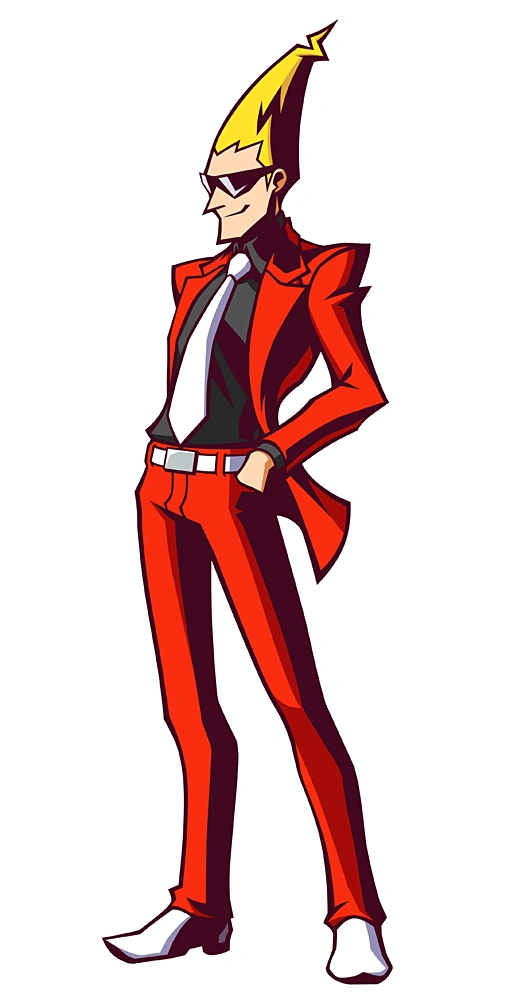
omg ghost trick yessssSSS
fuck yeah duud i just remmbered how great it was
jagged sequoia
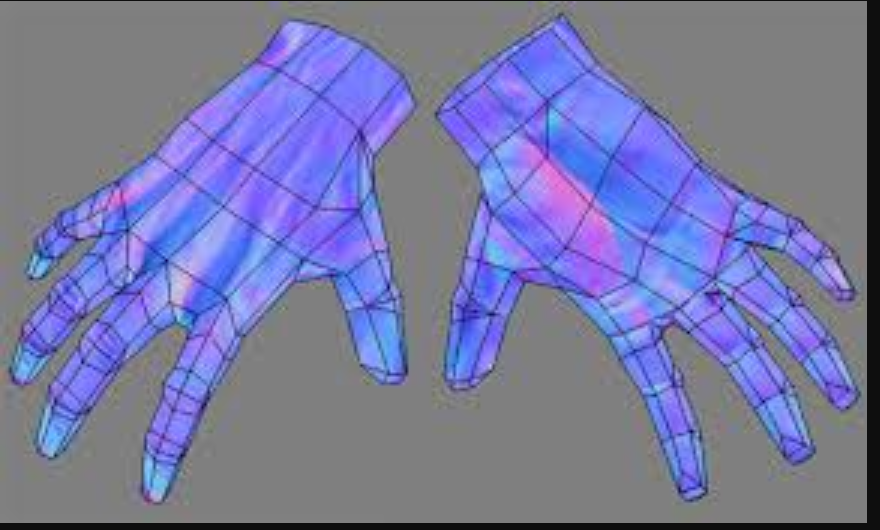
mind if I see a picture focus on the hands
cyan spoke
Aaaaah so I'm not the only guy here remembering this friggin masterpiece of a game
delicate basalt
its so good
cyan spoke
Yeah, hands incoming
jagged sequoia
have you done any testing to make sure the joint Bend okay
cyan spoke
Not too proud of the hands but they should work
No test made yet, but I'm following some knowledge I got back in the years for the joints
Also the character art stye is very pointy in general so it should look decent if it doesn't bend too smoothly
acoustic talon
i gotta save that
cyan spoke
The second one is going to compenetrate anyways
Also the character has almost no texture so you are not going to see any texture stretch
Not on elbows and knees at least
jagged sequoia
so you'll be fine just figured it might be handy to share that
cyan spoke
No problem
jagged sequoia
yeah looking at the character model you could probably just cover everything with a Atlas for solid colors
cyan spoke
Yeah that's how I'll cover most of the stuff
Except for some details like the belt, the sewings on the pants, some outlines here and there
jagged sequoia
good idea
cyan spoke
Going to use the Mobile Matcap shader for this one
Looks decent imho, the shadows are similar to the original artwork
But I'll need to add some details by hand for sure
hushed wedge
If camera components only work locally, why are they not present on Quest?
I guess mobile GPU's may have issues when rendering stuff twice
 north ivy
Is it full bright in a dark world like say, a campfire world?
cyan spoke
Nope, that's the Lit Matcap included in the SDK
north ivy
👍
shrewd fog
There's no shaders supported on Avatars that are unlit on Quest
north ivy
🎉
hushed wedge
Any particular reason?
Unlit Texture is pretty much the lightest shader I can think of (beaten only by Unlit Color pretty much)
north ivy
It looks like trash in darker worlds. Or any worlds that are not nearly full bright basically. (IMO)
pastel storm
but the lit ones also look like trash on mobile trying to do low res flickering shadows etc 😐
north ivy
Well, I'm not arguing anything about that part 😄 . I just can't stand full bright avatars in dim/dark worlds in VR.
pastel storm
wholeheartedly agree on that, not trying to make a point for unlit, we need simpler lit ones
hushed wedge
I'm sure someone could end up with a use case where Unlit Texture works fine, such as a floating drone that's "self-illuminated"
It's weird not to include it since you can literally generate one in Unity
cyan spoke
Let's say it should only be used for things that emit light somehow, and not for the full avatar...
foggy garnet
@cyan spoke I'm sorta late, but those hands are beautifully optimized
angled four-face fingers are my jam
cyan spoke
@foggy garnet thanks : D these are actually six face!
foggy garnet
Oh, my bad!
cyan spoke
Np ; ) Hard to tell from the top view
 fluid kiln
@twin pebble To clarify, disabled objects on Quest will eventually count towards various limits.
modest obsidian
How do I change shaders on my skin?
 serene pagoda
I'm canadian
modest obsidian
it says "shaders "standard" unsuported"
long talon
select your material, click the shader dropdown, go to vrchat>mobile and pick whatever suits the situation best
assuming from your anime pic, I imagine youre trying to import an anime avatar, which would look like garbotrash with the standard shader, meaning if you knew how to change it at all, you wouldnt be using standard.
knowing this, I can tell you to click the fbx for your model in the unity explorer, click the materials tab in the inspector on the right, switch from embedded materials to external materials, and apply
go to the materials folder, and you can now click your material and change it's shader in the inspector.
pastel storm
Yo, is there anyone here who does avatar commissions?
long talon
look in the vrc traders discord
modest obsidian
long talon
oh theres so much wrong with this
modest obsidian
FUCK
long talon
he has 26 meshes
modest obsidian
well how do I fix the meshes
random badge
You cant upload something that unoptimised to Quest
long talon
your avatar would lag a PC
modest obsidian
because I lack being able to find this stuff
long talon
that aint gonna upload to quest in a million years
random badge
Merge them in blenda
long talon
youre supposed to optimize it yourself in Blender my man
random badge
import that model into blender
hit a
then ctrl + j
thats about all you need to do.
modest obsidian
how do i get that, does it come in the skd?
random badge
It does yes.
modest obsidian
sweet, thanks
random badge
SDK btw
modest obsidian
OH
So if I mesh it I can change the shaders on the whole thing in one shot
Oh that makes sense!!
random badge
Yep, thats how the videogames do the do
modest obsidian
ah this makes my code class feel like a walk in the park
And I programed a game in that
random badge
i couldnt write a single line of code if i tried 🙃
long talon
I mean, I would matcap a model like that, but dont bother with that shit for now.
modest obsidian
Im sure I just need to get the steps down for this and I will be all good
thanks foir your help @random badge @long talon
 prime imp
Does anyone have some advice on the best topology for hands? I'm trying to find references right now. They obviously need to be lower poly wich is something i haven't done before, i want to make sure the rigging will look decent.
jagged sequoia

ArtStation
This is my first attempt at a low-poly hand with proper topology. I noticed how big of a difference it made once I rigged it, even though the topology isn't that good still.


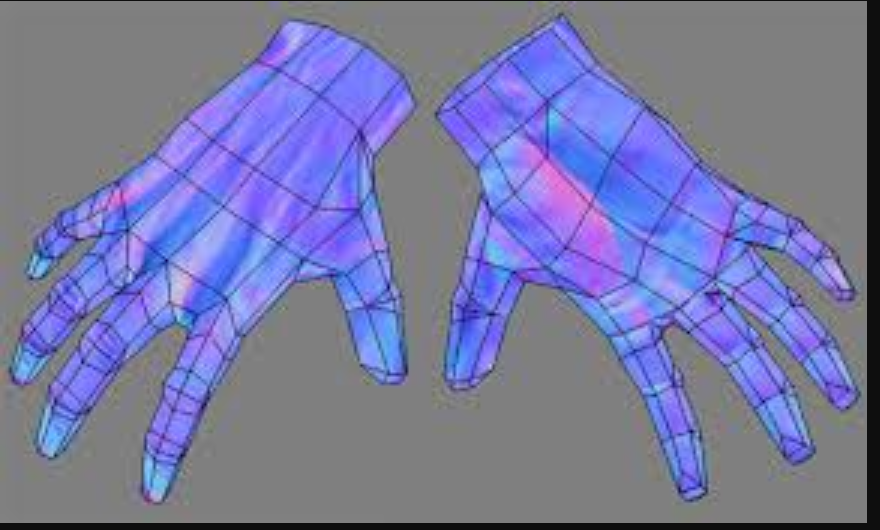
@prime imp hope these pictures are help
prime imp
@jagged sequoia Thank you so much!
jagged sequoia
no problem glad to be of help
dry zealot
what is the difference with lightmapped and toon lit in the vrchat shader ?
and why ?
shrewd fog
Lightmapped is as the name suggest a shader meant to be used for lightmapped objects. Which won't work with avatars since avatars can't be lightmapped (avatars aren't static :P)
dry zealot
am not sure why all my shadow in my unity are weird even appear when I use lit shader
cyan spoke
Check your Quality settings, maybe the shadows are very low there. Keep in mind shadows are disabled on Quest anyways
dry zealot
yeah I fix it thanks. that was kind of killing the profile picture
 versed dew
is there a separate script for putting in the model id to get it sync'd between pc and quest?
random badge
You just upload with the same id
versed dew
yea I didn't realize you needed to click detach from the pipeline manager
but there's a little more to the process that just using the same id
for anyone else struggling:
- Copy the ID from the Manage Uploaded Content (linked from VRChat SDK dropdown)
- With Model Root Game Object Selected, Click Detach on the Pipeline Manager
- Then you can copy the ID into the field and select attach to confirm the linked ID
 rocky matrix
When are the avatar limitations coming? I've seen a few avatars on Quest that were over 20k polys. Some people aren't bothering to upload optimized stuff.
dry zealot
mine stay under 10k 😟
 heavy wharf
Hey guys, I just uploaded a quest test version of one of my avatars, but there seems to be a problem on my side.
Quest users can see each other use the avatar, and they can see me using it while on desktop, but I cant see them (Their avatar goes invisible, and I cant hear them anymore) They also said the avatar is halfway through the ground too.
Im fairly sure I made it so both use same bones and everything, not sure what I missed.
pastel storm
i think that's a networked IK bug
seen it happen a bunch
i'm not sure why it happens so often on avatar cloning though
heavy wharf
So did I mess something up on my side, or is there something broken on the IK side/vrchat?
I just opened my PC version and cleaned it up to be quest compatible, didn't change anything with bones etc. Should both be the same.
 sacred blade
where could I find a Kermit Vader or any compatible Star Wars avatars?
i see the Kermit one a lot and can’t find it in the avatar worlds
long talon
couldnt you ask someone to clone off of them?
modest obsidian
idk how to even google this issue
how do I make the textures non see through..?
dry zealot
change the shader
modest obsidian
oh ok
thanks
I THINK I have it, what do I need to use to cennect this though, this is my only error
something needs to connect the uper chest but idk what
theres nothing listed as spine
Im So ClOsE iT hUrTs
someone halp
@wanton cipher I know you see this and you are probably laughing at my suffering
the exact error message
 naive orbit
shouldn't need upper chest, at least with how I set up my models I don't need them and everything works fine
Would you be able to show your bone hierarchy in blender or whatever you use?
modest obsidian
I was doing so well and when this came along I never saw it coming
@naive orbit there
there is nothing listed as spine though
naive orbit
lemme open up Blender real quick to one of my models
This is what I set mine up to be in Blender
normally the waist gets renamed to be the spine
modest obsidian
ok, so on this spine would be waist
so... does that mean everything needs to be moved over one?
like waist and waist one
please dont tell me I gotta send this back to blender...
naive orbit
I'm not entirely sure, 'cause obv we're using different models from different games
best thing to do it just try it
naive orbit
I'd try either moving Waist 1 and Waist around, and then if that doesn't work send it back to blender yeah
modest obsidian
God speed. I hope I dont have to....
naive orbit
I've been doing Avatar porting for like 3 days now, even though it was a pain in the ass to learn blender and unity once you know the structure to the model it's not that bad
modest obsidian
what exactly should I be changing that spine thing to
because I only have waist and waits 1
modest obsidian
naive orbit
That's the bones of one of my models without being re-named
modest obsidian
see?
thats all I have for that
Im ready to call Atlas them self and be like, Explain yourself!
naive orbit
I'd probably change just waist to spine, 'cause I don't really know what bone waist1 is for
modest obsidian
thats just a name change though right?
that has no effect.
unless I add a waist/spine 2
naive orbit
You are using blender for model right?
modest obsidian
Aha
I made waist 1 swap with bust
that MIGHT have worked
nope
hah
now I have a new error
modest obsidian
the game dont like that though
long talon
for reference https://bocchi.is-pretty.cool/6oyzXC3.png
 long talon
I believe Tupper's old tutorial had a pretty good explanation on reparenting bones
haven't had to deal with it since I got CATS'
modest obsidian
send a link if ya can
naive orbit
God CATS is so useful
long talon
if you've been working without CATS' blender plugin this whole time
youre a saint and have too much patience
naive orbit
^
dry zealot
cats work flawless most of the time
long talon

GitHub
:smiley_cat: A tool designed to shorten steps needed to import and optimize models into VRChat. Compatible models are: MMD, XNALara, Mixamo, DAZ/Poser, Blender Rigify, Sims 2, Motion Builder, 3DS M...
modest obsidian
I will watch that video and wake up at 6:30 and hopfully finish this tomorow
dry zealot
but some time you need to edit the bone name
long talon
most notably, it looks at rig structures for the most popular model import types, and fixes them for vrchat in one click
dry zealot
or merging them manually before hitting fix.
long talon
I merge after fix, I'm also becoming a lot more proficient at Blender, so don't listen to my advice.
modest obsidian
well Im callin it quits for tonight. so I dont need to restart
I just need to take the model and put it in blender, fix and send it back..?
dry zealot
you always need to do some edit in blender with allth e model
long talon
yeah, make sure the return label is the same, or else the post office wont take it.
if you know what youre doing, technically you DONT need Blender and CATS
but youre wasting immense amounts of time.
modest obsidian
I HAVE NO CLUE what im doing im just a dumbass with a 2009 mac
long talon
I had no clue what I was doing in 2017
modest obsidian
whos programed a app on google play store
long talon
keep at it and in a year you'll look back and laugh at how dumb you were
naive orbit
I mean like in 3 - 4 days I've gone from wtf am I doing
to full tracking models with eye tracking and dynamic bones
long talon
I mean, I had to learn it all from heresay
modest obsidian
I feel bad for asking so many questions
long talon
back when I started, Tupper hadn't released all of his first gen tutorials, let alone the megatutorial
modest obsidian
so hopfully i get it soon
long talon
by the time he released the (now crazy outdated) megatutorial, I already knew everything in it and some more.
naive orbit
I also had to learn how to rip models from a UE4 game and use a blender plugin to import the PSK file
importing PSK files suck tho
dry zealot
easier with unity game
modest obsidian
and the CATS thing I just throw that where?
dry zealot
kind<s raid have all kind of anime style character with less then 10k. So its a win for the quest
modest obsidian
what sucks is i dont want to look like all the weebs on Vrchat but persona is one of my favorite game francises so Yuske is a good model
naive orbit
meanwhile me:
modest obsidian
Can I just send it to you and you send it back? you seem to know a thing or two. 😂
jeez. im doing so much better than before though
 outer tide
How restricted are the particle systems on quest, havent got time to check them out myself yet.
eg can you still spawn around 200 local billboard particles, a low poly mesh particle etc.
modest obsidian
I have an idea. Anyone willing to screen share and help me out tomorrow? If you are send me a dm.
pale stream
You should google most of your issues first
foggy garnet
Working on a new avatar, mostly to test texturing / uv unwrap techniques :>
cyan spoke
Ooooh lovely 
foggy garnet
Thank you! I'm still pretty new to pixel art, but it's been a blast to learn so far!
I'm really dreading the day I've gotta UV unwrap anything that isn't a square, though
cyan spoke
There are various techniques and tools for that of course, it's not as maddening as it seems... Unless the model is very complex
pastel storm
What are quest avatars?
cyan spoke
What do you mean?
pastel storm
I'm new to vrchat
cyan spoke
Oh- Quest Avatars are just VRChat avatars that are optimized to run on the Oculus Quest version of the game
pastel storm
Ohhhh
cyan spoke
Since it's basically mobile hardware, these avatars need to be simpler (less polygons, simpler shaders, etc)
pastel storm
I was always confused when i saw quest
Like i thought it was avatars you unlock from doing a puzzle or something
cyan spoke
Aaah legit question then 😄
pastel storm
Yup 😅
dry zealot
If youve saw some pattern for clothing its kind of the same @foggy garnet
modest obsidian
If anyone isn't busy later is anyone willing to screen share with me so nothing goes wrong again?
 blissful notch
If you had an oculus rift then switched to oculus quest would it save all your maps, Avatars, etc. when you enter your account in?
pale stream
You wouldn't be able to use anything but yes
random badge
You would if they were all made cross compatible ofcourse though.
 topaz vector
Anyone know the collider base settings to make my models hair interact with the floor?
Primerally in room of the rain
 pure sail
Think I have encountered a bug. It wont let me upload because of this shader that it says it uses but if I change it to another it still says I´m using this shader in the upload window. Do I need to start over or something?
pale stream
you're most likely using it somewhere else
pure sail
It was. Had a object hidden which had that shader
 plush bloom
What is with the error "unsupported shader standard"
long talon
Avatars require the use of only the shaders included in the VRChat SDK
waxen torrent
Specifically only shaders inside VRChat/Mobile/
plush bloom
Fixed it, thanks :D
quest avys are a lot easier to make than I thought
I wasn't even going to look into them but my friend decided to invest in a quest so 🤷
ripe oxide
Anyone know of any Fnaf pc or pc and quest friendly avatars?
rocky matrix
would setting "Quality" to 2 Bones in the Skinned Mesh Renderer be good for performance?
cyan spoke
Indeed but I'm pretty sure this is overridden by the actual game
It's not a setup that gets uploaded with the Avatar
rocky matrix
I wonder if VRChat enforced 2 bones it would perform better?
cyan spoke
I believe it's already on 2 bones on Quest
1 bone would look really ugly, 4 is heavy even on pc
 dapper osprey
Are custom made animations on Quest-Avatars possible? Like tail wiggle or something like that? I assume the answer is no but this is not covered in "Quest Content Optimization" in the vrc-docs, that is linked in quest-info :-/
prime imp
Can we only use the standard shader for quest models? Could we use a double sided ones in case of normals that aren't visible?
random badge
"VRChat/mobile/" shaders only
if you have faces that arent visible, flip them in blender.
cyan spoke
More like, duplicate the face and flip it, to make it look double sided
prime imp
Alrighty! Thanks 😄
random badge
Thats if you want a double sided mesh yeah.
plush bloom
@ripe oxide I make fnaf quest/pc (crossplay) avatars with my best friend
You can dm me if you want
ripe oxide
@plush bloom alright i'll send over a pm lol
modest obsidian
can anyone just spot me while I atempt at fixing this model?
modest obsidian
OK how do I edit the direction of the bones without moving the model
google hasnt been helpful
I just need this crap moved straight instead of down
pale stream
You should probably look up a simple rigging tutorial for blender
Before doing anything
modest obsidian
yeah thanks I guess thats what I was looking for
 dusty escarp
Anybody know of any jojo avatars
dry zealot
It wont be an issues in game but if you want. Go in edit mode while clicking on the rig. Select the bone and rotate them @modest obsidian
 last jetty
@dusty escarp Type into the search Jojo Avatar World.
dusty escarp
👌
 blissful sequoia
The porting my avatar to a Quest need a shader in the VRChat/mobile to support a transparent feature with a PNG image. I feel the porting difficult without it. I had already request to VRC future request site. Thank you.
dry zealot
No cutout or transparent allowed on quest
Cute the mesh to get the form you want.
Only some triangle are going to be addes. No big deal
Since you can to 20k
But its overkill
Try to keek under like 10-12 max. You dont need that much
But the fact the shader we are given are not double sided nake us use a little bit more triangle. In the end, I thinj this affect less the performance then an expensive shader.
Like 500 triangles more wont kill the fps is what I say
 untold flare
Can anyone help me out finding these rad, unique, anime avatars for Quest? I JUST saw someone in the hub with a really cute anime avatar and I couldn't clone it.
And they were gone before I could say anything
 untold flare
Yeah, that's rad. @dry zealot
I want to learn how to edit and make unique avatars but I'd like to know where you can get avatars other than the same old public avatar worlds.
dry zealot
Let me some time to upload couple other avatar like that so I can upload a map with those
dry zealot
I upload those a month before but since 5 k is not really the limit . I publish 10k less now.
hushed wedge
Careful, worlds have been taken down for having 15k poly avatars
Even though they haven't set a proper limit or even named a proper limit
dry zealot
I always publish avatar that are less then 10k. and they all look great
hushed wedge
Right but I can't help but notice they all have short hair ;)


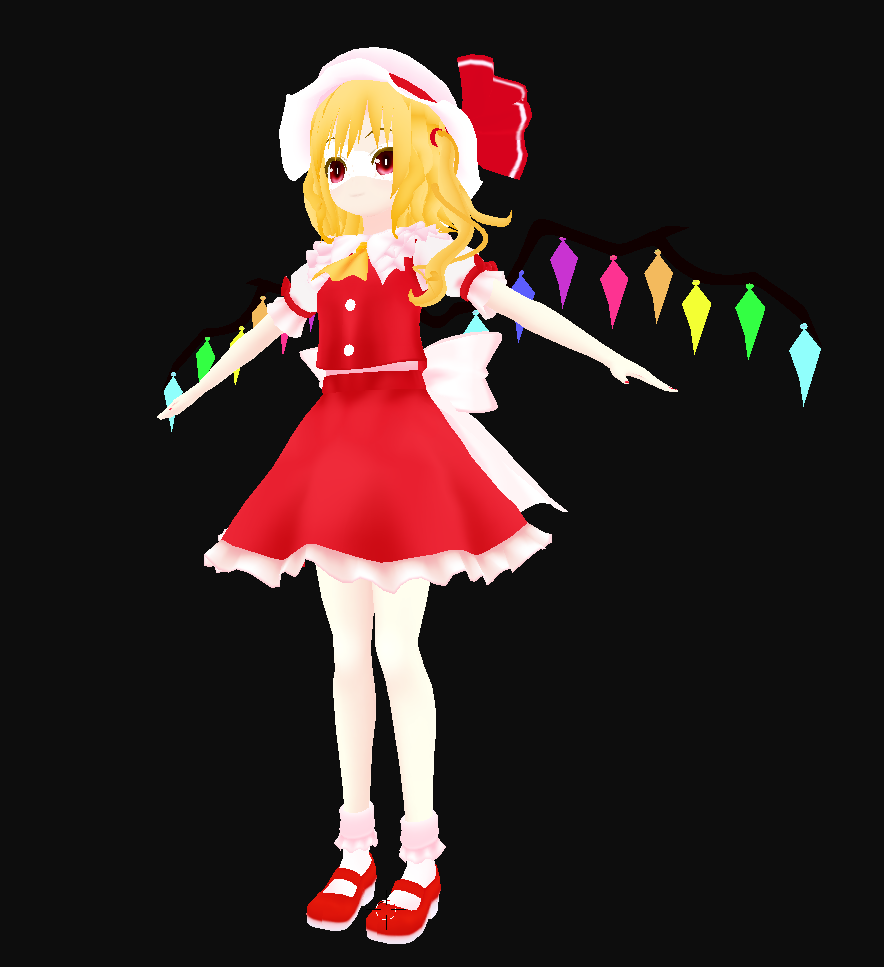
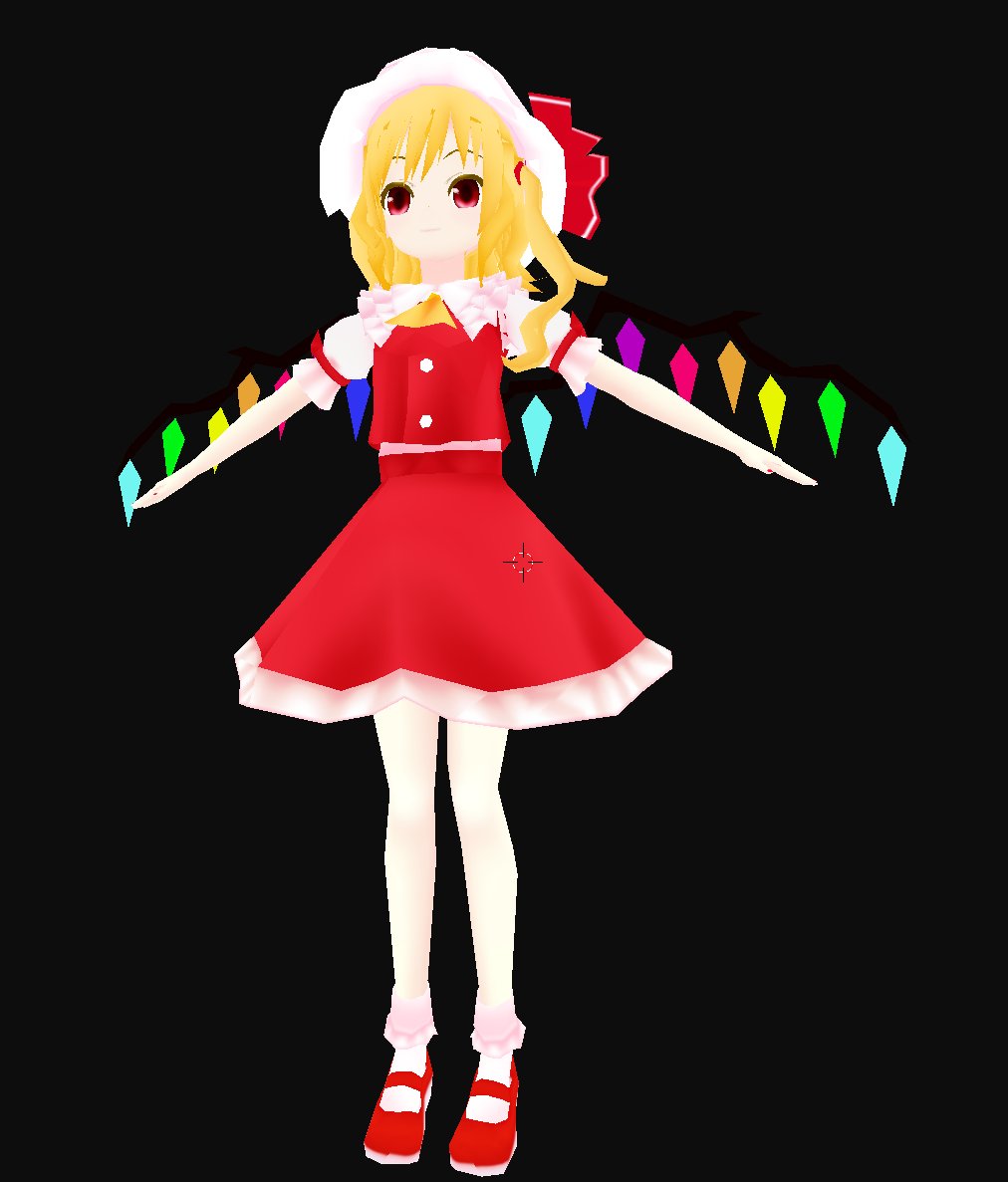
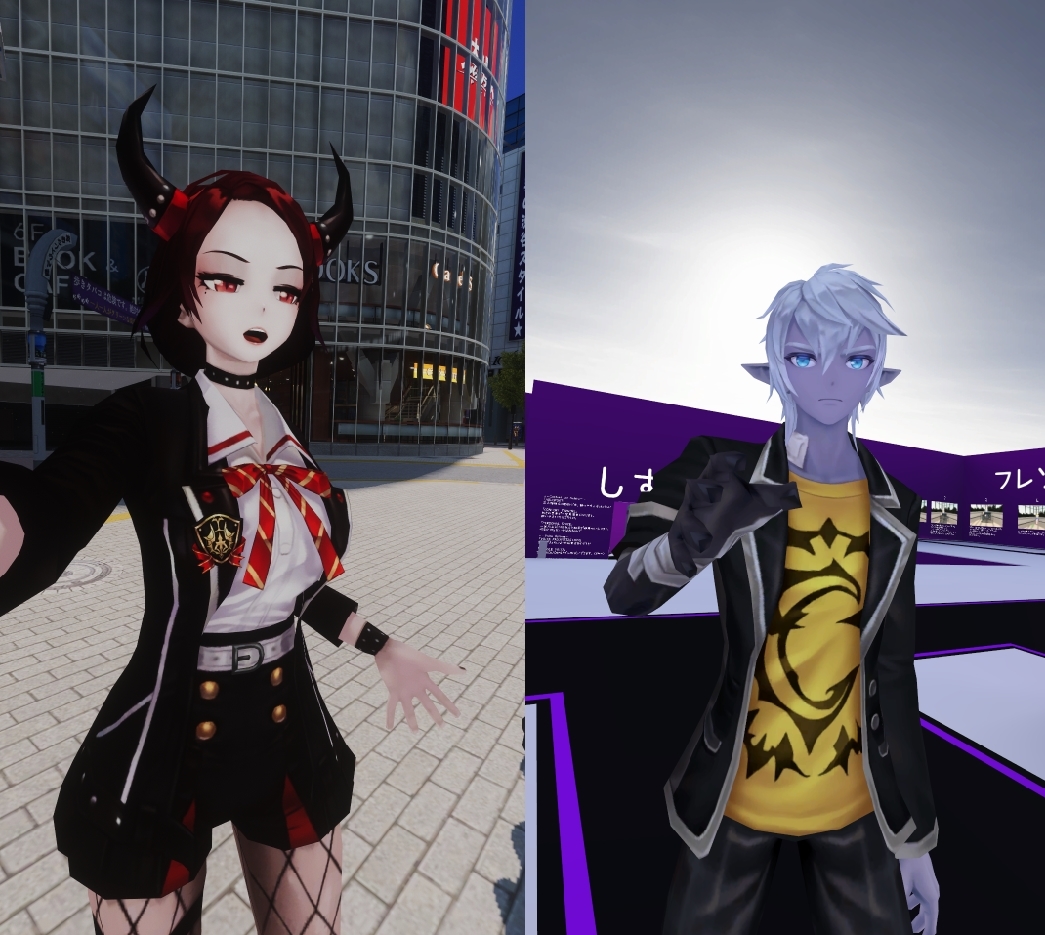



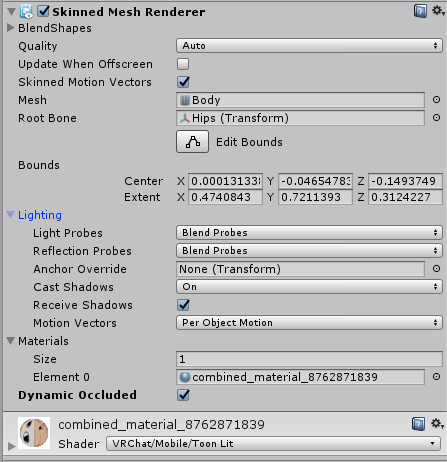




 viscid bloom
Hey, how would one go about making avatars for quest? And do you need a decent PC to do so? Because I have a laptop and it's not great...
long talon
The Unity editor runs on my shitty i3 laptop from 2012 with nothing but integrated graphics. you're gonna be fine.
viscid bloom
Okay that's about what I'm running to
Now I need to figure out how to go about thay
That*
long talon
you follow pc tutorials, but stay within quest constraints, and follow the instructions in the google slides in #quest-info to switch your unity platform to Android to upload for Quest.
pastel storm
the official word so far is that the limit will be even less than 10k
chrome girder
Where are folks finding/publishing Quest avatars? There’s not a ton of avatar worlds in the menu, but maybe they’re just not listed as such.
pastel storm
quest worlds with avatars that go beyond the un-told quest polygon limit are being taken down
good luck being anything other than an anthropomorphic banana
foggy quail
They said to shoot for 5k so that seems like a pretty good rule of thumb. This channel has several examples of decent avatars that are within that limit.
pastel storm
several made by professionals or people who spent an exorbitant amount of time on a single avatar
the barrier of entry is greatly increased for an unmeasurable performance impact
or just oldschool 3d game rips
or anthropomorphic bananas of course
the quest is fill rate bound
that's why fixed foveated rendering is forced on em
and why they don't get transparency
foggy quail
Lol, running things through the standard decimation modifier is not professional nor does it take an exorbitant amount of time. It takes a little forethought and effort, and frankly a higher barrier of entry is usually not a bad thing in games with user generated content. Otherwise the effect on performance is detrimental.
pastel storm
the barrier of entry even at 10k polys is high
foggy quail
Always assume everyone is going to create the worst possible thing. That's how those systems usually work.
pastel storm
in a room of 10 questlets with 15k poly quest avatars they noticed no performance impact vs a room of 10 otherwise 5k poly avatars
it's an arbitrary limit that doesn't really give them the performance boost that is expected
while making it much harder for them to find avatars and, arguably more importantly, pc users that they can see and interact with
the vrchat team obviously isn't convinced that 5k polys is enough either since they won't tell us the real limit they want to settle on, because they're still figuring that shit out
foggy quail
but they did give a number to shoot for, so it's best to get as close to that as possible. And as possible is not 20k
pastel storm
they're removing avatars with over 10k polys on quest when they see them
a number to shoot for doesn't matter, the limit does.
because they didn't give a limit and people were able to upload (without modified sdks!) avatars with however many polys they wanted for quest, people are now getting avatars taken away from them for not following as-of-yet-undecided limits
foggy quail
sounds like the issue then is that the SDK allowed it, not that the avatars are being removed
pastel storm
the sdk has been allowing it for weeks and they still won't give a number
one day questlets will wake up to see their own avatar they uploaded and they've been using with as much as 70k polys taken away "for their own good"
foggy quail
when they said outright that they figure an avatar for quest should be around 5k polys and you're uploading stuff with double that or more don't pretend like you're being blindsided when it gets removed, tbh
foggy quail
Not all PCs are created equal. When you get a limit for a platform with a hard performance ceiling the limits are much more stringent
pastel storm
a guy with 3 million polys using a god damn table as an avatar in the hub didn't drop me from 90 fps and i'm not on insane hardware
15k vs 5k poly avatars have no impact on quest
they drop down below 40 fps with 10 people in a room regardless
foggy quail
Then take it up on the Canny and until they give you a hard limit don't complain when you don't follow the guidelines they did already list
pastel storm
i already complained directly
they told me they dont know the limit yet, that's why -we- don't know
we know the limit isn't 5k
chrome girder
🤷♀️ I was just curious where @untold flare found that one they posted.
untold flare
It was a new avatar world. DM me to remind me and I'll send you the name when I can look again. I'm in bed right now. Or freind me on VRchat RonnieFoxxx.
@chrome girder
chrome girder
Will do. 😃
 full gazelle
Question about quest models. So if upload the same model in both Android and PC plataform with the only difference being that the shader used for pc is a custom shader and Android is the vrchat mobile shader, will quest players be able to see my model still? And will pc players see my model if I uploaded to pc using a custom shader?
viscid bloom
A few of my most stable avatars on quest are up at 20k that I have found. And I have been in a room where everyone copied them and we had 10 people, only then did it start to stutter a bit. But I have also been in a room where there was 5 of us and a terrible looking avatar with 3k poly crashed the game for a few people.
full gazelle
Well I'll try to see how it goes
pastel storm
the one seth posted is from an avatar world with 20k poly quest avatars
they'll be removed just like mine were as soon as someone decided to report it. i didn't
https://i.gyazo.com/ddb508cc5e3c939f213c1d1f733f4a42.png all my avatars had 15k polys or less, so they're serious about removing choice from quest users
 topaz plume
removing choice from quest users?
pastel storm
on pc if an avatar lags us we hide them, on quest the devs hide it for you whether it lags you or not
topaz plume
thats cuz the quest cant handle it
pastel storm
people make quest avatars that don't lag quest users but are above the as-of-yet-unnanounced limit
scroll up like 5 lines and read what Genesis said
i've had the same expeirence in rooms of quest users using 15-20k+ poly avatars
i know quest users that use 70k poly count avatars by their own choice.
topaz plume
🤷 dont make the rules
pastel storm
i know, but the people making the rules need to know that their rules are arbitrary and harmful.
topaz plume
i mean there must be a reason for it
pastel storm
their reason is performance, they say they did their own testing, but ignore the testimonials of quest users using these avatars
topaz plume
highly doubt they r just slapping around limits for no reason
pastel storm
we had 20k polycount limits on pc for a while until they decided 70k was good
that's a huge range
so they have a history of being indecisive and arbitrary with this sort of thing
the feedback should be important
there are things that really do impact performance that isn't moderated as it should be
poly count isn't one of them
i'm no expert but i got this to 10k https://i.gyazo.com/ea2553544b6d08538c6b94fd3ddbec10.png
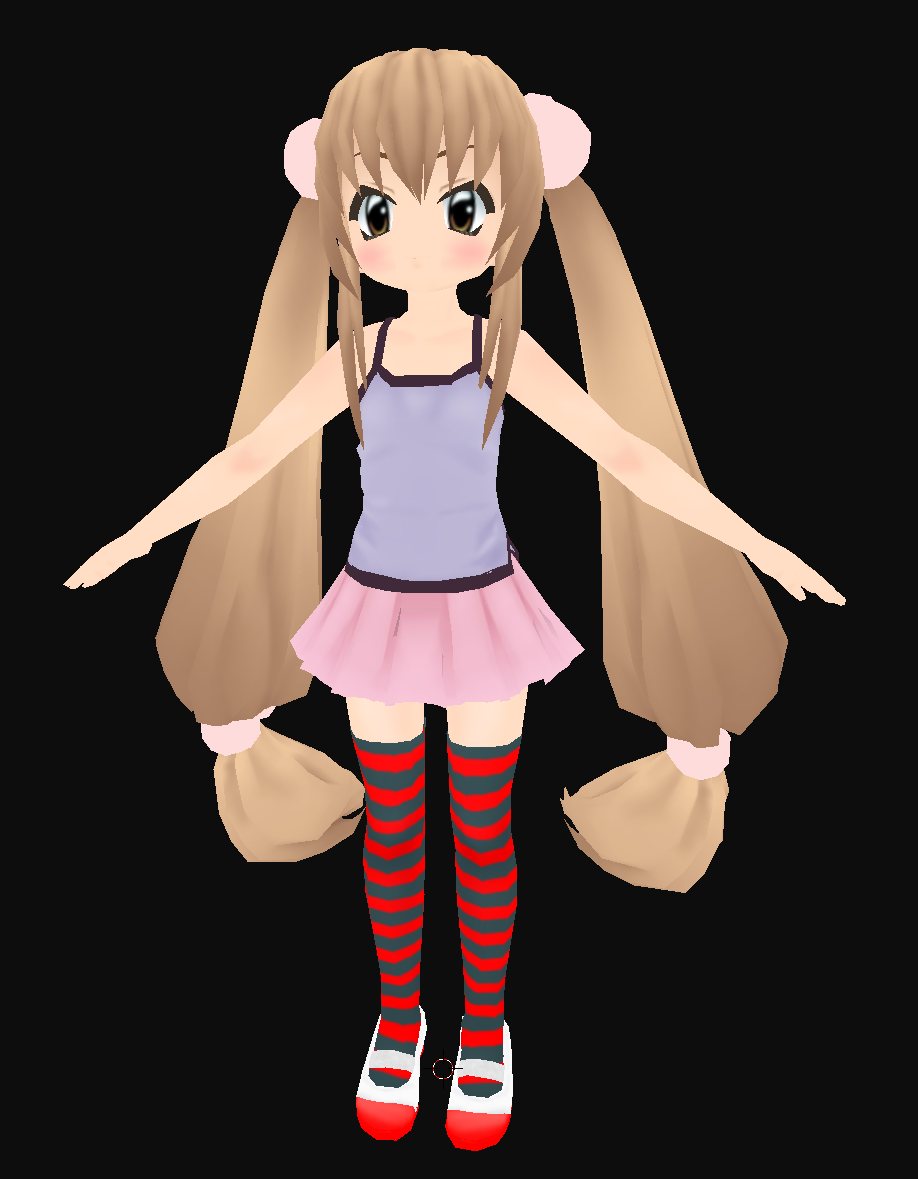

but the barrier of entry at 5k is simply obscene
topaz plume
no max poly count has been announced, 5k is recommended
pastel storm
they act on an internal unannounced poly count limit
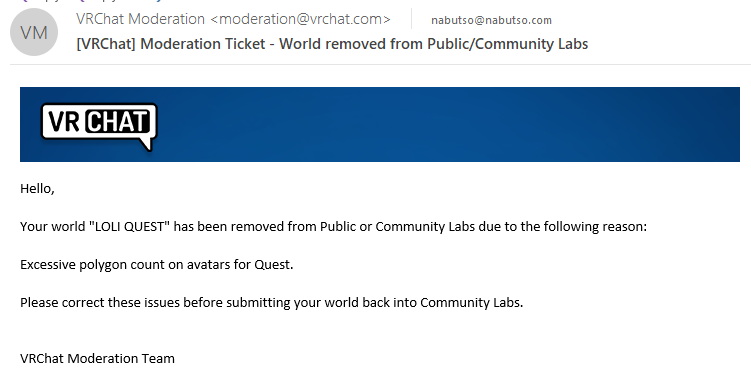
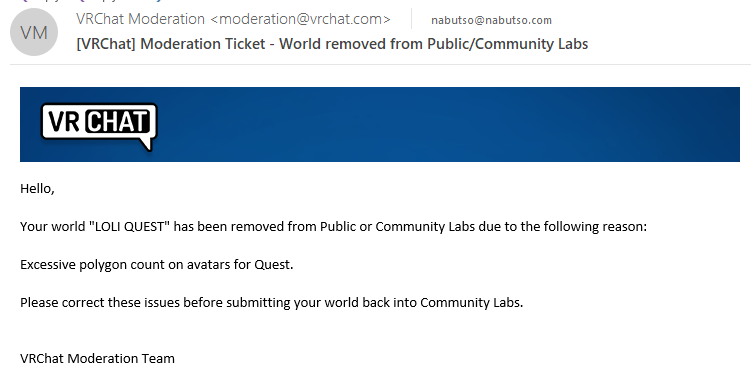
they removed my world of 15k poly quest avatars
specifically for "excessive polygon count on quest avatars"
and last i heard they've decided it will be under 10k as well
even if they decide on a very low limit, they need to have announced that before people started uploading stuff, because it's become a waste of time
topaz plume
i agree with that but as u said "and last i heard they've decided it will be under 10k as well" but yet u had a model that was 15k?
so u went above the "count" anyway
pastel storm
i got that info afte rthey removed my world.
by complaining to them for hours about us needing to know the limit
anyone making quest avatar worlds now with avatars higher than 10k is gonna lose those
but none of those creators know that
 jaunty tartan
Oculus recommended polygon limit for Quest is 100k. It just won't work right with high-poly avatars in worlds other than simple box.
pastel storm
go to the box on quest and watch as you lag more with default pc unloaded avatars than you do with 15k poly visible quest avatars
and ask yourself what the real problem is
jaunty tartan
It not lagging more with default pc unloaded avatars
pastel storm
all i've heard from quest users
hushed wedge
The real issue here is that they refused to give any limits other than "lower than 20k" but still end up taking down worlds over it because of hearsay in another Discord that some of the game's moderators are in.
I have a 6k poly avatar, is it safe? Who knows?
jaunty tartan
5k is safe
long talon
I still expect 7-8k
pastel storm
they've been clear 20 is too much since the beginning
hushed wedge
These weren't 20k as far as I know
This headache could have been avoided by just saying "5k is the hard limit for now"
jaunty tartan
https://docs.vrchat.com/docs/quest-content-optimization
Avatars
The same general rules apply for avatars that apply for worlds. Keep in mind that you may have 10 or more users in the same room, so you'll want to budget your triangle usage pretty heavily. We recommend that you aim for 5,000 triangles for your avatar.
A hard polygon limit will be established in the near future for VRChat Quest avatars. It will not be much higher than 5,000 triangles, hence our suggestion.
Creating content for VRChat Quest is a challenge-- you have to create attractive, compelling content all the while keeping the content optimized for a mobile device. These are the same challenges that game developers must deal with while building for mobile. Here, we'll giv...
hushed wedge
You can always relax the limits after that, if even necessary
pastel storm
sure but, 'keep it around 5k' is pretty easy to understand
"aim"
"not much higher than"
"our suggestion"
hushed wedge
It's subjective language, if you start taking down worlds over it you can't be subjective.
They don't seem to be taking down 6k poly avatars, so it appears 5k isn't a hard limit for public usage
pastel storm
the manner in which my world was taken down was extremely unprofessional too
the email was official but the convo of this guy reporting it and the mod's thoughts on it? not so much
hushed wedge
Well the mod in particular also spread misinformation about some shaders lol, so I'm not surprised
Anyway, I think they should just establish a hard limit. Even if that limit is 5k, that's better than the current situation
pastel storm
^
hushed wedge
And I don't think 5k is a bad limit for mobile-optimized public avatars
pastel storm
because at least then the people who can't do 5k (like me) wouldn't waste time trying to do 15 or 10
read some previous posts ... okay I understand why you're not happy with the way it went 😐
it was all done backwards, that's all. we need hard limits before we make content, not after
and what if they decide that the limit is higher than the worlds they removed had?
full gazelle
I just deleted a few models in my quest world to lower the poly count
got scared for a second
pastel storm
you wouldn't get banned or anything
you'd just have either the world taken down til you removed them or lowered the polycount or had them set to private (or both)
pastel storm
reminder that crossplay uganda with the quest knuckles avatar with over 10k polys on quest is still up and has been for weeks and my loli quest avatar world got taken down within 4 minutes of being reported
 amber crater
I'm in the middle of making an avatar and a hard limit or more concrete information would be helpful
I'd like to keep things optimized given that I'm on Quest and don't want to kill my battery by my own doing, lul
long talon
5k or less. just. 5k or less.
pastel storm
here i am in a world with 3 quest users
3 pc users
all the quest avatars have 20k polys, mine has 10k on quest, the other pc users have 20k and 100 polys.
the quest users don't want 5k poly avatars, these are what they want
 blazing meteor
10K really feels like too much
I wouldn't have a problem with 5K being a hard limit, 7.5K tops
long talon
the quest users want avatars that look good, if you know what you're doing, the difference between 5 and 10k is barely anything.
fite me
blazing meteor
Sure the quest can DO it, but I'd rather have rooms with more people than more polygons
You don't need 10K to look good
long talon
well rn, vrchat quest kills itself with 10 or more users in a room
blazing meteor
You need 10K to decimate something down to 10K that still is crazy unoptimized
but yeah 10K is too much and should get blocked on the uploader. That's just my opinion..
 floral gust
This is such a mess.
full gazelle
I keep my Quest models at an apparently excellent perfomance
Not that it matters so much since even if the model is 32000 poly it stills says that the performance is excellent
But I know that the poly count is not legally allowed by our devs to be that high
So I keep it at 12k or below
pastel storm
"high poly" avatars for quest: 10-20k polys, their fps for the 3 quest users was 35-55
we all swapped to default public 5k avatars:
their fps: 25-45 between the 3 of them
literally worse performance with lower poly (and even lower bone count!) avatars.
those quest users will come here and tell you themselves
 vale fog
I’ve had zero issues world hopping with nab. I’m not familiar with screenshots on the quest but the rates varied with the high poly avatars from 45-55 and on the switch mentioned previously- frames dipped and did not recover.
long talon
screenshots are done by pressing oculus, going to sharing, then take photo, it dumps you back to the game and takes the pic after a 3sec countdown
vale fog
In other instances in the week and a half or so of play thus far:
I haven’t really had any major performance issues with a 10-15k avatar whatsoever. If the world was optimized I had no problem. No Frame dips, nada. I’ve even tried open mic on the quest with 12 users all random polys low to high. No issue.
long talon
I try to take a neutral stance in this debate, and at the end of the day I just hope for everyone to have fun. but I still think everyone should be able to get down to 5k
imagine, if you did all the things you do to optimize your avatars at 15-20k poly
but applied those things to 5k avatars
pastel storm
@fluid kiln
you need to get your boss or whoever to see these quest user testimonials asap
so they don't lose their avatars
long talon
oh man he pinged tupper.....
full gazelle
uh
I try to keep the models I upload to public as optimized as I can
But when I see this
it hurts
really bad
floral gust
Getting to 5k polys increases the difficulty for avatar creation, shrinks the avatar and creation community, and limits the models that can be decimated, because many cannot naturally be brought down that low.
Asking for only scratch creation models is overly high demanding.
full gazelle
It requires more time for sure, I take it as a challenge
long talon
same
floral gust
Either way not everyone can get models down that low or even model from scratch, still too overly demanding.
It may be a "Challenge" to some, but to many its not worth the effort and kills the creator community, atleast the quest creators.
long talon
I suck at 3d modelling, Im definitely not the best of avatar creators
and I did it....
 spare flume
So I’m a quest user and I’m with a group of people and we tested out how much frames certain avatars have. And we found out that ones that have more polygons still work better than the public avatars.
floral gust
Not saying its impossible, just saying that makes things much more difficult.
And no matter what tons of people just wont go through that trouble.
pastel storm
@fluid kiln @pale stream
pale stream
yep i got the first ping
We constantly read all the feedback we see and receive across all social media platforms, but thanks for letting us know
 white seal
The avatar performance levels displayed right now are for PC, definitely not applicable to Quest.
pastel storm
i know the polygon count limit is an ongoing debate internally so this is vital feedback so that you don't make a hasty decision that's not informed by as many quest users as possible
white seal
20k is far too high for Quest avatars, the strong, strong recommendation is to aim for 5k and it remains that way.
pastel storm
these users got better performance regardless of the higher polycount (and bone count for that matter but not nearly as important to fight for)
and we're all in a world that got removed from public due to the polycount
as far as im aware, one of the very few quest avatars worlds that has been removed so far
we don't need to fight for 20k, but we've been benchmarking 15-20k poly avatars in 'large' groups (full room of 8-10) with no issues with many quest users
 shy pike
5k is the recommendation, not the limit. please try to aim for that area
pastel storm
if one of you would even like to come and sit here with the quest users feel free
pastel storm
triping you're on my friendlist so you should be able to join me even though it's full
spare flume
We had better frame rate with avatars that had more polygons than the public avatars
long talon
I will repeat what I said earlier
imagine, if you did all the things you do to optimize your avatars at 15-20k poly to make them somehow run ebtter than the publics
but applied those things to 5k avatars
viscid bloom
Was just in a room with 6 quest users all with 15k poly avatars and no lag until a PC user with that default skin came in
pastel storm
one of the quest users tweeted at vrchat
he wants someone to talk to him there since he can't get on here
shy pike
thats great, but, that's about 18 people worth of avatars at that point
viscid bloom
15k isn't necessary, but I have never had an issue with 10 people all running 10k avatars, and even just being in a room with the PC default avatars, it lags past 8-10 people.
viscid bloom
Also why can I not find a quest compatable Link avatars anywhere
There, last edit I hope
pastel storm
imagine telling a slow moving chat room of people who are complaining to you about losing avatars that hundreds of people use ingame that "only 18 of us" were here complaining
floral gust
"Strong recommendation for 5k polys"
So strong that we remove avatar worlds that are not 5k. lol like i said what a mess
viscid bloom
@pastel storm fairly sure they meant that the 6 people at 15k was like 18 people worth of poly
pastel storm
if you're measuring performance on poly count only yeah that 'adds up'
but why did these quest users -all- have more than noticable increase in frame rate in a room of 7 15-20k poly avatars than 7 5k poly avatars?
viscid bloom
6 giant DVA were causing issues though
pastel storm
could it be that polycount isn't a metric for the devs to decide which avatars should be available?
limits are fine. arbitrary ones that disproportionately removes choice while not adding any performance for users, are not.
delay your final decision on the polycount limit if you need to, but take these things into account, do some real hard testing, not just an arbitrary 100k poly per scene reccomendation from oculus
on PC we hide avatars that lag us - even ones that are WITHIN the poly or other limits
viscid bloom
I feel that should be a big part of it to, showing quest users we can hide avatars that cause us issues.
pastel storm
why can't quest users make that decision for themselves with reasonable limits too?
viscid bloom
Still have a limit but
pastel storm
not one quest user i've seen has preferred some 5k model they found over a higher quality and still optimized higher poly model
shy pike
on a world, you can make your own choices to have a bad laggy world
but an avatar you take everywhere
fluid kiln
Thanks for the discussion in here. As has been stated to you multiple times, the hard limit for triangle count on Quest avatars is forthcoming. You did note that it wasn't clear enough that content will be set to Private if it violates our recommendations by great amounts, so I made changes to our documentation as a result.
Just to be clear, we don't have a precise "hard limit" number just yet (although I expect it pretty soon). I wouldn't be surprised to see it around the 7.5k range.
This is based off our own testing, Oculus' recommendations, and other factors. As we've noted in our documentation, our "limits" are intended to be restrictive at first, and we'll have the opportunity to raise them later if we see fit.
pastel storm
7.5k is unacceptable to the quest users and they'll tell you that themselves based on -their- own testing.
viscid bloom
Most of the good avatars I have seen have been under 7.5k so that I'm pretty happy about, it's just most of the 5k ones I have seen were N64 looking ines
My favorites have been closer to 10-15k but
fluid kiln
What about 3.4k? 😉
pastel storm
you are a professional.
fluid kiln
I didn't make that, but I'm flattered!
vale fog
Where is that one available?
fluid kiln
Booth
shy pike
7.5 is the top limit of what I would ever recommend on an avatar
viscid bloom
To be fair most avatars should strive for optimizations
pastel storm
if you or what ever other professional would like to spend all their time making avatars aka content for YOUR game then they can
but those people aren't doing that
viscid bloom
That sounds like a them problem if they won't optimize their made content though
pastel storm
the quest users themselves should decide what to do with laggy avatars, not that any of them have ever expressed a high poly count avatar alone doing that
floral gust
Lol and that model on booth is 50 jpy not including the different hair
pastel storm
we can hide avatars that lag us on PC
fluid kiln
Creating content for mobile VR is hard. We've noted that multiple times in documentation, blog posts, dev videos, and other locations. You're taking on a hefty challenge by choosing to create Quest content, but the results can be extremely high quality while being very performant.
pastel storm
50k jpy you mean cry?
floral gust
no its 50 japanese yen
shy pike
heres a little secret. a professional modeler can make amazing content at 5k 😉 its the crap MMD avatars all over DA that will never look good at that range
floral gust
or well 50 usd i mean
pastel storm
creating content for mobile VR is not hard when you allow users to decide what content is causing performance loss
find quest users ingame
go talk to them
fluid kiln
MMDs in particular were never meant for use in real-time rendering (in other words, a game). Keep in mind that MMD is intended for "animate, then render a video". The fact that people use it in VRChat is already pretty crazy.
long talon
Ive literally been telling people big big max would be 8k, but to aim for 5k
pastel storm
don't just use whatever internal testing you've done
pastel storm
because you're testing is wrong
viscid bloom
What is MMD?
pastel storm
what other reason would 3 quest users all together get 10+ higher fps with 3x as many polys rendered
fluid kiln
Would you mind running the profiler on your Oculus Quest and tell me your frame timing on the Camera.Render job when you have 5 15-20k polygon avatars in view?
pastel storm
than your public available quest avatars
long talon
MikuMikuDance, dance animation software mostly used for vocaloid videos. it's custom model format is very unoptimized and only made for high quality renders
pastel storm
fuck the profiler, go ingame and try it out
long talon
that's MMD
fluid kiln
You trust eyeballing your framerate over the game engine telling you how long it is spending on rendering the view?
shy pike
yeah, the profiler shows all. your in game hang out test means nothing