#quest-development
1 messages · Page 8 of 1
 wraith jewel
 neon dome
by limiting the avatars poly count they would be essentially just stripping us of our choice
 zinc nova
I'd rather have avatars, the old vrchat was good before the update and I crashed but not as much as I do now
neon dome
yeah
wraith jewel
Honestly
zinc nova
And if their going to get rid of being able to use very poor performance avatars that's probably going to get rid of alot of quest players
wraith jewel
I’m definitely out if they do
neon dome
i'm on the fence on if I would or not, but it would be a serious possibility
wraith jewel
I’m not sticking to freaking low poly crap. Im not going to have the banana guy as my default avatar... and correct me if im wrong, but doesn’t the loading avatar avatar have like poor performance because of material slots
zinc nova
It probably does, which most likely why they changed it
wraith jewel
I want the old vrchat back ffs
Where we could see pc avatars through little methods
zinc nova
Their was a way to do that?
wraith jewel
I think so but now 😦
zinc nova
Maybe one day they will relise how it really hurt the game and fix it
wraith jewel
One day
After everyone leaves
And i never see anyone reply to this stuff except for @full condor
Sorry for the ping btw
zinc nova
U could allways add a slash after the @ so u don't have to ping them
zinc nova
It just prevents the @ from actualy notifying them
But then we can still see the username
I don't really know how to explain it oof
 ashen wing
10k is a fine limit. People shouldn't want to overload their model with stuff that risks bogging down the game's performance when they could instead keep it simple. "Take advantage of your limitations".
zinc nova
When I tried to lower my poly count on a avatar I put together it reached like, maybe 30,000-20,000 or smth (don’t remember exactly) before starting to look really messed up. I feel like it should still be a soft limit with the knowing quest could already handle the very low performance avatars to a point before the update
ashen wing
I've been building a model of/for myself from scratch, and it was around when I started to get close to finishing that I surpassed 5k. I'll probably try to see if I can bring it back below 5k eventually as well.
zinc nova
I’ve been next to a model with the most polygons I’ve ever seen on the quest, and it never effect my game. what exactly will having a lot of polys effect?
ashen wing
I simply want to stay within the limit. 🤷
ashen wing
Well  is what I want. 🤷
 sweet tundra
If you can't get it, you don't need it.
ashen wing
but want
wraith jewel
For some reason if I do rock n roll with this avatar I made that brings out a plane with a texture on it, it slowly makes my hand go back to normal when I let go and it takes a second
Oh crap I see what I did
 quiet nymph
it need to only 2 frame animation
zinc nova
It's one frame of animation or it breaks
 flat trellis
For some odd reason, some Avatars on my favorite list aren't there.
Like, it just shows a blank spot where the Avatar is supposed to be.
Wait, now they're back.
zinc nova
It's one of the bugs with the update
flat trellis
Figured
wraith jewel
So many bugs in this update
wraith jewel
yea
 sharp cipher
I haven't updated mine yet, since I had the option to play without the update. When I did update it, I couldn't see anyone with every hub I joined
wraith jewel
can i get upload priv for my profile?
flat trellis
I've encountered random crashes and softlocks left and right lately.
Previously it was just once in a blue moon, but now...
 finite glacier
hello when i can upload my avatar to game I have played the game for two days.
quiet nymph
continue
 viral rose
You need to be a new user or above to upload avatars @finite glacier
 jagged viper
Im trying to upload my first world for quest when i click the upload button nothing happening and there are no errors
 patent sparrow
I’m crashing a lot now?
 carmine lance
same
even if i joined 2 days ago for the First time, a lot of crashes. ive Heard it's a new update where they messed a few things up but don't take my word
 burnt plume
So I'm trying to just get into VRChat. It'll give me the whole login thing, then everything just vanishes and I'm stuck in the blueish void with the music. I can't do anything, and about every 45 seconds, I get the error noise. Any idea what I can do to fix it?
If tried reinstalling it and have even made sure to update my quest. Nothing has been working
Also when the error noise happens, the login thing pops back up, logs me in, then I'm stuck again
burnt plume
Has anyone else had this problem?! Because quite honestly, I feel like I'm being ignored and it's making me upset. The game worked fine until yesterday. Hell, I just factory reset my entire quest to see if it would work, and I'm STILL having the same issues! Does the team actually care about it's quest users?! Because it isn't feeling like it! I'm just trying to have some contact with people while I'm stuck at home, and now I can't even do that! Nice job guys!
wraith jewel
@burnt plume huh, I had that error before, but all I had to do was just go play some other quest game for like 20 minutes and it fixes itself
burnt plume
I'll continue to try it throughout the day
 full condor
We haven't pushed any update since last week, so any changes since yesterday would most likely be on your end
 wintry ferry
I've been having this problem as well, it's been going on ever since the newest update. If it's my quest, then I'd like to get some help with it. It continues to crash right as the game starts up, or if I uninstall then reinstall the game, it decides to load infinitely as it tries to enter the tutorial.
 vernal basalt
yo
wraith jewel
I crashed once on Saturday and then after that my game died at the loading screen
Idk if it fixed itself as I haven’t checked
 sweet onyx
Reboot your quest if it's acting up
burnt plume
@sweet onyx I tried that, but it still isn't doing anything. This is day three of me not being able to get on
sweet onyx
have you ever run quest on PC?
Try uninstall and reinstall vrchat
if you are able to uninstall reinstall, can you get to the tutorial? While in the tutorial, you should go to your worlds menu and click <Reset Home> since a bad home world can cause the quest to not load vrchat
burnt plume
I can't even get to the tutorial. I thought that it might be something to do with my homeworld, but even on a VRC account, it won't load.
wintry ferry
You can't even get on the tutorial, this happens whenever I try to reinstall it. This bug needs to get fixed.
 orchid blaze
Yup
wraith jewel

 willow lava
I got a question, on my friends list when. I launched Vrchat and found out that the friends that I added and someone added me as a friend, it’s gone is it bugged or is it designed to make it disappear when no one is online?
 rocky rune
It only shows online friends in game. You can see all your friends on the vrc website @willow lava
 limpid oriole
@lethal junco Do you have any plans on adding Oculus hand tracking support for VRchat? I wanna move my fingers much better than the stiffness called Index
sweet tundra
They might not, because of moving.
limpid oriole
Sadness... I mean even just an option to activate it while being immobile would be ok with me.
willow lava
I’m planning on to buy a new motherboard that supports with link so is this enough if not what is your idea? https://www.newegg.com/asus-rog-strix-b450-f-gaming/p/N82E16813119140?item=N82E16813119140&source=googleshopping&nm_mc=knc-googleadwords-mobile&cm_mmc=knc-googleadwords-mobile-_-pla-_-motherboards+-+amd-_-N82E16813119140&gclid=Cj0KCQjws_r0BRCwARIsAMxfDRjqGLsfccZUV61GmdYaa30Cx86nnMHE1ghT_rt6FikQMHiQzFLs998aAj7oEALw_wcB&gclsrc=aw.ds
sweet tundra
Looks good, you will need a compatiblie GPU tho, so make sure you have one.
 woven sapphire
Does anyone know when videoplayers will be added to quest? Basic question, I know
 sonic silo
Video player be nice. Even if they only allowed it on private home environments for performance reasons.
 shell pier
youtube-dl for Android is basically unmaintained for ages, don't hold your breath
 prime wren
quest: oh you want polys?nah how about updates that dont help at all
 livid ermine
saw the hing about hand tracking and according to oculus developer page this isnt actually possible rn without using an external download
oculus dont believe their tracking is good enough for games on the store to use it
shell pier
Tracking is not allowed in official store applications since it's still experimental
If you have decent PC and local network setup you can use experimental branch of ALVR, it supports hand tracking as virtual index controller
willow lava
@sweet tundra what kind of a compatible GPU are you thinking?
sweet tundra
It's on Oculus' websie: https://support.oculus.com/444256562873335/
 timid kite
 wraith jewel
So, do we know about any future updates? Like actual game updates. Not updates that make us crash more.
 surreal herald
id like that as well because atm im lagging and crashing more and more often and none of the advice on here seems to work as much as i appeciate the help
 cedar parrot
so apparently the SDK always reports a more and more inflated filesize trying to upload any avatar with android as the target platform.
Went from 30, to 50, to 60, to finally 80 somehow. I already cleared the \LocalLow\DefaultCompany\ folder, and the entirety of my [Project]\Assets\ folder isnt even 30mb in total filesize. (Avatar + assigned files is about 4mb)
Does anyone know (a fix to) this bug? New project didnt help, cache clear didnt help, reinstalling an older sdk didnt help, so i'm lost.
 glad shadow
cedar parrot
glad shadow
cedar parrot
I cant even begin to describe how much relief to this situation and hatred towards unity (as if i didnt have enough of that with default Shader culling modes and asset corruption already) that answer has given me.
Thank you very much, 1!
 mighty yoke
soo, yea, they removed audio from quest that was the one thing that was giving people hope that quest experience will get closer to pc and making memes and fun stuff pc has possible. 1st they fucked up the update with crashing then the try to fix it with limited memory usage and now instead of reducing the polygon limit the remove the audio
share this message
livid ermine
ngl can you stop spamming it now
mighty yoke
Quest is fun but u always kinda compare it to pc stuff and the audio was the one thing that was able to give us FINELY a cool and fun experience and a nice Toy to play with randomly and now u also took that from us cmon guys give quest users some Slack PLEASE
livid ermine
i feel like the people complaining are comparing it to PC more than the people that arent
mighty yoke
Instead of fixing the important things they fix the ONE thing that for the first time made quest really fun like really really fun we were having loughs in every world as long as we did not crash which is a thing which SHOULD be in prioritization of fixing no they take the ONE thing that was giving Quest finally an opertunity to get closer to pc and closer to more fun
Im not a developer
I have no idea but i know it lagged when 5 or 6 people are in one world but NOT when sound was played its absolutely unnecessary to take that from quest the ONE thing the ONE thing im just mad and im not the only one having a problem with that im just saying it out loud this is actually pissing of a lot of people
This gives me real bad Anthem vibes
hey our update was fun for u whups wasnt on purpose so we gonna hit the delete button sooooorrrry byeeee have fuuun
With a big middle finger to all of quest up in the sky
livid ermine
or you could stop comparing quest to pc and love the fact youre playing some really good VR on the equivalent of a phone
sweet tundra
Thank you.
mighty yoke
I just cant
so how about the audio on pc gets taken for no reason then oh then people probbably say well u can listen to audio on ur phone right or ur pc it wasnt destined that way sry but hey just dont compare it to ur Music system
And everybody is going to say "thank you" to that hm i guesd it wouldnt play out that way wouldnt it
sweet tundra
I can ignore the fact that the Quest is different. Me playing on PC for the first time went like this:
"Oh this is so much better than Quest but I don't care"
And that is in the flattest tone possible.
mighty yoke
No the issue is that oc players dont care for quest most of the time dont care for the friendships the momorys the fun WE also have and want to have it doestn involve pc players that quest is getting worse and worse which is sad becouse ur SOMEHOW attached to the game and meeting ur friends
livid ermine
ive made plenty of friends and none of them required noise
mighty yoke
At the beginning it was FINE but now more and more stuff is getting taken out
livid ermine
in fact literally NO noise, i play muted
mighty yoke
Yea but it is NOT about U
livid ermine
i know, but im just saying that everyone else ive made freinds with also didnt rely on noise to make friends
mighty yoke
And thats a big thing u as a PC player have to understand it is not about you so try and emphasize for once im telling ya its a good thing to care for.others for once
livid ermine
i have a quest, my laptop stands no chance at running it
mighty yoke
Becouse it was.only there for like 2 weeks theres like not many avatars yet
But there COULD have been
livid ermine
yes there could have been, then lag and crashes would increase again
mighty yoke
And thats what is the problem everytime something fun gets discovered it gets killed sometimes it makes sense this time it doesnt
Nope sound did not lag ever
livid ermine
yes because as you said yourself, not many people had it
mighty yoke
Theres cloning 🤔
livid ermine
its not about how many avatars have it, its about how many users in your world have it
mighty yoke
We where in rooms as like 6 pinguins doing animation and sound and it was kinda fine
livid ermine
kinda
mighty yoke
Yea the issue is the 6
sweet tundra
16 people = 16 audio sources, if they all have audio sources, then 16 x 2 (or even more) = 32 audio sources. And suddenly a crash.
livid ermine
^
mighty yoke
More than 4 people right now give u lag not kidding that got fixed thankfully and finelly
livid ermine
6 people sure thats fine, lets up it to 10 which is a small party, or 20 which is a bit crazy ngl
mighty yoke
Again i saw it and we had no issues with it at all
U cant be 10 as quest in one room YES it is that bad these days u just crash
mighty yoke
Oh my god okey why do u guys have audio on pc avatars its not about does it have to be there it is about it should be becouse it works
Crashing is a given on quest anyways these days
livid ermine
it... doesnt though... not on quest...
i dont see why we should be increasing the crash rate on quest because you want a gunshot
sweet tundra
I don't use audio on PC avatars.
mighty yoke
Well im done here u dont even try to understand so why am i wasting my time here but one thing quest isnt as weak as everyone on vrc thinks theres pretty taxing games out there which straangly run perfectly fine maybe its the overall poor and rushed implementation and instead of fixing it the right way they just plug the holes here and then and with every plug the force fit in those holes a lil less light shines on vrc on quest 👌
Good day ladys and gentlemen ✌️
sweet tundra
It has to have at least 50fps consistently to be kept on the Oculus store.
If it fails to do that, it will likely be removed.
sweet tundra
Yes, but that's an optional thing.
mighty yoke
So now we shouldnt have mirrors
sweet tundra
If using the game normally, it has to run well.
mighty yoke
Which were working fine before all this Butcher Updates
sweet tundra
Which means that audio stutters can't happen.
mighty yoke
It doesnt run well people still play becouse attachment i guess
Audio stutters 80% of the time becouse quest has Static mic issues that have nothing to to with vrc code
sweet tundra
I've had mostly 50fps+ in most worlds.
mighty yoke
How long ago
Go have some fun try it out these days without pc just standalone uuuh u gonna.love it
Again at the beginning months it was fine since 2020 it is very very bad and that one glimmer of hope is taken too now and with that good day ✌️
livid ermine
thats because they updated to unity 2018...
sweet tundra
I played in the VERY early 2020 update, and it was fine.
livid ermine
theres going to be some teething issues since then and even if it doesnt feel like it theyre working on it... i hope...
sweet tundra
Fine for me, at least.
Worlds with 8 people and 3 very poor avatars ran like usual.
mighty yoke
8 people 28 frames Usual im gonna ask around
sweet tundra
I had 60
livid ermine
i get 60 normally
livid ermine
depends on the world
sweet tundra
I get higher fps than my laptop lol
livid ermine
same XDD
livid ermine
yeah could it by any chance be bad avatars or a bad world?
it really depends where you are and who youre with
mighty yoke
Great pug west and literally every avatar on quest is bad if u look at tge situation
Oh flying quest avatars was also deleted holy moly yea that
im shure having an emote that responds into collision under ur feet in a certain angle makes people crash too huh
 pulsar fox
Sometimes I wonder where these Quest users are in-game. When I’m on Quest I only feel like talking chilling. No desire to go flying tbh
I’d jump on pc for the intense stuff
wraith jewel
Hey does anyone know why the buttons to publish my avatar to quest isn't showing? I changed all the Shaders and everything i don't know why it's not working.
sweet onyx
@wraith jewel your sdk is old or broken. Please download the latest Version of VRCSDK2 from https://www.vrchat.com/home/download and follow the steps in #vrchat-support for reinstalling the SDK. Make sure you are using Unity 2018.4.20f1

VRChat lets you create, publish, and explore virtual worlds with other people from around the world.
wraith jewel
Thanks lyuma!
It's fixed now
wraith jewel
hey guys
having some flickering shader bugs, is there a shader I should use other than these?

would any of you know what shaders i should be using?
shell pier
Well you clearly miss one shader and emissive gamma might be another troublemaker
The rest should work just fine even though I would recommend Unity-chan Toon shader instead of standard assets toon
Also legacy shaders instead of standard where possible, they're much more lightweight
sweet onyx
@shell pier unity chan toon is not designed for Quest.
If this is a world, you can safely ignore warnings, though note that Standard and Standard (specular) can be a bit heavy on quest depending on which features you use
Hidden internal error shader - you have some missing shaders in your world. Might want to check those to avoid the pink
Toon basic outline may be unsupported if it uses a geometry shader. I'd suggest changing toon shaders to vrchat/mobile/Toon
Unlit works great on quest . I don't understand why they have warnings for those
shell pier
UTS is not designed for Quest but the mobile variant is decent choice for world if you want toon shading, better than basic toon for sure. Toon Lit is way too basic for world use. Unlit group includes cutout and transparent which can be heavy depending on use but those won't cause flicker for sure unless the object with cutout is intersecting with other object.
sweet onyx
VRChat does not allow the use of custom shaders on quest avatars.
For worlds, you should be using PBR or diffuse shading. toon shaders are not appropriate for worlds.
My understanding is that even the UTS shaders were not very mobile performance friendly, not sure if the mobile version is better.
shell pier
Latest UTS got some major improvements for mobile targets so it performs better than standard assets toon family. And yes, toon shading usually isn't ideal for world but sometimes you just need the comicbook look.
sweet onyx
I'm sorry but last I saw, the "Mobile" versions of UTS literally ran a UsePass from the desktop versions and only disabled support for ForwardAdd pass, which is disabled by default on VRChat quest anyway. But it doesn't even remove the extra outline pass by default unless you choose that variant, and it doesn't do anything about extra unneeded texture samples for shade ramps etc.
It seems most of the development effort is on URP and HDRP so maybe they have improved things possibly
Anyway -- I get that you might have characters in your world which really really need to look amazing and cartoon like on quest and decide it's worth paying extra for it. And that's cool that you can use whatever shaders you want in worlds even on quest.
But I wouldn't consider it quest optimized at all, and ideally you would stick to shaders such as VRChat Mobile Toon or others if you don't need the extra shading features
wraith jewel
So, Quest world development, I'm assuming, can only be done with SDK2?
wraith jewel
Ok so Udon is fine still for Quest dev?
burnt plume
Does this new update bring back avatar audio for quest users?
 slender niche
Well I still cannot log into VR chat even after uninstalling and reinstalling the app. Even tried a new account. Can anyone else confirm this issue still ?
 tepid nimbus
Unity hub wont let me add android to unity 2018.4.20 I think I did something wrong
wraith jewel
jb,
 stuck kettle
i wish they bring back the audio
pulsar fox
Avatar audio on quest was enabled by mistake. It isn’t coming back
I’d much rather be able to play without constant stuttering then worry about adding laggy things
stuck kettle
well that's just how you like it , to be honest i was so exited as i wanted make some cute sound for aver my friend made for me. and its just sucks now as where just limited again .
sweet onyx
Now quest users get to feel the pain of having something work "by mistake" and then having it be taken away because it's too much fun.
A middle ground of have it off by default but allow users to use the safety system to turn on audio would have made sense
stuck kettle
that be nice if it was like that , its just sometimes it feel like dev team dont care for us. but i guess there trying idk man just really suck. as i learning how to make my own modals.
livid ermine
I mean yeah I do want sounds but at the same time I don’t need them tbh
 native helm
Hey everyone! I have a question for quest... I understand due to the limitations of the stand alone software of the quest that we are already quite limited in terms of graphics, shaders, particles, seeing other peopels avatars etc.. But I was wondering if there was any way you could at least allow for the videoplayers to work as I think theres definetely a way to do it! 😄
sweet tundra
no
wraith jewel
Now quest users get to feel the pain of having something work "by mistake" and then having it be taken away because it's too much fun.
A middle ground of have it off by default but allow users to use the safety system to turn on audio would have made sense
@sweet onyx
Thats low key really smart
 rich marsh
Would seeing people's avatars be easier in the future? I always have to click view avatar for almost every person. Also the PC avatars make it harder to see my friends avatars. And really have fun
 frosty tapir
^ bad idea to just go around showing people’s avatar.
The quest is extremely limited, I don’t think the capability to see PC avatars will be a thing on the quest for some time (or ever).
I say this a quite a bit about the quest and it’s you should only look into VRChat for a social experience and not much more as the Quest can’t see 95% of avatars (or more) as well as a decent amount of worlds.
quiet nymph
Quest user got a bad habit to use avatar that will make a worst experience for everyone even on pc
 grim needle
Are they ever adding video players to the quest
quiet nymph
They work on it. 😉
grim needle
Oh rly that’s exciting to know it’s in the works
sonic silo
@quiet nymph source? Even if they allowed video player at least in private environment so more resources are available with only you there
 fringe rose
Even though the Quest is limited, I feel it’s a little more powerful than people think it is. I want sound back on avatars, yes, but if that is too unrealistic can we maybe get the ability to search for avatars? Like in avatars we would search, and if we find the avatar we have to go into the world to get it. If an avatar is not in a world it won’t show up.
Or, maybe allow some sort of dynamic bones on Quest? I’ve been to a world with a friend showcasing then working on Quest. It wasn’t laggy, and with no frame drops. Dynamic bones do not put much pressure on Quest, and I do think they could be allowed and unblocked on Quest. I don’t know fully how dynamic bones work, but maybe have a limit to the amount of dynamic bones on an avatar for it to be Quest compatible?
I just think the issue with Quest isn’t from just its hardware, it’s the players. Most Quest users are kids (not abiding to the 13+ rule) and they want to make things annoying for everyone with avatars that have really cool effects but are spammed
quiet nymph
I have a small talk with the guy in charge. Story short.
shell pier
Main reason videoplayer isn't available on Quest is the fact that youtube-dl for Android is basically unmaintained and broken unless you use ffmpeg (you likely don't want to bundle all of ffmpeg just for that), the default media player on Quest is otherwise standard Android player that can be easily used embedded if there was way to feed it the video
wraith jewel
can i make avatars if i use quest?
 compact crystal
When I load into vrchat on my quest I get to the loading screen it then boots me out.
 gray pine
@wraith jewel yes
wraith jewel
but i cant use unity👉🏻 👈🏻
sweet tundra
Why not?
mighty yoke
So i dont know if something changed but 2 days ago vrc on Quest was perfectly fine almost no crashing high FPS it was Awesome
And now im not shure but im crashing more now so was there a small update or so
Im gettingmlag spikes and then Bäm crash and i have to restart the full hardware
 fair crescent
im not having that problem so maybe its your headset
try installing any updates it may need
mighty yoke
It has every update my friends have the same issues big lag spikes crashing getting randomly auto muted when u change the world
Also when u open ur game the social tab doesnt load u have to klick on the worlds tab first let that load and then click on social then and only then after letting something else load in social tab loads
Also sometimes when i want to load a world it just stopps in while loading the map and it doesn't matter if its a big or small world it just gets stuck and urnforced to go back home and try and try again until it works
 kind niche
anyone notice the eye position of Quest avatars being slightly lower than Desktop when uploading cross-platform avatars?
 autumn grotto
ok
You and your friends are experiencing the same issues together sounds like a locally contained problem which is why i suggested avatars, try using the default avatars for a day or so and see if the problem persists
You dont have to be so condescending because i tried to help. Good luck with your problem
 proud temple
Hello everyone. I´m making a world for my friends and I had an idea to put a Cinema on the second floor. Everything was going Ok but the standard video player I have is very small. Going trough public cinema worlds in VR chat I saw this type of control panels and I really would like to add It to my world. Is there any Assets for Unity of this type of control panels including the screen? I didn´t found any.
Sorry clicked wrong channel.
pulsar fox
You make avatars on a PC, but you can make quest avatars on a PC and then use them in Quest. @wraith jewel
 upper pilot
This is more related to the quest headset itself than the game, I’m just looking for help.
I’m having a problem with my quest.
To begin with, only a few people I know have this problem and I discovered it in vrchat thinking it was a glitch that came with the update, and I thought everyone have it which I recently found out was false. The problem also occurs in the quest home page, so it’s not just vrchat.
Now to the point. Basically, when I bring things too close to my face they disappear, for example, if I am in the home page and I bring the controller close to my face, from about 5 inches away the model of the controller will start to deteriorate and I will see the inside of the model. This happens with my hands and other people and objects in a lot of applications. As I mentioned, a few people don’t have this problem and there must be something wrong with my quest... I did research this problem and only found one post about the Oculus rift, someone was having the same problem, and instead of getting an answer someone simply stated what the problem was again :dassigh: . I have found out that in some worlds in VRChat this problem does not occur. Somebody please help me out...!
glad shadow
That is based on the cameras near clipping plane setting which will vary a lot in vrchat since the world author controls the value
Having it always be low is not always a good thing depending on the world
upper pilot
@glad shadow I already mentioned that it’s not a problem with VRChat
glad shadow
Near clip can be set differently across a wide array of apps/games even on pc vive/index/oculus you can clip trough the controller if you put it in your face
upper pilot
Did you read everything I said?
glad shadow
Yes
upper pilot
The controller clips through at a distance and it shouldn’t, and some people don’t have that problem. In the pug, I have the problem, but other people don’t
Other quest users that is
glad shadow
Do you have your own avatar or do you use a public one?
upper pilot
It’s not the avatar, I use both and the problem consists
And again it’s not a VRChat problem, this still occurs at the home screen even when I have no apps open
glad shadow
Any application needs to have some near clip set on the camera same would happen to me if I booted up steamvr and had the controller in my face
upper pilot
Again, some people don’t have this problem and that doesn’t happen to them
glad shadow
You're most likely better off contacting oculus support about issues like that
upper pilot
Okay thank you I suppose
glad shadow
But still what you are describing sounds like normal VR behavior other than that apparently some people aren't experiencing it
upper pilot
When i first got my headset I didn’t get the problem
glad shadow
I wonder if Oculus changed the near clip in the last patch then 🤔 could be that the other people are running on older version of the Quest firmware
But I'm just speculating right now
 plain plinth
Anyone using the partylink cable here and having connecting and disconnecting then reconnecting problems? And have a fix for that?
Oculus said the partylink cable was not compatible but my friend uses it and does not have any problems
sweet onyx
@plain plinth oculus recently made an update if you enable experimental testing, you can use any USB cable for oculus link, including the charger that came with it. it's possible that your friend is doing that. Do note that it may have reduced video quality if you do this
plain plinth
Oh I didn't know it was an experimental update I thought they actually made it an update
Thanks for the information I did not know
sweet onyx
It might be now, not sure. I'd also try the usual things: try a different usb port, do not use a hub. Disconnect all other unused devices on the pc. Maybe it's a loose port: Try to avoid wiggling the cable
plain plinth
I think I've tried everything but seeing if it was a loose port
I mean I even contacted Oculus support and they said make sure you go to power management and see if you had your power turning off your USB ports
And then disabling it
If it's not that then it could either be my computer or could be that partylink was in a hurry to make the chords to get them out for sale during the coronavirus that maybe they cut corners or something on the cord
Hope not
 forest trail
@upper pilot are you still having the problem with near clip?
If so, i had the same problem and the way i fixed it was setting my home world to Autonama Flowers or however you spell it
Idk why this works, it just does
upper pilot
Thank you
wraith jewel
@everyone can someone help me make my first avatar
 vestal ravine
I'm shocked you can even do that, figured that would have been locked down
frosty tapir
It is locked down
You can "mention" it but it doesn't actually mention anybody unless you have the power to do so.
plain plinth
@wraith jewel do you want to make it from scratch or do you just want to upload an avatar?
wraith jewel
@plain plinth i wanna upload a model and ive never used unity
plain plinth
Ok i will dm you when i get home
wraith jewel
kk thx
wraith jewel
@plain plinth u still gonna help me?
plain plinth
I just got home
 tranquil silo
give us audio pls
 mild kraken
Lol if only
tranquil silo
its all am asking for
and maybe some quest screen fx shader but i guess thats to much to ask
mild kraken
I had to remove my world's music because it took up too much space for quest
tranquil silo
you can compress it
mild kraken
I tried
mighty yoke
I dont even think the devs looked ONCE in here
It sucks reading OH we have community updates every week and the are all catered only to pc fucking hell pls GIVE QUEST a lil bit of love
Theres people who bought the hardware MAINLY becouse vrc and u guys are BUTCHERING it test what u put OUT im so fed up with this nonsense
frosty tapir
Easier said then done to test for quest, Ventras.
Quest / Oculus doesn’t have a beta for users to test new features so their sample size for bug testing is fairly small and likely limited to the devs who have a Quest.
Only the steam version of the game has a beta.
This is because Oculus doesn’t allow beta versions of games on their platform, it’s not VRChat’s fault for not putting one up, they just can’t on the Oculus platform.
mighty yoke
Weird how am i BETA testing a Game called Swarm then WEEEIRD
Also theres sidequest
Sidequest is a extremely important and valuable platform for quest
Vrc devs could put there beta on that
People download vrc Quest beta via sidequest easy Peazy
I got the BETA for my Beta test game
Directly on my quest isnt that weird maybe u can actually beta test on quest peopke just dont want to 🤷♂️ becouse i am Litterally DOING IT so how is it that its not a thing if im DOING it and again
Vr chat could be eaaasylie be Testet on Sidequest becouse yea it would be a solution to a problem that actually isnt that big if u actually wanna search for a solution and not for a Lazy excuse to do Nothing
So yea oculus allows for beta testing ECHO arena Also in BETA open BETA atm on quest in the shop Labelled as OPEN Beta 🤦♂️ first check ur facts THEN talk
The kernel answer is
beta testing is a thing But it could be done with sidequest
So anyway beta testing Could be a thing
frosty tapir
Oh it's real weird I said BETA VERSION of a game.
If the current version of the game is a Beta then that's allowed, but uploading a separate version as a beta isn't a thing on Oculus.
Also requiring users to install third party software (SideQuest) to access a beta doesn't seem like a great idea.
mighty yoke
Solves the whole Issue
Hasnt been Testet at all but still
"Doesnt seem like a great idea "
Some genius games are on sidequest sidequest is a legitimate way for quest especially becouse sidequest devs and oculus work together
But welp again someone's facts arnt as steaight as that person thinks ..... 😋
Instead of going for solutions people are just against quest and what quest does for a lot of people how it enabled so many more people to enjoy vr
no vr chats community is just against it u can bring Valid evidence Smart solutions but people will only push against it its just pathetic in some way how much u dont wanna look at the truth the quest could be more than it is in vrc if it would just get a lil bit love for once in a looong time
Theres plenty of solutions u People just dont wanna see them and continue the descrimination of quest users like u guys did with desktoo useres years before that its just pathetic nothing against u personal its just alsways the same phrases insteaf of listening once looking for solutions people just look for excuses
Hardware is underpowered
Welp dont render everything at once less strain on the hardware
No beta testing on quest welp beta testing on sidequest im shure a LOT of people would do it
Quest people feel realy forgotten and tossed to the side welp include something even just a lil bit about quest in a community update anything
It feels like quest is that annoying kid from ur doughters kindergarten u have to transport in ur car and u dont want to but u have two so u do it anyway but u dont talk to the kid u dont look at the kid u sit it down drive it home take it out bye kid fuck u and i hope i never see u again that is what i think devs think about quest that annoying thing they have to do but they dont realy want to anymore
mighty yoke
Silence then typing then silence again
🤷♂️
frosty tapir
I'm actually doing something unlike you who seems to have nothing better to do then complain...
vestal ravine
you good man? if you dont like the quest version then dont play it
mighty yoke
Its 4 oclock in the morning in germany shops are closed and its ma free day continue what ur doing
Im not complaining i am mentioning issues with the quest version and also serving solutions for it
you good man? if you dont like the quest version then dont play it
@vestal ravine
Uuhh inwas wondering when this bullshit kreeps up the chatlog
Oh so if ur in an argument with ur girlfriend/boyfriend what evernfloats ur boat u just end the relationship becouse searching for a solution why would ya
Better ur 60 dollar game newly bought doesnt run so u just dont olay it at all ur not looking for a solution to make it run better u just never try playing it again yea thats LOGIC right there
vestal ravine
vrchat free tho...
mighty yoke
vrchat free tho...
@vestal ravine
Google the word Example pls 🤯
vestal ravine
ill just leave you be then
mighty yoke
It is the current station the game is in
Not the game itslef
I am not happy how the game performs at all
But also love what it is capable of helping deaf or mute people find new friends
More challenged people to just enjoy the company of others and be who the wannt to be
Making friends in general helping people trough depression
Its an amazing platform for what it is in its core
Its the execution atm that is the problem and it could be solved if developers would just LISTEN once
So im not complaining on itself im also trying to give solutions
Solution nobody really listens too becouse the hardware is underpowered am i riiight 🤦♂️
Thats all u get to hear
frosty tapir
Well with the quest you had a choice, unlike race.
Simply not rendering everything at once isn't quite as simple as a switch that needs to be turned on.
World creators have to implement this themselves with stuff like occlusion culling, frustum culling (this one might be active in VRChat not sure), etc.
The "solutions" you present are definitely easier said then done. The only thing that MIGHT be able to be done is VRChat quest beta via SideQuest but seems a bit iffy to me.
mighty yoke
Well vr chat shurley is able to read its own server logs im shure
So every world has a log which account went to which world with that u could make a system okey for example
Chad spawnd at 2.34
Mike Spawnd at 2.40
Alex spawnd at 2.44
Now u could feed that information into some code that tells the quest hey render Chad then Mike then alex
The funny thing
Is becouse not everyone getting rendered at once it still be fairly fast becouse the snapdragon 835 is pretty good at rendering and wont be as freaking tortured as hes being atm
If someone despawns hes not valid for the render queue
Easy peazy u can check it some worlds even on quest have that Join log Visible dont tell me u think the main servers of vrc dont have that information
So if u emeed that simple scan How joined when and is still there and render based on that information uhhh quest could relax a LOT more
autumn grotto
What problem does this solve exactly?
as far as im aware thats how it works already, avatars loading are put in a queue
mighty yoke
Crashing when to mich memory gets sucked out ur quest at once
Nope they render all al Once Some are just a lil easier to render so they render a lil faster
And again someone pushing Against a solution 🤣 or atleast an idea for a way to solve an issue
Oh and @frosty tapir
No with quest u dont have a CHOICE some.people simply want vr and thats there ONLY way to gwt into it
autumn grotto
No im pretty sure avatars are queued
Sometimes when downloading others avatars, you cant even download your own.
mighty yoke
Very emphatic @frosty tapir
autumn grotto
Atleast in big events ive noticed this
autumn grotto
Temp solution, safety settings?
mighty yoke
Doesnt work becouse the game even then is too laggy
Im using savety on every thing so i only se robots
And its still a mess
quiet nymph
If you load excellent avatar you shouldn't have problem
autumn grotto
So then lets consider its a different problem if even robots are laggy :-P
mighty yoke
Yea the games code is a mess 🤷♂️
And needs fixing
Its not ONLY the hardware
Thats all im trying to say
mighty yoke
So beta testing quest vrc isnt a good idea via sidequest huh
Which would help development on quest significantly
So no i dont think ots as HARD as u guys wanting to make it for some weird reason
mighty yoke
Im in Germany and im not as experienced in coding as i wish to be
But that argument again cmon that is just 🤷♂️
frosty tapir
No, you do have a choice...
You can save up for PC VR (If you don't have a PC that can handle VR)
Or you can get a quest the cheap, quick, and easy option.
mighty yoke
Again very Emphatic for all the people not just a specific type of people i unlike u the most i think
Not everyone is able to save up 800 dolars
And then agin 400
For a headset
But i guess ur young atleast thats my guess
frosty tapir
Perhaps not but it shows you didn't save money or perhaps you wanted to by going with the quest.
But the option stands that you did have a choice.
mighty yoke
No i did not have a choice
Quest was the only option
U are very imature when u think everyone has a choice
So people in a wheelchair whih hard jobs had a coice
quiet nymph
Stand up
mighty yoke
You are a pice of shit im out im not dealing with this nonsense that is humanly DISGUSTING and shows absolutely NO respekt at all
For other people
vestal ravine
bruh chill out already, its a free game with anime girls
mighty yoke
Stand up
@quiet nymph
No this is the problem
That is absolutely disgusting
Fuck it im out
frosty tapir
Held a free game with a relatively small player base with the expectations as tall as a skyscraper.
tranquil silo
Tall as skyscraper XD
I just want audio source
They can use the old working version
sweet tundra
It wasn't working. Their existence was an exploit. There was no working version.
vestal ravine
if its added, everyone will abuse it
the quest isnt incapable of doing transparency, vrchat just doesnt allow it because people would abuse that too
i dont get why people have such high expectations for the quest version, its not going to be like the pc version, the quest isnt that powerful, cut the devs some slack for goodness sake.
tranquil silo
Yea people will abuse it they should remove custom avatars too because people are abusing it
vestal ravine
What's the point of vrchat if they remove custom avatars entirely...
tranquil silo
Exacly
pulsar fox
The quest is fully capable of transparency just FYI. Other Quest games use it. It just has to be used in an intelligent way as it is very easy to lag bomb with only a few layered transparent polygons
I haven’t found a need for it. Admittedly 5000 tris is a bit restrictive but it’s not impossible. I usually target 7500 and I don’t have a problem staying under it.
I’ve never used audio or dynamic bones on my avatars so I don’t miss it
mild kraken
You can theoretically do anything on the quest, but you have to be smart and optimize it A LOT. Remember, its like a powerful phone.
pulsar fox
Just learn how to reduce tri count without the decimation tool.
I get 70,000 tri avatars down to 7500 without much change in appearance at all
Convert to quads, dissolve unneeded edge loops (with update UVs checked). It’s so easy it’s like cheating
Doesn’t even break shape keys
shell pier
Transparency can be easily handled by legacy shaders which are relatively performant but most people use standard or some custom z-write shader from hell that will make anything mobile melt. Despite its name standard is very much NOT the best choice for most things that can be handled by simple single purpose shader
shell pier
Standard lite is just weird bastardised diffuse with emission support
Normal standard is complex shader that can cover many use cases
pulsar fox
It’s got normals, smoothness and metallic too
Maps
When I switch between standard and standard lite nothing changes besides no cutout
It’s pretty good I use it even for pc
shell pier
No secondary detail maps, AO, it's very basic shader even by Android standards
pulsar fox
Ah that explains it, I haven’t even looked into detail maps yet
shell pier
Ultimately there are better shaders to use for GLES targets than built-in and VRC mobile
 fleet saddle
I hear Quest users are still crashing often, however I’m not crashing. Can anyone else say the same?
wraith jewel
I dont crash often but when there are people with particle systems and alot of particles it happens more often now
fleet saddle
I lag here and there where I’d expect it too. ie Someone changing avatars/someone joining the world.
I’ve also had a couple people say they are suffering with bad lag.
I said I’d ask around because I think it is just on their end.
Oh and off topic, but I an “Oculus runtime has stopped responding” message today. My headset is only 3 months old at the most.
wraith jewel
I lag a lot and I don’t know why, my WiFi is just fine so idk what the problem is.
pulsar fox
I don’t crash but I also don’t show any poor avatars, let alone very poor.
 barren lodge
I dont crash a single time anymore but im lagging sometimes
tranquil silo
@pulsar fox so I guess you like to see only brushes and other default avatars XD
pulsar fox
No, I see a lot of customs. 7500 is a very reasonable, easy to hit target, for anyone making scratch content, or anyone who knows how to reduce properly without using the decimation modifier.
 fair tinsel
maybe you should show a wireframe screenshots of your Quest and PC Avatar he demonstrate what you can do with proper Edge Loop removal
pulsar fox
Lol I lost that gif sadly
fair tinsel
that sucks if you could take a screenshot showing off the two wire frame
tranquil silo
If you want 20 people in one room then I guess you need the optimalization but we usually have around 8-10 player around 80k play each with animated shaders and particles and it runs fine
 woeful elk
I see Quest users crashing when everyone is optimized but people keep switching avatars. I can't imagine you're running that fine but that's good.
wraith jewel
They need to fix it honestly
wraith jewel
how do i make a body part of an avatar disapear when doing a gesture
 glossy bramble
@wraith jewel if the body part is created in separate sections, you can hide/unhide them as needed. If it's all connected, you might have to take it to some other program, like Blender, to create it separately.
pulsar fox
The easiest way is to make a shape key that shrinks those body parts to zero. That way you can keep the entire avatar a single model which is very important for quest
quiet nymph
Use a bone instead. So you have more control in the engine
pulsar fox
I suppose. It’s a far more complicated set up than just activating a shape key though. And adds a bone
Though if you want to move it around then yeah bone
 maiden trout
I hear Quest users are still crashing often, however I’m not crashing. Can anyone else say the same?
@fleet saddle no i actually havent crashed in a long time but i sometimes get the "you were sent home because you ran oit of system memory" message. Thats the biggest problem for me.
 hybrid crypt
For me, certain worlds crash the quest OS
 prime dagger
I just suddenly have my screen frozen and i have to restart my quest but it happens only when im in a populated world and alots going on
wraith jewel
Does Syntax work on Quest if i edit the vrchat shaders?
wanted to use on particle trails but not sure if trails even work for quest. (sitting at 5k polys. Not sure if thats a lot of polygons for quest.)
pulsar fox
Quest has a small list of internal shaders allowed on avatars. Worlds can have custom shader code. @wraith jewel
wraith jewel
I've been wondering, when will quest VRChat be like fully synced to Regular VRChat?
sweet tundra
never.
vestal ravine
^ the quest isn't even near the minimum that would be needed for pc level vr, maybe with the quest 2 or 3
tranquil silo
I am doing maximum for it like music particle animation world with fake screen shake but it's been hard lately specialy when they removed particles(png) And "fixed"the audio
sweet onyx
@tranquil silo particles work fine. Shaders are allowed in worlds.
Screen shake is not supported on quest. It uses a feature called GrabPass. Doing this on quest will blank out the right eye
 covert zenith
Is the quests hand tracking out yet?
pulsar fox
Yes. It’s been out for a while. VRChat does not support it though
wraith jewel
With how much people sit and stare at mirrors, Vrchat should support it like how the hand tracking works in the home menu, the controllers go out of tracking range and your hands enter
pulsar fox
It would be nice yes
 robust pewter
wanted to ask, anyone know what could cause your right eye for quest to have warped vision in a world?
been trying to make my world quest compatible, but somthing is causing quest users to get warped vision in their right eye. I made sure to convert all the shaders to the mobile versions
the only one that isnt is on a disabled object, which is a shader that has a post processing effect thats intended for use to put your camera inside to override what it sees, but like i said its disabled by default
would there be somthing wrong with the vrchat/mobile/standard-lite shader?
sweet onyx
@robust pewter post processing is not supported. GrabPass is not supported. Some shaders like glass or water might sneak in a "grabpass" refraction option. Some unity particle shaders also do this.
See here for more debugging steps: https://discordapp.com/channels/189511567539306508/565256275647004687/717958318387232789
Is the whole world warped or just specific objects? If just some objects, check those shaders or reimport them
robust pewter
its on a sphere which is hidden by default
cuz the intent is to put your stream cam inside it, i assumed it wouldnt work but i wouldnt think itd cause it to break everything else if you cant even see it
my friend is testing, and they said the mirrior is fine, and the ui text elements are fine, so its not breaking everything else
i also have a cam that has an orthagraphic view of the main area which i display on a minimap in the main lobby, could that cause it?
robust pewter
Actually... interesting question, does the combat system bork the camera?
also, i removed the post processing shader and it did not fix the issue
im gonna try making a back up, deleteing the sdk and reimporting it to get the shaders again
robust pewter
figured it out, had to reupload the sdk cuz the version of the shaders i had was borked i guess
 charred latch
does anyone have an avatar that looks lil uzi vert
pulsar fox
I can imagine them adding audio as long as the total upload still stays under 10mb, but audio eats up space very fast
I don't really understand why sounds were removed myself, they don't add too much memory, perhaps actually playing them is more intensive than storing in memory?
wraith jewel
If so it it would be great to see people compressing their audio down to like 1-2mb otherwise I'll just mute the sounds.
Oh and also, I'm to lazy to check but are particles still broken on avatars
Or is there even a fix from the devs, because I know creators can sorta fix them themselves, that's just what I heard. Because all of the avatars I've created are broken but I cant fix them because I lost my pc.
sweet tundra
Playing them is likely the reason
Because around 12 talking is likely to cause stutter.
Add audio to all the avatars and now you can only have 6 people
 tranquil mesa
yes, let's say you have 5 people with 3 audio effects on their avatar, totaling 3MB each. That's 15MB another players headset has to load into memory and/or streaming all over the network whilst listening to and responding to talking and encode AND even on top of that, if a world has music playing with other objects that have audio
that's a lot for lil ol quest to process in realtime
wraith jewel
Anyone pls help whenever I try switch platform or says its disabled
 winged obsidian
Why does my quest always say there is no internet connection when there is. It only occurs in vr chat
Then I restart it but it never works
I also restart my quest
Nvm
 serene pendant
Anyone know how to fix when I start up VRChat it slows down and just blinks
 lunar hawk
Does anyone know if the streamer camera will be coming to quest
quiet nymph
No
barren lodge
Lol @tranquil silo
 analog atlas
Hi, I made a world that is PC and Quest compatible, but on quest, one lens shows black. What is this error and how do I fix it?
sweet onyx
@analog atlas That happens because you world has a GrabPass shader on it
it's not always obvious without opening the shader file if a given shader is GrabPass, but it is generally shader effects with refraction, such as water and glass shaders
Glass can be done without refraction, for example using Standard shader with a good reflection probe, or Silent's fake-glass shader
Water, you should use 1001's water shader.
Both of these can be found in the prefabs database https://tinyurl.com/vrcprefabs
glad shadow
Oh that's good to know 🤔
analog atlas
@sweet onyx Do you have a direct link to this water shader or a prefab i could use for it?
glad shadow
Both of these can be found in the prefabs database https://tinyurl.com/vrcprefabs
analog atlas
great, thanks dude
 grand totem
my unity project keeps crashing after converting it to a android project.
the only thing that is currently installed in this project is the vrchat sdk (sdk2 most recent version)
 jovial torrent
Hi I have quest btw but my problem is how do you turn on where if your arm or hand gets to close to your headset you can see through it it did this at first and then it stopped and now it started to do it again please help
robust pewter
does anyone know how to use the Lightmapped shader? it accepts a texture which seems to be the albedo in a way, but when i try setting objects with Lightmapped materials and try to bake the lighting, it breaks unity
robust pewter
ok apparently its not just lightmapped, it crashes if anything is static and trying to generate lightmaps...
robust pewter
so i dont this is causing the issue, but somthing cropped up. I saw while trying to optimize my may to enable GPU instancing. When i set a mesh to static it complained and said dont use a instanced material in a static batch....so are you not supposed to use gpu instancing on static objects?
well that didnt fix the crashing issue
robust pewter
i have no clue now why its crashing, basicly just refuses to bake lights, but i did find if the objects arnt static i can use GPU instancing enabled shaders. I dont know if its better to use the lightmapped shader for world objects or not if i cant bake the lighting >.<
 supple belfry
@jovial torrent I had that issue too, but it's most likely the avatar you have. Some avatars don't do that, which is what I tried out.
 deft heath
Somebody make the best avatar for quest plz
vestal ravine
best is the most subjective thing ever
 onyx ibex
To be honest, the "best" avatars for Quest specifically are the official public ones in your avatar list
 quick crescent
Hello on my oculas quest it will not let me save or remove avatars from my favorites
 pliant geode
@quick crescent Click "expand" on the favorited avatar section and it should show what you actually have favorited
wraith jewel
I wonder if it worked
quick crescent
It worked ty
 lyric meadow
Hi, I need help, I can't talk in vrchat on my PC anymore and I can't hear others, I don't see that I'm talking ... but yesterday I was working, I really need help
wraith jewel
i need a way to view all avatars overloading my quality settings cause it hides their avatar but i wanna bypass that anti lag thing that does it
 spice yacht
pulsar fox
spice yacht
pulsar fox
You can go into options and show poor by default, but there is no way to show Very Poor by default, since Very Poor is the highest rating and there is no limit to how laggy it can be. You have to manaully show each person you trust not to wear a 9 billion triangle avatar.
wraith jewel
I mean you could always click on the guy and click show avatar
 earnest echo
hey
robust pewter
anyone know the core cause for a quest world having double vision? I reuploaded the sdk to make sure i had the proper shaders, and it keeps getting double vision
robust pewter
ooooh, you're supposed to ensure the target build is to android, not just set it through the sdk menu >.<
 haughty seal
Can we please add support for dynamic bones for Oculus quest I know that the quest can support it with some pc avatars that we can see have dynamic bones
pulsar fox
I think Dynamic bones are more likely to be removed from the PC version than added to the Quest version.
100% serious.
fair tinsel
yeah I could see that cuz they are quite the performance killer
pulsar fox
Better to replace it with something internal that's also less laggy.
fair tinsel
yeah that would definitely be nice
 brazen geyser
Yes please.
 devout steeple
or make it a toggleable thing in safety
also is there any fix for particles not having transparent borders yet?
 rose thistle
@devout steeple Is the additive shader under VRChat --> Moblie --> Particles --> Additive not visually transparent in-game like it is in Unity?
devout steeple
Not as far as I know, it’s supposed to read for alpha layer transparency and it doesn’t
at least on quest, it works on pc just fine
@rose thistle
rose thistle
Unfortunate
devout steeple
yeah, i’m going to try a few other systems but i doubt they will work either
it would be just fine if i could use custom shaders but quest limitations ;-;
pulsar fox
Quest can’t use transparency on avatars. It should work when you use it in your world though.
devout steeple
i mean it worked not too long ago
but yeah, it doesnt work anymore
i do wish they added particle transparencies at least
rose thistle
^ That's why I asked. I added particle shader to the blush a while back and people said it looked like "PC blush" because it was transparent lol
devout steeple
i’ll try again i guess, no harm in it. but with what i’ve tested it’s not working out
rose thistle
I mean, if it doesn't work it doesn't work. That's just the way it is
devout steeple
yeh, i’m only trying as i’m trying to edit snail marker to work without the long lines going everywhere
how the lines at the start and end are done on pc is it renders the edge as transparent, and then stretches the texture so much that the whole long line at the beginning and end of each drawing thing are transparent
 neon frost
i need to ask something. i have no 3d modeling experience, no coding experience, never used unity, blender or anything. i really want to get into it, be a part of the community that makes avatars for both quest and PC. am i a lost cause? has anyone here ever started from the bottom and gotten to the skill of an average vrchat avatar creator? im struggling to understand or follow some tutorials, and im not sure where i should start. should i even bother? i honestly just need some encouragement or something because i feel like im never gonna become a creator.
rose thistle
@neon frost Nah you're not a lost cause. Learning something new can take a long time. I started getting into blender 2 years ago because of VRChat and I'm still learning new things about it to this day. Knowing how to use blender in general (not only for VRChat) is the first step. Blender Guru on YouTube has a whole beginners tutorial. He starts from the very bottom such as telling you what things are called, controls, how to move things etc. all the way to creating and rendering a whole donut. It's a lot to learn so remember to take breaks so you don't get burned out. And remember, you have the whole internet including the VRChat community to help you out.
woeful elk
I went from knowing nothing to a lot just from YouTube tutorials and a massive urge to learn thanks to VRChat. I gave up a few times but couldn't stop coming back to it. It's a waste of time to quit, so just keep trying and you'll get it. Start with the basics and tackle any new issues you encounter with another tutorial.
wraith jewel
hey there i just changed my project and now its freezing when i'm plaing it, and i have theses stranges new checkboxe
anybody had theses isue befor?
sweet onyx
@wraith jewel This usually indicates that you have errors in your project, but they get cleared when play in mode is entered.
Open your Console window. Please disable Clear on Play - its' the 3rd button in the bar at top of the Console window. Then change something small in your scene, for example rename an object or add an empty GameObject. Now try another upload. You will now need to look for red errors in the console. If you don't understand them, maybe take a screenshot.
 brave forge
for quest worlds, what would you suggest is a good material shader to use for my textures? something that can catch light
rose thistle
Standard lite
pulsar fox
Standard lite if you want real shading, toon if you want flat shading that still reacts to light
brave forge
Thank you!
brave forge
So it claims I have a "standard" shader in my scene by double checking everything I do not see it
I used all VRhat mobile stadard lite shaders and a Pano for my sky
what would cause this problem?
pulsar fox
@brave forge If you have more than one avatar in the scene, it might be complaining about that one.
brave forge
oh you mean my reference avatar? the blue man? or is this something else?
brave forge
So ive been following through on all the suggestion on here suggested. I used standard shaders, baked, reflected and did culling. doubled checked all shaders. But still seem to have quest users get distorted vision on their system. I was told its a shader problem, but exhaustive search online and even here I cant seem to figure out what else it may be
is there a direction I may not be looking at
 south gust
I wanted to make my worlds quest compatible, but I do not own a quest.
How can I test the quest version
glad shadow
Find a quest user and ask if they would like to help
south gust
So you saying I got to make friends and ask for help?
If I was able to make friends willing to help I wouldnt be on VRchat
glad shadow
All you really gotta do is join any quest compatible world walk to any quest user and ask hey you wanna see if my quest world is working properly
Next thing would be to buy a quest
wraith jewel
The hardest part
 misty sail
Is all quest avatars available for pc too?
I assume so but idk since i havent got my quest yet
rose thistle
@misty sail If the author only uploads it for Quest then only Quest users will be able to see it
misty sail
Okay thank you
wraith jewel
I get this error when switching to android in build settings and can't publish the avatar with sdk2 windows works fine however
nevermind, had to delete the worldbuilder script from the sdk and all is good now
 snow ibex
My unity crashes whenever I switch to android build with vrchat sdk2, help?
snow ibex
@timid brook you are on the development team, please, do you know a solution?
 chilly ledge
what is the triangle hard limit on quest avatars?
I have seen the reccomendation of 5000, but how high can you go above that?
quiet nymph
As high as you want. But above 10k it will be perf block.
chilly ledge
thanks
 crystal bloom
The performance block can be disabled player by player, but it's pretty annoying.
 humble grail
ya my button that i uses for my afk and other isnt working at all i rest it and it sill not fix it
humble grail
ya the people who made vrchat you think you can make a in game mail box will people can send people letters to let know them thing like if there ok and so on
 earnest pagoda
Hi, has anyone managed to get youtube into a quest world? Any help would be great thanks.
rose thistle
If you mean a video player, it's not supported on quest
 tall river
Video players for quest are a thing in other games how ever those other games are not built for quest and quest ends up crashing so Yes video plays are a thing for quest but no one on vrchat has tryid to test and stuff to get it in the game or its on newer unitys and stuff you know
 solemn ermine
The virtual music markets have working video players on quest
 woven summit
My unity crashes whenever I switch to android build with vrchat sdk2, help?
@snow ibex I have the same issue. Any feedback on this??
woven summit
Does anyone know why my Unity keeps crashing when trying to change platforms? It only happens when the VRCSDK is loaded either before or after I change platforms. If I change it then try to load the SDK, it crashes and vice versa (load SDK fine then it crashes when changing platforms). No model or etc is even loaded into Unity yet when this happens.
I tried uninstalling and reinstalling Unity but no go. I was going to make a model Quest compatible.
 warped saddle
I don’t know 🤷🏼♂️
snow ibex
@woven summit I found the answer after a lot of trial and error
delete these files before switching
VRCSDK\Dependencies\VRChat\Textures\damageGreyNoAlpha.png
VRCSDK\Dependencies\VRChat\Textures\damageGRNoAlpha.png
VRCSDK\Sample Assets\Prototyping\Materials
VRCSDK\Sample Assets\Prototyping\Models
VRCSDK\Sample Assets\Prototyping\Textures
Then it should work
woven summit
Just the folders or .meta files too?
woven summit
Tried removing it all but it still crashed
sweet onyx
@woven summit Try duplicating your project in windows explorer, delete the Library folder in the duplicate, and in Unity Hub, add the duplicate project and change the platform to Android before opening it
woven summit
@woven summit Try duplicating your project in windows explorer, delete the Library folder in the duplicate, and in Unity Hub, add the duplicate project and change the platform to Android before opening it
@sweet onyx
How can I convert it prior to opening the project?
sweet onyx
You should be able to click the Current Platform menu in the project row you want to open and select Android
@woven summit
sweet onyx
That's not Unity Hub @woven summit . You need to download a separate program called Unity Hub
it's confusing because it looks the same... but basically the thing you show is old and not supported, and you now should be using Unity Hub
https://unity3d.com/get-unity/download - click Download Unity Hub

Unity
Unity is the ultimate game development platform. Use Unity to build high-quality 3D and 2D games, deploy them across mobile, desktop, VR/AR, consoles or the Web, and connect with loyal and enthusiastic players and customers.
 tired willow
I don't know if this is the right area for this, but when I go into a world my screen flashes from black to my character's view and back to black. I'd love to play, never have before, but this just won't let me.
 icy osprey
can we get rid of brushes
 little basalt
@tired willow to get rid of it just turn your quest off and on (not fully off just in sleep mode and it should get rid of the black pixels)
tired willow
Thank you! I'll notify you if it works!
tired willow
I’m very sad to say it didn’t work, but I have footage of what happens
@little basalt
 twin pollen
Can someone give me a hand? I created a Quest avatar but I don't have an Oculus to test it out on, I just need one kind person using oculus who'd test it out for me?
tired willow
Question for the Devs if they see this, will there ever be a day where Quest users can see video screens? I just wanted to do some karaoke but even with using my oculus account, nothing.
 forest dawn
@twin pollen what kind of avatar?
 dark igloo
So is clearing the cache on quest bugged ? Or just not working.
solemn ermine
It is bugged in game, you will have to delete and reinstall the game every time on quest that you have to delete the cache@dark igloo
dark igloo
It is bugged in game, you will have to delete and reinstall the game every time on quest that you have to delete the cache@dark igloo
@solemn ermine oh ok thank you!
 narrow dune
I got a little Question, how to find out what materials are in use in the scene?
I already tried to change most of them to the vrchat/mobile/standard lite shader but still some are missing I think
And is there a possibilty to have a working glass texture? With standard lite you cant see through 😦
sweet tundra
@narrow dune it's a warning, not an error
glad shadow
@narrow dune transparency is really hard for quest to handle because of how mobile gpus work
 silk portal
everytime i try to upload a world to the quest this happens but it works fine uploading it to PC
 glacial sleet
Quest Ready Sergal
sweet tundra
Still not quite there yet, but close @glacial sleet
You should get it down to one material, and preferably under 7500 tris at least.
 jolly tree
I have been trying to make my avatars quest compatible but thats rough. 7500- is really not a lot when trying to retain a similar model between PC and Quest.
 past slate
Can anyone help me out with making avatar I was going to use premade stuff and just recolour it but I dont know how to put the stuff together
 steady moat
Can clip animations work on quest?
 delicate kraken
Controllers are tracked by the headset so if the headset camera loses sight of the controller it will start to bug out
wraith jewel
Controllers are tracked by the headset so if the headset camera loses sight of the controller it will start to bug out
@delicate kraken no i mean even if its in sight it will just randomly stop working and float in space
I only got my quest 2 months ago and yea the right controller is fucked
The left one is fine
wraith jewel
@wraith jewel You may want to contact Oculus support for help with that
 paper horizon
what unity do u guys use txt me
 quasi solstice
It seems the streamer player is not compatible with Oculus. Is there another solution for streaming live video into Oculus?
 mortal mauve
I would really love for the team to make particles work in quest again, cutout and fade too, i've had to manually deal with such things in blender and had to work around it and its not fun- it takes too much time to get something as simple to work, either that or simply having audio added back- since its still in the safety menu, a lot of avatars rely on sounds and its hard to work around such a thing as well
sweet onyx
@quasi solstice you can try the open beta. See #open-beta-discussion there's a discussion going on with video formats supported by quest.
Don't expect youtube videos to work. Assume you have to make the video files yourself
quasi solstice
Thanks!
wraith jewel
So, I'm having troubles with the VRC matcap lit shader.
When I have it applied to my avatar, the shader has an automatic green color to it.
I do not know what is causing this.
 solid vine
Silly question, but does anyone know if VRChat will increase any world, or avatar limits now that the Quest 2 is has more power and Memory?
fair tinsel
they probably will not as that's going to be no good to segregate the user base even more and a more stable frame rate is probably preferable to the VR devs then making the avatars prettier
rose thistle
@wraith jewel Can you take a screenshot?
rose thistle
@wraith jewel your vertices are painted green. In blender you can clear vertex colors
 visual crane
Quick question: Is Render Texture compatible for Quest users? I'm using it in a world.
 grizzled cave
Hey can someone help me out? My avatar doesn’t seem to want to upload
grizzled cave
 undone willow
is final ik whitelisted on quest? (for avatars) (mention if answer please)
rose thistle
@grizzled cave File not found is caused by the other errors you have. Hit clear, try to upload again, then look at the new errors that pop up. Also, Windows key + Shift + S brings up a box selection tool to take screenshots
 short niche
wraith jewel
short niche
wraith jewel
unnecesary scripts*
short niche
it is good now
sweet tundra
Likely missing dynamic bones, which you can't use on quest anyway so remove the scripts and you'll be good, also on the console, make sure 'clear on play' is active, as it makes the console easier to read. @short niche
wraith jewel
I’ve seen people use cel shaded quest avatar and I was wondering how that’s done? Is it a thing you do in blender before the export or is it something in unity? I know how to do it with poiyomi on pc avatars, but how is it possible on quest?
fair tinsel
folks would be using the mobile vrc Toon/Lit and that's something you set up in unity
grizzled cave
yo, soooo my world's skybox is f*cked idk what tho
i went to my world after uploading a different skybox but i dont know what to do.
the skybox only showed up in the mirrors and the player vision was wobbly in the right eye
sweet onyx
What shader is your new Skybox using? It sounds like it is not Multiview compatible. There is a shader modification that needs to be done any time you want to put a new shader on quest
 oak goblet
Anyone know exactly what I'm suppose to do if my personal avatar doesn't show up? I went through some of the errors and re-made the entire avatar repositioning the cameras as well as using the mobile shaders yet it don't seem to help
 zealous warren
what would i do for this to lip sync working
rose thistle
@zealous warren Viseme blend shape. Then you gotta assign your body as the mesh
rose thistle
What does it show when you click one of those drop down menus?
zealous warren
nothing
rose thistle
Either your avatar was meant to use jaw flap bone or you need to go into blender and take a look/create the visemes there
zealous warren
would blender avatar decimation remove those
 swift radish
yep
zealous warren
because thats what i did to get the avatar more quest compatable
swift radish
oof
zealous warren
it had 17000 polygons and i got it down to 6900
rose thistle
It's better to convert from tris to quads and dissolve edge loops for meshes with visemes. It's a lot less destructive than decimation and you keep your visemes
rose thistle
Yeah. Modifiers require your mesh to not have shape keys for it to apply. You didn't do anything wrong with the decimation process lol. You can either start over and don't use decimation or create your own blend shapes
Or just live without having mouth movements
zealous warren
well i don't really know how to use blender so only PC users will see it work
this is what i should have
rose thistle
Yes
zealous warren
is there a way to transfer them over or will i have to do it all myself in blender
rose thistle
You can't transfer them no
zealous warren
so the CATS blender plugin can make them but there are no shape keys so it cant do it on my avatar
rose thistle
Yes. CATS uses your avatar's OH AH and CH shapes to create the vrc ones. But the decimation modifier gets rid of all shape keys. So CATS doesn't have the OH AH CH to create the rest
zealous warren
so how do i make shape keys
which is the one thing everyone i know doesn't know how to do in blender
rose thistle
Looking around YouTube will help you out. There's different methods for creating them. It helps if you have bones that control the face movements
rose thistle

This video goes over how to create visemes from scratch for models that don't have them. Using bones and edit mode.
https://www.twitch.tv/kareeda
https://www.patreon.com/Kareeda
https://twitter.com/TheKareeda
Join My Community Discord @ http://discord.vrealchat.com/
This video shows both methods ^ With and without facial bones
 idle nimbus
Any ideas for swapping lightmaps/turning off the lights on Quest? I know it can be done with realtime lights but I'd prefer the lights to not go on and off when I turn my head like they tend to with realtime lights.
fair tinsel
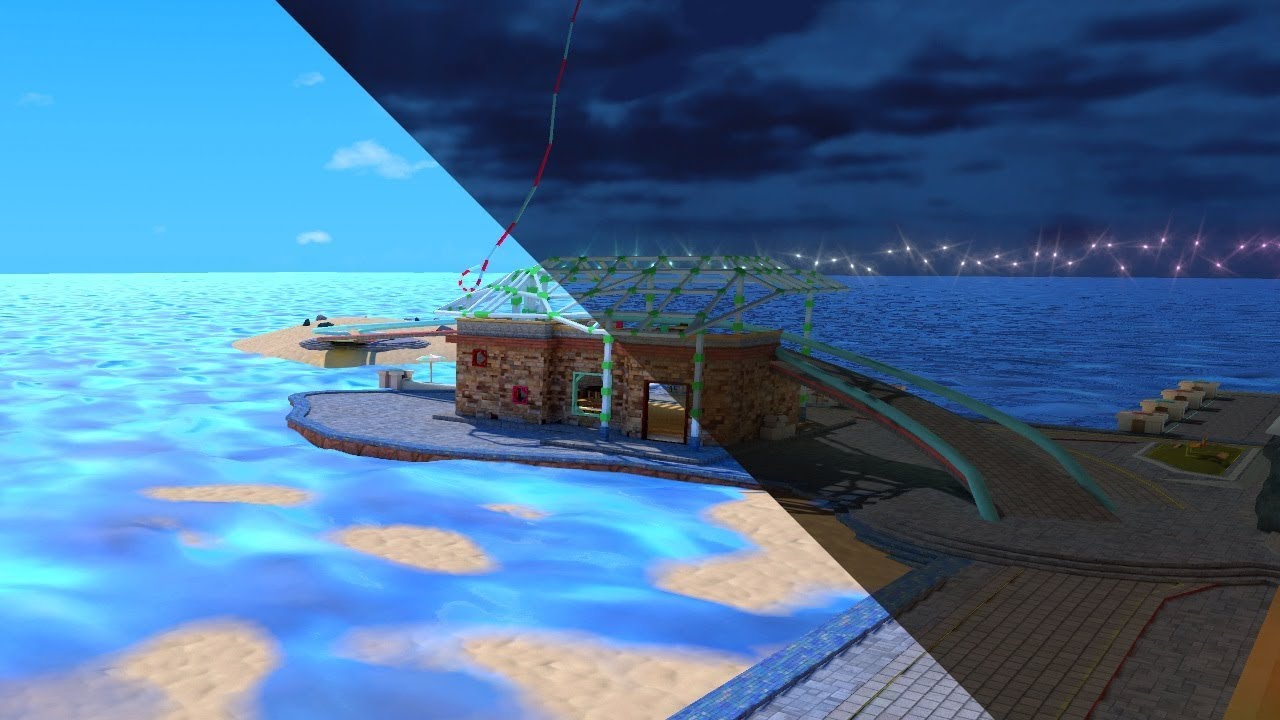
See it in action in Atoll of Ether: https://vrchat.com/home/launch?worldId=wrld_7644eab0-6408-42ab-8088-454c32c08768
The simple solution yet painfully long way around to swap Lightmaps in VRChat. At the cost of your sanity you too can offer this experience to everyone.
thx to...
or if you're going for a flat shaded stylized look you could swap out the color Atlas for a lights off color Atlas
idle nimbus
I tried to understand that tutorial but I didn't get how he was pulling assets from one scene into another and doesn't he end up swapping between the models so you have to have a duplicate of the entire scene? Seems like that would be difficult for the quest to handle. Maybe I'm misunderstanding the process. I've seen that word before but I don't really know what the color atlas is or how I might go about editing it.
fair tinsel
from what I can tell remembering that tutorial he basically has two copies of the map with separate light Maps that he's turning on and off
idle nimbus
I'll try to watch it again but between the speed he goes at and the accent, I got lost pretty quickly. It's good to know that this is at least the process I should use, I just have to watch it at very slow speed and maybe I can figure it out. Thanks.
fair tinsel
as far as the color Atlas method basically all of the colors of your map would be on one texture so you could press a button to change the texture to a nighttime variant of the color map https://hextantstudios.com/article-images/unity-flat-low-poly-shader/unity-flat-low-poly-shader-01.png


liking this Pokemon screenshot the only difference is the color palette
but that would come with the caveat of your shadows would be the same place with the lights turned off if you went with only color palette swapping
idle nimbus
Oh, I see. Yeah I think that method would be pretty difficult to make work with what I have now so I think I'll have to try decipher that video. Appreciate the help.
fair tinsel
no problem glad to be of help
also might suggest turning on the auto generate subtitles as those might be a little dodgy but it might help out some with the accent
solemn ermine
@grizzled cave hi this is really late but does your world have the default vrchat chairs in it ?
grizzled cave
?
solemn ermine
Did you add chairs to your world from the vr chat sdk? @grizzled cave
grizzled cave
Eh it doesn’t matter I’ve already made a working avatar world
Just gotta wait til Wednesday afternoon to publish it
solemn ermine
I had a similar issue recently and the only thing that fixed it was removing chairs that I had added from the sdk
 mystic basin
is there going to be a quest 2 patch so we can have 90hz
wraith jewel
Most likely
wraith jewel
Good
 fluid tinsel
Please tell me that you'll add rendering modes to the Quest shaders, please PLEASE.
sweet tundra
@fluid tinsel I doubt they would because the game already doesn't run great, so they need the performance increase to keep the game running smoothly.
fluid tinsel
Crunch, I'm not sure you understand what you're talking about. I mean stuff like cutout, transparent, and fade.
Rendering modes on a Shader shouldn't affect the performance.
sweet tundra
Yes they would
fluid tinsel
Dude, you really don't know what you're talking about, a rendering mode doesn't make the performance of an avatar worse.
sweet tundra
Yes, but transparency definitely will drop performance.
And apparently cutout runs very poorly on mobile.
fluid tinsel
Okay, since you strongly believe that it will affect the performance of a model... Where is your proof?
sweet tundra
The entire internet.
lemme just get unity open
And mobile has issues with transparency.
fluid tinsel
The entire internet is not your proof, I need very specific proof.
sweet tundra
A laptop isn't exactly a phone
fluid tinsel
Where is your proof that a rendering mode would run poorly on a phone?
sweet tundra
Not a rendering mode, just transparency as a whole.
fluid tinsel
Where is your proof?
sweet tundra
Transparency redraws pixels at the same position on mobile, do this multiple times and each time the framerate is dropped.
Repeat with an entire screen and it drops even more
 wicked lava
tbh i dont think that its quest running bad
its just vrchats lazy and cant fix their damn game
quest will prob never get the same treatment as pc cause of vrchats problem with adding new things instead of fixing old ones
fluid tinsel
There have been plenty of mobile games out there that ran flawlessly and had transparency on their models
sweet tundra
It's not they can't, it's just it's bad.
wicked lava
its not they cant
they're just fucking lazy
i dont think i need to bring up the time when a fan fixed their code?
sweet tundra
It's not vrchat's fault that half of the avatars on quest have 500k tris and 50 materials.
fluid tinsel
You know the game Raid Shadow Legends? Their models use transparency.
Especially on mobile.
wicked lava
also its up to the players to optimize avatars
sweet tundra
It's also not Vrchat's fault that Oculus has strict guidelines on optimisation for Quest.
wicked lava
vrchat should put in the effort to actually make shit look good.
sweet tundra
@wicked lava the whole point of vrchat is user-made content, the devs can't make it look good.
wicked lava
they could.. idk? fix the old fucking sdk?
or update the quest version of the game to support more things that we KNOW it can support?
i know for a god damn fact the quest can run different shaders/rendering modes
sweet tundra
Most times I play Vrchat on quest (this includes before the unity 2018 move), I got around 40fps with 8 people in a world.
Audio has to calculate too.
So does IK
And so does the rest of the game.
wicked lava
thats funky. i never dropped frames on quest
sweet tundra
Then you probably stayed in the home world by yourself.
wicked lava
nah b
wicked lava
nothings happened to me yet so
im just saying
if vrchats lagging maybe they should fix their yandere sim code
sweet tundra
Yes, the quest can run transparency, but if 20 people do it with horribly optimised avatars and 2k textures on each material, will it run well?
wicked lava
safety settings exist for a reason
sweet tundra
Yes, but can you disable transparency with safety settings?
wicked lava
you can disable a fucking models animations / shaders
i think that takes care of that
sweet tundra
You can't disable shaders on quest
sweet tundra
And then not see anyone.
sweet tundra
What if EVERYONE has a bad avatar.
sweet tundra
People complain about performance enough.
i don't think the devs want it to be worse.
wicked lava
my whole argument was that vrchats lazy as fuck and they need to fix the old systems instead of adding new ones
sweet tundra
Their fix for the old systems is the new ones.
sweet tundra
Why would they make the new system if the old ones were good?
If the old one was perfect, why would they change it?
This whole argument came from someone who was persistent on saying the Quest version of VRChat should get transparency.
sweet tundra
I told them the game ran horribly already so why make it worse?
wicked lava
it really doesnt.
wicked lava
that sounds like a "you" problem
sweet tundra
Plenty of people had it
 smoky compass
doubt you can do much. its way too weak in hardware anyway to run something like that properly.
sweet tundra
Yes, people uploading 500k tri avatars is VRChat's problem
sweet tundra
I do.
smoky compass
you cannot see 500k avatars at all. though.
wicked lava
im saying that vrchat COULD have a pretty decent quest port
smoky compass
excpept on PC
fluid tinsel
I'm quite positive that transparency could work on VRChat Quest if they even bothered to put it in and make it run well.
There are also plenty of games on the Quest platform that use transparency, one of them being Vader Immortal.
smoky compass
the quest cant even run in decent resolution. i doubt you should go towards anything that improves visual quality.
smoky compass
the quest is not made for something like VRChat to begin with. it just got kinda forcefully implemented cuz VRC is a good sellpoint for VR next to beatsaber for most people. and if the quest cant run it its less likely that people will buy it.
sweet tundra
And oculus has strict guidelines that basically say: "Get 60fps or above. If you don't then you don't get a place on the store"
smoky compass
well you get 60 FPS in vrchat, but with ridicolously limited visuals and resolution.
and as soon a few people join, bye 60fps
sweet tundra
^
The visuals also aren't the only things running, you also have: IK, audio, networking, player movement, collisions, things moving around memory, other things which are so numerous I can't list.
On Quest 1 with that, ~40fps in an average sized room
Up the rendering: ~20fps
Add people: ~10fps
Suddenly, the game crashes.
smoky compass
yea, its unbearable to play imo.
wouldnt bother at all with the Quest client. if you want to play VRChat get a PC
and i rather play VRC on a shitty laptop than on quest
costs the same
sweet tundra
I have it on my laptop, if I were to drop to graphics to Quest level, it would probably have 5x the fps than the quest.
smoky compass
Quest is quite a decent experience if you have a PC to run it with.
sweet tundra
And if you don't get motion sickness at all, then it's possible play it on Quest
I don't get motion sickness, so I'm fine.
I do have a gaming PC though, which I prefer to play VR on.
Can't always use it because while it's mine, my brother uses it more than me.
And I have no time for fun anymore because school.
When I can use it, I will.
smoky compass
i mean, yea that sucks but you cant play GTA V on your phone either when youre not on your PC and just have your phone.
VRC is just not really made for something like quest. and i wouldnt rely onto it that they improve much on it, its at the end just there to push sales on the headsets itself.
sweet tundra
^ pretty much Quest VRChat in a nutshell
Good game on bad hardware. Only there for money.
smoky compass
yea. just like i said VRChat and BeatSaber where for the most of the time the biggest selling points for VR. many cant afford a +800$ VR headset + 900$ Gaming PC.
so cramping it horribly into a all in one headset for 400$ is great way to sell a headset.
sweet tundra
Well, it works.
And some games don't run horribly.
After multiple weeks of optimisation.
Sometimes months
smoky compass
i actually just got a quest out of curiosity. i actually do like it to hang around on my couch with the link cable. my playspace on my Index is empty, and only suitable for full body tracking use or to play actual VR games for me.
to just hang out in VRC the quest while sitting onthe couch is often more comfortable lol
sweet tundra
I have a ton of space in my house for VR and when I bought my Quest I had no plans to get a PC, so the Quest was my obvious choice.
smoky compass
ye
sweet tundra
I don't regret it, the amount of improvements made is ridiculous.
smoky compass
just the worst option, and many people are sorta forced to do that cuz they cant afford both. its still better than nothing i guess.
as long its not VRC, quest is kinda neat as standalone.
sweet tundra
Yeah.
I bought it in October, and was allowed to open it in November (because I'm 13 and my parent's wouldn't let me open it until my actual birthday), Literally the same month, oculus lick, then December, hand tracking, and just a bunch of other improvements.
It's a good headset, until you want to do anything remotely performance heavy on the hardware alone.
smoky compass
yea, but like i said, its a decent headset for the PC as well.
however, im gone for work again. bye
sweet tundra
It's getting late where I live, so I gotta go too, see ya.
 midnight gulch
Just going to drop this here.
Obviously you CAN still do most of these on VRChat for Quest (in worlds at least), but things get messy & unoptimized fast. We need to use these techniques tastefully (which I absolutely don’t trust most people to do).
wraith jewel
I hope they
Update the quest 2 version and optimize it more
Since the quest 2 is more powerful i don't see why they wouldn't be able to
mystic basin
cannot wait for that spyke
wraith jewel
Also why do you guys keep using pc as an argument in vrchat? The point of getting a quest in the first place is to not spend over 800 dollars for a gaming pc that can maybe run vr
And then more for the actual headset
😐
midnight gulch
If they started shipping separate game-builds to each headset, I think the dev work would get more complicated.
wraith jewel
True
midnight gulch
But I know that they’re planning on upping some limits, like the amount of people in each world.
wraith jewel
I feel like they should just release a update in general to optimize things and let us see ,pre stuff
more*
midnight gulch
And they’re bringing video players back in the open-beta soon.
Hmm, maybe yeah. That would be nice.
wraith jewel
They are?
I thought that was already in some worlds
There's been times where I'll join a room and everyone will just be watching porn
Fucking weird
midnight gulch
Apparently, the Quest works with very particular video file types. There’s a message chain about it in the Open Beta discussion group.
Welcome to VRChat ⚠️ 🙄 👉👌
wraith jewel
Lol
 dry tangle
never really tried this before, but when i click the switch build target to android for my avatar, nothing happens! what am i missing here?
nevermind, just needed to actually install the android unity module
pulsar fox
I would also recommend enabling the unity local cash server so that it doesn’t have to reimport your entire project every time you switch platforms. It is a very slow switch if you don’t enable the cashe server
 tiny owl
 snow bobcat
never really tried this before, but when i click the switch build target to android for my avatar, nothing happens! what am i missing here?
@dry tangle I have tried switching it to android then adding the sdk. it still crashes
I know how to fix this problem ! you need to delet a few files VRCSDK\Dependencies\VRChat\Textures\damageGreyNoAlpha.png
VRCSDK\Dependencies\VRChat\Textures\damageGRNoAlpha.png
VRCSDK\Sample Assets\Prototyping\Materials
VRCSDK\Sample Assets\Prototyping\Models
VRCSDK\Sample Assets\Prototyping\Textures
snow bobcat
Sorry
jolly tree
Is there any documentation somewhere that will tell you what work and what doesnt on Quest? including the recommended setup that is linked with the Vrchat avatar rating system?
fair tinsel
VRChat
Want to get started making some content for VRChat on the Oculus Quest? You've come to the right place! This page will consist of navigation to various other pages concerning content creation for Quest, cross-platform setup, and other related guides. Our documentation on creat...
jolly tree
yes! Thats what I needed, last document I had was nothing like this.
Thank you @fair tinsel
fair tinsel
no problem glad to be of help
jolly tree
ugh, so many ''Completely disabled in VRChat Quest.''
fair tinsel
yes you're basically dealing with an Android phone as far as making content is concerned
pulsar fox
It's not as difficult when you model from the ground up for quest since you know it's limits from the start, and can avoid the need for cutout etc
 harsh kernel
does quest2 run unreal4 stuff fine or are you better to use unity lightweight renderer?
fair tinsel
yes the quest to is faster but it's still a cell phone hardware-wise so you would probably want to use the lightweight renderers
pulsar fox
Unreal engine has Quest support if that's what you're asking
It's still going to be just as limited as Unity's
Someone could add NES support to unreal engine - it's still gonna look like a NES
wraith jewel
Do I gotta have a pc to see the avatars from people that are on pc?
fair tinsel
yes as the quest is incapable of rendering PC avatars so if you want to see anyone on PC you either need to be on PC or they uploaded a quest version of their Avatar
pulsar fox
Do I gotta have a pc to see the avatars from people that are on pc?
@wraith jewel only if their avatars are Pc-only. It’s entirely possible to make avatars that have versions for both platforms, so both platforms see their own versions
wraith jewel
How do you go about creating avatars for quest? Because I have some ideas I’d love to pursue
pulsar fox
The modeling work is done in blender (or any other 3D modeling tool but blender is free)
Or if you already have a model you can skip that part and any interactive stuff and features are done in unity, as well as the actual upload is done in unity as well.
There’s lots of tutorials around, they don’t necessarily need to be VRChat-specific. Any character creating tutorial should work. For quest, just keep the triangles under 7500 and don’t use textures with transparency
fair tinsel
and you get better visual results dissolving Edge Loops compared to the decimate modifier


recently I made a quest version of a model for a friend and here's how it looks doing Edge Loop dissolving
pulsar fox
Always nice when you can’t immedately tell which is which
fair tinsel
that's why you dissolve Edge loops it is the texture doing all of the work
wraith jewel
So I would defined Have to have a pc to create my own avatars? Because there is this anime I saw that I’d like to create avatars based off that anime
pulsar fox
you need a computer running Unity in order to upload avatars yes
It doesn’t need to be a VR capable computer
Any old computer will do
wraith jewel
Ok but I wanna get a vr ready computer and get the quest 2 or the rift and be able to create more avatars for quest and also for pc
fair tinsel
of course but in the meanwhile you can start making Quest avatars that run on a toaster
 sleek wedge
Will VRChat be getting an update for the Quest 2? Maybe removing/lifting some of the avatar limitations?
fair tinsel
they're unlikely to remove the Avatar limit as that would require having free platforms for uploading avatars not 2 and they would probably prefer a more stable frame rate than prettier graphics
pulsar fox
Most of the extra processing for the Quest 2 goes into the higher resolution and framerate. It balances out. There isn't extra room for more complicated VRChat content.
 frank bolt
does the quest 2 have the same avatar problems as the quest 1
 timid wing
Yes
fair tinsel
unlikely they change with the quest 2 as they would rather take more stable frame rate than higher poly avatars
pulsar fox
The Quest 2 is still an android OS so will only see or access content specifically built for Android, same as Quest 1
This will always be required unless oculus makes a headset that is not based on android
“Not seeing Pc avatars” isn’t a choice VRC made, they can’t do it unless the user provided them android builds of their content
Which many people just don’t make
This isn’t the case with oculus link since your computer just uses the quest as a display device and has nothing to do with the android OS
 rigid flame
So I’ve been playing a lot recently and for whatever reason my pov is now down and a little forward, I have no idea what caused this but I don’t know where else to post this so I guess the discord is my best bet
 sharp blade
so i am trying to get android development for unity, and it says i need usb debugging. i do not own an android phone, and i dont know if i actually need one. do i need an android phone to develop for quest?
wraith jewel
If you have a USB C port on your PC, try and plug in your Quest 2 and see if that works as a debug device
harsh kernel
i think its just an adb driver you need, the one that virtual desktop/sidequest uses
 sturdy briar


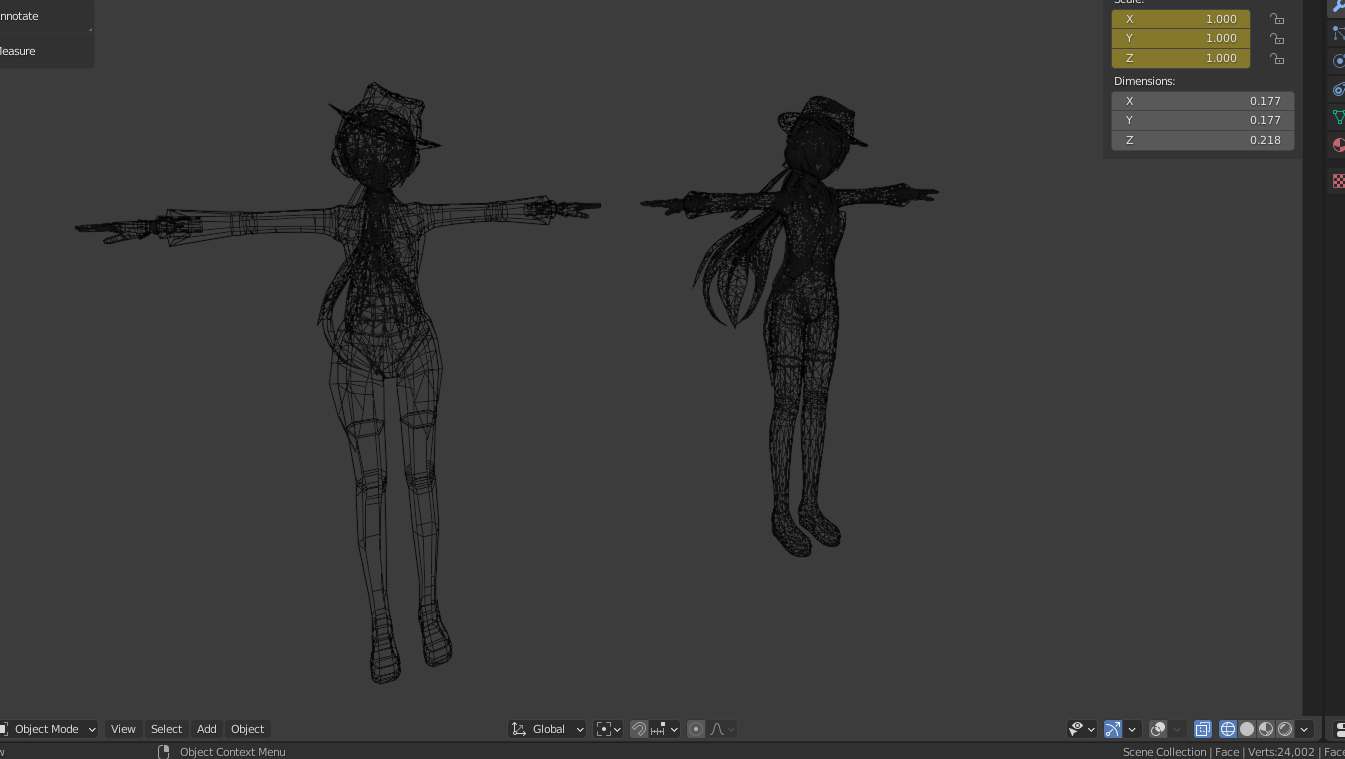
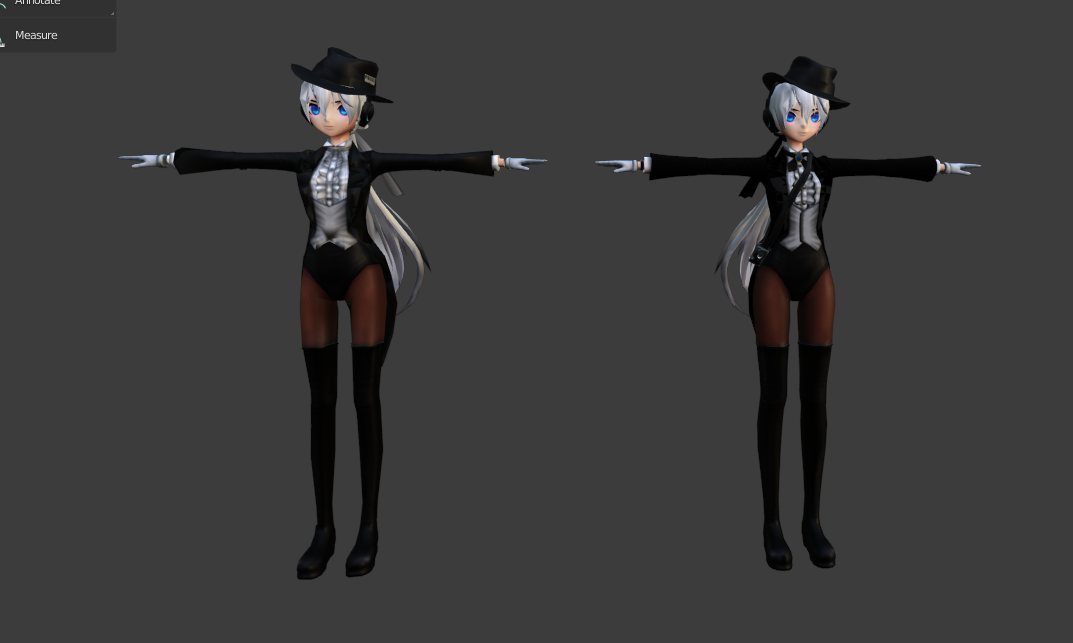
 iron canyon
guys im confused when looking around my world it bends and is seperated between eyes does anyone have a solution (im new so pls dont murder me with words)
pulsar fox
You are using a shader that does not support single pass stereoscopic (vr compatable shader)
What shader are you using in the world?
@iron canyon
Stick to the default unity ones - they are all vr compatable
midnight gulch
@iron canyon This bug can also be caused by problems with lighting too. Try baking your reflection probes...
Step 01
Step 02 (make sure to uncheck auto-generate if it's on by default; you can turn it back on if you'd like afterwards).
It might take a while to bake.
 junior cove
Idk if this is the right channel but I'm trying to make a quest avatar and there's two materials that are unchangeable and they don't work on quest, how do I change or delete them? (Please DM if you can help me) ;u;
wraith jewel
Hello guys, I need help! I'm trying to set up Unity for building an Oculus compatible avatar, but when I import the SDK (both 2 and 3), Unity crashes. If I don't import the SDK, but just switch the environment to Android, everything checks out normally. Of course I'm talking about a completely empty project, with literally nothing in it beside the default stuff that Unity have.
I've tried with the 2018.4.20f1 and the 2018.4.28f1. Same crash happens.
Is this a known bug with a known workaround, or is it something new/weird? Do any of you have any idea on how to fix this?
wraith jewel
They should make an update in VRChat so that people with Oculus quest 2, like me, can see other peoples shaders because apparently you can’t see other people shaders if you have an Oculus quest 2 because it’s disabled for that VR headset. That sorta ruins the game for people that have Oculus quest 2 and I think it should be fixed. But overall it’s a great game.
wraith jewel
It would make the game run poorly like it did on the first Quest
midnight gulch
@wraith jewel PC shaders were disabled on the first Quest as well. If you mean that showing them would negate the performance upgrades built into the new Quest; then yeah, I agree.
wraith jewel
Enabling the ability for people with the new Quest to see shaders wouldn't negate the performance, maybe just a little because a lot of people use shaders. But what I am trying to say is that they should enable shaders for the new Quest because everytime I go into the game all I see is people that are robots, and rarely see people that use basic avatars. And no, not PC, just from the Quest. Because you can play with the Quest wireless if you didn't know. @wraith jewel And not to mention, giving it a try won't hurt. It's better than seeing robots if you really ask me, the new Quest has 50% more resolution. So they probably made some changes, I am not sure tho. Giving it a try won't hurt.
midnight gulch
The problem is that even with the new snapdragon; the Quest is still running a modified android build. Android really really struggles to deal with transparency and real-time refraction; two issues I can see right off the bat.
Most of the non-quest shaders would be fine, but these special use cases would fry your quest worse than 20 un-optimized avatars in a public world...At least...I think...These shaders (and dynamic bones) are enabled by default on world builds; so they must not be that heavy.
Quest wireless (or link) is definitely the way to go if you want the full game experience.
wraith jewel
I see, I'll keep the Oculus quest 2 unless it can't handle even other games. Not gonna lie that sorta does ruin VRChat for me but I'll still hang on, who knowns, they might come up with a better Oculus and I'll see from there, or I can get a job in 2 more years and get an HTC or something even better. Thank you for letting me know @midnight gulch
midnight gulch
@wraith jewel Do you have a gaming PC?