#world-lighting
4 messages · Page 11 of 1
 modest vapor
these are like the lowest resolution possible so i'm not surprised you're having terrible results
Lightmap resolution should be at 20, lightmap size 4k, ambient occlusion and final gather checked
and disabled realtime global illumination @queen tangle
 queen tangle
I lowered them because it wasn't working
So I thought I could speed up the baking by lowering it until I found a setting that worked
modest vapor
yeah but if it's that low it might look like nothing at all
queen tangle
but will lightmap size of 4k not create a huge bulk to download later on?
I will edit the settings and look at the result
because I remember that the vanilla settings created a lightmap of about 93MB
alright, I have no idea why
but it's fixed now
The only thing I changed was to disable realtime global illumination
so yeah, I'm gonna say thanks for the Realtime global illumination thing! 😄
 warm oar
texture goes potato after baking light - how do i fix this?
 gentle hawk
Generate uv in the fbx inspector tab
warm oar
got it thank you
animated lights don't work after baking - how do i fix it?
I have disco style lights that change to different colours but after baking they remain a single static colour
 tough edge
did you change lighting to baked only when you need mixed - or did you make a dynamic object or output static
warm oar
its baked only - should i put it on mix?
tough edge
mixed should solve your problem
warm oar
it worked thank you
 mint cipher
@modest vapor I have a few questions
So I am trying to get my scene to look the exact same as in my blender project
Which is VERY difficult
Cycles
I was wondering how I bake the lighting in Unity to raytrace all the light around in the room.
mint cipher
I am getting this result instead of the one above. The light is not casting shadows from the reflected surfaces.
So there is no shadow for example up at the globe
 lusty musk
Hello I just joined and also um Is this a game a waist of time or is it actually fun?
because I say this game on my VR
And thought I should try it but I haven't yet
 weak inlet
if your into the social aspect then its great, im personally not but i stick around for the avatar creation.
modest vapor
@mint cipher Did you bake with ambient occlusion in Unity as well ?
mint cipher
@modest vapor
modest vapor
So a few things:
-Don't use skybox for your environment lighting, you might want to use gradient instead
-don't enable realtime global illumination
- Use Indirect as the lighting mode
- try 2k lightmap size
- try direct contribution to 1 for AO
- try indirect intensity to 2
mint cipher
Ok, so I have up on the file and made a new project. Without messing with any major settings I imported, the project with GLTF format to keep all my textures.
The new problem is the color shift
Same materiel. 2 different objects. Both only floor
Does anyone know why this is happening?
modest vapor
Why do they need to be separate objects ?
modest vapor
Yeah, that'd help UVs
mint cipher
What about the walls highlighted
Should they be different objects or one total surrounding the whole room?
modest vapor
The whole room should be a single mesh honestly
mint cipher
I thought that would cause lighting problems. I'll do that
 sterile flint
is it anything that i should change in my light settings or does it look good?
 proven fractal
Whole rooms as a single mesh would be bad for culling tho
modest vapor
There's nothing to cull if it's flat planes all around
@sterile flint Why do you use such dark colors for your environment lighting ?
modest vapor
You'd have to generate lightmap UVs again and bake once more
mint cipher
I just generated it
sterile flint
im trying to make a pretty dark scene and any other colours makes it more cold feeling
since im going for a dark/warm lighting
modest vapor
@mint cipher Did you also make your UV unwrapping in blender ?
modest vapor
yep
modest vapor
ultimately it's Unity's lightmapper, i'm not sure what can and can't be solved
with low texel too
 grim berry
any idea why im getting these artifacts in my lightmaps? they only show up in game.
never mind i figured it out. overlapping UVs
 graceful jetty
What's the best way to create reflections for large windows in a map? They look good from a distance already but the perspective looks all wrong when you get up close.
A cubemap for each area seems a bit overkill, so I'm curious if there's a better way.
This looks alright
this looks weird
 golden elm
I've been trying to figure that out too; seems the Standard shader doesn't actually reflect the environment
wasn't able to find a good way to do screen-space reflections; I'm not sure how some of the worlds I've seen have done static mirrors unless they literally modeled the world behind the mirror and made it a pane of glass instead
proven fractal
Screenspace reflections eats FPS, and on top of that it doesn't really reflect things that are not visible in the frame, you'll need to use reflection probes and bake them. for big glass surfaces like that you might even want dedicated probes so it looks right
mint cipher
Fully baked no real time lighting
It only took 27 goddamn miserable minutes to bake and there are tons of seams errors.
So how can I remove those errors manually?
queen tangle
@mint cipher Make sure you haven't done Edge Splits on your model in edit mode
this often leads to them
proven fractal
best practice is to hide splits inside other stuff, like the pillars in this case
queen tangle
^this
 weak glade
For some reason, my first world I ever did, I got lighting completely perfect without any problems. Ever since then I could not get it as perfect. I just baked my lights and this is what came up.
And these are the settings I am using. Anyone know why some objects are brighter than others?
modest vapor
environment lighting is very dark
Are you sure everything is static with a shader that support lightmapping ?
weak glade
Well i noticed that the brighter objects were not set to static when they were suppose to be. I am re-baking now and those objects i set to static are now dark, looking like it is matching the environment lighting.
 tribal linden
what does a proper lightmap UV look like?
asking because anything I do to make baked lighting work doesn't work
mint cipher
@queen tangle @proven fractal Thanks! I did it and it looks amazing now!
queen tangle
Now this looks great m8 👍
proven fractal
sweet
 steel totem
Hey guys, my post processing and bloom shows up correctly in my scene viewport, but in-game the bloom doesn't show up at all, any help?
steel totem
Perhaps I didn't have realtime lighting active?
 supple loom
@steel totem I see you have my VRWorld Toolkit at the top I guess the world debugger doesn't say any reason for it not to be visible ingame right now? If so in those cases it's usually some asset you've imported breaking it so it's not appearing in-game.
steel totem
Thanks for the tip, I'll see if setting all my lights to realtime fixes it and if it doesn't, I'll see which asset could have caused the problem.
supple loom
Post Processing doesn't really need real-time lights so that shouldn't matter
weak glade
Found out the simple light probe asset no longer works with unity 2018 and found it out the hard way too
supple loom
You can fix it by changing some things around
steel totem
Well for some reason bloom and Post-processing decide to work when everything is set to real-time, yay.
at least I got that working
supple loom
That's interesting 🤔
weak glade
I didnt think bloom could work with baking
steel totem
neither did i
weak glade
Since its a realtime effect
supple loom
That many real-time lights isn't really a good idea though
weak glade
It really isnt. One way street to lag town
steel totem
There's only 10 in total, and it is a relatively small map anyways.
supple loom
Even just 10 is too much all of them together will wreck performance with more people and won't wven all render most likely
steel totem
And I'm not seeing much difference ever since I made the switch from baked to realtime, at least in this scenario
supple loom
Do those "light bars" have emission on them?
steel totem
Barely any.
weak glade
I would definately give it a test in vr to see if you have a drop in performance. And bring a friend along that doesnt have a good pc in vr to double check performance
steel totem
Yeah, for sure, I just don't think it would have much impact, not to mention the fact the world is roughly 5 MB and utilizes the GPU for most things.
supple loom
The emission should be enough to cause the bloom to happen the lights shouldn't matter that much
steel totem
I get what you mean, but I was going for a "pooled light" kinda effect instead of them being quite standalone.
not to mention the world is lit by those point lights alone
supple loom
No I mean I'm just wondering what happened with the bloom when those lights were baked since bloom is more caused by emissive surfaces normally
steel totem
Bloom didn't work at all, when I was having the problem, I had every light source set to baked.
supple loom
Yeah that shouldn't happen normally 🤔
tough edge
SLP works just fine if you drag the scripts folder into the editor folder
 fading prawn
Is there a way to do rgb color changing lights?
 topaz dune
How is it that the world's I'm seeing around here have such beautiful light that I have never seen in vrchat?
tough edge
@fading prawn you can use animations to change the lighting colors
 left wyvern
Hey everyone, I'm getting an issue trying to make a dark spoopy scene in VRChat - looks nice and dark in the viewport and Non-VR view but in my oculus it looks weirdly bright and color bandy, is there anything I can do about that or is that just the Oculus CV1? 😂
 heady sky
I'm seeing weird jagged/blocky areas on my chair when I bake lights. What could be causing this?
heady sky
looks like UV gen settings..... getting it to be much better, but not perfect--usable tho. ty
mint cipher
I have noticed that Unity's real time lighting shits itself when light hits an object at almost a 90 degree angle.
That may be why.
heady sky
Fixed by babysitting the uv gen settings for a good 15 minutes 👶
modest vapor
Eventually you might want to try making your own in Blender, it's much faster and personally i get very good results
heady sky
ooh i'll have to look into that--i'm comfortable baking diffuse / normals/ ao/ etc so it shouldnt be too bad
 royal dirge
Does anyone know what could be causing the blotchy parts on the wall here? This happens at higher resolutions/light samples as well.
They also start off looking normal at the beginning of baking, and get worse as time goes on.
Its happens really bad on the floor too, theres only 8 or so light patches covering it
I think I fixed it. On my material, I set Double Sided Global Illumination to true and now it's not happening anymore.
modest vapor
you have to generate lightmap UVs on your meshes if you haven't already
 dull vale
how well does generating lightmap UVs work?
I'm thinking of making my own world completely from scratch, every single object, and I'm not sure how to make a lightmap
so I thought I could just use the generated ones in unity instead
modest vapor
in blender you create a new UV for the mesh, edit mode, select all and lightmap pack
that's pretty much it
dull vale
would it be better to do the whole world in blender or just all in unity? I made my first world in unity only and it turned out pretty okay
modest vapor
Blender
mint cipher
Use the denoising feature for baked lighting (only). Otherwise it will look like puke on a wall.
sterile flint
i have spotlights like this and for some reason the rest to the left does not reflect like the first one do against the wall, does anyone know why?
proven fractal
Unity has a maximum amount of dynamic lights allowed, the excess are simply not active, when you bake them they should work fine iirc.
make sure to set them to static etc
sterile flint
alright thank you
 weak lodge
what do I need to do in the light settings to make it look better?
if I get close enough it goes away
 rapid isle
it would be the same as a light slider
mint cipher
@weak lodge Make them static objects. Decrease the light sources. Make them yellow'ish.
Increase the world light in a blue tint.
Also fix that grass and gravel texture. It keeps on repeating which does not help the situation.
weak lodge
@mint cipher what should be static?
= the terrain(it is already)
= the point lights too?
Decrease the light sources?
the point lights or what exactly?
how do I make the world in a blue tint
mint cipher
The skybox can be modified to have a blue tint. The point lights should have a decreased light source. You should bake the light, not use realtime lighting
weak lodge
how do I decrease the light source? @mint cipher or what exactly do you mean by that
 lethal sky
@weak lodge it looks like you are using the unity terrain, so assuming those are terrain trees made in the unity tree creator, they're not that great for baking static lighting.
In fact, I think they are intended to be GPU instanced, and lit with a single directional light most of the time, since it's outdoors. I would try lighting them via light probes instead baking light directly onto them.
weak lodge
@lethal sky yea I did that light props thing it looks alot better now, ty
mint cipher
Anyone know how to deal with a "Integrate failed on Write Lighting Data job" error? It's just looping at the end of a light bake and throwing up hundreds of that error.
 golden otter
Two of my point lights aren't appearing in the bake maps and idk why
They're set as Lightmap Static
This is inside a building in my map, in the outside I have a Sun light and it works ok
The inside of the building is set as static as well
rapid isle
how many pointlights do you have?
cuz i know if its over 8 or something they dont render
golden otter
Just 2, they're both baked
rapid isle
might try and put them fully static and not half
also make sure you have light probe group setup
golden otter
I have, but even without lightprobes it should be working because the walls are static
Gonna bake again and see if it works
supple loom
Yeah I can't see anything wrong in that screenshot atleast 
rapid isle
might want to see if you have generate UV lightmap check on the prefab of the model if it is a .fbx file
golden otter
It is
supple loom
Can you show a screenshot with one of the close by walls selected?
golden otter
Now that I'm looking at the lightmaps, I think the light is being obstructed by the lamp geometry
And it looks so soft that I can barely see it from far
When this was in realtime it could lit the entire room
I'll try changing intensity and positioning
supple loom
Yeah if it was inside the lamp that could occlude it
I usually place my lights a bit under the lamp and have emissions from the lamp material baked in as well
golden otter
Yeah that was it, I placed it below the geometry and increased intensity to 10, now I can see it
I was having trouble figuring out because it seemed fine in realtime mode
How can I fix weird "cuts" in the lightmap? Do I have to redo the UVs?
Or increase resolution
supple loom
Depends on the cuts you can definitely try increasing the size of the objects on the lightmap though
golden otter
Is it possible to have dynamic objects cast shadows over static ones?
Do I have to change the lightmap type?
Also some of my dynamic objects look dark even with lightprobes and reflection probes
golden otter
Update: I tried using Subtractive mode, but baked objects don't get shadow occlusion so my dynamic shadows pass through walls. And some shadows just look weird. If there's no other way I'll just use Baked Indirect with mixed lights
rapid isle
mixed lights are still real time and will cause lots of frame drops
you most likely will have to mess with your shadow settings in the project settings to get it working
 tidal pawn
any ideas what caused this kind of artifact? uvis are correct..every time i baked it artifacts are different ... bakery lightmapper is used
mint cipher
So I'm not gonna lie, I screwed up the lighting in my world something fierce, but I have no idea what I did. It looks splotchy as heck. All the walls are static, and it is just a handful of point sources. I think I screwed up the lightmapper settings. Any help?
Aaah, I figured it out. I had direct samples turned down to 2 in the lightmap setting. Cranking it up to 32 made it a lot nicer.
modest vapor
That'd do it
 vagrant dragon
.
 acoustic loom
Anyone have any insight on the performance impact of realtime GI?
weak glade
Not much, but no point on using realtime GI if you have baked lighting
acoustic loom
I have a few video screens I'd like to keep emissive in a perfect world depends on the cost
weak glade
Go ahead and add it and test performance. A few realtime lights isnt a huge problem but more than like 3 can cause problems
acoustic loom
and on a related note how does one go about packing lightmap uv's in blender
normal uvs are no issue but unless i get unity to generate them on input it's wack
but unity's frankly suck
weak glade
Wish i knew that one lol. Figuring out blender maps later this month hopefully
modest vapor
@acoustic loom Realtime GI is impactful, hence why it's most often baked. Have you tried a low res real-time lightprobe ?
acoustic loom
I believe that's what I'm doing - i'm baking the realtime GI using probes
there's no real time lights in the scene
i'm baking the 'realtime' GI so the emissive shader is reflected off geometry
~2 texels a unit
unless I have my terminology confused here
modest vapor
in that case you're all good !
acoustic loom
👍
acoustic loom
hey Ruubick how would I go about packing lightmap UV's in blender? Individual meshes are fine with Unity's auto-generation, but once I end up merging similar meshes and materials they end up distorting like so. I can't for the life of me figure out where it's hiding in the UV tab in blender
modest vapor
Did you make a secondary UV map for them ?
You're supposed to use UVMap for your actual texture UVs, and then create a second UVMap on the object for the lightmaps, and not sure Unity's lightmap generation
acoustic loom
No i have not, I actually can't seem to figure out how it's done
I'd like to learn since Unity's is just... yeah
modest vapor
i'll record a gif
acoustic loom
🙏
modest vapor
Depending on the amount of objects, you may want to increase the resolution and quality
acoustic loom
BEAUTIFUL thank you!
acoustic loom
interesting side effect is light probes seem to have FAR more weight now on static object lighting in the world which is great
although frankly that could be all in my head
graceful jetty
Is anyone here familiar with bakery? I've been having trouble with weird patchy lighting from area lights.
modest vapor
I don't think bakery supports area lights ?
graceful jetty
Oh sorry, light meshes
modest vapor
ah, which denoiser are you using ?
graceful jetty
I'm not even sure how you'd check, hah
modest vapor
Can you show your bakery settings ?
graceful jetty
Overall, or on the light mesh?
modest vapor
the bakery settings themselves
light mesh should just be flat plane with standard emissive shader
modest vapor
Try experimental, and raise the tile size to 4k
graceful jetty
The light meshes I'm using are attached to an area light with the settings matched
modest vapor
actually what do you have as settings on the light mesh
graceful jetty
modest vapor
tried with self shadow i assume ?
graceful jetty
Yeah, no difference there
modest vapor
are the light meshes individual meshes or are all lights on the ceiling combined ?
graceful jetty
they're individual
modest vapor
are they exactly on the same height as the ceiling ?
graceful jetty
they're slightly below
they just didn't light anything when they were the same height
I tried changing the width and length too so it's not near the edges of the room, but that didn't make any difference
modest vapor
what about the walls, are they also the exact same height as the ceiling ?
graceful jetty
yeah, everything's lined up exactly
modest vapor
but they're not joined ?
modest vapor
and they share the same edge ?
graceful jetty
They're basically all one piece, yeah
graceful jetty
I just found an option in experimental for fixing bright edges, I think I'll try that first
Might as well see if a single checkbox fixes it before I make changes to all the lights
modest vapor
true, forgot about that, i've always been using experimental 
graceful jetty
There are 32 rooms on the map in total, so if I can fix it in one option that's a lot of time saved!
That didn't seem to do anything, but now the editor runs at a low framerate 😕
Turns out it's not a denoising issue by the way
graceful jetty
@modest vapor I created a new light mesh and that seemed to fix the bright spots, but now it doesn't light the ceiling. Any way I can make a light mesh work on both sides?
modest vapor
Create two that face each other maybe ?
 earnest pebble
Is there a cap on how many emissive surfaces could affect GI at once?
 cunning mirage
@earnest pebble not that i know of
Question: Is the progressive CPU lightmapper better than enlighten? 👀
graceful jetty
It's meant to be more accurate than enlighten
but honestly you should just try to get Bakery instead
That being said, I've been having an issue with Bakery for a while now
@modest vapor I figured out that the blotches go away with self shadow enabled, not sure why that's a thing
The issue is that the ceiling becomes black with it enabled, and doubling up the meshes with one flipped brings the blotches back
 vapid musk
lightmeshes?
graceful jetty
yeah
If you scroll up a bit you can see what the problem is (ignore the lack of denoising, it's the same either way)
vapid musk
i remember talking about this with the dev
vapid musk
i think on the lightmesh itself if you had spots you could increase the samples and if it caused issues still the selfshadow thing, that didnt work out for you?
graceful jetty
If I enable self shadow, the light looks good but the ceiling isn't lit
Do you remember which samples need to be increased?
There's near and far
vapid musk
near
graceful jetty
do light meshes shine through backfaces? I might be able to fix it by putting the light slightly above the ceiling
modest vapor
It should
graceful jetty
Any idea if it'd light the ceiling itself?
graceful jetty
I'm not sure I'd want to use that, it'd affect every backface right?
vapid musk
seems so, yes
graceful jetty
Yeah, might cause a few problems in that case
I'll try it anyway, rtx mode is fast enough
graceful jetty
Backface GI didn't look like it did anything, and increasing the samples increased the number of blotches
so by that logic, I'll try going in the exact opposite direction
never mind, that made 1 giant bright patch
 oak elbow
@graceful jetty do you have any sort of normal or is it just a texture? And how does the UV and 3d mesh of the roof look like?
graceful jetty
The area I'm trying to light is all one interior, a single mesh
so the UVs are extremely simple
oak elbow
Because, I read up somewhere that intersecting UVs causes shadows on meshes.
Do you have a normal map though? That one's also important. Since it messes with how light works.
graceful jetty
I haven't manually created one for the mesh, unless you're referring to the materials applied to it
oak elbow
And how does the 3D mesh look in blender?
graceful jetty
Let me open it real quick
Like I said, extremely simple
The overlapping parts in the middle aren't affected by the lighting issue by the way
It's just the walls
oak elbow
Aren't the wall UVs overlapping?
4 walls, I see 3 boxes that fit walls
I'd try to get a bit of a better unwrap on em unless you got ready made textures and don't wanna spend time baking those onto the new uv.
graceful jetty
The 3 horizontal parts are the walls and the 4th one is a separate mesh
oak elbow
That doesn't seem like a good unwrap for the walls. Some of them are probably overlapping.
Which'll cause weird issues with baking lights since those use the UVs of the mesh (and anything that unity treats as the same mesh)
graceful jetty
What's odd about the issue is that the lighting works fine in other conditions
If I use the example lightmesh and enable self-shadows, it works without any problems
oak elbow
Self-shadow allows the Lightmesh to more precisely monitor stuff like that (Cause the object itself is a shadow so it only does light on the surface). To get the roof to light up with it, you either have to make it go above the mesh and shine in, or make another lightmesh point up.
graceful jetty
Is there any way to have it shine in without just lighting every backface in the scene?
oak elbow
Do you have a backface on the building?
Cause, I'm pretty sure I've had people do it through the transparent side of walls without it. Though, there might've been a hole. I'm reall tired rn tho, so, I might be forgetting stuff.
modest vapor
Are those your lightmap UVs or your texture UVs ?
graceful jetty
You never see the room from anywhere but inside, so there are backfaces all round
That's the texture UV, I was asked what the mesh looks like
oak elbow
I've had instances where the texture UVs caused issues with the lightmap UVs. That's why I mentioned it.
modest vapor

oak elbow
And don't ask me why. I don't know.
And when I tried searching up for it. All I find on it are old stuff from 2016-2017 saying that overlapping UVs on meshes can affect baking.
graceful jetty
I don't know what I'd google to see if it's a common issue, but I have seen one guy on the unity forums who had the same issue with an example scene made of default unity meshes
oak elbow
Oh, and overlapping vertices from the same mesh. But, that's another thing entirely.
So, quick question. Can't you make a box and give it a light mesh component and bake it from there? Since then it'll emit light from the entire box.
And, yes. I know it's called a cube. I just like the word box
graceful jetty
I tried that at one point, but the issue is that it looks weird once the box is hidden
you can tell there was a box there, even if it's thin
oak elbow
I meant having it float in the air or something like that
Or you could go for the lightbulb approach and use a sphere
Or you could make a box for room lighting in the middle and then put point lights for the bright spots in the ceiling for where the lamps are supposed to be. If you can't make it, fake it you know. That's what point lights are for.
graceful jetty
It's funny, the lights in the ceiling texture actually work with bakery
They're just really dim and uneven
It'd be cool if I could make them work properly, but I don't think I can edit the material to do that
modest vapor
overlapping lightmap UVs yeah, but i don't see how overlapping regular UVs could have an effect
oak elbow
Yea, don't ask me. I was perplexed about it too.
earnest pebble
I had a question about gi and emissive surfaces
oak elbow
I guess if anything, if a normal map was involved... that might be it. Since normal maps do affect lights. And normal maps use the texture UVs
earnest pebble
I figured this image would highlight the issue. most of the world seems to have no issue with dynamic emission affecting the baked lightmap, but it doesn't properly react to all of the emissive surfaces, even if they are reacting on other parts of the same object
graceful jetty
I just found this in the documentation
HMMMM
Looks like I might just need to crank up the near samples
(not like that worked last time)
modest vapor
I mean, yeah 0 samples is just basically nothing
graceful jetty
for some reason, bakery doesn't even do anything now
everything is black for some reason
modest vapor
lights enabled and scene static ?
You can clear baked data in the lighting window and clear the GI cache too
then restart unity
 surreal quiver
How to use a reflection probe PER window? It seems that only one reflection probe gets passed onto every single reflective window. If you add multiple ones, you get multiple reflections in the window
Looks like every window will have to be a separate mesh
 blazing stream
VRC is forward rendered so yes they will have to be separate meshes if you want them to have there own reflections. you can only have per pixel reflection probes in differed
surreal quiver
Works great.
vapid musk
you can also define a custom anchor per mesh, specifically use the reflection probe as anchor to ensure it always uses the right one
graceful jetty
Bakery has just given up on me for some reason
Everything is black every time I bake lighting
vapid musk
yeah if you are not carefull with meshe sn such there can be massive issues
graceful jetty
There aren't any meshes at this point
I'm really confused, there's clearly a lightmap even after I cleared baked data
graceful jetty
The lighting is just completely messed up here, not sure what's wrong
I've deleted every light and it's still weird
vapid musk
clean both via bakery and via unity
also if you get cryptic errors try run the first couple steps of unity lightmapper
that resets and clears up some stuff
 uncut knoll
I'm looking to one day make it where I can set up one button, where players can (locally) toggle day and night.
I've seen worlds do this, even before the Unity 2018/Udon update. Yet how do you pull that off when there's only one Lighting render?
 limber cairn
I've seen a unity post about that. You cycle between lightmaps.
i cant imagine you can access them in Udon tho. So they probably do some other weird shit
golden elm
You should be able to set up udon parameters for materials/textures, but I have no clue how you would swap the actual scene lightmap out
uncut knoll
Well I wanna try this without Udon, if possible.
Because the world I'm working on is quite old. It was a miracle the world even works with Unity 2018.
graceful jetty
I finally fixed all the baked lighting on my map, I decided to just put a big bright cube in each room instead of lighting from the ceiling down
My only issue now is that dynamic objects don't match the lighting well.
I think it's because I used a Bakery directional light instead of a regular baked directional light, but I can't tell.
I've got an entire thing of light probes set up, not sure what else I'd have to do.
modest vapor
Did you bake the light probes ?
graceful jetty
Is that something you can do individually?
I somehow messed something up with bakery last time and had to recreate the project, but in that last project it baked with the rest.
graceful jetty
Where's the option? It must've been using leftover data from progressive in the old project.
modest vapor
Preferences menu in Edit
graceful jetty
I meant for rendering the reflection probes
Unless I'm just blind
It's in the manual but I can't find it in unity itself
modest vapor
they're at the bottom of the bakery menu like all the other baking options
mint cipher
I'm making my first world and I was wondering how to soften the shadows my directional light is casting. I tried the "Baked Shadow Angle" slider but it doesn't change anything.
rapid isle
first off your directional light isnt set to static and baked
mint cipher
I ticked off the static box for the directional light and set the mode to baked. Does anyone know if there's something else I need to do? Sorry for the stupid question I'm really new to Unity.
 rose wind
Does Anyoe know why baking lightmap crashes unity?
it starts backing and then it crashes
rose wind
Sometimes it does work sometimes it does not if I duplicate this gameobject and bake again it wont work somehow
modest vapor
what is that gameobject ? What is it made of
 timber obsidian
how do you control the directional lighting shadows? i don't remember now for some reason
rapid isle
by moving the directional light rotation around
timber obsidian
i tried that, but the shadows are not even changing
rapid isle
is your lights already baked? if so thats why
rose wind
@mint cipher sorry was sleeeping
you mean the light or the mesh?
if its the mesh I left them as default
@modest vapor wood/ivy generator/spheres
modest vapor
Is that a script ? Needs a fully static mesh with a supported shader for lightmap/baking
rose wind
I seletcted all the spheres and the mesh and make it static
there isnt any script into it only backed light and mesh
modest vapor
how was the ivy generated ?
rose wind
in blender
modest vapor
ok so you need to check "generate lightmap UVs' on the object as well
rose wind
its attach to the wood thingy
the settings I left them as default the uv ones
1 our of like 5 times it pops me this error
it says That I dont have overlapping uv maps there but I already generated lightmap uvs so Idk what was the problem to be honest
Im gonna make a small video of what happens exactly
This is Wird that in the video does not show the settings menu but you can see me doing the bake in the scene
I basicly duplicated the item and make the bake for it and it crashed when it crashed it stoped my recording idk why
I used the windows recorder sooo
Another thing for example I baked a light that I did not move after I backed it and I wanna bake something else how do I bake only that specific item and not backing all over again?
because somehow when I bake something new it deleted the current data and bakes things again
rose wind
That sucks :C
limber cairn
how many light probes is too many?
and why does a light probe 10m away affect my object, if theres multiple light probes way closer
 safe ridge
@limber cairn I used to have over 700 light probes in a world and didn't notice any performance hit after placing them. Only 3 light probes closest to dynamic object should be taken into account while calculating light anyway. I don't know why would one of your objects sample light from far away probe, you can try adding some more probes around it
safe ridge
No but there is an addon that makes placing probes easier
limber cairn
nice, which one are you using?
safe ridge
SimpleLightProbePlacer. There are some others too. I think the way you placed your probes is good though, you may just copy some existing probes and add them around offending object @limber cairn
limber cairn
Alright, thank you!
safe ridge
I would also add some probes on the left side where tree shadows end
limber cairn
thanks, i will
@safe ridge apparently, SimpleLightProbePlacer crashes in Unity 2019 and is no longer being developed. just giving you a headsup for when VRchat updates to 2019 LTS
safe ridge
I see, thank you. I'll just find something that works when I make the next world
 pine trench
Woo! I got Asylum to not crash Bakery anymore!
Been over a year that I've been dealing with that and having to spend at least 36 hours baking with Enlighten each time with the possibility of a crash near the end.
Now Bakery gets it done in 23 minutes
And it cut the amount of lightmaps down to 13 instead of 123
 quasi hedge
noice 👌
pine trench
Turns out the lightmap scale on every mesh was huge. Thought I fixed that a long time ago but it must've been reverted at some point.
 sick turtle
Hi hi! Has little problem when uploading world to vrc. The lighting is not the same as in unity, is there a reason for or a way to fix 0_o
Is comparison below ^-^
modest vapor
@sick turtle Do you have console errors and which shaders are you using ?
If you're using light temperature i think it doesn't work in 2018 also ?
sick turtle
Has been using Rero standard, will switch all to standard and see if fixes for now :3
are a few errors in console too about overlapping UVs 0_o
sick turtle
Ooh I think the shader was the problem ^-^
modest vapor
yeah if you were baking that'd make sense
sick turtle
Thank yous for mentioning that it could have been issue, would not have thoughts to try otherwise! 😊
 thorn horizon
How do i get more then 4 lights to work in close proxy? if i want 5 or more they bug up
modest vapor
You'd bake them
modest vapor
You probably don't have baked lighting in that case
thorn horizon
all my lights are baked and still not working
modest vapor
how are they baked ?
If you just them them to baked that's just the mode, it doesn't mean they're baked
thorn horizon
Red and blue are not working
when ever i get more then 4 in close proxy the other lights stop working and idk how to fix that
modest vapor
Set all your meshes that you need baked to static
then go to the lighting window and bake them
 finite hornet
Does Lightgroups also cause shadows? because all my light has the shadows turned off and there are still shadows in the scene
 brisk rock
modest vapor
brisk rock
modest vapor
@brisk rock Follow Silent's tutorial on post processing and it'll work
 ebon plume
How can i get emission materials to light up avatars?
ebon plume
Like it lights up the enviroment and its the emissions itself are set to realtime but they dont effect avatars
rapid isle
do you have light probes?
modest vapor
@ebon plume Only works for lights, if you want this effect then bake it into the texture
ebon plume
not what i meant Ruuubick
like theyre baked into the enviroment
i want them to effect avatars too
modest vapor
Then yes you need to bake lightprobes
ebon plume
ok
 prime iron
anyone know which volumetric lighting packages work in vrchat?
modest vapor
None
pine trench
You could import a shader made for volumetric lights and fake it using meshes. Works well for windows, skylights and spotlight beams
Someone made one, off the top of my head I cant remember for sure but I think it was xiexe
Yup it was him: https://github.com/Xiexe/XSVolumetrics

GitHub
World of Warcraft inspired Volumetrics that hold up well in VR with small cost to performance. (You have to not be dumb when placing it though :P) - Xiexe/XSVolumetrics
modest vapor
static volumetrics work, yeah i guess i should have specified, but anything on the asset store that relies on a script won't
 dawn flume
Anyone have tips for reducing lightmap size (using Bakery)? I've tried reducing "max resolution", enabling lightmap compression, and removing lots of tiny object when rendering the lightmaps--I've literally got a 600MB world after upload and I'm at wits end with this thing...
some of these images are really beefy
supple loom
Have you tried using the atlas packer under experimental mode?
dawn flume
ah, I was using that previously but had some UV issues... now that those are resolved it might be worth a shot
supple loom
Other than that hard to say much without seeing your current settings and how your scene looks like
dawn flume
let me see what the build size looks like after atlas packing, I have a feeling that might be it. What would you want to see otherwise? It's kind of a mess at the moment
supple loom
Just general screenshots of your scene and the bakery window would be good
dawn flume
will do, I'm rendering with about 50 texels right now so it'll be a minute
supple loom
50 can be a lot if it's a huge scene
dawn flume
really? I was going off the bakery manual, which describes 20-30 for a big scene, 100 for a smaller indoor area
supple loom
With VRChat it's a bit different because the download size counts
dawn flume
wait... texels affect lightmap resolution/count??
supple loom
Yeah
dawn flume
I thought it was related to rays cast only, resolution and object lightmap scale staying constant
wow lmao, that's probably what did it then, I feel like a dummy
supple loom
Oh no no texels are how much space they take on the lightmaps
dawn flume
lmao I had the last build at 150 texels
dawn flume
was going for very realistic lighting, but it looks like that's not going to be possible for the map size
supple loom
I usually do 20 texels as the main setting and then adjust the per object scale in lightmap parameter
dawn flume
what's your go-to for max resolution on the lightmaps? I was doing 2K but dropped it to 1K
supple loom
I always do 4k max size as to keep the lightmap amount low
Also in the bakery shader tweaks enabling the bicubic interpolation helps to get more detail in the shadows
dawn flume
awesome, thank you so much
this is really helpful, bakery manual can be pretty verbose and hard to follow
supple loom
Just to note the shader tweaks are only if you are using standard
dawn flume
yeah I've got the bakery/standard on everything.
here's the setup I have right now:
ton of lights too unfortunately
supple loom
For SH you need this if you aren't using it already:
https://github.com/Merlin-san/VRC-Bakery-Adapter

GitHub
A script that handles converting Bakery RNM and SH directional lightmap bindings into a format that VRChat can process - Merlin-san/VRC-Bakery-Adapter
dawn flume
yoooo, I'm using SH on everything, felt like the direction wasn't getting baked
supple loom
Make sure to read the instructions on how to use it properly
dawn flume
of course, I'll pop back on here when I get the build size down and let you know if you'd like
supple loom
Sure, the atlas packer might already help a lot depending on your uvs
dawn flume
so at 50 texels and atlas packed, 4K max res.. I got it from 600+ down to around 300MB, I'm guessing I'll need to drop the texels some more and do some voodoo to make all these chairs render with little impact on the lghtmaps
dawn flume
yep, once this is under 200 I think I'll be happy with it, I don't expect this to be a popular world at any rate
dawn flume
one last question, do bakery shaders not play nice with normal unity realtime lights? I've got some animated lights that seem to be acting up. They illuminate only the ceiling of the room when they strobe. They sometimes seem to illuminate the walls too, but only when the player is standing nearby and looks at a certain angle. I'll try and get an example here shortly.
supple loom
There was something like that yes, but I can't remember the exact details as to why and how it happens
dawn flume
very well, I guess I'll just convert those wall shaders to unity standard, no need for fancy lighting in a dark room. Thanks again for all this info, saves me days of pulling my hair out thinking I did something wrong.
world size down from 630MB to 217! ❤️
 vague fjord
Does anybody know a free lightshaft asset that works in vrchat?
dawn flume
Aura comes to mind, but I'm not sure if it works in VRC...
rapid isle
it wont
pine trench
@vague fjord you could use Xiexe's Volumetric shader and apply it to a cone
GitHub
World of Warcraft inspired Volumetrics that hold up well in VR with small cost to performance. (You have to not be dumb when placing it though :P) - Xiexe/XSVolumetrics
quasi hedge
https://noriben.booth.pm/items/1637978 This should work as well

VRChat用に作った、ムービングライトのボリュームライトっぽい雰囲気を持ったシェーダーです。機械部分のモデルも付属します。 Unity 2017.4.28f1で動作確認してます。unitypackage形式。 ■参考動画 https://twitter.com/noriben327/status/1181161468193959936?s=20 ■干し芋貰えると励みになりま~す。 https://www.amazon.co.jp/registry/wishlist/20ZZUF58JEAET/
pine trench
Woah those ones look awesome, can anyone confirm they do work for VRC though? Wanna be sure before dropping $0 on it
Nvm, the description confirms it lol
Didn't see that
 stone agate
@pine trench You can generally assume that whatever is uploaded on Booth was made specifically for VRChat in mind, but since this is a shader made for Unity, pretty much any shader made for Unity works with VRChat
 topaz horizon
so sad that we dont have real volumetrics 😔
pine trench
Yeah thats what I figured, this guy has a lot of cool free stuff, light beams, flickering sign boards etc. Some of it will definitely be useful for the world I'm working on right now.
mint cipher
Anyone know what I'm doing wrong? Dropped in a model. Looks perfect, but when I bake the lighting it's unlit. Set it as static. The room is lit by a big area light and a few point lights. There are a couple realtime lights facing the stage, which is what's lighting it. inspector for the ring is in the screenshot
golden elm
are the UVs correct? does the model look right in the preview?
my guess is either the lightmap UVs or the actual model UVs are incorrect'
 scenic island
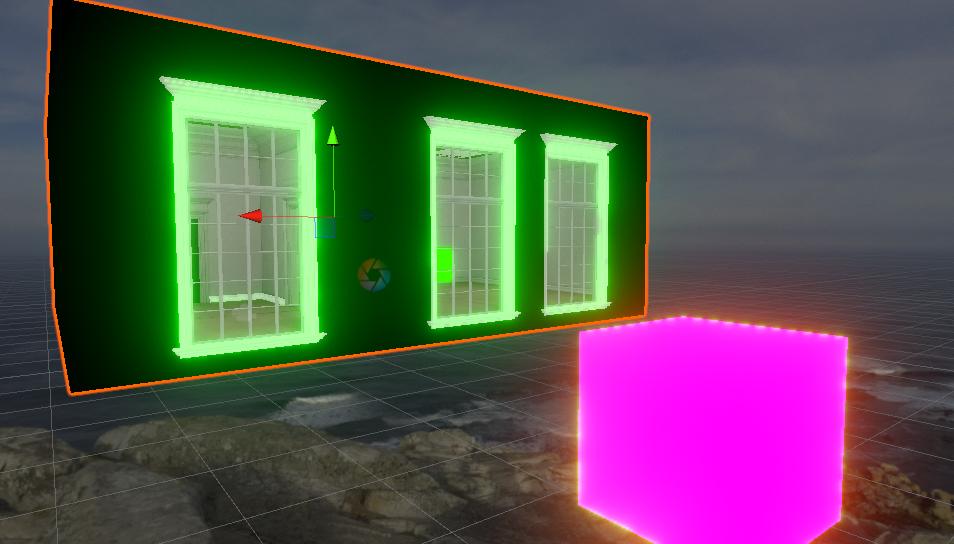
How would I go about having the bloom simply set on one object?
Like, i'm trying to test that out but don't know where to begin. So, for example, if I wanted the bloom to simply be on the cube inside of the home but nowhere else, how would I set that up?
topaz horizon
Don't use emission on the frames
scenic island
ah, i'm a moron.
it does it with the sun in the sky as well.
like, the sun on the skybox sky but emissions aren't on
pine trench
Having an issue with the lighting being stuck on Realtime. It was baked with Bakery, and the lightmaps are still there, Baked indirect is checked, but it just stays stuck on realtime causing the frame rate to drop to 11 fps.
Any suggestions on how to fix this?
modest vapor
post screenshots of all your settings/lights
supple loom
Bakery lights also can't be real time so that sounds like you have unity lights in your scene that bakery won't bake
And non baked baked lights act as realtime
pine trench
Hmm, I might have forgotten to add the bakery light component to my lights. I'll double check on that in a bit. Unity crashed and this project takes a while to open up.
supple loom
You don't want to have enabled Unity lights on Bakery lights at all
I usually just make only Bakery lights and don't add any Unity lights
pine trench
Okay so I just redid all the lights as bakery lights and it worked perfectly, thanks :D
 fossil temple
i have no idea if this is a lighting issue or not but my textures that im putting in is like completely black in game but are visible in unity anyone know how i can fix that?
supple loom
Might wanna make sure you have this button enabled in the editor
fossil temple
i do
supple loom
Seeing some pictures of your unity and how it looks ingame would be helpful
mint cipher
I have calculated the light for my main mesh. But this mesh which has not been baked has to be toggled (On and off)
So can I bake light for only that object without affecting the other objects I have backed light for?
 gentle junco
So lighting to me is apparelntly some wizard magic. I'm trying to get a 'underglow' effect on my world and i thought i had to use Area Lighting. When used, i don't se anything at all. There's no illumination. I thought the other way to do this, was to make the 'RGB_Strip' emissive and that's still not giving me any light. What am i missing here?
fossil temple
found it out just had the shaders set to legacy
gentle junco
@abstract drift was definitely post Processing, Thanks
cunning mirage
Turn off cast shadows I guess
mint cipher
It was already off when baking, but there are still shadows for some reason
modest vapor
You sadly can't do that selectively, unless it's transparent afaik
scenic island
How would I go about setting up some floating "dust" in the light in my world? I know it's something to do with particles but I'm not too knowledgeable on it.
scenic island
@modest vapor thank you!
mint cipher
I cannot seem to let light hit the toggled stairs and go through to calculate the second object below it. It makes a shadow even though casting shadows is disabled.
modest vapor
That has never worked afaik
 rare umbra
i need some help with lighting, im rly new to unity
scenic island
I found this in the Rachel's Room from Life is Strange world; https://i.imgur.com/0fEtTxF.jpg
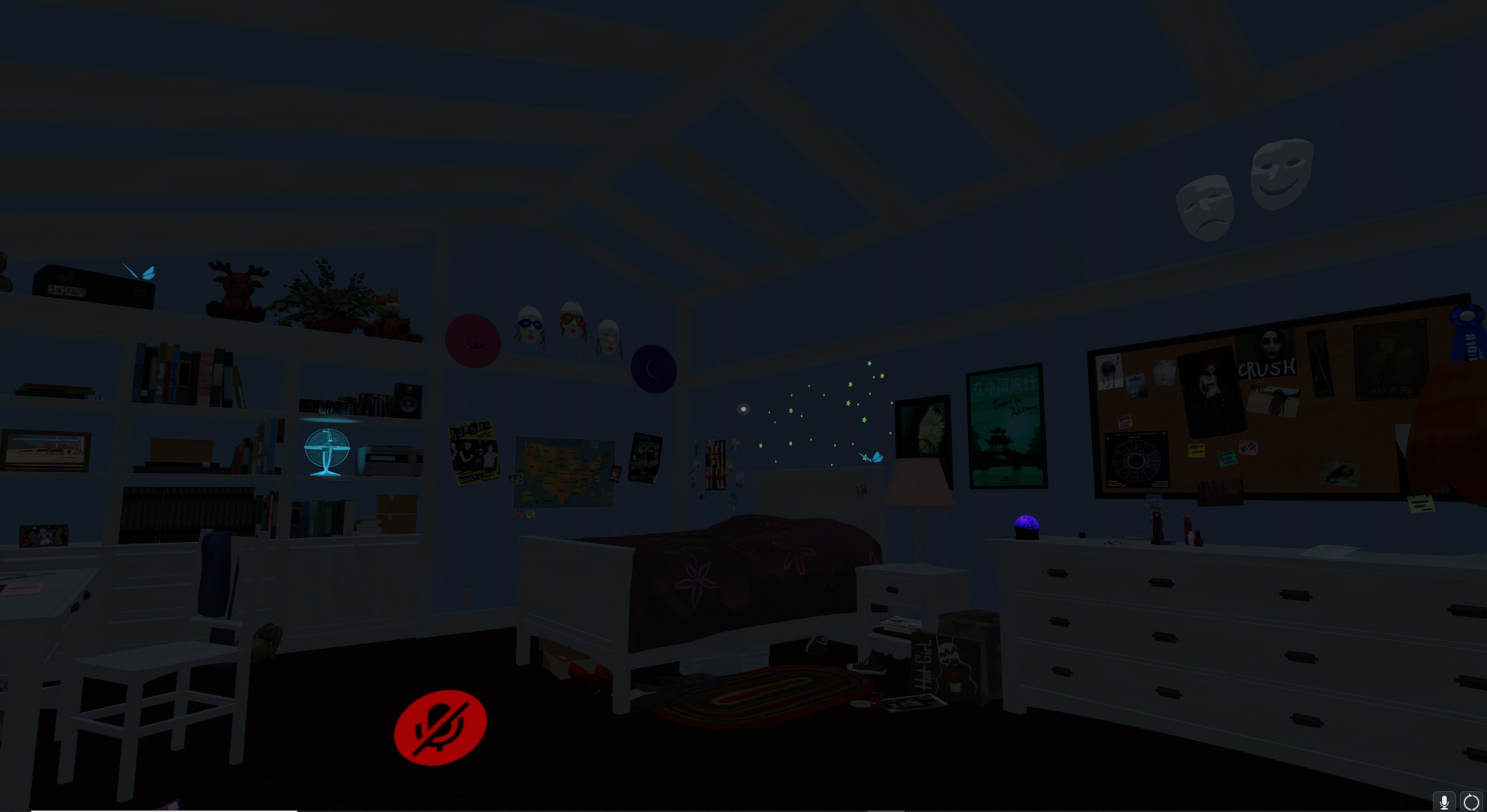

it's like... a room light that spins with stars, does anyone know where i'd be able to get that / how i'd be able to replicate that?
 vernal hare
So, i'm working on recreating my classroom, i have finished the job in Blender, and currently working on importing the assets into Unity 2018 in order to upload to VRChat, but the shadows won't connect, any clue what i mess up?
 tepid chasm
is there a way to make it so point light's don't display on avatars?
rapid isle
turn them on/off with animation
cunning mirage
@vernal hare The problem is that pointlight's shadow is very low-res since it has to cast in all 360 degrees. You'll need to choose something like a spot light to get better shadowing.
tepid chasm
Hm, still trying to figure out how to get it so point lights will light up the area, but not cast extra light on the avatars (to avoid having avatar's faces look all super-shadowed), directional lights don't really seem to do that
uncut knoll
Using Unity 2018.4.20f1 (no Udon, due to how old the world is).
 dawn tendon
question is the other fog modes disabled in VRC, as they worked in unity but arent working in VRC's local testing, fog modes like Linear and Exponential^2
i am using Udon to change the Render settings via a UI dropdown
 unkempt birch
im really new to unity, and ive been playing around but i can't seem to get emissive light to show up on black material
modest vapor
I believe that's expected ? Can you post screenshot of your scene and settings ? @unkempt birch
timber obsidian
@modest vapor ruuubick do you know how to fix baked textures that are like this now?
i wanna show this world off soon in the meet up
this is the only thing that needs fixing for now
modest vapor
@timber obsidian You'd need to make sure the shader supports lightmapping and that it's static
timber obsidian
yeah its static right now, so only reason why its doing this is probably the shader
thanks ruuubick!
 raw hazel
https://i.imgur.com/AsKF9CU.png
Any idea how to fix the random black patches after baking?
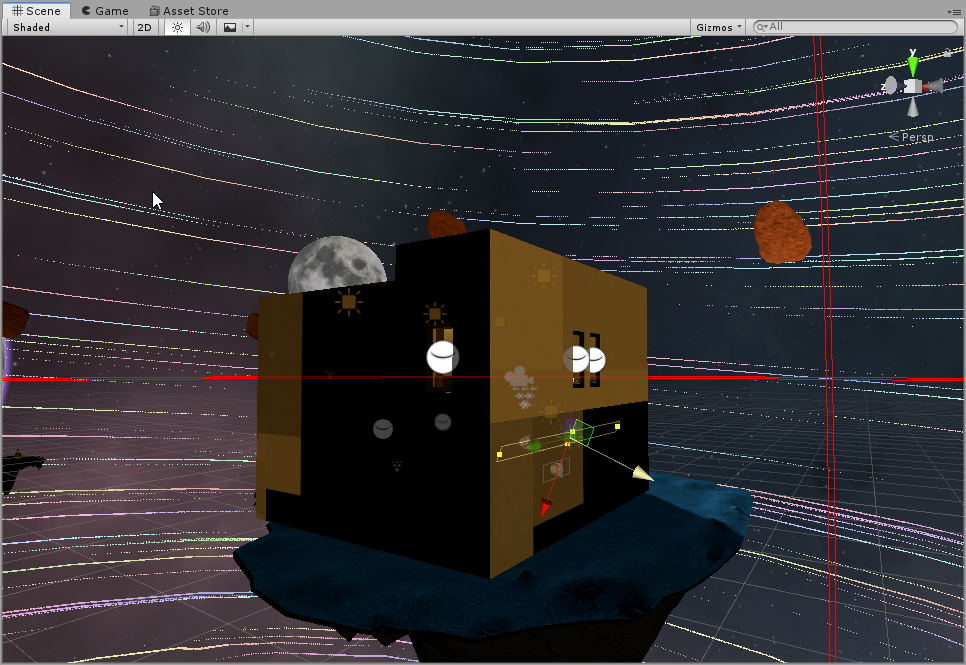
Oh wait, someone literally just posted something about this. My bad!
Actually, with the shader set to standard, it's still doing it,
modest vapor
What's the orientation of your lights and did you generate lightmap UVs ?
raw hazel
Lightmap UVs have been generated and the orientation of my lights are all pointing straight down @modest vapor
Except for 2 which are at a 45 degree angle. Black spots only show after baking as well, and was still happening before the angled lights
modest vapor
if it's pointing straight down then some faces might not receive light
raw hazel
I'll keep playing around with it. How can I confirm that the lightmap UVs have been generated though?
modest vapor
You have lightmaps visible in the lighting window, at the top
raw hazel
Here, correct?
https://i.imgur.com/bvSYBEa.png
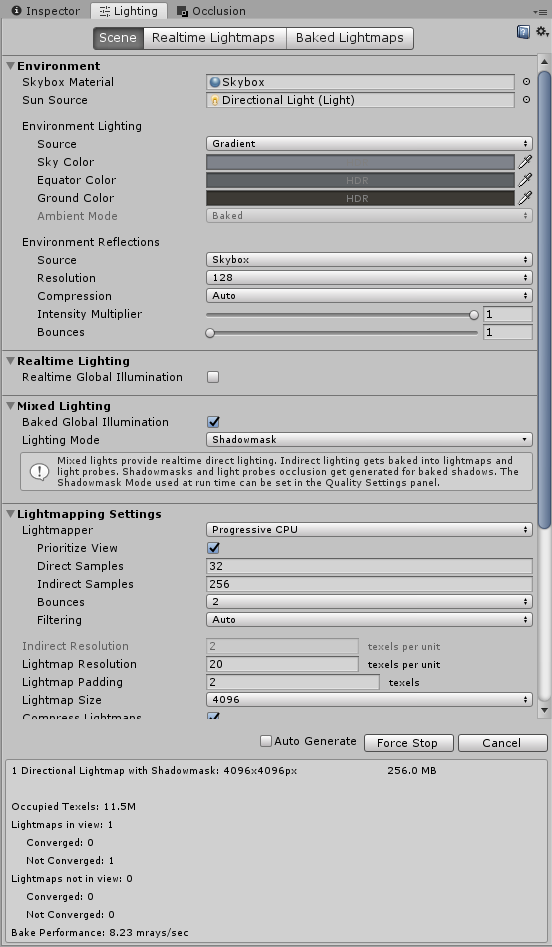 timber obsidian
@raw hazel it is the shaders cuz i know for fact that applying Static to all immovable objects always works
raw hazel
@timber obsidian I changed them to standard and it still has the weird spots.
timber obsidian
you wanna change to Standard (Specular setup)
raw hazel
Oh! I will try now!
timber obsidian
Opaque > white
Specular blank > full black
Smoothness 0
all others blank
Emission enabled
Color Black
Global Illumination Baked
if it still doesn't work, you might have to generate it again in the rendering settings
modest vapor
You can check the baked lightmaps at the top
raw hazel
Opaque > white
Specular blank > full black
Smoothness 0all others blank
Emission enabled
Color Black
Global Illumination Baked
@timber obsidian Trying this right now and will get back to you as soon as it finishes baking 🙂
https://i.imgur.com/0oO8SVE.png
@timber obsidian Even with the shader changed, still getting these weird boxes. Not as bad as before but it's still happening :c
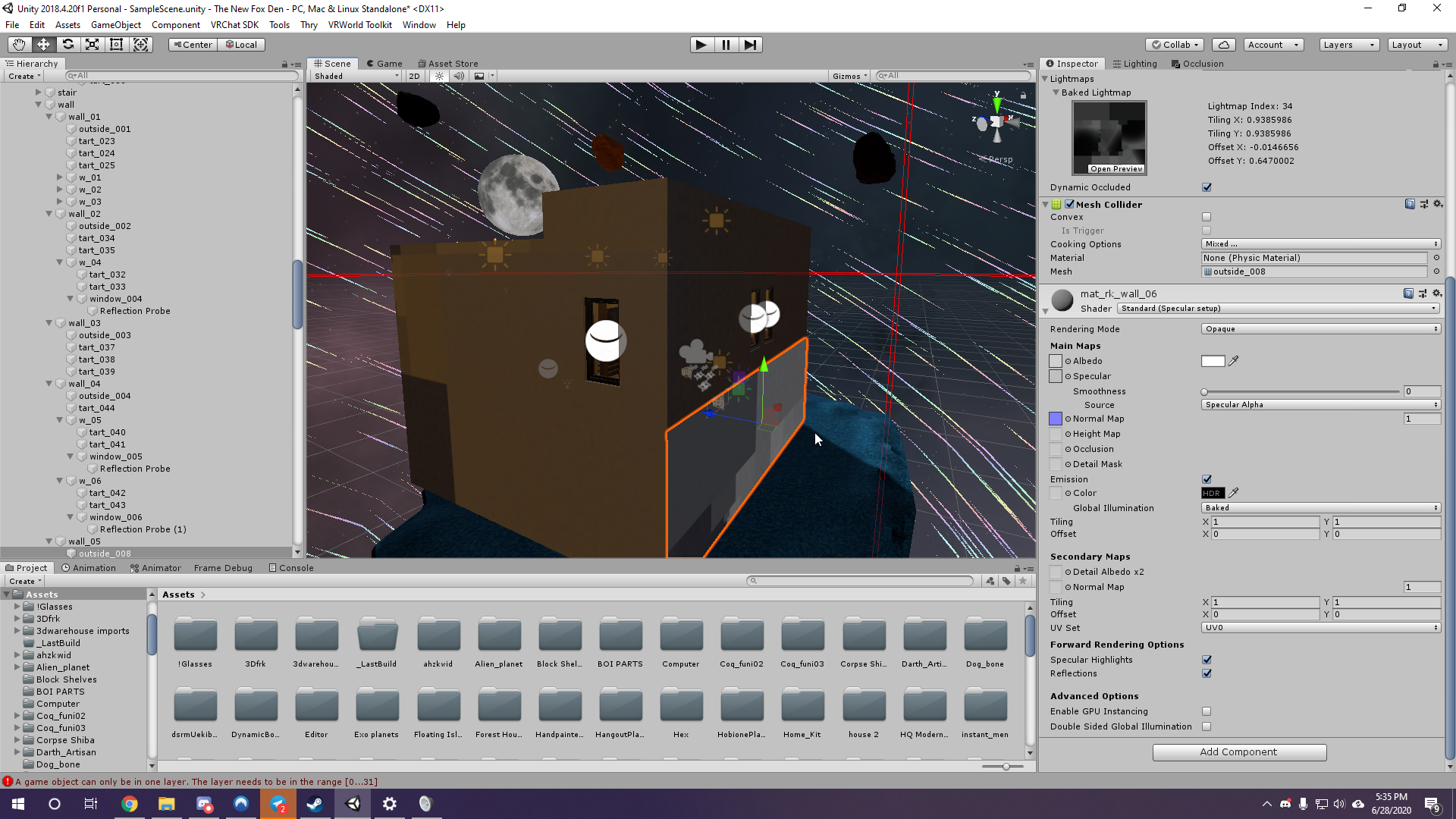
https://i.imgur.com/KeJzp8R.png
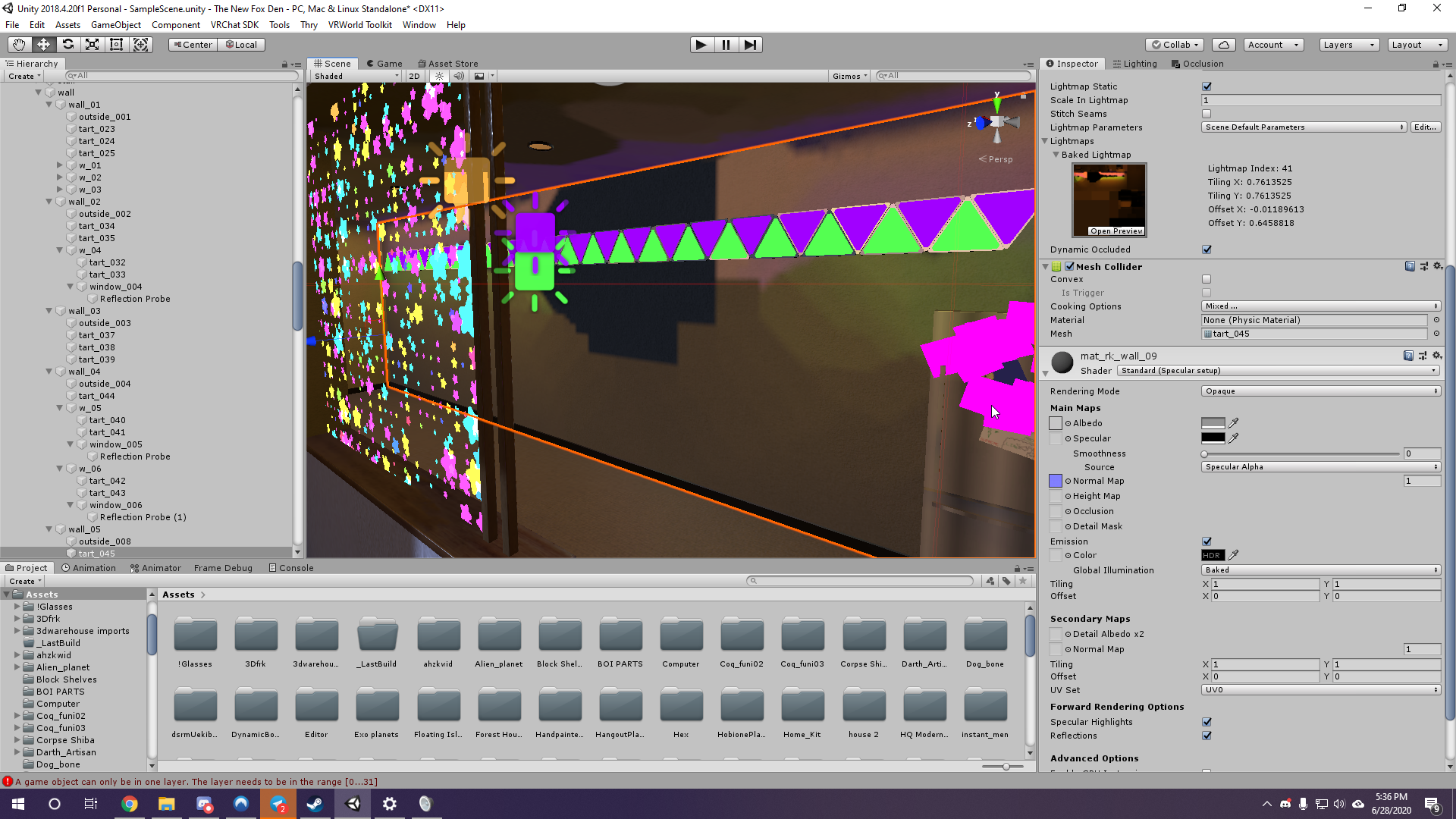
Same with the inside. No idea what's going on... Hmmm
 timber obsidian
make sure to turn off real time lighting
raw hazel
Where are you seeing this option?
timber obsidian
raw hazel
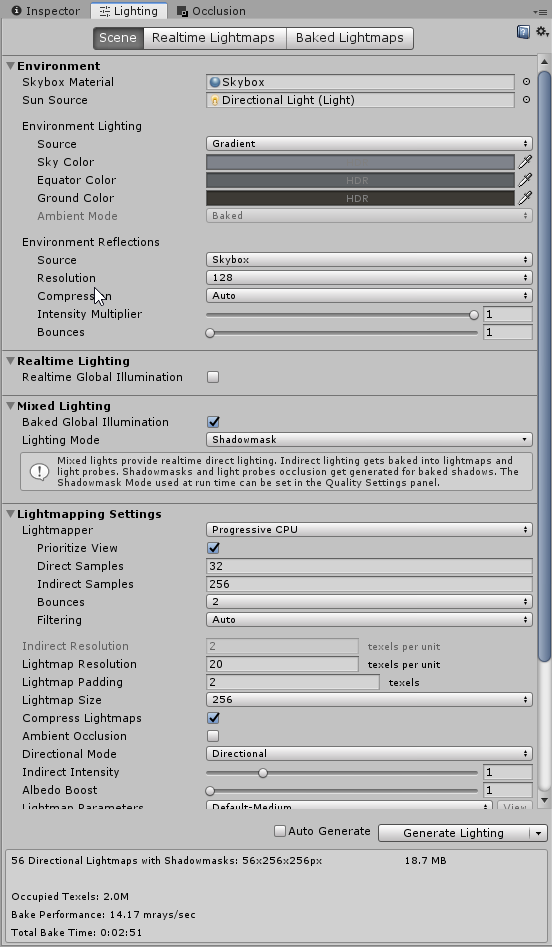
https://i.imgur.com/sgF965h.png
it be off 🙂
 timber obsidian
okies, i am not sure why its not working for you, but you might wanna double check on making everything Static first
and then click on generate as lighting
@raw hazel oh i see what the problem is here
you need to drag and drop each textures to its specific shader in the Color box
raw hazel
OH!
Heck, my texture basically blends in with the background of Unity. Trying now! Will let you know
No luck. I'll be looking into it a bit more later. Thank you guys!
timber obsidian
🤨
timber obsidian
@raw hazel welp i screwed up the baking somewhere and found no way to fix it either, am sad now
raw hazel
Hmmmm? Heck. @timber obsidian
timber obsidian
i'm deleting the generated lightmaps and re-generating again and see if that works
modest vapor
you can also delete the GI cache in the preferences
timber obsidian
oomfg that did it
@raw hazel its the GI cache, delete it
perfect baked right here
delete any existing generated lightmaps if problems still persist
unkempt birch
@modest vapor sorry for the ping
so its normal that it does that, there's no way around it without using actual lights? Because i want to use a black surface for emissive light to reflect off of, but im assuming that only regular lights can do that?
modest vapor
If you use the standard emission it should work
raw hazel
Friggen 15 gigs of GI Cache. Trying now!
raw hazel
Rip @modest vapor @timber obsidian No luck.
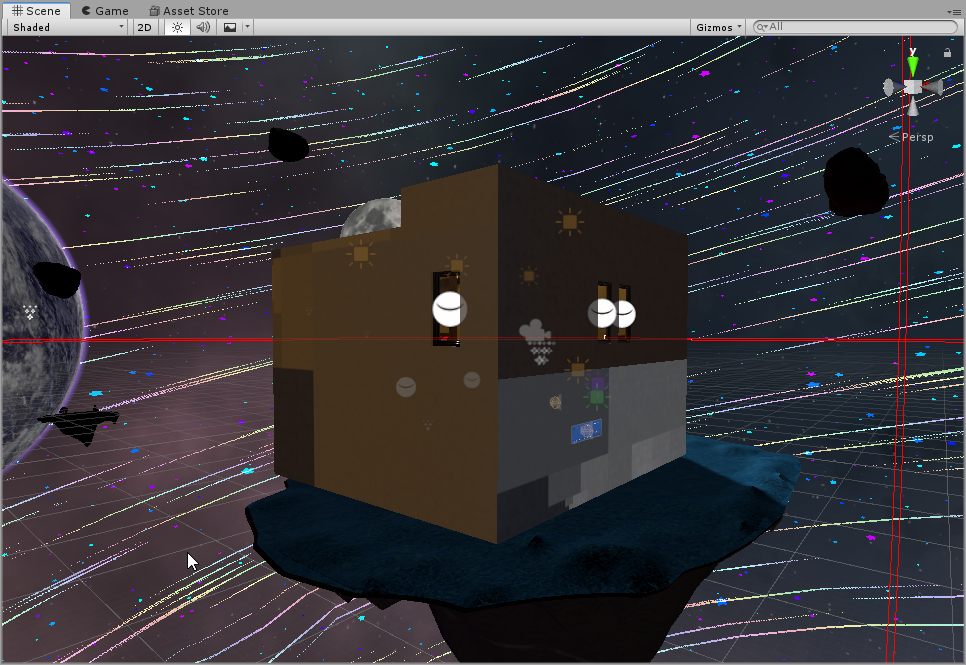
https://i.imgur.com/tCDOp66.png
Lol I have no idea what else to do lmao
 timber obsidian
delete existing generated lightmaps
the whole folder under assets > scene > lightmaps
mint cipher
Whats up with the black lines on the walls? Some shadows goofing up? Dont know what I did wrong or how to fix this ;-;
unkempt birch
how do i make it so Point Lights dont affect the player?
modest vapor
Remove the player and player local layer
unkempt birch
ah, i only removed Player, my bad thanks
supple loom
Not quite sure what I'm looking at in that picture
unkempt birch
im all black in the reflection
but you can see that there's lighting on the avatar
not sure what im doing wrong
im using a directional light to light up the player instead
but is it because its indoors?
supple loom
By default mirrors won't show realtime lights affecting players because they are so performance heavy, ideally you would add light probes that are the most optimized way of lighting up dynamic objects such as players and pickup. But you can also enable pixel lights in the mirror settings if you feel it's necessary.
unkempt birch
too close actually
this is like way out of my experience
idk how to get it with the directional lighting color so avatars appear more white rather than the purple that im using for the material
supple loom
That looks accurate to the scene though, lights bounce of the colored floor/walls and cast a more purplish light around
unkempt birch
hmm
i guess im being too picky and trying to make things more complicated than i shold be
 abstract drift
You can add an avatar light toggle with an intensity that lights up only the player, player local, and mirror reflection layers
@unkempt birch
unkempt birch
well ill try it once maintenance ends because it doesnt open an offline version of the client for some reason
¯_(ツ)_/¯
unkempt birch
thank you so much guys, i managed to fix it 👍
raw hazel
So I got a question, do I need lightprobes? I have area that I don't want affected by baked lighting as I like the lighting I have set up already without the baked lights in the area but players show as black there.
modest vapor
you can remove lightprobes where you don't want them
but players won't be lit correctly
raw hazel
Yeah, so I have the area lit up by using the intensity multiplier under the lighting scene section and unchecking "Lightmap static" on the objects over there
How can I have players lit up by the environment lighting then?
https://i.imgur.com/I9aGVMQ.png
 modest vapor
They'll use the nearest lightprobe
raw hazel
https://i.imgur.com/VjjIPDq.png
Which still makes em black. Lighting is wack, yo
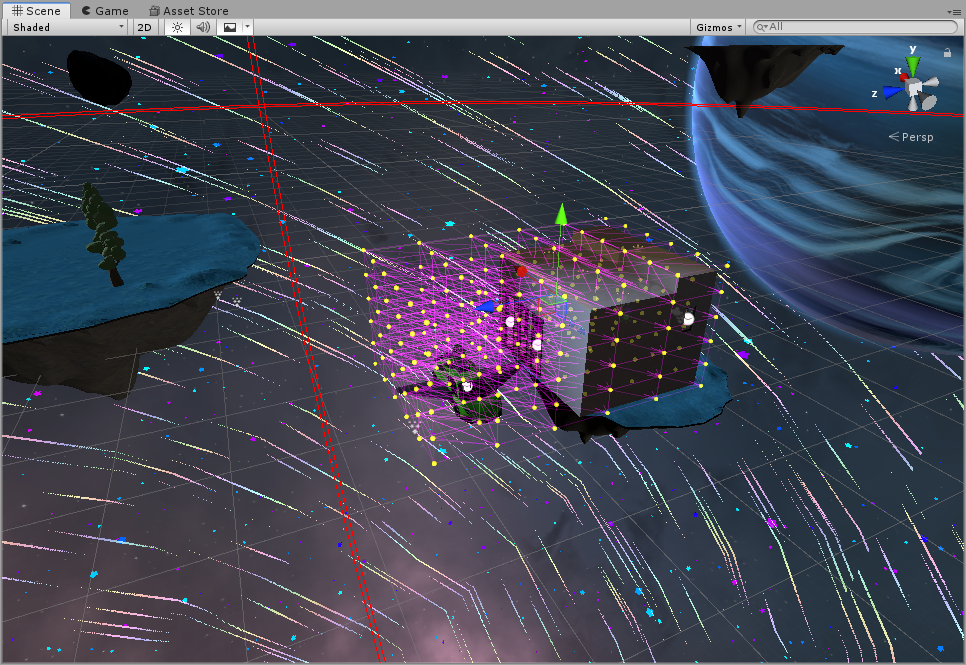
Wait actually, you said it uses the nearest lightprobe yeah? What if I just have one lightprobe lit up? Would players just use that probe then?
modest vapor
yep
abstract drift
Increase the amount of light probes in between if you want more accurate results
But if you just want it to stay one color, yeah you could just do that above
raw hazel
Before:
https://i.imgur.com/rd3jev9.png
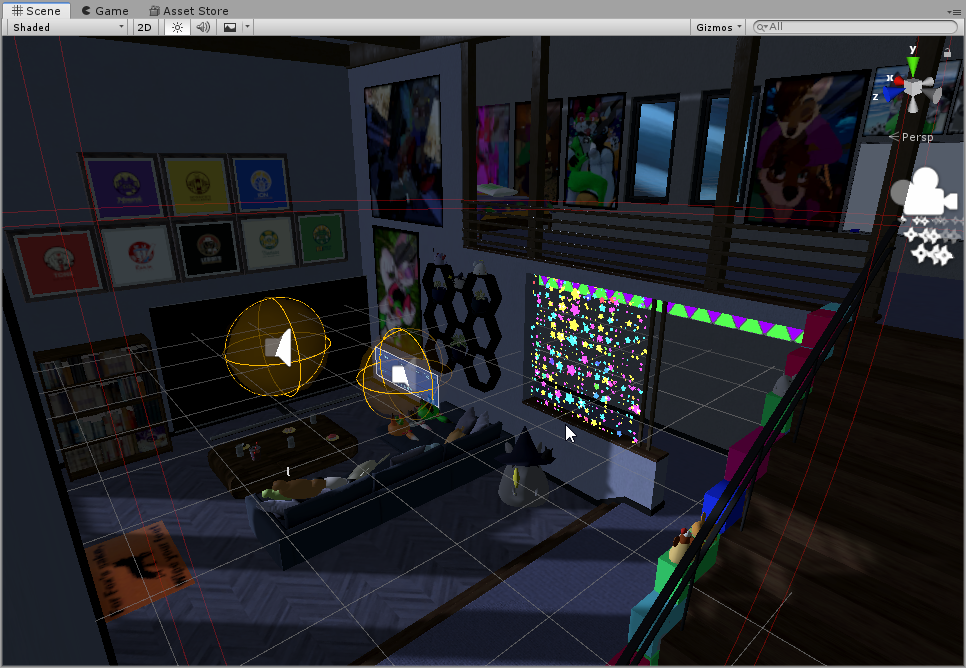
After:
https://i.imgur.com/XosYDCY.png
I just wanted to say thank you for all your help! 🙂 I am still learning but this is a huge improvement I believe
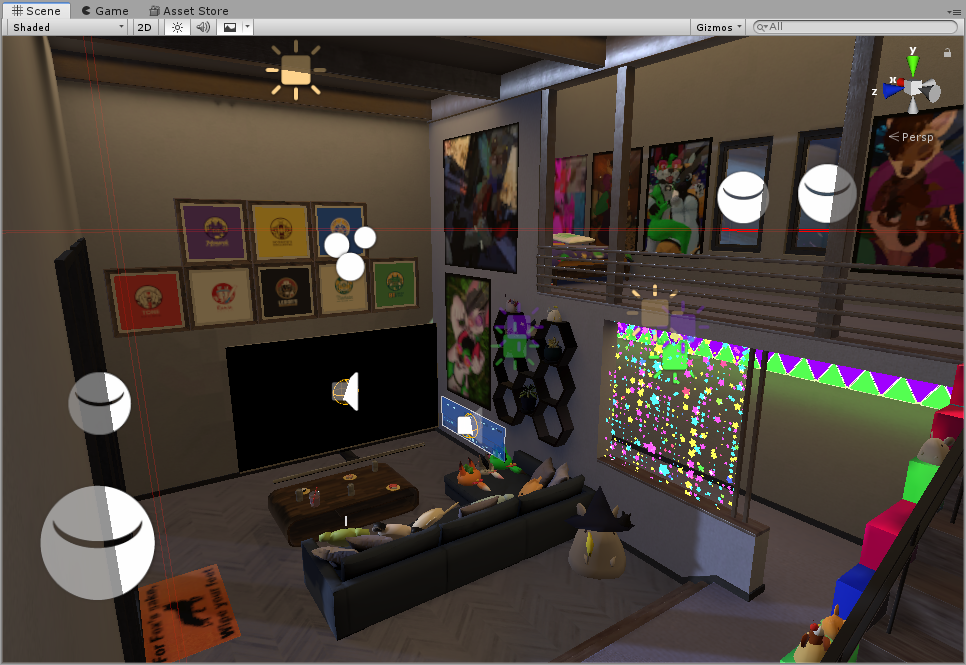 unkempt birch
looks good o:
raw hazel
ALRIGHT!!! What an adventure this has been. In order to fix the random black spots while baking lighting...
In the assets folder, right click > Create > "Lightmap paramaters"
From there click on it and change the Backface tolerance to 0 under General GI.
Go back to your lighting tab and Under lightmapping settings change lightmap paramaters to the new one you just made
If for whatever reason this doesn't work, try clearing the GI Cache under
Edit > Preferences >> GI Cache and re-bake.
Thank you guys! 🙂
mint cipher
Does more than one reflection robe make the world lag more or is there not any difference?
abstract drift
Baked reflection probes have little performance impact
3 in your scene isn’t that much of an issue
mint cipher
But it takes more process power to have 3, than 1?
abstract drift
Doubt little to none
mint cipher
Awesome, because the world has about 40 people at a time, so performance is incredibly important.
mint cipher
Yep, everything is baked
abstract drift
If you’re very concerned with impact you can make toggled baked probes
With lower resolution
Like 256
Switch them out with high res ones that you have
512 are a good middle ground
mint cipher
These are 128
abstract drift
But yeah you should be fine
mint cipher
lol
mint cipher
The only reason I am adding it is because people want it apparently :/ But I guess it makes the map look better.
abstract drift
You can make toggles that turn probes off as well
mint cipher
I will deff do that. Thanks.
abstract drift
But most of the people who want those “low” toggles have system problems to begin with
mint cipher
I basically made a group that I can toggle now. Thx
abstract drift
Yeah that should work
Mirror optimizations too are important as well
Occlusion culling
Lightprobes for dynamic objects
All bread and butter for optimization
- toggles you’re more than fine
And then map size reduction texture compress
mint cipher
I have no idea how to lower the batches at this point. Any program out there?
abstract drift
40+ people will be fine in there
Technically if you combined most of the meshes there
And atlassed the textures
You’d be at even lower batches
And even after that point
People joining the event should be informed to use optimized avatars
To help people with struggling pcs
mint cipher
Oh yea, I am also working on an optimized model for students lol
abstract drift
There are worlds with way more batches and drawcalls with50+ people where my frames did not drop below 30 in my VR
So you’ll be good I have no doubt
mint cipher
I have so many projects on going, and on top of that helping people so the stress is real
mint cipher
Then again I make all my meshes from scratch and thanks
mint cipher
lmao true
I just took a random helmet and referenced the design a bit
And the body is just a random sculpt I did.
modest vapor
If you're making this for quest too then you should never have more than 20 people there
mint cipher
It is very common for lessons to have over 20 people, 2-3 being quest users lol
But the bigger with 40+ have PC and quest separated
 zenith laurel
does anyone know why these random shadows are appearing when i load into the world on vrchat, yet in unity there's nothing there?
abstract drift
Try a different lightmapper maybe
If those are just default cubes you don’t need to generate lightmap UVs either
But might be weird artifacts from that lightmapper and test it with a run after the bake is done
scenic island
How do I make it so my post processing affects the ingame VRC Camera?
People in my world have been having an issue with it
abstract drift
Make sure you’re not using post processing stack v1
Delete all the post processing files in your project
Reimport post processing stack v2
On the main camera put a post processing layer component
Set it to a specific layer (post processing layer works best)
Then make a separate gameobject, include a post processing volume, and then set it to that layer that you specified in the post processing layer
Then specify the camera you’re using in the scene descriptor
@scenic island
timber obsidian
@raw hazel i found the fix for it finally, let me know if you ever get back to your world baking lights and stuff
 tardy depot
does anyone know how to set up bloom with post processing for a vrchat world i have it in unity but it doesnt show up in game so im not sure if i missed something or yeee plus i have been looking online for any help but i cant seem to find anything which is super annoying
supple loom
Make sure you set the reference camera in your scene descriptor
tardy depot
would that be in the vrcworld prefab?
supple loom
Yes
tardy depot
cool thank you i will try that❤️
raw hazel
@timber obsidian I found the fix and posted it earlier :) scroll up to June 30th 1:50am :)
Lmk if your fix is the same as mine
timber obsidian

 vagrant rock
Some maps have an avatar brightness slider (Root's home for example) - Admittedly I'm pretty new and just learning about lighting, is there a guide somewhere on how to replicate this?
timber obsidian
@vagrant rock in #world-development channel, click on pinned post by Fionna and then look for a "Prefabs" for sliders
i haven't look into it, but ruuubick told me its some where in there
vagrant rock
Gotcha, I'll look. Thanks a bunch.
timber obsidian
@raw hazel wasn't the same fix, but yours works on mine too.
 marsh dust
Does anyone know what i should set the culling mask of a light to be if i only want it to hit avatars in the world?
modest vapor
player/player local
marsh dust
is there something better than directional light to just have it overall brighter?
my guess is i would make 2 directional lights pointing in opposite directions but i feel like that can't be right
modest vapor
Realtime lights suck, light baking + lightprobes is what should be done for consistent good results, but not always doable
marsh dust
so the trouble i'm having now is i did area light baked and it works, but now the rest of the world is also brighter, even though they're in default layer and not player or player local
modest vapor
If the lighting is baked then you shouldn't be using directional lights but light probes
marsh dust
correct nothing is directional
i'm using a baked area light and have light probes
without baked area light
with baked area light culling mask only on player and player local
modest vapor
they are not baked
setting them to Baked mode doesn't mean they're baked, just that they can be baked
marsh dust
i'm baking it inside the lighting window using "generate lighting"
do i need to do anything else?
modest vapor
well, are all your meshes static and do you have lightprobes
marsh dust
so i do notive in the realtime lightmaps in the lighting windo there's some in there
i found the model that has it
how would i go about baking this?
modest vapor
Why are your meshes on the post processing layer ?
marsh dust
i added some bloom to them
if i'm stupid and not supposed to do that pls let me know lol
modest vapor

GitLab
A surface shader for Unity providing cel-shading. (Forward rendering only)
marsh dust
gotcha
i'll put to water like in the example
so i did that, post processing seems to be the way it should be per that guide
still having that realtime light issue though
marsh dust
yea i even disabled those objects and baked lighting and i'm still getting that issue
I even set culling mask of area light to nothing and its's still happening :/
or i could just be stupid? i tried a baked point light
modest vapor
what's the intensity ?
You can check non static elements with lightprobes by spawning a new cube and making it go through
marsh dust
ok holy fuck
i cleared baked data and regenerated and everything is fine with the point light
gonna try again with area light
modest vapor
Make sure to go to preferences and clear your GI cache and restart unity from time to time
marsh dust
yea went back to rea and it make everything light again
i'm going to stick with point light
thanks for the help @modest vapor !
modest vapor
Good luck !
 real hound
can i use post processing with SDK3?
real hound
Thanks
 long umbra
What would cause this anomaly where some avatars are pitch black in this world?
rapid isle
no light source
proven fractal
assuming baked light and no light probes
 exotic abyss
Yeah definately no light probes or no light source
raw hazel
Man I am bouncing between all these channels today. Whew~ Anyway new issue. Do only certain shaders let you bake lights? I have a big object and when I bake light, everything else lights up but the big thing is still pitch black. Any idea? I have made it both static, not static, turned off static for lightmap, etc. I would just use an unlit texture but it makes it look... Off. https://i.imgur.com/FDf0KSt.png
 modest vapor
Yes, shaders need to support lightmapping
raw hazel
Wooo. Thank you... Again! haha
raw hazel
Alrighty, last question of the day (Hopefully)
So turning off the mixed directional light helped out a ton with performance (Went from 30 FPS with mirror on to solid 90)
!
Last issue I am having though, When I bake the lights, the piece of geometry I have doesn't keep the lighting or shadows. Ends up looking like this after I put in 2 area lights to light up the place
https://i.imgur.com/CETf3V1.png
I would like it to look a bit more natural in the environment
Like this
https://i.imgur.com/fIC72lC.png
The shadows are there because of that directional light I turned into baked. How would I keep these shadows?
If I remove the area lights that entire platform turns black
Is this just a matter of playing with lighting or is there a way to bake those current shadows from the directional light onto that plane?
modest vapor
you can bake all of those
raw hazel
How though? Each time I click bake that area turns pitch black unless I have an area light on it, or some form of light
 modest vapor
are all your lights set to baked and the objects static ?
raw hazel
That is correct
modest vapor
which shader and settings do you have on that flat piece ?
raw hazel
https://i.imgur.com/bxKjGbr.png Just trying to figure out why it isn't baking the directional light at all
 modest vapor
What's the occlusion map for ?
raw hazel
Assuming you are talkig about this:
https://i.imgur.com/u0DQwMZ.jpg

Just have it there as it made it look a little nicer imo
Yeah so with the directional light, All the light and shadows look fine but once I bake them, all of those purdy shadows just blip off and everything that doesn't have a baked light touching it turns pitch black. Looking into it on Google but people are saying to turn up the shadow radius, but I only have that on point light and not directional.
raw hazel
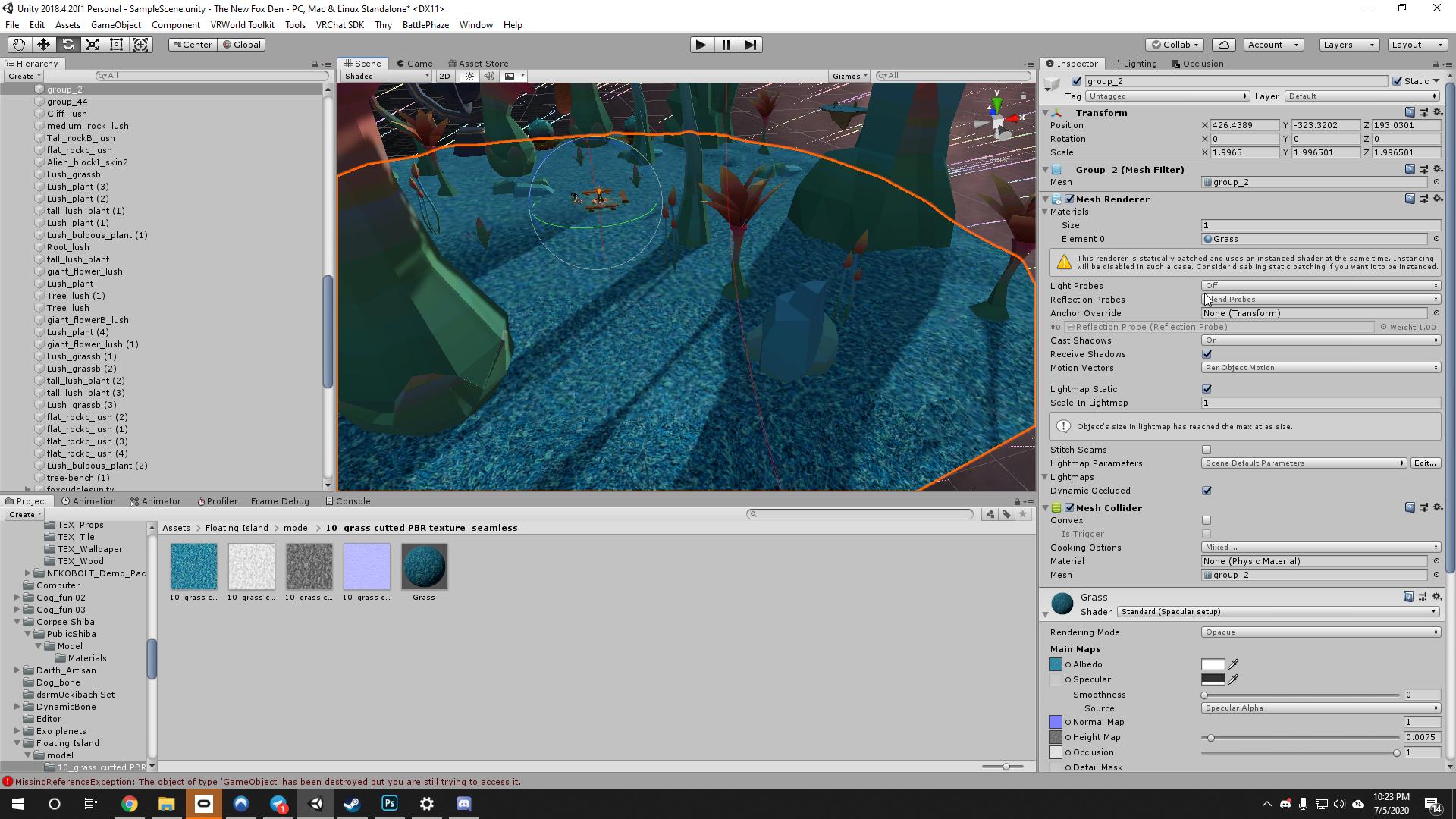
I see the error "The object size in lightmap has reaches the max atlas size" soooo I think that might be the issue, am I wrong?
raw hazel
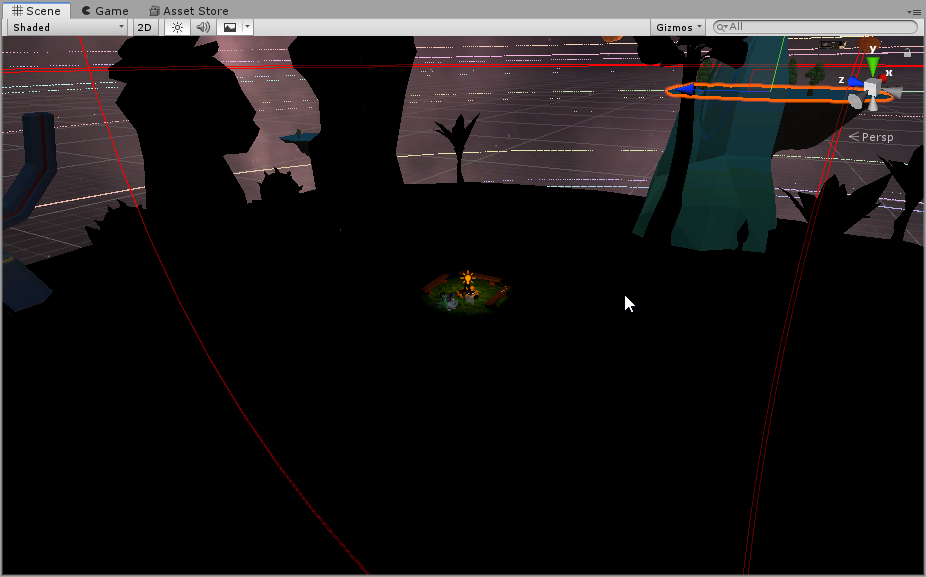
So after changing the size to 4096 and a bunch of baking, still black :(
https://i.imgur.com/OWFsPVj.png
 modest vapor
is that part of a prefab or something ?
Im confused as to why there's so many things disabled in the inspector
raw hazel
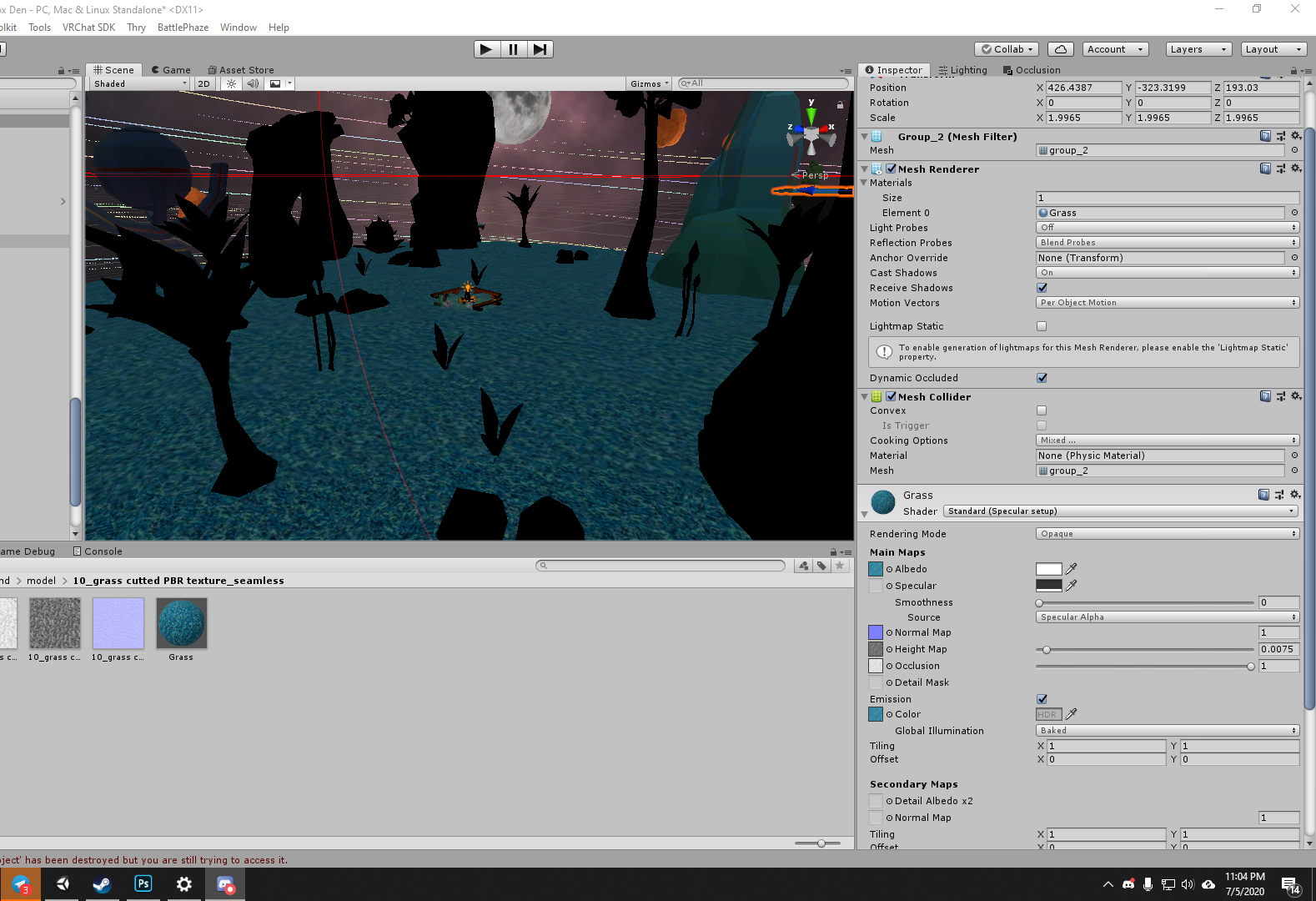
Would help if I put something in the emission section of the texture. Fml
https://i.imgur.com/GaH5qc0.png
 modest vapor
What about changing your specularity color
raw hazel
to answer you question, this is something I grabbed off of 3dwarehouse.
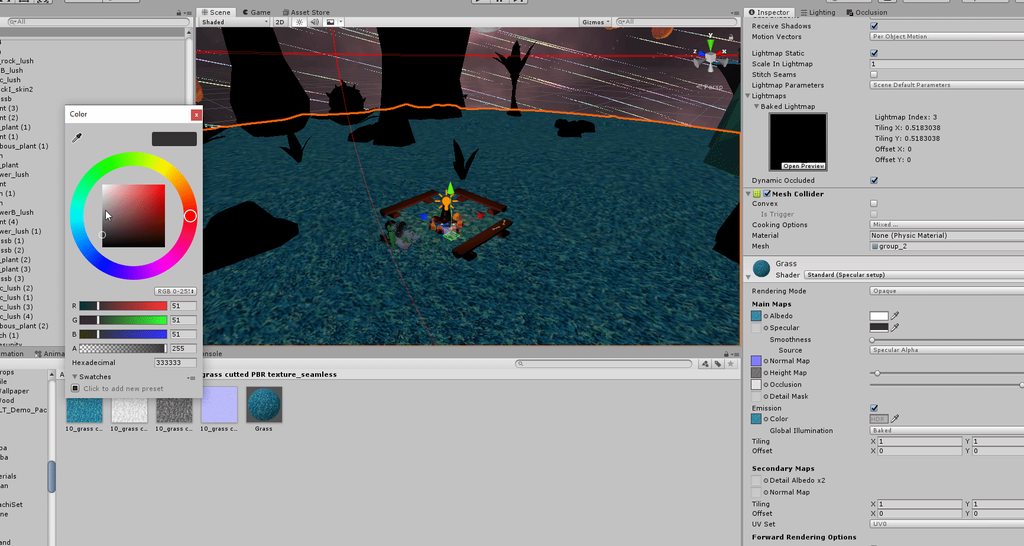
Changing the specularity color does this
https://i.imgur.com/KpIBhnN.gifv
 modest vapor
What about the mesh itself, is that something you made ? How are the lightmap UVs generated ?
also what does your lighting settings look like ?
raw hazel
I sadly did not create the meshes, textures, anything sadly. Here is a snapshot of my lighting settings

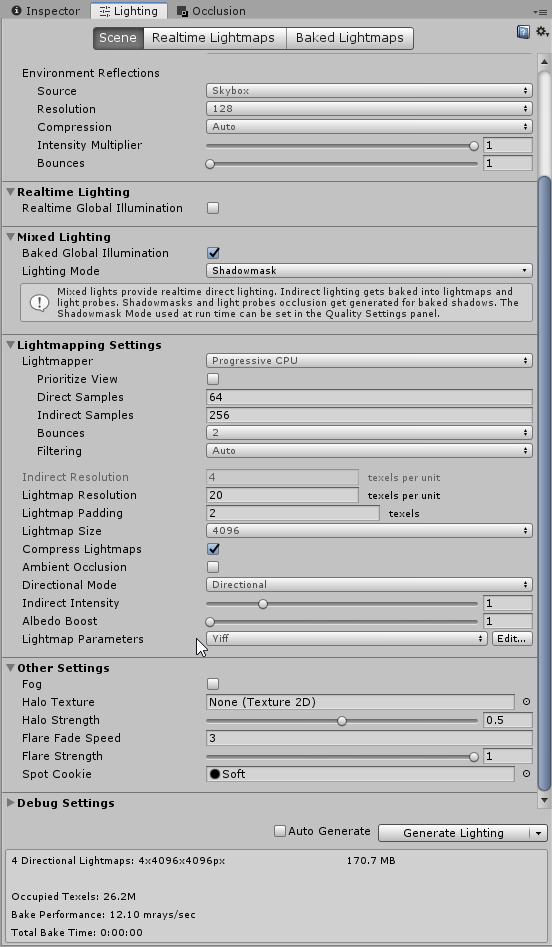


 stone agate
Someone know why toggle props look darker in my world? Both use the same material
 haughty bough
Maybe has something to do with Light Probes? Is the prop dark anywhere in the room? or only on some places? Do you have light probes blend enabled on the mesh of the prop? Or do you have light probes on the world?
stone agate
It's dark anywhere, and it is only the prop that is on a gesture, not the one that is always on. Both use the same settings, yes both have light probes blend enabled. I had light probes at one point but later removed them, but when I place a new mesh somewhere it seems that there's still some light probes in the world, maybe that messes with it?
 desert oyster
hey I'm having a bit of trouble with the realtime emission on the video player, it shines on some parts of the walls but not others
raw hazel
Hey @desert oyster send me your lighting settings
desert oyster
nvm I figured it out but thanks anyways! @raw hazel
cleared my cache and played around with the realtime GI settings
mint cipher
How would you go about making a light for avatars only
modest vapor
Only keep the layers Player and PlayerLocal on the lights
mint cipher
Also how would you make lighting toggleable for a specific room?
like the avatar light is working but the realtime light in this one room cannot be toggled
and is always off in game but is working in unity
modest vapor
Why can't it be toggled ?
modest vapor
How did you set up your trigger ?
mint cipher
theres 2 lights I'm toggling one for the avatar light and one for the room realtime light
modest vapor
you're toggling both with the same button ?
modest vapor
It is, but i can't picture what you're trying to do with that setup
modest vapor
Try making one button for each instead
Just duplicate your object, and edit the trigger
mint cipher
alright
 mild coral
I bake this world with progressive (cpu and gpu) and then My wall (White) has black spot on wall idk why , and i try to bake with enlighten it's no have a black spot on wall
(https://media.discordapp.net/attachments/649325488203890709/709360600462917652/unknown.png?width=834&height=469)

(1.progressive 2.enlighten)
abstract drift
Progressive and enlighten are two different lightmappers that can have some differences in the way the bake turns out. Black spots on wall can basically appear if there are no proper lightmap UVs, or your lightmap size for the mesh is too small. Usually that happens if you stretch out a small mesh as well
 proven glen
whats the besat way to light up a world ? my vatars are apperring realy dark
modest vapor
@proven glen Is your lighting baked or realtime ?
proven glen
realtime
modest vapor
Then you'd need to increase the intensity on lights
supple loom
If that's a mirror though real time lights don't appear by default
modest vapor
Is that the pixel light thing ?
supple loom
Yeah real time lights are pixel lights unless set to be unimportant which makes them into vertex lights (which are super cheap but have limitations)
 radiant hollow
so how do i fix lighting for world that will show all texture in mirror or cam. right now only Emission texture show up right.
soon or later i will get lighting right...
 celest sedge
having this issue where I want to have the moon before baking so I can get nice reflections on the water but at the same time it's blocking the directional light
is there any way to make the directional light ignore the moon so it does not cast shadows?
nvm found it on culling mask
radiant hollow
should be a easy button. i almost got my lighting fix. i just got tune it down.
 deft terrace
How can I make sure static objects aren't receiving real time lights?
modest vapor
Change their layer
deft terrace
To what? Does it matter?
modest vapor
To anything else that the light culling layer isn't on
deft terrace
Hm, doesn't seem to do anything.
modest vapor
you didn't set it correctly in that case, screenshot your scene
modest vapor
You need to create the vrchat layers
Then set your room to environment layer, then on your lights layer culling you remove environment
deft terrace
Got it! Thank you very much!
 proven locust
@celest sedge just put the moon in a layer that the realtime light isnt shining on
and change culling mask to make sure that layer isnt being used
 ember patio
Anyone knows how to make the material have light effect like this?
According to the video, he made a emission material, made all the object static, then there's the light, but I could not get the light at all.
 ornate zenith
Are you baking light?
mint cipher
how can I make "sleep mode" for my world
mint cipher
shader
 onyx copper
how can I make "sleep mode" for my world
@mint cipher Post Processing Stack V2! alot of tutorials on youtube for it for vrchat and unity in general. just hook up the post processing volume to a trigger in the world to toggle it on and off.
mint cipher
Hello People, im trying to make a 80s styled club world and got the basics done. My problem is i want to create some flashing lights on a dancefloor and tried to get it work with the sprite sheet shader which changes the colours of the tiles. Is there a better way to do it and also get it work for quest ? Maybe with the particle system ? I'd be really glad if someone has an idea. Hope you guys have a nice day.
ember patio
Are you baking light?
@ornate zenith yes
Also, is there a tutorial about how to make interface like this?
mint cipher
anyone good with lighting willing to help for a couple minutes ?
just have a couple things I wanna trouble shoot and understand better
would mean the world to me
 delicate sand
Why i have light difference use light probe use Reflection Probes emissive light ???
modest vapor
@delicate sand You should be using a single lightprobe group for this scene
delicate sand
OK will try that tanks !
delicate sand
only 1 light probe on each floor now but 3 reflection probe on each floor same thing ?
do i have to use 1 light probe for the 3 floor
delicate sand
suite
delicate sand
3
delicate sand
yes
modest vapor
Ouch
stone agate
You need way more