
#shaders
2 messages · Page 26 of 1
 hollow tusk
 uneven loom
the lack of transparency on your color texture is part of the problem
hollow tusk
Well the top 2 files are straight from unity. i guess it applys the transparency here
yeah. I had a similar issue with another model.
But to fix it in blender i made the eyelashes normal map as "non color". and it fixed it
uneven loom
Unity take the transparency from the color texture not the normal map texture

use this I just posted for the color instead of the the solid black
 uneven loom
I just adjusted some Sliders in image editing software
hollow tusk
Oh ok. I did that for a different models hair because i was having the same issue but then the character looks like he was bald with hair floating an inch above his head
maybe i didn't do it right
Did you just adjust levels?
uneven loom
I just turned your normal map texture black-and-white and then darkened it to make the transparent color map
and question does it work in unity
hollow tusk
yes it works
Thank you. Hopefully i can do the same for a different models hair eventually.
 uneven loom
glad to be of help
 spare dagger
I'm curious about something
Isn't there a shader that can do most of the work for the Five Nights at Freddy's models or is that not possible to do at the moment?
Because the closest one I can think of is Mochie's shader
Does anyone else know what else?
 onyx garnet
Got a question about a texture problem im having that i keep running in to and im unsure how to deal with. This the right place for it?
onyx garnet
Welp, just gonna assume it is then. I have no idea how common this is but i've been noticing it more and more. Textures with alpha channels that make the entire thing invisible except in Unity itself. Which would be fine. Were it not for the fact i want to modify the dang things.
Tried deleting the alpha channel in Gimp but that just blacks out the entire texture. Its annoying cause i've confirmed its something with the alpha channel thats wrong i just don't have the expertise to fix it
onyx garnet
nvm problem solved
hollow tusk
Where would these textures go for a model in the poiyomi shader.


And this one is for a piece of clothing. it's underwear.
 spare dagger
I have a question
how do I go beyond the color spectrum in unity?
like beyond 1 in unity?
 brittle plinth
You could mark the color input as HDR, or multiply it by a number greater than one inside the shader. The former will also be limited due to how Unity handles color inputs though.
spare dagger
good thinking BIOS
 pine venture
Is there a way to deference the depth value a particular pixel is currently set at, and is there a way to manually set it
I'm trying to see if I can do some depth buffer shanagins to bitmask player avatars to recreate decals
 bitter widget
pine venture
I'm trying to see if I can do some depth buffer shanagins to bitmask player avat...
bitter widget
pine venture
I'm trying to see if I can do some depth buffer shanagins to bitmask player avat...
Not when I disable the depth buffer on my avatar 😈
pine venture
shush
 agile totem
@kind night here see
 kind night
agile totem
<@702703156647428149> here see
kind night
agile totem
<@702703156647428149> here see
noice
agile totem
kind night
noice
2 materials, excellent on pc :>
matcaplit shaders, both the both/clothes material and another one for the loquidgold material for the facemask
kind night
agile totem
matcaplit shaders, both the both/clothes material and another one for the loquid...
adds fps
hollow tusk
What are the 2 odd textures for. And where do they go in poiyomi. I know where the color texture goes the red one and the normal map. But i'm trying to figure out the other ones. It's for shoes


 pine venture
Are Stencil shaders supported in PC and Quest?
bitter widget
pine venture
Are Stencil shaders supported in PC and Quest?
PC yes. Quest, no
pine venture
Dope dope
Time to terrorize some players with odd geometry
Thanks for the heads up
bitter widget
[Hide Avatar]
 livid salmon
Would there be an easy way to modify the mobile "MatCap Lit" shader to be, well, unlit? That is, instead of inferring lighting from the room, it remains at a constant brightness/intensity? I think a matcap would work really well for what I'm wanting to do, but I need it unlit, in a sense, as well.
Using this in a world, btw. Trying to stick closely to the Mobile shaders where I can for Quest optimization.
(Essentially I'm wanting "cheap" toon "shading" using a Matcap, but with static light intensity. IDK if this is making any sense though. I'm learning on the fly, haha.)
spare dagger
my mission for making Freddy accurate is complete
bitter widget
livid salmon
Would there be an easy way to modify the mobile "MatCap Lit" shader to be, well,...
You can't modify quest shaders code. They are forced to be stock at runtime
You might be able to do it using light probes. You should be able to force lighting settings per mesh so you could force it on that one you need
livid salmon
bitter widget
You can't modify quest shaders code. They are forced to be stock at runtime
Yes you can. You copy the shader script and change its internal identifier. Worlds can use custom shaders.
Your advice once again is for the wrong kind of project.
Main reason for modifying MatCap Lit is because I don't see a native unity matcap shader that works the same.
I tried baking lighting, but lightmapping ignores culling options for lights, destroying my world lighting.
bitter widget
livid salmon
Yes you can. You copy the shader script and change its internal identifier. Worl...
Oh right I forgot about worlds
 uneven loom
 mental mango
does anyone know what shader does this use?
mental mango
does anyone know what shader does this use?

画像をふわふわもちもちにするシェーダーです つかいかた VRCSDKをインポートしてからprefabを配置してください。 各prefabは共存できません。どれか一つを配置してください。 MochiRootというprefabはパンケーキ、ゼリー、プリンの切り替えが可能です。 ゼリーを使用する場合は、影付きのDirectional Lightが必要です(空のレイヤーを対象としたDirectional Lightでもかまいません)。また、Pickupではない背景のオブジェクトをEnvironmentレイヤーに指定しておくと綺麗に見えるようになります。
uneven loom
glad to be of help
mental mango
do you know a basic way of how to use it?
 hardy dagger
mental mango
do you know a basic way of how to use it?
hardy dagger
mental mango
do you know a basic way of how to use it?
use prefab, the thing uses 3-4 cameras to simulate depth and requires a lot of work to duplicate. in order to get water bed look, remove only the pancake texture from material, put smoothness at 0.9-1, and go to the color square in the material inspector and set the alpha (transparency) to a lower value
spare dagger
I need help with something
whenever I use 4 lights the rimlight doesn't work correctly
hold on

I'm using Mochie's Shader
how do I fix it?
 frail spindle
copied from #avatar-general cause maybe I'll get a better answer here,
Is there a way to apply a shader only to my eyes, even though my eyes are connected to the rest of my face
trying to use a special eye shader but when I apply it, it's just applying to my whole face and I don't want that 😭
 tired cliff
frail spindle
copied from <#730948141196509297> cause maybe I'll get a better answer here,
Is ...
tired cliff
frail spindle
copied from <#730948141196509297> cause maybe I'll get a better answer here,
Is ...
You'll need a separate material slot just for the eyes. If the eyes don't already have their own material slot, that's going to require some manual editing. Basically you'll have to manually select all of the faces/polygons of both eyes in Blender, then assign them to a new material.
Depending on how the eyes are rigged, you might be able to just select the vertex groups they are assigned to instead of having to manually select them by hand.
frail spindle
ah okay, thank you
 vital nymph
does anyone know the name of the shader that let you see the polygons of objects and models when you look through it?
hollow tusk
How do i fix my hair textures from looking like this in blender. and then eventually unity. This is all that came with the hair. A color texture with no transparency. and this texture that has the hair outlined but is purple. It always looks weird. Like it doesn't get cutout correctly.


 tired cliff
Seems like they made the alpha a separate texture for some ungodly reason.
Just merge the alpha channel of the purple image into the regular one.
hollow tusk
so you're saying just to cutout what's not in the purple image on the main color. If this is how they do it though there must be a way. They all have their hair like this. I get how to do what you're saying though.
tired cliff
I'm saying that you can literally just take the alpha channel of the purple image and copy it over to the regular texture to give it the transparency.
hollow tusk
yeah i get that
tired cliff
Requires a bit of knowledge with image editing software though.
hollow tusk
I know how to to it
I was just hoping there was another way. but i know that's the easiest way and also the way i'm most familiar with hair for most of the models i work on.
hollow tusk
tired cliff
Requires a bit of knowledge with image editing software though.
I figured out how to atleast do it in blender. To get the hair looking correct i set the blending mode to alpha clip. or alpha hashed.
Now just to see is something similar can be done in unity

 inland python
I really need help.
 tranquil badge
What shader are you using if your using standard you might have your smoothness set wrong it should be zero along with metallic I believe for what you want
Or if I remember correctly smoothness at max gives it a matte kinda of look which you might also want
 worthy crater
Hey, I'm trying to look for a shader that makes models pulsate. More specifically I have a model with 3D modeled clouds around it and to make them look more dynamic I want to make them pulsate (aka change size constantly like an actual cloud does). Does anyone have me a lead to something similar to that?
PS: I had found a "cloud shader" before and also tried water shaders but those just kind of make the mesh go everywhere.
tranquil badge
If you find a metal texture and apply it to standard you can get a really good metal shader and you can make it quest compatible by using standard lite just play with the metallic setting with metal until you get your desired effect
I actually tend to work exclusively in the standard, toon, and poiyomi toon shaders because you can with the right settings and textures get really good results
Ofcourse other shaders are still good because those while are good cant do everything
tranquil badge
worthy crater
PS: I had found a "cloud shader" before and also tried water shaders but those j...
My only thought would be a shader that has uses scrolling transparency on the ouside of the object
@【 Shir🍄】#0804 ^
Sorry for any excessive pings not at home and data be struggling
worthy crater
tranquil badge
My only thought would be a shader that has uses scrolling transparency on the ou...
Do you by chance know of any shaders that do so?
Oh it's alright no worries!
tranquil badge
No sorry sadly
 sand geode
Question, I'm interested in getting into making shaders for VRC and I was wondering if there was a certain way they have to be made, like based of a template or something, or can you just upload any unity compatible shader?
uneven loom

basically you can write whatever custom Shader you'd like that is compatible with the built-in rendering pipeline
sand geode
uneven loom
basically you can write whatever custom Shader you'd like that is compatible wit...
Thx, that's what I was wondering
 soft mantle
...ok so in my defense I was left unsupervised.

All this because I need two detail maps in a toonshader.
=_=
(and also support for weird stuff)
 modest schooner
So I was trying to use Silent's Cel Shading Shader for the first time but when I applied it to my material the whole model took on a grey tone. I couldn't figure out how to get the proper shading made, similar to the examples in the manual. I tried using the exact same setup and I was still stuck with a grey-tinted model instead of a cel-shaded one.
spare dagger
You know what I think should be made?
A super smash bros melee shader for VRChat
Has anybody tried it?
 past pewter
Does anyone know if there's a place for asking a specific shader to be commissiond?
 rustic umbra
past pewter
Does anyone know if there's a place for asking a specific shader to be commissio...
rustic umbra
past pewter
Does anyone know if there's a place for asking a specific shader to be commissio...
#community-servers-old and vrc traders
past pewter
Okay thank you 🙏
soft mantle
So. uh I guess I'm making a modular HUD shader, since I can't find one I like. What features do y'all want to see in it?
I have FPS, Compass, Coordinate, and Parameter State stuff planned, using basic sprite sheets.
 tall tartan
Anyone know the correct way to adjust a texture that uses Screen Coordinates instead of UVs to handle Stereo cameras (players with headsets)?
I'm gonna have to push these coordinates a little bit left and right based on the eye that's looking at it, and i know how to get which eye it is, but I don't know how to calculate that distance
could brute force it but that definitely seems like Bad Biscuits since that distance might vary between headsets and I can already only barely test this with my roommate's Quest
past pewter
What glass shader should i use to import it into vrchat? i made one in blender
 sharp pike
tall tartan
Anyone know the correct way to adjust a texture that uses Screen Coordinates ins...
sharp pike
tall tartan
Anyone know the correct way to adjust a texture that uses Screen Coordinates ins...
I think the UnityStereo__ functions in the "Adding Single Pass Stereo rendering support to Shaders" section are meant to help with this https://docs.unity3d.com/Manual/SinglePassStereoRendering.html
sharp pike
past pewter
What glass shader should i use to import it into vrchat? i made one in blender
Silent's Fake Glass is quite nice and well optimised if you don't mind the refractions being based on reflection probes rather than using a grab pass https://gitlab.com/s-ilent/fake-glass

GitLab
A shader for Unity that (ab)uses some Unity features to produce glass-like glass.
past pewter
sharp pike
Silent's Fake Glass is quite nice and well optimised if you don't mind the refra...
Idk what that means but i Will look into it its for a Wine glass for my custom avatar
bitter widget
Poiyomi Pro has a fur shader
soft mantle
HUD Shader!!! needing to make a overlay setup for numbers and emotes is pain.
 past pewter
What shader lets me have a model look pixelated like an 16 bit game?
soft mantle
past pewter
What shader lets me have a model look pixelated like an 16 bit game?
Voxel Shader.
past pewter
any good shaders for reflectation works with vrchat
 grave dove
modest schooner
So I was trying to use Silent's Cel Shading Shader for the first time but when I...
grave dove
modest schooner
So I was trying to use Silent's Cel Shading Shader for the first time but when I...
If you're using combined on the dropdowns just under where the albedo is set, it'll add the colour on rather than override it. The separate mode lights it a bit differently and expects you have "shade maps" in the boxes next to them. Set the boxes to combined, from separate, and it should work. From there you can adjust the colour of the shading with those knobs in that area.
If you wanna continue using separate mode, you can just drag the main texture into the texture boxes there anyway and it'll light a bit differently...
hollow tusk
Can this be fixed with a shader. this is with silents hair shader.

This is poiyomi with fade on the hair.

It's just not very dense. In the game it's from it looks a lot better

 coral coral
any way of finding quest compatible shaders? (for worlds)
also curious if shader graph works in vrchat
uneven loom
coral coral
also curious if shader graph works in vrchat
nope because that uses High Definition Render Pipeline and the Universal Render Pipeline.
tired cliff
hollow tusk
Can this be fixed with a shader. this is with silents hair shader.
You need a shader that can disable backface culling to make cutout hair like that look correct.
I'm pretty sure silents shader supports that. I know poiyomi does as well.
soft mantle
It works in VRC now. Time to fiddle more with it to get more consistent lighting.

(And tweak aspect ratio and a few other things.
 pine vortex
I need a hand with something. I've been ripping my hair out over this, which is ironic because it involves hair cards.
My avatar's got quite a bit of hair, so in order to convert it into an FBX-compatible mesh without exceeding the tri limit by several hundred thousand, I did the convert to curve > extrude > tilt > convert to mesh > image texture trick.
But to my knowledge FBX's can't be bundled with procedural textures made from Blender nodes or those containing alpha channels. I just can't find a way to texture my hair cards without them.
Been spending the last couple days looking for solutions and experimenting, but I just can't find a way to get it to work.
brittle plinth
If your hair cards have UVs, you could bake the textures
pine vortex
Baking them was the last thing I did, and while I did get a texture with seemingly exactly what I wanted, the moment I exported it into an FBX it crapped itself.
brittle plinth
Crapped itself how?
pine vortex
Devolved back into untextered doritos. I'd show a lot more images but I don't have perms.
FBX just didn't like the transparent textures.
brittle plinth
Then don’t package it into the FBX? You can save it separately and just copy it to your assets folder.
pine vortex
I've worked with source and Blender plenty, but never Unity. I tried doing that, but I couldn't work it out.
I'll give it a second go.
brittle plinth
It’s super simple, you just drag and drop the image into the bottom section of your Unity window
pine vortex
I remember this now, I'm stuck at this step again. I've added the image texture to my assets folder, but it still isn't mapped to the material
soft mantle
Testing Startup Sequence.
pine vortex
WOW that looks VERY COOL
soft mantle
Now to animate the sprite runnig off to hide in the corner
...
oh god I have to animate sprite XY in a shader.
Wait nvm I already did that
kek
pine vortex
I still can't figure out Unity materials. I've never used Unity before, I have no idea where to start.
 brisk gull
A tip might be to look at youtube videos. Search "unity materials" on youtube.
pine vortex
I've been looking at nothing but stack exchange threads, Indian tech support channels, dead Reddit threads, none of them have really helped.
Coming here is kind of a last ditch effort.
Which is surprising, because I thought this would be a relatively simple issue.
Usually I can figure these problems out on my own, but I've hit a complete roadblock here. Really is just the only problem between now and uploading it to VRChat.
brisk gull
Ok, is there anything specific that you don't understand about it? Is it material creation, texture implementation, changing the shader the material references?
pine vortex
I'm not sure I even know what the issue is in the first place. It might not even be what I think, but every texture I've baked or image texture I've imported has worked fine when exported with an FBX, except the hair textures which are transparent.
I forgot the professional term. Alpha channel stuff.
brisk gull
Ah, yes. Ok, so let's go over some steps that it might be. Did you turn on "alpha is transparency" in the texture import menu?
 pine vortex
Let me open it back up, one moment
Nope, it's not on.
I know jack shit about Unity, but I'm very comfortable using Blender. All of my textures have been bundled with the FBX from export, except the textures with an alpha channel.
brisk gull
So, basically. When it comes to transparency. It's changed in two ways the texture import. Where setting "alpha is transparency" makes unity not do certain things to it to preserve alpha quality.
The other thing in the texture import is setting the alpha source, either grayscale (when you have an alpha mask) or texture alpha. Texture alpha is by default.
The next step is toggling the shader to a cutout or transparency depending on whether you want a glass (transparency) or a divide between opaque and transparent visual representation (cutout)
As a quick example

Up at the top in "Rendering Mode" you can swap to cutout/transparent/opaque which will swap how the shader renders things.
pine vortex
I'll take a look. So we're on the same page, these are the textures bundled with our FBX and imported into unity, yeah?
brisk gull
So, when it comes to unity. If you want to really manipulate textures and such it's better to have them as separate imports. But, yes.
pine vortex
I don't want to manipulate them at all, I'm just trying to get this one singular texture functional.
It's the cutout for my hair cards, without them my model is covered in hundreds of unsightly opaque faces.
I don't know where to start with this. The furthest I've gotten after so much trial and error is baking the texture as an image, exporting that image texture, and then dragging it into the Unity viewport.
brisk gull
The reason I mean it's easier to manipulate them. When you import a FBX with bundled textures it'll create standard materials on the mesh itself. To make dedicated (and change-able) materials it's the easiest to click on the model file to get the model import and go to "materials" then change to "use embedded materials" then extract materials.
pine vortex
I extracted textures, but not materials. That would be a good start.
brisk gull
Since you'll need to change the shader that the material contains to support cutout etc (standard shader needs to have a specified tag to do so)
pine vortex
I wish I could post images in this chat.
brisk gull
You can DM me if you want to send picture over.
pine vortex
Thanks. Why can other people post images and not me?
brisk gull
Think you need a verified account? Idk, I've always been able to? Better to ask somebody else there.
But, my DMs are open to anyone in the same server (or should be?). So you should be able to drop images in there if you want some specific question about the looks etc.
soft mantle
Query related to using Vector image data.
This is a shot in the dark, and if the answer is no, ok, cool.
Can shaders use .svg or similar vector images as textures? If so, are there issues with them, from an opto standpoint?
I understand this is a weird question, and I promise it's not just "hurr me want vector"
 little cape
You can use vector graphics as textures, I have seen them being used in worlds at least.
Apparently they are easier to render on Quest than traditional raster graphics.
 sinful sleet
Does anyone know if there's a shader that can display text in your screen (like a hud shader) and get a number from an avatar parameter? I'm looking to make a sort of counter on stream
soft mantle
sinful sleet
Does anyone know if there's a shader that can display text in your screen (like ...
I actually JUST made something that may help.
 west lichen
reminder that HUDs can burn into your HMD's displays if they stay still 
soft mantle
Damn. I'll have to look into that
Maybe a voronoi mask or noise or something to reduce burn in.
I dislike that for other reasons but maybe...
sinful sleet
They can? Huh.
sinful sleet
soft mantle
I actually JUST made something that may help.
So is this something you're releasing somewhere? Cuz my Android boi could use a hud. Currently he has one through obs when streaming but it doesn't have any vrc info, just a frame
 soft mantle
sinful sleet
So is this something you're releasing somewhere? Cuz my Android boi could use a ...
soft mantle
sinful sleet
So is this something you're releasing somewhere? Cuz my Android boi could use a ...
Yeye
Me and a lad need to polish it up and I'll be yeeting it on gumroad. Need to add some minor optional details.
Lmk if you have anything you are looking for as well, if it's realistic we'll add it.
sinful sleet
Hm. Depends on use cases. Personally I just want a "crash counter" I could count up through parameters... Maybe a visemes triggered oscilloscope sort of thing?
west lichen
Pluto, yes, that's why even the mute icon isn't just constant one color but pulsates a bit
it doesn't take a lot to make it not happen
sinful sleet
I see
 inland saffron
Does anyone knows how the glasses with liquid in it pickups work on vrchat ?
sinful sleet
there's a free liquid shader
it tends to get passed around
It's not quite as good as alyx, but it is good. I think hai-vr(Maybe?) is working on a better one
inland saffron
I'm gonna try to see if I can find it thanks
inland saffron
So I'm trying to make the shader to get the liquid effect but I dont have the graph inspector nor the blank shader graph
Anyone knows where I can find them ?
 lusty valve
shader graph is URP/HDRP only so you can't use it with VRC, which requires the standard render pipeline
if you want a shader graph plugin amplify is very good
past pewter
i have an issue with shaders not appearing correctly on some rares occasions:
gpu: RX6700XT-OC
32G ram,
settings: maxed
Used on pcvr, via airlink
issue being that some shaders works perfectly for litterally everybody else, but not for me , i'd like to show some example, but basically it flickers purple, hurts eyes, and doesnt work, tried a variety of basic fix, but doesnt work.
heres two examples: one is supposed to be a basic reflection on the eye, but flickers purple
the other one is hair. it is supposed to be a simple sparkly shader, but yet doesnt quite load properly.
i really don't know what it is , i ask there as a last resort
(ps: those are not avatars i own , so it can be a bit tricky to find one with this problem so i can try)

 bitter widget
past pewter
i have an issue with shaders not appearing correctly on some rares occasions:
g...
bitter widget
past pewter
i have an issue with shaders not appearing correctly on some rares occasions:
g...
This looks to me like you have a copy of your mesh exactly overlapping that. And that copy has no material assigned
past pewter
bitter widget
This looks to me like you have a copy of your mesh exactly overlapping that. And...
the problem appears ingame, so i litterally don't know how i could fix that : how can i fix my game?
bitter widget
past pewter
the problem appears ingame, so i litterally don't know how i could fix that : ho...
It's an issue with the avatar, not the game. It needs to be fixed in the SDK
past pewter
but i'm the only one having this problem , like i ask other people and here what they see :
(basically, i'm the only one seeing that shader error, everybody else sees it the correct way shown here)


 past pewter
bitter widget
It's an issue with the avatar, not the game. It needs to be fixed in the SDK
past pewter
bitter widget
It's an issue with the avatar, not the game. It needs to be fixed in the SDK
if it was a avatar sdk issue, why would i be the only one having an issue with it?
bitter widget
Do other people have animations and shaders enabled for you?
past pewter
the two examples i gave are friends, on my safety tools , everything is enabled
bitter widget
Is this a public avatar?
past pewter
going to ask
the one with the eyes isn't.
i think the other is public, but the person doesnt respond..
for the one with the eyes tho: the person made some public versions of it, which uses same shader , and they have the same problem
bitter widget
Well to me that looks like a mesh issue rather than a shader issue. I suspect maybe a local animation that changes something or something else weird
past pewter
mh, so idk how to fix that
,for the "hair one" it is indeed a public avatar got confirmation
 silver isle
Does anyone know where I should look or how I should start making a shader that projects a grid onto the ground? I tried starting with intersection shaders but that wasn't having much luck. Ik texture projections are possible with like bullet hole shaders but is there a way to project a worldspace-based grid?
bitter widget
silver isle
Does anyone know where I should look or how I should start making a shader that ...
Unity Projectors
silver isle
bitter widget
Unity Projectors
I tried adding the Standard Assets to my project and now the VrChat SDK won't work
bitter widget
silver isle
I tried adding the Standard Assets to my project and now the VrChat SDK won't wo...
How does it not work?
silver isle
It no longer gives me the option to use the splash screen or control panel, there's only like two options in the dropdown and one's like "about"
I'm not at my pc to look at it atm
bitter widget
silver isle
It no longer gives me the option to use the splash screen or control panel, ther...
Then you have script errors. Only import projector assets when you import standard assets
silver isle
I didn't import any projector assets I just imported the standard assets bundle
And the projectors came with it
bitter widget
Right, so just uncheck everything else
silver isle
I'll have to get back to you on that once I can
Do like bullethole shaders use projectors too? I thought VRChat didn't allow custom scripts, will it even work with the projector?
bitter widget
It depends on what game uses the bullethole. Typically it's a projection. Some games will use raycasted particles which requires a script
I've never seen a shader by itself cast onto a surface
silver isle
Ok, yeah I was wondering if it was even possible. Ok, and some VRChat worlds already work with the standard assets projectors it's not the assets themselves it's just something in my project?
bitter widget
You just shouldn't import the entirety of Standard Assets. They contain other stuff for actual games not useful to VRC
silver isle
Ohhh I see just uncheck everything I don't need
bitter widget
Yeah which is basically everything except projector stuff
silver isle
Ok awesome awesome, thank you!
 frail harbor
Has anyone ever had the issue where they couldn't see a shader in a mirror or camera but others can see a shader you shader in a mirror?
sharp pike
frail harbor
Has anyone ever had the issue where they couldn't see a shader in a mirror or ca...
If it's your entire avatar not showing up in the mirror/camera only for you and you have locomotion animations turned off, it's probably the bug where your local avatar position separates from your local IK position. Said bug can be temporarily fixed at any time by recalibrating full body, changing avatar or I think activating any animation with root motion such as the falling animation that normally plays after jumping or the afk animation. I would assume resetting your avatar also works, but that would be annoying since you'd have to redo all your toggles etc.
past pewter
past pewter
i have an issue with shaders not appearing correctly on some rares occasions:
g...
still no idea or places i should and could ask?
frail harbor
sharp pike
If it's your entire avatar not showing up in the mirror/camera only for you and ...
Its a clothing piece nit my full avatar. The shader part of an animation doesn't appear for myself in mirrors but I can see it happen on myself
 frank sentinel
So when is Quest getting shaders?
 bitter bane
Quest has shaders, how else would things have textures and lighting
frank sentinel
bitter bane
Quest has shaders, how else would things have textures and lighting
Damn, you right. I meant PC shaders? Textures maybe? Idk
bitter bane
You want custom shaders probably, and that is likely not to happen for the Avatars. Worlds can have them but not all of them work.
 last laurel
Anyone know a shader that doesn’t do this

 thorny ridge
soft mantle
I actually JUST made something that may help.
thorny ridge
soft mantle
I actually JUST made something that may help.
What tools did you use to make this? I'm not sure where to start if I wanted to make a HUD like that.
soft mantle
thorny ridge
What tools did you use to make this? I'm not sure where to start if I wanted to ...
Amplify Shader Editor
And a lot of coffee.
I'm talking a SUBSTANTIAL amount of coffee.
 rose pewter
last laurel
Anyone know a shader that doesn’t do this
rose pewter
last laurel
Anyone know a shader that doesn’t do this
Turn off backface culling maybe?? I'm not sure what I'm looking at
thorny ridge
Thanks for the direction, I was sleuthing some code of a free model (Cherub Bot) that had a HUD and it referenced a ASE so I'll look into that more.
soft mantle
Imma release the whole hud shader as an editable thing in a week. Just getting over Rona and then have to prototype some things to add to finalize.
Me and the other nerd making it are still working out a price but it won't be high
inland saffron
anyone knows how to fix silent water shader not working on quests users ?
 leaden tartan
inland saffron
anyone knows how to fix silent water shader not working on quests users ?
leaden tartan
inland saffron
anyone knows how to fix silent water shader not working on quests users ?
you can't grab pass on quest.
inland saffron
leaden tartan
you can't grab pass on quest.
Wym ?
leaden tartan
inland saffron
Wym ?
Stick to quest shaders. You can make somewhat decent water by animating a noise texture's offset so it pans slightly to make the effect of waves. Most dedicated water shaders rely on things that can't be done on quest.
inland saffron
I'm gonna try to do so thanks xD
sharp pike
Silent's clear-water shader comes with two variants a normal one (uses a grab pass) and a cheap one (no grab pass). As with a lot of water shaders, it does need the depth buffer to be active.
inland saffron
I'm not sure what a grab pass is 😅
sharp pike
It's essentially like it takes a screenshot of your screen that can then be used by the shader, often used for things like light distortion/refraction.
sharp pike
without looking at the shader code, you don't
inland saffron
I'll go check if there's any indications on the readme
if there is a readme
Well I dont find wich one is the cheap variant so I'm just gonna try them all
 inland saffron
When I try using the normal shader without grab pass he's just white and not transparent without any textures
 sinful sleet
soft mantle
Imma release the whole hud shader as an editable thing in a week. Just getting o...
sinful sleet
soft mantle
Imma release the whole hud shader as an editable thing in a week. Just getting o...
yaaaaaaay
I went looking for error's hud shader to see what it could do... the vrcat page is unreachable..
 zenith olive
In terms of how assets look in engine how much does standard lite quest differ from the normal standard shader?
soft mantle
sinful sleet
I went looking for error's hud shader to see what it could do... the vrcat page ...
That's what made me make my own. Vrcat vanished and all the data in it went poof.
sinful sleet
soft mantle
That's what made me make my own. Vrcat vanished and all the data in it went poof...
i see, i see.
uneven loom
zenith olive
In terms of how assets look in engine how much does standard lite quest differ f...
https://i.gyazo.com/3e9ba141154d741e12b0760ed1ab8b06.png basically the difference is no reflection Probe on the standard lite quest Shader
 zenith olive
uneven loom
https://i.gyazo.com/3e9ba141154d741e12b0760ed1ab8b06.png basically the differenc...
zenith olive
uneven loom
https://i.gyazo.com/3e9ba141154d741e12b0760ed1ab8b06.png basically the differenc...
By reflection probe on it you mean full standard has a built in reflection probe?
uneven loom
meaning the standard Shader can use reflection probes but the mobile one cannot
 worn moss
does anyone know of a shader similar to a wireframe overlay but instead it just shows vertex points? or if thats even possible.

 glacial abyss
That would be much harder.
silver isle
I would assume getting the vertices themselves would be easy but I don't think you could get all the intersections in the mesh, you'd have to figure out how to recreate the lines
glacial abyss
You only have a depth image. You would need to analyze adjacent pixels to determine if there was a derivative change in more than one edge.
You don't get vertices, just depth at every pixel.
 hollow ermine
Anyone know of a shader that looks almost as if you can step into a picture? So it like projects a 3d landscape that is really not there
brittle plinth
There's a couple ways to do that. Stencils might be what you're looking for, those would allow you to build a second environment that's only visible when viewed through a plane with the right stencil shader.
inland saffron
Does anyone have a shader that can reproduce this kind of effect ? https://www.youtube.com/watch?v=gk-aCL6eyGc

The Living Tombstone's Five Nights at Freddy's 2 song "It's Been So Long" (FNAF2), inspired by Scott Cawthorne's Five Nights at Freddys series.
• Watch the Quadrilogy here: http://bit.ly/FNAFQuadrilogy
Click "View More" For a FREE Download
iTunes: http://apple.co/1JhcoTD
Spotify: http://spoti.fi/1ERUX6y
Amazon: http://amzn.to/1KX2dls
The song ...
uneven loom
are you wanting to apply the CRT effect to a video player
inland saffron
Not a video player
I did a camera render texture on a plane
And I want the effect on the plane containing the camera image
I kind of did an arcade machine
uneven loom
the vrchat prefabs website has a CRT Shader on it https://vrcprefabs.com/
inland saffron
Thanks
uneven loom
glad to be of help
inland saffron
Is it possible to modify a value on a shader via udon behaviour ?
 lofty dragon
zenith olive
hmm guess i'll have to fill in reflective parts with detail
lofty dragon
zenith olive
hmm guess i'll have to fill in reflective parts with detail
Depending on what you’re doing, a matcap could work
lofty dragon
inland saffron
Is it possible to modify a value on a shader via udon behaviour ?
Yeah, if you animate it
inland saffron
Thanks
 autumn willow
is there a quest compatible shader that allows me to add multiple skyboxes and switch between them?
autumn willow
Nevermind, you can just slap a cubemap material on a sphere and have buttons to toggle them
lusty valve
inland saffron
Thanks
one thing to note when modifying shader properties during runtime: if you change a material's public properties during an in-engine test (meaning not a full build and upload) the changes you make are permanent!
you might want a behavior that runs on start to make sure the default values are properly set so you don't lose them
inland saffron
Thanks for the tips xD
 rough pelican
Does anyone know where the shader that tears the world into a bunch of triangles comes from? I've seen it on a few public avatars.

 misty prairie
leaden tartan
rough pelican
Does anyone know where the shader that tears the world into a bunch of triangles...
misty prairie
leaden tartan
rough pelican
Does anyone know where the shader that tears the world into a bunch of triangles...
https://www.patreon.com/Leviant 10$ tier.

Patreon
Become a patron of Leviant today: Get access to exclusive content and experiences on the world’s largest membership platform for artists and creators.
rough pelican
Thank you!
silver isle
Is it possible to get an object's transform position into a shader without using a custom script?
 tawny loom
how dose people do lighting with avatars so it messes up murder 4 lights off
silver isle
Hey does anyone know if it's possible to get the worldspace coordinates of a projector as an offset for the fragment shader
silver isle
I'm trying to make my worldspace grid shader to base its y value off a player's y value. I can move around the projector with Udon, but I can't figure out how to tell it the y value it needs to scale its grid by
 ancient wigeon
gif spritesheet shader?
 oak sundial
ancient wigeon
gif spritesheet shader?
oak sundial
ancient wigeon
gif spritesheet shader?
poiyomi has flipbook
ancient wigeon
oak sundial
poiyomi has flipbook
were do I put number of columns and rows?
 ancient wigeon
nvm I figured it out. uses gif instead of spritesheet I made
leaden tartan
ancient wigeon
nvm I figured it out. uses gif instead of spritesheet I made
Convert your spritesheet to a gif or flipbook and it will work fine. Or just extract the stills and convert the stills.
 tribal flame
Looking for a natural looking water shader. Not stylized. Free if possible.
 astral anvil
How exactly do I use VRCPlayersOnlyMirror
How exactly do I use VRCPlayersOnlyMirror
How exactly do I use VRCPlayersOnlyMirror
 plain helm
Hey guys I am relatively new to shader building, does VRC support glsl or hlsl? Maybe both?
brittle plinth
plain helm
Hey guys I am relatively new to shader building, does VRC support glsl or hlsl? ...
ShaderLab, it’s a language derived from HLSL intended to simplify the shader authoring process
If you’re new to shaders you’d probably be better off using a node editor like Amplify though, they’re much simpler than trying to figure out all the math.
plain helm
@brittle plinth Rogers, so shaderlab and amplify are good shader authoring applications. In terms of the fundamental compatibilities, VRC takes both right?
Both as, glsl and hlsl
bitter bane
From all I've understood, you can use whatever shader building system you want for unity, as long as it uses the Standard render pipeline, not HDRP or anything else
plain helm
Thank you
 uneven plover
does anyone have that shader that projects a world camera view to your VRC Cam if you put it close enough?
 thick tendon
I’m looking for a shader that allows for 3 detail masks, and good lighting
 violet cipher
anybody know anything about projection shaders i cant find anything online
bitter widget
violet cipher
anybody know anything about projection shaders i cant find anything online
Install the standard assets projector and it comes with the shaders to use
 umbral ridge
does this graph make work with VRC ? https://assetstore.unity.com/packages/tools/visual-scripting/amplify-shader-editor-68570
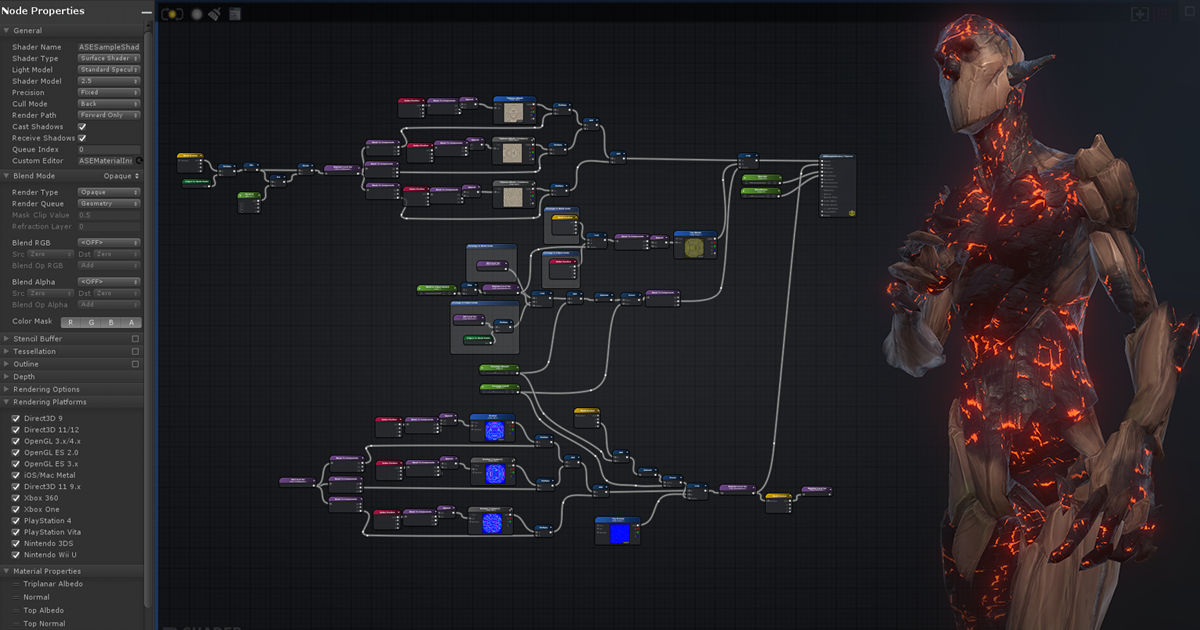
Get the Amplify Shader Editor package from Amplify Creations and speed up your game development process. Find this & other Visual Scripting options on the Unity Asset Store.
i had other packs of shaders but im not sure if it can be compatible with vrc
brisk gull
Amplify works, yes.
umbral ridge
brisk gull
Amplify works, yes.
thx
uneven plover
amplify works VERY well, still looking for a spot to get some user-made nodes cuz i've seen some cool stuff
 sleek hinge
for quest compatible transparent shaders for things like blush, tears, etc., do you use vrchat/mobile/particles/alpha blended?
bitter bane
For avatars, you don't use any that support alpha, as none work for avatars
 dusky perch
I need some advice since I’m new to shaders. What shader do you think is best for a taidum (furry species)
I’m looking for a toony appearance but the default goon shader is not that good.
Or maybe a shader with fur? Idk. I want to make it quest compatible so.
Since it’s all one material though, I think toon is best. What do you think is the best quest compatible toon shader?
bitter bane
For PC, there are a few different choices. Poiyomi Toon Shader has good customization. For Quest you can only use the shaders provided by VRChat.
dusky perch
bitter bane
For PC, there are a few different choices. Poiyomi Toon Shader has good customiz...
Aw well darnit.
leaden tartan
dusky perch
Aw well darnit.
There is a Toon shader for quest provided called Toon Lit. VRChat>Mobile>Toon Lit
But yea, poiyomi rocks for PC. Def recommend.
dusky perch
Ok
 real trail
I took the standard specular shader and turned off ZWrite and set the Offset to -1,-1 it fixed the bulk of my Z-fighting problems but there are a few textures that are disappearing when I get closer to them.
Is that an issue with z-fighting or is it antiscopic filtering?
because the texture doesn't flicker like z-fighting, it completely disappears when I get to close to it.
SOLVED: solution was to step up the offset. I increase the offset from -1 to -10 and that did the trick. It might be too much so I am going to step it up incrementally now to see what looks best.
 solid parcel
Hi,
Does anyone know what/where to get this water/caustics shader from?
https://i.gyazo.com/3affe92c25a68429722360f40b77c351.mp4
I've seen it in several worlds already so I know it's available to download somewhere
This was in Klees's beach, but I've seen it in Ocean's Away and SlyFest Beach
 analog walrus
does anyone know about the xsfur shader
 languid arch
im looking for a good plush fur like shader
leaden tartan
languid arch
im looking for a good plush fur like shader
Poiyomi and XSFur.
 odd magnet
is there a lightweight grass Shader for vrchat?
leaden tartan
odd magnet
is there a lightweight grass Shader for vrchat?
XSGrass, GrassFlow, Stix DX11 Grass are all good options.
I've bought all of these, personally I use Stix's grass shader in my world with very good results and has lots of lighting options and a ton of options.. XSGrass is also a great choice but has less customization but is also free now.
https://stixgames.com/grassshader
https://github.com/Xiexe/OldPatreonExclusiveThings
https://assetstore.unity.com/packages/vfx/shaders/grassflow-dx11-grass-shader-142736
odd magnet
leaden tartan
XSGrass, GrassFlow, Stix DX11 Grass are all good options.
I've bought all of t...
oooh.
i will check those out
i currently use a texture from Substance Painter and it looks a heightmap or depth
im sure i can use this
leaden tartan
odd magnet
im sure i can use this
All of these can absolutely kill performance if used wrong. But if you tailor it and play with the settings and ensure proper use they can be very performant. Ensuring you use the falloff and lod ranges they offer and play around, the overhead should be minimal and much better than adding a ton of poly count or draws to your world with mesh based grass of some kind.
odd magnet
leaden tartan
All of these can absolutely kill performance if used wrong. But if you tailor it...
the way it is build right now

it should be fairly lightweight if used as patch
leaden tartan
ah yea, you shouldn't have an issue with a small space like that. Would be hella easy. Just use your ground texture as the base in one of those grass shaders and it would look nice.
odd magnet
hm
i assume i have to seperate the Texture since the Grass and Tiled floor is just one Texture
leaden tartan
Not really, you can give the shader a mask
leaden tartan
so it only produces grass where it needs
odd magnet
good point
i intend on making the area a bit bigger
so im sure i can use the grass in a light fashion so it will mask it well?
i wonder how it will work with baked lights?
leaden tartan
yep, the grass is all done on the GPU so it's pretty lightweight.
Works fine with baked lighting. Don't need to draw shadows, that's unnecessary for grass. Most of those grass shaders have shading options for lit or unlit

That's from Stix grass.
XSGrass is free, good to try, but lacks some of the shading options
odd magnet
leaden tartan
So if im reading this correctly, i can slap in the texture, apply a mask for the grass and use something like bakery to make it look nice?
leaden tartan
yea
odd magnet
speaking off. Im sure there is a way to make the Hedges with the similiar shader
although im afraid that would be heavy on performance
leaden tartan
Depends on how they are used. There are indeed foliage shaders. When used properly they can actually be better for performance. But it depends if your world is CPU or GPU heavy to start with. Everything is a balancing act. For a small/simple world, I doubt it would be a concern. Especially with baked lighting and limited draw calls.

A shader for Unity/VRchat that's designed for rendering semitransparent plants and plant-like objects with thin details that blow in the wind. To install, place the Shader/ folder with the shader into your Assets/ directory.
odd magnet
leaden tartan
Depends on how they are used. There are indeed foliage shaders. When used proper...
the way it is planned right now, i will take advantage of occlusion culling
leaden tartan
odd magnet
the way it is planned right now, i will take advantage of occlusion culling
Occlusion culling is only useful if there are objects in your world that would physically block the view of other objects behind them. an outdoor scene like your pic, wouldn't have any benefit from occlusion culling. occlusion culling has a hit to both CPU performance as well as file size of the world, so it should only be used if there is a benefit from culling the meshes of objects that are physically being blocked by large solid objects.
odd magnet
leaden tartan
Occlusion culling is only useful if there are objects in your world that would p...
for example a Building. As in when it switches from exterior to interior.
So it will be unloaded
leaden tartan
You can always just use area triggers if the area is simple enough as well, as a single area trigger in a building would be better than the permanent overhead of culling. Like I said, everything is a balancing act xP
odd magnet
leaden tartan
You can always just use area triggers if the area is simple enough as well, as a...
area trigger?
leaden tartan
Yea, a trigger that detects when the player enters it's volume and performs whatever action you need. in this example, the trigger could just disable the meshes of everything outside of the building when a player walks into the building. If there are windows, that could be an issue, but windows would have issues with occlusion culling as well. It would be best to profile the world as you work and see if there is any benefit at all depending on how many drawcalls the player has in various spots. If the drawcalls are kept in check and poly count is low in the player frustum anywhere the player looks, it may have no point in using culling or an area trigger. just remember that occlusion culling isn't free, there is overhead involved, and the more dense you need to make your settings, the higher the CPU overhead so everything needs to be kept in balance. as all things in life. Just spitballin
odd magnet
leaden tartan
Yea, a trigger that detects when the player enters it's volume and performs what...
Still. That is excellent advice
I will dabble with the Shaders a bit and see where this goes
leaden tartan
good luck! cheers
 onyx wraith
does anyone know what shader is used when someone has yours hidden? my avi's top is transparent when people have my shaders off 😭 😩 i NEED to fix this
 stiff berry
it's complicated https://docs.vrchat.com/docs/shader-fallback-system
VRChat
This page serves as a description of the Shader Blocking System, how it operates, and how shader authors can work with it so that their shader falls back gracefully when a user has Shaders blocked on an avatar using a given shader. VRChat 2021.4.2 Fallback System Upgrade Shader fallback improvements...
onyx wraith
thank you! i have visual studio open rn i could probably figure it out but if someone can help me that'd be so awesome of you ❤️
rose pewter
onyx wraith
thank you! i have visual studio open rn i could probably figure it out but if so...
If you can for simplicity/ease of use
I recommend using LilToon it has a fallback thing built in so you can
tell it what you want VRC to fallback to like Toon,Unlit,Standard, etc
languid arch
a good water shader for vrchat?
 keen kite
Anyone got a good BotW or Borderlands type cel shader
 noble monolith
Anyone familiar with unity procedural skybox shader?
I am unsure how to remove the ground half and have it be a continues sky with the sun going around and not setting at the horizon. I have the script.
 tired cliff
I have the script.
You can't use custom scripts in VRChat, period. Worlds, nor avatars.
Though for worlds, Udon exists to fill the gap.
noble monolith
its not a custom script its unitys. (I have custom scripts that work in vrchat)
it breaks inside unity and trying to make it display
leaden tartan
noble monolith
Anyone familiar with unity procedural skybox shader?
I am unsure how to remove t...
Red Sim's Beautiful Sky shader is probably one of the best out there and does what you're asking. However, it's a paid shader. Tier 3 on his patreon.
I should point out that you're using a very outdated version of unity and should really update.
That said, if you have some form of U# script or Udon Behavior and you want to test it in the editor, you can use CyanEmu to do so.

Patreon
Become a patron of RED_SIM today: Get access to exclusive content and experiences on the world’s largest membership platform for artists and creators.
noble monolith
do they have any vids on how it works ? the 1 i have would be perfect if i could remove the ground half
 fringe sand
I've still had no luck in finding the shader to help out with replicating the look of A.I Shoujo in a Shader to use in VRC. I've looked a lot online and never found a shader that can do it
 half moss
I'll be honest, I'm still stuck on how to get this to work.
I understand now that textures can be set to actually realize what an alpha channel is, but
I still need this to look like the above result.
if anyone has any clues, I'd love to hear them
 molten mica
anyone know how to do transparency on quest? using latest sdk
bitter bane
molten mica
anyone know how to do transparency on quest? using latest sdk
You don't for avatars, if you need something to be missing, you need to edit the model to remove the mesh instead of relying on the transparent texture. Transparency is expensive and the Quest does not have enough room to allow it on everything for VRChat, unless you like 1fps always.
 brazen ferry
Hello I wanted to get into making shaders. Any know of any good tutorials that I cloud read or wach. If not that's fine I will figure something out. Thank you.
molten mica
bitter bane
You don't for avatars, if you need something to be missing, you need to edit the...
Fair enough,I was hoping for some weird hack way of doing so but alright ☠️
 trim ember
brazen ferry
Hello I wanted to get into making shaders. Any know of any good tutorials that I...
trim ember
brazen ferry
Hello I wanted to get into making shaders. Any know of any good tutorials that I...

🔽 Click for Timestamps & Info
This is a several hours long improvised live introductory course to shader coding in Unity! It has been slightly edited in the beginning to remove useless info and me messing around with the mic. The rest is the stream in its fullest!
Timestamps available below!
💖 Patreon ❱ https://www.patreon.com/acegikmo
🐦 Twi...
this is what ive been watching
brazen ferry
Thank you I appreciate it
 storm ice
Does anyone know of a shader with flipbook capabilities that works on Quest? In the past I used poiyomi, and it worked, but now the flipbooks and scrolling emissions no longer work
 lethal nacelle
storm ice
Does anyone know of a shader with flipbook capabilities that works on Quest? In ...
lethal nacelle
storm ice
Does anyone know of a shader with flipbook capabilities that works on Quest? In ...
i dont know of any shader but i have info for you anyway: your case is interesting seeing as how VRChat's allowed shaders for quest is a whitelist consisting only of shaders that come with the SDK, and any community shader including poiyomi is not in the SDK nor on that list, unless your use case is for the PC build of your cross-platform avatar.
basically, if you are talking about the android build of your avatar and not the PC build, then i have no idea how you got poiyomi on quest since in theory it shouldnt be possible nor is intended, so i doubt youre going to find something else if it suddenly stopped working
storm ice
lethal nacelle
i dont know of any shader but i have info for you anyway: your case is interesti...
It's not that the shaders don't work on Android, its that the VRC SDK doesn't like custom shaders. Also, I'm using this for a world, where custom shaders are allowed
should've clarified that
lethal nacelle
just update your version of poiyomi
in fact update everything if your SDK or unity is outdated
storm ice
I think the updae is what made it stop working tbh. My Unity and SDK are up to date, and I think the shader is aswell
 valid coral
Hey all, I'm hoping someone can help point me at some examples... I would like to write a shader that renders text of its own object's world space position. Does anyone have an examples of even just rendering text in a shader that I could build from? Or even better, does anyone already have this that I could use?
This is for my avatar prefab, which will allow you to use OSC to place a network-synced worldspace prop. https://github.com/seanedwards/vrc-worldobject
The problem I have right now is it's impossible to get a worldspace coordinate for a given location in the world. I have an issue open here https://github.com/vrchat-community/osc/issues/43 which hopefully will expose that to OSC, but in the meantime, using a shader to render the current coordinates of my avatar seems like the best way to get at this data.
(Also open to other ideas for how to get some usable coordinates in an arbitrary world)
 lone mural
If you need the coordinate itself, inside the vertex shader you can multiply a zero coordinate by the matrix unity_ObjectToWorld. In code
float3 wpos = mul(unity_ObjectToWorld, float4(0,0,0,1)).xyz
As for rendering text, i think what most people do is just look up each digit base10 and take from an atlas of characters. Never done this myself, but its just a question of figuring out what character square the uv is on, and using that to determine which digit to sample for.
valid coral
lone mural
If you need the coordinate itself, inside the vertex shader you can multiply a z...
Thanks! I actually found functions in the AudioLink debug shaders that can render text, so I used that + your suggestion

Now I have a little watch with my XYZ position on it
 bleak gorge
r
 lapis nexus
Hey would anyone be able to give me a hand?
Looking to see if there's a way to basically force shaders onto a quest 2
bitter bane
lapis nexus
Looking to see if there's a way to basically force shaders onto a quest 2
You cannot use custom shaders for avatars on the Quest 2, only worlds.
 sleek coral
before i go ahead and download this thing, toon shaders for that anime / genshin look? ... and i only need to apply it in unity, not blender, right?
https://github.com/poiyomi/PoiyomiToonShader im talkin ab this shader in particular

GitHub
A feature rich toon shader for unity and VR Chat. Contribute to poiyomi/PoiyomiToonShader development by creating an account on GitHub.
 atomic sandal
sleek coral
before i go ahead and download this thing, toon shaders for that anime / genshin...
atomic sandal
sleek coral
before i go ahead and download this thing, toon shaders for that anime / genshin...
These should be used in Unity, I've helped someone set this up before.
these shaders are not quest compatible
(not that any are lmfao)
sleek coral
atomic sandal
these shaders are not quest compatible
im on steam vr 🙂 thanks tho
atomic sandal
sleek coral
im on steam vr 🙂 thanks tho
Oh that didn't mean anything, I was telling you in case you were making it quest compatible
sleek coral
atomic sandal
Oh that didn't mean anything, I was telling you in case you were making it quest...
ah, so if i wanted my buddies on quest to see it i use no shaders? i think im a little over my poly limit anyways....
atomic sandal
Erh no, you use the mobile shaders, they look pretty off. but they can do the job just fine for quest
And poly limits don't really matter
as long as it isn't something like an audiosource or light it's still uploadable (although being very poor)
[Though I am obligated to tell you that decimation is an option to reduce poly count]
sleek coral
fair, i dont really mess with sound or light too much i just wanted some custom avis, and i have heard of this but i ran into an issue with a lower count on my mesh due to bends and what not, and also being kind of a perfectionist im sure if i tried to reduce something it would a) look horrible b) send me back to blender* for another 40+ hours or c) just straight up break everything
sleek coral
atomic sandal
And poly limits don't really matter
but thanks for the info !
atomic sandal
Anytime!
sleek coral
i have another question if anyone knows ab toon shaders, do i need to add alot of detail into my texture paint if im looking for a more anime/ genshin look? when i look at the in game models they seem to have no drawn on face details besides some necessities, although there are shadows on the nose and around the head, they are clearly shaders, im just wondering how much detail i should be putting on my model pre-shader
 mossy kite
does anyone know where i can find Poiyomi Pro shader?
leaden tartan
mossy kite
does anyone know where i can find Poiyomi Pro shader?
On his Patreon. 10$ tier.

LetMeGoogleThat.com
For all those people that find it more convenient to bother you with their question than to google it for themselves.
mossy kite
thanks
 edgy yew
Hi!! Is this fur some kind of shader? Can anyone tell me about it

 wet crest
GitHub
🐈 Fur shader for Unity. Contribute to Sorumi/UnityFurShader development by creating an account on GitHub.
leaden tartan
edgy yew
Hi!! Is this fur some kind of shader? Can anyone tell me about it
Can also use Poiyom fur or XSFur as well.
sharp pike
wet crest
https://github.com/Sorumi/UnityFurShader
Please never suggest this shader to anyone for use in vrchat and never use it yourself, it has 21 separate passes, each material slot using this shader is as bad as having 21 separate material slots.
wet crest
sharp pike
Please never suggest this shader to anyone for use in vrchat and never use it yo...
Everything is fine with him, especially since I did not recommend him to you. And people themselves will decide what to use.
sharp pike
Most people probably don't know any better that the above shader is terrible for performance and that they should avoid it like the plague, which is why I ask that you don't suggest it to people and that you don't use it yourself.
M E R C has already suggested a couple of fur shaders, both of which do not have a ton of separate passes, though neither are free.
liltoon is the only free alternative that I know of that also does not have a ton of separate passes, though I've never used it myself and don't know how its performance and ease of use compares to the other two.
 zenith fiber
Does providing more textures to a material/shader have much of a performance impact?
Say i have a standard unity shader with colour, normal, height and metallic vs just colour, is having 3x more textures on it 3x more processing? how does that scale?
bitter widget
zenith fiber
Does providing more textures to a material/shader have much of a performance imp...
It does but not crazy huge. Especially Unity Standard, it's basically nothing. However, the texture itself will take up VRAM space if you add one
uneven loom
also your material map textures don't need to be the same size as your color or normal map
zenith fiber
Yea for sure, i change the resolution of different parts depending on how important & detailed they are, like a very simple metallic i might only make 512x512 and leave the colour at 1k etc
Was just curious if it was worth at all occasionally omitting a few maps in terms of performance, not to worried about filesize since i make sure to keep the textures appropriately sized
 wanton spire
What's the correct way to create atlases for models using the standard shader that have emission/metallic/normal/etc?
Using CATS it only creates one from the albedo and I have to do some cheaty stuff to get it working. Is there a way to do this otherwise?
my nodes for reference, nothing crazy ofc
 zenith fiber
wanton spire
What's the correct way to create atlases for models using the standard shader th...
zenith fiber
wanton spire
What's the correct way to create atlases for models using the standard shader th...
Sadly not. I check with the creator of CATS and they said you make it, then in photoshop (or simmilar) use that layout to lay out the other maps manually yourself.
Although ive seen this mentioned, but havent had a chance to test it.
https://github.com/maxartz15/MA_TextureAtlasser
If it works well could save a lot of work doing the atlasing with cats
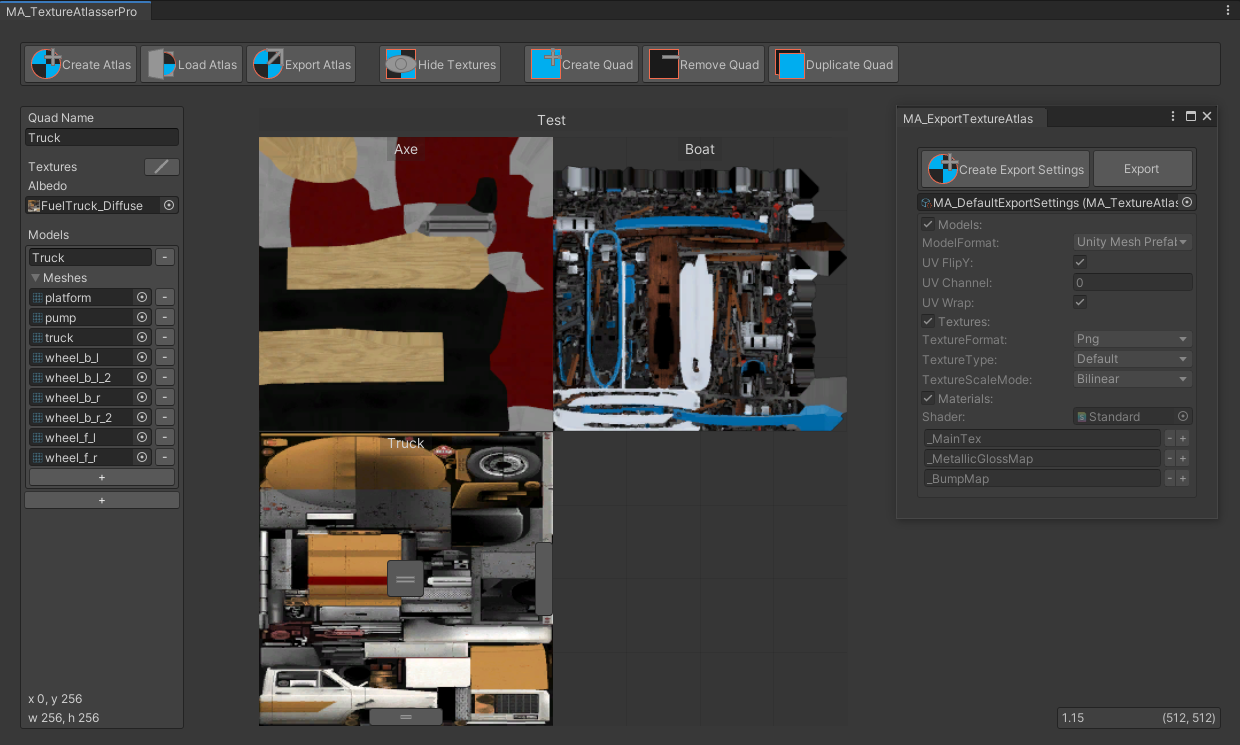
GitHub
Texture atlas creator for Unity. Contribute to maxartz15/MA_TextureAtlasser development by creating an account on GitHub.
wanton spire
zenith fiber
Although ive seen this mentioned, but havent had a chance to test it.
https://gi...
I'll give it a try.
 cobalt steppe
does anyone know of a good looking standard/pbr type shader I could use on an avatar? I'd rather not go for the unity standard shader, as it can look pretty ugly in most vrc worlds.
atomic sandal
pbr is a shader type?
I've seen that on so many models but never really knew what is was
cobalt steppe
something that allows for a realistic imitation of materials. reflections, roughness, metallic, etc. at least this is my understanding.
unity standard is supposed to do this, but seems to do it very poorly in most vrc worlds. even worlds with proper baked lighting and reflections setup
atomic sandal
I didn't know that, thanks for the info
but about the pbr shader types... I don't know
zenith fiber
atomic sandal
but about the pbr shader types... I don't know
Pbr stands for physically based rendering. Basically things that intend to render how you'd physical expect those things to look
zenith fiber
cobalt steppe
does anyone know of a good looking standard/pbr type shader I could use on an av...
I like the filimented shader quite a lot, at least for world stuff.
tired cliff
A lot of people just use the standard shader, a true custom PBR shader would have a performance cost.
atomic sandal
tired cliff
A lot of people just use the standard shader, a true custom PBR shader would hav...
And I would assume a big one
zenith fiber

An improved version of Unity's Standard! Provides higher quality using features from Google's open source renderer, Filament. It also supports features useful for worlds such as exposure-based occlusion, lightmap-derived specular, bicubic filtering for lightmaps, and better looking reflective
cobalt steppe
This looks promising. I'm going to check it out
zenith fiber
And it's based of the Google android render system so apparently gets decent preformance for mobile systems too. Although you ofc can't use it for quest since it's not vrc supported.
tired cliff
You can get the standard shader looking pretty dang good if you know what you are doing. But it requires authoring your textures in a very specific way.
zenith fiber
Well quest on avatars, you can use it for quest world's.
tired cliff
Quest is kinda screwed in that department. Standard Lite doesn't even have reflections.
For avatars anyways.
zenith fiber
Yea, standard lite on worlds doesnt either
but ofc you can use something other than that for things you need reflections on in worlds
Im gonna whip up a new test project and see if i can check the performance difference of some shaders
If only there was a way to preformance test them for quest too/
cobalt steppe
zenith fiber
https://booth.pm/en/items/3250389
thanks for this. I'm doing some testing, and it seems to be pretty good for this kind of stuff. biggest problem I had with standard shaders was a material looking washed out, and that Fresnel effect being way too strong. this shader seems to at least tone down the Fresnel to something that isn't nuked like unity standard. This should work nicely c:
zenith fiber
Yea i hated how shiny the standard shader looks in places where it should be dark, just because the reflection probe is bright on a different section.
but that one lets you do reflection strength depending on the strength of the baked lightmap, which looks much nicer in those dark spots
cobalt steppe
that's awesome! I didn't even know that
also I've got a more general shader question. I've head about the option to enable gpu instancing, but I was never sure about what it was, or when I should be using it
zenith fiber
it is for non static objects that share the same material, by my understnading
when there are multiple of them, that is
uneven loom
so like if you had 100 interactive bouncy balls that would be a good use for it
but not much help for your potted plants
zenith fiber
^ Exactly that
cobalt steppe
interesting. this should come in handy at some point probably
zenith fiber
cobalt steppe
interesting. this should come in handy at some point probably
a little shader performance test

added 3000 spheres with each material on it and cycled through them all.
cobalt steppe
Filamented actually looks pretty good
zenith fiber
Yea and it doesnt have much of a performance difference to the standard shader
actually i should throw a standard poiyomi in there
although it doesnt have all the same map channels
cobalt steppe
Try rero's if you can. I've been using his specular setup shader for a while, and have been curious
zenith fiber
got a link? i havent got it
cobalt steppe
Let me see if I can find one. Not on pc at the moment
https://github.com/RetroGEO/reroStandard I found this, but tbh I'm not even sure of this is the right one. Was quite a while since I've acquired the shaders

GitHub
A Unity Standard Shader hack centered around VRChat compatibility・VRChatとの互換性のUnityStandardShaderモッド。 - GitHub - RetroGEO/reroStandard: A Unity Standard Shader hack centered around VRChat compatibi...
zenith fiber
cobalt steppe
https://github.com/RetroGEO/reroStandard I found this, but tbh I'm not even sure...
hot dam

1st is standard, 2nd is rero
uneven loom
ouch
cobalt steppe
Oh my God, that's insane
And I have like 4 materials that use this shader on my avatar
zenith fiber
Hah XD
if its only doing things that the standard or filamented can do id reccomend swapping it out
if it has extra features you need to it makes sense
cobalt steppe
The biggest reason I use this shader is because it has an option that completely removes the fresnel/rim lighting look that standard shaders have
Downside is that there's some bult-in fake specular highlight added on. It can kinda look good sometimes, but is often out of place
zenith fiber
i believe you can do that with filamented with these options

disabling them at least
cobalt steppe
Specular highlights are good when you point a real time light on it. Rero did something to cast highlights using baked lightman data somehow. Because of that, it sometimes looked weird
Turning it off would sacrifice all highlights, which is undesirable. I'd like to try the filament shader since that one looks pretty good
zenith fiber
pyomi was actually decent compared to standard, at least with just the few base maps. It has quite a lot of lighting settings on the pro one im sure you could get it looking the same way too.
An interesting test while i was at it, this is the standard shader without gpu instancing enabled and 2nd with it

maybe about 1/5 better?
wanton spire
tired cliff
Quest is kinda screwed in that department. Standard Lite doesn't even have refle...
hopefully vrc makes good on their claim and we get custom shaders on quest. not getting my hopes up though
i dream for the day i can use all my maps on vrchat 🙂
 lusty valve
zenith fiber
maybe about 1/5 better?
lusty valve
zenith fiber
maybe about 1/5 better?
i wonder if the performance difference would be more pronounced if you were using heavier meshes than a sphere to test instancing. a 15% increase doesn't seem like as much as I'd expect in a real situation
 fringe perch
wanton spire
i dream for the day i can use all my maps on vrchat 🙂
fringe perch
wanton spire
i dream for the day i can use all my maps on vrchat 🙂
you can
Standard will let you use most of those, and Poiyomi should let you use all of them
wanton spire
fringe perch
Standard will let you use most of those, and Poiyomi should let you use all of t...
quest
standard only lets you use the four and id really like a roughess map 😦
fringe perch
Standard Lite lets you
you put it in the metallic alpha channel
though pretty sure it has to be smoothness, not roughness
so invert it
wanton spire
my metallic and roughness are seperate maps
 fringe perch
then pack them?
Poiyomi has a texture packing/unpacking/creation utility under Poi > Texture utility
lusty valve
Do box reflections behave differently on Quest versus PC? I'm noticing very different results on certain materials between the two platforms.
Same with materials that are meant to just look up the skybox (fake glass material)... on PC it correctly looks up the skybox based on the camera position so there's some sense of parallax, but on Quest it looks like it's projecting the skybox onto the window geometry itself. It's very strange.
hardy dagger
lusty valve
Same with materials that are meant to just look up the skybox (fake glass materi...
what youre witnessing is infinate projection. in order to truely have box or accurrately positioned reflections, youll have to go into the shader and design it to bend to thos on demand
quest does not allow “blending box projection”
lusty valve
okay, that might explain the reflection weirdness with box probes.
regarding the projection thing, though... i'm not sure i understand the difference between quest and PC on this. the shader works fine on PC. it's a custom shader built in Amplify.
looks like this:

just grabbing the camera position and world pos, normalizing the difference, and using that to lookup an env texture, the same as the skybox. on PC this returns 1:1 with the skybox. then i just do some distortion.
hardy dagger
aw man. i dont do amplify. i mean to but havent
is this where the reflection is planned?
lusty valve
it's a fake refraction. i look up the skybox based on the normalized camera ray and world position, plus a bit of distortion from the normal map. then i tint the result and return it
result looks like stained glass. on PC the parallax is correct, but on quest it's somehow different and i don't understand why
you can see it working here on PC, that's all the effect is. what bothers me is that this math is somehow calculated differently on android. the shader is exactly the same
 hardy dagger
i can only read a shader in script form but do you have a photo of whats happening on quest? i have a hunch that what youve done is secretly a grabpass of some kind but amplify doesnt specifically say its happening
lusty valve
no, there is definitely no grabpass! that would never work on mobile. I'm literally just sampling the same cubemap I'm using for the environment and returning the result multiplied by vertex color
hardy dagger
k. so are you just not getting box projection?
lusty valve
i don't know exactly how to phrase it. it's just not returning the right coordinates. when i move my head, it looks like the texture is stuck to the glass rather than sampling the cubemap at an infinite distance
hardy dagger
iirc to get box projection. youll need to find the pivot position of the camera by calculating itself manually and then finding the scale of the box while also literally calculating a cube manually on that pivot (like a box collider)
hardy dagger
lusty valve
i don't know exactly how to phrase it. it's just not returning the right coordin...
oh?
lusty valve
yeah, it's weird. and again, everything is fine on PC. it's just Quest that does this. i don't know enough about the platform to understand what would compile differently, it's such a simple shader
hardy dagger
I don’t know enough about amplify to assist either
like the world position shouldnt be an issue. does it feel like a chowder style texture?
or like a weird matcap?
lusty valve
not quite. it just looks like the vector being used to look up the texture gets cut off early. do you have a quest?
hardy dagger
i do have a quest
wait. youre 100% sampling a cubemap and not 2d is some weird way? really wish if you had a visual of whats happening
lusty valve
I'll DM you, if you have time. easier to show you.
hardy dagger
ill probs be aval later if need be. do you not have a quest?
lusty valve
i do have one! i just figured it would be simpler to invite you to a test build of the world so you can see for yourself
hardy dagger
k
 neon lagoon
zenith fiber
a little shader performance test
neon lagoon
zenith fiber
a little shader performance test
In case you still have the test scene im curious how does this compare https://github.com/z3y/shaders
im not sure whats the best way to benchmark it because in my tests it was faster than I expected
 tired token
Unity Profiler with frame timings with a consistent resolution with no other CPU/GPU intensive applications open
neon lagoon
that's what I did and it was faster
my fragment shader cost should be higher so that was unexpected
tired token
Should compare instruction count + whatever else it shows, I forgor 💀
zenith fiber
neon lagoon
im not sure whats the best way to benchmark it because in my tests it was faster...
sure ill look once im off vr
zenith fiber
@neon lagoon

Looks a tiny bit more expensive than filamented, by like 7%
and about 10% more than the unity standard
Pretty negligible of a diffrence
fringe perch
is that with the shader locked or unlocked
neon lagoon
oh that's not too bad
well it's using a lot of filament stuff so that expected
That poiyomi shader is probably not locked
fringe perch
should probably do another test with it locked
 broken hearth
If you're interested in comparing results


2nd graph is kinda bad but had poiyomi locked so ¯_(ツ)_/¯
fringe perch
that's more like it
uneven loom
wow that retro Shader is so heavy
broken hearth
Yeah i'm honestly surprised, I use it for most of my avatars. It also reports an increase in drawn vertices compared to the other shaders, don't know enough about shaders to know what that implies, but it's certainly strange.
 eager saddle
broken hearth
Yeah i'm honestly surprised, I use it for most of my avatars. It also reports an...
eager saddle
broken hearth
Yeah i'm honestly surprised, I use it for most of my avatars. It also reports an...
if it has like, outlines or whatever, iirc that usually requires a geometry shader that duplicates most of the triangles
broken hearth
It has a feature for it, but it's not enabled
eager saddle
ah even still, depending on how they do the switch it could still execute
broken hearth
possibly, i'll have to test with the option enabled/disabled
eager saddle
ie, if they made the outline just transparent or if they had an actual if statement
probably not difficult to remove that code though, I'd hope
broken hearth
i'd hope
zenith fiber
fringe perch
is that with the shader locked or unlocked
For poiyomi? It was locked.
I had a colour, normal map, metallic, and a heightmap on all of them.
I think the heightmap for poiyomi is pretty heavy?
broken hearth
Most likely
zenith fiber
broken hearth
If you're interested in comparing results
Hmmmm i wonder why your mochie was preforming better than mine 🤔 where there any setting diffrences between them?
broken hearth
zenith fiber
Hmmmm i wonder why your mochie was preforming better than mine 🤔 where there an...
No setting differences, I wasn't using height maps in any of them, just albedo, metallic/gloss, normal
zenith fiber
Ah, maybe height makes the difference. Mochie does have very different (much nicer) looking height
neon lagoon
Mochie, poiyomi and mine should have almost the same heightmap code
dusky perch
Anyone know any good toon shaders for quest avatars? (Default is not my favorite)
I see toon shaders when I play on quest all the time. I at least want a light mapped one
bitter bane
You can only use the VRChat provided shaders for Quest avatars.
dusky perch
bitter bane
You can only use the VRChat provided shaders for Quest avatars.
I know, but the light mapped one (even if provided by vrchat in the mobile section) isn’t compatible
bitter bane
dusky perch
I know, but the light mapped one (even if provided by vrchat in the mobile secti...
Lightmapped is a world only shader, that for some reason they continue to include in the Avatar SDK. https://docs.vrchat.com/docs/quest-content-limitations#shaders
VRChat
This page will describe various limits in place for the Oculus Quest version of VRChat. These limitations are in place in the interest of performance, user safety, and discouraging malicious behavior. Find more information about limited components on our Quest Content Optimization page. Although the...
dusky perch
I wonder why some avatars look lightmapped then. I want to get that effect
rustic umbra
dusky perch
I wonder why some avatars look lightmapped then. I want to get that effect
they don't use shaders for that.
dusky perch
They don’t have shaders at all?
rustic umbra
they do have mobile ones lol
bitter bane
They might use MatCap
dusky perch
So do I disable the shaders (if I can)?
bitter bane
there really is no ifs or buts about it though, you have to stick with what vrchat gives you
dusky perch
Darnit
 tribal grail
how do I edit this beautiful bright shiny shader? any ideas?
 uneven loom
that looks to be post-processing Bloom
zenith fiber
Yea it's just a plain old emission shader with some bloom.
tribal grail
@uneven loom @zenith fiber bloom from a world or from my own object in the avatar? If from avatar, how do I add it on poiyomi?
uneven loom
Bloom can only be added by the world
tribal grail
aw ok thank you
uneven loom
so basically just have whatever you want to Glow be a emissive on your avatar and hangout in Worlds with post-processing bloom
 low root
hi guys, for some reason the control panel is telling me that the shader on my videoplayer ' realtime emissive gamma ' is unsupported, and the video isnt working on my world. There seems to be no other video shader does anyone know what shader works for videos on quest? thanks in advance
wet crest
low root
hi guys, for some reason the control panel is telling me that the shader on my v...
VRChat/Mobile/Standard Lite with emission
 barren geode
tribal grail
how do I edit this beautiful bright shiny shader? any ideas?
barren geode
tribal grail
how do I edit this beautiful bright shiny shader? any ideas?
Thats some fancy kunais
 late jetty
any guide on how to make a shader? i wanna experiment a bit
tribal grail
Anyone knows why sometimes my poiyomi is in binary mode (0/1 instead of check mark) and also when its like that, the changes I make in color, sliders, etc dont change anything in the material itself.... how to fix that
 leaden tartan
tribal grail
Anyone knows why sometimes my poiyomi is in binary mode (0/1 instead of check ma...
leaden tartan
tribal grail
Anyone knows why sometimes my poiyomi is in binary mode (0/1 instead of check ma...
Attempt choosing the shader again in the drop down list.
bitter widget
tribal grail
Anyone knows why sometimes my poiyomi is in binary mode (0/1 instead of check ma...
Delete the .poiyomi folder and reimport the shader
 native moth
Can someone explain why my textures are getting messed up when they don't look like this normally? Using poiyomi shaders works fine, but can't upload as a quest avatar like that.
 uneven loom
the quest Shader displays vertex colors
 high parcel
does it rely on transparency? you cant have transparency on quest avatar
uneven loom
as an example you could have a grayscale Albedo and have the color of it be determined by vertex colors for added variation without using more textures
https://github.com/kurotu/VRCQuestTools this tool can remove vertex colors
GitHub
Unity editor extension to support uploading VRChat avatars for Oculus Quest - GitHub - kurotu/VRCQuestTools: Unity editor extension to support uploading VRChat avatars for Oculus Quest
native moth
Will removing vertex colors make it use the texture atlas colors?
uneven loom
yes because it no longer has vertex colors to overlay on top of it
high parcel
what's it supposed to look like using poiyomi
native moth
 high parcel
omg lol
native moth
Yeah, vast difference lol
uneven loom
then you definitely have a bad case of vertex colors where they shouldn't be
high parcel
maybe try putting the albedo into emission and see how it looks
fringe perch
vertex colors can also be used for specific functions in shaders
uneven loom
high parcel
maybe try putting the albedo into emission and see how it looks
that would result in you having no lighting
fringe perch
like masking, or specifying the direction of certain directional Effects
uneven loom
just remove the vertex colors using the quest tool will it takes like only a couple of minutes
native moth
fringe perch
vertex colors can also be used for specific functions in shaders
This makes a lot of sense, considering it's from VALORANT. They probably use the vertex colors for any number of things in that.
 fringe perch
yea, I ported a Phoenix model a while ago
 uneven loom
material blending is commonly handled these days using vertex colors
tired cliff
uneven loom
https://i.gyazo.com/0712e714ee6b283482508686e3b08c0a.jpg
The way Nintendo used vertex colors there to fake Ambient Occlusion is a really clever trick for the hardware that game was on.
 buoyant cargo
Valorant uses vertex color on skin as weights to mask skin shading/pseudo-SSS 👍🏻
uneven loom
thanks for the info
fringe perch
ooo interesting
 remote glacier
hi yall, is there a way to individually tile an RGB channel on a texture without affecting the other channels? im using amplify

for example, the alpha im using to fade out the triangles is on the same texture as the triangles
triangles are tiled as they should, but need to tile the fade out larger so it doesnt look repeated
buoyant cargo
not sure what else your shader is doing, but this might be a jumping off point
 remote glacier
its a mess hahaha
i did something a little different but same result
your idea reminded me of texture objects and got it done so thanks


 gilded juniper
remote glacier
gilded juniper
remote glacier
acnh?
remote glacier
gilded juniper
acnh?
yep!
gilded juniper
I love it!
remote glacier
thank youuuu got the curvature of the world and everything working too
but its all done with shader so avatars not using the same one wil look like they're floating off in the air lmao idk how imma fix that
uneven loom
remote glacier
how does that look in VR the curvature
as you're not going to be restricted to the same camera angles that you were in Animal Crossing
remote glacier
good question,
i need to try that with my headset
just lazy
tryna finish the shaders up before
uneven loom
remote glacier
i need to try that with my headset
yeah you would definitely want to try that because if it doesn't work in VR you might have to like skip the Shader altogether
and also your video doesn't demonstrate rotating the camera in ways a desktop user can
remote glacier
ist just annoying cause i have to edit each material individual since vrc wont take scripts so i cant change the curvature all together
and
yea it was just a small test
didnt put much effort into it
ill try it in vr
uneven loom
I suppose you could try the curvature stuff in udon?
remote glacier
truuee
im not much of a coder though would be completely lost even though its just like a parameter of a shader controlled thru script
uneven loom
out of curiosity are you able to get the channel packing figure out for the textures
uneven loom
of course as some of them would include metallics
glacial abyss
That's a really clever idea.
remote glacier
works really well in vr actually i was kinda scared it would b messed up
my right controller is dead lmao
the white cube is not the sun btw was just something i was using to control the curvature but vrchat dont like it so manual it is
but thats also what happens with things in the distance that dont have the shader on
uneven loom
now the question is how to deal with the avatars as we can't force them to use a curvature Shader
remote glacier
exactlyyy
if anything ill just have some available at the entrance but eh i know people like taking pictures and such
at least as a solo experience it shouldnt be a problem lol
uneven loom
so you might have to look into udon to handle the avatars
or it might be a bit tedious but you could upload two versions of the map one flat and the other curved
or maybe a toggle to have it Be flat for multiplayer
bitter bane
I've only played on a single world that did something like this, Interplanetary Cruise Ship by S_ASAGIRI
avatars followed the curve just like you would expect
remote glacier
yeahh but that would kinda ruin the experience tbh its kinda lame flat lool
it would just be like
 remote glacier
bitter bane
I've only played on a single world that did something like this, Interplanetary ...
remote glacier
bitter bane
I've only played on a single world that did something like this, Interplanetary ...
oooh gotta check that one out
remote glacier
bitter bane
avatars followed the curve just like you would expect
hmmmm
bitter bane
It's possible, but I never learned how, assumed it was a shader
bitter bane
I guess you could try contacting them, they might be at least semi active
uneven loom
but I wouldn't note it's a Japanese map developers so language barrier issues might pop up
 azure pike
I've seen some worlds that contain basically a "flashlight", that when pointed at geometry will show the direction of normals or the wireframe of it; would anybody know where to get these shaders?
frail spindle
weird problem where my hair (using latest poiyomi pro) shows up differently for others compared to how it looks in game and in unity for me. examples |
first one is how I do NOT want it to look yet people see it like that (friend took the picture)
second is how it SHOULD look and it's how only I see it (I took the picture)


I don't know if this is poiyomi or what but it's so weird
I tried making a brand new material, unlocking and relocking it, made sure settings are exactly like my ears material
yields no results
what was even more odd was that in a dark lit world, for people my hair glowed completely like it had emission
yet despite having no emission enabled
frail spindle
managed to fix after some tweaking, ignore what was said above~
 lunar wraith
That’s still going to look different for quest users
 scarlet lark
this been something I attempt to tackle once and a while and each time so far hasnt been that great. is there a really good fur shader out there now?
that looks good and also not absolutely killer
bitter widget
frail spindle
weird problem where my hair (using latest poiyomi pro) shows up differently for ...
Looks more like a lighting issue. Is the hair a separate mesh?
Or how did you fix it?
real trail
I am trying to make a frosted glass FX in VRC World using command buffer but USharp doesn't support command buffers. Does anyone know a performant way to render blurred objects behind a transparent surface like glass?
Grab passes are incredibly expensive, so I am trying to avoid them at all costs.
bitter widget
real trail
Grab passes are incredibly expensive, so I am trying to avoid them at all costs.
Isn't a grab pass going to be required? Since it's a transparent material it needs to apply overdraw
lusty valve
command buffers can create refractions without a full on grabpass. but I'm confused where U# gets involved here... this is all shader properties, right?
i should try upgrading my rain shader to use command buffers. I'm still using a grabpass on PC like a chump
 tawdry isle
are poiyomi audio link shaders demanding on performance?
 vernal swallow
How would I go about making something look like this?
 vernal swallow
my biggest lead as of now is this shader, but idk how I'd give this the transparent look as well https://assetstore.unity.com/packages/2d/textures-materials/metals/zinc-iridescent-colorful-149135#description

Elevate your workflow with the Zinc Iridescent Colorful asset from Lex4art (Techkind OU). Browse more 2D Textures & Materials on the Unity Asset Store.
past pewter
vernal swallow
How would I go about making something look like this?
My first thought was Poiyomi Pro, as you can combine alpha transparency, grab pass refraction, and iridescence options to get fairly close. Pro is $10 via his Patreon.
past pewter
tawdry isle
are poiyomi audio link shaders demanding on performance?
I haven’t noticed an appreciable impact on processing, and I regularly use a lot of AL options.
vernal swallow
past pewter
My first thought was Poiyomi Pro, as you can combine alpha transparency, grab pa...
https://booth.pm/ja/items/1148311 what if I wanted to use something like this then have a sort of fresnell effect used as the alpha layer for the zinc shader slapped overtop

-Crystal Shader- カットされた宝石やオーラクリスタルの反射光のような雰囲気を表現できるシェーダーです。 角度で色がキラキラ変わるように見えます。 ハードサーフェス向きです。 なめらかな表面だと疑似反射のパターンが見えやすくなってしまいます。 後ろの色によって視認性が大きく変わります。 ◇このShaderを使用したアクセサリー Snow CrystalがBOOTHにて販売中です https://booth.pm/ja/items/1142851 -内容- shader本体 設定済みサンプル6種類が入ったunitypackage 利用規約 ライセンス表示
It'd also be nice to figure out how to do the impurities of the crystal, since it wouldn't be 100% transparent but it'd still have some refractiveness as well as reflectiveness
vernal swallow
past pewter
My first thought was Poiyomi Pro, as you can combine alpha transparency, grab pa...
https://www.youtube.com/watch?v=gtUQjJXICpI&ab_channel=meaganxrosethis this kinda showcases the effect I want a bit more clearly

Angel Aura Quartz is a beautiful type of crystal coated in precious metals, such as platinum, nickel, gold and titanium. It is then heated in a kiln to facilitate this alchemical process. The holographic tint is due to this alchemical manipulation of a regular quartz crystal.
Angel Aura Quartz works on all chakras due to the rainbow effect
Sh...
 viral wren
Has anyone tried doing Geometry Shaders on Quest? It's something im curious to explore but only if it works on Quest as id have to learn about writing shaders manually instead of using ASE.
 peak spear
vernal swallow
my biggest lead as of now is this shader, but idk how I'd give this the transpar...
peak spear
vernal swallow
my biggest lead as of now is this shader, but idk how I'd give this the transpar...
soft additive makes objects translucent... it can be set in the opaqueness setting
vernal swallow
peak spear
soft additive makes objects translucent... it can be set in the opaqueness setti...
How would I make that translucentness relative to how much light's being shone on it?
brittle plinth
viral wren
Has anyone tried doing Geometry Shaders on Quest? It's something im curious to ...
Quest doesn’t allow custom shaders on avatars, but it might work for worlds. Also, ASE does actually support adding geometry deforms.
past pewter
Heh
peak spear
vernal swallow
How would I make that translucentness relative to how much light's being shone o...
just trying to help man... don't ask me, I'm not a professional, I just edit avatars... though it's a fact that soft additive does make it translucent
I suppose by the way you're talking about it, you know the proper way to handle the situation... you should give advice then
vernal swallow
I only know the terminology, not the means of executing it lol
peak spear
me too, man... just trying to help out
tawdry isle
past pewter
I haven’t noticed an appreciable impact on processing, and I regularly use a lot...
i noticed frames dropping in sync with the beat.
leaden tartan
tawdry isle
i noticed frames dropping in sync with the beat.
That'd be kinda odd. I use it extensively in my world and avatars and haven't seen that. Use the profiler and frame debugger n shit to see what's causing your loss rather than speculation.
zenith fiber
real trail
I am trying to make a frosted glass FX in VRC World using command buffer but USh...
The ORL shaders support a frosted glass effect
https://shaders.orels.sh/orl-standard/glass#blurred-glass

Options relevant to the orels1/Standard Glass shader
 restive sapphire
I remember being able to make one pretty cheaply with doing some manipulation in amplify shader editor
vernal swallow
What would the equivalent of UnityObjectToClipPos(); be for light sources instead of the camera?
brittle plinth
I don't think there's a premade helper function for that, but I'm fairly certain there's a way to get a light's transform matrices in the shader.
vernal swallow
brittle plinth
I don't think there's a premade helper function for that, but I'm fairly certain...
How would you go about doing that, then?
And would you be able to do it for multiple lights?
brittle plinth
You’d have to multiply specific matrices from the light by the object’s position coordinates to bring it into light space, and to do it for multiple lights you’d need to set up a loop or just copy/paste the code multiple times (both are probably about the same performance, because of how GPUs work)


 vernal swallow
brittle plinth
You’d have to multiply specific matrices from the light by the object’s position...
vernal swallow
brittle plinth
You’d have to multiply specific matrices from the light by the object’s position...
How would you grab those matrices?
lusty valve
dunno if there's a direct way to fetch light positions in a shader, but you could have a helper u# script fetch all light transforms on the Start event and then pass a Vector3 array over to a shader property
then have your shader read that array and work its magic
vernal swallow
lusty valve
dunno if there's a direct way to fetch light positions in a shader, but you coul...
it wouldn't be any different from how a regular glossy texture would be, right?
lusty valve
I'm honestly not sure what's going on under the hood for the standard shader. I'll still kind of a scrub when it comes to rolling shaders from scratch aside from the occasional special effects shader
the impression i get is that light sources are automatically iterated over when you define a surface function in shaderlab, I'm sure someone who's written more surface shaders would have a much more informed opinion
vernal swallow
ah, fair enough
to quote the guy who made my shader though, "It'd pretty much be the same logic, but instead of setting the alpha value to the dot product of the view angle and normals, you'd set it to the light intensity."
lusty valve
dot product of view angle and surface normal is standard lambert shading
glossy reflections are a totally different animal. specular highlights can be derived from real-time lights but otherwise you're using reflection probes
 elfin tendon
Hello could anyone please help me


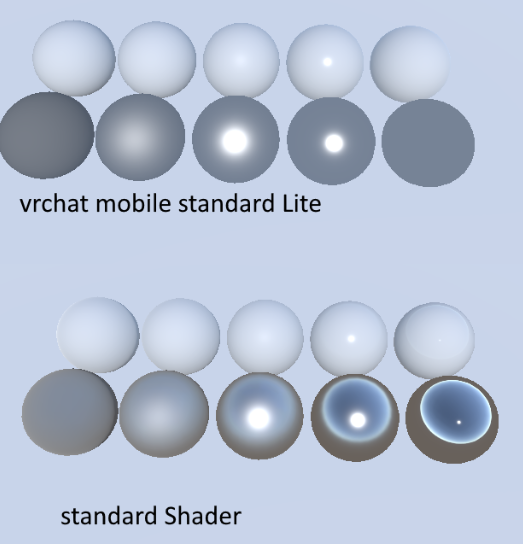
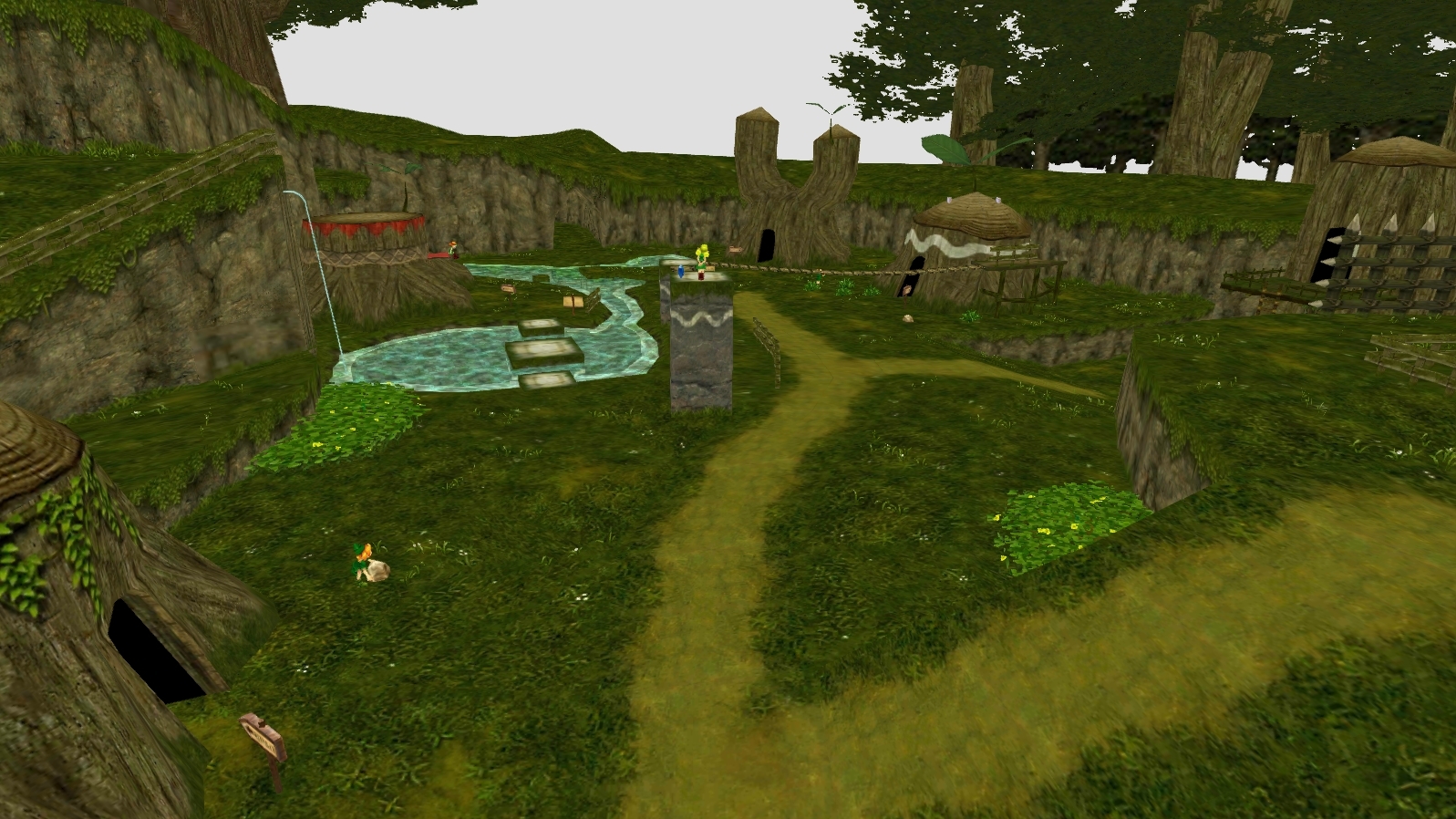
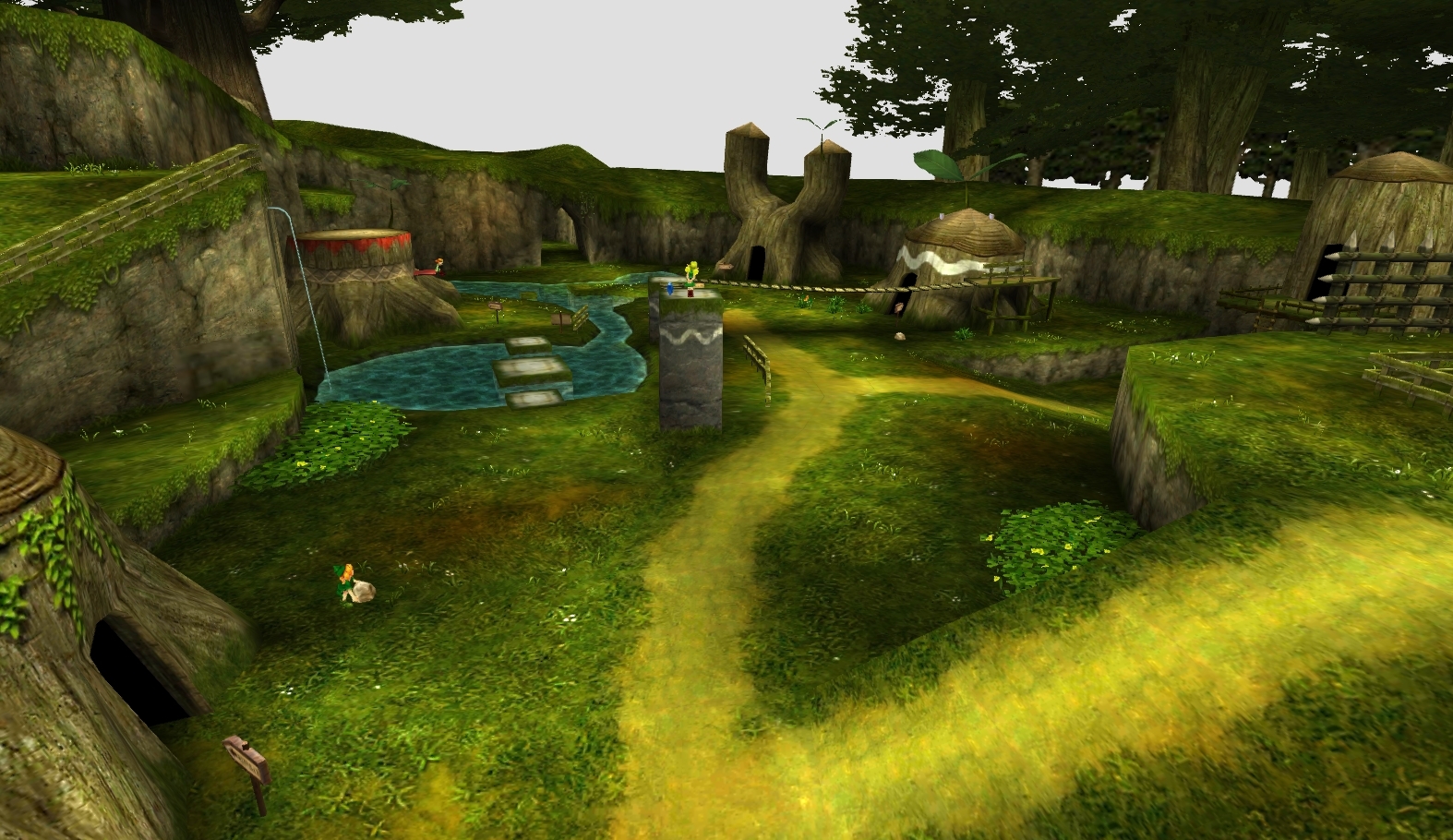 uneven loom
elfin tendon
Could anyone help fix this shader glitch
uneven loom
elfin tendon
Could anyone help fix this shader glitch
this screenshot doesn't show what Shader you're using
elfin tendon
When I add any shaders for mobile it makes it so it changes to make it visible
The eyes specify


Plz help I just want a Norma avatar
Normal
uneven loom
vrchat on the quest doesn't support transparency on the avatars
so you're going to have to cut out the transparent Bit in blender
past pewter
Ah
uneven loom
vroid studio also has a checkbox for deleting transparent triangles so that would probably take care of the shirt
uneven loom
https://www.youtube.com/watch?v=OA733GlRwF8 and here's a video tutorial on how you might go about fixing the eyebrows without blender

Wanna learn how to make an avatar for VR Chat using VRoid Studio that works decent on both PC and Quest?
0:00 General info
2:12 Fixing eye issues
4:13 Fixing face issues
6:04 Exporting
elfin tendon
So all I have to do is go to vroid and remove the triangles
Ok I will watch it when I get home
uneven loom
it's still going to leave the eyebrows a bit of a mess but at least I'll give you less to have to fix in blender
elfin tendon
Ok but is there a way that I can just change the back of the actual texture
Like in unity since I don’t use blender
uneven loom
https://youtu.be/9DRQWIdEeTo?t=1002 a video tutorial that mentions how you would fix the eyebrows in blender I have the video jump straight to that section

0:00 | Intro
0:53 | What you need
1:11 | Vroid removing transparent areas
6:25 | Exporting from vroid
12:01 | Blender
14:12 | Setting up your avatar in Blender
16:59 | Cleaning eyebrows
19:16 | Demonstrating editing the mesh
21:31 | Combining materials
23:04 | Reducing polygons
25:10 | Exporting from blender
26:00 | Unity
26:46 | Configuring mod...
Unity isn't modeling software so at some point you'll have to learn blender
sharp pike
lusty valve
I'm honestly not sure what's going on under the hood for the standard shader. I'...
Standard shader has a separate pass per realtime pixel light. The base ForwardBase pass handles one directional realtime pixel light and 4 realtime vertex lights. For every additional realtime pixel light (or non-directional realtime pixel light), there's a separate ForwardAdd pass. If you don't have a ForwardAdd pass in your shader, then the additional pixel lights get treated as vertex lights instead. If you want to be able to handle more lights at a time, you have to replace Unity's lighting system with your own, like Valve and their The Lab Renderer.
uneven loom
and I suppose all of that also highlights why you want to bake your Lighting on maps on vrchat
sharp pike
That and realtime shadows add yet more extra passes per light
A realtime directional light with shadows results in 4 passes per material slot (with two shadow cascades). Realtime point lights with shadows are a bit more complicated since they act like a cube and have extra passes for each material slot of each mesh visible in the direction of each of the 6 faces of the cube. But either way, it gets really bad really quickly when you have a lot of people using avatars with lots of material slots.
uneven loom
also don't forget the existence of mirrors on vrchat to make the draw calls explode
sharp pike
Mmm, and the VR rendering a lot of things once for each eye. Plus mirrors don't even get any of the performance benefits that you can usually get from rendering something in one eye and then in the other eye immediately afterwards.
lusty valve
sharp pike
Mmm, and the VR rendering a lot of things once for each eye. Plus mirrors don't ...
thanks for stepping in. I've been doing CG for a very long time, but not in realtime, and as a technical artist rather than a shader dev. is there a good primer out there you can recommend on writing shaders for unity, and how the lighting pipeline works?
sharp pike
lusty valve
thanks for stepping in. I've been doing CG for a very long time, but not in real...
Can absolutely recommend https://catlikecoding.com/unity/tutorials/rendering/
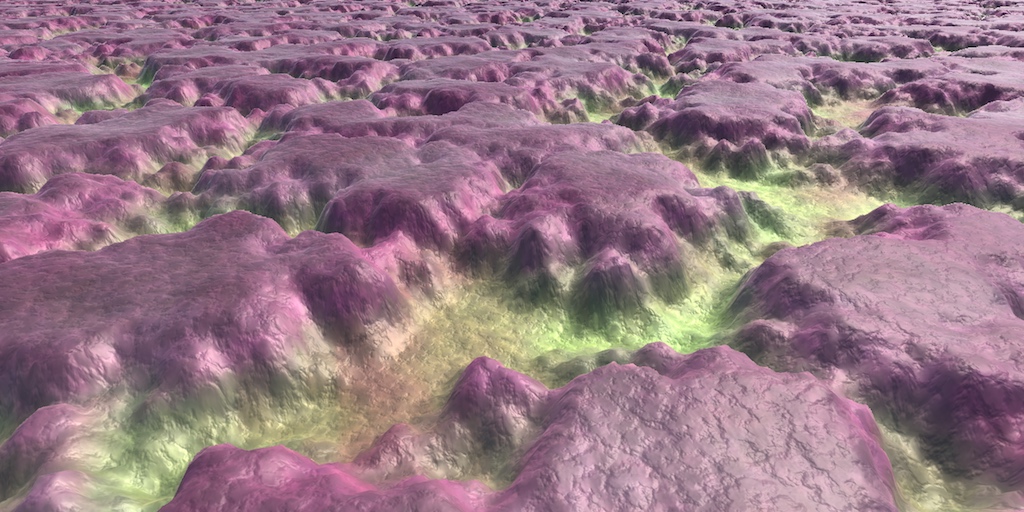
A collection of tutorials that cover how to write your own shaders in Unity.
That and looking at existing shaders once you've got more of an understanding of how it all works.
lusty valve
much appreciated, thanks
 stoic karma
anyone have QuantumShaders
 knotty oxide
Question, im using amplify shaders for some vertex displacement but in vr chat it does not displace at all. is that just not supported?
 elfin sky
does anyone know where I can find a text shader that I can use with an avatar? Something that I can use to write stuff one letter at a time while playing, not something that only does phrases that you write in Unity first.
 steep sinew
yo why the materials grayed out

im tryna change dem shaders
wait i think im doing something
i fixed it
somehow
leaden tartan
steep sinew
yo why the materials grayed out
You'd normally just extract them from the fbx, or replace the materials with your own.
steep sinew
i did make new materials and then put the material images on them
and then used those
and then it wasnt greyed out
leaden tartan
Yes that works. In the future, you can click the fbx, expand it with the little arrow, and then right click the material and extract. Or you can do it from the fbx import screen.
steep sinew
okay, thanks :)
ancient wigeon
is there a shader that could use images with depth maps
spare dagger
okay so basically, I'm trying to make a realistic mirror test model for VRChat that can reflect the avatar's model
like the mirrors
how do I get it to work?
spare dagger
like that
 trim ember
you trying to make a mirror on the floor?
tired cliff
Those are just screen-space reflections. Not the same thing as an actual VRChat mirror.
Idk if it's actually possible to put a mirror on the floor. Even then, probably not a good idea, it'll kill performance way more than screen-space reflections.
 wanton current
Hello, need help with something. I need to do a cut out of a transparent eye shader on a avatar. I'm using blender but Idk how I should do it. Is it by deleting it on blender enough or what I should I do really??
 grim nacelle
Hello everyone. So, I wrote this raymarched primitive shape script from scratch. It intersects with vertex-based meshes in the environment just fine. However, in vrchat, I am getting these weird bars appearing in front. Additionally, my avatar does not seem to mask itself over the shader in any logical way. How should I modify the code so that my avatar properly intersects with the raymarched/signed distance function correctly?


I am not using a node-based editor. I'm writing this in visual studio, so feel free to throw commands/variables at me in that terminology.
It is noteworthy that these draw order conflicts do not appear if I take a screenshot with the in-world camera. I have to take screenshots of the viewport view on my desktop to show what's going on.
Here's a screenshot using the in-game camera, which shows proper draw order behavior. It's just the actual viewport which seems to have everything break down.
 grim nacelle
I tested it out with some free raymarch shaders from github and I found the same issue. I think maybe it's world settings that are messed up, or maybe camera settings? I'm baffled tbh.
grim nacelle
Another (maybe more likely?) possibility is that there is a camera-specific issue which is mucking up how things are layered. I am not sure whether it's the world camera settings I should change to fix that, or whether there are additional, vrchat-specific lines of code that I should add to take into account for the weird avatar camera behavior.
sharp pike
grim nacelle
Another (maybe more likely?) possibility is that there is a camera-specific issu...
Are you using the camera's depth texture for some of this? Since that's not enabled in worlds by default unless the world is using something that needs it, e.g. realtime shadows or depth of field postprocessing (I guess the in-game camera might have it enabled now due to its depth of field effects). For avatar shaders that need to the camera's depth texture to work properly, you can force it to be enabled by adding a directional realtime light with shadows to your avatar. To avoid a performance hit from the light, please use the suggested settings at https://github.com/netri/Neitri-Unity-Shaders/#types

GitHub
Collection of shaders for Unity3D and VRChat. Contribute to netri/Neitri-Unity-Shaders development by creating an account on GitHub.
grim nacelle
sharp pike
Are you using the camera's depth texture for some of this? Since that's not enab...
Yep! I am using the _CameraDepthTexture. That's very interesting! Does the light have to be attached to the avatar itself in order to get it to properly work? The world where I'm testing the shaders has a directional light, which is potentially how I was able to get the shapes to intersect with the avatar properly when taking screenshots using the in-game camera. However, all that messes up when I'm viewing it through my VR Headset. But while I myself see holes in everything, the in-game camera sees the shader working exactly as I'd like to see it work.
Another possibility I've considered doing (but I'm not sure how to do this directly) is to simply render the signed distance function on the viewport itself, and not on the surface of the object I'm picking up. I've seen examples of raymarch shaders which do not seem constrained by the object's bounds. I'm assuming that, somehow, they are writing the pixels directly to the screen without mapping it to the subset of pixels occupied by the object.
sharp pike
grim nacelle
Yep! I am using the _CameraDepthTexture. That's very interesting! Does the light...
Yes, just putting the light somewhere on your avatar will do, it will need to be enabled to force the camera depth texture to be enabled, but if your raymarched stuff is going to be on a toggle on your avatar, you can probably include the light in that toggle.
Another thing to watch out for is if you're using screenspace coordinates, since VRChat's VR rendering is single-pass stereo and thus the 'screen' is twice as wide, Unity has some functions to help with adjusting screenspace coordinates for single-pass stereo, details at https://docs.unity3d.com/2019.4/Documentation/Manual/SinglePassStereoRendering.html
grim nacelle
@sharp pike interesting! this last link you gave might be the key to what is causing the issues I'm seeing. Right now, if I use vrchat in desktop mode, I can see everything just fine, but once I move to the VR headset, then everything gets wonky. I'm guessing that it might indeed have to do with how the stereo rendering is done. I am going to have to see if I'll need to use something like compiler directives to detect.... keeps reading
" #if UNITY_SINGLE_PASS_STEREO"
oh but only if I'm using the surf program. In this case I'm using frag so it looks like I want to have UnityStereoScreenSpaceUVAdjust(). thanks! I'll modify the code and see if this helps 😄
my guess is that the vertical bar I'm seeing in the middle is the result of looking at projected clip space coordinates from the other eye, and both eyes doing this, resulting in a wonky texture map and depth detection
grim nacelle
@sharp pike I applied the "clip space raymarcher" from the example you gave, and it appears that the sphere (which appears normally in the editor window, as well as the VRC Camera) morphs about, and rotates in the opposite direction as my head's Y axis
 grim nacelle
Yeah I'm not sure what's up. somehow, UnityStereoTransformScreenSpaceTex is morphing the object in a way that doesn't jive well with the index headset.
I adjusted other UV things and I'm just not getting the desired results
From what I can tell, the draw order works as intended, but the rays are mapping all weird to the index. it looks like it's somehow... double wide? and I roughly turn 90 degrees from the sphere's proper position and that's about exactly when it enters my index viewport
wanton current
Hello! So I wanted to share something in case it helps anyone. I was uploading a Quest version of this but then I noticed it had a transparency material and it was quite difficult to find a solution. It was just a guess. Otherwise Quest users wouldn't be able to see the eyes, just like my 1.3 hobkin.
It could be helpful because I search everywhere and asked around on servers and found no tutorial on how to remove/fix it on blender and Idk anything about blender and for vroid i would have to export the fbx to vrm with no certainty that it would work. On the transparent material I changed the shader to Vrchat/mobile/particles/multiply and thats what made it work for Quest without importing or using any other external program. Idk if this is just a case by case thing or if it could work on any situation.
 grim nacelle
@sharp pike it looks like the VR test scene from github there also doesn't work. I tried to "Build & Test" and nothing happens. VRChat doesn't load, no errors appear, no build warnings in the builder. Just nothing
sharp pike
I honestly don't know, I've barely done anything with raymarching or screenspace effects, I just know that shaders with screenspace effects commonly need modifications to supporting single-pass stereo.
grim nacelle
I posted the question to the unity shader forums. I think you helped me identify it as being not a VRChat issue but just a VR/stereoscopic issue, which opens it up to unity experts in general. if I get any answers from there, I'll be sure to post them here!
brittle plinth
Looking for some quick info: is it somewhat common for older GPUs to not support switch statements?
I’ve got a shader that uses a texcoord with a switch statement to select which set of material properties to use for parts of a model, but it doesn’t seem to work properly on some people’s systems.
sharp pike
brittle plinth
Looking for some quick info: is it somewhat common for older GPUs to not support...
Possibly some info here: https://docs.microsoft.com/en-us/windows/win32/direct3dhlsl/dx-graphics-hlsl-switch Looks like if the switch is being compiled to a hardware switch or hardware subroutines, then the hardware needs to support Direct3D 10 as a minimum. If that is the issue, I would advise forcing any such switch to be flattened into if statements each with the flatten attribute, unless each switch case is very expensive performance-wise and it would be better to branch (which is usually quite expensive).
I honestly have no idea what the performance of a hardware switch or hardware subroutines are like.

Transfer control to a different statement block within the switch body depending on the value of a selector.
brittle plinth
Interesting. Well, that’s probably what’s causing the issue. As best I can tell the switch isn’t currently causing any serious performance hit, it’s just causing support issues.
brittle plinth
Does VRChat compile shaders on avatar upload, or is that done on the client device?
Wondering if it’s possible to make a compiler directive to use the switch for hardware that supports it, and flatten it to ifs for hardware that doesn’t
sharp pike
I think one of the messages you see during an avatar build is "compiling shader variants" so I would guess they're all compiled on upload/build-and-test. There's #pragma with target or require where you can specify that a shader only works on certain platforms, but I don't know if there's any way to fall back to a version of the shader with less hardware requirements. https://docs.unity3d.com/2019.4/Documentation/Manual/SL-ShaderCompileTargets.html
There seems to be some stuff on compiling shaders with variants for graphics tiers https://docs.unity3d.com/2019.4/Documentation/Manual/SL-ShaderCompilationAPIs.html
https://docs.unity3d.com/2019.4/Documentation/Manual/graphics-tiers.html
 stuck cairn
well I don;t know why Emission on Poyomi Shaders doesn't work for me
grim nacelle
Does anyone here have an example of a raymarched shader that exists in VR that properly sorts draw order that I can examine to determine what functions are being used? So far, I've asked game dev and 3D modeling groups on tgram, the unity forums, an expert on a udemy class I'm taking, twitter, a subreddit on shader programming, and here. I'm surprised at how incredibly elusive this piece of knowledge is.
leaden tartan
grim nacelle
Does anyone here have an example of a raymarched shader that exists in VR **that...
There's quite a few SDFs on Booth. There's also a Ton of examples of SDFs various raymarching methods and converted shader toy raymarched shaders for free hosted in my discord which you can find a link to in my world, adrift.
Pema99 also has a GitHub page with a wiki of more archaic shader knowledge specific to vrc. If you Google "awesome vrchat" there's another GitHub with a ton of links to useful documentation that may be helpful to you.
grim nacelle
leaden tartan
There's quite a few SDFs on Booth. There's also a *Ton* of examples of SDFs vari...
Heyyyy thanks for all these references! I'll go check them out 😄
@leaden tartan I also super dig your use of a remix of carbon based lifeforms supersede 👍
leaden tartan
grim nacelle
<@!485247584907034628> I also super dig your use of a remix of carbon based lif...
CBL is my all time favorite band. There's bout every album on the track list in the world. Glad ya know who they are, you have good taste.
grim nacelle
@leaden tartan absolutely! super great band to listen to.
I have a question: suppose I applied the suggestions offered in https://github.com/pema99/shader-knowledge/blob/main/raymarching.md and, while I applied the code changes, I don't really see how that depth becomes usable data. The shader likewise behaves with completely incorrect draw order. I was hoping to find some self-contained raymarch shader examples from that github page, but maybe I'm looking in the wrong place.

GitHub
Trying to document obscure technical VRChat knowledge - shader-knowledge/raymarching.md at main · pema99/shader-knowledge
Oh, I forgot to ask the question. It's not really a useful question at this point. I'll send a DM to the relevant people
 simple kettle
Hi, I'm trying to write custom avatar shaders, but somehow transparent things are rendered "through" the model? I haven't enabled transparency anywhere, and am even getting the same problem with the default generated "Standard Surface Shader" code and a white texture (the unity standard shader works tho). I've also checked that the normal orientation on the model is correct.
 simple kettle
okay, after a lot of random guessing #pragma surface surf Standard noshadow instead of fullforwardshadows fixed it...
sharp pike
I get the feeling that's just going to hide whatever the real issue is until you find something else that is broken.
 brazen jackal
Unity (2019.4.3.31f1) seems to sometimes mangle the transparent areas (alpha) of textures. It happens with both the standard shader, and with a basic, unlit, vertex shader I made, but not with Particles/Standard Surface, so I'm guessing its something specific to vertex shaders, but I'm not sure. Anyone know what causes it and/or how to fix or work around it?
 tired cliff
brazen jackal
Unity (2019.4.3.31f1) seems to sometimes mangle the transparent areas (alpha) of...
tired cliff
brazen jackal
Unity (2019.4.3.31f1) seems to sometimes mangle the transparent areas (alpha) of...
Is the image imported with transparency enabled in it's import settings? If not that can happen.
It can also be a shader-specific problem too.
brazen jackal
I figured out the issue. I had forgotten to flag transparency with the custom shader I used, and with the standard shader, I had emission enabled, which doesn't mask with alpha, so both were trying to draw transparent areas.
spare dagger
trim ember
you trying to make a mirror on the floor?
I wasn't
I just wanted to know how that was made
 mystic hull
does someone has a shader where the stuff gets invisible with? i want to hide the pants and make toggle skirt . or is there a setting with another shader?
lusty valve
you don't want to use shaders to toggle the visibility of entire objects. just toggle the gameobject or mesh renderer component itself
sharp pike
Using the shaders is fine, it's debatable as to what is best out of hiding game objects/components vs changing material to one without any draw calls. If you really want to be performant, you can use something like SCSS' inventory system, though you would need to do some setup to use it: https://gitlab.com/s-ilent/SCSS/-/wikis/Manual/Inventory-System the wiki also explains how it compares to other common ways of hiding things in toggles.

GitLab
A surface shader for Unity providing cel-shading. (Forward rendering only)
past pewter
What shader is better for particles I want to glow in the dark? Standard or legacy?
like what specific one?
uneven loom
basically anything with a emissive channel work
bitter widget
past pewter
What shader is better for particles I want to glow in the dark? Standard or lega...
Don't use Legacy shaders
 frozen ridge
will all shaders built in unity work well in VRchat or is it a different system from unity's regular shaders?
uneven loom
yeah pretty much any built-in renderer Shader will work on vrchat
glacial abyss
frozen ridge
will all shaders built in unity work well in VRchat or is it a different system ...
as long as they aren't doing insane things. Like no compute shaders, or anything like that.
uneven loom
In computing, a compute kernel is a routine compiled for high throughput accelerators (such as graphics processing units (GPUs), digital signal processors (DSPs) or field-programmable gate arrays (FPGAs)), separate from but used by a main program (typically running on a central processing unit). They are sometimes called compute shaders, sharing...
uneven loom
frozen ridge
wdym compute shaders
basically running arbitrary GPS programs that aren't related to graphics
frozen ridge
Ohhhh
I was worried for a sec lmao
so as long as the graphics are actually being rendered it'll be fine?
uneven loom
frozen ridge
you mean stuff using the node-like shader builder thing?
those should work properly if they output built-in renderer shaders
question what are you trying to accomplish with your Shader
frozen ridge
I'm thinking of making almost like a hologram-like effect with my shader
but because it seeeeems kinda like it'll be hard to tweak using base shaders (if it's even possible to make such a thing using only base shaders) I thought I might as well make my own...
glacial abyss
you should be 100% fine for that sort of thing.
frozen ridge
awesome
this is like my....... my insurance yknow cuz I gotta make sure it has a chance of working before trying
thanks guys :)
uneven loom

GIF https://gyazo.com/7ec9b493135b584439e29b3e272f5d7a The main parameters are located in the row above the texture. 主なパラメータは、テクスチャの上の行に配置されています。 Copyright (c) 2022 MetaMonkeys MIT license https://choosealicense.com/licenses/mit/ 日本語 https://licenses.opensource.jp/MIT/MIT.html
frozen ridge
what
I just said kinda...
brooo what
...
well..... thanks for the link
(for context the bot was berating me for apparently spammming and my spam is my middle name so)
leaden tartan
frozen ridge
(for context the bot was berating me for apparently spammming and my spam is my ...
Poiyomi can also do really good hologram effects. But making your own shit would be much more rewarding of a journey.
frozen ridge
I learned specifically to do this
also btw poiyomi is breaking on me....
Idk if anyone would be willing to help with - but it would be greatly appreciated
great well now I may really have to make my own shader specifically because I'm on a mac and poiyomi apparently doesn't work on that...
welp..... here goes nothing I guess????
waaait I might be an idiot
leaden tartan
Tbh I don't think much of anything with the sdk or unity is guaranteed to work at all on mac
 serene cave
I deleted every unused shader and it says I still have incompatible shaders
Is it because I just need to update Unity?
leaden tartan
Are you uploading a quest world?
If it says there are incompatible shaders you absolutely still have a shader somewhere on something.
serene cave
leaden tartan
Are you uploading a quest world?
Avatar
leaden tartan
Ah well same dif
serene cave
Is VRChat/Mobile/Diffuse not quest-compat?
leaden tartan
It is. Check your disabled meshes, particles, anything that animations toggle, etc.
serene cave
…
I’m still pretty new to Unity-
leaden tartan
You can always use this to scan and determine what materials are being used where. https://assetstore.unity.com/packages/tools/utilities/resource-checker-3224
There are some avatar specific tools as well but I personally like this one since it's simple and effective.

Use the Resource Checker from HandCircus on your next project. Find this utility tool & more on the Unity Asset Store.
uneven loom

GitHub
Unity editor extension to support uploading VRChat avatars for Oculus Quest - GitHub - kurotu/VRCQuestTools: Unity editor extension to support uploading VRChat avatars for Oculus Quest
frozen ridge
the poiyomi shader discord seems dead rn and that is very sad
 jaunty loom
Hey I was wondering if anyone knew of a shader that could basically make a tablet? I'm making a futuristic touch pad/data pad. I know I could just put a material that has scribbles of code on it but I think it would be cool to have something on there I can scroll with or even write on if possible?
frozen ridge
would you guys know if poiyomi can do RGB splitting effects?
and btw sorry but I don't know any shaders that do that but it certainly sounds possible
leaden tartan
frozen ridge
would you guys know if poiyomi can do RGB splitting effects?
Might want to elaborate more. Do you mean RGB masking? Because yes, it can if that's what you mean.
If you mean like a chromatic aberration type effect, then yes, it can do that with poi pro as it's part of grabpass.
If you mean in screenspace, then no. It can't.
leaden tartan
frozen ridge
that's fun
If you want chromatic aberration you need poi pro as it's part of GrabPass.
Tho again, it's not in screen space. If you want a screenspace chromatic aberration you should check out Cancerspace iirc it can do that, tho I forget. It's an awesome free screenspace shader that can do a wide range of effects. Mochi's screen FX X can also do this iirc but is paid.
frozen ridge
damn that's pretty crazy
what's the difference tho between it being in screen space and what I have to assume is world space
I guess one has parallax
Welp that's fun!
rustic umbra
no self advertising here
 near flax
that's probably malware anyway