#shaders
2 messages · Page 16 of 1
 stray badger
 stiff berry
feel free to post it here
 round berry
has anyone done any avatars with advanced shaders?
things like volumetric rendering or SDFs
I feel like advanced shaders could allow for some incredibly low poly counts, if you know what you're doing making fast shaders
what shader language does unity use
stiff berry
hlsl
stiff berry
yes people have, look at the Treehouse in the Shade map
stiff berry

raymarching shaders‚ chill music‚ jetpacks and a video screen‚ by 1001 and SCRN
round berry
it was very pretty :o
...tho I didn't see the jellyfish
I only discover that now on looking at my laptop lol
 hoary lava
does anyone know if cubed's unity shaders are still available? and if so where can i get em. i misplaced em
 tepid bough
Please stop using cubed's toon shader, and consider using a replacement like "Poiyomi's toon shader" or "Silent's cel shading shader"
hoary lava
ok so its outdated. do you have a link to where i can get them?
 halcyon dove

GitHub
A feature rich toon shader for unity and VR Chat. Contribute to poiyomi/PoiyomiToonShader development by creating an account on GitHub.
hoary lava
ty
halcyon dove
oh btw Poiyomi updates his shader about every month or so (sometimes longer) joining his discord will allow you to ask for help with his shader (if you need it), and get announcements for when he updates it.
hoary lava
thats good to hear. will join it just in case
 velvet sorrel
You can find my shader in the pinned messages!
 tired token
Maybe @wild robin should edit that message to remove Cubed from that list. lol
halcyon dove
Yeah he probably should remove that, all the other shaders in that list are good though.
 thorn silo
Hi guys, it seems that VRChat doesn't support Unity 2018's shader graphs, am I correct?
 green river
Because VRChat uses Unity's standard renderer
You can find shaders made with Amplify and use them instead.
thorn silo
Okay thanks, I was asking because I find shader graphs more accessible than using ShaderLab, and also because I'm used to Unreal's shader editor.
 remote bloom
do this and it will fix that shadowy blendshape thing
 timid mist
For some reason when I use the shape keys to add to the gestures my shaders break and I have no clue why. If anyone knows that would be great!
It's only slightly noticable in unity, but in game it's very obivous
tepid bough
what shader are you using?
timid mist
right now toon Flat Lit Toon
tepid bough
That shader is unsupported, please stop using it
tepid bough
are you sure your shapekeys are perfectly fine?
timid mist
yeah in blender they work perfectly without breaking the model
tepid bough
The only difference between pictures i see on materials is your outline disappearing, but that feature is only part of Flat Lit Toon
timid mist
here I'll post a new one with the standard, it's more noticable
before shape key
after shape key
hair is the most notable place
tepid bough
maybe your shapekeys actually move vertices of the hair etc... Because i don't really know other circumstances it could happen in, also what's your avatar import settings in Unity
timid mist
I'll double check in blender
 shut basin
What would the green maps be used for?
 marble tapir
Metallic i think?
 steep swift
@timid mist literally the message before you asked your question is probably the answer https://cdn.discordapp.com/attachments/534472629013315606/708037549788233778/legacyblendshape.png

@timid mist literally the message before you asked your question is probably the answer https://cdn.discordapp.com/attachments/534472629013315606/708037549788233778/legacyblendshape.png
Posted one minute before you asked yours. Usually if it's something about shape keys and weird lighting it is caused by blendshapes
tepid bough
yeah that was the last one i was about to suggest if he's still going to have a problem
steep swift
Legacy blend shape normals
Every model you import into unity 2018 will be broken. Period
That's how bad the defaults are
Legacy blend shape normals
 light urchin
Imagine the earlier Unity 2018 versions that didn't have the option to use legacy 😄
tepid bough
is it something that makes it be default, because i think it doesn't set it that way for me by default?
steep swift
Well somebody kept complaining that their crappy art exported from maya didn't look good in unity. So that's why they changed it in 2018.3 or 2018.4 to fix crappy art from maya
Instead of respecting the normals exported in the mesh
Tangents btw are another thing. Calculate mikktspace sometimes causes weird issues. Usually blender does a good job with tangents so it can be good to set those to import
Models upgraded from unity 2017 will be fine
It only applies to new models freshly imported in 2018
tepid bough
Yeah, i see now, just tested it, cool good to know for a future just in case that it affects it that way too
timid mist
you're joking. Thats so funny, thanks @steep swift I'll give it a try
hahaha
omfg it fixed it
Thank you so MUCH!
 analog dove
Hey, I'm using poiyomi's shaders and have been having some troubles with emissions. To my knowledge, Mask should be white in areas you desire to be affected and black elsewhere. What should the Map be? The ideas I've tried have resulted in cataract-like eyes or weird discoloration
light urchin
Showing what you have now with screenshots would be helpful
analog dove
Unity-wise or vrchat-wise?
light urchin
Unity, with the emission settings and character visible
tepid bough
with emission map just color everything black and cutout parts of black where you want to see emission and leave them default color
light urchin
Don't really even need both in this case
analog dove
Ah, so take the original texture and color everything black where I don't want it to show?
tepid bough
yeah, basically, but yeah 1 is right, since you are using separate material for the eye you don't even need to do mask or an emission it seems like
light urchin
You currently have your map and mask be inverted versions of each other which is gonna be pretty weird
analog dove
The map im using rn is actually just my eye texture. It results in a weird saturation/hue shift in-game
and @tepid bough I want my iris to glow, but not the white of the eye, so I figured i had to use emissions. Do I not?
tepid bough
oh your eyelid and eye is the same mesh and material then i guess, then you might need a mask yeah i think
anyway @analog dove just make an emission map like i said and don't forget to change your emission color to normal
analog dove
@tepid bough "normal" means white?
tepid bough
Yeah
@analog dove Actually, my brain gave a little bit of slowdown there i think, you don't even need a mask, emission map already knows what part you want to affect, and other way too, one of them is enough
analog dove
@tepid bough I deleted the mask as you said, and it still gives the same result, so you were right. However, it still seems extremely saturated in vrchat.
tepid bough
turn down emission strength? and yeah some worlds will make it too strong. Thanks to post processing bloom
analog dove
I may have an incorrect perception of how this is supposed to work, but I'm in a world with a brightness slider, and my eyes definitely do not glow when turning the brightness down. If I turn down emission strength, that'll worsen that problem, ya?
It may be the world's lighting's fault, but just trying to make sure i didn't do something wrong
tepid bough
brightness and bloom are a bit different things but yeah, just experiment with color and slider i would say
if you think problem is with the world try some other worlds with better lighting or the one's you are most likely to visit the most
analog dove
Color should stay greyscale, though, yes?
tepid bough
set it to whatever look best to you honestly
just the emission map part was important to explain tune color and emission strength to your desire
analog dove
Does it really matter? I see that it may have been redundant, but is it problematic beyond that?
Just trying to understand
tepid bough
are you still on about your emission looking overly bright in game?
analog dove
Oh, I was just talking about having a mask and a map both on.
tepid bough
mask is unnecessary, your emission map already tells where emission is supposed to be, you can do that with just a mask too, doesn't really matter which step you go, but it is really unnecessary to put both of them together. At least in this scenario it is.
analog dove
Alrighty, thanks! Guess it's just something I'll have to spend some time playing around with to make it look right. Thanks for the help ❤️
 nimble moat
Is there a place I could go to where I could better understand how to write shaders? I'm not exactly sure what is supported by VRchat and since LWRP isn't supported I'm not sure where to start.
 fathom shale
idk if this is the place but can someone direct me how to get that water that moves if u touch it?
steep swift
It's called SilVR water shader. You can find it in the shaders tab of the Prefabs Spreadsheet linked from pinned messages #world-development @fathom shale
if I recall https://tinyurl.com/vrcprefabs
fathom shale
thank u 🙂
 lapis lintel
has anyone maybe done some atmospheric scattering work within vrchat?
or fog simulation
tired token
technically the default skybox does atmospheric scattering iirc xd
lapis lintel
interesting
is it possible with a very course particle emission?
to kind of fake it
 vale hare
if i have an aoe stencil thing going on, where objects in the stencil are only visible inside the aoe, but one of the objects is below ground level, how can i make it so that ONLY the objects set up within the stencil are visible? aka the floor doesnt show?
steep swift
You render your own skybox material in a large sphere (or just the object you want to show below the world) using ZTest Always and ZWrite On and Stencil Compare Equal.
Most stencil shaders will let you do the ztest option. Do note that this will break depth sorting so good to keep it to simple geometry like a skybox sphere
You'll need to use queues to make sure your stuff below the world renders after this pass, and that this renders after your stencils
 foggy scaffold
Is this I would ask for assistance in how to create night vision
 near flax
 astral plover
anybody know of a censor shader that works in 2018 unity?
previously I'd been using Neitri's
but it looks like it doesn't work in 2018
or rather, it works in Unity but not in Vrchat
preferably with constant relative cell size
 sonic shore
why is standerd lite looks like trash vs toon lite
steep swift
standard lite looks great to me. I've found vrchat mobile toon looks like trash when I've tried it :-p I guess to each their own.
Make sure you have Legacy Blend Shapes checked
But if you really don't want any shading I guess I can see why standard lite would be undesirable
@astral plover The error is due to the use of a UsePass line in the shader to integrate a builtin shadowcaster pass
Remove this bit:
        UsePass "VertexLit/SHADOWCASTER"
    }
}
And replace with
     }
     Fallback "Diffuse"
}
Note the Fallback goes one brace down compared to the UsePass
if you're stuck you can also just remove the UsePass line and don't add the Fallback
since I'm not sure why a censor shader would need a shadow
The UsePass thing actually broke some time in Unity 2017, but it definitely has issues in Unity 2018
a lot of old shaders still have this, including some of snail's shaders
And thanks for asking about it. I wonder how many people just ignore it like "hmm I guess it's just broken" instead of asking if there is a fix
astral plover
@steep swift thanks a ton!!
 brisk junco
i might be on the road to driving myself insane here but has anyone here assigned a second UV map to a model via script so the shader can have kind of a per-vertex data buffer
steep swift
yes, and a third, and a fourth, and a fifth, and a sixth :-p
Unity allows 8 full 4-channel UV coordinates (each one can hav x, y z and w
but...
the FBX importer only supports UV and UV2, and further, it may auto generate lightmap UVs and override UV2
I always use editor scripts to generate the rest
using the mesh.SetUVs(which, someList)
where someList is a List<Vector4> for each vertex
brisk junco
i made the second UV map in blender and i have pretty much no idea how to get this into a format that unity will accept
do i just have to throw it away and start over lmao
steep swift
FBX should allow both uvs
brisk junco
it's a blend file so i can export it to fbx yeah
but if i did that i might need to figure out a way to get a UV map from one model and put it on another one with the same vertex count
sorry if i'm asking in the wrong place
steep swift
click the mesh data (the square grid icon if you exapnd the FBX) and check the bottom right corner of the inspector:
you can see it actually did import 3 uvs
ah ok, you'll probably either want to do that in blender, or you can write an editor script
are you familiar with C# or any programming language?
I can send you some reference code that I use
brisk junco
yeah i know how to use c# i just have no idea whether i have to use some kind of fbx reader or whether unity lets me access the UV map directly
from an already imported fbx
and reference code would be helpful thank you :>
sonic shore
@steep swift
👀
standerd lite has emission so i can make slightly more brighter in dark areas but she looks bad i dont know if there is a way around it
 glass hull
I love that
 lethal rock
@sonic shore most toon shaders should support emissions as well, which one are you using?
sonic shore
@lethal rock the toon lit (vrchat mobile shaders)
As it doesn't change with safety settings
 tribal hare
Hi everyone, i tried to remove backface culling in blender, but it didn't turn right. What i can do about my face mesh turning invisible in unity ?? Thank you much love
 past pewter
Turning off backface culling is just a scene setting in blender, that won't do anything.
If you're having issues with normals you can just use a double sided shader, or in other words a shader that doesn't cull backfaces
steep swift
On mobile, the only option that supports emission is standard lite.
Though you could choose to split the emissive parts into a separate material and use standard lite on that material
sonic shore
hmmm ya good idea or maybe i will find a shader that looks as close to toon lite as possible that lacks shadows too and make her face slightly brighter the goal she gets dimmer with safety thats it like always
past pewter
i have a problem that i thought would be simple for me to solve but for some reason i am completely stumped... does anyone know how to properly calculate a direction between object pos and view pos as a uv? i work with nodes, so if in shader forge or amplify or anything really i can translate it... i just can't seem to figure out the method.
stiff berry
normalize(mul(unity_WorldToObject, _WorldSpaceCameraPos.xyz) - objectPos)
assuming you mean object space view direction
past pewter
i mean behaviour like that of the facing billboard option for particle, the material points where the camera is located, not it's rotation
not for vertex offset though, just want it for uv right now
stiff berry
yeah that will do it although you'll want to use
#if UNITY_SINGLE_PASS_STEREO
    float4 cameraPos = float4((unity_StereoWorldSpaceCameraPos[0] + unity_StereoWorldSpaceCameraPos[1])*0.5, 1);
#else
    float4 cameraPos = float4(_WorldSpaceCameraPos,1);
#endif

normalize(mul(unity_WorldToObject, cameraPos) - objectPos)
so it doesn't point to each eye, instead it points to the center
idk what you mean by uv of a direction though
past pewter
ik vr stereo fixing
stiff berry
a direction is a vector
past pewter
excuse my crude lingo... to describe what i am going for, it's basically like a matcap, but instead of rotating with camera view angle, it only mover to face camera pos (i think mmd spheres use this?)
matcaps behave annoyingly when rotating the camera in place, it looks very off
stiff berry
i don't know quite how to do that but i'd try what xiexe does here
https://github.com/Xiexe/Xiexes-Unity-Shaders/blob/ae6c5a843c7812b9f019fb4ad7dac1a164dc91ce/Main/CGIncludes/XSHelperFunctions.cginc#L149-L155

GitHub
A re-write and restructure of XSToon. . Contribute to Xiexe/Xiexes-Unity-Shaders development by creating an account on GitHub.
not sure if that rotates with your head or not
i don't think it will
past pewter
that's a lot of work for the effect, but seems to be working, tyvm
(oops, meant to correct the .5's for 2)
yep exactly as i was looking for
 torn charm
Hello people. So I'm trying to make an avatar for quest, and whenever I switch to any of the mobile shaders, some of the textures get messed up. I've tried switching build settings, regenerating lighing, and other settings to, and honestly have no idea whats wrong.
 whole bolt
Hey guys, wondering if there's anyone with shader knowledge who can help
I'm trying to create an animation assigned to an emote that shifts the hue of a material
Say there's an emote called "blue" that shifts the hue of the material from the current colour to blue over a 1sec period
Not sure if it's a shader question or not, but I do have some shaders with properties that cause a hue shift, not sure if you can animate shader properties though
 lucid magnet
does anyone know where the psx shader is located?
 torn bluff
where can I find the shader Quantum/Flat Lit Toon/Stars
 paper wharf
hi wondering if this could be answered here since im getting an issue in which the blend shapes alter the lighting on a model im working on and if anyone has had a similar issue.
light urchin
@paper wharf
paper wharf
ty it helped
 torn mesa
guys how do i apply a shader to a specific mesh set like for example the eyes ? when i have a material that had the texture of the entire face, aswell that my head mesh/face is all in 1 mesh and i dont know if i can seperate the parts in blender cause i think it might break my shape keys
 rich lake
You can have a single mesh but two materials (ie one for the eyes and one for the rest) shape keys are unaffected
rich lake
Select the eye vertices in edit mode and assign them to a new material
 civic onyx
ive been struggling to get my model looking right with world lighting enabled in unity, it looks fine when it's disabled
but it goes to this mess when i enable scene lighting, is this going to cause an issue?
i had to export it to blender to get the hands posed correctly (this one in particular is for beat saber, but i need to use these methods for exporting correctly for vrchat as well) and when i reimported it i got this issue. it wasn't like this before i edited it in blender, and i dont think i changed any texture properties in there
torn mesa
@rich lake once i make a new material and select the eye mesh for that metarial do i have to deselect the eyes mesh for the original material ?
rich lake
That's not how it works, you should have one mesh with multiple materials. A vertex can only be assigned to one material.
torn mesa
well you see the problem i have is that the whole face mesh/head is asigned to one material that contains a texture map where it has face and eyes and everything that the head needs. Except for hair ofcourse
or am i missunderstanding what you said i should do ?
rich lake
Kinda, it's fine for two materials to use the same texture. You should duplicate the head material and assign the eyes to that duplicate. Then in unity you can apply a different shader to this duplicate material and it won't effect the stuff you left on the original
torn mesa
so i just select the eyes for each of this new material and its done ? i dont have to deselect them on the first material where the whole face mesh is selected?
rich lake
If you have the eyes selected in edit mode and assign them to a new material they are automatically unassigned from all other materials
 cyan stump
Hi, I have noticed some people running around with a super cool custom name plate (thats i belive is a shader from the avatar) and I was wondering if anybody knows how to get it? is it something I would need to pay for? if so where 🙂 thanks a lot!
 blazing plover
custom nameplates banned :v
cyan stump
oh sh*t really? well f that then xd
rich lake
It's a free shader on mochie's patreon
cyan stump
XDD gotchu, but i mean, its banned so i rather not
rich lake
Not technically banned, TOS is vauge but they mainly just don't want people faking UI (adding a friend icon when there shouldn't be one)
It's a sensitive subject, especially since the devs want to do their own fancy stuff with nameplates
blazing plover
a h .
the vagueness really doesn't help :v
sonic shore
whats gpu instancing in shaders should i use it?
halcyon dove
GPU Instancing will render copies of the same mesh reducing draw calls but for avatars it's not really needed / works.
light urchin
Doesn't really matter for avatars since GPU Instancing doesn't support skinned meshes
halcyon dove
With GPU instancing you could render like 5000 asteroids (or more) without much hit to performance.
halcyon dove
Yeah, for avatars
light urchin
Yeah unless you have some non skinned meshes
But I don't really see almost any case where that would come handy unless you are doing some really weird avatar setups
sonic shore
nothing out of the ordinary
steep swift
In general though, there's almost never a reason not to check the box
Unity knows which cases it works for anyway
But it does nothing on skinned meshes in most cases
Or even all cases
halcyon dove
I wonder what it does for Quest though if anything. As for some reason VRChat recommends turning on GPU instancing for your materials for quest.
steep swift
Nothing different than pc
light urchin
All cases yeah it's even stated in the documentation that skinned meshes aren't supported
steep swift
It's just a weird default that it isn't always checked. If it works for some mesh why not use it
sonic shore
if there is no down effects then yea check it
 jovial mesa
It is marginally slower to have instancing checked on materials that you don't expect to be drawn more than a couple times. Though it's not really something you'd notice usually unless you have something to batch set the flag on all the materials in a complex scene and A-B test it.
Not sure if that's because dynamic batching is faster for small object counts or if having the flag makes Unity do some extra work that goes wasted ¯_(ツ)_/¯
 modest smelt
I've seen so many worlds with really nice VR-friendly water shaders. Where are all of you guys getting them? I can't find any good water shaders anywhere that don't break in VR.
For what it's worth, I'm looking for a VR water shader that can work in single-pass so I can use it for other projects
 brave vault
can anyone tell me what shader this is?
 paper trellis
Trying to figure out how to make my shader not cast shadow.
steep swift
Does turn off Cast Shadows in the mesh settings work?
paper trellis
Doesn’t look like it does
 manic cargo
Hey does anyone know what the shader is that has a light running down peoples hair? Like their hair is brown but they have a pink light go from the roots on the head to the tips at the ends?
steep swift
Sounds like either an emission texture (supported in basically all shaders) or an outline
 ripe raptor
how do i make a fullscreen shader like for example i want to dim everyones light (not giga aids ofc)
brave vault
someone pinged me but I don't see the message 🤔
 knotty zealot
yeah it got deleted because of a keyword the bot didnt like
the shader i think is called the "take on me" shader
sonic shore
what shader can i use to give a glow to my model only in bright areas and still be very dark in dark areas
brisk junco
hey weird question
does anyone have experience with turning off bitclear for an object in unity
i.e. don't clear certain pixels on a screen before redrawing to them
going for like, a camera overexposure type effect
steep swift
@brisk junco There are two types of main camera settings commonly used in worlds...
One type of world has reference camera with Clear Flags set to a solid color.
The other type of world has Clear Flags set to Skybox
When Clear Flags is set to Solid Color, there is no way to prevent the previous frame from being erased. The reason is because ClearRenderTargetView actually is better performance when the whole frame is cleared at once.
As a result, there is no direct method to blend with the previous frame in such worlds. Luckily, these worlds are uncommon.
When Clear Flags is set to Skybox, Unity renders the Skybox after Render Queue 2500, and before Render Queue 2501.
The Skybox is drawn only in places that have not written to the Depth buffer (Z buffer)
So... this is how you do it:
You render a shader that does not draw color (e.g. fully transparent, or using ColorMask 0 or Blend Zero One in the shader). However, you place that shader on a render queue 2500 or less, and you make sure the material has ZWrite On - some transparent shaders turn off ZWrite
This is commonly known as a "Depth Prepass"
Usually Depth Prepasses are only safe to do after the skybox has drawn, as doing one before the skybox is drawn will cause bleeding from the previous frame. However it sounds like this is what you want.
I will explain two other methods to achieve what you want:
- Using the _MainTex exposed by post processing stack, in worlds with post processing enabled. To use this, your shader must not setup _MainTex in the Properties { } block. When you do it this way, the contents of _MainTex will be the result of the last frame rendered.
Second technique:
You can add a shader at maximum render queue which does a GrabPass { "_LastFrameTexture" } and add in a pass that renders nothing, like Pass { ZWrite Off ColorMask 0 }
In the second technique, you will have a texture available on the next frame called _LastFrameTexture which will have the pre-postprocessing copy of the last frame. It should work in all worlds.
Oh, also note: If this is for a world, GrabPass and post processing are not available on quest. So you will need to use a blending technique
@brisk junco Ok sorry for the wall of text, just wanted to be thorough.
TL;DR: Best way to achieve what you want: run a depth prepass on queue 2500 or lower
brisk junco
Oh holy shit thank u
 hasty raven
I'm trying to look for cibbi's toony standard shader. anybody got any links?
hasty raven
oh wait....nvm
hasty raven
I'm trying to see if unity supports shaders that are from other games, specifically the ones from DMC5 games and what not
velvet sorrel
Techniques transfer, raw shaders do not.
hasty raven
Crapbaskets
Fair enough
Question silent?
I want a subsurface scattering shader since I want to practice realism

Like this
hasty raven
anybody got any ideas?
 sharp pike
You mean like https://gitlab.com/s-ilent/standard-subsurface-scattering ?

GitLab
A simple subsurface scattering shader for Unity/VRchat that implements an approximation of a subsurface scattering effect.
hasty raven
let's see if it's updated
hasty raven
it works, a bit
let me show you
one moment
expectations
vs reality
see what I mean?
kinda get what I'm going for here?
hasty raven
also, don't bother trying to do DMC5 Characters in VRchat because their textures are far too advanced for what your shader could be capable of
 frank isle
Does anyone know if there are any shaders out there that mimic the functionality of Unreal 3's material graph? For instance if I had a mask texture where each color was supposed to represent a different texture, I would be able to set which texture each color on the mask displayed.
I'm alright with dropping some money on it if it's on the store. I'd get a lot of use out of it.
hasty raven
I've got the skills wired down, the only issue is how do I transfer the shader that I made into vrchat if I don't know coding?
ignore the pink
just look at the subsurface scattering on the face and you'll see what I mean
 faint fulcrum
By finding out how blenders shader system work, pulling out its source, finding where that BSDF master node is implemented, then translating that into custom shader
And kinda but not really a joke, youd need to find how its implemented to replicate
So that or find an alternative already made for unity
and your 'expectations' vs reality is not really correct as you did not replicate the same lighting conditions in unity
first youd need to reduce ambient light as by defaults its bright and comes from skybox, then use "tint scattering by albedo" instead of the specified brown color (that and too strong intensity is why the ear looks bad)
hasty raven
oh, I see your point
if anything more, I didn't want to replicate the lighting effect for unity, I actually wanted to compare the two instead of making it look like a copy
hasty raven
Sounds difficult
 unique kite
Can anyone provide/point to a shader that projects decals on to an avatar? Have seen avatars with blood effects that others can see on their hands, if within the particle area. It seems like so many people have it, but I can not for the life of me, find the asset.
steep swift
I know about this concept, basically using the camera depth texture to resolve world position, then using triplanar mapping to paint a pattern:
https://github.com/netri/Neitri-Unity-Shaders/blob/master/World Triplanar Mapped.shader
GitHub
Collection of shaders for Unity3D and VRChat. Contribute to netri/Neitri-Unity-Shaders development by creating an account on GitHub.
though I'm not sure it's particularly designed for particles, because you would probably want it to sample the texture relative to the particle sample, such as in a decal shader
near flax
iirc error.mdl made an asset like that
astral plover
I think retrogeo (Rero) has one on his patreon
 subtle timber
I've seen a lot of people using Poiyomi recently for effects I didn't know it was capable of (like glitter). Is there an explanation of everything it's capable of somewhere?
I would love to get more familiar with it
 astral hamlet
poiyomi has YouTube channel where most effects have tut's
 jade oriole
Get the shader, click the 'tutorial' on everything in it, teaches you what it can do, otherwise there is the link https://trello.com/b/TJPY6n08/poiyomi-shaders for patch notes
Organize anything, together. Trello is a collaboration tool that organizes your projects into boards. In one glance, know what's being worked on, who's working on what, and where something is in a process.
subtle timber
thanks both!
 lavish flint
So, I'm attempting to put a broken avatar back together and my project appears to be missing one of the shaders and I can't really recreate this without it, nor do I have the knowhow to recreate the effect. It says something to the effect of ParticlesAnim Additive. What is this and how do I fix it?
There's also an error I am unsure of how to fix because I am clearly the smart and absolutely, 100% not hungover af. All help appreciated greatly <3
light urchin
What you have done there you downloaded a whole another unity project which you jammed inside your own unity project, on github almost never use the "Clone or download" button because that is not the way you are supposed to download stuff off of github because like in this case it included assets that are broken in the current unity
If you really need those hologram shaders just download the shader files off the repository and delete that HologramShader-master folder
lavish flint
Fair enough. The model was given to me, though.
I can't really download it from another location
light urchin
Well then what I said applies to the person who made the project for you
If you aren't properly sure what to do just delete the post processing folder indicated in that error
lavish flint
Mm. guess I'll try to just correct the shaders and materials as best I can and hand it back to let someone else do the particles, as that is mostly untouched territory for me
past pewter
does anyone have a glowing red shader that has lots of bloom
 shadow river
anybody have a UV scrolling shader with light bake support?? idk if this is possible
lol
steep swift
UV scrolling can be done using an animation
If you hit record it's the 2x2 grid of boxes next to the texture picker
Or in the animation you do Add Property -> Body -> MeshRenderer -> Material._MainTex_ST
First two are scale; second two are offset. So you'd animate the offset ones for a horizontal or vertical scroll
That said, it is possible to modify standard to support uv scroll without too much work
 true kernel
so whats the best modern equivalent of cubed shaders now? i just want to know what shaders there are the has the same features.
past pewter
what's the shader that gives the model a thick outline?
steep swift
https://github.com/s-ilent/Cubeds-Unity-Shaders @true kernel
GitHub
A compilation of custom shaders for Unity3D. Contribute to s-ilent/Cubeds-Unity-Shaders development by creating an account on GitHub.
That version has been updated and fixed by Silent
However... I would suggest venturing out into other shaders
true kernel
Oh really? Cool
I really just wanted a toon shader with an outline and cubed was all I knew about.
steep swift
There are tons of other fun shaders out there: Xiexe, Silent's cel shading shader, synergiance etc
 stuck crystal
hello, anyone know where to get this shader? https://twitter.com/rangerxjustice/status/1184159855046811649

#vrchat So I found a comfy soft bread world and now I know my purpose is to get the comfiest bed in the world into vrchat. Stay tuned.

 Twitter


I really love this comfy soft thing XP
true kernel
Is it a shader? Didn't even know you could do things like that with a shader
sharp pike
Shader + camera with depth texture afaik
stuck crystal
oh~ thx
steep swift
@stuck crystal @true kernel https://github.com/netri/Neitri-Unity-Shaders/blob/master/Contact Deformation.shader good starting point
GitHub
Collection of shaders for Unity3D and VRChat. Contribute to netri/Neitri-Unity-Shaders development by creating an account on GitHub.
true kernel
oh thanks, i already found something else that worked good for me
steep swift
Neitri is amazing and has made tons of wonderful reference code available to the VRC community for free
true kernel
i used poiyomi or whatever for my super meat boy thats in vrchat-pictures
stuck crystal
ugh, that's a bit complicated, I wish I could bought that bed somewhere
 digital wigeon
I was trying to write a custom shader using graph shader nodes but when I compile it, it would show the pink color. HELP!
plz
light urchin
The Unity Shader Graph isn't supported by the render pipeline that VRChat is using you won't be able to use it with VRChat
 hollow plover
hey! how do people make the look at camara shader, or is it a particle emitted once with infinite life?
stiff berry
It's called a billboard shader. I've got a version that stays upright only on github here https://github.com/Toocanzs/Vertical-Billboard
GitHub
A vertical billboard shader for Unity. Contribute to Toocanzs/Vertical-Billboard development by creating an account on GitHub.
maybe that's useful to you, otherwise look for a billboard shader
there's also this https://en.wikibooks.org/wiki/Cg_Programming/Unity/Billboards
unsure if that works correctly in VR
hollow plover
ohhh okok! thank you!
sonic shore
Avatar looks dim on normal lighting
but good on dark scenes
any good shader to make it slightly brighter but still respect world lighting and be dark in dark scenes preferably with no shadows
 solid valley
Does anyone have that one shader/particle where you can have a collar on an avatar, and someone wearing a different avatar can toggle a leash on, and the leash is in one avatars hand and connected to the other avatar's neck and it follows it, if not, is anyone capable of making something similar or knows where to start to do something like that? I’ve seen this done twice so I know it’s possible. :0
jade oriole
Some guy on twitter will give you that shader if you ask him , its the same one used in "Collar and lead (首輪とリード) " world (might find his twitter link there) ,it will instantly make your avatar very poor cause of the big boundary though, i forgot the url and cant really open my unity right now to figure out the name
steep swift
JackyGun's shader can be found here: https://github.com/konchannyan/LeadShader
GitHub
Contribute to konchannyan/LeadShader development by creating an account on GitHub.
It's actually really clever: it uses the object array exposed to GPU instancing to provide the effect
I've not seen anyone else make use of instancing in this way
solid valley
thank you guys so much!!! 💖💖
yuh, it is super cool! I don’t think I’ve seen a lot of avatars that can interact much as well. I also really like the hand-holding shader
steep swift
Well... a word of warning for stuff like this
Basically instancing will only work if the avatars are the same reference
So they would literally need to be clones
solid valley
Aah, really? I saw two totally different models that used it
it was a wolfboy and an elf girl
steep swift
handholding works using point lights. The models you saw may have been using lights
solid valley
ooh i meant the leash
steep swift
The other approach is using a pixel on the screen and using GrabPass to check it
jade oriole
shader number (?forgot the name) must be the same so it only work with the one thats similar
steep swift
that might be a different shader than what I linked
solid valley
Aah yeah, it must be, the one I saw, one avatar could trigger it on with a gesture, and the other one had the collar, and a chain would appear
jade oriole
one i used have a prefab so you can see how to set it up with any object to another object but they must share the same key id
solid valley
but the chain had a set # of chains so it would just stretch the space between them when you move
jade oriole
can be toggled with gestures/inventory system
solid valley
ooo
Do you think you could let me know the shader you were talking about if you ever have a chance, Thulen?
the one from twitter
jade oriole
https://twitter.com/konchannyan somewhere

【ふぁぼ・無言ふぉろー失礼します!邪気眼流無邪気ついーとにご用心】 なろうで書いたり、絵描いたり、プログラム書いたり VRChat:JackyGun 白猫テニス wot 高専プロコン勢 Unity GPGPU LBM DirectX(HLSL) C++ C# 自称Shader屋 「人を笑顔にする。そんな人になりたい」
Tweets
33592
Followers
2257
Twitter
solid valley
thank you!!
steep swift
Hmm it is meant for avatars


「Lead Shader」 原理解説
~ 他のアバターの座標を取るシェーダー ~
Unityの挙動を完全に把握しているわけではないので、
確認できた挙動から可能な限りUnityの実装を推測しました。
その挙動を用い、#LeadShader を実装しています。
#VRChat #VRC #Shader https://t.co/cHRjzroUiO
Likes
134
Twitter
This is the explanation thread
@solid valley same person who made the github repo I linked
I really need to dig into how this works across avatars. I don't see how they can be sharing references like this
I do think it should work if they are clones of the same avatar
jade oriole
Think thats the twitter i got it from, i have tested it with different avatars dont need to be clones, just need the shader with same id number to match up, cant open unity since im doing a big backup of it and its gonna take awhile
solid valley
I’m gonna see if I can mess around with it and get anything to work! Thank you so much to both of you 💖💖
steep swift
OMG that's crazy
how did I never read this thread before
(google translate)
⑤ Get the mesh coordinates of another person's avatar
Even with the same Mesh and Material, it was not possible to 1DrawCall with GPU Instancing with other avatars.But experience something very interesting.
"I can get the coordinates of other Mesh's different Material"
So basically, the gpu instancing array is preserved across drawcalls, and only overwritten when more instances are used
what worries me is this something the Unity engine could change at any time
and this was all developed for Unity 2017. not sure if this has been tested in 2018
solid valley
I hope it still works, I know the avatars that were using a lead got taken down from the world but I'm unsure if the reason they weren't working anymore is because of unity or because of the creator
steep swift
oh, I didn't know there was a world with them
jade oriole
Not sure havnt used it in awhile
steep swift
that said, you can use a similar technique with point lights. that still works in unity 2018: lighting information from vertex passes persists from the previous drawcall. Additionally, you can use vertex lights which is what we did for the handholding shader
solid valley
I will look into that if this doesn't work! :>
 wet burrow
when ever i use the poiyomi shader it doesn't do the face or the hands or the shirts I'm really confused
jade oriole
if they are older materials chanded to poi, you might need to change the cutout slider abit to make it show, but i recommend just making new material ,switch to poi then drag texture over to it, older material can be really bright for some reason
past pewter
can anyone send me some cool shaders that like cahnge colors
 heady lintel
Would anyone know where I can find a rainy window shader?
 haughty raptor
is there a shader that can like.. make textures into shadows?
 round inlet
Does anyone know of a shader that replicates the effects like the edge of this robot's sword? It's kind of like a long camera exposure effect. Please ping me if there is a response to this thanks :)
round inlet
here's a clearer image of how it looks. anyone got any sources on if this shader exists somewhere?
astral plover
@round inlet I've been looking for a similar shader for ages with no such luck. I think that sword effect could be done using a particle system and mesh particles though
round inlet
I'm currently figuring out shadergraph in attempts to try and replicate this shader myself. I'll keep you updated on my progress lol
round inlet
So I can't import the shader into a unity project with a differnt render pipeline and have it work?
astral plover
As far as I know, no
Maybe somebody else that knows more than me can confirm
I think vrchat uses forward rendering and shader graph uses defferred
round inlet
I'll need to find some other pre-existing setup then... I can't code for shit lol
steep swift
Amplify is the best graph based shader editor which works in VRChat but it isn't free sadly
I will say It is better than shader graph even in cases where you can use it
If you want free you can try Shader Forge. You need to comment out some lines dealing with substance materials (procedural material) to get it to run in unity 2018 though
round inlet
I don't even know if that'll be needed, if I can find a simple displacement shader to use
 broken token
round inlet
broken token
round inlet
@astral plover I was able to replicate the look entirely with particle effects c:
I'm not sure if it works with skinned mesh renderers but we're about to find out
 next meteor
HELP! the textures on this model are messing up, The model only lets me high light the entire head and the entire chest. Blender shows that the textures are all in place. Please help or give tips, this is my first time doing this
 muted osprey
Hey guys, I've got a weird issue I can't quite diagnose that might have to do with shaders, but I'm really not sure. I got a model that changes lighting whenever it talks, which I would normally just dismiss as the avatar being a little scuffed, but the lighting change gives my avatar light nipples, so I can't go around using it. Could this be caused by a material atlas? Or maybe some weird shading issue in unity?
As another point of reference, I haven't changed anything about the shaders between cats/blender and unity. They're all unity standard shaders with the single atlas material applied externally from assets
true kernel
try going into your model file and click legacy blend shape normals
wish unity didnt break blend shapes, seems like everyone has problems with this
muted osprey
Will that carry over to the prefab instance I've already configured?
true kernel
yeah it should
muted osprey
Perfect, that worked. Thanks!
true kernel
No problem
past pewter
im looking for some good realistic water, does anyone know where i can found it? or u can give me the link🥺
steep swift
@past pewter https://tinyurl.com/vrcprefabs there are two really good ones: Silent's clear water and RED_SIM
past pewter
ok thank u
hasty raven
oops I realized I posted in the wrong channel
it's silent's subsurface scattering shader, actually
past pewter
Note: Why are you on that version of unity?
hasty raven
because I want to see if the results are different
plus it's also the latest version that I like
past pewter
As long as you aren't trying to upload an avatar from it, it's fine I guess
hasty raven
I'm not planning on making it an avatar for 2 years
past pewter
I've been seeing this shader that makes materials look like latex
Does anyone know this shader?
past pewter
Hello, I have downloaded the Silent Water shader. I have applied it, but this custom hologram shader is not refracting at all unlike everything behind the water. I do not not why, but I think it is something related to the code of the hologram shader. Can someone help me? Thank you a lot
steep swift
@past pewter hi, so the problem you're running into is the classic transparency sorting issue, which can affect any two transparent shaders in front of each other.
Render order is controlled by the Render Queue of the object.
Generally, for transparent objects, unity sorts by distance and does the furthest away one first (opposite of opaque objects)
So the issue here is it's rendering the hologram after the water, so it doesn't get refracted.
My suggestion is to find the hologram material, and change the Render Queue setting to something less than the water. Usually it would be originally 3000 so maybe make it something like 2990
You're allowed to use anything 2501 or higher for transparent objects, but most things are around the default transparent queue of 3000
past pewter
@steep swift Thank you, I've changed the value to 0 (it was on -1) and everything looks fine!
steep swift
@past pewter don't do that
Make sure to use a number above 2501 . That's why I suggested 2990
-1 just means "From Shader" which is generally transparent (3000)
past pewter
@steep swift The thing is most of my materials are set to this value for some reason that I ignore. Should I get through all of them and set the value higher?
Ok i've done what you did and it's working even better. Thank you!
steep swift
-1 is ok . That special number just tells unity to use the default value which is usually what you want
0 is weird because it will render before the skybox and using anything other than the default can affect sort order which could cause things to render a bit less efficiently
past pewter
Oh yeah, it's weird and that's definitively not what I want lol. Thank you for telling me
 wicked shale
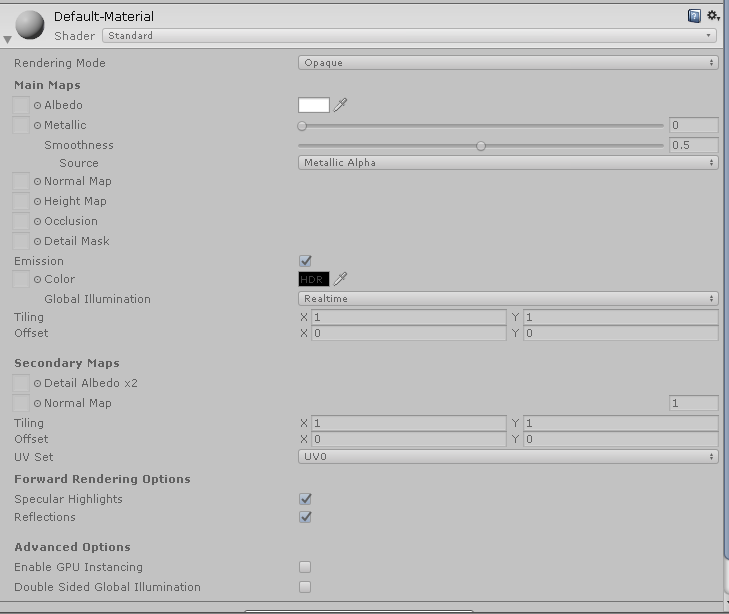
Yo guys i wanna try my first Avatar with effect etc but i have this Problem:
https://prnt.sc/sm2wym
 lethal rock
Use the materials tab on the fbx and hit extract
 rose solar
near flax
rose solar
near flax
yes
 wanton yew
Trying to light a room is hard as fk
 hollow crescent
speaking of lighting, how do I light up my Unity scene so the model in my avatar thumbnail is properly lit?
I have lighting/shadow settings enabled on my model's shader but it doesn't look good on the thumbnail preview when I'm about to publish
 sly schooner
I was wondering. What would be necessary for a shader to render a material invisible when it's blocked with safety settings?
 warm bronze
sonic shore
warm bronze
sonic shore
Amazing
muted osprey
There's no way to force a shader to render past safety settings as far as I know
steep swift
@hollow crescent During upload, find the VRCCam, and tick the box for Allow HDR.
If you want a good quality image, you will likely also wish to use post processing. (See pins in #world-development ) To do this, define a global Post Processing Volume object in the scene on some layer as described in Silent's Post Processing Tutorial before upload. Then, during upload, add a Post Processing Layer component to the VRCCam and specify the layer your Post Processing Volume component is on.
@sly schooner only known way is to force a fallback to Cutout, using _ALPHATEST_ON keyword or something else, and use a fully transparent texture in the albedo slot.
If your model requires a texture for other reasons, copy paste the _MainTex texture slot as _MainTex2, and then add the following right after SubShader {:
CGINCLUDE
#define _MainTex _MainTex2
#define sampler_MainTex sampler_MainTex2
#define _MainTex_ST _MainTex2_ST
#define _MainTex_TexelSize _MainTex2_TexelSize
ENDCG
The last 3 might not be necessary but depends on how the shader samples textures
so then your _MainTex is the 1x1 transparent png, and your _MainTex2 has your actual texture in it
hollow crescent
thanks for the response, but that seems overly complicated at the moment
instead, I just changed the environment lighting source to color in windows>rendering>lighting settings
sly schooner
@steep swift If it has no albedo slot? All it requires is a noise texture and a color.
So would it be simple to add the keyword?
steep swift
In debug inspector add that
Make the name include the words Toon Cutout might also help
You will still need to add the _MainTex into properties and give it a transparent texture
_Color is also required but doesn't matter what you put in there
sly schooner
@steep swift It works, thank you!
Renamed it, changed renderqueue, added maintex, made 1x1 transparent png.
Tested with a friend. works. \o/
 timid crag
@past pewter send it to animation group , there they have more experience about it
past pewter
Ok
 sweet root
is amplify shader editor the go-to for graph based shaders in vrchat?
brisk junco
does anyone kno how vrchat chooses fallback shaders when someone has shaders turned off
brisk junco
if it were possible to see in unity what i look like with shaders off thatd be perfect
sonic shore
The standard and vrchat mobile shaders tend to be the fall back ones
true kernel
i wish it would also fall back to cutout aswell, makes hair look total garbagio
brisk junco
Can you choose a fallback albedo image or does it choose one from the shader ur using
 wary junco
I'm having an issue with most of the VRChat mobile shaders (Except Mobile/Lightmap), they all make some parts of my model turn solid black. All other shaders work fine, including standard.
Can't pinpoint what's causing it
texture is solid no transparency
Standard
VRChat/Mobile/Standard Lite
sharp pike
Check for vertex colours on your model, a bunch of the mobile shaders multiply by the vertex colours.
wary junco
Bam, that was it. thanks fixed
 dry basin
Anyone know a really good fur shader
sly schooner
@brisk junco @true kernel https://docs.vrchat.com/docs/shader-fallback-system
VRChat
This page serves as a description of the Shader Blocking System, how it operates, and how shader authors can work with it so that their shader falls back gracefully when a user has Shaders blocked on an avatar using a given shader. When a shader is blocked by the Safety System...
It wasn't hard to edit one to fallback the way you want.
tired token
It's not hard, just annoying.
dry basin
I tried to use that once but I wasn't really sure how it works
sharp pike
If only I'd discovered _LightShadowData.r (1 - shadow strength) earlier, I wonder why _LightShadowData isn't documented.
past pewter
anyone knows why my noenoe shaders are black and white? it wasnt like this before
steep swift
Noenoe and Cubed are not actively maintained toon shaders. I would suggest trying a modern equivalent
@past pewter If you want to continue using NoeNoe, you can use this version maintained by @Rokk :
https://github.com/HugoZink/NoeNoeShaderEdits
GitHub
Contribute to HugoZink/NoeNoeShaderEdits development by creating an account on GitHub.
but i would encourage you to try out some new shaders
 thorn moon
I'm using a simple liquid shader that looks right in Unity, but in VRChat comes out overlaid on the glass bottle it's in. This is it in-game. (The label's a separate material).
Wait, nevermind; NOW it's decided to break in Unity too so I can at least try and troubleshoot the damn thing.
steep swift
@thorn moon it may be that both materials are transparent. If so, you may wish to override the rendering order so that the glass renders after the liquid. For example, you can change the liquid to 2999 or you could make glass 3001 in the render queue box.
Do note that this can have other consequences with transparency sorting if you have other transparent objects or avatars in your world
There is no perfect solution to transparency sorting
The inconsistency could also be related to batching or instancing
Another thought: your liquid looks opaque. Maybe the shader or material should simply be set to opaque
past pewter
i need a shader to replce my gem shaders cause they not workin in vrchat
past pewter
Does VRChat support Displacement or Fur?
How would you approach doing a furry/fuzzy creature?
wary junco
What is unity’s normalmap channels, red light from the left, green light from the top?
 lucid spindle
wary junco
lucid spindle
wary junco
Thank you.
 hollow flint
So I'm trying to make it so part of a mesh is transparent. I'm not at all familiar with unity shaders but can work with blender nodes no problem, can someone point me in the right direction where to start learning
steep swift
Is the part you want transparent a separate material?
Is there anything special you need? The Standard shader has a dropdown where you can select Transparent. You shouldn't need a custom shader for this
frank isle
Does anyone know of any shaders that can be used to fade between two different textures with a set amount of time? The purpose for it would be for a big screen on the side of a building that is used to display two different ads. This one in particular.
Basically just a shader to fade between two different textures on a timer
 potent depot
You can do an animation to change the textures on a timer
jade oriole
used 'Flipbook Surface Shader' shader for that awhile ago , put a bunch of images into one like a sprite sheet then set a timer to when it should be switched to next
wary junco
Unity actually has a fade shader where you can blend it transparency on a sliders you c can just animate that material parameter
Then it will fade to what is behind it
steep swift
I made one a couple weeks to dissolve between textures on this wonderful free NekoMaid model [ https://sonovr.booth.pm/items/1843582 ] using a mask so each part of the model can dissolve differently. I'll try and polish that up. I promised someone else I would and then forgot

OculusQuest VRChat対応 3Dモデルです。 ポリゴン数5000ポリ 1つのマテリアル 同モデルを使用した場合 20人程度集まっても快適に動作します。 簡単な導入動画や改変サポートサービスとも連携しているので 初心者の方も安心です。 【サポートサービス】 https://mobile.twitter.com/ekurivr/status/1164850570609324032
frank isle
That sounds awesome, looking forward to seeing it finished! Does it support emmissives? Lemme know when it's ready if its not a hassle. I don't need it immediately, but I'd like to have it for whenever this district goes public which will be a while. Thanks for the other suggestions too!
wary junco
Is VRChat/Mobile/ToonLit always flat shaded? No light direction at all?
 fleet nebula
ok so how does one fix this outline

becuz it shows up on the surface of objucts and im trying to mask things but i cant do that if im going to have the edge showing id make larger texture by a few pixels but then thats another texture sample i shouldnt have to use
this is amplify btw
 drowsy cave
Does anyone know a good free fur shader?
So far, all of the ones I've tried are broken or just flat.
hollow flint
So im running into the issue where a part of the model that i want as transparent, isn't there at all in cutout mode
https://cdn.discordapp.com/attachments/459126674718720012/715718642624626728/unknown.png Blender
https://puu.sh/FQ3rI/0ee4888aaa.png Unity

 steep swift
Have you tried changing the cutoff slider? The default is usually 0.5 but maybe your texture needs less
The other thing is to check if your "alpha is transparent " import setting affects it
hollow flint
Cutoff doesn't change anything unless it's at 0
.01-1 is no different, 0 is nothing
velvet sorrel
@fleet nebula Try making the mask linear/non-sRGB in import settings
 midnight scaffold
steep swift
midnight scaffold
steep swift
For a world? Or avatar?
In worlds, unity fog is actually quite nice, even if simple
Very performance efficient
 near flax
linear means to uncheck sRGB
when it's checked it's in gamma color space
unchecked is linear color space
fleet nebula
didnt fix it
im sure the fix to it is less complex then this but there a way to rescale the texture with nodes
 cunning aspen
Does anyone have a list of toon shaders that work with VRChat?
wary junco
All custom shaders should work... I usually just stick with the official unity toon/lit
muted osprey
Hey guys, I've got a couple weird problems between blender and unity. First is that there may be some sort of alpha mask on my avatar's hair in blender that makes the tips transparent, but none of that transfers over to unity in any of the standard shaders and I'm not sure how to replicate it.
Second, press F for how Miku's poor face turned out here
Please help 🙂
steep swift
can you show the material settings
muted osprey
blender or unity?
muted osprey
This might also be an important detail, but all of the textures in blender has transparency turned on even if they were at 100% alpha
It looks like the face blends better with transparent rendering mode, but then unity can't figure out what order to render things
Also can you explain what you mean by "set wrong"? I'll show you my hair material for reference, I'll change it to transparent for the sake of consistency with how it uploaded, but in that mode it's all at least a little transparent, which isn't right either (it's supposed to be opaque everywhere except for the tips)
Might be worth nothing that dark swatch is likely the tip, maybe some sort of alpha mask. I didn't see any sort of alpha mask in blender though
 main cairn
Try fade instead of transparent
And on the image settings enable "alpha is transparency"
lethal rock
@muted osprey use a toon shader, enable backface culling, set the hair material to transparent, leave the face and body opaque
I’ve worked with the LAT models before, my toon shader supports them quite nicely
muted osprey
Toon shaders did the trick. Also Alpha is Transparency, I keep forgetting texture files also have useful settings in Unity 😂 thanks guys
 formal scroll
who here has a shader that is image scrolling textue thingy
https://gyazo.com/c3ea962e263ec8fb7737f718295b17b4 like this thing i found on reddit

but it panning itself manually
blazing plover
mind sharing? 👀
formal scroll
@blazing plover it’s the noenoe shader, you can find a tutorial on how to use it when you search it up (and a download)
blazing plover
coolio, thank u
fleet nebula
@velvet sorrel @near flax i found out what it was

So you’ve just started your first pixel art game, retro style 8 or 16bit project, or maybe even 3d game with low-res pixel textures. You import the artwork into unity and... "Wait a second, all my beautiful pixel art looks blurry! Where are those nice big chunky pixels I had i...
muted osprey
Anyone know of a decent skybox shader that also has an outline?
muted osprey
Nevermind, I just added an outline to Noenoe's skybox shader
brisk junco
do vrc worlds actually like
use fog
trying to figure out if fog is something i should actually support if i make an eye shader or w/e
 carmine crest
out of curiosity, is using RT cores in vrc shaders possible? I've only looked into it a bit, but I'd be curious why or why not.
halcyon dove
Unless VRChat inexplicably updates the API used from DX11 to DX12 or Vulkan then probably not, at least for RT cores being utilized.
steep swift
@fleet nebula That Video doesn't have the best fix. It will cause aliasing artifacts in VR that look bad. You should be using bilinear filtering but change Silent's shader to pixel mode, which will just antialias the 1 pixel line between texture pixels while preserving the original intent of the texture.
The VRMC world uses this technique for block textures
fleet nebula
@steep swift well im making a shader and i came across this problem. but i see that changing the filter mode like this actually makes things pixelly. trying to use some one elses shader doesn't really do much for me
steep swift
@fleet nebula you're free to integrate the pixelation algorithm into any shader.
You can find reference code here: https://gist.github.com/lyuma/18bf52da92428340bab524a025b24101

I added support for that in a project I worked on here: https://github.com/lyuma/Unity-MSDF-Fonts/blob/font-mesh-generator/Lyuma/FontMeshGen/Shaders/FontMeshMSDFText.shader
sampler2D _MainTex;
float4 _MainTex_TexelSize;
float _DisablePixelation;
...
float4 frag(v2f IN) : SV_Target {
    float2 texcoord = IN.texcoord;
    float2 coord = texcoord * _MainTex_TexelSize.zw;
    float2 fr = frac(coord + 0.5);
    float2 size = max(abs(ddx(coord)), abs(ddy(coord)));
    float2 delta = smoothstep((1-size)*0.5, (1+size)*0.5, fr)-fr;
    float2 sampleuv = lerp(texcoord+delta*_MainTex_TexelSize.xy, texcoord, _DisablePixelation);
    float4 color = tex2D(_MainTex, sampleuv);
...

GitHub
Basic tool to convert Unity fonts to use Multichannel Signed Distance Field fonts - lyuma/Unity-MSDF-Fonts
Special credit to lox9973, Merlin and many others.
fleet nebula
I mean thanks for posting that but since i only know how to use nodes all of that text is sort of useless to me nore do i know how to translate that into nodes but i am greatfull that you shared it @steep swift unless you know some thing that will help with being able to translate that
 wise scarab
So I had this avatar made for me and I want to customize it a little. But the way it was made is it’s in 2 parts, which are shown in the picture. Does anyone know how I can separate the boots and the sigil on his waste and hopefully the eyes so I can put different shaders on them?
wise scarab
Thanks. Any idea how to do that in blender?
true kernel
select the parts in blender, you might be able to just select the parts with "L" or just select the parts manually. then assign that to a new material, then just reimport in unity.
wise scarab
hm seems to be selecting only the 2 parts
true kernel
then i guess it will take some more manual work, you can switch to faces and start selecting the parts you need
wise scarab
hm ok ill mess with it. thank you so much!
 proven flare
Is that the new series Diamond Head?
wise scarab
it is but i have a custom skin that looks like Omniverse as well. love it
 coarse kayak
Any shaders that allow for multiple textures? Trying to make a slideshow in my world and VRC_Slideshow doesn't work
steep swift
Easiest: You can literally use an image sprite. For example if you drag in an animated gif, unity will set it up for you with an animation that swaps frames.
Otherwise, I'd recommend using a Texture2DArray and a shader that supports array spritesheets. Poiyomi's toon shader supports such animations and also includes a tool to generate them. Not sure if a simpler but easily downloadable shader exists
If you want to implement it yourself, you declare a property of type 2DArray
In the shader, you'll need to use a Texture2DArray object. read this for more info: https://docs.unity3d.com/Manual/SL-TextureArrays.html

@coarse kayak
coarse kayak
ty ikll try it out
muted osprey
Strange issue with my avatar hair, it only renders from the inside. Toon shaders seem to work, but according to the poiyomi shader the entire outside is the outline, and none of the polys are connected. Will that create issues with how others see my avatar with shaders off?
steep swift
yes... fallback system is very inflexible. My guess is the hair has flipped normals. I'd try a shader without outline just to double check as outlines can make things confusing to debug with backface/frontface issues
in blender, you can try selecting the hair and flip normals
muted osprey
For reference, this is what happens when I set outline width > 0 in poiyomi's simple cutout shader
steep swift
that sounds like a normals issue
outline is very dependent on normals. do you absolutely need to have an outline on your hair??
what happens if you don't use an outline shader
muted osprey
It was less of an outline issue and more like I needed an outline on that shader because it though that was the outline 😂 I flipped the normals, let's see how it looks
Like 90% good but now it considers several opposite facing polys the outline. I'm not planning to use an outline but at least the important part of the hair renders on its own now
steep swift
yeah, often hair is intended to be rendered with a double sided shader
you can set this by finding the "Cull" or "Culling Mode" setting of your shader, and changing it to Off
the default Cull mode is Back, which renders just the backface
you could have changed that to Front without flipping normals in blender..... however, if you did it this way, it would look bad when people have shaders turned off
so the best thing is what you did, combined with Cull = Off
some cases the outline can do a similar job to cull = off
muted osprey
I don't see a visible difference between back and off
steep swift
you said there were gaps in the hair?
muted osprey
I'm assuming the polygonal structure is just a mess of strands like the hair is
steep swift
maybe the case
I didn't see many of the polygons connected in your picture though
I'm wondering if the hair is not set to smooth shaded
not having things set as smooth shaded will actually create extra vertices with different normals, so it can mess out outlines
and usually for realistic things you want smooth shading anyway
muted osprey
Would that be set in blender? I've got absolutely 0 experience with shader configuration 😂
steep swift
smooth shading is something you set in blender, from Edit mode
select all, then do vertices -> shade smooth
might be a bit different in your version of blender but something like that
though you might need to do "Merge By Distance" first...sometimes the import process has each polygon separate
beware: Merge By Distance can mess up some geometry, so be careful... do it only on your hair and save a backup
start with setting smooth shading and see if that's good enough
muted osprey
Hmmm it's at least behaving a little nicer. Same weird outline issues though
steep swift
hair's just not a good fit for outlines a lot of the time
muted osprey
I'm at least confident it won't look too scuffed with shaders off, but I gotta check with someone when I get to uploading it
steep swift
especially if it's hair cards and not tubular anime hair, for lack of a better word
coarse kayak
@steep swift any other infromation you can point me towards regarding texture arrays/image sprites? I don't know how to code/script
steep swift
start with poiyomi's shader and see if it does what you want
it supports "gif" animations - which are basically texture arrays
for unity's built in animated sprite system, here's a simple tutorial how to set it up--this doesn't need a custom shader but instead you assign the textures in an animation: https://riptutorial.com/unity3d/example/20115/2d-sprite-animation
unity3d documentation: 2D Sprite Animation
coarse kayak
just animated a material change on a plane
ty tho, i'll look into this might run better
 hexed birch
I would like to make a coat with static texture that has a moving texture on a irregular section
Is there a shader that will allow me to select the moving section based on a texture mask?
Or will I need to just physically cut and assign a second material in blender?
astral plover
@hexed birch pretty sure poiyomi's shader has something like this
muted osprey
I'm getting into poiyomi shaders, there is some cool stuff here. I've seen someone animate his polygons coming off his clothes with some sort of gif height mask, and it makes me wonder what exact things I can use a gif for. It doesn't seem like I can use it in vertex options though
muted osprey
I was trying to mess around with transparency on poiyomi dissolve shaders, and at some point I found out that my texture just vanishes under a certain alpha. Any idea why this would happen?
past pewter
does anyone have or know of any shaders for eyelashes and the clear part of an eye? https://cdn.discordapp.com/attachments/402349592244649996/717217229975978104/unknown.png https://cdn.discordapp.com/attachments/402349592244649996/717217562416513024/unknown.png


If that black is an alpha channel then on the texture import settings enable use alpha as transparency.
Otherwise you can try cutting it out and see what happens there.
any ideas for the eye shader? the glassy clear part of the eye
What's wrong with the eye? It looks okay to me
i mean how the eye has the inner part for the eye texture and then it has the outer part for the glossy look
not in the picture just in general
muted osprey
Oh I mean you could either texture that in or add specular lighting to a standard shader.
astral plover
Anybody know of a PBR shader with dissolve?
hasty raven
I think?
wary junco
I wish there was a way to preview what you look like with blocked shaders
 lapis trail
I'm using Poiyomi 5.4, and this part of a mesh which is blank on the alpha causes the entire model to be culled underneath it when viewed from far away.
Looks fine when viewed from inside the clothe's bounding box. I'm just messing with settings RN
I've fixed it for now by adding an Alpha Cutoff of 0.38, but I don't know if there's a better solution ^^
past pewter
Anyone know where I can find docme beautiful shader
fleet nebula
any one know some place i can find light ramps
 bronze hedge
hi, how i make this pickaxe look the same texture on both side?
because the other side is black
nvm god the right shader :3
 fallow parrot
not sure how to go about this, but basically want a shader that one avatar can use to see hidden elements on another avatar...if that makes sense. Could this be achieved with the stencil shader?
steep swift
stencils are probably the easiest way to approach this
it's not a shader, more a shader setting
so like XSToon and Poiyomi's Toon Shader both allow you to configure a stencil by default
the thing that reveals the stencil can use a shader such as XSToonStenceler
 vapid inlet
guys is there a shader that makes things black and white when you look through it (like a visor of some kind)
 shut robin
Ugh, remind me how to force one material show between two others
muted osprey
Your question makes no sense, but if I read it right, just raise the render queue priority
shut robin
Before I came in here I tried setting the eye "whites" to Geometry (2000), the pupils to Alpha Test (2450), and everything else to Transparent (3000). They don't change
The pupils stay behind everything else
And it sounds like my question does make sense if you read it right
Oh I see, I meant to say "to show between"
steep swift
@shut robin Generally objects are sorted using the depth buffer (aka Z buffer), controlled by ZWrite and ZTest settings
most opaque shaders will write and test. some transparent shaders will, some won't
if you are using the depth buffer, then the order that something is rendered has virtually no effect
if not, and you are on queue below 2501, you may run into issues where the skybox draws over top of you
changing the queue alone won't affect whether an object uses ZWrite On / Off or ZTest LEqual / Always
shut robin
Assume I have inspector options for all of those things on my shader
steep swift
sure
if you intend to change ZTest settings, that is generally not useful on its own as it will produce undesirable issues (drawing over other objects in the scene when it shouldn't), and is often combined with use of stencils
anyway - just giving an explanation of the things involved. I think you're going to have to figure out what exactly you are trying to do because I'm not sure if you are clear on that
there's probably a more straightforward solution to whatever it is you're running into
shut robin
I'm making fake eyes, with pupil meshes that are actually spatially behind the sclerae mesh that need to appear in front. But they also need to appear behind everything else
steep swift
I see, guess you'll have to play around with stuff a bit. I've seen people use stencils for something similar, like making eyes show up in front of the hair
@shut robin Aside from stencils, a technique I use is to shift the clip space position of the mesh.
The following code will move the vertex 0.025 meters towards the camera, so it will allow it to show up in front of an object that is 2.5 centimeters in front of it.
float3 objSpaceCamPos = mul(unity_WorldToObject, float4(_WorldSpaceCameraPos, 1)).xyz;
float3 camVertVector = normalize(v.vertex - objSpaceCamPos);

float4 properClipPos = UnityObjectToClipPos(v.vertex);
float4 adjustedClipPos = UnityObjectToClipPos(v.vertex - 0.025 * camVertVector );
o.pos = float4(properClipPos.xy, adjustedClipPos.z * properClipPos.w / adjustedClipPos.w, properClipPos.w);
@vapid inlet cancerspace has a setting for saturation, which you can set to 0 to remove colour from anything behind the object you put the material on
 quaint sorrel
Hi Guys, does any one here have experience with point clouds shaders?, im trying to get Keijiro's Pcx point cloud renderer to work in VRC with no luck. https://github.com/keijiro/Pcx
GitHub
Point cloud importer & renderer for Unity. Contribute to keijiro/Pcx development by creating an account on GitHub.
 alpine lake
got a quick question for you guys, dose the unity graph editor work for use in VRC? from what i can tell the LRP seems to work, but i cant get the shaders made in the graph editor to work.
also if this belongs in a different chat just tell me,
 drifting oxide
Does anyone know how to make an object half and half 2 unlit colors? I'm trying to do that but the turning point isn't completely a solid color and looks like a lerp gradient, I want to make it look like an "edge". Please @drifting oxide when replying! Thank you ^^
lethal rock
@drifting oxide use step(0.5, value) if you want a hard cutoff
 mint crow
do what now?
lethal rock
Sorry pinged you by accident
lethal rock
Don’t doubt it lol
stiff berry
there's no need to use step, personally I think it makes code harder to understand. Just do col = value >= 0.5 ? value : 0;
or even
value *= value >= 0.5;
both of those are the exact same thing as step but are much more understandable
lethal rock
The second definitely is less easy to understand than step, so not sure I’d trust your opinion on what’s more readable, so let’s let kyoko decide
stiff berry
there's also the normal if statement version
if(value < 0.5)
  value = 0;
which should almost always be compiled down to the same exact thing as step. You can add [UNITY_FLATTEN] above it to be sure and/or check the compiled code
which is probably the most readable of them all
i just don't like suggesting step because it hides which way the conditional is going
lethal rock
I think it’s pretty obvious
Actually
It’s only their documentation that’s bad confusing
stiff berry
I also don't like the way some people suggest to use step instead of branches or ternarys like there's even a difference, not saying that you have suggested that
but yea feel free to use whatever i suppose
lethal rock
I honestly do think it looks cleaner and clearer than the ternary but I’d never suggest someone change their ternary to step, likewise the other way around
stiff berry
i just think it's easier for someone who's new to understand a concept they probably understand well from other languages instead of learning step. Maybe you could yell at me for this value *= value >= 0.5; though, but that one does work in C i think
drifting oxide
Oh, thanks! And it's the other Kyoko haha xD
muted osprey
Looks like a toon outline, but I'm no expert
drifting oxide
I used step and that works good! Now I'm trying to see if I can step both the top and the bottom at the same time if that's possible. Right now the Ystep goes from bottom to top. What should I do to make it go from both top and bottom to collapse in the middle?
drifting oxide
Or into separate partitions like a beach ball effect
EDIT: Nevermind, I got it! I needed to use the function "frac()"
vapid inlet
cancerspace isn't appearing in my play builds or my test builds on vrchat, what is happening to it?
 coral veldt
So i have tried everything under the sun Vert Smoothing / Merging by distance / and recalculating faces
Any ideas?
Mainly posting this here cause it only happens in viewport shading material mode. so it really conflicts with Shaders in unity. Can move it if need be
 ivory oak
define hard edges manually in blender
ivory oak
u gotta go longer with the hard edge
where two strands meet add an extra edge at top
you can reclculate normals from faces too if you feel it ignored the edges
coral veldt
Besides recalculating not doing what its supposed to i assume. my strands going that high up dont allow for resmoothing the shader
ivory oak
I use a tool called y.a.v.n.e its a blender plugin. Maybe give that a try
ivory oak
no problem
coral veldt
im actually really impressed by that program addon
ivory oak
i mostly use it for when normals get stuck and blender cant fix it
the downside is that it sometimes adds hard edges where i dont want em so i just seperate stuff before i run it
 solid grail
wish you could mask what has the change applied to the normals by selected verts with yavne but it never seems to work that way
always end up having to split off what I want changed so it doesn't change anything else
ivory oak
yup but still very useful. wish someone would develop it further
 grim osprey
I don't know a whole lot about shaders, but are there certain shaders that work really well with any sort of lighting? Like the one I'm using rn looks really good in some worlds, but in others it looks either too pasty or something similar. Otherwise I'm also looking for a certain shader that's similar to the Ultra Despair Girls shading, or if there's something I can do to get it close to what I want it to be since I've seen it before.
ivory oak
Its really difficult since many worlds lack certain data that they should have/use different lighting functionality that unity offers.
coral veldt
So i plan on making my IRL room in Blender. Any suggestions on shader type?
 real crag
Anyone that can help me do shaders in unity? I'm trying to add fluffy shaders to my avatar
ivory oak
@coral veldt id just go with standard or lux
@real crag do you have any fur shaders?
link? what was that bot about?
ah i see.
lethal rock
@grim osprey
As a matter of fact, this shader looks as intended in nearly every world, give it a try o/
https://github.com/synergiance/Synergiance-Shaders-For-Unity
GitHub
A shader for Unity that mimicks the look and feel of Miku Miku Dance - synergiance/Synergiance-Shaders-For-Unity
 lyric coral
hello
I come from another reality
to ask for help
those are my textures and how my character look in blender
but why do I look like daftpunk in unity
past pewter
Note: Wrong version of unity
You also probably don't have lightmaps generated for your project yet either.
Turning off scene lighting might be able to help.
past pewter
VRChat
This page lists the current Unity version you should use when creating content for VRChat, as well as links to the correct version for both Unity Hub and direct downloads. Current Unity Version The current Unity version in use is Unity 2018.4.20f1. Unity Hub To install the cu...
lyric coral
mmmmm
I will check it again then
but currently baking a texture on blender so there isnt much I can do rn
lethal rock
Also, click the fbx in the project view, click the materials tab in the inspector, click extract materials to customize
And the correct unity version to be using is currently 2018.4.20f1
 tribal flame
does anyone know where I could get one of these fancy rain drop shaders for a soaked ground? 👀
ivory oak
@tribal flame i know this one does it https://assetstore.unity.com/packages/vfx/shaders/lux-plus-physically-based-shader-framework-74897

Add depth to your next project with Lux Plus – Physically Based Shader Framework from forst. Find this & more VFX Shaders on the Unity Asset Store.
there are probably cheaper/free alternatives
 astral plover
How do I go about changing a shader's Render queue? Trying to edit Error's HUD shader so that it shows up over another shader that is set to render queue 4997
 lament stag
anybody here use xiexe toon 2.0?
steep swift
@astral plover render queues over 4000 tend to be reset at some points. I would suggest going no higher than 4000
Just going off hours of wasted world dev time a couple weeks ago debugging stuff rendering in the wrong order only after upload... and it was all fixed when I avoided queues above 4000
steep swift
I mean it's not that it isn't going to render. But maybe they are all getting set to 4000
So like if you just have one thing to render you won't notice... but if you have two things that need to be in a particular order, if they are all 4000 then you can't be sure of that
astral plover
hmm
brisk junco
would anyone happen to know how to grab the depth buffer when you do a grab pass
so i could figure out the clipspace z coordinate of each grabbed pixel
trying to make an image effect that only alters pixels/fragments if theyre more than a certain distance away from the camera
steep swift
Sure! @brisk junco You actually don't need a GrabPass for that. Instead, you need a directional light with very special settings so that unity generates it.
Check the wonderful Neitri's github: https://github.com/netri/Neitri-Unity-Shaders
He actually explains the exact settings you need on the directional light at the bottom so follow closely.
GitHub
Collection of shaders for Unity3D and VRChat. Contribute to netri/Neitri-Unity-Shaders development by creating an account on GitHub.
Well you might also need a grabpass if you're doing stuff i with colors other than blending, but a simple fade effect using depth, like loli_explorer.exe's ghost avatar, would be fine just using alpha and the _CameraDepthTexture
brisk junco
Ooo
Always a workaround
Yeah i'm doing an image effect, so i guess i'd need to combine these
 scarlet meadow
are there any shaders that would only show a object in mirrors?
 brisk gull


 scarlet meadow
ah gotcha
 half plover
anyone know how to make this material https://cdn.discordapp.com/attachments/700368653333561526/719961371550154872/unknown.png


on the katanas
half plover
trying to make this shader my self
or if i could download it that would be very nice
 winter veldt
umm what device are u on
half plover
wdym
winter veldt
like where do you want to download it
half plover
on my computer?
lol
basically i want to know how to do the outline lighting
if u know what i mean
winter veldt
ok
half plover
do u know how
winter veldt
put discord on one side of your computer and click and drag
half plover
click and drag wot
 uneven loom
He doesn't get it is what he's saying
half plover
ah right
winter veldt
you take the window
winter veldt
oh
half plover
bruh u clearly havent used unity before ok imma just have to keep searching then
winter veldt
ya apparently sorry
hasty raven
Hey Rero
remember that one MVCI talk we did in shaders?
how they look like playdough?
half plover
anyone know how to get this material/shader https://cdn.discordapp.com/attachments/700368653333561526/719961371550154872/unknown.png
hasty raven
I don't know
uneven loom
Always amazes me when people reply in the most unhelpful manner instead of not saying anything
@half plover Have you tried messing with some of the common shaders typically used on VRChat avatars to see if they have features like that?
half plover
xd
uhmm which ones
kinda new to making avatars so im not sure which shaders are common
half plover
oh yes i have that
i have noenoe shaders as well
and syns unity shaders
i found one in poiyomis shaders
but i have a problem 1 sec
its not outlining the whole thing
uneven loom
Needs more than just a simple outline
half plover
what do i need to do
hasty raven
tbh, I have no idea
half plover
mate im not talking to u
hasty raven
I'm not used to shaders like this
hasty raven
I know, I chat to anyone in general, it's just what I do
half plover
it is
uneven loom
Screenshot?
half plover
hmm why is my characters face color keep shining white then going back to its original color?
steep swift
@half plover set anchor override to hips on every submesh
muted osprey
Should be a simple question to answer, just can't figure it out myself; how can I put a mask over the opaque part of a transparent texture that's forced to be opaque? I essentially have single color images over a black background, and I want to apply an RGB mask to just the color, but to black instead of 0 alpha
Using poiyomi's free shaders
steep swift
Did you check alpha is transparent in the texture import settings?
muted osprey
I'm using the texture for 2d visemes, so transparency isn't what I want out of it. I want the mask to change the color to black instead
A mask over this, like a noise texture for example, that overlays the texture as an RGB mask over the blue
Found it out, just needed to set all R, G, and B on the advanced cutout RGB mask to black with the noise tex as a mask
 tough bone
Sh_de
 pallid hinge

GitLab
A surface shader for Unity providing cel-shading. (Forward rendering only)
So far, this is a shader I really like for anime characters and so on
Do you guys have any that you really like, that are good? I'm looking for good options 🙂
jade oriole
https://github.com/poiyomi/PoiyomiToonShader This one is one i use , since it has tutorial on nearly everything it does (youtube links in shader) and have alot of features
GitHub
A feature rich toon shader for unity and VR Chat. Contribute to poiyomi/PoiyomiToonShader development by creating an account on GitHub.
pallid hinge
That's a great one. I've made extensive use of it before 😄
 torpid pivot
Does anyone know of a good shader for gemstones? I have a diamond ring I made, and I want the diamond to have some simple reflection and transparency.
torpid pivot
I found a glass shader in the Unity asset store, and that's giving a simple refraction effect, But it's a flat refraction across an object that's not flat.
proven flare
https://booth.pm/ja/items/1148311 @torpid pivot

-Crystal Shader- カットされた宝石やオーラクリスタルの反射光のような雰囲気を表現できるシェーダーです。 角度で色がキラキラ変わるように見えます。 ハードサーフェス向きです。 なめらかな表面だと疑似反射のパターンが見えやすくなってしまいます。 後ろの色によって視認性が大きく変わります。 ◇このShaderを使用したアクセサリー Snow CrystalがBOOTHにて販売中です https://booth.pm/ja/items/1142851 -内容- shader本体 設定済みサンプル6種類が入ったunitypackage 利用規...
steep swift
@torpid pivot @proven flare that shader has a bug caused by empty grabpass block which can cause severe performance issues. Please edit the shader and search for GrabPass and replace that line with
GrabPass { "_GrabTexture" }
a lot of creators placing items on booth.pm and other places sadly do not take performance into consideration...
proven flare
Thanks for the tip.
 final crest
anyone got a slight screen tilt shader?
muted osprey
When importing a simple material from blender (just color with a bit of transparency, no texture file) into unity, what's the best way to go about adding a shader effect to it? It seems like the entire object UV maps to a very specific, tiny part of the material sphere, and I can't tile any textures or shader effects small enough to render on it. I figure a workaround would be to UV map it to a solid texture in blender, but I'd rather avoid reimporting my model into unity if possible
steep swift
If you save over the existing fbx file, unity will update just what you changed without requiring a full reimport
muted osprey
Is what I said the right workaround though? Or can I UV map to a material without a texture or something similar?
 hasty moth
aren't shaders, scripts? or atleast require scripts to use them for unity. I thought in vrchat 'scripts' were blocked?
steep swift
Shaders are self contained programs that run directly on your graphics hardware... they can't do anything to your system aside from cause lag (like fur shaders) which can crash you but nothing else.... (a lot of things in vrc can cause crashes if used irresponsibly.)
@hasty moth So shaders are allowed on avatars and worlds, but not scripts... however, shaders are not shown to new players by default until you have 300-600 hours of playtime, called the " trusted user" rank. Why is "user" not enough? It's a fucking stupid system.
Luckily a lot of people do show shaders or mess with settings , and you can usually convince people to show your avatar especially if it's clear that shaders are blocked.
sharp pike
I'm going to guess you don't have legacy blend shape normals ticked
civic onyx
i didn't but i just checked it and it didn't change anything
oh do i have to reimport the model after making those changes?
sharp pike
Once you click apply, it should apply the changes
It'll reimport automatically
I'm not so sure from the gif, but it could also be possible that the blink blendshape is moving some vertices in other parts of the mesh that it shouldn't be
civic onyx
i'll experiment with it in blender
nope the rest of the model stays stationary
i changed to a different eye closing blend shape and it still happens, i think it's a conflict with the shader
steep swift
@civic onyx legacy blend shapes should fix it. You can also try unchecking legacy and set the Blend Shape Normal dropdown to either Import or None and see if it looks better
civic onyx
Legacy blend shapes didnt work, but I'll try the dropdown tomorrow morning :)
muted osprey
That's 100% an issue with normals. Importing normals should do it
tribal flame
I'm searching for a free grass shader (actual blades of grass reaching out of the ground)
 south thunder
hi! just wondering if anyone knows of some good shaders for skin that doesnt change the orginal body color? I generally use NoeNoe'
oops i wasnt finished
I generally use NoeNoe's toon shader, but it changes the color of the body and it's too drastic of a difference to keep
i just need something that'll give some sense of proper shading that's not too intense and doesn't require the base color to be changed ^^'
steep swift
Silent's shader if you want simple but good looking
GitLab
A surface shader for Unity providing cel-shading. (Forward rendering only)
south thunder
oooh ill give that a try. Thanks heaps!
south thunder
ah- okay i downloaded the shader but im not..entirely sure how to use it? and the manual doesnt say much abt how to set it up. Im used to installing a unity package but this one just has the shader files on its own, unless im missing something? @steep swift
(Sorry for the tag!)
steep swift
You get the zip file from releases and put the files into the project
I think that's fine
south thunder
iiivee done all that but i still dont see it in here-
the only one i had was one under the failed to compile section, and when i select that it turns pink, so im assuming its very much broken
steep swift
Check the console window
Did you move the whole folder in? It needs the files named cginc to be in the same folder as shader
south thunder
steep swift
Yeah it's missing some files
south thunder
it had said to only move the assets folder in, whoops! should i be just putting the whole file?
steep swift
Assets is fine, but that should include the shader and the cginc
Can you check what happened to those missing files
They are definitely there in the original
If not Maybe delete it and try again to move the whole folder
south thunder
oh! yeah, deleting and moving the whole folder fixed the issue, sorry about that, thanks for the help!!
muted osprey
I'm trying to stencil through my glasses to look at a full sphere's worth of scenery. But none of the textures I pick map nicely to a sphere. Is there a way to find or convert a rectangular image to map to a spherical material?
I guess that's not entirely a shader question, but I imagine you guys have run into this at some point
civic onyx
@muted osprey @steep swift changing the normals doesn't do anything either. it was already set to import, and changing it to None didn't do anything either. would one of these help?
steep swift
@civic onyx wrong one. Check the Blend Shape Normals dropdown
Shows up when you untick legacy blend shape normals
civic onyx
still does it :/
oh my god
i've been adjusting the wrong model
facepalm
yeah that did the trick lmao
thanks for the patience ^^'
 worldly fiber
how can I make some parts of the texture reflective and others not? I have a really wellt done specular map, but even the dark/black areas are reflective
I noticed it did add some depth to how reflective, but every part of it is shiny no matter what
Ive been struggling with this for hours
I tried occlusion mapping but that wasnt the solution
also it loses all reflections in certain worlds, namely the pug, but I have a similar avatar I cloned from someone that does not lose reflection, what's up with that?
muted osprey
I quickly realized that my little stencil magic trick is ruined by someone not showing my shaders and just saying what I'm waiting to show. Is there a way to make my shader fallback to a completely invisible one?
 last nexus
@muted osprey scale your mesh to 0.001 and rescale them in your shader, so if shader is disabled it’s just too tiny to see
 static ibex
@worldly fiber sorry for late response! If u already figured this out feel free to ignore
- Like a gloss map? Color black over where you want it to not be shiny. And make sure your map is in any metallic/smoothness set up too!
- So basically, usually smoothness/metallic work that they take information from a reflection probe within the map. This reflection probe is basically a 360 picture of the environment around it. So the shader basically takes this picture, and projects it on your shiny/metallic sections.
Some shaders (Like Rero Standard) can let you put a probe within the shader stored in the avatar. (Called a fallback cubemap) You can have it so that cubemap is only pulled up when there is no other reflection probes, or you can have it so it’s always on no matter where you go. That’s possibly what causes the difference in the avatars.
Could also be specular but not sure if thats light probe based or realtime light based or what
sharp pike
@muted osprey I've seen people talk about having the shader fallback to a cutout shader with _MainTex as a fully transparent texture whereby the texture you want to use in your shader is in a different property: https://discordapp.com/channels/189511567539306508/534472629013315606/714011713170571283
alpine lake
hi there fellas, i was wondering if the unity graph editor works with vrchat? figured it would be a good idea to figure out before i go and spend time learning something i cant use. if any one has an answer just @ me
static ibex
@alpine lake tldr: nope. Sorry
alpine lake
alrighty, so i guess i have to learn c# then right?
muted osprey
Shaders aren't written in C#
alpine lake
my mistake, wither way its something i need to learn,
alpine lake
i think i may choose those later options over learning to code.
welp, thank yall for your time. good luck and good bye
worldly fiber
@static ibex I looked it up and gloss maps and specular maps are the same according to unity documentation.
so my spec maps are set up like this
in unity they look great
but in game its overly glossy
and it some worlds its just flat
meanwhile I have an avatar I cloned that only has some parts be glossy and the rest is matte, no matter what world its in