#shaders
2 messages · Page 11 of 1
 drowsy field
location of the editor should be arbitrary and hopefully thats managed in such a way there would be one editor.
Ideally the first shader installed claims the location in assets that editor appears.
then ideally the 2nd shader installed will give way to that shared editor location
 solid grail
or just overwrite it with the same thing since it's the same file in the same location
which should have no effect
drowsy field
idealy, however the editors will end up being in two different folder structures in each shader zip because the two shader authors dont care about eachother and there's no point communicating.
As well as the editor author did not explain the recommended place to install its package for usage.
so the solution.
How to make sure any borrowed editor is wholely independent and what lines to edit?
it got complicated
solid grail
The editor author just says to change your shader files to use the inspector. No one should be moving it from there since it's already in a packaged location but if they do then they're just dumb lol
Idiot proofing this stuff is futile
In any case simply deleting the duplicate would fix it for anyone.
drowsy field
im liking overthinking however its exactly what happened :x
solid grail
Then whoever packaged the duplicate editor is dumb 🤷
If you know you're using a library that isn't your own and you move it I question the quality of whatever you made in the first place 🤷
drowsy field
so it goes back to, what are the code steps to make any editor wholly independent from duplicates?
solid grail
At that point you'd need to rename everything in the editor itself...
Alternatively you can just make a script that looks for duplicates and warns the user on-import to delete the duplicate.
drowsy field
i worry it means every single function needs a rename
makes me think how dumb and unadoptable editor scripts are
solid grail
I'm thinking simply here.
there's probably some extremely complicated solution you could write into another script.
drowsy field
making an automation to fix a issue
aaaaaaaa
well cibbis thing is working, however would need to string it apart later
and then theres
the ShaderEditorGenerator.unitypackage someone we know made
which should simplify all the tedious work of variables.
however i just want the simple for each readout
solid grail
someone we know 👀
drowsy field
yey
i really just need example editors with tabbing and category collapses, and then someone to slowly guide me over it in later days as i learn to not be dumb
solid grail
I made mine by just looking at the standard one and a bit of cibbis
 lethal rock
Shader editors allow advanced features that you just can’t get without a custom editor, for instance gradient ramps aren’t built into the default inspector
 modern bloom
are there any good shaders for the open beta alternative to cubed shaders
since those dont work anymore
trying silent cell but it makes the avatar a lot darker for some reason
 fluid hamlet
mochi's or Poiyomi's are the most stable
lethal rock
There’s also mine if you want to give that a try as well
 past pewter
solid grail
past pewter
solid grail
??
 supple star
O. O
past pewter
hey guys, I might need some help?
I'm seeing how things in another game would look like if I brought it into this game
I'll probably just show you in my dms if I have you added as a friend
solid grail
or you could not do that and ask the question you clearly have here if it's about shaders.
Which is what this channel is for.
 midnight dirge
@solid grail Well I have a question as well...
But just explaining the problem already takes an in depth understanding on my setup.
Its not as simple as "How do I do this?"
Should I ask it anyway?
 velvet sorrel
@modern bloom Darker where?
Keep in mind that, like, if you've gone and removed the skybox and the lights from your scene, then there's not going to be any light except for the ambient grey. In lighting, you look normal. Try adding a light!
solid grail
@midnight dirge Never know unless you try.
past pewter
it's ripped from a game
which means I don't know if it works
brb
oh wait.......I just realized that I can't talk about it on here.
good thing I'm smart enough to realize what I caught
Sorry in advance guys
 sleek prairie
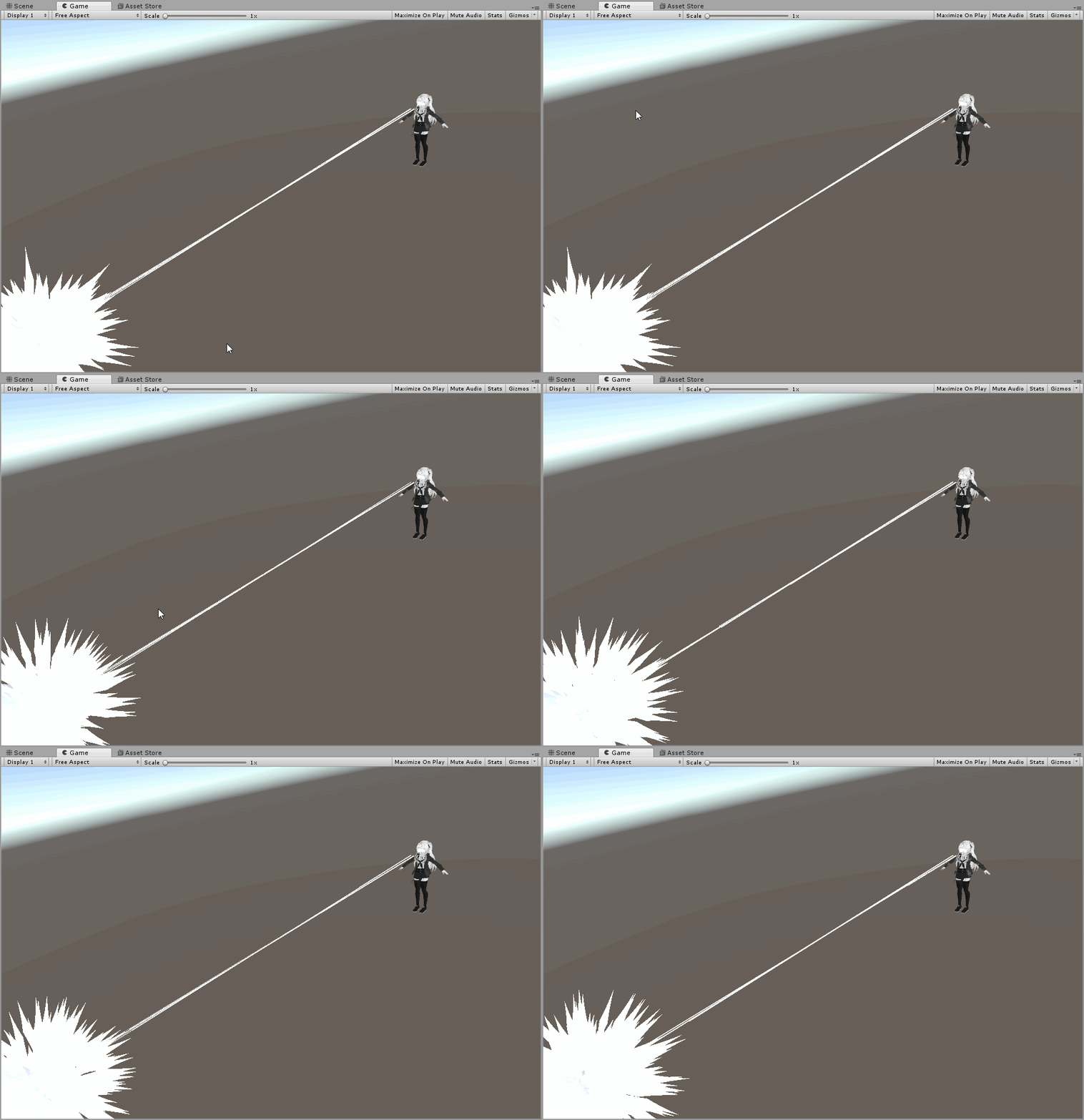
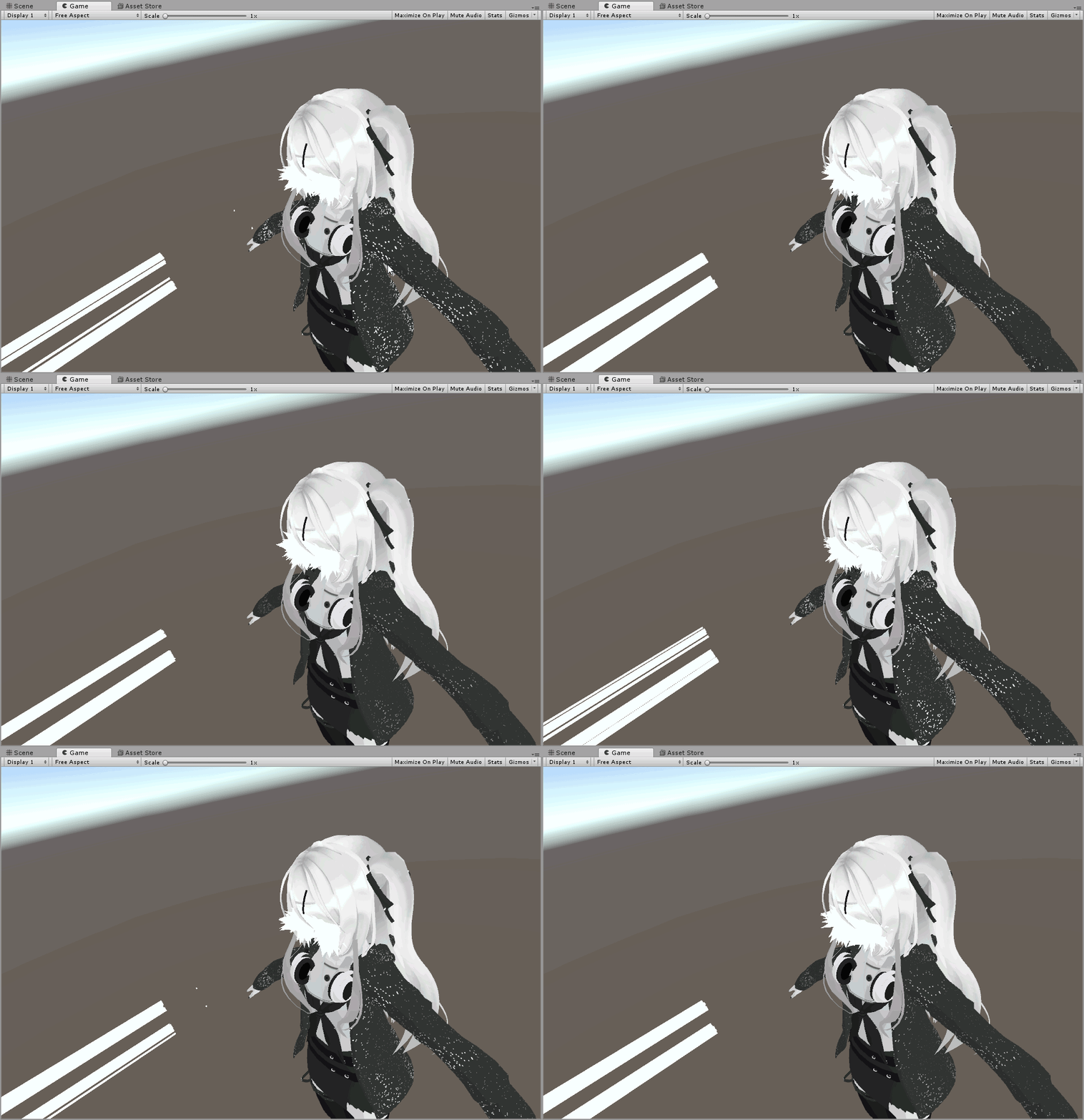
How would i go about making a shader that reacts to colliders? is that even possible? i've seen one that does something like that but i'm not sure how it works
using shaderforge making a world
 sharp pike
The shaders I've seen that work off of colliding with physical objects in the world use the depth texture of the camera. I've not heard of a shader that reacts to colliders specifically.
sleek prairie
talking of this effect
it's propably camera height but i assumed it uses colliders since it works normally with other people too
if that even is shaders
sharp pike
I'm not too sure what that world is using for that. You can turn on an option in that world that makes light beams come down from the sky, which also makes the petals fly up.
sleek prairie
Might be some fuckery with particles i dont know
@ me if yall have any input on this
 midnight dirge
Alright @solid grail you asked for it :^)
So basically what my shader does is that it renders the color of a Texture (In this case a RenderTexture) not based on the UV of the mesh that it renders to, but to the screen space uv. Im using this to achieve a Portal effect, where one camera is placed, so that it would be exactly where the player would be, if he was looking out of the other portal. This means that if the player is standing eye-level with the portal, but 3 feet ahead of the portal, the camera will be placed 3 feet behind the portal. This however makes it seem, like objects are 3 additional feet further away. However distance is just an effect of relative size. So I would now need to scale the image, according to the distance. This is achieved, by simply rendering the Texture in screen space and then using the mesh as a sort of "stencil" even tho it isnt quite that. Now that only works as long as the screen resolution and the render texture resolution are the same. Now my question: Is there a way so it would work with any resolution? (Basically I need to "crop" the RenderTexture inside the shader, to fit the _ScreenParams)
 lethal nacelle

 stray hazel
Can anyone recommend good shaders to use on lenses for glasses?
lethal rock
I’d say any shader with refraction can help you, my toon shader actually has a refraction effect you can try to set up
lethal rock
alrighty then, I mean a shader is a shader but that website is something I’d stay away from
velvet sorrel
You can use Standard for that
 steep swift
I disagree with using refraction for glasses, unless it is required (and even then <undisclosed website> probably has really badly optimized shaders for things like this
and Standard works really well for glassy stuff. The trick is use Transparent mode, set diffuse alpha to 0% or near 0%, and turn Metallic and Glossiness to 100%
looks really great, provided the world has a reflection probe
I've heard recommendations for using Rero Standard which allows for fallback reflection cubemap if you want it to have a glossy look even if reflection probes are broken @stray hazel
but yeah please don't use the one you downloaded because it probably has at least one GrabPass (which eats 1-2 ms per frame regardless how big the object you put it on) and might be the one that uses Tesselation (I'm not joking: there's a popular glasses shader going around that will kill frames for no reason)
 tired token
That one triggered me so much 👺
also it has a nameless grabpass so it's even more cursed.
lethal rock
tesselation bad, named grabpasses a patch for what would have been a worse bad
I just know a friend of mine insisted on using refraction on his glasses, looked neat
steep swift
yeah it can look good but has to be done with consideration - how important is it vs performance impact. If you download a random shader and slap it on without an understanding of how it works, I don't think it will look good
also, a lot of refraction based shaders forget the reflection, which for something like eyes is often more important because the refraction will be subtle if noticeable at all
velvet sorrel
Idea for a glasses shader - sample the reflection cubemap seperately for red, green, and blue with offset normals
That way you get the refraction look without actually having it
steep swift
the memorable refraction one I saw was a glasses shader that gave the huge eyes look
could maybe be replicated with a stencil, some sort of duplicate eyes with heightmap on the glasses or one of them raymarched eye shaders applied to the glasses itself with skin color for stuff around it
glasses/eyes are small so you could probably raymarch them with way less performance hit than a grabpass
 timid lark
Does anyone know why shaders that use forward rendering reflections and reflection probes turn shiny or glossy when they are taking lighting info from reflection probes?
I'm trying to get my avatar to where it will accept lighting info from reflection probes without turning glossy, however, even with the legacy avatars they seem to become super-smooth when reflection probes are active, regardless of the roughness before. I don't know if it's purely based on the shaders, if it's an issue with this world alone, or if it's a bug in VRChat itself, but I'm noticing the issue in this world here: https://www.vrchat.com/home/world/wrld_79f34caf-8ec7-4f43-901e-309c7681bba7
I also noticed it in one other world before, but didn't realize it was something that would occur in other worlds because it had failed to happen until that point.
How I figured it had to do with the two options I stated earlier, I'm using Rero's standard shader for double-sided rendering (thanks rero) and figured I would try turning off the reflections option under forward rendering options. This stopped the issue, but I no longer received lighting info in worlds correctly. I then tried turning that back on but turning off reflection probes, and the same thing occurred. I should mention that I have also tried it with normal standard setup (metallic 0, smoothness 0), metallic setup (metallic 0, Roughness 1), and specular setup (specular 0, smoothness 0) with no difference in results.
Does anyone know anything about this and why it's doing it? Or what can be done to work around it? Or is there nothing that I can do about it and I need to either live without reflection probes or deal with it?

Made for testing matalics and shadows on avatars․ Stay tuned for more․
velvet sorrel
@timid lark Why not try using regular Standard?
To see if it's an issue with the world, try my original-flavour Light Box!
https://vrchat.com/home/launch?worldId=wrld_a1e635dc-8b33-493a-9bff-2b250bc6c525
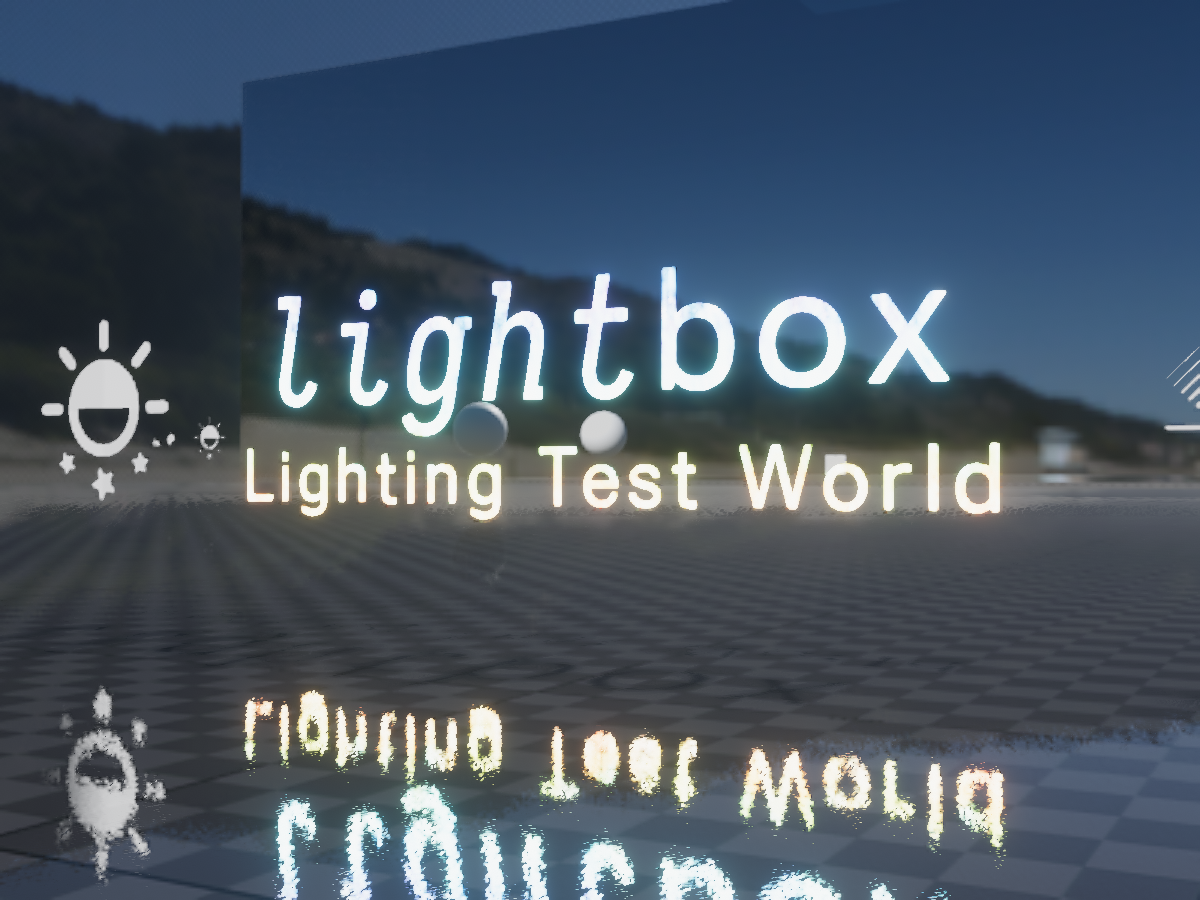
Designed for testing avatars and shaders in full‚ proper‚ lighting‚ with selectable lighting conditions‚ testing tools‚ high performance‚ and even aestheticsǃ
I'm a bit confused over your description of the issue, because the only way you'd get randomly glossy with a properly setup material is if you were in a world where the reflection probes are too bright.
Normally, worlds with badly set reflection probes are just missing them entirely, so your metals just turn black.
midnight dirge
Okay...got an odd questions.
How do I setup a Shader, so that it renders everything behind it (and itself) invisible?
And I dont mean Transparent. I literally mean that it only shows the Skybox behind it and nothing else.
steep swift
it has to be the skybox? or can it be something you supply
Unity's Skybox is rendered between queue 2500 and queue 2501.
midnight dirge
Well...Im fiddling around with multiple cameras
steep swift
is this for a world or an avatar
midnight dirge
World. Basically what I want is to have some mesh...that draws only what Camera 2 sees to the screen.
After that you draw whatever Camera 1 sees. to the everything that is not that mesh, to the screen.
I did this with a Screenspace shader and RenderTextures, but maybe there is a better way
steep swift
if these are cameras, why not just have them not render the skybox
drawing stuff to the screen rendered from a camera is not feasible because you can't get the exact stereo matrix from the screen
so it will not be stereo correct if you do it using a camera -> render texture
you can make it look flat sure
you're explaining what you want in a very cryptic way... can you explain what you are actaully trying to do
this is about the portal effect?
midnight dirge
Well the actual problem is:
Is there a way to tell Unity (or more specifically a Camera in Unity) not to render anything to a certain area, OR
Is there a way to tell Unity (or more specifically a Camera in Unity) only to render something to a certain area
steep swift
yes and yes.
midnight dirge
Well then how.
steep swift
Three ways I know of:
- Using the graphics hardware's depth buffer.
- Using the graphics hardware's stencil buffer.
- Using the clip() / discard operation in the shader. (caution: will have MSAA aliasing artifacts on the edges)
some of these questions get harder if you are dealing with content you do not control (for example avatars)
midnight dirge
Well alright so I obviously still dont understand how the stencil buffer works...
steep swift
however, most avatars respect the depth buffer
stencil buffer is just an 8 bit value (from 0-255) per sample
midnight dirge
well per camera? per object? per fragment? per pixel?
steep swift
roughly per pixel
per sample = per MSAA sample... at VRHigh it is 8xMSAA so there are 8 samples per pixel
at DesktopLow quality, 1 sample = 1 pixel
anyway let's ignore that detail for now and just talk pixels
midnight dirge
Okay so lets say I have a sphere...and I have two cameras. Camera 1 renders before Camera 2.
Now I want Camera 1 to render everything it sees. Then I want Camera two to render whatever it sees, but except for wherever the sphere is
steep swift
so what you want is some area in which nothing renders: no avatars, no world objects
ah now you're talking about cameras again
midnight dirge
Well my first question was kind of "offtopic"
steep swift
are these cameras using Single Pass Stereo mode? or going to render texture
midnight dirge
I dont exactly know what that means. And I dont want them to render to a texture...
steep swift
you want your stuff to be screenspace
midnight dirge
Pretty much.
steep swift
the only "proper" way to do this is to use cameras with no render texture assigned, set to Both Eyes in the VR Mode
These cameras will render on top of the ingame menu and will be offset by your playspace center, so you will need to compute all that and adjust for it
This is "hard" and I don't have time to help you or explain how to do this right now. HardLight680 has done this in the world where it renders 4 copies of everyone
therefore I would suggest not using a camera based approach
midnight dirge
Well all of that isnt even my concern yet
steep swift
it kind of is because you're complicating things by adding cameras where cameras might not be needed... unless you can explain what you're actually trying to do
midnight dirge
For now I just want to know how I would make it so a Camera only renders its content to the area of a mesh
steep swift
ok, so you have a camera that is not going to be screenspace, and you want an object not to show up in the camera within a certain area, correct?
are you rendering avatars in this camera? If so, you have two options: use depth buffer to obscure avatars in this area, or draw the skybox on top of the avatars within the area is another way
sorry I guess that's another way: just paint over the avatars again with your skybox
midnight dirge
So you have a camera, at some position in the world, that renders whatever it sees. Now, you have another camera (the actual "Viewpoint") that renders everything it sees as you would expect, however it does not render anything for a certain mesh (like a sphere). So basically you have a "hole" in the Screenrender. That hole however is filled with the contents of the first Camera.
Imagine taking a picture with a camera. Then you take another picture from another angle. You put the second picture on top of the first picture, and cut out some shape, like a circle from the second picture.
steep swift
if you're doing that, it sounds like you just want a shader that draws the first texture with ZTest Always at a high queue
(Or to reduce fill, ZWrite On and render at a low queue at depth 0)
midnight dirge
well a "Shader that draws the first texture" again Im not rendering anything to a texture
All unity cameras, automatically render to the Framebuffer
steep swift
ok, well that was kind of what I was trying to ask earlier.. sorry I misunderstood your response
will both cameras render avatars?
And you have them set to "Dont Clear" correct?
Then you just need to draw something with 0 distance from the camera
midnight dirge
It doesnt matter what I have them set to...I just want to know how to make it work xD
I will set them to whatever you tell me to
They might or might not render the avatar, depending if its possible or not.
steep swift
o.pos.z = o.pos.w * UNITY_NEAR_CLIP_VALUE);
that line will make your object glued to the screen in terms of writing to depth buffer
which can prevent avatars from rendering in the next camera
that may cause artifacts on oculus if not cleared correctly
midnight dirge
But I dont want a Mask that is always flat stuck to the screen.
The mask should still be in 3D space
steep swift
it is
that just affects the z coordinate
so it will be glued to the screen in the depth buffer but with correct x and y pixel coordinates
are you trying to prevent avatars from rendering?
If yes, I think you have to do it with the depth buffer. If not, I'd actually suggest a stencil...
midnight dirge
Alright so after googling for a few minutes I found what I was looking for
Shader "Hidden/DepthMask"
{
        SubShader
        {
                Tags {"Queue" = "Geometry-1" }
                Lighting Off
                Pass
                {
                        ZWrite On
                        ZTest LEqual
                        ColorMask 0
                }
        }
}
However I have no idea what exactly it does, or how its useful xD
steep swift
what you found is something that writes to the depth buffer before geometry
so it will prevent anything from rendering
I would still suggest making the modification I suggested as this will just write depth of whatever object you use for the mask.
unless that's what you want
midnight dirge
a portal is literally just a mesh...that allows a camera to render whatever the camera sees behind the portal.
So what I want is that I can have a mesh...which acts as a mask or stencil to the main camera
but doesnt mask out the second camera
which renders before the first one
steep swift
ok
midnight dirge
And I probably want to be using the Stencil buffer
somehow.
I just dont know how that works with two cameras, both rendering to the Framebuffer.
(Actually I need 3 cameras, one for the main view, and two for each portal, but lets only care about one portal right now)
steep swift
if your cameras are set to Don't Clear
then both the depth and stencil persist between cameras
but yeah I'm starting to get an uneasy feeling about performance if you are needing so many cameras
Do all of the cameras need to be rendering avatars?
midnight dirge
Would be cool, but isnt necessary. Only the main camera does.
Also I tried it in VR locally and I had 90 frames
Cant be that bad
steep swift
make sure to uncheck avatar layers as needed
well depending on how many people you are testing with it could add up
midnight dirge
Im really just doing a case study of: Is it possible. Not is it feasable as a game concept...
steep swift
also, make sure the extra cameras do not render the skybox
midnight dirge
I dont care if I even only had a single frame
steep swift
ok
midnight dirge
So how would I use the Stencil Buffer to make that magic happen?
 jovial mesa
it's completely possible but have fun dealing with IPD in VR xd https://cdn.discordapp.com/attachments/437816654492073994/579359819526307870/CJNYDEhYld.mp4
midnight dirge
Well...IM NOT EVEN TALKING ABOUT VR....jesus can you stop xD
I want to know the theory behind this first
then we can talk about IPDs, Performance, Stereoscopic View
etc.
steep swift
I'm sorry I was very repetitive about this. I usually like to look at things in terms of how they will work in the final product
so I'm aware the technique has fundamental limitations such as the IPD issue, that will make the end result not look as good in VR as you might want, even if a prototype in desktop is possible
midnight dirge
Well yeah. But you cant build a house on no foundation...
jovial mesa
and it is worth mentioning VR IPD imo, because if it's not a consideration from the get-go you are going to be redoing the system entirely
midnight dirge
Thats completely fine by me
steep swift
you can rescale the camera to adjust for the IPD issue, if you can determine the scale from the distance of the avatar base to the camera when (some event) happens
midnight dirge
Well thats all cool and interesting....but I still have no clue how to even do this WITHOUT considering any of the VR problems....
Im getting a little frustrated...
jovial mesa
I mean if you want to do it without the VR, then just render the first camera pass, draw a portal mesh with a stencil, then draw a mesh that covers the whole screen with ztest always and only writes where the portal wasn't stenciled, have that full screen mesh clear the depth
then render the main pass
midnight dirge
Thanks finally something I can work with.
jovial mesa
works for the most part
steep swift
XSToon comes with a pretty configuable shader called XSToonStenciler.
https://raw.githubusercontent.com/Xiexe/Xiexes-Unity-Shaders/master/Main/Shaders/XSToonStenciler.shader
midnight dirge
First of all...what is a "full screen mesh".... Best solution I know would be an inverted sphere that follows the player?
steep swift
this shader will get you most of the way there: it has options for ZWrite and stencil
jovial mesa
I mean that's an option
steep swift
so just make multipple materials for each thing merlin said, and adjust the ZWrite and stencil options to do that specific thing
inverted sphere following the player is a good way to start. this is a prototype
and it is sufficient since this technique will only work for the main camera anyway
midnight dirge
"draw a portal mesh with a stencil" what does that even mean
steep swift
implies quite literally what you were asking for: you wanted a mesh whose shape cuts out one camera and shows the other
so this is the mesh you would be putting the stencil shader on
steep swift
you don't need to write any shader code for most or all of this. you can do everything with teh shader I linked
midnight dirge
Also I dont want to use code someone else wrote, for learning purpose.
midnight dirge
Need to write it myself. Modifying doesnt work.
steep swift
it's literally just a list of built in unity enums and uses those enums in a SubShader {} block
you can read it for yourself
it's just like a wrapper for built in unity features
jovial mesa
for the stenciling stuff it's mostly just setting the state of the stencil and setting the ztest. The only actual shader code you'd need to do would be transforming the vertices of the sphere and portal mesh into projection space
midnight dirge
Okay before we get to that
the "stencil shader" I put on the portal
What Tags should it have?
 carmine crest
Anybody know about a shader that lets you apply different textures to the left and right eyes?
jovial mesa
probably just "Queue"="Background-5" or something
midnight dirge
Just a Queue? Nothing else?
jovial mesa
yeah
midnight dirge
okay and "sub-tags"? Like I dont know what theyre actually called
Things like "Lighting off"
Cull Back, ZWrite On, ZTest Less
etc.
jovial mesa
uh ColorMask 0, ZWrite On, that's basically all. For the stencil settings you'd want to look at https://docs.unity3d.com/Manual/SL-Stencil.html

you don't even technically need either of those for the portal
steep swift
you can see the different things allowed here... most of these aren't really shaders properties in the most technical sense, but rather setting state. most of the terminology used is common graphics jargon - you can find many references online using the same terms.
The actual shader would generally be between a CGPROGRAM and ENDCG block. However, unity will provide a default shader for you if you don't specify one
midnight dirge
So...
Shader "Hidden/StencilMask"
{
        SubShader
        {
                Tags {"Queue" = "Background-5" }
        }
}
Thats what you gave me so far :P
steep swift
this is why the attached XSToonStenceller setup has an empty Pass { }
@midnight dirge What are you trying to ask for help with at this point. For stenciling, I linked you a file which will allow you to select what you need from dropdown menus:
https://raw.githubusercontent.com/Xiexe/Xiexes-Unity-Shaders/master/Main/Shaders/XSToonStenciler.shader
midnight dirge
Well Im trying to learn how to use the Stencil buffer. You give me a Shader that uses the stencil buffer.
You told me to build a house, and gave me some tools... but you didnt give me an instruction on how to use those tools xD
What does "ZTest Always" even mean
jovial mesa
It means that the shader ignores the Z buffer and writes over objects regardless if something is in front of it
midnight dirge
I generally know how computer graphics work. But I have no idea about shader semantics
jovial mesa
the stencil page I linked has an overview of how stencils work
velvet sorrel
Then why don't you study it? Google is your friend
jovial mesa
with some examples
midnight dirge
Well okays so first point of confusion
its called the Z Buffer
Isnt Z usually the Depth?
So what does the Depth have to do with a Stencil?
steep swift
depth buffer and stencil buffer are two different things. but at times you can use one to hold onto information which can help you compute the other
jovial mesa
you are using the stencil as a tool to reset the depth so that the main camera pass can draw over what the portal camera sees anywhere that the portal is not.
steep swift
^ for example, you can write to stencil buffer something like "this is where the portal is" - you'd pick a number for that like 77. Later you can check if the stencil buffer is 77 and use that to draw something to the screen with a given depth
velvet sorrel
ZTest: "When is this drawn?"
ZTest LEqual is the default, means "When it's in front of something, or exactly on top."
ZTest Greater means "When it's behind something."
ZTest Always means "All the time."
midnight dirge
Ahh...it starts to make sense to me now
okay so Merlin said "draw a portal mesh with a stencil" does draw in this case mean to actually "draw" colored pixels? or just to set some numbers in the stencil buffer
jovial mesa
actually I was dumb, yeah you need ColorMask 0 so that it doesn't draw color over the existing portal view. It's just setting data in the stencil buffer for the later pass
steep swift
[Enum(None,0,Alpha,1,Red,8,Green,4,Blue,2,RGB,14,RGBA,15)] _colormask("Color Mask", Int) = 15
If you're using XSToonStenciler it will mean setting the Color Mask dropdown to say None
ColorMask 0 is a way to draw some things without other things
midnight dirge
I thought thats what a stencil does?! D:
steep swift
for example: you want a shader which updates the Z buffer (depth buffer) but does not write any color information / draw anything visually
yes, but shaders will always draw to the screen as well, unless you tell them not to. that's what a ColorMask is for
midnight dirge
Well you could also make it so your shader is transparent and return 0001 right?
steep swift
you can also use blend modes to achieve the same thing, yes
midnight dirge
But that would be unnessecary
steep swift
for example Blend Zero One is another way to do this
midnight dirge
Okay so basically we draw something without actually drawing it
midnight dirge
Okay...so
- Render Camera 2
Right?
Without doing any fancy work or anything...just render it
- Render the Portal with ColorMask 0, and...some stencil stuff???
It doesnt work how I set it up...I still have no clue what is actually happening...
I get the basic idea
midnight dirge
Okay so I got it now
however
If I set the Stencil test to always pass (basically saying that I only want to render the first camera, and not the "actual" camera, everything is just pitch black...
 median gate
i usually post in worlds because i know literally nothing about shaders but
i got this liquid drink shader from the vrc prefabs and it doesn't register as a shader in unity
although the txt file is a .shader
past pewter
hmm.......It sounds like to me you might need some help with it
solid grail
lol
 solemn junco
Lol
timid lark
@velvet sorrel Thanks for your insight, yesterday was a bad day for me to respond, but I'm using Rero's because of the look that it gives combined with the option to select culling if any. I'll make sure you try it out on your world and see if it was just a world-related issue. While I'm tagging you, I should mention that I visited your Shadow of the Colossus world before I encountered this issue, and combined with the climbing system that world was awesome. Really brought back some memories I had forgotten
velvet sorrel
I'm glad you liked it!
If it's not the world, then it's simply a problem or limitation in how the feature works
past pewter
anybody got any shaders I can use for my realistic avatars?
solid grail
Standard
 light urchin
If you also want more shiny features you can also use poiyomi's shader ^^ it has built in standard lighting so it looks as good I can md you the server link where to get it if you want
steep swift
@past pewter you already got the answer to your question, which is realistic
The correct answer is: Standard
at least given the current unity version and the fact that we're not in HDRP or pipelines that allow taking realism to a whole new level
past pewter
I'm trying more shaders for my models
steep swift
if there's something specific you need , you need to explain yourself
if Standard is not working, you're not using good PBR materials
or you want realism but un-realism
like Standard lighting but toon shading
If so, I recommend XSToon. it's designed for exactly that
steep swift
Rero's Standard edits might be good. but given that its very creator replied to use Standard instead of linking his own edits, I'm going to guess you should be working with standard first
past pewter
Like rgb.
steep swift
what do you mean by that?
your texture maps are not using the correct channels?
XSToon actually comes with a script that will let you generate new texture maps with remapped channels
past pewter
Long story short, I have textures that have 3 different color shadings, like the ones you might've seen in unreal engine
Orm
You know what that is, right?
steep swift
do you want to allow setting the color of various parts of the texture using another texture?
I don't really know that
steep swift
so maybe someone else will know more about unreal. Just your original question was very vague and didn't contain enough info for people to help
now there's a bit more detail what you are looking for
but I'm not the right person if you're looking for someone that has used unreal before
past pewter
If anything more, I'm just trying to get avatars to look like my renders
Like what you see on my pfp
steep swift
that sounds a bit more like a pipeline import question, from unreal or wherever you made those renders, into the equivalent Standard based equivlents in unity
past pewter
True, but it was made in blender 2.8
It has effects that look close to cinematic
Like this
See what I mean?
it has a channel split into a mask texture and another texture, and I've been trying to find a shader that has the same effect
past pewter
if anyone has a shader like that, I'll wait for you to give it to me when you're ready
past pewter
does anyone have a reflection shader cus i'm trying to make this avatar realistic
you're getting very close m8
closer than what I could be actually\
but it might need some work tbh
solid grail
Cibbis shader also has a really nice texture packer
GitHub
A toon shader with standard elements for vrchat. Contribute to Cibbi/Toony-standard development by creating an account on GitHub.
If for some reason standard or my standard don't work out
It's still in beta though so expect it to update. He recently added subsurface scattering and a built in gradient editor for light ramps
past pewter
Can it be that the Snail/PolyColorWave shader is for some reason broken in vrchat? Cause in the unity Editor it works perfectly fine, but then in vrc its just pink
it could just be that
I'm not sure
steep swift
@past pewter unity 2018? Yes you have to delete the UsePass line and add Fallback "Diffuse"
past pewter
VRC does not use the 2018 version yet, does it?
steep swift
It does not
But I haven't heard about any issue with it in 2017
I know that fixed for 2018
Unless you're on mac
past pewter
Nah windows master race
steep swift
If you're on mac you need to go to edit project settings-> player and put OpenGL at the top
Ok check the console for errors
past pewter
how?
steep swift
Clear console then right click the shader do Reimport
past pewter
one sec, unity need years currently ...
steep swift
Oh no hope you didn't do reimport all
past pewter
nah
i deleted other shaders
but what errors do you mean in inspector
cause i dont see something like that
i can see the console
it gives warnings about inconsisten line endings, but thats that
steep swift
It would show up if there's an error
When you have the shader itself selected in project assets
past pewter
yes i did but as i said in unity it works perfectly fine
steep swift
Next to the Show Generated Code buttons or whatever
past pewter
but only in vrc itself it turns pink
steep swift
Well the thing is when you upload to vrc it will compile for single pass stereo and other variants
So it might have trouble with one of those
Try another upload now that you've finished the reupload. That can fix it
Oh also make sure you don't have another copy of the same shader somewhere else in your project. That can confuse things on upload
Finally if you're stuck, go to edit project settings -> player , find XR settings click + at the bottom of headset settings, add Moch HMD - Vive, move to the top of the list and hit play
That should emulate what vrchat does
past pewter
well the shader still works in the editor even with above settings
but still not in vrc
solid grail
Do the Oculus utils not work for that?
steep swift
!outputlog Can you check the output log for errors when you first load your avatar in vrc? @past pewter
 turbid laurelBOT
You can find your output log at C:\Users\%Username%\AppData\LocalLow\VRChat\vrchat named output_log.txt
steep swift
It should show the name of your shader there
And just to check, can you do the UsePass change I mentioned earlier
you have to delete the UsePass line and add
Fallback "Diffuse"
past pewter
I want to make my own shader with the similar settings that I have for blender 2.8
solid grail
Then get amplify editor and recreate your nodes
Probably..
Never used node editors myself
past pewter
amplify editor?
never heard of it
I'll try it out!
well now its broken in unity too
@steep swift
oof
steep swift
That's great! What do you see in the console
past pewter
unexpected TOK_FALLBACK at line 122
steep swift
Broken in unity is a good thing because now you can debug it and see errors
past pewter
the fallback line
past pewter
okay now it works again
steep swift
UsePass blablabla } }
Becomes
} Fallback "Diffuse" }
past pewter
will upload and see if it works in vrc too
steep swift
If not, search the output log for PolyColorWave
fluid hamlet
small question
is the doctrina glass shader good to use on an avatar?
steep swift
Got a link for that? Never heard of it
The general principle for glass is you should try using standard: set it to transparent, alpha to almost 0%, metallic to 100%, glossiness near 100%
Some glass specific shaders offer features like refraction. Of the refraction ones that actually work properly in VR (most things from asset store are not designed for VR for example), that comes at a steep performance cost and often is overdone: most glass doesn't refract much so is the 1-2ms per frame overhead of refraction worth it?
So I always recommend Standard unless you can provide a justification for why you need something else
@fluid hamlet
Ah I found it. Not designed for VRChat, made in unity 5.6 and no mention of VR all have me very worried
fluid hamlet
@steep swift what i want is have one of my avatar look like it is made of glass (not ghostlike like some of the halloween models there are)
maybe the shader the waterdragon model uses in Toga’s world might work?
steep swift
Ok, so you possibly will need some level of refraction for that
I'm skeptical of things that don't claim VR support
Some of the slime avatars were made with Poiyomi's refraction shader. It might be patreon only though
I had a glassy refraction shader that I was working on but I was never quite happy with how it looked so I moved on :-p
 ripe idol
fluid hamlet
ripe idol
fluid hamlet
vewy naice @ripe idol
 heady lintel
Would anyone have a good recommendation on a shader to make something look like it has frost on it
past pewter
sorry if I sound like a broken record here, but anyone got me any shaders I can buy for realism?
tired token
Standard
solid grail
Do you know the definition of Insanity?
past pewter
yes
I know what it is
XD
insanity means you're going crazy over huge projects, you'd be loosing your mind XD
I feel like I am loosing my mind
solid grail
past pewter
Is Realtoon one of the better toon shaders publicly available? I know Cubed's is KIA
lethal nacelle
off the top of my head, Silent's, poiyomi, and UTS2 are all toon shaders that will work just fine in 2018
and theyre all really fucking powerful
@past pewter
past pewter
Thanks! That was a quick reply. I'll look into those
ripe idol
Realtoon is probably one of the least powerful tbh
The random toon shaders produced for this game are almost all better than anything on the asset store lol
past pewter
Naturally. Of those three listed are there any you guys specifically recommend?
past pewter
A mix of them?
solid grail
I use this for all my stuff now. He's working on it constantly https://github.com/Cibbi/Toony-standard
I help out a bit but it's coming along nicely and is pretty much my standard shader but better.
I've tried UCTS2 and found its vrchat support lacking
GitHub
A toon shader with standard elements for vrchat. Contribute to Cibbi/Toony-standard development by creating an account on GitHub.
lethal rock
It’s lesser known but you can also try mine:
https://github.com/synergiance/Synergiance-Shaders-For-Unity
It works great in 2018 as well =)
GitHub
A shader for Unity that mimicks the look and feel of Miku Miku Dance - synergiance/Synergiance-Shaders-For-Unity
solid grail
is ramp direction dropdown for using vertical or horizontal lighting ramps?
or is is necessary for something else
lethal rock
Yeah that’s what that is for
solid grail
is there a reason you are not sampling the ramp at an angle so orientation does not matter?
lethal rock
It does normally
But in order to atlas multiple ones together you gotta choose a direction
lethal nacelle
@past pewter if youre moving from cubed id reccommend poiyomi first
or fuck, maybe just cibbis since its also really good
sharp pike
I get pretty bad performance with v0.5.0 of your shader compared to others Synergiance :\
past pewter
Rad, thanks apple. I haven't a clue what of these is better besides glancing at them side by side; my material knowledge is pretty basic x]
sharp pike
A setup in unity play mode of duplicating my atlased avatar 256 times without dynamic bones or anything else. xiexe and poiyomi with a full 60fps and I drop to 30fps with yours.
lethal rock
Aight thanks for the feedback ^^
solid grail
@sharp pike did you make sure that the same features were consistent between shaders?
outlines especially
sharp pike
outlines used where available
256 atlased avatars in view
xiexe-2.2.1(outlines),36
xiexe-2.2.1,>60
poiyomi-4(outlines),>60
poiyomi-4,>60
standard,>60
cubed,54,
emtoon-3(outlines),36
emtoon-3,>60
arktoon-1.0.0.0(outlines),16
arktoon-1.0.0.0,26
unitychan,>60
realtoon,>60
realtoon(outlines),>60
silent's cel shading(always has outlines),48
mmd/pmd,>60
synergiance-0.5.0(outlines),22
synergiance-0.5.0,31```damn, what was that formatting again haha
lethal nacelle
@past pewter im speaking from personal experience, cibbi's is a bit lighter and less confusing than poiyomi's. its the first toon shader i used after cubed's and loved it for a while, eventually switched to poiyomi's after i felt like i needed more
solid grail
cibbis is really light atm
have you tried the beta branch?
light on performance i mean
lethal nacelle
and when you questioned me on that mix, dont worry about UTS2 because you need a specific version of it that someone made for it to work well with vrc, and on top of that, it has weird ass config, but well worth it
ripe idol
🎉
lethal nacelle
im probably gonna chdck cibbis again later today to see what changed
solid grail
any feedback is appreciated ^^
I help him with development and he's banned from this discord so ^^'
sharp pike
I don't even know how yours kept up even with outlines on poiyomi, must be doing something right.
solid grail
are the outlines in xiexes always geometry?
sharp pike
I believe so
solid grail
if you can switch to vertex, make sure to use like settings when benchmarking
otherwise oof
mine are also geometry and they are pretty heavy
since I'm making a wireframe out of quads
lethal nacelle
@past pewter if you want i can show you some examples later today of avatars running cibbi's, cibbi's / poiyomi, and my current avatar which is poiyomi / UTS2 so you can get an idea of what they look like
i have a few pics of my current avatar somewhere...
past pewter
If you'd like to sure, I can't complain about that kind of help
solid grail
https://cdn.discordapp.com/attachments/479403597780746240/644054264565465110/Desktop_2019.11.12_-_23.55.38.01.mp4
this uses cibbis. theres more going on up close i just need to find the images lol
lethal nacelle
those stars are scroll-emit on poiyomis so they kind of brighten and fade when in-game
clothes and skin are UTS2, hair and eyes are poiyomi
ripe idol
past pewter
That's some nifty work 
heady lintel
Just asking again in case it was missed if anyone knows of a shader that would make things look as though they're covered in frost
lethal nacelle
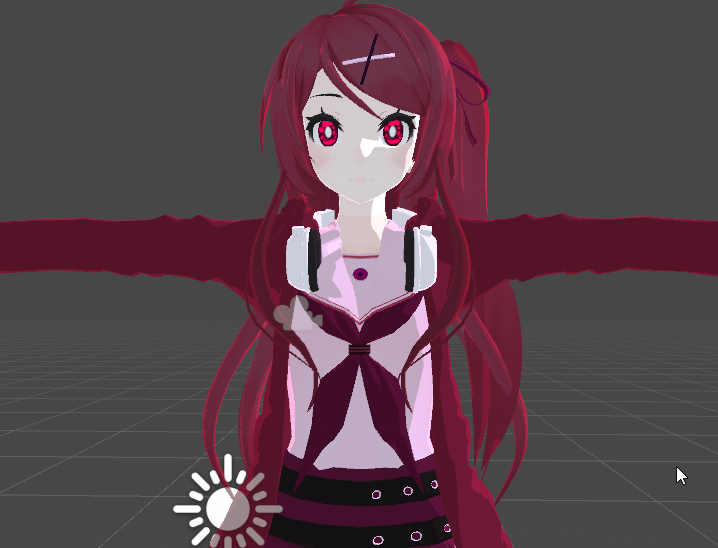
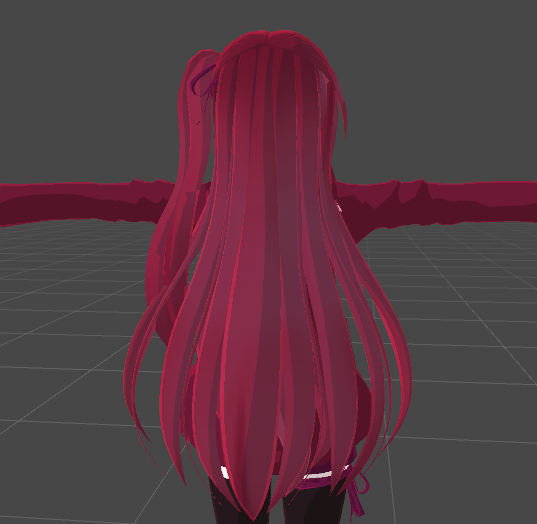
@past pewter i messed around with cibbi's today so you can get an idea of what its like
velvet sorrel
@sharp pike Testing mine with default settings?
timid lark
Alright, I've tried several other shaders, and have even tried plain Standard shader and I'm still getting this issue.
My smoothness is set to 0, Specular Highlights and Reflections are both true (so that it can receive the lighting data) and this is what I look like in a world that uses reflection probes and HDRI
Is there some way to avoid your material suddenly turning glossy when receiving the lighting info? I can't understand why the material suddenly turns reflective with reflection probes on (I should note, that when hovering over reflections in forward rendering it does tooltip and say "Glossy Reflections", but if I disable it then non of the lighting info is received from the reflection probes)
velvet sorrel
Your problem is quite bizarre
Are you sure that part doesn't have a seperate material or glossy overlay?
timid lark
I am positive because I set it up in blender myself and made sure that it's only the one material for performance sake.
I've only experienced this issue in worlds that use some HDRI combined with reflection probes
But the weirdest part is that models I'm assuming use standard shader (like the legacy VRChat avatars) also turn glossy here. Is it just an issue with Unity?
I should also mention that this world has the option to turn off reflection probes, and that the glossy issue disappears when they are turned off
I can't figure out what is actually causing this, because if the shader has a smoothness of 0 it shouldn't be overwritten by something like reflection probes would it?
solid grail
Do probes need to be manually baked with mips
Also yes it would cause all standard and most shaders ever look for is the probe most suitable
Speccube0(?) Something like that
In standard it is worded differently though
velvet sorrel
@solid grail That's actually an interesting question. Maps using cubemaps for reflection probes will have bad reflections on things if you don't tell Unity to load the cubemap as a reflection probe.
That's because Unity does a convolution on it when generating the mipmaps so the roughness/smoothness system can work
solid grail
That's what I thought of when he said it was perfectly reflective at 1 roughness
It's always doing something with the probe in standard no matter what since the rim from indirect specular is always present.
And in standard at least all of that is done in the same area
sharp pike
@velvet sorrel All I did was set the diffuse texture
velvet sorrel
Was it the latest version?
That comparison makes me wonder how it runs without the outline pass...
sharp pike
The newest version on October 23
steep swift
SCSS uses geometry shader outlines while Poiyomi's uses a separate pass
and wisely does the outline after the base pass to minimize overdraw
I wonder if that's the main factor in what causes one to be better
and it probably depends a lot on how many materials you have, polycount etc
what test model did you use
sharp pike
Yours outperformed most others with geometry outlines enabled, so it would most likely go above 60 fps. I need to figure out how to uncap the FPS in play mode.
Not at my PC for a few days so can't check, but it was my main avatar that I think has 36k tris
steep swift
yeah it seems like the best performing of all the geometry shader based outline shaders in the list
now there's also an important tradeoff being made here: geometry shader outlines save on drawcalls (cpu time), so it might be better or worse depending on your cpu specs
sharp pike
Yeah, my GPU is what holds me back in VRC usually. 1070ti with a Ryzen 7 3800x.
steep swift
I wouldn't mind seeing also a comparison of Silent with the geometry stage completely removed: it looks like it should be completely vestigial without the need to do outlines...
if you can't uncap the fps, you need to double the number of meshes drawn again so differences are even more apparent
sharp pike
I wouldn't take the numbers I got as super important since we all have different rigs and in game the world will have an affect too. That and as painful as it is to see, barely anyone uses atlased avatars these days, 20 materials seems to be about the average now.
steep swift
well vrchat kind of busted the performance stats by making them count disabled objects... there's no incentive any more to keep yourself above very poor
people do decently at keeping things above very poor at least in the circles I tend to be around... but I think you're still allowed up to 16 material slots to be medium (unblockable by perf rank)
sharp pike
The people I mostly hang out with consider 5 materials to be a lot, though we all do our own avatars.
solid grail
I bet my outlines are even more expensive lol
Last time cibbi was benchmarking shaders I'm pretty sure that was the case
sharp pike
Your outlines look super weird on the material preview but fine in the scene, though I haven't updated it in a while.
steep swift
Just don't g above 64k or the gpu skinning wrath be upon you :-p
solid grail
In 2017
steep swift
it seems way better in 2018 yea'
solid grail
From what I saw is pretty drastic
steep swift
I hve an avatar that's atlased to 1 material etc but drops everyone in the room to like half fps
everyone cringes when they see me pull it out
solid grail
My outlines are probably the most expensive no matter what since I'm doing them in a very different way to everyone's
sharp pike
Isn't most of the skinning done on the CPU in 2017? I thought one of the 2018 features was moving that to the GPU?
solid grail
Mine are made to resemble true screenspace outlines like what you get with object highlighting in editor
To that end those two things perfectly line up :v)
steep swift
yeah super beautiful outlines
steep swift
just literally make them use the unity selection color and have it turn on when you look at someone
solid grail
That's a good idea
solid grail
Since they're quads I can put whatever texture I want on each of them also
past pewter
anyone want to agree that I'm a shader fanatic on here?
 fathom shale
does anyone have a discoball shader i can have plllllz
velvet sorrel
What kind of disco ball?
solid grail
Presumably a shiny one :v)
lethal nacelle
@fathom shale any shader with emission
and specular
depending on your needs
but preferrably both
off the top of my head, poiyomi could work
fathom shale
i dont get this? ^
or a disco ball that is reflective
i wanted to use it as a snail shell
past pewter
anyone got unreal engine shaders?
tired token

@VRChat I'm fucking done with you and I don't want to play your game for a long time. it's your own fault that this game's going down to hell.
 Twitter
xd
solemn junco
Lol watching the fall In live action
velvet sorrel
That was fast
 fading schooner
I'm looking for a decent shader that has a more flat toon look with shadows highlights. If you have any recommendations I could try out let me know 🙂 I am looking for a shader for a robot avatar with a nice shiny look.
 fair prawn
and meanwhile I'm looking for a nice fur shader. not to cover my whole avatar in it but just for ears and a tail. I looked at poiyomis and it looks nice, but I'm not sure I want to commit to paying for the whole shader pack when I just want the fur shader, I don't think I want to use anything toon on my model since it's not meant to be "super anime"
any recommendations?
apparently there's also xiexes xsfur shader which looks pretty nice, but how does buying this on booth.pm work? if I buy the current version do I only get this version or do I have access to future updates too?
solid grail
You always have access to the download
fair prawn
okay, so that sounds more like what I'd want then, right?
what's peoples' opinion on this shader? anything bad to say about it?
I'm very new to the whole 3d modeling scene so I have no clue about much still
sharp pike
Didn't know poiyomi had a fur shader. Xiexe's is usually my suggestion when people are looking for fur shaders.
fair prawn
okay
well I just bought it
I'm confused... why can't I drag a custom shader onto my materials? the materials are all greyed out
nevermind, forgot to extract the materials after changing them
 restive badge

Does anyone know of a shader I could place on a quad to make whatever's behind it ripple like that?
past pewter
looking for a shader that looks simlar to team fortress 2. any suggestions?
solid grail
any shader that allows you to use a custom ramp should suffice
tf2 has a pretty basic shader
sharp pike
There was someone in here not too long ago that was making a source/TF2 shader and showed it in action on some TF2 models.
solid grail
I don't think they ever fixed their NaN flashes
I was helping them with that but it has honestly not crossed my mind since (no offence, guy who made it)
I just get busy with stuff 🤷♀️
tbh TF2 is just a phong shader with a stylized ramp and I think a little adjustment to ambient GI
could replicate the look with any shader that allows you to use a custom ramp pretty much. I even have the ramps from a tf2 presentation awhile ago :v)
past pewter
okay; here's the problem with tf2 stuff and unity.
some of the textures don't quite go with the shader. I mean, yes I know valve and unity have similar attributes, but there's always these kinds of textures
one moment, please
like these
also this
tbh, I don't quite understand these textures
sharp pike
Have you read through https://developer.valvesoftware.com/wiki/Phong_materials ?
 fringe sand
Hope you guys don't mind me chiming in, but another thing that builds a difference between Source and Unity in which a lot of VRChat shaders don't often account for is the fact that Source also makes use of an Exponent texture that relies on the RGB color scale for specularity instead of the BWG that other games use.
past pewter
true
but have you thought about unreal engine?
they have these textures
one moment, please
I figured out how it was made in the proccess
solid grail
Aren't those all just variations of the same workflow masked differently
past pewter
pretty much, yeah
solid grail
Should not be hard to extract the channels and use them as you'd use any other pbr workflow
past pewter
they just have different slots of materials
solid grail
Nothing has strayed from a standard pbr workflow in awhile
past pewter
or the ORM
solid grail
Mostly metallic roughness
past pewter
especially when it comes to video games
solid grail
Since spec/gloss is less common now
past pewter
may I say something real quick? it's not to break the rules or offend anybody
solid grail
Pretty much I've only seen it in fighting and mobile games lately
past pewter
true
solid grail
And even then those two are the same in the end
past pewter
again; true
I just hope that most of the stuff we have in vrchat gets optimized to where we can make different characters
now then, I need a shader to where I can have a mask texture
they're two textures.
one of them moves like it does in the game, while the other one stays still, I figured out how to do it in blender, but I haven't found a single shader in unity that can make the same effects as this
solid grail
So, what..
UV distortion or is it literally a mask on the second UVs for details
past pewter
kinda both
solid grail
Both are fairly easy
past pewter
and I've been searching for a long time
I'm not even good at moving the textures either
and it's all on one model too
solid grail
Oh right blender is all node based..
 red fern
can someone point me to that shader for rain on the windows that looks to be everywhere?
velvet sorrel
I think it's on Booth. IMO I would advise against using it because it uses a grab pass and those are pricy
solid grail
Eh I've never seen that particular one matter performance wise 🤷
steep swift
someone needs to make a version of that that uses the skybox and no grabpass
it can't be a hard change to make. SCRN's console games world does this and that allows the effect to be done on quest
and yes it makes a difference if you want to run your index at 144Hz or even 120Hz
one grabpass can maybe work at 120 (e.g. water) but add in a second and at least for me I'll get kicked down to 60Hz
sharp pike
I had a sword on an avatar with two separate grab passes and decided it was definitely not worth having both of them, it was seriously performance eating for what was a pretty meager effect in the end.
steep swift
please be considerate of the use of grabpasses
also most good shaders will use "named" grabpasses, so they should combine together... but there are a lot of crappy shaders floating around (and even some Unity asset store quality stuff will forget to name them)
lethal rock
places unnamed grabpass on infinitely spawnable prefab
 mortal geyser
is there any good tutorial for making cloud shader?
couldnt find any which have step by step explanation
lethal rock
Cloud shaders are notoriously tricky, I’d be surprised if you found a tutorial. The best I can suggest is find one on shadertoy, convert to unity and optimize
 grave hatch
volumetrics are pretty costly, most efficient you could probably do is a cloud mesh + some vertex deformation
lots of different ways to fake them though
mortal geyser
hmm oke thanks for info
past pewter
blender is node based, but how can I open that up in unity?
it's very hard. not only that, but it's difficult too
solid grail
There's node base shader editors in unity
solid grail
shaderforge is free
past pewter
gotcha
 glacial fjord
Anyone know of a shader that would let me properly look at both sides of this bottle?
I'm using standard (two sided)
On unity it looks perfectly fine
but when it's in game where it looks wrong
the idea is to have both images be seen from behind
but because of this shader
the image will go through the other one.
ingame you will see the sky background over the Fiji logo
past pewter
anyone else think springtrap looks scary?
I'm doing the v9 version of him for vrchat
that is by failz
glacial fjord
heres what the bottle looks ingame, if anyone know the right shader to get the one I'm going for
sharp pike
An alternative could be separating the bottle decals into a separate, opaque (cutout) material
glacial fjord
but then if they are opaque
the other side cannot be seen anymore
sharp pike
I think it should still be visible if it's double sided
solid grail
Does the shader have depth testing on?
glacial fjord
not sure, how do I check
sharp pike
I took a capsule with standard set to transparent and an ever so slightly larger capsule with a double sided, cutout shader (I don't have a version of standard with that, so I used xiexe's)
glacial fjord
I think I might have figured out a way to fix the bottle
friend sent me this shader that has tons of features called Poiyomi
sharp pike
I just tried setting up the above with your shader and noticed zwrite is off for cutout by default, not sure if intended.
ripe idol
and 100% click that discord button at the bottom so I could get all the help I might need
@sharp pike It shouldn't be
sharp pike
could be same variable name as another shader, I'll double check
ripe idol
you probably just switched it from transparent standard to toon
and because zwrite is off for that it kept the setting
velvet sorrel
@glacial fjord You'll need to use a shader that allows you to change the culling mode. If you can ask me in 7 hours, I'll post one
modern bloom
when i turn on a viseme the shading changes on any shader i use, is there a way to stop this
im using mochie uber shader though
i tried poiyomi and it was even worse
theres absolutely no changes in the mesh there
or the various other places it changes
solid grail
Have you tried just propagating everything that's not the face or blending the shape from basis?
The shading wouldn't change if there was no change in those verts, however small
modern bloom
i know theres no change in the verts it doesnt change anything in blender
solid grail
Except possibly normal rotation.
Have you expressed the blendshape in blender with shading on?
solid grail
ripe idol
Someone said something about descriptor or animator being on the body instead of the root
causing lighting shifts or something
I have seen this before but it hasn't happened to me
modern bloom
descriptor is in the right spot and animator
ripe idol
have you tried overriding your lighting anchor
modern bloom
wym
ripe idol
if you select your body there's a property called lighting anchor override or something
modern bloom
in unity?
ripe idol
yeah
that's the location your mesh calculates lighting from
you can drag your spine into there
modern bloom
O
ripe idol
modern bloom
put spine into it and still trhe same
ripe idol
do you have my shader?
modern bloom
still doing it
modern bloom
oh huh it doesnt look like that for me
ripe idol
do you have debug enabled
ripe idol
so it looks like your animations are changing your normal information
modern bloom
honestly not sure how to exactly fix that lol
modern bloom
yeah
ripe idol
This is a model issue more than a shader issue so this is where I can't really help anymore
but you know more
so good luck
modern bloom
thanks for all the help u gave tho! ill try
velvet sorrel
It looks like your model has broken normals, you should try to find a better version
past pewter
shader issues are more common in higher poly models
especially on the fnaf characters
perfect example? it can be shown on the spec shader
give me a moment please
good news, springtrap's shader is an exception
past pewter
I want a result that looks like this when I'm doing a model from fnaf
anybody got any bright ideas?
 mellow grove
i would think to find a shader that works with lighting well enough, but i'm no expert in shaders
past pewter
true
mellow grove
but even if you do, it may not work in all maps
since different maps have different ways of lighting
so i think you'd have to take it with a pinch of salt
mellow grove
nice-o
past pewter
I found the ramp shader for team fortress 2. Someone posted a version for unity. Why does it look terrible. Literally half my character is just black.
 left orbit
Does VRchat support tessellation?
lethal rock
Yes, though I wouldn’t advise using it too heavily
tired token
Shoulda said no. 😏
velvet sorrel
For the performance cost, there's no real reason to use tessellation... I think.
 halcyon kestrel
Terrain, deformable snow, water, and complex geometry shaders are use cases for tessellation.
You will not want to use tessellation on avatars, there isn't any point, and the costs outweigh any benefits you might see.
Tessellation is very expensive and should be used with caution. More often than not, it's probably better to just manually subdivide your mesh.
fluid hamlet
for avatars it seems better to use light, shadow ,detail and depth maps for the same effect to me
past pewter
sounds impressive
past pewter
how do I open shader forge in unity?
In your windows tab
oh, okay
Or click on the shader and on your inspector it should also say open shaderforge
gotcha
I've been trying to test out, but I don't see anything yet
Id personally say you should try to get amplify shader editor. Shaderforge is old and doesnt have alot of things you would really need. Not saying it isnt good but ase is better in my opinion.
Do you have shaderforge installed into ur unity project?
I got something downloaded on the asset store
Shaderforge isnt on the asset store
You have to download on github
I'm on it
let me have lunch first, then I should be good to go
Okay
But you should look into amplify shader editor if you can. It does cost money but id say its worth.
It cant create alot of geometry shader stuff but surface shaders if can do really well.
It*
gotcha
past pewter
how do I go into the node editor for the shader forge?
past pewter
nvm, I'll figure it out on my own
left orbit
Yeah my tesselation question was after watching a few tutorials on both snow shaders that use displacement and ocean shaders that have rolling waves and such. Both cases tesselation would be great; in snow's case it keeps you from trying to render realistic snow displacement when you're not close enough to really care, and for the ocean it's almost essential, lest you have massive amounts of geometry for waves that may very well be on the other side of the map.
If I were to attempt to implement a shader that used tesselation in VRC, though, I'd only be doing it for landscape scenarios in worlds, not on Avatars xP
Thanks for the answers o/
lethal rock
Be careful though it’s easy to overdo it
past pewter
howdy fellas
past pewter
I need some help on the realism setting real quick
tell me if this looks okay
anyone got a glass shader I can use?
I'm trying to do a jewel shader for dante's amulet
past pewter
anyone knows about DMC3, right?
stray hazel
I'm looking for a cellshaded shader that does an outline on all edges, not just an outline of the object/model
Any ideas?
steep swift
 past pewter
Thank you!
 terse olive
Here is one version of a fur shader you can get https://booth.pm/en/items/1084711
There are others, but you'll have to google for them.
VRとパフォーマンスを主にした本格的獣シェーダー ほかの似たようなシェーダーはレンダリングパス数が多いため、ラグなどを起こしやすいのが多いです。 私のは、すべてワンパス。 毛と肌のレーヤー別...
fluid hamlet
Is there a shader trick that can fake bloom for when a world does not have bloom
 stiff berry
yeah you can basically reimplement bloom in your own shader
not sure if anyone's done it yet but it should be doable
although not very performant
fluid hamlet
hmm 🤔, would altering the glow in the dark part in poiyomi toon shader emission section to work also in light work( if i can figure out how lol never done anything shader related yet)
ripe idol
no not really
bloom is a screen effect that blurs colors over a threshold basically
and if you put it on your avatar directly
it'll stack with normal bloom and look weird
fluid hamlet
yea ... reason i was thinking on a sort of fake ... like a Gaussian blur outline or something that just looks kinda like a bloom effect
ripe idol
you can blur your emission map and it'll look a lil better
steep swift
@fluid hamlet this?https://booth.pm/ja/items/1382159
Unity上で使用可能のオブジェクト単位でBloomのような表現を実装できるシェーダーです。 Mobile端末など負荷の都合でBloomが実装できない環境や、VRChatのアバターのような自分でBloomを実装できない環境で使用...
fluid hamlet
@steep swift Do you maybe know how to apply that one ... when i choose that shader it turns the material invisible, you can DM me if you do
but it is what i am looking for yea
steep swift
invisible? gets error and nothing shows? @fluid hamlet
fluid hamlet
no errors ... just nothing of the model/material is visible
fluid hamlet
figured it out ..had to use the material that came with the shader
past pewter
is shadergraph or shaderforge usable in unity 2017.4.28f1?
timid lark
As far as I'm aware, it was made for 2018 Unity and I don't believe that they made it backwards compatible.
solid grail
No, it's not.
 whole flicker
would anyone be able to help me incorporate this script into a simple shader?
Desired outcome
steep swift
@whole flicker you can do that from an animation too. Just get the Mesh Renderer -> Material._MainTex_ST and animate the number from 0 to 1 in a looping animation
for the shader approach, take any shader, find the TRANSFORM_TEX(_MainTex) bit, and add + float2(0, 1.5) * _Time.g
and tweak the numbers
steep swift
The _ST bit is non obvious yea. also you want the 3rd and 4th values (z and w)
the first two (x and y) do texture scale, while the last two (z and w) do texture offset
 analog thunder
wait so whats going on with cubed shaders? should i swap to something else?
looks like everyone advises against using it now
light urchin
Yes cubed's shader is unmaintained and very broken unity 2018 wise especially. Use either poiyomi's toon shader or Silent's shader @analog thunder
lethal nacelle
@analog thunder also throwing out cibbi's since its nice if you're coming from cubed's. but yeah, cubed's shader hasn't been updated in over a year anyway. nobody should've been using it for a while now
analog thunder
yeah i just tried the beta and a lot of avatars are have broken shaders now, any idea if they will force cubeds into some other shader? kinda like what they do with the safety settings when you disable other peoples shaders, but just make it replace cubeds instead
there's years worth of avatars with cubed's shaders that people have, even I have like 100 that will break D:
lethal nacelle
that's not really how that works unfortunately
analog thunder
trying out poiyomi now tho
lethal nacelle
reuploading all avatars will be tedious but not impossible
cubed's was made to do like. one thing and then a shitload of toon shaders came out to do that exact same thing but better and with a fuck of a lot more features. so long as you still have your project files you should be fine
analog thunder
poiyomi has so many options, anything specific I should enable/disable? trying to find out how to make it double sided
set culling to off, seems that was it
and should I use MK glow for glowy parts still? or just use poiyomi as well
lethal nacelle
what's mk glow?
ripe idol
you can use emission in poiyomi
analog thunder
oh hi poiyomi hah, oke i check it out
and MK glow is just another shader some people have used for glow
 lunar grove
Is there a way to make lighting like a spotlight appear on toon shaders? I'm trying to make a world and I want to use toon shaders, either Cubed Paradox', Poiyomi's, or Xiexe's and I want there to be light shining on the floor from a TV screen, but I can't figure out how to make the light show up on a material with toon shading.
lunar grove
hm alrighty I'll try to see what I'm doing wrong
whole flicker
@steep swift I can't seem to find either of the things you're referring to, both in the shader and in Mesh Renderer
I tried throwing it that bit of code you provided but it says there aren't enough inputs
past pewter
Does someone have good fur shader values?
steep swift
@whole flicker the Mesh Renderer thing I was talking about is in the animation editor, if you click add property and go to your mesh. It should be there in just about every mesh
For the shader based approach,, maybe show the line of code you edited
whole flicker
Alright let me get some screenshots
That’s where I put the line of code you suggested, it’s in a standard shader
Also I see the mesh renderer but there’s little to no options
steep swift
Oh I didn't realize you were using a custom shader like that. Ok, you would add it to the argument of tex2D like so:
tex2D(_MainTex, IN.uv_MainTex + float2(0, -0.15) * _Time.g)
Also for the animator method, can you screenshot the list of things that show up in mesh renderer -> Material? It should be there
steep swift
@whole flicker i meant in the animation editor: if you wanted it to animate you could use that
whole flicker
Uh I figured it out, thanks for the help though
steep swift
Anyway shader is better. Just wanted to teach the other way to do the same thing. Useful on quest for example
analog thunder
How do I get "fade" in poiyomi shader?
solid grail
Set it to fade :v)
past pewter
my goal is for monkey 1 to be able to see his cards, monkey 3 to be able to see his cards. and for monkey 2 to not be able to see any cards
 slim kettle


 past pewter
yes
my idea is
the red line represents a wall
and the cards CAN'T be seen through the wall, but everything else CAN
however, im not exactly sure how to accomplish that
timid lark
Shader's with adjusted render ques sounds like the way to go for that.
past pewter
ooo right
that brings me to another question, maybe someone knows, what version of shaderforge is compatible with 2017.4.28f1 unity?
 near flax
stencils would probably be a good route to go for that game thing
past pewter
yeah @near flax that would totally work.
just gotta figure out how to get shaderforge for unity 2017 lol
i refuse to learn how to write in shaderlab
 lilac osprey
I want to use my real avatar but don't have good appreciate shaders on a real skin or clothes. Do you have any recommendation shader?
past pewter
update: render que thing works perfectly
whole flicker
nice
Man I need to learn how to write shaders, seems like such a cool thing to experiment with
past pewter
okayyyy wtf, works in the editor but doesnt work in game
does VRchat really mess with the render queues of objects?? :T
whole flicker
did you apply it properly?
whole flicker
there's some funky way you need to apply different things for vrchat to register them from what I've seen, but it may only apply to avatars
past pewter
hmm
near flax
render queue changes on the material don't stick around when you upload
because of an oooooolllllllldddddd bug
so you have to edit the render queue in the shader itself
sharp pike
Huh, I was told that it was done on purpose and not a bug
past pewter
@near flax thanks
solid grail
P sure it's a bug
past pewter
lets say i have an energy source in the center and i want pulsating energy to go in a wave along the limbs. how would i do that? i assume its a shader but idk how i would make a scrolling emission shader, not experienced in creating shaders. Anybody have some ideas / recommendations ?
midnight dirge
You would want a radial scroll.
If you want to learn about it here:
https://www.youtube.com/watch?v=kMHxQukEFoE

A short guide on how to create three basic types of gradients. This is part one in a series of three on gradients.
past pewter
thanks ill check it out
fringe sand
Anyone know of a good shader for eyes with refraction, normal, spec and ao support? I have an eye texture that comes with it's own reflection texture that I'd like to use with it proplery.
 hexed ether
don't suppose anybody knows a shader i can use on my silhouette ghost's hair to let her glowing eyes be fully visible through her bangs (like so), WITHOUT letting other things pass through? skybox was a dumb idea on my part
hexed ether
the hardest part's finding a whitelisted one to use. being brand new to shaders in general and knowing i don't have the trust rank to just do whatever makes it more complicated. unless i can't use ANY shaders until later, in which case i'll cry because her eyes won't glow
midnight dirge
RenderQueue maybe?
However there is a problem with RenderQueues in VRChat so you would need a custom shader again...oof
past pewter
write a stencil value with the eyes, check for the stencil value in the hair shader and discard the pixel if it's there
hexed ether
i'm kinda trying to do it with vrchat's whitelisted shaders but i'm having trouble finding any with all the settings i need, blah
velvet sorrel
That's simply not possible if your shaders are blocked.
Like, it's outright impossible. When shaders are blocked, VRC will only copy the approved parameters into the fields it allows use of.
None of those will allow for that sort of effect. My advice would be to set your _MainTex to a black and pink checkerboard so people get the idea.
hexed ether
i'd normally figure it was impossible except i found that a very small number of fallback shaders do include stencil effects, but like
without knowing what numbers indicate what options here https://docs.unity3d.com/Manual/SL-Stencil.html
like, there might be some way to make it work purely because my avatar's textures are so utterly simple but the configuration is useless without a guide or guesswork
i maayy just give up on fallback shaders considering this
i did get it working with poiyomi so i know how stencils work now (thanks 1001) but its stencil menu has actually human-readable options
hexed ether
and anyway those shaders didn't have backface culling or emission so i still couldn't get the eyes to look quite right with them
so i'll just hope the avatar turns out okay for people with security settings at the end of all this lol
steep swift
Unity Forum
The ShaderLab stencil documentation lists what the available stencil operations and comparison functions are, but does not mention that these...
that's actually really cool. I forgot some of the UI shaders were whitelisted and those allow custom stencil settings
hexed ether
ohhh cool, thank you