#shaders
2 messages · Page 9 of 1
 lethal nacelle
you can also turn it into specular
if you want it to respond realistically to world lighting
 raven scroll
I'll have to try it out
 steep swift
my guess is you want some sort of random modification to normals, with high specularity
raven scroll
Me?
 round inlet
anyone able to hook me up with a good shader for windows?
steep swift
standard is a good default starting point - it does reflections and transparency well. Set alpha almost to 0 and turn metallic up to max
unless you have a more specific requirement
round inlet
that's about all i needed, thanks.
 next tundra
anyone knows a shader like 3d, if you change your POI the texture moves with your POI?
steep swift
got more details, a picture of what you're going for?
 fair karma
Is there any way to make a 'video' texture?
i really want a water flowing kind of material, like water drops on glass
I can't seem to find a water drop shader, so i'm looking for a way to play videos on texture/image sequences at this point.
 past pewter
google flipbook textures if you want to 'play' short video loops
 crystal wadi
do you need a video or water drops ?
next tundra
@steep swift i mean a shader that you put to a mesh and if you rotate while looking you will see different parts from the texture in the shader
like a gallaxy shader
 steep kraken
@next tundra I think you mean panosphere or the cubemap thing noenoe does
steep kraken
Like this birb kinda
steep kraken
This birb is noenoe with the milky way skybox cubemap
But panosphere is similar and I think poiyomi's shader supports using cubemaps
 ripe idol
4.0 supports cubemaps I believe
 quasi egret
your 3.5 supports cubemaps lmao
past pewter
Hey does unity support arnold shaders?
past pewter
do world space normals work?
 solid grail
yes
ripe idol
@quasi egret It's in the 4.0 notes
4.0 is available now
https://github.com/poiyomi/PoiyomiToonShader/releases/tag/V4.0
(I think I'm allowed to post github links)

GitHub
A feature rich toon shader for unity and VR Chat. Contribute to poiyomi/PoiyomiToonShader development by creating an account on GitHub.
Feel free to check out the patch notes https://trello.com/b/TJPY6n08/poiyomi-shaders
Organize anything, together. Trello is a collaboration tool that organizes your projects into boards. In one glance, know what's being worked on, who's working on what, and where something is in a process.
crystal wadi
I think you could also look into use some nodes instead of a cubemap and you may get better results or optimization
INDIRECT SPECULAR LIGHTING:
retrieves the reflections from reflection probes
INDIRECT DIFFUSE LIGHTING:
retrieves the information of surrounding light probes
LIGHT_SHADOWS
a combination of light attenuation and world space light direction
 zenith wolf
anyone know where i can get the rain shader ppl are using on windows?
crystal wadi
i can send you a few i made if you like to try
zenith wolf
sure
 wild saffron
Any good recommendations on a realistic slow moving/still water shader?
steep swift
Silent 's clear water https://gitlab.com/s-ilent/clear-water @wild saffron

GitLab
Simple water shader for Unity/VRchat that (ab)uses some Unity features to get a pretty water surface.
wild saffron
Thanks! I'll give this a try
wild saffron
@steep swift This fits perfectly for my application. Thanks for this!
I tried a few and none really did what I needed, or over did what I needed to where it was taxing. This is perfect.
 uneven loom
@crystal wadi I would also find those rain shaders to be handy
crystal wadi
ok
 sage nebula
Hey is anyone able to give me a hand with using shaders to hide my name plate?
solid grail
No.
 sharp pike
Blending the normals passed to ShadeSH9 between (0,0,0) and the normal direction using fresnel produces quite a nice result I think. The modified normals can be reused with dynamic lighting quite easily too.
 stiff berry
does that happen to be the same as normal = normal * (1-fresnel)?
my intuition says thats what lerp(0, normal, fresnel) would come out to
stiff berry
takes non unit vectors
 tired token
Yeah that
stiff berry
actually i think that's normal = normal * fresnel
i guess the (1-x) comes first in lerp
solid grail
https://cdn.discordapp.com/attachments/437143891578191874/620494545137827850/unknown.png
adding feature for the next update to optionally set the channel for all the pbr stuff
this is off by default
https://cdn.discordapp.com/attachments/437143891578191874/620494678541991936/unknown.png


 velvet sorrel
@sharp pike That's really interesting! What's it look like in regular lighting conditions?
sharp pike
The fresnel I used in this was actually taken from Silent's Cel Shading shader as there are properties to control the fresnel 'strength' (width) and softness, which were 1.2 and 0.387 respectively. The normals used were the result of lerp(normalDir * 0.8, half3(0,0,0), 1-fresnel). I chose to multiply by 0.8 to soften it a little bit for when you look down a long object at a glancing angle like the arms/legs of an avatar. You can't multiply by too small of a number as you lose more colour the smaller you go.
For dynamic light it's half lambert using the usual light direction, but with these modified normals and instead of multiplying by 0.5 and adding 0.5, I multiplied by 0.75 and added 0.25 (NdotL * 0.75 + 0.25) * attenuation * lightColor.
The colours are definitely more subtle under regular light conditions.
Edit: There's also a small amount of ambient grey light in the right two screenshots
steep swift
note that using realtime lights will trigger the ForwardAdd pass, and aren't an accurate rendering of your avatar under baked lighting (realtime point and spot lights are always using ForwardAdd)
sharp pike
And in-game in a few different environments, albeit with some specular and reflections
Edit: As it's not obvious, the normals on this avatar's face are partially blended with a sphere so are noticeably smoother than most avatars, which was why I showed a different avatar in the unity screenshots.
steep swift
To simulate baked lighting environments, you must use a combination of ambient, or a procedural unity style skybox, or a single realtime directional light, or baked lighting
should be easy to test the same but set your point lights to baked and bake the lighting with enlighten. in an empty scene it should be pretty fast.
I'm just bringing this up because I used to test with realtime point and spot lights because "ooh pretty" without realizing how laggy realtime lights are... and nowadays most vrchat worlds are baked so it might look different
sharp pike
I used to test my avatars with a single dynamic directional light back in the day >.> . The previous screenshot from unity was all baked lights with a light probe at the centre of the avatar being shown. 2nd from the right of the in-game screenshot is dynamic light + some ambient light I would assume for the shadows to not be so dark since I didn't adjust realtime shadows at all.
steep swift
those screenshots look really nice though. sorry I didn't mean to presume. just wanted to make sure that you were testing with the right settings and it sounds like you are 🙂
it's a really cool idea using ShadeSH9 in this way
sharp pike
It's helpful information for whoever happens to drop by here 👍

 fringe sand
I've got a question. I hope this is the right area to ask it. I have an avatar and I was wanting to know, is there a good shader that mimics a half-lambert look, while at the same time supporting things such as transparency like cutout/fade/transparent, spec, normal and ao maps? Possibly with the ability to toggle culling and/or adding cubemap reflections? Sorry if it sounds like it's too specific.
velvet sorrel
@fringe sand Try mine!
https://gitlab.com/s-ilent/SCSS
However, it doesn't support Standard-like AO.

GitLab
A surface shader for Unity providing cel-shading. (Forward rendering only)
 drowsy field
shadeSH9 L0 and L1 terms can do a lot of clever tricks for color pullout. Been waiting to see if someone picked up on making L2 more usefull than the more detailed color term.
L0 is ambient. L1 can give direction and hint strength toward dominate R/G/B for example
the sphere harmonics is a entire formulaic snapshot of ambient light around its center. There are a few complicated ways to see the "whole" of the scene just from whats baked in.
The bake in will always be a mix of GI and lights set to not important.
A fun observation is GI dominate direction need not always match direct light direction. This creates a direct contrast in the base pass can that be used in some meta.
For example ambient GI dominate light direction used exclusively for image based lighting (IBL) simplification. Which i been seeing used for fresnel and reflection constraints more lately.
 frank isle
Is there any kind of shader that could make a mesh look like a dense fog, smoke, or gas and won't destroy performance if used on an avatar?
steep swift
Yes. Check out XSVolumetrics
It requires depth texture so performance cost approaching a single directional light with hard shadows but not as much as that
@frank isle https://github.com/Xiexe/XSVolumetrics

GitHub
World of Warcraft inspired Volumetrics that hold up well in VR with small cost to performance. (You have to not be dumb when placing it though :P) - Xiexe/XSVolumetrics
frank isle
Awesome, thank you!
 untold beacon
Is it possible to change a shader's parameters using an animation?
tired token
Yeah, animate the material.
tired token
hand gestures are easy, just change the material while recording the animation. (Make sure you create a duplicate model to record with!)
untold beacon
Isn't it bad if I have many materials?
Will I have to keep it down, or it's only bad if it's many materials at the same time
tired token
You don't have to change the material to another, you can just modify the properties inside it.
sharp pike
If you do happen to animate changing one material to another, do note that it's broken (won't change material) in mirrors and camera for only yourself, everyone else sees it fine and you can see it yourself by looking at yourself (holoport can be helpful).
drowsy field
i believe trying to animate one material property ends up affecting all materials on the same mesh with that same property.
In such a case a elaborate mesh split would be the work around.
 faint fulcrum
☝
steep swift
More efficient is rename the property in a variant of the shader so that your animation only affects the materials with the rename
And after renaming for example _Color to _MyAnimatedColor in the Properties, add a CGINCLUDE block right after the SubShader { line
CGINCLUDE
#define _Color _MyAnimatedColor
ENDCG
Not sure if this question is shader related or not but not sure where else to put it. I'm trying to make a sprite particle always align straight with the player view but not rotate is they tilt their head. Using a billboard
I've tried setting the render alignment to world which kind of works but doesn't rotate at all anymore
solid grail
Set it to vertical billboard
wild saffron
Money.
-Thanks!
follow up question. Is it normal for the sprite to scale when you get close to it? it there a way to disable that? I don't see any scale function that handles that
nevermind
i found min particle size
 cedar mango
Hello everyone, I need help with an effect i'm trying to do.
I'm creating a stencil to apply on a particle that impacts walls and floor.
the effect works if i apply i t to a sphere but once it's on the particule that flies out , i can't see it on impact.
solid grail
Oh hey that's my shader lol. So the unlit one does not have support for particles. The lit version from my asset server does but it's on my storefront.
cedar mango
OH ok ... thanks for the help. I can't really pay for that since i'm planning on putting it on a public avatar
but if i were to change my mind , can you link me to it ?
solid grail
Sure thing
 shadow river
Is it possible to have a custom shader to be supported by lightbaking in worlds?
I have an underwater shader applied to the terrain, but after lightbaking it seems like the shader does not work anymore
velvet sorrel
Depends, how does the shader work and what does it do?
 low hawk
Can i save nodes that I used in blender 2.8 as shaders in Unity?
velvet sorrel
Lightbaking can "break" shaders in the following ways
- Some shaders use the depth buffer to perform depth-based effects. When a realtime shadow-casting light is in the scene Unity will create a depth buffer and render everything to it once before rendering the scene fully. When you bake lighting, you shouldn't have any realtime lights, but this means the depth buffer won't be created. You can force the depth buffer to be rendered by making a new realtime light and setting the Culling Layer setting so that it only affects UiMenu or something without shadowcasters.
- Some shaders use light values from realtime lights to determine how they should function. If a shader doesn't read baked lighting it might not be lit at all after lights are baked. To fix this, the shader would need to be modified to support baked lighting. Depending on what it does that might not be hard.
These are the most common issues you can run into.
crystal wadi
In most node based shader (Used with Models)
- Light Indirect Strength Specular retrieves the reflections from reflection probes
- Light Indirect Strength Diffuse retrieves the information of surrounding light probes
Unity's light Color and shadow information from your directional, point and spot lights change accordingly to your light settings when set up correctly
if this is for a avatar i think it would be problematic to a call on the baked light map and the above methods may be better .. if your talking about some rocks or something in the map ok sure you could also use a custom expression node also to call on a custom baked map
shadow river

This shader generates fog depending on the location in the workspace of a map
For areas above the map there is a cave that I’d like to bake the lights of
 crystal wadi
if you just looking for a caustic shader to cover the ground i could send you one .. a projector caustic shader will add one pass cross the map
for fog i made one but it has problems in VR and i had not found time to optimize it yet
shadow river
I may have found a solution to fog
But I think I will actually try the projector! It works very nicely! Super simple
Can it be laggy however? Or would I be able to make a texture array with more frames in between?
crystal wadi
make certain you are in Linear color space and differed render modes
shadow river
Isn’t differed in the camera not optimal for VR?
steep swift
@shadow river differed? Do you mean dithered?
It works fine in vr but might look worse than other approaches
Oh "deferred rendering". Vrchat uses forward rendering so that shouldn't affect you. If you have vrchat sdk imported it should have already set your project correctly
Same with linear colorspace. That is set correctly by sdk
similar to other "deferred techniques" such as shadowing that use the _CameraDepthTexture, a projector will also render all objects and materials in the scene again. So the overhead is similar to camera depth volumetric fog but it might give better results because it will be properly antialiased
 lucid spindle
is it possible to manually set render queues for amplify shaders, I've been having trouble getting transparent surfaces to render in the right order and setting the render queue in the inspector doesn't seem to be working.
velvet sorrel
Set the Queue Index in the shader. You can't use the Inspector
steep swift
In Amplify? see this screenshot on the left bar (Output Node, General and Blend Mode cateogries):
@lucid spindle The unity syntax for render queues is a bit weird but basically you have to set a Render Queue and a Queue Index. Amplify will then combine both together into the SubShader Queue tag, for example the above screenshot will become
Tags { "Queue"="Transparent+3" } and unity will interpret it as follows:
Background: 1000
Geometry: 2000
AlphaTest: 2450
Transparent: 3000
Overlay: 4000
so if I do "Transparent+3" by using Transparent and 3 in the Queue Index slot, it will use queue 3003
Avatar materials in VRChat will be changed to "From Shader"...I think world materials often do too.
So just make sure the Queue tag is set correctly and your materials are always on From Shader and you should be good
Another note: If a single game object has multiple material slots on the same queue (also assuming no batching or instancing), they always render in order... for an avatar, you can often join your meshes and then apply this rule to make sure stuff renders in the correct order without needing to change render queues
lucid spindle
@steep swift ah thank you. also in regards to alpha sorting two materials on the same mesh with the same index value should sort correctly?
steep swift
Yes, pretty sure it always works **assuming no batching or instancing **
Skinned meshes don't batch or instance but non skinned you need to watch out or just use queue index
 tawdry glade
@crystal wadi do u happen to have a shader that fakes fog or blurs view
i want to add it bellow water surface
crystal wadi
i do but it needs to be fixed for VR
ping me in DM i can send you what progress i have
steep swift
I believe most water shaders with depth support will do fog. I recommend @velvet sorrel 's https://gitlab.com/s-ilent/clear-water shader.
For blurring, I think Silent has had a blur effect in some of their worlds, but if you use Post Processing Stack v2, you can actually use a Post Processing Volume for the underwater parts of the world and apply blur on this volume.
GitLab
Simple water shader for Unity/VRchat that (ab)uses some Unity features to get a pretty water surface.
@tawdry glade
shadow river
i'm currently using your shader, but for some reason it's not appearing properly onto nature/terrain surfaces

@velvet sorrel
steep swift
@shadow river Have you ensured that you have a directional light with the correct settings to enable the depth texture?
See here for instructions on setting up a Directional light that meets the criteria: https://github.com/Xiexe/XSVolumetrics/blob/master/README.md
GitHub
World of Warcraft inspired Volumetrics that hold up well in VR with small cost to performance. (You have to not be dumb when placing it though :P) - Xiexe/XSVolumetrics
 muted mist
Can i recompile shader from mobile game to pc version of unity?
steep swift
@muted mist if you are ripping shaders from unity or another compiled source, you're going to be on your own. If the shaders are truly from a mobile game using OpenGL (ES), you should be able to find GLSL source code, and there are porting guides to convert GLSL to HLSL, mostly some minor syntactic differences.
muted mist
Sorry if it stupid question, just i never wrote shaders.
steep swift
but most platforms will have binary compiled bytecode which can be extremely difficult to port without understanding of shaders. If you never wrote shaders, this project will not be easy
(I definitely wouldn't be able to properly port a shader from compiled bytecode, and I suspect many people in the community would also not...)
However, it may be possible to analyze bytecode and look for specific features, get an understanding of the complexity of the shader (number of instructions) which can hint at the general technique they are using
Also, in general discussion of ripping assets is not allowed in the offical VRChat discord, so probably best not to take this discussion further unless your intent is solely education.
muted mist
I doing this only in educational purposes.
steep swift
Let's maybe start over and discuss what effect you want. Are you willing to learn how to write shaders, or are you interested in discovering what others have already done?
muted mist
I'm interested in outline which using in that game.
steep swift
ok, so you want an outline effect. Is there something special about it? Do ordinary outlines from other toon shaders not look the way you want?
got a screenshot of the effect you are going for? and maybe a comparison how it looks with (your favorite toon shader)?
muted mist
The outline only traces the outside of the model.
steep swift
and outlines in VRChat trace the inside as well in some cases, correct?
muted mist
Yes
steep swift
so there are two easy ways I know to achieve that: One is with stencils, and the other is with clip-space z manipulation.
I might take a look at poiyomi's shaders. I believe he has versions of both methods available. Some may still be patreon (he releases them to the public after being patreon for a month)
muted mist
It trace parts like mouth, eyes and etc...
steep swift
stencil shaders are generally not hard to make
you can basically take an existing shader, move the outline pass to after the main pass.
In the main pass, add:
Stencil { Ref 123 Comp Always Pass Replace }
and in the outline pass, add:
Stencil { Ref 123 Comp NotEqual Pass Keep }
Edit: Use NotEqual to exclude stuff written by the base pass
muted mist
And Shaders are overlap some parts of the main model
steep swift
Make sure the outline pass has this tag: Tags { "LightMode"="ForwardBase" } So that it renders together with the ForwardBase pass
I would read up on how stencils work. That may explain why this approach should work the way you want
Basically in addition to your 32-bit or 64-bit RGBA color buffer, there is another buffer with 24-bit depth and 8-bit stencil. That stencil value is often 0 but you can put any 8-bit number (between 0 and 255 inclusive) as a stencil for a given pixel or sample.
And then you can test the stencil later on and only write pixels NotEqual to a given stencil value, for example
@muted mist https://github.com/poiyomi/PoiyomiToonShader/ Hey look at that, he has a whole section of outline stencil settings
GitHub
A feature rich toon shader for unity and VR Chat. Contribute to poiyomi/PoiyomiToonShader development by creating an account on GitHub.
Poiyomi also has a world explaining how to use each feature in the shader so you can go there for help
ripe idol
 muted mist
@ripe idol Your shader are just not working for me.
steep swift
another idea: you could conceivably write an alpha value of 0 in your base pass, and then use DstAlpha blending on your outline to exclude stuff with alpha of 0. (Most objects write alpha of 1)
@muted mist Please be more specific
What errors do you see
ripe idol
@muted mist feel free to join the discord and we'll fix your problem
or just tell me your errors
muted mist
It just gives me pink textures in game.
ripe idol
Which version?
muted mist
2.0.0
muted mist
Your shader is have stencil outline?
steep swift
yes it does ```
[HideInInspector] m_start_OutlineStencil ("Outline Stencil", Float) = 0
[IntRange] _OutlineStencilRef ("Stencil Reference Value", Range(0, 255)) = 0
...
I know, i just showing my problem.
ripe idol
you can indeed stencil my outlines
I'm also working on a script for 4.2 that smooths outlines like you'd see in mihoyo games or guilty gear
steep swift
Ooh
Script? Requires baking a bit of information into the mesh, like an outline direction separate from a normal direction?
ripe idol
yeah
I need to add information to the vertex colors
The general flow will be to press play, run the script on a model and see if the outlines look good. If you're happy with the results you can update your fbx with the new data
muted mist
Should i skip that window?
muted mist
I tried to pick up variations of the stencil shader, but to no avail. Outline looks bad on this model
solid grail
@ripe idol toony colors has a script that does that ^^
good approach
I unfortunately use vertex color for other shader stuff so I can't make use of it.
steep swift
well there's always UV.zw, UV2.xyzw (unless lightmapped), UV3.xyzw and UV4.xyzw
though some of my shader skinning stuff uses those :-p can't have everything
solid grail
Exactly
steep swift
Looking forward to Unity 2018. Includes uv5,uv6,uv7 and uv8
solid grail
wew
steep swift
16 extra float values per vertex
solid grail
💦
ripe idol
2018 isn't real
steep swift
and then there are always data textures you could use instead, kind of like a normal map but read in the vertex shader for outlines
steep swift
should work identically to vertex colors...just potentially a bit less efficient
solid grail
the extra sample?
steep swift
yes
ripe idol
or the 200 extra samples if you're a vrchat avatar
solid grail
lol
steep swift
samples in the vertex shader shouldn't be as bad as samples in fragment
I'm pretty sure some shaders already do this for outline width
ripe idol
I do
solid grail
yeah I do
steep swift
so you could read outline width and outline normal together
outline normal = extrusion vector
ripe idol
but then I need to generate those textures and mix them with outline maps if they exist
I don't trust my users to not fuck that up
steep swift
reverse lookups by UV. and having to deal with mirrored UVs making the extrusion direction somehow agnostic to that 😕
solid grail
and even then you will always get inherent issues with just extruding normals for a hull
I do my outlines differently but you can't use them for internal outlines so they're limited in that way
I personally don't like the look of internal outlines either way so 🤷
muted mist
@solid grail Do you share your shader? I'd like to try your outline.
 muted mist
You share it or it is private?
steep swift
looks like you took the unity selection outline and filled the orange with white :-p
solid grail
haha a lot of people say that
steep swift
too perfect
solid grail

GitHub
A Unity Standard Shader hack centered around VRChat compatibility. - RetroGEO/reroStandard
ripe idol
do internal outlines now
solid grail
https://cdn.discordapp.com/attachments/490235326460330005/567844945822744606/unknown.png
can't say I disagree

No i don't use internal outlines why would i add them
ripe idol
hehe
muted mist
Thanks
solid grail
don't assume it's impossible i had them at first but they're a pain in the ass (8
and it added two more settings i didn't want people to have to mess with
muted mist
They can use tint?
ripe idol
Mine has like 5 outline modes now
solid grail
nice
I just don't like extruded outlines for the stuff i make
Like my hair is essentially just planes
So extruding a hull from that is
oof
ripe idol
Mine has some issues but I hope to fix em this week
It's all about the persona outline dropshadow
solid grail
deriving direction from light right?
ripe idol
no that's just in whatever direction you want
solid grail
ohh
solid grail
but then theres still stuff like the uneven line weight at the tip that bugged me enough to do outlines differently
cause I'm a weirdo
ripe idol
yeah that's what will be fixed
solid grail
with the smooth normals?
ripe idol
yeah it fixes all the seams and just provides a better look overall
solid grail
the tcp2 smooth normals encoder for the outlines fixed a lot but there was still enough wrong with certain meshes that I didn't consider it
ripe idol
every style is limited in some way
ripe idol
but if you've ever tried the hull crap with a cube you know this is way better
solid grail
The only downside I've experienced myself is people asking why there is a wireframe in me when I'm culling backfaces :v)
ripe idol
and the hard internal stuff
Internal outlines are important to my community
so I need em
solid grail
I bet
ripe idol
because anime most def has them
solid grail
I used to use a different method before i switched https://cdn.discordapp.com/attachments/465770687903170572/564292375376298004/unknown.png

Which was determining whether to scale from center or normal depending on perceived hardness of the edge
it worked but for some meshes you had to change the threshold and it was annoying
but it did allow for nice internal outlines
steep swift
Soft drop-shadow :-p I wonder if you could make soft outlines too
steep swift
hehe. well unity soft shadows can look decent
my dropshadow just uses NdotV. might work for extruded outlines too
solid grail
Until you need to change attenuation yourself to get them to be the hardness of your ramp
then self-shadow of any kind looks pretty ass
not static but when moving you obviously get shadow swimming
steep swift
like calculate self shadowing and subtract out the unity shadow and add in your own
I wouldn't want to touch that - and it probably has a chance of breaking with each unity upgrade
velvet sorrel
@shadow river That's odd, I know that works for me, can you check that the terrain is drawn to the depth pass?
shadow river
i'll send a picture of what i did in a sec!
shadow river

basicall only the water is set to the culling layer "reserved 2"
terrain set to default
crystal wadi
@shadow river a bit late on reply however with most water shaders make certain you are in deferred render mode and linear color space
shadow river
ah no worries
i think i may have found the solution
but the render mode and color space are fine
it's the culling layer causing issues
but besides that
i also was wondering about your progress on the fog
past pewter
don't use reserved, it might break with updates of the client
past pewter
np! ❤
crystal wadi
i put the fog shader out for a bit and worked ok in desk top
i had one report in VR that it had double vision but no time yet to get into the reason yet
@shadow river
if you ID any issues / fix with the silant water shader i would also be interested as i am doing a similar method with my depth fade and grab pass
 novel temple
Your fog shader may not be VR friendly
This happens a lot in water shaders so you're going to want your rooms tested both in and out of VR
shadow river
@velvet sorrel still no luck as the water only looks opaque 😦
here are my settings for the camera, directional light, and the water layer


in unity it looks as it should, but not in game, where it's just pretty much showing the tint i think
depth distance seems to not work properly
not sure if the caustics projector can cause anything strange, which i doubt
steep swift
@shadow river directional light mode must be realtime
shadow river
mix doesn't work?
steep swift
also you don't need soft shadows etc
I don't know to be honest, maybe it works if your water isn't static
hmm how to test if you have the depth texture...
 shadow river
i already changed it to a custom layer
steep swift
can you try making the directional light follow the settings exactly from the XSVolumetrics documentation I linked earlier
steep swift
and realtime not mixed, just for now
shadow river
kk
steep swift
I'm assuming this is not for quest... quest can't do depth texture and shadows etc
 onyx summit
does anyone happen to have any shader that emits or is electricity, or can point me to where i can find one?
past pewter
@onyx summit by emits... do you mean across the mesh surface, or actually shoots out lightning?
velvet sorrel
@shadow river I'm a little confused about what the issue now is
It appears to be working correctly; to make it more transparent you just need to lower the alpha of the surface and depth fog
shadow river
the depth wont show in game
just opacity
and the normals going over
i'm going to try to rebake the scene
velvet sorrel
What's on the "custom" layer?
Here's what I would suggest:
Do you actually use that mixed light's realtime component? If not you should just use a seperate, non-baked directional light
shadow river
i'm going to seperate it now
i made the custom layer to only bake the island pngs in the background for reflection probes
that and so that the directional light doesn't get applied anywhere else in the scene except the water which i presume needs it for the depth to show
velvet sorrel
The water technically doesn't need a directional light; it needs the depth buffer, which is activated when Unity sets up realtime shadows for the directional light. So the light doesn't need to affect the water or anything at all.
In my maps I have a light set to only affect the UiMenu layer which doesn't cast shadows
past pewter
Alrighty, I'll ask this heeree.. but does anyone know any good shaders that the closer you get to an avatar, it gets slightly shakier and blurrier?
steep swift
Sounds like something you might be able to make yourself using something like Amplify or making code changes in a vertex shader...
to determine how close the player is, you'd use
distance(centerEyePos, mul(unity_ObjectToWorld, float4(0,0,0,1)).xyz); Ideally you would use the VR-safe camera position which is the average of both eyes... Search this discord for "centerEyePos" for my code snippet to do this, but for prototyping you can also use _WorldSpaceCameraPos - just take note that different calculations in each eye can make you feel uneasy.
Finally, for shakyness, you can take that distance value, apply some math, maybe like 1/(1+x) to make the effect more severe the closer you are, and then add something to the vertex positions to make it shaky...
@past pewter I'm suggesting you do it yourself because I've not seen anything that does what you want, and often you know best what effect you are going for artistically, so it's a good way to learn
past pewter
Perhaps! Though, I know nothing about coding or anything like that but it would be a good way to learn, yeah. I've seen some shaders like that but it's most likely just one someone made for themselves. uvu
 near flax
you can do that with http://github.com/AkaiMage/VRC-Cancerspace
GitHub
Cancerous screenspace shader for VRChat. Please use responsibly. :^) - AkaiMage/VRC-Cancerspace
you can set the falloff to make the intensity vary by distance and then just make the screen shake and blur
steep swift
Oh that would totally work if it is a screenspace effect
How is blur done in this case? Does it require two grabpasses?
near flax
you can set the sampling up to 5, but it's just a stochastic blur
steep swift
And use a stencil on an outline so only your avatar and some surrounding pixels gets blurred
near flax
i was assuming they wanted a screenspace effect, but if they want it just on the avatar, then yeah stencils should work
past pewter
I'll have a look at that really quiick..
Hmm, is there a tutorial on how to use that shader, @near flax ? o:
Coz I'm not exactly sure how to put it on the model itself actually
steep swift
cancerspace is a screenspace shader, so usually you put it on a cube surrounding your avatar so it can affect pixels on your avatar
sometimes the cube needs to be inverted, but these types of shaders usually have a "Cull Front" option that does that for you
past pewter
So would the cube itself be like.. invisible? like no textures on it?
Hmm, so I figured out the shaking n stuff but how would I not shake for myself? Coz when I have it on the shader, I shake for myself as well
like on my screen
oohh wait lemme try something
Ahh, that didn't seem to work
I did the cull front thing and thought that'd help but i dont think it did
steep swift
you generally shouldn't be showing effects to others that aren't pleasant for yourself.
But also if you do the stencil to apply it only to your avatar, that would prevent it from affecting your vision of stuff not on your avatar
near flax
well to be fair if they're at the epicenter, it'd be much more unpleasant than for people around them
steep swift
true
past pewter
I see the stencil thing youre talking about but im unsure of what they exactly are o:
 fallen void
I have a weird issue with one of my models.
it looks like this in unity
but it should look like this
i noticed when i go in blender into viewpointshading and set it to "vertex" it looks like this
It is on the same material and mesh and i dont know how to fix this weird issue
steep swift
Could it be that those polygons have flipped normals?
fallen void
how can i check this?
 somber widget
@fallen void maybe you have vertex colors painted there?
 jovial moss
is there any way to know from within a shader whether it is being rendered in vr or not?
like look for some sort of keyword or something
tired token
for VRC you can use #if defined(UNITY_SINGLE_PASS_STEREO)
jovial moss
awesome, thanks
fallen void
How do i remove them
@somber widget @tired token ?
somber widget
@fallen void not sure offhand where that is in blender. Maybe in the mesh data panel? I won't be able to access blender for a while so you need to ask someone else or Google around for vertex color documentation
tired token
Is where like vertex groups and blend shapes are
fallen void
Okie i will look into that ty
jovial moss
another question similar to my previous question. Is there a way inside a shader to tell if it is in the mirror reflection or not? some aspects behave differently in mirrors and I'd like to compensate for it
solid grail
bool IsInMirror()
{
  return unity_CameraProjection[2][0] != 0.f || unity_CameraProjection[2][1] != 0.f;
}```
then
`if (IsInMirror()) thing_happens`@jovial moss
jovial moss
thank you much 👍
past pewter
Trying to optimize precision types in Unity shaders is mostly pointless, because the transcoder/compiler will basically do whatever they want with the type. In general, I just use half for everything that doesn't need to be a full float.
muted mist
Okay, what about matrix.
 grave hatch
there's floats, halves, fixed, and ints but I think unless it's a mobile device the compiler will always set them to float
and you can have any of those be matrices
muted mist
No, not about precisions, can you help with the matrix?
grave hatch
do you mean declaring it? should just be
float4x4
or whatever dimension you want it (max 4 pretty sure)
past pewter
on windows every type you pick will be compiled to floats in the shader bytecode because the GPU handles everything in floats
declaring some variables as halfs or ints can sometimes lead to tiny speedups due to the compiler packing and finding some fast tracking routes but it only really starts to matter if you have big loops
so in 9 out of 10 cases precision will be completely ignored by unity and nvidia
 gentle yoke
I saw something a while back that said fixed for colors and floats for positions and calculations leading up to those colors
steep swift
blender does only supports fixed-point for vertex colors, and unity's importer might also be the same. even if you use unity's native floating point Color apis, it might still clamp them to be >0 and maybe have limited precision though not sure
but yea if you store colors in a texture / render texture those will be converted to whatever format the texture is in (for example half4 for the usual HDR camera)
 jovial mesa
The fixed precision type has only actually been used in 1 series of 10+ year old mobile chipsets. Unity might still have it just in case some mobile chipset supports it again, but normally it'll be converted to half on mobile or float on desktop.
grave hatch
yeah it's like fixed for textures/colors, half for HDR and vector directions, and float for positions
I still like to write them so it makes me look like I know what I'm doing :))
past pewter
if you use targeting oculus quest however, precision types will come into play and bitwise ops, so beware
 fluid hamlet
someone can help me figure out how to get this see through the body gone while keeping the transparency on the arms
velvet sorrel
Did you write that shader?
Maybe you could use alpha to coverage, but for such a big area maybe splitting into two materials would be better?
fluid hamlet
found the issue ...unity did not detect a material that is supposed to replicate the body mesh underneath the shader on import
 lethal rock
I normally do as silent suggested, less room for error
 carmine ravine
Is there an idiot's guide to installing/importing/applying shaders to an avatar?
 sudden ginkgo
youtube
lethal rock
Kareeda makes some good VRChat tutorials
sharp pike
I don't suppose there's some way to evaluate the light probe spherical harmonics to get what the maximum and minimum values returned would be for all possible unit vectors passed to ShadeSH9?
 vast vortex
Has anyone had one of the models that as soon as you upload it to unity. It has those facial expressions all over? I cant figure out how to remove them.
steep swift
You may have used a transparent shader on your main body mesh. Use opaque or maybe cutout if you need it @vast vortex
Do you have a screenshot?
vast vortex
From what someone told me it's the way it's being loaded into unity from blender.
I tried every shader. None of them effect it. I also tried every shape key and they dont effect it either
steep swift
are those a separate material? or is the whole model a single material? You say it looks fine in blender?
steep swift
have you gone through the usual steps of atlasing your avatars? you should generally be aware of each material your model has. not saying you need to join them, but you should be aware of them at least
some MMDs animate the alpha of a separate material to hide/show it (you can animate the _Cutoff value of a cutout shader to have the same effect)
vast vortex
I have not. I'll try that
vast vortex
Not sure how to do that
steep swift
well what most models do is they shrink the shapekey to roughly 0 on the basis and shrink it back on the key that activates it
you can do scale to 0.0001 for basis, and then scale to 10000 on the activating key
instead of using multiple materials - because that is hard to set up with animators etc
vast vortex
I found it. I just separated by materials and deleted the stuff
The option in blender standardize texture showed what shows in unity
And I just deleted what I didnt want
 neat crag
psst
anybody know a shader with the ability to pan textures that has emission data properly falling back so it doesnt look like garbage to everyone else
 midnight nexus
Anybody have a clue on how i can put fur onto a model? Either with blender or unity. In blender i've tried the whole particle hair, but i can't export it to Unity and VR chat without it being 4,500,000 vertices and possibly crashing somebody's game.
steep swift
fur: some shaders exist to do fur-the best is XSFur but it costs about $12 on booth... Also, you can make polygon fur just like with hair but it's not going to show each individual hair. Finally, for hair you can try hair cards which is a way to use a stroked texture to give the appearance of individual hairs without actually modeling them
midnight nexus
Alright, i'll look into all of that, the help is much appreciated.
uneven loom

Here is my low-poly wolf model with some basic animations. I modeled, textured and rigged this wolf in Blender 2012.
Wolf animations:
Walk cycle
Run cycle
Sit
Creep animation
Idle animation
Test in Unity 5
Test in Unreal 4
Downloads:
Google-Drive
Blendswap
TF3dm
ShareCG
...
here's an example of a wolf with part of the fur using hair cards
 spring cave
Hi all,
Have a question to the experts: Would you recommend to learn OpenGL (GLSL) or DirX (HLSL). I know that both are kind of similar, but don't know the differences in terms of VRChat performance and Quest compatibility/performance. I think for Quest worlds or avatars GLSL might be the better option. Happy about any feedback.
stiff berry
Unity uses a HLSL cross compiler to compile HLSL to GLSL or Metal when necessary. There's no real reason to learn GLSL when working with Unity
And either way if you learn HLSL, GLSL is extremely similar and usually only differs in type names and some intrinsic function names so you can really learn both after learning one without much effort
However, use of raw GLSL is only recommended for testing, or when you know you are only targeting Mac OS X, OpenGL ES mobile devices, or Linux. In all normal cases, Unity will cross-compile Cg/HLSL into optimized GLSL when needed.

Unity doesn't recommend writing in GLSL anyway
spring cave
OK... clear answer 😉 Thanks... this helps.
 astral plover
Does anybody have a shader like the one in the nier automata world on the little pyramid thing?
One that glows based on touch
next tundra
need help to find this shader, the main color is black, and the white part has movement and goes up
solid grail
start sphere
next tundra
this one?
next tundra
@solid grail how can I make the effect form the image above?
next tundra
NVM
ripe idol
https://vrchat.canny.io/feature-requests/p/add-basic-keywords-to-loading-screen-so-no-shaders-break-ever-again
If you would be so kind please upvote this. It doesn't matter if you use my shader or any other this helps everyone
past pewter
so basically, I want my textures to move
I'm doing a bendy project for realism and I need the help I can get
a guy called Black n' White, one of my good online friends helped me out about a few months ago and he showed me a shader with a moving texture
sharp pike
Finally managed to implement another idea I had about messing with the normals to get a toon effect. The object in front is a sphere, which will probably give you a decent idea of how this works. Just got to do a bit of messing to allow for smooth transitions between the different areas of normals and then I'll be pretty happy with it. Other than that, the main downside is that the outer ring rotates with camera roll.
 solemn junco
@past pewter tons of shaders have that by default now, but you always just animate the materials texture manually if you need to
past pewter
Thanks for the advice, bender
solemn junco
No problem, if you can't figure it out I can add it to your shader for you
jovial moss
Is there a way to use a static switch to optimize a shader in the mirror? I want a lower quality version of my shader to be used inside the mirror because it is fairly expensive. I know you can test if a shader is in a mirror, but could it be used with a static switch to optimize?
or I guess the proper name for it is multi compile, I am using amplify, so I would be using the "static switch" node ideally
past pewter
I'm kinda lazy to do animated textures
 last nexus
@jovial moss I’m not sure it’s possible. You may simply use branching in your shader. The overhead is little
near flax
just use regular branching yeah
lethal nacelle
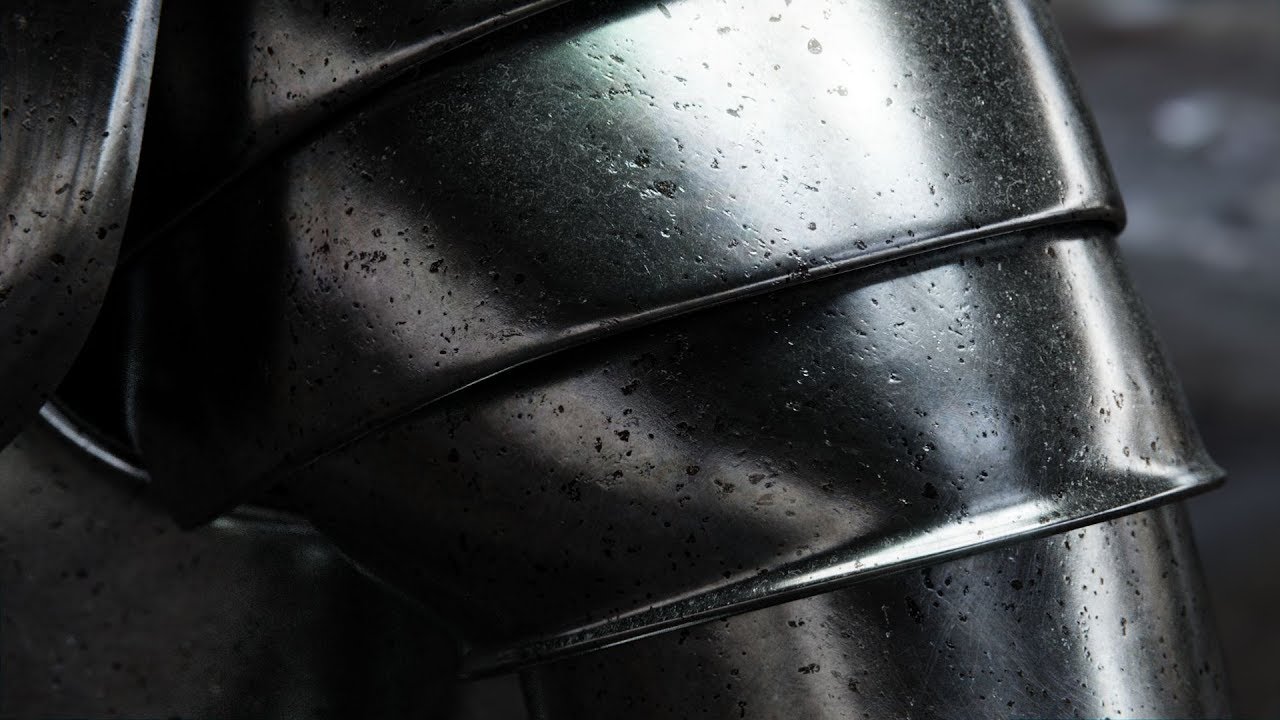
Metal release: https://www.blog.poliigon.com/blog/new-metal-materials Most people are creating metal shaders the wrong way. There's actually no diffuse - it'...
im probably incredibly late to the party, but this video has a link to a nifty set of metal maps and also explains why you should be using them
must-watch for anyone who is making metal materials imo, happy crafting!
uneven loom
Substance Share « The Free Exchange Platform »
if you wanted PBR metal maps that aren't paid

Ever wonder where to get free materials and textures? Today, I'm showing you 6 websites to download PBR materials and textures for FREE! ➫Subscribe: http://b...
 wary junco
Is there a way to do this in a single material https://i.imgur.com/lbKxYs7.png
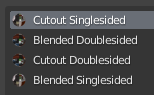
they all use the same image and UV just different shader parameters
gentle yoke
This is kind of a non-standard answer, but if you really want to optimize it into a single material without making the whole thing doublesided, I would recommend just solidifying the few things you need backfaces on with an actual mesh. Cutout, you could actually trace out the shape with the knife tool, but I know that's not really feasible depending on what you're doing.
If by other shader parameters you mean tint on the albedo or emission map, you can just pre-multiply that in PS/gimp
last nexus
You can use a shader which supports mixing face culling
velvet sorrel
@uneven loom Wow, you have so many useful resources. You should compile them into a list or something!
uneven loom
yes I really should do that
but it also helps that I have several discords that just have sections for useful stuff like that
so I pretty much just copy-pasted like the last 20 items from there


I was sick of scrolling forever in my Likes...
So I Gathered them in one convenient place using @RealtimeBoard Miro
It's a personal board for now, it would be cool to make a shared thing
Sorted Vfx / Shaders / 2D art / ...
@polycount #gamedev #gameart https://t.co/AFbr...
 Twitter
sharp pike
Twitter
sharp pike
Mirrors don't actually render using stereo rendering so there's no way to get something like the average eye position when a shader is used in a mirror, right?
 kindred swan
Is there any known shaders that use alpha as a way to indicate the intensity/transparency of a glow?
Cause i want to make some parts of an avatar glow, but with the current shaders i am using, the lack of alpha use makes the glow really look unnatural.
Like i want a part of the texture to pretty much ignore light.
But not the whole material, if that's possible.
sharp pike
How is this shader making things glow? If it's with an emission texture you should be able to smoothly blend the glowing parts of the emission texture to black.
tired token
Chances are you could author an HDR texture and that'll work too.
gentle yoke
I thought face culling was part of the rendering pipeline and you don't necessarily save much by clipping things manually with culling off
Not an expert, just going by what I've read so far
past pewter
What shader allows emissions to move?
gentle yoke
You can write one yourself by just changing the uvs over time, but poiyami is a popular one for avatars
 shut robin
Explain stencil buffer settings like I'm 5
past pewter
invisible buffer you can write and read values from to use for masking
 rich lake
Yes, if you look thru the mask it will show or hide (depending on your settings) anything with the corresponding stencil
past pewter
@shut robin the shader of the thing you want to hide will check the stencil buffer for a value http://shaderslab.com/demo-09---stencil-effect-invisible-crate.html
Ref 1
Comp equal
Pass Keep
}``` this part means 'if stencil value for this pixel is 1, draw, otherwise hide' cedar thistle
Anyone know/have a good emissive shader that can do sort of like a pulsating thing?
that preferably has either a cutout mode or fade
neat crag
i think poiyomi's can do that if you mess with the extra emission options it provides? going off memory here
 fossil quarry
@stiff berry Thanks for your post with all the resources!
 vocal wadi
Does anyone know how to interact with shaders?
For instance, an object that you can rotate in the world which also rotates the shader
As far as I know, it can't be done, but I'm seeing it quite a lot so it is possible. I know that you can do it with cameras, but I was hoping to avoid them
near flax
you should be able to do things based on object rotation by getting rotational information out of the unity_ObjectToWorld matrix, if that's what you're asking
i.e. normalize(mul(unity_ObjectToWorld, float4(1,0,0,0)))
normalize should get rid of scaling information and the last 0 parameter in the float4 will make it not translate the vector
so that'd give you a new vector from rotating the (1,0,0) vector
 sly gyro
is there a way to combine two shaders? I'm trying to achieve a "Toon/Cel Shaded" effect with a uniform outline. Is this possible?
uneven loom
yes if you know enough about how shaders work to just stitch them together
vocal wadi
Thanks! So I need cameras if I want to use 3 different rotations, for example?
near flax
yeah if you want multiple objects controlling your thing, you'd probably need cameras
vocal wadi
I see! I will probably manage.
I have a cool looking shader on a plane now, and I want it to be rendered in 3D like it was an object in the world. I take it this is difficult?
near flax
you mean like raymarching or something?
vocal wadi
It's actually raymached, but using a static defined view position in the shader.
But probably, I'm not smart on shaders. I just want my things drawn in 3D space rather than as textures on flat surfaces
past pewter
so
stiff berry
if it's something from shadertoy what you need to do is make it use view direction and camera position instead of whatever origin/ray direction it's currently using.
On shadertoy you give it an arbitrary point as a ray origin and calculate a ray direction from the uvs of the screen. Usually it's called something like vec3 ro for ray origin and vec3 rd for ray direction
so you want to feed in world space view direction for rd and _WorldSpaceCameraPos0 for ro @vocal wadi
past pewter
i made a source engine accurate lighting shader
supports tf2 lightramps, does the proper rimlighting method
vocal wadi
Thank you! I will try it out @stiff berry
It doesn't entirely work (every pixel becomes white) but it's quite hacked together to begin with.
It's the one from shadertoy, but I converted it to a Unity shader by pure guesswork and Googling
stiff berry
what exactly did you change?
vocal wadi
Replaced iResolution with _MainTex_TexelSize for example
near flax
you shouldn't need to do anything with resolution when you're raymarching
vocal wadi
It's a part of the code here https://www.shadertoy.com/view/lt3BW2
stiff berry
ya the problem is because you are still using resolution for the shader. this line shouldn't be there at all vec2 p = (-iResolution.xy + 2.0*fragCoord)/iResolution.y;
this should be set to _WorldSpaceCameraPosvec3 ro = vec3(0.0,4.0,8.0);
and this should be world space view direction vec3 rd = normalize(vec3(p-vec2(0.0,1.8),-3.5));
you can compute the world space view direction by calculating the world position of each vertex in the vertex shader with o.worldPos = mul(unity_ObjectToWorld, v.vertex).xyz; and adding float3 worldPos : TEXCOORD1 to your v2f struct
Then in the fragment float3 worldSpaceViewDir = normalize(worldPos.xyz - _WorldSpaceCameraPos.xyz);
vocal wadi
That works, if I'm near the plane with the texture I can see it in the upper left of the screen
stiff berry
might have to be something other than TEXCOORD1 but just change the last number
vocal wadi
It's a surface shader. I will try making it vert with the things that you sent me! But it's 2am so I will do it some other time, thanks for your input!
stiff berry
follow this to get viewdir in a surface shader
actually don't follow that thread it this one is better https://answers.unity.com/questions/170589/shader-actual-view-directionnormal.html
Unity is the ultimate game development platform. Use Unity to build high-quality 3D and 2D games, deploy them across mobile, desktop, VR/AR, consoles or the Web, and connect with loyal and enthusiastic players and customers.
vocal wadi
IN.viewDir behaves weirdly. It's only visible in the upper left corner and doesn't move entirely like I do. Also insible from afar and up close. But I didn't expect this shader to work at all so it was productive overall
stiff berry
normalize it probably
 digital kelp
That's super cool @past pewter Is the shader public?
past pewter
@digital kelp goin 2 release it when I set up proper eye shading
past pewter
eh actually you can just load in the lightramp for eyeballs anyways
i'll throw it up in a bit
 tough slate
...
digital kelp
Cool 
 young lark
@past pewter ooh; that looks pretty good
ping me when you publically release it; im working on some csgo models rn and i kinda want to see if they'll look fine with source lighting tm
vocal wadi
So, I just saw a shader in which two objects "melted" together. I don't know if they're on the same texture/shader or not though.
How are shaders reading eachother like that? They might know if vertices are connected to eachother, but besides that I don't see how shaders can 'know' things like which object they're on, or if they're colliding, etc.
grave hatch
what do you mean by melt? You mean like metaballs?
vocal wadi
I think it's using some raymarching thing
But the objects don't interact with themselves, only each other. But I don't see how the shader can tell the difference
grave hatch
You mean something like this? https://www.shadertoy.com/view/Xls3R7
yeah it uses raymarching then
 vocal wadi
Yeah
grave hatch
it uses a smooth union function with two object distances
vocal wadi
But the objects are real meshes, in this case they were armbands. When they were put close, they "melted together"
grave hatch
on two different avatars?
vocal wadi
The same avatar, but it might work with different ones, I don't know
But how does the shader know the distance between the hands? First it would need to know which hand it is currently calculating for and where the other hand is. How would this look in code?
grave hatch
what I imagine is they're in the same shader and they just have two seperate objects with the positions being set somehow either a camera + rendertexture (idk if that still works) or maybe some vertex position
and then the distance thing is just a raymarching function
vocal wadi
It didn't lag at all so I don't think it used a camera. If you play with positions, I don't think it would work if you crossed your hands, switching their positions, for example
Maybe I just have the wrong understanding on how it works fundamentally
sly gyro
screen space shader?
crystal wadi
post processing ?
fluid hamlet
someone know of a shader that can or know how to add random values for emission scrolling (using poiyomi's now but i need the scrolling interval to be a random value between 1-10)
ripe idol
The wave is an equation from start to finish so you can't really just start a wave at a random time
fluid hamlet
so i could not do a curve for instance
ripe idol
you would have to design an equation that creates a curve that randomly peaks
but is also consistent from start to finish
shaders can't really hold state without crazy hacks in vrchat
so you never know what happened last frame
you can't just randomly start wave and have it continue next frame
it needs to all be precalculated
What you're asking for is possible
fluid hamlet
guess i need to figure out the value of velocity width and interval if i want it to look equal to how it is in-game for the avatar i have
ripe idol
I'm just not pro enough at math to know how to do it off the top of my head
but if you change the velocity of a wave it will also change all the other waves running off the same equation
shaders are tricky for things like this
in normal game programming you could have the cpu decide when to randomly spawn waves
but we don't have that in vrchat
fluid hamlet
what is happening in the game is the scrolling emission seems to follow the mesh also and not just go from y=0 to y=1
ugh ..wished i could get the shader used in the game instead but all i get is a instruction file
ripe idol
you could have a long texture with waves on it and just scroll that across the model
you best bet is to math out an equation though
fluid hamlet
https://www.gamespot.com/videos/ai-the-somnium-files-trippy-dream-world-investigat/2300-6450974/?t=16s ..i need it like this (the girl)

GameSpot
Our first trip into AI: The Somnium Files' dream world has us exploring the mind of Mizuki, a girl who was at the scene of a crime, but there's more than meets the eye.
it uses these textures
ripe idol
yeah that top one is probably the wave control
they probably just scroll that along the surface
They could have a shader that just loops from top to bottom of that
and over time moves the x position
fluid hamlet
so set y to -10 and let say x to 5
ripe idol
y = frac(time)
x = frac(ceil(time) / 100)
or something like that
I'd have to play with it to know for sure
fluid hamlet
ok..thanks for helping ..will play around with the values
ripe idol
That's pseudo code I wrote off the top of my head it would require a little more work than that
and it really depends on UVs

The Book of Shaders
Gentle step-by-step guide through the abstract and complex universe of Fragment Shaders.
is a good resource
you can see stuff similar to what you want near the bottom
I don't have the time atm to make this but it is neat and I'll add this to my feature request list
fluid hamlet
alright will see if it gets in there in the next versions
fluid hamlet
https://gyazo.com/db2dab7d7a4c78252741bcb71365d5bd got it somewhat working 🙂 in your current toon shader poiyomi
 ripe idol
Neat
 rocky lion
Does anyone here know how to keyframe certain aspects of shaders?
Such as transparency, to make a fade away effect
grave hatch
you can just change the values of the material for the shader while keyframing
rocky lion
I think im doing it wrong, when i change the shader value it changes it in general and not just for that frame
example
steep swift
material swaps will not make a smooth animation
Instead you should be keeping the same material and change some propery of the material
For example Mesh Renderer. Material._Color
Or you can hit record and then change material settings
rocky lion
Okay i think i figured it out, let me test it now
rocky lion
Oh right i should mention, i got it to work! Thank you
vocal wadi
what is this? _WorldSpaceLightPos0
For directional lights, it's not position, because their positions are ignored.
It's called "lights" in the documentation, implying that it holds multiple lights, but it's a regular vector4.
The x value of it changes when I rotate directional lights, but I can't find out how it's calculated anywhere on the net.
I can calculate light direction on a vertex, but I need the rotation of the light component itself
stiff berry
if the w component of _WorldSpaceLightPos0 is 0, then it's just a direction vector in the xyz, if w is 1 then it's a world position
vocal wadi
Yeah but 0 degrees don't seem to give a x value or 0 or 1
stiff berry
0,0,0 rotation will probably give a vector (0,0,1,0)
a unit vector pointing forward
assuming forward is the default rotation, i don't remember
but if it were pointed up, then it would be (0,1,0,0)
be sure that if you are using _WorldSpaceLightPos0 you have a lightmode defined in your shader's pass. You probably want "LightMode" = "ForwardBase" in your tags
if you don't have a lightmode set it will work sometimes but it's using values from previous passes or something undefined like that
vocal wadi
Ah, so if it's pointed up, the Y value is 1 and the X doesn't matter even if I got it to point upwards by rotating it in X
stiff berry
yes
vocal wadi
Lightmode is vertex right now, I just want to read the light without having a laggy shader
stiff berry
it doesn't give you rotation per se, it's just a direction
vocal wadi
Thanks! It confused me quite a bit
stiff berry
which is why it doesn't matter if it was rotated using x or whatever else
You can get first directional light in ForwardBase pass for free so don't worry about it being laggy for that one
when you start using ForwardAdd it can get costly
vocal wadi
By the way, if I have two directional lights, which one will it use?
stiff berry
i think the one with greatest intensity but i'm not sure
if you have a forward base pass and a forward add pass then one of them will be part of the forward add pass
vocal wadi
Yeah, but if I enter a world without any directional lights, then it won't work, because mine will be caught in the first pass
I have a directional light with 0.0001 itensity, it want objects to render only when they are hit by this light. It seems near impossible
stiff berry
careful there's some cutoff value for intensity where unity just doesn't even setup the light in the shader if you go less than like 0.001 i think
something like that
but if you have a directional light it's going to hit everything or hit nothing
vocal wadi
Yeah. If it exists in the world, then render the object. But other lights interfere with it
I got it now. I just loop through unity_LightColor[4] and do whole and floating point division with the alpha values of all lights together. If those values subtracted are less than 0.1, then my custom light with 0.1 alpha on it exists in the scene, else it does not
 jovial current
ey any of you guys know how to work the rollthered fire shader, cant get mine to move at all :l
jovial current
update, got it to move, but not like fire should
steep swift
Did you use the included material as a starting point? that will make your life easier @jovial current ... there are some texture slots you need to define the pattern
jovial current
I tried using noise to make it work but it didn't work well
 woeful iris
How do you Cutout a texture with a Shader the way Mochie's Shader does?
It only renders the parts that didn't get Cutted out
like the outlines of the mesh filter don't show
pls @ me
 hollow spoke
anyone got any guides for getting audio data made available in shaders to I can make them react to what's being played form an audio source?
grave hatch
not possible without custom scripts
solid grail
^ you'd need to convert the audio into something the shader can take (texture)
grave hatch
If you've seen any avatars with that sort of effect it's probably just visemes,
or if it's a world they probably generated an animation in blender and then imported it to unity
hollow spoke
how do worlds like the music visualiser work then?
grave hatch
they're sort of banking on the videos changing up the visuals in sync to the music
hollow spoke

Created by Euan in VRChat Social VR app http://www.vrchat.net. Room name is Sound II. Direct link to room - http://www.vrchat.net/launch.php?id=3866332680
I've seen them work with arbitrary videos though
like, from media players with youtube links in them
grave hatch
if you're talking about that world specifically euan is a dev so they have scripting access in their worlds
hollow spoke
what about this one? https://www.vrchat.net/home/world/wrld_c02bd000-565c-4480-899e-920dd852fe5e
Epilepsy Warning - This world contains bright flashing lights and imagery that may cause discomfort and/or seizure for those with photosensitive epilepsy․ By SCRN and 1001․
I believe there's also some reactive stuff in the VOID club too: https://www.vrchat.net/home/world/wrld_7e10376a-29b6-43af-ac5d-6eb72732e90c
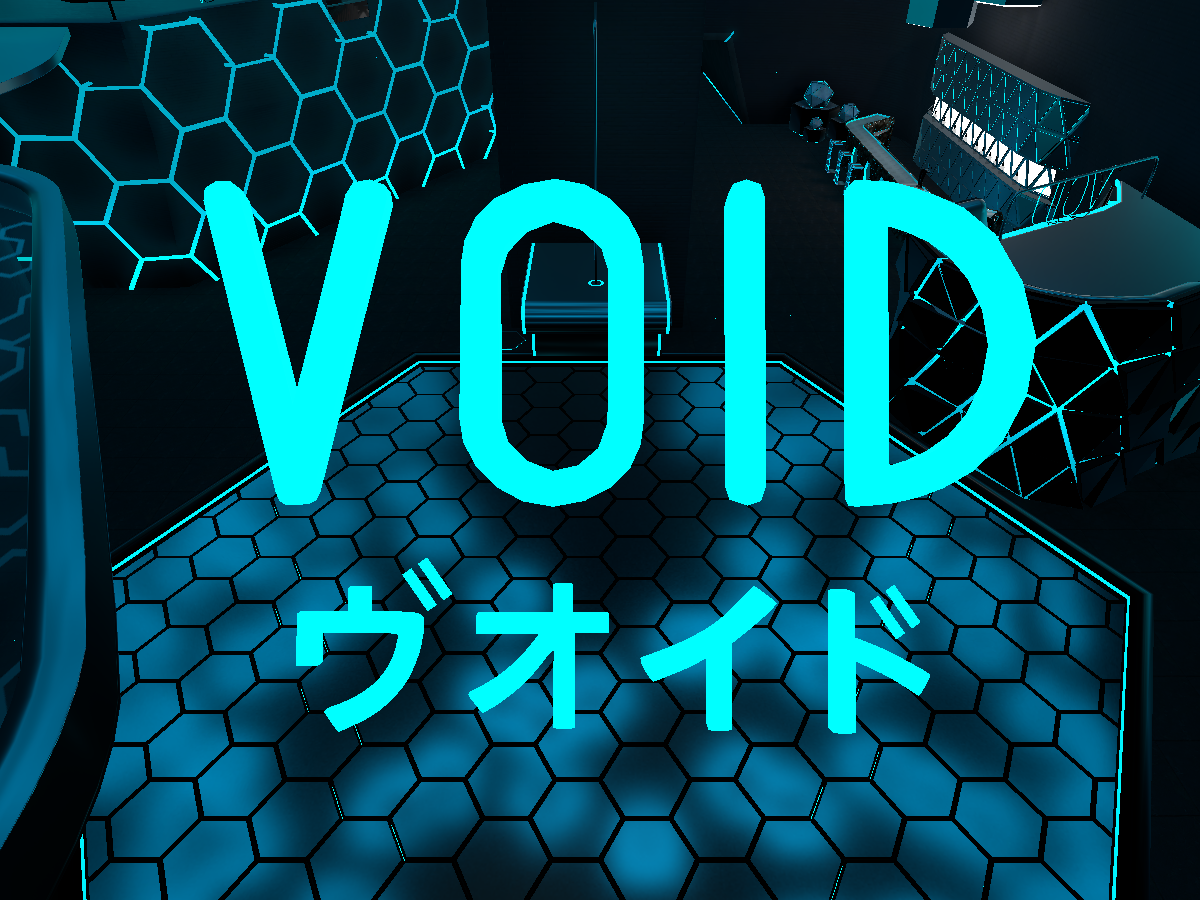
Void Club established in 2017․ Dance‚ chill‚ play games and moreǃ
solid grail
So shaders literally do not have access to the audio listener. Anything that's done is either baked or is done with scripts.

Scriptを使用せずにAudio Spectrum Analyzerを表示できるShaderと3D Modelのunitypackageです。 UV、頂点カラー、テクスチャからどの周波数帯をどのポリゴンで表現するか選択できるので様々なメッシュをパリピにできま...
grave hatch
I'm not sure about those but I'm guessing it's using a render texture to read from the video itself and the shader "visualizes" depending on changes in the color of the video
hollow spoke
is that a unity limitation, or a VRC one?
solid grail
Unity.
grave hatch
it's not gonna be real visualization
well it's a VRC limitation in terms of not having access to custom scripts
but yeah in Unity shaders don't have access to any sort of audio
hollow spoke
are there any pre-existing whitelisted scripts which will allow it?
grave hatch
shaders as a general case are able to access and mess with audio though if you look at sites like shader toy, but again not applicable to unity/vrc
solid grail
SCRN and 1001 are both in here.
@hollow spoke ask them
hollow spoke
@grave hatch yeah, that's what's made me ask
solid grail
yeah lol cause you can use audio sources as direct inputs for shadertoy
hollow spoke
can you change inputs to shaders at runtime at all in unity without scripts?
grave hatch
you can generate audio in shadertoy too which is pretty cool
and yeah you can use animations for that or a render texture
hollow spoke
I tried to find how to hook up a UI slider to an input on the shader, but I couldn't find out where to hook the "wire" into
grave hatch
I haven't played much with UI stuff so I'm not too sure, but I know people have linked it to post processing stuff
solid grail
^
hollow spoke
I hate that custom scripts aren't allowed, it hugely limits creativity...
solid grail
Well I can understand why they don't allow them.
hollow spoke
but at the same time, I can see how hugely harmful executing arbitrary code on someone's computer is...
grave hatch
udon soon ™ so hopefully we can get access to stuff like that
solid grail
Unlike some of the usual stuff they disallow, those can legitimately be malicious.
hollow spoke
it's a shame they can't sandbox them and allow access through some kind of "hypervisor" like structure
grave hatch
I vaguely remembering tupper mention something about audio visualizers very early on with udon, but I'm not too sure if we'll have stuff like that or if it's just going to be basic unity functions
hollow spoke
it's not going to be "wire" based visual scripting is it?
grave hatch
yeah it's node based, kinda sucks but it's better than nothing
hollow spoke
urgh
I hate things which "automagically" work
it hides the inner workings of things so people never actually learn what's going on
I appreciate it's good for "the masses", but for power users, it's such a steep learning curve working out what the different node incantations are to do something simple like add a bunch of items in an array together
grave hatch
this is the only real info we have on udon
https://miro.medium.com/max/1440/1*SfnAN-rYI23sBBs2RUmzag.gif
doesn't seem to be too black box heavy, those are all regular unity functions
 hollow spoke
I guess it could be far worse
solid grail
This game is very much going in the direction of only being useful to "the masses"
so get used to it I guess
hollow spoke
it'd be interesting if you can blend in shader stuff with other world "programming"
grave hatch
if they allow passing variables to shader properties then yeah
hollow spoke
when's Udon slated for beta then? do we know yet?
lethal rock
Shaders are the only custom code we can have in the game, nodes is going to suck they confuse me I need words on the screen
grave hatch
sometime in Q4
hollow spoke
@lethal rock I fully agree
solid grail
Eventually™
hollow spoke
one thing I really would love to see with all of these visual editors, is getting to look at the code which is produced behind the scenes after you've built your graph
grave hatch
if we can organize multiple nodes into a singular node I'd be OK with it
lethal rock
It’s basically the reason I tried shader forge and instantly went back to notepad++ for my shader
hollow spoke
I'd love to be able to get a better understanding of the mathematics behind these really complex shaders
grave hatch
https://thebookofshaders.com/
https://catlikecoding.com/unity/tutorials/
are great starts
The Book of Shaders
Gentle step-by-step guide through the abstract and complex universe of Fragment Shaders.
A collection of tutorials for people who want to learn C# and shader programming in Unity. Useful to both novice and experienced developers.
good understanding of linear algebra helps a lot too
somber widget
@hollow spoke there was a mention some time ago in this discord by the devs that udon will have a bytecode representation of some sort, and that they expect people will write alternative compilers to the udon bytecode format
hollow spoke
@somber widget now that's certainly very interesting
solid grail
I finally made the switch to VSC for shader coding lol
Had been making them in notepad++ since 2017
hollow spoke
@solid grail are there any preview tools for VSC that you know of?
lethal rock
I don’t know how VSC helps shader coding
somber widget
@hollow spoke search the discord for me saying "transpiler" for the context
grave hatch
I think there are a few plugins you can install for shader coding
solid grail
intellisense being able to search definitions etc
and yeah there are a couple hlsl/shaderlab specific plugins that help
lethal rock
N++ is a no bs only code editor, which is why I like it
solid grail
Yeah that's what VSC is for when compared to VScommunity or regular VS
Should clarify I mean visual studio code not community lol
code has been great so far
hollow spoke
ah, a2k.hlsl-preview looks handy
lethal rock
Yes I do know that many people like visual studio code
But if I had my way I’d be coding literally everything in vim
hollow spoke
I'd love a really good shadertoy to shaderlab transpiler
lethal rock
Unfortunately, that’s a pain in the butt on windows
hollow spoke
I found this one, but it generates some really weird output at times: https://smkplus.github.io/ShaderMan.io/
lethal rock
I mean if you wanted to code a converter it wouldn’t be that hard
Only issue I can foresee is there is method overloading in glsl but not in hlsl
grave hatch
it's not gonna be a 3D object if that's what you'd want since the shaders are working based on the UVs
solid grail
That's when you have to actually translate the code yourself
if you want the 3D effect instead of just displaying the result on a quad
at least with existing tools
lethal rock
Been there done that, I have a couple effects using shadertoy techniques
It’s not that hard
grave hatch
yeah, it's something with changing the UVs to worldspacepos been a while since I messed with raymarching so I forget
lethal rock
I recommend trying it
hollow spoke
I've found shaders to be the most complex stuff I've ever done
grave hatch
some of the advanced ones yeah, but a lot of it is just the nondescript variable names
hollow spoke
most interesting thing I've made is a kind of glowey ambient thing with overlayed sine waves of different colours moving at different speeds
trying to work out what to do with float3 and float3x3 have been my latest challenge
I know what they are, but how to work with them... ouch
steep swift
@hollow spoke here is a system I made. It looks for parts that move (like a videos that have a visualization) and use those for input... The actual visualization shader itself is incomplete, so you'd have to get your hands dirty but here is what I have:
 exotic moon
Is there a way I can make it so that the shader I'm using can also rotate the UVs of my mesh? I'm trying to use Cel's post-processing shader at the same time.
grave hatch
multiply the UV with a rotation matrix
float2x2 rotationMatrix = float2x2( cos(a), -sin(a), sin(a), cos(a));
exotic moon
Ah, thank you!
exotic moon
Okay. 👍
near flax
you're missing two parameters scruffy
tired token
nani
near flax
sincos(a, s, c)
grave hatch
oh right forgot that existed
 stiff berry
i've noticed that the compiler does sincos anyway for you, but it's still nice to be specific about what you want
jovial moss
anyone know how to get the camera depth normals texture? I am trying to make a decal shader but I need depth normals for the triplanar mapping, and so far I haven't found a way to get that texture. I've seen other decal shader so I assume it is somehow possible
solid grail
you have to reconstruct the normals yourself
jovial moss
oof, how would that be done?
stiff berry

A Unity Advanced Rendering tutorial about flat and wireframe shading, using derivative instructions and a geometry shader.
    float3 dpdx = ddx(i.worldPos);
    float3 dpdy = ddy(i.worldPos);
    i.normal = normalize(cross(dpdy, dpdx));
unfortunately it will not be smooth because it's a single normal vector across the entire triangle instead of an interpolated one across the triangle
but it's all you can get
jovial moss
oh wow is it really that simple? also that's not a big deal tbh
thank you, I was expecting something much more complex
solid grail
Well I mean if you're using that for decals then you also obviously need to find the center of the particle.
stiff berry
you can get more accurate normals by sampling around the point in more directions instead of using just the 2x2 derivatives from ddx/ddy
jovial moss
yeah I've dealt with custom vertex streams so that's no biggie
ah I see what you are getting at
thanks, I will start testing with this 👍
 sharp latch
I'm looking to make an underwater effect be put on your camera when below the sea level, I was told some sort of screenspace-shader would work well?
near flax
https://github.com/AkaiMage/VRC-Cancerspace here's a link to my screenspace shader if you wanna play around with that
GitHub
Cancerous screenspace shader for VRChat. Please use responsibly. :^) - AkaiMage/VRC-Cancerspace
a friend of mine used the wave distortion on it for an underwater effect and it looked pretty good to me
sharp latch
Awesome! Thank you!
vocal wadi
o.vertex.z -= 0.05;
Why does this make meshes invisible? I'm just moving them a little closer
grave hatch
you’d want to do any vertex movements before UnityObjectToClipPos
so you’d want to move v.vertex
vocal wadi
Ah, thanks!
stiff berry
0.05 can be different distances based on the camera settings of the map
1 is the far plane distance and 0 is the near plane
vocal wadi
Sorry for all the questions, but it's extremely hard to find any useful information online.
I'm trying to prevent clipping, but what I did just now doesn't work. It seems that a vert is discarded if it's too close to a camera (clipping plane) but as far as I can see there's no code actually doing this. I have access to all the verts in the shader, so it's annoying that camera is ignoring what I'm doing with those verts
stiff berry
you can't prevent clipping due to the near plane
well maybe you could not move the vertices towards the camera and just scale it so it takes up the right angle in your view as if it were moved, but idk that sounds complicated
vocal wadi
In theory I can't, but Unity 5.6 avatars in VRchat ignore the near-plane completely. This caused the mirror bug. So it's possible somehow
I could project it to the screen somehow and then move it closer I guess. But if the vert is discarded by the camera before I even manage to draw it onto the screen it won't work
stiff berry
ya i don't know that you can get around that
i would imagine that 5.6 thing was probably just the near plane value being really small but idk
vocal wadi
I don't think so, since big difference in camera planes will cause shaking and other issues that I didn't encounter. It's just like the GPU isn't aware that it's too close
stiff berry
you might be able to do it by lying about the depth in the fragment shader
struct FragOut
{
    fixed4 color : COLOR;
    float depth : DEPTH;
}
FragOut frag (v2f i)
...
instead of
fixed4 frag (v2f i) : SV_Target
...
and use FragOut O; O.color = col; O.depth = whatever;
maybe saturate the output depth? idk
vocal wadi
I will try. It gives an error bcause color and depth doesn't exist though, how would I initialize them?
near flax
maybe try something like o.pos.z = max(o.pos.z, _ProjectionParams.y+.0001) to move your stuff in front of the near plane?
stiff berry
i thought about that but then all the triangles behind the near plane will be actually on top of each other
i figured lying in the fragment shader might make it not zfight in that case
idk tho
near flax
ah true
stiff berry
i'm pretty sure using a depth output like that will make it so it can't clip early
so it should work i'm just not sure if it will still zfight
and also caffeine you use it like this
FragOut frag (v2f i)
{
    FragOut o;
    o.col = whateverColorYouGot;
    o.depth = saturate(i.depth);//maybe?
}
i think depth is flipped on opengl so that saturate thing probably won't work there
Direct3D-like: The clip space depth goes from 0.0 at the near plane to +1.0 at the far plane. This applies to Direct3D, Metal and consoles.

OpenGL-like: The clip space depth goes from –1.0 at the near plane to +1.0 at the far plane. This applies to OpenGL and OpenGL ES.
apparently near plane is -1.0 for opengl?
interesting
near flax
aren't there macros for dealing with that? i have to imagine there would be
stiff berry
Inside Shader code, you can use the UNITY_NEAR_CLIP_VALUE built-in macro to get the near plane value based on the platform.
i guess that would be 0 for directx and -1 for opengl
near flax
perfect
stiff berry
i guess this fixed4 color : COLOR; should actually be this fixed4 color : SV_Target;
COLOR won't work on PS4, who knows if that will matter some day xd
near flax
yeah when vrchat gets released on ps4
stiff berry
DirectX 11, DirectX 12, PS4, Xbox One, Metal: Reversed direction

The depth (Z) buffer is 1.0 at the near plane, decreasing to 0.0 at the far plane.
Other platforms: Traditional direction

The depth (Z) buffer value is 0.0 at the near plane and 1.0 at the far plane.
hmm
solid grail
Lol with psvr controls
stiff berry
i guess this is actually what you care about?
nice
i guess use that and UNITY_REVERSED_Z instead
vocal wadi
Error on line 48: FragOut frag (v2f i) gives "redefinition of fragout"
stiff berry
paste a few lines around line 48
vocal wadi
struct FragOut
            {
                fixed4 color : COLOR;
                float depth : DEPTH;
            }
            struct v2f
            {
                float2 uv : TEXCOORD0;
                float4 vertex : SV_POSITION;
                fixed4 color : COLOR;
                float depth : DEPTH;
            };
            FragOut frag (v2f i)
            {
                FragOut o;
                o.col = whateverColorYouGot;
                o.depth = saturate(i.depth);//maybe?
            }
I'll admit I don't have much of an idea what I'm doing, pasting things from Google usually works
stiff berry
semicolon after ```
float depth : DEPTH;
}<--- here
struct FragOut
{
    fixed4 color : COLOR;
    float depth : DEPTH;
};
struct v2f
{
    float2 uv : TEXCOORD0;
    float4 vertex : SV_POSITION;
    fixed4 color : COLOR;
    float depth : DEPTH;
};
so that
stiff berry
uhh you'd have to paste vert function and whatever #pragma vertex line is
not sure
probably changed the name of vert?
idk
vocal wadi
I deleted the "v2f vert (appdata v)" thing
stiff berry
ah ya that'll do it
vocal wadi
Fixed it
texture is invisible, but I have to go now, thanks for the ideas and such, I will make it render when I get back
last nexus
It's SV_Target for color and SV_Depth for depth
you can also do this: @stiff berry
void frag (v2f i, out float4 color : SV_Target, out float depth : SV_Depth) {
...
}
hmm DEPTH works and that page doesn't say anything about a platform difference, but it's more consistent for sure. Odds are there is a platform difference and unity didn't document that one
good to know
last nexus
DEPTH/COLOR are Direct3D 9 syntax
vocal wadi
"Didn't document that" That's like the definition of Unity
 ember trout
All the fbm shaders I convert end up being completely black 😦
I changed iResolution to uv
solid grail
Fbm?
ember trout
fractal brownian motion
https://www.shadertoy.com/view/4tdSWr




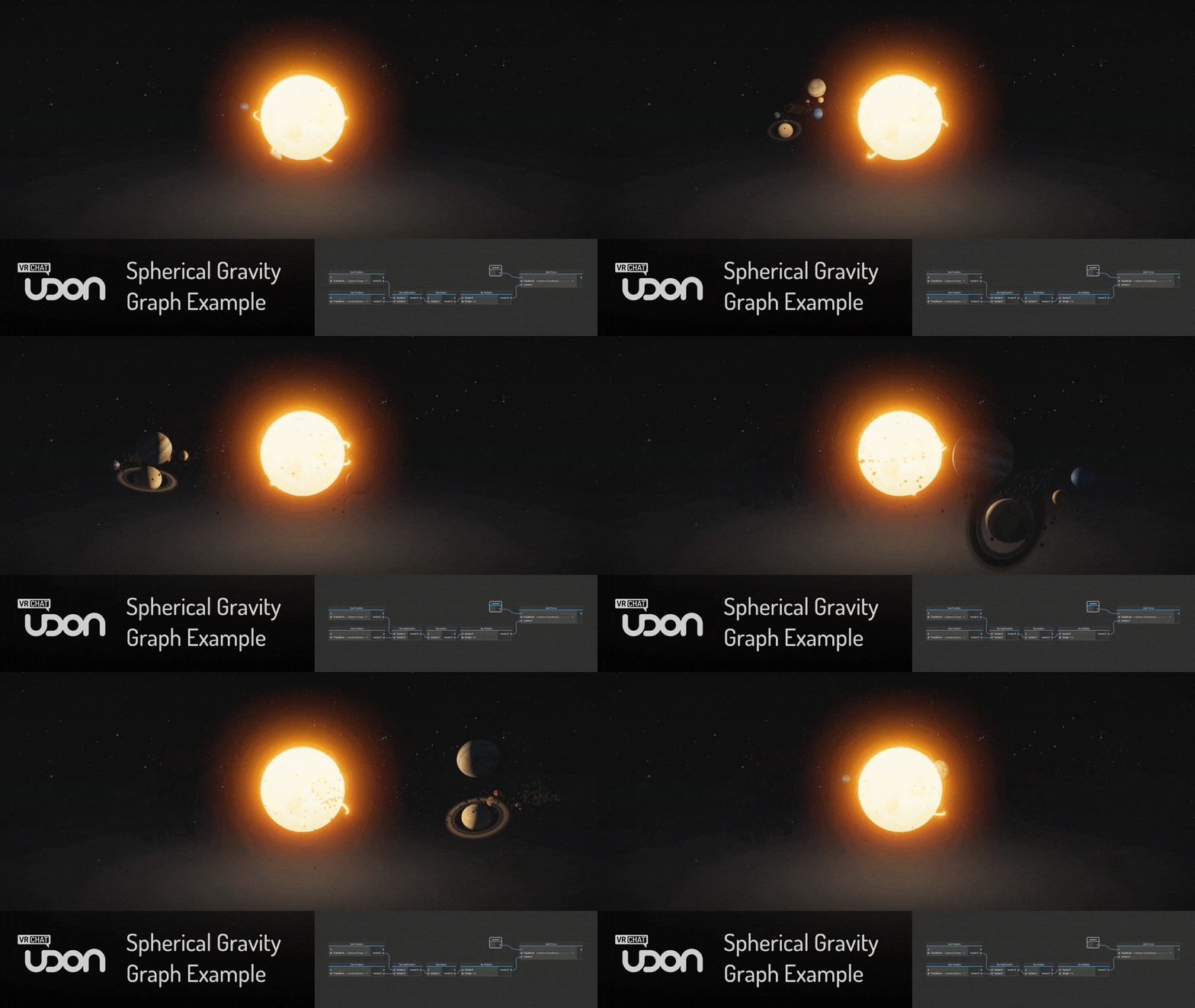
It would make a great skybox
solid grail
Are you converting it yourself?
ember trout
Most of it was done with shaderman, but it doesn't convert the last 20% or so, it just glitches out. So I converted the rest myself. The first shader was converted manually, but the code is quite simple (last shader on here: https://thebookofshaders.com/13/ ). I think the issue is converting u_resolution and iResolution and other such things
The Book of Shaders
Gentle step-by-step guide through the abstract and complex universe of Fragment Shaders.
I'm using UV now, but I don't have a texture on the shader, so it's probably what's going wrong
next tundra
anyone knows shaders for dances like make your screen with a black and white shader? or somtheing?
tired token
cancerspace?
tired token
And you thought I was joking! :P
wary junco
How do I set up Zbrush/SubstancePainter's occlusion maps in Unity Standard shader? Also is Smoothness just an inverted Roughness map?
solid grail
standard shader uses the green channel of the occlusion texture for its input
wary junco
green channel of which property?
is there a doc on this that's the first i've heard
Oh, I see. What about a smoothness/roughness map? They only provide a slider.
solid grail
in non metallic/roughness workflows the alpha channel of the metallic texture is used for smoothness/gloss
while specular uses RGB for specular lighting color and alpha for smoothness
wary junco
Ah, I'm using "Standard (Roughness setup)"
I'm assuming Occlusion/Roughness/Metalic are all meant to be greyscale images
I had them exported into a single Red/Green/Blue map
solid grail
you can still do that but you need to be using the right channels
solid grail
met - R
rough - R
height - G
occlusion - G
normal -RGB
solid grail
roughness is a separate texture in normal metallic roughness
wary junco
oof
solid grail
you can choose which channel is being read for each property with my standard edit
GitHub
A Unity Standard Shader hack centered around VRChat compatibility. - RetroGEO/reroStandard
if you want to try it
solid grail
yeah you get one or the other, the pbr stuff will read from the channels i posted earlier on fallback
not much i can do about that 🤷
 drifting stag
ok so you know those shaders that some people have on for example their hair where you can see like a sphere of images around it
how exactly does that work, cause i want to try and and make a shader reminiscent of the minecraft end portal for an effect similar to this. like the starlike shader around it, blender can make the crack with a couple polygons so that isnt a problem.
panorama shader i think
 steep bear
Cubemaps
drifting stag
are portal shaders that are massive considered mali- wait obviously they are, animated portals are about as laggy as laggy gets.
near flax
what
drifting stag
but nothing can argue how cool this looks this aint mine, i just got a shader pack and was looking through them because i didnt know what the hell portals or raymarched shaders were
near flax
oh raymarched shaders you mean
drifting stag
raymarching is byfar the best way to render things like fractals.
yeah im just inside a sphere with the shader.
idk where i got portal from those are screen shaders
on the bright side screen shaders also make possibly the best anti malicious shader, a shader that removes all shaders. Like it wouldnt stop lag but it would stop people from hijacking your view therefore preventing us from blocking them
near flax
just turn on safety mode lol
drifting stag
yeah but still
its annoying and resets my entire custom section
when i could just give a thumbs up and just see again
lethal rock
Careful with raymarching it tends to run heavy on GPUs
drifting stag
yeah im never making a raymarching shader model because, well
not everybody runs vr off top end vr pcs.
like ray marching with one eye is laggy enough
with 2 i doubt it would even render.
drifting stag
ray marching is like raytracing but made by a genius.
raytracing traces rays
ray marching just goes as close as it needs to before it can make an accurate representation of whats where.
both of these cause accurate reflections but also allow rendering of really cool things.
but this is technically not even related to shaders any more.
near flax
what are you talking about, raymarching is completely a shader topic
and raymarching is a method of raytracing
lethal rock
You have to do some heavy optimizations or just make some compromises to make it run well on lower spec’d vr machines
drifting stag
either way i have no plans on using it, i was just looking through some shader packs to see what is actually usable.
 subtle timber
Hi, do you have any good shader recommendations for clothing?
wary junco
Honestly, standard + normalmaps is best for fabrics
solid grail
^ agree
subtle timber
@wary junco @solid grail Thanks!!
WOW, Standard is underrated. This has really given a much needed boost. Any recommendations for hair?
 grand jackal
hi guys, do you know any good guide, tutorial or some page to learn more about shader scripting?
i only know the most basic stuff
grave hatch
this one is for glsl but you can still apply the concepts: https://thebookofshaders.com
solid grail
that one is good
grave hatch
this is also really good and is by the creator of shaderforge https://youtu.be/9WW5-0N1DsI

🔽 Click for Timestamps & Info This is a several hours long improvised live introductory course to shader coding in Unity! It has been slightly edited in the ...
grand jackal
thanx guys, i take a look to them
 frozen estuary
hey what are some shaders that look decent in-game? I tend to find that shaders appear different in Unity compared to how they appear in game. For example, many toon shaders in-game tend to glow in the dark (more so are not affected by the lighting of a world and appear to be statically light).
 glossy storm
I use silents
frozen estuary
https://gitlab.com/s-ilent/SCSS from this link?
GitLab
A surface shader for Unity providing cel-shading. (Forward rendering only)
velvet sorrel
@subtle timber Realistic hair? Try mine!
https://gitlab.com/s-ilent/hair-with-anisotropy
@frozen estuary The most important thing IMO is to set Unity up correctly before you upload to the game so you can see what they should look like. For example,
- Replace the default skybox with a HDRI cubemap for ambient light
- Change the default light to use a realistic intensity and colour (not yellow)
- Adding tonemapping from post-processing to make sure the colours aren't washed out or blown out
Then you can play with the skybox material and Unity will dynamically update the lighting, so you can see what happens in different light conditions
 left idol
what shaders should i be using for anime style avatars
past pewter
arktoon is good
subtle timber
@velvet sorrel Thanks silent!! I was wanting to try yours but didn't think it was out yet! Can't wait to use this!!
velvet sorrel
@left idol Try my shader. It's got lots of options for anime-style avatars!
https://gitlab.com/s-ilent/SCSS
grand jackal
Hi guys, so i made my way building this shader, but i would like to know how to add some refraction to it to make it look like crystal or some kind of refractive glass. Its a surface shader
i would like to add refraction based on the fresnel effect
solid grail
you would use a grabpass and distort it based on whatever fresnel term you've defined there.
grand jackal
thx bro, i'll try it
the grabpass its fot getting space behind the object to texture right? so i add the fresnel effect to it right?
tired token
Remember to name your grabpass!
solid grail
_reroGrabASS :v)