#shaders
2 messages · Page 7 of 1
 lethal nacelle
so this is how my hair is currently
and it's alright ykno
i've got my fading star emission
i've got a red toon ramp and a normal map on it
but now i also want to add some nice highlights to it
as in the bright colored highlights that usually go across the hair in art
something like this for ref?
something more like this i guess
with really bright, contrasting yet appropriate colors (i know barely enough about color theory but u get what i mean) for highlights on the main color, and gentle shading on darker sides which i already have thru the normal\
as well as any rim lighting or similar (would subsurface scattering also be appropriate in this instance?)
but like this hair right here is what i'm aiming for
 past pewter
@lethal nacelle use a matcap/spheremap(sph) for the hightlights

sometimes they are included with the mmd as sph or spa files
lethal nacelle
ah
thx!
in the event that a matcap isnt available, how would i go about creating one myself?
with some incredibly rudamentary experience in gimp, inkscape, and paintDOTnet?
dont try to make me use adobe software lmao im poor
this is an interesting start
found some matcaps randomly to test with
 steep swift
Nice anisotropic effect
past pewter
@lethal nacelle you can find a lot of them with google images and glossy highlights are simple like this
or you can search deviantart etc for sph or spa files https://www.deviantart.com/pacmau01/art/SPA-test-316039576
DeviantArt is the world's largest online social community for artists and art enthusiasts, allowing people to connect through the creation and sharing of art.
if you decimated the hair a lot you might want to recalculate the normals for that part to make the matcap highlights look smooth and curved
lethal nacelle
first time messing around with it
still not quite sure what to do about anything that isnt hair or obviously needing specular (metal, for example)
subsurface scattering doesnt appear to be working right for me i might look back into it for skin
past pewter
yeah, matcaps aren't very useful for things that are not supposed to be shiny, but there's skintone matcaps too for skin
usually not needed though
 karmic osprey
if you use an invisible shader for your avatar, how do you get it back to its regular textures?
steep swift
@karmic osprey Hmm? Are you talking about an animation override? Make another material with the mesh visible and your favorite (toon) shader. Then edit an animation, click record and change the material(s) on your Skinned Mesh Renderer. The things you change should be highlighted red which means it works. (as is usual for hand gestures, insert a duplicate frame 0:01 to make sure it doesn't flicker)
karmic osprey
i did that but if i enable the invisible shader and press F1, the invisible shader doesnt change back to regular textures
it'll still be invisible
karmic osprey
desktop
karmic osprey
so how do i revert back?
i thought putting something in idle would work
but apparently not
 crystal wadi
better to ask this in the #animation group
they would have more updated info and i don't wish to miss guide you
past pewter
does anyone have a shader where it can turn everything around it into a different color? like if you want to turn everything black n white
crystal wadi
for a animation ? what its used for
grabscreen shaders can change the entire screen or are you looking for a surface shader for a object or something
so if we know how your planning to use it would be best so you get it correct
past pewter
yeah sorry im not the best at explaining things, but it is for a hand gesture and i think its a grabscreen shader though im not sure
basically im trying to make this to where the outside of the ball is blue and when you step inside of it its blue as well,
crystal wadi
so a simple color change grabscreen
lethal nacelle
did some practice with matcaps today, finally reached a standard of shading that i like pretty well
matcaps godlike
now its time to delve into the hell of subsurface scattering
 lethal rock
very nice
 fringe cloud
anyone got a VR and performance friendly glass shader?
 tired token
Standard?
fringe cloud
I tried it but it just goes invisible after I baked lightning etc and made it nighttime
crystal wadi
use a normal texture with the glass then it should be ok
also try using fade settings for render mode
fringe cloud
ait I'll try thx
fringe cloud
thx
past pewter
looking for some advice on what shader to use to make a prop go from realistic to something out of an anime
 sharp basin
use a cel shader
tired token
remove normal map, cel shade it. lol
sharp basin
unlit works fine too but thats if you dont want shadows
crystal wadi
emission masks
sharp basin
can anybody explain this for me? Im trying to make a shader that detects if there is a light source and if there is it should output the light direction as the colors of the mesh. if there is no light source then i want it to output red. so why does my mesh turn black when i turn off the light source?
if i make the shader turn white when there is a light source instead of using the light direction as the color it works and turns red if i turn off the light source
tired token
I mean if you want it to look how you want, just make it yourself, you can't really convert a PBR model to look "anime"
sharp basin
@past pewter if you want to make it look more anime you want to also recolor it yourself. give it more simple singular color shading
crystal wadi
i was thinking anime more like this
tired token
Well why didn't you say so?!
crystal wadi
if your looking for more toon just turn the emission off
but how can you have a gun with out some funk in it
 trim ice
Hi, is there a hologram shader somewhere that I can download? Thanks
lethal nacelle
any emission scroll shader that allows you to adjust its opacity should do fine for a hologram effect
past pewter
I need help finding this shader:
Does anyone know what it's called that's what I'm asking.
crystal wadi
the UI panel ?
past pewter
yeah
crystal wadi
that would be a custom UI panel
without the textures it would be hard to reproduce just the same
past pewter
so... how do i reproduce it?
 lucid cedar
Error's hud shader

VRCat: Community-Run VRChat Forums
%--------------------------------------------------------------------------
%
% Error's Heads Up Display (EHUD) Shader Version 1.01
% 2018-08-05...
crystal wadi
well the timers and compose likely work with scripts and then its attached to the players camera >>>
however some on better at dealing with UI panels may know
lucid cedar
Nah, it's all shader code
Shaders can get the time since you loaded the scene, as well as world position and world rotation (such as the compass)
past pewter
Thank you, guys
lucid cedar
Just be careful, if you use HUDs that are too opaque for too long on a VR headset, you may experience burn-in
crystal wadi
cool
lucid cedar
"Too long" means "over the span of a few months"
That's why it has an alpha slider now
tired token
It also has noise or something, been awhile since I touched it.
lucid cedar
Ah that's a good idea
tired token
Maybe even scan lines like how the mic icon used to be.
lucid cedar
Oh yeah, I completely forgot about the mic icon being changed like that
Why did that happen anyway?
tired token
I wonder if it was by mistake. lol
lucid cedar
Wouldn't surprise me lol
lethal rock
Well I’d say mutes are going to have a good amount of burn in of the mic icon thanks to that change
tired token
Hide HUD, not like mutes use it! :P
 wide cedar
im dumb as a bag of rocks
for some reason i cant import cubeds shaders
it says its already installed but i never did that
it does that with Xiexes shaders too
wide cedar
nvm
i just dropped it into the assets folder manually
lethal nacelle
its all good my guy, when it comes to avatar creation most of it is "book smarts" for lack of a better word until you try to go after becoming a proper 3d artist, which only very few people do. the only way you're gonna be learning anything for a long time is by suddenly finding out that a part of your avatar doesn't work - which will always happen - and then having no choice but to learn how to get it working again. if going through that process makes you dumb, then ill also take that title, because even though i've only been at this for 6 months (technically 10 now) i still learned a shitload of new stuff today
and yeah, if an asset comes zipped up you want to export it and drag in the folder
it's unity packages you import, which you can also sometimes just drag in if one day your project decides to be nice like mine for. some. reason. ^ ^`
 noble zephyr
can you make a shader into a gesture
lethal nacelle
yeah, you can keyframe shaders @noble zephyr
and control specific values in them with animations
noble zephyr
ok cool thx
 winter sigil
is it possible to make a shader that renders a different effect when near the edges of your screen. Id like to have objects in the environment render normally but when looking away from them or when they are in the corner of your eye have a static effect instead until you look back at it, to give the environment a strange and broken feel that you can't directly see
 brave bobcat
My "blush" as in a mesh that only shows up while using a shape key is not showing in Unity, is that a shaderproblem or something else? It shows in Blender
tired token
Put standard on model and check, make sure standard is set to opaque
If you can see it, it's shader, if you can't, good luck and have fun.
 somber widget
@winter sigil that is certainly possible yes. However since you don't know the actual user's eye position it would be based on HMD direction
winter sigil
I'm fairly certain I could get it to work for desktop users, but idk if I could make it work for vr
somber widget
You could average the two eye positions
lucid cedar
You can get the world space camera position of each eye and you can also lerp between them
And on top of that you can check if USING_STEREO_MATRICES is defined (or some UNITY_SINGLE_PASS_STEREO keyword?) and just spit out _WorldSpaceCameraPos
somber widget
@brave bobcat check for reversed normals on your blush mesh
brave bobcat
Thankyou guys, reduced "Alpha cutoff" (whatever that means) it fixed the blush being transparent/invisible
somber widget
@brave bobcat any alpha values below the cutoff are fully transparent
tired token
I mean technically they don't exist but
lucid cedar
Yeah, it goes a bit beyond transparency
They're clipped out and removed from existence entirely
somber widget
Right. Fully transparent plus no changes to z or stencil buffer
But I figured that was too much detail :)
 jolly crystal
what is the best shader to use for toon characters?
trim ice
Has anyone here used SilVR's Water shader?
Is there a way to hide the render plane?
Can I just untick the layer for the render plane from the culling mask of the main camera?
tired token
Nope
trim ice
What are you saying nope to? @tired token
tired token
Last question. :P
Also editing in mentions doesn't work. (Hence my late reply!)
@trim ice
 velvet sorrel
@jolly crystal What style?
My shader can handle all kinds of characters!
https://gitlab.com/s-ilent/SCSS

GitLab
A surface shader for Unity providing cel-shading. (Forward rendering only)
steep swift
@trim ice you should be able to move the whole system down to y like -1024 and be fine, provided the precision errors at that height don't have much effect... (some value greater then the default far clip of your main camera, often 1000)
 subtle timber
Is anyone familiar with a shader that might give off a Borderlands or Wolf Among Us look?
lucid cedar
Borderlands? Noenoe with thick black screenspace outlines
subtle timber
Good idea, thank you @lucid cedar !
jolly crystal
@velvet sorrel Thanks!
 shadow sundial
doess anyone have any realistic shaders?
crystal wadi
? is that a specific shader or something your looking to do
shadow sundial
i looking for a non cartoon looking shader for my avatars
crystal wadi
oh
 lucid pewter
standard shader makes a good job at that, especially with a normal map.
velvet sorrel
Try my subsurface scattering shader. I plan to update it soon to add some more features.
https://gitlab.com/s-ilent/standard-subsurface-scattering

GitLab
A simple subsurface scattering shader for Unity/VRchat that implements an approximation of a subsurface scattering effect.
 zealous sedge
@shadow sundial I have realistic shaders but haven't really touched them for a year, not sure how good it is really
Also my apologies for the ping
 vocal wadi
Do shaders only work when you look towards them?
And is it possible to make a shader which is active on your entire screen, rather than one which is applied when you're looking through an object?
I know these can be used to mess with people, but I just want to change the stencil value of the screen depending on which materials (with shaders) are active on my avatar
steep swift
@vocal wadi Stencils only make sense when applied to a physical area. For affecting whole objects, I recommend using animator toggles or just gesture overrides to change materials, material properties (open up Skinned Mesh Renderer and you will see Material._SomeProperty there to be animated!) or activate whole skinnedMeshRenderers
Regarding your first question, meshes render or are culled based on their bounding box
SkinnedMeshRenderer lets you override the bounding box. If you select the wrong option, vrchat might ignore your bounding box you set here
vocal wadi
If I make an object which is only visible with stencil value 2, I will need to look through an object which adds the stencil value 2. I want everybody to be able to see this object, so the shader needs to be active on their screen. Otherwise I will have to move the plane into their face for them to actually see it.
I can do this in a better way, but I have plans with it 😛 for example, if I give the same thing to a friend, then only when both of us are in the world will we have the stencil value 4 (2+2). So I can make it so that specific items are only visible when both of us are in the same world
steep swift
Meshes (Not Skinned) also have a bounding box baked in. If you assetize your mesh (e.g. using LyumaMeshTools) and you set asset serialization to text, you can edit the .asset in notepad++ or vs code and change all the m_Bounds (one main, and one after the submesh)
vocal wadi
And that sounds cool! I will look into it. Thank you!
My original idea with this stencil thing was to make a huge sphere around my player, but since I'm looking from the inside of the plane, and the plane is "behind" the objects in the world, the shader on it may not be applied anyways
steep swift
Hmm that should work
Just set Cull Off
Derp Cull Front so it renders the inside of the sphere
And you'll need to play with ztest and zwrite
vocal wadi
So if I make a 10 meter sphere around me with stencil value 2, me and everyone else will always have a stencil value of 2 while inside of it? With ztest and zwrite
steep swift
Also important @vocal wadi make sure the render queue of the stenceler sphere is before the render queue of the object affected by stencils
Vrchat will ignore the render queue set in the materia settings. It must be baked into the .shader as a SubShader tag
"Queue"="Transparent-5"
vocal wadi
Alright, thanks! I will use something below Transparent
steep swift
But yeah the sphere (or a cube) is the most common approach
Well depends what you are stenciling. Maybe you need below Geometry
vocal wadi
It will need to be like 100 meters to "affect everyone"
steep swift
That's what avatar bounds are for
Also note that people with shaders disabled will see the frontfaces of the cube
vocal wadi
If it's below geometry, won't it be visible? on render queue 2001, I can make it so that you can't see it, but it still affects your stencil value
Yeah. I guess I can put it on a camera so that it only exists for friends
steep swift
If you want backfaces even when shaders are blocked, you can try the inverted sphere mesh from the prefabs database
vocal wadi
Alright, thank you! I will try messing around with this for now. It would be great if I could just put the shader on a single pixel and have it affect the whole screen though
steep swift
You can
The vert function determines which on screen coordinates you will hit. You could make a degenerate quad for example and then use the uv as the screen position like float4(uv.xy * 2 - 1, 0, 1)
vocal wadi
Thank you! I will attempt this now. It may take a while though as I'm still novice at shaders
lucid cedar
Interesting, you don't need a grabpass to invert colors at all
You can just set a blend mode of Blend OneMinusDstColor OneMinusSrcAlpha
If you render a fully white and opaque pixel to the screen
 agile geyser
why does my head hurt?
agile geyser

can someone explain to me in super stupid, how I could make that
I am very stupid
and I want to make to much for my small skills
lucid cedar
Ah yeah BlendOp add is also necessary for the color inversion
@agile geyser if you really wanna make the whole thing yourself start by learning shaders in Unity
Otherwise find an existing color inversion shader
agile geyser
yeah I give up
my avatar is good enough with the sounds
the shaders, I will add sometime, when I actually know what that is
sorry, if I wasted your time rokk
vocal wadi
I can write to the screen, but I don't thing I can write a stencil value to it?
steep swift
@vocal wadi same way you normally use a stencil value... do I misunderstand?
Stencil { Ref 123 Comp always Pass replace }
vocal wadi
I put that on a screenspace shader, but it doesn't seem to work. Maybe the screenspace shader doesn't work though.
I'd search for some, but all I get is shitty Unity scripts that adds textures to the world camera
steep swift
That's why I suggested the inverted sphere with a simple stencil shader (XSStenciller)
I was explaining how you could do the same if you wrote it yourself, but then you need to write it yourself. Don't expect some existing asset to happen to do exactly what you want, because you are asking for something unconventional. Again the standard use for stencils is to have some 3d geometry set a stencil to be tested in other 3d geometry
Covering the whole screen with a stencil is rather silly and unperformant, and probably not the best way to achieve your effect. The only reason to do exactly what you are asking in vrchat is to reveal stenciled pixels of objects you do not control
vocal wadi
I will try that. I should be able to just throw the stencil code onto any screen-space shaders, but I can't find any. Probably because they are used maliciously in VRChat so often. I will attempt it with a sphere now
vocal wadi
The sphere thing does not work. The stencil thing never activates. It works on a regular cube though. Well, some of the time, it stops working randomly (and from certain angles) because Unity is horrible software
steep swift
Again. Did you do the thing I said about render queue
And did you set Cull correctlt?
Or make sure it is an inverted sphere
vocal wadi
Yup. Sorry, it works now. Just only for half the rotations possible, and on half the screen. It's Unity being Unity.
It's even applying effects to the skybox still, despite me having removed them from the shader
steep swift
Then you probably didn't do it properly
And if it's messing with the skybox that probably means you didn't set ZWrite Off
vocal wadi
It's off. I will make a new Unity project and see if that fixes it
vocal wadi
Had to remake all shaders. Got it to work with the sphere though! Thank you!
 lyric pilot
Is there like a time shader? That shows the current time?
tired token
In real life @lyric pilot ?
lyric pilot
No on the avatar
tired token
I mean real life time. lol
tired token
Only worlds can do that.
Avatars can do how long you've been in the world for.
 stiff berry
I've had a shader which could reveal other stencil values. I don't suggest it. It required 256 different materials and I used a texture which was a sprite sheet of each number from 0 to 255 where each one would just fill the screen with that number, and the stencil value it checks for would be that same number too.
I used an editor script to setup all that without actually having to touch each and every material. The problem is that 256 materials. If you look at occulus' guidelines for hitting target framerates they state that you should "Limit each frame to a maximum of 500-1,000 draw calls" https://developer.oculus.com/documentation/pcsdk/latest/concepts/dg-performance-guidelines/?locale=en_US
When you use 256 materials you're taking anywhere from half to 1/4th of that budget. There's no way to write to stencil values from inside the shader itself, you must use separate instances of a material.
Provides VR performance optimization information, including info on hitting frame rate and common causes of performance problems.
somber widget
Couldn't you use nine materials, one as a black background, and the rest sampling each bit and blending to form a composite color?
stiff berry
that actually sounds pretty smart
somber widget
for that matter you could use multiple subshader passes on a single material
stiff berry
instead of a color i think i would just display the binary value out as text on the screen
i tried that
it's the same amount of draw calls
doesn't matter if it's part of the material or not it lags like hell
somber widget
yeah but you might go through less unity overhead on the way to those draw calls
tired token
I did the pass thing
stiff berry
yea if you are attempting this, do what bd_ said. Use either 9 materials and output a unique color with blending ops, or if you're like me and can't read exact rgb values, use 17 materials and output the stencil value as binary text. One material for each stencil bit that's on and one for each that's off, and then a black background. You can test bits by using ReadMask 2 Ref 2 Comp Equal, that example checks for the 2nd bit. use multiples of 2 to get each bit
tired token
too big brain for me
 zenith robin
is the gem shader broken for anyone else? I just updated to the latest supported unity and sdk version, the shader looks fine in the editor, but in game it just shows a solid color
tired token
@zenith robin What Gem shader?
zenith robin
the free one made by unity
 onyx summit
does someone that is on now mind helping me with something, im trying to get something to work and i just need someone to tell me if they can see it'
tired token
@Crypticzz#6998 Could you be less vague please? :P
onyx summit
ah sorry, i like to make spooky avatars to spook out my friends sometimes since they just got vr, i just need to see if my name tag is showing or not : P
thats basically the gist of it
somber widget
@stiff berry you could also consider rendering a color reference first, then using a grabpass to convert that to a digit display
Going in a single step is hard to do right as if the stencil value is different on different parts of the screen you'll end up with a spliced display
stiff berry
i'd imagine the extra 8 draw calls is faster than the grab pass, but that's still really smart
somber widget
So if you want to target a specific pixel and show the stencil the grabpass approach is probably more reliable
That or a camera and render texture
Though targeting would be harder with the camera
 ripe atlas
does anyone know what shader is used on Void club's floor? you can activate it via settings panel. it looks like waves of rainbows
same shader on these shoes
 trail ruin
(as a preamble, I have only done vertex and fragment shading, nothing deep in Unity's pipeline for GI before)
I've been trying to create a simple shading which uses a combination of the light directions, normal direction based on a normal map applied at the UV, and the view direction (single pass stereo compatible, whether by calculation or by Unity support functions).
I wanted to, for each active light (possibly going into SH9 to support all past 8 [unless I'm mistaken?]), create a diamond facet shine effect where the closer you and the light are to the normal of the surface at the UV point on the normal map, the brighter it shines based on a ramp.
I've come up with the logic for it, but all attempts to get the (UV, lightDir to UV point, viewDir to UV point) have been lost to me. I've tried doing CustomSpecular but that misses out on UV, tried CustomGI but it's way over my head and even after trying to see how Xiexe did it I'm lost.
Is there something I'm missing at a basic level? I want to avoid doing VertexLit because I want to make it apply with the normal map given as a parameter to make the effect poly-efficient per quality.
The reason I want to do it per light is because I'm afraid if I do it based solely on just the first 2 or 4 dominant lights, it may end up where a map with like 4+ directional lights will overpower any flashlights or such
.
tldr; Is it possible to get UV pos, light direction per light, and view direction to nearest vertex/frag UV on a pixel/frag shader level, or is this something which needs a nearly full custom global illumination shader?
 humble frost
This looks similar @ripe atlas
ripe atlas
@humble frost holy cow, i've been looking for this shader literally since the first day i started playing vrchat (over a year ago)😱 thank you sooooo much!!!!!
trail ruin
A Custom GI shader? Then I'll probably have to make sure and see how existing shaders use the Custom Global Illumination pipeline to make sure I can cover it.
Is there any good resources on going through learning GI besides just learning from reading existing shaders, or using the very limited example on the Unity Documentation site?
I don't want to copy existing shaders to use as a base, but some of the CustomLighting_GI stuff is very.... peculiar
since so much of the Standard shader implied functionality are overridden at that point
past pewter
Read existing shaders
That's the best way to learn
I don't think most people are going to mind if you copy stuff like that, as long as you still make your shader unique
Not like they have a copyright on that code or anything; they probably copied it off of someone else too
 faint fulcrum
I'm not that deep into shaders overall and used terminology is confusing: are you writing surface shaders or regular vert/frag or using other editors (Amplify/ShaderForge)? "Custom global illumination pipeline" what? theres only standard rendering pipeline in 2017 unity and up to you how to utilize data provided by it.
This site covers most of the needed stuff https://catlikecoding.com/unity/tutorials/rendering/
Remember that forward rendering is used here so you get main directional light and baked data - lightmap and spherical harmonics from lightprobes(handled in ShadeSH9) in the 'base pass', any additional(and set as important) light is handled through the 'additive/delta pass'
A collection of tutorials that cover how to write your own shaders in Unity.
trail ruin
TY!
I was writing regular vert/frag shaders before, but switched to surface shaders to try and get the light data because I didn't know if I could handle them properly with handmade vert/frag shaders (I've heard there's a ton of repetitive stuff needed to be done, which is why people use surface shaders in unity)
I didn't know about this site, and the lighting part looks super useful
tired token
Vert frags aren't that repetitive when you use cgincudes
But yeah, that site is lovely
trail ruin
my hope is to be able to eventually be able to plan out effects and make them reality without having to ask others. Currently the only thing I've been able to do is a 'lava-lamp' kind of shader which ripples the vertices over time and pass colors over the body
past pewter
That's still pretty good!
trail ruin
so as I learn more about frag and vert shading, I want to get deeper into lighting
tired token
That's how most people start! Don't be affraid to ask for help though!
past pewter
Also can we include cgincs with shaders/avatars in VRChat?
I haven't tested mine but I meant to ask ahead of time
yeah also ask for help, everyone in this chat is either showing off shaders, teaching, or learning, haha
trail ruin
definitely, since Xiexe's XSToon uses cginc's loaded into the main one
past pewter
Sick.
trail ruin
they used a bunch of Unity CGINCs, along with their own Shadowcaster CGINC
basically an include of a source file, but still multiple files for a shader
tired token
Think of a cginclude like copy and paste
trail ruin
^
past pewter
Yeah I know what it is but I wasn't sure if VRChat filtered them out
tired token
When you compile, it puts all of that code into where you've placed it.
past pewter
yeh
just wondered if the devs did some magic mumbo-jumbo to detect/remove them
since I don't remember if shaders are compiled when you make bundles or if unity compiles them on load or w/e
tired token
They can't, it's compiled into a single file then uploaded
tired token
When you build, it compiles the shader and then puts it into the bundle
tired token
Unity does some silly stuff, so can't exactly blame you there.
past pewter
YEAH
Literally having a problem with a new version of Unity where a co-routine is for some reason just stopping itself
that's off-topic tho but
i understand the strangeness of Unity, very very closely
so I just wanted to be sure haha
vocal wadi
Unity rendering and unity camera preview shows two different things, which should I trust?
Whoever coded this program was an idiot. I have two identical objects, and only one of them renders through my shader
steep swift
Is this the main camera or is it to a render texture.
Note that the unity camera preview in the corner of the scene view has the wrong dimensions and aspect ratio
So trust only the final result from the Game view or by clicking on your render texture and watching it in the render texture preview
vocal wadi
One view is me looking at the scene, the other is a standard camera object with default settings.
The visibility seems to be completely random, it changes when I rotate my view, and when I zoom in and out, for some of the identical objects
I'll go with game view, thanks
steep swift
Oh, it might be batching them
And depending on your angle, one or the other gets culled
Some shaders do not work well with batching
Also your mesh bounds could be wrong, causing objects to vanish
vocal wadi
It's all default objects flickering. It also turns out that my completely transparent shader is a completely opaque black box in Game view. It's hard to like this program.
Edit: okay that was due to colormask
past pewter
That all seems like a huge issue on your machine
unity wouldn't behave like that unless you have something legit wrong with the shaders you're working with or the machine you're on
if it's all default materials/shaders/objects, then make sure your graphics drivers are up to date
(legit in the game i'm working on, objects won't appear, and 90% of the time it's ppl having outdated drivers)
in general, the scene view is a preview
the Game View is closest to what you'll see in the real game
but there shouldn't be a huge difference
 delicate pumice
Anyone have any idea what's going on here? it says it's an issue with shaders missing but I downloaded the shaders that were on the page and it still does this. http://prntscr.com/ogk0oz
 crystal wadi
check the shader file see if it has any compile issues
past pewter
or replace the shader with another
 cunning depot
Normal just re applying the shader can fix it
crystal wadi
if its pink and the shader is applied check for red errors on the shader its self and in console
past pewter
i need help with rainbow shaders
delicate pumice
What fluffy said helped, thank you
 brittle plinth
Can anyone help me understand what I did wrong here? I've somehow managed to turn objects 2D
steep swift
@brittle plinth interesting that has all the skinning code built in... I'm assuming you changed it to a Skinned mesh renderer as part of disabling that skinning code
v.vertex = float4(mul(model_view_matrix, position_skinned).xyz, 1);
I think this is the problem: it should be "camera_matrix" not "model_view_matrix"
The unity convention is to change that line into
v.vertex = UnityObjectToClipPos(position_skinned.xyz);
Oh yeah simply changing to camera_matrix won't work because of the ,1 part. Just use the unity function
brittle plinth
That seems to have fixed it. Thanks!
 sullen gate
hey guys, i have downloaded a shader that have really nice way of handling alpha, i'd like to keep it, but i would like to make it shadeless
how it looks (as affected by directional light)
desired effect i want (as achieved by another shader)
i dont want it to be emissive
so it should still darken as light level goes down
i just want it to be shadeless
how should i go about doing that?
the shader calls for UnityCG.cginc
or if i can make the shadows much lighter till it's almost not noticable, that works for me too
thanks in advance guys
ping me lads! i appreciate the help man
steep swift
what shader are you using
if it's standard based (not intended for toon, cel or flat lit shading), it might not be a trivial change
steep swift
If it's a Toon shader, you can achieve the desired effect by setting the "Ramp" property to a texture with a solid grey color
sullen gate
https://puu.sh/DUGHC/3e4626cf4c.png settings panel does not provide such option
 steep swift
ok, if it's vert/frag based, the modification might not be too hard, but you will have to find the place where it produces a "ndotl" variable (normal dot product with light direction) and change that calculation
I suggest using Silent's Cel Shaded Shader
GitLab
A surface shader for Unity providing cel-shading. (Forward rendering only)
It has support for Ansiotropic Specular (nice looking hair) and also it's a toon shader
it comes with a "cel" ramp texture which is solid grey and should give the flat lighting you desire
sullen gate
genesis have a really nice effect where it adds transparency to ends of hair, i know silent, i tried various toon shaders and none of them allow it
steep swift
all of the toon shaders should support various forms of transparency
sullen gate
is there any way i can port this effect to a toon shader?
steep swift
if so, it's a simple matter of editing the texture and making a slight alpha gradient at the end of the hair
steep swift
while I don't want to discourage you from doing so, making a high quality toon shader is far from a simple one line change
sullen gate
wait ill go and screenshot
steep swift
if you are intent on doing this yourself and you want a mostly flat lighting style, you can take a look at the source of a toon shader and find the lighting function
I believe the main effect that makes it toony is taking the result of "ndotl" and using it as the UV coordinate in your toon-ramp texture, and setting the result as the ndotl
sullen gate
whenever i use transparency on any other shaders it gives me this
the alpha goes through the entire hair and shows the inside of the head
however, genesis dont present this issue
steep swift
you may be able to replicate that by setting the correct ZWrite setting
often in advanced or stencil options, you can set ZWrite On to avoid issues where you see through the mesh
you will want the hair as a separate texture
sorry as a separate material
sullen gate
the hair is a separate material indeed
however it is a single texture atlas

i have it set like this
on poiyomi
but it have weird effects like screenshoted
steep swift
if you set zwrite off?
sullen gate
worse
steep swift
your body should be using opaque
you should not have two transparent materials on top of each other
if your hair is transparent, use opaque for body
sullen gate
the body is using cutout
steep swift
cutout is sometimes mistakenly done as a transparent render queue
sullen gate
okay, what should i set the number to?
also the flower is being rendered behind the hair, they are on the same material
how do i fix that?
both of them use alpha gradient
steep swift
would it be possible to send the genesis shader you like so I don't have to guess what it's doing
also I noticed your hair had Cull set to Off. you might want to set Cull to Back depending on if it has double sided polygons
steep swift
Ok it's using a depth prepass
edit the shader, copy the first Pass {... } block and paste it into your favorite toon shader as the first thing after the SubShader { line
yeah I'm not sure most toon shaders support depth prepass, somewhat becahse it's expensive
the other unusual thing is it's using queue AlphaTest which isn't supposed to be used with alpha blending because the Skybox isn't always drawn until queue 2500
sullen gate
@steep swift sorry for the ping but that resulted in some odd things with the hair
this is what it looks like with backface culling
wait nvm, that is just how it looks like, adding the first pass{... } block did nothing and didnt change how the hair look
steep swift
same thing but set cull off
sullen gate
sorry i made a mistake! i had zwrite off
here is how it looks like without the first pass block

here is after i add the first pass block

both pictures taken with cull off

current settings
sullen gate
@steep swift sorry for the ping but i wonder if i can just add like a property to the genesis hair shader to increase or decrease the alpha of the shadows thats gets created based on directional light?
 bold mortar
The effect is only visible in the mirror and not visible elsewhere. What can I do to make this look all right?
And the Cube object appears only in the mirror.
faint fulcrum
Re hair shader: the smooth transparency can be achieved with dithered cutout shaders and not transparent versions as in screenshots above
lethal rock
@sullen gate issues like that are render queue, culling, and zwrite. My shader has some settings that can fix that, and a shameless mode that dims with the lights
lucid cedar
It's weird though because poiyomi's shader should handle that pretty well
It also has zwrite toggles and the proper render queue
I recommend asking around in the poiyomi Discord maybe
Or try a different shader
Pretty much anything that isn't the non-Lite Cubed's will work, but a shader with Zwrite toggles like Synergiance's is preferred
Noenoe transparent also has zwrite
lethal rock
I was actually thinking of the transparent fix setting that switches the render queue
It’s kind of a manual fix for ordering issues
Like this one here
lethal rock
Yeah if you increase it it bumps up the render queue slightly
Making it render after what’s behind it
It’s in advanced settings
Or options rather
lucid cedar
Weird, does that actually work ingame? VRC ignores all render queue changes and takes the shader's default queue instead.
It's a combination of them mis-handling materials and a Unity bug
Apparently it's an easy fix but
¯_(ツ)_/¯
lethal rock
Yes it works in game it switches to a separate shader file with the correct render queue
lethal rock
The downside really is it sucks for development since now I have like 20-25 nearly identical files to maintain
sullen gate
@lethal rock i do have your shader, along with poiyomi, cubed, and noenoe
no idea why it doesnt handle right on any of them
starting to think there are issues with mesh geometry but so far there dont seem to be anything out of the norm
tired token
@lethal rock write an editor script that changes the queue in any shader. xd
sullen gate
no matter what queue i use, i couldnt get it working correctly
with both zwrite on or off
no idea why tho
tired token
Is transparency needed here?
sullen gate
yes
tired token
Why?
sullen gate
texture contains alpha and hair fades in a bit on the edge
sullen gate
yes
sullen gate
okay ill try that
lethal rock
@tired token lol the point of the fix was to allow both render queues to exist in separate files
also relies on the materials being separate instead of joined together. not that you should leave all your materials separate just be smart
tired token
Smart? What's that?!
lethal rock
how many materials do you have?
sullen gate
i have 4 materials, 1 cutout for the main body, and 1 for the hair(including the flower bits on the hair)
1 material for an item held in hand
uses transparency but is not active game object
and 1 more emissive material for a jetpack not active game object
tired token
I think the material queue is bonked
lethal rock
ah so the hair and the flower bits would need to be separate for the render queue thing to work
lethal rock
in order for alpha to render them correctly without manipulating the vertex order, you'd need to split them and set the flowers to a higher render queue
tired token
A2c isn't transparent tho
lethal rock
otherwise you'd need to use cutout and dithering or alpha to mask
is that hair even transparent?
tired token
Yes?
sullen gate
even if i split flower and hair into different materials, there are still this
do i need 1 material for every stand of hair?
lethal rock
no
sullen gate
hair is made up of multiple layering meshes
tired token
Yeah that's called cards
lethal rock
ah I see it now
tired token
I think it's just bad cards
lethal rock
seems like dithering and a2c would destroy the look
tired token
What's 'the look'?
sullen gate
the one single shader that dealt with the hair in the way i like uses alpha fade, but uses default unity phong, is called genesis hair shader, how do i make his shader shadeless?
tired token
You don't dither, just a2c
 lethal rock
that's only the variable declarations
tired token
Of course
lethal rock
to make it shadeless you'd need to get more into the meat of the code really
lethal rock
is there a link to this shader?
sullen gate
yes
tired token
The package is up there
sullen gate
i can post unity forum link too
lethal rock
I found the unity package
sullen gate
aight
thanks for helping me again
btw
i remember your help from weeks/months ago
and ultimately it's the same issue
faint fulcrum
So did you try silents "cutout" shader?
sullen gate
all cutout on all shaders works fine, just that they look terrible on the edge because the textures are partly transparent on the edge
cutout
faint fulcrum
should not as long the hair texture has alpha like that - poiyomi for eg does not have alphaToCoverage dithering, silents has
lethal rock
I see what this shader is doing
sullen gate
oh?
lethal rock
not many shaders are going to use this hack on the render queue that's for certain
sullen gate
what should i do to make this hack work on other shaders? or can i modify this shader to become shadeless?
or is there something to be fixed inside blender?
crystal wadi
you could try fade rather than cut out
the proper solution would be to fix the texture and use a mask
sullen gate
do i create an alpha channel in the textures?
crystal wadi
if you go with a mask no you would only make the background black
you could just fix it in gimp or something
trail ruin
One thing I'm curious about is whether there's anything we should do to reduce passes for lights on a custom shader?
Like, tutorials seem to say to use "FORWARD_BASE" and "FORWARD_ADD" for each directional, spot, and point light, adding ShadeSH9 to the "FORWARD_BASE" pass.
Is there a way to reduce it, or is it mainly just leveraging something like UnityGI/Global Illumination (or is there no way to combine passes for lights [doing all directional on one pass, all point on another pass, all spot on another, etc]?)
lethal rock
@sullen gate This should do the trick for shadeless
sullen gate
omg you edited it
shit i cant believe how much help i get from you
how do i even pay you back my man!
thanks so much!
lethal rock
honestly I thought it would just be me ripping out a single line of code but it turned out to be a surface shader, so I guess I got the hang of writing custom lighting models in surface shaders now
I will point out that this shader is two passes plus one for each light, so its an extra draw call because of what they did to make it look right
trail ruin
ohh, so the shader does the surface shader for each light, plus the two at start (the two vert/frag pairs)
that's cool!
lethal rock
no
trail ruin
oh?
sullen gate
no wonder lyuma said earlier that it is somewhat expensive
still, you're damn awesome
everything looks great!
can i credit you in the VRCam preview of my avatar?
lethal rock
the surface shader does one forward base pass for the main light, and an additional light for each additional light. The shadow caster pass is only run if lights contain shadows, but the hack is the additional vert/frag pass that writes to the depth buffer
you may, yeah, its just a simple edit though
sullen gate
simple it may be, but you did something just for me man
trail ruin
ah, confused me a bit, I didn't realize I mixed up the order of stuff along with other things
lethal rock
I learned a couple things while doing it, so it was worth it
@trail ruin yeah shaders are pretty confusing
trail ruin
I've been trying to learn as much as I can this week
previous stuff I did was just Shaderforge nodes
steep swift
@trail ruin using baked / GI lighting and also making sure to use strictly Not-Important lights if you do choose to have extra realtime lighting
sullen gate
so this means extra draw calls per light source
steep swift
not-important lights are renered as part of the ForwardBase pass
sullen gate
am i correct?
steep swift
that's true with any lit shader
trail ruin
Not-Important lights as in those rendered to spherical harmonics?
steep swift
unless you set it to "Vertex" mode which is not widely used for a reason
lethal rock
@trail ruin If you're trying to learn a lot about shaders, I'll suggest this:
https://catlikecoding.com/unity/tutorials/rendering/
A collection of tutorials that cover how to write your own shaders in Unity.
steep swift
not-important lights are rendered per vertex, there is a limit of 4
trail ruin
ahhhh kk
steep swift
as well as one realtime directional pixel light
which is always allowed
catlikecoding explains it all
trail ruin
so the best thing I can do for myself is to try and aim towards doing GI effectively
to leverage minimizing the passes down the line
ty!
steep swift
yes you can watch the drawcall count in the Frame Debugger in unity with different lighting setups
trail ruin
I was looking at how Xiexe's XSToon was approaching GI to try and learn, but it's probably best to build my knowledge up so I don't skip important details
sullen gate
vrchat avatar makers typically dont care that much, which is why game is always laggy as hell
steep swift
your aim is to keep it around 1, or up to 3 per material in the worst case that you have a depth texture or directional light with shadows
steep swift
actually, avatar makers don't have much choice here
it's up to the world authors
if a world uses lots of realtime pixel lights, all avatars are going to be rendered several times
sullen gate
sorry my bad, i meant to say vrchat content creators
steep swift
well keep your material count low
trail ruin
yeah.... I'm the only one in a group of friends who is approaching shaders (group is looking into Unity and Unreal for some fun side projects)
approaching shaders as in "trying to get to the point where I can craft shaders as needed if we don't have them"
stuff like Comic/Manga live drawing, or screenspace, or other things
steep swift
that's cool. are you coming from a programming background / interested in writing shaders in code directly?
trail ruin
yeah, Masters in Software Engineering
steep swift
If you are interested in node / graph shading, I highly recommend Amplify
it's a bit prixy if not in sale though
trail ruin
along with about 4 years in software
I'll probably wait for sale
after using Shaderforge, I'm looking towards stepping closer to the code
steep swift
yeah you will be fine doing code directly then. that's how I started
sullen gate
creating shaders graphically is something new or am i like a cave man
lethal rock
I still don’t use amplify, all my shader’s are created by hand in code
trail ruin
Snail and Error were helping me a week or two ago to help me understand Depth buffer and screenspace positional stuff, so I've been wanting to get further into shaders because of it
I just want to get as fluent with it as I can to help my friends
lethal rock
Depth buffer is key when it comes to render order and transparency
trail ruin
Falbere, I think the graphical shader creators have been around for several years
sullen gate
oh
trail ruin
Shader Forge has been around since pre 5.3 I think
but yeah, the Depth buffer was really fun to use for scanning rooms and such
when used with a HUD
sullen gate
@lethal rock sorry but i think im gonna need to ask u for some help again, it is regarding behavior with light sources
photo taken from the box
video
past pewter
shaderforge is deprecated and not being developed anymore
sullen gate
left side is synergiance
right side is gHairShader shadeless edit
synergiance had been edited to basically behave like shadeless
lethal rock
oh I know what this is\
sullen gate
O
past pewter
might be a stupid question but are there any shaders that fades from opaque to transparent on a loop? first time doing this ^^'
steep swift
@past pewter simple non-shader approach: take your favorite shader set to Transparent or Fade as is appropriate, and make an animation clip that changes Skinned Mesh Renderer -> Material._Color.
Animate the Alpha value from 0 to 1 and back to 0
If you want to do it in the shader using the scene time (_Time variable), then find where the texture is read, something like float4 albedo = tex2D(_MainTex, TRANSFORM_TEX(...)); and below that line add the following line:
albedo.a *= (0.5 + 0.5 * sin(_Time.y * 1.0));
albedo will be whatever stores the result of the _MainTex texture read. you can change the multiplier in the sin function to change the rate, add some pow() or other operations to adjust the curve to your liking
past pewter
Thank you! I'll try this now!
lethal rock
This should fix it, simple multiply of the atten ^^;
@sullen gate was eating, this fix was super simple though
sullen gate
wow
lethal rock
you can go open up the code and see what I changed if you're interested
sullen gate

damn xD
aight im uploading to vrchat to see how it looks!
thanks again and sorry for bothering you too much
oh it is very nice
the lights certainly look better now
hmm
it still looks like there are shadows on it on most maps like avatar testing or the pug
attenuation?
lethal rock
err, right, change queue from "AlphaTest" to "Transparent-100" or something
alphatest is queue 2450 and since its below 2500 receives shadows
@sullen gate
 lethal rock
nah change it in the shader file
 lethal rock
yup that one
lethal rock
oh wow
lethal nacelle
shader question for real shader bois
inhale
toon eyes.
see, i;ve been at thhis all day, figuring out how to get some normal and specular maps just right to make them work, i even added a matcap but so far my results have been less than desirable
if i wanted to achieve something incredibly basic
have the eyes get brighter the further down the iris
have actual real, dynamic highlights
how would i go about doing it?
for ref, these are the textures im currently using:
diffuse
normal
specular
this is the first time ive ever actually tried to make a specular map so im prob doin something dumby wumbyt
 runic egret
realistically for realtime just use cubemaps or matcaps
some toon shaders may provide a highly stylized toon specular for circumstances like this
but it's gonna be off putting regardless if you already have a fake specular highlight to begin with
also go actually read up on specular maps and gloss/roughness
normals are almost pointless for toon eyes but they can give a round feel
in the circumstance you don't already have a somewhat round curvature for eyes
lethal nacelle
ditched the normal, ccompletely re-did the specular map
after testing it out without a map at all i immediately knew what to do
added some scroll emission, and now it's pretty acceptable

matcap fuckery
150% glorious
not quite 200% glorious
but close
 queen needle
does anyone know of an outline shader which can add outlines to sharp, thin edges?
I'm trying to create this character here, and am not sure which shaders to use
 low wing
Wireframe.default in unity. Or search wire frame in unity store for a more customized one.
lucid cedar
A friend of mine made a model of that thing too
You can model it in Blender fairly easily
Probably easier than using a wireframe shader
lethal nacelle
how to set up world lighting in a unity project to test out shaders proper?
ive brought out both the default directional light and point light on my avatar
issue is tha5 while those bring out the specular map on my eyes, no other light in-game seems to do it right
every other thing functions correctly except for that
and it makes me upsetti
also noob question, is there a way to make specular highlights react to lighting in a much more lenient angle than just "duhh the light has to be right in front of the surface for it to workkkk"
like maybe up the sensitivity within a 180deg angle or so?
lethal rock
Default range of lights is fairly low, if you want to increase the range of the specular then increase the range of the light
lethal nacelle
oof.
lethal nacelle
its just kind of frustrating because i never see it active in-game
subsurf, matcaps, shading, everything else works as expected
its just the specular that never seems to work, despite it working just fine in testing
and im sure that the lights in most worlds are much higher range than the default lights
crystal wadi
@lethal nacelle
i believe silent set up a test world for testing models in different lighting
I am not certain its name @velvet sorrel
steep swift
Search for Light (called light box by @velvet sorrel ) https://www.vrchat.net/home/launch?worldId=wrld_a1e635dc-8b33-493a-9bff-2b250bc6c525
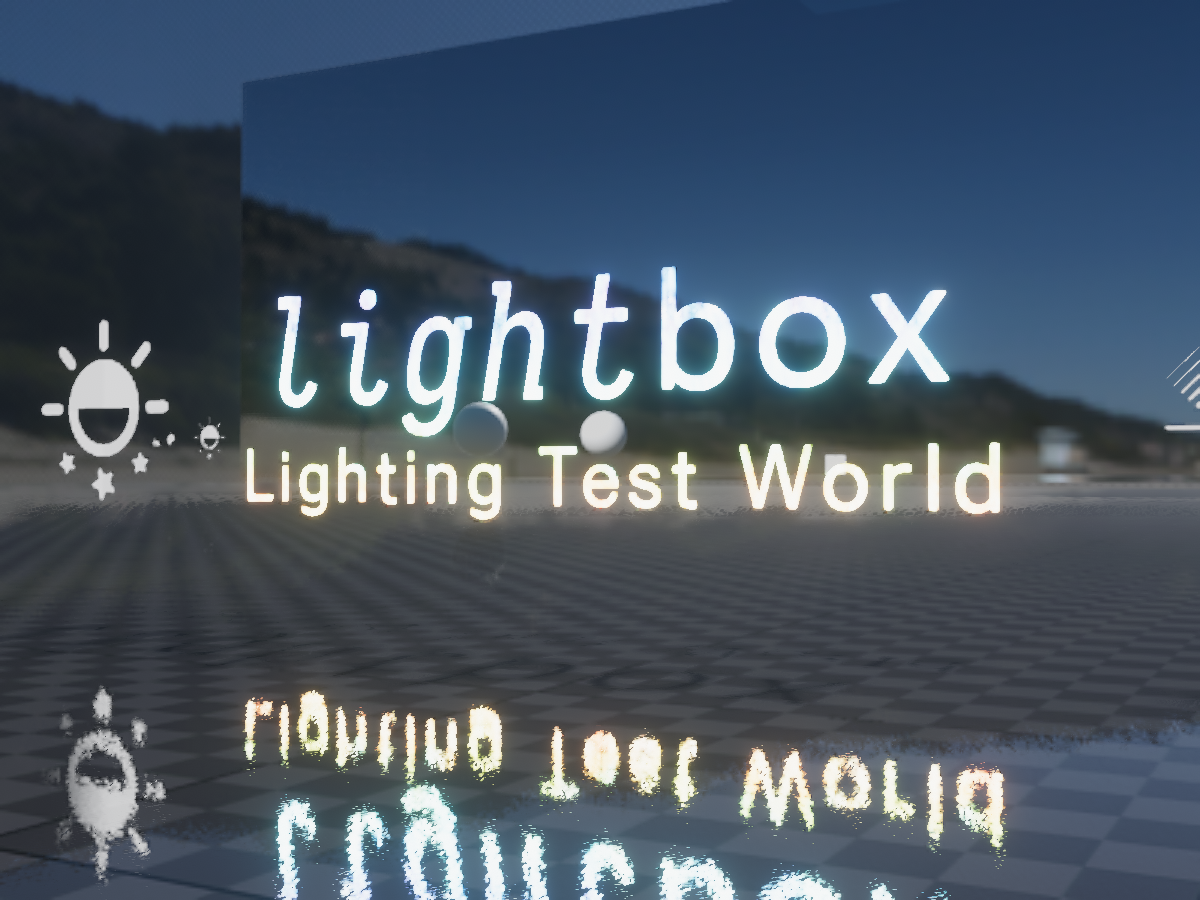
Designed for testing avatars and shaders in full‚ proper‚ lighting‚ with selectable lighting conditions‚ testing tools‚ high performance‚ and even aestheticsǃ
@crystal wadi @lethal nacelle
lethal nacelle
ooo
steep swift
the world name has a space between light and box, so searching for lightbox might not find it
 honest marlin
What is " full‚ proper‚ lighting"? Baked, realtime, light and reflection probes? A bit more detail in the description would be nice.
lethal rock
Only problem with the world really is that it doesn’t cover all lighting cases
Only covers silent’s ideals (which people should try to achieve because they’re very good) and not improperly set up lighting
velvet sorrel
@honest marlin Well, if I went into more detail it wouldn't fit into the description box in game, but the idea is that the map has dynamic baked light from a skybox of two HDRIs and a directional light matched to their lighting, so the lighting environment is "perfect" like Unity's Look Dev window.
honest marlin
Thats why I asked. Here in discord we got plenty of space. But is realtime light really "perfect"?
velvet sorrel
For our purposes, yeah.
honest marlin
The thing is that in optimized worlds we have baked light and no specular highlights on materials.
velvet sorrel
On the contrary, you should have specular reflections from the reflection probes in the world, and if you need a specific kind of specular highlight you can derive it from the light probes
honest marlin
You can have specular reflections but no highlights from baked lightsources.
Materials look different in realtime and baked enviroments.
velvet sorrel
If you're setting up lighting where your lights don't match the reflections, then isn't that really your problem?
Light has to come from somewhere
honest marlin
Of course you can have both in a world but where is the point in baking the light and then add a realtime light that kills the performance?
velvet sorrel
Reducing the file size. I've got several maps that run well with realtime lights.
honest marlin
It works well but limits the complexity of the geometry if you plan on going there with a lot of people.
velvet sorrel
The cost of realtime lights has very little to do with geometry in VRC; it's all about the draw calls.
runic egret
reason why most maps can't have realtime lights is people not atlasing their avatars
honest marlin
Yes and with every light you add you add drawcalls.
velvet sorrel
Subsequently, people with lots of draw calls will lag a lot everywhere, but more in worlds where they cast shadows. IMO, that's not a world problem.
That's an avatar problem
runic egret
anyways the benefit is mostly within its name itself "realtime"
honest marlin
It depends. In a complex world the effect of complex(bloated) avatars is much bigger.
velvet sorrel
No, it doesn't depend. What else does it depend on?
runic egret
??
honest marlin
The world itself cost performance. Are you living in some kind of fantasy world?
runic egret
you bake lighting and use realtime lights for players??
honest marlin
Not your testworld I guess it is very simple.
runic egret
what fantasy world am i within?
velvet sorrel
There's no need to be rude.
honest marlin
Sorry it is 4:34 and I'm getting tired. Didn't mean to be rude.
@runic egret Yes you can put the realtime light on a layer for only player models so the world is not affected. still not a friend of RT light in VRC.
velvet sorrel
The world costs performance, but that doesn't make the avatars in it more or less expensive. The only thing in worlds that makes avatars more expensive is realtime lighting. However, the base pass light is always free, so having a realtime shadow light only adds the cost of calculating shadows.
If the world is already optimised then shadows are cheap.
honest marlin
My profiler tells me... NOPE.
Even a single realtime light in a scene with only a plane as the floor shows that.
velvet sorrel
My profiler tells me you're reading it wrong.
honest marlin
Without the shadow it is negligible but where is the point in using realtime if I dont have realtime shadow?
In that case baking is chaper even if it increases the filesize.
velvet sorrel
Well, hold on
steep swift
Day/night, adjustable lighting and a shadow for only the cost of a shadowcaster pass (one drawcall per non transparent material in the scene per light) and one depth pass (again one drawcall per non transparent material, once per frame)
velvet sorrel
I don't think you understand. If there is one directional light, then it is calculated in the base pass.
The base pass is always calculated
steep swift
^ I call it your free directional light
You can also have up to 4 not-important realtime vertex lights calculated in the base pass
Not all toon shaders implement vertex lights however
velvet sorrel
Because light box depends on realtime GI to change the environment, there are some things I don't want to do because they would make the realtime GI more expensive, and I want it to be suitable for leaving open and hanging out in while working on stuff.
lethal nacelle
i dont mean to derail this but im taking notes about all of this stuff for when i make my first proper world in like....9 months
runic egret
just bake lighting
velvet sorrel
Set up post processing and everything else is tweaking until it looks right
runic egret
hey silent i got a question regarding specular intensity accuracy when dealing with baked&realtime lighting
i'm basically wondering if there's any* shader for vrchat that corrects the inconsistency
which would be most noticeable for specular color
velvet sorrel
Hmm, I don't think that would be possible, because it would require knowing more than Unity tells you
Or faking it
runic egret
yeah that's kinda what i guessed
lethal nacelle
so one thing i personally found interesting after doing some testing today is that silent's testing world is the only one that properly reveals the specular highlights i've got going on my eyes. which i find interesting, because so far every other world i've been into has failed to do so (worlds which im assuming have made use of both point and directional lights here and there), which unfortunately proves to me that it's a really a world-specific thing. i find it odd though, especially when all other features of my avatar's shaders (subsurf, matcaps, ramps) work anywhere and everywhere. furthermore, the speculars are activated with just the default directional and point lights in unity. i have never messed around with worlds so much to be able to figure out the difference between your average world and silent's, and why my eyes are highlighted in there and no where else. does anyone with more experience care to explain?
runic egret
worlds without realtime lights aka a direction simply won't give you what you need
shaders for vrchat will tend to fake light direction in circumstances in which there isn't a realtime light
lethal nacelle
m. i've yet to check if poiyomi's has that feature. tbh at this point i really need to start checking out and experimenting with a lot more shaders, it's been long enough and now i have a good reason to do so
runic egret
alot of shaders made for vrchat do support some sort of fake light direction at this point
lethal nacelle
i'm the kind of person who just gets one thing that works way too well for the moment and then use it forever until one day im like "ah what is this shit" and it eventually gets replaced
 vivid furnace
could someone help my make a basic scrolling texture shader i looked up in youtube and the one i found had errors when i followed step by step so i might got something wrong
velvet sorrel
To scroll a texture, add _Time to the UVs.
Everything else is up to you, so there's a lot of things "scrolling texture shader" could mean 👀
past pewter

this shader seems to work in unity fine, but renders nothing in vrchat
does anyone know why that might be?
tired token
Try just returning green float4(0,1,0,1); right after the frag starts to see if it's a vertex problem.
past pewter
@tired token green renders in game
tired token
Now you know it's a frag issue
faint fulcrum
About the shadows of directional light - dont forget there's cascades so theres more than 1 shadowcaster pass
lethal rock
@steep swift shadow caster still runs in transparent materials, they can cast shadows just not receive them
lethal rock
The way they calculate shadows would be too tricky to implement when factoring in transparency so they disabled it I assume
past pewter
it's not that, they don't write depth in the prepass so they can't receive
ie: there's no 'surface depth' to cast a shadow on without it
wide cedar
quick question, cubed's flat lit toon and flat lit toon lite are pink. the rest work fine.
i just did a fresh install of unity so idk what i could have messed up lol
lucid cedar
Which Unity version? @wide cedar
Any errors in the console, or any errors when you select the shader files in assets?
velvet sorrel
How did you install them?
Make sure you extract the entire folder and not just the .shader
 lyric sinew
Anyone here right now use shaderforge on the regular, and could maybe answer a question i have about it? It's regarding properties to shadows and shadow casting from a material.
Specifically if shaderforge is capable of casting a faded shadow, which is influenced by the color of the alpha channel from the texture in the material. For instance, having a transparent red material cast a red shadow based on the levels of the texture's alpha
When i've attempted to mimic unity's standard shaders fade or transparent materials, I cant seem to get the shadow to represent the alphas. instead, i either have a SF fade shader with a solid(or cutout) shadow, or a cutout shader with a cutout shadow. any advice or workarounds?
tl;dr how to make shaderforge transparent alpha shadows?
velvet sorrel
It is impossible to have coloured realtime shadows.
onyx summit
https://www.youtube.com/watch?v=Fm77FJilv8g&t=230s anybody know what shader is at 0:32, or if there is any shader where i can fill color both inside and outside of a sphere?
Haunted Mickey mouse scare compilation in vrchat by naddition based on the creepypasta Patreon ► https://www.patreon.com/Naddition Discord ► https://discord....
steep swift
@wide cedar You might have another copy of cubed in your project partially installed from a .unitypackage : unitypackages are often missing many shader files and contain old versions of shaders which have bugs, especially when bundled with avatars downloaded from [redacted].
I would delete all copies of cubed shader in your project , make sure it's not in the dropdown menu and then reinstall the latest version from github. Also I encourage you to try different toon shaders such as Silent Cell Shaded Shader or XSToon which have much higher quality lighting and more customizability
lyric sinew
Apart from having color influenced shadows then, you know how to have alphas for a shadow represented on sf shaders? Similar to how foliage or a sheer fabric with a standard unity fade or transparent shader would have the correct dithering.
I'm trying to avoid the cutout look since I have some materials that rely on being sheer/transparent. I'd like the shadows to represent the same or similar look instead of being solid.
I would just use the standard unity one for this effect, but it doesn't handle additional maps as well as SF does.
steep swift
So one way to do alpha shadowing is by dithering the shadowcaster pass. I know @lethal rock shader supports this. But you're limited basically to per-pixel effects affecting the depth/position of each pixel, not the rendering of the shadow itself because that is done internally by unity
For shadows received by your avatar, you may be able to use the attenuation data to have some control
lyric sinew
is that why the standard unity shaders works so well at it?
steep swift
Well it looks good because the shadows and standard are both designed for realism
lyric sinew
im going for realism, but cant find the option for either a shadow map or to properly dither apart from a clipping mask within shaderforge
the latter result is usually just a cutout shadow or blended with alpha. for some reason alpha on its own always results in being a solid shadow
steep swift
Synergiance wrote their own code. the graphical shader editors might not provide enough customization of the shadowcaster pass
lyric sinew
maybe its just shaderforge, idk. how can i obtain the shader you've referenced? github?
steep swift
https://github.com/synergiance/Synergiance-Shaders-For-Unity it's designed for MMD toon shading, less for realism though
GitHub
A shader for Unity that mimicks the look and feel of Miku Miku Dance - synergiance/Synergiance-Shaders-For-Unity
You can try to adapt their shadowing code specifically from the transparent shaders to work in your shader
But you'll probably have to do that by hand
lyric sinew
ah, ok. if theres code in it for a shadow pass it might still be usable
yeah, thanks!
i'll try it out
lethal rock
If you're going for realistic looks, I've seen people try to achieve it on here and apparently its doable I just wouldn't recommend it on my shader as it seems like a pain
onyx summit
can anybody tell me if theres a shader that can make the screen a certain color or tint, ive tried so many different ones but i cant find one that stays active when you are also inside of the sphere
or shape
steep swift
Usually you use the same shader you would use for tinting from the outside, but you use an inverted sphere (create a sphere in blender, select all and flip normals) or by switching your shader in unity to Cull Front mode
You can use some stencil options combined with changing ZTest to make it render on top of some objects from the inside. Do be polite when using custom values for ZTest
 near flax
Cull Off to make it render inside and outside
steep swift
Cull off might look bad from the outside though if it's a transparent effect
Since it will render both sides of the sphere
near flax
yeah depends how it's tinting it
 untold isle
Trying to Replicate Daytona's Horizontal UV Scrolling on the glass in Amplify I need help  https://www.youtube.com/watch?v=fVDEMc5AGGM

Daytona USA (デイトナUSA) is a racing game that was originally developed by Sega AM2 for the Model 2 arcade board and released in 1993. It received an HD remake ...
steep swift
@untold isle
You have some uv input to Texture Sample, right? Insert in between
Break To Components -> x -> Addition -> Append with y from the break to components
Time -> multiply with some number scroll speed -> Addition node from above
untold isle
I have the vertical scrolling
steep swift
Alternatively, if you have your UVs properly set up with the Texture UV -> Texture Sample, you can use an animator to change the offset x
untold isle
The Horizontal Scrolling with the camera or object direction (specifically on the x) is the one thats wacky
steep swift
Can you point to a time offset in the video
I didn't see anything that looked like camera scrolling
untold isle
2:17 Going around the corner
Or any turn
The U scrolls along with the Camera rotation on along the Horizontal Axis
steep swift
Oh the reflection on the back window?
untold isle
Yep
My biggest problem is trying to convert this way the View Direction seems to output with multiplying the U axis
steep swift
Normally you'd use a cubemap / reflection probe for something like reflections
Well one other thing to keep in mind is VR safety
If you're doing something unconventional with the camera, it's possibly going to lead either to each eye showing a different UV offset but not correct so it gives that uneasy feeling, or to the thing billboards do where the texture rotates when you turn your head
untold isle
Yes but its locked to only the Horizontal Scrolling
steep swift
sorry, my intuition isn't quite good enough to come up with an approach that works well in VR on the spot... but I will give this function which gives the average of the two eye positions
If you use this function, and only this function to access the camera position (and do not use camera matrix or camera orientation), then you should have an effect that looks "flat" in VR, but at least will not look wrong (both eyes clashing with different pictures)
then, do (vertex position - CenterEyeScreenPos) and normalize that, take only x and z coefficients, pass them through atan2 to get an angle, divide the angle by (2*pi), and add that to your UV x offset
though if you want 2d rotation of your UV space, you can build a 2x2 matrix on the x and z camera rotation Matrix 2x2 (x, z, -z, x) from above and multiply your UVs by that 2x2 matrix
I dunno it's hard for me to give intuition in this way. Again the right way to do reflections in general is by sampling a cubemap. But in this case you want to scroll it. I honestly have no idea how you would properly do a scrolling cubemap. Maybe someone else will have ideas
stiff berry
the only way i've done it is by rotating the view direction vector
but then you've got a cubemap which is scrolling north when looking from above and then south from below, so idk how you would achieve this
 distant wagon
What kind of shader could I use to scroll a looping texture?
I feel like I'm overthinking it.
steep swift
You don't even need a shader, just an animation will do... animate Mesh Renderer-> Material._MainTex offset x (or z) from 0 to 1 in a linear curve
@distant wagon for shader approach, just find the v.uv value and put + float2(3.456, 0) * _Time.y ... Those numbers would be the scrolling speed
For this to work, you need your texture import settings set to repeat.
distant wagon
I knew I was overthinking it-- the scrolling animation worked, thank you!
 dawn ravine
Been trying to find or make a shader to replicate the spider-verse shading effect lol
dawn ravine
y'all got any suggestions?
untold isle
@dawn ravine https://youtu.be/2kSMhQ8qUOc Try this video if you use any Shader Graphs. You don't specifically need shader forge for this one 
dawn ravine
Well I came across this looking for a premade I assume that is shaderforge?
distant wagon
Amplify it looks like
I might be wrong tho
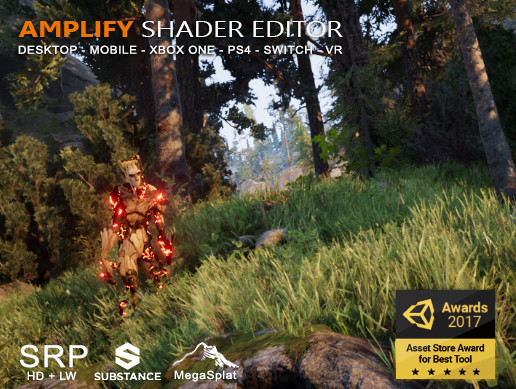
NEW! Canvas Screenshot button
NEW! Easy graph share through Share button
NEW! SRP packages auto-importer
NEW! Compatibility with Unity 2019
NEW! Support for Post-Processing Stack shaders
NEW! Compatible with Substance in Unity plugin
NEW! Support for Cus...
dawn ravine
This is starting to look a bit more complicted then i wanted lol
distant wagon
Where did you find your example?
dawn ravine
Twitter thread


Had a crack at making a Spiderverse style shader in Unity :-) Not perfect but I reckon pretty good! Model is from Marvel vs Capcom 3 #shader #madewithunity #shadergraph #spiderverse https://t.co/ltLY5jiHZi
 Twitter
dawn ravine
Twitter
dawn ravine
All the one's I have come across are camera based and not model based
Might just have to go for a generic toon shader 😔
distant wagon
hmm
might get a similar effect with uts2 or realtoon
but realtoon is also very lighting based
even with the most perfect unity setup, you're not guaranteed for it to translate into vrchat just simply due to different lighting in maps
untold isle
Yep, thats Amplify  It would for sure be a difficult starter shader. But its 100% possible in VRChat
crystal wadi
Yes amplify Editor
Shaderforge has been depreciated and making any new shaders in it would be pointless
 grave hatch
not really shaderforge is free and does the job fine
tired token
It is better, but if you wanna do a small thing shaderforge is fine.
anything more and you're better off upgrading or actually learning how to code shaders.
 spice dawn
hi, where can i find shader that does a white wave of polygons and changes color of texture?
spice dawn
yes, thank you
also, i want to use shinigami eye shader, but it doesnt put it on center, and there are no options in it that can change this
distant wagon
Never used that shader, but doesn't seem to have x and y options so..
 sacred dust
past pewter
sacred dust
past pewter
it is actually centered (should be) its cuz there is something wrong with the mesh @spice dawn
i have example here
its because the mesh is different
steep swift
Is it designed for the original mesh and just expecting specific UVs.? I know in the past I have written sloppy shader code that just expects specific uvs
lethal rock
Noooo don’t fall to the hard coded way lyuma!
steep swift
Hehe it's fun for prototyping though. If I publish a shader I will make sure it is configurable (among reasons I still haven't published my windy / colliderless dynamic skirt and hair system
And if only working with vertex painting wasn't so difficult for me in blender
lethal rock
Anyways if you want to fix that for your eyes you can either try the tiling and scaling options, and if that doesn’t work then the shader needs to be fixed. If you know anything about writing shaders you can just splice in the tiling and offset modifier and you’ll be good. If you don’t you can still take the model back into blender, select the eye vertices, open the uv editor, and expand them to fill the whole UV space
Lol your colliderless dynamic skirt and hair shader would be a nightmare to figure out for anyone just starting
 merry stratus


 merry stratus
^^
 glossy storm
looks neat though i still feel attacked
D:
if people stop asking me for directions i'm blaming you
velvet sorrel
That noise looks obnoxious, is it in screen space or object space?
glossy storm
idk why the 1st and 2nd one remind me of a "retro" outfit in another game


 tired token
More Box shaders. 👀


 novel sand
That would be amazing to use on a 3d modeled PC in a home. RGB fans! Great work!
 lucid spindle
so i have no idea if this is the right place to ask but I've been having issues with "alpha test" shaders causing serious performance problems, e.g. the more of it is on screen the worse it gets.
it also causes unusually high gpu load
also i had the same issue a while ago and re installing windows fixed it and its only now just coming back
tired token
@lucid spindle Any Alpha Test shader?
tired token
Interesting
steep swift
alphatest layer (and anything not geometry) causes overdraw with any geometry behind it that should be occluded...
Transparent is similar but you overdraw the skybox (uncommon in indoor worlds) and you have blending to deal with
Geometry (completely opaque) is best for performance
Can I ask what GPU hardware you use?
lucid spindle
@steep swift its an amd rx480. also i haven't updated or changed anything it just randomly started happening again
and again the only thing that fixed it was a windows reinstall
well i say that but technically i was doing a windows reinstall because i was having numerous other issues too so i just thought that was a side effect
lethal rock
rx480 is one of the gpus that commonly have issues with shaders in VRChat
lucid spindle
i mean its been fine, like i never got the disappearing toon shaders problem for some reason, this is the first and only major issue I've really had with it, plus this problem extends to the unity editor too so its not just vrc
lucid spindle
@lucid cedar this is PC vr
i have a first gen ryzen 1600x so i don't even have integrated graphics. and as for drivers i made sure to install the latest version because windows likes to install a 6 month old version
lucid spindle
though i might try DDUing the driver to make sure
and if that doesn't work i'll have to either deal with it or reinstall windows again
 wild wave
Does anyone know any good websites with textures, shaders, and materials?
crystal wadi
if your just starting out and learning the asset store can give you many free ones
I am hesitant to post other non official sites in this discord 😃
steep swift
@wild wave for shaders specifically, you are going to want to avoid most shaders not optimized for VRChat, as many have poor VR support, or for toon shading, don't support fixes to make them usable in worlds with diverse lighting setups (baked, ambient only or with directional light, realtime). For this reason, I would advise against shopping for shaders in the Unity Asset Store. Also beware of items that require custom scripts.
For PBR setups I'd suggest Standard or Rero's Standard for non toon; and XSToon for more toon but still PBR or SCSS (Silent's Cel Shaded Shader)
Then there is more toon like: Synergiance for MMD style models, Noenoe, Poiyomi Toon shader. There are many more as well depending on what you want/need.
All of these shaders are maintained by and for the VRChat community and all vetted to look good in VR
Textures and materials, however I agree with Dawie: those should all work well with Standard and that is a great shader for any PBR materials.
If you are getting stuff from non unity sources, I also recommend installing XSToon because it comes with a texture channel combiner feature in the Tools menu to move stuff into different channels for shaders that require something in alpha vs a separate texture map
wild wave
ok thanks for the advice
 ripe idol
crystal wadi
ripe idol
crystal wadi
dissolve ?
ripe idol
yeah
crystal wadi
looks nice
ripe idol
It has all my toon shader features plus a pretty cool dissolve
crystal wadi
your shader is massive
crystal wadi
at what point is too many key words a issue
ripe idol
at all in vrchat
just don't use them
you can get around the keyword issues a little if you reuse built in keywords that already exist
then you're not taking up any slots
crystal wadi
i like it
crystal wadi
vertical panning
glossy storm
Does that use a light map type thing to mark the area?
ripe idol
yeah it uses a map
glossy storm
This has my attention for a sword i've been working on
glossy storm
"Can not play this video" thanks discord
crystal wadi
worked for me
glossy storm
Ill look on pc later
ripe idol
Here's a big ol gif of the lighting lol
It's fun to use because it can do so many different effects
crystal wadi
thats hot
glossy storm
👀
crystal wadi
that could be handy for some custom lewd effects
ripe idol
people def use it for that lol
past pewter
Hell yeah
steep swift
Or [IntRange] or [Enum(Off,0,On,1)] get the job done too
tired token
I've used IntRange before. xd
lethal rock
Enum is fun