#shaders
2 messages · Page 6 of 1
 steep swift
and so the y value of the uv got lost
float is just another word for scalar / single value
as opposed to float2 or float3 which is a 2 or 3 dimensional vector/coordinate respectively
(sorry if you already knew that, just want to make sure we're on the same page about what I mean by float)
 strange crown
Its all good! I have only touched node based stuff so I had wondered if it meant something different in code.
Hopping back on to check it out. 🙏
steep swift
there are two widely shader languages (HLSL and GLSL) but they use slightly different terminology for vectors. HLSL calls everything with float: float for scalar single value, float2, float3 for vectors, float3x3 for matrices etc. GLSL uses float for scalar but then uses vec2 and vec3 for vectors and mat3 for matrices. It seems for whatever reason, Amplify Shader Editor adopts the GLSL naming convention for some things
I'd actually suggest you take the look at the code and just get a feel for how what you make in nodes translates to code
they actually let you set names on each node in your program. when you do that, it will name the variable. that makes it way easier to search through the generated code and see how it matches up to your graph. Anyway best of luck @strange crown
strange crown
Again, thank you so much for all the help. Hope this has helped you out with some ideas with your own stuff as well.
steep swift
it certainly has. and I'm hoping someone else will read the chat and take away a thing or two rom these explanations
strange crown
Didn't expect my problem to be another solution for you haha. Funny how things work out sometimes.
 lethal rock
Everything is everyone’s solution
steep swift
😃 I'm liking how it looks so far so it might be exactly the solution I was looking for on what I was working on yesterday
strange crown
😮
lethal rock
Yeah really neat effect
@steep swift if you want a head scratcher take a look at my rotation code, it does work, and phenomenally well
steep swift
that could be a useful one to check out too. I always struggle trying to find the correct axis to rotate vertices around when I need to rotate something
I don't know why it's so hard. I always start out with something like a normal, tangent and vertex position and I end up throwing in some constant vectors like up (0,1,0), doing a cross product, normalize, converting that into a axis/angle matrix and then applying that
lethal rock
You can just take the function really
steep swift
and I bet there is a better way to do that
lethal rock
The rotation matrix is the result of some very advanced mathematics
steep swift
ooh so you go straight to a rotation matrix?
lethal rock
Yup!
They’re quite efficient
Means you don’t have to do the math over multiple times
steep swift

GitHub
A shader for Unity that mimicks the look and feel of Miku Miku Dance - synergiance/Synergiance-Shaders-For-Unity
lethal rock
Yeah
The function is in there but not used in any of the existing shaders
It’s used on a private one
steep swift
ok so it takes two angles and builds a rotation matrix from it.
lethal rock
I can send it to you if you like
No it takes an axis and an angle
It may be in radians though I forget
 tired token
Maybe you should note that. :P
Also please use sincos instead of sin and cos.
https://docs.microsoft.com/en-us/windows/desktop/direct3dhlsl/dx-graphics-hlsl-sincos

Returns the sine and cosine of x.
tired token
also you say that's efficient but you do cos like 6 times for RotatePointAroundAxis. :P
steep swift
though the compiler will optimize duplicate code like that, since they all take the same input and it knows there are no side-effects to computing cos or sin.
lethal rock
Cos and sin are very efficient on a gpu
@tired token the the actual matrix calculation is quick though
 lucid cedar
They seem like one of the most expensive operations though
From what I've seen in docs
lethal rock
They’re operations baked into the GPU hardware
Since they need to be used so much
I can optimize the calculation yeah, but that’s for another day
tired token
On nvidia hardware yeah, mostly.
lethal rock
Hmm not on AMD hardware huh, I’ll have to look into that
However the functions need to be used
Thankfully that function isn’t being used in the widely distributed shader yet
tired token
Yeah I understand that, I'm just suggesting ways to improve it. (and not just for AMD users)
Also @steep swift You said the compiler will optimise it out but it's a hit or miss.
lethal rock
I don’t think it will optimize this code much
I am already thinking about how I can optimize
But I can’t do anything on my phone
 cobalt ginkgo
does anyone have a glittery shader i can use please?
steep swift
@cobalt ginkgo I'll put in a link to my somewhat optimized version of StarNest: https://github.com/lyuma/LyumaShader/blob/master/LyumaShader/StarNestAvatar.shader
Very near the end, I suggest changing this line to affect how it sparkles:
v.xyz *= _Color.xyz * .01;
Maybe try += instead of *= to make it brighter (add instead of multiply), change the .01 to something larger
 cobalt ginkgo
thanks!
 potent lance
i have a good question...
i'm making a podcast map and wanted to know if there is a shader to force a different render for a stream camera?
 somber widget
It's possible to overwrite the stream camera view using a world camera, yes
Not sure I want to distribute clip space shenanigans like that, they're easily abused to override VR cameras and etc
potent lance
its a podcast map. my current system involves a render texture and the players place their stream cams in front of the screen. What i'm trying to figure out is if its possible for them to place their cams in a cube and and stream cam inside has their video switched to a render texture feed instead of what it sees. hopefully i'm explaining this well enough. ^_^
somber widget
Yes it's possible. You'd evaluate whether the camera looks like it's a steam camera (based on fov and tilt), and test if it's in the area in question, if so you map a quad onto the entirety of clip space with the near plane as Z. If not you put all vertices at (-2,-2,-2,1) to cull the quad
I have an example at https://www.vrchat.net/home/launch?worldId=wrld_100a0fb3-1e66-4cd8-b0cb-47353f10de88

アバターの三面図が簡単に取れるワールド。フルトラ調整などにどうぞ。This world lets you take a picture of your avatar from multiple angles․ Feel free to use it when adjusting your avatar for full body tracking‚ for example․
Though for this it also overwrites the desktop first person view if it's in the red cylinder
potent lance
At least I know its possible. Now I just need to figure out how to do it. Lol
somber widget
All the magic is the vertex shader, you just ignore the world to view matrix :)
steep swift
@potent lance actually you can make your own "stream camera" very easily. Create a Camera component, do not assign a render texture to it, and set Target Eye to None. Then use a trigger to make a hotkey to activate and deactivate this camera. This will roughly emulate what the stream camera currently does. I've seen a private world which has hotkeys to activate various security cameras.
Just make sure it is disabled by default or desktop users will have a bad day
You can put it behind a VR detector if you are worried
somber widget
Huh. TIL. That'd be a better solution as it'd avoid rendering the world twice
steep swift
Simple Desktop player detector = use player tracker from the prefab database, put a cube up on the y axis and make sure it always stays straight up. If the y axis ever moves that means it is a vr player who has tilted their head
The thing with the camera component also works on avatars. The other nice thing is AvatarValidation.cs has a check for this specific case and disables Target Eye cameras (no render texture) for both friends and non friends, so no risk of messing up your friends' vision
( i know you were hoping for a shader solution. What @somber widget suggests would work too. I just wanted to throw this idea in the mix as a low effort way to do this)
potent lance
looks like i opened a huge can of worms as i'm not that advanced yet... lol
lucid cedar
Desktop and stream camera views are indistinguishable other than Z axis tilt
somber widget
This reminds me, I should set an early render queue on my view overwriting shader to minimize unnecessary pixel shader evaluations
steep swift
@potent lance I explain things using too many worlds. What I am describing is really simple: make an unchecked game object with a Camera in it, and set the Target Eye to None on the camera. That's it for the camera
For the trigger to activate it, if you don't want to detect VR, use a keyboard key instead of a normal button to toggle it so that desktop users don't get into trouble.
 past pewter
i'm looking for a shader to do this ui effect: https://media.discordapp.net/attachments/361741445352259584/584151950359265280/VRChat_1920x1080_2019-05-31_23-50-37.433.png?width=1663&height=936

might someone tell me of one?
potent lance
so... i tried what you said, looks like that doesn't work. the stream cam didn't change to the camera i set up infront of the screen.
going to test if its one of the other 7 displays (it was default on display 1)
steep swift
You do it instead of the stream cam. It will overwrite what shows up on the vrchat window, or so I thought
potent lance
ok... one sec... i was in vr testing... i'll check the desktop window ...
past pewter
((have been provided with a ''''cancer'''' shader))
 crystal wadi
have a water shader i like to have tested i VR if any one is looking .. ocean type
potent lance
back.. and it looks like it doesn't change the window... i'm going to make a bunch of different cameras to test all 8 displays at once instead of testing one just to log out and test again. brb
steep swift
Aww 😦 it has to be disabled on upload and enabled by a trigger. The order the cameras are enabled may matter
potent lance
just tested all 8 displays... doesn't work
maybe an overlay shader? or the other persons request for the "Cancer shader" and instead of a normal texture use a render texture?
potent lance
cancerspace will work... just tweeking it now
steep swift
Default display should work... never had to change that setting.It has to be disabled on world load I think. My guess is it wasn't properly enabled. Maybe the camera component also has to be enabled. Anyway--that's a fine approach too. Just keep the radius low
 split scroll
@potent lance literally all you have to do is make a camera, disable it, and then have a trigger that enables it ingame. If you want it to overwrite just the desktop screen and not the VR screen, you can change the target display to none (main display)
 lunar hollow
can someone help me with a Shader? I want it to not disappear when being in the sphere/cube whatever you only see it from the outside
lethal rock
Stencil test
 formal salmon
whats the easyest way to give colors to your stuff in blender?
textures or materials?
to me texturing some objects are harder than using materials instead.
materials or texturing?
lethal rock
Materials however textures if you have many colors are better performance
lethal rock
Yeah atlas is necessary unfortunately
formal salmon
"atlas"?
lethal rock
Yes a texture atlas
steep swift
It's just a single texture with all the unrelated parts on it instead of many separate textures each for one thing
For solid colors, you just make a grid of colors. With atlases, be aware of mipmapping and be sure to pad your colors generously or disable mipmapping in the unity import settings if it is low detail anyway.
lethal rock
Yes vertex colors but that requires that the shader is award of them
 foggy bolt
Anyone here by chance have the clock shader working still?
lethal rock
Actual time or time since world join? You can look up neitri’s clock
foggy bolt
@lethal rock Actual time. I tried setting up a server for it but I get an error saying cannot read property 'split' of undefined
crystal wadi
any one have a good under water post process setting ? i have one but not certain about how it will work in VR VRchat for its settings
also looking for any ideas about making a PP shader ASE .. what did you do extra like bubbles or something
lethal rock
Ah I’ve not tried to set up the server myself
steep swift
@foggy bolt using the shader by y23586 ?
 zenith wolf
none of the real time clocks work only time join work
steep swift
You need to set up your server properly. If anything goes wrong it will just pretend you don't have a server snd use join time
foggy bolt
@steep swift Using the shader by makitsune. I used to have it working before, but now it just throws the error Cannot read property 'split' of undefined
 neon herald
look for led shader someone have one
crystal wadi
hello i am looking for examples or how to set up a projector in VRchat .. does any one have a exsample of how they set up the projector nodes also
 last nexus
there is an example of projector in standard assets/effect
 shadow river

 red arch
@shadow river they used there own made through shaderforge.
 hearty furnace
Or a toon shader of some sort
 velvet sorrel
You can do all that with my shader
hearty furnace
Though who ever did that did a really good job
 boreal sun
Does Poiyomi Toon Shader have tint option? Like Cubed's but of course Poiyomi have Normal and Specular texture options, but I worrying if it have tint or not
 muted scroll
I mean if you don’t have Poiyomi master shader you can dm me @red arch and I’ll give it to you tomorrow
boreal sun
I can download it from elsewhere seems this Discord bot doesn't let me say it
My question is does that shader have tint option?
lethal rock
I would suggest against poiyomi master shader due to its heavy reliance on keywords which are limited and have a high tendency to not work correctly
steep swift
(You do know poiyomi has made many changes to their shader since the old poiyomi master shader days. The new version is called Poiyomi Toon Shader and it is available on their GitHub and other places that shall not be mentioned)
https://github.com/poiyomi/PoiyomiToonShader

GitHub
A feature rich toon shader for unity and VR Chat. Contribute to poiyomi/PoiyomiToonShader development by creating an account on GitHub.
@muted scroll @boreal sun you shouldn't need to use the old master shader - you're saying the old version has tint but Poiyomi Toon doesn't?
velvet sorrel
Why not just read the manual?
It's actually all written in there
GitHub
A feature rich toon shader for unity and VR Chat. Contribute to poiyomi/PoiyomiToonShader development by creating an account on GitHub.
boreal sun
Hmmmm, doesn't seem to have
velvet sorrel
Unless this is inaccurate, you can see right in the first page that it lets you choose a tint colour.
boreal sun
Not that tint
velvet sorrel
Colour mask, then?
boreal sun
I mean the one with making cartoon outlines over a 3D model
It help fix issues with my meshes at times
velvet sorrel
Well, I don't really understand what you're talking about
But, that's not what tint means
velvet sorrel
No, you're mistaken. Cubed's has different modes for outlines. One of them is to multiply the texture by outline colour, so the result is a tinted colour.
velvet sorrel
Anyway, you're in luck because this says it supports that too
velvet sorrel
At this point I'm just reading the manual for you, so you should sit down and give it a good read yourself
boreal sun
(at work atm XD)
Here's a screenshot from last night, my robe mesh seams are so visible on Standard shader (and feck me, VRC worlds hate standard shaders)
velvet sorrel
That's more a problem with the mesh than anything else
steep swift
@boreal sun If something looks off in standard shader, that can be attributed either to a lighting problem or more likely, an issue with the normals / smooth shading in your mesh
boreal sun
So using Cubed shaders fixed that but lacking bumps =-=
steep swift
cubed shaders mostly ignores lighting and don't use normals very heavily
steep swift
so it works around bad worlds and bad meshes decently
lethal rock
@steep swift yes I know but they specifically mentioned the master shader
steep swift
even if they did ask about Master, it's usually a mistake: Poiyomi themself has indicated that their Toon Shader is a rewrite of their old Master shader and that everyone should switch to the Toon Shader...
Sadly there is so much old information floating about that still references outdated shaders like Cubed and Poiyomi Master, when better options are available
formal salmon
same shader on both sides of the face and that still happens..any clues?
not on all maps
lethal rock
@steep swift ah didn’t know thought toon and master were two different shaders
steep swift
@formal salmon What shader are you using? What exact unity version did you use to upload that model?
formal salmon
the exact version vrchat needs? @steep swift
4f...
something
Unity 2017.4.15f1 (64-bit)
nvmind abot that ive repaired the avatar face...to be as 1 piece.
lucid cedar
@velvet sorrel @boreal sun what the guy is trying to say is that he needs double-sidedness
People have been abusing Cubed's outlines to get double-sided meshes for ages. That's what he means with "tint".
Poiyomi has a sidedness or culling mode selector
steep swift
Good catch. That was the common use of the cubed tint mode.
Some shaders call the setting "Cull" and setting it to "off" will make the mesh double sided.
@formal salmon I asked because uploading in 5.6 could cause broken lighting. I would check your normals on the import settings of the .fbx . Make sure Recalculate Normals is off in the importer. A lot of anime style models change the normals slightly in the face to reduce the pointiness and make it look more cartoony
If you ever recomputed vertex normals in blender (blender calls this shading), that could cause this
Another thing that can help is to use what is called a shadow ramp or sometimes toon ramp. The ramp define how the actual shade (light dot product with the normal) shows up
formal salmon
alright...i just "joined" and removed the other material to make the face in 1 piece.. worked just fine so far.
steep swift
Ah yes, if you have more than one skinned mesh, unless you set the Anchor Override of all your meshes to the same, lighting may look inconsistent. But why would you have more than one mesh anyway? Just join them together
formal salmon
its not my avatar... . @steep swift i took it from a friend...and it quite needs a lot of optimizations and more likely fixes.. vrchavatar descriptor is 1 of them that needs fix
 wooden vale
@boreal sun i like you for using 8.1 alone
formal salmon
im using 8.0 im bored of the start button.
past pewter
Ah -- Alrighty question here; The Eyes of the Knuckles (I am going to make the Iris Galaxy Colored) I want to make it glow also; I want to make the Red Parts of the Armor Glow too.
 silk hamlet
the red parts of the armor glowing would just be making an emission mask if you are using standard.
 rocky lion
Quick question, is there a way to dynamically change the property of a shader?
Such as, a certain finger gesture changes the alpha value
steep swift
Yes, open up Skinned Mesh Renderer in the animation editor and you should see Material._SomePropertyName
@rocky lion or you can record and edit the material itself... note you cannot set different materials independently on one mesh: changing a property affects all materials on the mesh
There are a lot of other tricks you can use as well: time, world position of object / position of mesh, other complicated setups (use skinning to detect bone position, animator toggles) are also possible for fine grained control of (multiple) parameters if you need it
rocky lion
Nice, i was planning on making a stealth cloaking animation. thank you
 spiral oriole
Does anyone have experience with the toon flat shader or any others? What is good for a low poly firewatch feel?
Looking to be able to have hand painted textures with alpha cutout/blend and a speculation
steep swift
If you want more flat lit I would try Silent. for more Standard but toony look, I would look into XSToon
@spiral oriole Silent's Flat Lit Toon can be found here: https://gitlab.com/s-ilent/SCSS

GitLab
A surface shader for Unity providing cel-shading. (Forward rendering only)
both of those should support cutout and alpha blended modes: XSToon has actually multiple options for alpha blending with various performance tradeoffs, both CutoutA2C (using a feature of MSAA, though with the caveat that it doesn't show up on DesktopLow quality setting) or Dithered. Dithered could look cool if you are going for the low-poly look: https://github.com/Xiexe/Xiexes-Unity-Shaders

GitHub
A re-write and restructure of XSToon. . Contribute to Xiexe/Xiexes-Unity-Shaders development by creating an account on GitHub.
spiral oriole
Thank you so much
Any copyright issues for a commercial work? Doing this for an animated vr short
steep swift
@spiral oriole both shaders are MIT License- that's as close to public domain as you can reasonably get. Of course. I'm sure they would appreciate credit/a shout out in the credits
velvet sorrel
It's not flat lighting, it's cel shading 👀
My shader supports physically based specularity too
 median forum
today i gave my friend a poly wave shader by Snail,for me it worked but his was looking fine in unity but once its uploaded to unity it looks like this
steep swift
Clear the Console window, then right click the PolyColorWave shader in the inspector and do Reimport. Now check the Console window again and look for any red errors. Even if there are no errors, it might be worth trying another upload again because it might have failed to build some of the shader variants.
steep swift
it's only broken ingame but not in unity... playing in desktop or vr mode? Are you 100% sure there were no errors in the Console panel.
(Also that PolyColorWave shader will sometimes choose pink as its color.)
steep swift
Why is it called PolyColorWave_2.shader - is there another shader with a similar name? That can cause upload problems
The name of the shader file doesn't matter. Unity uses the name specified on the first line of the file (Shader "Snail/PolyColorWave")
so if you have two copies of the same shader, the Unity editor actually does a decent job of remembering which one you happened to import and select... but when uploading your world it can happen that it uploads the wrong one
I also see something about mac...Apple decided they didn't care about Geometry Shaders in Metal even though every other platform supports them.
For this reason, if you are on mac and do upload Geometry shaders (such as Poly wave), make sure you have changed Edit->Project Settings->Player , uncheck "Use auto graphics api Mac", swap the order of the list, hit OK, then drag OpenGL to the top of the list, hit OK.
 fathom herald
the updated cubic shader i cant find it awaywhere
steep swift
Silent maintains a version of Flat Lit Toon that has more features and works great with well lit worlds: https://gitlab.com/s-ilent/SCSS
GitLab
A surface shader for Unity providing cel-shading. (Forward rendering only)
If by updated, you want the old cubed shader but with some bugfixes you find it here: https://github.com/cubedparadox/Cubeds-Unity-Shaders

GitHub
A compilation of custom shaders for Unity3D. Contribute to cubedparadox/Cubeds-Unity-Shaders development by creating an account on GitHub.
past pewter
So using this very crude drawing to explain it, is it possible to have a scrolling emission. Along only the created path from the center? Because when I try scrolling emission on something like the poyumi shader it travels like a flat plane along so if that were the case here it would emit all the parts along the path on the face with the center at the same time then go through the top part
somber widget
Yes, you could change the UV mapping so that the UV coordinates follow the path @past pewter
Then just scroll U or V as appropriate
As a more advanced technique you could also use multiple UV maps if you don't want to mess with the albedo mapping but you'll need a shader which supports an alternate UV channel for emission
past pewter
a friend recommended that i could make the uv islands with the patterns in a line so when i scroll the emission along it follows the path. What does scroll the U or V as appropriate mean?
 acoustic oak
Not sure I totally follow, but normally you would use masking for that
A black texture with white on the parts you want to be emissive
Then your emission map would just be a solid color or pattern being scrolled
somber widget
The way UV scrolling works is you're adding to the U and V texture coordinates over time
So if your emissive bits are all in a straight line on the emission texture you can get the effect you want
Oh, do you specifically want the pattern to follow the line, or just have only the line display but to have the pattern move sideways through the line?
@acoustic oak 's suggestion would do the latter
past pewter
im going for an effect like electricity pulsing along a circuitry path
acoustic oak
Yeah you'd want to use masking for that
If you dm me I can help you set it up with my shader
somber widget
Well if you want it to follow the path then masking alone isn't enough, you also need the path UVs to line up in the direction of the scroll
acoustic oak
well not really, you just have to make a seamless electricity texture
and pop it in
then it'd follow the path pretty much perfeclt until the angled parts
but that's not something you can fix when you're just scrolling uv's
if that section of the cube is atlased into 1 material with the rest of it, there's no other way to do it
somber widget
Well depending on shader there are ways. You could have one uv map for albedo and one for emission scrolling - or just have a single map and be clever with your texture atlasing
You'd need to break out separate polygons for your path obviously
acoustic oak
scrolling the uv's wont change the direction of the electricity texture when it reaches the parts at a 90 degree angle
so it still won't "follow the path"
the path itself would need to be a separate material with uv's to match the direction
then at that point it doesn't even need masking, you'd just flood the material with a single emissive electricity texture
somber widget
Right, the UV map has to be set up in the mesh so that your path corresponds to a line in the U or V direction, covering the full width of the texture
Which might be easier with two UV maps so you don't need to contort your albedo texture
OTOH if you're using a mostly flat color for albedo or something maybe it's good enough to just add a seam there and map it to the top of the texture or something
acoustic oak
most shaders have anything that scrolls on a separate uv set
so it doesn't interfere with the primary maps
somber widget
Handy. So no problem there as long as @past pewter knows how to UV unwrap :)
past pewter
i know how to but im trying to test it out with just a simple cube mesh and a texture and using the poyumi shader but its not going well
acoustic oak
so how is the cube currently set up?
somber widget
Yeah getting it to follow the path will need you to split up the mesh so that the path has its own polygons and UV map telling it what direction to go
past pewter
https://cdn.discordapp.com/attachments/402349592244649996/585894812146860053/unknown.png i have the UV set up like this but the emission is not going along the path and wrapping around the cube its just scrolling like a plane going through the mesh in one direction
 somber widget
You'll need to cut the path into it's own polygons, make a seam around it, then lay it out on a line across the emission texture. It needs to cover the entire width of the texture, either horizontal or vertical.
Map the rest of the cube, which should not emit, to the side of that line, and ensure that entire parallel section of the map is black
Depending on your shader, you can have a second UV map for non-emission purposes with a more "normal" layout
acoustic oak
here's what the masking method looks like
now if you wanted that stripe in the middle to be a pattern with all sorts of bends and angles
you'd cut it out into its own material
then uv map it so each piece of the path is straight vertical
somber widget
Or at least its own UV islands
past pewter
but what if what i want is a complex design over a complex mesh, would i have to cut out that design in the mesh then? Why cant i just have the complex design on the emission mask in the same areas as the existing UV map for the mesh and then move the UV parts with the design into a straight vertical?
acoustic oak
if I'm reading this correctly, you can do that
as long as they're straight vertical, and you scroll it along the Y axis, it'll follow the path
somber widget
@past pewter yes that's why I was talking about using two UV maps
You have one uv map which is basically 100% normal, just make sure you have polygons on your path
acoustic oak
guys this is a shader discussion channel..
past pewter
I was pinged
somber widget
Then you have one which is used just for emission, which contorts the path into a straight line while shoving the rest of the object into a corner or something
And then you just need a shader which knows to look at UV1 for emission scrolling
acoustic oak
both ways would work fine
past pewter
K well I'm going back to shazaming avatars music
does anyone have a shader with emission scrolling that supports 2 UV channels or is there an easy one to find?
past pewter
Yes?
 untold isle

somber widget
... anyway. It sounds like mochie's shader supports that, or you could probably whip up something in shader forge quickly enough
past pewter
what is shader forge?
somber widget
It's a node graph based shader editor, good for one off special effects if you don't want to mess with code
acoustic oak
if you're gonna look into using a node shader, I'd recommend amplify instead
shaderforge is no longer supported
past pewter
i just dont get it its not working for me even though i think im doing it right smh. This is gonna take me a while to learn
 rapid fjord
Does anyone know a shader that makes your avatars head always follow where a person is? Or I could be mistaken and it's not a shader but if anyone came across anything like that would appreciate the help in figuring out where to find it or how to do it. @ me please if anyone has the answer.
steep swift
It's effectively the billboard effect you are looking for
However you will want to make it vr safe (usually a simple way to do this is take the average camera position of each eye
You can also search for vilar's eye tracking shader and base something on that
 near flax
@rapid fjord i posted my eye tracking shader in this channel a few months ago, should be able to find it if you search "from:RedMage#2681 in:shaders".
just stick it on a head instead of an eyeball and make sure the origin of the head mesh is the center of the head
rapid fjord
Thank you so much Redmage, I'll look for it.
Does the head mesh have to be separate from the body when you use it? @near flax
near flax
yeah, you need separate the head into it's own mesh, then set the mesh origin in blender to the center of the head instead of the feet
the origin point is what it's going to rotate around
and then just stick the head mesh onto the head bone in unity
rapid fjord
Oooh okay and thank you again RedMage for getting back to me. :3
near flax
👍
 shadow fiber
Shader makes the inner part of my character's cape invisible and cannot figure out a way to make it appear
 runic egret
use a double sided shader
shadow fiber
Where is that at because the shader's i've been using aren't working
runic egret
it could be that your shader has an alternative variant or option within it for double sided
shadow fiber
I figured it out, thank You
runic egret
but you can try xiexe shader
somber widget
you could also just solidify the mesh too
shadow fiber
In blender currently and the beard i'm putting on the model looks great but the moment I unselect all, the beard near the edged make the face's mesh invisible and cannot find where to fix it
I'd assume it's a shader problem
 split girder
Did you make your own node setup in blender ?
shadow fiber
Don't know what that is so i'll so no
split girder
So not a shader problem
shadow fiber
What would it be so I can move it to sed chat
split girder
I also can't see what you mean by invisible
shadow fiber
Look at both pictures. when highlighted it does what it's supposed to do but once not, it makes edges of face transparent
split girder
You tried exporting it to Unity ?
shadow fiber
Same issue in unity
split girder
It looks black where it should be transparent ?
split girder
Are you using a shader with cutout ?
shadow fiber
I don't know, I was messing with it in Unity and I think a double shader may work. I'll have to see once I upload it
 lofty fractal
Is there a shader that reacts to voice audio? I would like to create an effect where the lights on a helmet/mask brighten/darken when speaking.
past pewter
since there's no real way to read mic audio, you can make a hidden tri (inside the head or something like that), make viseme blendshapes that modify it's coords or colors etc, and put a shader on it that reads the coordinates or colors/uvs
any method of animating shader values using viseme results
steep swift
If you don't use tangents for shading, you can make tangent blend shapes
Blend shape normals and tangents probably are not imported so you would do this as a Unity editor script... I don't know if there's any editor script that currently does this but I could give this a try just for fun
For non skinned meshes / with known shapes, you can store a UV as the vertex position, and store position as a uv channel, so your blend shapes will then effectively animate the uvs and not the position. But this all breaks down when you use skinned meshes
 silk elk
Heres a few raymarched Shadertoy shaders I converted for use in VRChat: https://github.com/Pathos0925/ShadertoyShadersForUnity They work great in VR!
GitHub
Some Shadertoy shaders converted for use in Unity and VRChat - Pathos0925/ShadertoyShadersForUnity
steep swift
@silk elk nice, they work properly in VR?
silk elk
Indeed. On my 1060 I cant even notice any fps drop
However the code is not terribly optimized, I used Google's Angle for most of the conversion, as opposed to manually. I plan on putting it on github later too!
last nexus
Every opaque material (shadowcaster under one directional light) generates 3 batches in unity by default: depth pass, shadow pass, forward base pass. The depth pass is actually useless for its rendering, and you can skip its depth pass by moving the material into a render queue above 2500. This can be verified in unity's frame debugger.
However, I found there was no difference in VRC whether everything was above 2500 or not. In my test world, both settings took ~6ms gpu render time (from Oculus debug tool) for 10 skinned mesh renderers + skybox (~60 batches), and both took ~10ms for 20 skinned mesh renderers + skybox. Does that mean VRC turns off depth pass by default? @split girder
split girder
@viral stratus ^
 viral stratus
@last nexus The depth prepass is used for realtime directional light shadows. Unity only renders the depth prepass if there is a real-time directional light with shadows or the camera has a flag set to render it.
last nexus
Yes. I have one realtime directional light and a few shadow casters. It makes a difference (reduced number of batches) when I disable depth prepass in unity, but it didn't make a difference (gpu render time doesn't change) when I upload this world and check in vrc. That makes me wonder. @viral stratus
 patent hinge
hello, is anyone on here?
crystal wadi
so i have a question about shader key words
when a model visits a world does that add to the total keywords used by that world ?
.. i found a few shaders in my world that have heavy keywords but that is do to toggles in the shader .. not really a problem for the world but if models start adding it could get close .. any advise regarding key word use in world creation would be helpful
somber widget
Yes, any shader being used counts to the limit, so it's best to avoid using any keywords not already used by the standard shader in avatar shaders
crystal wadi
ah so toggles should be ok
not many options as the questioned shader controls day and night cycle so its doing a lot of work
last nexus
@crystal wadi can I see a screenshot of your shader day/night skybox?
 astral plover
Anybody have a link to a free edge detection shader? (Scan effect)
past pewter
Where can I get a Shader that changes on what it touches
For example; it touches the ground and it turns into that
turns into that texture*
 true kernel
is there any way to make it so a shader only appears on spawn and then switches to standard?
 grave hatch
for an avatar? you can use an animation to swap materials
true kernel
i guess that will do
somber widget
not sure if that would sync well
grave hatch
if it's just for spawning/loading in syncing shouldn't be an issue
since it'll just play the animation and stay as the other material
past pewter
Loving my Delicious Mochii.. Donuts
 gentle yoke
@silk elk I hid one of these in a little corner of my world to play with. it's a lot of fun! I hope you don't mind me put these somewhere to share with my friends
past pewter
silk elk
@gentle yoke Feel free! I'm glad you like it. I wan't to add a few more when I get the chance, there are some pretty cool ones.
somber widget
is there a way to override frustrum culling bounds on a mesh renderer? I appear to be having issues due to my vertex shader doing screenspace effects on a non-player camera; I'd rather not switch to a skinned mesh renderer just to fix the bounds...
last nexus
why not rescale the mesh gameobject
steep swift
you can edit the bounds by using an editor script. I believe you can edit the mesh.bounds directly.
Look at the RunAssetizeMeshes function from my editor script as an example
https://raw.githubusercontent.com/lyuma/LyumaShader/master/LyumaShader/Editor/LyumaMeshTools.cs
AssetizeMeshes just makes a clone of a mesh into a .asset
what you would need to change is instead of newMesh.bounds = sourceMesh.bounds; do something like
newMesh.bounds = new Bounds(new Vector3(0,0,0), newVector3(2,2,2));
bonus points for making a UI to edit the bounds of course but you can hardcode it if it's a one time job
@somber widget here is the documentation for these:
https://docs.unity3d.com/ScriptReference/Mesh-bounds.html
https://docs.unity3d.com/ScriptReference/Bounds-ctor.html
 somber widget
@last nexus well, it has zero width in the z direction for starters
last nexus
does it work if you rescale in editor and scale back in shader?
steep swift
the issue bd is saying is their mesh has 0, there's nothing you can scale it by that will make the bound anything other than 0
somber widget
reproducibility is 50-50, might take a few restarts of vrc to be sure
but for now I'm chucking in a 100mx100mx100m cube that'll get culled by the vertex shader program
steep swift
and bounds is read-only in MeshRenderer... so you would need to edit the Mesh object itself using a script like the I linked
a cube works too, as long as it is joined with the other mesh
last nexus
or just edit the mesh in blender😐
somber widget
I'm generating the mesh in blender actually 😃
steep swift
I suspect unity computes the bounds from the fbx so not sure you can simply do that
somber widget
I've got a little python script in blender which generates the mesh (and fills in some data in the UV channels).
steep swift
so either add geometry in blender, or edit the Mesh asset in unity using an editor script
somber widget
but the vert shader will ignore anything with all-zero UVs, so... add cube it is for now
and by ignore I mean move outside the clip bounds
steep swift
makes sense. if you cull in the vert by setting o.pos=float4(1,0,1,1) or whatever it should be free
steep swift
works too -- anything will become degenerate if you set them all to the same
somber widget
beginning to suspect some kind of vrchat side weirdness... are there any outstanding bugs with vrchat and having multiple UV channels?
this was rock solid on the quest ironically
steep swift
UV1 can get overwritten with the lightmap I think?
steep swift
my editor script has merge texcoord1 -> texcoord.zw
you have to use an editor script then
may as well fix the bounds there
somber widget
sigh
steep swift
I'm not 100% convinced that's the issue
somber widget
might as well shove it into texcoord0 then
well, what I'm observing is that my shader stops rendering, some of the time, on PC only
steep swift
I just know UV2 (texcoord1) has some quirks
somber widget
what the shader is doing is using texcoord1 to specify 1) a world space Y offset and 2) a bitmask, computing a bit from the bitmask based on ortho camera height, testing the bitmask, then if it passes, displacing the vertex first to world origin (relative the texcoord1 offset), scaling it a bit, and displacing it back to the appropriate world offset
the goal being to render an accurate height chart background for an ortho camera
steep swift
you could also try vertex color if you don't want to deal with unity editor script
somber widget
can vertex colors deal with values outside the range 0..1?
and, can blender inject those values?
steep swift
yes (in unity land) - I don't know in FBX land
since FBX seems really outdated and limiting
same issue with FBX only supporting 2 uv channels with xy even though unity supports 4 uv channels with xyzw each
somber widget
well let's give that a try first
steep swift
https://devtalk.blender.org/t/full-precision-float-vertex-colors/4706 still not using float as of Dec 2018

Blender Developer Talk
Hi, I noticed that the Vertex Colors used in blender gets crushed into 8bit/channel. I would find it useful if this was changed to allow full precision float values. As a Technical Artist in the games industry I could use this for other things like altering deformation in ve...
so blender may be causing the limit here
weird that HDR isn't natively supported in blender
somber widget
hmm
in that case it's probably easiest to just generate the whole mesh in unity I guess
steep swift
If you have the version that is broken ingame, you can try merge UV2 and UV to confirm if that fixes it
somber widget
I'll give that a try
seems to work in the editor (so at least it's not a regression)
hmm, seems to still intermittently fail
wait no, vrchat is giving me a stale version
yeah still intermittently not rendering
steep swift
if you use standard shader is it working? the bounds are correct?
somber widget
okay, with further debugging I think the shader was a red herring - looks like my fixed joint player tracking is broken
steep swift
oh that makes more sense
somber widget
or rather the fixed joint tracking the shader in question to the player position is going... somewhere.
which is odd because the other one works fine
steep swift
this is in a world I assume?
somber widget
yeah
steep swift
you should use AutoCam instead of FixedJoint when possible
or there's another class that also works too
somber widget
I grabbed a player tracking prefab from the prefab database and attached things to it with fixed joints
but if there's a better way I'm all ears
steep swift
GameObject with animator -> enable child object and set Auto Cam.Enabled on child project
--- AutoCam object
AutoCam script goes here. Set target, uncheck Auto Target Player, Update Type fixed update, Move Speed Infinity, Set Turn Speed/Roll Speed 0 or Infinity depending if you want it matching rotation or position, check Follow Tilt if you want the rotation correct
---- ---- Inside the AutoCam object make a GameObject and put a disabled Camera on it. this object doesnt' get used but must exist to prevent an exception
that's the setup I used
somber widget
hmm, it has to be enabled after startup?
steep swift
I think if the camera is missing it gets disabled
I had a lot of trouble with it getting disabled but maybe if you create the camera first it might work?
I thought CyanLaser had a tutorial for it somewhere but the only docs I can find are japanese as in: https://vrcworld.wiki.fc2.com/wiki/AutoCam
『VRChat』の技術的メモ帳です。主にワールド開発についての、技術的情報の収集が目的・整理が目的です。
somber widget
welp let's give this a try
steep swift
test in play mode of course
somber widget
well I can read japanese so that'll help actually 😃
steep swift
you might have luck by searching this discord for autocam - I just did and found many posts with Phasedragon so maybe those are the best documentation
steep swift
oh Phasedragon took down his video. No wonder I can't find it.
somber widget
by jove I think that might have been it
steep swift
do note that while Autocam instantly copies position, Autocam has two tick delay for rotation: one for turn and one for roll I think it is
if you want to make sure it is always up to date, you will want to use an auto-clicking button from an animation to manually call the correct update function two times per frame
somber widget
that's not critical for the height chart shader, which ignores the model matrix anyway, but I'll have to test that for the main camera rig
steep swift
I feel like this setup deserves to be somewhere in the prefabs database and it probably is...just I'm not good at navigating it
somber widget
or rather, the height chart shader mostly ignores the view matrix too 😃
steep swift
oh wait another approach is if you just care about position, you can use a skinned mesh renderer - it's a good trick to have your mesh on one matrix while getting access to the matrix of another object
the trick is you can drag any game object as the root bone, so you can learn the position of that object
though it's tricky with player tracker because it sets scale to 0, so all your vertices will be collapsed.
somber widget
for the chart I care about position as well as figuring out the world axis for the clip space Y axis
but that's a neat trick, I'll remember that one
actually, no, I don't care about position of the object. I care about position of the ortho camera, only
steep swift
(my mesh tools have a confusing script to convert a mesh into a skinned mesh, and that can be combined with joining meshes to build something in unity with arbitrary gameobjects assigned as bones
you can import a mesh from blender and drag the bones anywhere in your scene hierarchy
ah you're rendering to a different camera but you want to know where the main player camera is?
otherwise you could just use _WorldSpaceCameraPos or centerCameraPos
steep swift
ooh nice concept
somber widget
the shader renders the height chart in the back - the size of the ortho camera is adjustable, so the shader adjusts the 0.0cm line to match world origin (on whatever the camera's Y axis is) and also adjusts the density of the chart
V2 of this is actually live right now, but that one just shoves all the rendering logic into the fragment shader, which is way more than I wanted to be running in a fragment shader on the quest. So I'm refactoring it to have a prebuilt mesh with all the height lines, and have the vertex shader do just a little bit of position adjustment and filtering
yep, looks like fixed joint were the culprit. thanks for the pointer on autocam, this is way simpler 😃
I wonder if the joints enabled in the wrong order or something
steep swift
could be that the order objects are created is not guaranteed
and then yeah the tick order might be different
I've seen joints just freak out unreliably. one of my avatars has an object that randomly flies off or not every time I enable it...have never found a pattern
somber widget
hmm. speaking of which - any way to have multiple animators act on different properties of the same object? my last remaining fixed joint use case is to allow one animator to control rotation while another controls ortho size
steep swift
I think different animators can control different properties of an object
that said, rotation and size are both parts of the object Transform so maybe they end up getting all updated/overwritten
somber widget
ortho size is on the camera
steep swift
yeah definitely should work. they are independent properties
somber widget
hmm, let me put together a quick test scene, I thought I tried this
steep swift
for example avatars will use an animator on Body to move blink shape keys while thei animator one level above does other expressions
somber widget
oh, huh
could've sworn that didn't work last I tried it
maybe I tested with scale+translation or something
seems to work ¯_(ツ)_/¯
past pewter
Can someone teach me how to make an animated Shader that turns everyone around you into "Drone Shot" of the world as you move through the Z-Axis?
Is it based off Portal Shader + is it a Camera being animated around a Planet-Shaped Sphere?
I want to make Anime Openings on VRChat
I want to make JoJo Bizarre Adventure Op4.
steep swift
let me try and parse your question a bit. you want to make a view that orbits an object? you want to present this view in some sort of portal? or you want to replace or overlay the player's view.
I know you may be asking for this as part of an avatar, but I think you should consider doing this as a world if you want control over cameras.
Do also be aware that many players play in VR, and VR is a fundamentally different medium from video/2D where you might usually find your anime openings
anyway -- if you are willing to make this effect for a world, or friends only, you will probably want to use a camera if I properly understand what you are going for
past pewter
There is a Knuckles Animation where they create a 3D world; it pretty cool; and it has potential of recreating Anime OPs and EDs.
3D Entertainment > Dancing Particle Animations
steep swift
ok, so you don't want to manipulate the camera. you simply want to create a little world inside your avatar that can be seen through a stencil-like portal
past pewter
Ye
steep swift
so there are a few techniques for embedding 3d "worlds" into a sort of portal:
- Stencils, the classic technique. If you use XSToon, it comes with a shader called Stenciller (put this on a sphere) and stencil settings for objects. you can use this to experiment with stencils but they are easy to add to any shader.
- Raymarching. Some of the 3d "worlds" you see actually use raymarching to show things that appear like geometry but it's actually just rendering pixels on a sphere, and each pixel is marching until it gets close to a SDF which describes geometry, kind of like raytracing
- other tricks to contain the area of an effect. I have a shader I just made which was meant to embed a world in a very similar way as a stencil but done by culling polygons that are outside the viewable area.
anyway, I would suggest exploring stencil. do be aware that people with shaders blocked will see everything. you can avoid this by tweaking the mesh scale
and compensating for it in the shader, for example replace v.vertex with float4(v.vertex.xyz * 100, 1)
past pewter
seems like plenty of work; but it is the work that must surpass Particle+Dancing people -- as the New Way is 3D World Animations
Dancing is overrated-- we need more 3D Entertainment.
steep swift
I do like dancing when it's combined with other entertainment or visuals. I remember some avatars that had whole dance stages with particles and some effects timed to the music. of course if I want to see it and not simply spammed
 valid dune
looking for a shader capable of creating something like this
http://www.mikespecian.com/wp-content/uploads/2014/12/fractal-universe.jpg
 crystal wadi
does VRchat have any issues rendering player settings in linear color space ? what are the defaults in VRchat .. hope its not gamma as that would suck
 dim fern
Can anybody help me?
How can I make two materials with a fader shader not look strange? that is, they see themselves bug or appear and disappear intermittently
The water and the sand are in Standard Fade and the water looks weird
steep swift
Ok so if I understand what you are doing: you are fading water and you are fading the sand?
You should probably have sand be opaque and only fade water @dim fern
Sand is not transparent so having it on fade is a performance issue because transparency is more expensive. But it also implies that the sand will show through to what is behind it (the skybox?) at some points
The other issue if you have two overlapping fade or transparent objects is what is known as the transparency sorting problem: how things look depends on the order that transparent objects are drawn. By making sand transparent it might choose to render sand over the water
(If you've ever played minecraft and tried looking at a torch through water or something you used to see this type of problem)
dim fern
The problem is, the sand have a transition between yellow and navy blue underwater and to make it look good and not cut I have to put it in fade
Luckily underneath there is nothing and nothing strange will be seen under it. The skybox below is invisible
steep swift
ah so you have three layers? navy blue, then a transparent sand and finally water on top
and the issue is the sand sometimes flickers (renders before/after the water)
dim fern
Not quite. It is that I use a Standard Vertex Color
steep swift
oh, so you paint the sand color using vertex color
then why does it need to be Fade. Make that Opaque so it's always rendered first
then put water on top of it
since no part of the sand should be transparent (showing through to the skybox)
dim fern
In Opaque you can see everything of the color of the sand out of the water, in Cutout it looks cut where it should make the transition between colors and in fade it looks perfect as I want
sorry if I'm slow to respond I'm using a translator
steep swift
no worries, you are quite fast actually.
so you have terrain + Standard vertex color (Fade) + water (Fade)?
dim fern
The water are part of the model
steep swift
it's all one mesh? I thought if it's one mesh, the materials are rendered in order
dim fern
No
steep swift
sand (fade) + water (fade) are part of the same mesh?
steep swift
ok so you have two options:
- join the meshes (sand + water) so that they render in the same order always, or
- edit the Standard Vertex Color shader and change the render queue "Queue"="Transparent" -> "Queue"="Transparent+1"
steep swift
(If you have access to the blender assets and want it to look good, I might actually suggest you think about ways to do the fading without needing transparent sand, fading to an opaque texture instead of fading to transparent...)
but anyway - you can join in blender...I have an editor script that will join in unity (LyumaMeshTools)
but if you use that then you have to revert to prefab if you ever update something in blender so it's more of a thing I would suggest only if you cannot use blender for some reason
steep swift
(I need a better distribution place for this)
oh crap that's the old version... it might not work for non skinned meshes
steep swift
https://raw.githubusercontent.com/lyuma/LyumaShader/master/LyumaShader/Editor/LyumaMeshTools.cs?v=1 this is a fixed version sorry I forgot to push
@dim fern the idea is you want to have the sand mesh first and then the water after
so run the join on the sand mesh and make sure the water is in the same parent gameobject
and it should combine them, then uncheck or delete the other water mesh (you'll need a copy of it somewhere if you ever want to reimport it)
it doesn't delete the duplicate mesh automatically
actually as the author of the script I'd suggest this isn't a good use for it, to be honest you should be finding better ways to fix things. this script is really only meant as a last resort in its current state
I'll just reiterate: I don't think large objects like sand/terrain should be fade or transparent. if your assets don't look good unless you have them in fade or transparent, that's a problem with your assets. Pretty much the only exception to this rule is water, and that's out of necessity
 fierce vine
Anybody happen to know a shader that can achieve a surface film effect (Newton's rings) similar to Marmoset Toolbag?
crystal wadi
what would that look like
 drifting oxide
Does anyone know how certain avatars have that shock wave effect? Like a blur motion in an outward sphere shape.
 brisk bronze
For some reason these textures appear black in unity?
steep swift
I'm assuming the tv screen is emissive and the rest is not? Have you made sure you are in a scene with lighting (directional light, skybox, ambient light?) Also what shader? Tru with standard Opaque first to rule out transparency issues
 young zinc
I'm wanting to get started scripting shaders specifically for use in vrchat. Does anyone have any good resources I can use to learn how to script shaders/are tutorials using 2018 or 2019 applicable or is 2017 too out of date for those tuts?
steep swift
How familiar are you with writing code / programming?
One thing I recommend for new prospective shader authors is to get Amplify (it costs money but it's worth it) or if you really can't afford it, try Shader Forge.
young zinc
Not super familiar aside from using discord.js for my discord bot. been doing that for a while.
and I already use shader forge a little and I was looking into Amplify since i just got paid.
steep swift
ok, you can do a lot of stuff with Amplify. There are a few things that I found require code nodes, like making effects that depend on the camera position but in a VR safe way (you need to take the average of both eyes to make it consistent, and this requires writing a simple function)
the other nice thing about amplify is it produces code that is actually pretty easy to read. If you make sure to name your nodes, your code will actually have variables that match up perfectly with your shader graph and you can start experimenting with writing some code too.
young zinc
alright. then I may just need to pickup amplify here soon. I do want to learn the scripting side of it. So i might start editing in code more and more as i get used to what the different things in the actual node editor do/are attached to
 fleet nebula
how does one set up bloom in amplify shader editor or do i need amplify bloom for it to work at all? If some one has an example of the node setup working in standard amplify shader editor that would be much appreciated
crystal wadi
amplify bloom is applied to the camera thru a script
you wish to read up on it a bit before use with PPv2
Amplify Bloom @AssetStore: https://tinyurl.com/y67khrnd
Official support thread: http://tinyurl.com/yxpklrkw
Wiki: http://tinyurl.com/y2djgsmd
also they have a discord for this subject

Unity Forum
[IMG]
Amplify Bloom brings Industry Level Post-Process Bloom to your projects in a comprehensive all-in-one package with high-quality features that...
 lofty dragon
Is there a distance fade shader that supports transparent textures? I'm trying to put a boundary grid around a world that appears when you get too close.
velvet sorrel
@fleet nebula Bloom is something you add through post processing, not on an avatar!
If you want a "bloom" effect on an avatar that doesn't need world bloom, try this shader
https://booth.pm/en/items/1382159
But be warned that it can be VERY expensive and should only be used on low-polygon meshes.
@lofty dragon Try this one https://virtual-boys.booth.pm/items/1014133
 hollow kindle
Anyone here know how to make the starness shader less laggy
Without making it look like shit
steep swift
@hollow kindle here's my take on your question: https://github.com/lyuma/LyumaShader/blob/master/LyumaShader/StarNestAvatar.shader
To do 3d effects you need to march through multiple layers. Mine has 3 layers compared with 10-15 in the original, and much lower star density. I think it still is enough to give off the same vibe as the original though not quite as dense (which is what makes it laggy)
I don't think you can get it looking good with less than 3 layers so I think my version is kind of at a sweet spot but feel free to play with the numbers (also note it says 5 or so in the inspector: it was easier to start after two iterations instead of decreasing this number.
astral plover
Anybody know of a free water shader that supports colour and has an underwater effect?
 blissful verge
underwater effect is probably best done using a separate material / shader or a post processing zone under the water to apply a post processing affect when the player goes under
crystal wadi
@astral plover what under water effects are you looking for ?
its it a large ocean or just some small area
hollow kindle
Anyone have a dim shader to make my world darker for like sleeping
grave hatch
you guys can use color correction in post processing for that kind of stuff
hollow kindle
@grave hatch huh
grave hatch
in post processing there is a color correction option and that lets you tint, change colors etc
hollow kindle
Where do i find post processing
I want this to be a trigger by players when they click a square
@grave hatch
grave hatch
GitLab
A surface shader for Unity providing cel-shading. (Forward rendering only)
use v2
 fathom geyser
Poiyomi's patreon early release has been dropped for all
https://www.youtube.com/watch?v=lhLzwNr2fz8

Patreon: https://patreon.com/poiyomi Discord: https://discord.gg/Ays52PY Patch Notes: https://trello.com/b/TJPY6n08/poiyomi-shaders
past pewter
someone have the flatlit toon thing?
steep swift
Can I suggest Silent's version of flat lit toon? https://gitlab.com/s-ilent/SCSS
GitLab
A surface shader for Unity providing cel-shading. (Forward rendering only)
 wild robin
Silent's Cel Shader is excellent 😄
 lucid pewter
when they tell you to update from poiyomi's 2.2 shader to 3.0
So what would I configure to make the shader VR compatible?
steep swift
@lucid pewter what are you seeing exactly? My guess is you hit a compile error that can lead it to uploading a non VR compatible version. Go to your console panel, click clear then right click on Poiyomi's Toon shader version you are using (you can do select shader to find it) and click Reimport from the right click menu. Then check for errors in Console
Depending on how you upgraded the shader, reimport might just fix it
lucid pewter
Thanks, it worked. I've got alot of old shaders that I'm guessing ... are interfering.
 solar violet
is there anyone who knows where i can find a unlit/transparent cutout shader that casts shadows
steep swift
the problem is unity doesn't allow casting shadows if render queue > 2500 (transparent). the options for one material are to avoid using Fade or Transparent directly... and instead use AlphaToCoverage CutoutA2C (in XSToon), cutout, dithered (XSToon)
... or, add an extra material (if you have just one material you want to cast shadows, just add 1 to your material count in your (Skinned) Mesh Renderer, and put an Opaque or Cutout material which only has a shadowcaster (if you can't make custom shaders and want to force this, you can open your material in the Debug mode inspector and add ForwardBase and ForwardAdd in the second material in Disabled Shader Passes) @solar violet
last nexus
If you set render queue > 2500 and rendertype = geometry, it seems to cast but not receive shadow. This is what I did to skip depth prepass
solar violet
i think ill do the 2 material thing one with the unlit and another one with the shadowing abled
this is for an avatar btw. i shuld of used a model that had more wiggle room instead of must be cutout stuff
ok that worked
oddly
@steep swift your suggestion worked 
worded it badly but it worked with adding another material to do the shadow
lethal rock
You can cast a shadow above 2500 render queue but not receive one
If you want transparent shadows my shader does shadow dithering which is the best you can do on that front
solar violet
well this method is not the best but i don't have the time to code a shader. i just wanted to optimize my avi so its not blocked when they do update. from (!) to green is what i mainly did aka i rebuilt the while thing. was to lazy to edit
i could of went further to green star
but green good is good so 
steep swift
you might want to test this with shader blocking enabled. it might be better to have only one material so you don't have your avatar render twice with z fighting etc
solar violet
im also thinking to just do away with it and keep it with the unlit/transparent cutout so its not all wonky. i can live without a shadow tbh and is haveing one a requirement?
solar violet
so i decided to keep it at one and use the unity built in one as its the only one that is not doing weird stuff. and i don't think shadow is required it just looks good and for something aesthetic like that its nothing to keep editing and testing for
solar violet
@lethal rock i gave your shader a shot and it gave me the effect i have been tirelessly trying to get. one material, one shader, one effect that dont need 60 million materials to achieve said effect. thats all i needed.
lethal rock
Nice glad to hear it 👍🏻
I swear I was going to link it but I think I fell asleep
solar violet
Ah. I found it in Google basically adding vrchat shader after ur name XD. That will solve the mystery of the shadow going poof in future avatars if I have the energy to do it again
But yeah I'm happy with it.
lethal rock
Just remember it only shows in less optimized worlds 👍🏻
solar violet
And optimized world is no shadow I take it right? Sounds pretty neat it can tell optimized world from non 
lethal rock
Yeah optimized worlds are baked lighting which has the side effect of not casting shadows, there are also worlds with lights that have shadow casting disabled
solar violet
Gotcha
lucid cedar
A telltale sign of an optimized world is high framerates
I've seen realtime lit worlds that perform fine, usually some sort of mixed light is used for the realtime shadows
I wish there was a way to have a fully baked world but still have realtime shadows only for players. Right now the only way to do that seems to be making a very low poly duplicate of your world with one material, and using a shader on it that only renders received shadows. Then fool around with the layers and culling masks
 noble monolith
Looking for a shader that can replace unity lights while be much more optimize . hoping for something i can slap on said object of any shape (multi spheres joined) and act like a point light. needs to have options to effect things that enter maybe and settings to change the gradients like a point light.
somber widget
Shaders can't cast light in unity's lighting model. If you have an object you want to have lit up in an odd way you could write a shader with a custom lighting model, but casting light from a misshapen object is a very complex simulation that is probably beyond what you can do in a VR environment
crystal wadi
is there a reason to not just use a point light
somber widget
Non point sources get into the realm of ray tracing if you need a precise simulation... Sooo bake lighting in blender somehow I guess
crystal wadi
too many point lights like overlaping more than 4 ?
noble monolith
i seen a light shader b4 that did what im after but unsure of its name
cost very little performance
doesnt have to cast shadows etc just brighten what falls into it
i have 6 in 1 room thats in a manual culling area and 2 on other room near a mirror
been optimizing map based on 90 frames in vr in a mirror
somber widget
Are you just looking to shift colors in a particular volume?
That could be done, but it's not going to act quite like a light
crystal wadi
sounds heavy that you are use in real time "No baked"
noble monolith
im baking most lights just for this thing has to be triggerable
umm any shader really that can fake lighting is ok
somber widget
You could also do an emissive shader but only for static objects
The computations needed are too expensive to do in real time
noble monolith
umm so what would a shader be that could just make things inside it appear brighter?
somber widget
You can increase brightness with a grabpass shader. This will not look the same as having a light
lethal rock
You may have been looking at a deferred shader, those use geometry and shaders as lights, but that’s not supported in VRChat
noble monolith
yes
was something like that a friend told me he had a shader on a sphere
that was being used on my dark map and it made things look brighter
cant remember what it was called and i looked in unity store
thank you for the grabpass idea
lucid cedar
Silent was experimenting with a shader that acted like a "light" in their map
noble monolith
i know they have shaders like that i just dont know where to find em
steep swift
@noble monolith @velvet sorrel's fake light shader can be found on their gitlab: https://gitlab.com/s-ilent/fake-lights
It uses the _CameraDepthTexture so it is kind of like a deferred technique.

GitLab
A shader for Unity that renders simple, cheap fake volumetric lights with instancing.
There are other alternatives for realtime lighting like realtime GI / emission.
Also before we get too excited about fake lights, I want to remind you Nihil about "not important" lights. In addition to your one free directional light, unity allows each mesh to receive up to four vertex lights as long as they are set to "not important". These vertex lights have minimal overhead and can all be done with the main draw call
The downside of vertex lights historically was support from avatar shaders, but Silent's Cel Shaded Shader and XSToon both very recently added Vertex Lighting support
velvet sorrel
Oooh, I've actually had vertex lighting support since last year
last nexus
i'm curious why it's called vertex lighting. The variables unity_4LightPosX/Y/Z0 are available in frag shader, so we can just do one BRDF for each of the four nonimportant lights @velvet sorrel
velvet sorrel
Convention
Actually, my last release shifted partially over to doing that for unimportant lights for specular
But Unity convention is to do it in the vertex shader as a performance thing, so "vertex lights" are what we call it
lethal rock
I've had vertex lighting for the majority of this year on mine
 tight grotto
lethal rock
tight grotto
lethal rock
In the shader discord?
 lethal nacelle
how do you guys go about adding rim lighting to clothing / skin on your avis? is it even a good idea to use rim lighting on those parts?
fiddling around rn
steep swift
for skin, the effect you often want is subsurface scattering, which behaves a bit like rim lighting when light shines from behind
XSToon has this feature, and I know Poiyomi just made a good explanation of this feature and updated it with the release of his toon shader 3.1.0
velvet sorrel
My shader also has that feature, and other styles of rim light as well
lethal rock
My shader supports matcaps from MMD that were meant to look like rim lighting and subsurface scattering for cheap
lethal nacelle
any way to fix this? directional light is overhead but appears to be lighting underside of hand
in fact, seems to only be occuring on underside of hands and arms when light is above
is this just a thing that happens with this light?
velvet sorrel
What does it look like with the directional light off?
crystal wadi
 lofty dragon
Is there such thing as a quest-compatible water shader? I used the water shader recommended on the VRChat site but it shows up pink for quest users.
past pewter
@lofty dragon you can use the one I hacked together for Bamboo Temple, it reflects a skybox and uses a simple normalmap for ripples
lofty dragon
Oh, thanks!
past pewter
it's very basic, I hope someone makes better high performance quest water but this works great for a mirror like effect with ripples, the shader in action: https://i.gyazo.com/cb59e0fc88104f3727ef508ac093754d.jpg
 crystal wadi
I don't think its possible to make anything "high performance" for Quest uses .. they are pleasantly referred to as the peasants of VR , out of curiosity to better understand what is going on in the darker slums of VRchat i started to look into what Quest shaders used and found that they are truly handicap with so many limitations
if you could give some technical reasons why shaders do or don't work with Quest i am certain most shader DEVs could try to add support
grave hatch
you just can't write anything too crazy for Quest, they can still do simple effects that can look good depending on how you use them
steep swift
Shader model 3.5: No geometry shaders. I like to equate mobile gpus to like desktop gpus of 10+ years ago though there are differences of course
The oculus docs have some more up to date information than you will get from reading random stackoverflow posts about mobile dev: https://developer.oculus.com/documentation/quest/latest/concepts/quest-draw-call-analysis/
crystal wadi
does some one have quest i would like to test a water shader .. making it . 3.5 should not be a issue .. would tessellation be a factor in Quest ? as many wave and foam codes are dependent on it ... again could use other ways but could be slower
grave hatch
tessellation needs the 4.6 shader model, to make enough vertices for waves just subdivide in blender or whatever 3D software you use
past pewter
@crystal wadi quest shaders have to be in shadermodel 3.0 or 3.5, in a nutshell the quest doesn't support geometry shaders but behaves like shader model 4.0 on a pc without those 😉
the easy answer though is add
#pragma target 3.5
and fix the errors in the compiler after that to make your shader quest compliant
unity will take care of the rest and turn it into quest binaries, and the same code will be compiled to a working pc shader too, so you can use them in regular worlds as well
crystal wadi
ah ok now all i need is a quest user for testing
past pewter
it's not too different, just limited in some cases, also when you cast ints or halfs they will actually be those on the mobile gpu!!
so watch your precision stuff I guess
but if you add that pragma and it compiles on a pc, it will run on quest, whether it runs slow or not
no geometry shaders, no grabpass
crystal wadi
do they run in Linear color space ?
crystal wadi
they can run in linear also ok i will make a note in the read me files
past pewter
I didn't have to adapt anything
crystal wadi
ooof no grabpass are you certain ? they will not have depth or beach foam or beach anything
lets try it first see what happens
perhaps i should jump over into the slums look for a tester
past pewter
yep, grabpass doesn't work at all
it will run something, so you don't get warned it's just broken
reading one or two 'big' textures in a pixelshader and combining stuff is usually fine
quest max fps is 72fps
if you don't hit that without people around your world is going to tank when people walk around
but the shader code is just a lower shader model
try to bake lights everywhere and save a ton of drawcalls
if you make a cross platform world make sure all the objects that have object sync or people walking on it have the same name and the same hierarchy
crystal wadi
ya looks like some trouble trying to do opacity in 3.0 also
if they could support 4.6 perhaps could do it
grave hatch
opacity is pretty bad on mobile
crystal wadi
i am not building a world for them just the shader so don't care for baking
it will have waves so cant be baked anyway
so to get back into 3.0 the only thing i needed to remove was opacity and remove tessellation in the waves .. i see a way to deal with it by useing a wave map instead of based on normail
perhaps i will call this shader Peasant Beach shader
steep swift
3.5
Opacity should work fine, why not?
There is a performance cost to it of course. You mean blend SrcAlpha OneMinusSrcAlpha type thing?
crystal wadi
na i am trying to build it in amplify
using nodes
i have no idea why i am trying build peasant Beach lol
crystal wadi
@past pewter so the only other half way decent way to make a wave is using a patter texture with a component mask mask .. do you think this could work in Quest ?
on the beach and edge it will look decent but in deep ocean you will need to use a normal.. may look ok for some small water area
past pewter
not too familiar with amplify, and each operation counts, but that looks fine for a quest like that 👍
crystal wadi
ok i will work on this some more just need to sort out the normal and foam for a basic shader with waves . its nothing special but that's the nature of Quest
i haven't figured out a way to deal with replacing grabpass yet so no edge detection
steep swift
You can consider doing some extremely simplified marching to do foam or the base under the water without grabpass
When I say simplified I literally mean like 1 or 2 iterations to create a few planes of depth without actually needing objects underneath the surface to grabpass
Like ocean floor texture
similar to parallax mapping which can be very cheap
crystal wadi
Dawie_Shader_Water_Peasant_Beach v1.0
https://mega.nz/#!yHoA2QbD!weeeLsoWNX3AlJPBbEtSByvvd1OcA-mOdyO8Y_KAOGY
well this is a very simple version for anyone with Quest that would like to try it

MEGA provides free cloud storage with convenient and powerful always-on privacy. Claim your free 50GB now
 last vigil
I'm wondering if anyone has a shader they could link me? I want to add like a 360 view of my models texture. So e.g. If you look into someone's model and you look at their texture, it looks like it is surrounding you. I cannot find a shader like this anywhere.
lofty dragon
That sounds like the panosphere shader
last vigil
Oh okay, i'll check that out
steep swift
Noenoe's toon shader can also do that effect
 karmic osprey
i've seen people use shaders to shake everyone's screen
how do i do that?
except i wanna turn everyone's screen black
crystal wadi
sounds like a bit of cancer ,, would that be part of some animation or something, how will you use it
screen shake use a grab pass and grab screen color
karmic osprey
how do i get those in my avatar?
crystal wadi
sorry i never used this myself .. some one may be able to help you
near flax
you could just make a big cube, remove the collider and put the shader on it. that's what most people do
lucid pewter
dude IMO you should be warned for even asking the question how to make people's screens shake or turn black
near flax
there are perfectly legitimate uses for both of those effects
lucid pewter
both of which i've only seen used in public worlds to annoy other players
I can't really think of a non-toxic way of using something like these, unless it's a horror map and the map itself uses it in some way
near flax
you could do a fade to black to transition between two rooms in a map
you could simulate an earthquake and the disorientation associated with it in a map
lucid pewter
As long as it's on a MAP.
near flax
even if it wasn't, there are still ways to use these effects tastefully, especially if you're careful with them
past pewter
Avatar effects even at a world scale are completely valid
People are traumatized by bad actors, but not everyone is going to ruin your view, or even can with safety settings
split girder
@weak wren Hey, we visited your cliffs of morytha yesterday, i'm wondering if the gem shader you used on the character is something you found or made yourself
zenith wolf
i like the shader he used on the models also but man the rest of the world has some really bad flickers of light & textures
 weak wren
@split girder its core shader that turk made. Its public. I'll send you a link
@zenith wolf yeah.. some of the textures are a bit weird. As for the flickering idk what happened but im still learning.
steep swift
@weak wren one cause of flickering can be by using realtime lighting (too many lights) instead of baking. Is the lighting in your world baked?
weak wren
Not baked yet. My point lights are set at mixed however
and my directional is at realtime
steep swift
Mixed is realtime until you bake
weak wren
ah okay
steep swift
Having too many (more than 4 or 8 realtime lights hitting an object can cause flickering. Also especially bad if you enable shadows. Please bake your lights. Mixed can work if you have then reasonably spaced so only one or two hit avatar at a time, but remember that avatars in your world get rendered once for every realtime light (and once again for every light with shadows)
The only exception is you are allowed one realtime directional light for free with no overhead
weak wren
Ok, I'll this in mind. :)
I never really got much directions on lighting so this helps, thanks Lyuma.
steep swift
#world-lighting a great place to ask questions. Some people here are really knowledgeable.
weak wren
Alrighty ty
past pewter
Anyone know how to go about creating a shader that handles reflections/specularity like this? https://giphy.com/gifs/video-games-tloz-ELsXdg9H48aFa
 lucid cedar
Looks like you could accomplish that with a matcap.
Get the "gold" or "metal" MMD sph texture and rename it to a bmp
Or find a gold-metallic ish matcap
past pewter
matcap?
lucid cedar
Yes, a matcap. A simple google search would tell you the answer
In this case you can use this one for example https://assetstore.unity.com/packages/vfx/shaders/free-matcap-shaders-8221
9 free MatCap-like Shaders!
Similar to ZBrush's materials, they allow to define the whole shading model into one texture !
As such, they don't use lights and are very fast !
Easily create cartoon, metallic, glossy or ghostly materials with them!
WEBPLAYER DEMO -> C...
Those ones are unlit though
You can use the matcap textures from there and use them on XSToon or some other matcap shader
Pretty sure VRChat has a matcap shader built into the SDK now, under the VRChat header
tired token
Oh yeah it does!
lofty dragon
How did I not learn about matcaps earlier? that's really useful!
 waxen pagoda
would anyone know what this thing is, its like a marker where you put it next to a color and then it becomes that color and draws, like the eye drop tool on photoshop, it matches the color?
like a chameleon's skin basically
steep swift
It's actually really simple to makr @waxen pagoda : simply make a render texture set it to the smallest possible size (ideally 1x1), then create a camera, set the camera to orthographic, assign that rendertexture as the Target Texture, and aim the camera at a color. Now you can use the rendertexture as a texture for any model and it will be that color
waxen pagoda
thankies
waxen pagoda
@steep swift that works on avatars too?
steep swift
It will work for you and friends. Note for it to be seen by friends you must use an animation or gesture to set Camera.Enabled on for the camera component
If you want something to be seen by non friends, the "correct" way is to upload multiple copies of your avatar and convince everyone in the room to friend you, then switch to another copy of the avatar because vrchat literally destroys the camera component in the original for non friends until vrchat is restarted
You can alternatively use a grabpass / world to screenspace system to capture a pixel near a 3d point. This is extremely technical and complicated to do correctly and would involve using _CameraDepthTexture and some ray following to identify the correct pixel in screenspace, and it would be somewhat flaky
There are often multiple ways to do something in vrchat depending on the level of technical challenge you find interesting vs the practical just show to friends or convince some people to friend you
somber widget
@steep swift aha, cameras are disabled by default for friends? That makes me feel better about my face monitor cameras
steep swift
Yes, you can find the code in VRCSDK AvatarValidation.cs RemoveCameras()
Based on my observation the SDK seems to match what is done ingame by the client
tired token
to the T
 light pond
Where can I find a mirror shader to add player reflection over an already reflective object?
somber widget
@light pond is the reflective surface flat?
If so just use a mirror.
If not, bad news for you, the technology to do real time reflections on a non-flat surface is only just now, and in a very limited extent only, coming to the consumer market, so it'll be a long time before it's feasible in vr
light pond
It's a flat surface but I want the reflection to be tinted a different color
Straight mirror wouldn't do that though
runic egret
don't go trying to get realtime reflections for avatars and non static objects
just sounds like a waste of performance
getting "realtime" reflections is a tricky obstacle for a game in regards to performance
but generally tricks like cubemaps&screen space reflections are used to fake it to some degree
but only when implemented in an optimized manner
steep swift
@light pond well you're in luck because not only can you provide a custom shader in the VRC Mirror component script, for which the SDK includes a sample FX/MirrorReflection shader... but the MirrorReflection shader now has a texture slot which you should be able to use to tint the mirror
so a lot of options here, as long as it's for a world, and as long as you are ok with flat
there are other ways to do reflections for worlds: realtime reflection probes can be used in some cases for more of a spherical (cubemap) type reflection.
There are other techniques that can get quite technical and performance heavy to implement, and imperfect: If you ever go to the VOLT and turn on the RTX ON in the settings panel, it will add reflections to the floor. However, screenspace reflections can only show what you already see: a keen eye will notice that you cannot see up skirts in the reflection
lethal rock
Unless you’re already looking up their skirts, you shameful person you
crystal wadi
yup making shaders is a true art
lethal rock
Reminds me I need to focus on mine more
velvet sorrel
I've released the new version of my shader, v1.5!
Release notes: https://gitlab.com/s-ilent/SCSS/tags
Download: https://gitlab.com/s-ilent/SCSS/-/archive/master/SCSS-master.zip
GitLab
A surface shader for Unity providing cel-shading. (Forward rendering only)
 lyric pilot
Any good shader for rotations?
tired token
rotations?
lyric pilot
My object is so "hard/sharp", whats best way to handle this?
past pewter
@lyric pilot change the shader-type to an additive if its a particle system, if its an actual mesh you can use a transparent shader (or use the default shader with fade/transparent rendering path) then put down the alpha slightly
lyric pilot
@past pewter Ended up with this,
Made circle in blender, with a uvmap and then used particles to add the "glow"
blissful verge
https://assetstore.unity.com/packages/3d/environments/urban/archvizpro-interior-vol-6-120489
Its in here

ArchVizPRO Interior Vol.6 brings to you a Scandinavian style house, build in every single detail.
The scene is high optimized, perfect for a smoot and immersive VR experience !
All furniture and props are highly detailed and can be reused in any other project.
FORU...
 trim ice
sweet thanks
 rare harbor
is there any overly like decal where an image would appear on the mesh as a particle?
 stray badger
I'm wondering if anyone here would be able to help me create a shader that can utilize the FOX Engine specular and normal maps, since they are different from standard specular and normal maps.
 rare quest
please tell me how to receive shadows of other object in custom lighting in Amplify Shader Editor
crystal wadi
@stray badger
could you send me some of the textures i would be interested to look at them
@rare quest
look in the general tab of the output node
stray badger
@crystal wadi DM'd you the textures
crystal wadi
ok
rare quest
@crystal wadi "General > Receive Shadow checkbox" is checked already. But can not receive shadows. I want to know what kind of node I need.
rare quest
sorry I solved this problem by set shadow type of light.
crystal wadi
ah ok
In the future any ASE questions i suggest you post in the amplify Creations Discord
sorry i didn't reply i been avoiding use the custom light mode as i still need to build a bake and runtime shader for imposters to work with them correctly
 paper pebble
I'm looking for a shader that can switch between 3 diffrent colors for my 4th of July avatar, anyone know of one?
Tag me if you do
crystal wadi
@paper pebble
what's its going to be used with .. the body .. hair .. props ?
paper pebble
Body
My avatar for VRChat is the same one in my Discord avatar
@crystal wadi
I want each part of my armor to change colors to red white and blue
lethal rock
If I make some modifications to my shader it should work with any colors imaginable
paper pebble
Oh?
Can it swap between 3 different colors like in Snail's Poly Color Wave?
Which I have, but I cannot change the colors of it
steep swift
If you get the latest version of polycolorwave from https://github.com/theepicsnail/Shaders there is a v2/WaveLit with a _Palette texture @paper pebble
GitHub
The dumping ground for various shaders I decide to upload! - theepicsnail/Shaders
paper pebble
Ooohhh
steep swift
Not to downplay the possibility of doing something completely custom. I would suggest trying out a node editor if you really want to have fun. You will find all sorts of possibilities: dissolving by a noise texture over time, by world position
Raymarching a wavy american flag over your model
Actually I really want to see that lol
paper pebble
I'm reusing my Pride avatar where I had 2 flags on either side of my shoulder for this one
steep swift
Cool


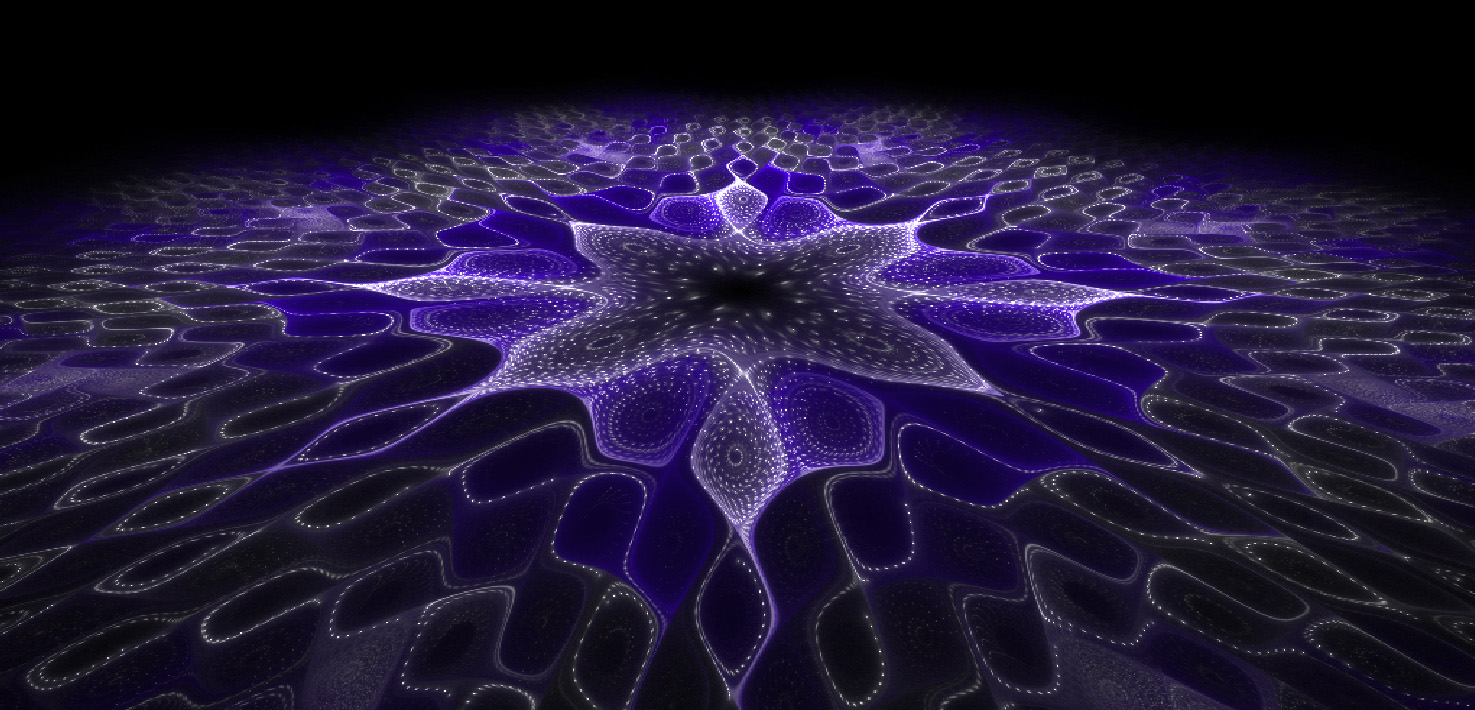

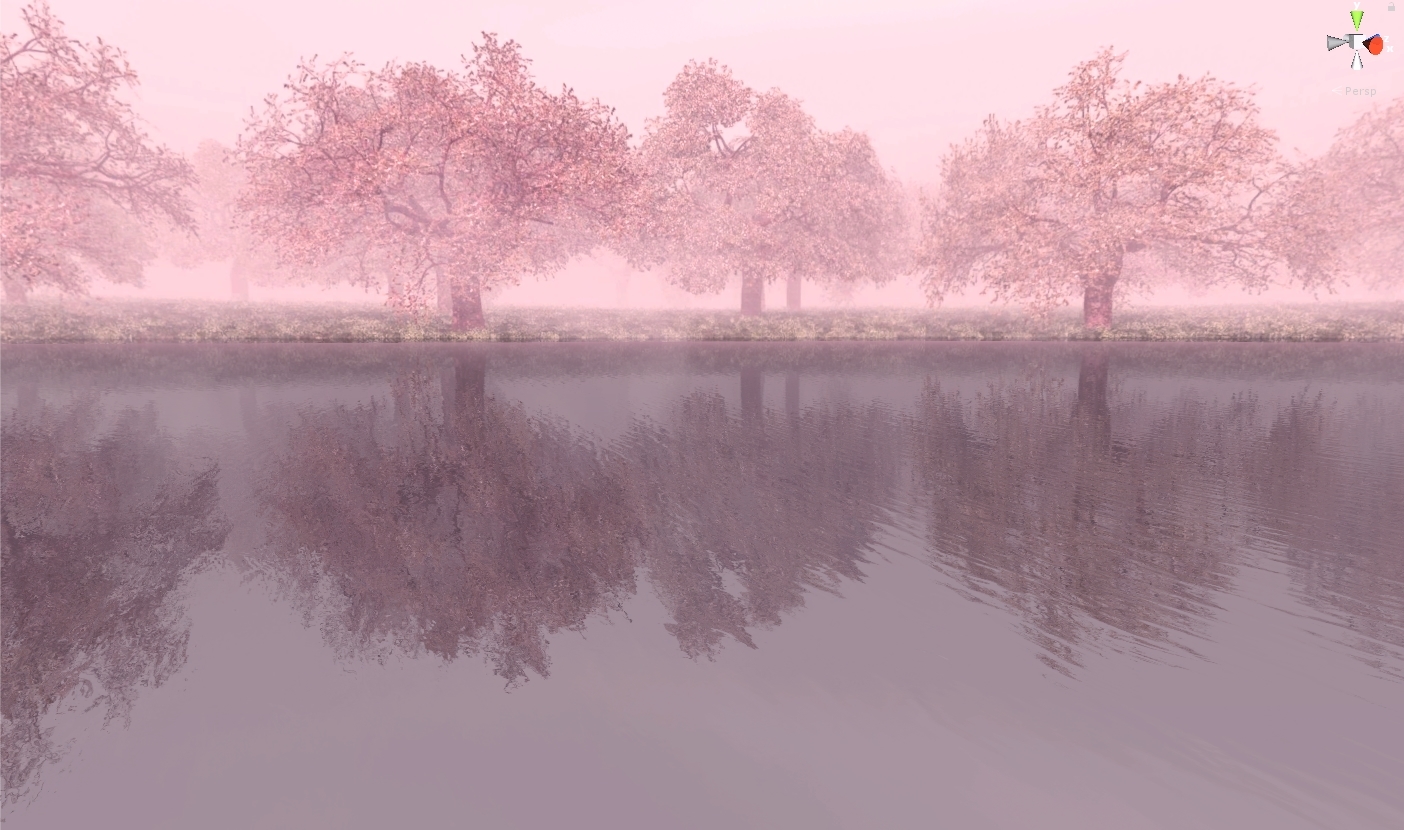 steep swift
"Color Palette" texture slot. Just make a simple texture with some of each color you want. It works by randomly selecting a single pixel from it every time it changes
@paper pebble
paper pebble
I actually JUST figured it out as you sent that
Thank you for your help
I have it working
You've been a huge help
Although sometimes it tries to swap to a different color only to swap to the same color
@steep swift
steep swift
You could try to make it more orderly by editing the random() function to be less random and make your texture repeating or small
paper pebble
Ahhh
 gusty mantle
Anyone have a bloom shader for worlds that is really good
 stiff berry
Any reason the post processing stack bloom wouldn't work?
steep swift
@gusty mantle Have a read here https://gitlab.com/s-ilent/SCSS/wikis/Other/Post-Processing and get some tips in #world-lighting for having the right contrast to get the effect you want
GitLab
A surface shader for Unity providing cel-shading. (Forward rendering only)
Eye adaptation + bloom + bright and dark contrast can be a powerful effect if used right
gusty mantle
Thanks!
lofty dragon
I asked a while ago, but is there a shader that supports using gifs directly? I'm working on a map designed to look like a terrible old geocities page and the best solution is converting gifs to sprite sheets, but it's taking way too long for the amount of gifs I'm using.
tired token
@ripe idol ^
somber widget
I don't think unity supports treating gifs as an animation itself, I'd suggest writing an editor script to automate the sprite sheet conversion, and possibly using a shader to animate through the sprite sheet
 ripe idol

Patreon: https://patreon.com/poiyomi Discord: https://discord.gg/Ays52PY Don't post bugs in the comments. Join the discord if you have a problem. Please Dele...
gifs
somber widget
oh hey poiyomi made that editor script for you already. handy
ripe idol
it converts to texture array
not spritesheet
for perfect quality
you can just slap tiled gifs or non tiled on your avatar
If you want to see how it looks in game just check out the examples at https://vrchat.com/home/launch?worldId=wrld_9d0f08ee-a2a7-4da4-a4c6-0041ba745071

V73 | Recent Additions˸ Flipbooks‚ Parallax‚ Blend Textures‚ Panosphere
@lofty dragon
Anyone using my shaders either pm me for a link to the shader discord if you need help or just click the button at the bottom of the material
past pewter
Anyone got a good water and glass shader?
 brave bobcat
"Optimized" fur-shader anyone? Is there a list somewhere of shaders that's OK to use?
 steel hull
@brave bobcat XSFur
brave bobcat
Thankyou that's perfect!
 halcyon kestrel
👀  Big update coming soon to that :P
brave bobcat
Any settings that will fix this, help? all other meches looks fine on the model 🤔
brave bobcat
the poyomi free one! also have the noenoe in the project....
tired token
There should be an option for culling, you'll want it Off or Front.
brave bobcat
Thankyou that worked ❤ I'm such a noob what would I do without you guys 😁
tired token
😄
lucid cedar
Not sure why it's always the shoes doing that.
Do all MMD shoes have their normals flipped as the standard, or something?
 wispy acorn
hello everyone!
how do i use the screen zoom shader?
tired token
Just do it.
wispy acorn
how?
lucid cedar
lyric pilot
Why do world particles look so much different in vrchat?
grave hatch
probably the lighting, environment, or post processing
lyric pilot
Aight but my main problem is when i use world
world particle
it looks so much different in vrchat
then it looks in unity
lethal nacelle
quick tip for something i've had an issue with for a long time without realizing:
clamp your ramps
if you're making a custom ramp for a shader, remember to clamp it
if not it's gonna look fucky wucky
steep swift
Oh you mean in the texture import settings make sure it is Clamp not Repeat? That's actually something I've never paid attention to
grave hatch
yeah that goes for any other textures too that might look a bit odd
you might see like a line of pixels that don't look right
lucid cedar
Yeah toon ramps have to be clamped
I put a warning in my shader's custom editor if the texture's wrap mode is not set to clamp. Alternatively, you could clamp the UV's yourself but that's more unnecessary work in the shader.
A lot of premade toon ramps are already set to clamp when included with another shader
tired token
@steep swift if you use XST's gradient editor it automatically sets it to clamped.
lucid cedar
That thing is blessed, I always use it if I don't have the specific toon/shadow ramp I need
Although if you import like 3 or 4 different toon shaders you'll probably have practically everything you need. Poiyomi in particular has a really nice looking one for skin, and one of my main models came with a great one as well
tired token
@lucid cedar Any issues or feature requests on that thing, hit me up, I've been maintaining it lately.
lucid cedar
Ah sure
Well tbh it's probably already as good as it could be. The realtime editing blew me away
tired token
That was a fun thing to make.
past pewter
anyone know how to remove the glossy look on my avatar?
tired token
What shader are you using @past pewter?
past pewter
Cubed's unity shaders
tired token
Cubed doesn't have any glossy settings
past pewter
i'm new with making avatars and shaders
tired token
Are you sure it's applied?
past pewter
honestly not sure lol
do you mind if I send you a PM so we aren't clogging this channel up?
tired token
I do mind, mostly because you'll get 10x more help here
past pewter
oh okay
tired token
Also no one else is talking, you're free to clog
tired token
You'll need to extract your materials from your model
past pewter
i've done that
tired token
Have you installed cubed into your project?
past pewter
yes
past pewter
oh ok
is there a recommended shader for skin and clothing to give a realistic effect instead of a "toon" ?
past pewter
well the shader I have currently from cubed gives it a flat effect which isn't bad, but on some of the clothing and skin, it makes it appear.....cartoonish
tired token
Check the pinned
past pewter
which isn't what i'm trying to do
lucid cedar
There is a very wide variety of toon shaders out there that can offer different looks. Cubed's is very barebones and not customizable.
Either you want toony or you want PBR (such as Standard) or something in-between
XSToon, Poiyomi Toon, Noenoe, Silent's toon shader (SCSS), Arktoon, and probably some more that I'm forgetting are all good toon shaders.
If you want a more realistic looking thing but not as shiny, just use Standard and tweak the smoothness and metallic.
Keep in mind that the default unity scene's lighting doesn't look very good. Standard looks way better ingame.
Cibbi's Toony Standard is also great
tired token
Silent goes by cel shader now
lethal rock
is forgotten
tired token
Oh yeah, that person^ has a toon shader too.
past pewter
lol ok, ill give it a shot. I still need to figure out how to fix my toons fingers if any of you have suggestions to fix that. I know this isn't the proper channel for that, but I figured since i'm getting some sort of response here, might as well give it a go.
lucid cedar
I keep forgetting about Synergiance's one lol, knew I was forgetting one
It's my go-to if I need matcaps
I'm really fond of the auto shadow colors too
lethal rock
Ah I’m glad it’s being used, wasn’t sure if it was but I like the effect
velvet sorrel
It's always been cel shader for mine, never toon
lethal rock
Ya I don’t really remember a silent’s toon shader
velvet sorrel
I'm curious if it would be worth making a scene setup guide for avatar testing. The only problem is that I would need to specify, like, "you'll still look garbage in the box because the box is garbage"
lethal rock
you know how you can load in two scenes at once in Unity? could have a script that does that with a couple scenes with different types of lighting to simulate certain types of lighting you'll see in worlds in vrchat
steep swift
That could be a really useful tool. Great idea! Test emission, toon shading, shadows, metallic reflection (different probes, broken/black probes?), specular.
 sturdy tiger
Hey y'all, I haven't logged on in a few weeks, but all of a sudden the toon shader I was using seems to be broken? Was there an update recently involving shaders I should be aware about?
lethal rock
yeah I'd say grab the latest version of whatever shader you use, its probably adjusted for the change by now