#shaders
2 messages · Page 2 of 1
 velvet sorrel
Just scroll to the bottom of FlatLitToonForward, that's where the BRDFs are called
 last token
i can add some exponent so that lights are shinier and ambience is less
kk
where is the buttons for specular made
also is specularTerm the color from specular
velvet sorrel
No
The selection of specular modes is handled in code by the switches
Oh, actually...
        specularTerm * (gi.light.color + vertexContribution) * FresnelTerm(specColor, LdotH) +
surfaceReduction * (gi.indirect.specular.rgb + vertexContribution) * FresnelLerp(specColor, grazingTerm, NdotV);```yea
velvet sorrel
This is what you want to edit
last token
which one is specular color highlights
velvet sorrel
Try removing the third line
last token
surface reduction?
velvet sorrel
Yeah
last token
i removed fresnel lerp with a comment before
it seems to change the amount of specular by angle
last token
here short vid
velvet sorrel
I can't write your code for you
last token

yea using power seems to reduce it
no actually it reduces the shiny effect from larger angles but it doesnt reduce the ambient reflection
aha found it
surfaceReduction
needed to change that
to a negative number
 velvet sorrel
That's good to know
 magic coyote
@velvet sorrel I tried the shader earlier and it was giving me double vision in VR, unfortunately I didn't have time to troubleshoot now that I am at work. Only tried it while in this world, if it helps. https://vrchat.net/home/world/wrld_043de106-cf9d-4aae-bffb-3507fb8a950d

VRChat lets you create, publish, and explore virtual worlds with other people from around the world.
velvet sorrel
@magic coyote If you're having double vision issues, delete the shader and reimport it
Unfortunately, that's a Unity bug
magic coyote
Will do. 🙂
last token
silent would u mind adding that in as a param
multiplier for reflection influence
nvm i added it do u want it

 crystal wadi
@last token try this https://github.com/kmkolasinski/AwesomeBump/releases/tag/Winx32v5.1 . you can regenerate the textures with the strength your looking for
GitHub
AwesomeBump is a free program written using Qt library designed to generate normal, height, specular or ambient occlusion textures from a single image. Since the image processing is done in 99% on ...
last token
??
crystal wadi
ah nothing just a easy way to generate the correct texture maps from PRB sources or anything
 thick robin
There is a better program for easy texture converting.
Don’t remember the name, will try to look for it, it uses a 3D view while you edit the textures in realtime seeing it on an object. Works well slapping stuff together.
crystal wadi
um are you looking for a program external from Unity or something you use in Unity ?
crystal wadi
for something in Unity perhaps "Materialize". however i never found a program that works in part with Unity that really gives you control over anything more than you just select a few settings and pick A B C
for me i like to use awesome bump for the base maps and then i have a few others for special maps such a as displacement
 grave hatch
yeah it's called materialize
http://boundingboxsoftware.com/materialize/
it's pretty good
crystal wadi
for a fast and dirty cleanup ya it works
just looked it over , the vid is funny as the guy just spends 10 min twisting and turning a object saying ummm ummm but only makes adjustment on 3 or 4 settings lol
if you have time i suggest you try using awesome bump, once you have a good understanding of how the basic maps work together and how they should look to get different affects you will have a lot more detail control and it gives you more maps that matreializer just cant do
grave hatch
tutorial is pretty bad, this dude explains it better
This newly released, completely free tool, enables you to quickly create several different material maps from a single image, with real time preview, editing...
crystal wadi
what sort of materials are you looking for , i make a lot of material packages with all the maps included
 humble frost
How do you get UVs for use with screen space textures that are VR friendly?
 red fern
Is there a shader that i can use to give a item a jewel look to it, I want to make a diamond record to go on a wall in my world
crystal wadi
just make a metallic texture for it and you could use a standard shader
 vale hemlock
I think there's a free jewel shader in the Unity store that's not too bad, too.
red fern
I tried the gem shader but the overlay it puts on is so low quality, dont know where to start to correct it
crystal wadi
send me a texture i can look as i am doing some other materials now also
red fern
this is one of the variants i use. i use a separate material for the record so the color swatches and the inner are handled else-were
red fern
UwU that looks better
 peak bane
Hello, i am asking about the zoom shaders, i know that they are bad, but i have no intentions of using them in public, or in a spammable way, i used them before with a public model, it was a great time with my friends. so all i wanted to know, is how do they manipulate the space inside the sphere
 open lichen
🤔
 steep swift
@peak bane As for a technical explanation, a feature of unity called GrabPass allows taking essentially a screenshot of the frame into a texture at that point during the render. Although making a copy of the screen is slow, you can use this feature for many things including some forms of post-processing, as well as imperfect distortion effects. https://docs.unity3d.com/Manual/SL-GrabPass.html
However, I nor others will provide help here for making effects that cause headaches to VR users.
 peak bane
I understand, thank you very much
 solid plover
why is no double sided version in the newst version of cubed toon shader? i just edit the code with the Cull Off option to have double sided, but i wanna ask anyways
 steel hull
Because its never been.
You always had to turn on the outline and set it to 0
and the color to white.
solid plover
because its never been is wrong, in my older version it was there..
 tired token
The lite version should have a culling option
solid plover
nope, i downloaded 0.26, is this the current?
tired token
Seems that it does, just hidden.
https://github.com/cubedparadox/Cubeds-Unity-Shaders/blame/master/Assets/Cubed's Unity Shaders/Shaders/Flat Lit Toon Lite/Flat Lit Toon Lite.shader#L12
GitHub
A compilation of custom shaders for Unity3D. Contribute to cubedparadox/Cubeds-Unity-Shaders development by creating an account on GitHub.
@viral stratus Why is it hidden?
solid plover
nvm, like i said, i edit the code, so its fine
 viral stratus
@tired token Custom inspector sets it.
tired token
Yeah
magic coyote
I there a shader I could use that will give me the same effect Bender has when loading a sphere texture for a ring?
 lucid cedar
I think any "matcap" shader will work
Rename the metal.sph file to metal.bmp and resave it as PNG in GIMP or something (or even just mspaint)
Then you can use it in the matcap apparently
magic coyote
Hmm, will try. Thanks 🤔
 past pewter
you can also import is as a cubemap instead of 2d texture and use it in any shader that accepts a cubemap/reflection map
 ripe idol

GitHub
A feature rich toon shader for unity and VR Chat. Contribute to poiyomi/PoiyomiToonShader development by creating an account on GitHub.
steep swift
@ripe idol anything new in this version?
ripe idol
just a hotfix for lighting problems
there are some patch notes on the git page @steep swift
I go with the
Major.minor.hotfix version names
steep swift
Nice
past pewter
does anybody know a shader that has a sort of pulsing effect to it?
steep swift
You want something to pulse the brightness of a texture? Or like pulsing of the geometry itself like the bananas in SCRN's video world?
past pewter
Something like a tron design where the color would pulsate, like it's a dark blue and every second it would pulse a lighter shade of blue
steep swift
You can try scrolling emission . I think poiyomi's toon shader has this feature. @past pewter
past pewter
Alright I'll check it out
steep swift
If you wanted to implement something yourself, I would pass _Time.g as well as the uv.y position into a periodic function like sin(), clamp or adjust some constants and use that to lerp some color constants or multiply with that
In other words if you want something customized, I usually just play around with math functions to give it the shape I want
past pewter
Holy moly, no idea what you just said haha. Guess I'll find out as I learn
steep swift
I wasn't sure if you are asking if any existing shaders do what you want (poiyomi) or if you want to know how it's done (basically sin of some function of time and the x or y coordinates)
Might be a good use case for a node based shader editor so you can play with some nodes and see what looks good
past pewter
any shador to represent an "angry avatar"
I'm making a joke-avatar for a friend and i need a shader to use with a animation for do my avatar looking angry while is screaming the famous "seduce me" sentence of Spy from TF2
 somber widget
Normally you'd use shape keys for an angry facial expression. You'll need to be more specific about what effect you want though. @past pewter
last token
lol y a shader for anger
last token
how do u make a shader property only have a minimum
nvm i made super simple shader that mimic ps2 effect
https://i.gyazo.com/f0d70e00bd61d3b71d840ee8f5e38305

need to make it have less realistic lighting tho
last token
how do i make it look pixellated now
as in it has like this screenspace effect where it gets pixellized
and also make it transparent without bugging it
 frosty igloo
Can anybody help me to combine some shaders?
last token
ok so i found out how to make it work with transparency but it wont work when i use the code to make it look pixelly
 frosty igloo
Can nybody help me to combine shaders
frosty igloo
I'm trying to combine these 2 shaders
And this is what I have so far
The problem is that the shader does literally nothing when on a material
It makes it look like there's no shader on the material what-so-ever
There are no errors
Okay I made the PolyColorWave shader work by moving it under the script for the other 2 bodies of code
The other ones might as well not be there though
 crisp dawn
Hey QT's, any idea if theres any shader similiar to this one for free? https://xiexe.booth.pm/items/1084711

VRとパフォーマンスを主にした本格的獣シェーダー ほかの似たようなシェーダーはレンダリングパス数が多いため、ラグなどを起こしやすいのが多いです。 私のは、すべてワンパス。 毛と肌のレーヤー別...
last token
can always make ur own
last token
yea
i wanted 2 make a volumetric 1 before
is it better to have
a forward pass after frag/vert pass
where forward pass computes lighting and stuff
or only a frag/vert pass
with custom lighting and stuff in it
cuz idk if my PS shader optimized
i think i need the forward pas tho
bc its supposed to handle transparencies
without overlap and z fighting
and i do the alphas in the forward pass
it also has cull off bc no PS models had backface culling
do u guys know how to write a heightmap shader
 crisp dawn
Wunder WulfeToday at 1:29 PM
can always make ur own
4Head
if i knew how i wouldnt ask xD
Not the type of stuff id wanna bother learning, id rather pay
last token
then pay xd
nothing better than a fur shader optimized and made specifically for vrchat usage
 lethal rock
Best to make a fur shader completely opaque to greatly reduce overdraw
last token
i wanted 2 make like
raymarched or heightmapped fur shader but like
didnt kno how so
past pewter
fur is the worst thing to raymarch, good luck
last token
ye but if raymarch fur probably more perfomant than dupe and fur layer
past pewter
doing all the shells in one drawcall is best, xiexe's does exactly that and has shadows and proper lighting
last token
ye but still shells
past pewter
look better than raymarched
lethal rock
You can do all fur in a single drawcall with a geometry pass
last token
not better than raymarch
raymarch u can do individual strands of fur
like what blender fur looks lik
but ur only drawing the strands
not actually polygons or anything
past pewter
no, that's not raymarching, that's raystepping through a texture
last token
no not through a texture
u would have some generator that will play into detecting each fur hair
past pewter
yeah, that's not gonna work
past pewter
because raymarching is not suited for thin 'objects' close to eachother at all
like hair, particles, snow, dust, smoke
last token
but ^
great example: https://youtu.be/6wJM7bceQfc
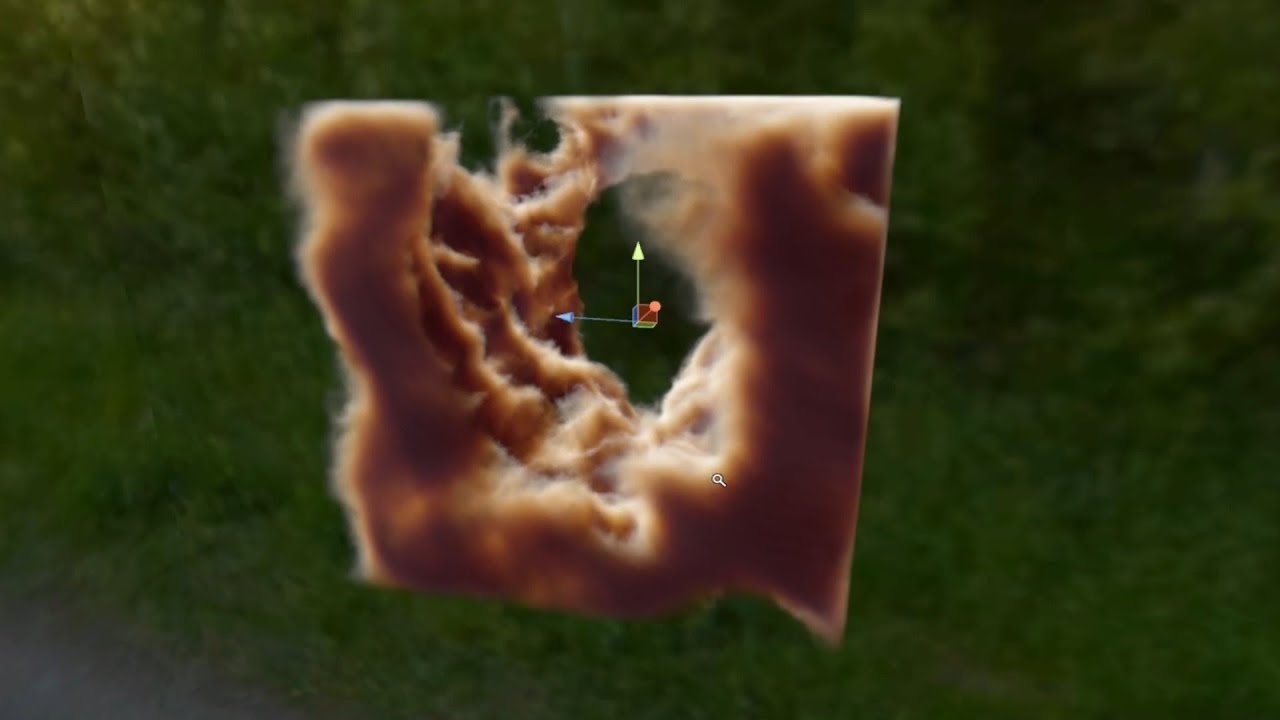
I was really impressed with Ryan Brucks' Unreal Engine raymarching demos that he published on the Epic forums. Since I'm a Unity user, I wanted to see if the...
past pewter
that's why there's no raymarched hair or grass shader anywhere
last token
look at the tiny wisps of cloud it looks amazing
last token
yes but its volumetric and it has depth and lighting
and it has thin parts to it
so possible yes but prob detail loss at further distances but its not like u can see it anyway
past pewter
I like your enthousiasm
last token
well ya bc it seems possible given the fact they could do that
past pewter
it's totally impossible at decent performance in vrchat, not rendering clouds like this, but doing fur like this
last token
i need 2 figure out how 2 do volumetric and/or raymarch/step shaders tho
past pewter
yeah start there
last token
prob at decent performance yes assuming u could for example have a equation where u input direction and get a corresponding normal and distance
past pewter
please learn how to do these things before you advise people to do things a certain way
the fur shader mentioned is the best way to do it, and with the best results
 past pewter
nothing volumetric about it either
last token

Twitter: @The_ArtOfCode Patreon: https://www.patreon.com/TheArtOfCode Live version: https://www.shadertoy.com/view/XlGBW3 Most 3d shaders you see out there m...
lucid cedar
I always wondered why XSFur doesn't use instancing because it seems like the most logical way to do it. It seems perfect for what geometry instancing is made for
But then a friend and I started tinkering with it and made it use instancing rather than a for-loop (maxvertexcount set to 3 too), it looked the same but still performed the same too
past pewter
using different passes doesn't have to be slow either if you set them up right https://i.gyazo.com/b54f903725ff8b23a460790d2c36102c.mp4 (fixed normals)
super floof, no lag, separate shells each with their own pass
last token
GitHub
Raymarching Shader Generator in Unity. Contribute to hecomi/uRaymarching development by creating an account on GitHub.
but thats way too blurry to look like floof
past pewter
the library you posted doesn't work with single pass stereo among other things, it not very useful for people wanting to learn
frosty igloo
Is anybody able to help me to combine these shaders yet? This is what I have so far
(Original "PanningOutlineUnlit.shader" file)
https://hastebin.com/nusowaxihu.cs
(Original "PolyColorWave.shader" file)
https://hastebin.com/pubegizaho.cs
("PolyColorWave.shader" after injecting the three pass{} bodies into it above the original pass{} body which was in the "PolyColorWaves.shader" to begin with. As well as:
_MainTex ("MainTex", 2D) = "bump" {}
        _OutlineWidth ("Outline Width", Float ) = 0.0001
        _Speed ("Speed", Float ) = 0.2
        _Tint ("Tint", Color) = (1,1,1,1)
        _OutlineTexture ("Outline Texture", 2D) = "white" {}
Into the properties portion
And adding
    FallBack "Diffuse"
    CustomEditor "ShaderForgeMaterialInspector"
To the same area of "PolyColorWaves.shader" that it was in "PanningOutlineUnlit.shader"
Which doesn't seem like something that matters, but more of something that is used by Shader Forge to edit the code.
last token
just look up how to create screenspace outlines with a shader and write ur own appending to polycolorwave
mostly bc u cant just copy and paste stuff and expect it to work and it will also be more optimized
the very basics is u can make a pass that draws an outline by pushing all verts in direction of normal by some amount and making them cull front
 vast crypt
Anyone know the name for that starry galaxy shader that twinkles? O:
steep swift
StarNest shader. There is a version available free on the asset store for skybox (though quite unoptimized by default). I have a optimized version available here designed for avatars:
https://github.com/lyuma/LyumaShader/blob/master/LyumaShader/StarNestAvatar.shader
 vast crypt
Ayyy Thank you so much^-^
lucid cedar
Oh sweet, thanks!
 digital onyx
Anyone know any good shiney shaders? Looking for a good one for an inkling
digital onyx
Ahh oki😊💖
digital onyx
Oo cibbis toony standard sounds good! I normaly use cubed shaders so itll match😊
last token
is there any benifit to using raymarching instead of raycasting to render stuff
 near flax
raymarching won't miss things most of the time and it can skip a bunch of steps if the distance is really far
unless you mean like just calculating intersection points from a formula
which you should definitely do if that's the case because it'll be much faster and more precise
last token
ye ok
but y do ppl prefer raymarching
is it just cuz simpler equations and calcs
cuz i think most intensive part of ray march is marching the ray
but most intensive part of raycast is calculating all the stuff for the objects in scene
also is there a way to do some sort of AABB with raymarching
bc say i wanna raymarch a mesh, is there a way i can make some AABB boxes to reduce how many polygons i iterate over each step
optimizations i think
near flax
not entirely sure what you mean by raycasting tbh
last token
raymarching is u march in steps and u calculate shortest distance from objects
grave hatch
isn't ray casting just regular rendering since it'll render w/e is on screen
last token
no like
raycast is u find out the point and data immediately
by sampling all objects in scene or in order of depth buffer
usually with AABB so ur not doing so many checks
last token
ye but like for raymarching u spend most of the time
near flax
have fun doing aabb raycasting on fractals lol
last token
stepping and doing normal calculation which is like 6 steps
near flax
most of the overhead from raymarching i think is from how many SDF calls you end up needing to make
last token
and for raycasting u calculate directly for everything u sampled any intersectiobs
not if theyre inline
simplify into an equation
near flax
everything is inlined
last token
ye
near flax
you're still making the same number of calculations though
last token
but the distance calcs are much simpler
for a sphere for example
pos - radius
as opposed to some extrusion and dot projection or whatever
and solving quadratics
etc
near flax
most of the normal sampling stuff is just for lighting, not something you have to do
last token
yea ik
another downside with raymarching is
its kinda hard to UV map things
for like texturing
near flax
yeah UV mapping is a bitch lol
near flax
triplanar mapping instead is a nice way to get around it if you're lazy
last token
cuz u can prob do distance comparison
but u also don't know where the uv is on the object u found
unless u do extra calc
 halcyon kestrel
thats why people triplanar map things
last token
but someone said it like wrapping an object or volume in triangles
grave hatch
triplanar mapping is just using the xyz planes as uv's
last token
i made a raymarcher in lua 2 test also cuz i couldnt get it working very well in shaderlab code

runs on cpu so obv super slow
but also i couldnt get the shader to render everywhere like its part of the game
halcyon kestrel
Here's a triplanar function I ended up with that will Triplanar map in Object, or world space, or itll just do the texture sample normally.
//Triplanar map a texture (Object or World space), or sample it normally.
float4 texTP( sampler2D tex, float2 tilling, float2 offset, float3 worldPos, float3 worldNormal, float falloff, float2 uv)
{
    if(_UseTriplanar == 1){
        if(_ObjectSpaceTriplanar == 1){
            //Convert from world to Object space
            worldPos = mul(unity_WorldToObject, float4(worldPos,1));
        }

        float3 projNormal = ( pow( abs( worldNormal ), falloff ) );
        projNormal /= projNormal.x + projNormal.y + projNormal.z;
        float3 nsign = sign( worldNormal );
        half4 xNorm; half4 yNorm; half4 zNorm;
        xNorm = tex2D( tex, tilling * worldPos.zy * float2( nsign.x, 1.0 ) + offset);
        yNorm = tex2D( tex, tilling * worldPos.xz * float2( nsign.y, 1.0 ) + offset);
        zNorm = tex2D( tex, tilling * worldPos.xy * float2( -nsign.z, 1.0 ) + offset);

        return xNorm * projNormal.x + yNorm * projNormal.y + zNorm * projNormal.z;
    }
    else{
        return tex2D(tex, uv);
    }
}
idk how to do object rotations outside of the math
near flax
if you want it to "interact" with the actual unity environment, you'll want to do some stuff with _CameraDepthTexture
last token
so idk how to make it rotate uv also or project into local space
halcyon kestrel
Here's the same function but for normal maps.
//same as above but for normal maps
float3 texTPNorm( sampler2D tex, float2 tilling, float2 offset,float3 worldPos, float3 worldNormal, float falloff, float2 uv)
{
    if(_UseTriplanar == 1){
        float3 objNormal = worldNormal;

        if(_ObjectSpaceTriplanar == 1){
            //Convert from world to Object space
            worldPos = mul(unity_WorldToObject, float4(worldPos,1));
            objNormal = mul(unity_WorldToObject, float4(worldNormal,0));
        }

        float3 projNormal = ( pow( abs( objNormal ), falloff ) );
        projNormal /= projNormal.x + projNormal.y + projNormal.z;
        float3 nsign = sign( objNormal );
        half4 xNorm; half4 yNorm; half4 zNorm;
        xNorm = tex2D( tex, tilling * worldPos.zy * float2( nsign.x, 1.0 ) + offset);
        yNorm = tex2D( tex, tilling * worldPos.xz * float2( nsign.y, 1.0 ) + offset);
        zNorm = tex2D( tex, tilling * worldPos.xy * float2( -nsign.z, 1.0 ) + offset);

        xNorm.xyz = half3( UnpackNormal( xNorm ).xy * float2( nsign.x, 1.0 ) + worldNormal.zy, worldNormal.x ).zyx;
        yNorm.xyz = half3( UnpackNormal( yNorm ).xy * float2( nsign.y, 1.0 ) + worldNormal.xz, worldNormal.y ).xzy;
        zNorm.xyz = half3( UnpackNormal( zNorm ).xy * float2( -nsign.z, 1.0 ) + worldNormal.xy, worldNormal.z ).xyz;

        return normalize( xNorm.xyz * projNormal.x + yNorm.xyz * projNormal.y + zNorm.xyz * projNormal.z );
    }
    else{
        return UnpackNormal(tex2D(tex, uv));
    }
}
i again not get any of that
not useful 2 me bc i dont know whats going on
thats y i trying 2 figure it out
halcyon kestrel
well I'm giving it to you so you can mess with it, that's how you learn
deconstruct it
last token
yea but i don't get the matrix projection crap at all
halcyon kestrel
Theres no matrix projection in there
grave hatch
basic concept for triplanar mapping
            fixed2 xUV = worldPos.zy;
            fixed2 yUV = worldPos.xz;
            fixed2 zUV = worldPos.xy;
look at the unity inspector's axis and it'll make more sense
halcyon kestrel
You don't need that
Thats only for if i toggle object space triplanar on
vs world
grave hatch
unity usually handles all of the projection matrix stuff
last token
as well as textures that can be mapped
yea but i dont understand what or why
so idk how 2 use it
last token
only thing i used matrix for that i sorta got was
view angle for ray
but idk how that stuff worked i just knew that it did
the rest was just basic math and raymarch stuff
near flax
the matrices are mostly irrelevant, for most stuff, you'll just want to know the differences for the spaces they're converting between
last token
the lua version
--Distance Calculation
local DF = function(pos, i)
    return scene(
        sunion(
            roundify(
                Prims.Box(pos - Vector3.new(math.sin(i/2)*3+2.5,5,0), Vector3.new(5,5,5))
                ,.1
            ),
            Prims.Sphere(pos - Vector3.new(math.sin(i/2+.1)*-3-2.5,5,0),4),
            4
        )
    )
end
--Lighting Calculation
local LT = function(light, ray, i)

    local ldir = Vector3.new(.5,-1,0).Unit
    local norm = calcnorm(ray.rayEnd,i)
    local ln = norm:Dot(ldir)*-.5+.5
    light.Albedo = rgba(ln,ln,ln,1)

    --light.Albedo = rgba(ray.rayEnd.X%1,ray.rayEnd.Y%1,ray.rayEnd.Z%1,1)
    --print(norm,ray.rayEnd)
end
follows similar structure
the i is just a frame counter for frame based motion
i know about object and world space but i wanted 2 know about the matrices so i could implement rotations and such and know what im doing
and implement it in places without them
bc some guide saying like primitive(invert(t) * p)
didnt rlly help at all
near flax
well rotation matrices are pretty straightforward, you can find that on wikipedia
last token
it was for translation and rotation
also i don't see how moving the position would rotate something
near flax
not sure if this is what you're confused on, but usually if you want to rotate around some point, you'll translate, rotate about the origin, then translate back
last token
no but like everything ive seen mostly said
"o u just change this p value using ur rotation matrix" or something
and apparently out pops a rotated object instead of a regular one..?
near flax
oh you mean in the raymarching
last token
^^
near flax
right, in that case, it's not really that you're rotating the object so much as you're really rotating the space
last token
ye and how does that work
cuz my prims are set up as
scene == union so
is just unioning those 2 things
but i want 2 rotate the box only
near flax
you'll find that a lot of transformation functions will go backward, with the idea being that you're stretching the space you want into one that matches the function you already have
so for example, if you wanted to make a sphere bigger
you already have some sd function for a unit sphere
last token
mine already does that
near flax
right
near flax
squishing the world relative to the sphere is basically the same as stretching the sphere
which is what you're doing by squishing the point you're sampling
and that's why it makes the sphere bigger
last token
also why does box - r make it rounder
near flax
i have no idea tbh, i just blackbox most of the distance functions i use
last token
o
cuz i have a roundify function
thats the exact same as the sphere prim except u already have d
and it makes things bigger while also rounding them
near flax
¯_(ツ)_/¯
 near flax
might be that it's normalizing the shape but i wouldn't know without seeing the function itself
near flax
🤔
near flax
i guess cause it gives sphere-like properties on top of the distance you've already estimated
last token
i think i know why it does that tho
bc if for example u got a box edge
and u move it in direction of view 1 unit
it sorta expand into circular edge
near flax
ah right
anyway, if you want to rotate a shape, you just have to rotate your point relative to the shape in the opposite direction
last token
what does that mean
also how could it be relative to the shape
the only thing the thing knows about the shape is its position and distance
excluding params like radius
near flax
assume you've already got a function to rotate a point by t degrees around the origin
you want to
translate your point in such a way that the shape is at the origin
which just means translate by -shapePos.xyz
then use your rotate function to rotate your point by -t degrees around the origin
last token
that doesnt make sense to me
near flax
then translate it back by shapePos.xyz
last token
bc what is this point am rotating
if its the center of the object
then nothig happens
last token
but won't that mess up rotations for every other object
or u rotate only the ray that goes to that object
near flax
not if you're doing this in the distance function for that object
because you're only doing this to figure out what the "warped distance" would be
last token
o i sorta get that
so if u wanted to rotate something on X for example
here ur something origin and current ray
< 0 <-•
u would do this right
0 <-•
move it back
near flax
oh right and by origin, i just mean the point (0,0,0)
near flax
i'm having a hard time visualizing your ascii art, but i think you've got the idea lol
last token
it should move closer mb
bc i moved it right originally
but wait would that also mean that
object points up? or does it point down
the arrow on leftmost is object
for first and last things
near flax
hold on, i'll just model it in blender real quick, that'll be an easier way to explain i think
last token
kk
near flax
ok so in this visual, the origin is the 3d cursor, the object is the cube, and the point is the sphere
last token
also about the AABB is it possible with RM
near flax
you can do lots of stuff with raymarching, lots of times you can simplify stuff
so you could probably mix aabb stuff into your raymarching code i guess
last token
cuz while my triangle stuff gets inlined
i don't wanna have 20k triangle distance checks
to render a single mesh
wait wait i think i have a good idea
near flax
yeah, you need to make sure that your sdf code is simple enough that you can run it a bunch in realtime
last token
i can pick the closest AABB box by distance
and then pick closest AABB box in that
and so on until i reach the faces
near flax
whatever works
last token
so wat was u showing me
near flax
anyway, you translate everything so that the object is at the origin
last token
also can u do it with like
near flax
near flax
uh.. sure, i'll throw in more spheres
last token
okie thx
last token
put at liek 45° or sumtin
near flax
near flax
last token
but like
how does that rotate it bc
arent the distances the same
bc its basically being attached to the object the whole tim
near flax
keep in mind that we're not actually rotating the cube, i showed the space rotating and moving here
last token
oh
near flax
we're only actually going to apply the transformations to all those points
last token
so the cube would stay at same rotation as before right
last token
o ok that help a lot
i see how it work now but still need 2 see about the matrix stuff for rotate it
cuz i know a easy way to rotate it but
it is only global rotation
bc i can get a directional vector from my angles
and then just move it by distance from origin originally
near flax
well rotation stuff is all standard linear algebra magic
last token
can i use quaternion multiplication for it
near flax
so if you wanted to rotate a point in 2d, you'd use a matrix of [cos(t), sin(t), sin(t), -cos(t)] iirc
uhhhh
i guess
last token
nvm
i can rotate things off of their current position
would already be local right
if i did same thing again
near flax
local just means that you've moved the origin point to wherever you want it to be and you're doing stuff locally around that point
near flax
👍
last token
also is there a way to
if u have no smooth unions or subtractions or anything
to instead of doing like 6 extra distance check
if u could just write derivative function
near flax
oh you mean for normals?
near flax
yeah hold on, lemme see if i can find this article real quick
last token
like how POVRay works
u specify shapes as equations
3d graph basically
and then it does ray intersection with graph/shape
near flax
found the article, it does something similar
last token
would be kool if shader do that
near flax
as an example
if you wanted to use noise in your function
like say you're procedurally making a terrain
last token
o yea i always wondered about that
near flax
you can write a noise function that also spits out the gradient (basically the normal) at each point
near flax
lot of magic
last token
cuz gotta do some cull check with normal probably
and also somehow hit past the object..?
near flax
i'm no expert on raymarching, but whenever i'm trying to learn something new, somebody's usually written it on shadertoy.com already
last token
o ok
i checked shadertoy before
but some things confusing af to me
like i been trying to example to see how people separated materials and how they did rotations from different coordinates
but 2 me it looked so obfuscated that i couldnt understand how it worked
o yea speaking of which
near flax
i think the way people usually separate materials is that they'll separate into multiple different distance functions and see which surface they ended up hitting
last token
how would u do rotation about a coordinate rather than just local space
near flax
same way i described above
just let the coordinate be the object you're rotating around
last token
so u would shift using
shape.xyz - offset?
or just replace shape.xyz with the coord
near flax
you would shift by -coord, rotate, then shift by +coord
last token
also u rotate negatively right
near flax
yes
last token
so if u wanted 2 rotate it 20 deg down
u rotate 20 up bc then
the ray things up like that
ok cool
near flax
yup
last token
so does that mean i would use this basically
instead of
prim(p,data)
prim(rot(p,coord,angles),data)
near flax
ye
last token
yay learning
also yea i know the basics of rotation matrix
they go over it on roblox
it store all the axis of a object
and there like some massive trig equation 2 calculation each axis
but in this case i just need 2 calculate the forward one
near flax
yeah
also keep in mind that if you're rotating about the X,Y, or Z axis, you can get by using only 2d rotation
near flax
i mean that's just an issue of how you're defining the rotation
last token
kk
near flax
i mean that
last token
is there also a way to change the order they are applied in
near flax
if you wanted to rotate a point about the x axis
last token
cuz 1 sec
near flax
you can just do p.yz = rot(p.yz)
near flax
yes
last token
but how would i
near flax
you can define a matrix for each axis rotation
last token
instead of XYZ go ZXY
near flax
and then multiply them together in the order you want
last token
without rotating twice
o ok
so im forced to use XYZ unless i rotate more than once?
near flax
that's at a math level, you can work it out on paper to make the code simpler
it'll just be a different way that the matrix is set up
so like
define your X rotation matrix as X_m, Y rot mat as Y_m, and Z rot mat as Z_m
last token
but i wouldn't need a matrix anyways right
near flax
you can create a new rotation matrix out of these
last token
to save on performance i could just use the trig there
near flax
GPUs are basically made for doing matrix/vector operations
so you wouldn't really save on performance
last token
o
near flax
whatever looks cleaner is what you should go with
last token
k
i need to figure out now
how to render sharp noise also
so instead of maybe a cloud
more like grass
near flax
just scale the noise space so that the hills look like spikes
you'd have issues making it wavy though and since it's sharp, it probably won't raymarch very well
last token
ye
wait actually can u use raymarch for somewhat accurate scattering
i mean probably gonna lag like hell
but can sorta get the colors around it while sampling the field
last token
should coord of shape be WorldCoord - raycoord
bc puts relative to ray
when i do it this way its for some reason making the model messed up
when rotating
steep swift
I'm not quite sure that makes sense...at some point you are going to want a ray (origin and direction) to test against your shapes. And for that test you will want the distance from world coordinate and ray origin. But the way you ask that makes me think you are subtracting it an extra time.
last token
no im talking about ray marching
u get a point on a circle
and bc its distance testing
should be in relative space
steep swift
The way I would look at it is you have your current position of the ray in world space, and at each step you take the distance from ray position and the object. But aside from the sdf there's no need to work in relative coordinates: you can continue marching in world space
(For precision reasons maybe better to first convert everything to camera space using the camera or view matrix, but that would be done using a matrix not simple subtraction)
last token
ok nvm
i found out how to rotate it correctly
only problem is it rotates around origin instead of part origin
fixed xd
past pewter
Is anybody able to help me to combine these shaders yet?
This is what I have so far
(Original "PanningOutlineUnlit.shader" file)
https://hastebin.com/nusowaxihu.cs
(Original "PolyColorWave.shader" file)
https://hastebin.com/pubegizaho.cs
("PolyColorWave.shader" after injecting the three pass{} bodies into it above the original pass{} body which was in the "PolyColorWaves.shader" to begin with. As well as:
_MainTex ("MainTex", 2D) = "bump" {}
        _OutlineWidth ("Outline Width", Float ) = 0.0001
        _Speed ("Speed", Float ) = 0.2
        _Tint ("Tint", Color) = (1,1,1,1)
        _OutlineTexture ("Outline Texture", 2D) = "white" {}
Into the properties portion
And adding
    FallBack "Diffuse"
    CustomEditor "ShaderForgeMaterialInspector"
To the same area of "PolyColorWaves.shader" that it was in "PanningOutlineUnlit.shader"
Which doesn't seem like something that matters, but more of something that is used by Shader Forge to edit the code.
But this is the final product and now I'm stuck
https://pastebin.com/GH8PTw6p
(had to use pastebin cause hastebin had a stroke or something and doesn't work at all)
The shader works to an extent, the only thing that works is the "PolyColorWaves.shader" shader. But it's as if the rest of the code isn't there
 last token
again u cant just copy and paste shaders together, either learn how 2 actually make shaders (at least 2 the point where u know how to merge them properly) or wait 4 someone 2 possibly just write most of a shader 4 u
u probably cant just copy and paste a help post either
frosty igloo
@last token well that's as far as I've gotten and I don't know how to progress and would actually prefer someone to help me figure out how to do it so I can do it again later
last token
what 'parts' are you trying to merge together
like what is the end goal supposed to be
frosty igloo
@last token well the panning outline shader is supposed to put a rainbow outline around the model that moves, and the poly shader is supposed to... Well I'll just show you
last token
then just write a pass that makes a moving outline or try to fit it into an existing pass like cubed
frosty igloo
Well the pass that are already in the code should do that I think, cause it works fine in the original shader so I don't know what's wrong
But it's like those passes aren't even there

that's what the poly color wave shader does
WAIT
HOLY SHIT
IT WORKS
I DID IT
 median atlas
what the fuck
frosty igloo
@last token I DID IT https://gyazo.com/cf61383ab57e50355d420835b8617d32

It's been 5 long days of trying to get this shader to work and I finally did it!!!!!!
past pewter
looks cool
last token

 left orbit
Can shaders be applied to particles just like any other mesh?
last token
i made a raymarch thingy with FOV that enters hyperdrive https://i.gyazo.com/b9247a4dcb242828c067b519511fc59d
 last token
so yay getting somewhere
also anybody know how they did the fur on cows for that rpg world
i forgot the name of it tho
some rpg world where u ride horse pulled cart with some dude
o yea its called primal valley
 unreal mauve
Looking for a shader that supports Normal maps, Detail normals, Roughness, emission, and has some sort of texture overlay feature. Yes i know Poiyomis Master shader does a majority of that, but i really need detail normal and roughness support
last token
xiexes..?
velvet sorrel
@unreal mauve Have you tried my cel shader?
unreal mauve
I Have your cel shader yes
Does it have a texture overlay feature? i don't remember seeing one
velvet sorrel
Hmmmm. What kind of texture overlay?
unreal mauve
One that allows a texture to be put over the MainTex
Like poiyomis master shader did
It's a really nice feature, especially when dealing with adding details such as blood, dirt, etc
without having to edit the textures themselves
velvet sorrel
If you can send me some examples of what this does and how it's applied, I'll look at adding support for it
There's already detail normal and metallic options, so adding a detail diffuse isn't a problem
 royal gazelle
Does anyone know how I could make a raymarching shader like those in treehouse in the shade?
 stiff berry
Twitter: @The_ArtOfCode Patreon: https://www.patreon.com/TheArtOfCode Live version: https://www.shadertoy.com/view/XlGBW3 Most 3d shaders you see out there m...
royal gazelle
Yeah, but that neglects the whole fractal part of it
How do I get a fractal distance estimator?
last token
actually

Hi. In this article I will tell you about a rendering technique known as raymarching with distance fields , capable of producing highly deta...
stiff berry
that's a pretty good starting point
basically just repeat mod or abs on position with some rotations and translations in between
you can also use mod/abs on polar coordinates instead and get a kaleidoscope effect
here's a 2d example https://www.shadertoy.com/view/WsXGWB

abs = reflection and fract/mod is repetition
here you can see how they are used to modify distance fields
https://www.shadertoy.com/view/WsfSRH
https://www.shadertoy.com/view/WdXXRH
https://www.shadertoy.com/view/3sXXRH


the only changes are in the map function
and map just defines what the scene is
from there if you follow this https://iquilezles.org/www/articles/menger/menger.htm you can get a Menger sponge fractal
https://www.youtube.com/watch?v=svLzmFuSBhk
this is also a really good video for learning this

This is a brief introduction to how ray marching works and how it is used to generate amazing real-time 3D fractals. I uploaded the source code so you can gi...
velvet sorrel
https://gitlab.com/s-ilent/clear-water
I've updated my water shader to fix bugs with mirrors and some other improvements.
lucid cedar
How exactly do I make a meta pass to make my shader's emission actually affect the environment around it in realtime?
I tried the example here but even the example shader seems to do nothing: https://docs.unity3d.com/Manual/MetaPass.html#ExampleMetaPass
I'm trying to create an alternative to the Video/RealtimeEmissiveGamma shader that comes with the SDK. That one seems to emit light correctly, but I can't crank it up very high without severely distorting the image and over-brightening it.
So my idea was to make an Unlit Texture pass for the screen and a meta pass for the emission
lucid cedar
Actually, I got something else to work thanks to an earlier suggestion from Lyuma on something completely different
I copied the Video/RealtimeEmissiveGamma shader, added an unlit texture pass to it, then in debug mode, disabled the "ForwardBase" pass
steep swift
Huh. That's weird it would work that way... works in vrchat too?
(Wouldn't disabling the base pass cause the unlit shader also to not render?)
lucid cedar
@steep swift you can disable passes by name
I simply gave my unlit texture pass a different name
Unity's docs on the meta pass are notoriously outdated, their own example is literally not even functional
steep swift
Oh you can give it a different LightMode and it will render normally?
lucid cedar
Yeah
steep swift
I think Meta is used during light baking not realtime
lucid cedar
I guess that makes sense
It works fine in Unity and ingame now so I'm pleased
I really just needed an emissive TV that didn't distort the image
Shame that you can't do this in the shader directly most likely due to how it's set up
I never really understood the surface shader syntax, much less that syntax where you omit a pass block entirely and just go straight to CG
steep swift
Surface shader is compiled to a normal shader. You can click show generated code to see the normal shader code and make changes to that version if necessary
Oh the realtime emission is controlled by a Tag I think
lucid cedar
That's not in the docs but it wouldn't surprise me
 faint fulcrum
Can agree about lack of documentation for the deeper stuff. Although you can download built-in shaders and look up how stuff is done
last token
how do u make raymarch shadows less broken
cuz my raymarched shadows have this weird effect where at some angles it does this

look on cube 2 see
stiff berry
Probably has something to do with marching parallel to a surface
Increase shadow marching steps probably will help
Maybe it'd just disappear with soft shadows though
You're probably really close to your epsilon value in those non-shadowed areas
 wary junco
“You can’t just copy and paste shaders together” I mean. It technically but you can fuse separate features pretty easily if you know which bits to copy
It often can be a simple copy paste of the right lines
I can’t write my own shaders for beans but I can read them
velvet sorrel
@lucid cedar My solution to that was using #if defined(UNITY_PASS_META) to multiply it by a constant
That affects realtime GI
last token
well yea but u can tjust like say 'i want these passes here' cuz there usually incompatibility issues and problems
also i have like
200 march steps and 500 max distanc
also is it bad to use structs a lot
cuz my marcher uses structs to store objects and material properties
so u can know what u hit
last token
no?
 civic vault
Does anyone know a way to keep the outline when using cubed's shaders but make it see through from the inside out?
I'm using FBT and when I lay back I see inside of my avatar, not really wanting to fix 100 avatars for that so I'd rather use this as a solution if possible
lucid cedar
That's probably fundamentally impossible due to how the outlines work
lucid cedar
Outlines generally work by rendering the mesh again but inside-out and slightly bigger or extended outwards
The only way I can think of to fix it is to add a separate front-culled stencil pass
Or make the outlines disappear from up close
civic vault
I thought that it would be an easy fix by editing the code, then again, I know nothing of coding
I just dont want to see the texture from the inside
velvet sorrel
I can think of a way, but it might be expensive
Oh, that wouldn't work. I was going to suggest clipping the outline when it was closer to the camera
last token
is it bad practice to use structs for shaders
steep swift
No, I would argue it can be good for code readability.
It won't do any optimizations of the sort you would expect from c++: there are no pointers or stack like in a traditional language so everything gets inlined basically... but you can still use them for organization.
last token
well yea they eventually just turn into
an array with named indices
well named bc member access
theyre stored basically like an array
but i got structs for rays and objects
struct Prop
{
    float dist;
    vec3 diffuse;
    float diffuseIntensity;
    vec3 specular;
    float specularIntensity;
    float hardness;
    vec3 fresnel;
    float f;
    float reflectivity;
    float transparency;
    float refractivity;
    float iof;
};
//... and init default
struct Ray
{
    uint steps;
    vec3 rayStart;
    vec3 rayEnd;
    vec3 rayDir;
    bool hit;
    Prop prop;
    float rayDist;
};
//... and init default
etc
last token


 undone bay
Anyone know how I can get the speed of an object in world space in shader forge?
steep swift
For what purpose? What type of object?
You may be able to use the distance between a dynamic bone or configurable joint from your object as a velocity or speed measurement
stiff berry
if it's for particles there's a vertex stream for velocity
undone bay
Basically I want to display diffrent frames of a spritesheet based on the velocity, no matter the direction
steep swift
On an avatar? Separate object? (Would particles work?)
undone bay
On an avatar
steep swift
If this spritesheet is literally your avatar, you would be able to ascertain speed based on the blend of idle/walk/run/sprint states
In a custom override or controller
steep swift
You want speed of the hand or speed of the avatar
steep swift
Particle velocity stream
very short trail or line renderer, shader discards anything after vertex 4 and length of polygon is the speed,
Rigid body and another object with a skinned mesh attached to the other object; root set to rigid body. length(v.vertex.xyz) will be your speed
Many vastly different approaches for this. Never done this before so hard to say which will work best
undone bay
Hmm I was thinking of comparing the position from the current Frame to a previous one and use the difference as velocity
steep swift
Yeah that's kind of what I was getting at with my third option: using fixed or configurable joint to get last position
And an easy way to compare two objects is put them as bones in a skinned mesh renderer
The object set in the root bone slot will define the unity_ObjectToWorld matrix and vertices will be rigged relative to that. Easy to make a simple two bone armature in blender and weight paint the whole thing to one of the two bones
undone bay
Hmm isn't there a way to store values in a shader for like one frame?
Like a buffer or something
Either way, thanks for the help 👌
 ember trout
Can I read the texture coordinate?
float x = _MainTex[0]; <-- doesn't compile, can't even generate an error
steep swift
There are ways but very laggy, work for friends only and/or are unreliable or break if two copies of the avatar exist.
Caffeine, your texture coordinates are stored as uv. _MainTex is a texture sampler
_MainTex must only be used in a tex2D style function with a uv passed in. How much programming experience do you have ?
stiff berry
It might not be generating an error because unity will sometimes add this when you try to use unsized arrays
// Upgrade NOTE: excluded shader from DX11, OpenGL ES 2.0 because it uses unsized arrays
#pragma exclude_renderers d3d11 gles
If that's in your shader, remove it. @ember trout
like if you do float[] x = float[] {1, 2, 3}; unity will add that and no error will be generated ever again until you remove the pragma
fairly annoying
ember trout
Oh, oops. Yeah, the actual uv thing had another name
I can program some high level languages. No experience with shaders besides adding "Cull off" to downloaded ones
steep swift
Ouch . Thanks for the heads up @stiff berry . I could see wasting hours due to that
stiff berry
oh yeah i pretty much got to the point where i was convinced all logic had broken down when i ran into that one
add random characters to produce an error
no error
only return float4(1,1,1,1)
no error
???
fun stuff. Thanks unity
stiff berry
but yeah if you want to sample a texture, it's not like another language where it's a big 2d array of pixels. You need to use the tex2D function and pass in uv coordinates.
like tex2D(_MainTex, float2(0.5,0.5)) will sample the middle of the texture
but if you want to render the entire texture you're going to want to use the uv coordinates passed from the vertex
ember trout
I'm not sure if I know what sample means. The middle is a infinitely small point?
stiff berry
sample meaning get color from the texture basically
ember trout
I just wanted to turn a texture into a colorwheel by mapping (x,y) to (r,g,b). I somehow managed by copying some math functions from SO
Ah, thanks
stiff berry
so if you were to use a 2x2 texture and sampled at 0.5,0.5 it's going to use the filtering mode in the texture's import settings to generate some interpolated value of the surrounding pixels because you are sampling in between 4 pixels
ember trout
Ah, interpolation, fair enough
stiff berry
yeah a lot of things are quite different. Another thing that's confusing at first is the fact that white is not 255,255,255 but rather 1,1,1. Instead of colors going from 0-255 they go from 0-1
which makes the math a little nicer in a lot of ways
ember trout
It's hard to get used to, but is works better with sin/cos/tan
Edit: Apparently I suck at mathematics
past pewter
Hi really quick question , is it possible to had a shader to all materails at once? in unity
 split girder
Yep, select all your materials, then select the shader directly in the list in the inspector
split girder
These aren't individual materials
Try dropping the material on the main file
see if that works
past pewter
cant drop it in it just adds a shader to a indiviual spot
split girder
How many materials do you have ?
And why do you need more than one if you want to add it to all of them
past pewter
it came has it is
split girder
Then i don't think there's a way, it'll probably be very unoptimized in the end if they can't be atlased
lucid cedar
Missing shader
 hybrid ice
even though I have cubed unity shaders
lucid cedar
Download latest (preferred shader) such as Cubed's or Noenoe and assign that shader to the materials yourself
hybrid ice
I thought having cubed would prevent this issue
lucid cedar
Sometimes you have to manually assign the materials to the right shader, this should take literally 5 seconds
Maybe a little more if the texture(s) are not assigned
hybrid ice
okay cheers for the help
hybrid ice
yes! Finally got it to work 😄
faint fulcrum
Yeah unity adding exclusions due to unsized arrays caught me off-guard recently...
@undone bay Regarding storing data - no, regular shaders can only output data to following pipeline stages (like vertex to geometry or straight to fragment) or color data at the last stage.
Common method for having memory buffers in VRC is storing data as color by drawing to render textures via cameras.
last token
ye but try something other than that first
last token
is 200 reflections overkill https://i.gyazo.com/f502cca9ebb2f93e527bf23b2fc49529
 last token
poiyomi is a toon shader
has a outline u can put textures on
could put rainbow gradient and set a speed
 haughty raptor
where can i get it?
steep swift
https://github.com/poiyomi/PoiyomiToonShader @haughty raptor
GitHub
A feature rich toon shader for unity and VR Chat. Contribute to poiyomi/PoiyomiToonShader development by creating an account on GitHub.
haughty raptor
Ty ^v^
 old tulip
last token
old tulip
last token
i would use them but personally like xiexes better
i did have 2 modify it a bunch tho 2 add some extra features
 cold parcel
ok
tired token
@last token What do you add to it?
last token
outline tints, outline gradients, scolling texture and outline, etc
past pewter
Can anyone help me with using Silent's cel-shading shader? When I enter a map like the VRChat home or Avatar Testing it works fine, but when I enter the Box, the avatar gets really dark.
Is this an issue with the Box or the shader?
crystal wadi
probably the box doesn't have light probes ?
lucid cedar
Since it's the Box it's definitely at least partially the map itself
velvet sorrel
@past pewter The Box
lucid cedar
The skybox and the ambient are black I'm pretty sure
velvet sorrel
There's no lighting in the world, and if you turn on the directional light, the lighting comes from behind you
velvet sorrel
Hehe, no problem
past pewter
BTW, since you are here, does transparency work with your shader?
velvet sorrel
Yeah
velvet sorrel
My shader gives you a few options
velvet sorrel
Remember, though, that you have to use the shader variant (like, norm,al, Cutout, Transparent) for the type of transparency you want (the option in the material) because of a VRC thing
past pewter
Yeah.
velvet sorrel
If things seem too complicated or you don't understand what they do, I'm happy to go over them
past pewter
I was joking about at the overwhelming part, but thanks for the offer.
I think I'll just have to play with the settings and see what looks good.
Too bad Unity likes to crash and my avatars take eons to upload.
velvet sorrel
Hang in there!
past pewter
Mind if I add you as a friend on Discord, in case I need help?
Sorry if it seems sudden.
Or if you don't want to.
velvet sorrel
Sure
past pewter
Thanks for being helpful and friendly during all this.
velvet sorrel
I'm a bit busy, so I might not reply right away
steep swift
@past pewter turn off future proofing in vrchat sdk -> settings to fix slow uploads and crashes
past pewter
Will turn this off affect anything, aside from what you stated?
steep swift
It will no longer upload a backup of part of your unity project to vrchat servers. Seeing as there is no official way to redownload it, you're encouraged to make your own backups anyway
 cedar zephyr
Anybody got a shader or something that can display time since level load and fps or stuff like that. Need to make a wrist watch.
steep swift
@cedar zephyr Time since level load is in _Time.y ; FPS is in unity_DeltaTime.w
You can use this shader, and change the variablr _Value with one of the above constants on the line "float Value8 = _Value;" https://github.com/theepicsnail/Shaders/tree/master/DigitalDisplay
GitHub
The dumping ground for various shaders I decide to upload! - theepicsnail/Shaders
cedar zephyr
aw sweet. thanks
cedar zephyr
@steep swift Would you know how i would be able to make it display in a proper time format. Right now its just in seconds. Not really ideal
lucid cedar
That's a bit harder. I've seen a Github repo for "VRChat time shaders"
The prefab doesn't work as-is anymore due to webpanels
But you can get the logic from there
Basically you have the seconds which you display in the seconds field
You have minutes which you get by dividing the time by 60 and flooring the result
And hours, just divide by 3600 and floor
The only issue I see is cramming that all into one shader
cedar zephyr
I mean, Error.mdl managed to do it. But looking at his shader i feel like I'm way out of my league
I found the github and can see what you mean by they don't really work. Since the clock seems to start and 16:07:03
steep swift
@cedar zephyr there's this for an analog style clock https://github.com/makitsune/realtime-clock/blob/master/unity/Shaders/Realtime Clock.shader . You just disable the synchronization texture (_MainTex) or set it to black I believe

GitHub
🕒 Show the current time where you live on an analogue clock in VRChat. - makitsune/realtime-clock
cedar zephyr
Thanks. But i got what i wanted now lol. Digital clock that counts up from load. All sorted
 small heath
I was told to come here for this, but how would i do a shader sphere because im trying to recreate Itachi's tsukuyomi for a model im making.
past pewter
trying to put multiple materials on a single mesh in unity is very much like driving nails into your eyes
past pewter
(nvm im just bad at unity)
last token
lol
 half steeple
it's not that hard
 gusty mantle
Does anyone have a ocean shader it would be helpful!
 tame rock
Looking for Shader that makes a material glow, kinda basic.
last token
^^^^^
also just google unity raymarched water or something
theres also those like the ones by silent where its just a flat plane that sorta acts like water but no waves
 weak carbon
Hello people
I am trying to find a Zoom shader, does any one have one?
Can some one spare 1
somber widget
How about you not make vr users nauseous, that would be a good strategy too I think
steep swift
Since it's for your use I suggest using a camera and render texture to achieve this affect
Cameras give you much more control of FOV and clipping. Also you won't have the pixelated mess you would end up if you stretch the screen with a shader
weak carbon
No dude, that won'r work for this purpose, but thanks, I will keep this in mind
I don't want that to use that shader to project a massive picture, I want to add it to the scope, but I wonder is there is a way to may it only vissible from one side
I don't want it to be visible trough the weapon
By now I can just add the reticle, but it will look much better with the zoom
Well, I guess, I won't get help from this group
steep swift
I just googled around (which you are free to do too) and everyone is doing cameras and render textures for this
Doing a focused zoom with grab passes is not going to look good and you will have to do some tricky stuff to have it calculate the center of the zoom. I'm guessing you want to be able to show off the scope to non friends or something.
 vivid furnace
i am having a hard time finding a animateded shader
cedar zephyr
Does anyone know of a shader that changes colour with like a dissolve pattern, my friend has it on an avatar he's saved and were baffled. It goes from a white and purple to a black and white
steep swift
could it be polycolorwave by theepicsnail: https://github.com/theepicsnail/Shaders/blob/master/PolyColorWave/PolyColorWave.shader
GitHub
The dumping ground for various shaders I decide to upload! - theepicsnail/Shaders
 steady pasture
anyone have personal weird effect shader?
cedar zephyr
@steep swift Its not that one i don't think. Since i have this shader on my own model's ears
 earnest lagoon
whos got that dank zoom shader
steep swift
You're not going to find people here willing to help you make vr users sick.
past pewter
^ +1
royal gazelle
Is there a way to make my character invisible to everyone but me?
lucid cedar
Cameras or local particles + stencils
Basically, you will want a camera (those are local only) to render to a render texture, with clear flag set to something like solid color white
Then assign the render texture in your model's shader. Sample any pixel using tex2d or tex2dlod, then check if it's black. If it is, clip the current pixel in the fragment shader, or put the vertex in position 0,0,0 in the vertex shader
steep swift
You can put things inside the head bone and hide the object unless object to world scale is < 0.002 since your own head is scaled down by 1000 or 10000
royal gazelle
@steep swift So I could put a stencil shader that hides my avatar on the head that covers my whole avatar?
lucid cedar
Yeah
tired token
@lucid cedar You'll actually want to check if Alpha == 0, and the camera has a solid colour of Alpha > 0.
This is the most robust solution I've found.
lucid cedar
Oh, I see. Thanks
past pewter
no camera needed .... put a cube around the avatar that hides it with stencil, attach it to your avatars' head
y'all laggin' ... 😉
 lost storm
is it true that Cubed's shader has problems?
lucid cedar
Lagging who? Cameras are local and you can disable them after they did their initial "thing"
Probably saves a drawcall too
lucid cedar
My latest setup gives me a little bit more lag for roughly half a second before the camera is simply disabled
@lost storm it's recommended that you not use the non-"lite" version of Cubed's
As long as you are up-to-date, the lite version should be completely fine.
Older versions had a weird ghostly image effect in the screen when realtime lights were present
lost storm
Nah, better not play the bet
past pewter
wait, wasn't it recommended to only use the lite version?
lost storm
Gonna swap to another one
lucid cedar
Yeah, that's what I said
past pewter
oh double negative
past pewter
but yeah, if you want to hide your avatar, no cameras needed
tired token
But other people could still see it if they were inside the box!
lucid cedar
You could cull front and ztest always
Or just put it on an earlier queue
I prefer the camera method because it's a drawcall less and doesn't have any performance issues if you disable the camera after X time on an animation or with a particle system
last token
camera is not drawcall
camera is about the same if not more than a drawcall
or at least a grabpass i mean
steep swift
a camera set to render no layers and a solid clearcolor?
tired token
Hmm, I think if you disable it after a moment it'll be fine.
lucid cedar
Yeah, that's what I do
Although to be sure I set it to render StereoLeft only
Testing alpha as scruffy said is the most reliable
A culling mask set to "nothing" may be optimized away just like lights with intensity 0
past pewter
are we still talking about hiding an avatar for others? because none of what's suggested here makes any sense to me
if it works, great, I don't get it
past pewter
So I had some objects on an avatar invisible before the last update (glasses) using the shader UI/Unlit/Transparent. Now in game it shows up white. what do I do now?
steep swift
Is it just affecting people with shaders hidden? Or Are you talking about yourself and others with avatars shown? In mirror or also out of mirror
Unless you are referring to the shader fallbacks, the name of the shader doesn't really matter... but I don't think UI shaders are intended for use outside of UI, so I would suggest a different transparent shader (Standard should look fine too)
lucid cedar
You probably don't wanna use those shaders to make something invisible
Use an "empty"/invisible shader or use a cutout shader with a transparent pixel or the cutoff set really high
steep swift
Make it have a pass with ColorMask 0 ZWrite Off and Name your shader "Invisible Toon Cutout Unlit" or something (i see they have cutout in the docs) and put a 1x1 transparent png
a proper invisible shader tested with the fallback system would be nice
I used Unlit Transparent for my old fallback avatars before they had cutout listed in the docs , but cutout is way more efficient
lucid cedar
I always add "Unlit Cutout" somewhere in my shader
Such as Stencil Frame (Unlit Cutout Fallback) with a single transparent pixel set as _MainTex
 drifting flame
 wild parcel
@past pewter the ui shader still works great you just now have to open the color selector and set the botom slider all the way to the left
past pewter
vanilla can you help me
wild parcel
with what
past pewter
so like my vrc sdk on unity will like bug for a sec and reload,,, it does it eveyrtime i load it
wild parcel
well i guess first check the unity error console and see if its presenting any errors from the sdk itself or maybe a corrupt shader or something like that
velvet sorrel
@lost storm Cubed's shader has big issues with lighting
past pewter
@wild parcel It worked! Thank you so much
wild parcel
Ur welcome ^_^
crystal wadi
😋
past pewter
Is there a shader that allows colored or tinted shadows?
velvet sorrel
Could you be a bit more specific? Mine does! But maybe not in the way you want?
last token
yea do u mean like
what a glass pane does
or like what a toon shader does
if u mean the first one i think theres a shadow casting thing in shaders u can override
and use projected texture samples instead
 blissful jay
 faint fulcrum
Already answered here multiple times:
https://discordapp.com/channels/189511567539306508/534472629013315606/550065600148537374
 frank isle
Would anyone be able to recommend a good fur shader that allows emissives?
 vocal wadi
I haven't been able to find any good fur shaders period. At best they're really laggy.
I'm here to ask which kind of shaders can be done in Unity, is it all CG?
lucid cedar
CG/HLSL I believe.
You can also use node shading editors like Amplify to make shaders.
Unity makes it very simple to make shaders though, a lot of common operations are already done for you. You can even generate an Unlit Texture vert/frag shader, or a Standard Surface shader.
vocal wadi
Alright, thank you. I found a book on shaders, so I need to know which of the things apply to Unity. Thankfully it seems to be everything