#avatar-optimization
1 messages · Page 65 of 1
 heady smelt
 high kiln
depends if it will move you on optimization limit i think colliders have 256 limit
 buoyant holly
removing Dynamic bone collider's would definitely help as that's less colliders to check
 surreal oxide
Question: Whats more optimized: Having clothes on a blendshape to shrink them out of existance or having them as seperate pieces that can be toggled on or off?
Ive been told by someone that the first option is the better one but i just wanted to verify
buoyant holly
"Seperate meshes
It's one less draw call per toggle, and draw calls end up being more expensive than just sending more polygons through in the first place. In practise, this is the most obviously expensive way of doing it, and merging things together will save a lot of performance in tight scenarios.
However, if you have shapekeys on meshes, combining them will make a mesh with more polygons which could be worse for performance. For that reason, it's best to keep faces and bodies/clothes seperate.
Shapekeys
Each active shapekey makes a mesh a lot more expensive to render, regardless of how many verts it affects, and the more active shapekeys, the slower the skinning process gets.
Surprisingly, this gets much slower than you'd think. Tests showed framerates getting crushed with high-poly meshes using a single shapekey, and the costs increased dramatically as more keys were active. This is not ideal if all those extra polygons are just there to be hidden.
Also, even if you use a shapekey to shrink your clothes, the armature movement will still move it and cause it to spike out. Not ideal!
Bones
Even if you shrink something with bones, other bones affecting it will reduce the effect of the controller bone without some weird trickery in Unity.
One workaround people use is to set up a second armature for items and then constrain them to the main one, but they'll lag behind in your perspective and the constraints aren't free.
Another workaround is to generate a bone with un-normalised weights from within Unity that can shrink a vertex group to zero by itself.
Seperate material slots with invisible materials
This is about as expensive as seperate meshes, as each material slot on a model is a seperate drawcall.
a breakdown of different methods

GitLab
A surface shader for Unity providing cel-shading. (Forward rendering only)
surreal oxide
buoyant holly
"Seperate meshes
It's one less draw call per toggle, and draw calls end up being...
So keep the clothes seperated from meshes that have blend shapes cuz thats even worse.
Am i understanding this correctly?
buoyant holly
basically it's better for performance for like your face to be a separate mesh because it contains blendshapes because blendshapes get more expensive the more triangles in the mesh
surreal oxide
Hmm, thats gonna require some modifications to be made. Thank you for the info.
buoyant holly
glad to be of help sorry for adding to your workload
surreal oxide
buoyant holly
glad to be of help sorry for adding to your workload
No worries, Id rather know all of this now then find out after i start trying to make my own avatar from scratch.
Also one more question: would it be better to use a blendshape or a toggle on high poly clothes/items that arent connected to the main body/face, because the more polygons a blendshape uses, the worse it gets. More accurately: what would be the threshold for using toggles over blendshapes?
 dry igloo
are blendshapes and shape keys the same thing?
surreal oxide
Currently the highest poly count items is a 3k flintlock, i assume that would still be best done with blendshapes.
surreal oxide
dry igloo
are blendshapes and shape keys the same thing?
Yea. In blender they are called shape keys and in unity blendshapes, but they are the same thing.
Dont ask me why its like that tho, that i dont know.
buoyant holly
dry igloo
are blendshapes and shape keys the same thing?
yes
dry igloo
thank you!
buoyant holly
because Maya is the game industry standard for modeling software
high kiln
i hate maya for weird crashes . i dropped it
but ye it is "industry standard" with zbrush
zbrush cool software tho
 normal nova
Probably not a ton of interest to many, but I'm gearing up my 'instantly bake a game-ready version of any avatar' thing support more platforms. Compare here, VRC vs SL versions


TBD: source engine, gmod, ??? whatever else I can think of
But what's really nice is, because of how the bake thing is formulated, baking additional platforms past the first one takes only like 30 seconds more
buoyant holly
very cool out of curiosity what does it do on the second life version that's different than the vrc bake
normal nova
Well Unity uses PBR right? Diffuse, metallic, and smoothness
And a separate RGB emissive map
But SL uses an older specular setup, with albedo, specular, environment mapping, and a single channel emissive map that pulls colors from diffuse
CATS bake tries to cludge together a passable version of everything by doing some magic behind the scenes
 unreal plover
Add support for arbitrary channel packing like in SimpleBake
 normal nova
I have something like that, but its not just channel packing
For example, diffuse is, uhh
(1 - ((1 - emit) + (1- (diffuse * AO))) * (1-metallic)
buncha stuff like that
but its all handled for you when you hit autodetect, and since it doesn't really take any extra time to support more platforms I'll probably just add a 'bake for all' button
model once, use it everywhere!
unreal plover
Ah, yeah. Would be nice if more textures than just the PBR stuff can be baked too. Especially masks for effects in poiyomi
normal nova
Theres a couple but... its a lot of extra work usually
Ive wanted to bake thickness and detail maps for forever but I just havent had the time
unreal plover
Yeah usually I just bake it manually as a diffuse layer 🤷♀️
normal nova
Yee. Even now the transparency baking is temperamental around some edge cases
Having a subsurface shader would be so cool though
unreal plover
Subsurface can look so goood
I'm shifting my optimization workflow from Blender to Unity tho. Being able to preview stuff within Unity just makes life so much easier. Already got atlassing/armature/bone merging working. Just need to do some smart value gathering from existing shaders to automatically generate masks
And not everyone wants to learn blender
normal nova
Yeah, absolutely go Unity to get wider adoption
Part of the reason I want Bake to remain in Blender (and pretty much the reason I started it in the first place) is cause you have the whole Cycles rendering engine at your disposal. So like in my avatar above, I drew the colors as a mask, added a shader to color them, then used Bake to do 'fake realtime' glowing and ambient occlusion so the face has ambient light reflections and stuff
And the normal baking... that's one thing it would be absolutely amazing if you could get it into Unity somehow
 silver nova
Making a shot in the dark- fake dynamics already exist in some capacity for quest and look very good for hair. If anyone has any resources for anything of similar vein to make clothes move in quest, let me know!
 ruby isle
silver nova
Making a shot in the dark- fake dynamics already exist in some capacity for ques...
ruby isle
silver nova
Making a shot in the dark- fake dynamics already exist in some capacity for ques...
You can just do the same thing that is done to hair, for clothing
normal nova
Not that kind of fake dynamics x3 I think you're referring to animations
silver nova
Yes it would be animation~ thats what i heard. Im pretty new so please forgive me, i still have a lot of figuring to do haha
unreal plover
normal nova
And the normal baking... that's one thing it would be absolutely amazing if you ...
https://markcreator.gumroad.com/l/Polytool
This is a thing, but it's also 30 bucks. So I booted up my old project again 😅

Gumroad
Polytool is a tool that helps you by automatically optimizing your models right inside Unity!It turns optimizing your models into a near-zero effort job. Choose a preset and go!It was originally created to optimize VRChat avatars but works for many different optimization jobs inside Unity. Feel free to join our Discord server to participate in o...
silver nova
Saw this on twitter yesterday- they got a test version to see how it looks on your avatar it just wont publish
normal nova
Ah yeah! I was talking to them earlier. It still lacks the normal thing though, which is such a huge part of the quality
unreal plover
silver nova
Making a shot in the dark- fake dynamics already exist in some capacity for ques...
I'd say, just wait for Phys bones to come out
buoyant holly
silver nova
Yes it would be animation~ thats what i heard. Im pretty new so please forgive m...
https://www.youtube.com/watch?v=ZG2q09cld9E&t=1294s not exactly a tutorial but it shows a set of those being set up

video 2 of making fake dynamics for quest
this time, i didnt struggle as much~
Join my Discord for premade fake dynamics for models:
https://discord.gg/JRhjx8d2Wt
The premade packages also include helpful tips and links for making your own.
buoyant holly
normal nova
Ah yeah! I was talking to them earlier. It still lacks the normal thing though, ...
but still pretty cool to have a Unity tool that does the rest of it
silver nova
Oh thanks! I overlooked that notakid made a semi process video
buoyant holly
unreal plover
I'd say, just wait for Phys bones to come out
yeah that would be much less of a headache
normal nova
silver nova
Yes it would be animation~ thats what i heard. Im pretty new so please forgive m...
oh, I thought you were replying to me x3
normal nova
buoyant holly
but still pretty cool to have a Unity tool that does the rest of it
absolutely
I've wanted to make a Unity plugin that just calls Bake with your installed blender version in batch mode under the hood for a while
unreal plover
That sounds. Scary...
normal nova
unfortunately I also have very little free time lately :v
buoyant holly
normal nova
I've wanted to make a Unity plugin that just calls Bake with your installed blen...
yeah that could work as the user is less likely to get spooked because it's a Unity button instead of a blender button even though it's the same gosh darn thing
normal nova
unreal plover
That sounds. Scary...
nah, it's supported! Blender has a headless mode just for that sorta thing, and Bake is scriptable
silver nova
normal nova
oh, I thought you were replying to me x3
I was! Though the ladder part was general knowledge to others?
normal nova
I should just start calling it LODBake
saying 'Bake' and 'bake' as different things is not... helpful
buoyant holly
normal nova
I should just start calling it LODBake
yeah that's a decent description of what it does
silver nova
unreal plover
I'd say, just wait for Phys bones to come out
That a thing thats coming out in the near future?
buoyant holly
silver nova
That a thing thats coming out in the near future?
yes sometime early this year
unreal plover
hopefully
normal nova
silver nova
I was! Though the ladder part was general knowledge to others?
oh no, so 'baking' is the general concept of taking any complex thing, running it ahead of time and just recording the results. Animation baking is turning physical animations into recorded results. This is lighting baking
buoyant holly
like older video game models and models on mobile devices had a lot of lighting baked into the Avatar itself
normal nova
Lemme reboot and I'll show you a screenshot
silver nova
Oh gosh wait i wasnt i got you mixed up with nara lol
normal nova
oh whoops
silver nova
But still good info to have i need to learn a lot to get my crap to work
unreal plover
buoyant holly
yeah that could work as the user is less likely to get spooked because it's a U...
Problem is probably going to be setting up all the dependencies automatically of such a tool. Because any other button than "optimize my avatar" is going to scare the crap out of most people
normal nova
Yeeep
buoyant holly
even though unfortunately you need some sliders to adjust optimizing a avatar
normal nova
unreal plover
https://markcreator.gumroad.com/l/Polytool
This is a thing, but it's also 30 bu...
this person was talking about eventually making a web ui for vrchat avatar uploads, which would be rad
silver nova
So is animation baking what is being done for fake dynamics? i imagine its a headache for most things because it would take a lot of tedious work? No worry if it is that is why i went into the animation industry 🤣 (obviously not 3d though)
normal nova
More accesable is always good
buoyant holly
normal nova
this person was talking about eventually making a web ui for vrchat avatar uploa...
so how would that work
normal nova
buoyant holly
so how would that work
I have no idea. Probably just use unity in a VM
unreal plover
That poor VM
buoyant holly
silver nova
So is animation baking what is being done for fake dynamics? i imagine its a hea...
yes it's pre-baking animations so the tedious part would be making those animations
silver nova
Sounds like a usual day im up to the challenge
buoyant holly
and at this point it's not really worth the cost for someone to make a tool to Auto make fake Dynamic bones as Avatar Dynamics is coming out
unreal plover
Until people start capping out the performance limits of physbones
silver nova
I dont have enough trust in my heart for things to ever come out on time
Good that it is though~ alright thanks for all the help im off
unreal plover
o/
normal nova
the feilen army: original (wayyy too complicated), Excellent-rated desktop version, Excellent-rated quest version, second life version
 buoyant holly
I can hardly tell a difference which is a good thing
 exotic fulcrum
how do i also atlas the normals. when i atlas i only see the color textures in the atlas. what do i do about normal maps?
 simple ivy
Can someone help me with fixing a polygon count issue that i am having?
why did it delete urs and not mine???
simple ivy
lamo
 halcyon wolf
But thats the issue i am having with my avatar
the polygon count is unreasonably high even though i lowered it in blender
it says it has 2billion poly's
even though it shouldnt
 radiant shadow
read/write is off
radiant shadow
That is where you set it, on your fbx
halcyon wolf
Can you show me where to go to set it?
 halcyon wolf
I got the CATs blender plugin installed just how do i pull up the tab for CATs
 high kiln
halcyon wolf
I got the CATs blender plugin installed just how do i pull up the tab for CATs
high kiln
halcyon wolf
I got the CATs blender plugin installed just how do i pull up the tab for CATs
click on small arrow below options in top right
halcyon wolf
oh thanksssss
 radiant shadow
see error on bottom ?
halcyon wolf
Yeah
radiant shadow
likely descriptor on wrong place and no animator
radiant shadow
Just put your descriptor on root of avatar where it should be
 buoyant holly
exotic fulcrum
how do i also atlas the normals. when i atlas i only see the color textures in t...
buoyant holly
exotic fulcrum
how do i also atlas the normals. when i atlas i only see the color textures in t...
use image editing software to arrange the normal maps in the same configuration as your color texture
exotic fulcrum
Ok. So just line them up as close as possible same as the original atlas. ok. i'll try that. Thanks
 drowsy falcon
Can someone tell me how to combine materials in unity? I'm really new to this.
halcyon wolf
Ok the problem was fixed, but how do I properly get the first person camera positioned correctly
 acoustic latch
halcyon wolf
acoustic latch
halcyon wolf
the object called untitled. Where you have it, on Body, is not the correct place.
 scarlet bone
How do I start making a character in unity? I have the sdk3 downloaded but it says I need to wait longer/ incorrect verison installed.

 sick timber
scarlet bone
How do I start making a character in unity? I have the sdk3 downloaded but it sa...
sick timber
scarlet bone
How do I start making a character in unity? I have the sdk3 downloaded but it sa...
First you need to have Unity 2019.4.31f1 exactly installed, or it will not show up in-game, second, you need New User rank in-game, so you'll get a notification in-game when you get that, and in your email.
 eager dirgeBOT

Unlocking content uploading
You must obtain at least "New User" Trust Rank in our Trust and Safety system in order to upload content. You can get this by just spending a few hours in VRChat, hop some worlds, and make some friends. Give it some time and you'll be able to upload content in no time.
As an aside, you must have a VRChat account to upload content. That means you can't use a Steam account, Oculus account, or Viveport account to upload content like worlds or avatars.
sick timber
^ more info on the new user thing
scarlet bone
Thank you
 cyan zinc
I uploaded an optimized fallback using the android SDK for an avatar I sculpted, but how can I see for myself what the android version looks like in-game from PC without a Quest?
heady smelt
i need help for optimizing my avatar for quest my brain cant take it
ruby isle
cyan zinc
I uploaded an optimized fallback using the android SDK for an avatar I sculpted,...
The only way would be to upload the quest version as-is to PC
ruby isle
heady smelt
i need help for optimizing my avatar for quest my brain cant take it
What exactly
cyan zinc
Alright, I'll just do that under a separate private entry, thanks
heady smelt
ruby isle
What exactly
everything 😅
ruby isle
Well we can't teach you everything. A majority of stuff can be found easily on google
sick timber
heady smelt
i need help for optimizing my avatar for quest my brain cant take it
Cats blender plugin, would recommend
heady smelt
sick timber
Cats blender plugin, would recommend
where would i find that
actually wait
sick timber

GitHub
:smiley_cat: A tool designed to shorten steps needed to import and optimize models into VRChat. Compatible models are: MMD, XNALara, Mixamo, DAZ/Poser, Blender Rigify, Sims 2, Motion Builder, 3DS M...
Features:
Optimizing model with one click!
And a few others things but that's what you're looking for
heady smelt
does it work with 2019.4.29f
sick timber
It's for blender
sick timber
technically it works with any unity version since you could export the model to a compatible format but eh
sick timber
Cats has a model import button
heady smelt
sick timber
Cats has a model import button
once i have the cats file where do i put it
sick timber
heady smelt
once i have the cats file where do i put it
The github page has a section with install instructions
heady smelt
ok
heady smelt
sick timber
The github page has a section with install instructions
where do i find the user interface its not showing in the file tab
sick timber
heady smelt
where do i find the user interface its not showing in the file tab
In Blender 2.8+, that was moved to Edit -> Preferences
heady smelt
ok
heady smelt
i cant do it ive been trying for 2 hours
everytime i try to import my avatar back into unity the color doesnt show up
sick timber
heady smelt
everytime i try to import my avatar back into unity the color doesnt show up
You'd have to reapply the material(s)
heady smelt
how
sick timber
Usually, just drag the material from the project to the part of the mesh with the slot
You may need to extract them from the previous model, or make new ones
heady smelt
hey it wont let me save my atlas does anybody know why?
 ruby isle
heady smelt
hey it wont let me save my atlas does anybody know why?
ruby isle
heady smelt
hey it wont let me save my atlas does anybody know why?
You only have 1 material. It's already atlased
heady smelt
ruby isle
You only have 1 material. It's already atlased
how do i export it into unity
ruby isle
It should have already exported as a png
heady smelt
ruby isle
It should have already exported as a png
where do i find the png
ruby isle
Wherever you selected to save it
heady smelt
ruby isle
Wherever you selected to save it
this is it right?
 ruby isle
Those are materials
heady smelt
i have not been more confused in my life
heady smelt
ruby isle
Those are materials
i found this atlas
 ruby isle
Did you atlas this yourself?
heady smelt
ruby isle
Did you atlas this yourself?
wdym
ruby isle
Did you create the atlas with cats or did the avatar just start with it
heady smelt
i think the avatar started with it it is from vroid
ruby isle
Then you don't need to do anything with it
heady smelt
ok then so how do i get the colors on the avatar to show up
heady smelt
ruby isle
Then you don't need to do anything with it
because this is what it loks like rn
 ruby isle
You have to make the material yourself if they didn't give you one
heady smelt
welp them im fucked
ruby isle
You might need more Unity experience to make avatars then
 hoary acorn
Hey I'm kinda new to this server so I'm not sure if this is the right chat but I was stuck on something for the avatar I bought and was customizing. It seems like the shading on the face is different from the rest of the body when I go into certain worlds with low lighting and I was wondering if anyone knew how to fix this

 vocal zephyr
does turning build into android gonna mess up my files?
buoyant holly
hoary acorn
Hey I'm kinda new to this server so I'm not sure if this is the right chat but I...
do you have different materials settings on your head compared to your body
hoary acorn
I checked that it didn't look any different when I looked over it but I can look again
acoustic latch
Someone else shared a twitter link recently from Poiyomi in 2019, you can try doing what is suggested and see if that fixes it https://twitter.com/poiyomi/status/1206348684922937345

If you have 2+ skinned meshes and you want them to have the exact same lighting you can force them to calculate lighting from the same position by dragging the spine(or any bone) into anchor override. This will force both meshes to sample lighting from the same location

 Twitter
·
Twitter
·
 radiant shadow
guessing multiple meshes not anchored so light goes derp , that thing
buoyant holly
yeah I could see it going derp from sampling 2 different light probes
hoary acorn
hrm
it looks like they are anchored to the same thing but I found some sliders that could maybe need to be the same
I can't quite fix it right now
buoyant holly


Making optimized #VRChat avatars has always been a hassle to me, so I made a Unity tool that does it automagically: Polytool!
It can convert many PC avatars into upload-ready Quest and Quest fallback avatars with near-zero effort https://t.co/3njDx31M0X
Retweets
451
Likes
1475
Twitter
·
GitHub
:smiley_cat: A tool designed to shorten steps needed to import and optimize models into VRChat. Compatible models are: MMD, XNALara, Mixamo, DAZ/Poser, Blender Rigify, Sims 2, Motion Builder, 3DS M...
buoyant holly
hoary acorn
I figured it out
so what finally fixed it
hoary acorn
I was looking back over all the shader settings and I happened to miss the one that actually mattered
so I just made sure the body and face had the same settings
buoyant holly
cool
 whole parrot
buoyant holly
https://github.com/absolute-quantum/cats-blender-plugin/wiki/Bake
whole parrot
buoyant holly
https://github.com/absolute-quantum/cats-blender-plugin/wiki/Bake
everytime i try to use this I get an error and my avatar disappears
 mystic owl
When creating an Avatar, is it possible to hide specific parts of the Avatar only for you but not for other players?
My Avatar has a big scarf which blocks some of my view when looking down. Is it possible to hide this scarf only for me (first person, but not third person view (like a mirror))?
 untold pike
@mystic owl you could probably position the eye bones in such a way so that it is not blocked
 proper grail
There is a built in animation parameter islocal, that can be used
 sudden hemlock
Is there any way to separate an atlased material back into separate ones?
proper grail
in blender and substance painter its easier to work with, but a game ready model should be the least amount of meshes and materials possible
sudden hemlock
Just want it to be editable at the moment. I can't figure it out in blender at all.
proper grail
Ah, youre looking for how to assign faces to a new material
normal nova
I wrote a tutorial for 'grafting' models using custom normals (making them appear to be one mesh, without needing to make any geometry changes)
https://github.com/absolute-quantum/cats-blender-plugin/wiki/Grafting-Models

GitHub
:smiley_cat: A tool designed to shorten steps needed to import and optimize models into VRChat. Compatible models are: MMD, XNALara, Mixamo, DAZ/Poser, Blender Rigify, Sims 2, Motion Builder, 3DS M...
buoyant holly
very cool
 calm spade
normal nova
I wrote a tutorial for 'grafting' models using custom normals (making them appea...
calm spade
normal nova
I wrote a tutorial for 'grafting' models using custom normals (making them appea...
Are there benefits to this method compared to using the gret addon ?
buoyant holly

GitHub
Blender addons. Contribute to greisane/gret development by creating an account on GitHub.
normal nova
calm spade
Are there benefits to this method compared to using the gret addon ?
Gret does a few extra things to tweak the child mesh and I couldn't get it to work with my use-case, for some reason it kept breaking
 nova hornet
heady smelt
welp them im fucked
nova hornet
heady smelt
welp them im fucked
Lol no
if it'd help I could hop in a call or VC with you and walk you through it
heady smelt
nova hornet
Lol no
if it'd help I could hop in a call or VC with you and walk you through it
That would be great!
nova hornet
Alright
when would work for ya?
nova hornet
heady smelt
That would be great!
poke
 undone stratus
Hey, I'm working on a Taidum retexture and the model wont upload to vrchat from unity- does anyone now how to fix my issue?
 ancient dagger
So I'm looking at https://github.com/absolute-quantum/cats-blender-plugin/wiki/Bake and before I jump in, is there anything special I need to know for VRM models made using VRoid? Do I need to do any sort of conversion or anything specific? Seems like it handles VRM.
Just wanting to make my model viewable for those on Quest.
I literally have no idea what I'd be doing when it comes to going from Vroid -> Blender -> Unity.
calm spade
undone stratus
Hey, I'm working on a Taidum retexture and the model wont upload to vrchat from ...
That's a bit vague, we could use a lot more information
nova hornet
ancient dagger
Just wanting to make my model viewable for those on Quest.
Make sure to get rid of or replace anything that uses Transparency/Cut out as Quest doesn't support it
I think the Eye brows, Eyelashes, and Eyeliner, all use transparency by default with VRoid so they'll look a bit different on Quest if you don't change it
@copper plover you ok?
ancient dagger
nova hornet
I think the Eye brows, Eyelashes, and Eyeliner, all use transparency by default ...
Is there a way to fix them without painting them onto the skin texture?
 hearty marsh
make it a solid color and shape the geometry into the correct shape?
 kind bane
is there a way to fix material and mesh count while in unity or am i gonna have to import it to blender and work there?
 onyx harness
kind bane
is there a way to fix material and mesh count while in unity or am i gonna have ...
onyx harness
kind bane
is there a way to fix material and mesh count while in unity or am i gonna have ...
The latter unless you just delete the objects with the mesh renderers.
But yeah, if you want to keep the meshes then you'll need to put it in blender and merge the meshes
kind bane
okay follow up question if im using the materials and meshes for toggles could it break if i merge them?
onyx harness
Yes, for some you could just change the pathing in the properties but for others you would have to create the keyframes again
kind bane
and just one last thing how do i even export the unity file into an acceptable blender format
onyx harness
Unity is usually just referencing a file in the project. Most the time this file is an fbx which is compatible with blender
Chances are the mesh renderers in the scene are referencing the meshes embedded in said fbx. Thus, you can select one of these renderer components, click on the assigned mesh and it'll locate it in the project window.
 kind bane
wouldnt that mean that all my toggles have different fbx files?
onyx harness
the renderer isn't referencing an fbx, it's referencing a mesh which is embedded in the fbx.
This is where it took me. 'PrincessV5' is the fbx and 'Body' is the mesh

I just use this to find the fbx so I can take it into blender faster and also be sure I grab the right file.
kind bane
for me it finds this instead of it looking in the hierarchy

also just one more question. So my avatar isnt shown to quest users unless they allow my avatar but i just joined and my friend even with enabled avatar couldnt see the materials used for my avatar so i wanted to know how do i fix that?
 nova hornet
kind bane
also just one more question. So my avatar isnt shown to quest users unless they ...
nova hornet
kind bane
also just one more question. So my avatar isnt shown to quest users unless they ...
Might be a texture issue not a material problem are your textures .dds? if so convert them to png or something
whole parrot
@normal nova im getting "cats uv not found" error when trying to use cats bake tool, do you know how to fix
normal nova
whole parrot
<@!196839584263438336> im getting "cats uv not found" error when trying to use c...
Try the dev version
whole parrot
normal nova
Try the dev version
dev version of what, cats?
normal nova
whole parrot
dev version of what, cats?
yeah
whole parrot
normal nova
yeah
how do i access that?
normal nova
whole parrot
how do i access that?
I believe there's a button in CATS in the addons menu to switch to dev mode
whole parrot
normal nova
I believe there's a button in CATS in the addons menu to switch to dev mode
it still doesnt work 😦
 safe galleon
Out of curiosity, if an avatar has a toggled sweater, does turning off the toggle (hiding the sweater) reduce the poly count for a user who is viewing the avatar by unloading it. or does the sweater remain loaded at all times anyways even when hidden?
acoustic latch
whole parrot
it still doesnt work 😦
If you are using Blender 3.0, switch to the last stable release of 2.9 instead
 patent tusk
As far as I know, everything you add to an avatar is considered when the game calculates performance of an avatar.
safe galleon
I see. I wonder if there is a way we could implement it, it may make it so that unhiding something might take a moment to show for others but could help save performance maybe? I'm not exactly a tech genius so for all I know I could be wrong, i'm more on the hardware side then software.
patent tusk
Oh, it's actually a lot more performant when you turn off the items and then turn them on later. It's just that VRChat is silly and doesn't care.
whole parrot
acoustic latch
If you are using Blender 3.0, switch to the last stable release of 2.9 instead
im using 2.92
buoyant holly
basically vrchat is measuring worst case scenario with the rankings
safe galleon
oh! so it does actually hide the polys then?
safe galleon
does that mean that avatars with alternate outfits actually have an inflated performance value as a result?
buoyant holly
yep but because there's no resource cap I'm not touching them with a ten-foot pole very poor avatars
patent tusk
Yes.
buoyant holly
safe galleon
does that mean that avatars with alternate outfits actually have an inflated per...
and also the vram usage for the textures don't go away if you have a outfit toggled off
patent tusk
I just load all avatars and crash if that's in the cards lol
buoyant holly
myself I don't particularly care to see most random folks like poorly optimized anime avatars so I'm fine with fallbacks for them
safe galleon
Thats interesting to note. I'm only just getting into the avatar scene. Literally watching the tutorial on how to do things using blender, so i'm by no means knowledgeable.
buoyant holly
so if you do go with the lots of alternative outfit toggles good idea to have a second version of your avatar that only has one outfit for events/large crowds
patent tusk
I turned off animations and shaders and put in a size limit, sometimes people have interesting looking avatars that I kind of want to see so I just take the risk every time
if you go into a public world it's always a coin toss whether you get crashed within 5 minutes or an hour lol
safe galleon
Yeah. My computer runs vrc finally but it still lags out in some worlds. but I do like being able to see avatars properly now
which sparked my interest in making my own
patent tusk
I've ended up in the Booth rabbit hole and I'm stuck, help
safe galleon
Once corrupted, there is no return.
patent tusk
you're absolutely right lol
buoyant holly
yeah it seems on here you either turn into a booth girl or a furry
safe galleon
Why not both?
buoyant holly
safe galleon
Why not both?
oh yeah there's definitely some fur models on booth
buoyant holly
patent tusk
but we don't talk about the TDA army
yes they're very unoptimized and break terms of service
safe galleon
i'm not impressed by furry models. i'm more preferential to felines since my sona is a feline. but i've never really found one that fits
patent tusk
I'm not a furry, and I find that while most furry avatars get no reaction from me, some of them make me feel a primal disgust that I can't help
I've seen one like that
buoyant holly
safe galleon
i'm not impressed by furry models. i'm more preferential to felines since my son...
what aspect in particular do you find not your cup of tea
safe galleon
ive only seen nodachis and wickers (I know i butchered that. bite me)
buoyant holly

Cats are graceful, carnivorous mammals with sharp teeth and claws.
safe galleon
oh or rex and protos. there is the occasional variety but mostly those
buoyant holly

The term "big cat" is typically used to refer to any of the five living members of the genus Panthera, namely the tiger, lion, jaguar, leopard, and snow leopard, as well as the non-pantherine cheetah and cougar, and sometimes the clouded leopard.
a website that catalogs lots of furry avatars
safe galleon
huh. ive never heard of this site before
buoyant holly
and a decent spot to find demo units would be the map furhub
safe galleon
I can barely go there if its public. my computer despises it
patent tusk
but you can just make your own invite only or friends only instance
buoyant holly
yeah just make an invite-only instance so you can try on the avatars
safe galleon
I've seen a few. The other main issue is a lot of the avatars I've seen are predominantly masculine
buoyant holly
some of them have sliders to put on a more feminine build
safe galleon
Yeah. I've seen a few but between the lack of a public feline furry avi and then predominantly masculine avis its hard to find. I mostly run around in a mint or rusk avatar
buoyant holly
the website I linked also catalogs Booth models so you might be able to find some more obviously female cats that way
patent tusk
so, what, they have a Patreon and they're supplying stuff that others try to sell? that's p cringe ngl
safe galleon
How is it cringe to have a catalog that links you over to the site that you can buy it from
patent tusk
Oh, it's just a link repository?
buoyant holly
patent tusk
Oh, it's just a link repository?
yes
patent tusk
okay, then I take it back 😂
I just noticed "DMCA" and "takedown" stuff at the bottom and that it's "supplying" avatars and stuff.
buoyant holly
basically that's if someone posts a bad link
patent tusk
ohhh, right
buoyant holly
like if someone posted instead of the proper shop they posted a unmentionable vrchat website that hosts avatars illegally you would want to take that down
patent tusk
oh yeah
it sucks that sometimes avatar creators think you're a thief of some sort when you're just stuck buying avatars on Booth 😂
safe galleon
sucks being broke and I have to use free stuff for now
 cosmic plover
Does vrchat support LOD or would it do 1 of these 2 things or both
Report the combination of all lod tris as Tri count + material slot
Just remove the lod script
onyx harness
cosmic plover
Does vrchat support LOD or would it do 1 of these 2 things or both
Report the c...
Right now there is no LOD support for avatars
cosmic plover
Sad, was planning on makeing event optimal avatars that weren't just get Tri count under 10k constantly.
I see how it could be exploited tho
That's even lower than 10k on quest
On quest excellent is 7.5k
 nimble agate
Hello. Is there any way to check what shader is used on quest avatar?
buoyant holly
VRChat
This page will describe various limits in place for the Oculus Quest version of VRChat. These limitations are in place in the interest of performance, user safety, and discouraging malicious behavior. Find more information about limited components on our Quest Content Optimization page. Although the...
 tawdry venture
safe galleon
Out of curiosity, if an avatar has a toggled sweater, does turning off the toggl...
tawdry venture
safe galleon
Out of curiosity, if an avatar has a toggled sweater, does turning off the toggl...
IIRC, if it's a separate mesh, disabling it's renderer DOES reduce the poly count for viewers. But if it's a blendshape toggle, it always incurs the full performance cost even when hidden.
 limber lodge
Hey hey everyone, someone here who has a video link or maybe can explain to me how the mesh toggle wheels works ? I don't really wanna toggle everything one by one but just scrolling on a wheel from 1% to 100% to toggle one animation after another. if anyone has any knowledge about that please dm me 
ancient dagger
So I decided to give CATS a looksie and it seems like that while I was able to import my VRM Model without issue, trying to use BAKE results in a completely black model. Any idea what I'm doing wrong?
 calm spade
Which version are you using ? They're not retro compatible
ancient dagger
calm spade
Which version are you using ? They're not retro compatible
Are you replying to me or someone else? If so which version of what?
calm spade
The version of cats, because the latest is not meant for blender 2.9X afaik
ancient dagger
🤔

Using 2.93.7 LTS of Blender.
I'm just trying to see how CATS works and if it's worth integrating into my workflow. I also wanna try and use it in the future to make a Quest-ready version of my avatar but getting stopped here kinda sucks 😅
calm spade
Are you sure that the issues aren't rendering related ? Since you're in rendered mode, could just be a material thing
ancient dagger
calm spade
Are you sure that the issues aren't rendering related ? Since you're in rendered...
I honestly don't know. I've never used Blender before. I assume by rendering mode you mean the options you see when holding down Z by default? I did check all modes and didn't see my textures appear.
calm spade
Are your textures assigned in the image texture node ?
ancient dagger
calm spade
Are your textures assigned in the image texture node ?
Where would I go to check that?
calm spade
shading tab
ancient dagger
calm spade
shading tab
I assume this is the right view where I would find this answer?

And after comparing both models, I think the answer is no.
calm spade
Might have to add them correctly, but if the generated image is incorrect, I'd suggest asking directly in https://discord.gg/G7gfu4PK
ancient dagger
Yeah I think I'll hop in there at a later point.
This has suddenly become a lot more complex than I thought it would 😅
This is what the pre-bake model's view looks like for comparison:
 ancient dagger
I'm also starting to think VRM models are just wonky as shit to begin with 🤣
 errant harness
Aight so i have a model file i want made into a quest compatible avatar
I’ll pay someone like 10 bucks to do it
calm spade
errant harness
Aight so i have a model file i want made into a quest compatible avatar

VRChat Ask
Post about commissions for avatars in this category. Requests are not permitted, we only permit posts from those providing services.
 charred quest
Whats up, im back again.
I've run into an issue here trying to optimize my avatar for the quest- and theres this un-fucking-editable shader for some goddamn reason thats stuck on one of the materials for my character. I can't delete it, i can only change its material but not its shader, and i need to change the shader in order for this to be one step closer to being compatible. How to do i go about changing it?

I can obviously change the static shader no problem, its just this greyed out "Standard" shader
ping me when the answer has been f o u n d 😩
onyx harness
charred quest
Whats up, im back again.
I've run into an issue here trying to optimize my avat...
It’s an embedded uneditable material. All models use them. Make a new material and apply it in the Skinned Mesh Renderer’s Materials section.
charred quest
onyx harness
It’s an embedded uneditable material. All models use them. Make a new material a...
bro... thank you
 hollow ermine
Hello. I'm trying to help a friend with an avatar, he wants to make it quest compatible but I need to reduce the size of the model. I tried using decimation modifier in blender on the parts that don't have shape keys but it's not enough. What I'm currently trying is using CATS blender plugin to decimate the whole model, but that will merge all the parts. Is there a way to do that without merging and without losing shape keys?
unreal plover
merging meshes shouldn't get rid of shapekeys
 quasi creek
Is there no such thing as a feature that just scales the model up and down?
what else is meant by 'reduce the size of the model'?
actual storage size?
Hello. I'm trying to help a friend with an avatar, he wants to make it quest compatible but I need to reduce the size of the model. I tried using decimation modifier in blender on the parts that don't have shape keys but it's not enough. What I'm currently trying is using CATS blender plugin to decimate the whole model, but that will merge all the parts. Is there a way to do that without merging and without losing shape keys?
missing: retopology
 clear wadi
Can someone import a Tanjiro avatar for me, add a fire particle system to the sword and make it compatible with oculus
You can, somebody had that avatar and they had particles, I could see it and I was on quest
Particles work on quest
I’m not asking for some insane particles anyways
charred quest

Brb going on a murderous rampage
I was optimizing my avatar and Im getting closer and closer to being able to publish it
But uh- I was unlucky enough to be right on the edge of the file size lmao
I'm uploading a quest version of my avatar
That's probably why it's asking me to go under a limit
Yea
acoustic latch
Quest has size limitations for both Worlds and Avatars. Avatars have to be under the 10MB file size, worlds at 100MB now I believe.
buoyant holly
charred quest
crunch compress your textures to get under the file size
charred quest
buoyant holly
crunch compress your textures to get under the file size
My guy
That's what I've been doing for that past hour. Rn I'm just ironing out the faults. I can upload the avatar just fine.
 ocean depot
Quest Avatars still have a limit of 10k tris? Just checking real quick.
buoyant holly

VRChat
The Avatar Performance Ranking System allows you to see how much a user's avatar is affecting performance via analysis of the components on that user's avatar. You can also use it on yourself to see how performant your avatar is. This system is provided to inform users what is likely the most perfor...
 stone plover
i dont know how to explain this so ima just post pics


i havent added any extra meshes to it
nvm
its an issue with my project ima just make a new one
calm spade
You have to enable read/write on the avatar settings
It's at the top of the list in the inspector when you select your model in your assets
unreal plover
update your SDK, it'll have an auto-fix button for it too :)
stone plover
calm spade
You have to enable read/write on the avatar settings
this worked thanks
ocean depot
Thanks for the ref,. Looks like I have room to work. I'm already at 9.5k and I havern't done his bottom half yet...
nova hornet
hollow ermine
Hello. I'm trying to help a friend with an avatar, he wants to make it quest com...
CATS should have the option to decimate and keep shapekeys if not try looking into if you could retopologize
or try using https://mmemoli.gumroad.com/l/tOKEh Mesh data transfer to transfer shapekeys from the original mesh to the decimated one
Merging vertices by distance could help too
Also unless you need the mesh for like toggling outfits I'd recommend deleting the polygons on the body mesh under clothes
delete what is unneeded/unseen
hollow ermine
nova hornet
CATS should have the option to decimate and keep shapekeys if not try looking in...
Thank you, I'll look into that
 sterile kestrel
how do i combine meshes
 acoustic latch
sterile kestrel
how do i combine meshes
acoustic latch
sterile kestrel
how do i combine meshes
Requires using Blender
sterile kestrel
can you upload unity models into blender
acoustic latch
If it has a source file that is some sort of model format like FBX yes, but not just take something entirely created in Unity to blender
sterile kestrel
ok good
i made the model in roblox and autorigged with mixamo

also is it CTRL+J to bind meshes
sterile kestrel
it's fun and easy!
 lapis peak
I am trying to remove meshes and extra hidden stuff under clothing of my VROID model but every time i bring a vroid model into blender the cloths are part of the body mesh. Why is this. For everyone on YouTube i see their clothes are separate.
 dry tinsel
You're just mad they have a galaxy sized brain
nova hornet
lapis peak
I am trying to remove meshes and extra hidden stuff under clothing of my VROID m...
Try separating by material
nova hornet
sterile kestrel
how do i combine meshes
Unrelated to combining meshes
Make sure your FBX has read/write and legacy blendshape normals enabled
Also important to mark your FBX as 'Humanoid' so it animates in VRC
As right now even though you've rigged it using Mixamo it's not going to move (like legs walking, etc)
in VRChat atm since it doesn't think it's humanoid
Any advice for reducing poly count of hair?
I'm mainly worried about movement being weird with decimation
The hair was modeled using VRoid Studio
lapis peak
nova hornet
Try separating by material
Thanks for the reply. After i separate by material i see that the clothes are still on the same mesh as the skin. everywhere I've seen after they do this step they have a nice mesh for all clothing. my mesh that says clothes just is of the base hair. and that doesn't even have a mesh its just a material.
nova hornet
2 things
- Maybe this is good it means you don't have a body underneath the clothing to delete
- Did you reduce material count in VRoid? that could've merged the body/clothing to the same mat but still have extra polys/tris
lapis peak
when i exported from vroid i selected 12 materials because not selecting one of those options causes problems with fixing the model in CATS. when i use Xray i can see the two layers so it is there.
nova hornet
lapis peak
when i exported from vroid i selected 12 materials because not selecting one of ...
Weird I've had no issues with Default material count and CATS
Anyhow try selecting a bit of the clothing and hiting CTRL + L on your keyboard if that successfully selects the clothes and not the body right click and separate by selection
nova hornet
nova hornet
Weird I've had no issues with Default material count and CATS
Anyhow try selecti...
I manually remove the transparency from the face and maunally_ish_ atlas that all down to one so the face isn't 6 materials but
That's a "me" thing having issue with the face having 6 materials not a CATS issue with VRoid materials
nova hornet
nova hornet
Any advice for reducing poly count of hair?
I'm mainly worried about movement be...
Seems decimating it is working fine down to 13kish so I guess I'll see if I can get the rest of the model lower
lapis peak
OH
 magic patio
can somebody link me please to a document that lists all constraints on making a fallback avatar
its so hard to find on the website, I keep getting other weird shit that doesnt list it
lapis peak
i separated my meshes by "loose parts"
and that worked for me
Thanks a lot for your time @nova hornet
nova hornet
lapis peak
Thanks a lot for your time <@!157249280661258240>
Np! Good luck and feel free to ping or DM for more assistance
nova hornet
magic patio
can somebody link me please to a document that lists all constraints on making a...
For Quest

VRChat
The Avatar Performance Ranking System allows you to see how much a user's avatar is affecting performance via analysis of the components on that user's avatar. You can also use it on yourself to see how performant your avatar is. This system is provided to inform users what is likely the most perfor...
nova hornet
Dunno where you searched I just scrolled down on the Performance ranking system doc
magic patio
this section
 nova hornet
magic patio
can somebody link me please to a document that lists all constraints on making a...
nova hornet
magic patio
can somebody link me please to a document that lists all constraints on making a...
Random but relatedish I hope they allow rotation constraints on Quest soon they'd allow for much better rotation of wrists/elbows/ankles and beyond
@magic patio You may also find this useful
https://www.youtube.com/watch?v=8MkgXcidxg4

Did this video help you? Consider sending me a tip on Ko-fi! https://ko-fi.com/sippbox
Making optimized Quest models is hard. But it doesn't have to be! With recently updated polygon limits and fallback avatars, it's a better time than ever to create something that represents you to Quest users! Hopefully this tutorial will help you out!
0:00 ...
magic patio
tuvm
nova hornet
magic patio
tuvm
Np I want people to have a good time with and in VRChat
Even though I probably won't see it
Thank you very much for trying to make a custom fallback
sterile kestrel
mamamia!
sterile kestrel
nova hornet
Unrelated to combining meshes
Make sure your FBX has read/write and legacy blend...
thanks alot dude!
nova hornet
Np! kinda surprised the SDK or PumkinsTools don't have an auto thing for those FBX settings
whole parrot
still looking for a fix for "cats uv not found" error when trying to use cats bake tool, using blender 2.92 and tried switching cats to dev mode, still getting same error, pls @ or dm me if you can help, this tool would be rly useful for me
nova hornet
whole parrot
still looking for a fix for "cats uv not found" error when trying to use cats ba...
Just a guess
Make sure the mesh has a UV and that it is named UVMap
nova hornet
I'm trying to pack a UVmap more densely and I'm noticing that when I do so the normals change even if I more the normal map the same as I did the diffuse
How do I do this properly?
nova hornet
nvm it was because the new normal map was set to sRGB not "Non Color"
heady smelt
So a guy made me a 2d avatar of my cat that passed away but he didn't optimize it for quest which I'm on and he refuses to help I don't have a PC or anything to fix it
calm spade
heady smelt
So a guy made me a 2d avatar of my cat that passed away but he didn't optimize i...
How is it unoptimized for quest if it's 2D ?
heady smelt
Idk no quest players can see it including myself but PC can
It's just a white block
I'm really sad idk what to do
high kiln
check avatar stats
heady smelt
Bc it has both green and blue but don't go anywhere I'll check rn
Yeah it says it's uploaded to both
high kiln
when you click on avatar details how many polygons it have
heady smelt
200
heady smelt
Really?
 strong plank
yes lol this avatar is absolutely driving me crazy and just as I thought I finally got everything fixed and perfect the SDK has decided it has too many polygons even though it's well below the limit


I'm sure the problem is just something silly since this is my first time trying to make an avatar but I'm completely at a loss at this point
heady smelt
Damn ya I think that website or smth is broken or bug
acoustic latch
strong plank
scroll up in your very tiny control panel, there should be autofix buttons
strong plank
acoustic latch
scroll up in your very tiny control panel, there should be autofix buttons
 strong plank
acoustic latch
scroll up in your very tiny control panel, there should be autofix buttons
strong plank
acoustic latch
scroll up in your very tiny control panel, there should be autofix buttons
I think I did all the auto fixes available but I could be missing something
acoustic latch
In that case, select the model in the Project view, usually the bottom of the screen, go to the Model tab in the inspector for it, and check the box for Read/Write and apply
or is it import, you want to enable it in the import settings, it is the first tab in the inspector when you select the FBX
strong plank
acoustic latch
In that case, select the model in the Project view, usually the bottom of the sc...
I LOVE YOU
thank you so much lmao
that fixed it
 velvet raft
Would it be possible to have a hd version of an avatar that pc users see and a low poly version that quest users see or when uploading a quest compatible avatar do they have to be the same across platforms?
sick timber
velvet raft
Would it be possible to have a hd version of an avatar that pc users see and a l...
Yes, in fact, you are intended to do that. Make sure that any removed props/bones have empty objects to replace them, or else you’ll experience desync.
 white pebble
is it ok to use non square textures ? In this cse, the shape of the clothing I'm working on would call for a 1024*512 texture. Is it better to actually use a 1024x512 , or to use a 1024x1024 even if the whole bottom part is wasted ?
buoyant holly
1024*512 texture is perfectly usable as it's a power of two
and yeah that would be wasting vram to use a 1024x1024
white pebble
TY ! So now another question : is is better to use two 1024x512 textures, one for the color, the other one for the normals, but only one UV map set, or, only one 1024x1024 , split in two halves, top for color, bottom for normals, and use 2 distinct uv map sets ?
buoyant holly
white pebble
TY ! So now another question : is is better to use two 1024x512 textures, one fo...
two 1024x512 as your alternative method would require a more complicated Shader and extra a uv set would be adding more vertices
white pebble
ok, it makes sense. I was just wondering .... thank you !
buoyant holly
glad to be of help
acoustic latch
You wouldn't be able to use a split image for normal and diffuse, you have to set anything used as a normal map as normal map, and that would cause issues for using it as the diffuse, bad colors and such
 fluid anvil
You can do it with other greyscale maps though
 dull halo
Is there a guide on how to optimiaze my vroid avatars
So far all the avatars i make are medium
 worn socket
A bit world related issue, some big avatars will see through the wall, any solution?
onyx harness
dull halo
So far all the avatars i make are medium
What’s pushing them into medium?
dull halo
Everything rlly
onyx harness
Oof. Then it sounds like a good amount of modelling work for reducing polygons, merging meshes, merging materials and thus textures, reducing/dissolving bones so on and so forth.
 icy ruin
when I tried optimizing my avatar, it suddenly made him white, like, he doesn't look colombian anymore, is it cause of the background ?

I just need to optimize it and blender is being weird 
dull halo
@onyx harness
 buoyant holly
dull halo
<@!151500042631512064>
buoyant holly
dull halo
<@!151500042631512064>
that one is easy to fix as vroid has a built-in texture combining tool on the export settings
dull halo
what do i do
buoyant holly
give me a sec grabbing a screenshot
dull halo
ok ty
 dull halo
ty
 high kiln
dull halo
what do i do to reduce stuff to get a good status avatar
high kiln
dull halo
what do i do to reduce stuff to get a good status avatar
reduce materials from 11 to 4
dull halo
what else
high kiln
it should be good after only materials
high kiln
excellent even
if you talk about pc performance rank
you have also quest performance ranking
quest are strict with everything
dull halo
whats pc performancew ranjk?
the status im checking is the sttatus unity gives me
after i uploadmy ava
before i name it
buoyant holly
dull halo
<@!216145046347448320>
that's all you needed to do as the SDK only showed the material count has the problem
dull halo
oh ok ty
dull halo
what do i do if i wanna delete a avatr i alreayd uploaded to vrchat?
@high kiln @buoyant holly
high kiln
in sdk control panel
high kiln
control panel of sdk and content manager in unity
dull halo
how do i reduce more polygons
buoyant holly
any particular reason you need to reduce the polygons
 cosmic shoal
buoyant holly
any particular reason you need to reduce the polygons
cosmic shoal
buoyant holly
any particular reason you need to reduce the polygons
to optimize it?
that’s why you would
calm spade

buoyant holly
dull halo
how do i reduce more polygons
there's a checkbox in the reduce polygons section to delete transparent triangles so you can make everything under the the clothing transparent and then it'll delete all of those triangles without like affecting the overall topology of the stuff you can see
nova hornet
icy ruin
when I tried optimizing my avatar, it suddenly made him white, like, he doesn't ...
It's probably that the texture itself is white and it used something shaderwise to change that
So edit the base texture in a program like Photoshop or http://www.photopea.com
Photopea Online Photo Editor lets you edit photos, apply effects, filters, add text, crop or resize pictures. Do Online Photo Editing in your browser for free!
icy ruin
Tysm !!
dull halo
ty
 modest fossil
Hey everyone! Might be a dumb question. But I recently saw some avatars with transparent textured hair that works on Quest- Is there a way to do that? (Cutting the mesh or convert the texture into mesh data?)
I’m kinda bummed cause I was porting MGSV models in but most of their meshes are transparent based
sick timber
modest fossil
Hey everyone! Might be a dumb question. But I recently saw some avatars with tra...
Yes, you can cut out the mesh in blender with the knife tool in edit mode
Other forms of transparency cannot be faked
 hallow latch
endangering the entire vrc playerbase atm

 unreal plover
icy ruin
unreal plover
icy ruin
I am using vroid to create models, but when I use blender, when I optimize the avatar, some of the hair texture disappears making the model look bald in some places, how do I fix this ?? The tutorial im using is from wacky demon fire
unreal plover
Disable backface culling or recalculate outside in Blender
icy ruin
Tysm !!
 blissful mulch
How do you get a pc avatar to be quest compatible
onyx harness
Depends on what you need to reduce.
 frozen field
Once you switch the unity file to an android build it will tell you what’s too strong or needs to be removed (might be good to make a duplicate file)
 worldly junco
Any good guides?
modest fossil
sick timber
Yes, you can cut out the mesh in blender with the knife tool in edit mode
Oh my god...
sick timber
modest fossil
Oh my god...
It’s kinda your only option sorry
modest fossil
Welp. Anything for a good MGSV avatar,
white pebble
Hi !! How bad is it to use the same texture area for several parts of a mesh ? I have a lot of ribbons in my object, and I would love to save some texture space by making the uv islands for these ribbons overlap in a single island. They have the same color, same normals, same everything. Can it be bad for lighting ?
onyx harness
white pebble
Hi !! How bad is it to use the same texture area for several parts of a mesh ? I...
if anything it's better, using 1 texture for multiple parts instead of multiple textures that are the same. Uses less memory to get the same result.
 crisp ermine
On a scale from one to "Don't do it" how bad of an idea is it to use alpha clipping to hide body mesh under clothes?
proper grail
Cutout is pretty cheap.
 left goblet
I could not think of any situation where I would use cutout but hiding mesh under clothes is a perfect use case for it, that's brilliant
ruby isle
left goblet
I could not think of any situation where I would use cutout but hiding mesh unde...
I use Cutout for facial effects instead of transparent
icy ruin
unreal plover
Disable backface culling or recalculate outside in Blender
Update, the backface culling works !! Tysm :]
nova hornet
blissful mulch
How do you get a pc avatar to be quest compatible
Use this tool as a base but depending on your poly/material/bone count you might want to take the model into blender and optimize it there
https://booth.pm/ja/items/2436054

VRChat アバターの Oculus Quest 対応を想定した Unity Editor 拡張です。 English Description: https://github.com/kurotu/VRCQuestTools#readme ※お知らせ 拡張パッケージ VRCQuestTools Extra をリリースしました。 https://kurotu.booth.pm/items/3375621
buoyant holly
https://github.com/absolute-quantum/cats-blender-plugin/wiki/Bake this tool in the blender plug-in cats can help quite a bit with the triangle reduction and material reduction
GitHub
:smiley_cat: A tool designed to shorten steps needed to import and optimize models into VRChat. Compatible models are: MMD, XNALara, Mixamo, DAZ/Poser, Blender Rigify, Sims 2, Motion Builder, 3DS M...
normal nova
buoyant holly
https://github.com/absolute-quantum/cats-blender-plugin/wiki/Bake this tool in t...
just fyi, link the main repo, I stopped updating my fork of the wiki page ages ago
normal nova
yeah
buoyant holly
cool I edited the post
 alpine karma
hi. so im trying to port my vtuber avatar to vrchat, and i want it to be quest compatible so i can have my friends see it. but for some reason the model is saying it has 120 material slots. how i can make that number smaller
buoyant holly
https://github.com/absolute-quantum/cats-blender-plugin/wiki/Bake this tool in blender cats makes it pretty easy to combine materials and cut down on triangle counts for the quest build
GitHub
:smiley_cat: A tool designed to shorten steps needed to import and optimize models into VRChat. Compatible models are: MMD, XNALara, Mixamo, DAZ/Poser, Blender Rigify, Sims 2, Motion Builder, 3DS M...
and you'd probably want to combine your materials on your PC build as well as that horrendously unoptimized 120 materials
alpine karma
(b) yeah, apparently the random corruption of my model made it impossible to use cats]
(b) gave me this:


(b) this works possibly tho : https://booth.pm/ja/items/1025226

※インストール後、Unityを再起動してください English → https://www.store.vket.com/ec/items/122/detail/ Unityのエディタ拡張です。次の3つのツールが含まれています。 • VRMプレハブをVRChat用アバターへ変換 • VRChat用アバターをVRMへ変換 • メッシュ・サブメッシュの結合
(b) waiting for these buttons to magicly allow clicking again
 buoyant holly
alpine karma
(b) this works *possibly* tho : https://booth.pm/ja/items/1025226
buoyant holly
alpine karma
(b) this works *possibly* tho : https://booth.pm/ja/items/1025226
that tool doesn't help with optimizations but definitely handy forgetting vrm in vrchat
buoyant holly
alpine karma
(b) yeah, apparently the random corruption of my model made it impossible to use...
oh dear and mostly was just suggesting cats because manually baking something with 120 materials would be tedious as heck
https://www.youtube.com/watch?v=73REcZVWMhA but here is how you would do it manually

A simple tutorial on Texture Atlasing/Texture Baking using Blender 2.8+.
Links in Video:
Pumkins Tools: https://github.com/rurre/PumkinsAvatarTools/releases/tag/0.9.5b
=TIME STAMPS=
0:00 - Intro
0:08 - Disclaimer
0:30 - Combine Your Meshes
0:42 - Removing Leftover UVMaps
1:04 - Removing Unused Materials
1:17 - Creating Baking UVMap
1:40 - ...
alpine karma
buoyant holly
that tool doesn't help with optimizations but definitely handy forgetting vrm i...
(b) well, it condensed my 120material slots to 21
buoyant holly
wow that was a lot of duplicate materials
and yeah that's definitely a big Improvement even if it could be better
question was the Avatar made in VRoid Studio
as that has some built-in texture combining tools
alpine karma
(b) yes
buoyant holly
then I would do the material combining in VRoid Studio and then run it for the vrm converter
alpine karma
(b) well... rn i want to test the current one that is 21 mats. but i have a different issue
(b) i cant click build and test
buoyant holly
build and test is completely unavailable on the Android build
 buoyant holly
do you have any errors in your console log
alpine karma
(b) not any recent ones but....
 buoyant holly
try clearing your error log and then trying again so that we're not chasing old errors
alpine karma
(b) cleared and pressed switch build target to android:

(b) cleared again and pressed switch build target to windows:
 buoyant holly
would you mind sending a screenshot where we can actually see the error log so we can figure out what's wrong
try clicking on the red stop sign
alpine karma
 radiant shadow
multiple av's in scene , if one got error, you cant upload (seeing as you have multiple use collapse , likely lots of the same anyway)
buoyant holly
alpine karma
checking the error log it looks like you somehow have multiple gltf loaders installed
alpine karma
(b) how do i remove a package from unity?
buoyant holly
 alpine karma
(b) thankyou
(b) so. mat count is down. but for some reason, between the lobby and the avatar testing world, the avatar became cursed
 buoyant holly
that's because Quest avatars don't have any transparency support
buoyant holly
basically the mobile chipset of the quest doesn't handle transparency as well
alpine karma
(b) ah
buoyant holly

Wanna learn how to make an avatar for VR Chat using VRoid Studio that works decent on both PC and Quest?
0:00 General info
2:12 Fixing eye issues
4:13 Fixing face issues
6:04 Exporting
this video shows how to like just use viroid to fix the transparency stuff by moving the textures that are transparent onto the base layer
alpine karma
(b) thanks
buoyant holly
hopefully it works okay
normal nova
the bug you saw earlier in Bake should be fixed with the dev version
alpine karma
(b) that was the dev version
 high elk
Heyo! If i got a Prop with 1 active Material slot and therefore only use one material at a time, will It still come at the expense of having 3 Materials in total, when I got two other Materials to switch it out?
How is it with textures? If I use one material and several alphas mask textures, would it be more performant/optimized then having interchangeable Materials?
I think having one material with a rgb texture mask will be enough for my approach to save two other materials xD
ruby isle
high elk
Heyo! If i got a Prop with 1 active Material slot and therefore only use one mat...
VRChat will count all materials, inactive or not. So it will come out to 3 materials in total.
As for the textures, whatever uses the least amount of texture files would be the most performant. If you can achieve what you want with multiple materials without using any additional texture files then that's better. However if you need a different texture for each material, then masking will give you better filesizes
high elk
ruby isle
VRChat will count all materials, inactive or not. So it will come out to 3 mater...
Thank you very much! 
 willow tiger
anyone know why "combine same material" from CATS would, instead of combining this pair of duplicate "ARM21_144" materials, make such a mess out of my materials:

from this:

to this:

like it just makes more materials out of thin air lol
 willow tiger
i just combined stuff by hand and it stopped making a mess.
unreal plover
willow tiger
anyone know why "combine same material" from CATS would, instead of combining th...
Perhaps UV channels are weird with the material? Oh nvm, you already found a workaround
willow tiger
unreal plover
~~Perhaps UV channels are weird with the material?~~ Oh nvm, you already found a...
Yeah, something about those arm materials was making cats bonk itself
willow tiger
any optimization wizards know
i have some normal and height maps for some of my materials
i'd like to atlas them into maybe a single material group, but i am not how to go about that
would manually stitching my maps into photoshop work?
unreal plover
@willow tiger You can stitch them together in Photoshop or bake them via Blender. (I like to use https://blendermarket.com/products/simplebake---simple-pbr-and-other-baking-in-blender-2 for baking in Blender)
willow tiger
ooh thank you
willow tiger
😎
 normal nova
willow tiger
i'd like to atlas them into maybe a single material group, but i am not how to g...
normal nova
willow tiger
i'd like to atlas them into maybe a single material group, but i am not how to g...
GitHub
:smiley_cat: A tool designed to shorten steps needed to import and optimize models into VRChat. Compatible models are: MMD, XNALara, Mixamo, DAZ/Poser, Blender Rigify, Sims 2, Motion Builder, 3DS M...
heady smelt
@ruby isle that is why I mentioned art style, some people like the floating cuz it looks better when their arms hang down
ruby isle
heady smelt
<@!202922657308475392> that is why I mentioned art style, some people like the f...
Even with fluffy sleeves, you can just increase the inner cone size and it still is considerably less polys
worn socket
Waiting answer of the original author of allowing use of certain model for modding or not
heady smelt
ruby isle
Even with fluffy sleeves, you can just increase the inner cone size and it still...
Then they risk it clipping their shoulders or having issues with the weight paint. Coning works, but it is too out of wack for some people.
ruby isle
heady smelt
Then they risk it clipping their shoulders or having issues with the weight pain...
Their body is already clipping through their shirt in the pic
And if it's that big, you can segment the cone and weight it accordingly
It's still way better than adding a few extra thousand polys for almost no reason
Or you can cylinder cap it instead of cone
Still better than thousands of wasted polys
heady smelt
ruby isle
Still better than thousands of wasted polys
I think you read me wrong, not the entire mesh flipped, I mean only visable areas
We are talking 50-100 extra polys. Not thousands.
Do half the sleeve, then cone, it makes the shirt appear to be fabric for a moment.
ruby isle
Ah yeah that's basically capping it with both cone and cylinder shapes
 ruby isle
Why
heady smelt
im just uploading my uwu kawaii egirl with 88 million polygons stop being ABLEIST
heady smelt
heady smelt
im just uploading my uwu kawaii egirl with 88 million polygons stop being ABLEIS...
Are the meshes W/O Read Write enabled?
heady smelt
heady smelt
Are the meshes W/O Read Write enabled?
what
sick timber
heady smelt
Are the meshes W/O Read Write enabled?
They would be, it's a different number
I don't think it'll actually let you upload that due to file size though
unreal plover
To have clothes not clip trough the body just make sure the topology is similar (i.e. each vertex on the clothes corresponds with one vertex on the skin) and use nearest vertex data transfer
 gloomy stratus
Hi I'm trying to finish this model i'm making for VRC, only part left is testing the IK (FBT)
is there any way to test it without the FBT devices?
calm spade
gloomy stratus
Hi I'm trying to finish this model i'm making for VRC, only part left is testing...
You'd have to ask someone to test it for you
gloomy stratus
@calm spade do you know someone willing to test it? i can pay them if they want
calm spade
You can find someone willing in #full-body-tracking
heady smelt
gloomy stratus
<@!97980768323633152> do you know someone willing to test it? i can pay them if ...
I got you if you gimmie 3 hours for free
 hasty cliff
Heya I'm really sorry if it's rude to ask yet if possible is anyone free to help me convert my vroid model to a file for vrchat? I tried doing it myself yet my PC can't download unity for some reason.. All I need is someone to do the unity process for me it doesn't have to be anything big. Also really sorry if I'm in the wrong chat to ask D:
 unique bear
So I'm having problems with the atlas tool in the CATS blender plugin. When I try and set my materials to an atlas, it puts the materials in the wrong places.
Before atlas:

After atlas:

it also creates a weird view of some spots going invisible at the front, but visible in the back.
heady smelt
cats' texture atlas tool sucks
unique bear
any way to make the materials an atlas without it breaking?
unique bear
ok
heady smelt
im playing besiege so i cant
unreal plover
unique bear
any way to make the materials an atlas without it breaking?
Make a 2nd UV map and bake textures to that UV map. Use something like UVPackmaster and SimpleBake to make your life easier, but otherwise you can do it with built-in tools as well
unique bear
unreal plover
Make a 2nd UV map and bake textures to that UV map. Use something like UVPackmas...
I am completely new to blender, so I probably don't know how to do the things you said, or what to look for.
unreal plover
Probably not worth it then
 coarse vine
unique bear
I am completely new to blender, so I probably don't know how to do the things yo...
coarse vine
unique bear
I am completely new to blender, so I probably don't know how to do the things yo...
I dunno if you still need it, but this is the guide I used to do my first manual atlas.
https://docs.google.com/document/d/13-LzjODZ0RbBooAOK5uszoIuvb8yfy4vYxwXsaDdZZg/mobilebasic
buoyant holly
coarse vine
I dunno if you still need it, but this is the guide I used to do my first manual...
just finished giving that a read that was a pretty good tutorial
gloomy stratus
@heady smelt wow thank you so much! i'll let you know when the avatar is ready for testing 😄
unique bear
Ok, another question. In Blender, does all of the materials have to be textures, or can they be solid colors? And if they have to be textures, is there a way to convert the Blender solid colors to textures?
buoyant holly
if you have solid color materials that would be better for them to be on a texture that has all of the colors so you have one draw call instead of a draw call for each color
unique bear
so your saying that I would need to put a random texture for each of my materials, and set the solid colors as the one being visible on the model.
buoyant holly
no that's not what I'm saying
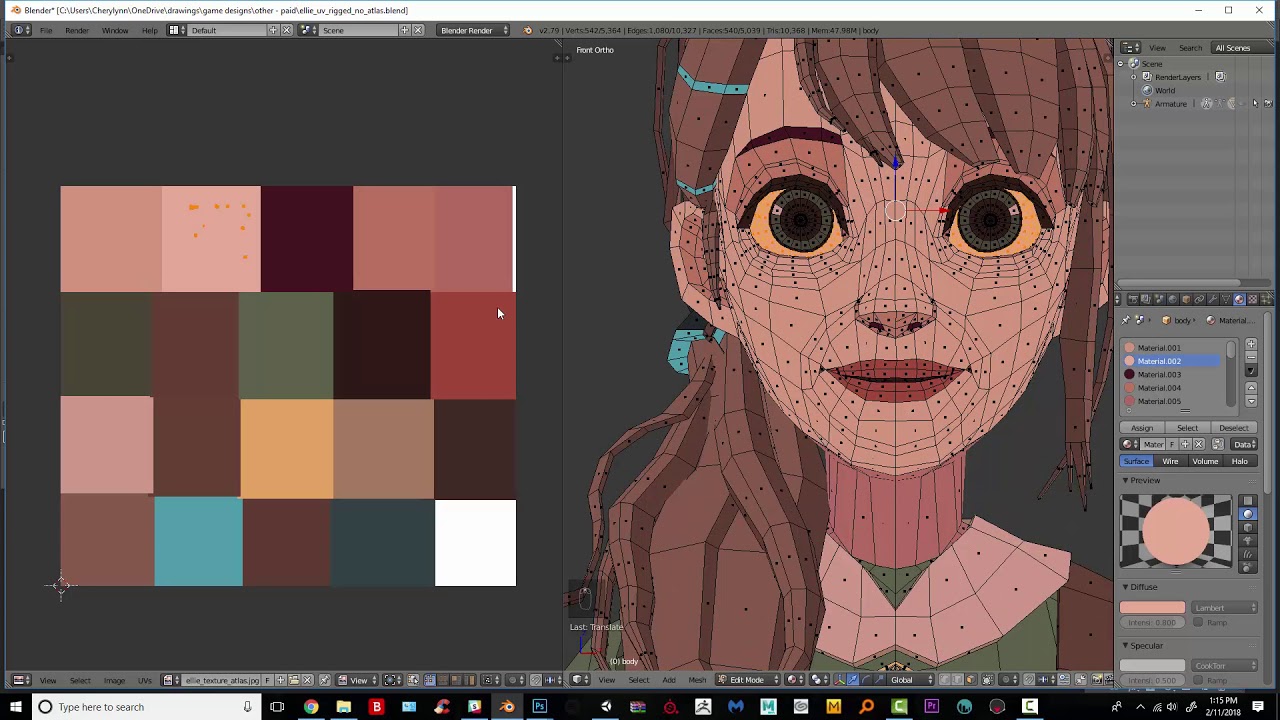
Hello!
Today I thought I'd share one of my new favorite ways to deal with UV maps of low poly characters. One of the things that always frustrated me about texturing low poly is that I would lose that flat, shadeless look. I also find UV unwrapping a chore. I used to have a method similar to this, but I've found that selecting by material makes...
basically have a texture with the color palette you want for the solid colors and use 1 texture to do the colors instead of a material for each color
as basically you want to use the least amount of materials possible for your avatar @unique bear
unique bear
Ok, I might have encountered a roadblock. So I using the manual atlas guide that Neranos posted earlier. I was converting all of the materials to the Diffuse BSDF like the guide said, but I had to stop when I came to these materials here.

I used a video to make a LCD screen effect for the visor here.

If I were to change these to the Diffuse BSDF, it would get rid of the effect.
buoyant holly
the way it looks you could just bake it out to a texture the LCD screen
unique bear
The material or the entire screen?
buoyant holly
https://i.gyazo.com/f66502dc29749018a8f68446ee20e7c9.png this as a texture as the rest of the screen is just pure blackness
 unique bear
so I can take all of the materials listed above and bake that as one texture?
buoyant holly
yes
as your screenshot isn't displaying anything that requires separate shaders
like honestly you could fit your current Avatar on the screenshot I just posted with the rest of the colors in the corner
with it all being solid colors
unique bear
just to be safe, I will post the video I used to create the LCD effect. if you can watch it over and see if I need to do anything special before baking, let me know.
https://www.youtube.com/watch?v=1sARkbkhDjk
Patreon: https://www.patreon.com/posts/tutorial-lcd-in-39418595
Twitter: https://twitter.com/louisdumont
Using simple shapes, layered up to create a low-fi face screen. Also driving the mouth movement automatically with drivers.
Example project: https://www.youtube.com/watch?v=BhW-msMwWtU
Music: "Quirky Dog" Kevin MacLeod (incompetech.com)
L...
buoyant holly
the facial animations displayed aren't going to transfer to vrchat
and also that's a much more intricate effect in the video compared to your screenshots
unique bear
buoyant holly
the facial animations displayed aren't going to transfer to vrchat
would shape keys transfer into vrchat? if so, I already created some.
buoyant holly
yes you can use shape keys
so basically I would suggest you take all of your other solid colors and make a little color Atlas and have the lcd be a separate material as that actually qualifies as requires a separate Shader
unique bear
So convert all of the possible solid colors to the Diffuse BSDF and make the color atlas, and leave the listed materials alone for now is what I should do. got it.
buoyant holly
kinda as you're not going to be able to transfer the blender LCD Shader into vrchat
you would have to use a Unity Shader that emulates a lcd
buoyant holly
unique bear
just to be safe, I will post the video I used to create the LCD effect. if you c...
so basically that video tutorial is of no help for a vrchat avatar
unique bear
ah
buoyant holly
so honestly I'd suggest for a version one of the Avatar just going with a solid blue color for the eyes or something like this screenshot until you find a Unity Shader that does what you want https://i.gyazo.com/f66502dc29749018a8f68446ee20e7c9.png
buoyant holly
unique bear
Ok, I might have encountered a roadblock. So I using the manual atlas guide that...
and most of those materials in your screenshot don't seem to be actually doing any anything
 valid sun
im trying to make an emission glow in the dark
but its permanantly on
 lone abyss
i have an avatar that has a couple of prop toggles
however the size is 11mb
how do i compress this?
 stray tangle
use VRWorldToolkit's Build report to see which files in your avatar are 1: being used, and 2: how much space they take up
then you can lower their resolutions in the textures import settings
you should also enable Crunch compression with 100 quality for pretty much all your textures
that will further cut down on the download size
 dire pike
lone abyss
i have an avatar that has a couple of prop toggles
dire pike
lone abyss
i have an avatar that has a couple of prop toggles
to reduce the size of toggles, you can make toggles blendshapes and all be one material on one mesh on one texture
buoyant holly
dire pike
to reduce the size of toggles, you can make toggles blendshapes and all be one m...
bone scaling would be better for performance than blendshapes
dire pike
buoyant holly
bone scaling would be better for performance than blendshapes
hm, didnt know i could use for toggles, but good tip
 wheat nova
Are there any other ways of optimizing an avatar that isn't just lowering the quality of the textures?
buoyant holly
wheat nova
Are there any other ways of optimizing an avatar that isn't just lowering the qu...
you could combine the the textures so that their one texture without necessarily reducing their size which would cut down on the amount of draw calls
wheat nova
What do you mean by combine the textures
this avatar has one main texture for his whole body, along with 2 outfits
buoyant holly
okay then that's already relatively optimized
buoyant holly
wheat nova
What do you mean by combine the textures
But to answer the question the less amount to textures used the better so one big texture that has all of your little Textures in it would be better for performance https://docs.speedtree.com/lib/exe/fetch.php?media=atlasview.jpg
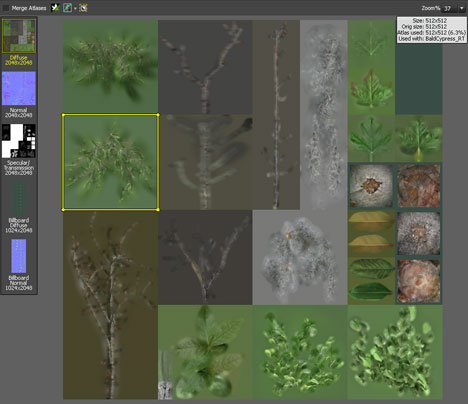
and I guess a question would be what's your current Avatar rankings stats
wheat nova
It says it is poor, also this isn't an avatar i have made but it is one i bought
the textures were all 4k
buoyant holly
would you mind sharing a screenshot so we can see why it's poor
wheat nova
can i dm you it?
buoyant holly
ok
 burnt quiver
Hello I need help! I am trying to optimise my avatar but when I put the shader I want to use this happens (1st image is a before and 2nd image is an after)


 pure bridge
burnt quiver
Hello I need help! I am trying to optimise my avatar but when I put the shader I...
pure bridge
burnt quiver
Hello I need help! I am trying to optimise my avatar but when I put the shader I...
what @heady smelt said, look for your shader's alpha or transparency options and the one you want is cutout. if that doesnt suit your needs try the others, and obviously dont leave it on opaque or none
sick timber
burnt quiver
Hello I need help! I am trying to optimise my avatar but when I put the shader I...
If you’re trying to make a Quest build, you’ll have to take it to Blender and use the knife tool to manually cut out the transparent parts.
burnt quiver
Oooooh alrighty ty I'll try it when I get back home <3
sick timber
burnt quiver
Oooooh alrighty ty I'll try it when I get back home <3
#quest-optimization message
Also keep this in mind as shapekeys are likely to break otherwise
 distant osprey
If i have a particle system with a bunch of particles and materials - does it has an impact on the performance as long as its not activated?
The particle system is a springjoint. The Youtubevideo told me to not turn off the parent constraint as this results in tracking errors and i just have to hide the mesh and the partikle systems. Does the 24/7 active parent constraint has an impact on the performance?
ruby isle
distant osprey
If i have a particle system with a bunch of particles and materials - does it ha...
Anything not disabled will count against performance. However constraints are pretty cheap for performance. That being said, you can safely disable the constraint without any tracking issues
distant osprey
ruby isle
Anything not disabled will count against performance. However constraints are pr...
ty~
 earnest frigate
Hey there, just got done uploading a png as an avatar but am confused on how to make it quest compatible. I've tried changing the shader to Mobile/particle/multiply but it doesn't seem to do the trick. I am unfamiliar with uploading avatars in general so any help would be appreciated! 😄
Here's this tutorial updated yet again. You're welcome.
Download the SDK here: https://vrchat.com/home
Download Unity Hub here: https://unity3d.com/get-unity/download
Download the currently supported Unity version here: https://docs.vrchat.com/docs/current-unity-version
Music used:
【Rick Astley】DESIRE DRIVE
https://youtu.be/0wwJmLygR84
In T...
Used this video as a guide for my current pc version of the png
buoyant holly
you'll have to cut out the shape with the blender knife tool
earnest frigate
When importing the png to blender to cut it would I have to texture it onto a plane or just have the image sitting there without being textured on to anything
buoyant holly
you would put it on a plane
earnest frigate
Alright got it on a plane. any idea on how to import it onto unity so textures can show??
 buoyant holly
I would note that the quest shaders are one-sided so you might want to duplicate the plane in blender and flip its normals so it shows up on both sides
valid sun
hey
i am trying to get taught how to understand and be able to use glow in the dark emissions
from my end unity shows them as working but in vrchat they r not
is this a bug in the lighting like on an optimization side? or simply just a texture issue
proper grail
Most worlds do not have a skylight for this feature to work
heady smelt
Oh…that’s what I was missing. I should keep that in my back mind pocket
 modern tartan
earnest frigate
modern tartan
earnest frigate
the SDK doesn't work for me
 karmic bobcat
Question about materials: this is relatively minor, but I was wondering, if I made an animation out of two separate materials that use the same textures (minus an emissive map), would the textures be rendered in the VRAM twice or would it only take the same amount of space as with one material (again, minus emissives)
I hope that made sense
unreal plover
If you use the exact same texture it won't take up extra VRAM
heady smelt
Delete the avatar
calm spade
Stop entirely
buoyant holly
how the heck does that even happen
heady smelt
When you when you make every face on a model its own material
buoyant holly
basically everything from the looks of your stat readout
calm spade
 buoyant holly
like your readout is red
 buoyant holly
can you take a screenshot that's not from like 100 ft away
 dawn coral
I can't see anything there
buoyant holly
now that's a bit too close but there definitely seems to be other things wrong with the Avatar besides for optimization
dawn coral
Is that supposed to be an eye?
buoyant holly
where the heck did you get a model that's so heavy that 48 million is the decimated version
whoever the heck originally made that did a terrible job if it's that heavy
like that's past the rendering budget of AAA video games like 8 times even on the decimated version
heady smelt
You can't use raw sculpts in a game broski
buoyant holly
well it's not going to do you any good if everyone's framerate dies from trying to wear the avatar
https://gitlab.com/s-ilent/SCSS/-/wikis/Other/Avatar-Models if it helps here's a list of free to download Avatar models that aren't going to make computers explode
GitLab
A surface shader for Unity providing cel-shading. (Forward rendering only)
that's a bit of an odd insult
 stone ginkgo
Sorry if this question has been asked before, but is there really any downside to GPU Instancing? Isn't it supposed to improve performance and optimization? Could I just enable it on my avatar? Using the standard specular shader..
onyx harness
Cmiiw but I don’t think it works on skinned meshes.
buoyant holly
yeah it doesn't do anything on skinned meshes
burnt quiver
I need help my model I commissioned (made in vroid I already did everything with the transparency) the bat wings on the avatars head are only visible from the back, from the front there invisible
onyx harness
burnt quiver
I need help my model I commissioned (made in vroid I already did everything with...
You’ll need to change the culling of the shader usually in the material, depends on the shader you’re using.
burnt quiver
onyx harness
You’ll need to change the culling of the shader usually in the material, depends...
Well first I gotta find out how to get the avatar textures and stuff in unity, and I’m trying to make it quest compatible so I’m useing toon lit
onyx harness
burnt quiver
Well first I gotta find out how to get the avatar textures and stuff in unity, a...
Ah, the mobile shaders can’t have the culling turned off. You’ll need to add faces to the other side if you don’t want them to be see-through.
 jolly pollen
LMFAO this thread is ridiculous, good job
onyx harness
Light mode? You’re right. Blinding, it is.
heady smelt
burnt quiver
How do I do that?
just duplicate the geometry of the bat ear and make the normals are calculated outwards
also how did you make convincing bat ears in vroid im curious
heady smelt
Um...that's how most of my avatars on the pc side look.
burnt quiver
heady smelt
also how did you make convincing bat ears in vroid im curious
I diddent I commissioned it, and I think they made bunny ears and drew the bat ears. It looks amazing and it was only $10! Best money iv ever spent
burnt quiver
heady smelt
just duplicate the geometry of the bat ear and make the normals are calculated o...
And can you maybe help me with this in DMS, I can share my screen and stuff I'm just very confused
 hollow pendant
So has anyone been able to figure out how to add audio to gestures? I’ve made the animation, stacked the audio with an empty game object, unapplied the mask in the gestures, but the audio and the animation still plays whenever I spawn into VRChat. I’ve done this before, but I simply forgot how to do it. If anyone knows and is able to give me the rundown, that would be heavily appreciated.
proper grail
You might have it all correct but just be uploading it with the audio source on by default
 amber hemlock
Is copying a dynamic bone chain with rotation constraints more optimized than having another dynamic bone script on a different chain?
My thinking is it would only get calculated once
This is for "backup dancers"
ruby isle
amber hemlock
Is copying a dynamic bone chain with rotation constraints more optimized than ha...
Yes much more performant
amber hemlock
This feels like cheating
unreal plover
It's what I've been doing for the last 2 years lmao
 blazing temple
welcome to the world of game engines, you have to cheat performance now and then on background assets
if you made everything as if it were a hero asset UE5 would be the only engine you could even consider using, and you'd spend 20x as long making a game
 tribal ruin
amber hemlock
Is copying a dynamic bone chain with rotation constraints more optimized than ha...
tribal ruin
amber hemlock
Is copying a dynamic bone chain with rotation constraints more optimized than ha...
I've also been doing this. Mainly for improving performance on my own avatar, not on clones of it. It works pretty well for short hair, and symmetrical bones that are children of the same bone. No real reason aside from interaction that these need to all be simulated, since they move more or less the same way.
unreal plover
Only reason it's tedious to do it manually, which is why i wrote that little tool c:
 atomic fern
Is there a way to combine Materials in Unity ? Why are they Even separated?
high kiln
atomic fern
Is there a way to combine Materials in Unity ? Why are they Even separated?
use blender for that and cats plugin.
atomic fern
I dont have a .mmd or.fbx, just the unitypackage
high kiln
you can export fbx from unitypackage
stray tangle
not even export
atomic fern
Does the Avatar quality gets More worse reducing the mats?
stray tangle
the package will literally contain the FBX
atomic fern
stray tangle
the package will literally contain the FBX
I only have the prefab i guess
high kiln
atomic fern
Does the Avatar quality gets More worse reducing the mats?
depends if you make the atlas resolutiion good than you won't lose quality
stray tangle
where'd you get the avatar from?
atomic fern
But does that get me More Performance?
high kiln
yeah that's a nope.
atomic fern
stray tangle
where'd you get the avatar from?
U saw that message?
high kiln
the site is blocked guess why.
atomic fern
Sorry i just dont find Models i like in .mmd to buy or for free
Like they all female
 burnt marsh
I cant fix this.
 stray tangle
look for avatars on Booth or Gumroad
high kiln
atomic fern
Sorry i just dont find Models i like in .mmd to buy or for free
look in booth or on gumroad
high kiln
stray tangle
look for avatars on Booth or Gumroad
kek we said same thing
burnt marsh
FileNoException:[FILEPATH]
atomic fern
I looked like trough half of booth and i just dont like the Models😅
high kiln
burnt marsh
Well it doesn't upload.
hide other avatars if you have them in scene.
stray tangle
you're removing useful info
burnt marsh
high kiln
hide other avatars if you have them in scene.
I don't
burnt marsh
burnt marsh
FileNoException:[FILEPATH]
This is why I cant upload
stray tangle
screenshot the entire console
burnt marsh
FileNoException[FilePath] Not found
stray tangle
that tells me nothing
high kiln
atomic fern
I looked like trough half of booth and i just dont like the Models😅
getting banned for stolen avatar isn't good too.
don't you think
burnt marsh
How do I open console again
stray tangle
ctrl shift c
atomic fern
high kiln
getting banned for stolen avatar isn't good too.
Hell nah that aint good
atomic fern
high kiln
getting banned for stolen avatar isn't good too.
Is it that Bad on this specific Site?
 stray tangle
bingo
high kiln
burnt marsh
hmm it could be dynamic bones or something else.
stray tangle
you forgot to import Dynamic bones
atomic fern
Like the First non oficial one that comes up if you Google vrchat Avatar
stray tangle
buy it on the unity asset store
burnt marsh
I'm new to this
stray tangle
or, alternatively
you can download "Dynamic bone container", which is free. it will allow you to upload the avatar using the dynamic bone components that were already set up on the avatar. however,.you will not be able to edit the dynamics or preview anything in unity
stray tangle
you can also just remove the missing references to the dynamic bone component
and just not have dynamic bones
burnt marsh
stray tangle
you can also just remove the missing references to the dynamic bone component
And that will do what
burnt marsh
So the wrists will just be stiff
high kiln
no it will not have dynamics
high kiln
it will move
stray tangle
if you scroll up in the console, you will probably see more missing stuff
on things like the hair
burnt marsh
I did not see anything else
So I'm dum
Im gonna import the bones now
thx
It worked! Thanks!
Im gonna go test it offline now
Literally my only online test error

 high kiln
might be bcs of shaders
normal nova
...not sure how it took me this long to realize that you can pack AO into the metallic map
calm spade
Which channel ?
buoyant holly
on which Shader
normal nova
calm spade
Which channel ?
Green, of metallic (on Standard)
Metallic uses R, smoothness uses A, and it turns out both Height and Occlusion use G
 hollow sierra
So is optimising particle effects just impossible? VR chat just seems to ding you for any particle effectz
Well at least my particles aren't like... Very important so they can be turned off without issues
ruby isle
hollow sierra
So is optimising particle effects just impossible? VR chat just seems to ding yo...
I mean you can optimize how many the emitters create and the features they have. But by nature, all particle systems render their own material and therefore will hurt performance
 silk lintel
normal nova
...not sure how it took me this long to realize that you can pack AO into the me...
silk lintel
normal nova
...not sure how it took me this long to realize that you can pack AO into the me...
can't you just multiply the AO on top of the color map?
is there a difference?
nova hornet
silk lintel
can't you just multiply the AO on top of the color map?
If you multiply the AO on top of the base color then it'll always be there
whereas I think AO on itsown like in the Metal Map or something
will just kinda change how shadows look when they are there
tawdry venture
normal nova
Green, of metallic (on Standard)
Weird, Standard has a dedicated slot for an AO texture... Wonder why the metallic slot also has an AO channel.
Height does as well.
 wild monolith
Yo could someone help me create an oculus avatar?
I've got a vroid avatar I'm wanting to put into oculus vr chat
I just cant figure it out -
unreal plover
wild monolith
Yo could someone help me create an oculus avatar?
#avatar-quest for Oculus Quest or otherwise #avatar-help
normal nova
silk lintel
can't you just multiply the AO on top of the color map?
So, yes and no. If you premultiply AO into diffuse, you lose the ability to have seperate rimlight and phong masking
silk lintel
interesting
normal nova
The closest you can achieve to proper masking on Quest for example is to premultiply AO into smoothness, but the result is that highlights/rimlights in occluded areas have a higher diffusion radius instead of just being darker
but... fortunately cause they use different channels, you can just pack them and then use the same texture for the metallic and AO slots, saving you the work
badaaa

R: metallic
G: ao
B: <none>
A: smoothness
buoyant holly
oh that's what you meant by being able to channel pack them
buoyant holly
so what Channel does the detail mask sample
normal nova
silk lintel
and does unity just know to look for AO on the green channel then?
The shader just always uses G, it's hard to notice cause most people just leave their AO as a grayscale RGB
normal nova
buoyant holly
so what Channel does the detail mask sample
I have no idea
I imagine displacement and AO both use green cause sometimes it's useful to use AO as displacement, when you're trying to really save room
normal nova
buoyant holly
so what Channel does the detail mask sample
I did some digging, appears to be alpha?
So you could pack it to your detail albedo or detail normal
buoyant holly
good to know
proper grail
Its in the shader code, if you find the _TextureSample and where its used in the code, each math expression can be limiter'd to Tex.rgba. Like Tex.r would only use red and so on
normal nova
Nothing in the standard shader uses blue, which makes some sense (generally if you're using a texture with uneven channels, blue gets the least detail)
normal nova
proper grail
Its in the shader code, if you find the _TextureSample and where its used in the...
indeed, that's what I did
proper grail
Dont forget to uncheck is srgb in the texture settings for packed greyscale data, or else the value will get curved to a different value!
normal nova
It's not packed grayscale, they're all saved as sRGB
(or rather, metallic and AO are, smoothness isn't)
proper grail
...
normal nova
This is all for my CATS Bake thing, which is optimized for 'even if you don't mess with the settings it'll baaasically work'
proper grail
Oh cats, I was wondering how you got to packed textures before knowing the fun stuff that comes before that. sRGB is for perceived colors, unchecked is for data
normal nova
I know what sRGB is...
but it's a bit more than that: RGB is linear, sRGB is (intended to be) perceptually linear. So it makes more sense for AO
Metallic is generally less important, and as long as both Unity and the encoder (blender) know they're using sRGB, there's no distortion, just loss of precision at some levels
stray tangle
simple, don't use atlas
use CATS's Bake feature
because it actually packs all of the UV islands properly
if you have UVPackmaster installed, it'll use that to get an even tighter packing
also, it totally depends on how much stuff you need to pack into that texture
@hollow grotto
for help with the bake feature, consider joining the CATS blender plugin discord
limber lodge
Greetings everybody i'm hoping to get some help here, i have cut my body in 3 parts for reasons.. so now i'm facing a lil issue with the shading in unity it looks alright and in blender as well only in vrc i can see clearly the lines of the cuts, if i put my shader to unlit i don't see it anymore so i think it has something to do with the shadow stuff in the shader someone knows how to avoid these lines without needing to use unlit ? https://cdn.discordapp.com/attachments/646836667423916053/948373517353771018/unknown.png
 silk lintel
could be mismatched normals
try recalculating normals on all three parts?
you can turn on face orientation and make sure that all the faces are blue
 limber lodge
silk lintel
could be mismatched normals
limber lodge
silk lintel
could be mismatched normals
i will check that out

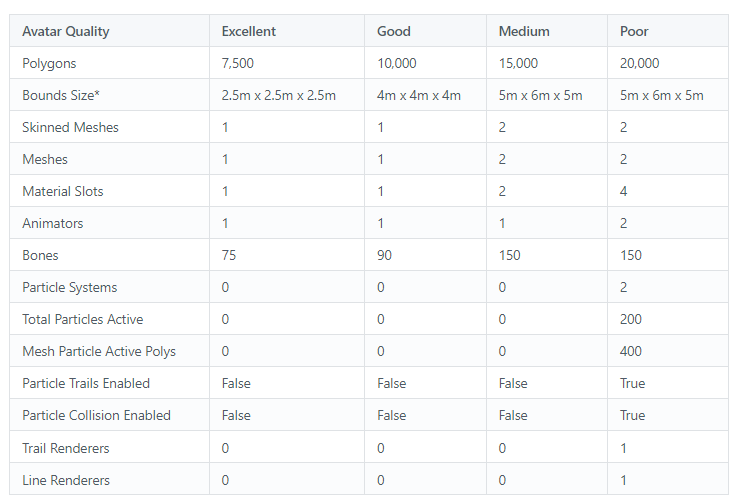
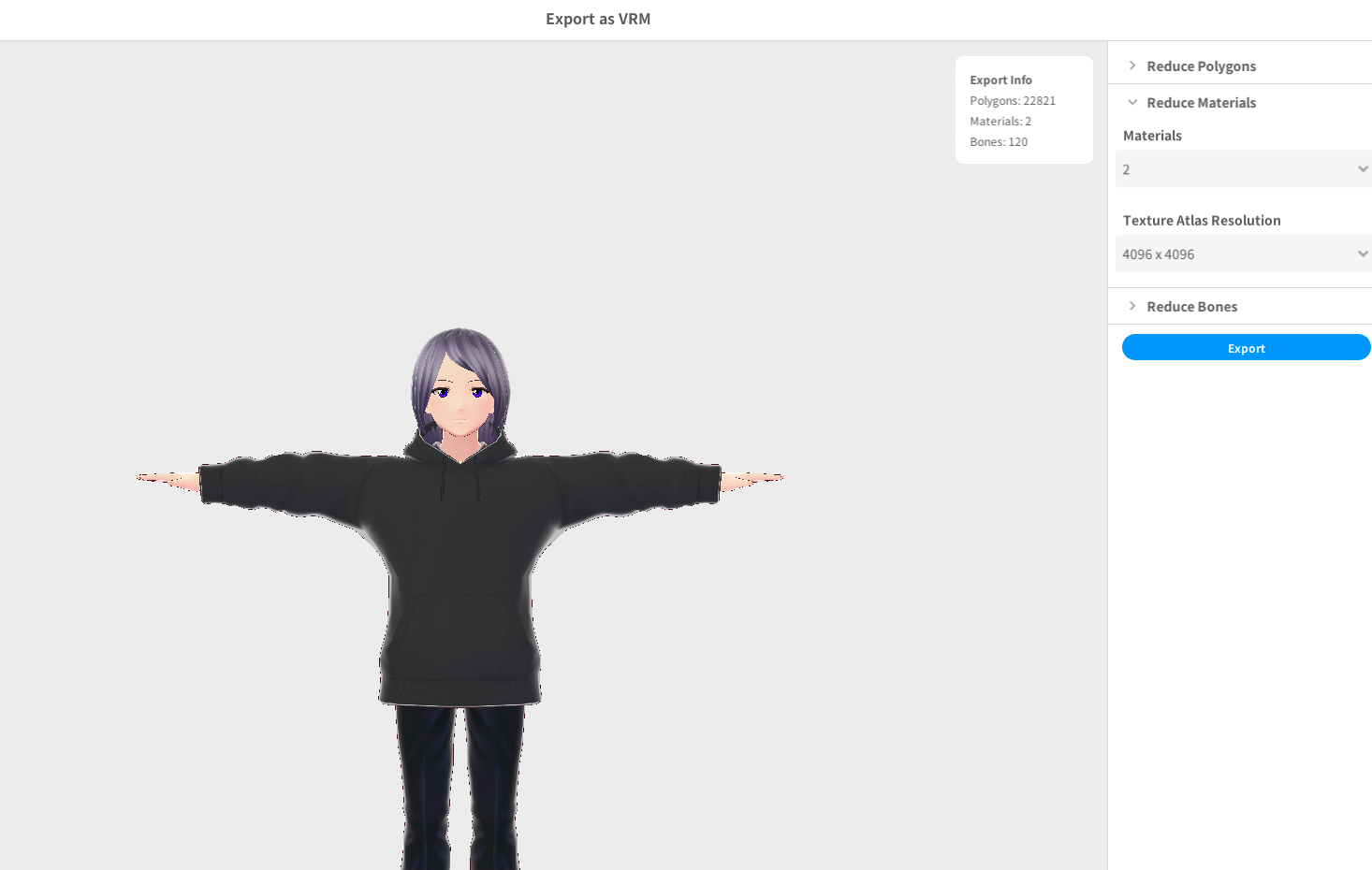

 silk lintel
yeah, if they're 3 separate meshes, you may just have to bite the bullet and merge them all together
or somehow average the normals at the seams
limber lodge
average the normals ?
silk lintel
I'm guessing those three separate parts are 3 completely separate meshes in blender, right?
limber lodge
yes
limber lodge
i seperated them from the main mash
silk lintel
since they're not physically connected, the "smooth shading" acts like there are seams where they're disconnected
there might be a way to use transfer vertex data or something to "connect" the vertex normals again without actually connecting the faces, but I've never tried that before
limber lodge
that would be interessting tbh