#avatar-optimization
1 messages · Page 44 of 1
 wicked arrow
 dark storm
lul
 still perch
The limit of 70k now is very generous. There is zero reason to up it again.
If you can't fulfill the limit, stop making avatars.
Even Auto decimate should never have a problem getting to that count, that is of the Polys are above that in the first place.
wicked arrow
Yeah I agree. To be more specific, Unity needs to up its limit for other reasons (archviz, surgery models, tech demos, etc)
But VRC should really stay still at 70k (which I believe it's still too much)
still perch
Definitely too much for me to
 main horizon
32k is generous too! Especially compared to 20k!
wicked arrow
Quest's 5k is the real deal tho 🔥
still perch
Yes
 heady smelt
just upload plane with texture saying PC exclusive 🤷
 timber blaze
unity doesn't split meshes at 65535 anymore, that's one of the things that changed when we switched to unity 2017
wicked arrow
Was it on the 2017 already?
timber blaze
yeah it was in the changelog
wicked arrow
Oh well that's why I couldn't find the blog post about it... It's older than I thought!
timber blaze
https://docs.google.com/document/d/1ob0G6IYJdUZuLGkV6SUherQJmiLkNICqMdc7LXtis5A/edit yeah here's the main list of stuff that changed

Google Docs
New Features in Unity 2017.4, since 5.6 Foreword This is a list of all the new relevant features available to use in vrchat after we upgrade to Unity 2017.4. Compiled from the complete lists of features and bugfixes for the 4 major Unity 2017 point releases since Unity 5.6 w...
^ main thing that's relevant here
wicked arrow
Nice
 marsh trail
The previous limit was 20k, it was assumed (by a vast portion of the community actually) that polygons caused lag, even at such low values, whereas the split limit was at 65535 due to the 16bit indices limitation that was present in unity 5.6.3p1 (the unity version used back then), even avatars at a larger scale than that shouldn't cause issues, but really low end systems might suffer if too many users with that amount (100k+) are present at any one time, as those values stack up
So the current limit stands at 70k
 surreal topaz
The 70k limit is actually designed with the Oculus guidelines in mind, seemingly.
Something like 2-3 million 1-2 million polys per scene, max
25 people at 70k tris is 1.75 million already
Which leaves 250k for the world
If anything they were being generous by still ranking you "good" at 70k.
Because in reality 70k is probably "poor" instead, unless all those polys are on a non-skinned mesh renderer.
marsh trail
Yeah that does make sense, i'm relatively unaware of the limitations of the oculus, or well, any vr equipment for that matter, i assume the quest has a vastly more limiting situation (iirc the limit for quest avatars is 5k)
wicked arrow
Well Quest has a mobile chipset so limits are more tight
 coarse summit
Well the quest is basically a glorified smartphone, so yeah
marsh trail
Possibly a dumb question, but does the rift s support custom set lenses like the normal rift did? (asking essentially if the interior has been changed aside hardware)
One of the drawing points i had regarding the rift was the custom prescription lens adapters somebody had designed
 amber hemlock
The only difference I’m aware of is the Rift S has no lens separation slider like the Rift has so hopefully your eyes are very close to human average or you’re screwed
Can’t imagine why prescription lenses couldn’t still happen though
Rift DK2 has no Lens separation slider and I hated it, constantly wanted them moved farther apart to be in both len’s sweet spots at the same time, but couldn’t. Never want to go back to that so skipping on S.
marsh trail
Yeah my vision is beyond horrid, retinitis pigmentosa is a bitch, i'm thinking of getting a VR headset at some point, hopefully there's some alternatives with prescription lenses available at that time...
amber hemlock
Classic rift fits glasses fine. Can’t speak for other headsets
But prescription lenses are def better if you can’t get by without glasses since they’ll let you get closer to the lenses and have a wider FoV
marsh trail
Aye, i was trying to avoid having my glasses crammed into a headset if i could avoid it, the rift had some pretty good alternatives in regards to prescription lenses, user-manufactured adapter that seemed to fit seamlessly into it
 velvet otter
marsh trail
velvet otter
marsh trail
Each collider will add another dynamic bone "transform" to the list per bone that it could affect
15 bones 1 collider
30 transforms with collision check
I'm unsure if the root is included in that
surreal topaz
@velvet otter don't use colliders for your hands and wrists
Just use one collider on your hand
And add "height" to it
So it'll expand to cover more area like a capsule
amber hemlock
You’d think there would be a performance difference from sphere colliders, which are a lightweight distance check, and capsule collisions, which would seem to be a more complicated collision check?
surreal topaz
That's what I thought too
Capsules are actually slightly more impactful
But the limiter and performance ranking won't penalize adding height, so
 opal radish
why is the final IK broken?
 gentle inlet
Cause it's not surprising it's not
surreal topaz
Extra IK solvers on the avatar are no longer working for other people, only for yourself
And everyone is super stuttery and jittery thanks to the networked IK, the movements don't look natural at all. All this just to appease an inferior platform.
amber hemlock
Network IK is only sending IK that vrchat client knows about. Since Ik isn’t being solved locally anymore final IK is borked remotely
Yeah network IK really makes the whole platform look terrible. I’m glad this wasn’t my day 1 impression
Pc only worlds should omit network IK and calculate everyone locally
Since no quest user can show up
surreal topaz
Or just have a local toggle
If turned on, clients will send you their networked IK Info
If turned off, the old system is used and it sends you their hand/head/hip/foot targets
amber hemlock
But that means clients have to send both to the server
Since some want IK and some want forward rotations
Also IK targets are less data to send
 pine flame
Normally there’s some interpolation that carries you over between network updates, maybe they didn’t add that
amber hemlock
I think the reason it’s smoother is ik targets only can send updates more often because it’s less data
pine flame
I’m actually really happy that the networked IK is back it means my ancient CPU can keep up, haven’t once CPU bottlenecked since the update
amber hemlock
Basically you are just broadcasting your head and hand pos/rot
I’m very unhappy with Network IK and feel the platform looks very poor. One thing that surprised me when I joined is how fine tuned the mocap was at showing subtle details
Now it looks kind of like I would have expected this kind of platform to look: kinda crappy
I feel something important was lost here and I hope network IK is not used if the world has no android build
Maybe it will get better we’ll see
The Ik during the livestream was very not good
surreal topaz
Well, the way I see it
The hand and head targets were probably interpolated leading to very smooth movement
You simply cannot interpolate muscle values smoothly like that.
The result in-between is completely different.
That's what makes the new IK not ever "properly" fixable either.
Even if you interpolate the humanoid muscle values (which is what they actually send over, now)
It will look different
And not quite as good
amber hemlock
Yeah I’ve seen that in <other platforms> it looks silly during lag
pine flame
Maybe fall back to local ik when there’s no data
amber hemlock
You can’t interpolate data without endpoints
That’s projection
Which is a baaad idea for mocap 😛
Without data vrchat does what I always does: freeze
Probably not on channel topic anymore
pine flame
Definitely not on channel topic
 balmy wadi
whats the maximum amount of Tris allowed in vrchat? 70k now?
 woeful ember
yes
balmy wadi
cool thanks
still perch
you should always reduce them to as low as possible without runing stuff tho
surreal topaz
Definitely get the polycount down if you can
In particular, parts that don't deform are easy to decimate. Stuff like rings on fingers have the potential to be super unoptimized
Planar decimation can make it still look good but also reduce polys
I once found an MMD lollipop on Deviantart that was 100k tris
I had to retopo that and ended up with 400, even though it still looks just fine
still perch
yeah. If you know what you're doing you can get really good results with low polygons
 stuck charm
Please set your User Preferences' 'Translation Branches Directory' path to a valid directory"
what is this
 pure bridge
more bragging than asking questions but nothing feels better than optimizing something like hell
1 mesh, 2 materials
<@/
and you can pull out the gun. its still 1 mesh, 2 mats uwu
sadly until unity 2018 is pushed for vrc im still stuck with using rigid bodies > <
no one will be able to tell how much work i put into the model unless they actively check cuz its just gonna be registered as medium cuz of a rigid body and fixed joint > <
heady smelt
Bad solar
pure bridge
"medium"
heady smelt
Too unoptimized
heady smelt
@pure bridge T O O U N O P T I M I Z E D
pure bridge
aaaaaaaa >~<
heady smelt
No more guns for you
pure bridge
but i like my gun
pure bridge
im sorry dad :<
heady smelt
Can't believe you
pure bridge
bbbut i tried my besttt
heady smelt
That's it you've been unoptimized for the last time
I'm getting Tuppers optimization belt
pure bridge
nooo~ ;n;
ill b good nextt time i promise ill make a one poly standard shader avatar
heady smelt
If you make it without a skinned mesh then i'll forgive you
pure bridge
ohk...
heady smelt
No more guns for you
pure bridge
ok... :(
heady smelt
You can keep the gun as long as you don't use any rigid bodies 😠
pure bridge
but then my particles are gonna look dumb and stuck to my arm
all of the kids at vrschool have world particles!
heady smelt
Yeah well all the kids at school that have world particles are also 1million polys and have 43 meshes
Do you want to end up like them
Or do you want to be optimized and worthy in the eyes or our lord Tupper
pure bridge
you do have a point...
heady smelt
That's what I thought
 misty escarp
amber hemlock
misty escarp
amber hemlock
You can avoid most custom animators by just baking it into your idle pose which is always playing anyway
Surprised they didn’t do that
What’s red diamondboi for?
surreal topaz
It's the red man avatar I believe
marsh trail
Probably when things break like they usually did
surreal topaz
I guess the tutorial avatar was too high poly for Quest lmao
As well as the transparency causing issues
I mean it makes sense, a loading avatar should never be heavy on its own
Especially because the tutorial man is still 3 meshes and 9 materials total
marsh trail
Wait
surreal topaz
Although if they reuse the same material on the loading man it's probably equivalent to like 1 drawcall
amber hemlock
Diamondboi still has transparency
surreal topaz
Oof
Probably additive though
Still it doesn't seem like a good idea, unless they're opaque on Quest
At least the new loading avatar is less creepy
amber hemlock
Yeah who knows what they look like on android
Oh yes it’s way less creepy and also gender neutral which is nice
The blocked avatar is also great with its grey neutral : I face
 visual tinsel
@surreal topaz Red man is no longer, it's yellow error bot
visual tinsel
Yes
amber hemlock
There are actually many bots now. One for loading, hidden manually, hidden by safety
There’s one with a “very poor” symbol on its chest that I don’t think is being used
surreal topaz
Oh lord, that doesn't bode well.
They're probably planning to auto hide "very poor" avatars optionally
They better have fixed up their ranks by then, because I'm still being marked Very Poor for something like particle systems that don't even have emission
I'm fine with it happening for materials or polys, not much is wrong with the way those are counted
 fiery cedar
im having problem with my avatar i cant seem to get it into a good pose
any tips
also enforce tpose makes it worst
basiclly the arms are messed up and i cant figure out how to make it look good
fiery cedar
its okay now again
 lament pond
you can adjust the tpose of the model by configuring your humanoid rig in the hierarchy when you click your fbx model.
 sudden agate
Is there any good guidelines/mesh tips to making hands bend/rig well for mechanim? I know there's weight painting but it seems like most hands are rough in the system regardless
 vast briar
In unity it looks like my hit box is too small and when i log in my feet sink into the floor. How do i resize that box, or ge tmy feet to stand level on the ground?
 strong jolt
Are my eyes supposed to be google eyed if I’m using eyetracking? Looking at my animation in unity they act like googley eyes
 vague hearth
@opal gyro ignore lenght 0 error, it usually writes after full body fix
strong jolt
Chill omega bot
 opal gyro
Does anyone know how to add-in? an avatar animator?
Does that mean the avatar will be in T-pose indefinitely?
opal gyro
So uploaded avatar, and there's no avatar.
 novel grove
@opal gyro add animator component same as you added avatar descriptor 🤔
opal gyro
Thankyou, that wasn't in the part of the tutorial that I watched.
How is it going to say the head/hands/feet aren't mapped
when they are mapped
lament pond
@opal gyro click on body. the section feet , head and arms are empty
lament pond
no that's fine and should be working.
you don't have multiple avatars in your scene right?
surreal topaz
This isn't an optimization question
He probably put the descriptor on the wrong object
Please post more complete screenshots of the whole unity window with the avatar selected in the scene
amber hemlock
The @opal gyro it’s confusing but the error is supposed to be there. If it isn’t, it means hips and spine are not the exact same which means full body will not work perfectly.
 stiff scaffold
Did you rename something in the model directly? 🤔
opal gyro
will have to wait 9-hours from now before I can look at it again, and also #rigging?
 sweet mason
You probably have of bunch of bones as the root
Delete then merge all of the other extra bone to have few
 heady smelt
me think it time for me to make VRChat Tutorial on Avatar Optimization (basic)
still perch
If you know what you are doing. Go for it.
But don't make tutorials if you have no idea how stuff works optimization wise.
surreal topaz
Oof, is this misinformation? 🤔
I checked the old poiyomi master (not toon) and it has pretty much the amount of passes you would expect from an outlined toon shader (comparable to Noenoe and pretty much any other toon shader except Cubed's). Also, if you're using both Opaque and Transparent, you're not taking up "twice the keywords". The keywords are an issue for sure, but it's not taking up 64 of them.
Back on topic: in practice, is there any difference between Mobile/Diffuse and something like VRChat's Mobile Diffuse?
I've had cases where a mobile shader was sufficient for PC, but on PC we can choose either one
visual tinsel
I haven't checked them, but I know they're mostly copy and paste from Unity's in builts.
amber hemlock
No double sided shaders available for quest?
surreal topaz
I don't think so
pine flame
@amber hemlock just double side your meshes, or the parts where the backsides show
with geometry
amber hemlock
Oof I was right at the limit
Or almost at it
I’m not sure that VRChat/Mobile/Toon Lit is obeying the ramp texture. I made it flat medium grey and still see shading
pine flame
I should check that out and see what it can do
surreal topaz
Yeah I had that issue as well with the fallback shaders
 empty pier
@visual tinsel @surreal topaz Variants not used on Quest were removed.
 celest forge
@opal gyro i have the same issue most of the times with unity...(drunk unity)
some times im just exploring the bones on the avatar or the inspector by maximizing and minimize the stuff around there then the error dissappears..
sometimes that error comes if u have an animation window opened or u did something around there.
opal gyro
I forgot what I did to correct it permenantly
but it probably had to do with how I was exporting it from blender
infact, I was just saving the whole thing from the save>as menu as fbx
with no settings (changes)
which led to other problems with the prefab
heady smelt
Lol.. something funny happened; but something to address when it comes to Safety Feature for VR Users.. -- Safety Mode should be careful about how shaders are used on Safety Mode for.. VR Users.. because it's still dangerous .. so like it a double-edge sword ._.
amber hemlock
Cats can't seem to custom decimate with a shape key whitelist unless you have at least two meshes. this makes me separate some small part of the model just to make the shapekey white list options appear - is there a reason for this?
 ripe tulip
interesting
heady smelt
Im unsure what is the problem with this, so they arent seperate body's and are using the same material any reason why it turns whiter in some regions ?
It only happens also in certain maps
sweet mason
the panty ?
sweet mason
you have some shadow turn on idk🤔
 rose berry
mfw had been using 2017.4.27f1
mfw nothing bad ever happened
realizes im using wrong version
downgrades to correct version
20 errors pop up
nice
heady smelt
What else do you expect from 4.15f1
rose berry
idk what i expected
 kind coyote
can someone help me optimize my model
i got a lot of errors when trying to build it
how do i fix these
heady smelt
hoooly 18 skinned meshes and 18 unique materials
kind coyote
yeah i got no idea what im doing, how do i fix this
 dusky cloak
If you've never used blender (which you've said from your other comments) and you very very new to unity I suggest you go read/watch youtube vids about it
None of us in here will be able to teach you "how to make an avatar" in the space of 10 mins
A lot of us can help you with 1 off issues, or questions, but ones as vague as what you're asking are practically impossible to answer or even tell you how to answer without you asking a question on how to do what we've suggested
There are a lot of videos out there on how to upload an avatar. If you're just looking to upload one, even easier
 calm spade
@kind coyote Look at the pinned messages of the this channel
kareeda has a lot of good videos on his channel, Tupper's video is great to start with
heady smelt
Hmm... so Runescape 3D models are not allowed on VRChat?
I will need to research on how to make the Ultra Poly Runescape Models in VRChat -- My only research that I can think of is figuring out how to turn UVs based off materials and convert those materials into one image; there is a way to copy UVS and to turn them into an image but to turn colors and make them one image based off the UV..
That is the only way I feel you can put a RS Model into VRChat with full Optimization
So I think the only way to do Low-Poly RS Models for VRChat is UV-Snap Shot; go into Photoshop and basically try to geometrically color in within the UVs. Then RS Models can be uploaded with high Optimization; 1 Skin Mesh; 1 Material Mesh and under 9k or less
amber hemlock
@heady smelt What issue are you having with low poly models?
heady smelt
No issue; just trying to turn the model into an UV image with all its textures (with no images just colors) intacted
pure bridge
definitely didnt respond to an optimization question an entire hour ago > >
heady smelt
So like it's the Materials and Mesh area that have issues lol
amber hemlock
Cat material combiner can bake in all texture and colors to a single texture atlas, don't know if that's what you mean though
 storm ingot
check on ngons these can mess up alot too
heady smelt
I guess that could work; better than my idea than just drawing and coloring them in.
heady smelt
So reason why I need to combine colors is because of this knuckles here
It has too many Mateials and can be turned into 1 material ;c
And then you have this mess.. with 204 Materials
 shut widget
g
heady smelt
Fully Optimized Knuckles.
Finished recording for my Avatar Optimization Tutorial Video.. now I can voice over the pieces that occurred and make simple 3 minute video on how to Optimize an Avatar short amount time nobody needs 10 min video
amber hemlock
@heady smelt What is that chart I keep seeing? Are you making that manually?
heady smelt
It just a Manual chart using the JoJo STAND Power Template as Reference; and just throwing the main areas for Optimization
There are other ones; but those are just the main ones
So For example; this is a SUPER BALANCED and OPTIMIZED Avatar; as it passes all the tests
pine flame
What is the script you use to generate that graph chart thing
heady smelt
It's just Illustrator xD
pine flame
Oh well it looks nice, haha
 fair breach
when i enter play mode usually only the play button gets highlight but now the play and pause gets highlighted,and when i try to upload avatar it doesnt work,even if i switch the scene to game i cant click anything naming avatar and stuff
T-T
pine flame
Click the pause button it should unpause
fair breach
i tried and it doesnt
pine flame
Are there any errors in the console?
pine flame
Did you put an ik component on the model?
fair breach
yes i have vrik and ik execution order script
its ok now '-'
thank u synergiance for helping
pine flame
Glad it helped!
heady smelt
You know what I realized; everyone's avatars unless they are Knuckles = Not Optimized
heady smelt
So like -- are the issues in the Pub caused by people with Un-Optimized Avatars? hmm? 🤔 --- Description even says "Please use Optimized Avatars" So.. it must be. xD
surreal topaz
The description of the Pug says "please use an optimized avatar" which is good advice for everywhere else, too
pine flame
Mine are fairly optimized, my target is good, goal is excellent, and I don’t go above medium unless for good reason. None of these are knuckles
I even have an excellent TDA Miku with tons of effects
dark storm
yeah most people's avatars have giant unnecessary dynamic bone chains
so it instantly eats up all your CPU
using the safety performance setting to limit dynamic bones is probably one of the best things they've added yet
still perch
cats has bone merging.
pine flame
It has per bone chain merging
But 2 dimensional merging I haven’t seen
Normally on mmd skirts you see 8 chains of bones
If you want to merge them you actually need to divide the weight of half of the bone chains between each of their neighbors
pine flame
Automagically?
amber hemlock
uh, i mean, things are only so complicated. Vertex Mix Modifier is there for all your add/subtract/replace one vert group from another needs. you just tell it where to take the weights and where to put them.
you get a live preview and "apply" confirms the changes
it's not a simple one button thing like cats does, but not everything can be simplified to a button.
it is pretty darn simple as is 😮
pine flame
That’s one bone at a time, too much effort, rather script it
Then others can benefit from my labor
 stoic heron
Hey @pine flame, can I PM you?
pine flame
What for?
stoic heron
I'm trying to learn 3d-modelling and stuff through online tutorials, but there's some specific stuff about VRC that I can't find an answer for. Probably because I'm dumb and don't know the keywords, I'm kinda looking for someone I can PM and bother about some questions every now and then.
pine flame
You can ask questions here, the people here will be more available than any one person, plus, they’ll know more of the answers. Yes you may need to wait sometimes if it’s slow at that time but if anyone knows the answer they’ll help you.
stoic heron
Alright, thank you.
sweet mason
be dumb is not a good thing to say
 austere geyser
with an avatar that has an excessive amount of facial bones how do you go about that? (i can't seem to merge them) the bones aren't really used for anything other than weight.
surreal topaz
You can't seem to merge them why?
A large amount of face bones can apparently cause local lag
amber hemlock
Seeing a lot of unitypackage with bad texture settings. If any of your textures contains NO transparency, not even cutout, be sure to set transparency to none on the texture inspector - it makes your textures use 25% less memory.
 lapis vigil
🤔 interesting
austere geyser
well i can't merge them. i attempt to merge but it doesn't merge them
surreal topaz
Generally Unity should detect the lack of an alpha channel and not import as RGBA
amber hemlock
Not happening for me
sRGBA with solid opague A still come in as sRGBA
Changing alpha to none changes to sRGB and has the expected 25% smaller file size
If it’s doing anything post-upload I wouldn’t know but it certainly isn’t saying so
surreal topaz
It isn't doing anything after upload
But basically if your image has an alpha channel Unity will probably import it as such
If you actively strip it out entirely, the setting won't make a difference
amber hemlock
Yeah gimp loves to add a full alpha channel even if entirely unused maybe photoshop strips it but gimp you have to explicitly delete the channels
surreal topaz
Probably yeah
Haven't had that happen often
Also texture baking in Blender only enables the alpha channel once it encounters a bit of alpha
Which is why the first bake has black transparency and the second bake works fine
 sudden jewel
AFAIK "deleting" an alpha channel from a PNG just makes the alpha channel opaque
I don't believe PNG supports straight-up missing a channel
heady smelt
🅱upper may I have a bedtime story before I go to sleep
still perch
No. And this isn't random chat 
heady smelt
😔
marsh trail
In paintdotnet you can actually save the png as a 24bit png, essentially making it not use alpha (32bit is 24bit + alpha in a nutshell)
1) PNG-8, which stands for 8 bit, supports up to 256 colour indexed palette. Which works very similar to GIF files.

2) PNG-24 works very similar to PNG-8, it however supports over 16 million colours (2^24 = 16,777,216 to be exact).

3) PNG-32 which is pretty much PNG-24 + Full alpha transparency
I've read around that some people convert images to jpg and then back to png's to remove any possible alpha which is a horrible idea as jpg is a lossy format, so that conversion is going to cost you quality in the long-run
Filling up an entire layer under the image with a solid color and merging it should be enough to make an opaque png, 'less even that exports as a 32bit png on your program of choice, in which case i got nothing
If anybody's curious about checking their png's in more detail, perhaps this would suffice
http://www.libpng.org/pub/png/apps/pngcheck.html
amber hemlock
In Gimp it’s just colors > transparency > delete alpha channel. Top bar changes from sRGBA to sRGB
then the png exporter will export 24bit which is all you need (alpha is just a 4th color channel making it 32bit)
My point was just textures that use no transparency can save on texture memory by telling unity to not use the alpha channel in unity’s texture inspector. Then you don’t even need to open it up in an image editor, but do at least one of them, on a 2048x2048 atlas it will save 2 mb per texture
 teal osprey
 sweet mason
Reset the pose maybe. Did you overight the file?
heady smelt
O_O
 wise flume
what would be recomended settigns for soundbits?
Basicly like an emote saying hi etc I want it to be on short distance so they would be kinda directedto ppl close to me rather than whole world
 lavish prism
Hey there! Has anyone had massive performance decreases ever since Networked IK was released?
A friend and me are trying to figure out the cause of this. It never was a problem until the networked IK update. is is really just the mere presence of a number of bones that suddenly causes this massive drops in performance? (even without any dynamic bones it still does the same)
heady smelt
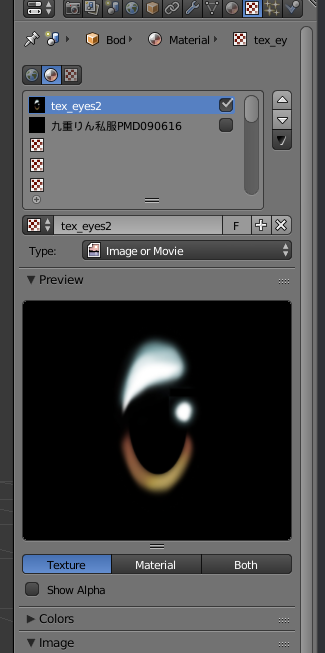
https://i.gyazo.com/2c4ec9d1633aa345654ef2d1e77ef160.png when i combine the materials from here i seem to have 4 eyes instead of just 1 in the atlas
https://i.gyazo.com/e117434c4f165ef39f10b416523da634.png
there's no "same materials" to combine in CATS


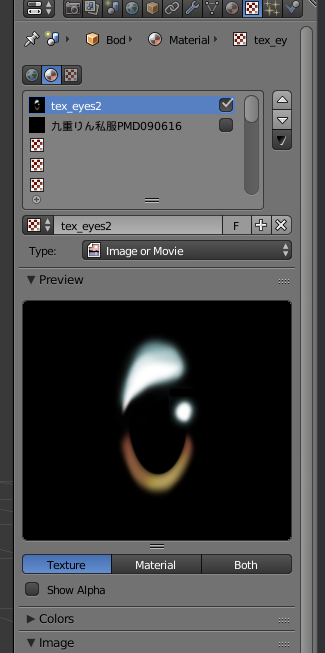
none of the other materials use this texture
i have some other stuff repeated too but the eye is the big one and it repeats 4 times
 subtle spear
My mouth on my avatar continues to spasm, when I do nothing his eyes close and he suddenly opens his mouth wide open
Immediately closing it again right after opening it, what is going on?
subtle spear
I do
But 1
actually
There's only one thing wrong, it made visemes with the stupid hair
How do I fix that
@heady smelt
heady smelt
uh
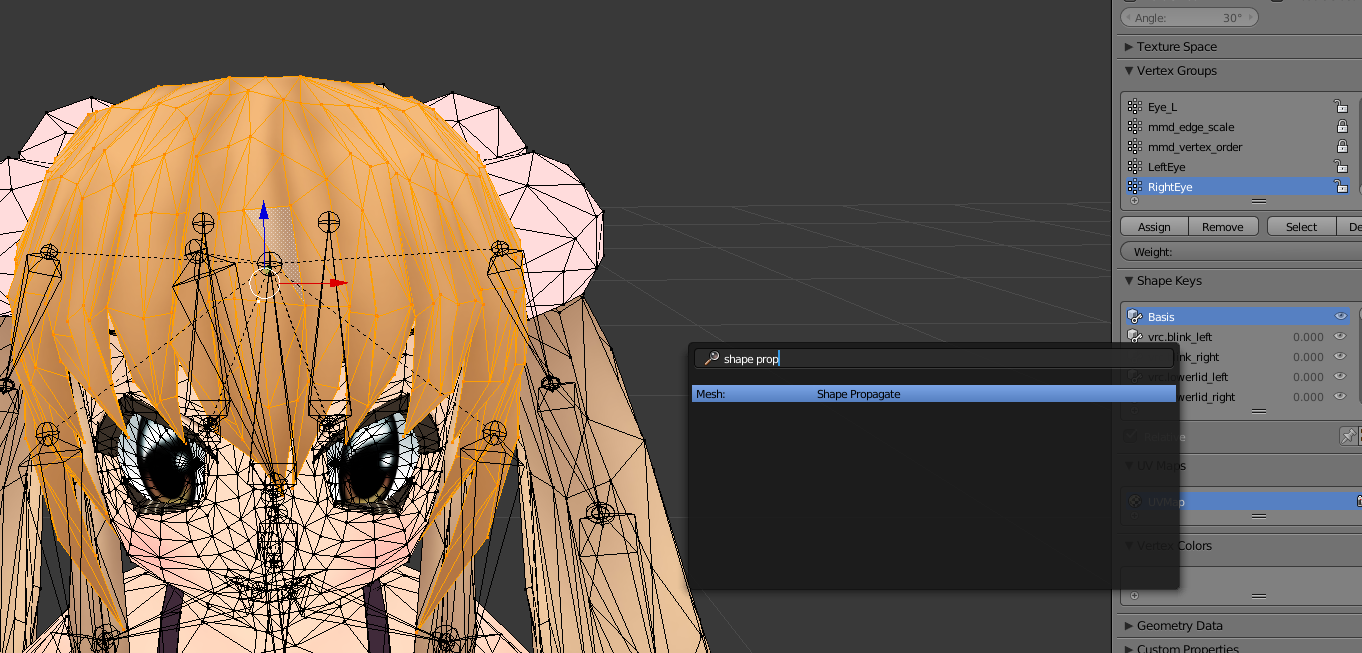
what i'd do is select all the hair in blender and then shape propagate
while selected on Basis

you can press space to pull that menu up and search
i'm a noob at avatar stuff so idk if that's what'll fix it all though
subtle spear
Nervous noises
For the spazzing out face?
Apparently there are no jaw bones
So I'm going to force my avatar's mouth closed
Somehow
heady smelt
you shouldn't need a jaw bone
subtle spear
I don't know though, why this is happening
 heady smelt
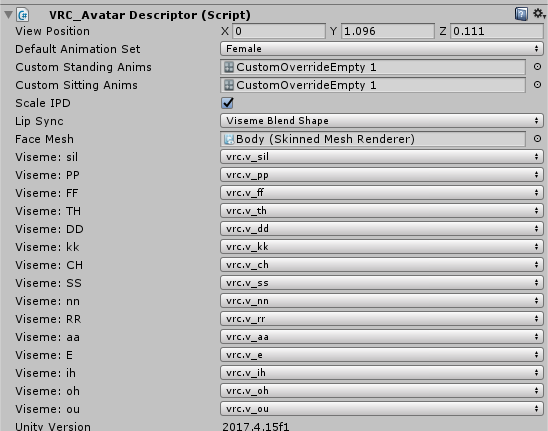
for "lip sync" what do you have selected
subtle spear
Viseme blend shape
heady smelt
now drag the body from the top left part of unity to the face mesh part in there
subtle spear
Alright
heady smelt
not from your assets at the bottom left, but from the scene in the top left
subtle spear
Ok, got that
heady smelt
ok, now do you have the visemes available
subtle spear
I have 1
heady smelt
did you generated visemes in blender
heady smelt
when you click to assign them in unity, do they not show up?
subtle spear
Only 1 slot is available
subtle spear
Will that fix the spazzing out
heady smelt
while talking?
subtle spear
No, just loading in...
That's really weird lol
Freaking weird...
I didn't know that's how cats were made
Give me a min to check something
subtle spear
None
heady smelt
ok
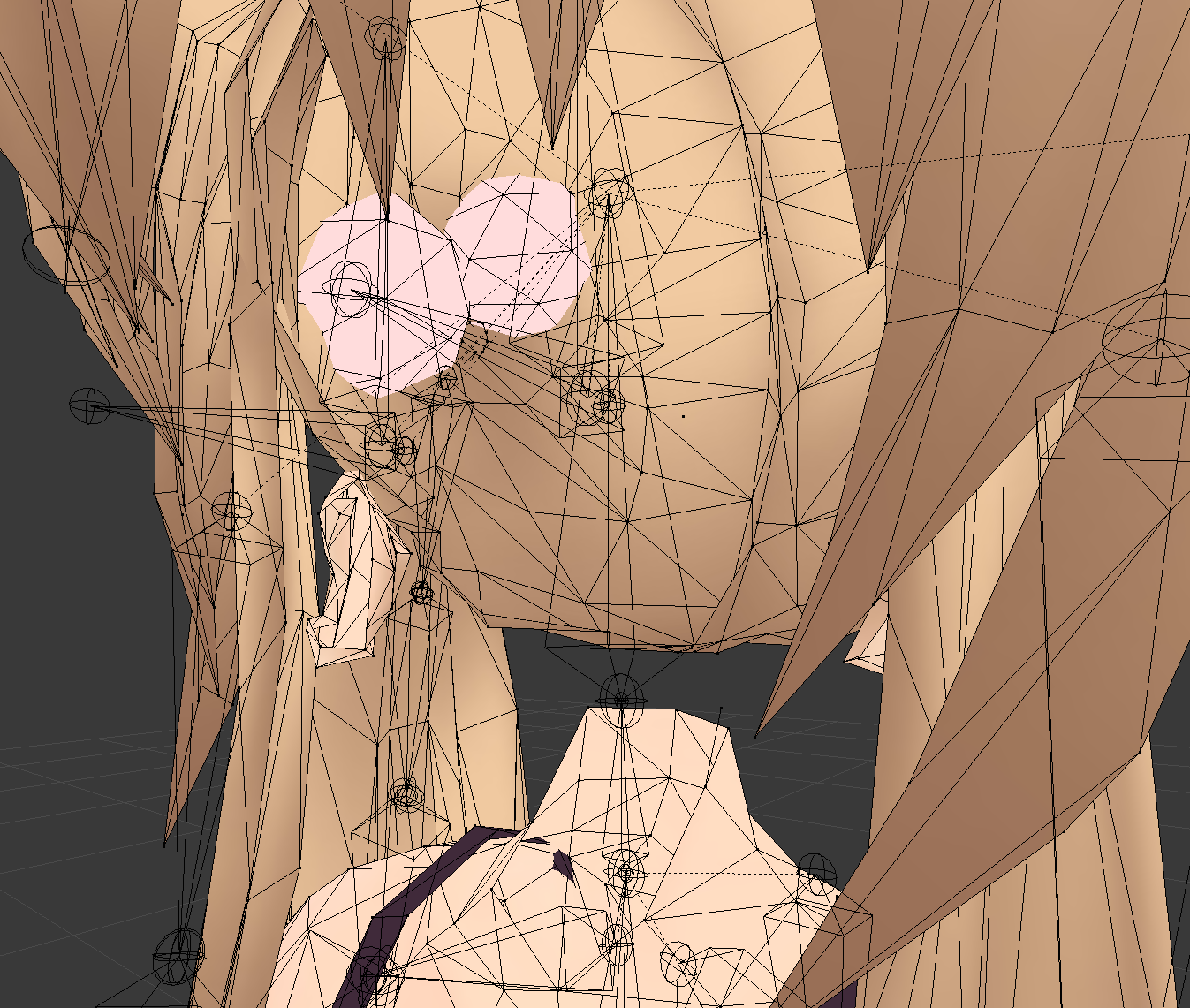
can you select the face, eyes, etc, everything that's part of that system?
and hide it?
the whites of the eyes, eyebrows, mouth, eveyrthing
subtle spear
I can
 subtle spear
Oh
heady smelt
then press a to select everything
heady smelt
ok
subtle spear
I'm not in blender
heady smelt
let me make a cup of tea but basically i want you to hide the face so we don't touch it when we try to fix the rest
you can press h to hide what you selected in blender
ctrl l will select stuff related to what you select btw
you'll also need to be in edit mode
i'll try to explain once i'm back in a few min
still perch
import it?
heady smelt
im back
subtle spear
Just hide everything on the head?
subtle spear
This is difficult..
heady smelt
now watch this
press alt h
that can unhide all the hidden stuff
but, anyway, go ahed and keep it hidden
subtle spear
Gotcha
heady smelt
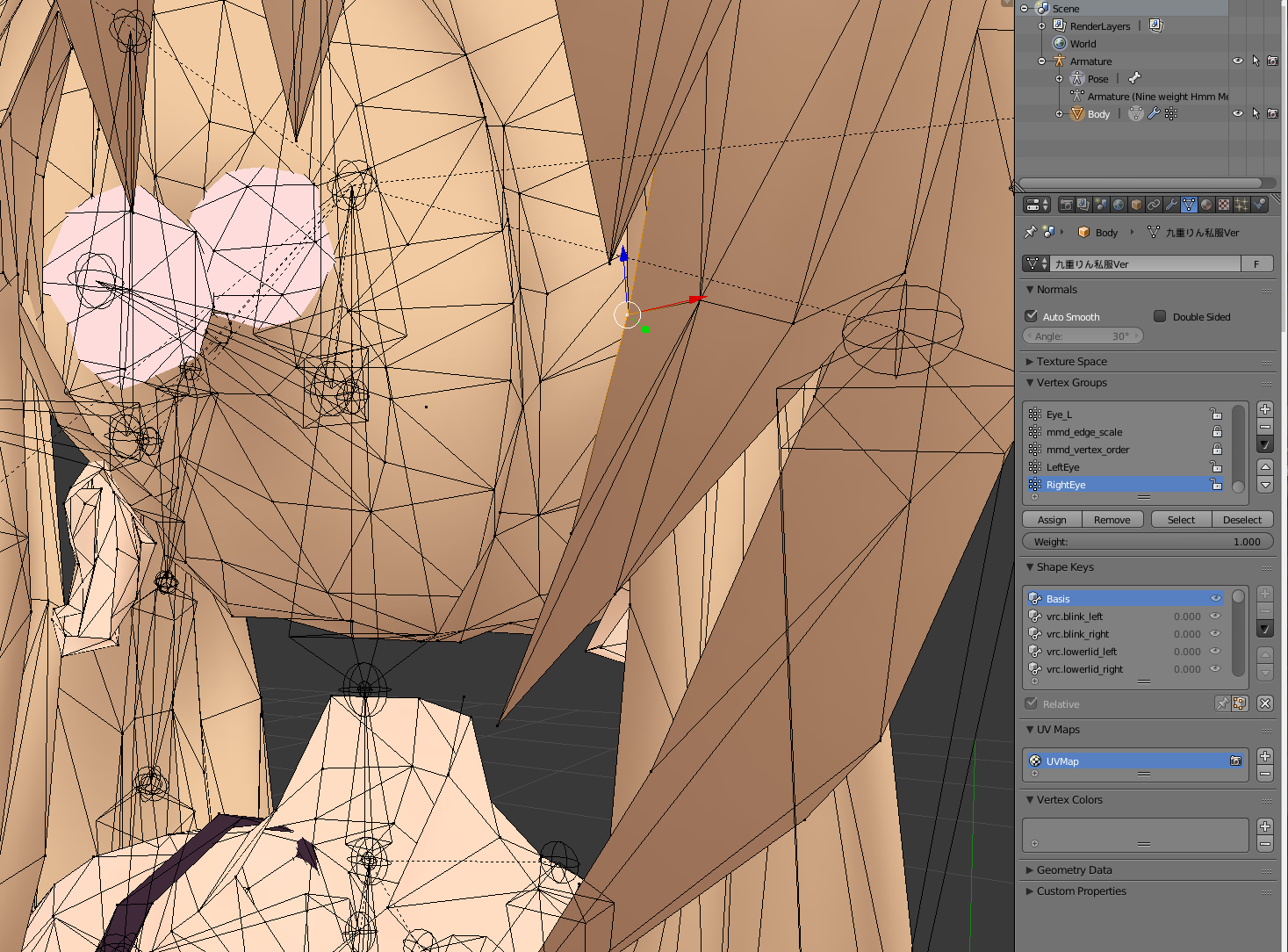
navigate over on the right here to where you see Shape Keys
as you scroll through them you shouldn't see anything move since all the stuff you hid should be used by those shape keys
do you see anything move?
by scroll through i mean you can click on a key to see what it would do
obviously blink should only blink
if it moves your hair then that's a problem we can fix
heady smelt
i was where you are now a few weeks ago
you're not stupid, blender is dumb and convoluted
but basically on the top right click body then that upside down triangle thing
1s
subtle spear
o.o
heady smelt
did that help
heady smelt
so if the stuff is unhidden you should see it move on that shape key
like blink youir eyes will be closed, etc
does anything move that's not supposed to on those keys?
for the viseme 'aa' does the hair move or something?
subtle spear
Let's see
heady smelt
you wont see stuff move unless you're in edit mode btw
you can toggle mode by having the cursor over the scene and pressing tab
 heady smelt
thats good
subtle spear
As it's supposed to
heady smelt
go through all the keys and see if anything looks weird
heady smelt
i'm not in a rush
you lemme know and i'll hop on
join me wherever i happen to be ingame at the time
 hazy barn
Has anyone ever run into this problem before? My model looks fine in unity, but appears to be missing textures in the eyes and hands once uploaded...
 wide trail
hazy barn
wide trail
hazy barn
edit--shader issue, setting eye texture to cubed cutout lite culling off and gloves to cubed unlit shadowed fixed it.
 woeful gorge
anyone know how to fix this? it's as if the spine doesn't exist
i get this error but don't really understand it
 solid bronze
Have you applied the Full body fix in blender with CATS?
woeful gorge
no i don't think so? didn't even know that existed
woeful gorge
lol did the full body fix and it got even worse
sweet mason
Reset the pose if you update the unity file
Pumpkin is a good plugin you should have in your project
woeful gorge
oh it worked! thank u so much ❤
 north pewter
Not sure if this is the right place to ask, but I'm trying to combine materials using cats blender plugin, but for some reason with certain materials, it just combines them and doesn't ask me where to save it, so I have no idea where it's gone... any help? is it easy enough to manually combine textures?
 iron falcon
Idk if this is the right place but why does my avatar appear very dark in Unity?
I was following a video and it said it's because of the shaders that I have to switch to standard, I did that but nothing changed
amber hemlock
Poppy when I get that error I usually redo the unity skeleton by setting it back to generic and then humanoid again
that dumps it's outdated data from before you updated the FBX
Also if you ever need to go back to blender from unity, I recommend opening your blend file from right before you exported the avatar. this causes less problems than opening the FBX you exported, it usually currupts your model that's already in scenes
pine flame
Also always save just before exporting, for whatever reason saving after exporting adds quite a lot to file size
 half stratus
Any idea why cats' atlas tool isn't working for me?
it just makes a 1kb file that's 4 pixels
calm spade
For the material combiner ?
You can also ask directly in the Cats Discord, they're super helpful
half stratus
oh coo
amber hemlock
Are the textures showing up in blender? Before the model is fixed, the textures are not actually assigned to the model yet, so material combiner won't find them.
rose berry
yo guys, if i were to use 3 materials on 1 avatar, is having 1 single texture atlas (and having all 3 materials referencing the single texture atlas) better than having 3 textures?
amber hemlock
unless you need vastly different shader parameters you could make them the same material and use masks to let your shader treat different areas of the atlas appropriately; tho you’d need to know shader code
I needed separate materials for backface culling on/off until I did it in a Shader with a mask
One small texture mask in exchange for one less material
 sand oak
https://www.reddit.com/r/VRchat/comments/bwaj27/discussion_vrchat_going_on_about_polygon_limits/ how accurate is this?
reddit
0 votes and 15 comments so far on Reddit
surreal topaz
It's misinformation for the most part.
"Polys don't matter XDDD" is a meme. Polys matter.
There is so much misinformation in that post, it's hard to figure out where to begin.
First he says:
And even my own avatars reach upwords of 200K, and my group of friends on Quest don't even lose a frame around me.
Then he literally criticizes the exact same statement by jokingly saying:
"But OP! Me and my friends don't lag when we're around eachother! You don't know what you're talking about!"
He also utterly ignores the performance impact of mesh skinning
sand oak
what's that
surreal topaz
Avatars use "skinned mesh renderers" 99% of the time, so any mesh that has bones or shape keys
Before rendering the mesh, the mesh first has to be transformed based on the bones and shape keys
sand oak
ok
surreal topaz
Which takes up CPU time and possibly GPU
 polar bolt
When it comes to polys on avatars - remember that they are skinned - moving and each vertex position calculated from (usually) multiple bones - even if skinning is gpu assisted, its still not 100% so all that vertex data gets bounced back and forth between RAM and VRAM - which is costly
And yeah, put blendshapes on top
sand oak
is there anything that can be done to improve performance for that?
surreal topaz
I've seen "Good" performance avatars that lagged immensely as soon as they started talking lmao
I'm not sure if this setting is respected, but setting the quality on the skinned mesh renderer to 1 or 2 bones should help performance a bit.
I think VRChat has it set to 2 by default though, so leaving it on auto is fine.
Other than that, keeping poly count low is a good idea.
Easy rule of thumb for PC: VRChat's performance ranks are quite accurate when it comes to most categories.
Disabled components are not counted fairly though (such as disabled animators for inventory systems)
And neither are enabled particle systems with disabled emission
Lmao, and then in that thread, the guy says "when my Quest friends go to the Pug, it lags because of materials and not because of polys"
You know, the Pug. That world that doesn't have a Quest version.
heady smelt
The pug being optimized in general is a joke
surreal topaz
I blame the game more so than the map
still perch
The Pug West is also a "The Pug" so i dont see the problem
pine flame
Pug west nobody goes to, also its occlusion culling is incredibly bad, it’s got literally everything stripped out of it, it’s a joke bringing that world up when talking about quest as it reflects the dev teams attitudes toward the quest which is strip everything out of this game to the point where it’s plain old unenjoyable
surreal topaz
He's not talking about the pug west lol
It only has 8 players
And there's no way that this many quest avatars have too many materials
Also I agree with what Synergiance said lol
VRC on the Quest was a mistake for the core playerbase
But if it brings in more people they probably consider it a win
surreal topaz
Lmao the guy in the thread Szena posted is digging himself deeper by the minute
"Using DDS for smaller textures is bad"
?????
Although the guy already lost all credibility when he said "polygons don't matter"
heady smelt
the full pug had a quest version for a short time, dunno how they managed to upload it, but quest users i took there reported less than 20 fps, and i happened to take them to crowded pugs typically, so probably many users (although, robots) around
polys do matter but if vrchat wanted to truly optimize super well they would get rid of the needless amount of transparency too
and as far as the little arguments over small polycounts go, you won't see an appreciable difference really, even with some 3 million polygon table sitting in the hub the other day i didn't drop under 90, but of course it does all add up
most people with '200k plygons but dont lag their friends' just don't do dumb stuff like have 200k dynamic bone collision checks too
 stable star
Quest avatars have no transparent shader for them, except the particle one that doesn't look right on avatars in most situations
No cutout either
heady smelt
quest -avatars- don't... but the menu, nameplates, etc all do
stable star
Pretty sure that's all ui
heady smelt
quest users tell me they stutter just opening up the menu most of the time 😦
stable star
Not mesh
heady smelt
transparency is still transparency and has a huge effect on something as fill-rate limited as the quest
but, anyway, i shouldn't involve myself in these discussions any more, the canny post is already up
since it applies to more than just quest users, some people here may be interested since it suggests ways to improve performance outside of just some flat limits on each platform: https://vrchat.canny.io/feature-requests/p/quest-avatar-limits
surreal topaz
Transparency is benign enough on desktop that it won't matter there
Also, static meshes with 200k polys are not as bad as 200k poly skinned meshes that you might find on a very poorly optimized avatar
woeful ember
yeah really a ridiculous thread (reddit)
rose berry
when i first heard about quest i was hoping it would encourage people to start optimizing their shitty 100 dynamic bone unmerged mesh with like 50 materials lmao
this wasnt what i had in mind
woeful ember
people want instant gratification that's the issue for the large majority
combine that with misinformation like that reddit thread for example and it's nasty combination
rose berry
misinfo isnt even worst
90% of people just have that "i dont care about optimization" attitude
woeful ember
anyways i wanna see options for limiting materials&meshes for avatars
rose berry
but still complains when they drop below 30fps
woeful ember
yes the "i don't care" which is essentially instant gratification in a sense
they don't wanna care but expect instant gratification
rose berry
unity lowers the barrier for content creation
woeful ember
Not to say people don't have prioritys and perfectly fine logic and reasoning
rose berry
sometimes a bit too much
tbh that reddit post
at first i thought it was a massive shitpost
like
how can i tell what is satire when people really are more stupid than i ever expected
woeful ember
i'm fairly positive it's misinformation as rokk has deduced
a troll/misinformative shitpost
sad thing is that people upvoted it
rose berry
polygons dont matter
nice
joining meshes not important but do it anyway unless u want to animate
what the
actually the more i read the more i lose my shit lmao
amber hemlock
I am actually considering a quest specifically for pc vrchat streaming just to lose the cable
Cheaper than vive + wireless and probably same quality
 shut sequoia
Can already tell you that's a massive slog on your PC, a friend was doing that last night and he was dying lol
surreal topaz
Yeah, you're uh
Taking a CPU heavy game
And putting it through one of the most CPU-intensive applications you could think of
shut sequoia
For essentially no reason.
surreal topaz
Vive wireless is a better purchase if you want to go cable-less
People seem to be quite happy with it
But it's expensive because HTC.
 wary wolf
Do bigger textures just take longer to load or are they detrimental to performance? I always atlas my models, but upping the texture quality in Unity seems to strain the system quite a lot.
Something I picked up on Reddit: do shape keys affect performance when vertices remain in the same position? I use "shape propogate" a lot when they break or I forget I was working in a shape key, so technically, my entire body has a vertex position assigned for every shape key.
So after going through the optimization tips, I got those questions left. Damn this turned out lengthier than I thought...
woeful ember
biggers textures basically just take up more memory
i wouldn't be concerned about using 4k for an atlas'd avatar
8k is probably overkill in most circumstances
as for shape propagate idk how it technically stores and handles it
but if it simply stores changes from A to B for example then probably not
wary wolf
I gotta check whether my textures are within the 4k limit actually (there's quite a lot coming together for skin, clothes, hair, props etc) but that's definitely manageable.
The shape keys literally make the mesh remain static (since I used to run into instances of my body exploding in shape keys when combining meshes) so nothing special about them.
Thanks for the response! ♥
woeful ember
there is probably a few scenarios in which texture size matters but 4k for only one texture isn't bad
but if you can get away with 2k by all means go for it assuming the visual loss isn't significant
 buoyant holly
considering you're basically just dealing with color gradients & shaded colors a little bit of resolution loss isn't going to hurt
heady smelt
it doesn't -seem- like shape propagate causes performance issues, i've decimated a lot of stuff down and had to use it quite a bit
 hazy prairie
yo i need help with the atlas optimization
Whenever i press save atlas to it only combines my materials
and it changes my model to orange
can you help?
what do you need help with?
amber hemlock
Where does Toony Colors Pro 2 stand in terms of optimization for VRChat?
 distant forge
I don't think you're going to see much difference between various shaders unless they do heavy work like raymarching, refraction/reflection (GrabPass) or use multiple passes like an outlune (though 2 passes for an outline is pretty ok compared to most other things--no worse than an extra material)
The main issue TCP brings is it uses lots of keywords (don't know if it's improved in v2)
Keywords aren't an optimization but it's like using a slot permanently. Once all 256 are used, some graphical features like bloom can malfunction and some shaders don't load, and vrchat must be restarted.
Most vrchat optimized shaders have stopped using keywords entirely. The author of Toony might not be engaged in the vrchat conmunity (i don't actually know who makes it) so it might still use keywords
 rare crypt
Can someone tell me why this
heady smelt
Are you talking about the console error
Also please take actual screenshots and not a picture of your monitor
amber hemlock
Casual unity dev has an interesting combination of skills x)
rare crypt
rare crypt
This does not make any sense
rare crypt
I need help with this
amber hemlock
I recommend using your print screen key and paste here instead of taking camera photos lol
Don’t worry about the console. It’s always going to have random errors
 opaque vale
Based on Tupper's tutorial, how do I separate the face expression textures to the main atlas textures?
do I just leave the facial expression texture alone and merge the other textures?
surreal topaz
Lol I recognize that model
Arlvit's Aya
You should first atlas everything as a whole
Then later on, you manually select the transparent bits (such as the blush)
And assign them to a new "transparent" material
Which is a copy of your atlas material
I intend to make an addon that makes manual atlasing easier, but I haven't had the time lately
Ideally you would just click a button and it would scale and align the UV's similar to material combiner
opaque vale
yeah but it just tears the materials and make them into rice kernels lol
So I make two different materials, one for the normal texture, and for the 'transparent' material?
surreal topaz
Well first you atlas it all as one material
Including putting it on the same texture
Then later on (as one of the last steps), you make a new material and give it the same texture as the atlas material.
Then you assign the transparent bits to that material
This leaves you with one opaque and one transparent material, both using the same texture
surreal topaz
Yeah, after you make the atlas, you add a new material there
Copy the Atlas material and paste it into the new one, call it "Transparency" or whatever
In mesh edit mode, select the transparent bits (such as the blush), then assign them to the Transparency material
I really need to update my texture atlas tutorial once I get the addon finished
surreal topaz
Almost. It seems you also selected the eyes. Those aren't transparent, so those shouldn't be selected.
Make sure to select the atlas texture at the bottom of the 2D/UV window
So you can see what you're selecting
Then use the B and C keys, as well as CTRL+L (selects all linked) to carefully only select the Blush, Gloom and nosebleed parts
And maybe the eye highlights. They're the transparent white parts next to the eye texture.
But that's preference.
Let me pull up another model very similar to yours
I zoomed in a little bit on the part that contains the most transparent bits:
You want to make sure that you only select these to assign to your transparent material, because the other parts are not transparent.
And for the part with the eyes, I only did this one:
The eye highlights on these models looks fine with cutout, but transparency on the highlights makes it look like "intended"
opaque vale
Well, I cant bake the texture no more because of an error
"Circular reference in texture stack"
But I did select the eyes and emotions
surreal topaz
You may have to restart Blender. I'm not sure why that happens
surreal topaz
Yes
The bits that have to be transparent
Then you can give that material a different shader in Unity
opaque vale
just hit "assign" to the transparency material? 
surreal topaz
Yeah
opaque vale
Oh cool. thanks dude
opaque vale
eyy it works!
opaque vale
Ok, another problem...
Selecting cutout would give me a hard edge onto the blushes, but the eyes wont disappear
But if I put on fade, the blushes looks normal, but the eyes become transparent...
sweet mason
Use different material if you use fade
amber hemlock
wonder why the LOD component isn't whitelisted
could shove my quest version on my PC version at distance
marsh trail
@amber hemlock LOD's are whitelisted though :o
Atleast for worlds, think they're buggy with avatars
Something about literally all of the LOD's rendering on mirrors or something for avatars
marsh trail
Oh then they blacklisted it for avatars
amber hemlock
Had no idea it was whitelisted for worlds though, nice info
marsh trail
It's hella useful for performance
amber hemlock
Yeah, it would be for avatars too
marsh trail
Sadly as i mentioned prior, i think all of the LOD's rendered on mirrors at once
For avatars that is
heady smelt
there is one big problem with LOD groups: if people play vrchat at Desktop Low or VR Low you will get the lowest LOD meshes always
amber hemlock
Honestly? I'd consider that expected behavoir
heady smelt
so be careful with that, every player might see different things
seeing ONLY very low LOD is not expected behaviour I would think
I mean if you get closer it will still be low poly
marsh trail
Sounds like the system is working to me, people playing on the low end would assumedly have a lower LOD spectrum, not full-blown lowest LOD but, lower
heady smelt
that's not great
amber hemlock
Yeah sounds more like something unity is just doing automagically
marsh trail
Well, technically, a higher LOD group but lower Level of Detail in general, since LOD 0 is the highest Level of Detail
heady smelt
just fair warning that people will different versions depending on vrchat quality settings and it's pretty extreme
with lower I mean lower fidelity
marsh trail
Eyup, say LOD 5 per example (assuming it as the lowest detail)
I can see that being a nuisance to users, but helpful for performance
amber hemlock
Good for desktop users where visuals really just take a back seat to social
heady smelt
I wouldn't advise using LOD groups in vrchat at all
marsh trail
Why not?
amber hemlock
Not even for a "if you can see this, you're on Low detail mode" signs? 😄
heady smelt
because with the vrchat quality settings it doesn't really work as you would want it to
since most people play in 'low' you get only one LOD version, the worst
amber hemlock
but yeah that is pretty standard in unity games, where quality settings also make LOD's falloff quicker
heady smelt
we don't really have any control over it
marsh trail
Not over that setting unfortunatelly, LOD's can be fine tuned as much as you like, but if it shifts to lowest on low, it's quite the pickle...
heady smelt
90% of people will have that
amber hemlock
That's kind of bad though, isn't it? Here's a quality setting that 90% of people use, so we need to force the game to look good on it's lowest setting
heady smelt
set up occlusion and maybe even doing you own LOD switching of meshes based on distance
the LOD system is not really useful right now, the camera also seems to judge distance differently than in the editor
marsh trail
Then keep a lower but still decent quality LOD, you make them yourself afterall, it's good practice on worlds and improves overall performance
heady smelt
don't count on LOD to make anything easier or be useful
amber hemlock
I wonder if VR worldscale messes with distances
marsh trail
It doesn't make it easier, but it does improve performance, you need to set them up yourself afterall, if anything it's more work to do it than naught
heady smelt
how does it improve performance when everyone sees the same meshes?
it's just CPU overhead at that point and slow everything down
optimise in a different way
marsh trail
If no LOD was present then they'd see the highest quality
Hence, still a performance boost
heady smelt
you're just wasting bandwidth, noone is going to see the high poly versions
maybe one or two people who run at vr high
marsh trail
Or everyone that runs on desktop without a low tweak
heady smelt
you'd be better off making two worlds, a high budget and low budget one
using lod just forces people to download assets they'll never see
something to think about
amber hemlock
Good point
marsh trail
And yet, for everybody else that can, their performance will be equaly stable, it's a double edged sword
heady smelt
use it when you make your own unity games, that's what it's for, in vrchat, it's not very useful
amber hemlock
I would think that could be fixed though. No reason the VRLow quality preset needs to slam LODs
and if it didn't, we'd have a very decent optimization method
marsh trail
Any canny about it?
heady smelt
another big issue is even when it works and people play at high quality settings the meshes will pop from one version to the next
and you won't have too much control on when they change
looking very amateurish and maybe even dropping a bunch of frames while it switches meshes
marsh trail
You can change their range to shift between, but i think the sudden pop is unavoidable
heady smelt
trust me, in vrchat client it doesn't shift in the same range as in your editor
so you have no real control over it
marsh trail
And you honestly shouldn't be losing frames on an LOD switch unless it's absolutely massive
amber hemlock
the pop is just how lod works. well made models don't visually pop, they change detail when you can't see that detail anymore
marsh trail
From 12k to 100k per example
heady smelt
don't take my word for it, try it yourself 😉
marsh trail
I did
amber hemlock
Well, there wasn't a canny so I made one. https://vrchat.canny.io/bug-reports/p/vrlow-quality-setting-forces-all-lodgroups-to-lowest-quality-model
As for the distance falloff, if that's a problem, could always canny that one too. The worst that can happen is they aren't interested
 sturdy socket
Off the vrc imposed lod is way to aggressive
marsh trail
Idealy you should have 3 LOD groups, although you can have more for smoother transitions, but the filesize will start stacking up
sweet mason
why not change update rate of the animation
marsh trail
With LOD Group
+Better Performance
+Quality Transitions Seamlessly (if done well)
+Good for both high end and low end systems
-Larger Filesize
-Users in Low only see Lowest Detail
-----------------------------------------------
No LOD Groups
+Smaller Filesize
+All Users see the same thing
+/- Good/Bad for High/Low end systems based on detail
-Map must be far more optimized and details may be lost entirely in the process
Das all i can think of atm
heady smelt
this should move to #world-optimization but again: the way it's set up in vrchat means you only see LOD0 at 50cm away ...
seamless transitions are impossible
heady smelt
@heady smelt have you found any way to fix that besides using nvidia inspector and focing negative LOD bias?
oh, that's something else, Negative LOD Bias is a texture filtering setting in your GPU drivers, some games try to sharpen textures by giving negative texture filtering settings, you can clamp that to combat texture 'shimmering'
it has nothing to do with Unity LOD which is showing different versions of an object according to distance etc
ah right it's textures only not different objects
ye ye ... it uses the term LOD because it concerns making smaller copies of textures (mipmapping) to show when an object is further away
this is all handled by your GPU drivers, Unity LOD groups is the game engine swapping different meshes for different distances
 tranquil sparrow
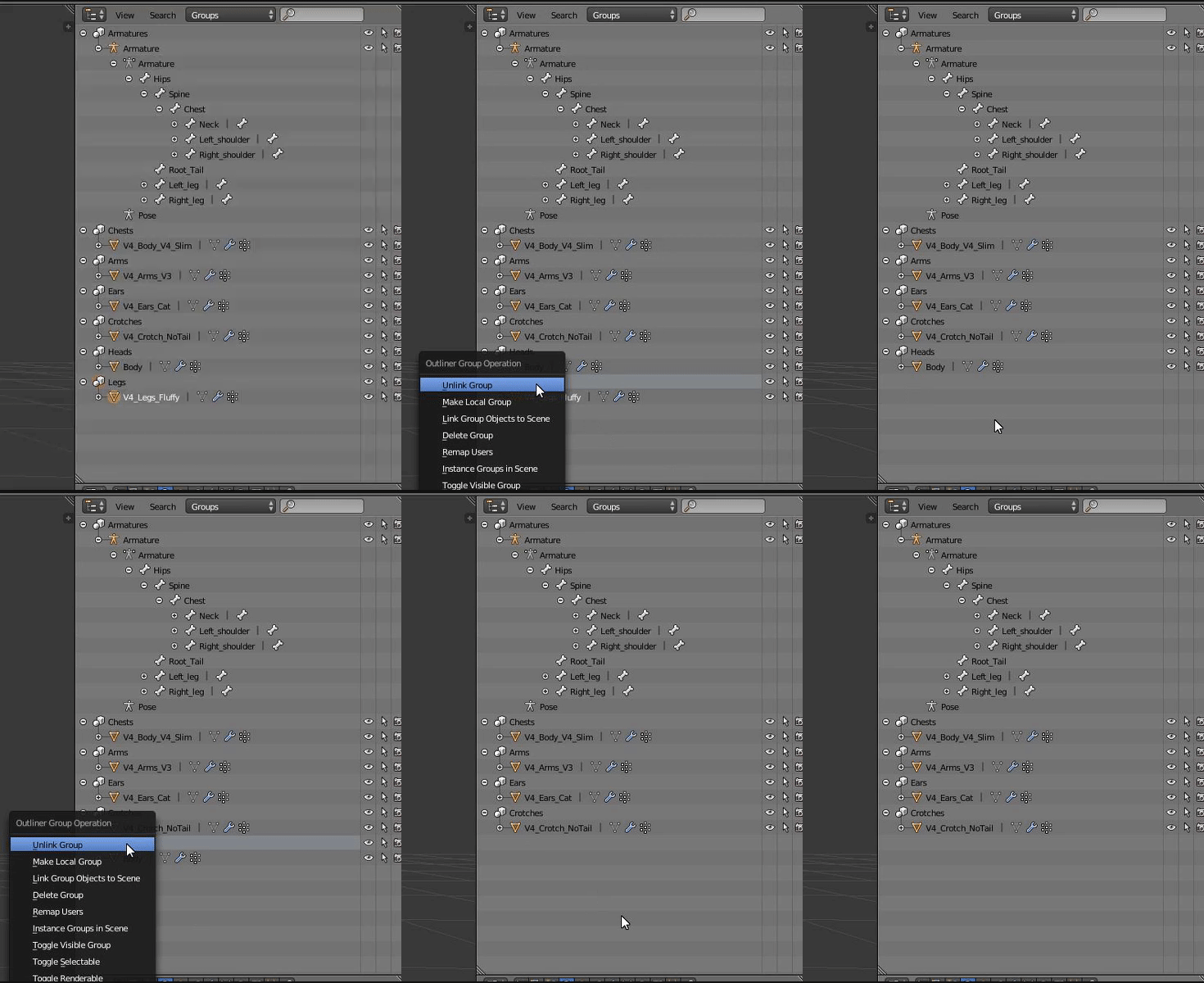
Hey I need some help with Joining meshes for my Nanachi avatar, I have them all selected and I'm hitting ctrl+J but its not doing anything, dunno if if Im doing something stupid or not.
I've narrowed it down to the pieces I need.
 candid sedge
is that blender 2.8?
candid sedge
Tbh i'm not sure what those objects are "chests" "arms" "ears" but you could try saving removing those
then try joining them
if its breaks just reload save
tranquil sparrow
the objects were originally like this
cause its different parts to switch around
wait what?
candid sedge
i dont think something can be joined if they are both the child object of another thing
still perch
Please do not mention that site here @tranquil sparrow 
candid sedge
but im not sure what that symbol is
tranquil sparrow
Ah oki, I didn't know wasn't allowed to >.>
candid sedge
its not welcome in a lot of places
tranquil sparrow
Why's that? I've never heard of it unliked in servers
candid sedge
did you try yet?
tranquil sparrow
When I unlink them they disappear from the list but not the model
candid sedge
so when two meshes are no longer the child of two different ones can you join them?
tranquil sparrow
tranquil sparrow
Cause I had to undo it, cause when i removed them it disappeared from the list but not the model
candid sedge
the grey ones are not meshes tho i think
tranquil sparrow
they aren't, they're groups
candid sedge
so just remove them and join the meshes
tranquil sparrow
when I unlink the meshes from the groups though they disappear from the list
candid sedge
like deletes the mesh?
tranquil sparrow
 candid sedge
try clicking the mesh and selecting alt+p and select clear and keep transformations
tranquil sparrow
Nothing comes up when I hit alt+p
candid sedge
ctrl alt g when you have a mesh selected under a group?
tranquil sparrow
still nothing
candid sedge
well maybe just using buttons will be the way for you then do you have a tab on the left side of your screen called relations?
tranquil sparrow
Yeah
candid sedge
try the make single user button and if not remove from group button
tranquil sparrow
What do I select from here?
candid sedge
first two
maybe all idfk xD i dont have to deal with stuff like this
trial and error
tranquil sparrow
its not doing anything
calm spade
You tried selecting one in your scene, then Ctrl +j ?
 hidden merlin
 wheat plank



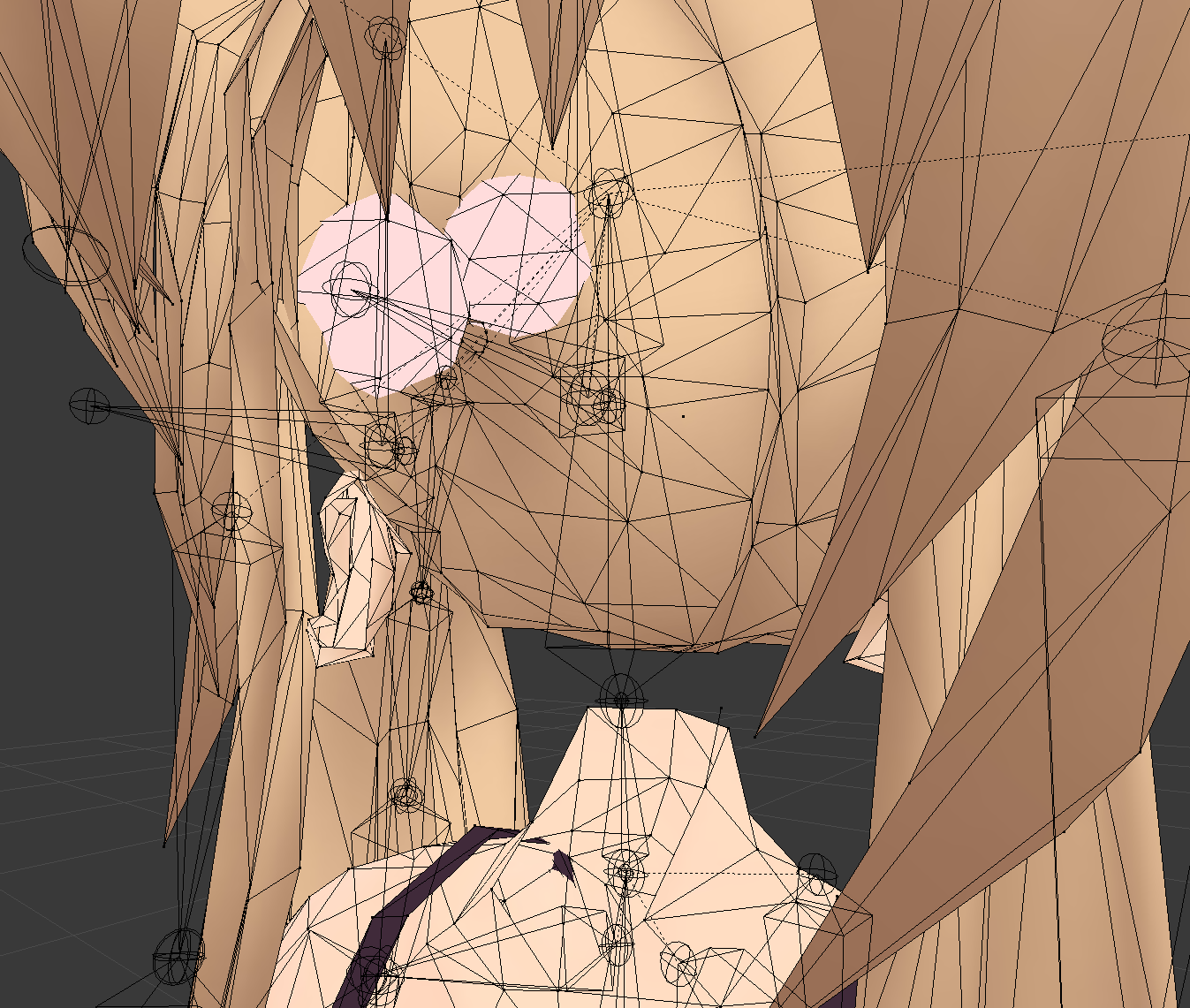
 tranquil sparrow
I found out it’s blender itself, it’s not responding to any hotkeys for some reason
pure bridge
i have a but of a dumby wumby question that someoen will probably have to DM me the answer for safety
how do i not make a crasher on accident?
see, i have a couple of ambitious animation projects that i want to get out
such as cool laser beams or magical spells for staffs im gonna add to future avatar projects
but one more immediate one is something im doing for a friend
which is just shooting webs that stick to things, spiderman style
here's my beef
im probably going to be doing mainly particle and trail stuff for things like that right
and obviously i dont want to go overboard on my or anyone else's PCs
but i certainly dont want to end up crashing anyone with what was supposed to be a pretty animation
so im just wondering how to avoid that sort of thing? is it a matter of particle count? shader? both?
calm spade
Don't overdo it ?
calm spade
And test it out with friends before
And don't use it around people who didn't agree to it
pure bridge
most particles ive ever had on an anim was like
200
all spread out
seeing as how the default particle system starts woith 1k, thats prob not a whole lot
cant see myself even breaching 600
calm spade
Yeah, that's a very low amount
amber hemlock
When I use CATS atlas, myAtlas is being generated in indexed color mode, which reduces the color fidelity by a ton. Can't figure out why, all my source textures are saved as RGB.
sweet mason
Use the tab for atlas insted of the one in cats
sweet mason
So you can custom all kind of option
heady smelt
@calm spade speaking of crashers, i had heard that the particle limiter thing inthe config didn't work anymore, and i've definitely seen it not work to prevent crashers, is there a way that we can prevent it still? or would you just reccomend hiding particles/lights for people i don't trust
still perch
Particles aren't the only thing that is abused to crash. So it will not be helpfull if other things are abused for crashing.
calm spade
@heady smelt Hiding it from non friends is usually the best way yes
heady smelt
i'll just continue to block anyone that has annoying shaders/particles and hope that trust system drops help discourage
it would be cool if we could white/blacklist specific shaders/etc but i understand that's a lot of work even for the people using the white/blacklists
surreal topaz
The difference is that having the particle limiter at all disabled PlayerLocal collision
Which stopped pretty much all particle crashes without turning them off entirely
heady smelt
The fact that people who code modded clients have already made and have been able to use shader blacklists that actually work and the vrc team hasn't kinda says something tbh
still perch
It's not that easy tho. The moment a official blacklist comes they'll make / mod the shaders so it's not on the list anymore.
Plust priority for the dev's is often hugely different from personal interests of players.
Don't forget this is an in progress game.
heady smelt
Trust me 90% of all crashing shaders are old and haven't been updated
still perch
Because there is no need to. Once there is, they will.
heady smelt
That's because the people who use them can't make their own so they use the old one that people who know how to make gave to them
heady smelt
"Plust priority for the dev's is often hugely different from personal interests of players." unironically a bad thing
you'd think the devs play enough to run into the same things we do as players and are similarly frustrated by it - the only thing that seperates us is that they can do something about it
dont mean to be harsh on the devs, i doubt their priorities are -actually- much different than regular players'
i don't know a single dev who wasn't a player first, anyway
surreal topaz
@heady smelt well only some of the devs play the game
Also their priorities are very much different from most players tbh
Just look at the highest voted canny posts that are either super low on the priority list or just ignored
amber hemlock
@sweet mason I don't have a tab for Atlas. what plugin is that?
surreal topaz
He means the material combiner addon separately I think
As opposed to the Cats auto atlas button
sweet mason
Cats ask you to dl something to merge material. That one can be use separately
And you have option
amber hemlock
Oh I could never get it working separately
The UI seems to be broken? It's all empty
heady smelt
So...
Game objects are impacting the performance rank now... I'm sorry but I fail to see how. Let's say you use 10 game objects to rotate and move 1 object in a certain way... it doesn't really make it less optimised, it just helps animators ect to do certain things easier... (talking about the new update that is)
surreal topaz
Disabled objects will now also count, which is utter BS.
Stuff like mesh swaps where only one mesh is active at a time is now gonna get you auto hidden
70k polys on a skinned mesh is fine, but 5001 polys on a mesh particle is obviously "super laggy" and deserves Very Poor
heady smelt
I mean, a box w 100 empty game objects under it is still just a box...
But no
Me unoptimized now
 trail yarrow
yeah inventory systems are getting shit on here
I have about 40 empties for my inventory system
even though it's only to toggle 6 different objects
and my avatar itself is medium
heady smelt
It's a unnecessary feature
trail yarrow
like it's one thing to implement this, but to even count empty objects is ridiculous
it's not a good idea to start, but that makes it so much worse
heady smelt
I mean. Imagine like having 40 empty game objects on a box, and quest users cant see it😂
trail yarrow
lol
heady smelt
It's true tho
Like
Why empty game objects?
We have a particle limiter, If anything hidden skinned meshes or something in the sorts that counts the amount of hidden material you have would be better....
surreal topaz
VRChat in 2020 be like:
Sorry, skinned meshes and animators were too laggy and have been disabled by default.
heady smelt
Why can't everyone be like nikei and not have nice looking animations
How about we make a model purely made out of 100 empty game objects and put it next to an normal avatar to see the performance drop you get from the empty game objects? I'd love a explanation video on that


Cursed
 minor wren
define "many"
10? 100? 1000?
seriously.
surreal topaz
What they probably mean is that they will now also count disabled objects/components
So if you have a flashlight on your avatar you'll be hidden by default because that's technically a light, buddy.
Can someone explain to me why they can't strip off these components rather than hide the whole thing?