#world-optimization
1 messages · Page 6 of 1
 viral marsh
 fair agate
@median stag that’s exactly what I did in my first world
 median stag
I remember you mentioning that you finally needed to learn proper lighting quite a while ago @fair agate
My question is mainly one of performance though, as i care more about removing lag than appearance
The thought being, if rigidbodies and things like that are ignored by the light source, they won't need to be rendered under it?
But i don't know how impactful ambient stuff can be.
fair agate
Not sure what you mean about rigidbodies—you have to remember that in Unity, visual appearance and physics are completely unrelated, rigidbody is just an abstract concept applied to a mesh that gives it a “mass” point. Nothing to do with lighting. But performance suffers with anything that needs to be calculated in real-time, so an unlit world and a baked world are about the same except maybe for load time.
median stag
I'm at my limit for how to get this map to function better... Structures are in occlusion and too close for LOD to help, gone through the other standard steps....
If i wasn't limited by complexity in my triggers, i feel i could lessen the burden by inactivating objects that aren't used.
I want Udon
 west crag
why is there an emoji for ramen but not for udon or soba
it's not like it's better than the other two
 strange prism
I don't have Nitro to make my own Udon emoji
west crag
this is a wider problem than just discord, I feel like noodle discrimination is going on inside Unicode itself
 wanton hemlock
what's a VR-safe water effect?
I used Unity's night water but a VR user reported that it looks really painful to him
 lilac saddle
@wanton hemlock https://github.com/synlogic/Syns-Unity-Shaders

GitHub
Syns-Unity-Shaders - A set of shaders mainly created using ShaderForge for use in Unity.
wanton hemlock
thanks
 inland vault
I have a free water shader I made
 sweet sinew
Releasing a alpha version of my Trigger Logger https://i.imgur.com/EtzuqXQ.png
So I can get some more feedback and see how people have their trigger layout.
https://github.com/PhaxeNor/Trigger-Logger/releases

 strange prism
Yay a new release.
 dense oracle
Will this screw my world? 😄
sweet sinew
Not unless you make changes yourself 😛
strange prism
Not sure how I feel about the warning on custom triggers being local only.
Once you get the chaining check, that can probably be updated.
 obsidian bobcat
Heyo, i'll keep my question short, since I thought it appropriate for this particular channel: Is there any way I can make my video player optimized?
I have a video player on my world with the video player component disabled by default. When people press on a particular button of a remote, it enables the video player component of a certain video, and also a timer. Then when the timer ends (the timer is the same length as the video) it disables the video player component of said video.
The primary problem is primarily Desync, but also a long load time into the world at the start. I think thats because I use clips instead of youtube links though..
wanton hemlock
how can I tell whether my textures or lighting is slowing down my room more?
wanton hemlock
what am I looking for?
VR users reported low framerates, but I don't know what might cause them
I have some 2k textures, so that might be it
I thought the lighting would be fine since it only has 2 realtime and 2 mixed lights, but I might be wrong
 lean lodge
High-res textures do not cause lag
Realtime lights definitely will, however
Can't you bake all of those lights? Maybe put a single realtime directional light on a local toggle
@wanton hemlock if both realtime lights are directional and both have shadows, that will definitely cause lag
I just set all of my lights to baked. If I feel it's necessary, I add a very small directional light with hard shadows that only affect Player, PlayerLocal and MirrorReflection
Since that can make stuff look nicer
wanton hemlock
alright, I'll have to fake the directional light then
it's very minor, most of it is used to light the outside, which is static
lean lodge
What's the issue with baked lights though?
I don't think you need realtime unless you actually need the depth texture that it brings
wanton hemlock
well my one directional light is mixed so that might be it
lean lodge
Mixed lights will still apply realtime lighting to non-static objects
Try light probe groups instead
wanton hemlock
lemme show you my setup
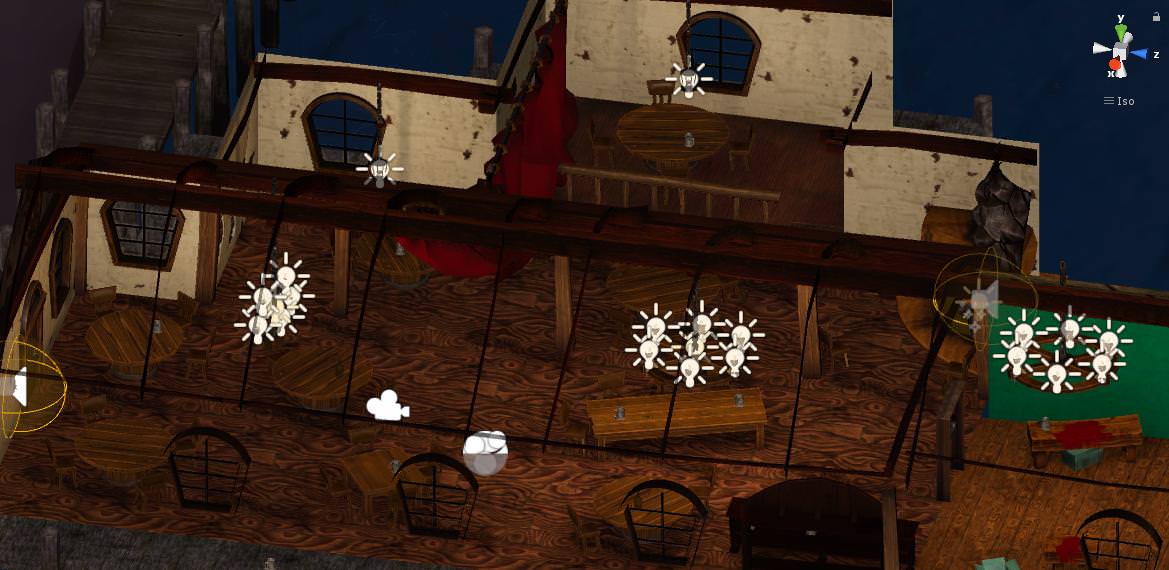
all of these are baked lights, except for one each for the left and middle chandelier, which are realtime
the one in the fireplace is mixed, and there's a directional light that is also mixed
I was worried making every light on the chandelier mixed would be expensive, so I placed a single realtime light in the middle which doesn't light the environment, just the player and pickups
there's only two things that bother me about the setup right now
1, I only need dynamic shadows for the directional light when it shines through the windows
2, the realtime lighting self-shadows the player model, even though casting a shadow onto the environment and tinting the player a darker/brighter color would be enough for me
 winged sinew
You could look into projectors
wanton hemlock
Although it still needs improvement, my world has been accepted and made public. Thanks for the help, everyone.
wanton hemlock
I didn't get a performance warning on the spreadsheet
but I did talk to a guy with a laptop without a headset who said his framerate crawled down to 11 fps
is it possible to disable self-shadowing on an object?
lean lodge
You can disable casting and receiving shadows on the mesh renderer
You can also set up the layers and culling masks on your lights so that the lights ignore certain objects for shadowing purposes
wanton hemlock
I would like my object to cast shadows onto other shadows
it just doesn't need to shadow itself
lean lodge
Turn off "receive shadows" on the mesh renderer, that should work
wanton hemlock
how big is the impact from mixed point lihgts?
lean lodge
Same as any other realtime light. Probably not as heavy as directional, but it depends.
It also depends on which layers it's casting shadows
And whether those shadows are hard or soft, and how high quality they are
wanton hemlock
is there a way I can have it not cast shadows on the player, but cast the player's shadow on the scenery?
dense oracle
If you have the realtime lights not cast shadows you can use lightprobes to illuminate the area, but still light up the characters based on lications, it makes the area really good performance wise, i have not tested this but been thinking about it a lot to add to my map sometime.
i think casting the shadows is the most processing hugging, and there is a lot of spaces you can do this trick that i can tell.
but the less Realtime lights the more performance the map will run, the less amount of Baked maps also creates less draw calls for players.
so keep the baked map Resolution/Image Size high
wanton hemlock
I'm experimenting with different mixed light setups
there's 2 big problems for now
one is that map has a massive island in the background that dramatically slows down the baking process, even with the lightmap scale set to 0
the other one is that I need a mixed directional light for 4 spots in my room, where the moonlight shines into the building
but I don't know how to properly fake it with point lights
dense oracle
oh, turn of shadows emitted from the Island also.
if you cannot go to it
you can use area light i think
wanton hemlock
to fake the directional light?
wanton hemlock
is it about as cheap as point lights?
wanton hemlock
area lights are baked only
dense oracle
i will need to add Lightprobes soon, after i get my Random sound playoff correct, and then make an Sign with some pointers, Portal and bake everything correct, and release.
as i said
Baked
why you need realtime though?
you can use spotlight with no shadows on it to create a low performance light i think
or you can just create an shader that kind of translucent that is creating the moon beam, if you are looking for that kind of effect.
just using an Mesh and a shader, then everything else is baked inn
wanton hemlock
I want players to be able to block the moonlight, I'm not interested in volumetric lighting for now
dense oracle
very "heavy" performance light then, since you need shadows to create that effect, just don't make the light as large scale or movable and it should be quite alright
wanton hemlock
I just want to know how I should tweak my spotlight settings so it looks like directional light
dense oracle
Dimmed i think, not used Spotlights either, don't have direct sources, only point lights since i have some lightposts 😄
 scenic swallow
@wanton hemlock If the island doesn't affect the lighting of the main part of the world you can make it not lightmap static.
wanton hemlock
but doesn't that slow down the realtime render?
scenic swallow
Setting scale in lightmap to 0 already excludes them from having lightmaps.
So they'll be lit real-time
wanton hemlock
when I did that it didn't get any lighting
scenic swallow
Do you have light probes?
scenic swallow
@wanton hemlock Also if the island is far enough away you can use a trick to bake it into a skybox
scenic swallow
You make a copy of your scene and delete all of the foreground meshes. Put a reflection probe in the center set the resolution to 2K or 4K and bake it. Then use the reflection probe's texture in a cube map skybox.
lean lodge
Oh yeah, that's a good one lmao
dense oracle
oh, you can use the Reflection probe image, thats neat
scenic swallow
I think Cubed told me that one.
dense oracle
ye, thats a neat trick
scenic swallow
Reflection probes are basically cubemap cameras with some filtering built-in to blur out aliasing.
dense oracle
Thats cool, you can just construct your own scene and then bake it into a cube map for skybox :p
scenic swallow
You can use an editor script to capture cubemaps but reflection probes are easy.
dense oracle
right.
scenic swallow
Yeah as long as it's far away and your skybox isn't crazy detailed it'll work pretty well
You could alternatively use cameras to bake 2D cutouts of the islands and put them on quads.
There are assets for generating "impostors" if you'd rather an automated approach.
dense oracle
just starting out exploring some UI elements for the Map, since buttons is kinda Meh, i have many settings so want it in a neat tidy space, was asking in Worlds but no answer, was asking for if there is anything is should check out for when adding the VRC triggers to the mix, or is it straight forward adding the VRC trigger to the UI Buttons and such?
ah thats nice, you could maybe even make it LOD into an island after you get close enough
scenic swallow
Yeah, with LOD groups.
wanton hemlock
the island is right next to the walkable area but I'll have to remember that
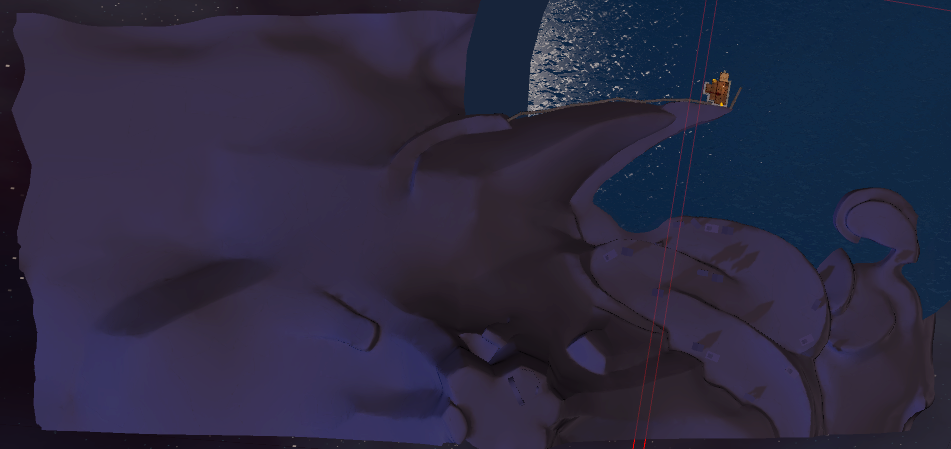
here's an overhead shot of the world, the orange spot is the walkable room
since the island is a sculpted mesh with overhangs I can't use the terrain optimization
scenic swallow
@wanton hemlock Is it one giant mesh?
Also do you have proper non-overlapping UVs or auto-generated lightmap UVs?
 buoyant forge
is having an extra uv for light map something that helpsperformance ?
scenic swallow
Unity uses the second UV set for lightmaps
It's not optional, but Unity will generate them for you if you enable it in the mesh import settings, but it takes a long time for large meshes so you're better off doing it manually.
If you don't have a second UV set I think it might copy the first UV set but I'm not sure.
The lightmap UVs have to be non-overlapping to avoid artifacts.
buoyant forge
ah got it. i love the wealth of information you get here thanks
viral marsh
Unity does not copy the first UV map to the second for light maps. If a second one does not exist, and you don't generate them on import, then you have no UVs to use to lightmap.
winged sinew
If Unity doesn't find a second set of UVs it'll repeat the first
Are UI canvases okay for performance? They seem to add a few draw calls
lean lodge
To be honest I have no idea how making lightmap UV's works. So you just make a second UV Map?
scenic swallow
@lean lodge Yes, you just make another UV map in the mesh data in Blender
Unwrap the UVs so none of them overlap
lean lodge
Wot
scenic swallow
And preserve their sizes relative to each other.
lean lodge
Ah, alright
That is interesting, but also seems like something Unity should be able to generate by itself
And it usually does in my experience
scenic swallow
It can, but you can get a better result if you do it by hand.
You can end up with visible seams in the lighting if the UVs are too chopped up.
Which automatic unwrapping often does.
There's some feature to smooth them out but not until 2017.2 or 2017.3, I'm not sure which.
And only with the progressive lightmapper which is still in preview until 2018.1
wanton hemlock
@tcl yes, yes and yes
I suppose I shouldn't have Unity generate the mesh
I'd like to separate the island mesh based on distance, especially since I'd like to texture the closest part but I don't know how to do it seamlessly
 mental monolith
Hi guys, anyone knows why lightmap takes quarter of resolution when I bake it?
Doesn't seem to affect the quality but still curious
scenic swallow
@mental monolith Do you mean why it's for example 512x512 instead of 2048x2048?
mental monolith
I mean it's for example 2048x2048 but the actual lightmap bake is in the bottom left corner, taking quarter of the whole area
so the rest is black
scenic swallow
Ah, that's because you only have slightly more than 1024x1024 texels worth of lightmaps.
mental monolith
Alright, so it's not really worth generating it at 2048
scenic swallow
No, it is
The lightmap resolution setting determines the amount of texels per meter (basically quality) so you can decrease that slightly to try and fit it in a 1K atlas or increase it to take advantage of the extra space.
You want to try to keep everything in one atlas because multiple atlases will split static batches.
mental monolith
Oh, I see
Well it is small and it won't be any larger
So I guess I can fiddle with it
One more thing: is it normal that I have to bake with progressive lightmapper and with indirect lighting mode? Otherwise whatever I see in the preview in Unity is different than what's actually being baked
(Lightmap is super bright but Unity shows no baking basically)
scenic swallow
Also if you have compression enabled (which you probably should because lightmaps are fairly large) then the black area will compress a lot.
Which shader are you using?
mental monolith
I turned off compression (trial and error I noticed it's 'glitching' some of the textures)
Cubed
scenic swallow
Cubed doesn't support lightmaps.
mental monolith
Hmm, but it still baked with that setting just fine
scenic swallow
It doesn't read from them.
So they will not show the lighting.
You'll have to try another shader
mental monolith
Can I post pictures here?
Let's try
rip
@scenic swallow Can I pm you pre-bake and after bake?
Well, needless to say and however it works there is a change before bake and after bake and I can clearly see orange light baking in, in game too
scenic swallow
@mental monolith Go ahead, but I know Cubed's shader doesn't support lightmaps because I help "maintain" it.
mental monolith
I'm not trying to undermine at all, I'm newbie in this, may have clicked something random without understanding
Baking it again
 outer hedge
is there a way to bake lightmaps per group of meshes ? like a room with stuff in it will be in one lightmap and an other room in another lightmap ?
dense oracle
I just think the lightmap will assign a random ID for each object and just bake it, is there any reason to bake it in a group?
outer hedge
because TCL earlier said multiple atlas split batches
scenic swallow
You can create lightmap parameter files and set different system and baked tags. https://docs.unity3d.com/560/Documentation/Manual/LightmapParameters.html
The Unity Manual helps you learn and use the Unity engine. With the Unity engine you can create 2D and 3D games, apps and experiences.
Then set the mesh renderers for each room to use the appropriate lightmap parameter file.
@outer hedge
Also, here's a Unity blog post with a list of scenarios that cause batches to break. https://blogs.unity3d.com/2017/04/03/how-to-see-why-your-draw-calls-are-not-batched-in-5-6/
The best way to figure out if and why your stuff isn't batching is the frame debugger.

Unity Technologies Blog
I am sure that you know about Unity’s built-in Dynamic and Static Batching, which help reduce the number of draw calls in your game.
You can see Batching ...
@dense oracle
dense oracle
Hmm, interesting, will check it out when i get home
outer hedge
@scenic swallow Very good info, thank you
wanton hemlock
the clustering speed of my bake has been getting glacial, is there a way to figure out where it gets stuck at?
I've already disabled generate lightmap for the most frequently used and high res meshes but it still takes 15 minutes for the clustering itself
scenic swallow
@wanton hemlock If you have a lot of small meshes in your scene you can speed up light baking a lot by removing them from the lightmaps and letting them be lit with light probes.
@wanton hemlock https://unity3d.com/learn/tutorials/topics/graphics/introduction-precomputed-realtime-gi

Unity
Unity is the ultimate game development platform. Use Unity to build high-quality 3D and 2D games, deploy them across mobile, desktop, VR/AR, consoles or the Web, and connect with loyal and enthusiastic players and customers.
winged sinew
Has anyone attempted to used light probe proxy volumes to lower their draw calls?
 high parcel
how do you fix this happening with prebaked lighting ? https://i.imgur.com/rZBWE4u.png
 lean lodge
Try slightly turning up the indirect resolution size in the lighting settings
high parcel
oh ok
i had to turn direct down to 6 or 7
baking times are long for some reason :Tc
 barren gyro
yep, all bakes are
try low quality first to get an idea then do your final bake before bed
lean lodge
Probably not, their purpose is to properly light up non-static objects (such as avatars)
Make sure you add reflection probes too
high parcel
eh
i tend to stay far away due to how forward uses reflection probes
its done on a model bias
not area
 signal sinew
One question about occlusion. When I have someone walk into a house with opaque windows, how do I make the house occlude things beyond the walls? It seems that no matter what I do, the occlusion only affects objects outside of the field of view for my camera, rather than objects that are hidden behind others.
I just feel like I'm doing something totally wrong.
at* me of someone has an answer, thanks.
fair agate
@signal sinew you baked occlusion?you can use the visualizer
Sounds like it is doing just the normal frustum culling
signal sinew
Is there a way to enable the type where things behind it an object are occluded as well?
fair agate
Occlusion tab in the inspector
Starart with 2 occluder .25 hole and hit bake
Assuming you’ve set stuff static
signal sinew
Yeah, I've fiddled with it for a bit but I couldn't make the stuff outside the house occlude while I had the camera inside of it.
fair agate
Is the house static?
signal sinew
Yeah
signal sinew
An Occlusion area? Sorry, I'm still new to this.
fair agate

i go through the steps in applying Occlusion Culling to your game in Unity3D Pro NOTE This is Feature in will be avalable in Unity5 Free as i have been told ...
This is how I learned
signal sinew
I'll check it when I'm back to my computer. I assume it works for the not pro version as well?
fair agate
Yep I have the free one
sweet sinew
Unity 5.* have Occlusion included for free
signal sinew
Alright, that still seems to have me back at the issue I had. Cameras inside a building don't occlude things outside of the building while it is facing in that direction.
sweet sinew
Even in Visualize mode?
signal sinew
Here, I'll get you a screenshot quick
Well now nothings working
And Unity crashed. One moment.

The camera is presently inside of a building with opaque windows, and my bake settings are set to default.
While not occluding, the same scene looks like this:
https://i.gyazo.com/7dc15f64b9060802042191ced678b888.jpg
 sweet sinew
whats your bake settings?
signal sinew
Default.
SO: 5
SH: 0.25
BT: 100
sweet sinew
The building is fully static as well?
signal sinew
Indeed
sweet sinew
even after rebake?
sweet sinew
try play with the SH size, make it a bit bigger
But it should still cull it
with the current
signal sinew
I bumped it up to 1 with no difference.
sweet sinew
SO down to 3?
signal sinew
I dropped it to 2 and again no diference
I feel like I'm doing something terribly wrong rather than it being bugged
sweet sinew
Could be. When you do Visualize, do you get something like this? https://cdn.discordapp.com/attachments/416259331936485379/472243873046069258/2018-07-27_05-28-03.mp4
sweet sinew
Is your house mesh collider by any chance?
signal sinew
Yeah, to save on draw calls I had it changed to a singular mesh.
sweet sinew
they should
It's just weird that your wall is ignored completely
Enable your Visibility lines and see if it actually is stopped
signal sinew
I threw up a giant static cube in hopes it would do something
https://i.gyazo.com/853ecc44bd8df55f86e55fc56e6f585e.png
 sweet sinew
It's like your world is haunted. Not really sure what to do to be honest. Mine just worked out of the box.
sweet sinew
Everything is it's own mesh right?
signal sinew
Yeah
Yeah, I go to a different world of mine and that works fine
It all occludes correctly
How on earth could if be getting stopped in that other one though? Lol
sweet sinew
My guess is that it has to do with the objects used in the other one. But I am pretty new to culling myself
sweet sinew
Haha
 gray yacht
What layers do I keep on with a mirror to keep it really simple and render just players?
high parcel
just wondering do light group probes pick up baked lighting?
lean lodge
@high parcel yes
Light probe groups are literally designed to do that
They store information about the baked light and use it to light up dynamic objects such as players
I think dynamic objects get the three closest light probe groups in a triangular fashion and average their light levels
dense oracle
^
dont put 3 of them in a triangle in a shadow area 😄
unless you want to go complete black
wanton hemlock
I'd like to speed up my baking process which currently takes a century, but won't disabling lightmap static on small objects to have them be lit by lightprobes eat RAM?
dense oracle
If you disable directional mode to non directional you can shorten the calculation a bit
wanton hemlock
how does that affect the lighting?
dense oracle
Directional lightmap is being calculated if you have Direct mode on, it will make an directional lightmap
Its not always needed but some shaders can get uses out of it
Thats the basic understanding i have from that setting
Keep Lightprobes on Custom so you calculate them manually yourself
And save the cubemaps wherever you want them
This shortens the time calculating them everytime you bake, because the light setting bake always bakes them if they are not set to custom
scenic swallow
@dense oracle @wanton hemlock You want directional lightmaps if you use any normal maps.
dense oracle
right, thats a good point
didnt know Normal maps would use that or just the source of the light
wanton hemlock
I have 100% normalmaps
scenic swallow
Or really any shader that cares about light direction which is most
dense oracle
mhm
il keep that in my map
will most likely have to split up my map for Night and Day World
Since i cannot control the Ambient Light Color
wanton hemlock
Is there a way to further optimize static objects that aren't marked lightmap static
dense oracle
or maybe you have a way of controlling that with Standard Unity Assets TCL?
since it is possible to activate realtime you should be able to control it with some animation i think, but there is no access to it
wanton hemlock
I need to optimize the lighting as much as possible, I've gotten a lot of reports of low framerates for VR and laptop users
dense oracle
I could help a bit if you want, not that experienced but wouldn't hurt to try.
been poking around with the Light settings on my map forever now. :p
scenic swallow
@dense oracle If you are using real-time lighting for your directional light you can use the skybox as the ambient source
dense oracle
but i would have to change the skybox right?
scenic swallow
If you use a procedural skybox it will change automatically
scenic swallow
The procedural skybox uses the directional light angle to control the sun position
dense oracle
so basically i could just control the directional light source to make that happen then?
scenic swallow
You will also want to generate lighting for pre-computed real-time GI as it is what is responsible for recalculating the real-time ambient and indirect lighting.
dense oracle
would need to check how to make that shader or find a skybox for that
scenic swallow
@dense oracle Unity's default is procedural
dense oracle
ye but it is boring :p
scenic swallow
The biggest issue with this is that it's really expensive if you want directional light shadows.
wanton hemlock
is there a way to upload a new version of a map without removing the current public one?
scenic swallow
You need directional light shadows if you want interior spaces
dense oracle
i want only to change the Ambient light on the fly, so on the Night time on my map i would like it to not produce any ambient light. since most Avatars will glow with a bit of ambient light with baked Intensity map
scenic swallow
Otherwise the directional light will light everything uniformly
You might be able to work around that with some clever use of layers and multiple lights.
dense oracle
right. i only have outdoor for now, so thats alright
ye, i try to be clever with that sort of thing, but have no knowledge of most, and you know, don't want to read all documentation.
but when i get to that we will most likely already be soon transitioning to a new Unity version if we are lucky.
scenic swallow
Most things will be relevant in the new version
dense oracle
its a Park so most lights dont need the shadows indoor, and i will mostly make outdoor stuff anyway 😃
scenic swallow
The HD render pipeline changes a lot of things but that's a long way off, it doesn't even support VR right now.
dense oracle
ye, the basics i guess, but there is some handy tools that is handed down in the newer versions that both makes it easier and more advanced
Currently creating a Animation that counts points with Variable Integers.
For use by anyone when i get to the point of releasing the map it should go with.
Should work with anything and can work the system into whatever with the current system we have now.
it will count even if you overshoot the Integer values. but its a bit slow, unless you feed the Integer values directly to the Digits.
dense oracle
Thanks for answering and having the solutions TCL. Reassuring to have you here around 😃
signal sinew
@sweet sinew it seems, from what I've tested, that the occlusion is very shader dependant and vastly prefers Standard Opaque shaders than anything custom.
Basically, either I'm doing something wrong, or RealToon shaders don't allow for Occlusion Culling.
scenic swallow
@signal sinew Occlusion culling shouldn't be affected by shaders. Apparently render queue does affect it, only opaque are included.
sweet sinew
I am very interested to know why the world wasn't culled properly though
It culled what ever that wasn't in the view, but ignored walls and objects
signal sinew
It works fine when I have the texture set to standard, but stops when I have it swapped to Realtoon
I guess I could always set up the Occlusions with the Standard shaders and swap to RealToon after baking them. Lol
scenic swallow
Hmm, it seems only opaque materials are considered for occlusion culling.
Are these walls or smaller objects in the scene?
signal sinew
Basically, the camera is inside a house which is occluding the stuff outside.
scenic swallow
Ah, yeah, if realtoon isn't opaque then it won't count for occlusion culling.
signal sinew
It has a Default option, which I assumed was opaque.
scenic swallow
Baking occlusion with standard and then switching will work.
If you don't need alpha test or transparency you can modify the shader to be opaque.
dense oracle
Nope, cannot change the Ambient light with the Skybox Shader, it does not change the ambient light intensity...
tried from A to Z now... nothing
you still glow in the dark when nighttime is on.
scenic swallow
@dense oracle Can you post a picture?
dense oracle
You mean of the setting or just what i mean about glowing in the dark?
dense oracle
Alright
give me a few, need to rebake it and add the settings back


ive got an animation that animates the sun to point straight up, so it is not casting shadows
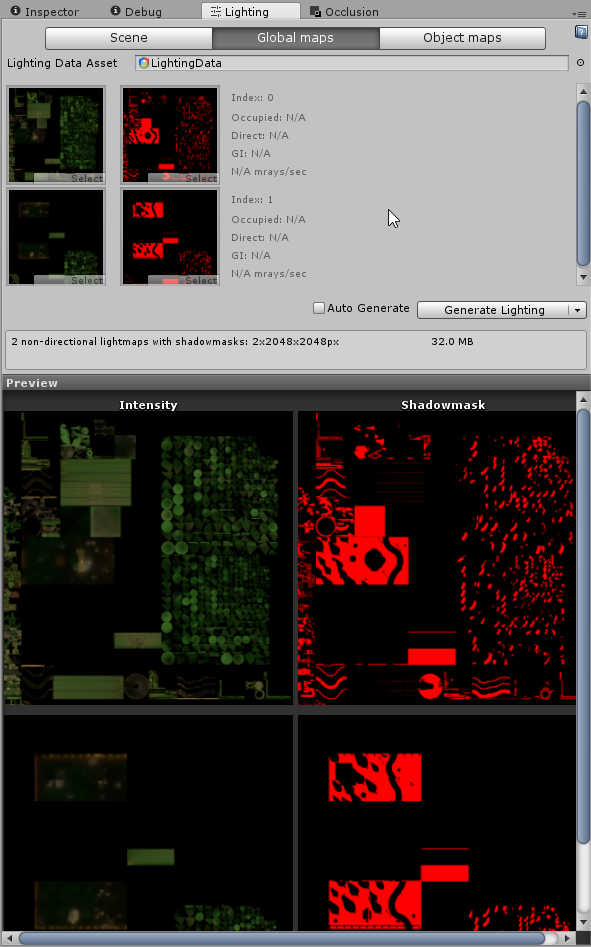
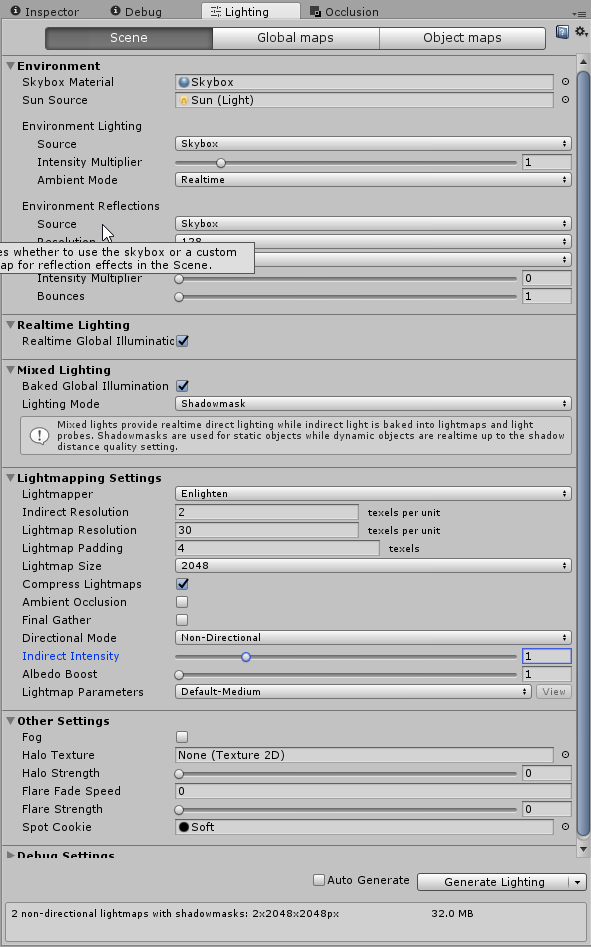
 scenic swallow
@dense oracle Do you have light probes?
dense oracle
Yes
oh sec. gona check something
well it seems they was disabled, but still it glows
 scenic swallow
Hmm
dense oracle
Seems there is a trick here
but wont be total black, bot good enough for me
Intensity Multiplier up to 8
Indirect Intensity on 0.01
Bake that
you get almost pitch black Intensity Maps

and it still shows
a bit, but it is so little that i can live with that
if i should make it fully, i should just add the slightest of hue with light and it would be as in any night.
but now the problem is to get the skybox to be what i want
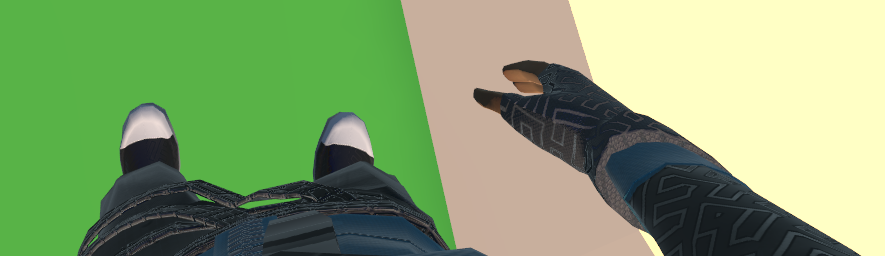

so it works but you have to have wonky settings
took some time, and that my lightprobes was freaking turned off somehow :p
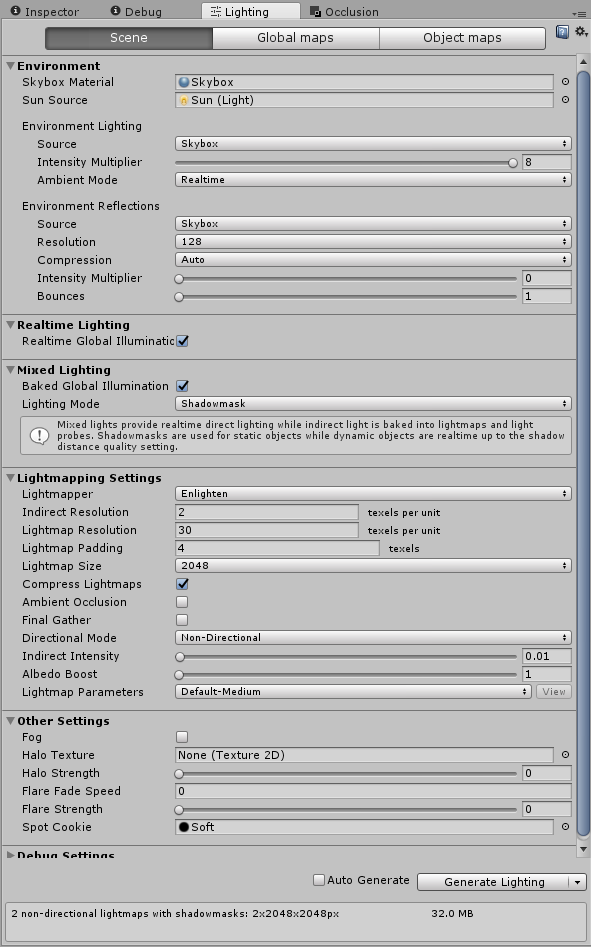
here is the settings if anyone want to see
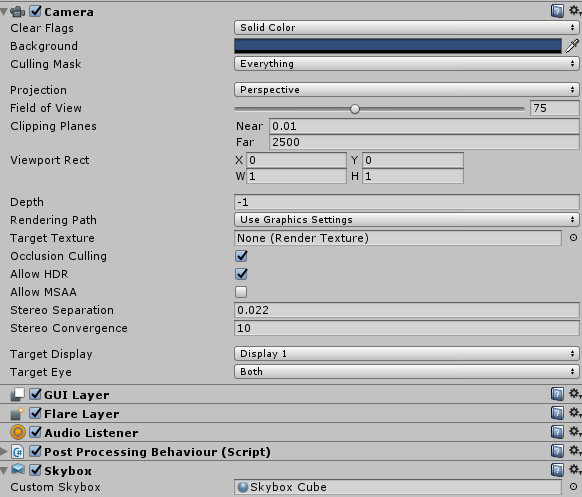
why can we not use custom skybox on our Camera :(((
 west crag
mystery time - why would one static cube in the scene with Default-Material on it affect lighting on the opposite side of the room, 12 or so metres away?
the cube is visibly too dim to contribute to lighting in any way
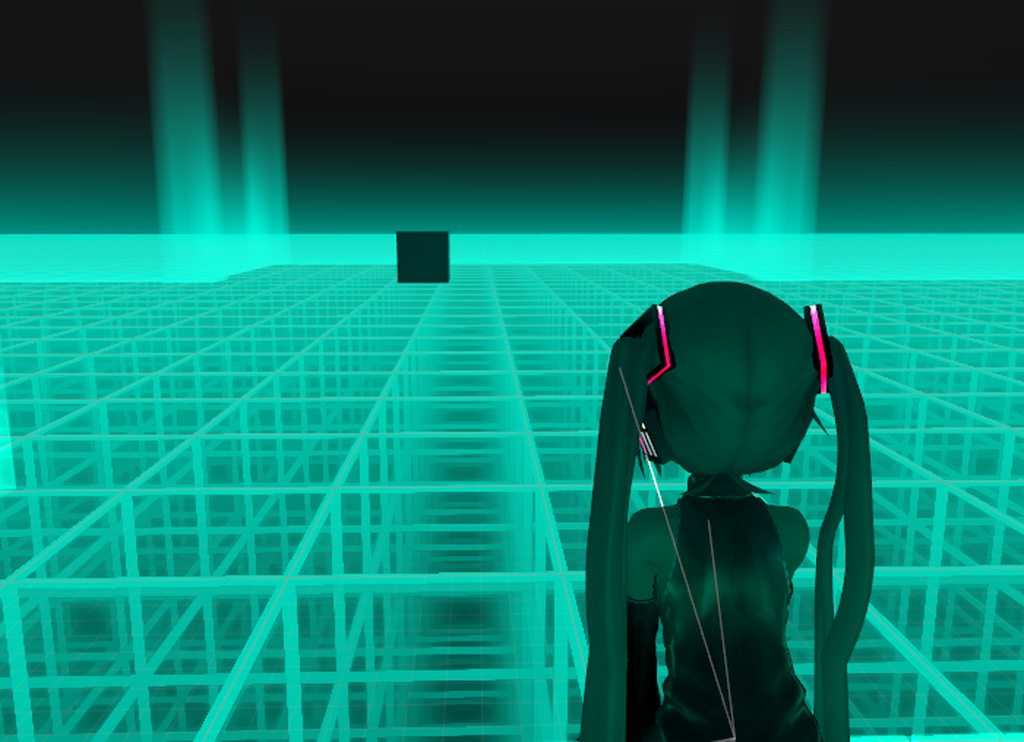
(second pic in there has the lighting result without the cube)
(and third, which is even weirder)
dense oracle
well that setting is screwing with my lighting to much lol, took me a while before seeing it... think il just drop the whole Day and night Cycle, because it screws with performance...
Now my map is a total nutjob since the materials i use is all over the place, will take away from developing the fun stuff...
fair agate
@west crag need more lightprobe density?
 woeful mountain
Question: so I have a world I mostly just use to sit around and have the walls covered in pictures with friends. I put in ceiling mirrors above the bed and couch since I often lay on the floor in body tracking and so I can still see what's going on. The mirrors have the anti aliasing on 2, are on a toggle and are turned off on default, but ever since I did this update to my world I only get up to 45fps instead of 60 in my world (in vr)
does anyone have an idea what causes this? Or an Idea on how to improve?
sweet sinew
If the fps is constantly on 45 it's fine
woeful mountain
The world is entirely made in unity and is very cheaply made. I am working on a version I actually made in Blender and slowly put things in it too but I still would like to visit my old world as long as the new on is in WIP
well it's not constantly
sweet sinew
Don't remember what it was called, but there is something on SteamVR you have to turn off to have it be accurate
woeful mountain
it's like, it doesn't get higher than 45 and if the world gets fuller it drops around sometimes even down to like 15-20
I never had that before in the world that's the weird thing
other people also said they are getting quiet low fps in my world
sweet sinew
The thing where it doesn't get higher than 45 is common if you have turned off that one setting I can't remember what was called 😛
woeful mountain
I do get 60 or even 90 fps in other worlds so yeah o:
sweet sinew
But turn off layers in the mirror you don't need and make sure your light is baked
woeful mountain
ooh it might be the light I added new light sources let me check...
aaah mode was RealTime and not Baked could this be it?
sweet sinew
Some of it yes. Mirrors them self can be laggy anyway.
woeful mountain
okay actually all my lights are on RealTime I just noticed
when I change Mode to Baked the light is kinda gone tho o:
sweet sinew
Depending on the world size it can be fine
woeful mountain
the world isn't too big it's like3 ~10x10 Square rooms shaped like an L I guess
sweet sinew
But if you have multiple realtime lights, make sure you set them up properly so not all of them are on the players
woeful mountain
do you happen to have any good tutorials about that? 😅 I actually don't know anything about lights tbh
sweet sinew
There are tutorials, but they aren't specifically for VRChat, which require different settings.
woeful mountain
hmm I see...
How exactly do I "set them up properly" if I have 3 real time lights in one room?
sweet sinew
Where are they located?
woeful mountain
okay so;
https://gyazo.com/a567fc76fea74e0e20dd97f050d813e9
The three red squares are like the 3 rooms the bottom one is outside and there is a directional light

the three green spots are the three lights you can see in the screen shot and the one single green dot is one bigger light int he other room
sweet sinew
Is the roof a plane? (one sided)
woeful mountain
yeah but I actually put a second plane on it because people climbed up (with spamming space against the wall) the roof so you can stand there
sweet sinew
Just remove the collider 😛 But if it's a plane you can just set your lights to bake and let the skybox light up the players
woeful mountain
okay o: I'll give it a try o:
sweet sinew
It's what I do for my world at least. But it's a outdoor world
woeful mountain
okay... o:
uhm the "Type" of the light is still Point, should I change it to Area when I make the Mode Baked?
sweet sinew
You can have it be point, just change it to bake
woeful mountain
okay
west crag
@fair agate I dunno, I kind of think I have enough...
there's about 6 rows of them between the cube and the stuff being lit up
west crag
light probes are acting strangely in general though. I thought the ones closer to the light source would be brighter but it's practically the opposite
I eventually went back to the workaround using an area light and that was behaving in the same way - the further from the light, the brighter you get
west crag
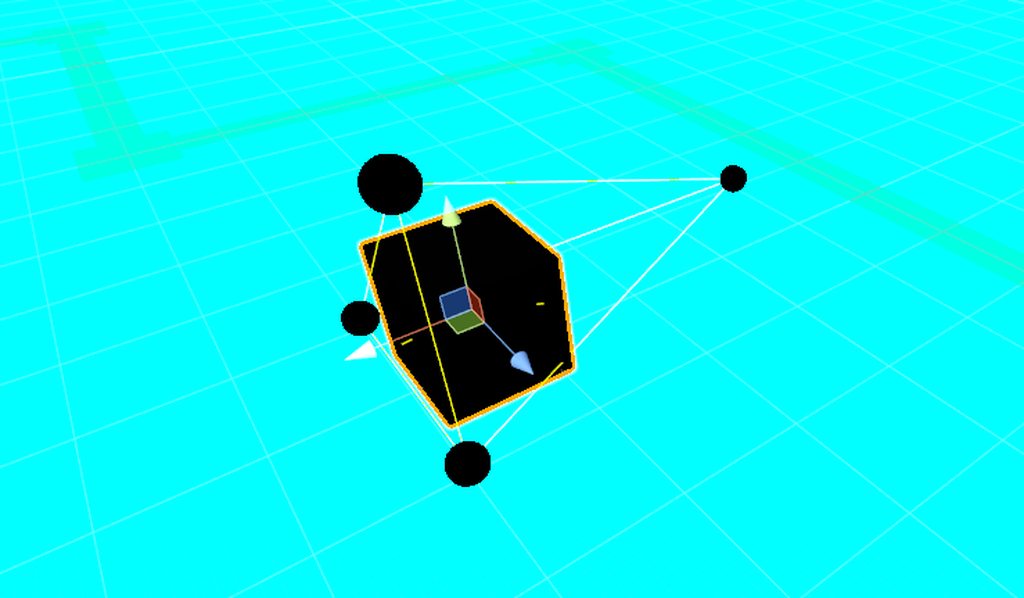
even did this experiment where I turned the emission of the floor up to an extreme level. https://imgur.com/a/O67hplL
 spark fulcrum
Hello
Sooo
I’m having problems with small interactable pickup objects bugging out as you hold them.
 tame iron
quick question: do webm or mp4 on a screen affect the world performance a lot?
lilac saddle
median stag
How much should i avoid mesh colliders? If i have a bunch of chairs that around ~ 100 tris, would it be better still to use boxes?
strange prism
If it can be easily represented with primitive colliders, I suggest using primitives. If it's a low poly mesh, you can keep it. Mesh colliders are the only way I know to have one sided colliders so there are uses. Just be careful as some colliders can get players stuck when there are gaps.
 sick bane
how much does grass added to a terrain affect performance?
 empty oar
It should be fine as long as you don't use a lot of grass and keep the draw distance low
2d sprites are preferred obv
The more you increase either of them the bigger the strain becomes
 sharp palm
How can I test performance in my works as it would be for lower end PCs
All my worlds keep getting PRFORMANCE ISSUE LOW FPS no matter how simple the world is and despite me and my friends getting 90 FPS constant in vr, dunno what to do anymore
sweet sinew
We need more information about your world. What does it contain? What are the light settings? Do you have a mirror? Do you have heavy particles? Is the world baked? And so on..
I would suggest maybe joining the event for "Developer Meetup" (not a official dev meetup with vrchat) and test it there. We have all types of specs in there, from low end to high end and a lot of people that can give tips and help solve the issues it might have
sharp palm
its just 3 objects and a mirror. 2 of them are rooms and one is a mirror toggle (off by default). It has 8 baked lights, 2 reflection probes and an audio source
where can i find more info about the meetup?
sweet sinew
sharp palm
thank you! :-]
sweet sinew
If you could provide a world id I can take a look and see if I can find the cause
sharp palm
Sure give me a sec
sweet sinew
still waiting
 naive pine
Hiya I’m wondering if anyone ever has issues with the test build option for when you’re trying to test a world. It doesn’t log me in and then my world doesn’t display properly when trying to test with my vive so it won’t actually run in vr
tame iron
hey got a performance question, will Two cameras with 2 different target textures hit the performance hard?
west crag
I still find it funny how some worlds get rejected for low fps and then other low fps worlds go straight through somehow
 north delta
Because some worlds are good and have low fps and some worlds are bad with low fps
west crag
sometimes the bad ones get approved even with low fps
maybe just because there is something interesting about it that appealed to the specific reviewer
we keep getting this amazing flow of lag-free worlds with a solid colour, which is now at meme status, so they keep getting approved to prolong the life of the meme
that stuff is genuinely hilarious
west crag
Hmm... three? (And I know lol
scenic swallow
As a joke pointing out how absurd and boring the whole lag-free world thing is.
scenic swallow
Xiexe made Pink as a ripoff of Blue and also a joke on the "Why my shader pink?" meme.
What was the other solid colour world?
west crag
Black I think, so I don’t really put it in the same category
Is it less draw calls to just not clear the camera? 🤔
I’d hope that nobody would approve something like that but one of my video test worlds ended up that way by accident once
scenic swallow
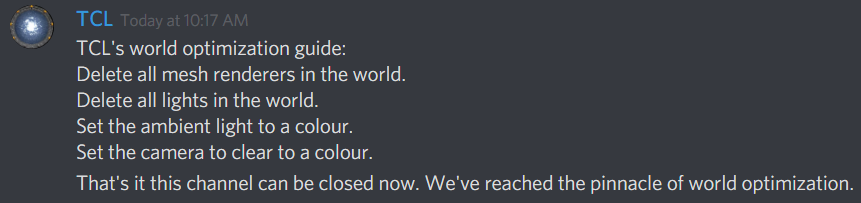
TCL's world optimization guide:
Delete all mesh renderers in the world.
Delete all lights in the world.
Set the ambient light to a colour.
Set the camera to clear to a colour.
That's it this channel can be closed now. We've reached the pinnacle of world optimization.
Not clearing is actually two draw calls for some reason.
Possibly due to double buffering.
west crag
Rats
west crag
What about one draw call at the near plane with an opaque material so that no avatars draw either
steps into evil territory
west crag
Oooo yes
scenic swallow
It'll basically only render something in your eye
And only maybe a ring of pixels at that.
Can't get it made public though
west crag
Yeah of course
scenic swallow
2-3 meters is far enough to let the menu render so that might be okay
west crag
That wouldn’t stop me making it for a joke and trying to get a few dozen people into it anyway
scenic swallow
That'll make you really popular 😛
west crag
Assuming I could get online at a decent time to find that many people outside of private worlds
scenic swallow
I just request invite on people until someone accepts.
If everyone is in a private world.
west crag
like when people discovered that Mii world
scenic swallow
The one you can't talk in?
west crag
Yeah that one lol
west crag
so I had baked the lighting in my world, and a few people came in with black avatars. it turns out everyone was using Flat Lit Toon, and adding a real-time directional light fixes it. Is there a solution to this that doesn't require adding something which sucks for performance?
(the directional light also improves the look of XSToon as a side-effect... but I think Xiexe is already working on making that work without it)
fair agate
Light probes?
dense oracle
Ambient color is what?
west crag
a dark grey
actually it seems to be set to the skybox, which is dark grey
and then that's set to baked too
I noticed I can use Mixed mode too, which might be better than realtime at least
 formal ember
Mixed mode will act like realtime and baked. So you'll get realtime shadows on everything that isn't static, and you'll get baked shadows on everything that is static.
 teal mirage
why can't i get in to my world? it keeps putting me back to the hub
sweet sinew
Try detach the pipeline and upload it again
lean lodge
@west crag put a cube in the world
See which probes it's affected by and how light they are
Maybe it's too far into the floor
Or maybe your world is actually just not lit correctly, what kind of shaders are on your geometry?
west crag
I was having issues getting the actual world to light things up properly so I'm still using a giant area light to light things up
as far as random objects dropped in the world go, though, I have a few test objects there and they all seem to be lit up fine. the sole issue I got was the shadows being absent for some shaders
nonetheless by adding the directional light at super low intensity, it did fix some avatars from being completely black, and also made cubed show a shadow at all
@formal ember and I even have shadows turned off on the directional light, since it's only there as a hack
formal ember
@west crag did you read thru my lighting tutorial?
formal ember
headdesk
west crag
the world is older than that
that is where I got the idea to use an area light to get around the emissive stuff not working though
although the more I investigate the emissive not working, the more mysterious the issue gets
formal ember
Honestly I would just redo the lighting in the world if you know more now
Instead of trying to get the old setup to work properly
west crag
I keep throwing dynamic objects in to test them though and it looks fine, so I'm really heavily leaning towards just blaming people's avatars :p
leaving the directional light off now, results are flat lit toon giving no shadow, and xstoon choosing its arbitrary direction, but the amount of light is fine, so I'll have to wait until I find out what shader the broken people are using now
 stark bay
what can i do when generate lightmap UV's and baking light fucks up my normal maps?
formal ember
You don't have probes / your ambient color is pure black. My shader chooses arb direction when there is no directional light - Cubeds will be black entirely without probes or ambient color. @west crag
west crag
mm. but the sphere I put in which is using my copy of cubed's isn't black
so now I have to interrogate the other visitors to find out what they're really using
even after turning off my directional light, it's still getting lit, it just shows no shadow
or no dark area, I guess .. I guess that's a shadow too, but not the same as the other kind
I might also start putting together an avatar with a bunch of test materials on it
the ambient colour probably really is dark, though, that's for sure
so anyone not using light probes on their avatar is probably going to suffer anyway
dense oracle
Light probes is Map based and is baked with the baked textures not avatar, and ambient light should be using the intensity baked map texture as an baseline how much color it should use on the baked areas, if you have an dark spot on your map you can recolor that in the intensity map to be fully black. (Not tested this but is what i got from baking allot and testing out)
 obsidian egret
how to cut down on map file size?
 ripe dove
My terrain isn't effected by its baked map... is there any trick to this? a different terrain shader, etc to make it work
I see its a problem thats been around a long time
 maiden solar
what do i put object sync on to make sure the players can/cant see the mirror together? is it the mirror or the button?
sweet sinew
You don't need object sync for that
maiden solar
i turned the mirror off using a button, when my friend joined he saw it still on
so it got de-syned
sweet sinew
@ripe dove You can't bake terrain itself, but you can change settings so shadows are baked "onto" it
ripe dove
hmm
maiden solar
same for another button i have to turn lights on/off
sweet sinew
What buffers do you have on your triggers @maiden solar
maiden solar
default
ripe dove
What do you mean?
sweet sinew

Unity is the ultimate game development platform. Use Unity to build high-quality 3D and 2D games, deploy them across mobile, desktop, VR/AR, consoles or the Web, and connect with loyal and enthusiastic players and customers.
@maiden solar If you have "AlwaysUnbuffered" then if someone else join they
will only see the default state
maiden solar
thanks
sweet sinew
Unbuffered I meant
maiden solar
on the mirror, or the button?
sweet sinew
But you change the trigger to AlwaysBufferOne on the trigger
maiden solar
ohh, the trigger script 😛
sweet sinew
Then who ever joins will trigger the last one, but that will require two buttons
strange prism
Faking things with two buttons is fine though
maiden solar
but every time somebody joins the mirror will be on, until they click the button themselves?
or until somebody clicks the button*
sweet sinew
No, if you use AlwaysBufferOne they will trigger the last one that was clicked in the instance
So if Turn Off was clicked, it will be turned off
maiden solar
ahh i see, i think
is there any way i can test this on my own? or would i have to get a friend to join?
sorry, im totally new to unity 😛 i use ue4
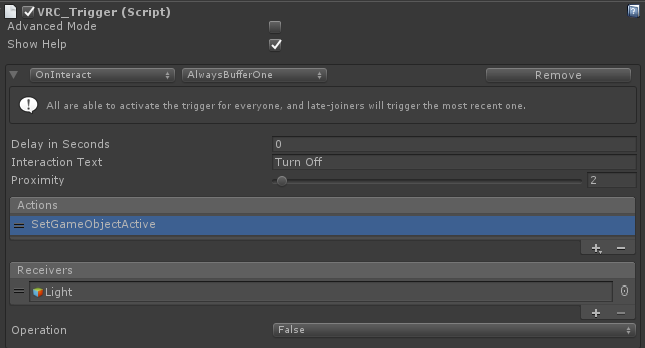
sweet sinew
Create two buttons and add these settings (one on each)
Turn Off: https://i.imgur.com/EB8IvQ3.png
Turn On: https://i.imgur.com/PLNr26K.png
 maiden solar
got it thanks 😃
ripe dove
 sweet sinew
Is that after baking or?
sweet sinew
You have painted the terrain on?
ripe dove
ya
sweet sinew
What does it look like in game?
sweet sinew
Set up another Directional light with mixed that doesn't cull the player layers
So you will have two, one for the environment and one for the player
You can do it with one too, but it can't have the player layers (for performance)
And make sure it's set to mixed
ripe dove
so your suggest realtime lighting for the terrain
sweet sinew
Use mixed, so you will bake everything else but the terrain
It will show the shadows, but the shadows aren't moving
 misty pecan
Kibby, I know someone used a different shader for the terrain and was able to bake them that way. I don't remember the specifics, sorry
ripe dove
now that is information i'd love
ripe dove
cause they definately bake just don't show in game
misty pecan
AFAIK literally any shader other than the standard one should work
scenic swallow
It seems like that's the case
strange prism
(Only if the shader supports baking though)
scenic swallow
I tried an example terrain shader out of Amplify Shader Editor and it worked
scenic swallow
You might be limited to a simple four splat shader though
scenic swallow
That's what I used and it worked, I didn't try more.
ripe dove
grass/soil/rock
am i going to have to repaint?
or will it accept the splats already there
scenic swallow
It should use the same splatmap
ripe dove
perfect thanks...as i never changed the terrain shader before im guessing that's "material" under base terrain in terrain settings
scenic swallow
Yes
maiden solar
how do i make my mirror toggle per person, instead of per server?
strange prism
Make the buttons local
maiden solar
how? 😛
strange prism
Check the advanced check box and select local as the broadcast type
strange prism
Create an empty gameobject and name it.
maiden solar
cool. thanks 😃
strange prism
I use empties as a folder structure in my projects
(Phaxe, you can answer too. I keep seeing you type but then stop)
sweet sinew
You can also create empty with something like "======= NAME =======" and set the tag on that object to EditorOnly and it will only be in the editor
To categorize it better
strange prism
The editor only thing is also a good tip if you don't want to upload things in the map, but still want it in the project.
maiden solar
1 of my meshes are rotated, when i add it to the empty, it scewes up 😦
strange prism
Undo what you did and make sure these empties have a reset transform before putting things underneath it.
winged sinew
What's the best way to ask Unity to lightmap this as one plane? It's made up of several meshes, but they're a mostly flat surface.(Buildings aside)
https://files.catbox.moe/5qp8lw.jpg

 willow spoke
Is it a lightmap problem? Looks like a texture problem
sweet sinew
Bad uv's
willow spoke
Oh this was almost 12 hours ago lol.
lean lodge
I think you should let Unity generate lightmap UV's or make them yourself in Blender
I heard it's pretty easy
winged sinew
Umm
I don't think you understand the problem
I want these meshes to be lightmapped as one
Unity is generating the UVs for them
willow spoke
oh you're in baked lightmap view, that's why
Are all these meshes static? Baking your meshes might do the trick. Try this https://github.com/Kovnir/UnitySimplestMeshBaker

GitHub
UnitySimplestMeshBaker - Simple plugin that helps you bake several meshes to one in couple clicks.
winged sinew
Well of course they're static, they wouldn't have a light map if they weren't
Looks handy, I'll test
 rugged mason
@willow spoke i know that probuilder can convert objects into pro builder objects and then lets you join the meshes as well =w=
not sure if that that efficient though
winged sinew
Sometimes PB has issues and will break the UVs of imported objects
 lapis basin
Does somebody know which rendering path gets used by vrchat? I would like to use deferred rendering, but i read today that Vrchat uses forward. (and does it change this on when loading the map?)
viral marsh
Keep it in forward. It is used for VR compatibility.
lapis basin
Hm ok, thanks!
 mellow pawn
Is there any way to reduce long world load times? I've been testing my world and trying to figure out what is causing the load time to be this long.
sweet sinew
Long loading is usually related to audio stored in the project unloading into memory
(after finished download that is)
mellow pawn
is there an optimal music player to use for worlds that you can load in multiple songs?
sweet sinew
SyncVideoPlayer
west crag
"optimal" 🤣
 coral pewter
anyone here?
 astral sierra
nah
empty oar
If you need something just ask it. Someone could have replied in the time you waited
west crag
At work I deliberately delay my response by half an hour after someone saying “hi” on chat to encourage asking questions immediately
 median meteor
yeah, people saying "hi" with nothing else or "it's quiet" generally makes me stay quiet out of spite.
I'm a bad person, I know. :b
high parcel
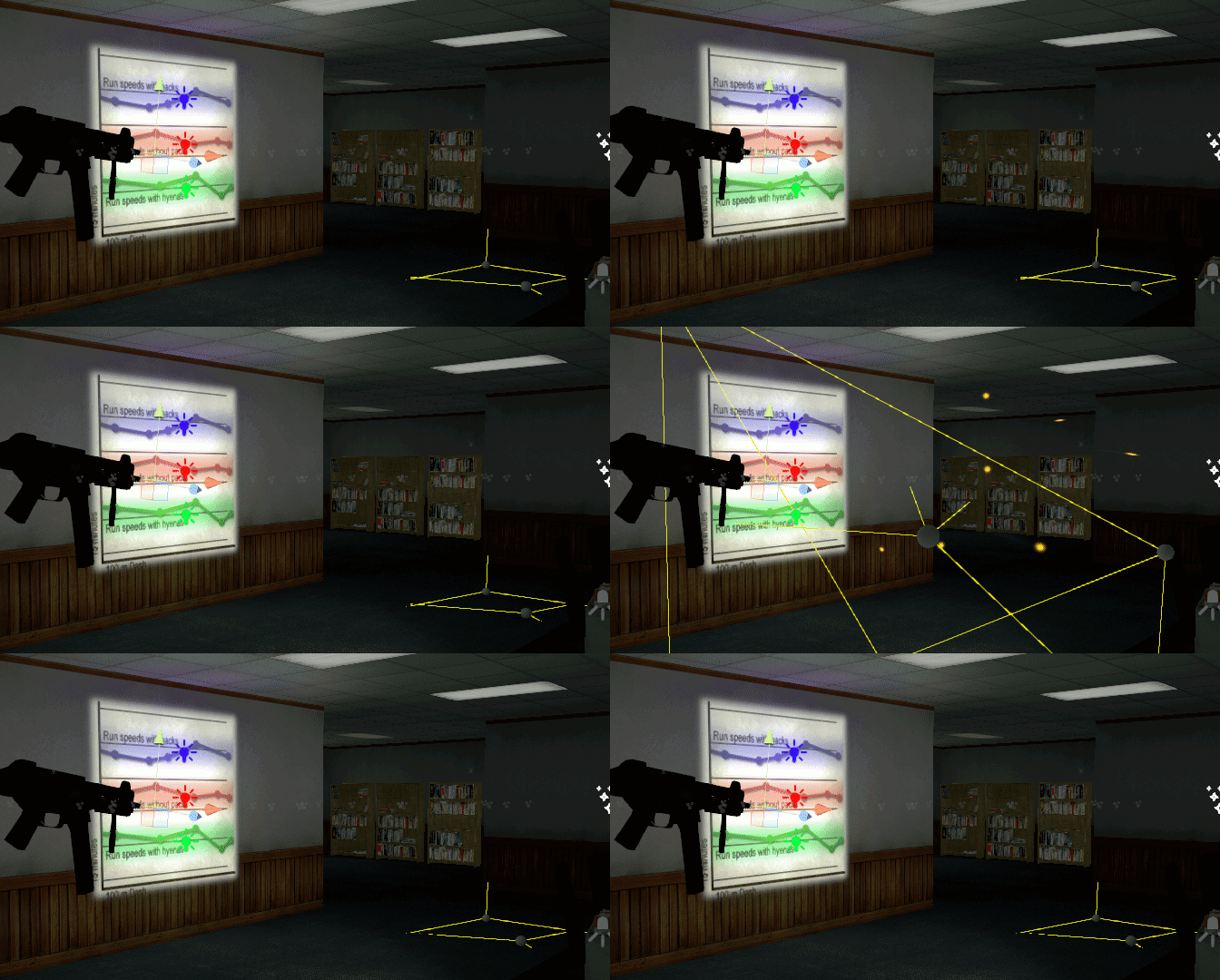
would this particle system for firing kill fps? https://i.imgur.com/VlLHusl.gifv
 sweet sinew
It's a few bullets so no
high parcel
well
more on the fact that the trail is using volumtric shader ment for particles allowing it to be lit and shadowed and at large sizes or alot of particles using it can lag alot
iv used a bunch on this map im working on and its sorta opmitised
sweet sinew
It would be a case by case basis then. I wouldn't be too worried about it. Test it as is and see if it actually does lag
high parcel
but heavily lowered it use to not receive shadows
just be lit by blend probes and other such lighting things as well as dyamic lights
also
directional lights works weirdly with it so it cant receive shadows from that light type
sweet sinew
I wouldn't be too worried about it. In most worlds the lag comes from badly optimized avatars.
high parcel
yeah
i need to find a way of making fake volumtric lights
that is dynamic with out being a special C# code
that vrc hasnt got white listed
 torn crypt
You'll probably be limited to shaders to create fake volumetrics - but lemme know if you figure out something because it was something I wanted to experiment with at some point
 light yoke
wow
west crag
I’ve hacked together two kinds of fake volumetric glass effects so far and haven’t yet got anything I’m really happy with
The answer is always “just raymarch it” but I’m using it for walls of my entire home world so I can’t really get away with that for performance reasons
Fake volumetric light is something blog posts have covered a lot
high parcel
iv got it "working"
but
it requires alot of particles in one system at a large size
around 100 particles
at like a size 10
lean lodge
Change maximum size
Billboards have a minimum and maximum percentage of your screen that they can take up
high parcel
Iv gotten it to work at all angles now
but
you know billboard particles kinda ruins it
 lilac saddle
Hello everyone, i have a large world and i want put a fisical setup panel where it changes the vision distance, there is a way to made it?
lean lodge
I think you would have to change the clipping plane on the main camera
And set the main camera as reference camera in the world
But beyond that, I don't know
I don't know if that's even possible
lilac saddle
yes, i do that, but i looking a way to change by triggers the vision distance
strange prism
I don't think you can change the clipping plane during runtime since the reference camera values are copied, but we do not have access to the player's camera.
lean lodge
I thought as much
strange prism
We can still try with UI buttons, but I doubt the change would carry over.
lilac saddle
well thank you :)
median stag
Shouldn't be an issue with having like 400 object syncs if they're all disabled most of the time, right?
sweet sinew
Object sync only sync when they are moved or been moved. So you can leave 400 of them enabled
strange prism
Object sync also breaks when disabled at start. I’m not sure if they break if they are ever disabled too.
viral marsh
When the component is disabled, or the object it is on?
sweet sinew
object
viral marsh
I have objects that are disabled upon load that seem to sync when activated.
Is this a new bug @strange prism? When you say break does it fully not work? Is it some issue I don't know about?
strange prism
Oh, it happened a long time ago and I never tested again. If it’s fixed now then great and I’m sorry for spreading bad information.
lean lodge
I don't think the component can even be disabled
viral marsh
@strange prism It always seemed like it would be a bad idea to disable an object with object sync on it. But I did it anyway. I'm not sure it's good practice.
But it does seem to work.
Official best practices on this stuff would be nice. 🤔
(Speaking of known bugs)
😃
strange prism
This was back in February, so who knows when it was fixed. Then again, I also didn’t know much about world building back then.
I’m wondering if it is similar to the issue with disabling portals at start. If they are disabled at start, everyone will be sent to a different instance, according to Mimi anyway.
teal mirage
How to make my obj spawn back when fell out of the world?
sweet sinew
Set the Object Behavior to Respawn in the Scene Descriptor (VRCWorld)
teal mirage

lilac saddle
Anyone know why even with a box collider I keep falling through the box and the triggers don’t work anymore 👀👀👀
empty oar
Is it set to trigger?
coral pewter
hello
got a question about a wprld i created
when i visit my world, i can turn my head (in vr) and see my avatar's headless body! also, when i activate the menu using menu button on the controller, i cannot click on anything. I can see the menu but clicking on any meun item (say, worlds) doesn't work.
any ideas?
coral pewter
anyone?
willow spoke
sounds like the spawn is inside a collider
coral pewter
isn't the spawn point the vrchat world prefab?
willow spoke
it can be wherever, you specify it in the scene descriptor. If you don't set it at all I believe it goes to 0,0,0
coral pewter
hmmm
i will go and have a check. thanks
where are the settings for spawn point in the descriptor, please?
willow spoke
at the very top, in spawns. Expand that and change it from 0 if necessary
lean lodge
It's the "Spawns" list yeah
You can enter a list of transforms
By default, this transform is set to the World prefab
coral pewter
I'll have a fiddle. thanks
 teal bone
Is the spawn "fixed" when a player enters the world, or can the transform of the spawn be altered during runtime?
strange prism
You can animate the spawn point to move it around.
coral pewter
I think my problem was that I had a unity 1st person controller in the scene when i uploaded it to vrchat
lean lodge
@strange prism would that work though?
It would work for respawns and stuff, but
For newly joining players it would have to sync before they spawn
strange prism
I don’t think you can change it for new players. Might need to check what happens when you buffer the spawn movement.
signal sinew
So, I've recently run into an issue with my occlusion in my world.
The issue being, well, it won't happen, resulting in two console errors:
(!) Error occurred in occluder data computation:
(!) Failure in split phase
Looking it up online said that it's because it ran out of memory due too large of a world and a small hole size, but by world hasn't gotten bigger, and I tried increasing the hole size to no avail.
Welp, nevermind. Seems restarting my computer worked. Lol
 icy ferry
@signal sinew does you have static marked objects on your scene?
i think occulision works only with static objects
viral marsh
That’s true
lapis basin
Quick question, when my world is uploaded, is vrchat recalculating the lightmap again?
I'm currently experimenting with the shadowmask mode and one directional mixed light, because i want to have specular highlights but baked shadows on static objects.
The problem i noticed is, that batching breaks on some models, when shadows on the dir light are activated, even when baked.
when i bake the dir light with shadows on, and after that turn off shadow on the dir light, specularity still works and also the batching works fine again. It seems like mixed lights still do some sort of shadow calculations even on baked objects..
lean lodge
@lapis basin it shouldn't recalculate anything like that
You have Auto Generate turned off, right?
You should manually generate once you're actually going to upload
lapis basin
@lean lodge sweet! thx
 acoustic fern
I've never seen this channel before but I feel like it's really important to say something that gets mixed up a ton with world optimization vs avatar optimization. You don't want to combine all the mesh of a world like you would an avatar. You want many mesh so occlusion works properly. Setting everything as static on non combined mesh lets unity do it's own mesh static mesh batching that will work with occlusion
viral marsh
But, if you then light bake all those pieces, many don't get batched together.
Two objects in the view of the camera that are separate with the same materials and are marked batch static won't necessarily batch.
So there is a balance
acoustic fern
I haven't experienced that before myself, but I also don't make small objects light map static
viral marsh
Small objects don't occlude things 🤔
We are talking about things that occlude things
acoustic fern
I don't understand the the light map stuff well but I've been told not to make small things light map static
lean lodge
I agree with Mimi
acoustic fern
So you're saying if to different things have the same material but you light map static it, they might not batch and it seems random? @viral marsh ?
lean lodge
Regular mesh renderers have a ton of extra optimization options, most notably static batching
Which makes it harder to do occlusion culling if you have everything as one big mesh
Why not make small stuff lightmap static?
Maybe it'll take up more space on the lightmap textures? Lightmap static helps performance if you have any mixed or realtime lights though
acoustic fern
Well, if everything is one big mesh, nothing will occluded. Owl said it's a balance too, not that either way is wrong or right
sweet sinew
Read this Rokk, it touches on the topic of small objects https://unity3d.com/learn/tutorials/topics/graphics/introduction-precomputed-realtime-gi
Unity
Unity is the ultimate game development platform. Use Unity to build high-quality 3D and 2D games, deploy them across mobile, desktop, VR/AR, consoles or the Web, and connect with loyal and enthusiastic players and customers.
lean lodge
I'd say combine meshes on stuff that's small and close by. An example I always found interesting is decorative bottles in a bar. You generally want the bottles on a shelf to be one mesh I thought
Alright, thanks
sweet sinew
Yea, that you want as one mesh. Unless it's pickup of course
It all depends on the size and where it's located
acoustic fern
I mean, if they are all using the same atlased material, the bottles can just be static batched
That's technically more performant because half the bottles can be out of view and occluded
viral marsh
lol
Unity Technologies Blog
I am sure that you know about Unity’s built-in Dynamic and Static Batching, which help reduce the number of draw calls in your game.
You can see Batching ...
Look at all the stuff that breaks batching
•  Additional Vertex Streams — the object has additional vertex streams set using MeshRenderer.additionalVertexStreams.
• Deferred Objects on Different Lighting Layers — the object is on a different light layer.
• Deferred Objects Split by Shadow Distance — one of the objects is within shadow distance, the other one is not.
• Different Combined Meshes — the object belongs to another combined static mesh.
• Different Custom Properties — the object has a different MaterialProperyBlock set.
• Different Lights — the object is affected by a different forward light.
• Different Materials — the object has a different material.
• Different Reflection Probes — the object is affected by a different reflection probe.
• Different Shadow Caster Hash — the objects either have different shadow caster shaders, or have different shader properties / keywords that affect the output of the shadow caster pass.
• Different Shadow Receiving Settings — the objects either have different “Receive Shadows” settings, or some objects are within the shadow distance, while some other objects are not.
• Different Static Batching Flags — the object has different static batching settings.
• Dynamic Batching Disabled to Avoid Z-Fighting — dynamic batching is turned off in Player • Settings or disabled temporarily in the current context to avoid z-fighting.
• Instancing Different Geometries — rendering different meshes or sub-meshes with GPU instancing.
• Lightmapped Objects — the object uses a different light map or has different light map uv transformations within the same light map.
• Lightprobe Affected Objects — the object is affected by different light probes.
• Mixed Sided Mode Shadow Casters — objects have different “Cast Shadows” settings.
• Multipass — the object is using a multi-pass shader.
• Multiple Forward Lights — the object is affected by multiple forward lights.
• Non-instanceable Property Set — non-instanced properties are set for an instanced shader.
• Odd Negative Scaling — the object has odd negative scaling (e.g. (1, -1, 1)).
• Shader Disables Batching — the shader explicitly disables batching with the “DisableBatching” tag.
• Too Many Indices in Dynamic Batch — there are too many indices (more than 32k) in a dynamic batch.
• Too Many Indices in Static Batch — there are too many indices in the combined mesh of a static batch. The limit is 48k indices on OpenGL ES, 32k on OSX and 64k on other platforms.
• Too Many Vertex Attributes for Dynamic Batching — a submesh we are trying to dynamically batch has more than 900 vertex attributes.
• Too Many Vertices for Dynamic Batching — a submesh we are trying to dynamically batch has more than 300 vertices.
I find light probes and light maps to be the things that break batching a lot.
Once you throw in multiple real time lights turned on at the same time that breaks it too
sweet sinew
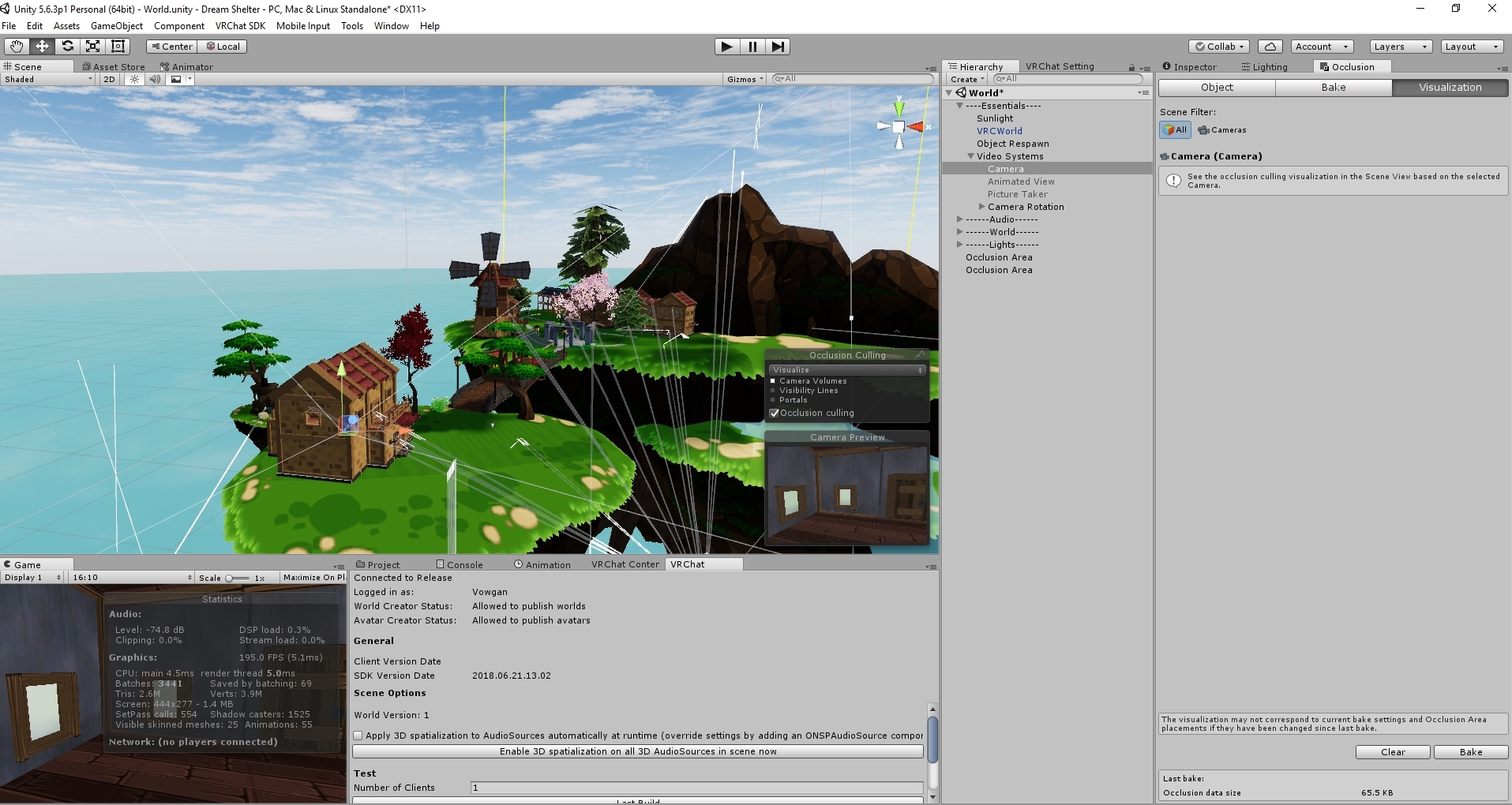
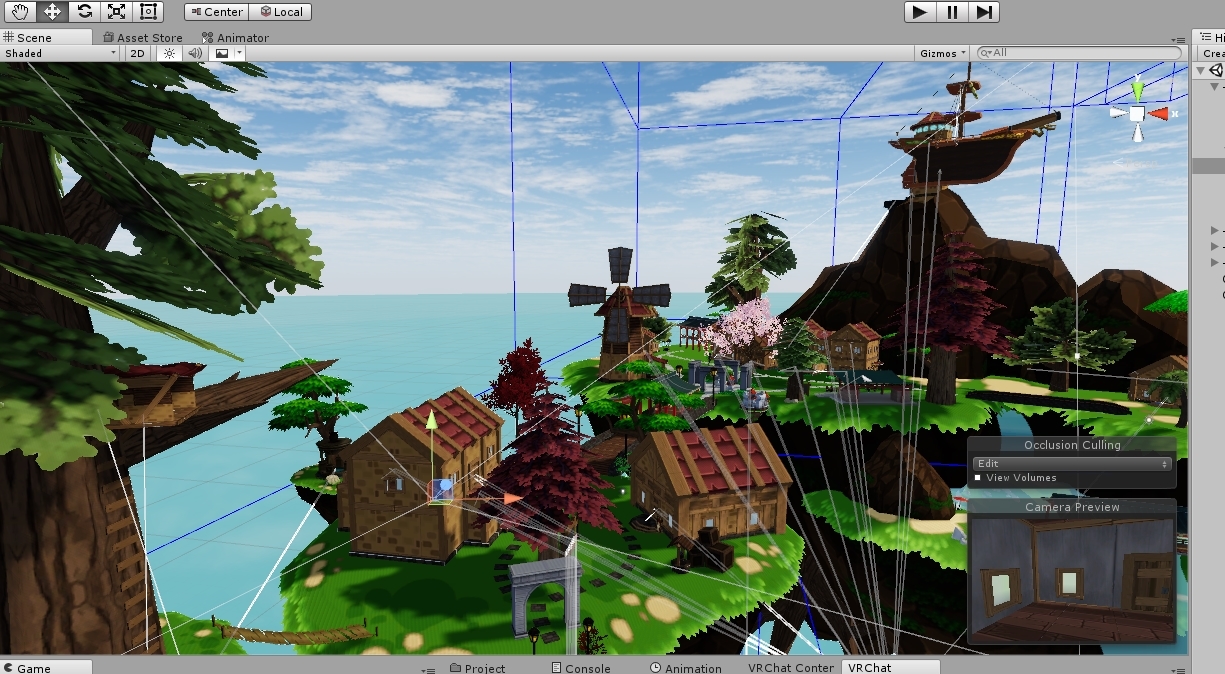
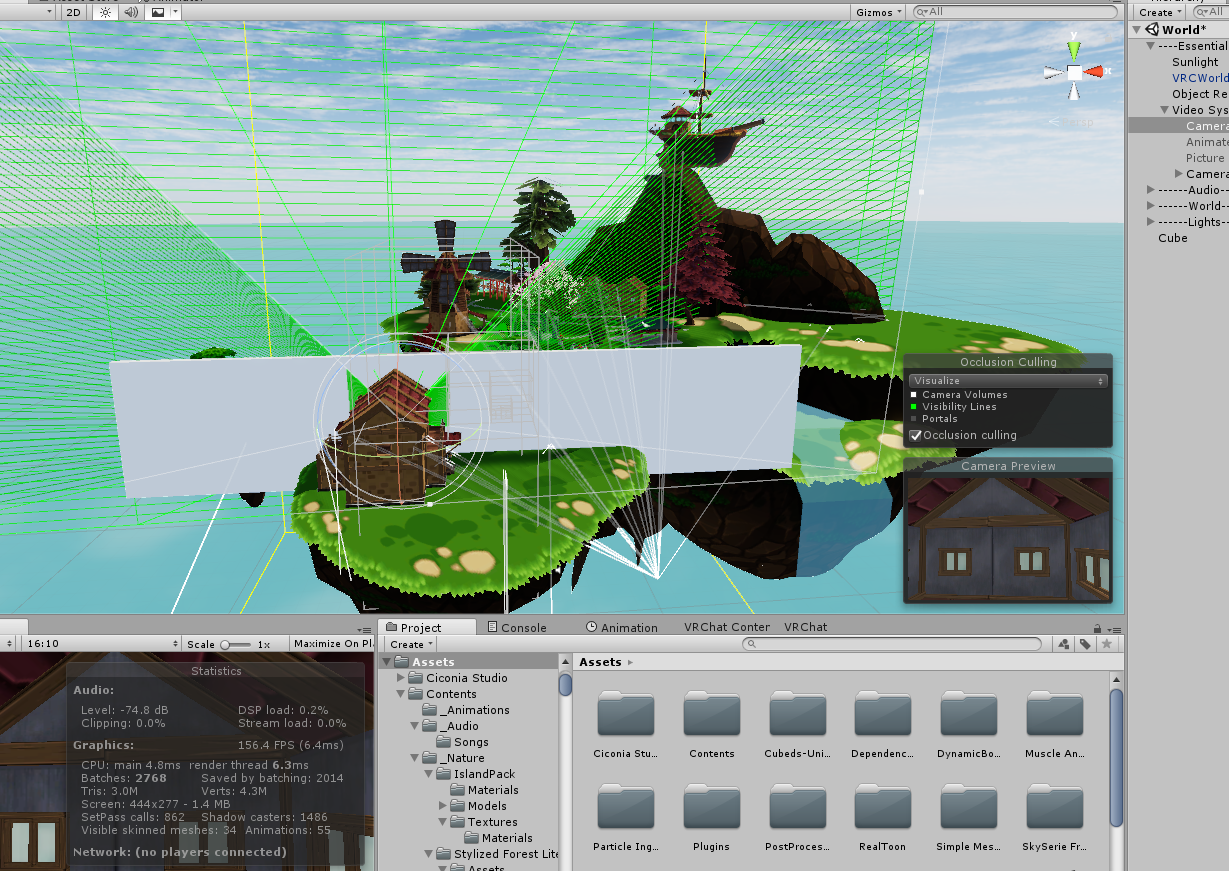
Just gonna post what TCL said a while back; https://i.imgur.com/MTl1oNB.png 😛




 viral marsh
Batching is brittle when you use all the features
Exactly
It's complicated
Simple broad statements other than what TCL said, are not always easily applied in all cases.
And for the record. Making those bottles under the bar one mesh is exactly how they are. I found from lots of testing it was the best option.
Batching was always breaking
(I'll also note a good number of the important limitations that break batching in that list are fixed/raised in Unity 2017 and 2018)
Same goes for instancing I think.
sweet sinew
So it's just a case by case set up. One thing might work for you, but not for another.
viral marsh
👍
AND - The most important thing is that the client it self is super duper unoptimized
The best way to optimize a world beyond deleting it as TCL says is to never put anyone in it.
astral sierra
Don't need to optimise if no one goes there
sweet sinew
So pretty much 80% of the worlds in VRChat then ^_^
viral marsh
😦
astral sierra
As much as I adore the pug, it would be nice if people broadened their horizons a bit, no offense.
viral marsh
That 80% rule is true of all media sadly 😦
sweet sinew
What type of world it is does play a huge role though in if the world stays populated or not
astral sierra
To a degree
Even if a world isnt the best variation of it. people will flock to it if they are familiar
sweet sinew
Actually wonder if portal spawn destinations will make other worlds more active (https://vrchat.canny.io/feature-requests/p/give-portals-the-ability-to-set-a-destination-spawn-location)
viral marsh
I really want that to encourage people to explore more organically
Or at least to attempt it.
sweet sinew
Zarniwoop typing... (You guys are off topic now :P)
misty pecan
VoxStation has world portals that takes you to other places like that, and yes.
sweet sinew
But it could improve the worlds as people would jump to different places, meaning it would be less people in instance 😉
viral marsh
(sorry, last thing. It's not like that canny requests.)
barren gyro
Lol I'm at the point where I want to build a threadripper just for vrchat light baking.... ahhhh new gpu accelerated unity stuff needed so bad
anyone know of a plugin for unity 5.6 to speed that up on gpu to bake directional lightmaps?
scenic swallow
@barren gyro There's some diminishing returns on core count with light baking.
barren gyro
indeed. Prorender and other things for the new unity hd render pipeline is giving me bloodlust
I wonder if maybe setting up a scene in there and then exporting static lightmaps might actually save time
west crag
Woohoo, since nobody goes to my world, my world has become super optimised!
strange prism
So optimized!
 frigid pumice
Not one frame wasted!
lilac saddle
One setting people constantly ignore - FAR CLIPPING PLANE (in main camera). Don't leave it at default values, they suck
sweet sinew
This depends on what type of world it is. Default settings is fine for small/medium open worlds. Large open worlds should adjust it to something that works best.
lilac saddle
If it's open, leaving it at 1000 is terrible. That's a tiny sphere to work with, especially for people who make large avatars.
Some of my avatars are only usable on 2-3 worlds because of this
Just try putting a proper scaled Star Destroyer in a world
lilac saddle
There's really no reason to leave it at small default values regardless of world size - if here's nothing here it simply won't render it either way.
lean lodge
Wait, you're saying the default far clipping plane is too small? @lilac saddle
Isn't the default literally 1000?
My far clipping plane is set to 100 because I don't need it to be any larger. If you really wanna show off obnoxiously large avatars like that, you should probably try a specialized world equipped to deal with that
inland vault
^
 fallow flame
I set mine at 128000
You can always make a new camera with different settings and place that in the VRChatWorld component. Might want to disable other cameras, they might cause performance issues if just left there. Btw my world is big enough to warrant the 128k view distance
inland vault
lmao
empty oar
I usually leave mine under 1000 because it helps with optimisation outside of occlusion
 toxic plaza
128k? 😮 what kind of world are you making Caffeine? D:
fallow flame
It was a max-sized terrain generated with some asset store thing. It doesn't look too big, but climbing a mountain would take you like half an hour, and I have a few 1000 of them.
Falling the distance of a mountain takes about 30 seconds
You can throw a huge object and see how it vanishes to nothing before finally hitting something. Anyways, I'm off for now
lilac saddle
@lean lodge - it's kinda a problem when here's only 2-3 worlds capable of housing such large avatars. AS you say "obnoxiously large" avatars aren't any more performance hogs than tiny ones. Increasing the render distance doesn't negatively affect performance at all - check out Adventure World - it's massive with tons of stuff in it and runs smoohtly.
And hte point of giant avatars isn't for them to be giant for the sake of size alone, but rather because of scale accuracy.
astral sierra
If render distance didn't affect performance it wouldn't be a thing
lean lodge
Frustum Culling is a quick and easy way to derender distant objects that you wouldn't be able to see anyway
If your avatar is more than 1000 meters away it's probably too large to begin with.
@lilac saddle need I remind you that the SDK limits to 5x7x5 meters for a reason?
Your player object can't get culled as easily if you're that large
lilac saddle
@lean lodge - If I models something like a Star Destroyer, then no, it being 1000 meters away is not "too big", it's too small. The thing is 2000 meters in length. The whole point of VR is to get to experience things one could not - that inclued the scale of thing. Sure I can have a mini Star Destroyer (and I do), but the point is showing off the true scale of things. I have a set-piece battle, it's supposed to be impressive in size, it is supposed to show off that fictional universe accurately.
SDK limits are utter s**** in many ways.
astral sierra
You play their game, you follow their rules mate
lean lodge
Well sorry, but world creators set their clipping planes. Not every avatar works in every world. You can't have a star destroyer in the Great Pug, for example. It's an enclosed indoor area
I'm sure you can find (or make) a world where you can see up to 10 kilometers away
I'm probably gonna increase the clipping plane of mine a little bit more than just 100 though
toxic plaza
yup, just make your own private world with clipping plane high. You can test all your large avatars there for the scale and not try to bring it out in public worlds 👍
empty oar
Mate you're supposed to create an avatar not a massive freaking ship. I get you really insist on it for whatever reason, but you're at the wrong place.
And like its said before. I don't think most people would be too happy to see a huge ship pop up in the first place.
astral sierra
^
toxic plaza
Stuff like that work better as worlds, like why not create the star destroyer for a world and let everyone experience it for themselves 😃 Worlds are great for things like this. You could have it appear in the world and take it one step further and let players fly towards it and board the ship.
lean lodge
Oh yeah, those drive systems prefabs would be perfect
lilac saddle
@lean lodge Of course, I don't use those avatars in closed, internal worlds because here's no expectation for them to work. But most open worlds have short range. It's depressing to work on a great avatar only to have it only work on 2-3 worlds (no joke. I found 3 worlds so far)
@toxic plaza - what's the point of making avatars if no one gets to see them?
Also, while oyu cna make a worlkd for that, it is also very limtied in other regards.
Set pieces convey the scale without the need for excessive details
Also, the problem is when you make a world and no one visits it...with an avatar you can go where the people are
strange prism
(Well, you just need to make a good world to get people to visit it)
lean lodge
A good world won't necessarily get visited much
Unless it blows everything else out of the water in some regard
lean lodge
There's a lot of good worlds out there that just aren't being visited much because there's no one in them
It's a self sustaining cycle
strange prism
Well, impressing the review team helps.
strange prism
Yes
lean lodge
As long as it doesn't have any copyrighted content that is
But that's a grey area to begin with
strange prism
Lol, or at least they don't know it is copyrighted
toxic plaza
@lilac saddle why is a world more limited than an avatar? You can also drop a portal where people are too and its less annoying than having a star ship destroyer take up the entire world when no one asked for it.
"what's the point of making avatars if no one gets to see them?" - what you're describing doesn't really sound like an avatar anyways xD Honestly, I think what you've described would work better as a world, give you more flexibility with what you can do too or you can just keep complaining and get annoyed that no one will cater their world for your avatar. You could even create a basic world like lag free box , knock the walls out and make the render distance huge. Just make sure to stick a mirror in there and it will be a popular world.
lilac saddle
Making a world is pointless is people don't want to visit.
strange prism
That's not our fault?
lilac saddle
Also, I have tried several times to set the occlusion in my own world higher, but it still doesnt' work
sweet sinew
Occlusion and Camera clipping plane is two different things though
lilac saddle
Is VR chat overriding my settings? What the hell is going on. Even in my own world it's not working
strange prism
Hmm, but someone here mentioned having their far plane set to 128k
lilac saddle
I have mine at 50000 and it's exactly as any default world . I tested it and noticed my model cust of at exact same places.
strange prism
Did you set the camera as the reference camera in the scene descriptor?
lean lodge
Did you set the main camera as reference camera in the VRC_Scene Descriptor component?
Oof
lilac saddle
Woo... seems that i worked now
Still, I'd appreciate i if more people made their worlds more render-distance friendly. It doesn't cost anyone anything to increase that number, it's just that no one seems to know about it. It really should be in the tutorials.
strange prism
It does cost though?
It means more things will be drawn and can mess with occlusion culling.
lilac saddle
How can more things be drawn if you world is less than 1km in size already? Setting the draw distance to 50000000000000 will make no difference since there's nothing to draw - except things player bring in. Or if you have sea.
Testing with 100000 distance and no performance changes in my world....despite people spamming effects and emotes
toxic plaza
you're assuming everyones world is smaller than the default amount though
fallow flame
I'm the one with it on 128k lol. Avatars shake a bit though, it seems that the feature of resetting the coordinate system doesn't work (it's a checkbox on the teleport trigger)
lilac saddle
Havin a world issue. I've made a world but every time i try going into my world it just sends me back home?
lilac saddle
For some reason its just a premade unity package. but when i do it without it it works perfectly fine. Im not sure.
lilac saddle
After hours of doing it i finally got it!
 covert pewter
@empty oar Most poeple won't be happy to see a huge ship? Where did you get that statistic from? You made a poll I'm not aware off? Maybe you should stop assuming everyone shares your views. Do you think most peopel are happy with the current avatars? The onboxiously loud rap music and shaders that affect you even if you look way? The obscene particel spam avatars?
And since when does anyone have to be happy with my avatar?
They don't - it's not a requirement
I've seen people deliberately chrash of block other people just because they didn't like that persons avatar, even if that person did nothing obnoxious and his avatar was normal (for example, plain old knuckles avatar user just talking about a movie with someone)
So yeah, if someoen doesn't like my vatar, he's free to look in the other direction or block me
@toxic plaza - nah, my world is larger tha most. If you want to test a big world, go to Adventure World. It is HUUUGE, fileld with particles and emmiters and models, has a huge render distance and I get no slowdowns ever. EVen when I bring in my most demanding model and spam them with a friend.
@fallow flame - do the avatars shake normally or in some special case? I have my distance set to 100.000 and the only time I notice avatars "shake" is when they fly around the island on a jet fighter plane that goes stupidly fast
fallow flame
They shake all the time, but it gets worse every 1000 units they move from spawn. It could be because I have the far clip plane on 128k and near clip plane on something like 0.01
toxic plaza
they shake due to floating point errors. Its a combination of the world being far away from the origin point (0,0,0 in transform) or just way too big for unity and/or the scale of objects being bigger than 3 decimals from what I remember (like 100.829238420282 for example) The world is basically shrinking and eventually the instance will crash.
pickups will also shake too if this is the case though
empty oar
^ the shaking cant be fixed. Its not a unity specific issue either. Besides TrashMan. What you're saying is "if others can annoy people with things, then why can't i?!", you may wanna think about it for a sec
lilac saddle
is it possible to have 3 VRCVideoSync players in the same world, if they only play music and not video?
in regards to player desync
sharp palm
is it normal for 20 baked lights to cause 1200 draw calls?
willow spoke
No, not at all. Check out this video for a ton of tips on how to optimize that, it includes some stuff with lightmaps https://youtu.be/belVA1C013A

Mobile VR optimization is a tricky process. Making frame rate while operating within strict thermal limitations is a tall order, even for veteran developers....
sharp palm
Thank you, will check it out Rn
 south socket
so, I'm splitting up the PSO2 hub right now
I'm running into a weird thing here
without the shop, the world size is 167 megs. With it, its 187 megs
 bold nymph
in my RO worlds, the texture makes up the space, maybe shop and lobby shares some texture?
south socket
I think they do
bold nymph
animations also sometimes the culprit
south socket
huh, its the occlusion culling according to the log
that makes a bit more sense there
bold nymph
🤔
south socket
yeah, kinda my reaction settling in
south socket
occlusion shouldnt be taking this long
strange prism
It can depending on your settings.
 supple nymph
Does anyone have good settings for mirrors in vrc i want to make it so everything is hidden excpet for everyone's avatars. like in the lag free box etc. also is there a way to make the avatars lite up they are dark in the reflection of the mirror.
strange prism
Avatars only settings: Mirror Reflection (you only) + Players (Everyone else)
 limpid kayak
Noob question but does Unity benefit from using multiples of the same instance over many unique ones?
Or if multiple objects use the same material or textures, they will share the resources for them?
lean lodge
You mean prefab instances? Yeah, Unity tends to benefit from that
Multiple objects can share materials if they're marked static
But it's better to have them as one mesh if that's the case
If possible of course
limpid kayak
A map I'm working on might have many props like jars and chests of different sizes and I'm thinking of how to save on it. I guess they'd be static so one mesh should do
lean lodge
Static batching can take care of a lot of that for you, but making them one mesh is more reliable.
empty oar
Prefabs and materials (can) get instanced if you check it
lean lodge
Instancing is incompatible with static batching
Instancing can be done for dynamic objects
Such as pickups
empty oar
Yeah. My bad, I answered before reading everything.
limpid kayak
One plan was an instance with visemes or bones to change the shapes around and a material with different colours. So one jar could be made into several
But I guess that would require an animator component
Sorry, dumb ideas I thought were good way back
 wise dagger
What setting would it be if some said they are having issues with tiny avatars rendering when they get close to their face? Aka a tiny avatars iser said they can't see their own hands unless they hold them all the way out
 pearl temple
that should be the viewball on the avatar, not a world-specific setting
lean lodge
@wise dagger @pearl temple that is actually world-specific to some extent
The default near clipping plane of the camera is 0.3 meters. You could decrease it to 0.1
That is, if you even want to support avatars that small
pearl temple
ah, my bad, thought that was the default >.>