#world-optimization
1 messages · Page 4 of 1
 misty pecan
 compact sphinx
In Unity somewhere is a statistics for this
 toxic plaza
@lofty shuttle whenever you "build" your world, it'll save size stats in the editors log
go to console log, right hand menu in that panel
once you open editos log, search for "customScene"
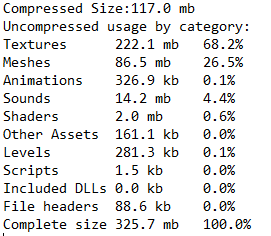
and eventually you'll find a list of things like textures: xx mb (x%)
it'll also give you compressed size and complete size
compressed size = download size (complete = space it takes on hard drive/memory)
if you close unity though after building the world, it will delete those stats
toxic plaza
I dont know what the hard limit is but dont go for something stupid like gb
 lofty shuttle
lol yeah
toxic plaza
I've seen a world that was accepted a few months back which i believe was 600mb?
i dont think i've seen one larger than that yet but i dont really check either 😛
i think most big worlds are around 300mb and if they are, they usualy have a warning in title
or thumbnail
lofty shuttle
i ask cause the terrain FBX for my map alone is ~100mb
toxic plaza
it does a good job of compressing though
so it might be lower than that in download size

 wraith ocean
tfw 700 MB world
wraith ocean
nah
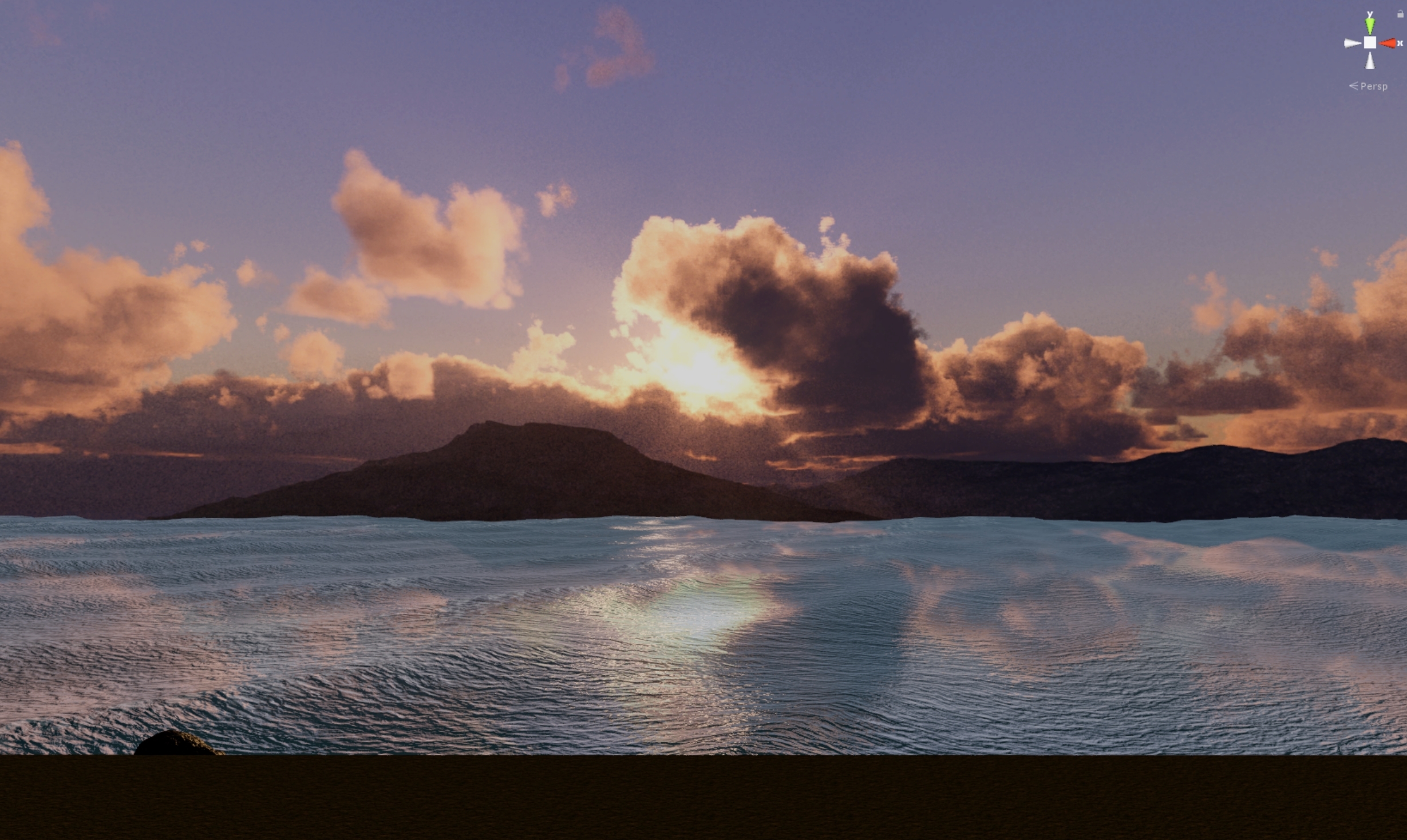
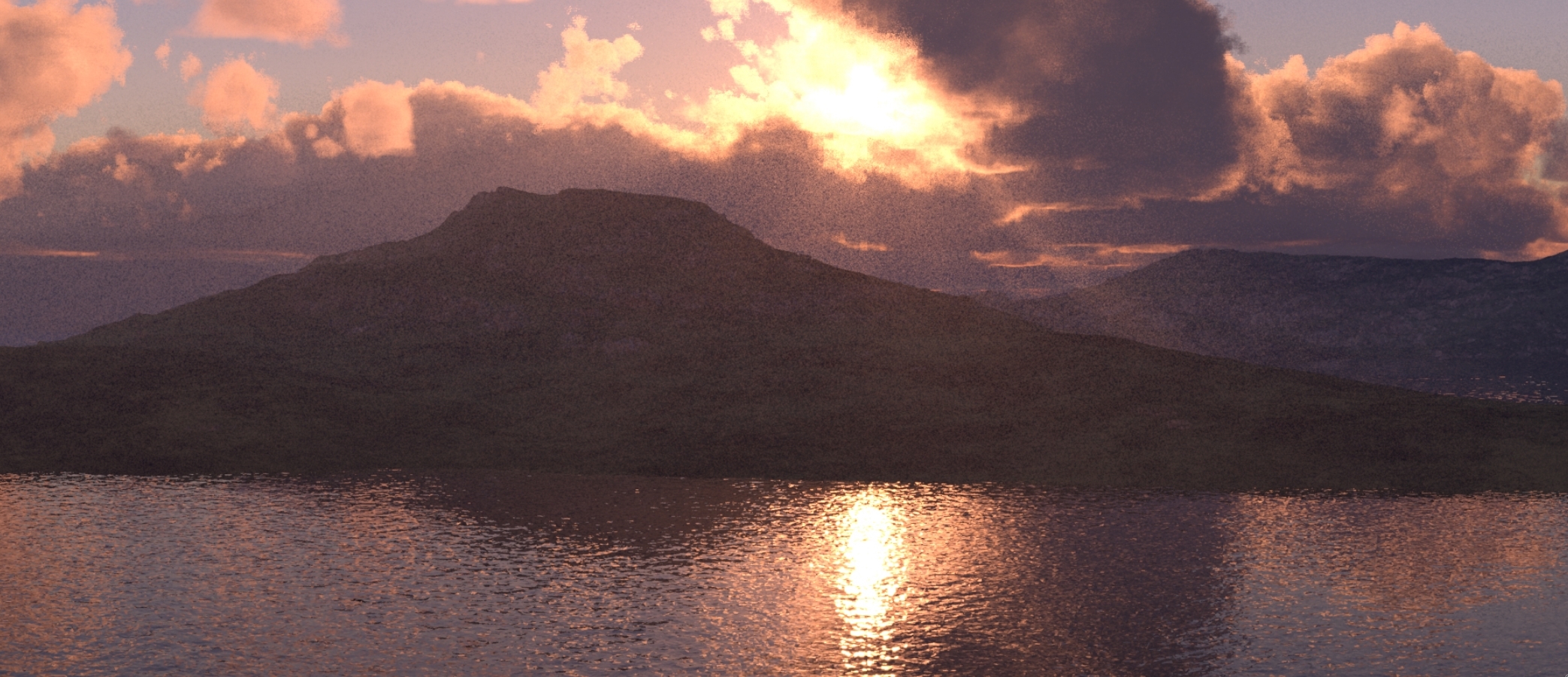
just lots of 8k textures
still manage to be around 60 fps with just one player
the cam has to render 20 million polygons at some places too
toxic plaza
oh damn XD
 ebon mauve
oof
 dire rampart
How can I make prefabs of stuff I make? Itrying to make a prefab of a few things for a friend
 sweet sinew
Just drag the object from the hierarchy to your project folder. But keep in mind that everything in the prefab needs to be included when you share it
 lean lodge
I always right-click->create->Prefab, then drag the object into it
Then you can export the prefab as unity package or whatever
If you tick include dependencies, it will automatically give them all the requirements
 outer nest
Is there a way to render water without directional light? For some reason water dosn't render if i turn of directional light and directional light eats performanse.
performance*
misty pecan
Maybe a different water shader might be better?
outer nest
I already try'd a lot of difrent water shaders same problem 😦
 stark bay
after i baked light my particle effekt is looking dark when i look down and bright when i look up, what is the problem?
dire rampart
Can you add shooting to maps? I rarely see any player maps with shooting
sweet sinew
Until the recent patch we weren't able to do it. But now that we are there should be more map coming along soon. One is PVP Archer, as a example
dire rampart
Okay this is a weird question... Is it possible to make objects respawn without players interacting with them? or make new object spawn and destroy the old ones after a certain amount of time?
endlessly*
Best example i can give is a continuous cycle of balls rolling down a hill
 dapper quiver
Has anyone encountered a drop in FPS for their world since last update? Haven't changed anything and even got rid of some particle effects but it still won't go near what it used to achieve, got occlusion culling in use aswell so it should only be rendering what's in the players sight but in some areas it used to get 80FPS but now it's down to 50 with some odd stuttering
 fair agate
@dire rampart yes! However the way I did it was to make the spawner activated by a trigger that is MasterBufferOne or MasterUnbuffered. That way you don't multiply by players
You can do that with a Custom trigger
fair agate
wait I take that back, I have not yet proved this works
dire rampart
How can I get a screen to show a camera like the courtrooms evidence to court screen?
sweet sinew
@dire rampart Create a new Render Texture and apply that as a target texture for the cameras. Then create a unlit texture material where you apply the created Render Texture. Then just apply the material on the surface you want to show the camera on. After that you can just toggle between the cameras and it will show on the material
 patent kestrel
Ok, needing some help with my world. When I run through a certain row, it lags hard. I thought it was to do with the amount of models I had around, but I've toggled them and am still having the lag
 gaunt ravine
how do i add world music? ;-;
dire rampart
What is the max tris that's safe to add mesh collider?
I want to use an asset with 2k tris
dire rampart
@sweet sinew Thanks!!! Finally got it to work right!! Now I need to know how to toggle the screen on and off....
 next radish
is it better to leave rooms as seperate objects or have them as one single object. (thinking bare rooms only, not objects in them). ((meshes))
dire rampart
Dang..... was about to update my world before devs updated maps but I'm too late :/
Luckily I didn't make make private though
 fair agate
Looks like your textures are all enormous
wraith ocean
tons of 8k textures
and 8k normals and specular
obtained by absolutely legal terms
next radish
why tho
wraith ocean
to make a beautiful world
and that's not even 25% of what I want to do
it runs good in desktop mode, about 80 fps
I have not tried in vr yet, my controllers are still charging
dire rampart
would recommend using http://www.picresize.com/
Resize, shrink, and crop your pictures online for free at PicResize.com. Resize photos before posting them on Facebook, Twitter, Pinterest, Reddit, Tumblr, or blog!
helps shrink images without loosing much quality
wraith ocean
magic of occlusion culling, LODs and strategic positioning
next radish
recommends using online picture resizer for 5000+ images.
dire rampart
I prefer using tillable images
lol
I try to use less textures unless it's somthing unique
wraith ocean
and it would run even better if unity didn't split meshes over 65355 tris
dire rampart
like my "Never have I ever (early access)" I try to only using high textures on large objects
Although.... I forgot where I was going with this because I don't think textures lower performance, only download time?
But I just came to gett advice, what would be a good colors for VR users? I know too much white can be irritating.
 lilac saddle
yeah large textures dont impact performance much
wraith ocean
warm colours
lilac saddle
crunch compression might help the size a little
wraith ocean
prefer red colours over blue
next radish
is there any performance impact of having rooms as seperate objects instead of all in the same mesh?
dire rampart
Do too much tiles in texture affect anything? like a seamless texture with Y: 50 X:2 tiles
lilac saddle
should run better @next radish because you can do better culling
tiles dont affect performance, its just different uv coords
wraith ocean
example of the project stats I just posted https://i.gyazo.com/49b5dd5dfdf7867b3f3f0e85935a4c99.jpg

warm colours are far better than cold ones
at least in VR
lilac saddle
try to avoid noisy textures in the distance for vr
theyll just start aliasing and flickering
wraith ocean
I can turn aliasing off and just use post processing AA
dire rampart
Yeah, I realize vr users hate white after I updated Karaoke bar with too much white lol
wraith ocean
I am a vr user
lilac saddle
people have their own supersampling settings, AA just makes everything a blurry mess
wraith ocean
I will try to use magic photoshop skills to denoise the texture then
lilac saddle
yeah, that will make things more crisp and less noisy at the same time
post aa just makes me want to clean my lenses 😄
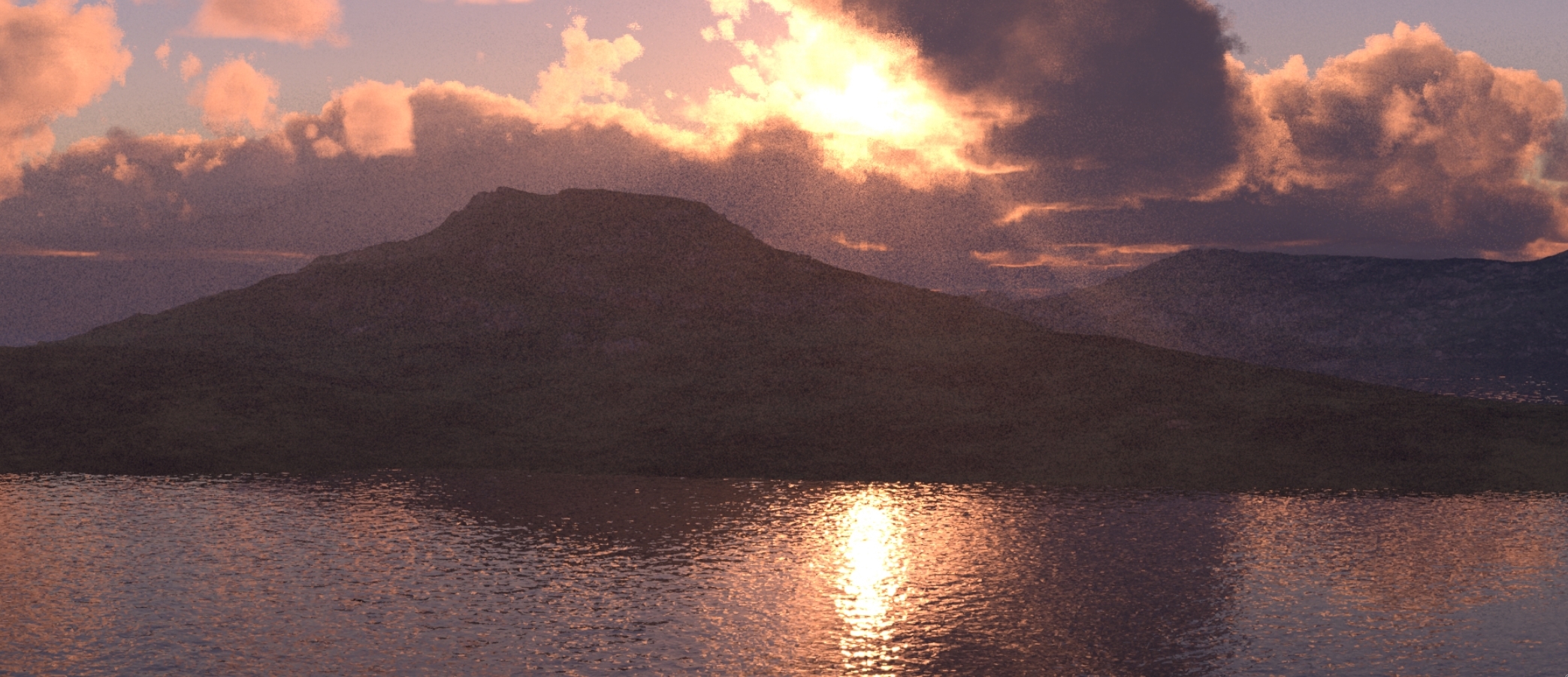
 lilac saddle
looks awesome
wraith ocean
 dire rampart
Thought of a funny map idea for anyone.
It's based on that show MXC (Takeshi's Castle) where they have to cross a lake on stones, but some stones are dummies that if you try to jump on it you fall in the lake. So the idea is rocks on a lake/lava and players hop to each one to cross, but some have colliders while others don't. touching the lava/water is a respawn avatar hit
fair agate
@wraith ocean I don’t know if there is an official download size limit but >300MB is not good
They may insist you compress/resample down if you want it public
You can keep a hires private one
wraith ocean
Make a simple world that contains a portal to the real big world
Make it public
Profit!
fair agate
Just let people know it will take a long time to download.
lilac saddle
yeah, that guy was forced to put that in the title for his 2gb world
misty pecan
Technically there isn't a set in stone file limit that I'm aware of, but unreasonable file sizes has been used as reasons before to decline worlds
fair agate
I will never hit it, I am too easily satisfied with half assed textures.
sweet sinew
You have to remember that the size need to be unpacked into memory too. So a 2GB uncompressed world will take 2GB of memory
dire rampart
Can you make a portal in your world to a friends world?
misty pecan
Yes, just place the portalmaker prefab from the SDK files into your scene and ask your friend for their world ID and copy paste it into the portalmaker prefab.
dire rampart
ahhh, kk thanks!!
dire rampart
how do I add Local triggered less laggy mirror?
fair agate
Make an area in front of the mirror, like with a large cube, set the collider to IsTrigger. Add VRC_Trigger, choose OnEnterTrigger, Layer:Playerlocal. Click the Advanced checkbox and choose Local under the broadcast types dropdown. Make the action SetGameObjectActive to Toggle on the mirror (or set False and add a similar action for OnExitTrigger).
You can also change the layers the mirrors show, or add a large object to block the rest of the scenery. Try not to show avatar pedestals.
 light juniper
I have question. Does baked reflection affect performance much?
And how did you guys see world size?
fair agate
go to console log, right hand menu in that panel
once you open editos log, search for "customScene"
and eventually you'll find a list of things like textures: xx mb (x%)
it'll also give you compressed size and complete size
compressed size = download size (complete = space it takes on hard drive/memory)(edited)
if you close unity though after building the world, it will delete those stats
no idea about baked reflection
dire rampart
Mirror still doesn't work? Tried, but it's always active even if I'm far away. How can i make the mirror activated by a button?
Also have a custom texture
 orchid falcon
Make a button (can be a basic cube), add VRC Trigger as component (it needs a box collider to be clickable) and follow what i wrote in #world-development
@dire rampart
and what do you mean custom texture? so it doesn't look pink in Unity? I don't think you can change this, but it's not important though.
Actually Fionna and I basically said the same thing. So if the collider doesn't work for your mirror then you did something wrong ^^'
orchid falcon
👌
 near juniper
@light juniper reflection probes being baked has little to no performance impact. But realtime you will have serious frame timing issues with.
Also keep in mind your resolution of said baked reflections
1024 is fine but dont go 2048 or whatever the highest option is.
hell, i mean even 1024 crashes my computer sometimes in unity.
 warped meadow
ive done 4k on one of my maps before
 outer hedge
does everyone use standard shaders for everything or is it bad for performance ?
 rugged mason
I use Cubeds Toon Shader on almost everything
toxic plaza
@outer hedge my entire world is mostly standard shader
other shader i use mostly is unlit ones
rugged mason
even my club xD
toxic plaza
i am using a double sided variant of standard shader though
outer hedge
@rugged mason thanks for this @toxic plaza
@toxic plaza do you have a public world to check
outer hedge
ok
toxic plaza
its only a teaser world of the main one im working on
which is still incomplete and not fully optimised yet
rugged mason
Its amazing
toxic plaza
but thats not due to shaders
rugged mason
still amazing :3
toxic plaza
oh, the bit about shaders was me saying that the frames arent perfect yet but shaders arent to blame for that 😛
discord at work is so weird, it picks when i can give an emote to messages
so gotta do this instead lol:
@rugged mason 
rugged mason
im using it as well rn and i can owo
rugged mason
weird...
 fast mural
anyone know how to scale the VRC chair's trigger box? it looks right in unity but the scale is totally different in game (wayy bigger)
toxic plaza
@fast mural you can scale it down further till its the desired size
fast mural
i assume im just scaling the whole chair and not just the box?
toxic plaza
not a 100% sure with that
i tried scaling the boxes inside last night to flatten it like a seat and then stretched it a little, the result was a big stretched shape XD
fast mural
hmm i'll test a few chairs out and get back to you xD
toxic plaza
👍
lilac saddle
hey can somone help me out .. i build my world but when i try and join it .. loading go´s to 100% and it plngs and i get back to the starter home
somone plz 😄
 tepid cobalt
@lilac saddle try clearing your vrchat cache in your appdata folder and try again.
 opal shadow
@lilac saddle your spawn point might be scuffed. check it in vrcworld
 frosty egret
^^^ I always forget to set my spawn and I get your exact error
tepid cobalt
yea, i helped him yesterday. everything seems fine but it still give that error. so since it's fairly an empty map, starting new project solves the problem. 😛
 median stag
Question:
Is it better to have an object non-static that has an animation to change to 8 different sizes.
Or
8 different static objects that are activated and deactivated an animation.
median stag
8 players in my map without excessive lag... i'm cautiously optimistic
dire rampart
Anyone know how to make a held object that has "Teleport player-OnAvatartHit" still active without throwing it at them?
Kind of like a hammer that I can hit people and cause them the teleport when they hit the collider of the hammer
fair agate
Does the collider get turned off for all PlayerLocal colliders when held??
You can put the triggering collider on a child maybe.
It is also easier to make the child collider an OnEnterTrigger.
And make sure it is on a colliding layer like Defualt.
Sorry if that is confusing, away from computer so I can’t show one.
dire rampart
It's alright I get it
dire rampart
Yeah, lol. I already have it in my "never have I ever (Early access)" But right it only works if thrown. I keep it hidden incase I join and someone is being a mean sports
 viral marsh
Is a realtime light "off" for performance purposes when it's intensity is 0? Or does it still calculate the 0?
median stag
Alright, map is a lot better. Hovering around 75 or so instead of 35.... still, very laggy
Should i try to change the occlusion zones? Not sure what else to do now.
I have a lot of rigid bodies which i could make... non-rigidbodies very easily with triggers... if only that wasn't a problem XD
 pale cradle
Does anyone have a muim optimization tutorial?
 untold fog
@pale cradle https://vrcat.club/threads/world-optimization-2.114/

VRCat: Community-Run VRChat Forums
This is still a work in progress but I'm working on a tutorial for world optimization. I'm be looking for feedback on things to add or edit. I'll be...
pale cradle
tanks
fair agate
Also:
////////UNITY SIDE \\\\
Put all your map object on static (Static object arn't sending informations every frames to the cpu)
https://docs.unity3d.com/Manual/StaticObjects.html
The lower the poly the best the frames. (Avoid the 100.000 poly objects in your map)
Avoid the unity terrain, which is bugged asf.
Perform Occlusion culling (Static object disappear when another object is in front of it)
https://docs.unity3d.com/Manual/OcclusionCulling.html
Add the Level Of detail for far away objects. Look here to see how to do it automaticly :
https://docs.unity3d.com/Manual/LevelOfDetail.html
Super tutorial : https://www.youtube.com/watch?v=ifNyVS2_6f8
Light Baking (No more cpu calculs to light up static map object)
https://docs.unity3d.com/Manual/LightMode-Baked.html
https://docs.unity3d.com/Manual/LightProbes.html
https://docs.unity3d.com/Manual/GlobalIllumination.html
No shadows (Shadow coming from realtime lightning can destroy your cpu, so just deactivate it if you don't need it)
Optimized amount of material (Massive differents materials kill your gpu)
Everything coming from duplicate prefabs. (Make prefabs and then drop them, change scale ect ect to achieve your area, so the cpu only calcul the structure of one prefab and duplicate it, and do not calculate every stuff on the map)
Camera view render. (Change it from 1000 to like 100 or 200 if you have a short level and not very far background, so the camera won't load stuff that you do not see and isn't covered by occlusion culling already)
Physics : Reduce your number of physic, and rigibody items.
Global trick : Avoid grass, tree, and complex animated stuff, do not use wind, or cloth physics.


Make your game run smooth by using Level of Detail! ♥ Support Brackeys on Patreon: http://patreon.com/brackeys/ ·············································...
///////VRCHAT SIDE \\\\
Mirror on local only triggered by buttons save the frames. (Prefer alway a camera with a screen render instead of mirrors it's waayyyy better for the frames) (Mirrors base themselves on Stereo Rendering, which can be destructive for the frames, if you use one, alway down the antialisasing, and put the layers rendered on localplayer and player only.)
Animations on local and not synced save the ping to when you don't need to have the animation sync. (Like rock moving in the background, door opening ect...)
Avatars are killers too, so optimize your own.
Put the MS count from 10 or 30 to like 70 ms on the vrc scene descriptor prefab to save the connection and the ping if you have a big map with a lot of players.
//////Ultimately\\\
You can check this guide for more details : https://www.dropbox.com/sh/hmln4vtgbvnm8mp/AABvlLb_Mf80HZY6SD3WbUFTa?dl=0&preview=world+optomization+ver2.pdf

(Copy pasta from Dieu)
lean lodge
On a related note, a slower update rate also seems to positively impact performance
Please don't leave your update rate at 10ms
sweet sinew
Doesn’t it default to 33 if it’s lower now?
sweet sinew
Will test and confirm then
 rancid frost
Imported some skyboxes into my project and then baked my lights, now some areas of my map are pitched black, what do
 lyric sorrel
So I have a world with a video player in it that constantly plays music unless I pause the video with a trigger I have set for it and as long as I’m looking at the video player my frames are fine but as soon as I look somewhere else in the map the audio bugs out and my frames drop is that just my potato pc or is that something that can be fixed
median stag
Still never did get an answer about it being better to have 8 objects static, or 8 of the same object non-static that activate individually.
Also, a question on the duplicating of a prefab thing... is that like,... if i duplicate an existing game object will that be enough, or do i actually need to drag it into the assets to create a prefab out of it?
lean lodge
You need to make a prefab out of it
Unity will then make references to that prefab, rather than actually making new objects all the time.
wraith ocean
tfw 20 million polys
Modern computers can handle it pretty easily
It's just that unity uses 16 bit index pointers for meshes, thus splitting a mesh every 65355 tris.
Unreal engine can handle 50 million poly pretty easy because it uses 32 bit pointers for meshes
lean lodge
I think that's also fixed in newer Unity versions
fair agate
@median stag top level static is physics. 8 static objects that have occlusion culling is the best.
Occlusion culling is rendering only
 teal mirage
how to make pickable object spawn back when thrown away the map?
tepid cobalt
@teal mirage Set object behaviour at respawn height to "Respawn" in the VRC_Scene Descriptor of the VRCWorld.
ebon mauve
Does pickupables that stay still when not moving, impact performance as much as a pickup with gravity enabled?
Or does it make no difference
I would assume if it's not moving at all, it doesn't need to do extra work
median stag
This question interests me as well
ebon mauve
In the source engine, objects that aren't moving go in a "sleep" state until moved again. So im curious if unity does the same.
lilac saddle
same in unity, if there's no forces affecting it it doesn't use too much
when a rigidbody is sleeping, it is not updated every frame, making it less resource-intensive. If a rigidbody’s kinetic energy divided by its mass is below the sleep threshold, it is a candidate for sleeping.
ebon mauve
Good to know
 sharp palm
hi friends, so I've been trying to bake my lighting in my worlds but for some reason nothing bakes
dire rampart
Making a new map and I'm going to have soooooooooooooooooo many questions....
 stray otter
@dire rampart I can try to help if I know it :+1:
Pretty much basics and a bit more.
sharp palm
do you know about baking lights? @stray otter
stray otter
Did you change the lighting to baked already?
@sharp palm
Not on my desktop at the moment to better help, but I'll see if I can walk you through it.
dire rampart
Okay first question...
How can I set a toggle? Example I can give is that werewolf map. where in Gamemaster mode you can toggle the cards above the houses until you get the right card.
Ex: I click a button that spawns the poster I want to toggle. it has 1, 2, 3, 4, 5, 6, 7, 8, 9 , 10. So I would need to click it 6 times to show poster number 6
lean lodge
When you have baked lights, how do you prevent players from being too dark? Newbie question maybe
fair agate
Rokk light probes
 scarlet arrow
is it normal to take a really long time to bake lights
ebon mauve
Usually yes, but you can mess with settings to make it take less time
Check the PDF they posted further above on the baking lightmap thing
scarlet arrow
ahh alright
fair agate
I had my lightbake hang, it didn’t even finish overnight. I wish I could tell when it was stuck and when it was just working easier.
But with Enlighten in a not huge world it would take ten mins or so depending on settings.
Progressive was much faster.
fair agate
Yeah, I also set all the scenery to non-static except a test group of trees and objects to test bake. Of course, you always notice some stupid detail after the final 10min bake...repeat "final" bake 5 or 6 times.
 merry jackal
Hello, is there a recommended player limit and update in ms time? Like for 18 players, is the default 33 ms sufficient?
fair agate
What happens when you set ms to max? Why not do it?
wraith ocean
set it to 40 ms
merry jackal
I was just wondering if there was an optimal ratio. Right now I have just set it to 60, which seems like a reasonable enough number.
lean lodge
Network traffic will appear sluggish if the update rate is too slow
I would not recommend going above 100ms
merry jackal
Alright, thank you.
 carmine stump
is there a way to see what my worlds file size is ?
fair agate
Yes!
after you do a build, you can find the Unity editor log, or...one sec for copypasta
Because this gets asked alot on worlds chat, leaving this here for copy paste purposes XD
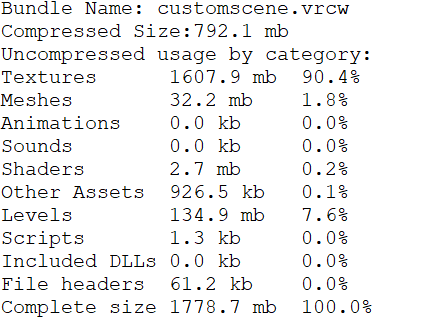
To check your worlds size, upload / build your world first. Then go to console log, right hand top menu on that panel and click see editor log. It'll open a text file where you can search for "CustomScene" until it shows something like this:
Bundle Name: customscene.vrcw
Compressed Size:89.9 mb
Uncompressed usage by category:
Textures 130.6 mb 64.7%
Meshes 32.3 mb 16.0%
Animations 6.1 mb 3.0%
Sounds 12.1 mb 6.0%
Shaders 2.0 mb 1.0%
Other Assets 1.1 mb 0.5%
Levels 17.6 mb 8.7%
Scripts 1.8 kb 0.0%
Included DLLs 0.0 kb 0.0%
File headers 207.6 kb 0.1%
Complete size 201.9 mb 100.0%
Compressed size is the Download size, Complete size is the space it takes up on a players hard drive/memory
 limber maple
Most of people have just 200 ping everytime on vrchat whatever
So 20, 100 or 200 ms is the same
carmine stump
also whats a good occlusion smallest occluder size?
 wanton hemlock
what texture size should I use for props you can pick up, ie a cup?
fair agate
@carmine stump 2 is good.
If you can bake at 1 and the file isn’t huge that’s better. Balance occluder file/bake and occluding performance.
If it takes longer than a couple minutes to bake, look into occlusion areas or make the occluder bigger.
carmine stump
1 is 333kb size lol
carmine stump
cool
any tips to make world file size smaller ?
fair agate
Did you look at your editor log?
It will tell you what types are big. Usually textures. I resized a bunch of textures, removed normals in materials that don’t really need it, etc.
carmine stump
yup
194mb XD
all the textures are tga o.O (gonna convert them to png and crunch the heck out of em >.< ) and ye il probably remove normals on most as they dont do bassicly anything here lol
fair agate
Yeah and sometimes those normals files are like 4K!!!
carmine stump
they all are -.-
XD
fair agate
You can keep a nice big texture and have a tiny normals if you still want the bumps.
carmine stump
ehhh bleh
also are procudual texture materials a good idea ? some of the things from my aseet are using that lol
seems to work fine even in game lol
fair agate
🤷🏼♀️
carmine stump
lol
fair agate
I did find that one texture had a height map and it looked suuuuper weird
(How did my phone get burger from height..?)
 ruby ginkgo
Hey :) In general game dev I like to use the profiler for spotting performance issues in different areas of the map. It is a quick way to see if we are CPU bound, GPU bound, etc.
In VRChat I can't just start playing and attach the profiler. Is there any sort of built in profiling tools in VRChat that I don't know of? What do the pros here do when they investigate performance bottlenecks?
 frosty egret
:O I love that map!
ruby ginkgo
Hey <3 thanks. I appreciate it!
frosty egret
@ruby ginkgo https://developer.valvesoftware.com/wiki/SteamVR/Frame_Timing that's the only thing I can think of to try
 quaint verge
I'm thinking of adding 3 mirrors in a room. But adding triggers so that only one can be active at a time. (All mirrors are local too).
Would this cause the same or more lag when compared to a single mirror?
ruby ginkgo
You should be fine I think^^
lilac saddle
As long as only one mirror is active at a time it shouldn't be any slower I don't think
median stag
Collider count contribute to lag, if they're all static?
fair agate
I think they have a sleep state
If they are object synced I don’t know how often those objects send their network data
Just colliders not actively colliding and not “stuck” in an overlap position should be fine.
Static, primitive, nonrigidbody colliders should be lag free, no?
median stag
Well, people seem to worry about mesh colliders
fair agate
Mesh colliders are slower for the physics engine crrtainly
Just sitting there, not so much
fair agate
Why all the pug hate recently
fair agate
He just updated it with a bunch of fixes last night according to Twitter.
 astral sierra
Still isn't better
lean lodge
Yeah, the draw calls are supposedly optimized more than before, but there's still something going on in that map
Most people seem to blame the overlapping colliders that prevent them from "sleeping"
It's a shame too, the other popular maps are 99% asians
fair agate
overlapping rigidbody colliders will cause issues, but shouldn't if they are static colliders, right?
lean lodge
I don't think they cause any issues then
lean lodge
How do you change the clipping plane of your world's camera? Do you just edit the main camera?
Or do you need to edit the camera, and then put it in the "Reference Camera" field of the VRC_Scene Descriptor?
ebon mauve
Edit the main camera, then go in your VRC_world or whatever it's called, and choose that camera as the reference camera
It will use that distance you set on it as new clipping plane
The world thing will use all the settings of your edited camera instead of default settings
lean lodge
Cool, thanks
 tidal olive
I'm confused by the "Want to make your world private again? All you need to do is re-upload the world and it will turn to private." part of the Form to make public.
frosty egret
Every time you upload a new version of your world it becomes private until you fill out the form to make it public again. Even if you don't change anything.
median stag
So i've just been putting toon shader on literally everything but it makes things look better with no work. Thought i should mention this in optimization channel?
Just in case.
outer hedge
@ruby ginkgo can you tell me please what glow effect did you use in the underwater cave ?
ruby ginkgo
@outer hedge Sure :)
- I used the bloom from the postprocessing stack.
- The light streaks are line renderers with a shader that fades them in and out.
- The caustics-like effect is a custom Lighting + GI override in an otherwise pretty standard surface shader. I flip through a texture array.
- The water surface is scrolling normal maps dotted with sun direction to some power.
- The fog density is also pretty high.
outer hedge
@ruby ginkgo I see , thanks for these informations that's cool 😁
 kindred breach
Hello guy's. Need a link to water FX that are working in VRChat. Nothing complicated. Need it for a tropical beach.
lilac saddle
@kindred breach this one is great and works in VR https://github.com/synlogic/Syns-Unity-Shaders

GitHub
Syns-Unity-Shaders - A set of shaders mainly created using ShaderForge for use in Unity.
kindred breach
@lilac saddle Thank you
lilac saddle
Hello, question.
What should i do if i have warning "Room has a very fast update rate; experience may suffer with many users" ?
I remember someone saying about changing Update Time in MS in VRCWorld, but not exactly sure what it does
lean lodge
Set it to at least 33ms
lilac saddle
Could someone tell me please? ^^
lean lodge
Basically, this governs how often clients receive "updates" from the server
Fast-paced worlds like shooters might need a high update rate
A random avatar world could be fine with 70ms update times
Generally, slower update rates means better performance. It's very noticeable for me, as someone with a weak CPU.
lilac saddle
What if my world is pretty much 99% static?
There is just 2 doors with opening animationn and everything else is static
lean lodge
Then you'll be fine with 50 ms, maybe even slower
lilac saddle
Hmh alright i see, ill set it to 50 then.
Thanks!
fair agate
I have had no issues with overlapping colliders unless they also had rigidbodies.
lean lodge
It's not an issue if they're static I think
And I'm pretty sure rigid bodies are implicit if you have colliders
lilac saddle
Hello, another question.
If i will use realtime light only to affect pickupable objets (lets say 20 of them) will it lag a lot?
lean lodge
Not a lot, but you should avoid it regardless. Why do you need real-time lights on them? You could try light probes instead. @lilac saddle
lilac saddle
Not really sure how light probes work
lean lodge
I'm not sure if you can make lights only affect certain layers. If so, you can set them to only affect the pickup layer and it should be fine
lilac saddle
Yeah, i created created new layer and i have set the pickuable objects layer to the custom one.
And on lights the settings are set to only affect the custom layer.
lean lodge
But anyway, try the Unity docs on light probes. They allow better lighting on dynamic objects. A world with simple lighting will probably get away with very simple probes
You basically need probes within a group around areas where the lighting changes
lilac saddle
Alright uh well, for now my world will be without pickuable obcjets xD
I was just thinking of adding some sort of cards to play or something but eh
I really dont want my world to lag in any way possible
It uses baked lights for world and realtime for players, and its 200k tris
Uses 2 animations to open 1 door and thats basically it
lean lodge
I mean, if the lights only affect like 20 objects, it will probably be fine
Especially if they don't cast shadows
lilac saddle
Oh yeah, right, shadows, ill remove them.
Also other question- area lights (baked only)
I have create trigger for them to on/off them but ingame it doesnt work
i assume that u cant turn on/off baked lights or atleast area lights
Or im just doing something wrong?
toxic plaza
yeah baked lights wont turn off since they are baked to a "texture" basically
fair agate
Colliders =/= rigidbodies. you can have each without the other.
The physics engine cannot move an object that doesn’t have a rigidbody.
lilac saddle
Should i make occlusion culling if my world is literally 3-4 rooms?
Also: What about enabling instancing? is it good?
It tells me to uncheck Batching Static first
Not really sure how good it is so
stark bay
is there a function to optimize when i use a lot of grass with paint details on the terrain?
sharp palm
@lilac saddle Have you gotten your baked lights to work??? for some reason mine do not work on any of my maps even when i follow the tutorial and optimization guide
its like one of the last things i havent been able to do :/
 lone meteor
You'll have to define "work" @sharp palm, like do your lights stay realtime even when you set to baked? Or do they turn into pixelated garbage? Or do people not get 'lit' by them when they're baked?
dire rampart
How do I set an object to show when a key is placed on a pedestal? For example. A person grabs a key and place it on the box, and if it's the wrong key it will spawn a sign that says "Wrong key try again"
outer hedge
@dire rampart what did you try so far ?
dire rampart
The closest I got was a trigger, but it toggles the object off and doesn't spawn it
outer hedge
@dire rampart what you did is "on Interact" , "set gameobject Active" right ?
dire rampart
yeah
outer hedge
@dire rampart did you put "True" on the operation on the set game object Active ?
dire rampart
@outer hedge No, toggle
outer hedge
@dire rampart the sign is not active at the start right ?
dire rampart
@outer hedge No
lilac saddle
@sharp palm Yeah they do work now.
 rose chasm
so, i've got a warning about my room having a very fast update rate. how problematic is that and how can i fix it?
lilac saddle
If i remember right:
Click on VRCWorld in hierarchy and set Update Rate In MS to 33
@rose chasm
rose chasm
many thanks~
sweet sinew
Should actually create a list of standard update rates based on what type of world you do. Worlds like avatar rooms can do with much higher than 33. As there is no need to update it that frequently
lean lodge
A lot of rooms can do with slow update rates
33ms is pretty fast already, I'd only use that for worlds like the KOTH Coldfront map
lilac saddle
Question then, if my world is basically all static, but im planning to add few pickupble objects- what update rate should i set? I have it on 50 rn
lean lodge
50 is pretty okay, you could get away with 70 probably
Depends on what the objects do. Unless they're guns or vehicles, you're unlikely to need fast update rates
lilac saddle
They will be simpliest pickupable items like bowl or something
toxic plaza
curious whats ideal for my world?
I'm guessing would it need to stay at 33 since it has platforming and battles that rely on animation
lean lodge
Yeah, I think 33ms would be fine for your world
You might be able to set it to something like 40
The platforming basically runs locally once synced so it shouldn't be a huge deal I think
But the battle thing will probably need a relatively fast update rate
toxic plaza
👍
sweet sinew
But you got boss fights too so that needs to be synced
toxic plaza
will keep it at 33 then 😃
lilac saddle
So i should set it to 70ms or more? Will only have pickupable objects like bowl or spoon or smthing
lean lodge
Just set it to 70 and it'll be fine @lilac saddle
If you experience any issues with slow reactions you can always increase it later on
lilac saddle
Alright
near juniper
Question, How big can a map be before its going to cause lag if i use unity terrain?
I already cull out grass by distance and other things aswell such as baked lightmaps and such.
Planning on making the biggest possible map without performance loss.
misty pecan
I assume it depends on the shape of the terrain itself. Would imagine a flat terrain versus one with hills and all sorts of shapes is more performant
near juniper
Is there a possible way to turn on and off diferent meshes based locally on players positions?
Ive seen some people do it with avatar worlds with tons of pedistals.
Not sure if its local though..
misty pecan
you can set up trigger volumes and local triggers for that
As long you don't have any pickups then it shouldn't cause any issues I think
near juniper
What is that? Ive never heard of trigger volumes before.
Is it the default vrc_trigger or no?
misty pecan
It's just a collider that is marked as "trigger". The difference is you can walk through "trigger" colliders but they still sense something is touching them.
So if you want a lamp to turn on when entering a room then you would have a huge cube "trigger" collider, I.E. a trigger volume, to be able to check if a player is inside or not
near juniper
Oooo
So i might possibly be able to do that with an entire room per say?
turn off all that isnt seen untill going into the room for performance.
misty pecan
Either have a trigger volume by each entrance to the room or cover the whole area. Whichever works best for your case.
near juniper
This is looking to be a big project, but im at least happy to hear that its dooable. Been testing out world size and optimization a lot.
Another question because im usually super confused with triggers. How do i make that local only?
misty pecan
You need to enable advanced settings to be able to do local triggers. Just enable the tick button.
Then you select "local" on the broadcast dropdown menu
near juniper
Thanks a lot, Ive been asking around about that but not many people give an answer.
Going to try this with a bigger map and i will post back here if i mess anything up. 😃
misty pecan
Good luck
misty pecan
Oh, you need to set "PlayerLocal" as layer on OnEnterTrigger triggers
For them to react to players entering them
near juniper
Thats under layer 10 right?
Or is that a different thing? Cause ive only had avatars that use playerlocal effects.
misty pecan
Might be. After starting a new project and importing the SDK you will need to setup the VRC layers in the build control panel, where you upload worlds
Then they will show
near juniper
Oh then i dont have to worry much about that thank god.
I was worried i would have to do it manually.
misty pecan
No, it's just telling the trigger volume what to check for. In that case, PlayerLocal are players.
near juniper
And setting this would be right in the vrc_trigger script itself, right?
misty pecan
Yeah. Add a VRC_trigger component to the same gameobject the trigger collider is on, add OnEnterTrigger and set the layer to PlayerLocal. Fairly straightforward.
Inside the component itself, that is
near juniper
I will give it a go and see if its not too much of a drawcall and get back to you.
Thanks for helping me out. ive been a bit confused over all this stuff lately. I just wanna go big haha.
 torpid cliff
I just updated my world everything works fine in unity no errors but when i try to enter it in vrchat after publishing, it kicks me out to homeworld what can be the problem?
i havent added anything hard like gamemode etc just changed terrain and details
InvalidOperationException: Operation is not valid due to the current state of the object
System.Collections.Stack.Pop () (at /Users/builduser/buildslave/mono/build/mcs/class/corlib/System.Collections/Stack.cs:329)
UnityEngine.GUILayoutUtility.EndLayoutGroup () (at C:/buildslave/unity/build/Runtime/IMGUI/Managed/GUILayoutUtility.cs:323)
UnityEngine.GUILayout.EndScrollView (Boolean handleScrollWheel) (at C:/buildslave/unity/build/Runtime/IMGUI/Managed/GUILayout.cs:435)
UnityEditor.EditorGUILayout.EndScrollView () (at C:/buildslave/unity/build/Editor/Mono/EditorGUI.cs:7540)
torpid cliff
it also works on test run with 90 fps optimal im so confused 😦
viral marsh
Might be a bad build, try a new upload.
It might also just be network issues that will resolve themselves over time.
fair agate
Holy cow I went through the editor log and crunched every texture and normal, set the normals to 512x512 max, deleted some assets that were included but unused...went from nearly 200mb compressed to 46.7
ebon mauve

 still arch
is it always recommended Bake Lighting using Reflection Probe?
fair agate
i wish it were easier to downsize animations. Biggest single object i have.
lean lodge
@still arch in terms of optimization, I don't know how much reflection probes matter
But they make reflections and standard shader look a whole lot better
Baked lighting is always a yes
still arch
ayt thanks
 slate bear
Do height maps on a material effect performance?
 vestal shore
if they aren't used a shader without a normal map code or parallax map code will be used
so yes, slightly
 deft goblet
 errant hill
so if i optimize a world me and my frined are creating thta has lots of objects due to it being a five night at freddys world, should we optimize everything or should we just optimize the pick up stuff?
 scenic swallow
@errant hill You need to figure out which part of your world is costing the most in performance and then optimize that. Repeat the process with the next most expensive part until you're happy with the performance.
I recommend looking at learning how to use the Unity profiler and frame debugger.
@deft goblet You can push quite a few vertices if you're careful to avoid too many draw calls or overdraw. There's a limit of 65k vertices and triangles in a single mesh in Unity and it's not very good at splitting them so try to keep individual meshes below that.
Depending on the scene you are making you may be able to use Unity's LOD groups to switch between low, medium, and high versions of models based on their visible size to the user.
It's hard to give a number though because it's highly variable depending on a lot of other things like the shaders you use and whether you're using baked or real-time lighting.
lean lodge
@errant hill the first thing you should optimize is lighting
Make sure you have no realtime lights, everything should be baked
This also means marking everything in the world that doesn't move as "static", also improving performance
With baked lights, you also need light probes so avatars and moving objects don't look weird
Those are pretty easy
torpid cliff
Hello everytime i try to publish my world unity crashes but it works fine if i build as test and my disable future proof build setting already disabled can someone help me please?
it works perfect if i test run
dapper quiver
Anyone know what would cause occlusion mapping to freak out and start occluding objects incorrectly like this? - https://i.imgur.com/6b6wkU6.png
 toxic plaza
@dapper quiver it might be that the small objects have occluder static ticked too
only have occluder on larger objects like walls
dapper quiver
Currently everything in the world is set to static since nothing moves, the walls, a ship and wall and floor lights in that 1 room all go weird but the rest of the world is fine
Here's another image from a different angle - https://i.imgur.com/TZlhIZ9.png

Oh wait, so set the ship, lights etc as only being an occludee and untick occluder?
lilac saddle
any idea why standard shading look so dark in my map? T_T
lean lodge
@lilac saddle use reflection probes and light probes
lilac saddle
Hmm how do you set up light probes again?
lean lodge
Check the Unity docs
I don't know if you need one big group or several groups
But basically, you make a light probe group. It's a cube shape by default.
You need to make sure that every lighting "area" falls within a cuboid of probes.
So place them around areas where you want the lighting to change
Dynamic objects such as avatars will look for the closest light probes and adjust their light level based on that
You can add more probes to a probe group at any time
lilac saddle
Noice, they dont impact performance that much either right?
lilac saddle
Alrighty, thanks for the help my guy
 hybrid fractal
can someone toss me a tip on this

each of these lights is a 88particle sys, using slow, low emission default particles
it's lagging VR users greatly (but fine for desktop users)
I can't reduce it any lower while keeping an acceptable quality
 supple robin
88 particle system on each light?
what:s the emission count like? max particles counts, noise, behaviour over lifetime of the particles etc
@hybrid fractal
hybrid fractal
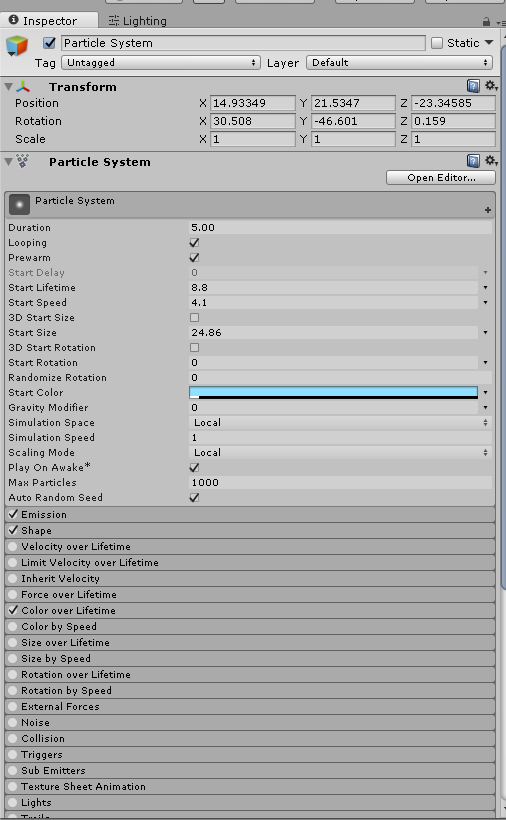
emission 10
is there something with the default particle shader (alpha blended premultiply) or something that's harsh on VR or something?
supple robin
are the particles just using a simple sprite shader and material?
supple robin
hmm
doesn't look like anything;'s wrong then
could it be anything besides the particles?
hybrid fractal
no, it's the particles. I have a toggle button for them
VR users go from 30-40 to 90
supple robin
could there be something else going on when triggering the particles?
hybrid fractal
well I do have two other particle systems bundled with those that make up the rolling fog
those are 175+32
but they say it's only really bad when they look up at the lights
in total, 559 particles
supple robin
any colliders on the fog particles?
hybrid fractal
that shouldn't account for a 50-60 frame drop
supple robin
any physics? like gravity
is it a mesh particle or billboard
and just to be sure, where did you get the numbers88x4 and 175+32
hybrid fractal
so the 32 is a default particle which is just adding some color
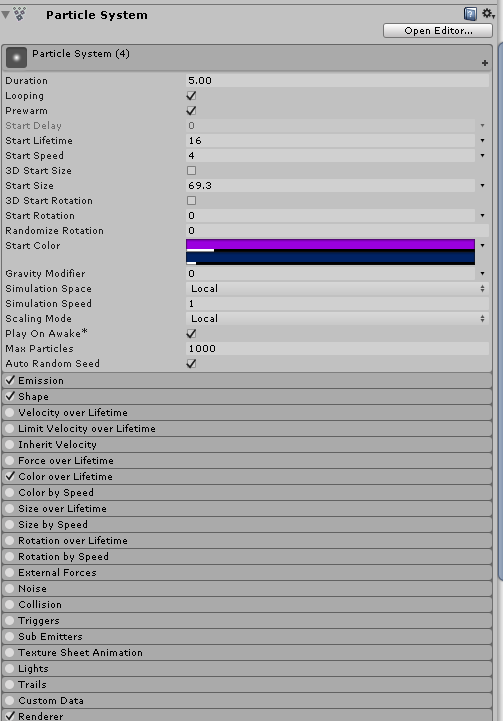
from the simulation particle count
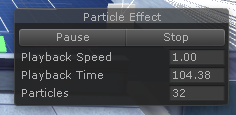 supple robin
okay
hybrid fractal
and the 175 is the default asset Dust Storm

(that one uses AlphaBlended, instead of AlphaBlended Premultiply)
supple robin
what's the resolution for the sprites for your particle systems?
hybrid fractal
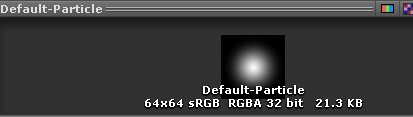 supple robin
doesn't look like anything is wrong to me
i'd lower the max particle counts for all of your particle emitters to be safe
hybrid fractal
I'm thinking either AlphaBlanded or AlphaBlended Premultiply interacts poorly with VR
supple robin
but keep in mind that the particles are going to be rendered twofold for vr folks
alphablended is a single pass shader
it shouldn't be expensive at all
so assuming you have 559 particles
that will effectively make it 1118 particles on vr
it also depends on the specs of the people having performance issues
hybrid fractal
well, @unborn dune had a fountain that shot out particles that capped at several thousand iirc with no lag
and was getting lag looking at the lights
from 20-30 to 90 with them turned off
hybrid fractal
another friend of mine does thousands of particles in his emotes with no lag
and it causes him huge lag as well
it's only affecting VR users
supple robin
not too sure without looking at the project scene in that case
but anyways, i'd better head off to bed
all the best with your world and good night!
sweet sinew
depends on what type of particles are used
Monkey uses a very low poly mesh/texture, so you won't notice it at all
lean lodge
Something only affecting VR users is usually because VR is more demanding, especially on CPU
Lights can easily cause that to happen
next radish
how do i avoid getting this every time i move a single object https://i.imgur.com/N5rDpFN.png
 scenic swallow
@next radish Disable automatic generation in the lighting window.
You'll have to remember to hit generate lighting when you finish moving things and want to rebake lighting.
 random sparrow
Hi, if I get 70-80 frames on my world in Unity (using Oculus) would that performance basically transfer into vrchat after uploading?
lean lodge
Not really
Best way is to test it ingame
There's a lot more going on in the game itself
Besides, Unity can natively use Oculus. VRC does not so it'll lag more
random sparrow
Alrighty then, thanks
 harsh geode
to have faster lightbakes that don't take forever,
should I do something like disable the static options for things like large planes
 frosty egret
Make sure your light map resolution isn't too high. @harsh geode
I always reference this video https://youtu.be/u5RTVMBWabg when baking lights but there's probably a ton of online guides that also give you the proper values you should be using on your scene.

An intro to the basics of lightmapping and what it can be used for, from a beginners point of view. Hear some of the most common issues that users struggle w...
harsh geode
what is a safe resolution for the lightmaps?
 signal sinew
Yo, so, I've really been having trouble wrapping my head around how to properly optimize my world. Not to sound lazy, but is there any good way to have someone else do it for me?
If not, is there any grand all-in-one tutorial that can help out?
scenic swallow
@harsh geode Lightmap resolution is just the size of the lightmap atlas.
The default Unity resolution of 40 texels/m is fine for good quality lightmaps but you may want to reduce it while iterating on your world to save baking time.
You want to try to fit everything in your world into as few separate lightmap textures because meshes can't be batched if they're in different lightmaps.
Also you can reduce the lightmap resolution for large objects to avoid having them fill the entire lightmap by adjusting their size in lightmap property in their mesh renderer to a value below 1.0.
lean lodge
@signal sinew the simplest way to optimize, is to set all of your lights to Baked. For simple worlds, this means that the Directional Light (basically the sun) is set to Baked. No Realtime or mixed lights.
Select all objects that belong to the world and never move, and tick the "static" button on them in the top right of the Inspector.
Things like level geometry can easily be made static
Avoid mesh colliders, especially convex ones
Approximating the shapes with box colliders is usually better
But another problem arises: if all of your lights are baked, you may notice that non-static objects and people's avatars are too dark or too light.
That's where light probes come in. You just place them around places where the lighting changes
If the light level remains constant throughout your world, you could fiddle with ambient light or global illumination, or just make one big light probe group.
signal sinew
Boy, I chose the wrong time to leave for a drive. Lol thanks! I'll be sure to go through these steps later on. As well, is there any decent way of making things not load when you're a certain distance away, or is they're hidden behind something else?
lean lodge
Yes, occlusion culling
That's also an optimization technique I forgot about
@signal sinew https://docs.unity3d.com/Manual/OcclusionCulling.html
Probably one of the most important ones for larger worlds
And one more thing
Set a reference camera in your VRCWorld.
Set the far clipping plane of the camera to something closer by.
It'll improve performance as well
Set it as far as you need to without objects disappearing
So instead of drawing stuff from 1000 meters away, it will only draw 50 meters in front of you for example. Depends on how far you need to see in your world.
As an example, maps like the Pug will never need more than 100, since it's enclosed and indoors. But Gaia Night will, since it's a large outdoors map. (Too large nowadays if you ask me, it basically killed itself by being too big)
signal sinew
Ah, cool! Now as far as distance goes, my map pretty much has a lot of stuff within a short distance. Does occlusion culling handle that well enough?
lean lodge
Yeah
Of course, you should only apply occlusion culling between clearly defined spaces
If you're in a room, you should be able to see the entire room. And if you can see a neighbouring room from within, that also has to be visible
Or it will look weird
A good example is The Great Pug. As you're walking up the stairs to the Roost (the top floor), occlusion culling kicks in and essentially hides the bottom floors
(The Pug isn't great on performance in general since it uses mixed lights)
If you have mirrors, make sure they're disabled by default, and only enabled locally if the user clicks a button
signal sinew
Okay, thanks! I already do that with mirrors as it is, and I'll read up on the occlusion culling. Thanks!
harsh geode
very useful once you learn^^ also not to difficult
one of the few things that i learned is to try to find the "smallest holes" in your world by creating something like a sphere
adjust the size of the sphere to the "cracks" or holes in your world that you can see through
whatever the sphere or object can fit in
and then once that's adjusted, bake the occlusion
which there's no harm in because you can bake the data and then clear the bake if you wanted
but basically occlusion would help people's cpu because it will only render what the camera essentially sees in front of it
almost like everything behind you disappears
ruby ginkgo
@harsh geode occlusion culling is especially good if your world has occluders, i.e. objects or walls that hide the rest of the world from certain angles. Everything behind you is culled by default either way.
fair agate
It’s also super easy to bake. I suggest 2 for occluder and .25 for hole to start. Bake and you are done.
If you have “islands” of separate areas in your world these can also be given area occlusion which is easy and very effective.
ruby ginkgo
^
signal sinew
Thanks! And my world is literally floating islands, so you guessed that right. XD
fair agate
Lots of them are, especially with custom skyboxes. Worth a quick google, occlusion areas are not hard.
ruby ginkgo
And don't forget: the golden rule of optimization is test, test, test. Profile your world and optimize where it matters. Every world is different. What improves one world might even destroy the performance on another world :)
That being said, what has been mentioned by Fionna and the others here here are afaik always very good things to do.
 proud heart
Anyone have any idea what could be the issue of shadows popping up in unity but not when brought into VRChat? Do my lights they have to be realtime instead of baked or something?
limber maple
If you have your lights on baked, you must bake the lightning and put evry objects supposed to get shadow on static
With mean players and moving stuff wont be affected by shadow
On the lightning menu of your world, you can general the lightning data
limber maple
-> Also a simple thing to get better frames. On loading, vrchat load almost everything on the point 0,0,0 before teleporting you to the spawn. It mean that if you have a lot of stuff there, you'll most likelly bug asf on connexion.
A had a problem with this, a world working at 90 fps on local testing was down at 20 on VRChat.
The solution is simple, just deactivate everything by default, but the spawn, a plane and any kind of trigger.
This way you'll load into an empty world and should have 90 fps. Then the trigger activate everything, and remove the plane. This way you may keep a very good frame with no connexion problem. For me I got a solid 90 fps where I had only 20 before, by this way
lilac saddle
@limber maple that's amazing, this stuff should be pinned
 rancid magnet
Would it be a solution to have the world far away from the 0,0,0 mark and work on that location?
without having to press a button
toxic plaza
you dont want to have the location too far away from origin point
or it will start causing problems like the world shrinking over time
if you've been to a world where objects, avatars are constantly shaking, its because the world is far from the origin
so intances for those worlds will at some point crash
scenic swallow
@wraith ocean If I recall correctly it starts to become noticeable after 10-50km or so.
 heavy kite
Did unity fix the float precision on its newer versions?
heavy kite
i know its not
scenic swallow
The HD render pipeline does support camera relative rendering which would make it easier to use double precision for stuff that needs it and single precision for graphics.
heavy kite
ah
scenic swallow
However as far as I am aware they haven't upgraded the physics engine, transforms, etc to support double precision.
If you were using the new entity component system you could potentially write your own physics and other systems that use double precision floats but it would be a lot of work.
heavy kite
Well for my project, I don't think I'll have to go that far on using double p floats
harsh geode
speaking of which
how would one change that precision
i have an area where it moves trivially
super small amounts
most of the project is based at the origin already
 fallow flame
I'm fairly sure it's impossible to change Unities cooridnate system. I have the same problem on my world, after a few 1000 units, everything shakes. Unity is just terrible
 empty oar
Its the old version of unity, as it uses a small size for floating point precision
2017/2018 unity have a much bigger size for floating point which allows you to go bigger in dimensions
Its not related to unity as every 3d engine has the same issue. One way people get around is is making the world move instead of the player. Doesnt really work for vrchat though
empty oar
How big of a world are you even making to reach those limits? Thousands of units is really far away
If you're trying to make zones that are seperated and not rendered at the same time, lower the z far of the camera instead.
fallow flame
It is an Unity issue. They're using 32bit floats for coordinates. Higher floats were invented almost 70 years ago.
1000 units is nothing, it's just a few minutes of running, or about 20 seconds of falling.
Also, it's not a problem in other games. Elite angerous, all Elder scrolls games, all MMORPGS, etc.
Unity is just terrible lol. And I have a flat plane with teleports going to various things. I don't want them to be accessable without teleporting, so they're a bit away from the spawn, but it's by no means "extremely far"
empty oar
Like I said. Newer version of unity have a far bigger float. Also space games are not a good example because it's all faked. It's seperate cells that get instanced at zero coordinates. The size of the sectors are not that big. And even with old versions of unity it is easily possible, Kerbal Space Program is a good example of this. Bethbyro also works in a special way; even skyrim uses 32 bit floats.
So yes, I do once again wonder how big your world is
Mind you, in unity one unit is 1 meter. So your map is several kilometers in length.
And as far as I remember the limitations for 32 bit floating point precision in unity is 1.000.000³ units. My math may be off so that may be hard limits instead of soft 😅
fallow flame
Newer versions use 64bit floats. You can go a few billion kilometers without issues with 64bit.
And not every game fakes it, or even use "sectors". Plus, many of those games are multiplayer, moving the center wouldn't work very well.
Even Minecraft handles coordinates better, you could go about 1000 kilometers before things started bugging out, and in newer versions the area is bigger than earth.
My world is several kilometers in length, but that's nothing.
32bit numbers go to 3.4*10^38, but only has 6 digits of precision. Since avatars move in smaller movements (bending your finger probably moves about 0.01 or 0.001 units) characters start shaking at way smaller distances.
But they should just have made it double or quad precision to begin with
empty oar
Yes and no, because there's reasons to use 32 over 64 bit. I do agree that for general usage, 64 bit is better. And while not every game fakes it, space games generally do. Elite does use 64 bit, but does use sectors nonetheless as it has network advantages.
And yes, a few kilometers is nothing. It's just curious as I have a world in development which is several thousand units in size with no apparent issues.
fallow flame
There are no reasons to use 32 bit. Even if you had a million objects in your scene, the combined memory usage of all the coordinate numbers would be less than a single 1024x1024 texture
empty oar
A lot of high end applications work with 32 bit float. One major reason is that algorithms make less mistakes when converting to 32bit instead of 64bit. For games handling 32 bit floats can be preferred depending on what kind of assets you use and game type it is 64 bit floats can cause some issues, because almost everything else makes use of 32 bit floats.
Another reason to use 32 bit floats is because performance wise, it is a lot faster and it scales better. Graphics cards handle 32 bit floats far far far better than 64 bit floats.
Using the bigger variant because 'you have enough memory' even when you shouldnt is disgusting practice in general.
I'm going off course a bit, I apologize. But there's always reasons why to use a smaller data type.
fallow flame
None of those things are an advantage when 32bit float has horrible precision and you will have to do workarounds (like moving the camera) constantly lol.
64bit doesn't cause issues unless you don't know what you're doing. But I guess this is not a discussion channel
empty oar
Well, you can sum it up as 'why use a boolean when you can just use a integer variable for everything' 😅 but yeah, agreed. Let's stop filling this channel up.
 west crag
fun fact, there is even a standard for 128-bit floating point numbers already
and it has been around for as long as the others
also a fun fact: once you get that kind of precision, you stop really needing floating point anyway and can probably represent anything you want with an integer and fixed point
empty oar
Yup. 128bit floating points exist, but 128 bit vectors haven't exactly been standardized yet from what I understand.
west crag
hell most languages haven't even added a quad float type yet
empty oar
Yeah. I'm working on a game similar to X The Encounter in my spare time, so working around data types is pretty interesting.
fallow flame
I already mentioned quads, which are 128-bit floats. You can make floats of any size, really. A trillion digits of digits is not an issue.
The good thing about floats is that they can store large numbers with less space, a 64bit long goes to about 9 quadrillion, but a 64 bit float goes to 2^1024 (1.7*10^308~)
empty oar
Am aware. Do want to make things as efficient as possible.
limber maple
And whatever this problem you are talking about world size is only a problem because VRChat only allow one scene to be upploaded
You have ways to load many scenes at the same time and switch between scene with a character with no transition feeling
I do have a 14 planetes worlds into vrchat and each of them are like 500x500 huge or more, up to like coordinates 7000 -7000 and it still remain fine. It keep beeing a very very very huge world above the vrchat average into which you can spend 8-9 hours of playtime to visit everything and I have no issues
fair agate
Fyi Area occlusion is a way to pack your world cells together. And remember you can use 3D space. Stack levels on top of each other, etc.
scenic swallow
@empty oar Can you post a link to where it says Unity upgraded their entire engine to use doubles? Unity supports doubles right now but the physics engine, transforms, vectors, etc. all use single precision.
Double precision is slower than single precision, and GPUs usually don't support them (when they do they're a lot slower). So you have to do all your rendering relative to the camera.
empty oar
@scenic swallow Maybe you misread, but I said that their engine uses single precision
I did mention before as well that an advantage of single precision is that gpu's handle them orders of magnitude better than double points.
scenic swallow
Ah, I think I should have waited until I made it to now before replying.
I see that you elaborated afterwards
empty oar
😄 No worries. I'm not the most knowledgable in these data types. But saying that there's no reason to use 32 bit float is a bit of a stretch.
scenic swallow
Yeah, there's a reason very few if any games bother with doubles. Star Citizen is one of the only games to do it that I'm aware of.
 sinful marsh
Can someone share where I can find an optimization guide? I think it's Jetdoggs
viral marsh
@sinful marsh https://www.dropbox.com/sh/hmln4vtgbvnm8mp/AABvlLb_Mf80HZY6SD3WbUFTa?dl=0&preview=world+optomization+ver2.pdf
 sinful marsh
Thanks @viral marsh !
fair agate
It’s pinned too!
However so is the trigger occlusion tutorial and I don’t think it should be.
lean lodge
If only the Pug followed that guide :P
I'm not sure but it seems like the floor is not marked as static (but the rugs on top of the bottom floor are)
And there's mixed lights everywhere
You don't even need any mixed lights to begin with, especially since the Pug doesn't seem to cast shadows on players anyway
viral marsh
Rokk, please stop it. You keep making false statements about things you can’t possibly know for sure.
lilac saddle
people need to stop making false accusations
limber maple
Accusing mixed light to make a world laggy... Accusing a non static floor to drop fps...
My new public world literally is a 360.000m² mirror non static floor with 2 directionnal realtime light and prost processing camera effect -> 90 fps on vr on low end GPU
scenic swallow
Performance is a complex problem involving many trade-offs. The more experienced here might tell people to do things a certain way but more often than not they're simplified explanations because explaining everything in detail would take too long. If someone experienced is doing something they probably have a reason for it. You might not understand their reason or you may disagree with it but that doesn't mean they're necessarily doing anything wrong.
@lean lodge How are you able to see that the floor isn't static, and that the lights are mixed?
lean lodge
Your changelog says that there are mixed lights Owlboy, what is this about "not knowing for sure"? I literally heard it from you
@limber maple no offense but after our last discussion I'm not exactly inclined to take you seriously
It's quite obvious that mixed lights would cause more lag than fully baked lights with light probes
And the non-static floor is a guess, but none of my "static colliders only" particles work on the floor
They start working again when I enable dynamic colliders
So forgive me if I'm jumping to conclusions, but I can't see any other reason for that to happen
I also initially thought that the reflections in the map were too high quality for it to just be baked reflection probes, but on second thought I can see that I was wrong about that
As in, the reflections moved with the object
But that doesn't mean the reflection probe is realtime
scenic swallow
Mixed lights are more expensive than baked lights, but cost isn't always a reason to not use something. Real-time lighting looks much nicer than light probes so it's sometimes worth using for the visual improvement as long as they're used sparingly.
Mixed lights only incur extra draw calls for the meshes they're illuminating. If the meshes are culled or there's nothing being lit by them then they only cost whatever it takes to figure out there's nothing being lit by them.
limber maple
@lean lodge just check it out. Don't trust me, trust what you see. https://cdn.discordapp.com/attachments/408291774923276297/459795553312833544/VRChat_1920x1080_2018-06-18_23-43-16.908.png

It has been accepted on public with a solid 90 fps with wind effect on trees, 4 k skybox, directionnal light, bloom effect
lean lodge
The GPU isn't the issue anyway, it's the CPU
lean lodge
Does that framerate persist with a lot of people in the room?
lean lodge
I'd imagine it would fall apart rather quickly with more people around, unless you optimized it really hard in other ways
Ah
limber maple
Dropped at 45 fps on 970 with 10 people spamming effects mirrored
vestal shore
does mirror performance even scale with the size of the mirror?
limber maple
The more you see been reflected the more it'll kill your frames yeah
After if you reflect only few stuff, it can be 10 m huge or 10000 it's the same
vestal shore
i guess but what i'm asking is if you have 10 objects that are both visible in a small mirror or large one, does the large one cost more?
limber maple
That's also why 2m² mirror destroy frams in club, because people put massive amount of useless high meshs pickups and stuff
What does kill frams its what your computer calculate on reflection. So no matter the size. Though the bigger the size the more you'll probably reflect and the more you'll die
scenic swallow
@lean lodge Every world falls apart once you get up to 20+ people, especially in a small space. At that sort of player count IK, voice, and networking are a bigger factor than rendering in a reasonably optimized world (nevermind Dynamic Bone) . You might be able to fit a few more if you're all willing to be in a very simple world like an unlit box but that's rather boring.
limber maple
Yeah whatever even with 50 peoples you cannot really talk to more than 5-6 at a time
So it's pretty useless to put massive amount of peoples at the same place
Better have the most incredible experiences for thoses 6-7 peoples than packing the more of them
scenic swallow
Mirrors often have occlusion culling issues so it gets disabled. So it ends up drawing everything in its view frustrum which can easily add a lot of draw calls.
scenic swallow
You can use layers to reduce it to some degree
And make sure the mirror faces away from other parts of the world.
random sparrow
Would a world thats 140 mb have a long loading time for most players?
random sparrow
Awesome thats a relief
toxic plaza


empty oar
140mb personally sounds like a very long loading time. With my internet I'd be waiting about 3 minutes.
toxic plaza
there are a ton of worlds out there that are over 200mb
mines probably gonna be around 300mb when done
random sparrow
I don't want my friends waiting over 30 seconds tbh
empty oar
How big is the world? Because unless your world is pretty massive in terms of complexity, I don't think you should get anywhere near there
random sparrow
Its an average sized village but it's compact with accessory items, furniture, etc.
empty oar
What about texture sizes, normal maps etc?
random sparrow
no maps other than light maps, otherwise just regular textures that I compressed as low as possible even compromising visuals
toxic plaza
if you want help to reduce size, you can post your build log stats here
and people can give tips on how to reduce the size
random sparrow
That'd be nice I'll do that
I get a solid 90 fps testing my world in Unity with VR, will that hold up after I upload it to VRChat?
viral marsh
It should, until you add people to it
lean lodge
I noticed that even a nearly empty "default" world incurs a few draw calls on its own. The profiler says my empty scene has a bunch of tris and roughly 7 draw calls. Where are these coming from? Is it the skybox? Any way to get rid of those, for small worlds where you can not see the sky anyway?
 north delta
Does it do an extra draw call for every face that's lit
west crag
new world with default skybox = 2 draw calls, if you change the camera to clear to a solid colour, 1 draw call
so for instance my Menger sponge world is 2 draw calls, but the second one is a doozy
lean lodge
Alright, I'll try that out. It might be a bit silly to stress over such a tiny amount of draw calls, but I just wanna get this perfect
 dense oracle
Just check your GPU and CPU data in the Profiler menu, you can check what is using what there.
Wow, just checked what static did with the drawcalls.
Halved my drawcalls straight, thats crazy
I need to get some more insight into reducing my drawcalls.
lean lodge
Yeah, static can combine a lot of stuff into one call or even one mesh AFAIK
You should look into instancing on your materials too, although that won't have any effect if it's already static
Basically every shader that isn't Cubed's supports instancing
dense oracle
BTW im using an material Pixelmap texture to get all my colors, so im trying
Only using 1 material for my whole map
Exept for some special locations like water and stuff
lean lodge
That would be cool
I think (not sure) that it needs to be on the same mesh though
I dunno how that works with static batching
Maybe you don't need one mesh if it's static
dense oracle
Have made 3 textures for different effects that is just 12x10 pixel large
But only using one of them for my desired color effect
Also combining most of my Materials to use the same Material setting/texture and if i create an forest, im not using more objects, im combining them into one mesh
Create the map in Blender and Colliders and stuff in Unity
toxic plaza
does the image/texture size for a sprite sheet (set to multiple) matter?
up until now i've been keeping sprite sheets at 1024 x 1024. Just wondering if its bad to increase it to like 4096 x 4096 or would that cause a negative hit on performance?
(I'm assuming they work a little differently than normal texture maps)
lean lodge
I think it's mostly just memory and VRAM usage. Regular RAM usage can be decreased with proper compression, but something like crunch compression might look bad.
You should look at the actual file size in the inspector when you have the texture selected. Even if the original PNG is 3 megabytes, a 4k sheet can end up being 20.3 megabytes after import.
dense oracle
Well, if the image size is not bigger than 1024, then it stays at 1024 even if you increase it. What you can do is decrease it.
lean lodge
Obviously, yeah
I realized that I didn't actually answer his question earlier
It probably does not affect performance in any noticeable way, especially when only used sparingly.
If you have like 1 spritesheet in your map that you want to make 4k, that's no problem
kindred breach
Yeah, the Youtube players are back. Big question, will they work. lol
toxic plaza
@lean lodge yeah it was purely for ease of importing, since i can have all sprites for my quest tracker on one large image thats then chopped up in unity into sprites, instead of having 3 seperate images
west crag
youtube players, referring to the new live streaming component? or did they fix an old one
viral marsh
You could play from youtube this whole time 🤔
 minor igloo
the new video player is for live streams from twitch and youtube
viral marsh
It can also play other videos too.
harsh geode
they do
 dark portal
@lilac saddle hi
random sparrow
Would anyone know why my world seperates my camera from my avatar? I can basically watch my avatar walk around.
viral marsh
You may have extra cameras in your world that are conflicting with the player camera.
random sparrow
I already fixed it but yeah you were right
not sure how that didn't occur to me lol
 bright basalt
I wanted that for a top down mini game
lean lodge
Might be okay if it's in a controlled environment and easy to get out of
As in, you would need to sit down in a seat and press a clearly defined button in order for your camera to get taken over
And even then, I'm not sure if it's allowed
misty pecan
Done that way I'm 99.999~% sure it is allowed. Stuff like that mostly boils down to if it's being done maliciously or not
rugged mason
toxic plaza
@torpid cliff why infinite? is your world just a flat plane stretching out forever?
empty oar
There's nothing wrong with making the draw distance infinite-ish, as long as there's proper occlusion and LOD's. But the question is, yeah, why infinite?
torpid cliff
for testing some stuff and skybox detail
toxic plaza
draw distance setting is in the camera
adjust it and then attach it to vrc world object
empty oar
Far clipping plane is what you're looking for
torpid cliff
well i maxed that already but i didnt attached to vrcworld before
so thats why it didnt worked ty guys
 limpid surge
Question - working on optimizing my world and decreasing SetPass calls & Batches - what's everyone averaging with these? Is there a target number that's wise to stay below?
viral marsh
300 or so is the highest the Pug goes in batches @limpid surge
Many areas are 100 or less
The main bar is the highest
limpid surge
Welp, okay. Got some work to do then haha. Thanks ^^
 pliant fiber
about how many realtime lights should I limit my world to?
my world is lag-free with one player, but gets laggy with 2
empty oar
Worlds tend to get laggier the more people it as. As for realtime lights. Try to use as little as possible.
 vivid dirge
you can get away with having zero realtime lights if you use light probes. although there will be no specularity or realtime shadows as a result
that said, having at least one realtime light in any given area shouldn't hurt performance much at all
 west bridge
I've spent 4 hours baking lights in Unity, and it's still going. Not sure if recreating the world in Blender instead of using default Unity object would improve the process next time, but what do you think?
toxic plaza
Having difficulties with occlusion baking. I've been very thorough with whats an occluder and whats just an occludee but the camera visiblity lines still seem to hit invisible walls that prevent it from rendering anything behind that imaginary wall. I've made sure all collider only objects are set to occludee only too:
https://i.gyazo.com/f359e9dbb679fcaca3a35915206a3ee7.mp4
based on that gif, you would assume the sofa's are set to occluder, but they are occludee only so i have no idea why the camera's visiblity lines are hitting some unknown wall.
the only occluder in that gif should be the walls of the room only
fair agate
@west bridge set your lightmap resolution lower. Are you really baking or just stuck on an error? It will hang on the 7/11 Jobs if you have meshes that lack the right UVs and it will show an error in the console.
west bridge
It's baking. I set resolution down to 4, but it's been 10 hours, and I'm at 7/11.
At least it's not 5/11 anymore.
fair agate
Is your world really big with lots of complex lights? If it’s been on 7/11 for hours and it’s not a potato computer you might have an error.
My bakes haven’t been that large or complex but don’t usually take more than 10 mins
west bridge
I probably have about 10–15 light sources, including minor ones, and definitely a lot of objects.
fair agate
When it hung overnight on 7/11 it was because some models didn’t have the uvs right.
Yeah that’s a lot more than I’ve done
west bridge
By the way, do the lights lower performance drastically? Another world of mine needs better optimization now, and I guess the lights might have something to do with it.
fair agate
Any real-time lights do
west bridge
In that case, I should probably get rid of them for the next update.
vivid dirge
@west bridge you don't need to get rid of them, just set them from realtime to baked
west bridge
I'm not sure how they'd work if I make them baked.
vivid dirge
have at least one realtime light in each room to light up players i suppose
also, if a light source never moves, set it from realtime to mixed
fair agate
That’s your spawn point!
@vivid dirge even better set to baked and use lightprobes if you don’t need shadows etc
vivid dirge
i like having mixed because if you use only baked there will be no specularity on materials
but you could do mostly baked with just 1 or 2 mixed lights
vivid dirge
sometimes i wish vrchat would update to the latest version of unity so i could use a version of the progressive lightmapper that actually works.
toxic plaza
anyone know why this happens with occlusion baking:
https://i.gyazo.com/36fb74ec65df250b26598bba44292e47.png
In this particular area, the camera is not seeing anything in front of it. The visibility lines are acting as if there's a wall directly in front of the camera when its an open area. There are no colliders or hidden objects set to occluder either.
 toxic plaza
yeah that works
lilac saddle
lakuza could that be an indication for the draw distance of your camera ??
toxic plaza
i checked it with different settings on the near value, which just moves the viewpoint forward or back
the far value is already higher than default
lilac saddle
What level of optimization should I go through for my world to still run smooth in vrc can I have some pointers?
especially regarding lighting and texture sizes
Do I need to add load's (they are quite a piece of work ^^)
fair agate
I’ll dump the Dieu list, also see the pinned
////////UNITY SIDE \\\\
Put all your map object on static (Static object arn't sending informations every frames to the cpu)
https://docs.unity3d.com/Manual/StaticObjects.html
The lower the poly the best the frames. (Avoid the 100.000 poly objects in your map)
Avoid the unity terrain, which is bugged asf.
Perform Occlusion culling (Static object disappear when another object is in front of it)
https://docs.unity3d.com/Manual/OcclusionCulling.html
Add the Level Of detail for far away objects. Look here to see how to do it automaticly :
https://docs.unity3d.com/Manual/LevelOfDetail.html
Super tutorial : https://www.youtube.com/watch?v=ifNyVS2_6f8
Light Baking (No more cpu calculs to light up static map object)
https://docs.unity3d.com/Manual/LightMode-Baked.html
https://docs.unity3d.com/Manual/LightProbes.html
https://docs.unity3d.com/Manual/GlobalIllumination.html
No shadows (Shadow coming from realtime lightning can destroy your cpu, so just deactivate it if you don't need it)
Optimized amount of material (Massive differents materials kill your gpu)
Everything coming from duplicate prefabs. (Make prefabs and then drop them, change scale ect ect to achieve your area, so the cpu only calcul the structure of one prefab and duplicate it, and do not calculate every stuff on the map)
Camera view render. (Change it from 1000 to like 100 or 200 if you have a short level and not very far background, so the camera won't load stuff that you do not see and isn't covered by occlusion culling already)
Physics : Reduce your number of physic, and rigibody items.
Global trick : Avoid grass, tree, and complex animated stuff, do not use wind, or cloth physics.
Make your game run smooth by using Level of Detail! ♥ Support Brackeys on Patreon: http://patreon.com/brackeys/ ·············································...
///////VRCHAT SIDE \\\\
Mirror on local only triggered by buttons save the frames. (Prefer alway a camera with a screen render instead of mirrors it's waayyyy better for the frames) (Mirrors base themselves on Stereo Rendering, which can be destructive for the frames, if you use one, alway down the antialisasing, and put the layers rendered on localplayer and player only.)
Animations on local and not synced save the ping to when you don't need to have the animation sync. (Like rock moving in the background, door opening ect...)
Avatars are killers too, so optimize your own.
Put the MS count from 10 or 30 to like 70 ms on the vrc scene descriptor prefab to save the connection and the ping if you have a big map with a lot of players.
//////Ultimately\\\
You can check this guide for more details : https://www.dropbox.com/sh/hmln4vtgbvnm8mp/AABvlLb_Mf80HZY6SD3WbUFTa?dl=0&preview=world+optomization+ver2.pdf
lilac saddle
@fair agate thank you very much 😄
vivid dirge
so correct me if i'm wrong but it seems like shadowmask doesn't work on unity terrain objects
viral marsh
Correct
west crag
I have this thing going on which I haven't quite figured out where I switched everything to static, and then nothing lit up, so I added light probes, only they didn't light up either, and at around that point I just gave up looking for a solution
then I went for a different approach where I tried to light up everything using emissive materials, and the light probes there didn't light up either
so I added an area light after reading docs a bit more about that, and that lights things up a bit, but (1) really dimly at 1x intensity, which makes it seem like I'm doing something wrong already, and (2) one visitor who came over was completely black despite everything else being lit up
really I guess I can sum it all up as "lighting is still hard"
kind of tempted to give up at this point and just set some ambient light, but it would still be nice to fix it properly some day
because of this sort of experience, though, I wonder how many people don't optimise worlds just because it's too hard
still arch
Is that a new guide?
dense oracle
Light probes and reflection probes is a need if you want to lighten up some characters, I also have problems with baked lights not giving of any light, so i have to set up another light source with Mixed to get my map lighting up. Not sure what I’m doing wrong here either
west crag
My reflection probes do work actually, just the light probes are iffy
I’m sure it will all be fine once I can get the light probes to be anything other than dark
The shader lighting up the floor is exotic so I guess I might have to first figure out how emissive lighting even works
Huh. I think I just learned how to fix it
west crag
turns out I was wrong. well, I was probably right, but I can't get it to work anyway
if you have a custom shader, it has to have a meta pass, or it can't participate in GI
so I wrote a custom meta pass with a very lame implementation that just returns the emissive colour
and it still doesn't light things up
empty oar
If you set up light probes properly, then baked lights will 'emit' light on players, just no shadows
If you mean baked lights not giving off any light, you have to bake them, unless you mean something else.
scenic swallow
@west crag What shader are you using?
lean lodge
Without realtime lights, I don't think it's possible to actually make emission maps emit real light onto surfaces
If it's a static object, area lights can do a similar effect
But those aren't very customizable for some odd reason
empty oar
Rokk. Baked lights coupled with light probes can emit light on dynamic objects like players.
lean lodge
Yes, I know @empty oar
I was talking about emission maps
But that's probably not how you want to approach this anyway

Unity
Unity is the ultimate game development platform. Use Unity to build high-quality 3D and 2D games, deploy them across mobile, desktop, VR/AR, consoles or the Web, and connect with loyal and enthusiastic players and customers.
But they only work on static stuff
It seems like this is very similar to an area light
Oh nvm, they do cast light on dynamic objects, the object itself just has to be static.
I guess you could use these like you would use an area light
empty oar
Yup
west crag
@scenic swallow everything is custom surface shaders at the moment
I do have light probes though, it's just that the light probes are pitch black
scenic swallow
@west crag Surface shaders should have meta passes generated
west crag
that just occurred to me as I was typing it
scenic swallow
Are you sure your shaders are sampling from the lightmaps properly?
Are you writing your shaders by hand or with amplify?
west crag
my surface shaders are by hand but they're also just emitting, not receiving light
I should throw a Standard object in the scene which is dynamic to add a data point
I don't think I'm awake enough to process what just happened
but it's as if adding a cube with the default material made the area light work on everything else in the scene at the same time
the floor light still doesn't seem to be landing on other objects, but the area light at least works
even after removing the cube again
lilac saddle
unless you really need to adopt a pbr workflow for your shaders
west crag
well, they only emit anyway, so how would that work
lilac saddle
so all your walls and floors are emitting planes?
west crag
floor is a plane, walls are cubes, but the custom shaders on them only have emission
lilac saddle
what do you mean with custom shaders?
west crag
since it's supposed to look like it's all glowing
lilac saddle
if it probably won't receive shadows
use the post processing stack and use bloom btw to make it look more glowing
it is usually not a good idea to make everything emit light it mostly ends up looking confusing and flat
west crag

but yeah, shadow receiving is turned off for these things because that would look confusing
like when was the last time you ever saw a shadow cast onto a light
alright, so a new default material cube lights up. a tiny bit, at least. so maybe people's avatar shaders are just too exotic to light up properly
I wonder if I'll even need bloom. you get more than enough for free
lilac saddle
if you are using baked lights you need to set up light probes
for avatars to receive light
and reflection probes too
west crag
scroll up to the message about 50 minutes ago 😃
the reflection probes do work perfectly well, incidentally
dense oracle
Well lightprobes usually are pitch black without baking the light into them, and it is also based upon the setting with resolution on indirect light i have found out. Just keeping it default 2 will make the light probes bake inn its shadows/light correctly, was testing for many hours until i found this.
The only problem i have now is that emissive light does not effect my shaders, even though all other light work on my shader, i do not know what node to add with amplify to get that working, i am trying to learn some shader creation through amplify but gotten to a halt now.
west crag
I think that what I have going on is that the floor just isn't lighting up things as much as I feel like it should, so I'm just going to try working around it by adding some other kind of hidden lighting
how area light actually works compared to how the diagrams in the docs suggest it works are two completely different things though
it's almost like there is a bug where it actually shines 90 degrees from where you think it's pointing
scenic swallow
@dense oracle Are you using custom lighting in Amplify? If not then emissive should work fine.
If you want emissive to actually emit light you need to set the emission mode to either realtime or baked in the material inspector.
There's a drop down at the bottom of the inspector on amplify materials assuming you have the editor in your project.
If not you have to switch the inspector to debug mode and set the lightmap setting to 1 for realtime or 2 for baked in the material.
dense oracle
im using custom lightning ye, well it is an Lambart shader in Amplify
Give me a second, need to check out.
Well the object that was emmiting was the Standard shader. but it only lightned up standard shaders around it
not my own shaders made in Amplify, though i added the light node. i thought this was enough for the emission to be recieved by the shader
scenic swallow
@dense oracle Ah, I'm not sure if that node samples indirect lighting.
 agile roost