#world-optimization
1 messages · Page 2 of 1
 honest tinsel
My testers have reported that my map loads faster than average, so I think I'm good file-size wise.
 misty pecan
For a small-medium sized world that sounds fair enough
honest tinsel
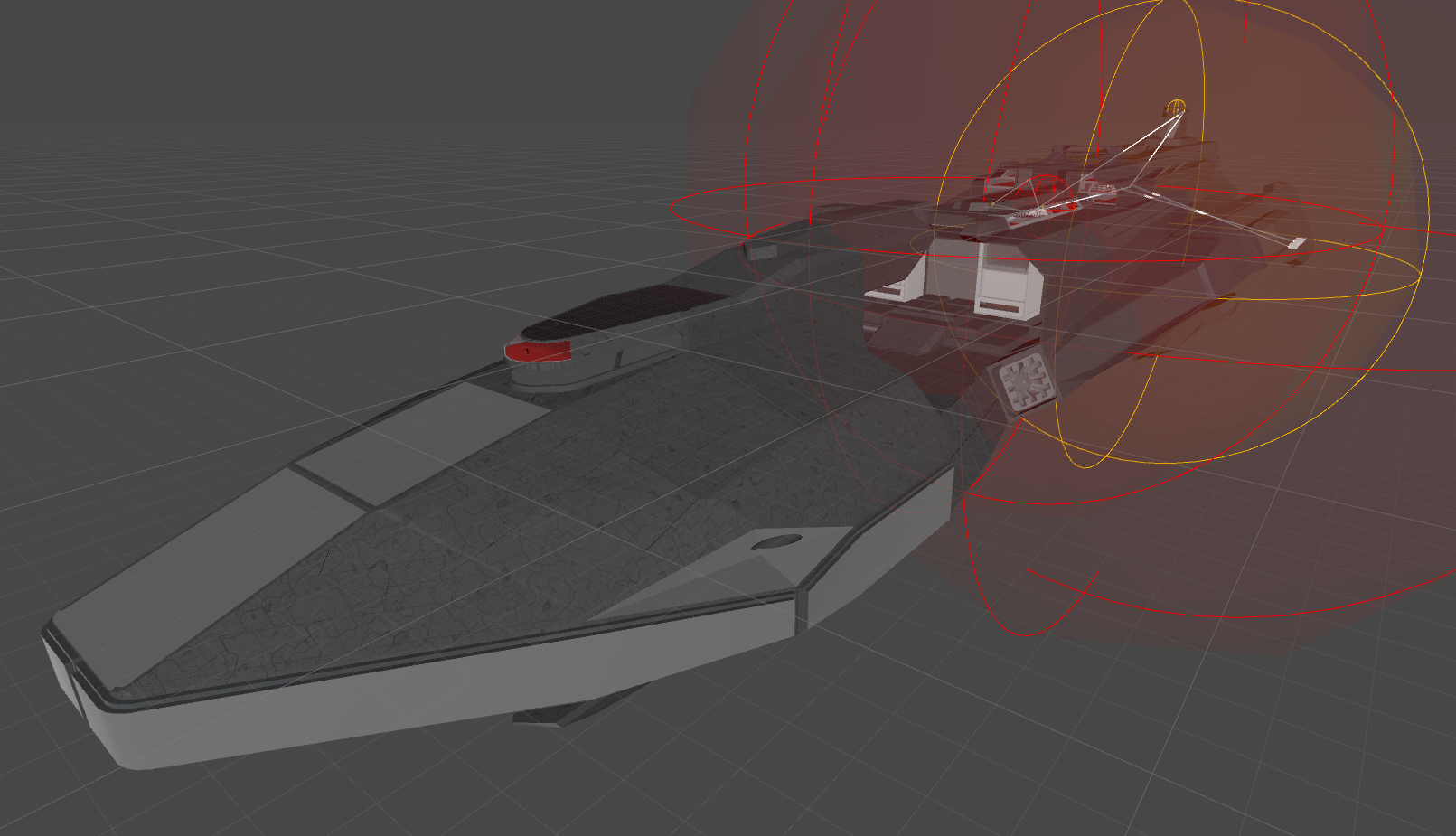
It's huge! A space ship about 3x the length of a US super carrier 😃
honest tinsel
Yeah, I'm excited by how far I've been able to push it up until now.
misty pecan
I guess try creating a plane and use a simple cube to interact with to teleport, like, 5 meters in front of it
Eliminate the possibility that it's the SDK or action being faulty
honest tinsel
https://i.gyazo.com/213a5747b7d25eb4f0306b6a54540377.png The tiny blue spec on the red bit on the left is the VRChat test character.
 misty pecan
Oh boy
honest tinsel
The weird thing is, I have teleports working wonderfully everywhere else.
I have a 'tram' system that uses them to get around the various decks.
As you can see on the right, those white blocks are rooms, which are set outside of the ship so that they windows get sunlight (I'm kinda faking room location for teleport doors. Everything else in the ship is physically accessible outside elevator use)
misty pecan
Try setting the spawn point where the receiver is at and see if the same thing happens?
honest tinsel
Yep, that's what I'm working on now. I just forgot to remove the other spawn points.
Testing in VR is slow AF though.
misty pecan
That should tell if it's that specific spot or teleporter atleast being wonky
Oh yeah, totally is
honest tinsel
That is what I'm hoping too. Force the player to spawn there.
misty pecan
I dunno if you already have that, but please do have ambient sound sources! They add so much to a world
honest tinsel
I do. Generic 'engine' sound can be heard everywhere. The bridge has its own ambiance (based off of the bridge of the SDF-1/Macross, for anyone who is old enough to remember it)
misty pecan
👌
honest tinsel
The rest of the ship is similar to a generic Star Trek roomtone
misty pecan
Been too many worlds without any ambience and it ruined the world so much for me
honest tinsel
I come from a (armature) game design background, so I'm alllll about it.
misty pecan
☺
honest tinsel
My name is the same in VRC if you are interested in seeing the world when I test later tonight. Could always use another set of eyes to spot the many bugs.
misty pecan
BTW if you didn't know already, https://vrchat.readme.io/ is the official docs page
honest tinsel
"Project doesnt exist... yet!" ?
honest tinsel
Ah yes. I've read through most of this. I wish it was just a wiki so we could easily add to it.
misty pecan
There exist a horribly outdated wikia
honest tinsel
And it has some out of date issues. Or maybe that was the official wiki?
 willow sonnet
When I hover over pickup objects it shows the highlight as a box which i assume is the box collider. If I want it to highlight the object itself, is the mesh collider the only way?
honest tinsel
@willow sonnet Yes, I believe so. 😦
misty pecan
^
willow sonnet
😦
misty pecan
Might exist some weird workaround
honest tinsel
That would be an easy feature to add, but the team seems to be busy with bug smashing and troll stomping.
misty pecan
None that I know of at the top of my head anyways
Suppose you could make a very lowpoly mesh and use it as the collider for the object in question
honest tinsel
^ lol was typing the same thing
misty pecan
Then using a mesh collider wouldn't be too bad
honest tinsel
I've read that mesh colliders aren't that bad if you aren't going crazy with it, and don't have many of them.
misty pecan
In the great pug I believe that is the case
The more complex the mesh is, the worse mesh colliders are
honest tinsel
In theory, they should only be leaching CPU cycles when a physical interaction takes place. So for static stuff, not the end of the world. Not so good for dynamic things that are always obeying gravity.
willow sonnet
Somehow it works with one of my objects which is set to a box collider but I didn't do anything different to it so I don't know how to duplicate the process. 😐
honest tinsel
Is it possible a mesh collider snuck in there on import?
honest tinsel
That is interesting! Sorry, but I don't know how that is happening. I figured they were simply using an outline shader on the collider!
 median stag
Getting a warning about a plane having two meshes, says to consider using multiple shader passes--- should i be worried about this at all in terms of actual issues of lag or anything like that?
 grand gale
how do you increase the player voice volume/voice travel distance in unity? Anyone know?
honest tinsel
@grand gale I see a 'voice falloff range' value in the VRC_Scene Descriptor
grand gale
gotcha seems to be working thx!
 frosty egret
Hey guys, I need some help testing a new world I just put out. The world gets 90fps when I'm testing it by myself, but when invite a second person they get booted after 10 - 20 seconds. Their game doesn't crash, they just get booted to a new instance of the same map. They're moving around and talking to me when it happens to, which is weird because that makes it seem its not a performance issue. It happens to me too when I try to join someone else's instance of it. I've made some changes and deleted some objects from the map and want to give it a whirl again, but I feel bad about luring strangers on the Hub into my buggy world. Is anyone willing to be my guinea pig. The world itself is pretty cool and interactive and involves blowing other players up with a gun.
BTW the world got approved for public earlier today, but by pushing a new version I accidentally made it unsearchable. Might need some help figuring that one out too
 sinful ivy
@frosty egret Every time you publish a new version you need to submit it for approval to become public again. That is why it is strongly recommended to have two versions of the world with different IDs, a private test one and the public one.
frosty egret
Thank you! Well it was scuffed anyway, so it's good it got taken down for now.
frosty egret
I found out you can run two instances of VRChat if you copy the executable and the accompanying data folder. I made new account and friended myself lol. I still don't know what's causing the issue. Is it something to do with sending RPC's? I'm able to pick up my gun, but not fire it in the short time before I'm booted to my own instance.
 astral trout
is this that test gun range map thing?
i had that problem when i tried to join it with a friend
i've noticed this happens to some other maps but only when the instance is pretty old
or the SAO map with the monsters
I suspect its related to there being too much object sync data needing to be sync'd by new joiners
might want to check your vrchat logs if anything shows up there
it has happened like once to my map in a pretty old friends+ instance, never did figure out what caused it
frosty egret
@lilac saddle Yeah that was it! The map was called "The Scuff - Gun & Physics Test Range". I found out the Combat System was the culprit. I wasn't even using VRC_Combat, because I couldn't figure it out, and as soon as I took it off, the map started to behave. The only issue I have now is the actual PVP part. For some reason, I can blow myself up if I shoot my legs, chest, or head, but I can only hit other players if I hit a tiny space between their feet. Also during testing getting shot only knocked me back a few feet, now I'm flying off the map.
 sour cave
can i get away with the 90 fps performance requirement for public approval if there's buttons to turn off all the point lights and fancy shaders?
 toxic plaza
i think aslong as its 90fps by default it should be ok
dont have all the fancy stuff on by default basically
sour cave
oh woops
my stuff is on by default
and i'm doing another 1 hour long upload again
to be fair most of it is culled until you get close so i think i'm fine
like the water reflection only happens in one spot and you won't see it as soon as you spawn
so you have a chance to turn off all the graphics settings before they start to lower your framerate
 harsh geode
My range of FPS goes from 30-90
Even on popular maps like hotel on the beach there are a lot of dips in fps
The main issue with map publication is making sure the map isn’t bugged out and nothing malicious will affect vr users
Say an avatar pedestal with something like a 50ft tall model
Lol
I’ve been to maps with a crazy long login time too. High quality with a bit lower performance
@grand gale if you as vrc_playermods you can add custom mods like jumping, speed, and voice falloff range
 lilac saddle
Can someone help me with VRCVideoSync
willow sonnet
What causes the long load times? I'm trying to cut mine down.
 agile steppe
is it possible to enable/disable a specific culling mask via Trigger for a local player?
or is it player to change the Layer of an Object for the player local only?
I want to add a "room", where particles should be visible by a player (changes Layer of Particles from "Invisible" to "Default" by OnEnterTrigger and changes Layer back to "Invisible" on OnExitTrigger.
Is it possible to do that for the players locally?
 bright basalt
How bad is dynamic lighting actually 🤔
bright basalt
I have like 4-5 lights there for a club and no baked lights
When I try to bake it fuks up : /
 sharp arrow
For many reasons it can become incredibly costly but it also depends on the situation. If you can settle for them being vertex lights, by setting the render mode to "not important" then you won't really have to pay any penalty. However, if you leave them as auto or important you will cause an additional draw call per object touched per light. These draw calls themselves cannot be batched together either. It can, in some bad cases, bring a scene that would otherwise only be a couple of draw calls to hundreds or even more. This is before shadows are even considered. It really depends on too many factors but usually realtime pixel lights in Forward should be avoided. Realtime lighting not only looks bad but is also generally uneeded unless your lights are moving. It's one of the easiest ways to ruin performance for simple maps.
 strange atlas
should I be enabling trigger individuals in my occlusion triggers?
toxic plaza
i dont and it seems to work fine for me
strange atlas
it never works for me unfortunately. I have it set to local and PlayerLocal, and it works fine with 2 people but the moment the room has more than 5 people it bugs out and starts unloading objects that should be loaded
toxic plaza
oh 😮 i havent stress tested mine with more than 5 people since i added occlusion triggers to mine. Maybe i should really soon XD
 sweet sinew
Dev meetup? 😛
toxic plaza
not the main world
most people have seen that already
in its current state XD
no point showing that one off at dev meetup until theres way more content
otherwise it'll just be boring XD
 west zinc
Looking forward to the next dev meetup. Can’t go to this Sunday’s because Easter, but next Sunday hopefully
lilac saddle
i thought that easter had ended already..
lilac saddle
Thats fine i dont believe in all that crap anyways
but i do love easter eggs though
toxic plaza
😛
 umbral glade
@strange atlas Set your occlusion triggers to only interact with the PlayerLocal layer. The Player layer will trigger on the local machine when a remote player crosses a boundary which is probably not what you want for occlusion.
 west crag
I don't like Easter but I do like getting a 4-day weekend
 cunning basin
@lilac saddle hi again
@fair agate Hello, u help me yesterday, with the crash of unity, can u again say what I need to do in order that he would stop crash.
 fair agate
still crashing?
Do you have any assets that you got besides standard assets and the sdk?
cunning basin
@fair agate few shaders
fair agate
does it only crash on uploading a world?
fair agate
you have future proof off?
fair agate
not sure what you mean, you should uncheck Future Proof Publish
Also can you do a local Test - New Build ok? Is this only on server upload?
cunning basin
local Test is ok
fair agate
ok that narrows it down at least
cunning basin
where is Future Proof Publish checkbox?
cunning basin
oh, you saved me a lot of time
fair agate
- backup 2. Close unity. 3. Delete SDK folder from Assets folder. 4. Delete sdk meta file. 5. Open Unity and import sdk again
future proof seems to do little other than make upload time ten times longer
cunning basin
yes i do same
fair agate
If that still doesn't work you need to read your Unity logs and find the error
cunning basin
hmm
fair agate
I searched the discord, this is a problem other people have and not a lot of good answers unless you have specific error
cunning basin
its upload now
fair agate
👌
fair agate
sure
cunning basin
VRCVideoSync
default buttons not working when i copied them in my scene from SDK example scene like VRCVideoSync
i bind it like in SDK example scene
fair agate
yeah those don't all work. Use this prefab: https://drive.google.com/open?id=16_St7_IHfSo0D6TbtXePmTUVouHIet_u
Google Docs
I didn't make it, I don't know much about video players, but youtube clips need to be 740p at least and recent to work well
cunning basin
OK i try it right now, thank you
Can I make more than one playlist?
or just add a few players and turn off one and turn on the other one?
and although okay, it's not necessary, this new player play clips by number
Thank you again
fair agate
this was made by ArthurPendragon#8359
 frail marten
@cunning basin you can just make super long playlist and add SENDRPC (Next, previous, etc.). Just make sure the deprecated youtube script isnt being used as that will limit you
cunning basin
@frail marten deprecated youtube script?
frail marten
that will limit you to 26 songs max
cunning basin
I think I do not have it
frail marten
good then
willow sonnet
How do I decrease long load times in general? Anyone got any tips? My world's got the longest load I've ever seen out of any world I've visited.
toxic plaza
is it possible to decrease it by having some areas of the world off? (and then turn them on when players get close with occlusion trigger)
or is it due to videos that its a slow load?
willow sonnet
There's no videos
It's not too big either, so I'm not sure why it's taking so long
toxic plaza
have you added any occlusion triggers to your world (or the camera based one you can turn on in unity)?
willow sonnet
No occlusion
toxic plaza
you could try adding some to see if it helps, works well if you have places you cant see from the spawn location
willow sonnet
Even if it doesn't load in, isn't the initial load the download of the entire world?
toxic plaza
tbh i'm not sure
what about your textures?
are they large in file size?
(oh, the build log might be a good way to figure it out too, it shows a % of all assets and the download size)
willow sonnet
Oh, have you every run across the issue where the test vrchat window is zoomed in?
Where do I find the build log?
toxic plaza
when you click build new
it will create a log accessed from console panel (small menu in top right corner of panel)
and choose editor log from that small menu
you dont have to upload your world
as soon as it opens the upload screen (where you add world name and info)
you can check the editor log
search for CustomScene
when the text file is open
it will look something like this:
Something CustomScene something something
compressed size: 100mb
music --- 5mb (5%)
textures ---
animations ---
complete size: 300mb
something like that ^
willow sonnet
129mb, is that big?
toxic plaza
thats fine
willow sonnet
I wonder why it's so slow then. 😐
willow sonnet
Anything in particular?
toxic plaza
might as well post the whole list XD
willow sonnet
It's a little too big to post here
toxic plaza
it should be like 10 lines max i think
willow sonnet
hahaha, not even close for me.
toxic plaza
compressed size, a bunch of categories below it like audio, textures, and then complete size
are you talking about the whole editor log?
or just the scene sizes?
willow sonnet
Oh you mean this
Bundle Name: customscene.vrcw
Compressed Size:129.8 mb
Uncompressed usage by category:
Textures 194.4 mb 65.5%
Meshes 7.7 mb 2.6%
Animations 0.0 kb 0.0%
Sounds 25.3 mb 8.5%
Shaders 5.6 mb 1.9%
Other Assets 110.1 kb 0.0%
Levels 5.6 mb 1.9%
Scripts 1.2 kb 0.0%
Included DLLs 0.0 kb 0.0%
File headers 58.3 mb 19.6%
Complete size 297.0 mb 100.0%
toxic plaza
mines around 200-ish mb on download i think, need to check at some point
but will be a bit bigger when complete
is it a large world?
willow sonnet
a mix of 512 and 2048
willow sonnet
It's one room, a corridor and bit of background environment around it
toxic plaza
oh ok
thats a pretty big size for a small environment then
are there any repeating textures?
or have atlas'd as much as you can?
willow sonnet
Just for the props
toxic plaza
when is ay repeating, i mean texture images/materials
if multiple objects are sharing one material
thats good
but otherwise im not sure why its a long load time for your world
willow sonnet
Can you atlas multiple meshes to a single texture file?
toxic plaza
a mesh can have multiple materials
willow sonnet
Hm...all my meshes have a single material
toxic plaza
oh
oh i see, i misread what xD
thought you meant you for a moment that all your meshes have the same material lol XD
willow sonnet
Haha
toxic plaza
i'm not sure if textures can cause a long loading time at spawn
hopefully somone here can give you a better answer
what kind of colliders are you using for the environment?
willow sonnet
If you have time do you mind jumping in and having a look? Maybe you'll spot something
mix of box and mesh colliders
willow sonnet
np
From the log it looks like it might be including the textures that aren't being used. I'll remove them and see if that does anything
toxic plaza
unity will only build the assets in your scene, so it wouldnt use anything from the asset library that you arent using
 lean lodge
I use Ultimate VFX in one of my projects, and it takes ages to upload
I'm getting the feeling that Unity is trying to bundle the entirety of the VFX asset with my avatar every time
lilac saddle
okay who mentioned me this time.. lol
@cunning basin Hey 😃 glad it was as simple as just a Hi 😛
 rugged mason
@lilac saddle 
lilac saddle
😃
Today i had a theory and so im looking into the depth of the web to once and for all find out who's responsible for something thats utterly irritating
 heavy kite
What was it?
lilac saddle
Okay, I'm having an issue with occlusion culling. It's working 100% in every other part of my world, but I added a new room where I put the avatar pedestals etc., but the occlusion culling seems to be working backwards when you look from the left side of the room to the right, and when you look from the right side of the room to the left
Everything you're looking at gets culled, but just in the corner of your eye you can see that things aren't getting culled 🤔
lilac saddle
turns out it was the carpet, the plane, in the middle of the room, even though it was not an occluder --
and didn't occlude anything
It just confused the occlusion culling automation lol
honest tinsel
I've had that issue. Trying to remember what I did to fix it
lilac saddle
I just removed the carpet and everything's fine
This probably means that if I want to add the extra stuff into the room sometime, I'll have to have them toggle on/off and have them turn off by default when you leave the room
 hexed tusk
anyone online?
I stumbel upon an asset... and It provide a few options for my trees.... should I go for a high poly tree but has this fading effect when u get farther or... a low poly tree.
ping me pls.

 willow sonnet
Welp. Somehow my attempts at decreasing the load time has made it much much worse
Anyone free to help?
honest tinsel
I probably can't help, but what did you do to try and decrease it? @willow sonnet
@hexed tusk , do you mean it has LODs with dithered transitions? The poly/vert count isn't very harmful, but with a tree, the overdraw may be a bigger issue.
hexed tusk
@honest tinsel idk what u mean... But i do realize it fades into a billboard version of it if im far enough. Whag i mean by the overdraw?
honest tinsel
If it fades to a billboard, I'd call that an LOD. The easiest way to explain overdraw is, for every transparent pixel, there is a cost (cut out render mode, as used on foliage). Stacking subsequent transparent pixels multiplies that cost.
hexed tusk
owh... thats usefull information thank u. I havent decide how much im gona use... but ill limit myself from using them alot n use the lower quality ones.
agile steppe
Hey, I've a question.
Is it possible to modify the Mirror that it only Reflect the Players, nothing else?
 fair sun
agile steppe
fair sun
agile steppe
I know you can edit the Culling.
But you can't watch through the Mirror this way.
I want to create a Mirror that works like Glass. You can see through but it should reflect the players, too
heavy kite
Transparency with a reflection
There is a way to achieve it, but it might be performance heavy
Realtime cubemap
agile steppe
haven't done much with shaders yet, so probably need some help x_x
cunning basin
Hi, is anyone know how to make doll like in avatar testing world?
fair agate
Oh is that part of the world??
It saw that and thought it was on an avatar
Yeah I think I know how to do it.
would involve rigidbodies and joints on the bones. Animator controller with avatar mask for visemes on the face
cunning basin
yeah i think same but its work a bit wrong, i cant to bend knee
how to make it so that the bones do not leave their limits?
fair agate
pickup is a child on the bone with a joint that has a spring and no limit
it's invisible
cunning basin
legs or hands simply stretch for kilometers
fair agate
imagine each bone has a little bead attached to it by a rubber band. you pull on the bead
cunning basin
hmm
 kindred quarry
Most of you Unity3d experts probably know this but for those who get stuck compiling light at "7/11 Light Transport", for me, sometimes days!! ---- I recently found out that world object sizes matter, so what I do is grab the entire world in the hierarchy and place it inside a pre-centered Empty Game Object ---> I then change the scale from 1 1 1 to .1 .1 .1 and believe it or not it actually executes light baking within a lifetime. Hope it helps anyone suffering this time consuming Unity3d operation. Oh, yea remember to Turn of Auto Generate BEFORE rescaling back to 1 1 1 and removing the hierarchy from the temporary Empty Game Object.
 errant vapor
baking lights is like an art form at this point
west zinc
I tried baking lights,everything turned dark blue
Me: “I’m going to find other ways to make my world optimized”
Doing pretty good so far, I just wish there was a unlit option for the flip book shader
lilac saddle
I decided to just not use any lights for the majority of my world since it's too large and baking would take ages to do it properly
Just have a colored background light
One room has baked lights to look different
toxic plaza
is it possible to have real time and baked lighting for different areas?
(within the same world)
toxic plaza
i forgot about mixed XD
that does exactly what i wanted XD
but my world seems like it might be too big for baked lighting with shadows
lilac saddle
Yeah, my problem with real time lights is though that it instantly kills performance, too many shadows everywhere 😄
toxic plaza
One of my zones is big enough that shadows fade out from a distance XD
lilac saddle
Thankfully, there are shadows in the textures already so I could just not use lighting.
toxic plaza
so it kinda works out for me there
lilac saddle
My current problem is though that my items don't respawn 🤔
I throw them off a ledge and they just never respawn, even though I have the respawn thing on getting out of bounds on
Other problem is, they sometimes glitch themselves through the colliders but that's a minor issue in comparison 😄
Missing script "vrc_object spawn" I guess 🤔
Oh, that's wrong, these aren't dynamically spawned 😄
 harsh sky
what can you do to optimize a mirror
 warped turtle
you can make it toggleable, so that it doesn't always has to render
lilac saddle
You can also make it not render the environment
That's pretty big 😄
Okay, now I have an issue where one room is causing occlusion in another, and I have no idea why. They're fairly far from each other.
But it's obviously caused by the other room, since when I make it inactive, the other room's occlusion works fine
west zinc
I should look more into mirrors, I have 3 mirrors in my world. All toggle locally.
only reason I have the 3rd is because people congregate around mirrors
lilac saddle
oh, actually, it's not the room, it's the other rooms. When one of them is on, the occlusion works fine, but when both of them are on, the occlusion breaks in the third 🤔
 hushed cargo
Someone familiar with Dark Rooms ?
Trying to create one but idk how to block the light from entering it.
I already created one cube with flipped UV and another one with regular
sinful ivy
@hushed cargo You need to change ambient lighting if you want anything pitch black
hushed cargo
kk thanks ❤
lilac saddle
This one god damn room won't stop with its culling woes
Every other part of my world works perfectly, except one room. I keep trying to fix it, but it resists
I guess I'll have to turn culling for it entirely off in the end and do a form of culling by turning its mesh off and turning everything else off by hand
I'm not even sure why it's doing it, it worked just fine earlier and then I had to redo the occlusion culling and this started again
lilac saddle
Yeah, I "fixed" it by turning everything I can off and only leaving the occlusion area on.
And when you hit the only button that lets you enter the place, you turn everything back on. And when you leave, you turn everything back off. Bam, "occlusion"
 jaunty heron
last time I tried to bake lighting in unity was years ago and it was the most broken thing ever. Hopefully it's better than it used to be.
west crag
lel
well, on my cube-based worlds it has been working fine at least, it just results in shittier-looking shadows
on one other world where the floor was translucent, it produced lower fps than not baking, which left me scratching my head a bit
willow sonnet
Baking AO never works out for my world
 olive geode
why not @willow sonnet
did you define your objects either as occluder or occludee? or are they just static?
willow sonnet
They're all just static. The mesh has shadows where there shouldn't be.
lilac saddle
@edgy zenith check that Generate Lightmap UVs is checked in the FBX Import Options
I think when UV are broken this happens, a bug with UVs being imported into unity @edgy zenith
 lyric fable
is there a way to lower framerate of a mirror?
misty pecan
Making sure it doesn't reflect the whole world by placing it in a contained area is a good start
Turning off layers it should reflect might help aswell
fair agate
@willow sonnet some things use overlapping UVs to save texture space (like all the table legs on a table, or mirrored items). They don’t AO well. Even with Unity making lightmap UVs I had issues.
lilac saddle
@misty pecan does somebody have a list of what layers contain in vrchat? I'm still not sure
misty pecan
Couldn't find anything on the official docs about a full description of all the SDK layers
However most of them are pretty self explanatory
Like PlayerLocal is you, the client and Player is everyone else.
Imagine if you need something clarified then sending an email to support would be the best thing to do?
lilac saddle
ah thanks, yeah those are useful, I will test some more and mail them
willow sonnet
@fair agate I also thought that was the problem. I've tried separating the UV so that they're not shared but it still behaves like that.
fair agate
Well I can tell you I gave up on baking too. Though there are two bake options and one worked much better.
@lilac saddle I would also like this info. Some layers seem duplicate function and some are a mystery.
willow sonnet
Two bake options?
fair agate
Progressive? Was that it?
Anyway I don’t Unity bake AO. I do it by object in Blender and manually make textures in photoshop-app. Add a layer set to multiply.
lilac saddle
enlghten and progresive
lilac saddle
I need someone's help, My World i'm making The Collision is not working
rugged mason
hmm
so you have a vrc_world prefab
and your floor has a mesh collider
or box collider
sth along the lines
 barren gyro
Oh! I've been helping a lot of people with this lately and I wanted to mention if you have Music and/or Ambient Sounds, absolutely positively change your sound from "compressed in memory" to load type: "streaming", with compression vorbis.
you'll go from this:

to this:

it's a source of lag in a lot of places.
(note is same clip count)
this also tends to help with the stutter
toxic plaza
as a word of warning though, streaming mode will not work for music that is disabled and enabled via triggers
misty pecan
So basically only use that with static, non-interactive sound sources?
toxic plaza
yeah 😃
misty pecan
👌
toxic plaza
as to what happens, the music wont turn back on if its streaming, thats all
lilac saddle
essential world (and even avatar) optimisation reading: http://blog.theknightsofunity.com/wrong-import-settings-killing-unity-game-part-2/

There are many things that may go wrong with your game development. Your models may have too many triangles for your target platform to handle, your algorithms may be too expensive for your CPU, and a
west zinc
There is a middle option that’s good if you have music that you can toggle
 scenic swallow
It seems a bit silly to be worrying about a couple hundred megabytes of RAM when VRChat regularly consumes up to 6GB. I could see it possibly being an issue for people with 8GB of RAM but that's the bare minimum and they'll probably run out for other reasons anyways.
west zinc
Lots of people have 8gbs
scenic swallow
I wouldn't be surprised if they run in to frequent RAM issues regardless.
I'd actually be interested in profiling the opposite side of these suggestions and use the "decompress on load" option instead. Because if you're trying to avoid audio stuttering streaming it from the disk seems like a bad idea.
lilac saddle
the takeaway here is not the memory footprint, it's storing it in memory compressed making it heavy on the cpu to decompress while playing
scenic swallow
It's still compressed when streaming mode is enabled is it not?
The audio CPU usage was the same.
lilac saddle
I'm talking about the article, not streaming, I wouldn't stream unless it was a long playlist myself
west zinc
Its all a balancing act
Figuring out the best balance of file size, cpu load, and ram usage
lilac saddle
sound effects that are played often ... decompressed in mem for sure ... background music .. balance it out ye
scenic swallow
Also isn't audio on a separate thread anyways?
lilac saddle
sometimes loading a world will give a black screen for 20 seconds, that's almost always the soundfiles being decoded ... also not exactly pleasant each time
@scenic swallow not sure but audio is a heavy load in vrchat with all the voices being mixed
west zinc
All my sfx are uncompressed. But I designed them in a way players really only have 2mb of sound in ram
lilac saddle
unity 5.6 is multi threaded but single core 😐
scenic swallow
uSpeak is the the voice chat plugin btw.
lilac saddle
yeah it's the #1 source of lag for me
scenic swallow
No, it's multi-core but too much goes through the main thread.
There's separate threads that can run on other cores for physics, render, audio (I just checked), a bunch of worker threads (for jobs like updating realtime GI).
lilac saddle
oh okay, hmm, well it's not great 😉
scenic swallow
AI too, and some others I'm sure.
The issue is that all of VRChat's code and any other code that wants to interact with Unity using the Unity API has to run on the main thread.
lilac saddle
unity 5.6 uses an older version of .NET that's not exactly known for threadsafe stuff
scenic swallow
If all you're doing is processing data you can write that separately and run it in its own thread.
Yeah, it's not practical to do a lot of multithreading unless you're experienced with writing multithreaded code.
Too many pitfalls.
The job system in 2018.1 should help with that.
Which also includes a huge .NET update
All the way up to 4.5 I think.
lilac saddle
seems all the important stuff is single threaded and the rest is background workers for now and the API only uses the isynchronizeinvoke .net interfaces
more reason to have SSDs, a ton of (downloaded) rams and people optimizing their content especially audio 😄
scenic swallow
Just throw more hardware at the problem, it's easier than writing good code. /s
lilac saddle
post shit here to educate people helps too 😉
 past imp
quantum computers where
scenic swallow
Assuming they read it. It's easy to miss stuff in a chat like this.
lilac saddle
the vrc wiki says on audio, just use compressed vorbis for EVERYTHING lol
scenic swallow
Lol
lilac saddle
that's just evil 😄
scenic swallow
Propose a change I guess?
lilac saddle
I just only mention the wiki as heresy and fake news and hope people read discord to stay up to date
lilac saddle
I do have an account there but it seems very quiet
scenic swallow
Just link to that article.
Yeah, it'd be nice to get more traffic there so we can have a bit more permanent place for these sorts of discussions.
past imp
is there any other resource for vrchat besides the outdated wiki and the vague documentation?
lilac saddle
vrcat forum!

VRCat: Community-Run VRChat Forums
A fan-made community for VRChat.
pinned messages in this discord have some nuggets too
scenic swallow
I wish Discord had threads like Slack
We used to use Slack for the community before switching to Discord
lilac saddle
slack reminds me too much of work 😄
scenic swallow
The community grew too large for a free Slack so posts were getting deleted really quickly.
I like Discord way more, but I miss the threads feature.
lilac saddle
I know there's people trying to update and weed out the wiki, not sure how far along that is
for now it's best to be very careful using that as a guide
scenic swallow
I kind of like the ownership that's associated with a thread.
west zinc
The unity documentation on audio formats is a useful tool in its own right
lilac saddle
yeah, tips on optimising unity projects are very relevant in 90% of the cases
learning about occlusion culling, passes and drawcalls will always help squeeze more out of your ideas
scenic swallow
It annoys me when people don't bake occlusion. It's basically one button press if you've already set things static to get a significant performance improvement but it's too hidden to be obvious.
lilac saddle
preach ⛪
scenic swallow
Maybe you run into issues and have to adjust the values of the literally two settings.
Or just uncheck occluder/occludee static on something.
lilac saddle
half the public worlds don't even have everything set to static that is nailed down
scenic swallow
The SDK really should have a button to bake occlusion, and block uploads until you push it.
It'd help for at least some worlds.
west zinc
I still have a lot to learn, but setting lots of stuff to static made a massive performance bump
 viral marsh
“Assuming they read it. It's easy to miss stuff in a chat like this.” - chat rooms are the answer to everything. You heretic.
west zinc
Kek
lilac saddle
this discord is super active and a lot of people with different niche knowledge, I know everything from either asking or happening upon it here
west zinc
That doesn’t really solve the documentation problem.
lilac saddle
unity stuff I can google, but vrc docs are bad for sure
scenic swallow
@viral marsh I guess a busy chat room can be a good way to get an answer. Just post incorrect advice.
lilac saddle
the wiki/docs have incorrect or outdated advice and it's official 😉
so it's already better
viral marsh
I’m speaking to it being the answer to everything
lilac saddle
lol
viral marsh
The single hammer for all the nails
scenic swallow
I find that a lot of Unity stuff ends up having a step that's something like "create a new C# script and paste these 3 lines of code into it".
viral marsh
Discord is currently the cornucopia solution.
scenic swallow
Which ends up meaning it's either impossible or contrived to do in VRChat.
scenic swallow
@lilac saddle We need to pretend to be a new creator and post things from the wiki that are outdated as if they're facts
Then wait for people to correct us and then update the wiki with the corrections.
What could go wrong? /s
scenic swallow
Suddenly everyone starts using vorbis compression for all of their audio...
lilac saddle
that is happening right now sadly
because obviously the official wiki knows more about it than some guy on a discord with a profile picture of a knuckles
I'm not complaining but a lot of the finer details are obscure and there's also a lot of false advice from beginners so it's rough starting out
west zinc
Everyone is converting their audio in audacity then importing it to unity. Unity converts all audio by default
viral marsh
Unity defaults to compressing all audio in Vorbis... no?
lilac saddle
yes
and compressed in mem if I'm not mistaken
which is not very performant, especially for sound effects
west zinc
It defaults to ogg yes
scenic swallow
One issue I can see with using a chat room as a source of information is that it's difficult for a new person to gauge the credibility of people and their information.
viral marsh
And to find stuff
scenic swallow
Better than Slack
viral marsh
THREADS
lilac saddle
even the mods say stupid things sometimes
west zinc
Suddenly you can have Brian Schmidt giving you a master class on audio without you knowing it
lilac saddle
because they are humans
viral marsh
Also. Slack is not for mega communities
So it makes sense we are using discord -to chat-
Not to build knowledgebases
Or support docs
Or event listings
Or photo galleries
:¯_(ツ)_/¯:
:soap-box: ?
It feels like a devolution of the web to devolve back to a BBS
misty pecan
At some point I want to make a VRchat world with literal text boxes hovering in the air with helpful tips for avatar/world optimization or things that isn't really documented anywhere but "everyone" knows about anyways.
viral marsh
I was once told that is a dumb idea about a year ago. 😉
misty pecan
Like the difference between having several skinned mesh renderers and just mesh renderers on your avatar
viral marsh
(I think it’s a good idea)
scenic swallow
Tips might be okay but the issues I have with tutorial worlds vs documents are the same issues I have with tutorial videos.
lilac saddle
people (who should know) tell me stuff is impossible and it's only encouragement
misty pecan
I will of course have a dedicated corner with few videopanels and links to knowledgebases
scenic swallow
The ratio of production time to information is lower than a text and image document, the information is inherently difficult to search, and at least for video difficult to update.
past imp
What is the difference between skinned mesh renderer and mesh renderers performance wise anyway?
scenic swallow
A tutorial world may be difficult to update depending on how it's made.
Skinned mesh renderers have a separate skinning stage where the vertices are displaced based on the transforms of their (up to) four strongest weighted bones.
misty pecan
The world itself will be intended to be a supplementary to learning stuff yourself, not a "Go here to learn everything you will need to know" world
lilac saddle
mimi is working on something like that I think
misty pecan
Though it will help guide you to the right places
west zinc
I’ll hopefully soon have an avatar tutorial for absolute beginners
scenic swallow
That why I said it might be okay for tips.
lilac saddle
a bare bones world with all the prefabs working and set up correctly
scenic swallow
They're inherently small and self contained.
misty pecan
Mimi is working on a mega prefab package I believe? Should contain a lot of good stuff set up for beginners
lilac saddle
like background audio that's not 3D, working teleport, working videoplayer + playlist, mirror toggle
and more
yes exactly
all the questions that keep popping up here
every day
scenic swallow
Now that I've made the Final IK thread I'm going to start writing a Real-time GI thread.
lilac saddle
yes please
scenic swallow
I want to see people take advantage of it in interesting ways.
I'll probably need to dive into lightmap parameters and setting up multiple GI systems to minimize real-time GI CPU cost.
lilac saddle
it better have graphs 😄
misty pecan
I want to have threads like that in my "VRC Tips" world, though they would need to be segmented and put into a powerpoint-like presentation with next/previous buttons
lilac saddle
incorrect lighting/ambient/directional/skyboxes are a pet peeve
misty pecan
Maybe even a voiceover option?
lilac saddle
that and unlit avatars that people call 'glowing'
west zinc
Yeah what’s up with those avatars
lilac saddle
@west zinc people think mkglow adds a post effect to their avatar 😄
misty pecan
Unlit anime girls everywhere
west zinc
Oh I thought people turned emission on the standard shader all the way up
lilac saddle
I wish, that would look better
past imp
unlit avatars on dark maps with bloom
🕶
misty pecan
People back then just used the free unity toonshader, which was unlit
lilac saddle
oh god, RIP nighttime map athmosphere
scenic swallow
I actually have an idea on how to blunt the glowing of unlit avatars
misty pecan
Projecting shadows?
scenic swallow
No, it's using the post processing stack
misty pecan
Ah
lilac saddle
it's legacy shaders combined with PPS, the speculars will blow out the camera
scenic swallow
Light everything super bright and then reduce the exposure in the colour grading process
lilac saddle
it's not PPS
toxic plaza
@misty pecan I know @tardy briar is working on a tutorial world explaining how different things work for world development, with the goal to keep updating it based on prefabs submitted. might be worth talking to him about it and combining ideas for it 😄
in regards to your tutorial world idea above
misty pecan
I still got other projects I absolutely need to finish before first
scenic swallow
@lilac saddle Are you referring to the NaN infinite bloom issue?
misty pecan
So it's still ways off before I get started on that
toxic plaza
ah ok no worries 😃 he's making it so that we can all submit prefabs to it
lilac saddle
yes the eye cancer alien avatar etc
scenic swallow
That's not legacy shaders, it's bad normals.
toxic plaza
oh thats what that is XD
i've seen that alien wreak havoc on the nier automata flowers world
x_x
lilac saddle
with legacy shaders even good normals won't help
lilac saddle
the speculars are just way off the mark, and that doesn't matter in non HDR, but in HDR it blows out the bloom
scenic swallow
The V2 stack fixes it and it's supposed to be out of beta soon.
lilac saddle
PPS v1 is fine
scenic swallow
There's a box to suppress NaN
scenic swallow
Also I've been meaning to try hacking a fix into the shader the post processing stack uses
lilac saddle
what is it fixing?
scenic swallow
V2 or my hack?
lilac saddle
the hack
scenic swallow
My hack would just clamp the brightness used by the bloom pass
To something less than infinite.
lilac saddle
that's curing a headache by cutting the head off
scenic swallow
5-10 maybe
fair agate
I tried to optimize yesterday and broke so much stuff
scenic swallow
Most worlds don't have that much dynamic range anyways.
fair agate
I am guessing that if you use trigger occlusion you shouldn’t also use static checkbox?
lilac saddle
HDR is HDR, it has values ... if you use crazy values you get crazy bloom, but it happens before PPS
it's wrong materials, not wrong post effects
scenic swallow
If I can detect NaN then I'd just clamp those.
lilac saddle
true, it helps
scenic swallow
The post processing stack should still behave well if given bad data
So NaN values should be rejected.
lilac saddle
it's just that clamping HDR makes me feel dirty
even if it's NaNs
but that's just me
scenic swallow
It's less clamping HDR and more discarding invalid data
Or just deciding to treat NaN as zero
As opposed to infinity.
lilac saddle
@fair agate checkbox on what mesh?
fair agate
Component static checkbox in upper inspector corner
lilac saddle
yeah, but I don't know what trigger occlusion is in this context
fair agate
Oh! A trigger that inactivates other sections of the map when you are not there.
If you turn components off and on does that make them not behave if they are “static”
lilac saddle
setting stuff to static does a lot of other things too, like no physics/kinetics
fair agate
Yeah this is for scenery
scenic swallow
Why are you using triggers to hide things instead of just using occlusion culling?
lilac saddle
even when inside the frustrum
fair agate
Basically I have four self-contained sections, which are not that big themselves. I was following pinned tutorial idea.
lilac saddle
so I'd say always set everything nailed down to static, even if you're not using lightmaps
to skip unnecessary calculations on them
fair agate
Who knows what else I broke but suddenly I’m falling through the floor in weird places.
fair agate
One weird thing...trying to understand how to use parent/child and rigidbodies:
I have a number of up and down platforms under one animated parent
I took off their rigidbodies and gave one to the oarent
Now when I jump on one I fall through the map
Like teleported terr
There
Guess I have to give them all their own rigidbodies after all.
And the floor falling—it seemed to happen periodically. Even when standing still like the floor randomly turned off.
I need to do more testing but it was 2am and I ragequit
lilac saddle
so they each have colliders but you removed rigid bodies and put one on the shared parent?
lilac saddle
moving players around is something I don't know a lot about 😐
fair agate
Now I do not trust
lilac saddle
I always seem to get very jumpy and glitchy results
fair agate
I guess does large amounts of kinematic rigidbodies have performance inpact
lilac saddle
you should be able to get away with a whole bunch of them, they are not that intensive afaik
the math is pretty simple
but I ragequit too often and gave up on testing them every time
dieu knows a lot about moving platforms
past imp
I think you'd only need an animation to move players
no rigidbodies needed
probably won't be synced though
lilac saddle
isnt the sync what makes it jumpy in the first place without rigid bodies?
past imp
not too sure, I assume it's jumpy because the platform collider and the player collider is intersecting which pushes the player out
fair agate
FYI for horizontal moving platforms, “log raft” made of capsules works better.
It maybe because players are capsules and the friction needs some x vectors
 scenic agate
is it generally safe to use default occlusion culling settings?
fair agate
I really wish I knew. I do know that culling animations causes badness
scenic agate
oh
fair agate
they pause when you aren't lookuing at them and get out of sync with itself
scenic agate
ohhh...
fair agate
I set my animators to "always animate" just in case
scenic agate
yeah I leave mine at that too
but yeah, I have a feeling doing this is gonna get rid of that hitching
that I mentioned yesterdasy
I had no idea it was even a thing
holy crap, inside the club area went from a constant 160k tris to roughly 50-70k depending on where the player looks
damn
scenic swallow
@scenic agate You don't really need to worry about triangles that much.
It's draw calls that are more of an issue most of the time.
You can see draw calls better in Window->Profiler then click on the rendering graph.
scenic agate
yeah it halved the drawcalls too
scenic agate
is 720p too high quality for sync video players?
trying to root out the cause of audio stuttering for my club mixes
 prisma cliff
Newb question but do all the assets inside the project from which you upload a world add to download size or just whats actually used by the world you upload?
fair agate
Who knows what units to use for Occlusion bake?
toxic plaza
@prisma cliff only assets used in your scene are taken into account , not the project folder as a whole.
lilac saddle
@fair agate the defaults are good for most situations afaik

the bake far plane value does not need to have any actual relationship to the camera's far plane value
just a treshold to cull meshes
if your world is no open spaces but small rooms occ baking is not even that useful, but it will always draw less stuff if you add it
the units are normal unity units, exactly a meter
fair agate
I'm wondering if trigger occlusion is a fool's game if you have a lot of synced items.
pickups, interactive animators, vehicles...
 mental elm
That's undocumented behaviour, you'll have to test yourself. One sureshot way to know it's a problem is to have an integrated graphics computer with no dedicated video card and watch frame rates with occ with occlusion and without
If with frame rate drop while occlusion happens, it'll be a no-go
 autumn gorge
😦 I tried to bake and things got to shit so I tried going back to normal
but ambient lighting just won't turn on
things are pitch black unless lit regardless of my ambient lighting settings it seems
toxic plaza
so the baked occlusion culling is just turning off mesh renderers of static object only right?
it doesnt mess with anything else?
or does it also hide animated objects (and again is that mesh renderer only or does it turn the object off causing animation desync?)
honest tinsel
@fair agate I bake with default settings and haven't had an issue. My map is very large (both in length and height)
lilac saddle
@toxic plaza it's really handy if you have wide open spaces and you want meshes 'turned off' when they are behind bigger things or a certain distance
the baking does all the calculations for you so at runtime it can just read lists from the baked data and do it faster
toxic plaza
thanks, did a quick test of it and it seems to work fine except for one small room in the world:
 tardy briar
it might be that the average volume of the cube the camera enters cannot see the floor. Upping the resolution might help
or they just calculate from the center, idk
toxic plaza
still waiting on computing occlusion
after changing it to 2.5
not sure if somethings gone wrong though
almost 30 minutes have passed now
fair agate
Yeah I have both baked occlusion and trigger occlusion (where it sets other areas inactive) and something is messing up triggers bad. Trying without trigger occlusion.
fair agate
Tip I have disovered for occlusion bakes: if you have flipped colliders with stuff inside, be sure to exclude from the bake
toxic plaza
to exclude from bake do you turn the 2 occlusion statics off or do you untick them in the occlusion panel ?
fair agate
Lakuza I removed the Occluder Static check
Not sure how effective. I suppose one could instead remove the Occludee from stuff inside.
Or just uncheck entire Static for bake and check again for build?
fair agate
Lakuza how is performance for your world?
I amy go back to trigger occlusion for non-interactables only for FPS sake
Actually, maybe someone has heard of this bug before: with trigger occlusion on, such that rooms turn off and on locally. With singleplayer, works exactly as expected. Add another player and suddenly triggers just don't fire anymore
toxic plaza
I only tried baked occlusion on the chocobo ranch world and when i tried it was laggy for the first 1 or 2 minutes
couldnt tell if that was down to the occlusion or not
but otherwise its 90fps 😃
fair agate
My occlusion bake was like7mb
toxic plaza
the main world is 90 for me but mixed for others, some say 90, some say 45
but that one doesnt have baked occlusion yet
fair agate
biggest component in the world size-wise
toxic plaza
my occlusion bake for the chocobo ranch was 25mb on default settings
it then shot up to 104 mb
fair agate
I am trying now with no trigger occlusion and a bake thats 3.5mb
toxic plaza
when i changed some of the values to test that small room problem
fair agate
wow
toxic plaza
but im gonna keep it at default
since the value changes didnt help
have you tried occlusion area yet?
fair agate
whats that?
toxic plaza
lets you create a game object and then attach an occlusion area to it
(has to be a cube i think)
and you can bake the occlusion per box area i think
i havent tried it myself yet
but was talking to @tardy briar about it in game earlier
sounds similar to occlusion triggers
but without the triggers involved
i also havent had problems with occlusion tiggers yet in my main world
fair agate
Well my world is four distinct small areas without big terrains or buildings etc. It should be extremely easy to occlude if I knew what I was doing. Maybe area is the thing to use rather than manually trying to deactivate meshes
fair agate
I have yet to find the source of all the sync issues, still bug checking one thing at a time. I still have to trigger occlude audio.
toxic plaza
havent done any occlusion on audio
toxic plaza
considering they are always playing i probably should XD
fair agate
Ok so imagine you have a world like Dieu's with separate islands. If I add Occlusion Area component to the floor mesh and make it big enough to surround the whole island...is that the thing to do?
lilac saddle
I think so yeah
fair agate
GUYS the visualization tool https://www.youtube.com/watch?v=qumb0yv-e9c

i go through the steps in applying Occlusion Culling to your game in Unity3D Pro NOTE This is Feature in will be avalable in Unity5 Free as i have been told ...
I can see how its working now.
I didn't understand that the camera has a distance as well. If your islands are separated by the camera distance it's all good
add big occlusion area per island for easy small bake
Is the player camera the same as the default camera in game, though?
lilac saddle
@fair agate that the far plane right there!
lilac saddle
changing it will ask the camera to check a bigger area for meshes
so just increasing it will slow down, and if your world is dark with not a lot of light turning it down is also a nice little speed bump
it will just reject any geometry beyond the clipping plane
fair agate
So if I don't have any island bigger than like 200m I can shorten the camera in the world and that will apply to players?
lilac saddle
only if you set that cam as reference cam in your vrc_world
then players inherit its settings
fair agate
got it awesome thanks
scenic swallow
Increasing the far clip also increases the likelihood of Z-fighting
It's dependent on the ratio of far clip and near clip.
VRChat limits the near clip to between 0.01 and 0.05
fair agate
I'm assuming it may be a better idea to take my multi-component cutscene and record it all as one big clip, instead of hoping for Object Sync and Animation Sync to keep it all together. Instead of many small clips and triggers, it will be one HUGE clip and one trigger. Appreciate any thoughts.
scenic swallow
Yeah, that's what a few other people have done.
Combine the separate videos into one frame and split it up with UVs.
fair agate
UVs?
Oh! You are talking about 2d? I mean I have 3D animated objects and characters. So far they work very well singleplayer, but with all the triggers and broadcasts etc I think I'm going to have to use Runtime Recorder on the whole scene.
 dapper quiver
Anyone got any advice on optimizing a mirror in a world? currently only have 1 mirror in my world but just looking in it's direction causes drops in fps and the drop in fps gets worse the further you are away from the mirror when looking towards it
fair agate
Yes! Stick a big box collider in front of it, check the trigger box. Give it a VRC Trigger: OnEnterTrigger, Local, layer PlayerLocal. Action sets the mirror active. Or do a button to turn it on instead.
misty pecan
Mirror placement is important aswell, try to minimize the area being reflected. Like stick it inside a room instead on a open field
dapper quiver
I currently have it in a room but it seems to be re-rendering everything in front of it in the world not just the room
misty pecan
You can set the room itself is on a unique layer and choose on the mirror to only render the player and the room layer
That way the outside enviroment doesn't get reflected at all
No matter what
dapper quiver
Ah I see, shall give that a go tomorrow as I seem to be getting put through a loading loop atm
Cheers for the advice
fair agate
I have my mirror inactivate the pedestals when you use it, for example. (I hear mirrors and pedestals don't play nice)
scenic swallow
@fair agate Oh, yeah I thought you were talking about trying to sync multiple videos.
 gilded mesa
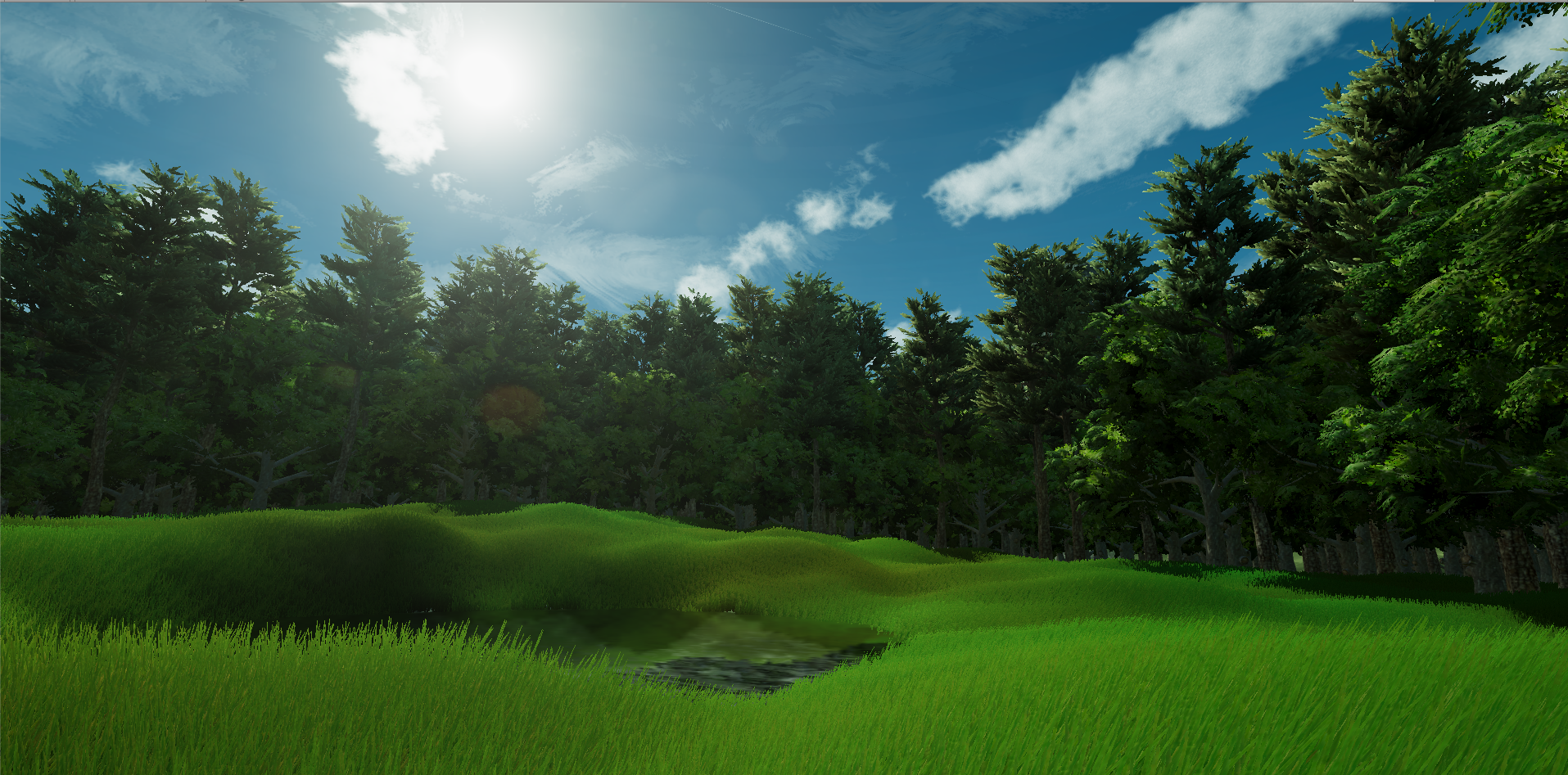
Any way to optimize this?
Preferably without lessening the amount of grass or trees.
tardy briar
LOD maybe?
gilded mesa
Already a thing, using Unity's default stuff
tardy briar
just turn down the distance of the LOD phases until you can see it
tardy briar
😄
tardy briar
tried the profiler? @gilded mesa
gilded mesa
Haven't yet
I should tho
All I can tell from it is that rendering the terrain details takes the most to render
Which I knew
tardy briar
dunno then ¯_(ツ)_/¯
tardy briar
woo ~
gilded mesa
I'm gonna half the detail resolution (I have to add the grass again...) and see if that helps
Still around 30 fps
Gonna try and put it in VR Chat and see if it's any good there :P
gilded mesa
Oh
I didn't realize the VRC SDK changes renering stuff
Gotta make it look good again and then upload
Woo 42 fps in VRC
 minor igloo
How do you make rooms optimized through different rooms? Do you just place a teleporter to a place far away and things won't be rendered from your previous location?
fair agate
This tutorial helped me a lot yesterday: https://www.youtube.com/watch?v=qumb0yv-e9c
i go through the steps in applying Occlusion Culling to your game in Unity3D Pro NOTE This is Feature in will be avalable in Unity5 Free as i have been told ...
Byuyu for my world I have four "islands", I did set them 1000m away from each other because some don't have solid walls.
 dawn wagon
How impactful are reflection probes to performance?
 wraith ocean
minor igloo
wraith ocean
minor igloo
Thanks
 frank pier
How do worlds like Lycon's Void Club get away with so many loaded models without crashing the client at once? IE How the hell do the loading systems work that popular maps use with a lot of high poly objects?
 limber maple
Optimization
Also Lycon's world do not have a big youtube player, so it do not crash at start
You can also up the update time in MS from 10-30 to like 70-80 or even more. This way there are less lags
But he hasn't touched this option, I asked him
errant vapor
Baked occlusion
Only what is in front is rendered
Polies are not the only thing that matters
It's drawcalls as well
Ie, more materials shadows etc
Good map design helps
toxic plaza
anyone experienced lag with on interact triggers? Started happening last night where my new uploads had some on interact triggers that dont work or flat out broke. Some of them would start working after repeated clicks or waiting for a few minutes. Really strange O.o
When it happens, i can see the interaction wireframe of the collider, the message displayed for "use" but clicking it does nothing.
fair agate
Lakuza!!! Yes
Was in my world. Used a teleporter. Hopped around doing other stuff. Later came back and teleporters didn’t work at all. Highlighted, Use text, nothing happens on click.
toxic plaza
is this server side?
or is it something wrong with what we do?
(my sdk is up to date)
errant vapor
do you have colliders?
triggers?
triggers needs a collider or trigger enabled collider
to work
toxic plaza
yeah i know that 😛
my world has tons of them working
but ones that have been working for some reason started getting laggy last night
before the dev meetup
some of my quest npc's
errant vapor
yeah... keeping track of variables
toxic plaza
would work for some people
errant vapor
can be tricky
toxic plaza
and not for others
errant vapor
do you have object sync on an animator?
toxic plaza
on those specific npc's i've kept them local
since the animation is fine local
actually, it needs to be local 😛
since they change based on quest progression 😛
errant vapor
yes or it gets too buggy... when you have so much to keep track
toxic plaza
but the problem also occured on a static interaction
a plant that a player has to find just stopped working.
another was a sphere gameobject for an on interact that alot of people had difficulty with
I remember seeing @fair agate repeatedly clicking on her to talk
but the dialogue wouldnt appear
i hope its just a server thing though x_x
as my world has a lot happening
fair agate
I assumed your npcs all had cooldowns
None of them worked if other players were trying as well
But eventually most of them worked
I need to see if the trigger fail happened only in published world or local test
This didn’t happen before I worked on occlusion, but maybe I just missed it.
Also my world has a lot less going on than yours!
toxic plaza
no cooldowns on the npc's that it bugged out on
it was a toggle interact on the npc's set to local
the plant that bugged out before the dev meetup which i fixed by creating a new trigger for it, was a normal on interact that fires off once
toxic plaza
triggers as in animation triggers?
I was talking about vrc_triggers lagging out. Although I am using a combination of animation bool and animation triggers for my controllers
 rigid prairie
Hello all, I'm making a world and trying to update it to version 1.6, I could use some tips to optimize it.
I am currently using quite a high number of static meshes... Is there a way to essentially "mend" these meshes and make them into one physical mesh without breaking the uvmaps?
 thick igloo
Not really
fair agate
Sure, just texture atlas like you would an avatar, right?
But it’s ok to have separate chunks for occlusion culling
Atlas little things
lilac saddle
and enable instancing on the material shared between a lot of little things afterwards
to pull them into batched drawcalls
mental elm
@rigid prairie A high number of static meshes isn't neccasarily a problem as Fionna said. Occlusion culling can solve almost all performance issues if not located next to each other too closely, if they don't move, mark the objects as static. If they do, enable instancing on material.
toxic plaza
is there anything wrong in enabling instancing on every material?
like it wont cause any complications right? unity will just use whats needed or what can be instanced?
rigid prairie
So do meshes automatically spawn as static or do I need to set them? Only my pick-up-able items move. Everything else is 100% stationary
Its a small map, maybe no more than a 50 voice radius
toxic plaza
you have to set it static yourself
in the inspector panel in the top right
it should say static
for basic static, tick everything except light static (this for baked lighting, so if you're not baking you dont need that one)
scenic agate
so what's better, combining a shitload of meshes that are spread out around the map, or having them stay separate and allow them to be occluded?
rigid prairie
I'm also wondering about lighting too. I have most of my lighting set to static but my lighting is set to realtime I think
Is that bad
scenic agate
yes
like, very bad.
you want to use baked lighting, then place lightprobes around the map to make it interact with dynamic objects like avatars
rigid prairie
I need the most optimized lighting, cause it's not crucial to look great in this lower-poly map
 scenic agate
so once you've finished placing all your lights, set them to baked, then open the lighting window and hit bake
rigid prairie
What should I check and uncheck here
scenic agate
the rest is usually fine default
agile steppe
well, for my bossroom I have to use realtime-lights ¯_(ツ)_/¯
scenic agate
especially if yo uaren't worried too much about looks
so set all your lights in the scene to baked, then hit generate lightmaps
rigid prairie
I definitely wrecked the default so I don't know what I should and shouldn't have on
agile steppe
It's not possible to dim baked lights, right? Because they're "Baked" into textures.
rigid prairie
I have about 30 dim candles on my map illuminating every table in my tavern. Here is their settings, anything I can change? https://gyazo.com/0d8e1a590a2fb4f9f840a5a2f3d603b9

Unfortunately I do need this many to get the effect I'm looking for
Right now most people run about a solid 50 to 60 frames which is good. However people with lower end computers struggle to maintain 25
agile steppe
I'm glad that I only use 14 Lights for my Bossroom..^^
rigid prairie

That's the candles only inspector
I had some extra lights selected by accident
Can I change anything here like Render mode?
Auto, Important, and Non Important are my options
minor igloo
Hmm whenever I load into my world is boots me off back to Hub. Any ideas why that might be?
rigid prairie
@minor igloo Do you have VRC World placed yet
minor igloo
Yes
rigid prairie
I'm not sure if it is @agile steppe , but I do not see a light flicker on it. I believe it checks out in the console but in game when I test my world I don't see an actual flicker. Only the particle effect itself flickers, but not the light around it
@minor igloo Have you ever gotten into your test world before?
agile steppe
okay. I thought this Script works for you^^
Yea, Scripts aren't supported :/
rigid prairie
Yeah :c
minor igloo
@rigid prairie Yes my previous builds were fine
rigid prairie
Not yet at least
minor igloo
@rigid prairie Maybe there's some collision going on and it can't handle it?
rigid prairie
@minor igloo You should backtrace to what major changes you've done that could have prevented joining. The vrcworld object might be clipping somewhere preventing you from spawning, you might have improper scene descriptor settings... if you can show the major things you've done that affect the world it would help to get tot he bottom of it
Gtg for now, good luck @minor igloo
minor igloo
@rigid prairie Thanks Ill try to backtrace and isolate what might be the problem
 vestal shore
@scenic agate if you have a bunch of combined meshes you can't take advantage of frustum culling. So they might be off screen but not occluded by anything
Also unless you are atlasing them I don't think just combining a bunch of meshes is going to be more performant even if every mesh is in view
Assuming they all use separate materials
scenic agate
yeah I was combining based on material
I had a shitload of blue LED-style stuff all using the same mat
so I just combined stuff in clusters
that way large chunks still get culled
seems to have done the trick
vestal shore
You should instead mark them static and unity will batch them for you
and also take advantage of frustum culling at the same time
minor igloo
Hmm yes my VRCWorld was under my terrain. Ill see if moving it up will fix it
minor igloo
Yea that was it.
minor igloo
If I place my rooms far apart under my terrain, will it improve the worlds performance?
fair agate
Byuyu you will need to set all your terrain/buildings/anything that doesn't move to static and then bake occlusion. That helps a lot, as well as if you place sections further apart than the camera's far plane (1000m), but not more than around 7000m from center. I watched a tutorial on Unity Occlusion culling that was very helpful if you want to see it.
 nocturne bronze
Hey not sure if this channel may be most of use...
But I'm having an issue finalizing my lighting
I bake lights. And I see my light probe lit objects lit properly, the probes look good
I go to test a new build via the VRC build menu, and as the build finishes I see those objects turn black
and in-game they're black
I feel like this may be a bug...
but I've tried everything to get it to stay how it looks in Unity
past imp
does it go back to normal after the build?
nocturne bronze
No
I have to re-bake lighting.

so literally building is breaking my project in unity. Surely that's not normal, even if things dont look right in VRChat
like even if I save while it's good. Build, close without saving and re-open my scene, it's still broke
past imp
Try deleting the GI cache
nocturne bronze
how do I do that?
past imp
I think it’s under file->preferences->GI Cache
There’s a button that deletes it
It’s either file or edit not too sure
nocturne bronze
Does this not get cleared and replaced when you bake?
rigid prairie
Can anyone link me to a tutorial on how to properly occllude a high-capacity scene? It's not very large, just full of stuff.
honest tinsel
@nocturne bronze this might be a stupid question, but are you sure VRC allows lightprobe based lighting?
nocturne bronze
yes.
limber maple
@lilac saddle
////////UNITY SIDE \\\\
Put all your map object on static (Static object arn't sending informations every frames to the cpu)
https://docs.unity3d.com/Manual/StaticObjects.html
The lower the poly the best the frames. (Avoid the 100.000 poly objects in your map)
Avoid the unity terrain, which is bugged asf.
Perform Occlusion culling (Static object disappear when another object is in front of it)
https://docs.unity3d.com/Manual/OcclusionCulling.html
Add the Level Of detail for far away objects. Look here to see how to do it automaticly :
https://docs.unity3d.com/Manual/LevelOfDetail.html
http://www.indiegamedeveloper.tv/what-is-level-of-detail-lod-in-game/
Light Baking (No more cpu calculs to light up static map object)
https://docs.unity3d.com/Manual/LightMode-Baked.html
https://docs.unity3d.com/Manual/LightProbes.html
https://docs.unity3d.com/Manual/GlobalIllumination.html
No shadows (Shadow coming from realtime lightning can destroy your cpu, so just deactivate it if you don't need it)
Optimized amount of material (Massive differents materials kill your gpu)
Everything coming from duplicate prefabs. (Make prefabs and then drop them, change scale ect ect to achieve your area, so the cpu only calcul the structure of one prefab and duplicate it, and do not calculate every stuff on the map)
Camera view render. (Change it from 1000 to like 100 or 200 if you have a short level and not very far background, so the camera won't load stuff that you do not see and isn't covered by occlusion culling already)
Physics : Reduce your number of physic, and rigibody items.
Global trick : Avoid grass, tree, and complex animated stuff, do not use wind, or cloth physics.


 limber maple
///////VRCHAT SIDE \\\\
Mirror on local only triggered by buttons save the frames. (Prefer alway a camera with a screen render instead of mirrors it's waayyyy better for the frames) (Mirrors base themselves on Stereo Rendering, which can be destructive for the frames, if you use one, alway down the antialisasing, and put the layers rendered on localplayer and player only.)
Animations on local and not synced save the ping to when you don't need to have the animation sync. (Like rock moving in the background, door opening ect...)
Avatars are killers too, so optimize your own.
Put the MS count from 10 or 30 to like 70 ms on the vrc scene descriptor prefab to save the connection and the ping if you have a big map with a lot of players.
//////Ultimately\\\
You can check this guide for more details : https://www.dropbox.com/sh/hmln4vtgbvnm8mp/AABvlLb_Mf80HZY6SD3WbUFTa?dl=0&preview=world+optomization+ver2.pdf

 bold nymph
thanks Dieu
honest tinsel
Going to post this in here because my world is basically ruined if I can't figure it out, and I've dumped almost 200 hours into it. I've had an error. "Database disk image is malformed." Renaming (to back it up) and rebuilding the library folder (the only 'solutioin' I've found on the internet) undos hundreds of hours of work and brings me back to a very early version of my world.
I've googled the problem. The first result is the above suggestion. The second one has no responce. Everything else is unrelated to Unity, or has to do with Version Control, which I am not using.
I can't figure out why changes to my world wouldn't be stored in that scene's .unityasset file
honest tinsel
Nevermind. Even reverting to the old library file doesn't restore all of my work. It is just gone. Like magic! Wow.