#3d-modeling
1 messages · Page 85 of 1
 sage brook
 spiral sigil
https://cdn.discordapp.com/attachments/521112661841149952/719773791668142090/unknown.png i think i may have asked about this before but i still havent figured out how to fix it but how do i fix this shading?

 subtle glen
are your normals correct? and are all the smoothing groups set up right?
spiral sigil
what do you mean by normals? do you mean the normal map? also idk what the smoothing groups mean
 cedar urchin
@spiral sigil Normals is which way the faces are facing
try selecting the Mesh in face mode then doing
Mesh > Normals > Recalculate Outside
if its not that then its topology issue
 stable edge
real quick is 32 by 64 good or should i keep to 64 by 64
cedar urchin
for what
stable edge
textures
cedar urchin
square
stable edge
i think its just that they have to be powers of two
cedar urchin
what is this texture for
overall its recomended to keep textures as squares
are you creating a tileable texture
a texture map
what
stable edge
for optimizing textures
one of that unwraps are long and cant do anything about that
for material purposes its gotta that way
cedar urchin
are you texture paining in blender or other 3D texture painters? or a 2D image editor
if its a 2D immage editor and your map is long then i guess you can use 32 by 64
if your using a 3D texture painter then you can add a seem in the midle to make it more square
im unaware of the consequences that come from a rectagle texture
besides its not tileable
i hope that helps you
stable edge
okkkkk
subtle glen
technically it is tileable, just at a different frequency vertical vs. horizontal
certain shaders assume that textures are square for various calculations, but I don't think it really matters that much
cedar urchin
DM me if you can help with textures cause I dont really know how to do them correctly
spiral sigil
blender closes itself when i open it
cedar urchin
Rip
spiral sigil
is there anyway to make it stop
oh it suddenly crashes
nvm works now
what are you making btw?
 ruby bear
not sure what you mean @stable edge but it would help if we coudl get a look at your UV map. if your UVs are smaller than the texture it won't be able to tile.
stable edge
i mean stop the textures repeating
stable edge
ruby bear
alright, what do you want this to look like?
stable edge
there should be a setting im missing
ruby bear
so you wanna have the right half of your UVs on the texture and the left half hanging off
stable edge
yeah
ruby bear
shitty drawing to describe what i mean
stable edge
but then you get the lines in the middle
ruby bear
yeah, in that case make the texture longer
stable edge
i cant change the uvs bro
ruby bear
... why not?
stable edge
need them this way
ruby bear
okay 🤔
stable edge
im just asking to know where the setting is to not repeat textures
ruby bear
not sure as its default for UV mapped objects
alright i think what youre looking for might be in the material editor
where it says "extend", for yours it should say "repeat"
so try changing to extend
stable edge
extend worked, thank you!
 neat ocean
Any opinions on her body proportions?
ruby bear
hands and feet are slightly too small, but its also a common stylistic choice so 🤷
mostly good!
stable edge
Hips seem too low
neat ocean
Gonna think about the hands some more then, may have shrunk them a lil' bit too much after I originally made them way too large
stable edge
For anime standards anyway
neat ocean
I've been pondering on the hips yea, they were even lower earlier
 waxen finch
i have the feeling the legs arr a bit too small. meight be the feet though
ruby bear
I assumed the hips started around here at a glance
looking at the leg angle i realise thats off
if theyre a lot lower than that then yeah probably lengthening upper legs closer to that point 🙂 👍
neat ocean
Bones are like this, but doesn't really matter if the clothes make it look weird
waxen finch
feel like the legs are a little to small still
ruby bear
yeah, the thighs could be a little bit longer, but its not too far off
hard to tell exactly from this view & without seeing animations, etc
neat ocean
Gonna see if moving the hip and leg bones up helps, as well as maybe adding some more length to the legs, thanksies ya all! 👍
spiral sigil
neat ocean
Made her taller and increased shoe and hand size slightly
spiral sigil
yes
 runic nymph
idk if its just me but that models has a danganronpa vibe, cmankar
ruby bear
in blender look in the top left corner, there are 3 icons depicting vertex, edge and face selection modes
ruby bear
not sure what you mean, can you show us the edit mode/wireframe?
ruby bear
yes, could you show the wireframe of your model?
it seems like there arent enough faces on the ear to do what you want, but i need to see to make sure
spiral sigil
ruby bear
hmm, ok... a couple things
are you using the mirror modifier in blender? if not you should as it will make your job much easier
second, i recommend you delete the tip of the ear and extrude a new ear from the "hole" it will leave behind
spiral sigil
nope never used blender before
ruby bear
ahh, ok
do you mind if i dm you, as it s easier if i can send a lot of pics to show what im talking about
spiral sigil
ok
neat ocean
@runic nymph Yes it actually is a danganronpa inspired oc, I'm glad the style is recognizable 🤩
runic nymph
i like it 
stable edge
^
spiral sigil
melon pope showed me how to make cat ears! looks good
spiral sigil
i got a problem so i have this arm and i duplicated it but the finger is in the other side so how do i rotate it so the fingers are in the same place?
nvm
runic nymph
why arent you using the mirror modifier?
spiral sigil
because when i do um it breaks
runic nymph
how
runic nymph

runic nymph
right
 worthy heron
Beautiful
 plucky jolt
Anybody watch Megas XLR back then?
plucky jolt
Still have a lot to do before animating. The hands I think might be the hardest part for me
 lilac cypress
A little WIP
thank you :)
I promise there'll be a bit of anime in there
per the evident etiquette of VRChat
lilac cypress
I've drawn em down a bit but it's mostly the latter yesh >:)
spiral sigil
@plucky jolt
Better have seats in the car head.
Also, done with that gauntlet I showed yesterday. No custom textures yet so I just fenagled the original ones.
plucky jolt
@spiral sigil Nice, going to make a separate file for the car interior to recreate shots in the show
lilac cypress
:)
spiral sigil
Could anyone help me with this? I'm trying to minimize texture distortion.
Top is geo, bottom is what the current version looks like.
 quaint jasper
@spiral sigil Make correct booleans ?
 white moth
You can flatten the UV’s manually afterward
 steady zealot
 cedar urchin
can anyone help me with texture painting
im making a model; from scratch and i suck at textures\
plucky jolt
Boom boom pow
 buoyant perch
Hey folks, has anyone released a miscellaneous asset pack for VRChat worlds to just have random interactable props strewn about?
 devout scroll

#b3d #blender #secrets #tutorial
Visit the Blender Secrets website: https://www.blendersecrets.org/book
e-Book bundle (20% Discount) : https://gumroad.com/l/IxofeY
Pretty good channel
 pure pond
it has been about 1.5 months since i started makin my own avatar from scratch, still got a long way to go but I'm rlly happy with this. ps I haven't done the feet yet so had to improvise
stable edge
Hahahaha hand feet
plucky jolt
The hand feet tripped me up
 young vault
What do you mean? The feet are perfect
Maybe the big toe needs to be a bit bigger. But, that's honestly just personal preference you know.
stable edge
facts ™️
spiral sigil
is there away to take an object, make a bunch of them with the array modifier and have it wrap around an object say like a sphere
quaint jasper
yes, the object field in the modifier is made for that
check tutorials, there's a few steps
spiral sigil
thanks
 compact sequoia
anyone here good at making 3d models?
spiral sigil
probably
spiral sigil
compact sequoia
ok you could have just said can you go into more detail
can anyone help me i am trying to make a custom avatar but i am new to this whole thing can i get some help i dont wanna do somthing supper difficult but something to get me started with the process
 pale musk
which texture i have to use for fix this trumpet?
i mean the internal view is trasparent
 tepid wagon
You would need to either use two sided shader or add solidify modifier to it if its modeled from only one side. @pale musk
pale musk
oh
pale musk
i use rero there is something for that?
tepid wagon
Solidify it is then
Idk what shader it is, may try to search for "two sided" option or something but it would be better to make the mesh two sided instead
spiral sigil
why is that
tepid wagon
It is, two sided is an option if you already on the tris limit though but as you said it is better to avoid it and use solidify
 timber bear
I've noticed one problem with my model after i've spent time finangling it
I've got a single hole and idk how to fix
How do i link this up to the rest of the thing?
tepid wagon
How about "Grid fill"? (you can search for it after pressing space or whatever key you assigned to search window) @timber bear
timber bear
sorted that out so at least i know about that, but i've given up with my project now, i'm simply not smart enough to jury rig clothing.
I'm just wanting cool clothes for my hobkin but i aint exactly made of money for the commission side of avatars
ty tho @tepid wagon
 stark ore
 glad steeple
lookin cool muffinman
compact sequoia
im looking for somegood kon 3d models that i can go in and change
spiral sigil
not really a channel to ask for models
compact sequoia
its literally is for modeling andi dont see anything saying i cant
spiral sigil
it's to discuss 3d model
creating something from scratch in blender/maya/cinema4d and so on
not to ask for someone to give a model or switch to a model so you can copy it
compact sequoia
and your not a mod so imma leave it hear until a mod says otherwise
runic nymph
@compact sequoia svel is right, this isnt the right channel to ask this
here's where you can purchase kon and edit it as much as you want: https://mido0021.booth.pm/items/1415037
next time ask in a more appropriate channel.

VRchatでの利用を想定したunityのHumanoid形式に対応した3Dモデルです。 This is a 3D data model that is compatible with Unity's Humanoid file type and intended for use with VRChat. 利用規約が記載されていますので、ご了承の上での購入をお願いします。 The terms of use for the model are in writing below the explanation. We ask that you purc...
compact sequoia
like i said unless a mod says not to i dont see a problem
spiral sigil
<@&397642795457970181> can you please explain to this God of a man since our words as peasant doesn't matter
compact sequoia
i dont see a channel whereyou would even be able to ask someone
runic nymph
compact sequoia
and its not like i was just asking for an avatar i was asking for a 3d model
runic nymph
thats.. the same thing
compact sequoia
and this channel is ment for 3dmodeling
runic nymph
modifying a model from booth isnt modelling
compact sequoia
i wasnt just gonna take it i was gonna use it and change it up
devout scroll
I think people always tell you to not ask for avatars in avatars too
compact sequoia
im done arguing if a mod says to stop ill stop
devout scroll
But I think you should probably just ask in avatars because at the very least more people will see it
compact sequoia
well its over now but imma go before this gets worse
 dreamy epoch
Whole development category is not meant for that really. There is no channel for asking/searching for avatars, so I guess the best place for that would be channels in General category.
spiral sigil
there is no channels to ask for avatars
maybe the general vrchat one but that's it
compact sequoia
its done just drop it there is no designated place for it so unless a mod says or makes a channel for it ill put it either in here or avatars
spiral sigil
^
compact sequoia
or i can just block both of you and not have to see your complaints about everything
stable edge
Not my loss
white moth
This is the wrong channel to ask for avatar models.
You may have to block everyone in the server before you stop getting that response.
 stark torrent
is she recognizable so far? ;D
quaint jasper
Lovely !
spiral sigil
Looks like a professional, paid model.
white moth
Holy wow
 pastel urchin
hello every one im looking for someone who can make a Vr model for me !!! dm me if your interested :3 (im paying of course)
 hallow bough
I'd recommend you check VRCTraders if you want to commission someone for a VRC model
 languid bluff
Can someone here explain this error when trying to import things into blender? https://cdn.discordapp.com/attachments/337672341041446912/720899928276336661/Desktop_Screenshot_2020.06.12_-_02.53.32.22.png
 stable edge
shininess of the material might be negative?
languid bluff
Anyway to fix it or am I just a bit screwed?
 fringe rock
restart
worthy heron
That shit is fucking sick
Ignore the base mesh that shit is placeholder
Also have yet to merge assets
Still more sculpting to do on arms and legs
Any suggestions for what to add on the belts
runic nymph
moar hooks
worthy heron
That is a magnificent idea
runic nymph
i dont know the character, but you could add some bloody, worn and torn book for his creepy records or something, on the belt
i dunno 🤷
stable edge
He looks like he needs a coat tbh
worthy heron
I have texturing programs
quaint jasper
@worthy heron How many poly do you already have ? 200k+ ?
worthy heron
Dunno but until I retopo I won't be sweating it
fringe rock
fan goes brrrrrr
worthy heron
Y'all can suggest a pink unicorn and I'll make it
young vault
You need a purple pony Data. And it's super cute.
worthy heron
Zbrush
worthy heron
Kinda curious if people use mudbox here
I never got into mudbox
I always thought it was ZBrush's weird half sibling that doesn't really talk alot and creeps on chicks
lilac cypress
having difficulty getting short jeans on this one, any tips?
devout scroll
How do I go about uv unwrapping a shirt? I've got this shirt I made out of a copy of the base mesh and the automatic unwrap with seams around the sides and sleeves gives me this https://puu.sh/FVQZy/3975335a4c.png

But it's kinda hard to paint this way and if I use UV squares to straighten it it pretty much always overlaps around the collar area
https://puu.sh/FVR1k/d3c186f4f8.png

Do I just put a seam around the collar and split it?
Seems like if I want to put stuff like stripes on it by just selecting polygons and filling them gives me really ugly pixelations around the edges of polygons if I don't make the uvs square
 autumn badger
The first UV is a little more representative of how your model distorts. There is always going to be some kind of distortion, which is why you usually want to paint inside Blender itself. If you are struggling to get stripes, I recommend drawing them on the model using texture paint, and then exporting to another program like Photoshop to clean it up.
You can also paint directly on the UV map.
devout scroll
I did use texture paint but i had restricted it to selected faces
And it's really pixelated around the edges
On a 1024x texture
quaint jasper
What if you unwrap square a piece, paint on it, and re-unwrap correctly ?
devout scroll
What do you mean by re-unwrap? Bake to a new uv?
quaint jasper
Hopefully texture painting would allow you to maintain that through two unwraps
well at least the second one after it's painted
that way you get no distortion for the texturing process but after unwrapping you get correct distortions
autumn badger
Yea, I have found one of the easiest ways to just combat the distortion is to use an external program like PS to paint just the texture itself. I usually sketch where I want things to go, then export the UV. Usually you want to follow the edges to make sure you are following along the curve of your UV.
That way it's usually pretty crisp.
Alternatively, you can always try something like Sculptris. https://pixologic.com/sculptris/ (It's totally free.)

http://www.pixologic.com/
It's a lightweight sculpting/texture painting program. It also has options to manually reduce the polys of your mesh with a brush they support alpha textures and materials.
So that might be an option for you.
It's very easy to use.
I havent updated mine in many, many years, so I dont know if they've added more options, but it's a neat little program.
@devout scroll and if you have any questions about it, you can feel free to DM me if you need help
quaint jasper
Sculptris is neat !
devout scroll
Thanks, will do!
autumn badger
Yea, I love it, though I do have ZBrush. Still, it's a super good lil program and it's great for optimizing, too.
Np!
Have you used it before, Ruuubick? (I'm assuming so?)
quaint jasper
@autumn badger Yes, i made my head mesh with it, it was a cool learning process
A lot more manual steps and cleanup in-between in blender, but i couldn't have done it entirely in blender or zbrush so that was cool
 storm flower
what are the best settings if i want to import .fbx from blender to 3d max?
 vocal perch
I'm having trouble getting a textured object to be textured in unity from blender... how?
quaint jasper
what trouble ?
vocal perch
It doesn't have a texture when I import it. How do i export it in a way that carries the texture data within it?
quaint jasper
you can't
runic nymph
you can
if you set the path mode in the fbx export setting to "copy" it will make a folder and copy over all the textures from blender into unity
or whatever folder you export it into
quaint jasper
i have a feeling he's talking about actual textures made in blender
runic nymph
well then save them externally 🤔
runic nymph
doubles, mayhaps?
you made the mesh or is it taken from somewhere?
try clearing custom split normals data
devout scroll
if it's scratch made you can post here
 wind zinc
like all the work done myself? yeah
been working on my Vrchat model, ahh should be in the game once i get my user rank up XD
 hardy agate
oooh nice!
ive been working on a new OC model today just not sure what todo about the texturing part.
wind zinc
like picking the colours? lol my friend helped me design my fursona with the colours
oof i am not a good designer more a just a decent game character modeler
hardy agate
color picking is easy, actually trying to texture it is harder, especially since its a robot.
wind zinc
have you used substance painter?
hardy agate
nope
wind zinc
you should get it, you can get a "student" version basically non commercial version easy of it
hardy agate
whats the learning curve like?
wind zinc
it will ask you about what uni you got ot or school and a photo ID but it will give you it straight away XD
ahh i mean not super hard but it is a new 3D program so there is always jsut learning the UI and movements
heaps of easy free tutorials to follow online though to get your head around the basics
autumn badger
I want to get the new 2020 version
wind zinc
if you get the student version you will get and updated one, lol i only fully own subsantce painter form 2016 though rip
quaint jasper
looks clean !
wind zinc
but yeah highly recommend that for texturing more realistic stuff, its easy to do 70% of the work, the ;ast 30% takes proper texturing understanding and stuff but i mean that 70% is a good start compared to doing things in photoshop or something
thanks!
took me like 8 hours to retopo
hardy agate
yeah all my skill in texturing is browsing google images and making color pallets to cover a model
wind zinc
you will love substance painter then, there is also substance designer which is making your own materials to use but i havent used it before so i cant personally say much about it
the only thing is ahh i dont think substance painter supports Udiums though
but that dosnt matter for VR chat anyway
hardy agate
well i dont even know what that is so i dont think that will be a problem
wind zinc
its for VFX UV mapping stuff
basically its when a model uses multiple squares instead of one
 median pike
@wind zinc jesus that looks amazing
wind zinc
thanks
median pike
was that done in blender or zbrush?
wind zinc
i used zbrush for sculpting
maya for retopo, rigging and Uving and then substance painter for texturing
and marmoset set for baking
median pike
oh wow
I have never heard of marmoset
I do all my baking in blender because substance leaves a lot to be desired in that department
wind zinc
its mainly a live rendering program but it also does amazing baking for maps
wind zinc
its mainly for sculpting basically doing high res meshes
you can also do blend shapes in it though
median pike
hmm. Didnt know about the blendshapes
I mainly want it because I was told that it can handle high polycounts well
wind zinc
its kinda the best thing out there for sculpting
median pike
blender pretty much shits itself with high res sculpts
wind zinc
yes also depends on your pC though, but mind can deal with 20mil ok
median pike
well I am not sure how much my pc will limit it but blender starts lagging at 200k
wind zinc
i think its mostly based on your ram
wind zinc
also even though ram is important it will haddel things way better than blender
i have 32gb and can get to 20mil so yours should def get to 5mil at least in zbrush and tbh thats a heap
median pike
I am also looking forward to the tutorials since most of them are done by professionals so I will learn the right workflow and technique
wind zinc
i suggest watching flipped normals for zbrush stuff
its where i learnt a lot of stuff, they used to work on big movies in VFX
median pike
oh they do zbrush?
wind zinc
yes! and blender, and maya and i think some other programs but mainly zbrush
median pike
I watched a lot of their marvelous designer videos but I never knew they also did zbrush stuff
wind zinc
oh yeah they have that to
median pike
though I have heard the UI is awful
wind zinc
for zbrush?
median pike
yeah
wind zinc
cause to me idk seems ok, but you can change it easy
i made my own custom UI with cutsom colours
the movement of the camera is a pain to learn
it moves in a very different way
wind zinc
most cams dont rotate on an angle but zbrush does
median pike
oh its one of thhose?
wind zinc
yeah its easy to fix and re focuse though
median pike
ugh
wind zinc
but it will take some getting used to for sure XD
oof thats always what hurts me the most with new porgrams the cam stuff
wind zinc
XD yeah, once you get used to it though its honestly nice for sculpting
young vault
What do you mean cam stuff. They're always so identical. Totally not different and for some reason have entirely different set of functions and you can't tell two apart from each other unless you know the program. No, totally not.
But, yea. Flippednormals used to not do Blender sculpt videos. They used to do ZBrush sculpting videos until 2.8 I believe.
young vault
Sarcasm.
wind zinc
well some are very similar tbh
young vault
Well, the core concept of a camera is identical. It's mostly just functionality outside the norm that's different.
wind zinc
mostly yeah, zbrush though is even more dif. most cams dont rotate on an agnel unless you press a certain button
devout scroll
You can set the camera to be the same in blender too
young vault
Like, hotkeys, rendering techniques, the pipeline for the data to be mapped to viewable 3D images.
Takes me a good minute to remember how to move the camera in Blender sometimes.
I can't imagine why you would want your camera to be at an angle except for maybe when you're fixing up a render image.
median pike
for sculpting it makes sense
young vault
Ah, yea. Since you distort your viewpoint so you notice the irregularities in it. Makes sense.
median pike
I mean you also turn your paper around a bunch when drawing
better hand angle
also
do I really need to download a fucking plugin just to change the controls?
theres absolutely no documentation anywhere on how to change the camera bindings
wind zinc
tbh you dont want to change the cam movement much with zbrush, since when your useing a tablet its easier to move the cam on the default settings
autumn badger
I dont have the 2020 version, so havent tried their new universal camera system yet.
wind zinc
since you dont need to have a set button to roate yourself in zbrush just click on open space. super fast for a tablet
autumn badger
But you can change it to classic. So that might work better for you
median pike
I have it completely differently in blender
holding space bar turns the camera. I dont have to click. And I like it that way
I wam used to that
but apparently you cant change the controls?!
autumn badger
There are a few tweaks you can try, like I mentioned above. I am not sure otherwise. If you can't though, ZBrush is still worth learning.
wind zinc
yeah its like by far the best sculpting program, rip you cant chnage those controlls though
i have never tired to change em so i didnt even know XD
median pike
thats almost a dealbreaker for me
wind zinc
lol
median pike
thats absolutely awful
autumn badger
Try the classic mode.
median pike
for how much this shit cost? Thats straight up retarded
median pike
bru
autumn badger
It's an industry standard. It is an incredibly powerful program.
autumn badger
It has a steep learning curve, though.
spiral sigil
800 bucks industry standard with unchangeable controls
wind zinc
XD so funny man you wont learn it cause you have to learn new controlls
i know 3 differetn program controlls
800 and you own every future version
spiral sigil
good for you
doesn't change the fact that's it's dumb
devout scroll
there's a free non commercial stripped down version too
spiral sigil
for 800 bucks, changeable controls should be a thing
wind zinc
ehh its not good emought for character modeling
autumn badger
Like I mentioned earlier, Sculptris is easy and free
wind zinc
zbrush core mini is only good for fun sculpting
devout scroll
a lot of industry standard stuff can be clunky but established
wind zinc
ehh i tried sculptirst your better off with blender
autumn badger
Well, who knows their reasoning.
median pike
thats not the point. Its a basic function. If the controls are uncomfortable or vastly different from my other software than it will slow down the workflow like crazy
wind zinc
not really when you learn both
median pike
yes really
spiral sigil
you shouldn't have to learn both if you add the ability to change the controls
@modern mango just fucking kick him please
median pike
when you spend 3 hours in blender your muscle memory will fuck you over for the next hour in zbrush
wind zinc
not really
spiral sigil
that dude dismissing everything you say it's crazy xd
median pike
thats why its important to ahve tat feature
autumn badger
Well, you can always shoot support an e-mail.
wind zinc
just saying from my experience, do what you want XD
median pike
going from blander to substance to unity is already a pain and now I ahve to learn another one
at least if it was similar
but it really isnt
autumn badger
It might be your best option to try to reach out to them.
young vault
I'll put it simple like this: You don't become industry standard or keep being that way by making people comfortable. You establish dominance, then make people fear leaving you for something better due to learning curves.
autumn badger
I'm just glad Blender keeps getting better and better.
wind zinc
bruh lol zbrush be brutal like that. they just bought sculptrist from some one else killing it
i wish there was something else close to its level of stuff
it honestly sucks sometimes
i have tried like every other sculpting program and nothing really is as good at all
autumn badger
It's come a very long way.
devout scroll
neither can adobe or autodesk
wind zinc
its got a long way to go sculpting and idk if it will ever beat zbrush cause zbrush is only sculpting
blender is many programs
devout scroll
beat probably not, but get close probably yes
wind zinc
thats the issue sadly they have many things they are working on at once
young vault
I mean, blender is already good enough. But, yea. ZBrush is still better.
autumn badger
Augh, Adobe can take a hike lol
wind zinc
yeah you can do enough with belender for sure
young vault
Don't you diss on my text editor, Blender.
wind zinc
also lol adobe XD
devout scroll
adobe already bought substance
young vault
And my photo editor, Blender. My game engine, Blender.
wind zinc
also autdodesk mudbox is so bad
autumn badger
I hate Crearive Cloud so much
devout scroll
talk about monopolizing your tools
autumn badger
I tried Mudbox like...once
devout scroll
autodesk is not better than adobe
wind zinc
i have used it a bit for helping fellow students at uni and stuff
autumn badger
I love how you exit Creative Cloud but it keeps running in the background.
Six years later, it still does it.
wind zinc
i hate that shit oof
devout scroll
that's why I'm just waiting for blender to be good enough to stop people from having to lock themselves into monopolies
wind zinc
i mean no one is locking themsvels in
autumn badger
Well, they have done a pretty good job at it
devout scroll
also an actual good alternative to Photoshop
wind zinc
blender is always free and there
autumn badger
I hate Max tbh
devout scroll
if you want to work in industry, you have to use industry tools
autumn badger
3k a year to remove features! And it crashes
..constantly
autumn badger
I already do lol
wind zinc
but i knew i had to just start useing maya
devout scroll
hobbyists also pirate industry software then learn it
autumn badger
Still hate it
devout scroll
then stick to it because that's what they know
wind zinc
i mean i always try to learn new software
wind zinc
and other people in the industry i know also try learn new things including blender
autumn badger
It's good for your portfolio, too
I will always work in Blender lol
Max can go take a dive
devout scroll
well now that blender is actually good enough to be taken seriously, yeah
wind zinc
blender is worth it to learn for sure now, anyone would be stupid to not learn it as well as other porgrams
devout scroll
but a year ago, wouldn't be the case at all
autumn badger
They really made quite a few leaps I've been using it since...2006? 7?
wind zinc
lol yeah i remeber my teacher in 2016 telling me to use maya not blender
autumn badger
Well, again, industry standard
autumn badger
You've been able to model fine in Blender for years
devout scroll
in my uni we had to learn 3ds max and there was one guy really upset at that because he already knew blender and only wanted to use blender
autumn badger
They could continue to work on their UVing options, though
wind zinc
my uni maya since im doing a animation coruse not games
also same knew a guy like that in my course to
only used blender didnt want to learn maya
autumn badger
I. I use Blender and then I import it to Max and NO ONE IS THE WISER.
wind zinc
i just foruced myself to learn maya straight off the bat
young vault
You could always UV by hand. Just like... 300k polys, don't worry.
devout scroll
i was fine with max since i knew it a bit but blender is comfier
devout scroll
max is clunky old garbage
wind zinc
max sounds like hell
devout scroll
took 5 mintes to start and was gb in size
wind zinc
havent touchred it yet but will sometime soon just so i know the baisics if i need
autumn badger
They removed features one time like water simulation XD
devout scroll
well maya shouldn't be very different since both autodesk
so if you know what one does, you'll probably be fine with the other after a short intro
autumn badger
Max still crashes a lot tho
wind zinc
yeah shouldnt be to hard to learn, but oof still when i looked at it once i just hurt inside
devout scroll
I'm glad i moved to blender myself but it was not without it's faults. 2.8 truly was a great leap towards breaking a lot bad old decisions despite long time users developing stockholm syndrome and complaining that things were made better
autumn badger
You seem like you're a pretty good modeler, tho!
wind zinc
i need to relaern blender oof, i stopped right before the whole UI changes and now when i open it idk where naything is
going to start re learning it though some time later this year
devout scroll
2.7 was clunky
wind zinc
i mean i do think the update was needed
autumn badger
I'm learning 2.8 now lol
wind zinc
just now im confused so much XD
autumn badger
I finally decided to start modeling in it
wind zinc
i take a break for a year and the whole UI has changed, jsut throw out my memory of it
devout scroll
official yt channel has a good tutorial series on it
wind zinc
i am excited to use eve
autumn badger
But there are a lot of improvements, so
devout scroll
that should teach you all you need to use it
wind zinc
thats the other thing ilove about blender, the community tutorials
i swear so hard to find things on maya i want
devout scroll
yeah, it's much better than max was in that regard
wind zinc
espically rigging
devout scroll
but blender community ignores the tool buttons
too many hotkeys off the bat i think isn't good for people who are new
wind zinc
im still planing to really master maya though for the industry
autumn badger
Shhhhhh lol we totally dont do that
But yea
It's like what? For new people
But it used to be way, way worse
devout scroll
but you got the search menu and the redo last action with shift+R
which can do everything as long as you know the name
wind zinc
man i swear cause i dont use blender now like i used to people think i hate blender, like when i still think its one of the best programs out there
autumn badger
Cuz I thought. Hey. Why not
spiral sigil
but also where to find it in the menu
autumn badger
Its supposedly really good for retoping
spiral sigil
yes
autumn badger
Free, yup, on Gumroad
wind zinc
have you tried it?
autumn badger
A little
spiral sigil
there is a video that explain it very well
wind zinc
casue i thats one of the reasons i am not sure to fully use blender again, the retopo in it hurts me
spiral sigil
it's insane how easy it make retopo
autumn badger

Gumroad
SpeedRetopo is a free add-on for Blender to make fast and easy retopology using Bsurface. Work on Blender 2.79 and 2.80-2.81! In the preferences, you can choose with the panel (T or N) you will place the addon. You can change the category and activate the pie menu or not. To u...
Bam!
wind zinc
nice! thanks
spiral sigil
and it's free, that''s the crazy part
wind zinc
cause yeah need good retopo for sure. i do a lot of character modeling
lol damn, like i was willing to pay for a good plugin for retopo
anyhting is cheaper than maya
spiral sigil
a more advanced and complex plugin exist
but it's like 90 bucks

Blender Market
A Unique Market for Creators that love Blender
wind zinc
although tbh i know a guy who made 1000 dollar freelance jobs on the student version of maya XD
ill check it out to
 latent charm
@spiral sigil Retopoflow is free off the github, you just don't get support. That's what costs with it.
devout scroll
but they integrate pretty smoothly
wind zinc
ahhh
latent charm
https://github.com/CGCookie/retopoflow/releases
There's definitely a 2.8 branch on the github.
I haven't updated my pipeline to 2.8 yet so I haven't looked into it in detail.

GitHub
A suite of retopology tools for Blender. Contribute to CGCookie/retopoflow development by creating an account on GitHub.
autumn badger
I heard about that, too
spiral sigil
there is even an alpha for blender 2.83 apparently
autumn badger
I mainly have manually done retop if needed
Or I always try to build without the need to
wind zinc
i mean manual is the best way for rigging
autumn badger
But the plugins seem to do a good job
I'm currently using 2.8a and it installed just fine

Speedretopo has been updated to Blender 2.8 and this video will show you how to use it!
SpeedRetopo: https://gumroad.com/l/speedretopo
Support me onTipee or Patreon
https://www.tipeee.com/blenderlounge
https://www.patreon.com/pitiwazou

In this tutorial I want to show a retopology addon SpeedRetopo for Blender 2.8. It is a great addon which makes the Retopo process in Blender easier and faster. It have also talked about some issues and workarounds for it.
- Intro (00:00)
- Download and Install (00:29)
- B...
wind zinc
ehh idk manual i just always do
harder to fix up auto done stuff
il watch those later, oof this whole time i have also been in a gamer and a VC
autumn badger
Yea I usually do that but hey y'might like it
quaint jasper
I will never retopo anything manually in my life. It sounds awful
runic nymph
cmonBruh
quaint jasper
Zremesher gang
 ashen stag
None of the auto stuff worked the way I want it, manual gives a lot more freedom
quaint jasper
You just have too high expectations 
runic nymph
he just generates and remodels half the stuff
 subtle jackal
Retopo is actually a pretty fun part of modeling. I always love the feeling when you find a really nice clever edge flow for something.
 solar fossil
i just don't retopo at all 
wind zinc
Retopo is boring but it’s easy, and any auto thing ain’t going to give you good enough topology for good rigging/ animation
 thin bison
I only use auto remeshers when sculpting to get a good base for after blocking out shapes with dyntopo and even then I do hands and faces manually
The auto remeshers are just not accurate enough
Final retopo is always done manually
wind zinc
Yeah same that’s what I do most of the time
Better to work in for for subdivision that dynamesh
But ahh I know the best result is retopoing over the dynamesh then useing the retopo to subdivide and do your final pass, you get the best bakes this way, tbh though it’s not a huge difference though
runic nymph
multi 👏 resolution 👏 modifier
spiral sigil
Multires allows you to sculpt on the model while at the same time being able to change levels of detail, contrary to the subdivision mod which doesn't allow that. it's great to add more detail on a lowpoly basemesh and stuff
wind zinc
I’m guessing a blender thing
spiral sigil
I'd like to draw some attention to one of my favorite retopology tools that can make filling gaps much easier. F2, also known as spider script, where if you select a corner vertex of a mesh with quads, it will autofill that quad rather than make a triangle between the three connected vertices
After hitting F
Saves a lot of time.
Also another useful tool if you're filling a band of quads is to select the edge or two vertices that make an edge of the band and hit F to autofill to the next available quad
After F
Makes filling gaps very quick if you can't bridge edge loops or gridfill them
autumn badger
oh, that's really neat
devout scroll
Never liked how it filled a triangle, gonna give that addon a try. Thanks!
glad steeple
reminds me alot of my most recent model, clothing top half & legs, but arms and lower legs are robotic
very cool stuff tho!
lilac cypress
oooh that's cool
I'm planning more of an anime girl type thin
the evident standard for VRChat
glad steeple
fuck standards, all my homies hate standards
lilac cypress
also because I want to >:(
glad steeple
ya ur fine ;-P
lilac cypress
hahaha
lilac cypress
oh I haven't modelled it yet (you made those models?! sweet!) I downloaded some mmd models for reference
would one know where they can model an anime head
my last attempt looked a bit charred corpse-y
glad steeple
there are 1001 tutorials i imagine, i dont do anime style stuff unfortunately, but i will learn one day
lilac cypress
fair enough :P
glad steeple
are you planning to exhibit at vket5?
lilac cypress
nope
glad steeple
@cold plank i summon thee, what is vket
lhun can explain it better, its basically a big ass market inside of vrchat, for creators of original works
lilac cypress
hrm. Interesting
glad steeple
yee, its a pretty big event inside of VRC, it gets its own world row so its front and center
 cold plank
hrm. Interesting
@lilac cypress Oh hello! sorry for the delay!
I put something in #shameless-self-promotion that explains a lot
but it's actually offically the largest virtual convention in the entire world now, in and outside of vr,and because VRChat is an INCREDIBLE platform with a massive, vibrant community, it happens here.
by attendance anyway! It's pretty impressive. It's a great place to show off your stuff, no matter your skill level
I love all of you 3d modellers.
all the worlds are still up in vrchat if you want some inspiration, just search vket in the worlds menu
I've gotten so many ideas from what I see in there in all honesty
 fathom mantle
My game gets laggy as hell in some of Vket worlds lol
But it's fun to look around
even if most of the stuff I saw was in japanese
fathom mantle
does this mesh look good for viseme? Any tips for improvement?
I'm doing Clancy from Midnight Gospel
and yes, his hair looks like a Playmobil
median pike
Do you guys know a free alternative to UV pack master? I dont mind if its a whole new software instead of an addon but I just want to pack my uvs well.
lilac cypress
for the mesh, I think the neck needs to be thicker, and not tapering. Same with the arms, notice how they're sort of tube-like
 shell sentinel
Hey y’all! So I’m considering trying to create an avatar by sculpting straight away (I’ll probably need to be using dyntopo in blender) I was wondering if it’s safe to make avatars that are made up of tris for more simple vrchat models, or if I do thatbinshouldnjust go full on-retopo
I’m a bit worried about weight painting and how that would effect it, so I’m assuming I’ll have to do retopology on like. All of it
lilac cypress
retopo is usually best for rigging models nicely
the less tris to work with, the easier
shell sentinel
Yeah sir sure omg
Sadly the tris to quads in blender is just, not the best lol
lilac cypress
yeah...
shell sentinel
Looks like there’s a few add-ons for blender though! I don’t need anything too fancy since my models are pretty simplistic
fathom mantle
thanks. I'm still working on the body but I took some creative liberties because I think the limbs looks better with some tapering
 onyx juniper
Midnight Gospel seems like it was inspired by late nights on VRChat
white moth
@median pike I use one called ShotPacker. It’s not free but it’s worth every penny and better than Pack Master which I wish I had not bought. Not sure if linking it is allowed. 9 pounds.
glad steeple
Dont want to be using tris to quads from a sculpt anyway @shell sentinel
You should retopo, shouldnt be making tris
shell sentinel
Oh yeah exactly, I ended up doing that
I keep wondering if just using objects from scratch and manually merging them together like I’ve been doing is actually faster/easier than sculpting and doing retopo but
I’ll figure it out
wind zinc
it could be faster but sculpting and retopo is probably going to give you much better results
 frosty plinth
pretty much done
fathom mantle
@green ember oh, cool! I like the details and asymmetry for the hat and hair. I wanted to make mine in a more minimalist/low poly approach
I think your model would look better if you made the ears smaller and the head larger compared to the body
But for a first model I think it's very good
Have you uploaded these? Are they public?
Do you have an avatar world or website to download?
I'd love to make some Midnight Gospel-themed worlds like Clancy's RV or something but every background is so detailed and complex it would probably take forever
I might try someday though
How?
Thanks
hardy agate
Is that legit though?
Yeah that relies on some api stuff. I wouldn't touch that with a 10 foot pole
devout scroll
Well api stuff is a grey area
I think their stance was "don't do bad things" but it's a public api for a reason
they even have stuff in there like recently uploaded public avatars, I've heard
which clients can see
which is really annoying considering there is no friends only option
if they didn't want people using the api, it wouldn't be public
hardy agate
well its gone anyway
median pike
I made pant. What do you guys think?
median pike
Heres a brighter version
 pearl agate
tail hole!!!!!!!!
 cosmic owl
those are some damn nice pants 👍 👖
 green ember
attempting to make a magnaguard model
struggling a bit with the design because of reference inconsistency but i think its coming along nicely
fringe rock
Try to balance reference and practicle
 scenic badger
This is my first ever model and render. I'm on my way to making full avatars!
 simple ocean
Hi, is there a quick way to create that "cube" in red without creating the vertices (red)
What I mean, for example, just selecting the two faces selected in the picture and create the "cube"
So in a nutshell, creating a cube with only two faces connected, I'm looking for the fastest way to do it)
quaint jasper
select the right face, set the direction mode to normal, and extrude it outward
@simple ocean
quaint jasper
in that case change the direction to global and extrude in the direction you need
runic nymph
extrude from the big part, not the small one, mayhaps?
simple ocean
I want it to follow those vertices and I was wondering if there is some shortcut or easy way to do it and not connect the faces afterward
runic nymph
select them and press M
and connect at last, or whatever
if youre not using blender 2.83, its alt M
simple ocean
yeah I know that but that s extra steps I wanted to know if I could avoid all that process and have my cube connected quicker
autumn badger
just merge them
I would remove the sides before merging, so you don't wind up with a plane inside the mesh
 keen heron
https://gyazo.com/81bf37988281f848817c68f6c7ab1722 Took a while. Love when there are no assets for what ya want, so ya got to make em yourself.

 frozen berry
I have a question related to commission for getting a model made and I am simply wondering what would be a "fair" price for a model. It would be a model that will be as basic as one can be.
Not sure if I can ask someone here for a model to be made or anything, but if anyone has a link to a site or name of a streamer on twitch or other site where I can have one made would be nice to get..
The avatar I am looking to get made would be kind of be like my IRL self, but in an anime-ish style.
Something like how the models of the Youtuber Surgarcube and GreatMoonAroma's models looks.
hallow bough
@frozen berry I recommend you join the VRC Traders discord where you can put a request out for a model to be made. A good from scratch model will run in the hundreds though, have a look around there to see what others are offering.
If you're wanting something put together with pre-made parts it's going to be significantly cheaper.
wind zinc
it depends on how long people take to make them often, at least thats how i think people price themselves
i will be making Vrchat models soon, they will be around 400-500usd depending on details and what is wanted for it
hardy agate
400 🤯 do people really pay that much? I mean the models do look good but I just don't know who would that much for a vrchat model.
wind zinc
well they better, i spend 40+hours making em
i seen models go for 600 so idk i think so for custom furrry ones
they are basiclly a vritual fursuit and furrys pay 2000-8000 for those
hardy agate
Well there's a difference between a model and a crafted fur suit that needs to be covered in fur and shaped
wind zinc
yes hence the fact they are normally 3000 and my models are 400-500
also tbh like i dont really care if people think my prices are to much, thats me working for 10usd an hour around which is less than minimum wage here for a skill i spent years getting good at
stable edge
^ minimum wage duud
wind zinc
all my models btw will be custom sculpted, textured, and rigged and possibly come with custom animation
no bases or anything
hardy agate
Yeah I'm not trying to say it isn't worth the price I'm just saying I couldnt imagine paying 500 for a model in this game, I consider it a hobby and for that I would only feel comfortable paying 50
wind zinc
lol yeah, its not a big market i think but furrys do pay a lot for art of their OC, i recently payed 300aud for a ref sheet from my fav artist.
hardy agate
Wow
wind zinc
oof hence why some people pay that like 8000+ plus for a fursuit 😅
i have seen a fursuit go for way more than that to
you cant wear them often you know, like maybe a few times a year
quaint jasper
400 is cheap for a full scratch high detail
young vault
You can use it. We recommend the newest version though. A lot easier to navigate once you learn the basics of it
 stable acorn
Right, thanks. Ive just started getting into it and all tutorials i found were outdated so i wasnt sure which one to get
quaint jasper
2.83
white moth
You’ll thank yourself getting used to the new version now rather than later. You will have to, eventually. Best to not waste learning something old, if you are starting fresh.
The people who still stick with 2.79 due so because they are still putting off learning the new interface, which is understandable, it can take a week or two to get back up to speed.
median pike
@stable acorn most tutorials for vrchat specifically are made by people have no idea what they are doing and teach AWFUL practices
stable acorn
I see, what would you recommend?
median pike
I recommend getting the basic grasp of how vrchat avatars work and than stop watching them
watch actual blender tutorials
stable acorn
Oh I have blender experience already
median pike
most of the stuff is applicable to vrchat avatars already
stable acorn
I see, cheers friend
young vault
And I recommend making random models to get used to it all.
Want to make buildings? Make houses, furniture, etc. Think about what you did wrong. Record yourself, time yourself. Think critically and improve. And then cry in the corner about never being good enough because that's what true art is. I mean, be happy that you now know how to do stuff.
Do try to find out what practices are good and which ones are bad, though. That way you can improve your workflow and get really clean models.
(Which they already basically said, but, I'm just reiterating as it's important... and yea. Most VRC tutorials are really bad practice in a lot of stuff)
spiral sigil
what am i doing wrong with the arms and hat and legs since its got lines and arms and legs dont bend
hardy agate
WHY WEREN-
spiral sigil
u at elf practice
solar fossil
dear god
spiral sigil
i fixed the issue with arms and legs
but how do i loop cut a cone
since only seems like it doing it from the vertically
devout scroll
if you're in blender use the knife tool (K) constraint it (C) and use cut through (Z) to just cut a line through it
tho that doesn't look like blender
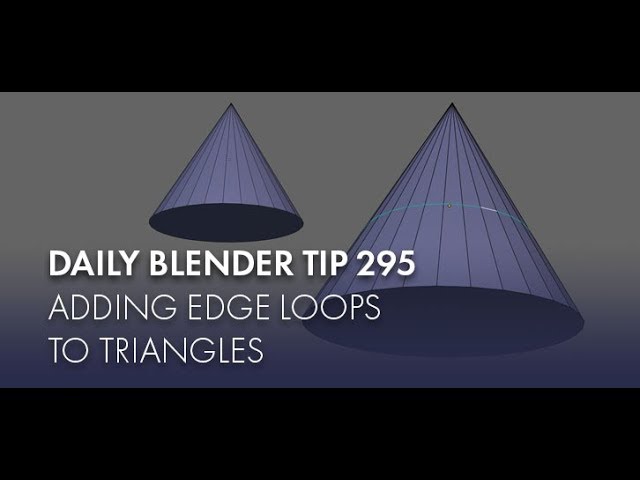
#b3d #blender #secrets #tutorial
Visit my website: https://www.blendersecrets.org/book
e-Book bundle (20% Discount) : https://gumroad.com/l/IxofeY
uh
spiral sigil
wind zinc
https://twitter.com/Gantz_The_Gay/status/1273246885092843522 working on my next Vrchat model


A sculpt WIP of @Goose_Maroos Character Goblin.
#furry #furryart #artists

 Twitter

 green ember

wont let me upload images for some reason but theres the bottom half compared to the only other version of the character that i could find online
 lone pilot
I could use a little help with a unity/blender expert.
I have a wing model but when I view it from the front, the wing 'skin' is invisible, the blender file looks fine.
ashen stag
That's called back face culling, which is enabled by default in unity, disabled by default in blender. Either use a shader that supports no culling/back face rendering or duplicate the skin of the wings and flip the duplicates normals.
stable edge
select the mesh that has the wings skin > use solidify modifier > make thickness very low > dont bridge between meshes
runic nymph
nooo, just use a double sided shader
unless you have different textures of both sides of the wings
solar fossil
well, since it uses backfaces its safe to assume that it has the same texture on both sides
runic nymph
yep
stable edge
doublesided shader is suboptimal 
lone pilot
select the mesh that has the wings skin > use solidify modifier > make thickness very low > dont bridge between meshes
@stable edge do I do that in blender or in unity? ty
white moth
I think solidify adds sides as well, which you usually don’t need
stable edge
That's why you deselect fill rim
devout scroll
then you need to delete shape keys or you can't apply the modifier
white moth
Though be careful that applies the whole object
lone pilot
Just exporting now
devout scroll
I'd just use a double sided shader, most shaders have that and it's the easiest way to do
stable edge
Suboptimal boio
lone pilot
that did it, thanks @stable edge & others 🙂
stable edge
Worse for your computer then more verts and faces
Iirc, don't quote me on this, but I think it makes the shader use another draw cell?
Instead of a tensy bit more memory
devout scroll
do you have any source on that because as far as i know backfaces get culled after everything
or something along those lines. it's an extra step
white moth
It needlessly draws the inside of most of the avatar and then draws the outside over top of it. Every frame.
stable edge
Ah yeah because they use the same shader
That's right
It's like, render the whole model twice or render a tinnnny section twice
Who would win
devout scroll
well that depends on if it's a separate material
white moth
It’s best to just double the tris where needed
white moth
No separate material. No double sided shader. Just double the tris where you need them.
devout scroll
might have different shader settings
stable edge
Most, if not all cases, no
Expecially if your models not super unoptimal
Like having materials for each colour
Like some mmd models, they exist
devout scroll
and masks are also worse than a separate material if you atlas too much
afaik
well I'm not talking about those extreme cases
stable edge
If you're not talking about them then the materials shouldn't be seperate
white moth
Huge masks are fine if you compress the texture. But it’s a terrible idea to mask for sidedness
devout scroll
I'm talking about separate materials for different shader settings
you know what, nevermind
solidify to your hearts content
white moth
I mean if you need separate material settings than a separate material is basically mandatory. But in the case of needing doubles on some areas of a model it’s better to just have a few extra tris where needed.
stable edge
Be suboptimal and kill fps to your heart's content too
white moth
500 or so extra triangles is way better than needing a second material
 red glade
Or learn how to combine Textures so you dont need to use more than a few materials 🙂
white moth
The argument was setting a few triangles to a different material to use a double sided shader instead of just duplicating the triangles and using a single sided shader for everything
Same texture regardless
red glade
Oh yes mb
Yes do that,
Doubeling Triangles is not really helpful when you have a double sided shader,
white moth
Double sided shaders should be avoided unless the entire model uses and needs it
red glade
mhm
white moth
If only some parts of it needs it you should really just take the hit and out a few triangles, and enjoy the optimization of culling
red glade
🙂
white moth
As far as I’m aware, double-sided shaders always draw the inside of your avatar, even if you can’t see it
 weak berry
still wip
 white gazelle
Hey guys. Is there a 3d modeling program for VR yet that you can export to vrchat via blender & unity? I see very mixed messages on what's good and what's garbage. (Im on Valve Index)
spiral sigil
im confused on what ur trying to say?
oh
idk
just look on the internet u probably find one
but its probably better to make a model on desktop then vr
spiral sigil
i dont think vive and index is supported
SteamVR does not support OpenXR yet at this time, so HTC Vive and Valve Index are not supported
young vault
It's up to SteamVR to support OpenXR... which is up to Valve.
runic nymph
ouch
quaint jasper
They did though no ?

Valve released a developer preview for OpenXR in SteamVR, representing a big step toward industry-wide support for an open standard in VR and AR.
young vault
That isn't available to use yet though.
At least, not... reliably. It might be made into an addon or as a small update to Blender.
Though, I might be reading it wrong.
I'm tired, yea. I read it wrong. It should probably work with blender just as soon as you opt-in. But, don't expect it to go smoothly.
fathom mantle
Blender supports VR but only for preview, not modeling
There is a third-party add-on for basic VR poly modeling in Blender though, and it works with all the major headsets
Called BlenderXR, and it's free
@weak berry cool Dalek. Is it gonna be a different version from the one in the TARDIS world?
 coarse kestrel
 eager pivot
Anyone know of good tutorials for blender modeling basics. I'm wanting to take the clothes off a model, and do a headswap, then add new clothes to it. And every time I try to look for tutorials, they always end up just having their model without clothing, and a head. I'm really new to blender, and I've been struggling on finding that gap of blender extreme basics, to blender pro.
 open scarab
Try headswap first, clothing is bit more advanced since you need to resize clothing/adjust bones/weightpaint, meanwhile headswap is cut off head, replace it with something else scale it merge/attach bones
autumn badger
@eager pivot The best thing you can do is first learn to model and understand the hot keys. If you can learn how to model and merge vertices, then you can easily swap things around.
Putting a model together starts with merging it via resizing, texturing, etc.
And parenting it to a basic armature.
I might end up creating a series on this.
eager pivot
👍 Ty so much for your advice, it's greatly appreciated! And honestly you should, I know other people probably have the same problems as me, and you could help a lot of peeps.
autumn badger
I haven't decided if I want to add claws or not yet
I thought of adding pawpads to the bottom, but I was concerned about the feet being properly aligned
and np rainbleed
 past cypress
quick question since im just now getting into making and importing custom avatars into vrchat. Any fixes with not being able to build and publish my model from the vrchat sdk?
autumn badger
I would reccomend asking in #avatars-2-general but....what are your errors, etc?
past cypress
apologies, must have not seen that tab when I first joined. Its all fixed now after like 30m plus of searching.
autumn badger
Np
 nocturne talon
ive got a question
stable acorn
Whats your question?
nocturne talon
does anybody know joshdub
stable acorn
I do now after looking him up
nocturne talon
because they have these avartars calles brush an i wantet to ask if anybody could send me a 3d model of a baby brush because i wantet to change that avatar a bit and i cant find a 3d model of it and im too bad at 3d modeling that i cant make it myself
spiral sigil
@glad steeple made those models
you can buy them on booth https://blueasis.booth.pm/

Just a guy making things, if you want to commission me directly, reach me here https://twitter.com/bluasis or on Discord at BlueASIS#4579Carl the Cubefruit(¥ 100), Mayal VRChat Avatar(¥ 650), Pepper & Soola VRChat avatars!(¥ 650), Ar-P0D - Exploration Bot(¥ 4,100), The Junkyar...
nocturne talon
ok thx
frosty plinth
Wildwood New Boardwalk Frame had to make it more optimized
 pallid forum
Hello, guys
can i ask about bones in this channel ?
white moth
Probably more to do with #avatar-rigging but who’s checking
pallid forum
Thx
 oak cairn
hey question my friend made a Dinosaur in Blender and it's 199MB like when he tried to render the model Blender would just Crash and my friend tried it on his PC as well is that 2 much for a model to render?
It would spike the RAM usage all the way to the top
open scarab
Thats a really big model yes, how many poly i see 8.2m faces ?
runic nymph
oh, that explains it 
oak cairn
ok so it is way 2 big 2 render then
i am not great with blender so i dont know it means like he doesnt do VRchat or anything he wanted to get into animation he is autistic and not very social so why i am asking to help him
 inland sky
if its 8 million faces its not gonna render. at all.
and its way past the vrchat polygon limit
oak cairn
he isnt doing VRchat he is just wanna to make it into a animation
runic nymph
you gonna need a nasa computer to animate that
maybe he should try modelling his own stuff and then animating
unless.. he made the dino so highpoly himself..
inland sky
why did he make it 8 million faces,,,
stable edge
All around me are 8 million faces
inland sky
gsdhshdg
oak cairn
i have no idea
stable edge
I'd probably remake the model tbh
inland sky
or decimate it
stable edge
Removing all the loops would drive me insane
Yeah, there's probably a decimater that lets you dissolve loops
I'd find one of those, or start from scratch again
oak cairn
ok so can someone type and explain what he would need to do i wanna screenshot it and send it to him he is a autistic and anti-social :/
inland sky
.
stable edge
You might need to break up the mesh into smaller pieces too just so the computer has less work to do
inland sky
step one select the model
step two use the decimate modifier and go to town
its that simple
stable edge
It is pretty simple, that way at least
oak cairn
ok sorry to ask for help i am just trying to help the kid out u know haha i appreciate the advice
stable edge
Unsubdivide seems good