#3d-modeling
1 messages · Page 83 of 1
 visual vigil
 gilded mantle
sharing my new model work :)
https://twitter.com/Fkkcloud/status/1258095141430030336?s=20


Finally sharing some progress of in-game model!
#indiegame #gamedev #madewithunity #bnpr #BlenderNPR #kafka #gaming #indiedev
I am developing half #hackNslash and half #datingsim game inspired by #Persona
Big announcements coming this summer!
DC: https://t.co/YOYtv8yoa9 ht...
Likes
157
 Twitter
 fringe rock
2d face?
 stable edge
When people say seperate meshes are bad do they mean seperate models or submeshes?
 quaint jasper
skinned meshes/meshes
stable edge
Apparently the expressions are shader driven franada
fringe rock
UV swap
 coral plover
Okay imma try out blender now is this reccommend for a first time model ((I never used it before-))
 coarse lance
coral plover
coarse lance
coral plover
Nope owo"
 low charm
 swift dock
So I'm kind of noob with blender, is there an easy way to make a square, or plane, be 16:9 ratio?
swift dock
Think I figured it out.
 gaunt aurora
working on making this to make it into a vrchat map, been spending days on this and i'm not even close to done
 dire sable
There is black polygons on the avatar im making when I put the material on and it has to do with something in blender because I had to re-add polys and those polys are the ones that are showing up black and i have no idea what is making it do that
 minor skiff
I was testing how to rig things and I tried making a random model and rigging it but it turned out like this if I rotated one of the bones after the bottom one.
 river maple
Did you weight paint it properly?
gaunt aurora
not enough subdivision to make the bends you want
 azure rain
yeah that needs Loops if the handle is supposed to bend
swift dock
So lets say you have an object, and after doing some things (like extruding certain areas), the texture on that side (flat face) gets kind of messed up.
Like that
(Just a flat face)
Anyone know a tutorial that covers how to fix a texture / map when something like that happens?
swift dock
That's what I was thinking
quaint jasper
select it in edit mode, press U, should be good
swift dock
Never unwrapped before
oh, yeah
that worked!
thanks :D
That was a lot simpler than I thought it would end up being.
quaint jasper
it's only simple because it's a single face 
swift dock
haha, yeah.
It was incredibly warped after I had done some extrusions
trying to learn how to use blender / do some models.
so decided to do a crappy little picture frame
lol
the sides were completely jacked up, was sitting here scratching my head.
 marble rapids
Suddenly i cant scale anything with S and pose mode isnt working. What i have pressed? Using Blender
 spiral sigil
Trying to make a bend but Blender is flipping out when I do.
https://youtu.be/bMYccraiLQU
I believe this was a good video about making bends
You can also try the spin tool https://youtu.be/OcESDOixsj0
You can also try using the TubeTool addon

In this tutorial video, I want to show you how to use the new “BEND” modifier feature that exists in Blender 2.8x which is part of the “SIMPLE DEFORM” modifier. One of the most important things to know when using the bend feature is the correlation between the ROTATIONAL AXIS ...

NOTE - The panel for select the X, Y and Z have moved to the right hand side panel when you press N
This is a quick tutorial as I was asked the question how to use the Spin tool
Affiliate Links
++++++++++++++++++++++++++
Extreme PBR Library
https://blendermarket.com/product...
visual vigil
https://cdn.discordapp.com/attachments/669760923321499678/708483671669211166/unknown.png https://cdn.discordapp.com/attachments/669760923321499678/708483808579813406/unknown.png
idea for a snap blaster


 vale viper
 quaint bronze
It looks like you marked the seams but didnt follow through with unwrapping the actual model. Select all the faces then UV > Unwrap or hit u then unwrap and that should fix it.
 green ember
plum from bravest warriors
 serene kettle
im trying to scale the torso of my avatar by the Z axis but i dont want to scale the arms or head, how do i do this?
spiral sigil
In blender you can set it so that the arms and neck aren't affected by transforms (such as scale)
 tawdry isle
My CATS material combiner gives me this error message when I try to enable it, is this something due to the newer blender versions?
 solar fossil
holy shid bravest warriors 
 topaz merlin
Hello, is it worth it to shift to blender? from cinema 4d? Thanks
solar fossil
haven't really worked in c4d but i can say that blender 2.8+ is sick 
 alpine eagle
any way to automatically remove Ngons of a model? (Blender 2.79)
or is that needed for vrchat?
stable edge
Don't they just get trianglated in the end?
alpine eagle
idk. I have just started learning today.
I was following a modelling guide and in that you went around with the knife and fixed it.
stable edge
You need them to be quads if you want it to subdivide cleanly, otherwise I don't think it matters
alpine eagle
ah. okay
alpine eagle
I love blender...
https://cdn.discordapp.com/attachments/508706822178471957/709106102880567426/untitled_showroom_box.png

doing stuff like this just makes my mind calm.
it looks so realistic
the lighting
 hardy agate
try applying shade smooth to the mesh, would look quite a bit better
 plain pumice
Anyone have some good modeling tutorial videos for beginners?
stable edge
Pinned probably
green ember
jake the chair
 cosmic owl
omg that’s so cool!
hardy agate
is that a clever model switch or is the model manipulated into a cube with a shapekey or something?
fringe rock
body shrink in the cube. seat expend and the facial slide in the front
stable edge
^
green ember
@quaint jasper @hardy agate @fringe rock the jake is turning into a "chair" via blendshape which was carefully hand manipulated with extreme amounts of stupidity
hardy agate
well it looks great so i think it was worth the effort
spiral sigil
How do I unwrap a cylinder's UV so it's a rectangle instead of a circle??
Mark a seam at one of the edges, then you should be able to unwrap into a rectangle
 frigid citrus
does anyone have a debug guide for if my shapekeys work fine in blender but unity just interprets them as vertices going everywhere
i exported with basis selected so thats not it
 stray thistle
 tranquil glade
good
 waxen pewter
frigid citrus
waxen pewter
frigid citrus
thank
frigid citrus
@waxen pewter didnt work oops, is there anything else i could try
it looks like all the blendshape position deltas are being scaled wrong, like unity thinks theyre in metres instead of centimetres
yep, i janked it into working by setting the model to import at scale 100 and then scaling it again by .01 in the scene
thatll work for now but i would like to know a more convenient way to fix that lmfao
 devout scroll
export it through cats and it should be fine
spiral sigil
I know that there are plenty of frequent blender users here and there must be someone that could help me with this rather off-topic (from vrc) that can help me, right?
I currently am working on a sculpture in blender, right now trying to work on the hair of it.
But this is my issue
What tool is used to move hair around smoothly like what was shown to me in my tutorial
visual vigil
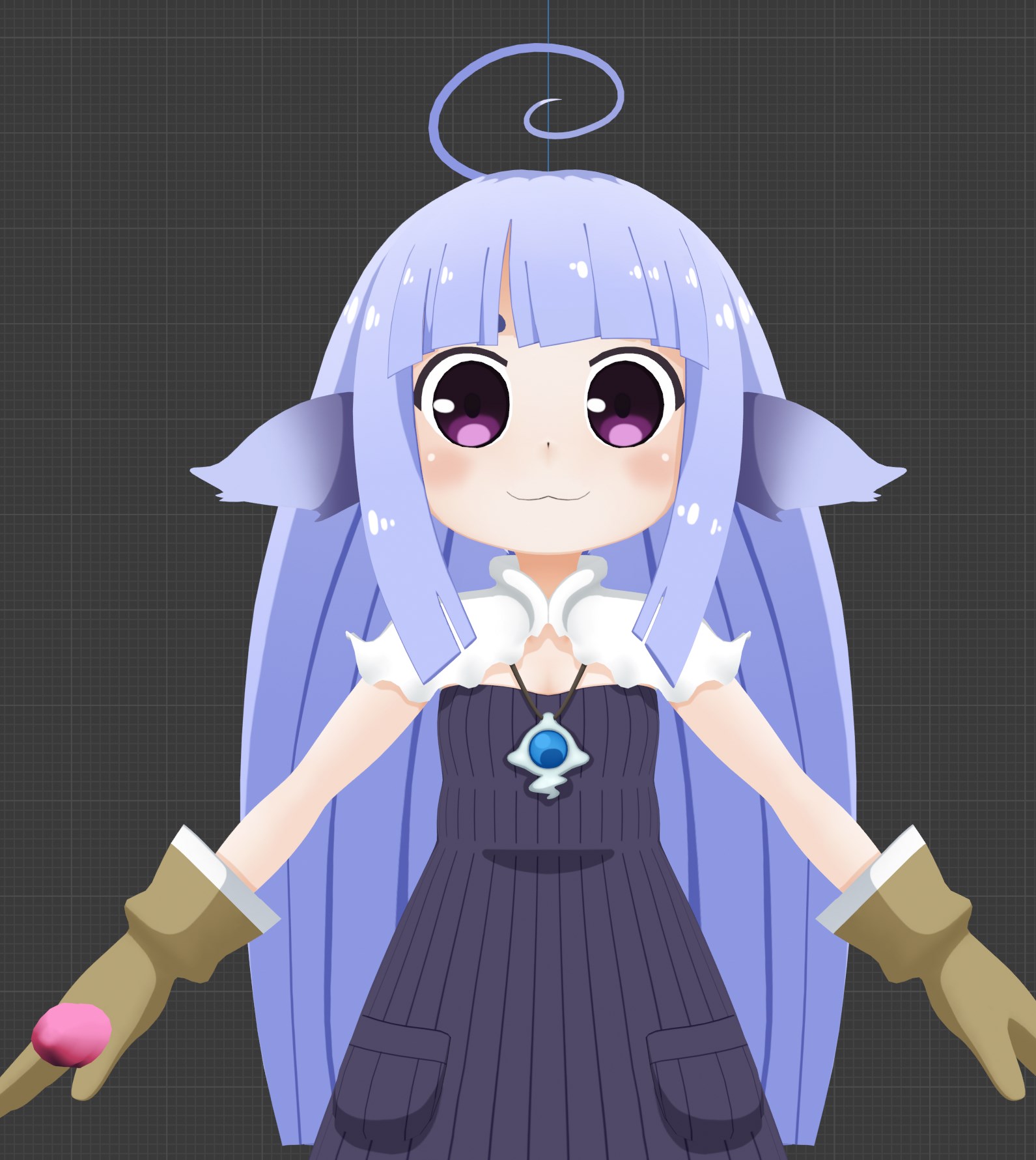 solar fossil
its a model
 still wadi
how come
solar fossil
very good texturing, painted shadows, good normals
 ashen stag
Good shit
 wispy kelp
Ye texturing is gonna be fun especially the metal parts
 ocean shale
Hey! anyone have a file for the Man behind the slaughter 3D to use
 frosty plinth
starting from scratch with barbie
Barbie action figure
its gonna move like barbie lol from toy story
its gonna be funny
frosty plinth
 zenith kettle
 green ember
 fading pine
I'm trying to bake a texture so I can open it up in photoshop and edit it. Don't really know what I'm doing wrong, but after I bake the model it turns black
I'll post what I'm doing
I've UV unwrapped the model.
I create a new material and assign everything to it
I add an image texture, the model renders with that texture no problem.
I go to render properties and hit "bake"
After baking this happens. I don't know how to fix it
ocean shale
Anyone know where I can get a free knight modle for me to use?
stable edge
wispy kelp
finished the bottom
 shell sentinel
omg hey anyone know if there's a way to edit a mesh when it's got a shape key applied? I've got a blendshape for an opening mouth but want to fix the shoulder shape while preserving the key
only thing I was able to get was accidentally altering the key only, so the mouth open blendshape triggers the shoulders to scrunch up lol
I might need to ask this in the rigging section but it was worth a shot here haha
OR the avatars section oop!
spiral sigil
If parts of a mesh are moving while activating shape keys when you don't want them to, just select the ones that you don't want moving, select the basis shape key and open the search menu and search shape propagate, then do that command and it should apply the basis shape for the selected vertices for all the shape keys
fading pine
still haven't figured out baking 😞
I've sunk maybe 5 hours into this
I do exactly as the tutorials say but it still comes out black
shell sentinel
oh awesome tysm!!!
I only started using blender like 4 days ago and am trying to tweak a model I commissioned by someone who's not super experienced in vrchat optimization so we're both just all over the place trying to mess with it
my model wasn't made in a super sttrong t-pose and has low shoulders so when I drop them in-game it pulls the whole chest down with it, regardless of weight painting
swift dock
So let's say I have something like this
How can you make that like a smooth ( shape instead of the [ that it is? Is there a way to subdivide surface mod just that particular area rather than the whole thing?
devout scroll
@fading pine do you have a texture applied even
swift dock
hm, when I do it in this situation
It only pops up that loop on one of the faces within the selection when I mouse over it D:
Maybe I have to select more parts or something
I guess I could revert it back to before it has that little inset section, and just make far more faces and manually extrude them back down or something, there's probably an easier way than that though
devout scroll
What are you trying to do
fading pine
@devout scroll is this what you mean?
devout scroll
hm, actually not sure, haven't baked anything in a long time
but i'm assuming you want to bake ambient occlusion or something? or is your thing textured
fading pine
ya ambient occlusion
It's just for practice and the texture is ugly, but yes
I tried adding a light source but that didn't seem to help either
devout scroll
Need to follow a tutorial
fading pine
I did
devout scroll
Not sure which one I've followed along but it worked out for me
Gonna check if I can bake in a bit
fading pine
nvm I figured it out. My normals were messed up


 scarlet dust
Started with the head:
https://gyazo.com/c3f7bdf24919bb7895e840b29af70d5c
 gaunt aurora
made something myself, but dont tell anyone i might know
 lament pond
 hollow radish
zbrush hair modelling takes forever 🙃
shell sentinel
Guys I’m losing my mind I commissioned a model that I’ve been tweaking, and I was altering the shirt design when I noticed it was changing the eyes color. My model maker used FOUR PIXELS for the eye white color IM LOSING MY MIND
I tracked it to this exact point cause coloring this area black makes the entire eye whites black as well just
Oh my god this is peak efficiency
So anything colored in this 2x2 area changes the whole sclera
It’s not an issue or something but just like WOW.....THAT WAS A WILD CHOICE
devout scroll
well you usually want a small square of color somewhere in the corner instead of reusing random texture space
shell sentinel
Yeah like a small space makes sense but just the fact it was a reused part of the shirt is so wild haha
quaint jasper
@peak vector This is a creation channel, you can ask that type of stuff in the text channels like #general-media
 peak vector
Oh shit sorry
 next fractal
next fractal
next fractal
Hell yeahhhh
green ember
tried to learn a bit of substance and redid my heelys texture
green ember
you can get some adult sized pairs on amazon
wore mine at conventions
theyre actually pretty convenient
 sand badger
anyone know a goood guide on making a model from scratch i really wanna try
 glad steeple
@sand badger https://youtu.be/TPrnSACiTJ4
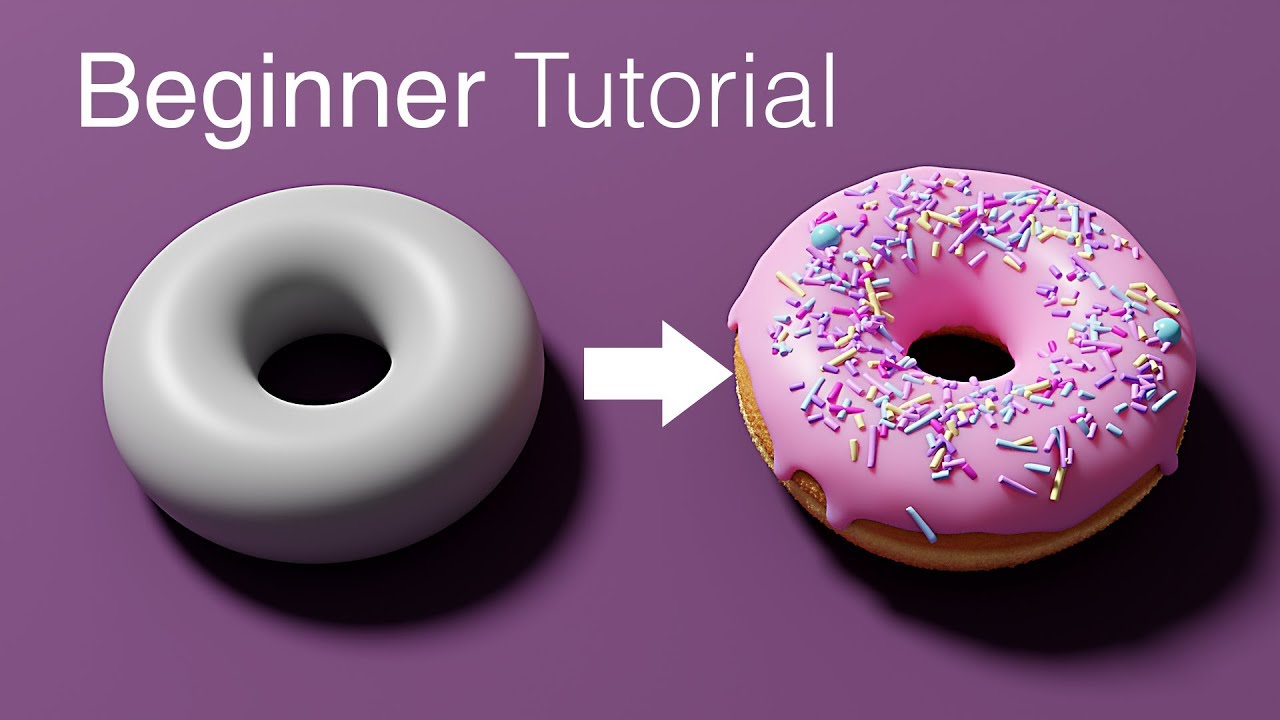
Blender tutorial for beginners! The long awaited reboot of the popular donut tutorial, completely remade for Blender 2.8. New videos will be uploaded every other day to this channel.
Get the shortcut pdf: https://mailchi.mp/ef5b15a32043/subscribe-to-the-newsletter
---------...
sand badger
ty
 thick ruin
would anyone be willing to help me with unity model smoothing
quaint jasper
what do you need help with ?
thick ruin
im trying to piece this togethere


i can get somewhat close manually
but not close enough
 undone spindle
That looks horrifying
thick ruin
indeed
thick ruin
how would i do that
undone spindle
Which blender ver are you?
thick ruin
this is in unity
thick ruin
if theres a way to port unity models into blender im down for that
undone spindle
Right click on the model in your unity explorer
and show in explorer
which it should open your file explorer
and that should show your fbx files
and import those into blender
thick ruin
can i go from prefab files to fbx?
thick ruin
it wont allow me to extract from prefab
if i have the meshes and textures could that work
undone spindle
Well then
thick ruin
yea its a bit jank
stable edge
Need a rig/skeleton too
quaint jasper
@thick ruin So the two origins of each piece is different ?
quaint jasper
no, when they're both imported, are they not correctly placed ?
quaint jasper
drag in from where ?
 quaint jasper
i've never seen that
thick ruin
dang
quaint jasper
this is the kind of thing to fix in blender, unity won't be able to do much here
 zenith fable
stable edge
zenith fable
stable edge
Very cool
zenith fable
thx
 tender sun
legit i need help i cant even put a texture on a cylinder (or a PNG) without making it look bad or such
spiral sigil
What's up
tender sun
i really dont know how to UV map a cylinder so i can just get the texture to go around the cylinder. Idk if its the many faces that goes around the cylinder that is making a mess out of that
spiral sigil
Mark the two circle rings as seams.
Mark a single edge of the body of the cylinder as seam.
Unwrap. You'll get two circles and a rectangle to work with
devout scroll
Looks like it has no seams
tender sun
heck is a seam ?
spiral sigil
They're used in uv-unwrapping.
tender sun
how do i do that
spiral sigil
Basically they're how the model understands to unwrap itself.
Select edges, ctrl+e, mark seam
tender sun
then what i do
spiral sigil
Select all the edges, u>unwrap.
Have you never done uv-unwrapping if you're messing with uvs?
tender sun
I mean this my first time cause its first time im adding a texture on something somewhere specific that dosent have a UV map
also it seems to be messy outside but fine inside. and is there a way to fix that on both sides ?
spiral sigil
Flipped normals most likely, just recalculate normals
tender sun
dident work..
spiral sigil
Odd, is it a tube or a closed cylinder? Makes sense if it's not a closed cylinder. You'll have to select each flipped face and flip it manually
 vivid crater
They added seams on every edge it looks like
spiral sigil
Oh that could be a thing. Where did you add your seam? Just one edge yes?
spiral sigil
You just need one edge to be marked as a seam to get it to unwrap as a rectangle
vivid crater
Think of a seam like a cut in origami, you only need one cut for that tube
tender sun
wait so what i did is gettting a lot of small rectangles
spiral sigil
You can select linked on one of the rectangles to know for sure
Yeah it looks like you marked them all as a seam, which was not the instruction
tender sun
how do i clear the seam
spiral sigil
ctrl+e clear seam
tender sun
is it cleared ? like is these red lines the wireframe for transparent stuff ?
tender sun
do i have to select em tho
glad steeple
Yes, how else would you tell which edge to be a seam or not
spiral sigil
Might as well start with a new cylinder at this point.
glad steeple
No no no
Hit A
CTRL + E
Clear seam
if it doesn work then making a new cylinder wont fix it
tender sun
oh now it did
glad steeple
Probably because you werent selecting anything.
tender sun
wait a minute the sylinder has one curves mesh on the inside. Yet the outside has many small rectangles to make the curved path
wut
did the seams hit unwrap nothin happen
spiral sigil
You don't need to mark the circles as seam anymore since there's no circle to unwrap.
You need to have the vertices selected to unwrap them
tender sun
@spiral sigil but if i were to select all the verticles that is going around in the circle at top and bottom it would just be the same outcome as if i am selecting all the faces
spiral sigil
That's what you should do yes. Why would you not do that
That's great for being new to 3d modeling, really good
quaint jasper
@weary oyster How new ? Looks great and it's on zbrush
spiral sigil
I can hardly believe it
 weary oyster
@quaint jasper its my second completed model so far
tender sun
like
spiral sigil
You still should select them all to upwrap the faces, otherwise you'll get nothing.
Post first model
I'm calling bluff
tender sun
these small rectangles dont line up at all in the UV map compared to the actual model selection
weary oyster
oki lol
spiral sigil
Do you have hardbody experience or sculpture traditionly?
spiral sigil
I did hardbody struggling with softbody modeling
I can make a gun but damn is making a face hard for me
spiral sigil
How long? Wtf
weary oyster
Idunno like a day for the base and a few hours to put clothes?
spiral sigil

tender sun
fk what should i do if i accidently hit Z
 inner forum
What software?
spiral sigil
The power of horny I guess
inner forum
Do u use graphic tablet?
spiral sigil
At what point should I invest in better tools? At what skill level so I know I'm ready to buy better hardware like a Cintiq. It's not a money issue I just dont think it'll make me any better just some tasks easier
inner forum
Bruh I use VRoid studio cause that’s the easiest thing
weary oyster
hmmmmm
inner forum
I just add hair and done
weary oyster
I guess if you can make money with it then investÉ
tender sun
@spiral sigil okay did it now i somehow got two things in the UV map
inner forum
@spiral sigil depends if you feel confident enough, you don’t need to buy best tablet out yet, you can buy nornal one without a screen and will do a good job
weary oyster
yeah pretty much any tablet will do
inner forum
Make sure just to have a big tablet
spiral sigil
You can unwrap independent of marking seams
inner forum
So you can be more precise
tender sun
Yes Cause i selected all the vertices
spiral sigil
You don't have to mark seam and unwrap in the same moves
weary oyster
I think programs do make a difference though
the easier and faster they are to use the better?
tender sun
what you mean ?
spiral sigil
Do them independent of each other
inner forum
Blender is decent
spiral sigil
I do like blender but my pro friends use maya
tender sun
What?
spiral sigil
I could get zbrush thru school
inner forum
If you like blender then stick with it
spiral sigil
But I feel comfortable with blender the team put a lot of love into their program you can tell
inner forum
Remember that all of these programs, with modeling skills will do the same job cause most of them have similar tools
spiral sigil
No you don't, clear your seams and just mark one edge as a seam
Very true. I anticipate only using 15% of the features in any program anyways
Just one edge, that's all
inner forum
Then stick with your current software
spiral sigil
Very nice thank you
weary oyster
yeah its probably best to stick with that you're comfortable with
tender sun
Oh my god i always tought you mean the edges at the top
weary oyster
learn all the shortcuts and stuff for one program
spiral sigil
I might try to contribute some code to blender
glad steeple
They dictate where a texture is split, splitting it on the edge would do nothing
inner forum
Yeah, sudden changes can mess up couple of things
Master blender for the shortcuts and stuff and you can be like your friends who do job in maya
spiral sigil
At some point should I learn more niche programs like substance painter?
inner forum
Paint 3D?
spiral sigil
Never heard of it
weary oyster
oooh I haven't even learned those yet
tender sun
@glad steeple man i was sitting the thinking it would act like cropping not cutting yknow if u were to incase a area of the seam it would make that area in there the stuff yknow or atleast on this one
 inner forum
Well it’s funny cause you can actually make model in paint 3D
weary oyster
I gave up at rigging lol
spiral sigil
I used to paint minifigs so it looks fun painting directly on model
inner forum
Rigging is easy
weary oyster
aight I'mma head out. peace
inner forum
Peace
spiral sigil
Bye thanks for sharing you model
weary oyster
❤️
spiral sigil
Like it a lot
tender sun
@spiral sigil ehm
spiral sigil
What does the model look like now? I want to see how you have it set up again.
You marked the seam, selected them all and unwrapped yeah? And this once again there is no caps on your cylinder yeah?
Can't you just switch to edge select, select a side edge to be a seam? Should flatten the uv
tender sun
just like you said it boss
tender sun
Yes Legit what i did
i pressed A
and did it
and
i get this flat idk messed up thing
tbh it almost looks like when i take the cylinder Default UV map when i use a normal cylinder with the top and bottom parts
flat and just crunched up
spiral sigil
Yeah it does look like when you have caps on your cylinder, which is what's so odd about this
spiral sigil
Works for me
spiral sigil
Looks fine.
tender sun
bruh wtf
okay so created cylinder and did the same process and now its fine. But on its side now
spiral sigil
Just select the uvs and rotate them
tender sun
how i rotate
spiral sigil
R. And hold ctrl to rotate by ticks. Or just type in a value to rotate by
tender sun
@spiral sigil also how do i make it show behind too in the inside ?
spiral sigil
If you want it to show in the inside you can use a double sided shader in unity or your can duplicate the faces in blender and flip their normals so they show on the front and back.
Or you can just disable backface culling in blender to see the backface and then do the first option in unity again
tender sun
can i also remove the seam now ?
spiral sigil
No need to remove it, it won't do anything
tender sun
also why this happen when i unselect it and it goes like this ?
when i select it it looks fairly normal
spiral sigil
Probably has some transparency with the alpha channel on the texture
tender sun
not sure if i understood
@spiral sigil what i want to get to is to actually getting the arm and other stuff to show trough the texture. Cause much of that texture i have on the cylinder is quite transparent
like you see when i select it
basc i want it to look like that even if i dont select it
hardy agate
Transparency just looks weird in blender should be fine
 median pike
oh god sculpting is insanely hard
devout scroll
it's not once you get the hang of it
and learn the tools
sculpting is probably easier than box modelling
that is until you need to retopo
 stark torrent

ArtStation
Hi there! This is a fanart of Bo Peep from Toy Story 4.
For this character I made two versions. A high poly version for rendering, and a low poly version for VRchat. Both models were retopologized with animation in mind.
However, I ended up only making a facial rig and a bo...
@median pike just keep it up! At a certain point the stuff you make starts to look much better than when you began. If you're a bit lazy like me, I started making much cooler things around 2 years after I started learning
granted i'm still 2 years from when I started, but still
 light ice
Ok so when I imported a pmd/fbx/pmx file into blender it worked for when I did two other things. But recently whenever I try importing and then fixing the model I get this error message from it and I'm not sure how to fix it.
median pike
@stark torrent Its hard to find motivation when the stuff I make is so revolting it actually makes me vomit
I dont think I can put up with that for 2 years
stark torrent
haha
I made pretty much, literal garbage
when I started, and i'm still not great haha
it gets better if you want to stick to it
median pike
how about a tablet? how necessary is it?
stark torrent
pretty darn useful
pressure sensitivity becomes like another sense
but I started out sculpting with the mouse
which was fine I guess, definitely had to change as I went on
this was my first character. I thought I was the shit when I made this, I kid you not 😂
median pike
how did you still have the motivation to continue when the results look absolutely awful?
stark torrent
well, honestly every project you do will look miles better than the last one you did
even if both of them are quite trash haha
I found certain tutorials to be like speed boosts when it came to learning
compared to figuring things out on my own
like Danny mac's styilized head tutorial
I grinded that thing for a while
but honestly, the garbage months and years get better the more you do work at it
even today sometimes when i'm sculpting i'll look at it and be like "this is garbage, this is horrible, I don't even know how to make characters" but I learned that, just pushing on, past the initial "alien lookin thing" as some people call it
you figure things out overtime
and the rush you get when you make something cool, and people whose opinions you value, like it
ooo that's 👌
median pike
that hasnt happened yet though. Been almost 2 months
I am seeing a pattern here which makes me think that I will just not progress in sculpting
same happened with traditional art
I have 8 years of artschool abut I am so inept in it they let me pass just because the felt bad
 rotund lynx
This sounds like motivation and self esteem issues and not your skill. You wouldn't have passed any schooling if they didn't believe in your abilities. First, relax back in your seat, take a deep breath, tell yourself that you will, under all circumstances, get better.
stark torrent
I am seeing a pattern here which makes me think that I will just not progress in sculpting
@median pike don't let yourself think like that at all! Even when your disapointed with something you made, even if you spent a long time on it, you always learn something from each project
I have many many failed projects
but you still learn from them, no matter how bad they look
in fact, sometimes you need to drop a project and start a new one
your skill will only continue to grow as long as you put effort into it, as far as I know, everyone can make cool stuff if they want to
median pike
I just cant see it. I know I am getting a bit better every time but I dont think I can keep this up for 2 years just to have something I could consider decent. Its extremely demotivating not seeing any improvement even if its there
stark torrent
eeh the 2 years thing wasnt something I should have said 😅
that's just a personal thing for me
and how I value my own work I suppose
median pike
I have been trying to sculpt this one character for the past 2 months and I start over pretty much every day. I dont see myself getting better but in fact sometimes I just make stuff look even worse
rotund lynx
We've ALL been there. What you really need, is share your pain with a tight group of other avatar making friends.
median pike
dont have those lol
median pike
I have this one friend who keeps encouraging me to start sculpting but he made a fucking full model that looks amazing in his first week of sculpting experience
so his words are hardly comforting when I am so insanely inferior to him
rotund lynx
Whoa now. Some people are just stupid fast learners. I learned how to put together models in 2 months of effort, and it's been almost 3 years now. I'm telling you, it's just a motivation thing. You're frustrated, and unfairly beating yourself down.
median pike
hmm
I am very frustrated. Thats true
where can I go from here than? How can I keep myself motivated when the results are not at all what I want?
rotund lynx
Try a different style of model, learn from the users of an already established community, watch youtube tutorials.
stark torrent
ooh yeah, tutorials really helped me
I'm the kind of guy that sometimes needs a step by step guide haha
rotund lynx
Tutorials are SO much nicer than when I started
median pike
I am watching tutorials
stark torrent
plus, once you're done, you pretty much garanteed to have made something that looks really good
rotund lynx
Tutorials were some guy with a very bad mic and poor english telling me what to do, but have to rewatch 100 times.
stark torrent
ugh
those are the worst
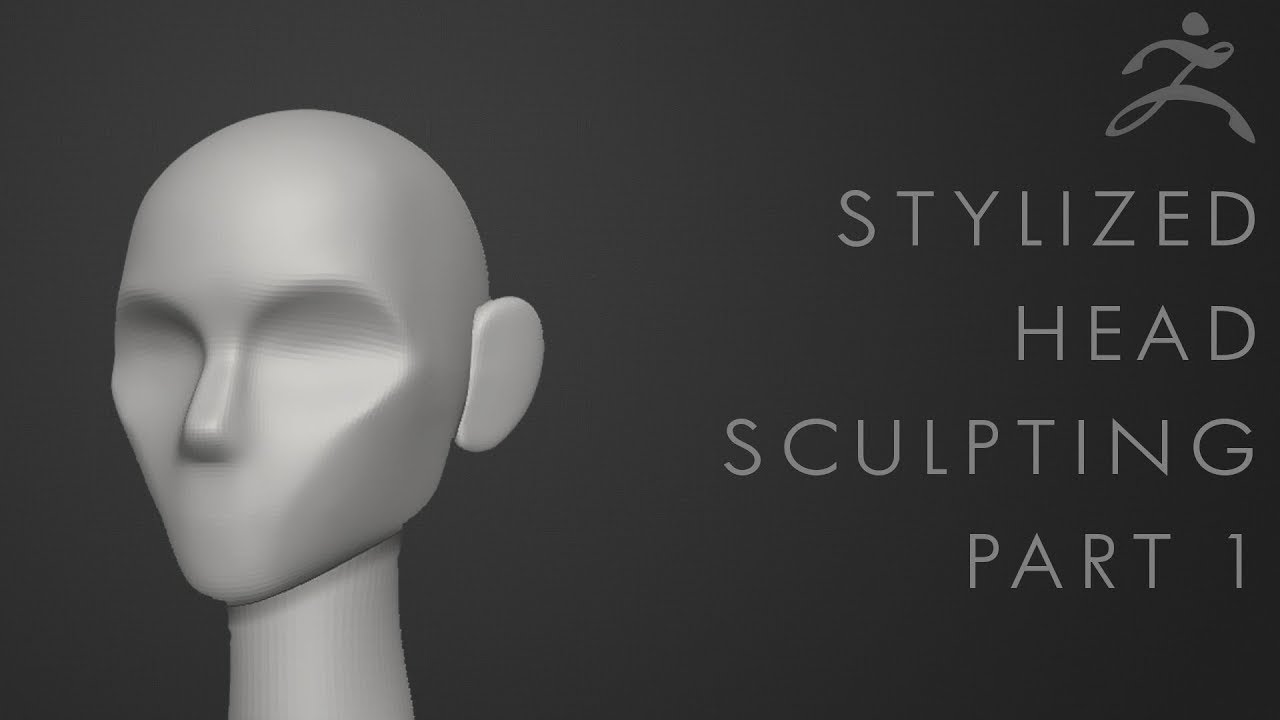
Bonus Content: Parts 1-5 Bundle only available now at 25% discount: https://gum.co/eBEas
Thank you for your support! :) (to skip straight to tutorial: 0:25)
Now practice the hell out of just the section until you can do it blindfolded, by which point I should have the next p...
you might be using blender, but this is a fun, and simple series, that actually helps you make good stuff
rotund lynx
and what's worse, is that they're the only guy telling you what you need to know.
median pike
I havent tried sculpting anything but this character so far. I follow the tutorials but with my model
stark torrent
oh well
there's your problem haha
too big a project too early on
I did that as well
rotund lynx
oh yeah
stark torrent
you want to fail as much, and as fast as possible
rotund lynx
You always try to take on projects bigger than your head
stark torrent
yup
and spend a looong time polishing a turd
as some people say haha
aaagh I did that all the time
I was so frustrated too
rotund lynx
To this day I have a project graveyard of "stuff to bring back when I am better"
stark torrent
lmao
spiral sigil
the best to get better at something is to keep doing it
rotund lynx
Although some of these, Well I'll need to be jesus first to get them working right.
spiral sigil
you'll make mistakes all the time
and with experience you'll do less and less mistakes
and little by little you'll get better
stark torrent
^ yeah pretty much
if you're on the same project for too long, you won't really progress far
spiral sigil
you'll have to accept that what you do in the beginning will look like shit
stark torrent
at least, I didn't >_>
median pike
the best to get better at something is to keep doing it
@spiral sigil thats why I have been working on the same model for over a month . I just dont see it helping to be honest
median pike
thats what I do
spiral sigil
because you'll learn the proper ways and workflow
median pike
I start over like every day
rotund lynx
Hell, one thing I always fail at despite everything I'm good at. I cannot make realistic tiddy. I fail every time with weird physics.
spiral sigil
sculpting is hard in the beginning
you need to learn the toold
how to use them
and at the same time you need to learn about anatomy
it's a long and difficult process
but when you get there, it's extremely satisfying
stark torrent
also, don't try learning things by yourself
spiral sigil
and you can only get better and better
rotund lynx
Well you can
stark torrent
if you're struggling to learn something, google a tutorial for it, don't try to do it over and over again if you don't know how
rotund lynx
You can learn some neat stuff on your own. I learned more than my own share of tricks by experimentation or something goes wrong, but in an awesome way.
spiral sigil
that tutorial that cool kids posted is good
rotund lynx
Failure can be fun
spiral sigil
it's for zbrush but it's exactly the same in blender
it's basically the same workflow
stark torrent
ha! I actually used this tutorial even when I was in blender
spiral sigil
I still didnt watch it
too scared to start sculpting
stark torrent
I remember cropping out all the blender stuff, and posting it in the zbrush discord so I could get better critique
because all the blender people were too nice to me >_>
Zbrush also has a free trial called ZBrushCore, which is pretty much the same as normal zbrush, but with some cut features
rotund lynx
lol, my texture work got better because some guy was a downright unholy c*** to me.
stark torrent
you could try that if you want
spiral sigil
lot of people will start by making a rough shape of what they want
like polymodeling
but extremely low poly
and then start to sculpt to add all the detail
rotund lynx
Ah yes, Nintendo 64 graphics
spiral sigil
it can be a nice way to start out if you aren't good with anatomy
also references
you need a fuckton of it
median pike
@stark torrent wouldnt learning a completely new tool just make it more frustrating?
rotund lynx
It's a fun place to start. just a high def texture face on a flat plane
actually. That sounds like a really fun, cursed project
stark torrent
🤷♀️ Zbrush is a bit more intuitive than blender imo
but you can still do the tutorial in blender
rotund lynx
I'm gonna put the Mario from the movie's face on the Mario 64 model
median pike
also. My final goal is to finish that character, But none of the tutorials focus on those kinds of characters. So is me knowing how to make an anime head even gonna help me when making something completely different?
spiral sigil
zbrush is made for sculpt
like literally made for that
I really hope so that it's intuitive
would be really sad otherwise
stark torrent
@median pike honestly, and i've heard other professional sculptors say this, once you learn to sculpt a head, you can sculpt pretty much anything
there's just something about learning how to sculpt for the first time
that's sooo difficult
stark torrent
for a long time I really only made heads
followed a tutorial on noses when I didn't know how to make them
same for eyes
and mouth
after it all, I found myself learning other things quite easily
median pike
I have a full on orthographic refsheet that i commissioned for the character so I have references for it
but do you feel accomplished when youre not making what you want?
spiral sigil
I personally do
because I learned stuff
I got slightly better
I could redo the same model faster
and a bit better
stark torrent
it's like you want to work at a certain job, but you need to go to college first. Do you feel accomplished in college despite not actually doing the actual job?
spiral sigil
because I learned what NOT to do
stark torrent
it's a learning process, and seeing how you are getting better is one of the joys of it
but I also just wanted to make good heads
so
yeah that was kind of it at first
you'll almost certainly not finish your character to the quality that you would like, at this point
but just keep practicing in the correct way, and you'll get there 🙂
spiral sigil
that's one of your models in your pfp ?
stark torrent
ooo dude I love styilized heads/characters
I know what you mean haha
I used to look at people like Danny Mac 3D and just gaugle at his stuff
median pike
do you think I can follow tutorial made by people using a tablet? because I feel like I will have a much harder time doing what they are telling me to do on a mouse
median pike
not really
stark torrent
pressure sensitivity is the only thing that's quite different
median pike
but its not like I have another option and I dont have 100€ for a tablet
median pike
its leagues easier
spiral sigil
and fairly limited
median pike
but I find it impossible to use for organic models
spiral sigil
for hard surface modeling it's fairly good
median pike
only furniture
spiral sigil
exactly
stark torrent
if you wanna make organic stuff, sculpting is your best bet
a tablet makes it much easier
and that's pretty much that sadly
spiral sigil
sculpt for organic, polymodeling for hard surface
quaint jasper
Tons of people still use a mouse, tablet is better, but doesn't mean you can't
stark torrent
I used to sculpt a lot on my mouse though
yeah
@spiral sigil https://www.artstation.com/iamzeke/collections/639627 check this out

these are some of my favorite things 😄
not made by me ofc
stark torrent
yeah right? That's stuff is great haha
spiral sigil
artstation can be depressing when you are learning
spiral sigil
you see the level of some people and you just see how very far you are from that level
stark torrent
well dont look at it that way
quaint jasper
yeah don't browse artstation for fun, it just hurts
only use it to find references
spiral sigil
exactly
quaint jasper
cause you're already good lmao
spiral sigil
^
spiral sigil
good enough for a lot of people
stark torrent
but in some way you want to imitate these people
spiral sigil
I wish i had that level of skills that you got
stark torrent
that really inspires me
spiral sigil
It would be more than enough for what I want to make
median pike
well I am gonna try the artistic head tutorial. Probably wont go well but I wasted so much time on this I might as well waste a bit more
spiral sigil
it's not wasted time
you learned stuff
it's the little experience that you get from doing it over and over that will make you good
median pike
you say that. But thats literally my issue
been doing stuff over and over and I am not improving
the fucking definition of insanity and I do feel insane
devout scroll
You can also do both
stark torrent
you know it's really weird hearing people say something like that? I think I was in your position a couple of months ago O-o
I wish i had that level of skills that you got
@spiral sigil
devout scroll
Model then subdivide and sculpt details
devout scroll
Or you can use sculpting instead of proportional editing sometimes
spiral sigil
You can also use a multires modifer and sculpt on that and switch between subdivisions to get different levels of detail.
stark torrent
@spiral sigil imma drop some of the most useful tutorials for me, on you rn https://www.youtube.com/watch?v=3Mm4gFxJtfI https://www.youtube.com/watch?v=uPVOAcF6vQo https://www.youtube.com/watch?v=iWEDWFMjA9E
that styilized head tutorial was the most useful for me though
I still go through it sometimes today 😅
his method for making eyes is soooooo good
and very easy
makes your model look a bit like an owl, but once you merge the eyelids with the head, and add volume, it looks 👌
median pike
@stark torrent do you use blender or Zbrush?
stark torrent
I use both
Blender for box modelling and compositing/rendering
and zbrush just for sculpting
median pike
can I do what they are doing in blender?
stark torrent
oh, actually even better in blender
if you're talking about hair
I actually do hair in blender now, but it's not as intuitive as in Zbrush
but it does look a lot better
median pike
I am talking about making something that doesnt look like vomit
stark torrent
yeah you can do it in blender
Bonus Content: Parts 1-5 Bundle only available now at 25% discount: https://gum.co/eBEas
Thank you for your support! :) (to skip straight to tutorial: 0:25)
Now practice the hell out of just the section until you can do it blindfolded, by which point I should have the next p...
I did it
when I started out from blender, I used this exact same tutorial
took me a while to figure out how to replicate what he did
but it helped as far as I remember
I think I did switch to zbrush while trying to do this tutorial though
you can use a mouse in ZBrush
median pike
its a completely new program with new controls and new shortcuts though. It will make me insanely frustrated
I cant remember using two apps at the same time
I couldnt even do it with bledner 2.8 and 2.7
- it doesnt make much sense since once my trial expires I cant use the thing anymore so I learnt everything for nothing
my only income is vrchat avatars so I can hardly buy anything with that
definitely cant afford that 500€ pricetag
spiral sigil
@stark torrent thanks, keeping them in the bookmarks
median pike
I have some money saved up so I will order a tablet
but I cant afford Zbrush so thats out of the question
rotund lynx
There are usually open source options available
You already have Blender, for instance
devout scroll
Grant abbitt has some tutorials on sculpting. I like his style of teaching
Even tho caricatures and whatnot are not my thing at all. Still worth looking into because the techniques you learn are useful @median pike
I'd recommend looking at blender 2.8 sculpting tutorials if you're gonna use it because otherwise you're gonna get frustrated with not knowing where to find something and just quit
it's quite common
on youtube obviously
devout scroll
Maybe there's something you're doing wrong
That kinda affects more things
Like not having dynamic topology on
median pike
its just me being terrible at anything that requires creative thinking
quaint jasper
mood
spiral sigil
same but I love doing it
 onyx juniper
I want to punch rigging in the face
shell sentinel
Hey guys! I’m making my 2nd 3D model like...ever and kinda jumped the gun and now I’m trying to learn how to model clothing ! I wanted to know how you guys went about it
I essentially wanna give this guy coattails (that you can see in the ref)
But don’t really know where to begin with creating that kind of ridge that will go into it around the waist
Wanted to know what you guys do for stuff like that!
onyx juniper
Shape of the design is nice, and the model is very close
Are you talking about the double breast of the coat?
And the way it symmetrizes at waist level?
median pike
so I gave in to my nightmares and finally finished a model
stable edge
How quaint
median pike
I am feeling uneasy
 karmic sand
hot
shell sentinel
@onyx juniper I mean the 2 parts trailing off the coat!
shell sentinel
Ended up using a flattened cube
The rest of the seam what will go up the middle will just be drawn with texture but oh man I hope I can rig and weight paint him in a somewhat easy way haha
 left moss
hi
 barren meadow
Since it's an issue that only occurred after exporting from my blender, I wanted to see if anyone that modeled had experienced this issue. After taking an FBX into blender for optimization and then exporting it back to an FBX, I noticed my blendshapes now affect my specular/normal maps. Does anyone know what may be causing this?
quaint jasper
barren meadow
Oh neat.
Btw, I got her fairly low on texture sizes. You'll only really have the 2 higher poly meshes to complain about now.
quaint jasper

spiral sigil
is there a way to generate or fill the space between two paths?
I'm trying to 3d model a croissant. I want to draw the outside and fill it full of cylinders or cubes of various size instead of trying to fill it out painfully by hand
quaint jasper
Sculpting might be a much easier approach then
spiral sigil
I see. I might have to learn to sculpt then
 vapid perch
help, blender sculpting tool doesn't work on a specific mesh
 stark ore
Redoing UV's n textures to optimize my model even more. should be down to 1 mat per body and 1 mat per head after :)
yes i know the seams are a bit off colour, ill have to blend it better
 astral dawn
What's the best program for 3d modeling for vrchat, for people who are new to 3d modeling? o:
hardy agate
blender is recommended for most of vrchat and i would suggest to learn on that, there are hundreds of great tutorials for blender and vrchat out there.
devout scroll
Yes, get blender 2.8+ and find tutorials for that
median pike
@astral dawn blender is free and does everything pretty much
but for strictly making models
Zbrush
spiral sigil
Ok, Zbrush is one if not the best program to sculpt in. But you can sculpt characters in blender with no problems. There are videos of people making amazing sculpts in blender. It is not the program but the person behind it.
median pike
but they asked for the best program
youre gonna be shit in sculpting no matter if you use blender or zbrush
spiral sigil
True, so you might as well start in Blender
median pike
yeah "mighht as well" Learning a new ui afterwards surely wont be hell
it really doesnt matter though youre right
but you know what matters
tutorials
spiral sigil
The UI is not the problem. 1 week and you have learned it. I have switched between blender, zbrush and Maya
spiral sigil
The trouble are the shortcuts.
median pike
even if youre sculpting in blender
spiral sigil
That is true. Zbrush has fucking fantastic videos on sculpting
I wish retopology was as good in blender as it is in Zbrush
median pike
YZbrush tutorials are usually made by industry professionals and learning their techniques and workflows is better than someone like blender guru
I am thinking of getting zbrush once my tablet arrives
spiral sigil
Blender Guru is a stepping stone to learning the UI. Honestly his videos are great for learning the basic for optimization, but when moving into more difficult territory like advanced retopology, understatement of lights ect. there are paid courses which are a million times better.
median pike
yeah. sadly because blender makes mostly tutorials for beginners, even he himself has forgot the more complex stuff
devout scroll
He rambles too much and his videos are long
Look for ones that explain stuff in a more organized way
zbrush is notorious for having a bad interface. I don't think it's gonna be very beginner friendly
And all the expensive equipment in the world won't make you better at sculpting
devout scroll
It will make it easier to sculpt but you still need knowledge and experience
spiral sigil
Dude if I buy the nintendo power glove I will be a god at gaming
That is how it works
So if I buy all the expensive ass monitors, mice, keyboards, tablets and 30 modelling programs all licensed I will be a god at 3D.
Yes
devout scroll
It's a common misconception that your hardware is keeping you back
Which is true to some extent
still wadi
if u want good follow along videos to learn blender i always recomend ppl polygon runway
devout scroll
But it's not the whole story i personally often trick myself into believing it
still wadi
it's more so for ppl who wanna follow along on example rather than guy mumbilng stuff and overexplaining shit for 2 hours

YouTube
Polygon Runway is a educational channel of Roman Klčo, designer and illustrator, 10+ years in business. Don't miss out and offer your clients something new. ...
devout scroll
If you're talking about blender guru then I couldn't agree more lol
spiral sigil
he is good when you have no clue about it at all
still wadi
dOnuT TutOriAl
devout scroll
Though I guess if you're scared of blender his friendly attitude helps
spiral sigil
but when you have already some knowledge, it's not that necessary
still wadi
i like stuff that makes u think yourself
devout scroll
But me, as a enternal beginner, i prefer succint information
still wadi
not stuff that literally hands u everything on silver plating
devout scroll
Well, I think it's better for people who are intimidated and have too much self doubt in their technical abilities
spiral sigil
this video can help for very beginning https://youtu.be/98FkRIbihyQ

Easy and simple beginner exercises to help you understand the different ways of modelling shapes in blender and any other 3d modelling programme. These exercises are designed to build up your skills progressively and slowly get tougher each time until you have more advanced bl...
devout scroll
Like, the people who are scared they'll break their computer if they try to make something
spiral sigil
basically he ask you to create some stuff in your ow nway and then show a method or 2 about how to go about it
still wadi
i feel like ppl like that need to work on theyr self doubts first
spiral sigil
super useful if you want to think a bit and not just copy exactly what someone else is doing
still wadi
and then work on how to get better at modeling
devout scroll
Well, having some results really helps
Even if you're spoonfed step by step
I often get discouraged in my abilities because I never finish anything
But I at least know what exactly my flaws are and am in it for the long haul because i like modelling

In this video, I share what I think is the best way to learn Blender 2.8.
Blender 2.8 Launch Pad Course: https://academy.cgboost.com/p/blender-2-8-launch-pad?affcode=206256_je5wtd2f
Get free resources here: https://gumroad.com/curtisjamesholt
Blender 2.8 First Steps Playlist...
I also always recommend this video
It's a discussion over the options
And recommends certain creators
spiral sigil

devout scroll
Also a good channel but mostly about technical stuff and concepts and not directly modelling

In this video, I share some new free courses that are available to watch on YouTube.
Watch 'The BEST Way to Learn Blender 2.8': https://youtu.be/mdcs8uf7UOs
Get free resources here: https://gumroad.com/curtisjamesholt
CG Boost: https://www.youtube.com/channel/UCWWybvw9jnpOdJ...
 halcyon hare
astral dawn
halcyon hare
astral dawn
Thanks for all the resources, guys! I appreciate it. c:
 plain spruce

how do I fix that middle face from looking like that?
not the seam in the middle
but it looks like a normal issue?

some faces will look like this imported into unity
how can i fix this?
spiral sigil
@plain spruce Your faces are all fucked up
Hang on
This is the problem. Your face direction is the wrong way
quaint jasper
r 180?
spiral sigil
@plain spruce Yes, it is called googeling
You can also use the face tab
Like this
To show normals
Do this
visual vigil
https://cdn.discordapp.com/attachments/559390954440753201/712405436480880722/unknown.png https://cdn.discordapp.com/attachments/559390954440753201/712405491804012554/unknown.png https://cdn.discordapp.com/attachments/559390954440753201/712405540957061251/unknown.png https://cdn.discordapp.com/attachments/559390954440753201/712405583461875742/unknown.png https://cdn.discordapp.com/attachments/559390954440753201/712405670669844480/unknown.png


 still wadi
watchu guys think of this wip https://i.imgur.com/eAYB5vZ.png
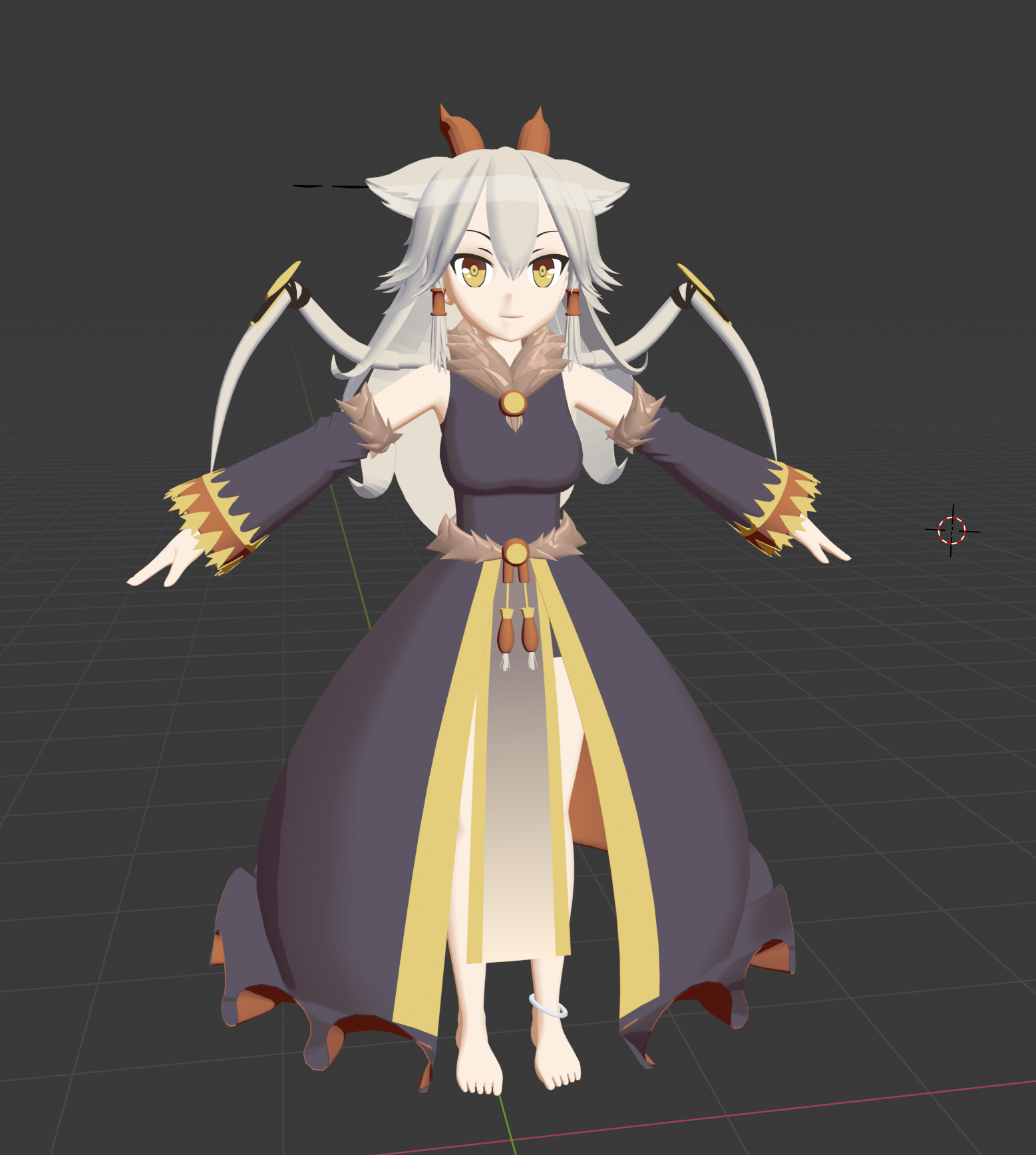


no textures or anything yet
 silent cargo
watchu guys think of this wip https://i.imgur.com/eAYB5vZ.png
@still wadi did you model everything?
still wadi
yeeee
 runic nymph
sick ride yo
 fair patrol
How do you do anime eyes that dont clip through the face when looking around?
 hallow bough
Give the eyes enough concave space to rotate.
fair patrol
Can't there be a culling applied so the eyes stay visible even underneath the skin?
solar fossil
eyy, nice sculpts redotix
spiral sigil
hiya
I've never made hair before but someone asked me if I could try to make them dreadlocks
can someone point me in the right direction?
Maybe examples?
hallow bough
@spiral sigil If you've never modeled hair before dreads might be a little difficult. I'd start with something else. But depending on the detail you want I imagine you'd have to model the shape of a dread and then work with different maps to create the hair texture a dread has. If you search for dreadlocks and 3d you'll find some examples.
spiral sigil
I thought most hair was planes with images mapped to it
I don't want too much detail I guess it's for a shitpost
Depends on the method you use.
You can make hair out of curves
You can make hair out of blobs and masses
Or you can make hair out of hair cards over a blobby mass
which method would you suggest for dreads? I will go out and learn it
Or would any work
 hollow sundial
If anyone would like a pufferfish model
Made from scratch and I think I rigged it, been a while, hf
 still condor
XD
spiral sigil
https://cdn.discordapp.com/attachments/402349592244649996/712874311366475826/unknown.png
https://cdn.discordapp.com/attachments/402349592244649996/712874396657647656/unknown.png so when scuplting and using the grab brush im trying to widen the upper area but it doesnt affect the back part of the sphere, is there a way to fix this?


 visual vigil
https://cdn.discordapp.com/attachments/669760923321499678/712953545787179048/unknown.png https://cdn.discordapp.com/attachments/669760923321499678/712953635088367666/unknown.png https://cdn.discordapp.com/attachments/669760923321499678/712955706411581500/unknown.png https://cdn.discordapp.com/attachments/669760923321499678/712955793603035166/unknown.png


 spiral sigil
good goat
 gleaming ermine
I have a question to figure out if I messed up or not. In substance painter, when I imported textures, I set the texture size to 4k instead of 8k. Did I mess up, or can I just change it to 8k in image set settings?
Or I guess, am I still able to export it on 8k, or does it permanently set the texture size maximum to whatever you set in the import menu?
gleaming ermine
Honestly if you didn't go to school for 3d modeling, Google and YouTube are the best helpers
it's almost all program literacy that helps you create what you want.
spiral sigil
good 3d modeling
devout scroll
"fix ur game devs"
spiral sigil
does anyone have any good resources on modeling heads
like building out and then rigging mouths and eyes
fringe rock
Ive you try youtube
quaint jasper
@visual vigil That dirt mask seems a bit strong 😄
spiral sigil
most of what I see on youtube is speed modeling weeb videos
It's a great place to easily find beginner stuff like
how to model donut
but not so much more advanced topics
quaint jasper
zbrush tutorials is what you're looking for
they're applicable to blender modelling
but the high level stuff is usually behind paid courses
which currently are on sale/free
 little shuttle
im wanting a custom avatar but have no idea how to make one. Is there anyone willing to help out?
spiral sigil
You should find some tutorials first and do some research and then ask questions when you get stuck
 rocky yacht
Ok
visual vigil
@quaint jasper that's just a AO muliiply layer in blender
quaint jasper
not the ao, the dirt on the flat surfaces
spiral sigil
is there any way for me to move these bones to match where the other ear bones are, onto the other ear? I moved the ears back and rotated them around but didn't move their bones with them
I moved the other bones to the correct ear and played with it in pose mode and the weight painting still seems to work out, I just need to know how to move the other bones so the same position across the axis
devout scroll
Move the bones in pose mode then apply as rest pose
Otherwise just move the bones to match in edit mode
quaint jasper
It's white by default right ?
spiral sigil
@devout scroll how do I move them to match exactly in edit mode? I think that's the question I'm trying to ask
When I try they always look a little off compared to the left/right side
quaint jasper
Ah that makes sense then, I remembered it white
devout scroll
Don't think you can match the exactly but you can just get them close
spiral sigil
VRCTV(1st and 2nd Editions) Room - Globo VRChat RP
 white moth
Any blender gurus know if blender can do 3 point scaling, or maybe it calls it something else? But basically “put this part of the model here, and then scale and rotate it so this other part of the model ends up over here”
Ive been doing it a hanky way with pose bones
 frozen kite
Is blender what I would use to say add a sword onto a belt or something or would that be a unity thing I’m a beginner at 3D modeling too
quaint jasper
to make it, blender, to add it, either
frozen kite
Alright does blender do stuff like mess with eye color too
I’m trying to model an OC but she’s blind and I want the opaque look
quaint jasper
that would be in photoshop or gimp or any image editing software
frozen kite
Is gimp free or inexpensive?
quaint jasper
free
frozen kite
Oh awesome thank you for the help
 acoustic tangle
I'm so confused why is one of the eyes like that? it's the same material
stable edge
Face fighting?
quaint jasper
check the normals
acoustic tangle
Not sure what that means, both eyes should be like transparent but one of of them isn't, i tried to flip normals on the left eye and didn't work it looks weird then
It's like the front part of the eye is hiding everything behind it
quaint bronze
Is the object assigned to the transparent material?
acoustic tangle
I guess so because both eyes using the same material, otherwise both eyes would be like that i think right?
Sorry i'm not very good at this stuff
quaint bronze
Its no worries man! We all start somewhere. Are there two ‘parts’ of the eyes? If so the outside portion of one of the eyes might not be assigned to the correct mat
It could also be that one of the meshes was shifted slightly and that the ‘inside’ of the eye isnt far enough inside
acoustic tangle
(From the pictures point of view) The left one is how it should be and the right is wrong, best way i can show it, and it looks okay if i select the other part of the right eye
quaint bronze
Is that object assigned to the same material as the other one? I missed you saying that they were the same mat - sorry!
acoustic tangle
The other part using the same material the inner part is 2 different once
quaint bronze
if you havent set up shape keys (or anything deleting parts of the mesh might mess up) I'd try deleting that side and just mirroring the other to see if that fixes it
quaint bronze
I’d just move the mesh/individual verts back in place until it fit correctly again
Also keep in mind that you have to select the correct axis to mirror over
acoustic tangle
I found another way of fixing it, and it's stupid i just had to join the inner mesh with the outside one. This model is way to hard for me to fix sadly
visual vigil
https://cdn.discordapp.com/attachments/242079141204197378/713336176576167977/unknown.png https://cdn.discordapp.com/attachments/242079141204197378/713336335368323083/unknown.png https://cdn.discordapp.com/attachments/242079141204197378/713336682593910834/unknown.png https://cdn.discordapp.com/attachments/242079141204197378/713337096818917396/unknown.png


 ruby tendon
how do i make shapekeys
pressing + doesnt work. i don't get the basis key
devout scroll
- should do it
You'll get a basis when you press it, then you press it again to create another key that you can edit
 steady zealot
@ruby tendon make sure you're in object mode first
stable edge
select mesh in obj mode, press + to add new shape key, editmode, select shapekey, move verts
ruby tendon
o apperantly i made 25 shape groups
they just didn't show up on the list
because filters are active even when collapsed
spiral sigil
Is there a way to decrease the distance between two objects easily?
stark ore
Pushing them
Jk
Not sure what you mean, should just be able to press g n hit what axis key u want @spiral sigil
quaint jasper
in the transform you can substract on each, otherwise in blender
 onyx crane
@quaint jasper -- I just stumbled upon your Substance Painter Basics tutorial. It's the first one I've seen that breaks it down that simply and having that focus on VRC really helps me picture how I could be using this in my models. An awesome asset to the community. Thank you! Link for those who are interested: https://www.youtube.com/watch?v=L6f87psKYyk
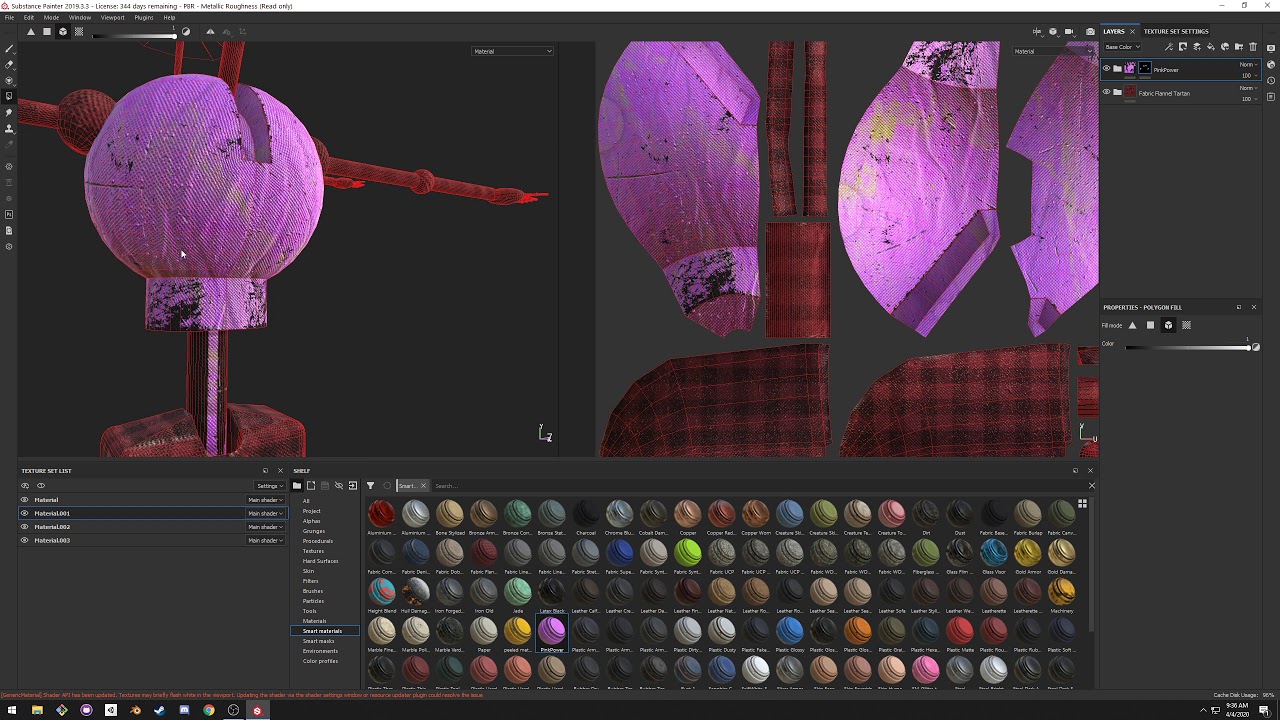
This mediocre tutorial goes over the basics of substance painter for the VRChat avatar/model creation workflow.
quaint jasper

I forgot a few steps since I re-recorded it, but it's still enough for what most people need it for
 main kettle
Guys, please help me find a model of a dancing lizard, I climbed the entire Internet, but I could not find a model. please, help 😭
quaint jasper
If you couldn't find one, then most likely no one else has
main kettle
@quaint jasper about these lizards in vrchat a lot of videos on YouTube
quaint jasper
Then you didn't look well enough if other people found them
 fair swift
you mean the tiny leopard geckos that some people use?
main kettle
@fair swift yeah!!