#3d-modeling
1 messages · Page 73 of 1
 quaint jasper
did you add it ?
 echo kraken
i redownloaded
quaint jasper
cool then enable it and save
echo kraken
how do i enable?
quaint jasper
by clicking the checkbox
echo kraken
where?
quaint jasper
there's a search bar at the top ...
echo kraken
tried that
quaint jasper
i don't think that's its name, but did it say successfully imported when you did it earlier ?
quaint jasper
Triping explained it to you earlier
echo kraken
yes but still not working
quaint jasper
you should contact the blender support or ask on their forums then
it's usually very straightforward, but this could be a more complex issue or a bug
 livid cradle
normally when you install the zip file it will automatically filter everyone out and only show cats after it's done.
 spiral sigil
https://cdn.discordapp.com/attachments/561333335104946196/653683717641994255/unknown.png How does someone even re-texture something like this

 hollow radish
I see some substance painter action
 azure rain
yup
 twilit swan
Hi guys, I need help with blender.
I am creating "shape keys" of the mouth and some vertices move mirror correctly , but others do not. For what is this?
I searched help on google and I haven't found anything.
 tepid wagon
Looks like if verticy isn't perfectly mirrored it won't move. Copy coordinates of one vert to the other and change X axis value to negative, see if X mirror works after that @twilit swan
twilit swan
@tepid wagon Same coordinates and X axis to negative and nothing... :C
tepid wagon
Did you try removing doubles?
twilit swan
Let's try...
tepid wagon
or merge at distance if its 2.80 same thing
twilit swan
Removing doubles and nothing.
tepid wagon
I tried making my mesh assymetrical (it braked x-mirror) and then symmetrical again and it was fixed. Wonder what is wrong here
tepid wagon
The point of this was to remove verticies that are on top of another, selecting two that are on the other side won't do anything
 twilit swan
I did copy paste of coordinates
tepid wagon
Did you try this x-mirror?
twilit swan
Yes, I can move mirroring other verts
but not that verts
example, I moved 3 verts, only 2 was mirror
tepid wagon
Did you try removing doubles? You didn't really tell me. Press "A" to select everything "Alt"+"M" -> "Merge by distance". Right after press "T" and in the menu on the left change merge distance to .0001
twilit swan
Done, was that
But I did "remove doubles" before with CATS
But nothing happens
Ufff~ many thanks, I was losing a lot of time with this T_T
tepid wagon
Great, it was getting me confused
tepid wagon
Have you tried weight painting yet?
tepid wagon
It is hell of a ride* no one is expecting
 onyx juniper
@silent junco after you have some weights on it, paint weights on after putting the model into problematic poses
 silent junco
Yeah ik
twilit swan
Yes, I tried the weight paint with other models, it's an odyssey!
Now I am doing face shape keys, which seems to be the easiest.
I am afraid when I start creating bones.
 runic isle
I'm kinda new to 3D-modeling, what resource would be the best way to get started?
Like, any certain YouTube video series or documentation? Thanks!
tepid wagon
You could try Blender Guru Donut tutorial for Blender 2.80 to get yourself familiar with the UI
 steady zealot
People like to rag on Blender Guru, but his tutorials are very informative, and at a good pace for beginners to grasp what he is doing easily.
 idle niche
It depends on what you want to model
If you want to do humanoid characters, don't bother with blender guru, although it's not bad at all. I'd lookup something along the lines of a beginner character modeling course
Or try and get someone why already knows to teach you the basics
If you want to do general modeling and are 100%clueless about 3d software, then yes, blender guru is good. lots of other channels are good also
You'll always learn best from actual courses or people though
@runic isle
 median pike
I suggest just trying stuff out. At least for me, trying to teach myself everything and just googling the specific thing I dont know how to do is the fastest way of learning for me. This might create bad habbits tho
 solar fossil
Even if you want to model humanoid, I would recommend to start with blender guru, so by the time you get to modeling humanoid you'll already be familiar with the modeling medium
 halcyon hare
Tradtional learning of human anatomy is extremely helpful for humanoid modeling as well
 lyric token
is there a way to extrude from a flat plane in blender like this
solar fossil
You could try to knife tool the shape you want and than extrude, or use loops
solar fossil

 solar fossil
Shouldn't be too hard if you get the basic shape and than sculpt it, just be careful to not ad too many tris when sculpting
Or go one step further and add details thru normal mapping
solar fossil
Well, I'm not that skilled myself, but I would start by breaking the model into basic shapes
silent junco
You don’t need to worry about too many tris when sculpting
It’s actually a good idea to make it very detailed
Then use a copy of the basic shape to bake uvs on
 ashen stag
Yeah just retopo takes time
silent junco
Which is why you can make a semi high detailed base mesh before sculpting that has good topology
And bake sculpture as normally
 mild nimbus
Working on a personal avatar
There are similarities with the sweater some have prob seen it ingame but I remade it from scratch lol
hollow radish
is the whole thing from scratch?
hollow radish
🙏
hollow radish
hair is a bit thick 🤔 or needs work
mild nimbus
Nah when I put it into 3D coat it will be fine
Most of it is just planes
The fronts are not cause normals
hollow radish
like hair cards?
mild nimbus
Ya back of the hair just planes so no need to worry about seeing through the hair from the back
Only front
hollow radish
anime hair is always a bit tricky 🤔
hollow radish
for me at least I've decided to box model it
hollow radish
I would like make a "high" poly version but subdividing it tricky 🤔
doesn't work out well
mild nimbus
No need to
hollow radish
well thinking about shading aspects
mild nimbus
Bake textures pretty much goes all away
hollow radish
but maybe just nitpicking
hollow radish
when you work on something nobody will ever notice 👀
mild nimbus
It be like this sometimes
hollow radish
also when did posting pictures be allowed now
mild nimbus
I made this and actually decided to put it into VRChat
I dun know I'm.rather new here
hollow radish
its a bit too... grungy
mild nimbus
To this server
hollow radish
also can clearly some edges are just sharp 🤔
mild nimbus
Ya it was suppose to be in a snow environment
hollow radish
hmmm
mild nimbus
Ya some parts I did not smooth out
hollow radish
should have just beveled it at that point
mild nimbus
Just for the sake of saving poly count
hollow radish
I guess so 🤔
but these type of things
you see it always close up
so its basically like the best possible quality
hollow radish
like in an fps game
mild nimbus
Mhm
mild nimbus
Hm?
hollow radish
wondering if its flexible
hollow radish
yeah, just ref when you can
mild nimbus
I have the exact reference actually
hollow radish
oh
hollow radish

Leonardo Iezzi created a little set of tablets, which will help you to get the right texel density for your meshes.
trying to find a certain picture
wait this is texel density 🤔
mild nimbus
I also dident bevel the arm rest on the sniper cause that usually never shows
This was the reference
Lol
hollow radish
guess its leather
mild nimbus
Yuh
hollow radish
I think the specular might be off then
hollow radish
ok
hollow radish
👀
mild nimbus
Prob add some roughness
With a principle bsdf
Should be fine
I'm share this last thing and I'm head to bed I'm tired
Has my old logo on it oof
mild nimbus
About 1 year old
 dusty roost
Slowly working on an outfit for vrm character
quaint jasper
That's wonderful ! 500 poly ?
quaint jasper
Neat
 fresh isle
Lme actually check I still have that version saved
Oh it was even less actually
824
azure rain
so those are going to be very nice and efficient of the quest
 grim pine
When did he say anything about the quest?
fresh isle
I might not build it for the quest, it's still 4 material slots to make everything look okay. One for the eyes, two for the mouth, and everything else is one material
Well except for the chainsaw teeth but that's besides the point
azure rain
the fact of the polycount was stupidly low is what was making me think of the quest
azure rain
cool
hollow radish
might be of interest to some people https://polycount.com/discussion/141061/polycounts-in-next-gen-games-thread

polycount
Since people are always asking "how many polygons are in next gen games?" and this is a website for making art related to video games, I want to set up a thread keeping count of it all!
azure rain
yes that's a very good read
 swift heart
lol
lyric token
did blender remove being able to set the segments/rings when placing uv spheres?
quaint jasper
ctrl + r ?
lyric token
im on 2.8 and ctrl + r just brings up the loop subdivide tool
quaint jasper

Blender Stack Exchange
I need to find these settings in blender 2.8. When you add new object (Blender 2.79) you have this object settings, down left. But in version 2.8 I can't find it.
I need to change sphere segments in
apparently it's part of a different menu now
lyric token
thanks
dusty roost
Alright, done for today. Hopefully get her finished by Sunday 

 bold zephyr
https://www.youtube.com/watch?v=a0VxX6Bw7g4 @spiral sigil
Enjoy the videos and music you love, upload original content, and share it all with friends, family, and the world on YouTube.
bold zephyr
im stuck on how to even make a scarf and wrap it around xD
azure rain

Download 3d model here https://www.cgtrader.com/esmilesvfx learn blender 2.8 free training series https://www.youtube.com/playlist?list=PLYKnBP50d35LsQTtOIiN...
bold zephyr
so far so good i guess? still trying to figure out how to curve the litle hat peice on top
azure rain
cut the top of the circle into strips so that you can manipulate the vertices to make a curved shape
azure rain
give me a sec to make a couple of gifs showing the relevant bits
bold zephyr
okay
bold zephyr
what do you press after you select the second vertice
@azure rain
so that it doesnt still attach ti the knife when trying to select 2 other vertices together
bold zephyr
do i need to worry about the 1 vertice left behind? its also like that for the other side also theres one spot where it didnt light up
@azure rain
azure rain
you don't need to worry about that last bit at the end and you would need to cut the the bottom
azure rain
no it wouldn't as the way you would have selected to change the shape wouldn't affect the thickness
bold zephyr
so how do i cut it
azure rain
you rotate the camera so that you're at the bottom of the Hat
azure rain
so you would do the same thing with the knife tool you did at the top
azure rain
basically grab the top and bottom faces of the edges of the hat and turn on proportional editing so you can make the the Hat into a curved shape when you grab it using the G key https://i.gyazo.com/ca4990eb9e76c375926d36f24f25eda7.png

 torn sandal
right, I'm a complete beginner with blender, but the usual person I bug for help is afk. I've somehow disabled the background grid???
If I go into a 2d viewpoint via numpad hotkeys the grid shows up but as soon as I move the camera at all it immediately vanishes?? It's not super important from what I gather, just kind of weird that it vanished on me, don't know what I've done
I'm NOT just zoomed in really far, I'm certain of that
 main hinge
Im somewhat new to blender, but I have a cylinder that I want to extrude the side faces out so i have another segment outward. the only way I seem to be able to do so is to select the faces and the E to extrude and immediately right click then scale. The problem is the scale scales it on all axis so its not level with the middle of the cylinder. Is there an easier way to extrude outward on one axis?
Nevermind, i found i can press shift + z after scaling
Sorry D:
 latent charm
If you want to extrude along the faces' normal directions you can use alt+e for some extra extrusion options
main hinge
Ahh thats a lot easier! thanks!
Ive only modeled levels in probuilder in unity and im pretty good at extruding/moving/welding vertices together but i want more control so ive moved to blender. i hope to learn more as I craft my next level. appreciate it
 shy compass
ok, so dunno if this question belongs here but im asking mainly due to it being very important
how do people get models from sources that are non-PC based? such as PS2 games
 dense zinc
what is it
shy compass
its important for one reason
today i remembered something... Transformers Devastation is the SECOND G1 game
many eons ago, there was a game called Transformers Tataki, with 108 G1 characters
bold zephyr
anyone know how i can rid of that line and make it so the back can relect on the front
mild nimbus


Added the booties finally
cant wait to jump into 3D Coat 😄
quaint jasper
very cool style !
 dull canyon
are those curves for the hair?
 gusty frigate
Is it possible to bring models of real life objects into VRchat using photogrammetry?
 queen elbow
dull canyon
queen elbow
dull canyon
ah yeah, now that I take a closer look while actually being awake I see it
I still don't know what I wanna do for the hair on my model...
mild nimbus
The front are clumps
dull canyon
curves, planes, haircards...
mild nimbus
Cause of the normals
Facing 1 side
Look at alot of real life hairstyles
Or any hair style from any style of characters
dull canyon
yeah that's what I've been doing for the past few weeks now...
mild nimbus
XD
dull canyon
guess it's more a lack of knowing what general style direction I wanna go in
dull canyon
on the one hand I like the anime kind of style, on the other hand I'm tired of seeing them all around in vrchat and wanna do something more realistic but still stylized...
I wanna play around making some hair cards this weekend to try things out
mild nimbus
XD
dull canyon
or too plastic I guess
dull canyon

I kinda like the general style of that Ahri model, but I don't like the way the hair are done
I dunno
undecisiveness is the enemy
mild nimbus
You have similar references I use to look at xD
 worthy zealot
how to flatten things in blender
 glad steeple
Scale them on the given axis to 0
quaint jasper
Blue 7000yo confirmed
worthy zealot
what characters have you made
worthy zealot
how to disable object selection in 2.81a
quaint jasper
press a twice ?
worthy zealot
a selects all
quaint jasper
and then press it again
 little bramble
Heres a compilation of all of my RWBY models for VRChat thus far. I modeled all of these over this last year. I hope you guys enjoy.
quaint jasper
I watched your stream a couple times, super impressive !
dull canyon
any hair card experts here? https://i.imgur.com/e8K2JWo.png would something like this work? for like medium to long hair

or is that too dense
silent junco
depends


 hallow bough
Noice!!
 small valve
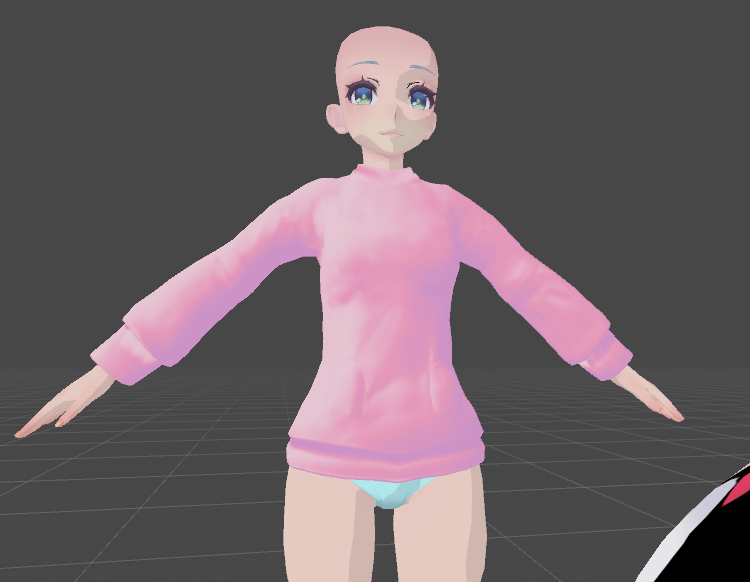
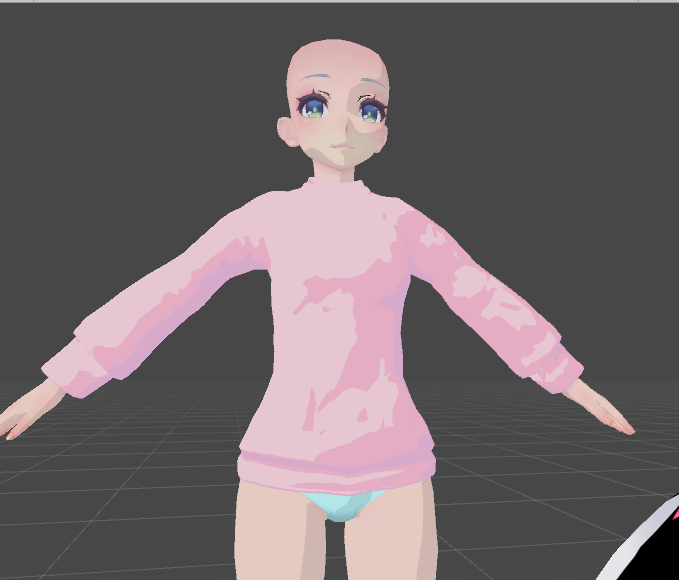
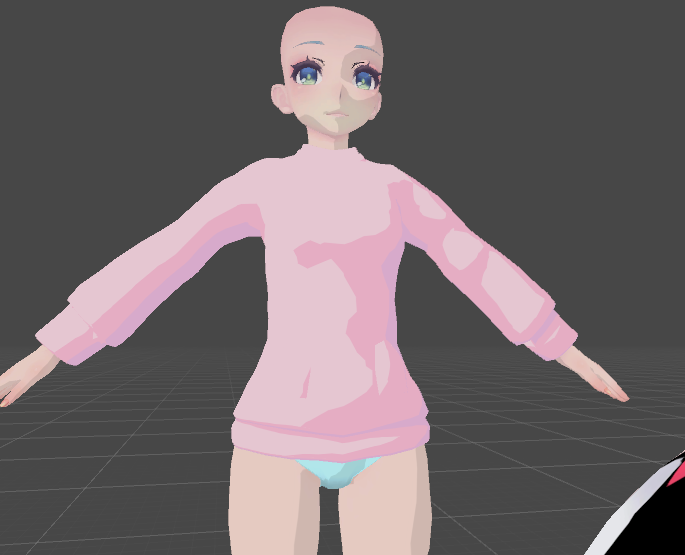
second time making a 3d model i intend on using
so far fairly imrpessed with normal mapping n what not
learned something mildly disheartening and at the same time exciting tho: normal mapping doesnt work too well on flat shading
shame for the style i was going for, but at the same time kind of a bonus since goiing for more realistic shading is something i plan to do
 mild nimbus
listen to how 3D modeling really works.
https://www.youtube.com/watch?v=vQ60rFwh2ig From a mathematical stand point
And a company like Autodesk has come to be of how you transform a cube
into what you want
Transformation/Scaling/Rotation
If you ever seen this http://prntscr.com/qaz39eI always wondered what is the Matrix for?
The matrix is literally a system to calculate Transformation/Rotation/Scaling
Compressed into 1 forumla
its so fascinating

"The Matrix" conjures visions of Keanu Reeves as Neo on the silver screen, but matrices have a very real use in manipulating 3D graphics. John Chapman explains the true power of the matrix.
Graphics series with John Chapman:
1/ Universe of Triangles : http://youtu.be/Kdyviz...


Every single individual vertex uses this formula in real time
to calculate its location and scaling and rotation
Its so fascinating
spiral sigil
https://www.blendswap.com/blend/17309
Does anyone know if anyone has made this model VRChat ready? I threw it in blender, exported to .fbx and well xD
 mild nimbus
Idk go ask Judy Hopps xD
238k poly's...
oof
Thats how you know this model was meant for a film
Not for a game engine
Especially the materials
spiral sigil
lmao right? in blender she's very... very pose-able
I would show an example but it's mildly suggestive and I dont want mods to be upset spaghetti with me
mild nimbus
oofies
Its art after all so personally idc im sure others wont but its best to be safe lol
 main goblet
UV is for me use layout to be quick when finish cut
spiral sigil
unless this is enough info to know
spiral sigil
mild nimbus
You gonna wanna delete alot of those bones since you wont be using alot of them
You have a rig designed and ready for animation
Most VRC models just have ab ase rig
spiral sigil
i know x3
spiral sigil
i don't know a whole lot of blender, rigging or model making. I have hours of research I would have to do if I wanted to make this model work
without paying a professional to do it for me xD
spiral sigil
I would pay :3c
mild nimbus
And poly count is gonna be a pain to clean up
As everyone does decimation which is the worse thing u can do
I mean i would but im busy with few other request and my personal project...
:x
 loud marsh
hay wär jemand so nett mir etwas in unity zu helfen? Es geht um eine brustverkleinerung bei einem avatar Owo einfach anschreiben bütte
hay would someone be so nice to help me in unity? It is about a breast reduction with an avatar Owo just write to me
 slow zealot
@spiral sigil been looking at the exact same model ..if you delete the repellant materials you get just over 70k tris
spiral sigil
Can someone help me make a model from scratch I've never done this before.
Start with a tutorial and then ask questions when you get stuck or need guidance.
spiral sigil
@slow zealot still have to re-build the bones to fit VRChat
slow zealot
yea cats completely breaks the weightpaint when joining all meshes
silent junco
Join them manually
Isn’t that hard
You just select all the meshes and press ctrl + j
silent junco
I dont get why you use cats to nearly everything
 marble sedge
usually when it comes to models made for animations they have their own little problems and cats def cant fix them.
I remember doing one before when i was less experienced in rigging and it was a pain.
 austere inlet
quick question, when orienting a sword in blender, do yo point it up or forward?
also, do you put the origin on the handle or the geometric center of the sword model?
steady zealot
I point them up
origin on hand grip spot
but it doesn't really matter as far as I know
hand grip origin is useful for certain animations
austere inlet
which is why I'm asking what people's preferences are and if they have a good reason for it
silent junco
I don’t really make props often but I do both
Just make sure the middle of the handle is at the center of everything
steady zealot
Having the origin be the handle makes aligning the weapon in your hand a little easier, and allows for easy sword spinning animations and stuff like that. Also, If you want your model to be a projectile (ie. An Arrow or Missile) it's best to have it oriented upwards, because the velocity based alignment uses the upward direction as the forward direction.
 ionic snow
Anyone know how I'd edit a 3d mesh? There's a sword and sheathe placed on my character's hip, but the sword hilt and sheathe are part of the same mesh, so I can't make the hilt disappear if I spawn in the sword into the character's hand
small valve
@ionic snow blender, select by material if you have them separate, if not, just select all of the faces on the sword + hilt (you can hit ctrl+L to select connected parts) and P>separate by selection
ionic snow
@small valve Thanks. Though I haven't ever used Blender yet so I might need a quick run down on that
quaint jasper
Search for low poly tutorials first
dull canyon
I really wish blenders remesher would actually do proper symmetry...
and I also wish that if I changed some settings on a tool or whatever, do a stroke with the brush and then undo it that it wouldn't reset the settings in addition to undoing the stroke
quaint jasper
Are you on 2.82 ?
dull canyon
2.81
did they fix that in 2.82?
or do I have some weird setting enabled somewhere by accident
mild nimbus
http://prntscr.com/qbqqdk Finally done

lol
Yes I adjusted the UV shell for the head
and that hair strand bleeding onto UV 0005
mild nimbus
Now for the fun part
ionic snow
Alright, I just installed Blender and trying to get Cats on it, but I never used it so I have no idea how to install it or get my 3d mesh into it
 wind tide
@ionic snow i can use blender
what file is your original model?
well you need to press file
pres import
and select the mesh format that u have
then drag the mesh file into it
ionic snow
I'm just trying to figure out how to get Cats onto Blender so I can upload meshes easier, at least that's what I'm told it does. I went to Blender preferences and went to install the addon, but I have no idea where it is in the list of checkboxes and I don't know how to get it onto that list if it isn't already
As for the mesh itself, it's a sword hilt and sheathe. I wanted to make the hilt and sheathe separate models so I can make the hilt disappear from the character when he equips the sword
spiral sigil
whenever i try to make a unity project, it says it is unable to make a project folder. Anyone got help?
solar fossil
Make sure that unity can write in the selected folder
 potent hemlock
anyone know why exactly i can't upload. ik it says i cant because unity application is running, but that doesn't make any sense to me.
i already hit build and publish but i can't finish uploading it
nvm, i had unchecked pipeline manager like an idiot
ionic snow
To anyone who can use Blender, can you help with editing 3d meshes? I don't know how to select certain parts of a mesh or delete only specific parts
median pike
@ionic snow I can once I am home in a few hours
mild nimbus
@ionic snow I'm available
silent junco
It’s the same as selecting the model
Left click unless changed to right click
Then press x to delete
mild nimbus
No he wanted to seperate linked objects
As seperate mesh data
L select and P to seperate
silent junco
Delet specific parts
spiral sigil
Anyone know why cycles stopped working properly in my viewport?
 stray topaz
how do you do texture baking in 2.8 of blender?
silent junco
under scene
then press bake
then press bake after changing settings to the needed
tepid wagon
@spiral sigil Don't you have pause preview enabled? In the upper right corner of the viewport there seem to be pause highlighted in blue
stray topaz
I meant to type "bake transfer" from one uv to a new one like to do a texture atlas but for one part of the uv islands
I'm kind of doing it in cycles but it never wants to bake to the new texture and it overwrites the texture it's getting it from
spiral sigil
@tepid wagon Thanks, I figured it out but I appreciate the help
dull canyon
hm, has blender sculpting symmetry always been broken like this? I have to regularily symmetrize with dyntopo cause at some point the symmetry gets lost in some parts of the mesh
seems like it's mostly happening when using the smooth brush
silent junco
its because you have the thing where distance gives different levels of detail on
probably
dull canyon
relative detail?
dull canyon
still happens with constant detail too
silent junco
then idk
 ionic snow
Anyone okay with teaching me Blender? I don't have any avatar issues right now, I just feel like I should learn Blender since I've been making avatars purely from Unity
mild nimbus
Blender guru
Udemy
Art station stream services
Discord communities
Many sources
I can teach you basics
But I need set time aside for you xD
ionic snow
@mild nimbus I knew you were already great at using Blender I just didn't know if you wanted to or could teach it
ionic snow
Alright, just dm me when you got the time I guess. I'll probably be working on more avatars in the meantime
 rose cloak
how can I bring this back to 0,0,0 position?
tepid wagon
Press n and type zeros in x/y/z position @rose cloak
rose cloak
thx
 fallen cargo
I need some glory hole
spiral sigil
no


 steady zealot
anybody have any recommendations for sources of Trim Sheets?
azure rain
what about trim sheets are you looking for
steady zealot
I'm looking for trim sheets themselves
Premade ones.
I need some brutalist/concrete/dystopian textures
azure rain
you're probably going to have to end up paying for those if you want pre-made ones
steady zealot
Even if I wanted to buy them, I can't seem to find any
I guess I'll have to just make my own somehow
azure rain
Search through 3,000 Easily Customized Procedural Substance Materials.

Welcome to the ultimate trim texture creation series. In part 1 we plan out our trim sheet for maximum re-use and success.
Part 2 - Sculpting in Zbrush: https://youtu.be/Tspveb9bjYA
Part 3 - Substance Painter: https://youtu.be/CarefswACgs
Part 4 - Trim Texture UV techniques:...
steady zealot
Yeah I know how to make them
Thanks though
But that first site is actually a really good find, thank you
azure rain
hope you find the ones you're looking for
and I would recommend at some point learning how to make trim sheets yourself as they're quite helpful but I suppose good to start to learn how to use them on environments
steady zealot
As I said, I do know how to make them
I'm just trying to save time
and I'm not that good at sculpting detail
azure rain
so taking a look it looks like wood cost you fifteen or twenty bucks to go get some trims
steady zealot
which isn't expensive at all tbh
Well worth it I think
but unfortunately that site didn't have the type i was looking for for this particular project
azure rain
which is not surprising as concrete doesn't tend to come in trim shapes architectural
steady zealot
It would seem that way
azure rain
having to look at brutalist architecture you're probably going to be okay just using tiling concrete
steady zealot
Yeah, I just wanted worn edges
and like, repeating blocks
Guess it's time to hit up substance painter lol
Thanks for the help
azure rain
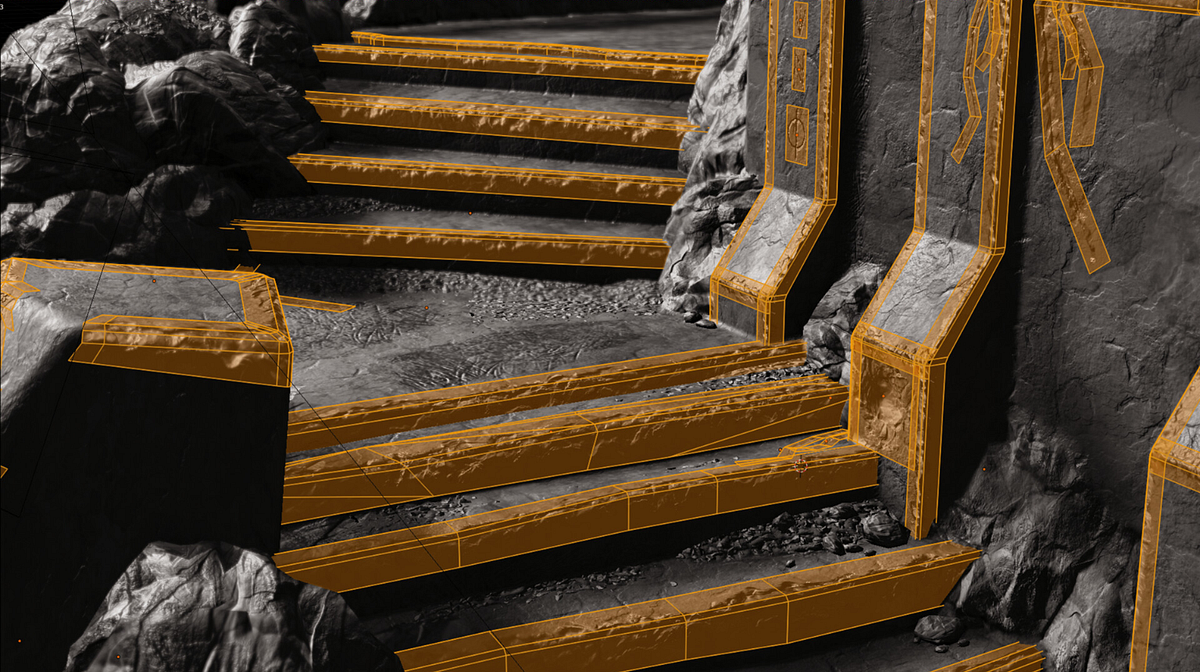
Medium
Building beautiful, game-ready environments is tricky. Sometimes it feels like a never ending task. There’s no shortage of little hacks…
this kind of thing might be helpful for worn edges
steady zealot
yeeeee decals are awesome
azure rain
yep the only thing to note is they don't work too well on the Oculus Quest because transparencies are expensive on mobile Hardware
steady zealot
Ah, true
azure rain
just figured I'd mention if you have any desire to put stuff on the quest vrchat
I suppose you could also figure out what approach you need to go with after you figure out how you're going going to construct your buildings
 coarse kestrel
 sleek arrow
awkward question, is there any way to smooth this out? Smoothing it in sculpt isn't doing anything. >.<
median pike
Add more polys and smooth it out
dull canyon
^
 willow stream
spent 30 minutes sculpting the sleeves to be thinner only for every shapekey to say "no"
any suggestions on what to try next?
found it, nevermind
dull canyon
nice colors
small valve
@sleek arrow did u already resolve that? Looks like strange vertex normals or unmerged verts
 fringe rock
Vertex look not connected soo a fast way would be to merge the double. @sleek arrow
sleek arrow
It's slightly better than what it was, just looks like dimples on the side. I am just concerned it'll show up when I AO bake.
I would show a picture, but it's just the bare butt atm lol. I don't know if I'm allowed to even if it isn't NSFW.
I usually get them when I sculpt and most of the time, not even smoothing would fix it.
stray topaz
I could help with that Koviana, it seems like an easy fix
and while I'm helping Koviana, does anyone know of any tutorials that show how to do texture atlasing in blender 2.8?
ionic snow
Anyone remember what I do to separate parts of a mesh in Blender? I forgot
stray topaz
not really the texture atlas plugin is not there for blender 2.8
sleek arrow
Oh thank you! I'm still studying 3D modelling, so I'm sorry if I ever ask anything dumb. ;_; I appreciate your help! 😄 @stray topaz
stray topaz
It's all good, just going to take another glance at the picture you had
sleek arrow
so i just opened it up, and it looks completely smooth so now I'm confused lol
don't mind my horrible panties ;-; I'm really bad with sculpting panties to a body lol.
stray topaz
my guess is it had flat shading at first, it was just a matter of switching it to smooth shading in the faces menu in edit mode
sleek arrow
I've noticed sometimes when i go into sculpting, some things change as well.
sleek arrow
I know. :c I'm the worst with panties
anything that is strip like, i have the worst time sculpting to a body lol
stray topaz
well everyone has to suck at something first before they get better, I feel like I'm having to re-learn blender again with the new UI
stray topaz
How I went about it (which I bet you're doing the same thing) is to take it one step at a time and ask Google stuff like "blender 2.8 loop cut shortcut" or something of the sort
sleek arrow
Yeah, I watched ALOT of sculpting videos.
I recently learned AO baking which i absolutely love, because I used to hand draw my shading on
Now I'm wanting to learn how to create hair, which is a bit harder to find videos about
I see videos of actual sculptors making hair, but I feel like thats different than avatar hair
glad steeple
Learning in pieces is almost the only way to learn
with how many features there are it would be impossible to not do that
stray topaz
For the panties, it might help to use snapping to face and use the solidify modifier
ionic snow
Managed to get the separation part to work but now I'm having trouble deleting the parts I want, since I'm probably selecting them in the wrong way. They delete, just only where I drag the box
I remember you could select the points another way instead of dragging a box
sleek arrow
What I usually do is I search body bases on DA, and if the verticies on the body look decent, I can make panties from that and shape it
quaint jasper
You can also use the blender function to relax geometry, it does a better job than smoothing afaik
sleek arrow
relax geometry?
stray topaz
is it similar to maya with smoothing without shrinking the shape?
stray topaz
Mesh: Relax?
quaint jasper
that sounds like it
stray topaz
yeah, got it enabled already
also, I made the "weighted normal" modifier my best friend and it never let me down so far
sleek arrow
Ooo
stray topaz
oh and pair it with mark sharp to keep those sharp edges that you want to be sharp with the weighted modifier
sleek arrow
whats skinwrap do?
silent junco
It makes a mesh cover a surface
sleek arrow
so if a mesh doesn't fit another mesh, it would fix it?
silent junco
Basically snaps all verts to closest surface on another mesh
sleek arrow
oooo i like the sound of that, is it an add on?
silent junco
No it’s a default modifier
stray topaz
I still can't find out how to do texture atlasing with 2.8, it just looks like theres a long way around with the cycles rendering and video tutorials go way too fast or don't go into detail on what to do for the two UV maps
sleek arrow
I've been doing it the complicated way and trying to reshape and sculpt everything to fit lmao
ahh okie
silent junco
You might have to do a few things but otherwise it’s good
sleek arrow
oof i think i may have deleted my bones instead of hiding when i was sculpting and now they're gone lol
aaaannnnd this is why I shouldn't sculpt at 7 in the morning lol
stray topaz
control Z
stray topaz
like you saved it with the bones gone?
 sleek arrow
time to start over i guess ;_;
stray topaz
so is it for sure deleted or is it just hidden in the menu?
stray topaz
and expanding the skeleton doesn't show any other bones?
sleek arrow
not that i see
I don't mind resculpting, thats my favourite part
just, ugh I hate working with panties ;_;
stray topaz
armature doesn't show bones? 🤔
silent junco
Backup might have it
silent junco
You are fucked
sleek arrow
Yep lmao
stray topaz
yeah, I get those moments too where I screw myself over. it's best to make backups and/or lock the things you don't intend to modify
sleek arrow
whats it called again to attach the closest vertices that aren't attached?
stray topaz
I think it's alt m > distance
sleek arrow
Thanks 😄
stray topaz
you're welcome 🙂
sleek arrow
i totally didn't used to do them all individually <.< >.>
sleek arrow
Is there a way to...how do i put it... to prevent something from stretching when you're sculpting it? Idk if that makes any sense at all lol.
 torn stratus
hey
quaint jasper
@sleek arrow it's part of the settings no ?
Adaptive topology or something similar
Or do you mean prevent a specific area from being affected by the brush ?
sleek arrow
I'm just still trying to find ways to shape these panties without it looking so weird lol.
sleek arrow
I've tried solidify, which made it look worse imo. I couldn't figure out the skinwrap someone mentioned earlier
solidify just made it look super bumpy
sleek arrow
relax kinda made it look less bumpy, I just can't get the rest out without it looking bumpy, or uneven and stretched out
quaint jasper
What does the topology look like ?
If it's really bad then you can't make it smooth
sleek arrow
topology?
Sorry, still learning. 😦 I don't think I've researched anything on topology yet
quaint jasper
the mesh vertices
sleek arrow
mild nimbus
@sleek arrow your best bet is to adjust the underwear
lol
Need to show the topology of the body
quaint jasper
yeah so that topology is the reason for that shape
mild nimbus
just go into edit mode and take a pic
oofies
the cloths I did took like
15 hours
F
now for the body xd
sleek arrow
ahhh, okie. i didn't know topology was a word for that xD
mild nimbus
Wireframe / Topology / Edgeflow etc lol
sleek arrow
but I'll see if I can make some panties from scratch then, that'll probs be my best bet
 mild nimbus
Topology is the normal word
quaint jasper
wireframe is more of a display type
mild nimbus
true
spiral sigil
I mean, proportional editing should be enough to get you there
mild nimbus

Should be something like this tbh
easier to manipulate via proportional editing or sculpting
quaint jasper
koviana's body looks alright, i think the problem is just the cloth part
quaint jasper
it needs cleaner topology first
mild nimbus
true
quaint jasper
it's already symmetrical too
sleek arrow
the body's not too bad
mild nimbus
I mean tri's to quads will do a good job for a simple mesh like that i believe
sleek arrow
i just select and duplicate and work from there
quaint jasper
it's a bit bad, but that's fine
 sleek arrow
Yeeeaaahhh
mild nimbus
big pole
quaint jasper
What you can try to do is to select vertices from the body itself, duplicate and extrude, that way you can just have the body shape @sleek arrow
sleek arrow
I didn't create the body I'm not that advanced, I just resculpt them
I'll try that ^_^
mild nimbus
usually when i do cloths I just select the appropiate faces
and shift d to duplicate
then P to make it a seperate mesh and adjust it as is
same technique used in sculpting
sleek arrow
Interesting
quaint jasper
mild nimbus
Only problem is when you do that you are duplicating tri's
what Ruu posted
perfect example
quaint jasper
looks like an adult diaper, but that's where manually adjusting comes in
mild nimbus
^
quaint jasper
press C and mouse wheel for big selection
Also if you're on latest blender there's tools for automatic retopology
sleek arrow
I'll show an update later when I work on it, time for work. ^_^ Thanks for all the advice. 😄
mild nimbus
👍
 arctic aurora
anyone knows how sculpting works in Blender? When selecting the Body and go in Sculpting Mode its not changing anything, all i see is blue or yellow circles.
nothing changes anything when clicking moving etc
 sharp flicker
i wonder if someone can make this cute char?
 stable edge
i wonder
median pike
unlikely with a single reference image.
its also unlikely that it would be public once finished
glad steeple

 crude frost
You could comission someone to tho
silent junco
i doubt anyone would do it for free
mild nimbus
@sharp flicker I can make that but will take quite the time if you want it the best quality.
But somthing like that no one will make for free.
thats like at least a month of work there if you want to make exactly as it is on paper
Alot of engravings on the model to
So sculpting may be needed to use a normal map lol
that in itself takes time
silent junco
don't you need to make the engraving on a seperate model to make it on the basic model
as a normal
dull canyon
not necessarily
you can do a low poly mesh and use a multires modifier
or you can draw normals in substance painter I think
tepid wagon
Substance Painter got new update with auto unwrap
I deleted my avatar UV and this is how it did: https://gyazo.com/dee9434f3d785eadba0e97fc4955e95b
 dull canyon
looks interesting I guess?
tepid wagon
Not for all models but hell yeah
dull canyon
guess it's neat for like stuff that doesn't deform much or background assets
when you just quickly need to texture something without having to manually unwrap it
tepid wagon
Yeah creating rooms with custom furniture fox example could be done so much faster now
Although I tried other model with less poly and it crashed twice
but it did really good job here except that it couldn't possibly know which parts to mirror and which need the same texture
btw it took it about a minute to unwrap it
I spent few hours
quaint jasper
Is there control over the minimum size of pieces ? I've seen a few images like that about the new update but it seems to make rice grain sized unwraps
tepid wagon
I don't think so. I started new project, selected fbx, pressed ok and autounwrap was first thing it did. I will try finding some options in just a moment.
The "rice grain" sized islands in my case are there mostly because my character has tiny hairs on ears made of triangles, it seem to respect the cuts I made (yup I didn't remove seams)
Ok, I looked around and I can't see any options or parameters for autounwrap in current version
 feral wolf
i worked on unity for a while now and know quite a few stuff but never touched/made avatar model making or anything with model making
it be great if sommeone could help me
quaint jasper
@feral wolf What do you need help with ?
feral wolf
well i trying to learn so it be great if sommeone knew
quaint jasper
Have you watched tutorials ?
feral wolf
youtube being dum again
and only let me search for not good turtoials
or outdated 1
quaint jasper
search for 2.8 tutorials then
feral wolf
youtube being still dumb @quaint jasper
quaint jasper
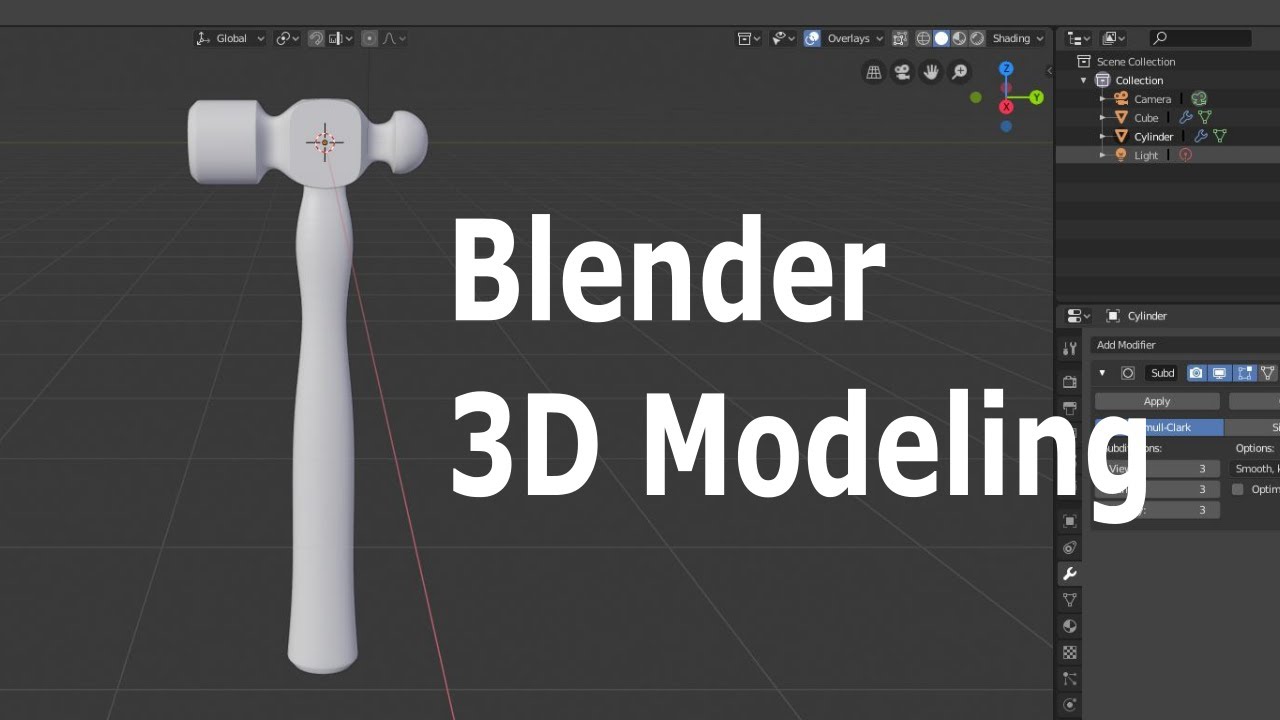
This beginner Blender video demonstrates how to make a 3D model of a hammer. Blender version 2.8 beta was used for this video.
Blender website
http://www.blender.org

The Blender Beginner Donut series. In this video you'll learn about adding objects, edit mode and using proportional falloff.
Join Poliigon: http://www.poliigon.com
Follow me:
Twitter: https://twitter.com/andrewpprice
Instag...
feral wolf
thx
glad steeple
For the record that hammer tutorial is absolute shite for learning to make game assets
lots of bad practices
 silent cove
I 3D modeled some free 2020 glasses, for when you're ready to prep new year avatars! https://skfb.ly/6PAKz

2020 glasses for ringing in the New Year in VR! - 2020 - Download Free 3D model by Zab (@lixyco) [00b854c]
azure rain
yeah that meshes going to be way too big as it's using the subsurface modifier to do all the work
feral wolf
are then there any better tutorials or any other way to learn how to make things?
silent cove
😊
feral wolf
so i only need a model and it works fully?
glad steeple
No donuts do not have arms; you can learn to model first then learn rigging 😛
No need to bite off more than you can chew, no pun intended
azure rain
yeah you would want to have some idea of how modeling Works before you try drinking
feral wolf
so i have to learn all the parts?
glad steeple
Typically
glad steeple
and that doesnt even touch rigging :-P
3D art is an advanced specialist skill what can we expect.
i wish there was some way to inject knowledge into our brains but we gotta do it the hard way currently, manually.
azure rain
and honestly in the game industry it's split up to like 5 jobs to make your typical game model
feral wolf
wait but only that 1 part is about modeling then why do i have to learn all 24 episodes .-.
glad steeple
Its not just that 1 part
azure rain
because it takes 24 parts to make a donut
glad steeple
Well i mean
He complicates it to show the ins and outs of alot of blenders features
spiral sigil
The donut is a great place to start.
azure rain
that's not going to make a functional difference if it's one long video or 20 smaller videos
glad steeple
There arent alot of good vrchat tutorials on making characters in blender 2.8, no.
spiral sigil
I liked Daniel Kreuter's method but it's in 2.71, which is similar to 2.79 https://youtu.be/F1CTfis1TEg

This video is the 1st part of 40 in this very detailed tutorial series about modeling. I'll take you through all the steps of anime style character creation in the 3d software called 'Blender' and without any time lapse.
If you haven't watched it already make sure to go thro...
glad steeple
Doubting yourself isnt a great place to start
If you have VR - try out Google Blocks.
cool little modelling tool, thats where i got my start
feral wolf
ooof i aready have troubling keeping that all remember
spiral sigil
I've heard good things about Darren Lile's series.
It goes into rigging, uv mapping and even shape keys. https://www.youtube.com/playlist?list=PLyelx0TsmSpf-8xZfjZveokSsIwj0F3lo&disable_polymer=1

Once again, not in 2.8
feral wolf
why does nobody do uptadated tutorials it makes things much easier
spiral sigil
Because only recently blender released 2.8.
feral wolf
man my brain aready starts hurting and i didnt even began
spiral sigil
It's still new and people are more comfortable working in 2.79
spiral sigil
I refuse to move because in 2.82 they changed all the shortcuts again. I'm not moving until they stop changing those.
glad steeple
Did they?
spiral sigil
That's what I heard from people who tried it
glad steeple
Even if that was the case, use the legacy keymap..
it changes all the shortcuts back to how they were in 2.7
even though the 2.8 shortcuts make waaay more sense and are easier to learn
spiral sigil
Then I wouldn't be standardized with everyone else, still not a great thing.
glad steeple
is anyone ever using just standard ¯_(ツ)_/¯
i think most people who have a brain rebind the stuff they often use
spiral sigil
I just wish you could have 2.79 and 2.8 at the same time.
azure rain
you just install them different directories
glad steeple
big is 2.8
spiral sigil
I tried it, it deleted 2.79 from my system.
Probably cause they were in the same directory
glad steeple
small is 2.7
Search for Blender Portable
it keeps everything self contained and seperate
spiral sigil
Man, my training is in illustration/design, but 3d is so damn easy with blender
I would've learned sooner if I knew it was this simple
glad steeple
same
i tried Maya way back when and chalked it down to me not being smart
Turns out maya just sucks 🤫
spiral sigil
Don't regret learning perspective though
Hybrid 3d/2d designers are very employable in game/film concepting. Sometimes I wonder if %100 3d will ever become standard
Drawing just happens to be really quick so its still used quite a bit in conjunction with 3d greyrenders, but if the day ever comes I might need to switch to being an illustrator again 😛
azure rain
yeah I doubt we're going to get rid of 2D concept artist anytime soon
feral wolf
so question how long does it usualy take for creating a model from scratch
azure rain
depends on the model and the complexity
like it takes much less time to make a flower pot then a fully detailed car
azure rain
same caveat still apply as there's a big difference between a low poly flat colored person and basically a triple A game character
feral wolf
im pretty sure theres an avarage time a humanoid avatar takes
spiral sigil
At least 100 hours I'd say. Still extremely variable and dependent on a person.
A week straight of work or a month of casual effort.
feral wolf
oof
well what if you try doing just an arm or arms like youknow robot arms (there was 1 avatar that used that but idk its name
azure rain
and if you were making a triple A video game character more like a whole season

Polygon
Total studio cost is around $80K, says Portal developer Kim Swift
and as far as your robot arm that would also depend on how detailed you want it and how much time is just learning the skills
glad steeple
just like any kind of art - it all depends how long you want to work on it
if your deadline is in 1 hour - its going to take 1 hour 😅
feral wolf
so beside modeling
the rigging make it all work right like moving at all
or am i wrong?
glad steeple
Rigging/weight painting - yeah.
azure rain
yep and there's also UV unwrapping so that you can paint a texture on it and the actual texturing itself
feral wolf
so of how i understand it rigging is basicly the bones you put in?
glad steeple
Yep
feral wolf
and the more bones the more it can move
glad steeple
Uhh sure
feral wolf
or multiple parts
azure rain

Kotaku
Here is the number of important things I can do in five minutes: zero. There are zero things that will truly matter to me or anyone else that I can do in five minutes. This is probably true for a lot of people, but it hasn’t stopped Pokémon fans from trying.
azure rain
yes that was quite amusing even if what started it was quite frustrating
azure rain
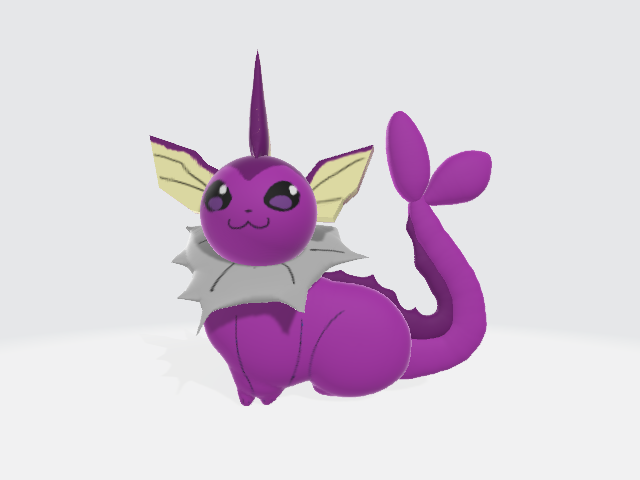
good tangela

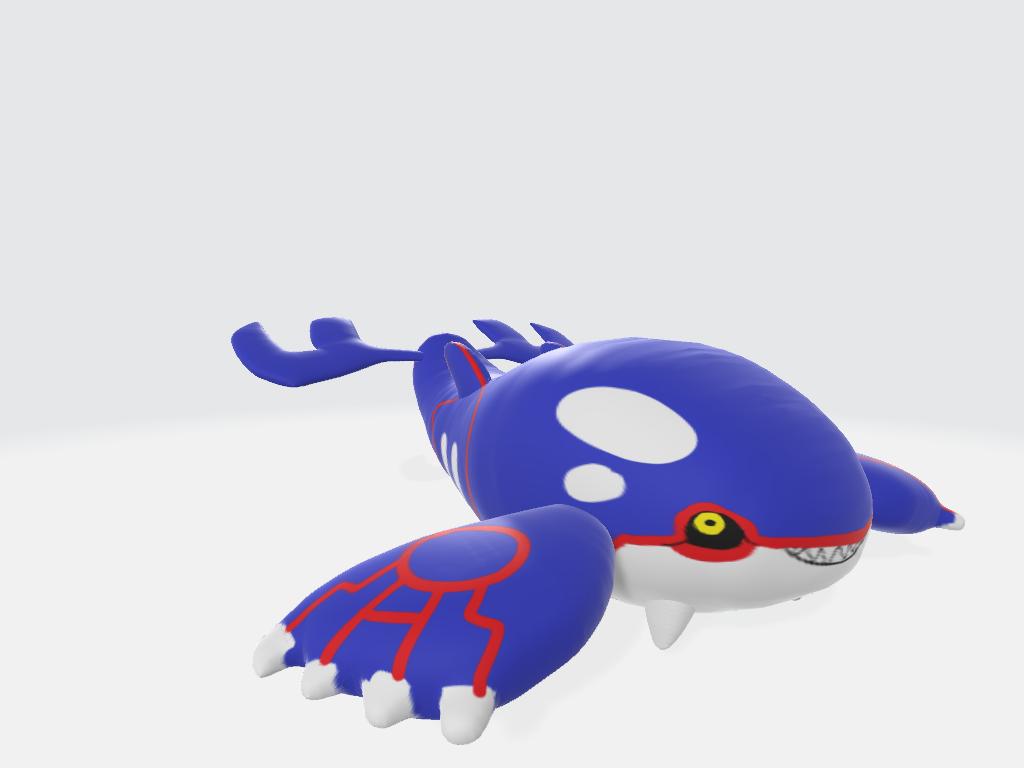
made the shiny version since i was at it and also finished Kyogre
#5minutepokemonrenders #ポケモン5分モデリング
 Twitter
 glad steeple
The Kyogre isnt bad
azure rain




some 5 min (and a few extra to texture) pokemon renders of the perfect pokemon for this challenge #ポケモン5分モデリング #5minutepokemonrenders
Likes
138
 Twitter

 azure rain
make sure to share the results
feral wolf
so btw cirous i do not have to exaclty do the modeling in blender do i?
spiral sigil
I mean, you could do it in Maya or autodesk if you'd prefer those options.
glad steeple
feral wolf
so i can basicly model it anywhere but propably rigging has to be on blender
azure rain
but those are paid options so I doubt that's going to help your problem of 3D scaring you OasisChronos
spiral sigil
I mean, other modeling programs worth their salt should also have tools to rig and weight paint.
feral wolf
why does it look like you just smacked the face on it
azure rain
so what time limit did you set yourself for that BlueASIS
azure rain
definitely pretty good as it's definitely recognizable
glad steeple
my best work to date 😏
azure rain
cool
 vivid crater
oh that looks fun
feral wolf
wierd
im in blender editing mode and the dots dissapeard
and i can only select the faces or whatever they called
feral wolf
@azure rain im now done with part 6 level 1 at the donut tutorial do you think i need to watch all episodes befor i can start modeling avatars
 gleaming tree
wat app to make the 3d modelling
azure rain
you're probably going to need a lot more knowledge than just a donut tutorial to make an avatar
azure rain
yes you should keep watching as you need to learn how blender works
honestly I probably have your near-term modeling golsby make a hat
as you can attach a hat to an avatar without much knowledge about how weight painting works
azure rain
you need to build up your basic knowledge and complete a few models
feral wolf
and then about 50 episodes propably about modeling of an avatar
azure rain
yeah probably considering that's a lot more complicated making an avatar as you have to make a skeleton before it and actually be concerned about how you put the model together so the skeleton works properly
and that's before you even get into the stuff required to have the facial animations
feral wolf
so what do you recommend me to watch after i done the donut thing
azure rain
I honestly don't know off the top of my head
feral wolf
oof then i never get to start with modeling of an actualy avatar
azure rain
mostly the reason I don't know off the top of my head as I haven't gotten checking with blender 2.8 tutorials
feral wolf
so should i watch after the donut tutorial how to make avatar models or what
thats what i mean
azure rain
and I don't have the answer right at the moment
azure rain
also maybe inquire in the Avatar Channel if there's any tutorial recommendations
feral wolf
@azure rain i dont think anyone in the avatars channel has
feral wolf
seems like none rlly knows any good tutorials
spiral sigil
Just look for them jesus christ
swift heart
go follow daniel kreuter's anime character modeling tutorials on youtube
throw yourself in the deep end
it's for blender 2.7, but it should still be fine as long as you've learned the controls for 2.8
swift heart
like the layout of blender and the keyboard shortcuts
swift heart
because it's different between 2.79 and 2.8
feral wolf
??
swift heart
sure, as long as you can figure out what to press to do what you need to