#3d-modeling
1 messages · Page 67 of 1
 cold plank
hopefully it shows it as linked
and not the whole model
if it does, you're in business, if not you'll need to do a little more work
however, the easiest way is to select all the faces in the nails, then view the model from the top
 blazing hill
i get this
blazing hill
am in edit mode yus
cold plank
make sure all the faces on all the nails are selected
view from the top
press U
choose "project from view" or project from view (bounds).
that'll give you the flattest surface from t pose
alternately move your 3d view so they're orthographic but straight on as you can muster
then do a "project from view"
make a new material and texture, and slap that nail texture on top of the uv map
cold plank
a pose will make it not so flat but you might be able to make do
https://youtu.be/vDuMB2Adv6o?t=584 this video I did goes over uv remapping with some hotkeys and such in blender 2.8
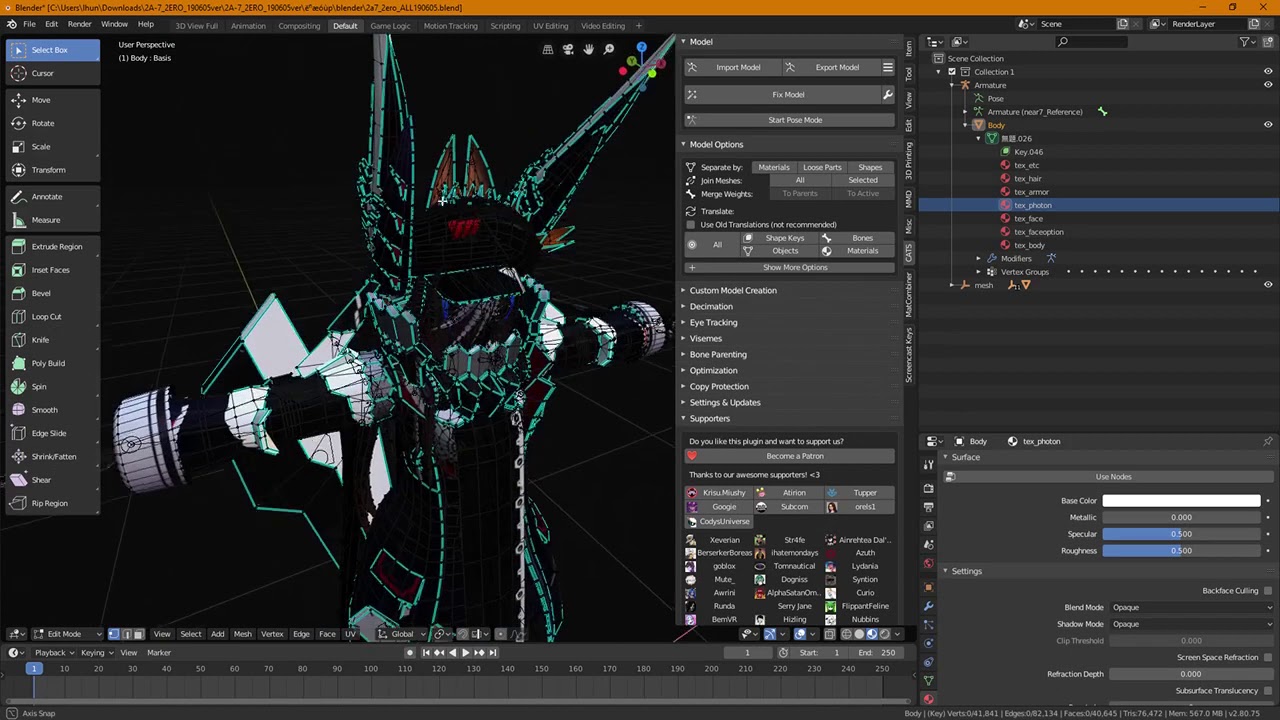
jump straight to uv editing: @8:40 This video meanders a little bit, as it's more cut from live help I've given to others. I'm going to make another video on...
I'm not entirely satisfied with the tutorial, I apologize, it's not very consise
but I think you'll get the idea if you start around the 9 minute mark I linked there
though I meanderd a bit, people find it useful for figuring out where everything is in blender 2.8
blazing hill
how do i add the texture onto the UV map as mine is empty rn
 quaint jasper
You can google a lot of your basic questions
this is a channel for 3D modeling still 😄
cold plank
I would consider this 3d modelling for sure
quaint jasper
i thought he was importing stuff in blender
cold plank
well yes, but more spicifically this is uv mapping
which I guess is a grey area
@blazing hill : go to the shading tab in blender, click add: image texture
then connect a line from the "color" to the "color" on the material associated with that uv map slot
like dat
blazing hill
yea
cold plank
yep, now click open, and choose your image
if the image texture is already part of the project, you'll see it on the dropdown on the left
or, you can click new and make one then use the texture paint and do it by hand
which i guess is a part of 3d modelling @quaint jasper ? I agree with you as well - it's a funny grey area
blazing hill
gotcha
quaint jasper
Sure as long as it doesn't turn into a blender crash course lol
cold plank
mmhumm. I think that's why I was so compelled to make those tutorials before - with just a teeny bit of basic skill in blender, and unity (mostly just knowing where to look for the tools you need), you're 75% of the way to doing tons of stuff in vrchat
I would like to see more people learn how to 3d model from scratch, generally speaking. It's not as hard as people think and there's a lot of automation now
 hidden swallow
Ive been contemplating making a VRC world, but im still relatively new to 3D modelling, is there decent documentation to assist in the requiremtents and such? I already know how to model and handpaint textures and such, I just dont know the unity side as well and export and the VRC requirements/limitations.
 dusk turret
Have you checked the pinned messages in all the channels?
They have super good info in them
 ripe lotus
https://gyazo.com/f1b68655efa48c1603d4a9f5d5f917ad from scratch
 hidden swallow
Ill review then ^u^
ripe lotus
also agree, 3d modeling is pretty straight forward
just gotta invest time to learn
I think the hardest thing to learn is good edge flow imo
and hands/feet
 thin bison
The topology of my latest creations shoulder
 frosty plinth
Starting From Scratch On My New Nanako Cirno For This Upcoming 2020... Will Be More Life Like...
 candid ocean

A Good UV layout will drasticallty speed up the time it takes to texture your 3D models. By making sure the texel density and rotation is good, your texturin...
 coarse kestrel

 spiral sigil
idk where to ask this so imma ask here, is it possible, in blender, to export the textures that has been changed in blender itself? Like i wanna export a texture that has it's diffusion changed.
 fringe rock
Change the 3d view port or drag a new one. And select uv. Click on image and save as.
Not sure what you have. Soo yeah
@spiral sigil
spiral sigil
im using 2.7 i can do the stuff u described but it doesnt seem like the uv/image editor views the texture with diffusion, only the non-edited texture
@fringe rock
fringe rock
What did you edit?
fringe rock
Am not sure what you talk about. Did you paint or change value in the material
spiral sigil
ive changed the value in the material, sorry about that, not really sure how to word things myself
fringe rock
Doing that wont change the texture itself
You can replicate those change in unitywith shader
spiral sigil
so i won't be able to export it as the texture/material with the changed value?
fringe rock
You change the material values in the render of blender. Not the texture itself
spiral sigil
alright, thanks for the help!
fringe rock
You can bake light and other stuff on a texture still
spiral sigil
ive photoshopped the textures since forever to match my avas skin to my face and that proved to be difficult sometimes so thts y i asked the material changed value export lol
fringe rock
https://youtu.be/xWyJCREkSFM I show rapidely the last half of the video in gimp how you can match skin color.

I show how to work on a king's raid model and swap head in VRChat but it apply all model source. 9:15 - Editing the skin
Pretty much try and error
But it dont take long
 hushed owl
Any idea what would cause Blender to export an avatar with a shape key enabled? I have all of them set to zero but the model still exports with a permanent tongue out expression
 small cloud
you prob have it selected, if not then recreate your visemes and try exporting again @hushed owl
cold plank
I'll share this here too:
 potent pond

Hihi! Here are the files for the Diorama and more stuff. Check the notepad inside!
People asked for support link, in my https://t.co/5hC3hHfPre there is a image link/button for it.
Other option you can support me on https://t.co/w7sV5QQEFb
Much love ♥
https://t.co/FVeZ...

 Twitter
:3
 steady zealot
Anybody know if there's a plugin for blender 2.8 for importing Nif files?
Can't find one through google
quaint jasper
If you have a github repo for the 2.79 version then look through their releases, you might find one
coarse kestrel

 hollow radish
https://gyazo.com/1c59b5fa89235d6b447d26492e67a1b6
https://gyazo.com/39c58a5f86ba711df9d7b2a2cc23663c
6hours of hair modelling


maybe not not done
have to attach the braid
 glad steeple
Front is great, the back is very bland, lacks any character
 runic nymph
think he meant to say it lacks texture and volume
glad steeple
Those words also, yes.
 vivid crater
Most detail in anime hair is ideally in the texture anyway
A lot of mmds have so much detail from, what looks like the curve hair modeling that it gets super high poly
 stable edge
^^ very true
vivid crater
Enough about mmd junk, that hair up there looks great
 errant bronze
Yep, as long as the UVs are facing proper that’ll look real good
potent pond
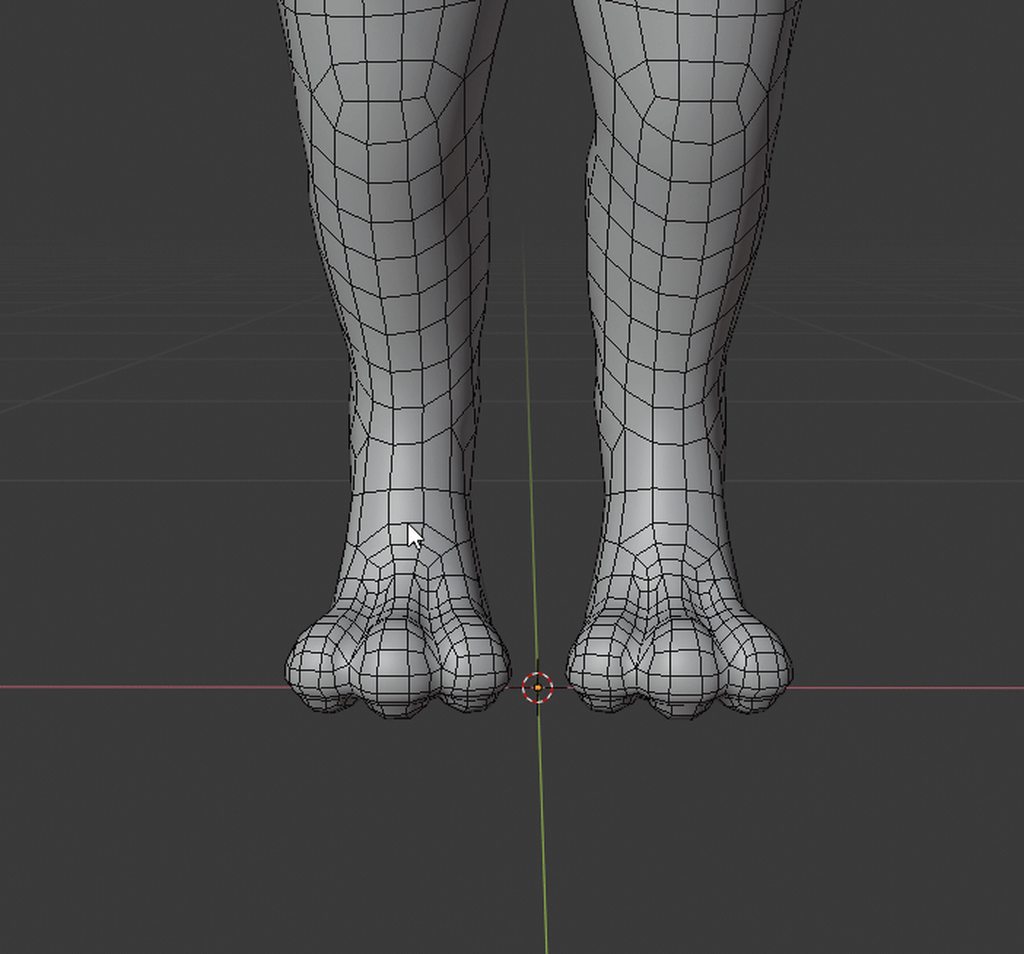
Not so long ago i did this model for fun, because a friend told me he wanted it. Then more friends decided to help to prepare it for Vrchat with rigging and Visemes!!
They agreed with sharing it :3
Thanks Landwhale / Chibisan / Zeyger / OGTV ♥
 Twitter
@foggy current @glacial hawk OGTV @spiral sigil ♥
 spiral sigil
so cute
 slender holly
aaah that looks wonderful!
potent pond
amazing topology ♥
coarse kestrel
<3
glad steeple
less tris than a tda face 😉
 covert fractal
Alright, so I'm trying to figure out how a friend who made a model for me, did the blinking.. animation (I think it is) in Blender.
Why I'm unsure is he once said it "uses Unity's blinking" or something similar to that (of the time it blinks).
Anyway, are there any (up to date) videos showing how to do it? Because I want to modify the blinking and I don't know how (barely know how to do BlendShapes).
 foggy maple
@covert fractal If it uses vrchats eye tracking for the blinking you can't change the blinking interval, only how the blink will look
covert fractal
Ok, noted. Well I would like to be able to change how it looks.
Any videos showing how to do that?
foggy maple
You should probably look for a tutorial which showns you how to modify shapekeys in blender
covert fractal
Alright, thank you.
foggy maple
If the model has shapekeys named vrc.blink_left/right it probably uses vrchats eye tracking and you have to modify those
covert fractal
It does, yes.
But what I'm trying to modify is vrc.lowerlid_left/right (along with .vrc.blink_left/right).
I also want to be able to make this into the new 'Blink' ShapeKey.
 wide hatch
Could anyone help me with my model? theres some stuff I can't find a fix for online and I don't really know how to continue from where I got, I can do it via discord screenshare in PM
 azure rain
what kind of problems are you having
as it's kind of hard for us to help if we don't know the problem
wide hatch
many
when I try to connect the head and the body it looks weird around the neck
I have no clue how to go about creating eyes
or ears
or a working mouth
azure rain
I take it you're quite new at this stuff
wide hatch
very
i followed a video and got a pretty good result but it literally stopped at a basic low-poly body shape
I have figured out how to make it high-poly but the rest I have no clue of
azure rain

Patreon
Official Post from Minions Art: How I make simple toony eyes. They are quite easy to animate with BlendShapes.

Patreon
Official Post from Minions Art: Steps on making a (left) hand, you can also use it as a base for more beastly claws :DEdit: Speed modelling video of the tip https://twitter.com/minionsart/status/882274812181327873

Patreon
Official Post from Minions Art: Here's how I make faces :)Link to the tutorials mentioned here :Eyes : https://www.patreon.com/posts/quick-game-art-9707447Hair : https://www.patreon.com/posts/quick-game-art-11696817Youtube Video of the modeling processStill image with all steps:
wide hatch
I was gonna show what I got for now but discord thinks it's naughty
azure rain
oh dear
 grizzled sonnet
Hey guys. Anyone knows how to make smooth selection in Blender 2.8? I'm not good at English, so I try to explain. There was an option, when you select vertex\edge, you can move closest ones and move smoothly. I don't remember how it calls
I remembered, it calls "soft selection"
azure rain
cool
azure rain
numpad1
wide hatch
aight thanks
potent pond
It's Hotox Chan ♥
fringe rock
Proportionnal editing @grizzled sonnet O
 dull canyon
https://i.imgur.com/flLlhLc.jpg if I'm going to retopo and multires sculpt this, should I add more resolution to the face for more details now or is that enough for the rough sculpt?
 quaint jasper
If you plan on doing the retopo manually then might wanna stop now for the rough sculpt
dull canyon
mkay
wide hatch
Actually pretty proud of this one
 plush flare
for some reason after applying shrinkwrap the the plane these gaps appear out of nowhere even though i have mirror merge on, i rly need some help this is my first model and i just finished the topology
spiral sigil
Alt + M= center
plush flare
the problem is that its the x=0 verts
the ones that should me automatically attacked to each other
and they are with the shrinkwrap on
but without they are now
not
 tepid wagon
Maybe try moving shrinkwrap above mirror modifier
plush flare
it just causes the problem
slender holly
@azure rain are there any more of those tips? those are freaking amazing!
azure rain

Patreon
Official Post from Minions Art: Videos3 videos on the full character creation process (Concept, Model, Texture)Character Creation Process VideosModelling video of a sword from concept in Maya LTFantasy Sword Speed Model (YouTube Link) Modelling video of a shield from concept...
azure rain
no problem sorry for not posting earlier
slender holly
All good! i've been looking for low poly character modeling resources foreverrr
azure rain
well it's helpful to know to make good stuff on the quest
slender holly
oh no i was more learning towards avatars in general
if quest people wanna pick it up sure
azure rain
FairPoint
 final wedge
I'm using Blender 2.80 and i'd like to make a Commander Shepard avatar with anime head
Like this
quaint jasper
#avatars-mmd Is where you'll learn the skills to do that
final wedge
oh sorry
quaint jasper
no worries 🙂
runic nymph
blue missed an opportunity to dunk on mmd
 grizzled hornet
Vape asset.
If anyone needs help making things, I could possibly help you. I'm still learning how to put the models in game, but I can at least make things for you, get them LP, UV and texture them.
Welcome back to Instagram. Sign in to check out what your friends, family & interests have been capturing & sharing around the world.
grizzled hornet
My bad.
glad steeple
Not the fee part you dingus, the advertising
and the cross posting same stuff across different channels
grizzled hornet
It isnt my offical, my official is on my artstation
glad steeple
Thats way more relevant than your personal instagram
grizzled hornet
Eh, I save artstation for real work
glad steeple
😬
grizzled hornet
If you're curious though, https://www.artstation.com/kevin-colon?fbclid=IwAR13gze82i6-zHE2v4EVE13T6FKrqoa2_wilKMCqUVi9mSkGtVTYT0smhaQ
 glad steeple
I was
grizzled hornet
Joycons are my favorite.
coarse kestrel
 untold schooner
 silent tapir
Zombie
untold schooner
looks good. my first time using substance painter so its not much of anything yet
grizzled hornet
This model wasnt intended for VR Chat anyways lol
 upper ravine
When replacing a texture with another texture in Blender, is it possible to tell Blender to leave the mapping alone? If I replace a texture with a smaller one, it scales it, which I understand would normally be useful, but in this case I'm trying to get rid of dead-space in the texture, so it ends up just breaking the texturing as the mapping needs to stay where it was.
spiral sigil
Who’s trying to make me a dope avatar? I’m not understanding this at all
 latent charm
@upper ravine UV space works different from a regular image, which is likely what you're experiencing here. UV space is 0-1X and 0-1Y, and that is mapped to whatever image is provided.
If you have a UV unwrap that fills the whole space, and you edit the image to expand it so it's 2x the size, you need to scale the UVs by half and reposition them to compensate.
upper ravine
Yeah, that's what I ended up doing. I was wondering if there was an easier way of doing that because you're not always going to be scaling by exact amount when cleaning up. Feels a bit... hacky.
latent charm
You can scale numerically in blender by pressing s then a <1 number, so .5 for half, .25 for a quarter, etc.
potent pond
working in a new figure (already T posed but now im doing the pose)
quaint jasper
Show WIP 
potent pond
damnnnn i cannot psot teh image lol
i tried but discord is telling me
that a hamster it's not letting me
wtf+
hahahah
quaint jasper
🐹
spiral sigil
damn hamsters!
potent pond
ok fuck it
lol
Easier
oof long night, this is the progress of tonight. Probably tomorrow gonna start working on the hair (this one is a base shape) so keep tuned! rawrrrr
 Twitter
quaint jasper
Twitter
quaint jasper
Komi !!!
potent pond
yes !
quaint jasper
You're so skilled damn
potent pond
still need to work on the hair, i did just the base shape
spiral sigil
will she have a hat
potent pond
so tomorrow i wills tart with the details
spiral sigil
please tell me shes gonna have a hat
potent pond
lol what hat?
quaint jasper
She doesn't have one in the manga tho
potent pond
hahahahhah she can have nekjo ears
spiral sigil
o its a cahracter?
quaint jasper
ye
potent pond
she can go from suepr sexy to cute in a sec
and oh boi that hair god damn it
reminds me of Mickey mouse
that always look same position
lol
quaint jasper
She'd make a great model if you could have blendshapes that change the eyes
make the ears pop up
spiral sigil
Yeah!
quaint jasper
Go and post it https://www.reddit.com/r/Komi_san/

reddit
A subreddit dedicated to the manga series Komi-san wa, Komyushou desu, a.k.a. 古見さんは、コミュ症です by Oda Tomohito (オダ トモヒト).
potent pond
mmmmm
IDk i think i gonna wait
it's gonan be a surprise
when it be done
because it needs a lot of work
quaint jasper
you deserve more followers honestly
untold schooner
render
quaint jasper
nice !
potent pond
I got nervous :eyes_shaking_emote:
but i think for now for a better focus
i will wait
and suprise them
:3
with it be sueprdone
probably
will be this weekend
spiral sigil
i am definitely throwing in a follow
quaint jasper

@potent pond Also you should be posting your screenshots with a few hashtags
otherwise you're not reaching any fan at all
potent pond
you knwo what
i totally forgot
i did with Spinel
lol
this one really is taking me a while to finish
but i'm enjoying the journey
quaint jasper
is it a commission ?
potent pond
No
just for fun
I may do it Printable figure
The thing is that half of my brain is telling me "Krisu, come on we need to hop on to the next model"
and i'm like "but i'm enjoying this one"
quaint jasper
💸
potent pond
but may brain again is like "But look at this, she deserve a model"
and i'm like "yes brain i know she was my first waifu"
quaint jasper
you can have as much fun as you want when you're cosy in Europe
potent pond
indeed
quaint jasper
now it's time to get that bread
potent pond
the problem is that as i said, i'm not aiming for the money now
i'm aiming for a portfolio
i have done nothing in years for myself lol
quaint jasper
but you're not posting your stuff lol
potent pond
except dancing maps for Vrchat
i dont psot stuff i recently decided to start doing it lol
it's just that... i dont like to show what i really do
quaint jasper
your WIP should be on every subreddit, forum, discord, twitter hashtags
potent pond
it doesnt make me happy do the stuff i do for living
quaint jasper
portfolio doesn't matter if no one's looking at it
potent pond
;_ ;
spiral sigil
Wips make for great portfolio pieces too!
It can act as a showcase of the pipeline you're following towards the final product
quaint jasper
absolutely, artstation has WIPs under the final piece on every single big portfolio i've looked at
potent pond
yeah but artstation is weird
i have stuff there
but the peopl on the main page are kidna suepr pro
quaint jasper
for sure, but with the quality of stuff you make, you should already have thousands of ecstatic twitter followers
potent pond
when i see stuff and i say "i can do better" then i join in their works and BOOM they are fuckign beasts or maybe they work for a mega company lol
potent pond
But it's unfair
i mean
i think my spinel was pretty good
and then i saw a draw
*drawing
that was just a stick figure with 2500 likes
and i was like... REALLY
quaint jasper
you're really skilled, but you need to post a lot more often everywhere
potent pond
god damn
quaint jasper
if i was able to make what you make, damn, i'd post screenshots every 10 minutes lmao
potent pond
quaint jasper
it's the age of social media, you have to build your community !!
potent pond
oh boi... i jsut got into this social media lol
cleaned my twitter from older messages
instagram, TWitch
and i'm starting to learn
so yeah
ok maybe tomorrow
quaint jasper
I mean, you already got great stuff there, so you can get big at any moment
potent pond
i will post something i will see depending on how much work i need to do in my rlw
quaint jasper
but you need to put yourself on reddit a lot more too
potent pond
ok i will try
spiral sigil
Reddit, twitter, tumblr, artstation
all great places to gain followers and increase your network
Writing blog posts aswell would be great
Stuff like talking about what made you want to make it, the hardships and all that stuff, what you love about it
All great ways to sorta appeal
potent pond
I will try, im trying to start showing myself a little more.
💋
I will remember the # hashtag stuff and probably tomorrow i will post something
mayeb now at least on my twiter
i jsut dont liek to bother people lol
People already got crazy with you see a notification on discord
hahahahha
with a EVERYONE or HERE
spiral sigil
Pfffft, just do it anyway! Exposureeee
quaint jasper
@potent pond People who visit subreddits and hashtags do it only because they care, you're not bothering anyone, on the contrary, you'll make a lot of people happy
potent pond
ok i jsut posted it on Twitter but with hashtags
🙂
i deleted the previous twit
and oh boi
i just noticed...
i need to go work in 4:30
i gonan go sleep
 potent pond
💋 Thanks for the tips @quaint jasper @spiral sigil
blazing hill
where's the 2.8 context menu for subdivide btw? tutorials said it used to be the "w" keybind but that only brings up the object context menu
runic nymph
w in edit mode
blazing hill
ty
grizzled hornet
@potent pond you make some awesome stuff!
potent pond
Thanks 😘 i will try to keep going!
spiral sigil
thinking about making some final fantasy stuff but i got no clue on how to use unity 😩
coarse kestrel
glad steeple
floof
coarse kestrel
spiral sigil
😳
 bleak shoal
what the f...
 rugged cloud
God, please DON'T give it jiggle physics. For the love of all that is holy.
Slaanesh will smite thee.
glad steeple
give it all the jiggle you can muster
spiral sigil
how to create avatar?
glad steeple
Google it
grizzled hornet
Working on a strange character 😂😅 I plan to make jiggly physics on the antenna and his chin... cough sack-thing.
 cursive sage
Is there any way to make it so when you're editing a high-poly object in blender in edit mode, it doesnt slow to an absolute crawl?
I've got a really beefy computer but doesnt even seem to matter.
I click on a vert and it takes like a second or second and a half to actually recognize as clicked
on only a 200k tri model
grizzled hornet
That does sound pretty janky @cursive sage I'm not familiar with blender at all, I work with with Maya and Zbrush. However... When in maya, anything with a large number of polys like 100k+ do get buggy and laggy, even with my PC which is a $4500 build. When I'm doing high poly things I stick to zbrush and if I need to retop in maya, I decimate first. Why am I telling you this? Because I see blender just like maya, and maya doesnt do well with high poly objects.
cursive sage
oof. industry standards cant even do well with 100k huh
potent pond
NAisu!
quaint jasper
Impressive !
quaint jasper
Wow !
potent pond
but this is a second step
now i will proceed to go sleep because i'm dead
night night
spiral sigil
Decided to give it a try and create Guts Wolf armor
potent pond
YAS
spiral sigil
i'm not familiar with Unity , more of Unreal engine guy but i'll try to include some great sword animations for him
grizzled hornet
I'm building my game in unreal, so learning unity is a headache for me.
 solemn elm
Sad that I still use 2.79
I’m not going to get used to the whole layout change in blender
I’d rather use 3ds max and maya for the new additions
steady zealot
Anybody know if there's a way to add endcaps to screw modifiers in blender without applying the modifier and closing the end points manually?
grizzled hornet
YouTube!
stable edge
.com
dull canyon
so, what workflow are you guys using for doing hair on humans?
in Blender specifically
dull canyon
in general
like, I know there's the approach of hair with curves
but when you convert those to a mesh it's pretty high density topology afaik
latent charm
Yeah, for game stuff the hair card method is the way to be doing it. It's also gonna end up fairly high poly unless you're going for a more cartoony-stylized thing.
dull canyon
I've heard the term hair card so many times but I still have yet to get an explanation/example of what it actually is
youtube isn't turning up any useful info
so they're basically just planes?
latent charm
It's basically planes with hair texture, yeah
dull canyon
hmm
latent charm
Just yanked a chunk out, but you can see how it is roughly
As for making them, there's a variety of ways.
Model & UV a few manually and just throw them all over, if it's short hair you can save a lot of time by using a particle system to distribute them across a region.
Long hair is a bit more of a pain but still doable. Once when I did need to do some longer hair I used TiltBrush in VR. Imported the head mesh, then with one of the brushes just drew hair planes on, then exported the lot and aligned stuff in blender.
There's also some addons where you can use blender's hair system and convert them to hair cards.
dull canyon
that sounds very complicated and roundabout tbh
latent charm
The tiltbrush method?
latent charm
You say that now, it was wonderful being able to have so much control over the exact position and flow of the hair in full 3D without being limited by a 2D input device like a mouse or tablet.
latent charm
They model it in a lot simpler with less use of alpha textures.
In their case it's a good idea to just grab a variety of the models off wherever they share 'em and look at the geometry of them and how they're done.
One way for doing it when going for a more simple style, is to sculpt out the hair 'volume' and use that as a surface to model on top of.
steady zealot
that tiltbrush method actually sounds pretty genius @latent charm
I may have to steal that method
spiral sigil
@grizzled hornet i feel you bro , the UI in unity is mind boggling
it feels like a 2006 program on windows XP
dull canyon
needs that blender 2.80 treatment
 runic salmon
Can someone tell me why the neck is separating from the body?
Will weight painting the neck to the body fix this?
it also happens with the head if I tilt it too high
tepid wagon
You need to have the bottom of the neck mesh painted to chest bone so they stay connected than the verts above them should have mix of weights between chest and neck bone with less and less weight being used for chest bone the heigher the verts are on the neck
runic salmon
that helps but it's still doing it
runic salmon
actually nvm weight painting the neck mesh to the chest doesn't help at all @tepid wagon
still separates
tepid wagon
It shouldnt separate if the very bottom of it have 100% weights to chest bone and 0% to neck
tepid wagon
I have no idea what that pictures shows
tepid wagon

This strip of verticies on the bottom that disconnects needs to be fully painted to chest bone and neck bone should have no influence over it
tepid wagon
also they should disconnect like that at all if you merge them with verticies below
Oh wait it seems the neck is just positioned on top of body, it's not connected at all, isn't it?
tepid wagon
Ok, just select neck bone in weight paint mode and make it have 0 influence over the bottom
runic salmon
I'm not quite understanding what you mean by zero influence over the bottom
It's already fully painted to the chest
tepid wagon
Weight paints aren't absolute in Blender, what I mean is you can paint the same part of a mesh to two bones at 100% for example and this will result that those bones won't have 100% but 50% influence over that mesh part because they have to share it with the other bone
runic salmon
oh
tepid wagon
If you move your neck bone and have it lets say 20% painted to the neck and 100% to the chest bone than neck bone will still pull those vertiecies but not much
runic salmon
hmm well I just checked the head bone and it's not even fully connected to the neck, let me paint the head to the neck
tepid wagon
Those bones dont neccesarly have to be connected as long as they are parented to each other, not sure what you mean by paint head to the neck (neck bone?)
runic salmon
The neck wasn't painted to the head, now when I move the head bone, the neck stretches correctly
tepid wagon
soo it is good now?
 runic salmon
?
tepid wagon
Enable selection masking otherwise I can't really see what is on those pics with weights
You can see I have mesh visible if I select this cube in the left bottom part of the screenshot
It's easier to paint it as well
tepid wagon
you can box select or "L" select connected section of a mesh
Have to google, I started using 2.8 two days ago
runic salmon
no worries
tepid wagon

You see the icon on the right of "Weight Paint"?
First is face mode masking second is vert mode masking
You don't even have to use masking if you don't need to, you can select masking, press "a" so you can paint over everything and have mesh view to see where are verts you can paint over
tepid wagon
I can't even imagine painting without that
latent charm
@steady zealot Any VR program that lets you draw strips will do, I prefer Tiltbrush because the strips have UVs on export and when drawing them they match controller orientation, whereas in some others it orients them automatically based on the draw direction.
latent charm
Either duplicate the geometry and flip the normal direction, or use a shader that doesn't cull backfaces.
glad steeple
The former is the best option.
 surreal ridge
Alright, question for you folk. In Blender I've edited some edges. The changes aren't reflected in Object mode. What gives?
Edit mode
Object mode
Hmm, googling suggests problems with my shapekeys
runic nymph
are you editing on a shape key instead of basis by chance?
surreal ridge
I don't know, but it's such a trivial change that I cba to pursue the solution further
thanks though!
runic nymph

blazing hill
How do i set the zero point for an object? I have a hand here but the rotate point is a bit.. off (blue lines are me highlighting from the screenshot program)
vivid crater
are you in 2.8 or 2.79?
well, heres the two pivot point buttons anyway @blazing hill
wait, unless you mean the origin, then just type set origin
blazing hill
it was origin @vivid crater thanks!
 rich geyser
by any chance who can make 3d sculpted model by hand
cause im currently looking for some one to help make tom 5 from toonami
grizzled hornet
Which char?

Instagram
26 Likes, 2 Comments - Kevin Colon (@kevincolon_official) on Instagram: “😪Running on fumes today. Here is my end result for Day 12 of Sculpt January, "Staff."…”
@rich geyser
rich geyser
T.O.M 5 from Toonami
@grizzled hornet

The Toonami Crew has officially announced that Tom 5 will make his debut on Toonami this April. Thoughts?
im trying to turn this into a model i can literally do everything else (but UV map and sculpt lol obviously)
potent pond
i want to go back and keep modeling my stuff but i need to work on a commercial ;_ ;
grizzled hornet
Its awesome that you can say that though @potent pond lmao
potent pond
lol it's jsut that i want to conitnue with my Komi figure
but i need to do a comercial for Paw patrol
and i'm like BUT KOMIIII
grizzled hornet
Sick! My daughter is obsessed with paw patrol
quaint jasper
Get that bread !
potent pond
i finished the props
but
kinda oh boi
KOmi is waiting
and then this Vr market stuff
yesterday i spent a lot of time and then the DDOs
i need more days of this event ;_ ;
it's so damn good
i gonna sharte this i foudn not so long ago

Gumroad
Garment Tool is Blender addon designed to simplify process of making simulation ready cloth meshes inside Blender. Clot meshes are generated from 2d Bezier curves, sewed together and then triangulated into mesh object. Video Introduction + Guide on simple Shirt (fixed audio)....
it's kinda a marvelous designer but in Blender
for clothing surely is a good addon
👌🏼
i could give something more interesting by the way
and probably it will get pinned here lol
but i wanna headpat of Ruuubick first 💋
:3
grizzled hornet
Marvelous designer gives me a headache
Super dope software... when you know how to use it but shesh.
potent pond
indeed
grizzled hornet
How do you go about getting a gig for Paw patrol
grizzled hornet
What do you do for work
Like, your main occupation
Are you just a freelance artist?
grizzled hornet
Thats awesome, I'm jealous and happy for you
potent pond
well indeed it's good but at the same time there is a roof here
grizzled hornet
Oh what a dream it would be to do this stuff for a living. I just started my game art degree in Oct 2017
potent pond
that you cannot go through
i wish i could go to a place to study
i paid the cheapest one
because my parents didnt have money to pay my studies
and didnt learn anything lol
grizzled hornet
I was fortunate enough to use the military's GI bill to pay for my school
potent pond
Oh i see, i wish i could go and study in a place like that btu here it's impossible
and the situation is getting worse
so... maybe abroad i ahve more luck
and pay some good tutorials or stuff.
grizzled hornet
I mean, it looks like you know what you're doing, at least to an experienced outsider. So I dont know if school would be a waste of time to you
potent pond
well trust me that making the same commercial for almsot 8 years every week same stuff not even been able to do anythign and work with any tool you need not having the chance to grow, idk if that's good
i shoudl ahv eleft before
:eyes_shaking:
@quaint jasper i may have something that can be useful here, but since i'm not a fellow Blender bruddah it would be nice if someone that knows actually can take a look
@grizzled hornet This guy knows what he does
https://www.artstation.com/artwork/v1XWx3

ArtStation
Look at his notes in the fixing
i wish i could have such a professional workflow and finishing ;_ ;

ArtStation
so damn good ;_ ;
quaint jasper
@potent pond What do you have ?
grizzled hornet
Good attention to detail
potent pond
In my way to be friend with Blender i started to do some research along the way and not so long ago, i found out this
https://docs.google.com/spreadsheets/d/13epB4VTy8rtQrK4XorpLEaLlBzAw-isXal_zzK8dHcI/edit#gid=1797605918
Seems like a HUGE list with fees, description and links to countless ADDOns that someone is updating all the time. @quaint jasper
It may be useful for people that actually use blender... more than me lol.
IDK thought could be good to share here

Google Docs
ADD NEW HERE
CATEGORY,NAME,FREE / $,ABOUT
Asset-managment,das,BlenderKit add-on,Free / $,BlenderKit is an online database of materials, brushes and 3D models which you can search, download.
Asset-managment,
grizzled hornet
My retop sucks right now. I can sculpt all day but I mostly get hung up at the retop stage. Or rush through and normals get fucked.
potent pond
same :cry_pepe:
grizzled hornet
What's your prize model?
potent pond
Prize model?
grizzled hornet
"High Poly Joy Cons" by Kevin Colon
https://www.artstation.com/artwork/rR5YvJ via https://artstation.com

ArtStation
Goal was to replicate real life Nintendo Switch Joy cons to the best of my ability.

ArtStation
ArtStation is the leading showcase platform for games, film, media & entertainment artists.
Your best
potent pond
That's a difficult choice 🤔
i should look of all my art in other commercials and see what' my best but if you ask right now mmmm
from my personal art, maybe between the spinel model or the Hiroyi
https://www.artstation.com/artwork/lVn6eo

ArtStation
I love his designs... rawr
here the process.... I NEED OT LEARN HOW OT USE PROPERLY THE TOOLS LOOK AT THOSE HANDSSSS AHHHH
https://www.twitch.tv/videos/476195205
Hiroki-Art
https://twitter.com/hirokiart
But definitely should look what i modeled long ago
and see what's my best in commercials
grizzled hornet
You do an incredible job with hair
The model overall is great but hair is something I find challenging, and you nail it lol
potent pond
:dab: Last video i made on Zbrush doing the hair of komi, oh boy THAT took me lot lol
grizzled hornet
Would you happen to be interested in dedicating time into an indie game I'm developing with a small team? If you are interested we can talk privately about it, if not, I understand.
potent pond
Mm remember right now i'm in middle of a Portfolio of characters and i'm about to move abroad and between the extra job i barely have time to exist as a human been irl / Vr lol
So for now i cannot get attached to any other proyect :holding_head_emote:, even so thanks :hugs_emote:
♥
grizzled hornet
Haha like I said I understand. So many projects, such little time. The life story of an artist.
potent pond
yeee
grizzled hornet
However! If you ever do find yourself free with time and looking to pick something up with potentially a good pay out, if & when we're successful 😅 dont be shy to give me a holler.
slender holly
@potent pond that garment tool is so useful thanks for the link
potent pond
No prob ♥ Glad i helped!
Aslo if you want check that list of addons i dropped above, i dont know really much about it
sicne i dont use blender for now... but i will lol
potent pond
Yeah i was waiting for Ruuubick to take a look to that list i found long ago when i was researching for "what do i need to stat with blender, give me good stuff"
ahahahha
quaint jasper
The list is good, but too overwhelming for beginners
it's also very targeted at specific workflows
there's only very few i could use myself, and i consider myself a beginner still
slender holly
ruuubick i have seen the stuff you have posted
you are not a beginner lmao
give yourself more credit
quaint jasper
I've been working on my model for three months, "give a million monkeys a typewriter" kind of situation 
Any skilled person could do what i did in less than a day, and better
though i'd like to see if there's a list of paid add-ons too
slender holly
atleast you can finish a project, i have this really bad habit of finishing a project only 90% through and not polishing/finishing it
 daring karma
what he's really saying is that he's so advanced that he went prestige and is back at beginner
slender holly
i just started learning how to use unity and i'm... pretty lost.
quaint jasper
i'm super afraid of the polish part
right i'm blender game + lmao
i'm almost at two years of unity and i still can only do the very basic shit, game software is tough
slender holly
i spent a shitload of time learning how to texture and UV map, just to realize that when you export to unity it doesnt transfer materials
so i now i have to learn how to do that and im kind of lost, i just need to do more research on how to do it
quaint jasper
Surely most of your texturing skill would transfer if you switched to substance no ?
also i though you could bake textures and a whole kind of stuff with blender
slender holly
i can't afford substance painter
i'm moving to washington in december and i really am pinchin my pennies
potent pond
ok then thanks for checking it Ruuubick :3
i really dont know about many addons in blender but seemed a good stuff to take a look in the future
quaint jasper
yeah that list is most likely going to grow over time, i did see a couple of very useful things
potent pond
yeahthat's why i thought that maybe from there something can be useful :3
🤗
I gonna go sleep but before that
gonna drop this other thing that maybe it's useful for people that is dealing with many software cahnge
and those UI / Shortcuts
potent pond
:dab_emote:
potent pond
💋
hollow radish
untold schooner
@slender holly you can get a student copy of substance for a year or so
what I'm using rn
also you can batch textures to an fbx in blender, itll setup the standard material but anything past plugging the texture the base node wont transfer
slender holly
i supposed ill need to learn how to bake textures
that was my next step anyway
thanks for the information
 civic ravine

 untold schooner
@slender holly if you want to bake them onto the fbx it's just an option in export under the batch setting
slender holly
thanks!
grizzled hornet
Substance is BAE
potent pond
Yee I wish I knew the proper workflow lol it has changed so much since I tried it the first time
Low poly high poly baking for video games always caused me troubles
 reef lotus
you can bake normals in blender if that's what you mean, not sure how different it is from substance
grizzled hornet
Sometimes it can be tricky @potent pond
potent pond
yeah that-s why i'm not so good at texturing lol
daring karma
Substance fuqin hates me when I do high-to-lows but I'm probably just being dumb. xnormal has always been a bae and worked tho (+ is free)
potent pond
yeah Xnormals always was a goo dboi
The other day i was investigating for when i move abroad with a better salary than here lol, that maybe i could join to some kind of course online to learn proper workflows and finishing to my models and i found out this place...

翼次方 CG培训|3D培训|游戏动漫培训
Students works look from other level lol
https://www.artstation.com/cifangyi

i love this one
https://www.artstation.com/artwork/5849KO

ArtStation
CG角色精品班和3D基础短期班都在招生中(English Class is available),QQ交流群 111270524 ,QQ咨询:2235744304
YCF web: http://www.ycfcg.com/
instagram:https://www.instagram.com/ycf_cg/
站酷:https://www.zcool.com.cn/u/16520896
微博:https://ww...
slender holly
Man, unity is kicking my ass
wish i didnt spend all my effort into learning blender
 median pike
Ikr
I came here hating blender and loving unity
Now I love blender more than any other program
slender holly
yeah ill just have to get comfortable with unity like i am with blender
potent pond
i saw this today

Fluent 1.1.0 is out, discorver main features. This addon help you to create your model in Blender with a smart and intuitive way. Gumroad : https://gum.co/Ht...
It's pretty awesome ♥
i need to start hanging out with blender asap lol
vivid crater
That seems pretty cool, I see a lot of blender hard surface people using hardops/boxcutter also
potent pond
idk if i'm allowed to post a gumroad link
in any case delete it

Gumroad
Fluent is non destructive modeling addon for hard surface modeling in Blender 2.8. Fluent solve 2 problems. Keeps everything editable, without loss of speed in modeling.. Speeds up boolean object creation and makes it more enjoyable. Fluent help you to make your model with bo...
It's on the video
quaint jasper
ah thanks, the info wasn't on blender market
potent pond
:krisu_kiss_emote:
quaint jasper
kinda want to buy it now
potent pond
HAhahahha
i like the fact that it's kinda an active boolean
I had something like that in maya
but it normally crash or just dont work

Maya took away the modeling tools i had when i used 3dMax
And barely improved them
Since Maya is more related with the stuff i do i need to get used to and be switching between them was a pain so i jsut focused on one
but oh boi i so miss those tools
that's why i'm very interested of Blender toosl
The other day i found this place looks very interesting

 little inlet
Does anyone know if you can model in a CAD program and export it to Unity?
tepid wagon
You can export your model file as fbx from 3dsmax or obj from inventor so it should be possible but you won't have much control over how topology and tris count will be
little inlet
Thank you.
dull canyon
RIP
 fresh isle
First thing I've ever finished, and I'm glad how it turned out.
I've gotten close before but I always lost motivation
 reef kettle
Workin on some Spinel models for a public release
potent pond
Woowwww awesome!
Magestic work
This models are actually cool lol
Oh wait I knew that I have seen your name somewhere @reef kettle , you are the white diamond avatar on Twitter hahahahah. Oh Boi your work is amazing ❤
Much better finishing than my spinel hahaha
azure rain
@fresh isle that looks so cool
reef kettle
Hey @potent pond ! Thanks for the kind words! That would indeed be me! I love your version alot more! I can tell alot of love and passion went into creating her!
potent pond
Well imo yours is even more accurate since it has the shader and it can be used for Vrchat lol ! ♥
We did a good job bruddah With your model for VR and my figure we did more merchandising from the Steven movie than Rebecca Sugar.
hahahahhaha
reef kettle

glad steeple
stop being so wholesome, we need some 3d modeller feuds up in here 😅
azure rain
no more wholesome is good
glad steeple
no, more wholesome is good
or
no more wholesome, is good
?
azure rain
increasing wholesome is good
potent pond
Well a community is where we all work together 😄 ♥!
And positivity and friendship is good to make it stronger
vivid crater
😳
potent pond
slender holly
@glad steeple YOUR TOPOLOGY SUCKS
And your mother smells of ELDERBERRIES
How about that of a feud starter
potent pond
i think someone needs a some hugs and cuddles here ♥
azure rain
hugs and cuddles are always good
potent pond
♥
runic nymph
relatable
 hallow bough
Let's keep the 3d modeling community plane and friendly  No drama on my lawn
glad steeple
but everyone cant just be nice to eachother, can they?
runic nymph
😤
hallow bough
Well if you're a glutton for drama 
runic nymph
then you shouldn't go to opera
untold schooner
i prefer glutton free
quaint jasper
BlueASIS is a poohead, you heard it here first
runic nymph
damn
potent pond
They can it's just a matter of attitude
and hugs :3
Damn I wish I could use my emotes hhahah
Hug ones

 tranquil wasp
Modeling my first avatar from scratch atm and something seems off about the body proportions, I just can't seem to find it, any idea?
quaint jasper
You can scale down the y-bot next to it for comparison, but children have different body proportions than adults
humanoid is for the adult human reference
tranquil wasp
Hm. Welp, I'll hide most of it under clothing anyways
runic nymph
i used an x bot for proportions, legs still feel way too long, i dunno 
tranquil wasp
hm
welp, I'll give modeling hands a try now, body proportions can still be changed afterwards
glad steeple
the legs are also slightly bowed
 oblique token
Is it possible to "bake" a shader into a Texture? I might have royally screwed up the wording there. >.>
like if I were to use Freestyle in blender, could that be converted to use in Unity? weird question
azure rain
not without decent knowledge of shaders
 idle niche
Nope, all of the shading is internal based on Cycles. You can get the same effects, but you'd have to make them separately.
There used to be a way for older versions of blender back in the day I believe
rip blender render hahaha
oblique token
hmm, I see. I was having difficulty combining an outline shader with a Cel Shading shader in Unity and wondered if I could "bake" shaders generated by Eevee into like a UV texture or something. le sigh that's okay though
😂
idle niche
Glad to see you using 2.8 though
oblique token
yeah it's awesome
oblique token
I'm JUST getting into 3D modeling
oblique token
heck yeah. I can make basic crap but I'm nowhere near good 😂 yet....
idle niche
YET! :D
oblique token
lmao
yeah I'm stubborn so I'm gonna force myself to get this shader done 😂 I have this sick outline shader, but I want a cel shaded shader on the rest...It's boggling my mind. & I probably need to sleep.
idle niche
Good luck!
oblique token
😂
 crude sky
Have you tried modelling in VR yet?
untold schooner
I personally tried sculpting in vr using Medium and rigging using masterpiece motion
both are pretty good and straight forward so no need to watch anything about them
potent pond
you know it's 3 am
when Krisu finish his stuff
wait wait better not :3, tomorrow i reveal
💋
idle niche
Modeling in VR does not make much sense. Sculpting may be possible to do well, but the tools that are out right now to not have the quality and features to replace a program like ZBrush
In my opinion
azure rain
or do the kind of editing you would do in blender
idle niche
That’s modeling
spiral sigil
Hello! I'm having issues porting a model. Different vertices aren't connected to the main part of the model. I tried removing doubles, but the gaps didn't close before the model was too deformed. After recalculating normals, these regions disappeared completely. Fill holes also does not work. When set to 11, it does too much. 10 does nothing. Am I going to have to do this manually?
azure rain
mind showing a screenshot of the different parts that aren't connecting together
spiral sigil
Here's one eye. I've began manually connecting the vertices with the merge tool, but it's going to take forever doing it that way.
azure rain
that's because the topology doesn't match up in the slightest
question have you decimated it already
I would suggest removing doubles on the original model and then decimating down as vertices should line up in the original
untold schooner
@idle niche obviously not, zbrush is way too powerful of a tool to replace. oculus medium however is a way more user friendly tool
https://youtu.be/n9F854uHJJA decent character model someone made in medium

Sculpting in virtual reality using Oculus Medium and the Oculus Rift S. The character I create in the video is sculpted and textured a 100% in Oculus Medium ...
vivid crater
yan is a madlad though
untold schooner
yeah but it shows with a bit of practice you can get close to zbrush results
vivid crater
and keep in mind that was his first sculpt in vr
untold schooner
yeah exactly
vivid crater
his more recent things are astonishing
untold schooner
just being there in a 3d space while sculpting makes it way more enjoyable to sculpt stuff and also easier in some cases
crude sky
I was saying about using Blender in VR.

Blender XR VR user interface for Blender - a development initiative by MARUI-PlugIn Support this project Download LAST UPDATE: 2019-09-18 What is BlenderXR? MARUI-PlugIn has developed MARUI – a plugin
untold schooner
I tried it and no it's not worth it
blender just isnt made for vr and the tool isnt good enough to make it an enjoyable experience
azure rain
yeah 3d modeling software when you know what the heck you're doing is hotkey City which is not at all friendly for tracking controllers
untold schooner
https://www.youtube.com/watch?v=UIsxtX-ZILU also on the topic of vr modeling. oculus showed this a bit back and never actually released it. it looks like itd be very good and intuitive for texturing
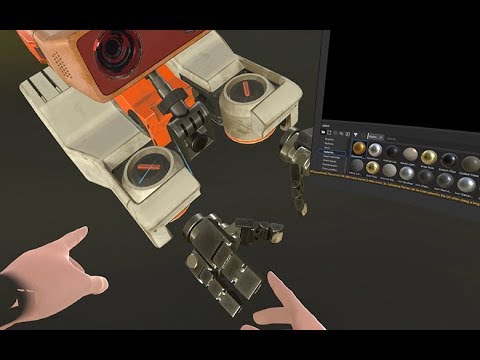
Dash’s virtual desktop brings the power of your PC into VR. And today, we’re announcing a new, experimental technology to help developers bring their traditi...
hollow radish
Your going to need a lot of ram and a very specific workflow. I'd rather just my tablet and git good fast. It's like an fps game with vr vs pc
untold schooner
i mean the advantage of being in vr is seeing in 3d rather than on a screen
hollow radish
yeah, but I spend an entire day texturing my models
slender holly
texturing is fun
glad steeple
Thats typically the only way to make 3d models
tepid wagon
Yes, it is fine. Using all quads is recommended because you can use subdivision modifier on them and add edge loops easly. If you won't be using subdivide triangles should look alright in most cases. If surfaces are flat you can even use ngons and they shouldn't mess up shading however curvy surfaces may look not right if filled with triangles instead of quads
idle niche
I’d look up topology reference and what poles are
That will help you avoid tris
But kohi said, a little is fine
hollow radish
it depends, but topology needs to be good where you bend at and subdivision can be affected greatly by tris
this is for characters
tranquil wasp
huh, just connected the hands to the main body and it does this in solid view, any clue how to get rid of that? It gets even stranger in texture view (see next message)
The light source is at the front, but on the body the back is glowing, except for the newly added hands
runic nymph
in edit mode, select these verts and press ctrl n
or just select the entire model, probably
tranquil wasp
omg, thanks, that worked perfectly!
tranquil wasp
still thanks!
potent pond
Annd finally ~ here it's! My 3D Komi
https://www.artstation.com/artwork/YaVoB3
 glad steeple
2gud
quaint jasper
It's fantastic !
slender holly
lovely!
potent pond
i love this person notes on modeling 👁
https://twitter.com/Nekohouse_Ryu/status/1168299211986595841

限られたスペースでちゃんと説明するのは難しくて、分かりにくい文書になってしまっていますが、顔作りのヒントになれば嬉しいです😆
目の部分は輪郭以上に簡単には書けないので、なんとか書ける...
Retweets
107
Likes
284
 Twitter
very interesting information
idle niche
Indeed, I'll have to save this myself!
potent pond
and also all that Twitter
is filled with amazing stuff
i enver relized
or at least i have in mind but seems like this person do the same, i'm pretty new in this character model building so for me it¿s super nice to have this kind of info around
So if i see more of this stuff i gonna share
i use this website sometimes too maybe it can be useful for some people
Discover transparent background images and illustrations. Best quality, free unlimited download.
it's like a HUGE PNG database of pics with Alpha on it
and it's free
lol
Talking about sculpting of avatars and that twitter
reminds me of a book i bought not so long ago that's is, imo, the best for sculpting and understanding the muscles
Anatomy For Sculptors
idle niche
Ah yes, the famous book
I've been trying to stay away from sculpting for now
I'm trying to stay away form the stylized realism
not for me
It's useful for normal stylized stuff as well, just not as necessary
 mossy furnace
hello, i have a blender question. why does this happen after texture atlassing? original on left, atlassed on right
stable edge
Same material/UV names?
 haughty needle
Working on recreating cartoon character, modeling is mostly done except for some small details, can anyone identify him? 🙂
median pike
looks a bit like some of those lego orcs lol@haughty needle
but it looks awesome no matter what it is
haughty needle
@median pike There are lego orcs these days? huh 😛
median pike
@haughty needle dunno lol. I am talking about the older legos
taking about these boys
potent pond
Calling Goblins slayer
haughty needle
@median pike That looks like new legos to me, the legos i grew up with just had regular minifigs, the skeleton, the parrot, the shark and the peg leg were new inventions 😛
median pike
legos have gotten more complex over time
its even worse now
I do miss the old legos. Luckily my grandma gave me my dads collectiong a few years back and that stuff is super old
haughty needle
Oh i know, there are mega bloks and stuff that have pushed the innovation, there seem to be specialized parts in almost every kit
median pike
which kinda defeats the purpose imo
haughty needle
yeah
i did buy one of those mega bloks kits recently tho, the TMNT classic Krang one
median pike
I dont even know what mega bloks are lol
haughty needle
but before that one i cant remember the last time i bought a lego think probably almost a decade ago
they knock of legos that are compatible with them
median pike
oh
yeah well normal legos also have super specific parts used only once per build nowadays too
this is quite off topic though lol
haughty needle
hehe, sure
haughty needle
The model is pretty much done so unless everyone here had a crappy childhood there has to be someone that recognizes this guy 😛
potent pond
Naisu!
median pike
I had a crappy childhood it seems
dull canyon
me too apparently
 grim forum
Here was me thinking it was the captain from treasure planet
haughty needle
Ive been thinking of doing John Silver actually, Treasure Planet is my favorite disney movie.
untold schooner
i thought it was also the captain for a minute
haughty needle
Its Konk from The Pirates of Dark Water, the series ran in the early nineties.
I wish they would reboot or at least finish it.
 fallen snow
in blender 2.80 is there an easy way to clear out unused material slots from a mesh?
glad steeple
@fallen snow Like this ?
glad steeple
object mode
fallen snow
is that a plugin?
glad steeple
Uh
It might be, actually..
I only have TexTools installed
it might be from that
 fossil inlet

 stable edge
That looks amazing!
slender holly
alright yall weird question
but what kind of music do yall like to listen to while modeling
i jam out to classical all the time
idle niche
Lo-Fi Hip-hop or Synthwave
quaint jasper
ABZU/Gris/Arrival soundtracks
slender holly
aw ruubick
I dig you, man.
@idle niche lofi is the shiiiit
puts me to sleep though sometimes, i need upbeat music to keep me going
haughty needle
been alternating between retrowave, prog-, kraut- and stoner rock
idle niche
Fair enough, same could be said about classical also :)
dull canyon
I usually have a stream open on the other monitor and just listen in on that
or my usual jpop playlist
grim forum
Critical role or my grand playlist of everything for me
glad steeple
Lofi / rap / mid tempo, basically everything i listen to when not modelling
 gaunt abyss
Oldschool punk, 80s & 90s industrial. That's basically my "all the time" soundtrack though
slender holly
i feel that.
fallen snow
in blender 2.80, alt-b (clipping region) doesn't seem to actually limit the rendered view in look dev mode, is there a way to get textured rendering while still clipping the rendered geometry?
 old field
I have a mesh thats all connected verts with a outer and inner layer and selecting connected would get all of them can i select just the ouside of mesh or the inside?
Think of it like a box in a box with the inner corners connected with the outer
Only a lot more faces and verts

Also if anyone knows how to reset all settings without going new scene that would be great
 tepid egret
so i just downloaded blender 2.8 and all my materials look different than what they did in 2.79 i know materials are different in 2.8 but i want them to look like they did in 2.79
tepid egret
na i figured it out it was the color space was set to sRGB and when set to linear it looks the same as before
quaint jasper
is that the same thing as viewport shading ?
tepid egret
idk i did not mess with that at all but mine looks like this
quaint jasper
yeah flat is bad
tepid egret
but ya it looks like it did before now
like color wise
idk i only been using blender 2.8 for like 20 mins now i just upgraded from using 2.79 like forever
had to re assign all the materials for the new nodes thing
idle niche
Sometimes the textures don't look right for some reason because the default is SRGB. 2.79 sometimes had this issue, not sure why it only looked off sometimes. I always make sure I'm using Linear ACES for my colorspace and it works nice.
 obsidian cliff
How would you start to learn how to make a custom avatar
fallen snow
what would cause this error when exporting an FBX? Using blender 2.80 from steam and CATS plugin for the export:
FBX export fetch meshes (3)...
Error: Array length mismatch (expected 0, got 8760)
Traceback (most recent call last):
  File "C:\Program Files (x86)\Steam\steamapps\common\Blender\2.80\scripts\addons\io_scene_fbx\__init__.py", line 552, in execute
    return export_fbx_bin.save(self, context, **keywords)
  File "C:\Program Files (x86)\Steam\steamapps\common\Blender\2.80\scripts\addons\io_scene_fbx\export_fbx_bin.py", line 3118, in save
    ret = save_single(operator, context.scene, depsgraph, filepath, **kwargs_mod)
  File "C:\Program Files (x86)\Steam\steamapps\common\Blender\2.80\scripts\addons\io_scene_fbx\export_fbx_bin.py", line 3015, in save_single
    fbx_objects_elements(root, scene_data)
  File "C:\Program Files (x86)\Steam\steamapps\common\Blender\2.80\scripts\addons\io_scene_fbx\export_fbx_bin.py", line 2816, in fbx_objects_elements
    fbx_data_mesh_elements(objects, me_obj, scene_data, done_meshes)
  File "C:\Program Files (x86)\Steam\steamapps\common\Blender\2.80\scripts\addons\io_scene_fbx\export_fbx_bin.py", line 1112, in fbx_data_mesh_elements
    uvlayer.data.foreach_get("uv", t_luv)
RuntimeError: internal error setting the array
answer: having any non-visible meshes apparently
quaint jasper
is there any difference with exporting through blender itself ?
also @foggy maple ^
foggy maple
Cats simply uses the optimal export settings
 barren quiver
I think Cats is broken when it comes to supporting Collections
foggy maple
@barren quiver Cats can handle Collections pretty well, as long as the armature and its meshes are in the same one. The error above is a Blender error, not a Cats error. Cats doesn't modify the fbx exporter at all (in 2.80 at least), it just starts the exporter with a few settings changed.
barren quiver
Hmmmm, I'll see if I can make an example file
 inland matrix
Ahhhhh...dobe.
stable edge
Classic adoube
tepid wagon
Too bad there is no perpetual license for Substance Alchemist available, means it won't be available ever
 wheat delta
Now I wonder if Substance is going to get included in my existing subscription of Adobe
inland matrix
Interesting that it will still be available via steam. Wonder if they are contractually locked in. Bought painter the moment i heard adobe bought the company
glad steeple
I think steam has some stuff about not being able to switch up your subscription program once its set in stone.
tepid wagon
That is great, I will then own my Substance Painter and Designer forever without worrying they will self destruct after a few months
inland matrix
I mean id riot if it got taken off my library. I took the messages wording to mean youd still be able to get licenses from steam past the due date
Perhaps they just freeze the steam version past that point
 olive orbit
Hi, I hope I've come to the right place. I'm new to vrchat and have installed blender 2.8 in the hopes of sculpting my own avatar. I have never done anything like this before but would very much like to get into it. I have two avatars planned, as soon as a friend of mine is done with the sketches I'll begin working on them. I've got several tutorials bookmarked so I can follow along and learn, but I'm hoping I can also come here for tips and advice through the process. I'd really appreciate the help in making this happen and look forward to hearing from all of you.
glad steeple
first tip is you probably wont be sculpting them, modelling is the correct term - sculpting is a form of modelling which is relatively advanced if you want to get into making game assets
azure rain
yeah box modeling might be a better way to go at the moment if you're just starting making avatars and stuff

Patreon
Official Post from Minions Art: Videos3 videos on the full character creation process (Concept, Model, Texture)Character Creation Process VideosModelling video of a sword from concept in Maya LTFantasy Sword Speed Model (YouTube Link) Modelling video of a shield from concept...
here's a huge pile of little tutorials that are helpful for box modeling
glad steeple
should be pinned tbh
azure rain
yes it really should be
quaint jasper
well, it's fast speed maya modeling, i don't think it applies to people starting out much
azure rain
yes but it's helpful to have some idea of how you turn a box into a low poly character
okay would be better if it was in blender but technique is still technique regardless of what software use
quaint jasper
it doesn't show any keys, doesn't explain anything either :/