#3d-modeling
1 messages · Page 60 of 1
 dull canyon
 subtle jackal
Materials are basically just a combination of a Shader (including programmed shader effects) and maps.
maps being textures
 small cloud
don't go too out with textures, high resolution+having more slots taken can be very heavy on performance
subtle jackal
Shaders basically determine how a surface is lit, whether it does anything fancy (like pulsate or rotate or shift color or something), the maps describe the surface for the shader to complete the material.
dull canyon
okay... this is all kinda hard to grasp without actually seeing it in action I guess
dull canyon
guess I should've just started with something super simple and quick just to go through the whole workflow once
 thorny fractal
I never use height maps on characters they just look weird in general. I've use them in eyes to get that concave area without doing it in the toplogy but that's about it.
You can also have detail maps which can be pretty cool. But I'm talking about unity as a whole not specifically vr or vrchat so idk how they would look in that.
Amient occlusion is a big one too. and to cut down on draw calls and memory for loading textures you might have one texture with different maps in the channels. Do you might have like, metallic in R, rougness in G and ambient occlusion in B for some examples
But that would require a custom shader
And starting with characters in general if your new to the 3d worflow probably isn't the greatest idea since characters tend to be the most complex things you can make. it might be easier to mess with different props and stuff glto get accustomed to the workflow
dull canyon
well, I wanna do avatars tho 😛 and I tend to get discouraged/bored if I have to do something that I'm not really interested in just to learn
maybe I'll just try to do a super simple small chibi character just for that
 stable edge
^^
Do something with a simple face (mouth seperate from face) because if it's you're first time topo ain't gonna be easy
dull canyon
mhm
 main hinge
Ive got a bunch of objects (feathers) connected to a wing arm but i cannot animate it because they arent welded together. is there a way in BLENDER that can weld things all realitivy easy just by where they overlap? Kind of like zbrush's dynamesh feature that can just meld things together that are touching. Im stumped and dont want to manually weld tons of feathers
 strong thistle
you could just add some bones for the feathers weight paint them and use Dynamic Bone in unity
main hinge
should I make bones for each feather?
 ripe lotus
You could, but if they aren't to spread out from each other you should optimize it and use only one string of bones
 onyx juniper
@main hinge The function you want is in edit mode with everything you want welded selected, then press W -> Remove Doubles
Damn I'm late, he might have already welded each one at a time
main hinge
Ill try that out thanks
 thin bison
Sculpting is pretty fun
dull canyon
@spiral sigil do you mind explaining/showing how you did the clothes for your model?
stable edge
Pretty sure there's a paid program for materials but I can't say that they used it
Materials as in clothing, sorry
But if it's all blender
Some people just get the body mesh and scale it up a bit
Then tweak a bit
dull canyon
mh, I'd like to know how exactly that's done
subtle jackal
I'm pretty good with clothes, what specifically do you wanna know?
 jolly tapir
Hey, I've just got a couple of questions about running Blender and Unity on low spec machines. Anyone have some thoughts or knowledge about it?
subtle jackal
Blender should run OK on low spec, not sure about Unity.
Of course that depends on how low low is
and what you're trying to do
jolly tapir
I've got a proper functioning gaming setup, with great specs. I don't think it'll have any problem with the tasks I throw at it. But I'm also wondering if I can use my low-spec laptop to do most of the tinkering and non-rendering stuff.
I'm looking to edit pre-made avatars, and create some simple assets for it.
Also tinker around a bit with animations, and textures.
subtle jackal
well most of Unity revolves around the viewport which is shaded usually so you can see the results, so a low spec laptop probably won't like that. With blender the viewport renderer is pretty simplified so provided your laptop is pretty recent it should handle things like modeling ok. You probably won't be doing much texture painting or anything since the reprojection can be pretty slow.
https://www.blender.org/download/requirements/ Blender is pretty forgiving

Home of the Blender project - Free and Open 3D Creation Software
It might not like complex/high-res models though, so be careful what you open
jolly tapir
I assumed most of the recommended specs were the ones for heavy tasks. Thank you very much, I guess It's worth giving it a shot.
subtle jackal
well they are, but it's all a wide gamut. Crunching lots of vertex/face data is still taxing on weak CPUs/GPUs
Rendering is more an issue of RAM
you can do heavy rendering on a weak CPU, even, provided you have the memory. It'll just take forever
jolly tapir
What about the simple changing out emotes, idle animations, changing texture colors, and stuff on Unity. Just things that I'd want to tweak and upload a couple of times.
How much of a pain would it be to do it on busted old laptop specs.
stable edge
Shouldn't be too bad
Something low end should be ok
As long as you don't have too much content loaded in at once
Try it, and see how it goes for what you need
But I think it should be fine
subtle jackal
Yeah basically that
hard to tell as a simple model will probably be ok but a complex one will likely give you grief
dull canyon
@subtle jackal well I'm just curious what kind of approaches there are to do clothes in just Blender really
I'm very slowly getting to the point where my avatar will need some clothes so
subtle jackal
Well, generally what I do is build the clothes around the avatar base, with edge flow specifically for the clothes. You can do it sort of like a retopo and then grow parts out. The rest is like any other model really. You can use that as a base to sculpt a high-res or whatnot, then create a low poly and UV map and bake stuff etc. Then when you're ready to combine everything you just make a copy of your avatar base, attach the clothes, delete anything that wouldn't show under them and boom
dull canyon
mkay, sounds not too bad
do you generally make clothes that are just 1 plane thick or should you give them some actual thickness?
iirc for the first one you'd need a shader that shows both sides of a plane if you have like loose parts like the arms or a skirt?
subtle jackal
For clothes I tend to just extrude faces in at the collar, wrists, and elsewhere. For skirts yeah you can give them some actual thickness if they're short enough. Long dresses and such you can pretty much just leave 'em
https://skfb.ly/6KGFD https://skfb.ly/6KGFH couple of examples
 spiral sigil
@dull canyon First I start with a basic body mesh
And then build the clothes on top of it, trying to keep in mind the form
dull canyon
so you're just modeling them on top, like, you extrude the vertices and push them into shape?
spiral sigil
Model them on top yeah, sometimes I might make an edge to give it depth if it's a part that sticks out.
dull canyon
mkay, thanks
dull canyon
https://i.imgur.com/NjyvoZA.jpg oof... it's sad when all I can get myself to do is like one part per day

 nova nebula
many parts equal a whole.
 spiral crown

 zenith relic
i really need to do a body mesh for my white tiger
because i dont have i cant change the clothes of the avatar 😄
since she doesnt have a body behind the clothes.
 mint ginkgo
anybody good in topology?
 quiet furnace
I'm trying to apply a new UV texture to an object but whenever I use Cats to Fix the model, the object goes to a full black texture. Does anyone know why?
Okay I think I go it. There was a UV1 and a UVMap selection box in my UV editor window
 bronze jasper
 gentle forum
how on earth do people apply shading when the hips and leg UV's are separated, without dealing with this color difference
 grizzled bronze
hmmmm
subtle jackal
Painting directly on the model helps
gentle forum
Hmm..
how would I go about doing that so that it doesn't just replace everything underneath
subtle jackal
You'd have to get a program that lets you paint on the model and also supports layers, probably. I just painted mine as all one layer in Blender.
thorny fractal
you can do a kinda hack method in blender where you have multiple image textures in blender that are added on top of each other in the shader and instead of slecting layers you just select the different image texture in the shader
then when your done you can add them all together in an image editing software
subtle jackal
I think there's a blender addon that lets you work in layers as well

 fringe rock
that cheap
thorny fractal
i wouldnt call $40 cheep
fringe rock
stop trying to be broke then
thorny fractal
most people dont have money to burn on a $40 addon especially if they may not even take full advantage of it
 hallow bough
🤔 Why don't poor people stop being poor analogy there. Yikes.
fringe rock
you need the good tool most addon are cheap. 2 digits is nothing. if some spending stop you in your learning/creative process that just up to you
 celest dust
how can i make my bones transparent so i can see the mesh then having solid cones
dull canyon
don't all Blender addons have to be under the same license as Blender?
so how can they have a paid only version
celest dust
ty
subtle jackal
Blender addons don't have to be under the same license as Blender, but in this particular case the bpainter addon is GPL licensed, so it's perfectly legal to source it from somewhere that isn't the Blender Market for free. They just don't have it on their public github repository openly like some other addon creators do. If you e.g. know someone with a copy however you can get it from them and aren't breaking any laws or license terms.
 latent charm
There's details on it here
https://www.blender.org/support/faq/
Basically, most addons will fall under the GPL linking rule because they tend to use blender api calls. There's legitimate ways to bypass this if need be.
Home of the Blender project - Free and Open 3D Creation Software
dull canyon
okay
spiral sigil
https://cdn.discordapp.com/attachments/478941902276788224/581590683534491657/unknown.png does anybody know why my mesh looks like this?
 subtle jackal
looks like your UVs got trashed, maybe. Or some other vertex data maybe
spiral sigil
it looks like the mesh is mapped to the the texture fine, but it does have 2 different UVmaps, not sure if that matters or not. not very experienced with that stuff
subtle jackal
well what happens sometimes is the vertex order gets jumbled, so the UVs will look ok but the islands aren't actually contiguous. What if you try selecting one in island mode?
spiral sigil
what is island mode?
subtle jackal
The UV selection mode where you select a whole UV island at a time?
spiral sigil
how do i do that?
subtle jackal
This button in the lower toolbar
spiral sigil
i clicked the button but nothing changed
subtle jackal
well what you do is click the button and then try selecting an island. If it selects the whole island like in my screenshot it should be ok. If it only selects one face of the island then something is broken with the mesh.
subtle jackal
no that's basically what you should expect. The "island" is that whole shell there. Basically island selection selects those individual parts.
If it was broken it would only select one face in that island, which would indicate that your vertex order got screwed up, meaning each individual face on the mesh was mapped to the wrong part of the texture.
I don't know how to explain it more simply so sorry if that sounds confusing lol
I'm thinking it might be an issue with vertex normal data in this case perhaps. One sec let me take another screenshot
latent charm
Try clearing any custom split normal data
subtle jackal
In this panel here on your mesh, is there a button that says something like "Clear custom normals data."?
yeah Gallium beat me to it lol
Keep in mind that this could break any normal maps your model came with however, but it'll still probably not be as bad as how it looks now XD
spiral sigil
subtle jackal
Yep, click that "Clear custom split normals data" and see if that fixes it
spiral sigil
yeah i think so, thanks
subtle jackal
Np, just make sure to set it to smooth, activate auto-smooth and mark any sharp edges you need.
spiral sigil
how would i activate auto-smooth?
fringe rock
on the left
subtle jackal
fringe rock
or a modifier
subtle jackal
You can just use the angle modifier but for best results I tend to keep it at 180 and mark them myself
takes longer, but gives you more control
and your models shouldn't be that high-poly anyway so it's really not so bad
fringe rock
my angle is gray .why you think ?
subtle jackal
Did you check Auto Smooth?
fringe rock
yes
subtle jackal
Hmm
strange you should be able to set the angle if so
unless you also have custom split normals data?
fringe rock
its the model i guess
subtle jackal
If the model has split normals data embedded I think it always uses that
fringe rock
clinking clear custom split make it available
subtle jackal
Yep that would be why then
spiral sigil
this is the best it gets from increasing the angle, do i target the rest of the rough areas myself now?
subtle jackal
No you will want to click smooth shading on as well for the whole mesh, one sec
you only see that button in object mode, also (tab)
then in edit mode you can highlight edges and ctrl+e and click "Mark Sharp" to tell it to make those specific edges sharp regardless of the angle setting under Auto Smooth
spiral sigil
when i turn off auto smooth its all smoothed, should i just leave it off?
subtle jackal
No, that's what the angle setting and marking sharp edges is for
spiral sigil
also clicking the smooth button under shading doesnt change anything for me
fringe rock
spiral sigil
ah i think its because it already had some marked sharp so i cleared sharp instead
subtle jackal
If some were already sharpened you probably want to keep them
The angle setting will automatically sharpen edges whose angle between adjacent faces is above the set angle, with 180 degrees being no sharpening, basically. It can get you most of the way there but sometimes can sharpen things you don't want sharpened (e.g. if you have your normal map handling it). So it's best to set it somewhat higher (less sharpening) and mark things yourself, or just set it to 180 and do all custom sharpening. Depends on how much work you're willing to put in, overall.
Ideally since you didn't create the mesh yourself, you'd want to keep things as they were, but one of the operations you did must have re-set the vertex order, which broke your split normals data. So for the best result you probably want to try to mimic the original splits as closely as possible (this way whatever normal map the model came with still looks right). Or if it didn't come with a normal map, just split it however looks nicest and matches the surface best.
nova nebula


 nova nebula
 waxen oracle
what is that?
nova nebula
me
waxen oracle
mmhh
nova nebula
nova nebula
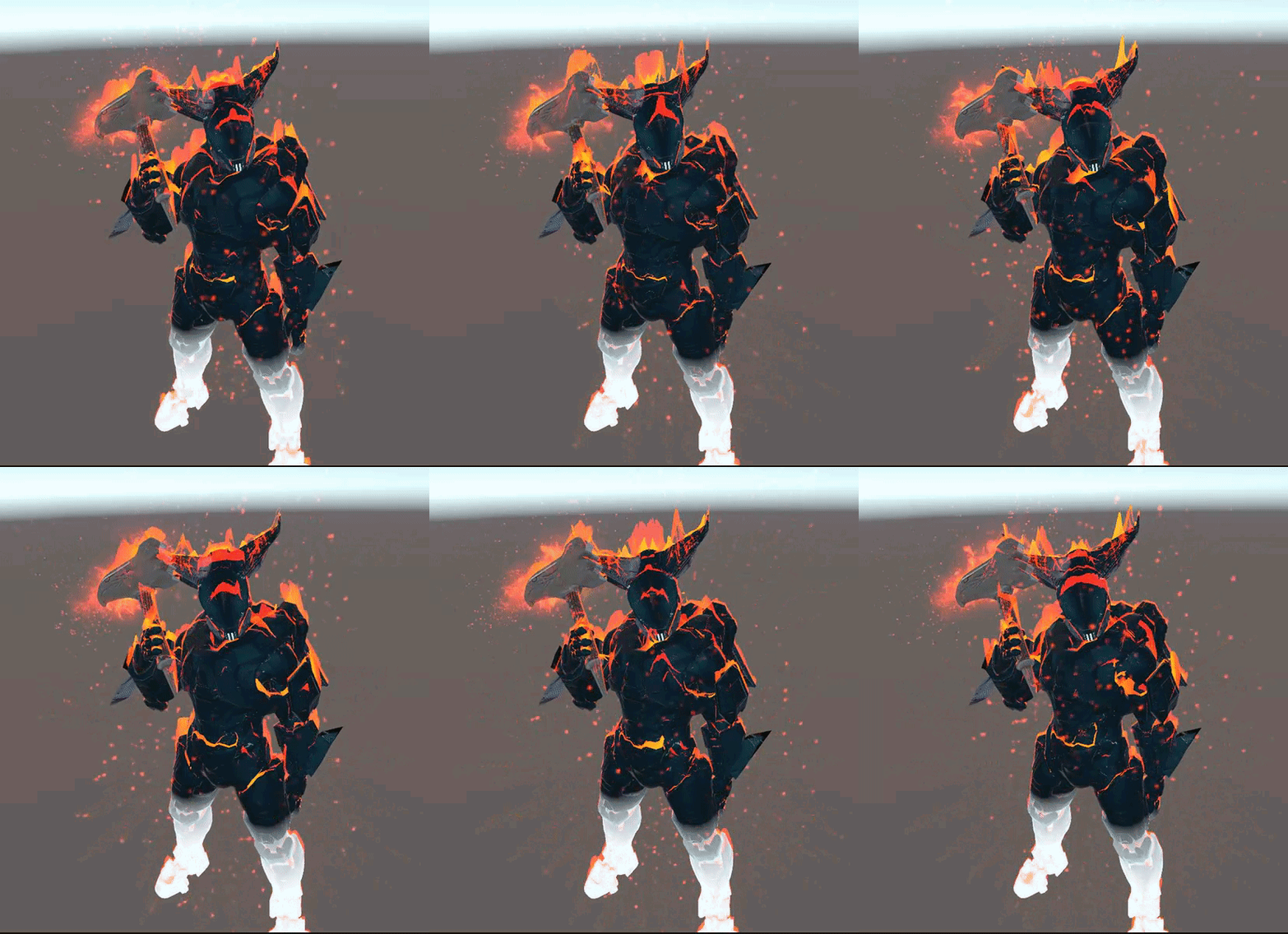
 cerulean shoal
realistic my hero academia avatars? yes no?
 fossil inlet
@cerulean shoal go for it dude
Not many realistic characters modeled for VRC, and the ones people rip from games don’t have proper materials/shader’s set up
If you can pull it off more power to you
 oak nova
Anyone got a flag prefab? Best if its with jigglybones or animated.
waxen oracle
You gonna have to do that yourself
onyx juniper
@cerulean shoal Rome's post made me realise I want this too. Go for it dude
cerulean shoal
help me decide
dull canyon
urarararaka
strong thistle
@oak nova use a shader
cerulean shoal
uraraka translates to dabi wow thanks for heping me szena
you mean uv?
then watch tutorials
you could have just ued a texture for the face
fine, then dont get help costume
 dire zenith
Hey does anyone wanna call and chill and kinda help me learn how to do stuff in blender and unity? im very new
cerulean shoal
i suggest youtube blender tutorials, and vrchat unity how to create an avatar
dire zenith
https://cdn.discordapp.com/attachments/286517851529936896/581961296442818665/OWHIgUdjXb.gif
this my first thingy
 dire zenith
this is my first thing i’ve ever like... done in unity/blender/vrchat so i’m just... happy i got it to work
now what would be the best way to add the shooting animation (the more you shoot the more red particals flare out of the fun)
gun*
 small valve
as in like
an accelerating animation
or just a "shoot as fast as you fire" animation
for the latter its just a matter of your standard "bind the shooting animation to ur fist or something" shtick
for the former, however... its particle fuckery
which isnt really harder, just more annoying because particles are weird to wrestle with
dire zenith
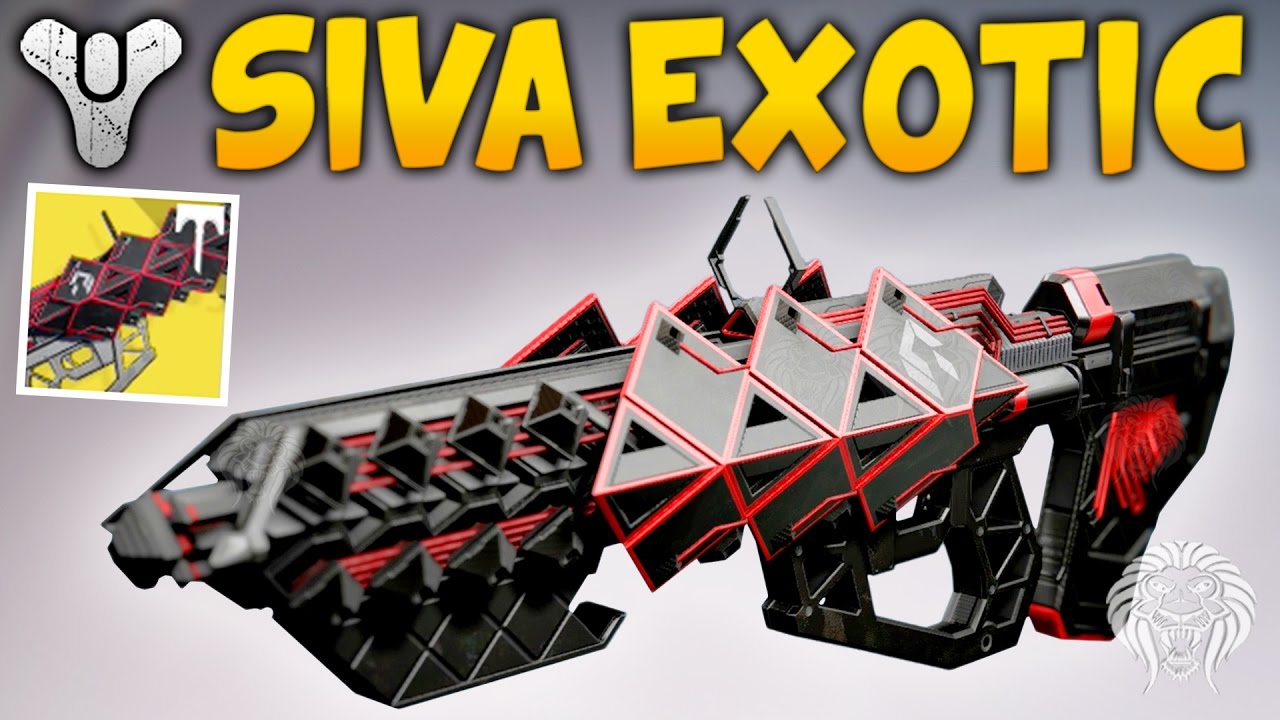
Destiny - Outbreak Prime Review & Gameplay - Exotic Raid Siva Pulse Rifle ► DESTINY - RISE OF IRON STRIKE GAMEPLAY --► http://full.sc/2cSAb0I ► DESTINY - RIS...
when he starts shooting the more he shoots the more particles come out of it
so i need to add shooting, and then figure out how to tie that to particles
if that makes any since
waits
small valve
yeah straightforward enough
uhm
lemme just open up unity and destroy my PC for a sec
dire zenith
can we dm?
small valve
sure
waxen oracle
Unity destroys your pc?
small valve
yes.
 slow zealot
go to the rig configuration and enforce t-pose then save a scene before hitting done
load that save and the model should be in t-pose
cerulean shoal
will see suggestions in morning
spiral sigil
i went to add a torus mesh (ring) but how can i make the ring look thinner?
small cloud
alt+s
spiral sigil
i mean i want to keep the same size but make the diameter of the circle that makes the ring smaller so to speak. making the ring thinner but keeping its size the same

 spiral sigil
ah thanks
 mighty adder
also if it's in blender, after doing any operation you can usually see some options to edit the last operation in the bottom left of the 3d viewport, in the left side toolbar (press t when in 3d viewport to toggle it if it's hidden). So after making a torus you could edit the options on there, like how many segments in any direction as well as inner and outer scale etc
for blender 2.79 and below at least
it's particularly useful when doing beveling
spiral sigil
if i have a plane is there a way to cut out a circle in the middle of it?
spiral sigil
Alright so I got an Idea on how to resolve the Runescape Models with many Material Isse .. -- I will recreate the UVS or.. I find the original Textures (I have them but idk how to put them on)
Or if it is possible (might not be UV'D) Now if it isn't and the textures exist.. then I have to fix the textures to fit.
spiral sigil
Im curious why nobody goes to rip this ..
onyx juniper
Free ZTL Model Donated by Nick Zuccarello
When I interviewed NickZ back in June he mentioned that he was working on a full-figure follow up to the human head model that he offers through Gnomonology. I've been privately keeping an eye out ever since, waiting to...
dull canyon
so, after sculpting the high res character with clothes and everything, what exactly would be the next step for an avatar?
 zinc furnace
Retopologizing
dull canyon
and after that?
zinc furnace
You'll probably have to start rigging and texturing after that
dull canyon
so UV unwrapping and then texturing?
zinc furnace
Yeah pretty much. Unfortunately I don't know much about texturing from scratch
dull canyon
ok, thanks
mighty adder
if you have money to blow, substance painter is really nice for texturing
it's like $150 USD tho
dull canyon
once?
onyx juniper
There are subscription plans, but you can buy it once for 150
Although I think updates are only covered for 3 years
cerulean shoal
there is a student version of substance painter
dull canyon
well I'm not a student anymore
I don't see an option to just buy it
nevermind
found it
of course they hide the perpetual license under a small button
and it's only 12 months of updates
 sharp oriole
I'd recommend rigging before any texturing. You might find you have to make adjustments to the model while rigging. If you texture first then the texture would end up sightly warped
dull canyon
ok
 warm mauve
Hey, I'm having trouble importing a model from blender into unity. When I export the FBX, unity reads the mesh as having 0 vertices and 0 faces, so the entire thing won't render at all. It works when I import it back into blender, but unity doesn't like it. Any ideas on how to fix this? I'm using the recommended import settings given by CAT's plugin. @ me if you have any ideas.
warm mauve
Found the issue, shapekeys were boned so unity didn't like it.
onyx juniper
Someone give me tips for modeling and rigging elbows
fossil inlet
Could use higher density in the butt. You’ve got a whole 4 polys defining its shape from the side when you have a lot of polys defining areas that are less pronounced. The butt is also going to deform quite a bit when you rig your legs, so you want enough polys to hold that deformation
Good edge flow otherwise
subtle jackal
I was using it as a demonstration for the elbows, but ok.
thorny fractal
substance painter has a free student edition. and i wouldnt recommend it unless your doing pbr texturing. its brush engine is abysmal so if you think your actually going to do like cool stylized hand painting in it i would look elsewhere. also idk if you actually need to be a student. because you dont with the autodesk software. it basicly means you just cant use it for commercial stuff
 visual vigil
 dull canyon
all the butt polygons
 torpid hornet
I need help 3D modeling something (Im bad at both 3D modeling and art)
Yes, it was made it paint.net
I need help.#
dull canyon
you might wanna specify what you need help with, otherwise nobody can figure out how to help you
onyx juniper
@subtle jackal I've already seen both of those references
They don't tell me how to keep the elbow bones jutting out instead of curving like a noodle when the arm is bent
 onyx crane
Hi there, I was wondering if anyone might be able to advise me on a problem I'm having in Blender. Normally when I move/rotate/scale mesh it changes the surrounding mesh in sort of a "taffy pulling" effect (shown in Pic 1). But on the model I'm currently working with, moving/rotating/scaling results in the edge, vertex, or face "flaking off" (see Pic 2). I would like to be able to transform the second model's mesh the same way I usually can. I don't think it's anything to do with my Blender settings because this happens even when the model itself is imported into a default workspace. Does anyone know what might be going on here and how I could fix it? Thank you.
subtle jackal
@onyx juniper that'll come down to how you rig and weight paint things, basically (though how you structure your edge loops can make a difference too). Placing your joint closer to the elbow itself shifts the pivot the vertices rotate around when deforming, and can help, but this can cause some ugly pinching over too much of the arm, so you'll want to mitigate that by either structuring your edge loops so they pinch less, or moving the pivot closer to the center of the volume and just weighting things more cleverly so that you get your elbow to look how you want. It'll be helpful to just sort of experiment at first until you can better visualize how your joint position will affect the movement of things.
Remember also that you can paint on a deformed skeleton so it can help to bend your arm and then play around with the weights to help get the look you want as well.
onyx juniper
I knew all this too. I guess I was expecting One Weird Trick That The Industry Doesn't Want You to Know!
subtle jackal
I dunno how long you've been doing 3D, but in about a decade one of the main things I've learned is: That's basially never the case. lol
anyway generally the advice is to bias your joint a bit towards the elbow and handle the rest with a good weight-paint job. To get the look of an elbow sticking out you'll basically just want to sort of keep the center of the "bone" weighted towards the upper arm and sort of blend things out around it.
There are probably other tricks you COULD use in more complex rigging setups with like... blend shapes and drivers, but I don't think you can use any of those in VRChat
small cloud
@onyx crane remove doubles
onyx crane
@small cloud Thank you so much!!!! Fixed it instantly.
zenith relic
making a new thing..not 100% exatly the same (because it takes hell lot of time)
but its close enough
zenith relic
 quartz phoenix
damn thats looking good @zenith relic
spiral sigil
@subtle jackal thanks for breakdowns, saved! ❤
 little bramble
spiral sigil
little bramble
spiral sigil
Ye; I want to make this once i finish my Knuckles Series. I have 50 Knuckles to make before I can go into the Kermit Series; then I can make this thing.
I like this one too.
 pure mortar
hello
 spiral sigil
Could someone help me with making a curved tv screen. Last time I made it it was cut in half
spiral sigil
This is what I mean idk how to use unity that much yet.. I attached the screen material to the mesh, but idk what else to do to make it work and I don't wanna mess up
I know it starts with the vrc video sync.. Idk u-u I bet I could figure it out if I tried hard enough but I'd rather just know the right way
 sharp sky
what happened?
zenith relic
looks awesome.
no wonder why my stuff looks bad..
details are the magik in making 3d stuff
small details are the key to make something cool.
visual vigil
https://twitter.com/HexeArtz/status/1133457582029459456 multiple images in link

#VRChat #Halo #SubstancePainter #blender3d #Mecha #OverwatchFanart
"All systems operational. https://t.co/BW98s1QzJ9, ready for combat."
Yes, this is Dva in her own personalized YGGDRASIL Mark I Prototype Spartan Armor, why?
This right here- https://t.co/8cNFT8VPMx

 Twitter
zenith relic
Twitter
zenith relic
got stuck here...
il try tomorow...maybe.. today i havent succeded doing that at all 😦
visual vigil
looks good so far
 spring harbor
Looks great @zenith relic , keep it up (:
spiral sigil
Heyo, any recommendations for creating models for the quest? As in what programs and how to keep poly count down?
spiral sigil
I think this Throne Chair is missing a Bell
It just missing a Bell to complete it ;/
waxen oracle
spiral sigil
gonna make this chair an Avatar
fossil inlet
Finished underwear/accessories, still need to do hair cards and a couple of other things and then I can finally rig this character
 halcyon frost
thats really talented
dull canyon
eww the t word
halcyon frost
.>
spiral sigil
i imported a mesh into a blender project and want to copy paste it into another one but the scale is so small it does not show up in the other project no matter how much i scale it up. does anyone know a fix for this?
never mind i think i figured it out
zenith relic
zenith relic
spiral sigil
not really related to modeling but dont know any other channel to put this question in. Does anybody use substance painter to make textures?
 bitter leaf
past three days of modeling https://i.gyazo.com/f7c1dc73b1eef438b1d35285379dddc0.mp4 getting there protip for new modelers: use checker textures when your working on your UVs it helps you tons to line it up.
 daring karma
@spiral sigil I do! I haven't done any stylistic hand-drawn stuff in it though if that's what your question is relating to

 visual vigil
interesting shader
fossil inlet
Modeled a phone & cat charm today; need to model the chain next and then I can do the hair for this character finally
zenith relic
@bitter leaf nice buddy...sooner or later i gotta start doing too these kind of designs
spiral sigil
Question so im trying to model naofumis shield for practice at using blender and was wondering what i would do for the black lines and simicircle near the center is it a textureing thing or something else
subtle jackal
If they're just colors on the shield then it's a texture thing. If they describe surface changes then you'd want to model them in
fringe rock
Since hard edge make it with plane
I did not see the show but of what i saw its a crease
spiral sigil
ye
fringe rock
Thats an easy model to do. You shouldnt have problem
spiral sigil
allrighty thanks for the quick answer
fringe rock
Since its symmetrical . Use the mirror modifier. So you dont have to model it on each side.
subtle jackal
Disclaimer: This is a very rough example, don't try to follow it precisely. That said, you will likely have an easier time if you give each part a sort of inter-connected surface like this. So the beveled outside has its own faces, and the inner panels also have their own faces, etc. Instead of trying to model the large shape itself and then add things to it.
otherwise the creases between the panels will probably be difficult to inset
fringe rock
depend how round he want the center to be
 lament pond
 hushed tiger
any idea where i can find a model of a tongue?
fringe rock
On human
onyx juniper
@lament pond Those thighs look very feminine to me
zinc furnace
I have the chest part of an outfit that's made for female bodies (has breasts etc). What's the easiest way to flatten it down and get rid of the breasts?
fringe rock
Separate the tongue from an human
 void narwhal
@zinc furnace smooth sculpting tool should work for simple geometry
flatten tool aswell
onyx juniper
The breast reduction tool
 latent charm
@zinc furnace If there's detailed geometry on the areas that need flattening, make a second mesh that matches its original shape (shrinkwrap is good for this) then add a surface deform modifier to the clothes mesh, with the target mesh being the new one you just made. Then edit the new mesh how you want, it'll pull the clothes mesh with it. When you're done apply the modifier.
zinc furnace
Ah, thanks!
latent charm
You can also use this method to fit any outfit to any model.
It's basically the same technique but you use (if you have it) the nude base of the target body type, create a new shape key and in that one expand it (usually via sculpt) to fit the clothes, bind surface deform, then return the shape to the original.
stable edge
Damn everytime I come here I see more RAYARK related content what's up with that
Not complaining though seeking Hanz and Alice again is nice
zinc furnace
@torpid cairn when you click StartManualUnwrap
You need to do FinishManualUnwrap too
This will create a second UV Map
The textures on the model in the 3D View may get fucked up as you move UV's around - this is normal.
I think a Cats update made the textures no longer appear weird during the atlas process.
fossil inlet
@stable edge I think I'm the only one posting it. I posted the sports bra with the rayark logo as well :X
stable edge
Mm, I saw that!! It looks really nice @fossil inlet
I've only played deemo, voez and cytrus 1 and 2 so that might be why I don't remember it though?
spiral sigil
can you import .obj into CATS? I'm new to this
lament pond
I mean cats is a blender plugin so no. But you can import an obj into blender and then use cats.
 indigo stirrup
I made my first actual thing in Blender today. https://bocchi.is-pretty.cool/4kQKLXq.png
 lament pond
Hands will always anger me
 silent acorn
@indigo stirrup That's a smooth-looking table, nice job!
also, yeah, hands suck
the amount of loopcuts needed to make four fingers is always waaay above the 6/8 face setups I use for arms
Just finished this guy!
he's 500 verts on a 64x64 texture.
indigo stirrup
i-i-i-its, not a table....
silent acorn
oh, sorry! I guess it's way too small to be a table. It's a stool or a chair then, right?
indigo stirrup
yeah, a stool, the top is like, made out of whatever you want it to be, metal, plastic, cloth.
it'll be more apparent when I have more of them lined up, and the bar going
silent acorn
yeahyeah, I'm sure! Sorry for goofing it up, that's just me being a real doofus
silent acorn
I think it's just the scale, a small table and a stool look pretty similar without any kind of measure.
subtle jackal
Stools are also usually round and have a heel bar
hallow bough
@silent acorn So to get the pixel effect you work on 64x64? I've always wondered how this style was achieved, love the model!
silent acorn
Thank you! It's usually 64x64, but the key is enabling blender's 'Snap to pixels' UV setting.
It can also help to model onto blender's default grid, with each grid space representing one pixel.
 zenith relic
if im already getting error with too many polygons....so much for the suit then.
zenith relic
me trying to navigate in the menu 😄
silent acorn
Does anyone know if there are downsides to using non-square texture images?
 dense kelp
@silent acorn i think if it doesn't fall into the ...128-256-512-1024... resolution it does have downsides regarding performance as said texture is handled differently, can't recall for sure but i think it has something to do with compression, which i assume is why shotariya's atlas tool pads out up to the next resolution, but i think any texture in that range should work fine (i.e. 256x4096 or 4096x2048 and so on)
"Having a texture that's not a power of two on either axis will be rescaled into a power of two texture on import by default. The benefit of power of two textures is mip maps and compression. Mip maps only work properly on power of two textures, and some texture compression formats only work with power of two textures (and some only on square power of two textures).
https://forum.unity.com/threads/non-power-of-2-textures.448076/

Unity Forum
Hi
Been going through my textires and noticed many are not power of 2 and some are power of 2 in only 1 direction. Is there a downside using these...
Another topic on the matter with a more indepth explanation
https://answers.unity.com/questions/215761/does-unity-care-is-a-texture-is-a-power-of-2.html
Unity is the ultimate game development platform. Use Unity to build high-quality 3D and 2D games, deploy them across mobile, desktop, VR/AR, consoles or the Web, and connect with loyal and enthusiastic players and customers.
fossil inlet
Working on hair cards, still nowhere near done but I need a break so I figured I'd post my progress :X
fringe rock
Putting pitch black on a texture seems to make it smaller. Idk
Moving the part around to have a square is more efficient if the old teaching is right
fossil inlet
@fringe rock what are you talking about?
fringe rock
dont mind
dense kelp
Using a solid texture instead of one with alpha will make the texture inherently smaller iirc, that might be what they were talking about
 junior idol
oh my godddddddd how do i get 5 verts to turn into a quad
ive been at it for over an hour and its just not going
dense kelp
Edit Mode -> Ctrl+F -> Tris to Quads
Although i think you can't make a quad out of 5 verts, that'd be an ngon, correct me if i'm wrong
junior idol
yep :(
subtle jackal
then just make a triangle and a quad. Not worth the heartache at that point, a triangle isn't going to ruin everything
 fossil inlet
Of course using an alpha is going to increase the file size. It’s an extra channel. But if you need transparency anyway it’s more efficient than using two separate texture sheets, one for the diffuse and one for the alpha. Even more so if you’re going up to 4K. Not sure if that had anything to do with my post though
little bramble
I made turn arounds of all of the RWBY 3d Models I've made in the last month. Let me know your thoughts! (Feel free to pm me!)
spiral sigil
Just got good idea for challenge >> You can only use 1 Plane to make something and you can't use any other shape. Be a cool challenge and you must make something from it; it can't be a cape and stuff
Also one of the vertices or edges must connect to give it a "Circular" or it connects without using other shapes
So example; this was made just using a Plane; and then using Sculpting Tool to create the fool.. then using Extrusion to give it a refined look. Be a fun challenge
Also helps people understand the basics of creating clothing for Avatars
waxen oracle
Why make clothes when you can make Armor
And not a lot of people including me have any idea about what you said at all
spiral sigil
But you can make armor; this is also a Plane; but reformed and shaped with Beveling and Sculpting and Extrusions lol
you can even make helmets without using a Cube or a Sphere or whatever you use; simply... a plane
waxen oracle
I don’t think you get what I mean I don’t understand anything you are saying
Maya I have never touched I barely know anything in blender, and unity I know practically everything
spiral sigil
oh well but.. you can just use a simple Plane to make armor though
It's extremely rare for me to model or texture my own stuff
it's once in a blue moon
but I make lots of avatars
._.
But right now I am making a Special Knuckles for my New Avatar World; the "Royal Guard of Knuckles" --
fossil inlet
@spiral sigil You can literally make anything with a single plane. You can even make multiple single planes by deleting the faces between them. It's no so much a challenge as it is a modeling method called plane modeling ._.
fossil inlet
I just box model them in zBrush and then use Panel Loops
spiral sigil
Looks more like a Toucan Beak than a Shoe.
fossil inlet
I might have posted them before here
boots for the character I'm currently working on
spiral sigil
I think If I kept sculpting.. I could have finished it from just a plane xD
spiral sigil
This iwll do for now. ;3
spiral sigil
this will look nice with chains and then I can decide the Helmet for the Knuckles Kingdom. Perhaps it's a Circlet or something.
Maybe I can make a Card Game in my New Knuckles World; ;c
 burnt dove
Anyone know why there are a few random spots in blender when trying to weigh paint that are red far away from the bone selected? It won't let me paint them back blue either. For example Trying to paint left arm and there is a small spot on the opposite sholder red and super distorting when i rotate
 velvet fable
Who does custom avatars for free?
spiral sigil
Is this like one of those jokes where we're supposed to guess the punchline? 🤔
 solar fossil
Found the punchline yet?
spiral sigil
is anyone a substance painter user here? I finished painting my mesh and have exported the textures and mesh but the exported mesh only has one material when the mesh i worked on in substance painter had multiple materials and i wanted to export that mesh with the multiple materials. sorry if this is the wrong channel to post this question in, wasn't sure which one.
fossil inlet
@spiral sigil You're exporting maps. You have to apply them to your material.
spiral sigil
yeah i think i figured it out
 patent shell
Does anyone know where I can get some clothing models for Pikachu? I wanna ya know put clothes on him but Idk where I can find them. Most likely a handkerchief and a black shirt.
hallow bough
@patent shell You could probably find a basic shirt and handkerchief for mmd models and fit it onto a pikachu model in blender 😃 Try deviantart?
 spiral sigil
Is doing Model/Avatar Commissions legal on VRChat? --
like what if I want to sell Comissions for an avatar for 1 dollar
and you can get it within 3 hours as it is.
Meaning; I sell for 1 dollar. And you get the Avatar as it is within 3 Hours; any problems with it, you deal with it; wanted animations, you do it yourself. You got avatar for the quality of a $1 in 3 hours stuff like that
spiral sigil
then you get something like this...
for 3 hours this is only 5 mins
This will be done in 1 hour..
or 30mins
See like this.. 15-20 mins just to make the model.. and this is a simple one. 1 Dollar xD
fossil inlet
Selling models you didn’t create (or used a base from someone else) is a big yikes. My current commission is $2k and I’m doing way more work than that would entail for portfolio’s sake.
spiral sigil
So 1 dollar is okay
Then if I get enough dollars, I will buy the game it was from maybe
fossil inlet
$1 isn’t even worth talking to you right now
If you’re modeling for $1 you’re doing something very wrong
People in third world countries make more per hour than what it would take you to model something in 3 hours for $1
spiral sigil
It took me 1 hour to sculpt and rig it. ;c
That is why I make price 1 dollar
because I am sure there are others beter than me
lol
But (I am not doing comissions; just a what-if scenario)
fossil inlet
Federal minimum wage is $7.50 per hour
You’re making over 7 times less
And 3D art isn’t unskilled labor. You should be making more than minimum wage
I don’t give a fuck if it’s a hobby. You charge market rates for your work.
Sculpted work is generally much more valuable than box or plane modeled work
spiral sigil
I should reconsider instead of a dollar then; this is US .
patent shell
@hallow bough I have no idea how to do that lol. Like how to put it on him.
void narwhal
wat
spiral sigil
someone tried spamming their server lol
hallow bough
Yeah I saw that too
spiral sigil
Hmm... ^^^??
void narwhal
check out #community-servers-old vrctraders
besides that avoid using other peoples work that's a grey area
spiral sigil
well.. I need to make the Toguro 80% one now lol
 halcyon nexus
currently tweaking my model to get it finalized for UV mapping and Shape key creation x.x but i am totally my own worst critic x.x
spiral sigil
spiral sigil
#324 avatar
fossil inlet
that meme is so dead ._.
spiral sigil
I have to make 30 more knuckle avatars before I can do my new Series
The 100 Kermit Avatar Series
Been a Knuckles for an entire year; last year I was a Runescape Avatars for an entire year.. now I must become a Kermit this year
for one year
The Kermit Series is Epic
I got all the designs
stable edge
God, my heart can't handle the unexpected deemo
fossil inlet
@stable edge Just wait for me to put her dress/shoes on 😃
Need to rig her first though, it'll be a few days
spiral sigil
Im reaching the end to where I wont be able to make Knuckle Avatars anymore -- 28 more Knuckles till I can stop making them (and make them on occausion than on a drive)
Should make Avatar that turns from a Knuckles into the next Series I am planning = Kermit
spiral sigil
Haha! Love this Knuckles! Time to go to the Shader Section to ask about the best Glow shader for Eyes and red part
 modest violet
i dont know if i should ask it here but, do you guys recommend me something to begin to learn 3d modeling? i always wanted it but dunno how or where ^^"
 shut jackal
Download Blender and purchase lessons on modeling from Udemy!
small cloud
there's plenty enough of tutorials on youtube, you have to be willing research yourself mostly
subtle jackal
CGCookie also has a nice introductory series on Blender for free
For VERY basic stuff tho
subtle jackal
Udemy is pretty good provided the teacher has good credentials and a teaching style that suits you
zinc furnace
I got a lot of Udemy courses for free because my school paid for them all
subtle jackal
I have a bunch of courses through them on web development stuff because there was some special for like $15 or something a while back
the few I ever got around to checking out were alright lol
 lunar field
Does anyone know why this is doing this? I'm trying to weight paint from the center outward. But for some reason it only does it in the one direction... Is there a setting I have to change?
lunar field
I figured it out! nevermind. Its cnrtl+alt+leftclick
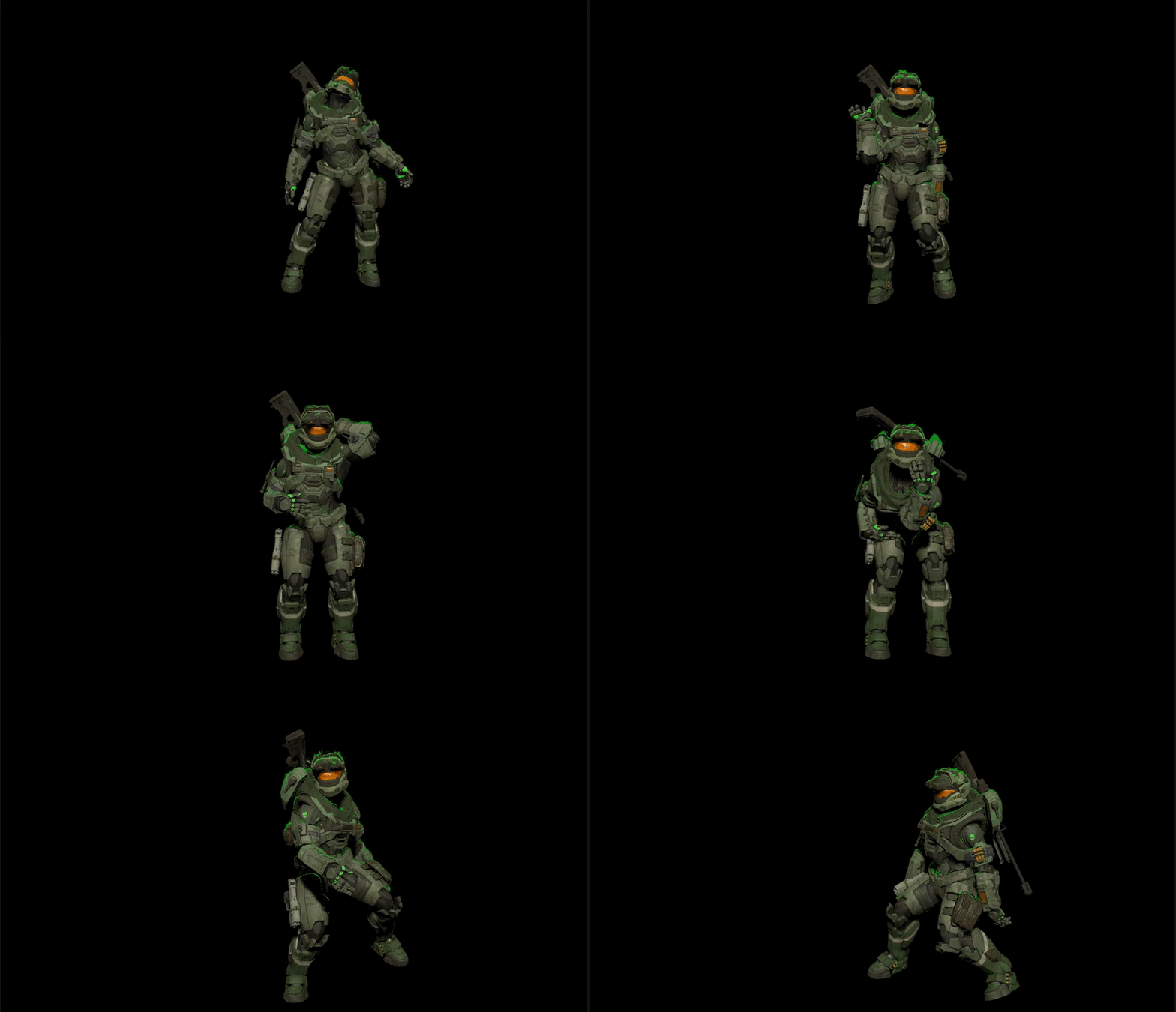
 spiral sigil
This has to be my WORST Knuckles Build ---
I just don't like how I designed it.. it's just horrible.
spiral sigil
Yep.. I didn't do a good job on this one.. but... I am on a 100 Knuckle Avatar Building Rush.. so..
20 or 18 more to go
 spiral sigil
Naw. When I made 150 Runescape Model World; it was a slow world but... the name of who created it grew across Runescape-Players on VRChat; but.. you know.. since it's Knuckles.. it might be a different story. Sadly; when the Knuckles world is made. I am going to move on to Kermits.
As I got an entire Series planned for the Kermit.
spiral sigil
Unless i make a 100 Squidwarrd worldo.
spiral sigil
I also have an agenda of avatars too -- RS and then the order of when I made each RSVR Character (Knuckles --> Kermit --> Not going to do Kanna, going to do Shaggy instead)
then it gonna be shrek
or frieza
ShrekFest 2020 is coming this Janurary or Fall
I forget
Shrek Fest is August 31st ..
so I should focus on making Shrek Avatars until August
ShrekFest2019 -- Must make 50 Shrek Avatars; but keep focus on Kermits.
Priority :: Finish Knuckles Series ; Kermit new main goal; and make 50 Shreks for Shrek Fest 2019
spiral sigil
... I created a monster...
I guess i'll make the 2 other versions of this thing lol
zenith relic
thats ebola not monster
spiral sigil
It's also a Kermit.. so.. ye.. it's ebola.
 vocal cargo
I need some help in blender, ill need a pro to help me with UV mapping. Please DM me if you think you can help. Im still a bit of a noob so i may need to call with screen share.
 warm garden
hi
silent acorn
hi!
spiral sigil
hmmm.. maybe I should still make it a Red Knuckles
 candid ridge
Can someone help me with polygons here
i have no idea how to fix this but i have faces on my model's hands that are just holey
and i cant figure out how to connect them in blender to make them not holey
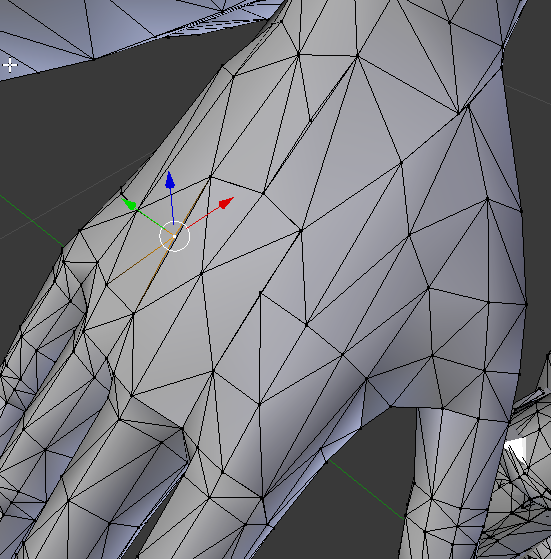
and in blender its looking like this
vertices arent connected
and some dont have vertices
small cloud
select arm verts in edit mode > w > remove doubles
candid ridge
ive tried that
still doesnt fix that one part there
and here
i dont know how to fix it lol
spiral sigil
This sux
My alt button doesn't work as great
my skills got cut by half
;c
Left Alt Tab works but it slows me down
Left Alt Tab was my most used and clicked Button on my computer ;/
now its gone
Unless I put some rubber square..
then I can use it like a pro
I need to have a friend make me a Silicon Button
I need to learn how to use my Right-Alt Key
daring karma
@candid ridge remove doubles might not be fixing your issue with the default merge distance so try slowly bumping that up with the affected verts selected (if you haven't already) https://i.imgur.com/HIJQrQ5.png
 spiral sigil
As it uses my Left Thumb and Right Pinky ;/
Left* pinky
Unless; I buy one of those 3D mouses; then I don't have to use Alt Tab anymore
spiral sigil
I swear; I only get 8 hours of a sleep a day. Making 1 to 10 Knuckles a day; if it's only 1 Knuckles (max 3 are highest quality); 10 knuckles; only 3 of them are high quality (they are all finished the same time; 1 hour per Knuckles; fastest 30 mins)
 hot tartan
@candid ridge Select all the offending vertices with box selection, and "Merge by Distance", wherever that is.
Take care not to upset the geometry when doing this.
small cloud
@candid ridge if there's no verts to connect to http://prntscr.com/nygjyl you can select them and press ctrl+X, it will dissolve them

which is faster than subdividing by selecing top and bottom vert, then merging
hot tartan
Yeah, you can fairly quickly redraw the polys, also.
Just delete all the offending geometry, pick your verts and hit F.
Upsets your UVs, but sometimes there's a lot of extra bits along the edges of a poly or two and they won't merge.
hallow bough
If anyone is interested in giving Zbrush a try there is a 45 day trial available 👍 https://pixologic.com/zbrush/trial/
Find ZBrush Retailers, and stores that offer prodcuct sales, pricing and purchase.
dull canyon
I'll give it another chance this weekend if I'm not busy...
strong thistle
oof
spiral sigil
Or.. I just make some Jojo Reference Knuckles too; Funny Valentine and D4C need to be made; Funny Valentine will have a portal shader in his flag.
There iwll be 7 of him; USA, Uganda, Japan, England, France, Germany, Brazil, even a Russian one
Series 7 Knuckles = There will be 20 Knuckles Uploaded today within 5 hours
I have to compensate for the lost time yesterday
Gonna start with the STANDS as they are a bit more time-consuming than the humanoids.
spiral sigil
1 x 6 = Six models made in 30mins
Bad Jojo Pun; how come there isn't a 7th bullet; because 7 ate 4.
._.
spiral sigil
Ever since I loss the Silicon Button on my Left-Alt Key.. I loss hand coordination on my Laptop.. it is as if I loss my memory on how to use the Left-Alt Key properly I loss like 3 seconds
thin bison
Well, that's fun. Discord is blocking me from showing a clothed model I've been working on.
Seems like it doesn't like the back of the model
spiral sigil
I have to remember this date for my VRChat world "2/20/17" it will be important for my world
Like.. my orientation of my body shifted like in a 80 degree angle since I loss my Left-Alt Key Silicon Button..
it's weird.
can't even sit right because of it
Alright, Im use to the paper button now.. my Orienation is normal
spiral sigil
I feel slower since I loss my Left-Alt Key. I would have done this faster
It's like I loss my Left Thumb

 obsidian moss
@spiral sigil are you done with the sex pistols avatar
spiral sigil
They are technically done. Not animated with Flying Capabilities yet; Im just trying to rush build avatars
xD
@obsidian moss
obsidian moss
oh
spiral sigil
When trying to morph them, their faces a bit too messed up; -- xD
so only the top lip is shaped in a knuckles and their bodies too
Now.. I work on D4C ;3
spiral sigil
D4C lol
 vague plover
Hi if anyone knows how to convert a character from The Sims 4 to VRChat please dm me and say your price because I really want it so bad, thank you 😄
spiral sigil
It is done olol
spiral sigil
My next Knuckles -- Karl Lagerfield; he died this year in February
Plus I wanted to make an Iconic Fashion Design Knuckles
I should work on making the suit .. I just have to look at one of my fine suits in my closet; I got a bunch fo them..
._.
 winter basin
Guys help correct why I have one option of ?
 maiden sun
@winter basin Close project. Open Project folder. Delete vrchat sdk and plugins folder along with the files unity created for them. Open Project and reimport the latest vrc sdk
 opaque flame
Should I sculpt in VR? Is VR sculpting a meme, or a good place to start?
void narwhal
mostly a m3m3
zbrush or blender but just be aware you can't really avoid learning 3d modeling properly
onyx juniper

Sculpting in virtual reality using Oculus Medium and the Oculus Rift S. The character I create in the video is sculpted and textured a 100% in Oculus Medium ...
 vivid crater
yan is a madlad
void narwhal
you can get good results with enough time and skill but the issue is "time" and tools* available to utilize
and personally regardless of how intuitive or fluid the workflow could be
i'd rather view my results on a screen clearly
spiral sigil
Making preparations for my next Avatar Series :: Kermit >> There will be 100 Kermits after I finish the Knuckles Series.
I need to find Flails, swords, warhammers, axes, and a bunch of cool Skyrim Armor from ESO
Thy Epic Story of the Kermit -- I am going to make a Fan-Manga + Playing Game Cards for the World and Avatars; Kermit Series is gonna be an epic tale or Love, Drama, Adventure, and.. Action; Might use the top Manga Doujins and fuse them into one story.
opaque flame
It's worth noting that I have no tablet, but I do have a VR headset. Mouse sculpting is just god-awful.
I can model properly already, it's just that I've always found learning to sculpt traditionally to be really unintuitive. The lack of depth has always messed with me a lot.
spiral sigil
I feeel too tired my brain feels dead to 3D model
I need more veggies
or I feel like im dead idk
lol
Idk why..
but it feels like a hour passed..
but yet it's only been 20mins
I think my Brain is slowing down inrl
this is technically done
I seen this Anime before.. but I never watched it; I watched it but don't rmemeber anything about it..
spiral sigil
My beautiful collection
 glad steeple
rename this channel to nonskiller-3d-modelling
spiral sigil
I feel more energetic now. I just felt so slow. Shaved my Beard (Haven't shaved in days...)
Now I feel faster
spiral sigil
The next Knuckles..
daring karma
lmao I seriously can't tell if you're the best troll in the world, or just actually the most genuinely passionate Knuckles fan in the world
glad steeple
latter
daring karma
Hey, he might be on some Andy Kaufman level trolling shit right now haha
Either way, I love it. DON'T LET EM KNOCK U DOWN
spiral sigil
hmm... 30mins
So average Modeling time is 30 mins to 1 hour; but a Full-Quality one is 3 hours
I should like use all the kncukles I made and make a Mortal-Combat Style Fighting Game
Perfect; this will be one of my top 10 Knuckles out of the 100.
One of my top 10; but it took 30mins to make; so it also gets the Fastest Knuckles Build award + being one of the top 10
 random tartan
can you please stop spamming knuckles shitposts
spiral sigil
I apologize for having no skill ;/
hence the name "Nonskiller"
I dont have great 3D modeling skills like you or anyone else
but I guess I can't be anything
;/
My spine and brain hurts posting this apology
I need to stop underdogginy myself mentallty hurts me
void narwhal
you can be a kermit my bruddha
spiral sigil
Well, I will do Kermit, when I finish Knuckles
void narwhal
good my bruddha all for the cause
spiral sigil
I should make a "Jokerr" Knuckles; people seem to like him.. so I should make one
spiral sigil
Cool... So it took a hour for this one. Now I make the Red Bird thing with Wings that he summons
Fingers are perfect on first try; no need to do weights lol
actually 90% good; but it's still good
spiral sigil
I will work on this at 7:30 PM I need a break
spiral sigil
THe best I can think of..
spiral sigil
Love my shaders for Arsene lol
 terse olive
True UganKnuck passionist
visual vigil
 hollow lodge
XD
 snow willow
Lord starkski kiruinn
opaque flame
Would anyone here know how to fix an issue I'm having with BlenderXR? When I try and open a VR window an error tells me that my Oculus dll is corrupted.
spiral sigil
Was supposed to make this guy weeks ago.. but I had to do things outside.
 solar canyon
My bruddah this is da wea
spiral sigil
I require assistance
 split spindle
@spiral sigil where did u learn to make those
spiral sigil
I wan't to model my world in blender, but I have no point of reference for scale
burnt dove
I need a fez, dont want to pay $20 for a throw away project. Any crafty 3d modelers able to whip up a quick one or find a free download somewhere?
daring karma
@spiral sigil I'd suggest grey-boxing your world out in Unity using ProBuilder so you can test it out and iterate on things like scale quicker within actual gameplay. After it feels right to you, you can export your entire prototype greybox out into Blender and model around it to bring things to final form.
But if you just need a quick scale reference, you can use the tutorial avatar fbx from the SDK to get a good rough estimate of avatar scale! Blender can be tricky exporting 1:1 into Unity sometimes tho
spiral sigil
Nobody :
Nonskiller : I won't be able to 3D model stuff today; I got a last min business call commission me cash for 3D animations
Hopefully one of my contacts give me the task so I can start immediately this one will get me a new digital life reset;
spiral sigil
Well; it's lagging since someone gave me the job last min; just waiting for my orders; but I estimate this project will take 3-4 hours based on what I was informed; it is simple and I will not try to make it better; My brain always tells me to make the best quality; but the expectation is low and I should give good quality and the same product they been making for years. The only thing I will change is one thing because I don't like how they made the trail lol
 violet elbow
k
daring karma
Tell them they're going to have to wait a few days because you have nine more Knuckles avatars to make

It's crunch time, baby
spiral sigil
@spiral sigil are these knuckles being put into a world??
spiral sigil
Finally got my orders; but I do not know my due date; if he says tomorrow; I'll finish it in 4 hours.
Got the orders and the deal made; just need to wait upon the right to start making it.. it's good amount of money; it's the usual I make per month too
 coarse kestrel
 marsh sail
You've gone too deep!
spiral sigil
"Brudda-Brudda-Brudda-Brudaa-Brudda"
marsh sail
Alright, so, does anyone have a link leading to a good library of character-creation tutorials? It's the one thing I struggle with and I figured that this Discord is the perfect place to ask.
silent acorn
@marsh sail I know a few really good ones, but I'm not sure about a full library. Which aspect of character creation are you having trouble with?
spiral sigil
My Next Knuckles Build --- Perhaps it is going to be the 100th Knuckles created; the ultimate Knuckles Avatar
or maybe not xD I just wanna make this Knuckles because of the animations
spiral sigil
I wanna experiment with "Sculpting Animation" on VrChat. Turning a Ball into a hand.
Or at least Transformation Morphing Animation if Sculpting doesnt work ll
spiral sigil
I hope my Spaghetti gets fully scanned. Then I put my culinary foods on vrc
 quick mica
ay im having issues with cats plugin for visems and trying to generate them but for what ever reason VR_Sil isnt being generated
i wouldnt know the symbols for Aa Ch and Oh
quick mica
is vrc.v_sil ment for silent cuz im just wondering cuz that viseme doesnt seem to generate along with vrc.v_pp
 swift heart
yeah that's silent
pp is like that because you make a p sound with your mouth closed
latent charm
If you're using blender, there needs to be some kind of vertex change for a shape key to be exported. The usual trick is to find a single vertex that you can't see and move it slightly in the silent viseme to make sure it gets exported.
marsh sail
@silent acorn All of it frankly
 iron schooner
You Like?
 dry notch
Alright guys so I learned some more functions in Blender and am now working on my first body modeling
I'm gonna just model the legs into pants immediately rather than waste time on body parts that won't be in the finished model
 zenith quiver
nice!
 loud swan
good for you
iron schooner
You Like?


 coarse walrus
I pressed a button, and then the model broke. Uhh... Help? 
violet elbow
undo?
coarse walrus
I did, and then it does the same thing again - but a random combination.
spiral sigil
There we go guys --- Katakuri-Charlotte Knuckles from One Piece is made.
Just need to make his Trident and I need to find the Texture that turns from White to Replicate the World as if it was part of the world itself and then have it turn into BLACk for Haki Arnament
Ned to give this char hair too
For better illustration of how this was made. I spent 7 bucks for this 3D-Scanned model..
Because I spent money.. this is going to be a Private Avatar
:c
naw.. nvm it will be public lol
spiral sigil
Just beautiful
Oh. It time to experiment with the possibility of "Sculpt Animation" if it possible.
spiral sigil
spiral sigil
I guess it's time.. to make the final Avatars for the Knuckles world :: The World (I will not do any of the JoJos nor will I do Jotaro of Dio..; I will do Giorno though)
daring karma
The end of an era
terse olive
Za WARUDO!
spiral sigil
The Painting itself is great (If you do not down-size it) but on this shirt.. it just doesn't look good ;/
Time to show the world my shirt
On the back of the shirt it says.. "Created Equal"
terse olive
@spiral sigil Army of One, you are, UganKnuck Army of One :v
spiral sigil
So I got an idea for a good Knuckles "Conformity Knuckles" -- It is going to be a Knuckles which has an animation with music with a bunch of people telling the Knuckles "They are a Dead Meme", etc, etc.. and then I will put the concept of "Stop the Bullying", "Everyone is Created Equal" or whatever. I think this Knuckles will be a PSA Knuckles.
I think we need Knuckle Awareness as the Discrimination is Greater than the Knuckles
daring karma
Make a Wu-Tang Clan Knuckles
spiral sigil
I will look it up
Oh must be some Mainstream stuff.
Or Underground stuff.
I cannot tell. I am neither.
I need to read and research the band.
It'll take me 5 hours to research
Oh cool; Wu-Tang Clan is pretty much Child-Friendly
It isn't as horrid as Modern-Day Music that I no longer hear anymore aside in VRChat.
Also note that their Lyrics use higher comprehension words than Mainstream Music.
spiral sigil
Idk if I will make it though because I do not have a visual or artist idea
I would have to read lyrics of the rhymes and songs to comprehend an artistic idea
Protect Ya Neck has potential though
I think I found the song --- Im not a PC person; and I am going to change the narrative of the song Missio's "Can I exist" makes a good song for a Knuckles.
The narrative will use snippets from VRChat on my journey of people attacking knuckles just their voices
The Brutality to* Knuckles needs to stop
(I didnt actually record people; but to make the Avatar; I will need to record sound when it happens)
stable edge
Make a wrinkly face knuckles
daring karma
Wu-Tang.
spiral sigil
random tartan
oh my god its actually not a knuckles
 oak notch
How do people make such smooth meshes, and how did they make each polygon and vertex straight with one another?
 solar obsidian
any idea how to fix importing a model, my build and publish wont go to the publish screen anymore, it now goes into an upside down game view and thats it.
oak notch
Nevermind, I found out that many people who make meshes for their avatars use retopology in their work, which I will have to learn to get smooth and lower poly avatars.
 sacred heath
exactly, and when you sculpt in blender you dont always have the same view than what itll look like for real, so just a heads up on that
 azure rain

A tutorial showing the basics of retopology with a timelapse of the process. retopology quick setup guide https://youtu.be/ovfKYtLWMqM Videos in playlist: Ba...
 oblique token
I love how there are so many helpful people in this server
azure rain
the polycount wiki is a great place for tutorials
 novel lantern
does anyone have any idea why this is happening. i put it in this channel since it happens in blender as well. it is made up of multiple meshes but has the same issue even when they are merged
stable edge
Remove doubles
 nimble haven
novel lantern
nimble haven
novel lantern
oh sick thanks zzz
oblique token
If I modeled my model on all fours (it's a dog) can I make it stand like a human with Bones or will I have to rotate the legs to make it stand before adding bones?
terse olive
@oblique token Once you apply Humanoid on the dog in Unity, Unity force it to stand on human T pose, don't worry (?) you gotta make animations to change it
oblique token
ah I see so I just select Humanoid and it will stand on its own?
terse olive
No, I said you gotta make animations to change it
Without your custom anims, your dog will use default VRC anims
So it'll not be quadruped
@oblique token
Then again... not sure if quadruped anim fit well with the IK Idle
Alternatively, make it Generic
oblique token
I can still model the mesh to make it stand
terse olive
Oh, just in Blender? Yeah, you can
oblique token
yeah I want it to be upright all the time
terse olive
But it will look awkward, but if that is what you want XD
oblique token
lol well I mean, Brian from Family Guy stands upright
 low nova
spiral sigil
low nova
spiral sigil
I should make the guy with the big fat lips. There's another awkward photo of this guy; but I want to make this guy ; I just need to look at the human body when it comes to muscle then I can have a better (or use a Body Muscle Build and reform it)
And then I wanna make the guy on the left too. They look funny.
Starting read from 9PM to 4 AM.. at chapter 108
oblique token
good tip for 3d modeling beginners.....make sure to get Blender 2.8....I learned that from experience 😂
oblique token
I think 2.8 has a more beginner friendly UI
oblique token
yeah its still beta
 plush token
and alot of the plugins like clothfx don't work
so, for me to try and use 2.8 to make models, I need to have 2.79 in my pipeline of model creation as i find it's still at a point where it can be relied on 100%
getting there
but i don't recommend it yet personally.
don't get me wrong it's good, but 2.79 is much more stable and a lot more documentation is on it
making seeking help a lot more common
oblique token
oh absolutely, I can't wait until 2.8 is absolutely stable. It'll be a workhorse.
plush token
it will be for sure, it will almost be up to par with Maya.
oblique token
I'm just a beginner with 3D modeling, did some modeling in C4D before Blender.
plush token
fair enough, never check out C4D before
oblique token
I had such a hard time with 2.79 trying to learn it
plush token
i enjoy 2.79
it was a little demotivating but i personally don't mind it
it was fun to learn
oblique token
one thing is I don't know all of the hotkeys and that seems to be a grounding rod for it
plush token
know of spacebar?
the search window?
a lot of the time the hotkeys are there by a quick search
displayed on the the Right
oblique token
that's a cool feature
oblique token
oh of course! I'll learn though, I learn really fast.
I made a world in Unity with prefab assets in just a few hours after watching a tutorial lol
plush token
nice, i'd check out Blender Guru's modeling tutorials.
if you need help with things.

Blender modelling tutorial, showing you how to model an anvil. Part 2: https://www.youtube.com/watch?v=WxMwa0njGSM Reference Photo ZIP: https://drive.google....
oblique token
I wanna make a game so bad, I've had the idea for a few years now
plush token
very good tutorials.
I do to, i'm going to school for it next year, but i'm going to be working on mainly game art
oblique token
oh sweet! I think I saw one of his tutorials earlier
I'm planning on doing it all myself within a year or so
I know I can
even if it's just a demo lol
plush token
Coding is a whole other boatload from 3D modeling
oblique token
Oh I know, I have some experience with coding, too. & 2D digital and traditional art, and music, and a lot of other things.
3D is naturally my next step
along with learning a game engine
I just got into the game way later than most
YanSculpts has some amazing blender tutorials too

Learn how to create a character in Blender, in this part you will learn about how to sculpt a 3d character from a character design. Course Bonus Contents: ht...
visual vigil
https://cdn.discordapp.com/attachments/584908362437885962/588939304361787431/Screenshot_6.png https://cdn.discordapp.com/attachments/584908362437885962/588939326222630932/Screenshot_1.png https://cdn.discordapp.com/attachments/584908362437885962/588939339589877760/Screenshot_8.png


 onyx juniper
Setting: Very Fine
dull canyon
@visual vigil that done in blender?
 turbid portal
Guys help me.Can you find Snatcher from Hat In Time model with ALL bones please?I want to make him in VRChat.If you guys want a story about me and my friend,heres:Some time ago Im give to My Friend(My helper and creator of avatars)reconvert MMD to FBX Snatcher,but then he said something like:This avatar don`t have legs bones and this model have "Generic",so this avatar will dont have animations sorry.
 mint prawn
@turbid portal sounds like a rig problem, might want to ask in #avatar-rigging
visual vigil
@dull canyon zbrush
dull canyon
k
 high shell
how long does it take for you guys to make a 3d model of a vr character?
from scratch?
do people sell such services online?
subtle jackal
I worked on mine on and off over a few weeks but all-in I'd say maybe 40-50 hours-ish
 fallen snow
@high shell from scratch? There are people who will do it, but a high quality model with all the rigging, texturing and animation done will cost well into the thousands of dollars
high shell
and people buy these services? @fallen snow
subtle jackal
Some do
the thing to remember @high shell is that you're not really buying a model, but rather you're basically hiring a 3D artist for however long it takes to make what you want
and 3D artists are not cheap 😛
high shell
mmm yeah, clearly they seem more profitable than drawing lewds like I do xD
fallen snow
Right. Buying a model that's sold on an online store or whatever is way cheaper because they can sell it multiple times
high shell
I should have learned something else aside from drawing art
subtle jackal
some people might not charge in the THOUSANDS, like people have asked me what it would cost and I've said probably in the range of $500, but that's because I'm certainly no professional, and because I enjoy doing the work and figure that's a price someone could reasonably afford
but you should definitely have a fair hunk of cash if you wanted to hire someone
high shell
thanks for the insight!
dull canyon
never to late to start learning something new
imagine the money you can make with lewd 3d models
and if they're furry you're basically set for life
 distant carbon
I was hungry when I made this....
zenith relic
blender for me started to crash often when editing avatars that has somewhere around 60k poly..
😦
spiral sigil
THROWS Miss Piggy head on a Goddess Body*
We getting Ready for the Kermit World before the Kermit Avatars
spiral sigil
I think I might make this an "Adventure RPG" World -- D'N'D world I just need to learn how to play D'N'D and make Functions || So it is chance based and it also instinct based. The NPC can spawn attacks, you can dodge them, while some of them are undodgable; then there's Potions which you can get at the beginning of game (which can be used to recover hp and only used once) then obviously different weapons that do damage.
onyx juniper
I don't often see offers go over $400 on VRC Traders
spiral sigil
The Time has Come --- The Kermit Avatars will be done by July
 grizzled anvil
me
fringe rock
Repetition can be good but at some point you dont really improve. The curve of progression get very flat
spiral sigil
But we need these Kermits
grizzled anvil
after i make some crazy cinematic particles effects n what not inna animation
ctrl D's the gameobject
 dull jungle
I like your Kermits
zenith relic
Re-modelating its fun.
but not when its about rebuilding the entire humanoid bones 😦
coarse kestrel
the lexichi?
coarse kestrel
yup that's me
zenith relic
i believe now youre called legend 😄
zenith relic
well u did something that everyone use it as a nanachi
coarse kestrel
I just make models the best I can
coarse kestrel
hehe yeah I know a lot of people use it, and a lot of people got real comfortable with each other in it
:O
zenith relic
now the last challenge will be to make a hole avatar from scratches
coarse kestrel
nicu!
hehe I wish you the best of luck :3
I'm making my v5 right now (those images above)
zenith relic
thanks..but this is not about luck...this is about "skill"
zenith relic
luck if the avatar u make has succes
@grizzled anvil that is messed up.
but still..
nice
coarse kestrel
but hey I'm glad you like my work <3
zenith relic
v5?
coarse kestrel
ye