#3d-modeling
1 messages · Page 49 of 1
 spiral sigil
 fervent folio
I'll try that when I get home, this blender stuff is new for me and crazy
I also couldn't figure out how to edit a specific joint. Whenever I selected the elbow joint it included the lower arm as well
 brave dune
@hot flint im far from knowlageable but in theory coudlnt vertex paint be used to define a height position as a percentage on the ramp texture?
 hot flint
I'm unfamiliar with that technique hmm
the extent of my knowledge iissssss
there's a video where the makers of Guilty Gear Xrd describe vertex normal height
but it aint in blender
brave dune
yeah, you need some custom plugin for custom normal editing in blender
https://image.prntscr.com/image/9ZRKdEMsS0CW6V0AXXWegg.png
the idea i was thinking was more using something like the vetex paint itself to dfine ramp zones where in your example image, say almost pure red would use the upper ramp where almost black would use the lower ramp. and anything inbetween i fdifferent ramp values were used. All in theory though. Might not be the most optimal thing
 hot flint
Hmmm
I can definitely look into that
That's not something i've actually experimented at all with
could lead to a lot cleaner mesh overall
fervent folio
So when i export my file, its not creating an updated version of the combined asset
 hollow raven
i've got tris. i don't want these tris. how do i get rid of them https://cdn.discordapp.com/attachments/436700809363849227/497183362289762305/unknown.png

 hollow raven
! thanks
i was looking for an image like that but couldn't figure out what keywords to use
hot flint
Try topology, or topology decimation
something along those lines
or quad reduction
something like that
it's a good idea to keep that detail on the bases of the toes, so you were right not to try to decimate it there
hollow raven
i honestly dont know why i put toes on this bc it's going to be covered by shoe anyway

 glacial pasture
ctrl J
 sonic nimbus
@hot flint Xiexe's XSToon uses a colour map, and a greyscale ramp to give a similar effect. Since you need different ramps for different parts you can encode a mask/ID into a texture or vertex colours.
Some of your ramps look like they don't really fit a colour * greyscale model though
hot flint
Yeah they dont really
it's not just different values of a color
it's complimentary colors
reds bleed to purples, etc etc
I appreciate the ideas though!
fervent folio
@glacial pasture doesnt work
glacial pasture
weight paint it to bones after CTRL J
 glacial pasture
PG13 language.jpg
 chrome tree
Frills are also fun! But if you get carried away, they consume so many tris...
hot flint
yes, absolutely
I keep mine pretty minimal
the frills on her skirt are only around 250 tris
fervent folio
@glacial pasture I havent a lick of clue what im doing, which bone do i weight paint it to
 glacial pasture
Head 🅱one
hot flint
@fervent folio depends on what it's logically trying to follow
if it's hair, yeah, head bone
glacial pasture
Polar you got a world?
fervent folio
So just color ebverything on the head red and link it to the head bone armature
glacial pasture
p.much
hot flint
I do not have a world, nope
fervent folio

so i have the entire back of the head covered and most of the front
everything is stretchy and like shit
spiral sigil
when i set an object's parent to my avatar model the model ends up looking transparent. anyone know how ot fix that?

 vivid crater
Is cute

 vivid crater
the real question, how are her armpits 👀
hot flint
HAH

They're there, i guess
I could probably put more detail into them id i really wanted to be a meme
vivid crater
🙏 noice
 dense kelp
And it just keeps gettin' better, i swear your artistic shading just adds so much to an already good model, props as usual
hot flint
doing my best to keep honing it
if that's my claim to fame, i'm gonna make it the best I can do


 hot flint
considering the box and prayer rod are interactive items, they wouldn't even count towards the count
but I haven't gone over 20,000 before, and i'm not about to
 hot flint
Oooohhh
 lament pond
Probably the second
I wanted something with simple shapes that while human in overall shape was clearly not human
vivid crater
Looks nice, from the chest down reminds me of a ball jointed doll
lament pond
Thanks ^^
 heavy lichen
Hi I learned basics a little bit ago in blender and would like to make a anime style character model, any good tutorials out there to share beginner level
I really want to know best tutorials to take so I can start making my characters
vivid crater
Whoa, 3 years ago
lament pond
xD
vivid crater
Lul, I was just about to say
lament pond
I have a more recent one but it's a patreon only video at the moment
spiral sigil
reeeee
vivid crater
Coming to non patrons in 2019? 😉
lament pond
The character in the video is currently a private one so I need to wait until the client is ready to reveal it
So it's ultimately up to them when it'll become public xD
vivid crater
Welp, I tried 🤷
spiral sigil
is it a model for vrchat ?
lament pond
Yeah
spiral sigil
why is he keeping it a secret ? anybody could see it, record it and reveal it
lament pond
It's a vtuber
spiral sigil
🤢
lament pond
They are planning a big announcement of it but have been too busy to actually do it
heavy lichen
Yeah I'm looking for more recent ones and more of an explanation tutorial, that's a little slower
lament pond
 vivid crater
.<
lament pond
Exactly
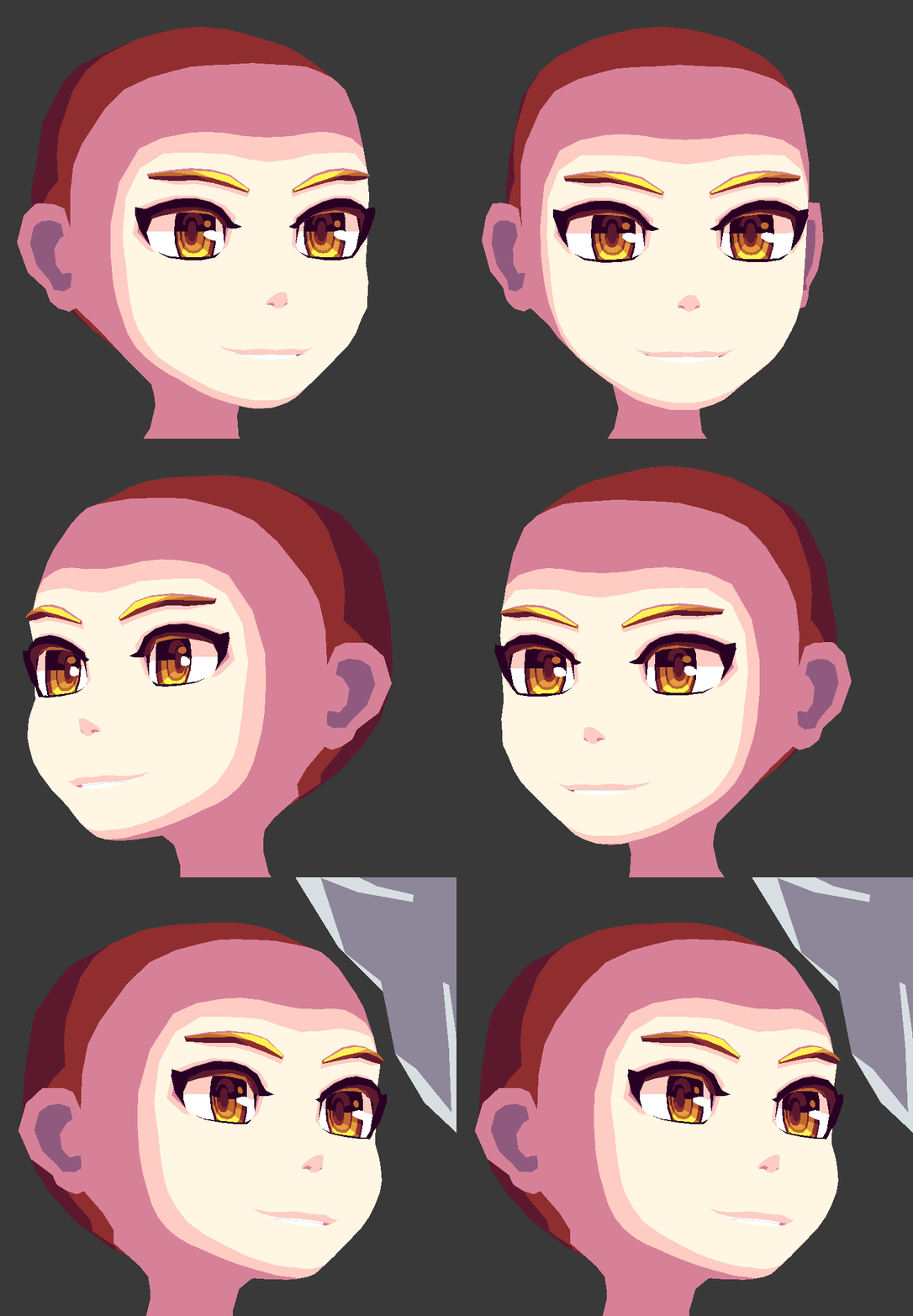
vivid crater
Looking good as usual 
 lament pond
The shading reminds me a lot of stardew valley
hot flint
That's actually a pretty accurate comparison
I like to try to stay away from pure black as much as possible
I take a lot of inspiration also from pixel/sprite based palettes
so that would make sense
This one's for you, Tupper:

Single texture material
spiral sigil
yo is that optimization ?
hot flint

 zinc furnace
I like how it's just a cube with some colors on it in the preview
 wheat tinsel
back to vrchat after like 3 months and the first thing i try to do is make my own visemes on an xps model, oof.
 rocky peak
I don't see how that works without using UV mapping from camera's perspective. Which surely would screw up the seams?
lament pond
 hot flint
@rocky peak

The seams all fall inside the edges of the color grid
so they dont show at all
sonic nimbus
How large is that texture?
hot flint
60 x 48 px
sonic nimbus
Nice
 spiral sigil
Ka ka ka - That's not how my hair is araragi-kun
vivid crater
ararararagi
 hollow radish
hair 😢
spiral sigil
Turns out that is not shinobu. I was surprised
vivid crater
yea, polarstar is on a long path doing many touhous
vivid crater
his reimu took 4 days, hes gonna get super quick at the end
 cerulean shoal
1
 dense kelp
Hears honking in the background
Tbh can't wait to see Ran
Keeping the polycount low on her is gonna be such a pain
I never worked with UV maps but just lookin' at that uv setup, i think i've sort of narrowed down the setup flow, or maybe i'm overthinking it
Hmm... merging multiple mesh portions would probably be quite a pain but i've done it myself so it shouldn't be off the table either, especially for the one makin' the models
Tell me if i'm close when you got the time, i'm a tad curious
 solar abyss
Is there any potential issues I should know about using Blender 2.8 to make VRChat avatars? I have a novice understanding of Blender, but I'd like to practice on the newer version.
glacial pasture
as far as I know the most up to date blender is always gonna be viable
just waiting on unity 2018 🙏
 latent charm
The 2.8 update is a big one from the 2.7 series. Addons may not work as expected (or break entirely) along with other unexpected things.
That's because 2.8 is still in development. Once it gets to the bugfix stage where it's generally feature complete would be an okay time to switch to it if you really want to.
solar abyss
Gotcha. I've been poking around the alpha 2 and I'm liking the new layouts.
glacial pasture
ah didn't know that was an experimental build
yeah probably best not to mess with beta stuff
latent charm
Definitely have a look at it and take it for a spin, but don't expect things present to be 100% final.
solar abyss
I'm also trying to get back into modeling after a hiatus
glacial pasture
I feel that, made a main model after 200 models later, made one almost every day or two, but haven't made one in like two months now
rocky peak
@hot flint Oh, I was talking about Bladewild's link above my previous comment.
hot flint
Ohhh got it
hot flint
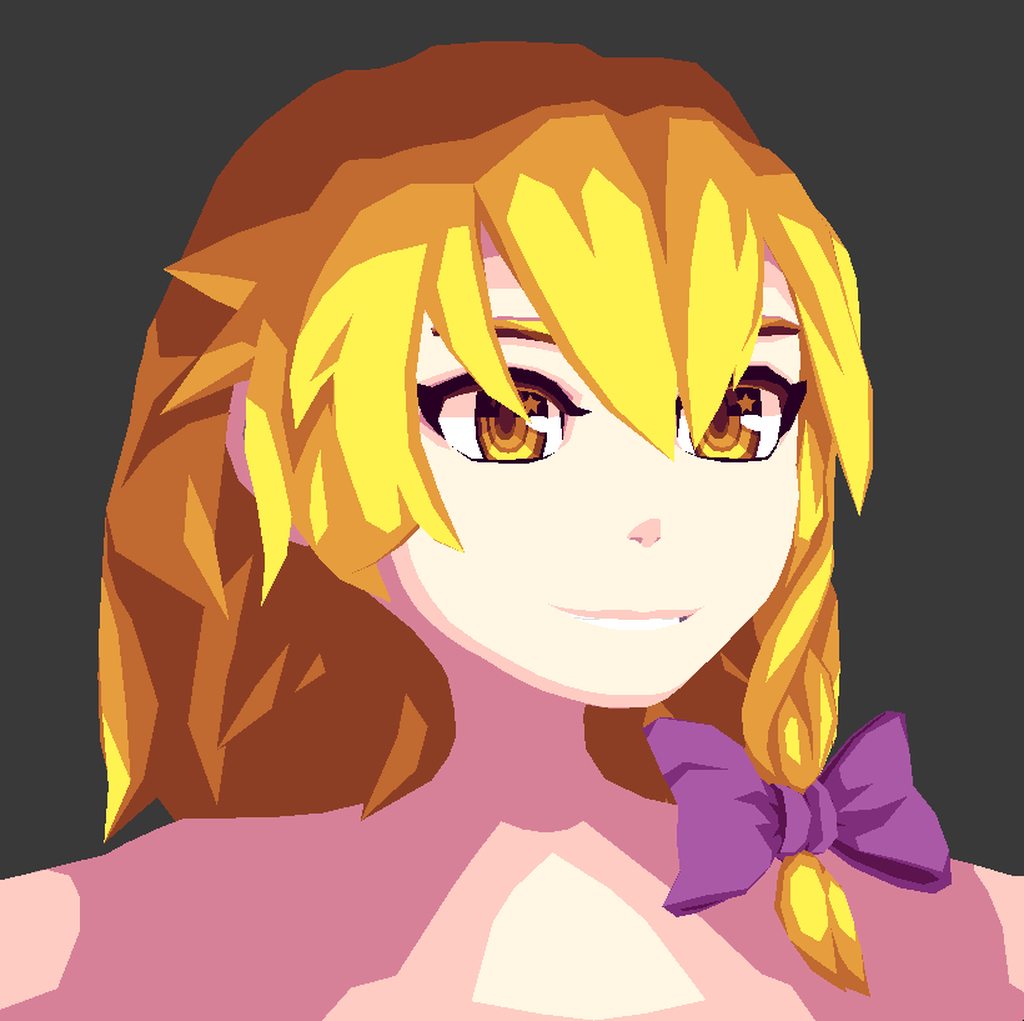
 fringe rock
the top of the head feel to small idk.
 arctic ether
marisa? then the hat should make it look better
lament pond

Here we have a Rock modeled after his design from Mega Man 11 that I was commissioned to make for VRChat.
If you like my work and would like to support it you can check out my Patreon or if you’re interested in having me make a character for you then shoot me an inquiry thr...
hot flint
You right, I still have to make her hat etc etc
 thorny fractal
 vivid crater
She thicc
 lofty dust
question
Ive imported an MMD model into blender
it has a skin underneath its clothes I want as a model not for vrchat
so
I remove doubles
select outfit
make selection
and remove it to get the hidden outfit underneath
yet
when I try to show materials
the body comes up as invisible
and I dont understand why
fringe rock
make the material opaque
 violet sable
Could someone help me? I think I make something wrong. When I export the model (fbx file) and put it in Unity it doesnt get get his collor like in blender. Does someone know what I did wrong?
fringe rock
change the color of the material to white
violet sable
but then everything is white
fringe rock
you have a texture or not
violet sable
Yes
fringe rock
then you not have aa problem
zinc furnace
Are there any retopo methods for redoing small areas without losing the UV's and texture mapping?
I learned of shrinkwrap retopo two days ago, but that's essentially just overlaying new geometry over old
It can get pretty hard to properly unwrap the geometry and get the texture back on after that
 cinder lynx
@violet sable in material options, make the box right next to the texture selection white
violet sable
In blender or unity?
lament pond

Here I am dressed up and ready for a fun time spooking and spooping all over the place! I’ll spare your life if you give me reeses or three muskateers bars.
If you like my work and would like to support it you can check out my Patreon or if you’re interested in having me ...
 small cloud
http://prntscr.com/l3k3cf modeling god right here, now just to make ears and tail, works very 👌 good in fbt 😂

 halcyon citrus
Hello mallet brother, I to use mallet. 👌
fringe rock
in unity @violet sable
its happen almost all the time. unity make the texture transparent and apply a random color
violet sable
@fringe rock can i talk with you in a privat chat so I can show you what I did?
 lament pond
@halcyon citrus my mallet is bigger than yours
halcyon citrus
Oh, you haven't seen mine then.
My mallet is the mallet that will smash the Heavens!
https://i.pinimg.com/originals/dc/46/9b/dc469b0939f953a3ac7e5cc5c91615dc.gif
 lament pond
Your mallet is invisible
halcyon citrus
But seriously, it's huge. I made sure to have it cartoon ridiculous levels of big with an even bigger boxing glove coming out of it. I even have a bigger one than that because of a friend.
fringe rock
am confuse
halcyon citrus
About?
fringe rock
mallet thing
lament pond
We're comparing mallets
 woven ibex
hey
hot flint
?
hot flint
 hot flint
Just a few more additions to go~
thorny fractal
hey all. ive been using blender for awhile at this point but ive never ran into this issue. i have my model seperated and assigned to different materials. but when i export it and bring it into a different program. there are 4 polygons on my characters face that get assigned to a different material and its really irritating
nvm i found the issue is that when i export to obj it splits up every object thats not connected into its own object and material. ik obj cant have a skeleton this is for a different thing unimportant but idk how to make it not split up everything
lament pond

 spare skiff
hey guys, I am importing a weapon into unity and I am not sure what kind of map this is https://i.imgur.com/KOenyU9.png
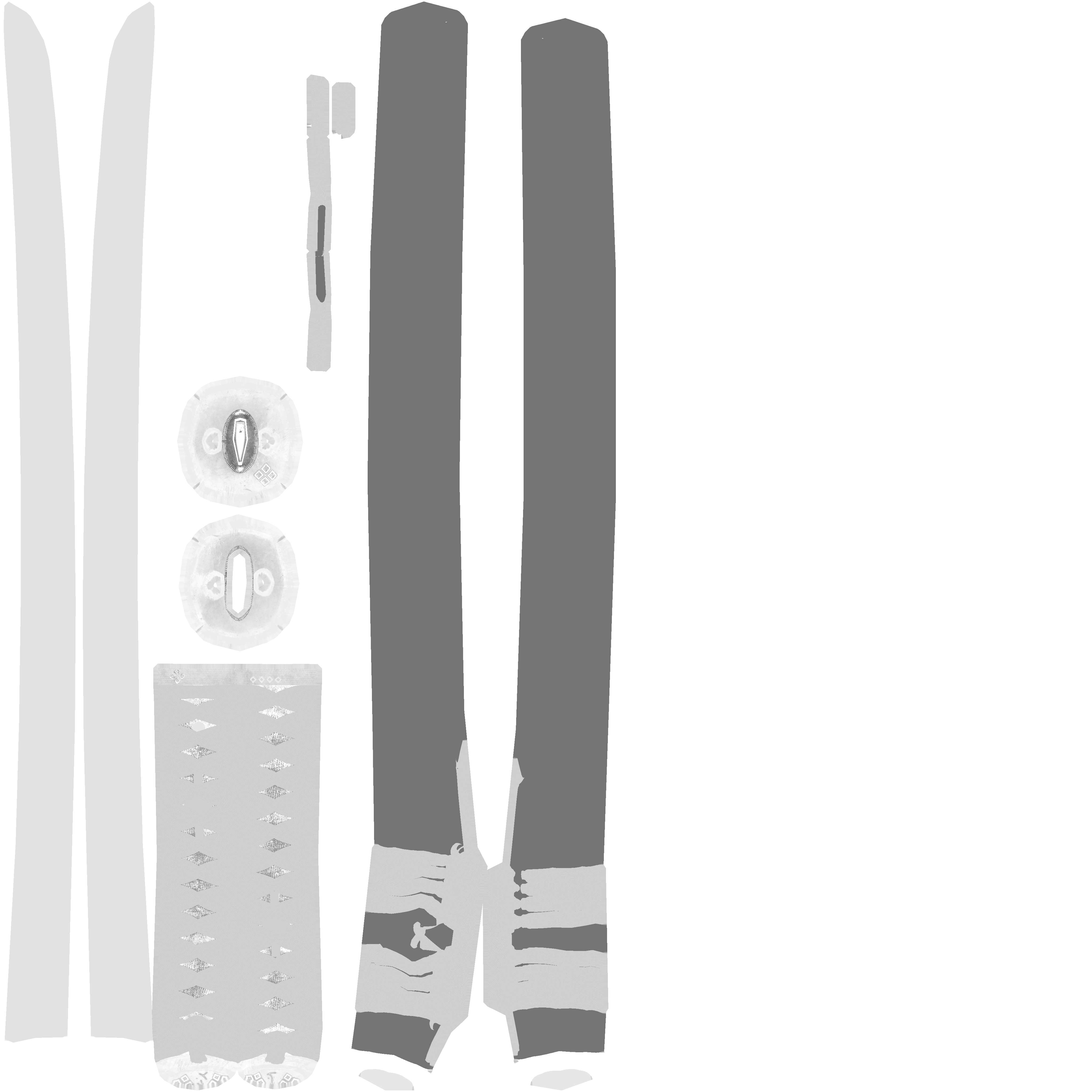
Is it a height map or a metalic map?
lament pond
I feel like this could be a specular map
 compact umbra
Looks like a normal diffuse texture
spare skiff
I tried it as a specular map, then the whole weapon looks silver, which is not it is supposed to be...
I also find these in the file https://i.imgur.com/ZyUoXcT.png https://i.imgur.com/6ID9v1q.png
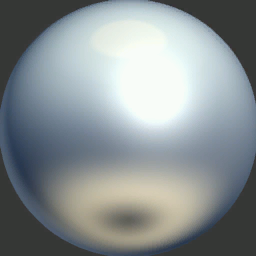
how am I supposed to use them in unity?
for my weapon?
 mossy quail
Mask
spare skiff
oh this is a color mask?
mossy quail
I was saying, try to mask em and look which parts they affect owo
spare skiff
I tried
spare skiff
but I am still not really sure...
mossy quail
What weapon is it
mossy quail
Arent those just the standard textures then owo
Cuz to me that looks like what id drag into the albedo tingy
lament pond

 steady hound
 spiral sigil
broken or missing shaders
 fresh isle
Missing the shader it's s'posed to be using
Just apply a different shader on it. Boom done
 oblique wagon
iv taken my avatars texture and turned it into a svg but how do i apply the svg onto the model like a texture so i dont have to manually move the meshes on to the spots on the model where it would all normally be as a texture on the model? not sure if that makes sence? don't know to much about blender, i have used it befor years ago though but still didn't know very much back then ether.
lament pond
My ears randomly started twitching and I kinda think it's cute.
https://gyazo.com/3c8d55495992079945714e069d0b75d2
 hot flint
Not sure if I ever linked it before, but I uploaded Reimu to sketchfab, so you can take a full tour of the model

The first in a series of the long project I’m working on. I’ll be modeling the whole cast of Touhou characters chronologically.
Next up is Marisa! - Reimu Test Render - 3D model by PolarStar (@PolarStar)
 torpid moth
Anyone know what I would do to convert position and rotation from Unity's Left-Handed coordinate system to Blender's Right-Handed coordinate system?
 mental blaze
neat
 visual vigil
Anyone here got 3dsmax and willing to change a file type for me?
on my new pc i do not have it
lament pond

And she is done! As far as I can tell I'm the first to make a 3D model of a character from #ZOMBIELANDSAGA so I'm proud of myself! Plus I think she turned out well so bonus xD #SakuraMinamoto #MinamotoSakura #Blender3D #Blender #3D #VRChat #VR #Anime #NPR

 Twitter
visual vigil
Twitter
visual vigil
 lament pond
A sketchfab version for anyone who wants to spin her around

From the newly released ZOMBIE LAND SAGA I present to you Sakura Minamoto! After watching the anime I had one goal in mind, to be the first to create a 3D model of one of the characters from the show. Today I achieve that goal!
If you like my work and would like to support it...
spiral sigil
is there any way i can use a source filmmaker model for vrchat? i've been trying all night but i can't get anything to work
glacial pasture
Use a sfm blender import run it like a normal model call it a day
dense kelp
CATS sorta supports source models so it could possibly fix most of the possible bone issues automatically
spiral sigil
okay where can i find the right sfm blender?
dense kelp
Don't think you can just import source models like that, gotta turn them into a readable format first
hot flint

Model: “Marisa Kirisame”
Reference: ZUN, Touhou Project
19200 Tris
Made with Blender
The 3rd in a series of 128+ Touhou models I’ll be doing in an effort to practice a bunch of complex modeling,...
All done with Marisa! :> Time to start planning out the next one
spiral sigil
please someone tell me where i can get commissions
vrc traders in #community-servers-old
hollow radish
https://gyazo.com/8a84c720d5672f0c030eaeb811714629 literally started zbrush 14hrs ago... kill me
 spiral sigil
nice shape
vivid crater
ahh, the hair is looking really nice
hollow radish
It's going to take a while till I figure out how to do full bodies and stuff and even decimating. But it seems zbrush has good decimating tools
visual vigil
 lament pond

[CLICK 'SHOW MORE' FOR MORE INFO] Excuse me while the "Zombie Song" plays on loop in my head. Here we have the lovely Sakura Minamoto from the newly released...
spiral sigil
Pog
 grim lagoon
help my "Welcome to the VRChat SDK!
Before you can upload avatars or worlds to VRChat, you'll need to spend more time enjoying the app. We do this for security reasons, and so you can learn more about us.
When you get the ability to upload, we will notify you via email and in VRChat. For now, you can learn and test on your own device.
To get started, check out the resources below.
Thank you for your patience, we can't wait to see what you'll build!"
so... it means I need spend more time with the SDK program or with the game? and, how much time I need to spend?
Thanks.
grim lagoon
and how to specify the time?
lament pond
There isn't a specific time
lament pond
 mossy quail
she ded
spare skiff
this is a character from a new anime!
hey guys, I find a matcap texture when I import a weapon, does it have any use for my weapon in unity?
mossy quail
The anime creeped me out
but...
you could try throwing together a cheap matcap shader in shader forge
and try to see what happens if you apply it
visual vigil

 crude orbit
Is anyone here familiar with sketchup? Im trying to get a house I made in sketchup into Unity so I can upload it to vrc, but when I do, there are alot of missing textures and faces, and the model just looks a lot worse than it does in sketchup. Anyone here that knows how to get a 3d model from sketchup into unity and have it still look the same without any missing textures and faces?
Im using sketchup 2017
 sharp sky
Just put it into Blender and take a look at it, redo the materials, textures if you need to and fix the backface problem in edit mode with Ctrl + n
 lament pond

 fringe rock
look fine
thorny fractal
@hollow radish that hair looks so cool. How did you make it. I'm trying to get into zbrush but the program just really irritates me
hollow radish
big ooof, I'm a beginner too
I guess I watched some start up vids and figured out what brushes they use
 main goblet
thats alot of polys
thorny fractal
i find that every time i try to learn zbrush i just end up forgetting everything i learned by the next day. i just hate the interface and stuff
oblique wagon
is there a way to lay a svg file on a mesh like a texture in blender?
latent charm
@oblique wagon Blender has an svg importer, brings it in as curves. You'll both need to convert it to a mesh with suitable vertex density, then you can use the shrinkwrap modifier to lay it on the surface of another mesh.
oblique wagon
thanks iv been stuck on this for weeks
@latent charm wait what if its a bunch of meshes do i have to select them all? https://i.imgur.com/lfsY3ET.png this is an actual texture file that i converted right from the actual character there are a bunch of spots all over it
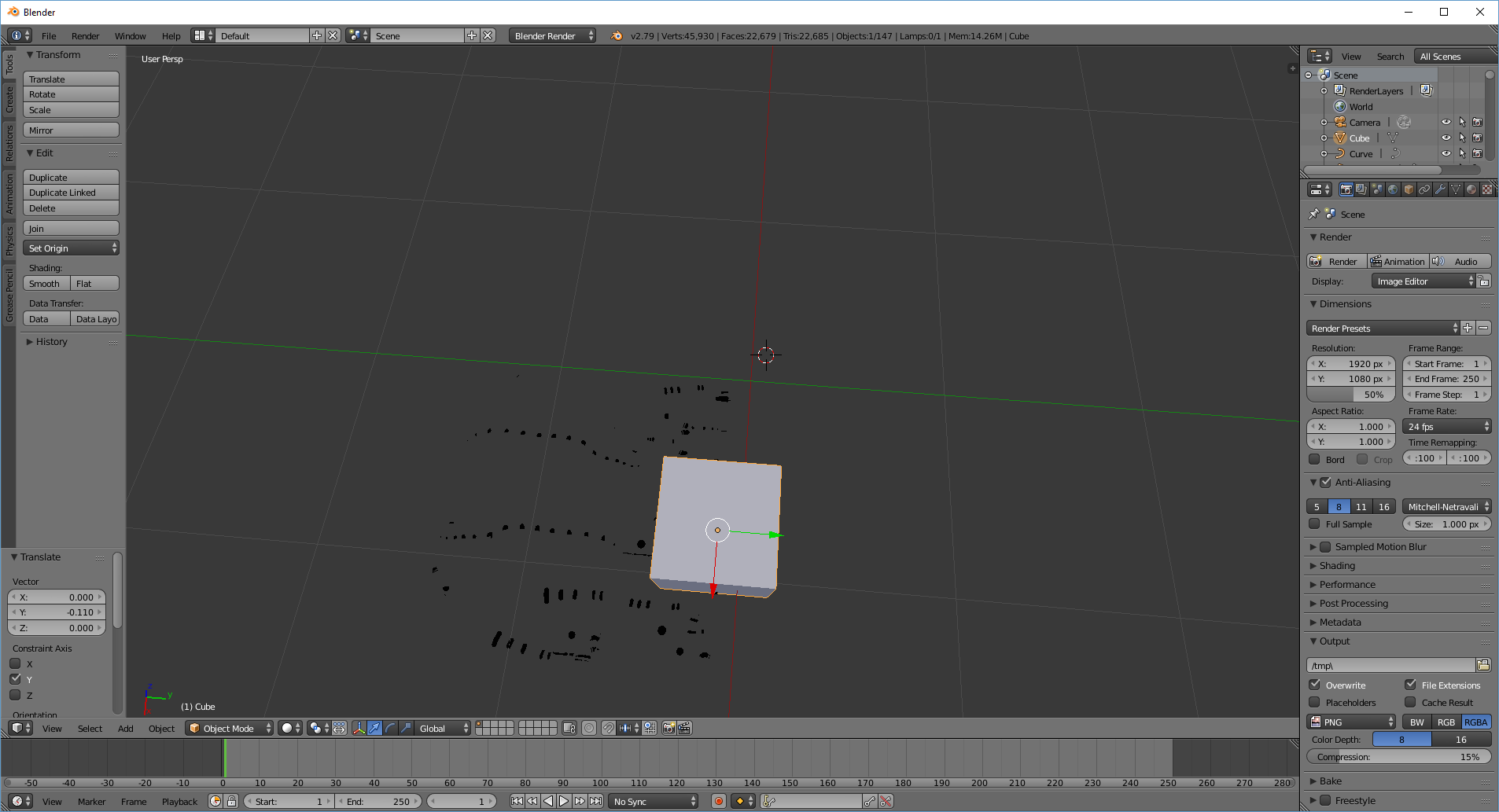 latent charm
What exactly is it you're trying to do that needs to have an svg file laid onto a mesh?
Also showing us the svg file itself would also help
oblique wagon
im trying to raise thoughs spots on the character but the spots are only on the png texture file and not actually a part of the model @latent charm
oblique wagon
@latent charm
 golden cargo
Does anyone use Maya? I have a file (available for free from the original creator) that's an .mb but I need it as an FBX for use in Blender. The online converters I've found either don't accept the file type or give me errors when they try to convert them.
cerulean shoal
how do i use a kinect to scan my body so i can use that ingame
and not have to pay
visual vigil
pretty sure microsoft has a program
cerulean shoal
can you help me find it? i'm struggling to find a program that doesn't force me to pay (using a 360 kinect)
visual vigil
anyone have a good hamburger model?
golden cargo
@cerulean shoal Do you mean for full body tracking?
 mental scroll
How would I go about assigning a different material to a select part of mesh? https://puu.sh/BK7DJ/414a2af841.png
The problem here I'm having specifically is that the "body" material is automatically being assigned to two different parts of the model, merging it into the one single material. Normally this is never a problem, but the model was pieced together using many different parts so there are some conflicting files.
What I want is to be able to assign a texture to the actual skin of the model and the outfit completely separate.
 cerulean shoal
@golden cargo i mean scanning my body so i can use it as an avatar
golden cargo
Ahh, I didn't know it could do that.
zinc furnace
@mental scroll select model in assets, set material import settings to "From model's material"
Delete the old materials first though, or you'll have clutter
cerulean shoal
aaa
 lucid badge
Can anybody help me with weight painting?
visual vigil
https://cdn.discordapp.com/attachments/476162950382747650/500519972464754698/new_render_render_1.png
 spare skiff
How can I make my avatar's eyes glow in the dark?
visual vigil
seperate material on the eyes with emission up
 vague idol
You don't need a separate material for it. You can use an emission map (and capable shader) to pick and choose which portions glow.
Black is no emission, white is full white emission (tinted by shader coloration if available). Colors can be used on the map directly as well and follow the dark->black of black/white but with the color itself.
visual vigil
TIL
zinc furnace
Basically, to make eyes glow you can just copy the texture and black out everything you don't want to glow
Then put it in the emission slot @visual vigil @spare skiff
spiral sigil
I'm sculpting an avatar, and I want to show my progress but the media share button is gone
zinc furnace
Use imgur
oblique wagon
^
zinc furnace
Honestly how did people survive before Discord
Apparently nobody ever uploaded images anywhere before Discord?
¯_(ツ)_/¯
I'm always eager to see people's work though
spiral sigil
Ah, okay
oblique wagon
would questions about unity fall under 3d modeling or avatars?
 zinc furnace
Nice
spiral sigil
Thanks
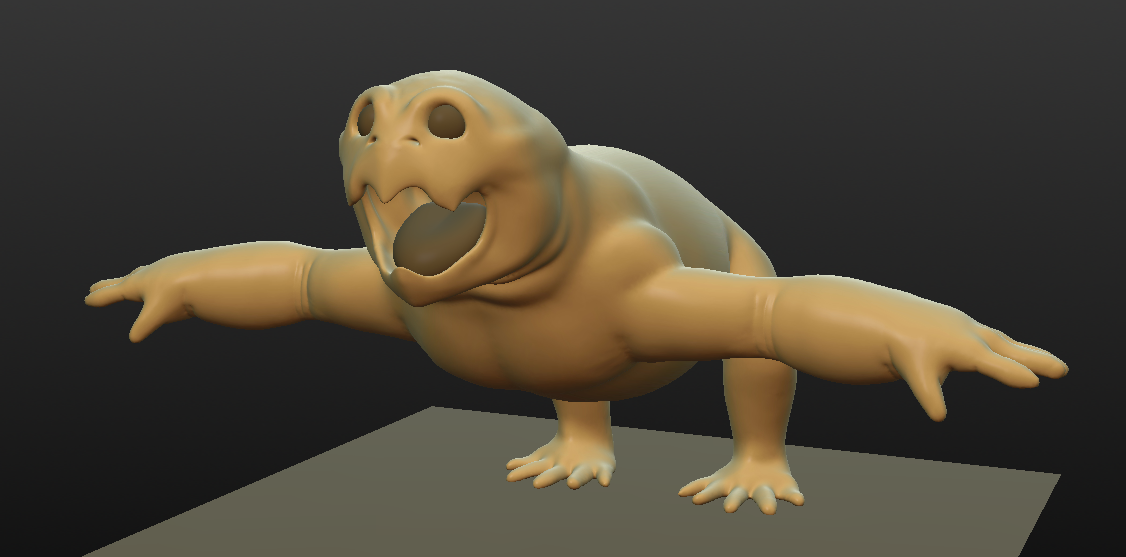
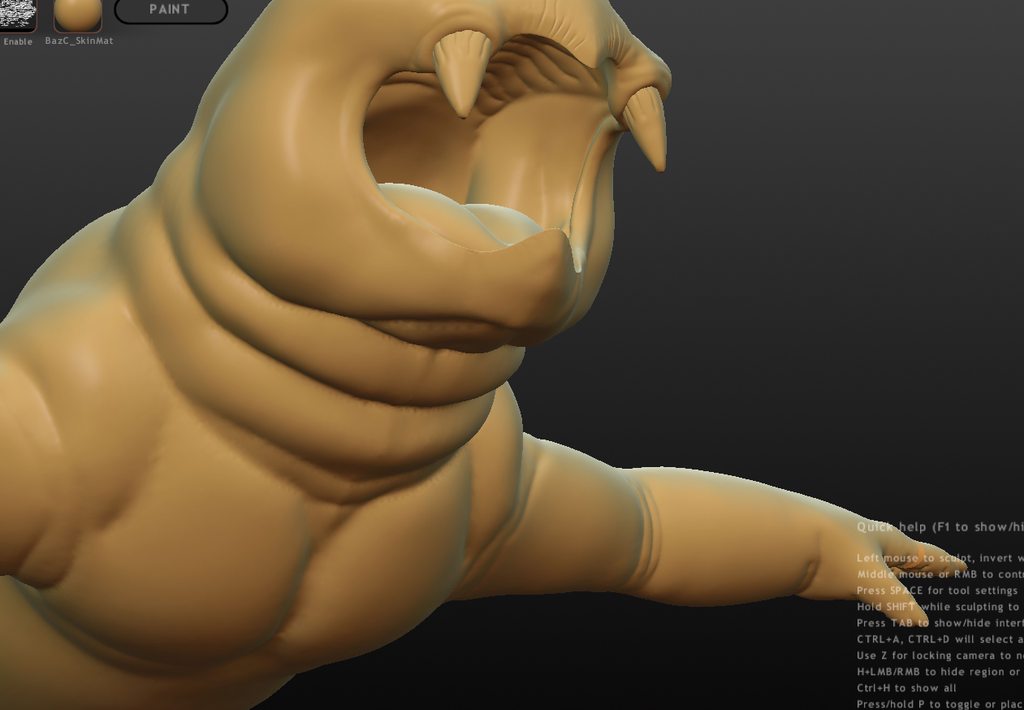
It will be a humanoid avatar, but it will move on all fours and lack a full body ik.
It's extremely high poly right now, but once I finish sculpting and painting it, I will retopologize it and bake.
Its supposed to be a slightly anthropomorphized dicynodont.
I'm gonna add a lot of detail to the sculpt, a lot of which will be baked onto the low poly mesh
lament pond
Magic
cerulean shoal
i did
i use the kinect for fbt
i just wanna know how to scan it
or what software
 floral moat
google it
 hallow bough
There are some videos on YouTube to help you with that.
 summer imp
There's something really weird happening on my side whenever I try to import my model to Unity. I have multiple meshes for my model, the bounds extents of all the meshes are fine (they perfectly get the bounds around the mesh) except for the body. The body has an absurd bounds extents value, and I keep getting this error in my unity log when I have my model in the project: Assertion failed on expression: 'IsFinite(outDistanceForSort)'. And VRChat SDK throws this error: 'The avatar measures too large on at least one axis', which makes sense considering how ridiculous unity is calculating the bounds extents. I even made sure to delete any loose geometry vertices in my model, anyone has any idea why this is happening? EDIT: I tried to artificially modify the bounds extents value to make it fit around the body, the error went away and I was able to upload my model but my body material kept randomly changing colors in-game like a rainbow (even though it shouldn't); its so bizarre.
spare skiff
I find a mqo file when I import my weapon, is that a texture file? Do I need it?
zinc furnace
@summer imp one of your shape keys is extremely broken
Test them all out and you'll find one.
Not sure why you have multiple meshes unless you need it for cloth
 hexed ravine
hey looking for someone to make a avatar for me from a 3d model https://sketchfab.com/models/fyywn7MLnTBPqIZiHaAZ1kE8mOd

Spawn - 3D model by NicholasHerfst (@NicholasHerfst)
lament pond
 visual vigil
 fresh isle
@lament pond What are you using to render those models? They look really good in the toony kind of rendering.
spare skiff
How can I edit a tga texture?
vague idol
non-paint image editors generally (Paint.net is a free "lesser" alternative to photoshop for example)
zinc furnace
GIMP is also good but maybe a bit more specialized
lament pond
@fresh isle blender internal render
lament pond
 thorny fractal
daniel kreuter has a pretty good tutorial for setting up a toon shader in blenders internal renderer
lament pond

 deft merlin
Anyone know if they can make dragon wings with bones bc i cant find any
 junior wolf
I honestly need help making a model but like. 🤷🏻♀️ idk how
lament pond

After a very stressful week I decided to do some fanart for an artist that I’ve looked up to ever since I started my own journey into becoming an artist. His design has shifted over the years and this isn’t exactly the most current design but I still think it came out nic...
 mossy lynx
@lament pond He would make a cool cereal box mascot for some chocolate / cream flavored cereal😄

 charred echo
:O
thanks
but
then my shoes are like
idk
like 200 different parts
@glacial pasture
trosty sama
halp >-<
glacial pasture
Press b Baka
and highlight everything from one shoe into the box
CTRL J
move it around make sure everythings there then the same for the other
glacial pasture
yee boi
glacial pasture
uWu
lament pond
 lament pond
Thank you
spiral sigil
When trying to bake a procedurally generated texture, blender crashes immediately, and I can't figure out why.

Do I need to connect this image texture somewhere? https://media.discordapp.net/attachments/461033691037040641/501849389418020874/unknown.png?width=1192&height=671

 atomic cloud
Is this the chat to request avatars?
 waxen pulsar
#avatars-2-general if you have a picture of an avatar and want the name or to find out where it's from. If you want an avatar made for you, find a commission Discord and expect to pay money
lament pond

 granite hamlet
new to unity and avatar making, but everytime i move a model into unity the textures load wrong. head text, hair,body ect. but the body loads to all the 3d model, cant figure a fix.
zinc furnace
@granite hamlet did you manually texture atlas the model by any chance?
Check how many UV maps the model has before export. It should only have one.
After manual atlasing for example, you might still have the original UV map that has to be deleted
granite hamlet
no found the model on a site, used maximo, then put it in unity
zinc furnace
@granite hamlet import it into Blender first and check the UV maps
Also merge the meshes and have Cats Blender Tool create an automatic texture atlas
granite hamlet
tried to import it into blender, but i cant figure out how
dragged and dropped, used the import function on files. but it doesnt appear.
granite hamlet
yes
ok i think its working now, either that, or the models was so small i had to zoom in to see them...
zinc furnace

VRCat: Community-Run VRChat Forums
After helping someone figure out why their .dae file wasn't importing into blender on discord, I decided to write down what was needed to fix the...
Always check the scene hierarchy to see if it's actually missing or just small
granite hamlet
thanks for the help
cerulean shoal
vii thats not family friendly
fresh isle
Blender-Chan only.
 cedar wren
Red panda? 👀
 fresh isle
Blender is a very feisty partner.
You have to fight it to get it to do what you want.
lament pond
Once you learn him you'll go hand in hand
fresh isle
Oh I know
I haven't learned modeling myself but I'm pretty good at fixing rigs at the least.
cedar wren
oooo red panda's are best panda's lol
i know modeling but... yeah... i'm not great, better at sculpting but that isn't saying much lmao
@lament pond i hope it turns out well 😃
lament pond
Thanks
lament pond
 lament pond
 spiral sigil
Does anyone know the name of this avatar? https://imgur.com/a/1YrIItG
 lament pond
Tda edit # 3810318-p
glacial pasture
If it's permanently open just go into the rig and rotate the jaw bone upwards
generally bottom lip into upper lip does it
lament pond
You can try removing the eyes and jaw bones from the model in the humanoid setup @ebon osprey
lament pond

 hoary musk
@charred echo saw your post, by any chance do you have program called modo? if not you can send them to me and i run through modo and split the parts up and then back the file?
charred echo
nah its good, i finished it all :D @hoary musk
hoary musk
@charred echo glad to hear 😃
 onyx gate
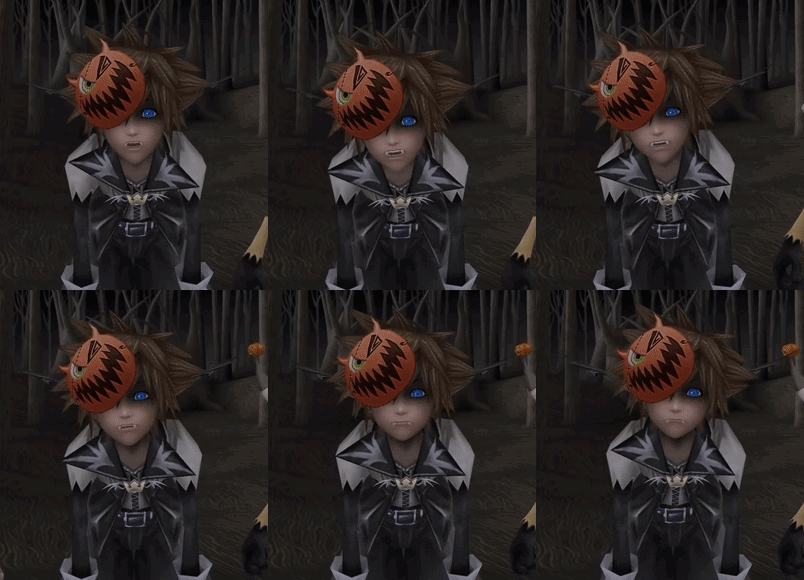
How can I make vampire teeth stick out of a face out of a "normal" mouth?
like sora for example
 glacial pasture
Edit the vertices of the teeth so they stick out and down like that
onyx gate
I'm thinking I'm going to have to give him an overbite and thin the lower lip to make it work
lament pond

As per request here is one of the beach variants I did of Tairu for your sketchfab viewing pleasure.
If you like my work and would like to support it you can check out my Patreon or if you’re interested in having me make a character for you then shoot me an inquiry through ...
fringe rock
the tutorial avatar have so much vertex for nothing https://gyazo.com/8237209c573a0dc137257004b280a3ac
lament pond
Baam
 marble granite
https://cdn.discordapp.com/attachments/438485553063788555/502981898201464842/unknown.png
https://cdn.discordapp.com/attachments/438485553063788555/502981938542542868/unknown.png
https://cdn.discordapp.com/attachments/438485553063788555/502982035262930944/unknown.png


Dominator from Psycho Pass
would be nice if i knew how to script
spiral sigil
❤ Will pay 20 for a good holloween edit of my avatar. hmu in dms
 quasi flame
WIP of the second trigger girl
https://i.imgur.com/V6xoD5o.png

 fresh coral
Woaw so nice
granite hamlet
in blender, when you zoom in the model goes see through too early, is there a way to change this?
zinc furnace
Press N to open the viewport options @granite hamlet
Then you can change the "near" clip plane from 0.1 to something smaller
lament pond
 spiral sigil
guys how to make costume avatar ?
i dounwload everything but it keep telling me that i need to play more vrchat
to make costume avatar
help me plz
how to upload avatar it not allows me to upload ?
hot flint
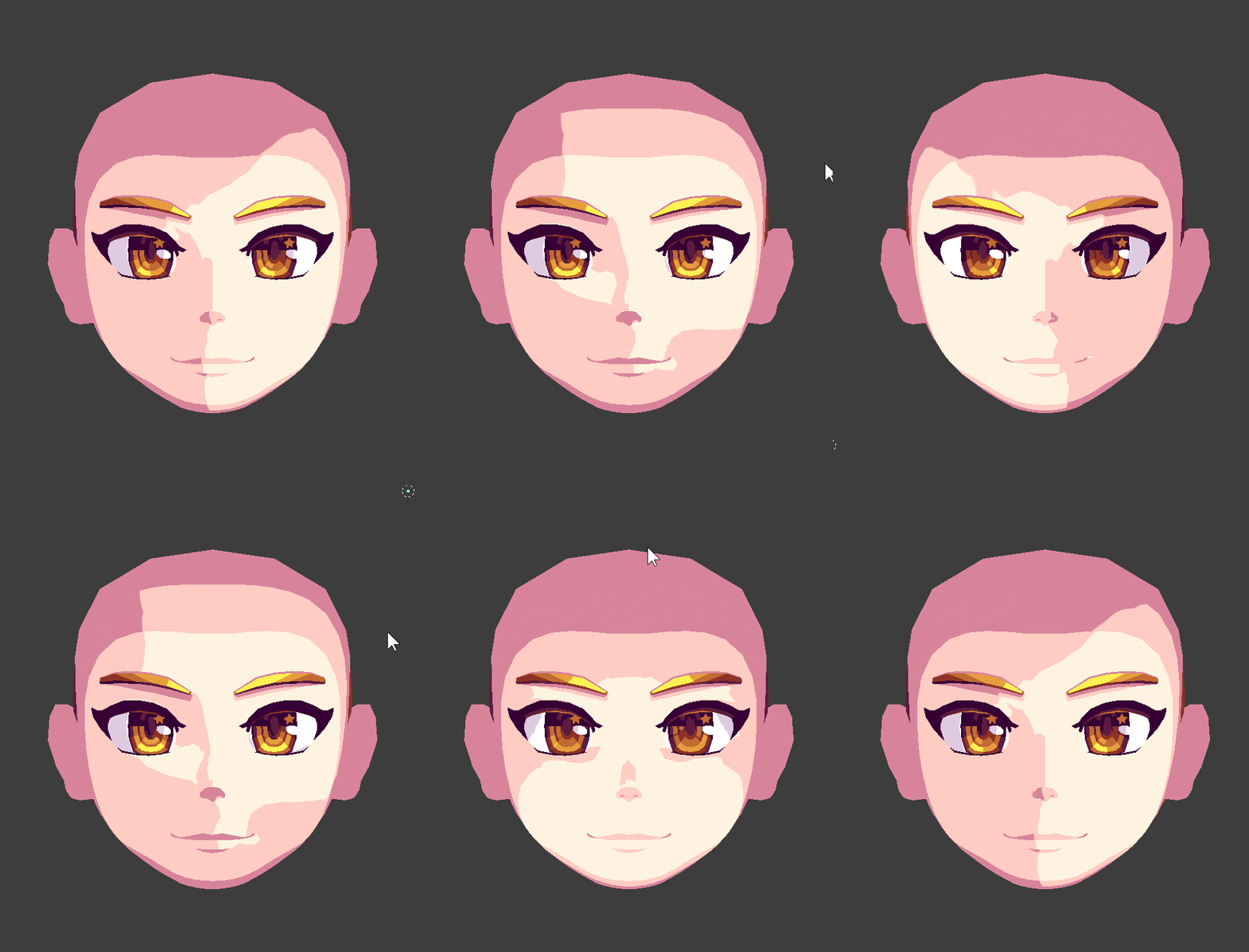
a slave to lighting no more
((this is before doing much with vertex normal editing))
I'll need to fix up the edges where it does and doesnt light
lament pond
 fringe rock
on my anime avatar from little with academia. I have a deferent material that dont reseve shadow on the face and I have fake shadow baked for the neck and ears or some other part of the body
 frosty plinth
how do i get one of those vr name tags that looks like a band and it spins around your upper part of your arm?
lament pond
Have a seperate bone parented to your arm bone that you can easily rotate to animate the band @frosty plinth

 ivory spire
any1 here using the pmx editor and can answer me few questions?
 silent acorn
@hot flint That looks really smooth!
Will you still be using fixed shading on some parts of the model?
lament pond
@umbral crystal https://www.youtube.com/watch?v=WVjoMoKhRp0
[CLICK 'SHOW MORE' FOR MORE INFO] Excuse me while the "Zombie Song" plays on loop in my head. Here we have the lovely Sakura Minamoto from the newly released...
 umbral crystal
yea ik all that
but i only have a front and back
no side
so i cant tell depth

so atm only looks like this
hot flint
@silent acorn yep! That's the plan
silent acorn
Neat!
@umbral crystal it's mostly just a matter of trying different body shapes until something feels right. You could always draw up your own side-view reference, even just a basic outline would do
 silent acorn
Do you have 'clipping' checked?
 silent acorn
if you drag the vertices that are clipping back towards the middle, they should merge todether
umbral crystal
didnt do anything
they are merged together but
it still does that 4 whatever reason
silent acorn
Weeiird. I'm sorry, I'm not sure what the issue would be
umbral crystal
oof
umbral crystal
how to make it have less creasing in knee
@silent acorn https://i.gyazo.com/b1e0597141034431749aad01e5f75977.gif
 quasi flame
@umbral crystal The easiest way to start off modelling, is to start with separate cylinders for the body, arms and legs. Adjust the silhouette according to the reference and join it all together.
 foggy maple
@ivory spire Don't ask to ask, just ask
 runic bolt
Nice, do you guys have any advice on making proper anime faces? Everytime I attempt to work on any the models always look a bit off.
 polar flower
they always look off until you texture them
 safe stirrup
trying to upload my character but the armature wont go on unity for some odd reason :l anyone got ideas on what I should try?
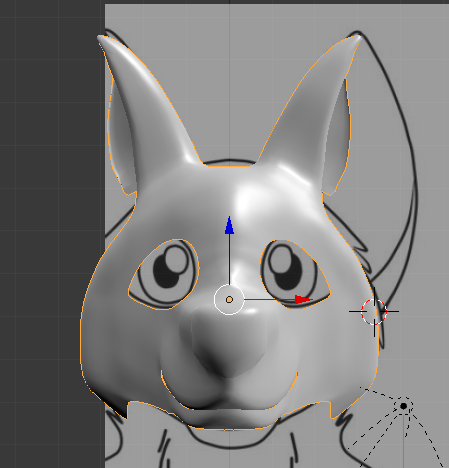
 clever spindle
Looks solid. I imagine the tricky part is making a smooth transition from front, to side, to back.
 hot flint
My best piece of advice is to take a look at how professionals set up their topology
clever spindle
Very descent look. The ears just need to widen out enough to get their decent size and careful for the face not to get too pointy there. But looks nice.
hot flint
Mimic the same edge loops they use
lament pond
@umbral crystal the "cheek" region could use some more volume
Not the sides but like the region under the eyes
clever spindle
There's a handful of things that could be done to fix it up if we want to be specific.
1 Getting rid of the edge that starts between the eyes and the ears, and runs down along the cheek. It needs to be flattened and rounded out.
2 Flattening the nose a bit and the snout in general, also fixing the upper-bite if you don't want it.
3 Puffing out the cheeks (as mentioned) so they're rounder and more filled out
4 Fixing the bump over the forehead and the bump over the bridge of the nose
5 Just keeping up with the good work!
 solid shale
Have a blender question. Since GG moves verts along edges and then E makes them align to either side, is there a key that makes the verts go to the middle?
solid shale
I guess as an example, I have two straight flowing edgeloops with a crooked one in the middle and want to straighten that one out without losing the shape.
lament pond
You could get rid of that edgeloop and make a new one
solid shale
True but I was hoping for an alternative incase I couldn't do that
spiral sigil
@solid shale try Loop tools > Gstretch
enable loop tools in addons, you have them under the W key then.
@solid shale alternatively, you can ctrl+E>Edge Slide to one side of the loop, confirm the operation, and edge slide again to the middle of the loop.
solid shale
Thanks
 pliant falcon
I’m looking at this stuff and wishing I had the time patience and skill to try modelling
 royal steppe
I got really into it but put off learning unity stuff. So I'm basically modelling my own stuff instead of editing existing models, but can't do anything more than basic animations and settings in unity
But I'm quite happy with my models at least


 silent acorn
@pliant falcon Working with programs like Blender can be tough at first, but it's not too hard to get the hang of things. Modelling is just as much about practice as the end product- maybe your early models might look a bit weird, but they'll get better over time!
pliant falcon
k,thanks
silent acorn
my first model still gives me nightmares
pliant falcon
OOF
royal steppe
you could just keep working on one till you like it as well. I probably did the face on the above 4 times before I was happy for example. That's only my second character too.
silent acorn
^^^
I'm like a monkey on a typewriter when I do modelling, occasionally I'll get something right
@royal steppe was that avatar made from scratch?
royal steppe
yes.
silent acorn
it looks really good!
 spiral sigil
hmm like subdivide?
 spiral sigil
try bisect, you can draw the cuts
 mossy light
ok ^^
lament pond
@mossy light just knife it
lament pond

 empty bobcat
Hey my doods I'm using Mixamo to make basic animations and rigging for NPCs for a game I'm working on, is there a way to apply multiple animations to a single model in Mixamo?
silent acorn
I accidentally applied skin modifier to an entire model
it's been five minutes, it's still computing
send help
silent acorn
oh nooo
silent acorn
thank you! It's all good, I had a recent save
mossy quail
👌
silent acorn
oof ouch
mossy quail
damn
 eager ivy
ive been trying to get a model into vrchat but my unity kept crashing..
brave dune
as in, how to make a model from scratch or do you mean blend shapes for mouth movement?
 wind sigil
@everyone how do i make a vrchat model for a morph
fringe rock
a what ?
 high jetty
Did you really just try to ping 15,000 people to ask that?
Regardless I’m not sure what you mean by a “morph”. Could you elaborate?
foggy maple
More like 50,000 people
 sly basalt
@wind sigil
 lost kraken
getting an issue with my mesh having a hole in it on unity import and google hasn't helped me as all answers are check the normal. Normals are correct and the vertices are welded. Anyone Have idea's?
https://i.imgur.com/ByR5qUi.png
 cerulean shoal
i think he plays roblox. its called an avatar, and you can make it with blender, maya, 3ds max, or any other 3d modelling program @wind sigil
 plain bridge
@royal steppe thats a thiccass shark 😩 🍆 💦
 hollow drum

Can someone help with this issue? It pops up with every model I import, and even with ones that worked completely fine before
I can't find a solution but if I don't fix it my avatrs wont be able to talk or blink anymore, I think 😟
latent charm
@hollow drum What blender version are you using, also what does it say in the console window? (you may need to go window>show console, or something kinda like that)
 umbral crystal
blender turns spikes into anime tiddies
https://i.gyazo.com/700676549317ac931946d18c3da5944e
 foggy maple
@hollow drum You are using an old cats version, update it
hollow drum
Oh okay thanks ^^
What version should it be?
I checked for updates after attempting to reinstall it and it says it is up to date with version 0.11.2
Nvm it seems to be the right version and it works properly, thanks :D
visual vigil
im running into an issue here
in blender, no matter how i select an image in the UV / Image Editor viewport, all images refuse to display
https://gyazo.com/f7af0f0af0cd3cae22856cd52f72af48
 fringe rock
Drag the file in the view uv Windows?
lament pond
 visual vigil
https://cdn.discordapp.com/attachments/478789014305112067/506003232666157069/unknown.png
https://cdn.discordapp.com/attachments/478789014305112067/506003000582602763/unknown.png

 zinc furnace
Is there a way to move UV's around in Blender while also seeing the end result?
I have to be in edit mode which turns the 3D view into a wireframe view
And without having to be in "render" view either
fringe rock
open a new windows. for that drag the thing in the right corner
 robust hound
Nice
spiral sigil
I'm trying to make this guy into my avatar but I dont know how to make inanimate objects as my avatar. Any tips? Sorry if this is in the wrong channel. https://cdn.discordapp.com/attachments/347699085328777216/506233767501889536/clanks.png


 civic trout
spiral sigil
civic trout
spiral sigil
Figured it out
spiral sigil
hey so i made an avatar from scratch and on every blendshape f. ex, blink my thigh which i made bigger grows in size when shapekey is active. if someone dealt with this issue before help is much appreciated . thanks 😊
 swift heart
do this to your thighs for all the shapekeys that are broken https://blender.stackexchange.com/questions/2941/revert-vertex-position-to-basis-shape-key

Blender Stack Exchange
How I can revert the position of a single vertex in a shape key to it's position in the Basis Shape Key?
royal steppe
I guess I finally stopped being lazy and made a Halloween thing for my avatar.
https://cdn.discordapp.com/attachments/478058543078178847/506441895032127500/Rabs_PV.png
 spiral sigil
thanks a lot @swift heart
 viscid dagger
sure is
swift heart
no problem
 orchid bobcat
does anyone knows of a good female body base for full body, that is free and could share? ^-^
 vast spire
Deviantart has tons
lament pond

 tawny dock
Does anyone know if there is an easy way to share unity scenes/files between 2 computers?
Like if I were to do something in unity in school on my laptop, I could easily continue at home on my desktop.
spiral sigil
@tawny dock Unity cloud would help with that.
spiral sigil
@tawny dock git 😃 https://unity3d.com/learn/tutorials/topics/cloud-build/creating-your-first-source-control-repository

Unity
Unity is the ultimate game development platform. Use Unity to build high-quality 3D and 2D games, deploy them across mobile, desktop, VR/AR, consoles or the Web, and connect with loyal and enthusiastic players and customers.
tawny dock
I'll check that out, thanks @spiral sigil and @spiral sigil !
latent charm
@tawny dock If you don't need version control syncthing may work. https://syncthing.net/
useful for general file syncing too. No limits either since it's P2P.
lament pond
@tawny dock dropbox
tawny dock
@latent charm I'll try that out too, thanks 😀
drobox and onedrive are file share services but I feel like I'd run into problems because all files are in different locations ( unity said something about scenes having to be in the unity folder or something )
lament pond
That's why you save it to one dropbox folder, boom it's universal and accessible everywhere

 topaz warren
@lament pond Mind if I ask, how did You make the outline of your character? Is it a shader? That is... perhaps free to use?
lament pond
That's just ao in blender @topaz warren
topaz warren
Oh, I didn't know You can do that with ao, thanks!
spiral sigil
please can someone help me im dying
@lament pond + matcap? afais AO doesn't influence geometry relative to camera position, just geometry relative to each other. Unless it's some 2.8 magic? 🇭 🇴 🇼
unless it's not viewport?
lament pond
It is the viewport and it is just ao xD
I'm still using 2.78, if you click N under Shading there's an AO option
I just like using it while I'm still working on the mesh since it makes it easier to see where things are before I add in textures
@spiral sigil
spiral sigil
I need help with unity. I have hair on my avatar and for some reason even though I made the hair texture PNG with a transparent background, it has a black background instead of the transparency. so I googled around and tried downloading a hair shader. now , it looks fine, the transparency is there but it seems like the opaque parts are also slightly transparent?? please help me fix this mess ;-; https://cdn.discordapp.com/attachments/473964102562349066/506981674437836812/unknown.png
 lament pond
@spiral sigil unity doesn't like transparency, you'll probably want to use a cutoff shader
spiral sigil
okay :c it just looks so ugly though with the cutoff thing
cause the hair looks sharp on the edges
yeah! ao is great for shape and form, i just wish there was an easy ao node for rendering bakes. I think i read they included it in 2.8 or dev. Or it's in the works?
Beautiful concept for an avatar btw.. was just logging off and saw that, quite realistic. hope you get the hair sorted
Thank you! :)
but you seem to be getting ao on model edges, and all I managed to get is sharp crevices that would normally obstruct light.
lament pond
The model is pretty sharp
spiral sigil
I was thinking this is 2.8 outline option. Looks pretty similar.

tinted matcaps ❤ + shading, highlight and crease options. Gonna be a killer.
lament pond
Yeah there are always going to be multiple ways to come to a similar conclusion
 deft fog
So I attempted to do automatic weights for these materials to the hair bones I made so I can do some cleanup on them.
But I get this. I've never seen these before.

What the heck did I do
lament pond

 bold oak
@deft fog Look up tutorials on weight painting
deft fog
This isnt something I need a tutorial for, this was automatic weighting just not working for the first time I'm a year of me doing this
I ended up having to do it by hand
oblique wagon
how do i make a inside out sphere in blender
high jetty
You mean a sphere you only see from the inside? Flip the normals
high jetty
I believe you go into edit mode then you can hit space and type in “normal” and flip normals will probably show up.
oblique wagon
ok thanks
high jetty
Sorry I’m at work now and can’t recall the exact route but that should work
Also make sure the entire sphere is selected
 visual marten
https://cdn.discordapp.com/attachments/507337435701575690/507337515225710602/Blender_Mask.PNG
I'm making a mask but I don't know how to make the eye sockets without ruining the whole thing, any ideas?

I figured it out
Alright who wants to see the slightly closer to finished version
lament pond

 unique drift
First avatar I have made since many MONTHS... But the hard work has paid off, this will be my (late) Vrchat Halloween avatar! Tim Burton characters are fun to make, but the hair took most of the painstaking hours to make! I still have to texture it. Made in Blender :) Happy Halloween, peeps.
https://cdn.discordapp.com/attachments/478615639087644682/507399952431972352/unknown.png
 silent acorn
@visual marten I'd love to see the end result!
unique drift
@visual marten Have you tried researching the "boolean modifier" in blender? It lets you cut shapes into things using other meshes, might help you get the eye socket shape you want, but you might have to tweak it a bit.
 compact mulch
 vivid crater
👀 👀
👀 👀
👄
oblique wagon
how do i add more faces instead of making less
deft fog
@oblique wagon Select some faces and then subdivide
(Press W, select the subdivide option)
hollow radish
@oblique wagon use subdivision modifier instead
visual marten
I need some help I want to make a helmet that looks shiny but I don't know how
compact mulch
Using a Unity standard shader or standrd specular, you need to make a gloss map and then put the gloss map inside your metallic or specular maps as an alpha. You will need a 2d editing software that can do it
I'd reccommend making a .tga format image. They work really well with custom alpha channels
floral moat
when i set textures on my model, some of them only appear when hovered on. as a result of this when i merge my meshes half of my textures are blank. How do i fix this?
i figured it out nvm
 unique drift
@tender tendon makes me think of those robed characters from the game Journey :> looks great!
 tender tendon
Based off the new undertale game/spinoff/sequel i dunno really.
tender tendon
oh right, thanks
cerulean shoal
i completed the model and its only 12.5K polys
umbral crystal
anyone know any good resources to learn about keeping the quad structure when making a character
cuz all mine look awful https://i.gyazo.com/157bbeaff097d9e678f9d30040660f69.png and they have seams and are really hard to edit

idk how small to make them and how to keep them aligned with eachother
especially when the model starts extruding into like the Z dimension
do you guys just make like a sphere and sculpt it to make the face depth?
umbral crystal

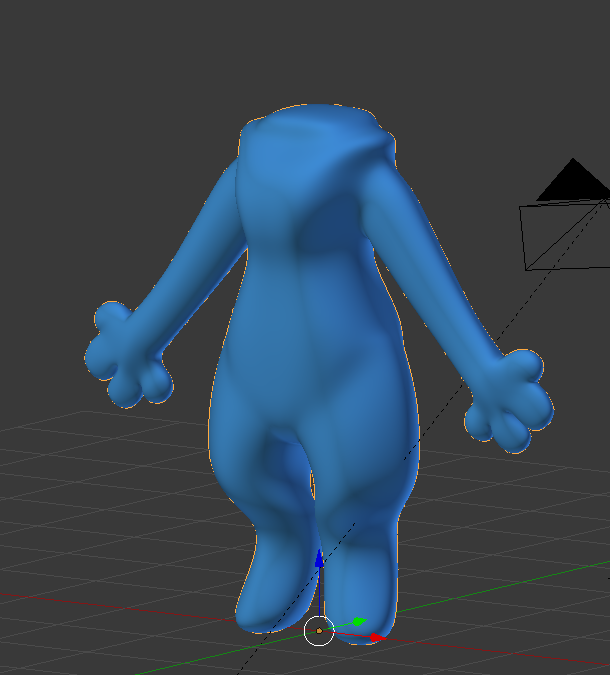
is this ok?
lament pond
That shoulder region is looking a little blocky
umbral crystal
not worrying about it cuz
will have shoulder floof
speaking of which
how do u even do floof
do u just extrude faces and like
do another loop cut
idrk
silent acorn
@tender tendon that was so quick! The model looks really great :>
tender tendon

umbral crystal
wat about this https://i.gyazo.com/a35dd03401ea9afca6b2191e4e0b69cb.png
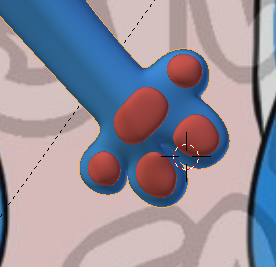 umbral crystal
how do u make fluff
spiral sigil
@tender tendon i like ur model looks like it was made in gmod pac3
spiral sigil
@umbral crystal look for "hair cards" or any other hair tutorial for vrc. You can make it from mesh as well if you want it spiky and massive.
topology is a science of its own, look for topology refs on humanoids on any image search engine. Polycount has some stuff about it on their wiki too. Dated, but good.
umbral crystal
ye bc like i want to make the
chest and shoulder floof
and idk how to make it look pretty
or how to extrude it so thqat
it doesnt cause weird overlap in subsurf
spiral sigil
try a lot of things, see how other people model that
umbral crystal
also do u know why the head looks like this
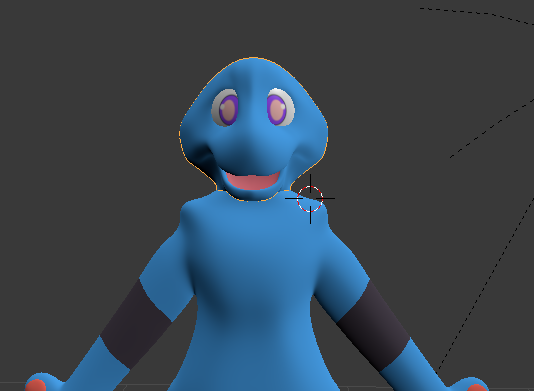
theres this shading thing in the cheeks
nvm topology issue
spiral sigil
ehhh, welcome to subsurf modelling :3 You're gonna get artifacts on places with weird geometry, triangles, ngons, double vertices, mesh edges.
enter the edit mode, smash "select", select all by trait, and then "select non manifold"
you gotta be in vert select mode
umbral crystal
also any tips to marking seams
should i just draw a seam all the way down the middle and assume its good
spiral sigil
if you're gonna get selections in the area of the shading artifacts, something's broken there, either internal faces, edges, doubles, or split mesh
there are standard ways to place them if you follow one of the humanoid topologies. In general, try to avoid the places that will be well visible
umbral crystal
i want to make it easy to texture
i could always use view project but then i cant do the mouth
spiral sigil
so run it on the sides of the character rather than front/back, on sides of the fingers, etc.
you can unwrap the mouth separately, just hide everything else , select the mouth, and click unwrap
spiral sigil
you can unwrap stuff with selection only without marking the edges. Edges are for repeatability, if you do a dozen unwraps in a row, pin verts, etc.
umbral crystal
do i mark seam
spiral sigil
yeah, you can mark the seam on the lips. It's gonna be easier to select then
protip: cursor over mesh, hit L on keyboard
on the left bar, you're gonna get a menu
and there you can choose what gets selected.
if you choose "seam", it's gonna select only the island that's under the cursor
umbral crystal
its still attached
spiral sigil
also a good way to check if the seam is not broken anywhere
umbral crystal
 spiral sigil
you mean in the UV editor?
ah yes
can someonne help me.. https://cdn.discordapp.com/attachments/507954670795489292/507956572899639322/unknown.png

 spiral sigil
these are tris
umbral crystal
nvm fixed
spiral sigil
@umbral crystal change to face select mode
spiral sigil
ok, but if you go into face select mode, mesh won't pull verts with it
yeah, you have to unwrap parts of the model when you modify the seams
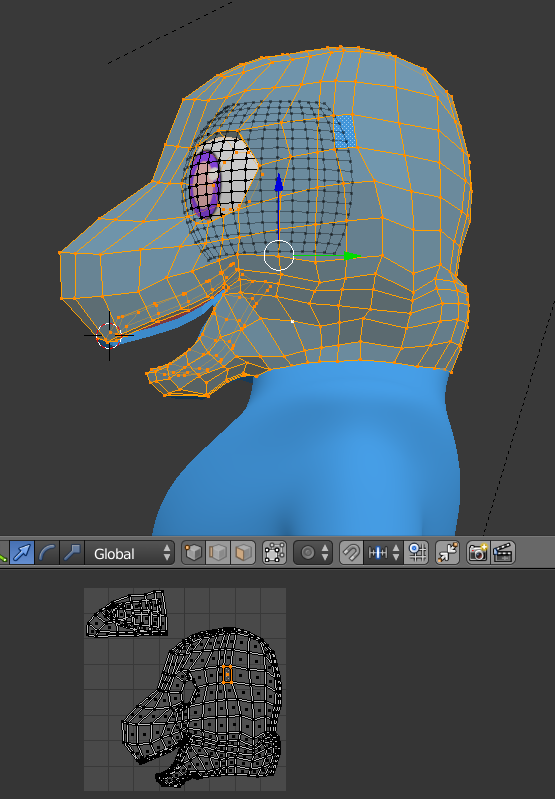
 spiral sigil
yeah, the meshes overset on the UV map, if you want them to have the same color, that's gonna be OK
also, if you're using flat colors, you can just assign materials to them, without textures.
umbral crystal
yea but then i will have to like
firstly increase draw call and also
have to move my quads around
i wanna keep my quad patterns and not change them too much
they will all use the same shader so a bit unecessary
spiral sigil
Okay
umbral crystal
ye
is there a better way to color it other than texture paint
or like photoshop
spiral sigil
you can paint directly on the UV map, just export it as an image, modify, and reload in blender
duh, i mean, you can paint directly on the texture, and you can generate the UV mesh lines as a separate alpha layer to know what you're doing.
there was an export option for that somewhere in the image editor
umbral crystal
o ok
zinc furnace
You can also use vertex painting or just a plain new material for every new color, then atlas it
umbral crystal
kk
spiral sigil
Oh yeah, vertex paint > paint > dirty vertex colors. Poor man's ambient occlusion =^)
autopaints all the creases, so you can link them to a darker material/texture and bake to texture.
spiral sigil
@umbral crystal you mean the texture painting brush?
umbral crystal
is this bad lol

i think its ok for a toon shader
i might use a fur shader on it so idk
also how to select edge loops without selecting all of it
fringe rock

In this video i'll go over how to quickly select edge loops + rings.
umbral crystal
thx
i putting progress here https://www.patreon.com/WunderWulfe

Patreon
Become a patron of Wunder Wulfe today:
Read 4 posts by Wunder Wulfe and get access to exclusive
content and experiences on the world’s largest membership
platform for artists and creators.
hope can get it 2 work
 spiral sigil
@umbral crystal head over to sketchfab, find the kind of effect you want, and see how it looks like in wireframe view.
umbral crystal
is this a good start https://i.gyazo.com/0711736c3598e1f0bd1940e8b1c2aaa1.png
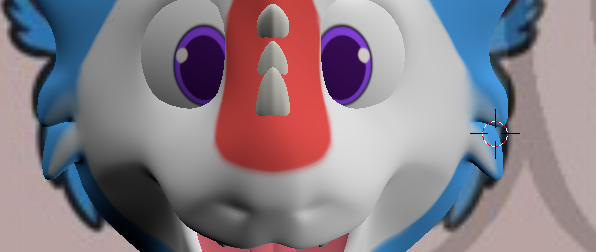
i dont know how thicc it should be
spiral sigil
yeah, that kinda works, you're just making geometry hair basically.
 lament pond
 spiral sigil
@umbral crystal i like how ur tag says LEET
umbral crystal
ye
spiral sigil
deafult fortnite dance

 formal carbon
it's been a long time since I tried to make a 3d model of Faputa from Made in Abyss ...
i give up, if someone already avec one pls mp me
spiral sigil
 stoic ridge
blender is owning me today. all I want to do is set vertex colours for some vertices but it isn't painting them when I paint
worked totally fine on a different model a few weeks back
small cloud
@umbral crystal you can use also this https://cdn.discordapp.com/attachments/427431614520492053/436190402056290326/system_project_timer.py it tracks active time spent on project
spiral sigil
how does one create a avatar
from scratch or just importing one for vrchat ?
from scratch
check the pin of this channel
and search tutorials related to that video
ok
 zenith tusk
Does anyone know how to merge armatures in blender?
Cats tool doesn't function for me when it comes to merging
spiral sigil
did you follow the steps in https://github.com/michaeldegroot/cats-blender-plugin#merge-armatures

GitHub
:smiley_cat: A tool designed to shorten steps needed to import and optimize models into VRChat. Compatible models are: MMD, XNALara, Mixamo, DAZ/Poser, Blender Rigify, Sims 2, Motion Builder, 3DS M...
you need to show it where to join and it will only be assigned to that one bone
zinc furnace
Are there any downsides to letting Unity calculate the normals rather than importing them? I've found one case where it just looks plain better when calculated.
I get weird seams and rough edges in some areas if I import them
spiral sigil
there's a bunch of dowsides, usually people 'sculpted' the normals a little to give some areas extra curve or lighting angle
so sometimes if you let blender, cats or unity recalc the normals the face looks broken or something looks smooth where it had a crease
zinc furnace
Alright, thanks. There's some kinda weird spots in some areas, I should probably re-check if I accidentally did that in Blender or if that's just what the model is
Like seams or random sharp polys
spiral sigil
you can set a treshold angle when normals need to be smoothed that also influences how it smooths out contrast
tender tendon

 noble harbor
whats a good way to get into modeling avatars from scratch
i need to make my own original thing
 cobalt willow
@noble harbor I followed this series and it helped me out a lot getting familiar with blender and picking up a few techniques.
https://www.youtube.com/playlist?list=PLFt_AvWsXl0fEx02iXR8uhDsVGhmM9Pse


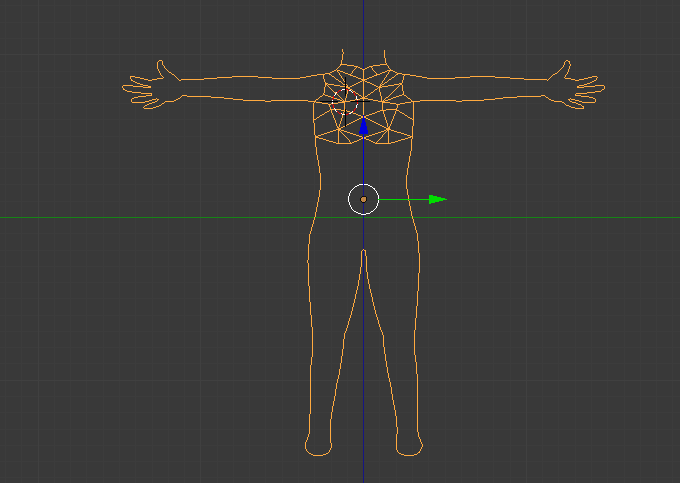
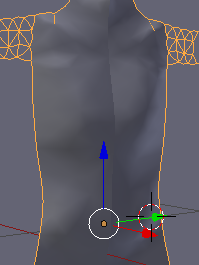
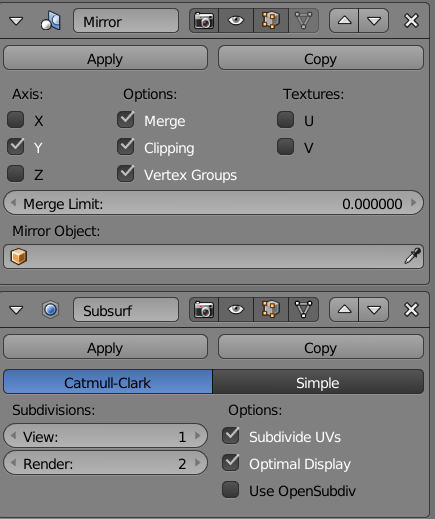
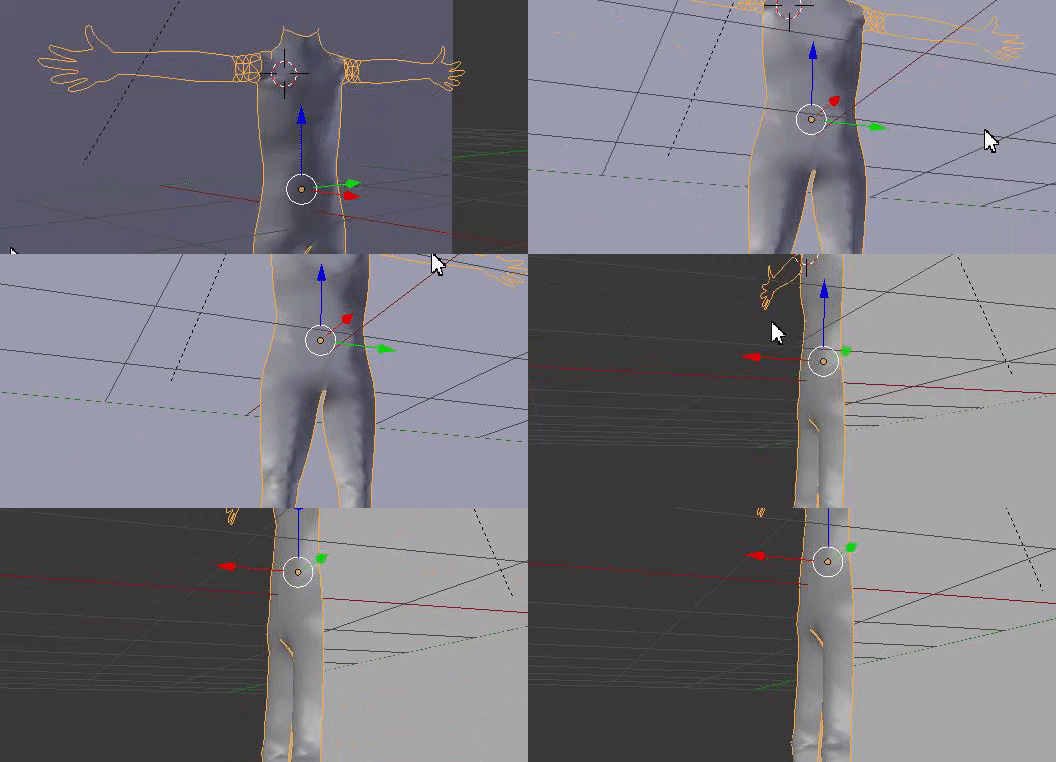
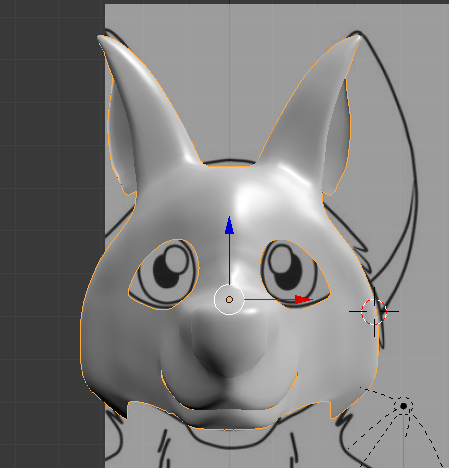


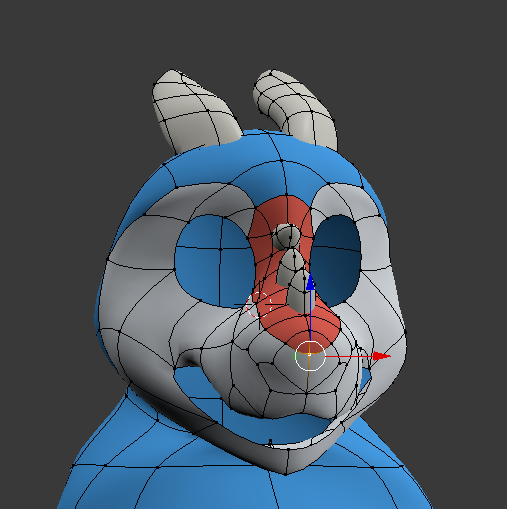
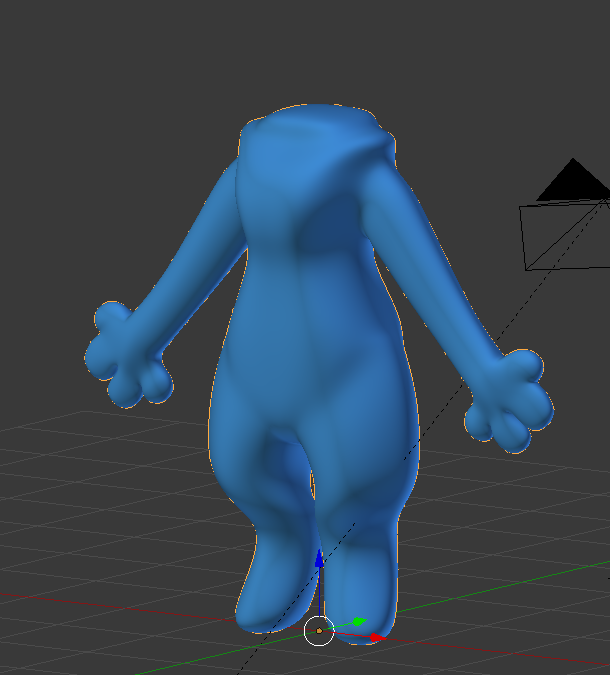

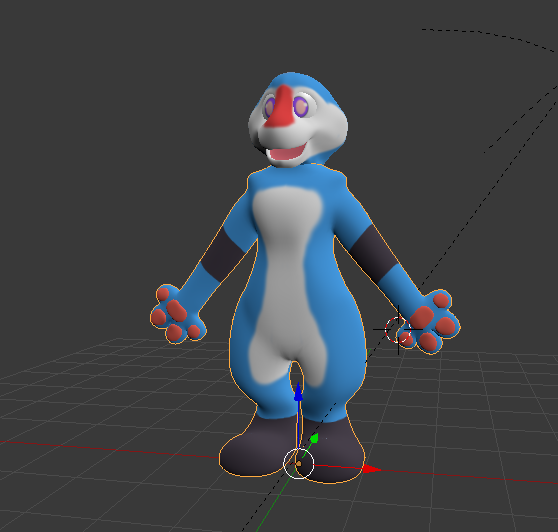
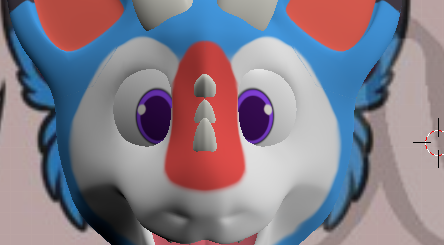



You can ignore the parts he sets up his own IK bones, you don't need that for VRchat.
visual vigil
https://cdn.discordapp.com/attachments/477184171601821719/508843551585468425/unknown.png https://cdn.discordapp.com/attachments/477184171601821719/508843445033369620/unknown.png https://cdn.discordapp.com/attachments/477184171601821719/508843398203965470/unknown.png


 noble harbor
Thank you @cobalt willow
He makes it look easy but I know I’ll have fun with it good luck
 regal jetty
I'm new to this whole blender thing and I'm super confused with something
I tried to follow some tutorial on how to use GMod models in VRChat but the person is using one big model and putting a texture on it, but my model has like a bunch of individual parts but one big texture picture
And now i'm not entirely sure how to deal with that.
 light rivet
I'm going to make the assumption that each part has a UV mapped. This means you may have to link the texture to each part through the material of each part.
regal jetty
So I have to select a specific part of the texture and map it to one of the smaller models?
light rivet
Well if the model has no UV unwrapped, then you would have to unwrap it first and lay out the UV over the texture. Putting it in general, yes, you select a specific part of the texture.
lament pond

 regal jetty
Alright, i'll go from there. Thanks.
 bitter leaf
remodeling freaking akali was the best decision but worst
https://i.gyazo.com/8a26ad11f83c687248788fc8573767e7.png I think Im going to have to re unwrap I kinda broke it
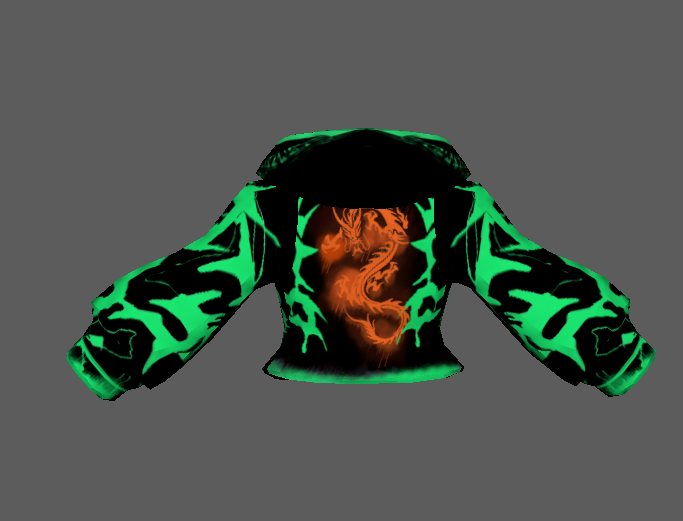
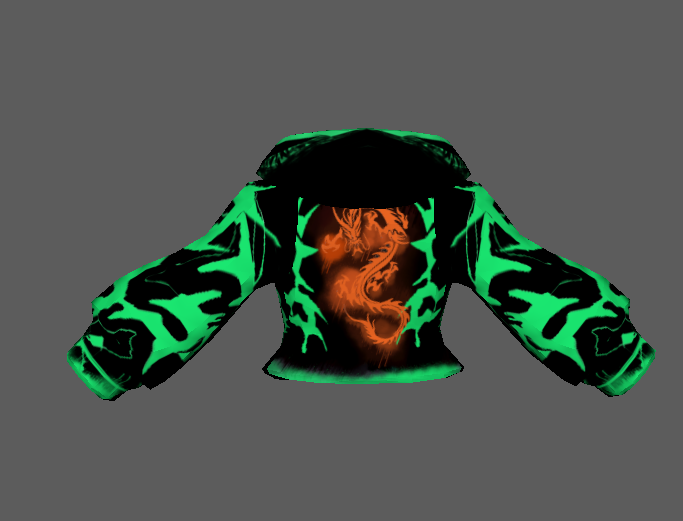
for some reason the hoodie unwrapped the shoulder parts
 royal raven
holy this looks good 😮
im a bit sad, that i dont know how modeling etc works, i would make every ahri skin 😄
lament pond
@bitter leaf I'm thinking of making Ahri, now we just need two people for the other two
bitter leaf
Oh hell yeah @lament pond just letting you know the original riot games one is garbage in topology your better off building from scratch
lament pond
I am building it from scratch xD @bitter leaf
 old field
Any know any good books for modeling?
hollow radish
I don't like where that bus is going
too much anime with buses with certain purposes 👀
old field
🚚 sama avatar?
lament pond
I'm probably gonna use it in a map
bitter leaf
https://i.gyazo.com/8bc71afa67a5e505d7f76f0235f0e4dc.png jacket done time to make the belt
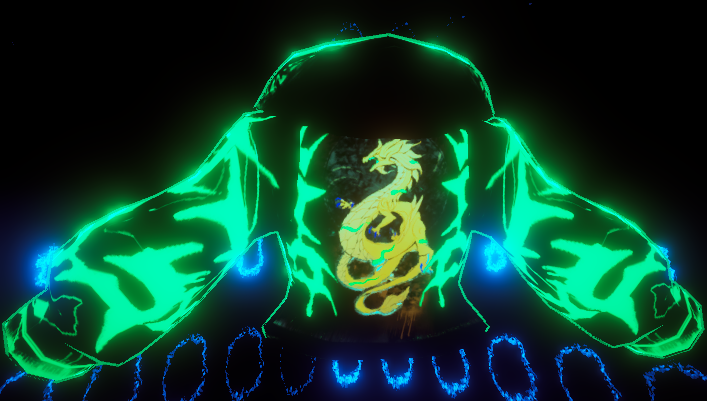
 old field
Looks sick👌
umbral crystal
there any good tips on how to keep a good quad pattern when modelling and also have low polygon count
bc like my last model the quads werent as clean and it had 120k tri in all
should i just like make a subsurfed cube then just sculpt it?
bitter leaf
@umbral crystal It all depends on what your modeling honestly. You should always make your edges flow good edge flow can help with poly count. Do you have a picture of your models topology? maybe I can point out things you can change
umbral crystal
not rlly easy 2 see bc subsurf
bitter leaf
are you in zbrush?
umbral crystal
but idk how to like
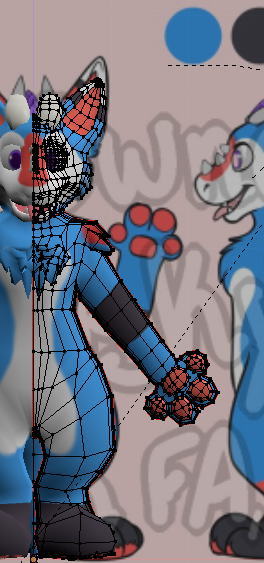

make sure that there is a equally spaced quad pattern
bc things are larger in other places
cuz a lot of models i see theres like these quads that almost perfect shape
and when i try 2 do that it doesnt get the right shape
and thats before subsurf modifier btw
bitter leaf
Depends on the software so im a high poly to low poly workflow. I sculpt all of my work in Zbrush then move to Maya which then I draw my quads on.
umbral crystal
oh ok so like
u make the high poly version first
then u make the quads and remake it?
bitter leaf
Yeah I sculpt my stuff first
umbral crystal
o ok so wat ur saying is
i just wrap something around it
btu how do u make it so
the quads evenly spaced and
follow pattern throughout
bitter leaf
relaxing the quads in quad draw helps
heres the sculpt on the right and the low poly on the left https://i.gyazo.com/0a73382c718d5445a1f28166c69e9874.png
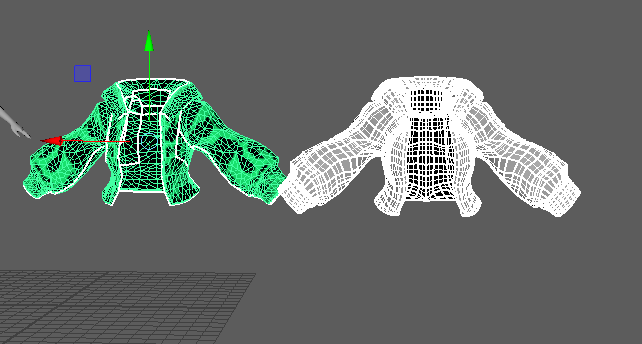

the sculpt is like 20k the final ver is 6k
umbral crystal
like this for example


how do i make sure that the quads are like perfect
cuz i cant seem to do it right lol
i dont know how many i need to do one part and how many i need to do another
i keep like loop cutting a dozen times to get detail right
then theres way too many in one spot
bitter leaf
I would be smoothing your topology also model one sice and duplicate over
dont forget you can bake the details onto a normal map
umbral crystal
i do that but then i have too many or too little to match them with
like ill model head or arm or hand or foot etc separately
then this one will have too little quads for me to combine
and also its kinda hard for me when i do it from a sketch
cuz u gotta kinda follow it from all 3 angles
so i dont know where to place them or how often
especially on things like muzzles
where i have to add quads in a specific way so that it fits with the rest of the head and that it doesnt look out of place
bitter leaf
polycount has a ton of topology references too
umbral crystal
 bitter leaf
I would check there its a really good resource for this sort of thing
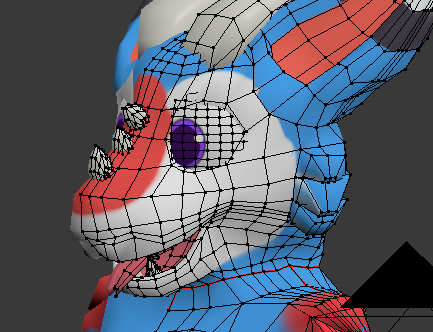
umbral crystal
like for this would i just move the vertices down and to the right a bit on the muzzle
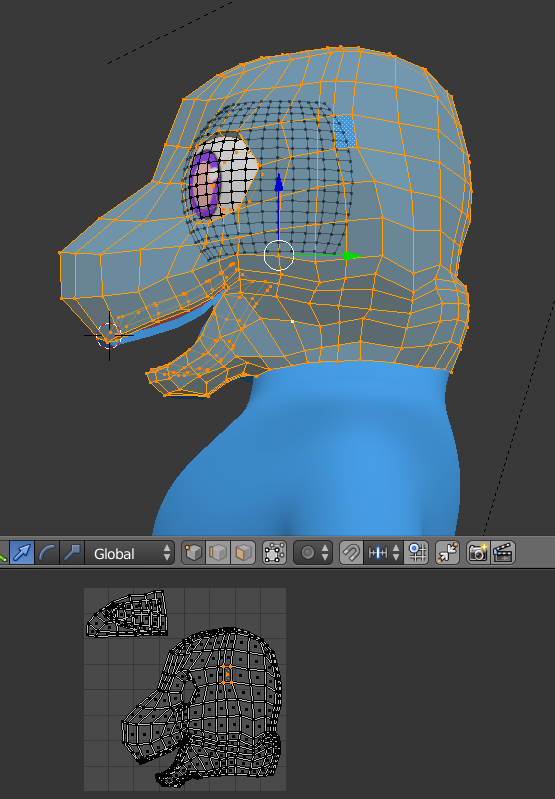
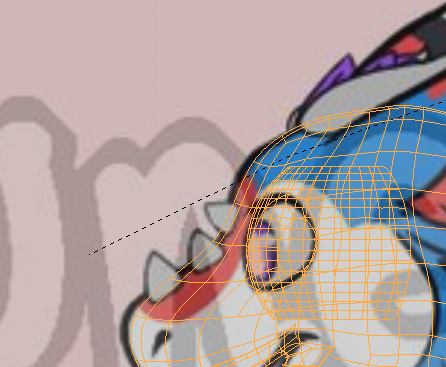
u can see i attempted 2 do quad thing but oofd lol
the loop cut part is the thing i find the most difficult tho
bc wat if i want like the nose hole i made there
how would i make it without having that