#3d-modeling
1 messages · Page 47 of 1
 zinc furnace
You can construct cubemaps out of 6 other textures if need be
But a panorama or store asset might be easier
 halcyon citrus
Well the materials have the option for a 6 sided for skyboxes to use
Usually not bad if it's seamless pretty much like a starry night.
But other than that light settings is where you should be able to change the skybox.
 lament pond

 cursive wedge
@foggy compass it may be that the Texture mapping needs to be applied to the mesh, and you need to check your normals, they seem to be inside out
Sometimes the texture placement does not carry over correct because of 1 or 2 vertices not having the material applied to it correct, you just have to double check everything..
 foggy compass
Oh yeah I responded in development-advanced by accident
I wrote this:
https://media.discordapp.net/attachments/317771880855764992/480556141902823425/unknown.png
So for anyone who had the problem I had
I recalculated the normals and removed the Ngons
And it fixed everythiiiing
 lament pond


 spiral sigil
fucked bone rolls
fucked weight paint
hidden bne with weight paint
alsso missing shoulders
zinc furnace
You didn't map the shoulders so start there
Other than that it's probably bone rolls
 rich mica
I had it mapped, didn't matter
zinc furnace
Just clear all bone rolls in Blender and try importing again
Even the ones in unrelated places like the legs
 ripe shale
Working on Judy Jetson
https://cdn.discordapp.com/attachments/426036070833192970/480842772857749516/unknown.png


 unique galleon
@foggy compass Oh look it's your cute model xD
foggy compass
oh @unique galleon you saw it in-game?
unique galleon
I was there with you at the world asset test with all the hyenas lol
I was the SU characters
foggy compass
yea you were Garnet
unique galleon
yup yup, who is now being edited further
 unique galleon
yee
 foggy compass
you do 3d modeling?
unique galleon
Yeah
foggy compass
oh shoot
unique galleon
Been using blender for a year and a half
unique galleon
But I only know as much as I've googled lol
unique galleon
lol well if you made that with 5 days of knowledge you're pretty damn good too
foggy compass
Idk how to do eye tracking, mouth lip sync, corrective shape keys for rigging
I WOULDN'T AT ALL MIND HELP on any one of those
My main gripe is not knowing how to use Generic avatars
I want to make a non-VR avatar that has custom animations, but don't know how
I'm a 2D animator that recently hit my decade mark, so the information should transition okay into 3D? I'm not sure
but yeah feel free to throw me any tips
unique galleon
I haven't yet tried eye tracking because everyone says it's super hard
And whenever I hear that from people it kills my motivation before I try, though usually when I try it turns our to be easy
The lip sync stuff I taught myself a couple weeks ago to make a model for my friends, so yeah I know that
And what exactly does corrective shape keys entail?
foggy compass
yea eye tracking seems like it'd be kinda irritating
This avatar is chubby, so the bending needs to not screw up the av so much
he's a little plump boy
so I was gonna use corrective shape keys
so when it bends it morphs the faces I want to get the proper bending look
Mannn VRchat has gotten me into 3D modeling, something I've putten off for so long
So much expression in this game, even if there is the occasional mic spam
unique galleon
If you plan on going hardcore on blender and getting super into it, I know of a blender discord channel I just kinda have and they do like weekly competitions and stuff and there's hella talented people in there
foggy compass
yea inv me
unique galleon
I used to ask questions in there ages ago but I don't really visit it anymore
spiral sigil
Does anyone know ANYONE who can help make san andreas models? If so please contact me
 mental topaz
@spiral sigil theres an addon for blender for this by ponz
http://forum.gamerxserver.com/forum/samp-server-188-165-219-63-8800/questions-and-answers/tutorials/189333-blender-add-on-gta-tools
foggy compass
@lament pond I saw you comment on a friend's FA profile haha
I recognized the icon
lament pond
mah brand
lament pond
Do you need a link?
foggy compass
oh it was like
rhetorical? or idk
haha wow the community is so small
i know a lot of people you know
lament pond
I just comment on a lot of pron
foggy compass
My friend went to megaplex I think
he voiced that bird guy from zelda
the shitty dub version haha
lament pond
xD
lament pond
Blake?
lament pond
Interesting name xD
foggy compass
I saw your comment from Fek though
someone wrote something that set me off, cause he's such a fucking rad guy
augh anyways, add Dephy on VRchat if you wanna hang out
I'm working on Cringe King's body lol
lament pond
I'm working on a vtuber model
foggy compass
vtuber like youtuber?
lament pond
Yeah
foggy compass
is vtuber the fancy new way of saying youtuber
foggy compass
Oh I've heard of her
yea she's an AI channel
I saw one a few years ago but it was like a 3D model of a person
Makes sense someone made one for the "anime" community now
anyways, back to VR!
 stoic ridge
"one" w
stoic ridge
how many vtubers are floating around now? I remember seeing a chart with about 100 in february
lament pond
At this point it's probably not small enough to count anymore
stoic ridge
now there is literally an app to spin out new characters so it will probably just explode
lament pond
my enemy
foggy compass
one w? 0:
stoic ridge
meh, I wouldn't really say so, I mean, I tried using it, and couldn't deal
foggy compass
so its wtuber?
stoic ridge
it's not like that app will let you make arbitrary characters
lament pond
No he's saying there's a lot more than one of them
foggy compass
oh, yea, I mentioned the first one I saw wasn't Kizuna haha
I guess that implies at least 2
you mean like, there are hundreds of AI anime-specific channels?
stoic ridge
I was following bittranslate's channel when kizuna ai started and those guys have started spinning off more
I found a chart from march and am looking for an update
lament pond
Not AI
As far as I know there's no actual AI one
Kizuna is just played by an actress
stoic ridge
yeah obv
the AI is the character
it's funny though, in the early days she used to say "super AI" a lot but lately I feel like it hasn't been said so often
foggy compass
I'm working on an obstacle course with riddles and hosting it as this wacky character. It's an experiment, but hopefully the groups actually go into the dropped portal lmao
What would a good prize be? I dunno
lament pond
$100
lament pond
Where's my oof sticker
foggy compass
4.95$ plus 50 Robux
Haha, designing the world is hard, since I have to put invisible triggers only I can access to jump around the map
No console commands as far as I'm aware :c
lament pond
Secret levers
stoic ridge
latest I was able to find http://virtualyoutuber-sokuhou.com/wp-content/uploads/2018/04/jvP4iHR.jpg
 foggy compass
oshi
stoic ridge
erm, inline loading. I can delete it if people don't like images in the scrollback
lament pond
Excuse me while I casually add myself to the chart
stoic ridge
japan will be japancentric I guess eh
lament pond
I don't care if there's a spot I'm going on it
stoic ridge
it's definitely at that point where everyone has one they would be able to watch, but the whole concept has become totally unremarkable as a result w
foggy compass
ah shit, I was gonna send what I had but realized none of this is safe for this discord
Is "gaylord" off-limits, even if I'm gay?
Anyways, POOF, particle effect, spawn in front of the group. Some witty dialogue and then you give them a quest like: "do you think you can beat my obstacle course?" and spawn a portal to the public world
and if they beat it, 4.95$ in Robux for Roblox
I'll do it 10 times and then edit the footage together haha
seriously tho if anyone knows any workarounds for the console commands I'd love you forever
lament pond
Scripting isn't allowed in vrchat
lament pond

 topaz frigate
Thanks
stoic ridge
howeeeeeeeeee
foggy compass
gee, no scripting at all?
foggy compass
There's gotta be some way to have like buttons as a host
topaz frigate
Udon will come eventually
foggy compass
Udon hmm?
foggy compass
Oh nice
Watching a vid on it atm
omffggg yessss
THIS IS SO COOL
You can make actual "levels" now haha
 humble fern
it depends exactly what you're going for, but you'd be surprised how much you can do with animation states already, since udon is still nowhere near ready
topaz frigate
Aye, states with animators are the closest you'll get to scripting atm
zinc furnace
Yeah, animators are already state machines on their own
People asking for state machines on avatars need to look no further than custom animators
You can get pretty far with Animators in worlds right now too
topaz frigate
ye boi
foggy compass
so you've got to be in world for your avatar to be animated?
with like in-world custom animators?
im conofused
humble fern
well you could do custom animators on a station inside a world, but that's hardly a viable solution. We cannot currently use custom animators on avatars, Rokk was talking about suggesting to the VRC team to allow it. However, when you're working on a world, your options open up immensely. For one, you have access to VRC_Triggers, which have basic functionality like "if playerlocal collides with this object, turn this light on" and stuff like that. You can then use those triggers to change parameters in an animator in order to do flow control and all the other features of an animator
zinc furnace
Yeah, worlds have a lot of possibilities using animators
Triggers have a lot of control over parameters too
Animators are basically state machines already
Couple them with triggers and you can rig up some interesting stuff
humble fern
still don't have float math ;-;
foggy compass
Oh that's really cool!
I'm designing an obstacle course currently that I'm going to invite random groups of players to compete in. It's mostly just for wacks and giggles, but this is definitely really useful
Making random assets in Blender haha, but I don't know if it's gonna cost too much. I'm trying to be really bare-bones with the world so it doesn't take too long to load
I'm thinking it might just be better to split the world up into segments, and chain them manually through dropped portals?
Getting the triggers to work so they teleport players to different locations, I know that's in the event handler
 half smelt
Hi. Looking for some initial advice/tips on adjusting the proportions of a model. I've recently got a rough version of the following avatar working in game, but the base model the original author used is rather tall and slim compared to the character from the source material.
https://i.imgur.com/CY6sTO2.png?1
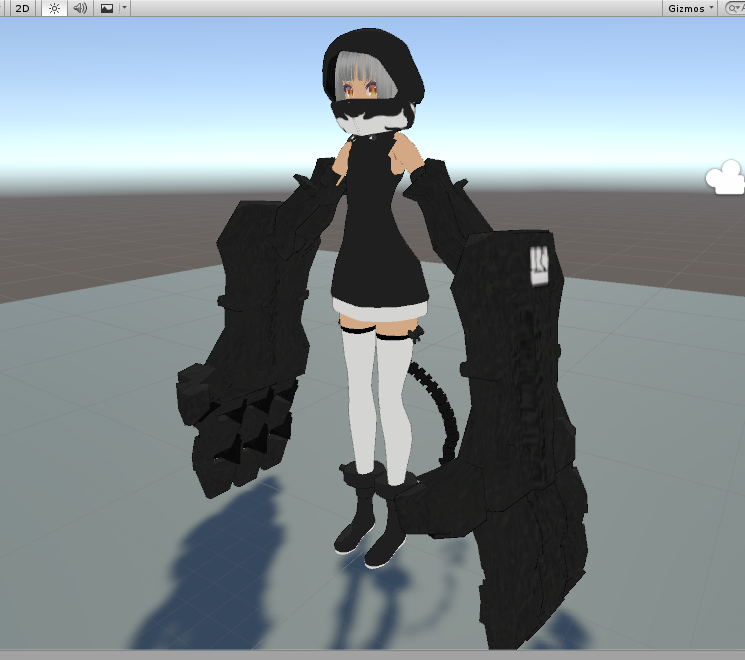
Which I hope to get closer to the actual character design...
https://i.imgur.com/9FHHL0V.jpg
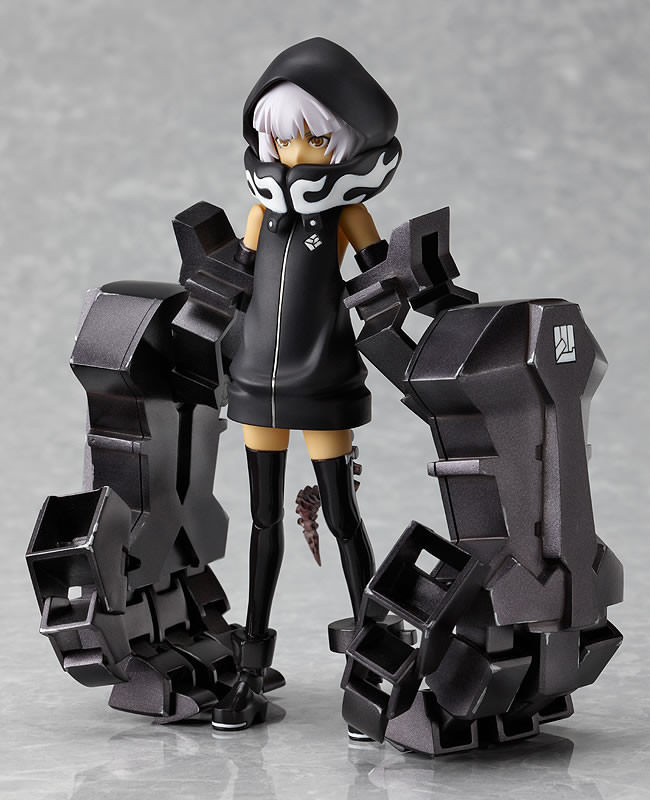
I figure that I probably want to shorten the waist and legs a bit. Maybe bulk out the thickness of the metal arms a little. Basically get it closer to the source.
But don't want to screw it up making any common beginner mistakes.
lament pond
https://cdn.discordapp.com/attachments/415306215481016321/481735789793771530/unknown.png @half smelt
 zinc furnace
Is there a way to delete all unused/empty shape keys in Blender, much like how you can do the same with materials?
Often when merging models I have a ton of extra shape keys that aren't even doing anything
 foggy maple
@zinc furnace Using separate by materials in cats should delete such shapekeys
foggy maple
It should work, yes. You can also separate by loose parts
half smelt
@lament pond Oh snap, that looks much closer to what I want yes. The one I've got is the best I could find. I'm a little confused by your reply though. That's a nice picture but doesn't help me much just posted as a .png. ^ ^;
spiral sigil
@foggy maple yo, you saw that new atlas plugin for blender?
foggy maple
Yes, I did. It's really awesome, I didn't think that this was possible
zinc furnace
I was developing something similar but got stuck with imagemagick
I knew it was possible because you can do the same process manually
Just tile the textures and move the UV's accordingly
spiral sigil
wonder if it's a good idea to merge it with CATS
zinc furnace
I would support that
Because so many people have Cats already
But you need to actually go out and find that particular addon
I also think someone needs to make a successor to Tupper's MMD to VRChat megatutorial
Since Cats has changed so much and we have better auto atlasing addons now
foggy maple
I have already uploaded a dev version with it integrated :) but you still need to install the plugin manually
spiral sigil
oh you already talked with the creator
foggy maple
Yes
spiral sigil
that was fast
no more excuses to not atlas now
foggy maple
Yeah, this is super awesome
cursive wedge
There is an addon for removing unused vertex groups, there may be for shapekeys also if there is not already.
spiral sigil
gib addon
cursive wedge
The one removing unused vertexgroups saved me a lot of fiddling
Don’t remember if i have it on my laptop
spiral sigil
me cry
half smelt
What's the main motivation for removing unused keys and groups? Optimisation?
zinc furnace
Yep
Especially when merging models, you can end up with a ton of extra shape keys that you can't use
My main model has like 150 shape keys already, but those are all used
Can't imagine what it would be like if I merged it with another model
 marble granite
It's possible to port models from blender right
topaz frigate
yes
marble granite
Makes life easier for me then
topaz frigate
me too
marble granite
Now I actually have to make something though...
topaz frigate
thats the hard part
marble granite
well depends on what i will make
i want my character to be the Crab with the pocket knife from that one meme
 idle lintel

 wicked light
CRAB BATTLE
 visual vigil
https://cdn.discordapp.com/attachments/456577889429880833/482015101025648648/unknown.png https://cdn.discordapp.com/attachments/456577889429880833/482014986324148224/unknown.png


 hidden charm
Can somebody make a Postal Dude model for VRChat
foggy compass

Yarrghhh, why is my value still 0
It's bent, shouldn't it have changed by now? x_X;
Looks like I missed type again
set it for Z rotation
gaugh, my changes aren't taking effect though, I'm sooo close
OOOH, I GOT IT
YEEEES
3 HOURS
Heck, learning all of this is some kind of really messed up torture
but when you get it.
catharsis
foggy compass
Scratch that, I didn't do anything this whole time, I just did a "preserve volume" button. sigh I'm gonna stop for now.
 cold plank
omg yaaaas

I may have to start putting some free time into making sure cats works in 2.8 😛
 cold plank
it's not going to prevent you from uploading
that thing will get removed from whatever it is you're publishing but it might not matter
spiral sigil
I cant press the button of "Build & Publish"
cold plank
can't explain that one then: any component or script found on an avatar that vrchatsdk doesn't whitelist usually gets removed
do you have the new sdk published today?
check the announcement
spiral sigil
theres new sdk today?
cold plank
yep!
spiral sigil
Probably thats the problem
cold plank
Client ### Features - You might have noticed that we've released a new Hub! Our art team has put a lot of hard work into it, and it was been designed as a meeting place for groups before you go out adventuring through the metaverse. Take some time to explore, put on a...
spiral sigil
How delete the old one for install the new one?
close unity
find your project in the explorer
delete the vrcsdk folder
open your project
instll the sdk
Ok thx
I delete the old one, install the new one but the same thing
 regal sleet
Does anyone know how to fix the hair? https://i.imgur.com/yZzLK34.png
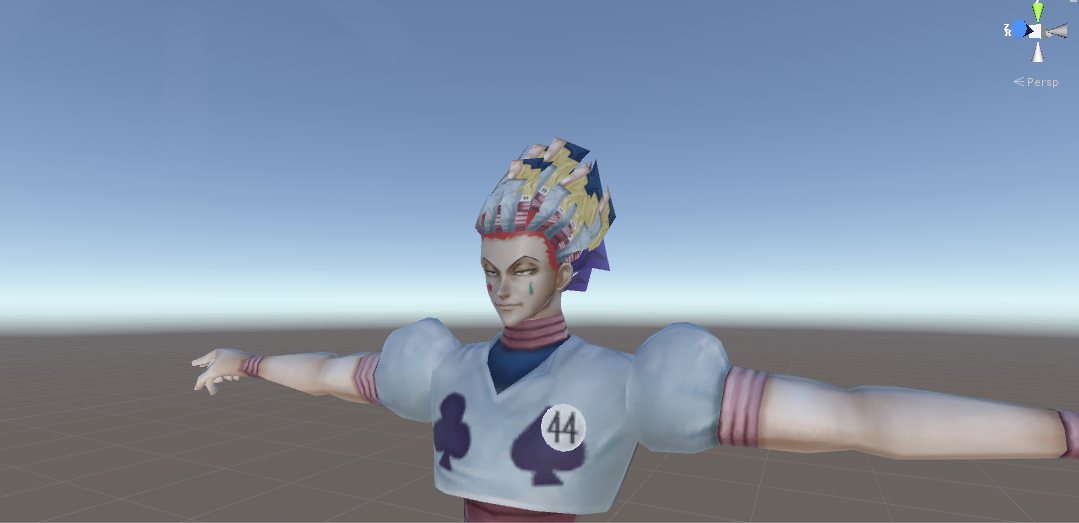
 floral violet
looks like you should be using cutout
regal sleet
Okay, that does fix the hair but then everything else looks retarded
Is it possible to Ungroup things
so I can change them separately?
floral violet
you have to have a seperate material in blender to allow for that
regal sleet
Im using Unity :/
spiral sigil
you better have blender
floral violet
^
spiral sigil
most of the big problems are fixed in blender
regal sleet
will do
regal sleet
Cheers :3
 floral moat
is there any way to use maxscript in blender
 stable edge
try running an exe on a mac
unique galleon
Day 1 of making the Galaxy Warp! https://i.imgur.com/UMzG443.png
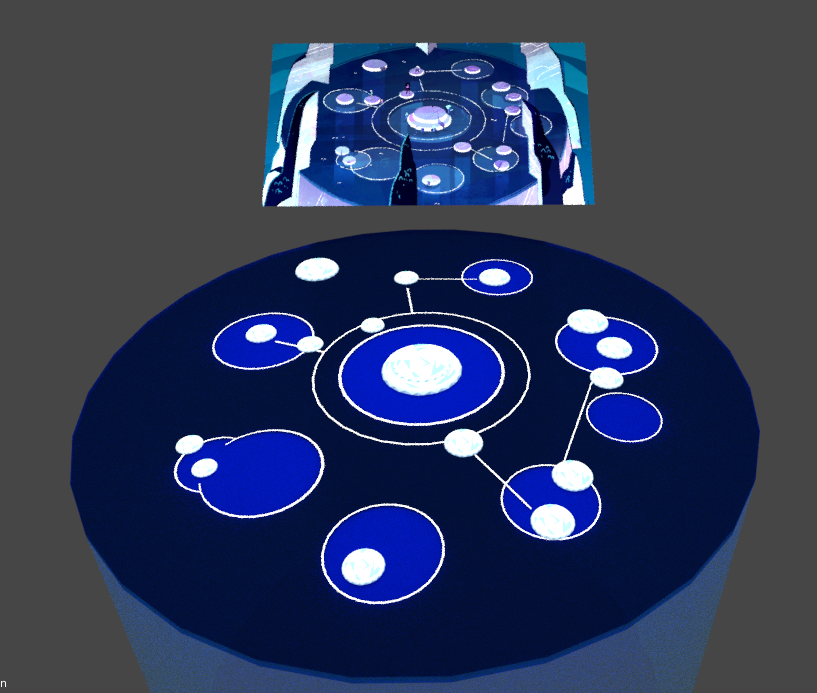 spiral sigil
Theres something in blender for fusionate 2 models in the same skeleton?
zinc furnace
Cats Blender Tool has an Armature Merge function that can do this.
zinc furnace
Yes, but the bones have to be named the same. Cats Blender Tool should be able to do this too.
Just hit Fix Model on both models
floral moat
ugh, why isnt there an easy way to merge uv maps
zinc furnace
Because there is no intuitive way to do that if you think about it
You have to make sure the UV maps are named the same when you merge the meshes
The concept of merging UV maps themselves makes no sense, unless the UV maps have literally zero overlap
Not sure if a polygon even can be part of no UV map
floral moat
well uh then thats probably not the solution to my problem anyway lol
but ive been having an issue
where in blender my model looks fine but the uvs disappear in unity
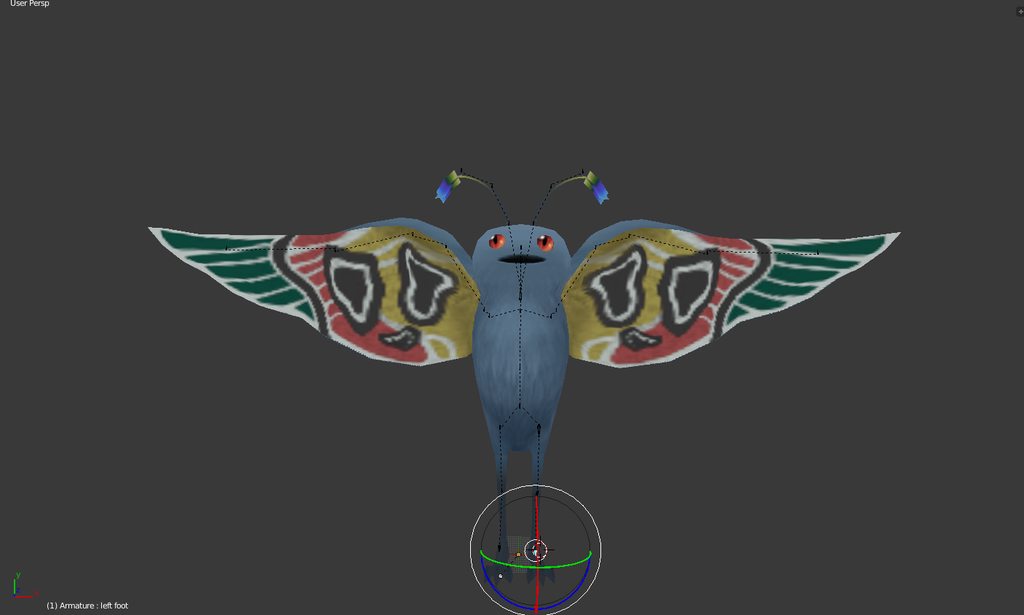
this is what happens to it
ive been trying for quite a while and cant find an solutions
has this ever happened to you guys?
floral moat
but all of them corrospond to a different part of the mesh
ok i just tried deleting the uvs and all of the textures got dededeleted
 latent charm
@floral moat If you want, send me the blend file (textures too, just save a copy, then go file>external data>pack all into .blend) and I can have a look at it over dinner.
latent charm
Ah, I can instantly see what's going on. Each material has a corresponding UV map & texture.
What you'll want to do is duplicate the mesh, clear out all the materials and UVs on the new one, unwrap it as one UV map, add a blank texture to it and bake textures from the original to the new one.
This may be similar to some of the texture atlasing tools out there.
@floral moat
For future reference, Unity expects the first UV channel to be for textures, the second is for lightmaps (if used) and the other two are for whatever, but that has to be specified in the shader.
floral moat
ok! Thanks alot man
 sour mirage
I am quite new to blender and 3d in general.
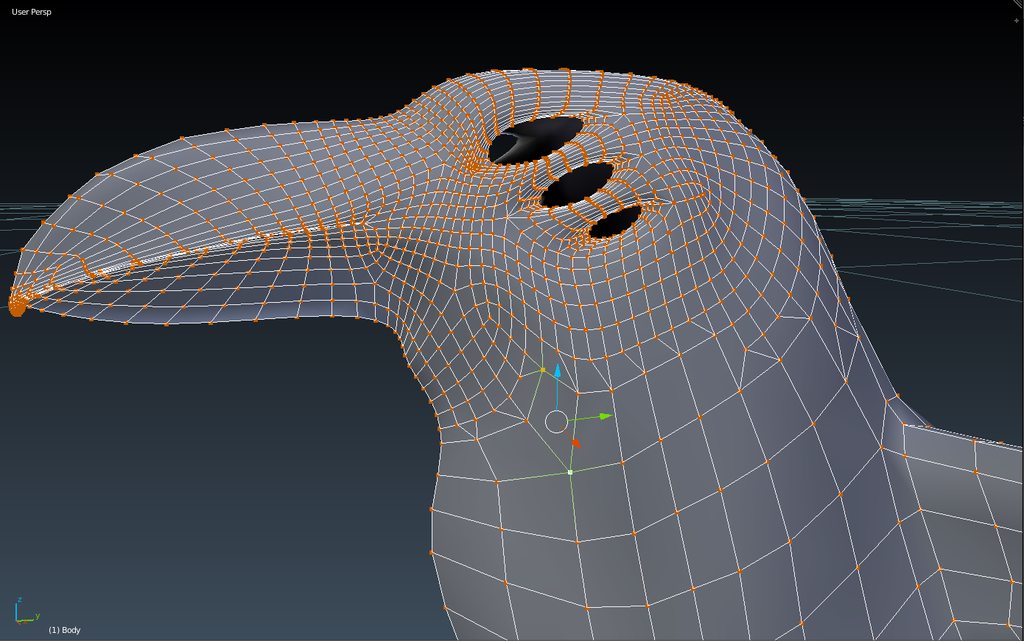
I know you should stick to tris or quads, but in an effort to lower the poly count after subdividing, I cut off the head (as I want it to have the most detail), subdivided it more than the rest and connected it back, creating tris along the "seam". Is there a better way to do it and will doing it this way complicate things later?
https://imgur.com/a/A3KJFeY
 latent charm
@sour mirage If you're adamant about avoiding tris, working the edge flow like this may be the solution to your problem.
https://media.blendernation.com/wp-content/uploads/2017/08/Top_Alt.png
Lets you have more edges entering the zone than leaving as they loop flows back on itself.
 floral moat
also i know its a dumb question but how would i bake the textures from a different object onto a uv map?
because i remove the materials so there isnt any textures left so baking just makes alot of white
latent charm
https://docs.blender.org/manual/en/dev/render/blender_render/bake.html
Read this if you haven't already.
The general workflow is as follows:
Two meshes, the original with many materials & UVs, and the target with one material and one texture assigned to one UV map.
Bake textures from original to target using the selected to active option in the bake panel of the render tab.
sour mirage
@latent charm Thanks
floral moat
i have one more question, sorry
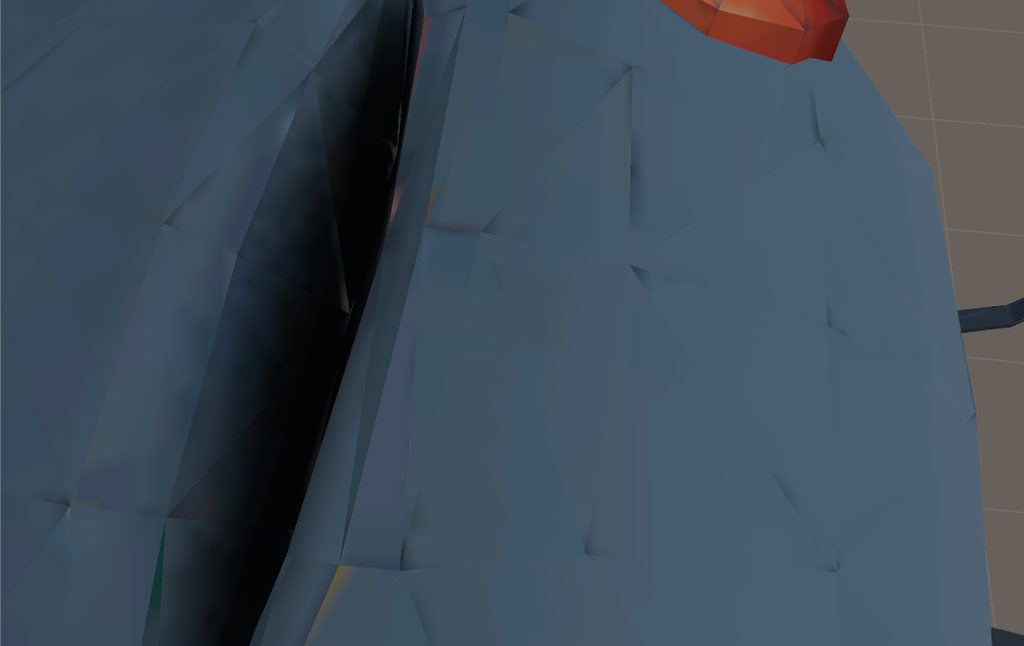
is there anyway to make these lines less noticable?
latent charm
Increase the UV island margin and make sure the bake margin is large enough too.
 cyan lantern
i have a question
i want to optimize and save poly for a piece of clothing that's going to be dynamic and react to my movement somewhat, can i get away with completely recuding poly in the interior side i don't see if it doesn't sway much? or does it completely ruin the topo and not worth the 250 poly i'm saving here:
https://imgur.com/a/1VFXvig
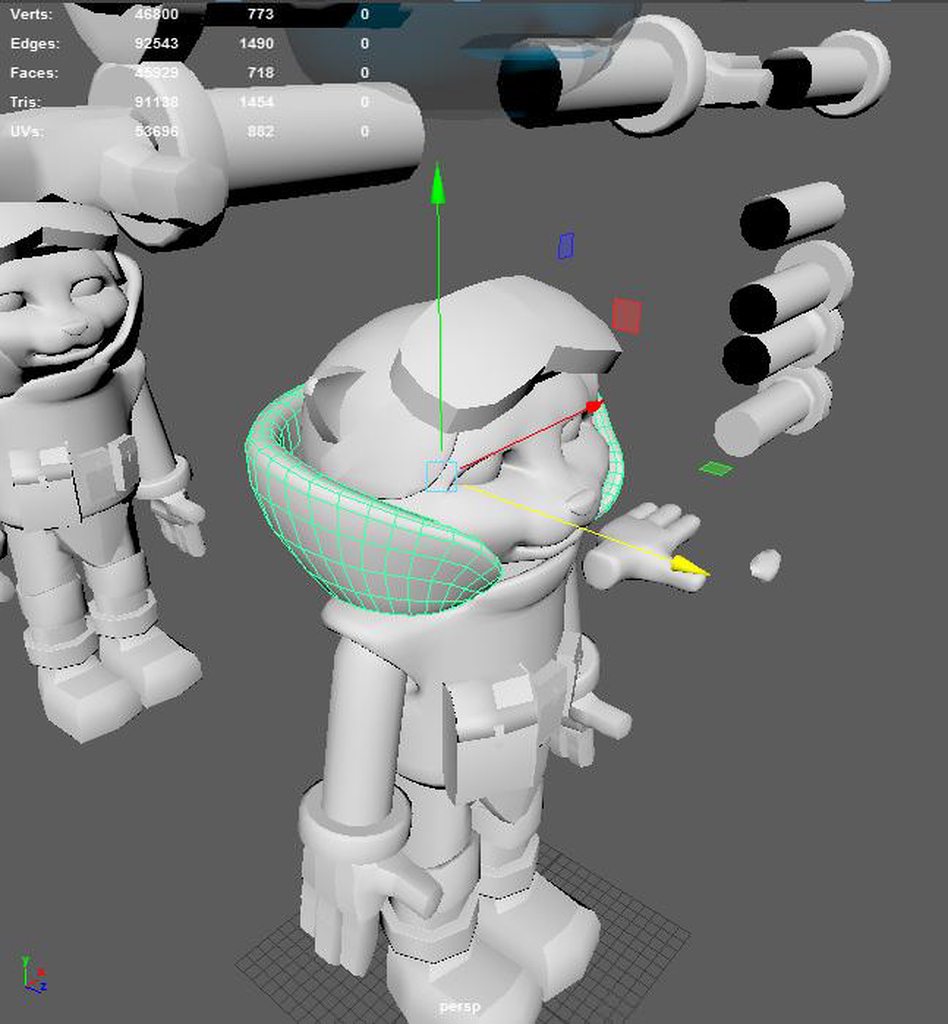
i have the poly reducing flow in the link (my char)
nvm, i think i kinda answered my own question, it's to reduce it less agressively with a margin so that skinning won't be affected
 sullen cobalt
Hi all ! I have a mesh with an armature. I put some weights on the mesh, and I set the vertex groups to be the same as the bones. When I'm in pose mode, the bones don't move the mesh. Any ideas ?
unique galleon
Galaxy Warp part 2 https://i.imgur.com/yg7QOib.png


 fringe rock
How to transfer uvmap betwin two object with the same amount of polygone/vertex
 glacial pasture
mmm
UV maps are generally linked to the specific geometry of an object and not really transferable
but you could try unwrapping the UV map, then script window-> script menu -> object -> UV from active
@fringe rock
spiral sigil
If anyone dont mind could someone make shape keys for me on my ripped stitch model?
don't ask your question in multiple channel, thanks
ok
 wintry rain
I use one model and in blender its looks fine but
when I put into unity the wall is shown only one side
also the mesh collider is only working on one side
humble fern
turn on backface culling in unity
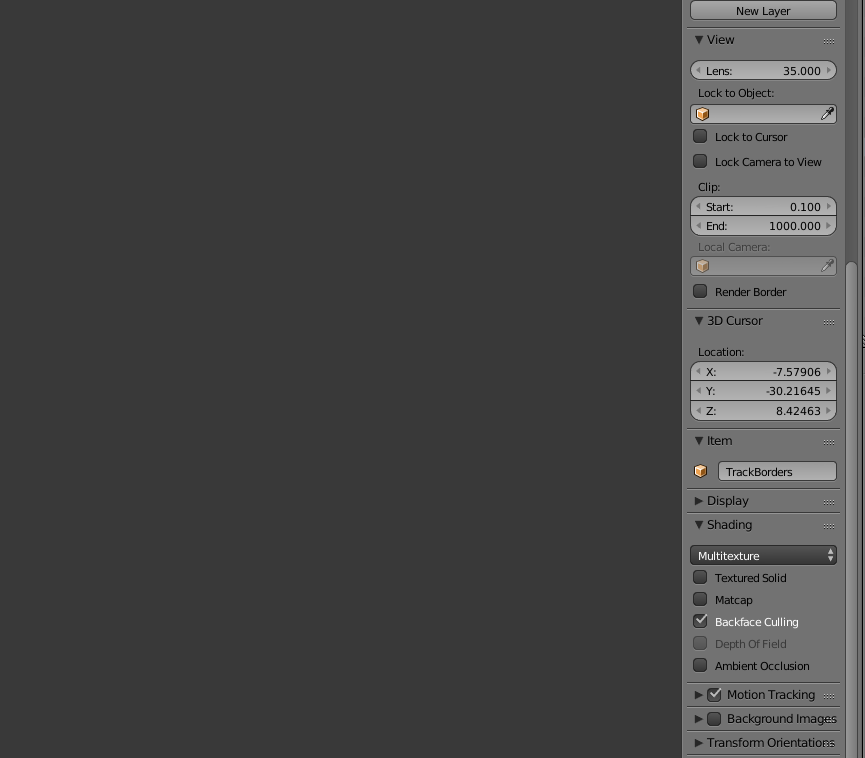
wintry rain
where is it?>
humble fern
Faces only have one side for mesh colliders and most shaders. Blender displays both sides on default
zinc furnace
Don't you mean turn it on in Blender, or use a shader without backface culling in Unity?
humble fern
 zinc furnace
I'm sure you could find a double-sided Standard shader somewhere online
humble fern
won't help with the colliders though
zinc furnace
True
humble fern
and I did say on
wintry rain
 zinc furnace
You said "turn it on in Unity"
wintry rain
this thig happen
humble fern
oh
 humble fern
I wouldn't say it's good practice to do this for colliders on a world, but since yours is so complex it would be a lot of work otherwise. So in blender, just select all the one-sided faces and duplicate then flip normals
 humble fern
click that little plus button top right, scroll to the bottom
 humble fern
yep
wintry rain
than what I have todo?
humble fern
select all the one sided faces you need to be two sided and then spacebar > duplicate, spacebar > flip normals
wintry rain
its one model
humble fern
go into edit mode to get to the vertices
humble fern
ugh yeah it's gonna be messy but fine, just select the whole thing with a
wintry rain
 humble fern
ughhh
fringe rock
I think if you flip the normal people going to get stuch betwin the 2 face since they are going to fight each other to to push you out if you put mesh collider
 small cloud
sff or dff
sullen cobalt
Hi all, my new model has the eyes rotated up/down instead of facing forward. What could be the problem ?
 cobalt willow
Is it set up for simulated eyetracking?
cobalt willow
Make sure the tail of the eye and headbone are straight up and the bones themselves have 0 roll
sullen cobalt
That was it @cobalt willow thanks a lot
Another quick question : On this model the arms feel very long, when I'm putting my arms straight in front of me irl, they are still a little bit folded in vr. How can I lessen this ?
cobalt willow
Either decreasing the arm length or making the legs taller probably @sullen cobalt
sullen cobalt
@cobalt willow In unity or blender ?
topaz frigate
blender
sullen cobalt
Okay
spiral sigil
Appears me a error when I put a shirt in the character "Bone weight Heat"
How can solve it?
latent charm
@spiral sigil A workaround that may work:
Save your blend file before this, just in case.
Select the mesh, edit mode, p key, separate by loose parts.
In object mode, select all those loose parts, then the armature, then ctrl+p, armature deform.
Re-join all loose parts.
 zinc egret
Is someone maybe willing to Weightpaint me my staff's hand ?
Its basically weightpainting one low poly Hand.
I rigged all bones into it, im just terrible at weight painting and i cant make it work...
 void parcel
floral violet
void parcel
floral violet
for what
 plucky jewel
hey can someone with experience with maya's hypershader help me with something?
 mental blaze
Like you trying to create new materials?
topaz frigate
B
 olive mountain
Just as a question, is anyone active right now?
foggy maple
Yes
olive mountain
Well this is kind of strange one
Not really a vrchat thing but this is the only place I know that does 3D models
foggy maple
Wait I just said I'm active 😄 Ask your question nonetheless
olive mountain
Sketchfab spits out the "error:invalid form" thing on my model, when all I did was add specular, normal and displacement maps using the principled shader and the material output
From what I've seen, that error comes from a large photo file size, but the color texture is by far the largest, all the others are much smaller, and just the color texture worked.
How to fix
lament pond
 foggy maple
Maybe try to create a texture atlas, just a guess
 humble pecan
Is it ok if I can request a model to use in VRChat?
spiral sigil
Request a model? You want a commission done?
humble pecan
I wouldn't really call it that since I can't model
topaz frigate
If you cant model and want a model that sounds like a comission
spiral sigil
Check vrc trader in #community-servers-old
humble pecan
I don't really know the terms of a commission. But anyways if it's not too much I'd like one based off of this. http://www.kaijukits.com/library/image/godzilla2000/g00.htm
spiral sigil
Either you find that model online and you import it yourself or yougo to vrc trader to deal with it
humble pecan
Doesn't exist online since the images are of a resin model kit.
spiral sigil
Then you need to commission someone to make it for you
floral violet
you could 3dscan it
 vague idol
So...I messed up and accidentally joined the top/bottom teeth on an avatar (probably with "remove doubles") and didn't notice (so sadly no simple undo)
How would I split or duplicate the vertices that were joined (it only merged in the front)
https://cdn.discordapp.com/attachments/469549289685778442/484613058241495040/unknown.png
 spiral sigil
Is there anyway I can decimate something small (not noticeable) and do a great amount to the tries.
zinc furnace
Yes, start with the stuff that is the most impactful and not visible. @spiral sigil
For example, if the model has actual skin under the clothes, remove it. Decimate the shoes. Decimate the legs.
Decimate the hair too
spiral sigil
Ok thanks got it to 19,998 tries
Now another question it’s a big one to answer but how to you enter animation for your player model in unity?maybe just a video will do. I’m new to modeling looking into learning it really well.
*animations such as like guns in your hand,sounds,etc
 supple saffron
https://www.youtube.com/watch?v=xxSezH13vAI For how to setup overrides. For sounds and weapons you'll use override animations to toggle game objects containing these items.
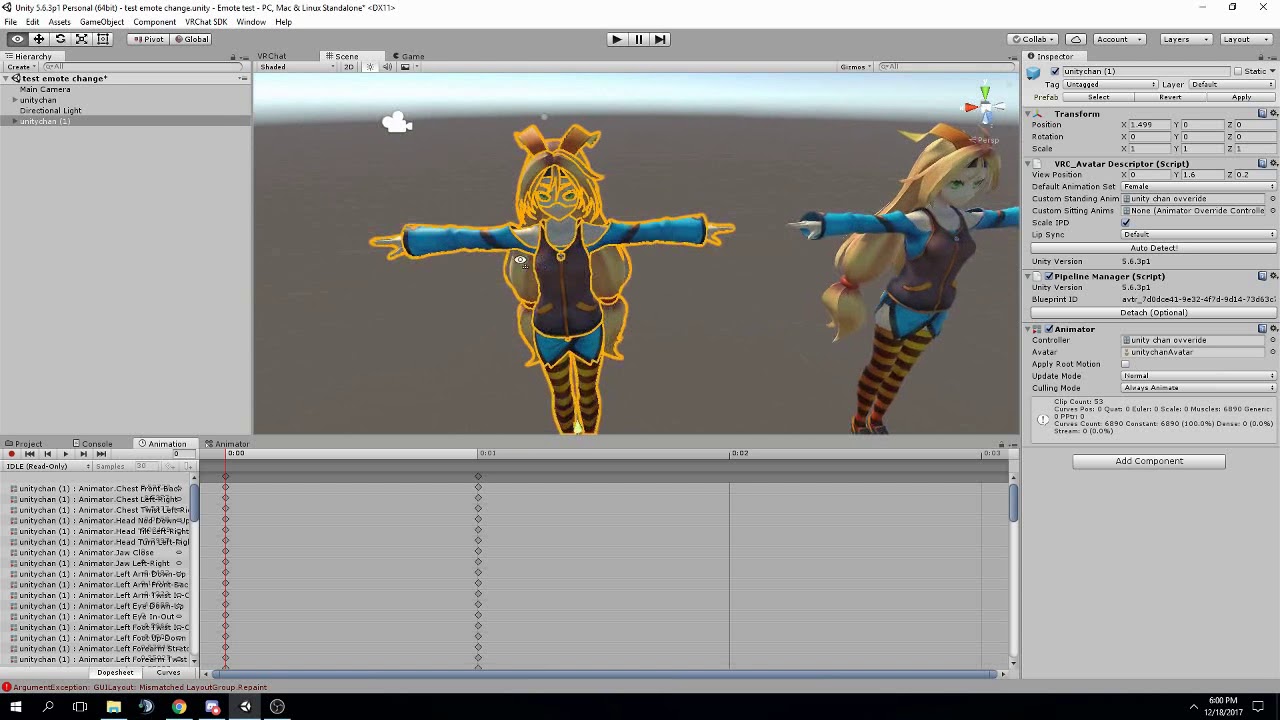
FAQ: 1. If you can't find the animator or animation tab go to window at the top and select animator or animation 2. If your character is going in the ground ...
vague idol
@spiral sigil using V it just gives me an error saying "cannot rip selected faces"
spiral sigil
Select a vertex not a face
vague idol
I was on vertex selection mode with multiple vertex selected. I'm not sure what I was doing wrong there.
I ended up selecting a section and using the seperate by selection (merging later).
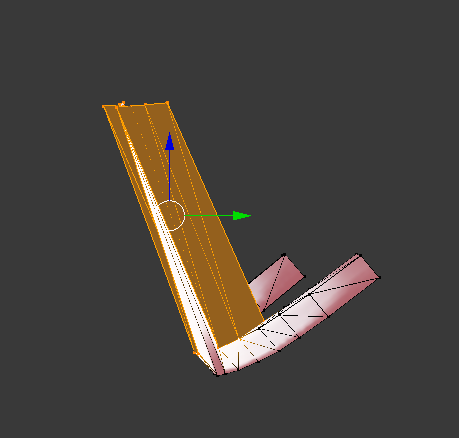
Do you have any suggestions for fixing the shape keys now that it's seperated? I'm hoping there's a fairly easy way to bring a set of vertices down to the rest of the shape. Otherwise I guess I'll have to do it manually. (There is no bone for this)
https://i.imgur.com/RHzTZvc.png
 spiral sigil
Select the vertices and move them down? I dont really see another way
I wouldn't bother personally
vague idol
bah...I was hoping there was a feature hidden in there somewhere to flatten a selection to the neighbors or something
spiral sigil
I would just take the head of a non-broken working model and replace the one that is fucked
vague idol
I've tweaked a bunch of stuff on this (and I'm pretty sure the "remove doubles" caused it) as it originally worked fine
or....actually couldn't I just load the original alongside this and swap the teeth?
spiral sigil
You arent supposed to use remove double on the head anyway
And you could
But shapekey may be broken
Thats why i would swap the whole head
vague idol
bah....alright I'll probably do that tomorrow then, thanks
zinc furnace
Removing doubles on the head is a bad idea due to the fact that the geometry there is supposed to overlap a bit
 glacial pasture
Fuckin ness, go to cats and click "seperate by material" then delete the bat and ball
if that doesnt work seperate by loose parts, after everythigns deleted press B and highlight your entire model, then press CTRL + J
@split rose
 split rose
ok thanks bb
glacial pasture
😗
 humble glen
I would recommend in future that you instead go into edit mode, select linked vertices with L, and hit P, separate by selection
or go into edit mode, press C, then use the scroll wheel to adjust selection size and left click to select, middle click to deselect
also be in wireframe mode when you do that
but that's for when the model is made of an annoying number of seperate meshes
separate by material tends to be unreliable on a lot of models like that, and separate by loose parts tends to lead to an absolute disaster of loose meshes that are a nightmare to sort through
it's easier to just manually select and seperate them
foggy maple
@humble glen Separate by Loose Parts no longer creates as much meshes as it used to be ^^
humble glen
oh, with cats no
but with blender yes, I believe
unless they patched that out since I last used it
foggy maple
@humble glen Oh no, I mean with cats. Previously it just used the blender method, but now it uses some magic beforehand to merge some of those super small meshes
glacial pasture
blessed cats dev 🙏
but yes L and P was my old method, cats just streamlines so much
zinc furnace
Cats has grown a lot
It was already super useful for MMD's, but it keeps getting more and more utilities in general
Such as apply as rest pose
spiral sigil
can't wait for CATS to get a button to read my mind and create the perfect avatar for me
 sly basalt
How could I move the bone of a long sleeve clothing and have the mesh move with the bone in Blender?
glacial pasture
You don't
foggy maple
@sly basalt You have to weight paint it
sly basalt
Its cool, CATS has a mode to do that. Got it done
foggy maple
Ah, you mean pose mode. I thought that it had no weight on it 😄
glacial pasture
@sly basalt Oh I thought you meant move the bones and move the mesh in a matter of moving both of them
Like if you needed to raise the arm bones higher with the jacket itself
sly basalt
Yea, I had the arms of the sleeves lower than the tpose model 's arm and I wanted the sleeve to match the arm. cats has that pose mode thing which made it easy. Then I use the transform function in blender to resize and move the bones and mesh together.
glacial pasture
gotchu
visual vigil
https://cdn.discordapp.com/attachments/314188887528570890/485667763390513162/unknown.png https://cdn.discordapp.com/attachments/314188887528570890/485671245082263552/unknown.png
modelled a warhammer 40k hydra

 glacial pasture
is perty
 rich sphinx
👏
visual vigil
https://cdn.discordapp.com/attachments/407090704213475328/485648651960582154/unknown.png
https://cdn.discordapp.com/attachments/407090704213475328/485674519864934411/unknown.png

 rich sphinx
reminds me of some of the bastions visible in art for the series
 worn river
anyone know why the legs looks a bit darker than the torso? They are separated objects for now for information. https://i.imgur.com/LsffiJC.png
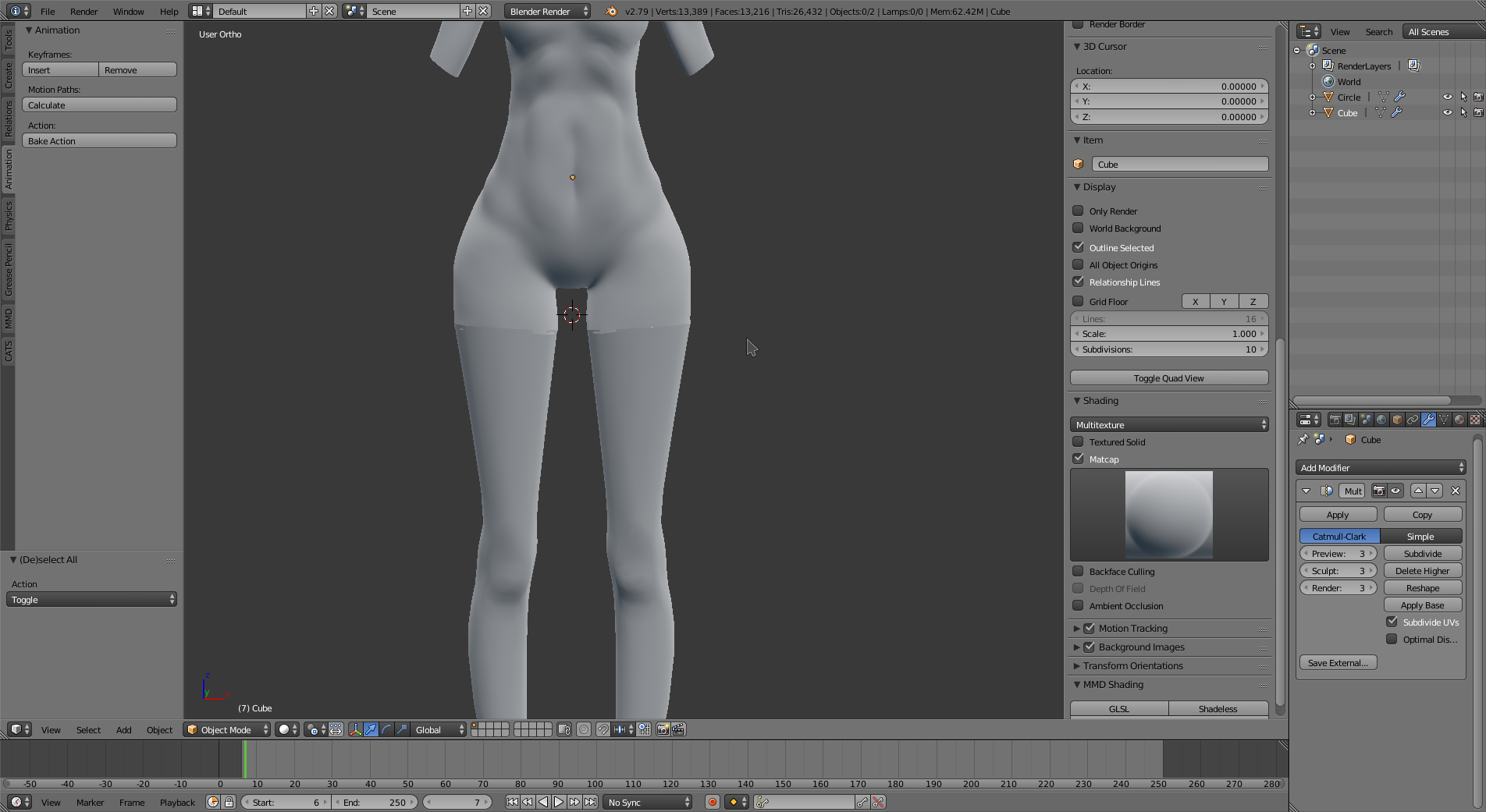
Or is it normal
xD
 high jetty
It’s just how it looks since it’s separate. If the verts were merged that would go away
worn river
oh okay
cause in the youtube tutorial, it seems like it is identical or almost xD
thanks 😃
 balmy warren
so I have this ripped model that I pieced together from all the separate meshes and it naturally doesn't come with the textures already applied. I'm planning on applying the textures through unity but I want to make sure that when I put it back through blender, combining the meshes won't interfere with how the textures are applied. if I do connect the meshes for rigging, will that change the UVmapping or will the meshes still be separate in terms of materials?
latent charm
Have a look at the uv map names in blender, if they're different per object you'll need to make them the same, otherwise when you join them they'll get discarded.
Separate materials will remain separate.
 north remnant
Anyone knows whether it's possible to connect multiple bones to their parents without having to go over them one by one?
glacial pasture
in blender?
north remnant
yes
glacial pasture
mm
I'd try shift clicking all the bones and seeing if you could set the parent with all of them highlighted
north remnant
That doesn't work, it just connects the last bone you selected from the group
 brave dune
you can pareent mutliple bones to a single parent easily in blender
select all the bones you want, then select the parent last
then control+P
it wiill ask if you want to parent with connection or parent with keep offset
 valid snow
anyone have any tips in making modelling " Complete Beginner"
glacial pasture
oof
youtube tutorials or a mentor are your best bet
there's thousands of videos
 scenic ember

i'm trying to retrace this eye for a texture but would this be better to do this using the pen tool in photoshop or illustrator?
glacial pasture
as long as you can seperate it onto a new layer whatever works
scenic ember
won't there be a ton of pixel gaps in between each lasso?
scenic ember
wow i'm dumb thanks again
 elder leaf
(In Blender)
How can I have 2 separate objects but still connect vertices to each other?
I mustn't join the objects.
zinc furnace
You can't actually connect the vertices if the mesh is separate, I think.
You can have them affected by the same bones though
Or have two vertices with the same weight in the same location
elder leaf
That's sad. Thanks for the answer! At least i'm not left hanging.
wintry rain
I have texture but its not working in automatically
there is hundreds of texture so..
is there is any way?
spiral sigil
Hello to everyone, I have a question, the a ser isn't in Google... But Maybe someone here knows, how to merge 2 armatures in blender without lost the rigging???
latent charm
You can join two armatures the same way you join meshes, select both and press ctrl+j. Then join the two meshes and the weights should be preserved in the final merged result.
spiral sigil
Thank you 😊
latent charm
You'll probably need to shift some bone parenting around to attach the joined rigs together so it all moves correctly.
zinc furnace
Cats also has a merge armatures function if the two armatures are otherwise identical. @spiral sigil
This means both armatures need to have the same bone structure (or at least have matching parts)
 unreal rapids
Hey i have a question If I want to upload a character at unity comes the message that I have to play more even though I was in this account for over 6 hours or more what can i do ?
unreal rapids
If you want to upload a character, you have to be logged in to vrchat.com or online because I will be shown offline all the time
zinc furnace
It's not based on playtime
You need to play the game normally until you get an ingame message and an email.
@unreal rapids
unreal rapids
okay thanks
how many hours are that about?
zinc furnace
On average, between 20-40 hours. Exceptions exist.
unreal rapids
okay thank you and sorry for my bad english I'm actually German 😂 
 hollow radish
Gotta figure out the best way to make custom face normals for anime
https://gyazo.com/91ab72f1dd4179684ff2ceecb5e8baab

 solid shale
https://cdn.discordapp.com/attachments/324702205934567425/486641749880602626/unknown.png is there a reason why the skin modifier does this with disconnected verts?
 floral violet
dear gods those are some tomb rader level chesticles
solid shale
https://cdn.discordapp.com/attachments/324702205934567425/486768081667096586/unknown.png Well she's big
 latent charm
@spiral sigil Why won't it?
spiral sigil
like, i downloaded the blender 2.79 and the thing was that the new version apparently doesnt work for windows 10
latent charm
I highly doubt that. Did you try to run it and did it give an error or something?
spiral sigil
yeah i ran into that error sign so many times today
was about to throw in the towel, but then i remembered i joined the vr discord..... figured someone might be able to help...
zinc furnace
So what error are you actually getting?
spiral sigil
it fails to open
i just start up blender and, it launches a command window ........BANG blender has stopped working
fuck
zinc furnace
https://blender.stackexchange.com/questions/2203/console-flashes-on-launching-then-closes-ms-windows

Blender Stack Exchange
I installed blender on a windows 7 64 bit system. I opened it one time then went to the tutorials. in the meantime I had a power failure and when I tried to start blender again I get a dos window...
Tried this?
Just type %AppData% in the start menu to get to AppData/Roaming faster
spiral sigil
ok, i havent been able to find the app data on my pc till now so --Thanks~ ive gotten a little farther..... im not seeing the blender folder tho....where would i have to send blender to make it show up?
zinc furnace
In AppData/Roaming, there should be a Blender Foundation folder
spiral sigil
and if i dont see it there?
foggy maple
@spiral sigil You could try to install it via Steam or run it without installing it by downloading the portable version: https://www.blender.org/download/Blender2.79/blender-2.79b-windows64.zip/

Home of the Blender project - Free and Open 3D Creation Software
spiral sigil
ok. i get the same problem with steam......
tho i hit that link... got it to download ... its still not show'n up
foggy maple
@spiral sigil You mean even the portable version doesn't work?
spiral sigil
yeah dude, i have no fucking clue
 worn solstice
how do i make it so that when an animation button is pressed it plays a custom animation
 leaden apex
Does anyone know how i can export MDL to png?
 lapis needle
isnt mdl a model format, not a texture format?
lapis needle
The texture format is unlikely to be png, it will likely be a tga format. You'll need to look up a plugin to import mdl into blender, or find a software that allows direct importation of the mdl proprietary format.
 small remnant
is there a way to join 2 meshes together in unity i had to make the hair and body separate because i couldn't figure things out, when in game the hair isn't connected to the body when walking and shows u pin front of the eyes, 'im sure there is a simple command for it but i cant find one.
fringe rock
Of what i know. vrchat hide the mesh that is connected to the head and behond. So if you put someting in your feel of view that have a texture or backface your going to be blind by it
I have a model. the torso and head are one. Since i use cubeshader with a black outline it create a back face and i cant see. It there a way to expend what is hide ?
 glacial pasture
so can I eat her 👀
sly basalt
....
glacial pasture
:^)
 carmine pier
(^:
lament pond
No
 vivid crater

 sly lintel
@spiral sigil I'm running that version of blender on Windows 10 64-bit. I'm 100% certain it runs just fine on Windows 7 and 10 on all bit architectures.
spiral sigil
I can't wait to figure it out
sly lintel
@spiral sigil perhaps you can try opening a console (command prompt) inside the blender application folder
and start blender from there
the console window won't dissapear like that, so any errors you'd be missing will still be visible (in contrary when it closes immediately and eludes the eye)
perhaps that may give you more information
 torpid moth
Does anyone know why I am having this issue in unity with shadows?
https://cdn.discordapp.com/attachments/469841668145938433/487318897981390858/unknown.png
 topaz frigate
Could be a shader issue
spiral sigil
shader or UV i guess ?
torpid moth
It's Xiexe's toon shader, the UV is clean and I spent the last couple hours cleaning up the mesh
torpid moth
Standard shader btw @spiral sigil @topaz frigate
https://cdn.discordapp.com/attachments/403069664869220354/487324956204466198/unknown.png
 topaz frigate
does it have double sided normals?
topaz frigate
you using cloth?
torpid moth
not at the moment
topaz frigate
huh
torpid moth
experimenting at this point trying to see what would cause it
spiral sigil
@torpid moth you can ask unity to recalc your normals on the fbx import setting screen
should look a lot better
where it says normals select calculate and click apply: https://docs.unity3d.com/540/Documentation/uploads/Main/MeshExample40.png
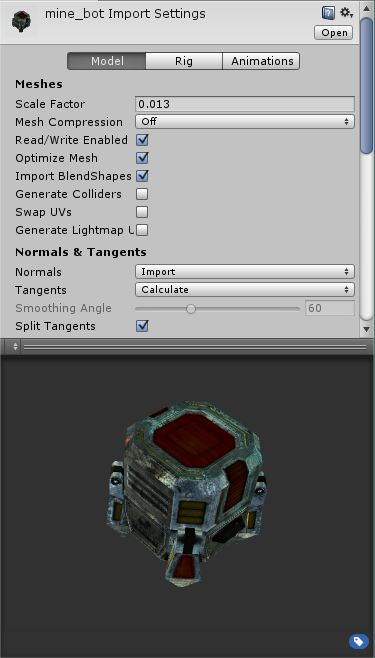
if you don't like the result, set it back to import and apply and it will be back to imported normals
torpid moth
Seems like that looks good, ill have to clean up other parts of the model to make it complete
https://cdn.discordapp.com/attachments/403069664869220354/487327409151148073/unknown.png
 spiral sigil
yes! awesome
torpid moth
thank you
spiral sigil
decimating models messes up normal information, recalcing smoothes it all out
thanks 1001, i didnt know that either, very useful
make vrchat beautiful again ❤
topaz frigate
❤
latent charm
@spiral sigil That image you linked suggests Unity uses its own tangent basis when calculating normals, do you know if it's similar to MikkTSpace or am I gonna be going off on another google adventure with this subject?
spiral sigil
PS: Blender can do this too, but we're lazy people
@latent charm oof, yeah, I have no idea, there should be a lot of info about it online though
latent charm
Yaaaay 🙃
Reason I asked is I do my normal baking in blender and occasionally when things come to unity the lighting changes the normal map does flips, specifically at UV seams.
spiral sigil
@latent charm you were totally right: https://docs.unity3d.com/560/Documentation/ScriptReference/ModelImporterTangents.html
Unity is the ultimate game development platform. Use Unity to build high-quality 3D and 2D games, deploy them across mobile, desktop, VR/AR, consoles or the Web, and connect with loyal and enthusiastic players and customers.
default is MikkTSpace
latent charm
Oh thank fuck
Blender uses MikkTSpace as well as far as I know.
For anyone else curious, enable Tangent Space in the fbx exporter and that should give the correct tangent space.
spiral sigil
pin that my dude
@latent charm I think Unity calculates them by default though, using the normals
I'll edit out the tangent image because it's not too relevant for normal recalc if you want to pin it, hold on
so you'd have to tell unity to import them or they won't import
latent charm
I'd have left it in, since knowing how the damn things end up different based on where they're from can be useful in figuring out why things look weird to start with
Although also worth noting is how Enlighten can (and very frequently does) cause lightmap artifacts that can strongly resemble incorrect normals.
spiral sigil
enlighten looks so terrible half the time and has so many issues 😐
latent charm
It's fucking horrid.
torpid moth
@spiral sigil is there a way for me to still be able to have blendshapes?
spiral sigil
it shouldn't affect blendshapes at all?
torpid moth
I just noticed when I tried to apply my visemes changing to calculate splits my body mesh into 3 child meshes and disables the blendshapes
 spiral sigil
how many polys is your Body mesh?
torpid moth
the part that is splitting is 62477
spiral sigil
anything over 60-65k gets split, has nothing to do with the normals
torpid moth
only with calculate?
spiral sigil
on import
torpid moth
I know that at a point the mesh is split for unity but no blendshapes?
spiral sigil
when it's split the blendshapes don't work anymore, blendshapes need a joined <60k something mesh
torpid moth
you mentioned a way to do this in blender instead?
spiral sigil
don't even import meshes larger than 60k into Unity ... it has a mesh object limit, it will always split them up
65534 vertices used to be the hardware drawcall/VBO limit
spiral sigil
unity starts splitting at about 60k
latent charm
~16 bit integers~
spiral sigil
@torpid moth optimize your model a lot more in blender first, also to fix normals in Blender, select a part or the whole model in edit mode and press CTRL + N to recalculate all the normals
to do the same thing as the importer in Unity I showed you
torpid moth
btw recalculating the normals didn't affect it, I tried that before coming here. also polys isnt a major issue with being optimized but i am addressing it
spiral sigil
get the whole avatar under 20k or you can't upload it
torpid moth
I am testing in unity
spiral sigil
unity splits it up into parts, it three times too many verts now
torpid moth
I understand if it may be a high vert count, just was trying to keep blendshapes after addressing the issue with the tangents
torpid moth
yes I know it splits them up but only shows that when the calculate normals is applied
spiral sigil
it has nothing to do with normals
torpid moth
for just this one at least, havent had that issue with some other models in world etc
the calculate settign was in normals
spiral sigil
splitting the mesh is because its too big
torpid moth
yeah I can understand why
spiral sigil
it is what it is
zinc furnace
@spiral sigil actually, the mesh being split can have a lot to do with calculating normals.
Setting normals and/or tangents to calculate can drastically increase the number of vertices in Unity for no apparent reason. I had a mesh that was 19k in Blender but always imported as 75k in Unity. This persisted until I set Tangents to None.
19k vertices, I mean.
It split into one with 65532 verts and another with the remaining 10k
spiral sigil
that's tangents, not normals 😉 and that's because you can't share verts anymore
so depending on the model, yeah, if you have a lot of shared verts and you recalc, you're gonna have separate ones
but let's be honest, a 'part' of his avatar was 62k, I mean, come on
zinc furnace
I have a model that I use in a world. It's roughly 64k
When I set normals to calculate, it jumps to 74k
spiral sigil
that's fine
zinc furnace
I didn't touch the tangent settings at all
spiral sigil
yeah, I guess on some models with a ton of shared verts you get that, I didn't think about that
if unity is splitting your avatar, the last thing to worry about is normals and tangent
was my point
glacial pasture
wait what's happening
jumping in late
Someone has a over 64K poly avatar and it's splitting body meshes?
spiral sigil
unity will automatically split meshes after 60k polys
glacial pasture
yep
spiral sigil
TLDR: somebody had ugly normals, I told them to recalc and their mesh got split, it was 'a part' of his avatar
glacial pasture
seperate your face and mark it as Body mesh, then everything else doesn't matter. Anything with blendshapes need to be combined together or everything'll fuck up
spiral sigil
then he blamed normals, I told him it was too big in the first place
glacial pasture
a little bit
spiral sigil
just wish people optimized their meshes, materials and shaders
zinc furnace
To be fair the difference between 20k and 40k will be very minimal
People need to optimize their dynamic bones too, most of all
spiral sigil
everything
glacial pasture
A buddys model had 4k textures on tiny little particles which could easily b e like 256 textures 😊
zinc furnace
Texture size doesn't matter as much
glacial pasture
it was the biggest part of their model...
zinc furnace
It's not about filesize
glacial pasture
it helps
zinc furnace
Although filesize is also important to keep in mind, so you don't end up with 8k textures that offer zero value and take up 80 megabytes of RAM
spiral sigil
polycount may not cause the most lag but it's still stupid and wasteful
zinc furnace
Not everyone has the 3D modeling skills required to redo the topology on a model
So they turn to decimation which is ugly in itself
spiral sigil
nobody even models anything, it's just MMDs
learn how to crunch it down
it's not rocket science
glacial pasture
yeah I can't disagree
alot of models are just something someone saw on deviantart straight to blender
 spiral sigil
😄
glacial pasture
Yeah it has 20 different materials and each one uses a unique shader WHILE being 80k polys with everything dynamic boned
but it doesnt lag me so it's fine right
zinc furnace
I need to redo one of my avatars, too many dynamic bones on it
spiral sigil
just get a better PC 4head
glacial pasture
JuSt UpGrAdE YoUr PoTaTo
zinc furnace
And the author released a newer version, will redo the visemes too
Unfortunately, the default visemes make the upper teeth move up/down while talking
Someone pointed it out and now it's very jarring
spiral sigil
50 bones for the hair, 30 for the skirt, y my audio stutter?
glacial pasture
delicious
zinc furnace
It's usually the other way around
glacial pasture
not evennnnnnnnnn
people will find dynamic bone strands like in the jacket and subdivide them 20 times for no reason
zinc furnace
Skirts have like 12 columns of bones with 6 rows in them
The hair is usually not too bad
Also fuck that "full body avatar world" lmao
spiral sigil
i have 30 dynamic bones on one of my models and i never went above that, is that good enough ?
zinc furnace
"Let's take Shimakaze's body, put generic ass heads on it, then put cloth on everything"
Yeah, that's fine
You could probably optimize it further but eh
spiral sigil
i already removed like 30 bones from it
reee
friends only dynamic bones when?
friends only full body IK? 😄
sick of being in a public world and my fps drops 10 frames just from looking at some badly textured seiki with 4 spoilers and farting rainbows
zinc furnace
It's even worse when they put their unoptimized stuff in public avatar worlds
I always work very hard to optimize my stuff. Texture atlasing, meticulous dynamic bone merging
spiral sigil
or the viewball is in the chest 😏
that piss me off so much for some reason
what pisses me off is using cutout for the eye highlights 😄
zinc furnace
I don't really have a choice regarding that. A lot of models that I port have those kinds of eye highlights
But when I get it down to one material I generally have to use an opaque material with cutout
zinc furnace
Yeah, but 99% of shaders don't support partial transparency on an otherwise opaque material. Noenoe Toon Transparent does (god-tier shader honestly), but that has its own issues
Such as being one-sided
And having lighting artifacts
So I would need at least two materials
zinc furnace
Hold on, I'll make an imgur album of what happens when I try to make my avatar partially transparent on just one material. I actually think it looks better with cutout anyway.
zinc furnace
This is cutout: https://i.imgur.com/Ld7cXrH.png
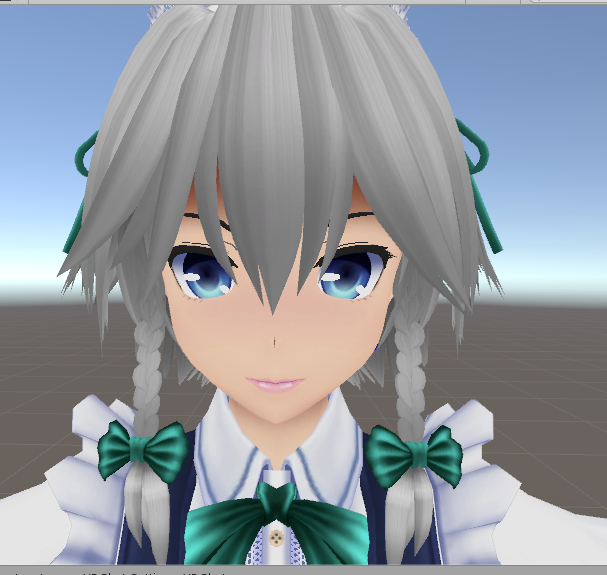
This is transparency: https://i.imgur.com/CDmcuWL.png
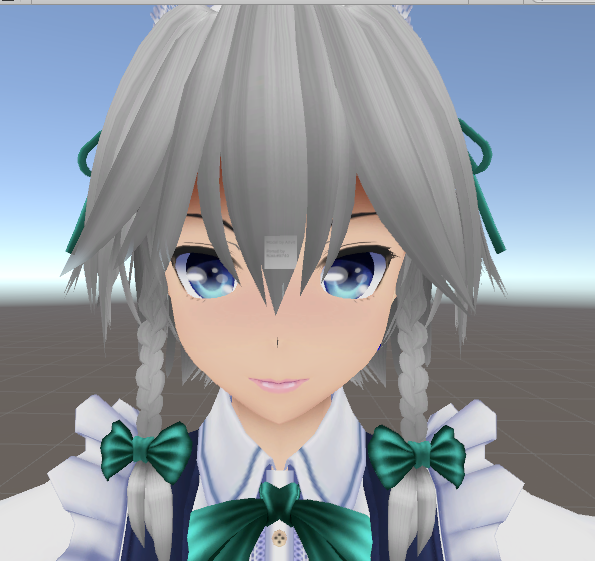
Notice how the transparent bits of the hair erase the model behind it due to ZWrite
I honestly think the cutout has better looking highlights, anyway
spiral sigil
I atlas different groups so I can have a transparent material and an opaque one, but yeah, it's a lot of work
and I often change noe noe and cubed's toonshader code manually to fix things 😐
zinc furnace
Oh, apparently it's better to atlas everything in one texture
Then manually separate the materials afterwards
You can use vertex groups to make that easier probably
The second drawcall will be quite a bit faster if it shares a texture with the first one
Having one opaque and one transparent material is the best solution I think
spiral sigil
isn't that only when instancing is on?
spiral sigil
with instancing it will try to do it in one drawcall
since the material and texture are in gpu memory already
zinc furnace
Yeah, this is still two drawcalls, it's just somewhat faster
spiral sigil
not having to swap out a new texture probably causes that, I believe it
 sonic nimbus
@spiral sigil Unity doesn't handle transparency well.
Its transparency handling is basic so it suffers from significant sorting issues.
I think it's perfectly reasonable to use a second material for transparent meshes.
It still won't avoid a lot of sorting issues but it will help.
And honestly any avatar <10 draw calls is already fewer draw calls than the vast majority of avatars.
spiral sigil
@sonic nimbus yeah, I think it's worth one mat/drawcall, I know Unity is terrible with sorting alpha, that's why their grass is cutout probably 😉
messing with queue in the shaders and poking around in popular toonshaders and changing a bunch of things yourself helps, like culling off or matcaps on top
sonic nimbus
These will hopefully all be improved with the HDRP whenever it gets VR support and VRChat switches to it.
spiral sigil
I just like it when tranparent elements really have varying alpha and nice blending, it just looks so smooth
on an avatar
sonic nimbus
The current pipeline is based on a really old architecture (DX9) and is constrained because it has to support both mobile and desktop.
spiral sigil
people all use cutout and I understand why, it's robust and works with all the MMD messy textures and eye layers for example
use the wrong material and it won't even show up in a mirror 😝
dx9? really, at least not the shadermodel
not even sure if the rainbow overlay shaders would work with dx9 era shadermodel
sonic nimbus
@spiral sigil Yeah, the pipeline is architectured in a DX9 way even though it supports DX11.
The Unity Manual helps you learn and use the Unity engine. With the Unity engine you can create 2D and 3D games, apps and experiences.
spiral sigil
The default mode of operation is largely DX9-style “one draw call per light with additive blending”. Quality settings of the game determine how many lights per-object will be rendered in realtime; the rest are folded into a spherical harmonics (SH) representation and rendered together with other ambient lighting.
sonic nimbus
Yeah, that's the relevant bit.
The HDRP is a much more modern architecture that takes advantage of the flexibility provided by compute shaders.
 glacial pasture
👀
 thin barn
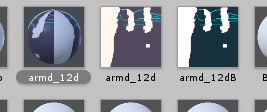
What do I have to do when I have these side textures?
glacial pasture
Side textures :?
thin barn
I mean. There's the "armd_12d" which is the texture that goes on the armd_12d material
But the "armd_12dB" texture does not have its own material
glacial pasture
12dB looks like a normal map I think
thin barn
I'm new in this field, so I don't really know. Are they applied to the same material?
glacial pasture
ye
12d is the base color, normal map fits in the normal map slot which just gives the textures some more info
thin barn
Ooohh.. thank you so much
glacial pasture
e
thin barn
E
glacial pasture
E
 glacial pasture
that's some great naming they got there...
thin barn
It would be great if I knew where to put them
glacial pasture
looks like the materials are all already setup, should be fine, I can't see much difference between any of the textures
 thin barn
Nah
 twilit ferry
I keep going back, tweaking an mmd model to help me learn.
thin barn
Idk, I'll just try this and that to see what works better
glacial pasture
my og model was a geralt, had like 140k and I managed to drop it to 20k
thin barn
What the hell
twilit ferry
That's rough.
glacial pasture
but then poly limits just started getting ignored by literally everyone
thin barn
Did it became a stickman=
glacial pasture
the less important parts, yes
twilit ferry
Need some lube before I try that trosty
thin barn
Imo poly limit should be increased
twilit ferry
I had to do some manual merging on the hair last night.
glacial pasture
yeah the poly limits a little silly with no material / dynamic bone limits 👀
twilit ferry
It's so fucking good with colliders now
Vs decimated hair
I need to experiment with shit like the 900 poly eyes.
I dunno how much I can do without fucking up the shape keys.
I need to spare tris to put into the body... The elbow joints are horrible right now!
glacial pasture
that's why you get into low-poly models that are only 500 polys

like these little shits
thin barn
omfg. They put the skin of 2 different models in the same folder. That's why I have like 70 textures
twilit ferry
Haha, well they probably didn't think that VRC freaks would want to actually come over and edit em, I guess.
I guess @glacial pasture ... I am learning a lot though. 😃
glacial pasture
I haven't learned much in the last month or two
getting lazy with avatars after 160 of em
twilit ferry
You should give it a go! 😃
glacial pasture

this is what I just finished working on for a handful of hours
still have to animate it and shit
twilit ferry
I did the modelling part for an avatar and realised I was making a massive mistake... There's way too much stuff to learn so I went down the ripping apart an mmd model for now. 😛
glacial pasture
that's how I start everyone I've trained up, get them going on MMD's geting them VRChat ready, then onto shaders/materials, animations, then scratch stuff
twilit ferry
Nice gun. Obscenely overpowered looking, haha.
glacial pasture
OPOP
twilit ferry
Yeah. After fixing the mesh a bit more, I'm going to try fixing the hair better.
Got dynamic bones, it's just a bit heavy on the hairspray still... Needs some gravity.
Then animation overrides I guess. 😃
I'll save the shaders/materials for a bit later.
glacial pasture
I have some hair settings I use on every project
I can DM you a screengrab of the settings
twilit ferry
that'd be great!
I've actually only partly re-meshed the hair... It was a few side bangs that are long and curly.
I may need to fix the main chunk at the back too.
glacial pasture
hair's one of the biggest pains in the ass imo
twilit ferry
😂
twilit ferry
@rain flax Just seen that you're the admin here... Did your in-depth MMD to Unity Youtube tutorial over a couple evenings this week. Very helpful thanks! 😃
 shut patrol
does anyone know where to get a halo beam sword?
visual vigil
 lament pond

 sudden vessel
anyone mind helping me with a model of mine?
zinc furnace
^This is why you ask your question, don't ask if someone can help you
 cerulean shoal
https://gyazo.com/a68b114c45a0ae876ae93afe9d806423 my fronk model :D

 unreal yoke
Is modeling what I'm going to have to do to replace a dress on an avatar?
 spark barn
Depends on the current setup of the mesh and how much you're looking to modify
solid shale
https://cdn.discordapp.com/attachments/427506649511755777/488126076707536896/unknown.png Does this shoulder/armpit look okay?

Some of the edges are a mess really
 regal burrow
looks fine to me
floral violet
will look fine with cubeds wash out shader
lament pond
 vivid crater
Disclaimer: He's a guy
lament pond
Yes I do make boys every other month
visual vigil

 regal birch
 waxen pulsar
Entirely from scratch?
Spend some weeks watching Blender tutorials
 dry chasm
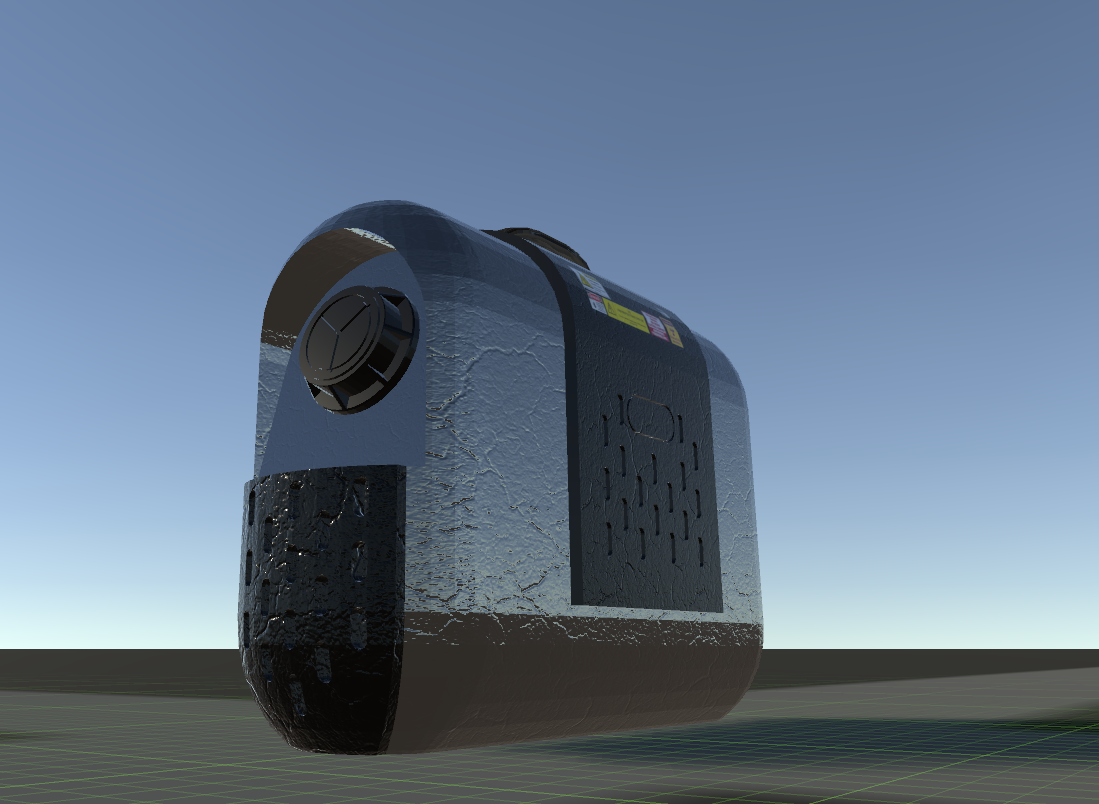
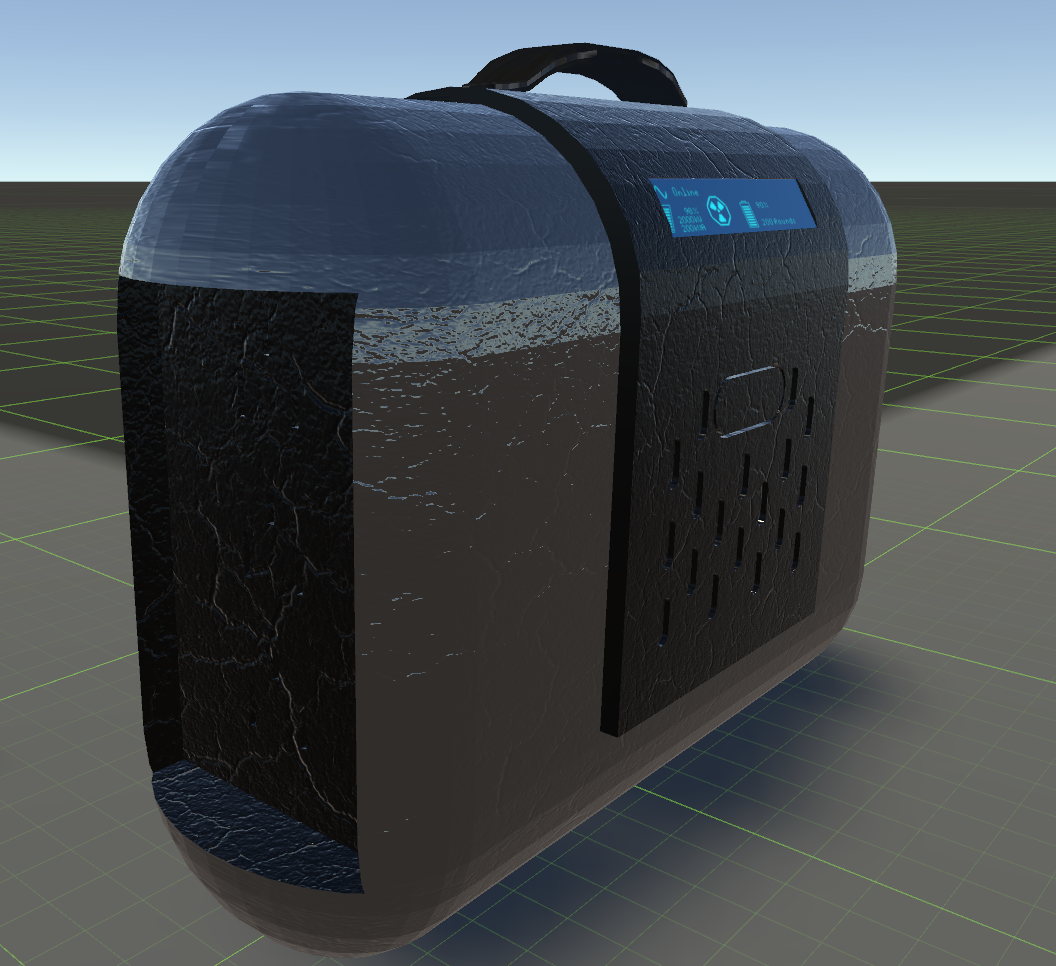 floral violet
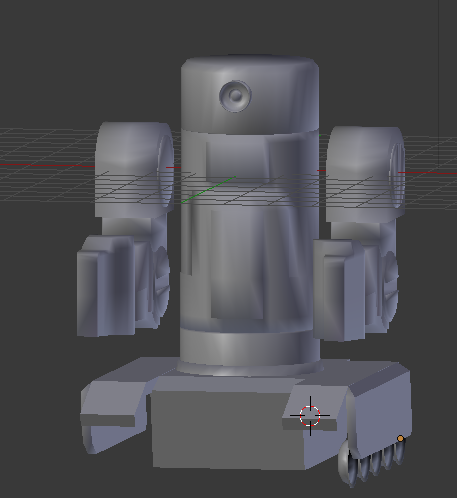
its a fusion battery
glacial pasture
👀
floral violet
i built it from scratch in an hour
floral violet
 glacial pasture
good work on that texturing
floral violet
look at that detail
glacial pasture
💦
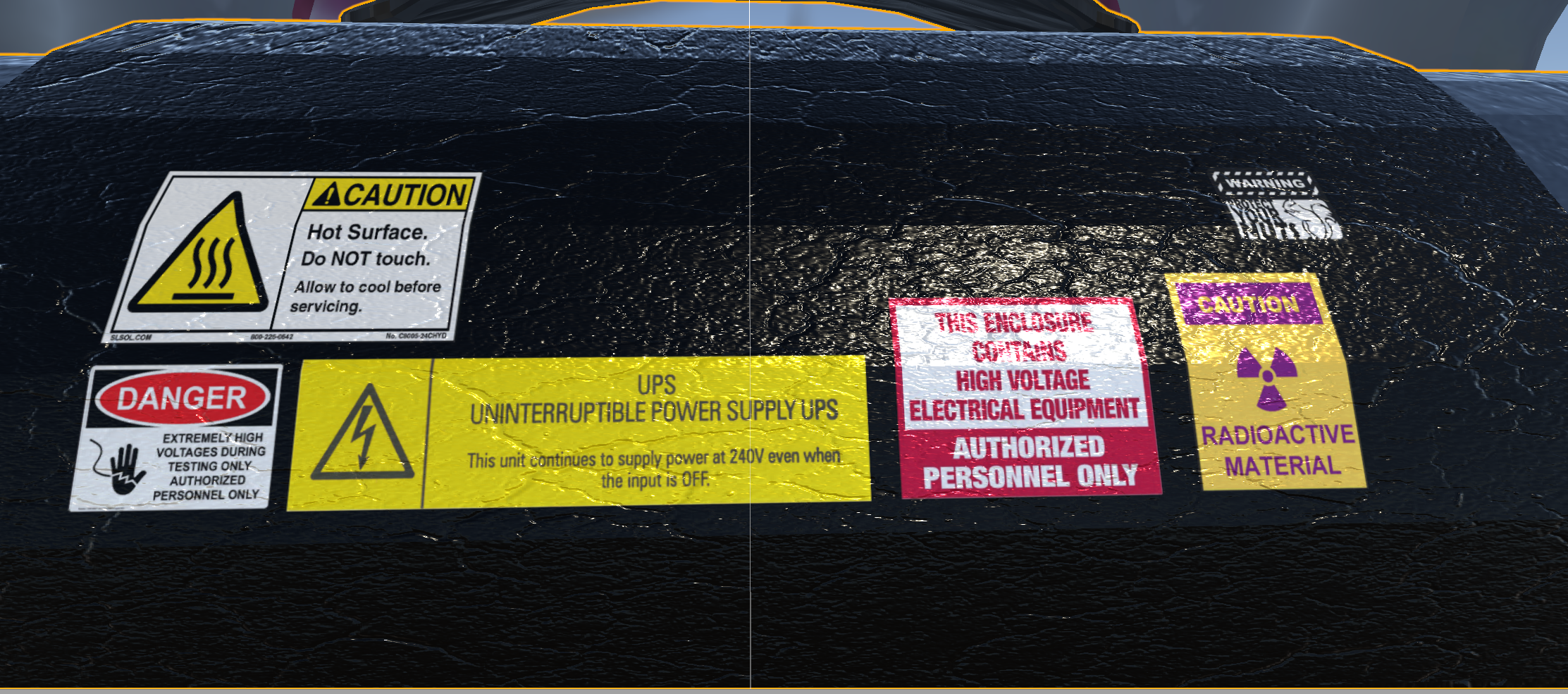 floral violet
lol
glacial pasture
Coulda fooled me
floral violet
well i also designed this in a day...
 glacial pasture
prior question
glacial pasture
That's crazy stuff
I started back in december but haven't made anything entirely from scratch
floral violet
im working on a project ive dubbed Kinoa
glacial pasture
oWo
floral violet
heres a sexy sample