#3d-modeling
1 messages · Page 45 of 1
 cold plank
either way, if other modellers wanted to work with these tools and this format, I'm hoping vrc devs agree
 sonic nimbus
@cold plank The most that DRM will do is prevent people from being able to edit it with the pixiv tool. It will not prevent people from ripping it and editing it in Blender.
Displaying the model on a user's computer makes it vulnerable to be ripped.
 maiden oriole

イラストレーターがお絵かきのテクニックを最大限に発揮できる3Dキャラクターメイカー「VRoid Studio」を2018年7月末に公開 〜Windows・Macで誰でも無料で利用可能〜 ◼︎VRoid Studioについて 【公式サイト】 https:...
mmhhhh, let's see what this can actually do in the future
ah im late
kek
 lucid badge
Does anyone know how to fix the You cannot edit your VRChat data while the unity Application is running" error?
 brave dune
Sounds like youa re in play mode
lucid badge
When I try to upload an avatar it automatically puts it in play mode
 cobalt willow
As it should... Just follow the instructions on the screen (Name your avatar and click on the tickbox) and you can press upload.
Your "error" means you cannot make edits to your avatar while in play mode. I'm not sure what it's stopping you from doing
 bright hazel
hey i uploaded my avatar, but its not showing for me to use it
cobalt willow
Are you logged in with your VRC account ingame?
bright hazel
yup
i even restarted it thinking i might needed to do that, but it's still not showing
cobalt willow
Detach your current avatar ID from the pipeline manager and reupload
Suspect you removed it and then tried to reupload it
bright hazel
ok hold on
lucid badge
The box to name my avatar doesn't pop up
bright hazel
ok where do I find the ID
bright hazel
i dont see it and i dont know how to take a screenshot to show you
hold on ill use my ipad
lucid badge
You cant send screenshots in here
It should be on the right side of Unity
In the "Inspector" tab
Where you added VRC_Avatar Descriptor script
bright hazel
Ok
lucid badge
It should be called pipeline manager
 spiral sigil
humans i need help
i have a weightpainted right arm but no left
how do i copy paste the right to become the left without the right arm controlling the left arm
https://cdn.discordapp.com/attachments/403448641697873922/462331166054416389/unknown.png

 lament pond
You could always mirror the arm
 pale sigil
hey, does anyone here sculpt their own models? i've got a quick question
 static sun
whats up @pale sigil ?
 zinc furnace
^And this is why you just ask your question, and not ask to ask.
static sun
yup
pale sigil
sorry D:
im trying to figure out how to smooth out my model so it doesnt look like a poly monster
 weary wigeon
Hey does anyone know how to fix the problem where you've duplicated your model and apply a material to the duplicate, but it applies to the original and duplicate?
 waxen nest
it's using the same model info from the project tab
you'd have to duplicate it like this https://cdn.discordapp.com/attachments/461711219569721347/462433668032626690/unknown.png

then work on that one
weary wigeon
Ohh alright. Thanks

 vivid crater
thicc
waxen nest
thot b gone
 drowsy bear
I have existing bones in a model but whenever I modify the shape keys, the bones stay in the same position, what do I need to do to make the bones conform to the model?
 foggy maple
@drowsy bear shape keys never move a bone.
drowsy bear
Thank you, but I already got that from a different tab.... That said I'm still trying to figure out how to attach a bone to a specific vert that way in unity I can move bone and get mesh movement
Specifically fingers/hands. I just see the bones move in the muscle tab and the model stays static, where as all other joints seem to be working fine
@foggy maple Do you know of any way to specifically bind a bone to a near by verticie?
foggy maple
@drowsy bear You can't bind a bone to a vertex, but you can bind vertices to a bone. And that's called weight painting in Blender
drowsy bear
Hmmm, I'll try making the weight heavier and see if it works then
waxen nest
should basically look like this

only places where it gets weird would be working on the face
drowsy bear
This is becoming quite vexing, I did a sample area and when moving back to posing mode, it only moves the bone still, completely ignoring the mesh.
I might just have to re-lay all the bones and see if that does something
foggy maple
@drowsy bear Does the mesh have an armature modifier with the correct armature in it?
drowsy bear
When you ask that, do you mean is the armature under modifiers there? because that is
Modifers>Armature>Armature
foggy maple
@drowsy bear That's good, but is the correct armature selected? Click on the wrench icon, that is the modifiers tab
drowsy bear
When selecting the armature then the wrench it simply shows body and add modifer
and the existing modifier "Armature"
foggy maple
@drowsy bear no, select the mesh, then go into modifiers
drowsy bear
I'm still seeing esentally the same thing yet now it shows body up top
I'm thinking I'm having this issue because it is a SFM model and they used shape keys to move the hands rather than bones
Alright from my understanding, and some googling, I need to remove the shape keys, and re-make the modifier to include the bones.
That sound about correct?
 stable edge
uh i dont know about that
usually the mesh should just have the modifier (Armature) and be a child of the armature listed in the modifer
as long as that is correct and the bones actually have control over the verts the bones should move the mesh
drowsy bear
@stable edge So the issue is the bones don't have control, I've already used the weight paint brush and still nothing
@stable edge What do I need to do to give bones control over verts?
stable edge
what colour is the mesh when youre in weightpaint mode?
drowsy bear
Around the bones, red
stable edge
moving the bone in edit mode should do that
drowsy bear
I test other joints, they move fine
stable edge
so theres just a section that doesnt move?
drowsy bear
If I move the forearm, the entire area moves, including the hand. but when I move the thumb just the thumb bone moves
I'm thinking I might need to delete all the hand bones, and re make them
stable edge
has the thumb been weighted?
drowsy bear
it didnt start all red haha
stable edge
the arm bone needs to control the arm
drowsy bear
frustration took over and I just painted it all red
so I should just delete all the finger bones and re make them?
it works to the wrist, individual joints from there do nothing
stable edge
uh no id probably start with normalise all weights first off
then turn on auto normalise
and weight the hands
drowsy bear
how do I turn on auto normalise?
So first paint it all blue again with zero weight, then...?
stable edge
its in the toolbox
no
ill open blender but both thing you need to do are in the toolbox
drowsy bear
Alright I'm in weight paint, with tool box open and I see normalize
but how do I do all weights off without manually painting
drowsy bear
no change
stable edge
then use autonormalise when painting
will make all weights add up to 1
so if you paint on the thumb 1 it will -1 on the arm
if the arm already has the weight
drowsy bear
welp this is strange, when I select the entire model and click normalize all, only the right leg goes red
nevermind I had a vertex group selected
Alright everything is properly weighted
so I'll go back to pose and try again
nope, bone still moves not the thumb, or fingers
drowsy bear
Well redid bones, created new vert group, weighted parented the bones, and still doesnt work... The models wrist will move(with hands attached of course) but the hands will not move
 stray topaz
is this normal? https://i.imgur.com/nXpjM9Q.png
 static sun
totally normal
stray topaz
ok, good. I didn't want to import it into VRChat and creep out people
vivid crater
eye see some good results in here
stray topaz
😐
 latent charm
In textured/material mode, depending on the alpha setting, blender's depth testing is freaky as fuck
Assuming that's what's happening of course. If things look okay in unity, nothing to worry about. Besides, it's unity material settings that matter. Not blender's.
stray topaz
gotcha, i'll be back if that happens
bright hazel
um I am having a hard time with my avatar, i was hoping if someone with experience on how to make one can help me and show me what I am doing wrong?
zinc furnace
This is the second time you've asked this question @bright hazel
If you just ask your question, you'd get an answer
Don't ask people if you can ask a question, just ask straight away. Most people won't be bothered to start pulling teeth.
bright hazel
i dont know what you mean, I asked my question, and it is the first time i asked
bright hazel
there is a list
Can't get her to pose in a T pose, I don't know if I have her to blink or talk, Can't get the clothes to fit to her, etc
tried looking up videos and they were no help
zinc furnace
If you are using Cats blender tool, you can enter pose mode, pose the model into a T-pose and press "apply as rest pose"
zinc furnace
Usually when you fit clothes onto a new model, the clothes come with their own armature
You can pose the clothes in place, apply rest pose, then use Cats Blender Tool armature merge to put the clothes onto your model
bright hazel
hmmmm ok
 final dew
How do i add dynamic bones
 glass prism
dynamic bones is usually a paid thing
waxen nest
you can be good sumaritan citizen and buy it or get it illegal
or be chaotic good and do both
drowsy bear
Hey rex, got the hands thing to work last night
waxen nest
nice
drowsy bear
but now I can't get my model to work the way I want in VRchat
So I just ended up using keyframes for the hands haha
That said my model is still messed up
waxen nest
yeah some models are screwed up to begin with
drowsy bear
I think I'm gonna have to start from scratch and just use the tools I gained on the way
I'm about ready to just pay someone to do it
waxen nest
i kinda just embrace the screw ups
i mean i now have an ominously floating t-pose woman
not what i was going for but i'll take it
drowsy bear
my guys arm sholders were like sticking out of his head
and his waist was in the floor
All the bones were mapped right in unity so I have no clue what went wrong where
 spark shadow
My friend rex, thats against the ToS
 drowsy bear
Both blender and unity are half baked I think is the first real hurtle haha
spark shadow
What does baking do?
drowsy bear
half baked=not finished
spark shadow
But there's a setting in unity in shaders that's called like baking or some shit
waxen nest
never seen that
spark shadow
 drowsy bear
yeah I just meant the programs look like they still have a way to go in terms of being completed
spark shadow
Same
 chrome arrow
Alrighty.
Well, my question is that I am trying to use models from Luigi's mansion to make as avatars.
chrome arrow
And everything works all fine, until the animations get in, and the tail on the ghost seems to contort, which is what I am trying to figure out how to fix.

That opaque part is the tail
spark shadow
Contort how?
chrome arrow
I have a vid of it if you want
waxen nest
might be weight painting issue
spark shadow
Is it not supposed to move?
chrome arrow
I can post it in here, it is below 4 mb
Correct.
I have weight painted it, but I am not sure if I missed anything
spark shadow
Ok, is it moving with the skeleton?
chrome arrow
From what I can tell , yeah
spark shadow
Is it supposed to?
waxen nest
you'd have to weight paint it to 0 then
chrome arrow
I have, I am just not sure if I have missed anything
spark shadow
Ok, can you unbind the skeleton from the mesh?
waxen nest
did you check for all the bones in the tail
spark shadow
Is that a thing you can do?
chrome arrow
Yeah, where would that be if I could?
spark shadow
So the Tail is supposed to move without being part of the legs?
spark shadow
Ok, so from what I can understand, the legs seem to be attached to the mesh, making it contort when you move
chrome arrow
Alrighty, is there a way I can un-attach it?
spark shadow
I think that's something you may need to do in blender
chrome arrow
No problem.
Would you mind getting in a call with me so I can share my screen, to see if you can assist me finding it?
spark shadow
Okay, I just want to clarify that I have no freaking clue what I'm doing, I just started doing this shit last night
But, from what I can tell that seems to be the issue
chrome arrow
Alrighty.
spark shadow
And if you really wanted to, you can make the tail kind of move by itself using Dynamic bones
chrome arrow
Oh, true.
spark shadow
Kind of like, jiggle bones
chrome arrow
I have not gotten in with dynamic bones yet.
spark shadow
I think in blender, if you go to the Armature, you may be able to unselect it or unbind it to the mesh
I'm sorry if that's not really a good answer, but I'm still really amateur to working with blender and unity
spark shadow
Do you at least have the basic tools for blender?
chrome arrow
Yeah, I do.
I have been working on it a bit.
Oh, wait a second, maybe the joints in between if that is a thing
spark shadow
I' worked on a model last night for like 6 hours
3 of those was trying to figure out blender and why python wouldn't work
2 of them were figuring out why my model didn't have any textures
The last hour was fine tuning the shaders/normal maps
waxen nest
half your time spent in making models is on troubleshooting
spark shadow
Only to realize that I can't even upload a model
😂
We truly live in the dark ages
 waxen nest
ye sure
waxen nest
also @lament pond whats the problem
lament pond
Problem?
waxen nest
yea
lament pond
With what
waxen nest
the model
lament pond
Nothing
waxen nest
then why post in 3d modeling
lament pond
People posts wips in here
spark shadow
REx? u here
weary wigeon
@waxen nest I tried what you said yesterday although it's still applying the same texture to the original and duplicate https://gyazo.com/5f180b0b062d8ee9c078b25240c8fc2e unless I've done something wrong?
 spark shadow
i was messing with an MGS 5 model last night
Check your materials
its probably using both
 waxen nest
ik
the only link i could find to the model was on cursed site
the og one got taken down by the author
weary wigeon
I'm clicking on the model in the assets folder and doing ctrl + d
spark shadow
feels bad
weary wigeon
That's what I've been doing
spark shadow
Hey rex, what do you need to upload?
waxen nest
seems strange
but you need 20-40 hours of gametime on vrchat
using a vrchat account
waxen nest
zenkai all i did was ctrl + d on the model and drag the duplicated model into the scene
weary wigeon
And yeah I started getting into making avatars a few days ago. kinda just trying to retain everything I've learned so far
spark shadow
what do i need to send you
waxen nest
oh if you save the scene you should be able to just send it to me
the entire project*
spark shadow
Can i .rar it to you?
waxen nest
btw zenkai are you using the same material for both
and yeah thats fine
i think discord accepts unity files anyway
spark shadow
its 75mb
weary wigeon
Nah I'm trying different materials, like the original has the body material and lets say I'm trying to apply a different material to the duplicate. It's just applying the material I've applied to the duplicate to the original
spark shadow
google drive it is i guess
spark shadow
ive got 20gb of google drive space
 upper hamlet
Can anyone help me with weapon positioning?
 shadow jacinth
Does anyone know how to convert SFM to blender?
spiral sigil
pretty sure there is a plug in for blender
search "sfm import blender" sure you will find something
bright hazel
"Invalid Avatar Rig Configuration. Missing or invalid transform: Found duplicate transform 'RightEye' for human bone 'Jaw' and 'RightEye' "
what does that mean and how do I fix it?
zinc furnace
Unmap the jaw bone in Unity
 umbral crystal
use crowbar to convert the mdl to smd then use blender to import the smd
with the valve source tools
 flat oriole
when i make a simple 3d oject in blender and but it in unity and try to put a material with a simple texture on it then the texture will not showin on the object.. what can be the problem?
spiral sigil
you need to create a uv map
select cube go into edit mode press u to bring up the unwrap menu
check a tutorial for uv unwrapping
flat oriole
does the process need a texture?
spiral sigil
to create a uv unwrap you don't need a texture

Blender tutorial about how to UV unwrap in Blender, so that you can texture your model. Download the model: https://drive.google.com/open?id=0B8PFSrI9B3iwanN...
flat oriole
ah yes i see now the difference, thx
umbral crystal
it maps to coordinates and then the texture is stretched over those faces
if its more detailed u can mark seams and blender will create a UV map that 'cuts' along the seams and expands
u can use it to separate specific parts of the mesh and to expand certain corners of it which is very useful for texture mapping
static sun
make sure you use the TexTools plugin for UVing
 eternal crow
so ive been trying to bake a texture but the result comes out ok but the normals on it appear fucked to hell

and for some reason the texture doesnt display at all its just gray
spiral sigil
select the coat go into edit mode
in the tool shelf go to shading/uv
select everything
then press recalculate uv
 stark moss
So whats this channel for exactly?
spiral sigil
"A place to discuss 3d-modeling in Blender, Maya, C4D, 3DSMax, etc."
 wary rivet
Hello, I need some help. I am trying to put an avatar's head on a different avatar's body, is there is a process to this that is easy to try? I'm using blender
right now when I Ctrl+J to combine them, it removes the textures of the body
stark moss
Does anyone know to hide the little spheres and the little white boxs?
im new to blender
 ivory charm
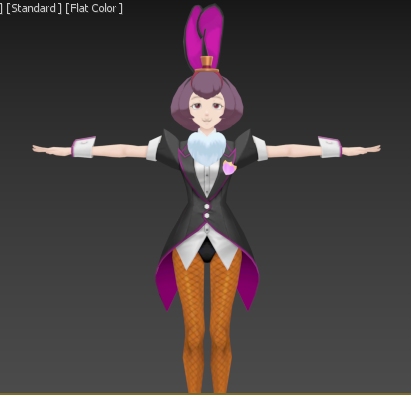
https://i.gyazo.com/15eb5b60b66508ff186c4c69df5305c9.png
this took longer than expected (And I still need to apply weight painting to the hands)
 spark shadow
Question, what does weight painting do?
ivory charm
basically makes the bones control a vertex by a specific amount
its what allows the bones to control the model
also
https://i.gyazo.com/f8515f165c60f4eae4bdc9e73e913c68.png
even though its a lot of objects to consolidate, that is a very small amount of poly's

not even 10k polys
gotta love 3ds games
spark shadow
How thooo
 ivory charm
decimate
there's probably a lot of unneeded vertex's
you could check the polycount of certain objects in there
like the turret
not the barrel of the gun
but the turret itself
might have a high polycount on the curves
might be able to shave some polys there
also the model i used used to have 134 objects OOF
ivory charm
well most of them are different faces/hand positions
and for some reason the umbrella being made of too many objects
and then double it all for an outline model
which i dont need because of a shader
and now im gonna export it so i can load it into blender and start weight painting
bc im more familiar with armature systems in blender
https://i.gyazo.com/4cb19de1cd12df827f7a68112bb241df.png
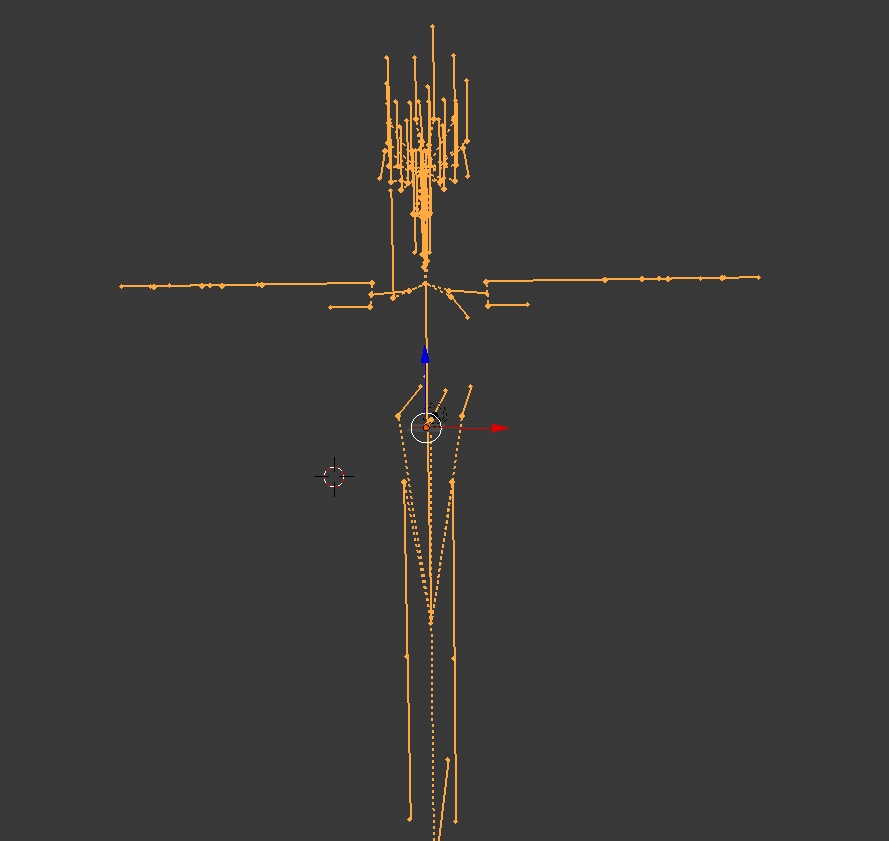
ok anyone know how to fix this?
whats going on is im importing the fbx (Which the armature looks fine in 3dsmax) but when loaded into blender the armature is blown up immensely (The model is so small by comparison that it is in the orange dot on the translation controller
 ivory charm
nvm found out how to weight paint in 3ds max
ivory charm
and wow its actually better than blender on doing it
 spiral sigil
that is a decent start but you will run into a hard time while creating shape keys look up tutorials on topology/poly flow
 drowsy dome
hi
stable edge
yo @ivory charm youre probably using the wrong maxscript
dont remember the actual name but ideally use the general one
not the aa once
one*
the one that can load animations
also the outlines are more then one colour ingame so you wont be 100% to canon
MT Framework is the script, and it centres the model too
and exports normally
 harsh sequoia
Does anyone know how to turn a normal model into a chibi?
waxen nest
you can make it really small
stable edge
chibi=/=loli
waxen nest
chibis and normal anime models arent the same tho
you'd have to edit it in blender so it actually would look like one
harsh sequoia
I know that much, just not sure how to go about doing that properly
cobalt willow
Size it down and scale up the head and other parts as you see fit?
waxen nest
youd have to keep the head as a seperate mesh though
harsh sequoia
The only problem with the is the neck ends up not connecting properly and trying to fix that makes it some what deformed
cobalt willow
Not necessarily. You could just resize bones in posemode in blender
harsh sequoia
I'm not quite sure what you mean by that as I've used pose mode to adjust hair and exported out side of pose mode and everything was fine
harsh sequoia
Ah.
stark moss

so I tried porting a gmod playermodel to blender I textured it up made it look pretty then I ported it over to unity and I dont know what happened lol
 maiden cedar
are your bones set up properly?
ivory charm
@stable edge what is nice is that the shader i can use in unity handles the multicolor stuff too.
stark moss
Im not sure if my bones are set up
 frigid totem
So, I've seen a lot of blender in use for vr chat. I'm more familiar with maya and will be going that direction. Anyone have any specific reasons that's a bad idea?
cobalt willow
Can't think of any reasons you shouldn't use maya. Might be few cases you would need blender, but then you can just export the model, bring it to blender, do the thing and then bring it back.
Might be completely wrong about this, but maya might have issues with renaming the armature/bones/mesh which is super important when setting up simulated eyetracking. I dunno how well maya does blendshapes also
Never used it myself
frigid totem
Hmm. I know it does handle it a little differently... blendshapes in maya is possible though.... I'm more worried about what will happen when I export to unity (never touched it before)
Maybe better to just swap to blender for this application... I need to learn it anyways....
cobalt willow
According to unity docs it supports maya's proprietary format so you could just save your workfiles directly into your projects asset folder
It also supports 3ds max and blenders formats
frigid totem
Oh! That's a really good sign
cobalt willow
Along with the more common 3d formats like 3ds, fbx, dae
Saving your workfile directly into unity will update your model when you make updates to it and save
frigid totem
Not a big fan of this comment though...
"Unity can import and use both types of files, and each come with their own advantages and disadvantages"
Makes it sound like the programs themselves handle some aspects differently and possibly may not work well in vr chat. Even if it imports properly... gahh.. I guess I'll just have to try it and see
cobalt willow
For this scale it shouldn't matter too much
frigid totem
Makes it sound like the programs themselves handle some aspects differently and possibly may not work well in vr chat. Even if it imports properly... gahh.. I guess I'll just have to try it and see
True theres not a whole lot of special features we can actually use
cobalt willow
If you were making a fully fledged game it certainly would matter a whole lot more
frigid totem
Yeah. Luckily I dont have the time or patience for that lol
 shell veldt
ech
idk why the textures are doing this
its like they tile when they arn't supposed to
ivory charm
so how do i merge objects together as a single one in 3dsmax?
because my model has 25 objects and i need to merge the stuff that is the same material
spiral sigil
switch to blender and press a ctrl j
ivory charm
also
https://i.gyazo.com/85d30dc88f8540e3104ae97b2ae1aa31.png
what does all this mean?
 ivory charm
ok
spiral sigil
plus switch to blender
ivory charm
and i mean not right
ivory charm
scroll up a bit
and the original is a .mod file
its a file format for the Spirit of Justice 3ds games
spiral sigil
oh man i feel instantly sorry for you ripping from those games is a pain
ivory charm
well here's how it all looks in 3dsmaxc
*3dsmax

everything is right in 3ds max
actually
spiral sigil

Blender Artists Community
In the parent application you need to apply location/scale/rotation before export as .3ds or, upon import to Blender, you can remove the location/scale/rotation by… Select the mesh then Object–>Clear Location/Rotation/Scale. Either option should prevent the mesh from bei...
ivory charm
not finding that option anywhere
 modern mango
so. i just spend 7 hours making this http://shared.dj-fpaul.de/a17aAXy1xk.png

my second self made model :cirComfy:
 rain lion
looks great.
brave dune
will be easy to weight paint too if you want animations on it
 thorny mantle
So I got a stray dot from a shape key that I can't seem to get rid of. Every time I delete the shape key and make a new one the stray vertecie comes back. Also for some reason if I try to move it, it moves the entire model
Help?
stable edge
i dont know any that can give outlines uvs or the like so its up to you
it might work if you treat the umbrella like a gun though
nice going FPaul!!
thorny mantle
there this stupid colored line that the vertecies keep following instead of being pulled porportionally, any help as to how to stop that?
spiral sigil
FPaul tell me you used an array modifier for all these nobs and you didn't place them all individually. ^^
 cursive wedge
I always forget about the array modifier, but am using the repeat option :p
 main goblet
'u'
modern mango
@spiral sigil no. I thought about the best way to do it (i know i can easily do) and made one channel strip and then copyed it and layed it out side by side then merged the meshes and after that connected them together with faces which are the blue lines, except on the last 3 ones where i completele merged the vertices together. ( Not the most efficient, and i wish i would have planned for making that detail via texture, but it's still acceptable)
then removed all excess knobs / sockets and made the 6,3 TRS Sockets and display part
@brave dune why weight paint, i think making a shape key would be the best solution if i wanted to make animations 😄
just move the mesh up -> key -> done 😛
 frosty fractal
im looking for someone who is willing to put a select few parts together for me, for free
if you want, dm me.
modern mango
good luck with that.
not many do requests for free
there is a lot of time that goes into 3d modelling
glass prism
i just got started on 3d modeling and yeah its kind of a pain in the ass because i dont know what im doing
spiral sigil

Blender modelling tutorial, showing you how to model an anvil. Part 2: https://www.youtube.com/watch?v=WxMwa0njGSM Reference Photo ZIP: https://drive.google....
shell veldt
sooo
anyone perhaps know why the textures of this are messed up like this?

supposed to look like this https://www.models-resource.com/resources/big_icons/4/3587.png
 modern mango
@glass prism i just picked a cube
and started doing stuff with the knowledge i god from working with my model (fixing and optimizing stuff)
pick a face of the qube press e to extrude a new thing, scale it with s. bascially experimenting with all things of the modeling section in the famous blender sheet http://westandproud.info/wp-content/uploads/2018/05/learn-blender-with-a-poster-infographic-giudansky-regarding-blender-cheat-sheet.png

and after a bit of experimenting try to make something real 😃
spiral sigil
your uv map does not match the texture
shell veldt
how would i fix that then?
spiral sigil
if you never uv unwrapped something look up a uv unwrapping beginner tutorial
 spare radish
 lost vortex
can someone help me out with trying to get these tga files onto a model in blender
 coarse walrus
I am currently working on visemes for my Roblox character. And what is "CH" sound look like when you make it with your mouth?
 cursive wedge
Do you not have your own mouth @coarse walrus ?
shell veldt
@coarse walrus to be more specific, its when your like
talking / making a SHHH noise, lips open but teeth closed
kinda
cursive wedge
Was just for irony though.
spiral sigil
that was pretty racist what if he has no mouth irl
frigid totem
I'm pretty certain that wouldn't be called racist though.... lol
spiral sigil
everything is racist if you put your mind into it
exactly and don't forget to point it out, for the children's sake.
 onyx juniper
Do you think wiccans living south of the us border refer to themselves as "Hexicans"?
lament pond

 deft fog
I need some help real quick

I need to move the armature and mesh down to meet the center of the grid
They have to be moved together or my eye movement will be busted forever
Whats the best way to accomplish this?
waaaait. I have an idea
Nope, didn't work
Is there any way to move an armature outside of edit mode? Because I can't seem to move this at all
zinc furnace
Yeah, that's always a pain and nobody really knows why
You can pose the hips in pose mode so it's in the correct place, then click the Cats "Apply as rest pose" button
You can also just move the origin point of the armature and the mesh
stable edge
just change the origin
find the lowest vertex and copy the z coord
center the 3d cursor and the set its z coord as that
set the orgin
move mesh and armature to 0,0,0
 vague leaf
anyone know how to get the guilty gear models to work? bones are hella fucky. just curious '0
vague leaf
nah they've just got like 8 neck bones, 4 chest bones. probably gonna have to make my own bones tbh. weight paint is weird too.
so many bones
vague leaf
I could
ivory charm
Reason for funkyness is because their rigs were made for the medium, which is to simulate traditional animation
And theres a lot of smears that happen
 brave dune
always love your style 😛

 junior idol
anyone know what causes the textures not to work even though everything looks to be working?
cursive wedge
That is just a throughout vague description of your problem, you will need to add something to it to let us know the problem.
 spiral sigil
@junior idol there are lots of possibilities. more detail pls
 hot flint
omg
@tribal mulch you're a genius, how did i not see this
you even completed the sleeve of the arm
i'm very impressed
spiral sigil
yo @static sun , you still around ? i got a question for ye
static sun
wazzup?
spiral sigil
did you sell your model ?
spiral sigil
can i dm you ?
static sun
go for it
foggy maple
@tribal mulch @hot flint Those arms are perfect for hugging 👍
Massive group hugs ftw
 viscid remnant
I have a few .pmx models that wont' open with CATS. Is there some kind of protection on the file or something?
works with mmdtools though
 floral violet
Cats pmx import just sets the import settings iirc it's the same as going import>pmx but you don't have to alter the settings for import
viscid remnant
Oh, got it.
I've never imported without it before so I'll have to copy the settings I guess. not sure if anything is important or just QoL
Nevermind. The auto import just wasn't recognizing it as pmx. Didn't know I could select myself.
 proper oak
I designed a bits platter and martini, but I don't know how to add it VRChat resources, so if someone could do that it would be great. https://3dwarehouse.sketchup.com/model/5fa811c4-a0b2-4708-98c8-9ee0c9082ab1/Bits-Platter-and-Martini?msg=Success! Your model has been uploaded. Please note that it can take a minute or so before your model appears in search results and%2For on your My 3D Warehouse page.&uploadSuccess=1

 quiet furnace
Does anyone know how to rearrange the material list so when you export it to Unity, it changes also in the Skinned Mesh renderer?
I would believe rearrange it in the material list in Blender would change the material array in unity but it does not do so
 rare cradle
@quiet furnace I'm not able to cofirm at the moment, but I believe the list in the Blender material view is only visual
You might have to look around in the different views (maybe the outliner might have some clues), but I bet an objects materials have an index which can be manually assigned/changed
latent charm
@rare cradle @quiet furnace Just had a look myself and the object does have indexes for the materials. And those do get changed when you rearrange them in the material list. (tested on blender 2.79)
Now, if those changes get sent through to the exporter (assuming fbx) and unity reads them is a different matter.
rare cradle
@latent charm thanks for checking
latent charm
If you want to check you can find stuff about the materials and their slot number here bpy.data.objects['object_name'].material_slots (I used bpy.data.objects['object_name'].material_slots.items() to list them all off, changed their positions and listed them again)
stable edge
What's the best way to make hair?
I've started with a sphere and an inverted sphere but id like to know if there's a better way
 tawny mason
Whats the best free 3d modelling program at the moment and.when i say free i mean free like full release.is free
latent charm
Blender. There's tons of online resources for learning how to use it.

Blender is Free and Open Source Software Download: https://blender.org/download Donate: https://blender.org/donate -- This tutorial is part of the Blender Fu...
 solemn elm
Use it! It's pretty cool!
 granite whale
blender is easy to learn once you remember / set your prefered preferences and shortcuts
blender is VERY shortcut heavy
 native summit
How did i suddenly get 3M tris xS
my blender is frezing xS
ah w8 my blender just wasn't active :3 never mind. still though 3m tris is a big jump from 10000 i only added a pants :/
 viral mesa
I need some help regarding the polycount
I've made a model that counts about 13 000 polys, but when I import it in Unity, it shows up with 26 000 instead, which is way over the maximum treshold?
Does anyone have an idea about what's causing this?
 grave loom
What program you using
Either way unity breaks polys into tris so youre getting double the count since 2 tris make 1 poly
viral mesa
3DS max
 tribal mulch
you should be counting in triangles
 late wing
i keep getting stuck at Preparing for Upload anyone knows whats wrong?
 indigo scroll
i dont know how to do this so im asking if anyone knows how to make pop ups appear on vrchat like the dark soul's You Died message appear for everyone's screen, i would very much perfer if there is a video explaining this for me please
 humble fern
@indigo scroll you're not gonna get a step by step because an effect like that is extremely obnoxious and blocks everyone's view of everything, including themselves, the floor, and even menus, so they can't get out of it easily
quiet furnace
@latent charm I was able to reshuffle the material list by seperating by materials and rejoining. This has allowed me to circumvent the bug with Material slot [4]
tribal mulch
@indigo scroll use the uninstall wizard
solemn elm
Actually you also need to learn what types of modelling procedures you need to do for a specific situation.
'Cause you might need Box modelling and other types to get around.
 tough niche
Does anyone have Tetraface???
I would like a file converted to a useable fileformat...
 mental blaze
https://cdn.discordapp.com/attachments/353351685982388234/466301169585750036/Shopping_Cart_Model.png
Now for the texturing part...

 proper crater
Hey is there a effective way to make shoulders on an avatar less broad?
 main goblet
hello
 halcyon citrus
I like it
main goblet
Thanks
native summit
does anyone know why i can see my foot through my right boot? Is there a xray effect for objects? 🤔
zinc furnace
Probably flipped normals
zinc furnace
Could be
Select the vertices of the boot and do flip normals
Cats Blender Tool has it under model options
native summit
ah thanks il try that ^^
zinc furnace
And of course, make sure the mirror modifier is actually applied
native summit
its not fixing it :S
zinc furnace
The missing boot is on the same material as the properly working one, right?
native summit
i think its not :/
zinc furnace
In that case, the material might just be set to transparent in unity
Those are the only two things I can think of. Flipped normals and transparent materials
native summit
where do i find that because iv looked for that and couldn't find it. also i copyed the working one zo why does it keep becoming transparant xS
well if i use 2 lefty shoes it works xS
 keen drift
whats the best place to download 3d models?
keen drift
thanks
granite whale
uvmapping is a heck
granite whale
m
latent charm
You know you've got the hang of UV editing when the tetris effect kicks in and you can hallucinate UV layouts. 😱
granite whale
kill me i wanna dIE
 unique galleon
@latent charm meep
stable edge
Apparently uvs suck even more on maya
But uvs aren't that bad
Just use seams and common sense
And imagine the uvs unwrapped I guess
Check how other models have their uvs too
Game models usually are a good ref since it's usually done by a pro
 flat lily
I wish i could see UV layouts without actually seeing them...
https://cdn.discordapp.com/attachments/415214932678672384/466930926694432768/unknown.png best i can do...
 stable edge
I don't have the model but they probably don't have a back of the eye then its just unwrapped
Or the seams are halfway
Most of the time you don't need the back of the eye because surprise surprise you don't see it
Anyway you could just, ya know, look at the uvs in blender
 tender tendon
I just look at stuff and imagine how it would look as a paper maiche honestly
Like this angle can be cut and this is wrapped like this
 storm rampart
http://puu.sh/AVqCl.png
So my model is supposed to have a diffuse, metallic, and a roughness map [I work with Unreal's PBR pipeline] but I can't figure out how to add in the roughness map
 zinc furnace
Roughness?
That sounds like you would need the Normal Map.
I think.
Let me double-check that. I know UE has normal maps.
Nvm, roughness is something else.
I don't think there is a strict Unity Standard equivalent.
storm rampart
as far as I know, it's supposed to be the 'Smoothness' setting, but all I see is a slider for that
zinc furnace
Yes
There's a "Source" under that
By default, it's the alpha value of the metallic map
If the metallic map has no alpha channel, you could combine the two
What are the other options there? I forgot
Yeah, it's defined in the alpha of the metallic map, by default.
storm rampart
http://puu.sh/AVqMy.jpg metal map on left, roughness on right

they're kinda opposites
zinc furnace
Oh, the only other option is Albedo Alpha
You will somehow want to combine the roughness map into the alpha channel of the metallic map.
Higher = smoother
spiral sigil
In blender, I have two seperate vertexs that are seperated by a line thingy, how do I detach them
storm rampart
select the vertexes you want detached and hit Y
spiral sigil
_< thats the worst way to describe it, thanks!
storm rampart
you may need to re-attach the vertexes to what they're supposed to be a part of
spiral sigil
That seemingly just makes a copy of the vertexs
storm rampart
yeah it does that if you just do it with lines and vertices
doing it with faces / groups of vertices selected actually does it properly
spiral sigil
I got it, not exactly how you were describing it, but you got me on to a thought process that got the job done anyway
I just deleted the edges and reconnected
 lapis needle
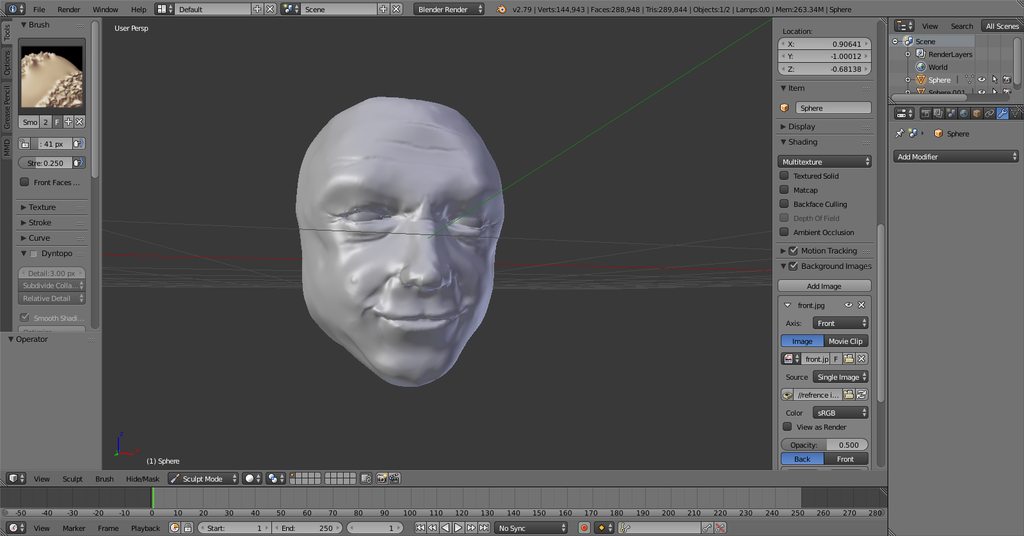
So to what extent do you think I can push detail with bump maps for an avatar? We will find out in a few days
spiral sigil
off topic but does anyone know how to export an object with the texture out of blender as an fbx or obj? I won't save the texture when I try to upload to add it in shane's editor
storm rampart
as far as I know, you may need to export the model and the textures manually
like export the textures individually into the folder where the model is
and then import the whole package into unity
zinc furnace
I need to weight paint some hands in Blender. How do I make the view orbit around the hands in Weight Paint mode?
I can make it orbit around the 3D cursor or a selected vertice in edit mode, but neither of those work in Weight Paint mode. It just keeps rotating around the origin point of the mesh.
 glad frost
@zinc furnace select bone and press numpad period
zinc furnace
Ah, that will work. Thanks!
 coarse kestrel
 vivid crater

 topaz frigate

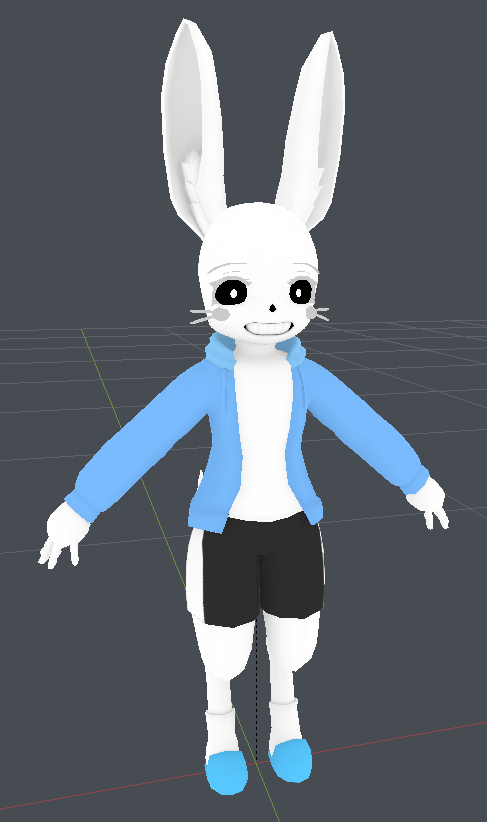
cobalt willow
It's Ness
topaz frigate
From game theory!
spiral sigil
https://cdn.discordapp.com/attachments/461033691037040641/467409828428644392/unknown.png blender won't let me bevel this edge, and I can't figure out why
 lapis needle
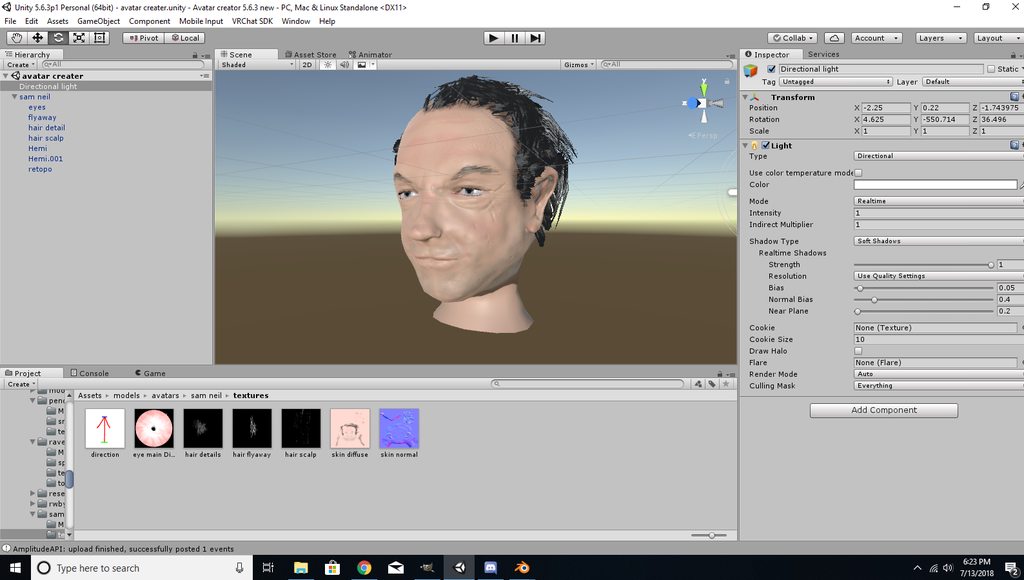
 remote dome
just made this video would like some critique if you got any https://www.youtube.com/watch?v=Y6AD6gKwS3g

I gave myself 15 minutes to create a model from scratch, pull it into Unity, and format it for VRCHAT. This is the first of a series of challenges chosen by ...
 onyx juniper
Very nice
mental blaze
whos the guy from?
 fervent wave
anyone able to help me figure out how to delete an existing skeleton on an fbx file then save that fbx file so i can Remake a skeleton useable in VRChat? I need help ASAP ive been losing my mind trying to do this for the past 2 hours!!!
storm rampart
Is there a way to apply edge modifiers onto a model without destroying the facial shape keys?
static sun
@mental blaze its a doodle sculpt
spiral sigil
why won't my textures stay after I export the files from blender?
I import my google blocks models and am trying to make them look nice but cannot get a texture to stay on to save my life
static sun
if its procedural they wont carry over, you need them on a texture to transfer, you also need to put the textures in to Unity before the model so they can be auto assigned to the right channels
 frigid robin
blender cant really bake assets into the model like 3dsmax is
if you texture it and it's in blender
youshould be able to go into the uv editor
and save the image from there
foggy maple
@fervent wave Drag the mesh away from the armature, then delete the armature.
In the hierarchy
 steady perch
Can someobody help with Decimation, I try to put together some models but I can never get even near the 20K without absolutely destroying the mesh :(
spiral sigil
@frigid robin so it will save in 3dsmax?
 visual vigil
https://cdn.discordapp.com/attachments/452150355351044116/468160265691856896/unknown.png https://cdn.discordapp.com/attachments/452150355351044116/468160384939982849/unknown.png

 visual vigil
 frigid robin
@spiral sigil sorry about the late reply, when you export stuff from 3ds max you can choose to make media into fbx
zinc furnace
Pretty sure you can also do that in Blender.
There's an option to embed the textures into the FBX, I do that literally all the time.
frigid robin
But like I said if you were texturing using blender you can go into the uv editor and choose the texture and save as image
zinc furnace
Path mode set to Copy, with the box next to the dropdown checked so it's embedded
frigid robin
I've never had it work tbh
zinc furnace
I've used it with and without texture atlases, seems to work for me
It's just not default at all, and it's a bit convoluted to get the options right since you can only tick the checkbox in that particular mode
spiral sigil
So save the texture as a .png? @frigid robin
@zinc furnace how can I save textures to be embedded into fbx files?
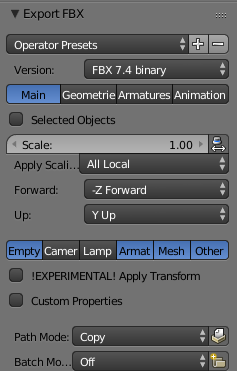 spiral sigil
Not working when i upload exported file to sketchfab
 twilit igloo
So I duplicated an object with a material on it, but it just wont let me delete / change the current material on the duplicate
It keeps controlling the duplicate and the original
spiral sigil
anyone got experience in aframe?
 frigid swallow
@twilit igloo If you're talking about Blender, and if you still have the same issue it's because the material is the same. Select one of the objects and add a new material to it, then apply that material to that object, and done.
 alpine wigeon
I've got some models from the Gmod workshop but they're in .gma format, is there a way I can convert them to something blender will accept?
frigid robin
GMA is a compression similar to vpk
There is programs that let you extract them
From there you need to use crowbar to decompile the source model
Vtfedit to convert the texture into png
And blender source tools + cats to load them into blender
lament pond
 topaz frigate
Yep
 robust cairn
someone make me a sloth plushy plz, thank you
 thorn flame
Anyone use substance painter for textures?
frigid swallow
I have used it before @thorn flame, I've also used and still do use Quixel.
frigid swallow
It works with Photoshop... which is one thing that's better about Substance Painter.
However, I just felt like Substance Painter was limited in some way. Although, it's probably just because I didn't spend enough time with it.
I did like how you could, as the name states, paint on the object with Substance Painter.
thorn flame
Work with photoshop how? what like a live link
frigid swallow
With Quixel, you paint onto the materials within Photoshop, and then you have a life preview window to look at the model.
When you launch Quixel, Photoshop starts up. You choose the mode you want to be in, and then you choose your mesh and all your mats. It creates a project, and you get to use all of Photoshops tools to edit the materials.
frigid swallow
Here's a professional working with it... https://www.youtube.com/watch?v=3J5NUFWm28Y

Learn how to achieve subtle material variation for a hard surface game asset from industry veteran Neil McKnight. Download project files here: http://quixel....
While you watch the video though, make sure you remember this dude knows how to use the program.
I was ignorant of this fact when I got it, and when I realized I didn't know all the controls and how to work it all right away, I thought it was just stupid clunky. I still think it's clunky, but it's nice.
thorn flame
the one thing i just dont like about substance painter is it feels like it has early 2000's style jank
frigid swallow
Yeah, maybe it's just because I have it, but I feel like I enjoy Quixel more. Although I did enjoy SP when I used it.
thorn flame
Designer is fucking hmm just byotiful i have no qualms with designer
frigid swallow
I've never heard of it.
thorn flame
Oh substance designer
frigid swallow
I also like how nice it is making my own materials with Quixel.
thorn flame
Procedural textures n stuff
frigid swallow
If I have a seamless brick wall image, I can create a normal map from it, and even a roughness map. Then I can use it on future projects. I assume you can do it with SP too, I just never got that far with the program.
frigid swallow
I figured so. The interface on SP definitely was not sometime I liked. Just felt very confusing, and while adjusting random stuff I never saw a difference in the mats.
I guess that even with Quixel, you can paint on the object like this dude shows. I didn't even know ya could, I hardly use the program. I fucking hate texturing.
thorn flame
I'm just watching how this works with photoshop and im honestly just disgusted at how well it works
frigid swallow
If you know how to use it, it works nicely. If not, you'll wanna just close it down. The few times I would really get into a project though, I enjoyed how helpful the program was.
thorn flame
I learned how to use maya and blender in tandom
If i can get around that headache i think i can do anything
frigid swallow
Whenever I hear someone used Maya, I immediately think they're a college student. lmfao
I have no clue why, but it has such a school vibe to it.
thorn flame
that autodesk money getting em young
frigid swallow
lol
thorn flame
Im happy blender is kinda gaining more and more ground agaisnt em
frigid swallow
I've used primarily Blender, and then I've slightly used 3DS Max, Lightwave, and one other I can't remember the name of.
thorn flame
Oh man lightwave
frigid swallow
Blender is just nice since I know it, and it's capable of anything I want to do.
latent charm
I remember lightwave from college. It was horrible. So horrible it actually suffered from gimbal lock. 😱
thorn flame
I'm hella glad i didnt have to use damn lightwave
frigid swallow
It was something I very briefly used when I first started just modeling around. No matter where I've gone, I've always come back to Blender.
latent charm
Two months in I gave up fighting lightwave's bullshit and inflicted blender on myself and it's been amazing ever since.
frigid swallow
Just feels clean in my opinion.
I mean it does have a community, that basically just models shit all day, behind it developing it.
I just need to get better with modeling characters. Organic objects in general are rough for me.
I end up watching videos like how to make a hand, or foot, or head, on YouTube.
If I can see how someone else does it, I just go and do it for myself a few times, then I can visualize the wireframe of the mesh in my head and see how to make it.
lament pond
 frigid swallow
How many faces?
lament pond
Last I looked like 16k tris
frigid swallow
Not bad, not bad..
 rare crystal
Actually anyone who has maya most likely is a college student. We get it free as long as were attending college. Once were out though...
That and Disney used maya. So it's already a head start on the software
thorn flame
Yeah your mafia mob boss autodesk overlord wants ya to cough up
rare crystal
Lol. Only when I'm not in college 😉
frigid swallow
XD
 humble fern
why must you do this to me father
lament pond
...am I father?
humble fern
uhh maybe?
mental blaze
I didn't need to see that...
vivid crater
tender tendon
https://i.imgur.com/9rofpuO.png Currently trying to remodel and restructure a knuckles into a goblin, since well, they have a decent structure for that, even modelled ears for the first time. A long ways to go until its more goblin than knuckles methinks
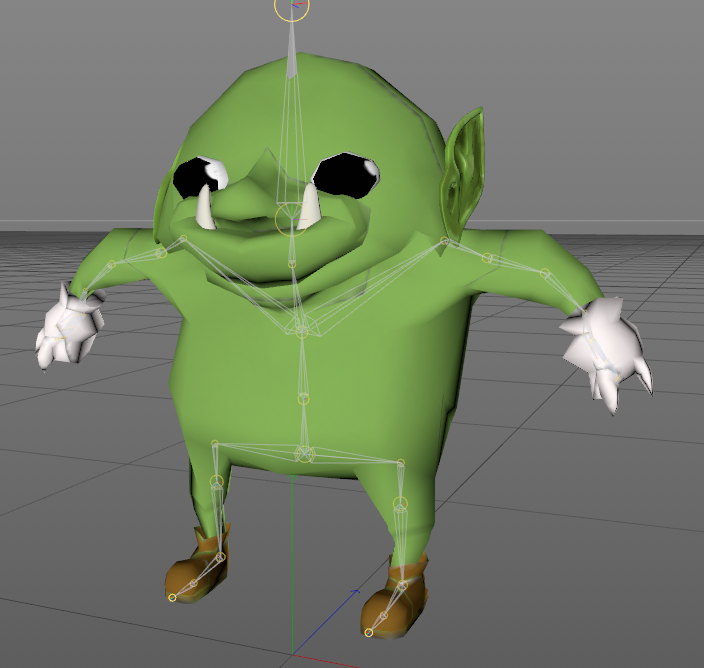 spiral sigil
i like custom made knuckles
it's refreshing saying some variation and not the same 5-6 bullshit knuckles avatars
tender tendon
By the time im done with him, its not gonna look a knuckles, atleast i hope so
Hands needs redoing, eyes too, eyelids, maybe bushy eyebrows, clothing
etc
Could also make him a skogstroll @cobalt willow ⛰
😄
cobalt willow
I think he already look a bit Danish 😛
tender tendon
haha
tender tendon
Starting to look pretty gobliny, still got hands to do, maybe add more teeth, clothing. https://i.imgur.com/BCTQqpw.png
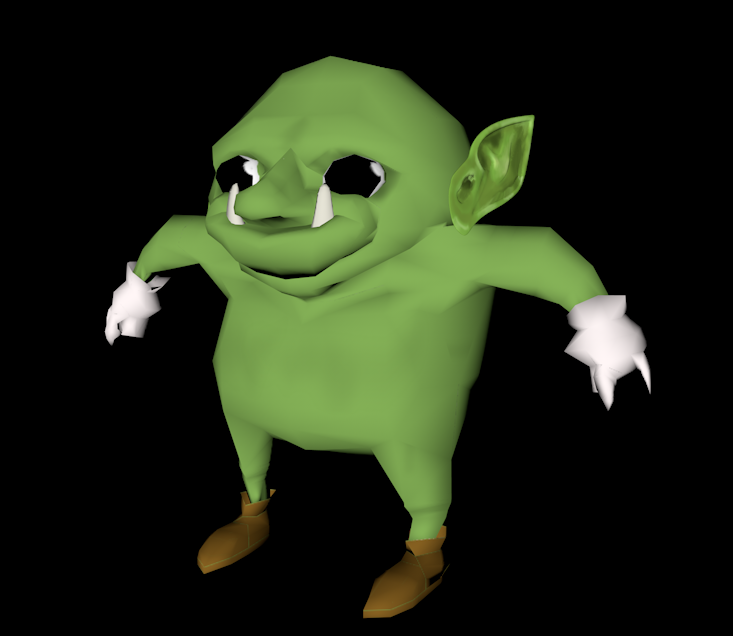
Dunno how i should do the hands though or the clothing, like style
Listening to the main theme of Dwarf Fortress while making my goblin boyo

topaz frigate
They're good goblins Brent
 glacial pasture
@topaz frigate damn where you been, had you on my list for like 7 months lmao
barely recognize the name but I remember you were one of my earliest VRchat boys
@tender tendon but can he wear the legendary goblin mail from Runescape
tender tendon
hmmm thats a good idea 🤔
thorn flame
How do i go about modeling worlds/levels
tender tendon
Well that is like characters, what do you want, how would it look like etc, purpose.
thorn flame
Like i can grasp making single objects texturing Baking normals blah blah but that workflow of making a larger scene doesn't work in my head
tender tendon
I would first create a big scene, if i was gonna do a forest, i would do the ground first, shape of it and so. then having individual rocks, trees, grass parts all of varying sizes. It depends on what i want to create.
First the scene, then the clutter comes id say, what would the world have.
topaz frigate
@glacial pasture I've been playing pretty much daily since December
thorn flame
What about an urban environment say Soviet bloc era looking
tender tendon
same thing
glacial pasture
@topaz frigate musta been on opposite schedules as of late then
tender tendon
first the main big part comes, then clutter and objects of importance comes, taking a look at an image and seeing what it is made of, what things are in it.
topaz frigate
Haven't been on the last week, on vacation right now
glacial pasture
@thorn flame Start by getting an idea in your head, like my world was inspired by things similar to my profile picture then I just flushed it out as I went
thorn flame
I have references and plans but workflow is making my ass bald before 20
glacial pasture
Workflow
I'd say once you get the base level done (the floors and walls), then tackling textures, after textures work on shaders and lighting simultaneously because they compliment eachother so well
nextup add interactables / mirrors / video players
and music
topaz frigate
It's all in doing it piece by piece
thorn flame
bit of an off topic question, how come im unable to post images?
the only thing explaining how hofugir did so above is posting from a phone which bypasses that restriction (idk how the hell it does it just do)
I wanted to post reference i found and liked then ask what parts would constitute being their own object
cobalt willow
Directly embedding pictures is disabled, however link preview pictures are not. That's what you saw.
 soft gazelle
Hello, I'm working on an MMD model
glacial pasture
hi
glacial pasture
@thorn flame looks like he had to upload the photos to imgur then post the links
Pinkybois
glacial pasture
Modeling chat seems like having pictures available would be pretty important...
I know what you mean so hold on
thorn flame
You're using cats right Heck?
soft gazelle
Yeah
glacial pasture
 thorn flame
fix model didnt sort the materials?
glacial pasture
Go to that little checkerboard section of your model
soft gazelle
Uh huh
glacial pasture
where it says image it probably says somethin, click the X and re-add that image
soft gazelle
Fix model did it but the ears have missing textures

This is everything in the checker boi
glacial pasture
Enable those two textures and see what happens, if not re-assign the missing textures
even if you can't get it in blender you can import it to unity then assign a material there
glacial pasture
I'd try re-adding the textures anyways on those materials
soft gazelle
Huh
glacial pasture
so where it says iamge
Image*
Click the little X and find "cspa.png" again and make that the texture
for all the materials
soft gazelle
I seem to be blind
soft gazelle
Where do it say image
glacial pasture
 glacial pasture
do that for all the materials that are on the ears
soft gazelle
That makes them white
glacial pasture
🤔
I would just assign the new materials in unity
having hte materials assigned in blenders more a pleasure of life, unnecessary
soft gazelle
Should I atlas?
soft gazelle
Should I use CATS to atlas or not?
thorn flame
cats atlas is either amazing or terrible
ive had results where i have had to double check to make sure it worked
shell veldt
so
is there a way to MAKE edges? like if i wanted to place some on either side of this in the middle

 quaint bronze
You can select the face and subdivide it - that should create a new edge loop inside.
Ctrl+R is the hotkey
@shell veldt
shell veldt
k
 hollow radish
anyone know whats the best 3d modelling program for characters?
aside from blender
shell veldt
people will prob say 3DSMAX
hollow radish
yeah, I just need to find some tutorials
quaint bronze
I use Maya, but that’s because I’m the most familiar with it. I think they all do the same thing, you just need to find the one that works the best for you!
hollow radish
I think I'm partially worried about my money and time to learn
 humble glen

 quaint bronze
Try selecting the top and bottom edges then hitting ctrl+r
topaz frigate
@hollow radish if money is a concern you can use blender, it works perfectly well and is free
 chrome tree
(It just has a learning cliff.)
hollow radish
i think its more of the quality and work flow
quaint bronze
Blender seems to have a very roundabout way of doing things, so the learning curve coming from other software is usually pretty steep
topaz frigate
You can get the same quality out of any software really, that's more of a per artist thing
But yes it has a learning curve especially if you are used to other programs
shell veldt
for some reason, when using Face Select

selects that edge down there
which causes this to happen in the UV
 floral violet
Those aren't edges
spiral sigil
https://cdn.discordapp.com/attachments/155853829991038976/469059035283324933/unknown.png
Remade Kazooie's model and added my own flair to match my Discord pfp. Weighting seems to be okay but it'll end up a generic rig so I'm gonna have to do some animating later.

(Also nearly quadrupled the polycount since the original model was from the N64)
 tidal bloom
could someone help me with a problem? I have an avatar with a seperate head and body and when i move the head lags behind and floats back on when i stop. anyone know a fix for this or a good tutorial i can refer to?
zinc furnace
@tidal bloom do you have dynamic bones on that or something?
That's the only thing I can think of that would cause that to happen
You might be doing the dynamic bones wrongly
tidal bloom
well there are bones, im not sure how to tell if theyre dynamic
i got the model online and didnt make changes to the bones other than removing upper chest and putting its bone in chest
zinc furnace
If you did not put dynamic bone components on them, they're not dynamic so don't worry about that I guess
Move the bones in pose mode in blender and see if the head moves correctly, might not even be weighted correctly
tidal bloom
a friend of mine says it has to do with weight painting
zinc furnace
Yeah
tidal bloom
well the thing is i didnt even really connect the two parts in blender
so when i pose it they move around seperately :/
im kinda new to this if you couldnt tell
zinc furnace
You need to make sure the head is part of the same mesh
And that it's inside the same armature, too. And that it's weight painted correctly.
tidal bloom
would you mind helping me do that?
zinc furnace
I can't really help you with that
I think you need some more experience to do something like that
tidal bloom
ok well thanks anyway
tender tendon
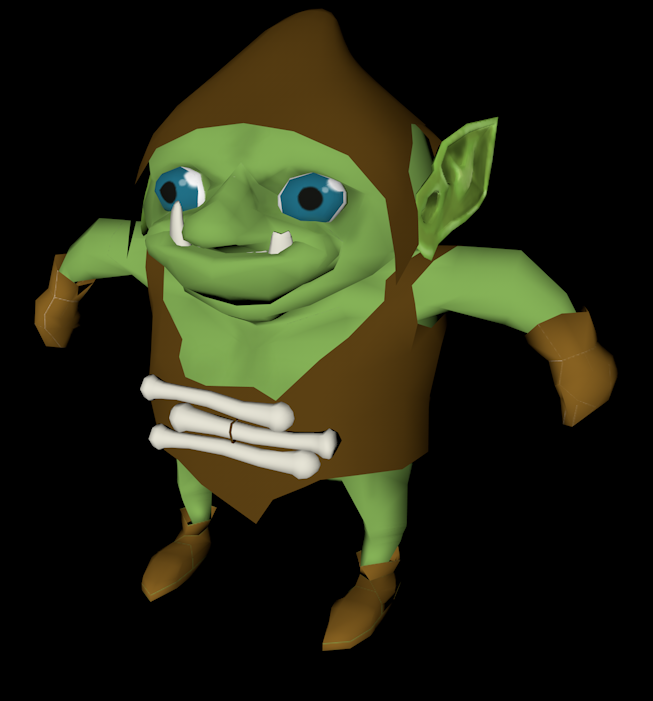


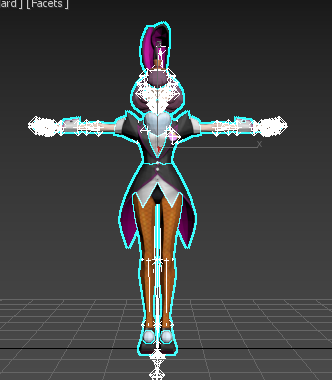







Kinda done but clothing still lacks "meat", right now its merely one sided plane, thin and all
But im crap at clothing so
¯_(ツ)_/¯
Anyone got any ideas to change it up or add diversity?
twilit igloo
more colors?
its hard to tell where the mouth is
so maybe something defining that
 whole jasper
How to add name plate above head?
whole jasper
@gray oar That is what i want is just a plan with texture on it but IDK how to make one XD
 gray oar
the easiest way (not the best for performance) is to go to your model in unity use the hirachie to find your head then rightclick and select 3d object plane
then you have to transform and rotate it until you like it
you can create a texture with gimp or paint or so
whole jasper
I got the texture and the shape but how to get the texture on the shape in blender XD
gray oar
ah blender
whole jasper

 gray oar
i am not sure right now and cant check right now sorry
whole jasper
XD
@gray oar Ok I tried your unity one out and got it to work some but how do I make the name plate have a transparent background?
 solar fossil
Well if the texture has alpha channel, you can just use the transparent rendering method, but it depends from shader to shader
whole jasper
XD