#3d-modeling
1 messages · Page 44 of 1
 mental blaze
I'm currently working on a project, but keeping the scope really small, so I can see if the idea would work
A low budget cinematic game
 static sun
Small projects are always good to build from
mental blaze
It's just that the scenes I'm thinking of would take week's to 3d model
static sun
Great things have small beginnings
mental blaze
Like imagining 3d modeling the garden center from home depot
Currently thinking about photographing the scene tbh
Photoscanning
static sun
Depends what part of the development your in... if your early then keep it blank basic...
If your at a point where you are building up a map then patience is really needed... do asset sets and Atlas the materials
mental blaze
Yep, I've been tackling it by making the floor plan and then working from larger objects to smaller ones.
 lapis needle

 still coyote
I just recently found out that some models have a texture atlas, I don't know how many times I saw this when I was little, when people still used MSDOS and the oldschool version of MS Paint lol but I never knew that was what it was called.
 solid shale
Is it possible to freeze or isolate parts of a mesh for soft selection?
I'm trying to move some eye lashes to match an eye lid
I mean, if I use O to move it into place, it moves the eye lid too
lapis needle
you can hide selected objects by pushing the H key. Then bring it back using alt+H. You wont be able to see it when you move things but it should restrict its movement
solid shale
Nah, I need to see it
I guess I could copy the mesh as another object for references but if I could just mask/freeze/lock the verts I don't want to move, that would be a lot faster in the long run
lapis needle
this might be what your looking for here

Blender Stack Exchange
In a mesh there is a group of vertices which should not move after being positioned once. I would like to find a way to lock them in place for the whole duration of the project.
Currently I 'lock...
 spiral sigil
You have two options that I can think of off the top of my head
With soft select, you can also choose to only affect connected vertices rather than working in the whole radius
So if your eyelashes are a separate island you'd be able to move them without affecting the eyelids
Second option would be to split the eyelashes from the head mesh, do your changes and then recombine when done.
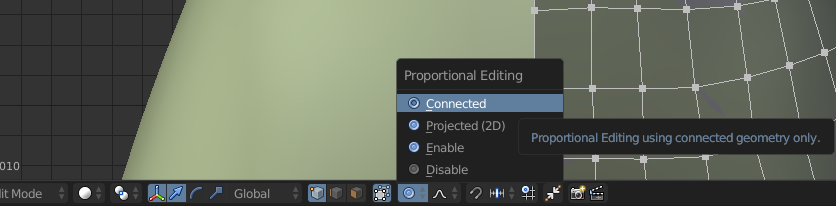
that's where you can find the option, just choose connected
solid shale
Thanks
 lament pond

 proper niche

 dark path
Oh my god are you actually serious?
 polar flower
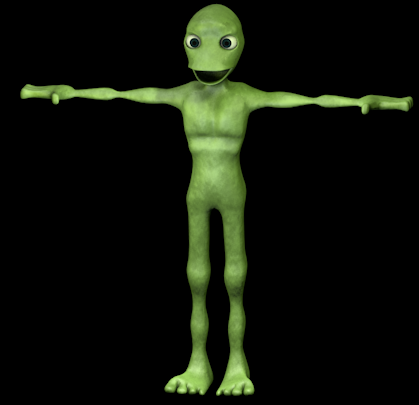
Funny alien dance 1 hour
lament pond
Frog
 cerulean shoal
D a M e T u C o S i T a
static sun
it should be able to
 quaint bronze
https://cdn.discordapp.com/attachments/452337949074259989/452341957646352385/image.jpg ive been working on the Gorillaz characters

 rare crystal
@coarse fiber I know it can use MK shaders and Toon shaders from Unitys standard shaders, and Cubed Shaders. But I think it can run just about any shader really.
 coarse fiber
wanted to create a world that uses a heavy black for shading/ outlines
to make it look Comic Book/Manga
coarse fiber
Anyone have a Glass Window, like you'd see in a store front?
 spare radish
@quaint bronze That's really well done. Are you planning on using a 2D (unintentional pun) shader on the character, or do you think you'll use the standard shader?
quaint bronze
Thank you! I’m still relatively new to modeling so it means a lot. I had a toon shader on for the first iteration but I ended up liking the standard shader a lot more
spare radish
Fair enough, I guess whatever you feel works.
I take it you've seen the recent music video they released?
quaint bronze
That screenshot is actually from mixamo, so it’s not really true to the actual shader
I have, tho it’s.. a lil too 70s/80s for my tastes
spare radish
Fair enough, that 70s and 80s trend has been really prominent recently.
quaint bronze
The direction he's going reminds me a bit of Random Access Memories
Some members of the band actually released under a new group and made a song w/ MF DOOM that felt more 'Gorillaz' than that music video imho
spare radish
That wasn't a bad album. Definitely had some songs I really liked, I remember listening to it on an airplane and quite liked the sound. Granted, that was a few years back, but still.
 spare radish
Also wondering, is this your first avatar?
spare radish
Could I show a mask I worked on? It's not for VRChat, but I really like how it ended up regardless.
quaint bronze
Sure
spare radish

As another Cycles experiment, I wanted to bake ‘The Merc with a Mouth’ Turned out great, and I think I’m pretty happy with the final result of the bake.
quaint bronze
Looks dope, awesome work
spare radish
Thanks! You as well, hope getting the avatar in-game goes well.
 zinc furnace
Damn, that's really good
spare radish
Thank you, I'm working on animating it in Cycles. Might do a looping wink animation as a test first, then might try a very short <30 sec dialogue animation.
spare radish
I'm pretty sure there's a good free 3D model online already.
spare radish
Realistic or kind of cartoony?
 wooden ice
realistic
spare radish
Alright, I couldn't do that. I'll keep an eye out for you if I do see a good textured one. I'm mostly good with modelling characters, but even then I mostly do faces.
wooden ice
i found this but when i put it in unity it has ne texture
Canon Camera 3D Model available on Turbo Squid, the world's leading provider of digital 3D models for visualization, films, television, and games.
spare radish
I found this one. It apparently comes with textures, I think you just need to assign them when you import the object.
Free Download, 3d Camera model available in obj and made with various applications.
wooden ice
ok ill try
spare radish
Also, I finished a winking Deadpool animation if you're interested.
wooden ice
nice
spare radish
 wooden ice
thats detailed
spare radish
I used Blender to work on the model mostly. It was fun to do, and a fair bit simpler than a regular face.
wooden ice
idk why but any obj file i import its just grey and comes with no textures
even the one you sent me
spare radish
I'm downloading it, although I expect it'll finish in no less than a year.
Ah, but it does have a texture.
Included is a .dds format texture.
wooden ice
oh ok
lament pond
 spare radish
Should be like texturing anything else. I think I remember getting a .dds working in Unity.
lament pond

 severe hatch
Hello there. I am thinking about having into making models from scratch. Anyone know a good tutorial or something where I can learn from?
severe hatch
Thanx :3
 blissful sleet
@severe hatch this is a quickish catchall tutorial specifically for vrchat models, definitely stick to blenderguru if you want to get good though https://www.youtube.com/watch?v=b57MrBGZLMA&t=2318s

Every step required to make your own terrifying creations in blender for VRChat. Rig Download: https://drive.google.com/open?id=11yp7ncfK5eVvEIScW39zfozMkvSS...
lament pond
Does anyone know if it's possible to test out a model from within unity. Like clicking play and it'd show up in your headset and you can control it from there. It could save a lot of time with testing.
zinc furnace
It's possible, but you would need to basically re-implement VRChat yourself, except locally
So basically the entire VR support, a full animation set, an animator with all supported gestures that work the exact same way as VRChat does
And inverse kinematics too
Technically possible (the best kind) but not really feasible in the slightest
 fierce blade
Hey guys Ive spent 2 weeks to make an avatar with custom clothes, custom textures and custom accesorries. I have a weight painting issue though, when I move my avatar ingame and I look up, the jaw stays and it look messed up. What can I do to fix this as quick as possible?
zinc furnace
The jaw is probably weight painted to either the chest or the neck
Or there's an actual jaw bone and it's not parented correctly
Did you rig it with Mixamo?
fierce blade
Yes, the thing is its a piccolo 3d model which was not created by me, so there might be a issue with that
I only fixed leg bones and added my custom stuff
zinc furnace
It's a common issue with Mixamo
mental blaze
@lament pond What I usually do to test avatars from within unity is to use an animation that uses complex motions. Like yoga and dancing animations for instance.
I was thinking about making an animation that performs a lot of deformation tests in slow motion. Making it at 90 fps btw
 clever kayak
Anyone knows a good tutorial on making 3d models off 2d images?
lapis needle
I know of a point pulling method that darrin lile uses https://www.youtube.com/watch?v=0QT1GNMevfc&t=694s
Create a Game Character Now: https://www.udemy.com/create-a-game-character-blender-sp-unity/?couponCode=YTCHAR-COUPON10 If you're new to Blender, watch this ...
mental blaze
watch em all
clever kayak
It's like 6 videos
mental blaze
modeling takes practice and time
mental blaze
nice!
clever kayak
But I don't mind learning
mental blaze
One of my projects are a full-on cinematic game
something outside of vrc btw
however, I might tackle the scenes with a mocap bodysuit
mental blaze
post the image
Lemmie see it
so I know what to recommend you
box modeling is fine, but sculpting (something im currently a novice at) can make it easier
clever kayak
I can't seem to post image here on pc let me try on my phone
mental blaze
has to be a link
clever kayak
mental blaze
box modeling would be easier, but try sculpting it out first
clever kayak
Is that the part where you adjust the lines?
mental blaze
look at a video on using sculpt mode
mental blaze
so that way, after you nail the sculpting part, thats where you box model over the sculpture
clever kayak
Is the sheet good enough
mental blaze
Oh yeah
clever kayak
I thought it needs more references
mental blaze
definitely enough
clever kayak
Thank goodness
mental blaze
you have a front, side, and back view
clever kayak
I also want to animate the tail I often see people without tail animation
mental blaze
you would create a animation that moves the tail bone while masking out the main skeleton
you do the masking part inside unity
clever kayak
I think I need a video on that too
mental blaze
yep, definitely check out videos on navigating unity
so you know where to find what
you find the masking area under the animation clip settings
mental blaze
lol, I have a month to finish my hospital demo
clever kayak
Good luck
mental blaze
probably better to shoot that question in vrctraders
mental blaze
community servers
wooden ice
well this sucks
 low pumice
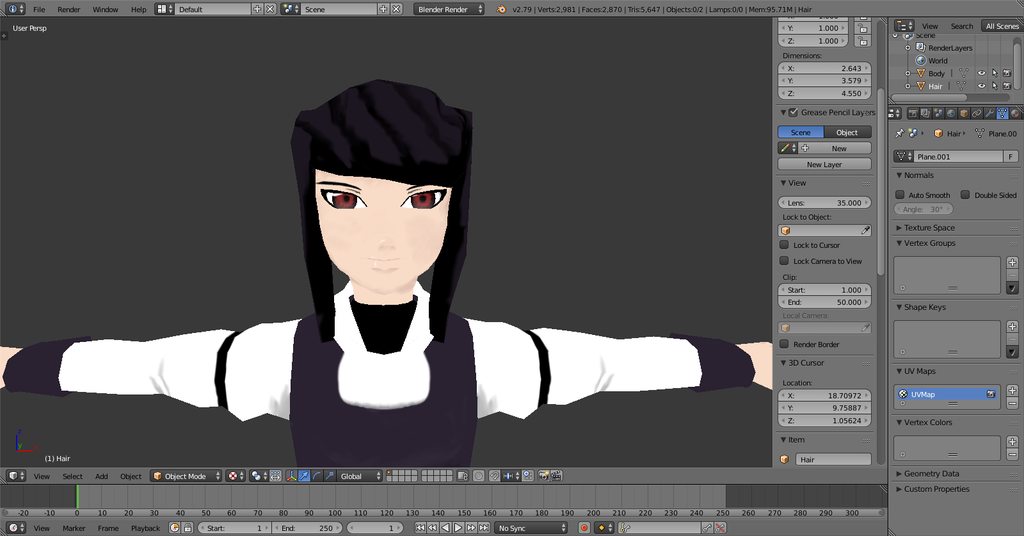
hey guys i have a question how do i fix bending skin its only visible in vrchat in blender and unity everything works well except for making poses
low pumice
i mean in vr chat it looks like the boobs are attached to the arms
lapis needle
Ah. Weight painting issue
low pumice
i checked it in pmx editor but seems fine i guess
 rigid wraith
there should be little to no influence on the torso half of the underarms with the shoulder nor arm bones.
low pumice
do you have something where i can look how it should be?
low pumice
ok ty
lament pond

 ruby onyx
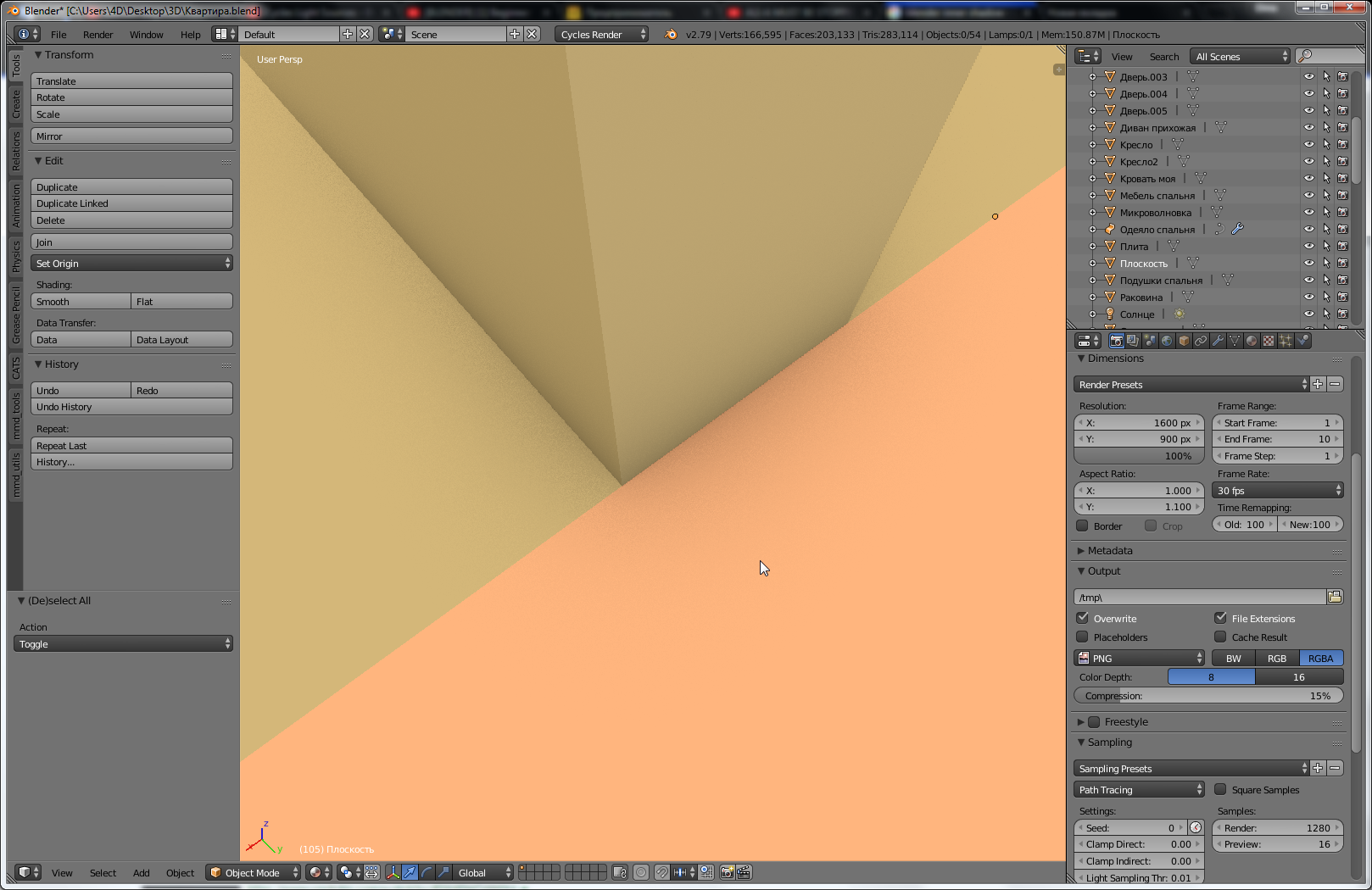
hi, just a quick question, i enabled those fancy shadows somewhen back in the day and i dont remember where, can anyone tell me?
https://i.imgur.com/pwp29J9.png
 wanton hatch
looks like ao, press n and disable it
ruby onyx
yeah, just found it, thanks
 onyx juniper
Still working on this
https://i.imgur.com/u04lnuk.png
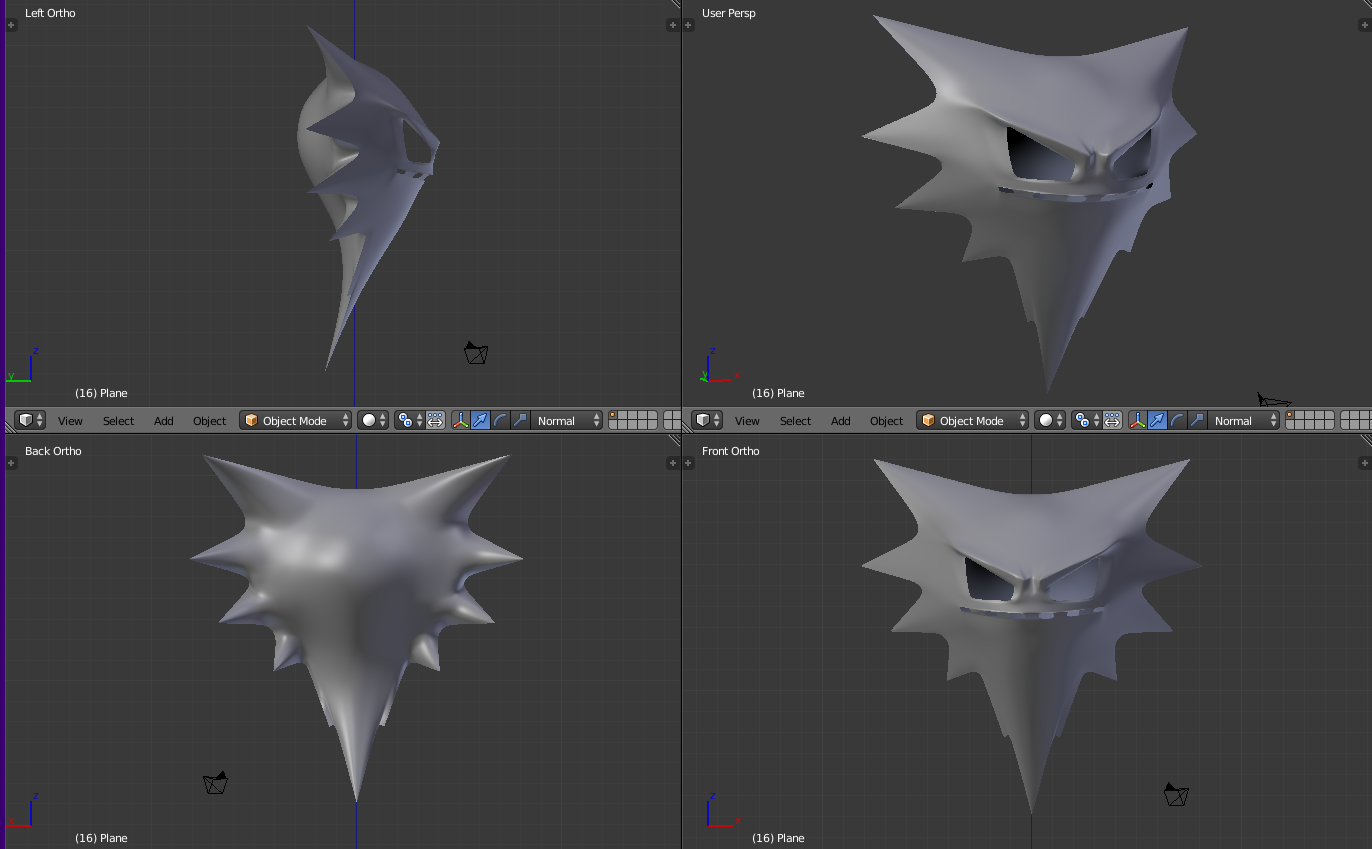 lament pond


 stable edge
ahoge looks a lil off
 hollow radish
ooof it is thank you
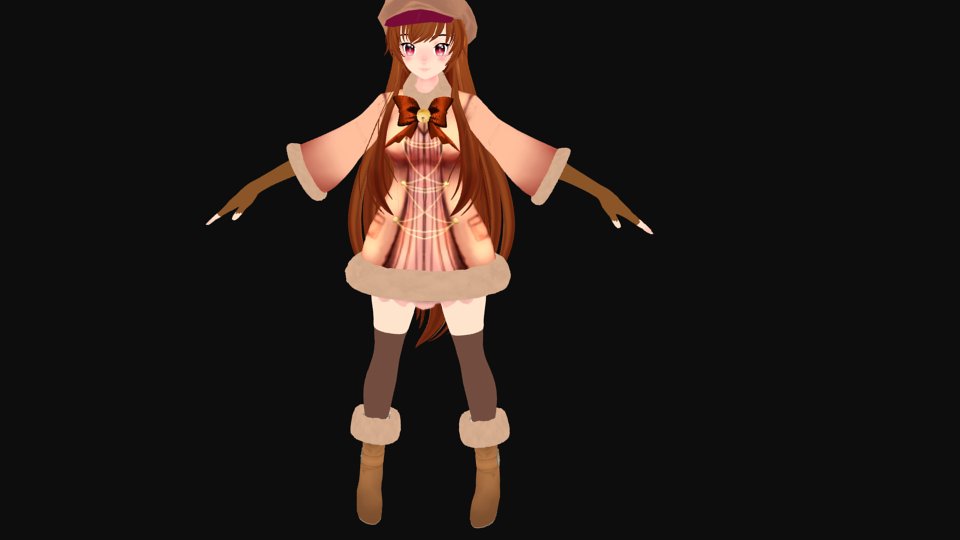 wanton hatch
That looks incredible! Good job!
 crimson cove
😭 thank you, been slaving over this all day
Putting off weight painting cuz that's gonna be the not fun part...
 lament pond
If you weight paint as you model it makes it a smaller job
crimson cove
I know ahah, just keep changing stuff too much today so didn't feel like it would help
Still need to fix the coat because the armpit area is a mess
Never weight painted from 0 really so also kind of just putting it off for that reason 😭
lament pond
You put it all off to the end then you'll have to do all of it then
wanton hatch
Blender's auto weighting is pretty good, then you can edit the vertex groups manually on parts that's difficult to paint, like the hair
lament pond
It can be a good starting point but depending on how you have your topology set up it may be easier to do it manually
crimson cove
Hmm
What about using mixamo as a starting point?
Though I guess I'd have to re do the stuff I've already done if I do that..
I can probably just do it manually, I think what I'll do is just have another model open as a reference to go off of.
onyx juniper
A clever trick is setting up disposable bones to take focus away from auto weights.
For example, when you have bones in the lips and eyebrows for facial flexes, you set up disposable bones that will end up weighted to every other part of the head so the actual facial bones won't weight outside the actual lip and eyebrow verts
lament pond

 vivid crater
Heck, that's cute
lament pond
I try
 cloud verge
@crimson cove is that Vamirio Red? <3 <3 <3
oh hmm maybe not
still that looks fantastic
wanton hatch
designed from ground up? impressive
zinc furnace
What's the easiest way to essentially redo automatic weights on a model? I have a very simple yoyo model on a string, and I subdivided the string bones a little so I could animate them better.
But now the weights are off obviously
This should be really easy for automatic weights https://i.imgur.com/4Ry66gB.png
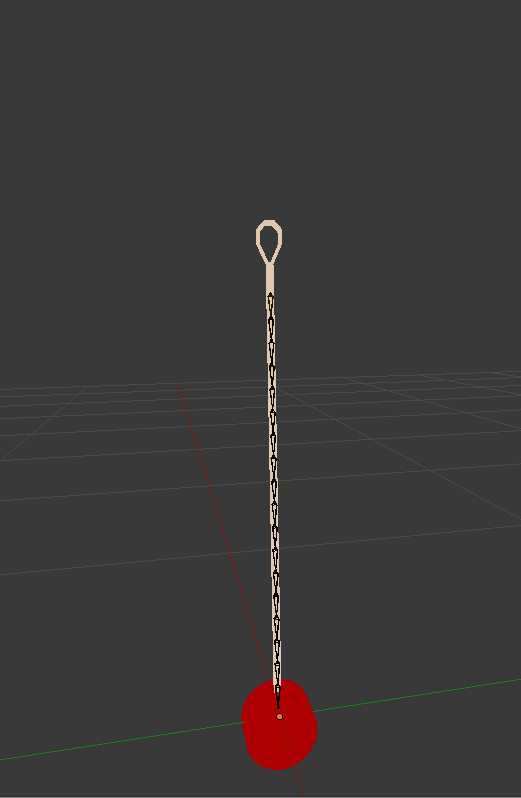
I just want to get rid of the current weight paint and have Blender redo it automatically
crimson cove
😃 yeah ive had the design in sketchbooks before, just finally making it in 3d
zinc furnace
Nvm I got it, had to select all the bones, go into weight paint mode, then press W
wanton hatch
I have actually wondered how to do that myself, thanks
 cloud verge
inspires me to start on my custom finally
blissful sleet
some weight painting tricks - paint through the object (z + that one setting should be on by default), pose the bones and then paint until it fits the pose, split the mesh apart to avoid painting stuff accidentally, x mirror in options if possible, always enable 'auto-normalize', etc
rigid wraith
Personally i dont touch auto normalize what makes you think its worth it
blissful sleet
not having double weighted stuff
crimson cove

Yeah Ive been doing the posing trick
while I weight paint
still have a lot to fix but at least she moves
rigid wraith
Idk i feel like i end up with an unbalanced weighting if i use autonorm
 flint grail
Does anyone have a nanachi pmx file I drew mine and lost the pmx file I need another just for blender can anyone help or send me a download pleas
Need it for blender animations
lament pond

 cloud verge
kawaii af
 vital zealot
Im trying to apply an armature modification but it keeps telling me that it has shape keys and ive check the all the shape keys and there are none.
Does anyone have tips?
crimson cove
If the Basis one is still there that counts
 eternal crow
so ive been wanting to model a characters hammer but i dont know what basic shapes i should start out with for each part, thankfullly its not a very complex design
 stable edge
usually its just cube and subdivision surface
draw a front and side view of the hammer if you can
eternal crow
? im not to familair with the subdivision thing
i could use cones for teh spiked parts right?
 sharp mulch
So I used Paint3D to paint on a sign I wanted to use but WHen I saved it as an fbx It appears invisible in Blender and Unity

Here's the paint 3d
Oh wiat
Im stupid it's just really really really tiny for some reason

My bad
lament pond

 dense kelp
That is adorable
 green terrace
@eternal crow Start with Cylinders, Loopcuts (ctrl+r) and bevels (ctrl+b)
eternal crow
ummmm what do bevels and loop cuts do?
ive modeled weapons before but they were practically just basic shapes for the most part
onyx juniper
Bevel curves edges
Loop cuts insert rings into the mesh
More rings means more squares
More squares means more shape (after you move the new verts around)
In either case, you can use mousewheel to increase the number of divisions
green terrace
And both help you shape the cylinder easily and symmetrically by scaling them
lament pond

 deft fog
Got a quick question that someone may be able to answer.
I'm working with a port of a model from Halo 5. I have three textures I am working with.
I have the normal map and standard texture handled and ready

But what do textures like this do?
 hot flint
Probably RGB channels
green terrace
@deft fog that will be a tint mask
or some other mask of a kind
The RGB and sometimes A channels are seperately used as B&W masks for being able to apply dirt in-engine or dynamically switch colors of materials
they're packed into one texture to save samplers
deft fog
Thank you very much
green terrace
👍
mental blaze
been working on a render to use for a custom mouse pad design. Some of you might recognize this avatar
 spiral sigil
blender chan ?
mental blaze
yee
mental blaze
Fuq, the colors of the hexagons are too dark. Yep, need a calibration tool for the monitor.
 slate elk
So, i made my first model from 3D Paint. and it took a while to rig it...but now it says "Too Many Polygons". i mean, BOI. i used Mantis LOD Editor...but the upload interval minimum is terrible. and it doesn't even decrease polygons.
zinc furnace
Time to decimate
 brave dune
@deft fog The rgb mask is used to difine specific parts of the texture to be a differnet color. Its basicly how your color picker in game works
 spare radish
Hey
Having an issue with normal maps and trying to tie them to shape keys and vertex groups.
Anyone have any sort of experience with that?
 coarse kestrel
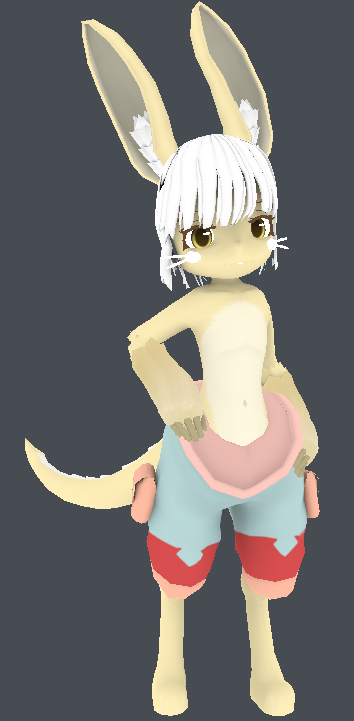 spiral sigil
About to try modelling my own character for the first time since college 💦
wanton hatch
Best of luck, @spiral sigil ! Report back how it goes!
spiral sigil
It's gonna be a sort of anthro bird character; preparing for when I eventually get room to use vr hahaha
mental blaze
Thanks
wanton hatch
The background color is gonna be black?
eternal crow
https://cdn.discordapp.com/attachments/448553381972410400/455154793812590614/unknown.png so i found a much better reference image to work with for this model but theres a shape i don't understand how to go about creating

http://prntscr.com/jt48my this little thing on the handle
 wanton hatch
@eternal crow If you want to keep it as a separate object, you could create a cylinder, press TAB to go into edit mode, select the vertices near the head (A to deselect everything, B for box select), then press S to scale them a bit outward. Now press E to extrude and S to scale them outward, followed by left mouse to finalize. Press E again and drag the vertices a bit down, left mouse, then s to move them outward
 storm portal
So I'm doing 2d facial texture overrides and it blender it looks fine.
I initially thought it was ok in Unity as well but as I have multiple expressions atlased to one texture map. but upon trying to get a second expression going, it appears that Unity is ignoring any and all UV Coords
What can cause UV coords to freak out?
brave dune
@eternal crow is the weapon never used in a 3d game and only a spinoff?
eternal crow
its was sorta 3d, it was in a gba game and ps2 game
the sprites from the gba game were sorta 3d looking
i can try to pull them up

the reference im using was promo art, and easier to go off of then the other offical art i was using]
brave dune
one thing im noticing from that and the one premotional image ive seeing is that the main base seems more spherical than cylindrical
eternal crow

i was told to make that part using beizers and thats the result i got
im most likely going back and redoing it
im not satesfied with how that part looks
brave dune
alt and right click will come in handy for the top of the sphere
eternal crow
ive still gotta make the spiked parts a bit more sphereical too
because its a bit more roundish
eternal crow
this is arguably the 2nd most difficult of his weapons to model
brave dune
it doesnt seem too bad once you get used to blender's functions
for the top, i split the edges near the top to fiddle with the placement, then edtruded to connect reconnect it
eternal crow
well theres a sort of gem inside it
brave dune
got that shape based on this image
eternal crow
all the weapons have part of the gem in it
so i can always go chop off parts of his ring's gem and use that
from the offical game rips
spiral sigil
https://dl.dropbox.com/s/1vbe1h1f0v8w7kp/ModelWIP1.png Model is almost half done the modelling phase; I'm fairly efficient on this part because I work fairly low poly
UV map will be fun
 green terrace
@eternal crow looking good so far
don't give up, you didn't mess anything up yet

from there you can set a few loop cuts with ctrl+r
use proportional editing and bevels to smooth it out
lament pond
 spiral sigil
https://dl.dropbox.com/s/e26xicf1qh6iss4/ModelWIP4.png Still gotta do uv mapping, textures, blendshapes, armature and weighting. Modelling part is at least mostly done
 coarse fiber
http://puu.sh/ACJ3w/fa8448c2de.png anyone have any advice for me about adding windows and detail to the outside of my building? I cant think of how Id do it other than extrude and loop cuts. :<

wanted to add big glass windows and awnings over the top of them, on each of the 2 sides shown, and a door somewhere.
Trying to build a little cafe scene/world with a loft apartment above. 😛
lament pond
 mental blaze
Extruding and loop cuts is one way. I usually model each piece separate to avoid having a ton of edge loops on the house.
I recommend using autocad 2018 to tackle the floor plan.
So that way, you can have cleaner results when it comes to spacing
 onyx juniper
@spiral sigil Good stuff, Bloat
mental blaze
https://cdn.discordapp.com/attachments/353351685982388234/455928814355218432/preview_MP.png
It took a while to figure out how to create that spiral effect in blender (bezier curve, curve modifier, particle system).

nothing but cubes :>
mental blaze
I really needed a new mouse pad, so I made that design
yep, already submitted it to be made, 20 bucks and waiting to be shipped
vivid crater
Noice, gonna look great
mental blaze
thanks
eternal crow
https://cdn.discordapp.com/attachments/404764301325369365/455939130791165952/unknown.png im getting there 😄

 kind prairie
Looking for advice
Been trying to figure this out for myself but I'm giving in and being social
How do people generally make tufts of hair
Such as on a tail or in animal ears
I was thinking they use like a plain and then put a texture on it while leaving some bits transparent
I can't find a particularly good example of what I mean either
But if someone experienced wants to shoot me a message so I can go into more detail it'd help a lot
eternal crow
like parts that stick out?
this isint the best example but would you mean something like this? https://gyazo.com/7c6c1d42aff4928423e983ce21d61384 like how he's got parts that stick out
 kind prairie
Something like that yeah
Similar anyway
I can sort of see how to do something like that
I'm new to blender so bare with me though
I have a subsurface modifier on to smooth things out
How would I get such sharp angles with that on
Would I have to apply the modifier and then work with it afterwards or something?
stable edge
it depends
your options are to do it separately, subsurf extend and apply then edit or subsurf apply then edit
 surreal grove
https://i.gyazo.com/thumb/1200/86ad4c3de66b4aea6ecb09e805a87ec4-png.jpg just finished a new avatar ❤ but am having a problem where the eye tracking is working fer me, but not for others? has anyone encountered this problem before? Dx
 zinc furnace
@surreal grove are you in full body tracking?
zinc furnace
That's the issue
surreal grove
D:
zinc furnace
Eye tracking is not supported for full body users in this game
zinc furnace
However, you can use this shader to fix it

VRCat: Community-Run VRChat Forums
I want to share a shader I created to get my eyes working while I am using full body tracking. The shader went really well, and I think it may even be...
You will have to add blinking manually too, but that's pretty easy
surreal grove
i wonder if there's plans by the devs to create a fix for this > w<
ty fer the link
i'll have to get onto it. but i spent like 3 days making this character from scratch, so am kinda pooped 8DD will have to do it later > w<
 foggy maple
Oh I didn't know that 🤔
 tight forge
okay guys so situation every single guide im fidning on riggin and importing models into vrchat seem to be usign mmd/pmx importign method what if the model i have is rigged straight up in blender do i need to rerig it with a different method ?
zinc furnace
No, just follow Tupper's megatutorial except skip the stuff about MMD importing
tight forge
as i have a model which is a .blend file and its already rigged in standard blender format
okay so blender rigs will be fine cool
thanks
zinc furnace

VRChat Community Discord: https://discord.gg/VRChat Download VRChat! http://store.steampowered.com/app/438100/VRChat/ mmd_tools GitHub: https://github.com/po...
There is no "standard blender format" rig
But if it's vaguely humanoid it will probably work
Just assign the bones properly. No upper chest
Oh wait, I guess there is rigify
That'll probably work but there will be some unmapped spine bones
tight forge
i can link you to the model in question
i no im gunan have to pull the polycoutn down some as its 180tris over lol
so thats gunna be funn
tight forge
180k*
zinc furnace
Good luck
tight forge
yeah i know
gunna be a fun time decimating that one
ahh shizer also gunna have to treanslate the bone names to i think there all in jap pretty sure hes tutorial has a guide for that if im correct
also @zinc furnace why no upperchest any perticular reason or is it to just stop people havbign jiggly boobs ?
zinc furnace
No, upper chest just isn't used
And VRC's IK system does not like it
You can have all the jiggly boobs you want with dynamic bones, upper chest is not what you use for that
Having an upper chest just separates the chest into two pieces
zinc furnace
I think upper chest normally just defines the bit of torso that's between the shoulders and the neck
Spine is abdomen and chest is half of your ribcage basically
Having missing components isn't an issue, Unity will fix animations that use upper chest to still work
static sun
wuzzup?
tight forge
well atm im tryign to fix thebones but when i use cats tools it messes with the tecxture the uv maps and also my eyes suddenly seem to lose the textures shaders go wierd
its jsut been a ngithmare
zinc furnace
CATS disables extra textures, you probably have multiple textures on the same object
tight forge
yeah the mdoel also has 2 rigs a metarig and rig
static sun
that doesnt sound right for blender
tight forge

thats the model im trying to use
id liek to just get the rig fixed first before i even think abotu tryign to decimate it without killing it
im also gunan get rid of the sword
as im gunna add that as an aidtional item
static sun
that topology is disgusting
tight forge
as i have a better model of the sword that isnt gerish as fuck
you sya that bvut its litterally the msot acurate AC cloud i can find thats free
infact i couldnt even find a paid one
static sun

Cloud - Final Fantasy VII
Dissidia
tight forge
thats not advent children
static sun
no its original
tight forge
im perticularly lookign for Advent children cloud
static sun
PlayStation 2 - Kingdom Hearts 2 - Cloud - The #1 source for video game models on the internet!
static sun
pretty much every model bar a handful of models are ripped 😐
spiral sigil
yep i know
but this is a direct link to a website with ripped model
- No discussion of piracy / game ripping or links to get such content. This extends to directing people how to get a model of a character from a game.
stated from rule 13
just don't get banned for something this dumb, even tho the rule is pretty stupid
static sun
im pretty sure i will be fine
tight forge
also personaly i still prefer the mdoel im havign a battle with you may disliek the topology but i just genberally prefer the qualkity of the model just the rig is way to damn advanced
static sun
thats cause the model & rigg where designed just to be posed... if your struggling with the rig i would just rerig it yourself
if you want a decent rigging guide for blender i can link you to a few sources
tight forge
yeah id rerig it if i knew how
static sun
 tight forge
also is eyetracking even posible inside vr ? id assume it would need somesort of camera for it to work so im gunn asume no point in even rigging for eye tracking when im gunna be using a rift
spiral sigil
what do you mean if it's possible ?
you mean follwing your own eyes or just automatic eyes tracking in game ?
tight forge
yeah just in tupper tutorial he mentiosn abotu it but im sat thinking would it even work in vr
as it would require some sort of camera to track you eye movement
static sun
just rigg the eyes up normally then use CATS to setup the eye tracking for you
zinc furnace
So if I approached you, I would see your eyes looking at me
tight forge
okay fair enough well time to go rig this damn model heh i might just earned up paying someone to do it for me haha but gunna try and do it my self first im to tight to spend money when i dont need to haha
zinc furnace
Eye tracking makes your eyes look around a little as well, and adds blinking
Basically just makes it look better
static sun
and creepy if it goes wrong
tight forge
yeah i didnt no it was simulated so yeah ill put some effort into making sure it works
static sun
or when you off axis the eyes spin in the head
mental blaze
Lol
 broken condor
hey guys
 gloomy mist
can anyone help in something, i am trying to put an animation on a model other than my main model
so i got the animation from mixamo and made the model humanoid and added the animation component, and slapped the animation in there, but it doesnt work
any suggestions?
mental blaze
Check the rig of both the fbx animation and the avatar and see if there's any differences in the hierarchy.
 strange bridge
Anyone willing to help make a model for me? Ive attempted doing so myself just never got it down.
 shrewd portal
Are newcomers allowed to ask questions?
foggy maple
Of course
spiral sigil
@foggy maple hey, probably a dumb question, but is it possible in blender to have a script that can automatically change the proportions of a model ?
foggy maple
@spiral sigil It's possible, yes
spiral sigil
hmm
so it would be possible to add something that can do this automatically
https://www.youtube.com/watch?v=YHd-8cDdnQc&feature=youtu.be

Fix for legs being too long in VRChat. Also a guide for general proportion tweaking.
nice
foggy maple
I watched that and thought about it. There are a lot of optimizations he is doing which might look good on some models, but not on others. Also there are so many variables, so it might be hard to implement. It is definitely possible, but it is a ton of work from what I see.
spiral sigil
yep
probably need to add a lot of customisation to it
but that would be pretty great since almost every MMD model have legs way too long
foggy maple
Maybe in the future, but not right now
shrewd portal
Im following Darrin Lile's Tutorial . Is that a good point to start ? ( also pardon my bad english
static sun
Darrins is good... not exactly targeted towards games but pretty adaptive
spiral sigil
You got some good tutorials targeted toward games for blender?
lament pond

 onyx juniper
Why not?
static sun
its just how the tools are setup... you can make game content with it, but in a professional setting its very cumbersome and not that adaptive to work with
the most people will use it for in a game studio is modelling, but thats dependent on the individuals background
brave dune
and here i am liking blender more than 3ds max at the moment
brave dune
and lacks some quality of life things it seems
onyx juniper
and takes forever to start
static sun
3DS max is clunky imo... more for mechanical and architecture than game content.
maya is a lot more intuitive
brave dune
havent tried maya yet
static sun
- Maya has a LiTe version
Maya LT is ❤
after you get your head around the GuI and controls its super powerful compared to blender
Maya is only worth bothering with if you want to do 3D content for a living
zinc furnace
Last time I tried Maya is when they offered some weird version that came along with my UT2004 disc
lament pond
Blender lover here
static sun
I got 9 years with Blender, but im falling for Maya the more i work with it
lament pond
I'm still on 7 years so I'll let you know in 2 years if I switch over
static sun
i only use blender to model the odd thing now
im more familiar with its modelling tools than maya atm
mental blaze
yeah, 3ds max is all on architecture (took a course back in community college)
I might take a stab at the program again sometime.
static sun
im sticking with Maya LT till i need to get the full version... then i will just grab the AutoDesk Media pack
mental blaze
Got any experience with photogrammetry?
Gonna take a stab at photoscanning some rocks
static sun
limited experience
mental blaze
ah
 safe stirrup
anyone by chance able to help me with applying a Armature to my 3d model?
spiral sigil
thanks for the video Catie
 stray topaz
can I screen share with someone on my avatar and tell me what's wrong with it?
 main goblet
hello
static sun
haioh
lament pond
 safe stirrup
I need help, I tried to export my 3d model into a fbx and put it into unity but the model refuses to cooperate for some odd reason
 rich bobcat
https://gyazo.com/34c5be6e294d16f9bd242e5eefbefd62 so everytime i upload a model this shows up in front of it when i start running

anyone know why?
 sonic nimbus
Are you using Cubed's Toon Shader?
stable edge
Don't. It's broken
 candid hill
can anyone give me some videos on how to frankenstien/ put one models head on anothers body?
spiral sigil
@candid hill #tutorials
candid hill
thank you
lament pond
 lament pond
 eternal crow
http://prntscr.com/jvhzve Whaddya guys think so far?

 deft kite
blender sculpting question - one spot on the mesh is unaffected by sculpting and i think i accidentally locked it in place and i cant remember how to unlock a spot of mesh
nevermind i think i got it
 north remnant
Any idea why exporting from blender and FBX file with a bunch of meshes completely removes the other meshes and only keeps one?
these are the meshes I have in blender when I export them http://prntscr.com/jvk1fg

but it only keeps this one: http://prntscr.com/jvk1ny

Yet it shows that the meshes were indeed exported together: http://prntscr.com/jvk23r

 fiery frost
Yo is there a way for me to lock onto my avatar in Unity...? I zoomed out too far and now she's lost in the void, can't find her
Google didnt help
onyx juniper
@fiery frost Select the object in the hierarchy list, then press space, I think
@north remnant Did you try deleting the prefab and dragging in a new one?
fiery frost
@onyx juniper I'm gonna give you a big kiss, god bless, my suffering is over
Thanks so much
north remnant
Yes
I did, it didn't seem to work
@onyx juniper I noticed the other meshes have no "Skinned mesh renderer" component compared to the hair one, could this be the reason?
onyx juniper
@north remnant I don't think that should stop them from being listed
When you export to fbx, make sure you don't have the "selected objects" box checked
north remnant
I never had it selected
Okay, it was just inside the armature rather than out of it like I am used to
I have a different problem though, whenever I attempt to export the model to Unity, it loses it's textures for some reason, this is how it looks like in blender: http://prntscr.com/jvkhf4
and this is how it's like in Unity: http://prntscr.com/jvkhm0
The color change is intentional, but if you look at the lowerbody and the armor pieces and the loincloth they lack any form of textures at all, they're just solid, and they have their materials assigned properly

 foggy maple
@north remnant Did you put the textures in Unity before dragging the model in? Also you can just assign the textures manually
north remnant
I did yes, and I did attempt to assign them in manually, but the textures just refuse to be on the mesh
They just remaind solid no matter what
and the color changes whenever I put a different texture on so it's indeed affected
brave dune
in blender, what does the texture section of the material look like?
spiral sigil
plyz help i haw problem with model when i click to make texture (Create Atlas) the one side of model is gone https://imgur.com/a/ZCHRmvy https://imgur.com/a/sCeId12
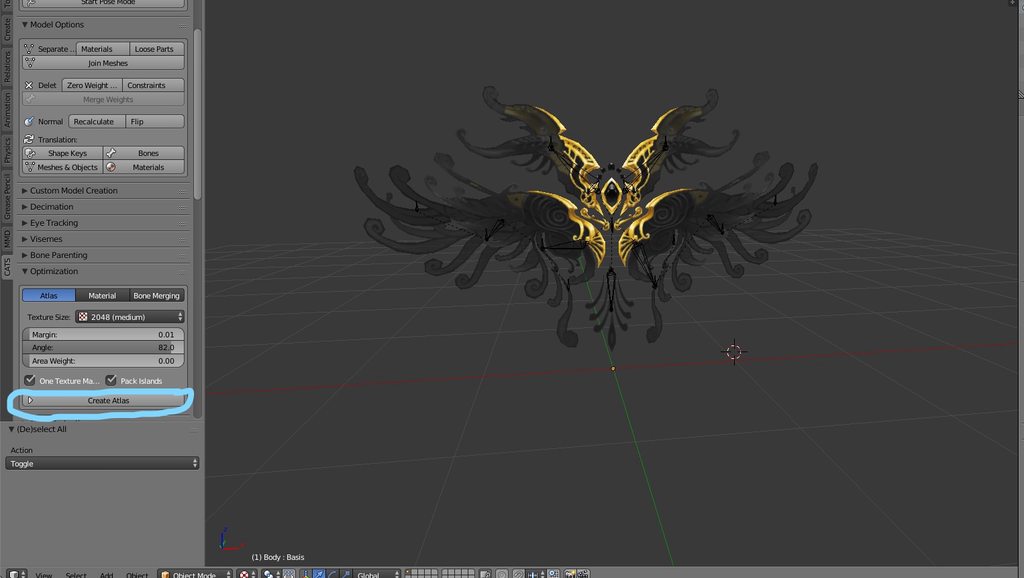
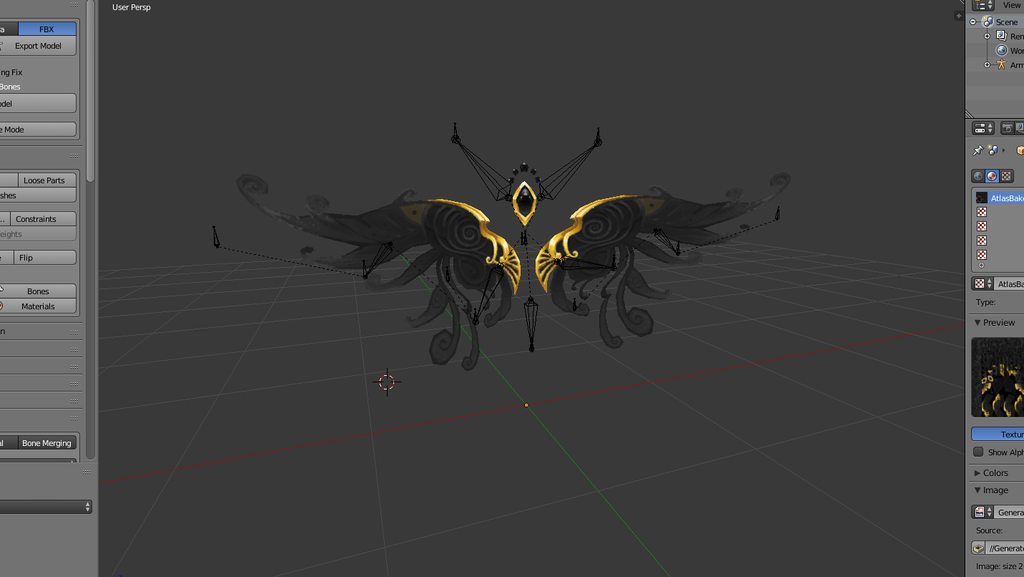
 celest glade
@spiral sigil You don't have to make an atlas if problems happen
spiral sigil
but haw i am going to make texture and upload to unyti ?
celest glade
Is the model already textured?
Because to me it looks textured
If you go to the file that you got the model from, are there other files that are named differently

Like this

 visual vigil
https://cdn.discordapp.com/attachments/357251544573542401/457531778517827591/unknown.png remodelling the prototype suit
took inspiration from 343's new cover with the mark iv on it for that one book that everyone got upset about
 visual vigil
https://cdn.discordapp.com/attachments/357251544573542401/457540628784349184/unknown.png
wow
i didnt realize normal maps made this much of an impact
 zinc furnace
Normal maps are heavily underused
Probably because MMD models don't really have them usually
I've made normal maps by hand for models that I really liked
onyx juniper
Good lad
 small cloud
@north remnant if u stil lhave that problem, then most likely you have more than 1 UVmap, you want just 1
visual vigil
https://cdn.discordapp.com/attachments/456577889429880833/457564313167855626/unknown.png
https://cdn.discordapp.com/attachments/456577889429880833/457562747626979331/unknown.png


HD model
Gonna use substance painter for it after I redo the normals and lowpoly
north remnant
I'm extremely lost with blender, is it possible to make these seperate bones a single bone while keeping their children? http://prntscr.com/jvpum0
 zinc furnace
Easiest and most foolproof way is to use CATS Blender Tool and hitting merge weights on the bones. That will delete the bones and merge the weights into their parents.
If you want, you can create a new bone that will replace those separate bones, then reparent the separates to the new bone
stray topaz
@zinc furnace well the 8.1 cats plugin for me created a left leg and left leg2, the first one was a microscopic bone and the other was the longer one that fit the mesh. This is after I put my avatar through mixamo and brought it back in to blender.
zinc furnace
That's the full body fix
spiral sigil
yes that's the full body fix
stray topaz
@spiral sigil so when I rig it in unity, I don't touch leg 2?
spiral sigil
you can try, i'm pretty sure that leg doesnt want unwanted hands on it
static sun
if anyone is interested in adding a Cool BoomBox to their avatar... here is a mini tutorial on how to get it to sound right


Game Audio Engineers: 2 Questions:
- For an in-game radio effect, are you usually controlling tone with high/low pass filters? (vid attached)
- Does it make sense to just pre-master the effect you want before bringing it into the game engine? https://t.co/n4NJbhPDT5
Likes
141
 Twitter
visual vigil
Twitter
visual vigil
https://cdn.discordapp.com/attachments/366651624493547531/457762242520416257/unknown.png https://cdn.discordapp.com/attachments/366651624493547531/457762322287558657/unknown.png
modelled in blender + textured in substance painter

 visual vigil

My rendition of the MJOLNIR prototype helmet since I got tired of people complaining about my "close to canon" model.
https://t.co/Jek1rKkQsY - full link
Blender + Substance Painter (I really like this program)
#Halo #3DModeling #SubstancePainter
@Halo
 Twitter
 cunning moth
hey, in blender I'm trying to join to 2 armatures, one is a body and another is a head. When I join the head to the body the head bones aren't bound to the head mesh anymore and doesn't deform it
i've made the overlapping bones name unique before doing the join (Neck, Head)
static sun
@cunning moth parent the the bones in the Bone controls
foggy maple
@cunning moth you can also use cats to merge these armatures
foggy maple
What exactly didn't work? 🤔
cunning moth
i have 2 models with armatures, one is a body and another a head, when I merge them using Join (Ctrl+J) the join happens but when I test out transforming the bones in the head no longer deforms the head mesh
foggy maple
I mean when you tried merging them with cats.
cunning moth
almost like nothing happened except the head was translate back the origin
foggy maple
Also have you tried joining the meshes of the body and the head afterwards?
Ah yes, there was an error in cats there which you must have missed
cunning moth
i didn't see an error message, it just says armature join successful mssage
ah
maybe this is the problem "Error: If you want to rotate the new part, only move the mesh instead of the armature! The position of the merge armature got reset and the mesh you have to modify got selected. Please start from here or undo this operation."
foggy maple
Yes, that one
cunning moth
I used cat to set a Pose shape, can I use it to to set the default/reset pose?
i think i did it with "apply selected shape key as basis"
nah that did quite work correct
zinc furnace
@cunning moth the dev version of Cats has "apply as rest pose"
Update to it using the updater
Otherwise you get issues with your shape keys
cunning moth
i just delete the shape keys and continued, is this that ok?
I just made a position pose instead
zinc furnace
Yeah, you can also just delete the shape keys and go from there
If you wanna do it by hand, you need to copy the armature modifier, apply the top one, then set pose as rest pose
That will move both armature and mesh into new rest position
cunning moth
thanks Rokk
 shell veldt
whats a .mtl file even used for in Blender anyway? when i import obj stuff, it allows me to import that too
visual vigil
 spiral sigil
@shell veldt .mtl its the 'material library' for obj format, so you can use .obj files with textures or color or whatever
deft kite
how would i achieve the outlined glow of a lightsaber? is there a shader for that?
foggy maple
Maybe try that: https://assetstore.unity.com/packages/tools/particles-effects/volumetric-lines-29160

Update: Revised the rendering algorithm again to fix some rendering issues and stick more to the original implementation, but still accounting for changing camera properties (attach SetFovGlobalShaderVariable.cs to your camera if you need that feature).
Update: With the ...
Idk if that even works in vrchat
deft kite
anything is worth a shot. thanks! 😃
spiral sigil
so in blender i recolored a model by changing the colors on the materials but when i bring the model into unity the color changes dont follow
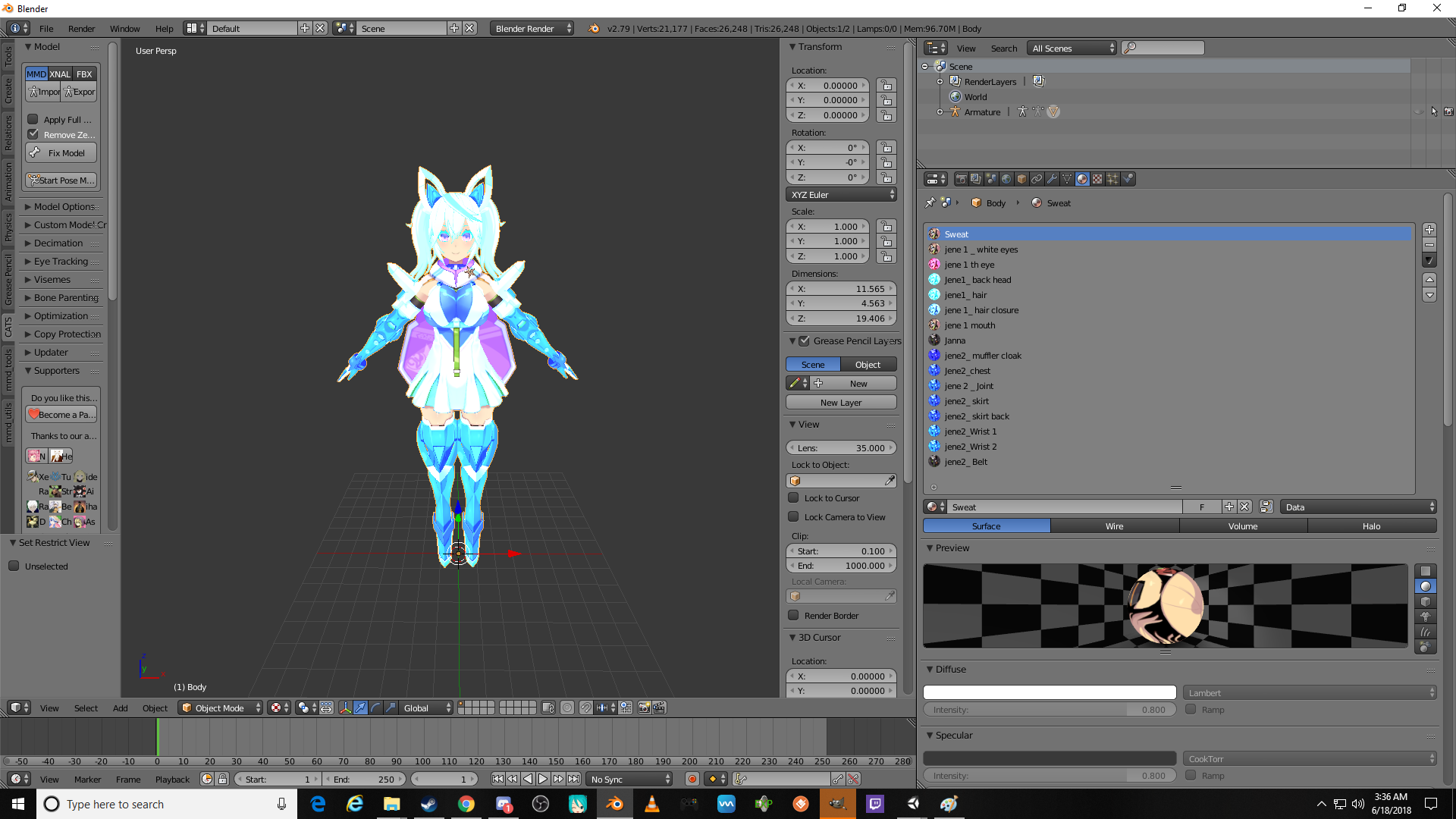
thats what it should look like in unity but it just goes back to the default look from the original texture
so i was wandering if there is a way to apply the colors i have done in blender to the texture without photoshop or what would be the best way to get the model in the pic to look like that in unity
nvm im gonna do it through photoshop
 worldly quarry
In the textures tab (checkerboard) make sure you uncheck the box for the original texture, and check yours. @spiral sigil

 daring fog
image not working
visual vigil
https://cdn.discordapp.com/attachments/413926386751897612/458288611599581185/unknown.png https://cdn.discordapp.com/attachments/413926386751897612/458288797067771904/unknown.png https://cdn.discordapp.com/attachments/413926386751897612/458288873642917899/unknown.png


 lapis needle
 safe stirrup
trying to figure out how to use texture tool. anyone know how to apply it?
 main goblet
nice
onyx juniper
Keen gear!
visual vigil
https://cdn.discordapp.com/attachments/407090704213475328/458650536082800650/unknown.png
https://cdn.discordapp.com/attachments/407090704213475328/458646913382744064/unknown.png
Helmet and chest


 mental blaze
Ah, will check out after work
 stone shard

Home of the Blender project - Free and Open 3D Creation Software
zinc furnace
Wtf why
 drowsy dome
https://cdn.discordapp.com/attachments/362686352615145484/458746619995619330/unknown.png i made this guy in blender
 lapis needle
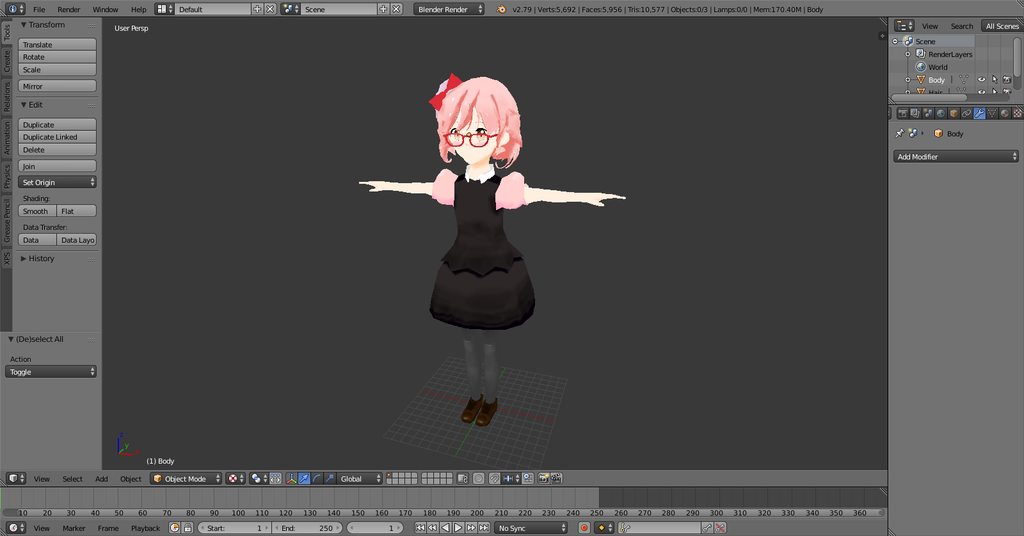 onyx juniper
@drowsy dome not bad, keep it up
 topaz frigate
@drowsy dome I love flushed away
 reef bloom
 spiral sigil
?
visual vigil
https://cdn.discordapp.com/attachments/428371693824638976/459005057170407424/unknown.png
https://cdn.discordapp.com/attachments/428371693824638976/459005433341018139/unknown.png
https://cdn.discordapp.com/attachments/428371693824638976/459005534167760906/unknown.png
https://cdn.discordapp.com/attachments/428371693824638976/459005780901756934/unknown.png
Applied a fix to try to get rid of the "clay" look, what do you think? Had to redo the textures in the process


 foggy maple
?
lapis needle
oof I had no idea that they do that with the SDK now.
green terrace
@visual vigil The mesh and the textures still need work, you have many visible UV seams that you could easily get rid of, the visor on the helmet should be entirely flat and rounded with no visible bumps on it, you have a lot of smooth edges where there should be hard edges, also the hard surface details almost look hand-drawn on, some are rotated a few degrees where they should be straight
visual vigil
The visor is intentional
It's suppose to have the extrusions and the dents because every other visor is smooth, while in the irl movies, the visors are indented.
The hard surface details are drawn on, it's substance painter
green terrace
You should consider either using the provided normals in SP or doing those details as a mesh, the paint strokes are quite visible
hot flint
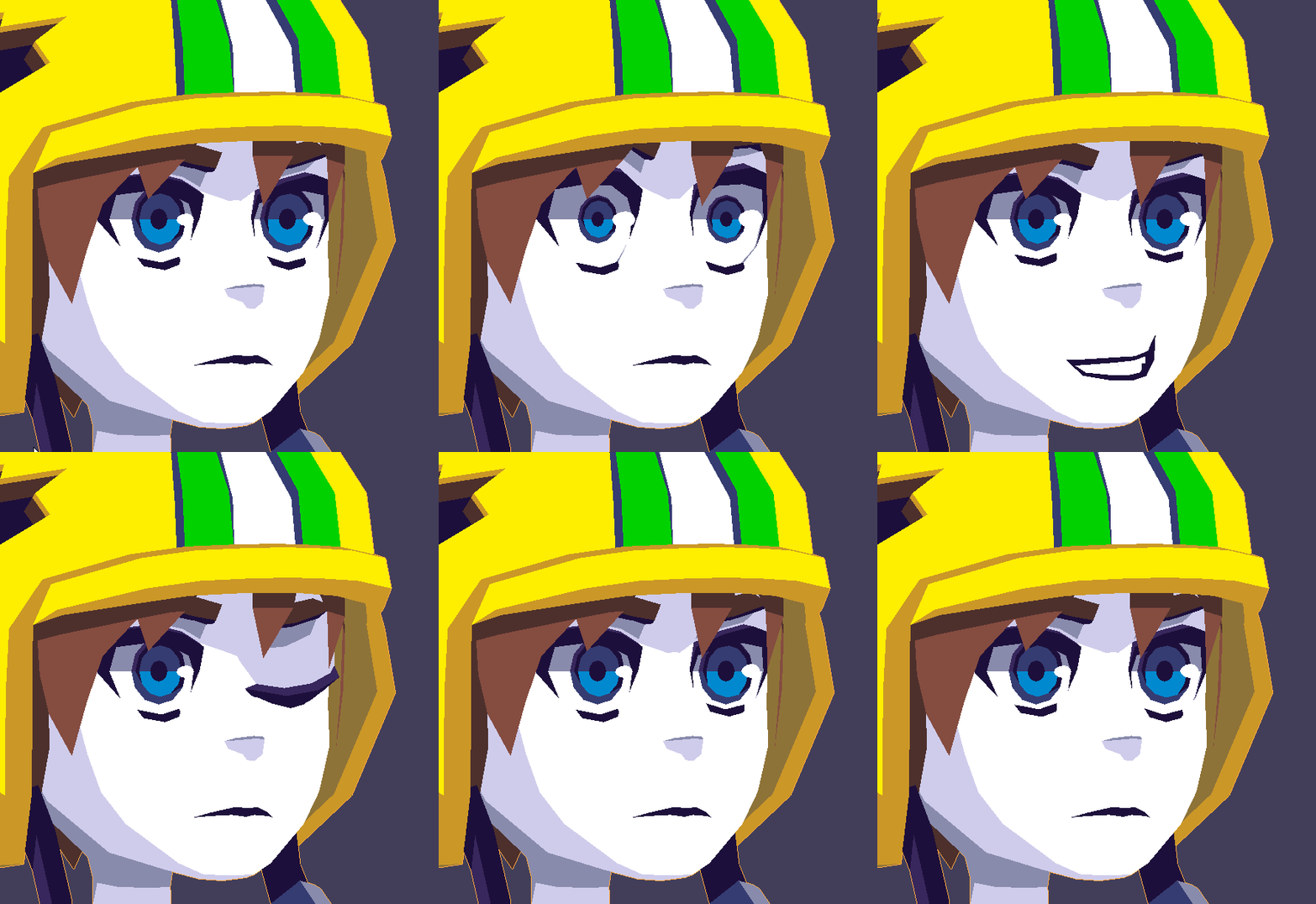 visual vigil
Nice
 cursive wedge
Nice, will you add chin movement when the mouth/lips opens/smiles?
 frozen onyx
How do you do facial expressions on this model? I have a low polly Model I’ve been trying to rig the face for but I’m not having any luck.
hot flint
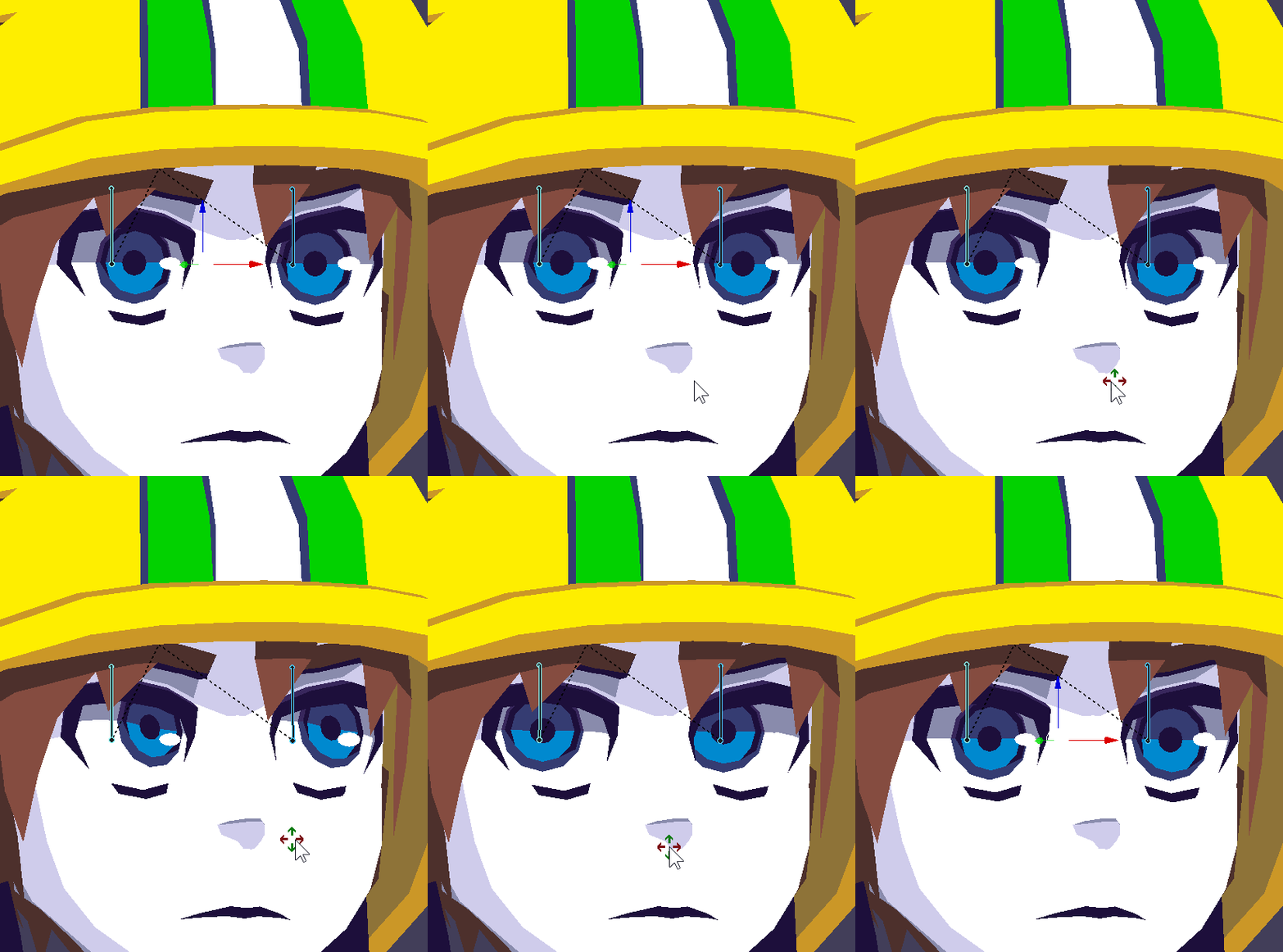
Yes! the chin does move when his mouth opens, since the mouth needs to open for that to be a thing
thank you for reminding me, something seemed off about it
@frozen onyx the face geometry is actually a bit more complex than most of the rest of the model
i set it up as such to be able to animate nicely
 frozen onyx
Ahh using shape keys?
hot flint
yep yep

a vague idea of where the points went to

y'know, it's a lot more challenging when you actually have to simulate an eyelid
but it's fun
cursive wedge
Oh so you color the square faces with a color to simulate shadows, that is neat, but wont it look a bit off when having light right up your face?
I guess that is a feature you will have to sacrifice to get it to look great without lights, another nice model on the shelf for you. :D
Also i was watching the side of the chin and did not see any movement on the first gif, may have just been invisible from the angle, no need to show it 😃
cursive wedge
Started to do single color pixel texture like 5x5 size PNG on my models, greatly reduces materials and you can UV map and change color on the fly easy.
Only need to split out materials if i want some other shaders on them, like clothes having different material than the skin, more reflective or wet based on what you want to archive.
I really like your low poly models, so good to see what you can make with as few vertexes you can master ^^
hot flint
oh absolutely, that's the same thing i use as well
just 1px color palette, really reduces load
cursive wedge
mhm.
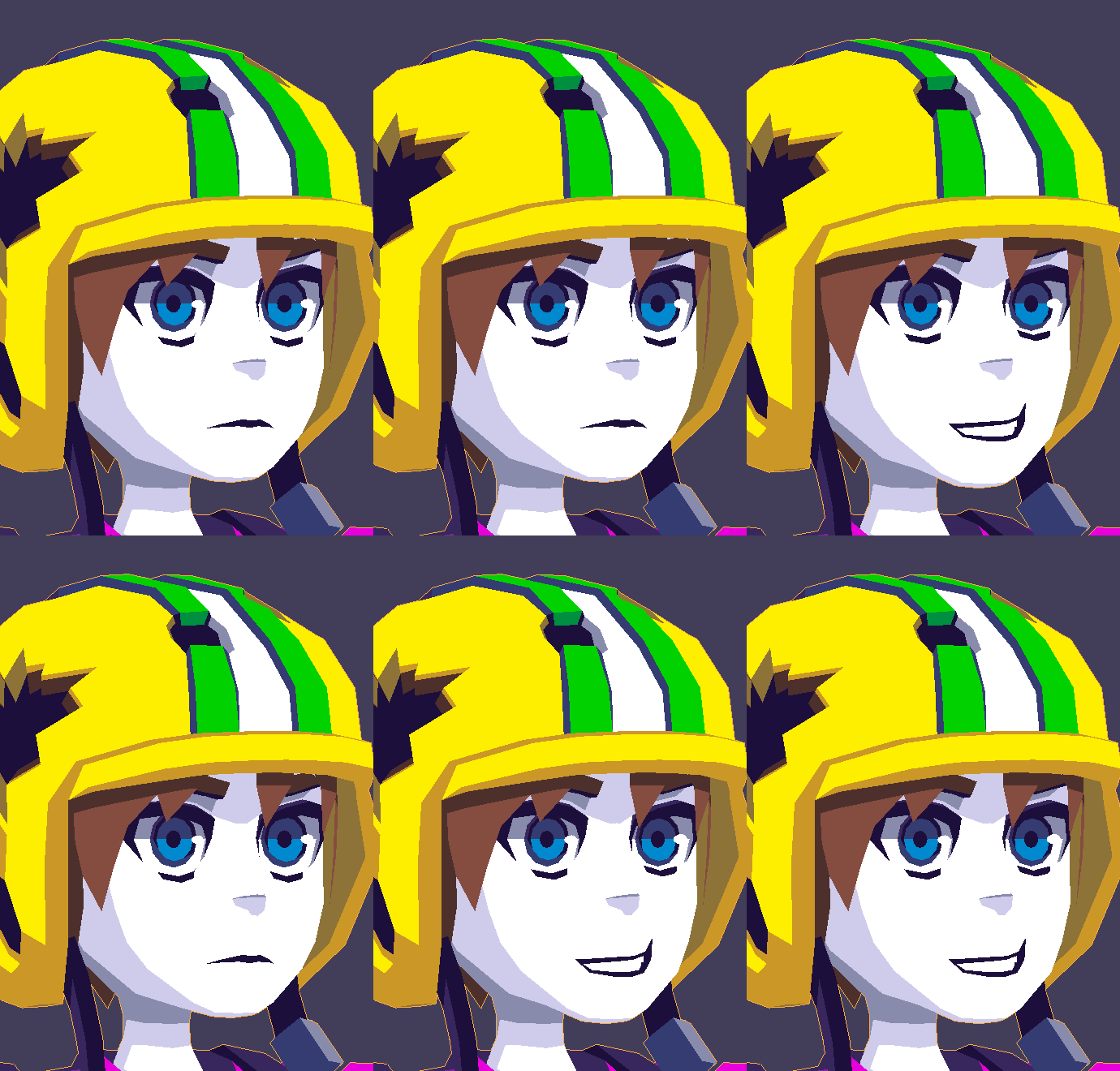 cursive wedge
maybe i will go for trying to model like that, you seem to be able to push out quite a fast speed with good amount of different models. ^^
Cool ^^
Players actually notices really well that the jaw moves
hot flint
oof... might need to make the underside of the chin move more
or rather, they definitely notice when the jaw doesnt move
;>
cursive wedge
got a few compliments that my jaw moves
mental blaze
stagnant jaw bone
cursive wedge
no its so normal that they really notices if it does
cursive wedge
ye all my models does that from now on also, but the eyes got me to think more about weightpaint the sides of the eye more, that was magic
hot flint
yep! i have slight hair movement and eyelid tracking
really helps to have sphereical eyes
cursive wedge
mhm, but its a pain to paint vertexes on anime characters i think and move them, since they got so many faces its easy to get lost and forgetting something.
hot flint
Oh, i never answered, lighting is a big issue, yes, but i'm not so great with shaders yet so this is my method haha
i prefer to look good in any light 😃
some maps make shaders look really off
cursive wedge
ye, agree with that
hot flint
I don't have much trouble with my models the way that i do them now
expecially when you build it from the ground up and make your own mesh, you know what is and isn't there
i've had many fails with eye mesh before... so i did a really clean job this time
cursive wedge
Also really simple to make some emission textures with the small pixel count.
cursive wedge
ye, I've been "fixing" and trying to perfect all models i touch but its time consuming when you did not make it yourself
hot flint
yeah exactly
i've given up on using anyone elses assets
not worth the time
even these hands i modeled myself
cursive wedge
Sometimes i just let the materials overflow a bit and fix it at a later date when i get back to the model.
 cursive wedge
Awesome, my main model now has the same joint locations and setup as you have.
on the fingers
works so nicely, just the 3 loops is enough
I want to get really into modelling once Blender 2.8 gets out
cursive wedge
ah, i see.
Dont want to move on to the Experimental build since the saves wont work across to the release version ive read.
its still being developed.
I've got a little knowledge in every corner of this community i think, but modelling used up most of my time, hehe.
hot flint
Modeling is my favorite part of VRC 😃
cursive wedge
Mhm, and i always find something new in how to model stuff 😃
Though not done any much freehand yet
mental blaze
https://media.discordapp.net/attachments/353351685982388234/459232172339888128/Demo_PBR_Test_Progress.png?width=1192&height=651
Tweaked up my building model and now currently setting up the materials.
 mental blaze
https://cdn.discordapp.com/attachments/353351685982388234/459251954342952990/Demo_PBR_Test_Progress_1.png
The lighting looks decent, but I got a ton of smaller objects to model and texture to compliment the scenery.

 gentle forum
Is there a shortcut to select the next nearest connected bones, like selecting a string of them
zinc furnace
@gentle forum it's something with G
Like shift+G or something
That allows you to select all children, immediate children, et cetera.
gentle forum
I'l try thanks!
sonic nimbus
@mental blaze Are you using the post processing stack?
mental blaze
Will see if I have one. Away from pc atm
sonic nimbus
You need to move OpenVR up in the player settings. Above none. Then hitting play will start SteamVR and display it on your HMD (with room scale tracking).
It should start near your main camera.
mental blaze
Ah, I don't own a vr set
I'll figure something out.
Btw, the project isn't for a vrc world
onyx juniper
https://cdn.discordapp.com/attachments/225627036029419530/459497513959817244/Screenshot_2018-06-21_19.04.54.png
https://cdn.discordapp.com/attachments/225627036029419530/459497520318382090/Screenshot_2018-06-21_19.04.16.png

 mental blaze
oooooaaaaaahhhhh, the calibration is complete 😄
found something in the nvidia settings
 feral cradle
How much would it cost for someone to make a model / avatar
onyx juniper
I saw someone offer $300 for one with custom animations in VRC Traders
feral cradle
jesus
onyx juniper
Slight correction, he offered to pay that much out of his steam wallet


 valid gyro
I’m working on making my character from scratch, I’m pretty happy so far, but I’m not all that far, anyone got their foot vertex thingy image I can look at, I’m planning on having feets 😛
Like polars image of his hands, 😃
 wind echo
Hi guys, I made KemoIris(KemonoEyesShader).
Please check my tweet, get the unitypackage, and attach to your avatars. Enjoy! ;)
https://twitter.com/nD_ntny/status/1009355736277630976


出来た(・ω・)つ[unitypackage]
・テクスチャとかはそのまま使っても改変してもOK(色々試してみてちょ)
・瞳のUVは左右ミラーNG(個別に開いて)
・対光反射タイミングを左右で合わせたい場合は瞳のノーマル...
Retweets
843
Likes
2090
Twitter
KemoIris is very simple using.
KemoIris don't need vexing poly meshes. Yes, PLANE IS GOD.
https://twitter.com/nD_ntny/status/1009029966154031105

もー昨日から全然上手くいかな過ぎて途方に暮れている…暮れたのでVRChat行く… https://t.co/t5J2lYsKGC
Retweets
3343
Likes
8919
Twitter
Simple meshes, simple UV, Kawaii Eyes!
https://twitter.com/nD_ntny/status/1009357280813281280

Have a nice KemoLife!😉
mental blaze
Bruh, the concept art was lit.
brave dune
loving the way that looks
foggy maple
Wow, that shader is awesome!
 unborn venture
so silly me closed a blender project without saving it. i did the recover last session, but my painted textures all show up as black. is there a fix or am i screwed
because at least i saved the color swatches
onyx juniper
@feral cradle https://chestyisland.com/product/custom-vrchat-avatar/

This service will create one (1) custom VRChat avatar of your choice!
By default, a custom VRChat avatar includes the following features:
Custom modelling (<20k polys)
Custom textures…
@unborn venture you have to manually save all textures you paint in blender (i learned the hardway too) there is an save button inside the UV Paint, you will have to save every edit you do, it does not save with the project file!
unborn venture
i know
i just wanted to know if i could recover the textures
luckily there werent that much so i re-did them
 deep geode
anyone got any ideas to what i should make
foggy maple
A black Saitama with cat ears
spiral sigil
how about making ready player one avatar
deep geode
so like the guy with the vr thing on his head
that might be hard
im new to 3d modeling
spiral sigil
kinda like the avatar from ready player one, especially wade watts avatar
deep geode
anyone got a animal idea to model
foggy maple
A Sloth riding a turtle with a steering wheel
deep geode
what about a turtle on a skateboard
dense kelp
A sloth riding a turtle with a steering wheel that's on a skateboard with a potato
foggy maple
Perfect 👌
deep geode
alright im working on it
mental blaze
Wat
 willow nova
Hey guys :D. Does anyone know how to select all of the vertices a certain bone is weight painted to?
I want to extract it as a seperate model so I can make it appear in game as a gesture
 drifting sage
You can select vertex groups in edit mode. Should be somwhere in the menu with all the properties (like materials and such)
eternal crow
so ive been trying to make a custom model but i can't figure out how to go about starting to model the lower body and hips to the legs and make it look decent

if it helps a bit this is what its supposed to be based on


 honest crest
I'm trying to make a menu which can be opened
I know how to model it but I don't know how I can handle the actual hinge element
 grave loom
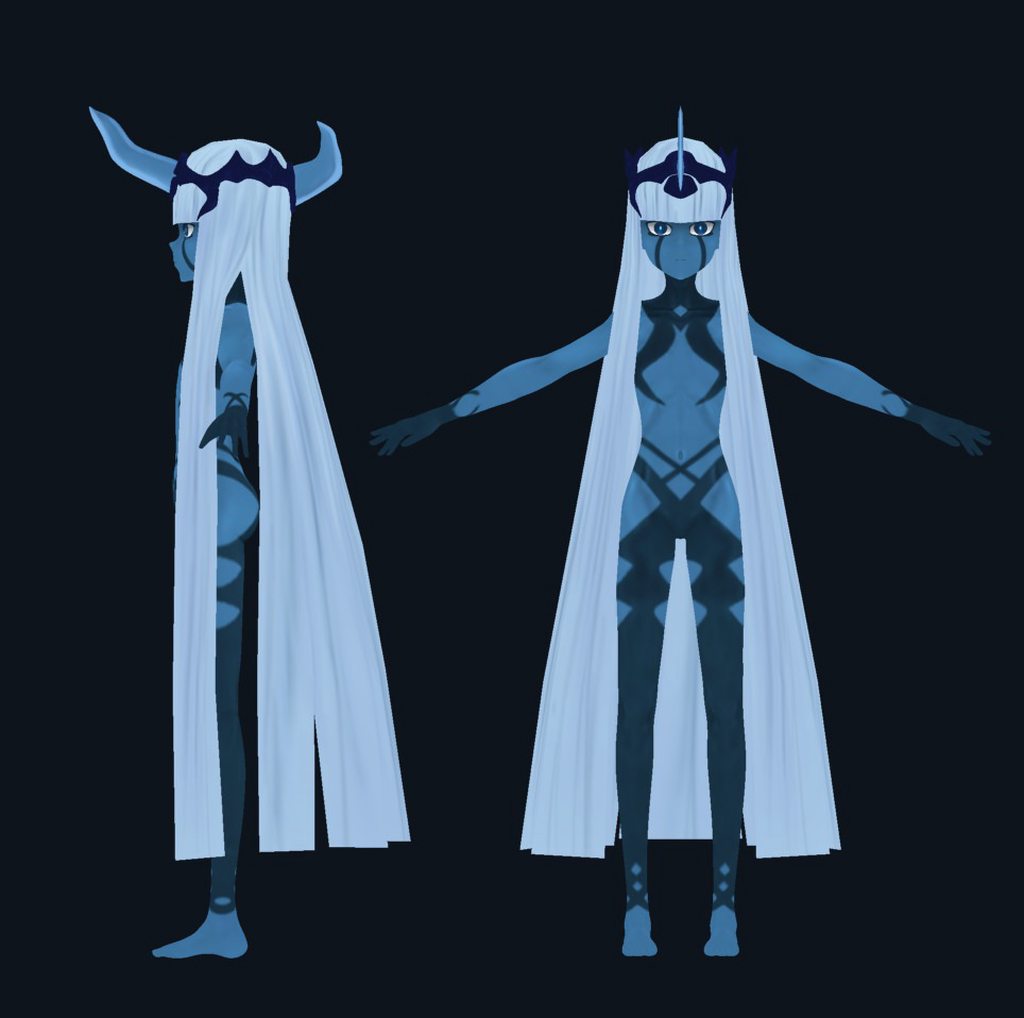
https://imgur.com/a/h59xluE gonna have this ready before the season ends
 long zealot
nice
 halcyon pelican
drifting sage
halcyon pelican
drifting sage
You open it in Blender
lapis needle
oof did you just ask how to delete polys in unity
 shut imp
I know this a question that I should know but how does one lower the polygons count on a avatar?
zinc furnace
Decimate modifier in Blender, or manually remodeling high-poly parts
Tupper's tutorial covers decimation
shut imp
Cool thanks have trouble on lowing poly lol
brave dune
if it's an mmd, try the hair first. those things seem to just eat up polys
green terrace
I've converted a few of my old high-poly models to to VRchat and decimate works pretty well, make sure to check the "Triangulate" checkbox to avoid UV issues and just drag the slider until you're in the green zone.
Remember that Blender's vertecies =/= polygons though, it's the tris you're aiming for
 final dew
Would anyone be willing to extract a model from SFM for me because whenever I extract it, it is missing a ton of faces
 drowsy bear
@final dew I am having the same issue
final dew
Im glad Im not the only one, out of curiosity what version of blender are you running and what are you using to decompile the models?
drowsy bear
blender 2.79b and CATs tools
I can import it but everything gets wonky from there, I think because in source it has all the different variants contained in the model
final dew
What model are you doing?
drowsy bear
I PM'd you with more details, don't want to do a full derail
zinc furnace
Use Blender 2.79, not 2.79b
lapis needle
Man we really should start teaching some of these people how to use things other than cats. Its nice but it really stumps alot of people on more advanced things.
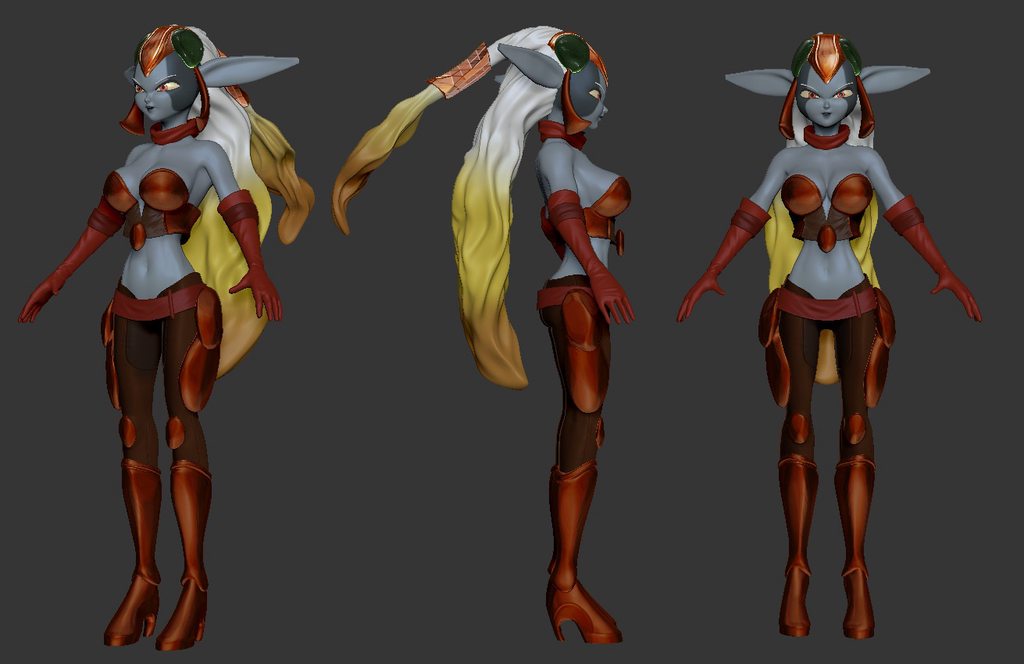
 arctic vine
So I got a question, when I fill in a face and unwrap it, I have all the vertices lined up to the color I want on the texture but it has this strange pattern going across it, any help?

And I have it assigned to the right material/texture and the uvscreen is displaying the correct one
 long zealot
Tanooki all I ever see you do is good work!
 nova grove
is there a way to increase all the weight on a weight paint? like all the weights are blue-green-yellow and I'd want to make it the same painting but red-yellow-green
basically increasing the weight
 mossy quail
@grave loom will there be a confirmed season 2?
mossy quail
season 2 of Darling in the Franxx of course @grave loom
grave loom
I mean i hope so
spiral sigil

My head doesn't move with my body ingame
it looks detatched
any idea for a fix?
spiral sigil
I attached the head in unity
when I tried attaching it in blender the face texture was completely solid
zinc furnace
So you attached the head object to the head bone within Unity? That's really not recommended but okay
spiral sigil
I tried joining the mesh of the head and body in blender but like I said the texture was solid
zinc furnace
Oh, hmm
If something goes wrong the moment you join the meshes, it's almost always a UV Map issue
Check that both meshes have the same UV Map names before joining
Usually UVMap

 obtuse gyro
spiral sigil
obtuse gyro
spiral sigil
you have to play the game for a bit
 rancid notch
anyone of u guys know how to take a piece of an armature and its mesh and combine it with another?
like a cut general grevious's leg and join it with a stormtrooper body?
foggy maple
@rancid notch You can use cats for that. Check out the avatar creation panel
rancid notch
Ok thx
shut imp
Got models from .mmd to work now to get the physics on closing and hair to work lol
spiral sigil
does anyone know how to separate textures?
green terrace
@spiral sigil seperate textures in what way exactly for what purpose?
Open photoshop, select, ctrl C, ctrl V
lament pond
 lament pond

So I'm currently trying to setup my own motion capture setup. Hopefully as I get it properly setup I'll be posting more animations regularly. If you want to ...
spiral sigil
http://prntscr.com/jzs0my i joined meshes in blender but the chest does not move with the body
 cursive wedge
Weightpaint and/or bone name are not correct based on the corresponding Vertexgroup, so you will need to research how to transfer that between models or if possible to find out how to make Cats addon do that for you.
spiral sigil
Ugh, that sounds really complex
I've been having this problem with several models using that torso
cursive wedge
Ye it is complex and you need some experience to do it, it is a advanced 3D program still, there is no easy exit out of that, since different problems may occur based on witch model you want it moved to.
I have slowly gained knowledge from November last year, and just gotten to the point where i know a bit of everything, but not in depth
Unity, Animations in Unity, Blender modeling, World creation, Rigging, Shaders, Audio edits, Texture painting, Particle Effects. Ye a bit of everything i have touched.
Had no previous knowledge of this before starting VRChat
mossy quail
@lament pond what did you use for the mocap?
/ can it be put into an animation file ?
safe stirrup
anyone know how to fix the publish button? I can't upload my avatar cause apperently I cant use unity
lament pond
I'm currently using brexel

 steep lynx
cursed waiting period ;~; I'm so ansy to upload my av :<
https://i.gyazo.com/e8af1333e79c81eebc617486291f78af.png

anyone know if there is a way to test the av within unity? to see if it even works..
long zealot
You could set up an animator component that will loop through your custom animations. You can double check the bones by bending them in unity, just make a duplicate of the game object as a backup.
 desert sonnet
 long zealot
Plz don't make me
vivid crater
do it
 modern mango
okay, just finished my first ever 3d model. (Optimization will still be done) http://Shared.DJ-FPaul.de/8e91xOr1wb.png

could have turned out worse 🤔
vivid crater
ooo, lookin good
modern mango
all made with the knowledge i optained from fixing and optimizing my avatar, no specific model making video 😄
and the blender help sheet.
life saver
😏
lament pond
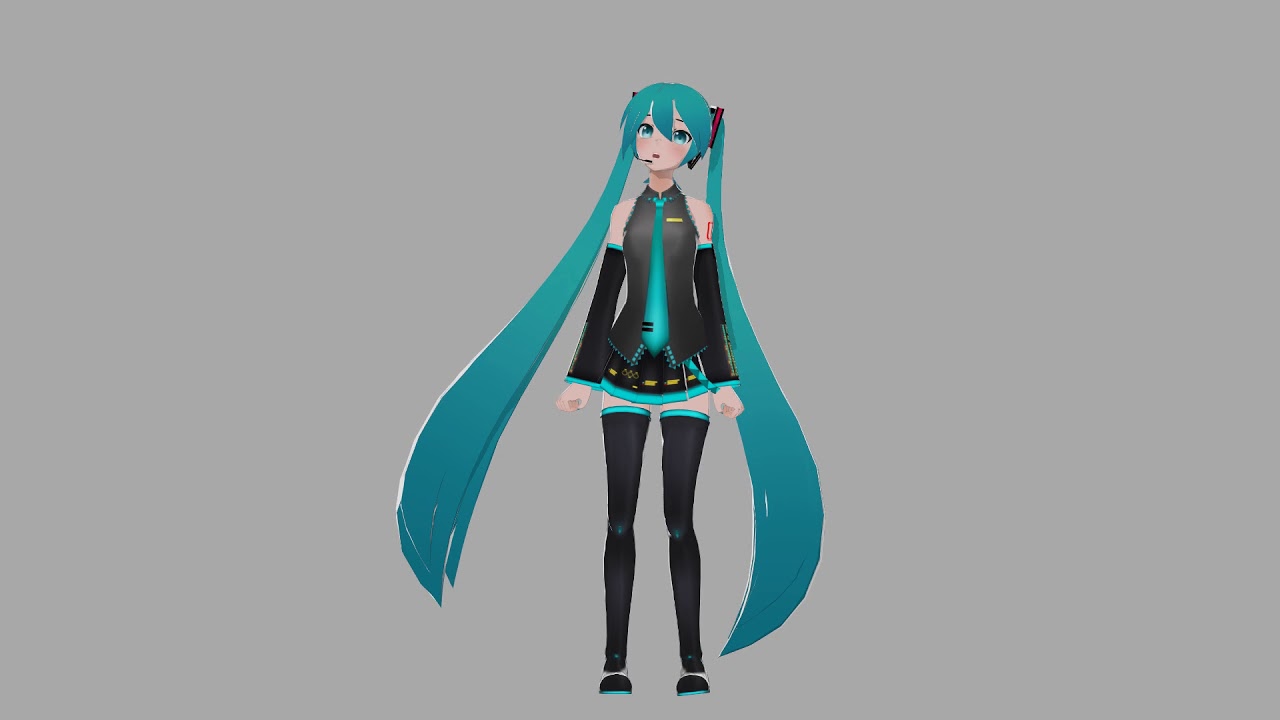
Another test of my in development mocap setup. I was going through songs trying to pick one to dance to when I remembered, I made facials for Love Song Excus...
brave dune
already better than most MMDs 😛
lament pond
@brave dune it's not mmd
brave dune
i know
im saying its better due to how robotic most mmds are 😛
more a joke at the fact that you are using a miku model in the test 😛
lament pond
More fitting to use her than Victoria for this test since it's a Miku song
 cobalt willow
Make sure the external texture has its own material, assuming you're using standard shader set the rendering mode to transparent. Click on the white colour box and drag the A (Alpha) slider at the bottom to change the transparancy
Fade should work too
@spiral sigil
zinc furnace
For some reason I cannot move bones in pose mode in Blender, only rotate.
The arrows are there, but they just rotate the bones instead.
The "Location" transform locks are greyed out
 latent charm
Joined bones can't be moved.
Edit mode → alt+p → disconnect
zinc furnace
That was it, thanks!
spiral sigil
Hello,
I haven't been on Chat VR in a while, yet recently I've been working on a particular model...
Once I was finished I then uploaded it to Unity, changed the necessary settings and then uploaded it....
However the loading screen will not proceed forward....
...
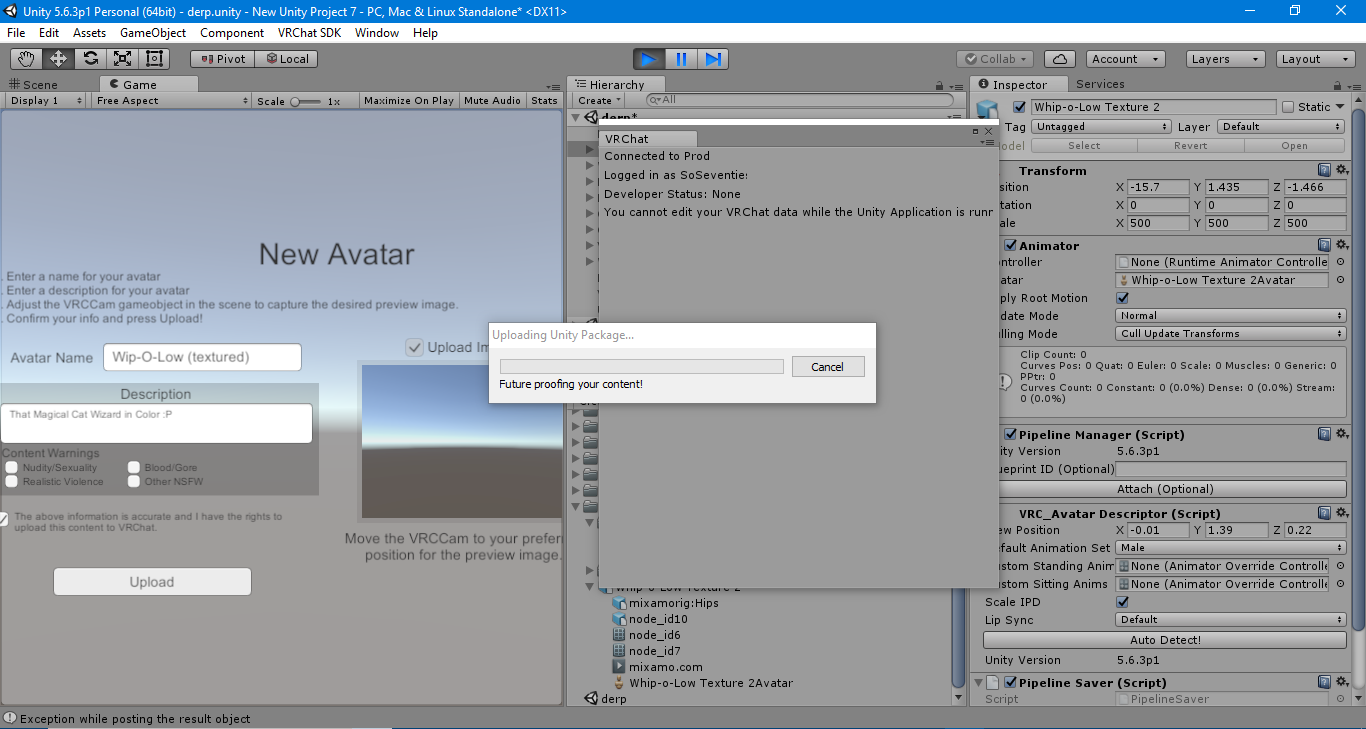
How do I resolve this? Is it my computer or is my software just simply out of date?
zinc furnace
Delete VRCSDK, restart Unity, reimport
You probably want to unload your scene first though
@spiral sigil
spiral sigil
Ok, thanks for the info I'll try it and see if it works.
broken condor
hey guys
 bright hazel
how do you import a .max file into unity?
cobalt willow
Pretty sure you don't. Export it to a unity friendly format, like fbx or dae.
 cold plank
Hey everyone. Pixiv has just done and released something insane. https://vroid.pixiv.net/ - Months and months ago I knew something like this was coming and I was hoping for some amplification on my feature request https://vrchat.canny.io/feature-requests/p/support-for-vrm-3d-humanoid-avatar-format-for-vr

If VRC is made to support VRM format directly without unity the number of good, low poly, high quality, fully vr compatible avatars will skyrocket, and the game's popularity in japan will increase even more then it already is.
you can use these in unity now, but it requires a lot of fiddling
 tribal mulch
cold plank
tribal mulch
cold plank
it also has copy protection. The skeleton and weighting is designed DIRECTLY for platform cross translation and virtual puppeteering
by real humans





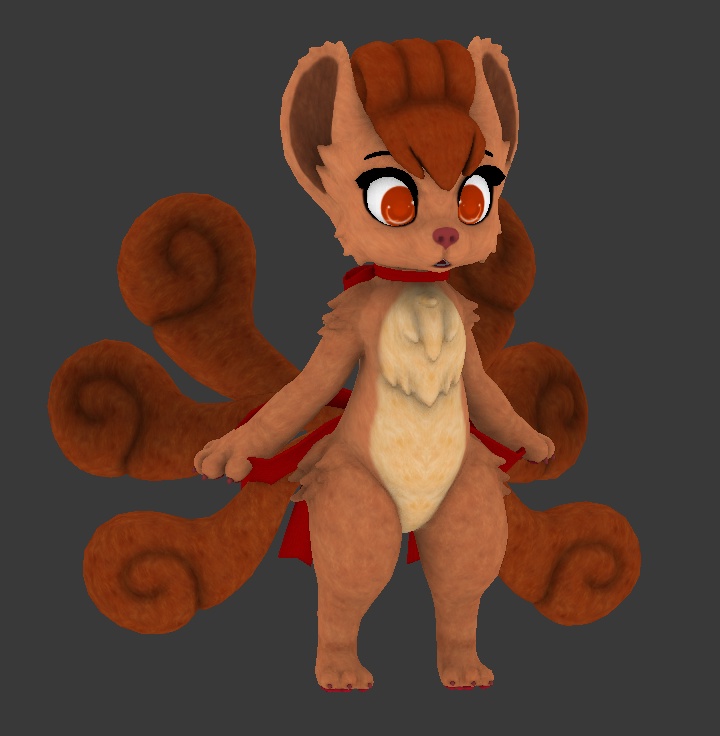


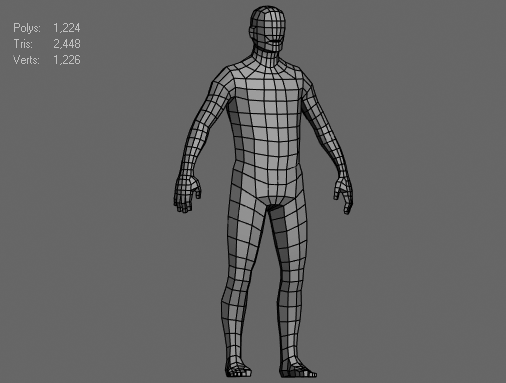


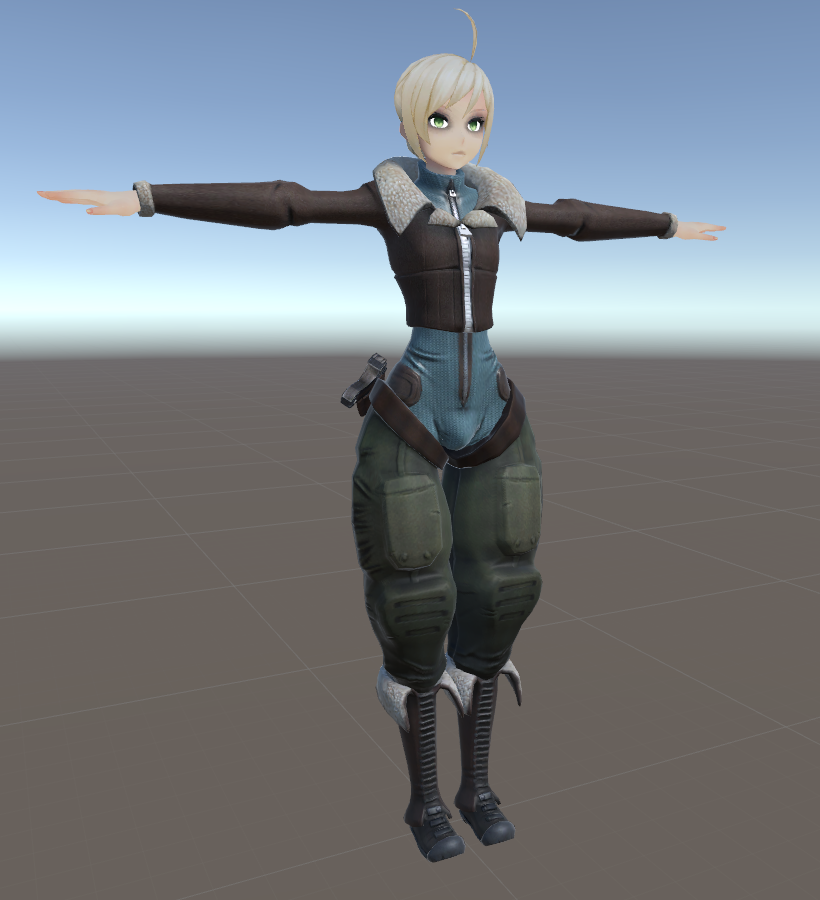

 cold plank
it has copy protection if you want it, that's all, on the models themselves. It's built into the format, so if you make a model "do not edit" you can't edit. But there's baseforms.
it's open source
also has built in cloth and hair physics that make sense for a humanoid
was built from the ground up for embodyment in vr.
very similar to mmd, but with all the mmd bits removed and all the vrchat stuff kept, basically